• Здравствуйте. Сайт заработал в архивном режиме форум www.old.nado.in

All Meera169's Applications (updated daily)

  • Автор темы Автор темы Meera169
  • Дата начала Дата начала
2.jpg


Topaz Mask Ai 1.0.2 (x64) | 1.3 GB

Information:

Creating complex selections by hand and perfecting them almost always takes way longer than expected. Meet Topaz Mask AI. Mask AI allows you to create tricky masks in record time thanks to our intuitive machine learning technology and trimap technique. Less user input for an extremely high-quality mask has always been a photographer’s dream, and now you can have it with Mask AI.

How We’ve Simplified Masking
Compared to Photoshop, Mask AI doesn’t need tedious brushwork to get a high-quality mask. And there’s no need to learn complicated icons and tools. With Mask AI you only need to roughly outline your subject in blue, one click fills what you want to cut, one click fills what you want to keep, and press “Compute Mask”. It’s really that simple. Our neural network has been trained to distinguish tough edges, so you can get a great mask on the first attempt.

Masking Made Simple For Every Type of Photo
Mask AI incorporates machine learning for a more accurate mask with less refining required!

Mask AI's Unique Trimap Technology
It can be a pain to make a good cut-out in Photoshop, and it can take up an entire day’s work. Mask AI’s intuitive color-coded system reduces it to 4 simple steps: keep, cut, compute, and replace.

Brush to compute.
Simply paint a blue line around the edges of what you’d like to compute. The best part is, you don’t have to be perfect — just keep a little bit of the subject and the immediate area you’d like to mask inside of it. Our technology will do the heavy lifting.

Brush to refine
Our smart brushes (Cut, Keep, and Compute) utilize our technology and enable you to make clean and accurate refinements without the pressure of painting perfectly. Our machines will make the decisions for you and speed up your workflow!

Slide to perfect.
Use the post-processing sliders to perfect your mask quickly. The Edge Softness slider comes in handy if you want to add more sharpness to a rocky landscape, or perhaps soften the edges for a portrait.

The Edge Softness slider
Comes in handy if you want to add more sharpness to a rocky landscape, or perhaps soften the edges for a portrait.

The Edge Shift slider
Shifts the mask edge in either direction.

The Foreground Recovery slider
Revives the color of your foreground in weaker or more transparent areas. This can be a great tool for fur, whiskers, or wispy hair.

The Defringe slider
Desaturates the edges of your mask to help with color contamination and bleeding.

Replace the background to finish.
Being a great photographer requires a lot of techniques and tools at your disposal. You’ve planned and executed with military precision to get the shot. But when nature gives you a less than perfect sky or an undesirable background, Mask AI’s background replacement lets you take back control of your work.

Tricky Masks Made Easy With Mask AI
Flyaway hair. Feathers. Fur. Willowy trees. There will always be complex masking tasks, but with Mask AI’s machine learning technology, you’ll never have to agonize over the details. Our application will do the heavy lifting!

System Requirements:
- OS: Windows 7, 8/8.1, 10 (64-bit only)
- System RAM: 8GB / 16GB recommended
- GPU VRAM: 2GB / 4GB recommended

Код:
https://topazlabs.com/mask-ai/

btnl.png


Код:
https://uploadgig.com/file/download/c6Ba359A6ee8985c/Meera169_Topaz_Mask_Ai_1.0.2_x64.part1.rar
https://uploadgig.com/file/download/a4F8735095e26cf8/Meera169_Topaz_Mask_Ai_1.0.2_x64.part2.rar

Nitro_Flare_Img.png


Код:
http://nitroflare.com/view/A5F09ED0ED9F4C5/Meera169_Topaz_Mask_Ai_1.0.2_x64.part1.rar
http://nitroflare.com/view/323B04395BB843D/Meera169_Topaz_Mask_Ai_1.0.2_x64.part2.rar

448_7.gif


Код:
https://rapidgator.net/file/9b95a73f5f5c0b7d1dd0ec8795af706f/Meera169_Topaz_Mask_Ai_1.0.2_x64.part1.rar
https://rapidgator.net/file/74c3d62b69087835c6a4284f2edc72ee/Meera169_Topaz_Mask_Ai_1.0.2_x64.part2.rar
 
22.jpg


Camworks 2019 Sp4.0 Build 2019.10.14 | 1.6 GB

Information:

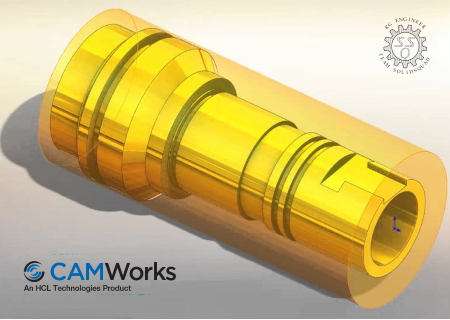
GeometricPLM is pleased to announce the availability of CAMWorks 2019 SP4.0, is a modern CAM programming solution that automates the creation of toolpaths inside SOLIDWORKS. Powering the SOLIDWORKS CAM, there is now a seamless associative path for all the SOLIDWORKS users machining and turning requirements.

CAMWorks for SOLIDWORKS was the first fully integrated computer-aided manufacturing (CAM) solution designed exclusively to operate in SOLIDWORKS and the first to offer knowledge-based, feature recognition, and associative machining capabilities within SOLIDWORKS.

CAMWorks uses the same SOLIDWORKS geometry to generate toolpaths to ensure the part you machine is the same part you’ve modeled. Toolpath simulation allows users to compare “as designed” parts to “as machined” parts. The part model-to-toolpath associativity in CAMWorks increases machining productivity and lowers manufacturing costs by eliminating time-consuming CAM system rework due to design updates.

CAMWorks eliminates the drudgery of CNC programming with Intelligent Machining through automation. Pioneered by Geometric Technologies, this suite of tools automates the generation of toolpaths based on a knowledge-based database. It eliminates hours of complex programming through Automatic Feature Recognition (AFR) that automatically defines prismatic machinable features, while the TechDBTM (Technology Database) defines machining operations to automatically generate accurate toolpaths at the click of a button.

CAMWorks machining modules include: 2Ѕ Axis Mill, 3 Axis Mill, Turning, Mill-Turn with 5 Axis Simultaneous Machining Support, 4/5 Axis Simultaneous Machining, and Wire EDM.

CAMWorks 2019 delivers many enhancements and improvements, most created in direct response to customer requests. This release focuses onhelping you program the parts in faster and easier way.It also introduces an Additive Manufacturing module that can used togenerate Build Tickets (3D data) required to print 3D print part models

GeometricPLM by HCL Technologies a specialist in the domain of engineering solutions, services and technologies. Its portfolio of Global Engineering services, Product Lifecycle Management (PLM) solutions, Embedded System solutions, and Digital Technology solutions enables companies to formulate, implement, and execute global engineering and manufacturing strategies aimed at achieving greater efficiencies in the product realization lifecycle.

On April 1st 2016, Geometric got into an agreement with HCL Technologies to transfer of its business to HCL Tech by way of demerger, except for its 58% share in the joint venture with Dassault Systиmes (3DS) (3DPLM Software Solutions Limited (3DPLM)). The transition has become effective on March 2nd 2017, after seeking all statutory approvals.

Product: CAMWorks
Version: 2019 SP4.0 build 2019/1014 (14-October-2019)
Supported Architectures: x64

Код:
http://www.camworks.com

Language: multilanguage

btnl.png


Код:
https://uploadgig.com/file/download/729E35b4721cf374/Meera169_Camworks_2019_Sp4.0_Build_2019.10.14.part1.rar
https://uploadgig.com/file/download/42513D804dabf292/Meera169_Camworks_2019_Sp4.0_Build_2019.10.14.part2.rar

Nitro_Flare_Img.png


Код:
http://nitroflare.com/view/2B7C1489F009F31/Meera169_Camworks_2019_Sp4.0_Build_2019.10.14.part1.rar
http://nitroflare.com/view/D0EC92554BC2FC6/Meera169_Camworks_2019_Sp4.0_Build_2019.10.14.part2.rar

448_7.gif


Код:
https://rapidgator.net/file/a4eb8f583b4b855fab0ca1c67da1f301/Meera169_Camworks_2019_Sp4.0_Build_2019.10.14.part1.rar
https://rapidgator.net/file/6f7578eb31fa6b1188c1c19aa391577d/Meera169_Camworks_2019_Sp4.0_Build_2019.10.14.part2.rar
 
1.jpg


Golaem Crowd 7.1.1 | 95.05 MB

Information:

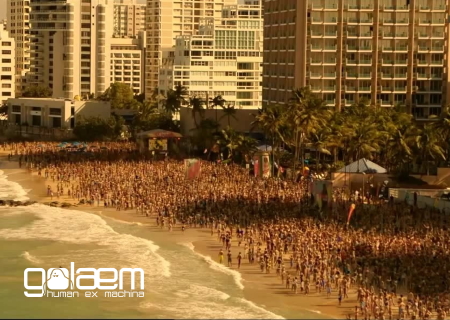
Golaem releases Golaem 7.1.1, the latest version of its crowd simulation and character layout software. The 7 release brings a new Character Layout Tool, including a DCC agnostic nodal editor and more capabilities, as well as a live link to Unreal Engine.

Golaem 7.1.1 (2019/10/08) - Release notes:

New features
- Added support of instancing in the Character Geometry file (animated or not)
- Added "Mesh Target" mode on Goto Behavior
Improvements
- Added a Far Clip Distance in the Simulation Cache Proxy
- Enabled multithreading in the Renderman Plugin
- Added curve type parameter when rendering fur with the Renderman Plugin
- Added search field in the Add / Remove Mesh Assets Helper in the Layout Tool
- Added fallback on Goto Behavior when target is outside the navigation mesh
- Added Stop On Target Reached option on Goto Behavior (on by default)
Bug fixes
- Fixed Cryptomatte passe when using multiple Crowd Render Proxies
- Fixed Entity Type detection size not taken into account in Perception
- Fixed Keyframe Locator creation / deletion in the Layout Tool
- Fixed ground adaptation when using multiple Layout Files in the Layout Tool
- Fixed fur rendering when using a specific number of CV per curve
- Fixed rendering of Geometry Behavior when not starting at frame 0
- Fixed rendering of Geometry Behavior when using instancing
- Fixed refresh when changing ground adaptation in the Simulation Cache Proxy Manager
- Fixed "AEreplaceCompound" error message in the Simulation Cache Proxy
- Fixed ChOps connection deletion
- Fixed ChOps error message when connecting in a backward way
- Fixed reinitializing Layout Editor window position when a new layout file is loaded
- Fixed layout files not being added when archiving a scene
- Fixed terrain not being taken into account when using layout in Houdini plugin
- Fixed a crash in Houdini when trying to add shader attributes with invalid names. Invalid names are now encoded
- Fixed uvs in Houdini when rendering with Arnold
- Fixed ground adaptation when legs are attached to a spine with null length
Refactoring
- Updated Render Checker for Renderman 22
- The Simulation Cache Library Tool is now available without a license
- Renamed Entity Type parameter Detection Shape and Detection Shape Offset
Supported Rendering Engines
- Mtoa 3.1, 3.2
- V-Ray For Maya 4.0X
- V-Ray For 3ds Max 4.10
- Renderman For Maya 22.4, 22.5
- Mental Ray 3.13.X
- Redshift 2.6.14-20
- 3Delight Studio Pro 11.0.XX and 12.X
- Guerilla Render 2.1, 2.2
- Katana 2.5, 2.6 and 3.X from KtoA 2.X and RfK 22.4, 22.5
- Unreal Engine 4.20
- Houdini 17.5
Also supported (but must be manually installed):
- Mtoa 3.0, 2.X
- V-Ray For Maya 3.6X
- Redshift 2.5.64-71
- Unreal Engine 4.21-23

Golaem releases Golaem 7, the latest version of its crowd simulation and character layout software. It brings a new Character Layout Tool, including a DCC agnostic nodal editor and more capabilities, as well as a live link to Unreal Engine.

A new Character Layout Tool
Born as a retake tool for Golaem simulations, Golaem Layout is now evolving as an independent tool for procedural character layout, enabling artists to easily populate shots by using Population Vignettes they can place in their scene and quickly edit them to fit with the shot direction.

A Population Vignette is similar to a proxy for characters and their animations which can be edited thanks to directable layers such as automatic feet adaptation to the ground, look at, duplicate, controllable geometry and shading variations, animation retiming, IK autorig to retake animation…
Artists can then adapt the scene very easily to frequent changes in directorial intentions or environment changes. For example, taking into account a new ground geometry can be done in one click.

Population Vignettes edits are non destructive, and performed using a new nodal editor which makes it easy to copy edits to others characters, rearrange modifications, test different stacks of modifications and so on. The new Layout architecture also makes it possible to drive edit with locators, or to keyframe their values using the standard Maya tools.

Population Vignettes can be layouted manually or scattered in the scene thanks to the Golaem Population Tool. Thousands of them can be animated in real time without slowing down Maya or making the scene file longer to open.

Golaem Layout has been unanimously acclaimed as a huge time and money saver by all its customers.

Round trip link with Unreal Engine
Golaem introduces a new plugin for Unreal Engine which enables loading Population Vignettes and layout them.

Unreal scenes can be refreshed instantly to take modifications done in Maya, and the Layout modifications can be edited directly in Unreal, and reloaded in Maya.
By avoiding things such as baking alembic caches and loading them in Unreal Engine, which wastes time and is always a pain to keep things in sync, this new workflow really facilitates the work of the team. It has already been used efficiently in production by Waterproof Studios and IGG Inc. for their in-game cinematics.

This new plugin takes advantage of Golaem C++/Python APIs which allows to quickly load Golaem simulation caches and layout in any platform (one of Golaem customers has implemented an Isotropix Clarisse integration in a few weeks). It also embeds the new Golaem Layout editor, which is independent from Maya, making it possible to use in any platform which supports Python.

The Unreal plugin source code is now available to customers so that they can compile their own Unreal Engine version with it, and contribute their developments.

Golaem develops artist-friendly tools to animate digital characters. Integrated in Autodesk Maya, Golaem makes it fast and affordable to populate worlds with directable digital characters, from a few to thousands. Artists from all over the globe use Golaem to bring life to commercials, episodic productions, feature films and games.

Product: Golaem Crowd
Version: 7.1.1
Supported Architectures: x64

Код:
https://golaem.com/
Language: english

Nitro_Flare_Img.png


Код:
http://nitroflare.com/view/3AE067CCAF7451C/Meera169_aeMCole711-OCT19.rar

448_7.gif


Код:
https://rapidgator.net/file/48d32e2ddc6478383287a8f273f673bf/Meera169_aeMCole711-OCT19.rar
 
1.jpg


Siemens Tecnomatix Plant Simulation v15.1.1 (x64) | 1.2 GB

Information:

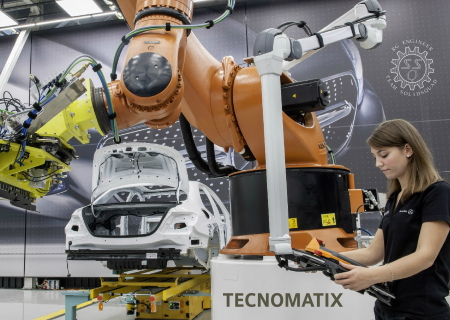
Siemens PLM Software is pleased to announce the availability of Tecnomatix Plant Simulation 15.1.1, is a discrete-event simulation tool that helps you to create digital models of logistic systems (such as production), so that you can explore a system’s characteristics and optimize its performance.

Tecnomatix Plant Simulation digital models allow you to run experiments and what-if scenarios without disturbing existing production systems or – when used in the planning process – long before the real production systems are installed. Extensive analysis tools, such as bottleneck analysis, statistics and charts let you evaluate different manufacturing scenarios. The results provide you with the information needed to make fast, reliable, smarter decisions in the early stages of production planning.

Using Plant Simulation, you can model and simulate production systems and their processes. In addition, you can optimize material flow, resource utilization and logistics for all levels of plant planning from global production facilities, through local plants, to specific lines.

Siemens PLM Software is a world-leading provider of product lifecycle management and manufacturing operations management software. We help thousands of companies realize innovation by optimizing their processes, from planning and development through manufacturing, production and support.

Product: Tecnomatix Plant Simulation
Version: 15.1.1
Supported Architectures: x64

Код:
http://www.plm.automation.siemens.com

btnl.png


Код:
https://uploadgig.com/file/download/caA1401c39768cEd/Meera169_MeTcPaS1511-OCT19.part1.rar
https://uploadgig.com/file/download/8f4FdB08da1ac841/Meera169_MeTcPaS1511-OCT19.part2.rar
https://uploadgig.com/file/download/9D289554715051bc/Meera169_MeTcPaS1511-OCT19.part3.rar

Nitro_Flare_Img.png


Код:
http://nitroflare.com/view/21DD2607476969C/Meera169_MeTcPaS1511-OCT19.part1.rar
http://nitroflare.com/view/304D472F4F7530E/Meera169_MeTcPaS1511-OCT19.part2.rar
http://nitroflare.com/view/08D630F0D019495/Meera169_MeTcPaS1511-OCT19.part3.rar

448_7.gif


Код:
https://rapidgator.net/file/f8a2d185fa89c8db38130023181f7ccb/Meera169_MeTcPaS1511-OCT19.part1.rar
https://rapidgator.net/file/3b73c3f0ec14c31958623e05ebe6c1ae/Meera169_MeTcPaS1511-OCT19.part2.rar
https://rapidgator.net/file/d295aab142ebe338b10d9fe6d520e397/Meera169_MeTcPaS1511-OCT19.part3.rar
 
2.jpg


Camworks Shopfloor 2019 Sp4.0 (x64) | 849.6 MB

Information:

GeometricPLM is pleased to announce the availability of CAMWorks ShopFloor 2019 SP4.0 is the latest Industry 4.0/Smart Manufacturing tool specifically designed for the CNC machinist on the shop floor and promotes digital manufacturing by providing 3D models with MBD & PMI data and CNC programming information to the shop floor in a single, compact digital format.

Bug Fixes in CAMWorks ShopFloor 2019 SP4.0

CW-93081 When publishing a ShopFloor file using the CAMWorks ShopFloor Publisher dialog box, if the Output Setup Sheet optionis checked and user assigns a custom style sheet template, then the Setup Sheet generated is on default stylesheet template instead of the custom stylesheet.
CW-92108 For the specific ShopFloor file viewed in the CAMWorks ShopFloor application, when the Stock Node in the Operations tab of CAMWorks ShopFloor menu bar (on the left-hand side of the user interface) is selected, multiple stocks are displayed in the graphics area instead of just one stock

CAMWorks ShopFloor is a newly introduced application in the CAMWorks suite of software products. CAMWorks ShopFloor is an independent standalone application. It serves as a collaboration tool between CAM Programmers (who use the CAMWorks application to generate CAM data for part models and/or assemblies to be machined) and the Machine ShopFloor (where actual machining of the concerned part models/assemblies take place).

CAMWorks ShopFloor is designed to help accelerate the transition to digital manufacturing and to boost manufacturing efficiency by allowing the shop floor to view programmed parts and associated manufacturing data digitally.

GeometricPLM by HCL Technologies a specialist in the domain of engineering solutions, services and technologies. Its portfolio of Global Engineering services, Product Lifecycle Management (PLM) solutions, Embedded System solutions, and Digital Technology solutions enables companies to formulate, implement, and execute global engineering and manufacturing strategies aimed at achieving greater efficiencies in the product realization lifecycle.

On April 1st 2016, Geometric got into an agreement with HCL Technologies to transfer of its business to HCL Tech by way of demerger, except for its 58% share in the joint venture with Dassault Systиmes (3DS) (3DPLM Software Solutions Limited (3DPLM)). The transition has become effective on March 2nd 2017, after seeking all statutory approvals.

Product: CAMWorks ShopFloor
Version: 2019 SP4.0.0 build 2019/1014 (14-October-2019)
Supported Architectures: x64

Код:
http://www.camworks.com

btnl.png


Код:
https://uploadgig.com/file/download/0Fe0a5cf0b9b543b/Meera169_OmAsHRfo19s400-OCT19.part1.rar
https://uploadgig.com/file/download/0624f4Dce7A19A67/Meera169_OmAsHRfo19s400-OCT19.part2.rar

Nitro_Flare_Img.png


Код:
http://nitroflare.com/view/36416D71E2A837F/Meera169_OmAsHRfo19s400-OCT19.part1.rar
http://nitroflare.com/view/65D35CC92DB347B/Meera169_OmAsHRfo19s400-OCT19.part2.rar

448_7.gif


Код:
https://rapidgator.net/file/0d0be71ff285bfc629cd593a25ec5bfc/Meera169_OmAsHRfo19s400-OCT19.part1.rar
https://rapidgator.net/file/35ba351632d6560ea6cbfc2b19761c4a/Meera169_OmAsHRfo19s400-OCT19.part2.rar
 
3.jpg


Altair Hw Feko And Winprop 2019.2.0 (x64) | 1.6 GB

Information:

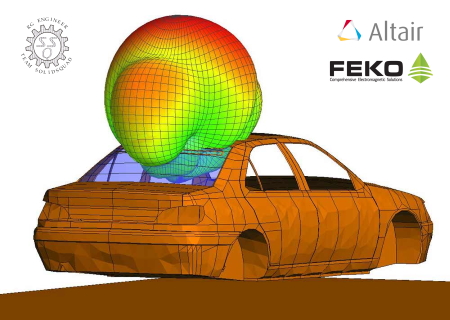
The Altair HyperWorks product team is pleased to announce the availability of Feko and WinProp 2019.2 is a comprehensive computational electromagnetics (CEM) code used widely in the telecommunications, automobile, space and defense industries.

Altair is a leading provider of enterprise-class engineering software enabling innovation, reduced development times, and lower costs through the entire product lifecycle from concept design to in-service operation. Our simulation-driven approach to innovation is powered by our integrated suite of software which optimizes design performance across multiple disciplines encompassing structures, motion, fluids, thermal management, electromagnetics, system modeling and embedded systems, while also providing data analytics and true-to-life visualization and rendering.

Product: Altair HyperWorks FEKO and WinProp
Version: 2019.2.0
Supported Architectures: x64

Код:
http://www.altairhyperworks.com

btnl.png


Код:
https://uploadgig.com/file/download/1237575A2c2Eb09b/Meera169_RaLhwFKaWP192-OCT19.part1.rar
https://uploadgig.com/file/download/55763852a58c7233/Meera169_RaLhwFKaWP192-OCT19.part2.rar
https://uploadgig.com/file/download/8A670F09c7a5BC03/Meera169_RaLhwFKaWP192-OCT19.part3.rar
https://uploadgig.com/file/download/db98B7Af44b00b93/Meera169_RaLhwFKaWP192-OCT19.part4.rar

Nitro_Flare_Img.png


Код:
http://nitroflare.com/view/4D716B9B22579BF/Meera169_RaLhwFKaWP192-OCT19.part1.rar
http://nitroflare.com/view/5030DB5C9300FD9/Meera169_RaLhwFKaWP192-OCT19.part2.rar
http://nitroflare.com/view/30465558F018B0B/Meera169_RaLhwFKaWP192-OCT19.part3.rar
http://nitroflare.com/view/FF32BAABB0C71DB/Meera169_RaLhwFKaWP192-OCT19.part4.rar

448_7.gif


Код:
https://rapidgator.net/file/75b4d8ebd915f6a3bc9055a03ccd4184/Meera169_RaLhwFKaWP192-OCT19.part1.rar
https://rapidgator.net/file/b9e850dcb5bfbd318741158e8034c1fc/Meera169_RaLhwFKaWP192-OCT19.part2.rar
https://rapidgator.net/file/025e478d79df7ccd9e0198293d8baaac/Meera169_RaLhwFKaWP192-OCT19.part3.rar
https://rapidgator.net/file/970ac7103e6730152144db8dd46ad900/Meera169_RaLhwFKaWP192-OCT19.part4.rar
 
3.jpg


Idera Er/studio Data Architect 18.1.0 | 468.92 MB

Information:

The Idera product team is pleased to announce the availability of ER/Studio Data Architect version 18.1.0, is a complete environment for analyzing, designing, creating, and maintaining database applications, including logical and physical models for many common database platforms.

ER/Studio Data Architect, the essential cross-platform data modeling tool, enables companies to discover, document, and re-use data assets. With round-trip database support, data architects have the power to easily reverse-engineer, analyze, design, and optimize existing databases. Comprehensive model management and collaboration capabilities simplify building and maintaining complex enterprise data models in the repository. With an extensive feature set, ER/Studio Data Architect offers superior data modeling for complex data warehouse environments.

IDERA, Inc. is the parent company of global B2B software productivity brands whose solutions enable technical users to do more with less, faster. Idera, Inc. brands span three divisions – Database Tools, Developer Tools, and Test Management Tools – with products that are evangelized by millions of community members and more than 50,000 customers worldwide, including some of the world’s largest healthcare, financial services, retail, and technology companies.

Product: IDERA ER/Studio Data Architect
Version: 18.1.0 Build 10404 Team Edition
Supported Architectures: x64

Код:
http://www.idera.com

btnl.png


Код:
https://uploadgig.com/file/download/1ebcD03e2Ef0d3e8/Meera169_ArERsDauArc181TE-OCT19.part1.rar
https://uploadgig.com/file/download/6374209E218b4a10/Meera169_ArERsDauArc181TE-OCT19.part2.rar

Nitro_Flare_Img.png


Код:
http://nitroflare.com/view/A2A10FC494541BF/Meera169_ArERsDauArc181TE-OCT19.part1.rar
http://nitroflare.com/view/744B5551A7EFA05/Meera169_ArERsDauArc181TE-OCT19.part2.rar

448_7.gif


Код:
https://rapidgator.net/file/fc1707fe10249a548290c859d1b9e5d7/Meera169_ArERsDauArc181TE-OCT19.part1.rar
https://rapidgator.net/file/35a087ca8ed0ccd0da3d4214fae0af1d/Meera169_ArERsDauArc181TE-OCT19.part2.rar
 
b.jpg


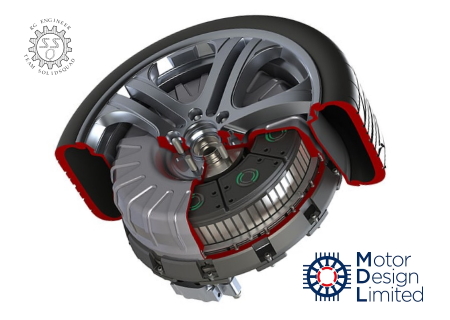
Motor-cad 12.1.18 | 229.37 MB

Information:

The Motor Design product team is pleased to announce the availability of Motor-CAD 12.1.18 is unique software package dedicated to the electromechanical performance of motors and generators and the optimisation of their cooling.

Motor-CAD is a dedicated electric machine design tool for fast multiphysics simulation across the full torque-speed operating range. Motor-CAD enables design engineers to evaluate motor topologies and concepts across the full operating range, to produce designs that are optimized for performance, efficiency and size. Motor-CAD software’s four integrated modules—EMag, Therm, Lab, Mech—enable multiphysics calculations to be performed quickly and iteratively, so users can get from concept to final design in less time. Motor-CAD’s intuitive, template-based setup simplifies and automates the analysis process while its built-in electromagnetic, thermal and mechanical solvers offer valuable multiphysics insights into a motor design. The simulations can be completed in a matter of seconds thus allowing ample time and scope for extensive design space exploration. Motor-CAD enables engineers to produce optimized electric motor and generator designs to help meet the size, weight, energy efficiency, cost and other specifications.

For deep analysis and validation of the motor design the Motor-CAD model can be transferred to ANSYS Maxwell, ANSYS Icepak and ANSYS Fluent. Combining these solvers with Motor-CAD delivers high-fidelity, 2D/3D analysis capability enabling users to analyze end-effects, demagnetization, core loss, hysteresis and other advanced electromagnetic phenomena, calculate the thermal envelope for operation and design complete motor cooling systems.

Motor Design Ltd is a strategic software partner to ANSYS Inc, a global leader in engineering simulation software. The software links between Motor-CAD and ANSYS, provide a seamless approach to modelling and analysing electric motor designs. The two technologies work well together, taking designs from concept to production through the complete product development life cycle.

Motor Design Ltd are pleased to announce have signed an agreement with ANSYS, Inc. to distribute software, Motor-CAD. This agreement enables the distribution of Motor-CAD through the comprehensive ANSYS sales and support network.

Product: Motor-CAD
Version: 12.1.18.1
Supported Architectures: 32bit / 64bit

Код:
http://www.motor-design.com

btnl.png


Код:
https://uploadgig.com/file/download/0bF6efF65ed5CbdC/Meera169_YsToMdA12118-OCT19.rar

Nitro_Flare_Img.png


Код:
http://nitroflare.com/view/44708E33FBDFFBC/Meera169_YsToMdA12118-OCT19.rar

448_7.gif


Код:
https://rapidgator.net/file/d852ee6abf227df64396c383167dea71/Meera169_YsToMdA12118-OCT19.rar
 
a.jpg


Siemens Simcenter Speed 2019.2.1 | 351.95 MB

Information:

The Simcenter product team is pleased to announce the availability of Simcenter SPEED 2019.2.1, is an all-in-one specialized tool for the sizing and preliminary design of electric machines such as motors, generators and alternators.

Siemens Simcenter SPEED offers a complete solution for electric machine design motoring and generating, covering a wide range of electric machines types. Simcenter SPEED includes all the necessary theoretical and physical models for a rapid e-machine design with a flexible approach.

The Simcenter SPEED suite supports the following e-machine types in its various individual programs:

- PC-BDC: Synchronous machine; permanent magnet (PM) surface, PM bread-loaf, IPM, spoke PM, PM inset, reluctance, wound field, interior and exterior rotor, single-, 2-, 3- and multi-phase machines.
- PC-IMD: Induction machine; all standard bar types, wound field, interior and exterior rotor, single-, 2-, 3-phase
- PC-SRD: Switched reluctance machine; all standard rotor types, interior and exterior
- PC-DCM: Brushed PM-direct current (DC) machines; all standard PM brushed rotor types
- PC-WFC: Wound-field commutator machines; all standard wound-field brushed rotor types
- PC-AXM: Axial flux machines; all stan-dard PM axial flux rotor types along with claw-pole and double radial PM flux machines.

Simcenter SPEED links to several general-purpose 2D and 3D electromagnetic finite element solvers such as Simcenter STAR-CCM+, Simcenter MAGNET or to the Simcenter SPEED dedicated 2D magnetostatic program, PC-FEA. These enable modeling and study of the electric machine more precisely if needed, for example in cases of high saturation, under fault conditions, and non-SPEED template based geometries.In general, users can connect Simcenter SPEED with other tools required for the complete electric machine solution using various scripting or programming languages. More specifically, automation makes use of the scripting capabilities as driving Simcenter SPEED on its own or together with other programs, such as STAR-CCM+. This automated workflow follows the scripting approach and uses STAR-CCM+ and its multiphys-ics solvers for electromagnetic, thermal (full 3D conjugate heat transfer) and mechanical stress analysis along with Java scripts to provide and feed back additional information to Simcenter SPEED.

HEEDS is a powerful software package in the Simcenter portfolio that auto-mates the design space exploration process. Simcenter SPEED provides a builtin graphical user interface to access HEEDS in two ways: as a full HEEDS installation and as an integrated add-on tool. In both cases, Simcenter SPEED is linked to HEEDS via a Python script using the generic facilities within HEEDS.

Siemens PLM Software. a business unit of the Siemens Digital Factory Division, is a leading global provider of software solutions to drive the digital transformation of industry, creating new opportunities for manufacturers to realize innovation. With headquarters in Plano, Texas, and over 140,000 customers worldwide, Siemens PLM Software works with companies of all sizes to transform the way ideas come to life, the way products are realized, and the way products and assets in operation are used and understood.

Product: Siemens Simcenter SPEED
Version: 2019.2.1 Build 14.04.013
Supported Architectures: x86

Код:
http://www.cd-adapco.com

btnl.png


Код:
https://uploadgig.com/file/download/c4Ed6a9f072c38A6/Meera169_SnMCensPee1921-OCT19.rar

Nitro_Flare_Img.png


Код:
http://nitroflare.com/view/692848C45830C11/Meera169_SnMCensPee1921-OCT19.rar

448_7.gif


Код:
https://rapidgator.net/file/c0b4279ec0c384ef0b956da0ed3e460b/Meera169_SnMCensPee1921-OCT19.rar
 
1.jpg


Edificius 3d Architectural Bim Design 12.0.5.0 | 1.9 GB

Information:

The ACCA product team is pleased to announce the availability of Edificius 3D Architectural BIM Design 12.0.5 is an advanced BIM application with powerful and innovative design tools, with a real-time rendering for your building design projects.

Edificius is a BIM (Building Information Modeling) software solution for 3D architectural design conforming to the latest regulations and technologies. It’s also the first architectural BIM design tool that comes with a real-time rendering engine and internal facilities and seamlessly integrates 3D design, structural engineering and cost estimating in one place.

Edificius comes with advanced design tools that are are comparable to other BIM software in the market, but it’s easier to use than any other products of its kind so far (no other analogues have such functionality and simplicity at the same time). With Edificius, you can get: floor plans, cross-section drawns, elevation views, construction details, tables, schedules, reports, isometric diagrams, perspective views, renderings, photo insertions, animations, and more.

The advanced BIM technologies of Edificius ensure the complete project management, and greatly reduces the occurrence of errors and improves the production efficiency. Although it is a BIM architectural design software specially designed for building trades, it also can be used for landscape planning and design industry, and is capable of docking with the CAD software to make further 3D design. Moreover, Edificius has built-in big textures library and a lot of models, which can greatly simplify your design work, let you have more time focused on the creativity itself.


Founded in 1989, ACCA has established a strong position in developing software solutions for the architectural, engineering and construction industries well known for ease of use, its highly creative and practical approach, its strong attitude for innovation and the ability to provide adequate answers to the growing needs of professionals.

Product: Edificius 3D Architectural BIM Design
Version: 12.0.5.20843
Supported Architectures: x64

Код:
http://www.accasoftware.com

btnl.png


Код:
https://uploadgig.com/file/download/c42023417ae63168/Meera169_Fid3DArBiDe1205-OCT19.part1.rar
https://uploadgig.com/file/download/d7fE2cFbE9d9f691/Meera169_Fid3DArBiDe1205-OCT19.part2.rar
https://uploadgig.com/file/download/ebf71de25Ae0CE6a/Meera169_Fid3DArBiDe1205-OCT19.part3.rar
https://uploadgig.com/file/download/E008F27bbeaeAb6E/Meera169_Fid3DArBiDe1205-OCT19.part4.rar
https://uploadgig.com/file/download/37a9fb48795C2315/Meera169_Fid3DArBiDe1205-OCT19.part5.rar

Nitro_Flare_Img.png


Код:
http://nitroflare.com/view/4A7FDB8632D8286/Meera169_Fid3DArBiDe1205-OCT19.part1.rar
http://nitroflare.com/view/5A290496BD19D8C/Meera169_Fid3DArBiDe1205-OCT19.part2.rar
http://nitroflare.com/view/BF3736ECF0FC901/Meera169_Fid3DArBiDe1205-OCT19.part3.rar
http://nitroflare.com/view/A28267E6885FA59/Meera169_Fid3DArBiDe1205-OCT19.part4.rar
http://nitroflare.com/view/63DD13C4CF374D2/Meera169_Fid3DArBiDe1205-OCT19.part5.rar

448_7.gif


Код:
https://rapidgator.net/file/3d9fc96a0aa0a83f68d117f300bc6b5d/Meera169_Fid3DArBiDe1205-OCT19.part1.rar
https://rapidgator.net/file/d2e6c20e5de61e17afa58147bea1dad7/Meera169_Fid3DArBiDe1205-OCT19.part2.rar
https://rapidgator.net/file/903f511c2e6f7ae4e912601a5e7aea9a/Meera169_Fid3DArBiDe1205-OCT19.part3.rar
https://rapidgator.net/file/eb4b7a02c8bb7d0590e4c1da706a1d14/Meera169_Fid3DArBiDe1205-OCT19.part4.rar
https://rapidgator.net/file/34e32fb34538ab48fafac5af752f56b7/Meera169_Fid3DArBiDe1205-OCT19.part5.rar
 
4.jpg


Siemens Tecnomatix Realnc 8.7.0 | 556 MB

Information:

The Simcenter Tecnomatix product team is pleased to announce the availability of RealNC 8.7 is an offline tool for detailed analysis and optimization of NC programs, enables the user to identify and to realize potential savings in machining processes at an early stage.

General Release Information

The term “current version” always refers to RealNC 8.7. A mistake in the German example files requiredto recompile the installer and include also some regression bug fixes.

RealNC is a tool for detailed analysis and optimization of NC programs even before production starts. Depending on the application, the focus is on reducing run-in times or shortening program runtimes. RealNC offers users the opportunity to identify and exploit savings potential in NC-controlled machining processes at an early stage. RealNC is therefore an indispensable tool for production planning from single to large-scale production.

Siemens PLM Software a business unit of the Siemens Digital Factory Division, is a leading global provider of software solutions to drive the digital transformation of industry, creating new opportunities for manufacturers to realize innovation. With headquarters in Plano, Texas, and over 140,000 customers worldwide, Siemens PLM Software works with companies of all sizes to transform the way ideas come to life, the way products are realized, and the way products and assets in operation are used and understood.

Product: Siemens Tecnomatix RealNC
Version: 8.7.0.31
Supported Architectures: 32bit / 64bit

Код:
http://www.plm.automation.siemens.com

btnl.png


Код:
https://uploadgig.com/file/download/00035b1aE41d0ef9/Meera169_SEiTeMaReNC87-OCT19.part1.rar
https://uploadgig.com/file/download/E6abCB0406b1Be1a/Meera169_SEiTeMaReNC87-OCT19.part2.rar

Nitro_Flare_Img.png


Код:
http://nitroflare.com/view/5FE72290263056B/Meera169_SEiTeMaReNC87-OCT19.part1.rar
http://nitroflare.com/view/98CDBD047E7F521/Meera169_SEiTeMaReNC87-OCT19.part2.rar

448_7.gif


Код:
https://rapidgator.net/file/fb45721aa48fedb84e509ab6f59fc2c4/Meera169_SEiTeMaReNC87-OCT19.part1.rar
https://rapidgator.net/file/e5787c37048ea00f2523f04b55f2103d/Meera169_SEiTeMaReNC87-OCT19.part2.rar
 
2.jpg


Ni Labview Systemlink Toolkit 19.5 | 334.63 MB

Information:

National Instruments, the provider of platform-based systems that enable engineers and scientists to solve the world’s greatest engineering challenges, is pleased to announce the availability of SystemLink Toolkit 19.5 is provides software deployment, systems configuration, test monitoring, and data management tools for integrating SystemLink with LabVIEW.

NI SystemLink 19.5 Readme - Date: September 2019

Bug Fixes
733866 SystemLink TDM crashes if the system is low on RAM or disk space
737691 In rare cases the index may contain orphaned entries due to a race condition. To purge these orphaned entries, the "Optimize Index" method was enhanced.
727677 If you assign the value "MoveToLoadedLevel" to the PropInheritanceModeDF variable in an analysis script, DIAdem does not replace the "root_abc" property with "root~abc". This means that the properties are not grouped correctly.
745479 SystemLink sometimes fails to deploy RT applications when configured to use HTTPS with a self-signed certificate
741742 C# services only uses TLS 1.0 for RabbitMQ connection

The LabVIEW SystemLink Toolkit is a software add-on that includes the SystemLink API for LabVIEW. With this add-on, you can use a web-based management interface for connected devices and VIs. The LabVIEW SystemLink Toolkit helps you communicate data between LabVIEW VIs and web-based VIs in LabVIEW NXG.

Use NI SystemLink to discover and manage systems on a server. Create and deploy packages to all your managed systems. Leverage SystemLink data services to visualize data, trigger alarms, monitor tests, manage assets, and transfer files to a server. SystemLink TDM is a Big Analog Data solution for automated preparation and analysis of large amounts of data in various formats and structures from different geographic locations.

Since 1976, National Instruments has made it possible for engineers and scientists to solve the world’s greatest engineering challenges with powerful platform-based systems that accelerate productivity and drive rapid innovation. Customers from a wide variety of industries – from healthcare to automotive and from consumer electronics to particle physics – use NI’s integrated hardware and software platform to improve the world we live in.

Product: NI LabVIEW SystemLink Toolkit
Version: 19.5
Supported Architectures: 32bit / 64bit
Код:
http://www.ni.com

btnl.png


Код:
https://uploadgig.com/file/download/1e79a989fEd478De/Meera169_bILaVwSyLTo195-OCT19.rar

Nitro_Flare_Img.png


Код:
http://nitroflare.com/view/AD774C607AB24C4/Meera169_bILaVwSyLTo195-OCT19.rar

448_7.gif


Код:
https://rapidgator.net/file/98de8e95539b42c22c440a9c3e44cf40/Meera169_bILaVwSyLTo195-OCT19.rar
 
1.jpg


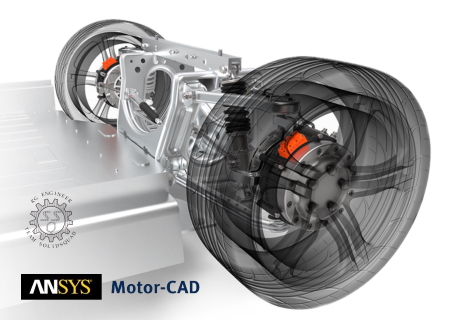
Ansys Motor-cad 12.1.17 | 210.7 MB

Information:

Motor Design, a ANSYS business, announced the latest release of Motor-CAD 12.1.17 is unique software package dedicated to the electromechanical performance of motors and generators and the optimisation of their cooling.

ANSYS Motor-CAD is a dedicated electric machine design tool for fast multiphysics simulation across the full torque-speed operating range. Motor-CAD enables design engineers to evaluate motor topologies and concepts across the full operating range, to produce designs that are optimized for performance, efficiency and size. Motor-CAD software’s four integrated modules—EMag, Therm, Lab, Mech—enable multiphysics calculations to be performed quickly and iteratively, so users can get from concept to final design in less time. Motor-CAD’s intuitive, template-based setup simplifies and automates the analysis process while its built-in electromagnetic, thermal and mechanical solvers offer valuable multiphysics insights into a motor design. The simulations can be completed in a matter of seconds thus allowing ample time and scope for extensive design space exploration. ANSYS Motor-CAD enables engineers to produce optimized electric motor and generator designs to help meet the size, weight, energy efficiency, cost and other specifications.

For deep analysis and validation of the motor design the Motor-CAD model can be transferred to ANSYS Maxwell, ANSYS Icepak and ANSYS Fluent. Combining these solvers with Motor-CAD delivers high-fidelity, 2D/3D analysis capability enabling users to analyze end-effects, demagnetization, core loss, hysteresis and other advanced electromagnetic phenomena, calculate the thermal envelope for operation and design complete motor cooling systems.

Motor Design Ltd is a strategic software partner to ANSYS Inc, a global leader in engineering simulation software. The software links between Motor-CAD and ANSYS, provide a seamless approach to modelling and analysing electric motor designs. The two technologies work well together, taking designs from concept to production through the complete product development life cycle.

Founded in 1970, ANSYS employs nearly 3,000 professionals, many of whom are expert M.S. and Ph.D.-level engineers in finite element analysis, computational fluid dynamics, electronics, semiconductors, embedded software and design optimization. Our exceptional staff is passionate about pushing the limits of world-class simulation technology so our customers can turn their design concepts into successful, innovative products faster and at lower cost. As a measure of our success in attaining these goals, ANSYS has been recognized as one of the world's most innovative companies by prestigious publications such as Bloomberg Businessweek and FORTUNE magazines.

Product: ANSYS Motor-CAD
Version: 12.1.17.1
Supported Architectures: 32bit / 64bit

Код:
http://www.ansys.com

btnl.png


Код:
https://uploadgig.com/file/download/Da2b998706c6a9BD/Meera169_YsToMdA12117-OCT19.rar

Nitro_Flare_Img.png


Код:
http://nitroflare.com/view/BF6FC3DE3374CAB/Meera169_YsToMdA12117-OCT19.rar

448_7.gif


Код:
https://rapidgator.net/file/bc7a84c15b0aba0d5e99a0e73f03817a/Meera169_YsToMdA12117-OCT19.rar
 
1.jpg


Bluebeam Revu Extreme 2019 Multilingual | 1.3 GB

Information:

Revu delivers award-winning PDF creation, editing, markup and collaboration technology for your design and construction workflows. You’ll boost productivity by leveraging markup data across the entire project lifecycle, and streamline processes to get more done in less time.

Create
Convert an unlimited number of Microsoft® Office documents and CAD drawings into high-quality 2D or 3D PDFs, or transform scanned images into text-searchable documents.

Mark Up
Customizable, easy-to-use markup tools simplify communication across teams, and the powerful Markups List in Revu tracks annotations and generates reports.

Collaborate
Connect and collaborate with project partners worldwide in real time, or any time, with Studio Projects and Studio Sessions.

Organize
Make large drawing sets more manageable by creating smart documents that can be shared easily with project partners—in the office or in the field.

Revu eXtreme®
The robust solution for automating complex processes and pushing the limits of document collaboration.

Who's it for?
- Architects Architects
- Engineers Engineers
- General Contractors General Contractors
- Specialty Contractors Specialty Contractors
- Estimators Estimators
- Superintendents Superintendents

Key Features:
- Automatic Form Creation
- Batch Link®
- Batch Slip Sheet
- OCR
- Batch Sign & Seal
- Quantity Link

Operating Systems:
- Windows® 10 (32-bit and 64-bit)
- Windows 8.1 (32-bit and 64-bit)
- Windows 7 SP1 (32-bit and 64-bit)

Код:
https://www.bluebeam.com

btnl.png


Код:
https://uploadgig.com/file/download/C46c55d3C110452d/Meera169_Bluebeam.Revu.eXtreme.2019-OCT19.part1.rar
https://uploadgig.com/file/download/D18aEffa9168f5c9/Meera169_Bluebeam.Revu.eXtreme.2019-OCT19.part2.rar
https://uploadgig.com/file/download/bAEdd07c58F848a1/Meera169_Bluebeam.Revu.eXtreme.2019-OCT19.part3.rar

Nitro_Flare_Img.png


Код:
http://nitroflare.com/view/C619F20F41DF48E/Meera169_Bluebeam.Revu.eXtreme.2019-OCT19.part1.rar
http://nitroflare.com/view/801391EED1DFB55/Meera169_Bluebeam.Revu.eXtreme.2019-OCT19.part2.rar
http://nitroflare.com/view/4A4D40CFCA5F076/Meera169_Bluebeam.Revu.eXtreme.2019-OCT19.part3.rar

448_7.gif


Код:
https://rapidgator.net/file/367de40df822deb7bc914f02274f9153/Meera169_Bluebeam.Revu.eXtreme.2019-OCT19.part1.rar
https://rapidgator.net/file/1e753d4cec3c03b7e30418f13385d071/Meera169_Bluebeam.Revu.eXtreme.2019-OCT19.part2.rar
https://rapidgator.net/file/6ea026acb6431567f4cc9e9475beb259/Meera169_Bluebeam.Revu.eXtreme.2019-OCT19.part3.rar
 
1.jpg


Izotope Ozone Advanced V9.0.2 Win | 215.99 MB

Information:

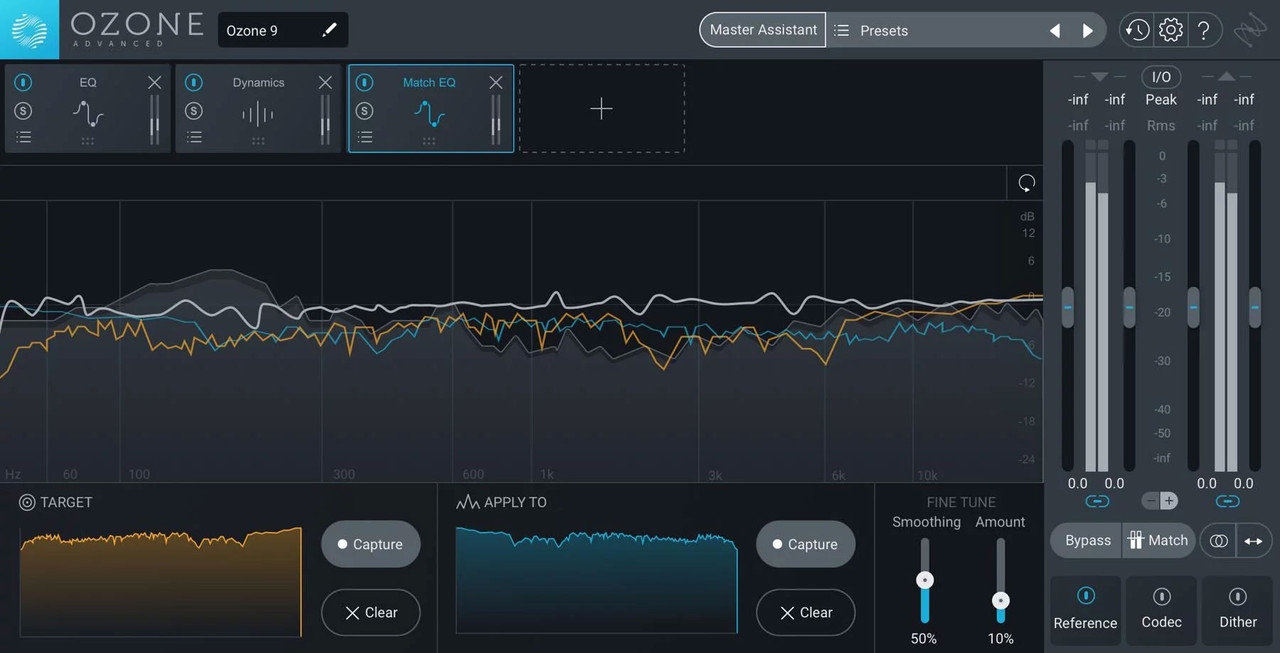
Building on a 17-year legacy, Ozone 9 brings balance to your music with the latest advances in machine learning for mastering audio. Never before seen processing for low end, real-time instrument separation, and lightning-fast workflows powered by machine learning—it's all here in Ozone 9. Watch the video and take a tour to learn what's new!

AI-powered mastering
Master Assistant can add modern or vintage vibes and help you get the right loudness for streaming.

Match to your reference
The new Match EQ module can give you a custom EQ curve taken from your favorite reference tracks.

Find your (tonal) balance
Tonal Balance Control helps keep frequencies in line, letting you talk to iZotope plug-ins to fix issues accross your session.

NKS Support
NKS support puts the power of Ozone into your creative process, letting you master while making music with Maschine or Komplete Kontrol. Open Ozone on the fly and easily add professional polish while making music on your hardware using hundreds of different presets and accessible parameters mapped to your hardware controls. Add loudness, width, and EQ without touching your DAW and keep the creative juices flowing.

Код:
https://www.izotope.com/en/products/ozone.html

btnl.png


Код:
https://uploadgig.com/file/download/54a14b123856f3af/Meera169_iZotope.Ozone.Advanced.v9.0.2.CE-OCT19.rar

Nitro_Flare_Img.png


Код:
http://nitroflare.com/view/54ADE8D743AEF28/Meera169_iZotope.Ozone.Advanced.v9.0.2.CE-OCT19.rar

448_7.gif


Код:
https://rapidgator.net/file/33e8bb103324fec3af2296a26fecfb29/Meera169_iZotope.Ozone.Advanced.v9.0.2.CE-OCT19.rar
 
5.jpg


Topaz Denoise Ai 1.3.2 (x64) | 403.89 MB

Information:

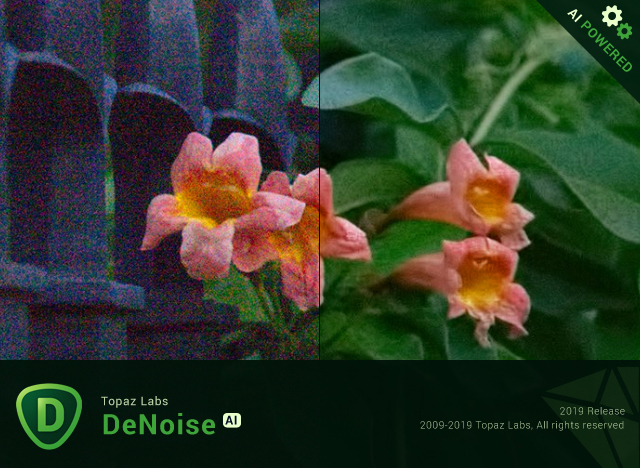
Shoot anywhere in any light with no reservations. Eliminate noise and recover crisp detail in your images with the first AI-powered noise reduction tool. You may be surprised at the results you get.

Shoot anywhere in any light
Great noise reduction is like a lens upgrade. You'll be able to get much higher-quality results when you're shooting fast action shots, night images, or any other situation that requires a high ISO. Use DeNoise AI to help you create a pixel-perfect photo in any situation.

Groundbreaking technology
Noise reduction technology has basically been the same for a decade, with only minor incremental improvements here and there. (We would know - we made one!) DeNoise AI is different: we fed an algorithm millions of noisy/clear images until it actually learned what noise is and how best to remove it.

Recover true detail
DeNoise AI examines the whole image and holistically determines the difference between detail and noise in that photo. (Other NR tools only look at pixel-level detail.) After understanding what noise vs detail looks like for that specific image, DeNoise AI recovers a surprising amount of detail from noise.

Lightroom vs DeNoise AI
When you need pixel-level perfection in your results, DeNoise AI offers the absolute best quality currently available anywhere. Existing noise reduction tools like Lightroom give you a choice: keep some noise or remove some detail. DeNoise AI’s technology allows you to get the best of both worlds: to remove noise while actually strengthening detail. The original noisy image (© Luis Garena) is on the left; we compare the Lightroom vs DeNoise AI results on the right. Pay special attention to the increased definition in the image, especially in the car wheels and center signs.

- Enhance real detail
- Remove noise naturally with no smudging
- Best for moderate to ultra-high ISOs

Any noise reduction tool can remove noise – the really tricky part is to tell the difference between noise and detail. DeNoise AI helps you get the best quality at 100% by removing noise while recovering original image detail. Give it a try to see the difference for yourself!

Operating System Version:
- Windows 7 x64
- Windows 8/8.1 x64
- Windows 10 x64

Hardware Requirements:
- System RAM: 8GB / 16GB recommended
- GPU VRAM: 2GB / 4GB recommended

Graphics Card Requirements:
- NVIDIA: GeForce GTX 770 2GB / GeForce GTX 960 4GB recommended
- AMD: Radeon HD 8570 2GB / Radeon R9 270 4GB recommended
- Intel: HD Graphics 5000 / Iris Plus Graphics 640 recommended

Код:
https://www.topazlabs.com/

btnl.png


Код:
https://uploadgig.com/file/download/8A7db350bf9cff09/Meera169_Topaz_Denoise_Ai_1.3.2_x64.rar

Nitro_Flare_Img.png


Код:
http://nitroflare.com/view/FE16F608F0F7F28/Meera169_Topaz_Denoise_Ai_1.3.2_x64.rar

448_7.gif


Код:
https://rapidgator.net/file/385f36b4bd700f82bd06c57fe2d38975/Meera169_Topaz_Denoise_Ai_1.3.2_x64.rar
 
1.jpg


Topaz Mask Ai 1.0.1 (x64) | 1.3 GB

Information:

Creating complex selections by hand and perfecting them almost always takes way longer than expected. Meet Topaz Mask AI. Mask AI allows you to create tricky masks in record time thanks to our intuitive machine learning technology and trimap technique. Less user input for an extremely high-quality mask has always been a photographer’s dream, and now you can have it with Mask AI.

How We’ve Simplified Masking
Compared to Photoshop, Mask AI doesn’t need tedious brushwork to get a high-quality mask. And there’s no need to learn complicated icons and tools. With Mask AI you only need to roughly outline your subject in blue, one click fills what you want to cut, one click fills what you want to keep, and press “Compute Mask”. It’s really that simple. Our neural network has been trained to distinguish tough edges, so you can get a great mask on the first attempt.

Masking Made Simple For Every Type of Photo
Mask AI incorporates machine learning for a more accurate mask with less refining required!

Mask AI's Unique Trimap Technology
It can be a pain to make a good cut-out in Photoshop, and it can take up an entire day’s work. Mask AI’s intuitive color-coded system reduces it to 4 simple steps: keep, cut, compute, and replace.

Brush to compute.
Simply paint a blue line around the edges of what you’d like to compute. The best part is, you don’t have to be perfect — just keep a little bit of the subject and the immediate area you’d like to mask inside of it. Our technology will do the heavy lifting.

Brush to refine
Our smart brushes (Cut, Keep, and Compute) utilize our technology and enable you to make clean and accurate refinements without the pressure of painting perfectly. Our machines will make the decisions for you and speed up your workflow!

Slide to perfect.
Use the post-processing sliders to perfect your mask quickly. The Edge Softness slider comes in handy if you want to add more sharpness to a rocky landscape, or perhaps soften the edges for a portrait.

The Edge Softness slider
Comes in handy if you want to add more sharpness to a rocky landscape, or perhaps soften the edges for a portrait.

The Edge Shift slider
Shifts the mask edge in either direction.

The Foreground Recovery slider
Revives the color of your foreground in weaker or more transparent areas. This can be a great tool for fur, whiskers, or wispy hair.

The Defringe slider
Desaturates the edges of your mask to help with color contamination and bleeding.

Replace the background to finish.
Being a great photographer requires a lot of techniques and tools at your disposal. You’ve planned and executed with military precision to get the shot. But when nature gives you a less than perfect sky or an undesirable background, Mask AI’s background replacement lets you take back control of your work.

Tricky Masks Made Easy With Mask AI
Flyaway hair. Feathers. Fur. Willowy trees. There will always be complex masking tasks, but with Mask AI’s machine learning technology, you’ll never have to agonize over the details. Our application will do the heavy lifting!

Operating System Version:
- Windows 7 x64
- Windows 8/8.1 x64
- Windows 10 x64

Hardware Requirements:
- System RAM: 8GB / 16GB recommended
- GPU VRAM: 2GB / 4GB recommended

Код:
https://topazlabs.com/mask-ai/

btnl.png


Код:
https://uploadgig.com/file/download/bbd689F65ef2100c/Meera169_Topaz_Mask_Ai_1.0.1_x64.part1.rar
https://uploadgig.com/file/download/13b95B61e39277af/Meera169_Topaz_Mask_Ai_1.0.1_x64.part2.rar

Nitro_Flare_Img.png


Код:
http://nitroflare.com/view/7DC5DC624E3F844/Meera169_Topaz_Mask_Ai_1.0.1_x64.part1.rar
http://nitroflare.com/view/20467F0B1253341/Meera169_Topaz_Mask_Ai_1.0.1_x64.part2.rar

448_7.gif


Код:
https://rapidgator.net/file/54db6f94151fd6c0c294f9d7b15b44de/Meera169_Topaz_Mask_Ai_1.0.1_x64.part1.rar
https://rapidgator.net/file/3eb08dc7db6b25d658d8f0c172cd4f4b/Meera169_Topaz_Mask_Ai_1.0.1_x64.part2.rar
 
22.png


Reallusion Cartoon Animator 4.1.1022.1 (x64) Pipeline Multilingual Incl. Resource Pack | 662 MB/420.97 MB

Information:

CrazyTalk Animator (CTA) brought the power of 2D face creation and facial animation from CrazyTalk to a full body 2D character with scenes, props, cameras and a stage to bring it all to life. Now CrazyTalk Animator is growing again and this next version is evolving the power into a robust 2D animation studio that deserves its own unique brand. Reallusion now is ready to start unveiling the next exciting features to elevate 2D animation production with intuitive character creation, smart animation and live performance capture. Reallusion introduces, Cartoon Animator 4 (CrazyTalk Animator) with all the favorite crazy features and many new tools to easily approach animation or innovate existing pipelines.


All New in Cartoon Animator 4:

ENHANCED CHARACTER ANIMATION
This WIP 1 demonstrates how Reallusion made 2D Character Animation more precise, powerful, yet more intuitive. Say goodbye to foot sliding, sinking or floating problems, the new Smart IK/FK system not only switches automatically, it makes creating amazing cartoon animation so much easier. Posing with locking end effectors gives you power to precisely animate characters with scene interaction. In addition, you can perfectly adapt motion files with different body shapes from our motion library, even fine-tune the character's stride or alter its motion genre.

Smart IK (Inverse Kinematic)
Simple and functional design sets Cartoon Animator apart from other 2D Animation tools. The intuitive 2D in IK / FK system auto-switches invisibly so character posing for animation is a fluid, and logical process. Just lock the character feet to have perfect non-sliding foot contact, and lock the character’s hand to get a precise interaction with props or scene.

Easy IK Editing
- Stretches, squatting, and hip rotation made simple by moving the hip bone.
- Easy-locking feet and hands for unlimited motion possibilities.
- Position character end effectors for precise IK interaction.
- Keep or Flip Joint Bend Direction during animation editing.

Intuitive Auto IK/FK Switch
- Drag-and-move end effectors for IK editing, directly rotate joins for FK editing.
- Intuitive pose-to-pose editing without switching IK and FK modes.
- One transform timeline track can keep End Effector Constraints and it’s Effective Range.
- Set keys only to Selected Body Parts, or to Full Body motion layers.

Stretch Animation
- Freely extend any character’s end segments - head, hands and feet.
- Rubber-band stretch midpoint segments like elbow, waist, knee.
- After releasing stretching, the segment can resume to its original length.
- Stretch neck and torso parts by locking hands and feet.
- Smoothly interpolate stretch animation, and add Motion Curve for timing control.

Precise Scene and Prop Interaction
- Lock hands and feet to precisely interact with scene objects.
- IK Constraints - use “Keep End Effort Rotation” to tip toe or bend wrist, or use “Keep End Effector Angle” to sustain feet angle on the skateboard or bicycle pedal.
- Use “Keep Bend Direction” to ensure character’s elbow or knee always bend at the right direction.
- Lock hand and feet to make stable spider-like crawling movement.

Works with All Kinds of Cartoon Characters
- Correct backward knee bend animation for quadruped animals.
- Use Shift+drag to alter the bone length between two bone segments producing a uniform transform effect such as the gorilla arm movement.
- The same effect can apply to breathing or neck-stretching animation.
- Use End Effector Rotation to easily let the dog naturally sit down.

Smart Motion Retargeting
Unique animation feature translates motions automatically to various character styles with different body scale. Smart Motion Retargeting correctly applies the collected motion files to different body shapes, automatically aligns characters to the motion’s pose regardless it’s initial pose settings, innovatively creates different motion performance styles.

Adapt Motions to any Character Scale
- No more Foot Sliding, Sinking, or Floating problems caused by characters’ bone scale difference.
- Library Animation applied perfectly to all types of template characters.
- Works with all Template-based Motion - human biped, quadruped, wings, spine bone.

Creative IK Motion Varieties
- Auto-align character bones to the Motion Data pose, regardless of the character’s initial pose setting.
- Recalculate character’s Initial Pose Offset for accurate animation editing.
- Change characters’ foot stride, or arm reach distance by altering the overall Motion Data Scale.
- Adjust individual End Effector bone ratio for precise character to object interaction.

Create IK Rig
Generate IK-ready 2D animated characters, CTA4 provides standardized IK Controls for template-based characters. We’ve also added the Auto IK Rig for Photoshop Imported characters. For custom created free-bone characters, now users may create a custom GUI from the Custom Rig GUI.

Auto IK Rig
- Auto IK Rig for Imported Photoshop Template Characters (PSD).
- Works for All Character Templates - Human, Quadruped, Wings, Spine.
- Default Human End Effector Presets - Toe, Ankle, Finger and Wrist
- Free to add IK lock to selected bone segments
- Auto assign End Effectors to Free Bone Characters, allowing custom IK definition

Custom GUI
- Snapshot a Character with a Custom Pose to create a Character Rig GUI.
- Import an image file as a custom rig image.
- Move and place End Effector Locks for ideal layout.
- Specify Bone Size, Segment On/Off in the UI display.

360 Head Creation
This WIP 2 shows how Reallusion breaks through the limitations of 2D Art, and delivers a practical way for 2D animators to create characters with advanced animation along with vivid expressions. The 360 evolution streamlines the workflow for Head Creation, Expression Setup, and directly to the animation core with face key editing, puppeteering and the timeline system. Apart from introducing a set of 360 assets and new professional animation library, users also have the path to convert existing content into 360 heads with a full range of motion.

Quickly Transform a 2D Face into a 3D Head
3D Head Creator transforms 2D art into 3D styled characters with up to 360 degree of motion for deeply rich performances. Photoshop round trip integration for editing multi-angle character in and out of 3D Head Creator.

Anchor Nine Head Turn Directions
- Inherit basic angle settings from Quick Setup
- Transform and deform head sprites for perfect 3D turn
- Optional FFD resolution from 2x2 (perspective correction) to 5x5 (precise shape definition)
- Mask-out features outside the face to create the 3D illusion

Smart Designs to Speedup Multi-angle Settings
- Copy and paste the angle definition
- Mirror setup from one side to another, flip or replace sprites to match angle requirements
- Onion Skin - proper sprite placement with neighboring setup reference
- Average - average the angle setting value from two selected points

Add Additional Decorative Items
- Apart from main facial features, users can freely add other decorative elements
- The cat has whiskers and the nose stripe seamlessly blended with the parent turning head base
- The same techniques can be used to emphasize a 3D effect with highlight and shadow layers

Free Angle Definition - Up to 360°
- More than creating a turning head, you can give a full spin to a simple shaped creature, even a moody bird
- Freely add angle points to setup the character look as the head turns
- Each angle point contains data for sprites transformation, deformation, and sprite change
- A total of 25 optional angle points are provided and a perfect 360° character can be achieved by properly adding angle definition for horizontal and vertical turn

Designing 360 Heads with Photoshop Layers
- Complete PSD to CTA round-trip workflow for 360 Head Creation
- The PSD character template is extended with angle layers for sprite change
- Use several image layers to accentuate depth such like a hog’s nose
- Build the layer hierarchy using a simple naming rule, eg. Parent > Child
- The 360 Head Creator can generate and send angle definitions back to Photoshop, new PSD layers are generated for the 360 angle adjustments

3D Expression Setup
- The Cartoon Animator Expression Setup is enhanced for new 360 Performance
- Transform and deform facial sprites to setup 3D-like Expressions
- Turn on Smooth Mode to achieve extremely smooth facial blendshape animation
- Easily Guide the Head Movement using Head Turn Gizmo
- Combine with the Face Key Editor for amazing results!

New Generation of 360 Creative Assets
- Mix and match facial features to create new 360 characters
- Dynamic hairstyles and accessories can also include multiple view angles
- Combine 360 Head with selected Body style for perfect Smart IK Animation

360 Animation Controls and Timeline Editing
- Head Turn Gizmo - Easily guide the head direction using mouse cursor, a quick way to layout the animation tempo
- Face Key Editor layers up precise facial expressions, detailed adjustment can be achieved by selecting facial features, choosing from an expression list, and customizing with muscle morph sliders
- Face Puppet is enhanced for generating expressions with dynamic head turns
- Use Transform and deform to exaggerate the cartoon performance

Recommended System Requirements:
• Windows 10 / Windows 8 / Windows 7 (64-bit).
• Dual core CPU or higher
• 4 GB RAM or higher recommended
• 10 GB free hard disk space or higher recommended
• Display Resolution: 1440 x 900 or higher
• Graphics Card: Nvidia GeForce 9800 GX2 or higher /ATI Radeon HD 4890 Series or higher
• Video Memory: 1 GB RAM or higher recommended

Код:
https://www.reallusion.com/

btnl.png


Код:
https://uploadgig.com/file/download/85E36416485E8fBB/Meera169_Reallusion_Cartoon_Animator_4.1.1022.1_x64_Pipeline_Resource_Pack.part1.rar
https://uploadgig.com/file/download/84db9dA1586a6897/Meera169_Reallusion_Cartoon_Animator_4.1.1022.1_x64_Pipeline_Resource_Pack.part2.rar

Nitro_Flare_Img.png


Код:
http://nitroflare.com/view/0A21F3586DD5965/Meera169_Reallusion_Cartoon_Animator_4.1.1022.1_x64_Pipeline_Resource_Pack.part1.rar
http://nitroflare.com/view/95BCA8150D294F0/Meera169_Reallusion_Cartoon_Animator_4.1.1022.1_x64_Pipeline_Resource_Pack.part2.rar

448_7.gif


Код:
https://rapidgator.net/file/bf04911d64541cb36e8da1c625278580/Meera169_Reallusion_Cartoon_Animator_4.1.1022.1_x64_Pipeline_Resource_Pack.part1.rar
https://rapidgator.net/file/c449a4778785ed22791d3449845c1856/Meera169_Reallusion_Cartoon_Animator_4.1.1022.1_x64_Pipeline_Resource_Pack.part2.rar
 
Siemens-NX-1867-4720-Win64.jpg


Siemens NX 1867.4720 (x64) Include Crack | Size 12.6 GB

Information:

Release Date : 2019
Languages : English / Multilanguage

Description : Siemens NX is a leading CAD / CAM / CAE system built on the best technologies designed to create products of any complexity. The main objective of the system ultimately is to reduce the cost of creating the product, improve its quality and reduce the time to market. This enables companies to quickly return the investment spent on the purchase and implementation of Unigraphics. Unigraphics has a strong position in Russia, thanks to the wide possibilities of using the system in various industries (aerospace industry, engine building, automotive, mechanical engineering, etc.) and the use of modern technologies that provide the user with advanced MCAD solutions at all stages of product creation. The success of the Unigraphics system in the Russian market is confirmed by an extensive user base, the successes they achieved as a result of using the system.

ATTENTION!
NX-1867.4720 is the last update for NX-1847 Series
The next version is NX-1872 Series
Files saved in NX-1872 Series can not be opened in NX-1847 Series (NX1847-1867.4720)

Operating System :
Windows 7 / Windows 8 / Windows 8.1 / Windows 10
Java RE 8 u45 64-bit minimum

SSSE3 processor
AMD:
Bobcat
Bulldozer
Piledriver
Intel:
Xeon 5100 Series
Xeon 5300 Series
Xeon 3000 Series
Core 2 duo
Core 2 extreme
Core 2 quad
Core i7
Core i5
Core i3
Pentium Dual Core
Celeron 4xx Sequence Conroe-L
Celeron Dual Core E1200
Celeron m 500 series
Atom
processors without SSSE3 are NOT SUPPORTED!

btnl.png


Код:
https://uploadgig.com/file/download/9583dF122c77a041/Meera169_Siemens_NX_1867.4720_x64.part01.rar
https://uploadgig.com/file/download/13a34bF9bd0fEAF5/Meera169_Siemens_NX_1867.4720_x64.part02.rar
https://uploadgig.com/file/download/a4792907ee250122/Meera169_Siemens_NX_1867.4720_x64.part03.rar
https://uploadgig.com/file/download/3f1199342719f37E/Meera169_Siemens_NX_1867.4720_x64.part04.rar
https://uploadgig.com/file/download/2e7Af57B10e6f53A/Meera169_Siemens_NX_1867.4720_x64.part05.rar
https://uploadgig.com/file/download/68d269c56BF14764/Meera169_Siemens_NX_1867.4720_x64.part06.rar
https://uploadgig.com/file/download/f7F480bF3400bEAf/Meera169_Siemens_NX_1867.4720_x64.part07.rar
https://uploadgig.com/file/download/b7812348a9bBc959/Meera169_Siemens_NX_1867.4720_x64.part08.rar
https://uploadgig.com/file/download/1086147c141c0974/Meera169_Siemens_NX_1867.4720_x64.part09.rar
https://uploadgig.com/file/download/1bd1A04b2b6f3159/Meera169_Siemens_NX_1867.4720_x64.part10.rar
https://uploadgig.com/file/download/a4806c3b50a93E64/Meera169_Siemens_NX_1867.4720_x64.part11.rar
https://uploadgig.com/file/download/94b1cEb36ee6FC95/Meera169_Siemens_NX_1867.4720_x64.part12.rar
https://uploadgig.com/file/download/a1d879501F0f1ae9/Meera169_Siemens_NX_1867.4720_x64.part13.rar
https://uploadgig.com/file/download/7bf5b02fE92d7955/Meera169_Siemens_NX_1867.4720_x64.part14.rar

Nitro_Flare_Img.png


Код:
http://nitroflare.com/view/93087754EEDA05B/Meera169_Siemens_NX_1867.4720_x64.part01.rar
http://nitroflare.com/view/97C28CD02FF3BD0/Meera169_Siemens_NX_1867.4720_x64.part02.rar
http://nitroflare.com/view/9D76E81DD1B1E65/Meera169_Siemens_NX_1867.4720_x64.part03.rar
http://nitroflare.com/view/2BC9AF737E36C16/Meera169_Siemens_NX_1867.4720_x64.part04.rar
http://nitroflare.com/view/69A53E83BB5860E/Meera169_Siemens_NX_1867.4720_x64.part05.rar
http://nitroflare.com/view/1E76167479B6CB2/Meera169_Siemens_NX_1867.4720_x64.part06.rar
http://nitroflare.com/view/5BAE6D4BDD22C7D/Meera169_Siemens_NX_1867.4720_x64.part07.rar
http://nitroflare.com/view/8F1E716758F86FA/Meera169_Siemens_NX_1867.4720_x64.part08.rar
http://nitroflare.com/view/458068FD610FFE0/Meera169_Siemens_NX_1867.4720_x64.part09.rar
http://nitroflare.com/view/465E91BA7D6F0E5/Meera169_Siemens_NX_1867.4720_x64.part10.rar
http://nitroflare.com/view/8B9455312F81708/Meera169_Siemens_NX_1867.4720_x64.part11.rar
http://nitroflare.com/view/DE46AA4E4F6DA55/Meera169_Siemens_NX_1867.4720_x64.part12.rar
http://nitroflare.com/view/A7DC44AFCEEA27E/Meera169_Siemens_NX_1867.4720_x64.part13.rar
http://nitroflare.com/view/FC7B8B6BAC0C2F4/Meera169_Siemens_NX_1867.4720_x64.part14.rar

448_7.gif


Код:
https://rapidgator.net/file/448da5b92fa4405fac5592618f04e2b2/Meera169_Siemens_NX_1867.4720_x64.part01.rar
https://rapidgator.net/file/c51350780de4c57907cf0feb9b22c97f/Meera169_Siemens_NX_1867.4720_x64.part02.rar
https://rapidgator.net/file/4a1ff7b6872a5398a6e346e98fa18fdb/Meera169_Siemens_NX_1867.4720_x64.part03.rar
https://rapidgator.net/file/7065d0153b4cead0c167ec2acd9c9a82/Meera169_Siemens_NX_1867.4720_x64.part04.rar
https://rapidgator.net/file/9038bd3ae908edaa2b3eaf38713baca8/Meera169_Siemens_NX_1867.4720_x64.part05.rar
https://rapidgator.net/file/432c0d4e701486f81f0fb171e82b6705/Meera169_Siemens_NX_1867.4720_x64.part06.rar
https://rapidgator.net/file/eeb75e55b7f65c1d8aaa3493ac428334/Meera169_Siemens_NX_1867.4720_x64.part07.rar
https://rapidgator.net/file/2601abe645cf19ec1d0db7f732c1cc27/Meera169_Siemens_NX_1867.4720_x64.part08.rar
https://rapidgator.net/file/b2d242b28421edffba2011094ebef487/Meera169_Siemens_NX_1867.4720_x64.part09.rar
https://rapidgator.net/file/4bee626bf60b450db3d863f54bf3cba0/Meera169_Siemens_NX_1867.4720_x64.part10.rar
https://rapidgator.net/file/62a4027c0471931b26815177718c504e/Meera169_Siemens_NX_1867.4720_x64.part11.rar
https://rapidgator.net/file/ce9ce3e9d4e1a64e6b4836ed7a4c2c95/Meera169_Siemens_NX_1867.4720_x64.part12.rar
https://rapidgator.net/file/93e80f59a27c8005ca3d329156321097/Meera169_Siemens_NX_1867.4720_x64.part13.rar
https://rapidgator.net/file/851a1be4cde0dda17a5e76d35837ec04/Meera169_Siemens_NX_1867.4720_x64.part14.rar
 
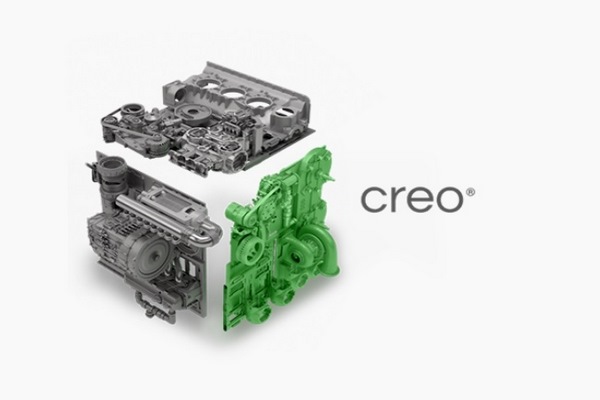
PTC-Creo.jpg


PTC Creo 6.0.3.0 + HelpCenter (x64) Include Crack | Size 5.58 GB

Information:

Release Date : 2019
Languages : English / Multilanguage
Operating System : Windows 7 / Windows 8 / Windows 8.1 / Windows 10
System Type : 64-bit

Your Products Made Better With Creo
Imagine, design, create, and innovate your products better with Creo, the 3D CAD / CAM / CAE software and solutions for product design and development.

Now more than ever, product design & manufacturing teams are expected to create products more efficiently & cost effectively, without sacrificing innovation or quality. Fortunately, Creo delivers the most scalable range of 3D CAD product development packages & tools in today’s market. Its variety of specific features, capabilities, & tools help engineers imagine, design, & create your products better.
Take your products from concept to digital prototype efficiently, precisely and intuitively with Creo—on the cutting edge of CAD for more than 30 years.

The Leading Product Design 3D CAD Software
Exciting new technologies are changing the world of product design. Creo includes breakthrough capabilities in Additive Manufacturing, IoT, Model-Based Definition (MBD) and Augmented Reality (AR). Design faster and smarter by connecting your digital design to your physical products.

Products included in PTC Creo
PTC Creo Direct
PTC Creo Layout
PTC Creo Options Modeler
PTC Creo Parametric
Render Studio
Simulate

Features
Parametric & Freestyle Surfacing
Direct Modeling
2D Drawing
Model-Based Definition
Design Exploration
Sheet Metal Design
Mechanism Design
Structural Analysis
Thermal Analysis
Motion Analysis
Additive Manufacturing
Tool & Die Design
Production Machining
Performance Advisor
Product Data Management
Technical Illustrations

btnl.png


Код:
https://uploadgig.com/file/download/42c1bdFdbc5ea5cd/Meera169_PTC.Creo.v6.0.3.0.x64.part1.rar
https://uploadgig.com/file/download/bEa29762468b782a/Meera169_PTC.Creo.v6.0.3.0.x64.part2.rar
https://uploadgig.com/file/download/89f950D4781a62d0/Meera169_PTC.Creo.v6.0.3.0.x64.part3.rar
https://uploadgig.com/file/download/6d20222d5a3cdf91/Meera169_PTC.Creo.v6.0.3.0.x64.part4.rar
https://uploadgig.com/file/download/7Fc94B6880cC3876/Meera169_PTC.Creo.v6.0.3.0.x64.part5.rar
https://uploadgig.com/file/download/a22CdfEEF765a519/Meera169_PTC.Creo.v6.0.3.0.x64.part6.rar

Nitro_Flare_Img.png


Код:
http://nitroflare.com/view/0965D51957178B9/Meera169_PTC.Creo.v6.0.3.0.x64.part1.rar
http://nitroflare.com/view/55428F41425E008/Meera169_PTC.Creo.v6.0.3.0.x64.part2.rar
http://nitroflare.com/view/F82B66135679343/Meera169_PTC.Creo.v6.0.3.0.x64.part3.rar
http://nitroflare.com/view/DB84B4F173AC209/Meera169_PTC.Creo.v6.0.3.0.x64.part4.rar
http://nitroflare.com/view/4A1EF75331501FF/Meera169_PTC.Creo.v6.0.3.0.x64.part5.rar
http://nitroflare.com/view/CF611900CF853A7/Meera169_PTC.Creo.v6.0.3.0.x64.part6.rar

448_7.gif


Код:
https://rapidgator.net/file/c01eddcaefa86c9d96d7ebbd783db970/Meera169_PTC.Creo.v6.0.3.0.x64.part1.rar
https://rapidgator.net/file/4b119da8d85405003c288e5506d8907f/Meera169_PTC.Creo.v6.0.3.0.x64.part2.rar
https://rapidgator.net/file/edad52e64c4b9ce737b10c45257caa2c/Meera169_PTC.Creo.v6.0.3.0.x64.part3.rar
https://rapidgator.net/file/3ea735c95b1432d1357296f47d035f2b/Meera169_PTC.Creo.v6.0.3.0.x64.part4.rar
https://rapidgator.net/file/628efa19f7bed0b642dcc343e06278b1/Meera169_PTC.Creo.v6.0.3.0.x64.part5.rar
https://rapidgator.net/file/8383e5b5663cfced78bd011c32a3c328/Meera169_PTC.Creo.v6.0.3.0.x64.part6.rar
 
Назад
Сверху