• Здравствуйте. Сайт заработал в архивном режиме форум www.old.nado.in

All Meera169's Applications (updated daily)

  • Автор темы Автор темы Meera169
  • Дата начала Дата начала

Meera169

Заблокирован
Регистрация
1 Окт 2019
Сообщения
3,770
Реакции
0
z4bGzJ2.jpg


Symantec Encryption Desktop Professional 10.4.2 MP3 + Keygen-CORE | 90.5 MB

Information:

Symantec Encryption Desktop Professional is a comprehensive suite of encryption applications which provides flexible, multi-layered encryption by bundling Drive Encryption to secure the files stored on local hard drives, and Desktop Email Encryption to secure confidential data in email.

Key Features
- Hard drive encryption software locks down the entire contents of a laptop, desktop, external drive, or USB flash drive, including boot sectors, system, and swap files.
- Enables encrypted email and secure AIM® Instant Messages.
- Creates storage-independent encrypted containers for transport and sharing of specific files using included utilities; PGP Self-Decrypting Archive, PGP Virtual Disk, and PGP Zip.
- Includes PGP Shredder which can completely destroy unwanted disk-based files and folders.
- Drive Encryption can be centrally deployed and managed by Symantec Encryption Management Server.

Key Benefits
- Secures email without burdening users, to improve compliance with policies and regulations without hindering productivity.
- Allows users to easily and transparently share encrypted files and folders, improving data security without impacting user productivity.
- Management by Encryption Management Server centralizes creation, deployment and management of data security policies and reporting.

New Features:

Compatibility with Microsoft Windows 10
This release supports the installation of Symantec Encryption Desktop on systems running Microsoft Windows 10, both 32- and 64-bit versions.

User Interface for Microsoft Windows Pre-Installation Recovery
Microsoft Windows Pre-Installation (WinPE) provides a bootable recovery tool to recover data from an encrypted drive that has been damaged or corrupted. You can now boot to a system that has been damaged or corrupted using a WinPE recovery CD or USB drive and then use the new graphical user interface to recover an encrypted drive.

New Pre-Boot Smart Card Compatibility
Added compatibility with Gemalto TOP DM GX4 72k (FIPS) cards for pre-boot authentication for Symantec Encryption Desktop for Windows.

What's changed in this release:
Support for Microsoft Windows 10 version 1903 (May 2019 Update)
• This release supports management of Windows client computers running Symantec Encryption Desktop 10.4.2 MP3 on Windows 10 version 1903 (32-bit and 64-bit versions)

Код:
https://www.symantec.com/

Nitro_Flare_Img.png


Код:
http://nitroflare.com/view/1CA30EE53D4E06F/Meera169_Encryption.Desktop.10.4.2.MP3.rar

448_7.gif


Код:
https://rapidgator.net/file/f01c6e5dd5ec96b393c1d700176609fb/Meera169_Encryption.Desktop.10.4.2.MP3.rar
 
zxFeiEG.jpg


MOBILedit Forensic Express Pro 7.0.0.16390 + Multi-Keygen by de!
(x86) | 195.01 MB/(x64) | 233.3 MB


Information:

MOBILedit Forensic Express is a phone extractor, data analyzer and report generator in one solution. A powerful application using both the physical and logical data acquisition methods, Forensic Express is excellent for its advanced application analyzer, deleted data recovery, wide range of supported phones including most feature phones, fine-tuned reports, concurrent phone processing, and easy-to-use user interface. With the password and PIN breaker you can gain access to locked ADB or iTunes backups with GPU acceleration and multi-threaded operations for maximum speed.

Forensic Express offers maximum functionality at a fraction of the price of other tools. It can be used as the only tool in a lab or as an enhancement to other tools through its data compatibility. When integrated with Camera Ballistics it scientifically analyzes camera photo origins.

All-in-one tool used to gather evidence from phones
With MOBILedit Forensic Express, you can extract all the data from a phone with only a few clicks. This includes deleted data, call history, contacts, text messages, multimedia messages, files, events, notes, passwords for accounts and wifi networks, reminders and application data from apps such as Skype, Dropbox, Evernote, Facebook, WhatsApp, Viber, Signal and many others.

MOBILedit Forensic Express uses automatically multiple communication protocols and advanced techniques to get maximum data from each phone and operating system. Then it combines all data found, removes any duplicates and presents it all in a complete, easily readable report.

Main Features:
- Physical data acquisition and analysis
- Advanced application analysis
- Retrieve deleted data
- Beautiful reports
- Password and PIN Breakers
- Concurrent extractions
- Easy to use UI
- Camera Ballistics

Physical data acquisition and analysis
In addition to advanced logical extraction we also provide Android physical data acquisition, allowing you to extract physical images of investigated phones and have exact binary clones. Physical analysis allows you to open image files created by this process, or those obtained through JTAG, chip-off or other tools to recover deleted files plus all other deleted data where our product is known to be excellent.

Advanced application analysis
The use of apps to communicate and share has grown rapidly. Many apps are released or updated everyday. It is obvious that the analysis of apps is vital to retrieving as much evidence as possible. This is the strongest point of MOBILedit Forensic Express, we dedicate a large part of our team specifically for application analysis. We employ adaptive and in-depth methods to ensure you retrieve the most data available for each app- especially recovering deleted data. Data is analyzed for its meaning so you see it on a timeline as a note, a photo, a video or a flow of messages no matter what app was used to send them. Check list of apps for Android and list of apps for iOS.

Deleted data recovery
Deleted data is almost always the most valuable information in a device. It often hides in applications; and because this is our strongest expertise, we deliver great results in finding deleted data. Our special algorithms look deeply through databases, their invalidated pages and within caches to find any data that still resides in a phone. MOBILedit Forensic Express retrieves the deleted data and presents it clearly in a special section of the report.

Fine-tuned reports
A tremendous amount of effort has been dedicated to refining reports so they are customizable, easy to read, concise and professional. An enhanced report configurator allows you to define exactly which data will be extracted from the phone and how the report will look. Each report is divided into sections, labeled with icons, pictures, and highlighted relevant data so you can find evidence quickly. A complete, configurable and comprehensive list of all events with a time-stamp is shown on a timeline and messages can be filtered by conversation or by contact names.

Password breaker with GPU acceleration
Gain access to locked backups of a phone by using our password and PIN breaker. Passwords can be cracked by performing a dictionary attack using our built-in dictionary, or you can use your own dictionary for other languages. Password breaker uses GPU acceleration and multi-threaded operations for maximum speed. Although iOS has well-protected data due to its on-the-fly hardware encryption, MOBILedit Forensic Express is able to penetrate this protection and retrieve the data using the lockdown method.

Concurrent extractions and new 64-bit engine
The new 64-bit engine provides stability and the ability to analyze huge amounts of data, apps with hundreds of thousands of messages, photos and other items, plus several phones at once. Speed up your investigation process by extracting multiple phones at the same time, and generating multiple outputs for each one. All you need is a USB hub, cables and a computer powerful enough to perform concurrent jobs. You can finish a week's worth of work overnight!

Easy to use UI
Having the right tool is not enough, you need the right staff to work with it. The shorter the learning curve the better. Because we have designed software for millions of consumers, it was a welcome challenge for us to make MOBILedit Forensic Express the most user-friendly forensic tool available. With a straightforward interface, each step is simple and guided with clear instruction. It is also optimized for touch screens allowing for easy use in the field.

Camera Ballistics - scientific image analysis
When combined with Camera Ballistics you are able to identify which images present on the analyzed phone were actually taken by the phone's camera using a sensor fingerprint. This process delivers new insight into the images such as make, model, GPS, camera settings, mean square error, fingerprint presence result, probability, and correlation will be organized into a well designed and comprehensive PDF report suitable for submission as evidence.

Huge number of supported phones
Since 1996 we have supported an extremely wide range of phones manufactured over two decades. The software supports thousands of handsets including popular operating systems such as iOS, Android , Blackberry, Windows Phone, Windows Mobile, Bada, Symbian, Meego, Mediatek, Chinese phones, and CDMA phones. The software can handle many feature phones without an OS. (This includes older models from as far back as 1996, when development began and was the first of its kind in the world. )

Integrate with other tools
We all know that it is a good practice to use multiple tools in a lab. We've designed our software with the ability to integrate with other forensic tools. Import and analyze data files exported from Cellebrite UFED and Oxygen reports to get even more data. Export all data to UFED, so you can use the UFED Viewer or Analytics for further processing to move your investigation forward.

MOBILedit Forensic Express extracts all data from phones also into open data format, so you get all the files directly as they are in the phone. This allows you to use other tools, including open source tools, to further analyze data and get even more evidence.

Message analysis and timeline
MOBILedit Forensic Express collects both standard and deleted message information sent by phone and displays it as a timeline. See all message information including who sent message text, what messenger program they used, and any attached media files.

Filter your results to find data faster
Get exactly what you are looking for by filtering extracted data by keyword, specific contacts, time, application or file name. Apply these filters to different data types and radically minimize the report size.

Live view data
This new feature allows you to live view content of a phone so you can browse and extract any file even before the batch extraction begins.

Bypass the passcode on iOS using the lockdown files method
Although iOS has well-protected data due to hardware encrypted on-the-fly, MOBILedit Forensic Express is able to go through this protection and retrieve the data. It supports importing the lockdown files that can be found on a suspect’s computer. These files are generated when you connect an iOS device to a PC and authorize the computer by typing the passcode. MOBILedit Forensic will instruct you on how to obtain these files. If you import the lockdown files to the computer where you make the acquisition, then you will be able to retrieve all data from the phone even if it is locked with a passcode.

Bypass the PIN code with an SIM Cloning Tool
This feature removes the requirement of a PIN for the original SIM card of the phone being investigated. It also removes the need for obsolete and unreliable Faraday bags. Now you can clone SIM cards, create new SIM cards with any ICCID, or just format your SIM card to renew for next use.

Whats new in MOBILedit Forensic Express 7.0.0!

Код:
https://www.mobiledit.com/forensic-express/whats-new

Код:
http://www.mobiledit.com

Nitro_Flare_Img.png


Код:
http://nitroflare.com/view/B494D094C88D273/Meera169_Forensic.Express.7.0.0.16390.x64.rar
http://nitroflare.com/view/EAE3F81C42AD839/Meera169_Forensic.Express.7.0.0.16390.x86.rar

448_7.gif


Код:
https://rapidgator.net/file/a5eb0fd44685e5e940fd6af4d71dca46/Meera169_Forensic.Express.7.0.0.16390.x64.rar
https://rapidgator.net/file/1012f998d2d6e098ee9b7dd5577b49f2/Meera169_Forensic.Express.7.0.0.16390.x86.rar
 
RGFMk3g.png


Corel AfterShot Standard 3.5.0.365 (x64) Multilingual + Keys | 107.00 MB

Information:

Turn your passion for photography into unforgettable photos—without spending hours at the computer. Corel® AfterShot™ 3 is the simple, affordable way to quickly learn professional-grade photo editing. Make easy corrections and enhancements, and apply adjustments to one or thousands of photos at once with batch processing tools.

Photo editing software
• Enhanced Highlight Recovery
• New Blemish Remover tools
• New Image Preset Library

Simple photo management
Sort, organize and view all your photos in one place, quickly and easily with flexible file management options--no importing required.

Time-saving workflow
Speed through loading, selecting, editing and output with an easy-to-use workflow perfect for students and aspiring photographers.

Powerful batch processing
Edit and perfect one or thousands of photos with powerful batch processing controls and presets that let you quickly bring out the best in every image.

Highlight Recovery
Regain more of the detail and tone from your overexposed photos with enhanced Highlight Recovery. Powered by a new algorithm, this feature lets you access more of the data in your RAW files for superior image quality.

Blemish Remover (NEW!)
Save time and edit faster by doing more touchups and photo corrections in AfterShot 3, rather than jumping to PaintShop Pro or Adobe® Photoshop®. The new Blemish Remover offers circle, brush, polygon and freehand tools for detailed editing, making portrait editing faster and easier. Remove dust, spots, smudges and a variety of imperfections on any photo.

Image Preset Library (NEW!)
Now it's easier to tap into the power of presets to automate more of your repetitive processing jobs or quickly reproduce a look that would otherwise be tedious to replicate. The new Image Preset Library^ lets you browse, preview and download free and for-purchase presets.

Lens Corrections (NEW!)
Update to AfterShot 3 for new, sought-after lens corrections that build on the hundreds of lenses already supported by AfterShot to quickly correct the different types of distortion introduced by various lenses. Join the AfterShot Pro community on Facebook to discover when new lens corrections are posted or to share your own.

See what's new with plugins (ENHANCED!)
Find and install free and for-purchase plugins, and get updates in a flash with AfterShot 3's new Plugin Manager^. Or make your own with our unique plugin API—a love of photography, a knowledge of C++ and the updated Plugin SDK are all you need. Share your plugins freely with the AfterShot community, or work with Corel to sell them.

Updated RAW camera profiles (NEW!)
We're committed to constantly delivering support for today's most popular, powerful and creative cameras, including professional DSLRs, flexible and high-quality mirrorless cameras, and many more. A new dynamic camera profile updater^ notifies you when new cameras are added a new feedback mechanism captures and prioritizes your requests with Corel.

Modular Camera Profiles (NEW!)
Get the latest camera profiles sooner—and without patching your software—with dynamic camera updates^. Simply browse and download directly from AfterShot 3. Don't see a camera you want? Hit the 'feedback' button and log your request directly to the AfterShot Pro development team.

Lens Correction Development Kit (NEW!)
Make and share your own lens corrections—ideal for photographers working with rare, unique or spanking new glass. Simply follow the instructions, save your correction, then load it into AfterShot 3—or share online.

System Requirements:
• Windows® 10, Windows® 8.1, Windows® 8, Windows® 7 with latest service pack (64-bit editions)
• 64-bit Intel or AMD processor (multi-core processor recommended)
• 2 GB of RAM (4 GB recommended for HDR)
• 400 MB of available hard-disk space required
• 1024x768 resolution with 16-bit color display (1280 x 768 resolution with 24 bit or higher color display recommended)

Whats new in Corel AfterShot Standard 3.5.0.365
New camera support:
Note: Camera profiles are available from the Get More tab in the Tools panel (Windows and macOS) or from the Get More menu item (Linux).

• Canon 77D / EOS 9000D
• Canon EOS 200D / Rebel SL2
• Canon EOS 4000D
• Canon EOS M100
• Nikon D850
• Olympus EM10 Mark III
• Panasonic Lumix TZ200
• Panasonic Lumix GX9
• Pentax KP
• Leica C-Lux

Issues addressed:
• Importing: Fixed stability issue that occurred when importing photos from some Sony and Canon cameras
• Camera module and plugin installation issue resolved
• Launch issues associated with OpenCL fixed
• Nikon D850: Image dimension issue resolved
• Canon EOS 200D: TIFF files now detected
• Lens Correction: Fixed a number of issues that affected lens metadata display and correction results
• [Pro] Linux Ubuntu 18.4 installation issue resolved

Код:
https://www.aftershotpro.com/en/products/aftershot/standard/#overview

Nitro_Flare_Img.png


Код:
http://nitroflare.com/view/213E9F55103C780/Meera169_AfterShot.3.5.0.365.rar

448_7.gif


Код:
https://rapidgator.net/file/2f82fd158fbb97e0386424a836918ffc/Meera169_AfterShot.3.5.0.365.rar
 
1qEkwO8.png


DiskTrix UltimateDefrag 6.0.22.0 + Crack-UZ1 | 25.89 MB

Information:

UltimateDefrag is designed to optimize traditional mechanical platter based hard drive performance and also includes all the features you need to perform a certain degree of file system defragmentation required to maintain your SSD (Solid State Drive) for optimal performance using our proprietary defragmentation algorithms specifically developed for SSDs.

What's new and new features:
• Entire Code Completely Streamlined And Optimized. We effectively went through all the code line by line to ensure highest quality programming every step of the way. We also improved our approach to some of the defragmentation algorithms. UltimateDefrag is now a native 64 bit application which eliminates the memory limitations of 32 bit programs. UltimateDefrag is now only limited by the amount of memory on your system and/or limits imposed by the operating system.
• Much Faster Analysis and Defragmentation. Along with the optimization of the code, we also were able to significantly improve drive analysis and defragmentation file sorting overhead by around 75% more than the previous version.
• New Defragmentation Methods and Enhancements of Exisiting Methods. We’ve incorporated a new defragmentation method that enables you to sort files on your drive by size - either ascending or descending size order. Some of the other methods that already existed have been further enhanced and fine tuned
• Solid State Drive Support With Specific Algorithms For SSD Defragmentation Operations To Minimize Wear Leveling. Even though the general consensus is that SSDs do not need defragmentation and that defragmentation wears out SSDs faster, there are still justifiable reasons to defragment SSDs. You are defragmenting the file system as NTFS sees it and removing a lot of I/O overhead. Our options enable you to choose to either not defragment your SSD, to treat it like a normal drive, or to apply our algorithms optimally designed for SSDs where it moves the least amount of data necessary and to minimize wear and to minimize the rate of refragmentation.
• Command Line Support. The full power and flexibility of UltimateDefrag GUI version can all now be used via Command Line complete with the full array of options and switches.
• Windows Shell support. Within Windows Explorer, you can now right click on any file or folder and perform a number of defragmentation operations on that file and folder without even running UltimateDefrag. Defragment a file or complete contents of a folder just by right clicking on it within Windows and selecting the defragment operation!
• Support For Volume Shadow Copy Enabled Drives. Options to overcome any limitations and issues that defragmentation might encounter on VSC enabled drives.
• More Ways To Select Files That You Want High Performance From Or To Archive. You can now even decide on the size of the High Performance zone.
• Same Familiar Interface. We have maintained the same Graphical User Interface that you are familiar with.
• Multiple Language Support. UltimateDefrag now supports multiple languages. We are intially releasing an English and a Spanish version. Other languages will be available in the future.
• Many Other Miscellaneous Enhancements And Bug Fixes. We’ve drilled right down into the code to correct any minor bugs as well as enhance and improve algorithms and performance.

In spite of all of these changes and improvements to the program one thing still remains and that is that optimal hard drive performance for your PC remains the #1 priority of UltimateDefrag. All of the new features simply make it easier and faster to achieve that state.

New Version 6
Код:
https://www.disktrix.com/version6.html

Код:
http://www.disktrix.com/

Nitro_Flare_Img.png


Код:
http://nitroflare.com/view/85F8CEEC4C7DE34/Meera169_UltimateDefrag.6.0.22.0.rar

448_7.gif


Код:
https://rapidgator.net/file/c67b9a713f91a713c50a1a0ee5f88114/Meera169_UltimateDefrag.6.0.22.0.rar
 
JJHd1ZI.png


Topaz Studio 2.0.8 (x64) + Reg | 547.31 MB

Information:

Topaz Studio is a fast, flexible, powerful creative toolbox and it’s the next level image editor for photographers. Topaz Studio gives you lightning fast results with Topaz’s exclusive image processing technology, in an intuitive, affordable, easy to use application.

Topaz Studio a simple to use editing platform with Topaz Labs’ acclaimed photo enhancement technology. It works as both a standalone editor, a plugin within Lightroom and Photoshop, and a host application for other Topaz plugins which means it works exactly how you want it to. Now there’s no more cumbersome workflows that require you to open multiple plugins to achieve your look!

“This is all your Topaz products wrapped into one program.”
Topaz Studio is an easy to use editing solution built with the photographer in mind. This all new editing platform features professionally created 1-click effects, 24 flexible drag and drop Adjustments, and powerful image processing.

Working in Topaz Studio
Working in Topaz Studio is easy! Topaz Studio is set up with the photographer in mind. Whether you’re just getting started with photography or a tried and true professional, Topaz Studio has exactly what you need. With an ever growing library of expertly crafted pre-made effects to professionally crafted assets to artistic and technical tools alike, Topaz Studio is the perfect photographer toolbox, no matter what level of expertise!

All About the Workspace
Topaz Studio features an easy to use Toolbar, a fast and fun Effect Panel with search buttons and features, the workspace, an Image Browser, the Scopes panel, and the Adjustment Panel, complete with Adjustment Buttons.

Topaz Studio Main Toolbar
The Main Toolbar gives you options to open and save images, an option for comparing the before image and after image, zooming, and split views. You can also click the Open Button to open additional images and save images with the Save Button and Save As Button.

Saving Your Image
Save or Save As Images. Save edited images as PNG, JPG, or TIFF files with easy to locate buttons in the Main Toolbar, by using shortcut keys (Command S or Command Shift S), or by going to Menu > File > Save or Save As.

Topaz Studio Effect Panel
When you first load an image, you’ll see Featured Effects in the Effect Panel. Here you can search for effects by typing an author name, an effect name, tags, or categories.

View Options
Click the Grid Button to see more effects at a time. Once in Grid View, click the List Button to see a single column list of effects.

Topaz Studio Effects Buttons
The Effect Buttons give you access to a list of Categories and Tags to search for effects quickly and easily. Click the More Button to see a full list of all available categories and tags.

Topaz Studio Canvas
The Canvas area is where your active image will be displayed. Easily change the view options of the Canvas with the Main Toolbar, found in section 1 above.

Topaz Studio Image Browser
Use the Image Browser to view and adjust various edits of an image side by side or work on several images at once.

Topaz Studio Scopes Panel
At the top right of the application is the Scopes Panel that features 4 separate views. The first allows you to view the Histogram of the image. The second displays the Hue, Saturation, and Luminance of the image, while the third button displays the amount of image Details. Finally, the fourth button helps you navigate your image while zoomed in.

Topaz Studio Adjustment Panel
The Adjustment Panel is where you can modify effects or create your own. It gives you control over the large range of tools and adjustments located in the Adjustment Buttons. The Adjustment Buttons features some of the most commonly used adjustments, and you can see all available adjustments by clicking the “More” button at the bottom of the list.

Saving Your Custom Effect
Save and Share Your Effects. Save your new effect by clicking the Save button and share your creation with others by selecting ‘Yes’ in the Public field. Your effect will be shared to the entire Topaz Community instantly!

Topaz Studio Adjustment Buttons
The Adjustment Buttons gives you access to a list of commonly used Adjustments like Crop, Lens Correction, Basic Adjustment, and more. Click the More Button to see a full list of all available Adjustments.

Tools
We’ve also included a tools section. You’ll find lens correction, global masking (with 5 styles and 4 different tools to customize the overall effect), and crop and rotate. Everything is located in a simple to use toolbar with easy-to-use sliders and functionality.

Change Up the Workspace
Customize your workspace windows with just the click of a button. The Effect Panel, Scopes Panel, Adjustment Panel, and Image Browser can each be collapsed by clicking the arrow on the bar on the inside edge of the panel. The Effect Buttons and Adjustment Buttons can also be collapsed and expanded by clicking at the top of the toolbar.

What are Adjustments?
Adjustments are the core of Topaz Studio, they are built with very focused functionality in mind. Adjustments may be used independently or combined to create extremely unique looks and custom effects. Currently, there are 24 Adjustments available covering everything from simple Film Grain, to advanced color control with Color Theme. Adjustments are grouped according to complexity, with Common Adjustments appearing at the top, Advanced Adjustments in the next section, Artistic Effect Adjustments below that, and Compositing Adjustments appearing last.

Versatile Masking
The Topaz Studio Integrated Masking is unlike anything you have seen before. We have included 5 masking types: Brush, Spot, Gradient, Color, and Luminosity, as well as a mask adjustments panel and an option to invert or completely reset your mask. Our brush masking includes intuitive, content-aware technology that was developed in house. I’ve gotten the chance to play with it quite a bit – it’s awesome and a complete time saver to say the least. Not only are the new masking features amazing, but you can now combine masking types. After making adjustment with one type of mask, click apply or switch to another mask type and build upon that mask. It’s never been so easy!

System Requirements:
- Windows 7/8/10 x 64bit + OpenGL 3.3
- RAM: 4GB (Minimum)
- GPU VRAM: 1GB (Minimum)
- Does not support Windows 32bit

Whats new in Topaz Studio v 2.0.8 (August 8, 2019)

New Feature:

Added bulk import for textures
Added ability to edit texture names in the texture manager
Added multi-select deletion from texture manager

Fix

Fixed text filter leaving behind edit box when deleting the layer
Fixed text overlap issues in texture browsers
Fixed transparent textures having a shadow of the base image on them

Код:
https://topazlabs.com

Nitro_Flare_Img.png


Код:
http://nitroflare.com/view/2D3B7E919EEDDA5/Meera169_Topaz.Studio.2.0.8.rar

448_7.gif


Код:
https://rapidgator.net/file/02fb6e2e816936454891a5373134392b/Meera169_Topaz.Studio.2.0.8.rar
 
l1uFgnM.jpg


Athentech Perfectly Clear 3.7.0.1634 WorkBench / Essentials / Complete (x64)

Athentech Perfectly Clear 3.7.0.1634 Complete (x64) Standalone & Plug-in + Cracked | 74.08 MB/WorkBench (x64) Standalone & Plug-in + Cracked | 48.14 MB/Essentials (x64) Standalone & Plug-in + Cracked | 73.93 MB

Information:

Built for precision. Made for beauty. Above all, you want better photos. But what if you could have better photos faster? Perfectly Clear has mastered the science of intelligent image correction - creating superior quality photos in record time, so you can get back to doing what you really love...in no time.

Spend less time in front of your computer.
With Perfectly Clear, you’ll get results faster so you can spend more time behind the camera and less time in front of the computer. Take advantage of intelligent image analysis to find and fix numerous camera flaws automatically. Plus, you can quickly add your favorite finishing touch with our stylized LOOKs.

Take complete control.
Our presets are just the starting point. Easily apply only the adjustments you need for the perfect image. Use our powerful sharpening and noise reduction, which goes beyond what other tools can do, to unlock a whole new image. Keep an eye on your color and exposure with a dynamic histogram that tracks exposure and color clipping.

A custom experience.
Every photographer is different, and so is Perfectly Clear. Our adaptive interface lets you hide tools you don’t need while you work, allowing you to focus on your image. Plus, you can make and manage your own presets, which intelligently adapt to each photo.

Why change your workflow?
Rather than move your entire image library or change your workflow, we’ll make your existing workflow better. We support several platforms and have more coming soon. With powerful batch processing and up to 30 corrections in one click, we'll make everything better.

We’ve got image correction down to a science.
Creating our award-winning technology took more than a decade of R&D, multiple patented processes, and over a dozen unique algorithms. We cracked the code on correcting every pixel independently. The proof is in your pictures.

What's New in Perfectly Clear 3:

You have better ways to spend your day than laboring over manual edits
You became a photographer to go out and capture the beauty of the world, not sit inside at an editing desk. We invented our automatic image corrections to take away the tedium and give you back your freedom. So let Perfectly Clear handle the editing chores while you devote your day to doing what you do best—creating incredible images.

- Up to 20 auto corrections with one click
- Batch process 1000s of images in minutes
- Stay within your workflow
- Unlock the details in every image
- Tap into professionally created presets
- Save countless hours of manual editing
- Fine tune details with precise controls

We’ve got image correction down to a science
Creating our award-winning technology took more than a decade of R&D, multiple patented processes, and over a dozen unique algorithms. We cracked the code on correcting every pixel independently. That’s how we make a 12-megapixel photo look like it was taken with 12 million separate apertures. The proof is in your pictures.

Investing, innovating and improving every year
At Athentech, we’re committed to solving problems faced by photographers. Every year, we continue to innovate with R&D work by our team of physicists, engineers, and photographers. Every day, we invest in making your photos look their best.

Lighting.
- Perfect Exposure. More effective than traditional brightness, Perfect Exposure lets you maintain Real Color Photography™ without clipping or washing out. Our technology overcomes the distortions caused by a single aperture by replicating the way your eye gathers light and correcting your exposure pixel by pixel.
- Depth. Brings out the contrast in a photo without messing up the other colors. Perfectly Clear uses a patented algorithm that manages the dynamic range in a unique way, revealing the detail needed to produce this kind of depth.
- Light Diffusion. Perfectly Clear lets you create a softer look with warmer tones and captures the perfect portrait even in broad daylight.
- Skin & Depth bias. For realistic lighting on skin.

Color.
- Photoshop is powerful, but for Full Color Spectrum, Light Diffusion, automatic red-eye removal, you have to turn to Perfectly Clear.
- Vibrancy. Perfectly Clear mimics how the eye adjusts saturation, providing a color-vibrant photo. Sometimes digital cameras can cause photos to look washed out/faded because they have a linear response to light. But our solution overcomes this problem by looking at each channel independently.
- Fidelity. We reproduce the full visual spectrum of colors seen by the eyes, enabling you to capture purples properly every time.
- Tint. In the days of film, you had to carry around different films and filters for different times of day—all to get the lighting source correct. To remove nasty tints—from tungsten, fluorescent, incandescent, IR—Perfectly Clear searches for an abnormal tint, then reveals the great photo underneath.

Clarity.
- Sharpening. Traditional sharpening methods also sharpen weak signal and introduce halos. Perfectly Clear only searches for strong signal and creates sharp, clear photos with zero artifacts.
- Noise removal. Perfectly Clear automatically reduces noise 2-3 stops with one click (unlike Ps or Lr which requires multiple slider bar adjustments). ISO 1600 is effectively reduced to ISO 200-400 without blurring or losing details.

Eyes.
- Red-eye. We sourced this technology from our wonderful partner FotoNation, which is embedded in hundreds of millions devices. It detects and corrects imperfections as quickly as 5 images per second with no manual intervention.
- Unlike Photoshop, Perfectly Clear not only removes red eye automatically, it also includes Eye Enhance, Eye Enlarge, Dark Circle removal, and the ability to automatically add 5 different Catchlights.

Skin.
Perfectly Clear lets you smooth and tone skin, adjust blush, and remove infrared, shine and blemishes. Our robust, automatic correction uses advanced facial detection techniques to identify age, gender and key facial features including texture and skin tone. As a result, we’re able to determine the precise amount of corrections to apply automatically. All of our Beautify corrections are much faster than doing this manually in Ps or Lr which will takes minutes per image instead of seconds.

Face.
Perfectly Clear lets you whiten teeth for the perfect smile and saves a painful trip to the dentist. Plus, it can sharpen the look of your lips and tone your face shape for a more slender and youthful appearance.


What’s New :

Perfectly Clear is Now A Stand-Alone Application!
We want as many photographers as possible to use Perfectly Clear… so we’ve removed the need for using a host application. Perfectly Clear now works as a stand-alone application.

- Open RAW and traditional photos directly
- Crop to whatever size you need
- Print your photos
- Export in the original format or as JPEG or TIFF for sharing

Filmstrip for Easy Navigation
If you use Perfectly Clear with Lightroom or as a standalone application, it’s easy to open up more than one photo at a time. This makes it easy to develop the whole shoot or just fix your favorites. Be sure to use the filmstrip to switch between any open photo for quick adjustment.

Undo/Redo
Perfectly Clear makes it easy to experiment to find the perfect image. Try out presets, flexible controls, and LOOKs to get the perfect image. If you find that you’ve changed your mind… we offer an undo and redo command that lets you explore previous edits.

Visual Presets
Want to see what your presets will look like without even having to apply them? Our preset browser has a new icon view. You can now see each preset group as useful thumbnail icons. You’ll see what the preset looks like without even having to apply it. See one you like? Just click its thumbnail to try it out.

Visual LOOKs
Our unique LOOKs technology makes it easy to apply digital film stocks, creative color grades and more. You can also quickly browse the results of different LOOKs without having to apply one by one. The LOOKs browser is a quick way to preview and choose the image of your choice. Do you like the list view for organizing or searching? It’s still there! We’ve got you covered however you want to work!

Preset & LOOKs Favorites
With so many great presets and LOOKs, chances are you’ll find your favorites. We’d like you not to have to search for those each time. Simply click the hollow star icon to mark a favorite. Now they’re automatically added to the Favorites group at the top of the LOOKs and Presets browser. Want to save more time? You can load your Favorites Preset set in the top toolbar.

Graduated Filters
Are you a landscape photographer? It’s easier now than ever before to make specific details in an image pop! Landscape and travel photographers will love being able to adjust the sky and foreground independently. Plus we offer powerful options to control the transition between the adjustments (even allowing a neutral zone). You can easily move and rotate the graduated filter into precise position.

Stylistic Vignette and Radial Filters
Portrait and product photographers will be happy too with our new Radial filter. It’s easy than ever to make an elliptical selection and apply adjustments inside or outside the target. Easily make lighting tweaks or stylistic vignettes. We’ve included several useful presets in the tool to jumpstart your creativity.

Robust Color Restoration
Have color problems that are tough? We’ve improved two of our tools to make it easier to fix even your most challenging images. Our Color Restoration command gives more natural results than ever before. You can trust our automated process to intelligently adjust the photos you need to rescue the most.

Manual Finishing Controls
Want even more control over your final image? We’ve added precise controls for fine-tuning your Perfectly Clear results. Keep complete control over your photo editing workflow with the adjustment sliders you’re familiar with. You can tweak the color and tone of your photo with precision, including advanced controls for Shadows and Highlights. Give your image a final pass before saving to get exactly the results you want.

Код:
http://www.athentech.com/

Nitro_Flare_Img.png


Код:
http://nitroflare.com/view/7D433E37E4E171D/Meera169_Complete.1634.rar
http://nitroflare.com/view/67C1701C80D2565/Meera169_Essentials.1634.rar
http://nitroflare.com/view/82F593FACDB52AA/Meera169_WorkBench.1634.rar

448_7.gif


Код:
https://rapidgator.net/file/e841b05d55913433220984fe8bc4de49/Meera169_Complete.1634.rar
https://rapidgator.net/file/ee3e2b7f2fc9c6e8e8a31e5de3b2ec71/Meera169_Essentials.1634.rar
https://rapidgator.net/file/fa31534134d1c156ebd1b1be0a4ede49/Meera169_WorkBench.1634.rar
 
pmCZwrk.png


Macrium Reflect 7.2.4414 Workstation / Server / Server Plus + Patch-MPT
(x86) | 279.68 MB/(x64) | 298.33 MB


Information:

Macrium Reflect - Our image based backup and disaster recovery solutions have taken another big step forward in speed, simplicity and power. Our entire focus is helping organisations protect business critical data and systems, without fuss and budget breaking costs.

Solution highlights:
- New Backup Engine: Incremental and differential images up to 60 times faster
- Instant virtual booting of backup images: instantly create, start and manage Microsoft Hyper-V virtual machines
- Ultra-fast Live imaging of windows systems, physical and virtual
- Restore images to dissimilar hardware using Macrium ReDeploy
- Greatly simplified administration including pre-defined Backup Plans for popular backup strategies
- Fully featured file and folder level backup and recovery
- Updated support for all the latest Windows Operating Systems and disk formats

Macrium Reflect 7 Workstation Features:
- Backup your entire PC to a single compressed image file.
- Backup files and folders to a single compressed archive file.
- Recover partitions and entire disk images with just a few clicks of your mouse
- Dynamic disk support
- MBR and GPT disk support
- Restore images to dissimilar hardware using Macrium ReDeploy

Macrium Reflect 7 Server Features:
- Backup your entire physical or virtual Server to a single compressed image file.
- Backup files and folders to a single compressed archive file.
- Recover partitions and entire disk images with just a few clicks of your mouse
- Dynamic disk support
- MBR and GPT disk support
- Restore images to dissimilar hardware using Macrium ReDeploy

Код:
http://www.macrium.com

Nitro_Flare_Img.png


Код:
http://nitroflare.com/view/FBE92BA61D006FD/Meera169_Reflect.7.2.4414.x64.rar
http://nitroflare.com/view/B242F20BACFDDA0/Meera169_Reflect.7.2.4414.x86.rar

448_7.gif


Код:
https://rapidgator.net/file/4f83e52108c7d101163f9e8a07095726/Meera169_Reflect.7.2.4414.x64.rar
https://rapidgator.net/file/f4bc88df59243ea02eb4305f1aae5d9a/Meera169_Reflect.7.2.4414.x86.rar
 
L60eIwG.png


PDFMate eBook Converter Professional 1.0.5 Multilingual + Crack-UZ1 | 80.16 MB

Information:

PDFMate eBook Converter Professional is a powerful eBook converter as well as eBook DRM removal tool. It can easily convert your eBooks to EPUB, PDF, MOBI and many other output formats. It also supports directly converting to the format that suits to specific devices, such as Kindle, Adobe, Kobo, etc.

Besides, it will preserve all the important meta data of your eBooks after conversion, including Title, Author, Publisher, etc. And you can even edit the meta data for your own convenience.

Support eBooks from specific devices - Kindle, Adobe, Kobo, Nook;
Support 24 input formats, such as Kindle, Adobe, PRC, DOCX and etc;
Remove DRM from eBooks;
Convert eBooks to EPUB/PDF/MOBI/TXT;
Save all metadatas after conversion;
Automatically scan the device; Easy-to-use interface;

Код:
http://www.pdfmate.com

Nitro_Flare_Img.png


Код:
http://nitroflare.com/view/D269D9D275F1331/Meera169_eBook.Converter.Pro.1.0.5.rar

448_7.gif


Код:
https://rapidgator.net/file/02a9a8de1acfb14f5374efe4c5a14b64/Meera169_eBook.Converter.Pro.1.0.5.rar
 
DHfi8aT.png


Any eBook Converter 1.0.9 Multilingual + Crack-UZ1 | 80.40 MB

Information:

Any eBook Converter is a powerful and professional eBook Converter to remove DRM from eBooks files, including Kindle eBooks, Adobe eBooks, Barnes Noble NOOK eBooks and Kobo eBooks. After removing DRM, you can read your purchases on any of your e-readers or apps that you want. Currently, Any eBook Converter supports adding up to 24 file format for converting, such as Kindle, Adobe, PRC, HTMLZ, DOCX, etc.

Convert eBooks to DRM-Free EPUB, PDF, Mobi, AZW, Text
Thanks to the top-leading DRM decrypting technique, Any eBook Converter is capable of converting most of eBooks files to DRM-free ePub, PDF, Mobi, AZW, Text format with only 4 steps. Besides that, It provides the user-friendly interface and functions, allowing the software to automatically scan the entire eBook library, then you can use one-click to import all the eBooks.

Edit Ebook Metadata Information (Title, Author, Publisher...)
Want to convert eBooks from Kindle, Adobe, NOOK and Kobo but worry about missing some important stuff after converting your eBooks? Don't worry. Any eBook Converter, which is the most easy-to-use Windows eBook converter, helps you directly edit all the necessary metadate information, such as title, author, publisher, data, identifiers, language, etc.

Support Batch Conversion
Any eBook Converter is the best eBook DRM Remover to decrypt and convert eBooks purchased from Kindle, Adobe, Kobo and Nook eBook stores in batch with 1-click, which would save lots of time. After conversion, user can read these eBook files on iPad, NOOK, Kobo eReader, Sony Reader or other e-reader devices without any limitation.

Код:
http://www.any-ebook-converter.com

Nitro_Flare_Img.png


Код:
http://nitroflare.com/view/324AA268D2CC28E/Meera169_Any.eBook.Converter.1.0.9.rar

448_7.gif


Код:
https://rapidgator.net/file/4b5d6cd6575ed0a291a15696a67d856f/Meera169_Any.eBook.Converter.1.0.9.rar
 
zVgHyUi.png


DxO PhotoLab 2.3.1 Build 24039 Elite (x64) + Cracked.dll | 331.07 MB

Information:

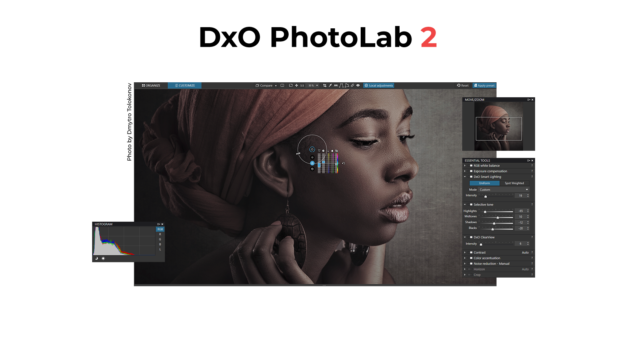
The Ultimate Image Processing Software! Designed by and for photographers with exacting standards and a love for beautiful images, DxO PhotoLab 2 offers the most flexible and powerful processing and correction tools on the market.

U POINT LOCAL ADJUSTMENT TECHNOLOGY - Perfection is just a few clicks away
Apply the local adjustments you need using U Point selection assistance technology. No need to waste your time with complicated masks. With U Point technology, your settings are automatically and intelligently applied to all similar points within the area you’ve identified.

OPTICAL CORRECTIONS - Get the most out of your equipment
Correct any flaws in your lenses with a single click thanks to our optical correction modules. These modules are the product of years of scientific research by DxO, a company that has pioneered the development of software designed to compensate for optical flaws. DxO’s modules are used by photographers throughout the world.

PRIME DENOISING TECHNOLOGY - Don’t be afraid of the dark…or high ISO values
Restore the magic of a starry night, shoot at high speed even in dark conditions, and capture the intimate ambiance of a private concert with the revolutionary denoising technology PRIME. Even when you shoot with very high ISO, you can maintain the same level of detail and colors.

MANUAL OR AUTOMATIC? - Perfection is just a few clicks away
In accordance with our approach to photography, all automatic features can be turned off and switched to manual mode. Take control of a number of settings to adjust your corrections to best reflect your artistic intention.

RAW & MUCH MORE - Image quality before everything else—that’s the DNA of DxO
Our engineers have always worked to use their technical expertise to perfect your images. Every algorithm and line of code is designed to reach a single goal—harnessing our science to help you achieve your artistic vision.

CUSTOMIZED PROFILES
Since the early 2000s, over 42,000 camera/lens combination have been scientifically analyzed in our laboratory to help you get the most out of your equipment. The resulting profiles let DxO PhotoLab 2 automatically and effectively correct any optical flaws in YOUR equipment.

A SIMPLE AND INTUITIVE WORKFLOW
DxO PhotoLab 2 gives you access to all the tools that help you enhance your images at any step in your workflow, from retouching all the way to exporting and printing. With the many presets available and the possibility of creating your own, you no longer have to spend hours processing your photos. Instead, you can focus all your energy on your photography. Select, sort, edit, and export your images to social networks or another program using a single intuitive interface. You can even edit your images in Adobe Lightroom and switch back to DxO PhotoLab 2 while still maintaining an optimized workflow.
Release Notes:

System Requirements:
- Intel Core® 2 or AMD Athlon™ 64 X2 or higher (Intel Core® i5 or higher recommended)
- 4 GB of RAM (8 GB recommended)
- 4 GB or more of available hard-disk space
- Microsoft® Windows® 7 (64-bit) with Service Pack 1, Microsoft® Windows® 8.1 (64-bit), or Microsoft® Windows® 10 (64-bit)
- DirectX 9.0c-capable system
- OpenCl 1.2-capable graphic card with 1GB of video memory to handle OpenCL acceleration

Код:
http://www.dxo.com/us/photography/photo-software/dxo-photolab/features

Код:
http://www.dxo.com

Nitro_Flare_Img.png


Код:
http://nitroflare.com/view/FB18FA13B0D3EC9/Meera169_PhotoLab.2.3.1.24039.rar

448_7.gif


Код:
https://rapidgator.net/file/a98a260d1045082165ccc77e59c1eb34/Meera169_PhotoLab.2.3.1.24039.rar
 
JJHd1ZI.png


Topaz Studio 2.0.9 (x64) + Reg | 547.41 MB

Information:

Topaz Studio is a fast, flexible, powerful creative toolbox and it’s the next level image editor for photographers. Topaz Studio gives you lightning fast results with Topaz’s exclusive image processing technology, in an intuitive, affordable, easy to use application.

Topaz Studio a simple to use editing platform with Topaz Labs’ acclaimed photo enhancement technology. It works as both a standalone editor, a plugin within Lightroom and Photoshop, and a host application for other Topaz plugins which means it works exactly how you want it to. Now there’s no more cumbersome workflows that require you to open multiple plugins to achieve your look!

“This is all your Topaz products wrapped into one program.”
Topaz Studio is an easy to use editing solution built with the photographer in mind. This all new editing platform features professionally created 1-click effects, 24 flexible drag and drop Adjustments, and powerful image processing.

Working in Topaz Studio
Working in Topaz Studio is easy! Topaz Studio is set up with the photographer in mind. Whether you’re just getting started with photography or a tried and true professional, Topaz Studio has exactly what you need. With an ever growing library of expertly crafted pre-made effects to professionally crafted assets to artistic and technical tools alike, Topaz Studio is the perfect photographer toolbox, no matter what level of expertise!

All About the Workspace
Topaz Studio features an easy to use Toolbar, a fast and fun Effect Panel with search buttons and features, the workspace, an Image Browser, the Scopes panel, and the Adjustment Panel, complete with Adjustment Buttons.

Topaz Studio Main Toolbar
The Main Toolbar gives you options to open and save images, an option for comparing the before image and after image, zooming, and split views. You can also click the Open Button to open additional images and save images with the Save Button and Save As Button.

Saving Your Image
Save or Save As Images. Save edited images as PNG, JPG, or TIFF files with easy to locate buttons in the Main Toolbar, by using shortcut keys (Command S or Command Shift S), or by going to Menu > File > Save or Save As.

Topaz Studio Effect Panel
When you first load an image, you’ll see Featured Effects in the Effect Panel. Here you can search for effects by typing an author name, an effect name, tags, or categories.

View Options
Click the Grid Button to see more effects at a time. Once in Grid View, click the List Button to see a single column list of effects.

Topaz Studio Effects Buttons
The Effect Buttons give you access to a list of Categories and Tags to search for effects quickly and easily. Click the More Button to see a full list of all available categories and tags.

Topaz Studio Canvas
The Canvas area is where your active image will be displayed. Easily change the view options of the Canvas with the Main Toolbar, found in section 1 above.

Topaz Studio Image Browser
Use the Image Browser to view and adjust various edits of an image side by side or work on several images at once.

Topaz Studio Scopes Panel
At the top right of the application is the Scopes Panel that features 4 separate views. The first allows you to view the Histogram of the image. The second displays the Hue, Saturation, and Luminance of the image, while the third button displays the amount of image Details. Finally, the fourth button helps you navigate your image while zoomed in.

Topaz Studio Adjustment Panel
The Adjustment Panel is where you can modify effects or create your own. It gives you control over the large range of tools and adjustments located in the Adjustment Buttons. The Adjustment Buttons features some of the most commonly used adjustments, and you can see all available adjustments by clicking the “More” button at the bottom of the list.

Saving Your Custom Effect
Save and Share Your Effects. Save your new effect by clicking the Save button and share your creation with others by selecting ‘Yes’ in the Public field. Your effect will be shared to the entire Topaz Community instantly!

Topaz Studio Adjustment Buttons
The Adjustment Buttons gives you access to a list of commonly used Adjustments like Crop, Lens Correction, Basic Adjustment, and more. Click the More Button to see a full list of all available Adjustments.

Tools
We’ve also included a tools section. You’ll find lens correction, global masking (with 5 styles and 4 different tools to customize the overall effect), and crop and rotate. Everything is located in a simple to use toolbar with easy-to-use sliders and functionality.

Change Up the Workspace
Customize your workspace windows with just the click of a button. The Effect Panel, Scopes Panel, Adjustment Panel, and Image Browser can each be collapsed by clicking the arrow on the bar on the inside edge of the panel. The Effect Buttons and Adjustment Buttons can also be collapsed and expanded by clicking at the top of the toolbar.

What are Adjustments?
Adjustments are the core of Topaz Studio, they are built with very focused functionality in mind. Adjustments may be used independently or combined to create extremely unique looks and custom effects. Currently, there are 24 Adjustments available covering everything from simple Film Grain, to advanced color control with Color Theme. Adjustments are grouped according to complexity, with Common Adjustments appearing at the top, Advanced Adjustments in the next section, Artistic Effect Adjustments below that, and Compositing Adjustments appearing last.

Versatile Masking
The Topaz Studio Integrated Masking is unlike anything you have seen before. We have included 5 masking types: Brush, Spot, Gradient, Color, and Luminosity, as well as a mask adjustments panel and an option to invert or completely reset your mask. Our brush masking includes intuitive, content-aware technology that was developed in house. I’ve gotten the chance to play with it quite a bit – it’s awesome and a complete time saver to say the least. Not only are the new masking features amazing, but you can now combine masking types. After making adjustment with one type of mask, click apply or switch to another mask type and build upon that mask. It’s never been so easy!

System Requirements:
- Windows 7/8/10 x 64bit + OpenGL 3.3
- RAM: 4GB (Minimum)
- GPU VRAM: 1GB (Minimum)
- Does not support Windows 32bit

Whats new in Topaz Studio v 2.0.9 (August 9, 2019)

Fix
Fixed sliders not updating to the values they were dragged to
Fixed previews being wrong after cropping
Fixed the texture manager hover boxes sticking in some cases
Fixed search textbox not being focused when searching for a look
Fixed masking being off after cropping
Fixed image view being off after cropping
Fixed some textures showing up as black boxes due to missing resources

Код:
https://topazlabs.com

Nitro_Flare_Img.png


Код:
http://nitroflare.com/view/DF02E3CAB36316F/Meera169_Topaz.Studio.2.0.9.rar

448_7.gif


Код:
https://rapidgator.net/file/2c7792e0a068ffb30073d039377c308a/Meera169_Topaz.Studio.2.0.9.rar
 
ykcyYCh.png


Hotspot Shield Business 8.4.6 Multilingual + Patch | 25.32 MB

Information:

Hotspot Shield offers you much better security and privacy protection than a web proxy. Hotspot Shield VPN encrypts your internet traffic, and enables you to access any blocked or geo-restricted site wherever you are, and more.

Features:
* Protect Your privacy - Protect your IP Address and surf the web anonymously
* Bypass Internet Censorship - Bypass internet censorship and restrictions Instantly unblock YouTube, unblock Facebook, or unblock websites. Get access to geo-restricted sites and VOIP applications.
* Secure Your Internet - Secure your data, online Shopping, and personal information online with HTTPS encryption.
* Enable Wi-Fi security - Enable Wi-Fi security and prevent hackers from stealing your personal information
* Get Malware protection - Protect your device from malware, phishing, spam sites, and malicious sites.
* Get data savings on mobile - Download up to twice the content for the same bandwidth cost with Hotspot Shield data compression technology.
* Unblock websites - Unblock YouTube, unblock Facebook, unblock Twitter or any sites at school, the library or your office with Hotspot Shield VPN. You can bypass filters and firewalls set by your network administrator to gain access to your favorite content anytime and anywhere you want.
* Anonymous surfing - Because of privacy and security concerns, you may want to browse the Web anonymously. Hotspot Shield Free VPN creates an encrypted tunnel between your computer and our servers to let you conduct your online activities (visit the websites you want, make online transactions, download files) anonymously, without being tracked and spied upon.
* Hide your IP address - The Internet is infested with spammers, snoopers, and hackers. They silently monitor your online activities and steal your sensitive data like credit card information and passwords when you least expect it. If you connect with Hotspot Shield enabled, you get a new US IP address to mask your actual IP address and surf the Internet anonymously.
* Private & secure browsing - VPN offers an enhanced level of security online. Whenever you connect to the Internet through Hotspot Shield VPN, your data, including passwords, financial transactions and instant messages, is secured and encrypted. Additionally, all of your personal information is hidden from web spies.
* WiFi security - If you browse the Internet at a public WiFi hotspot like the Starbuck in your town, anyone on that network can monitor and spy on your web activities. Irrespective of where you connect from, a personal VPN secures your web browsing session and keeps your private data considerably more private.
* Malware protection - Hotspot Shield VPN will alert you if you visit sites that are known to contain malware, and then block the site. It detects and blocks more than 3.5 million malicious, phishing and spam sites from infecting your device.
* Data compression for iPhone & Android - Concerned with the rising data charges? Hotspot Shield VPN technology compresses the web content that passes through our secure servers so that you can get twice as much content for the same bandwidth cost. The savings can be huge if you are roaming while traveling abroad in countries such as Switzerland or Japan that have high data charges. It also comes with a useful feature that allows you to track the data savings generated in each browsing session.

Код:
http://www.hotspotshield.com

Nitro_Flare_Img.png


Код:
http://nitroflare.com/view/CECC218F9832DAC/Meera169_Hotspot.Shield.8.4.6.rar

448_7.gif


Код:
https://rapidgator.net/file/ff3c6fc1a1433e2ac038e16bc1c88fa3/Meera169_Hotspot.Shield.8.4.6.rar
 
Tb9Oz5o.jpg


Cerbero Suite Advanced 3.1.1 + crack & key | 39.46 MB

Information:

State-of-the-art suite of tools for malware triage and file analysis. Analysis for many file formats including PE, Mach-O, ELF, Java, SWF, DEX, PDF, DOC, XLS, RTF, Zip and many more. Automatic analysis, interactive analysis, Carbon Interactive Disassembler, byte-code disassemblers (.NET MSIL, Java, DEX, ActionScript2/3, VBA, fonts), hex editor with layouts, Windows memory analysis (raw dumps, WinDmp files, hibernation files), JavaScript debugger, extremely rich Python3 SDK, extension support, C++/PDB structures importer, support for projects and bookmarks. Completely multi-platform (Windows, Linux, OS X). Visit our blog to see Cerbero Suite in action!

This is a list of some relevant features of Cerbero Suite Advanced. Please note that it is not possible to enumerate all features because of the complexity and on-going improvement of the product.
Carbon Interactive Disassembler
Supported file formats:
Email (EML)
Extraction of attachments
Torrent
Windows Dmp files (WINDMP)
Inspection of internal structures
Full inspection of memory when available
Windows Hibernation files
Inspection of internal structures
Full inspection of memory
Windows Raw Memory Images (WINMEM)
Support for all Windows editions
Inspection of files in memory
Inspection of SSDT, IDT, GDT
Suppport for VAD trees
User address spaces
System address space
System symbols of all supported Windows editions

WHATS NEW:
- added ELF Carbon loader
- added edit bytes command to Carbon
- added write method to Carbon
- added detection of 16-bits wide strings in Carbon
- added open in hex editor action in Carbon
- added filters to Carbon
- added Carbon Monokai theme
- added single view mode (Ctrl+Alt+S)
- improved deployment on Linux
- improved x86/x64 disassembly
- improved hex workspace
- updated capstone to 4.0.1
- fixed misidentified object crash
- fixed disappearing lines in disassembly
- fixed some bugs

Код:
https://cerbero.io/pa/

Nitro_Flare_Img.png


Код:
http://nitroflare.com/view/DC4FB22C0335CDF/Meera169_Cerbero.Suite.v3.1.1.rar

448_7.gif


Код:
https://rapidgator.net/file/1938fc61b6168bcb3a1d615d5cb29e8f/Meera169_Cerbero.Suite.v3.1.1.rar
 
V97hhOD.jpg


Adobe Dimension CC 2019 v2.3.1.1060 (x64) Pre-Activated | 1.68 GB

Information:

Dimension CC as Adobe - a set of tools for 2D--and 3D-design, to easily create high-quality photorealistic 3D-images, perform compositing 2D--and 3D-visualization resources in a realistic environment products. The basic idea of the product - to give developers the tools needed to integrate its 2D--and 3D-assets without the study of complex and specialized applications. In other words, the program allows you to quickly and simply "delicious" and other creative visualization combines the 2D- and 3D-graphics.

Using machine learning, this tool Adobe is able to automatically determine the best lighting and place the light source in the right place. Adobe Dimension CC automatically aligns objects relative to the horizon. The product is intuitive and similar to the Photoshop interface and Illustrator. Rendering in Adobe Dimension CC used V-Ray, the application displays will look like the final image, without spending time on the final rendering.

Benefits Dimension CC as Adobe:
-Effective supply design
-Create mockups
-New opportunities for creative graphics
-inscribing 3D-object in the real environment
-Familiar interface
-models from Adobe Stock
-Realistic rendering and preview in real time
-Capture material

System Requirements:
OS:Windows 10 Anniversary Update (64-bit) - version 1607 (build 10.0.14393) or later
CPU:
Minimun:Intel Core i5 (2011 or newer), Intel Xeon (2011 or newer), AMD A8 or A10, or AMD Ryzen
Recommended:Intel Core i7 with a frequency of 3.0GHz or higher
RAM:
Minimun:8 GB OF RAM or more
Recommended:16 GB of RAM or more
GPU:
Minimun:Geforce GTX 770, Intel Iris Pro Graphics 580 or 6200, or equivalent
Recommended:Geforce GTX-970 or equivalent
Video memory:1 GB of dedicated VRAM
OpenGL:OpenGL 3.2 capable system
Hard Disk Space:2.5 GB available more for additional content
Display:1080p with qualified hardware-accelerated OpenGL graphics card

Whats New in Dimension version 2.3 (July 2019 release) :

Код:
https://helpx.adobe.com/tr/dimension/using/whats-new.html

Код:
 http://www.adobe.com

Nitro_Flare_Img.png


Код:
http://nitroflare.com/view/0C153638BA2C93B/Meera169_A.Dimension.2019.2.3.1.part1.rar
http://nitroflare.com/view/76E8AFE3FE26AC7/Meera169_A.Dimension.2019.2.3.1.part2.rar

448_7.gif


Код:
https://rapidgator.net/file/7bf9339497a783908367cdfb92a89167/Meera169_A.Dimension.2019.2.3.1.part1.rar
https://rapidgator.net/file/a00aec83026b753fbe4d68ad95c9257c/Meera169_A.Dimension.2019.2.3.1.part2.rar
 
WPCUdHL.png


Apowersoft Watermark Remover 1.3.0.14 Multilingual + Cracked | 22.59 MB

Information:

Remove Watermark Simply and Quickly. A stunning watermark remover to help you remove watermarks, logos, dust, scratches and other imperfections from your photo/video. Magically remove watermarks and undesired objects. Freely select any area of the annoying watermarks. Perfectly support batch processing of the watermarks.

One Click to Remove Watermark
- Magically remove watermarks and undesired objects
- Freely select any area of the annoying watermarks
- Perfectly support batch processing of the watermarks

Remove watermark from photo
- Remove watermarks, date stamps, and other unwanted elements that appears on your photographs in batch.

Remove watermark from video
- Eliminate annoying signatures, logos, or subtitles while maintaining the same format and quality for the output file.

Easy drag-and-drop feature
Allows custom selection of any watermark area on an image/video by drag and drop.

Batch process watermarks
Batch select any unwanted objects and click "Convert" to remove them from your photo/video.

Keep original quality and format
Output file with no difference in the quality or format of the original file.

System Requirements:
- Windows 10
- Windows 8
- Windows 7

Код:
https://www.apowersoft.com

Nitro_Flare_Img.png


Код:
http://nitroflare.com/view/0685C4C4D907775/Meera169_Watermark.Remover.1.3.0.14.rar

448_7.gif


Код:
https://rapidgator.net/file/d948de34b4632d83ef5e1af374c62269/Meera169_Watermark.Remover.1.3.0.14.rar
 
zDAjuDr.jpg


TreeSize Professional 7.1.2.1461 (x64) Multilingual + Cracked.eXe | 33.66 MB/TreeSize Professional 7.1.2.1461 Multilingual Retail | 52.77 MB

Information:

TreeSize Professional is a powerful and flexible hard disk space manager for Windows 2003/2008/XP/Vista/7/8/10. Find out which folders are the largest on your drives and recover megabytes on your disks. TreeSize Professional shows you the size, allocated and wasted space, the number of files, 3D charts, the last access date, the file owner and permissions, the NTFS compression rate and much more information for several folders or drives you choose. It also lets you search drives, entire servers or the entire network for old, big, temporary and duplicate files. The search results can be moved, deleted or exported. The application has an intuitive Explorer-like user interface, it is fast and multi-threaded and supports Unicode and scheduled scans. You can print detailed reports or export the collected data to Excel and to an HTML, XML or text file. TreeSize Professional can be started from the context menu of every folder or drive.

Why TreeSize Professional:
- Manage and clean up disk space efficiently
- Visualize disk usage
- Detailed analysis, right down to the lowest directory levels
- Find and remove redundant files
- Numerous export and reporting options
- The versatile duplicate file search

Manage disk space and scan your hard disks
Find out which folders are the largest on your drives and recover precious disk space. Use TreeSize as a hard disk cleanup tool: find space hogs and remove them. Graphical analyses provide a quick visualization of disk space usage. TreeSize Professional shows you folder size and allocated disk space as well as owner and permissions, the last access date, the NTFS compression rate, and much more information for selected folders or drives.

Search for Redundant Files
The integrated versatile file search helps you find old, big, temporary, and duplicate files on drives, entire servers or the entire network. Search results can be moved, deleted or exported to a ZIP file.

Print, Export, or Compare Results
You can print detailed reports and charts or export the collected data to many different formats such as XML, XLS, TXT, CSV and many more. Compare XML reports or take shapshots of your disk space usage to track its development over time.

The application has an intuitive Explorer-like user interface and supports drag and drop operations. It is fast, multi-threaded, and supports Unicode- and NTFS-specific features. TreeSize Professional can be started from the context menu of every folder or drive.

Efficient Disk Space Management from all perspectives
- See the size of all folders including their subfolders and break it down to the file level.
- Visualize disk usage in the pie or bar chart.
- Tree maps visualize hierarchies and sizes of subfolders in the selected directory.
- Detailed view with single files and additional information (e.g. date of last access).
- Statistics about file types and file owners for every branch.
- Filter the file system tree on the left by a certain user or file type.
- See a list of the 100 largest files.
- Distribution of occupied disk space by file age.
- Scan FTP, WebDAV, and SharePoint servers.
- Disk Space Management on smartphones and mobile devices.

Versatile File Search
- Integrated file search.
- Fully customizable file search.
- Archive, copy, or move the results of the TreeSize File Search, for instance lar, old, or temporary files or files of a certain type.
- Search multiple drives, whole servers and even your entire network neighborhood.
- Search results can be exported, moved, deleted or passed to any executable file or script.
- TreeSize offers a powerful duplicate file search, optionally with MD5 or SHA256 checksums. TreeSize also enables you to easily deduplicate files using hardlinks.

Exporting and Reporting
- TreeSize enables you to export scan results (showing the directory structure) to many different formats such as Excel, XML, HTML, text/CSV file, clipboard, or email.
- Export a list of all files in the scanned folder and its subfolders, for example for use in a database.

Track Growth
- Save the data to an XML file and load it again later.
- See which folders have grown: Compare a saved XML file to a current version of the file system branch, TreeSize Professional displays the difference between the two scans.
- Take snapshots of the current state of disk space usage and compare them with snapshots Windows takes automatically.

Customized Analyses & Views
- Configure displayed columns for the details view, Excel export, text file and printed reports.
- Include and exclude certain files or folders in your scans.

Scheduled Scans
- Command line options allow automatic and scheduled scans of your hard disk (e.g. overnight) and generating reports.
- Comfortable interface simplifies creation and editing of scheduled scans and exports as Windows tasks.

High Performance thanks to Multithreading
- Browse the results during scanning.
- Scan and view several folders at the same time.
- Automatic adjustment of the number of threads that are used for a scan.

Full NTFS Support
- Unicode file and folder names are supported.
- File based NTFS compression.
- Hardlinks and Alternate Data Streams (ADS).
- File paths longer than 255 characters will be found and processed correctly.
- Analyse NTFS permissions.

Perfect Integration with the Windows Explorer
- Explorer context menu supported inside the TreeSize window.
- TreeSize Professional can be started from within the Windows Explorer.
- Drag and Drop is enabled.
- On a Windows Core Server TreeSize can serve as a graphical user interface.

Full Network Support
- TreeSize Professional offers full support for network drives and scans UNC paths like Servershare.

Changes in V7.1.2 (06.08.2019)

Код:
https://www.jam-software.de/treesize/changes.shtml

Код:
http://www.jam-software.com/treesize/

Nitro_Flare_Img.png


Код:
http://nitroflare.com/view/61292CA8DD559AA/Meera169_TreeSize.7.1.2.1461.rar
http://nitroflare.com/view/96DA1CB9F3926C1/Meera169_TreeSize.Pro.7.1.2.1461.rar

448_7.gif


Код:
https://rapidgator.net/file/4dc4f9fa6448905b944084c9cb598433/Meera169_TreeSize.7.1.2.1461.rar
https://rapidgator.net/file/cb237a0db1808146eeaf066caae29997/Meera169_TreeSize.Pro.7.1.2.1461.rar
 
kKnVaZu.jpg


IntraWEB Ultimate 15.1.3 + Key | 180.98 MB

Information:

Atozed Software is a corporate sponsor to open source projects and provides web space, server resources, and significant development resources in support of these projects.
AD web application development framework for Delphi and C++. Develop like a VCL Forms application, but deploy to the web as standard HTML and JavaScript.

Whats new in Version 15.1.3 (August 12, 2019)

Bug fixes

DataModules created in secondary threads would fail to resolve references to other components
Fixes start parameters when ShowStartParams = False
Fixes many issues regarding session tracking when not using session cookies
Fixes IWBootstrap 4 hanging browser application due to missing JavaScript call

Modified

ServerController.OnBackButton event: SetActiveForm default is true now. This helps to resolve issues regarding form synchronization when same session is used in more than one browser tab
Improved performance of some low level system functions

Note about RAD Studio 10.3.2: This version is compatible with Delphi 10.3.2. Users must apply the runtime package

Код:
https://www.atozed.com

Nitro_Flare_Img.png


Код:
http://nitroflare.com/view/44D9E76CB34A106/Meera169_IntraWEB.15.1.3.rar

448_7.gif


Код:
https://rapidgator.net/file/29bd5ba3ba68bb6008bd3bcb8d905e35/Meera169_IntraWEB.15.1.3.rar
 
1907030329170092.png


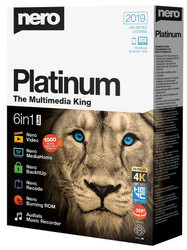
Nero Video 2019 20.0.3013 Multilingual + Crack+Patch+Serial [Astron] v4 | 2.2 GB

Information:

Nero Video 2019 - The video professional for everyone! Nero Video 2019 leaves nothing to be desired when it comes to creating videos and slideshows quickly, easily and professionally.

New in Nero Video 2019:
Nero Video now has a whole range of special features ready for you. With over 1000 movie themes and effects, there are virtually no limits to your creativity. Discover the benefits of Nero Video 2019 today.

Manage
Get started: Easily transfer your videos and image files from your mobile devices, external hard drives, USB sticks, camcorders and HD- and 4K cameras to your computer and store them centrally in your Nero MediaHome media library for further processing, along with a wealth of information such as recording date, locations or people depicted. Here you can now also archive and watch your movies and TV series in absolutely no time at all. Movie titles and movie posters are created automatically. New: Access your OneDrive online files (Files On Demand) and download your pictures, videos and music only when you need them in a project, thus saving yourself a lot of storage space on your PC.

Create
Put your photos in the limelight: Create perfect movies and slideshows with 1-Click Video Story. Complete with music, effects, entry and exit, you can share your movies in a flash. Captivate your audience with countless effects, such as tiltshift, old film, slow-motion, titles, transitions, audio filters, keyframe animations and much more, via express- or advanced video editing. With the new 1-click bar remover, you can enhance your photo- and video material and get it ready for the optimum film experience on a large TV screen.

Templates
Create professional videos quickly and easily: Add a wholly personal touch to your videos with over 1000 movie templates and other effects. With the diverse range of new film templates, including effect drop zone, you can automatically create your own very personal films on themes such as family, parties, children, travel, action and more. Black bars on widescreen TV are now a thing of the past. Even upright videos and photos from your phone can be easily imported as vertical video, edited and perfectly staged thanks to Vertical Video Templates.

Export & Burn
Best films for happy viewers: Nero Video 2019 doesn't compromise when it comes to format selection either. Edit the highest quality 4K, Full HD and SD movies. Export even single scenes from long movies in one go. Give your DVD-Videos™ and Blu-ray Discs™ the finishing touch with numerous high-quality disc menus on many themes. Then easily design your disc cases with Nero CoverDesigner and play your video disc professionally, complete with menu and chapter selection, on your DVD and Blu-ray player in your living room.

Stream
Transform your living room into a cinema: Nero Video 2019 convinces with extensive streaming functions. Slideshows or videos on your TV, music from your smartphone media library, videos on your tablet? Everything is possible with the free Nero Streaming Player app. And with the free WiFi+Transfer app, you can transfer your videos and pictures wirelessly from your mobile device to your PC and vice versa in no time at all. Both apps are available for iOS and Android devices.

Play
Decide for yourself when prime time is: Morning, noon or evening: play audio and video files in a variety of formats exactly when you feel like it. Playback of photos, stylish slideshows, video DVDs and 4K/Ultra HD videos is now even easier. You can also easily manage and play your archive of films and TV series, which is exactly what one should expect for primetime nowadays.

System Requirements:
- Windows® 7 SP1 Home Premium, Professional or Ultimate (32/64 bit), Windows® 8 (32/64 bit), Windows® 8.1 (32/64 bit) with April 2014 Update, Windows® 10 (32/64 bit)
- 2 GHz AMD or Intel® processor
- 1 GB RAM
- For SD Video Editing and Authoring: 2 GHz AMD or Intel® processor, 1 GB RAM
- For HD Video Editing and Authoring: Intel® Core™ II Duo 2.2 GHz processor, AMD Athlon 64 X2 5200+ 2.6GHz or above, 2 GB RAM
- 5 GB hard drive space for a typical installation of all components (including templates, content and temporary disk space)
- Microsoft DirectX® 9.0 compliant graphics card with 3D acceleration, 16-bit color, and a minimum of 128 MB video memory is required (32-bit, true color, 256 MB dedicated video RAM, and support for Shader Model 3.0 is recommended)
- DVD disc drive for installation and playback
- CD, DVD, or Blu-ray Disc recordable or rewritable drive for burning and video authoring
- DirectX® 9.0c revision 30 (August 2006)
- Windows Media® Player 9
- Internet Explorer 11 and higher
- Third party components such as Microsoft .NET® 4.5.2 or Microsoft® DirectX® or Adobe Flash are shipped with the product or automated downloaded if not included in the package

Whats new in Nero Video 2019 v20
Improved stability of the application, and fix the below issues:
- Nero Video crashes in loading fonts.
- If loading huge number of fonts from the PC, cannot insert Effects, Themes or fonts into the timeline in Nero Video.
- If Nero Video exit abnormal, the application cannot startup again and showing the message “Nero Video is already running.”
- No sound if playback music repeatedly in Nero Video’s Trim Window.
- Nero Video project file compatible issue fix.
- Add more region support for DVD burn in Nero Video.

Код:
http://www.nero.com/

Nitro_Flare_Img.png


Код:
http://nitroflare.com/view/B2A64390A347D73/Meera169_NeroVideo.20.0.01900.part1.rar
http://nitroflare.com/view/121E398E485AD5C/Meera169_NeroVideo.20.0.01900.part2.rar
http://nitroflare.com/view/4A8AD299FF30C71/Meera169_NeroVideo.20.0.01900.part3.rar

448_7.gif


Код:
https://rapidgator.net/file/47936dec8afca00c8737034a45c92b2b/Meera169_NeroVideo.20.0.01900.part1.rar
https://rapidgator.net/file/63e1d5d9305ae241f5cb484324c353ba/Meera169_NeroVideo.20.0.01900.part2.rar
https://rapidgator.net/file/b5cd984be93aac242f055c304f30439f/Meera169_NeroVideo.20.0.01900.part3.rar
 
K0ZYE8A.jpg


Nero Platinum 2019 Suite 20.0.07900 Multilingual + Crack+Patch+Serial [Astron] v4 | 437.94 MB

Information:

Nero Platinum 2019 Suite - Full potential for your digital life! Wherever you go or stay, your life is digital. Photos, videos, movies, and music on PC, smartphone, tablet, and smart TV: Who should manage and keep an eye on everything? With Nero Platinum 2018, you can reliably manage your everyday digital life – both at home and on the move. Now with brand-new features!

What's New:

NEW: ‘DriveSpan App’
Nero 2019 lets users easily merge and consolidate all of their media and data located on mobile devices, on external hard discs and storage drives, on a PC or within the cloud to one central storage location, e.g. a PC, an external hard disc or the cloud. Via DriveSpan App for iOS and Android users can now comfortably control and trigger the consolidation of all devices connected via the same WiFi network. When the consolidation is finished all data are clean, i.e. duplicate media and data are being identified within the consolidation process and will not be copied. Nero Suite 2019 users (Platinum/Standard) have access to the complete App version with all features enabled. The free version available in the App Stores is restricted for consolidation from mobile/cloud to cloud only. Users that want to include their PC and even their Mac into the consolidation can buy this feature via In-App-Purchase.

NEW: ‘Nero Start’
Via the brand new Nero Start application users of Nero 2019 will get going with their new product much more easily and achieve result even faster than before. The new user interface with completely updated design and workflows now includes animated buttons, which make the former next/previous page behavior superfluous, and also integrates a last used application function. Another highlight is ‘1-Click Video Story‘, that integrates into Nero QuickStart. Users simply drag & drop photos or videos into the drop zone and their files will load automatically with a pre-designed movie theme inside of Nero Video. Nero Start is available for all Nero Suite and standalone products and also includes access to Nero KnowHow PLUS.

NEW: ‘Nero KnowHow PLUS’ and ‘Live Guide’
Many Nero customers already know and utilize the Nero learning center ‘Nero KnowHow’. So far, the app was limited to Windows 10 and mobile users (iOS/Android). Starting with Nero 2019 any user can now benefit from the brand new ’Nero KnowHow PLUS‘ under Windows 7, 8, and 10 as a new PC application. A unique and very comfortably integrated feature is the new ‘Live Guide‘ which simply gives context sensitive help for the application in use and for the given use case via FAQ, manual page and video tutorial. This way, utilizing the Nero Suite becomes even more easy and intuitive. Customers can also send direct feedback to Nero within the given context.

NEW in Nero DuplicateManager Photo: Find & Remove ‘Similar Images’
Many users have a whole bunch of similar images sitting on their PC, be it due to photo editing, HDR series shots, resizing, format conversion, and more. It is so easy to get lost in one’s photo archive that has heaped up on the PC over years. This is where the brand new feature ‘find & remove similar images’ in Nero DuplicateManager Photo comes into place. The new function finds similar images and automatically sorts it into categories of similarity types: “Places, Series, Motive, Resized, Format, Other “. This way, users get a fast and comfortable overview of their similar images and can easily decide which ones to delete and which ones to keep. Getting their duplicate images and similar images cleaned up, users will gain more storage space on their PCs and at the same will have Nero MediaHome as their central media archive cleaned automatically, too.

NEW in Nero MediaHome: Access ‘OneDrive Files on Demand’
With Nero 2019 Nero MediaHome users can now access their ‘OneDrive online files on demand’ and have the option to individually download these, only when needed. This way, they can save storage capacity on their PC while having photos, videos, movies, TV shows, and music available anytime via download in Nero MediaHome, and thanks to Nero MediaBrowser even in any other Nero application.

NEW in Nero Video: ‘Nero LifeThemes PRO’
The Platinum version of Nero 2019 comes with a complete new package of high-quality movie themes and videodisc menus, and additionally includes a brand new set of vertical video themes for editing, exporting, and sharing a 9:16 vertical video on the smartphone. The pack also includes high-quality royalty-free music, which can be used independently in any video project. The ‘Nero LifeThemes PRO’ templates consist of motives suiting the best moments of everybody’s life: Cities, Landscapes, Pets, Wild Animals, and Nostalgia themes.

NEW in Nero Video: ‘1-Click Video Story’
Nero Video in Nero 2019 now comes with a very comfortable new feature that helps creating polished movies and slideshows in a snap. Simply drag & drop photos and videos to the drop zone in Nero Video and select ‘1-Click Video Story’. All files will automatically be loaded into a pre-designed video project complete with intro and outro sequence, effects, captions and matching music. Simply preview the video project, export, and share it.

NEW in Nero Recode: Convert to ‘Disc-compatible Formats’
Now, Nero users can transcode non-compliant source video files to fully compatible videodisc file formats prior to importing them into videodisc projects (DVD-Video™, AVCHD, Blu-ray Disc™). After conversion, the files can be handed over to video editing or authoring projects in Nero Video. Thanks to this new pre-conversion function in Nero Recode the time needed for rendering and burning a videodisc in Nero Video can be drastically reduced by utilizing Nero SmartEncoding. The new Disc-compatible profiles are also beneficial for users that want to utilize 4K source video for editing and exporting to Full HD or Blu-ray Discs™ but lack a more powerful editing system. When transcoding from 4K to Full HD before sending the video files to Nero Video, also lower performing systems will work more effectively.

NEW in Nero BackItUp: BackUp and Restore via the Cloud
Now, Nero users can do their online backups with ‘OneDrive’ and ‘Google Drive’ cloud storage. Actually, data can also be restored online, making backing up and restoring with Nero BackItUp independent of a special location.

Код:
http://www.nero.com

Nitro_Flare_Img.png


Код:
http://nitroflare.com/view/80C582D2FA74172/Meera169_N.Platinum.Suite.2019.20.0.07900.rar

448_7.gif


Код:
https://rapidgator.net/file/492ba5278b5499aea00fcdb644581bc5/Meera169_N.Platinum.Suite.2019.20.0.07900.rar
 
gvklMqo.jpg


MAGIX Video Pro X11 v17.0.1.32 (x64) Multilingual + Cracked | 655.21 MB

Information:

Video Pro X makes professional video production accessible for everyone. The latest professional features, modern effects for cinematic looks and an intuitive workflow enable creative and dynamic editing at the highest level. And with the revolutionary new INFUSION Engine, video editing in Video Pro X is even faster and more efficient than ever before.

What's New:
• NEW! Video engine with significantly enhanced performance
• NEW! VEGAS Video stabilization
• Professional editing tools including 3 & 4-point edits
• More than 1,500 templates & creative effects like Chroma Keying
• 4K UHD workflow with MultiCam & 360 degree editing
• Multi-track & multi-format timeline, including nested sequences
• Professional color correction & Lookup table handling
• Multicam for up to 9 cameras including additional source monitor

A new level in performance
Tap into the full potential of your CPU and GPU! Now possible for the very first time thanks to NVENC support from NVIDIA and AVX-optimized algorithms. The full power of Video Pro X — unleashed!

NEW! Accelerated export with NVIDIA NVENC
The feature requested most by the Video Pro X community is now available in the anniversary edition: HEVC/H.265 video export with CUDA support from NVIDIA. By outsourcing exports to the encoder on your NVIDIA GPU, video export can now be performed faster than you ever thought possible. The biggest leap in Video Pro X performance in years.

NEW! Full CPU power thanks to AVX optimization
The next boost in performance: CPU utilization. Video Pro X's comprehensive AVX optimizations for internal image processing and 3-way color correction make image processing much faster, deliver much more precise output quality on color conversions and free up resources for the use of additional effects.

OPTIMIZED!
Output quality 4K Full HD Less sparkle and fewer Moirй patterns when playing 4K source videos in Full HD. The latest edition of Video Pro X significantly reduces image artifacts during the compression of high-resolution videos. The solution: reducing the high-frequency portions of the image.

A new level in creativity
A new smart home for Video Pro X's effects range: bigger, better and equipped with the latest technology. Effects from previous versions are now much more precise and versatile, while new high-performance effects are now possible for the very first time.

OPTIMIZED! Chroma keying
It works! Object extraction Exactly like you'd imagine. Video Pro X's new object extraction algorithm makes it possible to recognize and extract objects from videos. Plus, the reliable antispill feature for removing green edges can now also be used in template mode. Chroma keying at its best!

A new level in productivity
We work directly with professional Video Pro X users to improve performance and functionality and achieve a truly perfect workflow. The latest developments to come out of this process are the new time-saving J-L cut and the intuitive "Move object content" mouse mode.

NEW! Flexible grouping for J-L cuts
The new, flexible grouping options for video and audio tracks. Tracks can now be modified individually without losing the advantages of working with grouping. The new J-L cut — an impressive time-saver for overlapping objects such as spoken audio which spans several scenes in documentaries and interviews.

NEW! Move object contents
Modify individual sections of your movie scenes directly in the video objects that contain them to achieve a perfectly edited movie. The video object itself doesn't need to be modified in any way. This lets you continue editing without affecting your rhythm, and the intuitive controls help save tons of time.

Flexible track handling
Modify and expand your video projects anytime and add tracks to any position even at a later stage. Breathe life into your videos with new ideas or make them more exciting or modern.

What's new in MAGIX Video Pro X11

Код:
https://www.magix.com/int/video/video-pro-x/new-features/

Код:
http://www.magix.com/us/video-pro-x/detail/

Nitro_Flare_Img.png


Код:
http://nitroflare.com/view/572847336A3D598/Meera169_VideoProX.17.0.1.32.rar

448_7.gif


Код:
https://rapidgator.net/file/52049952ff2f33530b0f37b7a220040b/Meera169_VideoProX.17.0.1.32.rar
 
Назад
Сверху