• Здравствуйте. Сайт заработал в архивном режиме форум www.old.nado.in

Dl4ever Software

Adobe Substance 3D Stager 1.3.2 (x64) Multilingual

AS3-D1-3-2-x-M.png


File Size: 1.7 GB
​

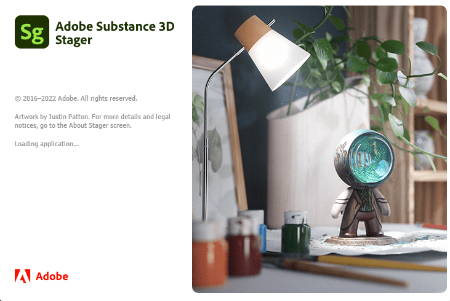
Substance 3D Stager a professional staging tool for scene design and rendering. Import content, arrange your scene, apply materials and textures, adjust both image-based and physical lighting, save cameras with different resolutions, and render photorealistic imagery - all in Stager!
Work on your final image.
Substance 3D Stager lets you make creative decisions in context. Refine and adjust your composition in real time. Visualize and edit advanced materials with complex lighting and shadows. (Stager is not yet available on Macs with Apple M1 chips.)
Tools to flesh out your ideas.
Build your realistic 3D scenes with quick and efficient smart tools. Block out shapes, snap elements, activate physics to avoid collisions between models, and generate simple lights.
Access a vast network of resources.
Stager comes with models, materials, and lights to get started. Or explore and use the thousands of high-end assets made by our 3D experts and included with your Substance 3D Collection plan.
Connect to your 3D toolset.
Leverage the full power of Creative Cloud: import elements from Modeler, Painter, Designer, and Sampler. Edit images in Illustrator and Photoshop, and instantly see your modifications in Stager.
Lighting made easy
Enhance your lighting with the environment light editor or add physical 3D lights to your scene for advanced lighting design.
Diverse format support
Enjoy support for an array of formats from CAD (for enterprise customers) to USD and glTF, as well as parametric Substance materials, lights, and models.
Physics awareness
Set up realistic collisions between objects during positioning and transformation.
Project showcase
Import your Painter projects into Stager with a single click and pick up where you left off.
Interactive workspace
Switch between real-time rendering and interactive path tracing while keeping a high visual quality.
System Requirements
OS: Windows 10,11 (64bit)
CPU:Intel Core i7/AMD Ryzen 7
GPU:Nvidia Geforce GTX 1060/Nvidia Quadro P2200/AMD Radeon RX 580
VRAM: 8GB
RAM: 16GB
Hard drive: 30 GB SSD
Whats New
Код:
https://substance3d.adobe.com/documentation/sg/all-changes-213064920.html

HomePage:
Код:
https://adobe.com

-:DOWNLOAD FROM LINKS:-​
Download From RapidGator
Код:
https://rapidgator.net/file/03007502e9a98f31bb4e4efe6063d4b8/

Download From DropApk

Download From NitroFlare
Код:
https://nitroflare.com/view/906DC8A1D69A0C4/

 
Advanced Installer Architect 20.2


AIA20-2.png


File size: 162.9 MB
​

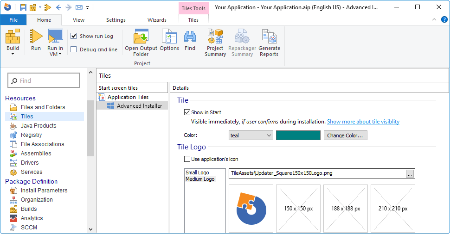
Advanced Installer is a Windows Installer authoring tool which enables developers and system administrators to easily build reliable MSI packages. Advanced Installer is a useful tool for administrators and developers which allows them to create reliable MSI packages. Windows Installer is becoming the "de facto" software installation technology on Windows. Being preinstalled on the latest Microsoft operating systems, and also bundled with the most popular productivity packages (Office, etc.) this software installer provides a significant number of power features that improve application management and administration.
This power doesn't come without pitfalls, and the most important of them all is the complexity. Creating an MSI file requires careful planning and editing of dozens of database tables.
Hundreds of pages of documentation must be read, countless lists of rules must be followed. Building a Windows Installer package may take days or even weeks. This is where a MSI creation tool comes to help.
*Advanced Installer makes MSI creation a snap
*Advanced Installer integrates in automated build tools
*Install and register the resources composing your application
*Search, download and install Prerequisites
*Organize your application in modules and components
*Secure and choose your package's presentations
*Extend the installation process with Custom Actions
*Customize the installation User Interface
Whats New
Код:
http://www.advancedinstaller.com/version-history.html

HomePage:
Код:
http://www.advancedinstaller.com

-:DOWNLOAD FROM LINKS:-​
Download From RapidGator
Код:
https://rapidgator.net/file/e49d32d747eeb367fb767b39bd25691e/

Download From DropApk

Download From NitroFlare
Код:
https://nitroflare.com/view/3C5ADAA268E9C5E/
 
Anarchy Audioworx FX Bundle v1.0 (x64)


AAFBv0-x.jpg


File Size: 89.4 MB
​

Get all of Anarchy Audioworx's plugins and more
Included
Anarchy Comp v1.0 - compressor
BEEF v1.0 - saturator
Duplex v1.0 - chorus
LFO Pro v1.0 - 6 LFO multi modulation effect
Pulsar v1.0 - modulation
Vocalator Pro v1.0 - vocal processor
Vocalator Pro is a 19-in-1 full vocal production suite that helps you get that radio-ready polished vocal sound in an instant.
LFO Pro is a 6 LFO multi modulation effect and easy sidechain ducking for volume, bass frequencies, and high frequencies, as well as 2 global filter LFO modulators and a pan LFO modulator.
BEEF does exactly what it says on the tin instantly adding weight, depth, punch, clarity, and a full warm analog tone to any sound!
Anarchy Comp is a versatile compressor suitable for use on any kind of sound, mix buss, or master buss. Its 55 preset strong library has the perfect starting points you need to get your sounds under control in any situation.
Duplex is a classic-sounding chorusing effect with a smooth, deep, and rich tone. The perfect tool for adding 3-dimensional depth and stereo width to your sounds.
Pulsar is a new age of phaser bringing a fresh spin to the effect that we know and love.

HomePage:
Код:
https://anarchyaudioworx.com/plugins/

-:DOWNLOAD FROM LINKS:-​
Download From RapidGator
Код:
https://rapidgator.net/file/f7f016dee89be4ace4e57bade40a9afa/

Download From DropApk

Download From NitroFlare
Код:
https://nitroflare.com/view/AEA9AD19AB63520/
 
AOMEI Backupper 7.1.2 Multilingual


AB7-1-2-M.jpg


File size: 170.7 MB
​

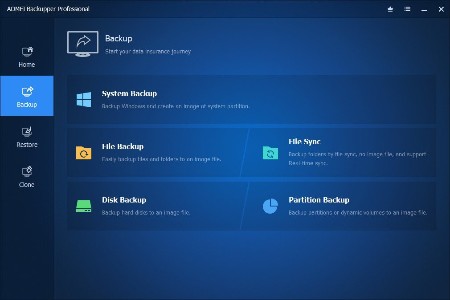
AOMEI Backupper is a professional-like, easy-to-use backup and recovery software. But is free for home users and commercial use, fully protects your computer from data loss. It lets you securely backup PC and Server, provides one-click backup your system partition or disk and does it in minutes. This software also can explore the created image and restore it to the hard drive if your data gets lost or corrupted. In addition, you can create a bootable rescue disk for recovering your data when the system crashes and the application cannot be accessed from the Windows interface.
AOMEI Backupper lets you clone the partition or disk, too. The software already supports the Microsoft Volume Shadow Copy Service (VSS) that enables the data backup process and does not interfere the running applications. This option of AOMEI Backupper is very efficient because backup data can still be made when you're working.
To prevent data loss, so we need to make data backup, AOMEI Backupper with the following features to ensure the safety of your data.
System Backup. One-click back up all data of system drive, including system files and installed applications without interrupting system run.
Disk Backup. Backup your hard disk drives including MBR disk, GPT disk, external hard drive, USB disk, and other storage devices that can be recognized by Windows.
Partition and Volume Backup. If you just want to backup a partition or volume, not the entire disk, the feature will be your best choice. With it, you can backup one or multiple partitions/volumes (including dynamic volumes) to an image file.
When your computer occurs some problems, such as accidentally deleted files, the system can not start, virus damage, by using the created backup before, you can restore system to its previous normal state or retrieve lost data.
System Recovery. Easily and quickly restore system partition and ensure system bootable after completing the recovery process.
Disk and Partition Recovery. Reliably recover the whole hard disk drive, partition or dynamic volume to original state.
Selective file restore. Selectively restore individual files and folders from a backup image file without recovering the entire backup.
In addition to backup and restore functions, AOMEI Backupper supports cloning operations. If you need to upgrade hard drive, or replace old disk, or migrate hard drive to new one, this feature can be more convenient to your work.
Disk Clone: Directly copy one hard drive to another without creating an image file. The program allows you to resize partitions during this cloning process, and supports to clone small disk to larger disk as well as copy traditional hard drive to solid state drive.
Partition and Volume Clone: Directly create an exact duplication of partition or dynamic volume and exactly transfer it to another partition or volume.
AOMEI Backupper Other Features
Incremental and differential backups. Based on a full backup, the software supports to create incremental or differential backups to taking less time and save storage space.
Encryption and Compression. You can set a password for each backups to prevent unauthorized access. When the backup process, specify an industry leading compression algorithm to compress image file in order to take up less disk space.
Image file checker and explorer. Check data integrity of image file to ensure the backups can be restored successfully. Mount image files to a virtual partition so that you can browse the contents of the backups in Windows Explorer.
Comment Backups and Splitting Backups. Add comments to backups so that the backups can be further identified and clarified. Let you know what a backup is for or what it contains. Splitting Backups can split backup an image file into proper sizes to fit storage media.
Create Bootable Rescue Media. You can create a bootable media (e.g. CD or USB media) to restore system drive on the condition that Windows can not boot.
Supported OS: Windows XP, Vista, Windows 7, Windows 8/8.1, Windows 10 (32-bit, 64-bit).
Storage Devices: Supports all storage devices recognized by Windows, such as IDE, SATA, SCSI, SSD, USB external disks, Hardware RAID and so on. Moreover, supports MBR and GPT style, and fully support capacities greater than 2TB.
Editions: Professional / Technician / Technician Plus / Server
Whats New
Код:
https://www.backup-utility.com/changelog.html

HomePage:
Код:
http://www.backup-utility.com/

-:DOWNLOAD FROM LINKS:-​
Download From RapidGator
Код:
https://rapidgator.net/file/e443cbd6334698775e1527b678fec4d3/

Download From DropApk

Download From NitroFlare
Код:
https://nitroflare.com/view/3C398051FD29E82/
 
Arturia Pigments 4.0 (x64)


AP4-0-x.jpg


MORiA | December, 13 2022 | AU | VST | VST3 | AAX | STANDALONE | 1.1 GB
​

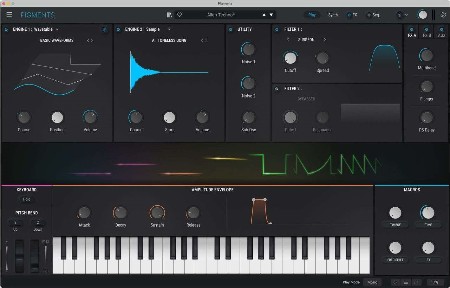
Analog Lab V Keyboard anthology. Create, produce, perform. Analog Lab V is a plugin that combines thousands of world-class presets spanning dozens of timeless instruments, instant-access controls, and flawless integration - in one place. Analog Lab V gives you instant access to the most iconic synth and keyboard sounds of all time, fresh from our award-winning V Collection. Whether you're a producer, performer, sound designer, or vintage synth fan, you'll find inspiration at every turn.
Whats new in this version
Release notes
December, 12 2022 | v4.0.0
New features - GUI and workflow
Full GUI revamp
New Play view
New Light theme
New modulation Drag and Drop workflow
New modulation Quick Edit workflow
New FX and Sequencer Bypass buttons in top toolbar
New sync mode mixing all time divisions
New LFO presets
Various UX improvements
New features - Audio engine
New MS-20 Filter
New Shimmer Reverb effect
New Super Unison effect
New notch mode in Multi Filter and Distortion effects
New Ring Modulation algorithm in Wavetable Engine
New Pulse Width algorithm in Wavetable Engine
New Unison Phase parameter in Wavetable and Sample Engines
New Phase randomisation mode in Harmonic Engine
New Ratio Key tracking mode in Modulation Oscillator
New pitch bend release mode
Reworked Bitcrusher effect
Added FM option on the Jup-8 Filter
MTS-ESP support
New Content
New factory wavetables
New factory samples
New factory noises
Bug fixes and improvements
Various audio engine improvements to reduce CPU consumption
Noise samples are no longer exported with presets
Improved VCA & VCA envelope to reduce clicks
System Requirements
Mac OS 10.13+
4 GB RAM
4 cores CPU, 3.4 GHz (4.0 GHz Turbo-boost) or M1 CPU
3GB free hard disk space
OpenGL 2.0 compatible GPU

HomePage:
Код:
https://www.arturia.com/products/software-instruments/pigments/overview

-:DOWNLOAD FROM LINKS:-​
Download From RapidGator
Код:
https://rapidgator.net/file/9f72758eed22c9769c5da75cd41e5012/

Download From DropApk

Download From NitroFlare
Код:
https://nitroflare.com/view/22EA40DF5E13A76/
 
Ashampoo Burning Studio 24.0.1 Multilingual


ABS24-0-1-M.png


File size: 174.2 MB
​

Get the ultimate burning program for your PC! The new Ashampoo Burning Studio 24 is the most comfortable way to burn your data securely, copy CD, DVD and Blu-ray discs without effort and access a wide range of top-of-the-line multimedia features. Create your own movies and slideshows, modify existing discs, or create video discs with animated menus. Extract audio from music CDs, back up your files instantly and, while you're at it, create perfect covers for your projects! Write important data to any disc type with powerful compression and password protection and say goodbye to data loss. And the new convenience features for audiobooks, audioplays, and podcasts guarantee high-quality entertainment!
Benefits at a glance
Fully Windows 11 compatible
Optimized also for current-gen hard and software
New light and dark skin
Extensive audiobook module
Best-of feature for quick source switching
More project versatility with intermediate buffering
Enhanced cover search
Greatly improved car radio support
Burn, copy and backup data with unbeatable ease of use
Create, cut and burn high-quality movies
Your photo memories as gorgeous slideshows
Create and burn audio discs complete with covers
Modern H.265 decoder for stunning video quality
Smart backup plans for reliable data backups
Perfectly arranged tracks in the best format for your car radio
Whats New
Код:
https://www.ashampoo.com/en-us/burning-studio

HomePage:
Код:
https://www.ashampoo.com/

-:DOWNLOAD FROM LINKS:-​
Download From RapidGator
Код:
https://rapidgator.net/file/4ad91a7f2098ff8e6970bf768dc5e222/

Download From DropApk

Download From NitroFlare
Код:
https://nitroflare.com/view/D3D8C9E9B0E59FE/
 
CCleaner Business Technician 6.07.10191 (x64) Multilingual


CB-T6-07-10191-x-M.jpg


File Size: 91.4 MB
​

CCleaner a utility for cleaning the debris in the operating system. In the course of their work CCleaner (Crap Cleaner) is looking for and removes unused files. These include: cookies, history, visiting sites in IE, temporary Internet files, search strings, files, Recycle Bin, etc.
CCleaner is the number-one tool for cleaning your Windows PC. It protects your privacy online and makes your computer faster and more secure. This app is easy to use, one click cleaning so beginners can optimize their computers in seconds. In addition, it's packed with advanced features for power users.
It is system optimization and privacy tool. Removes unused files from your system, allowing Windows to run faster and freeing up valuable hard disk space. It also cleans traces of your online activities such as your Internet history.
CCleaner can run from a USB drive and be installed or run on a computer without a complicated setup process. It is possible to specify files, folders and registry keys to ignore from the cleaning process.
Especially relevant that it's fast. Normally taking less than a second to run. And contains NO Spyware or Adware!
CCleaner cleans the following
Internet Explorer. Temporary files, history, cookies, super cookies. Also the Autocomplete form history and index.dat files.
Firefox. Temporary files, history, cookies, super cookies. Also download history and form history.
Google Chrome. Temporary files, history, cookies, super cookies. Also download history and form history.
Opera. Temporary files, history, cookies, super cookies and download history.
Apple Safari. Temporary files, history, cookies, super cookies, form history.
Other Supported Browsers. K-Meleon, Rockmelt, Flock, Google Chrome Canary, Chromium, SeaMonkey, Chrome Plus, SRWare Iron. Also Pale Moon, Phoenix, Netscape Navigator, Avant and Maxthon.
Windows. Recycle Bin, Recent Documents, Temporary files, Log files, Clipboard. Also DNS Cache, Error Reporting, Memory Dumps and Jump Lists.
Registry Cleaner. Advanced features to remove unused and old entries. Including File Extensions, ActiveX Controls, ClassIDs, ProgIDs. Also Uninstallers, Shared DLLs, Fonts, Help Files, Application Paths, Icons. Invalid Shortcuts and more...
Third-party applications. Removes temp files and recent file lists (MRUs) from many apps. Including Windows Media Player, eMule, Google Toolbar, Microsoft Office. Also Nero, Adobe Acrobat, WinRAR, WinAce, WinZip and many more...
CCleaner Professional is the most powerful version of Piriform's celebrated PC cleaner. It makes it easy to speed up a slow computer and keep your activity private - automatically and in the background.
These are some of the features you get with CCleaner Professional
Automatic Cleaning
Regularly cleans junk files to keep your computer running smoothly
Automatic Privacy Protection
Clears history and cookies when you're not using your web browser
Automatic Updates
Windows and browsers constantly evolve. CCleaner updates once a month to stay on top!
Whats New
Код:
http://www.piriform.com/ccleaner/version-history

HomePage:
Код:
http://www.piriform.com

-:DOWNLOAD FROM LINKS:-​
Download From RapidGator
Код:
https://rapidgator.net/file/3f41db827114cf5cf7ec33cf3d1a6621/

Download From DropApk

Download From NitroFlare
Код:
https://nitroflare.com/view/B83753AE639995C/
 
CCleaner Professional 6.07.10191 (x64) Multilingual


CP6-07-10191-x-M.jpg


File size: 51 MB
​

CCleaner a utility for cleaning the debris in the operating system. In the course of their work CCleaner (Crap Cleaner) is looking for and removes unused files. These include: cookies, history, visiting sites in IE, temporary Internet files, search strings, files, Recycle Bin, etc.
CCleaner is the number-one tool for cleaning your Windows PC. It protects your privacy online and makes your computer faster and more secure. This app is easy to use, one click cleaning so beginners can optimize their computers in seconds. In addition, it's packed with advanced features for power users.
It is system optimization and privacy tool. Removes unused files from your system, allowing Windows to run faster and freeing up valuable hard disk space. It also cleans traces of your online activities such as your Internet history.
CCleaner can run from a USB drive and be installed or run on a computer without a complicated setup process. It is possible to specify files, folders and registry keys to ignore from the cleaning process.
Especially relevant that it's fast. Normally taking less than a second to run. And contains NO Spyware or Adware!
CCleaner cleans the following
Internet Explorer. Temporary files, history, cookies, super cookies. Also the Autocomplete form history and index.dat files.
Firefox. Temporary files, history, cookies, super cookies. Also download history and form history.
Google Chrome. Temporary files, history, cookies, super cookies. Also download history and form history.
Opera. Temporary files, history, cookies, super cookies and download history.
Apple Safari. Temporary files, history, cookies, super cookies, form history.
Other Supported Browsers. K-Meleon, Rockmelt, Flock, Google Chrome Canary, Chromium, SeaMonkey, Chrome Plus, SRWare Iron. Also Pale Moon, Phoenix, Netscape Navigator, Avant and Maxthon.
Windows. Recycle Bin, Recent Documents, Temporary files, Log files, Clipboard. Also DNS Cache, Error Reporting, Memory Dumps and Jump Lists.
Registry Cleaner. Advanced features to remove unused and old entries. Including File Extensions, ActiveX Controls, ClassIDs, ProgIDs. Also Uninstallers, Shared DLLs, Fonts, Help Files, Application Paths, Icons. Invalid Shortcuts and more...
Third-party applications. Removes temp files and recent file lists (MRUs) from many apps. Including Windows Media Player, eMule, Google Toolbar, Microsoft Office. Also Nero, Adobe Acrobat, WinRAR, WinAce, WinZip and many more...
CCleaner Professional is the most powerful version of Piriform's celebrated PC cleaner. It makes it easy to speed up a slow computer and keep your activity private - automatically and in the background.
These are some of the features you get with CCleaner Professional
Automatic Cleaning
Regularly cleans junk files to keep your computer running smoothly
Automatic Privacy Protection
Clears history and cookies when you're not using your web browser
Automatic Updates
Windows and browsers constantly evolve. CCleaner updates once a month to stay on top!
Languages: Albanian, Arabic, Armenian, Azeri, Belarusian, Bosnian, Brazilian Portuguese, Bulgarian, Catalan
Chinese, Croatian, Czech, Danish, Dutch, English, Estonian, Farsi, Finnish, French, Galician, Georgian, German
Greek, Hebrew, Hungarian, Italian, Japanese, Kazakh, Korean, Kurdish, Lithuanian, Macedonian, Norwegian, Polish
Romanian, Russian, Serbian, Serbian, Slovak, Slovenian, Spanish, Swedish, Turkish, Ukrainian, Vietnamese
Whats New
Код:
https://www.ccleaner.com/ccleaner/version-history

HomePage:
Код:
https://www.ccleaner.com/

-:DOWNLOAD FROM LINKS:-​
Download From RapidGator
Код:
https://rapidgator.net/file/ebf65273840e308a4c3fc86e87074c2b/

Download From DropApk

Download From NitroFlare
Код:
https://nitroflare.com/view/3296BD6C798502C/
 
CCleaner Professional Plus 6.07 Multilingual


CPP6-07-M.jpg


File size: 57.6 MB
​

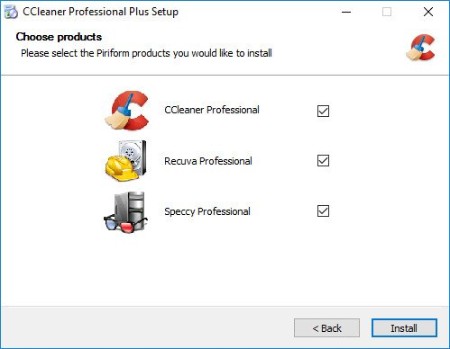
Piriform CCleaner Professional Plus - it is a selection of the newest versions of programs from Piriform Software, united in a common envelope, which will help you to make your computer faster, more secure and ensure its stable and confidential work.
We get many requests from our users wanting to buy all our products in one bundle. So we've listened and we're very happy to announce that we're launching CCleaner Professional Plus: a 4-in-1 product that includes all the Professional versions of CCleaner, Defraggler, Recuva and Speccy! With our patented technology products you can regain full control of your PC and keep it running like new: make it faster and more secure with fewer crashes, recover lost files, and keep track of what's inside your PC with detailed statistics on every piece of hardware.
CCleaner a utility for cleaning the debris in the operating system. In the course of their work CCleaner (Crap Cleaner) is looking for and removes unused files. These include: cookies, history, visiting sites in IE, temporary Internet files, search strings, files, Recycle Bin, etc.
Also search for temporary files of third-party applications: Firefox, Opera, Media Player, eMule, Kazaa, Google Toolbar, Netscape, Office XP, Nero, Alcohol 120, Adobe Acrobat, WinRAR, WinAce, WinZip, GetRight, Morpheus, Download Accelerator Plus, VirtualDub , ZoneAlarm and many others. Can be subjected to cleaning and registry Windows, ridding it of its unnecessary extensions of the old library dll and wrong ways, which accumulate in considerable quantities, especially after the installation and removal of a variety of programs.
Include
CCleaner 6.07 Professional
Recuva 1.53 Professional
Speccy 1.32 Professional
Whats New
CCleaner 6.07

HomePage:
Код:
https://www.piriform.com/

-:DOWNLOAD FROM LINKS:-​
Download From RapidGator
Код:
https://rapidgator.net/file/e30d32f8a7916150d37f42fa8800abc5/

Download From DropApk

Download From NitroFlare
Код:
https://nitroflare.com/view/303E09AAE3DFC9B/
 
DxO PhotoLab 6.1.1 Build 86 (x64) Elite Multilingual


DP6-1-1-B86-x-EM.jpg


File size: 761 MB
​

Produce RAW and JPEG images with the best image quality, effortlessly: DxO PhotoLab provides a complete set of smart assisted corrections that you can manually fine-tune at any time. Take control on every aspect of your photos: effectively remove noise, get rid of light constraints, recover color details, apply sophisticated optical corrections, and enhance details.
Unparalleled image quality
DxO's unique DeepPRIME denoising and exceptional color science raise the bar for RAW processing.
Legendary optical corrections
Market-leading corrections built on 20 years of research, giving you sharper images, free of imperfections.
Innovative creative tools
Master color and tone with powerful, creative editing tools that you won't find anywhere else.
Intuitive local adjustments
With DxO's exclusive U Point™ technology you can make targeted edits without tricky masks.
Powerful photo management
Search and sort your photos with simple, effective tags, keywords, and project hierarchies.
New features in DxO PhotoLab 6
- Introducing DxO Wide Gamut working color space: Harness the potential of the latest printers and monitors
with DxO's new color space. Avoid clipping in highly saturated areas and ensure accuracy across your
workflow. Easily switch between the legacy color space (for all images coming from previous versions of DxO
PhotoLab) and the new DxO Wide Gamut working color space (for your new images loaded in DxO PhotoLab
6);
- New Soft Proofing mode: For beautiful, accurate reproduction, whatever the screen or print type. Preparing
your images for different output has never been easier. Achieve accurate color at every stage of your
workflow;
- New DeepPRIME XD denoising option: Alongside DeepPRIME, DeepPRIME XD adds another level of
performance when required. Expect less noise, more detail and smoother bokeh;
- New ReTouch tool: The brand-new ReTouch Tool gives you unprecedented control when cloning and
repairing. Rotate, flip, or transform source points, and edit source areas for absolute precision;
- New nested Projects: Organize your virtual collections of images more efficiently with the new hierarchy of
Projects. Create Projects and groups of Projects and simply organize them by drag-and-drop;
- Crop tool improvement: You can now rotate your images when in Crop mode;
- Embedded Perspective tools: Perspective correction tools (keystoning) are now natively available in the ELITE
version;
- New Color labels support: Identify, classify, and cull your images more easily with the new Color tags;
- New Exif & IPTC fields: For complete metadata management;
- Keyword tokens improvement: Keyword tokens now show the full hierarchy if children have the same name;
- More than 77,000 camera/lens combinations are now available.
Whats New
Bug fixes and improvements
- Fixed an issue where White Balance and Color Rendering did not work correctly on exported DNG (with
Noise Reduction and Optical corrections only)
- The keyboard numpads can now be used as shortcuts for color labels
- Fixed an issue where adding point in Local Adjustments while hitting Ctrl+Z could cause a crash
- Fixed an issue where decimals could not be typed in palette sliders
- Minor bug fixes and improvements

HomePage:
Код:
http://www.dxo.com/

-:DOWNLOAD FROM LINKS:-​
Download From RapidGator
Код:
https://rapidgator.net/file/48415b593c5bb731a6ece832b6e5fa89/

Download From DropApk

Download From NitroFlare
Код:
https://nitroflare.com/view/6474275C8C928F9/
 
Enigma Virtual Box 10.00 Build 20221214 Multilingual


EVB10-00-B20221214-M.jpg


File Size : 7.3 Mb
​

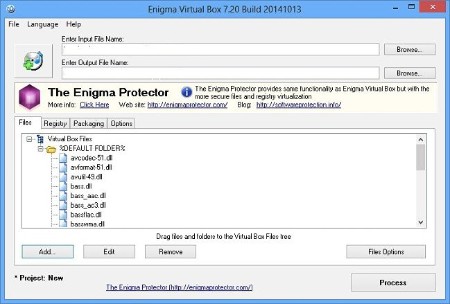
Enigma Virtual Box is used to virtualize the file system and allows you to merge the files used by your application into one executable file without extracting files to the virtual disk. Enigma Virtual Box supports all file types: dynamic libraries (*. Dll), ActiveX / COM objects (*. Dll, *. Ocx), video and music files (*. Avi, *. Mp3), text files (*. Txt , * doc) and many others. Enigma Virtual Box does not remove temporary files on the disk emulation file occurs only in the internal memory of the process.
The main advantages are
• Enigma Virtual Box virtual does not extract the files to disk and does not create any temporary files on your computer.
• Support for x86 (32 bit) and x64 (64-bit) executables that run on all versions of Windows NT.
• The system supports any type of file virtualization.
• The program allows you to compress the virtual files, thus reducing the overall size of your application several times.

HomePage:
Код:
https://enigmaprotector.com

-:DOWNLOAD FROM LINKS:-​
Download From RapidGator
Код:
https://rapidgator.net/file/0052bf73496073f26b5dcaf51f0a0b61/

Download From DropApk

Download From NitroFlare
Код:
https://nitroflare.com/view/1821D3D901E3377/
 
ExtraDisks Home 23.0.1 Multilingual


EH23-0-1-M.jpg


File size: 3.0 MB
​

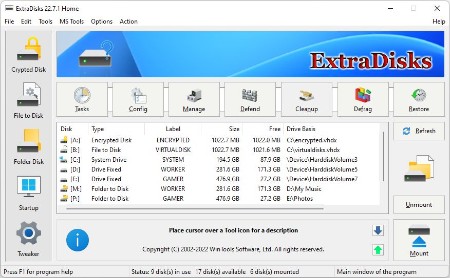
ExtraDisks is a suite of tools for creating Virtual disks on your computer - physical drives remain unchanged and are not divided into additional partitions. The program contains tools for creating Encrypted disks, Virtual disks based on files and Virtual disks based on folders. The current version consists of the following tools: Encrypted Disks, Virtual Disks, Folder Disks, Startup Manager, System Tweaker.
ExtraDisks: Encrypted Disk
This tool is used for creating Encrypted disks on your computer. On this disk you can store confidential information which you`d like to keep secret from other users. The disk is encrypted using AES128/AES256 algorithms in real-time mode (this ensures steady protection of your data against hacking).
ExtraDisks: Virtual Disk
This tool is used for creating Virtual disks without partitioning hard drive of your computer on additional drives. This tool uses file as basis for Virtual disks.
ExtraDisks: Folder Disk
This tool is used for creating Virtual disks without creating more partitions on the hard drive of your computer in both system modes - Elevated and Non-Elevated. This tool uses a folder as a basis for Virtual disks and serves for making access to frequently used folders of your computer more easy.
ExtraDisks: Startup Manager
This tool allows you to monitor, add, remove, enable and/or disable individual startup items. Adjust applications initialized during the loading process of the operating system. Using this tool you can disable virtual disks of third party companies.
ExtraDisks: System Tweaker
This is a set of additional adjustments related to safety, system capacity and user preferences and which are not included in the basic components of MS Windows.
Whats New
+ System Fixer tool was added to Tweaker
+ Application tab added to Tweaker
+ Uninstall tab added to Tweaker
+ reduced size of decor pictures
+ lng files were updated

HomePage:
Код:
https://extradisks.com/

-:DOWNLOAD FROM LINKS:-​
Download From RapidGator
Код:
https://rapidgator.net/file/ee6f316cfffee5a81df33b9d3f248708/

Download From DropApk

Download From NitroFlare
Код:
https://nitroflare.com/view/C0194CF02F64EF5/
 
ExtraSubst Home 8.1 Multilingual


EH8-1-M.jpg


Windows x86/x64 | File size: 9.08 MB
​

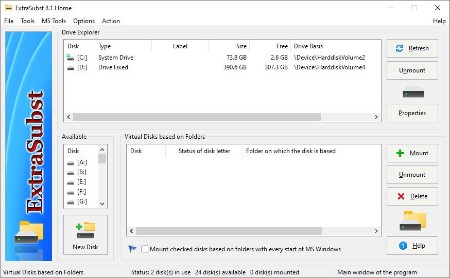
ExtraSubst - the program is designed to make access to frequently used folders of your computer much easier. ExtraSubst expands the capabilities of the system subst.exe utility and creates virtual disks on the basis of selected folders in both system modes: Elevated and Non-Elevated using GUI interface. Physical drives remain unchanged and are not divided into additional partitions. ExtraSubst is compatible with ExtraDisks software.
Example of using
Example 1: By default the folder "My Documents" is situated in the operational system MS Windows rather uncomfortably: "C:\Documents and Settings\User Name\My Documents\" With the help of the program ExtraSubst you can create a virtual disk - for example disk D: and select "My Documents" folder. After that, in your system the disk D: will appear in which your documents will be kept. To access your documents you just click the disk icon D: and there is no need to look for it in a folders tree.
Example 2: You can create virtual disk for any folders which you work often. For example, you can create disk M: for the folder with your musical files "e:\archive\music\", disk V: for the folder with your video files "e:\archive\video\" or disk G: for the folder with your games and you do not need to divide your hard drive into additional partitions for that.
Example 3: If you are a web designer, you can make the project folder a separate drive. In this case, your project will be the same as if it were on a server on the Internet.
Program interface consists of three basic parts
Drive Explorer - shows all used drives of your computer with necessary information about them. When you double-click on selected drive, "Explorer" with selected drive will be opened. In this part of the program interface you can also remove selected virtual drives with the help of "Remove" button.
Available Disks - the list of available drives of your computer. This part of the program interface is used for creating virtual drive. When you select the disk and press the button "New" or double-click the selected drive a virtual drive is created in your system and the record about it is placed in the list "Start Up Virtual Drives".
Virtual Disks based on Folders - the list of records about created in the operation system virtual drives. In this part of the program interface you can adjust the list of drives initialized during start up of your computer.
Operating system: MS Windows 11/10/8.1/8/7/VISTA x86 x64

HomePage:
Код:
https://extrasubst.com/

-:DOWNLOAD FROM LINKS:-​
Download From RapidGator
Код:
https://rapidgator.net/file/51e5c0ee96e3a2d43279eaa5a5e43a7f/

Download From DropApk

Download From NitroFlare
Код:
https://nitroflare.com/view/17B3BE79D546027/
 
GOM Mix Pro 2.0.5.6.2 Multilingual


GMP2-0-5-6-2-M.jpg


File size: 292.27 MB
​

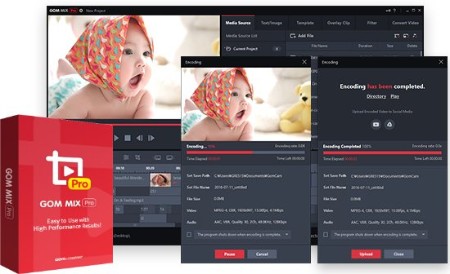
GOM Mix Pro - Create online classes. Video Editor for All. Various overlay clips such as opening/closing, image transition and frame effects improve the video quality. Provides video editing sources through continuous updates.
Simply Editing a Whole Video in 10 Min
- Quickly make your own video and upload on YouTube!
- Effectively shortens time taken for Video Editing → Encoding → Social Media Posting.
Raising Degree of Video Editing Completion With a Single Click
- Various overlay clips such as opening/closing, image transition and frame effects improve the video quality.
- Provides video editing sources through continuous updates.
Photoshop for Videos with 100 Different Filters
- More dynamic video editing with color filters and correction.
- Edit brightness and colors of a video as you wish.
Video Editor with Various Sources
- Quick and easy video editor with a huge range of built-in sources such as songs, fonts, and images.
- Enables to edit videos with desired sources.
Easy Video Editing & Source Control
- Easy to trim, merge, rotate videos and add subtitles!
- Easy to manage various media sources as well.
What's new
Код:
https://www.gomlab.com/gommixpro-video-editing/
System Requirements
- Microsoft Windows 11/10/8.1/8/7 (32/64bit)
- DirectX 9.0c or higher
- Memory 4GB RAM or more (required 1GB free memory)
- HDD 1GB or more
- CPU Intel Core i3(Haswell), AMD Athlon 64 X2 or higher
- VGA HD Graphics 4600 or higher
- Resolution 1280 x 1024 or higher (Product minimum window size: 1260 x 880)
Supported Languages
한국어, English, 日本語, čeština, Deutsch, Русский, Türkçe, Español, Português, Tiếng Việt

HomePage:
Код:
https://www.gomlab.com/

-:DOWNLOAD FROM LINKS:-​
Download From RapidGator
Код:
https://rapidgator.net/file/a51234915963ef73c9393382574a66ba/

Download From DropApk

Download From NitroFlare
Код:
https://nitroflare.com/view/7B8B257B1AEB78A/
 
Graitec ArchiWizard 2023.0.0 v11.0.0 (x64) Multilingual


GA2023-0-0-v0-0-x-M.png


x64 | Languages:Multilanguage | File Size: 270 MB
​

Description
GRAITEC announces the release of ArchiWIZARD. This solution provides accurate thermal, light, solar gains and shadows analysis, renewable energy simulation (photovoltaic & thermal solar systems).
About Graitec ArchiWIZARD. ArchiWIZARD is a real-time 3D analysis software based on BIM model directly connected to the architectural CAD solutions. ArchiWIZARD provides accurate thermal, light, solar gains and shadows analysis, renewable energy simulation (photovoltaic & thermal solar systems). It embeds EnergyPlus v8.1 building energy simulation program (STD) to combine even more accurate building performance analysis still with the advanced usability of ArchiWIZARD user interface and interoperability capacities. ArchiWIZARD has been evaluated for french regulation RT2012 compliance by CSTB. From the sketch, for new constructions and refurbishment, ArchiWIZARD informs you about the relevance and performance of your architectural and technical choices regarding to energy performance, thermal and visual comfort, and bioclimatic quality. It comes with numerous building elements libraries and easy-to-use configuration, results visualization and reports production tools.
About GRAITEC. Founded in 1986, GRAITEC is an Autodesk Platinum Partner in Europe and America and a long standing international Autodesk Partner and independent developer of high performance BIM Solutions for the AEC industry.
Operating throughout 29 offices across 12 countries worldwide, GRAITEC offers its clients an extensive range of established software solutions combined with the full portfolio of Autodesk products and BIM suites which help address the most demanding projects needs and maximize productivity, efficiency and performance. GRAITEC is an innovation focused company whose products are used by more than 40,000 construction professionals worldwide.

HomePage:
Код:
N/A

-:DOWNLOAD FROM LINKS:-​
Download From RapidGator
Код:
https://rapidgator.net/file/1c3282bf5ad2716ebb57508c1f96ab8a/

Download From DropApk

Download From NitroFlare
Код:
https://nitroflare.com/view/843BC1DFB581754/
 
Hard Disk Sentinel Pro 6.01.9 Beta Multilingual


HDSP6-01-9-BM.jpg


File size: 36 MB
​

Hard Disk Sentinel is a multi-OS hard disk drive monitoring application. Its goal is to find, test, diagnose and repair hard disk drive problems, display hard disk health, performance degradations and failures. Hard Disk Sentinel gives complete textual description, tips and displays/reports the most comprehensive information about the HDD inside the computer or in an external enclosure (USB / e-SATA). Many different alerts and report options are available to ensure maximum safety of your valuable data.
Hard Disk Sentinel monitors hard disk status, including health, temperature and all S.M.A.R.T. (Self-Monitoring, Analysis and Reporting Technology, built in most hard disks today) values for each hard disks. Also it measures the hard disk transfer speed in real time which can be used as a benchmark or to detect possible hard disk failures, performance degradations.Hard Disk Sentinel can be effectively used to prevent serious damage or data loss because it has the most sensitive hard disk health rating system which is extremely sensitive to disk problems. This way even a small problem can't be missed and a failure or data loss can be predicted. This gives opportunity to backup important and valuable data. The Professional version has scheduled and automatic (on-problem) backup options to prevent data loss caused by not only failure but by malware or accidental delete also.
Here are some key features of "Hard Disk Sentinel Professional"
- Easy to use interface
- All information are displayed in the main window of the application. Quick controls allow easy navigation to access all hard disks, partitions and different information. Intuitive user interface elements display information by using green/yellow/red color to indicate the level of problem. Detailed text description and context sensitive help guides the user thru the features and options.
- 1. Install 2. Configure 3. Stay protected
- Just install, configure alerts and backup options and your system is now safe. You'll be notified about the problems - but if everything is correct, Hard Disk Sentinel just sits on tray and displays current status. The data is protected even in 24 hours daily, 7 days a week.
- Instant S.M.A.R.T. analysing - Hard Disk Sentinel can communicate with IDE, Serial ATA and SCSI hard disks to detect their status and temperature. Disk status are displayed immediately as you launch the application, there is no need to analyse disks for a long period. It displays the current and maximum temperature for the hard disk.
- It can read all general and vendor-specific attributes and monitor their values. For advanced users, all raw data are displayed also including power-on hours or number of read/write errors. Hard Disk Sentinel interprets the performance and fitness related S.M.A.R.T. values and displays the calculated Performance and Health percentage, total power on time and estimated lifetime remaining.
- Disk status in Windows Explorer - View the current health status and used space in Windows Explorer or in any other application, so you'll always know the amount of used space for each partitions and the disk condition.
- Information on demand - It can display current hard disk temperatures and health on the system tray, in a small status window and on the desktop itself. Average and maximum temperatures are logged for all hard disks and these informations are displayed in graphs for statistical purposes.
- Logging - Hard Disk Sentinel logs all degradations in all SMART parameters. For example, if a new uncorrectable sector is found on your hard disk, you will be notified.
- Alerts - Hard Disk Sentinel can make different kind of alerts upon different problems. It can execute various tasks (even external applications) in case of a problem. There is an option to send daily emails about current status.
- Hard Disk Details - Detects and displays every information about the hard disk, from the revision number and buffer size to all features it has. The maximum available and current transfer modes are also displayed.
- Hard Disk Performance - Logs how much data were read from or written to the hard disk. Displays current transfer rates for both reading and writing and estimates the maximum available (theoretical) transfer rate for a particular hard disk.
- Hard Disk Partitions - Displays partitions for each physical hard disks and type and usage informations about them so you cannot run out of space. Hard Disk Sentinel sends this information automatically in alert/status messages.
- Shutdown - It offers option to shut down the computer on failure, overheat or parameter degradation. This option can be used to prevent further data loss.
- Acoustic Management - It offers option to control the acoustic level of IDE/S-ATA hard disk. It is possible to increase performance or make the disks more silent.
- Clock Synchronization - It offers option to synchronize the PC clock with an atomic clock via NTP (Network Time Protocol).
- Improvements - Hard Disk Sentinel is constantly improving. More features will be available soon. If you have any idea which can be useful, just let us know.
Whats New
Код:
https://www.hdsentinel.com/revision.php

HomePage:
Код:
http://www.hdsentinel.com

-:DOWNLOAD FROM LINKS:-​
Download From RapidGator
Код:
https://rapidgator.net/file/e058fbded9142bb0f5b020e4d8236792/

Download From DropApk

Download From NitroFlare
Код:
https://nitroflare.com/view/8C32E11F0FFBD2D/
 
IDM UEStudio 22.1.0.123


IU22-1-0-123.png


File size: 217.5 MB
​

UEStudio is built upon the world's best text editor, UltraEdit, and delivers additional features for teams and developers - like deep Git integration. You can clone, checkout, update, commit, push / pull, and more directly from within UEStudio to manage your Git repositories.
Git editor
Why use an editor and a separate Git management tool? As a Git editor, UEStudio combines the world's best text editor and the power of Git all within a single application. Edit and update your source files, then commit them with the stroke of a hotkey or the click of a mouse.
Preview Git markdown
Markdown is an essential ingredient of many Git repos. UEStudio features live preview for Markdown (and HTML) so you can update your repo's README.md file and double-check formatting without ever opening your browser.
Merge branches, resolve conflicts
You can easily merge branches in UEStudio's Git branch manager (or in the Git shell if that's your style). Merge conflicts? No problem! Quickly review and resolve them with UltraCompare's mergetool support so you can be on your way.
Review Git changes
Want to see what specifically you've changed in your repository's working directory since your last commit? Open up your repository in UltraCompare and click on the different files for a quick text compare of the working copy and the indexed version.
Compare versions of files
Ever wanted to compare a file from a repo to a previous version of itself, or perhaps its state in a different branch? Or perhaps you want to compare your uncommitted changes to the HEAD version? UltraCompare's Git version compare makes it this possible.
Native difftool / mergetool integration
Prefer doing your Git work on the command line? UltraCompare natively integrates as Git difftool and mergetool so you can fire it up the GUI only when you need it.
Write code faster
UEStudio parses your project and source files to provide you with intelligent, automatic source code completion. See function tips, class data members, function parameters and more via helpful contextual code hints. Write code more efficiently with smart templates.
Whats New
Код:
https://www.ultraedit.com/products/uestudio/new-feature-tour/

HomePage:
Код:
https://www.ultraedit.com/

-:DOWNLOAD FROM LINKS:-​
Download From RapidGator
Код:
https://rapidgator.net/file/d8bbb24b413ce4b2e7eec7a9cee55307/

Download From DropApk

Download From NitroFlare
Код:
https://nitroflare.com/view/A2C2E5CC86F7C1F/
 
IDM UltraEdit 29.1.0.123


IU29-1-0-123.jpg


File Size: 181 MB
​

UltraEdit is the world's de facto standard text editor. Used as the go-to editor by programmers, professional developers, researchers, bloggers, web developers, IT professionals and everyone in between! No matter what the job requires - from basic editing to full scale project development or heavy data mining - millions trust UltraEdit as their daily computing solution.
Why go with UltraEdit?
Unsurpassed power, performance, startup, & file load. No other editor can load and handle files with as much power as UltraEdit.
Customizable, configurable, beautiful themes. Skin the entire application - not just the editor - to suit your tastes.
OS integration (command line, shell extension). Fire up UltraEdit right from the Windws explorer context menu. Integrate it with your other favorite apps and utilities via its robust command line support.
Blazing fast find / replace and find in files / replace in files. No one does search like UltraEdit. Almost every search feature you can think of, and then some.
Fully integrated file compare. Instant diff operations. Quickly see a visual diff of your code, directly from UltraEdit.
Native FTP / SFTP browser, SSH / telnet console. Access your servers and open files from FTP directly in UltraEdit. Explore remote servers, edit on the command line, and more!
Powerful sort of file / selection. UltraEdit's powerful sort gets the job done quickly. Set multiple column-based sort keys, or do a field based sort.
Industry's best large file handling: 10+ GB and beyond. UltraEdit eats large files for lunch. Easily open huge multi-GB files and modify them with ease.
Hex editing. Column / block mode editing. The built-in hex edit mode and column editing mode give you more flexibility in editing your file data.
Special XML and JSON support. Quickly parse and reformat XML and JSON. Browse the code structure in the XML manager or JSON manager. Easily spot and fix errors.
UltraEdit feature highlights
Syntax highlighting for nearly any coding language
Do you code in SAS, Assembly languages, COBOL, Lisp, Oracle or MATLAB? In addition to the many languages we support by default, we also maintain a repository of over 600 wordfiles available at your disposal, including many obscure programming languages. From Actionscript to zMUD, we have you covered!
Editor themes
Editor themes give you complete control of the appearance of the application, from menus to dockable panes, from toolbars and editor colors to status bar styling and more. UltraEdit comes with many default themes, but you can create your own and share with other users as well.
Layouts
Want a simpler interface? Layouts provide this in just one click. Go from a powerful multi-window layout to a sleek and clean minimalistic layout without having to manually disable each pane and toolbar! Create your own layouts or use one of our preconfigured defaults.
Integrated FTP client
Open, modify, and save files from any remote server! With support for FTP, SFTP, and FTPS protocols and a vast array of server types, UltraEdit provides one of the most powerful FTP clients available in any editor available. You can even add FTP files to your projects and lists and sync local and remote directories.
Integrated file compare utility
Diff local to remote, working copy to source copy, current version to backup and more with UltraCompare Lite! Included as an integrated diff/compare utility, UC Lite gives you the power to quickly diff files directly from UltraEdit. For more power, check out UltraCompare Professional.
Powerful find and replace
Find anything with UltraEdit's powerful and easy-to-use Find and Replace engine! Search huge log files, generate a list of all lines containing your search string, do pattern-based find and replace with regular expression support, search in columns and selected text, save your search favorites, replace in a single file or all open files, show and hide lines containing a particular string, and a whole lot more.
Find and replace in files
Maximize the power of UltraEdit's find/replace engine with Find in Files and Replace in Files! Quickly search any folder or drive on your system and generate a list or report of what files contain your search string. Use Replace in Files to quickly replace data in multiple files at once.
File and project explorer
File management is a breeze with UltraEdit's integrated file and project explorer! Create projects to organize your source files and folders and link them with remote FTP sites. Use the integrated file tree view to quickly browse through, filter, and open files on your system. Create custom lists for your favorite files and more.
Smart templates
Smart templates provide a seamless blend of code completion, auto-expanding text, and context sensitive auto-complete. With Smart Templates, you can set up language-specific code templates and insert them based upon what kind of source file you're editing. Additionally, smart templates allow you to add as many custom variables to your template as you'd like, then tab through them upon insertion in order to complete the template.
and more...
Whats New
Код:
http://www.ultraedit.com/products/ultraedit/new_feature_tour.html

HomePage:
Код:
http://www.ultraedit.com

-:DOWNLOAD FROM LINKS:-​
Download From RapidGator
Код:
https://rapidgator.net/file/f64c52f0fb1f0bb0ef835d32e61e48d5/

Download From DropApk

Download From NitroFlare
Код:
https://nitroflare.com/view/E0BDECE7CF3ED9D/
 
IK Multimedia ARC System 3.1.0


IMAS3-1-0.jpg


File size: 52 MB
​

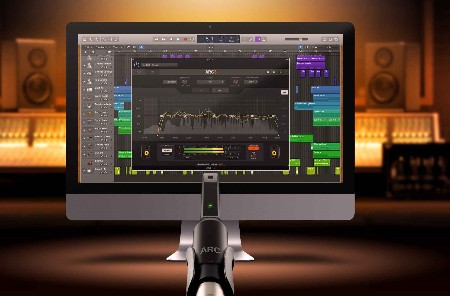
Mix faster and more confidently than ever. ARC System 3 combines an ultra-accurate measurement microphone, analysis software and correction plug-in to improve the accuracy of your monitoring in any room. Work faster and more freely, confident you're hearing your music itself and that your music will sound great everywhere.
With a faster, easier calibration process, breathtaking new correction algorithm and efficient, useful new GUI, everything about ARC 3 is designed to let you focus on your music and create audio that translates to any system effortlessly.
Key Features
Measurement mic, room analysis software and correction plug-in
Improves frequency balance and stereo imaging in any room
Work faster and create better mixes without expensive room treatment
Virtual monitoring emulates the sound of common listening devices
Whats New
3D room analysis delivers incredibly accurate, natural sound
Simplified, step-by-step room analysis software makes setup a breeze
Advanced controls let you achieve precise correction in any situation
Now supports 3rd party measurement microphones

HomePage:
Код:
https://www.ikmultimedia.com/

-:DOWNLOAD FROM LINKS:-​
Download From RapidGator
Код:
https://rapidgator.net/file/09401b1de18e965bc6e105d5ccefb3fe/

Download From DropApk

Download From NitroFlare
Код:
https://nitroflare.com/view/CC01652DA7FD59F/
 
IK Multimedia Syntronik 2.1.0


IMS2-1-0.jpg


File size: 706 MB
​

Syntronik is a cutting-edge virtual synthesizer that raises the bar in sound quality and flexibility thanks to the most advanced sampling techniques combined with a new hybrid sample and modeling synthesis engine. Syntronik includes 17 amazing instruments, available as a collection or separately, with over 2,000 preset sounds covering a wide selection from 38 of the most iconic to ultra-rare and painstakingly multi-sampled vintage synthesizers. Syntronik's synthesis engine goes well beyond traditional sampling thanks to a brand new analog modeled filter section created with the utmost expertise from IK, the pioneer in virtual circuit modeling.
This is coupled with exclusive DRIFT™ technology to accurately reproduce the behavior of oscillators from real hardware synths. All of this combined with an effects section that is unrivaled in the world of virtual instruments along with advanced features like 4-part Multis, splits and arpeggiators make Syntronik the ultimate source of inspiration with the widest palette of synthesizer sounds ranging from exact reproductions of the originals to sounds never heard before that will stand out from the crowd in productions covering any genre and style.
Capturing Synthesizer DNA
When it comes to accurately reproducing the sound of timeless machines like Moog, Oberheim, Sequential Circuits, ARP, Roland and Yamaha vintage synthesizers, sampling their sound-generating oscillators is the only way to ensure truly authentic sounds. We selected some of the most sought after synthesizers, sourced only the best instruments from private collections, and painstakingly sampled them. Sound designers worked hand in hand with software developers to take full advantage of this "synthesizer DNA," with the goal of offering a highly flexible instrument that would maintain the exact sonic character of the originals while extending their creative potential even further. We have captured multiple round robins of single oscillators, oscillator combinations (including sync and FM sweeps) and after more than 70,000 samples and 50GB later, Syntronik is ready to set a new standard in the world of virtual instruments.
Hybrid Synthesis Architecture
scheme2driftoscil
In order to achieve highly flexible sound manipulation while maintaining the same exact sound of the original hardware, we evolved our synth engine to include circuit-level filter models of 4 of the best sounding machines of all time: Moog transistor ladder, (found in the Minimoog and Modular Moog), Roland's IR3109 chip (found in the Jupiter-8 and Juno-60), the famous Curtis CEM3320 chip (found in the Prophet-5 and Oberheim OB-Xa) and the Oberheim SEM state variable filter.
This hybrid architecture allows for a pristine reproduction of the most critical section of every synthesizer. Plus, every filter is selectable within each included synthesizer, enabling users to create their own combinations by mixing or matching at will, like using a Moog filter on an Oberheim oscillator to produce entirely new original sounds that stand out from the crowd! Syntronik also provides powerful digital filters like Formant and Phase filters that can take the analog source oscillators into new sonic dimensions.
Whats New
Updates: official site does not provide any info about changes in this version.

HomePage:
Код:
https://www.ikmultimedia.com/products/syntronik/

-:DOWNLOAD FROM LINKS:-​
Download From RapidGator
Код:
https://rapidgator.net/file/ab10180b4c8b22a42bcd8f2c5b6c39c8/

Download From DropApk

Download From NitroFlare
Код:
https://nitroflare.com/view/95DAC836A4C567A/
 
Назад
Сверху