• Здравствуйте. Сайт заработал в архивном режиме форум www.old.nado.in

Dl4ever Software

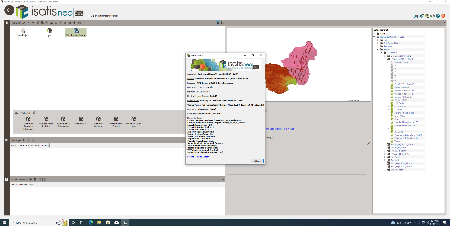
isatis.neo mining v2022.08 (x64)

inmv08-x.png


x64 | File Size: 612 MB
​

Description
Isatis.neo is the leading and most comprehensive software solution for geostatistics. Featuring an intuitive user interface, it results from Geovariances' dual commitment to developing breakthrough technology and making premium geostatistics accessible to more users.
Designed for every business dealing with spatialized data, Isatis.neo exceeds industry standards in geostatistics. The software enables thorough data analysis and visualization, produces high-quality maps and models, and allows you to carry out extensive uncertainty and risk analyses that optimize your decision-making process.
Available in a Standard Edition, Isatis.neo is also offered in two special versions, Petroleum Edition*and*Mining*Edition, to better meet the specific requirements of these two industries. In addition to business-oriented tools, the Petroleum Edition offers a preconfigured workflow for Time-to-Depth Conversion with comprehensive uncertainty analysis.
Improve your performance
Geostatistics can appear daunting if you are not familiar with the approach. This is why we have been working to make Isatis.neo straightforward to use so that you only focus on your geostatistical analysis, not on how to use the tool. Your performance is boosted thanks to its*intuitive interface, but also*by cutting-edge parallelized algorithms and powerful scripting procedures*that allow fast and easy model updating.
Tailor your project to your needs
Isatis.neo provides a complete set of powerful and intuitive statistical and geostatistical tools in a fully flexible package letting you design your process to best address your specific issues. And if you need further analyses, Isatis.neo enables you to write python coding into your batch processes, allowing for a high degree of customization required for optimized workflows.
Make better decisions
Isatis.neo makes you benefit from Geovariances' technical excellence in geostatistics. The software derives from robust, tried and tested Isatis software and 35 years of know-how in developing geostatistics-based software solutions in partnership with the French Mining School of Paris. With Isatis.neo, you are certain to hold the keys for data and risk-informed decision making.
Go beyond with Machine Learning
With Isatis.neo, you may combine geostatistics with Machine Learning techniques to solve real and complex problems.
System Requirements
CPU:Intel/AMD Intel 64-bit compatible processor.
OS:Windows 10 64-bit Enterprise (or higher) 64-bit.
Memory:4 Gb system memory (16 Gb is recommended).
GPU:NVIDIA and AMD/ATI graphic cards with the most recent drivers are recommended for using the 3D Viewer.
Intel graphic cards are known to cause some problems during 3D graphic rendering.
-Monitor capable of 1440x900 pixels (1920x1080 is recommended - high DPI screens like 3200x1800 are not supported
Whats New
Код:
https://www.geovariances.com/en/whats-new-in-isatis-neo-2022-08/

HomePage:
Код:
N/A

-:DOWNLOAD FROM LINKS:-​
Download From RapidGator
Код:
https://rapidgator.net/file/42d0f5f0bd4f85dc684e912cd5b1f890/

Download From DropApk

Download From NitroFlare
Код:
https://nitroflare.com/view/9427A219B824991/
 
iThoughts 6.3 Multilingual


i6-3-M.png


File Size: 22.2 MB
​

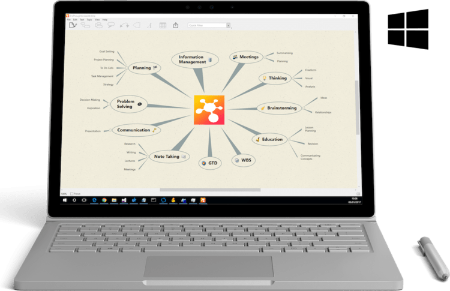
iThoughts is a mind mapping app for the Windows. Mindmapping enables you to visually organise your thoughts, ideas and information.
Typical Uses
• Task lists.
• Summarising.
• Brainstorming.
• Project planning.
• Goal setting.
• WBS
• Course Notes/Revision.
• Meeting Notes.
• GTD
Highlights
Import and export to and from many of the most popular desktop application formats
• MindManager
• iMindmap
• Freemind/Freeplane
• Novamind
• XMind
• Mindview
• ConceptDraw
• OPML (OmniOutliner, Scrivener etc.)
• Excel/Numbers/Outlook/ToodleDo (CSV)
• Markdown
• Plain/rich text
• ...plus import only support for Mindnode, Mindmapper and MyThoughts
Export to
• MS Powerpoint/Keynote (PPTX)
• MS Word/Pages (DOCX)
• MS Project (XML)
• PDF
• PNG
• Markdown
• Website (HTML + attachments)
Whats New
Код:
https://www.toketaware.com/blog/

HomePage:
Код:
https://www.toketaware.com

-:DOWNLOAD FROM LINKS:-​
Download From RapidGator
Код:
https://rapidgator.net/file/63f4c1e41db9a552be206c15684987b3/

Download From DropApk

Download From NitroFlare
Код:
https://nitroflare.com/view/6CB9F26A01CF4C2/
 
Keyword Researcher Pro 13.220


KRP13-220.jpg


File size: 22 MB
​

Keyword Researcher is an easy-to-use Google Autocomplete scraper. Once activated, it emulates a human user, and repeatedly types thousands of queries into Google. Each time a partial phrase is entered, Google tries to predict what it thinks the whole phrase might be. We simply save this prediction. And, as it turns out, when you do this for every letter of the alphabet (A-Z), then you're left with hundreds of great Long Tail keyword phrases.
Whats New
Updates: official site does not provide any info about changes in this version.

HomePage:
Код:
https://clevergizmos.com

-:DOWNLOAD FROM LINKS:-​
Download From RapidGator
Код:
https://rapidgator.net/file/59bef56d2626a415fcb272d3ce6634e9/

Download From DropApk

Download From NitroFlare
Код:
https://nitroflare.com/view/ECE8DAE1E75FD47/
 
Klevgrand Tomofon 1.0.0 (x64)


KT1-0-0-x.jpg


File Size: 761.2 MB
​

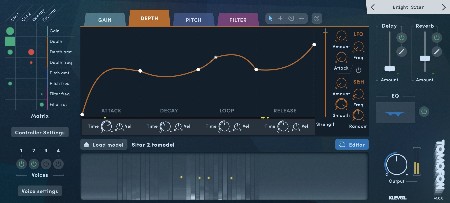
We are pleased to introduce Tomofon, a completely new expressive audio synth. This virtual instrument introduces a new "Audio Model" format capable of containing thousands of waves extracted from ordinary audio files. These waves - and how they're structured - lays the ground for how Tomofon generates audio, resulting in a highly flexible and instantly expressive instrument. that on one hand sounds very organic and on the other, like something out of this world. Whether you want to play around with the Audio Model Starter Pack (instruments & voices) and factory presets, or import your own audio to shape your own unique soundscapes - it is fair to say that you are in for a creative journey.
How does it work?
Tomofon converts audio files into a large set of oscillating waves, which then are mapped into pitch zones where each wave represents one layer (a bit similar to how a sampler structures different velocity zones). The main difference is that since each zone is populated with waves instead of ordinary samples, the synth engine can morph between them (both layers and zones). This makes all transitions between zones and layers continuous and seamless. This structure containing these organized wavetables is what we call an Audio Model, and give Tomofon its dynamic properties and characteristic sound.
Create and share your own unique sounds
A significant feature of this plug-in is that users can import their own audio files and create new and unique Audio Models. Ordinary audio files (preferably with monophonic content) can easily be imported and distributed into different pitch zones over the keyboard range, either automatically or manually. Doing an automatic import is basically a one-click process which instantly results in a proper playable Audio Model. A manual import gives the user full control of which waves should end up in which pitch zone. Last but not least you can easily share your own created Audio Models with others.
Tomofon comes pre-loaded with a pack of 124 Audio Models based on high quality audio recordings of multiple expressions. These models includes several instrument like strings, vocals, brass, woodwind, guitars and more. Along with these models there are over 180 presets to get you going right away. From there on you can venture further and start creating Audio Models based on your own audio files and experiment on the types of sounds they can grow to be.
Features
Wide selection of factory models and presets
Integrated audio sample importer and Audio Model editor
Pitch and (layer) depth envelopes that can be edited by the user
Envelope times can separately be controlled via MIDI velocity
Several LFO's (including Sample and Hold with randomness)
Modulation matrix (2 x MIDI CC, Velocity and Keymap)
Monophonic playback with separate glide times for pitch and velocity
Polyphonic legato playback where started notes syncs envelopes with currently playing ones
Up to 4 doubling voices with separate pitch, pan and level
Filter with modulation possibilities
Post Reverb, Delay and EQ
What's New
official site does not provide any info about changes in this version.

HomePage:
Код:
https://klevgrand.com/products/tomofon

-:DOWNLOAD FROM LINKS:-​
Download From RapidGator
Код:
https://rapidgator.net/file/deef10f5fbad0b0858235f2e7615c256/

Download From DropApk

Download From NitroFlare
Код:
https://nitroflare.com/view/587015E4DA3F9E5/
 
Krita Studio 5.1.4 (x64)


KS5-1-4-x.jpg


File Size : 123 Mb
​

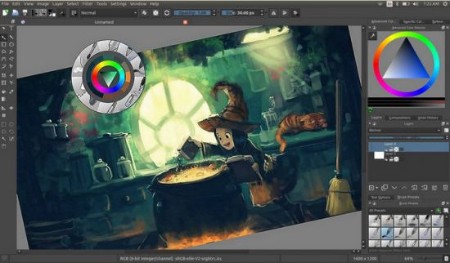
Krita Studio is the powerful painting application for professional artists, VFX and game studios. The uniquely innovative brush engines, the intuitive and fun interface and adherence to industry standards for pipeline integration, guarantee that Krita Studio supports your workflow and helps you get the most out of your ideas.
Features
Krita has a user-friendly interface. In the settings menu, you can choose the color theme, which toolbars and dockers you want to use, and edit keyboard shortcuts. Save a given set of dockers as a workspace and switch between them. The canvas can be easily rotated and mirrored. The OpenGL canvas supports high-bit depth monitors. There is a large set of options available to create a no-distractions canvas-only painting mode
It is easy to create seamless textures and patterns now. Press the 'W' key while painting to toggle wrap-around mode. The image will make references of itself along the x and y axis. Continue painting and watch all of the references update instantly. No more clunky offsetting to see how your image repeats itself. You can even paint off the edge and it will automatically start painting on the top. It is one of those features you have to see for yourself.
A brush engine is more than just a typical brush pattern with settings changed. Each brush engine has its own logic and behavior. The included engines are pixel, smudge, duplicate, filter, hairy, hatching, texture, chalk, color smudge, curve, deform, dyna, experiment (Alchemy), grid, particle, sketch, and spray brushes. Brush settings can be saved as presets and shared. There are a staggering amount of blending modes available. The blending modes are arranged by category and have your favorites stored at the top of the list.
Krita comes with many methods of selecting parts of your canvas in order to edit them. You can select with shapes such as rectangles and circle, paint your selection, polgon selection, select by color, select by Bezier. You can add, remove, or intersect to your selection. You can also make selection by layer contents by context clicking the layer and clicking "select opaque". You can create a transparency layer by itself, or add one to an existing layer. This is great tool for non-destructive changes.
Symmetry tools that go much further than basic mirroring. Take full control by being able to determine how many axis you need. Modify the origin center, angle, and smoothing parameters. Easy to toggle x and y mirror buttons in the top toolbar. Drawing aids such as perspective grids and shapes that have magnetic settings.
Filters can be used directly on a layer, or as filter masks or layers. The effect of a filter is previewed on the image itself. There are special effects like wave, oil paint, and emboss. Adjustments such as levels, brightness/contrast, and HSV are also included. Additional tools that can be useful for making selections like color to alpha and color transfer.
Krita has raster, vector, filter, programmatic, group, and file-backed layers. Each layer has settings for visibility, edit lock, transparency lock, and alpha locking. Layers can be dragged and dropped to and from other applications. Vector layers support text, vector shapes and filters on vector shapes. Krita supports the following color models for creating and editing images: RGBA, Gray, CMYKA, Lab, YCbCr, XYZ in 8 bits integer, 16 bits integer, 16 bits floating point, 32 bits floating point. Krita always uses color management.

HomePage:
Код:
https://krita.org

-:DOWNLOAD FROM LINKS:-​
Download From RapidGator
Код:
https://rapidgator.net/file/2ed07142e4ba4481b6cbf87d30a39de8/

Download From DropApk

Download From NitroFlare
Код:
https://nitroflare.com/view/B7F970AA1B3AFA8/
 
LastPass Password Manager 4.106 Multilingual


LPM4-106-M.jpg


File size: 97 MB
​

LastPass Password Manager is a convenient program to help you keep all of your log-in information secure without having to memorize all of it. You can use LastPass to automatically log in to any site once you've entered the information once, so you'll never have to worry about forgetting your password again.
Browser integration: LastPass integrates with Chrome, Firefox, Internet Explorer, Safari, and more, so you can continue to use your favorite browser and still get all of the benefits from this app. You can choose to install only plug-ins for specific browsers, or you can use the universal installer, which will work on most major browsers and is the easiest option for novice users.
Nice interface: This app has a streamlined interface that makes the process of storing, accessing, and managing your log-ins a snap. Once you're logged in to the app, a button will pop up each time you enter log-in information for another site. Just click this button to add that log-in to the Vault, and you'll be able to manage it from there going forward.
The feature set of the basic version includes
unlimited storage of passwords and secure notes
automatic backup and synching for one device
automated filling of login credentials and forms
Security Challenge password audit
Multi factor authentication and one time passwords
Whats New
Код:
https://lastpass.com/upgrade.php?fromwebsite=1&releasenotes=1

HomePage:
Код:
https://lastpass.com

-:DOWNLOAD FROM LINKS:-​
Download From RapidGator
Код:
https://rapidgator.net/file/d1e9855360fcb8d535bc5d32ab080a76/

Download From DropApk

Download From NitroFlare
Код:
https://nitroflare.com/view/D6DE0BCBC5837E3/
 
MAGIX SOUND FORGE Audio Studio 16.1.1.54 Multilingual


MSFAS16-1-1-54-M.jpg


Windows x86/x64 | File size: 829.83 MB / 979.89 MB
​

SOUND FORGE Audio Studio provides comprehensive tools and features for editing audio digitally. Record podcasts in professional quality, edit your recordings with a full range of professional effects. Digitize old vinyl and modify audio files using restoration and mastering tools for clean, professional sound. Simple workflows for professional results: Experience SOUND FORGE Audio Studio.
Recording
Professional recording made easy: Record vocals, sounds and podcasts in excellent quality at up to 32-bit/384 kHz with this fast, uncomplicated and reliable audio editor.
Audio editing
Cut, move and edit audio files easily and in a matter of clicks. Achieve perfect results for the project you're editing in no time at all with professional effects and 64-bit power on up to 6 channels.
Restoration & mastering
Convert old vinyls and tapes to digital audio files and clean up the recordings using professional restoration tools. Export your songs for streaming and CD release using high-quality mastering effects.
Highlights
- NEW! modernEQ
- NEW! modernReverb
- NEW! Advanced editing for effects plug-ins
- NEW! New resampling engine
- NEW! Optimized multichannel handling
- Remote Recording
- Instant Action & Windows context menu improvements
- wizardFX Suite with professional effects plug-ins
- Truncate Silence option for removing pauses
- Export Wizard for Audible, iTunes and Amazon audiobooks in accordance with ACX standards
- Redesigned Visualization Meter
What's New in SOUND FORGE Audio Studio 16?
NEW! Shape your own unique sound with modernEQ
Edit audio material even better and produce better quality results during equalization using the new modernEQ. You have the complete freedom to amplify, cut and shape sounds and frequency ranges while using the wide range of filter options in each EQ band. The precise editing options in modernEQ help you shape your own unique sound for projects.
NEW! Enjoy premium reverb effects at your fingertips with modernReverb
Enhance your sound with lifelike space and a deep, thick atmosphere using modernReverb. Adjust the presets to suit your preference or create a modern reverb effect for a more vibrant sound. Enjoy a simple, straightforward interface and professional quality sound.
NEW! Advanced editing for effects plug-ins
Advanced editing options for effects plug-ins ensure that you can quickly find the desired audio media and apply changes instantly. This provides you with the ability to work intuitively and, for example, edit a selected time range - even if the plug-in window is already open.
What's new
Код:
https://www.magix.com/int/music/sound-forge/sound-forge-audio-studio/new-features/#c1527023
System Requirements
- Windows 11, Windows 10
- Processor: 1.4 GHz
- Graphics card: Onboard, minimum resolution 1024 x 768
- Program languages: English, Deutsch, Español, Français, Polski

HomePage:
Код:
https://www.magix.com/

-:DOWNLOAD FROM LINKS:-​
Download From RapidGator
Код:
https://rapidgator.net/file/d0a3a06938c9508eabcb3061af7d1f7a/

Download From DropApk

Download From NitroFlare
Код:
https://nitroflare.com/view/03174BE7277C3E4/
 
Microsoft .NET Desktop Runtime 7.0.1 Build 31929


M-NDR7-0-1-B31929.jpg


File Size : 105 Mb
​

Microsoft .NET Desktop Runtime enables you to run existing Windows desktop applications. This release includes the .NET Runtime, you do not need to install it separately.
Microsoft .NET Desktop Runtime redistributable package installs the .NET Desktop Runtime and associated files required to run many applications that use this programming language.
This is Microsoft's comprehensive and consistent programming model for building applications that have visually stunning user experiences, seamless and secure communication, and the ability to model various business processes.
The .NET Desktop Runtime also includes the .NET Runtime.

HomePage:
Код:
https://www.microsoft.com

-:DOWNLOAD FROM LINKS:-​
Download From RapidGator
Код:
https://rapidgator.net/file/c1d2ecad079d41b05b4eb13a2a5013f3/

Download From DropApk

Download From NitroFlare
Код:
https://nitroflare.com/view/1F79842DA3B1534/
 
Microsoft Office 2021 ProPlus - Online Installer 2.3.5


MO2021-P-OI2-3-5.png


File Size: 7.1 MB
​

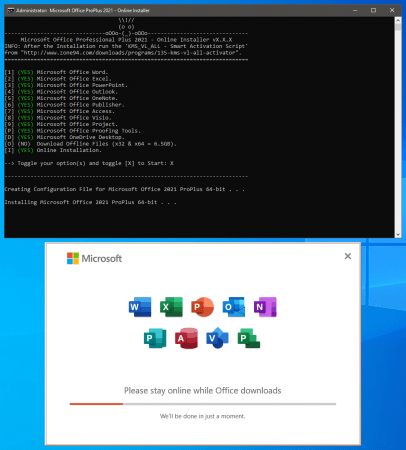
This small Script will download and install the Microsoft Office 2021 Professional Plus including all the updates directly from the Microsoft CDN Server.
Includes
Word, Excel, PowerPoint, Outlook, OneNote, Publisher, Access, Visio, Project, ProofingTools, OneDrive Desktop.
How to use ?
Extract the downloaded RAR Archive file.
Start the file "Office 2021 Setup.cmd".
Run the KMS_VL_ALL - Smart Activation Script tool.
Done.
System Requirements
Windows 10/11 x86 (32-bit)
Windows 10/11 x64 (64-bit)
Whats New
official site does not provide any info about changes in this version

HomePage:
Код:
https://zone94.com/

-:DOWNLOAD FROM LINKS:-​
Download From RapidGator
Код:
https://rapidgator.net/file/84feddc0221363f2f66e9734297d0377/

Download From DropApk

Download From NitroFlare
Код:
https://nitroflare.com/view/F718A5911D9009C/
 
Musify 3.1 Multilingual


M3-1-M.jpg


File Size: 47.5 MB
​

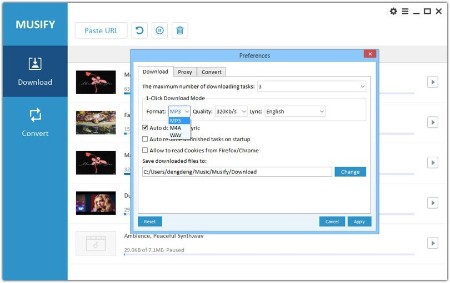
Musify is a best YouTube Music converter, which can download music from up to 1000+ music sharing websites to listen offline without losing audio quality. Such as: YouTube, Spotify, SoundCloud, Facebook, Instragram and more. Easily convert mp3 music files to iPhone, iPad, iPod, Samsung and other iOS & Android devices. High-speed and high-quality.
Musify is a very effective and fast YouTube conversion tool that supports converting YouTube to MP3 formats. You can convert mp3 files in bulk at once quickly and easily. Musify preserve metadata to better organize your music library, which will make your music collection more time-saving and labor-saving.
Musify is a full solution for mp3 download and conversion, which can provide you with the best way to download and convert YouTube, Spotify music or playlists for offline playback. High-quality conversion for better compatibility with iPhone, iPad, iPod, iTunes, Android, etc.
YouTube Music Downloader
Musify YouTube Converter can automatically extract music files from YouTube videos and playlists and download them to your computer. Musify converts YouTube to mp3, m4a, wav format, you can easily make it into music collection, mobile ringtone, audio reading, etc.
Spotify Music Downloader
No need to log in to Spotify account, no need to subscribe to Spotify premium account music service, Spotify Music Downloader allows you to download Spotify audio tracks through URLs of artists, music, albums, playlists, etc., and convert Spotify to mp3, m4a, wav format.
Support 1000+ Music/Video Websites
Not only YouTube and Spotify Downloader, Musify allows you to download MP3 music from most major social websites,
such as: SoundCloud, MixCloud, Bandcamp, Facebook, Freesound, Audioboom, Veojam and more.
Music Playlist Downloader
Musify is the best music playlist downloader, which can download the entire playlist from YouTube, Spotify, SoundCloud, Bandcamp, etc. Just one click to download full music playlist and convert the playlist to mp3, m4a, wav format with the original sound quality.
Music Converter
The versatile music converter lets you stop worrying about incompatible formats. Musify supports dozens of audio and video formats, allowing you to convert to MP3, M4A, WAV. You can listen to high-quality music on players such as iTunes, Quicktime, Windows Media Player, Roxio Popcorn, Toast or mobile devices.
More Features
Batch Conversion
If you have a lot of video and music files, you can use Musify to convert them to your desired audio format. Batch conversion can save you a lot of time. You just need to listen to the music and enjoy it.
Keep ID3 Tags
Full reserved ID3 tags in output audio files after music conversion, including title, artwork, artist, album, genre, track number.
Automatically Download Lyrics
Musify can automatically download lyrics in various languages when downloading MP3 music. The default language of lyrics is English. You can select the language you want by setting.
Built-in Proxy
Still regretting that some music is restricted by region? Musify built-in proxy settings, you can easily set a specific proxy to avoid geographical restrictions. Then download mp3 songs freely.
Whats New
official site does not provide any info about changes in this version

HomePage:
Код:
https://itubego.com/

-:DOWNLOAD FROM LINKS:-​
Download From RapidGator
Код:
https://rapidgator.net/file/53c0eeb79ec8de1891c227fed5caf8ee/

Download From DropApk

Download From NitroFlare
Код:
https://nitroflare.com/view/A04FF199DAAC4E6/
 
Native Instruments Kontakt 7.1.3 (x64)


NIK7-1-3-x.jpg


File Size: 577.8 MB
​

With KONTAKT, you can sound like a snare drum, a symphony orchestra, or anything in between, from a universe of sampled instruments. It's a simple sampler when you want it to be, and a deep sonic scripting laboratory when you need something more. The next generation of the world's favorite sampling platform gives you new instruments and new features under the hood - so you can layer, link, stretch, and shape your sounds any way you can imagine.
THREE NEW INSTRUMENTS
KONTAKT introduces the KONTAKT Play Series: Sonically rich sample libraries that combine powerful sound design with simple playability. Each offers eight intelligently mapped macro knobs giving you a wide-sweeping, intuitive range of control. They all showcase KONTAKT's new wavetable module, each offering two blendable sound sources and a unique take on a speciality style.
ANALOG DREAMS
Iconic 20th century hardware synthesizers captured with an intricate level of detail, and creatively processed with seminal outboard effects. This hybrid analog/digital instrument utilizes blendable sound sources to deliver a modern take on classic electro and synthwave, which have seen a resurgence in recent cinema.
ETHEREAL EARTH
Hybrid organic/electronic instrument that takes myriad acoustic instruments from around the world, and combines it with digital synthesis, organic foley layers, and effects processing. The result fuses traditional and digital, with basses, strings (bowed and plucked), wind instruments, tuned percussion, bells/metals, pads/drones, leads, and textural ambiences.
HYBRID KEYS
A contemporary, creative, and ultimately new take on keys and piano sounds. HYBRID KEYS moves away from conventional sampling processes and instead focuses on inventive techniques such as re-amping, creative mic positioning in interesting spaces, and vari-speed experiments with tape.
NEW FEATURES FOR BUILDERS
KONTAKT has long since grown beyond its origins as a software sampler, and now provides a solid foundation for building advanced sample-based instruments. We've been supporting this platform, and the people who use it, with continuous updates to KONTAKT 5, and KONTAKT 6 builds on this strategy with some big additions for you builders out there.
NEW EFFECTS
Replika Delay: Based on the dedicated Native Instruments plug-in REPLIKA XT, it offers multiple delay modes, each with a vastly different sound character.
Room Reverb: A new high-quality algorithmic room reverb that offers options for real time modulation.
Hall Reverb: Another high-quality algorithmic reverb, tuned for hall sounds.
Plate Reverb: Emulates a plate reverberator for for classic vintage metallic sounds.
Cry Wah: Wah-wah effect module, based on the most popular wah pedal of all time.
WAVETABLE MODULE
The latest version of KONTAKT adds wavetable synthesis to the ever expanding KONTAKT toolset. All three of the new Play Series instruments incorporate this new module, and we're looking forward to hearing what you create with this powerful new building block. With our 6.1 update, a new Inharmonic mode was added that stretches partials away from the harmonic series, for more bell-like tones.
CREATOR TOOLS
Creator Tools is a standalone application designed to improve the workflows of library builders and instrument creators. It consists of three elements: A Debugger, for identifying and fixing problems in KONTAKT script; an Instrument Editor, which can load and run Lua scripts to automap samples, duplicate and batch rename groups, and copy settings from one part of an instrument to another; and a GUI Designer, which allows creators to assemble, customize, and reuse KONTAKT performance views and controls without the need to write code.
Whats New
New filters, purge all instances, browser features, KSP commands, bug fixes.
KONTAKT ENGINE IMPROVEMENTS
ADDED Purge all instances when Kontakt 7 is running as a plug-in
ADDED 6 pole state variable (SV) filters
ADDED Tone Machine and Time Machine 1 Smooth parameter modulation
ADDED Reveal sample location via Mapping Editor edit menu and Wave Editor command menu (cog)
IMPROVED Maximum number of host automation slots increased to 1024
IMPROVED Flex envelope slope can now be modulated for the first 8 segments, and includes Loop and Oneshot parameters
IMPROVED Online KSP documentation can be directly accessed through the help menu
FIXED Right click to open Quick-Load not working
FIXED DAW key commands intercepted by Kontakt when running as a plug-in
FIXED Notes would auto repeat when holding a key when using QWERTY as virtual keyboard
FIXED Temporarily black performance view when loading Kontakt Factory Library 2 instruments
FIXED Plug-in window would not re-open after being closed in Renoise with Kontakt VST3
FIXED Crash using Quick-Load with a large number of entries. Number of visible entries has been reduced to 5000 as a consequence
FIXED Voices would hang with certain effects placed post amp
FIXED Time Machine Pro Legato would get out of sync when playing loops
FIXED Cabinet effect in Output section would cut off the sound
FIXED Excessive smoothing on group Tune parameter in wavetable mode
FIXED "Restore loops from samples" option in Wave Editor not working when using the same sample repeatedly
FIXED Auto-mapping using the "Make group name" token did not work properly
FIXED Pasting a group without samples would paste with samples, and pasting groups with samples was not refreshing the Mapping Editor
FIXED Loops 2-8 were not working in MP60, S1200 and TMPro modes
BROWSER IMPROVEMENTS
ADDED Presets list now displays and sorts Instruments, Multis and Snapshots by their file type
ADDED Reset Browser filter state
ADDED Import multiple Custom Libraries in bulk
ADDED Customize name of imported Custom Libraries (using the Alias field)
ADDED Error messages for failed Library import
IMPROVED Tooltips display full text for Import Dialogue Folder path and Alias field, as well as Library tiles, in case when the text was truncated
FIXED Resized components are now correctly displayed when the Preset list is dragged horizontally
INSTRUMENT BUILDING AND SCRIPTING IMPROVEMENTS
ADDED Convolution Auto Gain can now be accessed via KSP with $ENGINE_PAR_IRC_AUTO_GAIN
ADDED Time Machine Legato button can now be accessed via KSP with $ENGINE_PAR_TM_LEGATO
ADDED get_zone_id() translates the zone index to the zone ID
ADDED XY Pad cursor values can now be set and retrieved with set_control_par_real_arr() and get_control_par_real_arr()
ADDED New commands get_group_idx() , get_mod_idx(), get_target_idx(), deprecating the usage of find_group(), find_mod() and find_target(). These commands return $NI_NOT_FOUND when the queried object is not found
ADDED Additional math functions and logic commands: cbrt(), log2(), log10(), exp2(), signbit(), sgn(), bitwise .xor., boolean xor
ADDED Zone BPM can now be set and retrieved with $ZONE_PAR_BPM zone parameter
ADDED Zone sample rate can now be retrieved with $ZONE_PAR_SAMPLE_RATE zone parameter
ADDED Zone state can now be determined with get_zone_status() command which returns $NI_ZONE_STATUS_EMPTY, $NI_ZONE_STATUS_LOADED, $NI_ZONE_STATUS_PURGED, $NI_ZONE_STATUS_IGNORED and deprecates the usage of is_zone_empty()
IMPROVED From Script modulator can now have its value set without internal range clamping by using $EVENT_PAR_MOD_VALUE_EX_ID
IMPROVED Zone parameters can now be set with KSP for all zones when using snapshot modes 2 and 3
IMPROVED Modulo operation now also works with real numbers
IMPROVED Added real() and int() value conversion commands, deprecating int_to_real() and real_to_int()
IMPROVED Zone settings were not taken into account when using change_vol and change_pan, introduced mode 2
FIXED Crash with output_channel_name() when channel count is zero
FIXED Incorrect warning messages were displayed for any zone related commands
FIXED $MARK_28 is no longer used by the internal sustain pedal script

HomePage:
Код:
https://www.native-instruments.com/en/products/komplete/samplers/kontakt-7/

-:DOWNLOAD FROM LINKS:-​
Download From RapidGator
Код:
https://rapidgator.net/file/b1f537b3b78f4ac9a2a9ddb88771f2aa/

Download From DropApk

Download From NitroFlare
Код:
https://nitroflare.com/view/4981AC80E32BC04/
 
NI AWR Design Environment 22.1 (17.01r Build 17442 Rev2) (x64)


07d39e9b8df5adf1227b24e40a205de1.png

x64 | File Size: 707 MB
​


Description
frequencies and high frequencies such as amplifiers, mixers, oscillators, and more. is . AWR Design Environment is one of the specialized telecom group software that is suitable for engineers and students in telecommunications and electronics, as well as all those who work in the field of RF and Microwave circuits. The AWR Design Environment consists of three different tools. The powerful tools are fully integrated in the AWR Design Environment, which makes it impossible to leave the application environment for use during operation. The VSS program enables you to design End-to-End communication systems. Analyze. You can design systems consisting of modulated signals in this section.
The NI AWR Design Environment V14 platform focuses on all stages of RF/microwave design with new features and enhancements to address the challenging component and system performance requirements of next-generation wireless devices, communications and radar systems.
V14 (inclusive of Microwave Office, Analog Office, Visual System Simulator™, AXIEM, and Analyst™ software) is available now and introduces a new network synthesis wizard for impedance matching of multi-band amplifiers and front-end components, advanced design editing/selection for fast EM verification of imported RF/mixed-signal PCBs, as well as the industry's first phased array generation wizard for antenna-array design. Additionally, further enhancements in EM analysis, design flow automation, and usability deliver greater productivity and design success to customers.
Different parts of the software AWR Design Environment
This section allows you to design and analyze telecommunication systems, channel blocks, coded schemes and simulate them by VSS receivers and transmitters. You can choose, based on the analysis you need, to display the curves of BER, Constellation, power spectra and .... The VSS tuner has the time to adjust the layout and immediately see the effect of the changes.
Microwave Office
This division is made up of two Microwave Office MWO and Microwave Office AO subunits and it is possible to design circuitry combining schematic and magnetic structure with the AWR simulation engine, which includes linear simulators, advanced and nonlinear harmonic simulators, and electromagnetic simulators. Gives you This tool gives you the graphical results of the analysis and allows you to reflect plans directly on the project, according to available reports, optimizations and changes.
3D Planar Electromagnetic (EM) Analysis
This tool allows users to analyze, optimize, and easily describe Passive components in various departments such as RF PCBs, Modules, LTCCs, MMICs, RFICs, Antennas. Using this section, less time is spent on design.
3D FEM Electromagnetic (EM) Analysis
Using this tool, users can view designs drawn by other tools in 3D and, if necessary, optimize and modify design circuits and output data.
Features and Features of AWR Design Environment
- No need to leave the main program environment
- Design of power amplifiers (rf power amplifier)
- Design, analysis of End-to-End communication systems
- Oscillator design
- Design and simulation of RF circuits and high frequency
System Requirements
OS
-Windows 10 (x64)
-Windows 8.1 (x64)
-Windows 7 SP1 (x64)
Minimum Hardware
-64-bit CPU with AVX support
-4 GB RAM
-2+ GB available disk space
Preferred Hardware
-Best in market CPU (multi-core, 64-bit)
-16+ GB RAM*
Whats Newread:Update_AWR17.01.000_README-Whats_New.pdf

-:DOWNLOAD FROM LINKS:-​
Download From RapidGator
Код:
https://rapidgator.net/file/a5292a78a8c12637bb1fc8d718098dd0/

Download From DropApk

Download From NitroFlare
Код:
https://nitroflare.com/view/56D1D6A81734F58/
 
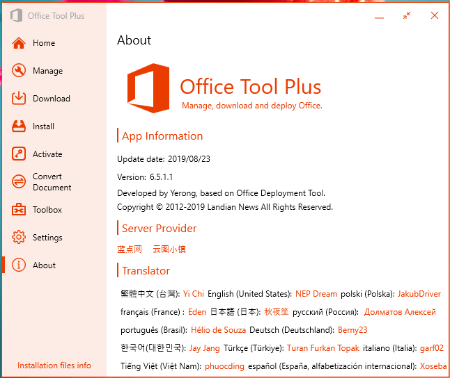
Office Tool Plus 10.0.2.2 beta Multilingual


OTP10-0-2-2-b-M.png


File Size : 10.8 Mb
​

Office Tool Plus is a tool for managing, downloading and installing Office.Office Tool Plus is based on Microsoft's Office Deployment Tool. You can customize configure your Office installation and download installation files to install Office without Internet.
Opportunities
1. Configure the Office installation, as well as customize the installed C2R products, such as adding and removing components, language packs, etc.
2. Download the Office installation package or the language pack, which can be downloaded using the official programs Thunder, Aria or Microsoft.
3. Configure your current Office, change the update channel, delete the product language, or delete the product, or use the built-in scripts or tools to clean the Office
4. Activate your office. Easily set the product key and configure your KMS server address or convert the Office version. (PS: the tool does not have a built-in KMS activation, it simply provides the ability to configure a KMS server.)
Supported products
• MS Office 2016 -> Standard, Pro Plus, Mondo, Professional, Personal, Home Business, Home Student, O365 ProPlus, O365 Business, O365 Small Business, O365 Home Premium
• MS Office 2019 -> Standard, Pro Plus, Professional, Standard 2019 Volume, ProPlus 2019 Volume, Office 365, Home Business, Home Student

HomePage:
Код:
https://otp.landian.vip/en-us/

-:DOWNLOAD FROM LINKS:-​
Download From RapidGator
Код:
https://rapidgator.net/file/d847d5641ace9c9bf8a5b92d4de0a504/

Download From DropApk

Download From NitroFlare
Код:
https://nitroflare.com/view/59EFA5EB19FF009/
 
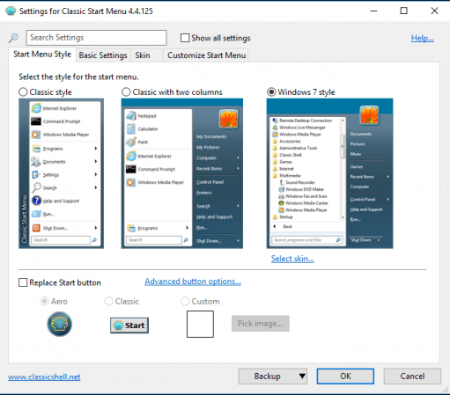
Open-Shell (Classic-Start) 4.4.183 beta Multilingual


OC4-4-183-b-M.png


File Size : 7.1 Mb
​

Classic-Start continues the Classic Shell project giving you access to the classic style Start Menu for Windows 7, 8.1, and 10.
riginally created by Ivo Beltchev, this fork is true to the first - to help improve productivity by allowing you to enhance the usability of Windows through a customizable start menu. You will be able to manage the way you use your PC via multiple style templates and skins. It also gives you quick access to recent, frequently-used, or pinned programs. You will also be able to quickly find any programs, settings, files, or documents with minimal keystrokes once you have it configured to your specific needs.
Classic-Start will also bring back the start button for Windows 10, 7, 8.1 along with the toolbar and status bar for Windows and Internet Explorer making it an excellent enhancement tool that for your daily Windows experience.
Features
Classic style Start Menu for Windows 7, 8, 8.1, 10
Toolbar for Windows Explorer
Classic copy UI (Windows 7 only)
Show file size in Explorer status bar

HomePage:
Код:
https://ci.appveyor.com/project/passionate-coder/open-shell-menu

-:DOWNLOAD FROM LINKS:-​
Download From RapidGator
Код:
https://rapidgator.net/file/c9526cc679c9ba0b77c0328024875165/

Download From DropApk

Download From NitroFlare
Код:
https://nitroflare.com/view/18043090BFB58F7/
 
PDF Annotator 9.0.0.907 (x64) Multilingual


PA9-0-0-907-x-M.png


File size: 95 MB
​

PDF Annotator lets the user open any PDF file and add annotations, using the mouse or a Tablet PC pen, directly on the PDF file's pages. The annotated documents can then be saved directly back to PDF format. In this way, anyone can read or print the annotated PDF documents. Annotated documents can also be easily attached to emails.
Previously, annotating, commenting or proofreading a document received for review in PDF file format was possible only by using multiple software products in a row--or only by printing the document and adding comments manually. With PDF Annotator, annotations can also be added in a natural way--using a pen--but everything remains in digital format. PDF Annotator allows commenting of PDF files in a single step.
Annotation Manager in the Sidebar
- Get a quick overview of all annotations in a document.
- Navigate to any annotations quickly.
- Perform operations on any selection of annotations.
Filter Annotations
- Only display a filtered subset of your annotations in the new Annotations sidebar.
- Filter by type, color, or page number.
Print Annotations Overviews
- Print a detailed list with small previews of every single annotation in a document.
- Print an overview only outlining the pages containing annotations.
Whats New
Код:
https://www.pdfannotator.com/pdfannotator/std/en/History.txt

HomePage:
Код:
https://www.pdfannotator.com/

-:DOWNLOAD FROM LINKS:-​
Download From RapidGator
Код:
https://rapidgator.net/file/39533017b57af0100f5f61587a02e88f/

Download From DropApk

Download From NitroFlare
Код:
https://nitroflare.com/view/2779287AD115A16/
 
PDF-Tools 9.5.366.0 Multilingual


P9-5-366-0-M.jpg


Windows x86/x64 | File size: 515.01 MB
​

A flexible & power wizard driven application for batch creating, manipulating, and modifying PDF files. Excellent for working with large PDFs or a number of PDFs at once. Includes PDF-XChange Editor & PDF-XChange Lite printer.
The thirty-two default tools in PDF-Tools feature the functionality detailed below. They are designed to allow the simple and effective manipulation of PDF and image files. All standard file types are supported. Files can be sourced for use with tools from the local computer or they can be scanned directly into the software. The Create Tool and Clone Tool features can be used to combine tool functions, which enables the creation of customized tools that can meet highly-specific requirements. The functions below relate to the default tools. Further functions are available in the Actions Library.
Features
• Convert files to PDF, PDF/X or PDF/A.
• Create PDF documents from image/text files.
• Scan documents and use them to create PDF documents.
• Split/Merge multiple documents into a single PDF document or save them as individual PDF documents.
• Add/Remove Bates numbering, headers and footers, page backgrounds and/or watermarks.
• Crop specified pages to edit the visible page area.
• Resize, Rotate, OCR and/or Extract specified page ranges within documents.
• Extract Images to extract raster images from PDF documents and save them as separate image files.
• Optimize PDF documents to reduce their file size.
• Export pages from PDF documents and save them in raster image, plain text, Powerpoint presentation, Word document or Excel spreadsheet format.
• Change Document Properties to edit file properties such as title, author, subject and keywords.
• Secure PDF documents - add password, certification and timestamp protection.
• Add/Clear Digital Signatures to/from PDF documents.
• Timestamp PDF documents from authorized servers.
• Certify PDF documents with certified signatures.
• Delete, Insert and/or Replace document pages.
• Discard special PDF-standard features such as those used in the PDF/X, PDF/A and PDF/E formats.
What's new
Код:
https://www.tracker-software.com/product/pdf-tools/history
Operating System: All current versions of MS Windows operating systems

HomePage:
Код:
https://www.tracker-software.com/

-:DOWNLOAD FROM LINKS:-​
Download From RapidGator
Код:
https://rapidgator.net/file/73508dbb151ef0eeb099579cb136f689/

Download From DropApk

Download From NitroFlare
Код:
https://nitroflare.com/view/15E001C8FA2F486/
 
proDAD Mercalli V6 SAL 6.0.624.2 (x64) Multilingual


p-MVS6-0-624-2-x-M.png


File size: 162 MB
​

Mercalli V6 SAL Windows - Image stabilization and optimization! Even faster! Even better! Even easier! proDAD's first Artificial Intelligence Application (AiA). Mercalli V6 is a revolution in terms of the performance and quality of CMOS and rolling shutter correction, and is additionally optimized where every other stabilizer has to give up.
Mercalli V6 SAL Windows
News editors, documentary producers, hobby videographers or Youtubers know it: That one moment that is so unique and important - and needs to be captured right NOW. Just shoot it now - and don't spend a lot of time worrying about settings or stabilizer hardware...
That's exactly what Mercalli enables you to do, because you can easily and quickly get the most out of that unique moment - now even supported by artificial intelligence! Wherever you are on the way, capture your best moments with the camera without having to think about whether the shot might be shaky or the lighting conditions don't fit. With Mercalli V6, you can always perfect your shots later with ease and just one click!
Less
Mercalli V6 is a revolution in terms of the performance and quality of CMOS and rolling shutter correction, and is additionally optimized where every other stabilizer has to give up. The once again increased quality with significantly faster rendering and new hardware acceleration, as well as the newly added optimization of the image quality, all this, makes your spontaneous shots real highlights! Mercalli V6 delivers perfect results and now even optimizes light and color. The completely new look and the very modern user interface makes working with Mercalli V6 a very simple and intuitive experience.
Mercalli V6 gives you exactly the kind of stabilization you want for your shots. For example, ultra-wide-angle shots can also be stabilized and the special fisheye look can be optionally preserved. In addition, individually created camera profiles can be imported from proDAD Defishr (optional) - for the best correction of your own camera or lenses. Our new "Artifial Intelligence Application" (AiA for short) automatically adjusts all parameters for optimal stabilization and CMOS correction, making it easy for you to produce amazing results where even the previous Mercalli version reached its limits.
Features
- Extremely fast stabilization
- Super fast CMOS analysis and rolling shutter correction
- Optimization of contrast, colors and saturation
- Newly designed user interface
- Easy usability
- Artificial intelligence for user support ("AiA")
- High-efficient hardware acceleration
- Significantly less analysis runs compared to previous version
- Large selection of presets for many actioncams and video cameras
- Stabilize ultra-wide-angle shots
- Get fisheye look at the same time, if needed
- Professional interface from Mercalli V6 to proDAD DeFishr
- Management of lens profiles
- Detailed setting options
- New application protocol with Undo/Redo
- NVIDIA hardware encoder support for H264 or HEVC for H265
Whats New
Updates: official site does not provide any info about changes in this version

HomePage:
Код:
https://www.prodad.com/

-:DOWNLOAD FROM LINKS:-​
Download From RapidGator
Код:
https://rapidgator.net/file/633ce719be9bfab3bba1dbd03a70caac/

Download From DropApk

Download From NitroFlare
Код:
https://nitroflare.com/view/3630191CE96561A/
 
QFX KeyScrambler Professional 3.17.0.3


QKP3-17-0-3.png


File size: 1.6 MB
​

KeyScrambler encrypts your keystrokes deep in the kernel, as they travel from your keyboard to the destination app, so whatever keyloggers may be awaiting in the operating system will get only scrambled, indecipherable, useless data to record. This preventive approach enables KeyScrambler to stay one step ahead of the bad guys instead of running after them. It protects your data/identity even on security compromised computers, defeats both known and unknown keyloggers, and effectively closes the gap in traditional anti-virus, anti-malware programs, whose detect-and-remove method proves ineffective in dealing with new malware attacks.
Professional
For work, for play, for your home office and family computers, KeyScrambler Professional offers the exact level of protection that you need against keylogging. KeyScrambler Professional protects all your inputs in over 120 Windows applications, including 25 browsers, popular email and IM/VoIP programs, password managers, music programs, online games and a lot more.
Whats New
Код:
https://www.qfxsoftware.com/ks-windows/whats-new.htm

HomePage:
Код:
https://www.qfxsoftware.com/

-:DOWNLOAD FROM LINKS:-​
Download From RapidGator
Код:
https://rapidgator.net/file/cb2de8a38a6140f3b448bd0cd1fe6c77/

Download From DropApk

Download From NitroFlare
Код:
https://nitroflare.com/view/01CBE43DB0CFDB9/
 
ResumeMaker Professional Deluxe 20.2.0.4052


RPD20-2-0-4052.png


Languages: English File Size: 505.25 MB
​

Build a Professional Resume Fast! ResumeMaker's step-by-step guide will help you create a professional resume that showcases your experience, skills and capabilities to apply for positions and share on social media networks to get a better job.
5 Easy Ways to Create a Professional Resume:
Step-by-Step Resume Guide
Your answers to easy questions are transformed into the perfect resume. Add, change, or delete at any time.
Start with a Professional Sample Resume
Select a professionally-written resume from 1,250 samples for nearly every career. Customize it with your own information to create a quality resume!
Quick & Easy Resumes
Create a resume by selecting phrases from 14,000+ job types. Customize by selecting the resume phrases that describe your experience. It's that easy!
Resumes Created in ResumeMaker
Open a previously saved resume in ResumeMaker and use a copy to quickly edit. Then choose from powerful phrases, words, and expert advice to enhance your resume.
Import Your Resume from Word
Import a resume from Word and edit and update the content using the Resume Editor. Choose from powerful phrases, words, and expert advice to enhance your resume. Then apply the resume style that reflects your unique qualifications and experience.
What's New:
New! Modern Resume Styles
Select the perfect style for your resume. Choose from 60 styles and customize the font, graphic, and colors to reflect your unique skills and experience. You can customize any style with choice of header, colors, and add graphics or a photograph.
New! Video Resume Samples & Scripts
Get sample scripts and expert advice on creating a Video Resume. Find out if a Video Resume is right for the job you are seeking. View sample Video Resumes for ideas and inspiration.
Publish & Save Your Resumes Online With ResumeMaker Cloud™-Free!
Publish your resume at your own private web address in the cloud-a free service managed by ResumeMaker. Send a URL of your resume to hiring managers, recruiters, and network contacts.
Email & Share Your Resume
Share your resume in multiple formats including PDF, Word Doc, or a URL HTML Link.
Use Social Media to Network & Enhance Your Job Search
ResumeMaker allows you to post your resume on popular social media sites like LinkedIn®, Facebook®, Twitter®, and Google+™. Make it easy for colleagues, friends, and hiring managers to access your posted resume.
3 Easy & Powerful Ways to Search for Jobs!
Whether at home or on-the-go, ResumeMaker makes it easy to search jobs fast. Be the first to find new jobs and never miss a new opportunity!
Job Finder - Search on Your Computer
Search all major job sites including Indeed, Career Jet, Dice, and Zip Recruiter to locate millions of job openings in your search area. Filter criteria for keywords, job title, type of company, geographic area, salary requirements and more! See the job search results by job site and view the specific job openings of interest.
Job Feeder™ - Receive Job Listing Push Notifications
This advanced search tool sits on the desktop of your PC or tablet and continuously notifies you of new jobs based on your personal search criteria. You will receive push notifications as they are posted.
ResumeMaker On-the-Go App - Search, Edit & Send Anytime, Anywhere
Search for jobs 24/7/365 from your mobile device. Be the first to find new job openings, then view and edit your resume for the job and send to the hiring manager directly from your mobile device.
Prepare for Interviews and Salary Negotiations!
ResumeMaker has every financial tool you need to be "Interview-Ready!" Practice your responses to challenging questions hiring managers may ask. Get up-to-date salary information about the jobs you apply for by title and region and land the job!
System Requirements
Microsoft® Windows® 11, Windows® 10, Windows 8, Windows 7 • 350 MB Hard Disk Space • 1024 x 768 or higher display • Sound Card and Speakers • E-Mail and Internet Access • Windows Tablet: Windows 8 • 350 MB Hard Disk Space • Keyboard recommended.

HomePage:
Код:
N/A

-:DOWNLOAD FROM LINKS:-​
Download From RapidGator
Код:
https://rapidgator.net/file/9103dca6e49894af6c60368e0e64eedd/

Download From DropApk

Download From NitroFlare
Код:
https://nitroflare.com/view/4EB08C2468B4E3E/
 
Rhinoceros 7.25.22326.19001 (x64)


R7-25-22326-19001-x.jpg


File size: 293 MB
​

Rhino 7 is the most significant upgrade in our history. You can create organic shapes with our new SubD tools. Run Rhino and Grasshopper as a Revit® Add-On with Rhino.Inside.Revit. Use the robust QuadRemesh algorithm to create a beautiful quad mesh from NURBS geometry or meshes. With this release, we've unlocked completely new modeling workflows and refined many steadfast features.
New in Rhino 7
SubD
For designers who need to explore organic shapes quickly, SubD is a new geometry type that can create editable, highly accurate shapes. Unlike other geometry types, SubD combines free-form accuracy while still allowing quick editing.
Rhino.Inside.Revit
Rhino.Inside.Revit brings the power of Rhino and Grasshopper to the Autodesk Revit® environment.
QuadRemesh
Quickly create a quad mesh from existing surfaces, solids, meshes, or SubDs-ideal for rendering, animation, CFD, FEA, and reverse-engineering.
Presentation
In Rhino 7, we've improved the presentation tools, streamlining the workflow with a major update to the Rhino Render engine, so the same look you get in your Raytraced viewport can be rendered without any changes. We've added support for PBR materials, a LayerBook command, and more.
Rhino Refined
In Rhino 7, we've fixed hundreds of bugs, but we've also added workflow improvements like Named Selections, Mold Making tools, a Single-Line font for engraving, and improved interoperation with third-party file formats.
Display
We are always refining Rhino's display pipeline to keep up with modern graphics hardware. In Rhino 7, some models will display significantly faster on both Windows and Mac. We've also made several refinements to the Display Modes to make them even more eye-popping while you work.
Documentation
Modeling is just one part of the design process; you also need to show how to build what is on the screen. We've improved many parts of the documentation workflow while also focusing on the more graphically-rich illustration tools like transparency and gradient hatches.
Grasshopper
Grasshopper seems to be everywhere lately. As usual, we're having a hard time keeping up (you might even see that familiar canvas in other applications). In Rhino 7, we've added some new components, but we've also made it easier to turn your programs into plugins.
Development Platform
Rhino 7 brings major improvements to our free SDKs, with API refinements, better documentation, and some major new features that broaden and deepen the foundations of the geometry development platform.
Whats New
Код:
https://www.rhino3d.com/7/new/

HomePage:
Код:
https://www.rhino3d.com/

-:DOWNLOAD FROM LINKS:-​
Download From RapidGator
Код:
https://rapidgator.net/file/3e28586b22ab2edc3d9f3cc4839e3350/

Download From DropApk

Download From NitroFlare
Код:
https://nitroflare.com/view/FF0566D2663F909/
 
Назад
Сверху