• Здравствуйте. Сайт заработал в архивном режиме форум www.old.nado.in

Dl4ever Software

Autodesk VRED Design 2021.1 (x64)

04fa56cf94dafc2ded678a9f8a9553fe.png


x64 | Languages:Multilanguage | File Size: 1.42 GB
​

Autodesk Vred Products is one of the most popular and most widely used software in the design, specialized engineering company Autodesk is widely used in the visualization of 3D, modeling and detailed design of the product. This application is especially manufacturers of transport such as cars, motorcycles, helicopters and more.

The ability to combine the models with models with software such as 3Ds max, MAYA and built-in software that can model the software design ready for you in this app combine your samples. Engineers and designers can use this special software for prototyping and three-dimensional visualization products, especially their use. The software update feature that can be media editor, optimize and improve the script, promoting, improve FileIO and so on

Facilities and software features of Autodesk VRED Products:
-Professional and useful environment
-Having different tools for prototyping and design
-The ability to combine samples and models, 3Ds Max, MAYA and ...
-Powerful animation
-The exact design of its output in less time
-Free of all facilities

Modified Setup:
Autodesk Genuine Service
Autodesk Desktop App Removed
Autodesk Single Sign-On Removed
Autodesk adsklicense 9.2.2.2501 Added

System Requirements:
OS:
-Microsoft® Windows® 10 (64-bit)
-Microsoft Windows 8.1 Professional (64-bit)
-Microsoft Windows 7 (64-Bit) SP1 or higher
CPU:64-bit Intel® processor with Intel® EM64T-capable or AMD® Athlon 64®, AMD Opteron® processor
Memory:1 GB RAM, 8 GB or more recommended
Whats New
Features
-GPU Raytracing Added normal and albedo buffer support to denoiser
-General Added new features and improved the UV Editor
-Rendering Added an option to only use the light spectrum for ray files
-Rendering Using Quasi-Monte Carlo (QMC) for random numbers in raytracing, now
-VR: Added support for the Varjo XR-1
-Web Interface Allowed the configuring of users and passwords for the Web Server
-Web Interface Created a new web interface UI

Improvements
-General Fixed the online documentation from the Help menu to open and respect the selected language
-General Improved performance by removing Woven Cloth from the Genesis example car dataset
-General Renamed, grouped, and reordered file types in the Windows Import dialog
-General Retired JT legacy loader
-Raytracing Added support for AVX2 instructions on AMD Systems
-Sceneplates Added the option to enable/disable web stream for sceneplates
-Scripting Added getRaytracingDownscale, isRaytracingDownscaleEnabled, and getRaytracingDownscaleFactor()
-UV Editor Added the "Select All" shortcut (Ctrl-A) for island, edge, and vertex selection in the UV view
-UV Editor Added a "Sew on Unfold" checkbox for sewing islands
-UV Editor Added Fly to selection within the 3D Viewport
-UV Editor Added UV Editor colors to the Selection preferences
-UV Editor Added UV preferences
-UV Editor Added a new Layout function to fit UV islands to the UV grid (pack with margin and spacing)
-UV Editor Added a progress bar when running an unfold operation
-UV Editor Added an option for horizontal/vertical edge constraint
-UV Editor Added an option to copy UVs/paste UVs for geometries with the same vertex count
-UV Editor Added an option to keep UVs after re-tesselation
-UV Editor Added an option to optimize UVs with Unfold3D
-UV Editor Added an option to rotate selected UV island clock- /counter clockwise around a certain angle
-UV Editor Added improved Unfold with Unfold3D
-UV Editor Added material texture switching
-UV Editor Added an option to load custom checkerboard
-UV Editor Added rotation handles for planar mapping manipulator
-UV Editor Added support for Fill Shading to visualize overlapping UVs in the UV view
-UV Editor Allowed exporting a snapshot of the UV layout (with alpha) as an image
-UV Editor Enabled edge selection based on the angle
-UV Editor Enabled the display of the current selection mode in the Viewport
-UV Editor Improved the Pivot manipulator
-UV Editor Added instant edge selection while using the "Shortest Path" tool
-UV Editor Moved Vertex display mode to the Visualize tab and Toolbar
-UV Editor Retired the Texture Editor and moved functions to the UV Editor
-VR Enabled switching between VR, MR, and Clear views
-VRED GO Removed 4GB maximum size limitation
-Web Interface Added a Terminal message when devices disconnect from stream
-Web Interface Added persistent connections
-Web Interface Added support to create self-signed Web Certificates
-Web Interface Enabled customers to set a password for web interface access
-Webinterface Improved the VRED Stream App stream management

Bugfixes
-Animations Fixed incorrect lighting image for one frame during animation rendering
-Camera Editor Camera Aim and Up is no longer broken after saving as a VPB file
-Cluster Manager Fixed crash when ending session in the cluster manager
-Cluster: Fixed the crash when offline pass rendering with RT and AI Denoiser on.
-Cluster: Fixed the crash during Cluster pass rendering with camera Postprocess on.
-Cluster: Fixed the display cluster stereo modes
-Cluster: Fixed render options activation in cluster mode
-FileIO: Fixed STEP file import
-GPU RT: Displacement in multipass materials works now
-GPU RT: Failed to initialize on machines with TCC mode GPUs only
-GPU RT: For materials, "Use Local Environment" now works
-GPU RT: Renderlayer Material Override works now
-GPU RT: Skylight sun scale is now evaluated correctly
-GPU RT: Use Cutout Transparency for materials works now
-GPU Raytracing: Fixed the issue of Repeat/Offset/Rotate not working on Triplanar and Reflective Triplanar materials
-GPU Raytracing: Fixed the brightness of precomputed indirect illumination
-GPU Raytracing: Fixed the crash when running out of GPU memory
-General: Closing VRED is no longer very slow when a large scene is opened with NURBS data
-General: Fixed the CER infinite loop when VRED crashes on exit
-General: Fixed the crash when changing Space Mouse settings on runtime
-General: Render presets no longer capture "Enable Photometric Parameters"
-General: The "Default" VRED layout has been updated
-Geometry Editor: Fixed Decore's polygon removal functionality
-Light Editor: A duplicated light in the Light Editor now respect the existent hierarchy
-Light Editor: Fixed several changes of lights not updating the intensity value
-Light Editor: A RAY file is no longer mistakenly unloaded if "Open RAY File" is selected, then the dialog is cancelled
-Localization: Localized many tooltips in the main toolbar for CHS/KOR
-Localization: The tooltips for bottom icons now display correctly in CHS/KOR
-Material Editor: The correct file dialog appears when saving image sequences
-Raytracing: Fixed the see through issue for stacked up transparent local arealights in specular reflections
-Raytracing: Fixed woven cloth moire removal affecting noise scale
-Raytracing: Fixed woven cloth not attached to object
-Raytracing: Fixed wrong illumination and reflections on shadow material
-Rendering: Fixed and improved light generation for Skylight material
-Rendering: Fixed rounded edges for mirrored geometries in CPU RT
-Rendering: Photontracing of photons with only 1 wavelength now works
-Scripting: Fixed the crash after New Scene is selected when pausing the Python interpreter
-Scripting: Fixed examples external-connection-receiver.py and external-connection-sender.py
-Scripting: Render Settings "Supersampling" state now correctly reflected in the Python interface
-Touch Sensors: Touch sensors now work after alt+tab
-UV Editor: "Select Islands" no longer behaves strangely when geometry contains B-Sides
-UV Editor: "Show All Vertices" is now applied to all 3D render windows
-UV Editor: Added the missing hover effect on controls for Cylindrical manipulator
-UV Editor: Fixed UV cylindrical projection manipulator issues
-UV Editor: Fixed issue with Zoom to (key F) in UV view
-UV Editor: The hover effect on border edges is no longer missing in 3D view
-UV Editor: Optimize "Remove Degenerate Polygons" no longer splits a mesh into many small UV islands
-UV Editor: Toggle "Show All Vertices" and "Show Borders" are now sync'd instantly to the 3D viewport
-UV Editor: The toolclip for the quick access bar button has been fixed
-UV Editor: UV selection is no longer lost when minimizing VRED
-UV Editor: Unfold, and other UV operations, are now running on only one instance of cloned geometry
-UV Editor: Using Apply World Scale on a selected UV Island no longer applies world scale to all UVs of the object
-VR collaboration: Render Queue no longer shows up as a camera track in the VR Menu
-VR: Stillframe anti-aliasing now works after a VR collaboration
-VRED GO: CTRL+Enter "Toggle Dock Mode" & closing un-docked window no longer breaks the session
-VRED GO: No prompting dialog "Do you want to save changes" after publishing a VRED Go file
-Web Interface: Web Stream no longer stops working after 5 minutes
-Webinterface: Fixed performance issue of Navigation app
-Webinterface: Screen size is now scaled automatically when a new user connects with different resolution


-:DOWNLOAD FROM LINKS:-
RapidGator
Код:
https://rapidgator.net/file/0972e2513b43a43f3414c745b5608ad2/DL4eVeR_VREDDES_2021_1_Win_64bit.part1.rar.html
https://rapidgator.net/file/cec2215b2c38b5a2df7a122bfd1baf52/DL4eVeR_VREDDES_2021_1_Win_64bit.part2.rar.html

NitroFlare
Код:
https://nitroflare.com/view/F3FB7C73CA768B7/DL4eVeR_VREDDES_2021_1_Win_64bit.part1.rar
https://nitroflare.com/view/FFF2C4A061C3C37/DL4eVeR_VREDDES_2021_1_Win_64bit.part2.rar
​
 
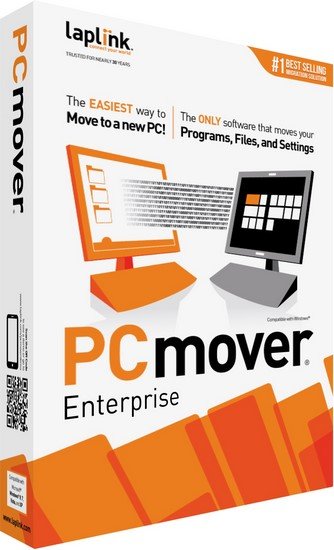
PCmover Enterprise v11.1.1011.568 Multilingual


e41b78b77f9875d044ccc15b0fdd00c0.jpg

PCmover Enterprise v11.1.1011.568 Multilingual | 273.1 Mb
​
PCmover Enterprise is the comprehensive migration solution that allows IT to manage all types of migrations. And, PCmover is the only tool that automatically transfers installed applications, settings, data, and user accounts. PCmover efficiently supports a complete migration process and operating system upgrade.


PCmover Enterprise will save your organization time in a migration, and money- more than $300 per PC according to independent research. PCmover Enterprise's light touch system significantly reduces OPEX by minimizing end-user downtime, IT staff resources required, and operational costs like shipping, storage, and third-party services.

Laplink's PCmover Enterprise edition automates the migration process from an older version of Windows to a newer version, including Windows 7, 8.1, and 10. PCmover Enterprise also supports PC refreshes and break-fix recovery scenarios.

PCmover Enterprise includes additional features designed specifically for organizations that require migrations to be in compliance with specific IT policies. The Policy Manager module gives users the ability to configure migrations as needed, and can generate and enforce automated role or department-specific migration requirement policies. Also, PCmover Enterprise can run from a network drive or removable storage device, eliminating the need to install it on any of the PCs involved in the migration.

PCmover Enterprise Features:
- Migrate selected programs, settings, data, user accounts and other "PC Personality" elements to a new PC automatically
- Migrate Via: Network (LAN, WAN), Laplink USB cable, Laplink Ethernet Cable
- Perform In-Place Upgrades
- Restore an old PC image to a new OS
- Run directly from a command line
- Generate migration reports
- Pre-activate licenses for "offline" migrations
- Install and run from a network location, USB thumb-drive or other portable storage device
- Use Policy Manager GUI for easy and complete migration customization
- Enable Access Control features
- Use a Zero-touch migration process - Multiple migrations from a central location
- Customize the User Interface and logos

System Requirements:
- Windows 10 | 8.1 | 8 | 7 | Vista | XP
- 200 MB of hard disk space

Home Page -
Код:
http://web.laplink.com


-:DOWNLOAD FROM LINKS:-

RapidGator
Код:
https://rapidgator.net/file/c8975b157e64d61a14bbe39620fbe717/DL4eVeR_PCME.11.1.1011.568.rar.html

NitroFlare
Код:
https://nitroflare.com/view/89F5A5E71F48A06/DL4eVeR_PCME.11.1.1011.568.rar

​
 
Autodesk VRED Professional 2021.1 (x64)


c065fc7d5d15f172f195afcd38cf6b08.jpg

Autodesk VRED Professional 2021.1 | 4.5 Gb
​
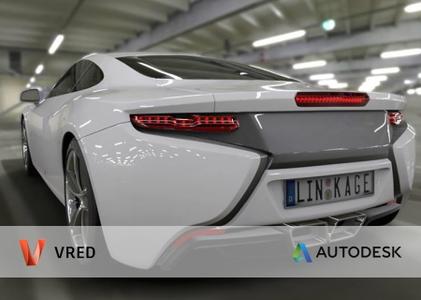
Autodesk Inc. is pleased to announce the availability of VRED Professional 2021.1. This software helps users create high-end visualizations and virtual prototypes in the automotive development process and CGI production.


Features
- GPU Raytracing: Added normal and albedo buffer support to denoiser
- General: Added new features and improved the UV Editor
- Rendering: Added an option to only use the light spectrum for ray files
- Rendering: Using Quasi-Monte Carlo (QMC) for random numbers in raytracing, now
- VR: Added support for the Varjo XR-1
- Web Interface: Allowed the configuring of users and passwords for the Web Server
- Web Interface: Created a new web interface UI
Improvements
- General: Fixed the online documentation from the Help menu to open and respect the selected language
- General: Improved performance by removing Woven Cloth from the Genesis example car dataset
- General: Renamed, grouped, and reordered file types in the Windows Import dialog
- General: Retired JT legacy loader
- Raytracing: Added support for AVX2 instructions on AMD Systems
- Sceneplates: Added the option to enable/disable web stream for sceneplates
- Scripting: Added getRaytracingDownscale, isRaytracingDownscaleEnabled, and getRaytracingDownscaleFactor()
- UV Editor: Added the "Select All" shortcut (Ctrl-A) for island, edge, and vertex selection in the UV view
- UV Editor: Added a "Sew on Unfold" checkbox for sewing islands
- UV Editor: Added Fly to selection within the 3D Viewport
- UV Editor: Added UV Editor colors to the Selection preferences
- UV Editor: Added UV preferences
- UV Editor: Added a new Layout function to fit UV islands to the UV grid (pack with margin and spacing)
- UV Editor: Added a progress bar when running an unfold operation
- UV Editor: Added an option for horizontal/vertical edge constraint
- UV Editor: Added an option to copy UVs/paste UVs for geometries with the same vertex count
- UV Editor: Added an option to keep UVs after re-tesselation
- UV Editor: Added an option to optimize UVs with Unfold3D
- UV Editor: Added an option to rotate selected UV island clock- /counter clockwise around a certain angle
- UV Editor: Added improved Unfold with Unfold3D
- UV Editor: Added material texture switching
- UV Editor: Added an option to load custom checkerboard
- UV Editor: Added rotation handles for planar mapping manipulator
- UV Editor: Added support for Fill Shading to visualize overlapping UVs in the UV view
- UV Editor: Allowed exporting a snapshot of the UV layout (with alpha) as an image
- UV Editor: Enabled edge selection based on the angle
- UV Editor: Enabled the display of the current selection mode in the Viewport
- UV Editor: Improved the Pivot manipulator
- UV Editor: Added instant edge selection while using the "Shortest Path" tool
- UV Editor: Moved Vertex display mode to the Visualize tab and Toolbar
- UV Editor: Retired the Texture Editor and moved functions to the UV Editor
- VR: Enabled switching between VR, MR, and Clear views
- VRED GO: Removed 4GB maximum size limitation
- Web Interface: Added a Terminal message when devices disconnect from stream
- Web Interface: Added persistent connections
- Web Interface: Added support to create self-signed Web Certificates
- Web Interface: Enabled customers to set a password for web interface access
- Webinterface: Improved the VRED Stream App stream management
Bugfixes
- Animations: Fixed incorrect lighting image for one frame during animation rendering
- Camera Editor: Camera Aim and Up is no longer broken after saving as a VPB file
- Cluster Manager: Fixed crash when ending session in the cluster manager
- Cluster: Fixed the crash when offline pass rendering with RT and AI Denoiser on.
- Cluster: Fixed the crash during Cluster pass rendering with camera Postprocess on.
- Cluster: Fixed the display cluster stereo modes
- Cluster: Fixed render options activation in cluster mode
- FileIO: Fixed STEP file import
- GPU RT: Displacement in multipass materials works now
- GPU RT: Failed to initialize on machines with TCC mode GPUs only
- GPU RT: For materials, "Use Local Environment" now works
- GPU RT: Renderlayer Material Override works now
- GPU RT: Skylight sun scale is now evaluated correctly
- GPU RT: Use Cutout Transparency for materials works now
- GPU Raytracing: Fixed the issue of Repeat/Offset/Rotate not working on Triplanar and Reflective Triplanar materials
- GPU Raytracing: Fixed the brightness of precomputed indirect illumination
- GPU Raytracing: Fixed the crash when running out of GPU memory
- General: Closing VRED is no longer very slow when a large scene is opened with NURBS data
- General: Fixed the CER infinite loop when VRED crashes on exit
- General: Fixed the crash when changing Space Mouse settings on runtime
- General: Render presets no longer capture "Enable Photometric Parameters"
- General: The "Default" VRED layout has been updated
- Geometry Editor: Fixed Decore's polygon removal functionality
- Light Editor: A duplicated light in the Light Editor now respect the existent hierarchy
- Light Editor: Fixed several changes of lights not updating the intensity value
- Light Editor: A RAY file is no longer mistakenly unloaded if "Open RAY File" is selected, then the dialog is cancelled
- Localization: Localized many tooltips in the main toolbar for CHS/KOR
- Localization: The tooltips for bottom icons now display correctly in CHS/KOR
- Material Editor: The correct file dialog appears when saving image sequences
- Raytracing: Fixed the see through issue for stacked up transparent local arealights in specular reflections
- Raytracing: Fixed woven cloth moire removal affecting noise scale
- Raytracing: Fixed woven cloth not attached to object
- Raytracing: Fixed wrong illumination and reflections on shadow material
- Rendering: Fixed and improved light generation for Skylight material
- Rendering: Fixed rounded edges for mirrored geometries in CPU RT
- Rendering: Photontracing of photons with only 1 wavelength now works
- Scripting: Fixed the crash after New Scene is selected when pausing the Python interpreter
- Scripting: Fixed examples external-connection-receiver.py and external-connection-sender.py
- Scripting: Render Settings "Supersampling" state now correctly reflected in the Python interface
- Touch Sensors: Touch sensors now work after alt+tab
- UV Editor: "Select Islands" no longer behaves strangely when geometry contains B-Sides
- UV Editor: "Show All Vertices" is now applied to all 3D render windows
- UV Editor: Added the missing hover effect on controls for Cylindrical manipulator
- UV Editor: Fixed UV cylindrical projection manipulator issues
- UV Editor: Fixed issue with Zoom to (key F) in UV view
- UV Editor: The hover effect on border edges is no longer missing in 3D view
- UV Editor: Optimize "Remove Degenerate Polygons" no longer splits a mesh into many small UV islands
- UV Editor: Toggle "Show All Vertices" and "Show Borders" are now sync'd instantly to the 3D viewport
- UV Editor: The toolclip for the quick access bar button has been fixed
- UV Editor: UV selection is no longer lost when minimizing VRED
- UV Editor: Unfold, and other UV operations, are now running on only one instance of cloned geometry
- UV Editor: Using Apply World Scale on a selected UV Island no longer applies world scale to all UVs of the object
- VR collaboration: Render Queue no longer shows up as a camera track in the VR Menu
- VR: Stillframe anti-aliasing now works after a VR collaboration
- VRED GO: CTRL+Enter "Toggle Dock Mode" & closing un-docked window no longer breaks the session
- VRED GO: No prompting dialog "Do you want to save changes" after publishing a VRED Go file
- Web Interface: Web Stream no longer stops working after 5 minutes
- Webinterface: Fixed performance issue of Navigation app
- Webinterface: Screen size is now scaled automatically when a new user connects with different resolution

Autodesk VRED (that's Virtual Reality Editor) covers advanced visualisation, rendering and design review. VRED is a visualisation system, but it's one that combines the progressive, physically based rendering available in other systems (such as KeyShot or V-Ray) with a set of tools to allow you to bake those visualisation properties (materials, textures, lightings, shadows and so on) into highly efficient datasets that support design review, collaboration, large-scale visualisation and increasingly, virtual reality.

VRED Professional is an innovative and powerful software solutionfor 3D visualization with a superior quality. Fitted with physical camera and material and light settings, based on plastic, metal, coal or fabric physical features, VRED Professional allows users to create visual phototrrealistic fixes. The higher quality that you can achieve straight from VRED Professional, reduces significantly post-production costs.

Use the Asset Manager in VRED to manage items like scenes, environments, and materials across multiple projects. Each tab contains the assets and location of those assets for that category. Global assets stored anywhere in the network can be accessed as from a local folder. This supports standardization throughout several projects or even across multiple departments within the company.

Autodesk VRED Professional offers a wide range of engineering tools that helps you to evaluate data in detail. Due to multiple exposure methods available, construction data errors are visible in advance before manufacturing the prototypes.

The integrated rendering engine of Autodesk VRED Professional i sable to render large volume of data in real time. Users can swap between OpenGL and raytrace rendering by click just one button without the need of modifying material features.

VRED What's New 2021


Autodesk helps people imagine, design and create a better world. Everyone-from design professionals, engineers and architects to digital artists, students and hobbyists-uses Autodesk software to unlock their creativity and solve important challenges.

Product: Autodesk VRED
Version: 2021.1 Professional / VREDAssets
Supported Architectures: x64
Website Home Page :
Код:
http://www.autodesk.com
Language: english
System Requirements: PC *
Supported Operating Systems: *
Size: 4.5 Gb

Operating system
- Microsoft Windows 10 (64-bit)
- Microsoft Windows 8.1 Professional (64-bit)

Browser
Autodesk recommends the latest version of the following Web browsers for access to online supplemental content:
- Apple Safari Web browser
- Google Chrome Web browser
- Microsoft Internet Explorer Web browser
- Mozilla Firefox Web browser

CPU: 2 GHz 64-bit Intel or AMD multi-core processor

Graphics hardware:
- Alias General: Supported NVIDIA or AMD graphics card with a minimum of 256 MB dedicated texture memory and DirectX 11 compatible.
- Alias VR: Any NVIDIA or AMD graphics card that is VR Ready certified.

RAM: 8 GB (16 GB recommended)

Pointing device:
- Three-button mouse
- Wacom graphics tablet for sketching (optional)

Optional Hardware: HTC Vive, Oculus Rift, Windows Mixed Reality devices

.NET Framework: .NET Framework Version 4.6 for Windows


-:DOWNLOAD FROM LINKS:-

RapidGator
Код:
https://rapidgator.net/file/a2c89b7d85973e55fd4abe5140869cfa/DL4eVeR_VREDPRO_2021_1_Win_64bit.part1.rar.html
https://rapidgator.net/file/e7efae6acccaf6ecad3f0e1671f4dc9a/DL4eVeR_VREDPRO_2021_1_Win_64bit.part2.rar.html
https://rapidgator.net/file/1d994e61e88796985a0f1a3a13a3baa4/DL4eVeR_VREDPRO_2021_1_Win_64bit.part3.rar.html
https://rapidgator.net/file/30a622217d202d3205df97696e6e05e2/DL4eVeR_VREDPRO_2021_1_Win_64bit.part4.rar.html
https://rapidgator.net/file/710ed8f7beba783b24206a4d3bcc7626/DL4eVeR_VREDPRO_2021_1_Win_64bit.part5.rar.html

NitroFlare
Код:
https://nitroflare.com/view/1E75F1036417477/DL4eVeR_VREDPRO_2021_1_Win_64bit.part1.rar
https://nitroflare.com/view/DB23F618EE4D55F/DL4eVeR_VREDPRO_2021_1_Win_64bit.part2.rar
https://nitroflare.com/view/A45178EECF06E34/DL4eVeR_VREDPRO_2021_1_Win_64bit.part3.rar
https://nitroflare.com/view/4BAD50FA47998B5/DL4eVeR_VREDPRO_2021_1_Win_64bit.part4.rar
https://nitroflare.com/view/D6EF55E0F13622B/DL4eVeR_VREDPRO_2021_1_Win_64bit.part5.rar

​
 
Foxit PhantomPDF Business v10.0.1.35811 Multilingual


fec7488878a2a9f3c47a9ec67594dbc5.jpg

Foxit PhantomPDF Business v10.0.1.35811 Multilingual | 802.7 Mb
​
Foxit PhantomPDF is a business ready PDF toolkit to create professional looking PDF documents and forms. You can do that for tasks such as developing personal documents, implementing workgroup collaboration, designing company forms. Produce company collateral, finalizing agreements, applying digital signatures, or document archiving.


Award winning Foxit PhantomPDF allows you to produce great looking PDF document and forms quickly, affordably, and securely. This is the perfect solution for home/home offices, small and medium sized businesses, and large enterprises. Foxit PhantomPDF comes in three versions to fit the diverse use cases that different users require.

Foxit PhantomPDF can combine, split or repackage various PDF files. The documents can be merged or split based on page numbers, page outlines or bookmarks. Plus, this Suite can batch convert existing documents to a single or multiple PDF files.

Foxit PhantomPDF Business
Complete Business Ready PDF solution that expands upon PhantomPDF Standard by offering advanced editing, shared review initiation, higher security, additional file compression, PDF A/E/X creation, and bates numbering.

Highlighted features of PhantomPDF Business include:
XFA Form Filling. XFA (XML Form Architecture) form allows you to leverage existing XFA forms.
High Performance. Up to 3 times faster PDF creation from over 200 of the most common office file types and convert multiple files to PDF in a single operation.
One Click PDF Creation. Create PDF document with a single mouse click from Microsoft Office applications like Word, PowerPoint, and Excel.
Advanced PDF Editor. Allows you to modify any page contents in any PDF documents, select, insert, change, remove, rotate, copy and paste text, images, graphics and shadings.
Robust Document Security. Use password protection, certificate encryption, and digital signature tools.
Redaction. Permanently remove (redact) visible text and images from PDF documents.
Document Certification. Indicates you approve of its content and allows you to specify the types of changes that are permitted for the PDF to remain certified.

Other features:
Microsoft Active Directory RMS Protector and Policy Manager. Extends the usage control benefits of Microsoft Windows Server Active Directory Rights Management Service to all your PDF documents. And allows the author the control of document features within each PDF.
Form Design. Easy to use electronic forms design tools to make your office forms work harder. Enables you to create or convert static PDF files into professional looking forms. Form data import tools allow data to be automatically imported into a form reducing manual key entering and input errors.
Form Action Creation. Tools allow you to custom javascript actions to gain increased customization options, you can connect to a database for the purpose of inserting new data, updating information, and deleting database entries.
Optical Character Recognition. OCR support to make scanned or image-based PDFs selectable and searchable.
PDF/A Validation. Verify that the document is compliant with PDF/A-1a or PDF/A-1b for long term archiving.
PDF Optimizer. Optimize PDF document to reduce the file size.
High Compression of scanned documents.
Email and Phone Support - help when you need it.

Supported Operating Systems: Windows 7, 8, 8.1, 10 (32-bit, 64-bit).

Home Page -
Код:
https://www.foxitsoftware.com/


-:DOWNLOAD FROM LINKS:-

RapidGator
Код:
https://rapidgator.net/file/eb2cda51ba24da2110292cbf0d6e1f22/DL4eVeR_PhantomPDFB.10.0.1.35811.rar.html

NitroFlare
Код:
https://nitroflare.com/view/B976591AC0E3E84/DL4eVeR_PhantomPDFB.10.0.1.35811.rar

​
 
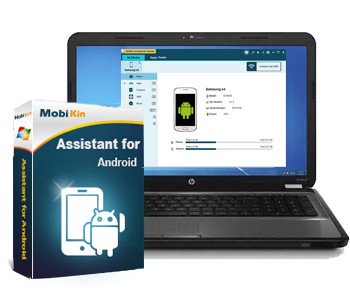
MobiKin Assistant for Android v3.11.37


6699c4d5827a062f9799d08c1fd07704.jpg

MobiKin Assistant for Android v3.11.37 | 20 Mb
​
Looking for a simple way to manage your Android device? Then this MobiKin Assistant for Android could be the ideal solution for you. Just get it to learn its powerful management ability now.


Back Up & Restore Android Data Easily
Many Android users complain that they always mistakenly delete something important when they're using some unfamiliar functions on their Android device. So are you tired of randomly losing stuff from your phone? Now, let's end the fate of losing data on Android with the help of the software called MobiKin Assistant for Android. With it, you can connect multiple Android devices to PC and back up all data from these devices to your desktop computer with one simple click. What's more, you can manage these connected devices as follow:

One click to back up all files from your Android device to computer, which can make the Android data backup more quickly and easily.
Restore the backed up files from computer to Android device with one simple click. (Click to learn how to back up & restore Android phone with one simple click.)
Be able to back up your Android data selectively - export the wanted contacts, text messages, call logs, apps, photos, music, movie, books, etc. from Android mobile phones and tablets to computer, so that you'll never lose these crucial data by accident.(Go to learn the details about backing up Android data on desktop computer.)
All exported files will be saved as the original format and quality on the computer.
This program provides users two different connections: USB connection and WiFi connection. (To build a Wi-Fi connection, you need to download and install the MobiKin Assistant for Android (Android Version) on your Android phone first.)
You are allowed to find specific data by typing one or more keywords in the searching box

System Requirements:
Operating System: Windows 10/8/7/XP/Vista
Processor: 750MHz Intel or AMD
RAM: 512MB or above
Hard Disk Space 1 GB or more

Home Page -
Код:
https://www.mobikin.com/


-:DOWNLOAD FROM LINKS:-

RapidGator
Код:
https://rapidgator.net/file/bba549a5a0eca3204fd5c0a0983ab920/DL4eVeR_Assistant.for.Android.3.11.37.rar.html

NitroFlare
Код:
https://nitroflare.com/view/7AF87E6EFF7ADA9/DL4eVeR_Assistant.for.Android.3.11.37.rar

​
 
Nevercenter CameraBag Photo (x64) 2020.30


dcda2a04ce2561bda7be4c450fe85517.jpg

Nevercenter CameraBag Photo (x64) 2020.30 | 30.14 Mb
​
Filter-Focused Photo Editing for Mac and PC. What does "filter-focused" photo editing mean? It means that CameraBag Photo has the advanced tools you need to make your images look just how you want, but in an interface that makes it incredibly easy to re-use the styles you develop as custom filters. Or to start with existing presets to emulate classic film stock, or to batch apply the same style to hundreds of photos. It means that CameraBag is built from top to bottom to help you develop a unique photographic style that is distinctly your own.


Layer on Adjustments from an Arsenal of Professional Tools
CameraBag's interface is focused on building up a series of image adjustments (or loading existing filters made up of a series of adjustments) and tweaking them as needed. You can easily see every adjustment you've applied to your image in the bottom tray, adjust their controls, reorder or delete them, or save what you've got as a new filter.

Analog Engine
CameraBag's 96-bit Analog Engine ensures your images retain smooth color gradations even with lots of adjustments.

Non-Destructive
All of CameraBag's adjustments and effects are applied as non-destructive layers, so you can always see what adjustments you've made and tweak any of them.

Raw Workflow
CameraBag easily handles RAW images with their additional color depth, giving you a much finer level of control over the tones in your photos.

Batch Processing
You can apply any set of adjustments or pre-made filters, along with resizing, to entire folders of photos at a time with Camerabag's easy batch processing.

Over 150 Included Presets
CameraBag Photo lets you start or finish with over 150 fully-editable included presets, to which you can add an infinite number of your own. From classic film stock emulation to color correction setups to versatile color and B+W styles, CameraBag Photo has you covered. Here are a few highlights.

Want to Use CameraBag's Award-Winning Tools on Videos?
The professional Cinema version of CameraBag has all of CameraBag Photo's award-winning tools for advanced adjustments and filtering, but adds video support for all your video color grading and filtering needs. Additionally, CameraBag Cinema includes dozens of motion film stock presets and support for LUT import and export.

Complete Photographic Toolset
CameraBag Photo has all the professional tools you need to adjust your images to exacting standards. Filters in CameraBag are built up by layering any these adjustments (including the ability to add multiple copies of the same adjustment or nest groups of adjustments). And it's all done using an incredible 96-bits-per-pixel math, so you never lose quality, no matter how many adjustments you layer on.

System Requirements:
• Windows 7, 8, or 10, 64-bit
• 1GB RAM, 100 MB hard drive space

Home Page -
Код:
https://nevercenter.com/


-:DOWNLOAD FROM LINKS:-

RapidGator
Код:
https://rapidgator.net/file/7a62782f394d14a7ba130615efd3222e/DL4eVeR_CameraBag_Pro_2020.30.rar.html

NitroFlare
Код:
https://nitroflare.com/view/86AF26B22DFF1C2/DL4eVeR_CameraBag_Pro_2020.30.rar

​
 
Dup Scout Pro v13.0.26


8622f97b2bf76a2a21380e7ff53f1a8b.jpg


File size: 13.1 MB
​
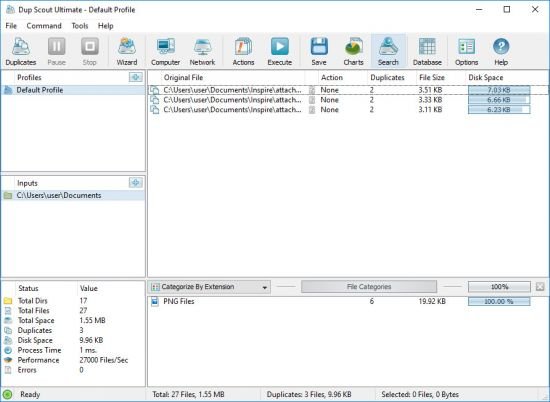
DupScout is a duplicate files search and removal solution allowing one to search duplicate files in disks, directories, network shares or NAS storage devices. The user is provided with the ability to review detected duplicate files, generate reports, replace duplicate files with shortcuts or hard links, move duplicate files to another directory, compress and move duplicates or delete all duplicate files.

DupScout Desktop GUI Application
DupScout allows one to save HTML, PDF, Excel, text, CSV and XML reports. Advanced users are provided with the ability to export reports from multiple servers to a centralized SQL database and perform history trend analysis operations.

Pie Chart Duplicate Disk Space Per Extension
Searching Duplicate Files in Network Servers and NAS Storage Devices

DupScout allows one to scan the network, discover network servers and NAS storage devices, automatically detect all accessible network shares and search duplicate files in hundreds of network servers and NAS storage devices. In addition, the user is provided with the ability to export the list of detected servers and NAS storage devices (including lists of network shares for each server) into HTML, PDF, text and CSV reports.

Searching Duplicate Files in Network Servers
In order to search duplicate files in one or more servers or NAS storage devices, press the 'Network' button located on the main toolbar and wait while DupScout will scan the network and show a list of detected network servers and NAS storage devices. On the network servers and NAS storage devices dialog, select the required servers and press the 'Duplicates' button.

Searching Duplicate Files in Network Servers
DupScout will show all network shares hosted on the selected servers and NAS storage devices allowing one to search duplicate files and save various types of charts and reports. In addition, DupScout provides a large number of advanced duplicate files search options allowing one to tune and customize duplicate files search operations for user specific needs and hardware configurations.

DupScout Command Line Utility
In addition to the desktop application, DupScout Ultimate and DupScout Server provide a command line utility allowing one to perform automated duplicate files search and removal operations or control one or more DupScout Servers via the network. The DupScout command line utility provides a large number of command line options allowing one to search duplicate files, save HTML, PDF, Excel, text, CSV and XML reports, export duplicate files to an SQL database and execute duplicate files removal actions.

DupScout Command Line Utility[/b]
The DupScout command line utility may be used to execute duplicate file search profiles pre-configured in the DupScout GUI application. Power computer users and IT professionals are provided with the ability to fully-automate duplicate files search and removal operations by integrating the DupScout command line utility into custom shell scripts and batch files.

DupScout Server
In addition, to the desktop product versions, enterprises and IT professionals are provided with two server-based product versions, DupScout Server and DupScout Enterprise, which run in the background as a service and allow one to search duplicate files in servers and NAS storage devices over the network. Server-based product versions are especially optimized for multi-core and multi-CPU servers and can search duplicate files in tens of servers and/or NAS storage devices simultaneously.

DupScout Duplicate Files Search Server
The server product versions provide advanced duplicate files search, removal, reporting and history trend analysis capabilities and may be controlled using a full-scale client GUI application and the DupScout command line utility locally or via the network.

DupScout Summary Reports
The DupScout Server client GUI application provides a full set of features available in the desktop product version and additional capabilities allowing one to perform multiple, parallel duplicate files search operations, schedule periodic duplicate files search operations and perform history trend analysis operations.

DupScout Enterprise Web-Based Interface
Finally, DupScout Enterprise provides a web-based management interface allowing one to control one or more servers using a regular web browser through the network and provides the ability to perform duplicate files search operations, save various types of reports, perform history trend analysis, remove duplicate files, schedule periodic duplicate files search operations, etc.

Batch Duplicate Files Search Operations
DupScout Server and DupScout Enterprise provide the ability to scan the network, detect all network servers and NAS storage devices, execute one or more pre-configured duplicate files search commands on hundreds of network servers and NAS storage devices and generate an individual duplicate files report for each server, NAS storage device or network share.

Batch Duplicate Files Search Operations
In the simplest case, just press the 'Network' button located on the main toolbar, search all network servers and NAS storage devices on the network, select one or more servers, press the right mouse button and select the 'Batch Duplicate Files Search' menu item. DupScout will show a list of pre-configured duplicate files search commands allowing one to select one or more commands to be executed on all selected network servers and NAS storage devices.

Batch Duplicate Files Search Mode
Depending on the selected configuration, DupScout will save in the built-in reports database an individual duplicate files report for each network server, NAS storage device or network share. Once the batch duplicate files search operation is completed, the user will be provided with the ability to open saved duplicate files reports, review results, generate various types of pie charts and export reports to a number of standard formats including HTML, PDF, Excel, text, CSV and XML.
RELEASE NOTES

У Вас недостаточно прав для просмотра ссылок. Войдите или зарегистрируйтесь.


-:DOWNLOAD FROM LINKS:-
RapidGator
Код:
https://rapidgator.net/file/31bd3ce54609e2e15548f2b73761bf82/DL4eVeR_Dup_Scout_Ultimate_Pro_13.0.26.rar.html

NitroFlare
Код:
https://nitroflare.com/view/143C60A8BEDFFAE/DL4eVeR_Dup_Scout_Ultimate_Pro_13.0.26.rar

​
 
FoneLab for iOS v10.1.56 Multilingual


d60773a56b6bcd1973232169dd25583a.png

FoneLab for iOS v10.1.56 Multilingual | 55.1 Mb
​
FoneLab enables you to restore iPhone contacts, messages, notes, WhatsApp messages, safari history, photos and more.


Best iPhone Data Recovery to Save iOS Data
It has 3 recovery modes for options. You can choose Recover from iOS Device, Recover from iTunes Backup File or Recover from iCloud Backup File. Then you can easily choose certain items and get them back.

Recover from iOS Device
To recover iOS data from device directly without back files.

Recover from iTunes Backup File
To recover iOS data from iTunes backup files on computer.

Recover from iCloud Backup File
To recover iOS data from iCloud backup files with Apple account.

System Requirements:
Supported Operating System: Windows 10/8.1/8/7/XP
1GHz Intel/AMD CPU or above
1GB RAM or more
200 MB and above free space
iOS 13 and earlier

Home Page -
Код:
https://www.fonelab.com/


-:DOWNLOAD FROM LINKS:-

NitroFlare
Код:
https://rapidgator.net/file/98dcfd1f42d0c088a5845ed97eeef5f4/DL4eVeR_FoneLab_for_iOS_10.1.56.rar.html

RapidGator
Код:
https://nitroflare.com/view/99BA5784EABC72C/DL4eVeR_FoneLab_for_iOS_10.1.56.rar

​
 
1CLICK DVD Copy Pro v5.2.1.8 Multilingual


53e37b6a198d76680f7811c08058f3fc.jpg

1CLICK DVD Copy Pro v5.2.1.8 Multilingual | 8.7 Mb
​
1CLICK DVD COPY - PRO is a fast, easy-to-use, full featured program for copying DVD movies onto DVD discs. The latest version now incorporates CPRx technology to ensure the highest level of success copying the latest generation of DVD movies. You now have complete control over the final copy. Use the Copy Presets; or the more advanced features to select what content will be copied and how much compression will be used. With 1CLICK DVD COPY - PRO, you can make a perfect copy with just one click.


Key Features
Windows 10 Compatible.
CPRx technology for copying new DVD movies.
Copy Presets - One click preset for each type of DVD copy.
Preview the movie, extras and menus.
Include or exclude movie and menus based on preview.
Select individual audio, video, and subtitles streams.
Control the amount of video compression used.
Make additional backup copies without re-copying the DVD.
Copy Episodic DVD Movies, TV Series, etc.
Copy a movie to your hard drive - great for laptops.
Supports copying of Multi-Channel Audio (Dolby Digital 5.1, DTS).
Supports both NTSC and PAL DVD movies.
Supports Dual Layer media.

System requirements:
Windows 10, 8, 7, Vista, or XP
Up to 9 GB available hard disc space for DVD images and temporary DVD files
DVD reader (DVD writer required for burning DVDs)

Home Page -
Код:
http://www.lgsoftwareinnovations.com/


-:DOWNLOAD FROM LINKS:-

RapidGator
Код:
https://rapidgator.net/file/4c7bfd0c2a9c2fc04b47b728cf649799/DL4eVeR_1CLICK.DVD.Copy.Pro.5.rar.html

NitroFlare
Код:
https://nitroflare.com/view/56CD1EF15B17FDB/DL4eVeR_1CLICK.DVD.Copy.Pro.5.rar

​
 
Waves Complete version 11 30.07.20


a766b61d893dc65b8667e7d93e32f1d7.jpg

Waves Complete version 11 30.07.20 | 3.76 Gb
​
We are pleased to announce a new version of Waves plugins, Waves V11. Update to V11 to future-proof your sessions, ensure compatibility with the latest DAWs and operating systems (including MacOS 10.15 Catalina), enjoy plugin updates including new versions of the Renaissance plugins, get new plugins added to premium bundles, and more.


Home Page -
Код:
https://www.waves.com/


-:DOWNLOAD FROM LINKS:-

RapidGator
Код:
https://rapidgator.net/file/c046c654a736003e2748b4df02c06c5d/DL4eVeR_WC.v11.30.07.20.W.part1.rar.html
https://rapidgator.net/file/bfbc41897899bab4b46a90d914b9f61e/DL4eVeR_WC.v11.30.07.20.W.part2.rar.html
https://rapidgator.net/file/a759032ffda3073167f0b8b82c2e19e1/DL4eVeR_WC.v11.30.07.20.W.part3.rar.html
https://rapidgator.net/file/0bc5f038e0c7ef1ee5d00d492a82edba/DL4eVeR_WC.v11.30.07.20.W.part4.rar.html
https://rapidgator.net/file/d405a1bc84d959bfe676b03688e04f13/DL4eVeR_WC.v11.30.07.20.W.part5.rar.html

NitroFlare
Код:
https://nitroflare.com/view/DAC35B093C246B4/DL4eVeR_WC.v11.30.07.20.W.part1.rar
https://nitroflare.com/view/1EBA92E0922BB7B/DL4eVeR_WC.v11.30.07.20.W.part2.rar
https://nitroflare.com/view/DCCEFA104AAB494/DL4eVeR_WC.v11.30.07.20.W.part3.rar
https://nitroflare.com/view/C75E07943D985F9/DL4eVeR_WC.v11.30.07.20.W.part4.rar
https://nitroflare.com/view/C4BC9B8C90E745A/DL4eVeR_WC.v11.30.07.20.W.part5.rar

​
 
ESET (Internet Security / NOD32 Antivirus) 13.2.16.0 Multilingual


fe91000fde483b4c1805fc551b83e534.png


File size: 87.75/87.74 MB
​
ESET Internet Security offers the ultimate defense of your PC against all types of malware, cybercrime, junk mail and hackers. It has added firewall and antispam technology to ESET NOD32 Antivirus. It utilizes the power of the cloud and multiple layers of detection to keep out threats. As a result, it block all potential attacks. Also protects you at the highest level while you work, social network, play online games or exchange data via removable media.

ESET Internet Security keeps your computer or laptop safe with intelligent multi-layered protection. Because it combines proven antivirus, antispyware, firewall, anti-rootkit and antispam capabilities. ESET Internet Security 11 is built as a high-performing security solution against all internet threats. Also to secure your personal data and sensitive information whether online or off. Finally, it lets you keep your computer security to a whole new level.

ESET Internet Security Features:
Antivirus and Antispyware. Provides proactive protection against all types of online and ofine threats and prevents malware spreading to other users.
Exploit Blocker. Blocks attacks specifcally designed to evade antivirus detection and eliminates lockscreens and ransomware. Protects against attacks on web browsers, PDF readers and other applications, including Java-based software.
Advanced Memory Scanner. Enables improved detection of persistent malware that employs multiple layers of encryption to conceal its activity.
Cloud-Powered Scanning. Speeds up scans by whitelisting safe fles based on the ESET Live Grid file reputation database. Helps to proactively stop unknown malware based on its behavior, by comparing it with our cloud-based reputation system.
Idle-State Scanning. Aids system performance by performing in-depth scans when your computer is not in use. Helps detect potential inactive threats before they can cause damage.
Host-Based Intrusion Prevention System (HIPS). Lets you customize the behavior of the system in greater detail. Gives you the option to specify rules for system registry, active processes and programs to fne-tune your security posture
Script-Based Attack Protection. Detects attacks by malicious scripts that try to exploit Windows PowerShell. Also detects malicious jаvascripts that can attack via your browser.
UEFI Scanner. Protects from threats that attack your computer on a deeper level, even before the start of Windows - on systems with the UEFI system interface.

Enjoy the full power of your computer
Small System Footprint. Maintains high performance and extends the lifetime of hardware. Fits any type of system environment. Saves internet bandwidth with extremely small update packages
Gamer Mode. ESET NOD32 Antivirus automatically switches to silent mode if any program is run in full-screen. System updates and notifcations are postponed to save resources for gaming, video, photos or presentations
Portable Computer Support. Postpones all non-actionable pop-up windows, updates and system-hungry activities to preserve system resources so that you can focus on gaming or flms

Protect your privacy
Firewall. Prevents unauthorized access to your computer and misuse of your personal data.
Antispam. Keeps unwanted emails from clogging your mailbox.
Ransomware Shield. Blocks malware that tries to lock you out of your personal data and then asks you to pay a 'ransom' to unlock it.
Botnet Protection. Prevents your computer from being misused for spam and network attacks. Beneft from a new type of detection thanks to Network Signatures, for even faster blocking of malicious traffic.
Anti-Phishing. Protects you from attempts to acquire sensitive information such as usernames, passwords or other sensitive personal details by fake websites masquerading as trustworthy ones.
Webcam Protection. Constantly monitors all the processes and applications running on your computer, to see which ones want to use your webcam. It alerts you to any that unexpectedly try to access your webcam, and lets you block them.
Connected Home Monitor. Enables you to test your home router for vulnerabilities, such as weak passwords or out of date frmware, and o?ers you remediation options. Provides you with an easy-to-access list of router-connected devices (smartphone, IoT, etc.), to show you who's connected.
Network Attack Protection. In addition to Firewall, automatically protects your computer from malicious network trafc, blocking threats revealed by dangerous trafc patterns.
Banking and Payment Protection. Features a special secured browser through which you can safely pay online. Automatically protects you on internet banking sites. Encrypts the communication between the keyboard and the browser for safer transactions. Protects you from keyloggers.
Out-of-Home Network. Alerts you when connecting to an unknown network and prompts you to switch to the Strict Protection mode. Makes your device invisible to other computers connected to the same network.
Device Control. Allows you to prevent unauthorized copying of your private data to an external device - CDs, DVDs, USB sticks, and disk storage devices. Lets you block devices connecting via Bluetooth, FireWire and serial/parallel ports.

Operating Systems: Windows 7, 8, 8.1, 10 (32-bit, 64-bit).
WHATS NEWFixed: Application freezes under certain circumstances


-:DOWNLOAD FROM LINKS:-
RapidGator
Код:
https://rapidgator.net/file/5ae7f9c3423a45e8b0bfe3b31558d7cb/DL4eVeR_NOD32.Antivirus.13.2.16.0.rar.html
https://rapidgator.net/file/cdf0d5026c8a77da76e6daa40a9fd8ec/DL4eVeR_NOD32.IS.13.2.16.0.rar.html

NitroFlare
Код:
https://nitroflare.com/view/0CC8DF3BEEF7CE5/DL4eVeR_NOD32.Antivirus.13.2.16.0.rar
https://nitroflare.com/view/29366EBA8E1F2DD/DL4eVeR_NOD32.IS.13.2.16.0.rar

​
 
Topaz DeNoise AI v2.2.4 (x64)


719fb5d0701048fdf90715f772f5860a.jpg

Topaz DeNoise AI v2.2.4 (x64) | 951.6 Mb
​
Shoot anywhere in any light with no reservations. Eliminate noise and recover crisp detail in your images with the first AI-powered noise reduction tool. You may be surprised at the results you get.


Shoot anywhere in any light
Great noise reduction is like a lens upgrade. You'll be able to get much higher-quality results when you're shooting fast action shots, night images, or any other situation that requires a high ISO. Use DeNoise AI to help you create a pixel-perfect photo in any situation.

Groundbreaking technology
Noise reduction technology has basically been the same for a decade, with only minor incremental improvements here and there. (We would know - we made one!) DeNoise AI is different: we fed an algorithm millions of noisy/clear images until it actually learned what noise is and how best to remove it.

Recover true detail
DeNoise AI examines the whole image and holistically determines the difference between detail and noise in that photo. (Other NR tools only look at pixel-level detail.) After understanding what noise vs detail looks like for that specific image, DeNoise AI recovers a surprising amount of detail from noise.

Lightroom vs DeNoise AI
When you need pixel-level perfection in your results, DeNoise AI offers the absolute best quality currently available anywhere. Existing noise reduction tools like Lightroom give you a choice: keep some noise or remove some detail. DeNoise AI's technology allows you to get the best of both worlds: to remove noise while actually strengthening detail. The original noisy image (© Luis Garena) is on the left; we compare the Lightroom vs DeNoise AI results on the right. Pay special attention to the increased definition in the image, especially in the car wheels and center signs.

- Enhance real detail
- Remove noise naturally with no smudging
- Best for moderate to ultra-high ISOs

Any noise reduction tool can remove noise - the really tricky part is to tell the difference between noise and detail. DeNoise AI helps you get the best quality at 100% by removing noise while recovering original image detail. Give it a try to see the difference for yourself!

Operating System Version:
- Windows 7 x64
- Windows 8/8.1 x64
- Windows 10 x64

Hardware Requirements:
- System RAM: 8GB / 16GB recommended
- GPU VRAM: 2GB / 4GB recommended

Graphics Card Requirements:
- NVIDIA: GeForce GTX 770 2GB / GeForce GTX 960 4GB recommended
- AMD: Radeon HD 8570 2GB / Radeon R9 270 4GB recommended
- Intel: HD Graphics 5000 / Iris Plus Graphics 640 recommended

Home Page -
Код:
http://www.topazlabs.com/


-:DOWNLOAD FROM LINKS:-

RapidGator
Код:
https://rapidgator.net/file/aa2369a7557b96611e98cb4ea15a3c5c/DL4eVeR_TopazDeNoiseAI2.rar.html

NitroFlare
Код:
https://nitroflare.com/view/D306628FFB5D8DE/DL4eVeR_TopazDeNoiseAI2.rar

​
 
ProPresenter 7.1.3 x64 (117506823)


43c5c28fce58e63efb5b1ed4d3ab6a11.jpg

ProPresenter 7.1.3 (117506823) | 95.2 Mb
​
ProPresenter is a cross-platform (Mac and Windows) presentation & production application for live events. It seamlessly displays lyrics, slides, and media, making high-quality live productions easy. It is the indispensible tool for worship gatherings, sporting events, conferences, trade shows, and studio broadcasts.


ProPresenter operators control presentations on one screen, while dynamically presenting to an audience on one or more additional screens.
- No separate edit and present modes
- Outputs are always live
- Completely non-linear flexibility
- On demand Scripture lookup
- Separate Outputs, for lobby, auditorium, and stage displays
- Volunteer friendly
- On the fly run-of-show changes

Tell Your Story. Extraordinarily
Whatever the story you want to tell, ProPresenter has the tools to help you tell it in the most engaging way possible. With a completely revamped video engine that is equally suitable for powering presentations in a room of 100 people or 100,000, the quality and professionalism of ProPresenter's output is unprecedented.

High quality video output
The ability to create high-quality video is becoming increasingly easy, making the use of videos in productions more prevalent than ever. The ProPresenter video engine (the same as is at the heart of PVP3) is the perfect way to present your final edit.

You can import and play videos instantly in ProPresenter. It also includes the ability to set in and out points dynamically, effect color, brightness, and volume, and crop/scale videos dynamically. Video effects empower you to leverage your video library to create limitless new looks for your pre-produced content. In addition, these same effects and manipulations can also be used on live video sources.

MULTI-LAYERED ARCHITECTURE
A multi-layered architecture allows for backgrounds, live video layers, slides, props, and masks to be controlled independently.

- High-quality transistions
- Announcements layer to show rolling announcements on one screen while rehearsing on another
- Individual slide settings for transitions and object builds
- Scale and cropping of media
- Data-driven text boxes (such as current time and countdown timers)
- Dynamically overlaid content
- Context driven visibility (clear a timer when it reaches the end)

Advanced Features - Now included!
ProPresenter 7 has a number of advanced features previously sold separately in Pro6 as add-on, paid for "modules" that offered additional features and capabilities beyond what your typical church needed. The typical church these days, however, has grown more sophisticated in their productions. We love seeing this and want to see more of it so Renewed Vision is now including these advanced features in Pro7 at no additional cost (a $2,593 value if all were purchased separately)!

Multi-Screen
Output to multiple displays with different combinations of content all at once, including multiple stage displays

Alpha Keyer
Output Broadcast-quality key and fill channels

Edge Blending
Project onto wide screens with multiple projectors and blend their edges to create one seemless, extra wide image

Master Control
Control multiple ProPresenter machines from a single computer (coming soon)

Communications
Control ProPresenter's functions from MIDI, DMX, or broadcast video

SDI / NDI
Send video out over SDI (coaxial cable) or over your network (Ethernet).

Stage Display
A sophisticated Stage Display output empowers you to communicate information to the people on stage. Show the content your stage talent needs to see including clocks, timers, current slide, next slide, slide notes, and stage announcements. Maintain flexibility of your Stage Display layouts using our advanced editor. With the output capabilities of ProPresenter you can use any layout on as many stage displays that you have available.

You deserve software that's easy to use
Regardless of how powerful a tool is, its value is determined by how easy it is to access that power. ProPresenter was designed from the beginning to allow beginners to feel confident in running the software with only a few minutes of training. We make all of our training available online via free video tutorials you can access before you even purchase the software. Here are just some of the ways that we make it easy for you to create the presentations that tell your story.

System Requirements:
- Windows 10: Version 1903 (build 18362) or newer
- GPU: If you are outputting to more than 4 HD screens, you should have a dedicated (meaning, not integrated) GPU.
- Video compression: H264 or H265 (HEVC) at 30mbps or less for HD, 50mbps for 4K; For videos with Alpha channels, ProRes 4444 is recommended.

Homepage -
Код:
https://renewedvision.com


-:DOWNLOAD FROM LINKS:-

RapidGator
Код:
https://rapidgator.net/file/626c04344eba750b436ce22ac2fbabd3/DL4eVeR_ProPresenter.7.1.3.rar.html

NitroFlare
Код:
https://nitroflare.com/view/A455F041B49444A/DL4eVeR_ProPresenter.7.1.3.rar

​
 
Postbox v7.0.25 Multilingual


0132adf6f1ea823d3b0c65f72e74a683.jpg

Postbox v7.0.25 Multilingual | 47 Mb
​
Postbox is a powerful application that aims to provide you with all the tools for keeping in touch with your friends and business partners. It can handle multiple email accounts and allows you to subscribe to RSS feeds in order to read the latest news. Take control of your day with Postbox's clean and super-customizable interface. Make your email work for you, just the way you need it to.


Account Groups
Juggle multiple accounts like a pro. Separate or blend work and personal, job A and job B, your account and your boss' account - or mix and match to suit your needs.

Favorites Bar
Keep your go-to folders and accounts accessible at all times with a single click from the favorites bar.

Tabs
Reduce clutter with tabs, just like a web browser. Keep multiple messages, folders, contacts or topics open to easily switch between them.

Power Through Your Day
Get it done, fast. Whatever your day throws at you, cut through it with ease using Postbox's best-in-class tools and integrations.

Dropbox, One Drive and Box Integration
Big files, small files, lots of files - whatever you have, send it quickly and seamlessly by adding Postbox's cloud file-sharing capabilities.

File and Image Search
Attachments at your fingertips. Postbox lets you find and use files and images hiding in your mail - even while you're composing a new message.

Pre-Made Responses
Sending the same thing over and over? Streamline your work with pre-made responses that you can reuse as often as needed.

Real-Time Tracking
Time flies when you're composing emails. Keep yourself on task with time and word-count trackers.

Focus Pane
Tackle what's important right now using the real-time filters of Postbox's innovative focus pane. Just want to see all unread messages from your team from today? Done.

Attributes
Instantly view unread messages, or those with attachments. Scan your reminders, subscriptions, or social updates with a single click.

Topics
Break your work into small, manageable chunks with custom topics for projects, events, or however organize your work. Create and delete topics, and reorder them to reflect your goals.

System requirements:
Windows 7, 8, and 10
Pentium 4 or newer processor that supports SSE2
4 GB of RAM (8 GB recommended)
100 MB hard drive space for application files (excluding local message data)
Postbox runs in 32-bit mode on 32-bit and 64-bit versions of Windows

Home Page -
Код:
https://www.postbox-inc.com/


-:DOWNLOAD FROM LINKS:-

RapidGator
Код:
https://rapidgator.net/file/b4e39c28c21f6422cf7280ba31083ae9/DL4eVeR_Postbox.7.rar.html

NitroFlare
Код:
https://nitroflare.com/view/3BE109D80B2E634/DL4eVeR_Postbox.7.rar

​
 
Blackmagic Design DaVinci Resolve Studio 16.2.5.15 (x64)


c8d50a15ac67e33e44567a9548fd9ddd.jpg

Blackmagic Design DaVinci Resolve Studio 16.2.5.15 (x64) Multilingual | 1.46 GB
​
DaVinci Resolve 16 is the world's only solution that combines professional 8K editing, color correction, visual effects and audio post production all in one software tool! You can instantly move between editing, color, effects, and audio with a single click. DaVinci Resolve Studio is also the only solution designed for multi user collaboration so editors, assistants, colorists, VFX artists and sound designers can all work live on the same project at the same time! Whether you're an individual artist, or part of a large collaborative team, it's easy to see why DaVinci Resolve is the standard for high end post production and finishing on more Hollywood feature films, television shows and commercials than any other software.


What's New:
DaVinci Resolve 16 features a revolutionary new cut page specifically designed for editors that need to work quickly and on tight deadlines! The new DaVinci Neural Engine uses machine learning to enable powerful new features such as facial recognition, speed warp and more. Adjustment clips let you apply effects and grades to clips on the timeline below, quick export can be used to upload projects to YouTube and Vimeo from anywhere in the application, and new GPU accelerated scopes provide more technical monitoring options than before. Plus, Fusion is dramatically faster and Fairlight adds immersive 3D audio. DaVinci Resolve 16 is a massive release with hundreds of features customers have asked for!

Introducing the Cut Page!
Designed specifically for editors working on high end fast turn around work such as television commercials and even news cutting, the cut page is all about speed. It's an alternate edit page with a streamlined interface and revolutionary new tools that will help you work faster than ever. The cut page lets you import, edit, trim, add transitions, titles, automatically match color, mix audio and more. Whether you're delivering for broadcast or for YouTube, the cut page has everything you need to get the job done, all in one place. Plus, the regular edit page is still available so you can switch between edit and cut pages to change editing style right in the middle of a job.

New Editing Features in DaVinci Resolve 16:
DaVinci Resolve includes everything professional editors need to cut blockbuster films, television shows, and commercials. It's perfect for both offline and online editing. The high performance playback engine makes editing and trimming incredibly fast, even for processor intensive formats such as H.264 and RAW.

New Fusion VFX Features in DaVinci Resolve 16:
With over 250 built in tools, Fusion VFX's advanced 3D compositing engine and node based workflow let you quickly connect effects and tools together in a flow chart style, making it easy to create cinematic feature film quality visual effects and broadcast motion graphics right inside of DaVinci Resolve!

New Color Features in DaVinci Resolve 16:
DaVinci Resolve's legendary color tools let you manipulate color in breathtaking ways to get results that are simply impossible on other systems. That's why DaVinci Resolve has been used on more feature films and television shows than any other grading system! You get powerful primary and secondary tools, curves, tracking, stabilization and more!

New Fairlight Features in DaVinci Resolve 16:
With Fairlight in DaVinci Resolve, audio is no longer an afterthought in post production! You get a completely integrated and powerful digital audio workstation with full mixer, EQ and dynamics processing, sample level audio editing, ADR tools, sound library support, FairlightFX audio plugins and more!

New Collaboration Features in DaVinci Resolve 16:
Featuring a universal timeline, powerful database driven design, bin and clip locking, built in chat, timeline comparison tools and more, DaVinci Resolve Studio is the world's only post production solution that lets different artists all work together on the same project at the same time!

DaVinci Resolve Studio
Upgrade to DaVinci Resolve Studio for even more creative tools and options! You get a huge set of indispensable ResolveFX and FairlightFX plugins, along with support for 4K, 8K and higher resolution projects at frame rates up to 120 frames per second. You also get the new DaVinci Neural Engine which enables features such as facial recognition, speed warp retiming, automatic color balancing and automatic color matching. DaVinci Resolve Studio also adds film grain tools, advanced noise reduction, blur and mist effects, HDR grading, 10bit H.264 support, 3D immersive audio, stereoscopic 3D support, multi user collaboration tools and more!

DaVinci Neural Engine
The new DaVinci Neural Engine uses state of the art deep neural networks and learning, along with artificial intelligence to power new features such as speed warp motion estimation for retiming, super scale for up-scaling footage, auto color and color matching, facial recognition and more! The DaVinci Neural Engine is entirely cross-platform and uses the latest GPU innovations for AI and deep learning to provide unparalleled performance and quality. The DaVinci Neural Engine provides simple tools to solve complex, repetitive and time consuming problems. For example, it enables facial recognition to automatically sort and organize clips into bins based on people in the shot!

New and Improved ResolveFX
DaVinci Resolve Studio 16 features major improvements to existing ResolveFX, along with several new plugins that editors and colorists will love! You get new ResolveFX plugins for adding vignettes, drop shadows, removing objects, adding analog noise and damage, chromatic aberration, stylizing video and more! There are also improvements to the scanline, beauty, face refinement, blanking fill, warper, dead pixel fixer and colorspace transformation plugins. Plus, you can now view and edit ResolveFX keyframes from the timeline curve editor on the Edit page or from the keyframe panel on the Color page!

Legendary DaVinci Quality
DaVinci Resolve's Emmy™ award-winning image processing technology features deep 32-bit float processing combined with unique, patented YRGB color science that processes luminance independent of color. This allows you to adjust the luminance of video without rebalancing the color of your highlights, midtones, or shadows! The massive internal color space is perfect for the latest HDR and wide color gamut workflows.

Blackmagic RAW
Blackmagic RAW is a new and modern codec that gives you stunning image quality and blazing fast performance in an intelligent new file format. Featuring advanced de-mosaic technology and a revolutionary intelligent design, Blackmagic RAW gives you both the quality and benefits of RAW with the speed, ease of use and file sizes of traditional video formats.

Hardware Control Panels
When you have a client looking over your shoulder you need to work fast. DaVinci Resolve control panels are designed to give you fluid, hands-on control over multiple parameters at the same time, allowing you to create looks that are simply impossible with a standard mouse! All controls are logically placed near your natural hand positions and are made out of the highest quality materials. You get smooth, high resolution weighted trackballs, along with precision engineered knobs and dials that feature the perfect amount of resistance so you can accurately adjust any setting. DaVinci Resolve control panels let you instinctively touch every part of the image!

Fairlight Professional Consoles
Fairlight mixing consoles provide high quality controls for nearly every parameter and feature in the software. Unique user interfaces and dynamic configuration changes provide fast to use buttons and controls that are optimized for the task at hand allowing you to work faster with Fairlight audio than any other tool in the world. With the modular design you can start with a larger console frame than you need and add more modules to meet the growing needs of your facility.

Minimum system requirements for Windows:
- Windows 10 Update
- 16 GB of system memory is recommended and 32 GB is recommended minimum when using Fusion
- Blackmagic Design Desktop Video version 10.4.1 or later
- NVIDIA/AMD/Intel GPU Driver version - As required by your GPU
- RED Rocket-X Driver 2.1.34.0 and Firmware 1.4.22.18 or later
- RED Rocket Driver 2.1.23.0 and Firmware 1.1.18.0 or later

Homepage -
Код:
https://www.blackmagicdesign.com


-:DOWNLOAD FROM LINKS:-

RapidGator
Код:
https://rapidgator.net/file/55d8ed28deafc61078491f1110f0a68e/DL4eVeR_DRS.16.2.5.part1.rar.html
https://rapidgator.net/file/c67e45ff18a7a43008e76549e43cdf15/DL4eVeR_DRS.16.2.5.part2.rar.html

NitroFlare
Код:
https://nitroflare.com/view/4BA9A8D4FC5E70A/DL4eVeR_DRS.16.2.5.part1.rar
https://nitroflare.com/view/57CF4C3EDC6AB9C/DL4eVeR_DRS.16.2.5.part2.rar

​
 
Antidote 10 version 4.2


28b20994111568d7ed8f9df69388c22c.jpg

Antidote 10 v4.2 (x64) Multilingual | Incl. English and Français Language Modules | 3.77 GB
​
In a single operation, Antidote's corrector flags a wide variety of errors: from capitalization and verb agreement to unwelcome commas and redundancies. Hover over an error to see suggested corrections and see their explanations pop up in a tooltip, then click to confirm them. After correcting spelling and grammar, move on to typography and style, where you will be warned about any repeated words or commonplace verbs. Even dates and numbers can be flagged thanks to the 200 smart filters that highlight relevant passages. No software has ever given you so much power to refine your writing.


Multiple Dictionaries with Powerful Search Tools
Read a word's full definition and any expressions or proverbs that feature it; see its plural form, how to pronounce it, its rhyming words and its etymology. With a single click, see a list of its synonyms and words from the same family. Discover its semantic field, quotations, word combinations, complete conjugation information, and see how all of these resources interact intelligently. With its incomparable depth, powerful search engines and breathtaking speed, Antidote pushes the limits of what dictionaries can do.

Clear and Detailed Language Guides
From grammar to style, from lexicon to syntax, the guides cover all aspects of writing. Quickly access a clear and concise description of the rules and their exceptions. Learn it all thanks to tips and carefully selected examples. Easily browse through related material or through all 485 articles, printing whenever you need to. With Antidote's guides, it has never been so easy and enjoyable to write well.

What's New in Antidote 10:

120 new features in interface, functions and content
Amongst some 120 new features for English and French, the corrector now helps in writing more inclusively and more legibly. The dictionaries bring together both languages by offering the translation of 2.5 million words and expressions. Users may now also take advantage of a new optional service allowing them to synchronize their personal dictionaries on multiple devices.

Let yourself be amazed by the new French Module
Purchase the French Module for Antidote 10 (with the Premium Upgrade, for example) and see your definitions dictionary display over 800,000 translations of all words, expressions and proverbs. Even better, our linguists have translated 1,700,000 combinations going both ways, with examples to support them all.

Two eagerly-awaited new filters - Readability and Gender Neutrality
The readability filter underlines long words and sentences, rare or foreign words, abbreviations and nested phrases. It even includes the new Antidote readability index, from zero (hardly readable) to 100 (very readable). The gender neutrality filter points out ways to ensure an equal representation of men and women in your text, for example where names of professions are used.

New words
Over 8,000 new words and expressions have been added, such as binge-watch, facticide and hoverboard, along with 117,000 new synonyms and 26,000 combinations.

Smart synonyms
The synonym lists are now sorted by proximity with the headword, giving you quick access to the most relevant alternatives. This applies not only to the synonyms dictionary, but also to the corrector, where Antidote suggests synonyms to help you avoid repetitions.

Recommended Configuration:
- Processor: x86-64/AMD64, 1 GHz
- RAM: 4 GB Memory
- Disk space: 6 GB (1 language); 7.5 GB (2 languages); SSD Drive
- Windows 64 bits: (32 bits systems are not compatible)
- Windows 7, 8, 8.1 or 10:
- 1507, 1511 (November Update),
- 1607 (Anniversary Update),
- 1703 (Creators Update),
- 1709 (Fall Creators Update),
- 1803 (April 2018 Update),
- 1809 (October 2018 Update),
- 1903 (May 2019 Update)
- Windows Server (Desktop Experience mode):
- 2016 (1607), 2019 (1809)
- Important: A 64-bit operating system is required.

Language Modules:
- American English, Canadian English, Français.

Home Page -
Код:
http://www.antidote.info/en/antidote


-:DOWNLOAD FROM LINKS:-

RapidGator
Код:
https://rapidgator.net/file/5b9e9512e31c1d43a83693ccb49109be/DL4eVeR_Antidote.10.v4.2.Upd.part2.rar.html
https://rapidgator.net/file/76556ac91132963ff24bd3f83b7b29b9/DL4eVeR_Antidote.10.v4.2.Upd.part1.rar.html
https://rapidgator.net/file/2d99a3bc3952f52e431159018f2d1873/DL4eVeR_Antidote.10.v4.2.part3.rar.html
https://rapidgator.net/file/9a89dc608efbb969c4836cbbe46496ea/DL4eVeR_Antidote.10.v4.2.part2.rar.html
https://rapidgator.net/file/39f53ffcbb5ed535b2129535c717a2f7/DL4eVeR_Antidote.10.v4.2.part1.rar.html

NitroFlare
Код:
https://nitroflare.com/view/F5B60ADCCE1E480/DL4eVeR_Antidote.10.v4.2.part1.rar
https://nitroflare.com/view/819E7F53DB84FDB/DL4eVeR_Antidote.10.v4.2.part2.rar
https://nitroflare.com/view/4DFE2E41598930C/DL4eVeR_Antidote.10.v4.2.part3.rar
https://nitroflare.com/view/1CA42D155A89E55/DL4eVeR_Antidote.10.v4.2.Upd.part1.rar
https://nitroflare.com/view/915AACD51AE4CFE/DL4eVeR_Antidote.10.v4.2.Upd.part2.rar

​
 
EJ Technologies JProfiler v11.1.4 Build 11169 (x64)


74047ad9619ceeb5eba84b395bbac194.jpg

EJ Technologies JProfiler v11.1.4 Build 11169 (x64) | 110 Mb
​
JProfiler is a powerful tool that you can use to profile Java based applications in a dynamic way and enables you to analyze them in hopes of optimizing performance.


EXCEPTIONAL EASE OF USE
When you profile, you need the most powerful tool you can get. At the same time, you do not want to spend time learning how to use the tool. JProfiler is just that: simple and powerful at the same time. Configuring sessions is straight-forward, third party integrations make getting started a breeze and profiling data is presented in a natural way. On all levels, JProfiler has been carefully designed to help you get started with solving your problems.

DATABASE PROFILING FOR JDBC, JPA AND NOSQL
Database calls are the top reasons for performance problems in business applications. JProfiler's JDBC and JPA/Hibernate probes as well as the NoSQL probes for MongoDB, Cassandra and HBase show the reasons for slow database access and how slow statements are called by your code. From the JDBC timeline view that shows you all JDBC connections with their activities, through the hot spots view that shows you slow statements to various telemetry views and a list of single events, the database probes are an essential tool for getting insight into your database layer.

EXCELLENT SUPPORT FOR JAVA ENTERPRISE EDITION
Dedicated support for JEE is present in most views in JProfiler. For example, in the JEE aggregation level you see the call tree in terms of the JEE components in your application. In addition, the call tree is split up for each request URI. Also, JProfiler adds a semantic layer on top of the low-level profiling data, like JDBC, JPA/Hibernate, JMS and JNDI calls that are presented in the CPU profiling views. With its JEE support, JProfiler bridges the gap between a code profiler and a high-level JEE monitoring tool.

HIGHER LEVEL PROFILING DATA
JProfiler has a number of probes that show you higher level data from interesting subsystems in the JRE. In addition to the Java EE subsystems like JDBC, JPA/Hibernate, JSP/Servlets, JMS, web services and JNDI, JProfiler also presents high level information about RMI calls, files, sockets and processes. Each of these probes has its own set of useful views that gives you general insight, highlights performance problems and allows you to trace single events. And what's more, all these views are also available for your own custom probes that you can configure on the fly within JProfiler.

Operating System: Windows 10/8/7/Vista, Server 2016/2012/2008, XP

Home Page -
Код:
https://www.ej-technologies.com/


-:DOWNLOAD FROM LINKS:-

RapidGator
Код:
https://rapidgator.net/file/e391187a51b2109ae804c13f1e174439/DL4eVeR_JProfiler.11.1.4.11169.rar.html

NitroFlare
Код:
https://nitroflare.com/view/3912054198EFB37/DL4eVeR_JProfiler.11.1.4.11169.rar

​
 
Steinberg WaveLab Elements v10.0.40 (x64)


015a77cbe6f359a519e0787481082f2a.png

Steinberg WaveLab Elements v10.0.40 (x64) | 291.9 Mb
​
WaveLab Elements is an audio editing and mastering software, perfectly tailored to hobby musicians, radio freelancers and home studio owners. Based on the approved WaveLab Pro mastering solution, the WaveLab Elements highlights proven editing and analysis tools, a valuable selection of restoration and mastering plug-ins, a CD burning engine and much more - all accessible through an intuitive user interface.


WaveLab Pro introduces many improvements for mastering and editing workflows as well as carefully selected features for audio refinement and polishing. Ranging from a top-notch Spectrum Editor to the new restoration plug-in suite to the unique Audio Inpainting technology alongside a redesigned and enhanced plug-in set - WaveLab 9.5 is a quantum leap in audio quality.

Features at a glance:
Pristine 64-bit floating-point audio engine with double-precision processing capabilities and 32-bit integer recording support
Modern Spectrogram offering a customizable view, color schemes with presets, display settings, psychoacoustic scales and more
Brand-new Wavelet display for a more accurate visual representation of the musical content of an audio file
State-of-the-art Spectrum Editor with a whole new set of tools and functionality to surgically edit in the Spectrogram
Patent-pending Audio Inpainting technology to recreate and/or replace corrupt audio material by logically using the spectral information of the surrounding area
Redesigned Error Correction tab for straightforward and easy detection and correction of clicks and errors
New RestoreRig plug-in suite including a DeClicker, DeCrackler, DePopper, DeNoiser and DeBuzzer
Live Spectrogram for real-time visualization of the spectral information of a signal during recording or playback
Revamped plug-in set including new batch processing modules, enhancements in MasterRig, a GUI redesign in most dynamic-effects as well as new processing algorithms
Apple Touch Bar support for easy and direct access to your favorite tasks and functions at your fingertips
Further improvements including high DPI support, bleep censor generator, gapless MP3 rendering, iXML track name support and much more

Home Page -
Код:
https://steinberg.net

-:DOWNLOAD FROM LINKS:-

RapidGator
Код:
https://rapidgator.net/file/f058dea732c955e1ae17b0734540cf32/DL4eVeR_WaveLab.Elements.10.0.40.rar.html

NitroFlare
Код:
https://nitroflare.com/view/A40D5C8E155745D/DL4eVeR_WaveLab.Elements.10.0.40.rar

​
 
OutByte PC Repair v1.1.2.58256 Multilingual


a019b3e8131f2625fca87d2fca6a9408.png

OutByte PC Repair v1.1.2.58256 Multilingual | 21.58 Mb
​
Clean, speed up and protect your computerwith Outbyte PC Repair.

Find and fix what's causing speed and stability issues on your PC.

DIAGNOSES your Windows system
Since diagnosis is half the cure
PC Repair runs a comprehensive checkup of your entire system locating junk files, speed-reducing issues and causes of system or application issues or crashes*. Through many iterations of developing, testing and user feedback we have worked out what issues can be safely removed with little risk of damaging your operating system.

CLEANS out junk files
A clean PC means better efficiency
We designed the cleaning module in PC Repair to sweep out many types of PC junk, such as unneeded system and user temporary files, web browser cache, unused issue logs, leftover Windows Update files, temporary Sun Java files, unneeded Microsoft Office cache and a lot more. It could help to reclaim gigabytes of hard disk space.

RESTORES system stability
Issues and crashes are a thing of the past
Like an experienced surgeon, PC Repair carefully removes corrupt keys and invalid entries from the registry taking care not to damage anything vital. Problems in the registry are less of an issue for a modern operating system but may help if you are running an older version of Windows.

IMPROVES computer speed
Many things on your PC will work faster
PC Repair attempts to optimise system settings to ultimately help the computer run just a little bit faster. It can adjust the internet connection settings to achieve smoother browsing, faster downloads and better audio/video call quality.

PROTECTS your privacy
Your system is more secure from hackers
Most of us are concerned about personal information getting into the wrong hands. When you enter passwords or credit card details, this data could be stored on your hard drive, invisible to you, but an easy prey for a skilled hacker. Outbyte privacy tools will assist you in eliminating traces of your activity and safeguarding your sensitive personal information.

SCANS PC for PUPs
Improve protection from ID theft and other security issues
The program will check your PC, including Task Scheduler, browser extensions, and the registry, for potentially unwanted programs and files, let you review detected items and safely remove them if necessary.

Home Page:
Код:
https://outbyte.com/en/software/pc-repair/

Language: Multilingual


-:DOWNLOAD FROM LINKS:-

RapidGator
Код:
https://rapidgator.net/file/eafb22c199b6a20f043faed4b99b3821/DL4eVeR_PC_Repair_1.1.2.58256.rar.html

NitroFlare
Код:
https://nitroflare.com/view/7FE8EC58890321F/DL4eVeR_PC_Repair_1.1.2.58256.rar

​
 
Unity Pro v2020.1.0f1 (x64)


6fa332cd97a6282f4a420b9a6c3db4a0.png

Unity Pro v2020.1.0f1 (x64) | 1.82 GB
​
Unity's real-time 3D development platform lets artists, designers and developers work together to create amazing immersive and interactive experiences.


Unleash your creativity
Unity is the world's leading real-time 3D development platform, providing the tools to create amazing games and publish them to the widest range of devices. The Unity core platform enables entire creative teams to be more productive together.

Real-time 3D creation for everyone
A creative hub for artists, designers, and programmers, the Unity core platform enables rapid editing and iteration in your development cycles, with real-time previews of your work. You can create 2D or 3D scenes, animations or cinematics directly in the Unity Editor.

Create once, deploy anywhere
Reach the widest audience and feel confident that your IP is future-proof, no matter how the industry evolves or where your imagination takes you. Build your content once and deploy across all major AR, VR, mobile, desktop, console and TV platforms, plus the web.

Graphics rendering - beauty, performance, scalability
When it comes to graphics, you need control to shape your vision and power to push your visuals. Unity's real-time rendering capabilities enable you to produce amazing visual fidelity with the Scriptable Render Pipeline.

System Requirements:
OS: Windows 7 and Windows 10, 64-bit versions only
CPU: X64 architecture with SSE2 instruction set support
Graphics API: DX10, DX11, and DX12-capable GPUs
Additional requirements: Hardware vendor officially supported drivers

Home Page -
Код:
https://unity.com/


-:DOWNLOAD FROM LINKS:-

RapidGator
Код:
https://rapidgator.net/file/0ab926c588f6000301bb62cabc7b317a/DL4eVeR_Unity_2020.1.0f1.part1.rar.html
https://rapidgator.net/file/5a41e8188d12dba36a069ca4a0ed91fe/DL4eVeR_Unity_2020.1.0f1.part2.rar.html
https://rapidgator.net/file/7e6948b75355b54623847f49119482b6/DL4eVeR_Unity_2020.1.0f1.part3.rar.html
https://rapidgator.net/file/86b631a085675aab57950ead3fe87d03/DL4eVeR_Unity_2020.1.0f1.part4.rar.html

NitroFlare
Код:
https://nitroflare.com/view/91902028B5BE210/DL4eVeR_Unity_2020.1.0f1.part1.rar
https://nitroflare.com/view/1824A98F297302D/DL4eVeR_Unity_2020.1.0f1.part2.rar
https://nitroflare.com/view/F8DF3FA94C30858/DL4eVeR_Unity_2020.1.0f1.part3.rar
https://nitroflare.com/view/71BEE591CEBFA48/DL4eVeR_Unity_2020.1.0f1.part4.rar

​
 
Назад
Сверху