• Здравствуйте. Сайт заработал в архивном режиме форум www.old.nado.in

Dl4ever Software

Exif Pilot v5.16.0 Batch Editing Plug-in


4ac50183057a287c132674ea1f2369f2.jpg

Exif Pilot v5.16.0 Batch Editing Plug-in | 4.8 Mb
​
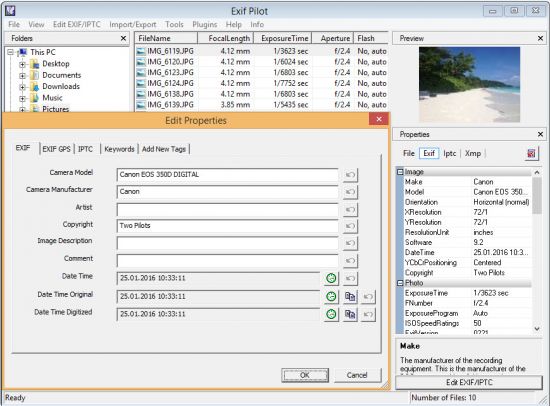
Exif Pilot is software for the edition and analysis of EXIF, IPTC, and XMP data (information that indicates digital camera settings and picture taking conditions). Exif Pilot allows you to view, create, and edit the EXIF, EXIF GPS, IPTC, and XMP data. You can import/export EXIF and IPTC data from/to XML format as well. Exif Pilot supports exporting EXIF and IPTC data to MS Excel or CSV format and importing EXIF and IPTC from MS Excel or CSV format.


With Exif Pilot, you can find the optimal parameters for taking pictures, for example, the relationship between the depth of field and the aperture of a particular lens.

Exif Pilot supports the following formats:
JPEG images read and write.
TIFF images read and write.
PNG images read and write.
DNG images read and write.
NEF images read and write.
PEF images read and write.
CRW images read and write.
JP2 images read and write.
PSD images read and write.
ORF images read and write.
SRW images read and write.
EXV images read and write.
CR2 images read only.
MRW images read only.
ARW images read only.
RAF images read only.
RW2 images read only.
PGF images read only.

Operating System: Windows XP/Vista/7/8/10 32/64-bit

Home Page -
Код:
http://www.colorpilot.com/exif.html


-:DOWNLOAD FROM LINKS:-

RapidGator
Код:
https://rapidgator.net/file/585df0ff11094a6959355dd826e94fb9/DL4eVeR_ExifPilot5.rar.html

NitroFlare
Код:
https://nitroflare.com/view/A63CCB267DCE64B/DL4eVeR_ExifPilot5.rar

​
 
YouTube Downloader Converter v7.12.1


eb6274ed866fb393d260d458f6d51bce.png

YouTube Downloader Converter v7.12.1 | 19.8 Mb
​
YouTube Downloader Converter is a tool that facilitates an attractive interface and plenty of features to help you download video clips from YouTube, Facebook, Dailymotion, Instagram and other websites.


Features

• Online video downloader
The app can download videos from YouTube, Facebook, Instagram, Dailymotion, and thousands of other video sites.
• HD video downloader
The app can download UHD 8K, 5K, 4K, QHD 2K, HD 1080p and 720p videos from YouTube.
• YouTube to MP3 converter
The app allows you to download only audio stream from YouTube, and save it as MP3. You don't need to download the entire video file.
• Playlist downloader
The app enables you to download entire or part of a playlist with just a few clicks.
• Download accelerator
The app features a multi-thread download acceleration engine that increases your download speeds by up to 500% or even more.
• Download multiple videos at a time
The app supports simultaneous downloads. It allows you to download more than one video at the same time.
• Pause and resume downloads
You can pause and resume your downloads at any time.
• Support drag-and-drop
You may directly drag and drop video link from your browser to the drop box or the app window to start a download. You don't even need to copy and paste video URL.
• Preview video/audio while downloading
While downloading, you can click the 'Preview' button to view incomplete file and make sure the content is you want.
• Video and audio converter
The app can convert your disk video/audio files between MP4, FLV, AVI, WMV, MOV, MP3, AAC, and any other formats for any device.
• Video optimizer
The app automatically optimizes downloaded videos for popular mobile devices, so you can watch downloaded videos smoothly on your iPhone, iPad, Android phone, and other devices.
• Video to MP3 converter
The app allows you to extract audio stream from video and save it as MP3, WAV, AC3, or other audio format.
• Ready-made presets
The app provides ready-made presets for all video and audio formats. You can also customize your own video/audio formats.
• iTunes compatible
Optionally, the app can add downloaded video/music to your iTunes library automatically, so you can easily synchronize your videos and music to your iPhone, iPad, iPod.
• Media Player
The app contains an easy-to-use media player for playing files that Windows Media Player cannot play.

Home Page -
Код:
http://www.muziza.com


-:DOWNLOAD FROM LINKS:-

RapidGator
Код:
https://rapidgator.net/file/060c59318f7e2d8adcfd1c227cab11e4/DL4eVeR_YouTube.Downloader.Converter.7.12.1.rar.html

NitroFlare
Код:
https://nitroflare.com/view/FF43466C3EAB061/DL4eVeR_YouTube.Downloader.Converter.7.12.1.rar

​
 
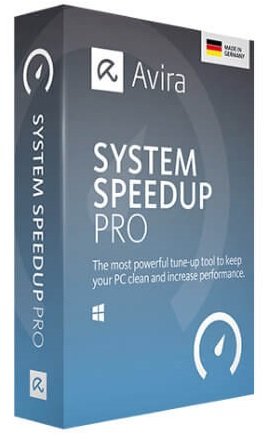
Avira System Speedup Pro v6.6.0.10959 Multilingual


b8454d9d04f459397efcb451ece24c5c.jpg

Avira System Speedup Pro v6.6.0.10959 Multilingual | 29.4 Mb
​
Avira System Speedup can optimize your PC performance, make your PC faster, more comfortable and more secure with just a few mouse clicks. Avira System Speedup offers you a visual representation of your scores across 3 key characteristics: disk, performance, and privacy. The 1-click scan then drastically increases your speed, cleans your computer, and removes traces of your browsing activities. Additional privacy safeguards, such as file encryption and a digital file shredder, are also included.


Features:
Disk Analyzer. Analyzes hard disk usage and optimizes its use.
Disk Doctor. Diagnoses malfunctioning hard drives.
Recovery. Enables you to recover or back up files, registers, and master boot records.
Network. Gives you a status overview and fixes Internet loss associated with certain types of software.
Startup Manager. Improves boot up time by minimizing processes.
Registry Cleaner. Detects and cleans registry errors.
Junk File Cleaner. Locates and removes obsolete, duplicate, and empty files.
Smart Defragmenter. Finds and converts minute, empty space it into useful memory.
File Encryption. Makes your saved files unreadable to outsiders.
File Shredder. Deletes files beyond recovery.
Privacy Cleaner. Automatically erases daily browsing history and data (supports exclusion list and multiple profiles)
Disk Wiper. Guarantees that hackers cannot retrieve deleted files.
Battery Booster. Optimizes battery use, so the battery will not be drained from unnecessary processes.
Uninstaller. Quickly, easily, and permanently uninstalls programs, leaving no trace.
Process Manager. Gives you an overview of all active processes and how to stop them.
Simple Controls. Your user interface (UI) provides an overview of your gains in performance.

System Requirements:
Operating Systems: Microsoft Windows 7 Service Pack 1 or higher with the newest updates, hotfixes, and service packs installed.
RAM: 2 GB of RAM or more
Disk space: Minimum 2 GB of free disk space (additional space for temporary and quarantine files needed)
CPU Type: Intel Pentium 4 / AMD Athlon 64 Processor or faster (with support for the SSE2 instructions set)
Browser: Internet Explorer 8 or newer
Additional requirements: To install, you'll need administrator rights, an internet connection, and a web browser. For automatic antivirus updates and optimal malware detection, you'll need an internet connection.

Home Page -
Код:
https://www.avira.com/en/avira-system-speedup


-:DOWNLOAD FROM LINKS:-

RapidGator
Код:
https://rapidgator.net/file/743db5f20b82783b69623c508c1bf856/DL4eVeR_Speedup.6.6.0.10959.rar.html

NitroFlare
Код:
https://nitroflare.com/view/A8C4325685EECCC/DL4eVeR_Speedup.6.6.0.10959.rar

​
 
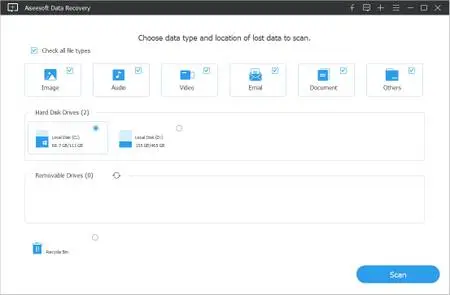
Aiseesoft Data Recovery v1.2.22 (x64) Multilingual


00667703_medium.jpg

Aiseesoft Data Recovery v1.2.22 (x64) Multilingual | 12.6 Mb
​
Aiseesoft Data Recovery is a powerful and safe data recovery software. It can help you recover almost all deleted/lost files like photos, documents, emails, audio, videos and more from computer, hard drive, flash drive, memory card, digital camera, etc. Whether you lose data due to deletion, formatted partition, hard drive problem, RAW hard drive, crashed computer or other reasons, this file recovery software can always be your best choice.


Recoverable Devices
Mistakenly deleted important files? Lost data due to crashed computer? Whatever situation you are trapped in, this great data recovery software can help you get back the deleted, formatted or lost data with ease.

Recoverable Data
This powerful data recovery tool can help you recover any data type like image, document, audio, video, email and more.

imple data recovering for all situations
Many reasons may cause the data loss on your computer, such as unexpectedly crashed software, computer crashed, wrong formatted drives, unexpectedly operations, partition deleted, virus attack, etc.

Deleted Files Recovery: If you delete important data by mistake and empty the Recycle Bin, or "Shift + Delete" files, you can't get them back from Recycle Bin.

Hard Drive Recovery: RAW hard drive, RAW partition, data system damage or partition loss, your files may be inaccessible, hidden or corrupt.

Crashed PC Recovery: Windows operating system crashed and bootable problems, you will lose lots of files after reinstalling the Windows system.

Partition Recovery: Disk accident, re-partition, improper clone, system re-installation, virus attack on hard drive and more will also make your data loss.

Powerful search function to quickly find lost data
This all-featured data recovery software enables you to scan and find deleted data according to the specific data type and hard disk drive. It is designed with a very useful "Filter" feature, which can help you easily find the lost data you need. Moreover, you are allowed to preview the detailed information of each data.

Fast scanning speed & reliable data recovery
Aiseesoft Data Recovery has the capability to quickly complete the data scanning process. It provides a "Deep Scan" feature to ensure you find all the deleted files. What's more, if you care about the safety of your important data, this file recovery tool can also be your first option. When you retrieve lost images, audio, videos, documents or emails, it won't store any of these data to its server. This reliable data recovery will guarantee the data safe.

System requirements:
Supported OS: Windows 10/8.1/8/7/Vista/XP(SP2 or later)
CPU: 1GHz Intel/AMD CPU or above
RAM: 512 MB or more (1024MB Recommended)
Hard Disk Space: 200 MB and above free space

Home Page -
Код:
https://www.aiseesoft.com/data-recovery/

Language: Multilingual


-:DOWNLOAD FROM LINKS:-

RapidGator
Код:
https://rapidgator.net/file/7fc9e87491276045126fcd95b71d959d/DL4eVeR_Data_Recovery_1.2.22.rar.html

NitroFlare
Код:
https://nitroflare.com/view/5D999998B78600E/DL4eVeR_Data_Recovery_1.2.22.rar

​
 
Softany WordToHelp v3.24


bfadb0c1742e93792b947dfd10dbefaa.jpg

Softany WordToHelp v3.24 | 6.4 Mb
​
Softany WordToHelp is an extremely easy-to-use help authoring tool. You only need to write documents in Microsoft Word, Softany WordToHelp will help you generate a variety of help files( HTML help(.chm), Web-based help and PDF). Softany WordToHelp provide up to 20 professional templates, so that you can produce professional-looking help documents without any knowledge of HTML and page design.


Key features:
Uses Word documents as source - with the most powerful word processor in the world, nothing cannot be imagined.
Provides over 20 professional templates - without any design skills, you can make good-looking help files.
Supports importing CHM file - convert existing CHM file to Word document so that you can transfer your previous works on other help authoring tools to Softany WordToHelp.
Visual CHM designer - the easiest way to set the properties of your chm files. (e.g. menu, toolbar, navigation, window size, default position, etc).

Operating System: Windows XP/Vista/7/8/10

Home Page -
Код:
http://www.softany.com/


-:DOWNLOAD FROM LINKS:-

RapidGator
Код:
https://rapidgator.net/file/cb36c00846a445fdbc49ec38d34830f6/DL4eVeR_WordToHelp.3.24.rar.html

NitroFlare
Код:
https://nitroflare.com/view/217E4E42E951B8B/DL4eVeR_WordToHelp.3.24.rar

​
 
Any Video Downloader 7.19.2 Pro


488c82138a3973561051db51c0e203d2.jpg

Any Video Downloader 7.19.2 Pro | 27.9 Mb
​
Any Video Downloader Pro, formerly known as HD Video Downloader Pro, is a Windows app to help you download videos from YouTube, Facebook, Dailymotion, and thousands of other video sharing sites. It accelerates your downloads by up to 5 times.


Features:
• Download videos from YouTube and thousands of other video sharing sites
Any Video Downloader Pro can download videos from YouTube, Facebook, Dailymotion, Vimeo, and thousands of other video sharing sites.
• Download HD videos from video sharing sites
You can download 720p, 1080p, 2K, 4K, 5K, 8K, and 3D videos from YouTube if they are available.
• Speed up your downloads
Any Video Downloader Pro features a multi-threaded acceleration engine that can boost your download speeds by up to 500% faster.
• Download multiple videos at a time
Any Video Downloader Pro supports simultaneous downloads. It allows you to download more than one video at a time.
• Pause and resume downloads
Any Video Downloader Pro allows you to pause and resume your downloads if you need more connection to perform other important tasks.
• Preview videos while downloading
While downloading, you can click the Preview button to play the incomplete file and make sure the content you are downloading is really the content of your choice.
• Download whole playlist from YouTube
Just enter a YouTube playlist link or ID, Any Video Downloader Pro will download all or part of videos in the playlist from YouTube for you.
• Download only audio stream from YouTube
Any Video Downloader Pro can download only audio stream from YouTube, without downloading the entire video file. The audio stream is small, so you can download it in just a few seconds.
• Convert and optimize downloaded videos
Any Video Downloader Pro can convert and optimize downloaded videos to any format for any device, so you can watch them on your PC, iPhone, iPad, Android phone, and other portable devices. It supports MP4, FLV, WMV, MOV, AVI, MPG, VOB, M4V, ASF, MKV, WEBM, 3GP, etc.
• Video to MP3
Any Video Downloader Pro allows you to extract audio stream from video file and save it as MP3, WAV, WMA, AC3, AAC, OGG, M4A, ringtone, or other audio format.
• Any Video Converter
Any Video Downloader Pro includes a powerful video and audio converter for converting your disk video/audio files to any format you wish so that they are playable on your mobile device.
• Ready-made presets
Any Video Downloader Pro provides ready-made presets for all popular video and audio formats. You can also custom output video/audio format settings.
• iTunes compatible
Optionally, Any Video Downloader Pro adds downloaded video/music to your iTunes library automatically, so you can easily synchronize your videos and music to your iPhone, iPad, iPod.
• Support drag-and-drop
You can directly drag and drop a video link from your web browser to the drop box or the main window of the program. You don't even need to copy and paste video link manually.
• Search for videos on the web
Any Video Downloader Pro has a built-in video search engine. You can easily search for videos on the web within the program and download any video with just one click.

Operating System: Windows® 10, Windows® 8 / 8.1, Windows® 7

Home Page -
Код:
http://www.anyvideosoftware.com/


-:DOWNLOAD FROM LINKS:-

RapidGator
Код:
https://rapidgator.net/file/bf8fd57d14a438c4e4dcb4b47dd8d186/DL4eVeR_Any_Video_Downloader_Pro_7.19.2.rar.html

NitroFlare
Код:
https://nitroflare.com/view/F241EA6DAF05AC5/DL4eVeR_Any_Video_Downloader_Pro_7.19.2.rar

​
 
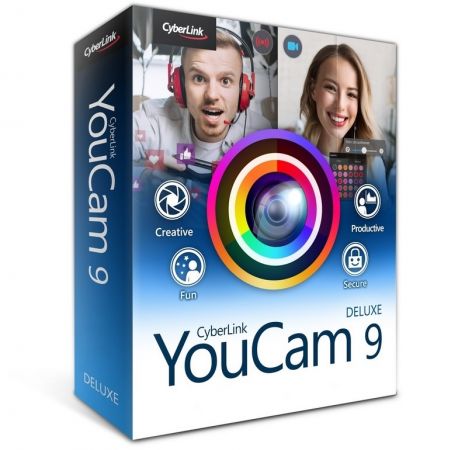
CyberLink YouCam Deluxe v9.1.1927.0 Multilingual


17a0f7a1a5e5e1efcaa78832d52b39c6.jpg

CyberLink YouCam Deluxe v9.1.1927.0 Multilingual | 761.5 Mb
​
The Best Webcam Software for Streamers, Business and Home Users. Turn your webcam into a live video studio. Integrate YouCam seamlessly into video call services like Skype, Zoom & U Meeting, as well as Facebook and YouTube Live or even Twitch. Apply real-time skin enhancements and makeup to look your best. Add life to your meetings, streams, and broadcasts with over 200 augmented reality effects, customized titles and images.


YouCam for Streamers, YouTubers and Vloggers
Use YouCam during your live streams to engage with your community of followers in a uniquely compelling way and grow your fan base. YouCam works with popular video recording, broadcasting and live-streaming services such as Twitch, Facebook Live, YouTube Live, OBS Studio, XSplit, and Wirecast.

Customizable Titles and Images for Live Streaming (NEW)
Add customized titles and images to your live-stream sessions. Showcase channel logos, advertising, promotional messages, and sponsorships.

Use with Popular Streaming Services
YouCam is a perfect companion to Twitch, Facebook Live, YouTube Live. Make it your virtual camera when using OBS Studio, XSplit, and Wirecast.

YouCam for Business
Look your best in every video conference. Sharpen video quality and project a healthy face with real-time skin enhancement tools and virtual makeup. YouCam works as a plug-in for popular video conference services, including Skype, CyberLink U Meeting, and Google Hangouts.

Look Sharp with Live Makeup (NEW)
YouCam's AR technology identifies your unique facial structure, features, and tone matrix to apply natural-looking makeup in real time. Create your own presets, or choose from a large selection of readymade palettes.

Live Skin Smoothing
Don't let bad lighting make you look tired. Whether you're chatting online, or livestreaming on Facebook or YouTube, real-time skin smoothing reduces visible blemishes and wrinkles on your face.

Lighting, Sharpness & Denoise Adjustments
YouCam, using TrueTheater™ technology automatically adjusts lighting and sharpness for a visually pleasing image. Intuitive controls let you manually adjust noise reduction, contrast, and brightness.

Business Presentation Recording
Turn PowerPoint slides into engaging presentations by choosing from a selection of layouts using PiP video or side-by-side display. Add effects from a wide collection to bring your work to life. You can also free-hand draw or record mouse cursor movements to highlight key areas.

Face Login and Face-out
Your face is your safest password. Face Login will log you into Windows when you present your face in front of the webcam. For added security, Face-out can lock your PC when your face is not in front the webcam.

YouCam for Home Users
YouCam brings a feast of 200 lively and exciting effects, animojis, filters, particles, and distortions to add fun to your video chats and recording projects.

Real-time Video Effects
Apply over 200 lively effects to your video chats and recording projects, with thousands more available for free download on DirectorZone.

Animojis and Gadgets
Experience augmented reality with face-tracking accessories and hilarious animojis. They can be paired with other effects to double the fun!

Particles, Filters and Distortions
The many webcam effects available in YouCam include colorful interactive particles, as well as funhouse-like filters and distortion effects.

Frames and Scenes
Blend the image from your webcam with another image effect. Use them to spice up your videos and compose the perfect portrait or profile picture.

Get Creative with Photo Editing
Enhance webcam photos using a range of brush sizes and colors, or try freestyle drawing using your fingers on a touch-screen. Use photo presets to add an artistic touch to your pictures. Rotate and crop webcam photos to extract the best parts.

Face Beautification Tools
YouCam's facial recognition technology and suite of beautifying tools allow you to touch up your facial features, remove imperfections and make subtle enhancements. A perfect selfie, straight from your webcam!

Minimum System Requirements:
- Microsoft Windows 10, 8.1/8, 7
- Intel Core™ i5 or AMD Phenom® II X4 B60
- Memory: 4GB
- Hard Disk Space: 1GB for product installation
- 1024 X 768 pixels, 16-bit color
- Web camera (built-in or external USB)

Language Support:
- English
- French
- German
- Italian
- Spanish (European)
- Chinese Simplified
- Chinese Traditional
- Japanese
- Korean

Home Page -
Код:
https://www.cyberlink.com


-:DOWNLOAD FROM LINKS:-

RapidGator
Код:
https://rapidgator.net/file/5367a2e14d8b51b8a77760f6f04271c4/DL4eVeR_YC.9.1.1927.0.rar.html

NitroFlare
Код:
https://nitroflare.com/view/B9687DD2BC27EED/DL4eVeR_YC.9.1.1927.0.rar

​
 
Apeaksoft Video Editor v1.0.28 Multilingual


eb361724b2b847e4c068debd82d5e89d.jpg

Apeaksoft Video Editor v1.0.28 Multilingual | 36.9 Mb
​
One professional all-in-one video editing software to rotate, clip, crop, watermark and convert video/audio files on your computer.


An Easy and Professional Video Editor to Polish Your Videos
Feel it time-consuming to edit video files with Lightworks, Hit film Express, Davinci Resolve, Shot cut or other difficult video editors. However, Apeaksoft Video Editor is the professional video editing software to rotate, clip, crop, join your video, add watermark, add other video effects, and convert video/audio files on your computer. You can customize your video through multiple editing features and get a better-quality video in minutes.

Rotate Video
It is easy to use this excellent video editing program to rotate or flip the video as you like. Rotate video 90 clockwise or 90 counterclockwise according to your need to suit kinds of players and let you get a better experience. Also, it also allows you to flip video vertically or horizontally.

4 Functions You Can Use to Enhance Video
Want to enhance your video quickly? This video editing program can help you achieve it. With the four quick choices, you can easily get superb video quality. For example, you can upscale video resolution from a lower resolution to higher resolution video. You can also optimize brightness and contrast to make your video enjoyable. If you want to make your video clearer, you can stabilize your video with reducing video shaking feature.

System requirements:
Windows OS: Windows 10, Windows 8.1, Windows 8, Windows 7, Windows Vista, Windows XP (SP2 or later)
CPU: 1GHz Intel/AMD CPU or above
RAM: 1G RAM or more

Home Page -
Код:
https://www.apeaksoft.com/


-:DOWNLOAD FROM LINKS:-

RapidGator
Код:
https://rapidgator.net/file/7b972ac05f5dee66024b06251c07d131/DL4eVeR_Video.Editor.1.rar.html

NitroFlare
Код:
https://nitroflare.com/view/A8D788C65E1BDB0/DL4eVeR_Video.Editor.1.rar

​
 
Apeaksoft MobieTrans v2.0.28 Multilingual


6361902ec850bdc6f9a7ea06f750dd55.jpg

Apeaksoft MobieTrans v2.0.28 Multilingual | 89.6 Mb
​
Professional iOS file transfer software which can safely and easily transfer photos, contacts, etc. between iPhone/iPad/iPod and computer, also between iOS devices.


Transfer iOS Files
As we all know, it seems extremely complicated to transfer data between iOS device and computer via iTunes. It always takes so much time to sync the data with your iPhone/iPad/iPod, even the result is not as expetced. That's the reason why we develop MobieTrans which enables you to transfer any data like photos, music, videos, contacts, SMS, etc. between your iPhone/iPad/iPod and computer without iTunes, it can also transfer data between iOS devices.

Edit iOS Files

Delete
You can delete data such as photos, music, videos, contacts, etc. you want to delete in one click via MobieTrans. You can select one or more items you want to delete. And that's much easier than deleting on iPhone one by one.

RenameRename
MobieTrans enables you to rename your photos, photo albums, contacts, music, videos, etc. on your computer. After renaming, you can find the file you want through the name quickly. That will also make your files look clearer.

De-duplicate (Contacts)
It is an annoying problem when you find your contacts are duplicated. MobieTrans can solve this problem for you. It can scan your iPhone/iPad/iPod and find out the duplicated contacts, then you can select all of them or some of them to delete. You can also merge them into one contact.

System requirements:
Operating System: Windows 10/8.1/8/7/Vista/XP
Processor: 750MHz Intel or AMD
Free Hard Disk Space: 1 GB or more
RAM: 512MB or above

Home Page -
Код:
https://www.apeaksoft.com/


-:DOWNLOAD FROM LINKS:-

RapidGator
Код:
https://rapidgator.net/file/9ff036192e008d0b828613c97ef1f92c/DL4eVeR_MobieTrans.2.0.28.rar.html

NitroFlare
Код:
https://nitroflare.com/view/80435BDA17E7346/DL4eVeR_MobieTrans.2.0.28.rar

​
 
Apeaksoft iPhone Eraser v1.0.26 Multilingual


5d406e1710ce78ce839faee078553a67.jpg

Apeaksoft iPhone Eraser v1.0.26 Multilingual | 40.1 Mb
​
Apeaksoft iPhone Eraser is the most useful utility to erase all content and settings permanently and thoroughly from iPhone iPad or iPod. In addition, you are able to erase more than one iOS device simultaneously.


The program offers 100% promise to securely erase all files (contacts, SMS, account information, photos, browser history, videos, songs, games, downloads, etc.) and settings from your iPhone iPad or iPod without no recovery possibility.

Erase data easily and permanently from your iOS device.
100% safeguard your private information in one click.
The program completely clear your iOS data with anti-virus.

This professional software provides you three modes to clear your iPhone iPad or iPod data. Whether you want to wipe out confidential documents on your job, or erase data for selling the device, you can choose one of the erasing levels to move on.

Low level: Erase data quickly with overwriting only one time, which can save you time for plenty of data files.
Medium level: Completely erase all data with overwriting the device for twice, remaining no trace. Nobody will know the data on your device is erased.
High level: Destroy data thoroughly with overwriting data for three times, which is the safest and most radical way to get your device started with a clean slate.

System requirements:
Windows OS: Windows 10, Windows 8.1, Windows 8, Windows 7, Windows XP (SP2 or later), Windows Vista
CPU: 1GHz Intel/AMD CPU or above
RAM: 1G RAM or more

Home Page -
Код:
https://www.apeaksoft.com/


-:DOWNLOAD FROM LINKS:-

RapidGator
Код:
https://rapidgator.net/file/8eec03d931207617530c868db1d4d572/DL4eVeR_iPhone.Eraser.1.0.26.rar.html

NitroFlare
Код:
https://nitroflare.com/view/77326ACAAC0AFFC/DL4eVeR_iPhone.Eraser.1.0.26.rar

​
 
Apeaksoft DVD Creator v1.0.50 Multilingual


ee6d0def64d529ea90797dbac4a4f0d5.jpg

Apeaksoft DVD Creator v1.0.50 Multilingual | 67.3 Mb
​
Whether you want to create a DVD disc as the gift to give your lover, or wish to keep the classic movie into a DVD disc to preserve forever, even if you want to make the various DVD disc for your customer, DVD Creator will be your best choice. Compatible with almost DVD types, like DVD-R, DVD+R, DVD-RW, DVD+RW, DVD+R DL, DVD-R DL, DVD-5, DVD-9, etc., you can easily make into your DVD disc. Even though you did not get a DVD disc, you can create the video into DVD folder and ISO file for further use on your computer directly.


Burn movie into Blu-ray disc/folder/ISO file (Windows only)
What is the best way to present your video recorded with your HD camcorder? The answer is keeping it in Blu-ray disc with DVD Creator. Creating a video or movie in high resolution into Blu-ray disc can restore the vivid scene to a large extent. With DVD Creator, you are able to burn movie into Blu-ray disc in Blu-ray-25/50, so that you can play it on your PS3/4, Sony, LG, Samsung, and Philips Blu-ray player. Without hardware Blu-ray player, then just convert movie into Blu-ray folder/ISO file for your desktop Blu-ray player.

System Requirements:
Supported OS: Windows 10, Windows 8.1, Windows 8, Windows 7, Windows Vista, Windows XP (SP2 or later)
CPU: 1GHz Intel/AMD CPU or above
RAM: 1GB RAM or more for DVD/BD creating

Home Page -
Код:
https://www.apeaksoft.com/


-:DOWNLOAD FROM LINKS:-

RapidGator
Код:
https://rapidgator.net/file/9bc992f7dce57d60c7f43f1ab72df14d/DL4eVeR_DVD.Creator.1.0.50.rar.html

NitroFlare
Код:
https://nitroflare.com/view/5D8FBF690030234/DL4eVeR_DVD.Creator.1.0.50.rar

​
 
Apeaksoft Blu-ray Player v1.0.28 Multilingual


564104416beb53ff71dbccefcf91247f.jpg

Apeaksoft Blu-ray Player v1.0.28 Multilingual | 56.2 Mb
​
Best Blu-ray player to play Blu-ray disc, Blu-ray folder, DVD disc/folder, ISO file with high-quality visual effects. It also can work as a powerful media player to play 4K UHD/1080p HD/SD video in MP4, MOV, AVI, MKV, and other formats.


Play Blu-ray disc/folder and ISO file on your computer
Apeaksoft Blu-ray Player is specially designed to play Blu-ray disk, folder and ISO file. It highly supports the newly released Blu-ray movies and guarantees you a full HD 1080p Blu-ray disc playback. With this powerful Blu-ray playing software, you can easily enjoy Blu-ray movies with vivid visual effects and crystal-clear details. In addition, it also enables you to play Blu-ray folder and ISO file smoothly.

Play DVD disc/folder/ISO file
More than just a Blu-ray player, Apeaksoft Blu-ray Player also has the capability to play DVD disk, DVD folder and ISO file with high image/sound quality. Many settings are offered to help you better enjoy your DVD. For instance, you can handily set audio track/channel, video track, subtitle track and more get the best DVD playing experience.
In a word, whether you want to play Blu-ray movie, or enjoy DVD disc, this all-featured Blu-ray player can always be your best choice.

Play 4K UHD, 1080p/720p HD and SD video in any format
Besides the Blu-ray and DVD playing features, Apeaksoft Blu-ray Player allows you to play 4K/HD/SD videos in any frequently-used format. You can play video in MP4, H.264/MP4 AVC, H.265/HEVC, MPG, M4V, TS, MTS, M2TS, MXF, RM, RMVB, WMV, ASF, MKV, AVI, 3GP, F4V, FLV, VOB and more. Surely, if you prefer watching the 4K/HD video to get more fantastic visual experience, it will help you play 4K videos in MP4, H.264/MPEG-4 AVC, H.265/HEVC, TS, MKV, AVI, MOV, FLV and WebM format.

Play audio file with lossless sound effect
Apeaksoft Blu-ray Player enables you to play Blu-ray disc/folder/ISO file, DVD disk/folder/ISO file, 4K/HD/SD with high-quality image and sound effects. What's more, if you want to play audio files in MP3, AAC, M4A, WMA, FLAC or other formats, you can also rely on it. It can give you lossless audio and dramatic high-definition (HD) surround sound. DTS-HD Master Audio or Dolby TrueHD is provided to make sure you have a great sound effect.

System requirements:
Windows OS: Windows 10, Windows 8.1, Windows 8, Windows 7, Windows Vista, Windows XP (SP2 or later)
CPU: 1GHz Intel/AMD CPU or above
RAM: 1G RAM or more

Home Page -
Код:
https://www.apeaksoft.com/


-:DOWNLOAD FROM LINKS:-

RapidGator
Код:
https://rapidgator.net/file/0be463b400a64e2e8919a75335b8158f/DL4eVeR_Blu-ray.Player.1.0.28.rar.html

NitroFlare
Код:
https://nitroflare.com/view/D67437AA25FE29D/DL4eVeR_Blu-ray.Player.1.0.28.rar

​
 
Goversoft Privazer v4.0.7 Multilingual


05a8018a4cf267e20988b3d41728c0d4.png

Goversoft Privazer v4.0.7 Multilingual | 28.1 Mb
​
PrivaZer is a program that is designed to ensure the protection of personal data. It scans your hard disk for which data were on it after conventional treatment optimizers. You can then view the data and found to remove them completely, permanently. The program shows the tracks left in the process of surfing the Web, CD burning, the use of IM-clients. Also analyzes the "Start" menu, memory, registry.


Operating System: XP, Vista, Win7, Win8/8.1, Win10, 32bits & 64bits

Home Page -
Код:
http://privazer.com/


-:DOWNLOAD FROM LINKS:-

RapidGator
Код:
https://rapidgator.net/file/36c8b9e0169c2faf6875b11bc5dada54/DL4eVeR_Privazer4.rar.html

NitroFlare
Код:
https://nitroflare.com/view/BC3ACCA1CD9D060/DL4eVeR_Privazer4.rar

​
 
BluffTitler Ultimate v15.0.0 (x64) Multilingual


a726408b6ef2f80162b636677adae21b.png

BluffTitler Ultimate 15.0.0 (x64) Multilingual | 53.7 Mb
​
BluffTitler is a Windows desktop app for creating, rendering and playing 3D video effects. Want to impress your family, friends and clients with spectacular 3D titles? But do not want to use complex and expensive 3D animation software? BluffTitler makes it easy and affordable to add 3D effects to your videos!


Effects that can be created with BluffTitler include:
• golden beveled titles
• blood dripping titles
• JPG textured titles
• MPG textured titles
• slimy titles
• hairy titles
• exploding titles
• reflection mapped titles
• twisted titles
• cartoon shaded titles
• golden glowing titles
• spooky lightened titles
• titles with silver spikes
• jumbling titles
• inverted titles
• bouncing titles
• powerfield emitting titles
• titles with flying hearts
• pumping titles
• plasma backgrounds
• background videos morphing into donuts
• particle effects
• MP3 audio
• morphing JPG pictures
• exploding video backgrounds
• fractal backgrounds

System requirements
Microsoft Windows 7, 8 or 10, 64 bits
A DirectX 11 compatible graphics card
100 MB available hard disk space
MP4 export & Emoji rendering requires Windows 10

Home Page -
Код:
http://www.outerspace-software.com/


-:DOWNLOAD FROM LINKS:-

RapidGator
Код:
https://rapidgator.net/file/b9d1cf6a4ada1a49ef7a05562f9159b0/DL4eVeR_BluffTitler.15.0.0.0.rar.html

NitroFlare
Код:
https://nitroflare.com/view/1D380EA64750019/DL4eVeR_BluffTitler.15.0.0.0.rar

​
 
Autodesk VRED Presenter 2021.1 (x64)


77f3cd8445ff0efe07df33c3c65ebc1d.png

Autodesk VRED Presenter 2021.1 (x64) Multilingual | 710.5 Mb
​
Autodesk® VRED™ Presenter software is part of the Autodesk solution for Digital Prototyping and an independent viewer application for Autodesk® VRED™ data files that can also be used in the area of 3D product presentation. It includes the Autodesk® VRED™ Raytracing and OpenGL engine for photorealistic quality at interactive speed.


It can act as a perfect technology base for point-of-sale systems or interactive product experiences. The customer's 3D data is always protected by rock-solid security features, such as file encryption and secured network traffic. Autodesk VRED Presenter can be controlled by external devices like tablet computers or mobile phones to enable easy navigation.

System Requirements:
-Microsoft® Windows® 10 (64-bit)
-Microsoft Windows 8.1 Professional (64-bit)
-Microsoft Windows 7 (64-Bit) SP1 or higher
CPU:64-bit Intel® processor with Intel® EM64T-capable or AMD® Athlon 64®, AMD Opteron® processor
Memory:1 GB RAM, 8 GB or more recommended

Home Page -
Код:
https://www.autodesk.com/


-:DOWNLOAD FROM LINKS:-

RapidGator
Код:
https://rapidgator.net/file/8715a5227828213bd650de857cec216e/DL4eVeR_VREDPRS_2021_1.rar.html

NitroFlare
Код:
https://nitroflare.com/view/9617E2E32DE0617/DL4eVeR_VREDPRS_2021_1.rar

​
 
Office Timeline (Plus / Pro) Edition 4.05.01.00


bdca811645142ec2a1f19734773cb517.png

Office Timeline Plus / Pro Edition 4.05.01.00 | 18.6 Mb
​
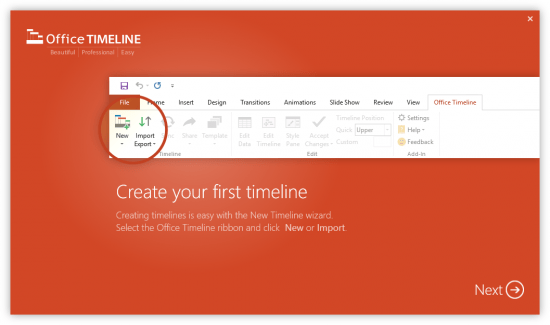
The #1 PowerPoint Timeline Maker for Windows and Office. Create PowerPoint timelines or roadmaps as fast as clients and executives need them. Simple but powerful PowerPoint add-in that anyone can use to quickly make and manage impressive timelines.


Beauty trumps complexity.
Build stunning PowerPoint timelines without the effort and cost.

Free yourself from manually building and managing visual project plans.
Office Timeline helps you make timelines, Gantt charts and Swimlanes in PowerPoint almost instantly. Customize them with just a few clicks to create clear, elegant high-level presentations that everyone will understand.

User-friendly PowerPoint timeline generator. Works the way clients and colleagues do.
Office Timeline works with all versions of PowerPoint. Give them stunning PowerPoint slides that can be viewed, edited and shared by anyone who has Microsoft Office.

Manage and change data with ease.
The plugin's powerful Data wizard and drag & drop Visual Editor make timeline management agile and intuitive. Updating timelines when projects and plans change is quick and easy.

PowerPoint timelines made easy.
No complex steps. No learning curve. No hassle!

Start from scratch or pick a template.
The timeline wizard was designed to make it simple. It all starts by selecting the type of timeline you want to make.

Enter your data and click Create.
Once you've selected a timeline template, enter or import your key milestones and tasks. Set their dates, click the Create button, and voilà! Timeline created.

Arrange and style to impress.
Use Drag & Drop to instantly rearrange or update your visual. Then customize it your way - colors, shapes, date formats, task duration, percent complete. change any detail, anyway you want.

Enjoy more freedom with Plus Edition.
While the Free edition is fully functional, Office Timeline Plus brings more! Plus Edition unlocks predesigned templates and gives you the freedom to add as much data as needed, so you can create detailed, unique PowerPoint timelines and Gantt charts.

See the power of Pro Edition.
Office Timeline Pro gives you everything you get with the Plus add-in, but adds powerful extra features. Pro Edition creates impressive Swimlanes and roadmaps, so you can manage complex projects with big-picture visuals that anyone can understand.

Pro Edition
- Brings everything available in Plus Edition, plus powerful Swimlane features.
- Create impressive Swimlanes to show multiple projects or phases on your timeline.
- Rearrange whole Swimlanes, reposition any object, update dates, all using drag & drop.
- Use stylish Swimlane templates to get you start fast.
- Place milestones inside Swimlanes or on Swimlane tasks for accuracy.
- Line up milestones and tasks to save space.

Plus Edition
- Instantly rearrange any object or update dates by drag & drop in the new visual editor.
- Place milestones on tasks to create unique, impressive visuals.
- Enhancements to the Edit Data interface.
- Quality and usability improvements.

System Requirements:
- Microsoft Windows Vista, Windows 7 (SP1), Windows 8, or Windows 10 (LTSB, CBB and CB). Office Timeline does not run on Windows 10 S. The add-in is functional on Windows XP and Windows Server but unsupported.
- 32-bit versions of Microsoft Office 2007 (SP3), 2010, 2013, or 2016. Although Office Timeline works with 64-bit versions of Office, we do not formally test or support it on 64-bit. The vast majority of the Office install base is the 32-bit version of Office. 32-bit is recommended by Microsoft unless you have very specific needs for 64-bit.
- .NET Framework 4.5.2 or greater.

Home Page -
Код:
https://www.officetimeline.com


-:DOWNLOAD FROM LINKS:-

RapidGator
Код:
https://rapidgator.net/file/40a22e21814e43117069062e8b272f87/DL4eVeR_Office.Timeline.4.05.01.00.rar.html

NitroFlare
Код:
https://nitroflare.com/view/793A1977AEC2333/DL4eVeR_Office.Timeline.4.05.01.00.rar

​
 
Autodesk Alias Surface 2021.1 (x64)


bb413083bb1de1bd7f7da7344e98220a.jpg

Autodesk Alias Surface 2021.1 | 2.9 Gb
​
The Alias Products development team is pleased to announce the availability of Surface 2021.1. This software offer tools for industrial area and vehicle design to handle class A surfaces. Update introduces several new features, fixes, and improvements, and addresses many customer reported crashes and issues.


Reference Manager additions
- You can now pick several layers and change their color at the same time just like you can in the Object Lister.
- FBX files can now be imported as references files.


Modeling enhancements

Surface Fillet Tool
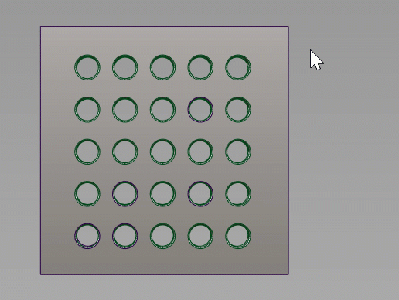
- We've added a third selection color to surface fillet inputs to indicate when more than two sets of surfaces have been picked. Now, when you select a third input set, the picked surfaces display in white. This way, it's easier for you to modify the selection to create two sets, or confirm the creation of multiple fillets. Use the selection options to add or remove surfaces from the individual sets.

007aa5f9_medium.gif

In previous versions of Alias, multiple input sets displayed in the secondary surface color (yellow), which made it difficult to distinguish between second and third input sets.
- When the Section Type is set to G2 Curvature/Arc, enabling the Bezier Surfaces option now builds three degree-5 Bézier surfaces in the V direction.

Profile Tool
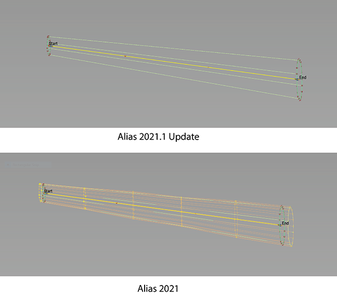
We've improved the Profile Tool so that it now highlights the input profile curves correctly in situations where they do not touch the rail.

007aa5f5_medium.png

Import and export improvements
You can now use the FBX file format to load and save subdivision bodies. Subdivision material assignments are supported.

Note: Creases are not supported when transferring subdivision bodies between Alias 2021.1 and Maya 2020 or Maya 2018 using the FBX format. In Fusion 360, subdivision bodies import as a mesh with a subdivision cage.


- When using File > Export > Screen or File > Export > Current Window, you can now output the PNG file with or without alpha information. <!-ALS-10225>


Data translation
Alias now supports the following:
- Importing and exporting CATIA V5 V5-6R2020 files.
- Importing NX 1899 Series files.

Alias API
- We've added a new argument to the AlReferenceFileSet::nextReferenceFileD method, which allows you to traverse only the top level of the reference structure as opposed to traversing the whole assembly tree.
General
- Alias no longer crashes when you rename a newly created layer in the Canvas Layer Editor. ALS-10219
- The Locators and Visual Sections transparency slider in the Control Panel now works correctly when adjusting transparency on curvature combs (Locators > Curve Curvature Tool) created from cross-sections. ALS-9546
- Fixed an issue that caused in-canvas feedback from tools, such as locators, to not be positioned properly when working with small-scale models in Perspective projection view mode. ALS-5188
- Fixed an issued that caused the Alias prompt line to show rotation as linear values. ALS-8894
- Alias no longer hangs if you Print (File > Print) to a printer that is unavailable or offline. ALS-2073
- The API function AlPixFile::openForWrite() now writes out a correct JPEG image. ALS-10414
- The Tool Locator tool (Help > Tool Locator) now opens a tool's option window when the tool is double-clicked. ALS-10402
- Alias no longer hangs if you start an Alias session with the Multi-lister collapsed, and then select Workspaces > Import Workspace or Workspaces > AliasClassic. ALS-10496
- Alias no longer saves multiple stages using the same name when you save a stage after a lost connection to the license server is re-established. ALS-10863
- Alias no longer hangs or crashes when saving a file using a file path that consists of more than 260 characters. ALS-10686
- We've renamed the Toggle Tool Window option in the Hotkey/Menu Editor to Open Tool Window to better describes what the option does. To access this option, choose Preferences > Interface > Hotkey/Menu Editor then select Special > General Useful Functions. ALS-10506
- Alias now displays a message warning you when the ALIAS_PREFS_LOCATION environment variable points to an illegal path, such as to a non-existent directory, an incomplete path, or a path restricted by write permissions. ALS-10754
- Alias no longer crashes when loading a plug-in while it's in text mode. ALS-10708
Modeling
- Fixed an issue with the Extend tool (Palette > Object Edit > Extend) that caused the manipulator to be misaligned. ALS-4173
- Resolved an issue that caused the Surface Fillet tool to fail to achieve G1 continuity between two surfaces. ALS-1480
- Boolean operations applied to shells, such as Surface Edit > Shells > Shell Subtract, now work correctly on stitched objects. ALS-1344
- The output of a Surface Fillet no longer generates incorrect results when you change the Flow Control End option from Default to Edge Align. ALS-7893
- Fixed an issue that caused deleted construction planes to remain visible in the Construction Plane Editor ( Windows > Editors > Construction Plane Editor). ALS-9177
- The Construction Plane Editor now updates as expected when you create a 3 Pt construction plane and attached it to an object. ALS-8929
- Fixed an issue that caused picking templated objects (Pick > Template) to fail in specific cases. ALS-10568
- The Keypoint Drag Tool (Keypoint Curve Tool > Keypoint Drag Tool) now transforms keypoints on circles or ellipses as expected. ALS-10108
- Fixed an issue that caused objects and instances to move after being grouped (Edit > Group) when an active construction plane is in the view, even when Preserve Position is on in the Group Options window. ALS-10140
- Aligned surfaces are no longer altered when untrimming a parent surface. Alias now detects instances when an untrim operation affects aligned surfaces and prompts you to cancel the Untrim (Surface Edit > Untrim) operation or delete the construction history. (ALS-8479)
- When selecting multiple objects for display in the History Visualizer, the objects' nodes no longer display stacked on top of each other. ALS-9916, ALS-9620
- Clicking the Translation Error icon now removes files with translation errors from the Translated file list of the Reference Manager. ALS-8342
- Center Pivot (Palette >Transform>Local > Center Pivot) now works with reference files. ALS-10084
- Fixed point of interest (POI) issues in referenced files with layer symmetry enabled. These include:
. When the file has transformations applied, the normals for the POI now get drawn in the correct direction on the symmetric and original side.
. Setting a POI on the symmetric side now works as expected.
. The POI now follows the cursor when it's moved away from the surface. ALS-10193
- Fixed an issue with the Multi-Surface Draft Tool (Surfaces > Multi-Surface Draft) that caused a draft surface to twist when inserting additional shape vectors on the input curve chain. ALS-6391
- Blend curves (BlendCrv Tools > Blend Curve Create) now work correctly when applied to the natural edges of a surface. ALS-9036
- Objects with history no longer get transformed when moved to a group that has transformations. ALS-10162
- Fixed an issue which caused the symmetrical halves of an object to display after using Transform > Center Pivot even when Layer symmetry is disabled on the layer. ALS-6766
- Continuity is now maintained when you offset a chain of multiple surfaces using the Surface Offset tool (Surfaces > Surface Offset). ALS-10525
- Fixed an issue with the Surface Fillet tool (Surfaces > Multi-Surface Fillet > Surface Fillet) where the Bézier Surfaces option did not create Bézier patches when the Selection Type is G2 Curvature/Arc. ALS-9485
- Using Delete CoS with History in the Untrim command now correctly deletes the CoS when you untrim a surface. ALS-10353
- Fixed an issue that caused objects in a group to move when ungrouped (Edit > Ungroup) even when Preserve Position is on in the Ungroup Options window. ALS-7913
- The Control Panel now displays the correct picked object information when two stacked subdivision CVs are box-selected. ALS-10202
- Fixed an issue where curves-on-surfaces (CoS) were incorrectly created by the Surface Evaluation Diagnostic Shader when the Surface Evaluation Type is set to Draft Angle. ALS-6213
- Turning off the display of subdivision CVs using the Cv/Hull toggle in the Control Panel Display settings now works as expected. ALS-6891
- Fixed a symmetrical modelling issue with subdivision bodies that stopped Weld from working on the mirror side. ALS-9363
- The Subdiv Align To Curve Tool no longer generates unpredictable results when aligning CVs to 180-degree curves (or greater) when the Projection Type is set to Uniform and Distribution Type is set to Arc Length. ALS-9917
- Fixed an issue where faces extracted from a subdivision body, using the Subdivision Extract tool with Keep original on, continued to display in a hidden layer. ALS-10136
- Fixed issues with shading assignment on subdivision objects when the object is on a layer with symmetry turned on. ALS-8957
- Fixed problems with subdivision bodies which occur after two Extract tool operations (with Keep original on) on subdivision objects with an aligned surface (Subdivision Align to Surface). ALS-10068
Visualization
- Fixed an issue that caused the Multi-lister > Picked diagnostic shade color picker to affect active shaders. ALS-5135
- Variants shaded with BoxMode now appear as expected when opened in the Variant Lister. ALS-9468
- Alias no longer renames imported materials that have hyphens in their name. ALS-10161
- Fixed an issue that caused custom shaders to be deselected as the default shader after a copy-and-paste operation. ALS-9011
- Reloaded textures now correctly update in the viewport after a lost connection to a server is re-established. ALS-10448
Data Transfer
- Multi-span 1-degree curves now export correctly to CATIA files. ALS-9967
- EDF file imports no longer fail due to empty trimmed edges. ALS-9832
- Fixed performance issues with IGES file translation. ALS-9007
- Fixed an issue that caused curves from CATIAPart files to import incorrectly. ALS-9527
- Improved the performance of the SaveLayers plug-in when exporting objects by layer. ALS-9672
- Fixed an issue that caused NX 12 file imports to fail in specific cases. ALS-9384
Dynamo
- Dynamo no longer crashes after Alias sends (Send to Dynamo) large subdivision models to it. ALS-8496
About Autodesk Alias product family. Autodesk Alias Design, Autodesk Alias Surface, Autodesk Alias AutoStudio, Autodesk Alias SpeedForm and Autodesk Alias Concept software-support concept visual communication, design modeling, technical surfacing, reverse engineering, real-time design visualization, and engineering development collaboration.

Autodesk Alias products, part of the Autodesk solution for Digital Prototyping, power your creative design process with advanced sketching, modeling, and visualization tools.

Autodesk Alias Surface software, part of the Autodesk solution for Digital Prototyping, offers a full set of dynamic 3D surface modelling capabilities. The software enables digital modellers to evolve design concepts into production surface models for consumer product design and high-quality Class-A surfaces for automotive design and styling. Alias Surface software also supports advanced reverse engineering capabilities enabling digital modellers to quickly go from mesh data to high-quality Class-A surfaces ready for engineering detail design.

Alias 2020 WhatsNew Subdiv Long Intro


Autodesk helps people imagine, design and create a better world. Everyone-from design professionals, engineers and architects to digital artists, students and hobbyists-uses Autodesk software to unlock their creativity and solve important challenges.

Product: Autodesk Alias Surface
Version: 2021.1
Supported Architectures: x64
Website Home Page :
Код:
http://www.autodesk.com
Language: english
System Requirements: PC *
Size: 2.9 Gb

Operating system
- Microsoft Windows 10 (64-bit)
- Microsoft Windows 8.1 Professional (64-bit)

Browser
Autodesk recommends the latest version of the following Web browsers for access to online supplemental content:
- Apple Safari Web browser
- Google Chrome Web browser
- Microsoft Internet Explorer Web browser
- Mozilla Firefox Web browser

CPU: 2 GHz 64-bit Intel or AMD multi-core processor

Graphics hardware:
- Alias General: Supported NVIDIA or AMD graphics card with a minimum of 256 MB dedicated texture memory and DirectX 11 compatible.
- Alias VR: Any NVIDIA or AMD graphics card that is VR Ready certified.

RAM: 8 GB (16 GB recommended)

Disk space:
Free hard disk space required for installation:
- Autodesk Alias AutoStudio: 10 GB
- Autodesk Alias Surface: 5 GB
- Autodesk Alias Concept: 7 GB
- Autodesk Alias Design: 5 GB

Pointing device:
- Three-button mouse
- Wacom graphics tablet for sketching (optional)

Optional Hardware: HTC Vive, Oculus Rift, Windows Mixed Reality devices

.NET Framework: .NET Framework Version 4.6 for Windows


-:DOWNLOAD FROM LINKS:-

RapidGator
Код:
https://rapidgator.net/file/3ad8d736d3125a9b2ff18f132c7d618f/DL4eVeR_ASURF_2021_1_64bit.part1.rar.html
https://rapidgator.net/file/6db54da21fb55d04ba55b3494d9eb6af/DL4eVeR_ASURF_2021_1_64bit.part2.rar.html
https://rapidgator.net/file/5612bb63dbbd1e732dcbb0f3abd45c36/DL4eVeR_ASURF_2021_1_64bit.part3.rar.html

NitroFlare
Код:
https://nitroflare.com/view/892018A51E805B6/DL4eVeR_ASURF_2021_1_64bit.part1.rar
https://nitroflare.com/view/0C3531AAAA105A4/DL4eVeR_ASURF_2021_1_64bit.part2.rar
https://nitroflare.com/view/F2D331AE609A1ED/DL4eVeR_ASURF_2021_1_64bit.part3.rar

​
 
Avira Phantom VPN Pro v2.34.3.23032


https://i112.fastpic.ru/big/2020/0731/3c/dff433501412ab69493ac6a31453593c.png[/img
[b]Avira Phantom VPN Pro v2.34.3.23032 | 7.7 Mb[/b]
[/center]
Avira Phantom VPN helps to improve security in the anonymity of the Internet, to protect the connection through robust methods of encryption and access to all web sites and online services.Avira Phantom VPN is a new and effective application that offers all the benefits of virtual private networks in an unobtrusive way.Unlock forbidden sites and services and improve the security of Internet connections by using modern and secure the VPN-service.Currently, one of the best ways to improve the confidentiality of data and other user activity is to use a VPN.


Supplied by one of the leading vendors of antivirus software, Avira Phantom VPN simplifies the process of anonymous and safe surfing on the Internet, and helps unlock prohibited in certain regions of web sites and services in just a few mouse clicks.

Avira Phantom VPN
Easy to install and simple interaction process
The application passes a typical installation process, after which the solution is integrated into the taskbar. The application works invisibly in the background and after the folding does not occupy space in the taskbar.
Thanks to minimalist user interface, to all the advantages of virtual private networks are available by simply pressing the button "Connect".

The focus on quality and ease of use
Simple and logically designed user interface simplifies interaction. On the other hand, the application does not offer advanced functionality, such as a built adblocker or data compression function. However, Avira Phantom VPN supports secure 256-bit encryption through.
In the settings menu, the user can seamlessly change to the VPN server and configure the transfer of diagnostic data in Avira. In addition, you can configure the service to start automatically at system startup.

Avira Phantom VPN software is a fast and easy to use virtual private network for Windows and Android. It secures your connection, anonymize your activities, and free up the whole web.

Avira Phantom VPN prevents online spies from seeing your communications (e.g. with friends, social networks, shopping / banking portals) on all networks, including unsecured open / public WiFi hotspots, by using AES 256-bit encryption between your device and our servers.
Avira Phantom VPN masks your real IP address to make you look like you're somewhere (and someone) else, to help keep your identity and confidential activities (e.g. bank transfers or calls) private against online intruders, whether individuals or organizations.

Features:
Web anonymity - Changes your IP address
Secure encryption - Protects your private communications
Unblock content - Watch your favorite shows from anywhere
Fast VPN - Runs silently in the background
No logs - Avira does not monitor what websites you visit
Easy to use - On. Off. On. Off. It's that simple
Simultaneous connections - Connect as many devices as you like
Unlimited data usage - For premium customers
Free Tech Support - For premium customers
Automatically secures untrusted networks - For premium customers
Masks IP address - Connect from any of our servers in 20 countries

Full feature set:
Anonymity on the net -Menyaet your IP-address
Secure encryption - Protect your personal correspondence
Access to blocked content - View your favorite shows from anywhere in the world
Fast VPN network - quiet work in the background
Lack of magazines - Avira does not track the websites you visit
Easy to use - included. Switch off. Included. Switch off. Simply superb!
Simultaneous Connections - Connecting any number of devices
Unlimited data usage - for premium customers
Automatic security on untrusted networks
Masking the IP-addresses - Connect with any of our servers located in 20 countries

[b]Operating System:[/b] Windows 7 (32 Bit und 64 Bit) Service Pack 1 or higher with the newest updates, hotfixes, and service packs installed.

[b]Home Page[/b] - [code]https://www.avira.com/[/code]

[center]
[color=black]-:[b]DOWNLOAD FROM[/b][/color][color=Red][b]LINKS[/b][/color]:-

[color=#ff6600][b]RapidGator[/b][/color]
[code]
https://rapidgator.net/file/a2bd34f39fdd25d5ff068376ccfa5d4d/DL4eVeR_VPN.Pro.2.34.3.23032.rar.html
[/code]

[color=#1261d0][b]NitroFlare[/b][/color]
[code]
https://nitroflare.com/view/3A49385AE644184/DL4eVeR_VPN.Pro.2.34.3.23032.rar
[/code]

[/center]​
 
Tenorshare 4uKey for Android 2.1.1.3


a67d35596923eca55d300efab27662a6.jpg

Tenorshare 4uKey for Android 2.1.1.3 Multilingual | 36.7 Mb
​
Unlock Android Just One Click Away. Remove Android password, pattern, PIN & fingerprint lock. Remove Google account from Samsung device without password. Secure unlocking in minutes with easy operations.


Completely Remove FRP Lock (NEW!)
Your Samsung device stuck in Google account verification, and how to remove samsung account without password? Tenorshare 4uKey for Android will solve these problems with high rate.

- Delete Samsung account without password
- Fully control your device without any limiations
- Support 99% Samsung devices, including Samsung Galaxy S10+, S10

Remove Any Android Screen Locks in Minutes
Tenorshare Android unlocker is capable of removing any formats of screen lock on your Android device. One can easily handle it without professional knowledge. Easy and quick.

Auto System Detection before Unlocking Android
For each Android device that has a password lock, it will prepare corresponding test profile to detect whether your device is ready to perform the next operation, making it's less likely to get your Android device bricked when you reset Android screen lock.

Never Worried When Locked out of Android Phones
No matter what reasons caused your Android phone getting locked, this smart tool can easily solve the problem and bypass Android lock screen in minutes. Quick and Easy.

Operating System: Windows XP, Vista, 7, 8/8.1, 10

Home Page -
Код:
https://www.tenorshare.com/


-:DOWNLOAD FROM LINKS:-

RapidGator
Код:
https://rapidgator.net/file/f2f8f408956016af8b261ca8122a5d93/DL4eVeR_4uKey.for.Android.2.1.1.3.rar.html

NitroFlare
Код:
https://nitroflare.com/view/D03EDDCA36C574C/DL4eVeR_4uKey.for.Android.2.1.1.3.rar

​
 
Autodesk Alias Concept 2021.1 (x64)


f6ce32ea6d1e46854800130ff8c1bf45.jpg

Autodesk Alias Concept 2021.1 | 2.9 Gb
​
The Alias Products development team is pleased to announce the availability of Concept 2021.1 is conceptual Automotive design software that provides sketching, fast concept modelling and visualisation tools. This update introduces several new features, fixes, and improvements, and addresses many customer reported crashes and issues.


Reference Manager additions
- You can now pick several layers and change their color at the same time just like you can in the Object Lister.
- FBX files can now be imported as references files.


Modeling enhancements

Surface Fillet Tool
- We've added a third selection color to surface fillet inputs to indicate when more than two sets of surfaces have been picked. Now, when you select a third input set, the picked surfaces display in white. This way, it's easier for you to modify the selection to create two sets, or confirm the creation of multiple fillets. Use the selection options to add or remove surfaces from the individual sets.


In previous versions of Alias, multiple input sets displayed in the secondary surface color (yellow), which made it difficult to distinguish between second and third input sets.
- When the Section Type is set to G2 Curvature/Arc, enabling the Bezier Surfaces option now builds three degree-5 Bézier surfaces in the V direction.

Profile Tool
We've improved the Profile Tool so that it now highlights the input profile curves correctly in situations where they do not touch the rail.


Import and export improvements
You can now use the FBX file format to load and save subdivision bodies. Subdivision material assignments are supported.

Note: Creases are not supported when transferring subdivision bodies between Alias 2021.1 and Maya 2020 or Maya 2018 using the FBX format. In Fusion 360, subdivision bodies import as a mesh with a subdivision cage.


- When using File > Export > Screen or File > Export > Current Window, you can now output the PNG file with or without alpha information. <!-ALS-10225>


Data translation
Alias now supports the following:
- Importing and exporting CATIA V5 V5-6R2020 files.
- Importing NX 1899 Series files.

Alias API
- We've added a new argument to the AlReferenceFileSet::nextReferenceFileD method, which allows you to traverse only the top level of the reference structure as opposed to traversing the whole assembly tree.
General
- Alias no longer crashes when you rename a newly created layer in the Canvas Layer Editor. ALS-10219
- The Locators and Visual Sections transparency slider in the Control Panel now works correctly when adjusting transparency on curvature combs (Locators > Curve Curvature Tool) created from cross-sections. ALS-9546
- Fixed an issue that caused in-canvas feedback from tools, such as locators, to not be positioned properly when working with small-scale models in Perspective projection view mode. ALS-5188
- Fixed an issued that caused the Alias prompt line to show rotation as linear values. ALS-8894
- Alias no longer hangs if you Print (File > Print) to a printer that is unavailable or offline. ALS-2073
- The API function AlPixFile::openForWrite() now writes out a correct JPEG image. ALS-10414
- The Tool Locator tool (Help > Tool Locator) now opens a tool's option window when the tool is double-clicked. ALS-10402
- Alias no longer hangs if you start an Alias session with the Multi-lister collapsed, and then select Workspaces > Import Workspace or Workspaces > AliasClassic. ALS-10496
- Alias no longer saves multiple stages using the same name when you save a stage after a lost connection to the license server is re-established. ALS-10863
- Alias no longer hangs or crashes when saving a file using a file path that consists of more than 260 characters. ALS-10686
- We've renamed the Toggle Tool Window option in the Hotkey/Menu Editor to Open Tool Window to better describes what the option does. To access this option, choose Preferences > Interface > Hotkey/Menu Editor then select Special > General Useful Functions. ALS-10506
- Alias now displays a message warning you when the ALIAS_PREFS_LOCATION environment variable points to an illegal path, such as to a non-existent directory, an incomplete path, or a path restricted by write permissions. ALS-10754
- Alias no longer crashes when loading a plug-in while it's in text mode. ALS-10708
Modeling
- Fixed an issue with the Extend tool (Palette > Object Edit > Extend) that caused the manipulator to be misaligned. ALS-4173
- Resolved an issue that caused the Surface Fillet tool to fail to achieve G1 continuity between two surfaces. ALS-1480
- Boolean operations applied to shells, such as Surface Edit > Shells > Shell Subtract, now work correctly on stitched objects. ALS-1344
- The output of a Surface Fillet no longer generates incorrect results when you change the Flow Control End option from Default to Edge Align. ALS-7893
- Fixed an issue that caused deleted construction planes to remain visible in the Construction Plane Editor ( Windows > Editors > Construction Plane Editor). ALS-9177
- The Construction Plane Editor now updates as expected when you create a 3 Pt construction plane and attached it to an object. ALS-8929
- Fixed an issue that caused picking templated objects (Pick > Template) to fail in specific cases. ALS-10568
- The Keypoint Drag Tool (Keypoint Curve Tool > Keypoint Drag Tool) now transforms keypoints on circles or ellipses as expected. ALS-10108
- Fixed an issue that caused objects and instances to move after being grouped (Edit > Group) when an active construction plane is in the view, even when Preserve Position is on in the Group Options window. ALS-10140
- Aligned surfaces are no longer altered when untrimming a parent surface. Alias now detects instances when an untrim operation affects aligned surfaces and prompts you to cancel the Untrim (Surface Edit > Untrim) operation or delete the construction history. (ALS-8479)
- When selecting multiple objects for display in the History Visualizer, the objects' nodes no longer display stacked on top of each other. ALS-9916, ALS-9620
- Clicking the Translation Error icon now removes files with translation errors from the Translated file list of the Reference Manager. ALS-8342
- Center Pivot (Palette >Transform>Local > Center Pivot) now works with reference files. ALS-10084
- Fixed point of interest (POI) issues in referenced files with layer symmetry enabled. These include:
. When the file has transformations applied, the normals for the POI now get drawn in the correct direction on the symmetric and original side.
. Setting a POI on the symmetric side now works as expected.
. The POI now follows the cursor when it's moved away from the surface. ALS-10193
- Fixed an issue with the Multi-Surface Draft Tool (Surfaces > Multi-Surface Draft) that caused a draft surface to twist when inserting additional shape vectors on the input curve chain. ALS-6391
- Blend curves (BlendCrv Tools > Blend Curve Create) now work correctly when applied to the natural edges of a surface. ALS-9036
- Objects with history no longer get transformed when moved to a group that has transformations. ALS-10162
- Fixed an issue which caused the symmetrical halves of an object to display after using Transform > Center Pivot even when Layer symmetry is disabled on the layer. ALS-6766
- Continuity is now maintained when you offset a chain of multiple surfaces using the Surface Offset tool (Surfaces > Surface Offset). ALS-10525
- Fixed an issue with the Surface Fillet tool (Surfaces > Multi-Surface Fillet > Surface Fillet) where the Bézier Surfaces option did not create Bézier patches when the Selection Type is G2 Curvature/Arc. ALS-9485
- Using Delete CoS with History in the Untrim command now correctly deletes the CoS when you untrim a surface. ALS-10353
- Fixed an issue that caused objects in a group to move when ungrouped (Edit > Ungroup) even when Preserve Position is on in the Ungroup Options window. ALS-7913
- The Control Panel now displays the correct picked object information when two stacked subdivision CVs are box-selected. ALS-10202
- Fixed an issue where curves-on-surfaces (CoS) were incorrectly created by the Surface Evaluation Diagnostic Shader when the Surface Evaluation Type is set to Draft Angle. ALS-6213
- Turning off the display of subdivision CVs using the Cv/Hull toggle in the Control Panel Display settings now works as expected. ALS-6891
- Fixed a symmetrical modelling issue with subdivision bodies that stopped Weld from working on the mirror side. ALS-9363
- The Subdiv Align To Curve Tool no longer generates unpredictable results when aligning CVs to 180-degree curves (or greater) when the Projection Type is set to Uniform and Distribution Type is set to Arc Length. ALS-9917
- Fixed an issue where faces extracted from a subdivision body, using the Subdivision Extract tool with Keep original on, continued to display in a hidden layer. ALS-10136
- Fixed issues with shading assignment on subdivision objects when the object is on a layer with symmetry turned on. ALS-8957
- Fixed problems with subdivision bodies which occur after two Extract tool operations (with Keep original on) on subdivision objects with an aligned surface (Subdivision Align to Surface). ALS-10068
Visualization
- Fixed an issue that caused the Multi-lister > Picked diagnostic shade color picker to affect active shaders. ALS-5135
- Variants shaded with BoxMode now appear as expected when opened in the Variant Lister. ALS-9468
- Alias no longer renames imported materials that have hyphens in their name. ALS-10161
- Fixed an issue that caused custom shaders to be deselected as the default shader after a copy-and-paste operation. ALS-9011
- Reloaded textures now correctly update in the viewport after a lost connection to a server is re-established. ALS-10448
Data Transfer
- Multi-span 1-degree curves now export correctly to CATIA files. ALS-9967
- EDF file imports no longer fail due to empty trimmed edges. ALS-9832
- Fixed performance issues with IGES file translation. ALS-9007
- Fixed an issue that caused curves from CATIAPart files to import incorrectly. ALS-9527
- Improved the performance of the SaveLayers plug-in when exporting objects by layer. ALS-9672
- Fixed an issue that caused NX 12 file imports to fail in specific cases. ALS-9384
Dynamo
- Dynamo no longer crashes after Alias sends (Send to Dynamo) large subdivision models to it. ALS-8496
About Autodesk Alias product family. Autodesk Alias Design, Autodesk Alias Surface, Autodesk Alias AutoStudio, Autodesk Alias SpeedForm and Autodesk Alias Concept software-support concept visual communication, design modeling, technical surfacing, reverse engineering, real-time design visualization, and engineering development collaboration.

Autodesk Alias products, part of the Autodesk solution for Digital Prototyping, power your creative design process with advanced sketching, modeling, and visualization tools.

Autodesk Alias Concept software offers a powerful tool set supporting the end to end creative design process. This software bundle combines sketching and conceptual modeling with design surface modeling and visualization capabilities, enabling designers and concept modelers to quickly define, explore and communicate large numbers of design proposals, thus increasing the decision-base for picking the next winning design.

Alias 2020 WhatsNew Subdiv Long Intro


Autodesk helps people imagine, design and create a better world. Everyone-from design professionals, engineers and architects to digital artists, students and hobbyists-uses Autodesk software to unlock their creativity and solve important challenges.

Product: Autodesk Alias Concept
Version: 2021.1
Supported Architectures: x64
Website Home Page :
Код:
http://www.autodesk.com
Language: english
System Requirements: PC *
Size: 2.9 Gb

Operating system
- Microsoft Windows 10 (64-bit)
- Microsoft Windows 8.1 Professional (64-bit)

Browser
Autodesk recommends the latest version of the following Web browsers for access to online supplemental content:
- Apple Safari Web browser
- Google Chrome Web browser
- Microsoft Internet Explorer Web browser
- Mozilla Firefox Web browser

CPU: 2 GHz 64-bit Intel or AMD multi-core processor

Graphics hardware:
- Alias General: Supported NVIDIA or AMD graphics card with a minimum of 256 MB dedicated texture memory and DirectX 11 compatible.
- Alias VR: Any NVIDIA or AMD graphics card that is VR Ready certified.

RAM: 8 GB (16 GB recommended)

Disk space:
Free hard disk space required for installation:
- Autodesk Alias AutoStudio: 10 GB
- Autodesk Alias Surface: 5 GB
- Autodesk Alias Concept: 7 GB
- Autodesk Alias Design: 5 GB

Pointing device:
- Three-button mouse
- Wacom graphics tablet for sketching (optional)

Optional Hardware: HTC Vive, Oculus Rift, Windows Mixed Reality devices

.NET Framework: .NET Framework Version 4.6 for Windows


-:DOWNLOAD FROM LINKS:-

RapidGator
Код:
https://rapidgator.net/file/bc32eb56a06874194c87602108a8d734/DL4eVeR_ALSCPT_2021_1_Win_64bit.part1.rar.html
https://rapidgator.net/file/f156c860b846a2ad58e6d8ecb333a243/DL4eVeR_ALSCPT_2021_1_Win_64bit.part2.rar.html
https://rapidgator.net/file/e308c6f265f11adfb472c336aaf1ee21/DL4eVeR_ALSCPT_2021_1_Win_64bit.part3.rar.html

NitroFlare
Код:
https://nitroflare.com/view/DB9185A75A847EE/DL4eVeR_ALSCPT_2021_1_Win_64bit.part1.rar
https://nitroflare.com/view/471585AAC08E98E/DL4eVeR_ALSCPT_2021_1_Win_64bit.part2.rar
https://nitroflare.com/view/3DDA8ED6BD9F3CA/DL4eVeR_ALSCPT_2021_1_Win_64bit.part3.rar

​
 
Назад
Сверху