• Здравствуйте. Сайт заработал в архивном режиме форум www.old.nado.in

EkThaTiger's Softwares

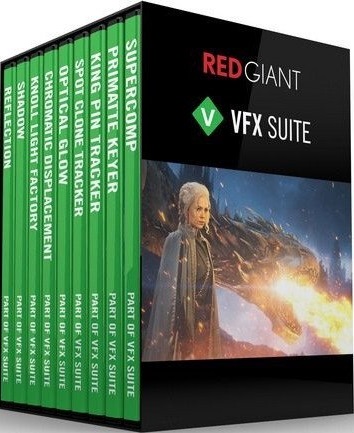
Red Giant VFX Suite 1.0.5 x64

b3ad2fb2c46459175987c5828e1eccf6.jpg


Red Giant VFX Suite 1.0.5 x64

File Size: 628 MiB

​

VFX Suite offers a powerful toolkit for realistic visual effects composites in After Effects. With Supercomp, light and atmospheric effects interact with all of your layers and the elements of a scene in a far more natural way than can be modeled with a simple stack of 2D layers. VFX Suite also includes tools for adding shadows and reflections that speed up some of the essential parts of creating a professional composite.

Chroma Key
VFX Suite gives you fast, automatic chroma keying. Whether you are using a green screen or blue screen, Primatte Keyer can regularly pull a perfect key with a single click. Primatte's cleanup tools help turn even the most difficult shots into solid and professional composites. Take your chroma keying results even further by using Primatte in combination with Supercomp's post-keying tools.

Tracking & Cleanup
VFX Suite features lighting-fast, accurate planar tracking, right inside of After Effects - no need to step out of AE for great corner-pin tracking results anymore. Whether you're pinning a rectangular sign or something not rectangular at all, King Pin Tracker has you covered. Also included is Spot Clone Tracker, a powerful tool for quickly removing anything from skin blemishes to unwanted objects in your shot.

Lights & Glows
VFX Suite's Optical Glow generates a blazing fast, drop-dead gorgeous, photo-realistic glow effect - great for use in visual effects and motion graphics. It's easy to use and is by far the most beautiful, highest-quality glow ever made for Adobe After Effects. Knoll Light Factory gives you 3D lens flares from Industrial Light and Magic, and includes over 200 presets based on films from the 1960's to the present day.

Distortion
VFX Suite makes it easy to generate beautiful prismatic displacement effects for visual effects and motion graphics. Unlike the Displacement Map effect in After Effects, Chromatic Displacement uses the displacement image as a height map, which gives you beautiful, organic results - perfect for creating force fields, heat ripples, light refractions, cloaking effects, and much more.

VFX Supercomp
Supercomp is a compositing environment that makes it easy to create complex, seamless composites. In Supercomp, light and atmospheric effects interact with ALL of your layers and the elements of a scene in a far more natural way and with far less pre-composing than ever before. Supercomp includes more than 15 gpu-accelerated context-aware tools for integrating all of your elements into your final shot.

VFX Primatte Keyer
Primatte Keyer is a powerful tool for fast, automatic chroma keying. Whether you are using a green screen or blue screen, Primatte Keyer's auto compute algorithms can often pull a perfect key automatically. The new user interface and clean up tools make it easy to select and separate your background and foreground.

VFX King Pin Tracker
King Pin Tracker gives you fast, accurate planar tracking, right inside of After Effects. King Pin Tracker makes it simple to place signs or objects into a shot, even if they aren't simple rectangular shapes. With powerful To and From pins, and the ability to offset and rotate in planar space, you can pin whatever you want, wherever you want it.

VFX Spot Clone Tracker
Spot Clone Tracker is a tool for lightning-fast, simple object removal with a built-in tracker for moving footage. Easily fix blemishes or remove small, unwanted items. Spot Clone Tracker is easy to use, and even matches your lighting automatically, with options for how it clones light, color and texture.

VFX Optical Glow
Optical Glow is a blazing fast, drop-dead gorgeous, photo-realistic glow effect for use in professional visual effects and motion graphics. It's easily the most beautiful, highest-quality glow you've ever had on your timeline. There's actually a lot of science behind why it looks so much better than the glows you've been using for years, but the bottom line is it's just super awesome.

VFX Chromatic Displacement
Chromatic Displacement uses one layer to displace the pixels of another, while smoothly separating out the colors. Unlike the Displacement Map effect in After Effects, Chromatic Displacement uses the displacement image as a height map, which gives you beautiful, organic results. We designed Chromatic Displacement for creating professional visual effects, such as force fields, heat ripples, light refractions, cloaking effects, and much more - but it's also great for motion graphics.

VFX Knoll Light Factory
Designed by John Knoll, Chief Creative Officer at Industrial Light and Magic, Knoll Light Factory creates camera-inspired, photo-realistic lens flares that render fast, thanks to new GPU acceleration. Using the intuitive Lens Editor, create your own flares from scratch, or customize one of the 200 included presets inspired by some of the most iconic films of the past few decades.

VFX Shadow
Shadow is a plugin for After Effects that makes it super easy to add a perspective shadow in front of or behind a layer, based on its alpha channel, brightness, and more. With options for softness, bend, length, color and many other properties, the Shadow effect goes far beyond the various shadow tools available inside After Effects.

VFX Reflection
Reflection is a plugin for After Effects that makes it easy to add a reflection to your layers. With controls for softness, distance fade, length and more, this effect goes far beyond the standard methods for creating reflections.

System Requirements:
Windows 10 (x64)
Adobe Creative Cloud (2017 - 2020)

У Вас недостаточно прав для просмотра ссылок. Войдите или зарегистрируйтесь.


DownLoad

NitroFlare
Код:
https://nitroflare.com/view/609EEEDF790F652/Red.Giant.VFX.Suite.1.0.5.x64.rar

RapidGator
Код:
https://rapidgator.net/file/e6b08e286ee4d3f86c41259a684559eb/Red.Giant.VFX.Suite.1.0.5.x64.rar.html

UploadGiG
Код:
https://uploadgig.com/file/download/F2898196D76ec8a9/Red.Giant.VFX.Suite.1.0.5.x64.rar

 
Articulate Storyline 3.8.20838.0 Multilingual

33c463df0b2a2e2c02b4c6cddfcaae8b.jpg


Articulate Storyline 3.8.20838.0 Multilingual

File Size: 469 MiB
Languages: Multilingual

​

Articulate Storyline is the industry's favorite software for creating interactive courses. It's simple enough for beginners, yet powerful enough for experts. And it lets you create virtually any interaction you can imagine, in minutes. With the new perpetual version of Storyline, you'll be able to deliver mobile and accessible courses with enhanced interactivity faster.

Deliver a responsive multi‑device experience
Simply create your course in Storyline 3 and click publish. The new responsive player dynamically adapts to tablet and smartphone screens, providing an optimal view of your course on every device-without you tweaking a thing. It supports touchscreen gestures, hides sidebar menus, eliminates browser chrome, and delivers mobile‑friendly playback controls.

Add closed captioning
Make your courses more accessible for all of your learners by adding closed captions. Simply import a caption file for each audio track and video in your course, then style captions using any font you want. You can even use triggers to toggle captions on and off when you've disabled player chrome.

Dial up the interactivity
Let learners manipulate data and slide content with dial interactions. Customize prebuilt dials or create your own from any object, graphic, or image. Use dials to simulate real‑world objects and tasks or let learners explore cause‑and‑effect relationships.

Get your game on
Create game‑like interactions easily with new triggers and motion path features. You can now trigger events when objects intersect, stop intersecting, enter the slide, or leave the slide. And take motion path animations to a whole new level by orienting moving objects to the paths they're traveling.

Publish high‑performance HTML5 courses
HTML5 output looks better, runs faster, and supports more features than ever before. All accessibility features, including closed captions and custom tab order, are supported in HTML5 output. And you can choose to publish HTML5‑only or HTML5‑first courses.

Work more efficiently
Let Storyline do more of the work for you. With productivity enhancements, Storyline 3 finds and replaces fonts in seconds, automatically scales and crops images to fit any placeholder shape, and maintains triggers when you swap out placeholder images. You can also now name your motion paths, duplicate and set properties for multiple slide layers at once, and publish a single slide or scene.

RELEASE NOTES:

- Enhanced: You'll now see an HTML5 preview in the player properties windows. It no longer relies on Flash. And that means Storyline 3 is officially Flash-free. You can still publish Flash output, but the Flash Player isn't required to use Storyline 3.
- Enhanced: On the Slides tab, we changed the name of the Basic Layouts button to New Slide and added the ability to insert slides with a single click. Click the top half of the button to quickly add a new slide with the same layout as the current slide. Or, click the bottom half of the button to choose from a list of basic layouts.
- Fixed: Animations couldn't be removed from multiple objects all at once.
- Fixed: Previewing a course could be slow or choppy.Fixed: White lines or borders could appear around slides in published content.
- Fixed: Text disappeared from lists with justified alignment.
- Fixed: Clicking a custom section header in the menu didn't jump to the first slide in that section.

Operating System:
- Windows 10 (32-bit or 64-bit)
- Windows 8 (32-bit or 64-bit)
- Windows 7 SP1 or later (32-bit or 64-bit)

У Вас недостаточно прав для просмотра ссылок. Войдите или зарегистрируйтесь.


DownLoad

NitroFlare
Код:
https://nitroflare.com/view/DDE280A9A700151/Articulate.Storyline.3.8.20838.0.Multilingual.rar

RapidGator
Код:
https://rapidgator.net/file/dfef2c49738207c88a785a44a5d5d223/Articulate.Storyline.3.8.20838.0.Multilingual.rar.html

UploadGiG
Код:
https://uploadgig.com/file/download/D7139DA3670a4f9a/Articulate.Storyline.3.8.20838.0.Multilingual.rar
 
Nik Collection 2 By DxO 2.3.0 CR2 macOS

e587b56bfdf94bb93273c5514a25fafe.png


Nik Collection 2 By DxO 2.3.0 CR2 macOS

File Size: 0.97 GiB
Languages: Multilingual

​

Add the power of the Nik Collection by DxO to your workflow today and create stunning images faster. The most complete collection of plug-ins from Nik Collection by DxO companies using proprietary U Point, which allows you to subtly adjust the brightness, contrast, color saturation and other parameters of individual objects or areas of the photograph.

The Complete Nik Collection by DxO includes all of the latest award-winning plugin software titles for Adobe Photoshop® and Adobe Lightroom® including: Color Efex Pro, Silver Efex Pro, Viveza, Analog Efex Pro, HDR Efex Pro, Dfine, Sharpener Pro and DxO PhotoLab 2 Essential Edition. All products feature Nik Software's patented U Point® technology, giving photographers the most powerful tools for precise and natural photographic enhancements and corrections without the need for complicated selections or layer masks.

CR2- Fixed activated Define for
BackgroundFilter.plugin
HotPixelsFilter.plugin
SkinFilter.plugin
SkyFilter.plugin
StrongNoiseFilter.plugin
FineStructuresFilter.plugin
ShadowsFilter.plugin

Supported Operation Systems:
macOS 10.10 or later 64-bit

У Вас недостаточно прав для просмотра ссылок. Войдите или зарегистрируйтесь.


DownLoad

NitroFlare
Код:
https://nitroflare.com/view/E82A477C335D9C3/Nik.Collection.2.By.DxO.2.3.0.CR2.macOS.dmg

RapidGator
Код:
https://rapidgator.net/file/f8fcc0f46da1613a15a74d289025abb6/Nik.Collection.2.By.DxO.2.3.0.CR2.macOS.dmg.html

UploadGiG
Код:
https://uploadgig.com/file/download/3760ccF6205eb587/Nik.Collection.2.By.DxO.2.3.0.CR2.macOS.dmg
 
Microsoft Office Pro Plus 2019 v1911 Build 12228.20332

83e7505f1db790bf05a1541123fd3f66.png


Microsoft Office Pro Plus 2019 v1911 Build 12228.20332

File Size: 3.87, 4.16 GiB
Languages: Arabic, English, German, Greek, French, Spanish
Italian, Portuguese-Portuguese, Portuguese-Brazil, Turkish

​

Description:
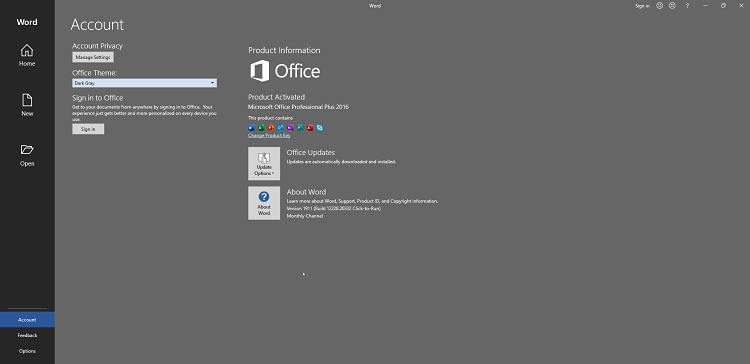
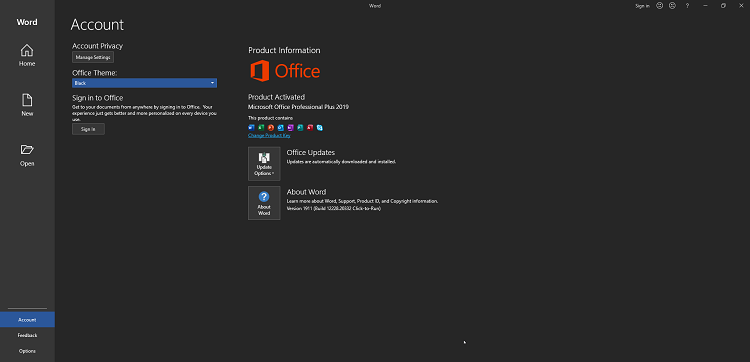
Office 365 ProPlus, the cloud-connected version of Office, delivers the most productive and most secure Office experience-with the lowest total cost of ownership for deployment and management. However, for customers who aren't ready for the cloud, Office 2016-2019 provides new features and updates to the on-premises apps for both users and IT professionals. Like Windows Long Term Servicing Channel (LTSC) releases, Office 2016-2019 provides a set of valuable enhancements for customers who can't be cloud-connected or receive regular updates.

The new enhancements in Office 2016-2019 are a subset of a long list of features that have been added to Office 365 ProPlus over the last three years. Office 2016-2019 is a one-time release and won't receive future feature updates. However, we'll continue to add new features to Office 365 ProPlus monthly, including innovations in collaboration, artificial intelligence (AI), security, and more. Office 2019 delivers features across apps to help users create amazing content in less time. In PowerPoint 2019, you can create cinematic presentations with new features like Morph and Zoom. And improved inking features across the apps in Windows-like the roaming pencil case, pressure sensitivity, and tilt effects-allow you to naturally create documents.

Microsoft Office 2016-2019 Select Edition includes:
Microsoft Office 2016-2019 Professional Plus
Microsoft Access 2016-2019
Microsoft Excel 2016-2019
Microsoft Lync 2019
Microsoft OneNote 2016-2019
Microsoft Outlook 2016-2019
Microsoft PowerPoint 2016-2019
Microsoft Publisher 2016-2019
Microsoft Visio Viewer 2019
Microsoft Word 2016-2019
Microsoft Visio pro 2016-2019
Microsoft Project Pro 2016-2019
Skype for business 2016-2019
OneDrive for Business 2016-2019
Office Shared Features
Profing Tools Only 2019
And many more

System Requirements:
OS:Windows 7/8/8.1/10

Instruction:
1)Download the ISO
2)mount it or extract
3)run .exe
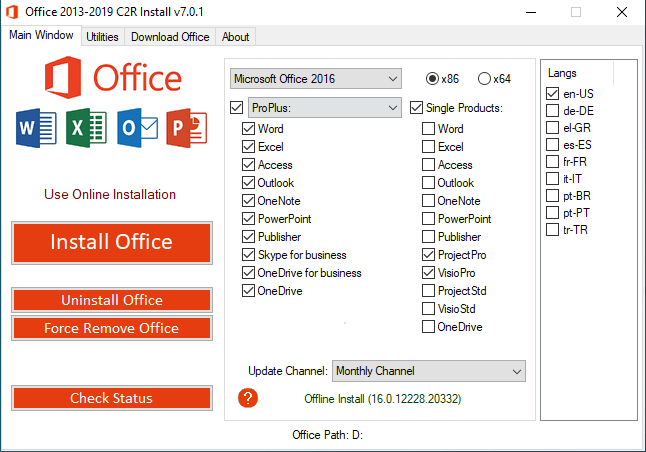
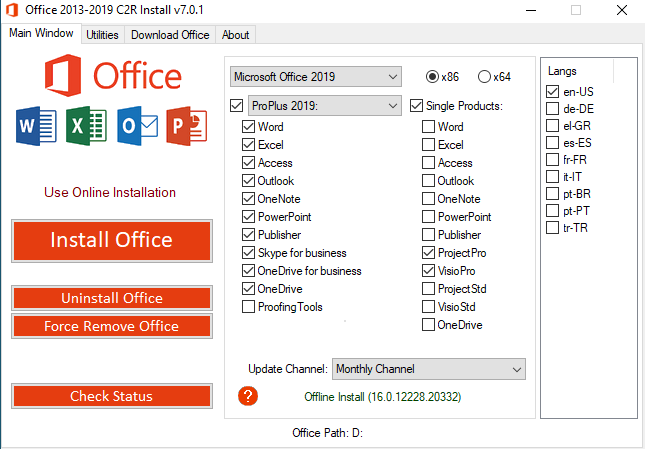
5)choose Microsoft office 2016 or 2019 and language click install
6) When installation is done, go to utilities tab and -click Office RETAIL >= VL button
7)click activation

WHATS NEW:

Version 1911: December 03 (Build 12228.20332)

Feature updates

Excel
-Type a formula that returns multiple values: Quickly type a formula that returns multiple values, and they'll automatically spill into the neighboring cells. Learn more
-Six powerful functions: We've added six new functions to supercharge your spreadsheets: FILTER, SORT, SORTBY, UNIQUE, SEQUENCE and RANDARRAY.
-Data visualizer add-in: Quickly create Visio flowcharts from Excel.

Word
-Coauthoring improvements: Improved the coauthoring experience by making it more likely that content changes will be received by others in real time.

Resolved issues

Access
-Fixed an issue in Microsoft Access that may cause the error "Query is Corrupt" when an Update Query is run, or an UPDATE statement is used in SQL.

Excel
-Excel may have issues when editing a protected file from an untrusted network share.
-Resolved an issue that may have caused a crash when searching for recent files while no workbook is open.

Outlook
-Addressed an issue that caused users to see an empty message box with an "OK" button when trying to contact support from the Account Creation context.
-When using the Brazilia time zone in the year 2019, recurring meetings and appointments are displayed in the wrong timeslot for the year 2020. This change is relevant for clients set in the Brazilia time zone or for meetings and appointments set in that time zone.
-Addressed an issue that caused users to see a "The rules on this computer do not match the rules on Microsoft Exchange" prompt when opening the Rules dialog.
-Corrected an issue with SMIME algorithm selection.
-Addressed an issue that caused the Location field in meetings to get updated unexpectedly.

Office Suite
-Resolved an issue where Office updates may have unexpectedly downloaded files from the Office CDN instead of the intended source, such as a local or network share, or Configuration Manager-provided location.
-Fixed an issue in ODT and GPO Update Deadline setting where relative deadline only works the first time it is set, the fix enables the relative deadline for subsequent updates.
-Resolvee an issue where Office updates may have unexpectedly downloaded files from the Office CDN instead of the intended source, such as a local or network share, or Configuration Manager-provided location.

21c735480a7c9665ebd62d7de8fe68f3.png


6a86e2afada83adcf3d0c48df6f37f78.png


078720ffeb19dea6bf8ee583e28374f1.png


f5c168c6b9ecbebf735ae3a9ee055ba0.png


У Вас недостаточно прав для просмотра ссылок. Войдите или зарегистрируйтесь.


DownLoad

Single Link
Код:
https://nitroflare.com/view/3AA90809FFA70DA/MSFT.Office.2016.2019.x64.16.0.12228.20332.ISO
https://nitroflare.com/view/9568B3E8228CFCB/MSFT.Office.2016.2019.x86.16.0.12228.20332.ISO

Код:
https://rapidgator.net/file/56d6acad347b7459ef9f6339a922adfa/MSFT.Office.2016.2019.x64.16.0.12228.20332.ISO.html
https://rapidgator.net/file/aeef473783021b7753e86ec37b0c31d5/MSFT.Office.2016.2019.x86.16.0.12228.20332.ISO.html

Код:
https://uploadgig.com/file/download/EDD2f6Ad97151958/MSFT.Office.2016.2019.x64.16.0.12228.20332.ISO
https://uploadgig.com/file/download/fb3f992211d7fFcE/MSFT.Office.2016.2019.x86.16.0.12228.20332.ISO

NitroFlare
Код:
https://nitroflare.com/view/5944B89C33261C1/MSFT.Office.2016.2019.x64.16.0.12228.20332.part1.rar
https://nitroflare.com/view/1367EF4F6742FF5/MSFT.Office.2016.2019.x64.16.0.12228.20332.part2.rar
https://nitroflare.com/view/AFBB7CCC3B891CC/MSFT.Office.2016.2019.x64.16.0.12228.20332.part3.rar
https://nitroflare.com/view/2B9AE0C38DF8A73/MSFT.Office.2016.2019.x64.16.0.12228.20332.part4.rar
https://nitroflare.com/view/AF8E80400D66762/MSFT.Office.2016.2019.x64.16.0.12228.20332.part5.rar

Код:
https://nitroflare.com/view/57083F74DE52A3C/MSFT.Office.2016.2019.x86.16.0.12228.20332.part1.rar
https://nitroflare.com/view/B39EE24F8F4D441/MSFT.Office.2016.2019.x86.16.0.12228.20332.part2.rar
https://nitroflare.com/view/49C4F38C0444870/MSFT.Office.2016.2019.x86.16.0.12228.20332.part3.rar
https://nitroflare.com/view/C46CBBA15D8AC7E/MSFT.Office.2016.2019.x86.16.0.12228.20332.part4.rar

RapidGator
Код:
https://rapidgator.net/file/3907bbad2f0836de5afa978bedff0a32/MSFT.Office.2016.2019.x64.16.0.12228.20332.part1.rar.html
https://rapidgator.net/file/4314e9ead519802532cd0bc6b36a13ba/MSFT.Office.2016.2019.x64.16.0.12228.20332.part2.rar.html
https://rapidgator.net/file/396ab0d3e023737c156c2775743f0a38/MSFT.Office.2016.2019.x64.16.0.12228.20332.part3.rar.html
https://rapidgator.net/file/c5cc304d1aa19d2f2b25345301cbee0d/MSFT.Office.2016.2019.x64.16.0.12228.20332.part4.rar.html
https://rapidgator.net/file/9f4519481bb554f3da3602c16e299ffc/MSFT.Office.2016.2019.x64.16.0.12228.20332.part5.rar.html

Код:
https://rapidgator.net/file/d7b7030c8d44d95352fca62509e8421f/MSFT.Office.2016.2019.x86.16.0.12228.20332.part1.rar.html
https://rapidgator.net/file/06ecdb9f1d5747251f92beb06e08af0a/MSFT.Office.2016.2019.x86.16.0.12228.20332.part2.rar.html
https://rapidgator.net/file/9c1e7f9f7f768f827e0911af325448ba/MSFT.Office.2016.2019.x86.16.0.12228.20332.part3.rar.html
https://rapidgator.net/file/186918d63796b49648694585b4ba8485/MSFT.Office.2016.2019.x86.16.0.12228.20332.part4.rar.html

UploadGiG
Код:
https://uploadgig.com/file/download/2b09c7e1d6e3E7f5/MSFT.Office.2016.2019.x64.16.0.12228.20332.part1.rar
https://uploadgig.com/file/download/711cf9b027cF75f6/MSFT.Office.2016.2019.x64.16.0.12228.20332.part2.rar
https://uploadgig.com/file/download/7cd394420902da73/MSFT.Office.2016.2019.x64.16.0.12228.20332.part3.rar
https://uploadgig.com/file/download/a3a09e1B6a6Ee7c9/MSFT.Office.2016.2019.x64.16.0.12228.20332.part4.rar
https://uploadgig.com/file/download/6cB197D07f30c983/MSFT.Office.2016.2019.x64.16.0.12228.20332.part5.rar

Код:
https://uploadgig.com/file/download/df4701F92bBe315d/MSFT.Office.2016.2019.x86.16.0.12228.20332.part1.rar
https://uploadgig.com/file/download/d303F0868750157d/MSFT.Office.2016.2019.x86.16.0.12228.20332.part2.rar
https://uploadgig.com/file/download/ce0893188D090903/MSFT.Office.2016.2019.x86.16.0.12228.20332.part3.rar
https://uploadgig.com/file/download/0576f064f55ac1A7/MSFT.Office.2016.2019.x86.16.0.12228.20332.part4.rar
 
Capture One 20 Pro 13.0.0.155 x64 Multilingual

f9bcc940f97782aae7ce65227449a773.jpg


Capture One 20 Pro 13.0.0.155 x64 Multilingual

File Size: 135 MiB

​

Capture One continues to lead the way in RAW file image editing. Expertise from creating customized color profiles for more than 400 cameras, combined with our relentless dedication to creative freedom has brought recognition to Capture One's workflow, our exceptional color handling, and precision editing tools. We develop our software with the ambition of enabling you to achieve your creative vision through a smooth, efficient workflow; making it the professional's choice in imaging software.

Full Control
Every tool in Capture One is designed to give you full control of all aspects of the editing process - preserving, recovering and optimizing all information from your RAW files. The full range of tools offer extensive possibilities to always achieve perfect results.

The benefit of RAW
Capturing RAW files enables a broad scale of possibilities for tweaking your images, as RAW files have the full range of the captured information available from your camera. Capture One is focused on getting the most out of every RAW file. All supported camera models and lenses have custom tailored profiles to ensure the best colors and details available. Capture One provides a solid solution for editing any supported RAW file.

Tethered Capture
Capture One's Industry leading tethered capture is fast, flexible and reliable, for those photography sessions where speed and accuracy is important. Shoot directly to your computer for an almost instant viewing experience - with or without instant adjustments. Enable Live View for easier composing when shooting still-life photography.

Workflow and Performance
From customizable tools, keyboard shortcuts to graphics acceleration and instant tethered capture - Capture One is built to minimize your workload and maximize your efficiency. Design your own workspace and decide your own way of working in Capture One.

Made for unforgettable photos. Made for you.
With the right tools, you can do anything.
Capture One is a powerful and intuitive software made for every photographer, so your photo editing experience is smoother and more precise than ever.
Watch the video to discover the possibilities.

Editing tools
Take creative control.
Take full creative control of your photos thanks to endless adjustment possibilities and powerful masking, layer, and color tools.

Image quality
Get the best photos.
With custom color and lens profiles for all major cameras and incredible noise reduction for high ISO shots - start your editing with the sharpest possible details and most natural colors.

Smart interface
Edit photos faster.
Work more efficiently by designing a workflow to suit you. Arrange tools anywhere you want and program keyboard shortcuts for faster work thanks to the fully customizable workspace.

Organization tools
Stay on top of projects and files.
Keep file management simple. Choose between Sessions and Catalogs to organize files based on themes or projects, plus cull and collate photos faster thanks to smart organization tools.

Tethered capture
Shoot directly to your computer.
Live review your photos by shooting directly to your computer. As the industry leader in tethered capture, Capture One is the fastest and most reliable way to preview your shoots.

У Вас недостаточно прав для просмотра ссылок. Войдите или зарегистрируйтесь.


DownLoad

NitroFlare
Код:
https://nitroflare.com/view/232C21E67620494/Capture.One.20.Pro.13.0.0.155.x64.Multilingual.rar

RapidGator
Код:
https://rapidgator.net/file/f811b56d52a9c6805d56e485debb8428/Capture.One.20.Pro.13.0.0.155.x64.Multilingual.rar.html

UploadGiG
Код:
https://uploadgig.com/file/download/3c03221B3b92abFa/Capture.One.20.Pro.13.0.0.155.x64.Multilingual.rar
 
Capture One 20 Pro 13.0.0.186 macOS

8653bce82ece94660ee9ff16134264c8.png


Capture One 20 Pro 13.0.0.186 macOS

File Size: 307 MiB
Languages: Multilingual

​

Capture One is a professional RAW converter offering you ultimate image quality with beautiful colors and incredible detail for more than 500 high-end cameras. It offers state- of-the-art tethered capture, powerful digital asset management, extensive adjustment tools and a flexible workflow through customizable workspaces.

With an updated processing engine, market-leading performance and powerful new features, Capture One is the professional choice in imaging software. You get the highly responsive precision tools you need to create stunning images from your camera's RAW files in a time-saving workflow that can be customized to fit your needs.

New features and improvements
• Scrolling Tools
• New Basic Color Editor
• Improved Noise Reduction
• High Dynamic Range
• New Crop Tool
• Improved copy/apply of Layers
• Improved DNG support
• Select Next When

General User Experience Improvements
• Adjustment Clipboard improvements
• Toolbar text and icons
• Masking cursor tools arrangement
• Viewer background color
• Browser thumbnail resolution
• White Balance Picker
• Changes to default shortcuts

Supported Operation Systems:
macOS 10.13 or later 64-bit

У Вас недостаточно прав для просмотра ссылок. Войдите или зарегистрируйтесь.


DownLoad

NitroFlare
Код:
https://nitroflare.com/view/28FE1B91BA15B66/Capture.One.20.Pro.13.0.0.186.macOS.dmg

RapidGator
Код:
https://rapidgator.net/file/41b2dd961e6c0a496bd7883c8e4210e4/Capture.One.20.Pro.13.0.0.186.macOS.dmg.html

UploadGiG
Код:
https://uploadgig.com/file/download/9842c0dAf351a43d/Capture.One.20.Pro.13.0.0.186.macOS.dmg
 
ON1 Photo RAW 2020 v14.0.1.8205 macOS

0df3a87ca4834dde207d9c465b88600c.png


ON1 Photo RAW 2020 v14.0.1.8205 macOS

File Size: 1.75 GiB
Languages: Multilingual

​

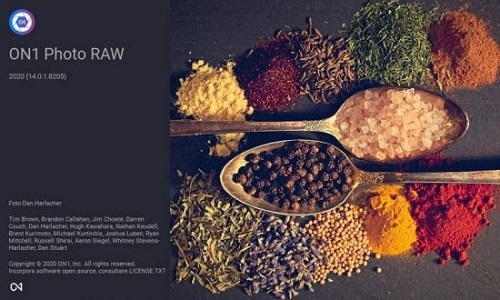
This professional-grade photo organizer, raw processor, layered editor, and effects app, includes everything you need in one photography application. The newest features include AI-powered features AI Match and AI Auto, four filters in Effects (Weather, Sun Flare, Color Balance, Channel Mixer), improved decoding of raw files (especially for Fujifilm), custom camera profiles with X-Rite, SmugMug integration, improved noise reduction, a map view, a Print Module, speed/performance enhancements, and much more!

ON1 Photo RAW 2020 puts the primary photo editing needs for every photographer regardless of what they shoot - without having to bounce between multiple pieces of software. Get the professional photo editing tools you need for the professional results you need while keeping your workflow efficient, powerful, and simple.

ON1 Photo RAW 2020 puts the primary photo editing needs for every photographer regardless of what they shoot - without having to bounce between multiple pieces of software. Get the professional photo editing tools you need for the professional results you need while keeping your workflow efficient, powerful, and simple.

We've curated hundreds of the most popular looks and styles seen throughout the industry. Our team of experts overhauled the preset library to give you the trendiest looks with these amazing new one-click presets.

Support for Over 800+ Cameras
Also supports JPEG, TIF, PSD, PSB, PNG, and DNG

Optional App Integration:
- Photoshop CS6 and above
- Photoshop Elements 14 and above
- Photoshop Lightroom Classic 6 and above

Supported Operation Systems:
macOS 10.12 or later 64-bit

У Вас недостаточно прав для просмотра ссылок. Войдите или зарегистрируйтесь.


DownLoad

Single Link
Код:
https://nitroflare.com/view/E0408BFC95754AB/ON1.Photo.RAW.2020.v14.0.1.8205.macOS.dmg

Код:
https://rapidgator.net/file/81a95fa812dc5a663c0bd9a0956cbd1d/ON1.Photo.RAW.2020.v14.0.1.8205.macOS.dmg.html

Код:
https://uploadgig.com/file/download/85F9a7b2cd2C0833/ON1.Photo.RAW.2020.v14.0.1.8205.macOS.dmg

NitroFlare
Код:
https://nitroflare.com/view/227BBE20562B1F2/ON1.Photo.RAW.2020.v14.0.1.8205.macOS.part1.rar
https://nitroflare.com/view/54F1FCF8044ADAD/ON1.Photo.RAW.2020.v14.0.1.8205.macOS.part2.rar

RapidGator
Код:
https://rapidgator.net/file/44c82a2e34f5a75f84872d177a7a8f38/ON1.Photo.RAW.2020.v14.0.1.8205.macOS.part1.rar.html
https://rapidgator.net/file/3dda8773cfe936bf7c68d4297cb4ae51/ON1.Photo.RAW.2020.v14.0.1.8205.macOS.part2.rar.html

UploadGiG
Код:
https://uploadgig.com/file/download/29897ace3fCc623A/ON1.Photo.RAW.2020.v14.0.1.8205.macOS.part1.rar
https://uploadgig.com/file/download/df5498dfc27C0c74/ON1.Photo.RAW.2020.v14.0.1.8205.macOS.part2.rar
 
ON1 Photo RAW 2020 v14.0.1.8205 Multilingual

8c792698567bdd7a2380636090c52f52.jpg


ON1 Photo RAW 2020 v14.0.1.8205 Multilingual

File Size: 1.32 GiB
Languages: Multilingual
OS: Windows x64

​

ON1 Photo RAW 2020 - This professional-grade photo organizer, raw processor, layered editor, and effects app, includes everything you need in one photography application. The newest features include AI-powered features AI Match and AI Auto, four filters in Effects (Weather, Sun Flare, Color Balance, Channel Mixer), improved decoding of raw files (especially for Fujifilm), custom camera profiles with X-Rite, SmugMug integration, improved noise reduction, a map view, a Print Module, speed/performance enhancements, and much more!

What do you photograph?
ON1 Photo RAW 2020 puts the primary photo editing needs for every photographer regardless of what they shoot - without having to bounce between multiple pieces of software. Get the professional photo editing tools you need for the professional results you need while keeping your workflow efficient, powerful, and simple.

Create Photos with Impact.
ON1 Photo RAW 2020 puts the primary photo editing needs for every photographer regardless of what they shoot - without having to bounce between multiple pieces of software. Get the professional photo editing tools you need for the professional results you need while keeping your workflow efficient, powerful, and simple.

Get Professional Results with the Hottest Looks & Styles.
We've curated hundreds of the most popular looks and styles seen throughout the industry. Our team of experts overhauled the preset library to give you the trendiest looks with these amazing new one-click presets.

Everything a Photographer Needs in One Application.
ON1 is an open system giving you control over photo organization, storage, editing, creative style, and how you purchase. While most mainstream software solutions restrict your organization and editing in closed systems, ON1 gives you an open system for complete control over your storage, organization, and editing.

New Creative Products Coming Soon!An All-New ON1 Photography Ecosystem.
There will be several free updates to ON1 Photo RAW 2020 which will include some incredible new capabilities.

New in ON1 Photo RAW 2020:

Professional Grade
Speed Go under-the-hood and see all of the speed and performance updates you will immediately notice.

A New ON1 Ecosystem with ON1 Sync
Bring what you love about ON1 Photo RAW to all of your computers and mobile devices without the closed system.

Color & Tone Perfection
Using AI We will do the hard work by analyzing thousands of images to give you the best color and tone.

Get the Hottest Trending Looks & Styles
We've spent months curating hundreds of the most popular looks and styles seen throughout the industry.

Go Back in Time
Ever want to quickly go back to the day you took the photo OR find a photo in the past from that particular day?

Get the Photos You Saw on the Back of Your Camera with AI
Love how a shot looks on the back of your camera, but feel disappointed it doesn't look the same when you open it?

Golden Hour Power
Make it golden hour all the time with the power of real photographs from renowned photographer and educator Matt Kloskowski.

A New Place for Your Photos
Save every photo. Build the perfect portfolio. Sell impeccable prints. Sharing your best work to the best platform is now built right in.

RELEASE NOTES:

What's New ON1 Photo RAW 2020.0.1:
- Added tier 1 raw support for new cameras: Canon EOS 200D II, Canon EOS M200, Fujifilm X-Pro 3, Google Pixel 4 / 4 XL, Huawei Honor 20 Pro, Mate 10 Pro, iPhone 11. 11 Pro, 11 Pro Max, Leica SL2, Panasonic DC-FZ1000 II, Panasonic G95, Sigma fp, Sony a6100, Sony a6600
- User reported bugs (full list below)
- Additional bug fixes discovered internally

Customer Reported Issues Fixed Version 2020.0.1:
- .CR3 files from EOS RP have pink color cast
- Unable to deactivate all
- Patterns or lines showing at pixel level on some files
- Not showing a custom paper size in dropdown menu
- Export does not match if AI Auto/AI Match opacity slider is reduced
- DNG files from DxO appear black in 2020
- Filter search does not return results from IPTC Job Title
- .DNG files from Leica M8 open black
- Panasonic DC-TZ90 not opening as Tier 1
- Attempting to copy/paste user-editable metadata copies/pastes image instead
- Borderless printing from another language will not print without a border
- User passwords with commas typed in them don't authenticate in the sign-in dialog
- Creating a custom print size will not allow you to re-open the printer setup dialog
- App does not launch if a custom location has been set for program data
- Plug-in already installed message with Photoshop 2020
- Installer detects multiple copies of Photoshop Elements
- Red channel in Channel Mixer is not matching exported file
- Channel Mixer filter is not exporting on 600 series
- Error during install for desktop and start menu shortcuts
- Sun flare will cause a black preview when center point is outside of canvas
- Crash in Windows Printer Setup
- Program freezes when adding a cataloged folder
- App crashes navigating to specific path
- Crash exporting photo with more than one period and a unicode file name or path
- Deadlock when removing a cataloged folder
- Get More Presets link loads Page Not Found error
- seems to be a bug opening some kinds of files
- Undo master opacity slider in preset browser
- Crash burning pixels for photoshop conduit
- PSD prints a blank page when printing from browse
- Export Crashes trying to export in the background on attached file
- HEIC files not rotating properly
- Edit capture date doesn't work correctly on localized versions
- Quick Export always outputs in .PSD on localized versions

Recommended Tech Specs:
- Windows 10 (current maintenance releases, 64-bit only)
- Intel Core i5, Xeon, or better
- 16+ GB RAM
- 1.5 GB for installation, SSD
- OpenGL 4.2-compatible video card with 2GB dedicated video RAM, 1920x1080 resolution (at 100% scale factor)
- Product languages: English, German, Spanish, French, Japanese, Korean, Simplified Chinese, Russian, Portuguese, Italian and Dutch

Optional App Integration:
- Photoshop CC 2018 and above
- Photoshop Elements 2018 and above
- Photoshop Lightroom Classic CC 2018 and above

У Вас недостаточно прав для просмотра ссылок. Войдите или зарегистрируйтесь.


DownLoad

NitroFlare
Код:
https://nitroflare.com/view/069E45BCB7ECBC3/ON1.Photo.RAW.2020.v14.0.1.8205.Multilingual.part1.rar
https://nitroflare.com/view/A44400CD7F7AD98/ON1.Photo.RAW.2020.v14.0.1.8205.Multilingual.part2.rar

RapidGator
Код:
https://rapidgator.net/file/13032e1bddc96e8fe006a433caa4758b/ON1.Photo.RAW.2020.v14.0.1.8205.Multilingual.part1.rar.html
https://rapidgator.net/file/ba356c71366bbdaf3e6aae7eef168e3c/ON1.Photo.RAW.2020.v14.0.1.8205.Multilingual.part2.rar.html

UploadGiG
Код:
https://uploadgig.com/file/download/03F7c6aFb9b4c60C/ON1.Photo.RAW.2020.v14.0.1.8205.Multilingual.part1.rar
https://uploadgig.com/file/download/561817d9525Bf167/ON1.Photo.RAW.2020.v14.0.1.8205.Multilingual.part2.rar
 
ConceptDraw Office 6.0.0.3 macOS

bddd22f3f392a496cafe3c5e13ce06b7.png


ConceptDraw Office 6.0.0.3 macOS

File Size: 445 MiB

​

ConceptDraw OFFICE v6 is a powerful software suite especially tailored for business managers of all types, but also designed to be comprehensive for whatever business task you are working on. It includes three software products integrated by the unique data exchange technology. The suite combines business diagramming, mind mapping and project management software.

ConceptDraw OFFICE v6 is essential to provide brainstorming sessions, create diagrams, schematics, mind maps, project plans, dashboards, presentations, and many other business visualizations.

ConceptDraw OFFICE v6 contains three integrated products that assist in any business management activity:

DIAGRAM v13 - professional-quality graphic solutions of all sorts for all businesses
MINDMAP v11 - is essential to strategic planning, knowledge and team management
PROJECT v10 - provides a professional approach to portfolio and project management

Supported Operation Systems:
macOS 10.13 or later 64-bit

У Вас недостаточно прав для просмотра ссылок. Войдите или зарегистрируйтесь.


DownLoad

NitroFlare
Код:
https://nitroflare.com/view/AD107E3AD8C48D9/ConceptDraw.Office.6.0.0.3.macOS.dmg

RapidGator
Код:
https://rapidgator.net/file/7b73375f4fab16f736236f8ada45ce19/ConceptDraw.Office.6.0.0.3.macOS.dmg.html

UploadGiG
Код:
https://uploadgig.com/file/download/bc47053d05Ad6ab5/ConceptDraw.Office.6.0.0.3.macOS.dmg
 
IDM UEStudio 19.20.0.44

80fdd7aee7e666a3784c67c646ae3b19.png


IDM UEStudio 19.20.0.44

File Size: 202 MiB

​

UEStudio is the powerful IDE (Integrated Development Environment) built on the chassis of UltraEdit, the world renowned text editor. As a full integrated development environment, UEStudio includes all the features of the powerful UltraEdit text editor plus native support for over 30 popular compilers (including Microsoft Visual C++, Java, GNU C/C++, PHP, Perl and over 30 others). UEStudio includes integrated debugging, VCS version control, built-in class browsing, language intelligence (like Intellisense), project conversion, and batch building features, as well as many other advanced features. Download your copy today to begin writing, debugging, and building applications in your favorite programming language.

IDM UEStudio
UEStudio, all the features of UltraEdit plus the power of an IDE. UEStudio '09 builds upon the highly acclaimed UltraEdit v14, but goes even further to bring you a must-see interface that offers stunning new functionality, as well as an array of powerful new features - such as an integrated PHP debugger, updated version control, and so much more... UEStudio '09...Designed to transform the way you work!

UEStudio is fast, stable, lightweight, and powerful and offers any UltraEdit user advanced programming functionality at a fantastic value!

Powerful project/solution features
» Visual Studio 6/05 project to UEStudio project conversion
» Integrated compiler support (note: compilers not included with IDE)
» Integrated CVS version control support
» Integrated SVN support
» Support for multiple SVN/CVS modules within a project
» Integrated tag support
» Powerful project manager
» Compiler-specific project templates

Application building features» Compile your projects from within UEStudio
» Build/batch build
» Debug
» Integrated debugger support for WinDbg for Microsoft C/C++ applications
» Run your application from within UEStudio

Script toolbar features
» Special PHP/Ruby scripting support
» Run and test your PHP/Ruby scripts from within UEStudio
» New PHP function checks syntax of all open PHP files
» Parse your PHP/Ruby documents
» Strip comments
» Highlight source

У Вас недостаточно прав для просмотра ссылок. Войдите или зарегистрируйтесь.


DownLoad

NitroFlare
Код:
https://nitroflare.com/view/515E70ADC1C8D67/IDM.UEStudio.19.20.0.44.rar

RapidGator
Код:
https://rapidgator.net/file/f2bdccaaad1257b0c54efd13d8aae5f2/IDM.UEStudio.19.20.0.44.rar.html

UploadGiG
Код:
https://uploadgig.com/file/download/fEef7988FC466c62/IDM.UEStudio.19.20.0.44.rar
 
Maxon CINEMA 4D Studio R21.115 Multilingual

bcfb65ec59fd3f8bdda7147ab63a6fb7.jpg


Maxon CINEMA 4D Studio R21.115 Multilingual

File Size: 352 MiB
Languages: Multilingual
OS: Windows x64

​

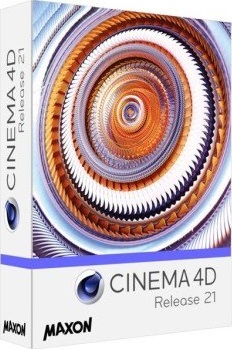
Easy to learn and extremely powerful: Cinema 4D is the perfect package for all 3D artists who want to achieve breathtaking results fast and hassle-free. Beginners and seasoned professionals alike can take advantage of Cinema 4D's wide range of tools and features to quickly achieve stunning results. Cinema 4D's legendary reliability also makes it the perfect application for demanding, fast-paced 3D production, and a range of attractively priced software packages is available to fit any artist's needs.

EASE OF USE
Getting started in the world of 3D is a blast when you can quickly create great-looking results! Cinema 4D's intuitive and easy to understand operation and logically arranged interface makes it easy for beginners to jump right in and take control. And it never ceases to amaze professional users just how easy Cinema 4D is to use. Countless tutorials and a global, highly-skilled community play an important role in bringing beginners to a professional level of use.

INTUITIVE INTERFACE
Cinema 4D is a pillar in our users' everyday workflow. This is why we make sure from the start that new functions work intuitively and are exactly where users will expect to find them. The Cinema 4D layout can also be easily customized to precisely fit a user's needs and saved for later use.

STABILITY
Cinema 4D's stability is renowned throughout the 3D community and beyond. All new features and functions are thoroughly put through their paces by our QA and beta testers before being released. Our free service packs, which are released on a regular basis, further optimize Cinema 4D and let us rapidly respond to changes in operating systems and drivers!

POWERFUL HELP SYSTEM
Any questions about a specific function can be quickly answered by right-clicking on it and jumping straight to the integrated software documentation.

PROCEDURAL WORKFLOWS
Stay flexible from beginning to end! Staying flexible for last-minute changes is important no matter which project you're working on. Cinema 4D offers numerous options for working non-destructively: parametric modeling, procedural shaders, textures and more. And the Cinema 4D Take System lets you save and manage multiple versions of a scene in a single file!

Minimum System Requirements Cinema 4D:
- Windows 10 64-bit on Intel or AMD 64-bit CPU with SSE3 support.
- 4 GB RAM (8 GB or more recommended), OpenGL graphics card supporting OpenGL 4.1 (dedicated GPU recommended)
- The GPU renderer requires an NVIDIA or AMD graphics card on Windows or AMD.
- We recommend at least 4 GB VRAM for GPU rendering.

У Вас недостаточно прав для просмотра ссылок. Войдите или зарегистрируйтесь.


DownLoad

NitroFlare
Код:
https://nitroflare.com/view/5446533249B2819/Maxon.CINEMA.4D.Studio.R21.115.Multilingual.rar

RapidGator
Код:
https://rapidgator.net/file/e2a39b38734b9f7b33e92ffd1f8114c9/Maxon.CINEMA.4D.Studio.R21.115.Multilingual.rar.html

UploadGiG
Код:
https://uploadgig.com/file/download/aD62a44723900972/Maxon.CINEMA.4D.Studio.R21.115.Multilingual.rar
 
Serif Affinity Photo 1.8.0.514 x64 Beta Multilingual

88641b0eaf5311339b8a2d24bfb84302.jpg


Serif Affinity Photo 1.8.0.514 x64 Beta Multilingual

File Size: 364 MiB

​

Five years in the making, Affinity Photo redefines the boundaries for professional photo editing software. With a meticulous focus on workflow it offers sophisticated tools for enhancing, editing and retouching your images in an incredibly intuitive interface, with all the power and performance you need.

Engineered for professionals
Built on rock solid foundations with principles of performance, stability and lack of bloat, Affinity Photo is a professional photography tool to the very core.

Comprehensive RAW editing
Develop camera RAW files in a dedicated built-in workspace with all the processing adjustments and corrections you need.

Unsurpassed file compatibility
We've got the best PSD support out there, plus all the standards you'd expect including PNG, JPG, TIFF, EPS, PDF, and SVG.

Work in any color space
RGB, CMYK, LAB, Grayscale. End-to-end CMYK workflow with ICC color management, and 32-bit per channel editing.

Dedicated RAW editing workspace
Compatible with all major camera file formats, the Develop persona offers a dedicated processing workspace offering incredibly accurate editing in an unbounded linear color space.

Complete digital darkroom
Affinity Photo includes all the tools you need from a professional photography application. Every tool has been painstakingly engineered for speed, power and accuracy-and they work in precisely the way you want them to.

Fast, customizable effects
Affinity Photo comes with a huge range of high-end filters including lighting, blurs, distortions, tilt-shift, shadows, glows and many more. Full control is given over every aspect of a filter's properties with incredibly precise controls-all the while seeing a real-time live preview of the result. Best of all, filters can be applied as live layers, enabling you to edit, erase away, or mask effects after they have been applied.

Advanced adjustment layers
Correct and enhance images with Levels, Curves, Black and White, White Balance, HSL, Shadows and Highlights and over a dozen other adjustments that are previewed instantly and can be edited any time. Adjust, readjust, and drag and drop onto any layer, group, mask, or in any place in a stack to control how they're applied.

Live blend modes
Remove trial and error from your workflow-see changes to blend modes live as you edit without having to click apply each time. Affinity Photo's 30 layer blends preview smoothly in real time while you scroll through them.

Sophisticated selection refinement
Accurate selections are critical, whether cutting out objects, creating masks or selectively applying adjustments. Our selection refinement algorithm is one of the most advanced available, making selections-even down to individual strands of hair-easier than ever before.

Precise photo stitching
Affinity Photo's stitching algorithm is one of the most advanced available. On top of accurate automatic alignment and perspective corrections, you get full control over each image and boundary in the composite to fine tune to perfection.

Extensive retouching tools
Whether you want to make quick corrections, or spend an hour on a detailed retouch, Affinity Photo has all the tools you need. That naturally includes dodge, burn, clone, patch, blemish, and red eye tools. But you'll also find an incredibly accurate inpainting brush, frequency separation capability, and a full set of liquify features built-in.

Whats New:
Disabled WinTab by default (tablet users must now check Windows Ink is enabled in their tablet settings)
Improved points delivered from Windows Ink (process point history)
Fixed 32-bit Colour Chooser dialog
Improved embedded document bounding boxes
Improved error messages when running out of disk space
Fixed Expression Parser incorrect optimisation of subtract op sequence
Fixed deletion of brushes / styles / etc to actually remove the raster data (to reduce file size)
Fixed PSD export to include checks for empty rasterised layers
Fixed PSD export of hidden layers
Fixed angle cursors when the view has been rotated
Fixed Layer Effects not handling changes to document DPI when the dialog is open (using Points as a unit would continue to use the old DPI)
Fixed crash on vector export for specific arrangement of composites and clips
Fixed renaming a colour on the swatches panel not updating correctly
Fixed inconsistencies between font family ordering on macOS and Windows
Changed copied Global Colour names to have a "copy" suffix to prevent accidental editing of the original
Added Remove Columns button on the context toolbar for Designer and Photo for text frames with columns for documents created in Publisher
Fixed crash dragging fill layer to bottom of layer stack
Improvemented memory use with branching undo history and with replacing image nodes
Fixed crash editing colour via double click in swatches tab
Fixed failure to open older documents in 1.8 beta
Fixed failure to apply "Touch for gestures only" to open documents
Fixed "Make a copy" and "Continue" buttons when opening a non-beta project file being reversed
Fixed Print dialog not removing the red overlay on a scaled image
Updated PANTONE Solid and Bridge Palettes
Fixed Create Palette from CMYK images results in RGB colours
Fixed inconsistent document tabbing order
Improved performance of operations with large selections
Fixed sporadic crash when drawing text
Fixed crash after closing document with artistic text tool active
Added Stock Page to Studio menu
Updated EXIF panel (added user-editable fields, inc. IPTC)
Fixed "8/1s" exposure time string in RAW readout
Fixed Live Perspective Filter doesn't line up with images
Fixed crash with Quick Mask and Move Tool
Fixed Pixel Selection appears incorrectly when started near page edge
Improved unsharp mask threshold
Fixed crash in Batch Job with destructive Denoise filter
Improved selection refinement performance so that we can do it at a higher resolution without a significant performance penalty (versus 1.7.3)
Improved the destructive noise reduction filter to be more effective on jpegs
Added lens profile selector to Develop
Fixed CR3 import errors with certain cameras
Fixed lens lookup failing when the use of decimal suffix for integers in aperture range strings differs
Fixed placing an image whilst recording a macro adds an entry labelled Set text stylesheet
Fixed rasterising a fill layer goes wrong after changing document size
Improved precision of gaussian algorithm (to reduce banding)
Fixed Marquee Selection not constraining to a square if you drag across the right diagonal

У Вас недостаточно прав для просмотра ссылок. Войдите или зарегистрируйтесь.


DownLoad

NitroFlare
Код:
https://nitroflare.com/view/2FBE1F4EE48D8AA/Serif.Affinity.Photo.1.8.0.514.x64.Beta.Multilingual.rar

RapidGator
Код:
https://rapidgator.net/file/bf7c5c3472f509fa9ad82213285d72c5/Serif.Affinity.Photo.1.8.0.514.x64.Beta.Multilingual.rar.html

UploadGiG
Код:
https://uploadgig.com/file/download/4c2dfCb8253fDafe/Serif.Affinity.Photo.1.8.0.514.x64.Beta.Multilingual.rar
 
Topaz Mask AI 1.0.6

7dcb8f5ad6d0a60da248f8e429360d5f.jpg


Topaz Mask AI 1.0.6

File Size: 1.64 GiB
OS: Windows x64

​

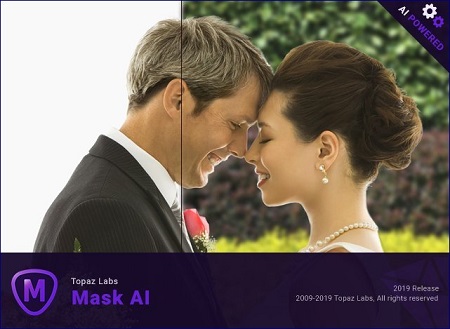
Creating complex selections by hand and perfecting them almost always takes way longer than expected. Meet Topaz Mask AI. Mask AI allows you to create tricky masks in record time thanks to our intuitive machine learning technology and trimap technique. Less user input for an extremely high-quality mask has always been a photographer's dream, and now you can have it with Mask AI.

How We've Simplified Masking
Compared to Photoshop, Mask AI doesn't need tedious brushwork to get a high-quality mask. And there's no need to learn complicated icons and tools. With Mask AI you only need to roughly outline your subject in blue, one click fills what you want to cut, one click fills what you want to keep, and press "Compute Mask". It's really that simple. Our neural network has been trained to distinguish tough edges, so you can get a great mask on the first attempt.

Masking Made Simple For Every Type of Photo
Mask AI incorporates machine learning for a more accurate mask with less refining required!

Mask AI's Unique Trimap Technology
It can be a pain to make a good cut-out in Photoshop, and it can take up an entire day's work. Mask AI's intuitive color-coded system reduces it to 4 simple steps: keep, cut, compute, and replace.

Brush to compute.
Simply paint a blue line around the edges of what you'd like to compute. The best part is, you don't have to be perfect - just keep a little bit of the subject and the immediate area you'd like to mask inside of it. Our technology will do the heavy lifting.

Brush to refine
Our smart brushes (Cut, Keep, and Compute) utilize our technology and enable you to make clean and accurate refinements without the pressure of painting perfectly. Our machines will make the decisions for you and speed up your workflow!

Slide to perfect.
Use the post-processing sliders to perfect your mask quickly. The Edge Softness slider comes in handy if you want to add more sharpness to a rocky landscape, or perhaps soften the edges for a portrait.

The Edge Softness slider
Comes in handy if you want to add more sharpness to a rocky landscape, or perhaps soften the edges for a portrait.

The Edge Shift slider
Shifts the mask edge in either direction.

The Foreground Recovery slider
Revives the color of your foreground in weaker or more transparent areas. This can be a great tool for fur, whiskers, or wispy hair.

The Defringe slider
Desaturates the edges of your mask to help with color contamination and bleeding.

Replace the background to finish.
Being a great photographer requires a lot of techniques and tools at your disposal. You've planned and executed with military precision to get the shot. But when nature gives you a less than perfect sky or an undesirable background, Mask AI's background replacement lets you take back control of your work.

Tricky Masks Made Easy With Mask AI
Flyaway hair. Feathers. Fur. Willowy trees. There will always be complex masking tasks, but with Mask AI's machine learning technology, you'll never have to agonize over the details. Our application will do the heavy lifting!

RELEASE NOTES
Mask AI Changelog

Operating System Version:
- Windows 7 x64
- Windows 8/8.1 x64
- Windows 10 x64

Hardware Requirements:
- System RAM: 8GB / 16GB recommended
- GPU VRAM: 2GB / 4GB recommended

У Вас недостаточно прав для просмотра ссылок. Войдите или зарегистрируйтесь.


DownLoad

NitroFlare
Код:
https://nitroflare.com/view/44EE1CC994C9E57/Topaz.Mask.AI.1.0.6.part1.rar
https://nitroflare.com/view/698AEBEDE77B957/Topaz.Mask.AI.1.0.6.part2.rar

RapidGator
Код:
https://rapidgator.net/file/4d2b87012ac3b4a3d397636766013978/Topaz.Mask.AI.1.0.6.part1.rar.html
https://rapidgator.net/file/89f11bc9c4200e1287ce9f77aecd3fbe/Topaz.Mask.AI.1.0.6.part2.rar.html

UploadGiG
Код:
https://uploadgig.com/file/download/1e425B5FbAcd67a0/Topaz.Mask.AI.1.0.6.part1.rar
https://uploadgig.com/file/download/a7Cdd8d51DBe2904/Topaz.Mask.AI.1.0.6.part2.rar
 
CrossOver 19.0.0.32192 RC1 macOS

c36d9508d359c1ed14d21b9a4a67c169.png


CrossOver 19.0.0.32192 RC1 macOS

File Size: 251 MiB
Languages: Multilingual

​

Run Microsoft Windows software on your Mac without buying a Windows license, rebooting or using a virtual machine. CrossOver Mac makes it easy to launch Windows apps natively from the dock, and integrates Mac operating system functionality like cross-platform copy & paste and shared file systems to your Windows programs.

RELEASE NOTES
Release notes were unavailable when this listing was updated.

Supported Operation Systems:
macOS 10.10 or later 64-bit

У Вас недостаточно прав для просмотра ссылок. Войдите или зарегистрируйтесь.


DownLoad

NitroFlare
Код:
https://nitroflare.com/view/9D2B1CFDA69F8A1/CrossOver.19.0.0.32192.RC1.macOS.dmg

RapidGator
Код:
https://rapidgator.net/file/827b31238787ebedf40028153c513af7/CrossOver.19.0.0.32192.RC1.macOS.dmg.html

UploadGiG
Код:
https://uploadgig.com/file/download/99c9439fe4B2c127/CrossOver.19.0.0.32192.RC1.macOS.dmg
 
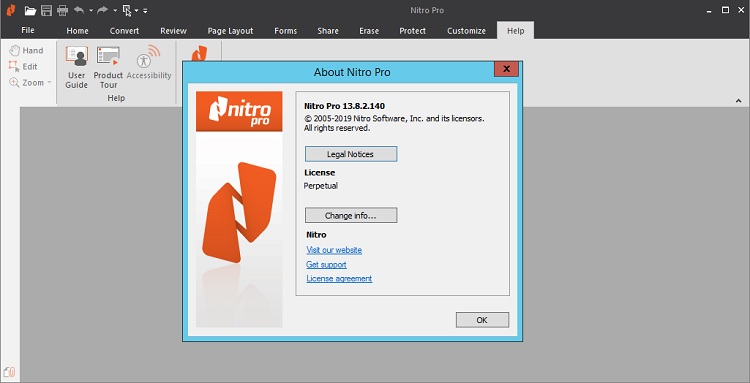
Nitro Pro Enterprise 13.8.2.140 + Portable

6fb63b39e303861c38be36553fccdaca.jpg


Nitro Pro Enterprise 13.8.2.140 + Portable

File Size: 152, 184, 157 MiB

​

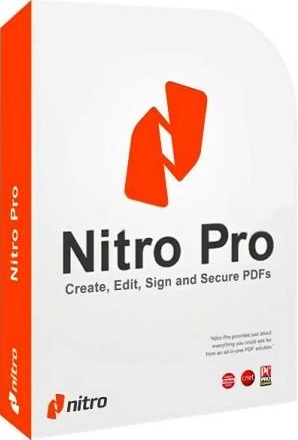
Create, edit and convert PDF files effortlessly with the help of this intuitive program that also allows users to accurately extracting text from PDFs thanks to its OCR function. Nitro Pro is one of the most advanced PDF creating and editing software solutions, providing basically all the tools you would ever need to help you in this regard. Although it's called 'Professional,' the application has been developed to be aimed at beginners and advanced users alike, so you won't find it too difficult to use.

Directly edit your PDF files more easily. Just click, and edit. Nitro Pro 11 enables you to edit entire paragraphs with ease, automatically reflowing text as you type - like you would in a word processor.

Nitro Pro is the complete Adobe Acrobat alternative. It enables you to do more with PDF through powerful tools. Create, convert, edit, combine, secure, annotate, form-fill, and save 100% industry-standard PDF files. Recipient of multiple best product awards, Nitro Pro is specifically designed for the business user. That makes working with PDF faster and easier than ever before!

Features:
Create + Combine
This program lets you quickly and easily create professional-quality PDF documents from any format or content type. From paper scans, spreadsheets, presentations, reports, and more.
Open, read and edit PDF files from other PDF applications, like Adobe Acrobat and Adobe Reader and other popular solutions.
Create from 300+ Formats
Combine Files to PDF
Print to PDF
Microsoft Office Add-ins
Preset and Custom Profiles
Create from Clipboard
PDF/A and Archival
Scan to PDF

Edit Text + Images.
Add, manipulate, replace, and correct text and images in PDF files with intuitive editing tools. Extract and delete individual pages from documents.
Edit Text
Edit Images
Edit Pages
Optimize Files
Bookmarks and Links
Watermarks, Headers and Footers
Apply Bates numbering when unique page labeling and identification is required across pages.

Convert + Export.
Nitro Pro 11 lets you easily reuse and repurpose text, images, or entire documents, with tools to accurately convert and extract PDF files and their content.
PDF to Word
PDF to Excel
PDF to Image
Export Text
Export Images
Batch Export
Extract Pages
Snapshot + Copy

Scan + OCR.
Apply Optical Character Recognition (OCR) to image and paper based documents and create searchable and/or editable layers of text for digital archival.
Searchable Text Layers
Editable Text Layers
Scan to PDF
Multi-language Support
Repurpose for Conversion

Collaborate + Review.
Review and markup PDF files faster with a range of text- and shape-based annotations. Easily involve multiple contributors with tools to track, sort, and manage individual comments.
Compatible With Adobe
Markup and Review
Sort and Manage Comments
Stamps
Shape and Pencil Markups
Attach Files

Nitro Cloud.
Send secure, legally binding eSignatures in seconds
Securely share documents via link or email
Review and markup documents online

66b1c80749f6b6f8571392b708ce07a3.jpg


У Вас недостаточно прав для просмотра ссылок. Войдите или зарегистрируйтесь.


DownLoad

NitroFlare
Код:
https://nitroflare.com/view/C2E21485E9BDE3A/Nitro.Pro.Enterprise.13.8.2.140.x64.rar
https://nitroflare.com/view/53FB1219AF37EB2/Nitro.Pro.Enterprise.13.8.2.140.x86.rar
https://nitroflare.com/view/0DD6BD586934690/Nitro.Pro.Enterprise.13.8.2.140.Portable.rar

RapidGator
Код:
https://rapidgator.net/file/23f11e2e0c898aa74dc5885591e26166/Nitro.Pro.Enterprise.13.8.2.140.x64.rar.html
https://rapidgator.net/file/5a04579b44528ec6fd6e1a94bb838e51/Nitro.Pro.Enterprise.13.8.2.140.x86.rar.html
https://rapidgator.net/file/c5fc3ce4ed87f8822f8db94d36205bc9/Nitro.Pro.Enterprise.13.8.2.140.Portable.rar.html

UploadGiG
Код:
https://uploadgig.com/file/download/Cc71b4d36C7f0dF2/Nitro.Pro.Enterprise.13.8.2.140.x64.rar
https://uploadgig.com/file/download/0bb1f7D783c614dB/Nitro.Pro.Enterprise.13.8.2.140.x86.rar
https://uploadgig.com/file/download/d4e8162B15072618/Nitro.Pro.Enterprise.13.8.2.140.Portable.rar
 
MakeMusic Finale 26.2.1.468

068378e449db567f7d9c3b138f6067e3.jpg


MakeMusic Finale 26.2.1.468

File Size: 299 MiB
Languages: English
OS: Windows x64

​

Capture musical inspiration. Engrave a beautiful score. Share your artistic vision with others. Just as every musician is unique, so are the reasons each uses Finale software to write music. Finale supports you, making it easy to create whatever music notation you can imagine and to work in the manner that best supports your creativity. No matter where your inspiration leads you, from a simple lead sheet to preparing your Hollywood film score, Finale is the trusted route to the very best output available.

Create your way
Finale offers you the freedom both of what you create and how you create it. Whether you're imagining a simple lead sheet, a Broadway score, or something truly unorthodox, you enjoy the flexibility to make your music any way you wish, and to make it in the order and manner that best supports your inspiration.

Editing
Entering your music in Finale sets you free. In an instant you can move measures, change keys, and transform your music in countless ways. Finale even offers editorial input, like indicating when notes have been written out of an instrument's range.

Listening
Great sounds inspire you - and your audience. Finale's exclusive Human Playback can make any music playback with the nuance of a human performer. Plus Finale includes a vast library of world-class Garritan instrument sounds for stunning realism. Hear them below.

Sharing
Music is meant to be shared. As you create you can share files, back and forth, with Finale users - and others - thanks to built-in MusicXML support. When you're ready to share the results, you can make printed sheet music, audio files, pdfs, and more; whatever it takes to produce the best performance.

RELEASE NOTES:

What's New in Finale 26:

Create your way
Finale has always been known as the notation software that can create anything. Today's Finale automates many tasks, saving you time, while ensuring you retain all of the flexibility Finale is known for. Now you can create the music of your imagination, with no compromises, more quickly than ever before. Take control of your music, your creative process, and your legacy.

Auto-stacking articulations
When you add more than one articulation to a note, they now stack automatically - and intelligently - eliminating the need for manual edits.

Slur/articulation interaction
As you add or adjust slurs, existing articulations will automatically adjust to avoid collisions. Finale knows what articulations should go inside and outside a slur, and will also split up stacked articulations so that everything fits.

Instant tremolos and rolls
When placing a tremolo or roll on a note, Finale adjusts the note's stem as necessary, whether the note is flagged, unflagged, or part of a beamed group. Enjoy engraver-quality results without the fuss.

Horizontal centering
Finale version 26 allows you to flip articulations from note side to stem side with a keystroke. It also knows when to center an articulation on the stem or the note, and does so as you make changes.

New expressions and articulations
Finale's expression and articulation libraries have been overhauled, expanded, and refined for playback. Not only do they look better, you save time by not having to create or configure them.

Enhanced chords
Musicians often disagree on chord suffixes. Whether you prefer one-, two-, or three-letter suffixes, Finale now recognizes your favorites as you type them, and sets them up to look and sound great.

More
Finale v26 also includes performance enhancements, improved Retina support, bug fixes, many new templates, and more.

Finale Version 26.2:

Security Enhancements and Bug Fixes
The version 26.2 update provides security improvements for both Mac and Windows that help keep you and Finale protected and up to date. While supporting these security updates isn't required until 2020, we're keeping Finale ahead of the curve.

As always, we've fixed several customer-reported issues in this free update. These affect everything from page formatting to plug-ins:
- Patterson Beams has been updated to properly affect grace notes and resized notes.
- The Finale Click volume (in the Click and Countoff dialog box) is now adjustable on a per-document basis.
- "Consolidate Rests Across Layers" is now included in FinaleScript's import layer options command.

System Requirements:
- Windows 7 SP1/Windows 8 or 8.1/Windows 10 (64-bit only)
- 4 GB of RAM minimum
- 1280x800 minimum monitor resolution (high resolution displays not currently supported)
- 1 GB hard drive space required for software with an additional 8 GB hard drive space required for Garritan Instruments for Finale
- ASIO, DirectSound, or WASAPI audio support

У Вас недостаточно прав для просмотра ссылок. Войдите или зарегистрируйтесь.


DownLoad

NitroFlare
Код:
https://nitroflare.com/view/B89604069504CB7/MakeMusic.Finale.26.2.1.468.rar

RapidGator
Код:
https://rapidgator.net/file/407421b59edfd0cfdad3a5cce0614763/MakeMusic.Finale.26.2.1.468.rar.html

UploadGiG
Код:
https://uploadgig.com/file/download/3334F1512E2a8bbf/MakeMusic.Finale.26.2.1.468.rar
 
Micromat TechTool Pro v12.0.1 macOS Incl Keymaker-CORE

ddd7ed9569d4d73a6f604c1dcc66638c.jpg


Micromat TechTool Pro v12.0.1 macOS Incl Keymaker-CORE

File Size: 190 MiB

​

TechTool Pro has long been one of the foremost utilities for keeping your Mac running smoothly and efficiently. With the release of version 12, it has become more proficient than ever. Techtool Pro 12 is compatible with all current Macintosh models and system versions.

Results on the go
Techtool Pro supports iCloud Drive. Simply download the new Techtool Remote iOS app (free on the App Store), and open it. Techtool Pro will then send test results to any iOS device logged in to the same iCloud account. So if you have a long test (or tests) running that you want to know the results of, but you need to hit the road, you can now get notified of your results anywhere you have an internet connection.

Mac Drive Testing and Repair
Your Mac's hard drive, even if it is a Solid State Drive, is more likely to experience problems than any other component on your Mac. Because data changes so frequently, it can sometimes get scrambled. So, it's important to be able to test drives for problems and then repair them. Sadly, if something is physically wrong with the drive, it will need to be backed up and replaced, but the sooner this type of damage is detected, the fewer files - like cherished memories and important personal documents - will be lost. Most drive problems, however, result from data being in the wrong place, and can be repaired using TechTool Pro's Volume Rebuild tool. In addition to native Mac drive formats, Mac OS Extended and APFS, Techtool Pro supports testing and repair of MS-DOS (FAT32) and ExFAT formatted volumes.

Emergency Startup Disk
If your startup disk stops working, and you need another startup disk, TechTool Pro's eDrive steps in to help. The eDrive is what you'll use to test, rebuild or defragment your main hard drive, but it is really helpful if your main startup disk goes missing. Instead of fumbling for your install DVD, or relying on the Recovery HD's limited functionality, the eDrive gives you quick access to TechTool Pro along with several handy Apple utilities. You can even add other programs if you like. Customize the size of your eDrive, up to 128 GB.

Protect Important Data
The best way to prevent data loss is to be prepared. In addition to a backup, TechTool Pro includes TechTool Protection, which keeps an eye on your trash, allowing you to undelete that file you didn't mean to delete. You can also back up your directory structures, the 'map' of where your data lives, so that if you need to recover data from a corrupt drive, TechTool Pro's Data Recovery tool will know exactly where to look. Better yet, use TechTool Pro's Volume Cloning tool to create an additional backup.

Take It With You
The portability of TechTool Protogo is included with every copy of TechTool Pro. TechTool Protogo allows you to create a bootable diagnostic device that contains TechTool Pro and all of its most powerful tools as well as any of your own utilities you may wish to install. You can then use this device to boot, check, maintain, and repair Macintosh computers as needed. Simply launch Protogo, choose Protogo from the Mode menu, and use it to set up a diagnostic disk.

Complete Hardware Testing
TechTool Pro includes the most comprehensive hardware testing in the industry. On some machines there are more than 100 electrical and temperature sensors that TechTool Pro will check. If any of those sensors report values outside of their acceptable operating range, the new Sensors test will let you know. TechTool Pro also tests your Mac's cooling system, and can test laptop batteries as well, so you can catch small problems before they become big ones. In addition, test networking ports, WiFi and more using the Network and Bluetooth tests.

Advanced Memory Testing
TechTool Pro's memory testing suite is the most comprehensive among general hardware utilities. TechTool Pro, takes advantage advancements used by ATOMIC, our dedicated Memory Tester, and integrates them into testing your memory. Now, memory is 'cleaned' before testing, reclaimed from macOS, maximizing the amount of RAM that can be tested.

Test your Mac, iPhone or iPad battery
Techtool Pro has been able to test your Mac's battery for quite a while. But, recent reports have shown that battery condition can affect the performance of your iPhone and iPad. If your iOS device is connected to your Mac, Techtool Pro can now test your device's battery, and give you a host of other important battery data as well. Find out if your iPhone or iPad is running at its full potential.

Take control of your Mac
Utilize a suite of maintenance routines to keep your Mac running smoothly. Manually run your Mac's daily, weekly, or monthly maintenance routines, as well as rebuild key system caches.

System Requirements:
- Intel-based Macs
- OS X 10.10 up to macOS 10.14 'Mojave'
- 2 GB RAM or higher

У Вас недостаточно прав для просмотра ссылок. Войдите или зарегистрируйтесь.


DownLoad

NitroFlare
Код:
https://nitroflare.com/view/5B61B5245FF7653/Micromat.TechTool.Pro.v12.0.1.macOS.Incl.Keymaker-CORE.rar

RapidGator
Код:
https://rapidgator.net/file/31f22fbed226867140ad1bd040af2623/Micromat.TechTool.Pro.v12.0.1.macOS.Incl.Keymaker-CORE.rar.html

UploadGiG
Код:
https://uploadgig.com/file/download/32D1244c1529ac90/Micromat.TechTool.Pro.v12.0.1.macOS.Incl.Keymaker-CORE.rar
 
SureThing Disk Labeler Deluxe Gold 7.0.95.0

59ee59d998b582cadd38dccfffe00497.jpg


SureThing Disk Labeler Deluxe Gold 7.0.95.0

File Size: 513 MiB

​

At SureThing.Com, you'll find everything you need to complete amazing disc labeling projects. From award winning CD label making software to our SuperVibrant CD labels, covers and disc packaging, we've got it all. We invite you to browse through our site and discover new ideas to make all your disc labeling projects a success!

The World's Favorite Disc Labeler
When it comes to CD and DVD labeling, the world turns to SureThing. Disc Labeler makes it fun to design your cd covers, disc labels, and case inserts, all from within its easy to use and powerful label design software for Windows. Whether you're just getting started or a design professional, you've come to the right place to begin creating beautiful CD/DVD labels and case inserts for all your disc projects.

SureThing Disc Labels and Case Inserts
Make your discs stand out from the crowd by using the best CD/DVD labels and case inserts on the planet. We use a special coating designed specifically for inkjet printers to provide the most vibrant, photo-quality matte labels possible. And when you're ready to really impress, choose our Photo Glossy labels. Either way, your projects will never look better!

Complete Your Project with Discs, Cases and More
You'll find everything you need right here to complete your projects. We only choose reliable brands that bring you the best bang for your buck. Whether you need simple sleeves for your CDs or a full disc package with cases, discs, and inserts, we've got you covered.

Award Winning CD Label Design Software
SureThing is the original, and industry leading, software for designing CD/DVD labels, CD covers, and case inserts. In fact, SureThing has been the software of choice for a Who's/Who list of impressive CD labeling companies including Avery, Neato, Memorex, LightScribe, Roxio, and countless others. But only SureThing provides universal support for all brands of disc labels, direct-to-disc printers, and LightScribe devices. Do it your way, it's a SureThing!

Dress to Impress!
Beautiful CD label and cover designs are at your fingertips! Easily coordinate your label and case insert designs, all within a single project. Create your own designs or let our SmartDesigns jump start your project. You can even select one of our professionally designed templates to find the right fit for your project. No matter how you slice it, impressive results are on the way!

Use Any Brand of Disc Labels
With most CD labelers, you are forced to use their exclusive brand of labels. Not with SureThing Deluxe! We have over 80 different cd label templates alone, including all the most popular brands. With our Template Creator, you can design your own. Of course, once you try SureThing SuperVibrant Labels, you'll never want to change.

Direct-to-Disc Printing
Many inkjet printers support printing directly to CDs and DVDs. SureThing provides state-of-the-art support for direct-to-disc printing. Never fiddle with complicated driver settings again, let SureThing do the heavy lifting for you. Then, sit back and enjoy consistent full color discs with silk screen like quality.

World Class LightScribe Support
SureThing Disc Labeler was the first certified LightScribe disc labeler, and continues to be the leader in providing the most extensive LightScribe support available. True WYSIWYG support for colored LightScribe discs lets you see your designs on screen the same way they will look when printed. Our background print manager frees you to do other things while LightScribe burns your designs.

Thousands of Images
SureThing Disc Labeler Deluxe provides you with access to up to thousands of background and clipart images to give your designs the distinctive look perfect for your project. Or drop in your own photos and logos to create even more personalized designs. Coupled with our new turbo-charged graphics engine, working with images has never been easier.

Target Printing
More than just design software, successful label printing means hitting the label directly on target every time. SureThing has the experience, expertise and technology to ensure the most accurate label printing possible. SureThing's precision is unmatched in the industry.

What's New in Version 7:
SureThing Version 7 offers everything that the earlier versions included and more. As much as possible, all user's requests have been implemented. The User Interface has been overhauled and improved, without sacrificing familiarity and intuitive ease of use. Everything works better!

· New Foreground effects! A Foreground is a semi-transparent layer placed on top of your background image. Foregrounds add variety and depth to your design.
· New improved image engine. Speed is the key word here. High resolution images will no longer slow you down.
· New Design Cloud designs. Share, browse, and download designs from our in-program interface!
· New clean, simplified, and scalable themes. Our new themes are stripped down and DPI scalable for the best Windows 10 experience.
· Improved SureThing Navigator! Consider this the new headquarters of all things SureThing. Not only does this provide one-click options for creating new files, opening old ones, viewing video tutorials (Video), choosing pre-built professional designs (Gallery), and managing your own templates, but it also keeps you notified of new updates and new downloadable content.

System Requirements:
- Windows 10, Windows 8, Windows 7, Windows Vista, Windows XP
- 1GB of memory, 2GB recommended for
- Windows 7, 8, 10, or Vista
- 200MB of Available disk space
- 800x600 monitor resolution, 1024x768 recommended
- Windows compatible laser or inkjet printer
- Note: These are minimum requirements, more is always better!

У Вас недостаточно прав для просмотра ссылок. Войдите или зарегистрируйтесь.


DownLoad

NitroFlare
Код:
https://nitroflare.com/view/9BF9C5309F8730B/SureThing.Disk.Labeler.Deluxe.Gold.7.0.95.0.rar

RapidGator
Код:
https://rapidgator.net/file/f36c34674b5647b83f5e5ad2e72dc563/SureThing.Disk.Labeler.Deluxe.Gold.7.0.95.0.rar.html

UploadGiG
Код:
https://uploadgig.com/file/download/9F61542b06b2E168/SureThing.Disk.Labeler.Deluxe.Gold.7.0.95.0.rar
 
EFICAD SWOOD 2019 SP3 Win64-SSQ

baf9a5431150069121a1ed9cf8062fc5.jpg


EFICAD SWOOD 2019 SP3 Win64-SSQ

File Size: 889 MiB

​

SWOOD boosts SOLIDWORKS woodworking projects from design to production. SWOOD Design makes it easier to achieve your woodworking projects. Design faster using drag & drop. SWOOD CAM manages NC machines dedicated to woodworking and their technologies. Create your programs and production documents directly inside SOLIDWORKS.

Compatibility: SolidWorks 2010-2019 Win64

Whats New:
Updates: official site does not provide any info about changes in this version.

У Вас недостаточно прав для просмотра ссылок. Войдите или зарегистрируйтесь.


DownLoad

NitroFlare
Код:
https://nitroflare.com/view/D64ABEC885B9016/EFICAD.SWOOD.2019.SP3.Win64-SSQ.rar

RapidGator
Код:
https://rapidgator.net/file/9de171442fd4734a624c4d9b453ef3c4/EFICAD.SWOOD.2019.SP3.Win64-SSQ.rar.html

UploadGiG
Код:
https://uploadgig.com/file/download/604Aa98009AB45ff/EFICAD.SWOOD.2019.SP3.Win64-SSQ.rar
 
FaceGen Artist Pro 3.2

1520db96ef30f9346b569191a14cf702.jpg


FaceGen Artist Pro 3.2

File Size: 196, 197 MiB

​

FaceGen Artist Pro - Create faces for Daz Studio (replaces FaceGen Exporter). Create a face from one or more photographs (or at random). Edit by ctrl-clicking and dragging, or with sliders for age, race and gender, and much more.

Pro Features:
- Daz Genesis 1 mesh
- Daz Genesis 2 Female and Male meshes
- No logo on face
- Daz Genesis 3 Female and Male meshes

The easy way to create realistic faces
- 3D human faces & heads from 1 or more photographs or at random
- Adjust age, race, gender and 150 other controls
- Meshes for animation, 3D printing and use with other software

Whats New:
Updates: official site does not provide any info about changes in this version

У Вас недостаточно прав для просмотра ссылок. Войдите или зарегистрируйтесь.


DownLoad

NitroFlare
Код:
https://nitroflare.com/view/99747494D877AFF/Facegen.Artist.Pro.3.2.Win32.rar
https://nitroflare.com/view/62581EB4EB027D6/Facegen.Artist.Pro.3.2.Win64.rar

RapidGator
Код:
https://rapidgator.net/file/31d8825bbd27397b2ff09532b20cb02f/Facegen.Artist.Pro.3.2.Win32.rar.html
https://rapidgator.net/file/1a471f26aad6e8f45d7fa5896af052a8/Facegen.Artist.Pro.3.2.Win64.rar.html

UploadGiG
Код:
https://uploadgig.com/file/download/c45b6c0ae2B491b0/Facegen.Artist.Pro.3.2.Win32.rar
https://uploadgig.com/file/download/bc0dA5e6c335c388/Facegen.Artist.Pro.3.2.Win64.rar
 
Назад
Сверху