• Здравствуйте. Сайт заработал в архивном режиме форум www.old.nado.in

EkThaTiger's Softwares

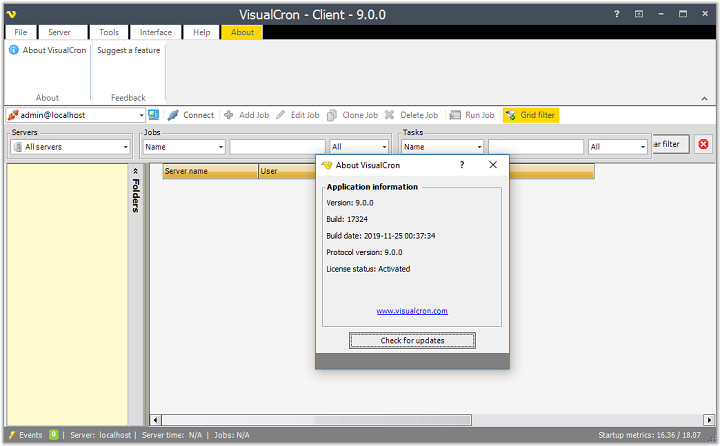
VisualCron Pro 9.0.0 Build 17324 Multilingual

fdbcf2c602b635cbb19ce62ff1799e33.jpg


VisualCron Pro 9.0.0 Build 17324 Multilingual

File Size: 203 MiB
Langauges: Multilingual

​

VisualCron is an automation, integration and task scheduling tool for Windows. VisualCron is a complex automation utility that delivers a user-friendly, yet feature-rich working environment for easy task scheduling. The plethora of options it comes with makes it stand out, and the array of predefined tasks it bundles helps you automate repetitive or time-consuming tasks without any programming or scripting knowledge.

No programming skills
You do not have to have a programming background to learn and create Tasks with VisualCron.

Easy to use interface
Drag, click and create. The interface is consistent and easy to learn.

Tasks for everything
With 300+ custom Tasks for different technologies we are sure we can solve and automate your problems.

Customer driven development
We base our development on feature requests from our customers.

Fast and accurate support
We know our product inside out as well as Windows environment in general.

Extended logging
With audit, Task and Job logs, as well as output for each Task you will have enough information for debugging.

Flow and error handling
React and control flow based on error type and output.

Interact with anything
A range of Tasks uses common protocols for file transfer and script execution across different platforms.

Programming interface
Interact with VisualCron on a programming level by using our API

Save time and money
Automating Tasks along with easy configuration saves your company time and money.

Eliminate human errors
By automating advanced Tasks and handle errors automatically you eliminate human errors and downtime.

System Requirements:
- VisualCron is designed for Windows based computers
- VisualCron works on the following operating systems: 2008 R2/2012/2016/2019/Windows 7/Windows 8/Windows 10
- VisualCron works on both 32-bit and 64-bit processors
- Requires .NET 4.8

7ce98bba3cc71739a9b321f4c565eaba.png


У Вас недостаточно прав для просмотра ссылок. Войдите или зарегистрируйтесь.


DownLoad

NitroFlare
Код:
https://nitroflare.com/view/2E90822BCCE9461/VisualCron.Pro.9.0.0.Build.17324.Multilingual.rar

RapidGator
Код:
https://rapidgator.net/file/b88c47051a480fc57a5ddbc764d5934d/VisualCron.Pro.9.0.0.Build.17324.Multilingual.rar.html

UploadGiG
Код:
https://uploadgig.com/file/download/67e6415eCe4778bd/VisualCron.Pro.9.0.0.Build.17324.Multilingual.rar
 
ON1 Effects 2019.7 v13.7.0.8098

d14808dd378f87fc124019b49b126a2c.jpg


ON1 Effects 2019.7 v13.7.0.8098

File Size: 0.98 GiB
Languages: English
OS: Windows x64

​

The Ultimate Collection of Photo Effects, Filters, LUTs, and Presets. ON1 Effects 2019 includes hundreds of built-in photo effects, filters, LUTs, borders, textures, and presets - all completely customizable to your style. There are endless creative possibilities with ON1 Effects. Our most popular include HDR Look, B&W, Lens Blur (tilt-shift), Glows, Color Enhancer, Tone Enhancer, Textures, Borders, Film Looks, Split Tone, and more.

Any Look for Your Photos
We promise you will have fun using ON1 Effects 2019. It includes everything you need to create any style. Whether you are color grading, looking to style an HDR photo, or looking for an elegant black and white look, ON1 Effects includes it all. You can also customize any look to your taste and quickly save your own presets.

Stack Effects
Combine multiple effects to create any possible look. Includes 23 stackable filters and hundreds of presets, borders, and textures.

Selectively Apply
Use the easy-to-use yet powerful tools to target your effects to specific areas of your photo. Every effect can be brushed in or out in just seconds.

Create and Save Your Own Presets
Once you've made your adjustments, you can save your own preset for quick access later on.

Live Adjustments and Previews
Responsive sliders and tools. We've made sure that your tools and slider adjustments won't stick, giving you a fast and smooth editing experience. Filters respond fast and presets are easy to find and apply.

Effects 2019 works as a standalone app or as a plug-in with:
- Adobe® Photoshop® CC 2019
- Adobe Lightroom® Classic CC 2019
- Adobe Photoshop Elements 14 and above
- Apple® Photos

Create Any Look or Style
Stackable and customizable photo effects providing endless creative possibilities.

What's New:

The Perfect Tools for Applying Effects
The world's best effects for finishing your photos. The collection of tools in ON1 Effects 2019 are perfect for selectively applying effects and cleaning up your photos.

Photo Effects
Non-destructive, stackable, and re-editable photo filters and presets

Creative Assets
Includes hundreds of built-in photo effects, filters, LUTs, borders, textures, and presets

Quick View Browser
Quickly preview the effects and how the look appears on your photo

AI Quick Mask Tool
AI technology detects your subject matter and automatically creates a mask

Masking Brushes
Blend photos together for exposure or create vignettes and graduated filter looks

Adjustable Gradients
Add common adjustments to only a portion of your photo

Touch Up Tools
Crop, content-aware fill, clone, refine, chisel, and blur are perfect for touching up photos

Luminosity Masks
Create luminosity masks based on the image to automatically protect the highlights or shadows

Stack Filters
Like placing filters on the end of your camera, just a easier

Skin Retouching
Easily retouch using filters specific to skin tones

Custom Presets
Easily save and organize your own looks and presets

Live Previews
Preview any look or effect instantly

RELEASE NOTES:

- Release notes were unavailable when this listing was updated.

System Requirements:
- Windows 7, Windows 8, or Windows 10 (current maintenance releases, 64-bit only)
- Intel Core 2 Duo, Xeon, or better
- 4 GB (8 GB when used as a Photoshop plug-in)
- 1.5 GB for installation
- OpenGL 3.3-compatible video card with 256 MB video RAM, 1280x720 resolution (at 100% scale factor)

У Вас недостаточно прав для просмотра ссылок. Войдите или зарегистрируйтесь.


DownLoad

NitroFlare
Код:
https://nitroflare.com/view/E8A249955435146/ON1.Effects.2019.7.v13.7.0.8098.rar

RapidGator
Код:
https://rapidgator.net/file/55cc2687551988d69d9e235a1d385893/ON1.Effects.2019.7.v13.7.0.8098.rar.html

UploadGiG
Код:
https://uploadgig.com/file/download/cb5bd30Dd9E63d5c/ON1.Effects.2019.7.v13.7.0.8098.rar
 
ON1 Resize 2019.7 v13.7.0.8098

72bb6f6de21005796992fe181ccc289a.jpg


ON1 Resize 2019.7 v13.7.0.8098

File Size: 535 MiB
Languages: English
OS: Windows x64

​

The Industry Standard in Photo Enlargements. Featuring ON1's industry-leading Genuine Fractals® technology, Resize 2019 is a must-have for the highest quality enlargements and prints. The new version includes performance enhancements and new features that make it even easier and faster to resize photos without losing sharpness and detail. ON1 Resize 2019.7 also includes one of the fastest ways to view, cull, and edit photos - ON1 Browse. It's the new starting point for your editing and resizing workflow.

Tools for Printing Big!
Get the highest quality photo enlargements with Genuine Fractals® technology - patented, fractal-based interpolation algorithms - that quickly enlarge your images without loss of sharpness or detail.

Genuine Fractals® Technology
Patented, fractal-based interpolation algorithms that quickly resize images without loss of sharpness or detail. Enlarge photos up to 1000%!

Create Canvas Wraps
The gallery wrap feature creates extended margins for wrapping your photo around wooden stretcher bars for canvas prints. You have the option to either stretch or reflect the areas near the edge of your photo. Create a perfect gallery wrap and not lose any part of the photo.

Print Presets
Hundreds of presets for desired print size.

Setup to Print on Mosaic Tiles
Divide photos into mosaic tiles for easy printing and proofing. Perfect for creating canvas diptychs, triptychs, or mosaics when combined with the gallery wrap feature.

Softproofing
Simulate what your photo will look like when you are preparing your photos for print.

What's New:

Dual Mode
Now you can have a second copy of your photos in another window. This is perfect if you have two displays and want a grid of thumbnails on one display and a magnified detail view on another. It's also great for presenting your photos to a client with a projector or large TV. You can show them photos, zoom and compare without seeing the rest of the application window.

History
Full history has been added when you work on a photo. You can see every step of your editing, roll-back and compare adjustments and easily revert to the beginning of your session.

Setting Applied Info
Now you can view which modules, tools and filters you have used on a photo, even in Browse. Simply double-click to jump to a setting and adjust it.

Master Keyword List
Now you can see every keyword you use in a single, searchable list. You can quickly apply or clear keywords, edit them or delete them. It also supports nested keywords inside of other keywords. This allows you to organize your keywords as you see fit. You can even import a list of nested keywords from other apps Adobe Lightroom. Keywords in general have been improved too. It's easier to search, add delete and modify them. They are also case sensitive now.

Performance Improvements
Enhancements for faster resizing, exporting individual photos, or photos you already edited. Zoom and pan have major performance enhancements as well, and you also have a new control in the preference to adjust the preview quality which will improve the preview performance.

Windows High-DPI
We have dramatically improved support for high-dpi displays on Windows. The scaling of the fonts and controls work much better, especially on 4k displays and laptops.

Soft Proofing in Resize
We have added the soft-proofing feature to Resize.

Larger range of thumbnail sizes
We have increased the range of thumbnail size, so you can go up to two giant thumbnails all the way down to tiny thumbnails so you can survey an entire folder in most cases.

Preview the Resize Algorithm
When using the Genuine Fractals algorithm, you can now preview the resulting quality at 100% zoom so you can more accurately adjust the options and sharpening.

Crop preset is remembered
The crop tool preset is now remembered across photos.

Updated User Interface
The user interface has a fresh, modern feel. We have reduced the contrast overall to make your photo stand out. A new font increases readability and new sliders take up less space. We have been working on usability based on feedback from users. We have added bigger tool-tips with a visual description of each tool, we have also renamed a couple tools to make them easier to discover.

RELEASE NOTES:
- Release notes were unavailable when this listing was updated.

System Requirements:
- Windows 7, Windows 8, or Windows 10 (current maintenance releases, 64-bit only)
- Intel Core 2 Duo, Xeon, or better
- 1.5 GB for installation
- Photoshop CS6 or CC, Photoshop Elements 13 or 14, Photoshop Lightroom 5, 6, or Classic CC, Apple Photos
- 4 GB (8 GB when used as a Photoshop plug-in)
- OpenGL 3.3-compatible video card with 256 MB video RAM, 1280x720 resolution

У Вас недостаточно прав для просмотра ссылок. Войдите или зарегистрируйтесь.


DownLoad

NitroFlare
Код:
https://nitroflare.com/view/BCBE624F0EDD773/ON1.Resize.2019.7.v13.7.0.8098.rar

RapidGator
Код:
https://rapidgator.net/file/cc436cd9f9a3cd021d22feeb041f7214/ON1.Resize.2019.7.v13.7.0.8098.rar.html

UploadGiG
Код:
https://uploadgig.com/file/download/9b0371C0Fe00cf48/ON1.Resize.2019.7.v13.7.0.8098.rar
 
BandLab Cakewalk 25.11.0.54 x64 Multilingual

c025be2e65246a0c50afafe15c105029.jpg


BandLab Cakewalk 25.11.0.54 x64 Multilingual

File Size: 555 MiB

​

Fueled by over 30 years in the relentless pursuit of innovation, Cakewalk by BandLab is the new standard for the modern recording studio.

The most complete music production package
The creative experience only SONAR offered: advanced technology, effortless workflow, and an interface that amplifies inspiration.

Compose
Easily compose complete songs and performances with creative songwriting tools and instruments.

Record
Capture inspired performances with pristine quality and unlimited audio and MIDI tracks.

Edit
Fix mistakes, arrange parts, and manipulate pitch, time, and any other aspect of your recordings.

Mix
Achieve pristine pro-studio sounds and create big, clear, dynamic mixes with advanced mixing tools.

Master
Polish your finished mixes to perfection with built-in mastering tools.

Share
Export and publish your songs directly to YouTube, SoundCloud, Facebook and more.

Minimum System Requirements:
Windows 7 or higher (64-bit only)
Multi-core Intel or AMD CPU
4GB RAM
3GB free disk space
1280x800 screen resolution
ASIO compatible hardware is recommended

У Вас недостаточно прав для просмотра ссылок. Войдите или зарегистрируйтесь.


DownLoad

NitroFlare
Код:
https://nitroflare.com/view/E118D5A76213658/BandLab.Cakewalk.25.11.0.54.x64.Multilingual.rar

RapidGator
Код:
https://rapidgator.net/file/8573c9c4c388b2d650b2730b9e15ebd6/BandLab.Cakewalk.25.11.0.54.x64.Multilingual.rar.html

UploadGiG
Код:
https://uploadgig.com/file/download/0924B4Aca39ecfe4/BandLab.Cakewalk.25.11.0.54.x64.Multilingual.rar
 
ON1 Effects 2019.7 v13.7.0.8098 macOS

af820c8b08b2c559a26e2da85e396a1a.png


ON1 Effects 2019.7 v13.7.0.8098 macOS

File Size: 1.13 GiB

​

The Ultimate Collection of Photo Effects, Filters, LUTs, and Presets. ON1 Effects 2019 includes hundreds of built-in photo effects, filters, LUTs, borders, textures, and presets - all completely customizable to your style. There are endless creative possibilities with ON1 Effects.

Our most popular include HDR Look, B&W, Lens Blur (tilt-shift), Glows, Color Enhancer, Tone Enhancer, Textures, Borders, Film Looks, Split Tone, and more.

We promise you will have fun using ON1 Effects 2019. It includes everything you need to create any style. Whether you are color grading, looking to style an HDR photo, or looking for an elegant black and white look, ON1 Effects includes it all. You can also customize any look to your taste and quickly save your own presets.

Effects 2019 works as a standalone app or as a plug-in with:

Adobe® Photoshop® CC 2019
Adobe Lightroom® Classic CC 2019
Adobe Photoshop Elements 14 and above
Apple® Photos

Supported Operation Systems:
macOS 10.11 or later 64 bit

У Вас недостаточно прав для просмотра ссылок. Войдите или зарегистрируйтесь.


DownLoad

Single Link
Код:
https://nitroflare.com/view/145208A6116E27B/ON1.Effects.2019.7.v13.7.0.8098.macOS.dmg

Код:
https://rapidgator.net/file/f315b75057a60934e077393d221e4aed/ON1.Effects.2019.7.v13.7.0.8098.macOS.dmg.html

Код:
https://uploadgig.com/file/download/cf5997c6925137b5/ON1.Effects.2019.7.v13.7.0.8098.macOS.dmg

NitroFlare
Код:
https://nitroflare.com/view/B3616520BD05812/ON1.Effects.2019.7.v13.7.0.8098.macOS.part1.rar
https://nitroflare.com/view/B8C4D1938C4B105/ON1.Effects.2019.7.v13.7.0.8098.macOS.part2.rar

RapidGator
Код:
https://rapidgator.net/file/940d64c1927516f1aa258f871cb39454/ON1.Effects.2019.7.v13.7.0.8098.macOS.part1.rar.html
https://rapidgator.net/file/a47f73da7b5f94b289f2e9a56a68ab45/ON1.Effects.2019.7.v13.7.0.8098.macOS.part2.rar.html

UploadGiG
Код:
https://uploadgig.com/file/download/6f1af7Ce28eee160/ON1.Effects.2019.7.v13.7.0.8098.macOS.part1.rar
https://uploadgig.com/file/download/fB4C4aC7Fc41237c/ON1.Effects.2019.7.v13.7.0.8098.macOS.part2.rar
 
ON1 Photo RAW 2019.7 v13.7.0.8098 macOS

27696e37cb26930b8f6764923ed9199b.png


ON1 Photo RAW 2019.7 v13.7.0.8098 macOS

File Size: 1.62 GiB

​

ON1 Photo RAW 2019 includes the essential tools and features every photographer needs in their workflow. Our super fast, non-destructive, and state-of-the-art processing engine gives you an ultra smooth and efficient editing experience. ON1 Photo RAW is focused on allowing you to get the most out of every photo. Photographers now have a tool with fast photo management, hundreds of customizable photo effects, fast and beautiful HDR, panos, masking and selection tools, layers, and much more-in one app.

Fast Browsing, Organizing, & Batch Processing
Quickly browse, organize, manage and catalog photos in your photo editing workflow. The ultra-fast photo browser and organizer is perfect for rapidly viewing and culling through photos without having to wait on previews to generate or an import process.

New Layers Workflow
Layers integration sits at the heart of ON1 Photo RAW 2019 allowing for raw processing on multiple raw photos, keeping all the non-destructive settings for each photo, and have it done within one workflow.

RAW Processing & Non-Destructive Editing
A state-of-the-art processing engine providing a fast, smooth, comfortable, and fun photo editing experience while producing the highest quality results for your photos.

Effortless Retouching
The tools for retouching portraits, photo restoration, and enhancing photos are available in ON1 Photo RAW 2019.

Masking, Blending, and Brushing
ON1 Photo RAW 2019 includes the best set of masking tools for beginners and advanced users. Whether replacing backgrounds, skies or selectively applying an adjustment with a mask or selection.

Photo Effects, Filters, Presets, LUTs
Includes hundreds of fast, non-destructive, stackable, re-editable, and customizable photo effects and filters providing endless creative possibilities.

HDR Merge
Tone mapping and merging exposure brackets has never been faster or easier.

Panorama Stitching
Stitch together multiple photos into a single panorama or matrix photo. Automatically aligns photos blends them together seamlessly.

Image Resizing & Printing
ON1 Photo RAW 2019 includes everything you need to resize, export, and print your photos.

What's New in ON1 Photo RAW 2019:

A New & Faster Editing Workflow
We've combined all of the modules to create a single place to do your editing. The different editing modules are now available as tabs to allow you to work in each seamlessly at once.

A New Workflow for Layers
Layers will no longer be a separate module. Instead, the power of layers will be accessible within the non-destructive workflow inside of Develop and Effects.

Lightroom Photo Settings Migration
New AI-powered algorithms will give customers the ability to transfer Lightroom-edited photos, keep the non-destructive settings, and move them into ON1 Photo RAW 2019.

Text Tool
Perfect for creating posters, adding your byline or adding editing annotations. Easily control font size, color, position, and more, then save to a preset to add the same text overlay to a batch of photos quickly.

Master Keyword List
Now you can see every keyword that you use in a single, searchable list. You can quickly apply, clear, edit, or delete keywords.

Layered HDR Workflow
With the powerful new non-destructive layers you can combine other photos, text, or alternate exposures with your HDR photos. You can even use the powerful masking tools to combine multiple HDR renditions.

Portrait Tools
The new Portrait tools will automatically detect faces in your photo and will retouch to smooth skin, brighten and sharpen eyes, and whiten teeth.

User Interface
Overall contrast has been reduced to make photos stand out along with a new font to help increase readability. New icons, tabs, and sliders will also take up less visual space.

Focus Stacking
Blend multiple photos at different focus distances to increase depth-of-field.

Auto-Align Layers
Easily combine mulitple photos as layers, then automatically align them based on image content.

Improved Local Adjustments
Local adjustments will be updated to use the raw processing data. This allows for more highlight and shadow details with more tonal range.

Filter Options in Effects
We have added dedicated film grain, curves, and color adjustment filters to Effects. There's also a new way to select and browse filters.

Optional App Integration:
- Photoshop CS6 and above
- Photoshop Elements 14 and above
- Photoshop Lightroom Classic 6 and above

Compatibility: OS X 10.11 or later 64-bit

У Вас недостаточно прав для просмотра ссылок. Войдите или зарегистрируйтесь.


DownLoad

Single Link
Код:
https://nitroflare.com/view/7309E461BE7F1B5/ON1.Photo.RAW.2019.7.v13.7.0.8098.macOS.dmg

Код:
https://rapidgator.net/file/d26c1d76eae3423ab413de19d3e40dbf/ON1.Photo.RAW.2019.7.v13.7.0.8098.macOS.dmg.html

Код:
https://uploadgig.com/file/download/8D8AB15658ba5e4e/ON1.Photo.RAW.2019.7.v13.7.0.8098.macOS.dmg

NitroFlare
Код:
https://nitroflare.com/view/6F9BB53384F6989/ON1.Photo.RAW.2019.7.v13.7.0.8098.macOS.part1.rar
https://nitroflare.com/view/818AB6F313A501A/ON1.Photo.RAW.2019.7.v13.7.0.8098.macOS.part2.rar

RapidGator
Код:
https://rapidgator.net/file/119551236a45e2c4ac16b1fbbc69a9d1/ON1.Photo.RAW.2019.7.v13.7.0.8098.macOS.part1.rar.html
https://rapidgator.net/file/3ab406447487c84b3f3baeedc5983c0e/ON1.Photo.RAW.2019.7.v13.7.0.8098.macOS.part2.rar.html

UploadGiG
Код:
https://uploadgig.com/file/download/1f9e5DEf6377C7f9/ON1.Photo.RAW.2019.7.v13.7.0.8098.macOS.part1.rar
https://uploadgig.com/file/download/Cfd839075Eef12d5/ON1.Photo.RAW.2019.7.v13.7.0.8098.macOS.part2.rar
 
ON1 Resize 2019.7 v13.7.0.8098 macOS

e80cab46ee24c5afbb7a7ae3f6a39393.png


ON1 Resize 2019.7 v13.7.0.8098 macOS

File Size: 698 MiB

​

ON1 Resize (formerly known as Perfect Resize Standard) is a straightforward image resizing application that provides a set of tools designed to help you get your pictures ready for print. Organize & Resize. ON1 Resize just got a whole lot better. The NEW ON1 Resize now includes one of the fastest ways to view, cull, and edit photos-ON1 Browse.

It's the new starting point for your editing and resizing workflow.

ON1 Resize uses the Genuine Fractals technology in order to provide high quality image enlargements without the loss of details or sharpness in your pictures.

From ON1 Resize's main window, you can go through your picture collection and preview your images with ease. What is more, ON1 Resize helps you browse pictures stored in Dropbox, Google Driver, OneDrive or iCloud Photo Stream.

Supported Operation Systems:
macOS 10.11 or later 64-bit

У Вас недостаточно прав для просмотра ссылок. Войдите или зарегистрируйтесь.


DownLoad

NitroFlare
Код:
https://nitroflare.com/view/A6B1CE68A954618/ON1.Resize.2019.7.v13.7.0.8098.macOS.dmg

RapidGator
Код:
https://rapidgator.net/file/9ac0d41b4b078aac14ffff5a196f645c/ON1.Resize.2019.7.v13.7.0.8098.macOS.dmg.html

UploadGiG
Код:
https://uploadgig.com/file/download/8Afbd4bb7a8510dA/ON1.Resize.2019.7.v13.7.0.8098.macOS.dmg
 
3DF Zephyr Aerial - Pro - Lite 4.523 x64 Multilingual

8a474afedba11d2adbd53ca360844992.png


3DF Zephyr Aerial - Pro - Lite 4.523 x64 Multilingual

File Size: 263, 253, 253 MiB

​

3DF Zephyr allows you to reconstruct 3D models from photos automatically. The process is entirely automatic, and no coded targets, manual editing or special equipment are needed. 3DF Zephyr is built on top of our proprietary, cutting-edge, reconstruction technology. 3DF Zephyr comes with a user-friendly interface, and the possibility to export in many common 3D formats or even to generate lossless video without the need for external tools. Furthermore, 3DF Zephyr has a lot of advances functionalities, and you can, for example, edit your models, create true orthophotos, digital elevation models (DTM), manage laser scan data and calculate areas, volumes, angles, contour lines, and much more.

Here in 3Dflow, we worked hard to build up both the core technologies and the user interface. The obtained solution is in all probability the most accurate, completely automatic, best engineered multiview-stereo algorithm available on the market.

Features and amenities 3DF Zephyr Aerial:
-User-friendly interface: Application 3DF ZEPHYR having functional design-friendly and simple to use this app provides the user more comfortable.
-Using advanced technology: The software uses the most up to date technology available, to provide services in the best way possible to the user. The user can according to the technology in this application, to carry out the act itself.
-Export advanced capabilities: With this software you can eventually become a version of the model in -several different formats and quality extract and save.
-Process group: With this feature, users can perform multiple activities at the same time in -Application 3DF ZEPHYR

3DF Zephyr features Aerial:
-Automatic Structure from Motion
-Global and Incremental pipeline
-Easiest camera calibration management
-Add photos anytime
-Dense cloud generation
-Reconstruction with presets
-Advanced settings
-Custom settings
-Mesh Texturing
-Multi texturing & UDIM
-Editing tools
-Mesh filters, hole filling and photoconsistency
-Mesh filtering on selection
-Multiple layers support
-Match viewer
-Direct Sketchfab upload
-Video making & smartsnap
-Direct Youtube upload
-Masking capabilities
-Pictures import
-Video Import
-CUDA ® computation
-Exporting
-Native Laser Scan support
-Pictures and quality evaluation
-Full 360° cameras support
-External UV mapping
-Multi ICP registration
-Workspace merge
-Batch processing
-Fixed rig support
-Automatic marker detection
-Point Cloud/Mesh import
-Statistical analysis & report
-Control points, measurements & volumes
-Volume projection
-Hollow volume computation
-Project over a regular grid
-Point cloud comparison tool
-Shape from Silhouette
-Orthophoto & Orthomosaic
-Polyline drawing
-Automatic polyline extraction
-Contour lines generation
-Sections / Track sections
-DEM & multispectral viewer
-DEM profile
-EXIF GPS coordinates
-GPS exif preview
-PCS georeferencing support and conversion
-Multispectral support & calibration

What's New:
official site does not provide any info about changes in this version.

У Вас недостаточно прав для просмотра ссылок. Войдите или зарегистрируйтесь.


DownLoad

NitroFlare
Код:
https://nitroflare.com/view/E1AFD29EF0DAE41/3DF.Zephyr.4.523.Aerial.rar
https://nitroflare.com/view/E573BD09328F2B4/3DF.Zephyr.4.523.Lite.rar
https://nitroflare.com/view/01C8D69C9F52D64/3DF.Zephyr.4.523.Pro.rar

RapidGator
Код:
https://rapidgator.net/file/aac29922f73e7c10e20e5d4430c59b0f/3DF.Zephyr.4.523.Aerial.rar.html
https://rapidgator.net/file/3186ebbb6764a57175d9b809e40641bb/3DF.Zephyr.4.523.Lite.rar.html
https://rapidgator.net/file/0d6cdefb1375a97b3e875111154dbba4/3DF.Zephyr.4.523.Pro.rar.html

UploadGiG
Код:
https://uploadgig.com/file/download/79929B4e773bb038/3DF.Zephyr.4.523.Aerial.rar
https://uploadgig.com/file/download/070b52e5209cc9b8/3DF.Zephyr.4.523.Lite.rar
https://uploadgig.com/file/download/65ADAee334780d68/3DF.Zephyr.4.523.Pro.rar
 
ACDSee Video Studio 4.0.1.1013 x64

df8ca763f7e80dd14f7daf075a62f5b6.jpg


ACDSee Video Studio 4.0.1.1013 x64

File Size: 222 MiB

​

Your World is Moving. Enrapture your audience with the most versatile and accessible content creation tool in the space. Sporting sleek 64-bit performance, an easy-to-master interface, and 4K rendering, ACDSee Video Studio 4 empowers you to bring your vision to life. In addition to easy sharing solutions, ACDSee Video Studio's direct uploading to YouTube and Vimeo take the tedium out of distribution. Now with keyframing, green screen support, behaviors, overlays, non-destructive cropping, 3 axis rotation, support for HEIC files, freeze frames, GIF exporting, over 3x more keyboard shortcuts, and much more, ACDSee Video Studio 4 provides hassle-free video editing and screen recording without the learning curve.

Highly Animated
Transform your content with keyframing! Seamlessly transition your media from one state to another. Control specific visual properties with pre-made or custom animations, and layer in still images or additional video to complete your narrative storytelling. Tilt, scale, rotate, and restore. Tell your story with visible cues by adapting blend modes and opacity settings, rotation, position, and size.

What's New in ACDSee Video Studio 4?

Green Screen Support
Put your subject anywhere! Remove green screen, or the color of your choosing, and layer in other videos or still images to create your own background.

Add Ambience
Color grade your shots by loading and applying an endless array of cinematic LUTs.

Speed Limit
Take control over the speed and overall duration of your media.

Cover it up
Blur out faces, license plates, or sensitive information with the customizable Mosaic tool.

Express Yourself
Need some snow? A light leak? A countdown? Effortlessly add over 46 overlay effects on top of, before, or after your media.

Customized Aesthetic
Get creative with 13 new filters allowing you to morph, emboss, mirror, shake, obscure, adjust, and much more.

Capture the Moment
Extend the life of specific moments by creating freeze frames. Or snatch snapshots of your video's playback and add them to your available media.

Export as a GIF
Quickly create GIFs from your videos or image series. With a recommended size for easy sharing, GIF generation has never been this painless.

Keyframing
Shift your media's properties from one state to another with pre-made or custom animations!

Make an Entrance
Perfect your video's style and movement with unique behaviors animating the entrances and exits of clips.

У Вас недостаточно прав для просмотра ссылок. Войдите или зарегистрируйтесь.


DownLoad

NitroFlare
Код:
https://nitroflare.com/view/8CD898BA8170474/ACDSee.Video.Studio.4.0.1.1013.x64.rar

RapidGator
Код:
https://rapidgator.net/file/cf2b7cb7a20b4ff47c7203e56fb2555d/ACDSee.Video.Studio.4.0.1.1013.x64.rar.html

UploadGiG
Код:
https://uploadgig.com/file/download/b5Ef56e77Bf83fFd/ACDSee.Video.Studio.4.0.1.1013.x64.rar
 
Capture One 20 Pro 13.0.0.184 b6 Multilingual macOS

80976b55c485d251080d6837f1e96079.png


Capture One 20 Pro 13.0.0.184 b6 Multilingual macOS

File Size: 307 MiB
Languages: Multilingual

​

Capture One is a professional RAW converter offering you ultimate image quality with beautiful colors and incredible detail for more than 500 high-end cameras. It offers state- of-the-art tethered capture, powerful digital asset management, extensive adjustment tools and a flexible workflow through customizable workspaces.

With an updated processing engine, market-leading performance and powerful new features, Capture One is the professional choice in imaging software. You get the highly responsive precision tools you need to create stunning images from your camera's RAW files in a time-saving workflow that can be customized to fit your needs.

New features and improvements
• Scrolling Tools
• New Basic Color Editor
• Improved Noise Reduction
• High Dynamic Range
• New Crop Tool
• Improved copy/apply of Layers
• Improved DNG support
• Select Next When

General User Experience Improvements
• Adjustment Clipboard improvements
• Toolbar text and icons
• Masking cursor tools arrangement
• Viewer background color
• Browser thumbnail resolution
• White Balance Picker
• Changes to default shortcuts

Supported Operation Systems:
macOS 10.13 or later 64-bit

У Вас недостаточно прав для просмотра ссылок. Войдите или зарегистрируйтесь.


DownLoad

NitroFlare
Код:
https://nitroflare.com/view/97B08DC72857E0C/Capture.One.20.Pro.13.0.0.184.b6.Multilingual.macOS.dmg

RapidGator
Код:
https://rapidgator.net/file/5c768c666e0cff4940fb8726c6a87ab1/Capture.One.20.Pro.13.0.0.184.b6.Multilingual.macOS.dmg.html

UploadGiG
Код:
https://uploadgig.com/file/download/d60c0c9a71d152fA/Capture.One.20.Pro.13.0.0.184.b6.Multilingual.macOS.dmg
 
Nikon Camera Control Pro 2.29.1a Multilingual

c504467b7fe478cbe35a3d1c2557819e.jpg


Nikon Camera Control Pro 2.29.1a Multilingual

File Size: 308 MiB

​

This software remotely controls most functions of Nikon digital SLRs from a computer that is connected via USB cable or through wired or wireless LAN using a wireless transmitter. Advanced functions of the new Nikon D3 and D300 such as Viewer for preview and selection of images prior to transfer to a computer, Liveview function and Picture Control System are supported. It also supports workflows of Nikon's exclusive photofinishing software Capture NX (optional) and browser and viewer software ViewNX.

Most settings of Nikon digital SLRs, that are connected via USB cable, such as exposure mode, shutter speed and aperture can be controlled remotely from a computer. Wired or wireless LAN is also available when using a wireless transmitter.
In addition to direct transfer of images from a camera to a computer, all procedures from shooting to saving images are smoothly processed.
Enhanced viewer function enables thumbnail display of images stored in a computer.

Compatible with the new functions of the Nikon D3/D300
Images in a camera buffer can be confirmed with thumbnail or preview display on a computer prior to transferring, enabling deletion of unnecessary images. This remarkably increases efficiency.
Supporting the Liveview mode (Hand-held mode and Tripod mode) of the D3 and D300, it permits adjustment of focus point and shutter release while confirming the image on a computer. In Tripod mode, focal-plane contrast AF on a desired point within a specific area is possible.
It also supports Picture Control System of the cameras. Picture Control parameters can be selected and adjusted on a computer, and custom curves (tone compensation data) can be created and registered
51-point AF can be controlled and displayed.
Fine tuning of the new white balance is available.

Integration with other Nikon software
Support for ViewNX browser and viewer software
Support for Capture NX photo-finishing software

Whats New:
Fixed an issue that caused certain anti-virus software to mistakenly identify the "IFGLS001.exe" and "ifasglog.exe" files in the installation destination folder as viruses during or after installation.

У Вас недостаточно прав для просмотра ссылок. Войдите или зарегистрируйтесь.


DownLoad

NitroFlare
Код:
https://nitroflare.com/view/8644277879435FB/Nikon.Camera.Control.Pro.2.29.1a.Multilingual.rar

RapidGator
Код:
https://rapidgator.net/file/54c023887588fc04d57363b2f46cb392/Nikon.Camera.Control.Pro.2.29.1a.Multilingual.rar.html

UploadGiG
Код:
https://uploadgig.com/file/download/d09ec8f5025e4640/Nikon.Camera.Control.Pro.2.29.1a.Multilingual.rar
 
DVDFab All-In-One 11.0.6.1 Multilingual macOS

096aea69083571782fa465c62296dfc6.jpg


DVDFab All-In-One 11.0.6.1 Multilingual macOS

File Size: 338 MiB

​

DVDFab All-In-One for Mac is a versatile combo of nearly all the powerful DVDFab products -- DVD Copy for Mac, DVD Ripper for Mac, Blu-ray Copy for Mac, Blu-ray Ripper for Mac, UHD Copy for Mac, UHD Ripper for Mac, Blu-ray to DVD Converter for Mac, DVD to Blu-ray Converter for Mac, DVD Creator for Mac, Blu-ray Creator for Mac, UHD Creator for Mac, Video Converter for Mac, DVD Cinavia Removal for Mac, Blu-ray Cinavia Removal for Mac, Mac DRM Removal for Apple, Hi-Fi Audio Converter for Mac, and File Transfer for Mac. It provides totally complete solution for all your DVD/Blu-ray/video issues and performs perfectly.

A Versatile and Complete Combination of Nearly All DVDFab Products
DVDFab All-In-One for Mac is definitely a perfect integration of all the current DVDFab products with all full features for Mac, and that's not the whole thing you will own for purchasing it. You can also save more than 239 US dollars for 1 year subscription at least, and more than 416 US dollars for lifetime to the maximum.

Ultimate Solution for All Your DVD/Blu-ray/Video Issues
DVDFab All-In-One for Mac is the ultimate solution for all your DVD/Blu-ray/video issues. The included DVD options, Blu-ray options, video options, Cinavia removal options and file transfer options enable you to freely copy/burn/clone DVD/Blu-ray to any blank DVD disc or to the hard drive on your Mac for display or backup; rip and convert DVD/Blu-ray/video to almost all popular video/audio formats or devices in support of video playback; remove the hard-to-conquer Cinavia protections embedded in the audio tracks of many Blu-rays; transfer the converted files to Apple devices.

Professional, Full-featured and Fast
DVDFab All-In-One for Mac provides the integrated solution with an intuitive and simple UI designation and optimized profiles for you to finish all the operations smoothly and successfully, and the maximum convenience to let you customize the output file in your way to make it more suitable for your need. Moreover, thanks to its supports of bath conversion, multi-core CPUs, the newest NIVIDA CUDA and acceleration high-techs, the processing speed is faster than all its peers.

Tech-Savvy to Output Spotless Quality
DVDFab products all have been in development for years to keep its high-end experience and to catch up with the latest technology trends. So, there is no doubt you will have a smooth process no matter how many customizations you made for the output file, and an astonishing resulting file with original quality kept maximally.

У Вас недостаточно прав для просмотра ссылок. Войдите или зарегистрируйтесь.


DownLoad

NitroFlare
Код:
https://nitroflare.com/view/AA618047C8ACDCA/DVDFab.All-In-One.11.0.6.1.Multilingual.macOS.dmg

RapidGator
Код:
https://rapidgator.net/file/c091ce2fe75a8175386a6295bbe81ebd/DVDFab.All-In-One.11.0.6.1.Multilingual.macOS.dmg.html

UploadGiG
Код:
https://uploadgig.com/file/download/7667355dd1765D20/DVDFab.All-In-One.11.0.6.1.Multilingual.macOS.dmg
 
DxO PhotoLab 3.0.3 Build 4295 Elite x64 Multilingual

82feeb49010354d7e1f2d2fc17be95e3.jpg


DxO PhotoLab 3.0.3 Build 4295 Elite x64 Multilingual

File Size: 336 MiB

​

Produce RAW and JPEG images with the best image quality, effortlessly: DxO PhotoLab provides a complete set of smart assisted corrections that you can manually fine-tune at any time. Take control on every aspect of your photos: effectively remove noise, get rid of light constraints, recover color details, apply sophisticated optical corrections, and enhance details.

DxO SMART LIGHTING
Optimizes the dynamic range of your image and brings out the details from both under- and overexposed areas.

DxO CLEARVIEW
Intelligently boosts local contrast and effectively removes distant haze.

DxO PRIME
Automatically denoises high ISO RAW images and recovers accurate details and colors based on our exclusive algorithms.

OPTICAL CORRECTIONS
Leverage your gear with tailored automatic corrections based on DxO's renowned scientific expertise in measurement and calibration.

EXPRESS YOUR CREATIVITY WITH LOCAL ADJUSTMENTS: INTRODUCING U POINT®
Give your photos your own artistic touch by manually applying selective corrections to specific areas of your image, using exclusive DxO Local Adjustment Tools that include: Control points (U Point technology), graduated filters, manual and automatic brushes, automatic repair tool, etc.

CONTROL POINTS
Manually select your editing area by simply clicking on the part of your image you want to adjust.

BRUSH TOOL
Freely paint and manually adjust small or large areas of your image.

GRADIENT TOOL
Simulates a graduated ND filter and lets you apply artistic effects.

REPAIR TOOL
Allows you to remove dust spots or unwanted objects from your photos.

Processing large series of photos is no longer a nightmare
- Intelligent algorithms adapt settings to your gear as well as to image content
- Copy and paste settings from one image to another
- 30 built-in presets, fully customizable to give your photos the look you like
- Multiple exports in one click
- Export to multiple formats for web, printing, or backup
Export directly to social networks such as Facebook, Flickr, or to other photo editors

Fully adapted to YOUR workflow
- File management that works with your computer (no import step required)
- Direct access to images
- Seamless integration with Lightroom via plugin
- Customizable workspace to adapt to your needs - Dual-screen friendly

У Вас недостаточно прав для просмотра ссылок. Войдите или зарегистрируйтесь.


DownLoad

NitroFlare
Код:
https://nitroflare.com/view/65D843C235F2D32/DxO.PhotoLab.3.0.3.Build.4295.Elite.x64.Multilingual.rar

RapidGator
Код:
https://rapidgator.net/file/bf4a2e9e82d863e9ab019d0d15f8c9b9/DxO.PhotoLab.3.0.3.Build.4295.Elite.x64.Multilingual.rar.html

UploadGiG
Код:
https://uploadgig.com/file/download/7b28668e71a2a89a/DxO.PhotoLab.3.0.3.Build.4295.Elite.x64.Multilingual.rar
 
Macrium Reflect 7.2.4557 x64

85a20ff01301207f7c1a6d1ecb50ae3c.png


Macrium Reflect 7.2.4557 x64

File Size: 325 MiB

​

Macrium Reflect - Our image based backup and disaster recovery solutions have taken another big step forward in speed, simplicity and power. Our entire focus is helping organisations protect business critical data and systems, without fuss and budget breaking costs.

Solution highlights:
- New Backup Engine: Incremental and differential images up to 60 times faster
- Instant virtual booting of backup images: instantly create, start and manage Microsoft Hyper-V virtual machines
- Ultra-fast Live imaging of windows systems, physical and virtual
- Restore images to dissimilar hardware using Macrium ReDeploy
- Greatly simplified administration including pre-defined Backup Plans for popular backup strategies
- Fully featured file and folder level backup and recovery
- Updated support for all the latest Windows Operating Systems and disk formats

Macrium Reflect 7 Workstation Features:
- Backup your entire PC to a single compressed image file.
- Backup files and folders to a single compressed archive file.
- Recover partitions and entire disk images with just a few clicks of your mouse
- Dynamic disk support
- MBR and GPT disk support
- Restore images to dissimilar hardware using Macrium ReDeploy

Macrium Reflect 7 Server Features:
- Backup your entire physical or virtual Server to a single compressed image file.
- Backup files and folders to a single compressed archive file.
- Recover partitions and entire disk images with just a few clicks of your mouse
- Dynamic disk support
- MBR and GPT disk support
- Restore images to dissimilar hardware using Macrium ReDeploy

Editions: Workstation / Server / Server Plus

У Вас недостаточно прав для просмотра ссылок. Войдите или зарегистрируйтесь.


DownLoad

NitroFlare
Код:
https://nitroflare.com/view/0A464960F20ECE2/Macrium.Reflect.7.2.4557.x64.rar

RapidGator
Код:
https://rapidgator.net/file/f0e59f86b7f164739b42c685fbfe3187/Macrium.Reflect.7.2.4557.x64.rar.html

UploadGiG
Код:
https://uploadgig.com/file/download/BAe2Bf8691f29bf6/Macrium.Reflect.7.2.4557.x64.rar
 
Nik Collection 2 By DxO 2.3.0 macOS

24603f0718eb018348c6e5a6c17f8ff3.png


Nik Collection 2 By DxO 2.3.0 macOS

File Size: 0.97 GiB
Languages: Multilingual

​

Add the power of the Nik Collection by DxO to your workflow today and create stunning images faster. The most complete collection of plug-ins from Nik Collection by DxO companies using proprietary U Point, which allows you to subtly adjust the brightness, contrast, color saturation and other parameters of individual objects or areas of the photograph.

The Complete Nik Collection by DxO includes all of the latest award-winning plugin software titles for Adobe Photoshop® and Adobe Lightroom® including: Color Efex Pro, Silver Efex Pro, Viveza, Analog Efex Pro, HDR Efex Pro, Dfine, Sharpener Pro and DxO PhotoLab 2 Essential Edition. All products feature Nik Software's patented U Point® technology, giving photographers the most powerful tools for precise and natural photographic enhancements and corrections without the need for complicated selections or layer masks.

Supported Operation Systems:
macOS 10.10 or later 64-bit

У Вас недостаточно прав для просмотра ссылок. Войдите или зарегистрируйтесь.


DownLoad

NitroFlare
Код:
https://nitroflare.com/view/037EE72D34C8275/Nik.Collection.2.By.DxO.2.3.0.macOS.dmg

RapidGator
Код:
https://rapidgator.net/file/2de2918aa1332914fcc6342e8d23f0f0/Nik.Collection.2.By.DxO.2.3.0.macOS.dmg.html

UploadGiG
Код:
https://uploadgig.com/file/download/7f14d189560Ff351/Nik.Collection.2.By.DxO.2.3.0.macOS.dmg
 
QuarkXPress 2019 v15.1.1 Multilingual

34e02dc792de9f14803d0cc1a5030777.jpg


QuarkXPress 2019 v15.1.1 Multilingual

File Size: 554 MiB
Languages: Multilingual
OS: Windows x64

​

The Most Flexible Software for Print and Digital Design. QuarkXPress introduces Flex Layouts, a first in digital publishing for graphic designers. Flex Layouts is a new layout space that lets designers create truly responsive HTML5 Web pages in a WYSIWYG environment. Flex Layouts do not require any HTML or CSS coding skills, which means graphic designers can start creating banner ads, landing pages, microsites, and more.

New Features:

Modern Web Design
Transform your print designs into modern web pages with Flex Layouts that enable users to deliver responsive web design without coding. Bring layouts to life with native HTML5 and CSS3 effects including drop shadows, gradients, vector shapes, video and a wealth of interactive elements.

Truly Responsive Experiences
The HTML output from the Flex Layout space is responsive to any device aspect ratio, including desktop, tablet and mobile phone screens. Designers can add any interactive element QuarkXPress supports, apply a parallax effect on background images, and test responsiveness without ever leaving QuarkXPress

Graphic Design to Web Design
The responsive HTML5 output from Flex Layouts complies with emerging Web standards, which means graphic designers can create native, app like experiences for the web directly in QuarkXPress. Once a Flex Layout is complete, designers can export and upload the code to any Web hosting service - or - use Flex Layouts as your prototyping tool and share the code with your web team.

Flex features include:
- Design and Export Responsive Web Pages
- Test responsiveness within the layout
- Design Using Preset or Custom Grids
- Prebuilt Responsive Layout Blocks
- Apply Native HTML5 Drop Shadows
- Support for Advanced Typography
- Create Vector Shapes and Illustrations
- Non-destructive image effects and filters
- Use Videos as backgrounds
- Use exported responsive layouts in iOS and Android apps
- And More

Tables Reimagined
Tables are a powerful tool for simplifying the presentation of complex information. However, it can be time consuming for designers to create and update tabular content. In QuarkXPress , Quark completely reimagined tables introducing its new table object that combines creative freedom with time saving automation.

A Powerful New Table Model
The new table model in QuarkXPress introduces new styling rules for table, row, column and cell level formatting along with text styling rules. You can apply table styles to any table regardless of whether you created directly in QuarkXPress or auto imported a table from Excel. What's more, if you change the source Excel table, the data is updated in QuarkXPress without impacting your table design.

Easy Access to Table Styles
No restrictions! All table styling can be done in QuarkXPress through a new and intuitive user interface. Designers can access table styles from the measurement palette, which offers much finer control over formatting tables at the cell level, plus unlimited opportunity to format borders and shading.

Save Time, Boost Productivity
To get you started quickly, QuarkXPress includes predefined table styles, which have all of the formatting options preset or you can build your own. When importing tables from Excel, you can even automatically create a table style as part of the import process.

Professional Image Export
Push image export to a new limit. For the first time you can now export your designs from QuarkXPress as professional grade images in JPEG, TIFF and PNG formats. Need an banner image for your email? No need to open another photo editing application! Use presets to control pixel DPI, quality, color profile, and file format when exporting your QuarkXPress layout or selected objects or images for use in other applications.

Performance Boost for Mac and Windows
QuarkXPress improves image cache handling with dedicated multithreading support to make operations much faster on MacOS and Windows. Additionally, QuarkXPress Windows users will now benefit from Direct2D hardware acceleration to boost graphic engine performance. While this improves overall image handling, it also makes layout operations like scrolling, panning, image editing and many other operations faster for image heavy documents.

Complete PDF Accessibility Support
When exporting PDFs for digital consumption, ensure you meet the latest accessibility requirements and regulations. QuarkXPress now supports all PDF accessibility standards so you can export PDFs that are compliant with the PDF/UA (ISO 14289), PDF/A, and WCAG 2.0 requirements.

9-Point Reference Grid
When creating or adjusting boxes and lines on a page, you often want to align items to specific coordinates or to other objects. To make this eas-ier, QuarkXPress adds a new grid-based selector that lets you specify the exact coordinates of an object and all four corners and four edges of a box.

Spring Loaded Cursor
No more back and forth between your layout and your image library! It takes time to import images individually, especially in image heavy layouts. Speed up the process by loading up your cursor with multiple images (or text files) at once and then populate existing boxes or create new boxes one at a time with the click of your mouse.

Additional New Features in QuarkXPress 2019:
- Auto Growing Text Boxes
- Enhanced Paragraph Formatting
- Directional Spine Alignment
- Easy Access to Merge Shapes
- Enhanced Border Formatting Control
- Enhanced Retina Support

UNSURPASSED TYPOGRAPHY
- New First-Class OpenType Controls
- New Color Fonts Support
- New Upgraded Font Listing
- New Hyphenation Strictness Levels
- New OpenType Support for Digital

PROFESSIONAL PRINT PUBLISHING
- New Direct InDesign IDML Import
- New New PDF Print Engine
- New Tagged/Accessible PDF
- New Built-in JavaScript ES6+ V8
- New Digital-to-Print Conversion

UNLIMITED DIGITAL PUBLISHING
- New Unlimited Android Apps
- New Digital Preview Improvements
- New HTML5 Export Optimizations
- New Grouped Interactivity
- New Collect for Output Digital

RELEASE NOTES:

- RESOLVED: Text is not calced properly on applying a different master page having different page grid values if Lock to Page Grid is applied on the text. (5164, since v2016)
- RESOLVED: Text is not calced properly on typing in some specific projects containing a multicolumn linked text chain having anchored images and paragraph rules. (5168, since v2016)
- RESOLVED: The color name in the source project changes on exporting text as XPress Tags. (6399, since v8)
- RESOLVED: (Mac only): QuarkXPress crashes while hyphenating or spell checking on text on Case Sensitive OS. (6563, since v9)
- RESOLVED: (Windows only): Unable to view the complete file name/ full file path in File menu if the project has a long file name/ path name. (31956, since v7)
- RESOLVED: In specific cases, the picture resize handle is not visible due to which the user is unable to resize the picture. (34452, since v10)
- RESOLVED: (Windows only): PCX should be removed from the list of supported file types in the Import Picture dialog. (40646, since v10)
- RESOLVED: Export as PDF fails if any URL hyperlink applied in the project contains round parenthesis. (45202, since v2018)
- RESOLVED: QuarkXPress crashes while opening libraries created in v7 ~ v9 having grouped/ multi-selected items on Windows OS; while on Mac OS, only the item on the topmost stack in the group is retained while opening such libraries. (52762, since v2018)
- RESOLVED: QuarkXPress crashes on importing XPress tags file having any invalid tag. (58115, since v10)
- RESOLVED: (Mac only): In specific cases, the AppleScript 'PDF output style' clause is not recognized if the Word Filter XT is enabled. (59308, since v)
- RESOLVED: The table grid does not get applied on the top and right sides of selected table cells. (86050, since v2019)
- RESOLVED: (Windows 10 OS only): Auto Update routine brings up a useless error message while checking for updates if the BITS service has not been started beforehand. (86896, since Quark Update 2.0)
- RESOLVED: QuarkXPress crashes while undoing scaling of an object having drop shadow applied after performing 'Exporting as Image'. (93175, v2019)
- RESOLVED: (Mac only): Float input is not accepted in the CMYK color values while creating a new color in OS languages where a comma is used as decimal separator. (93314, since v2017)
- RESOLVED: 16 Bit images are rendered as blank when applying/importing with the specific color profiles. (93604, since v10)
- RESOLVED: Hyperlinks containing a hyphen character do not show up correctly in Acrobat for the PDFs created QuarkXPress. (93727, since v9)
- RESOLVED: XPress Tags files created v3 ~ v6 containing a paragraph language tag cannot be imported in QuarkXPress, an 'invalid tag' error is displayed. (94386, since v10)
- RESOLVED: Table row height does not match with an InDesign document importing an IDML file in QuarkXPress if there is overflowed text in a cell. (94883, since v2019 15.0.1)
- RESOLVED: Rubi cannot be applied on specific Hiragana characters using Rubi dialog, the base text gets deleted instead. (95826, since v2016)
- RESOLVED: (Mac only): Keyboard shortcut for Bold/ Italic does not work with the Greek language keyboard. (97708, since v2019 15.0.1)
- RESOLVED: (macOS Catalina only): Style sheet keyboard equivalents are not properly visible in the style sheet palette. (97983, introduced in macOS Catalina)
- RESOLVED: Key command for Italic is ignored for specific Myriad Pro Plain font styles, even when their corresponding italic font style is available. (98124, since v2019 15.0.1)
- RESOLVED: None or zero point table stroke width is incorrectly changed into hairline while importing an IDML file in QuarkXPress. (98169, since v2019)
- RESOLVED: (Windows only): Menus of Kerning Pairs and Font Tracking Tables are disabled in the Edit menu, and sometimes the Hanging Characters menu is also disabled in the Edit menu. (98234, since v2019 15.0.0)
- RESOLVED: (Windows only): Unable to scroll through the font list using the key commands for previous font/ next font if recently used font setting is enabled. (99183, since v2017)
- RESOLVED: Picture fitting options do not with working with spring loading. (102114, since v2019 15.0.0)
- RESOLVED: Bounding box for specific EPS files is created incorrectly while importing in Letter paper size layouts. (103076, since v2019 15.0.1)
- RESOLVED: (Windows only): Font styles names are displayed incorrectly in font style menus in measurement palette, Usage dialog, style sheet description in East Asian languages. (103104, since v2018)
- RESOLVED: Referenced EPS image renders as junk/courier when the total number of font folders under ~/Library/Fonts/ exceeds 256. (103795, since v)
RESOLVED: There is a performance delay while invoking PDF output dialog box and while creating PDFs if there are Item Styles in specific projects. (104618, v2019 15.1)
- RESOLVED: Update Missing Images' JavaScript sample does not scan sub-folders for missing images, and it does not work properly if a different page of the PDF is imported. (104949, since v2018)
- RESOLVED: Existing picture scale and position values are not retained on dragging and dropping the same image after the image has been removed once. (107684, since v2019 15.0.0)
- RESOLVED: PDF/UA Accessibility Certification fails if endnotes are present in the layout and 'Export endnotes as hyperlinks' option is checked in PDF Export options. (108416, since v2019 15.1)

System Requirements:
- Microsoft Windows 7 SP1 (64 Bit)
- Windows 8.1 (64 Bit) with April 2014 update rollup update (KB2919355) and March 2014 servicing stack update (KB2919442)
- Windows 10 Version 1607 (64 Bit)
- Microsoft .NET Framework 4.0 or later
- An update for Universal C Runtime is required on Windows 7 and 8.x.

У Вас недостаточно прав для просмотра ссылок. Войдите или зарегистрируйтесь.


DownLoad

NitroFlare
Код:
https://nitroflare.com/view/D36EF2112278872/QuarkXPress.2019.v15.1.1.Multilingual.rar

RapidGator
Код:
https://rapidgator.net/file/e7e23ebef16e8b878ab9eef06e7258db/QuarkXPress.2019.v15.1.1.Multilingual.rar.html

UploadGiG
Код:
https://uploadgig.com/file/download/17A7d990fa670338/QuarkXPress.2019.v15.1.1.Multilingual.rar

 
JetBrains CLion 2019.3

300cd96c23f442bf4c0924ad52d9d272.jpg


JetBrains CLion 2019.3

File Size: 409 MiB

​

Trust CLion to take care of the routine while you focus on the important things. Knowing your code through and through, it can boost your productivity with smart and relevant code completion, full coding assistance including customizable coding styles, keymaps and various project views, and instant navigation to a symbol's declaration or usages.

Features:

Easy start
It's surprisingly easy to start your CMake-based project in CLion, and files can be added to the project in one click. If you use a different type of project, the IDE will help you import to CMake.

Smart editor
With an IDE that analyzes the context and understands your project, you can code faster than you think. Try smart completion, formatting and helpful views with code insight.

Navigation & Search
Find your way through the code with instant navigation to a symbol, class or file. Inspect the calls or types hierarchy and easily search everywhere for nearly everything (including IDE settings).

Code generation & refactorings
Save time on unnecessary typing while CLion generates code for you: from getters/setters to more complicated templates. Use refactorings to improve and clean up your code at the speed of thought.

On-the-fly code analysis
Write beautiful and correct code with CLion. Static analysis (including DFA) for all supported languages highlights warnings and errors in the code immediately as you type and suggests quick-fixes.

Editor customization
Select one of the default editor themes or customize them to match your personal preferences. Adopt the keyboard-centric approach and select a keymap you prefer the most, or create your own easily.

Built-in tools and integrations
CLion is more than just an editor as it offers intelligent CMake support, a powerful debugger to investigate and solve problems with ease, built-in Google Test for unit testing, many popular VCS supported out of the box and more.

Run and Debug
Run and debug your projects in CLion easily. Use the debugger UI with GDB or LLDB as a backend. CLion will show values right in the editor and help you evaluate expressions.

CMake support
CMake is a famous cross-platform build system, widely used for C and C++ projects. Benefit from the CLion's smart CMake support with code generation and automatic reload.

Unit testing
CLion supports the Google Test framework and provides a built-in test runner together with a powerful UI to investigate test results. It can even generate code for you as you write tests.

Code documentation
With CLion keep your code documented with ease. Preview the Doxygen-styled docs in the Quick Documentation pop-up, use completion for commands and function parameters, and generate stubs for Doxygen comments.

VCS integration and local history
CLion provides a unified interface for most popular VCS including Subversion, Git, GitHub, Mercurial, CVS, Perforce, and TFS. Meanwhile, local history will save you from unexpected accidents.

Terminal, Vim mode and others
Access the command line through the built-in terminal, switch on Vim-emulation mode together with the Vim key bindings, or expand the IDE's functionality with other various plugins.

System Requirements:
Windows 7.0 x64, 8.0 x64
2 GB free RAM
1024x768 minimum screen resolution

У Вас недостаточно прав для просмотра ссылок. Войдите или зарегистрируйтесь.


DownLoad

NitroFlare
Код:
https://nitroflare.com/view/AE3C670F6AF184D/JetBrains.CLion.2019.3.rar

RapidGator
Код:
https://rapidgator.net/file/155e24396404b3f5aa1a515bb6aeb168/JetBrains.CLion.2019.3.rar.html

UploadGiG
Код:
https://uploadgig.com/file/download/8eaF166d3838df06/JetBrains.CLion.2019.3.rar
 
JetBrains IntelliJ IDEA Ultimate 2019.3

f7340c1ba69750f4114b6bdefc4e6fee.jpg


JetBrains IntelliJ IDEA Ultimate 2019.3

File Size: 658 MiB

​

Deep insight into your code. IntelliJ IDEA analyzes your code, looking for connections between symbols across all project files and languages. Using this information it provides indepth coding assistance, quick navigation, clever error analysis, and, of course, refactorings.

Features:

Smart completion
Ctrl+Shift+Space gives you a list of the most relevant symbols applicable in the current context. This and other completions are constantly learning from you, moving the members of the most frequently used classes and packages to the top of the suggestions list, so you can select them faster.

Chain completion
Digs a tad deeper than Smart Completion and lists applicable symbols accessible via methods or getters in the current context. Say you're looking for a value of Project and only have the Module module declaration. Press Ctrl+Shift+Space twice to get module.getProject() without any additional effort.

Static members completion
Lets you easily use static methods or constants. Offers a list of symbols matching your input and automatically adds required import statements.

Data flow analysis
When offering completion variants, IntelliJ IDEA analyses data flow to guess the possible runtime symbol type and refines choices based on that intel, automatically adding class casts.

Language injection
Brings coding assistance for a selected language to expressions and string literals in another one, complete with all advantages you would normally have. For example, you can inject fragments of SQL, XPath, HTML, CSS, or JavaScript code into Java String literals.

Cross-language refactorings
Knowing everything about usages of a symbol, IntelliJ IDEA offers extremely effective, thorough refactorings. For example, when you Rename a class within a JPA statement, it will update everything, from JPA entity class, to every JPA expression where it is used.

Detecting duplicates
Finds duplicate code fragments on the fly. Even if you're only about to extract a variable, constant, or a method, IntelliJ IDEA will let you know that there is a similar code fragment that can be replaced along with the one you're woking on.

Inspections and quick-fixes
Whenever IntelliJ IDEA detects that you're about to make a mistake, a little lightbulb pops up in the editor. Clicking it or pressing Alt+Enter opens a list of actions you can take to make things right.

Developer ergonomics
Every aspect of IntelliJ IDEA is designed with ergonomics in mind. IntelliJ IDEA is built on a principle that every minute a developer spends in the flow is a good minute, and things that break developers out of that flow are bad and should be avoided.

Built-in developer tools
To streamline your workflow, IntelliJ IDEA offers an unbeatable toolset right from the first start: decompiler, bytecode viewer, FTP and many more.

Polyglot experience
In addition to Java, IntelliJ IDEA offer/s first-class support for top JVM and non-JVM frameworks and languages out of the box.

System Requirements:
64-bit versions of Microsoft Windows 10, 8, 7 (SP1)
2 GB RAM minimum, 8 GB RAM recommended
2.5 GB hard disk space, SSD recommended
1024x768 minimum screen resolution

У Вас недостаточно прав для просмотра ссылок. Войдите или зарегистрируйтесь.


DownLoad

NitroFlare
Код:
https://nitroflare.com/view/5AD1CF527BFFE5A/JetBrains.IntelliJ.IDEA.Ultimate.2019.3.rar

RapidGator
Код:
https://rapidgator.net/file/78c644ecbde40766f58d17a8bb261d7c/JetBrains.IntelliJ.IDEA.Ultimate.2019.3.rar.html

UploadGiG
Код:
https://uploadgig.com/file/download/221828e3af095598/JetBrains.IntelliJ.IDEA.Ultimate.2019.3.rar
 
JetBrains PhpStorm 2019.3

9a915c663d2ad7d08021cacd22f07189.jpg


JetBrains PhpStorm 2019.3

File Size: 283 MiB

​

PhpStorm is a PHP IDE that actually 'gets' your code. It supports PHP 5.3/5.4/5.5/5.6/7.0/7.1/7.2, provides on-the-fly error prevention, best autocompletion & code refactoring, zero configuration debugging, and an extended HTML, CSS, and JavaScript editor.

Features:

Smart PHP Code Editor
The IDE provides smart code completion, syntax highlighting, extended code formatting configuration, on-the-fly error checking, code folding, supports language mixtures and more. Automated refactorings that treat your code with care, helping to make global project settings easily and safely.

Code Quality Analysis
Hundreds of code inspections verify your code as you type and inspect the whole project for possible errors or code smells. Quick-fixes for most inspections make it easy to fix or improve the code instantly. Alt+Enter shows appropriate options for each inspection.

Easy Code Navigation & Search
PhpStorm helps you get around your code more efficiently and save time when working with large projects. Jump to a method, function or variable definition in just one click, or search for its usages.

Debugging, Testing and Profiling
PhpStorm provides powerful built-in tools for debugging, testing and profiling your applications.

Debugging
Zero-configuration debugging makes it really easy to debug your PHP applications. Besides, PhpStorm provides numerous options for debugging your PHP code with Visual Debugger, so you can: inspect variables and user-defined watches, set breakpoints and evaluate an expression in runtime, debug remote applications, debug a page in multiple sessions simultaneously, and more.

Testing
You can develop PHPUnit tests right in PhpStorm and run them instantly from a directory, file or class, by using the context menu options. Code Coverage from PHPUnit shows how much of your code is covered with tests.

Profiling
You can profile your applications with Xdebug or Zend Debugger and check aggregated reports in PhpStorm.

HTML/CSS/JavaScript Editor
PhpStorm includes all the features of WebStorm related to HTML, CSS and JavaScript.

HTML and CSS Editor
All the cutting edge web development technologies are supported including HTML5, CSS, SASS,SCSS, LESS, CoffeeScript, ECMAScript Harmony, Jade templates, etc. Live Edit gives you an opportunity to see all the changes instantly in the browser without refreshing the page.

JavaScript Editor
The smartest JavaScript Editor is bundled with the IDE, offering code completion, validation and quick fixes, refactorings, JSDoc type annotations support, JavaScript debugging and unit testing, support for JavaScript Frameworks, and more.

New Technologies
PhpStorm provides a streamlined experience for the full development cycle with new languages such as TypeScript, CoffeeScript, and Dart.

Development Environment
PhpStorm is built on top of the open-source IntelliJ Platform, which we at JetBrains have been developing and perfecting for over 15 years. Enjoy the fine-tuned, highly customizable experience it provides to fit your development workflow.

VCS
PhpStorm provides a unified UI for working with many popular Version Control Systems, ensuring a consistent user experience across git, GitHub, SVN, Mercurial, and Perforce.

Databases & SQL
PhpStorm provides tools and code assistance features for working with databases and SQL in your projects. Connect to databases, edit schemas and table data, run queries, and even analyze schemas with UML diagrams. SQL code can be injected to other languages or edited in SQL Editor, with syntax highlighting, smart code completion, on-the-fly code analysis, code formatting and navigation available.

Other Features
Perform many routine tasks right from the IDE with support for Vagrant support, Docker, Composer, and more.

System Requirements:
Microsoft 10/8/7/Vista/2003/XP (incl. 64-bit)
2 GB RAM minimum
4 GB RAM recommended
1024x768 minimum screen resolution

У Вас недостаточно прав для просмотра ссылок. Войдите или зарегистрируйтесь.


DownLoad

NitroFlare
Код:
https://nitroflare.com/view/7CE5467D5804610/JetBrains.PhpStorm.2019.3.rar

RapidGator
Код:
https://rapidgator.net/file/02bd1c2792fcc25e4beaf72b7c07733e/JetBrains.PhpStorm.2019.3.rar.html

UploadGiG
Код:
https://uploadgig.com/file/download/2944a92bb2483fd0/JetBrains.PhpStorm.2019.3.rar
 
JetBrains RubyMine 2019.3

98913a979d4b335aba1e0f7cf5c5292e.jpg


JetBrains RubyMine 2019.3

File Size: 291 MiB

​

A versatile and complete IDE that comes with useful features such as code completion, formatting, syntax highlighting and CSS generation.

Work Faster with a Smart Editor
Produce high-quality code more efficiently, thanks to first-class support for Ruby and Rails, JavaScript and CoffeeScript, ERB and HAML, CSS, Sass and Less, and more.
Take advantage of language specific-aware syntax & error highlighting, code formatting, code completion, and quick documentation.

Find Your Way Around
Use smart search to jump to any class, file or symbol, or even any IDE action or tool window. It only takes one click to switch to the declaration, super method, test, usages, implementation, and more.
Enjoy super fast navigation in your Rails project with MVC-based project view and model, class and gem dependencies diagrams.

Detect & Eliminate Code Smells
Follow up the best community practices with code inspections verifying your code for many types of possible errors, and providing on-the-fly improvements with quick-fix options.
Automated yet safe refactorings help clean your code and keep it more maintainable. Rails-aware refactorings help you perform project-wide changes: for example renaming a controller will also rename helper, views and tests.

Test & Debug with Pleasure
Use the powerful debugger with a graphical UI for Ruby, JavaScript and CoffeeScript. Set breakpoints, run your code step by step and use all the information available at your fingertips.
Create and run RSpec, Cucumber, Shoulda, MiniTest & Test::Unit tests with coding assistance and a GUI-based test runner.

Enjoy a Fine‐Tuned Workspace
In RubyMine you can quickly make yourself at home, with customizable color schemes, keyboard schemes, and all the look-and-feel settings you need for productive development.
Save time with a unified UI for working with Git, SVN, Mercurial and other version control systems.

Manage Your Project Environment
Enjoy seamless integration with tools like Rake Task Runner, Rails Generators, Bundler, RVM/Rbenv, Zeus, and others. The Terminal is also available as an IDE tool window whenever you need it.
Easily configure automatic deployment via FTP or SFTP and manage your infrastructure with Vagrant, Capistrano, Chef, or Puppet.

System Requirements:
64-bit versions of Microsoft Windows 10, 8, 7 (SP1)
2 GB RAM minimum, 8 GB RAM recommended
2.5 GB hard disk space, SSD recommended
Ruby 1.8.x or higher, or JRuby
1024x768 minimum screen resolution

У Вас недостаточно прав для просмотра ссылок. Войдите или зарегистрируйтесь.


DownLoad

NitroFlare
Код:
https://nitroflare.com/view/333DA4E3D49061B/JetBrains.RubyMine.2019.3.rar

RapidGator
Код:
https://rapidgator.net/file/2ab6e838792190c4f620016dfb042ad8/JetBrains.RubyMine.2019.3.rar.html

UploadGiG
Код:
https://uploadgig.com/file/download/29aC959D9f693d79/JetBrains.RubyMine.2019.3.rar
 
Назад
Сверху