• Здравствуйте. Сайт заработал в архивном режиме форум www.old.nado.in

EkThaTiger's Softwares

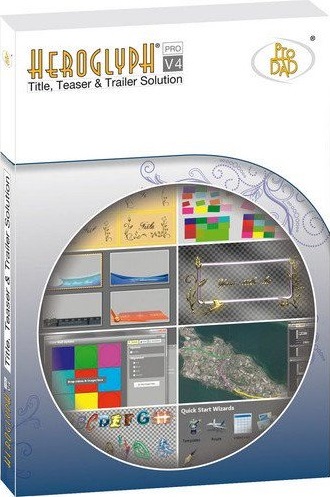
proDAD Heroglyph 4.0.262.1 x64 Multilingual
3635e4605465658ec511990043bd18b2.jpg


proDAD Heroglyph 4.0.262.1 x64 Multilingual

File Size: 773 MiB

​

proDAD Heroglyph V4 - the Essential Video Titler Solution. You are searching for a powerful yet easy to handle titling-tool to turn your your creative ideas into reality? Dive into the wealth of new, creative possibilities of Heroglyph V4.

Create professional video titles, lower-thirds, credits, travel routes and handwriting animation with only one amazing tool. Add the perfect finishing touch to all of your projects. Endless combinations of effects, animations, and unique fonts for professional results and are easier to create than ever before.

Compared to other video-titling or compositing solutions Heroglyph V4 greatly simplifies your workflow by automization. Manual tweaking is also possible - just in case your special project should ever require any finetuning of parameters. Heroglyph V4 integrates as a plugin-in with editing solutions by suppliers like Adobe, AVID, Corel, Grass Valley, Magix and Sony. You may as well use Heroglyph V4 as a stand alone solution!

Features:
- Travel route animation
- Auto-generated handscript
- Trailer assistants
- Lower-third assistant
- Video wall assistant
- Slideshow assistant
- Comprehensive design customization
- Complete animated effects customization

It's your choice! Heroglyph V4 integrates seamlessly as a plug-in with NLE's by Adobe®, AVID®, Corel®, Grass Valley®, Magix, and Sony® (32-bit & 64-bit plug-ins available) or you just use Heroglyph V4 as stand-alone application.

System Requirements:
- Windows 7, 8/8.1, 10 (64-bit only)
- 2GB-memory
- recommended: i7-cpu, 6 GB memory

У Вас недостаточно прав для просмотра ссылок. Войдите или зарегистрируйтесь.


DownLoad

NitroFlare
Код:
https://nitroflare.com/view/A3F11E2AE3FAAD7/proDAD.Heroglyph.4.0.262.1.x64.Multilingual.rar

RapidGator
Код:
https://rapidgator.net/file/9d6b04afee621b7052eb39ca735dc469/proDAD.Heroglyph.4.0.262.1.x64.Multilingual.rar.html

UploadGiG
Код:
https://uploadgig.com/file/download/f9e9bf6EbcBf6569/proDAD.Heroglyph.4.0.262.1.x64.Multilingual.rar

 
proDAD VitaScene 3.0.262 Repack x64 Multilingual

2d91bb9e4c8339e1413be10d756de818.jpg


proDAD VitaScene 3.0.262 Repack x64 Multilingual

File Size: 135 MiB

​

Vitascene V3 offers a large collection of high end transitions and video filter effects in professional broadcast quality - which may also be configured and fine-tuned individually. Vitascene V3 is equally suited for documentary work, scenic productions, product presentations as well as sophisticated wedding film productions.

Vitascene V3 PRO includes around 700 effects ready to use effects for almost every purpose including stunning movie effects, fascinating light rays, glamorous glow, glimmer and glitter effects and so much more - available as transition effects and video filters for your video material, texts and graphics.

Vitascene V3 offers the perfect effect for almost any type of usage. Filters allow controlling the type, amount and desired direction of light within your scene. This way you can highlight objects, add reflections or even flood your scene with gleaming light. Coloring your scene and adapting brightness levels will support a more romantic or dynamic look. Highlight details of your scene applying the spotlight filter. Effects can be controlled and timed precisely applying key frames if you wish to do so.

Video filters also work great on texts, logos and graphics with beautiful results - easily done with just a few mouse clicks without any programming skills or efforts. Present your images styled as a watercolor painting, graphite drawing or as a 3D look. Put your material into a different perspective and apply the tilt shift effect to transform your images into a miniature world. Highly efficient video filters will optimize older or not so perfect recordings regarding contrast, brightness, sharpness and color - all adjusted automatically with just a mouse click in no time at all.

Supporting the widest range of modern hardware Vitascene V3 is faster and more powerful than any previous version - including 10 bit support! This makes applying effects fun, no matter if you are working with editing solutions by Magix, Grass Valley, Corel, Avid, Adobe or CyperLink. (Please find details concerning the respective NLE's below.)

VitaScene V3 Features:
- Easy handling
- Highly customizable
- Easily controllable by keyframes
- Supporting up to UHD/4K 10bit
- Around 700 video filters & transition effects
- Gleaming, glowing and reflections
- Impressive light rays, controlling light sources
- Also suited for texts, graphics and logos
- Optimizing of contrasts and focus
- Optimizing of color and brightness
- Ideally suited for a large number of editing solutions
- Stunning performance by comprehensive support of advanced hardware resources

Release Notes:
- Adobe CC 2018, Edius 9 Support.

System Requirements:
- Windows 64-Bit Vista, Win7, Win8, Win8.1, Win10
- 2GB memory
- Recommended: i7-cpu
- Recommended 6 GB memory

У Вас недостаточно прав для просмотра ссылок. Войдите или зарегистрируйтесь.


DownLoad

NitroFlare
Код:
https://nitroflare.com/view/EF31D7B91FD2974/proDAD.VitaScene.3.0.262.Repack.x64.Multilingual.rar

RapidGator
Код:
https://rapidgator.net/file/2b64507804aad81b325c3941a72daff9/proDAD.VitaScene.3.0.262.Repack.x64.Multilingual.rar.html

UploadGiG
Код:
https://uploadgig.com/file/download/7346f03902a2Bca1/proDAD.VitaScene.3.0.262.Repack.x64.Multilingual.rar
 
RoboDK v4

a4653ff5e61d6259e26a4c59888164a9.jpg


RoboDK v4

File Size: 391 MiB

​

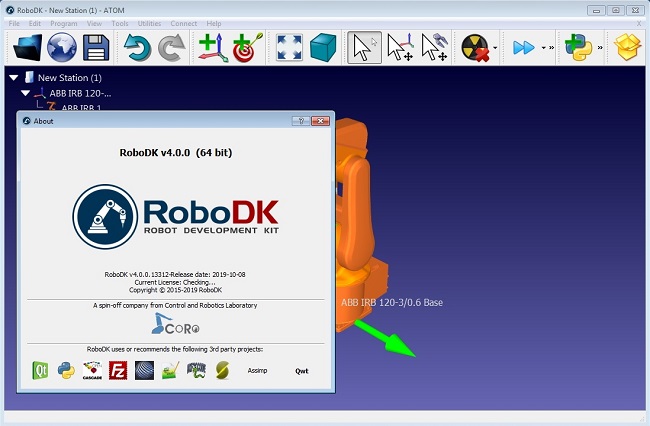
The RoboDK Software product team is pleased to announce the availability of RoboDK v4 is a powerful and cost-effective simulator for industrial robots and robot programming.

What's new in RoboDK v4
- Improved robot machining approach/retract when the program ends with a circular movement
- Improved Camera simulation options (minimized/top level window)
- Improved PNG file compression
- Improved Techman post processor
- Improved kinematics for Doosan robots
- Improved zoom when using large projects (zoom happens relative to the object under the mouse cursor)
- Added option to convert curves to points
- Added option to convert points to curves
- Improved kinematics for Jaka robots
- Movement filtering does not apply when there is an orientation change
- Changed default option to have a 1 mm rounding for robot machining projects (Tools-Options-CAM-Program Events)
- Improved G02 and G03 import supporting radius command
- Added post processor for Techman robots
- Simplify geometry removes small or invalid triangles (Tools-Options-Display)
- Improved Korean translation
- Added default settings to setup a turntable
- Improved WRML file import
- Fixed issue with command line argument -NEWINSTANCE
- Improved copy/paste speed when using large projects
- Improved KUKA IIWA post processors (Sline and Linear)
- Added Motoman post processor to generate all targets in Cartesian (Motoman Cartesian Only)
- Added option to recalculate targets in bulk
- Improved trace display when using external axes
- Added option to run last script (Shift+L)
- Added VScode text editor extension
- Updated/Improved examples in the library with links to tutorials
- Improved Aubo post processor
- Improved loading speed
- Fixed Denso post processor bug

2990be92239f6d3a263492da0bfa3f21.jpg


RoboDK is a powerful and cost-effective simulator for industrial robots and robot programming. This software is a valuable tool for robotic system integrators and robot programmers, allowing users to design robotic work cells and generate robot programs through offline programming.

Industrial robots are highly repeatable but not very accurate. However, through a robot calibration process the accuracy of a robot arm can be improved to the point where it is close to its repeatability, usually under the 0.100 mm mark. This is becoming very attractive to small and medium enterprises as robot arms are very affordable and can be used for multiple manufacturing applications, including machining materials such as wood, plastic or marble.

RoboDK Software S.L. has between 1 and 9 employees and an annual turnover of less than 2 million euros. The company is registered in the Barcelona Companies Register. In total it has 2 registered charges.

Product: RoboDK
Version: 4.0.0.13312
Supported Architectures: x64
Language: English
System Requirements: PC
Supported Operating Systems: Windows 7even or newer
Size: 391 MiB

У Вас недостаточно прав для просмотра ссылок. Войдите или зарегистрируйтесь.


DownLoad

NitroFlare
Код:
https://nitroflare.com/view/B95D1B8B6191ABA/RoboDK.v4.rar

RapidGator
Код:
https://rapidgator.net/file/d07a475f2ebe807afa7d6a068ada88b6/RoboDK.v4.rar.html

UploadGiG
Код:
https://uploadgig.com/file/download/b66E2e5225851ef9/RoboDK.v4.rar
 
Summitsoft Logo Design Studio Pro Vector Edition 2.0.2.1 + Portable

0433da70ed24d66e99ff1e835aa06be1.jpg


Summitsoft Logo Design Studio Pro Vector Edition 2.0.2.1 + Portable

File Size: 953, 871 MiB

​

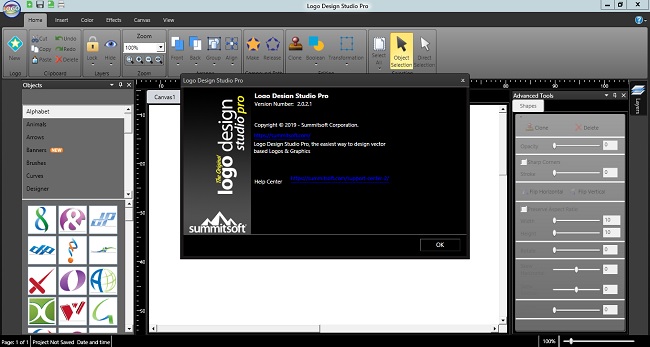
Logo Design Studio Pro Software. The #1 Selling Logo Design Software for 17 Years! You know your business, we know logos. Over the years, we've helped thousands of new and existing businesses create their logos by providing the tools, objects, inspirations, and guides needed to create a one-of-a-kind logo that is personal and professional. Logo Design Studio Pro has been the #1 best selling logo design software for over 17 years and we want you to get in on the action.

Complete Logo
Ready to use anywhere you need it. Vector logos can be scaled to any size without losing sharpness.

Full Control
All the tools you need to craft a unique logo. Start with templates, objects, colors, fonts & more.

You Own It
It's your design and it's your property. Each logo you make and download is yours.

Unlimited Possibilities
Make one logo or a thousand logos, the possibilities are endless with Logo Design Studio Pro.

Perfect For:
- ANYONE who needs to make a professional logo
- New businesses, teams, companies, groups & more
- Product Branding - create multiple logos
- Existing logos that need a refresh
- Small businesses who need an updated look
- Start-ups in search of that perfect identity
- Collaborating with others and making unlimited revisions until your logo is perfect

Logos Made With Logo Design Studio Pro Software
Take a look at some to the incredible logos that were created with Logo Design Studio Pro Software. All of these logos were created with Logo Design Studio Pro's easy to use application, logo templates, and graphics.

Go Big with Vector Graphics
With Logo Design Studio Pro, you never have to worry about your logo looking fuzzy or pixelated when enlarged. The built in vector tools and graphics allow you to scale your logo to any size without losing sharpness or clarity. From web images to letterheads to billboards, your logo will look perfect in any size and in any place.

Unlimited Customization
Start with one of 2,000 customizable templates or one of the 6,000+ vector shapes, images, fonts, or graphics included with Logo Design Studio Pro to jump start your logo design. Looking for other templates? Check out all of our vector expansion packs for the perfect logo for your business or industry. All are royalty free and ready for commercial use!

Reshape Your Image
The vector graphics and fonts give you the power and flexibility to stretch, bend, reshape, and modify simple shapes. Or use the advanced drawing tools to create your own completely unique shapes. The intuitive and flexible toolset is equipped to handle the most advanced logo design needs.

Incredible Special Effects
Add a creative touch using professional effects that get noticed. Lift your logo off the canvas with a shadow, add a 3D bevel technique and so much more to give your design your unique look.

Your Logo Your Brand, Use It Everywhere!
Your logo is the face of your business and is a reflection of your company's personality and culture. As your brand identity, you want a compelling, professional logo usable everywhere to attract customers. Your logo is more than just your name, it's everything you and your business represent. Start creating the perfect logo today with Logo Design Studio Pro.

f344f3ae32280a38587abd66b6ff2eb4.jpg


System Requirements:
- Operating System: Windows® 10, Windows® 8/8.1, Windows® 7 and Windows® Vista
- Hardware: PC with Pentium 400 MHz or higher processor
- Memory: 512 MB of RAM
- Hard Disk: 1500 MB of available hard-disk space
- DVD-ROM drive (for boxed shipments)

У Вас недостаточно прав для просмотра ссылок. Войдите или зарегистрируйтесь.


DownLoad

NitroFlare
Код:
https://nitroflare.com/view/EA530FDB6BE84A2/Summitsoft.Logo.Design.Studio.Pro.Vector.Edition.2.0.2.1.rar
https://nitroflare.com/view/FA7FD532205BEFB/Summitsoft.Logo.Design.Studio.Pro.Vector.Edition.2.0.2.1.Portable.rar

RapidGator
Код:
https://rapidgator.net/file/734f9c32001dda20d372e6dcdfd0f648/Summitsoft.Logo.Design.Studio.Pro.Vector.Edition.2.0.2.1.rar.html
https://rapidgator.net/file/797e63eb8ca4155a5016b48f5beb321f/Summitsoft.Logo.Design.Studio.Pro.Vector.Edition.2.0.2.1.Portable.rar.html

UploadGiG
Код:
https://uploadgig.com/file/download/45e6ab8274c15002/Summitsoft.Logo.Design.Studio.Pro.Vector.Edition.2.0.2.1.rar
https://uploadgig.com/file/download/93583b7a5c04c536/Summitsoft.Logo.Design.Studio.Pro.Vector.Edition.2.0.2.1.Portable.rar
 
TechSmith Snagit 2020.0 Build 4460 x64 Portable

a63bcb4fee2759b11a6e3bed48e03d81.jpg


TechSmith Snagit 2020.0 Build 4460 x64 Portable

File Size: 561 MiB

​

Techsmith Snagit - the award-winning screen-capture software. Using SnagIt, you can select and capture anything on your screen, then easily add text, arrows, or effects, and save the capture to a file or share it immediately by e-mail or IM. Capture and share an article, image, or Web page directly from your screen. Or, capture and share any part of any application that runs on your PC. Automatically save in one of 23 file formats, or send to the printer, to your e-mail, or to the clipboard.

Use SnagIt's built-in editors to modify, annotate, and enhance your images and the Catalog Browser to organize your files. Increase your productivity while quickly creating professional presentations and flawless documentation. With powerful new features that allow you to edit previously placed objects, capture embedded links and add interactivity to your captures,SnagIt 8 makes it easier than ever before to capture, edit, and share anything on your screen.

Features of SnagIt:
» Capture - if you can see it, you can snag it!
» Don't waste time cropping your captures. Snag exactly what you need, with just a click.
» Profiles make it easy. SnagIt comes with eleven preset buttons that make screen capture a cinch! Capture a region of your screen, text from a window, the contents of a tall page that scrolls, all the images on a Web page, you get the idea.
» Custom suits you. Don't feel limited by the eleven profiles-create your own combinations for nearly unlimited capture possibilites. What's that? You want to set up a keystroke that captures a menu along with the mouse pointer.adds a drop shadow.and sends the image directly to your ***** dot com blog? Sure, no problem!

Edit - the right tools, right now!
» You don't need a million confusing options, you need the right tools at the right time. Unlike expensive, complex image editing suites,SnagIt makes everyday screen capture tasks one-click easy.
» Say more with pictures+words. Use an arrow to direct attention. Add a text callout to explain clearly. Apply ready-made objects from the menus.and your picture is worth 1,000 more words!
» Look like a pro. Make your screenshot pop with a drop shadow. Give it perspective, spotlight an area, or add other nifty effects.
» Convey complex ideas simply. Combine multiple images, callouts, shapes, and clip art stamps into a rich and detailed information graphic.
» Have fun! Add a speech balloon to that photo of your cat.

Share - send captures where they need to go.instantly!
» Yes, you can save your captures in all the common-and a few uncommon-image formats. But with SnagIt's free output accessories you can do so much more!
» Collaborate in a flash. Click a button to send a screen capture by email, AIM, or Skype.
» Be social. Share screenshots on Flickr. Post images directly to your blog. Publish to your Web site via FTP. No technical degree required!
» Get projects done quicker. Embed images directly into your Microsoft Office projects, MindManager map, or OneNote page.

Organize - SnagIt keeps track, so you don't have to
» Save nothing.save everything. SnagIt stores every capture automatically and keeps the most recent visible. A huge timesaver!
» Find your stuff. Whether or not you saved it, find that capture later with the new visual search pane. Remember just one detail-like the approximate date or the Web site you captured-and find your capture instantly.
» Get organized (if you want to). As you capture images for next month's big project, tag them with "big project" or set the "Important" flag. No need to save anything in folders.just come back next month and view all your big project files with a click!

System Requirements
Microsoft Windows 10 (1703, 1607, and 1511), Windows 8.1, Windows 7 SP1, Windows Server 2016, or Windows Server 2012 R2 (64-bit only)
.NET 4.6 or later
2.4 GHz single core processor (dual core i5 required for video capture)
1 GB of RAM (4 GB required for video capture)
500 MB of hard-disk space for program installation
Video and Panoramic capture on Windows N requires the Media Feature Pack for Windows N
We recommend the 64-bit Snagit installation when using multiple monitors or a 4k display

Language: English

016f53d1ef8c6ed7c770ebb9729b11c8.jpg


У Вас недостаточно прав для просмотра ссылок. Войдите или зарегистрируйтесь.


DownLoad

NitroFlare
Код:
https://nitroflare.com/view/12351C88DE62CF6/TechSmith.Snagit.2020.0.Build.4460.x64.Portable.rar

RapidGator
Код:
https://rapidgator.net/file/c07900ef1cb854bf3308b491dfc3af2d/TechSmith.Snagit.2020.0.Build.4460.x64.Portable.rar.html

UploadGiG
Код:
https://uploadgig.com/file/download/b683E95d31642fEc/TechSmith.Snagit.2020.0.Build.4460.x64.Portable.rar
 
Topaz Gigapixel AI 4.4.4

99ad747d0672194d5d4d71e00eaa99f2.jpg


Topaz Gigapixel AI 4.4.4

File Size: 1.07 GiB
OS: Windows x64

​

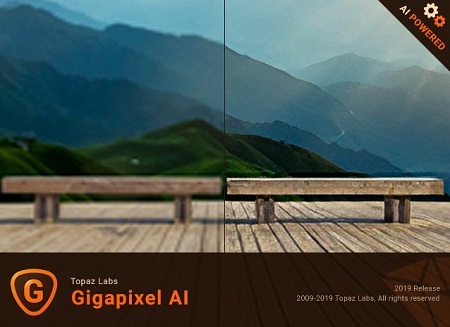
Beautiful photo enlargements using machine learning. Enlarging your image without losing detail has always been impossible. until now. Upscale your photos by up to 600% while perfectly preserving image quality.

Enlarge Images by up to 600%
Create a beautiful 80 x 60 inch print from a simple iPhone photo. Or transform your DSLR photos into sharp and ultra-detailed 100MP images.

Use truly intelligent upscaling
After being trained with millions of sample images, Gigapixel can now enlarge your images with a surprising level of quality.

Get crisp and clear results.
Gigapixel performs around 2 million operations per pixel to get you results with as much detail and sharpness as possible.

No more fuzzy enlargements.
Breathtakingly sharp prints. High-resolution cropping in post-production. iPhone photos that look like they came out of a DSLR.
No matter why you're enlarging your photos, you always want the best possible quality for your results. AI Gigapixel is currently the only photo enlargement product available that can actually add detail back to your upscaled photo.

Recover real details for actual sharpness
Increasing edge contrast is the simplest way to make an image look "sharp", and how most other upscaling software works.
Gigapixel is different: it increases the actual sharpness of your upscaled photo by recovering real detail in your image. This is only possible through training and exposure to millions of test images.

Crisp photos that look like they were never upscaled
It's hard to believe that the crisp output image above was enlarged 4x, but it was.
Gigapixel AI successfully determines which image features are stars (detail) and what's noise. Then, it naturally accentuates and recovers detail while suppressing noise in your upscaled photo.

The highest-quality image upscaling that you can get anywhere
Because of these exceptional results, Gigapixel AI is used by everyone from leading photographers, to video game modders, to major motion studios.
If you ever need to upscale your photo while preserving beautiful detail, take advantage of the most modern technology in the space and give Gigapixel AI a try.

Image enlargement: interpolation vs machine learning
Interpolation-based photo enlargement software has been around for decades. Gigapixel's new approach based on machine learning is a giant leap ahead: state-of-the-art "deep learning" methods allow it to enlarge images while actually adding new details.
Train
To teach the difference between low and high quality results, we started by gathering millions of photos of all subjects and styles.

Learn
Those photos were then used to create a sophisticated neural network that gradually learned the best way to enlarge, enhance, and create natural details.

Optimize
Our proprietary A.I. engine uses your computer's graphics card to process your images quickly.

OS: Windows 7 x64, Windows 8/8.1 x64, Windows 10 x64

У Вас недостаточно прав для просмотра ссылок. Войдите или зарегистрируйтесь.


DownLoad

NitroFlare
Код:
https://nitroflare.com/view/6B00F9EAE57650E/Topaz.Gigapixel.AI.4.4.4.part1.rar
https://nitroflare.com/view/CB4F171CA921756/Topaz.Gigapixel.AI.4.4.4.part2.rar

RapidGator
Код:
https://rapidgator.net/file/b64a7833960a74570e7ad7a422638d85/Topaz.Gigapixel.AI.4.4.4.part1.rar.html
https://rapidgator.net/file/1d9fa77e473a68aeee8a6a221426aa5b/Topaz.Gigapixel.AI.4.4.4.part2.rar.html

UploadGiG
Код:
https://uploadgig.com/file/download/1f8930b535944B8a/Topaz.Gigapixel.AI.4.4.4.part1.rar
https://uploadgig.com/file/download/3f483d0303771Fe4/Topaz.Gigapixel.AI.4.4.4.part2.rar
 
Topaz Studio 2.2.0

7d3e019fa44f7411a018a04d66e96d61.jpg


Topaz Studio 2.2.0

File Size: 614 MiB
OS: Windows x64

​

The future of creative photo editing. Edit your images beautifully with powerful filters and frictionless masking in a fine-tuned non-destructive layer workflow. Topaz Studio 2 has only one purpose: creative photo editing. This starts after you select your image and ends when you export your finished work. It's designed specifically around the artisanal post-processing workflow of carefully crafting a single image to your vision.

Studio is the editor to use when you want jaw-dropping images and you're not afraid to spend the time to get them. It's for creating works that push the bounds of your artistic vision; the few that you know you'll look back upon in years as one of your best creations. That's why you won't find library management, design tools, batch editing, or other common "image editor" tools in Studio. There's a lot of photo editors out there that help you manage your workflow and make minor contrast adjustments. Topaz Studio is not intended for that. If it doesn't contribute to the vision of creating singularly beautiful images through post-processing, then we're not including it.

1. Cutting edge filters.
Most image editor tools are the same: your Exposure in one editor is the same Exposure in another. In Studio, we've thought about what common adjustments would look like if they were designed today, and updated them to their most modern and useful forms.

2. Powerful selection and masking.
Very rarely do you want to apply the same effect to all parts of your image the same. Studio considers masking and selective adjustments to be a core task, and features several innovations that make selective editing substantially easier and faster for you.

3. Fully non-destructive layers.
Mix and match filters and effects with different blending modes and opacity. Everything that you do in Studio can be edited and adjusted after the fact with a fully non-destructive layer workflow.

Cutting-edge and unique filters.
You'll find that these aren't your everyday image editing filters as soon as you give them a try. Topaz Labs actually started off creating Photoshop filters. We've condensed our decade of specialized post-processing experience into a set of the most useful filters available only for Studio 2. Here are some of the most popular ones that you won't find anywhere else.

AI Clear
This AI-powered tool can actually sharpen detail while removing noise. Give it a try on your own images to see why some photographers say that AI Clear is the best thing we've ever developed.

Precision Contrast
When was the last time that using the Contrast slider produced a breathtaking image? Chances are, it blew out highlights and crushed shadows in your image instead.

Precision Detail
Normal sharpening tools usually increase edge contrast, which just gives the appearance of sharpness but also adds artifacts and halos. Topaz Detail enhances natural detail that already exists in the image. This unique technology helps you naturally makes your photos look more "three-dimensional" and adds a sense of beautifully natural sharpness to your image.

Black and White
Turn your photos into exquisite monochrome images that will emotionally move your viewers. The Black and White filter uses a unique BW conversion engine that emphasizes tone and texture in order to help you get BW images that pop.

Explore and create Looks to transform your image.
Topaz Studio's filters work well individually, but the true magic happens when they're combined together. Topaz Studio 2 includes over 200 "Looks" (pre-built groups of filters) that help you explore different beautiful effects for your images with a single click.

Texture
Explore hundreds of beautiful texture and tone effects, hand-crafted by some of the best photographers in the world. With over 200 included one-click effects, each with the ability to blend with each other in various ways, the only limit is your imagination.

Impression
Capture the essence of your photos without being constrained by rigid detail. Topaz Impression helps you turn photos into paintings like a true artist would: by intelligently applying real brushstrokes to canvas.

Glow
Create beautiful light effects in your images to reveal the hidden life in each moment you capture. Apply a wide range of looks from a pleasing subtle diffusion to spectacular electric and neon effects.

Built with real users in mind
Topaz Studio 2 doesn't do everything, but it is really good at what it does do. If you ever find yourself needing that extra "something" in your photos, please give it a try. You'll be pleasantly surprised!

Powerful selective adjustments and masking.
There's a big difference between masking for compositing vs. selective adjustments. Topaz Studio focuses entirely on selective adjustments, and we think of it as a central feature of the product instead of an add-on. As you'll see, this led to many design decisions intended to shorten the amount of time you spend refining your mask, like including edge awareness in each masking tool in Studio.

Brush Tool
Select different parts of your image by painting directly on it. Topaz Studio's brush is edge aware by default. This means you can quickly paint over your selection without having to worry too much about staying between the lines. This is the fastest and most direct way to selectively apply an effect to your image.

Spot Tool
Emphasize a certain subject in your photo with the edge-aware spot tool. The spot tool is a quick way to draw attention to a certain subject in your your image. Since it is edge- and color-aware, you don't need to worry about refining your mask too much.

Gradient Tool
Gradually level off your effect with the gradient tool. Topaz Studio's gradient tool is unique in that it's also adjustably context-aware, which creates much better masking experience. It's like having a graduated neutral density filter that also knows how to tell between foreground and background.

Color Tool
Create a mask targeted at the different colors in your image. This is probably the easiest masking tool to use: just click on your image with the eyedropper and this will automatically select the correct parts of your image. Great to selectively apply effects to just a single color range in your image.

Luminance Tool
Create a mask targeted at different brightness levels in your image. This tool will get you a perfect selection very quickly in images with a clear separation in brightness between subject and background. Also great for selectively adjusting highlights, shadows, or anything in between.

Fully non-destructive layers.
Layers are essential for creative post-processing because they allow you to apply effects in unlimited ways to your image. Let's walk through an example workflow that illustrates what you can do with them.

349923c441b8199fe3d03663a6f844ee.jpg


System Requirements:
• Windows 7, 8, 10 64-bit support only
• Display Size: 800 x 600
• OpenGL 3.3
• System RAM: 8GB (Minimum), 16GB (Recommended), 32GB (Optimal)
• GPU VRAM: 2GB (Minimum), 4GB (Recommended), 6+GB (Optimal)

У Вас недостаточно прав для просмотра ссылок. Войдите или зарегистрируйтесь.


DownLoad

NitroFlare
Код:
https://nitroflare.com/view/889B72BB88EADA2/Topaz.Studio.2.2.0.rar

RapidGator
Код:
https://rapidgator.net/file/4af0de16d9b5984fafe6eb75cf988e30/Topaz.Studio.2.2.0.rar.html

UploadGiG
Код:
https://uploadgig.com/file/download/da060668eD76024d/Topaz.Studio.2.2.0.rar
 
Adobe After Effects 2020 v17.0.0.555 Multilingual

496ea4c78aa5082dc2b5c8d664b27c1b.jpg


Adobe After Effects 2020 v17.0.0.555 Multilingual

File Size: 2.19 GiB
Languages: Multilingual
OS: Windows x64

​

Make a big scene bigger. Create cinematic movie titles, intros, and transitions. Remove an object from a clip. Start a fire or make it rain. Animate a logo or character. With After Effects, the industry-standard motion graphics and visual effects software, you can take any idea and make it move.

There's nothing you can't create with After Effects.
Animators, designers, and compositors use After Effects to create motion graphics and visual effects for film, TV, video, and the web.

Roll credits. Spin words. Twirl titles.
Create animated titles, credits, and lower thirds. Start from scratch or with one of the animation presets available right inside the app. From spin to swipe to slide - there are countless ways to make your text move with After Effects.

Explosive effects. Mind-blowing results.
Combine videos and images to send a UFO across the sky or create an explosion - the possibilities are endless. Remove objects like booms, wires, or even people. Apply hundreds of effects to do anything from adding fog to making it snow. And create VR videos to drop your audience right into the center of the action.

Get animated.
Set anything in motion-from logos to shapes to cartoons-with keyframes or expressions. Or use presets to kick-off your designs and get unique results.

Plays well with others.
After Effects works seamlessly with other Adobe apps. Create comps and immediately see how they look in Premiere Pro with Adobe Dynamic Link. Import work from Photoshop, Illustrator, Character Animator, Adobe XD, and Animate. Use Team Projects to collaborate with editors no matter where they're located. And After Effects is integrated with 300+ software and hardware partners.

Remove objects from video clips fast and easy
Want an object or person gone from your footage? With Content-Aware Fill, remove unwanted items quickly - no need to mask or cut out frame by frame.

Supercharge your animation flow
A JavaScript expression engine delivers up to a 6x boost in performance. And a new Expressions Editor makes writing easier and faster, including automatically identifying errors in your code.

Get depth passes from native 3D elements
Apply depth effects such as Depth of Field, Fog 3D, and Depth Matte so elements look natural - or use depth data to simulate 3D looks.

System Requirements:
- Processor: Multicore Intel processor with 64-bit support
- Operating system: Microsoft Windows 10 (64 bit) versions 1703 (Creators Update) and later
- RAM: 8 GB minimum (16 GB recommended)
- 4 GB of GPU VRAM
-Hard disk space
- 5GB of available hard-disk space; additional free space required during installation (cannot install on removable flash storage devices)
- Additional disk space for disk cache (10GB recommended)
- Monitor resolution 1280x1080 or greater display resolution

Adobe After Effects is available in the following languages:
- Deutsch, English, Español, Français, Italiano, Português (Brasil), Русский, 日本語, 한국

У Вас недостаточно прав для просмотра ссылок. Войдите или зарегистрируйтесь.


DownLoad

NitroFlare
Код:
https://nitroflare.com/view/96D603F82450A29/Adobe.After.Effects.2020.v17.0.0.555.Multilingual.part1.rar
https://nitroflare.com/view/B0FD2405D7041D0/Adobe.After.Effects.2020.v17.0.0.555.Multilingual.part2.rar
https://nitroflare.com/view/18C64FDCD3A440F/Adobe.After.Effects.2020.v17.0.0.555.Multilingual.part3.rar

RapidGator
Код:
https://rapidgator.net/file/6b72d874a551b9afcc4e53f9ae0670dc/Adobe.After.Effects.2020.v17.0.0.555.Multilingual.part1.rar.html
https://rapidgator.net/file/7ecc874df907e5a33a095dff7a15bcaf/Adobe.After.Effects.2020.v17.0.0.555.Multilingual.part2.rar.html
https://rapidgator.net/file/cb633d60720ffb908f989688d1d5f361/Adobe.After.Effects.2020.v17.0.0.555.Multilingual.part3.rar.html

UploadGiG
Код:
https://uploadgig.com/file/download/A801bc917cf4680e/Adobe.After.Effects.2020.v17.0.0.555.Multilingual.part1.rar
https://uploadgig.com/file/download/c3B8bc754EA217ac/Adobe.After.Effects.2020.v17.0.0.555.Multilingual.part2.rar
https://uploadgig.com/file/download/56905969c6b078bc/Adobe.After.Effects.2020.v17.0.0.555.Multilingual.part3.rar
 
Adobe Bridge 2020 v10.0.0.124 Multilingual

acccaaca4b7ad8f68b2b1e66ec7a8754.png


Adobe Bridge 2020 v10.0.0.124 Multilingual

File Size: 1.01 GiB
Languages: Multilingual
OS: Windows x64

​

Bridge gives you centralized access to all the files and assets you need for your creative projects. Organize personal and team assets, batch edit with ease, add watermarks, set centralized color preferences, and even upload your photos to Adobe Stock. Bridge simplifies your workflow and keeps you organized and now with CC Libraries.

Features:
- Bulk import, export and preview CC Libraries assets
- Edit photo capture time
- Export/ Import network cache
- Native PDF Output Module
- Easy upload of images to Adobe Stock so you can get royalties for your work
- Support for Retina and HiDPI displays with the ability to scale
- Automated cache management
- Publishing to Adobe Portfolio to build your personalized website
- Quick organization and stacking of panoramic and HDR images
- On-demand thumbnail and metadata generation
- Option to import photos and videos from your mobile device or digital camera on macOS
- Support for CEP HTML5
- Flexible batch processing
- Drag-and-drop file flexibility
- Centralized color settings

Consistent user experience
Adobe Bridge now has an enhanced user interface to provide you a similar experience like other Creative Cloud applications. You can also change the default user interface appearance, text size, and scaling by setting the User Interface preferences in the Edit > Preferences > Interface dialog.

Enhanced Creative Cloud Libraries
The Libraries workspace in Bridge now displays a high-quality preview of library items. You can select multiple items to see their previews together.

Centralized cache management
You can now share a cache with other Bridge users and let them use the shared cache instead of creating a cache. Any Adobe Bridge user can export a cache to a shared folder, and other users can import a copy of the shared cache to their local systems. Given that the systems are in synchronization, managing the cache at a centralized location lets you reuse the exported cache, without the need to rebuild the cache on different user machines. You can create and manage the shared cache by using the Manage Cache dialog (Tools > Manage Cache), which has now been enhanced to provide options for building, importing, and purging cache. In addition, the cache preferences have been enhanced (Edit > Preferences > Cache and Edit > Preferences > Cache Management).

Edit capture time
Adobe Bridge now lets you change the capture time of the JPEG and RAW image files, just like the way it is done in Adobe Lightroom. This feature is helpful if you travel to a different time zone and do not change the date or time setting of your camera before you start photographing. With this feature, you can edit the capture time after capturing the image.

Support for XD file formats
Bridge now supports preview, thumbnail generation, metadata tagging, and keyword generation for Adobe XD files.

Media cache preferences
Bridge now processes and maintains a cache of all audio and video playback files. This capability improves the performance of playback files because the files are available for ready access whenever you want to view them later. It is recommended that you regularly clean the old and unused media cache files to optimize the performance. The preferences for media cache can be set by choosing Edit > Preferences > Media Cache.

Cut, copy, or move files and folders across Bridge and File Explorer or Finder
Bridge now lets you perform the following operations:

- Cut, copy, or move files and folders from File Explorer (Windows) or Finder (macOS) and paste them in Bridge
- Cut, copy, or move files and folders from the Bridge workspace and paste them in File Explorer (Windows) or Finder (macOS)

System Requirements:
- Processor: Intel® Core™2 Duo or AMD Athlon® 64 processor; 2 GHz or faster processor
- Operating system: Microsoft® Windows® 7 with Service Pack 1 or Windows 10
- RAM: 2 GB of RAM (8 GB recommended)
- Hard disk space: 2 GB of available hard-disk space for 32-bit installation; 2.1 GB of available hard-disk space for 64-bit installation; plus additional free space required during installation (cannot install on removable flash storage devices)
- Monitor resolution: 1024x768 display (1280x800 recommended) display with 16-bit color and 512 MB of VRAM (1 GB recommended)
- GPU: OpenGL 2.0-capable system

Language versions available for Bridge:
- Dansk, Deutsch, English, Español, Français, Hebrew*, Hungarian, Italiano, Nederlands, Norwegian, Polish, Português (Brasil), Suomi, Svenska, Turkish, Ukrainian, čeština, Русский, 日本語, 简体中文, 繁體中文, 한국어]

У Вас недостаточно прав для просмотра ссылок. Войдите или зарегистрируйтесь.


DownLoad

NitroFlare
Код:
https://nitroflare.com/view/F361677FC24A170/Adobe.Bridge.2020.v10.0.0.124.Multilingual.part1.rar
https://nitroflare.com/view/1FE7A320D35876C/Adobe.Bridge.2020.v10.0.0.124.Multilingual.part2.rar

RapidGator
Код:
https://rapidgator.net/file/eead7152a01694e55d2dae0aeee149e3/Adobe.Bridge.2020.v10.0.0.124.Multilingual.part1.rar.html
https://rapidgator.net/file/a166c8b465a796d570e7034ab14c12e6/Adobe.Bridge.2020.v10.0.0.124.Multilingual.part2.rar.html

UploadGiG
Код:
https://uploadgig.com/file/download/4E398e610BE540fe/Adobe.Bridge.2020.v10.0.0.124.Multilingual.part1.rar
https://uploadgig.com/file/download/4319692Df6B682AA/Adobe.Bridge.2020.v10.0.0.124.Multilingual.part2.rar
 
Adobe Media Encoder 2020 v14.0.0.556 Multilingual

43bbf63cbb1e35b995f81596f6516631.jpg


Adobe Media Encoder 2020 v14.0.0.556 Multilingual

File Size: 1.06 GiB
Languages: Multilingual
OS: Windows x64

​

Ingest, transcode, create proxies, and output any format you can imagine. This powerful media management tool allows you to work with media in a unified way across applications. Tight integration with Adobe Premiere Pro CC, After Effects CC, and other applications provides a seamless workflow.

Key Features:
- Support for 8K H.264 export
- Export XAVC QFHD Long GOP 4:2:2 formats
- Hardware-accelerated HEVC encoding on Windows 10 with 7th Generation (or later) Intel® Core™ processors and Intel Graphics enabled
- Improved RED camera format decoding
- Improved Sony RAW/X-OCN camera format decoding
- Hardware-accelerated H.264 encoding on Windows 10 with 6th Generation (or later) Intel® Core™ processors and Intel Graphics enabled
- Hardware-accelerated H.264 and HEVC encoding on Mac OS 10.13 systems with supported hardware
- Support for importing Canon C200 camera formats
- Support for importing Sony Venice camera formats
- RED camera Image Processing Pipeline [IPP2] support
- Destination Publishing support for new Twitter 280-character limit
- Channel selection when publishing to YouTube and Vimeo
- Playlist selection when publishing to YouTube
- Page selection when publishing to Facebook
- Add custom titles when publishing to YouTube, Facebook, or Vimeo
- Add custom video thumbnails when publishing to YouTube
- Notification for missing items in queue before encoding
- H.264 adaptive bitrate presets automatically choose best output bitrate based on source frame size and frame rate
- Animated GIF export on macOS and Windows
- Time Tuner effect improvements
- Newly optimized list of H.264 presets
- Format support for RF64 WAV Decode/Encode, decode for Sony X-OCN, and QuickTime DNx Smart Rendering
- Warning when importing non-native QuickTime sources
- Timecode modification for 720p 59.94 media
- Destination Publishing to Adobe Stock Contributor
- Adobe Team Projects support
- Support for Color Profiles from After Effects sources
- Automatically relinked assets when importing a sequence
- Option to maintain playback in Premiere Pro while rendering in Media Encoder
- Streamlined bit depth and alpha channel settings (QuickTime only)
- Export support for ambisonic audio (H.264 only)
- Support for Hybrid LOG Gamma (HLG)
- Support for HDR in HEVC (H.265) export Export support for Panasonic AVC-Long GOP Op1b

System Requirements:
- Processor: Intel 6thGen or newer CPU
- Operating system: Microsoft Windows 10 (64-bit), version 1703 or later (required)
- RAM: 16 GB of RAM
- Hard disk space: 4GB of available hard-disk space; additional free space required during installation (cannot install on removable flash storage devices)
- Monitor resolution: 1920 x 1080 or greater display resolution
- GPU: Adobe-recommended GPU card for GPU-accelerated performance (see Premiere Pro System Requirements)
- Ethernet: 10 Gigabit ethernet for 4K shared network workflows (1Gb for HD-only)

Adobe Media Encoder is available in the following languages:
- Deutsch, English, Español, Français, Italiano, Português (Brasil), Русский, 日本語, 한국어, 简体中文

У Вас недостаточно прав для просмотра ссылок. Войдите или зарегистрируйтесь.


DownLoad

NitroFlare
Код:
https://nitroflare.com/view/D0C534F5D2864DE/Adobe.Media.Encoder.2020.v14.0.0.556.Multilingual.part1.rar
https://nitroflare.com/view/3AB6D7CFBDDFE5E/Adobe.Media.Encoder.2020.v14.0.0.556.Multilingual.part2.rar

RapidGator
Код:
https://rapidgator.net/file/5db7da86812d78bfa0f9f0210d2d4adc/Adobe.Media.Encoder.2020.v14.0.0.556.Multilingual.part1.rar.html
https://rapidgator.net/file/13fb69d10df1ce1fbaed8684894ddaab/Adobe.Media.Encoder.2020.v14.0.0.556.Multilingual.part2.rar.html

UploadGiG
Код:
https://uploadgig.com/file/download/d65F5616C9182d81/Adobe.Media.Encoder.2020.v14.0.0.556.Multilingual.part1.rar
https://uploadgig.com/file/download/a19a6cc03f6d80cB/Adobe.Media.Encoder.2020.v14.0.0.556.Multilingual.part2.rar
 
Adobe Photoshop 2020 v21.0.0.37 Multilingual

bc7fca9cd659f7b09b16beb67da27e87.jpg


Adobe Photoshop 2020 v21.0.0.37 Multilingual

File Size: 1.91 GiB
Languages: Multilingual
OS: Windows x64

​

Reimagine reality with Photoshop. Millions of designers, photographers, and artists around the world use Photoshop to make the impossible possible. From posters to packaging, basic banners to beautiful websites, unforgettable logos to eye-catching icons, Photoshop keeps the creative world moving. With intuitive tools and easy-to-use templates, even beginners can make something amazing.

The creative world runs on Photoshop.
Millions of designers, photographers, and artists around the world use Photoshop to make the impossible possible.

Designed for anyone to design anything.
From posters to packaging, basic banners to beautiful websites, unforgettable logos to eye-catching icons, Photoshop keeps the creative world moving. With intuitive tools and easy-to-use templates, even beginners can make something amazing.

Not just photo taking. Breathtaking.
Whether you're looking for everyday edits or total transformations, our graphic design software offers a complete set of professional photography tools to turn your snapshots into works of art. Adjust, crop, remove objects, retouch, and repair old photos. Play with color, effects, and more to turn the ordinary into something extraordinary.

Power to the paintbrush.
Draw and paint whatever you dream up with tools designed especially for illustrators. Paint in perfectly symmetrical patterns. Get polished looks with stroke smoothing. And create with pencils, pens, markers, and brushes that feel real - including more than 1,000 from celebrated illustrator Kyle T. Webster.

Symmetry mode
Paint in perfect symmetry with a new mode that lets you define your axes and choose from preset patterns like circular, radial, spiral, and mandala.

New Content-Aware Fill experience
A dedicated workspace lets you select the exact pixels to use for fills, and Adobe Sensei makes it easy to rotate, scale, and mirror them.

Frame tool
Create shape or text frames to use as placeholders on your canvas. Drag and drop images to fill the frames and they'll scale to fit.

Minimum Requirements:
- Processor: Intel® Core 2 or AMD Athlon® 64 processor; 2 GHz or faster processor
- Operating system: Microsoft Windows 7 with Service Pack 1, Windows 10* (Version 1709 or later)
- RAM 2 GB or more of RAM (8 GB recommended)
- Hard disk space: 3.1 GB or more of available hard-disk space for 64-bit installation; additional free space required during installation (cannot install on a volume that uses a case-sensitive file system)
- Monitor resolution: 1024 x 768 display (1280x800 recommended) with 16-bit color and 512 MB or more of dedicated VRAM; 2 GB is recommended**
- Graphics processor acceleration requirements OpenGL 2.0-capable system

Photoshop is available in the following languages:
Dansk, Deutsch, English, Español, Français, Français*, Hebrew*, Hungarian, Italiano, Nederlands, Norwegian, Polish, Português (Brasil), Suomi, Svenska, Turkish, Ukrainian, čeština, Русский , 日本語, 简体中文, 繁體中文, 한국어

У Вас недостаточно прав для просмотра ссылок. Войдите или зарегистрируйтесь.


DownLoad

NitroFlare
Код:
https://nitroflare.com/view/9D112811E5E023C/Adobe.Photoshop.2020.v21.0.0.37.Multilingual.part1.rar
https://nitroflare.com/view/F22D9BA3DAEA5E0/Adobe.Photoshop.2020.v21.0.0.37.Multilingual.part2.rar

RapidGator
Код:
https://rapidgator.net/file/799c4f5ab415f65164e1397959fc4c78/Adobe.Photoshop.2020.v21.0.0.37.Multilingual.part1.rar.html
https://rapidgator.net/file/669633b91f74bcf076fd7713ecb95cdf/Adobe.Photoshop.2020.v21.0.0.37.Multilingual.part2.rar.html

UploadGiG
Код:
https://uploadgig.com/file/download/c2802713eCEf3267/Adobe.Photoshop.2020.v21.0.0.37.Multilingual.part1.rar
https://uploadgig.com/file/download/95A52d895ef9661C/Adobe.Photoshop.2020.v21.0.0.37.Multilingual.part2.rar
 
Adobe Prelude 2020 v9.0.0.415 Multilingual

5d34623b722827436e969c8753a74b7c.jpg


Adobe Prelude 2020 v9.0.0.415 Multilingual

File Size: 580 MiB
Languages: Multilingual
OS: Windows x64

​

Prelude. Metadata ingest, logging, and rough cuts. Rapidly tag and transcode video footage and quickly create a rough cut with Prelude - a video logging and ingest tool designed for intuitive, efficient media organization and metadata entry. Prelude translates effortlessly into Adobe Premiere Pro, ensuring fluid communication and organization throughout the video production process.

What can you do with Prelude?
Rapidly tag and transcode video footage and quickly create a rough cut with Prelude - a video logging and ingest tool designed for intuitive, efficient media organization and metadata entry. Prelude translates effortlessly into Adobe Premiere Pro, ensuring fluid communication and organization throughout the video production process.

Organize your media and create a rough assembly with Prelude.
Learn how to use the Prelude media organizer tool to make sure your Premiere Pro project is organized from the start.

Organize clips, subclips, and sequences.
Learn about the clip naming and metadata features of Prelude and how easy it is to create subclips, build a rough-cut assembly, and send your assembly to Premiere Pro as a sequence for immediate editing.

Add comments to your media files.
Annotate media files with notes for the editor or director to consult during editing in Premiere Pro.

System Requirements:
- Processor: Intel® Intel 6thGen or newer CPU
- Operating system: Microsoft Windows 10 (64-bit) version 1703 or later (required)
- RAM: 16 GB of RAM (32 GB recommended)
- 4 GB of GPU VRAM
- Hard disk space: Fast internal SSD (recommended) for app installation and cache - plus provisional space for media
- Monitor resolution: 1920 x 1080 or greater display resolution
- Hard drive speed:7200 RPM or faster hard drive (multiple fast disk drives recommended)
- GPU: Adobe-certified GPU card for GPU-accelerated performance
- Other: QuickTime 7.6.6 software required for QuickTime features

Adobe Prelude is available in the following languages:
- Deutsch, English, Español, Français, Italiano, Português (Brasil), Русский, 日本語, 한국어, 简体中文

У Вас недостаточно прав для просмотра ссылок. Войдите или зарегистрируйтесь.


DownLoad

NitroFlare
Код:
https://nitroflare.com/view/117503741992DC9/Adobe.Prelude.2020.v9.0.0.415.Multilingual.rar

RapidGator
Код:
https://rapidgator.net/file/7e5d17134500b89183f2e71059dd7ea0/Adobe.Prelude.2020.v9.0.0.415.Multilingual.rar.html

UploadGiG
Код:
https://uploadgig.com/file/download/6DA8735C3cc24425/Adobe.Prelude.2020.v9.0.0.415.Multilingual.rar
 
Adobe Animate 2020 v20.0.0.17400 Multilingual

97896ced075b763d9ec2c0c0ed6e55aa.jpg


Adobe Animate 2020 v20.0.0.17400 Multilingual

File Size: 1.95 GiB
Languages: Multilingual
OS: Windows x64

​

A new age for animation. Design interactive vector and bitmap animations for games, apps, and the web. Bring cartoons and banner ads to life. And add action to tutorials and infographics. With Animate CC, you can quickly publish to multiple platforms and reach viewers on desktop, mobile, and TV.

Animate just about anything.
The industry's leading animation toolset lets you create apps, ads, and amazing multimedia content that moves across any screen.

Get your game on.
Create interactive web-based content for games and ads using powerful illustration and animation tools. Build game environments, design start screens and interfaces, create interactive player sprites, and even integrate audio. With Animate, you can do all your asset design and coding right inside the app.

Create characters that come alive.
Sketch and draw more expressive characters with pressure- and tilt-sensitive vector brushes that work like the real thing. Make your characters blink, talk, and walk with simple frame-by-frame animation. And create interactive web banners that respond to user interactions such as mouse movement, touch, and clicks.

Publish to any platform.
Reach your audience on desktop, mobile, and TV by exporting your animations to multiple platforms, including HTML5 Canvas, WebGL, Flash/Adobe AIR, and custom platforms like SVG. You can include code right inside your projects and even add actions without having to code.

Asset sculpting
Create new poses for vector or raster content using mesh deformation.

Better layer control
Organize your layers in a parent-child hierarchy for easier animation between poses.

Auto lip-sync
Thanks to Adobe Sensei, Animate now automatically matches mouth poses to sound inflections.

VR authoring and publishing (beta)
Use your 2D skills to export 360 VR animations and create an immersive experience for virtual walk-throughs.

System Requirements:
- Processor: Intel Pentium 4 or Intel Centrino, Intel Xeon, or Intel Core Duo (or compatible) processor (2GHz or faster processor)
- Operating system: Microsoft Windows 7 with Service Pack 1 or Windows 10 version 1703
- RAM:İ 2 GB of RAM (8 GB recommended)
- Hard disk space: 4 GB of available hard-disk space for installation; more free space required during installation (cannot install on removable flash storage devices)
- Monitor resolution: 1024x900 display (1280x1024 recommended)
- GPU: OpenGL version 3.3 or higher

Language versions available for Animate:
- Deutsch, English, Español, Français, Italiano, Nederlands, Polish, Português (Brasil), Svenska, Turkish, čeština, Русский, 日本語, 简体中文*, 繁體中文*, 한국어*

У Вас недостаточно прав для просмотра ссылок. Войдите или зарегистрируйтесь.


DownLoad

NitroFlare
[
Код:
https://nitroflare.com/view/AB6F1803A6850B3/Adobe.Animate.2020.v20.0.0.17400.Multilingual.part1.rar
https://nitroflare.com/view/C87E4D16EAA3BBE/Adobe.Animate.2020.v20.0.0.17400.Multilingual.part2.rar
[
RapidGator
[
Код:
https://rapidgator.net/file/2b97b2474224189dd614be98f4737b6b/Adobe.Animate.2020.v20.0.0.17400.Multilingual.part1.rar.html
https://rapidgator.net/file/2358911d34bae287031925b2f63505b9/Adobe.Animate.2020.v20.0.0.17400.Multilingual.part2.rar.html
[
UploadGiG
[
Код:
https://uploadgig.com/file/download/2143F50bbC35740b/Adobe.Animate.2020.v20.0.0.17400.Multilingual.part1.rar
https://uploadgig.com/file/download/a95393e1850E5579/Adobe.Animate.2020.v20.0.0.17400.Multilingual.part2.rar
[
 
Adobe Master Collection CC 2020 x64 October 2019 Multilingual

d48c271b33773a0e11868f4a9eec5c59.jpg


Adobe Master Collection CC 2020 x64 October 2019 Multilingual

File Size: 8.66 GiB
Languages: Multilingual
OS: Windows x64

​

As I hope you know, Adobe Master Collection CC 2019 does not exist in nature, Adobe has never released it. But, nevertheless, he is in front of you! And it is assembled on the basis of a modern installer, manufactured by Adobe, the transition to which was made possible through joint efforts, both by mine and by many of the famous PainteR. We both did our best to bring this package to life.

Adobe Master Collection CC 2019 is a collection of applications from the Creative Cloud 2019 line and a number of junior version programs combined by a single installer with the ability to select the installation path and the language of the installed programs.In terms of functionality, everything is very similar to the well-proven Adobe Master Collection CS6 in the past. Only here, the installer interface has changed, the current package includes significantly more programs than its namesake Creative Suite 6, and the versions of the programs themselves are mostly fresher.

The contents of the package:

Adobe Audition 2020 v13.0.0.519 Multilingual
Adobe Character Animator 2020 v3.0.0.276 Multilingual
Adobe Lightroom Classic 2020 v9.0.0.10 Multilingual
Adobe Premiere Pro 2020 v14.0.0.571 Multilingual
Adobe Prelude 2020 v9.0.0.415 Multilingual
Adobe Media Encoder 2020 v14.0.0.556 Multilingual
Adobe Bridge 2020 v10.0.0.124 Multilingual
Adobe After Effects 2020 v17.0.0.555 Multilingual
Adobe Photoshop CC 2020 v21.0.0.37 x64 Multilingual

WHATS NEW:
Adobe Audition 2020 v13.0.0.519 Multilingual
Adobe Character Animator 2020 v3.0.0.276 Multilingual
Adobe Lightroom Classic 2020 v9.0.0.10 Multilingual
Adobe Premiere Pro 2020 v14.0.0.571 Multilingual
Adobe Prelude 2020 v9.0.0.415 Multilingual
Adobe Media Encoder 2020 v14.0.0.556 Multilingual
Adobe Bridge 2020 v10.0.0.124 Multilingual
Adobe After Effects 2020 v17.0.0.555 Multilingual
Adobe Photoshop CC 2020 v21.0.0.37 x64 Multilingual

54ee66587406ccb98e64e0b384e9d6ff.jpg


У Вас недостаточно прав для просмотра ссылок. Войдите или зарегистрируйтесь.


DownLoad

Single Link
Код:
https://nitroflare.com/view/AD5A7A2DAD7B302/Master.Collection.2020.x64.iso

Код:
https://rapidgator.net/file/f6e48ca3d00accb6d647f95c7fe77494/Master.Collection.2020.x64.iso.html

Код:
https://uploadgig.com/file/download/f107ae48FB7b253e/Master.Collection.2020.x64.iso

NitroFlare
Код:
https://nitroflare.com/view/0070DE41054A368/Master.Collection.2020.x64.part01.rar
https://nitroflare.com/view/EB5342441132DBA/Master.Collection.2020.x64.part02.rar
https://nitroflare.com/view/B3733220FB1D6FF/Master.Collection.2020.x64.part03.rar
https://nitroflare.com/view/EC9A1CA0833B64A/Master.Collection.2020.x64.part04.rar
https://nitroflare.com/view/4B67B39B2459317/Master.Collection.2020.x64.part05.rar
https://nitroflare.com/view/26DC99820738115/Master.Collection.2020.x64.part06.rar
https://nitroflare.com/view/4C778D9E6A29358/Master.Collection.2020.x64.part07.rar
https://nitroflare.com/view/BE1FB528B6CE38B/Master.Collection.2020.x64.part08.rar
https://nitroflare.com/view/66CBDD4437ABEE9/Master.Collection.2020.x64.part09.rar

RapidGator
Код:
https://rapidgator.net/file/adfc07ffad0069ef6b6013850a65663d/Master.Collection.2020.x64.part01.rar.html
https://rapidgator.net/file/5498ec2568063306bbfa7a949c43e713/Master.Collection.2020.x64.part02.rar.html
https://rapidgator.net/file/88d1f1f79600a44b5ce93ce06b1ba965/Master.Collection.2020.x64.part03.rar.html
https://rapidgator.net/file/fed89399ea8a6df8d690c865f4a3fbd8/Master.Collection.2020.x64.part04.rar.html
https://rapidgator.net/file/aaa9dca48acf4a8ca39e20f08b429547/Master.Collection.2020.x64.part05.rar.html
https://rapidgator.net/file/eec9479048820b50f33f60940c6105fb/Master.Collection.2020.x64.part06.rar.html
https://rapidgator.net/file/2a707cfe0e8f5a20711f73e17b42cc08/Master.Collection.2020.x64.part07.rar.html
https://rapidgator.net/file/a236439e631d9885b7d9369e56ce40a5/Master.Collection.2020.x64.part08.rar.html
https://rapidgator.net/file/527bc2e308796885b9045b0ec75cef44/Master.Collection.2020.x64.part09.rar.html

UploadGiG
Код:
https://uploadgig.com/file/download/441EA77e0cc0232B/Master.Collection.2020.x64.part01.rar
https://uploadgig.com/file/download/d5a3df8306e54051/Master.Collection.2020.x64.part02.rar
https://uploadgig.com/file/download/f03c391c12dc31Fc/Master.Collection.2020.x64.part03.rar
https://uploadgig.com/file/download/10aC394eb9c077c5/Master.Collection.2020.x64.part04.rar
https://uploadgig.com/file/download/44a220D0f3A4eEa6/Master.Collection.2020.x64.part05.rar
https://uploadgig.com/file/download/379816A27ca90f8f/Master.Collection.2020.x64.part06.rar
https://uploadgig.com/file/download/daEF7e5cb1df38bA/Master.Collection.2020.x64.part07.rar
https://uploadgig.com/file/download/6980Eb2ba17Af4f7/Master.Collection.2020.x64.part08.rar
https://uploadgig.com/file/download/8fE069cd2c3239B1/Master.Collection.2020.x64.part09.rar
 
Acronis Snap Deploy 5.0.1993 + Bootable ISO

838530d0c01ef7b0a76e2bbe3cef4cc6.jpg


Acronis Snap Deploy 5.0.1993 + Bootable ISO

File Size: 990, 352 MiB

​

If you support a large enterprise, an educational institution, or a government agency, you know that deploying new software and configurations to multiple systems is a complicated, time-consuming task. Acronis Snap Deploy is a complete, user-friendly solution that lets you provision all your workstations and servers like you are provisioning just one!

Fast and easy.
Powered by the Acronis AnyData Engine, this product is ideal for rapid bare-metal deployments to a large number of PCs or servers, as well as effortless on-going redeployment to the same hardware. Award-winning disk-imaging technology helps you create an exact image of any standard configuration you choose- - including the operating system, configuration, files, and all applications - and simultaneously deploy image to multiple machines in one easy step.

Everything you need.
With Acronis Snap Deploy, you can redeploy an image to live Windows Machines, eliminating the need for manual booting of each individual system. You can also manage machine-specific configurations (including machine names, IP addresses, domain membership, and other settings). Acronis Snap Deploy will also take care of Windows Settings after deployment is complete.

Ease-of-Use
A simple and intuitive wizard-driven user interface saves time and reduces mistakes.

Multiple Operating System Support
Deploy to Windows PCs, Windows tablets, Windows servers, and Linux.

High-Speed Dispatch
Rapidly deploy a single image to multiple machines via unicast or multicast from a centralized management console.

Deploy to Live Machines
Start deployment to live Windows machines (and avoid having to boot each machine from network or CD manually).

Dissimilar Hardware Support
Provision the same image to dissimilar hardware, even to different machines! Acronis Universal Deploy technology injects the appropriate settings, HAL and drivers necessary for successful initial booting. Now included FREE with your purchase!

Flexible Deployment Methods
Leverage manual, automatic, user-initiated, and scheduled deployment modes. You can deploy a standalone image even if your system is not on a network. Additionally, Wake-On-LAN automatically boots your PCs for deployment, ensuring that you always stay on schedule.

Machine-Specific Configurations
Customize configurations and assign individual settings to each tablet, PC, or server. Monitor the status and pre-configure new machines identified by their MAC address.

Flexible Boot Options
Boot your bare metal machines from customizable media using CD, DVD or flash drive, or from self-configurable Acronis PXE Server with network boot.

У Вас недостаточно прав для просмотра ссылок. Войдите или зарегистрируйтесь.


DownLoad

NitroFlare
Код:
https://nitroflare.com/view/0FE1943C1F5F2D7/Acronis.Snap.Deploy.5.0.1993.rar
https://nitroflare.com/view/5C8B549A908BF36/Acronis.Snap.Deploy.5.0.1993.Bootable.iso.iso

RapidGator
Код:
https://rapidgator.net/file/29990dde95af12b3c2afd6a181bb1a8b/Acronis.Snap.Deploy.5.0.1993.rar.html
https://rapidgator.net/file/4a7974ff62f581d8d039f3826c987a10/Acronis.Snap.Deploy.5.0.1993.Bootable.iso.iso.html

UploadGiG
Код:
https://uploadgig.com/file/download/e1af2B3813807e7b/Acronis.Snap.Deploy.5.0.1993.rar
https://uploadgig.com/file/download/0a0474a76acaCd63/Acronis.Snap.Deploy.5.0.1993.Bootable.iso.iso
 
Adobe Photoshop CC 2019 v20.0.7 macOS

fade9b5e2c0f4148a1d68a8d578ac412.png


Adobe Photoshop CC 2019 v20.0.7 macOS

File Size: 1.68 GiB
Languages: Multilingual

​

Adobe Photoshop CC 2019, the industry standard for digital image processing and editing, delivers a comprehensive package of professional retouching tools, and is packed with powerful editing features designed to inspire.

If you can think it, you can make it with Photoshop CC, the world's best imaging and graphic design software. Create and enhance photographs, illustrations, and 3D artwork. Design websites and mobile apps. Edit videos, simulate real-life paintings, and more. It's everything you need to make any idea real.

Designed for anyone to design anything.
From posters to packaging, basic banners to beautiful websites, unforgettable logos to eye-catching icons, Photoshop keeps the creative world moving. With intuitive tools and easy-to-use templates, even beginners can make something amazing.

Not just photo taking. Breathtaking.
Whether you're looking for everyday edits or total transformations, our graphic design software offers a complete set of professional photography tools to turn your snapshots into works of art. Adjust, crop, remove objects, retouch, and repair old photos. Play with color, effects, and more to turn the ordinary into something extraordinary.

Power to the paintbrush.
Draw and paint whatever you dream up with tools designed especially for illustrators. Paint in perfectly symmetrical patterns. Get polished looks with stroke smoothing. And create with pencils, pens, markers, and brushes that feel real - including more than 1,000 from celebrated illustrator Kyle T. Webster.

Supported Operation Systems:
macOS 10.12 or later 64 bit

У Вас недостаточно прав для просмотра ссылок. Войдите или зарегистрируйтесь.


DownLoad

Single Link
Код:
https://nitroflare.com/view/0056FC7166DFD67/Adobe.Photoshop.CC.2019.v20.0.7.macOS.dmg

Код:
https://rapidgator.net/file/f60356ed4416c49d97ba4a1fb5a90b7f/Adobe.Photoshop.CC.2019.v20.0.7.macOS.dmg.html

Код:
https://uploadgig.com/file/download/adEe23e49a611Bb2/Adobe.Photoshop.CC.2019.v20.0.7.macOS.dmg

NitroFlare
Код:
https://nitroflare.com/view/E6CF6371627C48E/Adobe.Photoshop.CC.2019.v20.0.7.macOS.part1.rar
https://nitroflare.com/view/9E0F98C21290A52/Adobe.Photoshop.CC.2019.v20.0.7.macOS.part2.rar

RapidGator
Код:
https://rapidgator.net/file/a34b8096e9d2fec9d418d3fd2695f93d/Adobe.Photoshop.CC.2019.v20.0.7.macOS.part1.rar.html
https://rapidgator.net/file/38196c222f08f6c2c890328fc4709907/Adobe.Photoshop.CC.2019.v20.0.7.macOS.part2.rar.html

UploadGiG
Код:
https://uploadgig.com/file/download/479c68BD74F49c87/Adobe.Photoshop.CC.2019.v20.0.7.macOS.part1.rar
https://uploadgig.com/file/download/26dEdf07b0e76bf8/Adobe.Photoshop.CC.2019.v20.0.7.macOS.part2.rar
 
DxO PhotoLab 3 ELITE Edition 3.0.0.21 macOS

25bcdb5d386a30ed13341e0d107fa57f.png


DxO PhotoLab 3 ELITE Edition 3.0.0.21 macOS

File Size: 332 MiB
Languages: Multilingual

​

DxO PhotoLab (was DxO Optics Pro) provides a complete set of smart assisted corrections that you can manually fine-tune at any time. Take control on every aspect of your photos: effectively remove noise, get rid of light constraints, recover color details, apply sophisticated optical corrections, and enhance details.

DxO PhotoLab 3's new HSL (Hue, Saturation, and Luminance) Tool is an exciting and superbly visual way to manage color that can help you produce more creative and natural-looking images. The new DxO ColorWheel is a fantastic new color adjustment tool that you can use to select color ranges from eight separate channels, including orange and purple.

The DxO ColorWheel can fine-tune color values, select replacement colors, and it can even adjust transitions and tints for truly distinctive effects.

Features
- DxO Smart Lighting
- DxO ClearView
- DxO PRIME
- Optical Corrections
- Introducing U Point

Supported Operation Systems:
macOS 10.11 or later 64-bit

У Вас недостаточно прав для просмотра ссылок. Войдите или зарегистрируйтесь.


DownLoad

NitroFlare
Код:
https://nitroflare.com/view/6182BC78ED65122/DxO.PhotoLab.3.ELITE.Edition.3.0.0.21.macOS.dmg

RapidGator
Код:
https://rapidgator.net/file/b9f6c42a7f495a63ccea9d00bc28f261/DxO.PhotoLab.3.ELITE.Edition.3.0.0.21.macOS.dmg.html

UploadGiG
Код:
https://uploadgig.com/file/download/4E5331Bc91B967ec/DxO.PhotoLab.3.ELITE.Edition.3.0.0.21.macOS.dmg
 
DxO PhotoLab 3.0.0 Build 4210 Elite x64 Multilingual

250a8dd42e5af2637743118ec80ed1ed.jpg


DxO PhotoLab 3.0.0 Build 4210 Elite x64 Multilingual

File Size: 336 MiB
Languages: Multilingual
OS: Windows x64

​

Produce RAW and JPEG images with the best image quality, effortlessly: DxO PhotoLab provides a complete set of smart assisted corrections that you can manually fine-tune at any time. Take control on every aspect of your photos: effectively remove noise, get rid of light constraints, recover color details, apply sophisticated optical corrections, and enhance details.

DxO SMART LIGHTING
Optimizes the dynamic range of your image and brings out the details from both under- and overexposed areas.

DxO CLEARVIEW
Intelligently boosts local contrast and effectively removes distant haze.

DxO PRIME
Automatically denoises high ISO RAW images and recovers accurate details and colors based on our exclusive algorithms.

OPTICAL CORRECTIONS
Leverage your gear with tailored automatic corrections based on DxO's renowned scientific expertise in measurement and calibration.

EXPRESS YOUR CREATIVITY WITH LOCAL ADJUSTMENTS: INTRODUCING U POINT®
Give your photos your own artistic touch by manually applying selective corrections to specific areas of your image, using exclusive DxO Local Adjustment Tools that include: Control points (U Point technology), graduated filters, manual and automatic brushes, automatic repair tool, etc.

CONTROL POINTS
Manually select your editing area by simply clicking on the part of your image you want to adjust.

BRUSH TOOL
Freely paint and manually adjust small or large areas of your image.

GRADIENT TOOL
Simulates a graduated ND filter and lets you apply artistic effects.

REPAIR TOOL
Allows you to remove dust spots or unwanted objects from your photos.

Processing large series of photos is no longer a nightmare
- Intelligent algorithms adapt settings to your gear as well as to image content
- Copy and paste settings from one image to another
- 30 built-in presets, fully customizable to give your photos the look you like
- Multiple exports in one click
- Export to multiple formats for web, printing, or backup
Export directly to social networks such as Facebook, Flickr, or to other photo editors

Fully adapted to YOUR workflow
- File management that works with your computer (no import step required)
- Direct access to images
- Seamless integration with Lightroom via plugin
- Customizable workspace to adapt to your needs - Dual-screen friendly

System Requirements:
- Intel Core® 2 or AMD Athlon™ 64 X2 or higher (Intel Core® i5 or higher recommended)
- 4 GB of RAM (8 GB recommended)
- 4 GB or more of available hard-disk space
- Microsoft® Windows® 7 (64-bit) with Service Pack 1, Microsoft® Windows® 8.1 (64-bit), or Microsoft® Windows® 10 (64-bit)
- DirectX 9.0c-capable system
- OpenCl 1.2-capable graphic card with 1GB of video memory to handle OpenCL acceleration

d7901d3e2f05de002f382775fbabbaca.jpg


У Вас недостаточно прав для просмотра ссылок. Войдите или зарегистрируйтесь.


DownLoad

NitroFlare
Код:
https://nitroflare.com/view/6A21C3FB8C25574/DxO.PhotoLab.3.0.0.Build.4210.Elite.x64.Multilingual.rar

RapidGator
Код:
https://rapidgator.net/file/9f742732576cd301370c65d4fce30f9d/DxO.PhotoLab.3.0.0.Build.4210.Elite.x64.Multilingual.rar.html

UploadGiG
Код:
https://uploadgig.com/file/download/C8F193c36ACd9fa6/DxO.PhotoLab.3.0.0.Build.4210.Elite.x64.Multilingual.rar
 
Tableau Desktop Professional Edition 2019.3.1 x64 Multilingual

a76f103e31c719fac211e143b661ee76.png


Tableau Desktop Professional Edition 2019.3.1 x64 Multilingual

File Size: 473 MiB
Languages: Multilingual
OS: Windows x64

​

Answer questions at the speed of thought with Tableau Desktop. Tableau Desktop Pro is a business intelligence tool that allows you to easily visualise, analyse and share large amounts of data. Visual analysis in a click - Powerful analytical tools-at your fingertips.

Filter data dynamically, split trends across different categories or run an in-depth cohort analysis. Double-click geographic fields to put data on a map. All without writing a single line of code. Deep statistics - Go deeper into your data with new calculations on existing data. Make one-click forecasts, build box plots and see statistical summaries of your data.

Get actionable insights fast
Leave chart builders behind. Live visual analytics fuel unlimited data exploration. Interactive dashboards help you uncover hidden insights on the fly. Tableau harnesses people's natural ability to spot visual patterns quickly, revealing everyday opportunities and eureka moments alike.

Connect to more data
Connect to data on prem or in the cloud-whether it's big data, a SQL database, a spreadsheet, or cloud apps like Google Analytics and Salesforce. Access and combine disparate data without writing code. Power users can pivot, split, and manage metadata to optimize data sources. Analysis begins with data. Get more from yours with Tableau.

Answer deeper questions
Exceptional analytics demand more than a pretty dashboard. Quickly build powerful calculations from existing data, drag and drop reference lines and forecasts, and review statistical summaries. Make your point with trend analyses, regressions, and correlations for tried and true statistical understanding. Ask new questions, spot trends, identify opportunities, and make data-driven decisions with confidence.

Put your data on the map
Answer the "where" as well as the "why." Create interactive maps automatically. Built-in postal codes mean lightning-fast mapping for more than 50 countries worldwide. Use custom geocodes and territories for personalized regions, like sales areas. We designed Tableau maps specifically to help your data stand out.

Let everyone in on it
Ditch the static slides for live stories that others can explore. Create a compelling narrative that empowers everyone you work with to ask their own questions, analyzing interactive visualizations with fresh data. Be part of a culture of data collaboration, extending the impact of your insights.

Get even more from Tableau Desktop.

Big data, live or in-memory
When you want to take data offline or bring it in-memory, Tableau lets you extract massive data for limitless exploration in seconds. It combines advances in database and computer graphics technology so you can analyze huge datasets on a laptop.

Sharing and collaborating securely
Communicate with data in a whole new way. Share visualizations and underlying data securely using Tableau Server or Tableau Online. Create an environment where everyone in your organization can share and collaborate on trusted data.

Designing for a mobile-first world
Your content needs to perform at any size, on any device. Device designer is our simple, yet powerful tool that helps you design, customize, and publish optimized dashboards for desktop, tablet, and phone.

Always innovating
Tableau's software moves as fast as you do. There's a reason that the award-winning research scientists, design gurus, and visualization experts choose Tableau. We invest more in R&D than anyone else in the industry, so there's always a new release around the corner.

Requirements: Windows 7 or later

У Вас недостаточно прав для просмотра ссылок. Войдите или зарегистрируйтесь.


DownLoad

NitroFlare
Код:
https://nitroflare.com/view/F0F3078250D3510/Tableau.Desktop.Professional.Edition.2019.3.1.x64.Multilingual.rar
RapidGator
Код:
https://rapidgator.net/file/7635234069ae1c89026ab83e321aba8b/Tableau.Desktop.Professional.Edition.2019.3.1.x64.Multilingual.rar.html

UploadGiG
Код:
https://uploadgig.com/file/download/9fB6ceDa3Baad1b8/Tableau.Desktop.Professional.Edition.2019.3.1.x64.Multilingual.rar
 
Adobe Acrobat Pro DC 2019.021.20049 Multilingual

1e2bca0143b05e1485c844895cce2ae1.jpg


Adobe Acrobat Pro DC 2019.021.20049 Multilingual

File Size: 914 MiB

​

Adobe Acrobat Pro DC is the leading PDF converter and much more. Adobe Acrobat Pro DC software lets you deliver professional PDF communications. It's packed with smart tools that give you even more power to communicate. Create and edit PDF files with rich media included, share information more securely, and gather feedback more efficiently.

Adobe Acrobat Pro DC software is the advanced way for business professionals to create, combine, control, and deliver more secure, high-quality Adobe PDF documents for easy, more secure distribution, collaboration, and data collection.

Assemble electronic or paper files into reliable PDF documents that are easy to share with others using free Adobe Reader. You can assemble even Web sites, engineering drawings, and e-mail.

With Adobe Acrobat Pro DC you can manage document reviews, synthesizing feedback from multiple reviewers while preserving document format and integrity. Extend commenting capabilities to anyone using Adobe Reader. Windows users can design intelligent Adobe PDF forms that include business logic, such as calculations and data validations, to help increase the accuracy of data collection while reducing the costs of manual data entry.

Use Adobe Acrobat Pro DC to create high-impact PDF communications, collaborate more easily, and streamline reviews. Adobe Acrobat Dynamic PDF helps you get more done - easier, faster, better.

Edit PDF files
With Adobe Acrobat Pro DC, you can make minor edits to text and images right in your PDF file without requiring the original document or graphic. Edit text in a PDF. Fix a typo, change a font, or add a paragraph to your PDF as easily as you do in other applications using a new point-and-click interface. Edit images in a PDF. Resize, replace, and adjust images in your PDF with no need to track down the original file or graphic.

Export from PDF files
Reduce the time you spend retyping information stuck in PDF files. Convert PDF files to editable Microsoft Office documents. And save fonts, formatting, and effort.
Convert PDF files to Word. Save your PDF as a Microsoft Word document and take your fonts, formatting, and layouts with you. Convert PDF files to Excel. Turn your PDF or just part of it into an editable Excel spreadsheet you can use for data analysis right away. Convert PDF files to PowerPoint. Get a head start on new projects by saving a PDF file as a fully editable PowerPoint presentation.

Create PDF files
Stop worrying about whether the files you send will look right on other people's screens. Turn documents into PDF files anyone can reliably view with free Adobe Reader.
Convert Word, Excel, or PowerPoint to PDF. Right from your Office application in Windows, you can create PDFs, start a shared review, restrict PDF edits, and more. Print to PDF. Convert files to PDF from virtually any application that prints simply by selecting Adobe PDF as your printer. Scan to PDF. When you need to turn a paper document or form into a digital file, just scan it to create a searchable PDF file you can edit. Convert HTML pages to PDF. Save web pages as PDF files to archive web content, review the pages offline, or print them more reliably.

Create and analyze forms
Cut the time you spend creating forms, rekeying data, and correcting errors. Distribute forms online, and then collect responses and analyze results in real time.
Create new PDF and web forms. Customize professional templates or design from scratch with the Adobe FormsCentral desktop app included in Adobe Acrobat Pro DC. Collect form responses with FormsCentral. Easily collect responses by moving your PDF or web forms online with the Adobe FormsCentral online service. Convert existing forms to fillable PDFs. Type less, gather more. Quickly convert your paper, Word, or Excel forms to fillable PDF forms. Collect form responses using Adobe Acrobat tools. Compile returned forms into one PDF, or host forms using a network folder or Microsoft SharePoint server.

System Requirements:
1.5GHz or faster processor
Windows Server 2008 R2 (64 bit), 2012 (64 bit), 2012 R2 (64 bit), or 2016 (64 bit); Windows 7 (32 bit and 64 bit), Windows 8, 8.1 (32 bit and 64 bit), or Windows 10 (32 bit and 64 bit)
1GB of RAM
4.5GB of available hard-disk space
1024x768 screen resolution
Internet Explorer 11; Firefox (ESR); or Chrome
Video hardware acceleration (optional)

У Вас недостаточно прав для просмотра ссылок. Войдите или зарегистрируйтесь.


DownLoad

NitroFlare
Код:
https://nitroflare.com/view/95FDF19B365A90B/Adobe.Acrobat.Pro.DC.2019.021.20049.Multilingual.rar
RapidGator
Код:
https://rapidgator.net/file/060c28c95d0b553006c7ea0413869957/Adobe.Acrobat.Pro.DC.2019.021.20049.Multilingual.rar.html

UploadGiG
Код:
https://uploadgig.com/file/download/6073d72b51b02457/Adobe.Acrobat.Pro.DC.2019.021.20049.Multilingual.rar
 
Назад
Сверху