• Здравствуйте. Сайт заработал в архивном режиме форум www.old.nado.in

EkThaTiger's Softwares

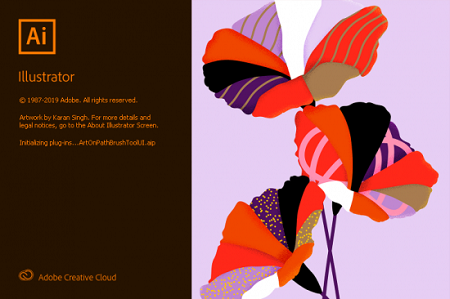
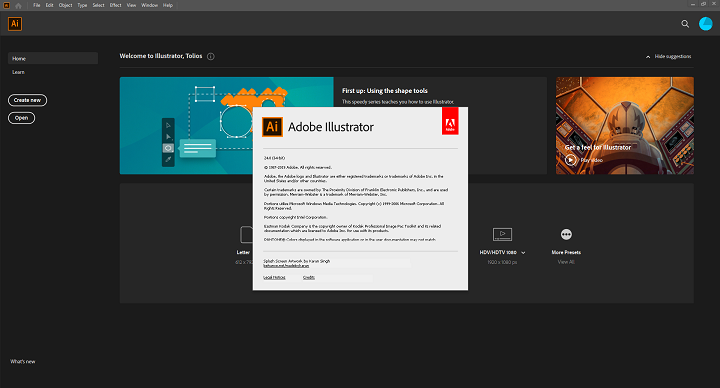
Adobe Illustrator 2020 v24.0.0.328 x64 Multilanguage
25798cb7033ebc6992a2f53919b5d9e7.png


Adobe Illustrator 2020 v24.0.0.328 x64 Multilanguage

File Size: 2.16 GiB
Languages: Multilanguage
OS: Windows x64

​

Description:
The industry-standard vector graphics software lets you create logos, icons, drawings, typography, and illustrations for print, web, video, and mobile. Millions of designers and artists use Illustrator CC to create everything from web icons and product packaging to book illustrations and billboards.

Iconic work at any size.
Get all the drawing tools you need to turn simple shapes and colors into sophisticated logos, icons, and graphics. Illustrator artwork is vector-based software, so it can scale down for mobile screens and up to billboard size - and always look crisp and beautiful.

Gorgeous typography that says it all.
Incorporate a company name into a logo, create a flyer, or mock up a website design with the best type tools out there. Add effects, manage styles, and edit individual characters to create typographic designs that perfectly express your messages.

Draw attention everywhere.
Create freehand drawings, or trace and recolor imported photos to turn them into works of art. Use your illustrations anywhere, including printed pieces, presentations, websites, blogs, and social media.

Pro power comes standard.
With fast, responsive performance and precision tools, it's easy to focus on design, not process. Reuse your vector graphics across documents. Work seamlessly with other Creative Cloud apps like Photoshop, InDesign, XD, and Premiere Pro. Illustrator makes it a snap to add artwork to designs, video, and more.

Freeform Gradients
Easily create rich color blends that give your objects and artwork a more natural look and feel.

Global Editing
Save time by modifying repeating text or objects across multiple artboards all at once.

Customizable toolbar
Add or remove tools so you have just the ones you want, and group them the way that works best for you.

Presentation and Trim Preview
Turn artboards into slides you can easily project and share, and see how documents with bleeds will look with the edges trimmed off.

System Requirements:
-OS:Microsoft Windows 7 with Service Pack 1, Windows 10
-CPU:Multicore Intel processor (with 32/64-bit support) or AMD Athlon 64 processor
-RAM:2 GB of RAM (4 GB recommended) for 32 bit; 4 GB of RAM (16 GB recommended) for 64 bit
-Hard disk: 2 GB of available hard-disk space for installation; additional free space required during installation; SSD recommended
-Monitor resolution: 1024 x 768 display (1920 x 1080 recommended)
-To use Touch workspace in Illustrator, you must have a touch-screen-enabled tablet/monitor running Windows 10 (Microsoft Surface Pro 3 recommended).
-GPU: OpenGL 4.x
-Optional: To use GPU Performance: Your Windows should have a minimum of 1GB of VRAM (4 GB recommended), and your computer must support OpenGL version 4.0 or greater.

Notes:
Inside the rar there is a patcher better disable antivirus or defender before extract it in case you dont trust this patch you can delete and make a account see the video i tested the patch my self on my personal computer

Whats New:
Updates:official site does not provide any info about changes in this version.
1bfe47da6484007a1dfedf09cdb633ef.png


У Вас недостаточно прав для просмотра ссылок. Войдите или зарегистрируйтесь.


DownLoad

NitroFlare
Код:
https://nitroflare.com/view/C4E5D79B7928840/Adobe.Illustrator.2020.v24.0.0.328.x64.Multilanguage.part1.rar
https://nitroflare.com/view/5FD52F2A5D31051/Adobe.Illustrator.2020.v24.0.0.328.x64.Multilanguage.part2.rar
https://nitroflare.com/view/3803E7A9DF54132/Adobe.Illustrator.2020.v24.0.0.328.x64.Multilanguage.part3.rar

RapidGator
Код:
https://rapidgator.net/file/1b81b90d8b4b92e565d49c00807b6b96/Adobe.Illustrator.2020.v24.0.0.328.x64.Multilanguage.part1.rar.html
https://rapidgator.net/file/70c210e1ff131a1f7534ce4a71db524c/Adobe.Illustrator.2020.v24.0.0.328.x64.Multilanguage.part2.rar.html
https://rapidgator.net/file/41877c462df6dbda8def9c13acaf3ac3/Adobe.Illustrator.2020.v24.0.0.328.x64.Multilanguage.part3.rar.html

UploadGiG
Код:
https://uploadgig.com/file/download/35da00e1f2eae57d/Adobe.Illustrator.2020.v24.0.0.328.x64.Multilanguage.part1.rar
https://uploadgig.com/file/download/c4fA56dBB85c7233/Adobe.Illustrator.2020.v24.0.0.328.x64.Multilanguage.part2.rar
https://uploadgig.com/file/download/7620A62Fce1eAfcc/Adobe.Illustrator.2020.v24.0.0.328.x64.Multilanguage.part3.rar
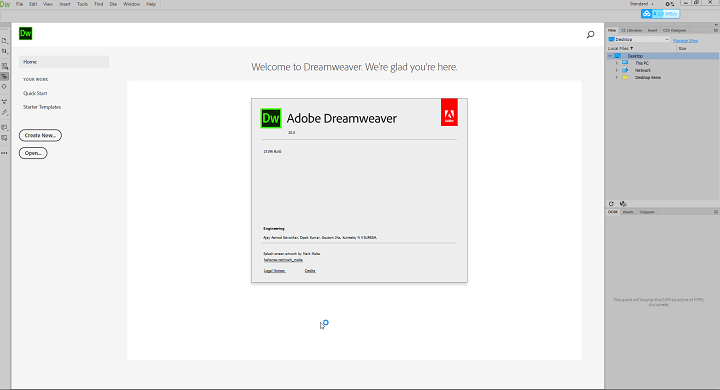
 
Adobe Dreamweaver 2020 v20.0.0.15196 x64 Multilanguage

baf62b273aeb7d17a0e36585f76e3349.png


Adobe Dreamweaver 2020 v20.0.0.15196 x64 Multilanguage

File Size: 1.01 GiB
Languages: Multilanguage
OS: Windows x64

​

Description:
Responsive websites. Really fast. Dreamweaver CC gives you faster, easier ways to design, code, and publish websites and web applications that look amazing on any size screen. Quickly create and publish web pages almost anywhere with web design software that supports HTML, CSS, JavaScript, and more.

Facilities and software features of Adobe Dreamweaver:
-Design and construction of standard Web pages
-Coding integrated with graphical environment
-support for the latest web technologies and programming languages ​​such as JavaScript, ActionScript, CSS, ASP, PHP, HTML and ...
-Design and develop a variety of dynamic pages based on Ajax technology
-coordination with other Adobe applications such as Photoshop, Flash and Fayrfvrks
-Ability to automatically detect the type of programming code program
-View and edit web pages designed online
-Ability to upload pages directly on the server
-A new tool design and support integration of the technology CSS
-Better support for jQuery
-compatibility with the latest web standards
-Improved speed design

System Requirements:
OS:Microsoft Windows 7 with Service Pack 1, or Windows 10 Anniversary Update version 1607 (build 10.0.14393) or later.
CPU:Intel® Core 2 or AMD Athlon® 64 processor; 2 GHz or faster processor.
Memory:2 GB of RAM (4 GB recommended).
Hard Disk:2 GB of available hard-disk space for installation; additional free space (approximately 2 GB) required during installation. Dreamweaver cannot be installed on removable flash storage devices.
Display:1280x1024 display with 16-bit video card.

3b106bda59ae153f9815929bb5785060.png


У Вас недостаточно прав для просмотра ссылок. Войдите или зарегистрируйтесь.


DownLoad

NitroFlare
Код:
https://nitroflare.com/view/F59A94AB2EF769E/Adobe.Dreamweaver.2020.v20.0.0.15196.x64.Multilanguage.part1.rar
https://nitroflare.com/view/D55A4EB0DFDC7C3/Adobe.Dreamweaver.2020.v20.0.0.15196.x64.Multilanguage.part2.rar

RapidGator
Код:
https://rapidgator.net/file/e99961afb6fbe258fd4c75bd92ef8f80/Adobe.Dreamweaver.2020.v20.0.0.15196.x64.Multilanguage.part1.rar.html
https://rapidgator.net/file/6c52844f9af0f03907586bae0290ab1a/Adobe.Dreamweaver.2020.v20.0.0.15196.x64.Multilanguage.part2.rar.html

UploadGiG
Код:
https://uploadgig.com/file/download/9e67c47130033a58/Adobe.Dreamweaver.2020.v20.0.0.15196.x64.Multilanguage.part1.rar
https://uploadgig.com/file/download/399a090a7d062066/Adobe.Dreamweaver.2020.v20.0.0.15196.x64.Multilanguage.part2.rar
 
Adobe InCopy 2020 15.0.155 x64 Multilanguage

4928c706fa1bd1d263378a9902cf03a1.jpg


Adobe InCopy 2020 15.0.155 x64 Multilanguage

File Size: 795 MiB
Languages: Multilanguage
OS: Windows x64

​

Adobe InCopy - a program for the professional creation and editing of materials, closely associated with the program Adobe InDesign to improve the interaction of design teams and editors. Adobe InCopy is ideal for large projects where many people work on text and graphic design.

Adobe InCopy allows authors and text editors to apply styles, track edits, and make changes to the layout of a document, regardless of the designers who work with the same document in Adobe InDesign. When working together on projects, additions made by different users do not replace each other.

Benefits of Adobe InCopy:
- Support for endnotes
- Adding paragraph borders
- Search for similar fonts
- Advanced font filtering
- Footnotes for multiple columns
- OpenType enhancements
- Modern user interface
- Simplification of work with glyphs
- Placement in image tables
- Simple add shading to text; includes displacement management tools and more
- Place Gun tool to add frames to tables
- New reverse search command
- Saving keyboard shortcuts and settings
- Footnote enhancements for text wrapping
- Color swatch folders for swatch management
- Editing tables by dragging and dropping
- Support for displaying high-resolution objects and Retina display in Windows
- Adobe Typekit Integration
- Typekit font synchronization
- Font search optimization
- Easy hyperlink creation
- Various page viewing modes when editing
- Improved fit
- "Save to the cloud" command for working with files on any device
- View a list of recently used fonts
- Support for Middle Eastern languages

System requirements:
- Processor: Intel® Pentium® 4 or AMD Athlon® 64 processor
- Operating system: Microsoft Windows 10 (64-bit), version 1703 or later (required)
- RAM: 4 GB of RAM (16 GB recommended)
- Hard disk space: 3 GB of available hard-disk space for installation; additional free space required during installation (cannot install on removable flash storage devices); SSD recommended
- Monitor resolution: 1024 x 768 display (1920 x 1080 recommended)
- Video card: 32-bit video card
- Other: Adobe® Flash® Player 10 software required to export SWF files

У Вас недостаточно прав для просмотра ссылок. Войдите или зарегистрируйтесь.


DownLoad

NitroFlare
Код:
https://nitroflare.com/view/B21D3DBD489EC4F/Adobe.InCopy.2020.15.0.155.x64.Multilanguage.rar

RapidGator
Код:
https://rapidgator.net/file/25f5e9265920838254f5ace62db69290/Adobe.InCopy.2020.15.0.155.x64.Multilanguage.rar.html

UploadGiG
Код:
https://uploadgig.com/file/download/18c4451f872ee1a6/Adobe.InCopy.2020.15.0.155.x64.Multilanguage.rar
 
Adobe InDesign 2020 15.0.155 x64 Multilanguage

019321b7126ebe4bcda72e8bf7047bde.jpg


Adobe InDesign 2020 15.0.155 x64 Multilanguage

File Size: 911 MiB
Languages: Multilanguage
OS: Windows x64

​

The next page in layout design. The industry-leading page design software and layout app lets you create, preflight, and publish beautiful documents for print and digital media. InDesign CC has everything you need to make posters, books, digital magazines, eBooks, interactive PDFs, and more.

Standout layouts. Only with InDesign.
Whether you work in print or digital media, InDesign can help you create layouts that leap off the page.

Make an impression in print.
Design everything from stationery, flyers, and posters to brochures, annual reports, magazines, and books. With professional layout and typesetting tools, you can create multicolumn pages that feature stylish typography and rich graphics, images, and tables. And you can prep your documents for printing in just a few clicks.

Digital publications. Dazzling interactions.
Create digital magazines, eBooks, and interactive online documents that draw people in with audio, video, slideshows, and animations. InDesign makes it easy to manage your design elements and quickly deliver immersive experiences in any format, from EPUB and PDF to HTML.

Keep your team on the same page.
Design faster and smarter with tools built for collaboration. InDesign integrates seamlessly with Adobe InCopy CC, so you can work on layouts simultaineously with writers and editors. Import comments and edits from PDFs to see all your feedback. And share text, colors, graphics, and more with team members through Creative Cloud Libraries.

PDF comment import
Now when you create a PDF, comments added to the file can be imported back into the app for review.

Layout adjustment
Now when you change the size of your document, your text and graphics reconfigure automatically.

Properties panel
A new, more intuitive interface makes it easier than ever to access the right controls, right when you need them.

Content-Aware Fit
Automatically resize and fit images to remain in focus with a new feature powered by Adobe Sensei technology.

System Requirements:
- Processor: Intel® Pentium® 4 or AMD Athlon® 64 processor
- Operating system: Microsoft Windows 7 with Service Pack 1 or Windows 10*
- RAM: 4 GB of RAM (16 GB recommended)
- Hard disk space: 3 GB of available hard-disk space for installation; additional free space required during installation (cannot install on removable flash storage devices); SSD recommended
- Monitor resolution: 1024 x 768 display (1920 x 1080 recommended)
- Video card: 32-bit video card
- Other: Adobe® Flash® Player 10 software required to export SWF files

У Вас недостаточно прав для просмотра ссылок. Войдите или зарегистрируйтесь.


DownLoad

NitroFlare
Код:
https://nitroflare.com/view/A39C1F67CBDD7E0/Adobe.InDesign.2020.15.0.155.x64.Multilanguage.rar

RapidGator
Код:
https://rapidgator.net/file/d3b369cbcea07596db43b1ab4df5cfa2/Adobe.InDesign.2020.15.0.155.x64.Multilanguage.rar.html

UploadGiG
Код:
https://uploadgig.com/file/download/b9f51a89bE0a94ce/Adobe.InDesign.2020.15.0.155.x64.Multilanguage.rar
 
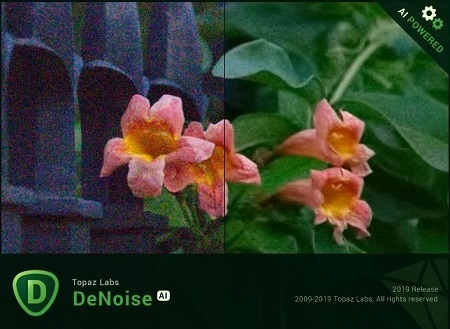
Topaz DeNoise AI 1.3.2

bc0a746d6ec9071d8fb9580462c5edb8.jpg


Topaz DeNoise AI 1.3.2

File Size: 391 MiB
Languages: English
OS: Windows x64

​

Shoot anywhere in any light with no reservations. Eliminate noise and recover crisp detail in your images with the first AI-powered noise reduction tool. You may be surprised at the results you get.

Shoot anywhere in any light
Great noise reduction is like a lens upgrade. You'll be able to get much higher-quality results when you're shooting fast action shots, night images, or any other situation that requires a high ISO. Use DeNoise AI to help you create a pixel-perfect photo in any situation.

Groundbreaking technology
Noise reduction technology has basically been the same for a decade, with only minor incremental improvements here and there. (We would know - we made one!) DeNoise AI is different: we fed an algorithm millions of noisy/clear images until it actually learned what noise is and how best to remove it.

Recover true detail
DeNoise AI examines the whole image and holistically determines the difference between detail and noise in that photo. (Other NR tools only look at pixel-level detail.) After understanding what noise vs detail looks like for that specific image, DeNoise AI recovers a surprising amount of detail from noise.

Lightroom vs DeNoise AI
When you need pixel-level perfection in your results, DeNoise AI offers the absolute best quality currently available anywhere. Existing noise reduction tools like Lightroom give you a choice: keep some noise or remove some detail. DeNoise AI's technology allows you to get the best of both worlds: to remove noise while actually strengthening detail.

- Enhance real detail
- Remove noise naturally with no smudging
- Best for moderate to ultra-high ISOs

Any noise reduction tool can remove noise - the really tricky part is to tell the difference between noise and detail. DeNoise AI helps you get the best quality at 100% by removing noise while recovering original image detail. Give it a try to see the difference for yourself!

RELEASE NOTES:

Fix:
- Fixed an issue that caused DeNoise AI to crash if the file name or path contained non-Latin characters.
- Fixed an issue that prevented the in-app updater to run.
- Fixed an issue that caused DeNoise AI to ignore the file's orientation metadata.

Change:
- Updated authentication to better handle firewalls.

Operating System Version:
- Windows 7 x64
- Windows 8/8.1 x64
- Windows 10 x64

Hardware Requirements:
- System RAM: 8GB / 16GB recommended
- GPU VRAM: 2GB / 4GB recommended

Graphics Card Requirements:
- NVIDIA: GeForce GTX 770 2GB / GeForce GTX 960 4GB recommended
- AMD: Radeon HD 8570 2GB / Radeon R9 270 4GB recommended
- Intel: HD Graphics 5000 / Iris Plus Graphics 640 recommended

У Вас недостаточно прав для просмотра ссылок. Войдите или зарегистрируйтесь.


DownLoad

NitroFlare
Код:
https://nitroflare.com/view/9BCD51C0B5A2427/Topaz.DeNoise.AI.1.3.2.rar

RapidGator
Код:
https://rapidgator.net/file/b46e9ba6f148c51f7edbfadb27702a83/Topaz.DeNoise.AI.1.3.2.rar.html

UploadGiG
Код:
https://uploadgig.com/file/download/ad35192e6e94330b/Topaz.DeNoise.AI.1.3.2.rar
 
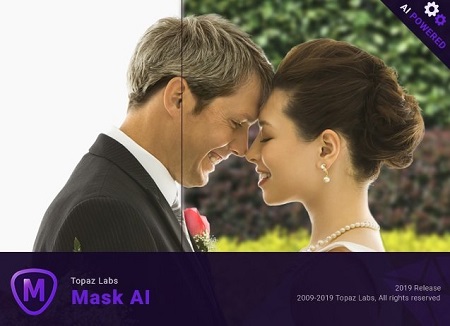
Topaz Mask AI 1.0.1

f32de788d1dbc3b90e9c106d59f71602.jpg


Topaz Mask AI 1.0.1

File Size: 1.31 GiB
Languages: English
OS: Windows x64

​

Creating complex selections by hand and perfecting them almost always takes way longer than expected. Meet Topaz Mask AI. Mask AI allows you to create tricky masks in record time thanks to our intuitive machine learning technology and trimap technique. Less user input for an extremely high-quality mask has always been a photographer's dream, and now you can have it with Mask AI.

How We've Simplified Masking
Compared to Photoshop, Mask AI doesn't need tedious brushwork to get a high-quality mask. And there's no need to learn complicated icons and tools. With Mask AI you only need to roughly outline your subject in blue, one click fills what you want to cut, one click fills what you want to keep, and press "Compute Mask". It's really that simple. Our neural network has been trained to distinguish tough edges, so you can get a great mask on the first attempt.

Masking Made Simple For Every Type of Photo
Mask AI incorporates machine learning for a more accurate mask with less refining required!

Mask AI's Unique Trimap Technology
It can be a pain to make a good cut-out in Photoshop, and it can take up an entire day's work. Mask AI's intuitive color-coded system reduces it to 4 simple steps: keep, cut, compute, and replace.

Brush to compute.
Simply paint a blue line around the edges of what you'd like to compute. The best part is, you don't have to be perfect - just keep a little bit of the subject and the immediate area you'd like to mask inside of it. Our technology will do the heavy lifting.

Brush to refine
Our smart brushes (Cut, Keep, and Compute) utilize our technology and enable you to make clean and accurate refinements without the pressure of painting perfectly. Our machines will make the decisions for you and speed up your workflow!

Slide to perfect.
Use the post-processing sliders to perfect your mask quickly. The Edge Softness slider comes in handy if you want to add more sharpness to a rocky landscape, or perhaps soften the edges for a portrait.

The Edge Softness slider
Comes in handy if you want to add more sharpness to a rocky landscape, or perhaps soften the edges for a portrait.

The Edge Shift slider
Shifts the mask edge in either direction.

The Foreground Recovery slider
Revives the color of your foreground in weaker or more transparent areas. This can be a great tool for fur, whiskers, or wispy hair.

The Defringe slider
Desaturates the edges of your mask to help with color contamination and bleeding.

Replace the background to finish.
Being a great photographer requires a lot of techniques and tools at your disposal. You've planned and executed with military precision to get the shot. But when nature gives you a less than perfect sky or an undesirable background, Mask AI's background replacement lets you take back control of your work.

Tricky Masks Made Easy With Mask AI
Flyaway hair. Feathers. Fur. Willowy trees. There will always be complex masking tasks, but with Mask AI's machine learning technology, you'll never have to agonize over the details. Our application will do the heavy lifting!

RELEASE NOTES:
- Initial Release.

Operating System Version:
- Windows 7 x64
- Windows 8/8.1 x64
- Windows 10 x64

Hardware Requirements:
- System RAM: 8GB / 16GB recommended
- GPU VRAM: 2GB / 4GB recommended

У Вас недостаточно прав для просмотра ссылок. Войдите или зарегистрируйтесь.


DownLoad

NitroFlare
Код:
https://nitroflare.com/view/D9E4A6B68DF6FAF/Topaz.Mask.AI.1.0.1.part1.rar
https://nitroflare.com/view/0A04542C96C0EE5/Topaz.Mask.AI.1.0.1.part2.rar

RapidGator
Код:
https://rapidgator.net/file/f0409522f23889f856062bf5edb07355/Topaz.Mask.AI.1.0.1.part1.rar.html
https://rapidgator.net/file/9124a7a89958fcdb66b28159df99a03b/Topaz.Mask.AI.1.0.1.part2.rar.html

UploadGiG
Код:
https://uploadgig.com/file/download/672A427641223f5e/Topaz.Mask.AI.1.0.1.part1.rar
https://uploadgig.com/file/download/D54c2C6c424dEbc0/Topaz.Mask.AI.1.0.1.part2.rar
 
Topaz Sharpen AI 1.4.4

485c8ebf74c59e1771c985cdc9a7b0a2.jpg


Topaz Sharpen AI 1.4.4

File Size: 1.24 GiB
Languages: English
OS: Windows x64

​

Create tack-sharp images with no artifacts or halos. Sharpen AI is the first sharpening and shake reduction software that can tell difference between real detail and noise. Create tack-sharp images even when you're shooting handheld, at night, or with a shallow depth of field.

Powered by AI
Sharpen AI was trained with millions of images so it could learn the characteristics of detail vs. noise - and then enhance just the detail. In some cases, it can even recover image detail.

Seamless integration
Works wherever you currently edit your photos. Use Sharpen AI either as a standalone software or as a plug-in for Topaz Studio / Photoshop / Lightroom Classic.

Constantly improving
Through continuous AI training, Sharpen AI's enhancement model becomes both faster and higher-quality with time. You'll get the latest and greatest when the model improves.

Three kinds of sharpening for a perfect photo.
There's nothing worse than the feeling of taking the perfect photo, rushing home, opening it up on your computer. and realizing that it's blurry at 100%. When this happens, it's usually caused by one of three problems: camera shake, focus issues, or general softness. Sharpen AI includes a separate module to handle each one.

Stabilize: natural shake reduction
Even the steadiest hands don't compare to a tripod when it comes to image sharpness. Unlike a tripod, though, you always have your hands with you! Sharpen AI's Stabilize module has been trained to reverse motion blur and make handheld images look like they were taken from a tripod.

Focus: better focus correction
Focus correction is a notoriously difficult problem that's easy to get wrong, but Sharpen AI's Focus module excels at correct up to ten pixels of focus blur. This is perfect for sharpening out-of-focus eyes or correct issues caused by incorrect in-camera focus. Tip: use selective adjustments for best results!

Sharpen: general input sharpening
Even with no motion blur or focus issues, images generally come out of the camera soft. Sharpen AI includes the Sharpen module that specializes in correcting small amounts of general softness without any artifacts or halos. It's the most natural-looking sharpening tool that you will ever use.

The perfect time to make images tack-sharp.
The need for sharpening is universal: most images come out a little soft straight out of the camera. Here's just a handful of use cases in which we've seen exceptional results with Sharpen AI.

Animal Photography
You can pose people, but it's much harder to ask animals to stay still! Use Sharpen AI's Stabilize module to correct camera shake and the inevitable motion blur you get from fast-moving subjects. It's also difficult to focus perfectly in these situations, so the Focus module will also be very useful. This applies to any photos with fast-moving subjects - not just animals! Adjust the slider to the left to see the difference at 100%, or click for a larger before/after.

Hand-held Landscapes
No matter how fast you set your shutter speed, you can't shoot handheld landscapes as sharp as if you had a tripod. You don't always have a tripod with you, though. Sometimes you don't even have the luxury of using a fast shutter speed. Sharpen AI's Stabilize module helps you get handheld images that look like they were taken from a tripod. This model was trained specifically to counteract motion blur caused by camera shake and can produce some pretty exceptional results in your photos.

Portrait Photography
Getting sharp portraits is essential. Using controlled lighting and tripods in a studio setting is a good way to do that, but you're not always in a studio. Use Sharpen AI when the otherwise perfect portrait has slightly out-of-focus eyes or camera shake.

A new approach to sharpening.
We believe that better technology enables you to produce better art. The photos that thousands of other photographers have created with AI technology have been astounding, and we can't wait to see what you create. Here's how it works.

What does sharpness look like? (Training)
The first step of the machine learning process is to teach the software what sharpness is. We do this by feeding millions of blurred/sharp image pairs into the software and asking it to learn the characteristics of what makes an image sharp.

How to achieve this sharpness? (Learning)
Just like computers perform math and complex operations faster than humans, they can also learn much faster for very specific tasks. Sharpen AI soon understands how sharp images generally become blurred, and therefore how to reverse the process.

How do we sharpen images faster? (Optimization)
Sharpen AI performs millions of operations per pixel, so a significant amount of work is done to speed it up. This whole process continues even after the product's release: you'll likely see new updates with sharpening model improvements as the software learns more.

RELEASE NOTES:

Change:
- Updated authentication to better handle firewalls

Fix:
- Fixed an issue that caused Sharpen AI to crash with face detection turned on.
- Fixed an issue that caused Sharpen AI to crash if the file name or path contained non-Latin characters.
- Fixed an issue that prevented the in-app updater to run.
- Fixed an issue that caused Sharpen AI to ignore the file's orientation metadata.

Operating System Version:
- Windows 7 x64
- Windows 8/8.1 x64
- Windows 10 x64

Hardware Requirements:
- System RAM: 8GB / 16GB recommended
- GPU VRAM: 2GB / 4GB recommended

Graphics Card Requirements:
- NVIDIA: GeForce GTX 770 2GB / GeForce GTX 960 4GB recommended
- AMD: Radeon HD 8570 2GB / Radeon R9 270 4GB recommended
- Intel: HD Graphics 5000 / Iris Plus Graphics 640 recommended

У Вас недостаточно прав для просмотра ссылок. Войдите или зарегистрируйтесь.


DownLoad

NitroFlare
Код:
https://nitroflare.com/view/B11E30781E9C4AE/Topaz.Sharpen.AI.1.4.4.part1.rar
https://nitroflare.com/view/31B43D7C2F42CF1/Topaz.Sharpen.AI.1.4.4.part2.rar

RapidGator
Код:
https://rapidgator.net/file/2dad89c339fde119a36d5cafb8d8a0a1/Topaz.Sharpen.AI.1.4.4.part1.rar.html
https://rapidgator.net/file/f87d9cfdef71359b86acc90483b559f3/Topaz.Sharpen.AI.1.4.4.part2.rar.html

UploadGiG
Код:
https://uploadgig.com/file/download/67b71510e8D8A648/Topaz.Sharpen.AI.1.4.4.part1.rar
https://uploadgig.com/file/download/96e2c9db464f7c8b/Topaz.Sharpen.AI.1.4.4.part2.rar
 
Corel AfterShot Pro 3.6.0.380 Multilingual macOS

aa560e8f9790ddad4324f60dd3075d74.jpg


Corel AfterShot Pro 3.6.0.380 Multilingual macOS

File Size: 72.6 MiB
Languages: English, Deutsch, Français, 日本語, Italiano, Nederlands

​

Corel® AfterShot™ Pro 3 is up to 4x faster than Adobe® Lightroom®*. It's the photo editor that reveals your true creative potential and frees you: from high costs, from endless subscriptions, from hours spent editing at your computer. Import, process and output faster, and get back behind the camera where you belong with AfterShot™ Pro 3.

Simple photo management
Sort, organize and view all your photos in one place, quickly and easily with flexible file management options--no importing required.

Ultra-fast workflow
Experience dramatically faster loading, selecting, editing and output with the world's fastest RAW conversion software, featuring performance that's up to 4x faster than Adobe Lightroom.

Powerful batch processing
Edit and perfect one or thousands of photos with powerful batch processing controls and presets that let you quickly bring out the best in every image.

Comprehensive Watermarking
Protect and promote your work with versatile Watermarking features. Deter unauthorized copying, brand your photos with your logo or contact info, or add text and graphics. Apply watermarks to individual photos or batches, and easily adjust size, rotation, position, transparency and more.

Enhanced! Highlight Recovery
Regain more of the detail and tone from your overexposed photos with enhanced Highlight Recovery. Powered by a new algorithm, this feature lets you access more of the data in your RAW files for superior image quality.

Enhanced! Blemish Remover
Save time and edit faster by doing more touchups and photo corrections in AfterShot Pro 3, rather than jumping to PaintShop Pro or Adobe® Photoshop®. The new Blemish Remover offers circle, brush, polygon and freehand tools for detailed editing, making portrait editing faster and easier. Remove dust, spots, smudges and a variety of imperfections on any photo.

New! Image Preset Library
Now it's easier to tap into the power of presets to automate more of your repetitive processing jobs or quickly reproduce a look that would otherwise be tedious to replicate. The new Image Preset Library^ lets you browse, preview and download free and for-purchase presets.

New! Lens Correction Development Kit
Make and share your own lens corrections-ideal for photographers working with rare, unique or spanking new glass. Simply follow the instructions, save your correction, then load it into AfterShot Pro 3-or share online.

New! Lens Corrections
Update to AfterShot Pro 3 for new, sought-after lens corrections that build on the hundreds of lenses already supported by AfterShot to quickly correct the different types of distortion introduced by various lenses. Join the AfterShot Pro community on Facebook to discover when new lens corrections are posted or to share your own.
See what's new with plugins

Enhanced!
Find and install free and for-purchase plugins, and get updates in a flash with AfterShot Pro 3's new Plugin Manager^. Or make your own with our unique plugin API-a love of photography, a knowledge of C++ and the updated Plugin SDK are all you need. Share your plugins freely with the AfterShot community, or work with Corel to sell them.

New! Updated RAW camera profiles
We're committed to constantly delivering support for today's most popular, powerful and creative cameras, including professional DSLRs, flexible and high-quality mirrorless cameras, and many more. A new dynamic camera profile updater^ notifies you when new cameras are added a new feedback mechanism captures and prioritizes your requests with Corel.

New! Modular Camera Profiles
Get the latest camera profiles sooner-and without patching your software-with dynamic camera updates^. Simply browse and download directly from AfterShot Pro 3. Don't see a camera you want? Hit the 'feedback' button and log your request directly to the AfterShot Pro development team.

New! Get involved!
AfterShot Pro wants you! Corel has built AfterShot Pro to give you, the photographer, control, letting you make you own plugins, lens corrections and presets. Now a new feedback loop makes it easier for you to send your ideas and requests to the Corel Photo team--better helping us to meet your needs. Simply click 'feedback' and send us your comments.

Powerful adjustments
Whether you're shooting in RAW or JPEG, you can alter your photos using a wide variety of adjustment tools, including Crop, Straighten, Highlight Recovery, Noise Removal, Color, Temperature, Exposure, Highlights, Fill Light and more.

Multi-version editing
Easily make adjustments to multiple versions of your master photo without ever changing your original file. Make an unlimited number of versions of one image, with a wide variety of corrections and customizable presets, including Black & White, Cross Processing and more.

Precise control with Selective Editing
Apply adjustments exactly where you want them with unique Layers and Regions capabilities that isolate precise areas of your photo for adjustment.

Local Contrast
Recreate the look of a high-end camera lens and make objects within an image 'pop' by bringing out the texture and dimension in your photos.

High Dynamic Range (HDR) tools
Create impressive photos with intense visual contrast using High Dynamic Range (HDR) tools. Combine multiple exposures to create a single, stunning HDR photo. Within the AfterShot HDR module, apply Smart Photo Fix, White Balance, Brightness/Contrast, Fill Light/Clarity, Local Tone Mapping, High Pass Sharpening, and Digital Noise Removal.

Noise reduction by Athentech
Optimize your images with Athentech Imaging Noise Removal. This award-winning technology automatically adjusts lighting for every pixel in a shot while maintaining true color and zero clipping.

Red eye removal
Get precise control when cleaning up red eye in your photos.
Get complete control with a personalized workflow

Customizable workspace
Easily change the AfterShot Pro workspace any time to suit your task. Hide or show the Thumbnail, Preview, Browse and Tools panel. Choose from several viewing options, including Slideshow, Full Screen and Multi-Image view.

Easy integration with photo editors
Process your RAW photos quickly in AfterShot Pro, then simply click the "Send to External Editor" button to quickly export in TIF to PaintShop Pro, Photoshop or another editor for more detailed editing.

Accurate color correction
Fine tune the color in your photos with several adjustment tools, including Vibrance, Saturation, Color Balance and Mixer and Selective Color Control. Adjust everything from the overall color intensity for the entire image to the intensity of any single color.

Curves and Levels
Apply adjustments exactly where you want them with unique Layers and Regions capabilities that isolate precise areas of your photo for adjustment.

A complete photo manager
Take charge of your photos with extensive photo management support that lets you quickly organize your existing photos, and easily add new ones or catalogs any time. Powerful search tools, star ratings and other management tools let you quickly find photos even in very large collections.

Quick review
Easily compare, filter and select your best photos from any number of similar shots.

Robust search tools
Finding the right photo in a collection of hundreds or thousands is fast with powerful Metadata tools. Add your own searchable keywords, ratings, tags and labels. Or search by camera-written data like date, camera type, settings, aperture and more.

Customizable asset management
Unlike other workflow tools, AfterShot Pro 2 does not force you to import your images into a catalog just to work with them. Easily access your photos in existing folders, on a network or on a memory card. If you wish, try catalogs to take advantage of powerful digital asset management tools to organize your collection as it grows.

Create web galleries
Quickly create a web gallery to share your images online with friends, colleagues or clients. Choose from various gallery styles to control how your photos are displayed.

Back up and archive
Use batches to easily back up and archive your AfterShot Pro catalogs.

RELEASE NOTES:

New camera support:
NEW Camera Profiles are available from the Get More tab (on the right-side of the application window in Windows and macOS) or from the Get More menu (Linux). New camera profiles do not install automatically-you choose the profiles that you want to install.

- Fujifilm X-T3
- Fujifilm X-T30
- Leica SL (typ601)
- Nikon CoolPix P1000
- Nikon D3500
- Nikon z6
- Nikon z7
- Olympus E-PL6
- Olympus TG-5
- Panasonic DMC-G9
- Sony Alpha A7R III
- Sony Alpha A7R IV
- Sony Alpha A7s II
- Sony A6400

Issues addressed:
- Installation: Resolved serial number error.
- External drive detection issue resolved for all languages.
- OpenCL support updated for latest nVidia drivers.
- Improved multilingual character support in Gallery output.
- Lens profile: Saved len correction profile now loads as expected.
- Reset All: Now works in all app languages.
- Watermark: Improved stability when copying and pasting watermarks from one image to another when more than one watermark layer is present.
- Fujifilm X-T2: "Black line" and crop issues resolved.
- Imported RAW thumbnails now show as expected after the corresponding camera profile is installed (no need to reimport).
- [Pro] Corrected HDR white balance behavior.
- [Std] HDR no longer produces error message on launch.

System Requirements:

macOS:
- mac OS®X 10.9 or later (64-bit edition), including macOS 10.15
- All Intel® Macs model are supported
- 2 GB of RAM (4GB recommended for HDR)
- 250 MB of available hard-disk space required
- 1024 x 768 resolution with 16-bit color display. 16MB or more of dedicated VRAM required to use OpenCL Hardware Acceleration

У Вас недостаточно прав для просмотра ссылок. Войдите или зарегистрируйтесь.


DownLoad

NitroFlare
Код:
https://nitroflare.com/view/4E8BC27CE828BD3/Corel.AfterShot.Pro.3.6.0.380.Multilingual.macOS.zip

RapidGator
Код:
https://rapidgator.net/file/0aaf86f55299a755cb30d5d97e56bdbd/Corel.AfterShot.Pro.3.6.0.380.Multilingual.macOS.zip.html

UploadGiG
Код:
https://uploadgig.com/file/download/a41485e687c63A80/Corel.AfterShot.Pro.3.6.0.380.Multilingual.macOS.zip
 
Corel AfterShot Pro 3.6.0.380 Multilingual

aa560e8f9790ddad4324f60dd3075d74.jpg


Corel AfterShot Pro 3.6.0.380 Multilingual

File Size: 143 MiB
Languages: Multilingual

​

Corel® AfterShot™ Pro 3 is up to 4x faster than Adobe® Lightroom®*. It's the photo editor that reveals your true creative potential and frees you: from high costs, from endless subscriptions, from hours spent editing at your computer. Import, process and output faster, and get back behind the camera where you belong with AfterShot™ Pro 3.

Simple photo management
Sort, organize and view all your photos in one place, quickly and easily with flexible file management options--no importing required.

Ultra-fast workflow
Experience dramatically faster loading, selecting, editing and output with the world's fastest RAW conversion software, featuring performance that's up to 4x faster than Adobe Lightroom.

Powerful batch processing
Edit and perfect one or thousands of photos with powerful batch processing controls and presets that let you quickly bring out the best in every image.

Comprehensive Watermarking
Protect and promote your work with versatile Watermarking features. Deter unauthorized copying, brand your photos with your logo or contact info, or add text and graphics. Apply watermarks to individual photos or batches, and easily adjust size, rotation, position, transparency and more.

Enhanced! Highlight Recovery
Regain more of the detail and tone from your overexposed photos with enhanced Highlight Recovery. Powered by a new algorithm, this feature lets you access more of the data in your RAW files for superior image quality.

Enhanced! Blemish Remover
Save time and edit faster by doing more touchups and photo corrections in AfterShot Pro 3, rather than jumping to PaintShop Pro or Adobe® Photoshop®. The new Blemish Remover offers circle, brush, polygon and freehand tools for detailed editing, making portrait editing faster and easier. Remove dust, spots, smudges and a variety of imperfections on any photo.

New! Image Preset Library
Now it's easier to tap into the power of presets to automate more of your repetitive processing jobs or quickly reproduce a look that would otherwise be tedious to replicate. The new Image Preset Library^ lets you browse, preview and download free and for-purchase presets.

New! Lens Correction Development Kit
Make and share your own lens corrections-ideal for photographers working with rare, unique or spanking new glass. Simply follow the instructions, save your correction, then load it into AfterShot Pro 3-or share online.

New! Lens Corrections
Update to AfterShot Pro 3 for new, sought-after lens corrections that build on the hundreds of lenses already supported by AfterShot to quickly correct the different types of distortion introduced by various lenses. Join the AfterShot Pro community on Facebook to discover when new lens corrections are posted or to share your own.
See what's new with plugins

Enhanced!
Find and install free and for-purchase plugins, and get updates in a flash with AfterShot Pro 3's new Plugin Manager^. Or make your own with our unique plugin API-a love of photography, a knowledge of C++ and the updated Plugin SDK are all you need. Share your plugins freely with the AfterShot community, or work with Corel to sell them.

New! Updated RAW camera profiles
We're committed to constantly delivering support for today's most popular, powerful and creative cameras, including professional DSLRs, flexible and high-quality mirrorless cameras, and many more. A new dynamic camera profile updater^ notifies you when new cameras are added a new feedback mechanism captures and prioritizes your requests with Corel.

New! Modular Camera Profiles
Get the latest camera profiles sooner-and without patching your software-with dynamic camera updates^. Simply browse and download directly from AfterShot Pro 3. Don't see a camera you want? Hit the 'feedback' button and log your request directly to the AfterShot Pro development team.

New! Get involved!
AfterShot Pro wants you! Corel has built AfterShot Pro to give you, the photographer, control, letting you make you own plugins, lens corrections and presets. Now a new feedback loop makes it easier for you to send your ideas and requests to the Corel Photo team--better helping us to meet your needs. Simply click 'feedback' and send us your comments.

Powerful adjustments
Whether you're shooting in RAW or JPEG, you can alter your photos using a wide variety of adjustment tools, including Crop, Straighten, Highlight Recovery, Noise Removal, Color, Temperature, Exposure, Highlights, Fill Light and more.

Multi-version editing
Easily make adjustments to multiple versions of your master photo without ever changing your original file. Make an unlimited number of versions of one image, with a wide variety of corrections and customizable presets, including Black & White, Cross Processing and more.

Precise control with Selective Editing
Apply adjustments exactly where you want them with unique Layers and Regions capabilities that isolate precise areas of your photo for adjustment.

Local Contrast
Recreate the look of a high-end camera lens and make objects within an image 'pop' by bringing out the texture and dimension in your photos.

High Dynamic Range (HDR) tools
Create impressive photos with intense visual contrast using High Dynamic Range (HDR) tools. Combine multiple exposures to create a single, stunning HDR photo. Within the AfterShot HDR module, apply Smart Photo Fix, White Balance, Brightness/Contrast, Fill Light/Clarity, Local Tone Mapping, High Pass Sharpening, and Digital Noise Removal.

Noise reduction by Athentech
Optimize your images with Athentech Imaging Noise Removal. This award-winning technology automatically adjusts lighting for every pixel in a shot while maintaining true color and zero clipping.

Red eye removal
Get precise control when cleaning up red eye in your photos.
Get complete control with a personalized workflow

Customizable workspace
Easily change the AfterShot Pro workspace any time to suit your task. Hide or show the Thumbnail, Preview, Browse and Tools panel. Choose from several viewing options, including Slideshow, Full Screen and Multi-Image view.

Easy integration with photo editors
Process your RAW photos quickly in AfterShot Pro, then simply click the "Send to External Editor" button to quickly export in TIF to PaintShop Pro, Photoshop or another editor for more detailed editing.

Accurate color correction
Fine tune the color in your photos with several adjustment tools, including Vibrance, Saturation, Color Balance and Mixer and Selective Color Control. Adjust everything from the overall color intensity for the entire image to the intensity of any single color.

Curves and Levels
Apply adjustments exactly where you want them with unique Layers and Regions capabilities that isolate precise areas of your photo for adjustment.

A complete photo manager
Take charge of your photos with extensive photo management support that lets you quickly organize your existing photos, and easily add new ones or catalogs any time. Powerful search tools, star ratings and other management tools let you quickly find photos even in very large collections.

Quick review
Easily compare, filter and select your best photos from any number of similar shots.

Robust search tools
Finding the right photo in a collection of hundreds or thousands is fast with powerful Metadata tools. Add your own searchable keywords, ratings, tags and labels. Or search by camera-written data like date, camera type, settings, aperture and more.

Customizable asset management
Unlike other workflow tools, AfterShot Pro 2 does not force you to import your images into a catalog just to work with them. Easily access your photos in existing folders, on a network or on a memory card. If you wish, try catalogs to take advantage of powerful digital asset management tools to organize your collection as it grows.

Create web galleries
Quickly create a web gallery to share your images online with friends, colleagues or clients. Choose from various gallery styles to control how your photos are displayed.

Back up and archive
Use batches to easily back up and archive your AfterShot Pro catalogs.

RELEASE NOTES:

New camera support:
NEW Camera Profiles are available from the Get More tab (on the right-side of the application window in Windows and macOS) or from the Get More menu (Linux). New camera profiles do not install automatically-you choose the profiles that you want to install.

- Fujifilm X-T3
- Fujifilm X-T30
- Leica SL (typ601)
- Nikon CoolPix P1000
- Nikon D3500
- Nikon z6
- Nikon z7
- Olympus E-PL6
- Olympus TG-5
- Panasonic DMC-G9
- Sony Alpha A7R III
- Sony Alpha A7R IV
- Sony Alpha A7s II
- Sony A6400

Issues addressed:
- Installation: Resolved serial number error.
- External drive detection issue resolved for all languages.
- OpenCL support updated for latest nVidia drivers.
- Improved multilingual character support in Gallery output.
- Lens profile: Saved len correction profile now loads as expected.
- Reset All: Now works in all app languages.
- Watermark: Improved stability when copying and pasting watermarks from one image to another when more than one watermark layer is present.
- Fujifilm X-T2: "Black line" and crop issues resolved.
- Imported RAW thumbnails now show as expected after the corresponding camera profile is installed (no need to reimport).
- [Pro] Corrected HDR white balance behavior.
- [Std] HDR no longer produces error message on launch.

System Requirements:

Windows:
- Windows® 10, Windows® 8.1, Windows® 8, Windows® 7 with latest service pack (64-bit editions)
- 64-bit Intel or AMD processor (multi-core processor recommended)
- 2 GB of RAM (4 GB recommended for HDR)
- 400 MB of available hard-disk space required
- 1024x768 resolution with 16-bit color display (1280 x 768 resolution with 24 bit or higher color display recommended

У Вас недостаточно прав для просмотра ссылок. Войдите или зарегистрируйтесь.


DownLoad

NitroFlare
Код:
https://nitroflare.com/view/D696BDC0AC6C33B/Corel.AfterShot.Pro.3.6.0.380.Multilingual.rar

RapidGator
Код:
https://rapidgator.net/file/01809444f4b1d16f69fa7892fc8ba031/Corel.AfterShot.Pro.3.6.0.380.Multilingual.rar.html

UploadGiG
Код:
https://uploadgig.com/file/download/6017696a1859ba17/Corel.AfterShot.Pro.3.6.0.380.Multilingual.rar
 
DVDFab 11.0.5.6 Multilingual + Portable

85993e28c015c86c5047ea5cd07f73d2.jpg


DVDFab 11.0.5.6 Multilingual + Portable

File Size: 161, 171, 203, 217 MiB
OS: x86, x64

​

DVDFab is the most powerful and flexible DVD or Blu-ray copying, ripping, creating and burning software. Also it's a fantastic file converter which can rip and convert DVD/Blu-ray movies or transfer your files to various portable devices. DVDFab supports all popular video and audio formats, HD video and almost all multimedia devices. This software is simply the easiest way to copy a DVD/ Blu-ray movie. It can copy any DVD or Blu-ray disc with Cinavia watermark, and create a protected disc (BDMV-REC) to disable Civania for playback on PS3. Your entire movie - including menus, trailers and special features - is copied to a single DVD/ Blu-ray with just one click, and everything happens automatically. Backup your entire DVD/ Blu-ray - including menus, trailers, and special features - onto one or multiple discs.

DVD Copy makes backup DVDs in an easy and fast manner. Copy, rip, clone, split, merge, burn, customize, and more.
Blu-ray Copy backs up Blu-rays easily and fast. Copy, rip, clone, burn, write data and more.
DVD Ripper can rip or convert any DVD movie for playback on popular portable and mobile devices, smart phones, tablets, and more.
Blu-ray Ripper (3D Plus) can rip or convert any Blu-ray movie to various formats that are compatible with portable and mobile devices, smart phones, tablets, and more.
DVD Creator allows you to create your own DVD discs/ ISO files/ folders from a variety of videos downloaded from Internet, taken by camcorders, etc.
Blu-ray Creator converts nearly all sorts of videos into Blu-ray format and saves them as Blu-ray ISO files and folders, and even into BDs.
Video Converter can convert videos from one format into almost any other standard format, so that you can view them on different devices.
2D to 3D Converter working together with DVD Ripper, Blu-ray Ripper or Video Converter, converts 2D DVD/Blu-ray/video into 3D format.

DVDFab Technology:
• The BluPath analysis tool can quickly and precisely find the right playlist and region code for Blu-ray.
• StealthyClone will help users backup/clone BDs regardless of Sony DADC Screen Pass and other structural protections.
• Lightning Shrink - world's most efficient GPU-acceleration based Blu-ray compressing technology to rip or convert Blu-rays within one hour.
• DVDFab can solve playback problem of the copy of Cinavia protected Blu-ray on PS3
• Lightning-Recoding technology is the homebrew of DVDFab applied in Blu-ray Copy
• .miniso file can be produced by Blu-ray Copy and mounted by Virtual Drive to simulate ISO image
• Intel Quick Sync makes DVDFab quicker at video decoding/encoding during copy/ripping/conversion
• NVIDIA CUDA and AMD APP accelerate DVDFab's speed in DVD/Blu-ray/video conversion
• BD Shrink technology enables DVDFab Blu-ray Copy to compress Blu-ray (3D) movies to smaller sizes to fit on blank BD 25/BD 9/BD 5 discs.
• BDInfo will help you get the detailed information on the Blu-ray you are backing up.
• DVDFab supports 4K UHD (3840 x 2160) videos to help you enjoy ultra high definition experience.
• H.265 codec compresses video files to the half size with the same video quality as the original and DVDFab supports it all roundly.

У Вас недостаточно прав для просмотра ссылок. Войдите или зарегистрируйтесь.


DownLoad

NitroFlare
Код:
https://nitroflare.com/view/AD958B5BBB36975/DVDFab.11.0.5.6.Multilingual.x64.Portable.rar
https://nitroflare.com/view/9425916A0BA6569/DVDFab.11.0.5.6.Multilingual.x64.rar
https://nitroflare.com/view/98C0D3DD0C7DF14/DVDFab.11.0.5.6.Multilingual.x86.Portable.rar
https://nitroflare.com/view/66AE321CC239F64/DVDFab.11.0.5.6.Multilingual.x86.rar

RapidGator
Код:
https://rapidgator.net/file/1b0d9e4e983785edb17486a72cc14f78/DVDFab.11.0.5.6.Multilingual.x64.rar.html
https://rapidgator.net/file/e71b3e4cbeff52547ce112a81de3ff13/DVDFab.11.0.5.6.Multilingual.x64.Portable.rar.html
https://rapidgator.net/file/79896f22bc026d305c42d83adba4091f/DVDFab.11.0.5.6.Multilingual.x86.rar.html
https://rapidgator.net/file/ea88948d091d1348597b679bd95f4465/DVDFab.11.0.5.6.Multilingual.x86.Portable.rar.html

UploadGiG
Код:
https://uploadgig.com/file/download/06fd2Ebdd8eC9445/DVDFab.11.0.5.6.Multilingual.x64.Portable.rar
https://uploadgig.com/file/download/41fB7690ffb70c88/DVDFab.11.0.5.6.Multilingual.x64.rar
https://uploadgig.com/file/download/AaE1276b8B124FEa/DVDFab.11.0.5.6.Multilingual.x86.Portable.rar
https://uploadgig.com/file/download/fB5Be6fF200df179/DVDFab.11.0.5.6.Multilingual.x86.rar
 
Red Giant Shooter Suite 13.1.10 x64

a6a7e2494e0c57577b0368cd5c3865fb.jpg


Red Giant Shooter Suite 13.1.10 x64

File Size: 256 MiB

​

Bring your footage from set to post with confidence. Red Giant Shooter Suite is a set of tools that gives you the freedom to shoot the way you want, with the confidence that your footage will make it from your camera to the editing timeline safe, sound and in sync.

PLURALEYES 4.0
Audio/Video Sync in Seconds. No clapboards or timecode needed.

- The most accurate A/V sync available for any NLE.
- Syncs audio and video with the touch of a single button.
- Sync directly in Adobe Premiere Pro.

OFFLOAD 1.0
Simple & reliable backup of your footage in the field.

- Easy to use and makes sure your files are safe.
- Works with virtually every camera, card, and format.
- Compares your backup to the original, verifying an exact copy.

INSTANT 4K
Upconvert video to 4K resolution and other high-resolution formats.

- Better results than scaling tools provided by host applications.
- Simple resolution presets that make it easy to upconvert.
- Up to 400% faster than Instant HD.

FRAMES 1.1
Deinterlace your older footage and convert it to 24P.

- Fast field-blending algorithm for quick results.
- High quality motion-adaptive algorithm for intelligent smoothing.
- De-artifacts and repairs lost color information in DV and HDV footage.

New in Shooter Suite 13:
Shooter Suite 13 includes four products, including the all-new PluralEyes 4, our indispensible tool for audio/video sync in seconds, and works with any non-linear editor. Shooter Suite also includes Offload, Instant 4K and Frames. This update includes many new features in Red Giant PluralEyes, as well as integration between PluralEyes 4 and Offload.

PLURALEYES 4.0
- Entirely New User Interface
- More Automated than ever before
- Premiere Pro Panel
- Smart Start
- Automatic Drift Correction
- Vertical Waveform Scaling
- Track Comparisons
- Keyboard Shortcuts
- Color Coding
- Integration with Offload

System Requirements:
Windows 10 (x64)
Adobe Creative Cloud (2017 - 2020)

Whats New:
Updates: official site does not provide any info about changes in this version.

У Вас недостаточно прав для просмотра ссылок. Войдите или зарегистрируйтесь.


DownLoad

NitroFlare
Код:
https://nitroflare.com/view/A8565E146E99890/Red.Giant.Shooter.Suite.13.1.10.x64.rar

RapidGator
Код:
https://rapidgator.net/file/f4461514e21b5b287e36e4072dda00e1/Red.Giant.Shooter.Suite.13.1.10.x64.rar.html

UploadGiG
Код:
https://uploadgig.com/file/download/f9a494e7657a8D0d/Red.Giant.Shooter.Suite.13.1.10.x64.rar
 
Red Giant VFX Suite 1.0.3

83693e0755a6c66d30953fcc04db1607.jpeg


Red Giant VFX Suite 1.0.3

File Size: 562 MiB
Languages: English
OS: x64

​

Description:
VFX Suite offers a powerful toolkit for realistic visual effects composites in After Effects. With Supercomp, light and atmospheric effects interact with all of your layers and the elements of a scene in a far more natural way than can be modeled with a simple stack of 2D layers. VFX Suite also includes tools for adding shadows and reflections that speed up some of the essential parts of creating a professional composite.

Chroma Key
VFX Suite gives you fast, automatic chroma keying. Whether you are using a green screen or blue screen, Primatte Keyer can regularly pull a perfect key with a single click. Primatte's cleanup tools help turn even the most difficult shots into solid and professional composites. Take your chroma keying results even further by using Primatte in combination with Supercomp's post-keying tools.

Tracking & Cleanup
VFX Suite features lighting-fast, accurate planar tracking, right inside of After Effects - no need to step out of AE for great corner-pin tracking results anymore. Whether you're pinning a rectangular sign or something not rectangular at all, King Pin Tracker has you covered. Also included is Spot Clone Tracker, a powerful tool for quickly removing anything from skin blemishes to unwanted objects in your shot.

Lights & Glows
VFX Suite's Optical Glow generates a blazing fast, drop-dead gorgeous, photo-realistic glow effect - great for use in visual effects and motion graphics. It's easy to use and is by far the most beautiful, highest-quality glow ever made for Adobe After Effects. Knoll Light Factory gives you 3D lens flares from Industrial Light and Magic, and includes over 200 presets based on films from the 1960's to the present day.

Distortion
VFX Suite makes it easy to generate beautiful prismatic displacement effects for visual effects and motion graphics. Unlike the Displacement Map effect in After Effects, Chromatic Displacement uses the displacement image as a height map, which gives you beautiful, organic results - perfect for creating force fields, heat ripples, light refractions, cloaking effects, and much more.

VFX Supercomp
Supercomp is a compositing environment that makes it easy to create complex, seamless composites. In Supercomp, light and atmospheric effects interact with ALL of your layers and the elements of a scene in a far more natural way and with far less pre-composing than ever before. Supercomp includes more than 15 gpu-accelerated context-aware tools for integrating all of your elements into your final shot.

VFX Primatte Keyer
Primatte Keyer is a powerful tool for fast, automatic chroma keying. Whether you are using a green screen or blue screen, Primatte Keyer's auto compute algorithms can often pull a perfect key automatically. The new user interface and clean up tools make it easy to select and separate your background and foreground.

VFX King Pin Tracker
King Pin Tracker gives you fast, accurate planar tracking, right inside of After Effects. King Pin Tracker makes it simple to place signs or objects into a shot, even if they aren't simple rectangular shapes. With powerful To and From pins, and the ability to offset and rotate in planar space, you can pin whatever you want, wherever you want it.

VFX Spot Clone Tracker
Spot Clone Tracker is a tool for lightning-fast, simple object removal with a built-in tracker for moving footage. Easily fix blemishes or remove small, unwanted items. Spot Clone Tracker is easy to use, and even matches your lighting automatically, with options for how it clones light, color and texture.

VFX Optical Glow
Optical Glow is a blazing fast, drop-dead gorgeous, photo-realistic glow effect for use in professional visual effects and motion graphics. It's easily the most beautiful, highest-quality glow you've ever had on your timeline. There's actually a lot of science behind why it looks so much better than the glows you've been using for years, but the bottom line is it's just super awesome.

VFX Chromatic Displacement
Chromatic Displacement uses one layer to displace the pixels of another, while smoothly separating out the colors. Unlike the Displacement Map effect in After Effects, Chromatic Displacement uses the displacement image as a height map, which gives you beautiful, organic results. We designed Chromatic Displacement for creating professional visual effects, such as force fields, heat ripples, light refractions, cloaking effects, and much more - but it's also great for motion graphics.

VFX Knoll Light Factory
Designed by John Knoll, Chief Creative Officer at Industrial Light and Magic, Knoll Light Factory creates camera-inspired, photo-realistic lens flares that render fast, thanks to new GPU acceleration. Using the intuitive Lens Editor, create your own flares from scratch, or customize one of the 200 included presets inspired by some of the most iconic films of the past few decades.

VFX Shadow
Shadow is a plugin for After Effects that makes it super easy to add a perspective shadow in front of or behind a layer, based on its alpha channel, brightness, and more. With options for softness, bend, length, color and many other properties, the Shadow effect goes far beyond the various shadow tools available inside After Effects.

VFX Reflection
Reflection is a plugin for After Effects that makes it easy to add a reflection to your layers. With controls for softness, distance fade, length and more, this effect goes far beyond the standard methods for creating reflections.

System Requirements:
OS:Windows 10
Compability:Adobe Premiere/Effects 2018-2019-2020

Whats New:
Updates:official site does not provide any info about changes in this version.

У Вас недостаточно прав для просмотра ссылок. Войдите или зарегистрируйтесь.


DownLoad

NitroFlare
Код:
https://nitroflare.com/view/A19480251EBA616/Red.Giant.VFX.Suite.1.0.3.rar

RapidGator
Код:
https://rapidgator.net/file/302e51586a4f926ffced69c47960634c/Red.Giant.VFX.Suite.1.0.3.rar.html

UploadGiG
Код:
https://uploadgig.com/file/download/7a6Fb5f2a1162c50/Red.Giant.VFX.Suite.1.0.3.rar
 
DxO PhotoLab 2 ELITE Edition 2.3.3.47 macOS

a9473f9b4f03765b4ea35dc267e285a8.png


DxO PhotoLab 2 ELITE Edition 2.3.3.47 macOS

File Size: 292 MiB
Languages: Multilingual

​

DxO PhotoLab (was DxO Optics Pro) provides a complete set of smart assisted corrections that you can manually fine-tune at any time. Take control on every aspect of your photos: effectively remove noise, get rid of light constraints, recover color details, apply sophisticated optical corrections, and enhance details.

RELEASE NOTES

Fixed:
Issues related to the macOS Catalina update.
Issues when navigating the Photos Library from within PhotoLab. - Minor bug fixes
Minor bug fixes.

Supported Operation Systems:
macOS 10.11 or later 64-bit

У Вас недостаточно прав для просмотра ссылок. Войдите или зарегистрируйтесь.


DownLoad

NitroFlare
Код:
https://nitroflare.com/view/D1F1D054C480E65/DxO.PhotoLab.2.ELITE.Edition.2.3.3.47.macOS.dmg

RapidGator
Код:
https://rapidgator.net/file/a0487922913606a95bbaeaa1eda4f698/DxO.PhotoLab.2.ELITE.Edition.2.3.3.47.macOS.dmg.html

UploadGiG
Код:
https://uploadgig.com/file/download/bDf645634bc7dA50/DxO.PhotoLab.2.ELITE.Edition.2.3.3.47.macOS.dmg
 
Reallusion Cartoon Animator 4.1.1022.1 Pipeline

1f647fd4ef88c5e3a9042e055b92b040.jpg


Reallusion Cartoon Animator 4.1.1022.1 Pipeline

File Size: 642, 408 MiB
Languages: Multilingual
OS: Windows x64
Incl. Resource Pack

​

Cartoon Animator 4 (formerly known as CrazyTalk Animator) is a 2D animation software designed for both ability of entry and productivity. You can turn images to animated characters, control characters with your expressions, generate lipsync animation from audio, accomplish 3d parallax scenes, produce 2D visual effects, access content resources, and wield a comprehensive photoshop pipeline to rapidly customize characters and create content.

All New in Cartoon Animator 4:

ENHANCED CHARACTER ANIMATION
This WIP 1 demonstrates how Reallusion made 2D Character Animation more precise, powerful, yet more intuitive. Say goodbye to foot sliding, sinking or floating problems, the new Smart IK/FK system not only switches automatically, it makes creating amazing cartoon animation so much easier. Posing with locking end effectors gives you power to precisely animate characters with scene interaction. In addition, you can perfectly adapt motion files with different body shapes from our motion library, even fine-tune the character's stride or alter its motion genre.

Smart IK (Inverse Kinematic)
Simple and functional design sets Cartoon Animator apart from other 2D Animation tools. The intuitive 2D in IK / FK system auto-switches invisibly so character posing for animation is a fluid, and logical process. Just lock the character feet to have perfect non-sliding foot contact, and lock the character's hand to get a precise interaction with props or scene.

Easy IK Editing
- Stretches, squatting, and hip rotation made simple by moving the hip bone.
- Easy-locking feet and hands for unlimited motion possibilities.
- Position character end effectors for precise IK interaction.
- Keep or Flip Joint Bend Direction during animation editing.

Intuitive Auto IK/FK Switch
- Drag-and-move end effectors for IK editing, directly rotate joins for FK editing.
- Intuitive pose-to-pose editing without switching IK and FK modes.
- One transform timeline track can keep End Effector Constraints and it's Effective Range.
- Set keys only to Selected Body Parts, or to Full Body motion layers.

Stretch Animation
- Freely extend any character's end segments - head, hands and feet.
- Rubber-band stretch midpoint segments like elbow, waist, knee.
- After releasing stretching, the segment can resume to its original length.
- Stretch neck and torso parts by locking hands and feet.
- Smoothly interpolate stretch animation, and add Motion Curve for timing control.

Precise Scene and Prop Interaction
- Lock hands and feet to precisely interact with scene objects.
- IK Constraints - use "Keep End Effort Rotation" to tip toe or bend wrist, or use "Keep End Effector Angle" to sustain feet angle on the skateboard or bicycle pedal.
- Use "Keep Bend Direction" to ensure character's elbow or knee always bend at the right direction.
- Lock hand and feet to make stable spider-like crawling movement.

Works with All Kinds of Cartoon Characters
- Correct backward knee bend animation for quadruped animals.
- Use Shift+drag to alter the bone length between two bone segments producing a uniform transform effect such as the gorilla arm movement.
- The same effect can apply to breathing or neck-stretching animation.
- Use End Effector Rotation to easily let the dog naturally sit down.

Smart Motion Retargeting
Unique animation feature translates motions automatically to various character styles with different body scale. Smart Motion Retargeting correctly applies the collected motion files to different body shapes, automatically aligns characters to the motion's pose regardless it's initial pose settings, innovatively creates different motion performance styles.

Adapt Motions to any Character Scale
- No more Foot Sliding, Sinking, or Floating problems caused by characters' bone scale difference.
- Library Animation applied perfectly to all types of template characters.
- Works with all Template-based Motion - human biped, quadruped, wings, spine bone.

Creative IK Motion Varieties
- Auto-align character bones to the Motion Data pose, regardless of the character's initial pose setting.
- Recalculate character's Initial Pose Offset for accurate animation editing.
- Change characters' foot stride, or arm reach distance by altering the overall Motion Data Scale.
- Adjust individual End Effector bone ratio for precise character to object interaction.

Create IK Rig
Generate IK-ready 2D animated characters, CTA4 provides standardized IK Controls for template-based characters. We've also added the Auto IK Rig for Photoshop Imported characters. For custom created free-bone characters, now users may create a custom GUI from the Custom Rig GUI.

Auto IK Rig
- Auto IK Rig for Imported Photoshop Template Characters (PSD).
- Works for All Character Templates - Human, Quadruped, Wings, Spine.
- Default Human End Effector Presets - Toe, Ankle, Finger and Wrist
- Free to add IK lock to selected bone segments
- Auto assign End Effectors to Free Bone Characters, allowing custom IK definition

Custom GUI
- Snapshot a Character with a Custom Pose to create a Character Rig GUI.
- Import an image file as a custom rig image.
- Move and place End Effector Locks for ideal layout.
- Specify Bone Size, Segment On/Off in the UI display.

360 Head Creation
This WIP 2 shows how Reallusion breaks through the limitations of 2D Art, and delivers a practical way for 2D animators to create characters with advanced animation along with vivid expressions. The 360 evolution streamlines the workflow for Head Creation, Expression Setup, and directly to the animation core with face key editing, puppeteering and the timeline system. Apart from introducing a set of 360 assets and new professional animation library, users also have the path to convert existing content into 360 heads with a full range of motion.

Quickly Transform a 2D Face into a 3D Head
3D Head Creator transforms 2D art into 3D styled characters with up to 360 degree of motion for deeply rich performances. Photoshop round trip integration for editing multi-angle character in and out of 3D Head Creator.

Anchor Nine Head Turn Directions
- Inherit basic angle settings from Quick Setup
- Transform and deform head sprites for perfect 3D turn
- Optional FFD resolution from 2x2 (perspective correction) to 5x5 (precise shape definition)
- Mask-out features outside the face to create the 3D illusion

Smart Designs to Speedup Multi-angle Settings
- Copy and paste the angle definition
- Mirror setup from one side to another, flip or replace sprites to match angle requirements
- Onion Skin - proper sprite placement with neighboring setup reference
- Average - average the angle setting value from two selected points

Add Additional Decorative Items
- Apart from main facial features, users can freely add other decorative elements
- The cat has whiskers and the nose stripe seamlessly blended with the parent turning head base
- The same techniques can be used to emphasize a 3D effect with highlight and shadow layers

Free Angle Definition - Up to 360°
- More than creating a turning head, you can give a full spin to a simple shaped creature, even a moody bird
- Freely add angle points to setup the character look as the head turns
- Each angle point contains data for sprites transformation, deformation, and sprite change
- A total of 25 optional angle points are provided and a perfect 360° character can be achieved by properly adding angle definition for horizontal and vertical turn

Designing 360 Heads with Photoshop Layers
- Complete PSD to CTA round-trip workflow for 360 Head Creation
- The PSD character template is extended with angle layers for sprite change
- Use several image layers to accentuate depth such like a hog's nose
- Build the layer hierarchy using a simple naming rule, eg. Parent > Child
- The 360 Head Creator can generate and send angle definitions back to Photoshop, new PSD layers are generated for the 360 angle adjustments

3D Expression Setup
- The Cartoon Animator Expression Setup is enhanced for new 360 Performance
- Transform and deform facial sprites to setup 3D-like Expressions
- Turn on Smooth Mode to achieve extremely smooth facial blendshape animation
- Easily Guide the Head Movement using Head Turn Gizmo
- Combine with the Face Key Editor for amazing results!

New Generation of 360 Creative Assets
- Mix and match facial features to create new 360 characters
- Dynamic hairstyles and accessories can also include multiple view angles
- Combine 360 Head with selected Body style for perfect Smart IK Animation

360 Animation Controls and Timeline Editing
- Head Turn Gizmo - Easily guide the head direction using mouse cursor, a quick way to layout the animation tempo
- Face Key Editor layers up precise facial expressions, detailed adjustment can be achieved by selecting facial features, choosing from an expression list, and customizing with muscle morph sliders
- Face Puppet is enhanced for generating expressions with dynamic head turns
- Use Transform and deform to exaggerate the cartoon performance

RELEASE NOTES:

New Features

Round-trip PSD Editing (Launch PSD Editor)
1. The ability to connect to popular PSD editing software. You are able to launch your favorite PSD editing tool directly from CTA, to create or modify assets like characters,
scenes and props. Your newly modified assets will update in CTA simultaneously when you save them in the PSD editor.
2. If you have already set animation keyframes to an image in CTA, the animations will be kept even after you modified the image in PSD editor.
3. Even the icon of the selected PSD tool will be displayed on CTA tool bar. Set up under: Preference > Image > Image Editor.
4. Right-click on a single object, such as a character, prop and sprite, can be launched to a PSD editor for modification.

PSD to Scene & Prop
1. 2D Scenes with 3D Depths. You can design scenes in a layered PSD and send to Cartoon Animator.
2. PSD layers (folders) appear as manageable scene elements in CTA. Then you can arrange the scene elements with Z-depth to easily create 3D parallax effects with animated cameras.
3. Import PSD file as prop and apply Elastic Motion effects to generate organic animations with custom speed and motion curves. For advanced Compound Prop Animations,
Just follow simple PSD layer naming rules to group items and set object hierarchy for structured animation.

Free PSD editor Plug-in, Photopea
1. Reallusion partner up with Photopea, a free PSD editing tool and allow all users to create/modify PSD assets in Photopea.
CTA purchased users will even be able to enjoy an AD free Photopea service.

Dark Mode Switch
1. Users can select their preferred UI (White/Dark mode) in Preferrence.
2. Setup under Perference > Interface > Dark

Enhancements
- Unlocked key will no longer affects general keys in the Timeline.
- Editing locked keys will reflect correctly on the End Effectors included.
- Delete locked keys will remove not only the End Effectors but related keys correctly.

Bugs Fixed
- Possible crashes when removing character motions or applying character in Composer mode.
- Applying motion curve was ineffective when using the Elastic Motion editor.
- Launching PSD to external editor failed while applying G2 facials to G3 Characters.
- Updating PSD file back to CTA 4 character/prop would be blurred.
- Possible crashes while creating sprite-base head after importing PSD assets.
- Some accessory props would become color blocked when launching to PSD editor.
- Some PSD characters would not import to CTA4 - Make sure that the PSD image mode options are 8 bits/channel.
- Some resolution and font size settings caused CTA4 to not switch to 4K mode.
- Some imported PSD files caused image blurring.
- Possible crashes when import PSD file due to Face naming as Head in PSD editor.
- Some projects in Composer Mode would crash.
- Image layer order incorrect after PSD objects updated back to CTA4.
- Using Layer Editor to adjust layer order was ineffective when combing props as a compound prop.
- Login page displayed incorrectly when font size was over 250% while switching to 4K mode.
- Using right-click to align previous motion clip was ineffective.
- Some Power Tools 1 characters could not launch to PSD editor and displayed incorrectly.
- G3 character would disappear while applying G2/G2+ eyes in Composer Mode.
- G3 head could not connect with head bone when attaching Morph-based head to head bone.
- Program not responding when applying project.

Recommended System Requirements:
- Windows 10 / Windows 8 / Windows 7 SP1 (64-bit).
- Dual core CPU or higher
- 4 GB RAM or higher recommended
- 10 GB free hard disk space or higher recommended
- Display Resolution: 1440 x 900 or higher
- Graphics Card: Nvidia GeForce 9800 GX2 or higher /ATI Radeon HD 4890 Series or higher
- Video Memory: 1 GB RAM or higher recommended

Supported Languages:
- English, German, Traditional Chinese, Simplified Chinese, Japanese.

9173ee82d8fc2dcf19f6655fe8327d80.jpg


У Вас недостаточно прав для просмотра ссылок. Войдите или зарегистрируйтесь.


DownLoad

NitroFlare
Код:
https://nitroflare.com/view/10453A31BCC357E/Reallusion.Cartoon.Animator.4.1.1022.1.Pipeline.rar
https://nitroflare.com/view/129814EDB11425A/Reallusion.Cartoon.Animator.4.1.1022.1.Pipeline.Resource.Pack.rar

RapidGator
Код:
https://rapidgator.net/file/8b5e3552f44ce364c63198be343875ab/Reallusion.Cartoon.Animator.4.1.1022.1.Pipeline.rar.html
https://rapidgator.net/file/15bcc3c4e630a120b142c5ac2f1ea32a/Reallusion.Cartoon.Animator.4.1.1022.1.Pipeline.Resource.Pack.rar.html

UploadGiG
Код:
https://uploadgig.com/file/download/833a67eeec79D6Ca/Reallusion.Cartoon.Animator.4.1.1022.1.Pipeline.rar
https://uploadgig.com/file/download/Cb812745224a13d5/Reallusion.Cartoon.Animator.4.1.1022.1.Pipeline.Resource.Pack.rar
 
Red Giant VFX Suite 1.0.3 macOS

f57ab2fb091f549fb011dfd132117c91.jpg


Red Giant VFX Suite 1.0.3 macOS

File Size: 237 MiB

​

Red Giant VFX Suite offers a powerful toolkit for realistic visual effects composites in After Effects. With Supercomp, light and atmospheric effects interact with all of your layers and the elements of a scene in a far more natural way than can be modeled with a simple stack of 2D layers. VFX Suite also includes tools for adding shadows and reflections that speed up some of the essential parts of creating a professional composite.

Chroma Key
VFX Suite gives you fast, automatic chroma keying. Whether you are using a green screen or blue screen, Primatte Keyer can regularly pull a perfect key with a single click. Primatte's cleanup tools help turn even the most difficult shots into solid and professional composites. Take your chroma keying results even further by using Primatte in combination with Supercomp's post-keying tools.

Tracking & Cleanup
VFX Suite features lighting-fast, accurate planar tracking, right inside of After Effects - no need to step out of AE for great corner-pin tracking results anymore. Whether you're pinning a rectangular sign or something not rectangular at all, King Pin Tracker has you covered. Also included is Spot Clone Tracker, a powerful tool for quickly removing anything from skin blemishes to unwanted objects in your shot.

Lights & Glows
VFX Suite's Optical Glow generates a blazing fast, drop-dead gorgeous, photo-realistic glow effect - great for use in visual effects and motion graphics. It's easy to use and is by far the most beautiful, highest-quality glow ever made for Adobe After Effects. Knoll Light Factory gives you 3D lens flares from Industrial Light and Magic, and includes over 200 presets based on films from the 1960's to the present day.

Distortion
VFX Suite makes it easy to generate beautiful prismatic displacement effects for visual effects and motion graphics. Unlike the Displacement Map effect in After Effects, Chromatic Displacement uses the displacement image as a height map, which gives you beautiful, organic results - perfect for creating force fields, heat ripples, light refractions, cloaking effects, and much more.

VFX Supercomp
Supercomp is a compositing environment that makes it easy to create complex, seamless composites. In Supercomp, light and atmospheric effects interact with ALL of your layers and the elements of a scene in a far more natural way and with far less pre-composing than ever before. Supercomp includes more than 15 gpu-accelerated context-aware tools for integrating all of your elements into your final shot.

VFX Primatte Keyer
Primatte Keyer is a powerful tool for fast, automatic chroma keying. Whether you are using a green screen or blue screen, Primatte Keyer's auto compute algorithms can often pull a perfect key automatically. The new user interface and clean up tools make it easy to select and separate your background and foreground.

VFX King Pin Tracker
King Pin Tracker gives you fast, accurate planar tracking, right inside of After Effects. King Pin Tracker makes it simple to place signs or objects into a shot, even if they aren't simple rectangular shapes. With powerful To and From pins, and the ability to offset and rotate in planar space, you can pin whatever you want, wherever you want it.

VFX Spot Clone Tracker
Spot Clone Tracker is a tool for lightning-fast, simple object removal with a built-in tracker for moving footage. Easily fix blemishes or remove small, unwanted items. Spot Clone Tracker is easy to use, and even matches your lighting automatically, with options for how it clones light, color and texture.

VFX Optical Glow
Optical Glow is a blazing fast, drop-dead gorgeous, photo-realistic glow effect for use in professional visual effects and motion graphics. It's easily the most beautiful, highest-quality glow you've ever had on your timeline. There's actually a lot of science behind why it looks so much better than the glows you've been using for years, but the bottom line is it's just super awesome.

VFX Chromatic Displacement
Chromatic Displacement uses one layer to displace the pixels of another, while smoothly separating out the colors. Unlike the Displacement Map effect in Adobe After Effects, Chromatic Displacement uses the displacement image as a height map, which gives you beautiful, organic results. We designed Chromatic Displacement for creating professional visual effects, such as force fields, heat ripples, light refractions, cloaking effects, and much more - but it's also great for motion graphics.

VFX Knoll Light Factory
Designed by John Knoll, Chief Creative Officer at Industrial Light and Magic, Knoll Light Factory creates camera-inspired, photo-realistic lens flares that render fast, thanks to new GPU acceleration. Using the intuitive Lens Editor, create your own flares from scratch, or customize one of the 200 included presets inspired by some of the most iconic films of the past few decades.

VFX Shadow
Shadow is a plugin for Adobe After Effects that makes it super easy to add a perspective shadow in front of or behind a layer, based on its alpha channel, brightness, and more. With options for softness, bend, length, color and many other properties, the Shadow effect goes far beyond the various shadow tools available inside After Effects.

VFX Reflection
Reflection is a plugin for Adobe After Effects that makes it easy to add a reflection to your layers. With controls for softness, distance fade, length and more, this effect goes far beyond the standard methods for creating reflections.

What's New:
Updates: official site does not provide any info about changes in this version.

У Вас недостаточно прав для просмотра ссылок. Войдите или зарегистрируйтесь.


DownLoad

NitroFlare
Код:
https://nitroflare.com/view/BD15228B9573562/Red.Giant.VFX.Suite.1.0.3.macOS.rar

RapidGator
Код:
https://rapidgator.net/file/d74592f39c5350c73f170b4d5a1f0761/Red.Giant.VFX.Suite.1.0.3.macOS.rar.html

UploadGiG
Код:
https://uploadgig.com/file/download/8e279B5f7E74233a/Red.Giant.VFX.Suite.1.0.3.macOS.rar
 
Simulation Lab Software SimLab Composer 9 v9.2.17 macOS

d5a941cb806c909588d50198ff95917b.jpg


Simulation Lab Software SimLab Composer 9 v9.2.17 macOS

File Size: 353 MiB

​

Simlab Composer is a complete, easy, affordable and feature rich solution enabling you to communicate your 3D ideas with ease. Start with any 3D model, and bring it to life with SimLab Composer to utilize it in marketing, manuals, training, user feedback, education and much more.

Features in SimLab Composer 9:
A brief summary with regards to the new updates that have been made in SimLab Composer 9 :

Scene Building:
• Search by name

Animation
• Animation Auto Ease options (Auto Ease Out, Auto Ease In, and Auto Ease).
• New Animation Time-line tools: Capture keyframe for object, Go to previous/next keyframe, and Select all keyframes on Animation Time-line.
• (Enhancement) Better layout for Animation Time-line tools.

HTML/WebGL
• Added support for SimLab 360s Grid Technology.
• Added support for Light Baking (Light Baking is similar to Texture Baking but it gives the user the ability to change material of objects).
• Added support for sun light
• Added support for shadow from sun, which can be enabled or disabled by the user.
• Added support for Visualized Scene Options (lists)
• (Enhancement) Better appearance for materials
• (Enhancement) Better navigation: Smoother camera navigation with mouse movement in spin mode.
• (Enhancement) Better looking message boxes.
• (Enhancement) Camera transition among Scene States

3D PDF
• Added support for Visualized Scene Options (lists).

VR
• SimLab 360s Grid Technology for SimLab FREE VR Viewer, SimLab FREE AR/VR Mobile Viewer, and HTML/WebGL: load and move among 360 degree images.
• Make Video: View video clips in SimLab FREE VR Viewer and SimLab FREE AR/VR Mobile Viewer.
• Event-Response System: SimLabs Event-Response System used for endless possibilities in your VR experiences, which also includes location-based triggers.
• VR Training: A state-machine-based system used for endless possibilities in your VR experiences, which also includes location-based triggers.

Render
• Render Animation using SimLab FREE VR Viewer: New rendering mode using the VR Viewer.

Simlab Free VR Viewer
• Added support for SimLab 360s Grid Technology.
• Scene Building Mode: Dedicated mode where you can move, rotate, scale, copy, delete, and hide/show objects.
• (Enhancement) Improved two hands interaction with VR scene elements in VR mode.
• (Enhancement) Improved grabbing (grabbing with two hands) in VR mode.
• (Enhancement) Improved VR navigation (fixed old issues and added rotation) in VR mode.
• (Enhancement) Improved Scene Modes activation for Large Navigation, Lists, and Scene Building.
• Circular menu for switching among modes.
• Activation of List mode shows all list pins existing in scene.
• Users can now have two FREE private catalogs (up to 60 package)
• Users have the ability to edit or delete their own packages.

У Вас недостаточно прав для просмотра ссылок. Войдите или зарегистрируйтесь.


DownLoad

NitroFlare
Код:
https://nitroflare.com/view/E48761EECED7277/Simulation.Lab.Software.SimLab.Composer.9.v9.2.17.macOS.zip

RapidGator
Код:
https://rapidgator.net/file/d0eae2356d4fe81221d7bea451cb91c7/Simulation.Lab.Software.SimLab.Composer.9.v9.2.17.macOS.zip.html

UploadGiG
Код:
https://uploadgig.com/file/download/9374cA71d8603BcC/Simulation.Lab.Software.SimLab.Composer.9.v9.2.17.macOS.zip
 
Simulation Lab Software SimLab Composer 9 v9.2.17 WiN

d5a941cb806c909588d50198ff95917b.jpg


Simulation Lab Software SimLab Composer 9 v9.2.17 WiN

File Size: 247 MiB

​

Simlab Composer is a complete, easy, affordable and feature rich solution enabling you to communicate your 3D ideas with ease. Start with any 3D model, and bring it to life with SimLab Composer to utilize it in marketing, manuals, training, user feedback, education and much more.

Features in SimLab Composer 9:
A brief summary with regards to the new updates that have been made in SimLab Composer 9 :

Scene Building:
• Search by name

Animation
• Animation Auto Ease options (Auto Ease Out, Auto Ease In, and Auto Ease).
• New Animation Time-line tools: Capture keyframe for object, Go to previous/next keyframe, and Select all keyframes on Animation Time-line.
• (Enhancement) Better layout for Animation Time-line tools.

HTML/WebGL
• Added support for SimLab 360s Grid Technology.
• Added support for Light Baking (Light Baking is similar to Texture Baking but it gives the user the ability to change material of objects).
• Added support for sun light
• Added support for shadow from sun, which can be enabled or disabled by the user.
• Added support for Visualized Scene Options (lists)
• (Enhancement) Better appearance for materials
• (Enhancement) Better navigation: Smoother camera navigation with mouse movement in spin mode.
• (Enhancement) Better looking message boxes.
• (Enhancement) Camera transition among Scene States

3D PDF
• Added support for Visualized Scene Options (lists).

VR
• SimLab 360s Grid Technology for SimLab FREE VR Viewer, SimLab FREE AR/VR Mobile Viewer, and HTML/WebGL: load and move among 360 degree images.
• Make Video: View video clips in SimLab FREE VR Viewer and SimLab FREE AR/VR Mobile Viewer.
• Event-Response System: SimLabs Event-Response System used for endless possibilities in your VR experiences, which also includes location-based triggers.
• VR Training: A state-machine-based system used for endless possibilities in your VR experiences, which also includes location-based triggers.

Render
• Render Animation using SimLab FREE VR Viewer: New rendering mode using the VR Viewer.

Simlab Free VR Viewer
• Added support for SimLab 360s Grid Technology.
• Scene Building Mode: Dedicated mode where you can move, rotate, scale, copy, delete, and hide/show objects.
• (Enhancement) Improved two hands interaction with VR scene elements in VR mode.
• (Enhancement) Improved grabbing (grabbing with two hands) in VR mode.
• (Enhancement) Improved VR navigation (fixed old issues and added rotation) in VR mode.
• (Enhancement) Improved Scene Modes activation for Large Navigation, Lists, and Scene Building.
• Circular menu for switching among modes.
• Activation of List mode shows all list pins existing in scene.
• Users can now have two FREE private catalogs (up to 60 package)
• Users have the ability to edit or delete their own packages.

У Вас недостаточно прав для просмотра ссылок. Войдите или зарегистрируйтесь.


DownLoad

NitroFlare
Код:
https://nitroflare.com/view/474CA72CCDE3D3E/Simulation.Lab.Software.SimLab.Composer.9.v9.2.17.Win.rar

RapidGator
Код:
https://rapidgator.net/file/c92b3ef8e55de09d6a8b69c63b9c1744/Simulation.Lab.Software.SimLab.Composer.9.v9.2.17.Win.rar.html

UploadGiG
Код:
https://uploadgig.com/file/download/4965C2141051f7d0/Simulation.Lab.Software.SimLab.Composer.9.v9.2.17.Win.rar
 
Boris FX Continuum Complete 2020 v13.0.0.416

27da450e8c469ddb7fb48b723f05aaf0.jpg


Boris FX Continuum Complete 2020 v13.0.0.416

File Size: 327, 296 MiB
For Adobe AE/Premiere/OFX

​

The film and television industry's busiest editors and artists choose Boris FX Continuum. The powerful, timesaving plugins streamline post workflows with seventeen creative effect, titling, and quick fix plug-in categories. Includes over 250 effects and 4000+ presets. One collection that fits every project need.

THE MOST COMPREHENSIVE PLUG-IN TOOLKIT
- New! Fully editable Particle Illusion emitters
- New! Particle Illusion Dissolve with dozens of presets and full customization
- New! Enhanced Title Studio & Cinema 4D integration: Higher quality results and faster renders
- New! Spill Remover cleans unwanted light spill in just one click
- New! Light Wrap Spill allows users to wrap a background image onto the spill region
- New! Edge-snapping Mocha splines make roto and masking even faster

Continuum is the latest major update to the most comprehensive plug-in collection on the market. Key new features include the rebirth of the famed Particle Illusion motion graphics generator, Particle Illusion Dissolve transition, Title Studio Cinema 4D integration, Title Studio image-processing shaders such as glows, rays, and blurs, Spill Remover and Light Wrap Spill tools, Mocha Essentials workspace with 4 new spline tools like magnetic and edge-snapping, point-driven parameter tracking powered by Mocha, and overall GPU-acceleration.

PARTICLE ILLUSION
It's back! Particle Illusion (formerly particleIllusion) gets a total overhaul. The redesigned 64-bit application gives editors and artists access to an easy-to-use high-end particle and motion graphics generator. Instantly create preset-driven photorealistic motion tracked particle effects for titles, lower thirds, and background graphics. Build custom particle animations with fully editable emitter properties. Particle Illusion is included inside Continuum and the Continuum Particles Unit.

PARTICLE ILLUSION DISSOLVE
Editors are always looking for new transitions - and Particle Illusion Dissolve offers limitless possibilities. Choose from over 50 professionally-designed auto-animating presets or build your own custom transition from scratch. Particle Illusion Dissolve includes the full power of the Particle Illusion editor giving you ultimate control over the look and timing of your transition.

TITLE STUDIO IMPROVEMENTS
Continuum's popular Title Studio plug-in makes it easy to create high-quality titles and lower thirds in minutes. Adds superior render quality and speed to Maxon Cinema 4D imports, new real-time image processing shaders including animated glows, blurs & volumetric lighting options, new 3D materials, new 8K or higher resolution support, new grids & guidelines, new onscreen text tools,150+ new presets, and faster playback.

SPILL REMOVER
Green screen footage with a lot of light spill is no longer a time-consuming clean-up task. Spill Remover instantly gets rid of pesky light spill with a simple click making it the ideal tool for fine edges like hair. Spill Remover is integrated directly inside Primatte Studio and is an individual filter within the Key & Blend Unit. The new Light Wrap Spill feature inside Primatte Studio allows you to quickly wrap your background image onto the spill region.

ENHANCED MOCHA TRACKING AND MASKING
Users already know and love the Academy Award-winning Mocha planar tracking tools integrated directly inside Continuum. Provides some major updates including an Essentials interface, magnetic spline tool and edge-snapping splines, point-parameter driven tracking, layout manager to customize your workspace, improved auto-saves, and High DPI support for Retina and 4K monitors. Mask and rotoscope even faster!

OVERALL IMPROVEMENTS
Also includes new external broadcast monitor support (Blackmagic Design and AJA) for Title Studio and the FX Browser applications, new 32-bit deep-color support inside Adobe Premiere Pro, and streamlined filter, transitions and VFX generation in Avid thanks to the introduction of Mocha-based parameter tracking, rendering non-realtime blue dot filters unnecessary.

TITLE STUDIO & 3D OBJECTS
Continuum's 3D Objects Unit includes the popular Title Studio plugin for all your 2D/3D titling needs. Title Studio includes its own easy-to-use interface, fast and high-quality renders with improved integrated Maxon Cinema 4D model support, and tons of presets to get you started quickly. Other highlighted features include Extruded .EPS, Extruded Spline, Extruded Text, and Layer Deformer.

ART LOOKS
Instantly recreate popular art styles. Continuum's Art Looks Unit transforms footage into museum-worthy paint styles, comics, graphic novels, and more. Highlighted effects include Artist's Poster, 3D Bump Map, Cartoon Look, Halftone, and Watercolor.

BLUR AND SHARPEN
Direct your viewers to where you want them to focus. Continuum's Blur and Sharpen Unit lets you add depth and blur, pull rack focus, create high-quality lens blurs, and more. Highlighted effects include Fast Lens Blur, Gaussian Blur, Lens Shape, Radial Blur, and Z-Blur.

FILM STYLE
Continuum's Film Style Unit lets you recreate beloved classic film looks from every decade. Add glam and grit to your next project. Highlighted effects include Fast Film Glow, Fast Film Process, Film Damage, Match Grain, and Two-Strip Color.

IMAGE RESTORATION
Fix it in post. Continuum's Image Restoration Unit is the must-have toolset that saves imperfect footage fast. Become a problem-solving hero. Highlighted effects include Beauty Studio, Flicker Fixer, Magic Sharp, PixelFixer, and Reframer.

KEY AND BLEND
Create seamless composites without all the layering. Continuum's Key and Blend Unit features the green screen and compositing power duo of Academy Award-nominated Phototron Primatte tech and Academy Award-winning integrated Mocha planar tracking and masking. Highlighted effects include Primatte Studio, Spill Remover, Light Wrap Spill, Chroma Key Studio, Luma Key, Make Alpha, and Light Wrap.

MATCH MOVE
Continuum's Match Move Unit makes image replacement easy. Blur out unwanted people and objects, replace screens, and accomplish tricky match moves between shots. Includes integrated Mocha planar tracking and masking for quick effect isolation.

PARTICLES
Continuum's Particles Unit is home to the powerful new Particle Illusion plug-in. Particle Illusion's real-time generator makes adding stunning particle-based motion graphics a cinch. The easy-to-use interface features thousands of drag-and-drop presets. Other highlighted effects include Comet, Pin Art 3D, Organic Strands, Rain, and Snow.

PERSPECTIVE
Work with a lot of stills? Continuum's Perspective Unit will turn you into the next Ken Burns. Quickly add 3D perspective to 2D images with animatable camera, lights, and shadows. The renowned 3D Pan & Zoom effect is favored by top documentary, newcast, and reality TV projects. Other highlighted effects include 3D Extruded Image Shatter, Cube, Fast Flipper, and Sphere.

STYLIZE
Continuum's Stylize Unit is designed for the fast paced world of commercial and promo work. Add gritty street style or retro vibes to titles and footage in seconds. Highlighted effects include Damaged TV, Grunge, Misalignment, Scatterize, and Video Glitch.

TEXTURES
Continuum's Textures Unit lets you quickly generate organic photorealistic backgrounds, caustics, and surfaces. Highlighted effects include Brick, Cloth, Granite, Reptilian, Steel Plate, and Wood Grain.

TIME
Continuum's Time Unit makes it easy to speed up, slow down, and reverse your clips. Punch up action sequences with temporal blur or add time loops. Highlighted effects include Jitter, Looper, Optical Flow, Posterize Time, and Temporal Blur.

TRANSITIONS
Cut. Add a slick transition. Repeat. Continuum's Transitions Unit includes nearly 40 drag-and-drop styles and over 500 presets. Highlighted transitions and dissolves include Particle Illusion Dissolve, Swish Pan, Flutter Cut, Fast Film Glow, Light Leaks, Lens Blur, and Damaged TV.

VR
Continuum's VR Unit seriously speeds up 360 immersive editing and finishing workflows. Stay inside your host timeline while avoiding the seams inherent to regular non-VR filters. Supports 180, 360, mono, and stereoscopic formats. Based on Mocha VR's award-winning 360/VR tech. Includes VR Reorient, VR Insert, VR Blur, VR Sharpen, and VR Flicker Fixer.

WARP
Continuum's Warp Unit lets users distort and morph footage in every which way. Highlighted effects include Bulge, Ripple, Turbulence, Twirl, and Warp.

THOUSANDS OF PRESETS
Continuum's presets allow users to quickly add professionally-designed effects and looks without the hassle of starting from scratch. Simply drag & drop any preset. Presets can be easily tweaked, saved, and shared among teams who also have access to Continuum - regardless of host application - for an even more streamlined workflow.

RELEASE NOTES:
- Release notes were unavailable when this listing was updated.

System Requirements:
- Creative Cloud, CS5.5 and higher - After Effects and Premiere Pro
- Blackmagic: DaVinci Resolve 12.5+
- Sony: Vegas Pro 13
- Magix: Vegas Pro 14+
- Foundry: Nuke 9+

9cb7dc100df44ed5b38de8ee702dec63.jpg


У Вас недостаточно прав для просмотра ссылок. Войдите или зарегистрируйтесь.


DownLoad

NitroFlare
Код:
https://nitroflare.com/view/AEB344E4793654D/Boris.FX.Continuum.Complete.2020.v13.0.0.416.Adobe.rar
https://nitroflare.com/view/BCF855FB77B2C2C/Boris.FX.Continuum.Complete.2020.v13.0.0.416.OFX.rar

RapidGator
Код:
https://rapidgator.net/file/068af9d41ea1dbb053da37311162f121/Boris.FX.Continuum.Complete.2020.v13.0.0.416.Adobe.rar.html
https://rapidgator.net/file/c00322beb49b0de4b64b5f553800c722/Boris.FX.Continuum.Complete.2020.v13.0.0.416.OFX.rar.html

UploadGiG
Код:
https://uploadgig.com/file/download/000c4869f5762731/Boris.FX.Continuum.Complete.2020.v13.0.0.416.Adobe.rar
https://uploadgig.com/file/download/4Af8a77E8c41a96d/Boris.FX.Continuum.Complete.2020.v13.0.0.416.OFX.rar
 
Burp Suite Professional 2.1.04

40b65955321863f57c16f39854be0fde.jpg


Burp Suite Professional 2.1.04

File Size: 287 MiB

​

Burp Suite is a reliable and practical platform that provides you with a simple means of performing security testing of web applications. It gives you full control, letting you combine advanced manual techniques with various tools that seamlessly work together to support the entire testing process. The utility is easy-to-use and intuitive and does not require you to perform advanced actions in order to analyze, scan and exploit web apps. It is highly configurable and comes with useful features to assist experienced testers with their work.

The main window displays all the available tools you can choose from and set each one's settings the way you want.
Being designed to work alongside your browser, the application functions as an HTTP proxy, thus all the HTTP/s traffic from your browser passes through the utility. This way, if you want to perform any kind of testing, you need to configure the browser to work with it.

The first thing you need to do is to confirm that the app's proxy listener is active. Simply navigate to the Proxy tab and take a look in the Proxy Listeners section. You should see an entry in the table with the Running check box ticked. The second thing you are required to do is to configure your browser to use the app's proxy listener as its HTTP proxy server. Finally, you need to configure the browser to be able to send HTTP requests through the app without problems.
The previously mentioned utility gives you complete control over all of the actions you want to perform and get detailed information and analysis about the web applications you are testing. Using tools such as Intruder, Repeater, Sequencer and Comparer you are able to carry out different actions with ease.

With the help of Spider, you can crawl an application to locate its content and functionality. You are able to add new scope by selecting the protocol and specifying the host name or the IP range. Then the utility monitors all the transferred bytes and queued requests.
The Intruder tool enables you to perform attacks against web apps. Simply set the host name and the port number, define one or more payload sets and you are done. You can also use the HTTP protocol by checking the proper box from the Target tab.

Another tool that automates testing tasks is called Sequencer, which analyzes the quality of randomness in an application's session tokens. Firstly, you need to load at least 100 tokens, then capture all the requests.
Overall, Burp Suite Free Edition lets you achieve everything you need, in a smart way. It helps you record, analyze or replay your web requests while you are browsing a web application.

Features of Professional Edition:
- Burp Proxy
- Burp Spider
- Burp Repeater
- Burp Sequencer
- Burp Decoder
- Burp Comparer
- Burp Intruder
- Burp Scanner
- Save and Restore
- Search
- Target Analyzer
- Content Discovery
- Task Scheduler
- Release Schedule

У Вас недостаточно прав для просмотра ссылок. Войдите или зарегистрируйтесь.


DownLoad

NitroFlare
Код:
https://nitroflare.com/view/10C9C543832FC3E/Burp.Suite.Professional.2.1.04.rar

RapidGator
Код:
https://rapidgator.net/file/bac7219e9b931dc9c2d89a1bf627c98b/Burp.Suite.Professional.2.1.04.rar.html

UploadGiG
Код:
https://uploadgig.com/file/download/5b270C96e08F9a14/Burp.Suite.Professional.2.1.04.rar
 
PCmover Enterprise 11.1.1010.449 Multilingual

af4fb6e095b21307e00e40702d0a2558.jpg


PCmover Enterprise 11.1.1010.449 Multilingual

File Size: 264 MiB
Languages: Multilingual

​

PCmover Enterprise is the comprehensive migration solution that allows IT to manage all types of migrations. And, PCmover is the only tool that automatically transfers installed applications, settings, data, and user accounts. PCmover efficiently supports a complete migration process and operating system upgrade.

PCmover Enterprise will save your organization time in a migration, and money-- more than $300 per PC according to independent research. PCmover Enterprise's light touch system significantly reduces OPEX by minimizing end-user downtime, IT staff resources required, and operational costs like shipping, storage, and third-party services.

Laplink's PCmover Enterprise edition automates the migration process from an older version of Windows to a newer version, including Windows 7, 8.1, and 10. PCmover Enterprise also supports PC refreshes and break-fix recovery scenarios.

PCmover Enterprise includes additional features designed specifically for organizations that require migrations to be in compliance with specific IT policies. The Policy Manager module gives users the ability to configure migrations as needed, and can generate and enforce automated role or department-specific migration requirement policies. Also, PCmover Enterprise can run from a network drive or removable storage device, eliminating the need to install it on any of the PCs involved in the migration.

PCmover Enterprise Features:
- Migrate selected programs, settings, data, user accounts and other "PC Personality" elements to a new PC automatically
- Migrate Via: Network (LAN, WAN), Laplink USB cable, Laplink Ethernet Cable
- Perform In-Place Upgrades
- Restore an old PC image to a new OS
- Run directly from a command line
- Generate migration reports
- Pre-activate licenses for "offline" migrations
- Install and run from a network location, USB thumb-drive or other portable storage device
- Use Policy Manager GUI for easy and complete migration customization
- Enable Access Control features
- Use a Zero-touch migration process - Multiple migrations from a central location
- Customize the User Interface and logos

RELEASE NOTES:

What's New:
- NEW! Auto Connect
- NEW! Improved Application Processing
- NEW! Streamlined User Interface
- NEW! Faster Transfer
- NEW! USB 3.0 Support
- User Profile Selectivity
- Undo Feature
- Includes Free Transfer Assistance

System Requirements:
- Windows 10 | 8.1 | 8 | 7 | Vista | XP
- 200 MB of hard disk space

У Вас недостаточно прав для просмотра ссылок. Войдите или зарегистрируйтесь.


DownLoad

NitroFlare
Код:
https://nitroflare.com/view/4B18CC4AC05BAA9/PCmover.Enterprise.11.1.1010.449.Multilingual.rar

RapidGator
Код:
https://rapidgator.net/file/2ec60046a01ae34724072c5031482bc7/PCmover.Enterprise.11.1.1010.449.Multilingual.rar.html

UploadGiG
Код:
https://uploadgig.com/file/download/0b9Ab0aE2363b08a/PCmover.Enterprise.11.1.1010.449.Multilingual.rar
 
Назад
Сверху