• Здравствуйте. Сайт заработал в архивном режиме форум www.old.nado.in

EkThaTiger's Softwares

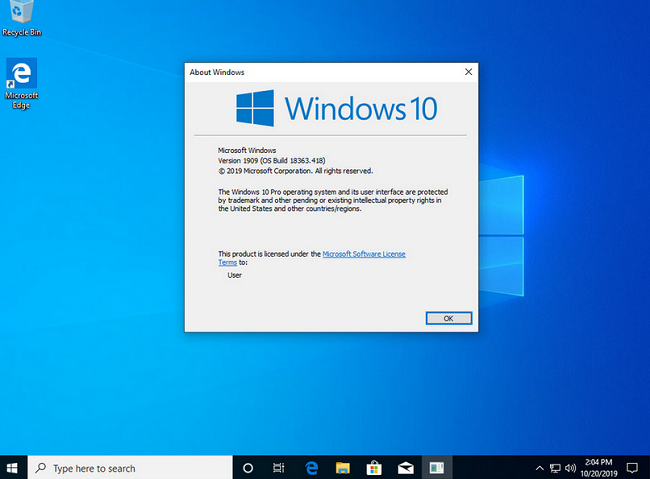
Windows 10 Pro 19H2 v1909 Build 18363.418 x64 OEM MULTi-24
57de07786fa0685e49a5fbfadadf01c6.png


Windows 10 Pro 19H2 v1909 Build 18363.418 x64 OEM MULTi-24

File Size: 10.3 GiB

​

[ RELEASE INFO ]
* This release contains one ISO [SOURCE ISO] and 23 executable svf-files.
* All exe-files are created from original MSDN releases.
* Hashes & all sources attached in separate .txt
* This is done with SmartVersion, a program that calculates the
* difference between two files (one of which is used as the source)
* and then creates an svf-file based on that difference.

What's New:

Integrated / Pre-installed:
* Servicing Stack Update:
* KB4521863
* CumulativeUpdate:
* KB4517389
* Cumulative Update for
* .NET Framework 3.5 and 4.8:
* KB4524100
* Flash Player Security Update:
* KB4516115

SetupComplete / Post-install:
* .NET Framework 3.5
* Defender Updates

[ EDITIONS INCLUDED ]
* Windows 10 Pro - STD
* Windows 10 Pro - DLA
* Windows 10 Pro - OEM

* STD = Standard installation - For those with own License Key
* DLA = Digital License Activation (HWID)
* OEM - Will automatically activate if installing
* same version on original equipment

[ LANGUAGES ]
* ARABIC
* BRAZILIAN
* CROATIAN
* DANISH
* DUTCH
* ENGLISH [GB]
* ENGLISH [US]
* ESTONIAN
* FINNISH
* FRENCH
* GERMAN
* GREEK
* HUNGARIAN
* ITALIAN
* LATVIAN
* NORWEGIAN
* POLISH
* PORTUGUESE
* RUSSIAN
* SLOVENIAN
* SPANISH
* SWEDISH
* TURKISH
* UKRANIAN

[ FEATURES ]
* UEFI-ready
* (Use attached Rufus USB-tool to make UEFI-bootable)
* Diagnostics and Recovery Toolset 10.0 (Microsoft DaRT)

[ INSTALLATION & INFORMATION ]
* Create bootable USB (highly recommended) with Rufus,
* (attached) or burn to DVD-DL at slow speed.
ec4b5096d4131886ab965b1398864d3d.png


У Вас недостаточно прав для просмотра ссылок. Войдите или зарегистрируйтесь.


DownLoad

NitroFlare
Код:
https://nitroflare.com/view/03364CD6504A31D/Windows.10.Pro.19H2.v1909.Build.18363.418.x64.OEM.MULTi-24.part01.rar
https://nitroflare.com/view/85F86ECD2870F82/Windows.10.Pro.19H2.v1909.Build.18363.418.x64.OEM.MULTi-24.part02.rar
https://nitroflare.com/view/E452011D12785D2/Windows.10.Pro.19H2.v1909.Build.18363.418.x64.OEM.MULTi-24.part03.rar
https://nitroflare.com/view/F21A781B38079A6/Windows.10.Pro.19H2.v1909.Build.18363.418.x64.OEM.MULTi-24.part04.rar
https://nitroflare.com/view/7875A7C553FBEA7/Windows.10.Pro.19H2.v1909.Build.18363.418.x64.OEM.MULTi-24.part05.rar
https://nitroflare.com/view/6F0B6DB61BB9E88/Windows.10.Pro.19H2.v1909.Build.18363.418.x64.OEM.MULTi-24.part06.rar
https://nitroflare.com/view/68C441774E7657A/Windows.10.Pro.19H2.v1909.Build.18363.418.x64.OEM.MULTi-24.part07.rar
https://nitroflare.com/view/E93B2A0F1A8420C/Windows.10.Pro.19H2.v1909.Build.18363.418.x64.OEM.MULTi-24.part08.rar
https://nitroflare.com/view/362BFFB31993D64/Windows.10.Pro.19H2.v1909.Build.18363.418.x64.OEM.MULTi-24.part09.rar
https://nitroflare.com/view/4D46F48F8317CC6/Windows.10.Pro.19H2.v1909.Build.18363.418.x64.OEM.MULTi-24.part10.rar
https://nitroflare.com/view/C9FD6688DA9E5D5/Windows.10.Pro.19H2.v1909.Build.18363.418.x64.OEM.MULTi-24.part11.rar

RapidGator
Код:
https://rapidgator.net/file/06a55744a024890f0ac7f230c9498fb9/Windows.10.Pro.19H2.v1909.Build.18363.418.x64.OEM.MULTi-24.part01.rar.html
https://rapidgator.net/file/5c64cab1fb4802f15153c0f5dd52f73d/Windows.10.Pro.19H2.v1909.Build.18363.418.x64.OEM.MULTi-24.part02.rar.html
https://rapidgator.net/file/e382b77a23901934a697c769801a0c68/Windows.10.Pro.19H2.v1909.Build.18363.418.x64.OEM.MULTi-24.part03.rar.html
https://rapidgator.net/file/69599e7f40b15a14fe03d3d58f7b839b/Windows.10.Pro.19H2.v1909.Build.18363.418.x64.OEM.MULTi-24.part04.rar.html
https://rapidgator.net/file/559d049e93c78df368b65aef4ff749bb/Windows.10.Pro.19H2.v1909.Build.18363.418.x64.OEM.MULTi-24.part05.rar.html
https://rapidgator.net/file/c062fcaabddcc6af74143fe9eee57062/Windows.10.Pro.19H2.v1909.Build.18363.418.x64.OEM.MULTi-24.part06.rar.html
https://rapidgator.net/file/c54ec95a6a097991b956a3d7706efe31/Windows.10.Pro.19H2.v1909.Build.18363.418.x64.OEM.MULTi-24.part07.rar.html
https://rapidgator.net/file/8530bfe2d9105978d3bb088d6904ab97/Windows.10.Pro.19H2.v1909.Build.18363.418.x64.OEM.MULTi-24.part08.rar.html
https://rapidgator.net/file/c28e8abe69cf1c74f94b256a12def55b/Windows.10.Pro.19H2.v1909.Build.18363.418.x64.OEM.MULTi-24.part09.rar.html
https://rapidgator.net/file/d8c03df9d3e281a797fb728692b76fa1/Windows.10.Pro.19H2.v1909.Build.18363.418.x64.OEM.MULTi-24.part10.rar.html
https://rapidgator.net/file/42dd5e990de098ac9764fd858aa3c7c8/Windows.10.Pro.19H2.v1909.Build.18363.418.x64.OEM.MULTi-24.part11.rar.html

UploadGiG
Код:
https://uploadgig.com/file/download/16bd1eBd34c07FD6/Windows.10.Pro.19H2.v1909.Build.18363.418.x64.OEM.MULTi-24.part01.rar
https://uploadgig.com/file/download/De1edAF8a01cE9E2/Windows.10.Pro.19H2.v1909.Build.18363.418.x64.OEM.MULTi-24.part02.rar
https://uploadgig.com/file/download/7Cb3057386b99D50/Windows.10.Pro.19H2.v1909.Build.18363.418.x64.OEM.MULTi-24.part03.rar
https://uploadgig.com/file/download/91A98979e54415a4/Windows.10.Pro.19H2.v1909.Build.18363.418.x64.OEM.MULTi-24.part04.rar
https://uploadgig.com/file/download/15def178f9d352aB/Windows.10.Pro.19H2.v1909.Build.18363.418.x64.OEM.MULTi-24.part05.rar
https://uploadgig.com/file/download/733313022e000e37/Windows.10.Pro.19H2.v1909.Build.18363.418.x64.OEM.MULTi-24.part06.rar
https://uploadgig.com/file/download/4f6e06D63fB6557c/Windows.10.Pro.19H2.v1909.Build.18363.418.x64.OEM.MULTi-24.part07.rar
https://uploadgig.com/file/download/4dEB68569312c84B/Windows.10.Pro.19H2.v1909.Build.18363.418.x64.OEM.MULTi-24.part08.rar
https://uploadgig.com/file/download/5b5A96eb777b45A9/Windows.10.Pro.19H2.v1909.Build.18363.418.x64.OEM.MULTi-24.part09.rar
https://uploadgig.com/file/download/aCC6199A56b22b75/Windows.10.Pro.19H2.v1909.Build.18363.418.x64.OEM.MULTi-24.part10.rar
https://uploadgig.com/file/download/30536F462ef61dFe/Windows.10.Pro.19H2.v1909.Build.18363.418.x64.OEM.MULTi-24.part11.rar
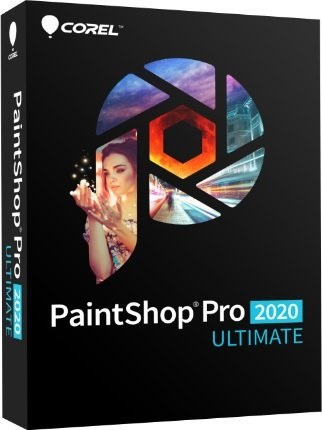
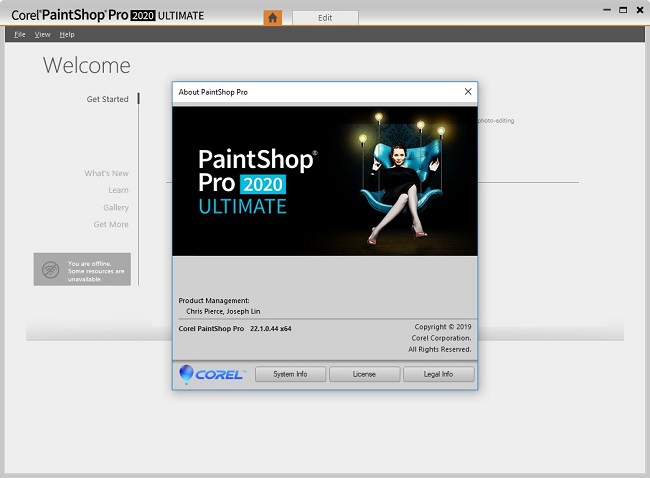
 
Corel PaintShop Pro 2020 Ultimate 22.1.0.44 Multilingual

9c7144dbab52fcf58175eb3dd18177d6.jpg


Corel PaintShop Pro 2020 Ultimate 22.1.0.44 Multilingual

File Size: 649 MiB
Languages: Multilingual

​

Unleash the power of PaintShop Pro with the new touch-ready workspace, new content-aware technology and new selection refinement. Defy ordinary. Resist boring. Capture life and ignite your imagination with PaintShop® Pro 2020 Ultimate, the smarter, faster, more intuitive photo editor with bonus pack of premium software.

Extend the power of PaintShop Pro with the Creative Collection
Enhance your creative capabilities with dozens of brushes, textures and over 100 NEW royalty-free backgrounds.

User inspired features
PaintShop Pro continues to be inspired by its users whose feedback is the driving force behind every innovation.

Powerful adjustment tools
Edit, crop, resize, remove noise, sharpen, enhance colors, use curves and levels and correct photos taken with a 360-degree camera by rotating or making them level or producing 'planet-like' effects.

Precise retouching
Touch up your photos with high precision selection or cloning tools, photo restoration, makeover tools and flaw removal effects. Fix lens issues, distortions and chromatic aberrations with intuitive functions.

Artistic photo compositions
Use multiple layers and masks to create incredible photos and graphic design projects. Add your special touch with painting and drawing tools and creative content like patterns, gradients and colour palettes.

Complete RAW & HDR control
PaintShop Pro's RAW lab arms you with powerful RAW image editing capabilities, including before and after preview options. Create stunning HDR photos by combining multiple exposures.

Save time
Work faster with batch processing and scripts and support for nearly any file format you want.

Choose your path with multiple workspaces
Find the workspace that suits your photo editing needs and style.

Creative design power
Access a wide range of built-in templates to create collages, greeting cards, social media images, web banners, brochures and so much more. Play with photo stamps, Bokeh or Retro tools and a variety of fun filters and effects to effortlessly transform your photos.

Save, organize and share
PaintShop Pro values not just your creativity, but also the practical aspects of saving, transferring, organizing and sharing your assets.

- Experience less disruptions with autosaving.
- Organize and manage your projects. Easily export to Photoshop, Painter or CorelDRAW and continue working.
- Save your work in multiple formats and upload and share with family and friends.

What's New in PaintShop Pro 2020 Ultimate:
Push your creative boundaries with powerful new photo editing and design tools and features powered by cutting-edge technology.

NEW SmartClone
Clone technology at its finest. The all-new, content-aware SmartClone feature allows you to easily merge elements from multiple images and seamlessly integrate them into one. SmartClone capabilities are diverse and can be used for simple retouches to interesting designs and compositions.

NEW Photography Workspace
Touch-ready, highly simplified workspace that allows you to focus exclusively on quick photo edits for wow-factor results.

NEW Refine Brush
The Selection tool just got so much stronger. A Refine Brush has been added to your Selection toolset to enable you to select an object with extreme precision and accuracy, down to a single strand of hair. You'll have to see it to believe it.

Accelerated tools & power
The Text tool has undergone impressive enhancements to both speed and responsiveness, and delivers noticeable improvements in rendering, inputting, editing, and wrapping.

Features fueling your photo editing software
Get exactly the results you want with PaintShop Pro's innovative tools and features. Enjoy a full-featured photo and design toolset to help you create just about anything with ease.

Professional photo editing:
- Crop & correct
- Selection tools
- Scripts
- 360° camera support
- RAW photo editing
- HDR tools

Creative graphic design:
- Layers & Masks
- Digital drawing & painting
- Text
- Creative content
- Pic-to-Painting

Release Notes:

New/Enhanced items:
- SmartClone: You can now adjust the size and rotation of the selected clone source directly (you do not need to save it to the SmartClone library first).
- More than 30 bugs resolved.

Issues addressed and changes:
- Text: Resolved stability issue when working with text on paletted images (2, 16, 256 colors).
- Black and White 2-color images now retain color depth when saved and reopened in PaintShop Pro.
- Windows for images (available when Tabbed Documents is off) now resize to match image size during cropping and zooming.
- Depth of Field: Corrected zoom results issue.
- Guides: Onscreen Guide (lines) positioning or deletion is no longer disabled when the Crop tool is enabled.
- Display improvements: Improved text refresh to avoid incomplete text display, corrected dual-monitor menu issues, and switching tools no longer affects what area of the image displays (current view remains consistent).
- Crop tool: Clear crop command on Tool Options palette now works when floating toolbar is off.
- Default workspace: Resolved issue related to saving default workspace.
- Guided Tour: Updated to reflect 2020 functionality.
- PSD: Stability issues addressed for .PSD file saving.
- SmartClone: SmartClone library no longer displays deleted images.
- SmartClone: Resolved positioning issue that occured when working with a freehand smartclone source along the edge of images.
- Creative Content installation issues addressed.
- *.pspimage format issues resolved when working with different color depths.
- Lens Correction message mismatch corrected.
- Script toolbar: Stop button issue resolved.
- Sony ILCE-6300 camera profile: Enhanced EXIF information visibility.
- Refine Brush: History palette improvements.

System Requirements:
- Windows 10, Windows 8/8.1, Windows 7 with the latest service pack (64-bit or 32-bit editions)
- For virtualization: Microsoft Windows Server 2012 R2, Windows Server 2016 or later
- For Pic-to-Painting: Windows 10 (64-bit or 32-bit editions)
- Intel Core i-series or AMD Phenom II and above (Intel SandyBridge or AMD Fusion and above recommended)
- 4 GB of RAM (8 GB recommended for 360° photo, SmartClone, and Pic-to-Painting plugin support)
- 1.5 GB of available hard-disk space required (3 GB recommended for Pic-to-Painting plugin support)
- 1366x 768 resolution with 16-bit color display (1920x1080 resolution with 24-bit or higher color display recommended). Up to 250 DPI supported with appropriate resolution display
- DirectX 9 or higher compatible video adapter with the latest driver
- Internet Explorer version 10 or higher

a5eaf4db53eee16dc35bc2f39a30de01.jpg


У Вас недостаточно прав для просмотра ссылок. Войдите или зарегистрируйтесь.


DownLoad

NitroFlare
Код:
https://nitroflare.com/view/991EDB05007122C/Corel.PaintShop.Pro.2020.Ultimate.22.1.0.44.Multilingual.rar

RapidGator
Код:
https://rapidgator.net/file/fdbf94aea9b0451e4daf4434c6c674fe/Corel.PaintShop.Pro.2020.Ultimate.22.1.0.44.Multilingual.rar.html

UploadGiG
Код:
https://uploadgig.com/file/download/BBBacc2fcfe276dd/Corel.PaintShop.Pro.2020.Ultimate.22.1.0.44.Multilingual.rar
 
TechSmith Camtasia 2019.0.5 Build 109441 Multilingual macOS

19fbebf5e6b7e41ea0bb7ca5773f937f.png


TechSmith Camtasia 2019.0.5 Build 109441 Multilingual macOS

File Size: 495 MiB
Languages: English, 中文, Deutsch, Français

​

Camtasia makes it easy to record your screen and create polished, professional-looking videos. Record anything - your whole screen or just a window. Or, add video, images, audio, and PowerPoint presentations that you already have. A simple timeline makes editing video easy. Combine or split clips, trim, and speed up or slow down footage. Then, instantly preview inside the video editor. Give videos polish with professional video editor effects. Add highlights, animation, titles, transitions and more. Simply drag and drop the effects onto the timeline.

Training and tutorials
Spice up your training and tutorial videos to keep your viewer's attention throughout the video.

Record mouse movements
Make the cursor larger, animate clicks, and add a highlight to make mouse movements easier to track.

Show keystrokes
Record keystrokes on screen to make it easy for users to follow along.

Add notes and annotations
Drag in notes, captions, shapes, highlights, and more. Camtasia makes it easy to help users understand.

Marketing and demos
Create videos that wow your customers. Camtasia is the perfect video editor for YouTube, Vimeo, Google Drive, and more.

Drag-and-drop video editor
What you see is what you get. Every effect and element in your video can be dropped and edited directly in the preview window. Then export videos at broadcast ready 4k resolution.

Motion graphics
Layer intro and outro sequences and title animations to create engagement throughout all your videos.

Music tracks
Use music to set the mood of your video. The editor includes a library of royalty-free tracks, or you can import your own.

Presentations
Transform PowerPoint slides and webinar recordings into a compelling video.

Drop in PowerPoint
Just drag a PowerPoint presentation into Camtasia, and select the slides you want to import.

Add multimedia
Add videos and narration to slides to more effectively communicate your message.

Webcam recording
Record webcam footage to add the energy of a live presentation to your footage.

Education
Create engaging video lessons without high learning curves.

Improve learning with video
Make videos for flipped, hybrid, or online learning.

Interactive quizzes
Add quizzes as part of the video and record results to see how students are performing.

Track results
See who is interacting with your videos to improve learning outcomes.

Camtasia (Mac)
Mac computer with an Intel® Core™ i5 Processor with 4 CPU Cores (Recommended: 2.8 Ghz Intel® Core™ i5 Processor with 4 CPU Cores or better)
MacOS 10.11 or later (Rendering is not supported on external USB monitors)
4GB of RAM (Recommended: 8GB of RAM or greater)
4GB of available disk space (minimum)
Powerpoint Import requires PowerPoint 2016 for Mac
Playback using the Smart Player is supported on Internet Explorer 11+, Microsoft Edge (Windows 10 Anniversary Update or later), latest version for Chrome, Firefox, and Safari, iOS 11+, Android 5+ (Latest Chrome required)

У Вас недостаточно прав для просмотра ссылок. Войдите или зарегистрируйтесь.


DownLoad

NitroFlare
Код:
https://nitroflare.com/view/18124A60CFAFFDE/TechSmith.Camtasia.2019.0.5.Build.109441.Multilingual.macOS.dmg

RapidGator
Код:
https://rapidgator.net/file/d4aa306ce1ff8666b56e93fc59ef1ce1/TechSmith.Camtasia.2019.0.5.Build.109441.Multilingual.macOS.dmg.html

UploadGiG
Код:
https://uploadgig.com/file/download/0E24B0d9d5966eb2/TechSmith.Camtasia.2019.0.5.Build.109441.Multilingual.macOS.dmg
 
MAGIX Movie Edit Pro 2020 Premium 19.0.1.31 Multilingual

f8fc4d6d6bcb97dbf3367f9d27c5bc66.jpg


MAGIX Movie Edit Pro 2020 Premium 19.0.1.31 Multilingual

File Size: 948 MiB
OS: Windows x64

​

Create entertaining videos, faster than ever before. The award-winning video editing software Movie Edit Pro offers a wide range of effects, supports your workflow with wizards - and now includes the new, ultra-fast INFUSION Engine. All this frees up more time for creating videos and enjoying the results with your loved ones.

One of a kind. Fast.
Featuring a range of automatic program wizards Import, optimize, edit - the fastest way to start making your own movies. Generate movies automatically or manually create your own. High-speed results, each and every time.

One of a kind.
Easy. Bring your vision to life Set the order you want your footage to appear in and keep only the best scenes. With storyboard or timeline mode.

One of a kind. Deluxe.
With up to 1,500 effects The right effects for every occasion, from family party videos to travel vlogs. High-quality effects designed to bring out the best in your movies.

Special effects
Put your videos in the spotlight with a selection of impressive lens flares and lighting effects.

Plus effects package
Get access to the latest effects in the Movie Edit Pro store and keep your footage on the cutting edge.

Image stabilization
Easily turn even the shakiest of footage into perfectly stable shots. With proDAD Mercalli V2 image stabilization.

Smooth proxy editing
Easily edit high-resolution footage up to 4K with super smooth proxy editing.

Multicam editing
Edit footage using up to 4 different camera angles to ensure you capture the best side of each shot. Now featuring simultaneous editing.

Shot match
Apply the look of your best scenes to all your footage for an automatic visual upgrade. Fully automatic functionality with a single click.

RELEASE NOTES
- Improved VEGAS Video Stabilization plug-in
- Misinterpretation of anamorphic source material when using OFX plugins solved

System Requirements:
- You need a 64-bit version for the following operating systems:
- Windows 10, Windows 8, Windows 7
- Processor: 2.4 GHz (Quad-core processor with 2.8 GHz or better recommended*)
- RAM: 2 GB or higher (8 GB recommended*)
- Graphics card: Onboard, minimum resolution 1280x768. (Dedicated, at least 512 MB VRAM recommended)
- Hard drive space: 2 GB for program installation

У Вас недостаточно прав для просмотра ссылок. Войдите или зарегистрируйтесь.


DownLoad

NitroFlare
Код:
https://nitroflare.com/view/E55D5638EFD7B70/MAGIX.Movie.Edit.Pro.2020.Premium.19.0.1.31.Multilingual.rar

RapidGator
Код:
https://rapidgator.net/file/1e71fd5c5bf581a84999f84f7122a62c/MAGIX.Movie.Edit.Pro.2020.Premium.19.0.1.31.Multilingual.rar.html

UploadGiG
Код:
https://uploadgig.com/file/download/119897ecdd23Da8D/MAGIX.Movie.Edit.Pro.2020.Premium.19.0.1.31.Multilingual.rar
 
MAGIX Video Pro X11 v17.0.2.47 Multilingual

fdc1f509770a0d0d52b4448bdbda9b12.jpg


MAGIX Video Pro X11 v17.0.2.47 Multilingual

File Size: 824 MiB
OS: Windows x64

​

Video Pro X makes professional video production accessible for everyone. The latest professional features, modern effects for cinematic looks and an intuitive workflow enable creative and dynamic editing at the highest level. And with the revolutionary new INFUSION Engine, video editing in Video Pro X is even faster and more efficient than ever before.

What's New:
• NEW! Video engine with significantly enhanced performance
• NEW! VEGAS Video stabilization
• Professional editing tools including 3 & 4-point edits
• More than 1,500 templates & creative effects like Chroma Keying
• 4K UHD workflow with MultiCam & 360 degree editing
• Multi-track & multi-format timeline, including nested sequences
• Professional color correction & Lookup table handling
• Multicam for up to 9 cameras including additional source monitor

A new level in performance
Tap into the full potential of your CPU and GPU! Now possible for the very first time thanks to NVENC support from NVIDIA and AVX-optimized algorithms. The full power of Video Pro X - unleashed!

NEW! Accelerated export with NVIDIA NVENC
The feature requested most by the Video Pro X community is now available in the anniversary edition: HEVC/H.265 video export with CUDA support from NVIDIA. By outsourcing exports to the encoder on your NVIDIA GPU, video export can now be performed faster than you ever thought possible. The biggest leap in Video Pro X performance in years.

NEW! Full CPU power thanks to AVX optimization
The next boost in performance: CPU utilization. Video Pro X's comprehensive AVX optimizations for internal image processing and 3-way color correction make image processing much faster, deliver much more precise output quality on color conversions and free up resources for the use of additional effects.

OPTIMIZED!
Output quality 4K Full HD Less sparkle and fewer Moiré patterns when playing 4K source videos in Full HD. The latest edition of Video Pro X significantly reduces image artifacts during the compression of high-resolution videos. The solution: reducing the high-frequency portions of the image.

A new level in creativity
A new smart home for Video Pro X's effects range: bigger, better and equipped with the latest technology. Effects from previous versions are now much more precise and versatile, while new high-performance effects are now possible for the very first time.

OPTIMIZED! Chroma keying
It works! Object extraction Exactly like you'd imagine. Video Pro X's new object extraction algorithm makes it possible to recognize and extract objects from videos. Plus, the reliable antispill feature for removing green edges can now also be used in template mode. Chroma keying at its best!

A new level in productivity
We work directly with professional Video Pro X users to improve performance and functionality and achieve a truly perfect workflow. The latest developments to come out of this process are the new time-saving J-L cut and the intuitive "Move object content" mouse mode.

NEW! Flexible grouping for J-L cuts
The new, flexible grouping options for video and audio tracks. Tracks can now be modified individually without losing the advantages of working with grouping. The new J-L cut - an impressive time-saver for overlapping objects such as spoken audio which spans several scenes in documentaries and interviews.

NEW! Move object contents
Modify individual sections of your movie scenes directly in the video objects that contain them to achieve a perfectly edited movie. The video object itself doesn't need to be modified in any way. This lets you continue editing without affecting your rhythm, and the intuitive controls help save tons of time.

Flexible track handling
Modify and expand your video projects anytime and add tracks to any position even at a later stage. Breathe life into your videos with new ideas or make them more exciting or modern.

RELEASE NOTES
- Improved VEGAS Video Stabilization plug-in
- Misinterpretation of anamorphic source material when using OFX plugins solved

Minimum system requirements
• Processor: Double core processor with 2.4 GHz (recommended: Intel quad-core processor with 2.8 GHz or better)
• RAM: 4 GB (8 GB recommended)
• Graphics card: Onboard, min. resolution 1280 x 1024, 512 MB VRAM and DirectX 11 support (recommended: Intel Graphics HD 520 for MPEG2/AVC/HEVC or NVIDIA GeForce 1050 for HEVC, or better)*
• Hard drive space: 2 GB for program installation (recommended: 10 GB)
• Sound card: (recommended: Multi-channel sound card for surround sound editing)
• Optical drive: DVD drive (only for installation of the box version)

У Вас недостаточно прав для просмотра ссылок. Войдите или зарегистрируйтесь.


DownLoad

NitroFlare
Код:
https://nitroflare.com/view/BA3CFBF70D35EB4/MAGIX.Video.Pro.X11.v17.0.2.47.Multilingual.rar

RapidGator
Код:
https://rapidgator.net/file/2fb0e23685a94802b2a17fe33c305bb9/MAGIX.Video.Pro.X11.v17.0.2.47.Multilingual.rar.html

UploadGiG
Код:
https://uploadgig.com/file/download/Ef13df3Ce5f1230A/MAGIX.Video.Pro.X11.v17.0.2.47.Multilingual.rar
 
Adobe Acrobat Pro DC v2019.021.20048 macOS

14aef9b2a9848d7deb8631ddc3ee299f.png


Adobe Acrobat Pro DC v2019.021.20048 macOS

File Size: 694 MiB
Languages: Multilingual

​

Unlock the power of every PDF. Adobe Acrobat DC gives you everything you need to easily create, edit, share, and sign PDF documents from anywhere.

Editing and converting PDFs made easy. Way easy. No need to recreate documents from scratch. With Adobe Acrobat DC, you can quickly export PDFs into other file formats and even edit text within the PDF.

Supported Operation Systems:
macOS 10.12 or later 64-bit

У Вас недостаточно прав для просмотра ссылок. Войдите или зарегистрируйтесь.


DownLoad

NitroFlare
Код:
https://nitroflare.com/view/4516306541D4B3C/Adobe.Acrobat.Pro.DC.v2019.021.20048.macOS.dmg

RapidGator
Код:
https://rapidgator.net/file/a7b400c872780da27fa9cb7f6b1f1ec6/Adobe.Acrobat.Pro.DC.v2019.021.20048.macOS.dmg.html

UploadGiG
Код:
https://uploadgig.com/file/download/4Ba98C2506087a42/Adobe.Acrobat.Pro.DC.v2019.021.20048.macOS.dmg
 
ON1 Photo RAW 2020 v14.0.0.7975 macOS

7e4845799e3bdc5e74b18f2537e7caed.png


ON1 Photo RAW 2020 v14.0.0.7975 macOS

File Size: 1.75 GiB
Languages: Multilingual

​

This professional-grade photo organizer, raw processor, layered editor, and effects app, includes everything you need in one photography application. The newest features include AI-powered features AI Match and AI Auto, four filters in Effects (Weather, Sun Flare, Color Balance, Channel Mixer), improved decoding of raw files (especially for Fujifilm), custom camera profiles with X-Rite, SmugMug integration, improved noise reduction, a map view, a Print Module, speed/performance enhancements, and much more!

ON1 Photo RAW 2020 puts the primary photo editing needs for every photographer regardless of what they shoot - without having to bounce between multiple pieces of software. Get the professional photo editing tools you need for the professional results you need while keeping your workflow efficient, powerful, and simple.

ON1 Photo RAW 2020 puts the primary photo editing needs for every photographer regardless of what they shoot - without having to bounce between multiple pieces of software. Get the professional photo editing tools you need for the professional results you need while keeping your workflow efficient, powerful, and simple.

We've curated hundreds of the most popular looks and styles seen throughout the industry. Our team of experts overhauled the preset library to give you the trendiest looks with these amazing new one-click presets.

Support for Over 800+ Cameras
Also supports JPEG, TIF, PSD, PSB, PNG, and DNG

Optional App Integration:
- Photoshop CS6 and above
- Photoshop Elements 14 and above
- Photoshop Lightroom Classic 6 and above

Supported Operation Systems:
macOS 10.12 or later 64-bit

У Вас недостаточно прав для просмотра ссылок. Войдите или зарегистрируйтесь.


DownLoad

Single Link
Код:
https://nitroflare.com/view/3BFF281C925ED05/ON1.Photo.RAW.2020.v14.0.0.7975.macOS.dmg

Код:
https://rapidgator.net/file/cc10aa3efd98abcfa6487aeb945ee235/ON1.Photo.RAW.2020.v14.0.0.7975.macOS.dmg.html

Код:
https://uploadgig.com/file/download/9b6f11e8c8E24b9b/ON1.Photo.RAW.2020.v14.0.0.7975.macOS.dmg

NitroFlare
Код:
https://nitroflare.com/view/A92C15C0288A9B7/ON1.Photo.RAW.2020.v14.0.0.7975.macOS.part1.rar
https://nitroflare.com/view/60DEBFD2A6734B7/ON1.Photo.RAW.2020.v14.0.0.7975.macOS.part2.rar

RapidGator
Код:
https://rapidgator.net/file/ba9b7b19bc5193520880e8979120bd8c/ON1.Photo.RAW.2020.v14.0.0.7975.macOS.part1.rar.html
https://rapidgator.net/file/d5d6ae371d9cb26d83ed802da41cc66a/ON1.Photo.RAW.2020.v14.0.0.7975.macOS.part2.rar.html

UploadGiG
Код:
https://uploadgig.com/file/download/a46dD50a1a3d1409/ON1.Photo.RAW.2020.v14.0.0.7975.macOS.part1.rar
https://uploadgig.com/file/download/9a69B99d42eafe62/ON1.Photo.RAW.2020.v14.0.0.7975.macOS.part2.rar
 
Active Disk Image Professional 9.5.2 + WinPE x64

f6ce3501bdcddb68c37269a58338b2ef.png


Active Disk Image Professional 9.5.2 + WinPE x64

File Size: 376, 372 MiB

​

Active Disk Image is a disk image software that makes an exact copy of any PC disk (HDD, SSD, USB, CD, DVD, Blu-ray etc.) and stores it into a folder. The disk images may be used for backups, PC upgrades or disk duplication purposes. In case of computer failure, a backup image may be used to recover your computer system or find & restore any necessary files from within an image.

Active Disk Image Professional Features:
Create & Restore Disk Image Backup (occupied clusters only)
Image Compression (Fast, Normal, High)
Mounting images as virtual drives
RAID is supported
Rescue bootable media
Scheduled backups
Create & restore raw disk image (sector by sector copy)
Windows Servers are supported
Image Encrypting (AES-128, AES-192, AES-256)
Scripting support
E-mail notifications
Incremental Scheduled backups
A copy of hard drives or disk partitions containing occupied sectors only. May contain any set of hard drives & partitions as well as an exact copy of a PC
Fixed (HDDs), Solid State Disks (SSD) & Removable disks (CD, DVD, Blu-ray, USB flash drives, memory cards, USB-connected cameras, media players etc. . . ) imaging and restoring
Basic or dynamic volumes
FAT16, FAT32, NTFS, CDFS, UDF, exFAT, ReFS file systems
Different levels of compression
Splitting into chunks
Password protection
Image encryption (AES-128, AES-192, AES-256)

Operating System: Windows XP SP3 / 7 / 8 / 8.1 / 10 / Server 2003 / Server 2008 / Server 2012 / Server 2016

Language: English

У Вас недостаточно прав для просмотра ссылок. Войдите или зарегистрируйтесь.


DownLoad

NitroFlare
Код:
https://nitroflare.com/view/F7BB408E1BBFBFB/Active.Disk.Image.Professional.9.5.2.rar
https://nitroflare.com/view/933D3E67E54D3D1/Active.Disk.Image.Professional.9.5.2.WinPE.x64.iso

RapidGator
Код:
https://rapidgator.net/file/1f8accc9c17f9ca58cfa55269b796591/Active.Disk.Image.Professional.9.5.2.rar.html
https://rapidgator.net/file/24f95ab64018927c2795e7d092732a12/Active.Disk.Image.Professional.9.5.2.WinPE.x64.iso.html

UploadGiG
Код:
https://uploadgig.com/file/download/2f541507dC41109a/Active.Disk.Image.Professional.9.5.2.rar
https://uploadgig.com/file/download/24f49bf4b0e47279/Active.Disk.Image.Professional.9.5.2.WinPE.x64.iso
 
WinZip Pro 24.0 Build 13650

786f818548a531a77a8e84ac5116b9c3.jpg


WinZip Pro 24.0 Build 13650

File Size: 252 MiB

​

With just a click, open all major compression formats, including Zip, Zipx, RAR, 7Z, TAR, GZIP, VHD, XZ and more. Easily find, open, edit, move and share your files, whether they are on your computer, network or cloud service. Easily encrypt files as you zip to secure information and data. Create read-only PDFs and add watermarks to deter copying. Easily share large files by email, cloud services, social media and instant messaging. Quickly share links to your cloud files.

NEW! Prompt to unzip on open
Now you can instantly unzip any Zip file in Explorer, or from the WinZip Files Pane, the WinZip Ribbon or File menu. Easily unzip files to the folder that it originated from, your Documents folder, or a folder that you choose!

NEW! Unzip to file pane folder
With a single click of a button, you can unzip any file to the selected folder in the Files Pane.

NEW! Faster start-up performance
Now you can strictly focus on the task at hand and not on whether the WinZip application has launched because WinZip now takes half the time to start up. Work faster and eliminate the risk of launching multiple WinZip windows.

NEW! Image Format Conversion
Quickly and easily reduce image file size and convert images from one format to another, for example, from jpg to png. Add to a Zip file or save to your desktop for multi-use.

NEW! Remove personal data from files
Easily remove personal data (EXIF) from various files so that when they are shared, your information is not included. Secure any of the following file types to ensure they do not contain additional data that, while not typically visible, may be personal: DOC/DOCX, GIF, JPG (JPEG), PDF, PNG, PSD, PPT/PPTX, and XLS/XLSX.

NEW! POSIX TAR support
You can now open and unzip POSIX TAR files in the updated compression format.

NEW! WinZip Express copy to clipboard
WinZip Express enables you to share files in many ways, now including the clipboard! Easily place a cloud link for any file onto the clipboard where it may be pasted into other apps for sharing.

NEW! Address Book options
You can now send a message via WinZip emailer to a one-time recipient and not add it to your contacts list. There is also a new option to never add recipients that are manually entered. This is particularly useful during a job search or any repetitive activity whereby a message is sent to a receiver you will likely never communicate with a second time.

NEW! Enterprise-Wide Password Protection
Enterprises can recover encrypted files left by past employees or during forensic audits, quickly and easily, to avoid significant downtime.
Enterprise only.

NEW! Hide Enterprise Ribbon Buttons
In the enterprise version of WinZip, buttons for disabled features will no longer be shown and therefore cannot be clicked on. No more confusion around what is and isn't available, sparing needless cycles and erroneous admin tickets.
Enterprise only.

NEW! Slack Support
Now Enterprise users can enjoy WinZip's file sharing features using their Slack enterprise solution. Share files and zip files via Slack IM and choose contacts from within Slack's Contacts; streamlining workflow and eliminating unnecessary steps.
Enterprise only.

NEW! UI Configuration
Now Enterprise users largely interested in compression functionality may tap into the Classic interface, which hides the files and actions pane and displays only the ribbon. This can be facilitated upon initial set up and users may later change settings if they prefer to use features beyond compression.
Enterprise only.

NEW! Job Wizard Skip EDP Work Files
Enterprise users may now use the Job Wizard to back up personal files in a Windows Protected Environment (WIP), without having to manually suppress work files.
Enterprise only.

ENHANCED! Zip File Encryption
You can now easily encrypt an existing Zip file with a click of a button on the Tools ribbon. The WinZip tools tab on the ribbon makes it simple to choose all or selected files in an existing open Zip file, and encrypt them in one step. This time-saving technique vastly eliminates room for error.

ENHANCED! Encryption options for new files
When updating a Zip file which contains encrypted files, WinZip automatically applies encryption to the replacements. Prompting of the password for the original file protects against unauthorized access.

ENHANCED! Password Protection
Encrypted files within a Zip file cannot be deleted without knowing the password. This new default minimizes erroneous file deletion.

ENHANCED! "Move" files more easily
A new Move button alongside the Add button makes it clearer for you to either add or move files into a Zip file.

WinZip Pro 24.0 Build 13618

Languages: English

System Requirements
Windows 10
Windows 8
Windows 7
Windows Vista
Internet Explorer 8 or later

У Вас недостаточно прав для просмотра ссылок. Войдите или зарегистрируйтесь.


DownLoad

NitroFlare
Код:
https://nitroflare.com/view/4D6A26DB9055E51/WinZip.Pro.24.0.Build.13650.rar

RapidGator
Код:
https://rapidgator.net/file/c45e6c6d8410769bf455cafa508ffa3f/WinZip.Pro.24.0.Build.13650.rar.html

UploadGiG
Код:
https://uploadgig.com/file/download/7d4A1ce9eD051af9/WinZip.Pro.24.0.Build.13650.rar
 
Nitro Pro Enterprise 13.2.6.26 + Portable

4f964a9ca8a13285646b022c589a1c6b.jpg


Nitro Pro Enterprise 13.2.6.26 + Portable

File Size: 150, 180, 130 MiB
OS: x86, x64

​

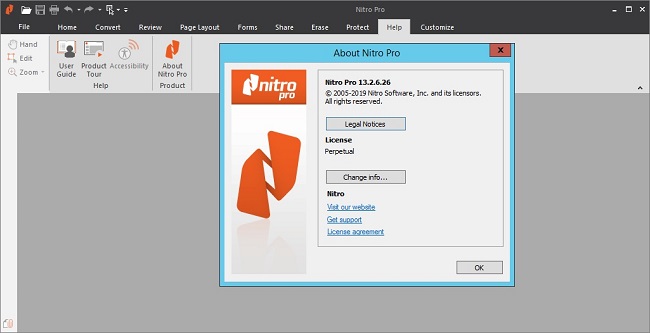
Create, edit and convert PDF files effortlessly with the help of this intuitive program that also allows users to accurately extracting text from PDFs thanks to its OCR function. Nitro Pro is one of the most advanced PDF creating and editing software solutions, providing basically all the tools you would ever need to help you in this regard. Although it's called 'Professional,' the application has been developed to be aimed at beginners and advanced users alike, so you won't find it too difficult to use.

Directly edit your PDF files more easily. Just click, and edit. Nitro Pro 11 enables you to edit entire paragraphs with ease, automatically reflowing text as you type - like you would in a word processor.
Nitro Pro is the complete Adobe Acrobat alternative. It enables you to do more with PDF through powerful tools. Create, convert, edit, combine, secure, annotate, form-fill, and save 100% industry-standard PDF files. Recipient of multiple best product awards, Nitro Pro is specifically designed for the business user. That makes working with PDF faster and easier than ever before!

Features:

Create + Combine
This program lets you quickly and easily create professional-quality PDF documents from any format or content type. From paper scans, spreadsheets, presentations, reports, and more.
Open, read and edit PDF files from other PDF applications, like Adobe Acrobat and Adobe Reader and other popular solutions.
Create from 300+ Formats
Combine Files to PDF
Print to PDF
Microsoft Office Add-ins
Preset and Custom Profiles
Create from Clipboard
PDF/A and Archival
Scan to PDF

Edit Text + Images.
Add, manipulate, replace, and correct text and images in PDF files with intuitive editing tools. Extract and delete individual pages from documents.
Edit Text
Edit Images
Edit Pages
Optimize Files
Bookmarks and Links
Watermarks, Headers and Footers
Apply Bates numbering when unique page labeling and identification is required across pages.

Convert + Export.
Nitro Pro 11 lets you easily reuse and repurpose text, images, or entire documents, with tools to accurately convert and extract PDF files and their content.
PDF to Word
PDF to Excel
PDF to Image
Export Text
Export Images
Batch Export
Extract Pages
Snapshot + Copy

Scan + OCR.
Apply Optical Character Recognition (OCR) to image and paper based documents and create searchable and/or editable layers of text for digital archival.
Searchable Text Layers
Editable Text Layers
Scan to PDF
Multi-language Support
Repurpose for Conversion

Collaborate + Review.
Review and markup PDF files faster with a range of text- and shape-based annotations. Easily involve multiple contributors with tools to track, sort, and manage individual comments.
Compatible With Adobe
Markup and Review
Sort and Manage Comments
Stamps
Shape and Pencil Markups
Attach Files

Nitro Cloud.
Send secure, legally binding eSignatures in seconds
Securely share documents via link or email
Review and markup documents online

New and Improved Features:
Convert with greater accuracy. When converting PDF to Excel and PowerPoint, you'll now enjoy more precise accuracy, faster results, and increased consistency in content, images, layout, colors, and fonts.
Seamlessly transition from desktop to cloud. The new Nitro Cloud integration enhances collaboration by equipping every Nitro Pro user with eSignature tools and the ability to quickly share documents via the cloud.
Access and share files quicker. The new OneDrive for Business connector enables you to save your PDFs directly to OneDrive. That makes it easy to create and share access links with colleagues.
Get creative with CAD. The compatibility of Nitro Pro with high-quality CAD drawings enables you to work with everything from blueprints to 3D models within your PDFs.
Skip the printer. Replace printing with more efficient, cost-effective digital workflows by leveraging Print Alternatives, which suggest Nitro features to use instead of printing when you open the print dialog box.
Multitask easier. Modify PDFs in fewer steps with the ability to drag-and-drop text and images between multiple open windows.
Get your documents signed faster. The new single-signer workflow makes it simple to prepare a PDF in Nitro Pro. Then send your document to a recipient via Nitro Cloud for fast, easy signature collection and real-time workflow tracking.
Verify digital signatures with simplicity. Chain of Trust support automates the identification of trusted contacts for quicker validation of digital signatures you receive.

4f619c657a1591167d05d34ea9138f2a.jpg


У Вас недостаточно прав для просмотра ссылок. Войдите или зарегистрируйтесь.


DownLoad

NitroFlare
Код:
https://nitroflare.com/view/8473AAD93D652C0/Nitro.Pro.Enterprise.13.2.6.26.x86.rar
https://nitroflare.com/view/9146DC8DAD82F3D/Nitro.Pro.Enterprise.13.2.6.26.x64.rar
https://nitroflare.com/view/4A1560F6F04B7CE/Nitro.Pro.Enterprise.13.2.6.26.x64.Portable.rar

RapidGator
Код:
https://rapidgator.net/file/3389e5c9dd94a5301e6eb88db64f8f19/Nitro.Pro.Enterprise.13.2.6.26.x86.rar.html
https://rapidgator.net/file/48280e89ee2818fc7bb0a5e122e3c337/Nitro.Pro.Enterprise.13.2.6.26.x64.rar.html
https://rapidgator.net/file/2198f4bb30435d3ce3318b683a7915cf/Nitro.Pro.Enterprise.13.2.6.26.x64.Portable.rar.html

UploadGiG
Код:
https://uploadgig.com/file/download/86f9d787d9d6Dbe1/Nitro.Pro.Enterprise.13.2.6.26.x86.rar
https://uploadgig.com/file/download/7e54B36dddc2b1a5/Nitro.Pro.Enterprise.13.2.6.26.x64.rar
https://uploadgig.com/file/download/E1472708559d0145/Nitro.Pro.Enterprise.13.2.6.26.x64.Portable.rar
 
TechSmith Snagit 2020.0 Build 4460

876089f9129fa144b564da6c44c0d556.jpg


TechSmith Snagit 2020.0 Build 4460

File Size: 287, 317 MiB

​

Techsmith Snagit - The award-winning screen-capture software. Using SnagIt, you can select and capture anything on your screen, then easily add text, arrows, or effects, and save the capture to a file or share it immediately by e-mail or IM. Capture and share an article, image, or Web page directly from your screen. Or, capture and share any part of any application that runs on your PC. Automatically save in one of 23 file formats, or send to the printer, to your e-mail, or to the clipboard.

Use SnagIt's built-in editors to modify, annotate, and enhance your images and the Catalog Browser to organize your files. Increase your productivity while quickly creating professional presentations and flawless documentation. With powerful new features that allow you to edit previously placed objects, capture embedded links and add interactivity to your captures,SnagIt makes it easier than ever before to capture, edit, and share anything on your screen.

Features of SnagIt:
» Capture - if you can see it, you can snag it!
» Don't waste time cropping your captures. Snag exactly what you need, with just a click.
» Profiles make it easy. SnagIt comes with eleven preset buttons that make screen capture a cinch! Capture a region of your screen, text from a window, the contents of a tall page that scrolls, all the images on a Web page, you get the idea.
» Custom suits you. Don't feel limited by the eleven profiles-create your own combinations for nearly unlimited capture possibilites. What's that? You want to set up a keystroke that captures a menu along with the mouse pointer...adds a drop shadow...and sends the image directly to your ***** dot com blog? Sure, no problem!

Edit - the right tools, right now!
» You don't need a million confusing options, you need the right tools at the right time. Unlike expensive, complex image editing suites,SnagIt makes everyday screen capture tasks one-click easy.
» Say more with pictures+words. Use an arrow to direct attention. Add a text callout to explain clearly. Apply ready-made objects from the menus...and your picture is worth 1,000 more words!
» Look like a pro. Make your screenshot pop with a drop shadow. Give it perspective, spotlight an area, or add other nifty effects.
» Convey complex ideas simply. Combine multiple images, callouts, shapes, and clip art stamps into a rich and detailed information graphic.
» Have fun! Add a speech balloon to that photo of your cat.

Share - send captures where they need to go...instantly!
» Yes, you can save your captures in all the common-and a few uncommon-image formats. But with SnagIt's free output accessories you can do so much more!
» Collaborate in a flash. Click a button to send a screen capture by email, AIM, or Skype.
» Be social. Share screenshots on Flickr. Post images directly to your blog. Publish to your Web site via FTP. No technical degree required!
» Get projects done quicker. Embed images directly into your Microsoft Office projects, MindManager map, or OneNote page.

Organize - SnagIt keeps track, so you don't have to
» Save nothing...save everything. SnagIt stores every capture automatically and keeps the most recent visible. A huge timesaver!
» Find your stuff. Whether or not you saved it, find that capture later with the new visual search pane. Remember just one detail-like the approximate date or the Web site you captured-and find your capture instantly.
» Get organized (if you want to). As you capture images for next month's big project, tag them with "big project" or set the "Important" flag. No need to save anything in folders...just come back next month and view all your big project files with a click!

У Вас недостаточно прав для просмотра ссылок. Войдите или зарегистрируйтесь.


DownLoad

NitroFlare
Код:
https://nitroflare.com/view/A507471596A1DCC/TechSmith.Snagit.2020.0.Build.4460.x86.rar
https://nitroflare.com/view/8FC8718AB3C0872/TechSmith.Snagit.2020.0.Build.4460.x64.rar

RapidGator
Код:
https://rapidgator.net/file/2d2290ca4567d7dbb5191bcf9c7372bc/TechSmith.Snagit.2020.0.Build.4460.x86.rar.html
https://rapidgator.net/file/b0c43201d532f5c68af9a7b9d634f4cc/TechSmith.Snagit.2020.0.Build.4460.x64.rar.html

UploadGiG
Код:
https://uploadgig.com/file/download/801356707146e440/TechSmith.Snagit.2020.0.Build.4460.x86.rar
https://uploadgig.com/file/download/E47efC10bf61f626/TechSmith.Snagit.2020.0.Build.4460.x64.rar
 
Starry Night Pro Plus 8.0.5 macOS

e6bd0c0b6e248c4f688abea0c8303e98.png


Starry Night Pro Plus 8.0.5 macOS

File Size: 2.78 GiB

​

Starry Night Pro Plus 8 has been retooled from the inside out to best meet the needs of the modern amateur astronomer! With a stunning new object database, incredible integration to cloud services, and tons of new, intelligent features, Starry Night 8 sets you up for observing success like never before!

Find everything you've been looking for
At the heart of Version 8 is a new Deep Sky Database of extended objects that makes the Starry Night experience better than ever before.

Incredible rendering & precise positioning of over 36,000 targets
Carefully crafted by compiling the absolute best object data available
The most accurate sizes & shapes of objects ever in Starry Night
Advanced database created from 12 cross-referenced catalogs
Huge upgrade replaces a majority of previous Starry Night catalog
TESS (Transiting Exoplanet Survey Satellite) and Mars InSight 3D models
Hundreds if new in-depth descriptions for the brightest stars in the sky
New and updated mission paths for your favorite space missions
3D models of eight beautiful and accurately rendered binary stars

Observers come first
Get ready for the most seamless astronomy setup you've ever experienced! Filled with new features to make observing as fun and efficient as possible, Starry Night Pro Plus 8 will meet the needs of any advanced observer and help amateurs & enthusiasts take their astronomy game to the next level!

Enjoy an updated, best-in-class telescope control experience
Open Astronomy Log standard makes data much more accessible
Easily create multiple Observing Sites using maps & location services
Audio Tours provide engaging, in-depth narration for many subjects
Audio Descriptions add hours of commentary for interesting objects
An elegant new dark theme is easier on the observer's eyes
Redesigned SkyGuide now matches new dark theme interface
Includes a comprehensive list of significant yearly & daily sky events
3 brand new, breathtaking Earth Horizon Panoramas options added

Put astronomy on autopilot
Integral to Version 8 is the LiveSky Cloud. In addition to being stored on your computer, all of your observing data is optionally backed up, free of charge, to our private cloud servers. The LiveSky.com Cloud isn't just about backup, however - it opens up a universe of possibilities for extending, sharing & analyzing your observing data.

Sync, share and export your data to other services with ease
Data & assets entered at LiveSky.com sync to Starry Night
Preparing sessions & recording observations is easier than ever
Sync to any LiveSky-enabled astro app including SkySafari 6

The pinnacle of power

Starry Night Pro Plus 8 provides additional, next-level features for next-level observers.

Jaw-dropping All-Sky CCD Mosiac even more stunning in version 8
MaximDL Plugin configuration for astrophotography enthusiasts
Five incredibly captivating Multi-Wavelength Full Sky Surveys
Exquisite detail displayed in numerous High Resolution Surface Maps

У Вас недостаточно прав для просмотра ссылок. Войдите или зарегистрируйтесь.


DownLoad

Single Link
Код:
https://nitroflare.com/view/C43BCBAAC08C877/Starry.Night.Pro.Plus.8.0.5.macOS.dmg

Код:
https://rapidgator.net/file/72d136ebb0f0041e4c32f83874504e1c/Starry.Night.Pro.Plus.8.0.5.macOS.dmg.html

Код:
https://uploadgig.com/file/download/3bD82429753b6387/Starry.Night.Pro.Plus.8.0.5.macOS.dmg

NitroFlare
Код:
https://nitroflare.com/view/1DC7ADEB9D04A9B/Starry.Night.Pro.Plus.8.0.5.macOS.part1.rar
https://nitroflare.com/view/1B5552BCB74EA07/Starry.Night.Pro.Plus.8.0.5.macOS.part2.rar
https://nitroflare.com/view/C29995171155D2D/Starry.Night.Pro.Plus.8.0.5.macOS.part3.rar

RapidGator
Код:
https://rapidgator.net/file/b36b5769349b26f95f623922894411a3/Starry.Night.Pro.Plus.8.0.5.macOS.part1.rar.html
https://rapidgator.net/file/1802fd8268ecfb8001450cb7211fe23d/Starry.Night.Pro.Plus.8.0.5.macOS.part2.rar.html
https://rapidgator.net/file/bc5d96c52c691b165d2e40bc597da334/Starry.Night.Pro.Plus.8.0.5.macOS.part3.rar.html

UploadGiG
Код:
https://uploadgig.com/file/download/b7E4a86b590dfdac/Starry.Night.Pro.Plus.8.0.5.macOS.part1.rar
https://uploadgig.com/file/download/Ead8df9F15c4421a/Starry.Night.Pro.Plus.8.0.5.macOS.part2.rar
https://uploadgig.com/file/download/4196627bde04dEcD/Starry.Night.Pro.Plus.8.0.5.macOS.part3.rar
 
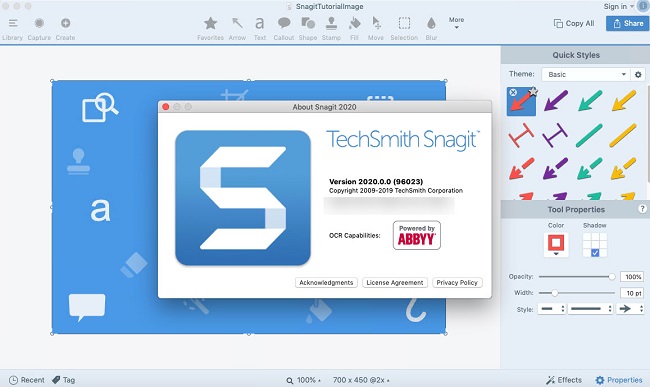
TechSmith Snagit 2020.0.0 Build 96023 Multilingual macOS

505b48239f4464f333d024036c02ffda.png


TechSmith Snagit 2020.0.0 Build 96023 Multilingual macOS

File Size: 381 MiB
Languages: English, Deutsch, Français

​

Techsmith Snagit - the award-winning screen-capture software. Using SnagIt, you can select and capture anything on your screen, then easily add text, arrows, or effects, and save the capture to a file or share it immediately by e-mail or IM. Capture and share an article, image, or Web page directly from your screen. Or, capture and share any part of any application that runs on your PC. Automatically save in one of 23 file formats, or send to the printer, to your e-mail, or to the clipboard.

Use SnagIt's built-in editors to modify, annotate, and enhance your images and the Catalog Browser to organize your files. Increase your productivity while quickly creating professional presentations and flawless documentation. With powerful new features that allow you to edit previously placed objects, capture embedded links and add interactivity to your captures,SnagIt 8 makes it easier than ever before to capture, edit, and share anything on your screen.

Features of SnagIt:
» Capture - if you can see it, you can snag it!
» Don't waste time cropping your captures. Snag exactly what you need, with just a click.
» Profiles make it easy. SnagIt comes with eleven preset buttons that make screen capture a cinch! Capture a region of your screen, text from a window, the contents of a tall page that scrolls, all the images on a Web page, you get the idea.
» Custom suits you. Don't feel limited by the eleven profiles-create your own combinations for nearly unlimited capture possibilites. What's that? You want to set up a keystroke that captures a menu along with the mouse pointer.adds a drop shadow.and sends the image directly to your ***** dot com blog? Sure, no problem!

Edit - the right tools, right now!
» You don't need a million confusing options, you need the right tools at the right time. Unlike expensive, complex image editing suites,SnagIt makes everyday screen capture tasks one-click easy.
» Say more with pictures+words. Use an arrow to direct attention. Add a text callout to explain clearly. Apply ready-made objects from the menus.and your picture is worth 1,000 more words!
» Look like a pro. Make your screenshot pop with a drop shadow. Give it perspective, spotlight an area, or add other nifty effects.
» Convey complex ideas simply. Combine multiple images, callouts, shapes, and clip art stamps into a rich and detailed information graphic.
» Have fun! Add a speech balloon to that photo of your cat.

Share - send captures where they need to go.instantly!
» Yes, you can save your captures in all the common-and a few uncommon-image formats. But with SnagIt's free output accessories you can do so much more!
» Collaborate in a flash. Click a button to send a screen capture by email, AIM, or Skype.
» Be social. Share screenshots on Flickr. Post images directly to your blog. Publish to your Web site via FTP. No technical degree required!
» Get projects done quicker. Embed images directly into your Microsoft Office projects, MindManager map, or OneNote page.

Organize - SnagIt keeps track, so you don't have to
» Save nothing.save everything. SnagIt stores every capture automatically and keeps the most recent visible. A huge timesaver!
» Find your stuff. Whether or not you saved it, find that capture later with the new visual search pane. Remember just one detail-like the approximate date or the Web site you captured-and find your capture instantly.
» Get organized (if you want to). As you capture images for next month's big project, tag them with "big project" or set the "Important" flag. No need to save anything in folders.just come back next month and view all your big project files with a click!

279a3806b29343dc2be19653c842159b.jpg


System Requirements
Mac OS Sierra 10.12, Mac OS High Sierra 10.13, Mac Mojave 10.14.

У Вас недостаточно прав для просмотра ссылок. Войдите или зарегистрируйтесь.


DownLoad

NitroFlare
Код:
https://nitroflare.com/view/9BEC330FF60E853/TechSmith.Snagit.2020.0.0.Build.96023.Multilingual.macOS.zip

RapidGator
Код:
https://rapidgator.net/file/640eefea4d7b1501604beff8e4d9d96e/TechSmith.Snagit.2020.0.0.Build.96023.Multilingual.macOS.zip.html

UploadGiG
Код:
https://uploadgig.com/file/download/a9DDd35BC0a48b2d/TechSmith.Snagit.2020.0.0.Build.96023.Multilingual.macOS.zip
 
Adobe Audition 2020 v13.0.0.519 Multilingual

197897d82c4bd96593aab69aeb0e9a2f.jpg


Adobe Audition 2020 v13.0.0.519 Multilingual

File Size: 417 MiB
Languages: Multilingual
OS: Windows x64

​

Adobe Audition. A professional audio workstation. Create, mix, and design sound effects with the industry's best digital audio editing software. Audition is a comprehensive toolset that includes multitrack, waveform, and spectral display for creating, mixing, editing, and restoring audio content. This powerful audio workstation is designed to accelerate video production workflows and audio finishing - and deliver a polished mix with pristine sound.

Edit, mix, record, and restore audio.
Audition is a comprehensive toolset that includes multitrack, waveform, and spectral display for creating, mixing, editing, and restoring audio content. This powerful audio workstation is designed to accelerate video production workflows and audio finishing - and deliver a polished mix with pristine sound.

What is Audition?
Meet the industry's best audio cleanup, restoration, and precision editing tool for video, podcasting, and sound effect design.

Record, edit, and integrate music clips.
This step-by-step tutorial guides you through the robust audio toolkit that is Adobe Audition, including its seamless workflow with Adobe Premiere Pro.

New interactive tutorials, right in app.
Add oomph to your audio. Use the Essential Sound panel to achieve professional-quality audio - even if you're not a professional.

Create a podcast
Learn the basic steps to record, mix, and export audio content for a podcast - or any other audio project..

Remix to fit.
Easily and automatically rearrange any song to fit any duration with Remix in Audition.

Repair and restore
Get best practices for fixing audio, including how to use the spectral frequency display, Diagnostics panel, effects, and more.

System Requirements:
- Processor: Multicore processor with 64-bit support
- Operating system: Microsoft® Windows 10 (64 bit) version 1703 or higher.
- RAM: 4GB of RAM
- Hard disk space: 4GB of available hard-disk space for installation; plus additional free space required during installation (cannot install on removable flash storage devices)
- Monitor resolution: 1920x1080 or larger display
- OpenGL: OpenGL 2.0 capable system
- Sound card: Sound card compatible with ASIO protocol, WASAPI, or Microsoft WDM/MME
- Control surface support : USB interface and/or MIDI interface may be required for external control surface support (see manufacturer's specifications for your device)
- CD burning: Optical drive is used for CD burning (optional)

Language versions available for Audition:
- French, German, Japanese, Italian, Spanish, Portuguese, Simplified Chinese, Korean

У Вас недостаточно прав для просмотра ссылок. Войдите или зарегистрируйтесь.


DownLoad

NitroFlare
Код:
https://nitroflare.com/view/4BEA6F8CB287A36/Adobe.Audition.2020.v13.0.0.519.Multilingual.rar

RapidGator
Код:
https://rapidgator.net/file/604d911bed9754e4de03570ae63ee872/Adobe.Audition.2020.v13.0.0.519.Multilingual.rar.html

UploadGiG
Код:
https://uploadgig.com/file/download/dd135eac585B5c3B/Adobe.Audition.2020.v13.0.0.519.Multilingual.rar
 
Adobe Character Animator 2020 v3.0.0.276 Multilingual

ebf393b39994150cfcab4c2db6b21b27.jpg


Adobe Character Animator 2020 v3.0.0.276 Multilingual

File Size: 828 MiB
Languages: Multilingual
OS: Windows x64

​

Animate in real time. Really. Create a character and animate it with your own performance. Character Animator uses your expressions and movements to animate your characters in real-time. So when you smile or nod your head, your character does, too. It's so fast, you can even stream your animations live.

Eye-opening animations. In eye-opening time.
Create animations for cartoons, an animated series, and live broadcasts. Or live stream your character on social media and wow your friends.

Create a character in seconds.
Turn any piece of art into an animated character using your webcam and new Characterizer, powered by Adobe Sensei AI. Or create characters by modifying the built-in character templates available in Character Animator, or importing art from Illustrator or Photoshop.

Put your best face forward.
Easily bring your character to life through your own performance. Using your webcam and microphone, Character Animator matches your expressions - from syncing lips to tracking eyes and facial features - to animate your character in real time. Look surprised, happy, or angry and your character does, too.

Animations with legs - and arms and heads.
Getting your character to move doesn't take a lot of work. Control gestures like waving with your keyboard or MIDI device. Movements can be saved as buttons, so they're easier to remember than key commands.

It's showtime.
Check out the Hollywood studios, broadcasters, and online content creators who use Character Animator to bring their characters to life in real time. The app is powerfully fast and integrates with other Adobe apps for a seamless animation workflow. So you can take your own characters live or bring them into Premiere Pro or After Effects to include in bigger projects. It's the next generation of animation tools. Available now.

Animate in seconds with Characterizer
Create a stylized, animated character using a work of art, your webcam, and Characterizer. Powered by Adobe Sensei AI technology, Characterizer quickly and easily turns art into animations.

Easily re-use your best takes
The new Replays feature lets you choose your best laugh or perfectly timed fist bump and create a trigger that you can re-use live or in your next recording. Adjust the length of your Replays trigger to easily fit into your scene.

Magnets to make your animations livelier
Now your puppet can throw, drop, pick up static items, and do things like drink from a cup or drop a ball.

Improvements to walking behavior
Newly added right and left shoulder and hip tags make a three-quarter drawn character look better when walking.

System Requirements:
- Processor: Multi-core Intel processor with 64-bit support
- Operating system: Microsoft® Windows 10 (64 bit) version 1703 or higher
- RAM: 8 GB of RAM (16 GB or more recommended)
- Hard-disk space: 3 GB of available hard-disk space for installation; additional free space required during installation (cannot install on removable flash storage devices)
- Display: 1280x1080 display (1920x1080 or larger recommended)
- OpenGL: Latest qualified graphics driver for your GPU, with at least OpenGL 3.2 support

Language versions available for Character Animator:
- Deutsch
- English
- Español
- Français
- Italiano
- Português (Brasil)
- Русский
- 日本語
- 한국어
- 简体中文

У Вас недостаточно прав для просмотра ссылок. Войдите или зарегистрируйтесь.


DownLoad

NitroFlare
Код:
https://nitroflare.com/view/F66AD278AF84F09/Adobe.Character.Animator.2020.v3.0.0.276.Multilingual.rar

RapidGator
Код:
https://rapidgator.net/file/88a8749180d01e234649646ed9160013/Adobe.Character.Animator.2020.v3.0.0.276.Multilingual.rar.html

UploadGiG
Код:
https://uploadgig.com/file/download/879683586A2102fd/Adobe.Character.Animator.2020.v3.0.0.276.Multilingual.rar
 
Adobe Lightroom Classic 2020 v9.0.0.10 Multilingual

7a9d2d71afa20be7e0caeef19bcef0b6.jpg


Adobe Lightroom Classic 2020 v9.0.0.10 Multilingual

File Size: 1.16 GiB
Languages: Multilingual
OS: Windows x64

​

Edit and organize your photos with the app that's optimized for desktop. Lightroom Classic gives you powerful one-click tools and advanced controls to make your photos look amazing. Easily organize all your photos on your desktop, and share in a variety of ways.

Your best shots. Made even better.
Your photos don't always reflect the scene the way you remember it. But with Lightroom Classic, you have all the desktop editing tools you need to bring out the best in your photographs. Punch up colors, make dull-looking shots vibrant, remove distracting objects, and straighten skewed shots. Plus, the latest release offers improved performance so you can work faster than ever.

- With better performance under the hood, Lightroom Classic lets you import photos, generate previews, and move from Library to Develop Module in record time.
- Use range masking tools to easily select the areas or objects you want to edit based on their color, luminance, or depth.
- Create HDR panos faster now that you can merge multiple bracketed exposures into multiple HDR photos and then stitch them into a panorama - all in one step.

The future of photography. Here today. Get to know Lightroom.
Go beyond the desktop and edit, organize, store, and share from anywhere with the cloud-based Lightroom photo service:

- Store and access your full-resolution photos in the cloud
- Find photos on any device fast with auto tagging
- Edit from any device using an intuitive, streamlined interface

Accelerate image-editing with GPU support
Use the GPU of your system to enhance image-editing experience.

Organize your collections with color labels
Color labels can be added for collections, collections sets, and smart collections.

Support for new cameras and lenses
Adds support for new cameras and lens profiles.

Other enhancements
Find information about PNG export, batch merge for HDR and panoramas, and other new enhancements in this release.

System Requirements:
- Processor: Intel® or AMD processor with 64-bit support*; 2 GHz or faster processor
- Operating system: Microsoft Windows 7 with Service Pack 1 (64-bit) or Windows 10**
- RAM: 4 GB of RAM (12 GB recommended)
- Hard disk space: 2 GB of available hard-disk space for program installation.
- Monitor resolution: 1024 x 768 display

Graphics processor acceleration requirements:
- AMD: Radeon GPU with DirectX 12 or OpenGL 3.3 support.
- Intel: Skylake or newer GPU with DirectX 12 support.
- NVIDIA: GPU with DirectX 12 or OpenGL 3.3 support.
- OpenGL 3.3 and DirectX 10-capable video adapter for GPU-related functionality.
- 1 GB Video RAM (VRAM). 2 GB of dedicated VRAM (4 GB recommended) for large, high-resolution monitors, such as 4K- and 5K-resolution monitors.

Language versions available for Lightroom Classic:
- Deutsch
- English
- Español
- Français
- Italiano
- Nederlands
- Português (Brasil)
- Svenska
- 日本語
- 简体中文
- 繁體中文
- 한국어

У Вас недостаточно прав для просмотра ссылок. Войдите или зарегистрируйтесь.


DownLoad

NitroFlare
Код:
https://nitroflare.com/view/E6B3D41BCB5C61F/Adobe.Lightroom.Classic.2020.v9.0.0.10.Multilingual.part1.rar
https://nitroflare.com/view/39BE76685B1BA53/Adobe.Lightroom.Classic.2020.v9.0.0.10.Multilingual.part2.rar

RapidGator
Код:
https://rapidgator.net/file/82243b98738014a53711d32297405c7d/Adobe.Lightroom.Classic.2020.v9.0.0.10.Multilingual.part1.rar.html
https://rapidgator.net/file/5182625d8b4e45d47998e462b2e094ae/Adobe.Lightroom.Classic.2020.v9.0.0.10.Multilingual.part2.rar.html

UploadGiG
Код:
https://uploadgig.com/file/download/7bbcB03983421667/Adobe.Lightroom.Classic.2020.v9.0.0.10.Multilingual.part1.rar
https://uploadgig.com/file/download/501fa701b1F17aFf/Adobe.Lightroom.Classic.2020.v9.0.0.10.Multilingual.part2.rar
 
Adobe Photoshop CC 2019 20.0.7.28362 x64 Multilingual

08e02b0f5d33b4c8ebbed3d85e7c9fcf.jpg


Adobe Photoshop CC 2019 20.0.7.28362 x64 Multilingual

File Size: 1.67 GiB

​

Adobe Photoshop CC 2019 - the essential software for perfecting your images. It offers productivity and workflow enhancements, powerful new editing tools, and breakthrough compositing capabilities. Adobe Photoshop CC software accelerates your path from imagination to imagery. Ideal for photographers, graphic designers, and web designers. The professional standard delivers new features such as automatic layer alignment and blending that enable advanced compositing.

Overall Adobe Photoshop CC 2019 features:
Revolutionary new features, a fluid user experience, and improved access to the unrivaled power of Photoshop
A more intuitive user interface and new nondestructive editing features that put you in control, including the new Adjustments and Masks panels
Content-Aware Scaling - advanced auto-blending that extends depth of field, and industry-leading editing and compositing with reengineered color-correction tools
Significant productivity enhancements that provide increased flexibility and enable you to leverage the power of today's faster graphics processors
Breakthrough 3D editing and compositing capabilities and improved video controls to dramatically expand your creative options
Comprehensive image analysis with enhanced measurement and counting tools, as well as support for DICOM images and MATLAB processing routines
Enhanced Features:
Artboards
Creative Cloud Libraries
Adobe Stock
Design Space (Preview)
Export artboards, layers, and more
Layer Styles
Device Preview and the Preview CC companion app
Blur Gallery | Restore noise in blurred areas
Glyphs panel
Camera Raw
3D printing
3D imaging
UI toolkit for plug-ins and scripts
Adobe Photoshop CC 2019 is part of Creative Cloud. That means you have access to all the latest updates and future releases the moment they're available. Use Save to Cloud to keep your files organized across multiple computers. And with Behance integration, you can share your projects straight from Photoshop CC and get immediate feedback from creatives around the world.

Adobe Photoshop CC 2019 Highlights:
Get started faster
In-app search
Tighter integration with Adobe XD
Stock templates, 3D objects, and search
Support for SVG color fonts
New Creative Cloud Libraries capabilities
Creative Cloud Assets improvements
Introducing Typekit Marketplace
Enhanced Properties panel
Better overall performance

Windows Minimum requirement:
Processor: Intel or AMD processor with 64-bit support; 2 GHz or faster processor
Operating system: Microsoft Windows 7 with Service Pack 1 (64-bit), Windows 10 (Version 1709 or later)
RAM:2 GB or more of RAM (8 GB recommended)
Hard disk space: 3.1 GB or more of available hard-disk space for 64-bit installation; additional free space required during installation (cannot install on a volume that uses a case-sensitive file system)
Monitor resolution: 1024 x 768 display (1280x800 recommended) with 16-bit color and 512 MB or more of dedicated VRAM; 2 GB is recommended
Graphics processor acceleration requirements: OpenGL 2.0-capable system
Internet: Internet connection and registration are necessary for required software activation, validation of subscriptions, and access to online services

У Вас недостаточно прав для просмотра ссылок. Войдите или зарегистрируйтесь.


DownLoad

NitroFlare
Код:
https://nitroflare.com/view/1995C9292AA4604/Adobe.Photoshop.CC.2019.20.0.7.28362.x64.Multilingual.part1.rar
https://nitroflare.com/view/ABA61C07A7E6D86/Adobe.Photoshop.CC.2019.20.0.7.28362.x64.Multilingual.part2.rar

RapidGator
Код:
https://rapidgator.net/file/bd5b9fa7163334f96ae22d945828ca5b/Adobe.Photoshop.CC.2019.20.0.7.28362.x64.Multilingual.part1.rar.html
https://rapidgator.net/file/9aa38381eebf5d74f8f16662bfb9ae6e/Adobe.Photoshop.CC.2019.20.0.7.28362.x64.Multilingual.part2.rar.html

UploadGiG
Код:
https://uploadgig.com/file/download/fa0f98fb07B1620a/Adobe.Photoshop.CC.2019.20.0.7.28362.x64.Multilingual.part1.rar
https://uploadgig.com/file/download/b65b5939fB3554C9/Adobe.Photoshop.CC.2019.20.0.7.28362.x64.Multilingual.part2.rar
 
Adobe Premiere Pro 2020 v14.0.0.571 Multilingual

ecc27f34df9373c11b495764cba4435a.jpg


Adobe Premiere Pro 2020 v14.0.0.571 Multilingual

File Size: 1.71 GiB
Languages: Multilingual
OS: Windows x64

​

Video editing that's always a cut above. Premiere Pro is the leading video editing software for film, TV, and the web. Creative tools, integration with other Adobe apps and services, and the power of Adobe Sensei help you craft footage into polished films and videos in one seamless workflow. And Premiere Rush, our new app, is included with your subscription so you can capture footage and start editing on all your devices, anywhere.

Smart tools. Better storytelling.
Premiere Pro is used by Hollywood filmmakers, TV editors, YouTubers, videographers - anyone with a story to tell, including you.

Stay in your creative flow.
Premiere Pro is the industry leader for editing everything from fast-turn TV series to feature films. Integrated, efficient workflows let you polish your work without leaving your timeline. And automated tools powered by Adobe Sensei speed up time-consuming tasks, so you can focus on your story.

Any camera. Any format. Any platform.
Edit footage in any modern format, from 8K to virtual reality. Broad native file support and simple proxy workflows make it easy to work with your media, even on mobile workstations. Delivering content that's optimized for any screen or platform is faster than ever.

Everything you need. Right where you need it.
Along with tools for color, audio, and graphics, Premiere Pro works seamlessly with other apps and services, including After Effects, Adobe Audition, and Adobe Stock. Open a Motion Graphics template from After Effects or download one from Adobe Stock and customize it - all without leaving the app. And Premiere Pro integrates with hundreds of partner technologies.

Precise and simple color grading
Take the guesswork out of curve adjustments with innovative Lumetri Color tools. Each curve has two axes with paired values, making selective color grading easy and accurate.

Improve audio instantly
New sliders in the Essential Sound panel let you dial down or remove background noise and reverb for incredible results.

Infographics with Motion Graphics templates
Drag and drop spreadsheets into new infographics Motion Graphics templates to quickly generate visualizations of your data. Any updates to your spreadsheets are automatically updated in your infographic.

End-to-end VR 180
Jump into immersive video with support for VR 180, including optimized ingest and effects.

System Requirements:
- Processor: Intel® Intel 6thGen or newer CPU
- Operating system: Microsoft Windows 10 (64-bit) version 1703 or later (required)
- RAM: 16 GB of RAM (32 GB recommended)
- 4 GB of GPU VRAM
- Hard disk space
- Fast internal SSD (recommended) for app installation and cache - plus provisional space for media
- Monitor resolution 1920 x 1080 or greater display resolution
- Video card 32-bit video card

Adobe Premiere Pro is available in the following languages:
- Deutsch, English, Español, Français, Italiano, Português (Brasil), Русский, 日本語, 한국어, 简体中文

У Вас недостаточно прав для просмотра ссылок. Войдите или зарегистрируйтесь.


DownLoad

NitroFlare
Код:
https://nitroflare.com/view/82C99B685EDB931/Adobe.Premiere.Pro.2020.v14.0.0.571.Multilingual.part1.rar
https://nitroflare.com/view/E4AAB084DF52616/Adobe.Premiere.Pro.2020.v14.0.0.571.Multilingual.part2.rar

RapidGator
Код:
https://rapidgator.net/file/db6a1ce4ba15c4261cc59d8399de3291/Adobe.Premiere.Pro.2020.v14.0.0.571.Multilingual.part1.rar.html
https://rapidgator.net/file/15ef3cd353d83cb8bae004069a4fe036/Adobe.Premiere.Pro.2020.v14.0.0.571.Multilingual.part2.rar.html

UploadGiG
Код:
https://uploadgig.com/file/download/970d2be9ec68858C/Adobe.Premiere.Pro.2020.v14.0.0.571.Multilingual.part1.rar
https://uploadgig.com/file/download/B707b09dcc9508c9/Adobe.Premiere.Pro.2020.v14.0.0.571.Multilingual.part2.rar
 
CyberLink PowerDirector Ultimate 18.0.2204.0 Multilingual REPACK

ea4dad4d381d3afa58dbe378b464846a.jpg


CyberLink PowerDirector Ultimate 18.0.2204.0 Multilingual REPACK

File Size: 776 MiB

​

Take Total Control of Your Video Creation Without the Learning Curve. PowerDirector Ultimate provides over 200 powerful video editing tools, whether you are new to video editing or if you are creative pros, you can start your video creation without the learning curve!

Shape Designer (NEW!)
Apply and edit completely customizable vector shapes to your videos, with auto-fit text and keyframe controls. Perfect for YouTubers and video tutorials.

Impressive Motion Graphics & Animated Titles (NEW!)
Combine motion graphic elements with your videos' titles to make them stylish and modern.

1:1 Square Video for Instagram & Facebook (NEW!)
Easily create, edit and produce content perfectly fit for social media. Produce square (1:1) output for Facebook and Instagram. Or edit and save vertical videos, the perfect size ratio for social media Stories.

Nested Projects as Adjustable PiP Objects (NEW!)
Repurpose previous project files in your new ones. Embed them into scenes with keyframe control to scale, skew, rotate & even set opacity.

Audio Scrubbing (NEW!)
Hear audio while dragging the playhead through a project so that you can quickly find the scene you need.

Multi-key Sampling Chroma Key Editing
Perform Hollywood-style green screen editing thanks to an improved chroma key engine and multi-key color sampling.

Advanced Motion Tracking
Ensure 100% object tracking accuracy in your video clips with frame-by-frame motion tracking.

AI Style Transfer
Transform your videos into living artworks thanks to the magic of AI. We've trained our AI Style Engine to analyze footage frame by frame and intelligently apply brushstrokes, so your video looks like it was hand-painted by a master artist.

360˚ Video Stabilization
Shaky video footage is virtually unavoidable when shooting with a 360º camera. Our 360º VR stabilization technology gives you the control to produce mind-blowing VR videos, free of shakes and stutters, in next to no time!

Reversible Timeline Track Order (NEW!)
Switch timeline track order between top-down and bottom-up to suit your workflow.

CPU & GPU Performance Boosts
Don't waste time waiting for your software to respond! PowerDirector supports transcoding of non-full frame video clips in a single timeline track. Also enjoy better performance on 8+ core processors with improved multi-threading.

4K Video Editing Preview (NEW!)
Preview your projects in 4K quality, and see how your video will look like before you produce.

Professional Format & Camera Support (NEW!)
Import and edit video shot on professional-grade cameras and in HEVC & VP9 10bit HDR10 & HLG, ProRes 10bit 4:2:2, XAVC 8bit 4:2:0 and MXF AVC 8bit 4:2:0 video compatibility.

System Requirements:
- Microsoft Windows 10, 8/8.1, 7 (64 bit OS only)
- Intel Core™ i-series or AMD Phenom® II and above
- Standard Video: 128 MB VGA VRAM or higher
- 360-video: DirectX 11 compatible
- AI Plugin: 2GB VGA VRAM or higher
- 4GB memory required (6GB or above recommended)
- 7GB hard disk space
- Burning drive is required for disc burning purpose
- Windows compatible sound card is required

Language Support:
- English
- Français
- Deutsch
- Italiano
- Español (European)
- 中文
- 中文 Traditional
- 日本語
- 한국어
- Nederlands

У Вас недостаточно прав для просмотра ссылок. Войдите или зарегистрируйтесь.


DownLoad

NitroFlare
Код:
https://nitroflare.com/view/628EB5C2350ECAB/CyberLink.PowerDirector.Ultimate.18.0.2204.0.rar

RapidGator
Код:
https://rapidgator.net/file/58cd105ba3fc3a4f70637bac86b01b80/CyberLink.PowerDirector.Ultimate.18.0.2204.0.rar.html

UploadGiG
Код:
https://uploadgig.com/file/download/533b9c1566B71741/CyberLink.PowerDirector.Ultimate.18.0.2204.0.rar
 
Microsoft Office Professional Plus 2019 Retail-VL v1909 Build 12026.20344

3550b4579e4c41a9677df0f57176e9cb.png


Microsoft Office Professional Plus 2019 Retail-VL v1909 Build 12026.20344

File Size: 3.30, 3.49 GiB
Languages: English, German, Greek, French, Spanish, Italian
Portuguese-Portuguese, Portuguese-Brazil, Russian
OS: x86, x64

​

Office 365 ProPlus, the cloud-connected version of Office, delivers the most productive and most secure Office experience-with the lowest total cost of ownership for deployment and management. However, for customers who aren't ready for the cloud, Office 2019 provides new features and updates to the on-premises apps for both users and IT professionals. Like Windows Long Term Servicing Channel (LTSC) releases, Office 2019 provides a set of valuable enhancements for customers who can't be cloud-connected or receive regular updates.

The new enhancements in Office 2019 are a subset of a long list of features that have been added to Office 365 ProPlus over the last three years. Office 2019 is a one-time release and won't receive future feature updates. However, we'll continue to add new features to Office 365 ProPlus monthly, including innovations in collaboration, artificial intelligence (AI), security, and more. Office 2019 delivers features across apps to help users create amazing content in less time. In PowerPoint 2019, you can create cinematic presentations with new features like Morph and Zoom. And improved inking features across the apps in Windows-like the roaming pencil case, pressure sensitivity, and tilt effects-allow you to naturally create documents.

Microsoft Office 2019 Select Edition includes:
Microsoft Office 2019 Professional Plus
Microsoft Access 2019
Microsoft Excel 2019
Microsoft Lync 2019
Microsoft OneNote 2019
Microsoft Outlook 2019
Microsoft PowerPoint 2019
Microsoft Publisher 2019
Microsoft Visio Viewer 2019
Microsoft Word 2019
Skype for business 2019
Office Shared Features
Office Tools
And many more

System Requirements:
OS:Windows 7/8/8.1/10

Whats New:
Updates:official site does not provide any info about changes in this version yet.

У Вас недостаточно прав для просмотра ссылок. Войдите или зарегистрируйтесь.


DownLoad

NitroFlare
Код:
https://nitroflare.com/view/54CBB98CD08DD1A/x64.v16.0.12026.20344.part1.rar
https://nitroflare.com/view/BD921476FE69DCC/x64.v16.0.12026.20344.part2.rar
https://nitroflare.com/view/246B3C2ED4DC739/x64.v16.0.12026.20344.part3.rar
https://nitroflare.com/view/D638D8E4713D423/x64.v16.0.12026.20344.part4.rar

Код:
https://nitroflare.com/view/99F43F79E9BA87B/x86.v16.0.12026.20344.part1.rar
https://nitroflare.com/view/79BFA27C9BCC3B3/x86.v16.0.12026.20344.part2.rar
https://nitroflare.com/view/A40C2AC8F25CC7B/x86.v16.0.12026.20344.part3.rar
https://nitroflare.com/view/79EBC0914B32266/x86.v16.0.12026.20344.part4.rar

RapidGator
Код:
https://rapidgator.net/file/9443ce413ac44124f09d20b627f8bda0/x64.v16.0.12026.20344.part1.rar.html
https://rapidgator.net/file/274b051fb3fc5e1b3958a37b5eba2470/x64.v16.0.12026.20344.part2.rar.html
https://rapidgator.net/file/f5552eed14de8af725d4bd4a50ce16d6/x64.v16.0.12026.20344.part3.rar.html
https://rapidgator.net/file/cae80a7f16febed624eb63d733f1d481/x64.v16.0.12026.20344.part4.rar.html

Код:
https://rapidgator.net/file/a5453f3d5e9bac6c8f893138f73510f0/x86.v16.0.12026.20344.part1.rar.html
https://rapidgator.net/file/22b4749e5e20aa930cb2127ae1b9afcf/x86.v16.0.12026.20344.part2.rar.html
https://rapidgator.net/file/d0150cd6ac379370543f69c219bd1f05/x86.v16.0.12026.20344.part3.rar.html
https://rapidgator.net/file/d9dd867a6427cc1ccd75c97c9e3336d9/x86.v16.0.12026.20344.part4.rar.html

UploadGiG
Код:
https://uploadgig.com/file/download/4d82abA81305241c/x64.v16.0.12026.20344.part1.rar
https://uploadgig.com/file/download/Df184d22c9e1d00f/x64.v16.0.12026.20344.part2.rar
https://uploadgig.com/file/download/d6b493024dbF8B87/x64.v16.0.12026.20344.part3.rar
https://uploadgig.com/file/download/4e2c2b065E934f4e/x64.v16.0.12026.20344.part4.rar

Код:
https://uploadgig.com/file/download/398E9172d441BC86/x86.v16.0.12026.20344.part1.rar
https://uploadgig.com/file/download/F101aecAaeF41b54/x86.v16.0.12026.20344.part2.rar
https://uploadgig.com/file/download/e9D80765c23F18a6/x86.v16.0.12026.20344.part3.rar
https://uploadgig.com/file/download/7452911c53025c77/x86.v16.0.12026.20344.part4.rar
 
Назад
Сверху