• Старая версия форума работает в архивном режиме www.old.nado.in

All mitsumi'1s Applications !! (updated daily)

  • Автор темы Автор темы mitsumi1
  • Дата начала Дата начала
Luxand FaceSDK 7.2.1

bddd2d8ec00176a5e92c7691503b899a.jpg


Luxand FaceSDK 7.2.1 | 578 MB​
Detect and Recognize Faces with Luxand FaceSDK. FaceSDK enables Microsoft Visual C++, C#, Objective C, VB, Java and Delphi developers to build 32-bit and 64-bit applications for Web, Windows, Linux, macOS, iOS and Android with face recognition and face-based biometric identification functionality.

FaceSDK is used in hundreds of applications for identifying and authenticating users with webcams, looking up matching faces in photo databases, automatically detecting facial features in graphic editors, and detecting faces on still images and video streams in real-time. FaceSDK has been used for building secure identification, surveillance, time and attendance control systems.

Detect Human Faces and Facial Features
Luxand's patent pending technology detects facial features quickly and reliably. The SDK processes an image, detects human faces within it, and returns the coordinates of 70 facial feature points including eyes, eye contours, eyebrows, lip contours, nose tip, and so on.

Immerse Yourself in Augmented Reality
Powered with sophisticated facial feature detection, Mirror Reality technology augments reality by altering a person's appearance. Still pictures of human faces can be completely transformed, and video streams automatically change into enhanced reality.

Create 3D Head Models
Developing morphing, animation, or 3D software? Create a perfect 'skin' or a 3D head model automatically! The SDK can detect human faces and return the coordinates of facial features, making it easy to match facial features in the photograph with corresponding features on the 3D head.

Make Animated 3D Avatars Completely Automatically
Make a perfect 'talking head' avatar for your online applications with a single photograph of a human face. Current generations of 3D head modeling software require manual selection of major facial features such as eyes, nose, and mouth to match them against the same features on the 3D head model. The manual intervention is required to create realistic 3D heads, and is an absolute must if you want animation.

The SDK automates the task, allowing you to make new avatars on the fly. Imagine letting your customers upload their pictures and immediately receive their animated avatars! The SDK recognizes the face in a photograph and returns the coordinates of facial features in a list of anchor points. Your software can easily match facial features such as eyes, mouth, nose, and ears to the points on your 3D head model, creating a head that looks and moves like the original.

Compatibility
The SDK is implemented as a highly compatible library that works with all 32 and 64-bit versions of Windows and Linux, with 64-bit Macintosh, iOS 5.0+(armv7/x86), iOS 7.0+(arm64/x86_64) and Android, and supports many popular development environments. Microsoft Visual C++, .C#, VB.NET, Netbeans (Java), Xcode (iOS), Eclipse ADT (Android), Android Studio (Android) and Borland Delphi users get all necessary header files, making it easy to integrate with new or existing projects.

Technical Specifications :
У Вас недостаточно прав для просмотра ссылок. Войдите или зарегистрируйтесь.


Homepage -
У Вас недостаточно прав для просмотра ссылок. Войдите или зарегистрируйтесь.


Download link:​
Код:
[center][b]rapidgator_net[/b]:
https://rapidgator.net/file/e9b73473ccc6691628547ac78dda6eb9/67ko0.Luxand.FaceSDK.7.2.1.rar.html

[b]nitroflare_com[/b]:
https://nitroflare.com/view/111808F44785670/67ko0.Luxand.FaceSDK.7.2.1.rar[/center]

Links are Interchangeable - No Password - Single Extraction​
 
Markdown Monster 1.24.18.6

2572190ba5f0a1166ee52dafa3b2da95.jpg


Markdown Monster 1.24.18.6 | 18.5 Mb​
Markdown Monster is a Markdown editor and viewer that lets you edit Markdown with syntax highlighting and fast text entry. A collapsible, synced, live preview lets you see your output as you type or scroll. Easily embed images, links, emojis and code using Markdown text or use our gentle UI helpers that simplify many operations with a couple of keystrokes. Paste images from the clipboard or drag and drop from Explorer or our built-in folder browser. Inline spell-checking and word counts keep your content streamlined unobtrusively.

You can export your Markdown to HTML or PDF by saving to disk or by copying Markdown selections as HTML directly to the clipboard. The HTML preview can display syntax colored code snippets for most common coding languages, and can easily be customized with HTML and CSS template to match your own sites. You can choose from a light and dark app theme, and choose individual editor and preview themes that are fully customizable. You can even use Vim or EMacs type conventions. Other convenience features let you browse for and select files in the built-in folder browser, use the document outline to jump through sections in your Markdown, or shell out to Explorer, Terminal or your favorite Git client. It's all about convenience - everything is at your finger tips, but it's out of your way until you need it.

Features:
Syntax colored Markdown
Live HTML preview
Inline spell checking
Embed images, links and emoji
Paste images from Clipboard
Capture & embed screen shots
Save to Html and PDF
Weblog publishing and editing
HTML to Markdown conversion
Editor and preview themes
Git Integration
Document Outline
Template text expansion
.NET scripting & addins

System Requirements:
Windows 7 or newer, 2008 R2 or newer
.NET Framework 4.62 or later
Internet Explorer 11

Home Page -
У Вас недостаточно прав для просмотра ссылок. Войдите или зарегистрируйтесь.


Download link:​
Код:
[center][b]rapidgator_net[/b]:
https://rapidgator.net/file/b882d4997cd4d121763e6c3ff24ce7a4/u7h99.Markdown.Monster.1.24.18.6.rar.html

[b]nitroflare_com[/b]:
https://nitroflare.com/view/C8128705E1E9EB6/u7h99.Markdown.Monster.1.24.18.6.rar[/center]

Links are Interchangeable - No Password - Single Extraction​
 
Mastercam 2021 Update 2.1 version 23.0.23872.0

9ca2a659d9e6f6241d8ef4cb2bdaae4e.jpg


Mastercam 2021 Update 2.1 version 23.0.23872.0 | 31.6 mb​
CNC Software, Inc.,  developer of Mastercam, the world's leading CAD/CAM software, has released an update to  Mastercam 2021. The 2021 release increases machining productivity and reduces overall production costs with faster and more flexible multiaxis improvements, improvements in turning and turning-related applications, advances in speed, safety, and much more.

Faster, more flexible multiaxis programming. As more shops continue to rely on streamlined multiaxis cutting for single-setup precision, Mastercam 2021 adds new techniques and strategies. Expanded Multiaxis Pocketing combines efficient pocket cutting with a focus on finishing with Accelerated Finish tools, automatically maintaining the correct tool contact within defined parameters. Mastercam now gives you the ability to analyze and modify the UV direction on surface models, expanding the power and flexibility of multiaxis flowline milling toolpaths. The new 3+2 Automatic Roughing toolpath automatically makes multiplane 3-axis roughing toolpaths by evaluating the model and stock, creating a cut, calculating what remains, and repeating the process until roughing is complete.

Advances in turning and turning-related applications. Mastercam 2021 expands the support for modeling chucks and chuck jaws; you can now define them by selecting a solid model. Mastercam Mill-Turn supports collet chucks as individual component types which greatly expands the range of machines that can be directly supported. Mill-Turn Simulation has been added to the Mastercam Simulator interface so you can experience Mill-Turn simulation with the same interface tools as Mastercam Simulator. And, our Swiss machining solutions combine Mastercam Mill and Mastercam Lathe with specialized post processors. This adds machine-specific controls inside the Mastercam interface, delivering accurate G-code for a wide variety of Swiss machines.

NC Programming speed, safety, and precision. A new toolpath in Mastercam 2021, Advanced Drill, is a customizable multi-segment drill cycle that is useful for spot drilling, deep hole drilling, and back spot facing and each segment of the drill cycle can be defined and customized. And, when using tools with a tip angle, the new Chamfer Drill toolpath chamfers holes after calculating the correct depth based on the desired width or depth, and lets you select holes of different diameters or sizes, or that lie in different planes, and machine them in a single operation with a single tool. When creating a bounding box in Mastercam 2021, the new Wrap option allows you to create the smallest bounding box possible. The new Check Tool Reach function lets you check your tool and holder against the selected model geometry to view where the tool can and cannot reach.

Mastercam is a computer-aided manufacturing (CAM) software program used by manufacturing professionals, such as machinists and computer numerical control (CNC) programmers. This software helps users produce mechanical drawings of machine parts, learn how to operate CNC lathes and mills, and create 3-dimensional wire frame models.

Mastercam 2021 General Enhancements

CNC Software, Inc. is dedicated to providing state-of-the-art software tools for CAD/CAM manufacturing markets. Our goal is to provide superior software products based on our users' needs to solve simple to complex design and machining problems

Product: Mastercam
Version: 2021 Update 2.1 (version 23.0.23872.0)
Supported Architectures: x64
Website Home Page :
У Вас недостаточно прав для просмотра ссылок. Войдите или зарегистрируйтесь.

Language: english
System Requirements: PC *
Software Prerequisites: Mastercam 2021 and above
Size: 31.6 mb

System Requirements

See the table below for minimum and recommended system configurations for Mastercam. These recommendations are based on systems we have in use at CNC Software for testing and evaluation purposes. Our recommendation is to get as much power (processor, video card, and memory) for your systems as you can afford.

Download link:​
Код:
[center][b]rapidgator_net[/b]:
https://rapidgator.net/file/7b60e3d0523fe1d4b3de406e114cf983/zscl5.Mastercam.2021.Update.2.1.version.23.0.23872.0.rar.html

[b]nitroflare_com[/b]:
https://nitroflare.com/view/99CC2E0BC187F1E/zscl5.Mastercam.2021.Update.2.1.version.23.0.23872.0.rar[/center]

Links are Interchangeable - No Password - Single Extraction​
 
MathMagic Pro Edition for Adobe InDesign 8.7.0.42

40ee2bb115198ca02198d0eaa944f787.jpg


MathMagic Pro Edition for Adobe InDesign 8.7.0.42 | 32 MB​
MathMagic Pro Edition for Adobe InDesign is an equation editor mainly for use with Adobe InDesign software in editing any mathematical expressions and symbols with WYSIWYG interface and various powerful features.

MathMagic Plug-in provides you with the user interface(a menu and a tool button) which enables you to create and edit equations inside the InDesign document. Then, it communicates with the external MathMagic Pro application seamlessly.

You can make any equations with MathMagic Pro application very fast, and then send back to InDesign. MathMagic Plug-in allows you to place equations inside a text box as inline graphics, or floating graphic objects in EPS format. Once created, all equations are handled by InDesign just like other EPS graphic objects. But you can still edit those equations anytime just by double-clicking on it.

MathMagic Plug-in recognizes the baseline of equations automatically so that all equations match well with the baseline of the text line, even it allows you to shift the baseline manually as well.

Why MathMagic?
- There are many reasons why professional users choose MathMagic products.
- But simply, the superior productivity and equation quality of MathMagic make users happy all the time.
- The overall productivity that can save a lot of time and labor returns you the investment on software normally within 1 week ~ 1 month. The equation quality and customizable features meet the high-end users' complicated requirements.

Productivity
- Intelligent WYSIWYG editor with automatic equation formatting
- Various & flexible keyboard shortcuts for power users
- Configurable User Item palette and Clips palette for easier access and repeated use
- StyleSet management for group-wide sharing of editing environment and quick applying of other StyleSets

Features
- Many pre-defined Templates and Symbols in palettes that cover Mathematics, Physics, Electronics, Accounting, and other higher education
- Various formats for compatibility with other software: EPS, PDF, SVG, JPG, PNG, GIF, MS Word, MathType™, LaTeX, Wiki, MathML, ...

Quality
- Wide range of quality fonts for mathematical symbols in OpenType and TrueType formats
- Ability to customize Template shapes, thickness, gaps, position, and size up to 2400dpi resolution
- EPS with Color separation and Spot color support

Ease of Use
- All graphic user interface, plus fast keyboard input support for many common templates and symbols
- Multiple Undo & Redo, Drag&Drop, visual settings and Preview
- Similar User Interface with Equation Editor™ and MathType™ to reduce any additional learning cost

System Requirements:
- Windows XP, Vista, 7, 8, 10
- Adobe InDesign CS3 or newer including CC 2020
- About 30MB of hard disk space

Home Page -
У Вас недостаточно прав для просмотра ссылок. Войдите или зарегистрируйтесь.


Download link:​
Код:
[center][b]rapidgator_net[/b]:
https://rapidgator.net/file/183e0deb2530203cd4734120885202cd/e718k.MathMagic.Pro.Edition.for.Adobe.InDesign.8.7.0.42.rar.html

[b]nitroflare_com[/b]:
https://nitroflare.com/view/C82B061F42BECF7/e718k.MathMagic.Pro.Edition.for.Adobe.InDesign.8.7.0.42.rar[/center]

Links are Interchangeable - No Password - Single Extraction​
 
MediaHuman YouTube Downloader 3.9.9.49 (0911) macOS

2c5e0567e091884526c5dc4ac269bb2e.jpg


MediaHuman YouTube Downloader 3.9.9.49 (0911) Multilingual macOS | 80 Mb​
MediaHuman YouTube Downloader is a handy application for those who found a favorite music video or trailer of a new movie and wants to keep it on your computer for viewing offline. Or you need to download a video lesson/tutorial. Our video downloader is an ideal solution for such kind of tasks.

- Supports Ultra High resolutions up to 4K
- Download whole playlists and channels
- YouTube, Vimeo, Dailymotion, Soundcloud
- Extract audio track and save it as MP3
- iTunes support
- VEVO support

Compatibility: OS X 10.9 or later 64-bit
Homepage -
У Вас недостаточно прав для просмотра ссылок. Войдите или зарегистрируйтесь.


Download link:​
Код:
[center][b]rapidgator_net[/b]:
https://rapidgator.net/file/90811be1b02dced164982f06bcfa0e4d/z4iqw.MediaHuman.YouTube.Downloader.3.9.9.49.0911.rar.html

[b]nitroflare_com[/b]:
https://nitroflare.com/view/3922B1E85A7937A/z4iqw.MediaHuman.YouTube.Downloader.3.9.9.49.0911.rar[/center]

Links are Interchangeable - No Password - Single Extraction​
 
MediaHuman YouTube Downloader 3.9.9.49 (0911) Multilingual

df7912dea104a848463d1192fdd1790d.jpg


MediaHuman YouTube Downloader 3.9.9.49 (0911) (x86/x64) Multilingual | 112.4 Mb​
MediaHuman YouTube Downloader is a handy application for those who found a favorite music video or trailer of a new movie and wants to keep it on your computer for viewing offline. Or you need to download a video lesson/tutorial. Our video downloader is an ideal solution for such kind of tasks.

Simultaneous downloads
- Supports Ultra High resolutions up to 4K
- Download whole playlists and channels
- YouTube, Vimeo, Dailymotion, Soundcloud
- Extract audio track and save it as MP3
- iTunes support
- VEVO support

Operating System: Windows 7, 8/8.1, 10 (64-bit only)

Home Page -
У Вас недостаточно прав для просмотра ссылок. Войдите или зарегистрируйтесь.


Download link:​
Код:
[center][b]rapidgator_net[/b]:
https://rapidgator.net/file/0d8bca4679e28474c8641b054836620d/69eur.MediaHuman.YouTube.Downloader.3.9.9.49.0911.Multilingual.rar.html

[b]nitroflare_com[/b]:
https://nitroflare.com/view/2B834E4D7E865B2/69eur.MediaHuman.YouTube.Downloader.3.9.9.49.0911.Multilingual.rar[/center]

Links are Interchangeable - No Password - Single Extraction​
 
Modern CSV 1.3.7 (x64)

f445c88c3634170d20c2d77c86126f65.jpg


Modern CSV 1.3.7 (x64) | 26.6 Mb​
When it comes to editing CSV documents, most individuals look for a highly professional tool to help them do just about anything they wish or actually need to do. Modern CSV is exactly this type of tool. It offers a great array of options and features and at the same time is fast and easy to use. With this in mind, there is a whole list of things that this little program does right when it comes to CSV documents.

Quick Editing
Multi-cell editing
Duplicate rows, columns, and cells.
Move rows, columns, and cells.
Insert rows and columns.
Delete rows and columns.

Large File Handling
Load files with billions of lines.
Read-only mode for even more efficient file handling.
Load files up to 11x faster than Excel.

Find and Arrange Your Data
Find/Replace with regex, highlight matching, whole cell matching, etc.
Sort rows or columns in ascending or descending order.
Filter rows or columns.

Customizable to Your Needs
Light and Dark themes
Keyboard shortcuts you can set to your liking
Settings including cell sizes, row/column shading, text font, etc.

Operating System: Windows 7, 8/8.1, 10 (64-bit only)

Home Page -
У Вас недостаточно прав для просмотра ссылок. Войдите или зарегистрируйтесь.


Download link:​
Код:
[center][b]rapidgator_net[/b]:
https://rapidgator.net/file/5aa898f35f8e4830ac91568f3d79c10e/hanch.Modern.CSV.1.3.7.x64.rar.html

[b]nitroflare_com[/b]:
https://nitroflare.com/view/0E7E8D069F71504/hanch.Modern.CSV.1.3.7.x64.rar[/center]

Links are Interchangeable - No Password - Single Extraction​
 
Multitouch 1.19.5 macOS

43a2800e3007074651224c53d68da41f.jpg


Multitouch 1.19.5 | macOS | 16 mb​
Easily add gestures to macOS. Multitouch lets you tie a custom action to a specific magic trackpad or magic mouse gesture. For example, a three finger click can execute a paste. Improve your workflow by executing keyboard shortcuts, controlling your browser's tabs, performing a middle mouse click, and much more.

Features
- One time purchase and free updates with a growing list of gestures and actions.
- Privacy. No user data is gathered from the app.
- Does not require Accessibility privileges to run.

Compatibility: macOS 10.12 or later 64-bit
Homepage:
У Вас недостаточно прав для просмотра ссылок. Войдите или зарегистрируйтесь.


Download link:​
Код:
[center][b]rapidgator_net[/b]:
https://rapidgator.net/file/2bbc2be866e57d269cc7c79425c180b4/ae95a.Multitouch.1.19.5.rar.html

[b]nitroflare_com[/b]:
https://nitroflare.com/view/889CFB59D4D1B7F/ae95a.Multitouch.1.19.5.rar[/center]

Links are Interchangeable - No Password - Single Extraction​
 
Network Radar 2.10 (286b) macOS

fc5b54bb0439b097b81bd16ea0894480.jpg


Network Radar 2.10 (286b) | macOS | 25 mb​
Network Radar - Manage and configure network devices. Network Radar is an advanced network scanning and managing tool. Featuring an easy-to-use and streamlined design, the all-new Network Radar 2 has been engineered from the ground up as a modern Mac application.

Features
- Scan your network and retrieve detailed information on network devices
- Run useful network tools and commands with the click of a button
- Use the monitoring feature and get notified about changes in your network
- Access devices from previous scans, even in different networks
- Use the simple rules / actions system for automatic processing of devices
- Simply connect to a device by double-clicking it in the list
- Assign your own names and choose from provided icons or import own icons
- Organize your hosts in folders and smart folders
- Create scans with custom IP ranges
- Export a scan to XML, CSV, TXT, PDF or NETRADR

Supported Network Interfaces
- Built-in WiFi
- Built-in Ethernet
- Apple's USB to Ethernet Adapter
- Apple's Thunderbolt to Ethernet Adapter
- Apple's Thunderbolt Display Ethernet *Please note that the amount of information Network Radar can find depends on the network it scans.

Compatibility: OS X 10.12 or later 64-bit
Homepage:
У Вас недостаточно прав для просмотра ссылок. Войдите или зарегистрируйтесь.


Download link:​
Код:
[center][b]rapidgator_net[/b]:
https://rapidgator.net/file/da5fec68dc0717a9d3ca04dffe755b46/je79r.Network.Radar.2.10.286b.rar.html

[b]nitroflare_com[/b]:
https://nitroflare.com/view/9FC87C48BE9B04E/je79r.Network.Radar.2.10.286b.rar[/center]

Links are Interchangeable - No Password - Single Extraction​
 
Network Radar 2.10 (290b) macOS

6231c7530fdc0a2db8833a1c30c0529e.jpg


Network Radar 2.10 (290b) | macOS | 25 mb​
Network Radar - Manage and configure network devices. Network Radar is an advanced network scanning and managing tool. Featuring an easy-to-use and streamlined design, the all-new Network Radar 2 has been engineered from the ground up as a modern Mac application.

Features
- Scan your network and retrieve detailed information on network devices
- Run useful network tools and commands with the click of a button
- Use the monitoring feature and get notified about changes in your network
- Access devices from previous scans, even in different networks
- Use the simple rules / actions system for automatic processing of devices
- Simply connect to a device by double-clicking it in the list
- Assign your own names and choose from provided icons or import own icons
- Organize your hosts in folders and smart folders
- Create scans with custom IP ranges
- Export a scan to XML, CSV, TXT, PDF or NETRADR

Supported Network Interfaces
- Built-in WiFi
- Built-in Ethernet
- Apple's USB to Ethernet Adapter
- Apple's Thunderbolt to Ethernet Adapter
- Apple's Thunderbolt Display Ethernet *Please note that the amount of information Network Radar can find depends on the network it scans.

Compatibility: OS X 10.12 or later 64-bit
Homepage:
У Вас недостаточно прав для просмотра ссылок. Войдите или зарегистрируйтесь.


Download link:​
Код:
[center][b]rapidgator_net[/b]:
https://rapidgator.net/file/148453ea0a19f677232777b20a9ba732/l51vv.Network.Radar.2.10.290b.rar.html

[b]nitroflare_com[/b]:
https://nitroflare.com/view/E471E19B4699687/l51vv.Network.Radar.2.10.290b.rar[/center]

Links are Interchangeable - No Password - Single Extraction​
 
NewBlue Titler Live 4 Broadcast 4.0.201105

eba476faacd11e5edf4d9fa455fbc723.jpg


NewBlue Titler Live 4 Broadcast 4.0.201105 (x64) Multilingual | 928 Mb​
Titler Live 4 Broadcast - Experience our most powerful graphics solution for professional broadcasters. Deliver unlimited layers of dynamic on-air graphics - per channel - on up to 16 channels. Titler Live 4 Broadcast delivers unlimited layers of dynamic 3D animated graphics. Streamline your workflows and instantly elevate your production value with a more powerful, intuitive and affordable on-air graphics solution.

Leverage Unlimited 4K Graphics
Deliver unlimited layers of 3D animated graphics - per channel - on up to 16 channels of 4K-NDI® or 4K-SDI key/fill. Experience real-time playout and gain more control over your graphics with TriCaster® macro controls, automated graphic sequencing, data search tools, hotkey functions and more.

Streamline Your Workflows
Titler Live 4 Broadcast features new workflows and controls to help you get started quickly and easily make changes on the fly.

Input Library - NEW
Quickly add input-driven designs to your playlist. Easily control which input is connected to a design to fit any workflow.

Variable Control - NEW
Drag and drop variable connections onto any part of a design to repurpose it as you need. Even connect multiple inputs to a design.

Design Control - NEW
Flexibly edit text, color and images directly in a design and quickly preview your changes before taking them live.

Integrate with Leading Solutions
Seamlessly work with leading streaming solutions including Wirecast®, NewTek™, Broadcast Pix™, EVS®, Lumantek, vMix®, Blackmagic Design®, Roland®, Panasonic® and more.

Connect to Your Data
Seamlessly connect to your data to prepare dynamic on-air graphics for any broadcast. Use the new hotkey functionality to apply unique keyboard shortcuts to designs in your playlist and quickly take them live. Even control your graphics with a powerful API to customize your workflows and incorporate any of your data.

Spreadsheets & More
- Connect to Excel® spreadsheets and tables, XML files, RSS feeds, clocks and more.
- Use the data search & select tool to quickly bring spreadsheet data into a design.
- Leverage spreadsheet autoplay mode to run-through your lower thirds, tables and crawls.

Social Media
- Engage your audience with comments, tweets and Facebook comment and reaction polling.
- Combine your Facebook, Twitter and YouTube feeds into one to easily manage your show.
- Quickly queue your most relevant comments and posts into a custom social playlist.

Scoreboards & Statistics
- Bring in scoreboard data from Daktronics® (via NewTek DataLink), Stat Crew® or Sportzcast.
- Leverage Stat Crew statistics to bring in real-time player, team and game stats.
- Stat Crew statistics inputs are currently available for football, soccer and volleyball.

System Requirements:
- Microsoft® Windows® 7 or later
- 2 GHz processor (multicore or multiprocessor CPU recommended for HD)
- 4 GB RAM (8 GB RAM or greater recommended for HD)
- 1.82 GB hard-disk space for installation
- OpenGL 2.1-capable graphics card and minimum 1GB VRAM 2GB VRAM or higher recommended for HD

Homepage -
У Вас недостаточно прав для просмотра ссылок. Войдите или зарегистрируйтесь.


Download link:​
Код:
[center][b]rapidgator_net[/b]:
https://rapidgator.net/file/ef939f05ed01b96d48c72064c9a33498/uwyls.NewBlue.Titler.Live.4.Broadcast.4.0.201105.rar.html

[b]nitroflare_com[/b]:
https://nitroflare.com/view/D935085F8ED0C77/uwyls.NewBlue.Titler.Live.4.Broadcast.4.0.201105.rar[/center]

Links are Interchangeable - No Password - Single Extraction​
 
NewBlue Titler Live 4 Complete 4.0.201105

92ad4bfd370a4821e823b7fe83542ce8.jpg


NewBlue Titler Live 4 Complete 4.0.201105 (x64) Multilingual | 707 Mb​
Titler Live 4 Complete - Bundle the power of Titler Live 4 Present, Social and Sport on 2 channels. Titler Live 4 Complete combines the power of Titler Live 4 Present, Social and Sport to bring your live productions to the next level. Connect to your spreadsheet, social media, and scoreboard data plus deliver two layers of 3D animated graphics.

Access 2 Channels of Graphics
Leverage two layers of dynamic 3D animated graphics for corporate events, social streaming, sports or any live production on up to 2 channels of NDI® or SDI key/fill.

Streamline Your Workflows
Titler Live 4 Complete features new workflows and controls to help you get started quickly and easily make changes on the fly. Flexibly design, set up, and playout your graphics in one complete solution.

Design
Drag and drop included design templates onto your playlist or import your own designs from Adobe® Photoshop®. Flexibly edit text, color and images right in the Edit/Preview window.

Connect
Easily connect data to your graphics to streamline your set up. Drag and drop data inputs or variables onto any part of a design to repurpose it as you need. Even connect multiple inputs to a design.

Go Live
Experience faster playout with an enhanced render engine. Quickly make animated updates to your graphics on the fly. Deliver one live graphic on up to 2 channels for two simultaneous graphics.

Work with Leading Solutions
Flexibly integrate with leading streaming solutions including Wirecast®, NewTek™, Broadcast Pix™, EVS®, Lumantek, vMix®, Blackmagic Design®, Roland®, Panasonic® and more.

Spreadsheets & More
* Streamline your productions with on-air graphics driven from leading data sources.
* Connect to Excel® spreadsheets and tables, RSS feeds, clocks and more.
* Leverage spreadsheet autoplay mode to run-through your lower thirds, tables and crawls.

Social Media
* Engage your audience with comments, tweets and Facebook comment and reaction polling.
* Combine your Facebook, Twitter and YouTube feeds into one to easily manage your show.
* Queue your most relevant comments and posts into a custom social playlist.

Scoreboards & Clocks
* Bring in scoreboard data from Daktronics® (via NewTek DataLink), Stat Crew® or Sportzcast.
* Leverage dedicated scoreboard controllers to drive scores for all your games.
* Access all-new graphics packages. Includes scoreboards, lower thirds, stat cards and more.

Customize Your Designs
Bring in your existing graphics from Adobe® Photoshop® or customize ready-to-use designs in the intuitive Title Designer. Deliver stunning tables, lower thirds, crawls, motion bugs, main titles, scoreboards, live social media and more.

Transform Your Live Productions
Bundle the power of Titler Live 4 Present, Social and Sport to bring your live productions to the next level and deliver two layers of dynamic on-air graphics.

Compatibility & Requirements:
* Microsoft® Windows® 7 or later
* 2 GHz processor (multicore or multiprocessor CPU recommended for HD)
* 4 GB RAM (8 GB RAM or greater recommended for HD)
* 1.16 GB drive space for installation

GPU:
* 2015 or later
* 1GB VRAM (2GB+ recommended)
* 902Mhz base clock (1506Mhz+ recommended)

Home Page -
У Вас недостаточно прав для просмотра ссылок. Войдите или зарегистрируйтесь.


Download link:​
Код:
[center][b]rapidgator_net[/b]:
https://rapidgator.net/file/7c59453da1e61562ffc5deb45e3e2b3d/org3y.NewBlue.Titler.Live.4.Complete.4.0.201105.rar.html

[b]nitroflare_com[/b]:
https://nitroflare.com/view/066B930DF63C6C9/org3y.NewBlue.Titler.Live.4.Complete.4.0.201105.rar[/center]

Links are Interchangeable - No Password - Single Extraction​
 
Next FlipBook Maker 2.7.7

142d505cfd20df98657fbcadf2d021dc.jpg


Next FlipBook Maker 2.7.7 | 254.5 Mb​
Interactive Flash/HTML5 flipbook app. Convert PDF into interactive, realistic Flash&HTML5 flipbook in minutes. Next FlipBook Maker Pro for Windows is a professional HTML5 flipbook software for both professionals and novices to create interactive digital HTML5 flipbooks. It provides an easy way for you to convert static PDF publications to digital HTML5 flipbooks and upload them online. Add buttons, links, images, local/YouTube/Vimeo video, music, chart, etc. to your HTML5 flipbook to create interactive flipbooks.

Flipbook with multimedia
Embed YouTube/Vimeo video, local video, music, image, button, chart, link, etc. to make interactive HTML5 flipbook.

HTML5 Mobile Flipbooks
Online HTML5 flipbooks can be accessed from any Mac, PC, iOS, Android or other mobile devices.

HTML5 Flipbook Online
Upload HTML5 flipbook to your website, embed to webpage, share to social networks or store on our cloud hosting.

Google Analytics/SEO
Flipbook Integration with Google Analytics. Use Google Analytics to measure the traffic HTML5 flipbooks.

Design your Flash/HTML5 flipbook
PDF to flipbook converter allows you to customize how your Flash/HTML5 flipbook looks with different templates, scenes, background images, background music, languages, buttons, logo, etc.

- Includes 12 editable flipbook templates
- Includes 18 pre-designed animated scenes
- Enable/disable full screen, bookmark, search, text selection, thumbnail, social share, zoom button, etc. as you like.
- Add flipbook logo with URL.
- Multilingual flipbook toolbar.

Online Flash/HTML5 flipbook
Flash&HTML5 Flipbook Maker offers a user-friendly hosting service that allows you to easily store and manage your online Flash&HTML5 flipbooks with an account. You can also share Flash&HTML5 flipbooks on Facebook, Twitter, LinkedIn, Google+, etc.

Mobile-friendly HTML5 flipbook
PDF to flip book conversion software supports creating mobile friendly HTML5 flipbook to view on any iPhone, iPad and Android devices.

Flipbook APP, EXE, Plugin
With this flipbook software, you can create realistic page-flipping Flash&HTML5 magazines, catalog, brochures, e-Books, etc. from static PDFs with ease. Easily share your flipbooks by exporting to HTML, ZIP, APP and EXE flipbooks.

Use the best Powerful flipbook editor
Intuitive and easy to use. Flipbook Maker provides a powerful page flip book editor. Use the convenient Page Editor to edit your Flash&HTML5 flipbooks. Embed line, shape, callout, text, image, GIF, music, local video, YouTube video, Vimeo video, chart, number icon, link and button to your Flash&HTML5 flipbook and make it more interactive.

More Features:

Flipbook logo
View HTML5 flipbook with logo in browsers of any Mac, PC, iPhone, iPad, iPod, Android and other mobile devices.

Flipbook bookmark
Keep original bookmarks from PDF or add new bookmark with this HTML5 flipbook maker.

Flipbook SEO
Accurate title, keywords, and description help your HTML5 flipbook get better ranking in search results.

Flipbook hyperlinks
Keep original links from your original PDF to your flipbook or add new links with Page Editor of this HTML5
Flipbook Maker.

Flipbook privacy settings
Add password to protect the whole HTML5 flipbook or partial pages.

Flipbook Batch Converter
If you have multiple PDF files to convert to page-turning books, use HTML5 flipbook maker's batch converter.

Search/copy flipbook content
Enable/disable flipbook content search/copy feature for your flipbook readers.

Flipbook Social Sharing
Enable sharing feature for readers to share Flash/HTML5 flipbooks to their Facebook, Twitter, LinkedIn. etc.

Operating System: Windows 7, 8/8.1, 10

Home Page -
У Вас недостаточно прав для просмотра ссылок. Войдите или зарегистрируйтесь.


Download link:​
Код:
[center][b]rapidgator_net[/b]:
https://rapidgator.net/file/e5badd78a71f82c200e8e4b2afcbafe0/xnxgx.Next.FlipBook.Maker.2.7.7.rar.html

[b]nitroflare_com[/b]:
https://nitroflare.com/view/33F41CB30F25B28/xnxgx.Next.FlipBook.Maker.2.7.7.rar[/center]

Links are Interchangeable - No Password - Single Extraction​
 
NextUp TextAloud 4.0.56

0b5fb1001bf6fe9d78ec029a43085cb1.jpg


NextUp TextAloud 4.0.56 | 24.6 Mb​
TextAloud 4 is Text to Speech software for the Windows PC that converts your text from documents, webpages, PDF Files and more into natural-sounding speech. You can listen on your PC or create audio files for use on portable devices.

Save time and get more done by listening while you exercise, work out, or commute.
Helps those with dyslexia or other reading disabilities improve reading and comprehension by listening to text while viewing it.
Business people, students at all levels, writers, lawyers, second language learners, people with visual impairment, and more find TextAloud 3 to be an essential tool they use daily.

System Requirements
Win XP/Vista/7/8/10
500 MHz CPU or Faster
256MB RAM
1 GB Disk Space
Sound Card

Home Page -
У Вас недостаточно прав для просмотра ссылок. Войдите или зарегистрируйтесь.


Download link:​
Код:
[center][b]rapidgator_net[/b]:
https://rapidgator.net/file/745832c7c9159ce130003f52eca3d231/b9bin.NextUp.TextAloud.4.0.56.rar.html

[b]nitroflare_com[/b]:
https://nitroflare.com/view/1DA4FE8E256F998/b9bin.NextUp.TextAloud.4.0.56.rar[/center]

Links are Interchangeable - No Password - Single Extraction​
 
NI FlexLogger 2020 R4.1

de5b0de086a7c30d623334ed3bc73a50.jpg


NI FlexLogger 2020 R4.1 | 5.6 Gb
Languages: english, 中文, Français, Deutsch,​
National Instruments (NI), is pleased to announce the availability of FlexLogger 2020 R4.1 is application software for quick sensor configuration and data logging of mixed signals to verify electromechanical systems, all without programming.

FlexLogger helps validate new and rapidly evolving technologies to keep pace with vehicle electrification and Advanced Driver Assistance Systems (ADAS), without programming, the company said. FlexLogger provides intuitive workflows and integrated data management to help automotive test departments quickly capture accurate, well-documented data to verify system functionality in real-world conditions and comply with strict government regulations.

Technology innovations in the areas of active safety, electrification and vehicle-to-everything (V2X) communication are disrupting how the automotive industry designs, tests and produces vehicles, noted NI. It said rapidly-evolving components and systems including sensor fusion, high-capacity batteries and Deep Learning demand higher volume of testing with accurate, traceable results to exceed safety-critical expectations for quality and reliability. These trends are intensifying the challenges to automotive test departments to build increasingly complex, mixed-measurement test systems under compressed timelines, while managing the explosive growth of collected data, NI added.

FlexLogger can be used by engineers to help simplify test configurations and extract key insights with sensor-specific workflows to acquire and log synchronised, mixed measurements, without any programming, explained NI. Analogue sensors, digital pulse frequencies, CAN signals and calculated channels that are all logged to the universal Technical Data Management Streaming (TDMS) file format can be integrated quickly. This leads to the capability of data being correlated and analysed to accurately characterise an entire system. These capabilities also address similar challenges faced by test departments in other industries including heavy equipment, aerospace, appliances and academic research, the company said.

NI said that these configuration-based workflows are the cornerstone that now empowers technicians to streamline test development, integrate new measurements and manage data using its flexible software platform and modular hardware. FlexLogger automatically logs descriptive metadata about the test configuration, including sensor and hardware acquisition settings for easier traceability. Test departments can improve access to data and effectively communicate results to the organisation using DIAdem data management software to find, analyse and report on FlexLogger data, it added.

Since 1976, National Instruments has equipped engineers and scientists with tools that accelerate productivity, innovation and discovery. NI's graphical system design approach to engineering provides an integrated software and hardware platform that speeds the development of any system needing measurement and control. The company's long-term vision and focus on improving society through its technology supports the success of its customers, employees, suppliers and shareholders.

Product: FlexLogger
Version: 2020 R4.1 (build 20.3.1)
Supported Architectures: x64
Website Home Page :
У Вас недостаточно прав для просмотра ссылок. Войдите или зарегистрируйтесь.

Language: english, 中文, Français, Deutsch, 日本語, 한국어
System Requirements: PC *
Required Software: *
Size: 5.6 Gb

FlexLogger has the following minimum system requirements:

Operating Systems:
Windows 7 (SP1) 64-bit ***
Windows 8.1 64-bit **
Windows 10 64-bit
RAM/Processor:
Pentium 4 G1 equivalent (Intel i5 equivalent or higher recommended)
12 GB disk space
4 GB RAM
Video:
1024 x 768 resolution (1366 x 768 or higher recommended)
Required Software: *
NI-DAQmx software 20.0 or higher
NI-XNET software 20.0 or higher

* Required drivers are included with the FlexLogger installer.
** NI software installs VC2015 Runtime and .NET 4.6.2. Windows 8.1 requires Microsoft updates to support these items.
*** NI software is signed with a SHA-256 certificate. Windows 7 SP1 requires Microsoft updates to support SHA-256.


Download link:​
Код:
[center][b]rapidgator_net[/b]:
https://rapidgator.net/file/70b437deed2416e5d55094798f2aa5b2/4txzh.NI.FlexLogger.2020.R4.1.part01.rar.html
https://rapidgator.net/file/36b3f1249333f6caee057c42c45b8e5b/4txzh.NI.FlexLogger.2020.R4.1.part02.rar.html
https://rapidgator.net/file/fce55c74e01deaa5fd22cf8927504aef/4txzh.NI.FlexLogger.2020.R4.1.part03.rar.html
https://rapidgator.net/file/79abfe1efd6338cc685d3d262be476b2/4txzh.NI.FlexLogger.2020.R4.1.part04.rar.html
https://rapidgator.net/file/c16cdaa75bd6b6c9762ed852a8dcb067/4txzh.NI.FlexLogger.2020.R4.1.part05.rar.html
https://rapidgator.net/file/f683856311236066ba8ea6527059b408/4txzh.NI.FlexLogger.2020.R4.1.part06.rar.html
https://rapidgator.net/file/d100e612729773d5a09900dd49e02982/4txzh.NI.FlexLogger.2020.R4.1.part07.rar.html
https://rapidgator.net/file/124b6b2f6b912ee7f6d9ccbde6b8edb4/4txzh.NI.FlexLogger.2020.R4.1.part08.rar.html
https://rapidgator.net/file/6fd06467dc87efe35400160a08479d25/4txzh.NI.FlexLogger.2020.R4.1.part09.rar.html
https://rapidgator.net/file/7e8616a5bedf05ce726f6a06d34abc92/4txzh.NI.FlexLogger.2020.R4.1.part10.rar.html
https://rapidgator.net/file/28834638578b84c23d21d40a308b7c4d/4txzh.NI.FlexLogger.2020.R4.1.part11.rar.html
https://rapidgator.net/file/683ac39885135b23b5163c600d4bccd9/4txzh.NI.FlexLogger.2020.R4.1.part12.rar.html

[b]nitroflare_com[/b]:
https://nitroflare.com/view/316F2B3796C9662/4txzh.NI.FlexLogger.2020.R4.1.part01.rar
https://nitroflare.com/view/7BD7F16AD7197FF/4txzh.NI.FlexLogger.2020.R4.1.part02.rar
https://nitroflare.com/view/23165A5320ABBFC/4txzh.NI.FlexLogger.2020.R4.1.part03.rar
https://nitroflare.com/view/4E03E155357592A/4txzh.NI.FlexLogger.2020.R4.1.part04.rar
https://nitroflare.com/view/336E4276AE89A54/4txzh.NI.FlexLogger.2020.R4.1.part05.rar
https://nitroflare.com/view/F33E341A4E2568F/4txzh.NI.FlexLogger.2020.R4.1.part06.rar
https://nitroflare.com/view/99DACABC0D27AA5/4txzh.NI.FlexLogger.2020.R4.1.part07.rar
https://nitroflare.com/view/577CAE579FF149C/4txzh.NI.FlexLogger.2020.R4.1.part08.rar
https://nitroflare.com/view/B881A009071F354/4txzh.NI.FlexLogger.2020.R4.1.part09.rar
https://nitroflare.com/view/2179801B92E8AD8/4txzh.NI.FlexLogger.2020.R4.1.part10.rar
https://nitroflare.com/view/32D2A598E6FB513/4txzh.NI.FlexLogger.2020.R4.1.part11.rar
https://nitroflare.com/view/1EE3DE6516F3071/4txzh.NI.FlexLogger.2020.R4.1.part12.rar[/center]

Links are Interchangeable - No Password - Single Extraction​
 
PDF Squeezer 3.12.1 macOS

ebcf472c3dffe72e32405d0abe6c82de.jpg


PDF Squeezer 3.12.1 Multilingual | macOS | 18 mb​
PDF Squeezer is an easy-to-use PDF compression tool. It reduces the size of large PDF documents by compressing images and removing irrelevant information. This will help you obtain important savings in bandwidth costs, digital storage costs and network transmission times.

Features
- Simply drag and drop your file into the application window
- Choose from predefined compression filters or create your own
- Compress all files in a folder and its subfolders
- Batch compress multiple files
- Finder, Safari and Preview ad-on available via the share menu
- Support for password protected PDFs
- Automatic compression and save with 'One-Click-Compression'

Compatibility: OS X 10.10 or later 64-bit
Homepage:
У Вас недостаточно прав для просмотра ссылок. Войдите или зарегистрируйтесь.


Download link:​
Код:
[center][b]rapidgator_net[/b]:
https://rapidgator.net/file/5db92049d7054b5342c20cd033022a1f/8qeor.PDF.Squeezer.3.12.1.rar.html

[b]nitroflare_com[/b]:
https://nitroflare.com/view/4A25C011FD8223B/8qeor.PDF.Squeezer.3.12.1.rar[/center]

Links are Interchangeable - No Password - Single Extraction​
 
PDF Squeezer 4.2 macOS

84a100cf81c20e3cc2f81c6b184e77e9.jpg


PDF Squeezer 4.2 Multilingual | macOS | 23 mb​
PDF Squeezer is an easy-to-use PDF compression tool. It reduces the size of large PDF documents by compressing images and removing irrelevant information. This will help you obtain important savings in bandwidth costs, digital storage costs and network transmission times.

Key Features:

* Everything Mac: Specifically designed and engineered to work optimally with macOS
* Drop it like it's hot: Drag and drop your file into the application window
* The more the merrier: Batch compress multiple files
* Every bit counts: Sophisticated compression process that uses numerous methods to reduce the file size
* Automate your workflow: Includes an Automator action and a command line interface
* Compression Profile: Select from predefined compression profiles OR create your own!
* Folder Convenience: Select a folder and compress all its files - including subfolders
* Watchdog: Support for password-protected PDFs
* Side by side Comparisons: Compare files and different compression settings easily
* Sharing is caring: Export and share your compression profiles with others
* Full-screen mode: The app window supports a full-screen mode which is especially useful when comparing compressions
* Up to date: Conforms to all common PDF versions from 1.0 to 1.7 and 2.0
* Stats, stats, stats: See how much disc space you've saved since you started using PDF Squeezer

Compatibility: OS X 10.13 or later 64-bit
Homepage:
У Вас недостаточно прав для просмотра ссылок. Войдите или зарегистрируйтесь.


Download link:​
Код:
[center][b]rapidgator_net[/b]:
https://rapidgator.net/file/2f4c9decde2c05106a0cff0ca0d1c165/tnnlt.PDF.Squeezer.4.2.rar.html

[b]nitroflare_com[/b]:
https://nitroflare.com/view/5149335E4D1E358/tnnlt.PDF.Squeezer.4.2.rar[/center]

Links are Interchangeable - No Password - Single Extraction​
 
Richardson Software RazorSQL 9.2.3

b94024904781216c2e0c1d7262c28ba9.jpg


Richardson Software RazorSQL 9.2.3 | 131.1 Mb​
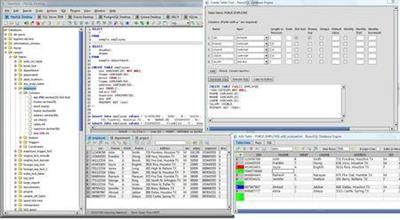
RazorSQL is an SQL query tool, database browser, SQL editor, and database administration tool for Windows, Mac OS X, Linux, and Solaris.

Advanced Connection Features
* Built-in support for DB2, Derby / JavaDB, Firebird, FrontBase, HSQLDB, Informix, MySQL, OpenBase, Oracle, PostgreSQL, SQLite, SQL Server, Sybase Adaptive Server Enterprise, and Sybase SQL Anywhere. Also can connect to any database that supports JDBC or ODBC (Windows only) such as Access, Daffodil, H2, Ingres, Interbase, Mimer SQL, Mckoi, Paradox, Pervasive, Pointbase, Solid, and Teradata.
* MySQL, PostgreSQL, and MS SQL Server PHP bridges for connecting to MySQL, PostgreSQL, and SQL Server databases via PHP. Allows remote access to MySQL, PostgreSQL or SQL Server databases running behind PHP enabled web servers
* A MS SQL Server ASP bridge for connecting to SQL Server databases via ASP. Allows remote access to SQL Server databases running behind ASP enabled web servers
* A RazorSQL JDBC Bridge for connecting to databases via a JEE/J2EE Application Server or Servlet Container

Database Tools Database and SQL Tools
* Create, Alter, and Drop Tables and Views
* *Create and Drop Indexes and Sequences
* *Create and Drop Stored Procedures, Functions, Packages, and Triggers
* *Create and Drop Databases and Users
* Edit Table Tool
* *Edit Stored Procedures, Functions, Packages, and Triggers
* Describe Tables and Views
* Generate DDL Tool for generating table, view, and index DDL.
* View contents of Tables and Views
* *View contents of Stored Procedures, Functions, Packages, and Triggers
* SQL Query Builder for Select, Insert, Update, and Delete Statements
* Export Data in text, HTML, XML, Excel, delimited file format or as insert statements
* Import Data into tables from delimited files, Excel files, or fixed width files
* Execute Stored Procedures
* *SQL Explain Plan Tool
* SQL Query Scheduler
* Compare Table Data or Query Results
* File Compare Tool
* Zip Utility for viewing/extracting Zip and Jar files
* File System Browser
* Database Meta Data Viewer (Functions, Types, etc.)
* Command Line Interface for running RazorSQL tools from the command line.

SQL Editor SQL Editor
* Syntax Highlighting for SQL, PL/SQL, TransactSQL, SQL PL, Batch, C, COBOL, CSS, C++, C#, Java, JavaScript, JSP, HTML, PHP, Perl, Python, Ruby, Shell Script, and XML
* Auto Completion for tables and columns
* Automatic Column Lookup
* Automatic Table Lookup
* SQL Formatter
* Support for parameterized queries
* Execute, Execute Fetch All, and Execute Batch functions
* Multi-Tabular Display of Query Results
* Sortable Query Results
* Filterable Query Results
* Searchable Query Results
* SQL History for All Queries, and Query Logging Per Connection
* Auto-function lookup for all supported programming languages and auto-method lookup for Java and JSP
* Query List, Tag List, and Function / Method List options for clickable display of queries, tags, or functions / methods contained in the editor
* File tools such as head, tail, get section, search / regex search, move, copy, rename, delete, size, and get info.
* Key Ahead functionality for one-click population of user-defined text
* Regular Expression Find, Find/Replace, Find/Replace in Files
* Bracket Matching, Tag Matching, and Goto Line commands
* Printing Support for Editor Content and Query Results
* Support for dozens of file encodings
* Built-in and Custom User Templates
* Connection Keep-Alive
* Plugin API (Allows users to add custom functionality to RazorSQL)

Database Browser Database Browser
* A tree structure to navigate database objects
* Use RazorSQL provided database specific system queries or user supplied queries for database navigation, or navigate the database structures using the default JDBC/ODBC driver settings.
* Single click content viewing on tables, views, etc.
* Column information including column name, keys, data type, nullable information, etc.
* *Displays information on objects such as procedures, functions, triggers, indexes, constraints, sequences, etc.
* Single-click generation of DDL for tables, views, and indexes.
* Search tables and view data.
* Single-click generation of SQL select, insert, update, and delete queries.

Installation Instructions and Requirements
Windows (Native Installer)
For best results, use of one of the following operating systems is recommended: Windows 10, Windows 8, Windows 7, Windows Vista, Windows XP, Windows Server 2008 or 2003, or Windows 2000. The 32-bit version of RazorSQL runs on both 32-bit and 64-bit versions of Windows. The 64-bit version only runs on 64-bit versions of Windows. If using ODBC drivers to connect, make sure to use the version of RazorSQL that matches up with the architecture of the ODBC driver. For example, if using 32-bit ODBC drivers, the 32-bit version of RazorSQL is required.

Home Page -
У Вас недостаточно прав для просмотра ссылок. Войдите или зарегистрируйтесь.


Download link:​
Код:
[center][b]rapidgator_net[/b]:
https://rapidgator.net/file/04968685365a637b3ab5a3ab1caa866e/mjn2e.Richardson.Software.RazorSQL.9.2.3.rar.html

[b]nitroflare_com[/b]:
https://nitroflare.com/view/3EF40E1E27386B1/mjn2e.Richardson.Software.RazorSQL.9.2.3.rar[/center]

Links are Interchangeable - No Password - Single Extraction​
 
Sharp World Clock 9.0.9

0326d9dc323be82a2bc8601e160347dc.jpg


Sharp World Clock 9.0.9 | 13.2 Mb​
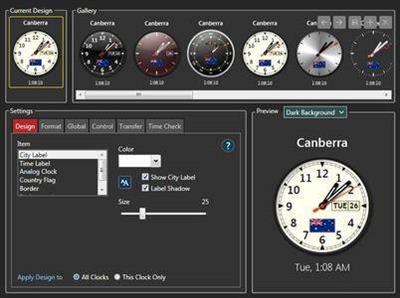
Sharp World Clock is a desktop clock program for Windows. It can display the local time for multiple cities and time zones with correct daylight savings. You can decide how many clocks you would like to see at any time. The clocks are resizable without any loss of visual quality (due to the use of hardware accelerated WPF technology). The main window and undocked clocks are resizable and can be dragged anywhere on the desktop.

System requirements:
Windows 10 / 8 / 7
Microsoft .NET Framework Redistributable 4.52

Home Page -
У Вас недостаточно прав для просмотра ссылок. Войдите или зарегистрируйтесь.


Download link:​
Код:
[center][b]rapidgator_net[/b]:
https://rapidgator.net/file/fa28917752528a850ac529ad0cba9431/44mdn.Sharp.World.Clock.9.0.9.rar.html

[b]nitroflare_com[/b]:
https://nitroflare.com/view/11B512B24B2E044/44mdn.Sharp.World.Clock.9.0.9.rar[/center]

Links are Interchangeable - No Password - Single Extraction​
 
Siemens Simcenter Amesim 2020.2.0

1c078d13165e29239bfdc840e8a32e8a.jpg


Siemens Simcenter Amesim 2020.2.0 | 8.8 Gb​
Siemens Digital Industries Software announces the new release of Simcenter Amesim software, its market-leading 1D mechatronic system simulation platform. This version hosts noteworthy enhancements and implementations.

Let's see how the last version of Simcenter Amesim Embedded CFD can help you through a smart combination of 1D and 3D simulation environments

Assess the thermal comfort in a city bus with a multi-zone modeling approach

6f17e866d5b4552a8436a3579c961eb6.jpg

Vehicle thermal comfort challenges

The need to assess thermal comfort in all kind of vehicles is constantly increasing due to climate changes but also to the resulting energy savings objectives. Especially to assess the thermal comfort in a city bus.

The electrification of vehicles also drives these energy saving. In these vehicles, heating is not "free" anymore, as it was for internal combustion powered vehicles, getting similarly to cooling its energy from the batteries, thus impacting the vehicle range.

In the transport sector consequently, OEMs as well as suppliers are facing the challenge of handling thermal comfort very early in the design cycle to make quickly the best decision in order to avoid inefficient late iterations.

Introducing thermal comfort assessment in early design should give the correct trends, quickly and easily, not going into too many details since all the system components are not finalized. It should be logically assessed for a large variety of configurations and realistic conditions, i.e. during transient scenarios.

To answer this challenge, we often use system simulation without offering however a sufficient level of fidelity, due to the 3D nature of air flow phenomena.

The classical alternative in doing it with a full 3D CFD approach is also not optimal since CAD needs to be fully available and number of configurations that can be quickly handled is limited.

Overview of Simcenter Amesim Embedded CFD 2020.2

Considering the above-mentioned challenges, the Embedded CFD approach of Simcenter Amesim is de facto a good compromise combining the system simulation approach together with Simcenter STAR-CCM+ 3D CFD approach. Described as a hybrid tool between 1D and 3D CFD simulation environments, this tool benefits from both technologies. It offers the fidelity of 3D resolution together with close-to 1D simulation times, all encapsulated into an easy-to-use specific GUI.

The new 2020.2 version of Simcenter Amesim Embedded CFD for cabin comfort widens the possibilities. It can handle any type of cabin, ranging from a 2-seater car up to an entire commercial plane.

The user can now define its own geometry, the number of air zones, the location of air vents, the type of material (either opaque or transparent) and much more.

In addition to this important enhancement, we upgraded the compatibility with Simcenter STAR-CCM+ to additional versions (up to 2020.1).

Application to a city bus cooldown scenario with doors opening

A concrete scenario to assess the thermal comfort in a city bus with a multi-zone modeling approach will hereafter illustrate the usage of Simcenter Amesim Embedded CFD. Let's simulate an entire bus cooldown in a first phase, followed by 2 consecutive bus stops during which both front and mid doors open.

Simcenter Amesim model

The figure below illustrates the HEAT library containing the Cabin component.

This component has 3 external ports by default to connect on the left side the air vents boundary conditions in terms of air mass flow, temperature, pressure and humidity and on the right side the vehicle velocity and ambient air temperature.

Build 3D geometry

To build the 3D geometry from the above Simcenter Amesim model, we launch the Simcenter Amesim Embedded CFD app from the cabin component.

The step-by-step GUI guides the user towards the completion of the 1D-3D coupled simulation.

Let's start with the 3D geometry building.

The 3D geometry is built with XYZ coordinates and dimensions of elementary blocks such as boxes, cylinders, 3D polygons, etc. ... Elements can be of 3 types:

- Fluid: to create the fluid environment of interest (i.e. the resulting cabin air volume)
- Solid: to create objects that will be handled as solids exchanging heat with air
- Obstruction: to remove materials from the fluid domain (e.g. wheels)

We use cutting planes to split the global volume into air zones of interest. For our bus model, we define a total of 16 air zones as seen below.

To help the user building the geometry, note that we associate a dynamic 3D viewer.

Once the geometry has been completed, the 'Generate' button silently triggers a Simcenter STAR-CCM+ model in few seconds.

Defining boundary conditions and meshing the 3D model

In a second step, we can perform several actions:

- Renaming elements (volumes and faces) from the geometry
- Associating boundary conditions to a face (see below figure)
- Associating variables to be exchanged between Simcenter Amesim and Simcenter STAR-CCM+ simply using drag and drop
- Defining the average Mesh size and allowing the handling of gravity

Simulating a transient scenario

Before running the model, we generate automatically the 1D structure of the cabin during the '3D model to 1D sketch' step. The user might have at the beginning of this step to redefine the dimension of the MUX element connected to the cabin.

Once completed, the run can be defined and launched, and post-processed 3D results can be then accessed as shown on the figure below.

We can of course look also at transient results in Simcenter Amesim; the following picture shows the evolution of the 16 air zone temperatures during the cooldown.

We clearly see the impact of the 2 bus stops after 600s with a 30s door opening each time.

Let's now see more in details:

- How we couple Simcenter Amesim and Simcenter STAR-CCM+
- How we simulate the door opening

Details of 1D/3D coupling process

As part of the Embedded CFD workflow shown beforehand, we automatically generate the information exchanges between Simcenter Amesim and Simcenter STAR-CCM+ presented below. The user can add custom exchanges with Import / Export features.

Note that Simcenter STAR-CCM+ runs are performed as Steady-State calculations.

These events are associated with a Stop component and can be time-based or based on any system variable change.

In the example of the bus, there are 2 triggers:

- a time-based trigger with an increasing interval, so to be more accurate at the beginning of the cooldown
- a trigger linked to the bus speed, so to handle the doors opening and closing

The figure below illustrates the triggers:


Simulation of the doors opening

Let's now have a look at the doors opening simulation.

In the scenario of our bus example, we set the ambient temperature to 35 degrees Celsius.

When the doors are opening during the bus stop, we apply at the doors a mass flow calculated from the air density difference. For that purpose, we need to get the air temperature and humidity from the air zones next to the doors as illustrated below.

The analytical model used has been defined by Pham and Oliver [ref.]:

This results in the following mass flow profiles:


Note that the opening / closing is considered here as instantaneous, which can be of course adjusted to be more realistic.

We have demonstrated that Simcenter Amesim Embedded CFD is the right tool to assess the thermal comfort in a city bus with a multi-zone modeling approach, especially during early design stages for which decision making is essential.

Platform facilities

Export post-processed variables to CSV data files

* Ability to export to a CSV file a selection (or all) of the post-processed variables
* Possibility to export to CSV files the post-processed variables from a batch simulation

Sketch-building enhancements


* Hops at intersections between lines
* Transmitter and Receiver usability enhancements (permissive Port Tag List, quick actions)
* External variable view improvements

Analysis tools

2D Mechanical Assistant: digging bucket display

* Check parameter settings of heavy machines that comprise digging buckets in the 3D scene of the 2D Mechanical assistant
* Animate digging forces from simulation results

Description: animation of time series from test data

* Identify the time variable of the test data to support time-related features when loading them in a Description window

Customization

3D API: 3D object animation

* Animate 2D or 3D drawings that are integrated in your apps
* Control the animation playback with the built-in animation toolbar
* Create simple pre-defined ground displays for driving dynamic application
* Apply textures on 3D objects for better visualization

Solvers and Numerics

Use custom Python scripts for pre- or post-processing on remote HPC


* Attach a pre or post-processing Python script to a study, to run it remotely on the HPC cluster
* Download only the desired post-processed data instead of the full Simcenter Amesim model with all its intermediate run results

Enhanced batch run support for HPC in the Study Manager

* Use HPC capabilities for batch simulations more easily within the "Study Manager" tool
* Attach pre or post-processing Python scripts to batch simulations on HPC

Software interfaces

Open Neural Network Exchange (ONNX) Interfaces


* Python scripts called "OnnxToAme" and "OnnxToFMI" allow exporting ONNX files as native Simcenter Amesim submodels or as 2.0.1 Functional Mock-up Units (FMUs)

Export of Functional Mock-up Units (FMUs) not requiring runtime licenses

* Export of Functional Mock-up Units (FMUs) not requiring runtime licenses and, most of the time, not requiring any Simcenter Amesim installation
* Available on standard Windows 32-/64-bit or Linux 64-bit platforms, restricted to model exchange or to co-simulation with fixed-step solvers

1D/3D CAE

CAD Import: piping wizard

* Automate the whole CAD Import process from the 3D object splitting to the primitive to primitive connection creation for piping networks

CAD Import: PLMXML import

* Ensure interoperability in between Siemens software applications
* Share unique model definition for 3D simulations and system simulations

Modelica Platform

Enhanced custom exposure settings for the Modelica model

* Ability to activate/deactivate additional parameters from the Optimica Compiler Toolkit when importing a Modelica model

MiL, SiL, HiL and real time

Simulink Interface improvements


* Simcenter Amesim to Simulink S-function blocks (AME2SL and AME2SLCosim) can be used inside Simulink "linked libraries" (no broken links anymore)
* Simcenter Amesim and Simulink models can now be located in distinct folders (limitation removed)

Automation Connect improvements

* Improved support of PLCSIM Advanced
* Capacity to link multiple variables to a single control in the dashboard
* Various user experience improvements
* Connection to Simcenter Flomaster

The library has also been updated. For details on these new features and enhancements, refer to the manual .pdf files available from the Help menu in each module or from the Manuals folder on your hard drive.

Simcenter Amesim allows system simulation engineers to virtually assess and optimize the performance of mechatronic systems. This will boost overall systems engineering productivity from the early development stages until the final performance validation and controls calibration.

Simcenter Amesim includes ready-to-use multi-physics libraries combined with application and industry-oriented solutions that are supported by powerful platform capabilities, to let you rapidly create models and accurately perform analysis. It is an open environment that can be integrated into your enterprise processes. You can easily couple the software with major computer-aided engineering (CAE), computer-aided design (CAD) and controls software packages, interoperate it with the Functional Mock-up Interface (FMI), Modelica, and connect it with other Simcenter solutions, Teamcenter and Excel.

Alberto Soto, Technical Product Manager at Siemens PLM Software, explains how to optimize vehicle thermal comfort using the Embedded CFD Cabin capability of Simcenter Amesim.

Siemens Digital Industries Software is driving transformation to enable a digital enterprise where engineering, manufacturing and electronics design meet tomorrow. The Xcelerator portfolio helps companies of all sizes create and leverage digital twins that provide organizations with new insights, opportunities and levels of automation to drive innovation.

Product: Siemens Simcenter Amesim
Version: 2020.2.0
Supported Architectures: x64
Website Home Page :
У Вас недостаточно прав для просмотра ссылок. Войдите или зарегистрируйтесь.

Language: english
System Requirements: PC / Linux *
Size: 8.8 Gb

Download link:​
Код:
[center][b]rapidgator_net[/b]:
https://rapidgator.net/file/46f9d138e0b8b162e407e364bc082233/bg1g8.Siemens.Simcenter.Amesim.2020.2.0.part01.rar.html
https://rapidgator.net/file/e36cad89975fbe21c87411b8b5e5b392/bg1g8.Siemens.Simcenter.Amesim.2020.2.0.part02.rar.html
https://rapidgator.net/file/c6e7ab46521f77c51070c664b0c5704c/bg1g8.Siemens.Simcenter.Amesim.2020.2.0.part03.rar.html
https://rapidgator.net/file/9872a4291e96bb1b6c8368b91fec2597/bg1g8.Siemens.Simcenter.Amesim.2020.2.0.part04.rar.html
https://rapidgator.net/file/c3d972cfbc332bbec263861058a84a1a/bg1g8.Siemens.Simcenter.Amesim.2020.2.0.part05.rar.html
https://rapidgator.net/file/107ab9488aa4f9a168ccafac23d9fbbc/bg1g8.Siemens.Simcenter.Amesim.2020.2.0.part06.rar.html
https://rapidgator.net/file/9e80ecfafa34dd21aaa410529416c48c/bg1g8.Siemens.Simcenter.Amesim.2020.2.0.part07.rar.html
https://rapidgator.net/file/061206ec0ca79db3101ccaf40c4b89fd/bg1g8.Siemens.Simcenter.Amesim.2020.2.0.part08.rar.html
https://rapidgator.net/file/06f4332e09c5be639613029cf528442b/bg1g8.Siemens.Simcenter.Amesim.2020.2.0.part09.rar.html
https://rapidgator.net/file/d9ac4352f3e517c0c9559127aa466b57/bg1g8.Siemens.Simcenter.Amesim.2020.2.0.part10.rar.html
https://rapidgator.net/file/81c8113b7604b98c42cb846d33e084f0/bg1g8.Siemens.Simcenter.Amesim.2020.2.0.part11.rar.html
https://rapidgator.net/file/69bed2fd9c5f986fe3c999784ed3cb03/bg1g8.Siemens.Simcenter.Amesim.2020.2.0.part12.rar.html
https://rapidgator.net/file/9e33be2742d1a5f2545f4e44e696d06d/bg1g8.Siemens.Simcenter.Amesim.2020.2.0.part13.rar.html
https://rapidgator.net/file/38e191d9d15dfd02c3c1605bde90821e/bg1g8.Siemens.Simcenter.Amesim.2020.2.0.part14.rar.html
https://rapidgator.net/file/e33f6a5ffc84d26ee4b34e515dbaef74/bg1g8.Siemens.Simcenter.Amesim.2020.2.0.part15.rar.html
https://rapidgator.net/file/df9439e47c664e916ad2bddce566d6bf/bg1g8.Siemens.Simcenter.Amesim.2020.2.0.part16.rar.html
https://rapidgator.net/file/24cb22e026731b653a28a2b766c159cf/bg1g8.Siemens.Simcenter.Amesim.2020.2.0.part17.rar.html
https://rapidgator.net/file/346f8575ae120808c234268a2254c358/bg1g8.Siemens.Simcenter.Amesim.2020.2.0.part18.rar.html
https://rapidgator.net/file/ca74cad28e4b9b6fdfde7c8bc8dde064/bg1g8.Siemens.Simcenter.Amesim.2020.2.0.part19.rar.html

[b]nitroflare_com[/b]:
https://nitroflare.com/view/A0E23CFB0FB3DDD/bg1g8.Siemens.Simcenter.Amesim.2020.2.0.part01.rar
https://nitroflare.com/view/29898C2F89F2E21/bg1g8.Siemens.Simcenter.Amesim.2020.2.0.part02.rar
https://nitroflare.com/view/858C66753CEE9D2/bg1g8.Siemens.Simcenter.Amesim.2020.2.0.part03.rar
https://nitroflare.com/view/AC48444F74E721B/bg1g8.Siemens.Simcenter.Amesim.2020.2.0.part04.rar
https://nitroflare.com/view/7930CDAD5F64678/bg1g8.Siemens.Simcenter.Amesim.2020.2.0.part05.rar
https://nitroflare.com/view/3F339B35FEB7383/bg1g8.Siemens.Simcenter.Amesim.2020.2.0.part06.rar
https://nitroflare.com/view/6ADE6BC627E803B/bg1g8.Siemens.Simcenter.Amesim.2020.2.0.part07.rar
https://nitroflare.com/view/CC9D8312969BBAF/bg1g8.Siemens.Simcenter.Amesim.2020.2.0.part08.rar
https://nitroflare.com/view/2FE34CF524E9C35/bg1g8.Siemens.Simcenter.Amesim.2020.2.0.part09.rar
https://nitroflare.com/view/9EC2316418A2564/bg1g8.Siemens.Simcenter.Amesim.2020.2.0.part10.rar
https://nitroflare.com/view/4CFB8855871A380/bg1g8.Siemens.Simcenter.Amesim.2020.2.0.part11.rar
https://nitroflare.com/view/05A8E8DFDE15B66/bg1g8.Siemens.Simcenter.Amesim.2020.2.0.part12.rar
https://nitroflare.com/view/047015FEFF14B9D/bg1g8.Siemens.Simcenter.Amesim.2020.2.0.part13.rar
https://nitroflare.com/view/A14B1152AF2D829/bg1g8.Siemens.Simcenter.Amesim.2020.2.0.part14.rar
https://nitroflare.com/view/988E13688142C48/bg1g8.Siemens.Simcenter.Amesim.2020.2.0.part15.rar
https://nitroflare.com/view/4652896E2D1B469/bg1g8.Siemens.Simcenter.Amesim.2020.2.0.part16.rar
https://nitroflare.com/view/7F5621AF1373F3D/bg1g8.Siemens.Simcenter.Amesim.2020.2.0.part17.rar
https://nitroflare.com/view/B748AB32A202358/bg1g8.Siemens.Simcenter.Amesim.2020.2.0.part18.rar
https://nitroflare.com/view/0D8C444C70A20F3/bg1g8.Siemens.Simcenter.Amesim.2020.2.0.part19.rar[/center]

Links are Interchangeable - No Password - Single Extraction​
 
Назад
Сверху