• Старая версия форума работает в архивном режиме www.old.nado.in

All mitsumi'1s Applications !! (updated daily)

  • Автор темы Автор темы mitsumi1
  • Дата начала Дата начала
Internet Speed Test 3.2 macOS

44bcbffb35c335a16f617724b9ed0122.jpg


Internet Speed Test 3.2 | macOS | 6 mb​
Internet Speed Test App allows you to get accurate download and upload speed tested of your network with detail report of all the testes performed. It has a unique algorithm that cannot be tricked by PowerBoost or similar speed enhancement tools, so the results you achieve will be accurate per your system data speed.

Internet Speed Test is a single-threaded test, while most others (like speed test dot net) are multi-threaded. It uses a single connection to download the sample files, which is closer to what you actually do in your everyday browsing and downloading

Features
* One-click internet speed test right from menu bar
* Upload and download speed of your network connection
* Export .txt format report for internet speed tests with date and time
* Get the public IP address of your computer
* Just click to copy MAC address of your PC
* PC network connectivity is shown with dark and grey icon
* Retina-display-enabled icons
* Easy-to-use interface

Compatibility: OS X 10.10 or later 64 bit
Homepage:
У Вас недостаточно прав для просмотра ссылок. Войдите или зарегистрируйтесь.


Download link:​
Код:
[center][b]rapidgator_net[/b]:
https://rapidgator.net/file/fb9424de7192a8d585baed7f557164f0/x8dxv.Internet.Speed.Test.3.2.rar.html

[b]nitroflare_com[/b]:
https://nitroflare.com/view/4425664E4978AF9/x8dxv.Internet.Speed.Test.3.2.rar[/center]

Links are Interchangeable - No Password - Single Extraction​
 
1stFlip FlipBook Creator Pro 2.7.7 + Portable

b756950332828870310a66a097a43087.jpg


1stFlip FlipBook Creator Pro 2.7.7 + Portable | 342.4/363.7 Mb​
1stFlip PDF to flipbook converter helps you easily convert PDF to flash flip book, HTML5 flip book with realistic page turn effect to read on any Mac, PC, iPhone, iPad and Android devices. With this professional PDF to flipbook converter, you can easily embed local/YouTube/Vimeo video, music, images, button, chart, hyperlinks to any digital page flip book, magazine, brochures, catalogs, eBooks, newsletters.

PDF to HTML5 flipbook converter, PDF to Flash-HTML5 flipbook app.
Page editor allows you to insert line, shape, callout, text, image, GIF, music, video, YouTube video, chart, button and number icon to customize page flip book animation.
Convert PDF to offline flip book in 4 formats: html, zip, app and exe.
Upload flipbook to own website using built-in FTP or to 1stFlip cloud storage.
Support searching flipbook content.
Book Management lets you easily organize your uploaded flip books.
Batch convert multiple PDFs to flipbooks.

System Requirements: Windows XP and later

Home Page -
У Вас недостаточно прав для просмотра ссылок. Войдите или зарегистрируйтесь.


Download link:​
Код:
[center][b]rapidgator_net[/b]:
https://rapidgator.net/file/264b4d00b8bec9fb44b14391b0c71568/6muib.1stFlip.FlipBook.Creator.Pro.2.7.7.Portable.rar.html
https://rapidgator.net/file/e9dc6bfc0e1fcf868fc23f52ae8596db/6muib.1stFlip.FlipBook.Creator.Pro.2.7.7.rar.html

[b]nitroflare_com[/b]:
https://nitroflare.com/view/C774548BCD92BE0/6muib.1stFlip.FlipBook.Creator.Pro.2.7.7.Portable.rar
https://nitroflare.com/view/0F5D39AF9E45378/6muib.1stFlip.FlipBook.Creator.Pro.2.7.7.rar[/center]

Links are Interchangeable - No Password - Single Extraction​
 
Adguard 2.5.1 (916) Release macOS

eca3d73955ae7ccf74aa029580c214a2.jpg


Adguard 2.5.1 (916) Release Multilingual | macOS | 103 mb​
Adguard can make your online experience safer because, though Macs and Apple laptops are quite safe to use, when it comes to ad blockers, Macs experience real problems. Already-existing solutions do not consider the specifics of OS X. That greatly influences the stability of work in Safari, and these ad-blocking extensions fail to do their work properly, especially when video ads are an issue.

New Adguard lets you fully enjoy web surfing without any distractions. Watch those videos you want to watch, and not video ads, on YouTube, Twitch, or any other website. Look at photos of your friends and not at endless banners on Facebook and other social networks. Adguard gives you freedom of choice and saves your nerves. It works perfectly with all browsers, as it was developed specially for use on OS X.

Compatibility: OS X 10.10 or later 64-bit
Homepage:
У Вас недостаточно прав для просмотра ссылок. Войдите или зарегистрируйтесь.


Download link:​
Код:
[center][b]rapidgator_net[/b]:
https://rapidgator.net/file/956f4f7e037d49d413e13c626c5ac294/4xhad.Adguard.2.5.1.916.Release.rar.html

[b]nitroflare_com[/b]:
https://nitroflare.com/view/F7842F6136D4F38/4xhad.Adguard.2.5.1.916.Release.rar[/center]

Links are Interchangeable - No Password - Single Extraction​
 
Adobe XD 34.3.12 (x64) Multilingual

2491f4c8bf06a9fab67492f2616d817f.jpg


Adobe XD 34.3.12 (x64) Multilingual REPACK | 371.8 Mb​
Adobe XD CC is the complete solution for design, prototyping and sharing user experiences for all products and services.

Interactive prototypes
Go to Prototyping with a click of Design. Combine drawing surfaces with each other to visualize navigation within large apps. Link design elements across the drawing area, B. Cells from repetition screens. Add interactions using visual controls to test and validate the experience.

Publish prototypes and get feedback
Generate weblinks to your designs that you can share with others to get feedback. Or embed it into a web page, For example on Behance. Comments can be attached directly to the prototype or to specific components of your design. You will be notified as soon as a comment has been added. To see your changes, checkers simply need to reload the link in the browser.

Liquid working with drawing surfaces
Whether you work with one or hundreds of workspaces, it does not matter: You can rely on the performance of XD. Create any number of designs for different screens and devices within a project. Pan and zoom without jerking or stuttering. Choose a template or define your own drawing area. Copy design elements between drawing faces while the layout is preserved.

repeating grid
Select an item in your design, Such as a contact list or a photo gallery, and duplicate it as often in the horizontal or vertical direction. All styles and distances are preserved. When you edit the item, the changes are applied to the entire design.
Platform-wide support

Control panel "Elements"
Colors and character formats are handy and reusable when you add them to the "Elements" panel (formerly "Symbols"). This panel also contains the icons. When you edit a color or format in the panel, the change is automatically performed throughout the document.

Next generation symbols
Work with time-saving symbols. The ready-to-use design components make it unnecessary to search for and edit each instance of an item in a document. When you edit an instance, all other instances are automatically updated. Overwriting certain entities is also possible. The symbols can be vector graphics, raster images or text objects, which you can also use as objects within repeating screens.

Creative Cloud libraries
With integration with Creative Cloud libraries, Adobe XD CC lets you access colors and character formats created in Photoshop CC, Illustrator CC, or any other Creative Cloud application, and use them in your design.

System Requirements:
OS:Windows 10 Creators Update OR higher
CPU:Multicore Intel processor with 64-bit support with 1.4 GHz
Display:1280 x 800
RAM:4 GB of RAM of which 2 GB of available hard-disk space for installation; more free space required during installation
Graphics:Minimum Direct 3D DDI Feature Set: 10. For Intel GPU, drivers released in 2014 or later are necessary. To find this information, launch "dxdiag" from the Runmenu and select the "Display" tab.

HomePage -
У Вас недостаточно прав для просмотра ссылок. Войдите или зарегистрируйтесь.


Download link:​
Код:
[center][b]rapidgator_net[/b]:
https://rapidgator.net/file/8d7cf116a5ed5bb1a8c82f19c2438ac4/x26gr.Adobe.XD.34.3.12.x64.Multilingual.rar.html

[b]nitroflare_com[/b]:
https://nitroflare.com/view/666CD540CB55D30/x26gr.Adobe.XD.34.3.12.x64.Multilingual.rar[/center]

Links are Interchangeable - No Password - Single Extraction​
 
All About PDF 3.1063

e5e9a3f15cb241e5c0df82c0275034d9.jpg


All About PDF 3.1063 | 183.2 Mb​
All About PDF is a fast and powerful Windows application that is built to take advantage of your computer's multiple processing cores for blazingly fast PDF processing.

All About PDF is a multi-threaded 64-bit application that utilizes your computer's multiple CPU cores for blazingly speedy PDF processing.

All About PDF can take multiple PDF files and merge them into a single file. You can also go the other way by taking a single PDF file and splitting it into multiple documents. This is done by either specifying multiple page ranges to split by or you can simply tell the application to split the PDF every N pages (for example, you can split a PDF from pages 1 to 5 and 6-10 or just every 3 pages).

You can add Owner and User passwords to your PDF using 256-bit encryption. With an Owner password set on your PDF, you can specify user permission such as:
ability to copy from the document
ability to print the document
ability to annotate the document
ability to modify the PDF attributes
ability to modify the PDF contents and more

System Requirements:
OS: Windows 7 SP1, 8/8.1, 10 and Server 2008 R2, 2012, 2016 and 2019
Microsoft .NET Framework 4.6.1 or above

Home Page -
У Вас недостаточно прав для просмотра ссылок. Войдите или зарегистрируйтесь.


Download link:​
Код:
[center][b]rapidgator_net[/b]:
https://rapidgator.net/file/e121b42bd2733da2476f036d7bcf9175/sgod1.All.About.PDF.3.1063.rar.html

[b]nitroflare_com[/b]:
https://nitroflare.com/view/FC2E58F5E3D6953/sgod1.All.About.PDF.3.1063.rar[/center]

Links are Interchangeable - No Password - Single Extraction​
 
Allegorithmic Substance Designer 10.2.1 macOS

cf555aed881ae26b5519100ba316bbb4.jpg


Allegorithmic Substance Designer 10.2.1 | macOS | 537 mb​
Substance Designer is a node-based texture compositing tool that allows you to create Substance files or bitmap textures. You can use it to texture assets and also bake model information (ex: normal, displacement, curvature etc.). It contains a wide library of tools, materials and procedural effects to help you achieve your goals in a fully non-destructive workflow.

Node-based texturing. Allowing non-linear workflow and quick iterations.
Substance Designer is a node based texturing tool. Tired of messy layers ? Fit everything you need in a few compact and handy nodes. Let Substance connect all the channels for you and focus on what really matters: your art.

The industry standard for PBR texturing
Substance Designer is a powerful node-based texturing tool tailor-made for Physically Based Rendering and extensively used by more than 50 AAA game projects.

PBR Viewport
The 3D View allows to visualize on your mesh all your texturing work in real time.

Compatible with any game engine.
Substance Designer lets you to create your own templates, making it compatible with any game engine on the market, or your in-house engine.

The New Generation of Procedural Art
Substance Designer is powered by Substance Engine , the new iteration of the renown procedural technology developed by Allegorithmic. It unleashes an incredible power of expression and fosters a new form of digital creativity.

Integrated bakers
Our embedded bakers allow you to bake your maps at light-speed directly within your software.

Production ready.
Substance Designer has been thought to integrate easily in your work environment.

Compatibility: OS X 10.9 or later 64-bit
Homepage:
У Вас недостаточно прав для просмотра ссылок. Войдите или зарегистрируйтесь.


Download link:​
Код:
[center][b]rapidgator_net[/b]:
https://rapidgator.net/file/132e90a33fd6715bc22b0105679cf1b5/9qcg0.Allegorithmic.Substance.Designer.10.2.1.rar.html

[b]nitroflare_com[/b]:
https://nitroflare.com/view/D3F0FEC6376FDEC/9qcg0.Allegorithmic.Substance.Designer.10.2.1.rar[/center]

Links are Interchangeable - No Password - Single Extraction​
 
Altair HWDesktop 2020.1.1 Update

734d9395b26c83b530083a9981ffc2f3.jpg


Altair HWDesktop 2020.1.1 Update | 920.5 mb​
The Altair HyperWorks development team has released an update to HyperWorks Desktop 2020.1.0. The software update release expands on the number of solutions available for designers, engineers, data analysts, IT and HPC professionals, facility managers, and more to drive better decisions and accelerate the pace of innovation.

Altair HyperMesh 2020.1.1 Release Notes

Browsers

Enhancements
Entity Assignment
The Assign tool, facilitating easy assignment of entities, can be invoked via a right-click context menu option. It is supported for Components, Properties, Materials and Systems.
Opening Entity Views
Top level folders in Model browser can now be opened via a right-click context menu option.

Resolved Issues
* Fixed an issue with entity views not refreshing on the import of a HyperMesh (*.hm) file.
* Fixed issue with invalid search string freezing the HyperMesh session.

Connectors

Enhancements
New Connector Workflows
A new interactive workflow dedicated to the creation and assigning of connector details has been introduced for connectors.

708e474f9b1f7d7601c0a10b17172f12.jpg

Control Manager
The control manager has been expanded to incorporate the creation process for all Connector controls.

Hexa Adhesive Improvements
Hexa Position: Midpoint to the Connector
The connector realization will follow the connector line until the connector line is in space, at which point it will try to realize at the closest projections within tolerance. Once the connector is outside of the tolerance it will fail.
Adjust Width: None
When set to none the option will allow the hexa to self-intersect.
Adjust Width: Move Hexa
This option performs the same operation as the previous option by reducing the inner width to find a position where the mesh is not intersecting. This will then add the removed width back to the outer diameter to maintain the specified width.
Adjust Width: Reduce Width
This option will reduce the inner width to find a position where the mesh is not intersecting.

Connector Integration with Part Browser

Changing Part Configuration
This operation will now unrealize connectors that become inactive due to its links becoming inactive in the current configuration.
Part Instances
Connectors can now refer to Part Instances individually and will ignore any instances that are inactive in the process of realization. Part Instances can be grouped as a single link allowing a connector to be present in multiple configurations.

CAD and Solver Interfaces

CAD Interface

Resolved Issues
* Missing user-defined weld data from Catia V5 R29.
* Missing regions from publications for Catia V5 files.

LS-DYNA Interface

Enhancements
Safety Tools - Dummy Positioner
The performances when selecting the dummy or dummy limbs into the Dummy Browser are drastically improved when the dummy is positioned on a full-vehicle model.

Safety Tools - Seatbelt System
The tool now automatically generates beam elements on the belt 2D mesh, and/or on the wrap around components, and/or additional structural components to be used in edge-to-edge contact. Additionally, the tool automatically generates the edge-to-edge contact and/or a contact between the belt 2D elements and additional structural components (example: D-Ring component).

Solver Mass Entity Graphics
After the migration of the element mass to the new Solver Mass entity in the HyperMesh version 2020.1, a graphical display of this new entity has now been added to enhance the user experience for the visualization and graphical selection of it.

Find Attached Tool
The performances of this functionality are drastically improved. Moreover, a new option in the tool triggers the computation of the projection of the nodes on the surface of related tied contacts. Tied contacts of type *CONTACT_TIED_SHELL_EDGE_TO_SURFACE_(OPTION) are now considered in the find attached algorithm.

Keywords Attributes Parametrization
* *NODE: parametrized nodal coordinates are now supported and maintained in import/export of the model.
* *DEFINE_BOX: parametrization of the box dimensions is fully supported.
* *DATABASE_CROSS_SECTION_PLANE_ID: parametrization of attribute "ID" on Card 2 is now supported and maintained in import/export of the deck.

Resolved Issues
* Card4, 5 and 6 of MAT68 are now correctly supported as optional cards.
* *INTERFACE_COMPONENT_FILE keyword was wrongly supported with TITLE option. This is now corrected.
* Attribute MACF in *MAT103 is now supported.
* Transformations entity related to dummy were exposed in the Model Browser after the positioning of the dummy. Those transformations are hidden again.

Radioss Interface

Enhancements
Safety Tools - Dummy Positioner
The performances when selecting the dummy or dummy limbs into the Dummy Browser are drastically improved when the dummy is positioned on a full-vehicle model.
Solver Mass Entity Graphics
After the implementation of the new Solver Mass entity in the HyperMesh version 2020, a graphical display of this new entity has now been added to enhance the user experience for the visualization and graphical selection of it.
Find Attached Tool
The performances of this functionality are drastically improved. Moreover, a new option in the tool triggers the computation of the projection of the nodes on the surface of related tied contacts.

Resolved Issues
* In the Seatbelt Tool, the creation of seatbelt entities like pulley elements or pre-tensioner is based on the absorption of the generated 1D elements into new dedicated spring elements and components. This process was leading to the generation of empty components when all 1D elements were absorbed. This is now fixed.
* The grouping of mass elements into mass component collector, which could be done before the implementation of the Solver Mass entity, is now maintained during import of the HyperMesh file and solver inputs decks

Altair HyperView 2020.1.1 Release Notes

LS-DYNA Interface
Resolved Issues
* Correction made in HV2020 for reading d3Description when *MAT_ADD_THERMAL_EXPANSION is used, is reverted in this release due to issues induced by those changes.

Altair MotionView 2020.1.1 Release Notes

Resolved Issues
* An incorrect export of flexbody ModeLoad matrix for different unit sets is resolved.
* Failure to import mass-inertia from a HyperMesh file through "Import CAD or FE using HyperMesh" tool is fixed.

MBD-Vehicle Dynamics Tools
Resolved Issues
* When running events on leaning 2-wheeled and 3-wheeled vehicle models on computers using languages other than English, an Application Error occurred preventing export of the model from MotionView to MotionSolve. The leaning vehicle events are updated to fix the problem.

Altair TableView 2020.1.1 Release Notes

Resolved Issues
* The issue with table view cells (having math expressions and curve references) not overlaying correctly when overlaying tpl files from two iterations has been resolved.

HyperWorks Report 2020.1.1 Release Notes

Resolved Issues
* Failure to launch Report browser in cases where installation is done on top of 2020.

Altair HyperWorks offers solutions for all engineers - from model-based systems design and early geometry ideation, to detailed multiphysics simulation and optimization. HyperWorks enables simulation driven design, with the physics-based design solutions to deliver the complex products your customers demand.

Altair HyperWorks 2020 - new interface to Altair's solution for high-fidelity computer-aided engineering (CAE) modeling and visualization, making learning easy and productivity high.

All of Altair's software products have been updated with advancements in user experience and countless new features, including intuitive workflows that empower users to streamline product development, allowing customers to get to market faster.

The software update release expands on the number of solutions available for designers, engineers, data analysts, IT and HPC professionals, facility managers, and more to drive better decisions and accelerate the pace of innovation. It broadens the scope of the new user experience, enables access to more physics, data analytics, and machine learning, and makes the Altair software delivery method more flexible and accessible.

Altair Hyperworks 2020

Altair is a global technology company that provides software and cloud solutions in the areas of product development, high performance computing (HPC) and data analytics. Altair enables organizations across broad industry segments to compete more effectively in a connected world while creating a more sustainable future.

Product: Altair HyperWorks Desktop
Version: 2020.1.1 Hotfix Only
Supported Architectures: x64
Website Home Page :
У Вас недостаточно прав для просмотра ссылок. Войдите или зарегистрируйтесь.

Language: english
System Requirements: PC *
Software Prerequisites: Altair HyperWorks Desktop 2020.1.0 and above
Size: 920.5 mb

Minimum Operating System Requirements

Operating Systems: 7/10 (64-bit)
Memory: 4 GB (higher recommended)

Complete Install

Disk Space: ~8 GB temporary disk space required for full HyperWorks 2020 install.
Applications: ~70 GB
Help: ~10 GB
Graphics Hardware:
- OpenGL 3D graphics accelerator compatible with OpenGL 3.2 or higher
- OpenCL 2.0 required
- True color (24-bit) support Install/update to most recent OpenGL patches/drivers
- 1680x1050 screen resolution or higher for optimal user experience
- 2 GB or higher dedicated RAM
- Only AMD and NVIDIA GPUs supported (Intel chipsets are not supported)

Ultra High Definition (UHD)
- UHD resolution support (2160p) is only available for Windows 10 (1709 or higher).
. Using Windows 200% scaling for 2160p is recommended.
- Windows 7 is not officially supported under UHD settings. We recommend resolutions of 1080p for FHD and 2160p for UHD displays. Some JAVA based tools within HyperWorks may still show issues on UHD displays.

Compiler Support
- Windows: Visual Studio VS 2019 version 16.1.3

Download link:​
Код:
[center][b]rapidgator_net[/b]:
https://rapidgator.net/file/d665a435d52f5e831485d46ae3a6557c/of1w6.Altair.HWDesktop.2020.1.1.Update.rar.html

[b]nitroflare_com[/b]:
https://nitroflare.com/view/CC9F54B612E7EC5/of1w6.Altair.HWDesktop.2020.1.1.Update.rar[/center]

Links are Interchangeable - No Password - Single Extraction​
 
AnyTrans for iOS 8.8.0.20201109

a756ae894d05820436fe454d962a95bf.jpg


AnyTrans for iOS 8.8.0.20201109 (x86/x64) | 161.2/162.9 Mb​
Update Your iPhone Experience with More Possibilities. Unlock more possibilities in managing and transferring your iPhone, iPad, iPod, even iTunes and iCloud content. Experience an easier and happier i-Life now. AnyTrans breaks the sync boundaries to bring you full-way transfer across iPhone, iPad, iPod, iTunes, iCloud and computer. Now it takes one step further to get it done by simple drag and drop or one quick click. Your data and files can fly straight to anywhere you want without a hassle.

Be The Master of Your Music
Set yourself free from iTunes restrictions, and transfer music freely between iPhone, iPad, iPod, computer and iTunes. You can export songs from iPhone to computer or iTunes library. Drag music you like to iPhone without erasing anything existing. Take your favorite playlists to your new iPhone. Everything that's impossible with iTunes is now easy in one click.

Take Care of Your iPhone Photos
iPhone photos record your life moments, and AnyTrans keeps them safe for you. In a single click, it smartly and rapidly exports photos to computer by category, like Live Photos, Selfies, or albums you created - even converts photos from HEIC to JPG if you need. You can then batch remove photos that are safely backed up from your iPhone, and make room for more memories.

Personal Info
Remove old contacts and messages to keep your list clear. Export important ones for backup. Or, move them to new iPhone and ensure your connections are always at your fingertips.

Apps
It's a breeze to download, install, update, remove and manage iPhone/iPad apps and app data from computer. You can even share app files between iPhone and computer seamlessly.

Messaging Apps
AnyTrans keeps WhatsApp/LINE/Viber chats and files right within your reach. Whether you want to move them to new iPhone, or create a backup to avoid accidents, it's a click away.

Files & Documents
Turn your iPhone into a USB flash drive to store files and documents. Using AnyTrans iOS app, you can then browse these files by category, and preview or share them directly from iPhone.

Warm Your New iPhone with Sweet Memories
Got a new iPhone? Warm it up with your sweet memories. No matter you're upgrading from an old iPhone or Android phone, AnyTrans migrates all your essentials in one simple click - photos you shot, music you enjoyed, contacts you kept, messages you saved, or anything you need. You can even move apps and app data at one go. Don't have to download apps one by one manually any more. What about the old phone? AnyTrans can permanently wipe everything on it, keeping your private info safe from falling into the wrong hands.

Never Worry About Data Loss Any More
Keeping a complete and up-to-date backup is the best way to protect you from unexpected data loss. Now AnyTrans provides a more complete iPhone backup solution, as well as a more flexible restore solution. It makes sure you can get back your valued data in an easy, quick and preferred way.

Use Your iCloud Easily and Securely
As the innate partner of iOS devices, iCloud is indispensable but complicated for most of us. Now no worries. AnyTrans lets you manage iCloud files easily as you do locally with Windows Explorer or Mac Finder. You can view and extract iCloud backups, delete old files to save precious iCloud storage, batch save photos to computer, move files seamlessly between iCloud accounts, etc. Every access is protected by Apple's encryption algorithm to keep your privacy absolutely private.

Update iTunes Experience As Well
AnyTrans breaks iTunes restrictions to give you better sync experience. With its 2-way transfer, you can not only transfer music and videos from iTunes library to iPhone, but also rebuild damaged iTunes library by exporting songs and playlists from iPhone, iPad
e done without erasing anything. So, feel free to enrich your iPhone music library from multiple iTunes libraries as you want.

System Requirements:
- Windows OS: Windows 10, 8, 7, Vista (both 32bit and 64bit)
- iOS: iOS 13, 12, 11, 10, 9, 8, 7, 6, 5
- Resolution: 1024x768 display or above
- CPU: Pentium IV 2.4 GHz or above

Home Page -
У Вас недостаточно прав для просмотра ссылок. Войдите или зарегистрируйтесь.


Download link:​
Код:
[center][b]rapidgator_net[/b]:
https://rapidgator.net/file/e60bf923a9c28d44fbe41fc6dbb2f036/b5ahe.AnyTrans.for.iOS.8.8.0.20201109.rar.html
https://rapidgator.net/file/0c3e6e42d059cf35bd475edc13c3c899/b5ahe.AnyTrans.for.iOS.8.8.0.20201109.x64.rar.html

[b]nitroflare_com[/b]:
https://nitroflare.com/view/907A2F36FBEA625/b5ahe.AnyTrans.for.iOS.8.8.0.20201109.rar
https://nitroflare.com/view/7C0885642567E1F/b5ahe.AnyTrans.for.iOS.8.8.0.20201109.x64.rar[/center]

Links are Interchangeable - No Password - Single Extraction​
 
Automatic Email Processor Ultimate 2.10.1

99336733f9926d5df4bee72440cb2a02.jpg


Automatic Email Processor Ultimate 2.10.1 | 34.6 Mb​
Automatic Email Processor is the complete solution for Outlook to store and print incoming emails and their attachments automatically. For this, various filters, flexible configuration options, such as individually definable storage folders and the possibility of subsequent processing are available. For example, the path of the location where you want Automatic Email Processor to save certain emails or email attachments, can be assembled dynamically from individual properties of an email.

For storing email messages, among other things, the output format can be specified (e.g. PDF, RTF or HTML). The standard Outlook message format (save email as MSG file) is particularly suitable for archiving important messages. The program supports the creation of an unlimited number of rules in order to be able to make separate settings for different email accounts. In addition, rules can be applied to emails of a certain period of time or to all emails already received in an Outlook folder.

Monitor Outlook folders
Examine incoming emails and apply appropriate rules.

Automatically save emails and attachments
Save emails and email attachments from Outlook automatically into dynamically created folders.

Print emails automatically
Send certain emails and attachments directly to the printer (for example, fax emails).

Optional further processing
Perform subsequent tasks, e.g., run a program with the filename of a saved attachment passed as parameter.

With Automatic Email Processor, you can:
* save emails automatically (as PDF file or in the original format)
* automatically print emails and email attachments (PDF files, Office documents etc.)
* save attachments automatically (save all or certain attachments of an email by using a filter)
* extract or print certain or all files from ZIP files
* monitor an unlimited number of Outlook folders
* create custom rules for different tasks
* filter by subject, sender, recipient, attachment file name ...
* receive status reports by email, forward messages or inform the sender
* use command line parameters: only one run, exit, catch-up
* create storage folders dynamically from properties of an email
* perform subsequent actions such as start a program with parameters, mark the message as read, or move the email into another Outlook folder
* re-process all emails (with certain criteria) of an Outlook email folder
* archive emails from any Outlook folder and period (e.g. as MSG files)
* have the email moved to a different Outlook folder after processing and have subfolders generated dynamically from properties of the email
* have an Excel report with an overview and detailed information sent to you on a regular basis
* limit the automatic processing of email messages to certain days and times

Automatically print emails and attachments from Outlook
Automatic Email Processor monitors Outlook and allows you to send emails or attachments that meet pre-defined criteria directly to a printer upon receipt. Different print settings can be defined for each rule, for example to be able to print certain emails in a different quality. The respective printer can be defined individually for each rule as well as separately for printing the email message or attachment. You can also specify that only certain pages of the email should be printed automatically (for example, print only the first or last page of a PDF attachment of the email).

Automatically save incoming emails as PDF files
With Automatic Email Processor, emails received in Outlook can automatically be saved into a specified directory as PDF file, for example, in order to keep a copy of the message for backup purposes. Attachments and the email itself can also be embedded (as MSG file with or without digital signature) in the PDF file. The path as well as the folder and file name of the PDF file to be saved can be composed of various properties of the email, such as the date and, for example, a part of the subject.

Automatically save and optionally detach Outlook email attachments
In addition to archiving the complete email, Automatic Email Processor can also automatically save attachments. The properties of the email and the name of the attachment can become part of the path, i.e. properties such as the sender name can be integrated in the folder and file name. After successfully saving the attachments, they can be detached or, more precisely, replaced by a link file containing only the path of the saved attachment. This can prevent problems caused by too large Outlook PST files and save storage space. The detachment of the attachment can optionally be done with a time delay - for example, two weeks.

Operating System: Windows 10, 8, 7 or Server (32-bit or 64-bit version).

Home Page -
У Вас недостаточно прав для просмотра ссылок. Войдите или зарегистрируйтесь.


Download link:​
Код:
[center][b]rapidgator_net[/b]:
https://rapidgator.net/file/568641a834a5c10eaf911f822efb1e9c/d2qty.Automatic.Email.Processor.Ultimate.2.10.1.rar.html

[b]nitroflare_com[/b]:
https://nitroflare.com/view/D4B67B4DA1B3EA0/d2qty.Automatic.Email.Processor.Ultimate.2.10.1.rar[/center]

Links are Interchangeable - No Password - Single Extraction​
 
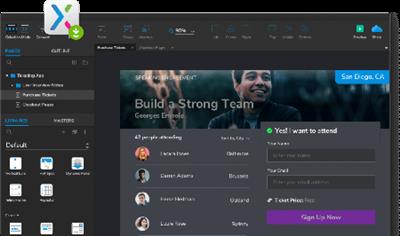
Axure RP 9.0.0.3722 Pro / Team / Enterprise Edition

57f3823a68bb72f776198568c07a9487.jpg


Axure RP 9.0.0.3722 Pro / Team / Enterprise Edition | 110 Mb​
Design the right solution. Create simple click-through diagrams or highly functional, rich prototypes with conditional logic, dynamic content, animations, math functions, and data-driven interactions without writing a single line of code.

Easy to share
Click a button, and Axure RP will publish your diagrams and prototypes to Axure Share on the cloud or on-premises. Just send a link (and password) and others can view your project in a browser. On mobile devices, use a browser or the Axure Share App for iOS and Android.

Diagramming and Documentation
Create flowcharts, wireframes, mockups, user journeys, personas, idea boards and more. Quickly drag and drop elements from built-in or custom libraries to create your diagrams. Then, style it with fills, gradients, line styles, and text formatting. Annotate your diagrams and prototypes to specify functionality, keep track of tasks, or store project information. Organize your notes into separate fields for different audiences. Choose which notes to present in the HTML or in an auto-generated Word document that includes screenshots.

Easier Team Collaboration
Axure RP allows multiple people to work on the same file at the same time, making it easier for your team to work together. Create a team project on Axure share or SVN and use a check-in and check-out system to manage changes. Team projects also keep a history of changes with notes for each check-in.

System Requirements:
- Windows 7 SP1, 8, or 10
- 2 GB memory (RAM) minimum, 4 GB recommended
- 1 GHz processor
- 5 GB disk space
- For Word documentation: Microsoft Office Word 2000,
- XP, 2003, 2007, 2010. 2013, or 2016
- For generated HTML: IE/Edge, Firefox, or Chrome

Home Page -
У Вас недостаточно прав для просмотра ссылок. Войдите или зарегистрируйтесь.


Download link:​
Код:
[center][b]rapidgator_net[/b]:
https://rapidgator.net/file/a4a87e6846c1fec043edb26bf10d2e78/oyn2i.Axure.RP.9.0.0.3722.Pro..Team..Enterprise.Edition.rar.html

[b]nitroflare_com[/b]:
https://nitroflare.com/view/67050631ADA479E/oyn2i.Axure.RP.9.0.0.3722.Pro..Team..Enterprise.Edition.rar[/center]

Links are Interchangeable - No Password - Single Extraction​
 
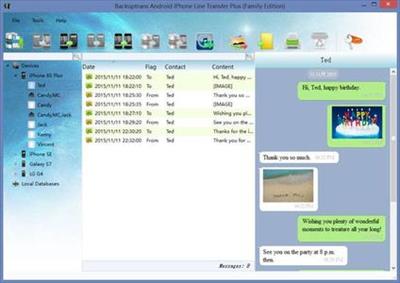
Backuptrans Android iPhone Line Transfer Plus 3.1.51 (x64)

93b49871b63c3e7aacf23ab03beab007.jpg


Backuptrans Android iPhone Line Transfer Plus 3.1.51 (x64) | 15.5 Mb​
If you have two Android/iPhone devices or one Android and one iPhone, it's always wise to find a tool to help you manage Line chat history for your Android/iPhone devices or to transfer Line chat history between Android and iPhone. Backuptrans Android iPhone Line Transfer + is the best all-in-one Line chat history manager package which lets you copy Line chat history for Android/iPhone on computer directly. No Root/Jailbreak required.

Backup Line chat history from Android/iPhone to PC
Restore Line chat history from Computer to Android/iPhone
Transfer Line chat history between Android and iPhone
Recover Line chat messages from iTunes Backup to Android/iPhone
Export Line chat messages to document file(Txt, Csv, Doc, Html, PDF)
Print out Line chat messages in conversations on PC
Support iPhone, Samsung, HTC, Motorola, Sony Ericsson, LG, Huawei and More

System requirements:
Operating system - Windows NT/2000/XP/2003/Vista/7/8/10.
Processor - 1000MHz Intel, AMD CPU or above.
Available HD space - 50MB free hard disk space or more for installation; RAM - 512MB RAM or more.
iTunes 10.0 or above is required.
iPhone running iOS 4 or above is required.
Support iOS 4.2, iTunes 10.1 or above is required.
Support iOS 4.3, iTunes 10.2 or above is required.
Support iOS 5, iTunes 10.5 or above is required.
Support iOS 6, iTunes 10.7 or above is required.
Support iOS 7, iTunes 11.0 or above is required.
Support iOS 8, iTunes 12.0 or above is required.
Support iOS 9, iTunes 12.1 or above is required.
Support iOS 10, iTunes 12.4 or above is required.
Some Android devices require USB driver software to be installed on Windows in order to connect to a PC properly. Contact the manufacturer of your device, if the driver software is not automatically installed by Windows.
Printer must be connected to the computer for printing.

Home Page -
У Вас недостаточно прав для просмотра ссылок. Войдите или зарегистрируйтесь.


Download link:​
Код:
[center][b]rapidgator_net[/b]:
https://rapidgator.net/file/a708831eab2064124213ed5896a31231/0q6tj.Backuptrans.Android.iPhone.Line.Transfer.Plus.3.1.51.x64.rar.html

[b]nitroflare_com[/b]:
https://nitroflare.com/view/3F476C56A8CD2E4/0q6tj.Backuptrans.Android.iPhone.Line.Transfer.Plus.3.1.51.x64.rar[/center]

Links are Interchangeable - No Password - Single Extraction​
 
BusyCal 3.11 (411124) macOS

23971e6398a6f40e1286cba6638fd4dc.jpg


BusyCal 3.11 (411124) Multilingual | macOS | 26 mb​
BusyCal 3 is the most powerful, flexible, reliable calendar app for macOS. It's packed with innovative, time-saving features including customizable views, integrated to dos, travel time, maps, natural language input, weather, moons, graphics, tags and more.

Compatibility: OS X 10.11 or later 64-bit
Homepage:
У Вас недостаточно прав для просмотра ссылок. Войдите или зарегистрируйтесь.


Download link:​
Код:
[center][b]rapidgator_net[/b]:
https://rapidgator.net/file/4472dee4d5c10e53d8bf9b2d82e4a8c7/virfs.BusyCal.3.11.411124.rar.html

[b]nitroflare_com[/b]:
https://nitroflare.com/view/122C54A17A1CCA6/virfs.BusyCal.3.11.411124.rar[/center]

Links are Interchangeable - No Password - Single Extraction​
 
CADprofi 2021.01 Build 201109 (x64) Multilingual

c3e0b242bbb8312b7b5bfe16f89fa865.jpg


CADprofi 2021.01 Build 201109 (x64) Multilingual | 917.5 Mb​
CADprofi HVAC & Piping is a parametric CAD application for the design of building technical equipment. All types of technical installations are supported: heating, ventilation, air conditioning, piping and ducts.

CADprofi Mechanical contains a wide range of standardized parts, steel bars, steel profiles and other components that comply with DIN, EN, ISO and national standards. The library includes bolts, screws, washers, nuts, joints, rivets, studs, angles, and parts used in the construction of heat exchangers and other devices. An excellent editor of diagrams and projects greatly facilitates the creation of drawings of hydraulic and pneumatic systems.

CADprofi Architectural can be used to create building plans, cross sections and a facade view. Convenient application features facilitate the design of multi-layer walls, architectural sizing, and the rapid creation of structural descriptions. The module includes a complete library of windows, doors, furniture, and other furnishings. As an additional feature, the application can be used to design evacuation and fire fighting plans.

CADprofi Electrical can be used for the design of complex objects such as electricity, lighting, low-voltage systems, telecommunications, security systems and antenna installations. The application contains several thousand electrical elements and symbols (lamps, switchgears, and much more). The application provides an easy way to design wiring and cable channels. Among the most useful features are automatic numbering (addressing) of electrical circuits, and convenient design and editing of the wiring diagram.

System Requirements:
4M CAD V14 - V16, V19, V21
ActCAD 2020 (64bit)
ARES Standard Edition 2019
ARES Commander Edition 2012 - 2020
AutoCAD 2000 - 2021 (32/64bit)
AutoCAD LT 2000 - 2019 *) (32/64bit)
AutoCAD Architecture 2000 - 2021
AutoCAD Mechanical 2000 - 2021
AutoCAD MEP 2008 - 2021
AviCAD 2014 - 2017, 2019
BitCAD V6
BricsCAD V4 - V21
CADian 2012 - 2017, 2020
CADMATE 2015 - 2016, 2018
CADopia 8, 19
CMS IntelliCAD 7.2, 8.1, 8.2 x64, 8.3, 8.4, 9.0, 9.1, 9.2 (64bit)
FineELEC 11
GstarCAD 2010 - 2020
IBSCAD 2018, 2019
IntelliCAD 5, 6, 7.2, 8.1
IntelliPlus 8, 2013 - 2014
JetCAD 2012
NUVOCAD 2013
progeCAD 2008 - 2021
StarICAD 2008
ZWCAD 2008i - 2012, ZWCAD+**, ZWCAD Classic, ZWCAD 2017 - 2021**
Other programs on request

Home Page -
У Вас недостаточно прав для просмотра ссылок. Войдите или зарегистрируйтесь.


Download link:​
Код:
[center][b]rapidgator_net[/b]:
https://rapidgator.net/file/fb60224e604d5585e34d351359ae9f24/9g5ie.CADprofi.2021.01.Build.201109.x64.Multilingual.rar.html

[b]nitroflare_com[/b]:
https://nitroflare.com/view/65462EF135E241A/9g5ie.CADprofi.2021.01.Build.201109.x64.Multilingual.rar[/center]

Links are Interchangeable - No Password - Single Extraction​
 
CCleaner 5.74.8184 All Editions Multilingual

fb5d5cc8ed39ccefb61a7a4f58b8cba3.jpg


CCleaner 5.74.8184 All Editions Multilingual | 102.4 MB​
CCleaner is our system optimization, privacy and cleaning tool. It removes unused files from your system - allowing Windows to run faster and freeing up valuable hard disk space. It also cleans traces of your online activities such as your Internet history. Additionally it contains a fully featured registry cleaner.

Cleans the following:

Internet Explorer
Temporary files, history, cookies, super cookies, Autocomplete form history, index.dat files.

Firefox
Temporary files, history, cookies, super cookies, download history, form history.

Google Chrome
Temporary files, history, cookies, super cookies, download history, form history.

Opera
Temporary files, history, cookies, super cookies, download history.

Safari
Temporary files, history, cookies, super cookies, form history.

Other Supported Browsers
K-Meleon, Rockmelt, Flock, Google Chrome Canary, Chromium, SeaMonkey, Chrome Plus, SRWare Iron, Pale Moon, Phoenix, Netscape Navigator, Avant.

Windows
Recycle Bin, Recent Documents, Temporary files, Log files, Clipboard, DNS Cache, Error Reporting, Memory Dumps, Jump Lists.

Registry Cleaner
Advanced features to remove unused and old entries, including File Extensions, ActiveX Controls, ClassIDs, ProgIDs, Uninstallers, Shared DLLs, Fonts, Help Files, Application Paths, Icons, Invalid Shortcuts and more...

Third-party applications
Removes temp files and recent file lists (MRUs) from many apps including Windows Media Player, eMule, Google Toolbar, Microsoft Office, Nero, Adobe Acrobat, WinRAR, WinAce, WinZip and many more...

System Requirements
Windows 10, 8.1, 7, Vista and XP. Including both 32-bit and 64-bit versions.

Home Page -
У Вас недостаточно прав для просмотра ссылок. Войдите или зарегистрируйтесь.


Download link:​
Код:
[center][b]rapidgator_net[/b]:
https://rapidgator.net/file/a7cb14941c00ea6f2d2652b16797bd3e/vshgq.CCleaner.5.74.8184.All.Editions.Multilingual.rar.html

[b]nitroflare_com[/b]:
https://nitroflare.com/view/1F8D80A005ECFDF/vshgq.CCleaner.5.74.8184.All.Editions.Multilingual.rar[/center]

Links are Interchangeable - No Password - Single Extraction​
 
CCleaner 5.74.8184 All Editions Multilingual Portable

461f94a6d87aa950c4f96c7bcb6776df.jpg


CCleaner 5.74.8184 All Editions Multilingual Portable | 72 MB​
CCleaner is our system optimization, privacy and cleaning tool. It removes unused files from your system - allowing Windows to run faster and freeing up valuable hard disk space. It also cleans traces of your online activities such as your Internet history. Additionally it contains a fully featured registry cleaner.

Cleans the following:

Internet Explorer
Temporary files, history, cookies, super cookies, Autocomplete form history, index.dat files.

Firefox
Temporary files, history, cookies, super cookies, download history, form history.

Google Chrome
Temporary files, history, cookies, super cookies, download history, form history.

Opera
Temporary files, history, cookies, super cookies, download history.

Safari
Temporary files, history, cookies, super cookies, form history.

Other Supported Browsers
K-Meleon, Rockmelt, Flock, Google Chrome Canary, Chromium, SeaMonkey, Chrome Plus, SRWare Iron, Pale Moon, Phoenix, Netscape Navigator, Avant.

Windows
Recycle Bin, Recent Documents, Temporary files, Log files, Clipboard, DNS Cache, Error Reporting, Memory Dumps, Jump Lists.

Registry Cleaner
Advanced features to remove unused and old entries, including File Extensions, ActiveX Controls, ClassIDs, ProgIDs, Uninstallers, Shared DLLs, Fonts, Help Files, Application Paths, Icons, Invalid Shortcuts and more...

Third-party applications
Removes temp files and recent file lists (MRUs) from many apps including Windows Media Player, eMule, Google Toolbar, Microsoft Office, Nero, Adobe Acrobat, WinRAR, WinAce, WinZip and many more...

System Requirements
Windows 10, 8.1, 7, Vista and XP. Including both 32-bit and 64-bit versions.

Home Page -
У Вас недостаточно прав для просмотра ссылок. Войдите или зарегистрируйтесь.


Download link:​
Код:
[center][b]rapidgator_net[/b]:
https://rapidgator.net/file/66b2a08aef21011747964019cd647694/vvwfh.CCleaner.5.74.8184.All.Editions.Multilingual.Portable.rar.html

[b]nitroflare_com[/b]:
https://nitroflare.com/view/7CFB3339B487E07/vvwfh.CCleaner.5.74.8184.All.Editions.Multilingual.Portable.rar[/center]

Links are Interchangeable - No Password - Single Extraction​
 
CCleaner Professional Plus 5.74 Multilingual + Portable

c1d2ed90cd2c408315b2cbc32088a494.jpg


CCleaner Professional Plus 5.74 Multilingual + Portable | 37.4/36 Mb​
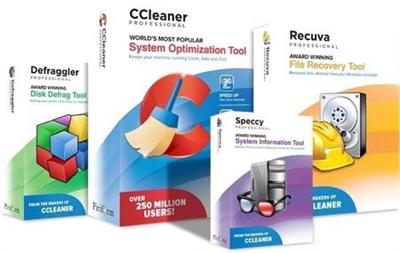
We get many requests from our users wanting to buy all our products in one bundle. So we've listened and we're very happy to announce that we're launching CCleaner Professional Plus: a 4-in-1 product that includes all the Professional versions of CCleaner, Defraggler, Recuva and Speccy! With our patented technology products you can regain full control of your PC and keep it running like new: make it faster and more secure with fewer crashes, recover lost files, and keep track of what's inside your PC with detailed statistics on every piece of hardware.

CCleaner a utility for cleaning the debris in the operating system. In the course of their work CCleaner (Crap Cleaner) is looking for and removes unused files. These include: cookies, history, visiting sites in IE, temporary Internet files, search strings, files, Recycle Bin, etc.

Also search for temporary files of third-party applications: Firefox, Opera, Media Player, eMule, Kazaa, Google Toolbar, Netscape, Office XP, Nero, Alcohol 120, Adobe Acrobat, WinRAR, WinAce, WinZip, GetRight, Morpheus, Download Accelerator Plus, VirtualDub , ZoneAlarm and many others. Can be subjected to cleaning and registry Windows, ridding it of its unnecessary extensions of the old library dll and wrong ways, which accumulate in considerable quantities, especially after the installation and removal of a variety of programs.

What is more than Regular CCleaner in Plus version:
Defragmentation
File Recovery
Hardware Analysis

System Requirements
Windows 10, 8.1, 8, 7, Vista and XP. Including both 32-bit and 64-bit versions.

Home Page -
У Вас недостаточно прав для просмотра ссылок. Войдите или зарегистрируйтесь.


Download link:​
Код:
[center][b]rapidgator_net[/b]:
https://rapidgator.net/file/b80ed17702a4a888ee84695ee439cf85/eofx5.CCleaner.Professional.Plus.5.74.Portable.rar.html
https://rapidgator.net/file/2df27e44475448f91f2abb447fb1ff40/eofx5.CCleaner5ProPlus.rar.html

[b]nitroflare_com[/b]:
https://nitroflare.com/view/3AEF850A67A48B0/eofx5.CCleaner.Professional.Plus.5.74.Portable.rar
https://nitroflare.com/view/A0E2603AC0B5476/eofx5.CCleaner5ProPlus.rar[/center]

Links are Interchangeable - No Password - Single Extraction​
 
CodeRunner 4.0 macOS

29f7b3c2ea8629caece8ca2598353401.jpg


CodeRunner 4.0 (60823) macOS | 62.8 MB​
CodeRunner, an advanced, highly flexible, and easy-to-use programming editor, supports a large number of languages, and delivers big IDE features while remaining lightweight and clutter-free. CodeRunner can run code in 23 languages out-of-the-box, and can be easily extended to run code in any other language. Notable features include debugging with breakpoints in lots of languages, IDE-level code completion, and lots of other high-end features making it easier than ever to write and work with code.

Advanced Code Completion
Any programmer knows the importance of good code completion. That's why CodeRunner supports full-blown IDE-level code completion for most languages, including fuzzy-search, tab-selectable placeholders, and documentation snippets.

Run Code in Any Language
CodeRunner was built on the principle that you should be able to run your code instantly in any language. CodeRunner can run code in 23 languages out-of-the-box, and can be easily extended to support any other language. Adding a language is as easy as entering its terminal command.

Debugging with Breakpoints
It's easy to get frustrated when your code is not working right. New in CodeRunner 2.2, you can set breakpoints and step through code line by line. Just click the text margin to set a breakpoint and start debugging. Explore the call stack, view and edit local variables, and leverage the full power of the debugger by issuing debugger commands. Debugging your code has never been this convenient.

More Features
- TextMate theme support
- Automatic indentation support
- Interactive console
- File navigator
- Intelligent bracket matching
- Custom compile flags
- Symbol navigator
- Run with arguments & input sets
- Word completions
- Multiple selections
- Live run statistics

Requirements: macOS 10.12 or later, 64-bit processor

Home Page -
У Вас недостаточно прав для просмотра ссылок. Войдите или зарегистрируйтесь.


Download link:​
Код:
[center][b]rapidgator_net[/b]:
https://rapidgator.net/file/852a11f66694ddb9eb2d8f50b4f5c2b7/g8iq3.CodeRunner.4.0.macOS.zip.html

[b]nitroflare_com[/b]:
https://nitroflare.com/view/3A7B92B1D1198D8/g8iq3.CodeRunner.4.0.macOS.zip[/center]

Links are Interchangeable - No Password - Single Extraction​
 
Duplicate Photos Fixer Pro 1.1.1086.10976 + Portable

f1b3aba6dc7a22fa390ebd47a1b1da61.jpg


Duplicate Photos Fixer Pro 1.1.1086.10976 Multilingual + Portable | 7.1/9 MB​
Duplicate Photos Fixer Pro - Time To Say Goodbye To Duplicate Photos! An easy-to-use duplicate photo finder that helps you manage your photo collection, recover significant storage space for a clutter-free photo library!

Duplicate Photos Fixer Pro (Windows)
- The best tool to remove multiple copies of exact and similar-looking images.
- Its fast & accurate scans can find duplicates quickly & easily!

Organized photo collection
Removing unnecessary duplicate files offers a sleek & up-to-date photo collection.

Find & remove similar looking duplicates
Both exact duplicates and similar looking photos can be removed to reduce clutter and redundancy.

Recover wasted storage space
Locate and remove duplicate photos that unnecessary occupy storage space.

Group-wise results
Detected duplicates are categorized in groups for easy review and cleaning.

How Does Duplicate Photos Fixer Pro Work?
In just a few quick steps, Duplicate Photos Fixer Pro can easily detect and remove any useless duplicate and similar looking images for an optimized photo collection.

Why Use Duplicate Photos Fixer Pro for Windows?
Duplicate Photos Fixer Pro is extremely quick at finding and cleaning duplicate photos that unnecessary eat lots of space. Whether you're an average home user or professional, finding & removing identical images with this duplicate remover is fast, easy & effective. Save valuable time & precious disk space effortlessly.

Requirements: Windows 10/8.1/8/7/Vista/XP (Both 32 & 64 Bit)

Home Page -
У Вас недостаточно прав для просмотра ссылок. Войдите или зарегистрируйтесь.


Download link:​
Код:
[center][b]rapidgator_net[/b]:
https://rapidgator.net/file/415e5fa9eb4ce43782377ee54d127aa4/ng8xg.Duplicate.Photos.Fixer.Pro.1.1.1086.109762.rar.html
https://rapidgator.net/file/55b405393a7ec3224952cbc438e9ddac/ng8xg.DuplicatePhotosFixerPro.rar.html

[b]nitroflare_com[/b]:
https://nitroflare.com/view/A3E5E1D1C3E3410/ng8xg.Duplicate.Photos.Fixer.Pro.1.1.1086.109762.rar
https://nitroflare.com/view/A3E6A8CF662B655/ng8xg.DuplicatePhotosFixerPro.rar[/center]

Links are Interchangeable - No Password - Single Extraction​
 
EarthView 6.7.1

fc3e5c0839cbf4b21994fe3f7e81b7df.jpg


EarthView 6.7.1 | 21.8 Mb​
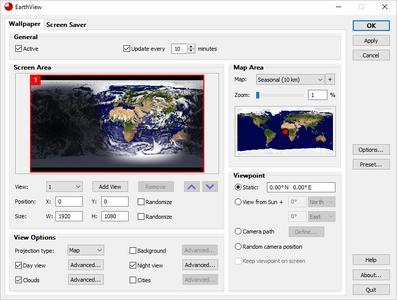
EarthView is a dynamic desktop wallpaper and screen saver, which displays beautiful views of the earth with daylight and night shadows. It produces colorful, high quality, high resolution images for every screen resolution - even beyond 3840x2160.

The program supports map and globe views, urban areas, city lights, atmospheric effects, clouds, weather information, local time display and much more. EarthView supports different maps that show our planet earth in different ways, including seasonal changes of vegetation, snow cover and ocean ice. Many options allow total customization of all view parameters. EarthView has won countless awards for its absolutely breathtaking images.

EarthView supports five different beautiful maps of the earth, starting at 10 km resolution, which means that at 100% zoom level, 1 pixel on your screen equals 10 kilometers on earth. If you purchase the full version, you'll get the possibility to download even more detailed versions of some maps, which have higher resolution. This means, they have much more detail, so you can zoom in even further!

Key Features
High detail view of the earth
Day and night view
Atmospheric effects
Urban areas and city lights
Clouds (internet download of current cloud data)
Weather data (temperature, humidity, wind, pressure, etc.)
Map and globe projection
Seasonal maps showing changes of vegetation, snow cover and ocean ice
Several other beautiful maps to choose from
Location and local time of more than 120.000 cities worldwide
Wallpaper and screen saver support
Multiple monitor support
Many options for full customization
Now with Windows 10 support!

System requirements
Supported operating systems (32 and 64 bit):
Windows XP
Windows Vista
Windows 7
Windows 8
Windows 10
Windows Home Server
Windows Server 2003
Windows Server 2008
Windows Server 2012

Home Page -
У Вас недостаточно прав для просмотра ссылок. Войдите или зарегистрируйтесь.


Download link:​
Код:
[center][b]rapidgator_net[/b]:
https://rapidgator.net/file/f9cd5264399b89c9f0d389a45aeb1a2b/mdg1a.EarthView.6.7.1.rar.html

[b]nitroflare_com[/b]:
https://nitroflare.com/view/16B85F1B9562B7E/mdg1a.EarthView.6.7.1.rar[/center]

Links are Interchangeable - No Password - Single Extraction​
 
FotoWorks XL 2021 v21.0.0 Multilingual

5882a1c8a030ae07e65e5b50e9d941ef.jpg


FotoWorks XL 2021 v21.0.0 Multilingual | 78 Mb​
FotoWorks XL is easy photo editing software for beginners, photographers or professional users. Is not easy but FotoWorks XL delivers whether you are a professional photographer or an amateur who just needs a bit of help retouching your snaps. A simple photo editing software suite, FotoWorks XL has been updated and improved from previous versions. Anyone who is new to it will find that it is a feature-rich package. It allows you to do just about everything you could ever want to with photographs, graphics, clip art and text.

Although it is very much photo editing software for beginners, the number and complexity of the package's more advanced functions means that it is equally of use to graphic designers, photojournalists, portrait photographers and wedding photographers. Like all top photo editing software suites, this package has something for everyone.

Photo Editing Software
Use it to perform simple functions like removing red eye from holiday snaps or to touch up images in preparation for a print run. In fact, the latest version of this updated photo editing software will allow you to perform histogram analysis of your pictures. This can be done for the whole of the photograph in question or just part of it - it is up to you. See graphical representations of the hue, the greyscale or the mix of red, blue and green to help you make your pictures more balanced. You can also use it as a print station by getting it to enlarge your images so they can be turned into posters, reports, or even sales catalogues. Few photo editing software suites you might categorize with the degree of professional design that FotoWorks XL come with a free trial period either!

Functions:
Ideal for schools, colleges and individuals who want to learn more about digital editing techniques, FotoWorks XL is a photo editing suite that is also right at home in the workplace. It is used by editors, professional photographers and graphic designers of all kinds to produce truly memorable images. The suite offers so much more than a basic photo editing software package that merely allows you to crop and rotate your pictures. With FotoWorks XL, you have a truly creative set of digital tools at your disposal that will improve your post-production editing skills no end. The sky is the limit when you start to use it in ever more creative ways!

Choose a Photo Editing Software Package That Is Designed to Be Easy to Operate
FotoWorks XL is easy photo editing software for PC users will be right at home with because it has been designed to integrate seamlessly into the Windows operating system. Designed as photo editing software Windows 10 users can get on with immediately, FotoWorks XL is all about its ease of use. In fact, it is not just photo editing software Windows 10 operators can use. FotoWorks is also backwards compatible. So, it works just fine as photo editing software Windows 7 users can enjoy. Indeed, the whole program operates in very much the same way as other packages designed for Microsoft operating systems.

Discover More About the Features Offered With This Photo Editor Suite
Thanks to its numerous photo editing tools, FotoWorks XL photo editor may be the only photo editing software you will ever need.
Photo editing software as advanced as FotoWorks XL rarely comes with so many different features to make use of. However, the updated version of this useful photo editing software package has only added to the things you can do.

Even before you look at the expert functions, it will allow you to:
- Enhance and improve photos.
- Retouch and edit photos.
- Create photo montage.
- Use auto-enhancing photographic measures.
- Alter the size of images.
- Alter the brightness, color and contrast of photos.
- Use color correction techniques.
- Sharpen and blur photos.
- Add photographic filters.
- Add borders and text.
- Draw on your photos by hand.
- Retouch images.
- Use morphing techniques.
- Create painting effects.
- Add reflections.
- Apply effects manually and automatically.
- Create collages.
- Remove red eye.
- Insert clip art.
- Add pictures within pictures.
- Crop images.
- Add symbols and lines to your photos.

System Requirements: Windows 10, Windows 7, Windows 8, Windows 8.1, Windows Vista

Home Page -
У Вас недостаточно прав для просмотра ссылок. Войдите или зарегистрируйтесь.


Download link:​
Код:
[center][b]rapidgator_net[/b]:
https://rapidgator.net/file/553031d646054716deef414e201b3a3e/p3hw0.FotoWorks.XL.2021.v21.0.0.Multilingual.rar.html

[b]nitroflare_com[/b]:
https://nitroflare.com/view/BF039AF8FF7B823/p3hw0.FotoWorks.XL.2021.v21.0.0.Multilingual.rar[/center]

Links are Interchangeable - No Password - Single Extraction​
 
Назад
Сверху