• Здравствуйте. Сайт заработал в архивном режиме форум www.old.nado.in

App4All Softwares Collection

  • Автор темы Автор темы app4all
  • Дата начала Дата начала

app4all

New member
Регистрация
9 Авг 2023
Сообщения
119
Реакции
0

wth0ocse7qblfp5b298w0p1fbp.png

File size: 846.8 MB

Media Encoder CC. Your go-to application for all media processing. Ingest, transcode, create proxies, and output any format you can imagine. This powerful media management tool allows you to work with media in a unified way across applications. Tight integration with Adobe Premiere Pro CC, After Effects CC, and other applications provides a seamless media processing workflow.
​

Key Features:
- Support for 8K H.264 export
- Export XAVC QFHD Long GOP 4:2:2 formats
- Hardware-accelerated HEVC encoding on Windows 10 with 7th Generation (or later) Intel® Core™ processors and Intel Graphics enabled
- Improved RED camera format decoding
- Improved Sony RAW/X-OCN camera format decoding
- Hardware-accelerated H.264 encoding on Windows 10 with 6th Generation (or later) Intel® Core™ processors and Intel Graphics enabled
- Hardware-accelerated H.264 and HEVC encoding on Mac OS 10.13 systems with supported hardware
- Support for importing Canon C200 camera formats
- Support for importing Sony Venice camera formats
- RED camera Image Processing Pipeline [IPP2] support
- Destination Publishing support for new Twitter 280-character limit
- Channel selection when publishing to YouTube and Vimeo
- Playlist selection when publishing to YouTube
- Page selection when publishing to Facebook
- Add custom titles when publishing to YouTube, Facebook, or Vimeo
- Add custom video thumbnails when publishing to YouTube
- Notification for missing items in queue before encoding
- H.264 adaptive bitrate presets automatically choose best output bitrate based on source frame size and frame rate
- Animated GIF export on macOS and Windows
- Time Tuner effect improvements
- Newly optimized list of H.264 presets
- Format support for RF64 WAV Decode/Encode, decode for Sony X-OCN, and QuickTime DNx Smart Rendering
- Warning when importing non-native QuickTime sources
- Timecode modification for 720p 59.94 media
- Destination Publishing to Adobe Stock Contributor
- Adobe Team Projects support
- Support for Color Profiles from After Effects sources
- Automatically relinked assets when importing a sequence
- Option to maintain playback in Premiere Pro while rendering in Media Encoder
- Streamlined bit depth and alpha channel settings (QuickTime only)
- Export support for ambisonic audio (H.264 only)
- Support for Hybrid LOG Gamma (HLG)
- Support for HDR in HEVC (H.265) export Export support for Panasonic AVC-Long GOP Op1b

System Requirements:
- Processor: Intel 6thGen or newer CPU
- Operating system: Microsoft Windows 10 (64-bit), version 1703 or later (required)
- RAM: 16 GB of RAM
- Hard disk space: 4GB of available hard-disk space; additional free space required during installation (cannot install on removable flash storage devices)
- Monitor resolution: 1920 x 1080 or greater display resolution
- GPU: Adobe-recommended GPU card for GPU-accelerated performance (see Premiere Pro System Requirements)
- Ethernet: 10 Gigabit ethernet for 4K shared network workflows (1Gb for HD-only)

Whats New:
Код:
https://helpx.adobe.com/media-encoder/using/whats-new.html

HOMEPAGE
Код:
http://www.adobe.com

Код:
https://rapidgator.net/file/22200136bb54a672805d6666037292ae

Код:
https://nitroflare.com/view/564400FEB2A2819
 
Ashampoo Photo Optimizer 9.4.7 (x64) Multilingual


alxw9-Mb-Our-XJp-Bui-Yg-Qndime-P4-AB1jx-I.png

File size: 121 MB

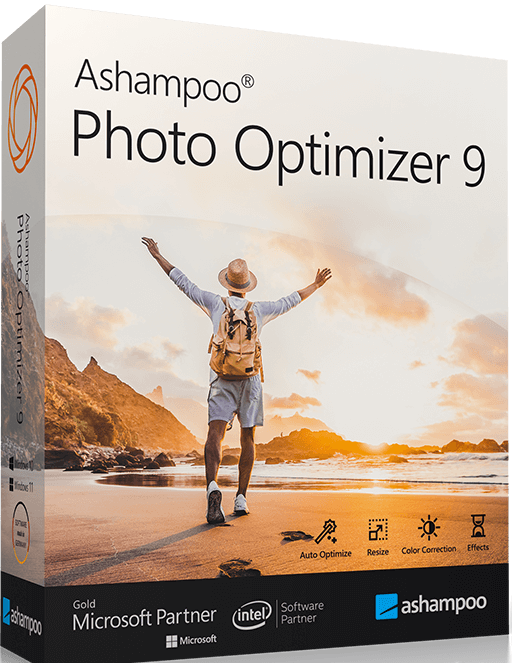
Photos constitute irreplaceable memories and capture special moments in our lives. But they do not always come out as expected. Make the most out of your photos in a single click and achieve stunning results almost instantly-only with Ashampoo Photo Optimizer 9!
​

Level up your vacation, wedding, and party shots!
Straighten misaligned shots, fix perspective errors, or apply a whole range of beautiful effects. Minor issues like red eyes, skin imperfections or stains are now easily fixable. Save time and nerves and achieve stunning results almost instantly with Photo Optimizer!

Select, click, enjoy!
Photo Optimizer 9's user interface is a straightforward as can be: Functions are neatly arranged into categories and never more than two clicks away. Where other photo editors have you wade through hefty manuals, Photo Optimizer gives you results instantly!

Important basics and creative freedom
Naturally, Ashampoo Photo Optimizer 9 includes all the usual suspects like image cropping, rotating, watermarking, and softening. But it doesn't stop there. Feel free to get creative with artistic effects and elegant frame designs. Whether you're recovering failed shots, cranking up the image quality by another 5% or just having fun, this is the program for you!

The lifesaver for your vacation shots
Visual blemishes are detected and fixed through careful image analysis. Our carefully crafted algorithm fully automatically optimizes colors, contrasts, and exposure times for single shots or entire collections, turning underwhelming shots into brilliant photos!

A matter of perspective!
Taking shots of buildings often leads to unpleasant, and easily noticeable, perspective distortions, due to the position of the photographer. Buildings and other tall objects almost seem to fall over, putting an unintended comical spin on your photos. Other times, you forgot to bring your tripod and failed to keep your camera completely straight. Enter Photo Optimizer 8's new perspective correction! Fix horizontal or vertical distortions in just a few clicks and save shots that would have otherwise gone straight to the bin. Give your photos a second chance and get the right perspective, always!

More ease-of-use through favorites
We all have our favorite functions that we most frequently rely on. Now, you no longer have to navigate through various menus and categories to reach them. Ashampoo Photo Optimizer 8 features a customizable "Favorites" menu so you can bundle all your favorite functions in a single instantly accessible location. Need to quickly straighten the horizon after auto-optimization, fix the perspective or do some cropping? Now you can. Genius, right?

Unrivaled image auto-optimization
The secret of the new Photo Optimizer lies in its one-of-a-kind image optimization. Each individual image is meticulously analyzed for potential weaknesses and room for improvement. Shots hastily taken with a cellphone camera are now easily recoverable! Dull colors, unfavorable lighting or lack of contrast-Photo Optimizer's advanced algorithms detects it all! Once analyzed, your photos are recreated and now full of vibrancy and life-exactly what good photos should look like. We've gone through thousands of settings combinations to find the ones that offer the best results at a high hit ratio. After 2 years of development and countless hours in our test lab, we're proud to introduce the next level of image optimization with Ashampoo Photo Optimizer!

More fine-tuning options
However good auto-optimization may be, there comes a time when you'll want to make manual adjustments. Version 8 offers even more individual fine-tuning options, like color temperature adjustments that can completely change the nature of a shot-and energize those "cold" cellphone images we're all so familiar with. Tone curves are a sure-fire way to enhance shadows, mid-tones and highlights, especially when you're working with RAW shots! Feel free to experiment to your heart's delight, the integrated backup system can revert any changes you make and restore your original image in the blink of an eye.

Improved memory management
If needed, Ashampoo Photo Optimizer utilizes all available system memory to benefit from the full power of your PC. This means, even super high-res images or gigantic collections are now optimizable at lightning speed. Experience the fastest and most robust Photo Optimizer of all time!

Enhance white balance and intensify contrast spreads
White balance is pivotal to the color temperature of your images. Digital cameras are particularly prone to the dreaded bluish cast and dull colors. This leads to photos that seem lifeless and completely devoid of the magic of the moment. Low-contrast images, often due to poor lighting, are another common issue. With the help of custom white balance and contrast spread settings, Photo Optimizer can breathe new life into these otherwise ruined shots! Both features are part of auto-optimization and will auto-enable whenever appropriate!

Photo editing in just a few clicks
The user interface in Photo Optimizer is truly self-explanatory. Functions are arranged into intuitively named categories and never more than two clicks away. Where other photo editors have you wade through manuals, Photo Optimizer gives you results instantly! Everything is simple and logical, there's practically no learning curve. Whether you're a beginner or an advanced user, or maybe you just don't want to spend hours with image tweaking, Ashampoo Photo Optimizer is the program for you.

Versatile export features
Good photos deserve to be seen. That's why we're offering various ways in Photo Optimizer 8 to share your photos with others. This includes email, the free Ashampoo Web and even just setting photos as your desktop background image. If you'd rather go the traditional route and print your photos, you'll love the feature-rich print dialog that not only creates high-quality but also space-efficient print outs, if needed.

Features for perfectionists and creatives
Many sophisticated features are available to those seeking to go beyond auto-optimization. Whether you need to sharpen or soften individual portions, Photo Optimizer offers well-designed tools for every use case. Reduce irritating image noise, adjust color temperatures or crop your images. And for the artist in you, we've also included multiple effects like waves, swirls, even implosion and explosion. There's ample room to experiment.

Naturally-looking portrait enhancements
Faces are the focus of many photos, yet they seldom come out perfect! Enhance your portraits automatically or manually with Photo Optimizer. Fix red eyes and whiten teeth for that dazzling smile. Fix minor glitches with the clone tool and remove stains and other impurities like a pro. Create perfect yet naturally looking portraits in just a few clicks!

Add a little color!
You can't have great photos without great colors. That's where Photo Optimizer's highly efficient color correction comes in. Add a personal touch or a better sense of realism to your photos. It only takes a few sliders to enhance contrast, saturation and many other aspects. Observe your changes in real-time, thanks to the built-in live preview and take a trip down memory lane with the nostalgic sepia effect or apply a threshold for a nifty color reduction. Don't like what you see? Bring back the original at the click of a button!

Comfortable batch processing
Since Ashampoo Photo Optimizer 8 does so much fully automatically, we've included batch processing to save you time and nerves while the program processes your entire photo library in one go. Select individual images from various sources or entire folders and have Photo Optimizer work its magic. Every image is meticulously analyzed and its quality optimized according to its specific characteristics. Batch-process an entire vacation in one go, polish your wedding or birthday shots and put the fun back into photography.

Ample room for experiments
Thanks to its robust backup system, you're free to experiment in whatever way you see fit without ever losing your original images. Revert your images to their original states at the click of a button. And the built-in before-after view ensures there won't be any nasty surprises on your road to perfect photos. It's like you're looking into the future-and it is bright, colorful and vibrant!

Whats New
Код:
https://www.ashampoo.com/en-us/photo-optimizer

HOMEPAGE
Код:
https://www.ashampoo.com/

Download Links​

Код:
https://rapidgator.net/file/ffefbcdbfec8d43a421b85844f3ce983

Код:
https://nitroflare.com/view/75BBCEC66F2094D

​
 
Adobe Audition 2023 v23.6.0.61 (x64) Multilingual


85511b958b2b2dbf8d01141674bb23b3.jpg

File Size: 462.9 MB

Adobe Audition. A professional audio workstation. Create, mix, and design sound effects with the industry's best digital audio editing software. Audition is a comprehensive toolset that includes multitrack, waveform, and spectral display for creating, mixing, editing, and restoring audio content. This powerful audio workstation is designed to accelerate video production workflows and audio finishing - and deliver a polished mix with pristine sound.
​

What is Audition?
Meet the industry's best audio cleanup, restoration, and precision editing tool for video, podcasting, and sound effect design.

Record, edit, and integrate music clips.
This step-by-step tutorial guides you through the robust audio toolkit that is Adobe Audition, including its seamless workflow with Adobe Premiere Pro.

New interactive tutorials, right in app.
Add oomph to your audio. Use the Essential Sound panel to achieve professional-quality audio - even if you're not a professional.

Create a podcast
Learn the basic steps to record, mix, and export audio content for a podcast - or any other audio project..

Remix to fit.
Easily and automatically rearrange any song to fit any duration with Remix in Audition.

Repair and restore
Get best practices for fixing audio, including how to use the spectral frequency display, Diagnostics panel, effects, and more.

System Requirements:
- Processor: Multicore processor with 64-bit support
- Operating system: Microsoft® Windows 10 (64 bit) version 1703 or higher.
- RAM: 4GB of RAM
- Hard disk space: 4GB of available hard-disk space for installation; plus additional free space required during installation (cannot install on removable flash storage devices)
- Monitor resolution: 1920x1080 or larger display
- OpenGL: OpenGL 2.0 capable system
- Sound card: Sound card compatible with ASIO protocol, WASAPI, or Microsoft WDM/MME
- Control surface support : USB interface and/or MIDI interface may be required for external control surface support (see manufacturer's specifications for your device)
- CD burning: Optical drive is used for CD burning (optional)

Whats New:
Код:
https://helpx.adobe.com/audition/using/whats-new.html

HOMEPAGE
Код:
https://www.adobe.com

Download Links​

Код:
https://rapidgator.net/file/193b97b244efe23bb2374d3d42d498ca

Код:
https://nitroflare.com/view/E96C36B7F945399

​
 
Adobe Premiere Pro 2023 v23.6.0.65 (x64) Multilingual


f-Jzd6-HHpo5-AYb-Py-G2wf-PAWr-YL40-Nxh-FZ.jpg

File Size: 9 GB

Video editing that's always a cut above. Premiere Pro is the leading video editing software for film, TV, and the web. Creative tools, integration with other Adobe apps and services, and the power of Adobe Sensei help you craft footage into polished films and videos in one seamless workflow. And Premiere Rush, our new app, is included with your subscription so you can capture footage and start editing on all your devices, anywhere.
​

Smart tools. Better storytelling.
Premiere Pro is used by Hollywood filmmakers, TV editors, YouTubers, videographers - anyone with a story to tell, including you.

Stay in your creative flow.
Premiere Pro is the industry leader for editing everything from fast-turn TV series to feature films. Integrated, efficient workflows let you polish your work without leaving your timeline. And automated tools powered by Adobe Sensei speed up time-consuming tasks, so you can focus on your story.

Any camera. Any format. Any platform.
Edit footage in any modern format, from 8K to virtual reality. Broad native file support and simple proxy workflows make it easy to work with your media, even on mobile workstations. Delivering content that's optimized for any screen or platform is faster than ever.

Everything you need. Right where you need it.
Along with tools for color, audio, and graphics, Premiere Pro works seamlessly with other apps and services, including After Effects, Audition, and Adobe Stock. Open a Motion Graphics template from After Effects or download one from Adobe Stock and customize it - all without leaving the app. And Premiere Pro integrates with hundreds of partner technologies.

Precise and simple color grading
Take the guesswork out of curve adjustments with innovative Lumetri Color tools. Each curve has two axes with paired values making selective color grading easy and accurate.

Improve audio instantly
New sliders in the Essential Sound panel let you dial down or remove background noise and reverb for incredible results.

Infographics with Motion Graphics templates
Drag and drop spreadsheets into new infographics Motion Graphics templates to quickly generate visualizations of your data. Any updates to your spreadsheets are automatically updated in your infographic.

End-to-end VR 180
Jump into immersive video with support for VR 180, including optimized ingest and effects. Publish your videos in the Google VR180 format on YouTube or other platforms.

RELEASE NOTES:
Код:
https://helpx.adobe.com/premiere-pro/using/whats-new.html

System Requirements:
- Processor: Intel® Intel 6thGen or newer CPU
- Operating system: Microsoft Windows 10 (64-bit) version 1703 or later (required)
- RAM: 16 GB of RAM (32 GB recommended)
- 4 GB of GPU VRAM
- Hard disk space
- Fast internal SSD (recommended) for app installation and cache - plus provisional space for media
- Monitor resolution 1920 x 1080 or greater display resolution
- Video card 32-bit video card

HOMEPAGE
Код:
https://www.adobe.com

Download Links​

Код:
https://rapidgator.net/file/5f832d17b4fc127aa7f9cc958e411aad
https://rapidgator.net/file/b4ad7a378da11d492689ff7fe42b5a92
https://rapidgator.net/file/77a9a9160259194db05214c4ed766e9a
https://rapidgator.net/file/caab3525d047ee6ffbf59918308a0567
https://rapidgator.net/file/b6993ef33269cc22328553011b6ced72

Код:
https://nitroflare.com/view/958ED361D4EB626
https://nitroflare.com/view/BAFCAAE514ABBD6
https://nitroflare.com/view/F6866F39E3B8319
https://nitroflare.com/view/A8BA46FC24821DF
https://nitroflare.com/view/D7FF55FC82203A5

​
 
Topaz Photo AI 1.5.1 (x64)


Topaz-Photo-AI.png

File size: 685 MB

Sharpen, remove noise, and increase the resolution of your photos with tomorrow's technology. Topaz Photo AI supercharges your image quality so you can focus on the creative part of photography.
​

Focus on your creativity rather than your tools.
AI is good at some things but bad at others. It can write sentences but can't tell a story, and it can recommend songs but can't compose music. But most importantly for us: AI is exceptionally good at improving image quality, but bad at knowing what to do with it.

We believe that stunning photography comes from artistic vision paired with world-class tools. AI will never replicate human creativity, so it's still your job to provide the vision. But just like a sharper lens or better camera, Topaz Photo AI empowers you to create images that just aren't possible with yesterday's tools.

Your photos at their very sharpest.
You won't always be able to retake a shot when your subject is blurry. Sometimes you won't even know until you're reviewing your photos on your computer.

In these cases, use Topaz Photo AI to make sure your photos are as sharp as possible. Instead of artificially boosting edge contrast like traditional sharpening, the Sharpen AI module naturally reverses the root causes of blurring (camera shake, motion blur, incorrect focus) to create more natural-looking results.

Without blurring, the sharpness remains: crisp, clear detail, free from edge halos or other artifacts.

Get sharp and clear images without noise.
It's a magical feeling to see noise evaporate while sharp detail remains.

After learning from millions of images, Topaz Photo AI's Remove Noise module can effectively understand the content of your image. It can accurately determine the difference between real image detail and noise with an astonishing level of accuracy.

Not all of your images will be noisy. For those who are, Topaz Photo AI will give you the best possible results that modern technology is capable of.

Release Notes
Код:
https://community.topazlabs.com/t/topaz-photo-ai-v1-1-5-v1-1-6/38503

HOMEPAGE
Код:
https://community.topazlabs.com/

Download Links​

Код:
https://rapidgator.net/file/1efbeb6b518a53f0677fb46fbbd6aa7c

Код:
https://nitroflare.com/view/C87725695757DF3

​
 
Siemens Star CCM+ 2306 v18.04.009-R8 Double Precision (x64) Multilingual


th-Gc7-Dx7-O9pux8m-DTj3-Hb-Fwoza99-Fs6a-Bu.jpg

File Size: 4.1 GB

Predicting the real-world performance of a product requires simulation tools that span a variety of engineering disciplines. STAR-CCM+ is an all-in-one solution that delivers accurate and efficient multidisciplinary technologies in a single integrated user interface.
​

Why STAR-CCM+?
Don't just simulate, innovate!
In order to design better products, engineers need to predict the consequence of any design changes on the real-world performance of their product, for better or for worse. Historically those predictions came from hand calculations or from the experimental testing of physical prototypes. Today, engineering simulation offers comprehensive predictions that are usually more accurate and always less expensive than experimental testing. Deployed effectively, these can be used to improve a design through multiple iterations. Ultimately this results in higher quality and more robust products that better fulfill customer expectations. Unlike other methods, engineering simulation also offers the benefit of exploring the performance of a product over the full range of operating conditions that it is likely to face in its working life, rather than just at a handful of carefully chosen "design points." However, not all engineering simulation tools are created equal. In order to provide a constant stream of relevant engineering data, simulation software must be

Multidisciplinary
Solving complex industrial problems requires simulation tools that span a multitude of physical phenomena and a variety of engineering disciplines. Real-world engineering problems do not separate themselves into convenient categories such as "aerodynamics", "hydrodynamics", "heat transfer" and "solid mechanics". Only multidisciplinary engineering simulation can accurately capture all of the relevant physics that influence the real-world performance of a product, and can be used to automatically drive the virtual product through a range of design configurations and operating scenarios. By minimizing the level of approximation, engineers can be confident that the predicted behavior of their design will match the real-world performance of their product.

Timely
No matter how "realistic" your simulation is, the data it provides is useless if it does not influence the final design of your product. For simulation to be a useful tool in the engineering design process, predictions must be delivered on time, every time. A late simulation result is not much better than no result at all. Ideally, simulation should generate a constant stream of data that guides and informs the design process through every decision. This is only possible when the simulation process is a robust and automated one. Once an engineer has invested in the creation of a multidisciplinary simulation model, that model should be easily redeployable to investigate a full range of design configurations and operating scenarios, with little or no manual effort from the engineer.

Affordable
Used effectively, engineering simulation consistently delivers a high return on investment (ROI). It provides far more in terms of reduced development costs and increased product revenue than it costs to implement. However, traditional engineering simulation licensing schemes can make the transition from an experimentalist's mindset of "testing just a few design points" to "investigating the whole design space" prohibitively expensive. This is because most engineering simulation software vendors base their licensing model around the broken paradigm of "the more you use, the more you lose," charging you per core instead of per simulation and tying customers to an almost linear relationship between the cost of their license and the maximum number of cores that they are allowed to utilize in their simulations. Innovative licensing schemes such as Power Sessions (giving you unlimited cores for a fixed price), Power-on-Demand (enabling you to run on the cloud) and Power Tokens (giving you unprecedented flexibility and facilitating design exploration) render the cost of using engineering simulation affordable.

Backed by experts
An uncomfortable truth about modern engineering is that there really are no easy problems left to solve. In order to meet the demands of industry, it is no longer good enough to do 'a bit of CFD' or 'some stress analysis'. In order to design truly innovative products, engineers are often "pushing back the boundaries of the possible". This is something that is difficult to achieve in isolation, and often requires competences outside an individual engineer's immediate area of expertise. In order to be successful, an engineer should have ready access to a community of simulation experts, and ideally an established relationship with a dedicated support engineer who not only understands the engineer's problems, but can approach the right expert help whenever needed.

Whats New
Read: releaseNotes_18.04.009_en.pdf

HOMEPAGE
Код:
https://mdx.plm.automation.siemens.com/

Download Links​

Код:
https://rapidgator.net/file/d1419ba36d5362f1e93193314ef2d2c4
https://rapidgator.net/file/79848003df91671cc43749a9c7fb9e3c
https://rapidgator.net/file/525ff94ce293dfc8187a967bc829bb35

Код:
https://nitroflare.com/view/4D6A18E7D2B5002
https://nitroflare.com/view/B9BC908CA97EEBC
https://nitroflare.com/view/E54A85B5454FD5D

​
 
Adobe Illustrator 2023 v27.8.1.268 (x64) Multilingual


e-Uw-Xz1-T7-USt-Yx-Spm-BKEAUNDEs-Kc4n-FVO.jpg

File Size: 1.6 GB

The industry-standard vector graphics software lets you create logos, icons, drawings, typography, and illustrations for print, web, video, and mobile. Millions of designers and artists use Illustrator CC to create everything from web icons and product packaging to book illustrations and billboards.
​

Iconic work at any size.
Get all the drawing tools you need to turn simple shapes and colors into sophisticated logos, icons, and graphics. Illustrator artwork is vector-based software, so it can scale down for mobile screens and up to billboard size - and always look crisp and beautiful.

Gorgeous typography that says it all.
Incorporate a company name into a logo, create a flyer, or mock up a website design with the best type tools out there. Add effects, manage styles, and edit individual characters to create typographic designs that perfectly express your messages.

Draw attention everywhere.
Create freehand drawings, or trace and recolor imported photos to turn them into works of art. Use your illustrations anywhere, including printed pieces, presentations, websites, blogs, and social media.

Pro power comes standard.
With fast, responsive performance and precision tools, it's easy to focus on design, not process. Reuse your vector graphics across documents. Work seamlessly with other Creative Cloud apps like Photoshop, InDesign, XD, and Premiere Pro. Illustrator makes it a snap to add artwork to designs, video, and more.

Freeform Gradients
Easily create rich color blends that give your objects and artwork a more natural look and feel.

Global Editing
Save time by modifying repeating text or objects across multiple artboards all at once.

Customizable toolbar
Add or remove tools so you have just the ones you want, and group them the way that works best for you.

Presentation and Trim Preview
Turn artboards into slides you can easily project and share, and see how documents with bleeds will look with the edges trimmed off.

System Requirements:
-OS:Microsoft Windows 7 with Service Pack 1, Windows 10
-CPU:Multicore Intel processor (with 32/64-bit support) or AMD Athlon 64 processor
-RAM:2 GB of RAM (4 GB recommended) for 32 bit; 4 GB of RAM (16 GB recommended) for 64 bit
-Hard disk: 2 GB of available hard-disk space for installation; additional free space required during installation; SSD recommended
-Monitor resolution: 1024 x 768 display (1920 x 1080 recommended)
-To use Touch workspace in Illustrator, you must have a touch-screen-enabled tablet/monitor running Windows 10 (Microsoft Surface Pro 3 recommended).
-GPU: OpenGL 4.x
-Optional: To use GPU Performance: Your Windows should have a minimum of 1GB of VRAM (4 GB recommended), and your computer must support OpenGL version 4.0 or greater.

Whats New:
Код:
https://helpx.adobe.com/illustrator/using/whats-new.html

HOMEPAGE
Код:
https://www.adobe.com

Download Links​

Код:
https://rapidgator.net/file/ffbd54ab84e36ed2037a307c6d040b37

Код:
https://nitroflare.com/view/84AE6F1C92249B3

​
 
Последнее редактирование:
Siemens Star CCM+ 2306.0001 Build 18.04.009 Single Precision (x64) Multilingual


th-Gc7-Dx7-O9pux8m-DTj3-Hb-Fwoza99-Fs6a-Bu.jpg

File Size: 4.1 GB

Predicting the real-world performance of a product requires simulation tools that span a variety of engineering disciplines. STAR-CCM+ is an all-in-one solution that delivers accurate and efficient multidisciplinary technologies in a single integrated user interface.
​

Why STAR-CCM+?
Don't just simulate, innovate!
In order to design better products, engineers need to predict the consequence of any design changes on the real-world performance of their product, for better or for worse. Historically those predictions came from hand calculations or from the experimental testing of physical prototypes. Today, engineering simulation offers comprehensive predictions that are usually more accurate and always less expensive than experimental testing. Deployed effectively, these can be used to improve a design through multiple iterations. Ultimately this results in higher quality and more robust products that better fulfill customer expectations. Unlike other methods, engineering simulation also offers the benefit of exploring the performance of a product over the full range of operating conditions that it is likely to face in its working life, rather than just at a handful of carefully chosen "design points." However, not all engineering simulation tools are created equal. In order to provide a constant stream of relevant engineering data, simulation software must be

Multidisciplinary
Solving complex industrial problems requires simulation tools that span a multitude of physical phenomena and a variety of engineering disciplines. Real-world engineering problems do not separate themselves into convenient categories such as "aerodynamics", "hydrodynamics", "heat transfer" and "solid mechanics". Only multidisciplinary engineering simulation can accurately capture all of the relevant physics that influence the real-world performance of a product, and can be used to automatically drive the virtual product through a range of design configurations and operating scenarios. By minimizing the level of approximation, engineers can be confident that the predicted behavior of their design will match the real-world performance of their product.

Timely
No matter how "realistic" your simulation is, the data it provides is useless if it does not influence the final design of your product. For simulation to be a useful tool in the engineering design process, predictions must be delivered on time, every time. A late simulation result is not much better than no result at all. Ideally, simulation should generate a constant stream of data that guides and informs the design process through every decision. This is only possible when the simulation process is a robust and automated one. Once an engineer has invested in the creation of a multidisciplinary simulation model, that model should be easily redeployable to investigate a full range of design configurations and operating scenarios, with little or no manual effort from the engineer.

Affordable
Used effectively, engineering simulation consistently delivers a high return on investment (ROI). It provides far more in terms of reduced development costs and increased product revenue than it costs to implement. However, traditional engineering simulation licensing schemes can make the transition from an experimentalist's mindset of "testing just a few design points" to "investigating the whole design space" prohibitively expensive. This is because most engineering simulation software vendors base their licensing model around the broken paradigm of "the more you use, the more you lose," charging you per core instead of per simulation and tying customers to an almost linear relationship between the cost of their license and the maximum number of cores that they are allowed to utilize in their simulations. Innovative licensing schemes such as Power Sessions (giving you unlimited cores for a fixed price), Power-on-Demand (enabling you to run on the cloud) and Power Tokens (giving you unprecedented flexibility and facilitating design exploration) render the cost of using engineering simulation affordable.

Backed by experts
An uncomfortable truth about modern engineering is that there really are no easy problems left to solve. In order to meet the demands of industry, it is no longer good enough to do 'a bit of CFD' or 'some stress analysis'. In order to design truly innovative products, engineers are often "pushing back the boundaries of the possible". This is something that is difficult to achieve in isolation, and often requires competences outside an individual engineer's immediate area of expertise. In order to be successful, an engineer should have ready access to a community of simulation experts, and ideally an established relationship with a dedicated support engineer who not only understands the engineer's problems, but can approach the right expert help whenever needed.

Whats New
Read: releaseNotes_18.04.009_en.pdf

HOMEPAGE
Код:
https://mdx.plm.automation.siemens.com/

Download Links​

Код:
https://rapidgator.net/file/bb6c9e26b07ae2ca4da5884a7a5d4325
https://rapidgator.net/file/85ca6cef0ba36b84d0697982af203147
https://rapidgator.net/file/e9e9bcaf8fca5979af2fd3c194fcab8b

Код:
https://nitroflare.com/view/7A75AB6BDA0B38B
https://nitroflare.com/view/010D439D8FB1FE4
https://nitroflare.com/view/7464D6EC062808F

​
 
Gillmeister Automatic PDF Processor 1.27.4


Lxpe-Hd-CTt-Vm-Gh-BN8-YUm-HDPUPb-RW4rwnt.jpg

File size: 134.8 MB

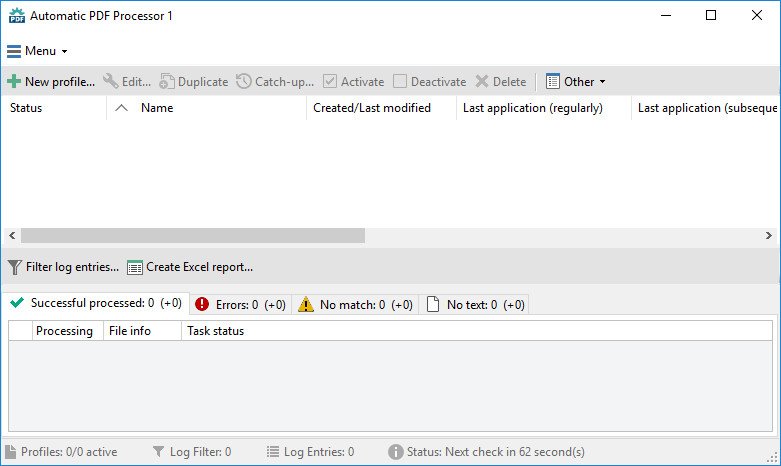
With Automatic PDF Processor, PDF files can be processed automatically. Any number of folders can be monitored in order to automatically print, rename or move incoming PDF files to dynamically named folders. Numerous metadata of the PDF document can be used in addition to the content, for example to include invoice information in the file path. The PDF files to be processed can be narrowed down with various profile-specific filters - the document text, PDF metadata and general file information are available as filters.
​

Extraction of data from the text of PDF files is optional. An unlimited number of extraction rules can be created within a profile. The extracted data can be used (after optional validation and formatting) for naming folders or the file name, and can be saved as an extract in a CSV file. Another task that can be automated with the Automatic PDF Processor is the extraction of attachments from PDF files, for example to save ZUGFeRD XML files, XRechnung attachments or similar as part of a PDF invoice in the same folder.

Monitor any number of folders
Examine incoming PDF files and apply individual rules

Store PDF files in a structured manner
Automatically rename PDF files and save them in dynamically created folders

Print PDF files automatically
Send certain PDF documents directly to the printer (e.g., invoices or quotations)

Optional further processing
Perform subsequent tasks, e.g., run a program with the filename of the PDF file passed as parameter

Whats New
Код:
https://www.gillmeister-software.com/products/automatic-pdf-processor/changelog.aspx

HOMEPAGE
Код:
https://www.gillmeister-software.com/

Download Links​

Код:
https://rapidgator.net/file/f1d97392602b8e787fc1b3552c7a6b45

Код:
https://nitroflare.com/view/3A067301A81F1DD

​
 
Avenza MAPublisher for Adobe Illustrator 11.2


F0z29kf-Dot-EYAj-Am-C81e-VUr-Eu7d-LGOH3.jpg

File Size: 355 MB

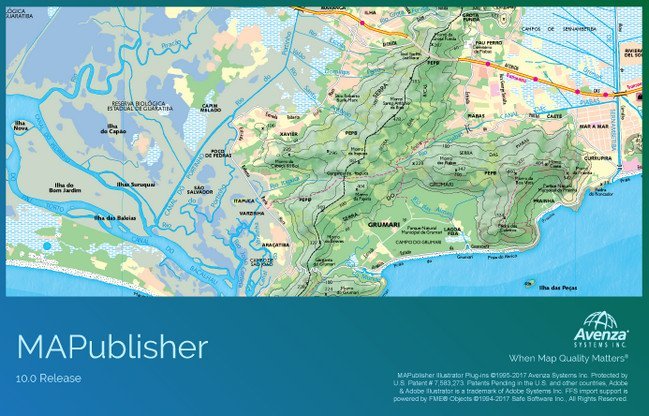
Finally, high-quality map production software that works. MAPublisher cartography software seamlessly integrates over 40 GIS tools into the Adobe Illustrator environment to help you create maps the way you want, how you want. Import the most widely used GIS data formats, including those from ESRI, MapInfo, MicroStation, AutoCAD, Google and the U.S. Government. All GIS data attributes and geographic parameters are maintained, are fully accessible and editable. Export data in a wide variety of standard GIS formats and export documents to Geospatial PDF. Cartography is now faster, easier and better than it has ever been. When used together with Geographic Imager for Adobe Photoshop, they form the perfect vector/raster mapping package for the Adobe Creative Suite.
​

Export Adobe Illustrator documents with GIS data to interactive Flash maps, complete with callout bubbles, rollovers, layer control, pan and zoom controls, and with all the underlying GIS attributes intact. Export Flash maps without any additional coding or software requirements and embed them to any Web page
In MAPublisher create Adobe Acrobat PDF files containing coordinate system and attribute data from any MAPublisher document. Find locations, measure distances, perimeters and areas, add locations markers and more.

Directly import feature classes from ESRI Personal geodatabase (.mdb), File geodatabase (.gdf ) and ArcSDE servers. Use SQL queries and spatial filters to refine import. Requires ESRI software and a valid license installed and is only available on Windows.
MAPublisher panels seamlessly integrate into the user interface and can be resized, moved, and docked just like native Adobe Illustrator panels.
Crop map documents only to the area of interest. Easily remove unwanted data while preserving attributes and styles. Perfect for creating inset maps.

The ability to place points onto a map is a fundamental part of cartography. Points can represent the locations of towns and cities, stores, airports, train stations and more. Instantly plot centroids and lat/long points onto any projected map in projected units, decimal degrees, or Degrees Minutes Seconds.
Import data from major GIS applications such as ArcGIS, MapInfo, MicroStation, Google and other GIS sources with all attributes and georeferencing intact and fully editable. Make vector and database edits, data edits, additions and save your changes to a variety of GIS data formats.

MAPublisher quickly and easily styles points, lines, areas and text. Specify rules in MAP Stylesheets to apply preset or custom symbols, graphic styles and character styles to artwork based on exisiting map attributes.

Whats New
Код:
http://www.avenza.com/help/mapublisher/10.0/index.html?whats_new_in_mapublisher.htm

HOMEPAGE
Код:
https://www.avenza.com

Download Links​

Код:
https://rapidgator.net/file/6b56cf6457dabf2a40e793aad10b10ed

Код:
https://nitroflare.com/view/A9FAD47C704812C

​
 
XYplorer 24.80.0000 Multilingual


bld-Mlvr9t-RRy-Kwo29bh-B6icmpmvt-C28p.jpg

File size: 6 MB

XYplorer is a file manager for Windows. It features tabbed browsing, a powerful file search, a versatile preview, a highly customizable interface, optional dual pane, and a large array of unique ways to efficiently automate frequently recurring tasks.​

It's Tabbed
Tabs let you switch between folders most easily. Drag them around, hide them, lock them, name them, or drop files onto them. The tabs remember their configuration individually and across sessions. On top of this you get tabsets and dual pane.

It's Functional
XYplorer has been designed to make you faster. Numerous usability enhancements in an attractive interface help to streamline your workflow and increase your efficiency. You will definitely save a lot of time.

It's Scriptable
Yes, you can program this app. Individual solutions for individual tasks. No plugins needed, scripts run out-of-the-box. Even beginners can benefit from this feature since many ready-to-use scripts are available in the forum.

It's Fast
Speed has always been a major design goal with XYplorer. The code is constantly optimized for performance, zero tolerance for slowness. On top of that the app uses very little RAM, the executable is light (7 MB), and it loads almost instantly.

It's Reliable and Robust
You can trust XYplorer. It works as intended and expected, and is very hard to destroy. Any issues are immediately attended and usually fixed within hours. A large community is closely watching the development and permanently testing the frequent beta versions.

It's Customizable
You can fine-tune the app to look and behave exactly as you want it. This ranges from fonts and colors to custom toolbar buttons and even file icons and program associations. And every bit of it is fully portable. Even the dark mode.

It's Responsive
Your customer voice is listened to and taken seriously, most of the time you get instant feedback, and your wish might actually get implemented sooner than you'd think.

Whats New
Код:
https://www.xyplorer.com/whatsnew.php

HOMEPAGE
Код:
http://www.xyplorer.com

Download Links​

Код:
https://rapidgator.net/file/a3c30b47a8cf2a54ef2743f1ba0f7365

Код:
https://nitroflare.com/view/F8A33B44CAB594A

​
 
NXPowerLite Desktop 10.0.1 (x86)


8-Ofm980od9-Jm-C9h-Dey-Izjuz7-Nbl-Z6-Qae.png

File size: 54.4 MB

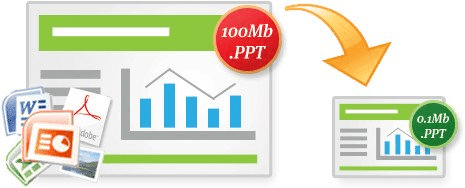
NXPowerLite Desktop Edition radically reduces the size of Word documents, Excel spreadsheets, PowerPoint presentations and JPEG images. Files remain in their original format, with no discernible loss of quality - and there's no need to unzip before using them. It's incredibly easy to use. Simply select a file, choose your optimisation level and click the 'Optimise' button. If you use Lotus Notes, Microsoft Outlook, Outlook Express or Windows Mail, it's even easier. NXPowerLite Desktop Edition will automatically optimize email attachments as they are sent. File recipients don't need NXPowerLite to open or edit the attachments.
​

Key features:
Smaller files, same format
Optimized files stay in the same format, so a JPG remains a JPG even when optimized. It will look and feel identical to the original, just much smaller.
Examples: Original 5.5 MB | Optimized 2.3 MB

Custom profiles
Create unlimited personalised profiles with custom resolution, quality, hidden data settings and more. Quickly select any settings profile straight from the home screen for a great productivity boost.

Email compression
NXPowerLite can automatically compress your email attachments as they are sent in either Outlook or Lotus Notes.

System requirements:
Windows Vista and above
NXPowerLite integrates with 32 & 64-bit versions of the following applications (Versions 2007 - 2016):
Microsoft PowerPoint
Microsoft Word
Microsoft Excel
NXPowerLite can automatically optimize email attachments in the following email clients:
Microsoft Outlook (2007 - 2016) [32-bit & 64-bit]
Lotus Notes (6 - 9)

File Types supported:
PDF Documents
Microsoft PowerPoint presentations (PowerPoint 97-2016)
Microsoft Word documents (Word 97-2016)
Microsoft Excel spreadsheets (Excel 97-2016)
JPEG images
PNG
TIFF
All the above formats contained within zip archives.

Whats New
Код:
https://www.neuxpower.com/blog/2020/11/6/whats-new-in-nxpowerlite-desktop-9

HOMEPAGE
Код:
https://www.neuxpower.com/

Download Links​

Код:
https://rapidgator.net/file/e268f414fb1a197c94ea4bd005d4267e

Код:
https://nitroflare.com/view/7EA9908816AB082

​
 
CrownSoft Audio Repeater Pro 1.5.9


mtb-YEa6-HQx3bo-Ncip-ONC1-F8-VGIm6-Pe8-I.jpg

File size: 4.0 MB

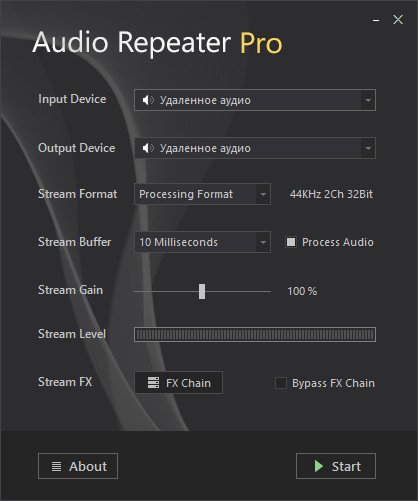
Audio Repeater Pro is a multi-channel and low latency audio streaming solution for windows. It allows you to stream audio between two devices in real-time. It can also add effects to the audio while streaming. The most important feature of the Audio Repeater Pro is that you don't have to use virtual cable software. You can capture audio from any sound rendering device and it does not require the device to be a virtual audio device.
​

Feature Highlights
Low latency audio streaming
Multi-channel streaming
Can capture from rendering devices
Supports VST/Audio Effect plugins
Auto detects the clock drift of the device
Can be used as a real-time effect processor
Efficient and low CPU usage
Can run in the background
Utilises the raw power of native C++
Made for broadcasters & gamers...

Whats New
Код:
https://www.audiorepeater.com/history.php

HOMEPAGE
Код:
https://www.audiorepeater.com/

Download Links​

Код:
https://rapidgator.net/file/c94e5cbc0567c166b8f7127fabd23e79

Код:
https://nitroflare.com/view/1B180E725ABA9F4

​
 
4K Video Downloader Plus 1.1.0.0024 Multilingual


Z7-VON2-Rnebete-Qb-A9w-K0-BEHw-W6-Pf-Iq-VY.png

File Size: 282 MB

4K Video Downloader allows to download video, audio and subtitles from YouTube in high-quality and as fast as your computer and connection will allow. If you want that video on your iPad, iPhone or other device we've got you covered. Downloading is simple and straightforward: just copy the video link from your browser and click 'Paste Url'. Done!
​

Features:
Download entire playlists and channels from YouTube and save them in MP4, MKV, M4A, MP3, FLV, 3G, generate .m3u file for playlists.
Download video in HD 1080p, HD 720p or 4K quality and enjoy high dimension video on your HD TV, iPad or other devices.
Advanced subtitles download, select if you would like to have .srt file or embedd subtitles in video file to watch it on your Mac for example.
Activate "Smart Mode" in order to apply the selected settings to all your downloads, easy and fast.
Download video in 3D format, you will find a small special icon among available formats after video parsing. It's really impressive to watch live shows and cartoons in 3D.
Subscribe to YouTube channels within 4K Video Downloader and the new videos will be downloaded automatically to your computer just right after they're uploaded on a channel by its owner.
Support of 360° videos - the videos that were created with a camera that simultaneously records all 360 degrees of a scene, change the viewing angle by dragging video with the mouse and enjoy this mindblowing novelty!
Download embedded YouTube videos from any web pages, just copy/paste link and the program will find the source of download.
Download video and audio from Vimeo, SoundCloud, Flickr, Facebook and DailyMotion.
Use 4K Video Downloader on your PC, Mac or Linux, doesn't matter what OS you prefer.

Whats New:
Updates: official site does not provide any info about changes in this version

HOMEPAGE
Код:
https://www.4kdownload.com/

Download Links​

Код:
https://rapidgator.net/file/2480eaee0bf2b96aef91c783dfab64f3

Код:
https://nitroflare.com/view/2CB2A6D84A9C4D6

​
 
BaseHead Ultra 2023.08.08


th-LWID3-Z8f18r-Er-Euq-Fq-Kj0v9sydsk-MXc-H.jpg

File size: 120.2 MB

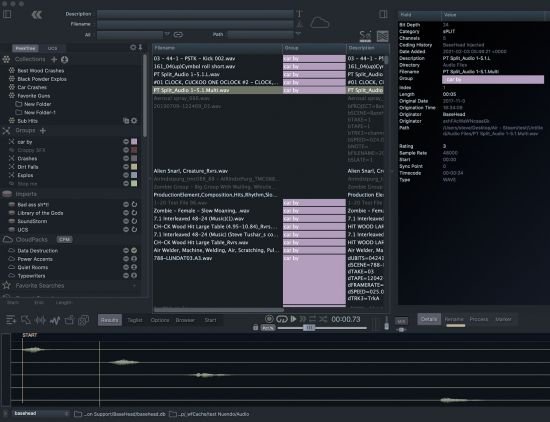
BaseHead Ultra is a SFX searching Beast! If you are a Sound Designer for video games or feature films using a DAW like Nuendo, REAPER or Pro Tools and want to speed up your workflow, then this is the tool for you!
​

BaseHead is coded in Native languages for both PC and macOS using hi-performance frameworks and NOT some wonky framework that is designed for creating VST plugins instead. Compare our datagrid speeds with the competition and that will make choosing BaseHead a complete no brainer!

BaseHead scales with your company as it grows! From lower priced Lite versions that can be upgraded to an insanely powerful Ultra version with centralized licensing and databases.

Also Includes 22,500+ FREE Sound Effects!

Search with Advanced Precision!
with 50+ Fields of searchable Metadata and four Separate Search/Input fields that allow for Deep and Thesaurus based searches to help you can find what you need with pinpoint accuracy.

The Audio Engine (Yup, it's got a HEMI!)
10 channel Interleaved or Split Playback Metering with Individual Channel Extraction.
Stereo, Mono and Fold Down Downmix buttons with Solos' and Mutes available on the Quick Access Panel.
Split LCR, Quad, 5.0 ,5.1 and Recorder A Channel file Playback.
Ambisonic B-Format Interleaved Playback
Choose between FILM, SMPTE and DTS playback channel orders.

Tweakers Delight!
Twist your SFX with the pitchFX X/Y Matrix on the Process Panel while playing in reverse AND all while running thru VST Plugins! Get the sound you want and press "S" to Spot the file exactly as heard on the timeline in your favorite workstation software.

Http: Streaming and Playback
This gives the ability for WFH users to play and transfer SFX from a work server via the cloud OR used to access your personal library from anywhere OR this can also be used for facilities to secure local SFX from being accessed without permission on site.

Capture the Moment!
with Performance Multi-take Recordings never miss a knob twist or a fader move. Keep recording takes till the cows come home and then go back and choose the ones to transfer your DAW and the unused recording will be discarded automatically on quit.

Metadata Tools Galore!
a New Massively powerful Batch Renamer is now on the Rename Panel with near unlimited possibilities.
Text File Import/Export with Burn In Panels
Edit Metadata direct on the Detail Panel with auto-complete options that writes into iXML and other standard chunks.

What's New
official site does not provide any info about changes in this version.

HOMEPAGE
Код:
https://baseheadinc.com/basehead/

Download Links​

Код:
https://rapidgator.net/file/fa046eb194934824f178054614ce58d6

Код:
https://nitroflare.com/view/2C1148085333A97

​
 
Adobe Captivate 12.1.0.16 (x64) Multilingual


d0bd3a6c5d82c92aadc5237aa9c3963e.jpg

File size: 1.1 GB

Unlock the future of smart eLearning design. Conquer new learning landscapes with a smart authoring tool that lets you create all kinds of fully-responsive eLearning content. Effortlessly design immersive learning experiences with VR and 360° media assets. Amplify video-based learning by easily adding interactivity to your videos.
​

Virtual Reality: head-turning learning
Introducing 360° media support in the 2019 release of Adobe Captivate to help you deliver immersive learning experiences in VR that allow learners to navigate near real-life situations in a risk-free environment. Use VR to deliver experiences such as virtual tours, safety drills, product walk-throughs, first responder situations and more.

Interactive videos: play to learn
Record your webcam and computer screen or bring in YouTube videos, add questions and interactive elements and publish to HTML5. Save time, money and effort while you create or curate video learning modules for increased learner retention.

Responsive eLearning: learning that moves for learners who move
Use the newly enhanced Fluid Boxes to automatically author fully responsive eLearning content that works across all devices and browsers. Also, convert legacy desktop courses to mobile learning with a few clicks.

PowerPoint to mobile learning: from drab to fab
Easily convert your PowerPoint slides to interactive eLearning without any programming. Choose from 75,000+ free eLearning assets, characters, themes, quizzes and more, to deliver learning content that works on every device.

Advanced eLearning: power when you need it
Create everything from best-in-class simulations to complex branching scenarios and configurable conditional logic. Write your own scripts to effectively control learning outcomes.

RELEASE NOTES:
Код:
https://helpx.adobe.com/captivate/using/whats-new.html

System Requirements:
- 2 GHz or faster Intel processor
- Windows operating systems - Microsoft Windows 7 with Service Pack 1, Windows 8.1, or Windows 10
- Windows 64-bit operating system is supported.
- 8 GB RAM
- 10GB of available hard-disk space for installation; additional free space required during installation (cannot install on removable flash-based storage devices)
- Adobe Flash Player 10 (or more) for viewing multimedia content
- 1024x768 display (1280x1024 recommended) with WebGL compatible Graphics Cards

Adobe Captivate is available in the following languages:
- English
- French
- German
- Japanese
- Korean
- Portuguese (Brazilian)
- Spanish

HOMEPAGE
Код:
https://www.adobe.com

Download Links​

Код:
https://rapidgator.net/file/7cb017d5defe7f8f0630cf2d00d87dfc

Код:
https://nitroflare.com/view/C0E2C45E472EF31

​
 
ReaConverter Pro 7.793 Multilingual


v-BQu-QYCCGAu-VOh-Prndr3gyd-E7-Tzuifq-B.jpg

File size: 314.36 MB

A Better Way to Handle Your Images. Flexible, Smart and Very Fast. Understandable on a hunch, reaConverter makes batch conversion and oft-recurring image editing simple. Every year thousands of users around the world save thousands of hours using reaConverter!
​

Versatility
As well as handling every conceivable format you may encounter, reaConverter also provides a command line utility allowing you to process images automatically.

Power
And of course, we've added all the most useful features, such as image editing and the most efficient batch processing in any software of this type.

Add Images
Load files you want to process.

Apply Editing
Select from a variety of editing actions.

Save the Result
Choose output format and folder, tune saving options.

Automate
All the actions are available in an automatized way.

Widest Range of Supported Formats
- Highly efficient software that makes it easy to convert millions of files and folders in a single operation.
- Convert between a great number of file formats, including archaic and rare ones.

Ample Scope for Image Editing
- Understandable on a hunch, reaConverter makes oft-recurring image editing simple.
- Touch up, transform, apply editing and effects to any number of images at the same time.

State-of-the-art Features
Uber-powerful tool with a great variety of features. It gives advanced solution for image processing and tuning. Get complete, fine-grained control over your work.

Windows Context Menu Integration
Managing basic image conversion processes with reaConverter's latest edition takes less time and effort than ever! And now it doesn't even have to include opening the actual program - you can manage everything from Windows Explorer. Simply browse and select the images you intend to convert, right click and opt for a regular conversion, or for a conversion with changes.

Watch Folders
Editing a large amount of images can be extremely time consuming and drain you of energy and creativity. For this reason, reaConverter brings you one step closer to avoiding repetitive and dull batch image editing operations by adding an additional feature called Watch Folders. With Watch Folders you can configure reaConverter to monitor your system folders and automatically apply specific processing actions to all files you drop in Watch Folder.

Command-line Image Processing
reaConverter functionality can be implemented into scripts, applications or websites via command-line tool. It provides command-line access to all reaConverter features and can be used to automate processes via scripting. Running through command-line is an advanced feature available with Pro edition - a piece of software intended mainly for users who do image processing professionally.

DLL
reaConverter's full range of conversion and image editing options can now be included into your own customized software solution using the latest edition's Dynamic Link Library (DLL) feature. This is mainly addressed to developers and proficient users and is designed for the Windows platform. The DLL feature works similarly with the command-line interface, however, the DLL works only via internal program calls. reaConverter DLL is available with Pro edition only.

RELEASE NOTES:
• official site does not provide any info about changes in this version.

System Requirements:
- Windows XP, Vista, 7, 8, 10
- Server 2003, 2008, 2012, 2016

HOMEPAGE
Код:
https://www.reaconverter.com/

Download Links​

Код:
https://rapidgator.net/file/bd2ddae3828583d3fdbaf24b24cf70f6

Код:
https://nitroflare.com/view/D55E3362A4A184D

​
 
Waves Ultimate 14 v09.08.23 Win Mac


th-8z-Ejvyr-Xe-Wki2dfzd1by-Dr-RXc-Ua3q-Y8-S.png

File Size: 8.53 GB / 8.27 GB

Waves is the world's leading developer of audio plugins and signal processors for the professional and consumer electronics audio markets.
​

Changelog
Release Notes
August 9, 2023

- Updated:[Magma Springs](https://www.waves.com/plugins/magma-springs) (v14.18.104.534): Fixed an initialization issue when Magma Springs Is loaded in the SuperRack live plugin chainer.
- Updated:[eMotion LV1](https://www.waves.com/mixers-racks/emotion-lv1) live mixer software +[eMotion LV1 Session Editor](https://www.waves.com/mixers-racks/emotion-lv1-session-editor) (v14.20.73.529)
- Fixed: Bug causing DSP-optimized mode to be reset when eMotion LV1 is loaded in its last state.
- Fixed: Bug causing gain levels to be reset when toggling All Gain/V-Gain (Preamp/Local), after all A/B inputs are toggled.
- Fixed: Voltage Amps plugin not loading in the eMotion LV1 Session Editor.
- Fixed in WaveShell1-AAX (v14.12.122.413): Meter freezing in AudioSuite preview.
- The Waves[DTS broadcast plugins](https://www.waves.com/bundles/dts-neural-surround-collection) are once again available for purchase, as part of the DTS Neural Surround and the Broadcast Surround bundles. DTS plugins are not available in Waves Creative Access subscriptions.

August 6, 2023

- Waves Central v14.3.1 is now available with the following updates
- Download data added to the Central progress bar.
- Improved download process.
- 5 short in-app tutorials added.
- New StudioVerse tab added for quick access to StudioVerse- and StudioRack-related installations.

HOMEPAGE
Код:
https://www.waves.com/

Download Links​

WIN

Код:
https://nitroflare.com/view/3132CCB798851D8
https://nitroflare.com/view/1943B0C071876D0
https://nitroflare.com/view/126F6DA2607EEE4
https://nitroflare.com/view/5C04E619DC80A35
https://nitroflare.com/view/6C917FD044C13A6
https://nitroflare.com/view/9F220DCD769A856
https://nitroflare.com/view/701C77D6FB1603A

https://rapidgator.net/file/6e6d1af2096fec9d19618bde4757dc07
https://rapidgator.net/file/e8e2693c573ee6232c84d200b37a9777
https://rapidgator.net/file/ef2c9d8ae6fbaef68e0f4be03a4b6d3a
https://rapidgator.net/file/164556d6e70d87b18e3fbd8f8cb73768
https://rapidgator.net/file/17c5040976a0693a0e9c340e3d8ab63a
https://rapidgator.net/file/3a5c74a8c21b9b7c51409aaad882601c
https://rapidgator.net/file/ebe6f4f39c78f83d63226237dccf268f

Mac

Код:
https://nitroflare.com/view/40C31ECDC97E03C
https://nitroflare.com/view/AB2228D2ADAB1C7
https://nitroflare.com/view/D771542D247F007
https://nitroflare.com/view/10F2191A7594FF1
https://nitroflare.com/view/EAFBB434A910A76
https://nitroflare.com/view/CF060F045B6BD91
https://nitroflare.com/view/4D5E7052612A07B
https://nitroflare.com/view/E266F64679B3899

https://rapidgator.net/file/72ae9d85e9e2f71de9154e122511d33d
https://rapidgator.net/file/cb338252e273fadea51ca62022c0c3f4
https://rapidgator.net/file/d4128b8e210408dbfbcc914cce5e6610
https://rapidgator.net/file/a993b4f39ded6f6627c2d06ab40fa6c5
https://rapidgator.net/file/8b95c4bde59caaa83f58cc181c55e177
https://rapidgator.net/file/48c6c9ce82af1b5fb0716f51d0417854
https://rapidgator.net/file/bf6f407ef4e926ab5c3ceffa8e0d5a08
https://rapidgator.net/file/e798c36abefd9d0b257faeda368edb79
 
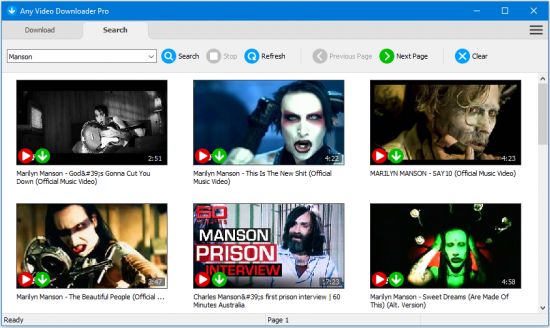
Any Video Downloader Pro 8.6.5


th-p-Ka-Llou-CFJg-Nlr-HK5-Zq-Pt-Ns9z-Cxx7-Hwx.jpg

File size: 48.56 MB

Any Video Downloader Pro, formerly known as HD Video Downloader Pro, is a Windows app to help you download videos from YouTube, Facebook, Dailymotion, and thousands of other video sharing sites. It accelerates your downloads by up to 5 times.
​

Features:
• Download videos from YouTube and thousands of other video sharing sites
Any Video Downloader Pro can download videos from YouTube, Facebook, Dailymotion, Vimeo, and thousands of other video sharing sites.
• Download HD videos from video sharing sites
You can download 720p, 1080p, 2K, 4K, 5K, 8K, and 3D videos from YouTube if they are available.
• Speed up your downloads
Any Video Downloader Pro features a multi-threaded acceleration engine that can boost your download speeds by up to 500% faster.
• Download multiple videos at a time
Any Video Downloader Pro supports simultaneous downloads. It allows you to download more than one video at a time.
• Pause and resume downloads
Any Video Downloader Pro allows you to pause and resume your downloads if you need more connection to perform other important tasks.
• Preview videos while downloading
While downloading, you can click the Preview button to play the incomplete file and make sure the content you are downloading is really the content of your choice.
• Download whole playlist from YouTube
Just enter a YouTube playlist link or ID, Any Video Downloader Pro will download all or part of videos in the playlist from YouTube for you.
• Download only audio stream from YouTube
Any Video Downloader Pro can download only audio stream from YouTube, without downloading the entire video file. The audio stream is small, so you can download it in just a few seconds.
• Convert and optimize downloaded videos
Any Video Downloader Pro can convert and optimize downloaded videos to any format for any device, so you can watch them on your PC, iPhone, iPad, Android phone, and other portable devices. It supports MP4, FLV, WMV, MOV, AVI, MPG, VOB, M4V, ASF, MKV, WEBM, 3GP, etc.
• Video to MP3
Any Video Downloader Pro allows you to extract audio stream from video file and save it as MP3, WAV, WMA, AC3, AAC, OGG, M4A, ringtone, or other audio format.
• Any Video Converter
Any Video Downloader Pro includes a powerful video and audio converter for converting your disk video/audio files to any format you wish so that they are playable on your mobile device.
• Ready-made presets
Any Video Downloader Pro provides ready-made presets for all popular video and audio formats. You can also custom output video/audio format settings.
• iTunes compatible
Optionally, Any Video Downloader Pro adds downloaded video/music to your iTunes library automatically, so you can easily synchronize your videos and music to your iPhone, iPad, iPod.
• Support drag-and-drop
You can directly drag and drop a video link from your web browser to the drop box or the main window of the program. You don't even need to copy and paste video link manually.
• Search for videos on the web
Any Video Downloader Pro has a built-in video search engine. You can easily search for videos on the web within the program and download any video with just one click.

RELEASE NOTES
• official site does not provide any info about changes in this version.

HOMEPAGE
Код:
http://www.anyvideosoftware.com/

Download Links​

Код:
https://rapidgator.net/file/d86a6d8f43ef410cbf0bdb19d90f27fa

Код:
https://nitroflare.com/view/AEA5267EF20FB05

​
 
Adobe Character Animator 2023 v23.6.0.58 Multilingual


U3-Aemmc-CUGx-Zq9tc-CWF9u6-Kd-Opg-Ovq-AU.png

File Size: 1.7 GB

Animate in real time. Really. Create a character and animate it with your own performance. Character Animator uses your expressions and movements to animate your characters in real-time. So when you smile or nod your head, your character does, too. It's so fast, you can even stream your animations live.
​

Eye-opening animations. In eye-opening time.
Create animations for cartoons, an animated series, and live broadcasts. Or live stream your character on social media and wow your friends.

Create a character in seconds.
Turn any piece of art into an animated character using your webcam and new Characterizer, powered by Adobe Sensei AI. Or create characters by modifying the built-in character templates available in Character Animator, or importing art from Illustrator or Photoshop.

Put your best face forward.
Easily bring your character to life through your own performance. Using your webcam and microphone, Character Animator matches your expressions - from syncing lips to tracking eyes and facial features - to animate your character in real time. Look surprised, happy, or angry and your character does, too.

Animations with legs - and arms and heads.
Getting your character to move doesn't take a lot of work. Control gestures like waving with your keyboard or MIDI device. Movements can be saved as buttons, so they're easier to remember than key commands.

It's showtime.
Check out the Hollywood studios, broadcasters, and online content creators who use Character Animator to bring their characters to life in real time. The app is powerfully fast and integrates with other Adobe apps for a seamless animation workflow. So you can take your own characters live or bring them into Premiere Pro or After Effects to include in bigger projects. It's the next generation of animation tools. Available now.

Animate in seconds with Characterizer
Create a stylized, animated character using a work of art, your webcam, and Characterizer. Powered by Adobe Sensei AI technology, Characterizer quickly and easily turns art into animations.

Easily re-use your best takes
The new Replays feature lets you choose your best laugh or perfectly timed fist bump and create a trigger that you can re-use live or in your next recording. Adjust the length of your Replays trigger to easily fit into your scene.

Magnets to make your animations livelier
Now your puppet can throw, drop, pick up static items, and do things like drink from a cup or drop a ball.

Improvements to walking behavior
Newly added right and left shoulder and hip tags make a three-quarter drawn character look better when walking.

RELEASE NOTES:
Код:
https://helpx.adobe.com/adobe-character-animator/user-guide.html/adobe-character-animator/using/whats-new.ug.html

System Requirements:
- Processor: Multi-core Intel processor with 64-bit support
- Operating system: Microsoft® Windows 10 (64 bit) version 1703 or higher
- RAM: 8 GB of RAM (16 GB or more recommended)
- Hard-disk space: 3 GB of available hard-disk space for installation; additional free space required during installation (cannot install on removable flash storage devices)
- Display: 1280x1080 display (1920x1080 or larger recommended)
- OpenGL: Latest qualified graphics driver for your GPU, with at least OpenGL 3.2 support

HOMEPAGE
Код:
https://www.adobe.com

Download Links​

Код:
https://rapidgator.net/file/c26c45dd6054008239b33c712eb4bba0

Код:
https://nitroflare.com/view/0AB8941EE6B6AA7

​
 
Назад
Сверху