• Здравствуйте. Сайт заработал в архивном режиме форум www.old.nado.in

Kalpatru Collection of Softwares

Nitro Pro 13.45.0.917 Enterprise / Retail

th-QKVf-Jx-C27-CUn-T7-Dp-Ags-Iek-ACV3d-Ik-Wla.jpg


Nitro Pro 13.45.0.917 Enterprise / Retail | File size: 427/430 MB​

Create, edit and convert PDF files effortlessly with the help of this intuitive program that also allows users to accurately extracting text from PDFs thanks to its OCR function. Nitro Pro is one of the most advanced PDF creating and editing software solutions, providing basically all the tools you would ever need to help you in this regard. Although it's called 'Professional,' the application has been developed to be aimed at beginners and advanced users alike, so you won't find it too difficult to use.

Features:
Create PDFs and Combine Files
Create PDFs from virtually any document, image, or file type
Drag and drop to create and combine PDFs
Insert, delete, and organize pages in a PDF
Combine multiple files and file types into one PDF
Deep integration with Office 365, SharePoint 365, OneDrive for Business, Dropbox, Box, Google Drive
Copy and paste selected parts of a PDF file with formatting intact
Batch-create PDF files

Convert Files to and from PDF
Convert Word, PowerPoint, and Excel files to editable PDFs
Convert PDFs into editable Word, PowerPoint, and Excel files
Convert scanned documents into editable, searchable PDFs
Convert PDFs to JPEG, TIFF, or PNG image formats
Convert web pages to interactive PDFs, complete with links
Convert CAD files to PDFs
Convert any PDF file to PDF/A 1 and 2
Extract text and images
Postscript-based document conversion

Apply and Request Electronic Signatures
Request secure, legally binding electronic signatures
Lightweight eSignature workflows, designed for speed and ease of use
Apply your own electronic signature
Digitally sign and certify documents
Send, track, and confirm electronic signatures with real-time notifications and analytics
Easy mobile signing optimized for smartphones and tablets
eSignature templates for frequently used forms
Easily add documents and templates that your whole team can access

Edit PDF files
Insert and edit text and images
Insert and edit fonts, layouts, and pages
Optimize, shrink, and repair PDF files
Visual rotation of images and pages
Insert and edit bookmarks, links, headers, numbering, and watermarks
Insert and edit Bates Numbering
Create searchable and editable PDFs from scans with OCR (Optical Character Recognition)
Smart Alignment tool
Copy and paste between applications
Automatic text reflow and resize
Scanned image detection with automatic deskew

Keep PDFs Secure
Add password protection and permissions to PDFs
Redact to permanently remove sensitive information from PDFs
Create protected PDF files that restrict copying and editing
Secure PDFs with Microsoft Rights Management Services (RMS) 2.0
Encryption support for 64-, 128-, and 256-bit (with R6 support)
Work with digital signatures, including Chain of Trust support
Manage digital signature profiles and certificates
Create and manage digital IDs
Batch security
Document version tracking

Build and Fill PDF Forms
Static XFA form support
PDF form creation and editing
Easily create, fill, sign, send, and store forms

Review, Mark up, and Annotate PDFs
Highlight, cross out, and underline text with annotations
Create annotations using sticky notes, text boxes, call-outs, pencil, and shapes
Attach entire files as annotations
Sort, manage, filter, and summarize comments
Apply dynamic stamp annotations, which auto-populate specific information
Spell check
Compare PDF files
Advanced search allows for increased precision and contextual results
Smart guidelines for Object Tool aligns shapes to ensure content is arranged properly

User-Friendly Interface
Familiar Microsoft Office–style interface for easy adoption
Access your documents from your desktop, browser, or mobile device
Functional on touch-enabled devices
Integrated Microsoft Office toolbar and shortcuts
Outlook plugin to create PDFs from email
Print reduction suggestions
Smart Tips and onboarding product tour
Customizable Home tab
View Optional Content Group (OCG) layers
Floating toolbar for easier access to editing tools
Drag and drop documents into multiple windows
Preview PDF files in Windows Explorer, Outlook, and web browsers

Easy IT Deployment and Management
(Available in Business and Enterprise plans only)
Lightweight deployment with thin, server, and desktop options
Support for App-V and managed servers
Nitro Analytics for insights into printing activity and document workflows
Manage licenses, users, and services via Nitro Admin
NIST 800-53, HIPAA, SOC2 Type 2 certified

What's new
Код:
https://www.gonitro.com/nps/product-details/release-notes

Homepage
Код:
http://www.nitropdf.com

10d0c236bc65e8d55cb7e0cb3bbddd27.png

Enterprise

Код:
https://rapidgator.net/file/eb92452d2601432c0577fb010ffea209/Nitro.Pro.13.45.0.917_Ent.rar.html

https://nitro.download/view/023828840FC6575/Nitro.Pro.13.45.0.917_Ent.rar

Retail

Код:
https://rapidgator.net/file/192515abb12a8f9ba1bc3ec54ec16532/Nitro.Pro.13.45.0.917_Retail.rar.html

https://nitro.download/view/D168DDB66CDD6E1/Nitro.Pro.13.45.0.917_Retail.rar
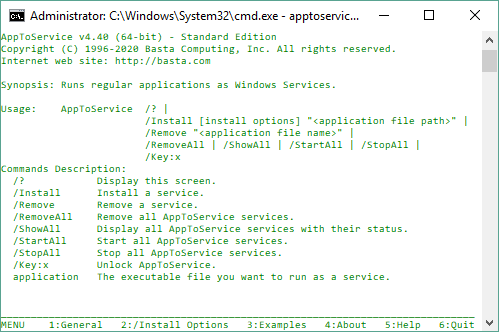

 
AppToService 4.41 Build 21197

i-Fn6-Mhw-NVv0m-LQt1-UPi-HDZQHXqe-Uz-Ov-W.png


AppToService 4.41 Build 21197 | File Size: 3.9 MB​

Turn any application into a Windows Service to start it when the computer boots without logging on, keep it running 24/7 without human intervention, survive logoff/logon sequences, operate discreetly in the background, and run safely under a secured account. AppToService is a Windows Console application that lets you run programs, scripts, batch files, shortcuts and other types of applications as Windows Services.

This allows you to have some of the benefits of Windows Services such as:
Starting an application whenever the computer boots, without user interaction or logon.
Running discreetely in the background without user interference.
Surviving logoff/logon sequences.
Restarting automatically in case of failure.
Running under a specified user account for security reasons.

Features
Tiny and easy to use console application.
No need to mess with the registry.
Many options available for greater control.
Works with virtually any application.
Comprehensive help guide included

What's New

Homepage
Код:
https://basta.com/

2534c2c61fdad605e2f32484578a2641.jpg


У Вас недостаточно прав для просмотра ссылок. Войдите или зарегистрируйтесь.


У Вас недостаточно прав для просмотра ссылок. Войдите или зарегистрируйтесь.
 
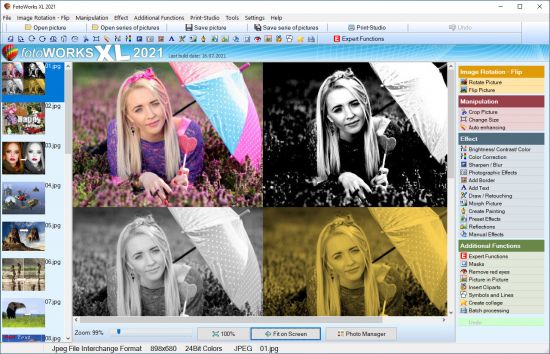
FotoWorks XL 2021 v21.0.3 Multilingual

th-DXUKYo-QXf8o-YKRcbk-Uib-DEEve-X15ktqk.jpg


FotoWorks XL 2021 v21.0.3 Multilingual | Languages: Multilingual | File Size: 63.4 MB​

FotoWorks XL is easy photo editing software for beginners, photographers or professional users. Is not easy but FotoWorks XL delivers whether you are a professional photographer or an amateur who just needs a bit of help retouching your snaps. A simple photo editing software suite, FotoWorks XL has been updated and improved from previous versions. Anyone who is new to it will find that it is a feature-rich package. It allows you to do just about everything you could ever want to with photographs, graphics, clip art and text. Although it is very much photo editing software for beginners, the number and complexity of the package's more advanced functions means that it is equally of use to graphic designers, photojournalists, portrait photographers and wedding photographers. Like all top photo editing software suites, this package has something for everyone.

Photo Editing Software
Use it to perform simple functions like removing red eye from holiday snaps or to touch up images in preparation for a print run. In fact, the latest version of this updated photo editing software will allow you to perform histogram analysis of your pictures. This can be done for the whole of the photograph in question or just part of it - it is up to you. See graphical representations of the hue, the greyscale or the mix of red, blue and green to help you make your pictures more balanced. You can also use it as a print station by getting it to enlarge your images so they can be turned into posters, reports, or even sales catalogues. Few photo editing software suites you might categorize with the degree of professional design that FotoWorks XL come with a free trial period either!

Functions:
Ideal for schools, colleges and individuals who want to learn more about digital editing techniques, FotoWorks XL is a photo editing suite that is also right at home in the workplace. It is used by editors, professional photographers and graphic designers of all kinds to produce truly memorable images. The suite offers so much more than a basic photo editing software package that merely allows you to crop and rotate your pictures. With FotoWorks XL, you have a truly creative set of digital tools at your disposal that will improve your post-production editing skills no end. The sky is the limit when you start to use it in ever more creative ways!

Choose a Photo Editing Software Package That Is Designed to Be Easy to Operate
FotoWorks XL is easy photo editing software for PC users will be right at home with because it has been designed to integrate seamlessly into the Windows operating system. Designed as photo editing software Windows 10 users can get on with immediately, FotoWorks XL is all about its ease of use. In fact, it is not just photo editing software Windows 10 operators can use. FotoWorks is also backwards compatible. So, it works just fine as photo editing software Windows 7 users can enjoy. Indeed, the whole program operates in very much the same way as other packages designed for Microsoft operating systems.

Discover More About the Features Offered With This Photo Editor Suite
Thanks to its numerous photo editing tools, FotoWorks XL photo editor may be the only photo editing software you will ever need.
Photo editing software as advanced as FotoWorks XL rarely comes with so many different features to make use of. However, the updated version of this useful photo editing software package has only added to the things you can do.

Even before you look at the expert functions, it will allow you to:
- Enhance and improve photos.
- Retouch and edit photos.
- Create photo montage.
- Use auto-enhancing photographic measures.
- Alter the size of images.
- Alter the brightness, color and contrast of photos.
- Use color correction techniques.
- Sharpen and blur photos.
- Add photographic filters.
- Add borders and text.
- Draw on your photos by hand.
- Retouch images.
- Use morphing techniques.
- Create painting effects.
- Add reflections.
- Apply effects manually and automatically.
- Create collages.
- Remove red eye.
- Insert clip art.
- Add pictures within pictures.
- Crop images.
- Add symbols and lines to your photos.

Release Notes
- Release notes were unavailable when this listing was updated.

System Requirements for FotoWorks XL:
Windows 10, Windows 7, Windows 8, Windows 8.1, Windows Vista

Homepage
Код:
http://www.in-mediakg.com

10d0c236bc65e8d55cb7e0cb3bbddd27.png


Код:
https://rapidgator.net/file/19805059462b26402f7f7b5c8fb2ceb7/FotoWorks.XL.2021.21.0.3.rar.html

https://nitro.download/view/4E9C6C0B27D9022/FotoWorks.XL.2021.21.0.3.rar
 
Internet Download Manager 6.39 Build 2 Multilingual

UZl7-Gnp8-Kql2-WN7-Rsk-Bus-PXPpw0i-Ay-Fc.jpg


Internet Download Manager 6.39 Build 2 Multilingual | File Size: 9 MB​

Internet Download Manager has a smart download logic accelerator that features intelligent dynamic file segmentation and safe multipart downloading technology to accelerate your downloads. Unlike other download accelerators and managers that segment files before downloading starts, Internet Download Manager segments downloaded files dynamically during download process.


Features:
All popular browsers and applications are supported!
Internet Download Manager has been tested with the following browsers: Internet Explorer, MSN Explorer, AOL, Netscape Communicator, Netscape 6, Netscape 7, Mozilla, Mozilla Firefox, Mozilla Firebird, Opera, NetCaptor, UltraBrowser, Slim Browser, Avant Browser, MyIE2, Optimal Desktop, Ace Explorer, Advanced Browser, 27 Tools-in-1 Wichio Browser, WindowSurfer, 550 Access Browser, FineBrowser Freeware, Kopassa Browser, Fast Browser Pro, Enigma Browser, GoSuRF, K-Meleon, Smart Explorer, The Off By One Web Browser, Smartalec Voyager, CrystalPort AppCapture, The Family Browser, XANA Web Browser, Bluto, AutoSurf, 32bit Web Browser, BrowseMan, WrestlingBrowser, Eminem Browser, UltraBrowser, Cygsoft LDAP Browser, and Net M@nager. Internet Download Manager supports all versions of popular browsers, and can be integrated into any 3rd party Internet applications.

Easy downloading with one click.
When you click on a download link in a browser, IDM will take over the download and accelerate it. IDM supports HTTP, FTP, HTTPS and MMS protocols.

Download Speed Acceleration.
Internet Download Manager can accelerate downloads by up to 5 times due to its intelligent dynamic file segmentation technology. Unlike other download managers and accelerators Internet Download Manager segments downloaded files dynamically during download process and reuses available connections without additional connect and login stages to achieve best acceleration performance.

Download Resume.
Internet Download Manager will resume unfinished download from the place where they left off.

YouTube grabber.
Internet Download Manager can grab FLV videos from popular sites like YouTube, MySpaceTV, and Google Video.

Simple installation wizard.
Quick and easy installation program will make necessary settings for you, and check your connection at the end to ensure trouble free installation of Internet Download Manager

Drag and Drop.
You may simply drag and drop links to IDM, and drag and drop downloaded files out of Internet Download Manager.

Automatic Antivirus checking.
Antivirus checking makes your downloads free from viruses and trojans.

Advanced Browser Integration.
When enabled, the feature can be used to catch any download from any application. None of download managers have this feature.

Built-in Scheduler.
Internet Download Manager can connect to the Internet at a set time, download the files you want, disconnect, or shut down your computer when it's done.

IDM includes web site spider and grabber.
IDM downloads all required files that are specified with filters from web sites, for example all pictures from a web site, or subsets of web sites, or complete web sites for offline browsing. It's possible to schedule multiple grabber projects to run them once at a specified time, stop them at a specified time, or run periodically to synchronize changes.

IDM supports many types of proxy servers.
For example, IDM works with Microsoft ISA, and FTP proxy servers.

IDM supports main authentication protocols:
Basic, Negotiate, NTLM, and Keberos. Thus IDM can access many Internet and proxy servers using login name and password.

Download All feature.
IDM can add all downloads linked to the current page. It's easy to download multiple files with this feature.

Customizable Interface.
You may choose the order, and what buttons and columns appear on the main IDM window.

Download Categories.
Internet Download Manager can be used to organize downloads automatically using defined download categories.

Quick Update Feature.
Quick update may check for new versions of IDM and update IDM once per week.

Download limits.
Progressive downloading with quotas feature. The feature is useful for connections that use some kind of fair access policy (or FAP) like Direcway, Direct PC, Hughes, etc.

IDM is multilingual
IDM is translated to Albanian, Arabic, Azerbaijan, Bosnian, Bulgarian, Chinese, Croatian, Czech, Danish, Dutch, Farsi, French, German, Greek, Hebrew, Hungarian, Italian, Japanese, Korean, Lithuanian, Macedonian, Norwegian, Polish, Portuguese, Romanian, Russian, Serbian, Slovak, Slovenian, Spanish, Thai, Turkish, and Uzbek languages.

What's new in version 6.39 Build 2Build 2
(Released: Jul 16, 2021)


Added search in an old way in full IDM list (F3) when closing the SearchBar
Fixed a bug with adding downloads from the command line

Homepage
Код:
http://www.internetdownloadmanager.com/

10d0c236bc65e8d55cb7e0cb3bbddd27.png

Код:
https://rapidgator.net/file/70b86803602bfb4827d3bfd0b12009ef/Internet_Download_Manager_v6.39_Build_2.rar.html

https://nitro.download/view/B2BF69FD63A5D24/Internet_Download_Manager_v6.39_Build_2.rar
 
ON1 NoNoise AI 2021 v16.0.0.10785 (x64) Multilingual

th-4-R5f6osoh29zw2o-E9-Jgq-D9-Zz9-HEplyf-L.jpg


ON1 NoNoise AI 2021 v16.0.0.10785 (x64) Multilingual | File size: 828.81 MB​

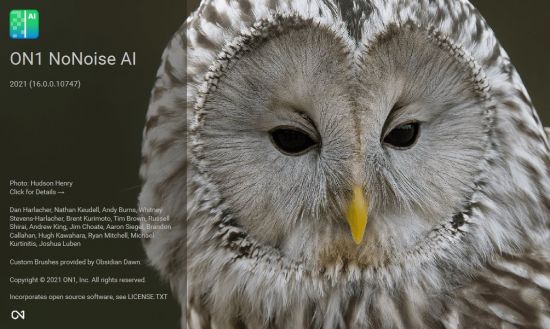
The New Standard in Quality and Speed for Removing Image Noise. It's the best noise reduction software for photography. Quickly remove noise and get the sharpest details in your photos with AI-powered NoNoise AI. ON1 NoNoise AI intelligently removes all the image noise while intelligently recovering and enhancing the details. It integrates into your workflow by supporting common photo editors and file formats, including saving DNG raw files that maintain the full tonal and color range.

Get the Absolute Best Results Way Faster!
ON1 NoNoise is up to ten times faster than the other leading image noise removal products and the results will amaze you!

AI-Based Noise Reduction
Leverages state-of-art machine learning to build an AI network to remove luminance and color noise while maintaining the details like no other application producing excellent results.

AI-Based Demosaicing
For raw photos, most image noise comes in the demosaicing process. Combining this step with the noise reduction during the AI training in ON1 NoNoise AI will achieve both better noise reduction and help increase detail and sharpness.

AI-Based Demosaicing
Includes the ON1 exclusive Progressive Sharpening algorithm to enhance the sharpness and details based on the size of the details in the photo, without the halos and artifacts that other sharpening techniques can create.

Super-Fast Live Preview of the Adjustments
Results can be viewed in only a fraction of the time it takes other apps to produce viewable results. There are also far fewer controls to adjust without the limitation of sacrificing sharpness to reduce image noise.

Plugin to Your Workflow
ON1 NoNoise AI is the perfect fit for almost any workflow.

Get amazing retouching results in seconds when using ON1 NoNoise AI as a plugin for:
Adobe Photoshop • Adobe Lightroom Classic • Adobe Photoshop Elements • Affinity Photo • Capture One • Corel Paintshop Pro

Release Notes
• AI-Based Noise Reduction — NoNoise AI leverages state-of-art machine learning to build an AI network that can remove luminance and color noise while maintaining the details like no other application. The results are simply amazing.
• Auto with User Preferences — The Auto button is like an easy button that analyses the photo and determines the correct amount of noise reduction for your photo. We understand that noise reduction can be a personal decision, so Auto is guided by your preferences for noise reduction. Whether you like a little bit of grain left or perfectly smooth, it will do the right thing for you.
• AI-Based Demosaicing — For raw photos, much of the noise comes from the demosaicing process that converts a raw photo into a normal photo. By combining this step with the noise reduction AI training we have not only achieved better noise reduction but an increase in detail and sharpness.
• AI-Based Detail Enhancement — This is way beyond simple sharpening. The NoNoise AI neural network can identify the textures in your photos and enhance them based on deep learning.
• Exclusive Progressive Sharpening — Noise reduction and sharpening go hand-in-hand. They combine to reveal the details in your photos. ON1 NoNoise includes our exclusive Progressive Sharpening algorithm to enhance the sharpness and details based on the size of the details in the photo, without the halos and artifacts that other sharpening techniques can create.
• Fast, Easy-to-Use Controls — In the past, noise reduction has been hard. It was a difficult balance of reducing the noise without sacrificing the details. This means lots of sliders and training to learn how to get the best results. With NoNoise AI that all changes. First, the limitation of sacrificing sharpness to reduce noise is gone. Second, there are far fewer controls to adjust.
• Saves DNGs and More — ON1 NoNoise can open raw photos from over 700 cameras made over the past twenty years as well as file types common to photography like DNG, JPG, TIF, PNG, etc. When it comes to saving your results it can create industry-standard DNG raw files with the complete tonal and color range for use in whatever editor you prefer to use. And of course, it can save out the same common formats it can open.
• Combine and Mask — ON1 NoNoise includes the ability to combine multiple renditions of a photo, each with different noise reduction and detail settings. Then you can use the powerful built-in masking tools to blend and combine them together. This enables you to use different amounts of noise reduction and sharpening on different areas of your photo.
• Bring Old Photos Back to Life — The demosaicing and noise reduction in ON1 No Noise is vastly superior to what was available in the past. Now you can revisit those photos from your old digital cameras and breath new life into them.
• Batch Processing — Put the AI to work for you by batch processing an entire folder of photos. For each photo, the correct amount of noise reduction and sharpening can be added. Or open a series of photos and adjust each photo to your desired settings. You can even copy and paste settings from one photo to another.
• Plug-ins — Bring the power of No Noise AI into your workflow. Whether you work in Adobe Photoshop, Lightroom Classic, Capture One, Affinity Photo, Corel Paint Shop Pro, or Apple Photos; you have seamless access to it.

Recommended System Requirements:
- Windows 10 (current maintenance releases, 64 bit only)
- Intel Core i5, Xeon or better
- 16+ GB RAM
- 1.5 GB for installation, SSD
- OpenGL 4.2 compatible video card with 2+ GB dedicated VRAM, 1920x1080 resolution (at 100% scale factor)

Optional Application Integration:

Minimum:
- Photoshop CS6 and above
- Photoshop Elements 14 and above
- Photoshop Lightroom Classic 6 and above
- Affinity Photo
- Corel Paint Shop Pro
- Capture One

Recommended:
- Photoshop CC 2021
- Photoshop Elements 2020
- Photoshop Lightroom Classic CC 2021
- Affinity Photo
- Corel Paint Shop Pro
- Capture One

Supported Languages:
English, German, Spanish, French, Japanese, Korean, Simplified Chinese, Russian, Portuguese, Italian, Dutch

Homepage
Код:
https://www.on1.com

2534c2c61fdad605e2f32484578a2641.jpg


Код:
https://rapidgator.net/file/caf37c6ea7cef1f393e83af82e5cc395/NoNoise.16.0.0.10785_x64.rar.html

https://nitro.download/view/B9DACB478CC23E6/NoNoise.16.0.0.10785_x64.rar
 
Windows 11 Compatibility Checker 2.2

xyuz-Xgx-F1r-F9-IWYml-Dbwoiakv-Tiftf-T6.png


Windows 11 Compatibility Checker 2.2 | File Size : 0.3 Mb​

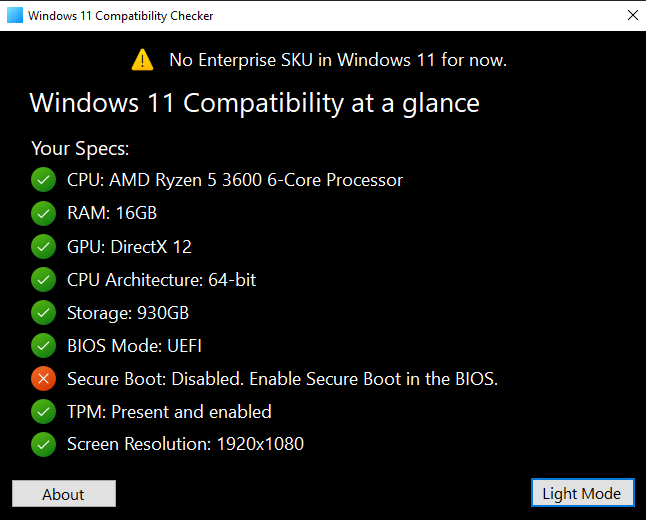
Windows 11 Compatibility Checker is another option for checking to see if your machine is Windows 11 ready. There are many apps out there now that provide you with this info; we have tried to grab the best ones in terms of speed, simplicity, and if they offer a little more insight on why your machine doesn't meet the requirements. Windows 11 Compatibility Checker performs the search and returns the results quickly.

Windows 11 Compatibility Checker is fast and simple to use, returning clear results, leaving no doubt about what your machine is lacking.

Homepage
Код:
https://github.com/orangegrouptech/Windows-11-Compatibility-Checker

2534c2c61fdad605e2f32484578a2641.jpg


Код:
https://rapidgator.net/file/b662f9fb7a0cb31bc3941998050e0a4c/Windows.11.Compatibility.Checker.rar.html

https://nitro.download/view/6D7A5AE5189C85C/Windows.11.Compatibility.Checker.rar
 
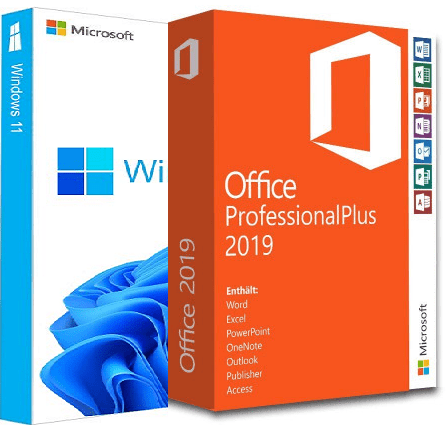
Windows 11 Pro/Enterprise Build 22000.71 (No TPM Required) With Office 2019 Pro Plus

x-FSWCI67m3v-Dxveu2-Jqwjat-IBx-OWl-RVF.png


Windows 11 Pro/Enterprise Build 22000.71 (No TPM Required) With Office 2019 Pro Plus Preactivated July 2021 | Windows (x64) | Languages: English | File Size: 6.37 GB​

Windows 11. The main part of this announcement was to be a presentation of a significant user interface change, codenamed Sun Valley. As we know, a significant portion of the UX changes will be borrowed from the Windows 10X shell, and Windows 10X is not coming to market. Now, as expected, the Windows 11 information leak begins.

What's new in Windows 11:
- Windows 11 will receive a completely new design. Microsoft clearly needs a good reason to reverse its past claims and still ditch Windows 10 by introducing a new operating system number. And a completely new design is great for that. The Redmond giant has long been preparing a redesign for an update with the code name Sun Valley ("Sun Valley") - apparently, under this naming it was Windows 11. The Sun Valley project flashed on the network for a long time - Microsoft regularly disclosed details of the new interface style, insiders shared the unknown previously information, and popular designers in their circles drew realistic concepts based on all this data.

- Start and system elements will float above the bottom bar. Start is the calling card and face of every recent version of Windows. Not surprisingly, in Windows 11, developers will transform it again, but not so much in functional as in visual terms - the Start window will hover above the bottom bar. We have to admit that this small change makes the appearance of the system much fresher. Judging by information from the network, Microsoft will not radically change the "insides" of this menu - the innovations will affect only the design of the window itself. The control panel will also float, and its design will be exactly the same as that of the "Start". The action center will be combined with the control buttons together - a similar one has long been used in some other operating systems. Almost all mentions of this new menu indicate that it will be island - the control buttons will be located on one separate panel, notifications will be on another, and specific elements (like a player) on another separate one.

- Right angles will disappear, they will be replaced
by fillets. In truth, insiders and concept designers disagree on this point - some are confident that Microsoft will not change its traditions and will keep right angles, while others are convinced that in 2021 Microsoft will follow the fashion for fillets. The latter fits better with the definition of "completely new Windows" - just hovering menus are not enough for a new design to be considered truly new. Fillets are expected to affect virtually everything in the system, from context menus and system panels to all application windows. True, even on this issue, the opinions of concept designers differ - some draw fillets in all possible interface elements, others combine them with right angles.

- There will be a translucent background with blur everywhere. There is disagreement on the web about the island style of displaying windows, the design of the corners and the levitation effect of the menu, but almost everyone is unanimous about the transparency of the windows. The vast majority of leaks and design renders show transparency and blur in all windows, be it at least the Start menu or Explorer. Moreover, these effects are even in the assembly of the canceled Windows 10X operating system, which Microsoft was developing for devices with two screens and weak gadgets in parallel with the Sun Valley project. The so-called acrylic transparency implies the use of new effects when hovering over elements, as well as increased spacing between elements - those areas of the interface with which the user interacts will certainly become larger, and page titles will be thickened.
- New font that has already been shown. Windows 11 will most likely use the default responsive Segoe UI Variable font, which has already appeared in Windows 10 Build 21376 for Insiders. Its advantage is that it is equally well suited for small texts and large inscriptions. This distinguishes it from standard fonts, which are initially created for either small size or large size. For example, the stable version of Windows 10 currently uses the Segoe UI font, designed for 9pt. In smaller inscriptions, it becomes poorly legible, and in large inscriptions it looks expressionless.

- Windows 11 will have new icons, and Windows 95 icons will disappear. Yes, they are still in use today. Microsoft will finally transform the icons that are used throughout the system. It's not just about shortcuts to folders, trash cans and other icons found in Explorer. We are talking about all the icons available in the Shell32 directory. There are still icons from the days of Windows 95, and only recently Microsoft updated their design in one of the insider assemblies - of course, they will migrate to Windows 11.
- Windows 11 will have functional innovations - there are many of them, but they are all small. Much less is known about the features of the upcoming update than about its design. But since Windows 11 and Windows 10X (the canceled OS for weak and foldable devices, the image of which has leaked to the network) were developed in parallel, we can safely assume that all the functions from the latter will appear in Windows 11. For example, Windows 11 will show when the camera is in use computer - the corresponding indicator will be displayed in the system tray.

Whats New
New in v 22000.71
Update Office To Version 2106 (Build 14131.20320)
Net 3.5 Enabled
Converted:Install.wim<Install.esd

System Requirements:
Processor: 1 gigahertz (GHz) or faster.
RAM: 1 gigabyte (GB).
Free space on hard disk: 50 gigabytes (GB).
Graphics card: DirectX 9 graphics device or a newer version.
Additional requirements to use certain features.
To use touch you need a tablet or monitor that supports multitouch.
To access the Windows store to download and run apps, you need an active Internet connection and a screen resolution of at least 1024 x 768 pixels

Homepage
Код:
https://www.microsoft.com

2534c2c61fdad605e2f32484578a2641.jpg


Код:
https://rapidgator.net/file/711f5caebf89546415b9823713ce5008/Windows.11.22000.71.Office.part1.rar.html
https://rapidgator.net/file/0ef48ffc4c56fbc7ece3a428d2ec07f8/Windows.11.22000.71.Office.part2.rar.html
https://rapidgator.net/file/cec08a434d84731918d0d2fae250eb69/Windows.11.22000.71.Office.part3.rar.html
https://rapidgator.net/file/83d47282c6c37edf7f8fb23b8edaa77e/Windows.11.22000.71.Office.part4.rar.html
https://rapidgator.net/file/390fae612d3c1547aaf83f14e92c05c3/Windows.11.22000.71.Office.part5.rar.html
https://rapidgator.net/file/22a6a4f1e72ca691dd5dbecf8ecb4993/Windows.11.22000.71.Office.part6.rar.html
https://rapidgator.net/file/0360b254cdfde087380f7208be88b3ba/Windows.11.22000.71.Office.part7.rar.html
Код:
https://nitro.download/view/25F551F4225411F/Windows.11.22000.71.Office.part1.rar
https://nitro.download/view/DD30E6F76BE79E6/Windows.11.22000.71.Office.part2.rar
https://nitro.download/view/8B2113C87E0028A/Windows.11.22000.71.Office.part3.rar
https://nitro.download/view/00403E1ECDE6E37/Windows.11.22000.71.Office.part4.rar
https://nitro.download/view/C859ACBB521116E/Windows.11.22000.71.Office.part5.rar
https://nitro.download/view/DCAE4AD539E31A1/Windows.11.22000.71.Office.part6.rar
https://nitro.download/view/02C98A81FC086C6/Windows.11.22000.71.Office.part7.rar
 
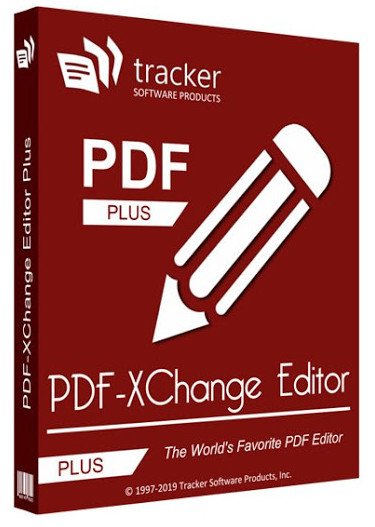
PDF-XChange Editor Plus 9.1.355.0 Multilingual + Portable

Ap-Gu-Kgid-QYde-Qry-KUy-D05-Ruu-Y5-Pxym-DP.jpg


PDF-XChange Editor Plus 9.1.355.0 Multilingual + Portable | Windows x86/x64 | File Size: 389/283.7 MB​

The smallest, fastest, most feature-rich PDF editor/viewer available! Create, View, Edit, Annotate, OCR and Digitally Sign PDF files plus much more.. Designed for anyone from home users to large corporate environments that wish to View/Edit/Modify and even OCR Image based PDF files on their Windows PCs.

The PDF-XChange Editor is smaller, faster and more feature rich than any other FREE PDF Reader/ PDF Viewer/ PDF Editor available on the market. This free pdf editor download also allows users to try the extended functionality offered by the licensed PDF-XChange Editor in evaluation mode for free. No PDF reader or Viewer offers more features than PDF-XChange -or does so without compromising performance, quality or security. Checkout the feature list below and save $100's in unnecessary expenditure on your PDF software solution today.

Advanced features:
NEW PDF-XChange Editor Plus only) Create and Edit Fillable PDF Forms
(NEW PDF-XChange Editor Plus only) Create and Edit Dynamic Stamps
(NEW) Convert PDF to MSPowerPoint format
Reduce PDF file size by Image compression/downsampling & embed/unembed Font, PDF Optimization
Advanced PDF Bookmark creation and management
Direct Content Editing (Paths & Images)
Combine PDFs open/closed pdfs
Import Directly from XPS and other support formats
Header & Footer Support
Bates Numbering
Delete Pages
Move Pages - By Drag&drop in Thumbnails View.
Insert/Import Pages (from existing PDF files)
Extract pages to a new file (PDF or Image format - 15 formats supported)
Crop Pages/Files
Flatten Annotations/Comments
Insert Blank page
Summarize Comments
Export Comments
Scan Direct to PDF (now with inline OCR option during scanning process)
Create PDF documents from text and RTF files
Convert 15 supported image formats to PDF
Extended Digital Signature Support (incl. Time Stamps)
Security Profiles (for adding security to documents conveniently)
Improved Browser Plug-ins to reduce compatibility issues

What's New
Код:
https://www.tracker-software.com/product/pdf-xchange-editor/history

Homepage
Код:
https://www.tracker-software.com

10d0c236bc65e8d55cb7e0cb3bbddd27.png


Код:
https://rapidgator.net/file/303f0e0b02cd6273d4563bd0a3d9e12a/PDF-XChange.Editor.Plus.9.1.355.0.rar.html

https://nitro.download/view/7F351AF8C307D86/PDF-XChange.Editor.Plus.9.1.355.0.rar

Portable x64

Код:
https://rapidgator.net/file/9f955839b10e74c18273c601b0b5cd15/PDF-XChange.Editor.Plus.9.1.355.0.Portable.rar.html

https://nitro.download/view/16DE69B4FEC603E/PDF-XChange.Editor.Plus.9.1.355.0.Portable.rar
 
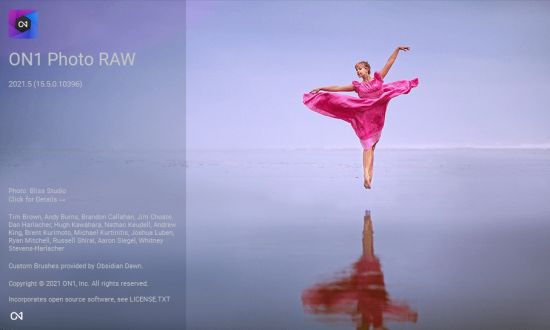
ON1 Photo RAW 2021.5 v15.5.1.10782 ( x64) Multilingual

th-U3-Zpu8-Ys-ZWHx9-Qdfw-AI0x-Vaqus-SIOn-Hv.jpg


ON1 Photo RAW 2021.5 v15.5.1.10782 Multilingual | Windows x64 | File size: 1.55 GB​

ON1 Photo RAW version 2021 is THE professional-grade photo organizer, raw processor, layered editor, and effects app. It works where you do; at the center of your workflow or as a plug-in to Adobe Photoshop, Lightroom, Elements, Affinity Photo, Corel Paintshop Pro, and Capture One (coming soon).

What do you photograph?
ON1 Photo RAW 2021 provides the primary photo editing needs for every photographer regardless of what they shoot — without having to bounce between multiple pieces of software. Get the professional photo editing tools you need for the professional results you need while keeping your workflow efficient, powerful, and simple.

Power & Speed
At its core, ON1 Photo RAW includes a state-of-the-art image processing engine. Optimized for today's super-megapixel cameras and high-performance computer graphics systems, Photo RAW is the world's fastest, most flexible, and easiest-to-use photo editor on the market.

Unlimited Creativity
Creators want to create and not spend all of their time learning how to use editing tools. Photo RAW is like having Lightroom & Photoshop under one roof. It comes with the tools you need for compositing, hundreds of the hottest presets and filters built-in, and world-class masking tools to make your life easy.

Control of Your Photography
ON1 Photo RAW gives you an open system for complete control over your storage, organization, editing, and method of purchase. No long importing, easy organization, unlimited ways to dial in your style, and ON1 will also never be a subscription-only model.

Plug-in to Your Workflow
ON1 Portrait AI is the perfect fit for almost any workflow. Get amazing retouching results in seconds when using ON1 Portrait AI as a plug-in for:

- Adobe Photoshop
- Adobe Lightroom Classic
- Adobe Photoshop Elements
- Affinity Photo
- Capture One (coming soon)
- Apple Photos
- Corel Paintshop Pro

New Features in ON1 Photo RAW 2021:
- Quickly Add Clouds to Your Dull Skies
- Retouch an Entire Portrait Shoot Automatically
- Create Stunning Sunsets in Seconds
- View Your Photos in All of Their Beauty
- Refresh Smiles in a Few Simple Clicks
- Selectively Edit Like Never Before Using Color Selection
- A Better Way to Erase Away Unwanted Distractions
- Find Your Duplicate Photos in Seconds
- Easily Change Colors of Objects in Your Photos
- Quickly Find All Photos from Your Favorite Location
- Make the Eyes Pop in Seconds
- The Best Photoshop Plugin for Editing Portraits
- Presenting Photos for Your Clients

Feature List:

New ON1 Portrait AI
Flawless retouching is just a click away with the new Portrait AI tab inside of Edit. It uses machine learning to find every face in your photo and make them look great, automatically. It analyzes each face and adds just the right amount of retouching to the skin, eyes, and mouth, giving you professional results in no time at all.

New Smart Organize
The New Smart Organize mode in Browse lets you take control over your cluttered photo archive. Not only can it find duplicates, but it can find and group photos that have similar appearance, location or time. It can help you cull your library to find just the best photos in a series.

New Spot Healing Brush
A new modern approach to removing distractions like dust spots, power-lines and unwanted people from your photos. The Spot Healing Brush is not only faster than current tools, it maintains full non-destructive adjustments for each spot you remove.

New Custom Brush Shapes
Brushing has taken a quantum-leap in control and creativity. Now you can choose from a variety of custom brush shapes or even import your own.

New Plug-in Support for Affinity Photo and Corel PaintShop Pro
Now you can extend your workflow in Affinity Photo and Corel PaintShop Pro by access Develop, Effects, and Portrait right inside the apps you use. Capture One support coming soon!

New Quick Slideshow
Need to quickly show a client their photos? With the Quick Slideshow you are only a click away from a full-screen slideshow complete with user adjustable delay and an elegant dissolve transition.

New Camera Based Presets
Now you can automatically apply a preset to any new photos from a specific camera. If you always find yourself making the same adjustments, just make a preset and apply it automatically to photos from that camera. This is super handy if you have created a custom camera profile or if you have converted a camera to infrared.

New Color-Sensitive Gradient Masks
Everyone knows how powerful the gradient mask tool is. You can quickly create straight, reflected or round radiant masks that are re-editable and blendable with brush masks. Now you can combine the color-sensitive power we created for the Perfect Brush with the gradient masks. When enabled, it detects the color under the gradient and applies the mask to only that adjustable color range. It makes it a breeze to mask areas like skies while maintaining things like buildings or trees that go into the sky.

New Batch HDR and Pano
Save time by batch processing your HDR brackets or panoramas. Simply organize your brackets into sub-folders, then let Browse build your new HDR and panos for you. This is a life-saver for real estate shooters.

New User Interface Improvements
We have taken a measured approach to updating the user interface. Based on user feedback we have improved common controls like sliders to have more precision and a longer area for labels so we can be more descriptive. We have also made sure that Layers and the Edit module tabs don’t scroll out of view on a small display or when you have a large stack of filters.

New Color Fill Layers
We have brought back color fill layers to the Layers pane. They are a great way to set a background color for a composite layout. They are also handy when used with the new custom brush shapes for painting in objects like grass, trees, and clouds.

New Replace Color Filter
Easily change the color of an object to any new color. It's perfect for tweaking or totally changing the color of eyes, flowers, buildings, and apparel.

Release Notes
What’s New in 2021.5:

- Re-editable Smart Photos for Adobe Lightroom Classic — Now, you can re-edit your adjustments made in ON1 Photo RAW, maintaining your non-destructive workflow with Adobe Lightroom Classic. From Lightroom, you can send photos to ON1 Photo RAW, where you can retouch, crop, create layers, and add effects. The results round trip back to Lightroom as a normal Photoshop PSD where you can view and export them. If you want to adjust your settings made in ON1 Photo RAW, simply send it back to Photo RAW, and all your settings are still there. You can re-crop, change the retouching, adjust the layers, or add or change filters.
- Batch Processing for Adobe® Lightroom® Classic — Now, you can batch-process photos from Lightroom Classic with ON1 Photo RAW. You control the file types created and the settings to apply. It could be a preset or your own manual adjustments. You can adjust the first photo, and have the same settings applied to all the other photos, or pause on each photo to tweak the settings to your needs. For portrait photos, let the AI-based auto mode take over. It finds every face, analyses it, and adds the perfect amount of skin smoothing, and eye and mouth enhancements.
- Customize Keyboard Shortcuts — The new Shortcuts dialog allows you to view and change what keyboard shortcut, or hotkey, is used for most functions. You can change the key used to access any tool, tool option, module, or menu item. You can even assign shortcuts to menu items that don’t have a shortcut yet. It’s perfect if you live in a locale that doesn’t use the QWERTY keyboard layout.
- Keyboard Control of Tone & Color — The powerful new shortcuts can also be used with the most-used image adjustments located in Develop’s Tone and Color pane. You can now adjust the exposure, contrast, shadows, highlights, and white balance options using keyboard shortcuts or the mouse scroll wheel. You can even adjust these controls with an external control surface like a Stream Deck, Loupedeck, Monogram, or similar devices.
- Cloud Sync for Presets and Extras — Cloud Sync now keeps your presets and extras like backgrounds, borders, textures, LUTs, etc. all in sync across all your computers. When you create a new preset or install a preset pack it automatically syncs to your other computers. This even works for saved filter styles, import presets, color profiles. You name it, it all stays in sync now.
- Learning Hub — The Learning Hub puts the information you need to be successful right at your fingertips. This floating window lets you access the video library, user guides, support pages, and loyalty rewards from right inside the app.
- New Cameras for RAW Support — Fujifilm GFX-100S, Sony Alpha 1. Updated tethered shooting for Canon and Nikon cameras.

System Requirements:
- Windows 10 (current maintenance releases, 64-bit only)
- Processor: Intel Core i5, Xeon, or better
- RAM: 16+ GB
- Disk: 1.5 GB for installation, SSD
- Display: OpenGL 4.2-compatible video card with 2GB dedicated video RAM, 1920x1080 resolution (at 100% scale factor)

Optional Application Integration:
- Photoshop CC 2020
- Photoshop Elements 2020
- Photoshop Lightroom Classic CC 2020
- Affinity Photo
- Corel PaintShop Pro

Supported Languages:
- English, German, Spanish, French, Japanese, Korean, Simplified Chinese, Russian, Portuguese, Italian, Dutch

Homepage
Код:
https://www.on1.com

10d0c236bc65e8d55cb7e0cb3bbddd27.png


Код:
https://rapidgator.net/file/6f01e09071acfd9f8f1c0822c9504480/ON1.Photo.RAW.15.5.1.10782_x64.part1.rar.html
https://rapidgator.net/file/a5d344bb06db11d361a02d4a7497a409/ON1.Photo.RAW.15.5.1.10782_x64.part2.rar.html


Код:
https://nitro.download/view/BEC9ACAF0B4C052/ON1.Photo.RAW.15.5.1.10782_x64.part1.rar
https://nitro.download/view/A7611438F83EE47/ON1.Photo.RAW.15.5.1.10782_x64.part2.rar
 
CoffeeCup Responsive Site Designer 4.0 Build 3295

th-kgw-PLvl2-T9-Cii-Vlc98dc-PVHDJhs-SYi-HS.png


CoffeeCup Responsive Site Designer 4.0 Build 3295 | Languages: English | File Size: 204.51 MB​

Site Designer. Design and develop digital experiences. No code. Build faster. Design better. CSS Frameworks help millions of designers and developers craft sites quickly. The top tools in the industry include Bootstrap 3 and 4, Foundation 6 and Materialize. These systems are highly tested and offer many advantages for designers. They use well organized HTML, CSS and Javascript that are frequently maintained and updated and is lightweight. Plus, they allow for creating cool interactive components such as dropups, navigation menus, galleries and more without wrestling with extra scripts

— sweet! Position with Flexbox
Align, stack, or reorder elements with the flick of a button. It’s a phenomenal instrument that should be part of any responsive design toolkit. Discover what makes Flexbox fantastic and explore real design examples in our free interactive Flexbox guide.

A Fresh User Interface
Based on community feedback, we got moving on addressing visibility concerns and updated the UI. The stunning makeover it received makes it clearer and easier to navigate, helping you craft your pages faster than ever before.

CSS Filters & Blend Modes
Change colors on the fly, tweak settings for smaller displays, and make them respond to user with interactive effects and transitions. These techniques will take your site to another level!

A code-free design workflow
Select, click, point, pick and scroll to create websites and pages that are out of this world. Using code-free CSS controls, you can focus on design, while we take care of the code. You’re free to explore fresh looks and try out unique layouts.

Better than legos
Forget repetitive design work and speed up production time using the Component Library. Save and reuse items in other projects. The CSS frameworks offer an elegant way to build navigation menus, accordions, cool tab panels, modal dialogs, and much, much more. Build it once, use it anytime!

Semantic and clean code
Building in a live browser environment allows your creativity to flourish as you won’t be bogged down with code syntax. The clean and semantic code will be generated for you. The CSS3 is written directly to a real stylesheet, resulting in bloat-free, easy to interpret rules. The available HTML elements are standards based. Tags can be switched with two simple clicks to use semantic HTML5 elements like <nav> and <header>, resulting in well marked-up pages and conveying meaning to search engines.

Export to CodePen
Skilled users will love the ability to export an element's markup to CodePen. This way you can use it with a CMS or other place without having to go through a full export.

Sync it up!
Keep common items in perfect harmony across the project. This ensures your footers, navigations, logos, and anything else stays in sync anytime it an edit is made.

Release Notes
- Release notes were unavailable when this listing was updated.

Requirements: Windows 10, Windows 8/8.1, Windows 7, Windows Vista

Homepage
Код:
https://www.coffeecup.com

2534c2c61fdad605e2f32484578a2641.jpg

Код:
https://rapidgator.net/file/2860e5bb2e5143beddd11ebe55ff7455/Site.Designer.4.0.3295.rar.html

https://nitro.download/view/B40F88431A63334/Site.Designer.4.0.3295.rar
 
PDF-XChange Pro 9.1.355.0 (x64) Multilingual

th-b-Af-KTu-Hg-Zy9oj-IVa-W4-Tx-JM1-F7-UOj-Dnb8.jpg


PDF-XChange Pro 9.1.355.0 (x64) Multilingual | File Size: 421.8 MB​

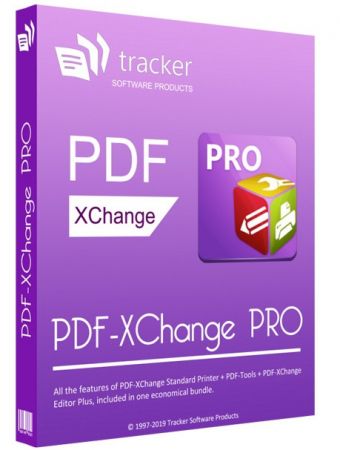
PDF-XChange PRO is the ultimate PDF solution. Its a bundle package that combines the three best-selling applications that Tracker Software produces.

PDF-XChange Editor Plus is a hugely dynamic and fully-customizable PDF application. Create, view, edit, annotate, OCR* and sign PDF files – and that’s just the beginning. If you work with PDF then this fully-customizable product will optimize your work process to levels that no other product can achieve. Create PDF files from scanned documents, images, text files, Markdown files and much more. Open, edit and convert Microsoft Office documents.* Avail of over thirty tools to assist in the creation of document comments, annotations, links and fillable forms. These tools make editing PDFs a finely-tuned, precise process that produces documentation and image files of the highest quality. Our user-friendly functionality is diverse enough to meet the needs of all practitioners from novices to professionals.**

PDF-Tools is a worldwide leader in the creation and manipulation of PDF and image files. Highly user-friendly, it can be used to convert files of almost any format to/from PDF. Avail of sixty-six built-in standard tools, as well as functionality to clone and edit these tools and their variables as you desire. Use the Actions Library to fully customize your tools and the Tool Actions Sequence to determine the order in which they perform operations. Combine seventy-three available actions to create your own tools - out of billions of possibilities. PDF-Tools is compatible with large PDF files and can also handle a huge number of files simultaneously – batch conversion is its strength.

PDF-XChange Standard Printer is Tracker Software’s best-selling virtual printer - the ultimate application for the creation and virtual printing of industry-standard PDF files. It’s compatible with files from almost all Windows applications, such as Word, Excel and AutoCAD, and features an optimized engine for superb conversion of images and image-based text characters. The files it creates are surprisingly small, given their quality – allowing for faster uploads/downloads, a reduction in storage space and increased data retention - even at high levels of compression. PDF-XChange Standard also features MS Office integration, which provides extra functionality such as adding clickable tables of contents and embedded URL support that facilitates the creation of external links.
What do you get when you combine three applications of such functionality and potential into one package? The answer is simple: unbeatable power at an unbeatable price. See below for further information on the features and functionality of each product.

The Enhanced OCR plugin is now available as an optional extra in PDF-XChange PRO. It is more accurate, dynamic and faster than the default OCR engine, and contains a range of extra features. Further information on this plugin is available here.

Whats New
Код:
https://www.tracker-software.com/product/pdf-xchange-pro/history

Homepage
Код:
https://www.tracker-software.com

10d0c236bc65e8d55cb7e0cb3bbddd27.png


Код:
https://rapidgator.net/file/fe25c7e0364c529612222c1ca1aa0c2a/PDF-XChange.Pro.9.1.355.0.rar.html

https://nitro.download/view/52877CA2C1810CB/PDF-XChange.Pro.9.1.355.0.rar
 
Multiecuscan 4.7 R1 Multilingual

Lwpd3-Gy-Ldc-Oc-Fvjha62-TKkz-Ct-Tfw-I86b.png


Multiecuscan 4.7 R1 Multilingual | File size: 60.7 MB​

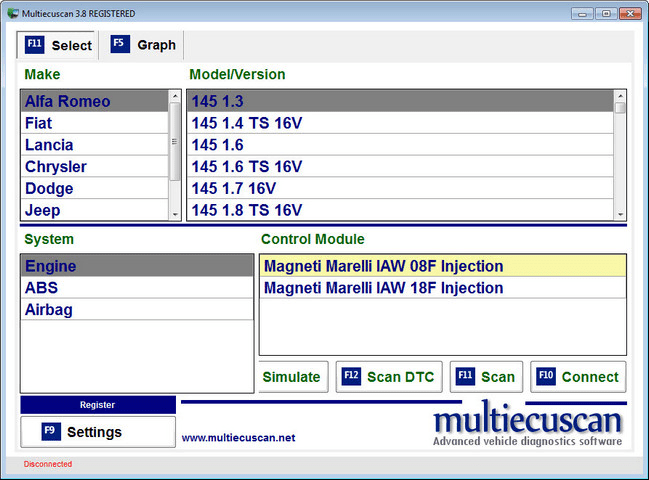
multiecuscan is a vehicle diagnostic software with advanced functions. It allows you to perform various diagnostics tasks on the supported vehicles/modules. In order to use the software you need an interface. The following interfaces are currently supported by the software: KL (also known as VagCom 409), ELM327 (1.3 or newer), OBDKey 1.40, OBDLink, ELM Scan 5, CANtieCAR. The following interfaces are currently supported by the software: KL (also known as VagCom 409), ELM327 (1.3 or newer), OBDKey 1.40, OBDLink, ELM Scan 5, CANtieCAR.

Bluetooth OBDKey, ELM 327 and OBDLink interfaces are fully supported but not recommended for special functions (like PROXI Alignment, remote control programming, IMA coding, etc.)!

CANtieCAR is a professional multi-protocol interface with multiplexing capabilities.

Requirements:
- A computer that runs Windows XP, Windows Vista, Windows 7 (32/64), Windows 8/8.1 (you may need to install .NET Framework 3.5), Windows 10
- Microsoft .NET Framework Version 2.0 SP1 (or a newer version).
- K-line/VagCom 409, ELM 327 v1.3+, OBDLink, ELMScan, OBDKey 1.40 or CANtieCAR interface
- 1.5GHz CPU and better recommended

Release Notes
Код:
http://www.multiecuscan.net/ReleaseHistory.aspx

Homepage
У Вас недостаточно прав для просмотра ссылок. Войдите или зарегистрируйтесь.


2534c2c61fdad605e2f32484578a2641.jpg


Код:
https://rapidgator.net/file/63aad8164921c9b06af199603d09facf/Multiecuscan.v4.7R1.rar.html

https://nitro.download/view/AE0C0AA313B6C32/Multiecuscan.v4.7R1.rar
 
Windows 11 Pro/Enterprise Build 22000.71 Untouched (No TPM Required)

th-JCo-M0-Lo-ZNinw-SKNnmox-Ib-MOS6l-CSUn-RZ.png


Windows 11 Pro/Enterprise Build 22000.71 Untouched (No TPM Required) | Windows x64 | English US | File Size: 3.49 GB​

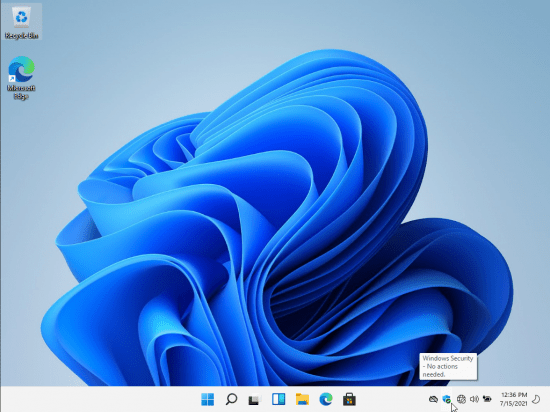
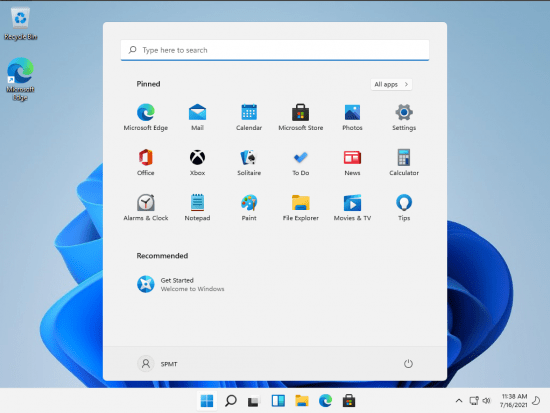
At a time when the PC is playing a more central role in our lives, Windows 11 is designed to bring you closer to what you love.
This is the latest version of Windows OS releases, with new interface and other new features like new Microsoft Store, a new personalized feed powered by AI and best-in-class browser performance from Microsoft Edge, Chat from Microsoft Teams integrated in the taskbar and many more!

General Info:
Version: Windows 11 Pro (22000.71) Untouched
Language: EN-US during Setup, All Supported Languages After Installation
ISO Size: 3.49 GB
Architecture: 64 Bit
.NET Framework 3.5: Enabled
Editions Included: Pro, Enterprise
Not Pre-Activated

Notes:
- No Changes were made to this edition of Windows, 100% original, the way Microsoft intended it to be.
- Compressed to ESD using the LZMS compression algorithm, to save you HDD space, and required Bandwidth.
- Boot, setup, and install files are all original and full MS versions for 100% clean use in your desired application(s).
- Windows Setup and Installation Environment Are From untouched Windows 10 20H2 ISO for improved hardware compatibility.
- If you want to use the activator, you will need to disable Windows Defender (or allow file) before running the Activation File, or Defender will quarantine it, and you will not be able to use it.

What's New
Код:
https://blogs.windows.com/windows-insider/2021/07/15/announcing-windows-11-insider-preview-build-22000-71/

Homepage
Код:
https://www.microsoft.com/

2534c2c61fdad605e2f32484578a2641.jpg


Код:
https://rapidgator.net/file/17142bd58ec4abf88c36df0e5f358458/WUN2200071.part1.rar.html
https://rapidgator.net/file/5fbd93b26f7a9592e910ed2b87ba70a3/WUN2200071.part2.rar.html
https://rapidgator.net/file/484f135e604bbcb516c985cb654ff024/WUN2200071.part3.rar.html
https://rapidgator.net/file/cb6fc9203524c48043d9be036e7774b6/WUN2200071.part4.rar.html

Код:
https://nitro.download/view/59D1FEECF42FDAF/WUN2200071.part1.rar
https://nitro.download/view/799CB01A59D5E5F/WUN2200071.part2.rar
https://nitro.download/view/97B7D9D15797DE6/WUN2200071.part3.rar
https://nitro.download/view/C630A646F28DF1E/WUN2200071.part4.rar
 
Windows 11 Pro Build 22000.71 In-Pre NON TPM 2.0 Compliant x64 En-US Pre-Activated Ju

th-lj-I2-Rb-Gj-Zhd-ANDVIl-Rklh4b7-Xq-Zh-Pi0g.png


Windows 11 Pro Build 22000.71 In-Pre NON TPM 2.0 Compliant x64 En-US Pre-Activated July 2021 | Windows x64 | English | File Size: 3.69 GB​

At a time when the PC is playing a more central role in our lives, Windows 11 is designed to bring you closer to what you love.
This is the latest version of Windows OS releases, with new interface and other new features like new Microsoft Store, a new personalized feed powered by AI and best-in-class browser performance from Microsoft Edge, Chat from Microsoft Teams integrated in the taskbar and many more!
This build is for machines that doesn't meet the requirements for windows 11.

General Info:
Edition: Windows 11 Pro
Version: 21H2
OS Build: 22000.71
System Type: x64
Interface language: English-US
Author: Victor
Treatment: Included
Treatment type: Script

Checksum:
Name: Windows_11_PRO_22000.71_21H2_IN-PRE_Non-TPM_2.0_Compliant_x64_En-US_[Activated].iso
Size: 3971022848 bytes (3787 MiB)
CRC32: 42F82024
CRC64: 4E9F33F62D58BE2F
SHA256: FA3E45621D452B935F0B6B710C6F8F6B5145004DA9D0A53385D88420C032D4E4
SHA1: 17F973D748751F478FC9F5D99E4E630D9CB1EEE6
BLAKE2sp: 0CA8E276DBE97604971876723B19C71F349CB1DD443E5C4A77A432E6126D66B5

What's New
Код:
https://blogs.windows.com/windows-insider/2021/07/15/announcing-windows-11-insider-preview-build-22000-71/

Homepage
Код:
https://www.microsoft.com/

2534c2c61fdad605e2f32484578a2641.jpg


Код:
https://rapidgator.net/file/0b55a52f54139a0b6bf2b6ab503165f0/W112200071.part1.rar.html
https://rapidgator.net/file/b1fdf6555e68d914e5ac744ada1f6e02/W112200071.part2.rar.html
https://rapidgator.net/file/39c9572fa50548e39ad1ea90d7690dcb/W112200071.part3.rar.html
https://rapidgator.net/file/c2df367b0900feb588b4626069292b6a/W112200071.part4.rar.html

Код:
https://nitro.download/view/A61CE5A9575AC09/W112200071.part1.rar
https://nitro.download/view/1BE80A7DA1F8744/W112200071.part2.rar
https://nitro.download/view/698A0A7BC4CA3EE/W112200071.part3.rar
https://nitro.download/view/AC458EF3662531E/W112200071.part4.rar
 
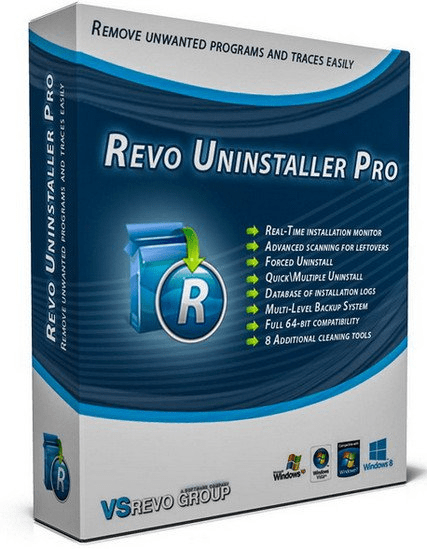
Revo Uninstaller Pro 4.4.8 Multilingual

zq1-Vw-WHTNh-Tm-GLOl2v-XUj-BOh-I4i-VMYam.png


Revo Uninstaller Pro 4.4.8 Multilingual | File size: 16.7 MB​

Revo Uninstaller – innovative freeware uninstall utility. Uninstall, delete, remove programs and solve uninstalling problems. Revo Uninstaller helps you to uninstall and remove unwanted programs installed on your computer even if you have problems uninstalling and cannot uninstall them from “Windows Add or Remove Programs” control panel applet. Revo Uninstaller is a much faster and more powerful alternative to “Windows Add or Remove Programs” applet! With its advanced and fast algorithm, Revo Uninstaller analyzes an application’s data before uninstall and scans after you uninstall an application.

Why use Revo Uninstaller Pro?
Complete powerful software uninstall
Quick Uninstall of one or more programs in a row
The best Windows application to uninstall stubborn programs easily
Remove junk files and unnecessary program files
Compatible with all 32-bit and 64-bit versions of Windows
Portable version for all your personal Windows devices
Customizable and flexible easy to use user interface

Main features:
Here are just a few reasons to choose Revo Uninstaller for all of your uninstallation needs
Windows Apps
- remove windows apps

Forced Uninstall
- remove stubborn programs

Logs Database
- traced installation by our team ready to uninstall your installed programs

Browser Extensions
- remove popular browser extensions

Quick/Multiple Uninstall
- quick uninstall of one or few programs

Manage installation logs
- edit, review, share (export, import) logs

Advanced scanning for leftovers
- remove remnants of one or few programs

Real-Time installation monitor
- for complete uninstall

Whats New

Improved – Scanning algorithms for leftovers
Fixed minor bugs
Updated language files

Homepage
Код:
http://www.revouninstaller.com

10d0c236bc65e8d55cb7e0cb3bbddd27.png


Код:
https://rapidgator.net/file/0704a4a0f0e9ac2c14e01166f5a9d98a/RevoUninstallerPro4.rar.html

https://nitro.download/view/83E3D30FBEDA20B/RevoUninstallerPro4.rar
 
MAGIX Samplitude Music Studio 2022 v27.0.0.11

HMm-Wckq10d-Fzp-EGfd7tv-Un-Ef-QPE6-BIDq.jpg


MAGIX Samplitude Music Studio 2022 v27.0.0.11 | Windows x86/x64 | File size: 610.89 MB​

Bring your musical vision to life. Compose, record, mix and master. Use innovative tools and object-oriented workflows to create complex arrangements. Choose from a wide selection of essential sound tools to prepare your songs for the stage. Discover Samplitude Music Studio. Everything a musician needs.

One-of-a-kind editing
Cut and arrange your recordings easily and efficiently. Each clip can be assigned its own plugins, EQ and time/pitch settings in the object editor, which reduces the number of tracks and makes automation easier.

Step on in and start recording Instruments & Sounds
With Samplitude Music Studio you can start composing and arranging full songs right away. Take advantage of 26 adjustable virtual instruments and 8 Soundpools, each with hundreds of professional samples.

Wind instruments
From classic to compact: Woodwinds are a great way to give your melodies a distinctive sound. More stacks for your tracks – add rhythmic accents with punchy brass instruments.

Drums & Percussion
Create the right groove with pop drums and electronic beats. Add some color to your arrangements with exotic percussion instruments.

Vocals
To sing, or to have sung, that is not the question. Use virtual voices for broad backing vocals or attention-grabbing lead accents.

Synthesizer
Use virtual synths to create powerful bass sounds, floating soundscapes and catchy leads. Or simply experiment to see what kinds of sounds you can create.

Strings & Folklore
These strings span styles and continents – from the jazz of New Orleans to traditional Russian music, and from solemn melodies to songs that cut straight to the bone.

Orchestra Sounds
A cello, a range of pianos, and a complete orchestra: bring the sound of the concert hall into your home studio.

Impressive New Features
When your arrangements are set and everyone knows what to do, it's the details that set a true performance apart from just another practice session. Discover the latest features in Music Studio 2021 to perfect your sound.

NEW! Tempo track
A dedicated track that provides central control over time signature and BPM. Add automated transitions between slower and faster parts to create tension-packed arrangements.

NEW! Automation Shapes
Create custom automation curves with flowing lines and no sharp edges. Create smooth transitions between points in the automation curve by means of flexible curve types.

NEW! WaveColor
WaveColor represents sound character and pitch as a color gradient and color saturation inside the waveform. This makes it easy to spot instances of noise in your audio tracks, even before you listen to them.

What's new (All New Features)
Код:
https://www.magix.com/int/music/samplitude/samplitude-music-studio/new-features/

System Requirements:
- Windows 8, Windows 10 (64-bit)
- Processor: Dual core processor with 1.5 GHz
- RAM: 2 GB (32-Bit), 4 GB (64-Bit)
- Graphics card: Onboard, minimum resolution 1280 x 768
- Available drive space: 2 GB for program installation (10 GB recommended)
- Sound card: Onboard (ASIO compatible sound card recommended)
- Program languages: English, Deutsch

Homepage
Код:
https://www.magix.com

10d0c236bc65e8d55cb7e0cb3bbddd27.png


Код:
https://rapidgator.net/file/9c56b3207db462645aa3a39c4008b16c/Samplitude.Music.Studio.27.0.0.11.rar.html

https://nitro.download/view/B652EDD9F7FE54F/Samplitude.Music.Studio.27.0.0.11.rar
 
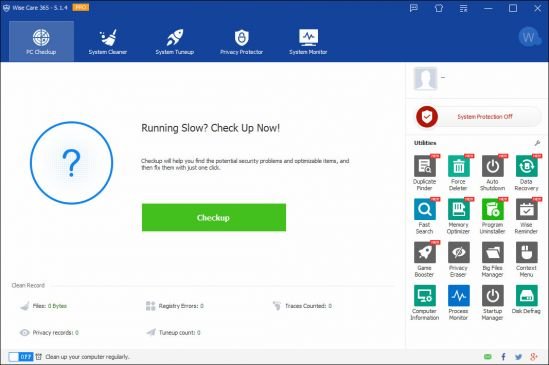
Wise Care 365 Pro 5.8.1 Build 575 Multilingual

th-w-U2k-Si6qf4o-Od3-IP9-UDNdrcoy-Hq-YWOEt.jpg


Wise Care 365 Pro 5.8.1 Build 575 Multilingual | File size: 16.6 MB​

Clean registry and junk files from your PCs. Protect your privacy and make your PCs more secure. Provide a better option of optimizing and accelerating your computer!

Protect Your System in Real Time
Take prompt action once some applications attempt to make modification without your permission. This protector will identify and stop any processes that try to secretly change Windows registry.
Prevent programs from changing your Internet Explorer homepage
Prevent any unwanted new application from adding into the windows startup
Prevent changes to the default browser

A Comprehensive PC Cleaner
Wise Care 365 is definitely the preferred option for billions of Windows users who want to keep their Windows PC at peak performance. It removes invalid Windows registry entries and cleans useless files, download history, browsing history, invalid shortcuts, traces, cache, cookies, passwords, Windows components, and files with specific extensions - allowing Windows system to run faster and freeing up more valuable hard disk space in seconds. It is also packed with customizable cleaning options for advanced users.

Worlds Fastest System Optimization Tool
Wise Care 365 adopts worlds top technology. It optimizes PC's performance, defrags disks and the Windows registry, and manages the startup process as well as services.
Over time, your computers hard disk drive and registry will become cluttered. Wise Care 365 can defrag the drive and registry to make them organized, thus making your computer run faster and more stable. You are going to be amazed by its blazing defrag speed.
Many programs run silently in the background when you start up your computer. Wise Care 365 helps you disable unneeded programs that consume your precious system resources and improves PC startup speed.

Your Ultimate Computer Privacy Protector
Wise Care 365 protects your computer privacy from prying eyes.
Privacy Eraser erases all traces of any computer operation like browsing history and accessed files, so any computer operation you do stays confidential.
Disk Eraser prevents deleted data from being retrieved by third parties.
Disk Shredder can delete files thoroughly so that they can never be recovered.

A Powerful System and Hardware Monitoring Utility
System Monitor displays all the essential information of your computer.
Process Monitor gives users a clear and neat list of all the processes run by user and system, users can shut down any process they don;t need to make the PC run more smoothly.
Hardware Overview offers users both brief and detailed information of all the crucial hardware components, letting users know about their computers at a glance.

A Perfect Platform for Mutual Assistance on PC Problems
The Wise Assistance section of Wise Care 365 is a community for mutual assistance and knowledge sharing on PC problems. Users can ask any questions about their computers, while our experts and other users with relevant knowledge, experience or techniques will answer these questions. Wise Care 365 holds millions of users across the world, so users can get faster and better solutions. It is a connection between users and experts to get faster and better solutions for computer problems.

Features & Benefits:
One-click PC Checkup
Clean & Speed-up Computer
Hardware Inventory
Privacy Protection
Real-time System Protection
Silent Mode
Faster Boot-up Speed
Free-up More Drive Space
Automatic Updates

What's new:
Код:
http://www.wisecleaner.com/blog_sort_8.html

Homepage
Код:
http://www.wisecleaner.com

2534c2c61fdad605e2f32484578a2641.jpg


Код:
https://rapidgator.net/file/9e7055049e1e6b97fae9b3b418814f6c/WiseCare365Pro5.rar.html

https://nitro.download/view/0780ACF9C8BD0A4/WiseCare365Pro5.rar
 
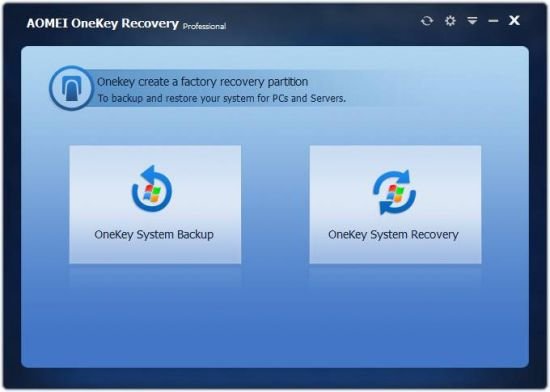
AOMEI OneKey Recovery Professional 1.6.4 Multilingual

th-2uh-Tah-Lfp-Auq1qk-Oz-Sdq-Om-XCN7-OJCMQa.jpg


AOMEI OneKey Recovery Professional 1.6.4 Multilingual | File size: 22 MB​

AOMEI Onekey Recovery is a software offering backup and restore system. You can use it to create a factory partition and store system, or you can backup system to external hard disk to save space of local disk. Once you backup system successfully, It will generate shortcut-F11 or A, you can set one of them as shortcut to enter onekey recovery environment during computer startup.For the computers with EFI/UEFI boot, you can enter into the program to restore your system by using Windows Boot Menu. Of course, AOMEI OneKey allows you to configure how to display the boot menu by options.

Features:
Backup System
Select an existing partition to allocate a required amount of free space for creating a recovery partition, where a system backup image is saved. For preventing backup images from being damaged, the recovery partition will be hidden by default.

System Recovery
Restore your computer to its factory settings or a previously backed up state. It is the best way to return things to normal when a disaster happens. Support restoring system to original location or other location.

Quick recover system
After backing up system, you can press a special keyboard button - F11 default or A key when your computer starts up to enter into Windows PE environment, and then automatically launch AOMEI OneKey Recovery.

Advanced Setting
AOMEI Backupper offers encryption and compression function during backup. It can save your disk space, and protect your data from hacking.

Supported Operating Systems
Windows 10/8.1/8/7/XP/Vista and Windows Server 2003/2008/2011/2012

Supported Storage Devices
Local disks, External hard disks, Solid state drives, USB flash drives, etc.

Supported Disk Types
MBR disk, GPT disk and UEFI boot mode

Whats New:
Код:
https://www.ubackup.com/onekey/changelog.html

Homepage
Код:
https://www.backup-utility.com

[
2534c2c61fdad605e2f32484578a2641.jpg


Код:
https://rapidgator.net/file/ca5f2047d40afc921b1fc26f70d727d5/AOMEI_OneKey_Recovery_Professional_v1.6.4.rar.html

https://nitro.download/view/EAD55A3429FC3A8/AOMEI_OneKey_Recovery_Professional_v1.6.4.rar
 
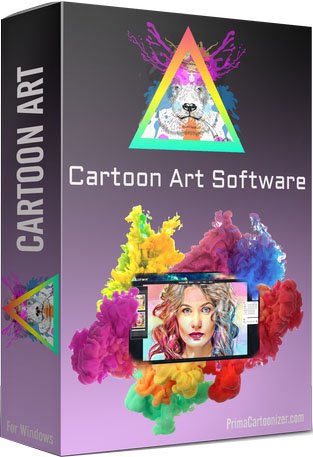
Cartoon Art Cartoonizer 1.2

5jj94-IKOLXIdrs7050-Ef-BZq-QRIUK8-V1h.jpg


Cartoon Art Cartoonizer 1.2 | Windows x64 | Languages: English | File Size: 94.52 MB​

Cartoon Art Software For Windows - Transform your picture into cartoon style with Amazing Colored Cartoon Effects! A user-friendly and fun application that can help you transform your graphic files into their amazing cartoon versions without too much effort.

What is the difference between Prima Cartoonizer and Cartoon Art Software?
Cartoon Art software has different cartoon style than Prima Cartoonizer, it includes improved cartoon filters with amazing colored styles.

Highly intuitive GUI
The main window of this application is user-friendly and intuitive, meaning that even those with limited computer skills can still turn their graphic files into impressive results. You need to start by loading the image you want to work on, no matter if it is JPEG, PNG, or GIF. You can manually browse to its location or you can drag and drop it onto the main window to save time.

Packs extra editing operations
As soon as you found the source file, you can proceed to choose the modifications you want to apply. You can begin with tampering with the color levels, then adjust the brightness, contrast and intensity levels. Moreover, you can crop a certain area of the image so that only the region that interests you is processed. The zoom level can also be altered to your liking.

Includes multiple cartoon filters
The last step is to choose the cartoon effect, mask or frame you like best - you can preview them before settling on the final one. Nonetheless, it needs to be mentioned that the preview does not happen instantly, as you need to sit back and wait until the conversion simulation is completed.

Features:
- Standalone software;
- Amazing Cartoon Effects;
- Powerful and very unique technology;
- Automated process for each effect;
- Offline conversion;
- Full HD resolution;
- And more...

Release Notes
- Release notes were unavailable when this listing was updated.

Requirements: Windows® 10, Windows® 8/8.1, and Windows® 7

Homepage
Код:
https://primacartoonizer.com

2534c2c61fdad605e2f32484578a2641.jpg


Код:
https://rapidgator.net/file/b3438ce2416a542055569d8cf95bfc47/Cartoon.Art.1.2.rar.html

https://nitro.download/view/B0BB81A99E45AE3/Cartoon.Art.1.2.rar
 
BluffTitler Ultimate 15.4.0.0 (x64) Multilingual

m-TUYk-Ztc-Youk-PJQefvxw-ALR2e-TKKa-Ojx.jpg


BluffTitler Ultimate 15.4.0.0 (x64) Multilingual | Windows (x64) | Languages: Multilingual | File size: 56.1 MB​

Create dazzling 3D titles for your videos with BluffTitler. Want to impress your friends and clients with cool 3D titles? But don't want to spend a fortune on professional 3D animation and video titling software? BluffTitler is the easiest way to add spectacular 3D text animations to your photos and videos! Other 3D programs always seemed too hard to learn and too expensive to justify. But thanks to BluffTitler, I can finally create all of the cool animations I only dreamed of before!

Effects that can be created with BluffTitler include:
golden beveled titles
blood dripping titles
JPG textured titles
MPG textured titles
slimy titles
hairy titles
exploding titles
reflection mapped titles
twisted titles
cartoon shaded titles
golden glowing titles
spooky lightened titles
titles with silver spikes
jumbling titles
inverted titles
bouncing titles
powerfield emitting titles
titles with flying hearts
pumping titles
plasma backgrounds
background videos morphing into donuts
particle effects
MP3 audio
morphing JPG pictures
exploding video backgrounds
fractal backgrounds

System requirements: Windows 7, 8 or 10, 64 bits

Whats New:
Код:
https://www.outerspace-software.com/download

Homepage
Код:
https://www.outerspace-software.com

10d0c236bc65e8d55cb7e0cb3bbddd27.png


Код:
https://rapidgator.net/file/214d331e9d133a83894cd0fef1917d36/BluffTitlerUltimate15.rar.html

https://nitro.download/view/602DCF103BB36FA/BluffTitlerUltimate15.rar
 
Назад
Сверху