• Здравствуйте. Сайт заработал в архивном режиме форум www.old.nado.in

Kalpatru Collection of Softwares

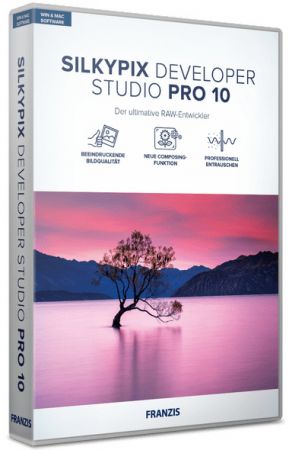
SILKYPIX Developer Studio Pro 10.0.14.0 (x64)
th-WPSzrbf-P3-DOsg-AHRSwa-Nb9u-QOs-DXD9-XU.jpg


SILKYPIX Developer Studio Pro 10.0.14.0 (x64) | Windows x64 | File Size: 440.1 MB​

7 new features and workflow innovation. The blissful time named RAW development for you. Enables the user a impressive image quality and new expression The wide variety of composition modes can excite your imagination. Equipped with 6 RAWs composition modes. The new SILKYPIX is equipped with the new function for compositing multiple RAWs which allows you to create a view of the world that cannot be represented from a single image. And, since this function automatically aligns images according to our image coincidence detection technology (patent No. 4689758), it is possible to combine them without any shift even with hand-held shooting.

Full Basic Functions
SILKYPIX allows you to make adjustments such as exposure (brightness), white balance (shading), tone (light and dark sharpness) while maintaining a high quality of image without deteriorating the image. In addition, anyone can easily perform high-quality adjustments because basic adjustments are arranged in order from the top of the control panel. Furthermore, fine tuning adjustments for each item can be minutely performed with the "Slider" control.

A Variety of Functions to Recreate the Photographer’s Images
The Partial correction function is included to adjust saturation and brightness of specified areas. What is more, a variety of fine adjustment functions such as Fine color controller which can be used to adjust each specific color and Highlight controller which restores colors in highlighted parts as well as recover gradation are available.

Easy Editing with Tastes
SILKYPIX Pro has 10 types of maker tastes installed which can take on various shooting scenes in advance. Just by choosing a taste such as "Landscape" or "Portrait," you can make a finished photograph easily that fits your image. In addition, you can save your adjusted parameters as a taste. Parameters are very useful functions, and you can easily create pictures from the same image by applying them to other photographs.

Compliable with JPEG and TIFF
With "SILKYPIX RAW Bridge" available only on SILKYPIX Pro, JPEGs and TIFFs are expanded to 16 bits, so even JPEG and TIFF images can be adjusted to a high degree of image quality with less image degradation.

Exposure (Brightness)
- Auto exposure bias
- Exposure bias
- Dodge / Color Burn
- HDR
- Highlight / Shadow

White balance (Tint)
- White balance adjustment
- Gray balance tool
- Skin color tool

Tone (Sharpness of light and dark)
- Contrast
- Tone curve
- Automatic level correctio
- Black level tool
- Clarity
- Dehaze

Saturation (Vividness)
- Prepare presets for Color representation (Standard color, Memory color, Portrait color, Film color)

Sharpening
- Natural sharp
- Normal sharp
- Pure detail
- Unsharp mask

Noise adjustment
- Color distortion
- Fringe reduction
- Neat noise
- Noise reduction
- Reduce moire
- Level of shadow noise reduction

Practical functions (A part of functions)
- Lens aberration correction
- Shading
- Distortion
- Chromatic aberration
- Distortion correction function by lens profile
- Distortion correction function using simultaneous recording JPEG

Image correction tool
- Crop
- Image rotation
- Shift lens effect
- Spotting tools (Dust removal)
- Red Eye Corrections

Partial correction tool
- Circular correction filter
- Gradual correction filter
- Select area with brush
- Curve / Polygon area selection
- Select color to be corrected
- Invert the filter area

Image controller
- Fine color controller (Adjustment of specific color)
- Highlight controller (Gradation expression of highlights)
- Monochrome controller (Adjustment monochrome image)
- Underwater photo controller (Adjustment underwater photograph)

Display warning
- Highlight warning
- Shadow warning
- Out of color gamut warning
- Soft proofing
- Focus peaking(Display focus area on monitor)

Others
- Search in the thumbnail
- Automatic adjustment button
- Independent arrangement of initialization button
- Open in another application
- Blurred / Sharp periphery
- Portrait Beautification
- Add Noise

What's New in SILKYPIX Developer Studio Pro 9:
- Support Canon EOS Kiss X10 / Digital Rebel SL3 / 250D / 200D II.
- Support Panasonic DC-G90, DC-G90D, DC-G91, DC-G91D, DC-G95, and DC-G99. (*one)
- Support Panasonic DC-TZ95, DC-TZ96, DC-TZ97, and DC-ZS80. (*one)
- Other small fixes.

Release Notes:
SILKYPIX Developer Studio Pro 10 Release Notes

Код:
http://silkypix.isl.co.jp/en/release-note/latest/dsp10/

System Requirements:
- Microsoft Windows 10 / 8.1 / 7 (Service Pack 1 or later) 64-bit version
- * It does not correspond to the Windows 10 tablet mode.
- * It does not correspond to 32-bit version OS.
- Intel Core 2 Duo or higher, or AMD Athlon 64 X2 or higher processor
- 4GB or more RAM (8GB or higher recommended)
- 10GB of available hard-disk space or more
- Display that supports screen resolution of 1024Ч768 or higher

Homepage
Код:
https://silkypix.isl.co.jp/en/

10d0c236bc65e8d55cb7e0cb3bbddd27.png


Код:
https://rapidgator.net/file/c1dca2b48dc1cc00721ddd84e5a81533/SILKYPIX.Developer.Studio.Pro.10.0.14.0_x64.rar.html

https://nitro.download/view/5864C243869DB95/SILKYPIX.Developer.Studio.Pro.10.0.14.0_x64.rar
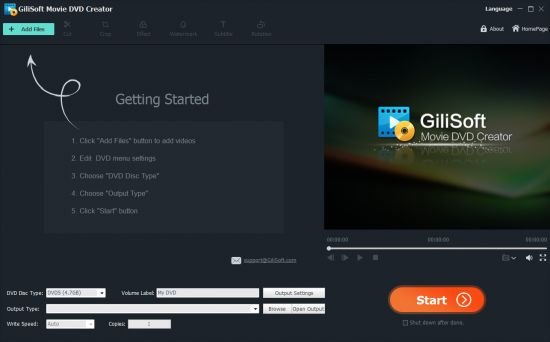

 
GiliSoft Movie DVD Creator 10.0.0

th-cqi-Dg-Eb-Usg1o6ed-Ewnt-II0a-G7-Xdv-Conp.jpg


GiliSoft Movie DVD Creator 10.0.0 | File size: 30.3MB​

Preserve precious videos by burning them into DVD and share these priceless moments with friends and family with GiliSoft Movie DVD Creator. It's the easiest and fastest way to convert popular video formats such as AVI, MPEG, DivX, DV, VOB, WMV or iPhone 4 videos (MOV) to a format that is compatible to play with most portable or home DVD players. Besides burning DVD-format discs, the Movie DVD Creator also allows you to burn DVD folders and ISO files. Gilisoft Movie DVD Creator offers templates for creating stylish menus and inserting background picture and music for a more personalized feel. In addition to this, you may aso clip video segments, add menu topic and opening film clip, load subtitles and audio tracks to create a more personalized DVD. Fast and easy to use, burn DVD movies with just a few clicks!

Features and Benefits:

Support all popular video formats and HD video formats
- Supports all popular video formats, such as AVI, MP4, MPG, MPEG, 3GP, WMV, ASF, RM, RMVB, DAT and MOV.
- Supports HD video formats: MTS, M2TS(AVCHD H.264), TS(MPEG-2), HD MKV(H.264, MPEG-2 HD), HD WMV(VC-1), and HD MOV(H.264, MPEG-4).

Powerful and easy-to-use video editing function
- Crop video files to remove the black edge;
- Trim video length to capture your favorite clips;
- Adjust brightness, contrast, saturation and effect of the videos;
- Add watermark to the video.

Many menu templates
- Provides you many different menu templates;
- Various frame and button styles for you to choose from.
- Burn DVD with custom menu, audio tracks, subtitles, video thumbnails and video effect.

Multiple output options
- There are DVD disc, DVD folder and ISO files to choose from;
- Support all popular recordable disc types: DVD-5 and DVD-9; DVD-R, DVD+R, DVD-RW, DVD+RW, DVD+R DL, DVD-R DL, DVD-RAM.

Hardware Compatible
- Fully support Intel Pentium D Dual-Core Processor and AMD Athlon 64X2 Dual-CoreProcessor;

Whats New:
Updates: official site does not provide any info about changes in this version.

Homepage
Код:
http://www.gilisoft.com

2534c2c61fdad605e2f32484578a2641.jpg


Код:
https://rapidgator.net/file/0bd896b7b35f90b4e8dea10833728aff/Movie.DVD.Creator.10.0.0.rar.html

https://nitro.download/view/8522DA7B914BFBC/Movie.DVD.Creator.10.0.0.rar
 
GreenCloud Printer Pro 7.9 Multilingual

th-Is5r-M28w-Ya6oqnr-Nw-POFt-Ik-Mn-HTAo-JT7.png


GreenCloud Printer Pro 7.9 Multilingual | File size: 16.5 MB​

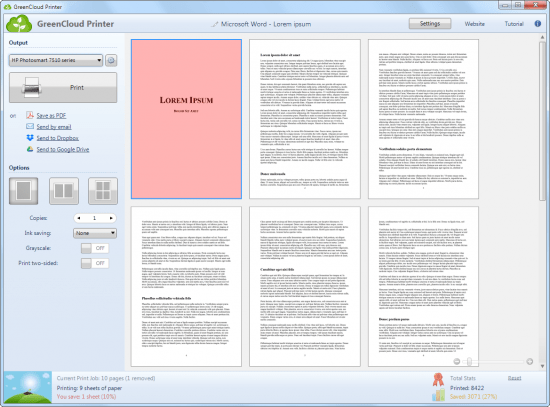
Eco-friendly pdf and printer driver to save money on your daily print jobs, Greencloud is a cost killer software for your ink and paper usage. Create green Pdf files. Use the same print preview dialog anywhere when you use print feature. Save up to 60% of ink, paper and toner. GreenCloud Printer is a virtual driver for your printer.

It works with your current printer to preview the pages to print for :
Preview printing job
Remove unwanted page
Combine 1, 2, 4 pages per sheet of paper
Print to PDF fast PDF creator built-in
Directly print to Dropbox, Google Docs, Minus.com ( will create a pdf doc )
2 side printing , Black & White and more feature to turn on / off in 1 click
Optimized saving ink option

Whats New :
Код:
http://download.obviousidea.com/update/gcprinter_news.txt

Homepage
Код:
https://anonymz.com/...obviousidea.com

10d0c236bc65e8d55cb7e0cb3bbddd27.png


Код:
https://rapidgator.net/file/638d476c332860ad0e8698a495b2197a/GreenCloud.Printer.Pro.7.rar.html

https://nitro.download/view/F52679094F87F8A/GreenCloud.Printer.Pro.7.rar
 
Adobe InDesign 2021 v16.3.0.24 (x64) Multilingual

th-SJgw-J5y-KFe7l-YXf-D6u-E9z-SPFk-Wp-Bp0j-Q.jpg


Adobe InDesign 2021 v16.3.0.24 (x64) Multilingual | File Size: 1011.8 MB​

Standout layouts. Only with InDesign. InDesign is the industry-leading layout and page design software for print and digital media. Create beautiful graphic designs with typography from the world?s top foundries and imagery from Adobe Stock. Quickly share content and feedback in PDF. Easily manage production with Adobe Experience Manager. InDesign has everything you need to create and publish books, digital magazines, eBooks, posters, interactive PDFs, and more.

Make an impression in print.
Design everything from stationery, flyers, and posters to brochures, annual reports, magazines, and books. With professional layout and typesetting tools, you can create multicolumn pages that feature stylish typography and rich graphics, images, and tables.

Digital publications. Dazzling interactions.
Create digital magazines, eBooks, and interactive online documents that draw people in with audio, video, slideshows, and animations. InDesign makes it easy to manage your design elements and quickly deliver immersive experiences in any format.

Keep your team on the same page.
Design faster and smarter with tools built for collaboration. Make changes quickly with Paragraph, Character, or Object Styles. Share feedback and edits from PDFs. InDesign integrates with Creative Cloud and Adobe Experience Manager, so you can share content, fonts, and graphics across all your projects.

See what new can do.
InDesign is always getting better, with new features rolling out regularly. And with your Creative Cloud membership, you get them as soon as we release them. Here are some of the latest updates.

Peak performance
Our latest upgrades include faster launch times and performance improvements.

Adobe Experience Manager integration
Keep your content up to date and share assets across all your projects using Adobe Experience Manager.

SVG import
Import SVG files into your InDesign projects to create interactive graphics and animations.

Variable fonts
Design with variable fonts customizable typefaces that compact multiple fonts into a single file.

Whats New
Код:
https://helpx.adobe.com/indesign/user-guide.html/indesign/using/whats-new.ug.html

Homepage
Код:
http://anonymz.com/...ps://adobe.com/

10d0c236bc65e8d55cb7e0cb3bbddd27.png


Код:
https://rapidgator.net/file/8ce73ba1718a519341d2f8c653c0476d/Adobe.InDesign.2021.16.3.0.24.rar.html

https://nitro.download/view/FB14A1653C92E72/Adobe.InDesign.2021.16.3.0.24.rar
 
Adobe InCopy 2021 v16.3.0.24 Multilingual

th-j-POBhf-ICk31-SUtn-Y9-Xna-VFDvg-SCr6fdb.jpg


Adobe InCopy 2021 v16.3.0.24 Multilingual | File Size: 931.7 MB​

InCopy. Collaborate with copywriters and editors. InCopy lets copywriters and editors style text, track changes, and make simple layout modifications to a document while designers work on the same document simultaneously in Adobe InDesign — all without overwriting each other’s contributions.

Adobe InCopy - Feature List:
- Endnote support
- Add paragraph borders
- Find similar fonts
- Advanced font filtering
- Footnotes that span columns
- Open Type enhancements
- Modern user interface
- Work with glyphs easily
- Place images into tables
- Simple application of shading to text; includes controls for offsets and more
- Place Gun for adding borders to tables
- New Find Previous command
- Shortcuts and preferences memory
- Footnote enhancements that respect text wrap
- Color swatch folders for swatch management
- Drag-and-drop table editing
- HiDPI and Retina display support in Windows
- Adobe Typekit integration
- Typekit font syncing
- Quick font searching
- Convenient hyperlink creation
- Different page views when editing
- Enhanced copyfitting
- Save to Cloud command lets you access files on any device
- View recently used fonts
- Middle Eastern language support

System Requirements:
OS:Windows 10*
CPU:Intel Pentium 4 or AMD Athlon 64 processor
RAM:4 GB of RAM (16 GB recommended)
Monitor Resolution:1024 x 768 display (1920 x 1080 recommended)
Hard Disk Space:3 GB of available hard-disk space for installation; additional free space required during installation (cannot install on removable flash storage devices); SSD recommended
GPU:32-bit video card
Other:Adobe Flash Player 10 software required to export SWF files

Whats New
Код:
https://helpx.adobe.com/incopy/using/whats-new.html

Homepage
Код:
https://www.adobe.com/

10d0c236bc65e8d55cb7e0cb3bbddd27.png

Код:
https://rapidgator.net/file/a572c7007c82cd3ae60a35e0d8d9ed60/Adobe.InCopy.2021.16.3.0.24.rar.html

https://nitro.download/view/2B3B6C772AE71A2/Adobe.InCopy.2021.16.3.0.24.rar
 
CODIJY Colorizer Pro 4.0.3 Multilingual

E99e1ej-D7j-Vs-XIhnsq-RUQg3-Hl-NREAgx-M.jpg


CODIJY Colorizer Pro 4.0.3 Multilingual | Windows x64 | Languages: Multilingual | File Size: 70.67 MB​

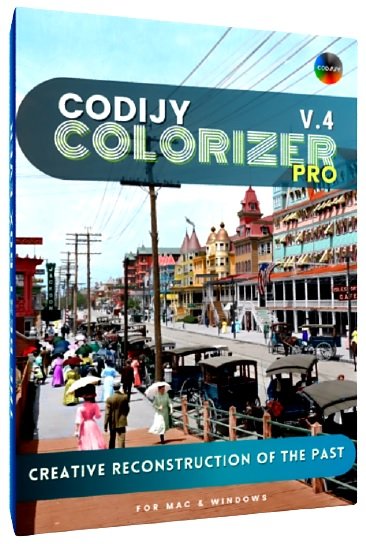
Take a breathtaking journey back in time with this easy-to-use software for creative photo colorization! Colorizer Pro presents super-intuitive technology for turning black and white photos into original, colorful works of art!

Magic strokes
Add, remove and protect photo colors by drawing simple strokes and outlines.

14,000 curated COLORS
Huge collection of hand-picked colors provide natural tones for 100 common photo objects.

Striking, authentic result
Industry-leading colorization algorithms ensure precise, realistic result!

Faithful reproduction of the past
The brushstroke technique, combined with automatic border detection, provides exceptional precision in the creative reconstruction of historical colors. CODIJY's top-notch colorization algorithms realistically reproduce any surface and texture in your chosen colors.

Fascinating Creative Experience
- No layers or complicated controls.
- Enjoy every moment with its handy tools and rich options.

Spectacular Portraits
Add expressive, realistic colors to black and white portraits in your own original style!

True-to-life Colors
Bring old portraits to life with extensive collection of tones and capture options.

Dedicated libraries
Palettes for different portrait elements, such as complexion, eyes, lips, hair, clothes and more.

Multiple Variations
Each subject comes in multiple variations to ensure precise color choices.

Gradient templates
Color libraries in Colorizer Pro make it easy to colorize portraits with ready gradient templates.

Capture Colors
Capture matching colors and gradients from real color images.

Magnificent Scenes
Recreate the atmosphere of bygone days to the finest detail! Colorizer Pro allows you to reconstruct interior and exterior scenes with unmatched precision!

Entertaining as a coloring book
Focus on colors without distractions thanks to Colorizer Pro’s well-thought-out workflow!

Release Notes
Meet CODIJY 4
CODIJY presents the 4th edition of CODIJY Colorizer Pro and CODIJY Recoloring.

New path for the pre-defined libraries on windows
To eliminate a frequent problem with access to libraries on Windows, they are now saved in the installation folder. In connection with this, if you plan to install CODIJY software on a fresh system, you will only be able to add colors to custom libraries. The Libraries you create, get saved to the Documents folder as before. Note that if you edited the pre-defined libraries in the older versions and want to keep adding colors to them in the future, we recommend exporting these libraries and then importing them as the custom libraries.

Repaint Multiple Strokes (New Tool)
Tired of repainting multiple masks of the same color one by one? The new Group Repaint Color Picker tool now allows selecting all strokes of the same tone by clicking over one of its instances and apply the new color to them at once!

Capture Solid Colors (New Tool in Pro)
If you frequently refer to the color images in search for the best matching colors, the new Color Capture tool will facilitate this process for you! You can call the Color Capture Dialog from the Color Picker any time and pick the color from the sample photograph directly into the Color Picker.

Alfa Channel (Supported)
Support for alfa channel now allows you to colorize images with transparences providing for more options to create spectacular work of arts with CODIJY Colorizer Pro and CODIJY Recoloring.

Akvis Coloriage Strokes import (Supported in Pro)
You can now select the file with Akvis Coloriage Strokes in the Import Masks dialog and import them into your CODIJY document.

Lock The angle (New Shortcut)
We keep adding new shortcuts that speed up the drawing process! When drawing the Line mask, you can now control and lock the angle of the stroke, by holding down the Shift button.

High DPI Support (Interface)
Enables the Windows version of Colorizer Pro and Recoloring look good on different DPIs.

Track Undo Actions (Interface)
The new Edit menu now lets track the undo/redo actions you are about to perform.

Minimal Requirements:
- Windows 7 or higher
- Intel or AMD
- 4 Gb RAM, 2 Gb HDD

Homepage
Код:
https://www.codijy.com

10d0c236bc65e8d55cb7e0cb3bbddd27.png

Код:
https://rapidgator.net/file/f9005e3183d806dc869a21c470f776db/Colorizer.4.0.3.rar.html

https://nitro.download/view/5A0B8D499FD4DD6/Colorizer.4.0.3.rar
 
Zortam Mp3 Media Studio Pro 28.60 Multilingual

th-8-AAt-JWXS7-RUdm-Ftg-OR4d-Fkpr6-HW2-NSJS.jpg


Zortam Mp3 Media Studio Pro 28.60 Multilingual | File size: 30 MB​

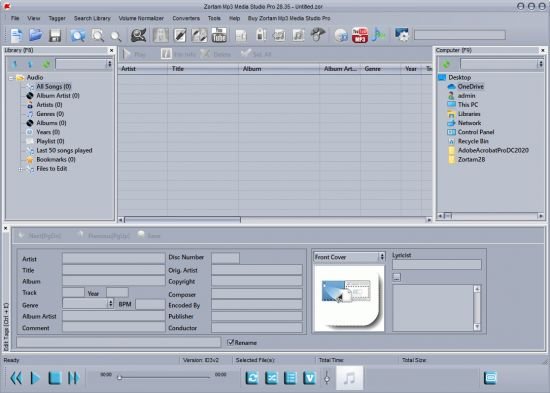
Zortam Mp3 Media Studio is all-in-one Mp3 application that contains Mp3 ID3 Tag Organizer for searching and cataloguing Mp3 files into Mp3 library, editing ID3v1 and ID3v2.4 tags (ID3 Tag Editor-Mp3 Tag Editor), CD Ripper with album cover art/lyric support that uses CDDB (Internet Compact Disc Database) and automatically writes ID3v1 and ID3v2.4 tags.

CD Ripper downloads album cover arts and lyrics from the interenet as you rip your CD (CD Ripper with lyric/cover art support), Mp3 Normalizer with custom volume level allows normalization of your Mp3's (Batch Mp3 Normalizer), search for song lyric from the internet (Batch Lyric Finder), search for album cover (album) arts (pictures) from the internet (Batch Cover Finder), batch lyrics and cover art finder from the internet (Batch Lyric-Cover Finder). Create lyric book in html format (cover pictures are included) from ID3v2 tags (Lyric Book), convert Wav to Mp3 files and Mp3 to Wav files (Wav/Mp3 Converter), manage M3u playlists (Playlist Manager), rename files using ID3 tags (Mp3 Renamer), search for duplicate Mp3 files, (Search Duplicate Mp3's). Play Mp3's using your favorite Mp3 player, add karaoke (Kar) and midi (Mid) files directly to ID3 tag (Karaoke Manager), and keep them together in Mp3 file and play either Mp3 or Kar file from the single Mp3 file.

Zortam Mp3 Media Studio gives you:
Auto tag your Mp3 music collection using the Zortam Music Internet Database (ZMLIMD)
Mp3 Tagger and MP3 Manager
Zortam Mp3 Player with cover arts and lyrics support
Organize Mp3 music and edit tags in your audio library with a powerful interface
ID3 Tag Editor (Mp3 Tagger) with separate views for ID3v1 and ID3v2.4 Tags
Download song lyric and download cover arts (Album covers) from the Zortam Music Interent Database using batch processing - iPod and iTunes ready
Normalize your Mp3's with Volume Normalizer and set custom volume in dB
Rip your CD with CD Ripper and tag your songs in one single step with cover arts(artworks) and lyrics
Batch Wav to Mp3 converter and vice versa
Burn Audio or Mp3 CD
Print HTML Lyrics book width cover arts
Powerful drag & drop playlist manager
Write ID3 Tags from filename
Delete ID3 Tags, delete cover arts, delete lyrics (ID3 Tag Remover)
Search for duplicate Mp3's
Batch file rename using information from ID3 tags(Mp3 Renamer)
Write ID3 tags using information from filename
Add karaoke and midi files directly to ID3 tags
All options are supporting batch processing
Use mp3 tag lookup using Zortam Music Internet Database for auto tagging
Plus much more

Whats New:
Код:
https://www.zortam.com/wordpress/category/zortam-mp3-media-studio-version-information/

Homepage
Код:
http://www.zortam.com

10d0c236bc65e8d55cb7e0cb3bbddd27.png


Код:
https://rapidgator.net/file/ccce09112d2d3748685fec5b75e8df9b/Zortam.Mp3.Media.Studio.Pro.28.rar.html

https://nitro.download/view/63D8F241DE4E5C2/Zortam.Mp3.Media.Studio.Pro.28.rar
 
ON1 NoNoise AI 2021 v16.0.0.10747 Multilingual

th-4-R5f6osoh29zw2o-E9-Jgq-D9-Zz9-HEplyf-L.jpg


ON1 NoNoise AI 2021 v16.0.0.10747 Multilingual | Windows x64 | Languages: Multilingual | File Size: 815.61 MB​

The New Standard in Quality and Speed for Removing Image Noise. It's the best noise reduction software for photography. Quickly remove noise and get the sharpest details in your photos with AI-powered NoNoise AI. ON1 NoNoise AI intelligently removes all the image noise while intelligently recovering and enhancing the details. It integrates into your workflow by supporting common photo editors and file formats, including saving DNG raw files that maintain the full tonal and color range.

Get the Absolute Best Results Way Faster!
ON1 NoNoise is up to ten times faster than the other leading image noise removal products and the results will amaze you!

AI-Based Noise Reduction
Leverages state-of-art machine learning to build an AI network to remove luminance and color noise while maintaining the details like no other application producing excellent results.

AI-Based Demosaicing
For raw photos, most image noise comes in the demosaicing process. Combining this step with the noise reduction during the AI training in ON1 NoNoise AI will achieve both better noise reduction and help increase detail and sharpness.

AI-Based Demosaicing
Includes the ON1 exclusive Progressive Sharpening algorithm to enhance the sharpness and details based on the size of the details in the photo, without the halos and artifacts that other sharpening techniques can create.

Super-Fast Live Preview of the Adjustments
Results can be viewed in only a fraction of the time it takes other apps to produce viewable results. There are also far fewer controls to adjust without the limitation of sacrificing sharpness to reduce image noise.

Plugin to Your Workflow
ON1 NoNoise AI is the perfect fit for almost any workflow.

Get amazing retouching results in seconds when using ON1 NoNoise AI as a plugin for:
Adobe Photoshop • Adobe Lightroom Classic • Adobe Photoshop Elements • Affinity Photo • Capture One • Corel Paintshop Pro

Release Notes
- Initial Release.

Recommended System Requirements:
- Windows 10 (current maintenance releases, 64 bit only)
- Intel Core i5, Xeon or better
- 16+ GB RAM
- 1.5 GB for installation, SSD
- OpenGL 4.2 compatible video card with 2+ GB dedicated VRAM, 1920x1080 resolution (at 100% scale factor)

Optional Application Integration:

Minimum:
- Photoshop CS6 and above
- Photoshop Elements 14 and above
- Photoshop Lightroom Classic 6 and above
- Affinity Photo
- Corel Paint Shop Pro
- Capture One

Recommended:
- Photoshop CC 2021
- Photoshop Elements 2020
- Photoshop Lightroom Classic CC 2021
- Affinity Photo
- Corel Paint Shop Pro
- Capture One

Supported Languages:
English, German, Spanish, French, Japanese, Korean, Simplified Chinese, Russian, Portuguese, Italian, Dutch

Homepage
Код:
https://www.on1.com

2534c2c61fdad605e2f32484578a2641.jpg


Код:
https://rapidgator.net/file/12aa25ef526e17ca20603aca7692069f/NoNoise.16.0.0.10747.rar.html

https://nitro.download/view/612D179B157AA35/NoNoise.16.0.0.10747.rar
 
CODIJY Recoloring 4.0.3 Multilingual

HWe-Xz-Mlkm-Cy5-Dzf-Hwa-CJ5u-Yi0a-Cbd7-TJ.jpg


CODIJY Recoloring 4.0.3 Multilingual | Windows x64 | Languages: Multilingual | File Size: 68.59 MB​

Turn black & white photos into colors masterpieces using state-of-art technology! Enliven old family photos, put together vintage illustrations, test color schemes and more! This easy to use photo editing software colorizes black and white photos, no graphic design talent required! Simply draw basic colored strokes over an area and the program automatically applies color to the selected area.

Colorize all your photos
- Colorize your black and white photos
- Colorize photos and bring your family history to life
- Test various color schemes for your car, house, or interior design projects
- 32 color libraries
- Advanced color picking
- Super easy user interface
- Learn everything you need to know about coloring your photos with a 50-page comprehensive user guide.
- NEW! 70 new color and gradient libraries

Colorization is a photo editing technique that allows to fill black and white images with natural, realistic colors. Colorization process involves picking the colors and sketching simple color strokes over photo objects. Than the program processes the image and automatically apply your color choices to the underneath areas with respect to their surface and boundaries.

Easily Add & Remove Photo Colors
Colorizer Pro lets add, keep and remove colors using simple strokes. Similar operations in Photoshop and other editing tools require more effort, extra steps and using multiple commands.

Robust Auto-Colorization (Only in Pro Version)
The best-of-breed algorithms will apply your color choices to the underneath objects with respect to their borders and surface.

Instant Preview Mode (Only in Pro Version)
Preview result of you work in real time, as you keep adding strokes.

Easily color photo
The Advanced Color Picker offers a full array of colors. Simply select palette colors channel by channel, enter manually, or copy and paste HEX numbers. Thirty-two Color Libraries contain the most popular photo objects and materials, plus multi-color gradients and solid colors.

Project Capture Apple
Whether you're a seasoned professional or leisure photographer, the creative coloring possibilities are almost endless.

- Put the color of the actual moment back into your black and white photos.
- Recolor faces, items and other components in color photos.
- Revert color photos to black and white.
- Combine black and white elements with color elements to build new images.

Live Color Technologie (Only in Pro Version)
Convey diversity of live colors with gradients. Capture live gradients from color photos.

Easy process for photorealistic results
?Anyone can get impressive photorealistic results; you don't have to be a graphic designer. Colorizer Pro innovative features make the photo coloring and touch up process easy. From start to finish, you'll be guided step by step through colorizing basics, color selection and a user-friendly productive workspace.

Highlights:
- Revolutionary colorization technology
- Intuitive process of adding colors by sketching simple color strokes
- The most complete set of color picking and colorization tools
- Instant preview mode that lets real-time result generation (Only in Pro Version)
- 32 color libraries
- Ability to build and share your own libraries (Only in Pro Version)
- Ability to capture multi-colors as gradients from color photos
- Advanced color picking
- Advanced Re-paint options
- Split view for previewing result side by side
- Customizable interface with floating toolbars and docking window
- Super easy user interface
- PNG, JPEG, TIFF and other popular files support
- Learn everything you need to know about coloring your photos with a 50-page comprehensive user guide.

Release Notes
NEW! CODIJY Colorizer Pro offers 100 Color Libraries
New CODIJY offers the true choice of ready-to-use colors. It adds 70 new libraries that dramatically expand your choice for portraits, landscapes, street scenes and many more.

Libraries present a more specific choice for each subject area.
In the new version each theme is presented with a divertsity of options.

Libraries now include Colors & Gradients
- Gradients are essential when you colorize portraits and other objects that present a mixture of colors.
- Ready gradients in new libraries will help you master multi-color masks and offer quick choices for most common objects.

NEW! New exciting themes suggested
New libraries offer ideas on new subjects for colorization.

- Vintage cars
- Street life
- Military
- Space
- Solar system
- Food, fruit & vegatables
- Wildlife
- Pets

IMPROVED! More ergonomic and easy to use software
A series of new shortcuts let draw a complete mask without releasing a mouse button.

- Press Space Bar to cut off line strokes.
- Long-press Space Bar to switch Mask Mode
- Press Escape to delete last stroke

System Requirements:
- Windows 7, Windows 8, Windows 10 (64-bit)
- Intel or AMD microprocessor
- 4 GB RAM
- 2 GB HDD

Homepage
Код:
https://www.codijy.com

10d0c236bc65e8d55cb7e0cb3bbddd27.png


Код:
https://rapidgator.net/file/165f3608afea141cee0551a4f6d109be/Recoloring.4.0.3.rar.html

https://nitro.download/view/A3461F5DC460B9B/Recoloring.4.0.3.rar
 
Cartoon Art Cartoonizer 1.0

0085952e-medium.png


Cartoon Art Cartoonizer 1.0 | Languages: English | File Size: 85.83 MB​

Cartoon Art Software For Windows - Transform your picture into cartoon style with Amazing Colored Cartoon Effects! A user-friendly and fun application that can help you transform your graphic files into their amazing cartoon versions without too much effort.

What is the difference between Prima Cartoonizer and Cartoon Art Software?
Cartoon Art software has different cartoon style than Prima Cartoonizer, it includes improved cartoon filters with amazing colored styles.

Highly intuitive GUI
The main window of this application is user-friendly and intuitive, meaning that even those with limited computer skills can still turn their graphic files into impressive results. You need to start by loading the image you want to work on, no matter if it is JPEG, PNG, or GIF. You can manually browse to its location or you can drag and drop it onto the main window to save time.

Packs extra editing operations
As soon as you found the source file, you can proceed to choose the modifications you want to apply. You can begin with tampering with the color levels, then adjust the brightness, contrast and intensity levels. Moreover, you can crop a certain area of the image so that only the region that interests you is processed. The zoom level can also be altered to your liking.

Includes multiple cartoon filters
The last step is to choose the cartoon effect, mask or frame you like best - you can preview them before settling on the final one. Nonetheless, it needs to be mentioned that the preview does not happen instantly, as you need to sit back and wait until the conversion simulation is completed.

Features:
- Standalone software;
- Amazing Cartoon Effects;
- Powerful and very unique technology;
- Automated process for each effect;
- Offline conversion;
- Full HD resolution;
- And more...

Release Notes
- Initial Release.

Requirements: Windows® 10, Windows® 8/8.1, and Windows® 7

Homepage
Код:
https://primacartoonizer.com

2534c2c61fdad605e2f32484578a2641.jpg


Код:
https://rapidgator.net/file/0da47bc21944544e4d7bfe446200db1b/Cartoon.1.0.rar.html

https://nitro.download/view/7040CEAF7E8E32F/Cartoon.1.0.rar
 
MAGIX VEGAS Movie Studio Platinum 17.0.0.223 (x64) Multilingual

e-H0-Pfn6-YIlwxp-E6m-UUKp-QJ84-B2zxj-TBA.jpg


MAGIX VEGAS Movie Studio Platinum 17.0.0.223 Multilingual | Windows x64 | File size: 526 MB​

VEGAS Movie Studio 17 offers our most user-friendly approach ever to creating beautiful videos. Work fast with interactive storyboards. Work confidently with automatic saves. Work smoothly with GPU and hardware acceleration.

Powerful and intuitive – nothing helps you create like VEGAS Movie Studio 17! Import
Import video and digital photos from your smartphone, tablet, or video camera.

Edit
Drag your video clips and digital photos right onto the timeline for fast editing.

Enhance
Spice up your story with titles, video effects, music, scrolling credit rolls, and more.

Share
Share your videos with your family and friends on YouTube, Facebook, and Vimeo.

Included in VEGAS Movie Studio 17 Platinum:
VEGAS Movie Studio 17 Platinum adds even more exciting tools to the robust feature set with world-class video stabilization, a complete 360° editing workflow, motion tracking, and much more. Discover the innovations and edit like a pro with VEGAS Movie Studio 17 Platinum!

Highlighted Features:
- Mode-based workflow, including Power User mode
- Guided Video Creator
- Unique, interactive storyboard editing
- Project Media Enhancements
- Precise motion tracking
- World-class one-touch video stabilization
- Flexible Bйzier masking
- Complete 360° editing workflow

What's New in Version 17:

New Features:
- Color Grading window: Several color-related Video Event FX (including Color Wheels, Color Curves, HSL and many more) are combined in a dedicated screen area that is easily shown or hidden with a toolbar button. To save you a lot of clicks it can stay open to apply the desired color grading to the different events, instead of opening each event's FX chain and loading the color FX separately.
- Improved Storyboard functionality: You can add the same piece of media to a single Storyboard, and thumbnails reflect the in point of the media that is used in the timeline.
- Improved Video FX, Transitions and Media Generator windows: Effects can be filtered by category and provider, you can search for an effect name and mark favorites to quickly find your favorite effect.
- Black Bar Fill plug-in: Fill the black bars that are created when inserting upright video or images into your movie with a blurred copy of the image.
- Warp Flow transition/Smart Split: The Warp Flow transition automatically fixes jump cuts by synthesizing movement. The Smart Split command cuts out parts of an event and applies the Warp Flow transition to conceal the cut.
- Lens Correction plug-in to compensate distortions from wide-angle lens systems as used in action cams.
- Adjustable Color temperature enhancement to White Balance plug-in.
- Audio synchronization for multicam: Synchronize Multicam footage by analyzing and matching the audio track of the recordings.

New Formats:
- Experimental MKV support.
- 10 bit intermediate format
- NVENC 10-bit HEVC rendering
- Hardware decoding for AVC and HEVC

User Interface improvements:
- You'll get a warning when you delete a track that has events on it.
- Hi-DPI interface improvements: The High DPI mode is now defaulted to on for Movie Studio Platinum17
- You can display the Event length on the header of timeline events. Find it in the hamburger menu for each event or under the View menu.
- Temporarily ignore event grouping when moving an event: Hold both the left and right mouse buttons as you drag an event to move it independently from other group members.
- There's a new indicator on an event to show if Media FX have been applied to the media the event holds (find it in the event hamburger menu)
- You will be asked to confirm if you click cancel in a render process.
- New, task specific, default layouts / Dashboard:Easy editing modes for beginners work with a simplified version of the user interface that show only the most important controls for a step-by-step walk-through from adding media to the final movie, everything put together in the Dashboard window. The Guided Video Creator from the Welcome Screen takes you through these steps.
- VEGAS Screen Capture utility: Record video streams from your browser or video game.
- Motion tracking: Track motion in a scene and let other events or text follow the movement.
- Super-smooth slow motion (optical flow and morphing) with the VEGAS Slow Motion plug-in

System Requirements:
- You need a 64-bit version of one the following operating systems:
- Windows 8 or Windows 10 (64-bit)
- 2 GHz processor (multicore or multiprocessor CPU recommended for HD or stereoscopic 3D)
- 1.5 GB hard-disk space for program installation
- 4 GB RAM (8 GB recommended; 16 GB recommended for 4K)
- USB 2.0 connection (for importing from AVCHD, XDCAM EX, NXCAM, or DVD camcorders)
- 512 MB GPU memory
- Supported NVIDIA, AMD or Intel GPU

Homepage
Код:
http://www.vegascreativesoftware.com

2534c2c61fdad605e2f32484578a2641.jpg

Код:
https://rapidgator.net/file/2308821b58823e7dac6eca8f9c33cee9/Movie.Studio.Platinum.17.0.0.223_x64.rar.html

https://nitro.download/view/5EC23D0E866EB90/Movie.Studio.Platinum.17.0.0.223_x64.rar
 
SDL Trados Studio 2021 SR1 Professional 16.1.8.4404

r-GKu-Dy-SYDrh-RXH5-PGbo-Ah5xse-V0j-EXy-E.png


SDL Trados Studio 2021 SR1 Professional 16.1.8.4404 | Languages: English | File Size: 343.7 MB​

Translate faster and smarter while presenting a unified brand to the world. SDL Trados Studio is the complete translation environment for language professionals who want to edit, review and manage translation projects whilst in the office or on the move. Deliver world-class localized content to support your global sales and marketing efforts with software trusted by over 270,000 translation professionals worldwide.

Key Benefits
Discover a wealth of innovative features and create high-quality translations, faster.

- Translate more content.
- Maintain brand consistency.
- Increase team productivity.
- Reduce translation cost.
- Easily manage translation projects.

Powerful translation memory technology
Easily reuse previously translated and approved content across all of your projects with intelligent translation memory (TM) technology. The more you add to your TM, the faster your team can automatically match and translate subsequent translations, increasing translator productivity by as much as 80% and improving consistency across your content.

Sophisticated terminology management
Protect your brand values and ensure a consistent tone of voice across all languages by managing terminology. Your translation teams can create and share approved terminology across the organization to do more in less time, maintain consistency across every translation, all while reducing costs.

Efficient translation project management
Create and deliver translation projects quickly and easily in multiple languages with the project management capabilities found in SDL Trados Studio and SDL Trados GroupShare. Combine Studio with GroupShare for volume projects and complete control over security.

Innovative Neural Machine Translation
Our neural machine translation keeps improving from input by receiving and learning corrections dynamically. Incorporate our unique self-learning machine translation technology into existing translation workflows to complete projects faster and double your productivity levels.

Collaborate for even greater efficiency
Reduce the time required to complete translation projects. Enable your team to work together seamlessly with secure, shared access to centralized translation files, translation memories, and terminology.

Discover What's New in SDL Trados Studio 2021:
SDL Trados Studio 2021 is the ground-breaking, dynamic translation solution offering true flexibility for busy translators and project managers. Work on the Studio desktop app on your PC or laptop for maximum productivity, plus keep projects moving when you're away from your desk through SDL Trados Live — Studio's new cloud companion that works seamlessly across PC, mobile, and tablet.

Studio 2021's new, powerful features and enhancements will ensure everyone in your team achieves their full potential. The future way of working is here. The future of translation software is Studio 2021.

Flexibility to work wherever you are
The dynamic combination and flexibility offered by Studio 2021 and SDL Trados Live will benefit everyone — from individual translators through to project managers running large teams.

Higher quality translations can be delivered faster as you can:
- Manage your translations on the Studio 2021 desktop app when you're in the office
- Control your projects on any device, such as a tablet, through SDL Trados Live or the new SDL Trados Live mobile app, when you're away from your desk.

Designed to raise your productivity
When under pressure to deliver increasing volumes of translations within short timeframes, it's essential to find ways to be more productive.

Studio 2021 offers many enhancements:
- Improved automation and quality assurance (QA) with the ability to customize your recognition settings for Placeables such as dates, times, currencies, and measurements
- More powerful search with an upgrade to the Advanced Display Filter
- Enhanced Translation Quality Assessment (TQA) interface.

Personalize your Studio for increased functionality
It's now easier than ever to personalize your Studio. You can access the SDL AppStore directly from Studio 2021 making it faster and easier to find, manage, update, and remove apps with fewer clicks and effort.

Apps are used by thousands of our customers to customize and extend the functionality of Studio to:
- Improve and automate your translation, review or terminology processes
- Connect to third-party machine translation providers
- Fine-tune your verification checks to enhance the quality of your translations.

Release Notes
Discover What's New in SDL Trados Studio 2021

Код:
https://www.rws.com/translation/software/trados-studio/whats-new/

System Requirements:
- SDL Trados Studio 2021 will work on Windows 7*, Windows 8.1 and Windows 10. We recommend Windows 10.
- As a minimum requirement, we recommend an Intel or compatible CPU-based computer with 8 GB RAM and a screen resolution of 1024x768.

Homepage
Код:
https://www.sdltrados.com

10d0c236bc65e8d55cb7e0cb3bbddd27.png


У Вас недостаточно прав для просмотра ссылок. Войдите или зарегистрируйтесь.


У Вас недостаточно прав для просмотра ссылок. Войдите или зарегистрируйтесь.
 
EduIQ Classroom Spy Professional 4.7.12

JBX04-IG9p-C9f-UZv-EWi-Ogs-B20r2nx-AIoj.jpg


EduIQ Classroom Spy Professional 4.7.12 | Languages: English | File size: 46.7 MB​

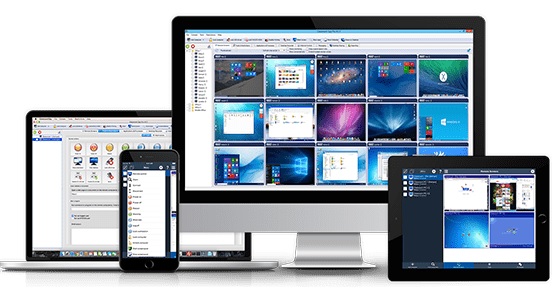
Simple and effective classroom management software. Put classroom management to a higher level. This software lets you see what everyones doing without leaving your desk. You can monitor the activity of all student computers in your classroom remotely. Plus, you can share your screen with your students' record activity, control computers, make demos, limit the internet usage, block applications and much more.

Take Control Now
It is hard to teach a group of people how to use a computer. Discipline in classroom can be an issue. We can truly help you with this. Yes, such training is not easy. For someone whos doing something right, there are probably two others doing it wrong, playing games, checking email, shopping.

Main Features:
Displaying a live picture of a remote computer.
You can take control of a remote computer by controlling its mouse and keyboard.
More remote screens can be displayed in a table.
Computers can be organized in computer groups (e.g. classrooms)
A remote screen can be zoomed to an actual size.
The name of the connected user is displayed.
Record remote computers screens to MPG4 files.
Show your desktop to students or show student desktop to students
Power on/off, restart, hibernate, suspend remote computers
Log off desktop users
Lock workstation
Clear desktop
Control screen-saver
Block Internet
Block applications
Mute remote computers
Limit remote computers audio volume level
Disable printing
Disable Ctr+Alt+Del
Blank screen
Start program on remote computers and see the output
Open web page on remote computers
Multi-monitor support
Control over running processes and applications
You can lock selected remote computers
You can display a message on selected remote computers.
When lower bandwidth is required, the refresh interval can be enlarged.
Automatic connection to a remote computer is optional.
Settings for the agent are encrypted and password protected.
Connection to a remote computer is password protected.
Access to monitoring the console is password protected. If more users use the same computer, different profiles and access passwords can be set.
More monitoring consoles can be connected to the same remote computer you can monitor your students from different locations.
Agent can be remotely installed.
Fast users switching is supported.
Multi-session support for Remote Desktop, Terminal Services, Citrix,
Console can be used on smart phone or tablet

What are the major benefits of using Classroom Spy Pro?
Installation and use of the application is very easy since all of the functions can be accessed with a few mouse clicks.
You have complete control over what remote users are doing.
This application provides you with a live picture of the remote computer screens.
You can make the presentation by showing your live screen to students or presenting student screen to others.
Application allows you to take over the remote computer by controlling its mouse and keyboard.
The remote computers screens are represented in the table with a customizable number of rows as thumbnails.
Schedule remote computers desktop recording to MPEG4 files
Execute several actions on all remote computers with on click
Block applications and Internet access
Log visited web pages
Log used applications
Log keystrokes keylogger
and much more see feature list and screen-shots

What are the major benefits of using Classroom Spy Pro?
Installation and use of the application is very easy since all of the functions can be accessed with a few mouse clicks.
You have complete control over what remote users are doing.
This application provides you with a live picture of the remote computer screens.
You can make the presentation by showing your live screen to students or presenting student screen to others.
Application allows you to take over the remote computer by controlling its mouse and keyboard.
The remote computersґ screens are represented in the table with a customizable number of rows as thumbnails.
Schedule remote computers desktop recording to MPEG4 files
Execute several actions on all remote computers with on click
Block applications and Internet access
Log visited web pages
Log used applications
Log keystrokes - keylogger
...and much more - see feature list and screen-shots

What's new
Код:
https://classroomspy.com/classroom-management-software.htm

Supported Desktop Platforms:
Windows XP, Windows 2003 Windows Vista (32/64) bit
Windows 7 (32/64) bit
Windows 8 / 8.1 (32/64) bit
Windows 10 (32/64) bit

Homepage
Код:
http://classroomspy.com

2534c2c61fdad605e2f32484578a2641.jpg


Код:
https://rapidgator.net/file/46afaa752a9b7e68ac9ef66c515c3c41/Classroom_Spy_Professional_4.7.12.rar.html

https://nitro.download/view/81AADFE321641A4/Classroom_Spy_Professional_4.7.12.rar
 
CorelCAD 2021.5 Build 21.1.1.2097 Multilingual

th-w-Ao-RWLC1sr-Opq3d7-Logs-JVI57-BQzlj-Mb.jpg


CorelCAD 2021.5 Build 21.1.1.2097 Multilingual | Languages: Multilingual | File Size: 476.86 MB | 521.17 MB​

The professional, affordable, and simplified CAD software. Achieve outstanding results with CorelCAD™ 2021, an affordable collection of powerful 2D drafting and 3D design tools, purpose-built for architecture, engineering, construction (AEC) and manufacturing professionals who demand precision. Turn visualization into realization on Windows and macOS, thanks to native .DWG file support for efficient collaboration and .STL support for productive 3D publishing.

CAD software
- Professional 2D drafting and 3D design program
- Industry-standard file compatibility with .DWG, .STL, .PDF, and .CDR*
- Time-saving collaboration and project sharing
- Optional automation and customization

Conceptualize quickly
Unleash CorelCAD, a powerful collection of design tools developed expressly for manufacturing, construction, and engineering professionals. Conceptualize, plan, draft, lay out, and edit with the assistance of a leading CAD software. With an expansive feature set, your 2D drawings will come together expertly.

Transform with ease
Equip yourself with advanced tools and features in this CAD program to transform 2D drawings into 3D models with a few clicks. Complete projects quickly with CorelCAD; consistently delivering to specifications and project parameters.

Output with accuracy
Elevate your work with a powerful 3D design software for text, graphics, and tactile outputs. CorelCAD’s full feature set manages nearly any technical design task, making collaboration with colleagues or stakeholders a breeze. 3D printing is simple with .STL support for 3D printers or output connection.

Execute efficiently
Confidently deliver detailed projects on time and with precision using CorelCAD. The latest AutoCAD, full native, .DWG file format support allows designers to collaborate seamlessly. CAD software aligns with any working environment, leveraging incredible customization and automation support options for a rich user experience.

What’s New in CorelCAD 2021?

Drawing Compare Palette
Compare two files with highlighted colors to track changes, show multiple options within a project, and define before and after points within your workflow.

Enhanced Pattern Command
Duplicate objects and patterns along a path in the same perspective with new associativity in the Pattern command,?now you can replicate objects and patterns along a linear or circular path.

Convert Dynamic Blocks to Custom Blocks
Save changes to dynamic block definitions by converting them to custom blocks, providing more control and editing abilities in your files.

Redesigned Print Dialog*
Enjoy a streamlined printing process bringing multiple options to one location, providing additional display options and more control.

Enhanced PDF Output
Adjust the file size and image quality to fit your needs, with the enhanced ability to set the quality of raster and vector images when exporting your work to PDFs.

Release Notes
New in CorelCAD 2021:

Note: Release 2021 can read and write DWG files up to the latest version of this format (R2018). The same applies to DXF (Drawing eXchange Format) files, which store unencrypted drawing database contents.

Edit Spline.
Modifies the parameters and properties of Splines or converts spline-fit Polylines to Splines.

CBConvert.
Converts dynamic blocks from a DWG file into CustomBlocks.

DrawingCompare.
Displays the Drawing Compare palette which lets you visually compare two drawings and identify changes that occurred from one version of the drawing to another. HideDrawingCompare hides the palette.

Drawing History.
Displays the Version Manager palette. Lets you compare the current drawing with previously saved versions maintained by a supported Cloud Storage. HideDrawingHistory hides the palette.

BIMSection.
Creates section, elevation, and plan drawings from a BIM model.

BIM Annotation.
Annotates BIM elements in BIM drawings to provide detail information.

BIM Edit Annotation.
Lets you edit annotations that you created for BIM elements in a BIM drawing.

BIM Material Mapper.
Displays the Material Mapper palette which lets you map BIM material names to the material available in the BIM Drawings Materials Styles Library.

Drawing Sheet Sets
The Sheet Set Manager palette groups the functionalities for creating, organizing, and managing drawing sheets within a drawing sheet set.

Model Background Color.
Lets you specify the background color for the graphics area.

ToggleXPStyle.
Controls the appearance of Windows dialog boxes, such as Open and Save.

Import STLasMesh command.
Imports stereolithography files (STL) and inserts the contained geometry as subdivision mesh objects (SubDMeshes) into the drawing.

AppCast command.
Displays notifications about Service Packs and Updates for the application in a dialog box.

New Features:

Associative Patterns.
Entities within associative patterns retain their relationships. Associative patterns let you edit them in their entirety instead of changing the individual items in the pattern. The Pattern command has been extended to allow you to create associative linear, circular, and path patterns. The new Edit Pattern command lets you modify the shape and appearance of associative patterns. You can also edit associative patterns using specific EntityGrips and the Properties palette. Checking spelling as you type. Lets you check the spelling of text entities as you type, both for SimpleNotes and for Notes.

Modified Features and Commands:
Spline command enhancements. Splines can be defined either with fit points, or with control vertices. Accordingly, you can apply two corresponding methods. The implementation of the Control Vertices method lets specify control points, not fit points through which the Spline passes.

New options of the Spline command include:
Fit points method, Knots option. Determines the method used to fuse the curves between consecutive fit points within a Spline. Control vertices method, Degree option. Specifies the degree for subsequent Spline constructions. You can create Splines of degree 1 (linear), degree 2 (quadratic), degree 3 (cubic), and so on up to degree 10. Print dialog box redesigned. Additional options available on the main dialog box instead of a subdialog.

System Requirements:
- Microsoft Windows 10*?or 8.1, in 32-bit or 64-bit, all with latest Updates
- Intel Core 2 Duo, or AMD® Athlon™ x2 Dual-Core processor
- 4 GB RAM (8 GB or more recommended)
- 1.5 GB available hard disk space
- 3D Graphics accelerator card with OpenGL version 1.4 (OpenGL version 3.2 or better recommended)
- 1280 x 768 screen resolution (1920 x 1080 (Full HD) recommended)
- Mouse or tablet

Homepage
Код:
https://www.coreldraw.com

10d0c236bc65e8d55cb7e0cb3bbddd27.png

CorelCAD 2021.5 Build 21.1.1.2097 Multilingual (x86)

Код:
https://rapidgator.net/file/99f602f44c56aa3c0a8aa7df49c23fa5/CorelCAD.2021.5.rar.html

https://nitro.download/view/9B6343C0E4B48C0/CorelCAD.2021.5.rar

CorelCAD 2021.5 Build 21.1.1.2097 Multilingual (x64)

У Вас недостаточно прав для просмотра ссылок. Войдите или зарегистрируйтесь.


У Вас недостаточно прав для просмотра ссылок. Войдите или зарегистрируйтесь.
 
Nik Collection by DxO 4.1.0.0 Multilingual

th-Ox29-Hcc-X2-W3-Fr-C9-Niy1-GALorcmct-Ci4o.jpg


Nik Collection by DxO 4.1.0.0 Multilingual | Windows x64 | File size: 742.8 MB​

Even More Possibilities for Even Greater Creativity. New interface, even more precise Control Points, and optimized tools for Adobe Photoshop and Lightroom: Nik Collection 4 helps your creativity reach even greater heights.

New Interface, New Experience
The new interface of Nik Viveza and Nik Silver Efex is more modern, more appealing, and more functional. It also provides quicker access to all available tools and presets so you can concentrate on what’s most important—finding your very own style.

Add Control Points to your custom presets
Save your favorite presets that you’ve created with Control Points, and then apply a similar style to a series of images—all while preserving a specific area in your photo. This is the perfect way to apply a color effect to several portraits as well as a blurred background!

Create an optimized and easier-to-use workflow
Because the Control Points now feature fewer sliders, you can now see the applied effects more easily. To really optimize your workflow, you can even rename them.

Adjust the saturation of a specific tone range
Thanks to the new Color Tolerance setting, users can not only select the color they want to edit, but also adjust the tolerance of similar color hues.

Combine the settings from several plugins with a single click
Meta Presets, which can be accessed directly from the Nik Selective Tool in Adobe Photoshop, combine all the presets and settings from the various Nik Collection plugins so you can apply several effects with a single click.

Incredible photos
Discover 10 Meta Presets created by professional photographers and instantly infuse your landscape and wildlife photography with a unique style—all without leaving Adobe Photoshop.

Lightning-fast retouching
With the Last Edit feature, you can recreate the last preset you used with one of the Nik Collection plugins.

Smart Copy & Paste
Selectively reapply a plugin’s finish to one or several images directly in Adobe Lightroom—all without having to launch the Nik Collection interface. The definition of efficient.

Even more striking black-and-white photos
Nik Silver Efex now features revolutionary ClearView technology, which was first released as part of DxO PhotoLab. Remove haze, boost local contrast, and give your photos an entirely new dimension.

Add color
Nik Viveza features ten native presets designed by professional photographers. Pick the style you like the most and make your own local adjustments. The possibilities are endless!

Reconnect with the emotional impact of analog
Accurately recreate the finish of films that left their mark on the history of photography: Nik Silver Efex features 39 ultra-realistic grains to help you produce authentic black-and-white photos.

Create and share
Create and save your personalized presets in Nik Viveza. Easily share them or import them to another computer so you can continue editing, no matter where you are.

Control your tones
With Nik Viveza’s new Selective Tone Tool, you can edit your images with even more control over bright lights, midtones, and shadows.

Adjust color temperatures
Nik Viveza’s new Color Temperature Selector lets you select the true white value in your image for flawless white balance.

What's new
Код:
https://nikcollection.dxo.com/presentation/

System Requirements:
Microsoft Windows 8.1 (64-bit only)
Microsoft Windows 10 (64-bit and versions still supported by Microsoft)

Compatible host software
Adobe Photoshop 2020 and 2021
Adobe Photoshop Elements 2020 and 2021 (except for HDR Efex Pro 2, not compatible with Photoshop Elements)
Adobe Lightroom Classic 2020 and 2021
From DxO PhotoLab 4
From Serif Affinity Photo 1.8.3 (except Perspective Efex, not compatible with Affinity Photo)

Homepage
Код:
https://nikcollection.dxo.com/

10d0c236bc65e8d55cb7e0cb3bbddd27.png


Код:
https://rapidgator.net/file/a46083f746b93d0b861367067292f21f/Nik.Collection.DxO.4.1.0_x64.rar.html

https://nitro.download/view/A73D5EA4CA0DF81/Nik.Collection.DxO.4.1.0_x64.rar
 
MAGIX VEGAS Movie Studio 17.0.0.178 Multilingual

e-H0-Pfn6-YIlwxp-E6m-UUKp-QJ84-B2zxj-TBA.jpg


MAGIX VEGAS Movie Studio 17.0.0.178 Multilingual | Windows x64 | File size: 422.05 MB​

VEGAS Movie Studio 17 offers our most user-friendly approach ever to creating beautiful videos. Work fast with interactive storyboards. Work confidently with automatic saves. Work smoothly with GPU and hardware acceleration.

Powerful and intuitive – nothing helps you create like VEGAS Movie Studio 17!

Import
Import video and digital photos from your smartphone, tablet, or video camera.

Edit
Drag your video clips and digital photos right onto the timeline for fast editing.

Enhance
Spice up your story with titles, video effects, music, scrolling credit rolls, and more.

Share
Share your videos with your family and friends on YouTube, Facebook, and Vimeo.

Included in VEGAS Movie Studio 17 Platinum:
VEGAS Movie Studio 17 Platinum adds even more exciting tools to the robust feature set with world-class video stabilization, a complete 360° editing workflow, motion tracking, and much more. Discover the innovations and edit like a pro with VEGAS Movie Studio 17 Platinum!

Highlighted Features:
- Mode-based workflow, including Power User mode
- Guided Video Creator
- Unique, interactive storyboard editing
- Project Media Enhancements
- Precise motion tracking
- World-class one-touch video stabilization
- Flexible Bйzier masking
- Complete 360° editing workflow

What's New in Version 17:

New Features:
- Color Grading window: Several color-related Video Event FX (including Color Wheels, Color Curves, HSL and many more) are combined in a dedicated screen area that is easily shown or hidden with a toolbar button. To save you a lot of clicks it can stay open to apply the desired color grading to the different events, instead of opening each event's FX chain and loading the color FX separately.
- Improved Storyboard functionality: You can add the same piece of media to a single Storyboard, and thumbnails reflect the in point of the media that is used in the timeline.
- Improved Video FX, Transitions and Media Generator windows: Effects can be filtered by category and provider, you can search for an effect name and mark favorites to quickly find your favorite effect.
- Black Bar Fill plug-in: Fill the black bars that are created when inserting upright video or images into your movie with a blurred copy of the image.
- Warp Flow transition/Smart Split: The Warp Flow transition automatically fixes jump cuts by synthesizing movement. The Smart Split command cuts out parts of an event and applies the Warp Flow transition to conceal the cut.
- Lens Correction plug-in to compensate distortions from wide-angle lens systems as used in action cams.
- Adjustable Color temperature enhancement to White Balance plug-in.
- Audio synchronization for multicam: Synchronize Multicam footage by analyzing and matching the audio track of the recordings.

New Formats:
- Experimental MKV support.
- 10 bit intermediate format
- NVENC 10-bit HEVC rendering
- Hardware decoding for AVC and HEVC

User Interface improvements:
- You'll get a warning when you delete a track that has events on it.
- Hi-DPI interface improvements: The High DPI mode is now defaulted to on for Movie Studio Platinum17
- You can display the Event length on the header of timeline events. Find it in the hamburger menu for each event or under the View menu.
- Temporarily ignore event grouping when moving an event: Hold both the left and right mouse buttons as you drag an event to move it independently from other group members.
- There's a new indicator on an event to show if Media FX have been applied to the media the event holds (find it in the event hamburger menu)
- You will be asked to confirm if you click cancel in a render process.
- New, task specific, default layouts / Dashboard:Easy editing modes for beginners work with a simplified version of the user interface that show only the most important controls for a step-by-step walk-through from adding media to the final movie, everything put together in the Dashboard window. The Guided Video Creator from the Welcome Screen takes you through these steps.
- VEGAS Screen Capture utility: Record video streams from your browser or video game.
- Motion tracking: Track motion in a scene and let other events or text follow the movement.
- Super-smooth slow motion (optical flow and morphing) with the VEGAS Slow Motion plug-in

System Requirements:
- You need a 64-bit version of one the following operating systems:
- Windows 8 or Windows 10 (64-bit)
- 2 GHz processor (multicore or multiprocessor CPU recommended for HD or stereoscopic 3D)
- 1.5 GB hard-disk space for program installation
- 4 GB RAM (8 GB recommended; 16 GB recommended for 4K)
- USB 2.0 connection (for importing from AVCHD, XDCAM EX, NXCAM, or DVD camcorders)
- 512 MB GPU memory
- Supported NVIDIA, AMD or Intel GPU

Homepage
Код:
http://www.vegascreativesoftware.com

2534c2c61fdad605e2f32484578a2641.jpg


Код:
https://rapidgator.net/file/666f5b720975152f0a222616aea21e68/Movie.Studio.17.0.0.178_x64.rar.html

https://nitro.download/view/A02B56A8D5F5AC0/Movie.Studio.17.0.0.178_x64.rar
 
Luxion KeyShot Pro 10.2.113 Multilingual

8j-FAYHcu-QWDVVAr-WS4-Ur-Ah-Kvbckpj-KLE.jpg


Luxion KeyShot Pro 10.2.113 Multilingual | Windows x64 | Languages: Multilingual | File Size: 973.34 MB​

The Best 3D Rendering Software to Create Amazing Visuals. KeyShot brings you real-time 3D rendering that displays results instantly and reduces the time to create realistic product visuals. KeyShot is trusted by brands around the world for its speed, ease of use, scientifically accurate materials, and advanced material editing capabilities. Communicate your ideas easier, explore concepts sooner, and deliver jaw-dropping visuals faster.

Load It
KeyShot includes native support for over 30 leading 3D file formats. Free plugins offer one-click loading, while LiveLinking keeps your design in-sync across applications. Whether it’s a small gadget or a massive assembly, using KeyShot means less time loading and more time creating.

Style It
KeyShot includes over 750 preset materials, with thousands more on the KeyShot Cloud, and advanced capabilities to create your own. Apply textures, labels, and variations with ease. KeyShot’s powerful lighting, studio, and image tools allow you to capture and style the perfect shot, every time.

Show It
KeyShot is built for speed, whether creating still images or generating animations to push your visuals to the next level. From dynamic turntables and product-defining exploded views to product configurators and immersive virtual reality, KeyShot allows you and others to explore and engage with your ideas.

The Power to Visualize
KeyShot gives you the power to create the high-end visuals you need throughout every stage of the design-to-market process.

Design & Concept
Create, iterate, and refine. Collaborate, develop, and deploy. KeyShot was built for the modern designer with a UI designed to allow you to visualize your ideas at the speed of thought.

Manufacturing & Documentation
Whether graphics for manufacturing or technical documentation for customers, KeyShot provides you with the capabilities to generate the visuals you need when you need them to make design decisions faster and bring products to market sooner.

Marketing & Sales
From website and catalog to packaging and store, KeyShot gives you the power to create the high-end visuals that attract customers and communicate your product more effectively.

Across Every Industry
KeyShot spans the globe and every industry and gives you the flexibility to create visuals for anything you can imagine.

Elevate Your Visuals
Use the KeyShot complementary suite of products to create even more engaging content.

What's New in KeyShot 10
Код:
https://www.keyshot.com/features/whats-new/

System Requirements:
KeyShot is designed to run fast on the most basic hardware configurations or the most powerful of systems to take full advantage of all CPU cores available and scale performance linearly. To get started, here are the minimum recommendations and system requirements for the latest version of KeyShot.

Microsoft Windows:
- Windows 8 or 10
- Windows Server 2012 and above

General:
- 64-bit platform
- 2GB RAM
- 2GB Disk Space
- Dual core CPU1, 2
- OpenGL 2.0 capable system3
- Intel or AMD 64 bit processor with SSE4.1 or higher
- 1024 x 768 resolution or higher

Homepage
Код:
http://anonymz.com/...ww.keyshot.com/

10d0c236bc65e8d55cb7e0cb3bbddd27.png

Код:
https://rapidgator.net/file/aa7dfb50246e35a9cfb1f0f0561e4210/KS.10.2.113.rar.html

https://nitro.download/view/D8089824DABA627/KS.10.2.113.rar
 
TeraByte Drive Image Backup & Restore Suite 3.46 Multilingual

vsdx-Z27-MAPz2-LNWer-ELtc-Od-ARQhqs-EAX.jpg


TeraByte Drive Image Backup & Restore Suite 3.46 Multilingual | Languages: Multilingual | Incl. WinPE and WinRE Boot Images | File Size: 1.33 GB (In Total)​

Image for Windows provides an easy and convenient way to completely backup all your hard drives data, programs and operating systems. Your backups can be saved directly to external USB and FireWire drives, to internal or network drives, and even directly to CD, DVD, or BD. The suite includes an easy-to-use MakeDisk wizard for creating a recovery boot disk. To restore your data, programs and operating systems back to the way they were when the backup was created, simply boot the recovery disk and restore the partition(s) or drive(s) you need to recover. It's that easy.

As a key component of the TeraByte Drive Image Backup and Restore Suite, Image for Windows utilizes the technology provided by Volume Shadow Copy Service (VSS) or PHYLock, an add-on component included in the suite. VSS and PHYLock allows you to continue using your computer while the backup is locked to a point-in-time. This eliminates the inconsistencies typically experienced while backing up a partition that is in use.

Image for Windows runs under the Windows operating system, yet it can backup or restore any partition, including those of DOS or Linux, and even partitions encrypted by third-party software.

The TeraByte drive image files produced by Image for Windows are compatible across all TeraByte Unlimited disk imaging products of the same major version number (i.e. all 3.x products are compatible with other 3.x products). This gives you the flexibility to restore disk images using your component of choice.

The TeraByte Drive Image Backup and Restore Suite includes Image for Windows, Image for Linux, Image for DOS, and the OSD Tool Suite. Image for DOS and Image for Linux support the same powerful drive image functionality without requiring a working Windows installation.

Bonus:
The TeraByte OS Deployment Tool Suite (TBOSDTS) Pro version contains a set of powerful scripts that, among other things, will help you deploy Windows to completely different hardware.

Image for Windows Features:

Total Reliability
Provides the option to verify each and every byte it backs up.

Convenience
Runs directly from Windows and when used with the free PHYLock add-on, it can create a true image of the Windows partition itself, without requiring a reboot.

Security
Your backups can be secured using simple password protection, or full 256-bit AES encryption.

Backup Changed Data
Change only backup option allows you to backup only data that has changed since the last backup was created.

Simple, Wizard-Driven interface
Easy to use the first time, and every time.

Compression
Speed or size, several reliable compression options are available.

Maximum Speed
Fast, yet reliable techniques are used to create the backups quickly.

Optical Drive Support
You can save directly to a CD, DVD, DVD-DL, BD.

Bootable Rescue Discs
Whenever you save directly to a CD, DVD, DVD-DL, BD, it will automatically become a bootable restore disc.

Large drive support
GPT compatible supporting drives larger than 2TiB.

Restore Individual Files or Folders
Using the free TBIView and TBIMount add-ons, you can view the contents of the drive image files, and optionally restore individual files or folders within them.

Compatibility
Automatically recognizes and backs up used area of FAT16, FAT32, NTFS, HFS+, Ext2, Ext3, Ext4, ReiserFS, and XFS partitions. It also recognizes and backs up used areas of ReFS and exFAT partitions using Windows support. Partitions with other file system types can be backed up in their entirety. Supports all standard partitions in an MBR, EMBR, or GPT

Windows Servers
Supports both Workstation and Server versions of Windows.

Multicasting
Supports multicasting to reduce network traffic when deploying multiple Workstations.

Cost Effectiveness
Includes Image for DOS, Image for Linux, and TBOSDT at no additional charge, making it a uniquely affordable and complete disk imaging solution.

Flexibility
Restore partitions, regardless of the file system on the partition being restored. This gives you the power to restore NTFS partitions from Windows 98 or even DOS (as just a couple of examples).

Wide-Ranging Device Support
Compatible with NVMe, SAS, SCSI, PATA, SATA, USB, IEEE 1394, and more.

Power
Using Image for DOS or Image for Linux (each of which is included with the purchase of Image for Windows) versions gives you the ability to recover your data, even if Windows won't start.

Network Support
Save backups to any drive accessible to Windows itself.

RAID Support
Works seamlessly with on-board hardware- and firmware-based RAID.

Command Line Support
Powerful, complete command line support is built in, allowing you to automate backup or restore procedures.

Scheduling
Leverages the built-in Windows scheduler via the simple click of a Schedule Backup button.

Image File Validation
Allows you to thoroughly check the integrity of the disk image files, either as part of the backup process, or at any time thereafter. TeraByte imaging products are renown for their thorough and accurate validation process.

Restored Partition Expansion
When restoring an image, you can expand the restored partition to occupy any free space that would be left over.

Selectable Image File Sizes
If desired, you can specify a maximum size for the disk image files that are created. This allows you to create image files that readily fit on the removable media of your choice.

Hardware Independent Restore
Restore Windows to completely different hardware and then use the TeraByte OSD Tool Suite to install the drivers required to support the new hardware.

Physical to Virtual
Scripts included to automatically convert your physical machine to a virtual machine, either directly or from a backup image.

Virtual to Physical
Convert your virtual machine to a physical machine using the included scripts.

What's new:
Код:
https://www.terabyteunlimited.com/upgradehist-image-for-windows.htm

Homepage
Код:
https://www.terabyteunlimited.com

10d0c236bc65e8d55cb7e0cb3bbddd27.png

TeraByte Drive Image Backup & Restore Suite 3.46

Код:
https://rapidgator.net/file/db2fe7024ccd9ba56bbe5e593be62ce9/TeraByte.3.46.rar.html

https://nitro.download/view/04816EAA225919D/TeraByte.3.46.rar

TeraByte Drive Image Backup & Restore Suite 3.46 WinPE & WinRE

Код:
https://rapidgator.net/file/24c7c04448720fe18090d6750ee82dd6/TeraByte.3.46.Boot.part1.rar.html
https://rapidgator.net/file/908a2f7711ace393e635e4b29560c804/TeraByte.3.46.Boot.part2.rar.html

Код:
https://nitro.download/view/9ED0C3836BAAF2C/TeraByte.3.46.Boot.part1.rar
https://nitro.download/view/2D0B980769E5BBF/TeraByte.3.46.Boot.part2.rar
 
AquaSoft SlideShow Premium 12.3.01 (x64) Multilingual

MFn62-Lj-Om-Aqs89s-Nde3ly5-BMPll-Rcw-Fv.jpg


AquaSoft SlideShow Premium 12.3.01 (x64) Multilingual | File size: 410 MB​

Experience your photo moments with family and friends. Transform photos, videos, text and music into a fascinating movie experience and share your memories in brilliant quality. Your photos for amazement - You have not seen your pictures this beautiful. Always put the right cut in the scene and make sure you have appropriate aperture for Wow effects. Of course, with your videos as well.

Image presentations with transitions and camera pans
- Hundreds of transitions, finely adjustable (for example duration, direction, animation, etc.)
- Use transitions as fade-ins and fade-outs
- Images in perfect quality - no pixel gets wasted.
- Display images full size or as collage
- Select the image section using a camera pan and zoom.

Animated routes by land, water and air
Show where you were. Not only will you remember your holiday destination better, but your viewers can also make a real reference to your travel itinerary by showing them the way on the map.

- Map Wizard for retrieving maps in all zoom levels from the Internet
- Various map styles such as road map or satellite image
- Describe any path with a "Running line"
- Can be combined with vehicle graphics (custom graphics can be used)
- Animation is created live, instantly playable, and can be customized at any time
- Use your own maps
- Photos, texts and videos can be displayed on maps

Your pictures come alive
Do images always have to be rigid? Not only to give boredom no chance, but above all to be able to deal with your motifs exactly, you use a wide range of animations. Whether subtle or direct, humorous or playful - a plethora of opportunities

- Images, text, videos: you can move and rotate everything along paths. This is how you create your own animations.
- You can animate camera pans. Thus, e.g. a "Ken Burns" effect or zooming to specific image details are possible.
- A powerful particle system allows you to have a wide range of animations: from the smoke of a steam locomotive to subtle moving background, rain or gently trickling snow.
- Use a curve to determine the transparency for each element of your project.

Picture in Picture
Collages bring even more life into your presentation. You combine several images, place them on backgrounds or decorate them. Now, if you animate collages as a whole as well as their individual components, you'll have your own animation studio.

- Create collages with any number of tracks in the Timeline
- Picture in Picture effects
- Timeline can be structured with chapters and collages, so that complex animations remain clear
- A number of immediately usable design elements are available, such as, e.g., forms or even speech bubbles.

Everything under control
There has to be tidiness, and large projects can not be realized without it. Organize your show in chapters and manage multi-hour slideshows with thousands of pictures.

- Project can be divided into chapters and sub-chapters so that you can comfortably denote your vacation with "Getting there", "Day 1", "Day 2", etc. Finished chapters can simply be collapsed.
- Storyboard view for easy viewing and sorting of images
- No limitation for the maximum number of images or duration of the project
- Archiving of the entire project, including all materials used (images, videos, music, fonts, etc.), so that you can have a project that can be completely edited after years.

Effect kit for your ideas
Would you like to give your images and videos a little boost, sometimes? A huge flexible effect palette is ready for you to realize your ideas.

- Live effects that affect even animated content and videos, e.g. masks, blur, soft shadows, color corrections, sepia, displacement mapping, halftone effects, mosaic, etc.
- Object effects that automatically animate or arrange your images, e.g. a transition using a soft "Ken Burns" effect, or a scroll in a filmstrip
- Other effects like "old film", camera shake, etc.
- Image effects like frames and shapes

Image and video editing
Almost every image and especially video material needs some adaptation. With video editing functions and image corrections, you bring your material into the right shape.

- Non-destructive image processing allows image corrections without changing your original images.
- Various processing possibilities, from cropping over color correction to rotation
- Effect system to create complex effects by yourself How about a picture that gently reflects downwards?
- Videocut: split, crop, truncate your videos
- Video speed can be changed (for example, for slow motion or time lapse)

Your message will come across
A word says more than a thousand pictures? You know the saying for sure. Titles and credits as well as picture captions and texts provide for a better understanding, wit and just look good.

- Adding captions/titles to images
- Free text formatting, such as color, size, font, orientation
- Various formatting possible within a text (Rich Text)
- Text animations for fading in and out, even single letters
- Text effects such as shadow and outline
- Using placeholders for inserting image information, such as e.g. the recording date
- Automatically adjusts font size to accommodate available space
- Credits as in the movies

All doors are open to you
Reach everyone! No matter which device or medium, the versatile output options offer the suitable for every purpose and also for further processing.

- Burn to Blu-ray and DVD
- Upload directly to YouTube and Vimeo
- Export as video file in all popular formats: MP4, WMV, MPG, etc.
- Export as animated GIF or as a sequence of images
- Export including player software for (also interactive) presentation on PC
- Multiple projects with menu for PC and DVD player

Presentations in no time
You want to create a slideshow suited to a topic in just a few minutes? Use intelligent templates that automatically arrange and animate everything.

- Automatically created animations from your images, videos and texts
- Combine templates with your own ideas
- Many topics available: birthday, wedding, holiday, school, Christmas, silent film, etc.
- Neutral animations are available too
- Templates are used at runtime, so the content - i.e. your pictures, videos and texts - can be adapted and is interchangeable and extendable at any time.

SlideShow 11 Premium
- Shows with transitions and music
- Image and video animations with 3D rotation, zoom, panning, and effects
- Video and Image editing
- Versatile & freely customizable text
- Timeline with an unlimited number of tracks
- Burn to Blu-ray, AVCHD disc, and DVD
- Video export as MP4, M2TS, MOV, MKV, AVI, WebM, animated GIF, and as single frames
- Archive a project (incl. all necessary files)

Release Notes
official site does not provide any info about changes in this version

System requirements for SlideShow
Operating systems: Windows 10, Windows 8 - both 32-bit and 64-bit systems are supported
Processor: 2 GHz, multi-core processor recommended
Graphics card: DirectX 9c, min. 256MB memory
RAM: 2 GB
Optional: CD/DVD/BD writer

Homepage
Код:
http://www.aquasoft.net

10d0c236bc65e8d55cb7e0cb3bbddd27.png


Код:
https://rapidgator.net/file/3dbd0aced433fd50b642463420fc72ec/SlideShow.Premium.12.rar.html

https://nitro.download/view/EA8BFFF55E78428/SlideShow.Premium.12.rar
 
AquaSoft SlideShow Premium 12.3.01 (x64) Multilingual

OKKi-Jy-RRVghhrl-WYq5-P4bv-Ffs-ZPZ1ugw.jpg


AquaSoft SlideShow Ultimate 12.3.01 (x64) Multilingual | Windows x64 | File size: 371.63 MB​

Experience your photo moments with family and friends. Transform photos, videos, text and music into a fascinating movie experience and share your memories in brilliant quality. Your photos for amazement - You have not seen your pictures this beautiful. Always put the right cut in the scene and make sure you have appropriate aperture for Wow effects. Of course, with your videos as well.

Image presentations with transitions and camera pans
- Hundreds of transitions, finely adjustable (for example duration, direction, animation, etc.)
- Use transitions as fade-ins and fade-outs
- Images in perfect quality - no pixel gets wasted.
- Display images full size or as collage
- Select the image section using a camera pan and zoom.

Animated routes by land, water and air
Show where you were. Not only will you remember your holiday destination better, but your viewers can also make a real reference to your travel itinerary by showing them the way on the map.

- Map Wizard for retrieving maps in all zoom levels from the Internet
- Various map styles such as road map or satellite image
- Describe any path with a "Running line"
- Can be combined with vehicle graphics (custom graphics can be used)
- Animation is created live, instantly playable, and can be customized at any time
- Use your own maps
- Photos, texts and videos can be displayed on maps

Your pictures come alive
Do images always have to be rigid? Not only to give boredom no chance, but above all to be able to deal with your motifs exactly, you use a wide range of animations. Whether subtle or direct, humorous or playful - a plethora of opportunities

- Images, text, videos: you can move and rotate everything along paths. This is how you create your own animations.
- You can animate camera pans. Thus, e.g. a "Ken Burns" effect or zooming to specific image details are possible.
- A powerful particle system allows you to have a wide range of animations: from the smoke of a steam locomotive to subtle moving background, rain or gently trickling snow.
- Use a curve to determine the transparency for each element of your project.

Picture in Picture
Collages bring even more life into your presentation. You combine several images, place them on backgrounds or decorate them. Now, if you animate collages as a whole as well as their individual components, you'll have your own animation studio.

- Create collages with any number of tracks in the Timeline
- Picture in Picture effects
- Timeline can be structured with chapters and collages, so that complex animations remain clear
- A number of immediately usable design elements are available, such as, e.g., forms or even speech bubbles.

Everything under control
There has to be tidiness, and large projects can not be realized without it. Organize your show in chapters and manage multi-hour slideshows with thousands of pictures.

- Project can be divided into chapters and sub-chapters so that you can comfortably denote your vacation with "Getting there", "Day 1", "Day 2", etc. Finished chapters can simply be collapsed.
- Storyboard view for easy viewing and sorting of images
- No limitation for the maximum number of images or duration of the project
- Archiving of the entire project, including all materials used (images, videos, music, fonts, etc.), so that you can have a project that can be completely edited after years.

Effect kit for your ideas
Would you like to give your images and videos a little boost, sometimes? A huge flexible effect palette is ready for you to realize your ideas.

- Live effects that affect even animated content and videos, e.g. masks, blur, soft shadows, color corrections, sepia, displacement mapping, halftone effects, mosaic, etc.
- Object effects that automatically animate or arrange your images, e.g. a transition using a soft "Ken Burns" effect, or a scroll in a filmstrip
- Other effects like "old film", camera shake, etc.
- Image effects like frames and shapes

Image and video editing
Almost every image and especially video material needs some adaptation. With video editing functions and image corrections, you bring your material into the right shape.

- Non-destructive image processing allows image corrections without changing your original images.
- Various processing possibilities, from cropping over color correction to rotation
- Effect system to create complex effects by yourself How about a picture that gently reflects downwards?
- Videocut: split, crop, truncate your videos
- Video speed can be changed (for example, for slow motion or time lapse)

Your message will come across
A word says more than a thousand pictures? You know the saying for sure. Titles and credits as well as picture captions and texts provide for a better understanding, wit and just look good.

- Adding captions/titles to images
- Free text formatting, such as color, size, font, orientation
- Various formatting possible within a text (Rich Text)
- Text animations for fading in and out, even single letters
- Text effects such as shadow and outline
- Using placeholders for inserting image information, such as e.g. the recording date
- Automatically adjusts font size to accommodate available space
- Credits as in the movies

All doors are open to you
Reach everyone! No matter which device or medium, the versatile output options offer the suitable for every purpose and also for further processing.

- Burn to Blu-ray and DVD
- Upload directly to YouTube and Vimeo
- Export as video file in all popular formats: MP4, WMV, MPG, etc.
- Export as animated GIF or as a sequence of images
- Export including player software for (also interactive) presentation on PC
- Multiple projects with menu for PC and DVD player

Presentations in no time
You want to create a slideshow suited to a topic in just a few minutes? Use intelligent templates that automatically arrange and animate everything.

- Automatically created animations from your images, videos and texts
- Combine templates with your own ideas
- Many topics available: birthday, wedding, holiday, school, Christmas, silent film, etc.
- Neutral animations are available too
- Templates are used at runtime, so the content - i.e. your pictures, videos and texts - can be adapted and is interchangeable and extendable at any time.

Release Notes
- Release notes were unavailable when this listing was updated.

System Requirements:
Operating systems: Windows 10, Windows 8 - 64-bit systems only are supported
Processor: 2 GHz, multi-core processor recommended
Graphics card: DirectX 9c, min. 256MB memory
RAM: 2 GB
Optional: CD/DVD/BD writer

Homepage
Код:
http://www.aquasoft.net

10d0c236bc65e8d55cb7e0cb3bbddd27.png


Код:
https://rapidgator.net/file/281ee1a2d95b83a25e0e1ca5acc28742/DiaShow.Ult.12.3.01_x64.rar.html

https://nitro.download/view/9E4A7309530EBD5/DiaShow.Ult.12.3.01_x64.rar
 
Назад
Сверху