• Здравствуйте. Сайт заработал в архивном режиме форум www.old.nado.in

Kalpatru Collection of Softwares

Grids for Instagram 7.0.10 Multilingual

th-DG772nrvz-Oy5-Pu-IJm-F7u-Rl-Qw-T3-QIc6iw.jpg


Grids for Instagram 7.0.10 Multilingual | File Size: 96.5 MB MB​

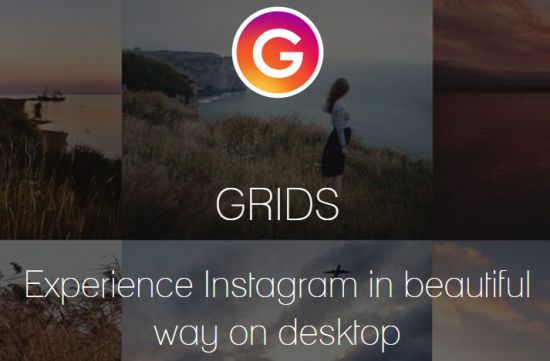
Experience Instagram in beautiful way on desktop. Grids is a better way to browse Instagram on the desktop. Grids app makes Instagram viewing on desktops more fluid and interactive.

Post Photos and Videos
Upload photos and videos directly from your desktop.

Multiple Accounts
Switch between multiple accounts seamlessly.

Responsive UI
Clean and smart UI works amazingly at fullscreen as well as at widget-size.

Notification
Get notification when there are new feed, followers, likes, comments, mentions or requests.

Achieving All Tasks
Like, comment, follow, search, explore.

Stories
View and post Stories. The only desktop app that supports Instagram Stories!

Direct Message
Start conversation with friends. Share posts, profiles, tags and locations.

Pixel-Perfect
Automatically adjust layout to window size, presenting Instagram photos beautifully.

Large/Fullscreen View
Utilize your big screen. View photos and vides in large/fullscreen view. Grids is for Desktop!

Bookmarks
Bookmark people, location, hashtag or single photo/video.

Whats New:
Version 7.0.10
- Bug fixes and performance improvement

Homepage
Код:
http://thegridsapp.com

10d0c236bc65e8d55cb7e0cb3bbddd27.png

Код:
https://rapidgator.net/file/d2e593d9b0352161e44e3fe956f6ae5d/Grids.7.0.10.rar.html

https://nitro.download/view/46ACD131FC394BD/Grids.7.0.10.rar
 
EaseUS PDF Editor Pro 5.4.1.0408 Multilingual

th-s-HTzx-Njdy7gh-Eb-Fxe6v-ML3uf-H9m0q3-Yf.png


EaseUS PDF Editor Pro 5.4.1.0408 Multilingual | Languages: Multilingual | File size: 42.7 MB​

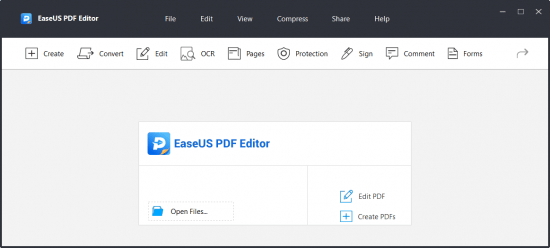
EaseUS PDF Editor is an all-in-one PDF reader and creator, which enables you to modify the PDF files effortlessly. With the help of this program, you can create and edit a PDF from many common files including images and Microsoft Office documents. Speaking of the editing, it lets you insert, delete, reorder, extract, or crop a PDF as you want. In addition, you can insert footer and header, or add page numbers to PDF in no time.

Key features:
Allow you to OCR the scanned files and make it editable
Convert PDF to 10+ file formats
Combine, split, flip, and rotate PDF in seconds
Enable to add bates numbers to multiple PDFs

Whats New:
Updates: official site does not provide any info about changes in this version.

Homepage
Код:
https://www.easeus.com/

2534c2c61fdad605e2f32484578a2641.jpg

Код:
https://rapidgator.net/file/40b03940e7f2ca515bb1d186404382d1/EaseUS_PDF_Editor_Pro_5.4.1.0408.rar.html

https://nitro.download/view/1E40553DB4BB55E/EaseUS_PDF_Editor_Pro_5.4.1.0408.rar
 
Allway Sync Pro 21.0.9 Multilingual

th-9zxr77-Ef-K5o-Cm-UZnyy3xf-Ftj-RZUf-XZCE.png


Allway Sync Pro 21.0.9 Multilingual | Languages: Multilingual | File Size: 33.11 MB​

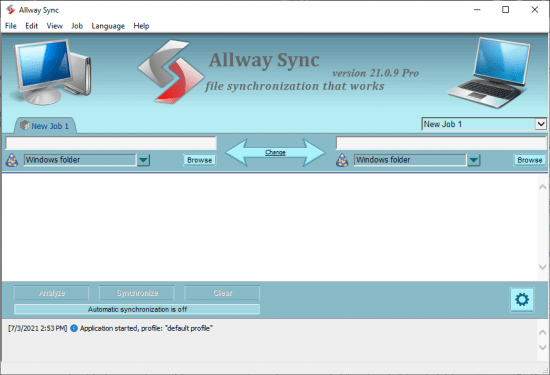
Allway Sync uses innovative synchronization algorithms to synchronize your data between desktop PCs, laptops, USB drives, remote FTP/SFTP and WebDAV servers, various online data storages and more. Data compression and encryption are supported. It combines bulletproof reliability with extremely easy-to-use interface. Allway Sync also can synchronize your PC data with a Mac via Sync Gateway.

Easy to use Windows interface
Complete multiple-folder synchronization routinely with just one click.
Automatic, on-screen, context-sensitive hints.
Simple setup lets you start right away.
Multilingual user interface localized to support more than 30 languages.

Real all-way file and folder synchronization
File modifications and deletions are tracked in a database.
Innovative algorithms do not rely on system clock accuracy.
True folder/directory synchronization.
Supports virtually all file systems.
Edition to install onto a USB drive is available.

True synchronization
Sync data between your desktop PCs, laptops, tablets and more.

Reliable data back-up
Replicate and back-up data between your home and office computers, NAS, external drives

Remote synchronization
Update and back-up files over a local network or the Internet.

Multiple directories support
Synchronize more than two directories at once.

Removable devices support
Synchronize removable devices (USB keys, flash drives) with a local drive or any other device.

Cloud storage sync
Sync and backup to the number of supported online storage services, FTP or WebDAV servers and more.

Release Notes:
- Fixed UI and script issues;
- Updated installers;
- Updated language files.

Requirements: Windows 7/8/8.1/10/Server 2008/2012/2016/2019.

Homepage
Код:
https://allwaysync.com/

2534c2c61fdad605e2f32484578a2641.jpg


Код:
https://rapidgator.net/file/909e7da49f8a7614694d0f25d28a5428/Allway.Sync.Pro.v21.0.9.rar.html

https://nitro.download/view/590BAC8884CF391/Allway.Sync.Pro.v21.0.9.rar
 
GameMaker Studio Ultimate 2.3.2.560 Multilingual

znc-I0a-KCEKf-QB5-Zby6er1rvfv-Pb9-Z6bh.jpg


GameMaker Studio Ultimate 2.3.2.560 Multilingual | Windows x64 | Languages: Multilingual | File Size: 116.27 MB​

GameMaker Studio 2 is the latest and greatest incarnation of GameMaker! It has everything you need to take your idea from concept to finished game. With no barriers to entry and powerful functionality, GameMaker Studio 2 is the ultimate 2D development environment!

Easy to get started
Making games development accessible to everyone means taking away the barriers to getting started. Using our intuitive ‘Drag and Drop’ development environment you can have your game up and running in a matter of minutes without ever having to write any code! GameMakers built-in language (GML) helps you learn to program as you go and not jump in at the deep end of coding.

Multiplatform Workflow
Using a single development workflow GameMaker Studio 2 allows you export your game directly to Windows desktop, Mac OS X, Ubuntu, Android, iOS, fireTV, Android TV, Microsoft UWP, HTML5, PlayStation 4, and Xbox One.

Backwards Compatible
Import your GameMaker: Studio projects directly into Studio 2 and have them ready to run in a matter of minutes.

YoYo Account
GameMaker Studio 2 uses your YoYo Account to provide a single login for all your game making needs.

Tutorials
With our integrated tutorials you can have your learning materials docked directly in your workspace.

Laptop Mode
For all of our users who develop on laptop pcs we have developed an efficient workflow that does not get in the way of development.

Skinning
Customise your development environment by choosing from our predefined skins or creating your own.

Docking
Organise your workspace by docking your tool windows where you want them.

Object Editor
With our unique stucture and workflow it has never been easier to manage the objects within your game.

Script Editor
With tabs and the ability to split the editor you can work with multiple files without having a window for each.

Superior Workflow
Drag and Drop like never before, create the game you want without ever writing any code.

Library
Choose what you need from our extensive library of events and actions to sculpt the game you desire.

Code Preview
Learn how to program by viewing the code behind our DnD™ actions and take your games to the next level.

GameMaker Language
Based on C programming language, GML gives you all the power of other programming languages while being easy to learn.

Layers
Take control of how objects are ordered within your rooms and draw sprites directly without the need for an object.

Tile Brushes
Make repetition a breeze by creating a group of tiles and drawing them directly to the room.

Inheritance
Add variety quickly to your projects by sharing common code and resources.

Brush Based Editing
Create a brush from any section of your image simply and efficiently with our amazing new editor.

Animation Support
Bring your sprites to life with a touch of motion and take your games to the next level.

Tileset Animations
Liven up your levels with a hint of animation without compromising on performance.

Brushes
Improve your workflow by creating a palette of commonly used tiles.

Auto Tiling
Automatically choose the correct tile for the job and never have to worry what goes where again.

GoTo Finder
The GoTo Finder lets you search for, locate, and open any resource within your project instantly.

Chain View
Easily navigate between resources without losing track of where you are.

Git Integration
Save and back-up your project history from anywhere in the world with our Git integration.

Debugger
Save time and effort with our powerful debugger.

Release Notes:
GameMaker Studio 2 Release Notes

Код:
http://gms.yoyogames.com/ReleaseNotes.html

System Requirements:
GameMaker: Studio requires a reasonably modern PC running Windows XP, Vista, 7, or later. A DirectX 9 (or later) compatible graphics card with at least 32MB of memory is required for most created games. It requires a screen resolution of at least 1024x768 and 65536 (16-bit) colours (but preferably 32-bit true colour). Also a DirectX 9 compatible sound card, or integrated sound chip, is required. It is always recommended that you make sure you have the most recent drivers installed for your system.
GameMaker: Studio requires DirectX version 9.0 or later to be installed on your computer. (You can download this version of DirectX from the Microsoft website) When designing and testing games, the memory requirements can be pretty high (at least 128 MB and preferably more, but this depends on the operating system). When just running games, the memory requirements are less severe and depend a lot on the type of game as well as the resources being used.

Homepage
Код:
https://www.yoyogames.com/gamemaker

10d0c236bc65e8d55cb7e0cb3bbddd27.png


Код:
https://rapidgator.net/file/c687127ba43e161f808eb44e54a8ed31/GMS.2.3.2.560.rar.html

https://nitro.download/view/EA654868EEF5144/GMS.2.3.2.560.rar
 
Tape Label Studio Enterprise 2021.6.0.6637 (x64) Multilingual

th-Wu-ACNl-At-EQOY8-UQC3-Y6l-Aqg-Z068-Zp8la.png


Tape Label Studio Enterprise 2021.6.0.6637 (x64) Multilingual | File Size: 64.4 MB​

Tape Label Studio is a useful and effective software solution aimed to provide business owners with a simple method of creating your own barcodes from scratch, without having to buy new ones every time you run out, since you can just print out another batch.

Features:

Barcodes
Tape Label Studio prints standard tape labels using Code-39 barcodes - with or without checksum.

Import anything
Import any text in Advanced Mode - Tape Label Studio will analyze it and any labels found will be added to your list

Export to PDF
Export labels to PDF. If you can't print them now, print them later - anywhere.

Info Label
Print the current job's info (offsets, number of labels, etc.) on a label and never lose a setting again.

Starting point
In case you did not use all your labels in you last job you can change the starting position (e.g. to 3rd label in the 2nd row) for you current job

Print directly
Tape Label Studio prints your labels directly to any printer available in your Windows installation - with adjustable offsets.

Media support
Many predefined media types are supported out of the box but feel free to use your own.

Label alignment
Choose from different alignment types like barcode only, text at top, text at bottom, etc. with or without custom text support.

Custom Text
Some alignment types support custom text on your labels: provide owner or storage information or whatever text you like.

Whats New
Код:
https://www.tapelabelstudio.com/blog/tape-label-studio-2021-6-available/

Homepage
Код:
https://www.tapelabelstudio.com/

2534c2c61fdad605e2f32484578a2641.jpg


Код:
https://rapidgator.net/file/5151ac6251b9c6c1d562168382fa1089/Tape.Label.Studio.v.2021.6.0.6637.rar.html

https://nitro.download/view/E081BD9D2D95B2E/Tape.Label.Studio.v.2021.6.0.6637.rar
 
IDimager Photo Supreme 6.3.0.3765 Multilingual

th-6c-JBRSx-Jvh77xx-JQCusb5-Rn-Tnc-Fg4m-Ra.jpg


IDimager Photo Supreme 6.3.0.3765 Multilingual | File Size: 110 MB​

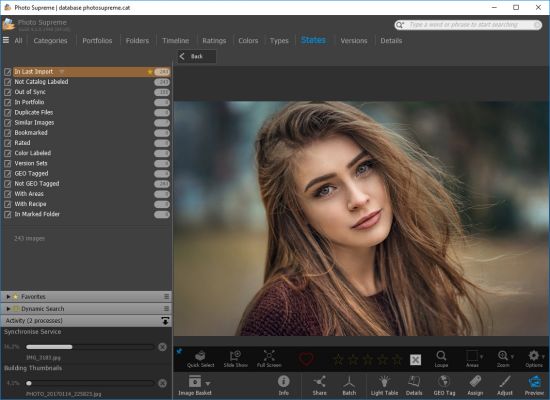
Do you own a digital camera or do you have a large collection of images to manage? Then in no time finding that one image you are looking for becomes a chore. But Photo Supreme can change all that. Photo Supremes integrated cataloging and management features will help you quickly find and work with your desired image.

Advanced search capabilities
When looking for that one image, Photo Supreme will help you with deep text searches, tag searches, duplicate detection, similarity detection, dynamic search combinations and advanced filtering.

Multi tab browsing
Photo Supreme brings tabbed browsing to your image archive. Take advantage of having multiple sets open at the same time.

Keyword tagging
Tagging your images has never been easier. GEO tagging, parent cascading, face tagging, and automatic metadata enrichment are just a few of many features.

Import & ingest images
Import your images in your Catalog the way you want. You can define naming conventions, apply metadata on import, version rules, and of course copy files.

Get organized
Organize your images in Portfolios and Collections.

Multi version control
Logically hold your pictures together so you can find them again more easily.

Photo Supreme offers many features, the most relevant ones are listed below:
Advanced search capabilities
Multi tab browsing
Import & ingest images
Side-by-side comparison (up to 6 images)
Keyword tagging
Advanced GEO tagging
Image organization in portfolios
Duplicate detection
Share images with Flickr, Smugmug, Zenfolio, Google+ (former Picasaweb), FTP, EMail
Dual monitor support
Creative Commons support
Lossless image editing
Supports Darwin Core metadata
Dynamic collections
Face detection
Area tagging
Extensible metadata with custom field definitions
Take your previews with you while travelling
Color managed
Fully scriptable
Available for Windows* and macOS**
Single User or Multi-User network/server version
English, German, French, Italian, and Dutch locale
Full HD, 2K, 4K, 5K, Retina screen resolutions supported

Main Features & Highlights:
Advanced search capabilities
Multi Tab Browsing
Import/Ingest images
Side-by-Side comparison (up to 6 images)
Keyword tagging
Advanced GEO Tagging
Image organization in portfolios
Duplicate Detection
Share images with Flickr, Smugmug, Zenfolio, Picasaweb, FTP, EMail
Dual Monitor Support
Creative Commons support
Face Detection
Area Tagging
Extensible metadata with Custom Fields
Take your previews with you while travelling
Color Managed
Lossless Image Editing
Fully Scriptable
Available for Windows and MacOSX platform
Multi-User network/server version available for PostgreSQL and SQLServer (Server Edition)
English, German, French, Italian, Dutch, Portuguese, and Russian locale

Whats New:
Код:
https://www.idimager.com/what-s-new-in-photo-supreme-v4

Homepage
Код:
http://www.idimager.com/

10d0c236bc65e8d55cb7e0cb3bbddd27.png


Код:
https://rapidgator.net/file/e6931ada135ae64ccaa2405346576139/Photo.Supreme.6.rar.html

https://nitro.download/view/0C399E0DAA0A6B2/Photo.Supreme.6.rar
 
ON1 Photo RAW 2021.5 v15.5.1.10747 Multilingual

th-U3-Zpu8-Ys-ZWHx9-Qdfw-AI0x-Vaqus-SIOn-Hv.jpg


ON1 Photo RAW 2021.5 v15.5.1.10747 Multilingual | Windows x64 | File size: 1.54 GB​

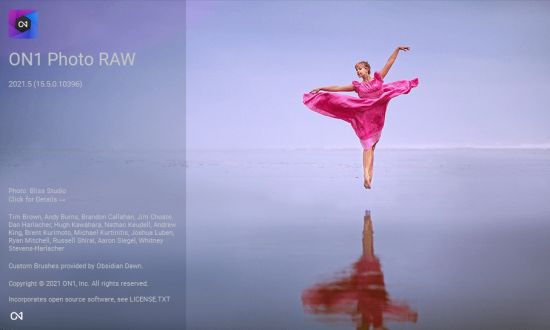
ON1 Photo RAW version 2021 is THE professional-grade photo organizer, raw processor, layered editor, and effects app. It works where you do; at the center of your workflow or as a plug-in to Adobe Photoshop, Lightroom, Elements, Affinity Photo, Corel Paintshop Pro, and Capture One (coming soon).

What do you photograph?
ON1 Photo RAW 2021 provides the primary photo editing needs for every photographer regardless of what they shoot — without having to bounce between multiple pieces of software. Get the professional photo editing tools you need for the professional results you need while keeping your workflow efficient, powerful, and simple.

Power & Speed
At its core, ON1 Photo RAW includes a state-of-the-art image processing engine. Optimized for today's super-megapixel cameras and high-performance computer graphics systems, Photo RAW is the world's fastest, most flexible, and easiest-to-use photo editor on the market.

Unlimited Creativity
Creators want to create and not spend all of their time learning how to use editing tools. Photo RAW is like having Lightroom & Photoshop under one roof. It comes with the tools you need for compositing, hundreds of the hottest presets and filters built-in, and world-class masking tools to make your life easy.

Control of Your Photography
ON1 Photo RAW gives you an open system for complete control over your storage, organization, editing, and method of purchase. No long importing, easy organization, unlimited ways to dial in your style, and ON1 will also never be a subscription-only model.

Plug-in to Your Workflow
ON1 Portrait AI is the perfect fit for almost any workflow. Get amazing retouching results in seconds when using ON1 Portrait AI as a plug-in for:

- Adobe Photoshop
- Adobe Lightroom Classic
- Adobe Photoshop Elements
- Affinity Photo
- Capture One (coming soon)
- Apple Photos
- Corel Paintshop Pro

New Features in ON1 Photo RAW 2021:
- Quickly Add Clouds to Your Dull Skies
- Retouch an Entire Portrait Shoot Automatically
- Create Stunning Sunsets in Seconds
- View Your Photos in All of Their Beauty
- Refresh Smiles in a Few Simple Clicks
- Selectively Edit Like Never Before Using Color Selection
- A Better Way to Erase Away Unwanted Distractions
- Find Your Duplicate Photos in Seconds
- Easily Change Colors of Objects in Your Photos
- Quickly Find All Photos from Your Favorite Location
- Make the Eyes Pop in Seconds
- The Best Photoshop Plugin for Editing Portraits
- Presenting Photos for Your Clients

Feature List:

New ON1 Portrait AI
Flawless retouching is just a click away with the new Portrait AI tab inside of Edit. It uses machine learning to find every face in your photo and make them look great, automatically. It analyzes each face and adds just the right amount of retouching to the skin, eyes, and mouth, giving you professional results in no time at all.

New Smart Organize
The New Smart Organize mode in Browse lets you take control over your cluttered photo archive. Not only can it find duplicates, but it can find and group photos that have similar appearance, location or time. It can help you cull your library to find just the best photos in a series.

New Spot Healing Brush
A new modern approach to removing distractions like dust spots, power-lines and unwanted people from your photos. The Spot Healing Brush is not only faster than current tools, it maintains full non-destructive adjustments for each spot you remove.

New Custom Brush Shapes
Brushing has taken a quantum-leap in control and creativity. Now you can choose from a variety of custom brush shapes or even import your own.

New Plug-in Support for Affinity Photo and Corel PaintShop Pro
Now you can extend your workflow in Affinity Photo and Corel PaintShop Pro by access Develop, Effects, and Portrait right inside the apps you use. Capture One support coming soon!

New Quick Slideshow
Need to quickly show a client their photos? With the Quick Slideshow you are only a click away from a full-screen slideshow complete with user adjustable delay and an elegant dissolve transition.

New Camera Based Presets
Now you can automatically apply a preset to any new photos from a specific camera. If you always find yourself making the same adjustments, just make a preset and apply it automatically to photos from that camera. This is super handy if you have created a custom camera profile or if you have converted a camera to infrared.

New Color-Sensitive Gradient Masks
Everyone knows how powerful the gradient mask tool is. You can quickly create straight, reflected or round radiant masks that are re-editable and blendable with brush masks. Now you can combine the color-sensitive power we created for the Perfect Brush with the gradient masks. When enabled, it detects the color under the gradient and applies the mask to only that adjustable color range. It makes it a breeze to mask areas like skies while maintaining things like buildings or trees that go into the sky.

New Batch HDR and Pano
Save time by batch processing your HDR brackets or panoramas. Simply organize your brackets into sub-folders, then let Browse build your new HDR and panos for you. This is a life-saver for real estate shooters.

New User Interface Improvements
We have taken a measured approach to updating the user interface. Based on user feedback we have improved common controls like sliders to have more precision and a longer area for labels so we can be more descriptive. We have also made sure that Layers and the Edit module tabs don’t scroll out of view on a small display or when you have a large stack of filters.

New Color Fill Layers
We have brought back color fill layers to the Layers pane. They are a great way to set a background color for a composite layout. They are also handy when used with the new custom brush shapes for painting in objects like grass, trees, and clouds.

New Replace Color Filter
Easily change the color of an object to any new color. It's perfect for tweaking or totally changing the color of eyes, flowers, buildings, and apparel.

Release Notes
What’s New in 2021.5:

- Re-editable Smart Photos for Adobe Lightroom Classic — Now, you can re-edit your adjustments made in ON1 Photo RAW, maintaining your non-destructive workflow with Adobe Lightroom Classic. From Lightroom, you can send photos to ON1 Photo RAW, where you can retouch, crop, create layers, and add effects. The results round trip back to Lightroom as a normal Photoshop PSD where you can view and export them. If you want to adjust your settings made in ON1 Photo RAW, simply send it back to Photo RAW, and all your settings are still there. You can re-crop, change the retouching, adjust the layers, or add or change filters.
- Batch Processing for Adobe® Lightroom® Classic — Now, you can batch-process photos from Lightroom Classic with ON1 Photo RAW. You control the file types created and the settings to apply. It could be a preset or your own manual adjustments. You can adjust the first photo, and have the same settings applied to all the other photos, or pause on each photo to tweak the settings to your needs. For portrait photos, let the AI-based auto mode take over. It finds every face, analyses it, and adds the perfect amount of skin smoothing, and eye and mouth enhancements.
- Customize Keyboard Shortcuts — The new Shortcuts dialog allows you to view and change what keyboard shortcut, or hotkey, is used for most functions. You can change the key used to access any tool, tool option, module, or menu item. You can even assign shortcuts to menu items that don’t have a shortcut yet. It’s perfect if you live in a locale that doesn’t use the QWERTY keyboard layout.
- Keyboard Control of Tone & Color — The powerful new shortcuts can also be used with the most-used image adjustments located in Develop’s Tone and Color pane. You can now adjust the exposure, contrast, shadows, highlights, and white balance options using keyboard shortcuts or the mouse scroll wheel. You can even adjust these controls with an external control surface like a Stream Deck, Loupedeck, Monogram, or similar devices.
- Cloud Sync for Presets and Extras — Cloud Sync now keeps your presets and extras like backgrounds, borders, textures, LUTs, etc. all in sync across all your computers. When you create a new preset or install a preset pack it automatically syncs to your other computers. This even works for saved filter styles, import presets, color profiles. You name it, it all stays in sync now.
- Learning Hub — The Learning Hub puts the information you need to be successful right at your fingertips. This floating window lets you access the video library, user guides, support pages, and loyalty rewards from right inside the app.
- New Cameras for RAW Support — Fujifilm GFX-100S, Sony Alpha 1. Updated tethered shooting for Canon and Nikon cameras.

System Requirements:
- Windows 10 (current maintenance releases, 64-bit only)
- Processor: Intel Core i5, Xeon, or better
- RAM: 16+ GB
- Disk: 1.5 GB for installation, SSD
- Display: OpenGL 4.2-compatible video card with 2GB dedicated video RAM, 1920x1080 resolution (at 100% scale factor)

Optional Application Integration:
- Photoshop CC 2020
- Photoshop Elements 2020
- Photoshop Lightroom Classic CC 2020
- Affinity Photo
- Corel PaintShop Pro

Supported Languages:
- English, German, Spanish, French, Japanese, Korean, Simplified Chinese, Russian, Portuguese, Italian, Dutch

Homepage
Код:
https://www.on1.com

10d0c236bc65e8d55cb7e0cb3bbddd27.png


Код:
https://rapidgator.net/file/6f64d5d6f9f2e54ee1370fb9c481d814/ON1.Photo.RAW.15.5.1.10747_x64.part1.rar.html
https://rapidgator.net/file/6602213a9a0ff2a148241e2f268dc4a2/ON1.Photo.RAW.15.5.1.10747_x64.part2.rar.html

Код:
https://nitro.download/view/73316FB3247903C/ON1.Photo.RAW.15.5.1.10747_x64.part1.rar
https://nitro.download/view/F83ABFA538C9300/ON1.Photo.RAW.15.5.1.10747_x64.part2.rar

 
KMS Server Service 2.0.9

Nkox-Rav-Dhgx-Zgn-A0c2-Pd9-Bo7vbk-NOd4n.jpg


KMS Server Service 2.0.9 | File size: 0.1 MB​

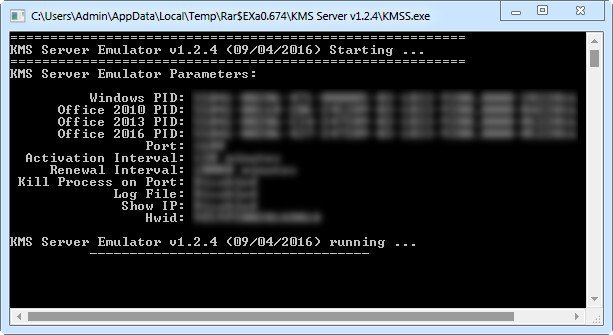
KMS helpers and emulators. Part of the KMS Tools by Ratiborus.

Command Line Parameters:
-Port <Port Value> - KMS Port. Range from 1 to 65535
-PWin <PID> - Windows PID
-PO14 <PID> - Office 2010 PID
-PO15 <PID> - Office 2013 PID
-PO16 <PID> - Office 2016 PID
-AI <Interval> - Activation Interval. Range from 15 to 43200 minutes
-RI <Interval> - Renewall Interval. Range from 15 to 43200 minutes
-Debug - Detailed info.
-Log - Log file Enabled.
-Hwid <HWID> - Machine Hardware Hash.

Whats New:
Updates: official site does not provide any info about changes in this version.

2534c2c61fdad605e2f32484578a2641.jpg


Код:
https://rapidgator.net/file/0537968be1ccd464ffe9f8cdaf153c04/KMS.Server.Service.2.0.9.rar.html

https://nitro.download/view/504192E2A0693E6/KMS.Server.Service.2.0.9.rar
 
PDF Decrypter Pro 4.5.1

n7sv-Qj30a-Hu-EOpm-DXi-Dp-OOFj-Wbf-KGNSK.jpg


PDF Decrypter Pro 4.5.1 | File Size: 10.7 MB​

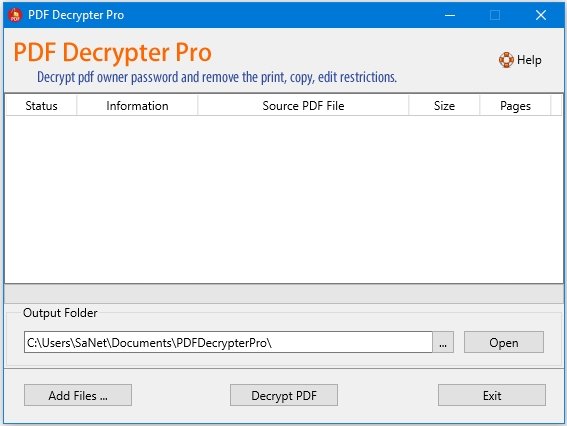
Do you have such kind of experience that a PDF (Adobe Acrobat) file Can not be printed, copied, or edited? If yes, This is because PDF file has had password security and other restrictions added. The PDF Decrypter Pro can help you Remove the password and restrictions in a few seconds. PDF Decrypter Pro is a lightweight extremely easy to use application designed to help you rapidly remove usage restrictions from PDF files. Most PDF documents have 'owner password', rendering them uneditable.

This small application helps you eliminate restrictions in relation to printing options or text and graphics selection. Removable restrictions also refer to changing or adding annotations to the PDF file's content and you can also add form fields that weren't in the original file.

The user interface is clean and comprehensive, grouping only the buttons your need to complete the main purpose of the software utility. In addition, there is no limit to the number of files you can add to the list in the main window of the app.

Simply load the file within the application and it will be instantly processed. After the decryption, the app will display a message in the Result column updating the process status. PDF Decrypter Pro features drag and drop options in order to make the whole decryption procedure faster and more efficient. Also, you can rapidly navigate to the source file or folder with a simple right-click

There are several types of encryption that this small application can remove. PDF Decrypter Pro enables you to eliminate 40-bit RC4 decryption, 128-bit RC4 decryption, AES decryption. Furthermore, you can lift editing restrictions from compressed files and unencrypted metadata.

This application does not require the installation of any third party applications, also supporting all versions of Adobe Acrobat.

Overall, PDF Decrypter Pro, must be appreciated for its efficiency and punctual algorithm, allowing you to remove any editing limitations from your PDF documents in a matter of seconds.

Key Features:
Remove the security settings from your encrypted PDF file is instant.
Support PDF1.8 format (formerly only supported by Acrobat 9.0 application).
Support including 40-bit RC4 decryption, 128-bit RC4 decryption, AES decryption, compressed files and unencrypted metadata.
Decrypt protected Adobe Acrobat PDF files, removing restrictions on printing, editing, copying.
Support drag and drop PDF files.
Support Windows 10/8/7/Vista/XP. (support 32bit & 64bit)

What's new
Add output folder option.

Homepage
Код:
http://www.pdfdecrypter.com/

10d0c236bc65e8d55cb7e0cb3bbddd27.png


Код:
https://rapidgator.net/file/a128dd86cb038c5fdc6b8ae2ae218f9e/PDF.Decrypter.Pro.4.5.1.rar.html

https://nitro.download/view/D57993B32BED8B6/PDF.Decrypter.Pro.4.5.1.rar
 
Native Instruments Reaktor 6.4.2

th-By-Nm-Fva-MU08-U99-H9-VAJ6p7-SWSml7o4oz.jpg


Native Instruments Reaktor 6.4.2 | File Size: 79.3 MB​

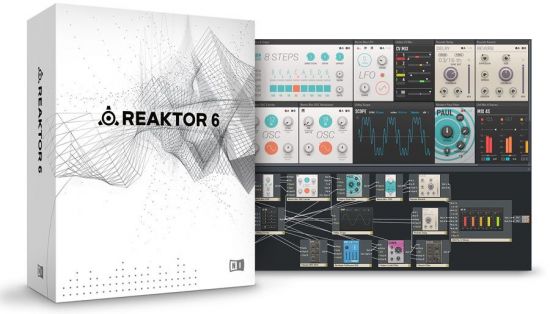
REAKTOR 6 is the ultimate creative toolkit for deep sound exploration, featuring cutting-edge DSP and high-fidelity sound. REAKTOR 6 makes advanced sonic experimentation more accessible than ever. Primary and Core Macro libraries are refined for ease of use with new categories and intuitive folder structure. Workflows are now more efficient thanks to a modernized interface, improved structure editing, and a revised property and navigation. Plus, new features like Table Framework, Bundles, and Scoped Buses unlock a new level of power to REAKTOR builders.

INTRODUCING BLOCKS
Blocks is a new framework that turns REAKTOR 6 into a fully-equipped, rack-style modular synth. Over 30 Blocks – including oscillators, filters, effects, modulators, and sequencers – come with REAKTOR 6. Among these Blocks are components from acclaimed NI synths such as ROUNDS and MONARK – all you need to start creating elaborate modular synth patches.

GET CONNECTED
REAKTOR 6 delivers extensive connectivity for any setup. MIDI, OSC, and CV/Gate connectivity lets you connect hardware modular systems, standalone hardware, other software instruments, and mobile devices. From simple hardware/software setups to elaborate, custom performance systems, REAKTOR 6 is your central hub for creativity.

UNRIVALLED SOUND QUALITY
REAKTOR’s trademark sound quality is unmistakable. From anti-aliased oscillators and ZDF (zero delay feedback) filters to granular synthesis engines, a team of leading developers build every component in REAKTOR from the core level up using the most elegant algorithms. Their relentless pursuit of DSP excellence keeps this sonic toolkit at the head of its class. And everything inside is organized for immediate use in REAKTOR’s macro libraries for fast, creative building sessions.

FOR SOUND MAKERS OF ALL LEVELS
Newcomers can quickly start playing with over 70 REAKTOR Factory instruments, each loaded with presets to get you started. Or download one of over 4,000 free instruments created by the REAKTOR user community. Once the REAKTOR environment becomes familiar, patching with Blocks unlocks a world of on-the-fly sonic experimentation.

Platform: WiN32/64 - EXE/VST/AAX(MODiFiED)

Whats New:
Big Sur Compatibility Update.
ADDED Big Sur compatibility on Intel-based Macs. Please note the following:
REAKTOR is not yet supported on Apple Silicon based Macs. Even though it can be installed from Native Access on these Computers, there is a small possibility on data loss, when loading Ensembles one after another in Logic and when relocating missing samples. We are working with Apple to resolve these issues. Please see this article for updates
REMOVED 32 bit VST plug-in targets on Windows
Please note that the update installer will remove the 32 bit VST plug-in targets
if you want to roll back and install the last version including the 32 bit VST plug-in targets Please visit this page
KNOWN ISSUE Only happens on Apple Silicon based Macs with Big Sur in Logic - There might be cutoff UI or UI glitches, when the Reaktor AU plugin window resizes on content load
can be worked around by closing and reopening the plugin window

Homepage
Код:
https://www.native-instruments.com/en/products/komplete/synths/reaktor-6/

2534c2c61fdad605e2f32484578a2641.jpg

Код:
https://rapidgator.net/file/9802cff56746cea8e130f56d7aa05559/Native.Instruments.Reaktor.6.v6.4.2.rar.html

https://nitro.download/view/76935DFA4E8C7E2/Native.Instruments.Reaktor.6.v6.4.2.rar
 
Microsoft Exchange Server 2019 CU10 Build 15.02.0922.007 (x64) Multilanguage

Wwtrp6pw5p-Umufki-VMv1-SUNjc-QPJULHl.png


Microsoft Exchange Server 2019 CU10 Build 15.02.0922.007 (x64) Multilanguage | x64 | Languages:Multilanguage | File Size: 5.83 GB​

Exchange Server 2019 is designed to deliver security, performance and improved administration and management capabilities; attributes our largest on-premises customers expect from Exchange.

Here is a selection of other key features in Exchange Server 2019:

Security:
Exchange Server 2019 requires Windows Server 2019. In fact, we recommend installing Exchange Server 2019 onto Windows Server 2019 Server Core. Exchange Server 2019 installed on Windows Server 2019 Core provides the most secure platform for Exchange. You also have the option of installing Exchange 2019 onto Windows Server 2019 with Desktop Experience, but we have worked hard to make sure running Exchange on Server Core is the best choice for our code.

We’re aware all media for Windows Server 2019 and Windows Server, version 1809 has been temporarily removed and Microsoft will provide an update when refreshed media is available. Exchange Server 2019 will be fully compatible with version 1809, and the refreshed version.

We also built Exchange Server 2019 to only use TLS 1.2 out of the box, and to remove legacy ciphers and hashing algorithms. To understand how this affects coexistence with earlier versions, please reference our previous series of posts on TLS.

Performance:
We’ve done significant work to allow Exchange Server to take advantage of larger core and memory packed systems available in market today. With our improvements, Exchange Server can use up to 48 processor cores and 256GB of RAM.

We’ve re-engineered search using Bing technology to make it even faster and provide better results, and in doing so have made database failovers much faster, and administration easier.

We’re adding dual storage read/write capabilities to Exchange Server 2019 using Solid State Drive (SSD) technology to provide a super-fast cache of key data for improving end user experience. We also talked about this in our Email Search in a Flash! Accelerating Exchange 2019 with SSDs session at Ignite.

We also changed the way database caching works to allocate more memory to active database copies, again improving the end user experience. You can learn more about Dynamic Database Cache from Welcome to Exchange Server 2019! video and slides.

The improvements we have made to Exchange Server 2019 will enable you to scale to a larger number of users per server than ever before, use much larger disks, and see the latency of many client operations being cut in half.

End user experience:
We all rely on Exchange for calendaring, and we know large enterprises are heavy calendar users. We are bringing a few key features such as restricting the forwarding of meeting requests and better control over OOF settings to Exchange Server 2019. Administrators get some new calendaring features too, as we’re adding the ability to manage events on user’s calendars and assign delegate permissions more easily.

We are also adding support for routing mail to and from EAI/IDN recipients and hope to add additional capabilities in this area in the future.

Prerequisites:
OS:Windows Server 2012 R2/2016/2019
This cumulative update requires Microsoft .NET Framework 4.7.2.

Note:
The Cumulative Update 9 package can be used to run a new installation of Exchange Server 2019 or to upgrade an existing Exchange Server 2019 installation to Cumulative Update 10.

Original ISO Size:5.83 GB
Winrar Compressed Size:1.30GB

Whats New
Код:
https://support.microsoft.com/en-us/topic/cumulative-update-10-for-exchange-server-2019-kb5003612-b1434cad-3fbc-4dc3-844d-82568e8d4344

Homepage
Код:
https://products.office.com/en/exchange/email

2534c2c61fdad605e2f32484578a2641.jpg


Код:
https://rapidgator.net/file/99f3b45046a7777dc022e3b08af95b76/mu_exchange_server_2019_cumulative_update_10_x64.part1.rar.html
https://rapidgator.net/file/b8db869ce9b9baea1d99cec00e6e7f0b/mu_exchange_server_2019_cumulative_update_10_x64.part2.rar.html
https://rapidgator.net/file/5f4c0c27eb2d2edc2052635214278bbf/mu_exchange_server_2019_cumulative_update_10_x64.part3.rar.html
https://rapidgator.net/file/3d9faf8b4d4be23746aefd85927453e4/mu_exchange_server_2019_cumulative_update_10_x64.part4.rar.html
https://rapidgator.net/file/58a02918c1b73caad66d2c10216d4242/mu_exchange_server_2019_cumulative_update_10_x64.part5.rar.html
У Вас недостаточно прав для просмотра ссылок. Войдите или зарегистрируйтесь.


Код:
https://nitro.download/view/A9F878D79A80A8B/mu_exchange_server_2019_cumulative_update_10_x64.part1.rar
https://nitro.download/view/2634A9D791C15AC/mu_exchange_server_2019_cumulative_update_10_x64.part2.rar
https://nitro.download/view/4D83989C6DDD420/mu_exchange_server_2019_cumulative_update_10_x64.part3.rar
https://nitro.download/view/C5AEA77E9564E4D/mu_exchange_server_2019_cumulative_update_10_x64.part4.rar
https://nitro.download/view/CBF0A1AC479CDCE/mu_exchange_server_2019_cumulative_update_10_x64.part5.rar
https://nitro.download/view/C994E57768C0AE4/mu_exchange_server_2019_cumulative_update_10_x64.part6.rar
 
Mailbird 2.9.34.0 Multilingual

th-0-Hvibp-Hpl8-QHJR4-Up-Vot7zw-A6ma-Hc-S5d.jpg


Mailbird 2.9.34.0 Multilingual | File Size: 149 MB​

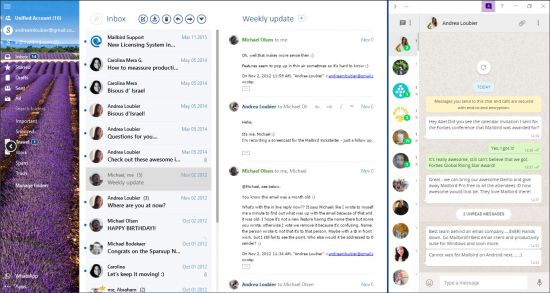
Mailbird is an intuitive email client that promises to deliver an uncluttered experience and several handy features for managing your email messages. The tool offers support for up to three email accounts and gives you the possibility to work with Gmail, Yahoo!, Outlook.com, iCloud or other IMAP email provider.

Your Inbox. Your Tasks. United.
- With Mailbird and Moo.do, you can now link up your tasks directly.
- Simply drag your emails into your daily task list, and get to inbox zero in no time, while you organize your tasks easily and conveniently.
- Want to quickly see the emails from your task list again?
- Simply click the email task, and Mailbird opens it for you.

Productivity. Scheduling. Anything.
Access the many powerful apps that helps you stay more productive, and integrate your daily communcation with your favorite apps.

- Try the Google or Sunrise calendar apps to easily schedule your meetings and combine multiple calendars.
- The WhatsApp instant messaging app, allows you to stay connected with your business partners, friends and family easily via Mailbird.
- Veeting Rooms app is for business meetings, when you want Swiss hosted secure and encrypted peer-to-peer connection. Includes secure p2p video, chat, whiteboard, and document sharing.

Whatsapp & Email. Side by side.
- With your WhatsApp stream running in Mailbird, you can easily communicate with people via email and instant messaging at the same time.
- Drag and drop attachments from your emails into Whatsapp, to easily share photos, videos and documents.

Create your own layout.
- You can customize the layout to match your preferred way of working. Try it now. Move your mouse over the different layouts below.

Pick your favorite color.
- Feel at home with your favorite color themes. The whole Mailbird experience adapts to your choice, and you can change as often as you would like.

Full touchscreen support.
- Switch seemlessly between trackpad, mouse and touchscreen, as you swipe your way thorugh your inbox.
- Works with any laptop and touchscreen or touchpad.

Whats New :
Fixed issue that slows down the app at the start.

Homepage
Код:
https://www.getmailbird.com/

10d0c236bc65e8d55cb7e0cb3bbddd27.png


Код:
https://rapidgator.net/file/3574756c00ec52b6b7e2a93bbac5265c/Mailbird.v.2.9.34.0.Cracked.rar.html

https://nitro.download/view/C5578EC04673ED7/Mailbird.v.2.9.34.0.Cracked.rar
 
Windows 11 Pro Build 22000.51 Dev (TPM 2.0 Compliant) With Office 2019 Pro Plus Preac

x-FSWCI67m3v-Dxveu2-Jqwjat-IBx-OWl-RVF.png


Windows 11 Pro Build 22000.51 Dev (TPM 2.0 Compliant) With Office 2019 Pro Plus Preactivated | indows (x64) | Languages:English | File Size: 6.49 GB​

Windows 11. The main part of this announcement was to be a presentation of a significant user interface change, codenamed Sun Valley. As we know, a significant portion of the UX changes will be borrowed from the Windows 10X shell, and Windows 10X is not coming to market. Now, as expected, the Windows 11 information leak begins.

What's new in Windows 11:
- Windows 11 will receive a completely new design. Microsoft clearly needs a good reason to reverse its past claims and still ditch Windows 10 by introducing a new operating system number. And a completely new design is great for that. The Redmond giant has long been preparing a redesign for an update with the code name Sun Valley ("Sun Valley") - apparently, under this naming it was Windows 11. The Sun Valley project flashed on the network for a long time - Microsoft regularly disclosed details of the new interface style, insiders shared the unknown previously information, and popular designers in their circles drew realistic concepts based on all this data.

- Start and system elements will float above the bottom bar. Start is the calling card and face of every recent version of Windows. Not surprisingly, in Windows 11, developers will transform it again, but not so much in functional as in visual terms - the Start window will hover above the bottom bar. We have to admit that this small change makes the appearance of the system much fresher. Judging by information from the network, Microsoft will not radically change the "insides" of this menu - the innovations will affect only the design of the window itself. The control panel will also float, and its design will be exactly the same as that of the "Start". The action center will be combined with the control buttons together - a similar one has long been used in some other operating systems. Almost all mentions of this new menu indicate that it will be island - the control buttons will be located on one separate panel, notifications will be on another, and specific elements (like a player) on another separate one.

- Right angles will disappear, they will be replaced
by fillets. In truth, insiders and concept designers disagree on this point - some are confident that Microsoft will not change its traditions and will keep right angles, while others are convinced that in 2021 Microsoft will follow the fashion for fillets. The latter fits better with the definition of "completely new Windows" - just hovering menus are not enough for a new design to be considered truly new. Fillets are expected to affect virtually everything in the system, from context menus and system panels to all application windows. True, even on this issue, the opinions of concept designers differ - some draw fillets in all possible interface elements, others combine them with right angles.

- There will be a translucent background with blur everywhere. There is disagreement on the web about the island style of displaying windows, the design of the corners and the levitation effect of the menu, but almost everyone is unanimous about the transparency of the windows. The vast majority of leaks and design renders show transparency and blur in all windows, be it at least the Start menu or Explorer. Moreover, these effects are even in the assembly of the canceled Windows 10X operating system, which Microsoft was developing for devices with two screens and weak gadgets in parallel with the Sun Valley project. The so-called acrylic transparency implies the use of new effects when hovering over elements, as well as increased spacing between elements - those areas of the interface with which the user interacts will certainly become larger, and page titles will be thickened.

- New font that has already been shown. Windows 11 will most likely use the default responsive Segoe UI Variable font, which has already appeared in Windows 10 Build 21376 for Insiders. Its advantage is that it is equally well suited for small texts and large inscriptions. This distinguishes it from standard fonts, which are initially created for either small size or large size. For example, the stable version of Windows 10 currently uses the Segoe UI font, designed for 9pt. In smaller inscriptions, it becomes poorly legible, and in large inscriptions it looks expressionless.

- Windows 11 will have new icons, and Windows 95 icons will disappear. Yes, they are still in use today. Microsoft will finally transform the icons that are used throughout the system. It's not just about shortcuts to folders, trash cans and other icons found in Explorer. We are talking about all the icons available in the Shell32 directory. There are still icons from the days of Windows 95, and only recently Microsoft updated their design in one of the insider assemblies - of course, they will migrate to Windows 11.
- Windows 11 will have functional innovations - there are many of them, but they are all small. Much less is known about the features of the upcoming update than about its design. But since Windows 11 and Windows 10X (the canceled OS for weak and foldable devices, the image of which has leaked to the network) were developed in parallel, we can safely assume that all the functions from the latter will appear in Windows 11. For example, Windows 11 will show when the camera is in use computer - the corresponding indicator will be displayed in the system tray.

Whats New
Treatment: Included
Treatment type: Script
Update Office To Version 2105 (Build 14131.20278)[/b]

System Requirements:
Processor: 1 gigahertz (GHz) or faster.
RAM: 1 gigabyte (GB).
Free space on hard disk: 50 gigabytes (GB).
Graphics card: DirectX 9 graphics device or a newer version.
Additional requirements to use certain features.
To use touch you need a tablet or monitor that supports multitouch.
To access the Windows store to download and run apps, you need an active Internet connection and a screen resolution of at least 1024 x 768 pixels

Homepage
Код:
https://www.microsoft.com

2534c2c61fdad605e2f32484578a2641.jpg


Код:
https://rapidgator.net/file/e2c641ab407714a8beb80c5581b841f4/W11.Pro.22000.51.TPM.Compliant.Office.part1.rar.html
https://rapidgator.net/file/63103755378ebb4881b2cfeab12e9ee1/W11.Pro.22000.51.TPM.Compliant.Office.part2.rar.html
https://rapidgator.net/file/d7cc8bc25a7f3f32ddc1b57b0a85daa8/W11.Pro.22000.51.TPM.Compliant.Office.part3.rar.html
https://rapidgator.net/file/8cfc9d832f7b0765877120ad587f9a30/W11.Pro.22000.51.TPM.Compliant.Office.part4.rar.html
https://rapidgator.net/file/96a9477ac32273a8cdad4a4d2e428f27/W11.Pro.22000.51.TPM.Compliant.Office.part5.rar.html
https://rapidgator.net/file/d76eca1b99c26e793bb95f7ae91882a4/W11.Pro.22000.51.TPM.Compliant.Office.part6.rar.html
https://rapidgator.net/file/7219b5d5251a22a3fc785a2c7320ca8a/W11.Pro.22000.51.TPM.Compliant.Office.part7.rar.html

Код:
https://nitro.download/view/1C342910318F4A4/W11.Pro.22000.51.TPM.Compliant.Office.part1.rar
https://nitro.download/view/472CCB9BC51ADE5/W11.Pro.22000.51.TPM.Compliant.Office.part2.rar
https://nitro.download/view/86A00EEEF071350/W11.Pro.22000.51.TPM.Compliant.Office.part3.rar
https://nitro.download/view/91462EA8759756D/W11.Pro.22000.51.TPM.Compliant.Office.part4.rar
https://nitro.download/view/3A6E0D9C2FE2162/W11.Pro.22000.51.TPM.Compliant.Office.part5.rar
https://nitro.download/view/D052083B110AB03/W11.Pro.22000.51.TPM.Compliant.Office.part6.rar
https://nitro.download/view/6F3E07762BD5AAB/W11.Pro.22000.51.TPM.Compliant.Office.part7.rar
 
BackToCAD CADdirect 2022 v10.1 (x64) Multilingual

D84i4-Lt-W8gk-IECY86ay5-Xo9wy5-Kdcbxn.jpg


BackToCAD CADdirect 2022 v10.1 (x64) Multilingual | File Size: 287.9 MB​

BackToCAD CADdirect a Professional Grade 2D/3D CAD Program for “Viewer Price”.

CREATION OF SIMPLE 2D DRAWING.
CADdirect 2022 offers different and simple methods to create a new 2D drawing. You can use Layers, Polylines, Construction Lines, Editing Functions, UnDo Functions. All functions are easy to learn for AutoCAD Users.

PERFECT COMPATIBILITY WITH AUTOCAD®
CADdirect 2022 provides unparalleled compatibility with AutoCAD, using most of the same file formats including those for drawings (.dwg files), commands, linetypes, hatch patterns, and text styles. You can also use AutoCAD menu files and run Autodesk LISP programs.

FULL 3D ACIS SUPPORT.
CADdirect 2022 full supports three-dimensional ACIS solids, wireframes and surfaces. CADdirect 2022 supports creating, editing (unification etc.), rendering, viewing of 3D solids features. You can import and export ACIS as SAT, STEP or IGES files

OPTIMIZED FOR WIN 64/32 WORKSTATIONS AS WELL AS FOR CLOUD COMPUTING.
CADdirect 2022 is designed for anyone who wants a fast and efficient CAD program with all the power and versatility of standard programs such as AutoCAD by Autodesk, Inc., or MicroStation by Bentley Systems, Inc., at an affordable price. Using today’s advanced technology, CADdirect 2022 integrates a powerful CAD engine optimized for Windows 64/32 Workstations as well as for every kind of Windows Cloud Computing (like Azure, IBM, Amazon EC2).

SUPPORTED INPUT/OUTPUT FORMATS.
CADdirect 2022 fully supports AutoCAD legacy drawings and reads and writes .dwg files in their native format without any loss of data, from AutoCAD 2022 back to Version 11, including AutoCAD LT®. Because CADdirect 2022 uses Autodesk DWG™ format as its native file format, no translation is required.

DIMENSIONING AND MEASSURING.
You can create five basic types of dimensions: linear, angular, radial, diametral, and ordinate. You can create dimensions for existing entities by selecting them, or you can create dimensions by selecting points within a drawing. For example, you can create a linear dimension either by selecting the entity to be dimensioned or by specifying the first and second extension line origins.

LISP AND SCRIPT SUPPORTING
You can run existing Autodesk® LISP applications in CADdirect 2022 with little or no modification. CADdirect 2022 uses the Appload command so you can easily load LISP programs. CADdirect 2022 reads files that contain dialog control language (DCL) statements as well, which makes CADdirect 2022 compatible with dialog boxes created for AutoCAD.

GRAPHIC CARDS AND CLOUD COMPUTING OPTIMIZATION
CADdirect 2022 is full optimized for the Cloud Computing. You do not need expensive GPU on the Cloud, you can use simple Cloud with 2-4 CPU and 4-8 BG RAM. CADdirect works perfect with Graphic Cards and uses the modern standard OpenGL to present the drawing on the screen and to take the input and output from your mouse clicks.

Key features:
CADdirect 2022 for 2D/3D .dwg files
A Professional Grade 2D/3D CAD System for .DWG Files (2000-2021)
Best Full Compatible ACAD 2D/3D Alternative as Permanent License
Full 3D ACIS Solids Support - Creating and Boolean Operations (Pro 3D)
3D Wireframe and Facetten - Creating and Boolean Operations
STEP / IGES / SAT Import / Export of B-Rep 3D Models (Pro 3D)
.DWG/.DXF (ACAD Version 2000-2021) as Native File Format
PDF Import with Raster 2 Vector and OCR on PDF Images
2D/3D PDF Publishing with Ready 3D PDF Templates
Import of ACAD Menus, Tool Palettes, Fonts, Styles
Easy to Learn and to Understand for ACAD Users
Fair Affordable Pricing and Permanent Licensing
With Standard LISP, Script, and C++ Interface
English, Spanish, and German Interfaces in One Software

What's new:
Код:
https://cad.backtocad.com/

Homepage
Код:
http://anonymz.com/....backtocad.com/

10d0c236bc65e8d55cb7e0cb3bbddd27.png


Код:
https://rapidgator.net/file/a8a59ee9dbf1e47821edef2e221f4c6c/CADdirect.2022.rar.html

https://nitro.download/view/2739682E5656FFA/CADdirect.2022.rar
 
Golden Software Grapher 18.1.334

l7291i-Rh-Sg-LRFDr1-DPRI3tn-Cf6-Au60ls.jpg


Golden Software Grapher 18.1.334 | File Size: 107.1 MB​

Grapher is the only graphing program you will ever need. Create powerful stunning graphs quickly and efficiently. Ideal for scientists, engineers, and business professionals. Grapher is the ultimate technical graphing package available. This easy-to-use, powerful, dynamic program will help you create superior publication-quality professional graphs in minutes! Wow your audience every time they see your graphs.

Visualize Data
Present your data at its best. Grapher offers high-quality graphing tools so you can get the most out of your data. Grapher provides over 70 different 2D and 3D graphing options to best display your data.

Analyze Data
Don’t miss any opportunity. Your data may be hiding valuable information. Utilize Grapher’s extensive analysis charts, tools, and statistical features to identify trends, find new insights, and locate opportunities. Grapher provides a holistic view of your data.

Communicate Results
Grapher’s extensive selection of graph types and innumerable customization options allow you to communicate your complex ideas in a format that your audience will easily understand. Let your data do the talking with Grapher.

Trusted Solution
Grapher is trusted by thousands of scientists, engineers, and business professionals across the globe. Experience Grapher for yourself and see why so many people trust Grapher to display their data.

Whats New :
Код:
https://support.goldensoftware.com/hc/en-us/articles/228070288-Grapher-Version-History-

Homepage
Код:
https://anonymz.com/...ensoftware.com/

10d0c236bc65e8d55cb7e0cb3bbddd27.png

Код:
https://rapidgator.net/file/ac12a7b9eae26bb4843534727262bcd0/Golden.Software.Grapher.18.1.334.rar.html

https://nitro.download/view/3460B3251D929E1/Golden.Software.Grapher.18.1.334.rar
 
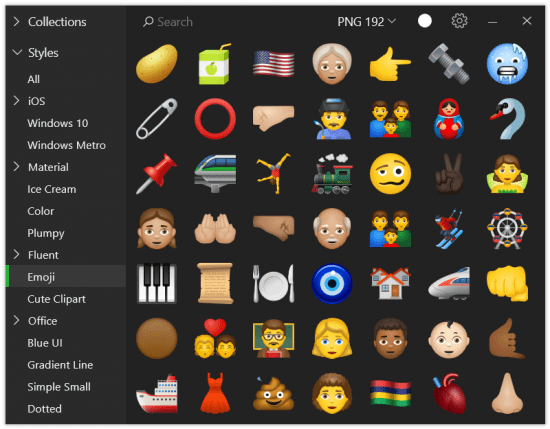
Pichon (Icons8) 9.5.5

th-Lvs-JUJf-Iopfje-UA25-My-Tn-Wd1-Ix-N0s0-I9.png


Pichon (Icons8) 9.5.5 | File Size: 190.6 MB​

Picchon - All our Icons Offline on Your Computer that works with Photoshop, Adobe XD, Visual Studio, or anything. The app stores all the Icons8 icons on your hard drive and these are available in any format, size, or color. ? No doubt, we have social media icons like Facebook, Twitter, Youtube, and all kinds of arrows. Surely, we have basic ones like phone, home, and settings. However, if you are up for something more unorthodox, simply request it. No charge. Guaranteed. ? We tweet, message, and conduct structured interviews to determine which features the community needs, not to mention that the community invented many of them We have been creating 3-20 new line and filled icons every working day since 2012.

Single Style
All icons are done by a single designer, so your user interface will look consistent.

Editable Vectors
Vector icons are not merged and have preserved shapes. Check it out

Fonts Generator
Goodbye monster fonts of 500 icons. Pick only the icons you need and build your own, small font. How-to

Icon Recoloring
Pick a color and we will generate recolored versions of your PNG or SVG.

Mac&Win Apps
Allows you to search icons quickly, and works well with Photoshop. Download

HTML Embedding
Get a code to paste an icon right into your HTML. Choose one of the 5 ways to insert an icon.

Pick your color, size, and format. Drag it to Photoshop. You're done.
- All icons have ~20 tags for effective search.
- Browse around 50 categories, with 50-200 icons each.
- Recolor PNG and SVG icons on the fly.
- Drag icon to Illustrator, Photoshop, Visual Studio, or anything else.

Release Notes
- Release notes were unavailable when this listing was updated.

System Requirements:
- Windows 10 32/64 bit
- Windows 8 32/64 bit
- Windows 7 32/64 bit

Homepage
Код:
https://icons8.com/app/windows

2534c2c61fdad605e2f32484578a2641.jpg

Код:
https://rapidgator.net/file/18ecc85a5c4196ddb918f8ff3ef3671f/Pichon.9.5.5.rar.html

https://nitro.download/view/B945E87C53B062F/Pichon.9.5.5.rar
 
Adobe Substance 3D Painter 7.2.0.1103 ( x64) Multilingual

th-VHBr-JLLC3-Ip3gvtd5l-I6mn-F8vs1e34-CB.jpg


Adobe Substance 3D Painter 7.2.0.1103 ( x64) Multilingual | Languages:Multilingual | File Size: 2.43 GB​

Substance 3D Painter is a brand new 3D Painting app with never before seen features and workflow improvements to make the creation of textures for 3D assets easier than ever. It is acknowledged as the most innovative and user-friendly 3D Painter out there.

Power to the artists
Substance Painter gives you all the tools you need to texture your 3D assets.

What You See Is What You Get
The PBR real-time viewport lets you work on asset look development.
Create in Substance Painter and get real-time feedback in UE4 and Unity thanks to the live link.

Augmented Artistry
Unleash your creativity with powerful tools and a non-destructive workflow.

Smart Materials
Tear and wear, scratches and dust instantly appear where they're supposed to.

Smart Masks
Apply the same mask preset on any type of object and have it adapt automatically.

Integrated 8K Bakers
Baking is where it all starts. Bake high quality maps in an instant directly within Substance Painter.

Bring VFX to the Top
Support for Linux, 8K export, color management, UDIM management and Scripting API make integrating Substance Painter into VFX workflows easier than ever.

Open to the world
Get 1:1 engine exports and share directly to portfolio sites with dedicated formats.

Release Notes
Substance 3D Painter - Release Notes

Код:
https://substance3d.adobe.com/documentation/spdoc/all-changes-188973073.html

Recommended Specs:
- OS: Windows 10
- CPU: Intel Core i7 or AMD Ryzen 7
- GPU: NVIDIA: GeForce RTX 2080 - Quadro RTX 4000 // AMD: Radeon RX 6700 XT
- VRAM: 8 GB
- RAM: 16 GB
- Hard Drive: 25 GB HDD

Homepage
Код:
https://www.substance3d.com/

2534c2c61fdad605e2f32484578a2641.jpg


Код:
https://rapidgator.net/file/82cd7ee0fb6f042edea4c8c4bac6a9a0/Adobe_Substance_3D_Painter_7.2.1.1120.part1.rar.html
https://rapidgator.net/file/a5aafff482d616e19060d38a6bc07ae5/Adobe_Substance_3D_Painter_7.2.1.1120.part2.rar.html
https://rapidgator.net/file/b07ef337b8b1125d3928b9d0894c6261/Adobe_Substance_3D_Painter_7.2.1.1120.part3.rar.html

Код:
https://nitro.download/view/A3857F403B78C17/Adobe_Substance_3D_Painter_7.2.1.1120.part1.rar
https://nitro.download/view/C91EF9BF92CDB6A/Adobe_Substance_3D_Painter_7.2.1.1120.part2.rar
https://nitro.download/view/312EEBA5F50AF00/Adobe_Substance_3D_Painter_7.2.1.1120.part3.rar
 
Windows 11 Pro Build 22000.51 (x64) (TPM 2.0 Compliant) En-US PreActivated

th-0vhiqh06-XOIp-Vy9-BS9e-Zh-A99afz7-Lq4-O.png


Windows 11 Pro Build 22000.51 (x64) (TPM 2.0 Compliant) En-US PreActivated | Windows x64 | English US | File Size: 3.59 GB​

At a time when the PC is playing a more central role in our lives, Windows 11 is designed to bring you closer to what you love.This is the latest version of Windows OS releases, with new interface and other new features like new Microsoft Store, a new personalized feed powered by AI and best-in-class browser performance from Microsoft Edge, Chat from Microsoft Teams integrated in the taskbar and many more!

This build of windows 11 design for anyone that didn't comply the requirement of having TPM 2.0. It is important to note that using any build that employed TPM 2.0 bypass tricks must not open safemode thru msconfig. When opening safemode thru msconfig, there will be difficulties to get back to normal mode, unless otherwise user/s knew the medicine.

General Info:
Edition: Windows 11 Pro
Version: 21H2
OS Build: 22000.51
System Type: x64
Interface language: English-US
Author: Victor24

Treatment: Included
Treatment type: Script

System Requirements:
64-bit (x64) processor with a clock speed of 1 gigahertz (GHz) or higher;
2 GB (64-bit) random access memory (RAM);
32 GB (64-bit) hard disk space;
DirectX 9 graphics device with WDDM 1.0 or higher driver.

What's New
Код:
https://blogs.windows.com/windows-insider/2021/06/28/announcing-the-first-insider-preview-for-windows-11/

Homepage
Код:
https://www.microsoft.com

2534c2c61fdad605e2f32484578a2641.jpg


У Вас недостаточно прав для просмотра ссылок. Войдите или зарегистрируйтесь.

У Вас недостаточно прав для просмотра ссылок. Войдите или зарегистрируйтесь.

У Вас недостаточно прав для просмотра ссылок. Войдите или зарегистрируйтесь.

У Вас недостаточно прав для просмотра ссылок. Войдите или зарегистрируйтесь.


У Вас недостаточно прав для просмотра ссылок. Войдите или зарегистрируйтесь.

У Вас недостаточно прав для просмотра ссылок. Войдите или зарегистрируйтесь.

У Вас недостаточно прав для просмотра ссылок. Войдите или зарегистрируйтесь.

У Вас недостаточно прав для просмотра ссылок. Войдите или зарегистрируйтесь.
 
MiniTool Partition Wizard 12.5 (x64) Multilingual

th-LLP8i-Zp-Sf-V6v-HULa-DKf2-EJd-DTw-NAPAf-W.jpg


MiniTool Partition Wizard 12.5 (x64) Multilingual | Edition : Server / Entreprise / Pro / Pro Deluxe / Unlimited / Technician | File size: 75 MB​

MiniTool Partition Wizard is a rich-featured partition magic, which is designed to optimize disk usage and to protect your data. It comes with so many powerful features with which you can completely control your hard disk and partition. With its user-friendly interface and straightforward guidance, you are able to resize partition, copy disk, scan lost partitions, and migrate OS to SSD easily and safely. Due to its outstanding performance, MiniTool Partition Wizard Free Edition has earned good reputation among global users.

Create/Delete/Format Partition
Create/delete partition in simple steps. Format inaccessible hard drive and convert RAW to NTFS to revive your hard drive.

Move/Resize Partition
Move non-adjacent partitions together for extending purpose; enlarge C drive to remove low disk space warning.

Copy Disk/Partition
Fully copy disk to disk, or copy the content of a partition to another location without data loss. Works for both system and non-system disk partition.

Wipe Disk/Partition
Erase the data on the partition completely and ensure that the data removed cannot be recovered by any data recovery solution.

Merge/Split Partition
Combine two partitions into one without losing data. Split a hard drive into two partitions for various data saving purpose.

Disk/Partition Check
Cover all the disk/partition checking features you can find from Free Edition like file system check, disk surface test, view disk property, etc

Features:

Extend System Partition
Extend system partition to solve low disk space issue by its "Move/Resize Partition" & "Extend Partition" f

Copy Disk Partition
Copy disk partition for hard drive upgrade or for data backup in case that your computer may run into a problem.

Merge Adjacent Partitions
Combine two adjacent partitions into a bigger one safely so as to make full use of the unused space.

Migrate OS to SSD
Migrate OS to SSD/HD to get better computer performance or to back up OS for system restoration.

Surface Test
Check disk/partition surface test to confirm whether there are bad sectors on the target location.

Basic Management
Enable to manage disk partitions such as create, delete, format, split, wipe, align partition and more.

Convert Disk Partition Table
Convert non-system disk from MBR to GPT and vice versa without data loss to support large drive or full OS.

Convert File System?
Convert NTFS to FAT or convert FAT to NTFS without formatting to support early Windows OS or to store large files.

Set Primary/Logical
Set partition logical to create more than four partitions or set partition primary to make it active.?

Whats New
Код:
https://www.partitionwizard.com/upgrade-history.html

Homepage
Код:
https://anonymz.com/...itionwizard.com

10d0c236bc65e8d55cb7e0cb3bbddd27.png


Код:
https://rapidgator.net/file/071975dfe30fe2c5dc9672c4870d7e2a/MiniTool_Partition_Wizard_12.5_Build_01.01.2021.rar.html

https://nitro.download/view/96BAC5A06F68B22/MiniTool_Partition_Wizard_12.5_Build_01.01.2021.rar
 
WinZip Courier 11.0 Multilingual

7-LMh-Cnb-DElb-Gc7-Qh8q-Nrgi-NPU4j8w-Bvq.jpg


WinZip Courier 11.0 Multilingual | File size: 78.24 MB​

Email attachments are usually rather small, since they mostly contain images, documents or presentations that do not require too much disk space. However, some email clients and services might pose some size limits, which can cause you trouble if you intend on sending larger documents using the attachment function. The leading email solution for sending large files with simple zipping and unzipping technology.

Break through email size limits
Easily zip and encrypt attachments for safe delivery
Share seamlessly from your email using leading cloud services
Convert to PDF, add watermarks and resize images

Features:

Encrypt email messages
Secure entire Outlook email messages, in addition to attachments, with WinZip Courier. Pick and choose who can see your message and attachments for ultimate security.

Merge multiple PDF files into one
Combine multiple PDF files into a single PDF for easy sharing. Zip your new PDF with WinZip Courier to save space and transfer time.

Office 2019 support
Courier plugins now support Office 2019. Zip and save documents from Microsoft Office 2019 to the cloud. Encrypt for added security and share with confidence.

Improved Zipx compression
Experience faster file compression and decompression with ZSTD. Simply put, you get smaller and faster Zipx compression for many file types.

Includes Most Recently Used List
Most Recently Used List places your zips a click away, making it a breeze to add attachments or links to emails.

Schedule for Deletion
Scheduled Deletion allows you to keep control of your Zip files with the option to automatically delete your zip after a specified amount of time. Set it and forget it – WinZip takes care of the rest.

Use Email subject as Zip file name
Keep your email workflows efficient by automatically naming your Zip file attachments the same subject of your email. Automatically import the subject of your email and keep moving.

Cloud service specification
Quickly identify which cloud service was used in a Zip by automatically populating the service details into the Courier inserted link information.

Change nickname for a cloud service
Do you work with multiple accounts from a single cloud service? You can now apply nicknames to each to keep them straight.

Zip, don’t zip or Encrypt Option
Deciding how you want to create files is easier than ever. Just use the prompted zipping dialog to select whether to zip, don’t zip, or Encrypt.

Email large MP3 files quickly and easily
With 15-20% greater MP3 file compression, you can send MP3 attachments in a smaller format and in less time – and all through the email platform of your choice.

Decide when to zip and when to skip!
Now you can specify conditions when attachments should zip automatically or choose real-time zip prompts.

Reduce the possibility of overwriting files
Append the send date to the default zip file name in a flash. Quickly and easily identify newer attachments and eliminate human error from the equation!

Enjoy on-the-fly account choice
Never again logout of one cloud account to use another. You’ll increase productivity and reduce your downtime – in no time.

Share from Microsoft Office without skipping a beat
Zip and save documents, spreadsheets and presentations directly from Microsoft Office to the cloud. Encrypt for added security and share with confidence.

Tap into the power of WinZip
Automatically zip outgoing email attachments using WinZip's industry-leading file compression technology.

Integrates with free ZipShare
Courier 11 connects directly to ZipShare, the WinZip file sharing service, automatically uploading your zipped file and adding a link to your outgoing email message.

Take advantage of the Cloud
Are your files still too big to email? Courier will automatically upload them to one of your connected cloud services and place a download link in your email message. Courier connects with ZipShare, WinZip's file sharing service, and Box, OneDrive, Dropbox, Google Drive, CloudMe, SugarSync and MediaFire.

Safeguard private information
Courier offers built-in 128- or 256-bit AES encryption and password protection to make it easy for you to secure your files. Use Courier's manual or automatic options to control the encryption process. Courier also wipes/shreds temporary files to ensure the security of attachments shared over email.

Easily convert files for better sharing
Convert files to PDF directly from Microsoft Office, including Word, Excel and PowerPoint. For extra protection, you can create a read-only PDF to deter copying. Courier also lets you add watermarks to your images to protect your work. For photos, resize high-resolution images to more convenient sharing sizes. Apply conversions as your attachments are zipped, or apply to a single unzipped attachment for instant sharing.

Browse attachments
Get a look at the contents of incoming zipped attachments without having to extract files. In the Microsoft Outlook preview pane, simply click on the Zip file's icon to expand a list of its contents. You can also open/edit individual files directly from this list.

Apply conversions without zipping
Apply watermarks, resize images and convert to PDF even if you choose not to zip your attachment. For example, you could add a watermark and resize an image to keep it within maximum message size restrictions without zipping, enabling your recipient to view the image immediately.

Easily add shared links
Insert shared links in Microsoft Outlook plain text messages and in the Outlook.com (Hotmail) "Edit in HTML" feature.

What's new
Код:
https://www.winzip.com/win/en/prodpageec.html

System Requirements: Windows 7, Windows 8, and Windows 10.

Homepage
Код:
http://www.winzip.com/

2534c2c61fdad605e2f32484578a2641.jpg


Код:
https://rapidgator.net/file/3573e11cb5011ed33448fc1ee06249a3/WinZip.Courier.11.0.rar.html

https://nitro.download/view/EBA202181FA5F99/WinZip.Courier.11.0.rar
 
Назад
Сверху