• Здравствуйте. Сайт заработал в архивном режиме форум www.old.nado.in

Kalpatru Collection of Softwares

Systweak Photos Recovery 2.0.0.191 (x86)
th-gnc-Lc-Uf-Aq-H2m-Kx-XGTz7-Oqf-ZM1j-EBdm-Ef.png


Systweak Photos Recovery 2.0.0.191 (x86) | File size: 15 MB​

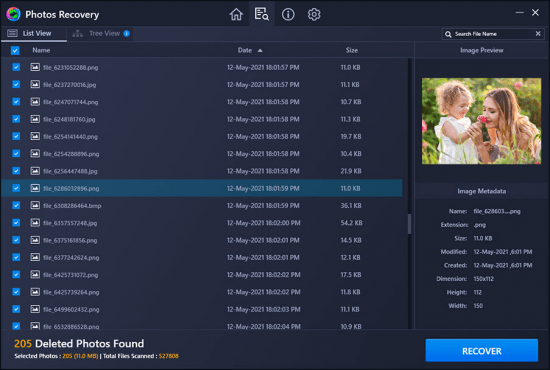
Recover lost photos swiftly. Photos Recovery is the best software to retrieve digital images that are deleted, lost, or formatted from USB Flash Drive, memory cards, hard drive etc. Not only this but Photos Recovery can also retrieve deleted photos from different file system like FAT, FAT 32, NTFS etc.

Why choose Photos Recovery?
Photos Recovery offers a state-of-art solution to retrieve digital photos from almost any storage device.

Recover Deleted Photos
This image recovery tool lets you recover different image file stored on any storage media.

Comprehensive Scanning
Photos Recovery has a Deep Scan mode that scrubs hard drive to find buried deleted photos.

Enhanced User Interface
Photos Recovery is user friendly and is equipped with various customizable options to recover images.

How does it work?
Getting started with Photos Recovery is easy. It recovers lost images in 3 steps.

Select location
Select the target storage location from where you want to retrieve deleted photos.

Start Scan
Select the scan type. Choose Quick Scan for fast scanning and Deep for thorough.

Recover Photos
Preview scan results to recover all needed deleted digital images.

Scan Types
Photos Recovery offers two distinctive scan modes to search for lost photos. Choose either Quick Scan or Deep Scan depending on how your photos were deleted from your computer.

Quick Scan
As the name suggests, Quick Scan looks for recoverable photos that were permanently deleted using Shift+Delete. It is the quicker of the two available scan modes.

Deep Scan
Use this option to recover photos that have been lost due to your drive being formatted. It performs a systematic sector-wise scan, and thus takes more time.

Whats New:
Updates: official site does not provide any info about changes in this version.

Homepage

Код:
https://www.systweak.com/photos-recovery

2534c2c61fdad605e2f32484578a2641.jpg


Код:
https://rapidgator.net/file/3a04e747b9179e1d053a583ff02cd242/Photos.Recovery.2.0.0.191_x86.rar.html

https://uploadgig.com/file/download/D069a8F6Fb72543e/Photos.Recovery.2.0.0.191_x86.rar
 
HitPaw Watermark Remover 1.2.0.3 Multilingual

th-Cqe1-Gu-TLje-Gb-Rve7n-KOR4-Bs-GAMs-Wqt3-Q.png


HitPaw Watermark Remover 1.2.0.3 Multilingual | Windows x64 | Languages: Multilingual | File size: 80.5 MB​

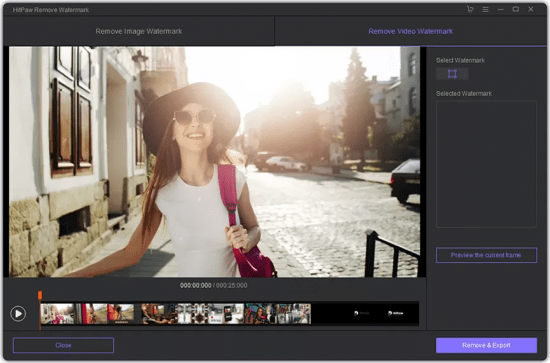
When you need to quickly erase a watermark from one of your images, it is best to resort to specialized software solutions to ensure you obtain high-quality results.

HitPaw Watermark Remover is one such utility. All in all, HitPaw Watermark Remover can come in handy when you need to erase a watermark from your images or clips, and you do not have the expert skills to do it manually.

Whats New:
Updates: official site does not provide any info about changes in this version.

Homepage
Код:
https://www.hitpaw.com

2534c2c61fdad605e2f32484578a2641.jpg


Код:
https://rapidgator.net/file/cf815f322aa7da3a31d135e6bbaccbdc/HitPaw_Watermark_Remover_1.2.0.3_(x64).rar.html

https://uploadgig.com/file/download/a04945ea15C08f2b/HitPaw20Watermark20Remover201.2.0.320x64.rar
 
TriSun Duplicate MP3 Finder Plus 15.1 Build 037 Multilingual

th-RYIUsl-Qonw-Npk5k-NSJw-TUv-Si-Q1-Nwnhi-J.png


TriSun Duplicate MP3 Finder Plus 15.1 Build 037 Multilingual | Languages: Multilingual | File size: 1.30 MB​

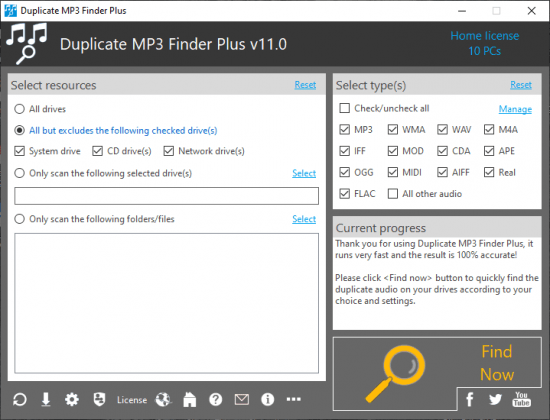
Duplicate MP3 Finder Plus - Quickly finds the duplicate audio on your drives relied on their content, you can remove the unwanted audio as you expect to recover your valuable disk space, reduce the management costs and avoid the unnecessary confusion. It works very fast because of our high-speed audio comparison algorithm is built-in. And the result (duplicate audio) is 100% accurate due to it compares audio relied on audio content, not audio name, last modified date or file size. Also, it is very easy to use, only need to select the resources, type(s), and then click the "Find now" button to get your want. Even, you can simply click this button directly by using the suggested search conditions.

Once the finding is done, you will see the result (the duplicate audio list) instantly. It checks the unwanted audio automatically with the smart selection feature, sorts the result by size in descending, and marks the adjacent duplicate audio groups by different colors, in order to let you operate the duplicate audio conveniently. You can also do some common actions for the checked duplicate audio / highlighted audio in the result listing, such as Save, Load, Move to Recycle Bin, Delete, Open/Run, Open File Location, Find, Uncheck All, Invert Checks and Show Properties.

Sure, you can use some options (e.g. smart selection, whether scan the hidden files or not, and exclude folders) to affect the final result.

Whats new
Код:
https://duplicatefilefinder4pc.com/duplicate-mp3-finder-plus.htm?selectedTab=updates

Homepage
Код:
https://anonymz.com/...efinder4pc.com/

2534c2c61fdad605e2f32484578a2641.jpg


Код:
https://rapidgator.net/file/dbebcac34b334624afd06d1c5ba6cc45/TriSun_Duplicate_MP3_Finder_Plus_15.1_Build_037.rar.html

https://uploadgig.com/file/download/fAeD4612e2eA611f/TriSun20Duplicate20MP320Finder20Plus2015.120Build20037.rar
 
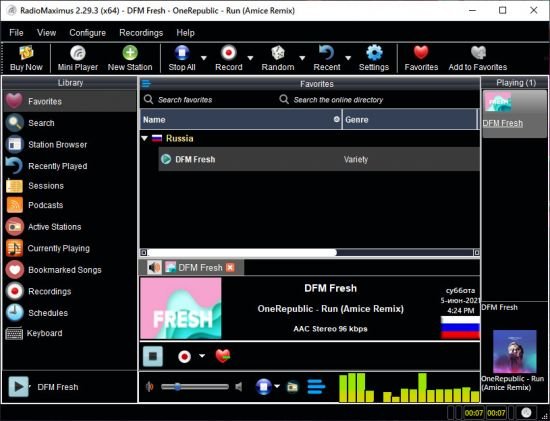
RadioMaximus Pro 2.29.3 Multilingual

th-UNac2-CHo-B8qda-Bg-DENKNZ6b-YFKfy-XZIi.jpg


RadioMaximus Pro 2.29.3 Multilingual | Language : Multilingual | File Size: 40.1 MB​

RadioMaximus - Maximum radio and a whole lot more. With RadioMaximus you can receive and record thousands of radio stations available on the Internet.

Features:
- Listen to and record multiple stations simultaneously
- Create a schedule for automatic recording
- Save songs as bookmarks
- Shows station logos
- Portable installation available

What's new :

Removed: Custom Scheduler
Removed: External Scheduler Application

Homepage
Код:
http://anonymz.com/....raimersoft.com

2534c2c61fdad605e2f32484578a2641.jpg


Код:
https://rapidgator.net/file/d9e16e7d35c488334e4382856d3e4253/RadioMaximus.2.29.3.rar.html

https://uploadgig.com/file/download/7daC1C089d3C1df7/RadioMaximus.2.29.3.rar
 
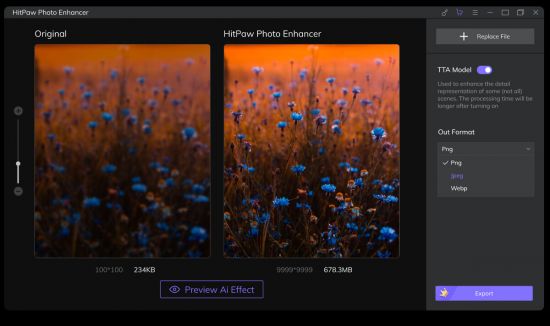
HitPaw Photo Enhancer 1.0.0.3

th-Uil-B0ug-Sn-CMVX7-Qtl-Oj-SVBhqoqy3-FAd-Y.jpg


HitPaw Photo Enhancer 1.0.0.3 | Windows (x64) | File size: 112 MB​

HitPaw Screen Recorder - the best screen recorder to help capture screen, record webcam and picture in picture without any hassle.Three simple modes to help every user record screen, webcam and picture in picture videos in simple steps.

Key Features:
Clearer your landscape photos, save more fantasy memories,
Enlarge anime image as large as you want, give the best effect with no quality loss,
Fix blurry building footage, increase photo size for every moment,
Upscale the print resolution, get a better experience in an easier way.

Whats New:
Updates: official site does not provide any info about changes in this version

Homepage
Код:
https://www.hitpaw.com

2534c2c61fdad605e2f32484578a2641.jpg


Код:
https://rapidgator.net/file/8c88c5a0db399e38d98297dc475884a2/HitPaw_Photo_Enhancer_v1.0.0.3_(x64).rar.html

https://uploadgig.com/file/download/ef366247fd721f3C/HitPaw20Photo20Enhancer20v1.0.0.320x64.rar
 
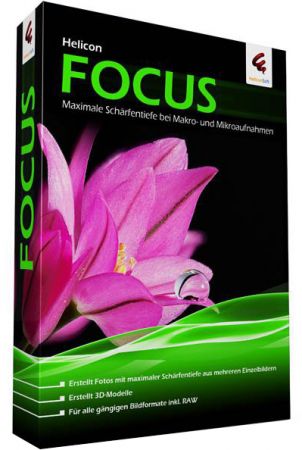
Helicon Focus Pro 7.7.2 (x64) Multilingual

th-xo90-O8h-ATl5-ISnlejkc-SCJEj-I31-Nu-OMN.jpg


Helicon Focus Pro 7.7.2 (x64) Multilingual | File size: 89.55 MB​

Helicon Focus and Focus Stacking. The digital revolution of the last few years made professional photo hardware widely available and affordable. Now it's the advanced technology that makes the difference. Plain single shots are bit by bit giving place to improved and more sophisticated technologies like HDR and EDoF.

Today it's hard to imagine macro or micro photography without focus stacking technique. Professional photographers and enthusiasts seeking to keep up with the trend take advantage of focus stacking to create eye-catching images. With focus stacking software you can make your usual camera render results that could not be achieved even with a classic tilt-shift lens. Take several shots at different focus distances instead of just one, and Helicon Focus will quickly and smartly combine the stack into a fully focused image.

Nowadays micro photography, close-ups, jewelry and product photography became truly dependent on focus stacking. But it does not matter what you shoot – landscapes or flowers, animals or still-life – Helicon Focus will make your images stand out. Watch the tutorials, read the articles and impress your colleagues and friends with your new photo achievements!

Accurate rendition of colors
Processing of images with 16 bit precision preserves all the hues and details, exceeding dynamic range of camera sensors. Color profiles support enables accurate color reproduction and correct keeping of color information in the output file.

Efficient and easy RAW development
Handling RAW files have never been easier! Open RAW files in Helicon Focus or export them from Lightroom. Fully adjustable development controls, built-in and manufacturer’s codecs will satisfy even the most demanding user.

State-of-the-art processing algorithms
Helicon Focus became a de facto standard in focus stacking. Elaborate computing algorithms are standing behind each processed stack. Unique team of R&D engineers and software developers is constantly on the forefront of innovations and is always inspired to attempt the impossible.

Advanced interpolation options
Helicon Focus uses the most advanced resampling algorithms to preserve every detail.

Multi-core processing
Helicon Focus keeps pace with all modern advances, exploiting the capacity of the last-gen processors to the utmost. The software utilizes all cores for image processing, allowing to cut down the rendering time.

Stack length is no more a limit
Even long stacks of hundreds of high-resolution images are not a problem for Helicon Focus. With this software even a usual laptop in the field will be able to handle huge stacks of RAW files.

64 bit support
Got a top notch work station? Helicon Focus will use 100% of its memory and processor power!

Getting the maximum of your processor
Helicon Focus automatically detects the processor type and all available features of modern processors. All the data manipulations are managed with modern processor instructions (SSE, SSE2, AVX, FMA3).

RAW-in-DNG-out mode
With this feature of Helicon Focus you can process RAW files in native color space and save result as DNG file.

Smart retouching
With Helicon Focus you get truly unique retouching brushes just at your fingertips. Once the stacking’s over, finish the result with retouching tools that no usual image editor has. No trivial solutions – only focus stacking specials. Copy areas from aligned source images or combine areas from several outputs – with Helicon Focus you get enhanced retouching capacity with streamlined interface.

Helping grid
If you are the one who likes everything to look perfect, use a special grid to do the fine and precise retouching of the 100% scale high-resolution image. Go cell by cell not to miss a thing.

Scientific scale
Make everyone understand how small the subject you shot is – add a scale bar to the resulting image.

Split and enqueue stacks
Give an unlimited number of tasks to Helicon Focus at once, and leave it to deal with all of them. Shoot as many stacks as you wish, open the whole folder for Helicon Focus to split it into stacks and put them in queue for further rendering.

Command line
Streamline your workflow by calling Helicon Focus from other applications. Pass the parameters via command line and let the software do the job.

Smooth integration with Lightroom
Don’t change your usual image processing environment – export stacks to Helicon Focus right from Lightroom. Helicon Focus plug-in enables seamless interaction between the two programs, making your usual workflow perfectly optimized.

Helicon 3d Viewer
Export the stacking result to Helicon 3d Viewer, and advanced computing algorithms will exactly reconstruct the natural 3D view of the shot subject. Easy to add on the Web and share with colleagues and community, 3D visualization gives a completely realistic view. Adjust the relief type and the viewpoint, add light source and save the 3D model rotation video in a fraction of a minute.

Creating a micropanorama
Shoot several images with your microscope or DSLR and Helicon Focus will seamlessly stitch them into a perfectly merged panorama image. Adjust the main controls and this software will align the images and match the pattern automatically.

Whats New
Код:
https://www.heliconsoft.com/helicon-focus-history-of-changes-win/

OS: Windows 10, Windows 8, Windows 7. Only 64-bit

Homepage
Код:
http://www.heliconsoft.com

2534c2c61fdad605e2f32484578a2641.jpg


Код:
https://rapidgator.net/file/47290c411a173b5ef0de923aff651be9/Helicon.Focus.Pro.7.7.2_x64.rar.html

https://uploadgig.com/file/download/0c0A3EBE9bd0f16c/Helicon.Focus.Pro.7.7.2_x64.rar
 
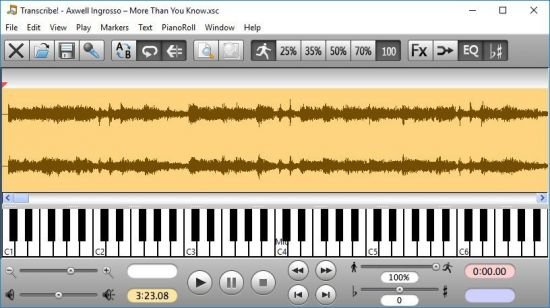
Transcribe! 9.10

th-l8-CPi-Pmo-UCRZFodz-Ogz-Umxvt-J43qq5-D3.jpg


Transcribe! 9.10 | File Size: 4.3 MB​

The Transcribe! application is an assistant for people who want to work out a piece of music from a recording, in order to write it out, or play it themselves, or both. It doesn't do the transcribing for you, but it is essentially a specialised player program which is optimised for the purpose of transcription. It has many transcription-specific features not found on conventional music players. It is also used by many people for play-along practice. It can change pitch and speed instantly, and you can store and recall any number of named loops. So you can practice in all keys, and you can speed up as well as slow down. There is some advice about play-along practice in Transcribe!'s help, under the heading "Various Topics".

And it is also used for speech transcription. With its support for foot pedals and its superior slowed-down sound quality, it is an excellent choice for this purpose. There is some advice about speech transcription in Transcribe!'s help, under the heading "Various Topics".

Conventional music players (whether hardware such as a CD player or an iPod, or software such as Windows Media Player or iTunes) are really designed for people who want to listen to whole tracks. They are very inconvenient for transcribing music as they are not designed for this purpose. If you copy the recording to your computer's hard disk as a sound file then you can use Transcribe! instead. Transcribe! offers many features aimed at making the transcription job smoother and easier, including the ability to slow down music without changing its pitch, to analyse chords and show you what notes are present, and the capability of adding markers and textual annotations so you can easily navigate around the track. Transcribe! also has a piano keyboard displayed on screen which you can click to play reference notes.

It is important to understand that Transcribe! does not attempt to do the whole job, processing an audio file and outputting musical notation or midi - this would be nice, but is a currently unsolved research problem. The spectrum analysis feature is very useful for working out those hard-to-hear chords, but you must still use your ear and brain to decide which of the peaks in the spectrum are notes being played, which are merely harmonics, and which are just the result of noise and broad-spectrum instruments such as drums. If you have never worked out even a simple piece of music by ear then Transcribe! will probably not help you (see How to Transcribe), but if you do sometimes work out recorded music by ear then Transcribe! can make the job a lot quicker and easier.

Features:
Depending on version, Transcribe! reads audio from many different types of audio file and audio CD. It also has a "Record" facility for recording from analog sources such as cassette or vinyl. It displays the audio waveform and allows you to scroll around, place markers for sections, measures and beats, and easily play or loop from any point.

Transcribe! can also display the video synchronised to the audio for many video files.

Loops and positions can be stored and recalled. There are many keyboard shortcuts and you can configure these as you like. You can configure Transcribe! to respond to pedals of various types so as to keep your hands free : start and stop playback with your feet!

There is extensive and readable help accessible from within the program.

The "spectrum" feature displays the strength of the various pitches in any chord or note you select, in the form of a graph - a wavy line over a piano keyboard graphic. The heights of the various peaks in the graph indicate the strength of the note above which the peak appears. This is not a magic bullet for analysing chords but it can be a very useful source of information.

Transcribe! will perform "note guessing" and "chord guessing" - that is, it will attempt to interpret the spectrum information for you, marking the notes being played on the piano keyboard, and attempting to name the chords (in standard form such as "Am", "E7#9", etc). Note guesses can be displayed in "piano roll" form, showing the guesses over time, aligned to the waveform view.

Transcribe! supports Automation (or Scripting). You can run Transcribe! automatically from commands in a file, perhaps to process a number of sound files, saving them at different altered speeds, or to instruct Transcribe! to play various sound files with various effects.

Transcribe! offers various audio processing effects (Slowdown, Pitch Change, EQ filtering etc) intended to help with transcribing. These effects all run in "real time". This means there is no pre-processing or other waiting, the processing is performed on-the-fly while playing and you can instantly hear the effect of changes to EQ etc. For instance if you press the half-speed button while playing then playback simply continues, at half speed.

Whats New
Код:
https://www.seventhstring.com/xscribe/history.html

Homepage
Код:
https://www.seventhstring.com

2534c2c61fdad605e2f32484578a2641.jpg

Код:
https://rapidgator.net/file/cbfac0a4d4ca69693451d3f2bc918813/Transcribe!.9.10.rar.html

https://uploadgig.com/file/download/90Db1752cbD07529/Transcribe.9.10.rar
 
SILKYPIX Photo ExpressViewer 1.0.2.0

Kg-FY99tx-F9ai7toqb7-ET1-Auu0-Mt2spu1.png


SILKYPIX Photo ExpressViewer 1.0.2.0 | Windows(x64 | File size: 69.8 MB​

This image viewer software displays a large number of JPEG, TIFF, and RAW image files stored on the hard disk or external storage device of a personal computer at high speed, and allows you to easily rate, select, and browse photos.

Because digital photographs can be easily taken, the number of images owned by individuals continues to increase year by year. Particularly those who prefer photography or pro-photographers often have a large number of images and are often dealing with even higher-resolution images, and it seems that many people feel stressed because it takes time to display images even if they are using a personal computer with poor performance. Originally, finding your favorite photos among many photos or grouping and organizing your photos should be one of the fun things to do. We have developed the "Photo ExpressViewer™" so that we can enjoy such a pleasant hour more comfortably.
Features

Display JPEG, TIFF, and RAW files at high speed

In recent years, the amount of information per photograph has become very large due to the higher pixel resolution of digital cameras, and even if the image is only displayed on the screen, the computation processing of the personal computer will be burdensome. "Photo ExpressViewer™" utilizes the GPU (Graphics Processing Unit), which specializes in drawing images, to enable high-speed displays even for large numbers of images.
In addition, RAW files requiring demosaicing can be quickly displayed by utilizing the preview image* embedded in the data.

* The display may be restricted depending on the format of the preview image (thumbnail image). Images cannot be displayed with image data that does not have a preview image.

Various marks useful for arranging photos
This software is equipped with a Five-star Rating function that allows you to link with the camera and other software as a mark for grouping and selection of photos. You can also add intuitive User marks (Red, Blue, Green, Yellow, and Purple) to your photos. Incidentally, User marks can be added in duplicate, so up to 32 combinations can be classified. In addition, you can also set a favorite mark (heart shape) for commemorative photographs and special photos. It can also be used when viewing photos that collect only your favorite memories.

Useful filter function for finding the desired photo
In addition to searching for Five-star Ratings and User marks, you can also search for photos based on Focal length, Aperture value (Av), Time value (Tv), ISO speed, Date, and File extension of the image. You can also search by keyword by setting keywords in the image. Therefore, you can also find the desired photo with your original word.

Arbitrarily sort the thumbnail display
You can sort photos according to rules such as file name and photo info in order of your choice. The operation is very simple, and you can simply drag and drop the photograph you want to move from the photo list to any location. This is useful when you want to sort photos with your own rules.

Centralized file name management is also OK! Import from media

The "Photo ExpressViewer™" is equipped with a function for import images from a recording medium. When a recording medium is connected to the computer, a dialog box will appear asking you to specify the storage location and file naming settings. The file name is recorded automatically by the camera when you shoot, but it is useful for centralized file name control when you have more than one camera, or when you want to set up file name on your own rules.
The Import from media is also equipped with a Folder sort function and a Rename function. Therefore, folders can be sorted according to the Date taken and shooting data, and the file name can be batch converted.

Multi previews that can be compared vertically and horizontally
You can compare two photos side by side on the preview screen when you are concerned with selecting photos, such as landscape photos with similar compositions or slight differences in expressions in portrait photos. Photographs can be placed vertically or horizontally.
Therefore, it can be used according to the vertical position photograph or horizontal position photograph. In addition, each photograph can be enlarged and moved during Multi preview so that details can be compared easily.

A wealth of shortcut keys for professional use
Shortcut keys are set in advance for commands that are frequently used, assuming a large amount of photo selection for business purposes. Customized Shortcut keys settings are also available so that you can set up shortcut keys to suit your use. Use the Shortcut keys well to increase the efficiency of Photo Select.

Show/Hide image information on thumbnails
When you list photographs, the thumbnail displays only file names. However, by turning on the Image properties in Display settings, you can display the Date taken, Aperture value (Av), Time value (Tv), and ISO speed together with the file name. You can select Display settings to suit your needs and preferences.

List of Other Functions

Switching the display modes (Preview / Thumbnail / Combination modes)
Full-screen preview
Changing the Background color
Monitor profile
Rotating images
Display grid On/Off
The selected image is fixed to the center of the thumbnail
Sort thumbnails with Image properties
Batch rename
Open with another application
Copy/Move/Delete marked images
Histogram
Edit IPTC information tastes
Export metadata in XMP format

What's new
Код:
https://www.isl.co.jp/en/product/pexv/release_pexv.html

System requirements
Microsoft Windows 10 64-bit version
* It does not correspond to the Windows 10 tablet mode.
* It does not correspond to 32-bit version OS.
Intel Core 2 Duo or higher, or AMD Athlon 64 X2 or higher processor
Graphic board compatible with DirectX 10 or higher
4GB or more RAM (8GB or higher recommended)
10GB of available hard-disk space or more
Display that supports a screen resolution of 1024Ч768 or higher

Homepage
Код:
https://silkypix.isl.co.jp/en/

 
Technocom Gmail Email Address Grabber 4.9.5.41

3-Cl3-W9-Rdg-NCoi-GT4my-XKK89qiold-Pvs-S.png


Technocom Gmail Email Address Grabber 4.9.5.41 | File size: 2.3 MB​

Gmail Email Address Grabber tool has been designed with intention to get email ids from Gmail account. The software is equipped with the latest features that provide immense options to extract email ids. It has the efficiency to fetch email addresses from folders of Gmail like Inbox, sent, draft, etc. in bulk. It works at an astonishing speed providing you the details in the shortest span of time.

This Gmail email id harvester has the talent to get email addresses from fields like To, From, CC, BCC, etc. also. Now you also want that the duplicate should not get downloaded in the list. It extract emails from personal folder of your gmail account. For this you need to tick on the choice ‘Do not list Duplicate Ids’ & restrict the duplicate ids from downloading. After the Email ids get extracted you can save them also.

You have choice to save them either in .TXT or .CSV according to your convenience. Thus this tool can extract email ids for you removing duplicate ones & even saving them for you. This Gmail id extractor is an effective software that helps a lot in getting addresses. It has the easiest framework that makes it simple to operate. These features, speed & accuracy make it the best Gmail email id extractor at this acceptable price.

Features:
The tool can extract email ids from Gmail account.
It can extract email ids from folders of Gmail like Inbox, sent, etc.
Users can even extract ids from fields like To, From, CC, BCC, etc.
You can restrict duplicate IDs from getting downloaded.
It extract emails from personal folder of your gmail account.
The data extracted can be saved either in .CSV or in .TXT format.
It accomplishes the task accurately in the shortest span of time.
It is devised in a way that more & more user can utilize it in daily work.
This is the best software to fetch email ids from Gmail account.

Whats New:
Updates: official site does not provide any info about changes in this version.

Homepage
Код:
https://www.technocomsolutions.com/

2534c2c61fdad605e2f32484578a2641.jpg

Код:
https://rapidgator.net/file/c3b29e6ca2c3fa12b7c5b96f4b40dda8/Technocom_Gmail_Email_Address_Grabber_4.9.5.41.rar.html

https://uploadgig.com/file/download/3F7a579c77FF4bb4/Technocom20Gmail20Email20Address20Grabber204.9.5.41.rar
 
Topaz Sharpen AI 3.1.1 (x64)

th-yhun83-LG1n-Gm-Rasq-Xg-Pr4j-Pl-Wpg88z-NV.jpg


Topaz Sharpen AI 3.1.1 (x64) | File Size: 2.1 GB​

Create tack-sharp images with no artifacts or halos.Sharpen AI is the first sharpening and shake reduction software that can tell the difference between real detail and noise. Create tack-sharp images even when you are shooting handheld, at night, or with a shallow depth of field.

Three kinds of sharpening for a perfect photo
There nothing worse than the feeling of taking the perfect photo, rushing home, opening it up on your computer and realizing that its blurry at 100%. When this happens, its usually caused by one of three problems: camera shake, focus issues, or general softness. Sharpen AI includes a separate module to handle each one.

Stabilize: Natural shake reduction
Even the steadiest hands do not compare to a tripod when it comes to image sharpness. Unlike a tripod, though, you always have your hands with you! Sharpen AIs Stabilize module has been trained to reverse motion blur and make handheld images look like they were taken from a tripod.

Focus: Better focus correction
Focus correction is a notoriously difficult problem thats easy to get wrong, but Sharpen AIs Focus module excels at correct up to ten pixels of focus blur. This is perfect for sharpening out-of-focus eyes or correct issues caused by incorrect in-camera focus. Tip: use selective adjustments for best results!

Sharpen: General input sharpening
Even with no motion blur or focus issues, images generally come out of the camera soft. Sharpen AI includes the Sharpen module that specializes in correcting small amounts of general softness without any artifacts or halos. Its the most natural-looking sharpening tool that you will ever use.

Powered by AI
Sharpen AI was trained with millions of images so it could learn the characteristics of detail vs. noise and then enhance just the detail. In some cases, it can even recover image detail.

Seamless integration
Works wherever you currently edit your photos. Use Sharpen AI either as a standalone software or as a plug-in for Topaz Studio / Photoshop / Lightroom Classic.

Constantly improving
Through continuous AI training, Sharpen AIs enhancement model becomes both faster and higher-quality with time. You will get the latest and greatest when the model improves.

Fast performance
Sharpen AI is now optimized for Intel CPU and iGPUs with Intel OpenVINO support. This means you can get up to 5x faster processing speeds with an Intel graphics card (6th Gen + higher)!

The perfect time to make images tack-sharp
Theres nothing worse than the feeling of taking the perfect photo, rushing home, opening it up on your computer and realizing that its blurry at 100%. When this happens, its usually caused by one of three problems: camera shake, focus issues, or general softness. Sharpen AI includes a separate module to handle each one.

Operating System Version:
- Windows 7 x64
- Windows 8/8.1 x64
- Windows 10 x64

Hardware Requirements:
- System RAM: 8GB / 16GB recommended
- GPU VRAM: 2GB / 4GB recommended

Graphics Card Requirements:
- NVIDIA: GeForce GTX 770 2GB / GeForce GTX 960 4GB recommended
- AMD: Radeon HD 8570 2GB / Radeon R9 270 4GB recommended
- Intel: HD Graphics 5000 / Iris Plus Graphics 640 recommended

Release Notes:
Код:
https://help.topazlabs.com/hc/en-us/articles/360022971532-Sharpen-AI-Changelog

Homepage
Код:
https://topazlabs.com

2534c2c61fdad605e2f32484578a2641.jpg


Код:
https://rapidgator.net/file/35490da1593fb2c2f6515e5ba1ee7edd/Sharpen.AI.3.part1.rar.html
https://rapidgator.net/file/e37d102b180cd7dc5747cee8fd370248/Sharpen.AI.3.part2.rar.html
https://rapidgator.net/file/05eaaa7162b1114f145f22aac8bcfd91/Sharpen.AI.3.part3.rar.html

Код:
https://uploadgig.com/file/download/83006a6cdD236a63/Sharpen.AI.3.part2.rar
https://uploadgig.com/file/download/aDe12b52e7E08a26/Sharpen.AI.3.part3.rar
https://uploadgig.com/file/download/e47819e04Bef015D/Sharpen.AI.3.part1.rar
 
Enscape 3D 3.0.2.45914 (x64)

th-z-Xs-FVzf53-Euo9-H0-Lwt9w-ZU9c-Za3v7d-AK.jpg


Enscape 3D 3.0.2.45914 (x64) | File Size: 93.4 MB​

Real-time Walk-through. With Enscape’s real-time technology, your project is visualized as a fully-rendered 3D walk-through, which can be navigated and explored from every angle, in any time of day. With the live link between Enscape and your CAD program, you can follow every update to your plan instantly. Add Enscape to your workflow to give yourself more time to create and innovate. Virtual Reality
Explore your design in the compelling realism of virtual reality. Connect a VR headset like the Oculus Rift S or HTC Vive in a snap and get ready to walk or fly through your project. You won’t believe the extraordinary experience it will evoke.

Export Functions
Enscape offers a variety of options to share or collaborate with anyone; design teams, clients and other stakeholders can easily explore your 3D rendered design. And guess what: they won’t need any special software or superpowered computers.

Clouds
Travel through time: simulate lighting situations at different times of the day or check the artificial lighting concept your building at night. If you want to know the daylight conditions of any city of the world at any specific time: stray from the beaten track and specify a location.

Asset Library
Our ever-expanding Asset Library will help you to fill your scene with life and make it even more realistic. Browse through just a small selection of our collection, so you can get a feel for the available models. We’re always adding more and more …

System Requirements:
Windows 7 64-bit or higher
NVIDIA GeForce GTX 1660 or AMD equivalent with 4GB VRAM

Combability:
Revit (2018, 2019, 2020, 2021)
SketchUp (2018, 2019, 2020, 2021)
Rhino (6.0, 7.0)
ArchiCAD (21, 22, 23, 24)
Vectorworks (2020 Service Pack 3, 2021)

Whats New
Код:
https://forum.enscape3d.com/index.php?thread/17676-enscape-3-0-2-service-pack/

Homepage
Код:
https://enscape3d.com/

2534c2c61fdad605e2f32484578a2641.jpg


Код:
https://rapidgator.net/file/249286f5525ad63527c6bdefd287a625/Enscape-3.0.2.45914.rar.html

https://uploadgig.com/file/download/1d536a2A83829441/Enscape-3.0.2.45914.rar
 
Any Video Downloader Pro 7.22.3

th-p-Ka-Llou-CFJg-Nlr-HK5-Zq-Pt-Ns9z-Cxx7-Hwx.jpg


Any Video Downloader Pro 7.22.3 | File size: 42 MB​

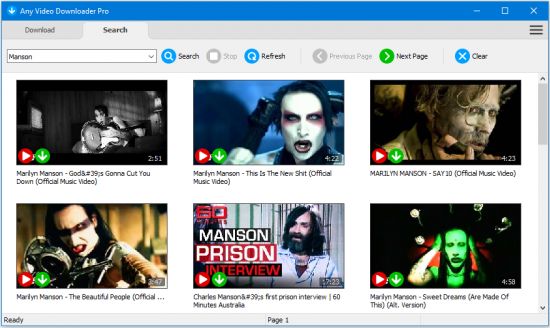
Any Video Downloader Pro, formerly known as HD Video Downloader Pro, is a Windows app to help you download videos from YouTube, Facebook, Dailymotion, and thousands of other video sharing sites. It accelerates your downloads by up to 5 times.

Features:

Download videos from YouTube and thousands of other video sharing sites
Any Video Downloader Pro can download videos from YouTube, Facebook, Dailymotion, Vimeo, and thousands of other video sharing sites.
Download HD videos from video sharing sites
You can download 720p, 1080p, 2K, 4K, 5K, 8K, and 3D videos from YouTube if they are available.
Speed up your downloads
Any Video Downloader Pro features a multi-threaded acceleration engine that can boost your download speeds by up to 500% faster.
Download multiple videos at a time
Any Video Downloader Pro supports simultaneous downloads. It allows you to download more than one video at a time.
Pause and resume downloads
Any Video Downloader Pro allows you to pause and resume your downloads if you need more connection to perform other important tasks.
Preview videos while downloading
While downloading, you can click the Preview button to play the incomplete file and make sure the content you are downloading is really the content of your choice.
Download whole playlist from YouTube
Just enter a YouTube playlist link or ID, Any Video Downloader Pro will download all or part of videos in the playlist from YouTube for you.
Download only audio stream from YouTube
Any Video Downloader Pro can download only audio stream from YouTube, without downloading the entire video file. The audio stream is small, so you can download it in just a few seconds.
Convert and optimize downloaded videos
Any Video Downloader Pro can convert and optimize downloaded videos to any format for any device, so you can watch them on your PC, iPhone, iPad, Android phone, and other portable devices. It supports MP4, FLV, WMV, MOV, AVI, MPG, VOB, M4V, ASF, MKV, WEBM, 3GP, etc.
Video to MP3
Any Video Downloader Pro allows you to extract audio stream from video file and save it as MP3, WAV, WMA, AC3, AAC, OGG, M4A, ringtone, or other audio format.
Any Video Converter
Any Video Downloader Pro includes a powerful video and audio converter for converting your disk video/audio files to any format you wish so that they are playable on your mobile device.
Ready-made presets
Any Video Downloader Pro provides ready-made presets for all popular video and audio formats. You can also custom output video/audio format settings.
iTunes compatible
Optionally, Any Video Downloader Pro adds downloaded video/music to your iTunes library automatically, so you can easily synchronize your videos and music to your iPhone, iPad, iPod.
Support drag-and-drop
You can directly drag and drop a video link from your web browser to the drop box or the main window of the program. You don't even need to copy and paste video link manually.
Search for videos on the web
Any Video Downloader Pro has a built-in video search engine. You can easily search for videos on the web within the program and download any video with just one click.

Release Notes
official site does not provide any info about changes in this version

Homepage
Код:
http://anonymz.com/...eosoftware.com/

10d0c236bc65e8d55cb7e0cb3bbddd27.png


Код:
https://rapidgator.net/file/22d17ff3fbf28a997ba0265cdf9f9607/Any_Video_Downloader_Pro_7.22.3.rar.html

https://uploadgig.com/file/download/7e270048D461363e/Any20Video20Downloader20Pro207.22.3.rar
 
Retouch4me Dodge & Burn 0.9.9.2

d9m-O9-Mkapm-UHhqvdp3h-BFr-JOWQz-Pon-Sn.jpg


Retouch4me Dodge & Burn 0.9.9.2 | Windows x64 | Languages: English | Stand-alone and Plug-in for Photoshop | File Size: 106.98 MB​

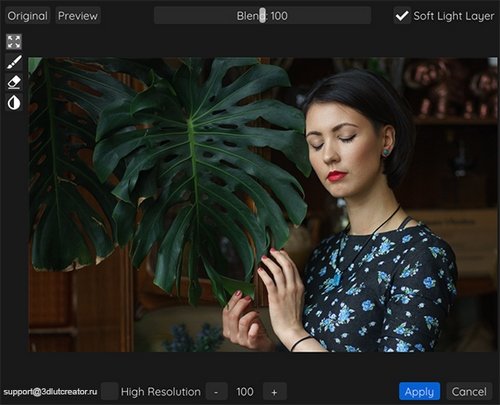
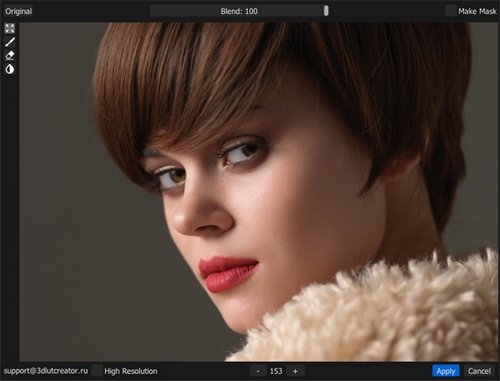
Retouch4me Dodge & Burn - For high-end retouching. Retouch4me Dodge & Burn automatically retouches the portraits with the dodge&burn technique used by high-end retouchers. Retouch4me Dodge & Burn saves retouchers' time. Just imagine how long it takes to get the same result manually!

HIGH-END SKIN RETOUCHING
Retouch4me Dodge&Burn automatically retouches the portraits with the dodge&burn technique used by high-end retouchers.

PERFECT RESULT WITH JUST ONE BUTTON
Retouch4me Dodge&Burn saves retouchers' time. Just imagine how long it takes to get the same result manually!

SAVE RESULT AS A SOFT LIGHT LAYER
Retouch4me Dodge&Burn plugin can export a Soft Light layer for a totally non destructive workflow.
Release Notes
- Release notes were unavailable when this listing was updated.
System Requirements:

Operating System:
PC: Windows 7 (x64), Windows 10 (x64)

Hardware:
- At least 6 Gb of RAM
- 64-bit (x64) processor, 1.2 GHz or faster
- PC: GPU with 4GB RAM or CPU with OpenCL 1.1 support

Retouch4me works as an Adobe Photoshop plug-in:
It can also be used as a standalone app or an external editor in Adobe Photoshop

Homepage
Код:
https://retouch4.me

2534c2c61fdad605e2f32484578a2641.jpg


Код:
https://rapidgator.net/file/2aef0a4f5ff8bbf9021841fe0011fed5/Dodge.Burn.0.9.9.2.rar.html

https://uploadgig.com/file/download/950c02Da19748Ab2/Dodge.Burn.0.9.9.2.rar
 
Retouch4me Eye Vessels 0.9.9.1

po-GJHTLJrq-P6qdk1oscqg0y0u-SErg10-A.jpg


Retouch4me Eye Vessels 0.9.9.1 | Windows x64 | Languages: English | Stand-alone and Plug-in for Photoshop | File Size: 50.03 MB​

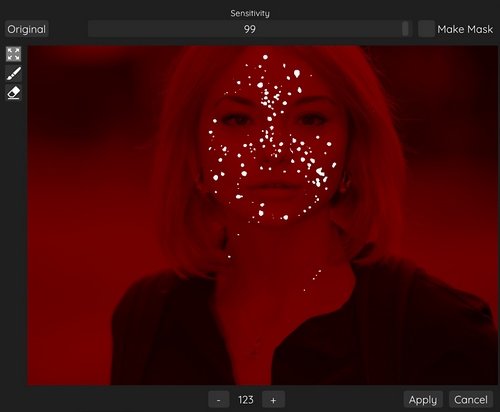
Retouch4me Eye Vessels - For perfect eyes. Retouch4me Eye Vessels automatically detects the whites of the eyes in the photo and retouches them. It seamlessly removes blood vessels and redness. The original shape and natural color are preserved when retouching the eyes. Try to get the same result by yourself and see if you can do the retouching as well as the plugin does! BRIGHT EYES
Retouch4me Eye Vessels automatically detects the whites of the eyes in the photo and retouches them. It seamlessly removes blood vessels and redness.

PRESERVING EYES SHAPE
The original shape and natural color are preserved when retouching the eyes. Try to get the same result by yourself and see if you can do the retouching as well as the plugin does!

ONE BUTTON RESULT
Retouch4me Eye Vessels saves up to 10 minutes for retouching the eyes of one photo! Just imagine how much you would spend if you have dozens of photos to process!
Release Notes
- Release notes were unavailable when this listing was updated.
System Requirements:

Operating System:
PC: Windows 7 (x64), Windows 10 (x64)

Hardware:
- At least 6 Gb of RAM
- 64-bit (x64) processor, 1.2 GHz or faster
- PC: GPU with 4GB RAM or CPU with OpenCL 1.1 support

Retouch4me works as an Adobe Photoshop plug-in:
It can also be used as a standalone app or an external editor in Adobe Photoshop

Homepage
Код:
https://retouch4.me

2534c2c61fdad605e2f32484578a2641.jpg


Код:
https://rapidgator.net/file/eaaa57bcd98e5e6546144413eaf71ce2/Eye.Vessels.0.9.9.1.rar.html

https://uploadgig.com/file/download/340115b9f93BdEb1/Eye.Vessels.0.9.9.1.rar
 
Retouch4me Heal 0.995 / 0.996

D48x4-Oyn0p8t-Bv-Ny0g-Kg-HHJx-VQt5a-UTe.jpg


Retouch4me Heal 0.995 / 0.996 | Windows x64 | Languages: English | Stand-alone and Plug-in for Photoshop | File Size: 59.2 MB​

Retouch4me Heal - Healing small skin defects. Auto skin selection. No need to select skin manually anymore! Retouch4me Heal automatically recognizes skin areas on photo and retouches it. No need to do manual work with problem areas on skin. Just one button press to get result!

AUTO SKIN SELECTION
No need to select skin manually anymore! Retouch4me Heal automatically recognizes skin areas on photo and retouches it.

ONE BUTTON RESULT
No need to do manual work with problem areas on skin. Just one button press to get result!

PRESERVE ORIGINAL SKIN
Retouch4me Heal doesn't replace the blemishes with fake, over-smoothed skin. It saves the natural skin texture as requied in professional workflow.

Release Notes
- Release notes were unavailable when this listing was updated.

System Requirements:

Operating System:
PC: Windows 7 (x64), Windows 10 (x64)

Hardware:
- At least 6 Gb of RAM
- 64-bit (x64) processor, 1.2 GHz or faster
- PC: GPU with 4GB RAM or CPU with OpenCL 1.1 support

Retouch4me works as an Adobe Photoshop plug-in:
It can also be used as a standalone app or an external editor in Adobe Photoshop

Homepage
Код:
https://retouch4.me

2534c2c61fdad605e2f32484578a2641.jpg


Код:
https://rapidgator.net/file/eaaa57bcd98e5e6546144413eaf71ce2/Eye.Vessels.0.9.9.1.rar.html

https://uploadgig.com/file/download/d4cee9b05A7c1570/Heal.0.995.rar
 
By Click Downloader 2.3.9 Multilingual

th-Bz9-D9x0-S6nh-IHR7-Ygnjvv-Wu-Ss3b-Fu-Vk5.jpg


By Click Downloader 2.3.9 Multilingual | File Size: 18 MB​

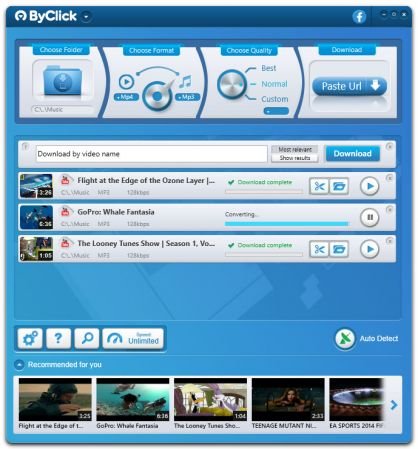
By Click Downloader is a tool designed to help you grab media from various websites, including, but not limited to YouTube, Facebook, Vimeo, Dailymotion, Instagram, Twitter, so on and so forth.

Supports all sites
Download from YouTube, Facebook, Instagram, Twitter, Vimeo, Dailymotion, YouKu and many more!

Download YouTube Playlists
Download entire YouTube Playlists and channels. Download entire Instagram pages. All at once within 1 click!

HD & 4K quality
Download videos in 720p, 1080p, 4K and 8K. Convert to MP3, MP4, AVI, FLV, WMV, 3GP, WEBM, MKV, WAV, AAC and M4A.

Whats New:
Updates: official site does not provide any info about changes in this version

Homepage
Код:
https://www.byclickdownloader.com/

10d0c236bc65e8d55cb7e0cb3bbddd27.png


Код:
https://rapidgator.net/file/35e8f99c9872014a833a118e7b9fa1a8/ByClickDownloader2.rar.html

https://uploadgig.com/file/download/77AB5e3956e260f4/ByClickDownloader2.rar
 
Windows Movie Maker 2021 v9.2.0.2 Multilingual

th-wa6-Gf-CNH8-ILOhjf-C0-AWEh-Hoz-Jpfe-PZU9.jpg


Windows Movie Maker 2021 v9.2.0.2 Multilingual | Windows x64 | Languages: Multilingual | File Size: 283.44 MB​

With Windows Movie Maker, you can quickly turn your photos and videos into polished movies. Add special effects, transitions, sound, and captions to help tell your story. Share the movie with friends and family.

Windows Movie Maker is a easy-to-use & powerful video creating/editing software application, designed for latest Windows7, Windows 8, Windows 10. The old version works for Windows Xp and Vista. Windows Movie Maker contains features such as effects, transitions, titles/credits, audio track, timeline narration, and Auto Movie. New effects and transitions can be made and existing ones can be modified using XML code. Windows Movie Maker is also a basic audio track editing program. Windows Movie Maker can apply basic effects to audio tracks such as fade in or fade out. The audio tracks can then be exported in the form of a sound file instead of a video file.

Key Features:
- With Windows Movie Maker, it's easy to organize and select the photos and videos you want to use in your next movie.
- With Windows Movie Maker, you can add text, transitions, effects, and more. Change as much as you want, or let Movie Maker do it for you.
- Post your movie to your favorite sites, including YouTube, Facebook, Windows Live SkyDrive, and many others, right from Windows Movie Maker.

What you can do with Windows Movie Maker Software:

Try an AutoMovie theme
Just pick the photos and videos you want to use, and Movie Maker does the rest.

Share with friends
Once your movie's done, it's easy to post it on popular social networking and video sharing sites.

Add your photos and videos
Import photos and videos from your PC or camera into Movie Maker to start making movies.

Edit the video
Make your movie look like you want it to, with editing tools that let you easily trim, split, and speed up or slow down your movie.

Edit the audio
Add and edit your movie's sound track. Adjust the volume, fade music in or out, and more.

Release Notes
- Release notes were unavailable when this listing was updated.

System Requirements:
- OS: Microsoft Windows XP (SP2 or later)
- Processor: 1GHz Intel/AMD processor or above
- RAM: 256MB RAM (512MB or above recommended)
- Free Hard Disk: 300MB space for installation
- Graphic Card: Super VGA (800x600) resolution, 16-bit graphics card or higher

Homepage
Код:
https://www.topwin-movie-maker.com

10d0c236bc65e8d55cb7e0cb3bbddd27.png

Код:
https://rapidgator.net/file/c560d4aaf29afa03935c5e36888c6795/Windows.Movie.Maker.9.2.0.2.rar.html

https://uploadgig.com/file/download/B16f70ee0455be24/Windows.Movie.Maker.9.2.0.2.rar
 
Windows Video Editor 2021 v9.2.0.2 Multilingual

th-vby-RSq-O6m3b-OFVQWFRh-Cxg-Kbi6rwj-SFa.jpg


Windows Video Editor 2021 v9.2.0.2 Multilingual | Windows x64 | Languages: Multilingual | File Size: 284.21 MB​

Windows Video Editor (Editing Tools Collection) 2021 has everything you need to edit your video files. You can easily Cut, Crop, Rotate, Split, Trim or Join your videos. You can add Effects, Text, Animations, Watermarks, Subtitles, Music to your videos. You can adjust video speed, brightness, contrast, saturation or anything else of your videos. You can do almost everything to edit your videos! And You can edit videos in batch!

Windows Video Editor 2021:
- Everything You Need to Edit Your Videos.
- Cut, Join, Crop, Rotate, Split, Trim, etc...
- Add Effects, Text,Animations, Watermarks, Subtitles, Music, etc...
- Adjust Speed, Brightness, Contrast, Saturation, etc...
- Tested For Windows 10 and Windows 7, 8, XP.

What you can do with Windows Video Editor 2021:
- With Windows Video Editor, it's easy to Cut/Crop/Rotate/Split/Trim/Join your videos. And you can edit the videos in batch.
- With Windows Video Editor, you can add Effects, Text, Animations, Watermarks, Subtitles, Music to your videos. And you can make Picture-in-Picture videos.
- With Windows Video Editor, you can adjust video speed, brightness, contrast, saturation or anything else of your video. You can adjust any settings or properties or your videos.

Windows Video Editor & Windows Movie Maker
Integrated Window Video Editor and Windows Movie Maker. Edit Video and Make Movie with one software.

Release Notes
- Release notes were unavailable when this listing was updated.

System Requirements:
- OS: Microsoft Windows XP (SP2 or later), Windows 7, Windows 8, Windows 8.1, Windows 10
- Processor: 1GHz Intel/AMD processor or above
- RAM: 256MB RAM (512MB or above recommended)
- Free Hard Disk: 300MB space for installation
- Graphic Card: Super VGA (800x600) resolution, 16-bit graphics card or higher

Homepage
Код:
https://www.topwin-movie-maker.com

2534c2c61fdad605e2f32484578a2641.jpg


Код:
https://rapidgator.net/file/b2061e6387fac20cdd7f1a812c5b3007/Windows.Video.Editor.9.2.0.2.rar.html

https://uploadgig.com/file/download/829d12ea1e987c09/Windows.Video.Editor.9.2.0.2.rar
 
Windows Video Converter 2021 v9.2.0.2 Multilingual

th-d-Ai-PXB9-Ao-Xyy54-CYh-Pc-BYLw6tr-QLb-Sam.jpg


Windows Video Converter 2021 v9.2.0.2 Multilingual | Windows x64 | Languages: Multilingual | File Size: 111.93 MB​

Windows Video Converter 2021 is All-In-One video conversion software. With Windows Video Converter , you have everything you need to Convert, Download and Edit videos. Convert Videos to 1000 formats at 30X Faster Speed with No Quality Loss. Download and Convert Online Videos. Cut, Crop, Add Text, Effect, Subtitle and more. Just download and try Windows Video Converter Now!

Windows Video Converter 2021
- Convert Videos to 1000+ formats.
- 30X Faster Speed.
- No Quality Loss.
- Download and Convert Online Videos.
- Edit Videos, Cut/Crop/Rotate/Add Text and more...

What you can do with Windows Video Converter 2021:

Convert Videos to 1000 formats.
Support all video and audio formats. Support formats of all popular devices like Apple iPhone, Android Phones, Digital Cameras, etc.

30X Faster Speed.
Optimized GPU acceleration. The conversion speed is much faster than previous versions.

No Quality Loss.
Quality loss is absolutely unacceptable! No quality loss for your 1080p, 2k and 4k HD videos.

Download and Convert Online Videos.
Support more than 1000 online video sites.

Edit Your Videos
Cut,Crop,Add Text,Effect,Subtitle and more. Almost Everything you need to edit your video.

What's New:
official site does not provide any info about changes in this version.

System Requirements:
- Microsoft Windows XP (SP2 or later), Windows 7, Windows 8, Windows 8.1, Windows 10 (64-bit)
- 1GHz Intel/AMD processor or above
- 256MB RAM (512MB or above recommended)
- 300MB space for installation
- Super VGA (800x600) resolution, 16-bit graphics card or higher

Homepage
Код:
https://www.topwin-movie-maker.com

2534c2c61fdad605e2f32484578a2641.jpg


Код:
https://rapidgator.net/file/e203c45abfc8dfbfaf5ba1f09650dd16/Windows.Video.Converter.9.2.0.2.rar.html

https://uploadgig.com/file/download/b69110a38d09676b/Windows.Video.Converter.9.2.0.2.rar
 
FabulaTech USB over Network 6.0.6.1

2101061929440108.png


FabulaTech USB over Network 6.0.6.1 | File Size: 32 MB​

You can easily share an external USB drive or a printer over a network. But why can"t you share all the rest of your USB devices just as easily? Lab instruments, scanners, cameras, card readers, bar code scanners, PDAs, USB keys and others are usually considered to be non-shareable. Thus, normally you need to move your USB devices from one computer to another. Sometimes, though, this is not an easy task, especially when you need to use a device that is physically located in another building or even another city.

USB is the standard interface used by most modern computer devices today. But, USB was designed to connect electronic peripherals only to a single computer. Previously, the only way to share a non-shareable device was to buy an expensive hardware USB switch. USB Over Network is a revolutionary software solution from FabulaTech. No need to move devices from one computer to another, and no need to buy expensive hardware switches. You can access a USB device connected to a remote computer from your computer via a LAN or the Internet as if it were physically plugged into your own PC.

The program consists of a "Server" and a "Client". You should install the Server on the computer to which the device you want to share is physically connected. You can install the Client on all PCs from which you need to access the shared device. USB Over Network is easy to install and use. It supports a wide range of USB devices. The program does not require any special knowledge and installs easily right out of the box. Share your USB device without risk of losing it! Access remote instruments without leaving your chair!

USB Over Network is a revolutionary software solution from FabulaTech. No need to move devices from one computer to another, and no need to buy expensive hardware switches. You can access a USB device connected to a remote computer from your computer via a LAN or the Internet as if it were physically plugged into your own PC.The program consists of a "Server" and a "Client". You should install the Server on the computer to which the device you want to share is physically connected. You can install the Client on all PCs from which you need to access the shared device.USB Over Network is easy to install and use. It supports a wide range of USB devices. This software will not require you to have any special knowledge and will install easily right out of the box.Share your USB device without risk of losing it! Access remote instruments without leaving your chair!

Key Features:
Allows to work with remote USB devices as with local ones
Unlimited USB devices can be shared on server
Unlimited USB devices can be accessed from client
Wide variety of USB devices is supported
Auto-sharing of new USB devices
Auto-sharing exclude list
Auto-connecting of USB devices which got shared on the server
USB devices safe removal is supported
Compatibility
USB v1.1 and USB v2.0 compatible
Hardware Universal Serial Bus controllers compatible
Hyper-Threading Technology compatible
Multiprocessor platforms compatible
True Plug-and-Play
User Interface
User-friendly program interface
Hot USB devices sharing/unsharing (without computer reboot)
Developer API
USB devices sharing or connection from your application directly using dynamic link library (OEM license)

Whats New:
official site does not provide any info about changes in this version.

Homepage
Код:
https://www.fabulatech.com

10d0c236bc65e8d55cb7e0cb3bbddd27.png

Код:
https://rapidgator.net/file/b61e2923f70efe5f98c91bfcdcad165c/USB.over.Network.6.0.6.rar.html

https://uploadgig.com/file/download/3B00C614e5b1479b/USB.over.Network.6.0.6.rar
 
Назад
Сверху