• Здравствуйте. Сайт заработал в архивном режиме форум www.old.nado.in

Kalpatru Collection of Softwares

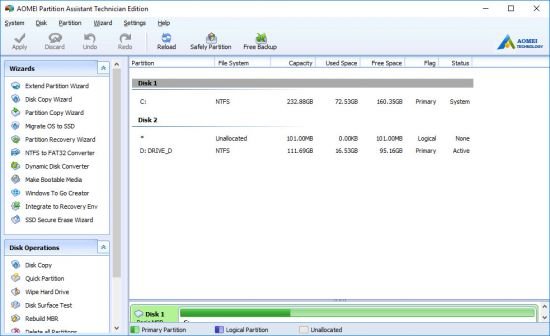
AOMEI Partition Assistant 9.2.1 Multilingual + WinPE
th-OIH4g-Qt-V7yvm-Fd42x-Cfu-UNJGRr-Qhh-IR5.jpg


AOMEI Partition Assistant 9.2.1 Multilingual + WinPE | File size: 25/411 MB​

AOMEI Partition Assistant is an easy to use all-in-one Hard Disk Partition Software. It offers various free partition management features for both all home users and commercial users. AOMEI Partition Assistant guaranteesthe full features for creating, resizing, moving, copying, deleting, wiping, aligning, formating, merging, splitting partition and more. Built-in step by step wizards realize you to easily finish complex operations including copying partition, cloning entire hard disk.

AOMEI Partition Manager enables you to extend the available space on hard disk quickly for improve the capacity for the original partition. The smart migration wizard could easily assist you to migrate OS to another hard disk including SSD and HDD.
All thanks to the stable partition recovery wizard, the lost and deleted partition is not your problem any more. Creating bootable disk allows you to get access your hard disk even the original OS crashed.

AOMEI Partition Assistant has a lot of new features and fixed the previous bugs perfectly. The OS migration wizard empowers you to migrate OS to another hard disk including SSD and HDD without reinstalling OS and applications. Creating bootable CD allows you to manage your hard disk even the Windows OS is out of reach or system is unable to boot.
AOMEI Partition Assistant Pro has more features than Standard Edition. It is specially designed for PC users, workstation users, commercial users and some advanced users who are willing to pay for the excellent product.

AOMEI Partition Manager Features:
Resize and move partition without data loss.
Merge adjacent partitions into one.
Merge unallocated space to a partition.
Split one big partition into two or more.
Allocate free space from one partition to another.
Copy (Clone) partition to new hard drive.
Align partition to boost performance and lifespan of disk.
Change partition type ID and change serial number.
Linux partition management: create, delete, format, wipe, copy, recover Ext2/Ext3 partition, etc.
Create more partitions even without unallocated space.
Delete, format and wipe partition easily.
Convert primary to logical partition and vice versa.
Convert FAT partition to NTFS file system.
Change partition label and drive letter.
Hide and check partition, wipe unallocated space.
Set active partition and view partition properties.

Disk Management Features:
Copy (Clone) disk without reinstalling Windows and applications.
Convert MBR to GPT disk and vice versa.
Rebuild MBR to repair or add boot code.
Delete all partition on a disk directly.
Wipe hard drive to permanently erase sensitive data.
Disk surface test to check and fix bad sectors.
Initialize disk.
View disk properties.

Easy Wizards:
Extend Partition Wizard: built-in “Extend system partition” and “Select any partition”.
Disk Copy Wizard: built-in “Copy Disk Quickly” and “Sector-by-Sector Copy”.
Partition Copy Wizard: built-in “Copy Partition Quickly” and “Sector-by-Sector Copy”.
Migrate OS to SSD or HDD: system migration to solid state drive or hard disk drive, and support MBR and GPT disks.
Partition Recovery Wizard: recover lost or deleted partitions with ease.
Make Bootable CD Wizard: create Windows PE bootable media without having to install AIK/WAIK.
Windows To Go Creator: Install Windows 10/8 to a USB flash drive or a removable disk

Supported Technologies:
Improved algorithm to ensure a faster and safer process of moving partition.
Enhanced data protection technologies to keep data safe.
Flexible and adjustable drag & drop interface makes the complicated simple
Preview any partitioning tasks before apply to the hard disk.
Provide option to shut down the computer after completing all operations.
Support all hardware RAID, such as RAID 0, 1, 5, 10, etc.
Support virtual disk partition in VMware, VirtualBox and Virtual PC.
Support most HDD standards, such as IDE, SCSI, SATA, SAS, SSD, USB 1.0/2.0, IEEE 1394 (FireWire)
Support removable device, such as USB flash drive (New!), memory card, memory stick and so on.
Support file systems including FAT, FAT32 and NTFS.
New! Support MBR disk and GPT disk up to 4TB.
Support up to 32 disks in one system.

Multi-language support: English, German, French, Spanish, Italian, Japanese, Portuguese, Hungarian, Polish, Russian etc.

Supported Operating System: Windows 10, 8.1, 8, 7, Vista, XP (both 32 and 64-bit).

The flawless and robust functions are brought together for Windows Server 2000, 2003, 2008, 2012, Windows Small Business Server 2003, 2008, 2011, Windows Home Server 2011, Windows 10, Windows 8/8.1, Windows 7, Vista, XP, and Windows 2000 Professional on MBR and GPT disk including: Partition Manager, Disk Management and Easy Wizards.

Editions: Professional, Technician, Unlimited, Server

Whats New
Код:
https://www.disk-partition.com/changelog.html

Homepage
Код:
http://anonymz.com/...k-partition.com

10d0c236bc65e8d55cb7e0cb3bbddd27.png


Код:
https://rapidgator.net/file/94d8ad094e285b481cb18271ec10fd21/PAssist9.rar.html

https://uploadgig.com/file/download/94580f20f5cDf356/PAssist9.rar

WinPE Technician Edition (x64)

Код:
https://rapidgator.net/file/85629156fdc92dd7f5bb9498902ac0c8/PartAssist_WinPE.9.2.1.iso.html

https://uploadgig.com/file/download/5a9ca892457b311b/PartAssist_WinPE.9.2.1.iso

 
O&O DiskImage Professional / Server 16.1 Build 218

y-NMgw-JLfeg6-XYIn-Dn-FZ1-W5-Oga173svc0.jpg


O&O DiskImage Professional / Server 16.1 Build 218 | File size: 115/116 MB ​

O&O DiskImage lets you back up an entire computer or single files whenever you want – even while the computer is being used. In the event you should lose your personal data it can be quickly restored with just a few mouse clicks – even when Windows is no longer able to start. It also supports SSD drives and the latest UEFI System. O&O DiskImage lets you carry out a system restore and to duplicate or clone an entire PC or hard drive. You can even restore this backup onto a computer whose hardware is different from the original machine, for instance, where you have changed a motherboard on the target machine or have bought a brand new PC and want to restore an old backup onto it.

Features:
Backup an entire computer with the push of a button
Backup system and hard drives, clone drives and entire disks
Brand new file-based backup: now twice as fast as ever before – backup and restore individual files and/or folders
Direct creation of VHDs
Monitoring and warning of security risks
Incremental/differential backup: back up only the changes
Easily restore files, folders, drives and disks
System restore onto different hardware (M.I.R.)
Create a Windows Boot system directly from within the program with driver integration
Plug-and-play: Selected files and folders are automatically backed up and synchronized
Variable pixel density settings: adjusts to the selected DPI setting of the connected monitor
New and enhanced functions Control via Command Lines
Supports Windows 10, Windows 8.1 and Windows 8

O&O DiskImage Server Benefits:
M.I.R. Restoration onto different hardware
One-click imaging
E-mail notification of activities
Additional information bar
TrayIcon to provide information on service and job status
Also creates system partition images during operation
1:1 copies of drives (cloning)
Advanced burning functions to CD/DVD/Blu-Ray/HD-DVD
Works with Microsoft Virtual PC Disks (VHD)
Start CD with base operating system and system rescue tools
Detailed reports
Control and management of the local network possible (Only valid in combination with the O&O Enterprise Management Console)

A regular backup is still something that many users prefer to avoid. At least that is until they suffer their first loss of important files as a result of software, hardware or user error: that’s when it becomes crystal clear just how valuable a reliable and up-to-date backup really is!

New in v16:
NEW: O&O DiskImage 16 with its own recovery partition
Normally with a backup or imaging program you need to create a boot medium (CD, USB) to boot up your system if something goes awry. This you have to either carry around or store somewhere safe in case disaster strikes.

Thanks to the integration into the system, the O&O DiskImage RecoveryPartition can be accessed immediately so that the last system image can be restored directly. If the Windows operating system does not start or if faulty drivers have to be uninstalled – with the integrated recovery environment, all O&O tools are available to make the system operational again as easily as possible. Not only is this much more comfortable and quicker for the user, it also provides them with an extra level of security as this medium cannot get lost or damaged as easily as a “portable”, external one.

Whats New:
Updates: official site does not provide any info about changes in this version.

Homepage
Код:
http://www.oo-software.com/

2534c2c61fdad605e2f32484578a2641.jpg


Код:
https://rapidgator.net/file/c4c7e9aced540ba65c0b1ab0e55c0f64/DiskImagePro16.rar.html
https://rapidgator.net/file/c6f54970aa70f30de124546a95e99fab/DiskImageServer16.rar.html

Код:
https://uploadgig.com/file/download/Be8aAe030fEa08a4/DiskImageServer16.rar
https://uploadgig.com/file/download/85a41b60366E3a37/DiskImagePro16.rar
 
MP3jam 1.1.6.8 Multilingual

v-W0gxw7-VJ5-Mhw-Hg-Yq-Lptl767-DNVh6i-MB.jpg


MP3jam 1.1.6.8 Multilingual | File size: 15 MB​

Easily download songs and albums in an MP3 format from YouTube, then access them within this intuitive and straightforward application. MP3jam is a modern and versatile application that allows you to search for your favorite music and download it onto your desktop, so you can listen to it in offline mode.

Legal Music Download
Music tracks are all legal and available for free download. MP3jam does not use torrents, p2p algorithms or pirate sites and only searches for music in public access. This free music software delivers best MP3s hosted by YouTube.

Impressive MP3 Library
Over 20 Million audio tracks are at your daily disposal. Find any song, artist, or album and start MP3 download at once. No registration, no captchas, absolutely obligation-free!

Full Album Downloads
No other tool organizes music hosted by YouTube in albums! MP3jam has a one-click option to download the entire MP3 album that contains your favorite song.

MP3 Download on the Fly
MP3jam downloads music in MP3 format. It means you can further transfer downloaded music to iPod, iPhone, Android, MP3 player or PC. Converting music video to MP3 is no longer necessary!

Smart Music Search
Find free mp3 songs by your favourite artists with 99% accuracy using the smart music search feature. All tracks are sorted by newest and most popular. Best free music guaranteed!

Whats New:
Updates: official site does not provide any info about changes in this version.

Homepage
Код:
http://www.mp3jam.org/

10d0c236bc65e8d55cb7e0cb3bbddd27.png


Код:
https://uploadgig.com/file/download/c9c88ABF9aeD1318/MP3jam1.rar

https://rapidgator.net/file/a4ba1d0b79f3a9ad27743ad47fa0e2ac/MP3jam1.rar.html
 
SmartFTP Enterprise 9.0.2850.0 (x64) Multilingual

th-Y9q-LCkq-Msbd5-Evdn-Losc-Bny-Duv-QHZ0i-Y.jpg


SmartFTP Enterprise 9.0.2850.0 (x64) Multilingual | File size: 39.7 MB​

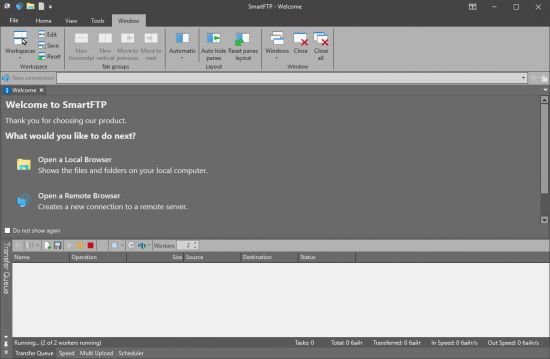
SmartFTP is an FTP (File Transfer Protocol), FTPS, SFTP, WebDAV, Amazon S3, Backblaze B2, Google Drive, OneDrive, SSH, Terminal client. It allows you to transfer files between your local computer and a server on the Internet. With its many basic and advanced Features SmartFTP also offers secure, reliable and efficient transfers that make it a powerful tool.

SmartFTP can be used for:
- Web site publishing and maintenance
- Upload and download of images, documents, movie and music files
- Managed file transfers. Automate file transfer processes.
- Backup and synchronize local and remote files

SmartFTP Features:
Protocols
FTP and FTPS (Secure FTP)
SFTP over SSH
WebDAV
Amazon S3 (Enterprise Edition)
Google Drive (Ultimate Edition)
Google Cloud Storage (Enterprise Edition)
Backblaze B2 Cloud Storage (Enterprise Edition)
Microsoft OneDrive (Ultimate Edition)
Terminal Emulator (Ultimate Edition)
Integrated Editor
HIPAA 5010 compliant
FIPS 140-2, 186-4 compliant
Modern Graphical User Interface (GUI)
High DPI support
File/Folder Synchronization
Multilingual (more than 20 languages)
Thumbnails View and Preview
Visual Compare
Advanced Schedule
IPv6
On-the-fly Compression (MODE Z)
UTF-8 Support
Support for KeePass, LastPass, 1Password password manager
Multiple Connections
Auto reconnect and resume of broken transfers
Transfer Integrity
Verified Transfers (XCRC, XMD5, XSHA)
FXP (Server-To-Server Transfer) support
Remote Edit of files
Search for files and folders on the server
Local Browser
Bulk Rename
Software Development Kit (SDK)
Enhanced NAT/UPnP Support
UPnP (Universal Plug and Play), ICS, ICF
Transfer Queue
Scheduling (Enterprise Edition)
Uploads/Downloads/FXP
Unlimited simultaneous threads
International Domain Names (IDN)
Proxy / Firewall support
SOCKS5, SOCKS4, SOCKS4A, HTTP Proxy
Wingate, Winproxy, CSM, Checkpoint FW-1, Raptor
URL Watcher
FTP command line
Custom Commands
CHMOD (Properties)
Section 508 compliant
and much more ...

What's New
Improved performance when the text editor control (Scintilla) is resized.

Requirements: Windows 8.1 or higher.

2534c2c61fdad605e2f32484578a2641.jpg


Код:
https://uploadgig.com/file/download/ac3fA4f6302d776B/SmartFTP20Enterprise209.0.2850.0.rar

https://rapidgator.net/file/2ef55754e81a74e9f4d989233001afaa/SmartFTP_Enterprise_9.0.2850.0.rar.html
 
BurnAware Professional / Premium 14.4 (x64) Multilingual

w-Ek-C1-Yw-Ieu-N5oy2-YMxj-He-Nqe-Veg-R6ke-D.png


BurnAware Professional / Premium 14.4 (x64) Multilingual | File size: 55 MB​

BurnAware Professional is a powerful CD, DVD and BD disc burning solution intended for users who need maximum control over every aspect of the burning process and use multiple burners for mass-production of various discs and quick creation of disc-to-disc copies. Its a solid piece of software that will help you cope with your daily burning tasks faster and more efficiently. The program enables users to create data discs (CD, DVD, Blu-Ray, bootable CD and DVD discs) and discs with multimedia content (Audio CD, MP3 discs and DVD video discs). Apart from this, BurnAware Pro will help you create and burn ISO images (ISO and CUE/BIN image files supported), erase rewritable discs, burn multisession discs and even extract specific files from disc sessions and tracks from Audio CDs. A simple and intuitive interface of the program will make even novices feel comfortable with the program features.

data:
Back up or copy your files to CD, DVD or Blu-ray Discs.
Supports CD-R/RW, DVD-R/RW, DVD+R/RW, BD-R/RE and DVD-RAM media, including high-capacity double-layer media.
Supports UDF (Universal Disc Format 1.02-2.60), Bridge and the ISO9660 file system, including Joliet Unicode extensions.
Create a bootable CD or DVD. Use it as a very big floppy boot disc for recovery purposes.
El Torito creation support with advanced options: emulation type, sectors, platform, load segment and boot message.
Append multisession discs. Discs can be used for sequential recording, as the new data will co-exist perfectly alongside previously recorded data.

Multimedia:
Create Audio CDs. Play a CD on your traditional CD player or car stereo.
Supports MP3, WAV, WMA, OGG, M4A, AAC and FLAC audio formats and M3U playlists.
Supports title and track CD-Text, including Unicode.
On-the-fly writing support with Track-at-once and Disc-at-once recording modes.
Create MP3 CDs and DVDs. Supports MP3 and WMA audio formats.
Create DVD-Video. Play these DVDs using your standard DVD player, PlayStation or Xbox. Supports DVD padding.

Disc Images:
Burn disc images. Create a CD, DVD or Blu-ray disc from a disc image file. Supports ISO and CUE/BIN image files.
Make standard or boot ISOs. Back up or copy your files to an ISO image file. Supports different file systems and ISO levels.
Copy disc to ISO image. This feature can be used for disc backup, as well as for disc copying.

Utilities:
Multiburn. Write ISO image files to multiple recorders simultaneously.
Copy CD, DVD or Blu-ray Discs. Make exact copies of your DVD-Video, Audio CD or standard Data discs.
Recover files. Extract files from different sessions, corrupted discs or extract audio tracks from Audio CDs.
Erase re-writable CD, DVD or Blu-ray discs. Supports quick and complete erase methods.

Benefits:
On-the-fly burning
Small installation size
Easiest-to-use, multilingual user interface
Lowest CPU usage while burning and copying
Supports all types of optical drives and discs
Uses the most fastest and stable burning engine
Supports all major audio and disc image formats
No banners, adware, spyware.

The software supports the most popular Windows versions, including Windows XP, Vista, Windows 7, Windows 8 (32 and 64-bit) and does not require the .NET framework to operate.

BurnAware v14.4
Released May 27, 2021


New features
Support for files over 2GB in DVD-Video compilations.

Enhancements
Updated translations.
Improved MP4 and AVI video conversion.
Improved CD-Text reading in Audio Grabber.
Compatibility improvements for latest revision of Windows 10.

Bug fixes
Resolved problem with error 172 in DVD-Video compilations.

Homepage
Код:
http://www.burnaware.com

10d0c236bc65e8d55cb7e0cb3bbddd27.png

Код:
https://uploadgig.com/file/download/2c89F7aa418Debf2/BurnAware14.rar

https://rapidgator.net/file/59ade11f161c5389555957e5fd97f539/BurnAware14.rar.htm
 
DxO PureRAW 1.1.0 Build 221 (x64) Multilingual

th-rxxvbbw-FKF6-Pe-Dxtvq-VYha8sij-Frn-Nt-R.jpg


DxO PureRAW 1.1.0 Build 221 (x64) Multilingual | File size: 130 MB​

DxO PureRAW Simply better RAW files, Enhance your RAW files to open up even more possibilities with Adobe Photoshop and Lightroom.

Unlock the RAW-file editing capacity of Adobe Photoshop and Lightroom
Create better RAW files before retouching them in Adobe Photoshop, Lightroom, or other programs thanks to DxO’s exclusive demosaicing, denoising, and lens defect correction technologies.

Pure, flawless, and noise-free RAW photos
DxO PureRAW’s artificial intelligence strikes the perfect balance between preserving detail and eliminating noise. DeepPRIME technology solves these problems before you and better than you.

Your lenses deserve the very best corrections
Automatically correct the defects in your equipment using DxO’s specially designed optical modules.

Recover your old RAW files
Get back to editing your old photos that you set aside because of poor image quality, noise, or a lack of sharpness. DxO PureRAW gives you another chance.

Perfection is in the details
Enjoy large format photos: DxO PureRAW reveals all the details and finesse of every texture you capture so you can enjoy incredibly pure photos.

Soft, non-grainy bokeh
Permanently delete the “parasitic” grain your camera creates in the blurry areas of your photos. DxO PureRAW adds incredible softness to your images.

Photo editing made simple
Use DxO PureRAW before your usual editing software and convert your RAW files into DNG files in just a few clicks—all without sliders or complex adjustments.

What's New:
official site does not provide any info about changes in this version.

Homepage
Код:
https://www.dxo.com/

2534c2c61fdad605e2f32484578a2641.jpg


Код:
https://uploadgig.com/file/download/e6f35E3ee59713dC/DxOPureRAW1.rar

https://rapidgator.net/file/6dfb57b37a27cf23c2c73b60d8d71f1a/DxOPureRAW1.rar.html
 
BurnAware Professional / Premium 14.4 Multilingual

w-Ek-C1-Yw-Ieu-N5oy2-YMxj-He-Nqe-Veg-R6ke-D.png


BurnAware Professional / Premium 14.4 Multilingual | Windows x86/x64 | File size: 54.7/61.3 MB​

BurnAware Professional is a powerful CD, DVD and BD disc burning solution intended for users who need maximum control over every aspect of the burning process and use multiple burners for mass-production of various discs and quick creation of disc-to-disc copies. Its a solid piece of software that will help you cope with your daily burning tasks faster and more efficiently. The program enables users to create data discs (CD, DVD, Blu-Ray, bootable CD and DVD discs) and discs with multimedia content (Audio CD, MP3 discs and DVD video discs). Apart from this, BurnAware Pro will help you create and burn ISO images (ISO and CUE/BIN image files supported), erase rewritable discs, burn multisession discs and even extract specific files from disc sessions and tracks from Audio CDs. A simple and intuitive interface of the program will make even novices feel comfortable with the program features.

data:
Back up or copy your files to CD, DVD or Blu-ray Discs.
Supports CD-R/RW, DVD-R/RW, DVD+R/RW, BD-R/RE and DVD-RAM media, including high-capacity double-layer media.
Supports UDF (Universal Disc Format 1.02-2.60), Bridge and the ISO9660 file system, including Joliet Unicode extensions.
Create a bootable CD or DVD. Use it as a very big floppy boot disc for recovery purposes.
El Torito creation support with advanced options: emulation type, sectors, platform, load segment and boot message.
Append multisession discs. Discs can be used for sequential recording, as the new data will co-exist perfectly alongside previously recorded data.

Multimedia:
Create Audio CDs. Play a CD on your traditional CD player or car stereo.
Supports MP3, WAV, WMA, OGG, M4A, AAC and FLAC audio formats and M3U playlists.
Supports title and track CD-Text, including Unicode.
On-the-fly writing support with Track-at-once and Disc-at-once recording modes.
Create MP3 CDs and DVDs. Supports MP3 and WMA audio formats.
Create DVD-Video. Play these DVDs using your standard DVD player, PlayStation or Xbox. Supports DVD padding.

Disc Images:
Burn disc images. Create a CD, DVD or Blu-ray disc from a disc image file. Supports ISO and CUE/BIN image files.
Make standard or boot ISOs. Back up or copy your files to an ISO image file. Supports different file systems and ISO levels.
Copy disc to ISO image. This feature can be used for disc backup, as well as for disc copying.

Utilities:
Multiburn. Write ISO image files to multiple recorders simultaneously.
Copy CD, DVD or Blu-ray Discs. Make exact copies of your DVD-Video, Audio CD or standard Data discs.
Recover files. Extract files from different sessions, corrupted discs or extract audio tracks from Audio CDs.
Erase re-writable CD, DVD or Blu-ray discs. Supports quick and complete erase methods.

Benefits:
On-the-fly burning
Small installation size
Easiest-to-use, multilingual user interface
Lowest CPU usage while burning and copying
Supports all types of optical drives and discs
Uses the most fastest and stable burning engine
Supports all major audio and disc image formats
No banners, adware, spyware.

The software supports the most popular Windows versions, including Windows XP, Vista, Windows 7, Windows 8 (32 and 64-bit) and does not require the .NET framework to operate.

BurnAware v14.4
Released May 27, 2021


New features
Support for files over 2GB in DVD-Video compilations.

Enhancements
Updated translations.
Improved MP4 and AVI video conversion.
Improved CD-Text reading in Audio Grabber.
Compatibility improvements for latest revision of Windows 10.

Bug fixes
Resolved problem with error 172 in DVD-Video compilations.

Homepage
Код:
http://www.burnaware.com

 
Systweak Photos Recovery 2.0.0.185 (x64)

4-RRYs-Mk-Xy3-OU1-HUf-Zm-Uw-SGh-O1eho-VBV0.png


Systweak Photos Recovery 2.0.0.185 (x64) | File size: 18.3 MB​

Recover lost photos swiftly. Photos Recovery is the best software to retrieve digital images that are deleted, lost, or formatted from USB Flash Drive, memory cards, hard drive etc. Not only this but Photos Recovery can also retrieve deleted photos from different file system like FAT, FAT 32, NTFS etc.

Why choose Photos Recovery?
Photos Recovery offers a state-of-art solution to retrieve digital photos from almost any storage device.

Recover Deleted Photos
This image recovery tool lets you recover different image file stored on any storage media.

Comprehensive Scanning
Photos Recovery has a Deep Scan mode that scrubs hard drive to find buried deleted photos.

Enhanced User Interface
Photos Recovery is user friendly and is equipped with various customizable options to recover images.

How does it work?
Getting started with Photos Recovery is easy. It recovers lost images in 3 steps.

Select location
Select the target storage location from where you want to retrieve deleted photos.

Start Scan
Select the scan type. Choose Quick Scan for fast scanning and Deep for thorough.

Recover Photos
Preview scan results to recover all needed deleted digital images.

Scan Types
Photos Recovery offers two distinctive scan modes to search for lost photos. Choose either Quick Scan or Deep Scan depending on how your photos were deleted from your computer.

Quick Scan
As the name suggests, Quick Scan looks for recoverable photos that were permanently deleted using Shift+Delete. It is the quicker of the two available scan modes.

Deep Scan
Use this option to recover photos that have been lost due to your drive being formatted. It performs a systematic sector-wise scan, and thus takes more time.

Whats New:
Updates: official site does not provide any info about changes in this version.

Homepage
Код:
https://www.systweak.com/photos-recovery

2534c2c61fdad605e2f32484578a2641.jpg

Код:
https://uploadgig.com/file/download/C81eacFD034c7cf9/Systweak20Photos20Recovery202.0.0.185.rar

https://rapidgator.net/file/daf006e29a6f822e004d5e7757645a73/Systweak_Photos_Recovery_2.0.0.185.rar.html
 
WebAcappellaFx 1.4.52 Multilingual

th-n-N0e-Eq-APvxv0-NQ7kh8lr-N1-GR3a-Y9gn-Vz.jpg


WebAcappellaFx 1.4.52 Multilingual | Languages: Multilingual | File size: 87.1 MB​

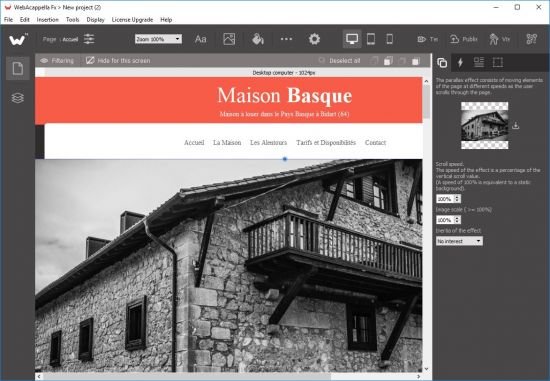
Create a unique site that looks like you. The creation of a site, a complex, time-consuming and tedious work? No time to code in HTML and Javascript to adapt your site for all types of screens? Create a multilingual site and give real visibility to your business on the Internet without subscription or hidden costs. Pilot your website in complete autonomy.

No subscription or hidden fees
WebAcappella and its visual editor accompanies you since 2005 in the creation of your Internet site by forgetting the technique.

Google Friendly
An ALL RESPONSIVE site with no duplicate content and integrated SEO tools. Everything to follow Google's recommendations.

Go international
Expand your business worldwide with multilingual site management!

Follow the trends
One Page Scrolling or Multipage, Parallax Effect ...
Easy to create a trendy and optimized website!

Taste the unlimited
Create as many pages as you want!

Let your creativity speak for itself
- Contact forms and sending files
- Google Web Fonts integration
- Creation of reusable styles
- Navigation menu
- Text Zone
- Image
- Photo gallery and slideshow
- Integrate your HTML code
- Audio and video element
- Customization of meta title and description tags
- Publication in 1 click
- And a lot of other things...

Webacappella Fx
- WebAcappella Fx allows you to make responsive sites.
- It is based on a completely free pixel-precise layout and allows you to create your website quickly and intuitively.
- On each screen (mobile or computer) you simply arrange your elements and publish in one click.
- WaFx allows the import of Wa4 projects (adjustments will be expected).

Release Notes
Fix predefined messages of the search engine
Fix crash application on Windows 10 when dragging and dropping sub-blocks of

Requirements: Windows 10

Homepage
Код:
http://www.webacappella.com

10d0c236bc65e8d55cb7e0cb3bbddd27.png


Код:
https://uploadgig.com/file/download/C8Cdb65B2Bc10ba0/WebAcappellaFx201.4.52.rar

https://rapidgator.net/file/dabcffdbef376b9f5b7bbbbcbf37da98/WebAcappellaFx_1.4.52.rar.html
 
Windows 10 LiteOS 21H1 x64 Build 19043.1021

th-z0ak77-Mr7pyrv0f-Zevx-Wfflv3-MYDwu-KB.png


Windows 10 LiteOS 21H1 x64 Build 19043.1021 | Windows X64 | Lite/Modded Edition | File Size: 2.79 GB​

Windows 10 is a series of personal computer operating systems produced by Microsoft as part of its Windows NT family of operating systems. It is the successor to Windows 8.1, and was released to manufacturing on July 15, 2015, and to retail on July 29, 2015. Windows 10 receives new releases on an ongoing basis, which are available at no additional cost to users. Devices in enterprise environments can receive these updates at a slower pace, or use long-term support milestones that only receive critical updates, such as security patches, over their ten-year lifespan of extended support.

Description about this build:
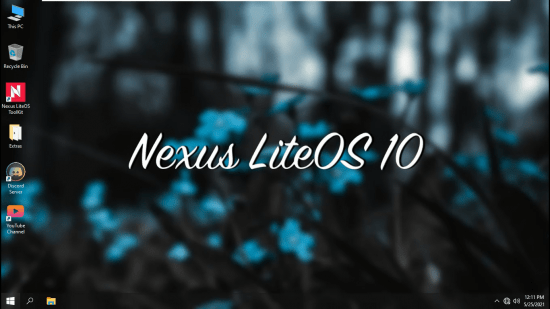
Nexus LiteOS 10 is based on Windows 10 tweaked edition, especially to improve gaming performance in low end PCs.
This build is based on latest 21H1 update.
ISO used for tweaking :- Windows 10 X64 {GEN2}
ISO Size :- 2.79 Gb

What's New:
Updated To 19043.1021


Removal/Disabled Features:
All Metro Apps (Except Windows Defender)
Print Spooler (Disabled)
Action Centre (Disabled)
Hibernation (Disabled)
SysMain (Disabled)
Prefetch
People
Help (HTML)
Note :- All the (Disabled) features can be enabled using ToolKit

Info:
Updatable
Focused on Low Latency + Max Performance
Fixed "stack-based buffer" bug in internet options
Your Phone app now works
No stock drivers have been removed (so stop asking why my driver is missing)
Updates are paused till 2050 so if you don't want them keep it paused
If you want updates get Standalone updates through toolkit

Homepage
Код:
http://www.microsoft.com

2534c2c61fdad605e2f32484578a2641.jpg


Код:
https://uploadgig.com/file/download/2f5b68c04eC1C63b/Nexus.LiteOS.10.21H1.x64.part1.rar
https://uploadgig.com/file/download/2aAb2853f7446360/Nexus.LiteOS.10.21H1.x64.part2.rar
https://uploadgig.com/file/download/31b92Fc05B682c6c/Nexus.LiteOS.10.21H1.x64.part3.rar

Код:
https://rapidgator.net/file/dfda756bf5395c1b3f16509cdb48bed2/Nexus.LiteOS.10.21H1.x64.part1.rar.html
https://rapidgator.net/file/35df0c6b5f149ec39d1c39fea5820956/Nexus.LiteOS.10.21H1.x64.part2.rar.html
https://rapidgator.net/file/09bb80f3089c788a1e47f113039e66a5/Nexus.LiteOS.10.21H1.x64.part3.rar.html
 
AlterPDF Pro 5.3 Multilingual

th-f-TOb-Ezh-Vb-C9x-EOe5-Gl-MXgi-L8-Lkn-E7-Cwn.jpg


AlterPDF Pro 5.3 Multilingual | File size: 16 MB​

PDF files are known for how versatile they can be, as they can pretty much take the place of images, texts, graphics and more, all in one format. The problem with them is that most often than naught, you'll need to use third-party applications to do any form of viewing or editing on this format, and usually, these programs are lacking in features, or are too heavy on system resources. One such program is AlterPDF, a lightweight software solution for all of your PDF-related needs.

Main Features
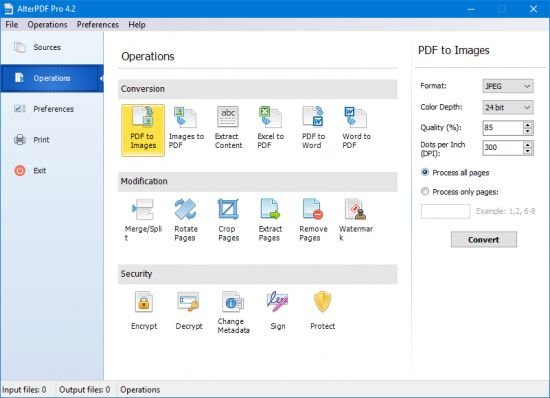
Convert PDF to images. You can convert all or selected pages to image formats, such as BMP, JPG, EMF, TIFF.
Convert images to PDF. This tool allows you to convert JPG to PDF, convert BMP to PDF.
Extract text from PDF. This tool extracts all text content from the input PDF file(s), and saves it in structured TXT format.
Extract images from PDF. This tool extracts the original image objects from PDF file.
Merge PDF. Using this tool you can join multiple PDF files into the single document.
Split PDF. This function allows you to split PDF document to multiple files.
Rotate pages. You can rotate desired pages in the PDF document and save as a new file.
Crop PDF pages. This tool cuts a rectangular area on every page of PDF, and saves result to the new document.
Extract pages from PDF. It extracts selected pages of PDF document and saves as individual PDF files.
Remove pages from PDF. Choose what pages you don't want to see in PDF, and the program will do the rest.
Encrypt PDF. You can password-protect any PDF document. And to set user permissions.
Decrypt password-protected PDF documents.
Change PDF metadata. Set the information in PDF file, such as Title, Author, Subject, Keywords, and other fields.
Print PDF documents. Print output documents directly from the program interface.

Supported Operating Systems: Windows XP/Vista/7/8/8.1/10

What's new
Updates: official site does not provide any info about changes in this version.

Homepage
Код:
http://anonymz.com/...w.alterpdf.net/

10d0c236bc65e8d55cb7e0cb3bbddd27.png

Код:
https://uploadgig.com/file/download/e6b86f5017bBE906/AlterPDF5.rar

https://rapidgator.net/file/60b24c224aa3992ba4d9f42ca369984f/AlterPDF5.rar.html
 
Prima Cartoonizer 4.1.1

th-7ccsigk-Ot-Iyw-Myh-DSME4kad-J1k-NAk64o.jpg


Prima Cartoonizer 4.1.1 | Windows x64 | Languages: English | File Size: 93.82 MB​

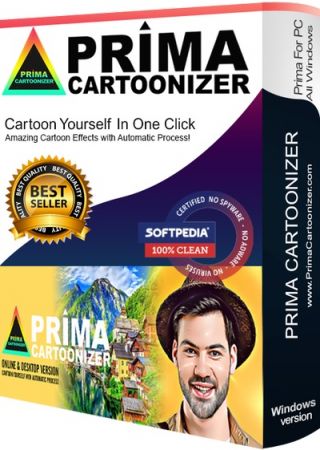
Convert photos into cartoons with just few clicks of a mouse with our Prima Cartoonizer for PC. Now, you can convert all of your pictures and images into cartoon effect more quickly and precisely. You can convert large or high-quality photos into cartoons with best results. Besides, you can also edit your photos and make multiple adjustments even before or after converting them. Add many items, crop your photos, resize and adjust the brightness and contrast.

Enjoy fantastic cartoon effects with Prima Cartoonizer!
- Amazing Cartoon Effects!
- Automatic conversion process!
- It works without internet connection!
- Output image size up to 4096px!

It's the time to replace the cookie cut forum avatar by a real cartoon of you:
- The good thing is that you can let the people know how you look like without sharing your actual photo but a cartoon of yourself.
- You can make cartoons of your friends, pets, house, neighborhood and especially the celebrities and the politicians.
- Cartoons will be the best gift for your family and friends. You can also use them on mugs and T-shirts.
- Undoubtedly, this software is a great fun and addictive, too. It is very easy to use and also intuitive.
- No need of great artistic skills because no manual drawing is involved.
- The software uses very novel technology to execute the whole process.
- First of all, it splits the image into solid color patterns just similar to a mosaic. After that, it converts the minute details of the image into cartoon format.
- Since it applies effects throughout the photo, the end result is always of high-quality.
- Cartoon yourelf without any Watermark or Logo!
- Standalone software!

Comes with several neat customization features
Following a quick installation, you are prompted to add a picture to get started, an event that also brings forth the effects, features and options of the application. Therefore, on the ride side, you can use the small menu to customize the brightness, contrast and RGB. The app also comes with a zoom feature that can come in handy when adjusting these parameters.

An app for anyone who enjoys cartoons or this particular effect
Depending on the number of effects you want to add to your pictures the conversion process can take some time. But then again, nobody is really in a hurry when processing images and overall, it's not a big setback. All in all, Prima Cartoonizer is an easy to use application that provides an effective way to add a toon effect to your images.

More Features:
- You can even make all types of adjustments with the cartoonized photo.
- Avail multiple effects to make your pictures desirable and mesmerizing.
- You can conveniently convert your photos into cartoons just within seconds.
- It is extremely simple software with the main theme of turning images into cartoons.
- It allows the users to covert photos into cartoons really fast than normal process.
- With the help of crop function, you can remove any unwanted part/parts of your image.
- You can edit your images and adjust the brightness and the contrast...etc
- No other standalone program or software is needed; it does all the functions itself.
- The converted cartoon does not contain any watermark or logo.(Paid version only)
- You need not to save the photo to print it. You can do it right from within your software.
- Resize function available, you can resize your photo before or after the conversion.
- Different goodies enhance the overall fun and joy, thus bringing extra colors to your cartoons.

Release Notes
- Release notes were unavailable when this listing was updated.

Requirements: Windows 10, Windows 8/8.1, and Windows 7

Homepage
Код:
https://primacartoonizer.com

10d0c236bc65e8d55cb7e0cb3bbddd27.png

Код:
https://uploadgig.com/file/download/5e1a83e143dB3a18/Prima.Cartoonizer.4.1.1.rar

https://rapidgator.net/file/837113c2b426aedf34aab80d539fd19a/Prima.Cartoonizer.4.1.1.rar.html
 
Exif Pilot 6.3.1 (x64)

00469d9d-medium.jpg


Exif Pilot 6.3.1 (x64) | File size: 5.2 MB​

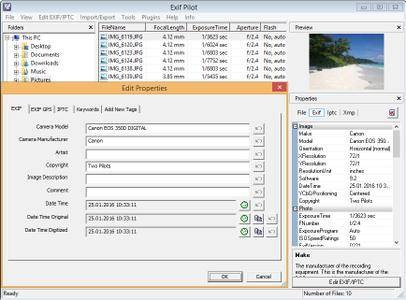
Exif Pilot is software for the edition and analysis of EXIF, IPTC, and XMP data (information that indicates digital camera settings and picture taking conditions). Exif Pilot allows you to view, create, and edit the EXIF, EXIF GPS, IPTC, and XMP data. You can import/export EXIF and IPTC data from/to XML format as well. Exif Pilot supports exporting EXIF and IPTC data to MS Excel or CSV format and importing EXIF and IPTC from MS Excel or CSV format.

With Exif Pilot, you can find the optimal parameters for taking pictures, for example, the relationship between the depth of field and the aperture of a particular lens.

Exif Pilot supports the following formats:
JPEG images read and write.
TIFF images read and write.
PNG images read and write.
DNG images read and write.
NEF images read and write.
PEF images read and write.
CRW images read and write.
JP2 images read and write.
PSD images read and write.
ORF images read and write.
SRW images read and write.
EXV images read and write.
CR2 images read only.
MRW images read only.
ARW images read only.
RAF images read only.
RW2 images read only.
PGF images read only.

Whats New:
* The data import bug has been fixed.
+ A button to show the GPS coordinates of a photo on the map has been added.
* The bug saving keywords after editing has been fixed.

Homepage
Код:
http://www.colorpilot.com/exif.html

10d0c236bc65e8d55cb7e0cb3bbddd27.png


Код:
https://uploadgig.com/file/download/077f1FaC451b9254/ExifPilot6.rar

https://rapidgator.net/file/e7798faad7122fe43ac9311ecb3e73d2/ExifPilot6.rar.html
 
PhotoGlory 2.0

th-59-BWGf-Th-UHz-TDFz-ISR6h-Nkd-Jj-Lk-IE3-Kn.png


PhotoGlory 2.0 | File size: 207 MB​

Want to revive your family archive? Save those faded, ripped, and stained photographs? Fix them all with PhotoGlory, an easy but efficient program for restoring old photos. Whether you are new to photo restoration or a pro in the field, you will enjoy the software’s intuitive and semi-automatic workflow, as well as

Powerful photo restoration software
Remove scratches, creases, stains, tears
Colorize a black and white photo in a click
Restore colors to faded & washed out images
Add stylized text labels and date stamps

Features :
Restore photo clarity, contrast and saturation
Two modes for colorization: auto and manual
Colorize B&W photos automatically or manually
Built-in-artistic effects
Enhance your retro pics with 100 built-in effects
Effortless geomerty correction
Straighten tilted pics and crop damaged edges

Whats New
Updates: official site does not provide any info about changes in this version.

Homepage
Код:
https://anonymz.com/.../photoglory.net

10d0c236bc65e8d55cb7e0cb3bbddd27.png


Код:
https://uploadgig.com/file/download/C986603fb4C3fc97/PhotoGlory202.0.0.rar

https://rapidgator.net/file/da5a0d6ce40de60c3842334a94e5746c/PhotoGlory_2.0.0.rar.html
 
Moho Pro 13.5 Build 20210520 Multilingual

Q8z-AKLXPZFfqi0e-MLieacigpe-DNDPHKE.jpg


Moho Pro 13.5 Build 20210520 Multilingual | Windows x64 | File size: 318 MB​

Moho Pro is perfect for professionals looking for a more efficient alternative when creating quality animations.

Make your animation projects come to life! Moho is your all-in-one animation software
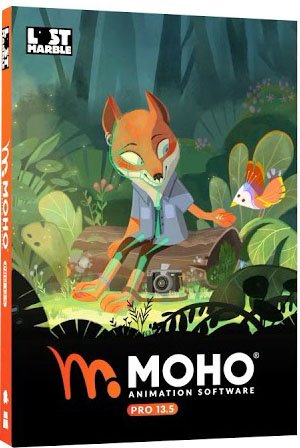
Moho is a powerful 2D animation software that combines the most powerful animation technology with state-of-the-art professional animation tools. Draw, rig and animate easily. You can create your characters directly in Moho with its vector tools optimized for animation or import images or Photoshop files keeping the link and layering structure.

Powerful vector tools optimized for animation
The unique vector system in Moho is optimized for animation and rigging, keeping the shapes always consistent while they move. Moho vector tools allow you to draw directly inside the software. You can also add brushes and effects to easily obtain natural results. Everything can be animated: curvature, linewidth, exposure, curve profiles, paths, masks, gradients, opacity, point colors… Moho’s flexible tools will empower you to animate any style!

The most powerful 2D rigging on the market
Moho’s rigging system is intuitive and fast. You can rig your own characters in minutes! Easily create skeletons for humans, animals or any creature or object you want to animate. Work with Forward and Inverse kinematics. Set target bones, add Pin bones for special control, animate the hierarchy, add Constraints, add automatic squash and stretch to any bone, Copy and Relatively Paste animation between different characters with similar skeletons and much more! Discover why Moho’s rigging system is the ‘secret weapon’ of many artists!

Whats New
Код:
https://moho.lostmarble.com/blogs/news/moho-pro-13-5-new-features

System Requirements:
Windows 10
64-bit OS required
2.0 GHz Intel Core i3 or higher
4 GB RAM or higher
1.6 GB free hard drive space or higher
OpenGL 4.1 supported graphics card required (1920x1080 recommended)

Homepage
Код:
https://moho.lostmarble.com

2534c2c61fdad605e2f32484578a2641.jpg

Код:
https://uploadgig.com/file/download/3c8796d34384cdB4/Moho13.5.rar

https://rapidgator.net/file/864d7ef56710c8c37ec1a6affb20baba/Moho13.5.rar.html
 
IObit Smart Defrag Pro 7.0.0.62 Multilingual

th-5x-Wr1ljc-LSnxa0-MOij1wqrq96r1-YA03-F.jpg


IObit Smart Defrag Pro 7.0.0.62 Multilingual | File size: 22 MB​

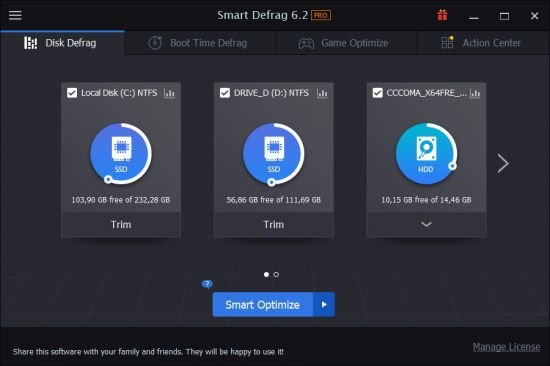
IObit Smart Defrag is a free Disk Defragmenter, that accelerates the whole system with fast and efficient disk defragment. Based on IObit latest disk defrag engine and "Boot Time Disk Defrag" technology, Smart Defrag is created with the world's leading defragmentation ability. It not only provides defragmentation, but also intelligently streamlines your files based on using frequency, thus accelerating disk speed and the whole system for top performance!

IObit Smart Defrag works fast, automatically and quietly in the background and is suitable for large hard drives. It helps defragment your hard drive more efficiently than any other product on the market - free or not. It is known that disk fragments has been a primary cause of slow and unstable PC performance.

IObit Smart Defrag is such a tool that provides extremely fast and efficient defragmentation to your hard drives intelligently for faster file loading and high disk performance. With install it and forget it feature, the program works automatically and quietly in the background on your PC, keeping your hard disk running at its top speed.

Key Benefits:
Extremely Fast and Efficient Defragmentation - Enhanced.
Using IObit's latest defrag engine and the new "Boot Time Defrag" technology, Smart Defrag has not only the world's fastest defragmenting speed but also the most advanced defragmenting ability. It's been specially designed for modern, large hard drives, which eliminates the long waiting time.
Designed for Top Disk Performance - Enhanced
The program doesn't just provide simple defragmentation. It also streamlines your file system, places the frequently used files and directories into the fastest area of the disk, enabling your computer to run at top speed with the most stability.
Always-on Automatic Defragment - Enhanced
The program works automatically and quietly in the background, so it continually and constantly keeps your computer fragment-free.
"Boot Time Defrag" Technology - New!
The new "Boot Time Defrag" technology allows you to defrag files during the system boot process, while these files cannot be defragged or are not safe to move after the system is already boot-up.
Guaranteed Data Safety and Disk Stability - Enhanced
Unlike other "Automated" Defragmenters, Smart Defrag does NOT constantly perform analysis and defrag, which damages your hard drive and shorten its life. It has a "Safe Intelligence" technology that can assure the health of your disk by deciding When and How to execute defragmentation.
On-schedule Disk Defragment - Enhanced
Your PC's performance is better maintained when it is defragged on a regular basis. The program offers a flexible way that allows you to schedule disk defragmentation according to your needs.
Extremely Easy to Use - Enhanced
Smart Defrag has taken on a new look. While it's still intuitive and easy to navigate, the new interface is undoubtedly more exquisite and professional, making it the ideal utility for complete computer novice.

Whats New:
+ Brand-new UI for a more intuitive interactive experience
+ Optimized defrag engine for more efficient defragment
+ Strengthened Disk Cleanup to free up more disk space
+ Improved Auto Analyze for smarter analysis and more accurate results
+ More fluent operation for a better user experience
+ Better compatibility with the latest version of Windows 10
+ Optimized Feedback to increase the success rate of sending feedback
+ Start a new round of Lucky Draw
+ Supported 42 languages
* And more can be discovered by you

Homepage
Код:
http://www.iobit.com

10d0c236bc65e8d55cb7e0cb3bbddd27.png


Код:
https://uploadgig.com/file/download/030ee292296deaa5/SmartDefrag7.0.rar

https://rapidgator.net/file/c7718e3411131083e999bcdd1ba96a3a/SmartDefrag7.0.rar.html
 
Bricsys BricsCAD Ultimate 21.2.05.1 (x64)

th-6t5gc9cb-IXK7h6-Jmdf-LMv-WOij-Uw55-Nbb.jpg


Bricsys BricsCAD Ultimate 21.2.05.1 (x64) | File size: 535 MB​

A powerful CAD platform, with features familiar to you from native .dwg applications. BricsCAD unifies advanced 2D design with the intelligence of 3D direct modeling. For Windows. BricsCAD offers CAD features familiar from other .dwg programs, and then adds timesaving tools and 3D direct modeling. With BricsCAD, you get more for less.

Familiar Interface
The powerful features that you know and love in a clean and consistent user experience.

2D Drafting
Create 2D technical drawings, floor plans, and other layouts quickly and accurately.

3D Modeling
BricsCAD performs 3D direct modeling with assemblies in the standard .dwg format.

The Quad cursor
Speed up your workflow with our context-sensitive Quad™ cursor.

Cloud Connectivity
Collaborate and annotate projects, all in the cloud.

Applications
BricsCAD's application developers create innovative solutions for a broad range of industries.

And there's more
BricsCAD supports solutions for sheet metal design, Building Information Modeling, and 3D data exchange. All stored in standard .dwg files.

BricsCAD Platinum Features:
- Powerful CAD functions
- 2D constraints solving
- Full support of LISP
- Chapoo connectivity
- Direct 3D modeling
- Rendering, materials, and lighting
- VBA1 & BRX
- 3D constraints solving
- BricsCAD Communicator 2
- 3D constraint creation
- Design intent recognition
- Assembly modeling
- Sheet Metal
- BIM

Whats New
Код:
https://blog.bricsys.com/new-bricscad-v19-nearest-distance/

Homepage
Код:
https://www.bricsys.com

10d0c236bc65e8d55cb7e0cb3bbddd27.png

Код:
https://uploadgig.com/file/download/6a1e0bd3c37bE68D/BricsCAD21.2.05.rar

https://rapidgator.net/file/623c4c0efda69eaa54887325501744e3/BricsCAD21.2.05.rar.html
 
iShredder Professional 7.0.21.05.24

th-k3e-Nb-J4c-Uxq-Qlth-P2-Wr-R2-NEno5q-VOB0d.jpg


iShredder Professional 7.0.21.05.24 | File size: 7 MB​

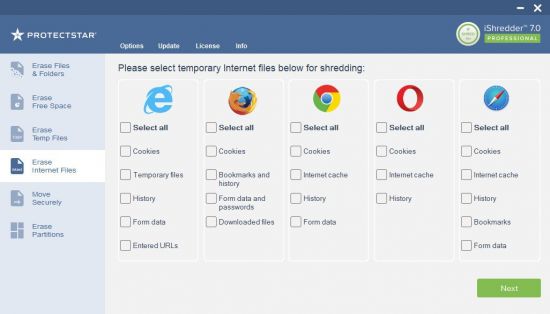
Protect the privacy of your information by deleting them securely with this software solution that feature numerous shredding options.

Secure Erasing of Confidential Data
iShredder 7 is a state-of-the-art and professional tool that has won numerous awards, and that allows for secure deletion of data from hard drives and external data storage devices.
This user-friendly solution, which runs under Microsoft Windows, enables users to efficiently delete their data in such a way as to preclude reconstruction, even by government agencies.

Do you know what is there in your empty free space
When you delete a file or a photo, the operating system removes the reference to that data but does not eliminate the actual information on your memory. It just only marked as free so that another file can come and use those blocks.
With the award-winning free space erase feature in iShredder you can wipe the unused disk space securely so that deleted data cannot be recovered.

More than TWENTY
methods of erasure
In a sector where trust and security are primary concerns, Protectstar provides his customers with only modern and first-class products. iShredder Windows offers more than twenty secure deletion methods certified by the government and military organizations.

Whats New:
Updates: official site does not provide any info about changes in this version.

Homepage
Код:
https://www.protectstar.com/en/

2534c2c61fdad605e2f32484578a2641.jpg


Код:
https://uploadgig.com/file/download/d9dc55580489104c/iShredderMilitary7.0.rar

https://rapidgator.net/file/49276014baf9a79675b6626136a0056d/iShredderMilitary7.0.rar.html
 
VariCAD 2021 v2.02 (x64)

HQQd23-Zifl-WJkz-WCIfedp03-JUFoexy7f.jpg


VariCAD 2021 v2.02 (x64) | File Size: 123 MB​

VariCAD is 3D / 2D CAD software primarily intended for mechanical engineering design. The comprehensive CAD software enables designers to quickly create, evaluate, and modify their models. The software is sold as one "fully loaded" package, with all features and functions, for one very affordable price. VariCAD delivers an excellent performance-to-price ratio, making it one of the smartest choices on the market today.

User Interface and System Environment VariCADs Graphical User Interface (GUI) has been designed to allow quick and intuitive 3D/2D orientation. It has been carefully tailored and tuned to reflect the thought process of a designer, so that ideas can be captured and communicated with a minimal number of steps. All commands were created with a focus on ease of use.
You can start by creating a 3D model and then use it to automatically create drawings files, or you can draw only in 2D. Designing in 3D is generally more natural, in that it closely represents actual parts and assemblies. The 3D approach is usually more intuitive than 2D drafting. Models created in 3D are easily converted into conventional 2D documentation. VariCAD provides tools for 2D updates after changes of 3D models.

3D Modeling
VariCAD provides a library of basic 3D shapes (like a box, cylinder, cone, etc.), which are easily modified by editing their dimensions. Solids can be created also by profile rotation, extrusion, or lofting. More complex tools include rotation blending between two profiles, lofting between a circle and rectangle or between different profiles, and creation of helical surfaces.

Solids can be added or subtracted, thus forming Boolean trees representing real mechanical parts. Boolean operations have options of automatic trimming (so called selective Boolean operations). Predefined operations like drilling of holes, face milling or groove milling are also available. Edges can be rounded or chamfered. VariCAD provides a lot of possibilities of solid transformations or their editing. Also, you can easily edit Boolean trees - either selecting solid parts from 3D, or selecting them from a list displaying structure.

Parameters and Geometrical Constraints
Although you can comfortably transform solids or their parts, you can optionally define geometrical constraints. Once defined, constraints allow you “to stick” object at defined location. More exactly, you can remove degrees of freedom of constrained objects. If other objects are changed or transformed, constrained object changes its position automatically. For instance, if you constrain a groove to the end of a shaft and the shaft length is changed, the groove remains in constant distance from the end edge. Constraints can be defined among elements of a solid, among entire solids or within a 2D profile creating a solid (for instance, by extrusion).

Whenever you enter a dimension of solid, a distance in constraint or dimension in 2D profile used for solid creation, you can optionally use parameter or even a mathematical expression containing parameters. Changing parameter values, you can change shapes or locations of solids.

3D Assemblies and Groups
VariCAD also provides tools for assembly support. If the link between a part and assembly is defined, any changes made to the part file are reflected in the assembly file and vice-versa. Linked copies of solids can also be defined (so called identical solids). In such case, editing of one object causes update of all its identical copies. Solid groups can be defined as well, making selection and visibility changes simple, for multiple objects.

Calculations
VariCAD can calculate 2D section area, surface area, volume, mass, center of gravity, and moment of inertia. Mechanical parts calculations are also included - for standard parts used every day by mechanical designers. There are calculations of tension and compression springs, pre-stressed bolted connections, pins and parallel keys, grooved shafts, bearings, beams under combined stress (bending and torsion), spur and bevel gearing geometry, and belt drives.
Surface Development (Sheet Metal Unbending)

VariCAD can also create developed (unbent) surfaces of 3D solids or sheet metal parts. The XY coordinates of developed surfaces can be saved into a text file for further processing. You can input bending coefficients in order to customize your calculations, to reflect material and technology.
Mechanical Part and Symbol Libraries VariCAD contains libraries of standard mechanical parts (ANSI, DIN), such as bolts, nuts, pins, plugs, cotters, gaskets, bearings, rolled and drawn shapes, and hydraulic, pneumatic, and electrical symbols.

3D - 2D Export
3D models are easily converted into 2D drawings to produce conventional drafting documentation. You can create 2D views of one or more selected solids by defining the views in 3D. In addition, you can also export specified sections. VariCAD supports updates of a 2D drawing after changes in 3D.

2D Drawing and Editing
Drawing functions are optimized for easy use in engineering. Some handy features of 2D drawing include: automatic detection of objects and snap points, numerous snap modes, auxiliary construction lines, Ortho mode, rectangular grid, drawing layers, block creation, hatching with automatic border detection, advanced dimensioning, finish symbols, welding symbols, tolerance symbols, and many more. You can draw in millimeters or in inches.

BOM and Title Blocks
VariCAD provides tools for maintaining the data structure of the product. There are links between attributes of parts and content of title blocks. You can create a bill of material (BOM) from an assembly, or easily modify the database using commands like mass attribute changes, sorting of information, etc. Each part can contain attributes, like name, type of material or supplier. Such data can be used for material requisitions, creation of bills of materials (BOM), filling of title blocks, or other purposes.

The data structure of the product (BOM) can be exported into other systems or into a spreadsheet. A mask is used for BOM customization; you can modify it exactly according to your needs. Mask defines usage of solid or assembly attributes, working with title blocks, methods of data exports from BOM etc.

Compatibility
VariCAD can interchange files with other CAD systems. You can export STEP (3D), STL (3D), IGES (3D), DWG (2D), DXF (2D) files, and import STEP (3D), DWG (2D), DXF (2D). The files can be converted individually or in batch routines, thereby converting multiple files in one step.

Recommended configuration:
8GB RAM or more
Mouse with wheel
Microsoft Windows 10
64-bit operating system

Whats New:
Код:
https://www.varicad.com/en/home/products/news/

Homepage
Код:
http://anonymz.com/...ww.varicad.com/

2534c2c61fdad605e2f32484578a2641.jpg


Код:
https://rapidgator.net/file/ef71fef461b46d7959be884b9bd51848/VariCAD2021.2.02.rar.html

https://uploadgig.com/file/download/B561cF7b078DC888/VariCAD2021.2.02.rar
 
Maplesoft Maple 2021.1 (x64)

5-WT224-Uqvv3w-Uixedoo5-Ejiu1we-Uw-Ro-R.png


Maplesoft Maple 2021.1 (x64) | Languages: English | File Size: 2.14 GB (In Total)​

The Essential Tool for Mathematics. Maple is math software that combines the world's most powerful math engine with an interface that makes it extremely easy to analyze, explore, visualize, and solve mathematical problems.

What is Maple?
Maple is math software that combines the world's most powerful math engine with an interface that makes it extremely easy to analyze, explore, visualize, and solve mathematical problems.

- Solve math problems easily and accurately, without worrying that you've lost a minus sign somewhere
- Solve math problems quickly that you could never do by hand (or that you wouldn't want to do by hand because life is too short!)
- Solve problems from virtually any branch of mathematics or field that relies on mathematics, such as calculus, algebra, differential equations, statistics, control design, linear algebra, physics, optimization, group theory, differential geometry, signal processing, special functions, number theory, financial modeling, etc. etc.
- Gain insight into your problem, solution, data, or concept using a huge variety of customizable 2-D and 3-D plots and animations
- Keep problems, solutions, visualizations, and explanations all together in a single, easy-to-follow document, so you don't have to waste time reconstructing your thought processes
- Develop complex solutions using a sophisticated programming language designed for mathematics, so your code is shorter, easier to write, easier to debug, and easier to maintain
- Create interactive applications for yourself, your students, or your colleagues, without having to be an expert programmer, and share them over the web

What's New in Maple 2021:
From small but incredibly useful interface improvements to whole new areas of mathematics, Maple 2021 offers a range of enhancements across the entire product.

Always More Math
Maple is all about math, so every new release expands and deepens the Maple math engine so you can solve more problems.

Solving More ODEs and PDEs
Maple is the world leader in finding exact solutions to ordinary and partial differential equations, and Maple 2021 offers new techniques that let you solve more problems than ever.

Need for Speed
Performance enhancements include a significantly faster map command, which is used extensively throughout the Maple library and in user code.

Understanding the Universe
Maple’s state-of-the-art environment for algebraic computations in physics is stronger than ever, with more tools for tackling problems in quantum mechanics, general relativity, and more.

Looks Just Right
Sometimes small changes can make a big difference, like when plot domains are automatically selected to put the most interesting features of a graph front and center.

Streamlining the Workflow
Working in Document Mode is now just a little smoother, with new ways to insert blank lines, combine math and text, and advance to the next computation.

LaTeX Made Easy
With its greatly improved LaTeX support, you can take advantage of Maple’s authoring environment and then easily convert your work to LaTeX without the need for further adjustments

Signals and Images
More tools mean you can analyze signals and images in new ways, using commands or the context menus.

Study Buddies
All three Clickable Calculus Study Guides are now included with Maple, to help you learn and teach Calculus, Precalculus, and Multivariate Calculus.

Learning about Differential Equations
The new Student ODEs package provides lots of tools for learning about differential equations, including helpful visualizations and step-by-step solvers.

Creating Content for Maple Learn
New content creation tools make it easy to create sophisticated Maple Learn applications, and the tools can be used for Maple content, too.

Release Notes:
- Improvements to plotting, including correcting a problem where the plotting toolbar sometimes did not appear
- Improvements to LaTeX and PDF export, including fixing a problem where plot annotations moved or disappeared on PDF export
- Fixed problems related to saving and deleting folders from workbooks
- Added new options to split and join Document blocks
- Restored the Handwriting Recognition Palette
- Changed the location for storing backup files to the user’s home folder
- Enhancements to step-by-step and full solutions
- Fixes to text boxes and math entry components
- Improvements to the context panel
- Fix to problem in Graph Theory that could cause Maple to crash
- Updates to help pages, including improvements to the Physics package documentation
- Corrected problem with ThermophysicalData:-Atmosphere
- Support for MapleSim 2021 and Maple Flow 2021.1

System Requirements:
- Windows Server 2016, 2019
- Windows 10
- 1 gigahertz (GHz) or faster 64-bit (x64)
- Recommended RAM: 4 GB
- Hard Disk: 10 GB
- 16-bit color at 1024 by 768 (or greater) resolution recommended.
- Internal TCP/IP connections enabled.

Homepage
Код:
https://www.maplesoft.com

2534c2c61fdad605e2f32484578a2641.jpg


Maplesoft Maple 2021.1

Код:
https://rapidgator.net/file/c5649b6b5667e04bc305944e8a7d142d/Maple.2021.1.part1.rar.html
https://rapidgator.net/file/3cd8e957a20cf9a397871d24e65e4648/Maple.2021.1.part2.rar.html

Код:
https://uploadgig.com/file/download/88Be41425254a207/Maple.2021.1.part1.rar
https://uploadgig.com/file/download/EB9836795698d27b/Maple.2021.1.part2.rar

Maplesoft Maple 2021.1 (Update Only)

Код:
https://rapidgator.net/file/ffe132aeb3668b7805445d980d770da0/Maple.2021.1.Update.rar.html

https://uploadgig.com/file/download/ad01451c92e32917/Maple.2021.1.Update.rar
 
Назад
Сверху