• Здравствуйте. Сайт заработал в архивном режиме форум www.old.nado.in

KAMAL's Softwares Collection!!! (Updated Daily)

  • Автор темы Автор темы KAMAL
  • Дата начала Дата начала
Lightmap HDR Light Studio Xenon v7.1.0.2020.0828 (x64)

Lightmap HDR Light Studio Xenon v7.1.0.2020.0828 (x64)


70e06966a82efe1e4ea882651eece8ed.jpg


Lightmap HDR Light Studio Xenon v7.1.0.2020.0828 (x64) | 67 MB | Language: English​


HDR Light Studio software provides 3D artists with a new way to light 3D imagery. Paint your shot with lights. The lighting process is now easy, fast, precise, creative and enjoyable. HDR Light Studio builds lighting that is used by your existing 3D software and renderer. By adding HDR Light Studio, 3D artists become more productive and image quality improves.


Interactive Image Based Lighting
The dynamic HDRI environment map is updated in real-time as lights are added and adjusted, as is the Render View that is lit by it.

HDRI Area Lights
HDR Light Studio can also create and control 3D Area Lights / Emitters inside your 3D software. These are positioned with the same intuative interface, clicking and dragging on the 3D model.

Use Standalone or Connected
HDR Light Studio can be used standalone - load a 3D scene and produce the perfect HDRI map.

Light Sources: Procedural
HDR Light Studio is best known for creating studio lighting especially suited to reflective materials. Procedural lights can be precisely controlled and positioned to create a wide variety of lighting effects.

Light Sources: Images
For the most realistic lighting effects load HDR images as light sources in HDR Light Studio. Image based light sources bring high levels of realism with subtle details and imperfections seen in reflections.

Includes a Library of Light Sources
HDR Light Studio includes a library of over 200 high quality HDR photographs of soft boxes, spot lights, windows and even clouds.

Render View & LightPaint
The Render View is a key feature of HDR Light Studio's lighting interface. Lights are positioned by clicking and dragging on the Render View - we call this patented process LightPaint.

Area Lights
Area Lights are controlled with LightPaint and are compatible with 3ds Max, Maya, Cinema 4D and MODO.

Handles Huge Scenes
The Render View and LightPaint remain fast even with huge scenes. For example this 3D scene has 19,514,622 polygons.

Matching Photography
When blending photography and CG imagery, matching the lighting between the photographic content and the CG elements is key to a successful and believable image. If a HDRI map of the location has not been captured then a lighting setup needs building from scratch. HDR Light Studio makes this process easy and enabling the rapid creation of a suitable lighting environment.

Enhancing Reality
When reality is not enough. Load HDRI maps shot on location and add additional light sources to bring your subject to life. Just like on a real photoshoot, beauty lights are added to make your subject the star of the show.

Procedural Sky
HDR Light Studio includes a procedural sky shader. Replace the sky on an existing HDRI map and use an alpha ramp to control the horizon position and softness. Drag and drop the included Cloud preset images onto the sky for added realism. The sun disc can be increased in size whilst maintaining its overall lighting contribution, allowing for creative decisions about the sun scale. The sun disc has a controllable soft edge.

Mix Up Your Maps
Load more than one HDRI map into HDR Light Studio and use the alpha ramp to blend between them. Use saturation adjustments and color filtering, via blend modes, to take control of color and create a better match. Enabling you to get more out of your existing HDRI collection.

More than Lights
The HDR Canvas is a compositor for HDR and LDR content, supporting a range of image formats, mappings and blend modes.

Portable Lighting
HDRI maps are the ultimate portable lighting format. They can be used with different renderers and produce predictable and accurate results. Especially with physically based rendering.

Industry Standards
VFX artists will be pleased to know HDR Light Studio has progressed to embrace some industry standards. HDR Light Studio uses OpenColorIO color management and supports loading Alembic scene files. In order to efficiently handle very large image files, HDR Light Studio will automatically convert image files to mip-mapped and tiled images, saving them as .tx files. When using .tx files, HDR Light Studio only loads the image resolution and area needed this vastly improves image load times and performance.

Release Notes
Lightmap HDR Light Studio - Release Notes

Код:
https://www.lightmap.co.uk/hdrlightstudio/whats-new/

Requirements: Windows 7, 8, 8.1, 10 (64-bit).

Homepage:
Код:
https://www.lightmap.co.uk


DOWNLOAD LINKS:

Код:
https://rapidgator.net/file/4c847d8e84cb6c13b69791659ee99c30/Lightmap_HDR_Light_Studio_Xenon_v7.1.0.2020.0828_x64.rar

Код:
http://nitroflare.com/view/8FC05C763607B9C/Lightmap_HDR_Light_Studio_Xenon_v7.1.0.2020.0828_x64.rar

Код:
https://uploadgig.com/file/download/180d4e69D7379e02/Lightmap_HDR_Light_Studio_Xenon_v7.1.0.2020.0828_x64.rar

 
The Bat! Professional v9.2.3 RePack by KpoJIuK

The Bat! Professional v9.2.3 RePack by KpoJIuK


a9b328131c24b7b32f46026829edfd8b.png


The Bat! Professional v9.2.3 RePack by KpoJIuK | 108 MB | Language: English​


The Bat! is a popular email client that allows to work with unlimited number of the mailboxes. Furthermore, it has powerful sorting filters, fully customizable message templates, Mail Dispatcher and many more other features. The main task of the program is to secure protection of the correspondence from data theft and monitoring by third parties. The Bat! 7 is able to handle an unlimited number of e-mail accounts and to process and store an unlimited number of messages.


The program offers a system of automatic message filtering, easy system of templates, message editor with the spell checker. And many other useful features.

The Bat! protects your information using different methods. It includes the encryption of the message base on the hard drive and e-mail traffic encryption.
This email client protects your data through multiple encryption streams. It also ensures your correspondence stays private.

Finally, it protects confidential data by working without Web interfaces and without using global email providers that keep your messages in the cloud.The Bat! is perfect for work or at home. It has no restriction on the number of email accounts or messages you can have, high security and built-in features like automatic filters, templates, a spell-checker and more.

Features:
Strong Encryption
Backup and restore
PGP, GnuPG and S/MIME support
The own Address Book
Message Parking
Internal HTML Viewer
Image Download Manager for background retrieval of HTML images
Selective download
Antivirus interface
Safe handling of attached files
ASLR and DEP
64-bit version
Electronic discovery protection
Easily import .mbox and other file formats from a variety of third party email clients.
Sort email messages based on addressee or issue with Sorting Office.
Quick and powerful search features allow for easy retrieval of archived messages.

Productivity Improvement:
Smart Sorting Office
Handy Message Templates
Quick Templates
Address Book features
Address History
Mail Synchronization
Microsoft Exchange Connectivity
Extended Support of National Codepages
Convenient Message Dispatcher
Multilanguage Interface
Image Viewing
Import Wizard
IDN support
RSS feed subscriptions

What''s new in version 9.2.3:

New features
New option to use soft line wrapping in MicroEd to make it behave like Windows Editor, so the text produced can be read easier on mobile devices
Support for plain text with format=flowed in viewer
OAUTH support for Outlook.com and Yandex

Improvements
Default protocol for new outlook.com accounts uses IMAP4
New look-and-feel of link tooltips to fix problems with their display

Fixes
Message\Open reply was broken
Fix message length calculation for some DPIs/scales to fix SmartSpace reading problems
(#0001695) Some HTML messages could be displayed broken
(#0000016) Separate message list viewer was closing when an an empty folder was selected
(#0000186) URL in first line of clear-text PGP encrypted messages might be hidden after decryption (use of clear-text PGP is discouraged, but here we go)
(#0002039) GnuPG signing passphrase was not cached

Assembly information
ATTENTION!
Krivoruky Gifted developers for several years have not wanted to notice a bug in which the program remains hanging in the processes after creating the first account. Therefore, after the initial setup and exiting the program, complete the process through the task manager.

General information:
Type: x86 / x64 installation
Languages: Russian, english, multi
Activation: addhaloka
Optional: import Settings.reg

Command line parameters:
Silent installation 32/64-bit: / S
Silent installation 32-bit: / S / 32
Selecting the installation location: / D = PATH

The / D = PATH parameter should be specified as the most recent
For example: The.Bat.Professional.v9.2.3.exe / S / I / D = C: \ MyProgram

Platform: Windows7 / 8.1 / 10
Interface language: Multilanguage / Russian / English

Homepage:
Код:
https://www.ritlabs.com


DOWNLOAD LINKS:

Код:
https://rapidgator.net/file/8dec8e4749a2e24b015e9aab3323b74a/The_Bat_Professional_v9.2.3_RePack_by_KpoJIuK.rar

Код:
http://nitroflare.com/view/CAFD6043365B133/The_Bat_Professional_v9.2.3_RePack_by_KpoJIuK.rar

Код:
https://uploadgig.com/file/download/37974c9D14f15205/The_Bat_Professional_v9.2.3_RePack_by_KpoJIuK.rar
 
Pano2VR Pro 6.1.9 (x64) Multilingual

Pano2VR Pro 6.1.9 (x64) Multilingual


ac0e4717132978c1a4603023b5bce1ac.jpeg


Pano2VR Pro 6.1.9 (x64) Multilingual | 205 MB | Language: Multilanguage​


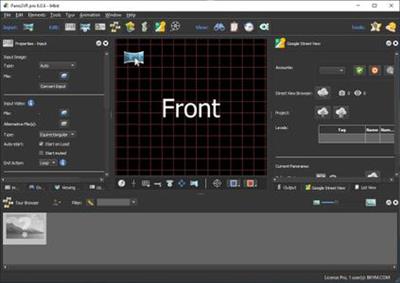
Pano2VR allows you to publish your panoramic images within minutes. No matter what type of project you're working on, whether, a gigapixel panorama or virtual tours with hundreds of nodes, Pano2VR will help you to quickly get your project up and running on the desktop as well as mobile devices.


mprove your images.
Sometimes panoramas are not level and have unwanted tripods...it happens. Straightening the horizon and removing the tripod from the panorama can be accomplished with a few simple clicks.

Build a Virtual Tour.
No matter how large the tour, Pano2VR Pro can help you quickly and easily put it together with automatic linking, filtering, master node editing and a built-in Tour Map.

Enhance the experience.
Add interactive elements like hotspots, directional sound and video to your panoramas. Use the powerful Skin Editor to design custom buttons and controllers - all of which can be made responsive so the design fits to any screen. No coding required. We promise!

Seamlessly change projections.
Easily reproject spherical panoramas during viewing or open a panorama from a little planet view to a rectilinear view on opening or create a standard format video that moves through different projections.

Reveal the highlights.
Guide viewers by creating an animation path through your panoramas or tour to show off the best areas. At any time, the viewer can interact and explore further. You can even export this walk-through as a video file.

Contribute to Google Street View.
Pano2VR offers an easy way to add and edit existing panoramas and tours to Google Street View. Once you've connected your account, you will see all tours and panoramas that you've uploaded to Google Street View. You can continue to add to your gallery or even download the existing images.

Show your work.
Export your panoramas as HTML5, Flash or QuickTime VR formats or use our handy plugins to post them directly to your Wordpress, Joomla or Drupal site. Pano2VR will also help you to transform your images into different projections for printing.

Pano2VR 6.0
Pano2VR 6.0 brings major updates to the Tour Map, Animation Editor and Viewer. You can now add floor plans to your project and correctly geolocate indoor nodes, control and animate skin elements with the Animation Editor, and view and interact with 360 video in the Viewer.

Tour Map
The Tour Map received, perhaps, the biggest update. It can now better assist in general tour building and with Google Street View tours with the addition of being able to add custom floor plans.

Floor plans, are maps of the interior of buildings where it is also likely that location data has not been recorded during a shoot. So, we added the ability to geolocate the floor plan to the tour map so that when a tour node is added to the floor plan, it will be given location data. This is especially helpful for those building tours for Google Street View and need accurate placement of nodes inside of buildings. Floor plans that have been added to the Tour Maps, can also be used in the Skin Editor using the Map element. In addition to the floor plans, map pins can now be moved in bulk.

Animation Editor
The Animation Editor is now a panel and it, too, is more powerful. You can now connect skin elements to the animation. This lets you apply, for example, subtitles or text boxes that can appear and disappear at a defined time in the animation.

Previously, the animation editor only had the ability to create a single series of clips. Now, we can create sequences, which are a group of clips, in the same project. We can then, select a specific sequence to output as an animation or as auto rotation. This makes it much easier to create multiple versions of an animation without having to create multiple projects.

Skin Editor
The Skin Editor got new features, too. The most notable feature would be the changes made to the Maps element. This is how you would add a map or floor plan overlay to your project. Previously, only a map could be added to the map element.

We've also added a way to change skins without having to open the Skin Editor - making it easier to adapt a skin to the current project using the Edit Skin Configuration button. Finally, positioning in the Skin Editor has been completely reworked to better reflect the way positioning works in HTML5. This means that when you open older skins, you may find that the positioning measurements have changed. Don't worry, it's not broken; just, the numbers have changed.

Viewer
The Viewer has been updated to be able to playback 360º video, making it much easier to work with the medium. Once the panoramic video has been added to the Viewer or Tour Browser, a transport control will appear in the Viewer.


More Features:
- Improved gigapixel support with tiled multi-resolution
- Fast loading for tours with more than 10,000 nodes
- Custom Fly-in effect
- Custom map tiles
- Filtered actions
- Flash and QuickTime outputs no longer supported


Requirements: Windows 7 and higher (64-bit).

Home Page -
Код:
http://ggnome.com


DOWNLOAD LINKS:

Код:
https://rapidgator.net/file/3b0302093a4e06f37e370e73db3a021e/Pano2VR_Pro_6.1.9_x64_Multilingual.rar

Код:
http://nitroflare.com/view/6E6C641F9B55F1C/Pano2VR_Pro_6.1.9_x64_Multilingual.rar

Код:
https://uploadgig.com/file/download/1a3Cf88f38a1e00E/Pano2VR_Pro_6.1.9_x64_Multilingual.rar
 
Blackmagic Design DaVinci Resolve Studio v16.2.7.8 (x64) Multilingual

Blackmagic Design DaVinci Resolve Studio v16.2.7.8 (x64) Multilingual


6eedbbd29e213bbe2fb5756f9e88af50.jpg


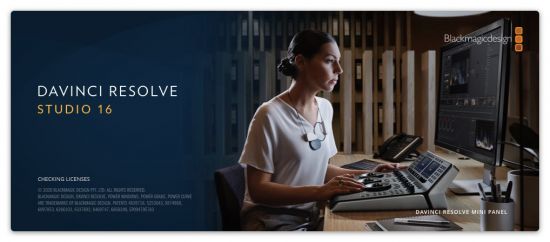
Blackmagic Design DaVinci Resolve Studio v16.2.7.8 (x64) Multilingual | 1.7 GB | Language: Multilanguage​


DaVinci Resolve 16 is the worlds only solution that combines professional 8K editing, color correction, visual effects and audio post production all in one software tool! You can instantly move between editing, color, effects, and audio with a single click. DaVinci Resolve Studio is also the only solution designed for multi user collaboration so editors, assistants, colorists, VFX artists and sound designers can all work live on the same project at the same time! Whether you are an individual artist, or part of a large collaborative team, its easy to see why DaVinci Resolve is the standard for high end post production and finishing on more Hollywood feature films, television shows and commercials than any other software.


What's New:
DaVinci Resolve 16 features a revolutionary new cut page specifically designed for editors that need to work quickly and on tight deadlines! The new DaVinci Neural Engine uses machine learning to enable powerful new features such as facial recognition, speed warp and more. Adjustment clips let you apply effects and grades to clips on the timeline below, quick export can be used to upload projects to YouTube and Vimeo from anywhere in the application, and new GPU accelerated scopes provide more technical monitoring options than before. Plus, Fusion is dramatically faster and Fairlight adds immersive 3D audio. DaVinci Resolve 16 is a massive release with hundreds of features customers have asked for!

Introducing the Cut Page!
Designed specifically for editors working on high end fast turn around work such as television commercials and even news cutting, the cut page is all about speed. Its an alternate edit page with a streamlined interface and revolutionary new tools that will help you work faster than ever. The cut page lets you import, edit, trim, add transitions, titles, automatically match color, mix audio and more. Whether you are delivering for broadcast or for YouTube, the cut page has everything you need to get the job done, all in one place. Plus, the regular edit page is still available so you can switch between edit and cut pages to change editing style right in the middle of a job.

New Editing Features in DaVinci Resolve 16:
DaVinci Resolve includes everything professional editors need to cut blockbuster films, television shows, and commercials. Its perfect for both offline and online editing. The high performance playback engine makes editing and trimming incredibly fast, even for processor intensive formats such as H.264 and RAW.

New Fusion VFX Features in DaVinci Resolve 16:
With over 250 built in tools, Fusion VFXs advanced 3D compositing engine and node based workflow let you quickly connect effects and tools together in a flow chart style, making it easy to create cinematic feature film quality visual effects and broadcast motion graphics right inside of DaVinci Resolve!

New Color Features in DaVinci Resolve 16:
DaVinci Resolves legendary color tools let you manipulate color in breathtaking ways to get results that are simply impossible on other systems. Thats why DaVinci Resolve has been used on more feature films and television shows than any other grading system! You get powerful primary and secondary tools, curves, tracking, stabilization and more!

New Fairlight Features in DaVinci Resolve 16:
With Fairlight in DaVinci Resolve, audio is no longer an afterthought in post production! You get a completely integrated and powerful digital audio workstation with full mixer, EQ and dynamics processing, sample level audio editing, ADR tools, sound library support, FairlightFX audio plugins and more!

New Collaboration Features in DaVinci Resolve 16:
Featuring a universal timeline, powerful database driven design, bin and clip locking, built in chat, timeline comparison tools and more, DaVinci Resolve Studio is the worlds only post production solution that lets different artists all work together on the same project at the same time!

DaVinci Resolve Studio
Upgrade to DaVinci Resolve Studio for even more creative tools and options! You get a huge set of indispensable ResolveFX and FairlightFX plugins, along with support for 4K, 8K and higher resolution projects at frame rates up to 120 frames per second. You also get the new DaVinci Neural Engine which enables features such as facial recognition, speed warp retiming, automatic color balancing and automatic color matching. DaVinci Resolve Studio also adds film grain tools, advanced noise reduction, blur and mist effects, HDR grading, 10bit H.264 support, 3D immersive audio, stereoscopic 3D support, multi user collaboration tools and more!

DaVinci Neural Engine
The new DaVinci Neural Engine uses state of the art deep neural networks and learning, along with artificial intelligence to power new features such as speed warp motion estimation for retiming, super scale for up-scaling footage, auto color and color matching, facial recognition and more! The DaVinci Neural Engine is entirely cross-platform and uses the latest GPU innovations for AI and deep learning to provide unparalleled performance and quality. The DaVinci Neural Engine provides simple tools to solve complex, repetitive and time consuming problems. For example, it enables facial recognition to automatically sort and organize clips into bins based on people in the shot!

New and Improved ResolveFX
DaVinci Resolve Studio 16 features major improvements to existing ResolveFX, along with several new plugins that editors and colorists will love! You get new ResolveFX plugins for adding vignettes, drop shadows, removing objects, adding analog noise and damage, chromatic aberration, stylizing video and more! There are also improvements to the scanline, beauty, face refinement, blanking fill, warper, dead pixel fixer and colorspace transformation plugins. Plus, you can now view and edit ResolveFX keyframes from the timeline curve editor on the Edit page or from the keyframe panel on the Color page!

Legendary DaVinci Quality
DaVinci Resolves Emmy award-winning image processing technology features deep 32-bit float processing combined with unique, patented YRGB color science that processes luminance independent of color. This allows you to adjust the luminance of video without rebalancing the color of your highlights, midtones, or shadows! The massive internal color space is perfect for the latest HDR and wide color gamut workflows.

Blackmagic RAW
Blackmagic RAW is a new and modern codec that gives you stunning image quality and blazing fast performance in an intelligent new file format. Featuring advanced de-mosaic technology and a revolutionary intelligent design, Blackmagic RAW gives you both the quality and benefits of RAW with the speed, ease of use and file sizes of traditional video formats.

Hardware Control Panels
When you have a client looking over your shoulder you need to work fast. DaVinci Resolve control panels are designed to give you fluid, hands-on control over multiple parameters at the same time, allowing you to create looks that are simply impossible with a standard mouse! All controls are logically placed near your natural hand positions and are made out of the highest quality materials. You get smooth, high resolution weighted trackballs, along with precision engineered knobs and dials that feature the perfect amount of resistance so you can accurately adjust any setting. DaVinci Resolve control panels let you instinctively touch every part of the image!

Fairlight Professional Consoles
Fairlight mixing consoles provide high quality controls for nearly every parameter and feature in the software. Unique user interfaces and dynamic configuration changes provide fast to use buttons and controls that are optimized for the task at hand allowing you to work faster with Fairlight audio than any other tool in the world. With the modular design you can start with a larger console frame than you need and add more modules to meet the growing needs of your facility.

Release Notes
- Support for NVIDIA Ampere GPUs on Linux and Windows systems.
- Addressed an issue with importing 23.976 fps ATEM ISO projects.
- General performance and stability improvements.

Minimum system requirements for Windows:
- Windows 10 Update
- 16 GB of system memory. 32 GB when using Fusion
- Blackmagic Design Desktop Video version 10.4.1 or later
- NVIDIA/AMD/Intel GPU Driver version As required by your GPU
- RED Rocket-X Driver 2.1.34.0 and Firmware 1.4.22.18 or later
- RED Rocket Driver 2.1.23.0 and Firmware 1.1.18.0 or later

Homepage:
Код:
https://www.blackmagicdesign.com


DOWNLOAD LINKS:

Код:
https://rapidgator.net/file/648ea8cdcbf4131c085904c94d7b8918/Blackmagic_Design_DaVinci_Resolve_Studio_v16.2.7.8_x64_Multilingual.part1.rar
https://rapidgator.net/file/ebdcbfb3d6b670ac5eda53316c90324c/Blackmagic_Design_DaVinci_Resolve_Studio_v16.2.7.8_x64_Multilingual.part2.rar

Код:
http://nitroflare.com/view/FC6B3D316F83D1B/Blackmagic_Design_DaVinci_Resolve_Studio_v16.2.7.8_x64_Multilingual.part1.rar
http://nitroflare.com/view/511AEF04E1F4781/Blackmagic_Design_DaVinci_Resolve_Studio_v16.2.7.8_x64_Multilingual.part2.rar

Код:
https://uploadgig.com/file/download/81DA07e3fa72F739/Blackmagic_Design_DaVinci_Resolve_Studio_v16.2.7.8_x64_Multilingual.part1.rar
https://uploadgig.com/file/download/72049CcF8b7a91bf/Blackmagic_Design_DaVinci_Resolve_Studio_v16.2.7.8_x64_Multilingual.part2.rar
 
Topaz Video Enhance AI v1.6.0 (x64)

Topaz Video Enhance AI v1.6.0 (x64)


cdf98825e93664385d3c8f943e9d4c37.jpg


Topaz Video Enhance AI v1.6.0 (x64) | 2.2 GB | Language: English​


Beautiful video enlargements using machine learning. Trained on thousands of videos and combining information from multiple input video frames, Topaz Video Enhance AI enlarges your video up to 8K resolution with true details and motion consistency.


The best quality for upscaling video up to 8K.
Until now, there was no way to perfectly recreate a high-resolution video from low-resolution footage. From old home movies to low-quality SD to DVD quality and more, Video Enhance AI will transform your videos into clean upscaled footage up to 8K resolution.

Enhancing Footage up to 8K
Video Enhance AI is the perfect way to take good footage and make it great. Have you ever wanted your footage to look sharper with more detail? Take HD footage all the way up to 8K for use in high-quality projects. This model is perfect to use for:

- DVD Content
- DSLR Footage
- Game Footage
- HD Stock Footage

Restoring Low-quality Footage
With Video Enhance AI, you can take your footage from SD to HD with an incredible increase in quality. This model is perfect for older footage that you want to repurpose for modern use. Older footage like:

- Home Movies
- Commercials
- Music Videos
- Movie Content
- Youtube Videos

Quality
Until now, no deep-learning based approach existed for video enlargement as a commercial product. Video Enhance AI is the only product that uses machine learning to extrapolate detail from your footage for a realistic look. The quality of output from Video Enhance AI is simply better than any other product available.

Training
Video Enhance AI was trained using a neural network that analyzes thousands of video pairs to learn how details usually get lost. Unlike Gigapixel AI for photos, Video Enhance AI is able to extrapolate more detail for an even more realistic look given the amount of information available in a single video clip.

Easy to Use
With just a few clicks of a button, your video footage will start rendering to create beautiful high-resolution quality footage. There are no complicated processes or confusing tools just a few simple steps and your footage is ready to go.

Release Notes:
Improved Video IO
We have rewritten our entire video IO backend to help fix issues such as audio sync, missing frames, extra frames, and file sizes

Bitrate Setting
When exporting to MP4 you can now choose your bitrate

Improved Theia Models
We have made changes to help reduce artifacts

Bugfixes
- Fixed an issue where if VEAI couldn't connect to the internet the GUI would not open
- Fixed some command line issues

Operating System:
Windows: Windows 7, 8, 10 (64-bit only)

CPU:
- Intel i7 (7th generation) or greater (4GHz and above)
- AMD Ryzen 7 or greater (4GHz and above)

GPU/Graphics Card:
- Nvidia GTX 1080 (8GB) or greater
- Gigapixel AI for Video currently does not support AMD graphics processors.

RAM:
- Minimum: 8GB
- Recommended: 16GB
- Optimal: 32GB

Monitor:
A monitor that outputs at a resolution of at least 1024 x 768 is recommended.

What is the minimum hardware requirement for Video Enhance AI?
We suggest you run Video Enhance AI on high-end Nvidia graphic cards. The minimum requirement is GTX 1050 with 4 GB VRAM. Any graphic card later/better than GTX 1080 (included) will do a fairly fast job. If you do not have an Nvidia graphics card in your device, the software can run on your Intel iGPU. Typically, it will be 5 times slower. If you do not have an Intel iGPU, the software will finally fall back to your CPU, which can be 10 times slower than the Nvidia GPU version.

Homepage:
Код:
https://topazlabs.com


DOWNLOAD LINKS:

Код:
https://rapidgator.net/file/9fae071b329a8a8b571ca699e38448e3/Topaz_Video_Enhance_AI_v1.6.0_x64.part1.rar
https://rapidgator.net/file/8839ff6b82cc80ed1b19e94c15e44d36/Topaz_Video_Enhance_AI_v1.6.0_x64.part2.rar
https://rapidgator.net/file/f3531f1c76db7e8825456acb6bd32863/Topaz_Video_Enhance_AI_v1.6.0_x64.part3.rar

Код:
http://nitroflare.com/view/DA3FEA673B260DA/Topaz_Video_Enhance_AI_v1.6.0_x64.part1.rar
http://nitroflare.com/view/6208762C9D7277A/Topaz_Video_Enhance_AI_v1.6.0_x64.part2.rar
http://nitroflare.com/view/089C6F5E3280ED4/Topaz_Video_Enhance_AI_v1.6.0_x64.part3.rar

Код:
https://uploadgig.com/file/download/69e06AE5cb037b90/Topaz_Video_Enhance_AI_v1.6.0_x64.part1.rar
https://uploadgig.com/file/download/4465EcfdD76e7126/Topaz_Video_Enhance_AI_v1.6.0_x64.part2.rar
https://uploadgig.com/file/download/44b45a4578173d32/Topaz_Video_Enhance_AI_v1.6.0_x64.part3.rar
 
EZ CD Audio Converter 9.1.6.1 (x86/x64) Multilingual

EZ CD Audio Converter 9.1.6.1 (x86/x64) Multilingual


d372107ed0b77e8f44f870fdbd2c8c9c.jpg


EZ CD Audio Converter 9.1.6.1 (x86/x64) Multilingual | 74 MB | Language: Multilanguage​


EZ CD Audio Converter is audio file converter software designed to provide best audio quality with easy to operate, intuitive user interface. Convert and encode audio files to MP3, FLAC, M4A, AAC, DSD, Opus, Apple Lossless, Vorbis, and many more formats with highest quality sound. Convert and extract audio from 60+ audio and video file formats. Rip audio CDs in bit perfect digital quality audio. Burn audio CDs and MP3 discs.


Music Converter | Optimized for best audio quality
Convert audio files between all audio file formats with ultra precise (64-bit floating point) audio engine and most accurate algorithms. Audio resampling is performed in highest fidelity with the professional quality sample rate converter. Convert between PCM and DSD formats in audibly lossless quality. Convert up to 64 audio files in parallel with fast, optimized audio file conversion engine. Edit and preserve all metadata on audio file conversions. Convert to/from cue sheet audio files.

CD Ripper | Rip audio CDs bit perfect
Securely rip audio CDs with advanced error detection and two-pass CRC verification for the bit-perfect digital audio quality. Read and preserve CD-Text, ISRCs, UPC/EAN, and pre-gap information. De-emphasize audio CDs with pre-emphasis. Save exact ripping log. Rip audio CDs to cue sheet audio files, preserve the exact layout of the original audio CD.

Get metadata from 6 online services
Download high quality metadata and high resolution cover art from GD3, WMP, MusicBrainz, Discogs, Amazon, and Freedb metadata services.

All the best audio codecs are included
Latest available versions of the best audio codecs are included with the software. No hassle of downloading additional codecs from other sources. Each encoder and decoder is carefully crafted to provide precise quality audio conversion.

Metadata editor | Features
- Easy way to manage the metadata of audio files
- Group edit metadata of many audio files at once
- Download high quality metadata and cover art from 6 online databases
- Add ReplayGain metadata to audio files
- Edit all metadata tags
- Full metadata support

Music Converter | Highlights
- Easy-to-use user interface
- Convert to all popular audio file formats
- Convert from 60+ audio and video file formats
- Get high quality metadata from the 6 online music metadata services
- Edit all metadata - preserve all metadata in audio file format conversion
- Batch convert music fast with up to 64 parallel audio file converters
- Bit-exact Audio CD Ripper with secure error detection
- All the best audio codecs are included out-of-the-box

Audio File Format Converter | Audio Quality
- Ultra precise (64-bit floating point) audio engine
- Professional quality sample rate converter
- Professional quality DSD encoder with stabilized 8th order noise-shaper without phase distortion
- Professional quality DSD decoder with high quality lowpass filter
- Gapless encoding and decoding of audio files
- High quality dithering (RPDF, TPDF, Noise-shaped)
- Convert between DSD and PCM in audibly lossless quality
- ReplayGain v2 / EBU R128 loudness normalization
- Calculate ReplayGain v2 playback values

Secure Audio CD Ripper | Features
- Advanced hardware-based software assisted error detection
- 2-pass CRC verification
- Exact ripping log
- Read CD-Text, ISRCs, UPC/EAN, pre-gaps, and pre-emphasis
- De-emphasize audio CDs that have pre-emphasis
- Create Cue Sheet disc images

Burn CDs and DVDs
- Burn audio CDs with CD-Text
- Burn MP3 and data discs (ISO-9660/Joliet & UDF filesystems)
- Burn exact copies of audio CDs from cue sheet audio files
- Create and Burn ISO disc images (iso)

Music Converter | Typical usages
- Convert your CD collection to audio files
- Convert to flac, mp3, or aac for portable audio player, phone, or tablet
- Convert to aac or mp3 for use as a ringtone
- Convert audio files not supported by other software
- Convert audio from video files
- Edit metadata of audio files
- Manage your music library
- Burn audio CDs for your car CD player

DSP effects
- ReplayGain v2 metadata calculation
- ReplayGain v2 loudness normalization
- EBU R128 loudness normalization
- Digital silence removal
- Fade In/Out
- De-emphasis for audio CDs with pre-emphasis

Online metadata services
Download high quality metadata and cover art from 6 online metadata services. Metadata can be retrieved automatically or searched manually with keywords.

- GD3
- WMP / Gracenote
- MusicBrainz
- Discogs
- Freedb
- Amazon

Whats New:
Код:
https://www.poikosoft.com/music-converter

Homepage:
Код:
https://www.poikosoft.com


DOWNLOAD LINKS:

Код:
https://rapidgator.net/file/95a67ed2006b390ff6c2dcab0c72efa1/EZ_CD_Audio_Converter_9.1.6.1_x86x64_Multilingual.rar

Код:
http://nitroflare.com/view/239F806174BA67C/EZ_CD_Audio_Converter_9.1.6.1_x86x64_Multilingual.rar

Код:
https://uploadgig.com/file/download/3c8a117dF4a9bADa/EZ_CD_Audio_Converter_9.1.6.1_x86x64_Multilingual.rar
 
4K Video Downloader v4.13.1.3840 Multilingual

4K Video Downloader v4.13.1.3840 Multilingual


9c7cf67dcc205423418ea9b02c68ce4c.png


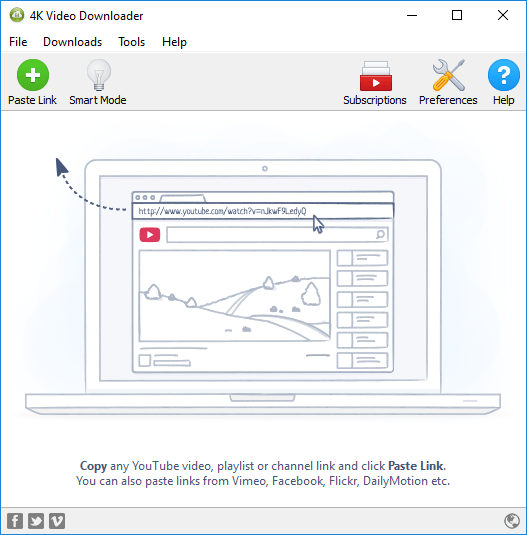
4K Video Downloader v4.13.1.3840 Multilingual | 151 MB | Language: Multilanguage​


4K Video Downloader allows to download video, audio and subtitles from YouTube in high quality and as fast as your computer and connection will allow. If you want that video on your iPad, iPhone or other device we have got you covered. Downloading is simple and straightforward: just copy the video link from your browser and click Paste Url. Done!


Features:
Download entire playlists and channels from YouTube and save them in MP4, MKV, M4A, MP3, FLV, 3G, generate .m3u file for playlists.
Download video in HD 1080p, HD 720p or 4K quality and enjoy high dimension video on your HD TV, iPad or other devices.
Advanced subtitles download, select if you would like to have .srt file or embedd subtitles in video file to watch it on your Mac for example.
Activate Smart Mode in order to apply the selected settings to all your downloads, easy and fast.
Download video in 3D format, you will find a small special icon among available formats after video parsing. Its really impressive to watch live shows and cartoons in 3D.
Subscribe to YouTube channels within 4K Video Downloader and the new videos will be downloaded automatically to your computer just right after they are uploaded on a channel by its owner.
Support of 360 videos the videos that were created with a camera that simultaneously records all 360 degrees of a scene, change the viewing angle by dragging video with the mouse and enjoy this mindblowing novelty!
Download embedded YouTube videos from any web pages, just copy/paste link and the program will find the source of download.
Download video and audio from Vimeo, SoundCloud, Flickr, Facebook and DailyMotion.
Use 4K Video Downloader on your PC, Mac or Linux, does not matter what OS you prefer.

Homepage:
Код:
https://www.4kdownload.com/


DOWNLOAD LINKS:

Код:
https://rapidgator.net/file/887f661a0dbffc9c63178f335ae8e735/4K_Video_Downloader_v4.13.1.3840_Multilingual.rar

Код:
http://nitroflare.com/view/6330C02913C9037/4K_Video_Downloader_v4.13.1.3840_Multilingual.rar

Код:
https://uploadgig.com/file/download/fFD5bba78925bF3D/4K_Video_Downloader_v4.13.1.3840_Multilingual.rar
 
PassFab iPhone Unlocker v2.2.3.0 Multilingual

PassFab iPhone Unlocker v2.2.3.0 Multilingual


ccdf0c2ba2087f2c4bbaab827214babb.jpg


PassFab iPhone Unlocker v2.2.3.0 Multilingual | 21 MB | Language: Multilanguage​


PassFab iPhone Unlocker - One click to bypass iPhone and iPad passcode for locked, disabled, broken screen. Remove Apple ID without password from any iDevices. With iPhone Unlocker you can easily remove Apple ID and locked screens when you forgot the passcode on iPhone and iPad, or you just don't know the password on a second-hand iOS device.


You will Need It If You Are in These Troubles
With iPhone Unlocker you can easily remove Apple ID and locked screens when you forgot the passcode on iPhone and iPad, or you just don't know the password on a second-hand iOS device.

- Forgot iPhone/iPad/iPod Touch passcode after recent change.
- Unknown screen password which accidentally set by children or somebody else.
- iPad or iPhone is disabled after exceeding incorrect passcode attempt limits, but iTunes can't restore device.
- Apple ID has been disabled or locked, forgot Apple ID or password.
- The second-hand iDevice is locked by 4/6-digit passcode, Touch ID, or Face ID.
- Want to remove iCloud from iOS device without password.
- Want to wipe private data but the broken screen doesn't allow you to enter the password.
- Other similar locked situations on iOS device...

Unlock iPhone Passcode within Minutes
Your iPhone/iPad gets locked or disabled? With this tool, you can unlock lock screen in emergency situations. It safely removes passcode in just minutes and helps you regain full access to your iOS device.

Supported Lock Screen - All Types
This iPhone unlock program enables you to unlock iPhone/iPad lock screens in different situations. Also, it's fully compatible with all iOS devices and all types of lock screens on the device.

- Touch ID / Face ID
- 4-Digit/6-Digit Numeric Code
- Custom Numeric Code
- Custom Alphanumeric Code

Factory Reset iPhone - No Passcode
Want to factory reset iPhone or iPad but it asks for entering your passcode? This professional iPhone passcode removal enables you to restore factory resetting without screen passcode.

- Erase iPhone or iPad without passcode
- Erase all content and settings on iPhone or iPad without passcode
- Restore iPhone or iPad to factory settings without passcode

Bypass Apple ID without Password
Apple ID is locked or disabled for security reasons? Forgot Apple ID password and can't reset it? This application helps you remove existing Apple ID and iCloud on activated device without any hassle.

Support Activated iDevice - Multiple Scenarios
If you have the following problems when you try to enter password for existing Apple ID on activated iOS device, it's a good choice to bypass current login prompt, set up your device with another sign in account or create a new Apple ID.

- Can not sign in Apple ID with the correct password
- Can not login Apple ID with primary or rescue email address
- Can not recover Apple ID after an account recovery waiting period
- Can not unlock Apple ID with security questions, trusted phone number or device
- Can not reset Apple ID password with two-factor authentication, two-step verfication or recovery key

Enjoy Any Features & Benefits - After Removal
After bypassing original Apple ID successfully using this perfect removal tool, you can reagain all Apple ID advantages, iCloud services, iTunes store pruchase and more in a few clicks on all supported iPhone/iPad/iPod touch.

- You can switch to a different Apple ID or create a new one
- you can enable or disable Find My iPhone option
- You can listen to Apple Music and download Podcasts
- You can take full control over your iPhone, iPad or iPod touch
- You can make better use of any iCloud service and enjoy all Apple ID features
- You can update to newer iOS version wirelessly without losing newly acquired Apple ID
- Your device would not be tracked via previous(bypassed) Apple ID
- Your device would not be remotely blocked by prior Apple ID user
- Your device would not be distantly erased by previous Apple ID user
- Your device will be removed from previous iCloud account

Technical Specification:
Work for almost all iOS devices and computer systems, so theres no need to worry about the supportive problem.

Computer System:
Windows 10, 8.1, 8, 7, Vista, XP (32-bit/64-bit); macOS 10.15 Catalina, 10.14 Mojave, 10.13 High Sierra, 10.12 Sierra and below

iPhone:
iPhone 11 Pro Max/11 Pro/11, iPhone XR/XS Max/XS/X, iPhone 8/8 Plus, iPhone 7/7 Plus, iPhone 6s/6s Plus, iPhone SE, etc.

iOS System:
iOS 13.4.1/13.4/13.3/13.2/13.1/13, iPadOS 13.4.1/13.4/13.3/13.2/13.1/13, iOS 12/11/10, etc.

iPad:
New iPad Pro, iPad Air 2, iPad Air, iPad mini 4/3/2, iPad mini, iPad 4 (iPad with Retina Display), iPad 3 (the New iPad), iPad 2, iPad

iTunes:
iTunes 12.10, iTunes 12.9/12.8/12.7, etc.

iPod:
iPod touch 7/6/5/4 (including iPod touch 6G, 5G, 4G), iPod Nano, iPod shuffle, and iPod classic

Homepage:
Код:
https://www.passfab.com


DOWNLOAD LINKS:

Код:
https://rapidgator.net/file/72a4628e5d85dbd5fe68e4be98339d64/PassFab_iPhone_Unlocker_v2.2.3.0_Multilingual.rar

Код:
http://nitroflare.com/view/92D9F40D2EAD907/PassFab_iPhone_Unlocker_v2.2.3.0_Multilingual.rar

Код:
https://uploadgig.com/file/download/A95f7f4c17813401/PassFab_iPhone_Unlocker_v2.2.3.0_Multilingual.rar
 
Tenorshare 4uKey v2.2.3.0 Multilingual

Tenorshare 4uKey v2.2.3.0 Multilingual


0647b391f01490febe158f1cdb31a850.jpg


Tenorshare 4uKey v2.2.3.0 Multilingual | 19 MB | Language: Multilanguage​


Unlock iPhone/iPad Locked Screen in Minutes. Tenorshare 4uKey is especially useful for people with damaged iPhones. If your iPhones buttons or display are broken, you simply won't be ..."Unlock Your iPhone Screen Passwords within 3 Steps!


Unlock iPhone/iPad Locked Screen in Minutes
- Remove Apple ID on iPhone/iPad without Password NEW!
- Bypass iPhone/iPad Screen Passwords Instantly
- Fix Disabled iPhone/iPad without iTunes or iCloud
- Remove 4-digit/6-digit passcode, Touch ID & Face ID from iPhone/iPad
- Fully Compatible with the latest iOS 12.1 and iPhone XS/XS Max/XR

Instantly Help You Get Out of These Troubles
- Forgot iPhone Passcode
- Entered Wrong Passcode for Many Times
- iPhone Screen Broken
- Forgot iPhone Restrictions Passcode

Remove Every Types of Passcode
No matter it is a 4-digit /6-digit passcode, custom numeric code, alphanumeric passcode, Touch ID or Face ID, Tenorshare 4uKey is capable of removing it in a few minutes.

Factory Reset iPhone without Password
Want to factory reset but the iPhone is locked? 4uKey enables you to restore factory resetting without a password.

System Requirements:
- Windows 10 32/64 bit
- Windows 8 32/64 bit
- Windows 7 32/64 bit
- Windows Vista 32/64 bit
- Windows XP 32/64 bit

Homepage:
Код:
https://www.tenorshare.com


DOWNLOAD LINKS:

Код:
https://rapidgator.net/file/415148c62da808bd7e9df2652e44a76f/Tenorshare_4uKey_v2.2.3.0_Multilingual.rar

Код:
http://nitroflare.com/view/5184779061D57A6/Tenorshare_4uKey_v2.2.3.0_Multilingual.rar

Код:
https://uploadgig.com/file/download/72A9a37a341BD43b/Tenorshare_4uKey_v2.2.3.0_Multilingual.rar
 
VMware Workstation 16 Pro v16.0.0.16894299 RePack by KpoJIuK

VMware Workstation 16 Pro v16.0.0.16894299 RePack by KpoJIuK


6c928612e0c1c3a36f3690c90091b5b0.jpg


VMware Workstation 16 Pro v16.0.0.16894299 RePack by KpoJIuK | 339 MB | Language: English​


VMware Workstation Pro is the industry standard for running multiple operating systems as virtual machines (VMs) on a single Linux or Windows PC. IT professionals, developers and businesses who build, test or demo software for any device, platform or cloud rely on Workstation Pro. Workstation Pro Delivers a Data Center in Your Laptop.


Run Multiple OSs on a Single PC
VMware Workstation Pro allows you to run multiple operating systems at once on the same Windows or Linux PC. Create real Linux and Windows VMs and other desktop, server, and tablet environments, complete with configurable virtual networking and network condition simulation, for use in code development, solution architecting, application testing, product demonstrations and more.

Develop and Test for Any Platform
Workstation Pro supports hundreds of operating systems and works with cloud and container technologies like Docker.

Connect to VMware vSphere
Securely connect with vSphere, ESXi or other Workstation servers to launch, control and manage both virtual machines (VMs) and physical hosts. A common VMware hypervisor maximizes productivity and enables easy transfer of VMs to and from your local PC.

Secure and Isolate Environments
Run a secure second desktop with different privacy settings, tools and networking configurations, or use forensic tools to investigate OS vulnerabilities. Workstation provides one of the most secure hypervisors in the industry and delivers powerful features for IT security professionals.

Features:

Sphere Connectivity
Use Workstation Pro to connect to vSphere, ESXi or other Workstation Pro servers. Drive remote Linux or Windows VMs (and others), command power operations, or transfer VMs to and from vSphere environments. A common VMware hypervisor enables simple portability.

Clones for Rapid Duplication
Save time and effort and ensure an exact duplicate when repeatedly creating the same VM setup. Use Linked Clones to quickly duplicate a VM while significantly reducing physical disk space. Use Full Clones to create fully isolated duplicates that can be shared with others.

Helpful Snapshots
Create a rollback point to revert to on the fly, which is perfect for testing unknown software or creating customer demos. Multiple snapshots make it easy to test a variety of different scenarios without the need to install multiple operating systems.

Powerful Virtual Networking
Create complex IPv4 or IPv6 virtual networks for VMs, or integrate with third-party software to design full data center topologies using real-world routing software and tools. New in Workstation is Network Simulation for introducing packet loss, latency and bandwidth restrictions.

High-Performance 3D Graphics
VMware Workstation Pro supports DirectX 10 and OpenGL 3.3, to deliver a fluid and responsive experience when running 3D applications. You can run the most highly demanding 3D apps like AutoCAD or SOLIDWORKS with near-native performance in a Windows VM.

High Resolution Display Support
Workstation Pro is optimized to support high-resolution 4K UHD (3840x2160) displays for desktops and QHD+ (3200x1800) displays used in laptops and x86 tablets. It also supports multiple monitors with different DPI settings, such as a new 4K UHD display along with an existing 1080p HD display.

Cross Compatibility
Create Linux or Windows VMs that can run across the VMware product portfolio or create restricted VMs for use in Horizon FLEX. We even support the open standard so you can create and play VMs from other vendors.

Monster Virtual Machines
Create massive VMs with up to 16 vCPUs, 8 TB virtual disks, and 64 GB of memory to run the most demanding desktop and server applications in a virtualized environment. Give graphics-intensive apps an additional boost by allocating up to 2GB of available host video memory to a VM.

Restricted Access to Virtual Machines
Protect corporate content by restricting access to Workstation VM settings like drag-and-drop, copy-and-paste and connections to USB devices. Virtual machines can be encrypted and password-protected to ensure only authorized users have access.

Shared Virtual Machines
Quickly share and test applications in a simulated production environment. Run VMware Workstation Pro as a server to share a repository of pre-loaded Linux and Windows VMs in every desired configuration with your teammates, department or organization.

System Requirements:
Systems using Processors (CPUs) launched in 2011 or later are supported, except for the following:
Intel Atom processors based on the 2011 Bonnell micro-architecture. For example, Atom Z670/Z650 and Atom N570.
Systems using Intel Atom processors based on the 2012 Saltwell micro-architecture. For example, Atom S1200, Atom D2700/D2500, and Atom N2800/N2600.
Systems using AMD processors based on the Llano and Bobcat micro-architectures. For example, code-named Hondo, Ontario, Zacate, and Llano.
The following systems are also supported: Systems using Intel processors based on the 2010 Westmere micro-architecture. For example, Xeon 5600, Xeon 3600, Core i7-970, Core i7-980, and Core i7-990.

Container and Kubernetes Support:
Note: Windows 10 1809 or higher is required

Host Operating System (64-bit):
Windows 8 or higher
GNU/Linux with NVIDIA drivers that support OpenGL 4.5 and above
Guest Operating System
Windows 7 or higher
GNU/Linux with vmwgfx

Assembly information
General information:
Type: Installation
Languages: English
Treatment: key

Additional: applied a patch that unlocks the installation of macOS
To run MacOS, add the line to the VMX file of the machine
smc.version = "0"

Only the most popular VMware Tools for Windows, Linux and MacOS are left in the assembly.
Others (linuxPreGlibc25.iso, netware.iso, solaris.iso, VirtualPrinter-Linux.iso, VirtualPrinter-Windows.iso, winPre2k.iso)
available for download separately. Or the program will automatically download them via the Internet if necessary.

Command line parameters:

Quiet installation of the English version: / S / QE
Selecting the installation location: / D = PATH
Key / D = PATH must be specified with the most recent
For example: Install.exe / S / QE / D = C: \ MyProgram

Platform: Windows 10 / 8.1 (64-bit only)
Interface language: English / English


Homepage:
Код:
http://www.vmware.com


DOWNLOAD LINKS:

Код:
https://rapidgator.net/file/3153ba6836c57a1b493f682b6c0fa1b5/VMware_Workstation_16_Pro_v16.0.0.16894299_RePack_by_KpoJIuK.rar

Код:
http://nitroflare.com/view/B0D2D55B55DB35C/VMware_Workstation_16_Pro_v16.0.0.16894299_RePack_by_KpoJIuK.rar

Код:
https://uploadgig.com/file/download/fa8Ab5726c76b701/VMware_Workstation_16_Pro_v16.0.0.16894299_RePack_by_KpoJIuK.rar
 
CyberLink ColorDirector Ultra v9.0.2107.0 (x64) Multilingual

CyberLink ColorDirector Ultra v9.0.2107.0 (x64) Multilingual


718812e6c7ed6d68ae1d2edf0033527d.jpg


CyberLink ColorDirector Ultra v9.0.2107.0 (x64) Multilingual | 176 MB | Language: Multilanguage​


ColorDirector makes it possible for you to apply Lightroom-like color grading and color correction to video projects, producing amazing transitions in a few, quick steps. Seamless integration with PowerDirectors video editing workflow makes ColorDirector a must-have application for professional video makers wanting to add the right finishing touches to their productions.


What's New:

Color Replacement with Keyframe Control (NEW!)
Completely change the look of objects in your footage by remapping their color to give them an entirely different feel. With keyframe control, you can now apply multiple color changes to objects in a video clip.

Color Match (NEW!)
Scenes filmed with different cameras can have very different exposure and color looks. Color Match lets you standardize color through different clips with the click of a button.

Split Tone for Video (ENHANCED!)
Applying split tone effects to video clips allows you to give scenes a truly distinctive look. Just like Lightroom for your videos, ColorDirector gives you the ability to control and adjust highlights, mid tones & shadows.

Color Splash
Quickly add drama and focus to your videos by turning them to black and white while retaining selected parts of the clip in color.

Color Shift
The easy-to-use Color Wheel slider gives you the ability to completely change the color of objects that appear in your video clips.

Motion Tracking
Intelligent motion tracking algorithm makes frame-by-frame object tracking a breeze. Precision selection tools, now including Bezier Curve, let you select, isolate and track multiple objects through your footage.

Automatic Noise Reduction & Dehaze
Noise Reduction minimizes extraneous visible artifacts including luminance (grain) and color noise, that degrade video quality.

Import & Export LUTs (ENHANCED!)
Import and export Look-up Tables (LUTs) for professional color grading control. Match footage from one source to another in order to achieve a particular effect throughout a video.

Adjustable Presets with Keyframe Support (ENHANCED!)
Take more control when color grading your projects, even when you use one of our pre-made templates. Control the intensity of each effect with as much granularity as you desire, using keyframe editing support.

360 Video Color Grading
Import, preview, edit and export 360-degree video footage. Launch ColorDirector directly from PowerDirectors interface for color grading, then send the footage back to PowerDirector for video rendering and production. You will be hard pressed to find an easier 360 video editing workflow.

Global & Regional Adjustment Tools
Change the look of your entire clip with adjustable Global Tone Level presets, or precisely tune colors from selected parts of your video footage with regional adjustment tools.

System Requirements:
- Microsoft Windows 10, 8/8.1, 7 (64 bit OS only)
- Intel Core i-series or AMD Phenom II
- 128 MB VGA VRAM (1 GB or higher VRAM and OpenCL capable are recommended)
- 4 GB memory required (8 GB or above recommended)
- 1024 x 768, 16-bit color or above

Language Support:
- English
- French
- German
- Italian
- Spanish (European)
- Chinese Simplified
- Chinese Traditional
- Japanese
- Korean

Homepage:
Код:
https://www.cyberlink.com


DOWNLOAD LINKS:

Код:
https://rapidgator.net/file/5f14cda956ca89c8d4652ca2d181a827/CyberLink_ColorDirector_Ultra_v9.0.2107.0_x64_Multilingual.rar

Код:
http://nitroflare.com/view/786060F8C76EF8B/CyberLink_ColorDirector_Ultra_v9.0.2107.0_x64_Multilingual.rar

Код:
https://uploadgig.com/file/download/7dD7aa453ea37501/CyberLink_ColorDirector_Ultra_v9.0.2107.0_x64_Multilingual.rar
 
Yamicsoft Windows 10 Manager v3.3.3 Multilingual

Yamicsoft Windows 10 Manager v3.3.3 Multilingual


db3f0663f2878898e420cefcbe75ca99.jpg


Yamicsoft Windows 10 Manager v3.3.3 Multilingual | 33 MB | Language: Multilanguage​


Windows 10 Manager is a system utility that helps you optimize, tweak, repair and clean up Windows 10. It will increase your system speed, eliminate system fault, improve system security, and meet all of your expectations. Windows 10 Manager is a system utility that helps you optimize, tweak, repair and clean up Windows 10. It will increase your system speed, eliminate system fault, improve system security, and meet all of your expectations.


Why Should I use Windows 10 Manager?

Windows 10 is the newest Operating System for home users and professionals alike. Windows 10 brings clarity to your world, so you can more safely and easily accomplish everyday tasks and instantly find what you want on your PC.

Windows 10 Manager is the powerful software tool to tweak and optimize your Windows 10, it bundles more than 30 different utilities in one and help your system faster and more stable, secure and personal!

Features and Benefits of Windows 10 Manager
Information:

Get detailed system and all hardware information on your system; help you find out the installation key of Windows, Office products; show all detailed information of running processes and threads on your machine; Windows 10 Manager offers 1-clicking Cleaner cleans your system automatically; Repair Center helps you to fix various system problems.

Optimizer:
Tweak your system to improve windows startup and shutdown speed, tweak your hardware to increase system speed and performance; Control what is started on Windows startup, check and repair the advanced starup items to restore the malicious change by viruses; Tune up and optimize system services and Task Schedule, turn off smartly some unnecessary system services and tasks to improve system performance.

Cleaner:
Find out which files or folders engross your disk space and shown with chart; Smart Uninstaller can fully delete programs from your system without residual files and Registry entries; Find and clean junk files to increase Hard Disk space; Duplicate Files Finder can scan your computer for files with the same size, name and modification time; Registry Cleaner checks and repair incorrectly linked Registry entries; Registry Defrag rebuilds and re-indexes your Registry to reduce registry access time and therefore improve application responsiveness; Desktop Cleaner can clean useless icons and files on Desktop easily.

Customization:
Customize the look of your system by tweaking system Explorer, Desktop, Start Menu, Taskbar and notification area; Manage the pinned items and can pin any files or folders to Taskbar and Start Screen; Create the quick startup items on Taskbar with the Jump List launcher; Tune up Windows 10 boot menu; Edit context menus of mouse Right-Clicking; Edit easily the Win + X menu that shown when right-click on Desktop bottom-left corner or Win + X keyboard shortcut ; Create the shortcut that executed quick on run dialog box. Visual Customizer can change system and file type icons, change the lock screen image automatically.

Security:
Improve system security by tweaking system components, UAC and login settings; Tune up System Restore options; Hide and restrict to access drives and programs; Encrypt/decrypt files, move system folders to safe locations; Undelete the files that accidentally deleted or formatted on disk; Privacy Protector can maintain your personal privacy by eliminating the tracks that you leave behind; Hide, add or delete the Control Panel entries.

Network:
Optimize your Internet connection speed, manage all shares items; Tweak your Internet Explorer easily; IP Switcher can switch your IP address easily on different networks; Edits the Hosts file to speed up surfing internet and permit only to access the specified Hosts.

Misc. Utilities:
Show the collection of Windows utilities and pin system items to Start Screen and Taskbar; split and merge any files; Automatically back up files regularly using Super Copy. Registry Tools help you to operate Registry easily.

What is New?
Windows 10 Manager v3.3.3 released.
Perfect the tweak "Disable executing Registry file"
Add the Port Scan in Network Tools.
Perfect some features.
Fix some bugs.

Windows 10 Manager v3.3.2 released.
Fix the bugs in WiFi Manager.
Perfect some functions.
Perfect the UI icons.

Homepage:
Код:
http://www.yamicsoft.com/


DOWNLOAD LINKS:

Код:
https://rapidgator.net/file/7939b8e0e0ea213d3196235e8b34129e/Yamicsoft_Windows_10_Manager_v3.3.3_Multilingual.rar

Код:
http://nitroflare.com/view/B476BF1ED86DB8E/Yamicsoft_Windows_10_Manager_v3.3.3_Multilingual.rar

Код:
https://uploadgig.com/file/download/31C466264Fe01A2E/Yamicsoft_Windows_10_Manager_v3.3.3_Multilingual.rar
 
Computer Repair Shop Software v2.17.20253.1

Computer Repair Shop Software v2.17.20253.1


3da3a7581fa1153eec33a077c867e31f.jpeg


Computer Repair Shop Software v2.17.20253.1 | 396 MB | Language: English​


Repair Tracking, Inventory, POS and CRS Software for Computer Shops and IT Techs. Welcome to the most fully featured and revolutionary Repair Shop software available. No matter if you are just starting up as a one man army or as fully established computer / mobile & cell phone repair shop. Improve your repair efficiency which will improve your revenue by being more organised.


Quick Ticket Updates with Canned Messages
Less typing using the built-in canned messages to speed up creating invoices and reports.

Fully Featured
Repair Tracking, Point of Sale, Inventory, Repeat Billing, Reports and more

Integrations
Integration to Google Calendar, Kashflow Accounting, Livedrive and more to speed up your business work flows

Email to Ticket Updates
Send an email from anywhere and your tickets are updated with your repair notes

YOU own your data!
Use your own SQL Server Database on-premises so you can create your own customer reports, export your own data whenever you want!

Reports
Lots of reports built-in from customer address maps, financial reports, who are your best customers and more!

Repair Tracking
- Track tickets, assets and serial numbers from single interface.
- Quickly access new and old tickets. Colour coded to identify older tickets.
- Filter search by keywords, Customer names, job information.

Automatic Emails and SMS
CRS sends out automatic status updates by email and SMS ensuring your customers are always kept informed.

Complete Overview
- From the main screen you can see how many jobs you have booked in, awaiting payment, appointments and stats.
- Quickly print labels for any ticket without opening the ticket.
- Quick access to Point Of Sale and all CRS modules.

Integrations with Google, Skype and more...
CRS integrates with Google Calendar, Google Maps, Livedrive, Skype, Kashflow Accounting Package and more...

Built-In Template Editor
Amazingly simply to use built-in template editor to fully customise the look of your customer emails and printed receipts, invoices etc.

Why Choose Computer Repair Shop Software (CRS)
* Your data is YOUR data! Your private customer data is located on your own computer giving you full control over how you use your own data!
* Database hosted on your own network - still works even when your internet is not!
* CRS FREE Edition for start-ups and new computer shop owners who want to start using professional and time efficient PC repair tracking and ticketing software from the beginning!

Using CRS will ensure you are optimising your time, stay organised and be successful.
* Affordable monthly Subscriptions designed for established shops and business owners using CRS as the backbone of their business!
* CRS is specific to computer repair shops and technicians no matter if you have a computer repair business and repair shops or work from home on your own.
* Job Tracking, Point Of Sale, Inventory, Part Ordering and Tracking, Quoting and Invoicing System All-In-One easy to use package.
* DESIGNED BY COMPUTER SHOP CHAIN OWNER! We know what you want as we own and run our own chain of shops where CRS is the backbone of our successful business!
* Minimise errors and mistakes, Speed up your repair check-in process. CRS is designed for simplicity and speed - this is just what all successful businesses require!
* Full ticket tracking from the day the computer is checked in to the day it leaves your workshop!
* World Wide User base. CRS works in all countries.
* New features driven by you! Want a new feature, just ask!

Customer Accounts
* Built In CRM system ensure you capture important customer data. Perfect for re-marketing - something all successfull business owners NEED TO DO every day!
* Easy to Export Customer emails and names into your own spreadsheets, mailchimp, Facebook advert manager etc.
* Email, SMS and call your customers using skype or VOIP directly from CRS. All communications are logged to later retrieval.
* Import your existing customers from systems such as CommitCRM, excel, repairshopr, quickbooks and more.

Point Of Sale
* Easy to Use, Integrated POS terminal with direct access to the CRS ticketing database.
* Full integration of barcode scanners, thermal printers, cash tills etc for a professional POS system.
* Simple and Easy to use
* End of Day Reporting

Repair Tracking
* Track every repair, from the moment it is checked into CRS to the moment it leaves your shop.
* Customers receive automatic updates by email / sms on their repair process.

Customisable Templates
* Check In Receipts, Invoices, Service reports, Quotes are all based on fully customisable templates using simple html templates provided. Embed ##TAGS## into the reports to display data from the ticket automatically. CRS is virtually ready to work right away with little setup required.

Parts Tracking
* Easy part tracking for customer repairs.
* Know when parts need to be ordered, on order and returned to suppliers. Full tracking.
* See list of all parts that need to be ordered for repairs - fast and easy. When parts arrive, allocate the part to the customer repair in seconds!

Asks all the relevant questions - no mistakes and missing information - EVER AGAIN!
* When a repair is being booked in it is easy to forget to ask your customer about data backup or the user's password. This won't happen with CRS! You are prompted to ask for specific information like this (and more).
* Never forget to log additional items such as Laptop Power Adapters or Installation CDs etc, this is all tracked and each item gets it own dedicated label to automatically link it to the job - your customer leaves happy that you know what you are doing and their items will never get lost!
* Everything is automated!
* Time is Money.... so less time typing means more time to make money!

Hardware and Software Tests
* Hardware tests - quickly include which tests passed and failed. This information is printed into a report at a click of a button! Takes just a few seconds to create a comprehensive hardware testing report
* Software Tests - Within seconds, you can create a comprehensive report of EVERTHING you have done to service your customer's computer. They will love the fact you gave them a personalised report of all your work over several pages - They will think you spent hours typing it up! When in fact it took a few seconds!

Canned Responses
* Save time typing the same information over and over with our canned responses facility. Throughout CRS, in areas that would normally require lots of typing (such as work report, invoice notes, service notes, hardware and software tests etc) you can use Canned Messages that are designed to quickly add your information into the ticket in a click of a button. Your customers will think you spent hours writing their report when it was just a few clicks!

Asset Management
* Track your customers hardware configurations, Operating System type and license keys, serial numbers, warranty information (purchase date, purchased from, sale date etc). This is perfect for keeping detailed machine specification or ideal if you sell computers for warranty tracking.

Invoices and Quotes
* Generate, email and print invoices and quotes directly from the repair ticket.

Inventory Management
* CRS manages your stock from an easy to use interface.
* Your inventory can be used in repair tickets for invoicing parts, labour and services and will be used in the Point Of Sale application.
* Allocate stock from shop floor, store rooms and any other locations you set up. Advanced stock management.
* Do you track customer license keys? License Key Manager will allow you to allocate keys (such as AV software, Office etc) to customers, remind customers when they are due for renewal. if you keep license keys in bulk, then this can be added to inventory and tracked.

Calendar
* Track your Appointments and Events. Appointments can be added/edited directly from the repair ticket.
* Google Calendar sync of appintments.
* Allocate call-outs to technicians / staff
* Appointment types can be Call Outs, In-Store appontments, Telephone Calls etc.
* Syncs to yours (and your technicians) smartphone and gmail calendar s if they are out on the road, they get instant updates.

Gmail Synchronisation
* Keep up to date with your appointments while on the road.
* CRS calendar sync with google Calendar.
* Create, Edit, Delete appointments directly from CRS and this is sent to your technicians smartphone showing them the customer's address, phone number and ticket information etc.
* No paperwork required which is perfect if the appointment is made for you while you are out on the the road.

Ticket and Customer Attachments
* Add documents, images, insurance reports etc to any ticket. Gets saved directly to the database which means attachments can be viewed from any computer.
* Attachments can also be attached to Customers so this information can be opened from any ticket for that customer.

Internal Staff Messaging
* Send Messages Internally between staff. When they log in, a notification will display indication unread messages.
* Admin users can SEND TO ALL users.
* Perfect for meeting reminders, customer questions and job related questions.
* If an email address is included, you can optionally send to technicians email address directly from CRS.

Built-in Customer Communications - All communications are saved to the ticket history so you know what was said, by whom and when. Communicate directly to your customer via SMS or Email.
* Email - Email your customers directly from CRS. Email template displays your company details, opening hours, phone number etc with your own message. Email status updates, messages, invoices, quotes and service report directly to your customers.
* SMS - SMS is fully integrated and allows you to keep your customer informed of the repair process.

Stats and Reports
* Homepage graphs shows New Tickets, Completed Tickets, Call outs etc. Switch displays for Today, yesterday, this week, last week, this month and last month.
* Today, Yesterday, This Week, Last Week, This Month, Last Month, This Year, Last Year stats and reports and custom start and end dates.
* Daily stats by email / SMS (coming soon) directly to you (ideal if you employ staff and you are not around so you can keep up to date with what's been checked-in or completed).
* Advanced Reports - customers reports (such as who are your best paying customers - make sure you re-market to your best customers!), tickets reports, financial reports, and more.

Multi-User and Multi-Shop
* More than one shop? No problem. CRS is multi-shop compatible.
* CRS works for as many users you need.
* No limits of number of computers you install CRS onto.
* Software works on any Windows Vista, Windows 7, Windows 8 and Windows 10 computer.

Database
* CRS uses Microsoft SQL Server Standard or Express Edition for easy deployment of additional terminals. Database can be located on your premises or in the cloud.
* Cloud databases also available directly from us giving you access to CRS from anywhere in the world.

Livedrive Online Backup Integration
* If you are a livedrive reseller you can set up livedrive accounts directly from the software.

API Integration
* Kashflow integrated with parts ordering - no need to manually input your purchases into your accounting software
* Livedrive Integrated
* Google Calendar Integrated
* More APIs coming soon (have a suggestion, let us know).

Operating Systems Supported:
- CRS runs on Windows Vista, Windows 7, Windows 8, Windows 8.1, Windows 10
- .Net Framework 4.5 Required
- SQL Server 2012 Express Required


Home Page -
Код:
http://computerrepairshopsoftware.com


DOWNLOAD LINKS:

Код:
https://rapidgator.net/file/c0a52def16f632ecf27d79263941feb7/Computer_Repair_Shop_Software_v2.17.20253.1.rar

Код:
http://nitroflare.com/view/2D025937F292B3B/Computer_Repair_Shop_Software_v2.17.20253.1.rar

Код:
https://uploadgig.com/file/download/df6895c5beebfA89/Computer_Repair_Shop_Software_v2.17.20253.1.rar
 
Avira System Speedup Pro v6.7.0.11004 Multilingual

Avira System Speedup Pro v6.7.0.11004 Multilingual


e819c082458b5f07c72082113da0b6fc.jpeg


Avira System Speedup Pro v6.7.0.11004 Multilingual | 29 MB | Language: Multilanguage​


Rediscover what a fast, smooth-running PC feels like, now complete with a one-click privacy cleaner. The Swiss Army knife of tune-up tools. Get ready for accelerated starts and smoother surfing. From now on, you'll be faster, far less prone to crashes, and able to defend your private info against hackers and eavesdroppers.


Keep your PC clean and lean
First, free up gigabytes of space on your hard disk by deleting obsolete and duplicate files. Then prevent inactive software from needlessly consuming your memory.

Prevent system freezes and crashes
Save yourself an expensive trip to the PC repair shop. With just a click, System Speedup fixes errors, repairs broken settings, and cleans your system registry. To be on the safe side if you did lose or accidentally delete a file, System Speedup helps you recover it.

Booting takes time. Seconds actually.
Our range of tune-up tools gets you running back at top speed.

Increase your performance and battery.
Get ready for faster surfing and gaming. One click is all it takes to free up memory, defrag your system, optimize processes, and fix disk permissions. Does your battery always fall short while you travel? No more. Just like a smart power-saving mode on your smartphone, System Speedup makes your PC's battery last, and last, and last!

Enhance your gaming experience
System Speedup Pro now includes an integrated Game Booster.

Free up gaming resources
Channel all resources to your gaming by disabling unnecessary processes running in the background. The end result? Smoother gaming for a more enjoyable experience.

Create a virtual gaming hard drive
Accelerate load times by defragging game folders and creating a dedicated gaming area in the RAM. And when you're done, your PC gets reset to its original pre-gaming state.

Leave no digital traces
Your online activities tell a story of who you are. System Speedup wipes these traces clean, erases sensitive info from over 2500 PC apps, and deletes evidence of every site you accessed, every video you watched, and every file you downloaded. This makes your confidential data irretrievable by hackers and nosy roommates.

System Requirements:
- A PC running Windows 7 or higher (with Service Pack 1 and the latest updates)
- 2 GB of RAM, over 2 GB of hard disk space, and an internet connection


Homepage -
Код:
https://www.avira.com


DOWNLOAD LINKS:

Код:
https://rapidgator.net/file/7642081724e826d73c321afd2fbe8798/Avira_System_Speedup_Pro_v6.7.0.11004_Multilingual.rar

Код:
http://nitroflare.com/view/F9DB78C46CCEB80/Avira_System_Speedup_Pro_v6.7.0.11004_Multilingual.rar

Код:
https://uploadgig.com/file/download/64b127e8F28CC983/Avira_System_Speedup_Pro_v6.7.0.11004_Multilingual.rar
 
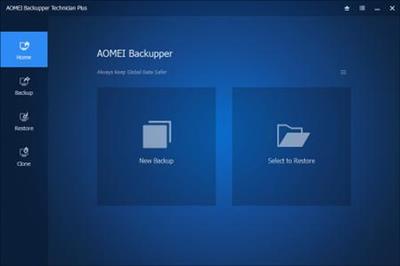
AOMEI Backupper All Editions WinPE Boot Legacy & UEFI v6.0

AOMEI Backupper All Editions WinPE Boot Legacy & UEFI v6.0


7e6d4e9019e8707655241c25a86936c4.jpeg


AOMEI Backupper All Editions WinPE Boot Legacy & UEFI v6.0 | 3.4 GB (Total) | Language: English​


AOMEI Backupper is a professional-like, easy-to-use backup and recovery software. But is free for home users and commercial use, fully protects your computer from data loss. It lets you securely backup PC and Server, provides one-click backup your system partition or disk and does it in minutes.


This software also can explore the created image and restore it to the hard drive if your data gets lost or corrupted. In addition, you can create a bootable rescue disk for recovering your data when the system crashes and the application cannot be accessed from the Windows interface.

AOMEI Backupper lets you clone the partition or disk, too. The software already supports the Microsoft Volume Shadow Copy Service (VSS) that enables the data backup process and does not interfere the running applications. This option of AOMEI Backupper is very efficient because backup data can still be made when you're working.

System Backup. One-click back up all data of system drive, including system files and installed applications without interrupting system run.
Disk Backup. Backup your hard disk drives including MBR disk, GPT disk, external hard drive, USB disk, and other storage devices that can be recognized by Windows.

Partition and Volume Backup. If you just want to backup a partition or volume, not the entire disk, the feature will be your best choice. With it, you can backup one or multiple partitions/volumes (including dynamic volumes) to an image file.

When your computer occurs some problems, such as accidentally deleted files, the system can not start, virus damage, by using the created backup before, you can restore system to its previous normal state or retrieve lost data.

System Recovery. Easily and quickly restore system partition and ensure system bootable after completing the recovery process.
Disk and Partition Recovery. Reliably recover the whole hard disk drive, partition or dynamic volume to original state.
Selective file restore. Selectively restore individual files and folders from a backup image file without recovering the entire backup.


Supported OS: Windows XP, Vista, Windows 7, 8, 8.1, 10 (32-bit, 64-bit).
Supported File Systems: NTFS, FAT32, FAT16, EXT2, EXT3 and other file systems
Storage Devices: Internal hard disks, External hard disks, Solid-state drive (SSD), USB flash drives, Thumb Drives, Network-attached storage (NAS), cloud drive, Hardware RAID, Dynamic Disk and Virtual machine system, etc.


Home Page -
Код:
http://www.backup-utility.com/


DOWNLOAD LINKS:

Код:
https://rapidgator.net/file/2017bd883a37ffc406d2d6f2208b9c08/AOMEI_Backupper_All_Editions_WinPE_Boot_Legacy__UEFI_v6.0.part1.rar
https://rapidgator.net/file/f2761ec67f32b4edb45745ba4b5061b4/AOMEI_Backupper_All_Editions_WinPE_Boot_Legacy__UEFI_v6.0.part2.rar
https://rapidgator.net/file/1fd00eb459d81c11cdd681d89e294175/AOMEI_Backupper_All_Editions_WinPE_Boot_Legacy__UEFI_v6.0.part3.rar
https://rapidgator.net/file/8dbeb7d1ee5e6a4c2079c8602cda22b8/AOMEI_Backupper_All_Editions_WinPE_Boot_Legacy__UEFI_v6.0.part4.rar

Код:
http://nitroflare.com/view/5DEB92656E7ADE1/AOMEI_Backupper_All_Editions_WinPE_Boot_Legacy__UEFI_v6.0.part1.rar
http://nitroflare.com/view/6F176EEA7B31489/AOMEI_Backupper_All_Editions_WinPE_Boot_Legacy__UEFI_v6.0.part2.rar
http://nitroflare.com/view/501B02B7C8AD1C3/AOMEI_Backupper_All_Editions_WinPE_Boot_Legacy__UEFI_v6.0.part3.rar
http://nitroflare.com/view/C0DE3C2AAC0BB4E/AOMEI_Backupper_All_Editions_WinPE_Boot_Legacy__UEFI_v6.0.part4.rar

Код:
https://uploadgig.com/file/download/859bd428e2ef982C/AOMEI_Backupper_All_Editions_WinPE_Boot_Legacy__UEFI_v6.0.part1.rar
https://uploadgig.com/file/download/B18Ea938efa836ae/AOMEI_Backupper_All_Editions_WinPE_Boot_Legacy__UEFI_v6.0.part2.rar
https://uploadgig.com/file/download/92ed592c9Db2e7E2/AOMEI_Backupper_All_Editions_WinPE_Boot_Legacy__UEFI_v6.0.part3.rar
https://uploadgig.com/file/download/582CE7662a0D659b/AOMEI_Backupper_All_Editions_WinPE_Boot_Legacy__UEFI_v6.0.part4.rar
 
Blue-Cloner Diamond v9.50 Build 836 (x86/x64)

Blue-Cloner Diamond v9.50 Build 836 (x86/x64)


3ed131ac7ab579f1902e8f95c554a640.jpg


Blue-Cloner Diamond v9.50 Build 836 (x86/x64) | 221 MB | Language: English​


Blue-Cloner 2020 is all new Blu-ray copy/backup/burn/decryption software which can copy Blu-ray movies, including 3D, to blank Blu-ray/DVD/AVCHD discs or hard disk as Blu-ray folders and ISO image files with just one or a few clicks. In addition, Blue-Cloner 2019 has been enhanced to copy 4K UHD Blu-ray to a blank Blu-ray disc with an UHD friendly drive, with 4K and HDR supported. The Express and Expert interfaces can meet users' different needs for Blu-ray copy, whether a new user or a professional user. Blue-Cloner 2020 enables you to make perfect 1:1 Blu-ray copy, movie complete copy, movie-only copy, split copy and customized copy. If the Blu-ray movies are Cinavia protected, this best Blu-ray copying software can permanently remove Cinavia watermarks in the audio tracks, so that you can enjoy the backup discs on various playback devices such as PS3, PS4, Xbox One, DVD/Blu-ray player, PowerDVD software player, etc.


Blue-Cloner Features:
Perfect 1:1 Blu-ray copy
Supports for making a perfect 1:1 copy of the original 3D Blu-ray discs.
Copies home-made Blu-ray discs, backs up home-made Blu-ray folders/ISO files to BD-R/RE with various Blu-ray copy modes.
Copies a Blu-ray movie to a DVD/AVCHD disc (playback only in a Blu-ray player or player software such as PowerDVD) to save your valuable Blu-ray disc.
Makes quality Blu-ray copy between Blu-ray movie folders and ISO files.
Makes multiple Blu-ray copies within one entire Blu-ray copy process.
Removes all Blu-ray copy protections including AACS, BD+, newest MKB v26, bus encryption, BD-Live and UOPs.
Supports all regions (A, B, C).
Movie-only copy copies the main movie only, omitting menus and unwanted special features such as audio tracks and subtitles.
Compresses the main movie with MPEG-2 or H.264 1080p to a BD-R/RE (25G).
Splits one Blu-ray movie (50G) to two blank BD-R/REs (25G).
Converts HD audio tracks like TrueHD, DTS-HD Master and LPCM to a normal format to save your valuable Blu-ray disc.
Set the DVD encoding format, PAL or NTSC.

More Features:
Express interface is for novices to copy Blu-ray movies with just one click. And the Expert interface is for advanced users to copy Blu-ray movies with various customized copy modes.
The improved interface enables both new and professional users to view all Blu-ray copy features at a glance.
Customized copy Select only your desired movie title(s) to copy.
Supports the acceleration of CUDA and DXVA 2.
Supports the acceleration of latest graphics cards with higher H.264 encoding speed.
There is no need to install a third party driver, since internal UDF 2.50 parser is included to read Blu-ray.
During the copying process, you can open the About window, refer to the help file, minimize the window and check the log information.
Added the function of auto-download when there is a new version.
Plays back the copied Blu-ray movies on various Blu-ray disc players. Or on the PC with Blu-ray player software.
No system delay or resource hogging.
Shuts down the computer when the copy is finished.
Enjoy your original Blu-ray movie directly with Blue-Cloner. And do not need to install other Blu-ray player software.

Release Notes:
Код:
http://www.blue-cloner.com/release.html

Homepage:
Код:
http://www.blue-cloner.com


DOWNLOAD LINKS:

Код:
https://rapidgator.net/file/1b4b29b1ea3e93161e6afd41601dd84b/Blue-Cloner_Diamond_v9.50_Build_836_x86x64.rar

Код:
http://nitroflare.com/view/2005DA90EA84300/Blue-Cloner_Diamond_v9.50_Build_836_x86x64.rar

Код:
https://uploadgig.com/file/download/8b6A8d229A564e34/Blue-Cloner_Diamond_v9.50_Build_836_x86x64.rar
 
Blue-Cloner v9.50.836 (x86/x64)

Blue-Cloner v9.50.836 (x86/x64)


cab185b5c3cc881f9f7d70ae2a7d2dd6.jpg


Blue-Cloner v9.50.836 (x86/x64) | 89 MB | Language: English​


Blue-Cloner 2020 is all new Blu-ray copy/backup/burn/decryption software which can copy Blu-ray movies, including 3D, to blank Blu-ray/DVD/AVCHD discs or hard disk as Blu-ray folders and ISO image files with just one or a few clicks. In addition, Blue-Cloner 2019 has been enhanced to copy 4K UHD Blu-ray to a blank Blu-ray disc with an UHD friendly drive, with 4K and HDR supported. The Express and Expert interfaces can meet users' different needs for Blu-ray copy, whether a new user or a professional user. Blue-Cloner 2020 enables you to make perfect 1:1 Blu-ray copy, movie complete copy, movie-only copy, split copy and customized copy. If the Blu-ray movies are Cinavia protected, this best Blu-ray copying software can permanently remove Cinavia watermarks in the audio tracks, so that you can enjoy the backup discs on various playback devices such as PS3, PS4, Xbox One, DVD/Blu-ray player, PowerDVD software player, etc.


Blue-Cloner Features:
Perfect 1:1 Blu-ray copy
Supports for making a perfect 1:1 copy of the original 3D Blu-ray discs.
Copies home-made Blu-ray discs, backs up home-made Blu-ray folders/ISO files to BD-R/RE with various Blu-ray copy modes.
Copies a Blu-ray movie to a DVD/AVCHD disc (playback only in a Blu-ray player or player software such as PowerDVD) to save your valuable Blu-ray disc.
Makes quality Blu-ray copy between Blu-ray movie folders and ISO files.
Makes multiple Blu-ray copies within one entire Blu-ray copy process.
Removes all Blu-ray copy protections including AACS, BD+, newest MKB v26, bus encryption, BD-Live and UOPs.
Supports all regions (A, B, C).
Movie-only copy copies the main movie only, omitting menus and unwanted special features such as audio tracks and subtitles.
Compresses the main movie with MPEG-2 or H.264 1080p to a BD-R/RE (25G).
Splits one Blu-ray movie (50G) to two blank BD-R/REs (25G).
Converts HD audio tracks like TrueHD, DTS-HD Master and LPCM to a normal format to save your valuable Blu-ray disc.
Set the DVD encoding format, PAL or NTSC.

More Features:
Express interface is for novices to copy Blu-ray movies with just one click. And the Expert interface is for advanced users to copy Blu-ray movies with various customized copy modes.
The improved interface enables both new and professional users to view all Blu-ray copy features at a glance.
Customized copy Select only your desired movie title(s) to copy.
Supports the acceleration of CUDA and DXVA 2.
Supports the acceleration of latest graphics cards with higher H.264 encoding speed.
There is no need to install a third party driver, since internal UDF 2.50 parser is included to read Blu-ray.
During the copying process, you can open the About window, refer to the help file, minimize the window and check the log information.
Added the function of auto-download when there is a new version.
Plays back the copied Blu-ray movies on various Blu-ray disc players. Or on the PC with Blu-ray player software.
No system delay or resource hogging.
Shuts down the computer when the copy is finished.
Enjoy your original Blu-ray movie directly with Blue-Cloner. And do not need to install other Blu-ray player software.

Whats New:
Код:
http://www.blue-cloner.com/release.htmlt

Homepage:
Код:
https://www.blue-cloner.com


DOWNLOAD LINKS:

Код:
https://rapidgator.net/file/4fe3cb013d1fe81c391964584075e680/Blue-Cloner_v9.50.836_x86x64.rar

Код:
http://nitroflare.com/view/F52009F76C477AF/Blue-Cloner_v9.50.836_x86x64.rar

Код:
https://uploadgig.com/file/download/ad909eD5c90a8445/Blue-Cloner_v9.50.836_x86x64.rar
 
WebAcappella Fx v1.4.29 Multilingual

WebAcappella Fx v1.4.29 Multilingual


5b66c2c36471867d61087388454fb0e7.jpg


WebAcappella Fx v1.4.29 Multilingual | 83 MB | Language: Multilanguage​


Create a unique site that looks like you. The creation of a site, a complex, time-consuming and tedious work? No time to code in HTML and javascript to adapt your site for all types of screens? Create a multilingual site and give real visibility to your business on the Internet without subscription or hidden costs. Pilot your website in complete autonomy.


No subscription or hidden fees
WebAcappella and its visual editor accompanies you since 2005 in the creation of your Internet site by forgetting the technique.

Google Friendly
An ALL RESPONSIVE site with no duplicate content and integrated SEO tools. Everything to follow Google's recommendations.

Go international
Expand your business worldwide with multilingual site management!

Follow the trends
One Page Scrolling or Multipage, Parallax Effect ...
Easy to create a trendy and optimized website!

Taste the unlimited
Create as many pages as you want!

Let your creativity speak for itself
- Contact forms and sending files
- Google Web Fonts integration
- Creation of reusable styles
- Navigation menu
- Text Zone
- Image
- Photo gallery and slideshow
- Integrate your HTML code
- Audio and video element
- Customization of meta title and description tags
- Publication in 1 click
- And a lot of other things...

Webacappella Fx
- WebAcappella Fx allows you to make responsive sites.
- It is based on a completely free pixel-precise layout and allows you to create your website quickly and intuitively.
- On each screen (mobile or computer) you simply arrange your elements and publish in one click.
- WaFx allows the import of Wa4 projects (adjustments will be expected).

Release Notes:
Correction of the loading of the indexing file for the search engine for a one language website.

Requirements: Windows 10

Homepage:
Код:
http://www.webacappella.com


DOWNLOAD LINKS:

Код:
https://rapidgator.net/file/2cfb4eca02567e2a82c57bf1011b897c/WebAcappellaFx_v1.4.29_Multilingual.rar

Код:
http://nitroflare.com/view/F3FDF74F3D4AD77/WebAcappellaFx_v1.4.29_Multilingual.rar

Код:
https://uploadgig.com/file/download/41Eee5CA0f2d3658/WebAcappellaFx_v1.4.29_Multilingual.rar
 
Macroplant iExplorer v4.4.0.26347

Macroplant iExplorer v4.4.0.26347


7c50b4024c99dfadae618a3275190a63.jpg


Macroplant iExplorer v4.4.0.26347 | 31 MB | Language: English​


iExplorer is the ultimate iPhone manager. It transfers music, messages, photos, files and everything else from any iPhone, iPod, iPad or iTunes backup to any Mac or PC computer. Its lightweight, quick to install, free to try, and up to 70x faster and more resource efficient than the competition.


Intelligently Transfer Music to iTunes
iExplorer lets you easily transfer music from any iPhone, iPod or iPad to a Mac or PC computer and iTunes. You can search for and preview particular songs then copy them to iTunes with the touch of a button or with drag and drop. Looking to transfer more than just a few tracks? With one click, iExplorer lets you instantly rebuild entire playlists or use the Auto Transfer feature and copy everything from your device to iTunes.

Export iPhone Text Messages
Call them what you want, in the last few years we've seen texting (SMSs, iMessages, text messages, etc.) rocket in popularity. These messages are replacing phone calls, voicemails and even emails. We understand that your SMSs and iMessages can be priceless to you and that why we have spent so much time developing the best tool to help you view, export and archive your messages and attachments. The iExplorer SMS client looks great and even works with group messages, images, and other message attachments too!

Mount iPhone & iPad to Macs Finder & Windows Explorer
iExplorers disk mounting features allow you to use your iPhone, iPod or iPad like a USB flash drive. You can view your iPhones photos directly in Finder or Windows Explorer like you would from any other digital camera. You are also able to get file system access to data contained within the apps or other directories on your device.

Want to back up or move your games high scores from one device to another? How about saving files directly to or from your favorite file manager such as iExplorers iOS App iExplorer Mobile? iExplorer can do all of that and more.

Export Voicemails, Address Book Contacts, Calendar Events, Reminders, Notes & More
We've crafted seven magnificent utilities into iExplorer that allow you to browse, preview, save, and export the most important information in the databases of your iPhone or iPad. View your appointments, calendar events, and your call history. Listen to your iPhones voicemail messages and export them to a folder on your computer. Everything is always just a couple of clicks away. Be in charge of your content.

Access Photos, Files & Everything Else
With iExplorer, you can access more files and folders without modifying (jailbreaking) your device than ever before. Need to access photos on your iPhone or iPod? Can do. Want to access the files and folders of your devices apps? Done. How about browsing through your iTunes backups? Check. What about the media folders containing your iTunes purchases? We have got that too. What about files in apps that are synced to iCloud? Yes, even that.

Release Notes:
- Improvement iOS 14 compatibility
- Bug Fix Fixed issue that could prevent iExplorer from accessing some voice memos
- Improvement Various other improvements

Requirements: Windows 7, 8, 10 or later and iTunes.

Homepage:
Код:
https://macroplant.com/iexplorer


DOWNLOAD LINKS:

Код:
https://rapidgator.net/file/10ba24398433c13a49ec27366f3042b1/Macroplant_iExplorer_v4.4.0.26347.rar

Код:
http://nitroflare.com/view/2C0574304042AAA/Macroplant_iExplorer_v4.4.0.26347.rar

Код:
https://uploadgig.com/file/download/4c5a267dbF12588c/Macroplant_iExplorer_v4.4.0.26347.rar
 
Ashampoo Music Studio v8.0.2 Multilingual

Ashampoo Music Studio v8.0.2 Multilingual


fe2d4f1be8a9043924e4bbdc8c996029.jpg


Ashampoo Music Studio v8.0.2 Multilingual | 60 MB | Language: Multilanguage​


Ashampoo Music Studio 8 is our flagship music editing software for your songs and audio files! Eight powerful modules cover practically everything audiophiles need from their PCs. Whether you want to edit, burn or cut your audios, Music Studio 8 gets the job done quickly and efficiently. Convert between various popular formats, create mixtapes for parties or playlists that will work with any audio device! Bring total order to your music collection, print covers, rip audio discs it's all there in a single application! Enjoy your songs the way you want and where you want!


Audio trimming the easy way
Faster results with keyboard shortcuts
Split up audios into any number of parts
Enhanced music editor with optimized work flows
Live recording selectable by default
Organize songs more efficiently with templates
Multiple detail modifications for improved usability
Mix songs with tempo analysis and smart synchronization
Cut MP3s in the blink of an eye
Music software with eight comprehensive modules

Blazingly fast results with shortcuts
Keyboard shortcuts are the fastest way to edit your files. Instead of mousing around, why not hit a single key to navigate and perform various actions, like copying audio data? You can undo your actions, move selection markers and do so much more just by hitting a few keys. Naturally, the program provides visual hints as to the shortcut layout for each menu. Save time and give your mouse a rest with keyboard shortcuts!

Audio splitting made super-easy: meet Audio-Splitter
Now you can split your MP3s and other audio files into multiple parts with incredible ease. Use playback and pause to place your cut marks or click anywhere you like to cut and split with millisecond precision. It's fast, it's precise and it's super intuitive. We've gone out of our way to make Ashampoo Music Studio 8 the most user-friendly Music Studio ever. Try it out today and see for yourself!

Take a little off the beginning or end instantly
Live recordings or radio footage usually include a little more than just the songs we want, whether it's a jingle or segway at the beginning, or some commentary afterwards. The new cutting tool gets rid of the surplus bits in a heartbeat. Simply place a few markers and let Music Studio 8 go to work. As with all Music Studio 8 tools, you don't need any previous knowledge to get the job done quickly and efficiently.

A mixtape for every occasion
Mix it up like the pros with Music Studio 8! Turn your favorite songs into mixtapes with smooth transitions and convert them into any format or burn them to disc. "Mix Tape" is your chance to set the mood for any party, wedding or get-together. For a perfectly smooth listening experience, make sure to use the DJ mixer that analyzes each track and harmonizes their speeds for perfect mixtapes every time!

Edit and mix with up to three tracks
Mix your songs on up to three tracks, edit parts or blend them together. Smart markers and panning make editing fast and effortless! Remove individual passages, add new ones, fade in and out and use the equalizer for high-precision fine-tuning. This new version features optimized work flows to help you achieve your goals faster.

Perfect cuts also for live footage
Cutting recordings and live footage into individual songs has never been easier. Ashampoo Music Studio 8 detects pauses automatically, splits up recordings accordingly and saves the separate parts in the desired format. The pause detection threshold is adjustable so even live footage without pauses poses no problem!

Convert to any format and listen without iTunes
Ashampoo Music Studio 8 also supports the popular AAC / M4A Apple formats and the innovative APE format. Burn your music to disc, convert your iTunes songs into a specific format such as MP3, WMA and FLAC or select a target device for maximum compatibility. Now, you can listen to all your songs on any device from your home stereo to devices without iTunes!

High-quality disc ripping
Turning your CDs into digital form is a breeze with Ashampoo Music Studio 8. All songs are checked against an online database and automatically named correctly, supplied with covers and savable into any format. And fast ripping saves you multiple steps. Our CD ripper gives you great results fast, every time!

Create playlists and find the right format every time
Playlists are the most convenient way to play your songs in any order you like. To ensure, all programs and players can play your collections, Ashampoo Music Studio 8 offers a wide selection of playlist formats. It doesn't matter which player you use - and it doesn't get any more compatible than this!

Convert audio files
Use Ashampoo Music Studio 8 to convert your music files with incredible ease and fine-adjust the quality to your needs. Just select frequency and bitrate and you're done! Or use the many presets and start converting straight away. Every format from the market leaders MP3 and AAC (M4A) to lossless compression with FLAC and WAV, and even specialist formats such as OGG, APE and OPUS, is supported. Save space and play your songs on every device!

Create and print CD covers
Burn your music to CD and complete your project with self-made covers and inlays. Professional templates created by our designers and features like automatically created tables of contents will have you come up with visually appealing layouts in just minutes. Creative collages from covers and song titles are now just as easily created as business-style layouts. Whether you're designing for your family, club or work, Cover Editor has the design for you.

Normalize for a great general impression
When you're creating a music disc based on songs from different sources, you'll frequently encounter various different volume levels. A modern pop song is produced very differently from, say, a classic from the 60s. Normalization can spare you the need to manually adjust volumes by making your music sound more professional and harmonic.

Extract audio from movies for use as ring tones or separate sound tracks
Movie score, favorite movie quote or sound effect, Ashampoo Music Studio 8 can turn your favorite videos into editable sound files in a snap. Extract opening and closing credits or your favorite scene as an audio file and cut, mix and export them to your favorite format. Perfect for individual ring tones or for use in your own videos!

Perfect order for your music collection
Ashampoo Music Studio 8 finally puts an end to incorrectly named audio files. Is your collection basically a single folder with all kinds of genres and styles? Would you like to see the creation date along with the name of the artist and title in your file names? Music Studio 8 brings order to your collection. Not only can the program properly name all of your songs but it can also create intricate folder structures with subfolders for each genre. In Version 8, we've added templates to help you order your songs by various parameters (year, genre, artist, etc.) instantly. You set the standard, the program does the rest!

Whats New:
Код:
https://www.ashampoo.com/en/usd/pde/1630/multimedia-software/music-studio-8

Homepage:
Код:
https://www.ashampoo.com/


DOWNLOAD LINKS:

Код:
https://rapidgator.net/file/47f4606c4b60110e59a15abcb006cb04/Ashampoo_Music_Studio_v8.0.2_Multilingual.rar

Код:
http://nitroflare.com/view/4689C32B119E21F/Ashampoo_Music_Studio_v8.0.2_Multilingual.rar

Код:
https://uploadgig.com/file/download/55266E83024C01c7/Ashampoo_Music_Studio_v8.0.2_Multilingual.rar
 
Назад
Сверху