• Здравствуйте. Сайт заработал в архивном режиме форум www.old.nado.in

KAMAL's Softwares Collection!!! (Updated Daily)

  • Автор темы Автор темы KAMAL
  • Дата начала Дата начала
AlphaTheta Pioneer DJ rekordbox 6.0.4 (x64) Multilingual
AlphaTheta Pioneer DJ rekordbox 6.0.4 (x64) Multilingual


cf02b02acbe0785f1c33c138c580a5a0.jpeg


AlphaTheta Pioneer DJ rekordbox 6.0.4 (x64) Multilingual | 186 MB | Language: Multilanguage​


Purely pro performance. No waiting. rekordbox dj puts all of Pioneer's superb DJ expertise into one package to produce the industry's fastest, most stable software with sublime sound quality.


Professional sound quality
Purely professional. rekordbox dj employs sound processing from the top-flight CDJ-2000NXS player and DJM-900NXS mixer to provide superior sound quality.

Lowest latency in the business
No waiting. rekordbox dj has the industry's fastest response time for natural, reliable control.

MULTI-DECK MIXING
Mix. Remix. Magic. Just like a professional remix station. Perform with 2 or 4 decks and use Pioneer DJ controllers for plug & play access to dope features, such as Hot Cues, Slicer and Slip Mode.

VISUAL BRILLIANCE. VIRTUAL HARMONY.
rekordbox dj's GUI is perfectly matched with the layout of your hardware no matter what player or device you are using, including the new DDJ-RR and DDJ-RB. It's simply the most effortless, intuitive software imaginable. The FX, waveform, players, sampler and browser mirror your hardware exactly, and you can choose from a 2/4-deck with horizontal or vertical views. Hot Cues, Sample and other effects offer intuitive operation to match the same layout as the pad control section in our DJ controller.

WHAT YOU SEE IS WHAT YOU GET
Find tracks quickly and easily using rekordbox's enhanced browsing.

AUTO MIX
With rekordbox dj Automix, you can easily mix your playlist with confidence and accuracy. Track phrases are detected by an all-new phrase analysis algorithm in rekordbox's KORETECH engine. In addition, Automix uses track information such as beat position, BPM and key, to produce natural mixes. You are free to scratch, apply FX and change the order of tracks whenever you want.

UPLOAD YOUR DJ MIX EASILY
Use rekordbox to record your sets and share them with the world via social media channels including Mixcloud, YouTube and KUVO. When you upload your mix, all track titles and time stamps are automatically added by rekordbox, so listeners can check each track title while enjoying your set.

MORE LIGHTS, MORE ACTION
It's not a show without music and lights. New Lighting mode makes synchronizing your show's lights super easy, while also offering you more space to get creative. The new software features an algorithm that automatically detects the variances of each phrase of a song to produce a perfectly synchronized lighting effects. That leaves you free to concentrate on your music. But if you want more control, Lighting mode gives it to your.

ONE MUSIC LIBRARY, UNLIMITED CONTROL
Take your entire rekordbox library and your DJ performance experience to almost any controller or CDJ. Or, use HID support to play from your laptop using a CDJ or XDJ set-up. rekordbox dj gives you access to more than music. Your entire set, complete with cues and tags, can be shared across platforms and devices while you unify managed music tracks with ease. Once you have rekordbox dj rolling, no doubt, the show will go on.


System Requirements:
OS: Windows 10, 8.1 (64-bit, The latest service pack)
CPU:
Intel® processor Core™ i9, i7, i5, i3
Intel® processor Core™ i9, i7, i5 (Video function)
Memory: 4GB or more of RAM / 8GB or more of RAM (Video function)
Hard disk/SSD: 2GB or more of free space (not including space for storing music files, etc.)
Display resolution: 1280 x 768 or greater.


Home Page -
Код:
https://rekordbox.com/


DOWNLOAD LINKS:

Код:
https://rapidgator.net/file/d7030e3b40487a5bf8732d7d75790ccc/AlphaTheta_Pioneer_DJ_rekordbox_6.0.4_x64_Multilingual.rar

Код:
http://nitroflare.com/view/3279D4E9271A7E6/AlphaTheta_Pioneer_DJ_rekordbox_6.0.4_x64_Multilingual.rar

Код:
https://uploadgig.com/file/download/2a4b4a641df66E53/AlphaTheta_Pioneer_DJ_rekordbox_6.0.4_x64_Multilingual.rar

 
Pixologic ZBrush 2021 (x64) Multilingual (Portable)

Pixologic ZBrush 2021 (x64) Multilingual (Portable)


08f4f9babb4bf409f3db4536771c3879.jpeg


Pixologic ZBrush 2021 (x64) Multilingual (Portable) | 1.24 GB | Language: Multilanguage​


ZBrush sets the industry standard for digital sculpting and painting. Its features enable you to use customizable brushes to shape, texture and paint virtual clay in a real-time environment that provides instant feedback. When you use ZBrush you'll be empowered by the same tools employed by film studios, game developers, toy/collectible makers, jewelry designers, automotive/aviation designers, illustrators, advertisers, scientists and other artists the world over.


In fact, we have even received an Academy Award for the technology that powers ZBrush. In short, ZBrush is an art tool created by artists, for artists. It allows you to create models and illustrations limited only by your imagination, at a speed that allows you to stand out in today's fast paced industry.

Base Mesh Generation
As with anything else in life, where you can go is usually determined by where you begin. Having a great finished model requires a quality base mesh. ZBrush provides an arsenal of tools to assist with this task, ensuring that no matter what you have in mind, there is a way to get the perfect base to then take to the next level. The best known of these systems are explained here.

Sculptris Pro
Ignore the constraints of polygon distribution and simply - sculpt! Sculptris Pro will dynamically add (tesselate) and remove (decimate) polygons wherever and whenever needed. It does this during your brush stroke in a real-time process called Tessimation. This frees you to focus entirely on the look you're trying to achieve.

Dynamesh
DynaMesh is a perfect solution for free-form sculpting because it removes all need for focusing on topological constraints. Change the overall shape of the model by pushing or pulling, adding various pieces of geometry to combine into one, or even remove geometry in a manner similar to what can be done with Boolean operations. Where Sculptris Pro dynamically adjusts the triangles in your mesh as you sculpt, DynaMesh redistributes the model's polygons as quads on command.

Mesh Detailing
Whether created in ZBrush or imported from elsewhere, once you have your base mesh it is time to start detailing. ZBrush features a robust suite of tools to accomplish this. Those listed below are just the tip of the iceberg.

Sculpting Brushes
The main workflow for creating with ZBrush is based on a system of brushes which can also be modulated using pen pressure from a graphics tablet. ZBrush will reproduce the natural feeling of a real paint brush or sculpting tool, using the pressure applied to the pen tip to transform your digital stroke in a variety of ways. There are brushes to pinch, move, build up the surface, chisel into it, slice through the model and much more. You can even use other 3D models as brushes, inserting their geometry into your surface.

Noisemaker
In addition to being able to add detail by hand, ZBrush provides a system for procedurally generating surface detail through noise patterns. Choose a detail type, adjust a few simple parameters, then apply that pattern to your model in its entirety or by restricting it to a certain region. You can even combine different noise types to create highly complex effects. The Noise system is ideal for both hard surface work and organic details.

PolyPaint
Because ZBrush works with tens of millions of polygons in real-time, you can paint directly on the surface of the model without first assigning a texture map or UV's. This offers significant advantages compared to a standard workflow. The resolution of the texture map does not need to be decided in advance. This is particularly valuable if you find you need more detailing on an area than you thought you would. Instead of repainting a new, larger texture map you can simply transfer the existing surface detail to that larger map without any reworking. You don't even need to do UV unwrapping before you begin this painting. In fact, thanks to the way that ZBrush can project details (both sculpted and painted) from one model to another you can have a fully painted model before you even have a finalized animation mesh. Instead, you can copy everything to the final base mesh once it has been signed off on.

UV Master
In order create or use a texture map, a model first needs UV's. These are 2D coordinates that tell all 3D applications how to apply a texture to your model. With most programs, creating those UV's has been a time consuming challenge that requires a high level of technical expertise and has little room for creativity. With UV Master you are able to create very efficient UV's for your model - in most cases with a single click. If you need more control over this automatic process there are features that refine where seams will be placed or increase the amount of pixel space given to certain regions of your model. It's both intuitive and fast, letting you get back to being creative with minimal fuss.

Rendering
Whether you are using ZBrush by itself as an illustration tool or as part of a production pipeline for animation, you will at some point want to show your work to others. ZBrush makes this possible through a powerful rendering system called BPR (Best Preview Render).

Highly Recommended Specifications:
- OS: 64-bit editions of Windows Vista or newer.
- CPU: Intel i5/i7/Xeon technology or AMD equivalent.
- RAM: 8 GB required for working with multi-million poly models. (16+ GB preferred.)
- HDD: 100 GB of free hard drive space for ZBrush and its scratch disk. (SSD drive highly recommended.)
- Pen Tablet: Wacom or Wacom compatible. (WinTab API.)
- Monitor: 1920x1080 monitor resolution or higher with 32-bit color.
- Video card: Most cards manufactured 2008 or newer. Must support OpenGL 3.3 or higher.


Home Page -
Код:
http://pixologic.com/


DOWNLOAD LINKS:

Код:
https://rapidgator.net/file/b2730bb093c9b9b46cac1cd59af157d7/Pixologic_ZBrush_2021_x64_Multilingual_Portable.part1.rar
https://rapidgator.net/file/9bf561f6cfe097605098c8593d01fa43/Pixologic_ZBrush_2021_x64_Multilingual_Portable.part2.rar

Код:
http://nitroflare.com/view/7AB7982E14482EA/Pixologic_ZBrush_2021_x64_Multilingual_Portable.part1.rar
http://nitroflare.com/view/BD2684CF0AF9998/Pixologic_ZBrush_2021_x64_Multilingual_Portable.part2.rar

Код:
https://uploadgig.com/file/download/2f546C615A29f548/Pixologic_ZBrush_2021_x64_Multilingual_Portable.part1.rar
https://uploadgig.com/file/download/bBaAA683e715c397/Pixologic_ZBrush_2021_x64_Multilingual_Portable.part2.rar
 
Allround Automations PL/SQL Developer 14.0.2.1969 Multilingual

Allround Automations PL/SQL Developer 14.0.2.1969 Multilingual


95ba56e95ab8a8be674a7d5986c072b9.jpeg


Allround Automations PL/SQL Developer 14.0.2.1969 Multilingual | 103 MB | Language: Multilanguage​


PL/SQL Developer is an Integrated Development Environment that is specifically targeted at the development of stored program units for Oracle Databases. Over time we have seen more and more business logic and application logic move into the Oracle Server, so that PL/SQL programming has become a significant part of the total development process. PL/SQL Developer focuses on ease of use, code quality and productivity, key advantages during Oracle application development.


Powerful PL/SQL Editor
With its Syntax Highlighting, SQL and PL/SQL help, Object Descriptions, Code Assistant, Compiler Hints, Refactoring, PL/SQL Beautifier, Code Contents, Code Hierarchy, Code Folding, Hyperlink Navigation, Macro Library and many other sophisticated features, the Unicode compliant editor will even appeal to the most demanding user. Information is automatically presented to you when you need it, or is at most one click away.

Integrated Debugger
The integrated debugger offers all features you could wish for: Step In, Step Over, Step Out, Run Until Exception, Breakpoints, View & Set Variables, View Call Stack, and so on. You can debug any program unit without making any modification to it, including triggers and object types.

PL/SQL Beautifier
The PL/SQL Beautifier allows you to format your SQL and PL/SQL code through a user-defined set of rules. Your code can automatically be beautified when you compile, save, or open a file. This feature will increase your coding productivity and will improve the readability of your PL/SQL code if you are working in large project teams.

Command Window
To develop and execute SQL scripts you can use PL/SQL Developer's Command Window. This window has the same look and feel as SQL*Plus, and additionally has a built-in script editor with corresponding syntax highlighting. Now you can develop your scripts without the "edit script / save it / switch to SQL*Plus / run script" cycle, and without leaving the comfortable PL/SQL Developer IDE.

System requirements:
PL/SQL Developer will run on Windows XP, 2003, 2008, Vista, Windows 7, Windows 8 and Windows 10. The supported Oracle Server versions are 7.x, 8.x, 8i, 9i, 10g, 11g, 12c and 18c on any platform. To connect to an Oracle database, the 32 bit PL/SQL Developer version requires a 32 bit Oracle Client and the 64 bit PL/SQL Developer version requires a 64 bit Oracle Client.


Home Page -
Код:
https://www.allroundautomations.com/


DOWNLOAD LINKS:

Код:
https://rapidgator.net/file/6c29e84abbaebf92a4e455c5266e95f7/Allround_Automations_PLSQL_Developer_14.0.2.1969_Multilingual.rar

Код:
http://nitroflare.com/view/E725EF5BCC8F61A/Allround_Automations_PLSQL_Developer_14.0.2.1969_Multilingual.rar

Код:
https://uploadgig.com/file/download/ce771D4563424d9c/Allround_Automations_PLSQL_Developer_14.0.2.1969_Multilingual.rar
 
Adobe XD 31.3.12 (x64) Multilingual Repack

Adobe XD 31.3.12 (x64) Multilingual Repack


6d92af5e24302ae5e50abddf618df234.jpeg


Adobe XD 31.3.12 (x64) Multilingual Repack | 322 MB | Language: Multilanguage​


Adobe XD CC is the complete solution for design, prototyping and sharing user experiences for all products and services.


Interactive prototypes
Go to Prototyping with a click of Design. Combine drawing surfaces with each other to visualize navigation within large apps. Link design elements across the drawing area, B. Cells from repetition screens. Add interactions using visual controls to test and validate the experience.

Publish prototypes and get feedback
Generate weblinks to your designs that you can share with others to get feedback. Or embed it into a web page, For example on Behance. Comments can be attached directly to the prototype or to specific components of your design. You will be notified as soon as a comment has been added. To see your changes, checkers simply need to reload the link in the browser.

Liquid working with drawing surfaces
Whether you work with one or hundreds of workspaces, it does not matter: You can rely on the performance of XD. Create any number of designs for different screens and devices within a project. Pan and zoom without jerking or stuttering. Choose a template or define your own drawing area. Copy design elements between drawing faces while the layout is preserved.

repeating grid
Select an item in your design, Such as a contact list or a photo gallery, and duplicate it as often in the horizontal or vertical direction. All styles and distances are preserved. When you edit the item, the changes are applied to the entire design.

Platform-wide support
Control panel "Elements"
Colors and character formats are handy and reusable when you add them to the "Elements" panel (formerly "Symbols"). This panel also contains the icons. When you edit a color or format in the panel, the change is automatically performed throughout the document.

Next generation symbols
Work with time-saving symbols. The ready-to-use design components make it unnecessary to search for and edit each instance of an item in a document. When you edit an instance, all other instances are automatically updated. Overwriting certain entities is also possible. The symbols can be vector graphics, raster images or text objects, which you can also use as objects within repeating screens.

Creative Cloud libraries
With integration with Creative Cloud libraries, Adobe XD CC lets you access colors and character formats created in Photoshop CC, Illustrator CC, or any other Creative Cloud application, and use them in your design.

System Requirements:
OS:Windows 10 Creators Update OR higher
CPU:Multicore Intel processor with 64-bit support with 1.4 GHz
Display:1280 x 800
RAM:4 GB of RAM of which 2 GB of available hard-disk space for installation; more free space required during installation
Graphics:Minimum Direct 3D DDI Feature Set: 10. For Intel GPU, drivers released in 2014 or later are necessary. To find this information, launch "dxdiag" from the Runmenu and select the "Display" tab.


HomePage -
Код:
http://www.adobe.com/products/xd.html


DOWNLOAD LINKS:

Код:
https://rapidgator.net/file/653101eb2ea0a703aaf119454b71de2e/Adobe_XD_31.3.12_x64_Multilingual_Repack.rar

Код:
http://nitroflare.com/view/C065B16729853DB/Adobe_XD_31.3.12_x64_Multilingual_Repack.rar

Код:
https://uploadgig.com/file/download/82e5755b3a3C6C45/Adobe_XD_31.3.12_x64_Multilingual_Repack.rar
 
Adobe FrameMaker 2019 15.0.7.973 (x64) Multilingual

Adobe FrameMaker 2019 15.0.7.973 (x64) Multilingual


59561bd6c8f04ff3025f5bd3db60044e.jpeg


Adobe FrameMaker 2019 15.0.7.973 (x64) Multilingual | 2.28 GB | Language: Multilanguage​


Fast. Powerful. Future-ready. Boost performance with an all-new 64-bit FrameMaker. Create rich, immersive content with unmatched image handling capabilities. Experience faster opening and publishing of PDF and HTML5 files. Push the envelope with new capabilities built on top of the latest technologies. Get started with XML/DITA authoring with an easy-to-use workspace, productivity enhancements, and lots more.


Turbocharge your content creation
With an all-new 64-bit architecture, you can significantly boost productivity with more memory for long, complex documents. Open files up to 40% faster. Work with images like never before with support for transparency, high quality import and other striking enhancements. Open up a world of possibilities with the latest technologies, modern libraries, Duden hyphenation and spell-checking support and more.

From PDF to Responsive HTML5. Accelerate your publishing.
Publish up to 65% faster with an all-new PDF engine. Secure PDFs with a password. Have precise control over print settings such as marks and bleeds, and other output settings including DITA templates. Exceed customer expectations at every touchpoint by publishing at will - as PDF, Responsive HTML5, Mobile App, EPUB, and more.

Getting started with XML/DITA has never been easier
Harness the power of XML/DITA with a workspace designed for both beginners and experts. Quickly and smoothly handle XML files with an all-new file opening and parsing engine. Boost productivity with multiple enhancements in XML workspace, structure view, breadcrumbs and more. Specify DITA constraints while generating an EDD.

What's New in FrameMaker (2019 release):
Powerful 64-bit architecture
Significantly boost performance with an all-new 64-bit architecture. Effortlessly work on long, complex XML and non-XML documents with better memory management and a larger memory space. Publish up to 65% faster to PDF and Responsive HTML5.

Interactive real-time progress bar
Now know the status of tasks like book updates and PDF generation with information-rich, easy-to-understand progress indicators at every stage.

New image transparency support
Publish clean, stunning documents with support for image transparency to blend text with pictures, and pictures with pictures.

Out-of-the-box SharePoint 2016 support
Instantly connect to Microsoft SharePoint Online or a SharePoint 2016 CMS.

Quick access to Welcome Screen
Open the Welcome Screen in a new tab via the workspaces drop-down menu to easily access templates, plug-ins, customizations, and more.

New Duden dictionary support
Get out-of-the-box support for Duden, a trusted German dictionary, for more accurate spelling and hyphenation.

Interactive HTML5 dialogs for plug-ins
Make the customer experience richer by using HTML5, CSS3, and jаvascript to make interactive plug-in dialog boxes.

One-click image resizing
Fit an image to a frame or vice versa by simply right-clicking on the image or frame.

WebP image support
Take advantage of Google's modern WebP image format. It allows you to use high-quality visuals that load faster thanks to a smaller file size (compared to JPEG or PNG).

More control over PDFs
Have more control over print settings like marks and bleeds and other PDF output settings across documents and projects.

Password-protected PDFs
Prevent unauthorized access by setting passwords for PDFs directly while publishing.

Effortless EDD creation
Generate an EDD using the easy-to-use rich HTML user interface, with the ability to specify DITA constraints. Customize the default RNGs for DITA 1.3.

DITA OT 3.0 support
Leverage out-of-the-box support for DITA OT 3.0 to seamlessly publish content in various formats, including PDF, HTML, Microsoft HTML Help (CHM), and Java Help. Use the free OASIS DITA-OT plug-in to carry out DITAVAL-based filtering while publishing.

XSLT 3.0 support
Create a variety of transformation scenarios by applying predefined or customized XSLT to XML files, and execute them using a range of JAXP-compliant processors. Define the scope of the transformation-a file, all files in a folder, DITA map, or all children of a book. XSLT 3.0 support is provided via Saxon Enterprise Edition 9.8.3, which is bundled with Adobe FrameMaker (2019 release).


System Requirements:
- 64-bit Intel® Pentium® Core i3 or faster processor
- Microsoft® Windows® 10, 8.1, or 7
- 2 GB of RAM (4 GB or more recommended)
- 3 GB of available hard-disk space for installation; additional free space required during installation (cannot install on a volume that uses a case-sensitive file system or on removable flash storage devices)
- JRE 8
- Maximum supported screen resolution - 4K (3480 x 2160, 8.3 megapixel, aspect ratio 16:9)


Homepage:
Код:
http://www.adobe.com


DOWNLOAD LINKS:

Код:
https://rapidgator.net/file/4d98a5088638a29dfa6bf550793068c2/Adobe_FrameMaker_2019_15.0.7.973_x64_Multilingual.part1.rar
https://rapidgator.net/file/b676ee52bb48f759987dcd39266a97ee/Adobe_FrameMaker_2019_15.0.7.973_x64_Multilingual.part2.rar
https://rapidgator.net/file/63be72007217ba298e9df9711faca4f7/Adobe_FrameMaker_2019_15.0.7.973_x64_Multilingual.part3.rar

Код:
http://nitroflare.com/view/BEF03BDDAC55D24/Adobe_FrameMaker_2019_15.0.7.973_x64_Multilingual.part1.rar
http://nitroflare.com/view/C59BE2F2435FA38/Adobe_FrameMaker_2019_15.0.7.973_x64_Multilingual.part2.rar
http://nitroflare.com/view/A10DE0E4DA5B6E9/Adobe_FrameMaker_2019_15.0.7.973_x64_Multilingual.part3.rar

Код:
https://uploadgig.com/file/download/9517ac3a599CdeFe/Adobe_FrameMaker_2019_15.0.7.973_x64_Multilingual.part1.rar
https://uploadgig.com/file/download/BB20cFaABd894ed4/Adobe_FrameMaker_2019_15.0.7.973_x64_Multilingual.part2.rar
https://uploadgig.com/file/download/9a226004A5fF7f8c/Adobe_FrameMaker_2019_15.0.7.973_x64_Multilingual.part3.rar
 
MAGIX SOUND FORGE Audio Studio 14.0.84 (x64) Multilingual

MAGIX SOUND FORGE Audio Studio 14.0.84 (x64) Multilingual


503a6d2dc9e57741cb06249342534677.jpeg


MAGIX SOUND FORGE Audio Studio 14.0.84 (x64) Multilingual | 397 MB | Language: Multilanguage​


Recording, editing, restoration and mastering at the latest level of technology: SOUND FORGE Audio Studio 14 offers comprehensive tools and functions for all digital audio editing requirements. Record podcasts, edit your projects using professional effects, convert vinyls and cassettes to digital, produce soundtracks for videos and create and burn CDs. Discover SOUND FORGE Audio Studio 14, the audio tool that offers professional results in no time at all and with just a few clicks.


SOUND FORGE Audio Studio 14 - The home of audio editing
- NEW! Faster workflow with Instant Action window
- NEW! Professional quick FX plug-ins
- NEW! Oscilloscope for signal visualization
- NEW! Easy task assignment in the Windows context menu
- Editing for audio files with up to 6 channels
- Digitization, restoration and audio conversion
- Audio recording at up to 32-bit/384 kHz
- CD authoring
- Video sound optimization

Recording
Professional recording made easy: Record vocals, sounds and podcasts in excellent quality at up to 32-bit/384 kHz with this fast, uncomplicated and reliable audio editor.

Audio editing
Cut, move and edit audio files easily and in a matter of clicks. Achieve perfect results for the project you're editing in no time at all with professional effects and 64-bit power on up to 6 channels.

Restoration and mastering
Convert old vinyls and tapes to digital audio files and clean up the recordings using professional restoration tools. High-quality mastering effects can also be used to achieve crystal-clear sound.

New in SOUND FORGE Audio Studio 14:
Instant Action
The Instant Action window lets you access tasks and projects quickly and easily. This interface offers a clear overview and you have all essential tools and functions to hand, which saves you even more time and lets you focus on editing.

quickFX plug-ins
Captivating effects for any sound: quickFX offers a wide range of plug-ins that can be easily applied to your own sounds. Select from a collection of creative effects including delay, chorus and flanger and control effect levels using a slider.

Windows context menu
Perform common tasks by right-clicking on the system button in the Windows context menu without even needing to open SOUND FORGE Audio Studio. This helps you save a ton of time and simplifies your workflow.

Improved VST
Thanks to the new VST engine, VST scan speed has been significantly improved. This allows VST plug-ins to be loaded a whole lot faster. A number of new bug fixes prevent potential system crashes from occurring.

Oscilloscope
Visualize periodic oscillations in audio signal or have effect chain manipulations display in realtime. The new oscilloscope offers impressive new options for visualizing waveforms.


System Requirements:
- Windows 10, Windows 8
- Processor: 1.4 GHz
- Graphics card: Onboard, minimum resolution 1024 x 768
- Program languages: English, Deutsch, Español, Français, Polski.


Home Page -
Код:
https://www.magix.com


DOWNLOAD LINKS:

Код:
https://rapidgator.net/file/96f47bf96c3f224a2fac9dd1361ea542/MAGIX_SOUND_FORGE_Audio_Studio_14.0.84_x64_Multilingual.rar
Код:
http://nitroflare.com/view/717E8EDE75FD536/MAGIX_SOUND_FORGE_Audio_Studio_14.0.84_x64_Multilingual.rar
Код:
https://uploadgig.com/file/download/5554c16536Acfa8c/MAGIX_SOUND_FORGE_Audio_Studio_14.0.84_x64_Multilingual.rar
 
Topaz Video Enhance AI 1.5.0 (x64) (Portable)

Topaz Video Enhance AI 1.5.0 (x64) (Portable)


5d4b35d0bd7982cbea829e4368c6141e.jpeg


Topaz Video Enhance AI 1.5.0 (x64) (Portable) | 2.25 GB | Language: English​


Beautiful video enlargements using machine learning. Trained on thousands of videos and combining information from multiple input video frames, Topaz Video Enhance AI enlarges your video up to 8K resolution with true details and motion consistency.


The best quality for upscaling video up to 8K.
Until now, there was no way to perfectly recreate a high-resolution video from low-resolution footage. From old home movies to low-quality SD to DVD quality and more, Video Enhance AI will transform your videos into clean upscaled footage up to 8K resolution.

Enhancing Footage up to 8K
Video Enhance AI is the perfect way to take good footage and make it great. Have you ever wanted your footage to look sharper with more detail? Take HD footage all the way up to 8K for use in high-quality projects.

This model is perfect to use for:
- DVD Content
- DSLR Footage
- Game Footage
- HD Stock Footage

Restoring Low-quality Footage
With Video Enhance AI, you can take your footage from SD to HD with an incredible increase in quality. This model is perfect for older footage that you want to repurpose for modern use.

Older footage like:
- Home Movies
- Commercials
- Music Videos
- Movie Content
- Youtube Videos

Quality
Until now, no deep-learning based approach existed for video enlargement as a commercial product. Video Enhance AI is the only product that uses machine learning to extrapolate detail from your footage for a realistic look. The quality of output from Video Enhance AI is simply better than any other product available.

Training
Video Enhance AI was trained using a neural network that analyzes thousands of video pairs to learn how details usually get lost. Unlike Gigapixel AI for photos, Video Enhance AI is able to extrapolate more detail for an even more realistic look given the amount of information available in a single video clip.

Easy to Use
With just a few clicks of a button, your video footage will start rendering to create beautiful high-resolution quality footage. There are no complicated processes or confusing tools - just a few simple steps and your footage is ready to go.


Operating System:
Windows: Windows 7, 8, 10 (64-bit only)
CPU:
- Intel i7 (7th generation) or greater (4GHz and above)
- AMD Ryzen 7 or greater (4GHz and above)
GPU/Graphics Card:
- Nvidia GTX 1080 (8GB) or greater
- Gigapixel AI for Video currently does not support AMD graphics processors.
RAM:
- Minimum: 8GB
- Recommended: 16GB
- Optimal: 32GB
Monitor:
A monitor that outputs at a resolution of at least 1024 x 768 is recommended.
What is the minimum hardware requirement for Video Enhance AI?
We suggest you run Video Enhance AI on high-end Nvidia graphic cards. The minimum requirement is GTX 1050 with 4 GB VRAM. Any graphic card later/better than GTX 1080 (included) will do a fairly fast job. If you do not have an Nvidia graphics card in your device, the software can run on your Intel iGPU. Typically, it will be 5 times slower. If you do not have an Intel iGPU, the software will finally fall back to your CPU, which can be 10 times slower than the Nvidia GPU version.


Home Page -
Код:
https://topazlabs.com


DOWNLOAD LINKS:

Код:
https://rapidgator.net/file/05a4250a4f70e5a6de12544181a70c89/Topaz_Video_Enhance_AI_1.5.0_x64_Portable.part1.rar
https://rapidgator.net/file/9cc9f5b1ee550ebbefd4cb5327abf70c/Topaz_Video_Enhance_AI_1.5.0_x64_Portable.part2.rar
https://rapidgator.net/file/b452e334062910644afe569b99945098/Topaz_Video_Enhance_AI_1.5.0_x64_Portable.part3.rar

Код:
http://nitroflare.com/view/C68F9A3768FA651/Topaz_Video_Enhance_AI_1.5.0_x64_Portable.part1.rar
http://nitroflare.com/view/F69722AC308B53F/Topaz_Video_Enhance_AI_1.5.0_x64_Portable.part2.rar
http://nitroflare.com/view/D2ECEE2964C75F7/Topaz_Video_Enhance_AI_1.5.0_x64_Portable.part3.rar

Код:
https://uploadgig.com/file/download/94175A4567dD44E0/Topaz_Video_Enhance_AI_1.5.0_x64_Portable.part1.rar
https://uploadgig.com/file/download/AE80f9C38A7e1b8c/Topaz_Video_Enhance_AI_1.5.0_x64_Portable.part2.rar
https://uploadgig.com/file/download/1f0dd5188C53c66f/Topaz_Video_Enhance_AI_1.5.0_x64_Portable.part3.rar
 
Adobe Photoshop 2020 v21.2.2.289 (x64) (Portable)

Adobe Photoshop 2020 v21.2.2.289 (x64) (Portable)


d3b7d971a347d90aae88d86b50cc1ff5.jpeg


Adobe Photoshop 2020 v21.2.2.289 (x64) (Portable) | 1.67 GB | Language: English​


Reimagine reality with Photoshop. Millions of designers, photographers, and artists around the world use Photoshop to make the impossible possible. From posters to packaging, basic banners to beautiful websites, unforgettable logos to eye-catching icons, Photoshop keeps the creative world moving. With intuitive tools and easy-to-use templates, even beginners can make something amazing.


The creative world runs on Photoshop. Millions of designers, photographers, and artists around the world use Photoshop to make the impossible possible.

Designed for anyone to design anything.
From posters to packaging, basic banners to beautiful websites, unforgettable logos to eye-catching icons, Photoshop keeps the creative world moving. With intuitive tools and easy-to-use templates, even beginners can make something amazing.

Not just photo taking. Breathtaking.
Whether you're looking for everyday edits or total transformations, our graphic design software offers a complete set of professional photography tools to turn your snapshots into works of art. Adjust, crop, remove objects, retouch, and repair old photos. Play with color, effects, and more to turn the ordinary into something extraordinary.

Power to the paintbrush.
Draw and paint whatever you dream up with tools designed especially for illustrators. Paint in perfectly symmetrical patterns. Get polished looks with stroke smoothing. And create with pencils, pens, markers, and brushes that feel real - including more than 1,000 from celebrated illustrator Kyle T. Webster.

Symmetry mode
Paint in perfect symmetry with a new mode that lets you define your axes and choose from preset patterns like circular, radial, spiral, and mandala.

New Content-Aware Fill experience
A dedicated workspace lets you select the exact pixels to use for fills, and Adobe Sensei makes it easy to rotate, scale, and mirror them.

Frame tool
Create shape or text frames to use as placeholders on your canvas. Drag and drop images to fill the frames and they'll scale to fit.


Minimum Requirements:
- Processor: Intel® Core 2 or AMD Athlon® 64 processor; 2 GHz or faster processor
- Operating system: Microsoft Windows 10 (64 bit) versions 1703 (Creators Update) and later
- RAM 2 GB or more of RAM (8 GB recommended)
- Hard disk space: 3.1 GB or more of available hard-disk space for 64-bit installation; additional free space required during installation (cannot install on a volume that uses a case-sensitive file system)
- Monitor resolution: 1024 x 768 display (1280x800 recommended) with 16-bit color and 512 MB or more of dedicated VRAM; 2 GB is recommended**
- Graphics processor acceleration requirements OpenGL 2.0-capable system.


Home Page -
Код:
https://www.adobe.com/


DOWNLOAD LINKS:

Код:
https://rapidgator.net/file/abcbb67a008f433d1687da406ea1e2c5/Adobe_Photoshop_2020_v21.2.2.289_x64_Portable.part1.rar
https://rapidgator.net/file/eb297e13b6d0a43126336caaf43a04f3/Adobe_Photoshop_2020_v21.2.2.289_x64_Portable.part2.rar

Код:
http://nitroflare.com/view/AC6AD2D8FF7B188/Adobe_Photoshop_2020_v21.2.2.289_x64_Portable.part1.rar
http://nitroflare.com/view/9AF3242635C1ED9/Adobe_Photoshop_2020_v21.2.2.289_x64_Portable.part2.rar

Код:
https://uploadgig.com/file/download/9347564f681C3241/Adobe_Photoshop_2020_v21.2.2.289_x64_Portable.part1.rar
https://uploadgig.com/file/download/0649bbc7f8468e69/Adobe_Photoshop_2020_v21.2.2.289_x64_Portable.part2.rar
 
Autodesk Inventor Nastran 2021 R1 x64

Autodesk Inventor Nastran 2021 R1 x64


6ce25d481b93356637fb68781a9690ea.jpeg


Autodesk Inventor Nastran 2021 R1 x64 | 1.2 GB | Language: English​


The Autodesk Inventor Nastran program is a finite element analysis pre- and post-processor embedded in a CAD environment as an Add-In. It is specifically tailored for designers and analysts as a tool for predicting the physical behavior of practically any part or assembly under various boundary conditions.

This easy-to-learn program allows designers to refine their designs without ever leaving its Windows environment by enabling them to analyze the response of parts/assemblies from within their CAD environment for given boundary conditions.

Autodesk Inventor Nastran also offers analysts a large range of solution capabilities, such as virtual simulation of structural, thermal, dynamics, and nonlinear problems.
Autodesk helps people imagine, design and create a better world. Everyone-from design professionals, engineers and architects to digital artists, students and hobbyists-uses Autodesk software to unlock their creativity and solve important challenges.


Product: Autodesk Inventor Nastran
Version: 2021 R1
Supported Architectures: x64
Website Home Page :
Код:
http://www.autodesk.com
Language: english
System Requirements: PC *
Size: 1.2 Gb
Note: Inventor Nastran software now includes the Autodesk Nastran Solver and is available only in the Product Design & Manufacturing Collection.

OS:
- Microsoft Windows 7 SP1 with Update KB4019990 (64-bit only)
- Microsoft Windows 8.1 with Update KB2919355 (64-bit only)
- Microsoft Windows 10 (64-bit only) (version 1803 or higher)
CPU:
Basic:2.5-2.9 GHz processor
Recommended:3+ GHz processor
Multiple processors:Supported by the application
RAM:
Basic: 8 GB / Recommended: 16 GB
Display Resolution:
Conventional Displays:1920 x 1080 with True Color
High Resolution & 4K Displays:Resolutions up to 3840 x 2160 supported on Windows 10, 64-bit systems (with capable display card)
Disk space: 10.0 GB


DOWNLOAD LINKS:

Код:
https://rapidgator.net/file/e22c2054f67b52620a09c5a312a2d97d/Autodesk_Inventor_Nastran_2021_R1_x64.part1.rar
https://rapidgator.net/file/ac8bc37176762617657529b5fb52634f/Autodesk_Inventor_Nastran_2021_R1_x64.part2.rar

Код:
http://nitroflare.com/view/D1D6EF299DFD8D1/Autodesk_Inventor_Nastran_2021_R1_x64.part1.rar
http://nitroflare.com/view/0FE5F4A657C0921/Autodesk_Inventor_Nastran_2021_R1_x64.part2.rar

Код:
https://uploadgig.com/file/download/2E12d2f091be7deC/Autodesk_Inventor_Nastran_2021_R1_x64.part1.rar
https://uploadgig.com/file/download/2c0cfb9D1dcbB9d2/Autodesk_Inventor_Nastran_2021_R1_x64.part2.rar
 
Sonic Scores Overture 5.6.1.2 (x64)

Sonic Scores Overture 5.6.1.2 (x64)


ea26e7d9ee9505bc530235f1dc2aed96.jpeg


Sonic Scores Overture 5.6.1.2 (x64) | 289 MB | Language: English​


Overture was the first notation program to include MIDI data editing using a Piano Roll and continuous data editor. Overture was also the first to notation to implement VST/AU plugin support. We have always believed that not only should your scores look good, they should also sound great. After all, we create music to be heard, not seen.


Single Window InterfaceRedX
Overture's single window interface puts powerful editing tools and symbol palettes at your fingertips, so you can spend time composing music instead of searching through menus and dialogs. Overture's main components are contained in views and panels. You can enter notes quickly on-screen with your mouse or computer keyboard or record a MIDI performance for instant viewing. Most commands can be done with one simple command directly on the score.

Linear ViewRedX
Overture's Linear View allows you to edit music using a single horizontal display of measures. You can also view and edit each measures' MIDI data below the view with both views in sync.

We're in TouchRedX
Overture's new touch enabled features allow you to work and navigate in ways you never imagined. Get hands-on and enjoy the fun of a touch interface. Swipe to scroll your score or close panels. Tap buttons and controls just like using your mouse. Tap and drag to control sliders and scrolling, swipe to do fast page turning, and pinch to zoom in and out. All common everyday actions can now be perform on your screen with your personal touch.

64-Bit and VST 3 Support
Overture's 64-bit support allows you take full advantage of your computer's memory address space over 4GB and you can load new 64-bit virtual instruments that require a large memory space. You are no longer limited to the size of your score or what instruments you can load.
VST 3 support allows you to use new VST 3 instruments like Vienna Ensemble Pro 5. In this example Vienna is hosting numerous plugins on a slave machine.


System requirements:
Windows 7 and above
64-Bit processor
2GB RAM (4GB Recommended)
Windows-compatible Printer
Windows-compatible MIDI interface required for MIDI recording
DVD drive for boxed versions
Internet connection for software download and activation


Home Page -
Код:
https://sonicscores.com/overture/


DOWNLOAD LINKS:

Код:
https://rapidgator.net/file/b4dec897ec624d307b606b5b6b535be8/Sonic_Scores_Overture_5.6.1.2_x64.rar

Код:
http://nitroflare.com/view/B7E2C03E257F037/Sonic_Scores_Overture_5.6.1.2_x64.rar

Код:
https://uploadgig.com/file/download/9784dfe5ff49757B/Sonic_Scores_Overture_5.6.1.2_x64.rar
 
PVSOL premium 2020 R8 Multilingual

PVSOL premium 2020 R8 Multilingual


8840847c5e5ef0741cf20ce117de701d.jpeg


PVSOL premium 2020 R8 Multilingual | 312 MB | Language: Multilanguage​


PVSOL premium is a dynamic simulation program with 3D visualization and detailed shading analysis for the calculation of photovoltaic systems in combination with appliances, battery systems and electric vehicles.


With PVSOL premium, the industry standard for photovoltaic design programs, you can design and simulate all types of modern PV systems. From the small rooftop system with a few modules to medium-sized systems on commercial roofs to large solar parks - PVSOL premium supports you with numerous tools for design and simulation.

The unique 3D visualization is the highlight of PVSOL premium. You can visualize all common types of systems in 3D, whether roof-integrated or roof-mounted, whether on small angled roofs, large industrial halls or open spaces - with up to 7,500 mounted modules or up to 10,000 roof-parallel modules, and calculate the shading based on 3D objects. This enables you to achieve the highest reliability for your earnings forecast - because for an accurate income calculation, a realistic representation of the shading from surrounding objects is essential.
All other design types from PVSOL are of course also available to you in PVSOL premium. Choose the type of design that best suits you and your PV project! The detailed results provide information about the performance of your system at all times.

Whether calculating self-consumption, designing battery storage or integrating electric vehicles - with PVSOL you can implement and present all customer wishes in no time at all.
You can use our extensive product database at any time. It currently includes over 20,000 PV modules, 4,700 inverters, 1,400 battery systems and many other products such as electric vehicles and performance optimizers.

It is updated regularly by the product manufacturers themselves, so that you can always work with the latest data.
You can generate high-quality project reports for your customers that can be configured and edited as required. Circuit diagrams with the necessary safety devices can also be created, e.g. for submission to the relevant authorities.

The current feed-in tariffs are already available in our database for the calculation of economic efficiency. Supplemented with the information on the system costs, you will receive a detailed and meaningful economic analysis of the system over 20 years. In a few minutes you will receive an initial offer that you can refine afterwards if the customer is interested.
Our technical support team and our online help support you with open questions, and in our forum you can put more complex questions to our team and other users of PVSOL premium and quickly receive an answer.

Would you like to try out whether PVSOL premium fits your design process? Download the free trial version now and get an impression of the program functionalities!

Product highlights
Detailed 3D shading analysis
A three-dimensional representation of surrounding objects is extremely important for determining the reduction in yield due to shading. With PVSOL premium, you can visualize all roof-integrated and mounted systems - even in open spaces - with up to 7,500 mounted modules or up to 10,000 roof-parallel modules in 3D and calculate the shading based on 3D objects.

Extrude buildings from plans
Buildings and objects can also be created quickly and easily using floor plans, cadastral maps and map . You only have to trace the respective contours and then the building can be extruded by entering the height. This allows, for example, any type of building to be created with a flat roof.

Global climate data available
The climate data supplied in PVSOL premium are based on Meteonorm and include a total of 8350 ground measuring stations. You can use the interactive map to conveniently select the climate data. Locations not included are interpolated using satellite data and neighboring ground measuring stations. The import of your own measurement data takes place via files in DWD, Meteonorm or WBV format.

Import of 3D models
3D models of different file formats can be imported to enter object data. This adds another important tool to the existing option of reading floor plans, cadastral maps and from web-based satellite maps (e.g. Google Earth) directly into the 3D visualization.

Module assignment in 3D view
The roof areas are covered with the maximum possible number of modules automatically, or manually by tracing the areas to be covered by PV. If required, PVSOL premium can show you the annual radiation reduction (direct and diffuse radiation) for every point of the PV area and for each module.

Polymorphic interconnection in combination with optimizers
Flexibility has been significantly increased when interconnecting the modules that are automatically placed on an object. The new option of polystring interconnection means that completely different strings can be connected in parallel or in series to an MPP tracker. Even different modules in one string, e.g. defective modules that are no longer available, can be replaced with similar ones.

Optimization of the module interconnection
You decide whether you want to connect several module areas to one inverter or choose a separate inverter for each module area, or combine both. The current status of the system check for the complete interconnection, the individual inverters and the MPP tracker is displayed at any time in the interconnection window.

Current online databases
In our extensive product databases you can currently find data records of over 19,500 PV modules, 4,700 inverters, 1,400 battery systems and many other products such as electric vehicles and performance optimizers, which are updated by the respective manufacturers. With our online databases, you can easily make your own products available to others.

Detailed project report
Create comprehensive project reports with simulation results and technical details in 20 languages and export them as Word or PDF documents. For a professional appearance, you can add your company logo to the title page and specify which content should be shown in the report.

Grid-connected systems with battery storage
Degign your own battery storage system by selecting the batteries used and defining the battery inverter and charging strategy. Alternatively, you can charge battery systems from leading manufacturers.

Electric vehicles
Select one or more electric vehicles that are simulated in combination with the photovoltaic system. By entering the daily mileage and the downtimes, PVSOL calculates how much PV energy can be used to charge the electric vehicles.

Summary of results
The detailed results overview contains representations of the simulation results, the results of cost-effectiveness and a detailed tabular energy balance with all the gains and losses that occur. CarpetDescriptions immediately provide you with an annual overview of individual results.

Circuit diagram
PVSOL supports your system design with a freely configurable circuit diagram. Both the string cable losses and the AC and DC cable losses per inverter can be determined. Numerous safety devices such as fuses, switch disconnectors and surge protection can be easily added.

Other features
Choose which models you want to use for diffuse radiation and radiation on the inclined surface. The U-I and U-P characteristics for each time step can be produced when required. Exchange your user ID to share self-created products within your company.


System Requirements:
-Currently PVSOL requires Microsoft Windows as the operating system with the latest service packs. At least Windows 7 is required.
-A DirectX compatible graphics card is required.
-PVSOL requires resources such as processor time, RAM and hard disk space to store temporary files. Depending on the size of the project, these requirements vary and are difficult to quantify.
-An internet connection is required.


HomePage -
Код:
https://valentin-software.com/


DOWNLOAD LINKS:

Код:
https://rapidgator.net/file/669a9de2e07a0f61b4d3cfab8bb163b3/PVSOL_premium_2020_R8_Multilingual.rar

Код:
http://nitroflare.com/view/86AB58393CCCDD5/PVSOL_premium_2020_R8_Multilingual.rar

Код:
https://uploadgig.com/file/download/cA8183b9E31fb84c/PVSOL_premium_2020_R8_Multilingual.rar
 
Adobe Lightroom Classic 2020 v9.4.0 (x64) Multilingual Repack

Adobe Lightroom Classic 2020 v9.4.0 (x64) Multilingual Repack


4d008d4fe3b15c086a63903bae01e675.jpeg


Adobe Lightroom Classic 2020 v9.4.0 (x64) Multilingual Repack | 1.18 GB | Language: Multilanguage​


Edit and organize your photos with the app that's optimized for desktop. Lightroom Classic CC gives you powerful one-click tools and advanced controls to make your photos look amazing. Easily organize all your photos on your desktop, and share in a variety of ways.


Your best shots. Made even better.
Your photos don't always reflect the scene the way you remember it. But with Lightroom Classic, you have all the desktop editing tools you need to bring out the best in your photographs. Punch up colors, make dull-looking shots vibrant, remove distracting objects, and straighten skewed shots. Plus, the latest release offers improved performance so you can work faster than ever.
- With better performance under the hood, Lightroom Classic lets you import photos, generate previews, and move from Library to Develop Module in record time.
- Use range masking tools to easily select the areas or objects you want to edit based on their color, luminance, or depth.
- Create HDR panos faster now that you can merge multiple bracketed exposures into multiple HDR photos and then stitch them into a panorama - all in one step.

The future of photography. Here today. Get to know Lightroom.
Go beyond the desktop and edit, organize, store, and share from anywhere with the cloud-based Lightroom photo service:
- Store and access your full-resolution photos in the cloud
- Find photos on any device fast with auto tagging
- Edit from any device using an intuitive, streamlined interface

Accelerate image-editing with GPU support
Use the GPU of your system to enhance image-editing experience.
Organize your collections with color labels
Color labels can be added for collections, collections sets, and smart collections.
Support for new cameras and lenses
Adds support for new cameras and lens profiles.
Other enhancements
Find information about PNG export, batch merge for HDR and panoramas, and other new enhancements in this release.


System Requirements:
- Processor: Intel® or AMD processor with 64-bit support*; 2 GHz or faster processor
- Operating system: Microsoft Windows 7 with Service Pack 1 (64-bit) or Windows 10**
- RAM: 4 GB of RAM (12 GB recommended)
- Hard disk space: 2 GB of available hard-disk space for program installation.
- Monitor resolution: 1024 x 768 display

Graphics processor acceleration requirements:
- AMD: Radeon GPU with DirectX 12 or OpenGL 3.3 support.
- Intel: Skylake or newer GPU with DirectX 12 support.
- NVIDIA: GPU with DirectX 12 or OpenGL 3.3 support.
- OpenGL 3.3 and DirectX 10-capable video adapter for GPU-related functionality.
- 1 GB Video RAM (VRAM). 2 GB of dedicated VRAM (4 GB recommended) for large, high-resolution monitors, such as 4K- and 5K-resolution monitors.

Language versions available for Lightroom Classic:
- Deutsch
- English
- Español
- Français
- Italiano
- Nederlands
- Português (Brasil)
- Svenska
- 日本語
- 简体中文
- 繁體中文
- 한국어


Home Page -
Код:
http://www.adobe.com


DOWNLOAD LINKS:

Код:
https://rapidgator.net/file/3d7bc662202de7ecd509e9df696b479b/Adobe_Lightroom_Classic_2020_v9.4.0_x64_Multilingual_Repack.part1.rar
https://rapidgator.net/file/5b2af6bedb8018bcd8915a76a32e0748/Adobe_Lightroom_Classic_2020_v9.4.0_x64_Multilingual_Repack.part2.rar

Код:
http://nitroflare.com/view/B68CD0B7C11EC3E/Adobe_Lightroom_Classic_2020_v9.4.0_x64_Multilingual_Repack.part1.rar
http://nitroflare.com/view/A353EF4BF3A60A5/Adobe_Lightroom_Classic_2020_v9.4.0_x64_Multilingual_Repack.part2.rar

Код:
https://uploadgig.com/file/download/66a51D8e00138C43/Adobe_Lightroom_Classic_2020_v9.4.0_x64_Multilingual_Repack.part1.rar
https://uploadgig.com/file/download/4ba2e2a8cCc16b47/Adobe_Lightroom_Classic_2020_v9.4.0_x64_Multilingual_Repack.part2.rar
 
OpenFlows StormCAD CONNECT Edition Update 3

OpenFlows StormCAD CONNECT Edition Update 3


e5c11f87c79df380b89bf2242bc200ea.jpeg


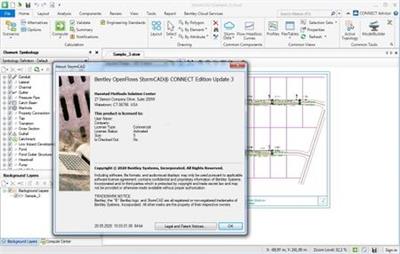
OpenFlows StormCAD CONNECT Edition Update 3 | 951 MB | Language: English​


StormCAD is a comprehensive modeling software program for the design and analysis of storm sewer systems. StormCAD provides calculations for catchment runoff, inlet capacity, and gutters and pipe network flow.

StormCAD determines intercepted flow at network inlets, and routes bypass flow to selected bypass targets. Inlets can be computed using the U.S. Federal Highway Administration (FHWA) HEC-22 methodology and users can choose from grate, curb, slot, ditch, and combination inlet types. Engineers can use a variety of methods to compute headloss, including HEC-22 Energy and AASHTO. StormCAD uses the Rational Method to calculate peak flows in the storm sewer design, or accepts direct input of known flows for inlet inflows.

StormCAD allows users to specify Intensity-Duration-Frequency data using equations or tables. Modelers can then Description the IDF curves, and reuse their data for other projects in that region. Engineers can work with an unlimited number of sub-watershed areas and C coefficients for each inlet watershed. The constraint-based design features in StormCAD allow modelers to automatically design gravity piping and structures. The design is flexible enough to allow users to specify the elements to be designed, from a single pipe size to the entire system, by simply entering the appropriate design conditions: minimum/maximum velocities, covers, and slopes; pipe elevation offsets (including whether or not to allow drop structures), maximum spread and depth for inlets in sag; and minimum efficiency for inlets on grade.

This video covers a basic overview of the StormCAD, SewerGEMS and CivilStorm CONNECT Edition interface and tools.
Bentley Systems, Incorporated is the global leader dedicated to providing architects, engineers, constructors, and owner-operators with comprehensive architecture and engineering software solutions for sustaining infrastructure. Founded in 1984, Bentley has nearly 3,000 colleagues in more than 45 countries, $500 million in annual revenues, and, since 2001, has invested more than $1 billion in research, development, and acquisitions.


Product: Bentley StormCAD
Version: CONNECT Edition Update 3 (version 10.03.01.08)
Supported Architectures: 32bit/64bit
Website Home Page :
Код:
http://www.bentley.com
Language: english
System Requirements: PC *
Size: 951.5 mb

The minimum system configuration for installation:
Operating System: Windows 7, SP1 (32bit/64bit), Windows 8, 8.1 (32bit/64bit), Windows 10 (32bit/64bit)
Software Prerequisites: Microsoft .NET Framework version 4.5.1 (Installer will attempt to download and install this prerequisite if it is not present during installation)
Platform Requirements: Bentley StormCAD CONNECT does not require any additional CAD software to work as a standalone application. However StormCAD CONNECT can run on the following platforms (if available):
- MicroStation V8i SELECTseries 4 - SELECTseries 10
- AutoCAD 2019, 2020, 2021 (32bit/64bit) *
* (StormCAD CONNECT Edition for AutoCAD license required)
Minimum Profile
The minimum recommended workstation profile for running WaterCAD CONNECT is:
Processor: As per minimum operating system requirements.
RAM: As per minimum operating system requirements.
Hard Disk: The software itself requires approximately 1.4 Gigabytes (GB) of disk space for installation, and approximately 200 Megabytes (MB) of disk space for optional lesson and sample files. Additional space is also required for user model and data files.
Display: As per minimum operating system requirements.
When running StormCAD CONNECTin the AutoCAD platforms, the minimum requirements are superseded by the minimum requirements listed for those platforms.


3cc32622cea04c57dd45ccfb6630fdc8.jpeg


DOWNLOAD LINKS:

Код:
https://rapidgator.net/file/77b7a4c39729a516a4314a0f38954f95/OpenFlows_StormCAD_CONNECT_Edition_Update_3.rar

Код:
http://nitroflare.com/view/49A51FF1DFDC52C/OpenFlows_StormCAD_CONNECT_Edition_Update_3.rar

Код:
https://uploadgig.com/file/download/6e7a5f24cB3c4D48/OpenFlows_StormCAD_CONNECT_Edition_Update_3.rar
 
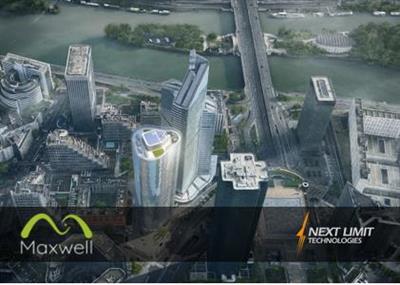
NextLimit Maxwell 5 v5.1.0 x64 for Autodesk 3ds Max

NextLimit Maxwell 5 v5.1.0 x64 for Autodesk 3ds Max


947afbb1e12f43171059cf89bd685aad.jpeg


NextLimit Maxwell 5 v5.1.0 x64 for Autodesk 3ds Max | 766 MB | Language: English​


The Next Limit development team is pleased to announce the availability of Maxwell 5 version 5.1.0 for Autodesk 3ds Max. This product has been designed for rendering in Autodesk 3ds Max with a Maxwell toolbar. It brings you advanced Maxwell Render technology in a simple package.


The Next Limit development team is pleased to announce the availability of Maxwell 5 version 5.1.0 for Autodesk 3ds Max. This product has been designed for rendering in Autodesk 3ds Max with a Maxwell toolbar. It brings you advanced Maxwell Render technology in a simple package.


Version 5.1.0 - 03 Jun 2020
COMPATIBILITY:
- Built for Maxwell Render 5.1.0.29.
- Added support for 3ds Max 2021.
Maxwell Render is an unbiased spectral ray-tracing designed to simulate light and materials exactly as they behave in real world. Maxwell Render makes perfect images, films and animations from 3D models and scenes. It is the complete solution for anyone who demands immaculate results on a deadline. Maxwell Render offers maximum quality, speed, and compatibility for architects, designers and VFX artists.

Maxwell 5 includes several new features and improvements: procedural textures, multi-GPU rendering, Maxwell Cloud, 4K compatibility and much more.
Maxwell | 3ds Max offers seamless integration, allowing you to work comfortably within the 3ds Max interface. It brings you advanced Maxwell Render technology in a simple, self-contained package.

Check in this video how the new GPU fire feature works in Maxwell 5

Next Limit was founded in 1998 by engineers Victor Gonzalez and Ignacio Vargas with a common vision of developing cutting edge simulation tecnologies. RealFlow was the first product released. In the following years new products came to life, such as: Maxwell Render, CaronteFX and XFlow CFD. In 2018 Victor Gonzalez became the sole owner of the group, expanding the company portfolio toward new markets and industries. Since then the portfolio has been updated with three new solutions: Anyverse, BeGraph and RoomBox.


Product: Next Limit Maxwell 5
Version: 5.1.0
Supported Architectures: x64
Website Home Page :
Код:
https://maxwellrender.com/

Language: english
System Requirements: PC *
Software Prerequisites: Autodesk 3ds Max 2011 - 2021
Size: 766.6 mb

The minimum system requirements for Maxwell Render are as follows:
- Windows Server 2008 R2 SP1, Windows 7, 8, 8.1, Windows Server 2012, Windows 10 or Windows Server 2016.
- 2 GHz Intel Core2 processor, AMD Athlon 64 or better
- 1GB RAM minimum. 16 GB of RAM memory is highly recommended
- 1.7 GB available hard disk space for installation
- Accelerated OpenGL drivers
- 3 button mouse recommended


DOWNLOAD LINKS:

Код:
https://rapidgator.net/file/c8f08c4bd6fde17dd0606d4f4ebec117/NextLimit_Maxwell_5_v5.1.0_x64_for_Autodesk_3ds_Max.rar

Код:
http://nitroflare.com/view/D7F71B333AD3449/NextLimit_Maxwell_5_v5.1.0_x64_for_Autodesk_3ds_Max.rar

Код:
https://uploadgig.com/file/download/11F284FB6ebe1e83/NextLimit_Maxwell_5_v5.1.0_x64_for_Autodesk_3ds_Max.rar
 
NextLimit Maxwell 5 Studio v5.1.0.29 x64

NextLimit Maxwell 5 Studio v5.1.0.29 x64


9f6eba00658d5af9cd08996ffabfa1c3.jpeg


NextLimit Maxwell 5 Studio v5.1.0.29 x64 | 979 MB | Language: English​


Maxwell Studio is a sophisticated independent scene editor with a full 3D environment, offering an alternative workflow for those Maxwell Render users that work with 3D or CAD applications that we do not currently offer a plug-in for.

Next Limit has released Maxwell 5, the next major update to its physically based spectral renderer, adding multi-GPU support, integrated cloud rendering, and a V-Ray scene importer. The release also updates the user interface to display better on modern Hi-DPI displays.

This release is the first significant update to Maxwell in some time: Maxwell 4.0 came out in 2016, and the last bugfix update was over 18 months ago.

Get to know Maxwell Studio 5 end to end with this course by Amid Rajabi from circletc for Next Limit.
Next Limit was founded in 1998 by engineers Victor Gonzalez and Ignacio Vargas with a common vision of developing cutting edge simulation tecnologies. RealFlow was the first product released. In the following years new products came to life, such as: Maxwell Render, CaronteFX and XFlow CFD. In 2018 Victor Gonzalez became the sole owner of the group, expanding the company portfolio toward new markets and industries. Since then the portfolio has been updated with three new solutions: Anyverse, BeGraph and RoomBox.


Product: Next Limit Maxwell 5 Studio
Version: 5.1.0.29
Supported Architectures: x64
Website Home Page :
Код:
https://maxwellrender.com/

Language: english
System Requirements: PC *
Size: 979.4 mb

The minimum system requirements for Maxwell Render are as follows:
- Windows Server 2008 R2 SP1, Windows 7, 8, 8.1, Windows Server 2012, Windows 10 or Windows Server 2016.
- 2 GHz Intel Core2 processor, AMD Athlon 64 or better
- 1GB RAM minimum. 16 GB of RAM memory is highly recommended
- 1.7 GB available hard disk space for installation
- Accelerated OpenGL drivers
- 3 button mouse recommended


DOWNLOAD LINKS:

Код:
https://rapidgator.net/file/3604b737926fc62b6516073842c8f392/NextLimit_Maxwell_5_Studio_v5.1.0.29_x64.rar

Код:
http://nitroflare.com/view/58823E97A167257/NextLimit_Maxwell_5_Studio_v5.1.0.29_x64.rar

Код:
https://uploadgig.com/file/download/3d1e41C3cd3EFcc1/NextLimit_Maxwell_5_Studio_v5.1.0.29_x64.rar
 
NewBlueFX TotalFX7 7.2.200716 (x64) for Adobe

NewBlueFX TotalFX7 7.2.200716 (x64) for Adobe


4de489113b63ea85c5b670018949815b.jpeg


NewBlueFX TotalFX7 7.2.200716 (x64) for Adobe | 1.31 GB | Language: English​


Titler Pro 7 is the industry standard in tiling software for video editors. Deliver exceptional production value with stunning 3D animated titles and motion graphics without sacrificing productivity. Titler Pro 7 integrates with all of today's leading NLEs.


Elements 3 Ultimate
Create and completely transform scenes with over 200 presets in 21 easy to use compositing plugins. Combine visual elements from multiple shots into a single image, create living backgrounds, add drop shadows and more.

Essentials 5 Ultimate
Instantly address everyday post production needs such as video stabilization, skin and color touch-ups, camera flashes, exposure and aspect ratio. Get over 275 presets in 28 workflow-enhancing video effects that stabilize, correct and sharpen.

Filters 5 Ultimate
Drastically enhance your video through an array of distinctive looks. Use pinpoint color correction, light leaks, tints, film looks and more to change the tone, mood or aesthetic of your shots in seconds. Get over 250 presets in 27 video effects to drastically enhance your video.

Transitions 5 Ultimate
Whether you want to display a product or add emphasis to an object, you'll find a wide variety of transitions to join your shots and match your video's design direction. Get over 500 presets in 65 plugins that provide cutting edge video transitions of 3D, light, color, and motion.

Stylizers 5 Ultimate
Add a unique and distinctive look and style to your footage. From cartoon and impressionist styles to energetic blurs and flickers, your shots are certain to carry a strong visual presence. Get over 400 presets in 35 imaginative plugins that provide a range of light, paint and art effects.


Compatibility:Adobe AfterFX & Premiere Pro
*may require update to latest version
Software & Hardware:
- Windows 7 or later versions
- 1GB VRAM (2GB+ recommended)
- 902Mhz base clock (1506Mhz+ recommended)
- Supports 64-bit video editing applications only.
- 2 GHz processor (multicore or multiprocessor CPU recommended for HD)
- 4 GB RAM (8 GB RAM or greater recommended for HD)
- 1.5GB minimum hard-disk space for installation


Home Page -
Код:
https://newbluefx.com/


DOWNLOAD LINKS:

Код:
https://rapidgator.net/file/31b3ff6f0e3f9cde4a82c914c877ccc9/NewBlueFX_TotalFX7_7.2.200716_x64_for_Adobe.part1.rar
https://rapidgator.net/file/d8d0d482c49ba71cefcf83c390a7a9e3/NewBlueFX_TotalFX7_7.2.200716_x64_for_Adobe.part2.rar

Код:
http://nitroflare.com/view/8FC1A52C8885E57/NewBlueFX_TotalFX7_7.2.200716_x64_for_Adobe.part1.rar
http://nitroflare.com/view/C782E9296D55149/NewBlueFX_TotalFX7_7.2.200716_x64_for_Adobe.part2.rar

Код:
https://uploadgig.com/file/download/67eCa0f6b9Ab8be2/NewBlueFX_TotalFX7_7.2.200716_x64_for_Adobe.part1.rar
https://uploadgig.com/file/download/79a0Bc65622a8ab3/NewBlueFX_TotalFX7_7.2.200716_x64_for_Adobe.part2.rar
 
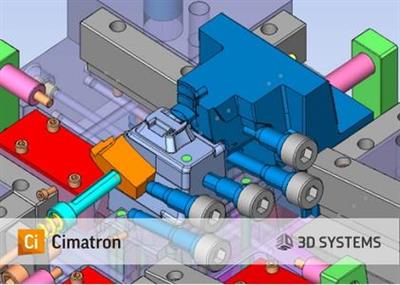
Cimatron 14.0 SP6 x64 with Catalogs

Cimatron 14.0 SP6 x64 with Catalogs


b0041570bc9701e3b13ba084d1d1a6e8.jpeg


Cimatron 14.0 SP6 x64 with Catalogs | 2.6 GB | Language: English​


The 3D Systems CAD/CAM development team is pleased to announce the availability Cimatron 14.0 SP6. Base release introduces new and enhanced capabilities that can dramatically accelerate productivity and minimize overhead in the design and manufacturing of molds, dies and discrete parts.


CimatronE is an integrated CAD/CAM solution for toolmakers and manufacturers of discrete parts, which provides full associativity across the manufacturing process from quoting, through design and up to delivery. Products include: Mold Design, Electrode Design, Die Design, 2.5 to 5-Axis NC Programming and 5-Axis Discrete part production. CimatronE is designed for concurrent engineering (multi-user or single-user) and works on the principle of flexible automation, providing a wealth of automated features but always ensuring full user control.

With over 200 new features and enhancements, Cimatron 14 offers major benefits and more user value to manufacturing shops across their entire range of operations. From Tool design through NC programming, this latest version helps to ensure that our customers are more productive than ever, in their competitive marketplace.

NC- New cutting strategies allow faster machining time with the use of cutters such as Barrel, Oval, Lens Tools. Overall reducing Rough machining time by an average of 20%. A new Guided Cleanup process allows controlling the milling direction of each region in Cleanup. Improved 5-axis Tilting toolpath and guiding curves for user controlled tilting.A large number of new and improved capabilities that boost programming automation for plate machining, such as the Facing procedure, automatic Chamfer Recognition, wider Pocket Recognition capabilities and more functionality of Automated Drill as well as using templates for pocket automation.

Die- New integrated incremental analysis options enable the user to accurately simulate the design, and find design flaws before the manufacturing process. Users can see whether they have carrier or material problems, non-desirable punch results or SpringBack, as well as incorrect press force definitions. New advanced Die design geometry tools such as Addendum faces and Fuzzy Offset were added to extend the application capabilities.

CAD for Tooling - Many long requested enhancements in Part, Assembly and Drafting were implemented for faster and easier design. New enhancements to the Mesh kernel of Cimatron with operations such as a new robust selection tool that was introduce for Split/Copy and Add/Remove commands. In addition, Advance 3D Text capability is now available for mesh and solid.

Mold & Electrode - New functions and enhancements for faster and safer Mold design such as Hole (Cooling) verification, Hole (Library) recognition and handling of ejectors with different diameters.

PLM Integration with Windchill - An integration with PTC Windchill PLM system. This Integration allows Windchill users who work with Cimatron files to perform Windchill operations (such as sync, check out/in, etc.) from within a Cimatron assembly or from the Cimatron browser.

Learn how you can reduce number of Die Design tryouts with the integration between Cimatron Die Design and Autoform ProgSim Simulation tool.
3D Systems Corporation is the originator of 3D printing and an innovator of future 3D solutions. It has spent its 30-year history enabling professionals and companies to optimize their designs, transform their workflows, bring groundbreaking products to market and drive new business models. This is achieved with the Company's best of breed digital manufacturing ecosystem. It's comprised of plastic and metal 3D printers, print materials, on demand manufacturing services and end-to-end manufacturing software solutions. Combinations of these products and services address a variety of advanced applications- ranging from Aerospace, Automotive, and Consumer Goods to Medical, Dental, and Jewelry. For example, 3D Systems' precision healthcare capabilities include simulation, Virtual Surgical Planning, and printing of medical and dental devices as well as patient-specific surgical instruments.


Product: Cimatron
Version: 14 SP6 with Catalogs
Supported Architectures: x64
Website Home Page :
Код:
http://www.3dsystems.com
Language: english
System Requirements: PC *
Size: 2.6 Gb

Note: Only 64-bit operating systems and hardware are supported.
Processor:
Minimum: Intel Pentium or AMD Athlon processor, with a dual-core processor.
Recommended: Quad-core 64-bit processors (Intel core i7 4th generation and up).
Memory (RAM):
Minimum: 4 Gb
Recommended: 16 Gb
Large Tooling assemblies: 32 Gb
To gain better I/O performance, it is recommended to use a solid state hard Drive (SSD). Windows and Cimatron should be installed on the SSD.
Data files should be kept on a different hard drive, local or network based.

Graphics Card:
Cimatron will test graphics compatibility during as it installs. As of version 14, the graphics card must support OpenGL 3.3.
The graphics compatibility test can also be ran from the Ciamtron external control panel.
Graphics Memory:
Minimum: 1 Gb of memory
Recommended: 2 Gb of memory
Quadro cards from NVidia and FireGL/FirePro cards from ATI are the most recommended cards for CAD/CAM software.
The performance of graphics cards is tightly related to driver version and memory size. The newer the driver and the greater the memory, the better the graphics card performance.
3 Button mouse
Ethernet:
Recommended: 1000mbps from server to switch.
Recommended: 100mbps from switch to CAD workstations.
Hubs are ok, but switches are much better for efficiently managing network traffic.


DOWNLOAD LINKS:

Код:
https://rapidgator.net/file/6b56111cdcd2cd5a655e141a091cc18a/Cimatron_14.0_SP6_x64_with_Catalogs.part1.rar
https://rapidgator.net/file/3a5a97ed34a8e051086d54314ae41399/Cimatron_14.0_SP6_x64_with_Catalogs.part2.rar
https://rapidgator.net/file/541a3a7657a1467757f3d4a702814937/Cimatron_14.0_SP6_x64_with_Catalogs.part3.rar

Код:
http://nitroflare.com/view/DDE445DFFFF0D5F/Cimatron_14.0_SP6_x64_with_Catalogs.part1.rar
http://nitroflare.com/view/1515A569C9C4CCA/Cimatron_14.0_SP6_x64_with_Catalogs.part2.rar
http://nitroflare.com/view/C7F65C00A4D59A1/Cimatron_14.0_SP6_x64_with_Catalogs.part3.rar

Код:
https://uploadgig.com/file/download/32435c0947feCa85/Cimatron_14.0_SP6_x64_with_Catalogs.part1.rar
https://uploadgig.com/file/download/1dc6D5b131Dfff88/Cimatron_14.0_SP6_x64_with_Catalogs.part2.rar
https://uploadgig.com/file/download/fc0A58F42Dc33202/Cimatron_14.0_SP6_x64_with_Catalogs.part3.rar
 
Vidpaw RipAnyDVD 1.0.12 Multilingual

Vidpaw RipAnyDVD 1.0.12 Multilingual


9734cc9780e39b26192019304a19ef4a.jpeg


Vidpaw RipAnyDVD 1.0.12 Multilingual | 126 MB | Language: Multilanguage​


RipAnyDVD is a powerful tool, specializing in ripping DVD to video or audio with any popular format. Based on the leading DVD decryption and decoding technology, RipAnyDVD can help you to fulfill any wish on ripping DVD for backup, recreation, or playback, etc. As a professional RipAnyDVD, it can rip DVD disc/folder/ISO to common formats such as MP4, AVI, MKV, MPG, WMV, MOV, 3GP and so on. Moreover, RipAnyDVD also supports to convert DVD to audio in MP3, M4A, M4B, AIFF, etc. For sure, its high-quality outcomes are the keys to attract and stay more users.


Another key to make it useful is feasible functions. RipAnyDVD enables users to edit the DVD video based on your needs. You can trim and crop the video. If you want to make your video outstanding, you can apply visual effects on it as well. More services on RipAnyDVD are waiting for you to explore.

Features :
Rip DVD to MP4, MP3, or Other Formats
RipAnyDVD enables you to rip DVD to HD video with multiple formats like MP4, AVI, WMV, FLV, MKV, 3GP, etc. Also, it can convert DVD to audio file with MP3, M4A, WMA, AIFF, M4B, etc. To meet different demands, RipAnyDVD also offers many presets for devices. All output profiles are acceptable by most devices like iPhone, iPad, Samsung Galaxy, Nokia,etc.

6X Faster to Rip Any DVD
Want to get faster converting performance? RipAnyDVD can help you as well. With the supported GPU acceleration service, you can enable NVIDIA GPU Acceleration, Intel App Acceleration, AMD APP Acceleration options on RipAnyDVD to get 6X faster DVD converting process. Let's enjoy the fast speed on ripping DVD.

Edit and DIY DVD Videos
RipAnyDVD not only provides RipAnyDVD but also video editor for users to DIY your own DVD videos. It offers some basic services like trimming video length and cropping video area. To beautify your DVD video, you can change some parameters to adjust brightness, contrast, saturation, frame rate, etc. Moreover, special visual effects are able to apply on your videos.

Rip DVD to 3D
RipAnyDVD has the ability to convert 2D DVD to 3D video as well. Moreover, 6 different 3D modes are offered - Anaglyph Red, Anaglyph Cyan, Side-by-Side Full, Side-by-Side Half-Picture, Top and Bottom Full, Top and Bottom Half-Picture. With RipAnyDVD, you can easily enjoy 3D movies on your computer with simple clicks.

Home Page:
Код:
https://www.vidpaw.com


DOWNLOAD LINKS:

Код:
https://rapidgator.net/file/e54c644688effa623d6e47cb058f2644/Vidpaw_RipAnyDVD_1.0.12_Multilingual.rar

Код:
http://nitroflare.com/view/9CC578C71157715/Vidpaw_RipAnyDVD_1.0.12_Multilingual.rar

Код:
https://uploadgig.com/file/download/DECe8e3a3023f7e3/Vidpaw_RipAnyDVD_1.0.12_Multilingual.rar
 
Pixologic ZBrush 2021.0 fixed Multilingual

Pixologic ZBrush 2021.0 fixed Multilingual


293b5c42870a6ac506cbcb6e9c5dde4d.jpeg


Pixologic ZBrush 2021.0 fixed Multilingual | 1.3 GB | Language: Multilanguage​


Pixologic is pleased to announce the availability of ZBrush 2021, the next major update to the digital sculpting software. In this release add an interesting set of cloth sculpting and dynamics-based features, and updates to instancing workflow.

A new physics-enabled cloth sculpting toolset
The most eye-catching part of the demo video is the opening section, which shows a new set of tools for sculpting clothing, and cloth in general.

They include MicroPoly, which looks to be a way to mimic the physical structure of coarse cloth and materials like chainmail, instancing a range of preset geometries to create a weave structure.

The update also adds a cloth dynamics system, with support for gravity and collisions shown in the video.
Users will also be able to sculpt cloth manually, with a set of interactive brushes similar to the physics-enabled Cloth Brush recently introduced in Blender 2.83.
The video shows a ClothHook brush, for sculpting wrinkles, and ClothDimple, used in the video to sculpt the indentations in a cushion where buttons are stitched on.

The features currently look geared more towards creating clothes for static characters than a complete Marvelous Designer-style clothing design toolset, but they would form a good foundation on which to build.

Other new physics features
As well as cloth simulation, the video shows a couple of other physics-enabled features: FiberMesh with Dynamics and Unweld All with Dynamics.
Both are illustrated via simple destruction sims - the sort of thing you might see after running a shattering system on a model - so it will be interesting to see how Pixologic envisages them being used in practice.

Improvements to instancing, polygon modeling and performance
Other changes include improvements to instancing workflow, with the existing NanoMesh system, currently used mainly for distributing small surface details, being shown in use with much larger geometry.

The video also shows updates to the ZModeler polygon modelling toolset, and a new Dynamic Thickness system for thickening the edges of geometry.
In addition, the video mentions the option to 'Save as an image, load as a 3D model', which we imagine is the iMage3D export system introduced in ZBrushCoreMini, the new free entry-level edition of the software.

You can also see a side-by-side performance comparison between ZBrush 2020 and ZBrush 2021 at 01:50 in the video. Pixologic doesn't put any figures on the speed boost, but 2021 is noticeably faster.

Pixologic ZBrush is a digital sculpting and painting program that has revolutionized the 3D industry with its powerful features and intuitive workflows. Built within an elegant interface, ZBrush offers the world's most advanced tools for today's digital artists.

With an arsenal of features that have been developed with usability in mind, ZBrush creates a user experience that feels incredibly natural while simultaneously inspiring the artist within. With the ability to sculpt up to a billion polygons, ZBrush allows you to create limited only by your imagination.

The 2021 release added an interesting set of cloth sculpting and dynamics-based features, and updates to instancing workflow. Pixologic doesn't put any figures on the speed boost, but 2021 is noticeably faster.

Official Pixologic ZBrush 2021 Stream Event - Full Broadcast
Pixologic, Inc. develops, markets, and supports software tools for film and video, games, graphic design, and illustration markets. The company offers ZBrush, a graphic application aimed at simplifying the science behind generating computer graphics by providing tools that give digital artists intuitive and visual control over the digital images they create. Its application synthesizes 2D and 3D capabilities in a single stand-alone tool, which enables users to sculpt and paint with various polygons. The company sells its solution through authorized resellers, as well as online for Windows and Mac platforms. Its solution is used in movies and VFX, games, illustration, advertising, 3D printing.


Product: Pixologic ZBrush
Version: 2021.0
Supported Architectures: x64
Website Home Page :
Код:
https://pixologic.com/

Language: multilanguage (English, 日本語, 한국어, 中文, Español, Deutsch, Français.)
System Requirements: PC **
Size: 1.3 Gb
* Added 7 step fix from 1rv4n to fix "time bomb"

Highly Recommended Specifications:
OS: 64-bit editions of Windows Vista or newer.
CPU: Intel i5/i7/Xeon technology or AMD equivalent.
RAM: 8 GB required for working with multi-million poly models. (16+ GB preferred.)
HDD: 100 GB of free hard drive space for ZBrush and its scratch disk. (SSD drive highly recommended.)
Pen Tablet: Wacom or Wacom compatible. (WinTab API.)
Monitor: 1920x1080 monitor resolution or higher with 32-bit color.
Video card: Most cards manufactured 2008 or newer. Must support OpenGL 3.3 or higher.
Minimum System Requirements:
OS: 64-bit editions of Windows Vista or newer. (32-bit operating systems are no longer supported.)
CPU: Core2duo or AMD equivalent with SSE2 technology or better.
RAM: 4 GB (6+ GB strongly recommended)
HDD: 8 GB of free hard drive space for ZBrush and its scratch disk.
Pen Tablet: Mouse or Wacom compatible (WinTab API) pen tablet.
Monitor: 1280x1024 monitor resolution with 32-bit color.
Video card: Most cards manufactured 2008 or newer. Must support OpenGL 3.3 or higher.


DOWNLOAD LINKS:

Код:
https://rapidgator.net/file/fccdf423c5a57dd1647d4cce0962a561/Pixologic_ZBrush_2021.0_fixed_Multilingual.part1.rar
https://rapidgator.net/file/d04118e28f22398ebc633f02a1b16da8/Pixologic_ZBrush_2021.0_fixed_Multilingual.part2.rar

Код:
http://nitroflare.com/view/FC483C45B11A33E/Pixologic_ZBrush_2021.0_fixed_Multilingual.part1.rar
http://nitroflare.com/view/C3680AAFAB60B23/Pixologic_ZBrush_2021.0_fixed_Multilingual.part2.rar

Код:
https://uploadgig.com/file/download/f5b43DcF57b37Bcf/Pixologic_ZBrush_2021.0_fixed_Multilingual.part1.rar
https://uploadgig.com/file/download/Aac4bf79cc9fFe52/Pixologic_ZBrush_2021.0_fixed_Multilingual.part2.rar
 
NIUBI Partition Editor Technician Edition 7.3.6 with Boot ISO

NIUBI Partition Editor Technician Edition 7.3.6 with Boot ISO


4bd855173f6b604acefa45db8ab7afda.jpeg


NIUBI Partition Editor Technician Edition 7.3.6 with Boot ISO | 430 MB | Language: English​


If you provide IT technical service to your clients and need a powerful disk partition management toolkit, NIUBI Partition Editor Technician Edition is the best choice. This partition manager software is compatible with Windows Server 2016/2012/2008/2003 and Windows 10/8/7/Vista/XP. Local/removable hard disk, VMware, Hyper-V and all types of hardware RAID are all supported.


Better than other utilities, NIUBI Partition Editor integrated unique Roll-Back data protection technology, which is able to roll back the computer to the status before resizing automatically if any hardware issue occurred, so you don't need to worry about data safety. Furthermore, the built-in unique file-moving algorithm helps resize partition 30% - 300% faster than other tools. Time is important to you and your customer!

NIUBI Partition Editor Technician Edition is the best cost-effective option for you to provide charged technical services for multiple companies and individuals. One license code can be registered on unlimited desktops, workstations and servers regardless of network size or architecture.

Operating System: Windows 10/8/7/Vista/XP and Server 2016/2012/2008/2003

Home Page -
Код:
https://www.hdd-tool.com/


DOWNLOAD LINKS:

Код:
https://rapidgator.net/file/c03db20e38cb620c8551d3a13c003c4c/NIUBI_Partition_Editor_Technician_Edition_7.3.6_with_Boot_ISO.rar

Код:
http://nitroflare.com/view/D6E07E276F6B04A/NIUBI_Partition_Editor_Technician_Edition_7.3.6_with_Boot_ISO.rar

Код:
https://uploadgig.com/file/download/487803B1f2482b4d/NIUBI_Partition_Editor_Technician_Edition_7.3.6_with_Boot_ISO.rar
 
Назад
Сверху