• Здравствуйте. Сайт заработал в архивном режиме форум www.old.nado.in

KAMAL's Softwares Collection!!! (Updated Daily)

  • Автор темы Автор темы KAMAL
  • Дата начала Дата начала
Xilinx MicroBlaze Board Support Packages 2020.1 x64 (Linux)
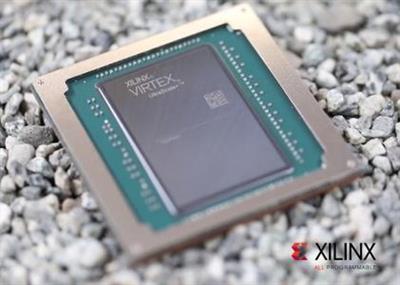
Xilinx MicroBlaze Board Support Packages 2020.1 x64 (Linux)


af62c09f060f2a60e54e703bc114b96e.jpeg


Xilinx MicroBlaze Board Support Packages 2020.1 x64 (Linux) | 1.7 GB | Language: English​


Xilinx, Inc., the leader in adaptive and intelligent computing, is pleased to announce the availability of MicroBlaze Board Support Packages 2020.1 is a collection of libraries and drivers that will form the lowest layer of your application software stack.


Board Support Package (BSP) is the collective term referring to all of the software components required to match a given operating system (and its environment) to a given hardware design (board). BSPs commonly contain low-level operating system and device driver code that is dependent on the hardware and upon which the rest of the operating system layers. In addition, a BSP might also contain other files containing directives, compilation parameters, and hardware parameters that are used to configure the operating system. Since a given Xilinx hardware platform is configurable, fixed board support packages are not possible. Therefore, a custom board support package must be generated for each hardware design that you create.

SDK can be used to create board support packages for third-party operating systems that are supported on the Xilinx processors. The board support package appears as a project in the SDK Navigator view. You can configure each BSP project in various ways and then run a BSP generation process. The BSP generation process typically ends with a collection of files generated in the workspace, which you must then take into the third-party environment to proceed with building the operating system and applications. The specifics of what files must be collected and how they must be used depends on the third-party operating system in question.

Board Support Package Overview
Xilinx is the inventor of the FPGA, programmable SoCs, and now, the ACAP. Our highly-flexible programmable silicon, enabled by a suite of advanced software and tools, drives rapid innovation across a wide span of industries and technologies - from consumer to cars to the cloud. Xilinx delivers the most dynamic processing technology in the industry, enabling rapid innovation with its adaptable, intelligent computing.


Product: Xilinx MicroBlaze Board Support Packages
Version: 2020.1 *
Supported Architectures: x64
Website Home Page :
Код:
http://www.xilinx.com
Language: english
System Requirements: Linux **
Size: 1.7 Gb

BSPs supported for the 2020.1 PetaLinux Release. Below contains list supported BSPs for MicroBlaze included in this release
xilinx-ac701-axi-full-v2020.1-final.bsp
This BSP contains two BSPs [AC701 lite, AC701 full]
- Hardware (AC701 lite): Design contains MicroBlaze Processor, core peripherals UART_lite, Ethernet Lite, AXI I2C, AXI GPIO, AXI DDR controller, SPI flash, led_4bits.
- AC701 lite contains the AXI Lite IPs UART_lite, Ethernet Lite etc. in contrast to AC701 Full
- Hardware (AC701 full): Design contains MicroBlaze Processor, core peripherals AXI UART16550, AXI 1G/2.5G Ethernet, AXI I2C, AXI GPIO, AXI DDR controller, SPI flash, led_4bits.
- Software: fs-boot, u-boot, Linux, device-tree, rootfs (minimal packages).
- Pre-built Images: Ready to test images bitstream, fs-boot, u-boot, Linux and rootfs for booting u-boot and Linux.
xilinx-kc705-axi-full-v2020.1-final.bsp
This BSP contains two BSPs [KC705 lite, KC705 full]
- Hardware (KC705 lite): Design contains MicroBlaze Processor, core peripherals UART_lite, Ethernet Lite, AXI I2C, AXI GPIO, AXI DDR controller, Linear flash,led_8bits.
- Hardware (KC705 full): Design contains MicroBlaze Processor, core peripherals AXI UART16550, AXI 1G/2.5G Ethernet, AXI I2C, AXI GPIO, AXI DDR controller, Linear flash,led_8bits.
- Software: fs-boot, u-boot, Linux, device-tree, rootfs (minimal packages).
- Pre-built Images: Ready to test images bitstream, fs-boot, u-boot, Linux and rootfs for booting u-boot and Linux.
xilinx-kcu105-axi-full-v2020.1-final.bsp
This BSP contains:
- Hardware: Design contains MicroBlaze Processor, core peripherals AXI I2C, AXI GPIO, AXI DDR controller, AXI QSPI, led_8bits, and AXI Ethernet IP.
- Software: fs-boot, U-boot, Linux, device-tree, rootfs (minimal packages).
- Pre-built Images: Ready to test images bitstream, fs-boot, u-boot, Linux and rootfs for booting u-boot and Linux.
xilinx-sp701-v2020.1-final.bsp
This BSP contains:
- Hardware: Design contains MicroBlaze Processor, core peripherals AXI I2C, AXI GPIO, AXI DDR controller, AXI QSPI, led_8bits, and AXI Ethernet IP.
- Software: fs-boot, U-boot, Linux, device-tree, rootfs (minimal packages).
- Pre-built Images: Ready to test images bitstream, fs-boot, u-boot, Linux and rootfs for booting u-boot and Linux.
xilinx-vcu118-v2020.1-final.bsp
This BSP contains:
- Hardware: Design contains MicroBlaze Processor, core peripherals AXI I2C, AXI GPIO, AXI DDR controller, AXI QSPI, led_8bits, and AXI Ethernet IP.
- Software: fs-boot, U-boot, Linux, device-tree, rootfs (minimal packages).
- Pre-built Images: Ready to test images bitstream, fs-boot, u-boot, Linux and rootfs for booting u-boot and Linux.

Installation Requirements:
The PetaLinux Tools Installation requirements are:
Minimum workstation requirements:
- 8 GB RAM (recommended minimum for Xilinx tools)
- 2 GHz CPU clock or equivalent (minimum of 8 cores)
- 100 GB free HDD space
Supported OS:
- Red Hat Enterprise Workstation/Server 7.4, 7.5, 7.6 (64-bit)
- CentOS Workstation/Server 7.4, 7.5, 7.6 (64-bit)
- Ubuntu Linux Workstation/Server 16.04.5, 16.04.6, 18.04.1,18.04.02 (64-bit)


DOWNLOAD LINKS:

Код:
https://rapidgator.net/file/1990625d9955b6e7bc747bc287683dd7/Xilinx_MicroBlaze_Board_Support_Packages_2020.1_x64_Linux.part1.rar
https://rapidgator.net/file/d239d86ddb5b8cf005d06bbc71585bc5/Xilinx_MicroBlaze_Board_Support_Packages_2020.1_x64_Linux.part2.rar

Код:
http://nitroflare.com/view/5B7EAD3EFDB5A3B/Xilinx_MicroBlaze_Board_Support_Packages_2020.1_x64_Linux.part1.rar
http://nitroflare.com/view/ED8CD3BBDE04A08/Xilinx_MicroBlaze_Board_Support_Packages_2020.1_x64_Linux.part2.rar

Код:
https://uploadgig.com/file/download/d2a6C39a1a9fae4d/Xilinx_MicroBlaze_Board_Support_Packages_2020.1_x64_Linux.part1.rar
https://uploadgig.com/file/download/d051087b8ab7ecf2/Xilinx_MicroBlaze_Board_Support_Packages_2020.1_x64_Linux.part2.rar

 
VUE and PlantFactory R5.1 build 5003965 x64

VUE and PlantFactory R5.1 build 5003965 x64


2f1c96cc7c43a8b17fd7deb3365e42be.jpeg


VUE and PlantFactory R5.1 build 5003965 x64 | 3.9 GB | Languages: English, Deutsch, Français​


E-on software, a leading global developer of software for the creation, animation, rendering, and integration of natural 3D environments in the computer graphics, VFX, architecture, and gaming industries, announced the immediate availability of the R5.1 Release of its VUE, PlantFactory and PlantCatalog Exporter software.

VUE integrates flexible and powerful terrain modeling technologies. From creating full planets to infinitely detailed terrainscapes, VUE's got you covered
VUE ships with a hefty plant library, comprised of over 170 plant species, from HD vegetation to low resolution. More species are added on a regular basis.[/center]

The VUE vegetation technology ensures that no two plants you add to your scene will be identical, freeing you from hardcore vegetation modeling tasks, and adding more subtlety to your scenes.

The Plant Editor lets you easily customize any of the plants included and allows you to create your own, unique plant species. VUE will also automatically animate plants for you so that they gently sway in the breeze, or twist and bend in strong winds

VUE is natively compatible with the fully procedural PlantFactory file format, to produce high-quality hero trees as well as distant vegetation. VUE can animate all of the exposed plant properties (such as Health, Seasonality or any other published plant parameter).

Plants created with PlantFactory can be exported to any 3D application using export formats such as Alembic, FBX, 3DS, OBJ, C4D, LWO, etc.

Plants are exported fully rigged, fully textured, with UV maps and displacement, and with all their LODs. Breeze or wind animated plants can be exported as a fully rigged mesh or as a cloud of animated vertices (MDD style).

You can fine-tune the animation of rigged mesh plants directly inside your target 3D application.

PlantFactory also offers a variety of export presets, custom tailored for specific host applications. Such presets include export for 3ds Max, Maya, Cinema4D, LightWave, Modo, ZBrush, Unity, Unreal, Blender, and more...

PlantFactory also ships with import plugins for 3ds Max and Maya. These plugins allow for loading, editing health, maturity and season as well as published parameters and converting native PlantFactory content within the host application, without going through any baking or exporting processed.

In 3ds Max, the plugin can generate materials for the following renderers: Arnold, V-Ray Next, Scanline, ART Renderer. In Maya, the plugin can generate materials for the following renderers: Arnold, V-Ray Next and Maya Software. Rendering with other renderers is still possible as the plugin will generate native standard materials (provided such render engine supports native standard materials or after some manual material adjustments).

When used in conjunction with VUE, PlantFactory will fully integrate and expand the software, so that you can access the plant editing power of PlantFactory directly from VUE and use the VUE tools to affect the PlantFactory vegetation.

Furthermore, when used inside of VUE, PlantFactory creates unique vegetation - i.e. no two plants of the same species will ever look exactly alike. PlantFactory plants also sway in the breeze, or twist and bend in strong winds.

PlantFactory plants will automatically adapt their resolution with distance, through a dynamic LOD system, making them perfect for Hero plants, foreground, mid-ground and background placements in your compositions.

PlantFactory vegetation can be edited directly within the VUE Plant Editor. Specific parameters from the plant graph can be extracted to the Plant Editor to create simplified, high-level controls and facilitate your plant editing process.

Last but not least, like any VUE component, PlantFactory plants will work seamlessly with the EcoSystem technology to create landscapes containing millions of unique plants.
Starting with the plant factory. Introduction.

We were founded in 1997 on the premise that powerful graphics tools should never get in the way of the designer's creativity. After being acquired by Bentley Systems in 2015, we've been able to invest more resources into research and development to ensure we remain at the forefront of the industry. With 20 employees dedicated to our e-on solutions, our once small idea of creating cutting-edge, user-friendly technologies to inspire our user's creativity is growing every day.


Product: VUE and PlantFactory
Version: 2020 R5.1 build 5003965
Supported Architectures: x64
Website Home Page :
Код:
https://info.e-onsoftware.com/

Languages: English, Deutsch, Français
System Requirements: PC *
Size: 3.9 Gb

VUE is a 64-bit application, designed for 64-bit versions of Windows 7, Windows 8, Windows 10 and Intel (Mac OSX) 10.10+ platforms. Like all 3D packages, it is highly demanding in terms of computer power. Although the application is totally multi-threaded to ensure the smoothest possible response, you must realize that there is a lot going on when you work in VUE.

Recommended System Specs:
- Windows 64 bit (Windows 7, Windows 8 or Windows 10)
- Multi-core CPU (Intel QuadCore, Core I7, or Mac Pro), AVX compliant,
- 8GB+ of RAM,
- 4GB+ of free Hard Disk space (on the drive hosting the OS),
- We recommend a graphics card containing at least 4 GB of VRAM with a 3D Mark score of 10,000 or better.
Compatible Hots:
- Autodesk MAYA 2015-2020
- Autodesk 3ds Max 2016-2021
- Maxon Cinema 4D R16-R22
- Newtek Lightwave 11.6-2019
PlantFactory is a 64 bits application, designed for 64 bit versions of Windows 7, Windows 8 and Windows 10 and Intel (Mac OSX) 10.10+ platforms. A video board that can run Shader model 4 is required. For better performance, a minimum of 2GB of video RAM is recommended (Video RAM should not be confused with system RAM. Video RAM resides solely on your video board).

Performance of the software is directly related to the power of the system running it. PlantFactory is optimized to make the best of all the processors/cores on your system. The power of your video board directly impacts the frame-rate of the plant preview.

Recommended System Specs:
- Windows 64 bit (Windows 7, Windows 8 or Windows 10)
- We recommend a graphics card containing at least 4 GB of VRAM with a 3D Mark score of 10,000 or better
- Multi-core CPU (Intel QuadCore, Core I7, or Mac Pro), AVX compliant
- 8+GB of free RAM
- 4GB of free Hard Disk space.


f2aef50cdc633bdbf8f67584d5885ca6.jpeg


DOWNLOAD LINKS:

Код:
https://rapidgator.net/file/d15889b95bbc352e30252d5ed407df1d/VUE_and_PlantFactory_R5.1_build_5003965_x64.part1.rar
https://rapidgator.net/file/36ec0e2263d9f4bab76c4c2015e3da91/VUE_and_PlantFactory_R5.1_build_5003965_x64.part2.rar
https://rapidgator.net/file/8b081127a470ddad6dc819859623a837/VUE_and_PlantFactory_R5.1_build_5003965_x64.part3.rar
https://rapidgator.net/file/f1cf03b576774e13bbef77e55f0b2c84/VUE_and_PlantFactory_R5.1_build_5003965_x64.part4.rar

Код:
http://nitroflare.com/view/5A2E8ACECB46ECF/VUE_and_PlantFactory_R5.1_build_5003965_x64.part1.rar
http://nitroflare.com/view/DE8C142D0E63907/VUE_and_PlantFactory_R5.1_build_5003965_x64.part2.rar
http://nitroflare.com/view/DB76401AAB78F0D/VUE_and_PlantFactory_R5.1_build_5003965_x64.part3.rar
http://nitroflare.com/view/0D71206A6445CEC/VUE_and_PlantFactory_R5.1_build_5003965_x64.part4.rar

Код:
https://uploadgig.com/file/download/6aF8Fdd346f7391a/VUE_and_PlantFactory_R5.1_build_5003965_x64.part1.rar
https://uploadgig.com/file/download/624f4d7a12e46Dcf/VUE_and_PlantFactory_R5.1_build_5003965_x64.part2.rar
https://uploadgig.com/file/download/786dd48D527c4d76/VUE_and_PlantFactory_R5.1_build_5003965_x64.part3.rar
https://uploadgig.com/file/download/c6e5CCe45a02c03e/VUE_and_PlantFactory_R5.1_build_5003965_x64.part4.rar
 
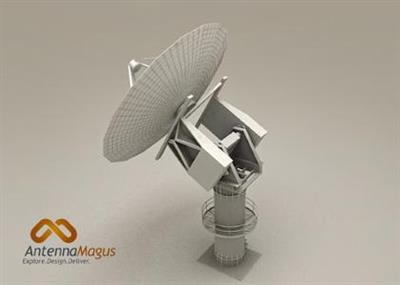
DS SIMULIA Antenna Magus Professional 2020.4 v10.4.0 x64

DS SIMULIA Antenna Magus Professional 2020.4 v10.4.0 x64


0e64893285b2db70d91f203700a010fa.jpeg


DS SIMULIA Antenna Magus Professional 2020.4 v10.4.0 x64 | 1.6 GB | Language: English​


Magus (Pty) Ltd. and CST - Computer Simulation Technology AG (CST) announce the release of Antenna Magus 2020.4, the latest version of the leading antenna design tool.


Antenna Magus Professional 2020.4 Release Notes
New Devices and Extensions:

- Pin-fed Rectangular Broadband Patch with V-Slot
- Log-Periodic Folded Slot Array
- Planar Tri-band Monopole Antenna
- Circular Patch Grid Array

Antenna Magus is a software tool to help accelerate the antenna design and modelling process. It increases efficiency by helping the engineer to make a more informed choice of antenna element, providing a good starting design. Validated antenna models can be exported to CST MICROWAVE STUDIO from a huge antenna database which means that the engineer can get to the customisation phase of an antenna design quickly and reliably.

Antenna Magus has proven to be an invaluable aid to antenna design engineers and anyone who requires antenna models for antenna placement and/or electromagnetic interference studies.

MAGUS (Pty) Ltd. develops antenna design and information management software. Antennas designed using its software can be used in a wide variety of applications at various frequency bands, including, but not limited to, telecommunications, mobile devices, aerospace, satellite, automotive, radio astronomy and defense.

CST- Computer Simulation Technology AG founded in 1992, is a market leader in delivering 3D electromagnetic (EM) field simulation tools through a global network of sales and support staff and representatives. CST develops CST STUDIO SUITE, a package of highperformance software for the simulation of EM fields in all frequency bands. Its growing success is based on a combination of leading edge technology, a user-friendly interface and knowledgeable support staff. CST solutions are used by market leaders in a diverse range of industries, including aerospace, automotive, defense, electronics, healthcare and telecommunications. On September 30 2016 CST joined the SIMULIA brand of Dassault Systemes.


Product: Antenna Magus
Version: 2020.4 version 10.4.0 Professional
Supported Architectures: x64
Website Home Page :
Код:
http://www.antennamagus.com
Language: english
System Requirements: PC *
Supported Operating Systems: *
Software Prerequisites: CST Studio Suite 2020 and above
Size: 1.6 Gb

Antenna Magus is built for: 64-bit systems running Windows VISTA Business, Windows 7 supporting Service pack 1, Windows 8, Windows 8.1, Windows 10 or Windows Server 2008/2012.


DOWNLOAD LINKS:

Код:
https://rapidgator.net/file/42b7b19e81e84921377cd859ec60a2ba/DS_SIMULIA_Antenna_Magus_Professional_2020.4_v10.4.0_x64.part1.rar
https://rapidgator.net/file/476ef6abea41886006fd272c6e6627a0/DS_SIMULIA_Antenna_Magus_Professional_2020.4_v10.4.0_x64.part2.rar

Код:
http://nitroflare.com/view/1FC0E7AE6793629/DS_SIMULIA_Antenna_Magus_Professional_2020.4_v10.4.0_x64.part1.rar
http://nitroflare.com/view/92155780A33607C/DS_SIMULIA_Antenna_Magus_Professional_2020.4_v10.4.0_x64.part2.rar

Код:
https://uploadgig.com/file/download/A4cd1f313509461e/DS_SIMULIA_Antenna_Magus_Professional_2020.4_v10.4.0_x64.part1.rar
https://uploadgig.com/file/download/b9620A026c6eE7ef/DS_SIMULIA_Antenna_Magus_Professional_2020.4_v10.4.0_x64.part2.rar
 
CorelDRAW Graphics Suite 2020 v22.1.1.523 (x86/x64) Multilingual

CorelDRAW Graphics Suite 2020 v22.1.1.523 (x86/x64) Multilingual


584ca4a9c81530337975593bf9c88372.jpeg


CorelDRAW Graphics Suite 2020 v22.1.1.523 (x86/x64) Multilingual | 1.6 GB | Language: Multilanguage​


Create with passion. Design with purpose. Break down creative barriers with CorelDRAW® Graphics Suite 2020. Find all the professional vector illustration, layout, photo editing and typography tools you need to create and complete important design projects, from virtually any device.


Create
Produce unique illustrations, signage, logos and more - on Windows or Mac - and on the go with CorelDRAW.app™.

Connect
Collaborate with clients and colleagues using CorelDRAW.app to gather feedback from one or many reviewers.

Complete
Deliver exceptional results in less time, thanks to seriously productive tools for any type of output.

Create anything and everything
From manufacturing and engineering, to sign making, marketing, and more, CorelDRAW Graphics Suite is enjoyed by diverse designers, industries, and businesses worldwide.

Show and tell
Be inspired by how our users create and what they have to say.

Over 30 years of Windows expertise
CorelDRAW Graphics Suite was built for Windows. Enjoy powerful pen and touch capabilities, support for Microsoft Surface Dial, Windows color management system and more, for a true Windows experience.

Integrated applications
CorelDRAW provides functionality for graphic design and layout in one application. Corel PHOTO-PAINT adds professional photo-editing tools directly integrated into the workflow.

Tools for serious productivity and limitless creativity
From stunning artwork to impactful web graphics and stand-out print, express your creative vision with tools that empower you to deliver pro results you'll be proud of.

Next-level trace results
Enjoy exceptional bitmap-to-vector trace results, thanks to the impressive new AI-powered PowerTRACE™. Benefit from advanced image-optimization options that help improve the quality of a bitmap as you trace it.

Vector illustration
Use CorelDRAW's powerful vector illustration tools to turn basic lines and shapes into complex works of art. Create curves with many versatile shaping and drawing tools. Add creative effects to your vector artwork with effect tools like Contour, Envelope, Blend, Mesh Fill, and more.

Photo editing
Retouch and enhance your photos with Corel PHOTO-PAINT's powerful layer-based photo editing tools. Adjust color and tone, remove imperfections, correct perspective and more. Use AfterShot 3 HDR to create stunning High Dynamic Range photos from your RAW images.

Color, fills and transparencies
Easily apply color to fills and outlines using color swatches, or generate colors based on color harmonies. Change the transparency of an object and fill objects with patterns, gradients, mesh fills, and more.

Non-destructive editing
Edit bitmaps and vectors knowing you won't harm the original image or object. Enjoy many non-destructive features such as the Block Shadow tool, Symmetry Drawing mode, the Impact tool, Add Perspective, and Non-Destructive Effects in CorelDRAW and Corel PHOTO-PAINT.

Extensive file compatibility
Compatible with over 100 graphics, publishing and image file formats, easily import and export a variety of project assets based on client-provided files or needs.


Tech Specs:
- Windows 10*, Windows 8.1 or Windows 7, in 64-bit, all with latest Updates and Service Packs
- Intel Core i3/5/7/9 or AMD Ryzen 3/5/7/9/Threadripper, EPYC
- OpenCL 1.2 capable video card (recommended)
- 4 GB RAM
- 4 GB hard disk space
- Multi-touch screen, mouse or tablet
- 1280 x 720 screen resolution at 100% (96 dpi)
- Microsoft Internet Explorer 11 or higher
- Microsoft.NET Framework 4.7.2
* CorelDRAW Graphics Suite 2020 supports Windows 10, version 1903, 1909 and later versions which may be released during the lifecycle of CorelDRAW Graphics Suite 2020. Variable fonts are supported on Windows 10 only.


Home Page -
Код:
https://www.coreldraw.com


DOWNLOAD LINKS:

Код:
https://rapidgator.net/file/7ce9475abd296052874de65a69a3e945/CorelDRAW_Graphics_Suite_2020_v22.1.1.523_x86x64_Multilingual.part1.rar
https://rapidgator.net/file/0c4113479915bb16221fd7d0fc5ef38e/CorelDRAW_Graphics_Suite_2020_v22.1.1.523_x86x64_Multilingual.part2.rar

Код:
http://nitroflare.com/view/5452974E198ACB7/CorelDRAW_Graphics_Suite_2020_v22.1.1.523_x86x64_Multilingual.part1.rar
http://nitroflare.com/view/1A7BDCEE59D1D94/CorelDRAW_Graphics_Suite_2020_v22.1.1.523_x86x64_Multilingual.part2.rar

Код:
https://uploadgig.com/file/download/705952b84aD3319F/CorelDRAW_Graphics_Suite_2020_v22.1.1.523_x86x64_Multilingual.part1.rar
https://uploadgig.com/file/download/3276C9dC2c3D1aC1/CorelDRAW_Graphics_Suite_2020_v22.1.1.523_x86x64_Multilingual.part2.rar
 
Chaos Group VRay Next Update 2.2 (build 4.20.03) for Rhino

Chaos Group VRay Next Update 2.2 (build 4.20.03) for Rhino


72a23d2724a771d16fc7a5e2499d9f42.jpeg


Chaos Group VRay Next Update 2.2 (build 4.20.03) for Rhino | 450 MB | Language: English​


Chaos Group has released V-Ray Next for Rhino, the latest update to the edition of the renderer for Robert McNeel & Associates' NURBS-based industrial modelling software. The update makes key features of the V-Ray Next architecture available to Rhino users, introduces new asset management tools, and extends support for Rhino's Grasshopper procedural modelling system.

- Performance boosts, plus new Scene Intelligence and asset-management features
The new features in V-Ray Next for Rhino follow a similar pattern to those from V-Ray Next for SketchUp, which shipped last month. That means the key features of the V-Ray Next architecture: better overall CPU and GPU render performance, plus new 'Scene Intelligence' features designed to simplify render set-up, including the Adaptive Dome Light and automatic exposure. The update also adds support for Nvidia's AI-based OptiX render denoising system, and makes the standard V-Ray material compatible with metalness PBR workflows used in game engines like UE4. Workflow improvements include a simplified rendering UI, and a new asset-management system.

- Improved support for Grasshopper, and support for scripting
Support for Grasshopper, the "algorithmic modelling" system introduced in Rhino 6, has also been extended. New features include the option to animate Grasshopper definitions, cameras and sunlight settings from the V-Ray timeline; and support for physical camera settings and V-Ray Next's lighting analysis render element within Grasshopper. In addition, V-Ray Next for Rhino introduces support for scripting via Python or RhinoScript, making it possible to automate common tasks or customise rendering functionality.


What's New in V-Ray Next, Update 2
Chaos Group is a worldwide leader in computer graphics technology, helping artists and designers create photoreal imagery and animation for design, television, and feature films. Chaos Group specializes in physically-based rendering and simulation software used daily by top design studios, architectural firms, advertising agencies, and visual effects companies around the globe. Today, the company's research and development in cloud rendering, material scanning, and virtual reality is shaping the future of creative storytelling and digital design. Founded in 1997, Chaos Group is privately owned with offices in Sofia, Los Angeles, Baltimore, Seoul, and Tokyo.


Product: Chaos Group V-Ray
Version: Next, Update 2.2 (build 4.20.03)
Supported Architectures: x64
Website Home Page :
Код:
http://www.chaosgroup.com
Language: english
System Requirements: PC *
Supported Operating Systems: *
Software Prerequisites: *
Size: 450.3 mb

Please make sure that your system fulfills these requirements before installing V-Ray. Note that V-Ray is only supported for 64-bit operating systems and 64-bit versions of Rhino.
V-Ray for Rhinoceros 5
Processor 1st Gen Intel Core or compatible processor with SSE4.2 support (x64).
RAM 4 GB RAM and 4 GB swap minimum - recommended 8 GB or more RAM, 8 GB or more swap file.
TCP/IP Only IPv4 is supported. IPv6 is currently not supported.
Operating System Windows 7, Windows 8.1, Windows 10 (64-bit versions only).
Rhino Rhino 5.14 or later (64-bit versions only). Supported GPU Maxwell-, Pascal-, Volta- and Turing-based NVIDIA card(s) with latest video driver or recommended version 411.31
V-Ray for Rhinoceros 6
Processor 1st Gen Intel Core or compatible processor with SSE4.2 support (x64).
RAM 4 GB RAM and 4 GB swap minimum - recommended 8 GB or more RAM, 8 GB or more swap file.
TCP/IP Only IPv4 is supported. IPv6 is currently not supported.
Operating System Windows 7, Windows 8.1, Windows 10 (64-bit versions only).
Rhino Rhino 6.18.19266 or later. Supported GPU Maxwell-, Pascal-, Volta- and Turing-based NVIDIA card(s) with latest video driver or recommended version 411.31


00972eda6fa7d7305f4a6de2b1a9d77b.jpeg


DOWNLOAD LINKS:

Код:
https://rapidgator.net/file/e27bc619418ad44d7ae19874bf43b0ce/Chaos_Group_VRay_Next_Update_2.2_build_4.20.03_for_Rhino.rar

Код:
http://nitroflare.com/view/3E16599C1B1AD72/Chaos_Group_VRay_Next_Update_2.2_build_4.20.03_for_Rhino.rar

Код:
https://uploadgig.com/file/download/72E2df584b071459/Chaos_Group_VRay_Next_Update_2.2_build_4.20.03_for_Rhino.rar
 
Autodesk AutoCAD LT 2021.1 (x64) Full with Update Only

Autodesk AutoCAD LT 2021.1 (x64) Full with Update Only


8ab5316d9a27f5b7e0ed258df11a7525.jpeg


Autodesk AutoCAD LT 2021.1 (x64) Full with Update Only | 1.8 GB | Language: English​


AutoCAD LT 2021 is designed to develop and detail 2D drawings. The program automates most of the stages of the project. A full set of 2D commands allows you to create drawings, modify them and release working documentation for projects.The program provides built-in support for DWG format and reliability of work, and also contains powerful tools to improve drawing performance.Thanks to this project files can be easily transferred to other specialists. In addition, you can customize the user interface of the program to fit your needs.


System Requirements:
OS:
-Microsoft® Windows® 7 SP1 with Update KB4019990 (64-bit only)
-Microsoft Windows 8.1 with Update KB2919355 (64-bit only)
-Microsoft Windows 10 (64-bit only) (version 1803 or higher)
CPU:
Basic:2.5-2.9 GHz processor
Recommended:3+ GHz processor
Multiple processors:Supported by the application
RAM:
Basic: 8 GB / Recommended: 16 GB
Display Resolution:
Conventional Displays:1920 x 1080 with True Color
High Resolution & 4K Displays:Resolutions up to 3840 x 2160 supported on Windows 10, 64-bit systems (with capable display card)
Disk space:6.0 GB


Home Page -
Код:
https://www.autodesk.com/


DOWNLOAD LINKS:


Код:
https://dropapk.to/jkkd8epea2t2/Autodesk_AutoCAD_LT_2021.1_x64_Full_with_Update.part1.rar
https://dropapk.to/mg4md46rugs8/Autodesk_AutoCAD_LT_2021.1_x64_Full_with_Update.part2.rar

Код:
https://rapidgator.net/file/45cb206860250186d55cffe243c77d81/Autodesk_AutoCAD_LT_2021.1_x64_Full_with_Update.part1.rar
https://rapidgator.net/file/4e96f1123b3805d48c0f9b8bb5d2f3d5/Autodesk_AutoCAD_LT_2021.1_x64_Full_with_Update.part2.rar

Код:
http://nitroflare.com/view/4D5868ECB13B7A1/Autodesk_AutoCAD_LT_2021.1_x64_Full_with_Update.part1.rar
http://nitroflare.com/view/45564CA24EAF34A/Autodesk_AutoCAD_LT_2021.1_x64_Full_with_Update.part2.rar

Код:
https://uploadgig.com/file/download/607c4556a6725f9A/Autodesk_AutoCAD_LT_2021.1_x64_Full_with_Update.part1.rar
https://uploadgig.com/file/download/6ec85afE5cF38c69/Autodesk_AutoCAD_LT_2021.1_x64_Full_with_Update.part2.rar
 
Autodesk AUTOCAD 2021.1 (x64) Full and Update only

Autodesk AUTOCAD 2021.1 (x64) Full and Update only


71d4f966f777551d08cc3e3e51c66b03.jpeg


Autodesk AUTOCAD 2021.1 (x64) Full and Update only | 3.5 GB | Language: English​


Autodesk AutoCAD 2021 design and documentation software, of the world's leading 2D and 3D CAD tools. It will allow you to design and shape the world around you using its powerful and flexible features. Speed documentation, share ideas seamlessly, and explore ideas more intuitively in 3D. With thousands of available add-ons, AutoCAD software provides the ultimate in flexibility, customized for your specific needs. It's time to take design further.

AutoCAD 2021 enables you to create and explore ideas like never before. It is all you need to create, visualize, document, and share your ideas. From conceptual design through drafting and detailing.

Import a wide variety of other formats including SolidWorks, Pro/ENGINEER, CATIA, Rhino, and NX. Drawing views, edge display, and location are instantly updated when an engineering change is made.


System requirements:
OS:
-Microsoft® Windows® 7 SP1 with Update KB4019990 (64-bit only)
-Microsoft Windows 8.1 with Update KB2919355 (64-bit only)
-Microsoft Windows 10 (64-bit only) (version 1803 or higher)
CPU:
Basic:2.5-2.9 GHz processor
Recommended:3+ GHz processor
Multiple processors:Supported by the application
RAM:
Basic: 8 GB / Recommended: 16 GB
Display Resolution:
Conventional Displays:1920 x 1080 with True Color
High Resolution & 4K Displays:Resolutions up to 3840 x 2160 supported on Windows 10, 64-bit systems (with capable display card)
Disk space:6.0 GB


Home Page -
Код:
https://www.autodesk.com/


DOWNLOAD LINKS:


Код:
https://dropapk.to/yvvwlvznhuyx/Autodesk_AUTOCAD_2021.1_x64_Full_and_Update_only.part1.rar
https://dropapk.to/lr3da5vyj30p/Autodesk_AUTOCAD_2021.1_x64_Full_and_Update_only.part2.rar
https://dropapk.to/gxmei84zgqo4/Autodesk_AUTOCAD_2021.1_x64_Full_and_Update_only.part3.rar
https://dropapk.to/gu9ryg347lbm/Autodesk_AUTOCAD_2021.1_x64_Full_and_Update_only.part4.rar

Код:
https://rapidgator.net/file/39d6ba980793d96c3eea8c333bb9cff0/Autodesk_AUTOCAD_2021.1_x64_Full_and_Update_only.part1.rar
https://rapidgator.net/file/e52fc31f10b03ab539364725014865e5/Autodesk_AUTOCAD_2021.1_x64_Full_and_Update_only.part2.rar
https://rapidgator.net/file/ceddbf8f2cd2acb0166a7c8ba0a31a1f/Autodesk_AUTOCAD_2021.1_x64_Full_and_Update_only.part3.rar
https://rapidgator.net/file/9fb5261d32ff06cc95dab39c42f152c0/Autodesk_AUTOCAD_2021.1_x64_Full_and_Update_only.part4.rar

Код:
http://nitroflare.com/view/1F4748EE6FAB0C7/Autodesk_AUTOCAD_2021.1_x64_Full_and_Update_only.part1.rar
http://nitroflare.com/view/403594BC981ACD1/Autodesk_AUTOCAD_2021.1_x64_Full_and_Update_only.part2.rar
http://nitroflare.com/view/2BE018BCEC26054/Autodesk_AUTOCAD_2021.1_x64_Full_and_Update_only.part3.rar
http://nitroflare.com/view/5AB6EC58085F5E0/Autodesk_AUTOCAD_2021.1_x64_Full_and_Update_only.part4.rar

Код:
https://uploadgig.com/file/download/d86a2345880376eD/Autodesk_AUTOCAD_2021.1_x64_Full_and_Update_only.part1.rar
https://uploadgig.com/file/download/6a9dAF863cc42127/Autodesk_AUTOCAD_2021.1_x64_Full_and_Update_only.part2.rar
https://uploadgig.com/file/download/adD1eceDde6804B4/Autodesk_AUTOCAD_2021.1_x64_Full_and_Update_only.part3.rar
https://uploadgig.com/file/download/899bb277c77d0d81/Autodesk_AUTOCAD_2021.1_x64_Full_and_Update_only.part4.rar
 
Autodesk 3DS MAX 2020.3.2 (x64)

Autodesk 3DS MAX 2020.3.2 (x64)


bce215322e91d999f7e3f73aa8c12a94.jpeg


Autodesk 3DS MAX 2020.3.2 (x64) | 4.1 GB | Language: English​


3ds Max 2020 is a powerful 3D modeling and animation solution used by game developers, visual effects artists, and graphic designers to create massive worlds, stunning scenes, and engaging virtual reality (VR) experiences.


Facilities and software features in Autodesk 3ds Max:
-material design a variety of models, shapes, materials and high complexity and detail
-have different effects in terms of animating
-having a complete and professional modeling tools
-Ability to import the output of various animation software and computer design and engineering
-Support for multiple extensions to apply visual effects
-Create the light source in the desired location and thus the formation of the shadow object
-Ability to model designed for professional video
-intelligent software to recognize the beginning and end of the animation
-recognize the body's response to the action taken on it
-the latest rendering of the project in order to improve the speed and quality
-Ability to use programming language Python in project development

Modified ISO:
Autodesk Genuine Service Removed
Autodesk Desktop App Removed
Autodesk Single Sign-On Removed
Autodesk 3DS MAX 2020.3.2 Update Added/installation Silent
Autodesk MaxtoA 4.1.0.71 Updated / Integrated
Autodesk removed inside the update the AdSSO


System Requirements:
OS:Microsoft Windows® 7 (SP1), Windows 8, Windows 8.1, and Windows 10 Professional operating system
CPU:64-bit Intel® or AMD® multi-core processor with SSE4.2 instruction set
Memory:4 GB of RAM minimum (8 GB or more recommended)
Space:9 GB of free disk space for install or more


Home Page -
Код:
https://www.autodesk.com/


DOWNLOAD LINKS:


Код:
https://dropapk.to/v7l8lk18115l/Autodesk_3DS_MAX_2020.3.2_x64.part1.rar
https://dropapk.to/4jygte5cj9w3/Autodesk_3DS_MAX_2020.3.2_x64.part2.rar
https://dropapk.to/lx3vixxtskqy/Autodesk_3DS_MAX_2020.3.2_x64.part3.rar
https://dropapk.to/3fkttknatyzh/Autodesk_3DS_MAX_2020.3.2_x64.part4.rar
https://dropapk.to/bz1sswp4st90/Autodesk_3DS_MAX_2020.3.2_x64.part5.rar

Код:
https://rapidgator.net/file/4a88d45bb2cfff4fa2b2d467dd5d4025/Autodesk_3DS_MAX_2020.3.2_x64.part1.rar
https://rapidgator.net/file/6b517d129c730868798008b63da2d4b9/Autodesk_3DS_MAX_2020.3.2_x64.part2.rar
https://rapidgator.net/file/48b0ac4afb70bf81f695cc08540edd0c/Autodesk_3DS_MAX_2020.3.2_x64.part3.rar
https://rapidgator.net/file/db86b0af229fd8e092a541c87bd38a71/Autodesk_3DS_MAX_2020.3.2_x64.part4.rar
https://rapidgator.net/file/d03df81d4c3a232b262a33ea0cfda442/Autodesk_3DS_MAX_2020.3.2_x64.part5.rar

Код:
http://nitroflare.com/view/346604603D48B0A/Autodesk_3DS_MAX_2020.3.2_x64.part1.rar
http://nitroflare.com/view/2555EBF1947D6E6/Autodesk_3DS_MAX_2020.3.2_x64.part2.rar
http://nitroflare.com/view/1FEEA1EC47D9877/Autodesk_3DS_MAX_2020.3.2_x64.part3.rar
http://nitroflare.com/view/55448B40AA998E9/Autodesk_3DS_MAX_2020.3.2_x64.part4.rar
http://nitroflare.com/view/07D4E1988B7B478/Autodesk_3DS_MAX_2020.3.2_x64.part5.rar

Код:
https://uploadgig.com/file/download/cbA9a3a12ccc60bE/Autodesk_3DS_MAX_2020.3.2_x64.part1.rar
https://uploadgig.com/file/download/89fFd2cbae818f0D/Autodesk_3DS_MAX_2020.3.2_x64.part2.rar
https://uploadgig.com/file/download/393588cF89c9ed97/Autodesk_3DS_MAX_2020.3.2_x64.part3.rar
https://uploadgig.com/file/download/dEf21762E9fb5767/Autodesk_3DS_MAX_2020.3.2_x64.part4.rar
https://uploadgig.com/file/download/840A4cd16B5a3A37/Autodesk_3DS_MAX_2020.3.2_x64.part5.rar
 
ANSYS Lumerical 2020 R2 x64

ANSYS Lumerical 2020 R2 x64


b9ce8142453f7f01c8a971b352643aae.jpeg


ANSYS Lumerical 2020 R2 x64 | 1.3 GB | Language: English​


Ansys has acquired Lumerical, the leader in high-performance silicon photonic simulation. The acquisition of Lumerical will enable Ansys customers to predict light's behavior within complex photonic structures and systems. Ansys provides a comprehensive solution for semiconductors and high-performance electronics, and with the acquisition of Lumerical, we are extending Ansys' capabilities to address the challenges of the photonic industry.

Silicon photonics is an expanding market and Lumerical provides a comprehensive set of tools for the design and analysis of integrated photonic components and systems, similar to the traditional electronic design automation (EDA) environment. Lumerical complements Ansys SPEOS by serving as a de facto light source for predicting the illumination and optical performance of systems such as interior automobile lighting.

Founded in 1970, ANSYS employs nearly 3,000 professionals, many of whom are expert M.S. and Ph.D.-level engineers in finite element analysis, computational fluid dynamics, electronics, semiconductors, embedded software and design optimization. Our exceptional staff is passionate about pushing the limits of world-class simulation technology so our customers can turn their design concepts into successful, innovative products faster and at lower cost. As a measure of our success in attaining these goals, ANSYS has been recognized as one of the world's most innovative companies by prestigious publications such as Bloomberg Businessweek and FORTUNE magazines.


Product: ANSYS Lumerical
Version: 2020 R2 *
Supported Architectures: x64
Website Home Page :
Код:
http://www.lumerical.com
/
Код:
http://www.ansys.com
Language: english
System Requirements: PC **
Size: 1.3 Gb

Lumerical CHARGE 3D Charge Transport Simulator
Lumerical CLM Compiler Photonic Model Development Kit
Lumerical DGTD 3D Electromagnetic Simulator
Lumerical
Lumerical FEEM Waveguide Simulator
Lumerical HEAT 3D Heat Transport Simulator
Lumerical INTERCONNECT Photonic Integrated Circuit Simulator
Lumerical MODE Waveguide Simulator

ANSYS Lumerical Software supports the following operating systems (64-bit editions only):
- Windows 8.1, 10
- Windows Server 2012 R2, 2016, 2019
Lumerical software supports the following technologies:
- Amazon EC2
- Microsoft Azure
- HPC network technologies including: Infiniband, Myrinet, Gb and 10Gb Ethernet
- MPI frameworks: Microsoft MPI, MPICH, OpenMPI, IntelMPI and other
- commercial MPI distributions
- HPC schedulers: SGE, PBS Pro, OpenPBS, Platform LSF, HTCondor, etc.
Lumerical software has limited support on other operating systems that are known to be compatible with the supported systems listed above such as Fedora and Open SUSE.
Lumerical's Finite Element IDE (FE IDE) uses a 3D rendering and visualization library that requires a compliant implementation of OpenGL 2 or DirectX 11. For optimal performance, please install the FE IDE directly on a locally accessible host computer with adequate graphics resources and up-to-date graphics drivers. The FE IDE has limited support on systems without compliant graphics drivers, including virtual machines and remote desktop interfaces.


93acefdaf446e6b267f70d43a9e7b7d6.jpeg

2b562f29198687cdd39ee82629c402c8.jpeg


DOWNLOAD LINKS:

Код:
https://rapidgator.net/file/87e3cf823b501c458ef3698b20f3162c/ANSYS_Lumerical_2020_R2_x64.part1.rar
https://rapidgator.net/file/7d090901042b2ed1e58c4c06973cb719/ANSYS_Lumerical_2020_R2_x64.part2.rar

Код:
http://nitroflare.com/view/02489C661E1F04C/ANSYS_Lumerical_2020_R2_x64.part1.rar
http://nitroflare.com/view/3C3173A0FFDBE25/ANSYS_Lumerical_2020_R2_x64.part2.rar

Код:
https://uploadgig.com/file/download/2aaF7A64ba79c8cc/ANSYS_Lumerical_2020_R2_x64.part1.rar
https://uploadgig.com/file/download/864C750c2Eaf41de/ANSYS_Lumerical_2020_R2_x64.part2.rar
 
ANSYS EMA3D Cable 2020 R2 x64

ANSYS EMA3D Cable 2020 R2 x64


8cf61aa2997fc2e74544cea1a3e1a353.jpeg


ANSYS EMA3D Cable 2020 R2 x64 | 2.3 GB | Language: English​


Ansys EMA3D Cable, developed exclusively to design and accurately simulate EM effects in cable harness models, can overcome these problems. EMC tests of cable harnesses for large platforms are extremely expensive. With this new simulation tool, engineers can virtually predict the performance of their cable harness under these EMC certification tests economically and early in the design cycle.

EMA3D Cable is the product from a partnership between ANSYS, Inc. and Electro Magnetic Applications, Inc. (EMA), a leading 3D simulation, consulting and measurement company. It is a robust platform-level EMI/EMC cable design and simulation solution. It helps engineers identify EMI/EMC problems in automotive and aerospace devices along with RF systems. EMA3D Cable's accuracy enables cable simulations to be used as the basis for final acceptance or certification.

It uses Ansys SpaceClaim's Direct Modeler UI, known for its ease-of-use, to create and import geometries of arbitrary shapes and sizes. EMA3D Cable enables the user to quickly define the contents of the cable and simulate the model with just a few mouse clicks. This solution bolsters Ansys' design-to-validation workflow to include cable certification support as well as system level EMI analysis for cable harness models.


Ansys EMA3D Cable for Cable Harness Simulation
Founded in 1970, ANSYS employs nearly 3,000 professionals, many of whom are expert M.S. and Ph.D.-level engineers in finite element analysis, computational fluid dynamics, electronics, semiconductors, embedded software and design optimization. Our exceptional staff is passionate about pushing the limits of world-class simulation technology so our customers can turn their design concepts into successful, innovative products faster and at lower cost. As a measure of our success in attaining these goals, ANSYS has been recognized as one of the world's most innovative companies by prestigious publications such as Bloomberg Businessweek and FORTUNE magazines.


Product: ANSYS EMA3D Cable
Version: 2020 R2
Supported Architectures: x64
Website Home Page :
Код:
http://www.ansys.com
Language: english
System Requirements: PC *
Size: 2.3 Gb

Ansys 2020 R2 Supported Platforms
- Windows 10 (64-bit Professional, Enterprise and Education editions, including FIPS mode support for most products)
- Windows Server 2016 Standard Edition (64-bit)
- Windows Server 2019 Standard Edition (64-bit); Microsoft HPC Pack not supported with this release
We support versions of Windows 10 from the Semi-Annual Channel as are available at the time of the Ansys
release. For SCADE products, code generators are qualified/certified on Windows using long term service versions
(LTSB/LTSC).
Additional Hardware and Software Requirements
- Intel 64 / AMD64 system with the correct operating system version installed
- 8 GB of RAM (Minimum)
- 128 GB free on the hard drive is recommended
Minimum Graphics Requirements
ANSYS Products (other than Discovery Live), Windows Platforms: Discrete graphics card with the latest drivers and compatible with the supported operating systems. For full functionality, use of a recent NVIDIA Quadro or AMD Radeon Pro card with at least 1 GB of discrete video memory and supporting, at a minimum, OpenGL version 4.5, DirectX 11, Shader Model 5.0
ANSYS Discovery Live: NVIDIA Discrete graphics card (Quadro recommended) with the latest drivers. Kepler-, Maxwell-, Pascal-, Volta, or Turing-based cards are recommended (Maxwell 2000 or better). At least 4 GB of discrete video memory (8 GB recommended). OpenGL version 4.5 or above.
GPGPU: Some ANSYS products support problem solving on the graphics processor (GPGPU capability). The additional graphics card requirements for GPGPU are included in the GPU Accelerator Capibilities document at ansys.com> Support> Platform Support
Virtual Desktop Infrastructure
In addition, Ansys 2020 R2 supports the following Virtual Desktop Infrastructure:
- VMware Horizon View 7.9 (Windows 10 and Server 2016, 2019) with VMware vSphere ESXI 6.5 U2 (Hypervisor Layer)
- Citrix XenDesktop 7 1909 (Windows 10 and Server 2016) with Citrix Hypervisor 8.0
Compilers
To take advantage of improving compiler technologies, Ansys updates supported compilers from time to time. The following compilers are supported for user-programmable features and functions at Ansys 2020 R2:
- Visual Studio 2017 (Windows)
- Intel Parallel Studio XE 2019, Update 3 (Windows and Linux)


69712a5ecad4fe4638d6f27941eb1176.jpeg


DOWNLOAD LINKS:

Код:
https://rapidgator.net/file/b726836dd49737fb797eb2ebbbc5555b/ANSYS_EMA3D_Cable_2020_R2_x64.part1.rar
https://rapidgator.net/file/d1950a4277850614f2954fe20654777e/ANSYS_EMA3D_Cable_2020_R2_x64.part2.rar
https://rapidgator.net/file/8f4f3b6c1d1d1888fc7f5ab36d5b3ab5/ANSYS_EMA3D_Cable_2020_R2_x64.part3.rar

Код:
http://nitroflare.com/view/E30546467653172/ANSYS_EMA3D_Cable_2020_R2_x64.part1.rar
http://nitroflare.com/view/0A14B32BCDDD921/ANSYS_EMA3D_Cable_2020_R2_x64.part2.rar
http://nitroflare.com/view/529B34420365165/ANSYS_EMA3D_Cable_2020_R2_x64.part3.rar

Код:
https://uploadgig.com/file/download/74eF39165c15a0EA/ANSYS_EMA3D_Cable_2020_R2_x64.part1.rar
https://uploadgig.com/file/download/ec21C15494cdd980/ANSYS_EMA3D_Cable_2020_R2_x64.part2.rar
https://uploadgig.com/file/download/832f524cD57e55bc/ANSYS_EMA3D_Cable_2020_R2_x64.part3.rar
 
Altair EDEM Professional 2020.2 x64

Altair EDEM Professional 2020.2 x64


47527be8266d9a8142e31ae7d6656ae9.jpeg


Altair EDEM Professional 2020.2 x64 | 705 MB | Language: English​


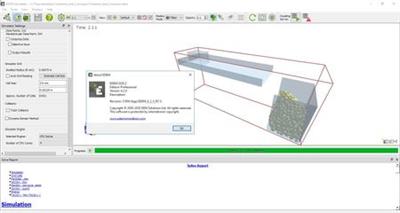
EDEM is used for virtual testing of equipment that handles or processes bulk materials in the mining, equipment manufacturing and process industries. Companies worldwide use EDEM to optimize equipment design, increase productivity, reduce operational costs, shorten product development cycles and drive product innovation.

EDEM 2020 from DEM Solutions Ltd., recently acquired by Altair, allows for faster workflows, and includes new tools for quicker and easier simulation set-up. The new release also includes new coupling solutions with multi-body dynamics software Altair MotionSolve and open source, computational fluid dynamics (CFD) software OpenFOAM.

EDEM Applications Across Industries
Altair is a global technology company that provides software and cloud solutions in the areas of product development, high performance computing (HPC) and data analytics. Altair enables organizations across broad industry segments to compete more effectively in a connected world while creating a more sustainable future.


Product: Altair EDEM
Version: Professional 2020.2
Supported Architectures: x64
Website Home Page :
Код:
http://www.altairhyperworks.com
Language: english
System Requirements: PC *
Size: 705.9 mb

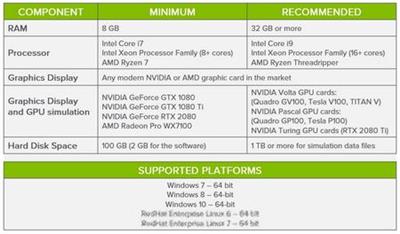
System requirements:
Get the best performance from EDEM software by choosing the right hardware.

7dc43c3bebb944706e0ab2e24ce4a413.jpeg


NOTES:
Windows 7 End Of Life (EOL): Microsoft has announced that support from Windows 7 will officially end 14th January 2020. EDEM will not be able to continue to offer support on this platform beyond this date so users are advised to migrate to a newer operating system on or before this date.


15908e1a695ecd74fac7b566396191d3.jpeg


DOWNLOAD LINKS:

Код:
https://rapidgator.net/file/8e79b2bbd17ffd41f944fdc406258098/Altair_EDEM_Professional_2020.2_x64.rar

Код:
http://nitroflare.com/view/798C63A3BE44F78/Altair_EDEM_Professional_2020.2_x64.rar

Код:
https://uploadgig.com/file/download/4E6478135ec25e8c/Altair_EDEM_Professional_2020.2_x64.rar
 
Wondershare UniConverter 12.0.3.5 (x64) Multilingual

Wondershare UniConverter 12.0.3.5 (x64) Multilingual


0f83d6eb3e6445e1de0e164c2ddd9364.jpeg


Wondershare UniConverter 12.0.3.5 (x64) Multilingual | 160 MB | Language: Multilanguage​


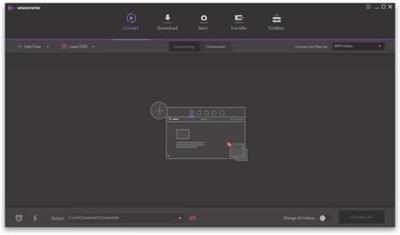
UniConverter - Best Video Converter Ultimate. Convert, Download, Compress, Edit, Burn Videos in 1000 formats and do more.


Easy-to-Use Video Editor, Makes Your Video Stand Out
You can customize home movies through advanced editing features and get professional-looking works in minutes.

Save Videos From Over 10,000 Sites With One Click
Download or record your favorite 4K/HD videos from popular video sharing sites for enjoyment without Internet connection; Or convert them to compatible formats for playback on TV, smartphone, or other devices.

A Flawless DVD & Blu-ray Experience Anywhere
Powerful DVD toolkit of UniConverter (originally Wondershare Video Converter Ultimate) helps you to create and edit DVD files in an easy way.

Transfer Videos to Devices & External Hard Drives
Transfer media files to Apple devices, Android devices, USB flash drives or external hard drivers easily. More importantly, all unsupported formats will be intelligently converted to compatible ones during the transfer.

All-Purpose Video Toolbox
Wondershare UniConverter (originally Wondershare Video Converter Ultimate) also offers a full set of optimized video tools which will come in handy sometime.

System requirements:
Supported OS: Windows 10/8/7/Vista/XP
Processor: > 750MHz Intel or AMD CPU
Free Hard Disk Space: 100MB or above
RAM: 256MB or above


Home Page -
Код:
https://videoconverter.wondershare.com/


DOWNLOAD LINKS:

Код:
https://rapidgator.net/file/ffda64a4b92c4487d45dfa521b3b1ff2/Wondershare_UniConverter_12.0.3.5_x64_Multilingual.rar

Код:
http://nitroflare.com/view/02293062E36B704/Wondershare_UniConverter_12.0.3.5_x64_Multilingual.rar

Код:
https://uploadgig.com/file/download/098a4b2977E2FB7f/Wondershare_UniConverter_12.0.3.5_x64_Multilingual.rar
 
Pinnacle Studio Ultimate 24.0.1.183 (x64) Multilingual Incl. content Packs

Pinnacle Studio Ultimate 24.0.1.183 (x64) Multilingual Incl. content Packs


c50eae1ae6e0d6f8d79dacc3382965d6.jpeg


Pinnacle Studio Ultimate 24.0.1.183 (x64) Multilingual Incl. content Packs | 4.7 GB | Language: Multilanguage​


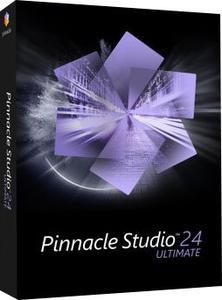
Advanced video editing and screen recording software. Edit freely across unlimited tracks with complete flexibility. Take control of your edits with enhanced keyframing. Access hundreds of creative effects, plus new graphics and overlays. Tap into pro-caliber tools including enhanced Video Masking, Color Grading and new Title Editor.


Your advanced video editing software
Edit like a pro with the unlimited power, precision, and total creative control of Pinnacle Studio™ 24 Ultimate.

Advanced editing
Advanced keyframing controls deliver the power to fine-tune every parameter of your clips, transitions, and effects across unlimited tracks.

Unlimited creativity
Leverage pro-caliber tools including full Color Grading controls, dynamic Video Masking, 360 video editing, and more!

Loaded with power
Tap into smart editing tools to save presets, export grouped clips, and even create customizable shortcuts with Pinnacle's customizable interface.

Pro-caliber editing power that doesn't break the bank
Dive into powerful tools you'd expect to only find in professional editing software.

Loaded with powerful features:
- Color Grading
- Stabilize Video
- 360 Video Editing
- Screen Recorder
- MultiCam Editing
- Dynamic Split Screen Video
- Keyframe Controls
- Stop Motion Animation
- Motion Tracking
- Audio Ducking
- Alpha Channel
- Author DVDs

Keyframe precision
Add keyframes to customize almost any parameter of your edits-take complete control over your motions, effects, and overlays.

Customizable workspace
Set custom tool shortcuts, group and edit clips simultaneously, and explore a streamlined workflow for your most intuitive editing experience.

Additional applications
Included tools empower you to capture video and record your screen, author DVDs, and leverage compatibility with many third party plugins.

System Requirements:
- Operating system: Windows 10, 64 bit
- Processor: Intel Core i3 or AMD A4 3.0 GHz or higher
- Intel Core i5 or i7 1.06 GHz or higher required for AVCHD & Intel Quick Sync Video support
- Intel Core i7 4th generation or later or AMD Athlon A10 or higher for UHD, Multi-Camera or 360 video
- RAM: 4 GB or higher, 8+GB highly recommended for UHD, Multi-Camera, or 360 video
- Graphics card: Minimum resolution 1024 x 768, minimum 256MB VGA VRAM, 512MB or higher recommended for hardware decoding acceleration
- DirectX graphics device recommended:
- NVIDIA GeForce 700 series / Quadro 600 (Fermi-based) or newer (CUDA-enabled required for CUDA support)
- ATI Radeon HD 5XXX series or higher
- Intel HD Graphics from Ivy Bridge or higher
- 3D Titler requires DirectX 11
- Sound card: Windows-compatible sound card
- Hard drive space: 8 GB HDD space for full installation


Home Page -
Код:
https://www.pinnaclesys.com


DOWNLOAD LINKS:

Код:
https://rapidgator.net/file/2fe4c9f055436b6da392078f759181f7/Pinnacle_Studio_Ultimate_24.0.1.183_x64_Multilingual_Incl._content_Packs.part1.rar
https://rapidgator.net/file/172b3209eaa8dc32e624d5a0523e7c08/Pinnacle_Studio_Ultimate_24.0.1.183_x64_Multilingual_Incl._content_Packs.part2.rar
https://rapidgator.net/file/5cce1afab5101f576272cbcae189fcf5/Pinnacle_Studio_Ultimate_24.0.1.183_x64_Multilingual_Incl._content_Packs.part3.rar
https://rapidgator.net/file/bdc1141be3a19d054c5a7d6ceb5354bb/Pinnacle_Studio_Ultimate_24.0.1.183_x64_Multilingual_Incl._content_Packs.part4.rar
https://rapidgator.net/file/ff87a9ccd8e10e4a749f6bff35e1e49b/Pinnacle_Studio_Ultimate_24.0.1.183_x64_Multilingual_Incl._content_Packs.part5.rar

Код:
http://nitroflare.com/view/4E281F33C25BE8D/Pinnacle_Studio_Ultimate_24.0.1.183_x64_Multilingual_Incl._content_Packs.part1.rar
http://nitroflare.com/view/2CEA64D9EFED46D/Pinnacle_Studio_Ultimate_24.0.1.183_x64_Multilingual_Incl._content_Packs.part2.rar
http://nitroflare.com/view/ACF188F6551268A/Pinnacle_Studio_Ultimate_24.0.1.183_x64_Multilingual_Incl._content_Packs.part3.rar
http://nitroflare.com/view/6BFF6E9AFDED3AC/Pinnacle_Studio_Ultimate_24.0.1.183_x64_Multilingual_Incl._content_Packs.part4.rar
http://nitroflare.com/view/591983F0E170352/Pinnacle_Studio_Ultimate_24.0.1.183_x64_Multilingual_Incl._content_Packs.part5.rar

Код:
https://uploadgig.com/file/download/8d02071c6b42927E/Pinnacle_Studio_Ultimate_24.0.1.183_x64_Multilingual_Incl._content_Packs.part1.rar
https://uploadgig.com/file/download/8f1fD5fE156c34A3/Pinnacle_Studio_Ultimate_24.0.1.183_x64_Multilingual_Incl._content_Packs.part2.rar
https://uploadgig.com/file/download/12c123ccBD38b423/Pinnacle_Studio_Ultimate_24.0.1.183_x64_Multilingual_Incl._content_Packs.part3.rar
https://uploadgig.com/file/download/1b6914C5a05Eb7af/Pinnacle_Studio_Ultimate_24.0.1.183_x64_Multilingual_Incl._content_Packs.part4.rar
https://uploadgig.com/file/download/0f6457166da9B6c9/Pinnacle_Studio_Ultimate_24.0.1.183_x64_Multilingual_Incl._content_Packs.part5.rar
 
MAGIX Photostory 2021 Deluxe 20.0.1.52 (x64) Multilingual

MAGIX Photostory 2021 Deluxe 20.0.1.52 (x64) Multilingual


41c38d1e9e76111870450452629b72ba.jpeg


MAGIX Photostory 2021 Deluxe 20.0.1.52 (x64) Multilingual | 981 MB | Language: Multilanguage​


Lights, camera, action! Get ready to share your photos with the world. With the new Photostory Deluxe, excitement is added to your best shots with camera movement, zooms and music in an incredible photo slideshow. Watch a wave of excitement come over your family and friends as you share your photo story!Watch a wave of excitement come over your family and friends as you share your photo story!


NEW! Huge selection of effects
Our templates help you create entertaining slideshows in no time at all. Included: New photo looks, 1,500 effects and music. Plus, get the even more effects in the Photostory Store!

NEW! Effect Wizard
Fun for your viewers, fun for you: Start creating a slideshow today. Work with the intuitive Effect Wizard for a simplified workflow.

Slideshows without limits.
Discover endless design possibilities: With stunning effects that work perfectly with high-resolution photos, the new, ultra-fast program engine makes it all possible! Discover now
The world's fastest retouching:

Automatic image editing Create truly stunning images in record time. The program's automatic image editing completes the optimizations so you don't have to. New: Transform your recordings with popular photo looks in a single click!

Full face lift:
Advanced image editing Sometimes, simple photo corrections and enhancements just aren't enough - you need expert tools in order to achieve the best look for a photo. Photostory Deluxe offers a new curves tool for precisely modifying color values and brightness.

Replicate your favorite image:
Shot match A single event. Multiple beautiful images. The innovative shot match feature lets you select your favorite image and transfer its style to other images.

Attention grabber:
Animated intros & outros First and last impressions are everything. Start and end your slideshow on a high note. Use the included high-quality animated intro and outro templates to lead your viewers to your most exciting shots.

Stay right in the action:
Breathtaking transitions Keep the excitement going - even when you're just switching from one image to the next. Exciting transitions add further creative touches to your slideshows.

Lights, camera, action:
Tracking shots & zooms Every picture counts. Each and every image tells a tale. Breathtaking camera tracking shots and zooms let you dive right into an image to show specific details and tell the story behind them.

Add emotion at the push of a button:
Film music & sound effects Mountains, birdsong or church bells from a distant valley. The dramatic music starts to play as the images of mountain face looms above. The images then switch to the view from the peak with relaxed instrumental music. Amazing music and sound effects are all included in Photostory!

Something for everyone:
Decorative elements Bam! Boom! Splash! Add fun and exciting details to images with decorative elements. It's the perfect way to enhance any image!

The perfect mix:
Beautiful picture collages Picture-in-picture, not picture follows picture. For more variety and more dynamics, it's the perfect way to present similar photos in a single picture collage.

More than just a wizard:
The Photostory Wizard You can set the integrated Photostory Wizard to design your slideshow for you from start to finish. Just choose the photos and the wizard does the rest!

Exciting borders:
Creative effects for portrait pictures Every single one of your photos can be used in your slideshows. There's even a creative solution for portrait photos with black borders.

Choose your storage media:
Photos on DVD And there you have it - a finished slideshow ready for sharing with family and friends. On DVD, Blu-ray, or USB stick. The Export Wizard is ideal for sharing your slideshow with others quickly.

Display your travel route:
Animations on map Take your viewers on a trip and display your travel route on an animated map!


System Requirements:
- You need a 64-bit version for the following operating systems:
- Windows 10, Windows 8, Windows 7
- Processor: 2 GHz (Quad-core processor with 2.8 GHz or better recommended)
- RAM: 2 GB (4 GB recommended)
- Graphics card: Onboard, minimum resolution 1280 x 1024 (Dedicated, at least 512MB VRAM recommended)
- Sound card: Onboard
- Hard drive space: 2 GB for program installation


Home Page -
Код:
https://www.magix.com/


DOWNLOAD LINKS:

Код:
https://rapidgator.net/file/7a7feadd95adce4299d13163c5185478/MAGIX_Photostory_2021_Deluxe_20.0.1.52_x64_Multilingual.rar

Код:
http://nitroflare.com/view/422B0F4FE519D96/MAGIX_Photostory_2021_Deluxe_20.0.1.52_x64_Multilingual.rar

Код:
https://uploadgig.com/file/download/53ce946802a67a3D/MAGIX_Photostory_2021_Deluxe_20.0.1.52_x64_Multilingual.rar
 
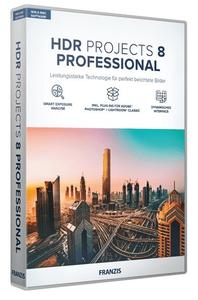
Franzis HDR projects 8 professional 8.32.03590 Multilingual

Franzis HDR projects 8 professional 8.32.03590 Multilingual


b400048e1c75cb80fbf68acb12b9589d.jpeg


Franzis HDR projects 8 professional 8.32.03590 Multilingual | 312 MB | Language: Multilanguage​


With the brand new HDR projects 8 professional you have the choice between natural and perfectly exposed images as well as spectacular photos with bright colors, the highest level of contrast and trendy "grungy" styles. Now develop your own HDR style, which immediately affects all presets and gives the photos your personal touch!


The correctly exposed image in every situation
HDR technology brings out the best possible exposure from difficult exposure situations by combining different levels of brightness. Now you will get the desired result even easier and faster: The new color module and the 188 optimized presets get even more out of your pictures. This is how you achieve the best results in the shortest possible time!

What's New:
- New: Dynamic interface, ideally suited for UHD 4K
- New: Extended RAW mode with area protection and exif data that can be displayed
- New: 5 freely assignable HDR styles for personal preferences
- New: All 188 presets have been revised and especially optimized with regard to noise behavior
- New: Smart Exposure Analysis of the exposure series: all images in the exposure series are examined individually for blurring and exposure in order to be able to find outliers and blurred images more quickly.
- New: "Ultra" image alignment in the HDR preparation: The image alignment is calculated even more precisely and thus leads to a better HDR result image.
- New: Extended grain module: The grain module now offers 3 color spaces - RGB, HSV and HSL - in order to be able to use the grain in a more differentiated and targeted manner.
- New: New module "Virtual micro details" With this tool, micro details can be calculated into images in order to give flat parts of the image more structure.
- New: New color module with which you can set color accents in an impressive way without having to use complicated image processing.
- New: The focus peaking module shows the areas in an image on which the focus of the camera was when the picture was taken.
- New: Extended functions in selective characters: intelligent mode activated by default
- New: Additional calculation qualities for the texture masks, which make textures look more homogeneous and natural with a high zoom.
- New: New effects in expert mode
- Stand-alone and plug-in for Adobe® Lightroom Classic® and Photoshop®

EXCLUSIVE in the professional version!
If you want to fully exploit the technical possibilities, you should use the professional version. The full equipment offers the latest tools and all the features that are technically possible and leaves nothing to be desired, even for professionals.

Then the professional version of HDR projects 8 is just right for you:
- RAW module with all the editing functions of a professional RAW converter and new extensions such as area protection
- Full selection of presets and effects
- Batch processing with automatic exposure series recognition for simultaneous development of dozen HDR exposure series
- Plug-in for Adobe® Lightroom Classic® and Photoshop®
- Export exposure series: Create an exposure series from a JPG or RAW that you can edit in any program.
- Support for D65 color spaces, corresponds to the standard light for medium daylight in the noon northern sky and ensures particularly true-color daylight images.
- Point of Interest view for quick and resource-saving image analysis and calculation

New: sensational results in any light
With the new, revised presets, you can also get a grip on difficult lighting conditions. Everyone knows the problem of noise in low-light situations. The new presets reduce the color noise even before the tone mapping in order to produce even cleaner images. So you are guaranteed to have even more of your photos!

8 digital color filters
The "Color filter" module in the "Selective drawing" area provides 8 digital color filters: red, orange, yellow, green-yellow, green, cyan, blue, violet.

The fascination of HDR
With HDR technology, you can take spectacular photos. The finest details, bright colors and an overwhelming wealth of contrasts will inspire you. Regardless of whether you have taken and processed a series of exposures or a single image.

NEW: color module with pipette
This impressive new module is one of the most important innovations and manipulates colors in the best possible way. With the new color module you can set selective color accents without having to select the color range. Simply click on the color to be changed with the color picker and select another segment in the color wheel.

You can use the eyedropper to select any colored area that is immediately shown in the color wheel. This color selection can be expanded or narrowed by a lower / higher saturation, an expansion of the color spectrum (color angle) etc ... Use the sliders "Target hue / saturation / exposure / contrast" to select the desired new hue. The great advantage here is that no selection of the colored objects is necessary, but an exact selection is made via the colors.

Including plug-in for Photoshop and Lightroom
There are many ways to get to HDR projects 8 professional, and of course also very comfortably from Adobe® Photoshop® and Lightroom®! A new, full-fledged filter plug-in for Adobe® Lightroom® Classic and Photoshop® offers maximum convenience for your personal workflow. Simply select the desired image or the series of images in the Lightroom® image database, export to HDR projects 8 professional, edit and put the resulting image back into the database.

TOP performance
HDR projects 8 professional is also suitable for cameras with high resolutions, even the processing of RAW exposure series with a large number of images is no problem.


System Requirements:
- Windows 10/8/7
- Core Duo processor
- 2 GB of free RAM
- 2 GB HDD
- Screen resolution 1,280 x 1,024 pixels, graphics card: DirectX 9 compatible, 128 MB, 32 bit color depth
- Product languages: English, Deutsch, French.


Homepage:
Код:
https://www.projects-software.com


DOWNLOAD LINKS:

Код:
https://rapidgator.net/file/ede1af2915f01371080df6d75b6e6349/Franzis_HDR_projects_8_professional_8.32.03590_Multilingual.rar

Код:
http://nitroflare.com/view/060F822148F7C27/Franzis_HDR_projects_8_professional_8.32.03590_Multilingual.rar

Код:
https://uploadgig.com/file/download/D8f6A71ecfa98718/Franzis_HDR_projects_8_professional_8.32.03590_Multilingual.rar
 
Adobe Photoshop Lightroom Classic 2020 v9.4.0.10 (x64) Multilingual (Portable)

Adobe Photoshop Lightroom Classic 2020 v9.4.0.10 (x64) Multilingual (Portable)


2147298c5cf65ca72359eb9c7a2dc724.jpeg


Adobe Photoshop Lightroom Classic 2020 v9.4.0.10 (x64) Multilingual (Portable) | 1.04 GB | Language: Multilanguage​


Edit and organize your photos with the app that's optimized for desktop. Lightroom Classic CC gives you powerful one-click tools and advanced controls to make your photos look amazing. Easily organize all your photos on your desktop, and share in a variety of ways.


Your best shots. Made even better.
Your photos don't always reflect the scene the way you remember it. But with Lightroom Classic, you have all the desktop editing tools you need to bring out the best in your photographs. Punch up colors, make dull-looking shots vibrant, remove distracting objects, and straighten skewed shots. Plus, the latest release offers improved performance so you can work faster than ever.
- With better performance under the hood, Lightroom Classic lets you import photos, generate previews, and move from Library to Develop Module in record time.
- Use range masking tools to easily select the areas or objects you want to edit based on their color, luminance, or depth.
- Create HDR panos faster now that you can merge multiple bracketed exposures into multiple HDR photos and then stitch them into a panorama - all in one step.

The future of photography. Here today. Get to know Lightroom.
Go beyond the desktop and edit, organize, store, and share from anywhere with the cloud-based Lightroom photo service:
- Store and access your full-resolution photos in the cloud
- Find photos on any device fast with auto tagging
- Edit from any device using an intuitive, streamlined interface

Accelerate image-editing with GPU support
Use the GPU of your system to enhance image-editing experience.
Organize your collections with color labels
Color labels can be added for collections, collections sets, and smart collections.
Support for new cameras and lenses
Adds support for new cameras and lens profiles.
Other enhancements
Find information about PNG export, batch merge for HDR and panoramas, and other new enhancements in this release.


System Requirements:
- Processor: Intel® or AMD processor with 64-bit support*; 2 GHz or faster processor
- Operating system: Microsoft Windows 7 with Service Pack 1 (64-bit) or Windows 10**
- RAM: 4 GB of RAM (12 GB recommended)
- Hard disk space: 2 GB of available hard-disk space for program installation.
- Monitor resolution: 1024 x 768 display
Graphics processor acceleration requirements:
- AMD: Radeon GPU with DirectX 12 or OpenGL 3.3 support.
- Intel: Skylake or newer GPU with DirectX 12 support.
- NVIDIA: GPU with DirectX 12 or OpenGL 3.3 support.
- OpenGL 3.3 and DirectX 10-capable video adapter for GPU-related functionality.
- 1 GB Video RAM (VRAM). 2 GB of dedicated VRAM (4 GB recommended) for large, high-resolution monitors, such as 4K- and 5K-resolution monitors.

Language versions available for Lightroom Classic:
- Deutsch
- English
- Español
- Français
- Italiano
- Nederlands
- Português (Brasil)
- Svenska
- 日本語
- 简体中文
- 繁體中文
- 한국어

Home Page -
Код:
https://www.adobe.com/


DOWNLOAD LINKS:

Код:
https://rapidgator.net/file/ea2601e630bc1681c8df3b972fa1663f/Adobe_Photoshop_Lightroom_Classic_2020_v9.4.0.10_x64_Multilingual_Portable.part1.rar
https://rapidgator.net/file/6e1687dba163586f1b30add4c0881c58/Adobe_Photoshop_Lightroom_Classic_2020_v9.4.0.10_x64_Multilingual_Portable.part2.rar

Код:
http://nitroflare.com/view/B09AD220EF6057E/Adobe_Photoshop_Lightroom_Classic_2020_v9.4.0.10_x64_Multilingual_Portable.part1.rar
http://nitroflare.com/view/F0FF746876E0992/Adobe_Photoshop_Lightroom_Classic_2020_v9.4.0.10_x64_Multilingual_Portable.part2.rar

Код:
https://uploadgig.com/file/download/7B330821Ba6e31d1/Adobe_Photoshop_Lightroom_Classic_2020_v9.4.0.10_x64_Multilingual_Portable.part1.rar
https://uploadgig.com/file/download/61Cd5c720E4d27c2/Adobe_Photoshop_Lightroom_Classic_2020_v9.4.0.10_x64_Multilingual_Portable.part2.rar
 
MAGIX Photostory 2021 Deluxe v20.0.1.52 (x64) Multilingual (Portable)

MAGIX Photostory 2021 Deluxe v20.0.1.52 (x64) Multilingual (Portable)


10c5b415c759125ce639316f1b47f95f.jpeg


MAGIX Photostory 2021 Deluxe v20.0.1.52 (x64) Multilingual (Portable) | 820 MB | Language: Multilanguage​


Lights, camera, action! Get ready to share your photos with the world. With the new Photostory Deluxe, excitement is added to your best shots with camera movement, zooms and music in an incredible photo slideshow. Watch a wave of excitement come over your family and friends as you share your photo story!Watch a wave of excitement come over your family and friends as you share your photo story!


NEW! Huge selection of effects
Our templates help you create entertaining slideshows in no time at all. Included: New photo looks, 1,500 effects and music. Plus, get the even more effects in the Photostory Store!

NEW! Effect Wizard
Fun for your viewers, fun for you: Start creating a slideshow today. Work with the intuitive Effect Wizard for a simplified workflow.

Slideshows without limits.
Discover endless design possibilities: With stunning effects that work perfectly with high-resolution photos, the new, ultra-fast program engine makes it all possible! Discover now
The world's fastest retouching:
Automatic image editing Create truly stunning images in record time. The program's automatic image editing completes the optimizations so you don't have to. New: Transform your recordings with popular photo looks in a single click!

Full face lift:
Advanced image editing Sometimes, simple photo corrections and enhancements just aren't enough - you need expert tools in order to achieve the best look for a photo. Photostory Deluxe offers a new curves tool for precisely modifying color values and brightness.

Replicate your favorite image:
Shot match A single event. Multiple beautiful images. The innovative shot match feature lets you select your favorite image and transfer its style to other images.

Attention grabber:
Animated intros & outros First and last impressions are everything. Start and end your slideshow on a high note. Use the included high-quality animated intro and outro templates to lead your viewers to your most exciting shots.

Stay right in the action:
Breathtaking transitions Keep the excitement going - even when you're just switching from one image to the next. Exciting transitions add further creative touches to your slideshows.

Lights, camera, action:
Tracking shots & zooms Every picture counts. Each and every image tells a tale. Breathtaking camera tracking shots and zooms let you dive right into an image to show specific details and tell the story behind them.

Add emotion at the push of a button:
Film music & sound effects Mountains, birdsong or church bells from a distant valley. The dramatic music starts to play as the images of mountain face looms above. The images then switch to the view from the peak with relaxed instrumental music. Amazing music and sound effects are all included in Photostory!

Something for everyone:
Decorative elements Bam! Boom! Splash! Add fun and exciting details to images with decorative elements. It's the perfect way to enhance any image!

The perfect mix:
Beautiful picture collages Picture-in-picture, not picture follows picture. For more variety and more dynamics, it's the perfect way to present similar photos in a single picture collage.

More than just a wizard:
The Photostory Wizard You can set the integrated Photostory Wizard to design your slideshow for you from start to finish. Just choose the photos and the wizard does the rest!

Exciting borders:
Creative effects for portrait pictures Every single one of your photos can be used in your slideshows. There's even a creative solution for portrait photos with black borders.

Choose your storage media:
Photos on DVD And there you have it - a finished slideshow ready for sharing with family and friends. On DVD, Blu-ray, or USB stick. The Export Wizard is ideal for sharing your slideshow with others quickly.

Display your travel route:
Animations on map Take your viewers on a trip and display your travel route on an animated map!

Home Page -
Код:
https://www.magix.com/


DOWNLOAD LINKS:

Код:
https://rapidgator.net/file/29ef4e42723186dc4dd288f8723d71f0/MAGIX_Photostory_2021_Deluxe_v20.0.1.52_x64_Multilingual_Portable.rar

Код:
http://nitroflare.com/view/15F750E47C073BE/MAGIX_Photostory_2021_Deluxe_v20.0.1.52_x64_Multilingual_Portable.rar

Код:
https://uploadgig.com/file/download/868635636B6b88d7/MAGIX_Photostory_2021_Deluxe_v20.0.1.52_x64_Multilingual_Portable.rar
 
MAGIX VEGAS Pro v18.0.0.284 (x64) (Portable)

MAGIX VEGAS Pro v18.0.0.284 (x64) (Portable)


943493456f71c8f69f5cec0050370557.jpeg


MAGIX VEGAS Pro v18.0.0.284 (x64) (Portable) | 385 MB | Language: English​


VEGAS Pro leverages the power of Artificial Intelligence to bring your video production two steps ahead. It offers an extremely flexible user interface, comprehensive media management, advanced audio editing and mastering with the included SOUND FORGE Pro, plus industry-leading hardware acceleration. Time to supercharge your creative flow!


DISCOVER THE ADVANCED TOOLSET
Once again, VEGAS Pro stands out as an innovative leader when it comes to non-linear editing. The modern user interface delivers a completely customizable experience that provides Superior flexibility. Innovative approaches and editing tools speed up your workflow and make you more efficient and ultimately more creative. Focus on your creativity, not your tools.

Video Stabilization
Turn shaky footage into smooth, pro quality video. The video stabilization engine has been rebuilt from the ground up with our state-of-the-art technology, resulting in a feature that is easy to use and provides smooth results every time.

Planar Motion Tracking
Not every object sits square to the camera. Your motion tracking should account for that. Now, Planar Motion Tracking does. Track and pin text or apply color grading to objects moving in perspective, turning toward you or away from you and changing dimensions as perspective changes. Objects not square to your camera? Use Planar Motion Tracking.

Nested Timelines
Organize projects and speed up your workflow with nested timelines that you create from any events in your main timeline. And you can still access your nested timelines as independent projects, so it's easy to share a portion of your project with a colleague while you maintain control over the master project.

Complete HDR color support
Work with industry-leading HDR tools in VEGAS Pro. Grade your colors with HDR grading tools while previewing in HDR either within VEGAS or on external HDR hardware. All powered by GPU-based open color I/O processing and with new ACES 1.1 color standards. HDR10 and HLG support from beginning to end.

Unified Color Grading workflow
VEGAS Pro provides an efficient, logical color grading workflow. Adjust colors with sensitive color wheels and curves. Advanced options like a logarithmic exposure control, adjustable Vectorscope skin tone line and combined RGB Parade display enable you to grade your colors more precisely.

Improved Color Curves
Color curves are an indispensable tool for professionals, and now VEGAS Pro features even more powerful curves. We've added automatic color balance to our color curves tool. Apply automatic corrections with the option for manual control to adjust your colors fully as desired.

Threetimes Boris FX plug-in power
The highly sophisticated Lens Flare 3D visual effect allows you to create many different styles and looks, like traditional lens flares which occur when a point light source is turned toward a camera lens, or even spectacular special effects that are often seen in science fiction movies. Lots of preset looks serve as a useful starting point in generating a customized look which can be saved and reused on future projects and comps. And with the integrated Motion Tracker you can automatically lock or track the Lens Flare to a specific element in your scene.

Home Page -
Код:
https://www.vegascreativesoftware.com/


DOWNLOAD LINKS:

Код:
https://rapidgator.net/file/5c3770dab58395eaf6e49add2bb8f905/MAGIX_VEGAS_Pro_v18.0.0.284_x64_Portable.rar

Код:
http://nitroflare.com/view/886533B2339992B/MAGIX_VEGAS_Pro_v18.0.0.284_x64_Portable.rar

Код:
https://uploadgig.com/file/download/3c5aec3b8381f2d8/MAGIX_VEGAS_Pro_v18.0.0.284_x64_Portable.rar
 
Prima Cartoonizer 2.0.0 (Portable)

Prima Cartoonizer 2.0.0 (Portable)


52c6bbfff9aa2148daf8dbc4564a1699.jpeg


Prima Cartoonizer 2.0.0 (Portable) | 63 MB | Language: English​


Convert photos into cartoons with just few clicks of a mouse with our Prima Cartoonizer for PC. Now, you can convert all of your pictures and images into cartoon effect more quickly and precisely. You can convert large or high-quality photos into cartoons with best results. Besides, you can also edit your photos and make multiple adjustments even before or after converting them. Add many items, crop your photos, resize and adjust the brightness and contrast.


Enjoy fantastic cartoon effects with Prima Cartoonizer!
- Amazing Cartoon Effects!
- Automatic conversion process!
- It works without internet connection!
- Output image size up to 4096px!

It's the time to replace the cookie cut forum avatar by a real cartoon of you:
- The good thing is that you can let the people know how you look like without sharing your actual photo but a cartoon of yourself.
- You can make cartoons of your friends, pets, house, neighborhood and especially the celebrities and the politicians.
- Cartoons will be the best gift for your family and friends. You can also use them on mugs and T-shirts.
- Undoubtedly, this software is a great fun and addictive, too. It is very easy to use and also intuitive.
- No need of great artistic skills because no manual drawing is involved.
- The software uses very novel technology to execute the whole process.
- First of all, it splits the image into solid color patterns just similar to a mosaic. After that, it converts the minute details of the image into cartoon format.
- Since it applies effects throughout the photo, the end result is always of high-quality.
- Cartoon yourelf without any Watermark or Logo!
- Standalone software!

Comes with several neat customization features
Following a quick installation, you are prompted to add a picture to get started, an event that also brings forth the effects, features and options of the application. Therefore, on the ride side, you can use the small menu to customize the brightness, contrast and RGB. The app also comes with a zoom feature that can come in handy when adjusting these parameters.

An app for anyone who enjoys cartoons or this particular effect
Depending on the number of effects you want to add to your pictures the conversion process can take some time. But then again, nobody is really in a hurry when processing images and overall, it's not a big setback. All in all, Prima Cartoonizer is an easy to use application that provides an effective way to add a toon effect to your images.

More Features:
- You can even make all types of adjustments with the cartoonized photo.
- Avail multiple effects to make your pictures desirable and mesmerizing.
- You can conveniently convert your photos into cartoons just within seconds.
- It is extremely simple software with the main theme of turning images into cartoons.
- It allows the users to covert photos into cartoons really fast than normal process.
- With the help of crop function, you can remove any unwanted part/parts of your image.
- You can edit your images and adjust the brightness and the contrast...etc
- No other standalone program or software is needed; it does all the functions itself.
- The converted cartoon does not contain any watermark or logo.(Paid version only)
- You need not to save the photo to print it. You can do it right from within your software.
- Resize function available, you can resize your photo before or after the conversion.
- Different goodies enhance the overall fun and joy, thus bringing extra colors to your cartoons.

Requirements: Windows® 10, Windows® 8/8.1, and Windows® 7

Home Page -
Код:
https://primacartoonizer.com/


DOWNLOAD LINKS:

Код:
https://rapidgator.net/file/405afd7ab1056d561284ac12078ec699/Prima_Cartoonizer_2.0.0_Portable.rar

Код:
http://nitroflare.com/view/4464CE895E6AAE2/Prima_Cartoonizer_2.0.0_Portable.rar

Код:
https://uploadgig.com/file/download/181b18f5492f521C/Prima_Cartoonizer_2.0.0_Portable.rar
 
Prima Cartoonizer v2.0.0

Prima Cartoonizer v2.0.0


b83b34b63b97606226dbc390c9ed267b.jpeg


Prima Cartoonizer v2.0.0 | 90 MB | Language: English​


Convert photos into cartoons with just few clicks of a mouse with our Prima Cartoonizer for PC. Now, you can convert all of your pictures and images into cartoon effect more quickly and precisely. You can convert large or high-quality photos into cartoons with best results. Besides, you can also edit your photos and make multiple adjustments even before or after converting them. Add many items, crop your photos, resize and adjust the brightness and contrast.


Enjoy fantastic cartoon effects with Prima Cartoonizer!
- Amazing Cartoon Effects!
- Automatic conversion process!
- It works without internet connection!
- Output image size up to 4096px!

It's the time to replace the cookie cut forum avatar by a real cartoon of you:
- The good thing is that you can let the people know how you look like without sharing your actual photo but a cartoon of yourself.
- You can make cartoons of your friends, pets, house, neighborhood and especially the celebrities and the politicians.
- Cartoons will be the best gift for your family and friends. You can also use them on mugs and T-shirts.
- Undoubtedly, this software is a great fun and addictive, too. It is very easy to use and also intuitive.
- No need of great artistic skills because no manual drawing is involved.
- The software uses very novel technology to execute the whole process.
- First of all, it splits the image into solid color patterns just similar to a mosaic. After that, it converts the minute details of the image into cartoon format.
- Since it applies effects throughout the photo, the end result is always of high-quality.
- Cartoon yourelf without any Watermark or Logo!
- Standalone software!

Comes with several neat customization features
Following a quick installation, you are prompted to add a picture to get started, an event that also brings forth the effects, features and options of the application. Therefore, on the ride side, you can use the small menu to customize the brightness, contrast and RGB. The app also comes with a zoom feature that can come in handy when adjusting these parameters.

An app for anyone who enjoys cartoons or this particular effect
Depending on the number of effects you want to add to your pictures the conversion process can take some time. But then again, nobody is really in a hurry when processing images and overall, it's not a big setback. All in all, Prima Cartoonizer is an easy to use application that provides an effective way to add a toon effect to your images.

More Features:
- You can even make all types of adjustments with the cartoonized photo.
- Avail multiple effects to make your pictures desirable and mesmerizing.
- You can conveniently convert your photos into cartoons just within seconds.
- It is extremely simple software with the main theme of turning images into cartoons.
- It allows the users to covert photos into cartoons really fast than normal process.
- With the help of crop function, you can remove any unwanted part/parts of your image.
- You can edit your images and adjust the brightness and the contrast...etc
- No other standalone program or software is needed; it does all the functions itself.
- The converted cartoon does not contain any watermark or logo.(Paid version only)
- You need not to save the photo to print it. You can do it right from within your software.
- Resize function available, you can resize your photo before or after the conversion.
- Different goodies enhance the overall fun and joy, thus bringing extra colors to your cartoons.

Requirements: Windows® 10, Windows® 8/8.1, and Windows® 7

Home Page -
Код:
https://primacartoonizer.com/


DOWNLOAD LINKS:

Код:
https://rapidgator.net/file/d32c15cd38d8119de474c982e7ea19d4/Prima_Cartoonizer_v2.0.0.rar

Код:
http://nitroflare.com/view/192A4A05487BC12/Prima_Cartoonizer_v2.0.0.rar

Код:
https://uploadgig.com/file/download/5479c48b01Ae622a/Prima_Cartoonizer_v2.0.0.rar
 
Назад
Сверху