• Здравствуйте. Сайт заработал в архивном режиме форум www.old.nado.in

KAMAL's Softwares Collection!!! (Updated Daily)

  • Автор темы Автор темы KAMAL
  • Дата начала Дата начала
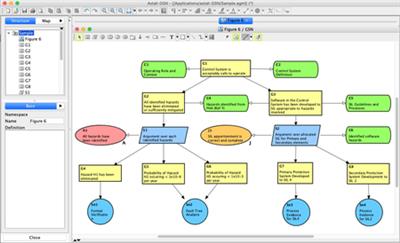
Change Vision Astah GSN v1.2.0

Change Vision Astah GSN v1.2.0


202641da6e8b571a487a4655d27b8b7f.jpeg


Change Vision Astah GSN v1.2.0 | 101 MB | Language: English​


GSN, or Goal Structuring Notation, is a technique to visualize how goals of a system are successively broken down into sub-goals until a point is reached where claims can be supported by direct reference to available evidence. GSN has been increasingly used for safety cases in industries such as automotive (ISO 26262), aerospace (DO-178B), rail, nuclear, and defense. If you require GSN modeling, Astah GSN is the right choice for your system safety assurances.


Standard Models
Astah GSN is compliant with GSN Community Standard version 1.0. As a full-fledged modeling software - not just a drawing tool - Astah GSN creates models that can be exported as SACM (ARM), the OMG standard. With Astah, you can reuse your common structures in safety case arguments, keeping your patterns consistent across diagrams.
Mind mapping is also included in Astah GSN, and your mind maps can easily be converted to GSN, making the entire diagramming process faster and easier!

Import. Export. Integrate.
Structured Assurance Case Metamodel Import & Export.
Using Astah GSN, you can import or export in the SACM (ARM) - OMG standard, allowing interoperability between systems and easy communication with other teams.

Image Export.
You can save GSN models in PNG, JPEG, EMF and SVG formats. You can also copy them to the clipboard, so it is easy to paste your GSN diagrams into third-party tools such as Microsoft Word.


DOWNLOAD LINKS:

Код:
https://rapidgator.net/file/ab08fe9de941550547280f1770acf1d4/Change_Vision_Astah_GSN_v1.2.0.rar

Код:
http://nitroflare.com/view/57DDE21E0255E06/Change_Vision_Astah_GSN_v1.2.0.rar

Код:
https://uploadgig.com/file/download/2cCebC52bbBdc2cf/Change_Vision_Astah_GSN_v1.2.0.rar
 
WnSoft PTE AV Studio Pro 10.0.12 Build 2 Multilingual

WnSoft PTE AV Studio Pro 10.0.12 Build 2 Multilingual


15528db3a11c7cc938a0802a9589b971.jpeg


WnSoft PTE AV Studio Pro 10.0.12 Build 2 Multilingual | 53 MB | Language: Multilanguage​


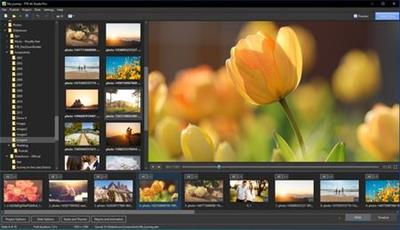
PTE AV Studio 10 offers you full creative control for your projects. Use the timeline view for perfect synchronization of slides with audio clips on multiple tracks. Powerful keyframe animations with effects. More than 125 templates/styles of animations will help you to easily create your slideshow.


Pan, Zoom, Rotate, 3D
Adjust pan, zoom, rotate, 3D transformations. Control opacity, blur, unsharp mask, and color effects.

Nested Animation
Create complex parent-child animation of objects.

Images and Video Clips
Mix images and video clips together on the screen.

Timeline View
Add and view multiple audio tracks which may be played simultaneously. Synchronize slides with audio clips on the timeline using time points. Link audio clips with slides.

Audio Editor
Envelope tool (keypoint control of sound volume). Edit audio clips: fade in/out, start time, duration, cross-fading.

Objects
Add images, video clips, text captions, masks, interactive buttons and more.

Keyframe Animations
Keyframes work like waypoints. Add first keyframe and adjust position and size of an object. Add last keyframe and adjust the final position of an object and its parameters. PTE AV Studio will animate the object between these keyframes using pan, zoom, rotate etc.

Color Adjustments
Adjust the brightness, contrast, levels, hue, saturation of an image/video. Apply a sepia effect and other color filters. Support of color profiles.

Image Adjustments
Crop images and videos, add beautiful white frame and drop shadow. Apply dynamic blur effect. Use zoom in a frame. Apply masking effect.

Color Management
Support of Adobe RGB monitors in preview and executable shows.

Operating System: Windows 7, 8/8.1, 10 (64-bit only)

Home Page -
Код:
https://www.wnsoft.com/


DOWNLOAD LINKS:

Код:
https://rapidgator.net/file/3b92b6865f69bb1466a95ebfddffb3f2/WnSoft_PTE_AV_Studio_Pro_10.0.12_Build_2_Multilingual.rar

Код:
http://nitroflare.com/view/C36634BE389C980/WnSoft_PTE_AV_Studio_Pro_10.0.12_Build_2_Multilingual.rar

Код:
https://uploadgig.com/file/download/2e163ebfB046154a/WnSoft_PTE_AV_Studio_Pro_10.0.12_Build_2_Multilingual.rar
 
VidPaw ConvertAnyVid 1.0.10 Multilingual

VidPaw ConvertAnyVid 1.0.10 Multilingual


0c9c8090c523b496e39b3bbdbf6150d9.jpeg


VidPaw ConvertAnyVid 1.0.10 Multilingual | 128 MB | Language: Multilanguage​


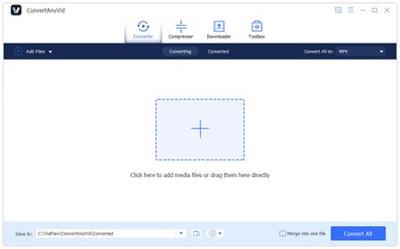
ConvertAnyVid is an all-in-one video/audio solution that brings a convenient and effortless way for both Win/Mac users to manage the local multimedia files without hassle. It offers easy-to-handle video/audio conversion and editing functions, helping users to get the customized files within only simple clicks. ConverAnyVID has been a leading program and reliable tool as a professional video converter as well as video editor.


Convert and Edit Your Video/Audio Files Losslessly Within Simple Clicks
ConvertAnyVid enables the best services to allow users for converting video/audio to multiple formats with the best quality. The video editing function provided by the program also ensures a lossless process, so users can customize video files losslessly without hassle.

CorrectConvert your video/audio files to formats you like smoothly and fluently.
CorrectEdit for creating your personalized videos with the stable editing functions.
CorrectEnhance the quality of your video freely with only one click here.

Over 300 Output Formats Are Available to Fix the Incompatibility Issue
The excellent video convert attribution of ConvertAnyVid leads to the fact that it avails 300+ existing output formats for free selection, including the common ones like MP3, MP4, M4A, MOV, AAC, AC3, AIFF, AVI, FLAC, FLV, MKV, M4V, OGG, WAV, WMA, WMV, 3GP, etc. and a variety of widely-used devices.

CorrectCommon supported audio output formats: MP3, M4A, AAC, AC3, AIFF, FLAC, OGG, WAV
CorrectCommon supported video output formats: MP4, MOV, WebM, H.264/MPEG-4 AVC, AVI, ASF, MKV, MPG, TS, WMV
CorrectAvailable devices: Apple, Samsung, Huawei, Sony, LG, Xiaomi, HTC, Nokia
Customize Video with Ease: Clip, Edit, Video Enhancement, 3D Effects

ConvertAnyVid offers a comprehensive toolbox that enables users to edit the local video files with different functionality in different module. You are able to customize the duration, edit it with your preferred effects, enhance the quality of the resolution, add watermater, and use 3D special effects.

CorrectClip: Change the duration of the video by selecting the start and end time here. You can also merge several video clips into one.
CorrectVideo Enhance: Only one click is required to imporve the brightness and contract of the resolution, making the video look much clearer.

Correct3D Effect: Enable the 3D settings to make the scenes of your video become more solid.
CorrectEdit: More video editing tools like rotate, crop, watermark, and effects are provided for creating an incredicle video as well.

System Requirements:
Supported OS: Windows 10/8/7/Vista/XP (SP2 or later)
Processor: 1GHz Intel/AMD CPU or above
RAM: 512MB RAM, Super VGA (800x600) resolution, 16-bit graphics card or higher.


Home Page -
Код:
https://www.vidpaw.com/


DOWNLOAD LINKS:

Код:
https://rapidgator.net/file/ac98acbf12ed3b24d537e30d34d12ad5/VidPaw_ConvertAnyVid_1.0.10_Multilingual.rar

Код:
http://nitroflare.com/view/641968C4F3EA049/VidPaw_ConvertAnyVid_1.0.10_Multilingual.rar

Код:
https://uploadgig.com/file/download/04976fda973cBca9/VidPaw_ConvertAnyVid_1.0.10_Multilingual.rar
 
Adobe Acrobat Pro DC 2020.012.20041 x64 Multilingual

Adobe Acrobat Pro DC 2020.012.20041 x64 Multilingual


d46fa4cff080cdb9504e062f9a55c77d.jpg


Adobe Acrobat Pro DC 2020.012.20041 x64 Multilingual | 923 MB | Language: Multilanguage​


Adobe Acrobat Pro DC is the leading PDF converter and much more. Adobe Acrobat Pro DC software lets you deliver professional PDF communications. It's packed with smart tools that give you even more power to communicate. Create and edit PDF files with rich media included, share information more securely, and gather feedback more efficiently.

Adobe Acrobat Pro DC software is the advanced way for business professionals to create, combine, control, and deliver more secure, high-quality Adobe PDF documents for easy, more secure distribution, collaboration, and data collection.

Assemble electronic or paper files into reliable PDF documents that are easy to share with others using free Adobe Reader. You can assemble even Web sites, engineering drawings, and e-mail.

With Adobe Acrobat Pro DC you can manage document reviews, synthesizing feedback from multiple reviewers while preserving document format and integrity. Extend commenting capabilities to anyone using Adobe Reader. Windows users can design intelligent Adobe PDF forms that include business logic, such as calculations and data validations, to help increase the accuracy of data collection while reducing the costs of manual data entry.

Use Adobe Acrobat Pro DC to create high-impact PDF communications, collaborate more easily, and streamline reviews. Adobe Acrobat Dynamic PDF helps you get more done - easier, faster, better.

Edit PDF files
With Adobe Acrobat Pro DC, you can make minor edits to text and images right in your PDF file without requiring the original document or graphic. Edit text in a PDF. Fix a typo, change a font, or add a paragraph to your PDF as easily as you do in other applications using a new point-and-click interface. Edit images in a PDF. Resize, replace, and adjust images in your PDF with no need to track down the original file or graphic.

Export from PDF files
Reduce the time you spend retyping information stuck in PDF files. Convert PDF files to editable Microsoft Office documents. And save fonts, formatting, and effort.
Convert PDF files to Word. Save your PDF as a Microsoft Word document and take your fonts, formatting, and layouts with you. Convert PDF files to Excel. Turn your PDF or just part of it into an editable Excel spreadsheet you can use for data analysis right away. Convert PDF files to PowerPoint. Get a head start on new projects by saving a PDF file as a fully editable PowerPoint presentation.

Create PDF files
Stop worrying about whether the files you send will look right on other people's screens. Turn documents into PDF files anyone can reliably view with free Adobe Reader.
Convert Word, Excel, or PowerPoint to PDF. Right from your Office application in Windows, you can create PDFs, start a shared review, restrict PDF edits, and more. Print to PDF. Convert files to PDF from virtually any application that prints simply by selecting Adobe PDF as your printer. Scan to PDF. When you need to turn a paper document or form into a digital file, just scan it to create a searchable PDF file you can edit. Convert HTML pages to PDF. Save web pages as PDF files to archive web content, review the pages offline, or print them more reliably.

Create and analyze forms
Cut the time you spend creating forms, rekeying data, and correcting errors. Distribute forms online, and then collect responses and analyze results in real time.
Create new PDF and web forms. Customize professional templates or design from scratch with the Adobe FormsCentral desktop app included in Adobe Acrobat Pro DC. Collect form responses with FormsCentral. Easily collect responses by moving your PDF or web forms online with the Adobe FormsCentral online service. Convert existing forms to fillable PDFs. Type less, gather more. Quickly convert your paper, Word, or Excel forms to fillable PDF forms. Collect form responses using Adobe Acrobat tools. Compile returned forms into one PDF, or host forms using a network folder or Microsoft SharePoint server.

System Requirements:
1.5GHz or faster processor
Windows Server 2008 R2 (64 bit), 2012 (64 bit), 2012 R2 (64 bit), or 2016 (64 bit); Windows 7 (32 bit and 64 bit), Windows 8, 8.1 (32 bit and 64 bit), or Windows 10 (32 bit and 64 bit)
1GB of RAM
4.5GB of available hard-disk space
1024x768 screen resolution
Internet Explorer 11; Firefox (ESR); or Chrome
Video hardware acceleration (optional)


DOWNLOAD LINKS:

Код:
https://rapidgator.net/file/b710e521a9c275a1e1280a2e5895fd41/Adobe_Acrobat_Pro_DC_2020.012.20041_x64_Multilingual.rar

Код:
http://nitroflare.com/view/8907D1C8597DC3D/Adobe_Acrobat_Pro_DC_2020.012.20041_x64_Multilingual.rar

Код:
https://uploadgig.com/file/download/DD9c455fDecb5269/Adobe_Acrobat_Pro_DC_2020.012.20041_x64_Multilingual.rar
 
Vero VISI 2021

Vero VISI 2021


fecee5eb6dad440740fd41feb0becce0.jpeg


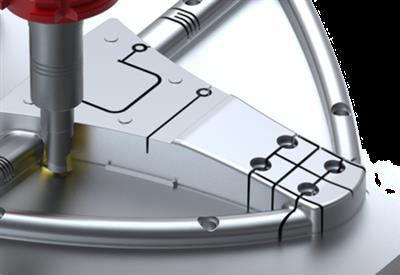
Vero VISI 2021 | 3.46 GB | Language: English​


VISI is acknowledged as one of the world's leading PC based CAD CAM software solutions for the Mold & Die industries. It offers a unique combination of applications, fully integrated wireframe, surface and solid modelling, comprehensive 2D, 3D and 5-axis machining strategies with dedicated high speed routines.


VISI offers the following applications:

VISI Modelling
VISI Modelling is the foundation of all VISI products and provides a robust and powerful solid and surface modelling system based around the industry standard Parasolid kernel.

VISI Analysis
VISI Analysis provides a suite of dedicated tools for the validation and preparation of model geometry. Finding problems at an early stage within the project lifecycle is hugely beneficial.

VISI Mold
VISI Mould provides the complete mold tool design solution based on industry specific automation that guides the user through the mold development process.

VISI Flow
VISI Flow is a unique prediction tool, ideal for pre and post production analysis and concurrent engineering of injection molded plastic components.

VISI Electrode
VISI Electrode is an automated tool for the creation and management of electrodes , commonly used to manufacture hard to machine features on mold and press tools.

VISI Progress
VISI Progress is an intuitive tool used for flat blank development, 3D strip layout and the design of progressive dies and press tools.

VISI Machining 2D
VISI Machining 2D provides a practical, intuitive and simple application for CNC programming, ranging from 2D operations through to 4 and 5 axis indexing.

VISI Machining 3D
VISI Machining 3D creates intelligent toolpaths on the most complex 3D data. Dedicated high speed milling techniques and built in smoothing algorithms create highly efficient and reliable NC code.

VISI 5 Axis Machining
VISI 5 axis machining offers many advantages, and VISI Machining provides the operator with a productive solution for creating highly efficient toolpaths with advanced collision control.

VISI PEPS-Wire
VISI PEPS-Wire incorporates the industry leading PEPS Wire EDM technology, developed specifically for the precision engineering & tool making industries.

VISI Blank
VISI Blank is an integrated solution for the development of 2D blank shapes from complex 3D models for the sheet metal, progressive die, press tooling and crash tooling industries.

VISI Reverse
VISI Reverse combines hybrid modelling CAD functionality with 3D scan data processing abilities to allow customers to create editable solid models starting from digitized/scanned data.

WORKXPLORE
WORKXPLORE, the powerful, fully-featured, high-speed CAD file viewer and analyzer. Designed for users who are not necessarily CAD experts to enable them to explore any type of 2D/3D CAD file.

WORKPLAN
WORKPLAN is a fully-scalable family of manufacturing software solutions, from project management to ERP, which enables custom manufacturers, project-based and make-to-order companies to automate and manage business processes.


DOWNLOAD LINKS:

Код:
https://rapidgator.net/file/5e674086aca27e6c01b2dbe582e8bde9/Vero_VISI_2021.part1.rar
https://rapidgator.net/file/3d8007fb836d7115775006ebd5d7138e/Vero_VISI_2021.part2.rar
https://rapidgator.net/file/26556338c83ddf7ca53379e7aae8c151/Vero_VISI_2021.part3.rar
https://rapidgator.net/file/936b89265134cf5318ebd04e036ca4b0/Vero_VISI_2021.part4.rar

Код:
http://nitroflare.com/view/D73FC8052A3576B/Vero_VISI_2021.part1.rar
http://nitroflare.com/view/DA348C6EF4B99AB/Vero_VISI_2021.part2.rar
http://nitroflare.com/view/35A7BE78C175094/Vero_VISI_2021.part3.rar
http://nitroflare.com/view/DE770EAE4E38A38/Vero_VISI_2021.part4.rar

Код:
https://uploadgig.com/file/download/04d63ea46E3c8D67/Vero_VISI_2021.part1.rar
https://uploadgig.com/file/download/4c2401DD670e0502/Vero_VISI_2021.part2.rar
https://uploadgig.com/file/download/70164C222a0C635e/Vero_VISI_2021.part3.rar
https://uploadgig.com/file/download/b52638226bbC73d7/Vero_VISI_2021.part4.rar
 
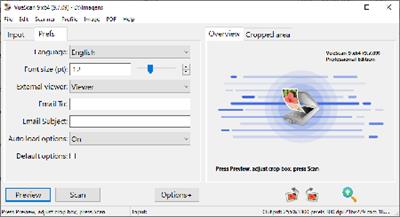
VueScan Pro 9.7.30 Multilingual

VueScan Pro 9.7.30 Multilingual


ad9c2d945fc58e743e935d1da5725b36.jpeg


VueScan Pro 9.7.30 Multilingual | 23 MB | Language: Multilanguage​


VueScan, the world's most popular scanner software, is used extensively by photographers, home users, scanning services and corporations. VueScan is a scanning program that works with most high-quality flatbed and film scanners to produce scans that have excellent color fidelity and color balance. It is very easy to use, and also has advanced features for restoring faded colors, batch scanning and other features used by professional photographers.


VueScan changes nothing on your system, installs nothing in your operating system and all other scanner software will continue to function. VueScan increases your productivity and saves you money. VueScan has advanced scanning options, powerful features, and greatly improves your scans with superior color accuracy and better color balance. VueScan supports more than 700 scanners and 209 digital camera raw files and takes about 5 minutes to download and install.

Features:
* Works with 1200 flatbed and film scanners
* Runs on (Mac OSX), Windows and Linux
* Improves your productivity and quality of scans
* Has been downloaded more than 5 million times
* Create raw scan files
* ICC profiles and color spaces
* IT8 color calibration

Operating System:Windows 10, 8, 7, Vista, XP

Home Page -
Код:
http://www.hamrick.com/


DOWNLOAD LINKS:

Код:
https://rapidgator.net/file/8a85768f514ac126ecc0c9c11113aeff/VueScan_Pro_9.7.30_Multilingual.rar

Код:
http://nitroflare.com/view/1A213B6256B5ACE/VueScan_Pro_9.7.30_Multilingual.rar

Код:
https://uploadgig.com/file/download/ebBfD165ff150c86/VueScan_Pro_9.7.30_Multilingual.rar
 
The Foundry Katana 3.6v2 x64

The Foundry Katana 3.6v2 x64


75f96990acf7dcbcb507ae956c2e18b8.jpeg


The Foundry Katana 3.6v2 x64 | 341 MB | Language: English​


The Foundry Katana is a 3D application specifically designed for the needs of look development and lighting in an asset-based pipeline. Originally developed at Sony Pictures Imageworks, Katana has been their core tool for look development and lighting for all their productions since Spider-Man 3, Beowulf, and Surf's Up!. Katana provides a very general framework for efficient look development and lighting, with the goals of scalability, flexibility, and supporting an asset-based pipeline.

Katana is used in VFX, broadcast, and animation as a post-processing tool for final lighting. It uses a recipe approach to establishing lighting, making it easier for users to establish a lighting profile that can be reused in other scenes or projects.

Foundry has released Katana 3.6, the latest version features fundamental UI and workflow updates with artist-focused snapping functionality that accelerates tasks such as light placement. The new Katana 3.6 includes advancements within 3Delight NSI 2.0, which features a toon shading tool set, overhauled live rendering and powerful new texturing tools.
The new Network Material Edit node provides a new UX on top of Katana's procedural shading workflows. Existing network materials can be edited with minor tweaks or whole new sections of node graph, allowing procedural shot-based edits. Changes are captured in a color-coded UI that clearly document all changes made by any artist, facilitating collaboration and subsequent edits.

The Foundry is a leading global developer of creative software used to deliver high-end visual effects and 3D content for the design, visualization and entertainment industries. The portfolio empowers artists to create inspiring and technical images and visual experiences in media production (film, commercials, episodic television, gaming, and virtual and augmented reality), and product and industrial design.

The company was founded in 1996 and is headquartered in London, with offices in Silicon Valley, Manchester, Los Angeles, Shanghai, Dublin and Austin. In November 2015 Alex Mahon was appointed as CEO while Bill Collis became president.


Product: The Foundry Katana
Version: 3.6v2
Supported Architectures: x64
Website Home Page :
Код:
http://www.foundry.com
Language: english
System Requirements: PC
Size: 341 mb

Officially Supported Operating Systems
- Windows 7 64-bit or higher
Hardware Requirements
CPU: Dual-core processor
Storage: 1+ GB available for installation
System RAM: 1+ GB available
Graphics RAM: 1+ GB available: 2+ GB available (Recommended)
Display: 800 x 600: 1920 x 1080 (Recommended)
OpenGL OpenGL: 4.3+


DOWNLOAD LINKS:

Код:
https://rapidgator.net/file/7437e2f9a7c89cec0453918e405f0060/The_Foundry_Katana_3.6v2_x64.rar

Код:
http://nitroflare.com/view/A73362E0CB433F0/The_Foundry_Katana_3.6v2_x64.rar

Код:
https://uploadgig.com/file/download/dD635c75eE80B1Fc/The_Foundry_Katana_3.6v2_x64.rar
 
The Foundry Katana 3.6v2 x64 (Linux)

The Foundry Katana 3.6v2 x64 (Linux)


3c0a45aec3efa7f4d227f03214acd627.jpeg


The Foundry Katana 3.6v2 x64 (Linux) | 504 MB | Language: English​


The Foundry Katana is a 3D application specifically designed for the needs of look development and lighting in an asset-based pipeline. Originally developed at Sony Pictures Imageworks, Katana has been their core tool for look development and lighting for all their productions since Spider-Man 3, Beowulf, and Surf's Up!. Katana provides a very general framework for efficient look development and lighting, with the goals of scalability, flexibility, and supporting an asset-based pipeline.

Katana is used in VFX, broadcast, and animation as a post-processing tool for final lighting. It uses a recipe approach to establishing lighting, making it easier for users to establish a lighting profile that can be reused in other scenes or projects.

Foundry has released Katana 3.6, the latest version features fundamental UI and workflow updates with artist-focused snapping functionality that accelerates tasks such as light placement. The new Katana 3.6 includes advancements within 3Delight NSI 2.0, which features a toon shading tool set, overhauled live rendering and powerful new texturing tools.
The new Network Material Edit node provides a new UX on top of Katana's procedural shading workflows. Existing network materials can be edited with minor tweaks or whole new sections of node graph, allowing procedural shot-based edits. Changes are captured in a color-coded UI that clearly document all changes made by any artist, facilitating collaboration and subsequent edits.

The Foundry is a leading global developer of creative software used to deliver high-end visual effects and 3D content for the design, visualization and entertainment industries. The portfolio empowers artists to create inspiring and technical images and visual experiences in media production (film, commercials, episodic television, gaming, and virtual and augmented reality), and product and industrial design.

The company was founded in 1996 and is headquartered in London, with offices in Silicon Valley, Manchester, Los Angeles, Shanghai, Dublin and Austin. In November 2015 Alex Mahon was appointed as CEO while Bill Collis became president.


Product: The Foundry Katana
Version: 3.6v2
Supported Architectures: x64
Website Home Page :
Код:
http://www.foundry.com
Language: english
System Requirements: Linux *
Size: 504 mb

Officially Supported Operating Systems
- Linux 64-bit operating system (CentOS/RHEL 6)
Hardware Requirements
CPU: Dual-core processor
Storage: 1+ GB available for installation
System RAM: 1+ GB available
Graphics RAM: 1+ GB available: 2+ GB available (Recommended)
Display: 800 x 600: 1920 x 1080 (Recommended)
OpenGL OpenGL: 4.3+


DOWNLOAD LINKS:

Код:
https://rapidgator.net/file/d05562f588ee8c80a80f74f29e1d1b5e/The_Foundry_Katana_3.6v2_x64_Linux.rar

Код:
http://nitroflare.com/view/6C0F98324B19FCF/The_Foundry_Katana_3.6v2_x64_Linux.rar

Код:
https://uploadgig.com/file/download/1c47a9A17dbc7234/The_Foundry_Katana_3.6v2_x64_Linux.rar
 
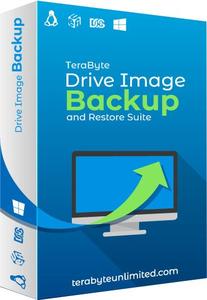
TeraByte Drive Image Backup & Restore Suite 3.41 and Boot Images

TeraByte Drive Image Backup & Restore Suite 3.41 and Boot Images


6cf495b970d20103ec9cc930ba4b0a5e.jpeg


TeraByte Drive Image Backup & Restore Suite 3.41 and Boot Images | 1.9 GB | Language: English​


Image for Windows provides an easy and convenient way to completely backup all your hard drive's data, programs and operating systems. Your backups can be saved directly to external USB and FireWire™ drives, to internal or network drives, and even directly to CD, DVD, or BD. The suite includes an easy-to-use MakeDisk wizard for creating a recovery boot disk. To restore your data, programs and operating systems back to the way they were when the backup was created, simply boot the recovery disk and restore the partition(s) or drive(s) you need to recover. It's that easy.


As a key component of the TeraByte Drive Image Backup and Restore Suite, Image for Windows utilizes the technology provided by Volume Shadow Copy Service (VSS) or PHYLock™, an add-on component included in the suite. VSS and PHYLock™ allows you to continue using your computer while the backup is locked to a point-in-time. This eliminates the inconsistencies typically experienced while backing up a partition that is in use.

Image for Windows runs under the Windows operating system, yet it can backup or restore any partition, including those of DOS or Linux, and even partitions encrypted by third-party software.

The TeraByte drive image files produced by Image for Windows are compatible across all TeraByte Unlimited disk imaging products of the same major version number (i.e. all 3.x products are compatible with other 3.x products). This gives you the flexibility to restore disk images using your component of choice.

The TeraByte Drive Image Backup and Restore Suite includes Image for Windows, Image for Linux, Image for DOS, and the OSD Tool Suite. Image for DOS and Image for Linux support the same powerful drive image functionality without requiring a working Windows installation.

Bonus:
The TeraByte OS Deployment Tool Suite (TBOSDTS) Pro version contains a set of powerful scripts that, among other things, will help you deploy Windows to completely different hardware.

Image for Windows Features:
Total Reliability
Provides the option to verify each and every byte it backs up.

Convenience
Runs directly from Windows and when used with the free PHYLock™ add-on, it can create a true image of the Windows partition itself, without requiring a reboot.

Security
Your backups can be secured using simple password protection, or full 256-bit AES encryption.

Backup Changed Data
Change only backup option allows you to backup only data that has changed since the last backup was created.

Simple, Wizard-Driven interface
Easy to use the first time, and every time.

Compression
Speed or size, several reliable compression options are available.

Maximum Speed
Fast, yet reliable techniques are used to create the backups quickly.

Optical Drive Support
You can save directly to a CD, DVD, DVD-DL, BD.

Bootable Rescue Discs
Whenever you save directly to a CD, DVD, DVD-DL, BD, it will automatically become a bootable restore disc.

Large drive support
GPT compatible supporting drives larger than 2TiB.

Restore Individual Files or Folders
Using the free TBIView and TBIMount add-ons, you can view the contents of the drive image files, and optionally restore individual files or folders within them.

Compatibility
Automatically recognizes and backs up used area of FAT16, FAT32, NTFS, HFS+, Ext2, Ext3, Ext4, ReiserFS, and XFS partitions. It also recognizes and backs up used areas of ReFS and exFAT partitions using Windows support. Partitions with other file system types can be backed up in their entirety. Supports all standard partitions in an MBR, EMBR, or GPT
Windows Servers
Supports both Workstation and Server versions of Windows.

Multicasting
Supports multicasting to reduce network traffic when deploying multiple Workstations.

Cost Effectiveness
Includes Image for DOS, Image for Linux, and TBOSDT at no additional charge, making it a uniquely affordable and complete disk imaging solution.

Flexibility
Restore partitions, regardless of the file system on the partition being restored. This gives you the power to restore NTFS partitions from Windows 98 or even DOS (as just a couple of examples).

Wide-Ranging Device Support
Compatible with NVMe, SAS, SCSI, PATA, SATA, USB, IEEE 1394, and more.

Power
Using Image for DOS or Image for Linux (each of which is included with the purchase of Image for Windows) versions gives you the ability to recover your data, even if Windows won't start.

Network Support
Save backups to any drive accessible to Windows itself.

RAID Support
Works seamlessly with on-board hardware- and firmware-based RAID.

Command Line Support
Powerful, complete command line support is built in, allowing you to automate backup or restore procedures.

Scheduling
Leverages the built-in Windows scheduler via the simple click of a Schedule Backup button.

Image File Validation
Allows you to thoroughly check the integrity of the disk image files, either as part of the backup process, or at any time thereafter. TeraByte imaging products are renown for their thorough and accurate validation process.

Restored Partition Expansion
When restoring an image, you can expand the restored partition to occupy any free space that would be left over.

Selectable Image File Sizes
If desired, you can specify a maximum size for the disk image files that are created. This allows you to create image files that readily fit on the removable media of your choice.

Hardware Independent Restore
Restore Windows to completely different hardware and then use the TeraByte OSD Tool Suite to install the drivers required to support the new hardware.

Physical to Virtual
Scripts included to automatically convert your physical machine to a virtual machine, either directly or from a backup image.

Virtual to Physical
Convert your virtual machine to a physical machine using the included scripts.


System Requirements:
- Compatible with Windows x86 and Windows x64 versions.
- Compatible with Windows NT4, 2000, XP, Vista, 7, 8, 10.
- Compatible with Windows Server and SBS versions (NT4, 2000, 2003, 2008, 2008R2, 2011, etc..).

TeraByte Drive Image Backup & Restore Suite Components:
- Image for Windows
- Image for DOS
- Image for Linux
- OSD Tool Suite


Home Page -
Код:
http://www.terabyteunlimited.com/index.htm


DOWNLOAD LINKS:

Код:
https://rapidgator.net/file/f2244713cea479bf26aaed04cf40793a/TeraByte_Drive_Image_Backup__Restore_Suite_3.41_and_Boot_Images.part1.rar
https://rapidgator.net/file/f1f7c23198f3466c4e845fc0a8e0555f/TeraByte_Drive_Image_Backup__Restore_Suite_3.41_and_Boot_Images.part2.rar

Код:
http://nitroflare.com/view/6DE95958A61A474/TeraByte_Drive_Image_Backup__Restore_Suite_3.41_and_Boot_Images.part1.rar
http://nitroflare.com/view/07EAE24333CED93/TeraByte_Drive_Image_Backup__Restore_Suite_3.41_and_Boot_Images.part2.rar

Код:
https://uploadgig.com/file/download/96bdaEe0b091eA81/TeraByte_Drive_Image_Backup__Restore_Suite_3.41_and_Boot_Images.part1.rar
https://uploadgig.com/file/download/D31a96878e96c957/TeraByte_Drive_Image_Backup__Restore_Suite_3.41_and_Boot_Images.part2.rar
 
TechSmith Snagit 2020.1.4 Build 6413 (x86/x64)

TechSmith Snagit 2020.1.4 Build 6413 (x86/x64)


6114a3e0f59292b6ac43296047cbff1a.jpeg


TechSmith Snagit 2020.1.4 Build 6413 (x86/x64) | 635 MB | Language: English​


Techsmith Snagit - the award-winning screen-capture software. Using SnagIt, you can select and capture anything on your screen, then easily add text, arrows, or effects, and save the capture to a file or share it immediately by e-mail or IM. Capture and share an article, image, or Web page directly from your screen. Or, capture and share any part of any application that runs on your PC. Automatically save in one of 23 file formats, or send to the printer, to your e-mail, or to the clipboard.


Use SnagIt's built-in editors to modify, annotate, and enhance your images and the Catalog Browser to organize your files. Increase your productivity while quickly creating professional presentations and flawless documentation. With powerful new features that allow you to edit previously placed objects, capture embedded links and add interactivity to your captures,SnagIt 8 makes it easier than ever before to capture, edit, and share anything on your screen.


Features of SnagIt:
» Capture - if you can see it, you can snag it!
» Don't waste time cropping your captures. Snag exactly what you need, with just a click.
» Profiles make it easy. SnagIt comes with eleven preset buttons that make screen capture a cinch! Capture a region of your screen, text from a window, the contents of a tall page that scrolls, all the images on a Web page, you get the idea.
» Custom suits you. Don't feel limited by the eleven profiles-create your own combinations for nearly unlimited capture possibilites. What's that? You want to set up a keystroke that captures a menu along with the mouse pointer...adds a drop shadow...and sends the image directly to your ***** dot com blog? Sure, no problem!
Edit - the right tools, right now!
» You don't need a million confusing options, you need the right tools at the right time. Unlike expensive, complex image editing suites,SnagIt makes everyday screen capture tasks one-click easy.
» Say more with pictures+words. Use an arrow to direct attention. Add a text callout to explain clearly. Apply ready-made objects from the menus...and your picture is worth 1,000 more words!
» Look like a pro. Make your screenshot pop with a drop shadow. Give it perspective, spotlight an area, or add other nifty effects.
» Convey complex ideas simply. Combine multiple images, callouts, shapes, and clip art stamps into a rich and detailed information graphic.
» Have fun! Add a speech balloon to that photo of your cat.
Share - send captures where they need to go...instantly!
» Yes, you can save your captures in all the common-and a few uncommon-image formats. But with SnagIt's free output accessories you can do so much more!
» Collaborate in a flash. Click a button to send a screen capture by email, AIM, or Skype.
» Be social. Share on Flickr. Post images directly to your blog. Publish to your Web site via FTP. No technical degree required!
» Get projects done quicker. Embed images directly into your Microsoft Office projects, MindManager map, or OneNote page.
Organize - SnagIt keeps track, so you don't have to
» Save nothing...save everything. SnagIt stores every capture automatically and keeps the most recent visible. A huge timesaver!
» Find your stuff. Whether or not you saved it, find that capture later with the new visual search pane. Remember just one detail-like the approximate date or the Web site you captured-and find your capture instantly.
» Get organized (if you want to). As you capture images for next month's big project, tag them with "big project" or set the "Important" flag. No need to save anything in folders...just come back next month and view all your big project files with a click!


System Requirements:
Microsoft Windows 10 (1703, 1607, and 1511), Windows 8.1, Windows 7 SP1, Windows Server 2016, or Windows Server 2012 R2 (64-bit only)
.NET 4.6 or later
2.4 GHz single core processor (dual core i5 required for video capture)
1 GB of RAM (4 GB required for video capture)
500 MB of hard-disk space for program installation
Video and Panoramic capture on Windows N requires the Media Feature Pack for Windows N
We recommend the 64-bit Snagit installation when using multiple monitors or a 4k display


Home Page -
Код:
https://www.techsmith.com/


DOWNLOAD LINKS:

Код:
https://rapidgator.net/file/9888bb04e2d298a9b1d099bc62b19044/TechSmith_Snagit_2020.1.4_Build_6413_x86x64.rar

Код:
http://nitroflare.com/view/190B1D2BF7386FA/TechSmith_Snagit_2020.1.4_Build_6413_x86x64.rar

Код:
https://uploadgig.com/file/download/ecDA9e7933E14eeA/TechSmith_Snagit_2020.1.4_Build_6413_x86x64.rar
 
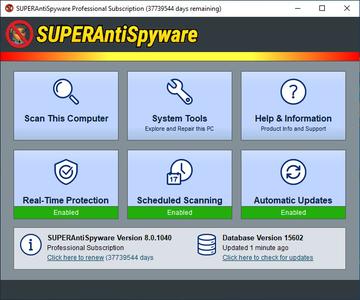
SUPERAntiSpyware Professional X 10.0.1206 (x64) Multilingual

SUPERAntiSpyware Professional X 10.0.1206 (x64) Multilingual


e9b46c9ddd58b99f0dec0fbe7574188b.jpeg


SUPERAntiSpyware Professional X 10.0.1206 (x64) Multilingual | 63 MB | Language: Multilanguage​


SUPERAntiSpyware is the most thorough scanner on the market. Our Multi-Dimensional Scanning and Process Interrogation Technology will detect spyware that other products miss! SUPERAntiSpyware will remove ALL the Spyware, NOT just the easy ones! SUPERAntiSpyware features our unique Process Interrogation Technology (PIT) that allows threats to be detected no matter where they are hiding on your system. Many new types of threats utilize "Rootkits" or "Kernel Drivers" to hide themselves to avoid detection by standard anti-spyware applications.


SUPERAntiSpyware's Process Interrogation Technology locates even the toughest of threats. SUPERAntiSpyware is a next generation scanning system that goes beyond the typical rules based scanning methods. Our Multi-Dimensional Scanning system detects existing threats as well as threats of the future by analyzing threat characteristics in addition to code patterns.

Features:
Quick, Complete and Custom Scanning of HDD, Registry, Memory and more
Detect and Remove Spyware, Adware, Malware, Trojans, Dialers, Worms, KeyLoggers and many other threats
Repair broken Internet Connections, Desktops, Registry Editing, Task Manager and more
Real-Time Blocking of threats
Schedule either Quick, Complete or Custom Scans Daily or Weekly
Quarantine items detected and removed for complete protection
Detailed scan logs with complete information about detected and removed threats and their locations

System Requirements:
Windows XP, Windows Vista, Windows 7, Windows 8, Windows 8.1, Windows 10


Home Page -
Код:
https://www.superantispyware.com/


DOWNLOAD LINKS:

Код:
https://rapidgator.net/file/7f96f3fc3a7f32c362716209b8be31c5/SUPERAntiSpyware_Professional_X_10.0.1206_x64_Multilingual.rar

Код:
http://nitroflare.com/view/42B3AB4241CAE8E/SUPERAntiSpyware_Professional_X_10.0.1206_x64_Multilingual.rar

Код:
https://uploadgig.com/file/download/99827c503272aC37/SUPERAntiSpyware_Professional_X_10.0.1206_x64_Multilingual.rar
 
Tagtraum Industries beaTunes 5.2.11 (x86/x64)

Tagtraum Industries beaTunes 5.2.11 (x86/x64)


bee4be0137c64801d660d407ccd8b918.jpeg


Tagtraum Industries beaTunes 5.2.11 (x86/x64) | 585 MB | Language: English​


What started out as a BPM detection tool for DJs, runners and dancers, has become one of the finest iTunes\u2122 library management tools around. BeaTunes' powerful inspection feature lets you clean up your iTunes track data in a way unrivaled by any other software on the market today. Easily find typos or different spellings of artists' names, automatically fill in the album artist names, and much more. No more R.E.M. and REM in your iPod's artist list! No more albums hidden in the compilations section.


* Automatically determine BPM (beats per minute) and store the result in iTunes
* Look up track metadata using acoustic fingerprints
* Inspect and fix your music library (typos, wrong genre, wrong sortname, missing file a.k.a the iTunes exclamation mark problem, etc.)
* Create matchlists, i.e. playlists based on one or more sample songs
* Sort existing playlists so that matching songs succeed each other
* Browse songs from your music collection that match the currently selected song
* Discover albums that aren't in your music collection, but would complement it
* Keep up to date through Amazon\u2122 album charts
* Automatically detect the tonal key your songs are in
* Categorize songs by their sound color
* Automatically set start and end times of songs based on their volume
* Create blog entries on blogger.com with your favorite playlist or songs
* Add del.icio.us like tags to your songs
* Detect the language of lyrics already stored in iTunes
* Manually determine BPM and store the result in iTunes

Operating System: Windows 7, 8, 8.1, 10

Home Page -
Код:
http://www.beatunes.com/


DOWNLOAD LINKS:

Код:
https://rapidgator.net/file/c4634542240b2fc0150597a1f760adac/Tagtraum_Industries_beaTunes_5.2.11_x86x64.rar

Код:
http://nitroflare.com/view/970083142E4BFDF/Tagtraum_Industries_beaTunes_5.2.11_x86x64.rar

Код:
https://uploadgig.com/file/download/E19f618bA59Ee574/Tagtraum_Industries_beaTunes_5.2.11_x86x64.rar
 
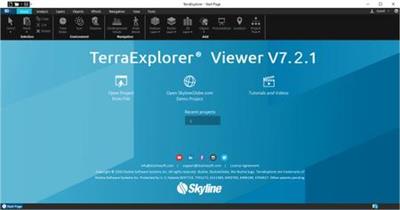
Skyline TerraExplorer Pro 7.2.1.4020

Skyline TerraExplorer Pro 7.2.1.4020


3f7d73e8aa01b165d91b510e96265fc7.jpeg


Skyline TerraExplorer Pro 7.2.1.4020 | 130 MB | Language: English​


TerraExplorer is a cutting-edge 3D GIS desktop viewer and creator that provides powerful tools and a high resolution 3D environment in which to view, query, analyze and present geospatial data. With TerraExplorer's robust and extensive capabilities, realistic 3D visualizations can be created by overlaying the terrain with unlimited data layers, 3D models, virtual objects and more.


Analysis
In addition to basic measurement and analysis tools for distance, slope, and volume measurements, TerraExplorer features advanced capabilities, including 3D plane area measurement, imagery comparison, and dynamic 3D viewshed.

Display
Imagery and elevation layers of unlimited size and resolution in a wide range of formats can be overlaid on the terrain and seamlessly integrated with feature layers and multi-resolution, stream-optimized 3D mesh model layers for easy visualization, access, and analysis of 3D geospatial data. If a new layer is based on a source that uses a different coordinate system, the layer can be reprojected to the project's coordinate system. Point, line and polygon features can be displayed and used to display advanced layer information based on their attribute data. TerraExplorer also includes an extensive set of objects: 2D and 3D, dynamic, buildings, models, point cloud models and video, that can be displayed on the terrain, as well as
advanced terrain objects that allow terrain modification within TerraExplorer Pro. A flexible clipboard mechanism and sophisticated duplication tools make it easy to copy, paste, and position objects on the terrain. Realism is enhanced with environment settings that include lighting effects, horizon distance, fog color, sky texture, cloud display, and shadow color.

TerraExplorer Viewer
Users can navigate through and perform advanced terrain analysis and basic editing of high resolution 3D world environments created by fusing aerial and satellite photography, terrain elevation data and other 2D and 3D information layers.

TerraExplorer Plus
Adds loading of all 2D and 3D offline formats, feature layer editing and querying, advanced objects and drawing tools, a set of tools for professional usage, and the advanced Pro API interfaces.

TerraExplorer Pro
Adds publishing capabilities as well as uploading of data to SkylineGlobe cloud.

Operating System: Windows 7, 8/8.1, 10

Home Page -
Код:
http://skylinesoft.com/


DOWNLOAD LINKS:

Код:
https://rapidgator.net/file/286121ba299e98ec6ec86dc98638ed0e/Skyline_TerraExplorer_Pro_7.2.1.4020.rar

Код:
http://nitroflare.com/view/0E5D95704710AC5/Skyline_TerraExplorer_Pro_7.2.1.4020.rar

Код:
https://uploadgig.com/file/download/06c90feF382Ac4c8/Skyline_TerraExplorer_Pro_7.2.1.4020.rar
 
Screaming Frog SEO Spider 13.2

Screaming Frog SEO Spider 13.2


afa135aba4f37f578639d31799246007.jpeg


Screaming Frog SEO Spider 13.2 | 430 MB | Language: English​


Screaming Frog SEO Spider is a software application that was developed with Java, in order to provide users with a simple means of gathering SEO information about any given site, as well as generate multiple reports and export the information to the HDD.


Clear-cut GUI
The interface you come across might seem a bit cluttered, as it consists of a menu bar and multiple tabbed panes which display various information. However, a comprehensive User Guide and some FAQs are available on the developer's website, which is going to make sure that both power and novice users can easily find their way around it, without encountering any kind of issues.

View internal and external links, filter and export them
It is possible to analyze a specified URL, and view a list of internal and external links in separate tabs. The first come along with details such as address, type of content, status code, title, meta description, keywords, size, word count, level, hash and external out links, while the latter only reveals info such as address, content, status, level and inlinks.
Both can be filtered according to HTML, jаvascript, CSS, images, PDF, Flash or other coordinates, while it is possible to export them to a CSV, XLS or XLSX format.

View further details and graphs, and generate reports
In addition to that, you can check the response time of multiple links, view page titles, their occurrences, length and pixel width. It is possible to view huge lists with meta keywords and their length, headers and images.

Graphical representations of certain situations are also available in the main window, along with a folder structure of all SEO elements analyzed, as well as stats pertaining to the depth of the website and average response time.

It is possible to use a proxy server, create a site map and save it to the HDD using an XML extension and generate multiple reports pertaining to crawl overview, redirect chains and canonical errors.

Bottom line
To conclude, Screaming Frog SEO Spider is an efficient piece of software for those which are interested in analyzing their website from a SEO standpoint. The interface requires some getting used to it, the response time is good and we did not come by any errors or bugs.

CPU and memory usage is not particularly high, which means that the computer's performance is not going to be affected most of the times.

Operating System: Windows 7, 8/8.1, 10

Home Page -
Код:
https://www.screamingfrog.co.uk


DOWNLOAD LINKS:

Код:
https://rapidgator.net/file/0b6c16fb525a02e761d1252fd9f679e9/Screaming_Frog_SEO_Spider_13.2.rar

Код:
http://nitroflare.com/view/3A26B6FB1665742/Screaming_Frog_SEO_Spider_13.2.rar

Код:
https://uploadgig.com/file/download/3089af57d1290c5A/Screaming_Frog_SEO_Spider_13.2.rar
 
PhotoLine 22.03 Multilingual

PhotoLine 22.03 Multilingual


510150743cba76f16677fa55afe3a02d.jpeg


PhotoLine 22.03 Multilingual | 28 MB | Language: Multilanguage​


PhotoLine is a full featured image editor with support for text, vector and image layers. In addition to the standard editing features, it supports 16 bits per channel, CMYK and Lab as well as color management with ICC profiles. The include image browser supports IPTC and EXIF data display and editing, batch conversion, HTML gallery output, batch renaming and more.


Professional image processing - In spite of its low price PhotoLine 32 offers every function needed for professional image processing: 16 bit per color channel; CMYK and Lab color space; Color management with ICC profiles. Lossless image processing - Lossless image processing is made possible by adding functions to an image without changing the original data. This way we loose no information and have access to the unmodified image data every time we want to.

PhotoLine offers every function for working with digital photos, such as: PhotoLine can import the raw image data - the so-called raw-files - of nearly every digital camera. In addition, PhotoLine 32 offers many functions for enhancing photos: Light/Shadow adjusts brightness errors. Connect Images can be used to combine two differently exposed photos to a single better one. White Point corrects the white point of an image automatically or manually. The Color Temperature can be set or adjusted. Chromatic Aberration corrects color distortions at edges. Image Noise reduces the color and brightness noise in an image. Red Eyes removes red pupils caused by the flash of the camera. Lenses Correction corrects the distortions caused by the curvature of the lenses. Perspective distortions can easily be fixed by using the layer tool or the rectangular lasso.

PhotoLine can save documents as PDF. On doing that text and vector graphic is - if possible - not reduced to pixel graphics. On saving optionally all color information in a document can be converted to CMYK. PhotoLine can also import PDF files. The import keeps the structure of the document intact, this means, text is read as text layers and vector graphics is read as vector layers. PhotoLine is able to work with documents containing more than one page. This allows the creation of booklets and flyers. In contrast to classic image processing PhotoLine can create empty pages (pages without a background image) which can be used to place images, text and vector graphics.

Features:
* 16 bit per channel, support of CMYK and Lab
* Color management with ICC profiles
* Lossless imaging
* Process digital photos
* Retouch, correct etc.
* IPTC and EXIF data handling
* Rotate images lossless
* Rename images and create catalogues
* Create HTML galleries
* Add and edit keywords
* Powerful search capabilities
* "Real" PDF Import and Export (not just a big image)
* Multipage documents
* Calendar and barcode creation
* Rich text functions
* Create Flash and GIF animations
* Web Export
* Tile images, create buttons and image maps
* Batch conversion
* Create slideshows
* Record actions
* Print multipage documents, flyers and labels
* USB-Stick support
* Multiprocessor support

Operating System: Windows XP or later

Home Page -
Код:
http://www.pl32.com


DOWNLOAD LINKS:

Код:
https://rapidgator.net/file/5112dc2ea703525b3379c6773662b473/PhotoLine_22.03_Multilingual.rar

Код:
http://nitroflare.com/view/27D5962CB3F0F9A/PhotoLine_22.03_Multilingual.rar

Код:
https://uploadgig.com/file/download/15b12752dc9Aa44b/PhotoLine_22.03_Multilingual.rar
 
PDF Document Scanner Premium 4.29.0 (x86/x64)

PDF Document Scanner Premium 4.29.0 (x86/x64)


5be5437eb930ced48cf4c5ddb1029a34.jpeg


PDF Document Scanner Premium 4.29.0 (x86/x64) | 495 MB | Language: English​


Why keep filing cabinets full of old documents and paperwork? It's the 21st century after all. Sure those tax returns from 1976 are fun to dig out and look at from time to time, but do you really still need the paper copy after all these years? Fear not, now there is an easy way to create digital copies of your old documents with PDF Document Scanner!


Features:
- Create digital copies of your old documents with PDF Document Scanner!
- PDF Document Scanner is quick and easy to use.
- Simply set your document on the table and then frame it up on the screen.

PDF Document Scanner is quick and easy to use. Simply set your document on the table and then frame it up on the screen and take a picture. The document will be converted to a PDF file and stored on your device! Create multiple page PDF document projects and save them to cloud storage for backup, burn them to DVD, or whatever else you choose!
How does it work?

It's quite simple. Once you load the app, your next move is to select the source of the scan. It can be a photo or image file on your computer, or you could directly capture a photo with a mobile device or webcam. Either will work wonders. It's quite easy to get a scan loaded into the app, and the options you gain access to afterwards make your job much easier.
Does it perform well enough?

The application works like magic. There are no stutters, and errors are something you will not encounter while using this app. It will definitely make life easier for you. It's useful, and it will definitely prove its worth once you get the chance to use it. PDF Document Scanner is an application that should not be missed if you have plenty of documents to scan and not that much time to actually do it with a normal scanner. It's fast and almost as reliable as the hardware variant would be. Furthermore, this application has a couple of added features that you would not get otherwise with normal scanning equipment.

Supported Platforms: Windows 10 (32bit or 64bit)

Home Page -
Код:
https://apps.ape-apps.com/pdf-document-scanner/


DOWNLOAD LINKS:

Код:
https://rapidgator.net/file/1e829ba5c72efe4f8da861f824660f21/PDF_Document_Scanner_Premium_4.29.0_x86x64.rar

Код:
http://nitroflare.com/view/CDC4832C9DE541C/PDF_Document_Scanner_Premium_4.29.0_x86x64.rar

Код:
https://uploadgig.com/file/download/773aB84a485Fe964/PDF_Document_Scanner_Premium_4.29.0_x86x64.rar
 
Paragon HFS+ for Windows 11.3.271 Multilingual

Paragon HFS+ for Windows 11.3.271 Multilingual


5c8576171f4620f6d35b5e5a6a4681c0.jpeg


Paragon HFS+ for Windows 11.3.271 Multilingual | 37 MB | Language: Multilanguage​


HFS+ is one of the primary file systems of macOS. If you work on Windows computer and need to read or write files from HDD, SSD or flash drive formatted under macOS, you need HFS+ for Windows by Paragon Software.


Stable Operation
Fail-safe operability across compatible hardware and software systems for both general-purpose and specialized applications

Data Safety
Protection of data integrity and prevention of accidental data corruption and possible loss

Guaranteed Performance
Steady throughput and balanced goodput with effective flow control, reduced overheads, and congestion avoidance

Efficient Use
Thrifty usage of processor, memory, and disk resources

Write Access
When a volume is mounted in write mode, you can do everything with files and folders it contains: read, edit, delete, rename, create new.

Automount
HFS+ for Windows by Paragon Software mounts supported volumes automatically at startup, so you don't need to bother about it each time you restart the operating system or power your computer on. However, this feature can be disabled at any moment in the program interface.

Internationalization
HFS+ for Windows by Paragon Software supports all alphabets supported by your operating systems, including those that use non-Roman and non-Latin characters, so you will never face a problem of not getting access to file names on volumes mounted in non-native OS.

Support for journaling
HFS+ for Windows by Paragon Software supports native HFS+ journaling, thus ensuring that in case of any failure the disk file system is not irreversibly corrupted and can be put back on track easily.

Compatible with Apple Boot Camp
HFS+ for Windows by Paragon Software is fully compatible with Apple Boot Camp software and provides direct read and write access to Mac partitions from Windows installed on a Boot Camp.

Compatible with 3rd party software
HFS+ for Windows by Paragon Software is compatible with popular virtualization and encryption applications including VMware Fusion and Workstation, Parallels Desktop, TrueCrypt and its forks.


System Requirements:
- Windows 10 (32/64-bit)
- Windows 8 / 8.1 (32/64-bit), expected
- Windows 7 SP1 (32/64-bit)
- Windows Server 2008 R2 SP1 (64-bit)
- Windows Server 2012 (64-bit)
- Windows Server 2016 (64-bit)


Home Page -
Код:
https://www.paragon-software.com


DOWNLOAD LINKS:

Код:
https://rapidgator.net/file/b8fe1f5498ef59ef8af5a3162d053d10/Paragon_HFS_for_Windows_11.3.271_Multilingual.rar

Код:
http://nitroflare.com/view/44B1748B03C09B9/Paragon_HFS_for_Windows_11.3.271_Multilingual.rar

Код:
https://uploadgig.com/file/download/16590bafAa0F23Ca/Paragon_HFS_for_Windows_11.3.271_Multilingual.rar
 
ORPALIS PaperScan Professional 3.0.115 Multilingual

ORPALIS PaperScan Professional 3.0.115 Multilingual


aa4bfecfe8dc1c5c411d7765c57ed4a2.jpeg


ORPALIS PaperScan Professional 3.0.115 Multilingual | 56 MB | Language: Multilanguage​


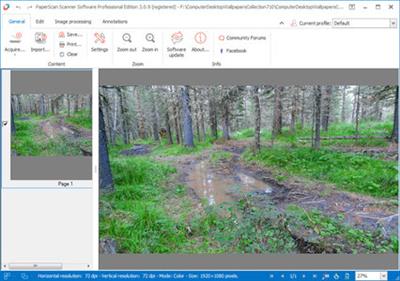
PaperScan is a powerful TWAIN & WIA scanning software with an OCR engine centered on one idea : making document acquisition an unparalleled easy task for anyone. PaperScan is simply universal while most of the scanning applications are dedicated to one scanner or one protocol. With PaperScan you can control any scanner (TWAIN or WIA) including network scanners, cameras or acquisition cards via one simple click : all capabilities are automatically handled and negotiated by PaperScan.


Import any image/PDF files in PaperScan, arrange them in any imaginable single-page/multi-page configuration, perform a wide range of image adjustments/enhacements, annotate your documents with sticky notes, rubber stamps, highlighter or arrows and save your work in various file formats including JPEG, TIFF, PDF and JBIG2.

Here are some key features of "PaperScan Professional":
· autodeskew
· remove punch holes
· remove borders
· blank pages detection and removal
· angle rotation
· convert to black and white or greyscale or colour
· adjust colour (brightness, contrast, saturation, gamma)
· apply filters to smooth, stretch contrast or median the image
· apply bitonal filters to remove isolated dots or to dilate/erode characters
· apply contour, sepia or scanline effects
· image printing
· image quality selection
· area selection / crop selected area
· image resize
· information about image's resolution, size and colour mode

Operating System: Windows 7, 8/8.1, 10

Home Page -
Код:
http://www.orpalis.com/


DOWNLOAD LINKS:

Код:
https://rapidgator.net/file/0c425b3f78dd597d1e4a92dce4848ed4/ORPALIS_PaperScan_Professional_3.0.115_Multilingual.rar

Код:
http://nitroflare.com/view/FA7124838363521/ORPALIS_PaperScan_Professional_3.0.115_Multilingual.rar

Код:
https://uploadgig.com/file/download/6533B1fe7fF3ac9e/ORPALIS_PaperScan_Professional_3.0.115_Multilingual.rar
 
n-Track Studio Suite 9.1.2 Build 3702 Beta Multilingual

n-Track Studio Suite 9.1.2 Build 3702 Beta Multilingual


a0963e69aa020bce4074a0b35e060d3e.jpeg


n-Track Studio Suite 9.1.2 Build 3702 Beta Multilingual | 217 MB | Language: Multilanguage​


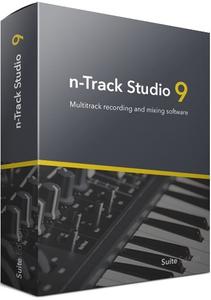
n-Track Studio 9 turns your PC into an easy to use multitrack audio recording studio. It is the perfect tool for professional quality audio recording, encoding, mixing and editing. Record, edit, overdub your audio tracks, apply effects, process audio live input, mix and then burn audio CDs or create mp3 files.


n-Track Studio is an Audio and MIDI Digital Multitrack Recorder that transforms your computer into a powerful audio recording studio. You can record, playback, overdub your audio tracks exploiting the flexibility and power of today's PCs for applying effects, realtime input processing, automated aux channels sends and returns, destructive and non-destructive wave editing. The program supports 24bit-192 khz recording, 64 bit mixing, multiple channels soundcards, live input processing, CD burning, mp3 encoding and more.

Main n-Track Studio features:
* Records and plays back a virtually unlimited number of audio and MIDI tracks
* DirectX, VST and ReWire effects can be added to each channel/track
* Built-in effects include Reverb, Compression, Parametric and Graphic EQ, Echo, Auto-volume, Pitch Shift, Chorus, Multiband Compression, Spectrum analyzer
* Supports 16 and 24 bit single and multichannel soundcards at sampling frequencies up to 192 Khz using Asio, WaveRT, WDM, MME and DirectSound
* Is compatible with multichannel Asio, WaveRT, WDM and MME audio drivers, which means that n-Track can work with almost any soundcard available today with the lowest possible latency
* Supports VST Instruments and DirectX Instruments synth plug-ins. Sample-accurate MIDI tracks can be sent to VSTi/DXi software MIDI synths, without the need of expensive hardware MIDI synths.
* Adjust the effect settings and listen to the result in real time.
* Built-in effects include Reverb, Compression, Parametric and Graphic EQ, Echo, Auto-volume, Pitch Shift, Chorus, Multiband Compression, Spectrum analyzer.
* Supports third party DirectX, VST 2.0 and ReWire plug-ins.
* Realtime Audio effects can be added to each channel.
* Supports 16 and 24 bit single and multichannel soundcards at sampling frequencies up to 192 Khz using Asio, WaveRT, WDM, MME and DirectSound.
* Input processing allows to process with plug-ins live signals. Record the 'dry' (unprocessed) signal while processing and reprocess the recording later - i.e. Play a guitar through a distortion plug-in then change the distortion after the recording!

More Features:
* Supports surround mixing for creating DVD audio projects using 5.1, 6.1 and 7.1 channels surround formats
* Each audio track includes a 20 bands parametric EQ with graphical frequency response view, a full spectrum analyzer and an automatic instrument tuner. Up to 32 aux channels with fully automated sends and returns.
* Supports multiple input and output soundcards or more than one soundcard. You can record multiple tracks at a time and output to more than one stereo output. Each output channels has its own master channel effects and volume control.
* Supports technology by Propellerhead Software AB. Mix signals in realtime with n-Track's own channels from other programs (such as Reason, Ableton Live, Fruityloops and many others).
* Import and export .wav, .mp3, .wma, .mid, .ogg, .flac, .aiff, .cda, .sng, .sgw audio files
* Import and export EDL multitrack song files for exchanging songs with other multitrack programs
* Sync to other programs or external devices using SMPTE/MTC or MIDI Clock sync, acting either as master or slave
* Loads and saves MIDI tracks to standard MIDI files
* Play Videos (AVI, MPEG) in sync with the song in a dedicated video playback window
* Automated volume, pan, aux sends and returns and effects parameters. You can "program" fade-in/outs, cross fades, boost the volume of a track when there is a solo etc.

Operating System: Windows 7, 8/8.1, 10

Home Page -
Код:
https://ntrack.com/


DOWNLOAD LINKS:

Код:
https://rapidgator.net/file/4bf3e1f36acbc1c38743be6aa823a5d0/n-Track_Studio_Suite_9.1.2_Build_3702_Beta_Multilingual.rar

Код:
http://nitroflare.com/view/55AA88859512605/n-Track_Studio_Suite_9.1.2_Build_3702_Beta_Multilingual.rar

Код:
https://uploadgig.com/file/download/f9adf5b201C5f827/n-Track_Studio_Suite_9.1.2_Build_3702_Beta_Multilingual.rar
 
MiniTool Power Data Recovery Business Technician 9.0 Multilingual

MiniTool Power Data Recovery Business Technician 9.0 Multilingual


e63a726690c2cc616316ac2fb46f3c31.jpeg


MiniTool Power Data Recovery Business Technician 9.0 Multilingual | 24 MB | Language: Multilanguage​


MiniTool Data Recovery Business Technician is a special license designed for data recovery service providers & company runners who need to provide customers with quality data recovery services. This license type is used to recover data for enterprises, service providers, IT admins, academics, organizations, etc.


Missing Operating System
Operating system not found? Missing operating system? Operating system crashes? Now, with MiniTool, you can effectively and safely recover data when operating system cannot boot.

Format Or RAW Recovery
Format partition, disk, SD card, USB drive accidentally? Hard drive becomes RAW? MiniTool can effectively recover data from damaged, formatted and RAW partition without any further damage.

Email Recovery
Safely recover Microsoft Outlook or Outlook Express emails that are most important for your business from hard drive, memory card, USB drive and other removable devices.

Deleted Files Recovery
Accidentally deleted files? Don't worry, MiniTool Power Data Recovery can get valuable document, image, video, and audio files deleted unexpectedly back easily and quickly.

Operating System: Windows 7/8/10 and Windows Server 2003/2008/2012/2016

Home Page -
Код:
https://www.minitool.com/


DOWNLOAD LINKS:

Код:
https://rapidgator.net/file/918b7da8cac8fdf852bd446937ec41bd/MiniTool_Power_Data_Recovery_Business_Technician_9.0_Multilingual.rar

Код:
http://nitroflare.com/view/A3A4FE47B8EE171/MiniTool_Power_Data_Recovery_Business_Technician_9.0_Multilingual.rar

Код:
https://uploadgig.com/file/download/38c5544eFe3143e7/MiniTool_Power_Data_Recovery_Business_Technician_9.0_Multilingual.rar
 
Назад
Сверху