• Здравствуйте. Сайт заработал в архивном режиме форум www.old.nado.in

KAMAL's Softwares Collection!!! (Updated Daily)

  • Автор темы Автор темы KAMAL
  • Дата начала Дата начала
BrowseEmAll 9.6.2 Enterprise / Runtime / Studio / Manual Edition
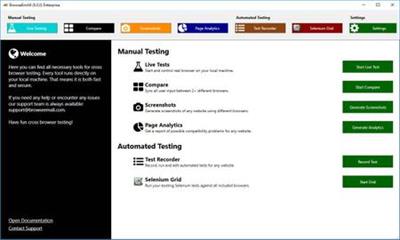
BrowseEmAll 9.6.2 Enterprise / Runtime / Studio / Manual Edition


9980e9ecfa1ebca6248fff361ce4efdc.jpeg


BrowseEmAll 9.6.2 Enterprise / Runtime / Studio / Manual Edition | 240 MB | Language: English​


On-Premises, Fast & Secure Cross Browser Testing - Live Testing, and Code Analytics On Your Local Machine. Test without worrying about firewalls and data security. With BrowseEmAll everything runs on your machine. This makes testing normal websites, staging environments and localhost possible out of the box. And your data stays secure and never leaves your network.


Browser testing as swift as running a native browser
We run all browsers on your local machine so you get the same browsing experience as your users do. Of course all browsers come with their native developer tools for easy debugging.

Make your browser testing more efficient and less frustrating
BrowseEmAll provides all features you would expect from a modern cross browser testing solution. Speed up testing with Live-Testing, , Side-By-Side Comparison, Code-Analytics and Selenium Testing.

Native Life-Testing Experience
Run 70+ browsers directly on your local machine.
Side-By-Side Browser Comparison
Get your input synchronized on up to 4 different browsers.
Full-Page
Spot layout issues with full-page .
Page Analytics
Find potential errors and compatibility problems in the code.
Selenium Grid
Start a fully featured Selenium Grid with a single click.

Operating System: Windows 7, 8/8.1, 10

Home Page -
Код:
https://www.browseemall.com/


DOWNLOAD LINKS:

Код:
https://rapidgator.net/file/0e72a6cfd9f3d7c7ead406e157875f02/BrowseEmAll_9.6.2_Enterprise__Runtime__Studio__Manual_Edition.rar

Код:
http://nitroflare.com/view/709B40C8AE3E5DD/BrowseEmAll_9.6.2_Enterprise__Runtime__Studio__Manual_Edition.rar

Код:
https://uploadgig.com/file/download/61a840E83494ca3d/BrowseEmAll_9.6.2_Enterprise__Runtime__Studio__Manual_Edition.rar
 
Ashampoo Photo Optimizer 8.1.1 (x64) Multilingual

Ashampoo Photo Optimizer 8.1.1 (x64) Multilingual


ae90356007c07fa071e9e16b3e9a5fe7.jpeg


Ashampoo Photo Optimizer 8.1.1 (x64) Multilingual | 123 MB | Language: Multilanguage​


Ashampoo Photo Optimizer 8 enhances your photos at the click of a button! The program fully automatically adjusts colors, contrasts and exposure settings to perfection for individual images or entire collections. Visual blemishes are detected and fixed through careful image analysis. But you can also make adjustments manually: Straighten slanted image horizons, fix perspective distortions or apply numerous affects. Minor blemishes like red eyes, skin imperfections or stains are also easily removable. The straightforward user interface saves you time and nerves on your path to stunning results!


Brilliant perspective corrections for natural lines
Significantly enhanced image auto-optimization
Super-fast feature access through Favorites
Manual color temperature adjustments
Tonal curve adjustments
Improved memory management for better stability and speed
64-bit optimized

A matter of perspective!
Taking shots of buildings often leads to unpleasant, and easily noticeable, perspective distortions, due to the position of the photographer. Buildings and other tall objects almost seem to fall over, putting an unintended comical spin on your photos. Other times, you forgot to bring your tripod and failed to keep your camera completely straight. Enter Photo Optimizer 8's new perspective correction! Fix horizontal or vertical distortions in just a few clicks and save shots that would have otherwise gone straight to the bin. Give your photos a second chance and get the right perspective, always!

More ease-of-use through favorites
We all have our favorite functions that we most frequently rely on. Now, you no longer have to navigate through various menus and categories to reach them. Ashampoo Photo Optimizer 8 features a customizable "Favorites" menu so you can bundle all your favorite functions in a single instantly accessible location. Need to quickly straighten the horizon after auto-optimization, fix the perspective or do some cropping? Now you can. Genius, right?

Unrivaled image auto-optimization
The secret of the new Photo Optimizer lies in its one-of-a-kind image optimization. Each individual image is meticulously analyzed for potential weaknesses and room for improvement. Shots hastily taken with a cellphone camera are now easily recoverable! Dull colors, unfavorable lighting or lack of contrast-Photo Optimizer's advanced algorithms detects it all! Once analyzed, your photos are recreated and now full of vibrancy and life-exactly what good photos should look like. We've gone through thousands of settings combinations to find the ones that offer the best results at a high hit ratio. After 2 years of development and countless hours in our test lab, we're proud to introduce the next level of image optimization with Ashampoo Photo Optimizer 8!

More fine-tuning options
However good auto-optimization may be, there comes a time when you'll want to make manual adjustments. Version 8 offers even more individual fine-tuning options, like color temperature adjustments that can completely change the nature of a shot-and energize those "cold" cellphone images we're all so familiar with. Tone curves are a sure-fire way to enhance shadows, mid-tones and highlights, especially when you're working with RAW shots! Feel free to experiment to your heart's delight, the integrated backup system can revert any changes you make and restore your original image in the blink of an eye.

Improved memory management
If needed, Ashampoo Photo Optimizer 8 utilizes all available system memory to benefit from the full power of your PC. This means, even super high-res images or gigantic collections are now optimizable at lightning speed. Experience the fastest and most robust Photo Optimizer of all time!

Enhance white balance and intensify contrast spreads
White balance is pivotal to the color temperature of your images. Digital cameras are particularly prone to the dreaded bluish cast and dull colors. This leads to photos that seem lifeless and completely devoid of the magic of the moment. Low-contrast images, often due to poor lighting, are another common issue. With the help of custom white balance and contrast spread settings, Photo Optimizer can breathe new life into these otherwise ruined shots! Both features are part of auto-optimization and will auto-enable whenever appropriate!

Photo editing in just a few clicks
The user interface in Photo Optimizer is truly self-explanatory. Functions are arranged into intuitively named categories and never more than two clicks away. Where other photo editors have you wade through manuals, Photo Optimizer gives you results instantly! Everything is simple and logical, there's practically no learning curve. Whether you're a beginner or an advanced user, or maybe you just don't want to spend hours with image tweaking, Ashampoo Photo Optimizer 8 is the program for you.

Versatile export features
Good photos deserve to be seen. That's why we're offering various ways in Photo Optimizer 8 to share your photos with others. This includes email, the free Ashampoo Web and even just setting photos as your desktop background image. If you'd rather go the traditional route and print your photos, you'll love the feature-rich print dialog that not only creates high-quality but also space-efficient print outs, if needed.

Features for perfectionists and creatives
Many sophisticated features are available to those seeking to go beyond auto-optimization. Whether you need to sharpen or soften individual portions, Photo Optimizer offers well-designed tools for every use case. Reduce irritating image noise, adjust color temperatures or crop your images. And for the artist in you, we've also included multiple effects like waves, swirls, even implosion and explosion. There's ample room to experiment.

Naturally-looking portrait enhancements
Faces are the focus of many photos, yet they seldom come out perfect! Enhance your portraits automatically or manually with Photo Optimizer. Fix red eyes and whiten teeth for that dazzling smile. Fix minor glitches with the clone tool and remove stains and other impurities like a pro. Create perfect yet naturally looking portraits in just a few clicks!

Add a little color!
You can't have great photos without great colors. That's where Photo Optimizer's highly efficient color correction comes in. Add a personal touch or a better sense of realism to your photos. It only takes a few sliders to enhance contrast, saturation and many other aspects. Observe your changes in real-time, thanks to the built-in live preview and take a trip down memory lane with the nostalgic sepia effect or apply a threshold for a nifty color reduction. Don't like what you see? Bring back the original at the click of a button!

Comfortable batch processing
Since Ashampoo Photo Optimizer 8 does so much fully automatically, we've included batch processing to save you time and nerves while the program processes your entire photo library in one go. Select individual images from various sources or entire folders and have Photo Optimizer work its magic. Every image is meticulously analyzed and its quality optimized according to its specific characteristics. Batch-process an entire vacation in one go, polish your wedding or birthday shots and put the fun back into photography.

Ample room for experiments
Thanks to its robust backup system, you're free to experiment in whatever way you see fit without ever losing your original images. Revert your images to their original states at the click of a button. And the built-in before-after view ensures there won't be any nasty surprises on your road to perfect photos. It's like you're looking into the future-and it is bright, colorful and vibrant!

System Requirements:
You need the 64-bit version for the following operating systems:
Windows® 10, Windows® 8, Windows® 7
Computer: Any computer that supports the above operating systems.
Other: Microsoft Visual C++ 2015 x86 Redistributable


Home Page -
Код:
https://www.ashampoo.com/en/usd


DOWNLOAD LINKS:

Код:
https://rapidgator.net/file/afecddef6c3e38251c554030d49c8e66/Ashampoo_Photo_Optimizer_8.1.1_x64_Multilingual.rar

Код:
http://nitroflare.com/view/4B67AD87AA5F91C/Ashampoo_Photo_Optimizer_8.1.1_x64_Multilingual.rar

Код:
https://uploadgig.com/file/download/A069a437bb9D372d/Ashampoo_Photo_Optimizer_8.1.1_x64_Multilingual.rar
 
Thea For Cinema 4D 2.2.483.1875 (x64)

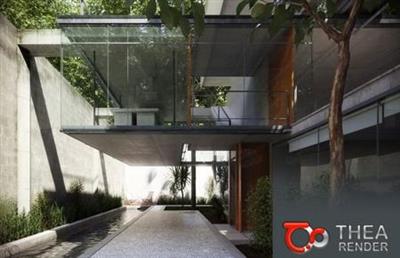
Thea For Cinema 4D 2.2.483.1875 (x64)


afc988a7d56f5050d0f0a61428daaaa3.jpeg


Thea For Cinema 4D 2.2.483.1875 (x64) | 543 MB | Language: English​


Thea for Cinema 4D is the perfect companion for Cinema 4D users who want the highest quality photorealistic rendering inside their modeling application. The plugin offers a list of advanced tools while being actively developed to meet the most demanding visualization requirements.


Content Browser with Online Repository:
-The Content Browser makes it easier to add materials and HDR images in the scene. Materials can either be applied to selected objects or added to the material manager.
-Adding HDR images in the scene is easier since skies are now being added as a Sky object with a Thea Sky tag already assigned to it.
-It is also possible to add your own local folders in the Custom Folders area.

Thea Shaders:
In v2.2, the Thea Material Editor is fully integrated inside Cinema 4D. Thea Shaders can be helpful to make it easier to apply tonemapping and modify the texture coordinates for every bitmap and also add advanced procedurals like Fresnel Ramp.

Backface Material Support:
-With the Backface material support, it is now possible to create material like, sheets of paper, labels, leaves, etc.
-It is integrated inside Cinema 4D supporting the Front & Back side option of the Texture tag.

More features:
Instancing Support:

-Cinema 4D offers various ways of instancing and we have paid attention to support them all, matching the native renderer. Whether you are using MoGraph cloners, arrays or render instances, the result will be always as it should be.

Animation:
-Thea Render can handle the animation rendering inside Cinema 4D and render all the frames out of the box. Furthermore, by supporting Team Render, one can distribute these frames over the network for ultra-fast animation sequence rendering. Accurate Motion Blur is fully supported for any animation produced in Cinema 4D (Camera, Mograph, Particle Emitters, Dynamics, e.t.c).

Render Channels:
Thea Render supports a big variety of render channels such as Normal, Depth, Alpha, Ambient Occlusion, Shadow and many more. These channels can be used to add various post process effects on the final rendered image.
-Interface improvements & simplifications.
-Seen by Rays & Seen by Camera options.
-Point Lights (Omni, Spot, IES)
-32-bit support in Picture Viewer

System Requirements:
-OS:Windows 7/8/10 64-bit,
-CPU:Intel SSE3 CPU (or compatible),
-GPU:for Presto GPU Nvidia CUDA Graphics Card (Compute Capability 2.x/3.x/5.x/6.x/7.0/7.5) with latest graphics driver or AMD Graphics Card (Hawaii, Tahiti, Pitcairn, Capeverde, Bonaire) with latest OpenCL and graphics drivers,
-Support:Cinema 4D R16-R21


Home Page -
Код:
https://www.thearender.com/


DOWNLOAD LINKS:

Код:
https://rapidgator.net/file/25b2073d4d8d86b5c92175bc522ab18d/Thea_For_Cinema_4D_2.2.483.1875_x64.rar

Код:
http://nitroflare.com/view/CFB054CFB678BDF/Thea_For_Cinema_4D_2.2.483.1875_x64.rar

Код:
https://uploadgig.com/file/download/8b95416D2cF3dcc8/Thea_For_Cinema_4D_2.2.483.1875_x64.rar
 
Altair ESAComp 2020.0 x86

Altair ESAComp 2020.0 x86


092ddb785f7d5b50fe2a973f86ee70ca.jpeg


Altair ESAComp 2020.0 x86 | 51 MB | Language: English​


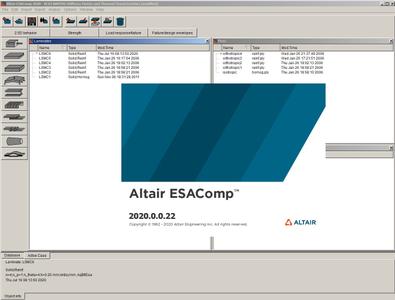
Altair ESAComp is a software for analysis and design of composites. Its scope ranges from conceptual and preliminary design of layered composite structures to advanced analyses that are applicable for the final verification of a design.

ESAComp has a vast set of analysis capabilities for solid/sandwich laminates and for micromechanical analyses. It further includes analysis tools for structural elements: flat and curved panels, stiffened panels, beams and columns, cylinders, bonded and mechanical joints. ESAComp is a stand-alone software tool, but thanks to its ability to interface with widely used finite element software packages ESAComp fits seamlessly into design processes.

Find out how Altair ESAComp enhances the capabilities of the Altair HyperWorks platform by providing classical analyses of structures made of layered composites. Altair ESAComp is used from preliminary and detailed design phases to advanced analyses for the final design verification. Thanks to its ability to interface with widely-used finite element software packages, Altair ESAComp fits seamlessly into design processes.

Altair is a global technology company that provides software and cloud solutions in the areas of product development, high performance computing (HPC) and data analytics. Altair enables organizations across broad industry segments to compete more effectively in a connected world while creating a more sustainable future.


Product: Altair ESAComp
Version: 2020.0.0.22
Supported Architectures: x86
Website Home Page :
Код:
http://www.altair.com
Language: english
System Requirements: PC *
Size: 51 MB

Operating system:
Tested on Windows 10.
May work on other MS Windows platforms.
Prerequisites:
* Disk space requirement: Approximately 100 MB
* OpenGL capable graphics card with minimum OpenGL 2.0


ff8c9b8319656e0aea2a728d81bd67f2.jpeg


DOWNLOAD LINKS:

Код:
https://rapidgator.net/file/1b3c2eb706cdff9676b51b5a6531ae47/Altair_ESAComp_2020.0_x86.rar

Код:
http://nitroflare.com/view/1B03CEE3BE3DC4B/Altair_ESAComp_2020.0_x86.rar

Код:
https://uploadgig.com/file/download/d5fee50986031680/Altair_ESAComp_2020.0_x86.rar
 
Chaos Group V-Ray 5.00.05 x64 for 3ds Max

Chaos Group V-Ray 5.00.05 x64 for 3ds Max


eaae5a0e85576777ef18ab257ebf5a6b.jpeg


Chaos Group V-Ray 5.00.05 x64 for 3ds Max | 2.39 GB | Language: English​


Chaos Group released V-Ray 5 for 3ds Max, connecting its award-winning renderer to more parts of the visualization process. Artists and designers can now composite renders, enhance materials and interactively relight images without leaving the program, extending V-Ray's capabilities into new realms.

Two of V-Ray 5's most exciting additions - Layer Compositing and Light Mix - can be found in the new V-Ray Frame Buffer (VFB), which was also redesigned for efficiency and a cleaner look.

With Light Mix, artists can interactively explore different lighting scenarios without having to re-render an image. Users can now adjust the color and intensity of any light source right away, ensuring faster iterations when designing looks and moods.

The Layer Compositor offers a faster path to final images, helping users post-process shots in the new VFB without outside applications. Using this non-destructive workflow, artists can adjust different render elements and perform color corrections with ease.

V-Ray 5 adds seven features and improvements tailored to materials, including a new management system and over 500 readymade materials designed to cover most objects and spaces. New built-in presets can help dial-in everyday options like metal, glass and plastic, as well as common hair colors, helping artists achieve photorealism much faster.

With V-Ray 5's new randomization tools, artists can add slight variations to their materials, increasing believability across a scene. VRayMultiSubTex colors can now be shifted by hue, saturation and gamma, while a new VRayUVWRandomizer map will adjust the offset, rotation and scale of both textures and procedural materials. For repeating texture maps, artists now have Stochastic Texture Tiling, which automatically removes tiling artifacts.

Vray 5 Interior Rendering Tutorial (Photorealistic Render)
Chaos Group is a worldwide leader in computer graphics technology, helping artists and designers create photoreal imagery and animation for design, television, and feature films. Chaos Group specializes in physically-based rendering and simulation software used daily by top design studios, architectural firms, advertising agencies, and visual effects companies around the globe. Today, the company's research and development in cloud rendering, material scanning, and virtual reality is shaping the future of creative storytelling and digital design. Founded in 1997, Chaos Group is privately owned with offices in Sofia, Los Angeles, Baltimore, Seoul, and Tokyo.


Product: Chaos Group V-Ray
Version: 5.00.05
Supported Architectures: x64
Website Home Page :
Код:
http://www.chaosgroup.com
Language: english
System Requirements: PC *
Software Prerequisites: *
Size: 2.39 Gb

The requirements listed here are for the latest version of V-Ray in 3ds Max. Please make sure that your system meets the requirements listed below before installing V-Ray.
Processor 1st Gen Intel Core or compatible processor with SSE4.2 support (x64)
RAM 4 GB RAM and 4 GB swap minimum - recommended 8 GB or more RAM, 8 GB or more swap file
Operating system Microsoft Windows 7 (SP1), Windows 8.1, or Windows 10 Professional operating system
Autodesk 3ds Max 3ds Max 2016, 2017, 2018, 2019, 2020 and 2021 (64-bit)
USB port Required for hardware lock, preferably USB 2.0
TCP/IP Only IPv4 is supported. IPv6 is currently not supported.
License Server 4.5.1 or later
GPU Support Maxwell-, Pascal-, Volta- and Turing-based NVIDIA card(s) with latest video driver or at least version 411.31


518ce009f60c9abaa655756541653176.jpeg


DOWNLOAD LINKS:

Код:
https://rapidgator.net/file/40eef9e5d71ce3f1d459cad550041c3d/Chaos_Group_V-Ray_5.00.05_x64_for_3ds_Max.part1.rar
https://rapidgator.net/file/2a945a0079a1ade1ea41c87b48727f12/Chaos_Group_V-Ray_5.00.05_x64_for_3ds_Max.part2.rar
https://rapidgator.net/file/75aa53c5363c39e4095b2808a457eccc/Chaos_Group_V-Ray_5.00.05_x64_for_3ds_Max.part3.rar

Код:
http://nitroflare.com/view/009CB8628080932/Chaos_Group_V-Ray_5.00.05_x64_for_3ds_Max.part1.rar
http://nitroflare.com/view/5D723228452E955/Chaos_Group_V-Ray_5.00.05_x64_for_3ds_Max.part2.rar
http://nitroflare.com/view/C4368EF915BF3FF/Chaos_Group_V-Ray_5.00.05_x64_for_3ds_Max.part3.rar

Код:
https://uploadgig.com/file/download/eca0b8140Db97F7C/Chaos_Group_V-Ray_5.00.05_x64_for_3ds_Max.part1.rar
https://uploadgig.com/file/download/10b270b4473d000c/Chaos_Group_V-Ray_5.00.05_x64_for_3ds_Max.part2.rar
https://uploadgig.com/file/download/075bBc30efdC82e9/Chaos_Group_V-Ray_5.00.05_x64_for_3ds_Max.part3.rar
 
Autodesk 3ds Max 2021.1 R1 x64 Multilingual

Autodesk 3ds Max 2021.1 R1 x64 Multilingual


69dfbfaf47ccff07cc971a6e51dc4d8f.jpeg


Autodesk 3ds Max 2021.1 R1 x64 Multilingual | 6.3 GB | Language: Multilanguage​


Autodesk has launched 3ds Max 2021.1 R1, the latest update to the 3D modelling and animation software, including a number of significant new features for game development and VFX work.


3ds Max 2021 introduces a number of features that should be significant for game and visual effects artists, including support for metalness/roughness and specular/glossiness PBR workflows.

The update adds support for PBR materials, plus a new PBR-compatible Bake to Texture tool; adds new OSL shaders and support for Substance .sbsar files; and makes Arnold the software's default renderer.

3ds Max 2021 | New Features and Updates
Autodesk. helps people imagine, design and create a better world. Everyone-from design professionals, engineers and architects to digital artists, students and hobbyists-uses Autodesk software to unlock their creativity and solve important challenges.


Product: Autodesk 3ds Max
Version: 2021.1 R1
Supported Architectures: x64
Website Home Page :
Код:
http://www.autodesk.com
Language: multilanguage
System Requirements: PC *
Size: 6.3 Gb

Autodesk 3ds Max 2021 software is supported on the following 64-bit operating systems and at a minimum, requires a system with the following 64-bit hardware:
Operating System
Microsoft Windows 7 (SP1), Windows 8, Windows 8.1, and Windows 10 Professional operating system
Browser Autodesk recommends the latest version of the following web browsers for access to online supplemental content:
Microsoft Edge
Google Chrome
Microsoft Internet Explorer
Mozilla Firefox
Hardware
CPU 64-bit Intel or AMD multi-core processor with SSE4.2 instruction set
Graphics Hardware Refer to 3ds Max Certified Hardware for a detailed list of recommended systems and graphics cards
RAM 4 GB of RAM minimum (8 GB or more recommended)
Disk Space 9 GB of free disk space for install
Pointing Device Three-button mouse


DOWNLOAD LINKS:


Код:
https://dropapk.to/mhvmdiopqbfb/Autodesk_3ds_Max_2021.1_R1_x64_Multilingual.part1.rar
https://dropapk.to/d258nhy21340/Autodesk_3ds_Max_2021.1_R1_x64_Multilingual.part2.rar
https://dropapk.to/74lg1q550hk2/Autodesk_3ds_Max_2021.1_R1_x64_Multilingual.part3.rar
https://dropapk.to/w7peusex4z01/Autodesk_3ds_Max_2021.1_R1_x64_Multilingual.part4.rar
https://dropapk.to/0e8bs4bihjzu/Autodesk_3ds_Max_2021.1_R1_x64_Multilingual.part5.rar
https://dropapk.to/sz4nv9so04nq/Autodesk_3ds_Max_2021.1_R1_x64_Multilingual.part6.rar
https://dropapk.to/u2kqpalimmvb/Autodesk_3ds_Max_2021.1_R1_x64_Multilingual.part7.rar

Код:
https://rapidgator.net/file/c9cfffe12fcf01a35a845cb2549b5240/Autodesk_3ds_Max_2021.1_R1_x64_Multilingual.part1.rar
https://rapidgator.net/file/d4198c616ac4428eeaf3f149b50ebd2e/Autodesk_3ds_Max_2021.1_R1_x64_Multilingual.part2.rar
https://rapidgator.net/file/46b9569ef1a7402fb4534b66ee3cc175/Autodesk_3ds_Max_2021.1_R1_x64_Multilingual.part3.rar
https://rapidgator.net/file/3b788841003e3570e7f85de667ba3418/Autodesk_3ds_Max_2021.1_R1_x64_Multilingual.part4.rar
https://rapidgator.net/file/adddd85501e6d4eb04cc5ed63dc04b9b/Autodesk_3ds_Max_2021.1_R1_x64_Multilingual.part5.rar
https://rapidgator.net/file/c32256132a5a4659a058fc137bce734a/Autodesk_3ds_Max_2021.1_R1_x64_Multilingual.part6.rar
https://rapidgator.net/file/0e01f32466ab9f5eb0bc484eee92bea3/Autodesk_3ds_Max_2021.1_R1_x64_Multilingual.part7.rar

Код:
http://nitroflare.com/view/1251823E6DB4926/Autodesk_3ds_Max_2021.1_R1_x64_Multilingual.part1.rar
http://nitroflare.com/view/31D115FE1EB8C32/Autodesk_3ds_Max_2021.1_R1_x64_Multilingual.part2.rar
http://nitroflare.com/view/D88E6E47A98873A/Autodesk_3ds_Max_2021.1_R1_x64_Multilingual.part3.rar
http://nitroflare.com/view/C31BD83D54DBC41/Autodesk_3ds_Max_2021.1_R1_x64_Multilingual.part4.rar
http://nitroflare.com/view/9D0DA3FDB84FC7B/Autodesk_3ds_Max_2021.1_R1_x64_Multilingual.part5.rar
http://nitroflare.com/view/141F7A49F2543CE/Autodesk_3ds_Max_2021.1_R1_x64_Multilingual.part6.rar
http://nitroflare.com/view/1F9B0C844851FDB/Autodesk_3ds_Max_2021.1_R1_x64_Multilingual.part7.rar

Код:
https://uploadgig.com/file/download/c48f52cbee6bA93C/Autodesk_3ds_Max_2021.1_R1_x64_Multilingual.part1.rar
https://uploadgig.com/file/download/ecb839c999E77c47/Autodesk_3ds_Max_2021.1_R1_x64_Multilingual.part2.rar
https://uploadgig.com/file/download/3c1457bc0d58F471/Autodesk_3ds_Max_2021.1_R1_x64_Multilingual.part3.rar
https://uploadgig.com/file/download/Fe1e75039923b9a9/Autodesk_3ds_Max_2021.1_R1_x64_Multilingual.part4.rar
https://uploadgig.com/file/download/ce13dF7cd6B241e7/Autodesk_3ds_Max_2021.1_R1_x64_Multilingual.part5.rar
https://uploadgig.com/file/download/4690f9c930A06760/Autodesk_3ds_Max_2021.1_R1_x64_Multilingual.part6.rar
https://uploadgig.com/file/download/cf96e06578f6faaF/Autodesk_3ds_Max_2021.1_R1_x64_Multilingual.part7.rar
 
Movavi Photo Editor 6.7.0 (x86/x64) Multilingual

Movavi Photo Editor 6.7.0 (x86/x64) Multilingual


de55eb598c9ab7873d414b0bdcacba46.jpeg


Movavi Photo Editor 6.7.0 (x86/x64) Multilingual | 119 MB | Language: Multilanguage​


Movavi Photo Editor is the most amazing and user-friendly photo editing program you will ever need. Enjoy one-click image quality enhancing with Magic Enhance or try the advanced color correction tools for total precision. Give your portraits a makeover with advanced retouching tools. Crop, flip, rotate, and straighten images for more aesthetically pleasing composition. Compress photos that take up too much space on your PC. Movavi Photo Editor delivers much more than everyday photo editing apps - try the awesome object and background removal features!


Make good photos spectacular - like a pro!
- Edit digital photos, add great filters
- Remove objects, replace backgrounds
- Crop, resize, flip and rotate frames
- Add captions and watermarks

Adjust Quality and Apply Cool Filters
Improve images, add stylish overlays and effects

Freely Transform Pictures
Adjust frames for better composition

Replace Backgrounds in an Instant
Magically transport your subjects to a new setting

Give Yourself a Makeover
Didn't have time to apply makeup? Do it digitally!

Remove Blemishes
- Get rid of blotches, pimples, and freckles
- Erase wrinkles and scars
- Smooth out your skin
- Fix red eye

Remove Unwanted Objects
Simply erase anything that spoils the view!

Add Custom Captions for Fun
Personalize your pictures with cute captions and watermarks!

System Requirements:
- Microsoft® Windows® XP/Vista/7/8/10 with up-to-date patches and service packs installed
- Intel®, AMD®, or compatible processor, 1 GHz
- NVIDIA® GeForce® series 8, Intel® HD Graphics 2000, AMD Radeon™ R600 or higher graphics card with up-to-date drivers
- 1280 x 720 screen resolution, 32-bit color
- 512 MB RAM for Windows XP and Windows Vista,
- 2 GB for Windows 7, Windows 8, and Windows 10
- 250 MB available hard disk space for installation,
- 500 MB for ongoing operations
- Administrator permissions are required for installation


Home Page -
Код:
https://www.movavi.com/


DOWNLOAD LINKS:

Код:
https://rapidgator.net/file/c07d5a393ae22afc63dd2aebc7a11d63/Movavi_Photo_Editor_6.7.0_x86x64_Multilingual.rar

Код:
http://nitroflare.com/view/92ED27141E07636/Movavi_Photo_Editor_6.7.0_x86x64_Multilingual.rar

Код:
https://uploadgig.com/file/download/8eD19ed71bfdc5f0/Movavi_Photo_Editor_6.7.0_x86x64_Multilingual.rar
 
Wondershare UniConverter 12.0.2.5 Multilingual (MacOSX)

Wondershare UniConverter 12.0.2.5 Multilingual (MacOSX)


9bf98a946089cf7076bd61e6373f285c.jpeg


Wondershare UniConverter 12.0.2.5 Multilingual (MacOSX) | 105 MB | Language: Multilanguage​


Wondershare UniConverter is a complete video toolbox that lets you convert, edit, enhance, download, burn, organize, capture and watch video files. Convert videos to and from virtually any video format out there, with 30X faster conversion speed.


Wondershare Video Converter Ultimate will make your movies versatile by instantly converting them to AVI, WMV, MP4, MKV, FLV, 3GP, MPG - even convert video to 3D and 4K Ultra HD video format at ultrafast speeds. 159 formats supported and counting! Burn video files to Blu-Ray/ DVD disc, DVD folder, or ISO files, download or record videos from YouTube, Google, Yahoo and other video-sharing sites, convert home movies to any video/audio, for playback on any devices.

Compatibility: OS X 10.10 or later 64bit.

Homepage:
Код:
https://www.wondershare.com


DOWNLOAD LINKS:

Код:
https://rapidgator.net/file/12229dbe7549f0e9db93d73fd34233f8/Wondershare_UniConverter_12.0.2.5_Multilingual_MacOSX.rar

Код:
http://nitroflare.com/view/EF9E9F890104DAB/Wondershare_UniConverter_12.0.2.5_Multilingual_MacOSX.rar

Код:
https://uploadgig.com/file/download/8bF2bae2B6D1232c/Wondershare_UniConverter_12.0.2.5_Multilingual_MacOSX.rar
 
TecDescription Focus 2020 R1 v2020.1.0.107285 (MacOSX)

TecDescription Focus 2020 R1 v2020.1.0.107285 (MacOSX)


3f623c9dfe51fd04f8527d6e5e73f89e.jpeg


TecDescription Focus 2020 R1 v2020.1.0.107285 (MacOSX) | 189 MB | Language: English​


TecDescription Focus gets you answers faster. It enables you to quickly Description all your engineering and test data exactly the way you want. Analyze and explore complex data sets, arrange multiple XY, 2D and 3D Descriptions, and then communicate your results to colleagues and management with brilliant, high-quality images and animations. Save even more time and effort by automating routine data analyses and Descriptionting tasks.


Easily Understand Complex Engineering Systems
Choose from an amazing array of XY, Polar, 2D and 3D Descriptionting and animation tools-all in a single software package.Apply multiple constraints to define and create performance envelopes.Control over 2,500 attributes of your Description.View your work in multiple drawing windows and from different perspectives. (XY, 2D, and 3D) in TecDescription Focus' unique multi-frame workspace.Assign arbitrary independent axes for specialty DescriptionsCreate complex performance Descriptions.Description irregularly spaced data.Probe values over time.Perform discrete Fourier transform (DFT).

Automate Description Generation
Instantly re-create an old Description, or apply the same style attributes and layouts to a different set of data with layout and style files.Automate your work with a powerful scripting language.Create macros by recording or writing scripts.Use the Quick Macro Panel to access macros easily.Description and print with batch processing.Extend TecDescription functionality with the Add-on Developer's Kit.

Get Recognized
Copy and paste images or animations directly into Microsoft Office applications.Export professional, presentation-quality images in vector and raster formats.Make optimized animations for PowerPoint and the Web.


DOWNLOAD LINKS:

Код:
https://rapidgator.net/file/3c5c35a56de64b2f22e33053be813423/TecDescription_Focus_2020_R1_v2020.1.0.107285_MacOSX.rar

Код:
http://nitroflare.com/view/5BBD3A6624928EC/TecDescription_Focus_2020_R1_v2020.1.0.107285_MacOSX.rar

Код:
https://uploadgig.com/file/download/beaF92dD077ae395/TecDescription_Focus_2020_R1_v2020.1.0.107285_MacOSX.rar
 
TecDescription.360 EX 2020 R1 v2020.1.0.107285 (MacOSX)

TecDescription.360 EX 2020 R1 v2020.1.0.107285 (MacOSX)


6770b6ccebe83e033449e4165866c553.jpeg


TecDescription.360 EX 2020 R1 v2020.1.0.107285 (MacOSX) | 254 MB | Language: English​


More CFD simulations are being run, grid sizes are getting larger, and data sets are being stored remotely. It's essential that you have the right tools to effectively analyze your results-whether they are CFD, other simulations or test data. The right tools handle large data sets, automate workflows, and visualize parametric results. The right tools help you spend less time waiting and more time discovering.


Analyze Complex Results
Load your data with support for 27 CFD, FEA, structural analysis, and industry-standard data formats.Unique multi-frame environment with multiple pages for reporting and comparing solutions.Understand XY, Polar, 2D and 3D Descriptions using unique linking capabilities.Animate and step through transient solutions with video player-style controls like forward, backward, loop, bounce, and throttle control.Explore with interactive slicing, iso-surface, and streamtrace tools.Automatically extract key flow features such as vortex cores, shock surfaces.

Explore Billion Cell Models with SZL Technology
Leverage multi-core desktop systems with multi-threaded capability.Dramatic performance improvements for large finite-element dаta:Load times up to 23 times faster.Peak memory usage reduced up to 93%.Files sizes compressed up to 70%.Analyze large finite-element data sets quickly and easily on a typical engineering laptop.

Verify Engineering Designs
Assess your grid quality with 28 grid quality functions including aspect ratios, Y+, skewness, orthogonality, and stretch factors.Validate computational output with experimental data in by a single Descriptionting environment.Estimate the order of accuracy of your numerical solutions with Richardson extrapolation analysis.Interactively explore and sweep through flow field to check that flow features align with the grid.Compare multiple models simultaneously, including Fluid-structure Interaction (FSI) visualization.

Communicate and Publish Reports
Copy and paste images directly into Microsoft Office applications.Export professional, presentation-quality vector and raster formats.Present multiple, time-linked views of your Descriptions with TecDescription 360's unique multi-frame layout workspace.Optimize animations for PowerPoint and the Web.Create reports using unique multipage layouts.

Automate Routine Tasks
Instantly apply a Description's style attributes and layouts to a different set of data with layout and style files.Leverage over 180 macro functions to automate common analysis and Descriptionting tasks.Create human readable text based macros by recording on screen actions.


DOWNLOAD LINKS:

Код:
https://rapidgator.net/file/d645ffc6988cb98dfcc5f5d69dd3d5ee/TecDescription.360.EX.2020.R1.v2020.1.0.107285_MacOSX.rar

Код:
http://nitroflare.com/view/4F19795E604BDA2/TecDescription.360.EX.2020.R1.v2020.1.0.107285_MacOSX.rar

Код:
https://uploadgig.com/file/download/c00a64e3a5aA0989/TecDescription.360.EX.2020.R1.v2020.1.0.107285_MacOSX.rar
 
TecDescription Focus 2020 R1 v2020.1.0.107285 (Linux)

TecDescription Focus 2020 R1 v2020.1.0.107285 (Linux)


f034947eeb1b19cc1021b717d4c6568d.jpeg


TecDescription Focus 2020 R1 v2020.1.0.107285 (Linux) | 209 MB | Language: English​


TecDescription Focus gets you answers faster. It enables you to quickly Description all your engineering and test data exactly the way you want. Analyze and explore complex data sets, arrange multiple XY, 2D and 3D Descriptions, and then communicate your results to colleagues and management with brilliant, high-quality images and animations. Save even more time and effort by automating routine data analyses and Descriptionting tasks.


Easily Understand Complex Engineering Systems
Choose from an amazing array of XY, Polar, 2D and 3D Descriptionting and animation tools-all in a single software package.Apply multiple constraints to define and create performance envelopes.Control over 2,500 attributes of your Description.View your work in multiple drawing windows and from different perspectives. (XY, 2D, and 3D) in TecDescription Focus' unique multi-frame workspace.Assign arbitrary independent axes for specialty DescriptionsCreate complex performance Descriptions.Description irregularly spaced data.Probe values over time.Perform discrete Fourier transform (DFT).

Automate Description Generation
Instantly re-create an old Description, or apply the same style attributes and layouts to a different set of data with layout and style files.Automate your work with a powerful scripting language.Create macros by recording or writing scripts.Use the Quick Macro Panel to access macros easily.Description and print with batch processing.Extend TecDescription functionality with the Add-on Developer's Kit.

Get Recognized
Copy and paste images or animations directly into Microsoft Office applications.Export professional, presentation-quality images in vector and raster formats.Make optimized animations for PowerPoint and the Web.


DOWNLOAD LINKS:

Код:
https://rapidgator.net/file/5bd5c685921fde65b416c99475ec8ecd/TecDescription_Focus_2020_R1_v2020.1.0.107285_Linux.rar

Код:
http://nitroflare.com/view/18067B28BD02A45/TecDescription_Focus_2020_R1_v2020.1.0.107285_Linux.rar

Код:
https://uploadgig.com/file/download/57E16c24C487CfbE/TecDescription_Focus_2020_R1_v2020.1.0.107285_Linux.rar
 
TecDescription.360 EX 2020 R1 v2020.1.0.107285 (Linux)

TecDescription.360 EX 2020 R1 v2020.1.0.107285 (Linux)


c775ed1472815481aa5ae77e487de118.jpeg


TecDescription.360 EX 2020 R1 v2020.1.0.107285 (Linux) | 286 MB | Language: English​


More CFD simulations are being run, grid sizes are getting larger, and data sets are being stored remotely. It's essential that you have the right tools to effectively analyze your results-whether they are CFD, other simulations or test data. The right tools handle large data sets, automate workflows, and visualize parametric results. The right tools help you spend less time waiting and more time discovering.


Analyze Complex Results
Load your data with support for 27 CFD, FEA, structural analysis, and industry-standard data formats.Unique multi-frame environment with multiple pages for reporting and comparing solutions.Understand XY, Polar, 2D and 3D Descriptions using unique linking capabilities.Animate and step through transient solutions with video player-style controls like forward, backward, loop, bounce, and throttle control.Explore with interactive slicing, iso-surface, and streamtrace tools.Automatically extract key flow features such as vortex cores, shock surfaces.

Explore Billion Cell Models with SZL Technology
Leverage multi-core desktop systems with multi-threaded capability.Dramatic performance improvements for large finite-element dаta:Load times up to 23 times faster.Peak memory usage reduced up to 93%.Files sizes compressed up to 70%.Analyze large finite-element data sets quickly and easily on a typical engineering laptop.

Verify Engineering Designs
Assess your grid quality with 28 grid quality functions including aspect ratios, Y+, skewness, orthogonality, and stretch factors.Validate computational output with experimental data in by a single Descriptionting environment.Estimate the order of accuracy of your numerical solutions with Richardson extrapolation analysis.Interactively explore and sweep through flow field to check that flow features align with the grid.Compare multiple models simultaneously, including Fluid-structure Interaction (FSI) visualization.

Communicate and Publish Reports
Copy and paste images directly into Microsoft Office applications.Export professional, presentation-quality vector and raster formats.Present multiple, time-linked views of your Descriptions with TecDescription 360's unique multi-frame layout workspace.Optimize animations for PowerPoint and the Web.Create reports using unique multipage layouts.

Automate Routine Tasks
Instantly apply a Description's style attributes and layouts to a different set of data with layout and style files.Leverage over 180 macro functions to automate common analysis and Descriptionting tasks.Create human readable text based macros by recording on screen actions.


DOWNLOAD LINKS:

Код:
https://rapidgator.net/file/103eb3bc01ddb9232b05549d3af27a4b/TecDescription.360.EX.2020.R1.v2020.1.0.107285_Linux.rar

Код:
http://nitroflare.com/view/8FFAB5F61D7D8ED/TecDescription.360.EX.2020.R1.v2020.1.0.107285_Linux.rar

Код:
https://uploadgig.com/file/download/45C809888314c5C4/TecDescription.360.EX.2020.R1.v2020.1.0.107285_Linux.rar
 
Topaz Video Enhance AI 1.4.2 (x64)

Topaz Video Enhance AI 1.4.2 (x64)


776a63f6f5d7c4fbc0aa1d81c081d6fc.jpeg


Topaz Video Enhance AI 1.4.2 (x64) | 2.28 GB | Language: English​


Beautiful video enlargements using machine learning. Trained on thousands of videos and combining information from multiple input video frames, Topaz Video Enhance AI enlarges your video up to 8K resolution with true details and motion consistency.


The best quality for upscaling video up to 8K.
Until now, there was no way to perfectly recreate a high-resolution video from low-resolution footage. From old home movies to low-quality SD to DVD quality and more, Video Enhance AI will transform your videos into clean upscaled footage up to 8K resolution.

Enhancing Footage up to 8K
Video Enhance AI is the perfect way to take good footage and make it great. Have you ever wanted your footage to look sharper with more detail? Take HD footage all the way up to 8K for use in high-quality projects.

This model is perfect to use for:
- DVD Content
- DSLR Footage
- Game Footage
- HD Stock Footage

Restoring Low-quality Footage
With Video Enhance AI, you can take your footage from SD to HD with an incredible increase in quality. This model is perfect for older footage that you want to repurpose for modern use. Older footage like:
- Home Movies
- Commercials
- Music Videos
- Movie Content
- Youtube Videos

Quality
Until now, no deep-learning based approach existed for video enlargement as a commercial product. Video Enhance AI is the only product that uses machine learning to extrapolate detail from your footage for a realistic look. The quality of output from Video Enhance AI is simply better than any other product available.

Training
Video Enhance AI was trained using a neural network that analyzes thousands of video pairs to learn how details usually get lost. Unlike Gigapixel AI for photos, Video Enhance AI is able to extrapolate more detail for an even more realistic look given the amount of information available in a single video clip.

Easy to Use
With just a few clicks of a button, your video footage will start rendering to create beautiful high-resolution quality footage. There are no complicated processes or confusing tools - just a few simple steps and your footage is ready to go.


Operating System:
Windows: Windows 7, 8, 10 (64-bit only)
CPU:
- Intel i7 (7th generation) or greater (4GHz and above)
- AMD Ryzen 7 or greater (4GHz and above)
GPU/Graphics Card:
- Nvidia GTX 1080 (8GB) or greater
- Gigapixel AI for Video currently does not support AMD graphics processors.
RAM:
- Minimum: 8GB
- Recommended: 16GB
- Optimal: 32GB
Monitor:
A monitor that outputs at a resolution of at least 1024 x 768 is recommended.
What is the minimum hardware requirement for Video Enhance AI?
We suggest you run Video Enhance AI on high-end Nvidia graphic cards. The minimum requirement is GTX 1050 with 4 GB VRAM. Any graphic card later/better than GTX 1080 (included) will do a fairly fast job. If you do not have an Nvidia graphics card in your device, the software can run on your Intel iGPU. Typically, it will be 5 times slower. If you do not have an Intel iGPU, the software will finally fall back to your CPU, which can be 10 times slower than the Nvidia GPU version.


Home Page -
Код:
https://topazlabs.com


DOWNLOAD LINKS:

Код:
https://rapidgator.net/file/888b01738f3d9ef61bcbf1ae51aad684/Topaz_Video_Enhance_AI_1.4.2_x64.part1.rar
https://rapidgator.net/file/7e9d0ea274acaf734382f6290d180931/Topaz_Video_Enhance_AI_1.4.2_x64.part2.rar
https://rapidgator.net/file/abfd35552c50eb98149949b0c0272912/Topaz_Video_Enhance_AI_1.4.2_x64.part3.rar

Код:
http://nitroflare.com/view/9CDB1E5101FEC5D/Topaz_Video_Enhance_AI_1.4.2_x64.part1.rar
http://nitroflare.com/view/55E16BE788C295F/Topaz_Video_Enhance_AI_1.4.2_x64.part2.rar
http://nitroflare.com/view/E80C438E29E0133/Topaz_Video_Enhance_AI_1.4.2_x64.part3.rar

Код:
https://uploadgig.com/file/download/5435b1f299Df4dad/Topaz_Video_Enhance_AI_1.4.2_x64.part1.rar
https://uploadgig.com/file/download/799305c696fA5d64/Topaz_Video_Enhance_AI_1.4.2_x64.part2.rar
https://uploadgig.com/file/download/4dd21e71abb8D149/Topaz_Video_Enhance_AI_1.4.2_x64.part3.rar
 
Topaz DeNoise AI 2.2.3 (x64)

Topaz DeNoise AI 2.2.3 (x64)


74e755ff1bafe57d35011bc76f1c63d6.jpeg


Topaz DeNoise AI 2.2.3 (x64) | 951 MB | Language: English​


Shoot anywhere in any light with no reservations. Eliminate noise and recover crisp detail in your images with the first AI-powered noise reduction tool. You may be surprised at the results you get.


Shoot anywhere in any light
Great noise reduction is like a lens upgrade. You'll be able to get much higher-quality results when you're shooting fast action shots, night images, or any other situation that requires a high ISO. Use DeNoise AI to help you create a pixel-perfect photo in any situation.

Groundbreaking technology
Noise reduction technology has basically been the same for a decade, with only minor incremental improvements here and there. (We would know - we made one!) DeNoise AI is different: we fed an algorithm millions of noisy/clear images until it actually learned what noise is and how best to remove it.

Recover true detail
DeNoise AI examines the whole image and holistically determines the difference between detail and noise in that photo. (Other NR tools only look at pixel-level detail.) After understanding what noise vs detail looks like for that specific image, DeNoise AI recovers a surprising amount of detail from noise.

Lightroom vs DeNoise AI
When you need pixel-level perfection in your results, DeNoise AI offers the absolute best quality currently available anywhere. Existing noise reduction tools like Lightroom give you a choice: keep some noise or remove some detail. DeNoise AI's technology allows you to get the best of both worlds: to remove noise while actually strengthening detail. The original noisy image (© Luis Garena) is on the left; we compare the Lightroom vs DeNoise AI results on the right. Pay special attention to the increased definition in the image, especially in the car wheels and center signs.
- Enhance real detail
- Remove noise naturally with no smudging
- Best for moderate to ultra-high ISOs

Any noise reduction tool can remove noise - the really tricky part is to tell the difference between noise and detail. DeNoise AI helps you get the best quality at 100% by removing noise while recovering original image detail. Give it a try to see the difference for yourself!


Operating System Version:
- Windows 7 x64
- Windows 8/8.1 x64
- Windows 10 x64
Hardware Requirements:
- System RAM: 8GB / 16GB recommended
- GPU VRAM: 2GB / 4GB recommended
Graphics Card Requirements:
- NVIDIA: GeForce GTX 770 2GB / GeForce GTX 960 4GB recommended
- AMD: Radeon HD 8570 2GB / Radeon R9 270 4GB recommended
- Intel: HD Graphics 5000 / Iris Plus Graphics 640 recommended


Home Page -
Код:
http://www.topazlabs.com/


DOWNLOAD LINKS:

Код:
https://rapidgator.net/file/3daa74840b2041e8a42a61370d1e5aad/Topaz_DeNoise_AI_2.2.3_x64.rar

Код:
http://nitroflare.com/view/4B0A16439695C69/Topaz_DeNoise_AI_2.2.3_x64.rar

Код:
https://uploadgig.com/file/download/c4b19556b5b87502/Topaz_DeNoise_AI_2.2.3_x64.rar
 
Sygic GPS Navigation & Offline Maps v18.7.6 Unlocked

Sygic GPS Navigation & Offline Maps v18.7.6 Unlocked


303c5ea6d463a25a54832fdfaa8e558e.jpeg


Sygic GPS Navigation & Offline Maps v18.7.6 Unlocked | Android | 48 MB​


Sygic - GPS, Navigation is the world's most downloaded GPS navigation app, trusted by more than 200 million drivers. Offline 3D maps are stored on your phone for GPS navigation without an internet connection. We update the maps multiple times per year for free, so that you can always rely on Sygic GPS Navigation.


Navigate anywhere, even without an internet connection:
* Offline maps of all countries in the world, from TomTom and other providers
* Free map updates multiple times per year
* Voice-guided GPS navigation with precise directions and spoken street names
* Millions of interesting Places (POI)
* Pedestrian GPS navigation with walking directions and tourist attractions (POI)

Car connectivity:
* Sygic is specially optimized to work with built-in infotainment systems compatible with MirrorLink**
* Just connect your phone to your car's screen and stay focused on the road
* You can use your car's touchscreen, knobs, or buttons to control the app
* Car manufacturers compatible with MirrorLink: Honda, Volkswagen, Seat, Peugeot, Citroen, Skoda (SmartLink), Suzuki, and others

Escape the traffic:
* Avoid traffic jams with the most accurate real-time traffic information with data collected from more than 500 million users worldwide*

Stay safe:
* Advanced safety features make driving in unfamiliar territories easier
* Speed limit warnings show you the current speed limit and the upcoming speed limit changes
* Dynamic Lane Assistant guides you into the correct lane
* Head-up Display (HUD) projects navigation onto the windshield of your car, making driving at night safer **
* Dashcam records the road ahead and automatically saves video in case of an accident**
* Real View Navigation is an augmented reality feature for even better and safer driving experience**
* Cockpit shows you the real-time performance of your car. **
* Real-time route sharing lets you share your estimated time of arrival & current position on a map*

Save money along your route:
* Park easily with parking place suggestions and live info about prices and availability*
* Set your fuel type and fill up for the best price with live information about fuel prices*
* Avoid speeding tickets with Speed camera warnings*
* Save money on roaming charges with offline maps
* Please note that this feature requires the internet connection.
** This is an add-on feature, you can check out our latest offers at
Код:
https://eshop.sygic.com/en/


Note: Sharing videos from Dashcam is forbidden by law in these countries: Austria, Belgium, Luxembourg, Switzerland, Slovakia, Spain.

Requirements: Android 4.4+

Home Page -
Код:
https://play.google.com/store/apps/details?id=com.sygic.aura&hl=en


DOWNLOAD LINKS:

Код:
https://rapidgator.net/file/7df40b4b095aa7db38886299aa40ed9d/Sygic_GPS_Navigation__Offline_Maps_v18.7.6_Unlocked.rar

Код:
http://nitroflare.com/view/F1ACD450CDA623A/Sygic_GPS_Navigation__Offline_Maps_v18.7.6_Unlocked.rar

Код:
https://uploadgig.com/file/download/e42392C9aE81599F/Sygic_GPS_Navigation__Offline_Maps_v18.7.6_Unlocked.rar
 
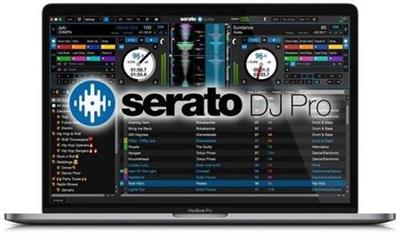
Serato DJ Pro 2.3.7 Build 562 (x64) Multilingual

Serato DJ Pro 2.3.7 Build 562 (x64) Multilingual


cca996d8f53044aa0186a7853f9e070e.jpeg


Serato DJ Pro 2.3.7 Build 562 (x64) Multilingual | 608 MB | Language: Multilanguage​


Professional DJ software - From the unknown to the greatest, Serato DJ Pro is the most popular DJ software globally. When you're talking about Hip-Hop, Dance, and everything in between, you're looking at the standard.


Rock solid reliability
Serato DJ Pro is renowned for its reliability and trusted by DJs to deliver incredible performances. That's why it powers the world's top artists on some of the biggest stages.

The best hardware
Serato DJ Pro officially supports over 90 pieces of hardware by industry leaders. Every piece is tightly integrated to ensure the best experience possible.

Limitless performance
Whatever your style, you can DJ with freedom. Your creative potential will be unlocked through innovative features and an intuitive interface.

New in Serato DJ Pro 2.0:
A range of new features and improvements as Serato DJ became Serato DJ Pro.
- Practice Mode
- New UI with Performance Pad view
- Optimised for high resolution screens
- Bigger Libraries and rock-solid reliability
- Improved help and support


System Requirements:
- Windows 10 (64-bit)
- Windows 8.1 (64-bit)
- Windows 7 (64-bit)


Home Page -
Код:
https://serato.com


DOWNLOAD LINKS:

Код:
https://rapidgator.net/file/72d22fee882776b5c166373bffb62d95/Serato_DJ_Pro_2.3.7_Build_562_x64_Multilingual.rar

Код:
http://nitroflare.com/view/0263D400D2CFC2F/Serato_DJ_Pro_2.3.7_Build_562_x64_Multilingual.rar

Код:
https://uploadgig.com/file/download/1c2f65ffb3d9d1e7/Serato_DJ_Pro_2.3.7_Build_562_x64_Multilingual.rar
 
Serif Affinity Photo 1.8.4.693 (x64) Beta Multilingual

Serif Affinity Photo 1.8.4.693 (x64) Beta Multilingual


c0ed3c7ef8bce5bf607d932a7a4aece4.jpeg


Serif Affinity Photo 1.8.4.693 (x64) Beta Multilingual | 507 MB | Language: Multilanguage​


Five years in the making, Affinity Photo redefines the boundaries for professional photo editing software. With a meticulous focus on workflow it offers sophisticated tools for enhancing, editing and retouching your images in an incredibly intuitive interface, with all the power and performance you need.


Engineered for professionals
Built on rock solid foundations with principles of performance, stability and lack of bloat, Affinity Photo is a professional photography tool to the very core.

Comprehensive RAW editing
Develop camera RAW files in a dedicated built-in workspace with all the processing adjustments and corrections you need.

Unsurpassed file compatibility
We've got the best PSD support out there, plus all the standards you'd expect including PNG, JPG, TIFF, EPS, PDF, and SVG.

Work in any color space
RGB, CMYK, LAB, Grayscale. End-to-end CMYK workflow with ICC color management, and 32-bit per channel editing.

Dedicated RAW editing workspace
Compatible with all major camera file formats, the Develop persona offers a dedicated processing workspace offering incredibly accurate editing in an unbounded linear color space.

Complete digital darkroom
Affinity Photo includes all the tools you need from a professional photography application. Every tool has been painstakingly engineered for speed, power and accuracy-and they work in precisely the way you want them to.

Fast, customizable effects
Affinity Photo comes with a huge range of high-end filters including lighting, blurs, distortions, tilt-shift, shadows, glows and many more. Full control is given over every aspect of a filter's properties with incredibly precise controls-all the while seeing a real-time live preview of the result. Best of all, filters can be applied as live layers, enabling you to edit, erase away, or mask effects after they have been applied.

Advanced adjustment layers
Correct and enhance images with Levels, Curves, Black and White, White Balance, HSL, Shadows and Highlights and over a dozen other adjustments that are previewed instantly and can be edited any time. Adjust, readjust, and drag and drop onto any layer, group, mask, or in any place in a stack to control how they're applied.

Live blend modes
Remove trial and error from your workflow-see changes to blend modes live as you edit without having to click apply each time. Affinity Photo's 30 layer blends preview smoothly in real time while you scroll through them.

Sophisticated selection refinement
Accurate selections are critical, whether cutting out objects, creating masks or selectively applying adjustments. Our selection refinement algorithm is one of the most advanced available, making selections-even down to individual strands of hair-easier than ever before.

Precise photo stitching
Affinity Photo's stitching algorithm is one of the most advanced available. On top of accurate automatic alignment and perspective corrections, you get full control over each image and boundary in the composite to fine tune to perfection.

Extensive retouching tools
Whether you want to make quick corrections, or spend an hour on a detailed retouch, Affinity Photo has all the tools you need. That naturally includes dodge, burn, clone, patch, blemish, and red eye tools. But you'll also find an incredibly accurate inpainting brush, frequency separation capability, and a full set of liquify features built-in.

System Requirements:
Hardware
Windows-based PC with mouse or equivalent input device
DirectX 10-compatible Graphics Cards and above
2GB RAM minimum (4GB RAM recommended)
670MB of available space; more during installation
1280x768 display size or better
Operating systems (64 bit):
Windows 10 (1607 Anniversary update or higher)
Windows 8.1
Windows 7 (Service Pack 1; Aero enabled)


Home Page -
Код:
https://affinity.serif.com/


DOWNLOAD LINKS:

Код:
https://rapidgator.net/file/01b67737169ff2590272793d267a70f5/Serif_Affinity_Photo_1.8.4.693_x64_Beta_Multilingual.rar

Код:
http://nitroflare.com/view/97DB5068119A7AF/Serif_Affinity_Photo_1.8.4.693_x64_Beta_Multilingual.rar

Код:
https://uploadgig.com/file/download/be19Fb163c2bDc2d/Serif_Affinity_Photo_1.8.4.693_x64_Beta_Multilingual.rar
 
Serif Affinity Designer 1.8.4.693 (x64) Beta Multilingual

Serif Affinity Designer 1.8.4.693 (x64) Beta Multilingual


0d251e09f6ee6400e6bc1c9da43770ca.jpeg


Serif Affinity Designer 1.8.4.693 (x64) Beta Multilingual | 498 MB | Language: Multilanguage​


Affinity Designer is the fastest, smoothest, most precise vector graphic design software available. Whether you're working on branding, concept art, print projects, icons, UI, UX, or web mock ups, Affinity Designer will revolutionise how you work, on Windows.


Design tools redefined
All the tools you need in a professional vector design app, from an incredible precise pen tool to a super smooth gradient tool. All carefully considered and meticulously developed, they just work-in precisely the way you want them to.

Built for your workflow
With core principles of performance, stability and lack of bloat, Affinity Designer has been meticulously crafted for a professional workflow.

Cross platform performance
With a professional pedigree forged on Mac, and matched step for step on Windows, common file format delivers stunning results on either platform.

Unsurpassed speed and accuracy
Pan at 60fps and zoom to an eye-popping 10,000,000%, you'll see all adjustments, effects, transformations and brushes in real time.

Work in any color space
RGB, CMYK, LAB, Grayscale. End-to-end CMYK workflow with ICC color management, and 16-bit per channel editing.

Unsurpassed file compatibility
The best PSD import engine available and full support for SVG, EPS, PDF, PDF/X and FH files means injecting Affinity Designer into your workflow is painless.

Pixel perfect control
With real-time pixel preview in standard or retina resolution available with a single click, you can always see what you're going to get. Can't achieve the perfect result purely in vector? Just edit the pixels - Affinity Designer has a full suite of raster tools too.

Non-destructive effects and adjustments
With a huge library of adjustment layers, effects and blend modes-combined with full support for masks and clipping layers-Affinity Designer offers the most advanced layer controls available in any vector based app.

Flexible workspaces... and workflows
With a focused, fully customisable workspace, including docked and floating UI modes, Affinity Designer lets you work how you want. Add regular and custom 2D and isometric grids for flexible layouts, work on multiple designs at once, and use macOS features like Split Screen and Full Screen. Plus, with savable history, unlimited undo and non-destructive filters and adjustments you can always go back and change your mind.

Natural brushwork
Use Force Touch, stylus pressure, tilt and other controls for natural-looking artwork. Edit vector brush strokes as cleanly and easily as regular curves, and add raster brushwork-on its own or with vector art-to add depth and high quality organic textures. Rotate the canvas, blend colors, edit brush parameters, create your own brushes and nozzles, and import .abr brushes for complete control over your work.

Throw some shapes
Affinity Designer delivers a comprehensive set of shape primitives with easy controls for adjusting geometry with corner settings and smart snapping indicators. A full set of Boolean geometry operations, non-destructive compound shapes, and full node editing means you can create beautiful complex geometry in no time.

Just your type
Add artistic text for headlines, text frames of any shape, or text that follows any vector path. Apply sophisticated styling and ligatures, previewing all your available fonts and style sets in on-screen panels. All the controls you need are built in, including leading, kerning, baseline shift, tab stops - and now in version 1.5 you can create text styles across your document.

New professional print controls
Affinity Designer features full professional print output. Pantone® support, end-to-end CMYK and ICC color management are just part of it. You can also open, edit and output PDF/X files, set overprint controls, use spot colors, and add bleed area, trim and crop marks.

Powerful export
In export mode you get a complete workspace dedicated to image export. Select areas, layers or objects to export, controlling each item's output settings independently. For efficient web and UI design, you can automatically create new files whenever your design changes, in whatever resolution, file format and folder structure you wish.

Common Affinity file format
Affinity's shared file format makes mixed discipline design as smooth and simple as it should be. Open any native Affinity file in any Affinity app on any platform and just keep working - with shared history, unlimited undo and seamless switching. And for export, Affinity Designer takes all major file types in its stride.

Incredibly powerful artboards
In Affinity Designer you can create an unlimited number of different design variants, sizes and screens - laying them out in one document to see them all at once. When you come to export you get full control over what artboards to output and with what settings, dramatically simplifying your workflow for responsive and app design.


Operating systems (64 bit):
- Windows® 10
- Windows® 8.x
- Windows® 7 (Service Pack 1; Aero enabled)


Home Page -
Код:
https://affinity.serif.com


DOWNLOAD LINKS:

Код:
https://rapidgator.net/file/ddbef9c929a987186afe8ba349b40a8f/Serif_Affinity_Designer_1.8.4.693_x64_Beta_Multilingual.rar

Код:
http://nitroflare.com/view/677044A81E5C438/Serif_Affinity_Designer_1.8.4.693_x64_Beta_Multilingual.rar

Код:
https://uploadgig.com/file/download/fEa7E51d7ff42f15/Serif_Affinity_Designer_1.8.4.693_x64_Beta_Multilingual.rar
 
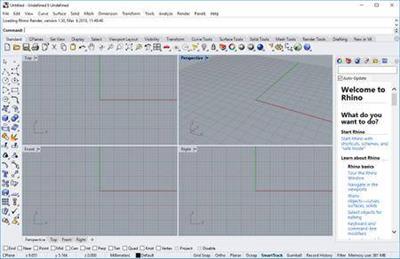
Rhinoceros 6.28.20199.17141 (x64)

Rhinoceros 6.28.20199.17141 (x64)


f7c210d3d2e9dab8bcfd401325547af2.jpeg


Rhinoceros 6.28.20199.17141 (x64) | 271 MB | Language: English​


In Rhino 6 for Windows, we've fully embraced Grasshopper - the wildly popular visual programming language - by "baking it in." Grasshopper is no longer beta; it's a stable development environment. We've also rewritten some features and renovated workflows that needed fundamental overhauls to make them truly productive.


Grasshopper
The long beta period is over: Grasshopper, the world's most beautiful programming language, is now a full-fledged part of Rhino. Used in some of the most ambitious design projects of the past decade, Grasshopper, like Rhino, has become a robust development platform. Grasshopper provides the solid foundation for many incredible third-party components ranging from environmental analysis to robotic control.

Presentation
Presentation is key: during nearly every phase of design, you need to communicate, getting "buy-in" from clients, customers, collaborators, or the public at large. We've improved Rhino with the aim of helping you present your work: be it "quick and dirty" or "high-res glossy." With major changes to Rendering, Materials, or just plain capturing the viewport, it's now easier and faster to present, discuss, make decisions, and iterate.

Display
Rhino's new display pipeline is faster, more stable, and uses features found on modern graphics hardware, like GPU sensitive shaders and memory optimizations. This results in fewer GPU-specific display glitches and more consistent, beautiful, and frequent frames, even with large models. In some conditions, display speed can be up to 300% faster.

Documentation
Modeling is just one part of the design process; you also need to show how to build what is on the screen. We've refined many parts of the documentation workflow, from a completely reworked annotation-style interface, to better DWG support, and RichText throughout. It's now easier to convey accurately and clearly the what and the how of your design.

Licensing & Administration
We have worked hard to make Rhino easier to install, license, and configure. There's a great new option to license Rhino using the Cloud Zoo.

Make2D
Make2D has been completely rewritten to provide faster, better, cleaner, more customizable results.

Rhino Refinements
Small quirks add up to painful paper cuts over the course of a prolonged modeling session. In Rhino 6, we've fixed hundreds of minor bugs and consolidated disparate - but similar - features into single commands, making Rhino much more refined.

Development Platform
Rhino is more than just a modeler. With a rich ecosystem of plugins and an open set of development tools, Rhino is quickly becoming the development platform for those seeking to push the envelope of design. Rhino 6 brings major improvements to our free SDKs, with API refinements, better documentation, and more access to Rhino commands from Grasshopper.

Serengeti
We're constantly improving Rhino. Rhino 6 users have access to the Serengeti community and our Work-In-Progress (WIP) builds. The WIP builds are where we are developing future features like SubD support, Grasshopper 2, a new real-time rendering engine, and much more.


System Requirements:
- Windows 10, 8.1, or 7
- 8 GB memory (RAM) or more is recommended.
- 600 MB disk space.
- OpenGL 4.1 capable video card is recommended.
- No more than 63 CPU Cores.
- Multiple-button mouse with scroll wheel is recommended.
- The SpaceNavigator is supported.
- Apple hardware is supported with Bootcamp.
Not supported:
Windows 8
Windows XP 64-bit
Windows Vista, NT, 95, 98, ME, or 2000
Windows 32-bit all versions


Home Page -
Код:
https://www.rhino3d.com/


DOWNLOAD LINKS:

Код:
https://rapidgator.net/file/bcbb437ed8a0f0902d00aa51ada8f2fc/Rhinoceros_6.28.20199.17141_x64.rar

Код:
http://nitroflare.com/view/0C1FD43F9DCB713/Rhinoceros_6.28.20199.17141_x64.rar

Код:
https://uploadgig.com/file/download/A2124E5b4c14f80a/Rhinoceros_6.28.20199.17141_x64.rar
 
Allegorithmic Substance Painter 6.2.1.529 (x64) Multilingual

Allegorithmic Substance Painter 6.2.1.529 (x64) Multilingual


0b864ff68d62bc861092f6a82fe039be.jpeg


Allegorithmic Substance Painter 6.2.1.529 (x64) Multilingual | 1.68 GB | Language: Multilanguage​


Substance Painter is a brand new 3D Painting app with never before seen features and workflow improvements to make the creation of textures for 3D assets easier than ever. It is acknowledged as the most innovative and user-friendly 3D Painter out there.


Power to the artists
- Substance Painter gives you all the tools you need to texture your 3D assets.

What You See Is What You Get
- The PBR real-time viewport lets you work on asset look development.
- Create in Substance Painter and get real-time feedback in UE4 and Unity thanks to the live link.

Augmented Artistry
- Unleash your creativity with powerful tools and a non-destructive workflow.

Smart Materials
- Tear and wear, scratches and dust instantly appear where they're supposed to.

Smart Masks
- Apply the same mask preset on any type of object and have it adapt automatically.

Integrated 8K Bakers
- Baking is where it all starts. Bake high quality maps in an instant directly within Substance Painter.

Bring VFX to the Top
- Support for Linux, 8K export, color management, UDIM management and Scripting API make integrating Substance Painter into VFX workflows easier than ever.

Open to the world
- Get 1:1 engine exports and share directly to portfolio sites with dedicated formats.


Minimum:
- OS: Windows 7 / 8 / 10 - (64 bit)
- Memory: 8 GB RAM
- Graphics: VRAM 2GB
- DirectX: Version 11
- Resolution: 1280px width (≥ 1 Mega Pixels)
Recommended:
- OS: Windows 7 / 8 / 10 - (64 bit)
- Memory: 16 GB RAM
- Graphics: VRAM 4GB
- DirectX: Version 11
- Resolution: 1920x1080px
Supported GPUs:
- Intel HD 5000 / IRis Pro 6200 and above
- NVIDIA GeForce GTX 600 and above
- NVIDIA Quadro K2000 and above
- AMD Radeon HD 7000 and above
- AMD Radeon Pro WX-serie / Pro Duo and above
- AMD FirePro W-series / FirePro S-series and above
Languages Supported:
- English, 日本語, 中文.


Homepage -
Код:
https://www.allegorithmic.com


DOWNLOAD LINKS:

Код:
https://rapidgator.net/file/9c241005bb1839943d4f19857097d67d/Allegorithmic_Substance_Painter_6.2.1.529_x64_Multilingual.part1.rar
https://rapidgator.net/file/5eb47e3335721a4add6e23fc39e78169/Allegorithmic_Substance_Painter_6.2.1.529_x64_Multilingual.part2.rar

Код:
http://nitroflare.com/view/4C9C67E446A749C/Allegorithmic_Substance_Painter_6.2.1.529_x64_Multilingual.part1.rar
http://nitroflare.com/view/543D977278AA498/Allegorithmic_Substance_Painter_6.2.1.529_x64_Multilingual.part2.rar

Код:
https://uploadgig.com/file/download/E8ee02Acd8f0628f/Allegorithmic_Substance_Painter_6.2.1.529_x64_Multilingual.part1.rar
https://uploadgig.com/file/download/58ca41c075ED03cb/Allegorithmic_Substance_Painter_6.2.1.529_x64_Multilingual.part2.rar
 
Назад
Сверху