• Здравствуйте. Сайт заработал в архивном режиме форум www.old.nado.in

KAMAL's Softwares Collection!!! (Updated Daily)

  • Автор темы Автор темы KAMAL
  • Дата начала Дата начала
Paragon Hard Disk Manager 17 Business WS v17.16.12 WinPE (x86)
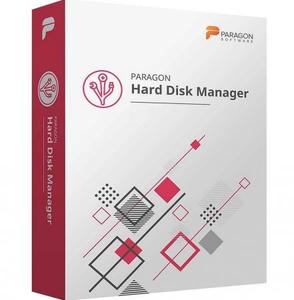
Paragon Hard Disk Manager 17 Business WS v17.16.12 WinPE (x86)


ffa891ef4ef4fdda87e0db7d610e35be.jpeg


Paragon Hard Disk Manager 17 Business WS v17.16.12 WinPE (x86) | 328 MB | | Language: English ​


Hard Disk Manager™ for Business - Disaster Recovery from the bottom up for business and organizations of all sizes. Hard Disk Manager™ for Business helps organizations build a reliable Disaster Recovery framework, from storage management to system integrity and data protection.


Basic Partitioning
Create, format, delete / undelete, hide / unhide, active / inactive, assign / remove drive letter, change volume label, file system conversion (FAT to NTFS, NTFS to FAT, HFS to NTFS, NTFS to HFS), file system integrity check

Advanced Partitioning
Split, merge, expand, redistribute free space, change cluster size, convert to logical / primary, edit sectors, convert to MBR / GPT, change primary slots and serial number, test surface, compact / defragment MFT, partitioning virtual disks (via Connect VD)

System and Data Protection
Back up an entire system, volumes and files, scheduled backup, incremental and differential imaging, backup encryption and compression, backup data excludes, pre-/post backup scripts, pVHD, VHD, VHDX, VMDK containers support.

New: ReFS support
Recovery Media Builder with drivers injection and pre-mounted network connections capabilities during setup helps to prepare bootable (uEFI and BIOS compatible) Windows PE or Linux USB sticks or ISO images to use the product utilities on bare metal machines or when OS is down

Data Migration
Copy partition / entire disk / Windows OS, copy with partition resize up and down, data exclusion filters, migration from HDD to SSD, migration to dissimilar hardware, V2P migration (via Connect VD).

Bare-metal and Granular Restore
Restore an entire system, individual volumes or files and folders, restore to the original or new location, restore to dissimilar hardware, restore with resize, mount / import backup containers.

Data Wiping
10 industry-class software algorithms, hardware trim and secure erase for SSD / NVME, clear free space, set wipe stamp, residual data verification, cleanup reports.

Automation
Predefined/ custom backup strategies / data retention policies, scripting, mail notifications.

Connect VD
Direct connection to VHD(X), VMDK, VDI disks from local / external / network storages in read/write / read-only / non-destructive VD connection modes
Remote connection to disks of virtual machines hosted by VMware vSphere in open / encrypted VD connection modes.

Key Points
- Innovative backup imaging technology (pVHD, VHD, VMDK)
- One integrated and comprehensive solution for backup and disaster recovery, migration and data management
- Proven in millions of installations worldwide
- Never before at this price: image- and file-based backup, bare-metal recovery to dissimilar hardware, migration, partitioning and wiping for physical servers and workstations

Product Features:
Embedded Recovery Media Builder 3.0

- Instead of two utilities downloaded from Paragon's website (BMB and RMB), the RMB 3.0 is now embedded into the product. Combining the best of the two utilities, it can boast more options, usability, and stability.
File-level backup/restore for virtual containers (pVHD, VHD, VHDX, VMDK)
- Paragon's innovative backup imaging technology now opens up the option of creating file-level virtual containers (full, incremental, as well as file complements), thus offering users rock-stable, high-performance technology to protect system and data not only on sector-level, but file-level as well.
Wiping SSD
- Wipe SSDs of most manufactures very user-friendly and permanently!
Agentless protection of Hyper-V guest machines
- Unlike traditional backup tools designed to work with physical machines, the product can operate at the virtualization layer, employing MS VSS (Volume Shadow Copy Service) to agentlessly backup/restore any guest machine of Hyper-V. Thus the solution doesn't need an agent on a target virtual machine to create its point-in-time copy including its configuration, operating system, apps, etc.

Home Page -
Код:
https://www.paragon-software.com/


DOWNLOAD LINKS:

Код:
https://rapidgator.net/file/a677b5ea799f48c9cb8be374b869d82d/Paragon_Hard_Disk_Manager_17_Business_WS_v17.16.12_WinPE_x86.rar

Код:
http://nitroflare.com/view/2A8A8EA33FB73C5/Paragon_Hard_Disk_Manager_17_Business_WS_v17.16.12_WinPE_x86.rar

Код:
https://uploadgig.com/file/download/20758dA260036D4D/Paragon_Hard_Disk_Manager_17_Business_WS_v17.16.12_WinPE_x86.rar
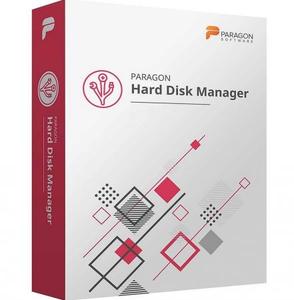
 
Paragon Hard Disk Manager 17 Business WS v17.16.12 WinPE (Linux)

Paragon Hard Disk Manager 17 Business WS v17.16.12 WinPE (Linux)


8b73ae32f362f541b331421da47c07e5.jpeg


Paragon Hard Disk Manager 17 Business WS v17.16.12 WinPE (Linux) | 415 MB | Language: English​


Hard Disk Manager™ for Business - Disaster Recovery from the bottom up for business and organizations of all sizes. Hard Disk Manager™ for Business helps organizations build a reliable Disaster Recovery framework, from storage management to system integrity and data protection.


Basic Partitioning
Create, format, delete / undelete, hide / unhide, active / inactive, assign / remove drive letter, change volume label, file system conversion (FAT to NTFS, NTFS to FAT, HFS to NTFS, NTFS to HFS), file system integrity check

Advanced Partitioning
Split, merge, expand, redistribute free space, change cluster size, convert to logical / primary, edit sectors, convert to MBR / GPT, change primary slots and serial number, test surface, compact / defragment MFT, partitioning virtual disks (via Connect VD)

System and Data Protection
Back up an entire system, volumes and files, scheduled backup, incremental and differential imaging, backup encryption and compression, backup data excludes, pre-/post backup scripts, pVHD, VHD, VHDX, VMDK containers support.

New: ReFS support
Recovery Media Builder with drivers injection and pre-mounted network connections capabilities during setup helps to prepare bootable (uEFI and BIOS compatible) Windows PE or Linux USB sticks or ISO images to use the product utilities on bare metal machines or when OS is down

Data Migration
Copy partition / entire disk / Windows OS, copy with partition resize up and down, data exclusion filters, migration from HDD to SSD, migration to dissimilar hardware, V2P migration (via Connect VD).

Bare-metal and Granular Restore
Restore an entire system, individual volumes or files and folders, restore to the original or new location, restore to dissimilar hardware, restore with resize, mount / import backup containers.

Data Wiping
10 industry-class software algorithms, hardware trim and secure erase for SSD / NVME, clear free space, set wipe stamp, residual data verification, cleanup reports.

Automation
Predefined/ custom backup strategies / data retention policies, scripting, mail notifications.

Connect VD
Direct connection to VHD(X), VMDK, VDI disks from local / external / network storages in read/write / read-only / non-destructive VD connection modes
Remote connection to disks of virtual machines hosted by VMware vSphere in open / encrypted VD connection modes.

Key Points
- Innovative backup imaging technology (pVHD, VHD, VMDK)
- One integrated and comprehensive solution for backup and disaster recovery, migration and data management
- Proven in millions of installations worldwide
- Never before at this price: image- and file-based backup, bare-metal recovery to dissimilar hardware, migration, partitioning and wiping for physical servers and workstations

Product Features:
Embedded Recovery Media Builder 3.0
- Instead of two utilities downloaded from Paragon's website (BMB and RMB), the RMB 3.0 is now embedded into the product. Combining the best of the two utilities, it can boast more options, usability, and stability.
File-level backup/restore for virtual containers (pVHD, VHD, VHDX, VMDK)
- Paragon's innovative backup imaging technology now opens up the option of creating file-level virtual containers (full, incremental, as well as file complements), thus offering users rock-stable, high-performance technology to protect system and data not only on sector-level, but file-level as well.
Wiping SSD
- Wipe SSDs of most manufactures very user-friendly and permanently!
Agentless protection of Hyper-V guest machines
- Unlike traditional backup tools designed to work with physical machines, the product can operate at the virtualization layer, employing MS VSS (Volume Shadow Copy Service) to agentlessly backup/restore any guest machine of Hyper-V. Thus the solution doesn't need an agent on a target virtual machine to create its point-in-time copy including its configuration, operating system, apps, etc.

Home Page -
Код:
https://www.paragon-software.com/


DOWNLOAD LINKS:

Код:
https://rapidgator.net/file/b77732a5d1be45cb44354d8a07b19ea3/Paragon_Hard_Disk_Manager_17_Business_WS_v17.16.12_WinPE_Linux.rar

Код:
http://nitroflare.com/view/3AAA8C5AC0E8517/Paragon_Hard_Disk_Manager_17_Business_WS_v17.16.12_WinPE_Linux.rar

Код:
https://uploadgig.com/file/download/e9630200cc337969/Paragon_Hard_Disk_Manager_17_Business_WS_v17.16.12_WinPE_Linux.rar
 
Vero Edgecam 2021.0 Build 2021.0.2019.20389

Vero Edgecam 2021.0 Build 2021.0.2019.20389


420b6f30ae23b7fca05acab73001dbc0.jpeg


Vero Edgecam 2021.0 Build 2021.0.2019.20389 | 5.01 GB | | Language: English​


EDGECAM is market-leading CAD/CAM software for CNC programming. With unparalleled ease of use and intelligent toolpath generation, it's the only CAD/CAM system you'll need for 3D milling, mill-turn machining, and multi-axis machining.


Waveform Roughing Strategy
Waveform Roughing strategy is now significantly faster when generating toolpaths for both solid and wireframe components. Numerous benchmark tests show a 30 per cent improvement in calculation times, compared to the previous version.

Profiling cycle's Undercut
When using the Profiling cycle's Undercut function, savings of between 40 and 60 per cent have been recorded, depending on the part's size and complexity.

Software Architecture
improvements in the software's architecture give an average time saving of 70 per cent on checking toolpaths with Machine Simulator when the software is initially launched.

Probing Functionality
A radical overhaul of the probing functionality revolves around eight new cycles, which deliver support for programming a variety of on-machine probing cycles. The cycles' NC output can be configured to support Hexagon's existing m&h probing macros, as well as many other popular probing systems for different controls and native probing languages of Siemens and Heidenhain controls.

New & Updated Commands
Following specific customer requests, six new or updated commands have been introduced into the Inspection operation, including the ability to globally edit existing features, and to specifically control the layout of both Linear and Rectangular Array features.

Face Mill Cycle
One of EDGECAM's most used strategies, the Face Mill Cycle, now offers better toolpath control, reductions to cycle times, less tool wear, and can potentially increase machine tool longevity.

Cut By Region Option
As well as time savings, the new Cut by Region option deploys a more even toolpath, completing each segment of a component before moving on to another region.

Outside To In Strategy
Another newcomer - Outside To In strategy - promotes more intelligent toolpaths, as well as reducing cycle times. Previously, when set to either Climb or Conventional, the face mill cycle took longer as it moved from left to right in readiness for the feed movement. But now, closer cutter contact reduces that time. And a new Overlap Edge function guarantees no wasted cutter passes, and no surplus material left on a face.

Lead In/Out Functionality
Extra Lead In/Out functionality for lathes gives more control during the secondary movement of the Finish Groove cycle. Groove features come in all shapes and sizes, and aren't always symmetrical. EDGECAM 2021 includes a Secondary Lead Move dialog, meaning that as the cycle completes the opposite side of a groove feature, the user can now deploy unique Lead In and Lead Out movements.

Angled Turning Tools
A further turning-related enhancement incudes more control when working with angled turning tools. Two new modifiers, 'Corner' and 'Lock,' will enable a 'dynamic gauge point,' which maintains the same position in relation to the insert at all orientations.

Dovetail Tool Cutters
Dovetail tool cutters, which were introduced in the previous version of EDGECAM, can now be used with a Profiling cycle in both milling and turning environments. Solid Features and Faces can be selected in conjunction with the Undercut command, for back-facing and other collision-free toolpaths.

Protect Solid Function
In response to customer requests, the Protect Solid function found in the Profiling cycle, has been enhanced to give safer toolpaths when using the Multi-Pass and Pick Solid Face commands.

Machine Tool Configuration
The 2021 release includes two important new machine tool configuration features to harness best practice. Variable pitch and multiple axis support on tool mounting blocks has been introduced in Linear Turret Lathes kinematics. Using a simple switch in the Code Wizard to stipulate the exact position of numerous tool stations on a turret, while clearly showing this in the Machine Simulator.

'Multi-Task Machine Tools' can now support cutting tools mounted inside Angle Head attachments. This type of tool configuration has been used in EDGECAM's milling environment for a number of years, so MTMT users are benefiting from a mature feature that's been thoroughly tried and tested.

Wire EDM
Wire EDM includes a new strategy to the Wire Set-Up command and extended controller support. The 'create pocket rough tag and finish files' strategy supports industry best practice and allows users to create four separate NC files, for Pocketing, Roughing, Tag creation, and Finishing. Technology tables for Charmilles and ONA AV have been added, along with enhanced support for a range of Mitsubishi controllers.

Vero is a part of Hexagon, a leading global provider of design, measurement and visualization technologies that enable customers to design, measure and position objects, and process and present data.

e0bf27b154e46fc1d06edca1051c94c1.jpeg


DOWNLOAD LINKS:

Код:
https://rapidgator.net/file/eea983d1391745e6ce0482cc3885c711/Vero_Edgecam_2021.0_Build_2021.0.2019.20389.part1.rar
https://rapidgator.net/file/cac8711155048bcc0527f5879ee170b0/Vero_Edgecam_2021.0_Build_2021.0.2019.20389.part2.rar
https://rapidgator.net/file/f017ee5961deea42447077860fcf3542/Vero_Edgecam_2021.0_Build_2021.0.2019.20389.part3.rar
https://rapidgator.net/file/a61f30faf16ccf77e729cb08d6eb4dcf/Vero_Edgecam_2021.0_Build_2021.0.2019.20389.part4.rar
https://rapidgator.net/file/67b966c2d195aabaad46b38ca70292b8/Vero_Edgecam_2021.0_Build_2021.0.2019.20389.part5.rar
https://rapidgator.net/file/80b8e259c919707cf7540312b15abfa7/Vero_Edgecam_2021.0_Build_2021.0.2019.20389.part6.rar

Код:
http://nitroflare.com/view/6EE5ED93A151BB2/Vero_Edgecam_2021.0_Build_2021.0.2019.20389.part1.rar
http://nitroflare.com/view/2817C286932BF2B/Vero_Edgecam_2021.0_Build_2021.0.2019.20389.part2.rar
http://nitroflare.com/view/3F3D3724EEAFC66/Vero_Edgecam_2021.0_Build_2021.0.2019.20389.part3.rar
http://nitroflare.com/view/87154245CD9E29A/Vero_Edgecam_2021.0_Build_2021.0.2019.20389.part4.rar
http://nitroflare.com/view/56BABB24541672A/Vero_Edgecam_2021.0_Build_2021.0.2019.20389.part5.rar
http://nitroflare.com/view/5EA2AD657451581/Vero_Edgecam_2021.0_Build_2021.0.2019.20389.part6.rar

Код:
https://uploadgig.com/file/download/2a5FB8c444ed6ecb/Vero_Edgecam_2021.0_Build_2021.0.2019.20389.part1.rar
https://uploadgig.com/file/download/96d5aEe77557d832/Vero_Edgecam_2021.0_Build_2021.0.2019.20389.part2.rar
https://uploadgig.com/file/download/c30Ade073Dd78935/Vero_Edgecam_2021.0_Build_2021.0.2019.20389.part3.rar
https://uploadgig.com/file/download/d7ec950760462ad0/Vero_Edgecam_2021.0_Build_2021.0.2019.20389.part4.rar
https://uploadgig.com/file/download/dfc9338d01262096/Vero_Edgecam_2021.0_Build_2021.0.2019.20389.part5.rar
https://uploadgig.com/file/download/9566794015480F5b/Vero_Edgecam_2021.0_Build_2021.0.2019.20389.part6.rar
 
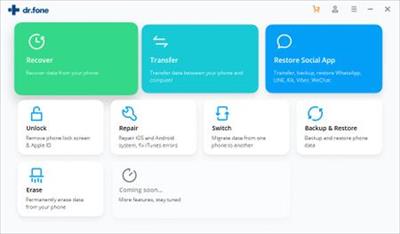
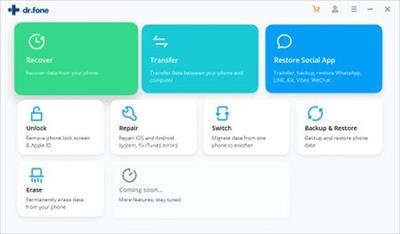
Wondershare Dr.Fone toolkit for iOS and Android 10.5.0.316 Multilingual

Wondershare Dr.Fone toolkit for iOS and Android 10.5.0.316 Multilingual


817477d416620862de519c232eb2d6a0.jpeg


Wondershare Dr.Fone toolkit for iOS and Android 10.5.0.316 Multilingual | 172 MB | | Language: Multilanguage​


dr.fone toolkit - Android Data Recovery. The world's 1st data recovery software for Android smartphones and tablets. Highest recovery rate in the industry. Recover photos, videos, contacts, messaging, call logs, and more. Compatible with 6000+ Android devices.

Lost data after factory reset
Lost data due to iOS update
Device stuck and not responding
Data missing after jailbreak or ROM flashing
Device locked or forgotten password
Unable to synchronize backup

Supported Devices:
iPhone X, iPhone 8 Plus, iPhone 8, iPhone 7 Plus, iPhone 7, iPhone SE, iPhone 6s Plus, iPhone 6s, iPhone 6 Plus, iPhone 6, iPhone 5s, iPhone 5c, iPhone 5, iPhone 4s, iPhone 4
All models of iPad Pro, iPad Air, iPad mini, and iPad
iPod touch 5, iPod touch 4

System requirement:
Supported OS: Windows 10/8.1/8/7/Vista/XP
CPU: 1GHz (32 bit or 64 bit)
RAM: 256 MB or more of RAM (1024MB Recommended)
Hard Disk Space: 200 MB and above free space
iOS: iOS 11, iOS 10, iOS 9 and former.


Home Page -
Код:
https://drfone.wondershare.com

5ed6d0b3ea83678591e8743a4c6c61d6.jpeg


DOWNLOAD LINKS:

Код:
https://rapidgator.net/file/b3998e62789410ad09855225d3341e65/Wondershare_Dr.Fone_toolkit_for_iOS_and_Android_10.5.0.316_Multilingual.rar

Код:
http://nitroflare.com/view/89BE73DE976EF7D/Wondershare_Dr.Fone_toolkit_for_iOS_and_Android_10.5.0.316_Multilingual.rar

Код:
https://uploadgig.com/file/download/745E93DC1bf98644/Wondershare_Dr.Fone_toolkit_for_iOS_and_Android_10.5.0.316_Multilingual.rar
 
InventorCAM 2020 SP2 HF1 x64 Multilingual

InventorCAM 2020 SP2 HF1 x64 Multilingual


0514728e0dcb0c2c9e22c5120970dbf8.jpeg


InventorCAM 2020 SP2 HF1 x64 Multilingual | 4.19 GB | Language: Multilanguage​


Languages: 中文, Čeština, Dansk, Nederlands, English, Français, Deutsch, עברית, Magyar, Italiano, 日本語, 한국어, Polski, Português, Русский, Español, Türkçe.

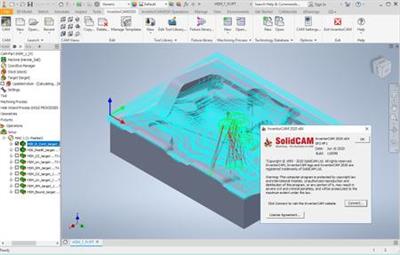
SolidCAM is pleased to announce the availability of InventorCAM 2020 SP2 HF1 - the latest version of their flagship CAM software, fully integrated in Autodesk Inventor. Last release brings major enhancements to many CAM modules available inside InventorCAM, as well as general improvements that provide an even greater ease-of-use for the end user.


SOL-7880 HSM/ contour rest finishing/ Holder collision checking doesn't work
SOL-9693 HSM/Contour Rest Machining/ Define Holder
SOL-11550 Templates / 'Geometry does not exist' error when creating geometry
SOL-12193 Language/French/Settings-Geometry GUI problem
SOL-12777 tool table/impossible to choose in tool type C80-Insert lead angle-R75 if tool table screen not maximize
SOL-12808 Stock type " Cylinder " takes incorrect Z level for Top of Stock
SOL-12829 hole wizard / change sequence of features in feature manager tree causes geometry loss
SOL-12879 Czech/GUI problems
SOL-12906 Setup/MPR/Model doesn`t move with fixture
SOL-12936 Face-Mill/GUI garbage
SOL-12853 GUI\Polish\face-milling-Link -arc

About SolidCAM product family. SolidCAM, InventorCAM and the standalone SolidCAM CAD/CAM suite are the flagship products. SolidCAM and InventorCAM integrate with SolidWorks and Inventor, respectively. Officially approved partners and all that. Their CNC programming toolsets look and feel like the CAD systems as much as possible, making the learning curve shorter. You define, calculate and verify all your machining operations without leaving the CAD environment. They can handle programming 2.5- to 5-axis machining, high-speed surface milling, wire EDM, etc. Their models are fully associative, so your toolpaths update when you make a part change. There are no import/export hassles, and you don't have to learn some CAM system's idea of a CAD application to make them work.

iMachining - basically, this is a wizard-based technology - patented, BTW - that makes defining cutting conditions easy by automatically calculating the cutting conditions for your toolpath. You give it your toolpath, stock, tool material and machine specifications then it derives optimal feeds, step over depths and widths as well as cutting speeds. For you old hands, the company says iMachining can save you 70% or more in CNC machining time and extends tool life dramatically.

SolidCAM & InventorCAM Tutorial 2 | 2.5D Milling

SolidCAM Inc is a world leader in advanced tool path generation technology (CAM) running directly inside SolidWorks. SolidCAM features a full line of CNC machine programming software solutions ranging from 2 axis lathes and 3 axis mills to extremely complex multi-axis MillTurn machines and Wire Edm. All products run directly inside SolidWorks and provide the user with a true "SolidWorks look and feel" for ease of use and maximum efficiency. Along with the integrated interface and scalability for new machines, SolidCAM also has its patented "iMachining" that powers users to new levels of productivity and profits, through unmatched cycle time reduction and unrivaled tool life.


Product: InventorCAM
Version: 2020 SP2 HF1 build 110098
Supported Architectures: x64
Website Home Page :
Код:
http://www.solidcam.com

Language: multilanguage
System Requirements: PC *
Supported Operating Systems: *
Software Prerequisites: Autodesk Inventor 2021 and below
Size: 4.19 Gb

Microsoft Windows 10 x64 Professional and Enterprise Editions; Microsoft Windows 8.1 x64 Professional and Enterprise Editions (with latest Service Pack); Microsoft Windows 7 x64 Professional and Ultimate Editions (with latest Service Pack)
- Intel Xeon, Intel Core, Intel Core 2 Duo, Intel Core 2 Quad or higher (If you use other processors we assume no responsibility and no support)
- 4 GB RAM (for the processing of large components, we recommend 8 GB RAM (or more)
- 15 GB free disk space for installation
- Hard disk with at least 100 GB of storage
- NVIDIA graphics card of the current Quadro series with min. 512 MB ​​(1024 MB recommended) and current, certified graphics driver (With the use of other and on-board graphics cards, we accept no responsibility and no support)
- 1,280 x 1,024 or higher screen resolution
- Microsoft Direct3D 9 or compatible graphics card (Microsoft Direct3D 11 or higher recommended)
- USB 2.0 interface
- DVD drive


cbe2212f095cd4d9d2bbcf0dce7dc572.jpeg


DOWNLOAD LINKS:

Код:
https://rapidgator.net/file/4828419aa25bdba8fdde3854f04e9aee/InventorCAM_2020_SP2_HF1_x64_Multilingual.part1.rar
https://rapidgator.net/file/3de30d597a2abf340c7927d56f8ad17d/InventorCAM_2020_SP2_HF1_x64_Multilingual.part2.rar
https://rapidgator.net/file/529b64e227fd7b0582c46349a6a5fb64/InventorCAM_2020_SP2_HF1_x64_Multilingual.part3.rar
https://rapidgator.net/file/127e901ebe514dfb1ccbee342bf5e0db/InventorCAM_2020_SP2_HF1_x64_Multilingual.part4.rar
https://rapidgator.net/file/504d690c1cecd1f0e71a373c0112796f/InventorCAM_2020_SP2_HF1_x64_Multilingual.part5.rar

Код:
http://nitroflare.com/view/EEC9AF717E368A7/InventorCAM_2020_SP2_HF1_x64_Multilingual.part1.rar
http://nitroflare.com/view/7E97AB1981323C3/InventorCAM_2020_SP2_HF1_x64_Multilingual.part2.rar
http://nitroflare.com/view/DCDBF67ECA7957F/InventorCAM_2020_SP2_HF1_x64_Multilingual.part3.rar
http://nitroflare.com/view/CBF4B8C7C460766/InventorCAM_2020_SP2_HF1_x64_Multilingual.part4.rar
http://nitroflare.com/view/00E17CEC6ECC9E7/InventorCAM_2020_SP2_HF1_x64_Multilingual.part5.rar

Код:
https://uploadgig.com/file/download/F82e5ebd4c5732eC/InventorCAM_2020_SP2_HF1_x64_Multilingual.part1.rar
https://uploadgig.com/file/download/0ec60c0f276f565E/InventorCAM_2020_SP2_HF1_x64_Multilingual.part2.rar
https://uploadgig.com/file/download/108Ad83018109f74/InventorCAM_2020_SP2_HF1_x64_Multilingual.part3.rar
https://uploadgig.com/file/download/5aeAdfe729781257/InventorCAM_2020_SP2_HF1_x64_Multilingual.part4.rar
https://uploadgig.com/file/download/f79a4b28eb643c7c/InventorCAM_2020_SP2_HF1_x64_Multilingual.part5.rar
 
MediaHuman YouTube Downloader 3.9.9.40 (1306) Multilingual (MacOSX)

MediaHuman YouTube Downloader 3.9.9.40 (1306) Multilingual (MacOSX)


87538b219895379795afbd766184feaa.jpeg


MediaHuman YouTube Downloader 3.9.9.40 (1306) Multilingual (MacOSX) | 76 MB | Language: Multilanguage​


MediaHuman YouTube Downloader is a handy application for those who found a favorite music video or trailer of a new movie and wants to keep it on your computer for viewing offline. Or you need to download a video lesson/tutorial. Our video downloader is an ideal solution for such kind of tasks.

- Supports Ultra High resolutions up to 4K
- Download whole playlists and channels
- YouTube, Vimeo, Dailymotion, Soundcloud
- Extract audio track and save it as MP3
- iTunes support
- VEVO support

Compatibility: OS X 10.10 or later 64-bit.

Homepage:
Код:
http://www.mediahuman.com


DOWNLOAD LINKS:

Код:
https://rapidgator.net/file/bc120f63babc8e314238c3158a30bd0f/MediaHuman_YouTube_Downloader_3.9.9.40_1306_Multilingual_MacOSX.rar

Код:
http://nitroflare.com/view/4B75569AFA4E0D6/MediaHuman_YouTube_Downloader_3.9.9.40_1306_Multilingual_MacOSX.rar

Код:
https://uploadgig.com/file/download/d2024A93bB5b6930/MediaHuman_YouTube_Downloader_3.9.9.40_1306_Multilingual_MacOSX.rar
 
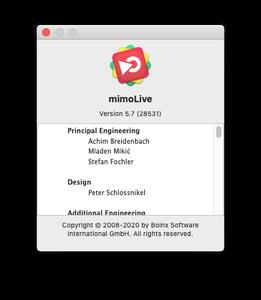
mimoLive 5.7 (MacOSX)

mimoLive 5.7 (MacOSX)


b141cfeabe54d6dee65393624bfae3ca.jpeg


mimoLive 5.7 (MacOSX) | 65 MB | Language: English​


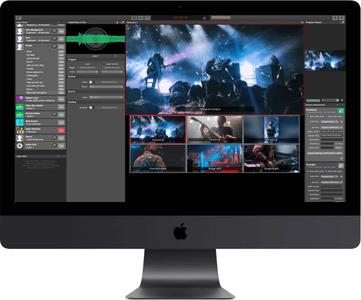
mimoLive is the all-in-one video encoder, switcher and streaming software for Mac. It enables you to switch multiple cameras, insert presentations, add layered graphics like weather maps, lower-thirds, social media feeds, green screens, and much more.


Creating and directing multi camera live shows is challenging. Keeping an overview of tasks like switching the active camera, replay prerecorded sequences and adding layered graphical elements is essential. For a one-person live production that is almost an impossible task. But what if there is a solution, designed exactly for this? mimoLive makes professional broadcast tools accessible for everyone.

Here is the tool which allows you to get prepared for every scene of your show, the software which performs multiple actions simultaneously on a single keystroke, the instrument which you can adjust to your individual needs.

mimoLive is the all-in-one solution for live streaming professionals and it supports NDI input and NDI playout.
Create your live video streams - step by step
Capture Audio&VideoManage multiple input feedsDirect your live showManage multiple output streams
Professional video switcher and live streaming for Mac
The live video workflow with mimoLive follows four major steps. First, capture your video footage using any given camera. Followed by the second step, the input into the computer. Conventional using professional graphic cards, externs SDI / HDMI Converter and more recently NDI 4 camcorders. Today we believe in the future of the network standard NDI 4, that's why it is our recommendation to you to check if NDI 4 delivers good results for your sort of live video stream.

Encoding, switching videos stream, graphics and decoding at once
Once the video streams are coming into your Mac - it's time for mimoLive to take over encoding, switching video streams, adding graphics and decoding the final stream. This is the third major workflow step for the director of the show. We enpower video producer to control comprehensive live shows by small teams. Finally, mimoLive uses several presets for the major streaming platforms to simply your work life, and to make the fourth step of your workflow as easy as possible.

Fields of applications for mimoLive
Interactive YouTube Live and Facebook Live Video StreamsCommunity TV, Public Access TVRecord presentationsLive Video ProjectionsPodcastsScreencastGame streaming, from your Mac, iPad, or iPhoneJumbotron in Sport StadiumsSports TVReligious Service Broadcasting360° Live StreamingeSports ConventionsWeddings


Major New Features:
New: Added a Scale & Transform filter to be able to resize, scale, rotate and crop any video source.New: Made animated GIFs work.New: Added a Automation layer to automate stuff in mimoLive.New: Added transitions to the Stop Watch layer.New: Added an option to the ATEM Controller layer to switch to a certain camera when turned on.New: Slideshow layer and source are sorting the images by name now. If new images are dropped into the folder they are displayed immediately.New: Extended the option to align the video sources at the top border in the Presenter 2D-Layer.New: Added a duplicate option to the context menu of sources (right click on a source).New: Updated NDI to version 4.5New: Added a button in the video sources settings of an NDI source to open the remote control panel for this NDI source in a webbrowser.New: Extended the HTTP API to be able to set a video source of a layer image input remotely.New: Added a context menu to the layer paramte buttons to be able to copy the API endpoint to the clipboard.

Important Bug Fixes:
Fixed: Worked on audio timing issues.Fixed: When doing ISO recording with File Recording Output Destination the audio source was randomly selected.Fixed: A corrupt FMLE file could crash mimoLive when read in in order to configure a Custom RTMP Live Streaming output destination.Fixed: When drag&dropping a Media Playlist source with associated media files those media files weren't copied to the new document and lead to a crash of mimoLive when saving the document.Fixed: Audio gain of sources wasn't restored after document reload.Fixed: mimoLive did hang in rare cases if the mimoLive document was very complex.Fixed: Copy/Paste layers caused an inconsistency in the mimoLive document and lead to undefined behaviour when working with HTTP API.Fixed: Split Screen layer flashed when changed layer variants.Fixed: Video Sync layer: Name tags of selected sources weren't updated correctly.Fixed: In the Lower Third layer the Text Alignment option was hiding when changing the background option.Fixed: The Interview layer unnecessarily consumed lot of CPU performance.Fixed: Using two different YouTube accounts with identical names didn't work.


Video Input Sources
Cameras: Thunderbolt, USB, HDMI, SDI SD/HD, NDIUSB connected iOS Devices (via App mimoCam)Network connected iOS Devices (via App mimoLive Reporter)Screen recordingIP CamerasApple Syphon Technology3rd party applications via NDI 4Remote Video Call (mimoCall) from any supported browser
Audio Sources
Cameras: Thunderbolt, USB, HDMI, SDI SD/HD, NDIiOS Devices USB (via App mimoCam)iOS Devices Cellular/WiFi (via App mimoLive Reporter)Mic In / Line in
Hardware
Apple Mac computer
OS
macOS 10.13 or higher. We highly recommend using macOS 10.15 (Catalina)
Capture Cards
PCIeThunderboldUSB 3.0Blackmagic Design Decklink
External Video Switcher
Blackmagic Design ATEM
Software: mimoLive
Live switching video sourcesTransitionsLower ThirdsChroma Keying, Green ScreenPicture-in-PictureMix Audio InputsSports LayerLive ScoreboardsInstant ReplaySocial Media IntegrationsmimoLive Remote - Control switcher & graphics from your iPhone, iPad, or even from any browser.
Live Streaming
Facebook liveYouTube LiveBoxcast.comPeriscopeCustom RTMP
Record to Disk
Recording of the final program outputSeparate file recording of every audio and/or video input
Output
HDMI / NDIVirtual Camera2nd mimoLive Project using Syphon Technology3rd party software using Syphon Technology
Playout
SDI Playout fillSDI Playout Key


b0f135c211d559439b55bb37158ba7b7.jpeg


DOWNLOAD LINKS:

Код:
https://rapidgator.net/file/c2bcaab7a5d8ac6635d522d3a32e3aa3/mimoLive_5.7_MacOSX.rar

Код:
http://nitroflare.com/view/BD31925AB5D8596/mimoLive_5.7_MacOSX.rar

Код:
https://uploadgig.com/file/download/93A0a8a3746Af3b6/mimoLive_5.7_MacOSX.rar
 
Tenorshare iCareFone 6.1.3.1 Multilingual (MacOSX)

Tenorshare iCareFone 6.1.3.1 Multilingual (MacOSX)


27722f4540feaafdd376851405b54ef8.jpeg


Tenorshare iCareFone 6.1.3.1 Multilingual (MacOSX) | 66 MB | Language: Multilanguage​


iCareFone (iPhone Care Pro) will fix iOS to normal by installing the latest firmware file without wiping data on iPhone/iPad/iPod touch. Repairing Operating System can fix all iOS stuck, crash, and errors occur on iOS update/jailbreak. You can also repair the system just for a faster and better iOS experience.


Issues you can fix:
* Stuck in white Apple, recovery mode, dfu mode, black/white screen...
* App crashing on iPhone, iPad, iPod touch.
* iPhone/iPad restarts randomly and repeatedly.
* Black screen and blue screen of death.
* iPhone becomes sluggish after updating a new iOS version.
* Other iOS issues that cause your iPhone/iPad/iPod perform abnormally.

Compatibility: OS X 10.10 or later.

Homepage:
Код:
http://www.tenorshare.com


DOWNLOAD LINKS:

Код:
https://rapidgator.net/file/7e71bcdc23c91c2b4650337f0b13766d/Tenorshare_iCareFone_6.1.3.1_Multilingual_MacOSX.rar

Код:
http://nitroflare.com/view/D0238E128D0528B/Tenorshare_iCareFone_6.1.3.1_Multilingual_MacOSX.rar

Код:
https://uploadgig.com/file/download/c020eB7afd10808a/Tenorshare_iCareFone_6.1.3.1_Multilingual_MacOSX.rar
 
Adobe Acrobat Pro DC v2020.009.20067 (Portable)

Adobe Acrobat Pro DC v2020.009.20067 (Portable)


c238a6d422660af31af7ac1c98a52dd5.jpeg


Adobe Acrobat Pro DC v2020.009.20067 (Portable) | 1.03 GB | Language: English​


Adobe Acrobat Pro DC is the leading PDF converter and much more. Adobe Acrobat Pro DC software lets you deliver professional PDF communications. It's packed with smart tools that give you even more power to communicate. Create and edit PDF files with rich media included, share information more securely, and gather feedback more efficiently.


Adobe Acrobat Pro DC software is the advanced way for business professionals to create, combine, control, and deliver more secure, high-quality Adobe PDF documents for easy, more secure distribution, collaboration, and data collection.

Assemble electronic or paper files into reliable PDF documents that are easy to share with others using free Adobe Reader. You can assemble even Web sites, engineering drawings, and e-mail.

With Adobe Acrobat Pro DC you can manage document reviews, synthesizing feedback from multiple reviewers while preserving document format and integrity. Extend commenting capabilities to anyone using Adobe Reader. Windows users can design intelligent Adobe PDF forms that include business logic, such as calculations and data validations, to help increase the accuracy of data collection while reducing the costs of manual data entry.

Use Adobe Acrobat Pro DC to create high-impact PDF communications, collaborate more easily, and streamline reviews. Adobe Acrobat Dynamic PDF helps you get more done - easier, faster, better.

Edit PDF files
With Adobe Acrobat Pro DC, you can make minor edits to text and images right in your PDF file without requiring the original document or graphic. Edit text in a PDF. Fix a typo, change a font, or add a paragraph to your PDF as easily as you do in other applications using a new point-and-click interface. Edit images in a PDF. Resize, replace, and adjust images in your PDF with no need to track down the original file or graphic.

Export from PDF files
Reduce the time you spend retyping information stuck in PDF files. Convert PDF files to editable Microsoft Office documents. And save fonts, formatting, and effort.
Convert PDF files to Word. Save your PDF as a Microsoft Word document and take your fonts, formatting, and layouts with you. Convert PDF files to Excel. Turn your PDF or just part of it into an editable Excel spreadsheet you can use for data analysis right away. Convert PDF files to PowerPoint. Get a head start on new projects by saving a PDF file as a fully editable PowerPoint presentation.

Create PDF files
Stop worrying about whether the files you send will look right on other people's screens. Turn documents into PDF files anyone can reliably view with free Adobe Reader.

Convert Word, Excel, or PowerPoint to PDF. Right from your Office application in Windows, you can create PDFs, start a shared review, restrict PDF edits, and more. Print to PDF. Convert files to PDF from virtually any application that prints simply by selecting Adobe PDF as your printer. Scan to PDF. When you need to turn a paper document or form into a digital file, just scan it to create a searchable PDF file you can edit. Convert HTML pages to PDF. Save web pages as PDF files to archive web content, review the pages offline, or print them more reliably.

Create and analyze forms
Cut the time you spend creating forms, rekeying data, and correcting errors. Distribute forms online, and then collect responses and analyze results in real time.

Create new PDF and web forms. Customize professional templates or design from scratch with the Adobe FormsCentral desktop app included in Adobe Acrobat Pro DC. Collect form responses with FormsCentral. Easily collect responses by moving your PDF or web forms online with the Adobe FormsCentral online service. Convert existing forms to fillable PDFs. Type less, gather more. Quickly convert your paper, Word, or Excel forms to fillable PDF forms. Collect form responses using Adobe Acrobat tools. Compile returned forms into one PDF, or host forms using a network folder or Microsoft SharePoint server.

Home Page -
Код:
https://www.adobe.com/


DOWNLOAD LINKS:

Код:
https://rapidgator.net/file/934cf812da164c49191796fea5c6ec2f/Adobe_Acrobat_Pro_DC_v2020.009.20067_Portable.part1.rar
https://rapidgator.net/file/e4d11d8c5636a711223bd03d85fc8042/Adobe_Acrobat_Pro_DC_v2020.009.20067_Portable.part2.rar

Код:
http://nitroflare.com/view/2D16B8848E83584/Adobe_Acrobat_Pro_DC_v2020.009.20067_Portable.part1.rar
http://nitroflare.com/view/5882B63B07E1CAB/Adobe_Acrobat_Pro_DC_v2020.009.20067_Portable.part2.rar

Код:
https://uploadgig.com/file/download/7b1213759b787544/Adobe_Acrobat_Pro_DC_v2020.009.20067_Portable.part1.rar
https://uploadgig.com/file/download/edaff7F67A266727/Adobe_Acrobat_Pro_DC_v2020.009.20067_Portable.part2.rar
 
Adobe Audition 2020 v13.0.7.38 (x64) Multilingual (Portable)

Adobe Audition 2020 v13.0.7.38 (x64) Multilingual (Portable)


d00ea0fff1d00bed76237f7206e42748.jpeg


Adobe Audition 2020 v13.0.7.38 (x64) Multilingual (Portable) | 253 MB | Language: Multilanguage​


Adobe Audition. A professional audio workstation. Create, mix, and design sound effects with the industry's best digital audio editing software. Audition is a comprehensive toolset that includes multitrack, waveform, and spectral display for creating, mixing, editing, and restoring audio content. This powerful audio workstation is designed to accelerate video production workflows and audio finishing - and deliver a polished mix with pristine sound.


Edit, mix, record, and restore audio.
Audition is a comprehensive toolset that includes multitrack, waveform, and spectral display for creating, mixing, editing, and restoring audio content. This powerful audio workstation is designed to accelerate video production workflows and audio finishing - and deliver a polished mix with pristine sound.

What is Audition?
Meet the industry's best audio cleanup, restoration, and precision editing tool for video, podcasting, and sound effect design.

Record, edit, and integrate music clips.
This step-by-step tutorial guides you through the robust audio toolkit that is Adobe Audition, including its seamless workflow with Adobe Premiere Pro.

New interactive tutorials, right in app.
Add oomph to your audio. Use the Essential Sound panel to achieve professional-quality audio - even if you're not a professional.

Create a podcast
Learn the basic steps to record, mix, and export audio content for a podcast - or any other audio project.

Remix to fit.
Easily and automatically rearrange any song to fit any duration with Remix in Audition.

Repair and restore
Get best practices for fixing audio, including how to use the spectral frequency display, Diagnostics panel, effects, and more.

Home Page -
Код:
https://www.adobe.com


DOWNLOAD LINKS:

Код:
https://rapidgator.net/file/4f62485456d52452377eca6ff00d177f/Adobe_Audition_2020_v13.0.7.38_x64_Multilingual_Portable.rar

Код:
http://nitroflare.com/view/02701056063634D/Adobe_Audition_2020_v13.0.7.38_x64_Multilingual_Portable.rar

Код:
https://uploadgig.com/file/download/0fD6ff1521cfa4b6/Adobe_Audition_2020_v13.0.7.38_x64_Multilingual_Portable.rar
 
Adobe Photoshop Elements v2020.1 (x64) (Portable)

Adobe Photoshop Elements v2020.1 (x64) (Portable)


41e12ef40987b810c672b14f47297083.jpeg


Adobe Photoshop Elements v2020.1 (x64) (Portable) | 3.3 GB | Language: English​


Amazing photos. Fun creations. Forever memories. It's never been easier to create incredible photos. Put your best photos forward with auto-generated creations and intelligent editing options. Easily organize your photos and share them in fun ways.


Start creating today.
Beautiful photo effects, entertaining slideshows, and creative collages are ready to go upon launch. To get started, visit the home screen for inspiring ideas, help, and tutorials. Be sure to check out the new features.

Put your creativity in easy mode.
Automated editing options and step-by-step guidance make it a snap to create amazing photos.
- Adobe Sensei AI technology* automates photo editing so you can focus on the fun of creating.
- Brush on fun patterns, remove unwanted objects, and more with help from 55 Guided Edits.
- Revitalize your photos with automatic colorization.

Fun creations
Make the most of your memories by showcasing your photos in creative ways.
- Photo effects and photo and video slideshows and collages are created just for you to highlight memorable moments. Powered by Adobe Sensei.
- Make fun memes for social media plus calendars, scrapbook pages, and cards to print at home.

Effortless organization
Cut the clutter so it's easy to find, view, and enjoy your photos.
- Go from hundreds of mystery folders to a visual view - automatically.
- See your best photos - auto-curated based on quality, faces, and subjects. Powered by Adobe Sensei.
- Find your favorites fast with Smart Tags and facial recognition. Powered by Adobe Sensei.

Shareable memories
Share with friends and family just about any way you like.
- Create photos and memes you can't wait to share on social.
- Share slideshows and video clips on YouTube and Vimeo.

Select your subject with one click
Want to cut out or add an effect to the subject of your photo? Just click once for an automatic selection. Powered by Adobe Sensei.

Easily remove unwanted objects
Get step-by-step help making distractions disappear from your photos. The background fills in automatically.

Replace backgrounds
Easily select the subject of a photo and move it to a whole new scene.

Make people look their best
Automatically smooth skin to reduce wrinkles and blemishes. Powered by Adobe Sensei.

Home Page -
Код:
https://www.adobe.com


DOWNLOAD LINKS:

Код:
https://rapidgator.net/file/7d7893bd15897d6bb70474c1a1f7260a/Adobe_Photoshop_Elements_v2020.1_x64_Portable.part1.rar
https://rapidgator.net/file/7f188066d25db491c636e3a73e9f3264/Adobe_Photoshop_Elements_v2020.1_x64_Portable.part2.rar
https://rapidgator.net/file/d5ccd919e0046d92797d443cf86f8eaa/Adobe_Photoshop_Elements_v2020.1_x64_Portable.part3.rar
https://rapidgator.net/file/9b5fba706a5d857928511bb43a8cde9a/Adobe_Photoshop_Elements_v2020.1_x64_Portable.part4.rar

Код:
http://nitroflare.com/view/78024A12ECCF39E/Adobe_Photoshop_Elements_v2020.1_x64_Portable.part1.rar
http://nitroflare.com/view/C06A206E752BDDB/Adobe_Photoshop_Elements_v2020.1_x64_Portable.part2.rar
http://nitroflare.com/view/30FE78560AC6343/Adobe_Photoshop_Elements_v2020.1_x64_Portable.part3.rar
http://nitroflare.com/view/0BA5823A904759A/Adobe_Photoshop_Elements_v2020.1_x64_Portable.part4.rar

Код:
https://uploadgig.com/file/download/a2022Fb69255b110/Adobe_Photoshop_Elements_v2020.1_x64_Portable.part1.rar
https://uploadgig.com/file/download/407eacf1F9e91365/Adobe_Photoshop_Elements_v2020.1_x64_Portable.part2.rar
https://uploadgig.com/file/download/0b02FCc788e5F32e/Adobe_Photoshop_Elements_v2020.1_x64_Portable.part3.rar
https://uploadgig.com/file/download/8840f99f996ebc64/Adobe_Photoshop_Elements_v2020.1_x64_Portable.part4.rar
 
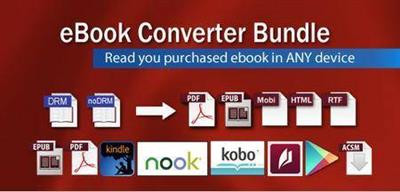
eBook Converter Bundle 3.20.601.426 (Portable)

eBook Converter Bundle 3.20.601.426 (Portable)


73b27a66244b86aaa526d199d52ba978.jpeg


eBook Converter Bundle 3.20.601.426 (Portable) | 74 MB | Language: English​


eBook Converter Bundle is tools decrypt and convert eBooks purchased from Kindle, Nook, Google Play, Sony, Kobo and other online eBook stores in batch with 1-click. it is the most easy-to-use eBook conversion software ever, convert ebook to PDF / ePub / Kindle / Word / Html / Text format with 1-click, it is award-winning and a "must-have" tool for all eBook reader. 100% safe with no adware, spyware, or viruses.


Feature:
* Decrypt and convert Kindle,Adobe digital editions, NOOK eBook.
* Support Kindle,Adobe ADE, NOOK DRM protection.
* Support Google ebook, Kobo eBook, Sony eBook.
* Support Public library eBook.
* Convert eBook to PDF, ePub,Kindle, Word, HTML, Text
* Easy to use, 1-click converter.

Operating System: Windows 7, 8/8.1, 10

Home Page -
Код:
http://www.ebook-converter.com/


DOWNLOAD LINKS:

Код:
https://rapidgator.net/file/a8a26c1ea22be1d1f394d0c526bae7e9/eBook_Converter_Bundle_3.20.601.426_Portable.rar

Код:
http://nitroflare.com/view/C3F988494668D9F/eBook_Converter_Bundle_3.20.601.426_Portable.rar

Код:
https://uploadgig.com/file/download/4C3487162f8a9d28/eBook_Converter_Bundle_3.20.601.426_Portable.rar
 
Engelmann Media Photomizer 3.0.7242.24370 (x64) Multilingual (Portable)

Engelmann Media Photomizer 3.0.7242.24370 (x64) Multilingual (Portable)


e217afd8108ef4ddc2d97dc570c803e8.jpeg


Engelmann Media Photomizer 3.0.7242.24370 (x64) Multilingual (Portable) | 50 MB | Language: Multilanguage​


Collect, analyze, and optimally edit all possible situations. The software detects exactly the areas in the photo, which can be improved so that the picture editing occurs optimally. It is professional automation for those, who simply want perfect photo.


Optimize and repair digital photos
- Automatically optimise your photos
- Radiant photos, sharp contours and natural colors: all this in a single operation
- Your photos look vibrant!
- NEW! Enhanced optimisation algorithm: 12 times faster!
- NEW! Even more easy to use Interface
- NEW! Compatible Windows 10

Automatically optimise your photos
- Colour adjustment
- Object recognition
- Redistribution of tonality
- White balance
- Resharpening and setting of shades
- Saturation
- Contrast optimisation
- Bright/dark correction

And more! Adjusts the settings to the visibility of details and colors, compensates for matte colors, eliminates bloom, fog and other adverse weather influences...

Very easy to use, Photomizer 3 offers additional professional features as well:
- Fake-HDR function: create HDR-similar images with one single photo!
- Statistics function: the statistics function provides you an overview of how many photos were already optimized.

Home Page -
Код:
https://photomizer.com


DOWNLOAD LINKS:

Код:
https://rapidgator.net/file/7b8fc45a698b5454ada68f90668e4194/Engelmann_Media_Photomizer_3.0.7242.24370_x64_Multilingual_Portable.rar

Код:
http://nitroflare.com/view/ADC98856A1F6496/Engelmann_Media_Photomizer_3.0.7242.24370_x64_Multilingual_Portable.rar

Код:
https://uploadgig.com/file/download/cd1e8A129A6a7863/Engelmann_Media_Photomizer_3.0.7242.24370_x64_Multilingual_Portable.rar
 
FonePaw Android Data Recovery 3.7.0 Multilingual (Portable)

FonePaw Android Data Recovery 3.7.0 Multilingual (Portable)


86186d050c32a38fdecff93e64a2272d.jpeg


FonePaw Android Data Recovery 3.7.0 Multilingual (Portable) | 55 MB | Language: Multilanguage​


FonePaw Android Data Recovery is a user-friendly program that can help you out in this situation, as it is designed to perform a thorough scan and retrieve various types of deleted items.


Straightforward utility that requires no specialized knowledge
The recovery process is greatly simplified, which means that this application can be used even by novices who have no prior experience with similar software. There is no need to perform advanced configurations, as you are only required to follow a series of simple steps.

A brief user guide is also available, and it may be wise to consult it if you are not certain how to enable USB debugging on your Android device.

Perform a custom scan and recover important items
Once a connection between your PC and Android device has been established, you can specify which types of files should be taken into consideration. FonePaw Android Data Recovery can scan for contacts, messages, call logs, attachments and media files.

After the scan has been completed, the program lists all the recovered items and lets you preview images before they are saved on your computer. You also have the option of only displaying hidden files, and the handy search function enables you to find the items you are interested in more easily.

Useful recovery tool for Android users
When it comes down to it, FonePaw Android Data Recovery is a great choice for those who own Android devices and wish to ensure they can retrieve files that have been deleted by accident.

The application can also function as a simple backup and recovery solution, as it enables you to save all your data locally, and it is very novice-friendly thanks to its intuitive layout and minimalistic UI.


System Requirements:
Windows OS: Windows 10/8.1/8/7/Vista/XP (32 bit or 64 bit)
CPU: 1GHz Intel/AMD CPU or above
Hard Disk Space: 1G and above free space
RAM: 1G RAM or more
Android Version: 2.1 - 8.0


Home Page -
Код:
https://www.fonepaw.com/


DOWNLOAD LINKS:

Код:
https://rapidgator.net/file/edb1d92f03dc623ca5159920933b70cf/FonePaw_Android_Data_Recovery_3.7.0_Multilingual_Portable.rar

Код:
http://nitroflare.com/view/F60BC40CB16E471/FonePaw_Android_Data_Recovery_3.7.0_Multilingual_Portable.rar

Код:
https://uploadgig.com/file/download/4D094920809d5327/FonePaw_Android_Data_Recovery_3.7.0_Multilingual_Portable.rar
 
InPixio Photo Cutter 10.3.7466.30245 (Portable)

InPixio Photo Cutter 10.3.7466.30245 (Portable)


64932c196e34639c4bdf8ba8a19e9eae.jpeg


InPixio Photo Cutter 10.3.7466.30245 (Portable) | 226 MB | Language: English​


inPixio Photo Cutter lets you produce creative and realistic photomontages in just a few clicks. Thanks to these powerful digital scissors, no more time is wasted cutting out your images down to the nearest pixel since Photo Cutter does it all for you. The time saved can be devoted to coming up with original photomontages that are bound to impress your friends and family.


Create photomontages in a few clicks
- Cut out your photos easily
- Crop your photos to your liking
- Add a wallpaper from among the themes on offer or import your own images
- NEW! + 100 stickers and text templates
- NEW! Import several images into your photo montages

Cutting out in a few clicks
With inPixio Photo Cutter, your digital scissors, cut out any detail, individual, object or even landscape in your photos. Select the outline of the person using the slider or the background to erase, and the Photo Cutter algorithm then runs automatically! Conversely, you can use the "keep" slider for important features to make sure your cut-out is perfect. Even hair, drops of water and the finest details are removed from the background down to the nearest pixel.

Choose a background:
Then put the cut objects on the available backgrounds to make photomontages or collages in an instant! Just select your background pattern from the new original images, or download your own images for unique photomontages.

Even easier use and infinite creations
You can now import multiple photos in a single edit for spectacular and unexpected results. Also find over 100 stickers and text templates to add style to your photos and photomontages. Original content for every special occasion (birthdays, greetings, invitations, etc.).

Find tutorial videos for each Photo Cutter module
To get the most out of Photo Cutter 9's features, mini videos have been added to each of the software program's modules in the form of tooltips, making it easier and more effective to use. The old and new features of the program are explained in a fun and dynamic way. Simply hover over one of the features to reveal a demonstration of what you can do with it.

Solid-coloured wallpapers
In addition to the themed wallpapers, you can simply choose a solid colour in the background. You can choose from a wide range of colours while colour gradients are also an option.


System Requirements:
- OS : Windows 7/8/10
- Processor Intel® or AMD
- 1 GB RAM
- 100 MB free disk space
- Screen Resolution 1024 x 768


Home Page -
Код:
https://www.inpixio.com


DOWNLOAD LINKS:

Код:
https://rapidgator.net/file/8469787ee54fec87d8125659ffbb30a0/InPixio_Photo_Cutter_10.3.7466.30245_Portable.rar

Код:
http://nitroflare.com/view/5C10E29139E7613/InPixio_Photo_Cutter_10.3.7466.30245_Portable.rar

Код:
https://uploadgig.com/file/download/6f2e647fD815c596/InPixio_Photo_Cutter_10.3.7466.30245_Portable.rar
 
InPixio Photo Editor 10.3.7468.21882 (Portable)

InPixio Photo Editor 10.3.7468.21882 (Portable)


0e8169428167f931acc5e47cf4434b42.jpeg


InPixio Photo Editor 10.3.7468.21882 (Portable) | 194 MB | Language: English​


inPixio Photo Editor is a photo software program that is loaded with features and easy to use. It offers you a whole host of editing options such as photo retouching, cropping, adding filters or frames. We have added several photo retouching modules to this new version, such as self-correction in 1 click or the possibility of adding color effects (LUT) will enhance your photos and give them an original and creative look worthy of a professional. After just a few minutes using inPixio Photo Editor, you will be turning out photographs worthy of a pro!


Create beautiful photos - with 1 click!
- Add filters & photo effects: warm, black & white, pink lady, negative, sepia, science fiction, vintage...
- Cut & crop: change the focus and size of your photos without being a pro.
- Edit your photos: change the colour & brightness etc. to get the most out of your favourite shots!
- NEW! Automatic correction in 1 click
- NEW! Addition of LUT styles
- NEW! Find tutorial videos for each module

Viewing your photos
Relax, Photo Editor is really quick to master. You will be able to easily navigate between the various tools. For viewing your photos you can choose a simple view but also:
- A double viewing window (original photo on the left and photo being modified on the right)
- A before-and-after view
- Use the Zoom feature to enhance the view and make your alterations in the closest detail.
- Batch processing - Apply changes to multiple photos at once
- Save your own settings which you can call up again in just one click during future projects

Add filters:
From over 100 filters classified by theme, choose the one which best suits your photo.

Add a frame:
Find the right frame for your photo from over 100 models sorted by type (classic, retro, sport, travel etc.)

Crop your photos:
- Crop your photos manually or choose from the suggested crop formats: 1/1; 16/9; 3/4 etc.
- You can also rotate your images and adjust the angle.

Noise reduction module
Effectively reduces the noise present in your photos taken under restricted light conditions.

Fog correction module
The (atmospheric) fog correction tool makes it possible to limit, or even remove altogether, the dull, gray overlay, and makes it more vibrant.

Selective touch-up module
Graduated filter, radial filter, correction brush.

Sharpness module
Allows greater sharpness to reveal all the details of the images

Film grain module
Adds grain to give the photo an artistic or retro effect.

Creative blur module
A brand new module allowing you to blur all or part of your photo.

Tone curve:
Play with the tone curves to obtain light or dark hues and adjust the RGB (Red, Green, Blue) curves one by one.

Color balance:
Adjust the hue and saturation with amazing precision. You can adjust the shadows, midtones and highlights of your photo on a case-by-case basis.

Add different textures:
- All categorized by theme (Light leak, grain, film, geometric, material etc.).
- It is also possible to adjust their opacity and the intensity of the texture as required.

Automatic correction in 1 click:
Amazing photos in just one click - using 100% automatic smart technology! Improve the quality and colors of your photos in under a second thanks to our fully automatic process. You no longer have to be a Photoshop expert to create perfect photos!

Addition of LUT styles
Incredible photos in just 1 click. Turn your pictures into one-of-a-kind shots by using styles worthy of a professional photographer. In just 1 click, your original photo is transformed and enhanced thanks to our selection of LUTs. You can also use this tool to import your own libraries or download and import free libraries from the Internet.

Automatic Red-Eye Correction
This new, 100% automatic technology recognises faces in your photos, and detects and corrects red eyes in a flash Give a new sparkle to your portraits or family photos from paper prints or slides, for instance.

Find tutorial videos for each Photo Editor module
To get the most out of Photo Editor 9's features, mini videos have been added to each of the software program's modules in the form of tooltips, making it easier and more effective to use. The old and new features of the program are explained in a fun and dynamic way. Simply hover over one of the features to reveal a demonstration of what you can do with it.


System Requirements:
- OS : Windows 7/8/10
- Processor Intel® or AMD
- 1 GB RAM
- 100 MB free disk space
- Screen Resolution 1024 x 768


Home Page -
Код:
https://www.inpixio.com


DOWNLOAD LINKS:

Код:
https://rapidgator.net/file/300ad00c51daddc296c26fdaa39b6d70/InPixio_Photo_Editor_10.3.7468.21882_Portable.rar

Код:
http://nitroflare.com/view/383D95BC97FC15F/InPixio_Photo_Editor_10.3.7468.21882_Portable.rar

Код:
https://uploadgig.com/file/download/F189b15c5b310225/InPixio_Photo_Editor_10.3.7468.21882_Portable.rar
 
InPixio Photo Focus Pro 4.11.7466.30125 (Portable)

InPixio Photo Focus Pro 4.11.7466.30125 (Portable)


eed704961012d98b47a95e87b702e095.jpeg


InPixio Photo Focus Pro 4.11.7466.30125 (Portable) | 64 MB | Language: English​


Improve sharpness! Getting sharp photos is not always easy - especially with spontaneous snapshots. InPixio Photo Focus solves this problem in a flash and creates clear, high-resolution images.


Improve the sharpness of your photos
- Improve the sharpness of your photos
- Simple 1-click sharpening tool
- Reinforce & accentuate the focus
- Includes Tilt-Shift & Artistic Blur effects that bring the subject of the photo to life!

ONLY IN THE PRO VERSION:
- Create professional looking photos with oval frames (vignetting)
- Add customised artistic blur to achieve the perfect finish
- Save personal presets that can be used in a single click for future projects

Improve sharpness
Getting sharp photos is not always easy - especially with spontaneous snapshots. InPixio Photo Focus solves this problem in a flash and creates clear, high-resolution images.

Increase focus
You can add sharpness, soft focus and blurred areas to your images. This helps you to further accentuate the difference between the background and the sharp centre of the image.

Refocus
Not all images are always correctly centred. Redefine the centre of your images and focus the attention towards the centre of the image.

Impressive effects with tilt-shift and soft focus functions
Add horizontal soft focus (tilt-shift) to your images. This creates fantastic miniature effects that allow the focal object of your image to look like miniature!

Create structure and details
Emphasise the finest details in your images. Manage contrast and clarity - for impressive and detailed photos!

Resharpening
You can get so much more from all your photos! Even the sharpest photos can be resharpened - for perfect prints or an extremely sharp impression!

Simple
During the development stage of InPixio Photo Focus, particular attention was given to making sure the software is easy to use. The programme is intuitive and helps you through with the various 1-Click Assistants. If you need help when using the software, there are tool tips offering brief explanations next to each function.

Only in the Professional Version:
MORE! Creative Blur
Add a selected blurred area to your image through iris blurring (only available with PRO version). In photography, this effect is achieved through maximum fade-in.

MORE! Add Presets
Store your personal optimisation settings (presets) Create and save your own presets with 1 click for future use.

MORE! Vignetting module
Add oval picture frame to your photos to (vignetting) Create atmospheric shots from your photos with an oval picture frame in black or white. You can select the transparency of the frame to suit your taste and choose sharp or blurred transitions.

What's New in Version 4:
NEW! Advanced cropping module with rotation and horizon correction
Crop your photos manually or choose from the suggested crop formats: 1/1; 16/9; 3/4 etc. You can also rotate your images and adjust the angle.

NEW! Tone Curves Module
Play with the tone curves to obtain light or dark hues and adjust the RGB (Red, Green, Blue) curves one by one.

IMPROVED! interface and workspace
The new version has an attractive, ultra-modern user interface designed for even easier use.

NEW! Find tutorial videos for each Photo Focus module
To get the most out of Photo Focus features, mini videos have been added to each of the software program's modules in the form of tooltips, making it easier and more effective to use.


System Requirements:
- Windows 7, Windows 8 and Windows 10 (32-bit & 64-bit)
- Intel® Pentium® 1 GHz processor or equivalent
- 2 GB of RAM - (4 recommended)
- 500 MB of free disk space, mouse and keyboard


Home Page -
Код:
https://www.inpixio.com/


DOWNLOAD LINKS:

Код:
https://rapidgator.net/file/305a4062dccbff7833bcb7f6f26b246e/InPixio_Photo_Focus_Pro_4.11.7466.30125_Portable.rar

Код:
http://nitroflare.com/view/D10999E7625D846/InPixio_Photo_Focus_Pro_4.11.7466.30125_Portable.rar

Код:
https://uploadgig.com/file/download/0d205BF47284fb75/InPixio_Photo_Focus_Pro_4.11.7466.30125_Portable.rar
 
InPixio Photo Studio Pro 10.03.0 (Portable)

InPixio Photo Studio Pro 10.03.0 (Portable)


52676831c02f2b2eab40ab567acb6892.jpeg


InPixio Photo Studio Pro 10.03.0 (Portable) | 403 MB | Language: English​


Photo Studio describes exactly what our software is today: a fully-fledged editing program that lets you create your pictures in your way. We're really excited about this new identity and hope you like the new name as much as we do. And rest-assured, the name might be changing but all the things our users love about Photo Clip are here to stay: Photo Studio 10 will still be a user-friendly photo editing software, full of fun content to help you create the perfect photos and photo montages. Read on to find out more about all the new features and improvements in Photo Studio 10.


Photo Clip is now Photo Studio
The first thing to know about version 10 of Photo Clip is that it has a new name: Photo Studio. Why change the name? Because the latest version of the software is so packed full of features that we decided it was time for an upgrade. Our flagship Photo Clip software has evolved a lot over the years, from a program for making background cutouts to a multi-functional suite of applications, covering a range of editing needs from erasing to enhancing.

Cutout and background erasing is now just one aspect of the program. Recent versions of the software also include:
- Advanced photomontage possibilities, such as adding new images, backgrounds, text and stickers to a photo.
- Erase tools, which remove distracting items from your photos, while preserving the original background.
- Tools for correcting and enhancing your photos. For example, the auto-correction function, which adds color and brightness to photos with just a single click.

New in Photo Studio 10:
As with every new release, we have updated Photo Studio to provide even more editing possibilities. This time, we have also put a big focus on improving performance and usability so that you can edit better and faster than ever. Here is a selection of the top new features to look forward to in Photo Studio 10.

Perspective tool
The perspective tool is a smart new feature that is useful for correcting photos of buildings and architecture.
You have probably had that experience where you want to photograph a beautiful building but you can't get far enough way to get it in shot, so instead you have to shoot "upwards" or from an angle. This leads to something called perspective distortion in your image, where the lines of your building don't appear straight. For example, if you photograph a tall building, such as a cathedral, from below, the result may look tilted as if the structure is leaning away from you.

The Perspective tool helps you to remove this distortion and correct any tilted or skewed appearance in your photos. If this sounds complicated, don't worry: the tool is very easy to use with three automatic settings, for horizontal, vertical and full correction. After the auto correct has done its work, you can use simple sliders to make the final adjustments yourself. Finally, if you want to have full control over the process there is also a manual mode where you can apply guides to your photo to make a precise correction. In short, you can say goodbye to (unwanted) slanting in your architecture photos, thanks to this new tool.

inPixio Photo Transfer
To coincide with the launch of Photo Studio, we are releasing a complimentary new app that you can download from the App Store or Google Play. With the inPixio Photo Transfer app, you can copy photos easily from your smartphone to your PC or Mac using Wi-Fi.

The app was designed as a helpful tool to facilitate photo editing with PC and Mac-based inPixio software. With a few clicks and a Wi-Fi connection, you can transfer your entire photo library to your laptop and download images ready for editing in Photo Studio. There is no need for a cable, cloud service, or software and your photos remain safe with no external storage. The app is also a useful way to back up your photos to your computer and save space on your cell phone.

EXIF data and Histogram
EXIF metadata is a set of information attached to a photo and stored automatically in your camera or smartphone. This can include date, location and more. When you upload a photo to Photo Studio, you can now view and edit all of this information. For example, you can add tags and ratings or even copyright information to a photo. This is useful for organizing your photos to help you quickly find what you're looking for. It's also especially useful if you upload your photos to online platforms such as Flickr.

Another new source of information in Photo Studio 10 is the Histogram. This measures exposure levels in your photo so you can get a better idea of the light and dark areas in an image. Referring to the histogram when editing exposure settings can help you to get the right level of brightness in your image.

New Local Adjustments
The selective retouching tab allows you to adjust specific sections of your photo with gradients or the paintbrush.

In Photo Studio 10, we have added new sliders to the selective retouching tab, meaning that you can now make even more edits to your photos. The new local adjustments are hue, whites, blacks, dehaze, sharpness and noise reduction.

RAW Images
Photo Studio 10 now supports RAW format images. Raw images are not pre-processed and compressed like standard image formats such as JPEG, meaning they take up a lot of disk space. Because raw images are heavy and because the format varies between camera manufacturers, it is often difficult to open them in software programs. However, thanks to improvements made by inPixio developers, now you can open and edit all you raw images in Photo Studio.

Interactive Film Strip
We mentioned usability improvements, and this is one of the big ones. The filmstrip is the panel at the bottom of the Photo Studio interface that displays all the images in a selected file. In Version 10, it is now fully interactive. This means that in Photo Editor you can filter images easily by date taken, camera, file type and a range of other criteria. You can also apply edits directly from the filmstrip. For example, you can autocorrect an image with a simple right-click without opening it in the workspace. You can also delete edits in the same way.

Video Tutorials
Even with the easiest software, you may need a little extra help from time to time. Our video tutorials are designed to guide you through some of the main tools and the main uses of Photo Studio, so that you can get to know the program more quickly and get the best possible results. Photo Studio 10 comes with a new section for Video Tutorials: simply click on the link to access the playlist of tutorials. A database of support resources is also available from the Assistance section of the menu.

New Content
Our users requested it and we are more than happy to oblige! In Photo Studio 10, you will find a selection of new backgrounds and other visual content in both the Photo Cutter and Photo Editor modules. Try personalizing the new stickers by editing colors and more. And of course, don't forget to try out the new backgrounds in your photomontages. We particularly love the new Hollywood background and cannot wait to see what our users do with this!


System Requirements:
- Windows 10, Windows 8, Windows 7
- 1 GHz Intel® Pentium® processor or equivalent
- 1 GB RAM CD/DVD ROM drive
- 100 MB hard disk space, mouse and keyboard


Homepage -
Код:
https://www.inpixio.com


DOWNLOAD LINKS:

Код:
https://rapidgator.net/file/c2d1970eb9b7e4c2e616e41753e93387/InPixio_Photo_Studio_Pro_10.03.0_Portable.rar

Код:
http://nitroflare.com/view/1F954E7E91AB958/InPixio_Photo_Studio_Pro_10.03.0_Portable.rar

Код:
https://uploadgig.com/file/download/b5adc95Be0642d59/InPixio_Photo_Studio_Pro_10.03.0_Portable.rar
 
InPixio Photo Studio Ultimate v10.03.0 DC 12.06.2020 (Portable)

InPixio Photo Studio Ultimate v10.03.0 DC 12.06.2020 (Portable)


da91f454ccff596aa748ded9cd44c454.jpeg


InPixio Photo Studio Ultimate v10.03.0 DC 12.06.2020 (Portable) | 341 MB | Language: English​


Photo Studio describes exactly what our software is today: a fully-fledged editing program that lets you create your pictures in your way. We're really excited about this new identity and hope you like the new name as much as we do.


And rest-assured, the name might be changing but all the things our users love about Photo Clip are here to stay: Photo Studio 10 will still be a user-friendly photo editing software, full of fun content to help you create the perfect photos and photo montages. Read on to find out more about all the new features and improvements in Photo Studio 10.

Photo Clip is now Photo Studio
The first thing to know about version 10 of Photo Clip is that it has a new name: Photo Studio. Why change the name? Because the latest version of the software is so packed full of features that we decided it was time for an upgrade. Our flagship Photo Clip software has evolved a lot over the years, from a program for making background cutouts to a multi-functional suite of applications, covering a range of editing needs from erasing to enhancing.

Cutout and background erasing is now just one aspect of the program. Recent versions of the software also include:
- Advanced photomontage possibilities, such as adding new images, backgrounds, text and stickers to a photo.
- Erase tools, which remove distracting items from your photos, while preserving the original background.
- Tools for correcting and enhancing your photos. For example, the auto-correction function, which adds color and brightness to photos with just a single click.

New in Photo Studio 10:
As with every new release, we have updated Photo Studio to provide even more editing possibilities. This time, we have also put a big focus on improving performance and usability so that you can edit better and faster than ever. Here is a selection of the top new features to look forward to in Photo Studio 10.
Perspective tool

The perspective tool is a smart new feature that is useful for correcting photos of buildings and architecture.
You have probably had that experience where you want to photograph a beautiful building but you can't get far enough way to get it in shot, so instead you have to shoot "upwards" or from an angle. This leads to something called perspective distortion in your image, where the lines of your building don't appear straight. For example, if you photograph a tall building, such as a cathedral, from below, the result may look tilted as if the structure is leaning away from you.

The Perspective tool helps you to remove this distortion and correct any tilted or skewed appearance in your photos. If this sounds complicated, don't worry: the tool is very easy to use with three automatic settings, for horizontal, vertical and full correction. After the auto correct has done its work, you can use simple sliders to make the final adjustments yourself. Finally, if you want to have full control over the process there is also a manual mode where you can apply guides to your photo to make a precise correction. In short, you can say goodbye to (unwanted) slanting in your architecture photos, thanks to this new tool.

inPixio Photo Transfer
To coincide with the launch of Photo Studio, we are releasing a complimentary new app that you can download from the App Store or Google Play. With the inPixio Photo Transfer app, you can copy photos easily from your smartphone to your PC or Mac using Wi-Fi.

The app was designed as a helpful tool to facilitate photo editing with PC and Mac-based inPixio software. With a few clicks and a Wi-Fi connection, you can transfer your entire photo library to your laptop and download images ready for editing in Photo Studio. There is no need for a cable, cloud service, or software and your photos remain safe with no external storage. The app is also a useful way to back up your photos to your computer and save space on your cell phone.

EXIF data and Histogram
EXIF metadata is a set of information attached to a photo and stored automatically in your camera or smartphone. This can include date, location and more. When you upload a photo to Photo Studio, you can now view and edit all of this information. For example, you can add tags and ratings or even copyright information to a photo. This is useful for organizing your photos to help you quickly find what you're looking for. It's also especially useful if you upload your photos to online platforms such as Flickr.

Another new source of information in Photo Studio 10 is the Histogram. This measures exposure levels in your photo so you can get a better idea of the light and dark areas in an image. Referring to the histogram when editing exposure settings can help you to get the right level of brightness in your image.

New Local Adjustments
The selective retouching tab allows you to adjust specific sections of your photo with gradients or the paintbrush.

In Photo Studio 10, we have added new sliders to the selective retouching tab, meaning that you can now make even more edits to your photos. The new local adjustments are hue, whites, blacks, dehaze, sharpness and noise reduction.

RAW Images
Photo Studio 10 now supports RAW format images. Raw images are not pre-processed and compressed like standard image formats such as JPEG, meaning they take up a lot of disk space. Because raw images are heavy and because the format varies between camera manufacturers, it is often difficult to open them in software programs. However, thanks to improvements made by inPixio developers, now you can open and edit all you raw images in Photo Studio.

Interactive Film Strip
We mentioned usability improvements, and this is one of the big ones. The filmstrip is the panel at the bottom of the Photo Studio interface that displays all the images in a selected file. In Version 10, it is now fully interactive. This means that in Photo Editor you can filter images easily by date taken, camera, file type and a range of other criteria. You can also apply edits directly from the filmstrip. For example, you can autocorrect an image with a simple right-click without opening it in the workspace. You can also delete edits in the same way.

Video Tutorials
Even with the easiest software, you may need a little extra help from time to time. Our video tutorials are designed to guide you through some of the main tools and the main uses of Photo Studio, so that you can get to know the program more quickly and get the best possible results. Photo Studio 10 comes with a new section for Video Tutorials: simply click on the link to access the playlist of tutorials. A database of support resources is also available from the Assistance section of the menu.

New Content
Our users requested it and we are more than happy to oblige! In Photo Studio 10, you will find a selection of new backgrounds and other visual content in both the Photo Cutter and Photo Editor modules. Try personalizing the new stickers by editing colors and more. And of course, don't forget to try out the new backgrounds in your photomontages. We particularly love the new Hollywood background and cannot wait to see what our users do with this!

NOTE: This portable release supported Win7, Win8/8.1, Win10 (both 32-bit and 64-bit)

Home Page -
Код:
https://www.inpixio.com/


DOWNLOAD LINKS:

Код:
https://rapidgator.net/file/48672cc5f8820a490469b87006d7e3d0/InPixio_Photo_Studio_Ultimate_v10.03.0_DC_12.06.2020_Portable.rar

Код:
http://nitroflare.com/view/35E96D7397F44B3/InPixio_Photo_Studio_Ultimate_v10.03.0_DC_12.06.2020_Portable.rar

Код:
https://uploadgig.com/file/download/16b5f0cD72A7cF9d/InPixio_Photo_Studio_Ultimate_v10.03.0_DC_12.06.2020_Portable.rar
 
MakeMusic Finale 26.3.0.512 (x64) (Portable)

MakeMusic Finale 26.3.0.512 (x64) (Portable)


5babaca99f902656e1306725f56fa72b.jpeg


MakeMusic Finale 26.3.0.512 (x64) (Portable) | 247 MB | Language: English​


Capture musical inspiration. Engrave a beautiful score. Share your artistic vision with others. Just as every musician is unique, so are the reasons each uses Finale software to write music. Finale supports you, making it easy to create whatever music notation you can imagine and to work in the manner that best supports your creativity. No matter where your inspiration leads you, from a simple lead sheet to preparing your Hollywood film score, Finale is the trusted route to the very best output available.


create your way
Finale offers you the freedom both of what you create and how you create it. Whether you're imagining a simple lead sheet, a Broadway score, or something truly unorthodox, you enjoy the flexibility to make your music any way you wish, and to make it in the order and manner that best supports your inspiration.

editing
Entering your music in Finale sets you free. In an instant you can move measures, change keys, and transform your music in countless ways. Finale even offers editorial input, like indicating when notes have been written out of an instrument's range.

listening
Great sounds inspire you - and your audience. Finale's exclusive Human Playback can make any music playback with the nuance of a human performer. Plus Finale includes a vast library of world-class Garritan instrument sounds for stunning realism. Hear them below.

sharing
Music is meant to be shared. As you create you can share files, back and forth, with Finale users - and others - thanks to built-in MusicXML support. When you're ready to share the results, you can make printed sheet music, audio files, pdfs, and more; whatever it takes to produce the best performance.


System Requirements:
- Windows 7 SP1/Windows 8 or 8.1/Windows 10 (64-bit only)
- 4 GB of RAM minimum
- 1280x800 minimum monitor resolution (high resolution displays not currently supported)
- 1 GB hard drive space required for software with an additional 8 GB hard drive space required for Garritan Instruments for Finale
- ASIO, DirectSound, or WASAPI audio support.


Home Page -
Код:
https://www.finalemusic.com


DOWNLOAD LINKS:

Код:
https://rapidgator.net/file/19a0ea235f095c713c47185693d5a542/MakeMusic_Finale_26.3.0.512_x64_Portable.rar

Код:
http://nitroflare.com/view/C848392CDB3AB5C/MakeMusic_Finale_26.3.0.512_x64_Portable.rar

Код:
https://uploadgig.com/file/download/C7ae0Faa5e083d00/MakeMusic_Finale_26.3.0.512_x64_Portable.rar
 
Назад
Сверху