• Здравствуйте. Сайт заработал в архивном режиме форум www.old.nado.in

KAMAL's Softwares Collection!!! (Updated Daily)

  • Автор темы Автор темы KAMAL
  • Дата начала Дата начала
CFTurbo 2020 R1.1.32 x64

CFTurbo 2020 R1.1.32 x64


cf080fe8ee07b28f35763ab5e56c18ea.jpg


CFTurbo 2020 R1.1.32 x64 | 108 MB | Languages: English, Deutsch​


CFturbo, Inc., a software company specializing in turbomachinery design software and consulting, announced the Maintenance release of CFturbo 2020.R1.


ChangeLog CFturbo 2020 R1.1 - Date: 29 May 2020
11654 Some files in folder are deleted when running in batch mode.
11668 Specific example cannot be loaded correctly
11663 Manual modification of blade angles initially not possible
11645 Internal volute produces unreasonable geometry for last spiral section.
11642 System characteristic panel is only partially visible
11606 Simerics export: boundary conditions for turbines and compressors "mass flow rate"
11648 Parameter "ζS" not read from old cft-file
11630 Missing documentation of log file feature
11669 For axial impellers, the hub diameter dH1 ist not disabled in automatic mode
11643 Value of hydraulic resistance is lost after Undo
11640 Wrong values of wrap angle are displayed in "blade loading" or "blade angle progression" design modes
11651 Design point pressure ratio not correctly displayed
11542 Blade profile properties seem editable although automatic calculation is activated
11641 Combobox "Area progression" is too small
11639 Inconsistent parameter symbols
11623 Make default value for max. x-coordinate value depending on design point data
11597 Caption of internal meridional velocity not clearly
11667 Incorrect names for machine types in "Initial default settings"
11666 Default blade shape for Inducer should be "Radial elements"

CFturbo is made to interactively design radial, mixed-flow and axial turbomachinery: pumps, ventilators, compressors, turbines. The software is easy to use and does enable quick generation and variation of impeller, stator and volute geometries. Several models can be displayed, compared and modified simultaneously.

It contains numerous approximation functions that may be customized by the user in order to implement user specific knowledge into the CFturbo-based design process. In spite of the creation of semiautomatic proposals, fundamental experiences in turbomachinery design are helpful but not necessary. An experienced turbomachinery design engineer should be able to design new high-quality impellers and volutes more easily and quickly.

In this video we'll be demonstrating the aerodynamic design of an axial, contra-rotating fan, including a CFD-simulation.

CFturbo is headquartered in Dresden, Germany, with another office in Brooklyn, New York. Founded in 2008, CFturbo is an industry leader in turbomachinery design software. CFturbo services customers spanning a wide variety of industries including aerospace & defense, automotive, energy, oil & gas, HVAC, marine, process industry, appliances and medtech.


Product: CFTurbo
Version: 2020.1.1.32
Supported Architectures: x64
Website Home Page :
Код:
http://www.cfturbo.de

Language: English, Deutsch
System Requirements: PC *
Supported Operating Systems: *
Size: 108.9 mb

CFturbo runs under the 64 bit Windows versions currently supported by Microsoft. Currently these are Windows 8.1 and Windows 10. Hardware requirement is a modern office PC. Integration of geometry data into the CAE environment is easily possible by direct interfaces to various CAD- and CFD-systems.


DOWNLOAD LINKS:

Код:
https://rapidgator.net/file/ed86b2616db61ad158c30dbd847053f2/CFTurbo_2020_R1.1.32.rar

Код:
http://nitroflare.com/view/6593FF2D39AD6E6/CFTurbo_2020_R1.1.32.rar

Код:
https://uploadgig.com/file/download/70Ded281f2b7098E/CFTurbo_2020_R1.1.32.rar
 
CLO Standalone 5.2.284.29975 (x64) Multilingual

CLO Standalone 5.2.284.29975 (x64) Multilingual


d9581ec031e6bd70fd835b231882059e.jpg


CLO Standalone 5.2.284.29975 (x64) Multilingual | 1.6 GB | Language: Multilanguage​


This is 100% 3D. And the result of over 10 years of R&D in cutting-edge computer graphics technology. Our sophisticated algorithm simulates the physical properties of fabrics to accurately visualize the way they drape in real-life.


Modular Design
Configurator
Modular Template Files
Sewing Blocks
Edit Block Components
3D Simulation & Layer
Real Time Sync/Simulation
Real Time Garment Move
High-Definition Garment
Pttern Layer
Pattern Sublayer
Sewing Layer
Fold Pattern
Fold Seam Lines
3D Garment Edit
3D Line on Pattern
Cut 3D Pattern
Flattening
Select Single/Multi Meshes
Single/Multi Pins
Freeze/Deactivate
Strengthen
Glue Trim/OBJ
3D Arrangement
Gizmo
Arrangement Point
Direct Positioning
Fold Arrangement
Arrange as Flat/Curved
Flip Patterns
Superimpose
Smart Arrangement
2D Pattern Design
Create/Edit Pattern
AI Curve (Bézier Curve)
Symmetric/Instance Design
Dart/Pleats Fold
Notch
Trace
Symbol/Annotation
Seam Allowance
Reference Lines
Grading
Add Pattern Size
Edit Pattern Size
Patten Size Table
Sewing & Tacking
Segment Sewing
Free Sewing
M:N Sewing
Sewing Notch
Symmetric Sewing
Tack on Garment
Tack on Avatar
Pleats Sewing
Fabric
Fabric Kit
Emulator
Image Open/Save
Edit Color Swatch
Physical Properties
Nonlinear Simulation
Set Fabric Thickness
Hardwares & trims
Zipper
Button/Button Hole
Elastic
Glue Trim/OBJ
Custom Trim/OBJ
Scale Trim/OBJ
Topstitches (OBJ/Image)
Piping
Fine-tuning
OBJ Weight
Puckering
Bond/Skive
Press
Steam
Solidify
Pressure
Avatar
Edit Avatar Style
Edit Avatar Size
Avatar Measurement
Avatar Tape
Edit Avatar Pose (FK/IK)
Edit Arrangement Point
Avatar Skin Offset
Avatar Friction
Fit Check
2D Pattern Measure
3D Garment Measure
Check 2D Sewing Length
Transparent Map
Pressure Points
Strain/Stress Map
Fit Map
1:1 View
3D State History
Colorway
Create Colorways
Edit Textures/Colors
Color Name Input
Viewer Mode
Print Layout
Print Layout 2D Snapshot
Arranging Patterns
Roll Width Settings
Render Image/Video
High Quality Render
Single/Multi Images
Turntable Images
Turntable Video
Light Properties
Render Properties
Animation (Runway)
Record
Play
Edit
Animation Video Capture
Linesheets & Collaboration via CLOSET
Web-based communication platform
Safely Upload & Share Files
Create Linesheet
3D Environment
Gizmo Settings
Setting Light
Setting Wind Effect
Camera Settings
Setting Custom View
Setting Ground
Format 3D Background
Simulation Properties
Configuration
Language
Unit
Grid/Snap
Smart Guide
Tablet Preset
Multiple Program Windows
Window/Toolbar Layout
Compatible File
DXF-ASTM/AAMA
AI/PDF
Auto Refresh Graphic with AI
BOM (XML)
OBJ
OpenCollada
FBX
LXO
Alembic
Animation (MC, PC2, MDD)
Color Swatch (ACO)


System requirements:
OS: Windows 7, 8/8.1, 10 (64-bit only)
CPU: Intel Processor Corei7 3.0Ghz or higher
RAM: 16GB or higher
GPU: NVIDIA GeForce GTX 1060 and above (Except Quadro series), latest drivers and at least 4GB of graphics memory (GTX 1080 is recommended for better render efficiency.)
Display: 1920 x 1080
Hard Drive: 20+ GB disk space available for caching and temporary files; SSD preferable
Pointing Device: Three-button mouse


Home Page -
Код:
https://www.clo3d.com/


DOWNLOAD LINKS:

Код:
https://rapidgator.net/file/9554b0e86ede65126e4088b91a751596/CLO_Standalone_5.2.284.29975_x64_Multilingual.part1.rar
https://rapidgator.net/file/744256af12b61d08fc3ffb2466a5ce62/CLO_Standalone_5.2.284.29975_x64_Multilingual.part2.rar

Код:
http://nitroflare.com/view/58572A27B2A0A6D/CLO_Standalone_5.2.284.29975_x64_Multilingual.part1.rar
http://nitroflare.com/view/5E6E6BF77AB8E6D/CLO_Standalone_5.2.284.29975_x64_Multilingual.part2.rar

Код:
https://uploadgig.com/file/download/12b78827D5e6642b/CLO_Standalone_5.2.284.29975_x64_Multilingual.part1.rar
https://uploadgig.com/file/download/b1Cca7Ebf7055218/CLO_Standalone_5.2.284.29975_x64_Multilingual.part2.rar
 
Derivative TouchDesigner Pro 099.2020.23680 x64

Derivative TouchDesigner Pro 099.2020.23680 x64


0fdf179c6ca051fb855108b6fcde8b22.jpg


Derivative TouchDesigner Pro 099.2020.23680 x64 | 857 MB | Language: English​


TouchDesigner is a visual development platform that equips you with the tools you need to create stunning realtime projects and rich user experiences. Whether you're creating interactive media systems, architectural projections, live music visuals, or simply rapid-prototyping your latest creative impulse, TouchDesigner is the platform that can do it all.


INTEROPERABILITY
TouchDesigner works well with the world around it. Whether it is other software, protocols, hardware devices, or the web, extensive options for interoperability let you integrate TouchDesigner into any environment.

APPLICATION BUILDING
TouchDesigner allows both application engine and interface to be built in one integrated environment. Create anything from simple functional prototypes right up to complete polished applications.

HIGH PERFORMANCE MEDIA SYSTEMS
TouchDesigner is the highest performance video playback software available today. It will let you play more movies, at higher resolution or at higher frame rates, to maximize your hardware's potential.

REALTIME 3D AND COMPOSITING
Realtime 3D rendering combined with high resolution realtime compositing create a pixel playground that lets you discover entirely new ways of creating content.

PROJECTION MAPPING
Projection mapping involves custom solutions to every job, no two projection setups are the same. TouchDesigner's suite of features and customization options ensure any projection project is possible.

LIGHTING AND LIVE SHOWS
TouchDesigner technology can communicate with lighting equipment, audio systems, input and output devices, and show control systems used in all types of live show performances.

VR SUPPORT
All of TouchDesigner's other features work seamlessly with the built-in VR tools letting anyone get started quickly and easily with virtual reality.

EXTENSIBILITY AND CUSTOMIZATION
TouchDesigner offers the tools required to build completely customizable systems and extend functionality to meet the needs of your project.

Operating System: Windows 7 SP1 and up (64-bit only)

Home Page -
Код:
https://derivative.ca/


DOWNLOAD LINKS:

Код:
https://rapidgator.net/file/6bd6f8e4e4347a98c8e9882dd6e687f1/Derivative_TouchDesigner_Pro_099.2020.23680_x64.rar

Код:
http://nitroflare.com/view/88902762D074CE1/Derivative_TouchDesigner_Pro_099.2020.23680_x64.rar

Код:
https://uploadgig.com/file/download/b4D12d4c0A974Fe4/Derivative_TouchDesigner_Pro_099.2020.23680_x64.rar
 
Derivative TouchDesigner Pro 099.2020.23680 (MacOSX)

Derivative TouchDesigner Pro 099.2020.23680 (MacOSX)


a61c6f743aba5af6c7da38fb4014c9fe.jpg


Derivative TouchDesigner Pro 099.2020.23680 (MacOSX) | 410 MB | Language: English​


TouchDesigner is a visual development platform that equips you with the tools you need to create stunning realtime projects and rich user experiences. Whether you're creating interactive media systems, architectural projections, live music visuals, or simply rapid-prototyping your latest creative impulse, TouchDesigner is the platform that can do it all.


INTEROPERABILITY
TouchDesigner works well with the world around it. Whether it is other software, protocols, hardware devices, or the web, extensive options for interoperability let you integrate TouchDesigner into any environment.

APPLICATION BUILDING
TouchDesigner allows both application engine and interface to be built in one integrated environment. Create anything from simple functional prototypes right up to complete polished applications.

HIGH PERFORMANCE MEDIA SYSTEMS
TouchDesigner is the highest performance video playback software available today. It will let you play more movies, at higher resolution or at higher frame rates, to maximize your hardware's potential.

REALTIME 3D AND COMPOSITING
Realtime 3D rendering combined with high resolution realtime compositing create a pixel playground that lets you discover entirely new ways of creating content.

PROJECTION MAPPING
Projection mapping involves custom solutions to every job, no two projection setups are the same. TouchDesigner's suite of features and customization options ensure any projection project is possible.

LIGHTING AND LIVE SHOWS
TouchDesigner technology can communicate with lighting equipment, audio systems, input and output devices, and show control systems used in all types of live show performances.

VR SUPPORT
All of TouchDesigner's other features work seamlessly with the built-in VR tools letting anyone get started quickly and easily with virtual reality.

EXTENSIBILITY AND CUSTOMIZATION
TouchDesigner offers the tools required to build completely customizable systems and extend functionality to meet the needs of your project.

Home Page -
Код:
https://derivative.ca/


DOWNLOAD LINKS:

Код:
https://rapidgator.net/file/cf692757523339f720fce1386713a945/Derivative_TouchDesigner_Pro_099.2020.23680_MacOSX.rar

Код:
http://nitroflare.com/view/5CCBF8E87852612/Derivative_TouchDesigner_Pro_099.2020.23680_MacOSX.rar

Код:
https://uploadgig.com/file/download/abaa3d531484fceC/Derivative_TouchDesigner_Pro_099.2020.23680_MacOSX.rar
 
EdrawSoft Edraw Max 10.0.4 Multilingual

EdrawSoft Edraw Max 10.0.4 Multilingual


24028409eeee5cc5c26b364da008c002.jpg


EdrawSoft Edraw Max 10.0.4 Multilingual | 243 MB | Language: Multilanguage​


Edraw Max is an extremely powerful all-in-one diagramming tool that can serve all of your purposes. Whether you need to draw flowcharts, fishbone diagrams, UML diagrams or design floor plans, office layouts, you can find what you want in Edraw Max. Importantly, it is quite affordable.


Massive Templates & Symbols
Templates let you go fast. Get inspired and start your design quickly by choosing from thousands of our professionally designed templates.

Robust File Compatibility
Excellent file compatibility allows you to import Visio files or export your drawings to a variety of familiar file formats, such as Visio, PDF, Word, PPT, JPEG, Html, etc.

More Powerful than Visio®
Edraw Max allows you to create more than 280 sorts of diagrams effortlessly, from the technical diagrams to the attractive infographics, which leaves Visio far behind.

Visualize Your Ideas in the Most Impressive Way
Present data intuitively. Draw anything including innovative ideas, knowledge and process to get a better solution.

Share Your Designs Anytime, Anywhere
You can easily export your diagrams to other files such as Office, PDF, Visio, and graphic files. Meanwhile, you can also share your amazing work on social media through Html link!

Edraw System Requirements:
- Windows 2000/2003/2008/Vista/7/8/10
- 1 GB of RAM, 800 MB of hard disk space
- Inter 1 G processor
- 1,024 x 768 or better monitor resolution


Home Page -
Код:
https://www.edrawsoft.com/EDrawMax.php


DOWNLOAD LINKS:

Код:
https://rapidgator.net/file/4220f136514fcab0ce9c86e1debf75a9/EdrawSoft_Edraw_Max_10.0.4_Multilingual.rar

Код:
http://nitroflare.com/view/66F45C0EE93A289/EdrawSoft_Edraw_Max_10.0.4_Multilingual.rar

Код:
https://uploadgig.com/file/download/0393703a2d54ec06/EdrawSoft_Edraw_Max_10.0.4_Multilingual.rar
 
Sejda PDF Desktop Pro 7.0.1 Multilingual (x86/x64) Repack

Sejda PDF Desktop Pro 7.0.1 Multilingual (x86/x64) Repack


a46db463af467ca845efdac845e4d6e9.jpeg


Sejda PDF Desktop Pro 7.0.1 Multilingual (x86/x64) Repack | 423 MB | Language: Multilanguage​


Sejda PDF Desktop - Pleasant and productive PDF software that you'll love to use. Full-featured to help you with your PDF tasks. Sejda PDF Desktop is free to use within daily limits. Upgrade for premium features and unlimited use.


Merge files into one PDF.
Visually combine and reorder pages, merge multiple PDF files. Alternate and mix odd and even page files.

Split PDF files.
Split documents by pages. Extract separate documents. Split by size, bookmarks or text occurrences. Divide two page layout scans.

Convert PDF files to Office and image formats.
Convert PDF files to Word, Excel and to image. Convert images to PDF file.

Compress PDF.
Reduce the size of PDF files. Optimize images and resources.

Edit PDF files.
Add, edit or move text in your PDF. Change the font type, size and style. Insert, reorder, move or delete pages.

Apply PDF passwords and permissions.
Add copy and edit protection to a PDF. Include a password to protect your PDF from unapproved access.

Operating System:
Windows® 10, Windows® 8 / 8.1, Windows® 7


Home Page -
Код:
https://www.sejda.com/desktop


DOWNLOAD LINKS:

Код:
https://rapidgator.net/file/0194bb1a2050717c8ed24b25d4d01fa1/Sejda_PDF_Desktop_Pro_7.0.1_Multilingual_x86x64_Repack.rar

Код:
http://nitroflare.com/view/36A569A33A4033C/Sejda_PDF_Desktop_Pro_7.0.1_Multilingual_x86x64_Repack.rar

Код:
https://uploadgig.com/file/download/a3ceef1744deACEd/Sejda_PDF_Desktop_Pro_7.0.1_Multilingual_x86x64_Repack.rar
 
MiniTool Partition Wizard Pro Ultimate 12.0 Multilingual with WinPE

MiniTool Partition Wizard Pro Ultimate 12.0 Multilingual with WinPE


810c5adee5baf9cbc79c7ddf81b34f6e.jpeg


MiniTool Partition Wizard Pro Ultimate 12.0 Multilingual with WinPE | 289 MB | Language: Multilanguage​


MiniTool Partition Wizard is a rich-featured partition magic, which is designed to optimize disk usage and to protect your data. It comes with so many powerful features with which you can completely control your hard disk and partition. With its user-friendly interface and straightforward guidance, you are able to resize partition, copy disk, scan lost partitions, and migrate OS to SSD easily and safely. Due to its outstanding performance, MiniTool Partition Wizard Free Edition has earned good reputation among global users.


Features:
Extend System Partition
Extend system partition to solve low disk space issue by its "Move/Resize Partition" & "Extend Partition"

Copy Disk Partition
Copy disk partition for hard drive upgrade or for data backup in case that your computer may run into a problem.

Merge Adjacent Partitions
Combine two adjacent partitions into a bigger one safely so as to make full use of the unused space.

Migrate OS to SSD
Migrate OS to SSD/HD to get better computer performance or to back up OS for system restoration.

Surface Test
Check disk/partition surface test to confirm whether there are bad sectors on the target location.


Basic Management
Enable to manage disk partitions such as create, delete, format, split, wipe, align partition and more.

Convert Disk Partition Table
Convert non-system disk from MBR to GPT and vice versa without data loss to support large drive or full OS.

Convert File System?
Convert NTFS to FAT or convert FAT to NTFS without formatting to support early Windows OS or to store large files.

Set Primary/Logical
Set partition logical to create more than four partitions or set partition primary to make it active.?

Operating System:
Windows® 10, Windows® 8 / 8.1, Windows® 7


Home Page -
Код:
https://www.partitionwizard.com


DOWNLOAD LINKS:

Код:
https://rapidgator.net/file/d455d7e020272ac45db4b2359e381242/MiniTool_Partition_Wizard_Pro_Ultimate_12.0_Multilingual_with_WinPE.rar

Код:
http://nitroflare.com/view/8EF9B05651E32F0/MiniTool_Partition_Wizard_Pro_Ultimate_12.0_Multilingual_with_WinPE.rar

Код:
https://uploadgig.com/file/download/514Fae1779e3e163/MiniTool_Partition_Wizard_Pro_Ultimate_12.0_Multilingual_with_WinPE.rar
 
BackToCAD CADdirect 2021 v9.2g (x64) Multilingual

BackToCAD CADdirect 2021 v9.2g (x64) Multilingual


7849c370a01edd673deb3f1a4dfb1f83.jpeg


BackToCAD CADdirect 2021 v9.2g (x64) Multilingual | 286 MB | Language: Multilanguage​


BackToCAD CADdirect a Professional Grade 2D/3D CAD Program for "Viewer Price".


Fair Affordable Pricing and Permanent Licensing
With Standard LISP, Script, and C++ Interface
Easy to Learn for and compatible with ACAD Users
Based on the New IntelliCAD 9.2
.dwg, .dxf as Native File Fromat
DGN, SAT, PDF, DWF, COLLADA Import/Export

Key features:
CAD for .dwg/.dxf (Versions 12-2020)
Provides All Normal CAD Drawing Functions
Based on New IntelliCAD® 9.2 Engine
2D/3D Editing, Viewing, Rendering, 4K Screens Ready
ACAD Program Compatible (Patterns, Line Types,...)
Easy to Learn for ACAD Users, Similar Commands
Supports Lisp, .NET and C++. DWG, DXF Reader
Available as Permanent License, No Subscription
Full Dimensioning and Styling, Express Tools
DGN Import und Export, SAT Import, ACIS Light Modeling
1/10 of the Price of Similar CAD Systems
700 Pages Reference Manual as PDF or EPUB
Modern Ribbon Menu
Ready for 4K Screens
Including .dwg version, .dgn Batch Converter
Supports English, German and Polish Interfaces


System Requirements:
OS: 64bit Windows 10, Windows 8, Windows 7 (SP1), Windows Vista® (SP1), Windows 7 (SP1)
RAM:
10: 4 GB RAM (for TIFF, JPEG or scanned PDF Vectorization)
8: 4 GB RAM (for TIFF, JPEG or scanned PDF Vectorization)
7: 4 GB RAM (for TIFF, JPEG or scanned PDF Vectorization)
Vista: 2 GB RAM (for TIFF, JPEG or scanned PDF Vectorization)


Home Page -
Код:
https://backtocad.com/


DOWNLOAD LINKS:

Код:
https://rapidgator.net/file/92a8f3975c8d03bd794d0f649bc748ac/BackToCAD_CADdirect_2021_v9.2g_x64_Multilingual.rar

Код:
http://nitroflare.com/view/6896E80345F1976/BackToCAD_CADdirect_2021_v9.2g_x64_Multilingual.rar

Код:
https://uploadgig.com/file/download/6ed4D84d28E942c0/BackToCAD_CADdirect_2021_v9.2g_x64_Multilingual.rar
 
Altair FluxMotor 2019.1.1 x64 HotFix Only

Altair FluxMotor 2019.1.1 x64 HotFix Only


a88ccaf6edb0678730bacc6e046c37cd.jpeg


Altair FluxMotor 2019.1.1 x64 HotFix Only | 996 MB | Language: English​


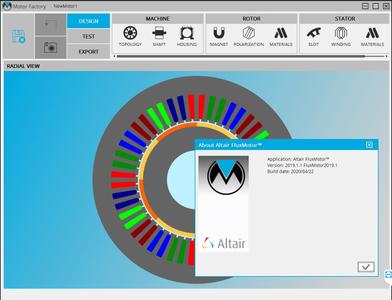
Altair announces the release of FluxMotor 2019.1.1, a dedicated platform focusing on the pre-design of electric rotating machines. Apart from fixes in the detected issues, this version also hosts noteworthy enhancements and implementations.


Altair FluxMotor 2019.1.1 Release Notes - Date: 14 May 2020
Altair FluxMotor 2019.1.1 is available with corrections and improvements. It can be applied as an update to an existing installation of FluxMotor 2019.1.

Fixed issues of FluxMotor 2019.1.1
Induction machines with skewed topologies - Motor Factory - Test Environment
- Very often, the results of computations may be wrong when a skewed topology is considered for the squirrel cage or for the slot (ref.: FXM-12398).

The visible signs of this problem were mainly the following ones:
. Anomalies on the shape of the generated curves versus slip (or speed) like torque-slip curve
for instance
. The results got with the test "Working point / Sine Wave / U, f, N" are not consistent with
those got with the test "Performance mapping / Sine Wave/ T(Slip)"
Induction machines - Motor Factory - Design and Test Environment
- End-ring impedance computations using the user mode fails (ref.: FXM-12399).

- The rounding value for the slip is not well considered. For instance, a slip equal to 2.33333 % cannot be considered. The nearest possible value is 2.334 %. This leads to a crash when the tests are run. (ref.: FXM-12368).
- CS and OCS temperature are not considered for computing end-ring inter-bar resistance in the DESIGN environment. The temperature of bars is considered instead (ref.: FXM-12451).

- OCS temperature is not considered for computing end-ring inter-bar resistance in the TEST environment. The Connection Side temperature is considered for both sides (ref.: FXM-12452).
- The computation of the average value of the end ring inductance doesn't consider the Opposite Connection Side component (ref.: FXM-12561).
Induction machines - Motor Factory - Export Environment
- The X-Factors of end ring resistance and inductance are not reported in the section ("Winding and cage") where test result values are displayed. To be noted that X-Factors are well considered in the computation (ref.: FXM-12550).
- The inductance X-Factor using for induction machine tests and exports is wrong. It is replaced by resistance X-Factor (ref.: FXM-12562).
This issue has been corrected

FluxMotor is a flexible open software tool dedicated to the pre-design of electric rotating machines. FluxMotor is part of Altair's HyperWorks CAE Suite, which includes Flux the leading software for low frequency electromagnetic and thermal simulations.

The software tool allows users to design and create machines from standard or customized parts, as well as to intuitively add windings and materials to run a selection of tests and compare machine capacity. Based on modern technology, the standalone platform offers fast and accurate computations. When necessary, connection with Altair Flux finite element software enables more advanced studies, taking into account more complex phenomenon.

Discover Altair FluxMotor an Easy to Use Software Dedicated to e-Motor Concept Design

Altair is a global technology company that provides software and cloud solutions in the areas of product development, high performance computing (HPC) and data analytics. Altair enables organizations across broad industry segments to compete more effectively in a connected world while creating a more sustainable future.


Product: Altair FluxMotor
Version: 2019.1.1 HotFix Only
Supported Architectures: x64
Website Home Page :
Код:
http://www.altairhyperworks.com

Language: english
System Requirements: PC *
Supported Operating Systems: *
Software Prerequisites: Altair FluxMotor 2019.0 and above
Size: 996.8 mb

To install the hot fix FluxMotor 2019.1.1, you must have previously installed a version of FluxMotor 2019.
Supported operating systems
FluxMotor 2019.1.1 is qualified * on the following operating systems:
✓ Windows 10 - 64 bits
* Note: A qualified platform is a platform on which all the quality assurance tests have been performed.


8c0171a779687ba134427d489992c282.jpeg


DOWNLOAD LINKS:

Код:
https://rapidgator.net/file/e24cf764881b566dd8ca71e991323617/Altair_FluxMotor_2019.1.1_x64_HotFix_Only.rar

Код:
http://nitroflare.com/view/F6E0F385EA3CDF8/Altair_FluxMotor_2019.1.1_x64_HotFix_Only.rar

Код:
https://uploadgig.com/file/download/5E3Ad50dad7dab6a/Altair_FluxMotor_2019.1.1_x64_HotFix_Only.rar
 
Adobe Fresco 1.6.1.113 (x64) Multilingual Repack

Adobe Fresco 1.6.1.113 (x64) Multilingual Repack


b41a6a393d6e20d2fd38881f7327b686.jpeg


Adobe Fresco 1.6.1.113 (x64) Multilingual Repack | 481 MB | Language: Multilanguage​


Designed for the latest touch and stylus devices, Adobe Fresco contains the largest collection of raster and vector brushes in the world, in addition to the revolutionary new live brushes, to ensure a completely natural drawing and painting experience. For artists, illustrators, designers and animation creators and for anyone who wants to discover - or rediscover - the joy of drawing and painting.


A thousand touches of skill.
Work with watercolors and oils that bloom and blend with your touch, use vector and raster brushes together on the same canvas and choose your favorites from the thousands of resources available from Photoshop and the famous master Kyle T. Webster. With Adobe Fresco you will have at your fingertips the widest and most exclusive selection of brushes in the world.

Make real masterpieces. Now with a lot less work.
We have rethought the essential tools for illustrators that are faster and more efficient on pen and touch devices. To draw you can now take advantage of a modernized selection and masking process that allows you to isolate parts of a layer and transform selections into masks. Customize the user interface to facilitate drawing with your right or left hand and switch to full screen mode to eliminate any distraction from the canvas.

The world is your study.
Start your project on iPad and end it on your PC: all your work is automatically synchronized in the cloud and your PSDs are exactly the same, regardless of the device in use. Furthermore, thanks to the integration with Creative Cloud, it will take you a few clicks to access your brushes, fonts and content from Adobe Stock and Libraries.
Artwork. Now a lot less work.

We've reimagined essential tools for illustrators that are faster and better for stylus and touch devices. Draw using a modernized selection and masking process that lets you isolate parts of a layer and turn selections into masks. Customize your UI to make it easier for left- or right-handed drawing. And switch to full-screen mode to clear your canvas of distractions.


System Requirements:
OS:Windows 10 version 1809 or later
CPU:Multicore Intel processor with 64-bit support (Recommended: Intel Core i5 or i7, or equivalent)
Memory:4 GB
Space:8 GB of available hard-disk space for installation.
GPU:Intel or Nvidia GPU with Direct X Feature Level 12.1


Home Page -
Код:
https://www.adobe.com/


DOWNLOAD LINKS:

Код:
https://rapidgator.net/file/09190da13847f3d2504c542ddf42f88b/Adobe_Fresco_1.6.1.113_x64_Multilingual_Repack.rar

Код:
http://nitroflare.com/view/4882E5359566F28/Adobe_Fresco_1.6.1.113_x64_Multilingual_Repack.rar

Код:
https://uploadgig.com/file/download/403773e6d9b543B3/Adobe_Fresco_1.6.1.113_x64_Multilingual_Repack.rar
 
Marked 2.5.41 (MacOSX)

Marked 2.5.41 (MacOSX)


281809a500247e442c754697cfcadbb3.jpeg


Marked 2.5.41 (MacOSX) | 63 MB | Language: English​


Marked 2 is a previewer (not an editor) for Markdown, MultiMarkdown and other text markup languages. It updates live every time you save your document in your favorite text editor, comes with writing analysis tools, and is powerfully flexible.

Marked provides document navigation and statistics, proofreading tools, multiple export formats, and much more. Marked comes with 9 preview styles built in (including GitHub), and you can add unlimited custom styles of your own.

GitHub users will appreciate Marked's built in GitHub Flavored Markdown processor, capable of handling fenced code blocks, line break preservation and automatic hyperlinking.
Marked is powerful enough to allow custom processors (shell scripts) before and after rendering. You can even take over the rendering tasks to incorporate non-Markdown languages.
Marked works with Scrivener, Ulysses, MarsEdit, and other third-party apps, allowing you to use Markdown and see beautiful previews just about anywhere.

Compatibility: OS X 10.10 or later 64-bit.

Mac App Store:
Код:
https://geo.itunes.apple.com/app/id890031187


DOWNLOAD LINKS:

Код:
https://rapidgator.net/file/79f29fc1b7dadbc611166a145d944ad4/Marked_2.5.41_MacOSX.rar

Код:
http://nitroflare.com/view/E9E0F226435E3E1/Marked_2.5.41_MacOSX.rar

Код:
https://uploadgig.com/file/download/E31c4437d3003ffE/Marked_2.5.41_MacOSX.rar
 
Affinity Photo Beta 1.8.4.183 Multilingual (MacOSX)

Affinity Photo Beta 1.8.4.183 Multilingual (MacOSX)


f927f05de2b203f829638f60b67628b3.jpeg


Affinity Photo Beta 1.8.4.183 Multilingual (MacOSX) | 511 MB | Language: Multilanguage​


Affinity Photo redefines the boundaries for professional photo editing software on the Mac. With a meticulous focus on workflow it offers sophisticated tools for enhancing, editing and retouching your images in an incredibly intuitive interface with all the power and performance you need.


Engineered for Professionals
* Open, edit and save Photoshop® PSD files
* RGB, CMYK, Greyscale and LAB color spaces
* End-to-end CMYK workflow with ICC color management
* Full 16 and 32-bit per channel editing
* Work with all standard formats like PNG, TIFF, JPG, GIF, SVG, EPS, EXR, HDR and PDF
* Panning and zooming is always live at 60fps with live previews, live tools and real-time editing
* Open and edit massive images without compromising performance or running out of memory
and other

Compatibility: OS X 10.7 or later 64-bit.

Homepage:
Код:
https://affinity.serif.com


DOWNLOAD LINKS:

Код:
https://rapidgator.net/file/ded22b8385f0f4ab15c04ad67db9769f/Affinity_Photo_Beta_1.8.4.183_Multilingual_MacOSX.rar

Код:
http://nitroflare.com/view/AB0560DD2A18F00/Affinity_Photo_Beta_1.8.4.183_Multilingual_MacOSX.rar

Код:
https://uploadgig.com/file/download/beaA1A42Cab40bEe/Affinity_Photo_Beta_1.8.4.183_Multilingual_MacOSX.rar
 
SolidCAM 2020 SP2 HF1 x64 Multilingual

SolidCAM 2020 SP2 HF1 x64 Multilingual


a0a2b3262157d11b98579b77d5c28bc8.jpeg


SolidCAM 2020 SP2 HF1 x64 Multilingual | 4.6 GB | Language: Multilanguage​


Languages: 中文, Čeština, Dansk, Nederlands, English, Français, Deutsch, עברית, Magyar, Italiano, 日本語, 한국어, Polski, Português, Русский, Español, Türkçe.

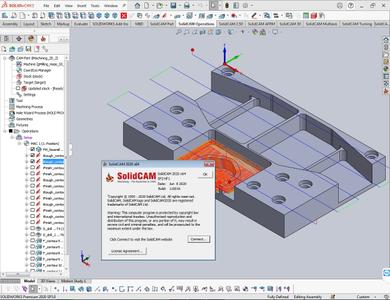
SolidCAM has launched Hot Fix 1 for their flagship CAM software - SolidCAM 2020 SP2. Last release brings major enhancements to many CAM modules available inside SolidCAM, as well as general improvements that provide an even greater ease-of-use for the end user.


SolidCAM 2020 SP2 HF1 Release Notes - Date: June 9, 2020
SOL-7880 HSM/ contour rest finishing/ Holder collision checking doesn't work
SOL-9693 HSM/Contour Rest Machining/ Define Holder
SOL-11550 Templates / 'Geometry does not exist' error when creating geometry
SOL-12193 Language/French/Settings-Geometry GUI problem
SOL-12777 tool table/impossible to choose in tool type C80-Insert lead angle-R75 if tool table screen not maximize
SOL-12808 Stock type " Cylinder " takes incorrect Z level for Top of Stock
SOL-12829 hole wizard / change sequence of features in feature manager tree causes geometry loss
SOL-12879 Czech/GUI problems
SOL-12906 Setup/MPR/Model doesn`t move with fixture
SOL-12936 Face-Mill/GUI garbage

SolidCAM is a CAM software that integrates directly into SolidWorks and Inventor. That does not only mean you can program tooling paths from the comfort of the CAD software you know and love, but it is also advantageous in that all tool paths retain associativity with the original CAD design. In other words, any changes made to the CAD file will instantly be reflected in updated tool paths, saving you time and money.

Take out the guesswork of milling, turning and other processes by using the patented Technology Wizard. The wizard allows you to automatically fine-tune optimized feeds, speeds, depth and width of cuts. What is more, this CAM software automatically recognizes the distinct geometrical features of your design and assigns toolpaths accordingly. Hence, this approach eliminates the need for time-consuming manual geometry definition.[/center]

The tool paths created with this CAM software rely on an advanced, patented morphing spiral that gradually conforms to the geometry of the feature being machined rather than an old-fashioned, simple spiral tool path. This increases the amount of time the tool actually works the stock and thus makes your machine more productive.
SolidCAM & iMachining - The amazing CAM solution.

SolidCAM Inc is a world leader in advanced tool path generation technology (CAM) running directly inside SolidWorks. SolidCAM features a full line of CNC machine programming software solutions ranging from 2 axis lathes and 3 axis mills to extremely complex multi-axis MillTurn machines and Wire Edm. All products run directly inside SolidWorks and provide the user with a true "SolidWorks look and feel" for ease of use and maximum efficiency. Along with the integrated interface and scalability for new machines, SolidCAM also has its patented "iMachining" that powers users to new levels of productivity and profits, through unmatched cycle time reduction and unrivaled tool life.


Product: SolidCAM
Version: 2020 SP2 HF1 build 110016
Supported Architectures: x64
Website Home Page :
Код:
http://www.solidcam.com

Language: multilanguage
System Requirements: PC *
Supported Operating Systems: *
Software Prerequisites: SolidWorks 2012-2020
Size: 4.6 Gb

Microsoft Windows 10 x64 Professional and Enterprise Editions; Microsoft Windows 8.1 x64 Professional and Enterprise Editions (with latest Service Pack); Microsoft Windows 7 x64 Professional and Ultimate Editions (with latest Service Pack)
- Intel Xeon, Intel Core, Intel Core 2 Duo, Intel Core 2 Quad or higher (If you use other processors we assume no responsibility and no support)
- 4 GB RAM (for the processing of large components, we recommend 8 GB RAM (or more)
- 15 GB free disk space for installation
- Hard disk with at least 100 GB of storage
- NVIDIA graphics card of the current Quadro series with min. 512 MB ​​(1024 MB recommended) and current, certified graphics driver (With the use of other and on-board graphics cards, we accept no responsibility and no support)
- 1,280 x 1,024 or higher screen resolution
- Microsoft Direct3D 9 or compatible graphics card (Microsoft Direct3D 11 or higher recommended)
- USB 2.0 interface
- DVD drive


6a1b6e9d1471a16cb178c251493bf7ad.jpeg


DOWNLOAD LINKS:

Код:
https://rapidgator.net/file/a2851989fc7ac312070af983d5ffb2aa/SolidCAM_2020_SP2_HF1_x64_Multilingual.part1.rar
https://rapidgator.net/file/394c81c4577586f6980de5264839eff8/SolidCAM_2020_SP2_HF1_x64_Multilingual.part2.rar
https://rapidgator.net/file/db36b9955dc5405f03a1e46bb2edaf11/SolidCAM_2020_SP2_HF1_x64_Multilingual.part3.rar
https://rapidgator.net/file/fbf878314a6c0548e034da4b392560f8/SolidCAM_2020_SP2_HF1_x64_Multilingual.part4.rar
https://rapidgator.net/file/b24050edbab747abfe4fca7ad7513fc1/SolidCAM_2020_SP2_HF1_x64_Multilingual.part5.rar

Код:
http://nitroflare.com/view/CA70B641A9E0907/SolidCAM_2020_SP2_HF1_x64_Multilingual.part1.rar
http://nitroflare.com/view/E84B6C0D1474737/SolidCAM_2020_SP2_HF1_x64_Multilingual.part2.rar
http://nitroflare.com/view/611F9B92670784B/SolidCAM_2020_SP2_HF1_x64_Multilingual.part3.rar
http://nitroflare.com/view/8FF2495F48956A2/SolidCAM_2020_SP2_HF1_x64_Multilingual.part4.rar
http://nitroflare.com/view/86EDEC99DF47A49/SolidCAM_2020_SP2_HF1_x64_Multilingual.part5.rar

Код:
https://uploadgig.com/file/download/38ebd5d691fb71d1/SolidCAM_2020_SP2_HF1_x64_Multilingual.part1.rar
https://uploadgig.com/file/download/E5E48d98844c56f8/SolidCAM_2020_SP2_HF1_x64_Multilingual.part2.rar
https://uploadgig.com/file/download/8606CCc4ef729dd9/SolidCAM_2020_SP2_HF1_x64_Multilingual.part3.rar
https://uploadgig.com/file/download/692e985Af4a02e5d/SolidCAM_2020_SP2_HF1_x64_Multilingual.part4.rar
https://uploadgig.com/file/download/D574b88A05cF1b4e/SolidCAM_2020_SP2_HF1_x64_Multilingual.part5.rar
 
Maxon CINEMA 4D Studio S22.116 (x64) Multilingual

Maxon CINEMA 4D Studio S22.116 (x64) Multilingual


e39e0698f75809f6f4294c92966e5bbb.jpeg


Maxon CINEMA 4D Studio S22.116 (x64) Multilingual | 360 MB | Language: Multilanguage​


Easy to learn and extremely powerful: Cinema 4D is the perfect package for all 3D artists who want to achieve breathtaking results fast and hassle-free. Beginners and seasoned professionals alike can take advantage of Cinema 4D's wide range of tools and features to quickly achieve stunning results. Cinema 4D's legendary reliability also makes it the perfect application for demanding, fast-paced 3D production.


EASE OF USE
Getting started in the world of 3D is a blast when you can quickly create great-looking results! Cinema 4D's intuitive and easy to understand operation and logically arranged interface makes it easy for beginners to jump right in and take control. And it never ceases to amaze professional users just how easy Cinema 4D is to use. Countless tutorials and a global, highly-skilled community play an important role in bringing beginners to a professional level of use.

INTUITIVE INTERFACE
Cinema 4D is a pillar in our users' everyday workflow. This is why we make sure from the start that new functions work intuitively and are exactly where users will expect to find them. The Cinema 4D layout can also be easily customized to precisely fit a user's needs and saved for later use.

STABILITY
Cinema 4D's stability is renowned throughout the 3D community and beyond. All new features and functions are thoroughly put through their paces by our QA and beta testers before being released. Our free service packs, which are released on a regular basis, further optimize Cinema 4D and let us rapidly respond to changes in operating systems and drivers!

POWERFUL HELP SYSTEM
Any questions about a specific function can be quickly answered by right-clicking on it and jumping straight to the integrated software documentation.

PROCEDURAL WORKFLOWS
Stay flexible from beginning to end! Staying flexible for last-minute changes is important no matter which project you're working on. Cinema 4D offers numerous options for working non-destructively: parametric modeling, procedural shaders, textures and more. And the Cinema 4D Take System lets you save and manage multiple versions of a scene in a single file!


Minimum System Requirements Cinema 4D:
- Windows 10 64-bit on Intel or AMD 64-bit CPU with SSE3 support.
- 4 GB RAM (8 GB or more recommended), OpenGL graphics card supporting OpenGL 4.1 (dedicated GPU recommended)
- The GPU renderer requires an NVIDIA or AMD graphics card on Windows or AMD.
- We recommend at least 4 GB VRAM for GPU rendering.


Home Page -
Код:
https://www.maxon.net/


DOWNLOAD LINKS:


Код:
https://dropapk.to/uvdooz0wrmku/Maxon_CINEMA_4D_Studio_S22.116_x64_Multilingual.rar

Код:
https://rapidgator.net/file/6cdb90349df991d12c848862e1307367/Maxon_CINEMA_4D_Studio_S22.116_x64_Multilingual.rar

Код:
http://nitroflare.com/view/9A81D5643B534A1/Maxon_CINEMA_4D_Studio_S22.116_x64_Multilingual.rar

Код:
https://uploadgig.com/file/download/e81dE0Ea5580fE2f/Maxon_CINEMA_4D_Studio_S22.116_x64_Multilingual.rar
 
CorelDRAW Technical Suite 2020 v22.1.0.517 (x64) Multilanguage

CorelDRAW Technical Suite 2020 v22.1.0.517 (x64) Multilanguage


647c2acc336576ff2612ddec4a8f3b5f.jpeg


CorelDRAW Technical Suite 2020 v22.1.0.517 (x64) Multilanguage | 2.8 GB | Language: Multilanguage​


Benefit from the versatile authoring tools in CorelDRAW® Technical Suite 2020 that allow you to create detailed assembly instructions, complex user manuals, multi-faceted documentation and more. Achieve unsurpassed productivity with new, high-caliber features to accelerate efficiency, and get full support for technical standards to publish, share or print with this expansive technical illustration and drafting software.


Technical illustration and drafting software
- Comprehensive suite of professional applications
- Graphically rich and technically accurate
- Dedicated illustration and design tools
- Industry-leading file compatibility

Comprehensive
Enjoy a full suite of professional applications that covers all aspects of visual communication authoring, project creation and publishing of technical documentation.

Precise
Apply exacting specifications to design visually detailed assembly instructions, complex user manuals, multi-faceted documentation and technical marketing with versatile design tools.

Productive
Achieve unsurpassed productivity with new high-caliber features, increasing workflow efficiency and effectively delivering multi-lingual technical communication.

Innovative
Explore groundbreaking tools for sketching and illustration to demonstrate your technical authoring expertise and impress your audience.

Intuitive
Experience a seamless workflow, from opening source files, such as 2D, 3D, photo, documents and data, to supporting output for print, online and mobile.

ind all the powerful applications you need for success
CorelDRAW® Technical Suite 2018 delivers an expansive toolbox of applications to create a wide variety of highly-detailed technical documentation, instructions, manuals and so much more!

Accessing design assets
Make the most of your content and important data by repurposing it from existing sources, including 3D designs with the integrated XVL Studio Corel Edition, and the optional XVL Studio 3D CAD Corel Edition add-on for advanced 3D CAD assembly formats. You'll benefit from full support for a variety of content exchange types including .DWG CAD files, and over 100 other data file formats, and the ability to instantly access content through Corel® CONNECT™.

Using precision illustration and graphics tools
Achieve unsurpassed productivity with new high-caliber features and functionality to accelerate workflow efficiency. Advance your technical communication capabilities with a collection of dedicated illustration tools that ensure accuracy and precision for isometric drawing, detailed callouts and expansive dimensioning capabilities.

Publishing industry-standard compliant output
Leverage all the power you need to publish, share and output important technical documents, including a new capability to publish to WordPress. Using a diverse set of cross-media publishing and distribution capabilities, including CGM, WebCGM, SVG, PDF, and 3D PDF, you will ensure all of your important technical files will be delivered in a readable format and accessible through online, print and mobile options.


System Requirements:
OS:Windows 10*, 8.1 or Windows 7, in 32-bit or 64-bit, all with latest Updates and Service Packs
CPU:Intel Core i3/5/7/9 or AMD Athlon 64
Memory:2 GB RAM
Space:10.7 GB hard disk space
Multi-touch screen, mouse or tablet
Display:1280 x 720 screen resolution at 100% (96 dpi)
Microsoft Internet Explorer 11 or higher
Microsoft .NET Framework 4.7.2
CD drive optional (for box installation). Installation from CD requires a download of up to 1.82 GB
Internet connection is required to install and authenticate CorelDRAW Technical Suite and access some of the included software components, online features and content.


Homepage -
Код:
https://www.coreldraw.com


DOWNLOAD LINKS:

Код:
https://rapidgator.net/file/079d605e0e01c32ae37443f1ec156530/CorelDRAW_Technical_Suite_2020_v22.1.0.517_x64_Multilanguage.part1.rar
https://rapidgator.net/file/d651f9dd7ac6106d83bedfa9cab25e4b/CorelDRAW_Technical_Suite_2020_v22.1.0.517_x64_Multilanguage.part2.rar
https://rapidgator.net/file/ab0829120c556ba60a15fc5523162863/CorelDRAW_Technical_Suite_2020_v22.1.0.517_x64_Multilanguage.part3.rar

Код:
http://nitroflare.com/view/D10301A603F27EA/CorelDRAW_Technical_Suite_2020_v22.1.0.517_x64_Multilanguage.part1.rar
http://nitroflare.com/view/4F76C7E63D29BB3/CorelDRAW_Technical_Suite_2020_v22.1.0.517_x64_Multilanguage.part2.rar
http://nitroflare.com/view/FF6E2C57EA42B50/CorelDRAW_Technical_Suite_2020_v22.1.0.517_x64_Multilanguage.part3.rar

Код:
https://uploadgig.com/file/download/22E70D4fd7741D72/CorelDRAW_Technical_Suite_2020_v22.1.0.517_x64_Multilanguage.part1.rar
https://uploadgig.com/file/download/26f0E5895e605728/CorelDRAW_Technical_Suite_2020_v22.1.0.517_x64_Multilanguage.part2.rar
https://uploadgig.com/file/download/CeCd612fc7deb42b/CorelDRAW_Technical_Suite_2020_v22.1.0.517_x64_Multilanguage.part3.rar
 
Pixologic Zbrush v2020.1.4 (x64) Multilingual (Portable)

Pixologic Zbrush v2020.1.4 (x64) Multilingual (Portable)


3c9464a7d3c5b127a6b48b9ae4d9ba5d.jpeg


Pixologic Zbrush v2020.1.4 (x64) Multilingual (Portable) | 866 MB | Language: Multilanguage​


ZBrush 2020 empowers artists with greater sculpting flexibility via powerful additions to the award winning brush system. We have expanded the library of sculpting brushes with the new XTractor, HistoryRecall and DecoCurve brushes. In addition, you can now constrain your brush strokes to only forward gestures with the new No Back&Forth modifier.


Beyond the new brushes we've expanded the capabilities of the MorphUV feature, which makes it possible to view the unwrapped UV layout of a model within ZBrush. Sculpt & Paint in Morph UV allows you to sculpt and paint on the 2D unwrap of a model, applying all updates to the 3D model.

Sculpt & Paint in Morph UV
Now with the ability to sculpt and PolyPaint on the UV unwrap of a model, it's never been easier to apply long continuous strokes across a mesh. One such example would be applying a stroke from the waist up through an armpit to the wrist of a character. Or perhaps you wish to apply a pattern on a mesh that is too complicated in the 3D form.
Have you ever had a difficult time reaching certain areas of a sculpt? With Sculpt & Paint in Morph UV, that is a thing of the past!

XTractor Brushes
These three brushes convert detail from your model into a new alpha or texture for future reuse. Simply drag your stroke across the surface of any model to capture the details of your sculpt. The captured details can then be used elsewhere on the same model, or on any other model in the future.

HistoryRecall
Have you ever wished you could undo just a portion of your sculpting without losing everything else that has been done on the model? Now you can! This brush uses your model's Undo History but restricts the effect to the area where the brush is used. It can also be used in the other direction, projecting Redo History from part of one model to another regardless of any topology differences.

Move Infinite Depth
Alter your brush to apply details to anything that is directly inline with the brush cursor. For example, add volume to the front and hind legs of a dog or move several vertex points on multiple individual meshes without applying a mask. The infinite depth option can be applied to several brushes.

You Can't Pick Just One Color
Never again will you struggle contemplating what color combination to apply to a model. Now you can take any PolyPainted or textured model and adjust its color hue, intensity, contrast, gamma or tint on the fly using the new Texture Adjust by Color and PolyPaint Adjust by Color features.

Texture Adjust by Color & PolyPaint Adjust by Color
Texture Adjust by Color & PolyPaint Adjust by Color not only gives you the power to adjust the colors in a model's PolyPaint or Texture Map, it also allows you to restrict these adjustments to specific color selections. In addition you can use color picking to mask or unmask portions of the model.

Ready, Set, Analyze & Print
ZBrush 2020 continues to widen your ability to 3D print straight from ZBrush with new mesh analysis features: Wall Thickness, Real-Time Draft Analysis and Surface Area calculations. Now anyone will be able to easily prepare a model for production!

NOTE: This portable release supported Win7, Win8/8.1, Win10 (64-bit ONLY)

Home Page -
Код:
http://pixologic.com/


DOWNLOAD LINKS:

Код:
https://rapidgator.net/file/b7aa0e645642cce494a32e4f5e40a777/Pixologic_Zbrush_v2020.1.4_x64_Multilingual_Portable.rar

Код:
http://nitroflare.com/view/AF6377E7D82C4A1/Pixologic_Zbrush_v2020.1.4_x64_Multilingual_Portable.rar

Код:
https://uploadgig.com/file/download/b64b6bE0f840308C/Pixologic_Zbrush_v2020.1.4_x64_Multilingual_Portable.rar
 
Maxon CINEMA 4D Studio vS22.114 (x64) Multilingual (Portable)

Maxon CINEMA 4D Studio vS22.114 (x64) Multilingual (Portable)


7a88d2ef33a00ba1f710d0ebff0636d5.jpeg


Maxon CINEMA 4D Studio vS22.114 (x64) Multilingual (Portable) | 222 MB | Language: Multilanguage​


Easy to learn and extremely powerful: Cinema 4D is the perfect package for all 3D artists who want to achieve breathtaking results fast and hassle-free. Beginners and seasoned professionals alike can take advantage of Cinema 4D's wide range of tools and features to quickly achieve stunning results. Cinema 4D's legendary reliability also makes it the perfect application for demanding, fast-paced 3D production.


EASE OF USE
Getting started in the world of 3D is a blast when you can quickly create great-looking results! Cinema 4D's intuitive and easy to understand operation and logically arranged interface makes it easy for beginners to jump right in and take control. And it never ceases to amaze professional users just how easy Cinema 4D is to use. Countless tutorials and a global, highly-skilled community play an important role in bringing beginners to a professional level of use.

INTUITIVE INTERFACE
Cinema 4D is a pillar in our users' everyday workflow. This is why we make sure from the start that new functions work intuitively and are exactly where users will expect to find them. The Cinema 4D layout can also be easily customized to precisely fit a user's needs and saved for later use.

STABILITY
Cinema 4D's stability is renowned throughout the 3D community and beyond. All new features and functions are thoroughly put through their paces by our QA and beta testers before being released. Our free service packs, which are released on a regular basis, further optimize Cinema 4D and let us rapidly respond to changes in operating systems and drivers!

POWERFUL HELP SYSTEM
Any questions about a specific function can be quickly answered by right-clicking on it and jumping straight to the integrated software documentation.

PROCEDURAL WORKFLOWS
Stay flexible from beginning to end! Staying flexible for last-minute changes is important no matter which project you're working on. Cinema 4D offers numerous options for working non-destructively: parametric modeling, procedural shaders, textures and more. And the Cinema 4D Take System lets you save and manage multiple versions of a scene in a single file!


NOTE: This portable release supported Win7, Win8/8.1, Win10 (64-bit ONLY)

Home Page -
Код:
https://www.maxon.net/


DOWNLOAD LINKS:


Код:
https://dropapk.to/f1gvcpr1d6v2/Maxon_CINEMA_4D_Studio_vS22.114_x64_Multilingual_Portable.rar

Код:
https://rapidgator.net/file/34761db0ba69c9d47b884c827e5546bb/Maxon_CINEMA_4D_Studio_vS22.114_x64_Multilingual_Portable.rar

Код:
http://nitroflare.com/view/E46951DCCF8576D/Maxon_CINEMA_4D_Studio_vS22.114_x64_Multilingual_Portable.rar

Код:
https://uploadgig.com/file/download/9df9Dd712FaF7b0d/Maxon_CINEMA_4D_Studio_vS22.114_x64_Multilingual_Portable.rar
 
Corel VideoStudio Ultimate 2020 v23.2.0.587 (x64) Multilingual

Corel VideoStudio Ultimate 2020 v23.2.0.587 (x64) Multilingual


fdee2393eda158c42c9f195d8cceb956.jpeg


Corel VideoStudio Ultimate 2020 v23.2.0.587 (x64) Multilingual | 5.1 GB | Language: Multilanguage​


VideoStudio takes ease of use and creativity one step further, with the addition of new smart movie tools, enhanced masking and color grading, and workflow improvements. Dive into new premium effects and edit 4K, HD, 360 video editing, with full the full suite of creative editing tools. Turn memories into movies with VideoStudio.


Video and movie editing software
Transform your photos and videos into movies with enhanced masking and color grading, new smart video tools, optimized performance and premium effects.

Why edit with VideoStudio?
Find the workspace that suits your photo editing needs and style.

Intuitive
Perfect for all skill levels; edit HD, 4K, or 360 video on the multi-track timeline with easy to use tools.

Fun
VideoStudio is widely recognized for being easy to use and packed with fun features.

Creative
Express yourself with 2,000+ customizable filters, color grading controls, and premium effects.

Explore what's included in VideoStudio
VideoStudio has expanded its award-winning combination of ease of use and breakthrough creativity to make video editing even more fun!

Intuitive Video Editor
Access a wide selection of basic tools, video corrections, creative filters, and more powerful features that are easy to learn and easy to use.

Slideshow Maker
Create movies and slideshows in minutes! Just select a template and add your media for quick, easy slideshows.

Screen Recorder
Record your screen and webcam simultaneously and create engaging videos with MultiCam Capture Lite!

DVD Burner
Burn your video projects to DVD or AVCHD with 100+ customizable menu templates with MyDVD.

Ultimate Exclusives
Access premium effects from NewBlueFX, Boris FX, and proDAD - exclusive to Ultimate.

What's New in VideoStudio 2020?
VideoStudio 2020 adds new tools and content, plus editing shortcuts and enhancements that streamline your workflow, bringing you a smarter, more creative editing experience.
- New titles and creative content
- Streamlined editing tools and shortcuts
- New smart slideshow and video tools
- Optimized 4k display
- Enhanced video masking, more blending modes and new premium effects-exclusive to Ultimate!

Features fueling your video editing software
Get the exact results you want with VideoStudio's wide selection of innovative tools and features. Enjoy a feature-packed video editor that helps you create just about anything with ease.

Crop, Trim, Rotate
Easily crop, trim, and split video, directly on the timeline. Rotate or change the aspect ratio with just a few clicks.

Instant Video Corrections
Apply lens corrections to remove fisheye distortion, and color correct clips to adjust the temperature of the light or to create unique effects.

ULTIMATE ONLY Stabilize Video
Only in Ultimate can you apply video stabilization to correct shaky footage with proDad Mercalli. Turn wobbly handheld videos and bumpy action shots into usable footage with this quick fix!

ULTIMATE ONLY Color Grading
Only in Ultimate can you access complete Color Grading tools to control the mood of every scene. Easily shift colors, and fine tune your changes with a variety of video scopes and intuitive controls.

Filters and Effects
Get the right look with hundreds of drag-and-drop effects and filters. Quickly create stylized images or add overlays and animated titles!

NEW LUT Profiles
Now with 20+ new LUT (look up table) profiles. LUTs makes it easy to apply advanced cinematic color effects to your project to bring your footage from one color space to another.

System Requirements:
- Windows 10, Windows 8, Windows 7, 64 bit only
- Core i3 or AMD A4 series for standard videos. Intel Core i7 or AMD Athlon A10 for HD and UHD videos
- 4 GB or higher, 8+ GB highly recommended for HD and UHD videos
- Minimum display resolution: 1024 x 768, minimum 512 MB VRAM or higher recommended for hardware acceleration
- Windows-compatible sound card
- Minimum 10 GB for full installation
Accessories
- DVD burner required for creating DVD and AVCHD discs
- Blu-Ray burning requires purchase of a separate plug-in from within the product
Supported Languages
- Nederlands, English, Français, Deutsch, Italiano, 日本語, Traditional 中文


Home Page -
Код:
http://www.videostudiopro.com


DOWNLOAD LINKS:

Код:
https://rapidgator.net/file/2b33e1d024c422e980fa823f7c1bd0d2/Corel_VideoStudio_Ultimate_2020_v23.2.0.587_x64_Multilingual.part1.rar
https://rapidgator.net/file/cf62228d0afacb06cdc0505ac1d302db/Corel_VideoStudio_Ultimate_2020_v23.2.0.587_x64_Multilingual.part2.rar
https://rapidgator.net/file/8b79e8b5493a25d9f76ff2414b5e5bd6/Corel_VideoStudio_Ultimate_2020_v23.2.0.587_x64_Multilingual.part3.rar
https://rapidgator.net/file/1c8a412692e091677734123c85376a51/Corel_VideoStudio_Ultimate_2020_v23.2.0.587_x64_Multilingual.part4.rar
https://rapidgator.net/file/33d3a574c0b69542789f9d05e8ce16eb/Corel_VideoStudio_Ultimate_2020_v23.2.0.587_x64_Multilingual.part5.rar
https://rapidgator.net/file/d3563acf61c67773e2562f7cfda950bb/Corel_VideoStudio_Ultimate_2020_v23.2.0.587_x64_Multilingual.part6.rar

Код:
http://nitroflare.com/view/C15CD8AA9E39FFB/Corel_VideoStudio_Ultimate_2020_v23.2.0.587_x64_Multilingual.part1.rar
http://nitroflare.com/view/028DFF095903531/Corel_VideoStudio_Ultimate_2020_v23.2.0.587_x64_Multilingual.part2.rar
http://nitroflare.com/view/A16340360AD548F/Corel_VideoStudio_Ultimate_2020_v23.2.0.587_x64_Multilingual.part3.rar
http://nitroflare.com/view/42B4A893D024E06/Corel_VideoStudio_Ultimate_2020_v23.2.0.587_x64_Multilingual.part4.rar
http://nitroflare.com/view/DF0F25D7DBA32FF/Corel_VideoStudio_Ultimate_2020_v23.2.0.587_x64_Multilingual.part5.rar
http://nitroflare.com/view/C8A5C8A9347798F/Corel_VideoStudio_Ultimate_2020_v23.2.0.587_x64_Multilingual.part6.rar

Код:
https://uploadgig.com/file/download/0552131aeCD36079/Corel_VideoStudio_Ultimate_2020_v23.2.0.587_x64_Multilingual.part1.rar
https://uploadgig.com/file/download/9f56708e96bf7846/Corel_VideoStudio_Ultimate_2020_v23.2.0.587_x64_Multilingual.part2.rar
https://uploadgig.com/file/download/675f208dB66a324b/Corel_VideoStudio_Ultimate_2020_v23.2.0.587_x64_Multilingual.part3.rar
https://uploadgig.com/file/download/7febFc700e5E246d/Corel_VideoStudio_Ultimate_2020_v23.2.0.587_x64_Multilingual.part4.rar
https://uploadgig.com/file/download/B69ff2b3db19b0fc/Corel_VideoStudio_Ultimate_2020_v23.2.0.587_x64_Multilingual.part5.rar
https://uploadgig.com/file/download/aE88c5815cc5e904/Corel_VideoStudio_Ultimate_2020_v23.2.0.587_x64_Multilingual.part6.rar
 
Altair Compose 2020.0 x64

Altair Compose 2020.0 x64


757ebab6291030f8e1fbc2f29c8155b1.jpeg


Altair Compose 2020.0 x64 | 1.08 GB | Language: English​


Altair announces most significant software update release in company history. Altair Compose 2020 - OpenMatrix Language available in Jupyter Notebook.
All of Altair's software products have been updated with advancements in user experience and countless new features, including intuitive workflows that empower users to streamline product development, allowing customers to get to market faster.

The software update release expands on the number of solutions available for designers, engineers, data analysts, IT and HPC professionals, facility managers, and more to drive better decisions and accelerate the pace of innovation. It broadens the scope of the new user experience, enables access to more physics, data analytics, and machine learning, and makes the Altair software delivery method more flexible and accessible.


Compose 2020 includes the following new features and enhancements.
New Features/Enhancements

- Compose 2020 uses Altair Units
- Compose editions renamed Personal (formerly Basic) and Business (formerly Professional).
- ARSM and GRSM optimization methods added to Compose optimization methods.
- Additional support for contour Descriptions in Notebook.
- CAE reader speed improvements.
- OML functions in OptiStruct DRESP3 responses on Linux.

OML Language Improvements
- Implemented a == operator for class objects.
- Sparse matrices supported in the MAT files (MATIO feature).
- getpythonvar second and third return values are optional.
- Support for static functions inside a class.
- Support Unicode file names in fopen.
- Sparse LHS slicing supports RHS sparse matrices.
- Sparse LHS slicing speed improved when RHS is zero.
- Documentation improvements for the following commands:
. createh3dfile
. find
. writeh3ddata

New OML Language Commands
The following commands are new in Compose 2020:

- box, turns ON/OFF the border around the Description area.
- contains
- getmousepos, returns the position of the mouse in a Description or figure.
- imagesc command extended to support limits.
- Descriptionyy command added for the Compose Notebook.
- fanDescription command added to create fan Descriptions.
- removelibrary, removes and unloads a library added by the addlibrary() command.
- strip

General Improvements
- New pagination option in the OML command window. Three modes available in the command window: ON, OFF, and
Interactive.
- Improved speed when printing outputs in the GUI.
- Improved printing to the OML window in Console mode.

Descriptionting and GUI Improvements
- Global titles, axes titles, and legends available for subDescriptions.
- New equal option for the axis command to force Description axes to be uniform.
- 3D Descriptions support text.
- Labels supported for the Y category axis in 3D bar Descriptions.
- Tip-to-tail curves supported for polar Descriptions.
- Blended and discrete contour types supported.
- Increased the number of levels allowed in the color bar to 32.
- Text can be positioned horizontally or vertically for 2D Descriptions.
- "enable" property for uicontrol object.
- Support to set 'currentfigure' property to set active status of a figure.
- Improve Bode Descriptions so that phase is unwrapped.
- Better handling of Description lines with NaN.
- Compute bode(ss) without ss2tf.
- Improved x axis labeling and x axis tics.

Resolved Issues
The following issues (and more) have been resolved for Compose 2020:

- Unable to declare a static method in a classdef.
- Error in Notebook Descriptionting after running several times.
- uicontrol callbacks issue.
- Last line of TXT or CSV file is lost when using dlmread.
- zip command does not respect case sensitivity.
- Error when defining class method with multiple outputs.
- Crash when printing large matrix in GUI.
- OptiStruct/OML bridge error when the OML file contains a function.*
- str2num causes crash.
- Cyclic-order dependence when editing function definitions.
- meshgrid indexing issue with a scalar input.
- for loop slow performance.
- zip issue.
- Cell assignment issue.
- imagesc documentation unavailable.
- Crash with fprintf on an empty matrix.
- Junk characters in DOS prompt when running an OML script in batch mode.
- Junk character in console with multi-line input.
- On Linux, error when reading CAE files in batch mode.*
- system command does not allow double quotes in Linux command.
- Sparse matrix indexing issue.
- Matrix addition is slow for large sparse matrices.
- sparse(row, col, v) is slow for large matrices.
- hex2dec fails on large numbers.
- Wrong output in rem function when the value is greater than 1E10.
- colon operator, :, for strings not working.
- Slow command to process long strings.
- Error in matrix multiplication between sparse and full matrices.
- Application crash when reading CSV/XLS files in a folder named with Chinese characters.
- any function not working properly for sparse matrices.
- Display issue in console mode with the input command.
- findpeaks not working for curves without positive values.
- releasefileinfo and releasedata not working on Linux.*
- Memory issue when closing Descriptions.
- clear (all) doesn't clear the memory of a sparse matrix.
- Blank part of a figure turns black when saved as a BMP image.
- stem function issue.
- system function executes system command, but doesn't handle trailing space correctly.
- Saved Description image contains cursor position.
- Breakpoints on empty lines do not stop the debugger.
- Unable to find function depending on its position within a file.
- ss2tfc and tf2ssc syntax highlighting and help pages access issue.
- system function does not handle double quotes in the command string correctly.
- imagesc Descriptions are upside down.
- matDescriptionlib Descriptions are not displayed in the Python command window.
- Python "input" command does not work when executed from the Editor.
- Wrong cell extraction (nested).
- On Linux platforms, unable to go (cd) to the root directory.
- nargout cannot find the function if the function is defined in an OMC file (encrypted).
- Slow dlmread function.
- Bar Description text issue.
- Indexing a UTF-8 string issue.
- close(figureHandle) closes all figures.
- Slow performance of getsubcasename with .pch files.*
- Comments interfere with statements.
- xlabel, ylabel, title, and legends do not support '{' and '}' characters.
- Unable to set 'position' to negative values in figures.
- Naming issue (case sensitive) for ABCD matrix in state space.
- nan value in textscan issue.
- Contour issue depending on the figure size.
- Command added to turn off the border of the grid in imagesc.
- Display issue with ls function when using Chinese characters.
- Syntax issue with polar command.
- Delete command history doesn't work for some Description commands.
- Memory issue when reading a large CAE file is interrupted.
- Performance issue when quickly dragging a 3D Description.
- 3D scatter symbol does not display correctly.
- func2str does not properly handle an anonymous function.
- pinv does not work with two inputs.

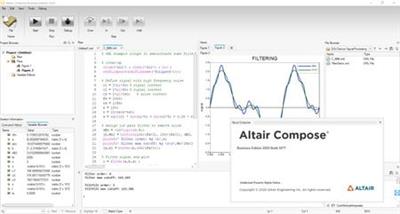
Altair Compose software is an environment for doing calculations, manipulating and visualizing data (including from CAE simulations or test results), programming and debugging scripts useful for repeated computations and process automation.

Compose allows users to perform a wide variety of math operations including linear algebra and matrix manipulations, statistics, differential equations, signal processing, control systems, polynomial fitting and optimization.

Other products in Altair's Model-Based Development offering include Altair Activate and Altair Embed.
Model Based Development with solidThinking Compose, Activate and Embed

Altair is a global technology company that provides software and cloud solutions in the areas of product development, high performance computing (HPC) and data analytics. Altair enables organizations across broad industry segments to compete more effectively in a connected world while creating a more sustainable future.


Product: Altair Compose
Version: 2020.0 build 5077 *
Supported Architectures: x64
Website Home Page :
Код:
http://www.altair.com

Language: english
System Requirements: PC **
Supported Operating Systems: **
Size: 1.1 Gb

- Altair Compose 2020.0 build 5077

Operating System
Windows 7, 8.1 and 10.
64 bits only
Hardware
OpenGL graphics card with at least 256 MB of onboard memory.
Integrated Intel graphics hardware is currently not supported.
Memory
4 GB of RAM (8 GB recommended).
10 GB or more of free hard disk space.


5355a4f52cf5e1f45a9d0af39ec12945.jpeg


DOWNLOAD LINKS:

Код:
https://rapidgator.net/file/e7625e624263e2f52c15038bbc048019/Altair_Compose_2020.0_x64.part1.rar
https://rapidgator.net/file/b3fd269e17d7ced934573fbcd5c5e946/Altair_Compose_2020.0_x64.part2.rar

Код:
http://nitroflare.com/view/FC875CC290347B6/Altair_Compose_2020.0_x64.part1.rar
http://nitroflare.com/view/D2B40FA25750F20/Altair_Compose_2020.0_x64.part2.rar

Код:
https://uploadgig.com/file/download/242c395ba61bcd37/Altair_Compose_2020.0_x64.part1.rar
https://uploadgig.com/file/download/2813d19e8cF29956/Altair_Compose_2020.0_x64.part2.rar
 
Perfectly Clear Complete 3.10.0.1797 Multilingual (MacOSX)

Perfectly Clear Complete 3.10.0.1797 Multilingual (MacOSX)


8a9f527fe0238ec410088e95c73bd8db.jpeg


Perfectly Clear Complete 3.10.0.1797 Multilingual (MacOSX) | 96 MB | Language: Multilanguage​


Standalone & Plug-in for Adobe Photoshop and Lightroom
Built for precision. Made for beauty. Above all, you want better photos. But what if you could have better photos faster? Perfectly Clear has mastered the science of intelligent image correction - creating superior quality photos in record time, so you can get back to doing what you really love...in no time.

You have better ways to spend your day than laboring over manual edits
You became a photographer to go out and capture the beauty of the world, not sit inside at an editing desk. We invented our automatic image corrections to take away the tedium and give you back your freedom. So let Perfectly Clear handle the editing chores while you devote your day to doing what you do best-creating incredible images.
- Up to 20 auto corrections with one click
- Batch process 1000s of images in minutes
- Stay within your workflow
- Unlock the details in every image
- Tap into professionally created presets
- Save countless hours of manual editing
- Fine tune details with precise controls

Also:
Perfectly Clear is Now A Stand-Alone Application!
- Open RAW and traditional photos directly
- Crop to whatever size you need
- Print your photos
- Export in the original format or as JPEG or TIFF for sharing
- Filmstrip for Easy Navigation
- Undo/Redo
- Visual Presets
- Visual LOOKs
- Preset & LOOKs Favorites
- Graduated Filters
- Stylistic Vignette and Radial Filters
- Robust Color Restoration
- Manual Finishing Controls

Compatibility: macOS 10.10 or later 64-bit.

Homepage:
Код:
https://eyeq.photos/


DOWNLOAD LINKS:

Код:
https://rapidgator.net/file/8643a2ee88e86bf61a889df8ab6fb074/Perfectly_Clear_Complete_3.10.0.1797_Multilingual_MacOSX.rar

Код:
http://nitroflare.com/view/A4A7290CC21AB4A/Perfectly_Clear_Complete_3.10.0.1797_Multilingual_MacOSX.rar

Код:
https://uploadgig.com/file/download/6e5153274aE5c08f/Perfectly_Clear_Complete_3.10.0.1797_Multilingual_MacOSX.rar
 
Назад
Сверху