• Здравствуйте. Сайт заработал в архивном режиме форум www.old.nado.in

KAMAL's Softwares Collection!!! (Updated Daily)

  • Автор темы Автор темы KAMAL
  • Дата начала Дата начала
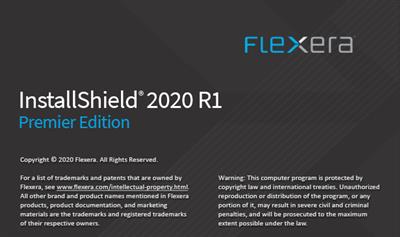
InstallShield 2020 R1 Premier Edition 26.0.546.0
InstallShield 2020 R1 Premier Edition 26.0.546.0


ef9a69e9aaf51a8d357912f336c37aa2.jpg


InstallShield 2020 R1 Premier Edition 26.0.546.0 | 254 MB​


Installation Made Easy: Get MSIX Ready. Consistent and reliable installs. Every time. With InstallShield, you'll adapt to industry changes quickly, get to market faster and deliver an engaging customer experience.The result? Productivity: up. Extra scripting/coding/rework: way down with simpler and cleaner installs, upgrades and uninstalls. Flexera InstallShield is the fastest easiest way to build Windows installers and MSIX packages and create installations directly within Microsoft Visual Studio.


Highlights:
- Build clean installs, upgrades and uninstalls for Windows incredibly quickly and easily.
- Simplify virtual and cloud-based deployments
- Easily create native MSIX packages or convert any MSI file into an MSIX package
- Deliver a seamless customer user experience
- Support enterprise customers with ISO 19770-2 software inventory tags, PowerShell scripting, and sideloading of Windows Store App
- Create installations directly within Microsoft Visual Studio for MSI and EXE installers
- Benefit from the standard for Windows installers with Microsoft Windows and Visual Studio support

Key Features:
- The standard for Windows Installer (MSI) and InstallScript Installations
- Effortless Creation of native MSIX Packages or Build MSIX from Existing Projects
- Provides a Fresh, Modern Designer Interface
- Build installation suites to install multiple products for Windows, MSIX and more
- Converts MSIs to Microsoft\u00ae App-V\u2122 5.1
- Installs Web Applications to Microsoft\u00ae Azure\u2122 and Microsoft IIS using Microsoft Web Deploy
- Automatically Provisions Virtual Machines for Simple Installation Testing
- Microsoft Team Foundation Server Integration

Full MSIX Project Creation:
Create a new MSIX project from scratch to create a native MSIX package, including the ability to add Content URIs, Declarations, Visual Assets and Capabilities.

MSIX Conversion Wizard:
Easily convert any MSI file into an MSIX package using the MSIX Conversion Wizard.

MSIX Validation Suite:
Smoothly identify what existing InstallShield projects require changes to meet Microsoft MSIX standards. Provides insights and steps needed to convert MSI project elements to work in MSIX.

MSIX in Suite:
Expands installation suites to include MSIX packages along with other deployment types.


System Requirements:
Processor: Pentium III-class PC (500 MHz or higher recommended)
RAM: 256 MB of RAM (512 MB preferred)
Hard Disk: 750 MB free space
Display: Designed for XGA resolution at 1024 x 768 or higher
Operating System:
Windows Server 2008
Windows 7
Windows Server 2008 R2
Windows 8
Windows Server 2012
Windows 8.1
Windows Server 2012 R2
Windows 10
Windows Server 2016
Windows Server 2019


Home Page -
Код:
https://www.flexera.com/


DOWNLOAD LINKS:

Код:
https://rapidgator.net/file/ba68ad319103e4ce2fd81da73e223673/InstallShield_2020_R1_Premier_Edition_26.0.546.0.rar

Код:
http://nitroflare.com/view/6E1F8D2B2233D48/InstallShield_2020_R1_Premier_Edition_26.0.546.0.rar

Код:
https://uploadgig.com/file/download/c06c43eA872EcD7c/InstallShield_2020_R1_Premier_Edition_26.0.546.0.rar

 
Intel System Studio 2020 Update 1 (x86/x64)

Intel System Studio 2020 Update 1 (x86/x64)


beb420c030c3aa073830766a6e864289.jpg


Intel System Studio 2020 Update 1 (x86/x64) | 3.76 GB​


Intel Software is pleased to announce the availability of Intel System Studio 2020.1 development suite with a bunch of interesting new features. Intel System Studio is a cross-platform tool suite that simplifies application development for systems and IoT devices, boosts application performance and power efficiency, and helps strengthen system reliability for smart, connected devices.


- Extends Intel C++ Compiler support of C++ 17 and provides initial C++ 20 language standard support.
- Intel SoC Watch adds support for Intel platform code named Comet Lake and Intel platform code named Ice Lake.
- Renames Intel VTune Amplifier to Intel VTune Profiler starting with version 2020.
- Intel VTune Profiler:
. Adds new GPU Offload analysis to explore and correlate code execution across CPUs and GPUs, and identify a kernel of interest for GPU-bound applications to be explored further with GPU Compute/Media Hotspots analysis.
. Updates GPU Compute/Media Hotspots analysis with options for GPU in-kernel analysis.
. Extends command line hotspots report scope to support GPU analysis types.
. Improves dynamic instruction count collection available as part of the GPU Compute/Media Hotspots analysis to provide better accuracy for basic block assembly analysis.
. Updates System Overview analysis to serve as an entry point to platform analysis assessing system (IO, accelerators and CPU) performance and providing guidance for further analysis steps, and adds New Hardware Tracing mode.
. Adds new Throttling analysis to identify causes for system throttling, like exceeding safe thermal or power limits.
. Extends Energy analysis options to monitor processor package energy consumption over time and identify how it correlates with CPU throttling.
. Extends containerization support with an option to install and run the VTune Profiler in a Docker container and profile targets both inside the same container as well as outside the container.
- Adds Max and Bound Bandwidth metrics to Application Performance Snapshot to better estimate the efficiency of the DRAM, MCDRAM, Persistent Memory and Intel Omni-Path usage.
- Platform Profiler:
. Extends Overview and Memory views with new metrics for analyzing Non Uniform Memory Access (NUMA) behavior.
. Implements user authentication and authorization to enable access control to users' data.
. Adds a new option for users to choose or modify the location of Platform Profiler data files.
- Updates Intel System Debugger to a new Eclipse-integrated source-level debugger, providing reworked support for platform registers, improved support for PCI configuration space, better debug information, and a Python-based scripting console.
- Adds Intel System Debugger Target Indicator, a cross-platform tool that indicates the status of a DCI debug connection to a target platform.
- Adds Intel System Debugger support for:
. 10th Generation Intel Core Processor (Ice Lake) / Ice Lake PCH-LP
. 10th Generation Intel Core Processor (Comet Lake) / Comet Lake PCH-LP
. 10th Generation Intel Core Processor (Amber Lake Y 4+2) / Sunrise Point PCH-LP
. Intel Xeon Processor (Cascade Lake) / Lewisburg PCH
- OpenCL API Debugger and Kernel Development Framework functionality is deprecated in this release. Intel VTune Profiler can be configured to see OpenCL API calls. Intercept Layer for OpenCL Applications can be used for replacement of OpenCL API Debugger functionality.
- Adds OpenCL tools support for:
. 10th Generation Intel Core Processor named Ice Lake
. Microsoft Visual Studio 2019
. CentOS 8
. Adds OpenCL tools offline compiler support for generation of optimized ELF binary file from SPIR-V file
. Bug fixes and security updates
- To support building OpenVINO applications, Intel System Studio 2019 provides instructions for the user to create a custom Docker container that contains OpenVINO tools and libraries. Intel System Studio 2020 includes a Docker platform to build OpenVINO projects as a user-selectable option. This Docker platform contains OpenVINO 2019 R3.1 release.
- Deprecates Ubuntu 16.04 Docker files for remote IoT targets. Users are recommended to start with Ubuntu 18.04.
- Removes MRAA/UPM binaries and target update capability from IoT Connection Tools since they are now distributed by the Eclipse Foundation. However, the Sensor Explorer feature remains functional.
- Updates IoT and Cloud code samples. Removes IoT code samples that use sensors from discontinued developer kits.
- Supports latest IoT developer kits, including accelerator card release updates to the IEI AIoT Tank Developer Kit.
- Updates base Eclipse IDE to Eclipse IDE 2019-09.
- Updates JDK to 11.0.5 which includes CVE fixes.

Intel System Studio 2020 Update 1 Release Notes - Date: 9 April 2020

- Intel System Studio 2020 Update 1 includes functional and security updates. Users should update to the latest version.
- Updates base Eclipse IDE to Eclipse IDE 2019-12 and includes functional and security updates.
- Improves Yocto Project documentation.
- Intel Math Kernel Library (Intel® MKL):
. Improves BLAS GEMM3M performance on Intel Advanced Vector Extensions 2 (Intel AVX2) and Intel Advanced Vector Extensions 512 (Intel AVX-512) architectures.
. Improves performance of LAPACK {D,S}GESDD for case jobz='N'.
. Introduces ScaLAPACK distributed nonsymmetric eigensolver functionality (P?GEEVX) for computing eigenvalues and optionally eigenvectors for a general nonsymmetric matrix.
. Improves performance for FFTs with MKL TBB threading layer on CPUs.
. Introduces Graph functionality as a preview feature that supports the sparse linear algebra operations and semirings used in PageRank and Triangle Count algorithms.
- Intel Integrated Performance Primitives (Intel IPP):
. Extends Intel IPP Image Processing ippsFIRSparse_32fc functions optimizations for Intel Advanced Vector Extensions 2 (Intel AVX2) and Intel Advanced Vector Extensions 512 (Intel AVX-512).
. Optimizes Intel IPP Image Processing Resize 8u functions for 10th Generation Intel Core Processor and ippsAddProduct_32fc for Intel Advanced Vector Extensions 2 (Intel AVX2) and Intel Advanced Vector Extensions 512 (Intel AVX-512).
. Introduces Intel IPP Cryptography RSA multi-buffer cipher API to process up to 8 messages simultaneously. The API is optimized for 10th Generation Intel Core processor family with performance improvement up to 6x for decryption and up to 4x for encryption compared to the RSA classic single-buffer API.
- Intel Advisor:
. Advisor Python API uses Python 3.
. Adds First Bottleneck visualization for Integrated Roofline chart; and integrates Roofline single kernel view and guidance.
- Intel SoC Watch:
. Adds (user opt-in) collection of SoC Watch usage analytics.
. Adds reporting residency in lowest power sleep state, SLP_S0 (s0i3/Modern Standby).
. Adds reporting blocking reasons (IP state conditions) that may be preventing entry to lowest power sleep state, SLP_S0 (s0i3/Modern Standby).
. Enhances SoC Watch driver security by limiting access to only registers or memory required to collect platform power and performance information.
- Intel VTune Profiler:
. Adds Microarchitecture Exploration analysis support on Intel processors codenamed Icelake.
. Extends GPU Compute/Media Hotspots analysis in the Dynamic Instruction Count mode to include SIMD utilization metrics at the kernel and instruction level, which help identify instructions in the OpenCL kernel that utilize SIMD poorly.
. Adds a deeper GPU utilization analysis in Application Performance Snapshot (APS) and the HPC Performance Characterization analysis. The GPU utilization analysis now includes GPU time, GPU IPC, GPU utilization, and % of stalled and idle execution units.
. VTune Profiler automatically selects the latest libstdc++ available in runtime to satisfy the GPU analysis requirements on Linux systems.
. Extends CPU/FPGA Interaction analysis to process data sources collected either with AOCL Profiler (new mode) or via OpenCL Profiling API (legacy mode). Specify the name of your application target and its parameters directly in the WHAT pane.
. Extends the Hardware Tracing mode in the System Overview analysis to include new metrics to make the analysis more kernel-aware. The CPU Time metric has been split to User Time and Kernel Time metrics to show the number of kernel mode switches and their frequency (switches per second). OS Kernel Activity and OS Scheduling metrics identify anomaly issues caused by unexpected kernel activity or preemptions
. Adds a Module Entry Point grouping level to the System Overview viewpoint to display data collected in the Hardware Tracing mode. The grouping shifts the focus to precise CPU time spent within system calls, interrupts, or within a runtime library API.


Intel System Studio is a comprehensive and integrated tool suite that provides developers with advanced system tools and technologies to help accelerate the delivery of the next generation power efficient, high performance, and reliable embedded and mobile devices.

Intel System Studio Ultimate Edition includes compilers, libraries, performance analyzers, and debuggers. In addition to the highly optimizing Intel C++ compiler and Intel performance libraries, the suite of tools includes the Intel VTune Amplifier, Intel Graphics Performance Analyzers, and Intel Inspector for advanced performance analysis and debug. They can provide deep insights into CPU and GPU performance, threading performance and scalability, bandwidth, and caching. Energy analysis tools give details on wake-up, sleep state behavior, frequency, temperature, and power consumption.

Key new features include automated tracing, support for a large number of sensors (over 400), and more code samples including the Intel Data Analytics Acceleration Library, which is especially useful for machine learning work.

Intel System Studio is based on the Eclipse CDT project and offers a comprehensive set of tools under a free and renewable licensing model. This software suite allows you to build, debug, analyze and optimize applications and can be used throughout the entire development cycle from hardware bring-up to deploying the final product. During this presentation, we will introduce you to Intel System Studio and show how to develop and debug IoT and systems applications. This includes running them locally and remotely on popular Intel Developer Kit platforms like the Aaeon UP2 and IEI Tank, as well as enhancing applications through cloud connectors, sensors, and libraries.

Intel Corp. is the brains of the operation. One the biggest computer chip companies, the company controls 80% of the market for microprocessors that act as the brains of desktop, notebook, and server computers. It has dominated the PC chip market from the early x86 processors to Pentiums to today's Core technology. Intel also makes chips for smartphones, and tablets as well as embedded semiconductors for the industrial, medical, and automotive markets. The company develops its chips and makes most of them itself in one of the industry's biggest manufacturing systems.


Product: Intel System Studio
Version: 2020 Update 1 Ultimate Edition
Supported Architectures: 32bit / 64bit
Website Home Page :
Код:
https://software.intel.com/

Language: english
System Requirements: PC *
Supported Operating Systems: *
Size: 3.76 Gb

Intel System Studio 2020 Update 1 System Requirements
Supported Host Operating Systems
- Microsoft Windows 10
- Microsoft Windows Server 2016, 2019
Supported Target Operating Systems
- Microsoft Windows 10 (PC & Embedded)
- Microsoft Windows Server 2019
Supported Target Hardware Platforms
- Development platform based on the Intel Atom processor Z5xx, N4xx, N5xx, D5xx, E6xx, N2xxx, D2xxx, E3xxx,Z2xxx, Z3xxx, C2xxx, or Intel Atom processor CE4xxx, CE53xx and the Intel Puma 6 Media Gateway
- Intel Atom Processors X Series Cxxx,Exxx,Zxxx
- Intel Core processors based on a 2nd, 3rd, 4th, 5th, 6th, 7th,8thor 10thgeneration
- Intel Xeon processors based on 2nd, 3rd4th, 5th, 6thor7thgeneration
- Intel Xeon Scalable processors series

Microsoft Visual Studio integration
To use the Microsoft Visual Studio development environment or command-line tools to build IA-32 or Intel 64 architecture applications, one of:
- Microsoft Visual Studio 2019 ProfessionalEdition (or higher edition) with 'Desktop development with C++' component installed
- Microsoft Visual Studio 2017 Professional Edition (or higher edition) with 'Desktop development with C++' component installed


DOWNLOAD LINKS:

Код:
https://rapidgator.net/file/46c18ad2ce8e665a6945016a1cb3f361/Intel_System_Studio_2020_Update_1_x86x64.part1.rar
https://rapidgator.net/file/46d638bb522e863c88715f8062cd5295/Intel_System_Studio_2020_Update_1_x86x64.part2.rar
https://rapidgator.net/file/2ad5f5def20b0dd722f6176c254f926e/Intel_System_Studio_2020_Update_1_x86x64.part3.rar
https://rapidgator.net/file/b8a2f8c075fd350ec32512daf1952828/Intel_System_Studio_2020_Update_1_x86x64.part4.rar

Код:
http://nitroflare.com/view/0BF40767D25E3C2/Intel_System_Studio_2020_Update_1_x86x64.part1.rar
http://nitroflare.com/view/410FCB6FD5F2EF7/Intel_System_Studio_2020_Update_1_x86x64.part2.rar
http://nitroflare.com/view/0ED2FD358FDAB09/Intel_System_Studio_2020_Update_1_x86x64.part3.rar
http://nitroflare.com/view/622AC40D78856A8/Intel_System_Studio_2020_Update_1_x86x64.part4.rar

Код:
https://uploadgig.com/file/download/FaE5b1d289260a44/Intel_System_Studio_2020_Update_1_x86x64.part1.rar
https://uploadgig.com/file/download/7bf4341A39006407/Intel_System_Studio_2020_Update_1_x86x64.part2.rar
https://uploadgig.com/file/download/5a3F79f26485fafb/Intel_System_Studio_2020_Update_1_x86x64.part3.rar
https://uploadgig.com/file/download/5f6DB891f2398e15/Intel_System_Studio_2020_Update_1_x86x64.part4.rar
 
Macrium Reflect Workstation / Server / Server Plus 7.2.4942 (x64)

Macrium Reflect Workstation / Server / Server Plus 7.2.4942 (x64)


e0a375b5da8a3fea56414a04691ceea7.jpg


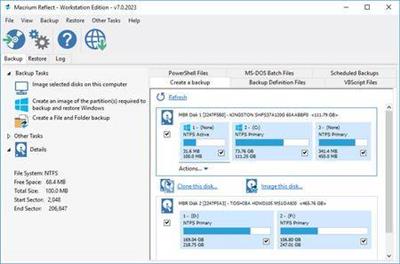
Macrium Reflect Workstation / Server / Server Plus 7.2.4942 (x64) | 365 MB​


Macrium Reflect - backup and recovery for individual PCs and servers. Reflect Workstation - Designed for endpoint backup of business-critical PCs and workstations. Peace of mind for organisations when backing up Windows PCs.


Solution highlights:
- New Backup Engine: Incremental and differential images up to 60 times faster
- Instant virtual booting of backup images: instantly create, start and manage Microsoft Hyper-V virtual machines
- Ultra-fast Live imaging of windows systems, physical and virtual
- Restore images to dissimilar hardware using Macrium ReDeploy
- Greatly simplified administration including pre-defined Backup Plans for popular backup strategies
- Fully featured file and folder level backup and recovery
- Updated support for all the latest Windows Operating Systems and disk formats

Macrium Reflect 7 Features:
- Backup your entire PC to a single compressed image file.
- Backup files and folders to a single compressed archive file.
- Recover partitions and entire disk images with just a few clicks of your mouse
- Dynamic disk support
- MBR and GPT disk support
- Restore images to dissimilar hardware using Macrium ReDeploy

Operating System: Windows XP, Vista, 7/8/10 (64-bit only)

Home Page -
Код:
http://www.macrium.com/


DOWNLOAD LINKS:

Код:
https://rapidgator.net/file/6cfe2557eefab94f29967d626fb6a87d/Macrium_Reflect_Workstation__Server__Server_Plus_7.2.4942_x64.rar

Код:
http://nitroflare.com/view/5EC48EB56B574F0/Macrium_Reflect_Workstation__Server__Server_Plus_7.2.4942_x64.rar

Код:
https://uploadgig.com/file/download/a68f1db773F8d27a/Macrium_Reflect_Workstation__Server__Server_Plus_7.2.4942_x64.rar
 
Maplesoft Maple 2020.0 x64

Maplesoft Maple 2020.0 x64


caf32def29a97876142ffeec65d1f0c2.jpg


Maplesoft Maple 2020.0 x64 | 1.44 GB​


Maplesoft announced a major new release of its flagship product, Maple, the powerful and easy to use mathematical software. The new release, Maple 2020, offers a vast collection of enhancements for both long-time customers and those who are using Maple for the very first time.


Maple 2020 delivers a more powerful math engine, new and improved tools for interactive problem solving, application development, student learning, document creation, and programming. Highlights include:
- Greater problem solving abilities, with new algorithms and solving techniques in differential equations, calculus, abstract algebra, integral transforms, graph theory, physics, and other areas of math, science, and engineering, expanding the scope and types of problems Maple can solve.
- Enhanced programming tools that help users find and fix problems in their own code.
- Additional clickable math tools, improved tutors, and an expanded Student package designed to support teaching and learning linear algebra.
- Enhanced signal processing abilities for the exploration of signals of all types, including data, image, and audio processing.
- More flexibility and improved output for printing, export to PDF, and LaTeX export, making content easier to share and use outside of Maple.
Every year, thousands of customers launch Maple for the first time, so in addition to improvements that can benefit any Maple user, Maple 2020 also includes many new features specifically designed to help new users become productive faster than ever. Maple 2020 provides new, more easily accessible Getting Started resources that provide an efficient introduction to fundamental Maple concepts. Additional improvements include new warnings that help users avoid common beginner mistakes, and improved messages to help users diagnose and recover from errors more quickly when they do occur.
Maple delivers a broad suite of math and analysis tools in an interface that scales easily from quick design calculations to full application development. From the world's most robust math engine and live design documentation, to CAD connectivity and code generation, Maple supports all stages of the design lifecycle. No other product on the market can provide the same computational power, mathematical breadth and depth, mathematically-aware programming language, application creation tools and connectivity options, all integrated into a highly intuitive technical document environment.

Introducing Maple 2020: Something for Everyone

Maplesoft has provided mathematics-based software solutions to educators, engineers, and researchers in science, technology, engineering, and mathematics (STEM) for over 30 years. Maplesoft's flagship product, Maple, combines the world's most powerful mathematics engine with an interface that makes it extremely easy to analyze, explore, visualize, and solve mathematical problems. Building on this technology, the product line includes solutions for education and research, system simulation, calculation management, and systems engineering.

Maplesoft products provide modern, innovative solutions to meet today's technical challenges, from exploring math concepts on a smartphone to reducing development risk in complex engineering design projects. Maplesoft products and services are used by more than 8000 educational institutions, research labs, and companies, in over 90 countries. Maplesoft is a subsidiary of Cybernet Systems Group.


Product: Maplesoft Maple
Version: 2020.0 build 1455132
Supported Architectures: x64
Website Home Page :
Код:
http://www.maplesoft.com

Language: english
System Requirements: PC *
Supported Operating Systems: *
Size: 1.44 Gb


DOWNLOAD LINKS:

Код:
https://rapidgator.net/file/715a73c654f079b87256a80aafc642d4/Maplesoft_Maple_2020.0_x64.part1.rar
https://rapidgator.net/file/bc10bfa8e485897bf56686d74bee8609/Maplesoft_Maple_2020.0_x64.part2.rar

Код:
http://nitroflare.com/view/0BBDB6561FF789A/Maplesoft_Maple_2020.0_x64.part1.rar
http://nitroflare.com/view/A4BB6CD530C99B9/Maplesoft_Maple_2020.0_x64.part2.rar

Код:
https://uploadgig.com/file/download/97ab5Fc04EcFc09e/Maplesoft_Maple_2020.0_x64.part1.rar
https://uploadgig.com/file/download/f3a8738ed549cbbA/Maplesoft_Maple_2020.0_x64.part2.rar
 
McAfee Agent 5.6.5 (MacOSX)

McAfee Agent 5.6.5 (MacOSX)


28b7dd7318ff167dca950550675ef62a.jpg


McAfee Agent 5.6.5 (MacOSX) | 25 MB​


The McAfee Agent is the client-side component providing secure communication between ePolicy Orchestrator and managed products. The McAfee Agent comprises an ePolicy Orchestrator extension and a number of packages corresponding to the various client operating systems supported by the agent.


Operating System:
macOS

Home Page -
Код:
http://www.mcafee.com


DOWNLOAD LINKS:

Код:
https://rapidgator.net/file/9e7290faf3eb85dc8883d5cca2d4bfcd/h76fq.McAfee.Agent.v5.6.5.MacOS.16TH.BIRTHDAYDVT.rar

Код:
http://nitroflare.com/view/784107B46955C37/h76fq.McAfee.Agent.v5.6.5.MacOS.16TH.BIRTHDAYDVT.rar

Код:
https://uploadgig.com/file/download/b9931Cb650d46ae1/h76fq.McAfee.Agent.v5.6.5.MacOS.16TH.BIRTHDAYDVT.rar
 
McAfee Agent 5.6.5

McAfee Agent 5.6.5 (Win-Linux)


cf32178ca01ea9ee95acfb986d4c83c7.jpg


McAfee Agent 5.6.5 (Win-Linux) | 178 Mb (in Total)​


The McAfee Agent is the client-side component providing secure communication between ePolicy Orchestrator and managed products. The McAfee Agent comprises an ePolicy Orchestrator extension and a number of packages corresponding to the various client operating systems supported by the agent.


Operating System:
Windows® 10, Windows® 8 / 8.1, Windows® 7 & Linux

Home Page -
Код:
http://www.mcafee.com


DOWNLOAD LINKS:

Код:
https://rapidgator.net/file/22eb807bd87156fe08d43a11309733dd/h76fq.McAfee.Agent.v5.6.5.Embedded.16TH.BIRTHDAYDVT.rar
https://rapidgator.net/file/a72577c9821273db2db58a5f45d6d1ff/h76fq.McAfee.Agent.v5.6.5.HF1.16TH.BIRTHDAYDVT.rar
https://rapidgator.net/file/dbb4543c2aa7924292a8024b8e70dfdf/h76fq.McAfee.Agent.v5.6.5.Linux.16TH.BIRTHDAYDVT.rar

Код:
http://nitroflare.com/view/54D7660B7B2CDE8/h76fq.McAfee.Agent.v5.6.5.Embedded.16TH.BIRTHDAYDVT.rar
http://nitroflare.com/view/4478691D9D70D6A/h76fq.McAfee.Agent.v5.6.5.HF1.16TH.BIRTHDAYDVT.rar
http://nitroflare.com/view/15FFDA86517A6ED/h76fq.McAfee.Agent.v5.6.5.Linux.16TH.BIRTHDAYDVT.rar

Код:
https://uploadgig.com/file/download/0Ab659A5309d6c13/h76fq.McAfee.Agent.v5.6.5.Embedded.16TH.BIRTHDAYDVT.rar
https://uploadgig.com/file/download/43F02af8bef5E9B5/h76fq.McAfee.Agent.v5.6.5.HF1.16TH.BIRTHDAYDVT.rar
https://uploadgig.com/file/download/6789912acDd764D6/h76fq.McAfee.Agent.v5.6.5.Linux.16TH.BIRTHDAYDVT.rar
 
McAfee Client Proxy 3.10 Multilingual

McAfee Client Proxy 3.10 Multilingual


415bdca794160f6580007272fc779571.jpg


McAfee Client Proxy 3.10 Multilingual | 166 MB​


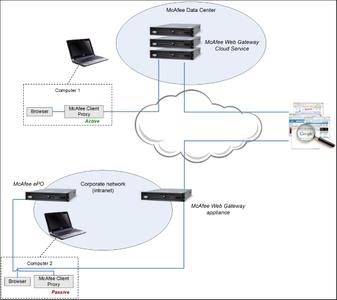
McAfee® Client Proxy is endpoint client software for Microsoft Windows that is an essential component of the McAfee® Web Protection hybrid deployment solution. The Client Proxy technology allows you to apply your organization's web security policy to a computer, whether it is located inside or outside your network.

Operating System:
Windows® 10, Windows® 8 / 8.1, Windows® 7


Home Page -
Код:
http://www.mcafee.com


DOWNLOAD LINKS:

Код:
https://rapidgator.net/file/44e1f1edb5f5b759ceca71f648eee3ea/McAfee_Client_Proxy_3.10_Multilingual.rar

Код:
http://nitroflare.com/view/AB4BB1D97A60D55/McAfee_Client_Proxy_3.10_Multilingual.rar

Код:
https://uploadgig.com/file/download/fbefF5Ef4fbc198e/McAfee_Client_Proxy_3.10_Multilingual.rar
 
McAfee Data Exchange Layer Broker 6.0.0.203

McAfee Data Exchange Layer Broker 6.0.0.203


c5dfb6906246285f9d711fb21f05e2f7.jpg


McAfee Data Exchange Layer Broker 6.0.0.203 | 283 MB​


Now you can enrich security operations and connect security solutions into an effective team. The Data Exchange Layer (DXL) communication fabric connects and optimizes security actions across multiple vendor products, as well as internally developed and open source solutions. Enterprises gain secure real-time access to new data and lightweight instant interactions with other products. New integration with Cisco pxGrid extends your reach end-to-end with better identity services and automated threat mitigation.

Operating System:
Windows® 10, Windows® 8 / 8.1, Windows® 7


Home Page -
Код:
https://www.mcafee.com/


DOWNLOAD LINKS:

Код:
https://rapidgator.net/file/d0c2ee8e256c71072ff5a72a1f98c76c/McAfee_Data_Exchange_Layer_Broker_6.0.0.203.rar

Код:
http://nitroflare.com/view/E6A82ABC213B6D9/McAfee_Data_Exchange_Layer_Broker_6.0.0.203.rar

Код:
https://uploadgig.com/file/download/6ab84e1fbc1bf94E/McAfee_Data_Exchange_Layer_Broker_6.0.0.203.rar
 
MiniTAB Workspace 1.1.1.0

MiniTAB Workspace 1.1.1.0


62128003b7b4e8f7d696fc86f6bf751d.jpg


MiniTAB Workspace 1.1.1.0 | 262 MB​


Searching for simple solutions to achieve the greatest impact with your work and provide business value? Minitab Workspace enables you to move work forward with powerful visual tools, process maps, brainstorming diagrams and forms in one intuitive interface right at your finger tips. Our tools help form processes and identify opportunities, ultimately making problems easier to solve.


Process Map
Build flowcharts with ease to help understand, see and communicate all the activities in a process with the added ability to customize the level of detail necessary.

Fishbone
Map out and identify every relevant element for a holistic view of your processes or projects, regardless if they are simple or complex.

Value Stream Map
Visualize the flow of deliverables and information through your organization, department, or team and showcase the value it creates for your customers and stakeholders.

Failure Modes and Effects Analysis (FMEA)
Mitigate risk of failure in a process or product design by identifying potential failures and taking the actions needed to achieve projected goals.


Note: Workspace's FMEA meets the latest AIAG-VDA Standards to ensure industry-leading standards for product and process development.

Five Whys
Determine the root cause of a problem through direct questions, relationship mapping and reflection to prevent recurrence in the future.

Monte Carlo Simulation
Evaluate and understand risk in a process or project, forecast the results, and optimize effortlessly with speed and efficiency.

System Requirements:
Operating System: Windows 8 or 8.1, Windows 10
RAM 32-bit systems: 1 GB (minimum), 2+ GB (recommended); 64-bit systems: 2 GB (minimum)
Processor: At least Pentium 4 or compatible processor, 1 GHz or higher
Hard Disk Space: 2 GB (minimum) free space available
* Additional required software will be installed with the application: .NET Framework 4.6.2, Microsoft Visual C++ 2017 Redistributable (x86), and Microsoft Visual C++ 2013 Redistributable (x86)
Browser: A browser is required for online Help
Screen Resolution: 1024 x 768 or higher
Connectivity: Internet connection required for installation/activation of product and accessing help content.


Home Page -
Код:
https://www.minitab.com/


DOWNLOAD LINKS:

Код:
https://rapidgator.net/file/2b706df75c803d54d859120784535f02/MiniTAB_Workspace_1.1.1.0.rar

Код:
http://nitroflare.com/view/374F628801B9627/MiniTAB_Workspace_1.1.1.0.rar

Код:
https://uploadgig.com/file/download/2db8301986a69964/MiniTAB_Workspace_1.1.1.0.rar
 
MSC Nastran 2020 with Documentation

MSC Nastran 2020 with Documentation


253c9e9cf8f2dc14315b84c88f7530bc.jpg


MSC Nastran 2020 with Documentation | 3.99 GB​


MSC Software recently released version 2020.0 of its flagship finite element analysis (FEA) solver, Nastran. It is the most widely used, extensive, trusted and accurate version of the solver available in the world.


MSC Nastran 2020 Release Highlights

MSC Nastran is a multidisciplinary structural analysis application used by engineers to perform static, dynamic, and thermal analysis across the linear and nonlinear domains, complemented with automated structural optimization and award winning embedded fatigue analysis technologies, all enabled by high performance computing.

Engineers use MSC Nastran to ensure structural systems have the necessary strength, stiffness, and life to preclude failure (excess stresses, resonance, buckling, or detrimental deformations) that may compromise structural function and safety. MSC Nastran is also used to improve the economy and passenger comfort of structural designs.

Manufacturers leverage MSC Nastran's unique multidisciplinary approach to structural analysis at various points in the product development process.
MSC Nastran is based on sophisticated numerical methods, the most prominent being the Finite Element Method. Nonlinear FE problems may be solved with built-in implicit numerical techniques. A number of optimization algorithms are available, including MSCADS and IPOPT. The fatigue capability in MSC Nastran has been developed jointly by nCode International Ltd. and MSC Software.

Customer Testimonial- USC Viterbi School of Engineering, MSC Nastran and Patran

MSC Software is one of the ten original software companies and a global leader in helping product manufacturers to advance their engineering methods with simulation software and services. As a trusted partner, MSC Software helps companies improve quality, save time, and reduce costs associated with design and test of manufactured products. MSC Software is based in Newport Beach, California and employs 1,200 professionals in 22 countries. Having established its subsidiary in Tokyo, Japan in February 1982, it now has its offices in Osaka and Nagoya.


Product: MSC Nastran
Version: 2020.0 with Documentation
Supported Architectures: x64
Website Home Page :
Код:
http://www.mscsoftware.com

Language: english
System Requirements: PC *
Supported Operating Systems: *
Size: 3.99 Gb

Installation Notes:
You must have one of the following systems to install and run MSC Nastran:
- Windows 7-64 or Windows 10-64, with at least 4 Gigabyte RAM, and 20 Gigabytes available disk space to install MSC Nastran.
- Microsoft 2010 Redistributables are required. They may be downloaded from:

Код:
http://www.microsoft.com/en-us/download/details.aspx?id=26999

The following Microsoft Redistributables are installed if they do not already exist:
- MSC_Install_VC_2008_SP1_X64(); - Microsoft Visual C++ 2008 Redistributable - x64 9.0.30729.17
- MSC_Install_VC_2010_X64(); - Microsoft Visual C++ 2010 x86 Redistributable - 10.0.30319
- MSC_Install_VC_2012_X64(); - Microsoft Visual C++ 2012 Redistributable (x64) - 11.0.61030
- MSC_Install_VC_2013_X64(); - Microsoft Visual C++ 2013 Redistributable (x64) - 12.0.21005
- MSC_Install_VC_2015_X64(); - Microsoft Visual C++ 2015 Redistributable (x64) - 14.0.23026


DOWNLOAD LINKS:

Код:
https://rapidgator.net/file/86411088aef180d654af619d40e0e44c/MSC_Nastran_2020_with_Documentation.part1.rar
https://rapidgator.net/file/60c1fcc690d140976b8f2d36de173f22/MSC_Nastran_2020_with_Documentation.part2.rar
https://rapidgator.net/file/36d0149fc0fdf2e44832a896a29ed3f3/MSC_Nastran_2020_with_Documentation.part3.rar
https://rapidgator.net/file/7573f3bd60a7a5b3f12213929a5ebece/MSC_Nastran_2020_with_Documentation.part4.rar

Код:
http://nitroflare.com/view/6158FD5E80E9CB2/MSC_Nastran_2020_with_Documentation.part1.rar
http://nitroflare.com/view/6B5E7CE4AF54E52/MSC_Nastran_2020_with_Documentation.part2.rar
http://nitroflare.com/view/64E793425FBCC26/MSC_Nastran_2020_with_Documentation.part3.rar
http://nitroflare.com/view/89938EEA5232619/MSC_Nastran_2020_with_Documentation.part4.rar

Код:
https://uploadgig.com/file/download/66A4E6c868d3C3Be/MSC_Nastran_2020_with_Documentation.part1.rar
https://uploadgig.com/file/download/f060b54a8e07817c/MSC_Nastran_2020_with_Documentation.part2.rar
https://uploadgig.com/file/download/c8A59aceed00Bf4E/MSC_Nastran_2020_with_Documentation.part3.rar
https://uploadgig.com/file/download/22c477B738509edf/MSC_Nastran_2020_with_Documentation.part4.rar
 
Parted Magic 2020.05.20

Parted Magic 2020.05.20


7a81d4f0b4cc7b9f4d4811d3c3745b68.jpg


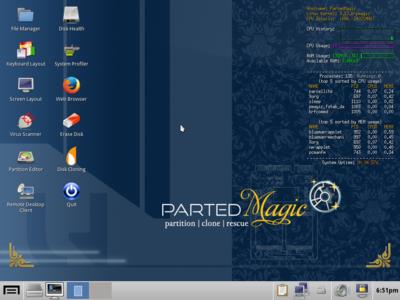
Parted Magic 2020.05.20 | 821 MB​


Powerful Tools for Home or Office! Parted Magic is a complete hard disk management solution.

Disk Partitioning
PartedMagic has the tools to get the job done. With the Partition Editor you can re-size, copy, and move partitions. You can grow or shrink your C: drive. Create space for new operating systems. Attempt data rescue from lost partitions.

Disk Cloning
Clone a computer's entire disk or a single partition. The cloned data could be saved as an image-file or as a duplicated copy of the data. The data could then be saved to a locally attached storage device, an SSH server, a Samba Server, or a Network File System share. The clone file can then be used to restore the original when needed.

Data Rescue
PartedMagic allows you to easily reset or change Windows passwords. Recover lost files. Rescue files from devices with disk read errors.

Disk Erasing
PartedMagic comes with easy to use solutions for conventional overwrite. Internal Secure Erase. Wiping of only Free Space.

Benchmarking
All the benchmarking tools you would ever need! Bonnie++, IOzone, Hard Info, System Stability Tester, mprime, and stress.

Supported File Systems:
ext2, ext3, ext4, fat16, fat32, ntfs, and reiserfs
Supported Actions: Create, grow, shrink, move, copy, check, label, and UUID.
Supported Hardware
PartedMagic requires at least a 686 processor with 1GB of RAM. 512MB in Live mode. Compatible with Secure Boot Windows machines. Runs well on Intel Macs.
No Installation Required!
PartedMagic is a stand alone Linux operating system. Runs from a CD or USB drive. Nothing installed.
Supported Storage Devices
Hard disk drives (SATA, IDE, and SCSI). Flash memory. USB drives. SSD (Solid State Drives). Devices with sector sizes of 512, 1024, 2048, 4096, etc.


Home Page -
Код:
https://partedmagic.com/


DOWNLOAD LINKS:

Код:
https://rapidgator.net/file/855c45548a3695fd0c7afcf45fd82677/Parted_Magic_2020.05.20.rar

Код:
http://nitroflare.com/view/422B0FC9910DC1C/Parted_Magic_2020.05.20.rar

Код:
https://uploadgig.com/file/download/5A04e4730CfdD266/Parted_Magic_2020.05.20.rar
 
Pix4Dmapper 4.5.6 x64

Pix4Dmapper 4.5.6 x64


2461bf80e5bd243f3598502b9885f8cd.jpg


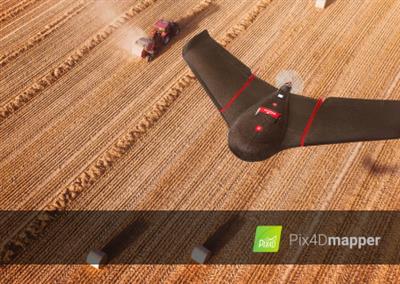
Pix4Dmapper 4.5.6 x64 | 431 MB​


Photogrammetry leader Pix4D is announcing the commercial release of next-generation software addressing the modern-day professional challenges. Pix4Dmapper Enterprise 4.5 it turns your images into highly precise, georeferenced 2D maps and 3D models by an average of 20% faster than ever.


Faster processing with Pix4Dmapper 4.5 - Date: March 31, 2020
For almost a decade, Pix4D has been creating scientifically-backed photogrammetry software. Our strong point has always been our accuracy - and speed just got a major boost.
The new Pix4Dmapper 4.5 offers survey-grade deliverables faster than ever before. The updates to our flagship software mean Pix4Dmapper 4.5 is the fastest version of Pix4Dmapper yet.

Tests performed both internally and by Puget Systems show Pix4Dmapper 4.5 can calibrate images and generate a dense point cloud on average 20% faster than the previous version.

As regular users know, processing a project in Pix4Dmapper consists of three steps. We've made some big changes to the first two.
Step 1: Initial Processing - this step calibrates the images for an optimal reconstruction. Our internal tests show that with Pix4Dmapper 4.5 this step is an average of 20% faster.
Step 2: Point cloud and mesh - creates a detailed point cloud and 3D triangulated mesh. We worked on improving the point cloud densification algorithm. One workaround for older versions of the software or slower computers is to reduce how dense the points are. However, that sacrifices quality. With the new 4.5 release, you get the same accuracy, and same high quality results while shaving up an average of 20% off the processing time.

But projects aren't individual steps. Processing a project from beginning to end - running all three processing steps and creating outputs - is an average of 15% faster with Pix4Dmapper 4.5. In our internal tests, the three processing steps for a small project with around 300 images were completed 12% faster.

Pix4Dmapper is your complete mapping and modelling solution to convert thousands of images into geo-referenced 2D mosaics and 3D models.
Pix4Dmapper automatically processes terrestrial and aerial imagery acquired by light-weight UAV or aircraft using its innovative technology based purely on image content. And converts your images into highly accurate, precise, customizable and timely results for a wide range of GIS and CAD applications.

With speed-up in the image calibration and point cloud generation by an average of 20% in both steps, it now enables users Pix4Dmapper version 4.5 to process projects faster than ever.
Pix4D Demo Video - Pix4Dmapper for Desktop and Cloud

Pix4D develops cutting-edge software that converts images taken by hand, by drone or by plane into accurate and georeferenced survey-grade 2D mosaics, 3D models and point clouds. The dynamic and rapidly expanding company, founded in 2011, is based in Switzerland, with offices in San Francisco, Denver, Shanghai, Berlin, Madrid and Tokyo.


Product: Pix4Dmapper
Version: 4.5.6 Enterprise
Supported Architectures: x64
Website Home Page :
Код:
http://www.pix4d.com

Language: english
System Requirements: PC *
Supported Operating Systems: *
Size: 431.2 mb

Minimum
- Windows 7, 8, 10, Server 2008, Server 2012, 64 bits (PC or macOS computers using Boot Camp).
- Any CPU (Intel i5 / i7 / Xeon recommended).
- Any GPU that is compatible with OpenGL 3.2. (integrated graphic cards Intel HD 4000 or above).
- Small projects (under 100 images at 14 MP): 4 GB RAM, 10 GB HDD free space.
- Medium projects (between 100 and 500 images at 14 MP): 8 GB RAM, 20 GB HDD free space.
- Large projects (between 500 and 2000 images at 14 MP): 16 GB RAM, 40 GB HDD free space.
- Very large projects (over 2000 images at 14 MP): 16 GB RAM, 80 GB HDD free space.

Recommended
- Windows 7, 8, 10 64 bits.
- CPU quad-core or hexa-core Intel i7 / Xeon.
- GeForce GPU compatible with OpenGL 3.2 and 2 GB RAM.
- Hard disk: SSD.
- Small projects (under 100 images at 14 MP): 8 GB RAM, 15 GB SSD free space.
- Medium projects (between 100 and 500 images at 14 MP): 16GB RAM, 30 GB SSD free space.
- Large projects (over 500 images at 14 MP): 32 GB RAM, 60 GB SSD free space.
- Very large projects (over 2,000 images at 14 MP): 64 GB RAM, 120 GB SSD free space.


DOWNLOAD LINKS:

Код:
https://rapidgator.net/file/640d342e8b56642adeeeb8d5031c4381/Pix4Dmapper_4.5.6.rar

Код:
http://nitroflare.com/view/1D08D22579EAF47/Pix4Dmapper_4.5.6.rar

Код:
https://uploadgig.com/file/download/fe31F0462d6Db55d/Pix4Dmapper_4.5.6.rar
 
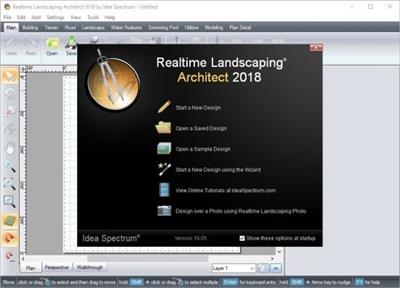
Realtime Landscaping Architect 2020 v20.0

Realtime Landscaping Architect 2020 v20.0


55f4a8e5e8f8f7b6a405540b55c7fa25.jpg


Realtime Landscaping Architect 2020 v20.0 | 3.71 GB​


Professional Landscape Design Software. Impress your clients with detailed 2D and 3D landscape designs using Realtime Landscaping Architect. Design complete landscapes including yards, gardens, swimming pools, ponds, decks, fences, patios, and much more.

- Design professional landscape plans
- Create effective presentations and videos
- Powerful, yet easy to use design tools
- 17,000 objects, including 7,400 plants

Design Landscape Plans
Design houses, decks, fencing, yards, gardens, swimming pools, water features, and much more with easy-to-use tools. Give your plans a hand-drawn look using a wide variety of plant symbols and color washes. Add plant labels automatically using the wizard, and add a plant legend with just a few mouse clicks. Design irrigation systems, planting details, and other CAD drawings with accurate size and scale. Includes drawing templates for sheet sizes A0-A4, and custom sizes are also supported. An extensive library of symbols is included, and you can create your own using the wizard.

Simultaneous 2D and 3D Design
As you design your landscape, the 2D and 3D views are updated automatically. Freely switch between views as needed. Design houses, decks, and other objects in 2D, and then switch to 3D to set their elevation. Most tools can be used in either view.

The 2D view, called the Plan view, is used for creating artistic, stylized, CAD-like, or realistic top-down landscape plans. If an object is added to the Plan view it will appear in both the Plan and 3D views, but can be customized for each view if needed. This functionality allows landscape designers to create both detailed 2D plans and realistic 3D designs at the same time.

Choose your Design Appearance
Many different design types of plan designs are available in Realtime Landscaping Architect through large libraries of symbols, color washes, hatch patterns, gradients, and more. Create rich vibrant designs, or opt for a traditional black and white CAD appearance. Through the use of color washes, even hand-drawn or painted designs are possible.

High Quality Plants
Design landscapes using a library of over 7,400 high resolution plants including shrubs, annuals, perennials, cacti, water garden and tropical. Plants are included from all climate zones, so you can choose the ones best suited to your client's location.

Most plants are high-resolution, professionally masked pictures of real plants, so they look realistic even close up. The library also includes 470 high-resolution 3D plant models which are ideal for movies and 3D walkthroughs, and nearly 500 additional standard-resolution 3D plant models.

Create Swimming Pools and Spas
Design breathtaking swimming pools and spas. Above ground, in-ground, multiple level, and infinity edge pool styles are all supported. Create spas that flow into pools, add pools with rockery, diving boards, or waterslides. Add products from national manufacturers such as S.R. Smith, Master Tile, and PebbleTec™. Present clients with a surprisingly realistic view of your swimming pool design ideas, complete with flowing water, reflections, ripples, and even nighttime lighting.

Design Irrigation Systems
Design irrigation systems perfectly suited to your client's landscape design. Add sprinklers, piping, and other symbols. Set the coverage angle and radius of each sprinkler head as needed.

Create Cost Estimates and Material Lists
Quickly estimate the cost of each project using the integrated and automatic Project Material List. Simply open the list, enter prices for the different landscaping objects, and print the result. When creating client quotes, you can export the material list to Excel and add labor, excavation, and other custom items as needed.

Deck Design Made Easy
Use the intuitive deck tools to create decks of virtually any size, shape, and style. Create a deck design in as few as five clicks, and then customize your creation until you find the perfect combination of style and function. Select one of our predefined styles to instantly visualize a new look, or design your own. Help clients visualize your design ideas with realistic deck furniture, outdoor kitchens, and more.

Design Patios, Fencing, Driveways, and More
The possibilities are endless with the wide variety of tools included in Realtime Landscaping Architect. Create metal, vinyl, wood, or chain link fencing with ease. Add patios and driveways by simply drawing their shape and selecting a material. Add realistic paths, hedges, rockery, and much more.

Plants from Every Planting Zone
Choose from over 7,400 high quality plants using the built-in search tools. Locate plants that will thrive at your client's location and add them to your landscape design with just a few mouse clicks. Use the Plant Growth tool to help clients visualize what their landscape will look like in the future: anywhere from three months to more than 20 years. This is a great way to determine spacing and other size considerations.

Design over a Photo or in Realistic 3D
Import a photo of your client's property and design the landscape. Or, design their entire landscape in full 3D using powerful design tools. Mix and match methods as needed based on the needs of each client.

Surprisingly Easy to Use
Realtime Landscaping Architect was designed from the ground up to be easy to use. Whether you are designing the landscape for one home or an entire housing development, Realtime Landscaping Architect will help you create impressive landscape designs without expensive classes or training. The software includes a built-in user guide, free email and toll-free technical support, and online tutorials. Have a question about a feature? Simply press F1.

Design Single and Multi-Story Houses
Use the House Wizard to drop in a pre-built house, or create a new one from scratch. Add houses simply by drawing their outline: the walls, trim, and even the roof are all created automatically. Easily add single and multi-story houses to your landscape design. Add doors, windows, porch lights, change the siding and roofing materials, select between gable and hip roof styles - all with just a few mouse clicks.

Only the exterior of houses are modeled, not the interior. This makes houses much easier to build and edit than traditional home design programs, and helps you focus on designing your client's landscape.

Garden Design and More
Create plant-filled gardens with mulch, edging, rockery, decorations, and more. Use the Plant Growth tool to help determine plant spacing. Use the realistic edging, rock border, and other tools to design complete landscapes for your clients. Present your designs in full 3D using the Realtime Walkthrough feature, complete with lighting, shadows, and other effects.

Add Lawn Furniture, Outdoor Kitchens, and More
Choose from thousands of objects to enhance your landscape designs such as swimming pool objects, 3D rockery, outdoor furniture, intricate gazebos, carports, sheds, and much more. Choose products from national brands such as S.R. Smith, Jerith, Philips Hadco, Amarr, Kichler, Highpoint Deck Lighting, MasterTile, Noble Tile, and RicoRock.

Realistic Pavers, Brick, Stone, and More
Select from a large library of professional materials including pavers, mulch, brick, wood, concrete, stacked stone, and more. Choose from products by Belgard, Unilock, R.I. Lampus, PebbleTec, and Eldorado. Change the color and brightness of any material as needed for each client.

Landscape Sloping or Uneven Property
Is your client's property sloped, on a hill, or terraced? Use the terrain sculpting tools to add slopes, hills, contour lines, and custom topology. Modify the terrain before, during, or after creating your landscape design. Create terraced landscape designs using the powerful Retaining Wall tool, using materials from Eldorado, Belgard, and Unilock.

Design Custom Ponds and Water Features
Design ponds, water gardens, and other water features using the advanced tools in Realtime Landscaping Architect. Design ponds and streams of any shape and size, add rockery, waterfalls, fountains, and jumping jets, and choose from a large library of accessories and decorations. Using our exclusive Realtime Walkthrough feature, you can present your designs to clients in real-time 3D, complete with flowing water, koi fish, and other effects.

DWG, DXF, and PDF Import
Import DWG, DXF, and PDF files into your landscape designs using the new CAD Drawing Import Wizard. In just a few clicks, you can design directly on top of site plans and other CAD drawings for accurate scale and placement. Extract shapes and contour lines from DWG and DXF files. Create lot boundaries, building outlines, and even entire topology using shapes from your existing CAD drawings.

Design Landscape Lighting
Help clients visualize your landscape lighting ideas using products from Philips Hadco, Kichler, and Highpoint. Any number of landscape lights, house lights, and swimming pool lights can be added to your landscape designs. Show clients impressive nighttime pictures and walkthroughs complete with realistic lighting and shadows.

Compelling Client Presentations
Present your design ideas and proposals using a variety of methods. Print your designs to any color printed supported by Windows. Send your design to a print shop in PDF or JPG format. E-mail 2D plans and 3D pictures of your designs. Create a video of your landscape design and upload to YouTube or burn to a DVD.


System Requirements:
* Microsoft Windows Vista/7/8/8.1/10 with the latest Microsoft service packs
* 1 GHz CPU (2 GHz or more recommended)
* 4 GB System Memory (8 GB or more recommended)
* 30 GB available hard disk space
* DirectX 11-compatible Video Card with 512 MB Video Memory (1 GB or more recommended)
* Keyboard
* Mouse or other pointing device


Homepage -
Код:
https://www.ideaspectrum.com


Language: English


DOWNLOAD LINKS:

Код:
https://rapidgator.net/file/ce8dd558586ab65eeb0dd005016d44e5/Realtime_Landscaping_Architect_2020_v20.0.part1.rar
https://rapidgator.net/file/bf1746580ecea0ef0e590a8e34aa9466/Realtime_Landscaping_Architect_2020_v20.0.part2.rar
https://rapidgator.net/file/cac6d19b028b2391487d62f01103e692/Realtime_Landscaping_Architect_2020_v20.0.part3.rar
https://rapidgator.net/file/ce6ee1de348af8e3ad6e4b46af8fdbf1/Realtime_Landscaping_Architect_2020_v20.0.part4.rar

Код:
http://nitroflare.com/view/DFF2CB534B6F7C2/Realtime_Landscaping_Architect_2020_v20.0.part1.rar
http://nitroflare.com/view/2A7F065067E64CF/Realtime_Landscaping_Architect_2020_v20.0.part2.rar
http://nitroflare.com/view/39379A367E32715/Realtime_Landscaping_Architect_2020_v20.0.part3.rar
http://nitroflare.com/view/5C86DB09BF9B688/Realtime_Landscaping_Architect_2020_v20.0.part4.rar

Код:
https://uploadgig.com/file/download/246807f165b99bf9/Realtime_Landscaping_Architect_2020_v20.0.part1.rar
https://uploadgig.com/file/download/Ed2030Df4d51d282/Realtime_Landscaping_Architect_2020_v20.0.part2.rar
https://uploadgig.com/file/download/386Bdacb4dDe4E27/Realtime_Landscaping_Architect_2020_v20.0.part3.rar
https://uploadgig.com/file/download/4aC222d1bBfE841d/Realtime_Landscaping_Architect_2020_v20.0.part4.rar
 
RSLogix5000 version 28.00 (x86/x64)

RSLogix5000 version 28.00 (x86/x64)


bc86af817f47d554fda7298217e6649b.jpg


RSLogix5000 version 28.00 (x86/x64) | 7.61 GB​


Rockwell Automation has presented the 28.0 release of its Studio 5000 integrated development environment, designed to help get smart machines to market faster with enhanced security. The software includes best digital design capabilities to help reduce machine design time, as well as testing and commissioning times.


The following new feature and functionality has been added to this release of the Logix Designer application.
Powerflex 755
The Powerflex 755 feature development adds 24-Bit Resolution capability to supported feedback devices and Servo I/O support for Powerflex 755 CIP Motion drives. The 755 CIP Motion drives have also been updated to accept new 11 and 22 Series servo I/O cards that should be placed in slot 7.

SequenceManager
Added in version 28 of the Logix Designer Application, SequenceManager provides the ability to create an Equipment Sequence program to run a single unit batch process within a Logix controller. Used in combination with PhaseManager, SequenceManager follows the ISA-88 methodology for automated batch control. Combining full state model execution, View Site Edition (SE) ActiveX controls, and batch event logging, this product provides flexible and scalable controller base batching solutions to single unit and OEM applications. Note that this functionality will be supported by the 5x80 family of controllers in a future release.

Permission sets and Logical Names
Use permission sets and Logical Names, configured in the FactoryTalk Administration Console, to control access to controller projects. Permission sets and Logical Names identify a set of actions that are allowed or denied for one or more user groups or computer groups. Use permission sets to apply the same permissions to multiple controllers or project components. Use a Logical Name to associate permissions with a specific controller.

Permission sets for project components
You can secure individual tags, routines, and Add-On Instructions with additional or different permissions than those assigned to protect a controller project. For example, you can apply permissions that allow a user to modify some tags, but not others. The security settings that you apply to a specific component override any security policy applied to the overall project.

Permissions for Guest Users
When you configure permission sets and logical names in the FactoryTalk Administration Console, you can also configure permissions for Guest Users. The permissions for Guest Users determine the level of access for users who are not authenticated on the same FactoryTalk directory that the project was secured with.

Secondary security authorities
When a project is protected by a primary security authority, you can configure a secondary security authority. The secondary security authority further restricts Guest Users beyond the permissions granted by the primary security authority. For example, an original equipment manufacturer (OEM) can secure a project with FactoryTalk Services Platform using a primary directory, and an end customer can further secure the project with their own FactoryTalk Services Platform directory.

New Build button on standard Toolbar
For the 5x80 family of controllers, the Build button on the standard Toolbar in Logix Designer application creates binary files compiled from user subroutines and caches them in the project .ACD file. If these binary files are present in the project during a download, then Logix Designer does not have to recompile them, saving time during the download process.

THIS Message to Self addition within Logix Designer
Added the ability to easily perform a message to self by using the word THIS within the communication path of a message instruction.


The following new feature and functionality has been added to this release of the Logix Designer application.
Powerflex 755
The Powerflex 755 feature development adds 24-Bit Resolution capability to supported feedback devices and Servo I/O support for Powerflex 755 CIP Motion drives. The 755 CIP Motion drives have also been updated to accept new 11 and 22 Series servo I/O cards that should be placed in slot 7.

SequenceManager
Added in version 28 of the Logix Designer Application, SequenceManager provides the ability to create an Equipment Sequence program to run a single unit batch process within a Logix controller. Used in combination with PhaseManager, SequenceManager follows the ISA-88 methodology for automated batch control. Combining full state model execution, View Site Edition (SE) ActiveX controls, and batch event logging, this product provides flexible and scalable controller base batching solutions to single unit and OEM applications. Note that this functionality will be supported by the 5x80 family of controllers in a future release.

Permission sets and Logical Names
Use permission sets and Logical Names, configured in the FactoryTalk Administration Console, to control access to controller projects. Permission sets and Logical Names identify a set of actions that are allowed or denied for one or more user groups or computer groups. Use permission sets to apply the same permissions to multiple controllers or project components. Use a Logical Name to associate permissions with a specific controller.

Permission sets for project components
You can secure individual tags, routines, and Add-On Instructions with additional or different permissions than those assigned to protect a controller project. For example, you can apply permissions that allow a user to modify some tags, but not others. The security settings that you apply to a specific component override any security policy applied to the overall project.

Permissions for Guest Users
When you configure permission sets and logical names in the FactoryTalk Administration Console, you can also configure permissions for Guest Users. The permissions for Guest Users determine the level of access for users who are not authenticated on the same FactoryTalk directory that the project was secured with.

Secondary security authorities
When a project is protected by a primary security authority, you can configure a secondary security authority. The secondary security authority further restricts Guest Users beyond the permissions granted by the primary security authority. For example, an original equipment manufacturer (OEM) can secure a project with FactoryTalk Services Platform using a primary directory, and an end customer can further secure the project with their own FactoryTalk Services Platform directory.

New Build button on standard Toolbar
For the 5x80 family of controllers, the Build button on the standard Toolbar in Logix Designer application creates binary files compiled from user subroutines and caches them in the project .ACD file. If these binary files are present in the project during a download, then Logix Designer does not have to recompile them, saving time during the download process.
THIS Message to Self addition within Logix Designer
Added the ability to easily perform a message to self by using the word THIS within the communication path of a message instruction.


The Studio 5000 design environment is a family of design products for Logix and PanelView solutions, and it consists of: Studio 5000 Logix Emulate, Logix Designer, View Designer, Architect, Application Code Manager and Simulation Interface.

The Studio 5000 Logix Designer provides a powerful integrated interface allowing users to easily build programs using four programming languages: relay ladder, structured text, sequential function chart, and function block diagram. The software allows students to concentrate on the logic aspects of PLC programming instead of spending time on complex syntax. It also features drag-and-drop editing, search-and-replace functions, and tools for verifying programs before running them on a PLC.

The Studio 5000 Logix Designer application is used to configure, program and maintain the products and related devices for the Allen-Bradley Logix 5000 controllers and comes with RSLinx lite which provides the functionality required to support RSLogix and RSNetWorx.
Studio 5000 Logix Designer Walk Through

Rockwell Automation, Inc. is a global leader in industrial automation and digital transformation. We connect the imaginations of people with the potential of technology to expand what is humanly possible, making the world more productive and more sustainable. Headquartered in Milwaukee, Wisconsin, Rockwell Automation employs approximately 23,000 problem solvers dedicated to our customers in more than 100 countries.


Product: Studio 5000 Logix Designer (RSLogix5000)
Version: 28.00 Professional Edition *
Supported Architectures: 32bit / 64bit
Website Home Page :
Код:
http://www.rockwellautomation.com

Language: english
System Requirements: PC **
Supported Operating Systems: **
Size: 7.61 Gb

Rslogix5000 version on .ISO:
10.07
11.16
12.06
13.04
14.01
15.02
16.04
17.01
18.02
19.01
20.01
21.03
23.00
24.00
26.01
27.00
28.00

System Requirements Software requirements for Studio 5000 Logix Designer version 28.00
Operating system and service pack compatibility:
This version of the Logix Designer application has been tested on the following operating systems:
- Microsoft Windows 7 Professional (64-bit) with Service Pack 1
- Microsoft 7 Home Premium (32-bit) with Service Pack 1
- Microsoft Windows Server 2008 R2 Standard Edition with Service Pack 1
- Microsoft Windows 8 Professional (64-bit)
- Microsoft Windows 8.1 Professional (64-bit)
- Microsoft Windows Server 2012 Standard Edition (server version of Windows 8)
Important: While the Windows 8 and Windows 8.1 operating systems run on many touch-enabled devices, various features of the Logix Designer application may not be touch-enabled. Most functions are expected to work with touch, but the software has only been tested with a keyboard and mouse.
This version of Logix Designer is expected to operate correctly on all other editions and service packs of the following operating systems but has not been tested:
- Microsoft Windows 7
- Microsoft Windows Server 2008 R2
- Microsoft Windows 8
- Microsoft Windows Server 2012
- Microsoft Windows Server 2012 R2
Important: Logix Designer application may fail to launch if the Microsoft Windows 10 operating system is installed on your personal computer.
System Requirements Hardware requirements for Studio 5000 Logix Designer version 28
The personal computer must meet these minimum requirements. Using a computer meeting or exceeding the recommended characteristics will improve performance.
Processor: Intel Core 2 Duo at 2.8 GHz / Intel Core i5 at 2.4 GHz
RAM Memory: 4 GB / 8 GB
Hard Disk Space: 16 GB free / 20 GB free
Graphics Device: DirectX 9, with WDDM 1.0 or higher driver / DirectX 9, with WDDM 1.0 or higher driver.


DOWNLOAD LINKS:

Код:
https://rapidgator.net/file/cf3e121846f84d503b65518488fcddc7/RSLogix5000_version_28.00_x86x64.part1.rar
https://rapidgator.net/file/8d1705f5eafac72a5a30166210a7e8a3/RSLogix5000_version_28.00_x86x64.part2.rar
https://rapidgator.net/file/a1f795b20f1a3209f6064a4f53937e06/RSLogix5000_version_28.00_x86x64.part3.rar
https://rapidgator.net/file/dab3ef4fe4ab3a6d4cc91a2e3a2c91ed/RSLogix5000_version_28.00_x86x64.part4.rar
https://rapidgator.net/file/5861ed9edfd5f3ce9504fbebb50f220c/RSLogix5000_version_28.00_x86x64.part5.rar
https://rapidgator.net/file/63140bc4ce99aa93f9d6ae727d9ee143/RSLogix5000_version_28.00_x86x64.part6.rar
https://rapidgator.net/file/44a8a91c570d182fa079ac4aa70fede2/RSLogix5000_version_28.00_x86x64.part7.rar
https://rapidgator.net/file/407f6a6af06140d2bf6a4fba5ed25183/RSLogix5000_version_28.00_x86x64.part8.rar

Код:
http://nitroflare.com/view/7DE3753D89BBBB0/RSLogix5000_version_28.00_x86x64.part1.rar
http://nitroflare.com/view/C201BD212C45BE3/RSLogix5000_version_28.00_x86x64.part2.rar
http://nitroflare.com/view/7E89B1628AF8125/RSLogix5000_version_28.00_x86x64.part3.rar
http://nitroflare.com/view/6F87C8E6B57A014/RSLogix5000_version_28.00_x86x64.part4.rar
http://nitroflare.com/view/FDC925FE4826DC5/RSLogix5000_version_28.00_x86x64.part5.rar
http://nitroflare.com/view/22D7CD267E37749/RSLogix5000_version_28.00_x86x64.part6.rar
http://nitroflare.com/view/56E5F0EACE2EA7D/RSLogix5000_version_28.00_x86x64.part7.rar
http://nitroflare.com/view/ED0A8D7899A2203/RSLogix5000_version_28.00_x86x64.part8.rar

Код:
https://uploadgig.com/file/download/1c4884db2A851dc6/RSLogix5000_version_28.00_x86x64.part1.rar
https://uploadgig.com/file/download/aE8FF616aCe84623/RSLogix5000_version_28.00_x86x64.part2.rar
https://uploadgig.com/file/download/3417aef1a6d32798/RSLogix5000_version_28.00_x86x64.part3.rar
https://uploadgig.com/file/download/e63f47f2c8C854d4/RSLogix5000_version_28.00_x86x64.part4.rar
https://uploadgig.com/file/download/d5c378f29643000c/RSLogix5000_version_28.00_x86x64.part5.rar
https://uploadgig.com/file/download/3946d29df7ec0cD0/RSLogix5000_version_28.00_x86x64.part6.rar
https://uploadgig.com/file/download/F15ee33669f0099e/RSLogix5000_version_28.00_x86x64.part7.rar
https://uploadgig.com/file/download/66561e353b6755B0/RSLogix5000_version_28.00_x86x64.part8.rar
 
Scientific Toolworks Understand 5.1.1026 (x86/x64)

Scientific Toolworks Understand 5.1.1026 (x86/x64)


6a19a78b224e52b06fbad81bbfac62f8.jpg


Scientific Toolworks Understand 5.1.1026 (x86/x64) | 289 MB​


Understand provides you with pertinent information regarding your code. Quickly see all information on functions, classes, variables, etc., how they are used, called, modified, and interacted with. Easily see call trees, metrics, references and any other information you would want to know about your code.


Metrics & Reports
Understand is very efficient at collecting metrics about the code and providing different ways for you to view it. There is a substantial collection of standard metrics quickly available as well as options for writing your own custom metrics when we don't cover exactly what you need.

Graphing
Understand offers graphs that allow you to see how your code connects (dependencies), how it flows (control flow graphs), what functions call other functions (call graphs), and many more. There are many customization options to easily allow you to display only what you are interested in seeing so the graph is best suited to what you need.

Standards Testing
Understand provides a way to check your code using published coding standards, or your own custom standards. These checks can be used to verify naming guidelines, metric requirements, published best practices, or any other rules or conventions that are important for your team.

Dependency Analysis
See all the dependencies in your code and how they connect. See these dependencies using Understand's interactive graph or using the textual Dependency Browser. Both allow you to see all dependencies quickly and easily at a high level or dig in and get the details.

Editor
Understand's powerful editor is a full modern programming GUI that incorporates all the modern features you would expect. It is designed from the ground-up for multi-monitor use and it includes tabs, tab groups, docking, syntax colorization, auto-completion, and syntax-based collapsing and folding just to name a few.

Search
Multiple options are available for searching in Understand. For instant results, use our "Instant Search" feature which provides results before you are even done typing. Understand also provides search options for more customized and complicated searches, such as Regular Expression and Wildcard searches.

Languages
Understand supports more than a dozen languages and can handle code bases that are written in multiple languages. This allows you to see calls and dependencies between languages so you can get information about the complete system.

Operating System: Windows 7, 8/8.1, 10

Home Page -
Код:
http://www.scitools.com/


DOWNLOAD LINKS:

Код:
https://rapidgator.net/file/2a23baa78df093c5706b1e849c2b3521/Scientific_Toolworks_Understand_5.1.1026_x86x64.rar

Код:
http://nitroflare.com/view/2F8B80807B0EFD4/Scientific_Toolworks_Understand_5.1.1026_x86x64.rar

Код:
https://uploadgig.com/file/download/65F3a5a7058e6230/Scientific_Toolworks_Understand_5.1.1026_x86x64.rar
 
Siemens Simcenter FloMASTER 2020.1

Siemens Simcenter FloMASTER 2020.1


56b0b619980e62f22fc94087d58e35eb.jpg


Siemens Simcenter FloMASTER 2020.1 | 1.5 GB​


The Siemens Digital Industries development team is pleased to announce the availability of Siemens Simcenter FloMASTER 2020.1 With the 2020.1 release of Simcenter system simulation solutions, Siemens Digital Industries Software continues to keep pace with the industry 's rapid technological evolution.


With this update the Simcenter simulation solutions become even more easy to use and customizable. With environmentally sustainable design and performance expectations, the race for electrification, new mobility, stringent regulations and quality and safety requirements, Simcenter system simulation solutions enhance productivity across the enterprise. Extended interoperability and synergies boost collaboration and efficiency, and new solutions, including with dedicated user experiences, help to accelerate innovation in this fast-evolving environment.

Three main benefit areas are powered by this new release:
- Accelerated innovation by rapidly meeting changing customer preferences with application-specific workflows
- Heightened collaboration and efficiency with new solutions and targeted user experiences
- Enhanced productivity across the enterprise by leveraging interoperability, synergies and a continuous digital thread

What's new in Simcenter FloMASTER 2020.1
- New pipe models for polymer pipes and non-Newtonian fluids
- FMI import to extend simulation capabilities
- Side-by-side install of different software versions
- Live sensors to easily visualize any results

For Simcenter FloMASTER software 2020.1, a new pipe model enables the simulation of visco-elastic and non-Newtonian behavior. The first capability allows the user to accurately model the nonlinear response of polymer pipes to a pressure surge event while the second responds to the need of industry to model the non-Newtonian behavior of a variety of fluids like slurries, blood and apple sauce, just to cite a few. Look at the following blog posts to discover more about non-Newtonian behavior or visco-elastic pipes.

To boost collaboration and efficiency, Simcenter Flomaster 2020.1 offers an enhanced user experience. Simcenter Flomaster 2020.1 includes Functional Mock-Up Interface (FMI) import for model exchange and co-simulation, further extending its interoperability solutions. Additionally, the new side-by-side install allows users to run different Simcenter Flomaster versions on the same client. Users can now start new projects taking advantage of the new capabilities of the latest version, while maintaining approved versions for old projects. Furthermore, this new version extends the work done on visual physics by introducing live sensors. With live sensors it is possible to display any result at discrete points of the network using numeric results, linear meters or gauges. This allows users to understand the system behavior at a glance.


FloMASTER, formerly known as Flowmaster, is the leading general purpose 1D computational fluid dynamics (CFD) solution for the modeling and analysis of fluid mechanics in complex piping systems of any scale.

Simcenter Flomaster allows engineers to virtually simulate and optimize fluid flows to ensure efficient performance in gas, liquid, and two-phase systems. Executed early in the development cycle, this can improve your time to market and reduce costs by addressing issues when changes can be most effective.

Our product offers in-built empirical data, a large library of components and sample systems to increase engineering productivity. The steady-state and transient solvers allow for rapid component sizing, pressure, temperature, and flow studies system-wide, and monitoring for system performance issues during real world operating conditions such as pressure surge. As part of a large engineering process, Simcenter Flomaster tightly couples with Simcenter FLOEFD for when more detail is needed for a given component and with other system level tools through Functional Mock-up Interface (FMI) for total system of system analysis.

Simcenter system simulation solutions 2020.1

Siemens Digital Industries is an innovation and technology leader in industrial automation and digitalization. In close cooperation with our partners and customers, we are the driving force for the digital transformation in the discrete and process industries.


Product: Siemens Simcenter FloMASTER
Version: 2020.1 (9.6.0 Build 980)
Supported Architectures: x86
Website Home Page :
Код:
http://www.plm.automation.siemens.com

Language: english
System Requirements: PC *
Supported Operating Systems: *
Size: 1.5 Gb

Supported Platforms:
Simcenter Flomaster 2020.1 requirements:
Operating system support: Windows 10-x64. Operating systems should include the latest Microsoft published updates.
- Microsoft .NET Framework 4.8or higher is required
- 5 GB available hard drive space for full installation
- Minimum screen resolution of 1280x1024 with normal font size selected and scaling set to 100% (this is the same as setting DPI to 96 pixels per inch).
Database server support:
- Microsoft SQL Server 2017
- Microsoft SQL Server 2016 SP1
- Microsoft SQL Server 2014 SP2
- Microsoft SQL Server 2012SP4
- Oracle Database Server 11g
Note: It is not possible to upgrade databases from releases prior to Flomaster V7.9.4 to Simcenter Flomaster 2020.1.For information on how toupgrade from versions prior to V7.9.4 please raise a service request in Support Center.
Compatible Releases
The following releases are compatiblewith Simcenter Flomaster 2020.1
- Simcenter FLOEFD 2019.2
- Simcenter MotorSolve 6.2 & 6.3


DOWNLOAD LINKS:

Код:
https://rapidgator.net/file/f1887ecd5822b835662fe8387bec7ed3/Siemens_Simcenter_FloMASTER_2020.1.part1.rar
https://rapidgator.net/file/c96b1d2210980dcaa225f766917afe01/Siemens_Simcenter_FloMASTER_2020.1.part2.rar

Код:
http://nitroflare.com/view/11EF82BB5DA644A/Siemens_Simcenter_FloMASTER_2020.1.part1.rar
http://nitroflare.com/view/ECA3BC9B17779DC/Siemens_Simcenter_FloMASTER_2020.1.part2.rar

Код:
https://uploadgig.com/file/download/0d683113FA3bdd67/Siemens_Simcenter_FloMASTER_2020.1.part1.rar
https://uploadgig.com/file/download/aEDc62B1e9b55e39/Siemens_Simcenter_FloMASTER_2020.1.part2.rar
 
Topaz DeNoise AI 2.2.0 (x64)

Topaz DeNoise AI 2.2.0 (x64)


43caa1127b5e174b6ab522ebecd0e753.jpg


Topaz DeNoise AI 2.2.0 (x64) | 764 MB​


Shoot anywhere in any light with no reservations. Eliminate noise and recover crisp detail in your images with the first AI-powered noise reduction tool. You may be surprised at the results you get.


Shoot anywhere in any light
Great noise reduction is like a lens upgrade. You'll be able to get much higher-quality results when you're shooting fast action shots, night images, or any other situation that requires a high ISO. Use DeNoise AI to help you create a pixel-perfect photo in any situation.

Groundbreaking technology
Noise reduction technology has basically been the same for a decade, with only minor incremental improvements here and there. (We would know - we made one!) DeNoise AI is different: we fed an algorithm millions of noisy/clear images until it actually learned what noise is and how best to remove it.

Recover true detail
DeNoise AI examines the whole image and holistically determines the difference between detail and noise in that photo. (Other NR tools only look at pixel-level detail.) After understanding what noise vs detail looks like for that specific image, DeNoise AI recovers a surprising amount of detail from noise.

Lightroom vs DeNoise AI
When you need pixel-level perfection in your results, DeNoise AI offers the absolute best quality currently available anywhere. Existing noise reduction tools like Lightroom give you a choice: keep some noise or remove some detail. DeNoise AI's technology allows you to get the best of both worlds: to remove noise while actually strengthening detail. The original noisy image (© Luis Garena) is on the left; we compare the Lightroom vs DeNoise AI results on the right. Pay special attention to the increased definition in the image, especially in the car wheels and center signs.
- Enhance real detail
- Remove noise naturally with no smudging
- Best for moderate to ultra-high ISOs

Any noise reduction tool can remove noise - the really tricky part is to tell the difference between noise and detail. DeNoise AI helps you get the best quality at 100% by removing noise while recovering original image detail. Give it a try to see the difference for yourself!

Operating System Version:
- Windows 7 x64
- Windows 8/8.1 x64
- Windows 10 x64

Hardware Requirements:
- System RAM: 8GB / 16GB recommended
- GPU VRAM: 2GB / 4GB recommended

Graphics Card Requirements:
- NVIDIA: GeForce GTX 770 2GB / GeForce GTX 960 4GB recommended
- AMD: Radeon HD 8570 2GB / Radeon R9 270 4GB recommended
- Intel: HD Graphics 5000 / Iris Plus Graphics 640 recommended

Home Page -
Код:
http://www.topazlabs.com/


DOWNLOAD LINKS:

Код:
https://rapidgator.net/file/3282b7f37f36dd1efdc8e3fd41917bd2/Topaz_DeNoise_AI_2.2.0_x64.rar

Код:
http://nitroflare.com/view/0AC71C6B2A1F88B/Topaz_DeNoise_AI_2.2.0_x64.rar

Код:
https://uploadgig.com/file/download/e89ff07Cc2c1AFe4/Topaz_DeNoise_AI_2.2.0_x64.rar
 
VSDC Video Editor Pro 6.4.5.138/140 (x86/x64) Multilingual

VSDC Video Editor Pro 6.4.5.138/140 (x86/x64) Multilingual


5993d754c108be7c5c3bb95352e12c8b.jpg


VSDC Video Editor Pro 6.4.5.138/140 (x86/x64) Multilingual | 196 MB​


The video editor is intended for editing video files and creating videos of any complexity involving various visual and audio effects. The program offers rich functionality and yet has a simple and intuitive interface, allowing you to create videos with a bare minimum of efforts.


Non-linear video editor
Our editor is a non-linear tool. This means that unlike in most other editors, where scenes come one after another in a linear sequence and certain order, our software allows objects to be placed in any position on the timeline and have any size. Besides, various parameters, shape and position of objects can change arbitrarily over time.

Visual and audio effects
You can apply various visual and audio effects to your videos to achieve the necessary result. Since the number of available visual effect is very high, they are split into five categories for ease of navigation: color correction, object transformation, object filters, transition effects and special fx.

Blending modes and Instagram-like filters
One more way of changing the look of your video image according to your preferences is color blending. Using a wide array of adjustable parameters, you can attach a unique professional style to your video. Newbies or those, who would like to save time, can benefit from stylish Instagram-like filters applied in one click.

Masking
VSDC Free Video Editor allows for creating different shaped masks for hiding, blurring or highlighting certain elements in your video. You can use it to apply special effects inside or outside the masked area. One of the most common reasons for masking are to blur a face to protect the identity or remove unwanted marks.

Subpixel accuracy
Objects in a scene are positioned with subpixel accuracy, which makes for smooth animation, rotation, transformation and precise relative positioning.

Support of popular formats
Our software supports virtually all video, image and audio formats and codecs. That is why you won't need any additional conversion tools to edit your files, as is often the case with other programs.

Creation of videos for specific multimedia devices
Thanks to a large set of preconfigured profiles, you can easily create videos for most popular multimedia devices, such as DVD players, iPod/iPhone/iPad, PSP, any smartphones and regular phones, Sony PlayStation, Xbox, Zune, Archos, iRiver, Creative Zen, Blackberry, MP4 players and many others.

Working with charts
You can create diagrams of different kinds, including 3D diagrams: Bar, Stacked Bar, Point, Bubble, Line, Scatter Line, Fast Line, Step Line, Spline, Area, Spline Area, Stacked Area, Stacked Spline Area, Range Bar, Gantt, Pie, Pie 3D, Torus 3D, Radar Point, Radar Line, Radar Area, Radar Spline, Radar Spline Area, Funnel, Pyramid, Pyramid 3D, High Low, Candle Stick. These objects can be based on dynamically changing data of different types. Besides, the appearance of diagrams is fully customizable (appearance of charts, coordinate axes, user-defined axes, legends, names of charts and axes, lines, labels and other elements), which will help you tailor them to your specific needs. Integrated color themes make it possible to quickly change the way your charts look.

Video library (to be included in the next program release)
The editor software lets you create your own library of multimedia files with brief or detailed descriptions. This will help you organize your video collection and simplify access to the necessary files.

Built-in DVD burning tool
The editor comes with a DVD burning tool, allowing you to easily burn the results of your work to optical discs.

Video File Converter
The application is designed to quickly convert video files from one format to another. It has some basic features for editing videos: removing unneeded segments, splitting your video into parts, and merging several files into one.

Desktop video capture
The video editor features a desktop video capture utility that saves captured footage to a video file for subsequent processing in the editor.

Video capturing
Another feature of the our editor is the ability to capture video from various video tuners, webcams, IP сameras and save the captured footage on your computer in an arbitrary format for subsequent editing.

System Requirements:
Operating system: Microsoft Windows XP SP3 / Vista / Win7 / Win8 / Win10 (we recommend to install the latest updates and service packs as well)
Intel, AMD or compatible processor with the work frequency at 1.5 GHz or higher
Screen resolution: 1024x768 pixels with 16-bit color or higher
RAM 256Mb for the program
Microsoft DirectX 9.0с or higher
At least 50 MB of free disk space


Home Page -
Код:
http://www.videosoftdev.com/

Language: Multilingual


DOWNLOAD LINKS:

Код:
https://rapidgator.net/file/5069eb389bd59563bd8cdfae8039823f/VSDC_Video_Editor_Pro_6.4.5.138140_x86x64_Multilingual.rar

Код:
http://nitroflare.com/view/A876DE23B5BA073/VSDC_Video_Editor_Pro_6.4.5.138140_x86x64_Multilingual.rar

Код:
https://uploadgig.com/file/download/C3d2a8715a06b5C1/VSDC_Video_Editor_Pro_6.4.5.138140_x86x64_Multilingual.rar
 
R-Tools R-Drive Image 6.3 Build 6303 Multilingual BootCD

R-Tools R-Drive Image 6.3 Build 6303 Multilingual BootCD


f8dadf6a385ebd560d9119903fdebbe5.jpg


R-Tools R-Drive Image 6.3 Build 6303 Multilingual BootCD | 79 MB​


R-Drive Image is a potent utility providing disk image files creation for backup or duplication purposes. A disk image file contains the exact, byte-by-byte copy of a hard drive, partition or logical disk and can be created with various compression levels on the fly without stopping Windows OS and therefore without interrupting your business. These drive image files can then be stored in a variety of places, including various removable media such as CD-R(W)/DVD, Iomega Zip or Jazz disks, etc.


R-Drive Image restores the images on the original disks, on any other partitions or even on a hard drive's free space on the fly. To restore system and other locked partitions R-Drive Image is switched to the pseudo-graphic mode directly from Windows or bootable version created by the utility is launched from CD disc or diskettes.

Using R-Drive Image, you can completely and rapidly restore your system after heavy data loss caused by an operating system crash, virus attack or hardware failure. You can also use R-Drive Image for mass system deployment when you need to setup many identical computers. In other words, you can manually setup one system only, create an image of the system, and then deploy it on all other computers, saving your time and costs. If you need to restore only certain files from a disk image, you can connect that image as a virtual disk and copy those files directly from the disk image using Windows Explorer or any other file utility.
R-Drive Image is one of the best backup and disaster recovery solutions to prevent losing your data after a fatal system failure.

R-Drive Image Features
- A simple wizard interface - no in-depth computer management skills are required.
- On-the-fly actions: Image files are created on-the-fly, no need to stop and restart Windows. All other disk writes are stored in a cache until the image is created. - Data from image files are restored on-the-fly as well, except on a system partition. Data to the system partition can be restored either by restarting R-Drive Image in its pseudo-graphic mode directly from Windows, or by using specially created startup disks.
- Image files compression. Image files can be compressed to save free storage space.
- Removable media support. Image files can be stored on removable media.
- Startup version. A startup version can be used to image / restore / copy partitions locked by the OS. The computer can be re-started into the startup version either directly from Windows, or from an external USB device, a CD/DVD disk, or 6 floppies. The startup version can use either a graphic user interface, or a pseudo-graphic mode, if the graphic card isn't supported. Support for UEFI boot for modern computers.
- USB 2.0 and 3.0 support in the startup version. With hard drives prices constantly going down, an external IDE-USB 2.0 or 3.0 HDD case with an appropriate hard drive is an ideal (fast and reliable) solution for storing backup files for system and other partitions that can be restored only in the startup version. Do not use numerous unreliable CD discs and slow CD/DVD recorders any more. Remember: with the incremental backup, this hard drive is not to be too large.
- Network support in the startup version. R-Drive Image startup version supports disk image file creation and restoration over the Microsoft network (CIFS protocol).
- Extended List of the supported devices in the startup version. The list of hardware supported by R-Drive Image startup versions has been extended.
- An image file can be connected as a read-only virtual disk. Such disk can be browsed through and files/folders can be found and copied.
- Individual files and folders restoration. Individual files and floders rather than entire disk can be restored either during the restoring action or from a image file connected as a virtual disk.
- Image files splitting. Drive images can be split into several files to fit a storage medium.
- Image Protection. Disk image files can be password-protected and contain comments.
- New partition creation. Data from a disk image can be restored on a free (unpartitioned) space on any place on a hard drive. The size of the restored partition can be changed.
- Partition replacement. Data from a disk image can be restored on other existing partitions. R-Drive Image deletes such partitions and restores data on that free space.
- Disk to Disk copy. An entire disk can be directly copied on another one.
- Image files verification. You may check if your image files are good before you store them or restore data from them.
- Scheduler. A time for disk image creation may be scheduled and the process can be run in unattended mode.
- Script creation for frequent or unattended actions. Such scripts for creating an image file and appending data to an existing image file are created from the R-Drive Image interface the same way the actual action is performed. Scripts are executed from a command line and such command can be included to any command file.
- Action Report. When disk image is successfully created or the action fails the report can be automatically sent over e-mail or an external application can be launched.
- Support for the ReFS file system (Resilient File System), a new local file system Microsoft has introduced in its Windows 2012 Server. All disk actions are supported, except partition resizing.
- Full support for the GPT partitioning layout. R-Drive Image can create GPT disks, resize them, and change their partition layout during copy/restore operations.
- Support for Windows Storage Spaces (Windows 8/8.1 and 10), Linux Logical Volume Manager volumes, and MacRAIDs.


System Requirements:
An Intel-compatible platform running Windows 2000/XP/ 2003/Vista/2008/Windows 7/8/8.1/10 / Windows Server 2012 (including 64 bits editions).
The administrative privileges are required to install and run R-Drive Image under Win2000/XP/ 2003/Vista/2008/Windows 7/8/8.1/10 / Windows Server 2012.


Home Page -
Код:
http://www.drive-image.com/


DOWNLOAD LINKS:

Код:
https://rapidgator.net/file/a7be687dfe9660b29f7dc966e0709990/R-Tools_R-Drive_Image_6.3_Build_6303_Multilingual_BootCD.rar

Код:
http://nitroflare.com/view/E76BC9374210EBC/R-Tools_R-Drive_Image_6.3_Build_6303_Multilingual_BootCD.rar

Код:
https://uploadgig.com/file/download/DCf6F53Ee1218af6/R-Tools_R-Drive_Image_6.3_Build_6303_Multilingual_BootCD.rar
 
R-Tools R-Drive Image 6.3 Build 6303 Multilingual

R-Tools R-Drive Image 6.3 Build 6303 Multilingual


0122ac85f52ff25e58db6f83d0908b44.jpg


R-Tools R-Drive Image 6.3 Build 6303 Multilingual | 107 MB​


R-Drive Image is a potent utility providing disk image files creation for backup or duplication purposes. A disk image file contains the exact, byte-by-byte copy of a hard drive, partition or logical disk and can be created with various compression levels on the fly without stopping Windows OS and therefore without interrupting your business. These drive image files can then be stored in a variety of places, including various removable media such as CD-R(W)/DVD, Iomega Zip or Jazz disks, etc.


R-Drive Image restores the images on the original disks, on any other partitions or even on a hard drive's free space on the fly. To restore system and other locked partitions R-Drive Image is switched to the pseudo-graphic mode directly from Windows or bootable version created by the utility is launched from CD disc or diskettes.

Using R-Drive Image, you can completely and rapidly restore your system after heavy data loss caused by an operating system crash, virus attack or hardware failure. You can also use R-Drive Image for mass system deployment when you need to setup many identical computers. In other words, you can manually setup one system only, create an image of the system, and then deploy it on all other computers, saving your time and costs. If you need to restore only certain files from a disk image, you can connect that image as a virtual disk and copy those files directly from the disk image using Windows Explorer or any other file utility.

R-Drive Image is one of the best backup and disaster recovery solutions to prevent losing your data after a fatal system failure.
R-Drive Image Features
- A simple wizard interface - no in-depth computer management skills are required.
- On-the-fly actions: Image files are created on-the-fly, no need to stop and restart Windows. All other disk writes are stored in a cache until the image is created. - Data from image files are restored on-the-fly as well, except on a system partition. Data to the system partition can be restored either by restarting R-Drive Image in its pseudo-graphic mode directly from Windows, or by using specially created startup disks.
- Image files compression. Image files can be compressed to save free storage space.
- Removable media support. Image files can be stored on removable media.
- Startup version. A startup version can be used to image / restore / copy partitions locked by the OS. The computer can be re-started into the startup version either directly from Windows, or from an external USB device, a CD/DVD disk, or 6 floppies. The startup version can use either a graphic user interface, or a pseudo-graphic mode, if the graphic card isn't supported. Support for UEFI boot for modern computers.
- USB 2.0 and 3.0 support in the startup version. With hard drives prices constantly going down, an external IDE-USB 2.0 or 3.0 HDD case with an appropriate hard drive is an ideal (fast and reliable) solution for storing backup files for system and other partitions that can be restored only in the startup version. Do not use numerous unreliable CD discs and slow CD/DVD recorders any more. Remember: with the incremental backup, this hard drive is not to be too large.
- Network support in the startup version. R-Drive Image startup version supports disk image file creation and restoration over the Microsoft network (CIFS protocol).
- Extended List of the supported devices in the startup version. The list of hardware supported by R-Drive Image startup versions has been extended.
- An image file can be connected as a read-only virtual disk. Such disk can be browsed through and files/folders can be found and copied.
- Individual files and folders restoration. Individual files and floders rather than entire disk can be restored either during the restoring action or from a image file connected as a virtual disk.
- Image files splitting. Drive images can be split into several files to fit a storage medium.
- Image Protection. Disk image files can be password-protected and contain comments.
- New partition creation. Data from a disk image can be restored on a free (unpartitioned) space on any place on a hard drive. The size of the restored partition can be changed.
- Partition replacement. Data from a disk image can be restored on other existing partitions. R-Drive Image deletes such partitions and restores data on that free space.
- Disk to Disk copy. An entire disk can be directly copied on another one.
- Image files verification. You may check if your image files are good before you store them or restore data from them.
- Scheduler. A time for disk image creation may be scheduled and the process can be run in unattended mode.
- Script creation for frequent or unattended actions. Such scripts for creating an image file and appending data to an existing image file are created from the R-Drive Image interface the same way the actual action is performed. Scripts are executed from a command line and such command can be included to any command file.
- Action Report. When disk image is successfully created or the action fails the report can be automatically sent over e-mail or an external application can be launched.
- Support for the ReFS file system (Resilient File System), a new local file system Microsoft has introduced in its Windows 2012 Server. All disk actions are supported, except partition resizing.
- Full support for the GPT partitioning layout. R-Drive Image can create GPT disks, resize them, and change their partition layout during copy/restore operations.
- Support for Windows Storage Spaces (Windows 8/8.1 and 10), Linux Logical Volume Manager volumes, and MacRAIDs.

System Requirements:
An Intel-compatible platform running Windows 2000/XP/ 2003/Vista/2008/Windows 7/8/8.1/10 / Windows Server 2012 (including 64 bits editions).
The administrative privileges are required to install and run R-Drive Image under Win2000/XP/ 2003/Vista/2008/Windows 7/8/8.1/10 / Windows Server 2012.


Home Page -
Код:
http://www.drive-image.com/


DOWNLOAD LINKS:

Код:
https://rapidgator.net/file/8b3af3a88064d889350e56c801ab66c2/R-Tools_R-Drive_Image_6.3_Build_6303_Multilingual.rar

Код:
http://nitroflare.com/view/AA8EEF7CEE6F048/R-Tools_R-Drive_Image_6.3_Build_6303_Multilingual.rar

Код:
https://uploadgig.com/file/download/DBa67035eAc0f805/R-Tools_R-Drive_Image_6.3_Build_6303_Multilingual.rar
 
Назад
Сверху