• Здравствуйте. Сайт заработал в архивном режиме форум www.old.nado.in

KAMAL's Softwares Collection!!! (Updated Daily)

  • Автор темы Автор темы KAMAL
  • Дата начала Дата начала
InventorCAM 2020 SP1 HF1 x64 Multilingual
InventorCAM 2020 SP1 HF1 x64 Multilingual


f852376423d7d6f5e5e1f0d6eff6ee8f.jpg


InventorCAM 2020 SP1 HF1 x64 Multilingual | 4.2 GB​


Languages: 中文, Čeština, Dansk, Nederlands, English, Français, Deutsch, עברית, Magyar, Italiano, 日本語, 한국어, Polski, Português, Русский, Español, Türkçe.


SolidCAM has launched Hot Fix 1 for InventorCAM 2020 SP1 - the latest version of their flagship CAM software, fully integrated in Autodesk Inventor. Last release brings major enhancements to many CAM modules available inside InventorCAM, as well as general improvements that provide an even greater ease-of-use for the end user.


InventorCAM 2020 SP1 HF1 Release Notes - Date: May 10, 2020
SOL-11463 Simulation / Shows falls rotary axis movement in simulation data
SOL-11647 MCO / Main Spindle movement without part not possible
SOL-12083 Language/Italian/UI problems
SOL-12208 Convert part from SC 2019/ unable to calculate operation
SOL-12237 Multiaxis / Machine control / UI Error
SOL-12239 GUI\all types of part-open part setting -cancel or save-computer is stuck if template drag-drop is missing
SOL-12261 Gcode/Coolant/minimum_quantity_L error
SOL-12262 Overlapping of GUI elements
SOL-12273 Turning - synchronization issue
SOL-12278 simultaneous turning\3D view tool orientation and Visual tool (near mouse) in the job are incorrect
SOL-12283 SolidVerify/Missing check box
SOL-12305 G-code / output is not correct
SOL-12308 2D chain geometries / not possible anymore to trim/extend
SOL-12318 Simultaneous Turning\geometry\the start of geometry in simultaneous turning is wrong until you save Modify geometry
SOL-12340 Gcode/Custom plane/wrong start,end_angles
SOL-12345 GUI / GUI Improvement Requests in Drag & Drop Task pane
SOL-12346 Tool Definitions in Inch are incorrect
SOL-12385 Pocket Recognition/Remove 3D Gauge Protection inSP1
SOL-12391 Drag & drop doesn't support Czech characters
SOL-12414 turn\pgen\Copy (without cycle)-the approach and retract is without safety , by Rapid to material
SOL-12453 Chamfer recognition/direction/Climb should be on left side
SOL-12461 Hole Wizard/bad upper level with far countersink
SOL-12471 4x transform/Wrong second axis angle in @start_of_job
SOL-12481 Inch/Metric STL Tool Holder Fails
SOL-12586 5x/Crash on calculate


About SolidCAM product family. SolidCAM, InventorCAM and the standalone SolidCAM CAD/CAM suite are the flagship products. SolidCAM and InventorCAM integrate with SolidWorks and Inventor, respectively. Officially approved partners and all that. Their CNC programming toolsets look and feel like the CAD systems as much as possible, making the learning curve shorter. You define, calculate and verify all your machining operations without leaving the CAD environment. They can handle programming 2.5- to 5-axis machining, high-speed surface milling, wire EDM, etc. Their models are fully associative, so your toolpaths update when you make a part change. There are no import/export hassles, and you don't have to learn some CAM system's idea of a CAD application to make them work.

iMachining - basically, this is a wizard-based technology - patented, BTW - that makes defining cutting conditions easy by automatically calculating the cutting conditions for your toolpath. You give it your toolpath, stock, tool material and machine specifications then it derives optimal feeds, step over depths and widths as well as cutting speeds. For you old hands, the company says iMachining can save you 70% or more in CNC machining time and extends tool life dramatically.

SolidCAM & InventorCAM Tutorial 2 | 2.5D Milling

SolidCAM Inc is a world leader in advanced tool path generation technology (CAM) running directly inside SolidWorks. SolidCAM features a full line of CNC machine programming software solutions ranging from 2 axis lathes and 3 axis mills to extremely complex multi-axis MillTurn machines and Wire Edm. All products run directly inside SolidWorks and provide the user with a true "SolidWorks look and feel" for ease of use and maximum efficiency. Along with the integrated interface and scalability for new machines, SolidCAM also has its patented "iMachining" that powers users to new levels of productivity and profits, through unmatched cycle time reduction and unrivaled tool life.


Product: InventorCAM
Version: 2020 SP1 HF1 build 109208
Supported Architectures: x64
Website Home Page :
Код:
http://www.solidcam.com

Language: multilanguage
System Requirements: PC *
Supported Operating Systems: *
Software Prerequisites: Autodesk Inventor 2021 and below
Size: 4.2 Gb

Microsoft Windows 10 x64 Professional and Enterprise Editions; Microsoft Windows 8.1 x64 Professional and Enterprise Editions (with latest Service Pack); Microsoft Windows 7 x64 Professional and Ultimate Editions (with latest Service Pack)
- Intel Xeon, Intel Core, Intel Core 2 Duo, Intel Core 2 Quad or higher (If you use other processors we assume no responsibility and no support)
- 4 GB RAM (for the processing of large components, we recommend 8 GB RAM (or more)
- 15 GB free disk space for installation
- Hard disk with at least 100 GB of storage
- NVIDIA graphics card of the current Quadro series with min. 512 MB ​​(1024 MB recommended) and current, certified graphics driver (With the use of other and on-board graphics cards, we accept no responsibility and no support)
- 1,280 x 1,024 or higher screen resolution
- Microsoft Direct3D 9 or compatible graphics card (Microsoft Direct3D 11 or higher recommended)
- USB 2.0 interface
- DVD drive


DOWNLOAD LINKS:

Код:
https://rapidgator.net/file/987e79bb18647138df6aa659bd371747/jixvw.InventorCAM2020SP1HF1Englishx64IV.part1.rar
https://rapidgator.net/file/fc909ac8b2016ff7add950f7db9cdb98/jixvw.InventorCAM2020SP1HF1Englishx64IV.part2.rar
https://rapidgator.net/file/77edbaaf0da6723a2c8d281bd7a8832a/jixvw.InventorCAM2020SP1HF1Englishx64IV.part3.rar
https://rapidgator.net/file/04e0b79d9fe06a5468b8ebd39e050046/jixvw.InventorCAM2020SP1HF1Englishx64IV.part4.rar
https://rapidgator.net/file/c7ba404e2546649606d093be0b9760a9/jixvw.InventorCAM2020SP1HF1Englishx64IV.part5.rar
https://rapidgator.net/file/3507ba0cf5912bd80d75728a53a2b890/jixvw.InventorCAM2020sp1hf1LocalizationChineseSimplified64bit.rar
https://rapidgator.net/file/d8960b678be770308acc6d263a065f24/jixvw.InventorCAM2020sp1hf1LocalizationChineseTraditional64bit.rar
https://rapidgator.net/file/7cae77eb90ce63da7f20bfbaed46b5e9/jixvw.InventorCAM2020sp1hf1LocalizationCzech64bit.rar
https://rapidgator.net/file/0657ddb98b74dd8afabbe65afc2f5183/jixvw.InventorCAM2020sp1hf1LocalizationDanish64bit.rar
https://rapidgator.net/file/3018ae76890580edcc87f6ec99a603da/jixvw.InventorCAM2020sp1hf1LocalizationDutch64bit.rar
https://rapidgator.net/file/76a56d13d047d09f5f9457956744de5d/jixvw.InventorCAM2020sp1hf1LocalizationFrench64bit.rar
https://rapidgator.net/file/f6aa2f3dd0670c7a54d09910c4b54628/jixvw.InventorCAM2020sp1hf1LocalizationGerman64bit.rar
https://rapidgator.net/file/64c66283c2ea6348c222667a0440e483/jixvw.InventorCAM2020sp1hf1LocalizationHebrew64bit.rar
https://rapidgator.net/file/bda0b40fc33df15949a13223f3fecbda/jixvw.InventorCAM2020sp1hf1LocalizationHungarian64bit.rar
https://rapidgator.net/file/0a4d2369eb44ffdfe64155247ecae872/jixvw.InventorCAM2020sp1hf1LocalizationItalian64bit.rar
https://rapidgator.net/file/1cefa93108d4cda85f29eb4bbab171fc/jixvw.InventorCAM2020sp1hf1LocalizationJapanese64bit.rar
https://rapidgator.net/file/acd768544c3f40f1661cf27cbed5ac15/jixvw.InventorCAM2020sp1hf1LocalizationKorean64bit.rar
https://rapidgator.net/file/15a0b44abd47034c67c48e87844deab1/jixvw.InventorCAM2020sp1hf1LocalizationPolish64bit.rar
https://rapidgator.net/file/4a0df147fd7d5f2afd6408eecd549c17/jixvw.InventorCAM2020sp1hf1LocalizationPortuguese64bit.rar
https://rapidgator.net/file/93e9458dc9a45c181b901892ef2aeb13/jixvw.InventorCAM2020sp1hf1LocalizationRussian64bit.rar
https://rapidgator.net/file/2c8d8e299755b9dd1371c6068c26b5e1/jixvw.InventorCAM2020sp1hf1LocalizationSpanish64bit.rar
https://rapidgator.net/file/36af216f132df59d7176d63bbe79c440/jixvw.InventorCAM2020sp1hf1LocalizationTurkish64bit.rar

Код:
http://nitroflare.com/view/B5BBA84CE417C6A/jixvw.InventorCAM2020SP1HF1Englishx64IV.part1.rar
http://nitroflare.com/view/44B5D3690699B5B/jixvw.InventorCAM2020SP1HF1Englishx64IV.part2.rar
http://nitroflare.com/view/1B17A3FEE2B3FA1/jixvw.InventorCAM2020SP1HF1Englishx64IV.part3.rar
http://nitroflare.com/view/2D83AD60A88A69B/jixvw.InventorCAM2020SP1HF1Englishx64IV.part4.rar
http://nitroflare.com/view/AA32B93873B8C0B/jixvw.InventorCAM2020SP1HF1Englishx64IV.part5.rar
http://nitroflare.com/view/DB0E7085AE7B9A4/jixvw.InventorCAM2020sp1hf1LocalizationChineseSimplified64bit.rar
http://nitroflare.com/view/073C05925DB738C/jixvw.InventorCAM2020sp1hf1LocalizationChineseTraditional64bit.rar
http://nitroflare.com/view/A9896D4449DD59C/jixvw.InventorCAM2020sp1hf1LocalizationCzech64bit.rar
http://nitroflare.com/view/11407413F6ECF2F/jixvw.InventorCAM2020sp1hf1LocalizationDanish64bit.rar
http://nitroflare.com/view/85278B59DDF1662/jixvw.InventorCAM2020sp1hf1LocalizationDutch64bit.rar
http://nitroflare.com/view/250F37409492991/jixvw.InventorCAM2020sp1hf1LocalizationFrench64bit.rar
http://nitroflare.com/view/B31BF20350A0729/jixvw.InventorCAM2020sp1hf1LocalizationGerman64bit.rar
http://nitroflare.com/view/7A58A165C6B4266/jixvw.InventorCAM2020sp1hf1LocalizationHebrew64bit.rar
http://nitroflare.com/view/0EC294FF6D7DFA6/jixvw.InventorCAM2020sp1hf1LocalizationHungarian64bit.rar
http://nitroflare.com/view/54D8164A8B9CA7B/jixvw.InventorCAM2020sp1hf1LocalizationItalian64bit.rar
http://nitroflare.com/view/E3AF95A86ABFD68/jixvw.InventorCAM2020sp1hf1LocalizationJapanese64bit.rar
http://nitroflare.com/view/117C2EC629EC7E4/jixvw.InventorCAM2020sp1hf1LocalizationKorean64bit.rar
http://nitroflare.com/view/A7AD7D79BFAA87B/jixvw.InventorCAM2020sp1hf1LocalizationPolish64bit.rar
http://nitroflare.com/view/EA4A2CF89181259/jixvw.InventorCAM2020sp1hf1LocalizationPortuguese64bit.rar
http://nitroflare.com/view/EBC01B0389D644D/jixvw.InventorCAM2020sp1hf1LocalizationRussian64bit.rar
http://nitroflare.com/view/AB784D02A1FFB99/jixvw.InventorCAM2020sp1hf1LocalizationSpanish64bit.rar
http://nitroflare.com/view/6F55E354699A614/jixvw.InventorCAM2020sp1hf1LocalizationTurkish64bit.rar

Код:
https://uploadgig.com/file/download/72dD562625d4d460/jixvw.InventorCAM2020SP1HF1Englishx64IV.part1.rar
https://uploadgig.com/file/download/da4AbD03a602715e/jixvw.InventorCAM2020SP1HF1Englishx64IV.part2.rar
https://uploadgig.com/file/download/8Cb01573f94129E1/jixvw.InventorCAM2020SP1HF1Englishx64IV.part3.rar
https://uploadgig.com/file/download/0c8C3E5edf343a75/jixvw.InventorCAM2020SP1HF1Englishx64IV.part4.rar
https://uploadgig.com/file/download/3B03E87d07B42cCe/jixvw.InventorCAM2020SP1HF1Englishx64IV.part5.rar
https://uploadgig.com/file/download/4397DBbae43f33C1/jixvw.InventorCAM2020sp1hf1LocalizationChineseSimplified64bit.rar
https://uploadgig.com/file/download/03d035695124f6D5/jixvw.InventorCAM2020sp1hf1LocalizationChineseTraditional64bit.rar
https://uploadgig.com/file/download/544560329E63b034/jixvw.InventorCAM2020sp1hf1LocalizationCzech64bit.rar
https://uploadgig.com/file/download/00fcB29757d69749/jixvw.InventorCAM2020sp1hf1LocalizationDanish64bit.rar
https://uploadgig.com/file/download/231155D282140f3c/jixvw.InventorCAM2020sp1hf1LocalizationDutch64bit.rar
https://uploadgig.com/file/download/315158acb1db6FC1/jixvw.InventorCAM2020sp1hf1LocalizationFrench64bit.rar
https://uploadgig.com/file/download/93544d0bed6E62a2/jixvw.InventorCAM2020sp1hf1LocalizationGerman64bit.rar
https://uploadgig.com/file/download/4AD74bc8bFd8A654/jixvw.InventorCAM2020sp1hf1LocalizationHebrew64bit.rar
https://uploadgig.com/file/download/ee2F4551ddcfD8Ea/jixvw.InventorCAM2020sp1hf1LocalizationHungarian64bit.rar
https://uploadgig.com/file/download/1adFedfcADFbCe1f/jixvw.InventorCAM2020sp1hf1LocalizationItalian64bit.rar
https://uploadgig.com/file/download/B2f4bb964E3eF3ba/jixvw.InventorCAM2020sp1hf1LocalizationJapanese64bit.rar
https://uploadgig.com/file/download/5a31C13182d98b25/jixvw.InventorCAM2020sp1hf1LocalizationKorean64bit.rar
https://uploadgig.com/file/download/c1823a2615391148/jixvw.InventorCAM2020sp1hf1LocalizationPolish64bit.rar
https://uploadgig.com/file/download/0bbA6e4FeeC88aeb/jixvw.InventorCAM2020sp1hf1LocalizationPortuguese64bit.rar
https://uploadgig.com/file/download/99Bd7416c52c90D8/jixvw.InventorCAM2020sp1hf1LocalizationRussian64bit.rar
https://uploadgig.com/file/download/6A02aBda9d50F2d2/jixvw.InventorCAM2020sp1hf1LocalizationSpanish64bit.rar
https://uploadgig.com/file/download/1fd126E69f5bac80/jixvw.InventorCAM2020sp1hf1LocalizationTurkish64bit.rar
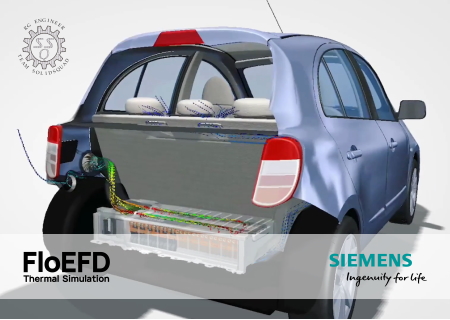
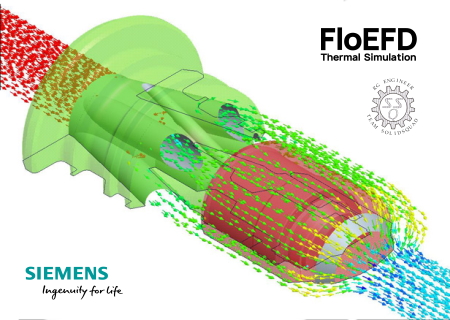
 
Siemens Simcenter FloEFD 2020.1.0 v4949 Standalone x64 Multilingual

Siemens Simcenter FloEFD 2020.1.0 v4949 Standalone x64 Multilingual


72aa2e7cc5a7e4208ffeb1f5c7b2890d.jpg


Siemens Simcenter FloEFD 2020.1.0 v4949 Standalone x64 Multilingual | 6.0 GB​


Language: English, Deutsch, Français, 中文, 日本語, Русский.


Siemens Digital Industries Software announces the latest release of its Simcenter FLOEFD software, a CAD-embedded computational fluid dynamics (CFD) tool. The latest version offers new modules and improvements that can improve accuracy and solve rates.

The new Electronics Cooling Center module in Simcenter FLOEFD combines existing best electronics-specific capabilities and integrates new ones from Simcenter Flotherm software inside the user-friendly CAD-embedded interface to enhance electronics cooling functionality. A second new module helps users create a compact Reduced Order Model (ROM) that solves at a faster rate, while still maintaining a high level of accuracy. Its package creator helps users create thermal models of electronics packages easily and quickly. The Power Electrification module can now simulate an electrical device as an electro-thermal compact model, which can save significant user and computational time.


BCI-ROM Feature
The Boundary Condition Independent Reduced Order Model (BCI-ROM) extracts a dynamic compact thermal model for a range of heat transfer coefficient values defined in the Simcenter FLOEFD model. Such models can solve up to 40,000 times faster than a 3D CFD simulation while maintaining predictive accuracy in space and time. The models can be used for simulations in MATLAB or GNU Octave. To access this functionality you will need either the "Simcenter FLOEFD BCI-ROM + Package Creator" or "Simcenter FLOEFD Electronics Cooling Center" modules.

Thermal Netlist Extraction
The thermal netlist extraction converts a full Simcenter FLOEFD project into a thermal netlist using Reduced Order Model (ROM) technology. This thermal netlist is then linked to an electrical netlist prior to electro-thermal analysis. The export function uses the spice format (*.sp file) for use by electro-thermal system tools including Mentor Graphics' Eldo, SystemVision Cloud and other tools supporting the spice format. This functionality is only available in the "Simcenter FLOEFD BCI-ROM + Package Creator" or "Simcenter FLOEFD Electronics Cooling Center" modules.

Simcenter FLOEFD Package Creator Tool
The package creator is a tool that specializes in rapid creation of thermal models of electronic packages for use in Simcenter FLOEFD. The tool can be started from the Windows start menu or from within Simcenter FLOEFD. To create a package, you can specify various components, such as the encapsulant, die, die-attach, leadframe, die-attach pad and bond wires for a more accurate thermal model. This functionality is only available in the "Simcenter FLOEFD BCI-ROM + Package Creator" or "Simcenter FLOEFD Electronics Cooling Center" modules.

Electrical Element
This new feature is a thermo-electric compact model that allows users to add a component into a direct current (DC) electro-thermal calculation by the given component's electrical resistance. The corresponding Joule heat is calculated and applied to the body as a heat source. There are two types of electrical elements, resistors and wires: the resistor element uses the total electrical resistance provided and the wire element automatically calculates the resistance based on the wire's material properties, length and cross-section area. Optionally you may also specify the thermal resistance of the wire's insulator. To use this functionality, you'll need either the "Simcenter FLOEFD Electronics Cooling Center" or "Simcenter FLOEFD Power Electrification" module.

Simcenter FLOEFD BCI-ROM + Package Creator Module
This new module comprises of the three new functionalities: BCI-ROM, Thermal Netlist and the Package Creator. In addition, the PCB compact model which was previously only available in the Simcenter FLOEFD Electronics Cooling module has been added to this module. This module is available for all Simcenter FLOEFD CFD CAD integrations.

Simcenter FLOEFD Electronics Cooling Center Module
This new module offers the ultimate solution for anyone who wants to dig deep into the electronics cooling world. It comprises of the functionalities of several modules: the Simcenter FLOEFD Electronics Cooling module, Simcenter FLOEFD EDA Bridge module, Simcenter FLOEFD T3STER Auto Calibration module plus the new Simcenter FLOEFD BCI-ROM + Package Creator module and the new Electrical Elements feature. With this package, you are fully equipped to face the toughest electronics cooling challenges inside your preferred CAD interface. And to ensure you have maximum flexibility, each of the modules listed above is still available separately. The Simcenter FLOEFD Electronics Cooling Center module is available for all Simcenter FLOEFD CFD CAD integrations.

ECXML Import
The Electronics Cooling XML (ECXML) format is an open neutral file format for the exchange of electronics cooling design models among different thermal simulation toolsets.

API Enhancements
The Simcenter FLOEFD API has been extended to include the ability to add thermal contact resistance and change the gravity as well as the default solid material from any API based interface to Simcenter FLOEFD CFD simulation software. This enables users to automate even more tasks through Visual Basic, Visual Basic for Applications and Visual C++ scripts and programs such as MS Excel.

Battery Model Extraction
The new battery model extraction capability can be used to extract the Equivalent Circuit Model (ECM) input parameters from experimental data. This enables you to get to the required input parameters faster and easier. This functionality is only available in the "Simcenter FLOEFD Power Electrification" module.

3rd Order Model for ECM Battery Model
In addition to the zero, first and second-order ECM battery models, a third-order model definition has been added; thereby offering even more accuracy for battery simulations. This functionality is only available in the "Simcenter FLOEFD Power Electrification" module.

Multiple Edit for Batteries
The multiple edit definition has been added for the battery feature. This way changes in the battery definition can be applied to all cells rather than each cell individually. This functionality is only available in the "Simcenter FLOEFD Power Electrification" module.

Import Descriptions from Scene
The new post-processing template (*.efdscene file) allows you to specify the result features such as Descriptions, parameters, etc. that you may want to create automatically in other models and save them in a template. This enables you to re-use these settings in any other model or project directly by using the saved template.

Rotating Angle Goal
This new goal can be created within the rotating region definition menu. It helps to see the angle of the rotating geometry at each iteration, with respect to its original position at the start of the simulation.

Shock Wave Stabilization
For simulations with shock waves with Mach numbers larger than five, this option allows you to dampen oscillations in the solver run for a better convergence behavior.

Custom Visualization Parameter Interdependency
User-defined custom visualization parameters for post-processing can now depend on other user-defined parameters. This helps to define parameters that are depending on other, already defined parameters.

Create Curve for CATIA V5
It is now also possible to create curves from flow trajectories in Simcenter FLOEFD for CATIA V5.

Rebranding of Simcenter FLOEFD
Although already used in public-facing posts and other marketing material, the rebranding of "FloEFD" to "Simcenter FLOEFD" and "FloEFDView" to "Simcenter FLOEFD Viewer" is now complete in the software and corresponding technical documentation.

New CAD Version Supported
With the latest release, support for Siemens NX 1911 is now provided to ensure continuity of access.

Simcenter FLOEFD is part of the Simcenter portfolio of simulation and test solutions that enables companies optimize designs and deliver innovations faster and with greater confidence. Simcenter FLOEFD helps engineers simulate fluid flow and thermal problems quickly and accurately within their preferred CAD environment. Due to its unique technology, it can reduce the overall simulation time by up to 75%.

This new release provides a range of new features and enhancements - from electrical elements to two new modules for electronics cooling applications with a lot of new capabilities.
Hiro Yukioka Senior Engineer/Technical Specialist from Mercury Marine discusses how Simcenter FLOEFD aids the engineering process of designing an Intercooler Filter.

Siemens Digital Industries Software is driving transformation to enable a digital enterprise where engineering, manufacturing and electronics design meet tomorrow. The Xcelerator portfolio helps companies of all sizes create and leverage digital twins that provide organizations with new insights, opportunities and levels of automation to drive innovation.


Product: Siemens Simcenter FloEFD
Version: 2020.1.0 v4949 Standalone
Supported Architectures: x64
Website Home Page :
Код:
http://www.plm.automation.siemens.com

Language: multilanguage
System Requirements: PC *
Supported Operating Systems: *
Size: 6.0 Gb

Supported Platform
- Microsoft Windows 7 Professional, Ultimate or Enterprise 64-bit edition, Microsoft Windows 10 Pro or Enterprise 64-bit (tested with v1809)
- For solver: Microsoft Windows 2012 Server x64, Windows 2012 Server R2 x64, Windows Server 2016, Windows Server 2016 with HPC Pack 2016
- Microsoft Office 2013; Microsoft Office 2010; Microsoft Office 2007
- Microsoft Windows Media Player 7.0 or higher
- Ethernet network adapter
- Mouse or other pointing device
- DVD-ROM drive
- 4 GB RAM minimum, more recommended
- 6 GB of free hard disk space, more required for simulation models


DOWNLOAD LINKS:

Код:
https://rapidgator.net/file/eefd00882ad48c3817b4549bf3306d71/o6kux.Siemens.Simcenter.FloEFD.2020.1.0.v4949.Standalone.part01.rar
https://rapidgator.net/file/c4f53349d41e9f458132352b95d07444/o6kux.Siemens.Simcenter.FloEFD.2020.1.0.v4949.Standalone.part02.rar
https://rapidgator.net/file/b23b5bf518d198e289d054a1b47fc388/o6kux.Siemens.Simcenter.FloEFD.2020.1.0.v4949.Standalone.part03.rar
https://rapidgator.net/file/ca91a7aab702c901152f8640b046eba8/o6kux.Siemens.Simcenter.FloEFD.2020.1.0.v4949.Standalone.part04.rar
https://rapidgator.net/file/0bd1efd21e004f70478bbd25bcce5cbf/o6kux.Siemens.Simcenter.FloEFD.2020.1.0.v4949.Standalone.part05.rar
https://rapidgator.net/file/968cdbf0f5a3f4efe993a0b6701589a2/o6kux.Siemens.Simcenter.FloEFD.2020.1.0.v4949.Standalone.part06.rar
https://rapidgator.net/file/133c0e9a82bcfe319975a2917b6dbf4f/o6kux.Siemens.Simcenter.FloEFD.2020.1.0.v4949.Standalone.part07.rar
https://rapidgator.net/file/90a0f9b591ea5df202bb0d95ce657aa5/o6kux.Siemens.Simcenter.FloEFD.2020.1.0.v4949.Standalone.part08.rar
https://rapidgator.net/file/180611b6949c793b4060bd31e3c3b9b9/o6kux.Siemens.Simcenter.FloEFD.2020.1.0.v4949.Standalone.part09.rar
https://rapidgator.net/file/659e02ef78a0d2ad5dcd15dc477c6cd3/o6kux.Siemens.Simcenter.FloEFD.2020.1.0.v4949.Standalone.part10.rar
https://rapidgator.net/file/573b7cafe10c7291c10cfd16d6445f9e/o6kux.Siemens.Simcenter.FloEFD.2020.1.0.v4949.Standalone.part11.rar
https://rapidgator.net/file/a54ea8f06fece1882a4e5fa32c177495/o6kux.Siemens.Simcenter.FloEFD.2020.1.0.v4949.Standalone.part12.rar
https://rapidgator.net/file/2b356325000b347908b2d0148e147d95/o6kux.Siemens.Simcenter.FloEFD.2020.1.0.v4949.Standalone.part13.rar

Код:
http://nitroflare.com/view/432F2E0617F3B1F/o6kux.Siemens.Simcenter.FloEFD.2020.1.0.v4949.Standalone.part01.rar
http://nitroflare.com/view/4C84A0804902094/o6kux.Siemens.Simcenter.FloEFD.2020.1.0.v4949.Standalone.part02.rar
http://nitroflare.com/view/348DE7F49638200/o6kux.Siemens.Simcenter.FloEFD.2020.1.0.v4949.Standalone.part03.rar
http://nitroflare.com/view/3C0BDA745663BBD/o6kux.Siemens.Simcenter.FloEFD.2020.1.0.v4949.Standalone.part04.rar
http://nitroflare.com/view/68425A3C5485577/o6kux.Siemens.Simcenter.FloEFD.2020.1.0.v4949.Standalone.part05.rar
http://nitroflare.com/view/7C1B13B3010F87D/o6kux.Siemens.Simcenter.FloEFD.2020.1.0.v4949.Standalone.part06.rar
http://nitroflare.com/view/D4A08A9C25FAD47/o6kux.Siemens.Simcenter.FloEFD.2020.1.0.v4949.Standalone.part07.rar
http://nitroflare.com/view/8AC58EAE815B91F/o6kux.Siemens.Simcenter.FloEFD.2020.1.0.v4949.Standalone.part08.rar
http://nitroflare.com/view/1C38739D65EAFAA/o6kux.Siemens.Simcenter.FloEFD.2020.1.0.v4949.Standalone.part09.rar
http://nitroflare.com/view/A909B71E3508AC3/o6kux.Siemens.Simcenter.FloEFD.2020.1.0.v4949.Standalone.part10.rar
http://nitroflare.com/view/4F0F34FB54C58F0/o6kux.Siemens.Simcenter.FloEFD.2020.1.0.v4949.Standalone.part11.rar
http://nitroflare.com/view/11584667BACA934/o6kux.Siemens.Simcenter.FloEFD.2020.1.0.v4949.Standalone.part12.rar
http://nitroflare.com/view/ADAA9E244FA2612/o6kux.Siemens.Simcenter.FloEFD.2020.1.0.v4949.Standalone.part13.rar

Код:
https://uploadgig.com/file/download/b75bb093B2913aab/o6kux.Siemens.Simcenter.FloEFD.2020.1.0.v4949.Standalone.part01.rar
https://uploadgig.com/file/download/705fBcc376d7E1E0/o6kux.Siemens.Simcenter.FloEFD.2020.1.0.v4949.Standalone.part02.rar
https://uploadgig.com/file/download/f49f441718Da8713/o6kux.Siemens.Simcenter.FloEFD.2020.1.0.v4949.Standalone.part03.rar
https://uploadgig.com/file/download/2516278d722d9a79/o6kux.Siemens.Simcenter.FloEFD.2020.1.0.v4949.Standalone.part04.rar
https://uploadgig.com/file/download/979231bC6a729a8e/o6kux.Siemens.Simcenter.FloEFD.2020.1.0.v4949.Standalone.part05.rar
https://uploadgig.com/file/download/787f2833f641e77f/o6kux.Siemens.Simcenter.FloEFD.2020.1.0.v4949.Standalone.part06.rar
https://uploadgig.com/file/download/2CfC29e3a0926d0f/o6kux.Siemens.Simcenter.FloEFD.2020.1.0.v4949.Standalone.part07.rar
https://uploadgig.com/file/download/66986D803498f29a/o6kux.Siemens.Simcenter.FloEFD.2020.1.0.v4949.Standalone.part08.rar
https://uploadgig.com/file/download/df76657a7Da8d88e/o6kux.Siemens.Simcenter.FloEFD.2020.1.0.v4949.Standalone.part09.rar
https://uploadgig.com/file/download/6ed6D7f2ef121323/o6kux.Siemens.Simcenter.FloEFD.2020.1.0.v4949.Standalone.part10.rar
https://uploadgig.com/file/download/792e9A7758c4da46/o6kux.Siemens.Simcenter.FloEFD.2020.1.0.v4949.Standalone.part11.rar
https://uploadgig.com/file/download/bB0652931faE3c59/o6kux.Siemens.Simcenter.FloEFD.2020.1.0.v4949.Standalone.part12.rar
https://uploadgig.com/file/download/67422f4499CefE42/o6kux.Siemens.Simcenter.FloEFD.2020.1.0.v4949.Standalone.part13.rar
 
Siemens Simcenter FloEFD 2020.1.0 v4949 for Creo x64

Siemens Simcenter FloEFD 2020.1.0 v4949 for Creo x64


f32c9ed87d01f875ac697bc6c2338e41.jpg


Siemens Simcenter FloEFD 2020.1.0 v4949 for Creo x64 | 741 MB​


Language: English, Deutsch, Français, 中文, 日本語, Русский.


Siemens Digital Industries Software announces the latest release of its Simcenter FLOEFD software for Creo, a CAD-embedded computational fluid dynamics (CFD) tool. The latest version offers new modules and improvements that can improve accuracy and solve rates.

The new Electronics Cooling Center module in Simcenter FLOEFD combines existing best electronics-specific capabilities and integrates new ones from Simcenter Flotherm software inside the user-friendly CAD-embedded interface to enhance electronics cooling functionality. A second new module helps users create a compact Reduced Order Model (ROM) that solves at a faster rate, while still maintaining a high level of accuracy. Its package creator helps users create thermal models of electronics packages easily and quickly. The Power Electrification module can now simulate an electrical device as an electro-thermal compact model, which can save significant user and computational time.

New Features
The following new features are available in this release.

- BCI ROM. Reduced Order Modelling is an approach to derive a dynamic compact thermal model from a thermal simulation model. The objective is to create a model that solves much faster, while maintaining predictive accuracy in space and time. The Boundary Conditions Independent (BCI) ROM allows you to create the compact model by providing locations of the heat sources (as volume heat sources), temperature monitor points (as point goals), heat transfer coefficients on bounding faces (as wall boundary condition) and specifying a range of heat transfer coefficient minimum and maximum values. After creating the model, the temperature in the monitor points are obtained much faster (in second and minutes) by given exact power dissipation (can be time-dependent) and heat transfer coefficients. The BCI-ROM is a conduction-only model, radiation and Joule heating are not supported. Requires "BCI-ROM and Package Creator" or "Electronics Cooling Center" module.

- Thermal Netlist Extraction. Using BCI ROM you can convert a task into a thermal netlist (in *.sp format) which can be used by a Spice based electro thermal system simulation tool such as Mentor Eldo. Requires "BCI-ROM and Package Creator" or "Electronics Cooling Center" module.

- Package Creator. Package Creator is a new tool that specializes in the rapid creation of electronic package models based on a library of IC package templates and user customization. An IC package model contains geometry, material and heat sources definition. Requires "BCI-ROM and Package Creator" or "Electronics Cooling Center" module.
- Electrical Element. A thermo-electrical compact model allows the addition of a component into a DC electro-thermal calculation by the given component's electrical resistance. The corresponding Joule heat is calculated and applied to the body as a heat source so you don't need to have a detailed model of a component to take it into account in the electro-thermal DC calculation. A Resistor element uses the total electrical resistance specified. A Wire element automatically calculates the resistance based on a wire's material, length and cross sectional area, and optionally you can specify the thermal resistance of the wire's insulator. A Joint element virtually (no body is necessary) connects two faces. Requires "Power Electrification" or "Electronics Cooling Center" module.

- ECXML Import. You can now import Electronics Cooling XML, an open neutral file format to share design models among different thermal simulation toolsets.
- Battery Model Extraction. Extraction of Equivalent Circuit Model (ECM) input parameters from experimental data. Requires "Power Electrification" module.
- Battery ECM of 3rd order. The 3 rd order ECM is now supported for battery simulation. Requires "Power Electrification" module.
- Multiple Edit for batteries. Multiple edit definition is available for a Battery feature. Requires "Power Electrification" module.
- Import Descriptions from Scene. You can copy a results feature (Descriptions, parameters, etc) to other models by using Scene template or Scene Image (*.efdscene).
- Improvement of setting the Custom Visualization parameters. User-defined postprocessing parameters can now depend on other user-defined postprocessing parameters.
- Rotating angle associated goal. Rotating Region has a new Rotating Angle goal associated with the feature.
- Shock waves stabilization. In case of shock waves with the Mach number greater than five enabling this option allows to dampen oscillations.
- API Enhancement. You can now add the Thermal Contact Resistance, change the Gravity, and change the Default Solid.
- Rebranding FloEFD. FloEFD is now renamed to Simcenter FLOEFD software. FloEFDView is renamed to Simcenter FLOEFD Viewer. FLOEFD icon in Start menu is now located into Simcenter FLOEFD folder. The default files location in the Program Files folder is not changed, so API scripts referring to the setup folder are not affected.
- Simcenter FLOEFD BCI-ROM and Package Creator module. The module includes the following capabilities:
. BCI-ROM and Thermal Netlist
. Package Creator
. PCB compact model (previously available only in the Electronics Cooling module).
- Simcenter FLOEFD Electronics Cooling Center (ECC) module. The module includes the following best in class capabilities for powerful and comprehensive electronics cooling analysis from Simcenter FLOEFD and Simcenter Flotherm software:
. EDA Bridge and Smart PCB
. BCI ROM and Thermal Netlist
. Package Creator
. PDML Import
. Network Assembly and Two-resistor compact models
. Simcenter T3STER software AutoCalibration
. PCB compact model
. Heat Pipe compact model
. Joule Heating
. Electrical Element compact model
All existing modules whose functionality is available in ECC module (EDA Bridge, AutoCalibration, Electronics Cooling, and Power Electrification) are maintained as separate modules.

FloEFD for Creo is a full-featured 3D fluid flow, heat transfer analysis package-totally integrated into PTC Creo (and Pro/ENGINEER). FloEFD is both fast to learn and fast to use because it doesn't come with the numerical complexity and meshing overheads of traditional high-end computational fluid dynamics (CFD). It is the only CFD analysis tool that is truly embedded into Creo Parametric.

Unlike other 3rd party CFD programs, FloEFD for Creo works directly with native Creo geometry - with no translation or copies - in order to keep pace with on-going design changes. FloEFD for Creo has the same "look and feel" so you can focus on solving your problem instead of learning a new environment.

By using the Creo geometry directly and solid model information such as features and parameters, you can simulate your designs in real-world conditions. Direct use of native geometry is an extremely powerful feature since it provides you with functionality that is not easily offered by other CFD programs. Because you're using the same exact geometry for CAD and analysis, you maintain one set of data across your product design process, and your analysis is always in tune with your design.

Watch this video to learn how FloEFD can be used as a CFD tool embedded within your CAD system, in order to provide a degree of CAD preparation. This short 5 minute video will explain how CFD features embedded in your CAD system can make things much simpler and efficient for you.

Siemens Digital Industries Software is driving transformation to enable a digital enterprise where engineering, manufacturing and electronics design meet tomorrow. The Xcelerator portfolio helps companies of all sizes create and leverage digital twins that provide organizations with new insights, opportunities and levels of automation to drive innovation.


Product: Siemens Simcenter FloEFD
Version: 2020.1.0 v4949 for Creo
Supported Architectures: x64
Website Home Page :
Код:
http://www.plm.automation.siemens.com

Language: multilanguage
System Requirements: PC *
Supported Operating Systems: *
Software Prerequisites: *
Size: 741.3 mb

Supported Platform
- Microsoft Windows 7 Professional, Ultimate or Enterprise 64-bit edition,Microsoft Windows 10 Pro or Enterprise 64-bit (tested with v1809)
- For solver: Microsoft Windows 2012 Server x64, Windows 2012 Server R2 x64, Windows Server 2016 with HPC Pack 2016
- Microsoft Office 2013, Microsoft Office 2010, Microsoft Office 2007
- Microsoft Windows Media Player 7.0 or higher
Creo Parametric v2 (recommended datecode M250)
Сreo Parametric v3 (recommended datecode M160)
Creo Parametric v4 (recommended datecode M070)
Creo Parametric v5 (recommended datecode v5.0.5.0)
Creo Parametric v6 (recommended datecode v6.0.4.0)
- Ethernet network adapter
- Mouse or other pointing device
- DVD-ROM drive
- 4GB RAM minimum, more recommended
- 1GB of free hard disk space, more required for simulation models


DOWNLOAD LINKS:

Код:
https://rapidgator.net/file/9955ae39bf7f10a0bfecfc9ba3aca546/wkiik.Siemens.Simcenter.FloEFD.2020.1.0.v4949.for.Creo.rar

Код:
http://nitroflare.com/view/574D208AA76CAB8/wkiik.Siemens.Simcenter.FloEFD.2020.1.0.v4949.for.Creo.rar

Код:
https://uploadgig.com/file/download/3ea59545f42A550E/wkiik.Siemens.Simcenter.FloEFD.2020.1.0.v4949.for.Creo.rar
 
Siemens Simcenter FloEFD 2020.1.0 v4949 for NX series x64

Siemens Simcenter FloEFD 2020.1.0 v4949 for NX series x64


0adc5dc9fd5b671b2b87b4761c71713d.jpg


Siemens Simcenter FloEFD 2020.1.0 v4949 for NX series x64 | 701 MB​


Language: English, Deutsch, Français, 中文, 日本語, Русский.


Siemens Digital Industries Software announces the latest release of its Simcenter FLOEFD software for NX series, a CAD-embedded computational fluid dynamics (CFD) tool. The latest version offers new modules and improvements that can improve accuracy and solve rates.

The new Electronics Cooling Center module in Simcenter FLOEFD combines existing best electronics-specific capabilities and integrates new ones from Simcenter Flotherm software inside the user-friendly CAD-embedded interface to enhance electronics cooling functionality. A second new module helps users create a compact Reduced Order Model (ROM) that solves at a faster rate, while still maintaining a high level of accuracy. Its package creator helps users create thermal models of electronics packages easily and quickly. The Power Electrification module can now simulate an electrical device as an electro-thermal compact model, which can save significant user and computational time.

New Features
The following new features are available in this release.

- BCI ROM. Reduced Order Modelling is an approach to derive a dynamic compact thermal model from a thermal simulation model. The objective is to create a model that solves much faster, while maintaining predictive accuracy in space and time. The Boundary Conditions Independent (BCI) ROM allows you to create the compact model by providing locations of the heat sources (as volume heat sources), temperature monitor points (as point goals), heat transfer coefficients on bounding faces (as wall boundary condition) and specifying a range of heat transfer coefficient minimum and maximum values. After creating the model, the temperature in the monitor points are obtained much faster (in second and minutes) by given exact power dissipation (can be time-dependent) and heat transfer coefficients. The BCI-ROM is a conduction-only model, radiation and Joule heating are not supported. Requires "BCI-ROM and Package Creator" or "Electronics Cooling Center" module.

- Thermal Netlist Extraction. Using BCI ROM you can convert a task into a thermal netlist (in *.sp format) which can be used by a Spice based electro thermal system simulation tool such as Mentor Eldo. Requires "BCI-ROM and Package Creator" or "Electronics Cooling Center" module.

- Package Creator. Package Creator is a new tool that specializes in the rapid creation of electronic package models based on a library of IC package templates and user customization. An IC package model contains geometry, material and heat sources definition. Requires "BCI-ROM and Package Creator" or "Electronics Cooling Center" module.
- Electrical Element. A thermo-electrical compact model allows the addition of a component into a DC electro-thermal calculation by the given component's electrical resistance. The corresponding Joule heat is calculated and applied to the body as a heat source so you don't need to have a detailed model of a component to take it into account in the electro-thermal DC calculation. A Resistor element uses the total electrical resistance specified. A Wire element automatically calculates the resistance based on a wire's material, length and cross sectional area, and optionally you can specify the thermal resistance of the wire's insulator. A Joint element virtually (no body is necessary) connects two faces. Requires "Power Electrification" or "Electronics Cooling Center" module.

- ECXML Import. You can now import Electronics Cooling XML, an open neutral file format to share design models among different thermal simulation toolsets.
- Battery Model Extraction. Extraction of Equivalent Circuit Model (ECM) input parameters from experimental data. Requires "Power Electrification" module.
- Battery ECM of 3rd order. The 3 rd order ECM is now supported for battery simulation. Requires "Power Electrification" module.
- Multiple Edit for batteries. Multiple edit definition is available for a Battery feature. Requires "Power Electrification" module.
- Import Descriptions from Scene. You can copy a results feature (Descriptions, parameters, etc) to other models by using Scene template or Scene Image (*.efdscene).
- Improvement of setting the Custom Visualization parameters. User-defined postprocessing parameters can now depend on other user-defined postprocessing parameters.
- Rotating angle associated goal. Rotating Region has a new Rotating Angle goal associated with the feature.
- Shock waves stabilization. In case of shock waves with the Mach number greater than five enabling this option allows to dampen oscillations.
- API Enhancement. You can now add the Thermal Contact Resistance, change the Gravity, and change the Default Solid.
- Rebranding FloEFD. FloEFD is now renamed to Simcenter FLOEFD software. FloEFDView is renamed to Simcenter FLOEFD Viewer. FLOEFD icon in Start menu is now located into Simcenter FLOEFD folder. The default files location in the Program Files folder is not changed, so API scripts referring to the setup folder are not affected.
- Simcenter FLOEFD BCI-ROM and Package Creator module. The module includes the following capabilities:
. BCI-ROM and Thermal Netlist
. Package Creator
. PCB compact model (previously available only in the Electronics Cooling module).
- Simcenter FLOEFD Electronics Cooling Center (ECC) module. The module includes the following best in class capabilities for powerful and comprehensive electronics cooling analysis from Simcenter FLOEFD and Simcenter Flotherm software:
. EDA Bridge and Smart PCB
. BCI ROM and Thermal Netlist
. Package Creator
. PDML Import
. Network Assembly and Two-resistor compact models
. Simcenter T3STER software AutoCalibration
. PCB compact model
. Heat Pipe compact model
. Joule Heating
. Electrical Element compact model

All existing modules whose functionality is available in ECC module (EDA Bridge, AutoCalibration, Electronics Cooling, and Power Electrification) are maintained as separate modules.
FloEFD for NX is a powerful computational fluid dynamics (CFD) analysis tool that is embedded into Siemens NX. It enables design engineers to frontload CFD by moving simulation early into the design process where it is more cost effective to identify and fix problems.

Extend the power of Siemens NX to optimize product performance and reliability for fluid flow and heat transfer effects. With its unique combination of intuitive interface, and fast as well as accurate technology, Simcenter FLOEFD for NX can be inserted into your current design process without any disruption, streamlining your workflow and improving productivity by 40x.

The award-winning Simcenter FLOEFD for NX frontloads computational fluid dynamics (CFD) simulation where it is faster and more cost-effective to evaluate your ideas. Gain insight into the real-life behavior of a wide range of fluids in even the most complex geometries. Evaluate the digital twin with the help of what-if testing and assess the results with the help of numerical values, graphs, images and animations. Use the power of Simcenter FLOEFD for NX with its direct interface to HEEDS Design Space Exploration software to select the most optimal choice.

When needed, Simcenter FLOEFD Flexx, enables you to access multiple CAD systems for simulation - useful for dealing with legacy data or using multiple CAD systems on the same project. With Simcenter FLOEFD for NX the power of CFD simulation is finally in your hands
Simcenter FloEFD for NX.

Siemens Digital Industries Software is driving transformation to enable a digital enterprise where engineering, manufacturing and electronics design meet tomorrow. The Xcelerator portfolio helps companies of all sizes create and leverage digital twins that provide organizations with new insights, opportunities and levels of automation to drive innovation.


Product: Siemens Simcenter FloEFD
Version: 2020.1.0 v4949 for NX series
Supported Architectures: x64
Website Home Page :
Код:
http://www.plm.automation.siemens.com
Language: multilanguage
System Requirements: PC *
Supported Operating Systems: *
Software Prerequisites: *
Size: 701.8 mb

Supported Platform
- Microsoft Windows 7 Professional, Ultimate or Enterprise 64-bit edition, Microsoft Windows 10 Pro or Enterprise 64-bit (tested with v1809)
- For solver: Microsoft Windows 2012 Server x64, Windows 2012 Server R2 x64, Windows Server 2016, Windows Server 2016 with HPC Pack 2016
- Microsoft Office 2013; Microsoft Office 2010; Microsoft Office 2007
Siemens NX 8.5.1.3, 8.5.2.3, 8.5.3.3
Siemens NX 9.0.1.3, 9.0.2.5, 9.0.3.4
Siemens NX 10.0.0.24, 10.0.2.6, 10.0.3.5
Siemens NX 11.0.0.33,11.0.1.11,11.0.2.7
Siemens NX 12.0.0.27, 12.0.2.9
Siemens NX 1847 Series (1847-1867.xxxx)
Siemens NX 1872 Series (1872-1892.xxxx)
Siemens NX 1899 Series (1899-1915 + )
- Teamcenter (tested version 11.2.3)
- Microsoft Windows Media Player 7.0 or higher
- x64 compatible PC
- Ethernet network adapter
- Mouse or other pointing device
- DVD-ROM drive
- 4GB RAM minimum, more recommended
- 1GB of free hard disk space, more required for simulation models


DOWNLOAD LINKS:

Код:
https://rapidgator.net/file/118cb0c4b302e5b9216f286d0a7f2612/l4cx2.Siemens.Simcenter.FloEFD.2020.1.0.v4949.for.NX.series.rar

Код:
http://nitroflare.com/view/EE750A047C77A63/l4cx2.Siemens.Simcenter.FloEFD.2020.1.0.v4949.for.NX.series.rar

Код:
https://uploadgig.com/file/download/d77b3e3b50bbEb7A/l4cx2.Siemens.Simcenter.FloEFD.2020.1.0.v4949.for.NX.series.rar
 
SolidCAM 2020 SP1 HF1 x64 Multilingual

SolidCAM 2020 SP1 HF1 x64 Multilingual


1489c60f41b23b3679f2ed415bef726f.jpg


SolidCAM 2020 SP1 HF1 x64 Multilingual | 4.6 GB​


Languages: 中文, Čeština, Dansk, Nederlands, English, Français, Deutsch, עברית, Magyar, Italiano, 日本語, 한국어, Polski, Português, Русский, Español, Türkçe.


SolidCAM has launched Hot Fix 1 for their flagship CAM software - SolidCAM 2020 SP1. Last release brings major enhancements to many CAM modules available inside SolidCAM, as well as general improvements that provide an even greater ease-of-use for the end user.

SolidCAM 2020 SP1 HF1 Release Notes - Date: May 10, 2020
SOL-11463 simulation / Shows falls rotary axis movement in simulation data
SOL-11647 MCO / Main Spindle movement without part not possible
SOL-12083 Language/Italian/UI problems
SOL-12208 Convert part from SC 2019/ unable to calculate operation
SOL-12237 Multiaxis / Machine control / UI Error
SOL-12239 GUI\all types of part-open part setting -cancel or save-computer is stuck if template drag-drop is missing
SOL-12261 Gcode/Coolant/minimum_quantity_L error
SOL-12262 Overlapping of GUI elements
SOL-12273 Turning - synchronization issue
SOL-12278 simultaneous turning\3D view tool orientation and Visual tool (near mouse) in the job are incorrect
SOL-12283 SolidVerify/Missing check box
SOL-12305 G-code / output is not correct
SOL-12308 2D chain geometries / not possible anymore to trim/extend
SOL-12318 Simultaneous Turning\geometry\the start of geometry in simultaneous turning is wrong until you save Modify geometry
SOL-12340 Gcode/Custom plane/wrong start,end_angles
SOL-12345 GUI / GUI Improvement Requests in Drag & Drop Task pane
SOL-12346 Tool Definitions in Inch are incorrect
SOL-12385 Pocket Recognition/Remove 3D Gauge Protection inSP1
SOL-12391 Drag & drop doesn't support Czech characters
SOL-12453 Chamfer recognition/direction/Climb should be on left side
SOL-12461 Hole Wizard/bad upper level with far countersink
SOL-12471 4x transform/Wrong second axis angle in @start_of_job
SOL-12481 Inch/Metric STL Tool Holder Fails
SOL-12586 5x/Crash on calculate

SolidCAM is a CAM software that integrates directly into SolidWorks and Inventor. That does not only mean you can program tooling paths from the comfort of the CAD software you know and love, but it is also advantageous in that all tool paths retain associativity with the original CAD design. In other words, any changes made to the CAD file will instantly be reflected in updated tool paths, saving you time and money.

Take out the guesswork of milling, turning and other processes by using the patented Technology Wizard. The wizard allows you to automatically fine-tune optimized feeds, speeds, depth and width of cuts. What is more, this CAM software automatically recognizes the distinct geometrical features of your design and assigns toolpaths accordingly. Hence, this approach eliminates the need for time-consuming manual geometry definition.

The tool paths created with this CAM software rely on an advanced, patented morphing spiral that gradually conforms to the geometry of the feature being machined rather than an old-fashioned, simple spiral tool path. This increases the amount of time the tool actually works the stock and thus makes your machine more productive.


SolidCAM & iMachining - The amazing CAM solution.

SolidCAM Inc is a world leader in advanced tool path generation technology (CAM) running directly inside SolidWorks. SolidCAM features a full line of CNC machine programming software solutions ranging from 2 axis lathes and 3 axis mills to extremely complex multi-axis MillTurn machines and Wire Edm. All products run directly inside SolidWorks and provide the user with a true "SolidWorks look and feel" for ease of use and maximum efficiency. Along with the integrated interface and scalability for new machines, SolidCAM also has its patented "iMachining" that powers users to new levels of productivity and profits, through unmatched cycle time reduction and unrivaled tool life.


Product: SolidCAM
Version: 2020 SP1 HF1 build 109208
Supported Architectures: x64
Website Home Page :
Код:
http://www.solidcam.com

Language: multilanguage
System Requirements: PC *
Supported Operating Systems: *
Software Prerequisites: SolidWorks 2012-2020
Size: 4.6 Gb

Microsoft Windows 10 x64 Professional and Enterprise Editions; Microsoft Windows 8.1 x64 Professional and Enterprise Editions (with latest Service Pack); Microsoft Windows 7 x64 Professional and Ultimate Editions (with latest Service Pack)
- Intel Xeon, Intel Core, Intel Core 2 Duo, Intel Core 2 Quad or higher (If you use other processors we assume no responsibility and no support)
- 4 GB RAM (for the processing of large components, we recommend 8 GB RAM (or more)
- 15 GB free disk space for installation
- Hard disk with at least 100 GB of storage
- NVIDIA graphics card of the current Quadro series with min. 512 MB ​​(1024 MB recommended) and current, certified graphics driver (With the use of other and on-board graphics cards, we accept no responsibility and no support)
- 1,280 x 1,024 or higher screen resolution
- Microsoft Direct3D 9 or compatible graphics card (Microsoft Direct3D 11 or higher recommended)
- USB 2.0 interface
- DVD drive


DOWNLOAD LINKS:


Код:
https://dropapk.to/xb41frfbhuyq/22at9.SolidCAM2020SP1HF1Englishx64.part1.rar
https://dropapk.to/igncvznsfdkh/22at9.SolidCAM2020SP1HF1Englishx64.part2.rar
https://dropapk.to/uwk4r5s4xvsa/22at9.SolidCAM2020SP1HF1Englishx64.part3.rar
https://dropapk.to/wjb7gqpjpb9h/22at9.SolidCAM2020SP1HF1Englishx64.part4.rar
https://dropapk.to/85eejwslvh0s/22at9.SolidCAM2020SP1HF1Englishx64.part5.rar
https://dropapk.to/s3umz72iaxm1/22at9.SolidCAM2020SP1HF1Englishx64.part6.rar
https://dropapk.to/20n829n7bl1y/22at9.SolidCAM2020sp1hf1LocalizationChineseSimplified64bit.rar
https://dropapk.to/wu6ecwryz2g5/22at9.SolidCAM2020sp1hf1LocalizationChineseTraditional64bit.rar
https://dropapk.to/msyrhpscbprs/22at9.SolidCAM2020sp1hf1LocalizationCzech64bit.rar
https://dropapk.to/igs1uzx99irs/22at9.SolidCAM2020sp1hf1LocalizationDanish64bit.rar
https://dropapk.to/w5pae7otyfkj/22at9.SolidCAM2020sp1hf1LocalizationDutch64bit.rar
https://dropapk.to/krtkwf6k36nw/22at9.SolidCAM2020sp1hf1LocalizationFrench64bit.rar
https://dropapk.to/m9gdoqcld6u2/22at9.SolidCAM2020sp1hf1LocalizationGerman64bit.rar
https://dropapk.to/q5e0pkbd0b3b/22at9.SolidCAM2020sp1hf1LocalizationHebrew64bit.rar
https://dropapk.to/cc4mzm3em14v/22at9.SolidCAM2020sp1hf1LocalizationHungarian64bit.rar
https://dropapk.to/9yjqy81wa25y/22at9.SolidCAM2020sp1hf1LocalizationItalian64bit.rar
https://dropapk.to/gmjp4t9vbrer/22at9.SolidCAM2020sp1hf1LocalizationJapanese64bit.rar
https://dropapk.to/10oea3lb8ftj/22at9.SolidCAM2020sp1hf1LocalizationKorean64bit.rar
https://dropapk.to/l0t05oncq0qd/22at9.SolidCAM2020sp1hf1LocalizationPolish64bit.rar
https://dropapk.to/dvz4tsmpzcrp/22at9.SolidCAM2020sp1hf1LocalizationPortuguese64bit.rar
https://dropapk.to/0y1rbrus56ho/22at9.SolidCAM2020sp1hf1LocalizationRussian64bit.rar
https://dropapk.to/itwqemaj8s5y/22at9.SolidCAM2020sp1hf1LocalizationSpanish64bit.rar
https://dropapk.to/gp622x8fs3qm/22at9.SolidCAM2020sp1hf1LocalizationTurkish64bit.rar
Код:
https://rapidgator.net/file/6b52d4fe2943f41f0d07d7c6bf74f604/22at9.SolidCAM2020SP1HF1Englishx64.part1.rar
https://rapidgator.net/file/dcc62b5b4819494e31eefed1d9a9d328/22at9.SolidCAM2020SP1HF1Englishx64.part2.rar
https://rapidgator.net/file/b16c2f3db082b6ef5ed09b1be722717f/22at9.SolidCAM2020SP1HF1Englishx64.part3.rar
https://rapidgator.net/file/0b3aa8f8a2628691c43e8fed35bb2e9f/22at9.SolidCAM2020SP1HF1Englishx64.part4.rar
https://rapidgator.net/file/676fda0d7eb16c159c8d0cb15501d98f/22at9.SolidCAM2020SP1HF1Englishx64.part5.rar
https://rapidgator.net/file/5b792aad4824d9ba429f76ce0ba9f201/22at9.SolidCAM2020SP1HF1Englishx64.part6.rar
https://rapidgator.net/file/27d27abda449a392e15482dedf8193bb/22at9.SolidCAM2020sp1hf1LocalizationChineseSimplified64bit.rar
https://rapidgator.net/file/7946600ecb43e4b3c873e5f218d4fb9e/22at9.SolidCAM2020sp1hf1LocalizationChineseTraditional64bit.rar
https://rapidgator.net/file/85b9887923a69d18ad9c4ce03afdf29d/22at9.SolidCAM2020sp1hf1LocalizationCzech64bit.rar
https://rapidgator.net/file/a2ddb93456fce70ff329c2716beb78a3/22at9.SolidCAM2020sp1hf1LocalizationDanish64bit.rar
https://rapidgator.net/file/80b2336364c9ca6b0226fd122bbdeaf2/22at9.SolidCAM2020sp1hf1LocalizationDutch64bit.rar
https://rapidgator.net/file/3e095273f046143d4bd6db17bceceef0/22at9.SolidCAM2020sp1hf1LocalizationFrench64bit.rar
https://rapidgator.net/file/4373c0e9f99f1a3e23e7b40d63c44731/22at9.SolidCAM2020sp1hf1LocalizationGerman64bit.rar
https://rapidgator.net/file/acb1a712383c0d632dd5dd77899fb12a/22at9.SolidCAM2020sp1hf1LocalizationHebrew64bit.rar
https://rapidgator.net/file/cca5bddb1270434a80e34e6dcc0aed7d/22at9.SolidCAM2020sp1hf1LocalizationHungarian64bit.rar
https://rapidgator.net/file/d56672cc03f1292b7ecc8f132c83c734/22at9.SolidCAM2020sp1hf1LocalizationItalian64bit.rar
https://rapidgator.net/file/81c7a2910ba206a40cc80f7d7a7c56f9/22at9.SolidCAM2020sp1hf1LocalizationJapanese64bit.rar
https://rapidgator.net/file/b601015075184939b2d358286e79beff/22at9.SolidCAM2020sp1hf1LocalizationKorean64bit.rar
https://rapidgator.net/file/6e74449c9132fdd96d37613dad45185c/22at9.SolidCAM2020sp1hf1LocalizationPolish64bit.rar
https://rapidgator.net/file/7de0c7cc067c66b0fe3912895d578bca/22at9.SolidCAM2020sp1hf1LocalizationPortuguese64bit.rar
https://rapidgator.net/file/0832111b15cb5d15f0cc866e404a6c09/22at9.SolidCAM2020sp1hf1LocalizationRussian64bit.rar
https://rapidgator.net/file/9d531f4a22be1e6779208abe9dba7100/22at9.SolidCAM2020sp1hf1LocalizationSpanish64bit.rar
https://rapidgator.net/file/011095b00327749274aa2cfa87fca6c4/22at9.SolidCAM2020sp1hf1LocalizationTurkish64bit.rar
Код:
http://nitroflare.com/view/FD61C756D47899F/22at9.SolidCAM2020SP1HF1Englishx64.part1.rar
http://nitroflare.com/view/F526A2AF5185A16/22at9.SolidCAM2020SP1HF1Englishx64.part2.rar
http://nitroflare.com/view/75EE571246EA20C/22at9.SolidCAM2020SP1HF1Englishx64.part3.rar
http://nitroflare.com/view/03FF6E51F721CCF/22at9.SolidCAM2020SP1HF1Englishx64.part4.rar
http://nitroflare.com/view/993826A6A848013/22at9.SolidCAM2020SP1HF1Englishx64.part5.rar
http://nitroflare.com/view/85C33B52BB2F3B4/22at9.SolidCAM2020SP1HF1Englishx64.part6.rar
http://nitroflare.com/view/74EED7CF86A4AB8/22at9.SolidCAM2020sp1hf1LocalizationChineseSimplified64bit.rar
http://nitroflare.com/view/718BF7213E55120/22at9.SolidCAM2020sp1hf1LocalizationChineseTraditional64bit.rar
http://nitroflare.com/view/56E76F3A7646154/22at9.SolidCAM2020sp1hf1LocalizationCzech64bit.rar
http://nitroflare.com/view/2EF369EDB23A587/22at9.SolidCAM2020sp1hf1LocalizationDanish64bit.rar
http://nitroflare.com/view/CDCE7537B4F4DC5/22at9.SolidCAM2020sp1hf1LocalizationDutch64bit.rar
http://nitroflare.com/view/5993174ED662E02/22at9.SolidCAM2020sp1hf1LocalizationFrench64bit.rar
http://nitroflare.com/view/0A9C5AD748C2CE4/22at9.SolidCAM2020sp1hf1LocalizationGerman64bit.rar
http://nitroflare.com/view/A8BCD443A84ACA2/22at9.SolidCAM2020sp1hf1LocalizationHebrew64bit.rar
http://nitroflare.com/view/7B9F8279C1BEF3C/22at9.SolidCAM2020sp1hf1LocalizationHungarian64bit.rar
http://nitroflare.com/view/8D6414AF03860A6/22at9.SolidCAM2020sp1hf1LocalizationItalian64bit.rar
http://nitroflare.com/view/8B2BD6E0B0D9449/22at9.SolidCAM2020sp1hf1LocalizationJapanese64bit.rar
http://nitroflare.com/view/2B5C5F13730AEA4/22at9.SolidCAM2020sp1hf1LocalizationKorean64bit.rar
http://nitroflare.com/view/F4B707B6BD294D7/22at9.SolidCAM2020sp1hf1LocalizationPolish64bit.rar
http://nitroflare.com/view/5C8B117B46DBD9F/22at9.SolidCAM2020sp1hf1LocalizationPortuguese64bit.rar
http://nitroflare.com/view/DEFCBFFFA1F4C92/22at9.SolidCAM2020sp1hf1LocalizationRussian64bit.rar
http://nitroflare.com/view/DFC059B5DF48062/22at9.SolidCAM2020sp1hf1LocalizationSpanish64bit.rar
http://nitroflare.com/view/60978C268ACC56D/22at9.SolidCAM2020sp1hf1LocalizationTurkish64bit.rar

Код:
https://uploadgig.com/file/download/2e68b40c2245a537/22at9.SolidCAM2020SP1HF1Englishx64.part1.rar
https://uploadgig.com/file/download/40430a074d079bc4/22at9.SolidCAM2020SP1HF1Englishx64.part2.rar
https://uploadgig.com/file/download/2533f4d1C0AcD456/22at9.SolidCAM2020SP1HF1Englishx64.part3.rar
https://uploadgig.com/file/download/46f76f3F00787fd5/22at9.SolidCAM2020SP1HF1Englishx64.part4.rar
https://uploadgig.com/file/download/C537ce2eacd71e80/22at9.SolidCAM2020SP1HF1Englishx64.part5.rar
https://uploadgig.com/file/download/5a0a963D8c53222b/22at9.SolidCAM2020SP1HF1Englishx64.part6.rar
https://uploadgig.com/file/download/4c25c23792b2d099/22at9.SolidCAM2020sp1hf1LocalizationChineseSimplified64bit.rar
https://uploadgig.com/file/download/458d9fEcf4cCe851/22at9.SolidCAM2020sp1hf1LocalizationChineseTraditional64bit.rar
https://uploadgig.com/file/download/e8599073020E943e/22at9.SolidCAM2020sp1hf1LocalizationCzech64bit.rar
https://uploadgig.com/file/download/3D73ca27b970dD26/22at9.SolidCAM2020sp1hf1LocalizationDanish64bit.rar
https://uploadgig.com/file/download/645BB312da942014/22at9.SolidCAM2020sp1hf1LocalizationDutch64bit.rar
https://uploadgig.com/file/download/B6c6a5a82DEc42A3/22at9.SolidCAM2020sp1hf1LocalizationFrench64bit.rar
https://uploadgig.com/file/download/0891f7c418F24d04/22at9.SolidCAM2020sp1hf1LocalizationGerman64bit.rar
https://uploadgig.com/file/download/796a8F00526538dE/22at9.SolidCAM2020sp1hf1LocalizationHebrew64bit.rar
https://uploadgig.com/file/download/a3c070BDfA4b225f/22at9.SolidCAM2020sp1hf1LocalizationHungarian64bit.rar
https://uploadgig.com/file/download/4962786a3d6c060d/22at9.SolidCAM2020sp1hf1LocalizationItalian64bit.rar
https://uploadgig.com/file/download/4d2DfD46d44adDfF/22at9.SolidCAM2020sp1hf1LocalizationJapanese64bit.rar
https://uploadgig.com/file/download/41D2366505cd3808/22at9.SolidCAM2020sp1hf1LocalizationKorean64bit.rar
https://uploadgig.com/file/download/5f73B3ef6582Ca4F/22at9.SolidCAM2020sp1hf1LocalizationPolish64bit.rar
https://uploadgig.com/file/download/b05909EFc42ae4c2/22at9.SolidCAM2020sp1hf1LocalizationPortuguese64bit.rar
https://uploadgig.com/file/download/2325D880f666fb4d/22at9.SolidCAM2020sp1hf1LocalizationRussian64bit.rar
https://uploadgig.com/file/download/69ff33493bB49c61/22at9.SolidCAM2020sp1hf1LocalizationSpanish64bit.rar
https://uploadgig.com/file/download/5831f0f7eDeA13cd/22at9.SolidCAM2020sp1hf1LocalizationTurkish64bit.rar
 
Capture One 20 Pro 13.1.0.164 Beta 4 Multilingual (MacOSX)

Capture One 20 Pro 13.1.0.164 Beta 4 Multilingual (MacOSX)


c782310fab901dff317ac53d82b99bc1.jpg


Capture One 20 Pro 13.1.0.164 Beta 4 Multilingual (MacOSX) | 668 MB​


Capture One continues to lead the way in RAW file image editing. Expertise from creating customized color profiles for more than 400 cameras, combined with our relentless dedication to creative freedom has brought recognition to Capture One's workflow, our exceptional color handling, and precision editing tools.


We develop our software with the ambition of enabling you to achieve your creative vision through a smooth, efficient workflow; making it the professional's choice in imaging software.

Full Control
Every tool in Capture One is designed to give you full control of all aspects of the editing process - preserving, recovering and optimizing all information from your RAW files. The full range of tools offer extensive possibilities to always achieve perfect results.

The benefit of RAW
Capturing RAW files enables a broad scale of possibilities for tweaking your images, as RAW files have the full range of the captured information available from your camera. Capture One is focused on getting the most out of every RAW file. All supported camera models and lenses have custom tailored profiles to ensure the best colors and details available. Capture One provides a solid solution for editing any supported RAW file.

Tethered Capture
Capture One's industry leading tethered capture is fast, flexible and reliable, for those photography sessions where speed and accuracy is important. Shoot directly to your computer for an almost instant viewing experience - with or without instant adjustments. Enable Live View for easier composing when shooting still-life photography.

Workflow and Performance
From customizable tools, keyboard shortcuts to graphics acceleration and instant tethered capture - Capture One is built to minimize your workload and maximize your efficiency. Design your own workspace and decide your own way of working in Capture One.


System Requirements:
MacOS 10.13, 10.14, or 10.15
Intel CPU with 2 cores
10 GB free disk space
8 GB of RAM


Homepage -
Код:
https://www.phaseone.com


DOWNLOAD LINKS:

Код:
https://rapidgator.net/file/13f7892207b4868bdafc07e8be55228e/k60ss.Capture.One.20.Pro.13.1.0.164.Beta.4.Multilingual.macOS.rar

Код:
http://nitroflare.com/view/6EE8F798AC27987/k60ss.Capture.One.20.Pro.13.1.0.164.Beta.4.Multilingual.macOS.rar

Код:
https://uploadgig.com/file/download/9cA9faD832927052/k60ss.Capture.One.20.Pro.13.1.0.164.Beta.4.Multilingual.macOS.rar
 
Deckset 2.0.14 (MacOSX)

Deckset 2.0.14 (MacOSX)


b762382f6f893b3220045566ae207a37.png


Deckset 2.0.14 (MacOSX) | 79 MB​


Deckset is a new, simple way to create presentations. Open your favourite text editor, write down your thoughts and Deckset will turn them into beautiful presentations. Focus on your ideas, not on designing slides. Deckset comes with amazing-looking themes that are designed to work for any audience, whether it's a business meeting or a tech conference.


Deckset is a new, simple way to create presentations. Open your favorite text editor, write down your thoughts, and Deckset will turn them into beautiful presentations. Focus on your ideas, not on designing slides. Deckset comes with ten amazing-looking themes that are designed to work for any audience, whether it's a business meeting or a tech conference.


Features:
- 10 themes for every occasion, ranging from playful to serious
- Automatic layout and advanced typographic features
- Present code samples with syntax highlighting and "scale to fit"
- Easily include images and
More...

Compatibility: macOS 10.11 or later, 64bit.


DOWNLOAD LINKS:

Код:
https://rapidgator.net/file/33804ca285e790fc860ff17d8bfc00a6/s6jdj.Deckset.2.0.14.macOS.rar

Код:
http://nitroflare.com/view/F9F30EE601954FC/s6jdj.Deckset.2.0.14.macOS.rar

Код:
https://uploadgig.com/file/download/6502b2c4fc7190ae/s6jdj.Deckset.2.0.14.macOS.rar
 
Logic Pro X 10.5.0 Multilingual (MacOSX)

Logic Pro X 10.5.0 Multilingual (MacOSX)


714548192e4ef19f65b8674b4d37bfd1.png


Logic Pro X 10.5.0 Multilingual (MacOSX) | 973 MB​


Logic Pro X is the most advanced version of Logic ever. Sophisticated tools for professional songwriting, editing, and mixing are built around a modern interface that's designed to get creative results quickly and also deliver more power whenever it's needed. Logic Pro X includes a massive collection of instruments, effects, and loops, providing a complete toolkit to create amazing-sounding music.

Compatibility: macOS 10.14.6 or later 64-bit.

Mac App Store:
Код:
https://geo.itunes.apple.com/app/id634148309


DOWNLOAD LINKS:

Код:
https://rapidgator.net/file/7361c645c46c233286abe3dfdca8c344/elrxv.Logic.Pro.X.10.5.0.Multilingual.macOS.rar

Код:
http://nitroflare.com/view/76D3DCC2939CB4D/elrxv.Logic.Pro.X.10.5.0.Multilingual.macOS.rar

Код:
https://uploadgig.com/file/download/e23dFa1eAd0899cb/elrxv.Logic.Pro.X.10.5.0.Multilingual.macOS.rar
 
PullTube 1.4.3 Multilingual (MacOSX)

PullTube 1.4.3 Multilingual (MacOSX)


8310a6b982ef5a4c0283580da7e41fca.png


PullTube 1.4.3 Multilingual (MacOSX) | 58 MB​


A beautiful online video downloader for your Mac. PullTube proposes a streamlined workflow for quickly downloading videos from YouTube or Vimeo, provides control over the output quality, and enables you to extract the audio to MP3 or M4A files.


The PullTube app can handle videos of any duration or size, and you get to monitor the download progress within its main window. The utility also integrates with the Notification Center to send completion alerts.
- Supports Youtube, Vimeo, Facebook, Dailymotion, Instagram, Youku and IQY.
- More platforms to be added upon user requests.
- PullTube allows you to download video in any format available
- Convert and save videos to mand m4a
- Nice looking, dark user interface

Compatibility: OS X 10.11 or later 64-bit.

Homepage:
Код:
http://mymixapps.com/pulltube


DOWNLOAD LINKS:

Код:
https://rapidgator.net/file/07ab69bff349511f5ba18bc7383f542d/qua6i.PullTube.1.4.3.Multilingual.macOS.rar

Код:
http://nitroflare.com/view/284F5DB59816030/qua6i.PullTube.1.4.3.Multilingual.macOS.rar

Код:
https://uploadgig.com/file/download/b991d81A0a782f11/qua6i.PullTube.1.4.3.Multilingual.macOS.rar
 
Valentina Studio Pro 10.3 Multilingual (MacOSX)

Valentina Studio Pro 10.3 Multilingual (MacOSX)


0295c59b4fd25551911bb16a5d6a07ef.png


Valentina Studio Pro 10.3 Multilingual (MacOSX) | 67 MB​


Valentina Studio is the ultimate data management tool for database administrators. Valentina Studio includes a wealth of database administration tools. Valentina Studio PRO to unlock advanced data modeling tools, report design and editing and more. The Best Database Management GUI for SQLite, MS SQL Server, MariaDB, mySQL, PostgreSQL and Valentina databases.


* Report Editor - visual editor of Valentina Reports that can be saved into Valentina Project file (.vsp). Reports can use as datasource MS SQL, MySQL, PostgreSQL, SQLite, Valentina DB, ODBC.
* Form Editor - visual editor of Valentina Forms that can be saved into Valentina Project file (.vsp). Forms can use all supported databases as the datasource.
* Data Editor - enables go to parent record function.
* Data Editor Layouts - save columns and their order as a named layout
* Data Editor Multiple Update - update few records at once.
* Data Transfer - copy data between different databases
* Diagram Editor - enables forward engineering - i.e. generation of SQL scripts for new/changed database objects.
* Dump Wizard - enables filter for tables to select them for a dump.
* Error Lookup - search for error description by its code.
* Keyboard Shortcuts - enables the ability to redefine the shortcuts and create own shortcut sets.
* Object Colors - enables marking objects with specific colors.
* Query Editor - enables the ability to copy the generated query.
* Schema Cache - save and reuse the schema cache.
* Schema Editor - copy one or few schema objects using drag&drop mechanism.
* Schema Editor - expanding and collapsing the tree items with subitems using OPTION + click
* Schema Snapshot - save and load schema in structured format.
* Source Control - develop database using any VCS.
* SQLDiff - find differences between two states of a databases and generate SQL script to move between these states.
* SQL Search - search of schema objects.
* SQL Editor - enables autocompletion for table aliases.
* SQL Editor - format SQL queries.
* SQL Editor - edit the result of SQL queries.

Compatibility: macOS 10.12 or later 64 bit.

Homepage:
Код:
https://www.valentina-db.com


DOWNLOAD LINKS:

Код:
https://rapidgator.net/file/d29344a8dab587fad2baf6c745dd946f/gje7v.Valentina.Studio.Pro.10.3.Multilingual.macOS.rar

Код:
http://nitroflare.com/view/20FBD1494081893/gje7v.Valentina.Studio.Pro.10.3.Multilingual.macOS.rar

Код:
https://uploadgig.com/file/download/209e4B2Bbf4b9Bd6/gje7v.Valentina.Studio.Pro.10.3.Multilingual.macOS.rar
 
Wirecast Pro 13.1.2 (MacOSX)

Wirecast Pro 13.1.2 (MacOSX)


7767953d5f84947c1914334d8526f67e.png


Wirecast Pro 13.1.2 (MacOSX) | 189 MB​


Wirecast is an all-in-one live streaming production application that provides the required tools to capture video, encode it and broadcast it to multiple servers and platforms at the same time.


You can use Wirecast with an unlimited number of camera inputs ranging from web cams to DV/HDV, SDI cameras to IP and web-based sources and wireless devices. You just have to plugin your device and Wirecast will automatically recognize it as a live feed. The supported input sources include USB, Web cams, SDI, composite, S-Video, DV/HDV, Component, HD-SDI, HDMI sources, IP Cameras, ONVIF, Web stream source and screen capture sources.

Moreover, Wirecast features support for up to 35 layers of live compositing. Hence, you can effortlessly place watermarks, background music and other visual elements over your webcast. As expected, you can also add titles and lower thirds, with more than 30 built-in professional looking broadcast title themes. You just have to select the one that fits your content, type in the text and apply it to your broadcast.

FEATURES:
- Support DV, HDV (1) and USB cameras
- Real-time transition and effect generator
- Built-in GPU accelerated green and blue screen solution
- Professional broadcast quality titles themes.
- Generates fully ISO-compliant MPEG-4 video streams
- GPU accelerated Core Image filter and transition library
- Keynote integration
- H.264 video codec support
- Multi-language

Compatibility: macOS 10.13 or later 64-bit.

Homepage:
Код:
https://www.telestream.net


DOWNLOAD LINKS:

Код:
https://rapidgator.net/file/071f6f9c47015e605cd499a41aa4e4c3/q8pu5.Wirecast.Pro.13.1.2.macOS.rar

Код:
http://nitroflare.com/view/A3C49C86707F8D5/q8pu5.Wirecast.Pro.13.1.2.macOS.rar

Код:
https://uploadgig.com/file/download/a24f6c0536C0eb77/q8pu5.Wirecast.Pro.13.1.2.macOS.rar
 
Active Partition Recovery Ultimate 20.0.1 (x64) (Portable)

Active Partition Recovery Ultimate 20.0.1 (x64) (Portable)


1faf4e370de14a94d19a813fb5c3de60.jpg


Active Partition Recovery Ultimate 20.0.1 (x64) (Portable) | 929 MB​


Active@ Partition Recovery helps you to recover deleted and damaged logical drives and partitions under Windows, WinPE (recovery BootDisk), Linux (recovery LiveCD) & DOS environments. Simple QuickScan easily detects and recovers recently deleted partitions, as long as they were not formatted / overwritten to after deletion. Advanced low-level SuperScan may detect partitions which were deleted a long time ago, even if you have created new ones and even formatted them. Last Chance recovery method detects & recovers files by their signatures on volumes having severely damaged file systems, where physical volume recovery isn't possible! Recovers NTFS/ReFS, FAT/exFAT.


Active@ Partition Recovery toolkit includes the following main features:
Restores lost partitions & disks back to working state
QuickScan easily detects partitions being deleted but not re-formatted
SuperScan - low-level scan detects re-formatted & damaged partitions
Last Chance - recovery method for severely damaged filesystems on volumes
Backup & Restore disk partitioning info and ability to Rollback changes
Fixes damaged Partition Table, MBR (Master Boot Record) and GPT
Creates a Disk Image - sector-by-sector data backup for data recovery
Restores all data from raw, compressed and VMWare Disk Images
Supports Windows 10, 8, 7, Vista & XP; Servers 2003, 2008, 2012 & 2016
Recovers FAT/exFAT/NTFS/ReFS/HFS+/UFS/Ext2/Ext3/Ext4/BtrFS/XFS/JFS
Recovers IDE, SATA, eSATA, SSD, SCSI, RAID, USB Flash Disks and Memory Cards
Recovers volumes lost due to accidental disk formatting, volume deletion, damage by virus or malware attack, a power failure and much more...

Active@ Partition Recovery Ultimate is an ultimate data recovery tool set. In addition to Professional features, it contains a bootable ISO Image (WinPE based Active@ Boot Disk Lite) that you can burn to a CD-ROM or write to a USB Flash drive and boot Windows from this CD-ROM/USB to recover partitions (including the system ones) as well as to recover particular files and folders from within the familiar Windows environment. Ultimate edition includes also Linux-based bootable Active@ LiveCD (Linux recovery environment) being able to boot all the latest x86 & x64 UEFI secure boot systems as well as standard BIOS. Universal bootable disk creator prepares DOS, Windows or Linux boot disks for any type of media (CD/DVD/BD/USB). Ultimate version also includes the Active@ File Recovery - tool to recover deleted files, files on damaged partitions and to reconstruct damaged RAID disk arrays. Active@ File Recovery allows you to save particular files in case of unsuccessful partition recovery (for example, the file system itself is severely damaged).

What's new in version 19:
Improved NTFS recovery on volumes located in Windows Storage Spaces
Improved recovery of disks having 4KB (4096 bytes) sector size
Redesigned and improved Registration & Welcome Screen
Latest Recovery Kernel including many improvements & bug fixes
Improved software stability working with failing disks
Implemented more pre-defined algorithms for file signatures recognition:
Canon Raw Image File (CR3)
Finale Notation File (MUSX)
Ultimate version: Active@ Boot Disk Lite upgraded to WinPE based on the latest Windows 10 build 1903
Ultimate version: Included the latest Active@ File Recovery 19
Ultimate version: Active@ Boot Disk now fully supports SATA & PCI-E NVMe M.2 disks


Requirements:
Personal Computer
IBM PC/AT compatible CPU
Video must be VGA or better resolution (800 x 600)
Intel 286 or higher for DOS version
640 Kb of RAM for DOS version
Intel Pentium processor or higher for Windows version
128 Mb of RAM for Windows version
Drive Storage System
CD/DVD/Blu-ray or USB storage device to boot from (in case of unbootable systems)
Hard Disk Drive type IDE, SATA, eSATA, External USB, SSD, SAS or SCSI with controllers
Memory Cards of type SD, MMC, CompactFlash, MemoryStick, ... as well as any USB Flash Disks
Windows-based Boot Disk Requirements
IBM PC/AT compatible CPU
Video must be VGA or better resolution (800 x 600)
Intel Pentium processor or higher
512 Mb of RAM
CD/DVD/Blu-ray drive or USB port to boot from
Linux-based Boot Disk (LiveCD) Requirements
IBM PC/AT compatible CPU
Video must be VGA or better resolution (800 x 600)
Intel Pentium processor or higher
1 Gb of RAM
CD/DVD/Blu-ray drive or USB port to boot from


Home Page -
Код:
https://www.partition-recovery.com/


DOWNLOAD LINKS:

Код:
https://rapidgator.net/file/49442fcc13f3cc2570c0096a55f8cd18/csphl.Active.Partition.Recovery.Ultimate.20.0.1.Portable.rar

Код:
http://nitroflare.com/view/96DD35DF3C1CF98/csphl.Active.Partition.Recovery.Ultimate.20.0.1.Portable.rar

Код:
https://uploadgig.com/file/download/3eccaB092347F8FB/csphl.Active.Partition.Recovery.Ultimate.20.0.1.Portable.rar
 
FigrCollage All Editions v2.7.1.0 (Portable)

FigrCollage All Editions v2.7.1.0 (Portable)


44106fe0b2de31ac07ff8ceff99db15c.jpg


FigrCollage All Editions v2.7.1.0 (Portable) | 166 MB​


Make a photo collage in the form of any shape, number, word, or text. Make a heart collage, number collage, letter collage, word collage, or a collage from any alphabet.


Professional Edition Features:
- Make images for personal use (non-business, non-commercial use)
- Make images for your business or organization
- Make images for clients or third parties
- Make and sell images
- Maximum output size up to 15000px X 15000px
- For People looking to make a photo for home use or gift.
- For People looking to make an image to share with friends on Facebook.
- For A company employee making images for their marketing materials.
- For A school employee making pictures of an event.
- For A photographer making images for clients.
- A designer creating marketing materials for a client.

Operating System:
Windows® 10, Windows® 8 / 8.1, Windows® 7


Home Page -
Код:
http://www.figrcollage.com/


DOWNLOAD LINKS:

Код:
https://rapidgator.net/file/64e02d7edeed83a37e60c2dcff05a128/ki4m8.FigrCollage.All.Editions.v2.7.1.0.Portable.rar

Код:
http://nitroflare.com/view/2E8D894F09501BE/ki4m8.FigrCollage.All.Editions.v2.7.1.0.Portable.rar

Код:
https://uploadgig.com/file/download/34a846b0B5b311ea/ki4m8.FigrCollage.All.Editions.v2.7.1.0.Portable.rar
 
FigrCollage Professional 2.7.2 (Portable)

FigrCollage Professional 2.7.2 (Portable)


960ef6c0e3335a68a1a8f7b7c7af85c1.jpg


FigrCollage Professional 2.7.2 (Portable) | 53 MB​


Make a photo collage in the form of any shape, number, word, or text. Make a heart collage, number collage, letter collage, word collage, or a collage from any alphabet.


Make a Collage from a Shape or Text in 3 Simple Steps
Absolutely anyone can make a collage from a shape or text in a few minutes - no design expertise or experience needed. We bet you'd be pleasantly surprised with the ease of use and the quality of results!

Turn Any Shape or Text into a Photo Collage
Make a collage in one of the standard shapes or use your own custom shape.

Operating System: Windows 10 / 8 / 7

Home Page -
Код:
http://www.figrcollage.com/


DOWNLOAD LINKS:

Код:
https://rapidgator.net/file/4146200e9ce5a4eba6fb71c162059988/4ahxx.FigrCollage.Professional.2.7.2.Portable.rar

Код:
http://nitroflare.com/view/B6CF9940C77B5AD/4ahxx.FigrCollage.Professional.2.7.2.Portable.rar

Код:
https://uploadgig.com/file/download/c1aa73A96d733f44/4ahxx.FigrCollage.Professional.2.7.2.Portable.rar
 
Prima Cartoonizer 1.3.5 (Portable)

Prima Cartoonizer 1.3.5 (Portable)


b1005ab4bbe5f2b7eb6c4f225f4c580c.jpg


Prima Cartoonizer 1.3.5 (Portable) | 59 MB​


Convert photos into cartoons with just few clicks of a mouse with our Prima Cartoonizer for PC. Now, you can convert all of your pictures and images into cartoon effect more quickly and precisely. You can convert large or high-quality photos into cartoons with best results. Besides, you can also edit your photos and make multiple adjustments even before or after converting them. Add many items, crop your photos, resize and adjust the brightness and contrast.


Enjoy fantastic cartoon effects with Prima Cartoonizer!
- Amazing Cartoon Effects!
- Automatic conversion process!
- It works without internet connection!
- Output image size up to 4096px!

It's the time to replace the cookie cut forum avatar by a real cartoon of you:
- The good thing is that you can let the people know how you look like without sharing your actual photo but a cartoon of yourself.
- You can make cartoons of your friends, pets, house, neighborhood and especially the celebrities and the politicians.
- Cartoons will be the best gift for your family and friends. You can also use them on mugs and T-shirts.
- Undoubtedly, this software is a great fun and addictive, too. It is very easy to use and also intuitive.
- No need of great artistic skills because no manual drawing is involved.
- The software uses very novel technology to execute the whole process.
- First of all, it splits the image into solid color patterns just similar to a mosaic. After that, it converts the minute details of the image into cartoon format.
- Since it applies effects throughout the photo, the end result is always of high-quality.
- Cartoon yourelf without any Watermark or Logo!
- Standalone software!

Comes with several neat customization features
Following a quick installation, you are prompted to add a picture to get started, an event that also brings forth the effects, features and options of the application. Therefore, on the ride side, you can use the small menu to customize the brightness, contrast and RGB. The app also comes with a zoom feature that can come in handy when adjusting these parameters.

An app for anyone who enjoys cartoons or this particular effect
Depending on the number of effects you want to add to your pictures the conversion process can take some time. But then again, nobody is really in a hurry when processing images and overall, it's not a big setback. All in all, Prima Cartoonizer is an easy to use application that provides an effective way to add a toon effect to your images.

More Features:
- You can even make all types of adjustments with the cartoonized photo.
- Avail multiple effects to make your pictures desirable and mesmerizing.
- You can conveniently convert your photos into cartoons just within seconds.
- It is extremely simple software with the main theme of turning images into cartoons.
- It allows the users to covert photos into cartoons really fast than normal process.
- With the help of crop function, you can remove any unwanted part/parts of your image.
- You can edit your images and adjust the brightness and the contrast...etc
- No other standalone program or software is needed; it does all the functions itself.
- The converted cartoon does not contain any watermark or logo.(Paid version only)
- You need not to save the photo to print it. You can do it right from within your software.
- Resize function available, you can resize your photo before or after the conversion.
- Different goodies enhance the overall fun and joy, thus bringing extra colors to your cartoons.

Requirements: Windows® 10, Windows® 8/8.1, and Windows® 7

Home Page -
Код:
https://primacartoonizer.com/


DOWNLOAD LINKS:

Код:
https://rapidgator.net/file/10880ec386411a4adc800d3b2e8e445e/ezxo6.Prima.Cartoonizer.1.3.5.Portable.rar

Код:
http://nitroflare.com/view/0401E52D4A9555D/ezxo6.Prima.Cartoonizer.1.3.5.Portable.rar

Код:
https://uploadgig.com/file/download/020502aa232abFec/ezxo6.Prima.Cartoonizer.1.3.5.Portable.rar
 
Topaz Gigapixel AI v4.9.0 (x64) (Portable)

Topaz Gigapixel AI v4.9.0 (x64) (Portable)


2a3d36a80e361f517a6993bb2ea247ed.jpg


Topaz Gigapixel AI v4.9.0 (x64) (Portable) | 1.07 GB​


Beautiful photo enlargements using machine learning. Enlarging your image without losing detail has always been impossible... until now. Upscale your photos by up to 600% while perfectly preserving image quality.


Enlarge Images by up to 600%
Create a beautiful 80 x 60 inch print from a simple iPhone photo. Or transform your DSLR photos into sharp and ultra-detailed 100MP images.

Use truly intelligent upscaling
After being trained with millions of sample images, Gigapixel can now enlarge your images with a surprising level of quality.

Get crisp and clear results.
Gigapixel performs around 2 million operations per pixel to get you results with as much detail and sharpness as possible.

No more fuzzy enlargements.
Breathtakingly sharp prints. High-resolution cropping in post-production. iPhone photos that look like they came out of a DSLR. No matter why you're enlarging your photos, you always want the best possible quality for your results. AI Gigapixel is currently the only photo enlargement product available that can actually add detail back to your upscaled photo.

Recover real details for actual sharpness
Increasing edge contrast is the simplest way to make an image look "sharp", and how most other upscaling software works. Gigapixel is different: it increases the actual sharpness of your upscaled photo by recovering real detail in your image. This is only possible through training and exposure to millions of test images.

Crisp photos that look like they were never upscaled
It's hard to believe that the crisp output image above was enlarged 4x, but it was. Gigapixel AI successfully determines which image features are stars (detail) and what's noise. Then, it naturally accentuates and recovers detail while suppressing noise in your upscaled photo.

The highest-quality image upscaling that you can get anywhere
Because of these exceptional results, Gigapixel AI is used by everyone from leading photographers, to video game modders, to major motion studios. If you ever need to upscale your photo while preserving beautiful detail, take advantage of the most modern technology in the space and give Gigapixel AI a try.

Image enlargement: interpolation vs machine learning
Interpolation-based photo enlargement software has been around for decades. Gigapixel's new approach based on machine learning is a giant leap ahead: state-of-the-art "deep learning" methods allow it to enlarge images while actually adding new details.

Interpolation
Interpolation algorithms work by approximating new pixels from the colors of surrounding ones. This does not add any detail to the image, it just smoothes out the transition between pixels.

Neural Network (Gigapixel AI)
A neural network analyzes thousands of photo pairs to learn how details usually get lost. The algorithm learns to "fill in" information in new images based on what it has learned... effectively adding new detail to your photo.

NOTE: This portable release supported Win7, Win8/8.1, Win10 (64-bit ONLY)

Home Page -
Код:
https://topazlabs.com/


DOWNLOAD LINKS:

Код:
https://rapidgator.net/file/bd6ec7cb67135b6270a309a81abe3801/Topaz_Gigapixel_AI_v4.9.0_x64_Portable.part1.rar
https://rapidgator.net/file/4d63f0e136b8a77259da88bee0624545/Topaz_Gigapixel_AI_v4.9.0_x64_Portable.part2.rar

Код:
http://nitroflare.com/view/D139841A48297C0/Topaz_Gigapixel_AI_v4.9.0_x64_Portable.part1.rar
http://nitroflare.com/view/167D28F88EC8E5E/Topaz_Gigapixel_AI_v4.9.0_x64_Portable.part2.rar

Код:
https://uploadgig.com/file/download/d3A338ff6538A3f7/Topaz_Gigapixel_AI_v4.9.0_x64_Portable.part1.rar
https://uploadgig.com/file/download/dDC1708537000e3c/Topaz_Gigapixel_AI_v4.9.0_x64_Portable.part2.rar
 
Windows Movie Maker 2020 v8.0.7.0 (x64) Multilingual (Portable)

Windows Movie Maker 2020 v8.0.7.0 (x64) Multilingual (Portable)


6486be3c7ca5a0577273da3984c501e9.jpg


Windows Movie Maker 2020 v8.0.7.0 (x64) Multilingual (Portable) | 310 MB​


Make your own movie using Windows Movie Maker. Turn your photos and videos into polished movies. Add special effects, transitions, sound, and captions to help tell your story.


Key features - Windows Movie Maker Software:
With Windows Movie Maker, it's easy to organize and select the photos and videos you want to use in your next movie.
With Windows Movie Maker, you can add text, transitions, effects, and more. Change as much as you want, or let Movie Maker do it for you.
Post your movie to your favorite sites, including YouTube, Facebook, Windows Live SkyDrive, and many others, right from Windows Movie Maker.

What you can do with Windows Movie Maker Software:
Try an AutoMovie theme
Just pick the photos and videos you want to use, and Movie Maker does the rest.

Share with friends
Once your movie's done, it's easy to post it on popular social networking and video sharing sites.

Add your photos and videos
Import photos and videos from your PC or camera into Movie Maker to start making movies.

Edit the video
Make your movie look like you want it to, with editing tools that let you easily trim, split, and speed up or slow down your movie.

Edit the audio
Add and edit your movie's sound track. Adjust the volume, fade music in or out, and more.


System Requirements:
OS: Microsoft Windows XP (SP2 or later), Windows Vista, Windows 7, Windows 8, WIndows 8.1, Windows 10
Processor: 1GHz Intel/AMD processor or above
RAM: 256MB RAM (512MB or above recommended)
Free Hard Disk: 300MB space for installation
Graphic Card: Super VGA (800x600) resolution, 16-bit graphics card or higher.


Home Page -
Код:
https://www.topwin-movie-maker.com/


DOWNLOAD LINKS:

Код:
https://rapidgator.net/file/b0ae41a5a9f4558f20228ace7061343d/smvwt.Windows.Movie.Maker.2020.v8.0.7.0.64.Bit.Portable.rar

Код:
http://nitroflare.com/view/43C85A467971637/smvwt.Windows.Movie.Maker.2020.v8.0.7.0.64.Bit.Portable.rar

Код:
https://uploadgig.com/file/download/21739A9C3836FeA1/smvwt.Windows.Movie.Maker.2020.v8.0.7.0.64.Bit.Portable.rar
 
Windows Movie Maker 2020 v8.0.7.0 (x64) Multilingual

Windows Movie Maker 2020 v8.0.7.0 (x64) Multilingual


7bff1d06f779aa39b9e4a94536c577bd.jpg


Windows Movie Maker 2020 v8.0.7.0 (x64) Multilingual | 315 MB​


Make your own movie using Windows Movie Maker. Turn your photos and videos into polished movies. Add special effects, transitions, sound, and captions to help tell your story.


Key features - Windows Movie Maker Software:
With Windows Movie Maker, it's easy to organize and select the photos and videos you want to use in your next movie.
With Windows Movie Maker, you can add text, transitions, effects, and more. Change as much as you want, or let Movie Maker do it for you.
Post your movie to your favorite sites, including YouTube, Facebook, Windows Live SkyDrive, and many others, right from Windows Movie Maker.

What you can do with Windows Movie Maker Software:
Try an AutoMovie theme
Just pick the photos and videos you want to use, and Movie Maker does the rest.

Share with friends
Once your movie's done, it's easy to post it on popular social networking and video sharing sites.

Add your photos and videos
Import photos and videos from your PC or camera into Movie Maker to start making movies.

Edit the video
Make your movie look like you want it to, with editing tools that let you easily trim, split, and speed up or slow down your movie.

Edit the audio
Add and edit your movie's sound track. Adjust the volume, fade music in or out, and more.

System Requirements:
OS: Microsoft Windows XP (SP2 or later), Windows Vista, Windows 7, Windows 8, WIndows 8.1, Windows 10
Processor: 1GHz Intel/AMD processor or above
RAM: 256MB RAM (512MB or above recommended)
Free Hard Disk: 300MB space for installation
Graphic Card: Super VGA (800x600) resolution, 16-bit graphics card or higher.


Home Page -
Код:
https://www.topwin-movie-maker.com/


DOWNLOAD LINKS:

Код:
https://rapidgator.net/file/8642877b04cc12981480907f8c03ff84/smvwt.Windows.Movie.Maker.2020.v8.0.7.0.rar

Код:
http://nitroflare.com/view/C2A5773E5C2E4A1/smvwt.Windows.Movie.Maker.2020.v8.0.7.0.rar

Код:
https://uploadgig.com/file/download/6d8369Bcc754b8F2/smvwt.Windows.Movie.Maker.2020.v8.0.7.0.rar
 
Autodesk FeatureCAM Ultimate 2021 x64 Multilingual

Autodesk FeatureCAM Ultimate 2021 x64 Multilingual


7aea8951d9189baeba71a48c049828ab.jpg


Autodesk FeatureCAM Ultimate 2021 x64 Multilingual | 2.3 GB​


Languages: English, Deutsch, Čeština, Español, Français, Magyar, Italiano, 日本語, 한국어, Polski, Português, Pусский, 简体中文, 繁體中文.


The Autodesk Advanced Manufacturing Technology Centre development team is pleased to announce the availability of FeatureCAM 2021, is CNC programming software that allows you to automate your CAM workflow to NC code.


The new features and enhancements in FeatureCAM 2021.

Simulation
You now have additional control when running a centerline simulation at slow speed. You can use the Stop button or the Escape key to stop the simulation in the middle of a tool-move. You can also use the view controls to rotate or zoom during the tool-move. Additionally, you can use other controls to pause, step forward or backward, or resume with playing the simulation. FCAM-4678
The fixes in FeatureCAM 2021.

Simulation
- Fixed an issue in which machine simulation was incorrect for a bar-fed mill with a B rotation of the sub-spindle. FCAM-4722
- Fixed an issue in which centerline simulation showed an insert drill with an incorrect programming point when assigned to a slot in the lower turret. FCAM-4641
- Fixed an issue in which a very poor polygonalization of a boring bar was sometimes displayed when it used a custom solid holder. FCAM-4781

File import
- Updated to ATF version 9.2. FCAM-4760
- Fixed an issue that could cause FeatureCAM to close unexpectedly when importing certain IGES files created by CATIA. FCAM-4660

Tool database
- Fixed an issue in which a tool created from a curve and a solid could not be opened when using an SQL database. FCAM-4497
- Fixed an issue in which selecting specific tools when using an SQL database could cause FeatureCAM to close unexpectedly. FCAM-4731
- SPECIAL NOTE: In the 2018 release of FeatureCAM there was an option for setting the tool database to the "Autodesk Tool Data Service". This option was not available in the 2019 and 2020 releases of FeatureCAM, but if you had enabled it in the 2018 version, then the service still functioned. In a future update during the 2021 release, this compatibility will be disabled. If you are currently using "Autodesk Tool Data Service", please switch to one of the other tool database options. If you are using this option, it will be listed in the File > Database page of the Options dialog.

General
- Fixed an issue that could cause FeatureCAM to close unexpectedly in some cases when using an STL model as the stock. FCAM-4756
- Fixed an issue that could cause FeatureCAM to close unexpectedly for specific turning toolpaths. FCAM-4465
- Fixed an issue that could cause FeatureCAM to close unexpectedly when transforming specific toolpath edit features. FCAM-4591
- Fixed an issue that could cause FeatureCAM to close unexpectedly in some cases when using the Surface from Feature command. FCAM-4665
- Fixed an issue that could cause FeatureCAM to close unexpectedly when displaying the operation list in unusual circumstances after overriding specific parameters. FCAM-4683
- Fixed an issue that could cause FeatureCAM to close unexpectedly in some cases when computing a fillet between two surfaces. FCAM-4763
The fixes in PartMaker 2021.

Milling
- Fixed an issue where certain surfacing toolpaths were failing to generate correctly when applied to models containing multiple parts. FCAM-4789
- Fixed an issue with surfacing Mill Cylinder Pattern Finishing toolpaths that were missing plunge and retract moves. FCAM-4721
- Fixed an issue with PartMaker Circle Mill simulations where the tool gouged through the part while retracting from the hole. FCAM-4741

Import
- Fixed an issue with importing .ipt files where they were coming in at 1/10 their original size. FCAM-4776

Autodesk Advanced Manufacturing solutions meet the needs of a huge variety of manufacturers so if you are still using manual programming methods and need to expand, you have previously invested in CAM software which you are starting to outgrow or if you have an existing investment in CNC machinery and need to expand your capabilities and maximise machine potential, simply use Autodesk CAM Software and CAM Milling Solutions.

FeatureCAM software automates your workflow from design to NC code. Imagine going from Design to NC code with a few mouse clicks, well that's what FeatureCAM is all about. With Automated processes that speeds up your production workflow and reducing your programming time.

FeatureCAM has you covered for a range of CNC machines CNC milling, turning, multi-tasking and wire applications. Get consistent high quality results every time with built in templates bringing the knowledge from the shop-floor to the end user. Reduce your programming time and produce consistent, high quality results.
Autodesk FeatureCAM - Overview

Autodesk helps people imagine, design and create a better world. Everyone-from design professionals, engineers and architects to digital artists, students and hobbyists-uses Autodesk software to unlock their creativity and solve important challenges.


Product: Autodesk FeatureCAM
Version: Ultimate 2021
Supported Architectures: x64
Website Home Page :
Код:
http://www.autodesk.com

Language: multilanguage
System Requirements: PC *
Supported Operating Systems: *
Size: 2.3 Gb

What is the System requirements for running Autodesk FeatureCAM 2021.
Operating System Microsoft Windows 10 (64-bit)
CPU Type Multiple core 64-bit processor, such as Intel Core i7 or Intel Core i9
Memory 8 GB RAM minimum recommended / 16 GB RAM or more recommended for demanding parts
Graphics Card NVIDIA Quadro, At least 2GB fully OpenGL 2.0 compliant
Screen Resolution 1920 x 1200
Disk Space 160 GB


DOWNLOAD LINKS:

Код:
https://rapidgator.net/file/4d6bde791ac04758e1d28b407b8ae6dc/3gw5v.Autodesk.FeatureCAM.Ultimate.2021.part1.rar
https://rapidgator.net/file/ebe8db0696d5bded9464ab4521320c5c/3gw5v.Autodesk.FeatureCAM.Ultimate.2021.part2.rar
https://rapidgator.net/file/6e0403e63b8c8b7f1606ed04a5308b0d/3gw5v.Autodesk.FeatureCAM.Ultimate.2021.part3.rar
https://rapidgator.net/file/442ddbc7163e9a9c83897669d79f1789/3gw5v.Autodesk.FeatureCAM.Ultimate.2021.part4.rar
https://rapidgator.net/file/8c79496bf6ded8ad26b5f68526591a97/3gw5v.Autodesk.FeatureCAM.Ultimate.2021.part5.rar
https://rapidgator.net/file/654d312245b156c7ad5f1b0b6586c519/3gw5v.Autodesk.FeatureCAM.Ultimate.2021.part6.rar
https://rapidgator.net/file/8dd4ed9ad1932cac32e0c5016cd6e5d0/3gw5v.Autodesk.FeatureCAM.Ultimate.2021.part7.rar
https://rapidgator.net/file/4fbd3b86110fe179e3367c5152010bd6/3gw5v.Autodesk.FeatureCAM.Ultimate.2021.part8.rar

Код:
http://nitroflare.com/view/A76F67501466DCA/3gw5v.Autodesk.FeatureCAM.Ultimate.2021.part1.rar
http://nitroflare.com/view/4079DA11F301AC3/3gw5v.Autodesk.FeatureCAM.Ultimate.2021.part2.rar
http://nitroflare.com/view/DBD7B6A6455CBA5/3gw5v.Autodesk.FeatureCAM.Ultimate.2021.part3.rar
http://nitroflare.com/view/19C184A1A4ABF48/3gw5v.Autodesk.FeatureCAM.Ultimate.2021.part4.rar
http://nitroflare.com/view/0E6653D9FEFE999/3gw5v.Autodesk.FeatureCAM.Ultimate.2021.part5.rar
http://nitroflare.com/view/E2F3FF9EBF635A7/3gw5v.Autodesk.FeatureCAM.Ultimate.2021.part6.rar
http://nitroflare.com/view/E4B4EEA58ECFED4/3gw5v.Autodesk.FeatureCAM.Ultimate.2021.part7.rar
http://nitroflare.com/view/8BF962F0257EA85/3gw5v.Autodesk.FeatureCAM.Ultimate.2021.part8.rar

Код:
https://uploadgig.com/file/download/eF569227c9950aF5/3gw5v.Autodesk.FeatureCAM.Ultimate.2021.part1.rar
https://uploadgig.com/file/download/5Af8b60f67d11D74/3gw5v.Autodesk.FeatureCAM.Ultimate.2021.part2.rar
https://uploadgig.com/file/download/4826afdf84ce351E/3gw5v.Autodesk.FeatureCAM.Ultimate.2021.part3.rar
https://uploadgig.com/file/download/25905730Eb10c7B1/3gw5v.Autodesk.FeatureCAM.Ultimate.2021.part4.rar
https://uploadgig.com/file/download/4E7ea3A0047d733d/3gw5v.Autodesk.FeatureCAM.Ultimate.2021.part5.rar
https://uploadgig.com/file/download/187E82a34a3fbc35/3gw5v.Autodesk.FeatureCAM.Ultimate.2021.part6.rar
https://uploadgig.com/file/download/0aeA1A7a9692c57e/3gw5v.Autodesk.FeatureCAM.Ultimate.2021.part7.rar
https://uploadgig.com/file/download/50174929104dcDcC/3gw5v.Autodesk.FeatureCAM.Ultimate.2021.part8.rar
 
Autodesk PowerInspect Ultimate 2021 x64 Multilingual

Autodesk PowerInspect Ultimate 2021 x64 Multilingual


dbae0f52ffedad9d538cc44dcbb60e21.jpg


Autodesk PowerInspect Ultimate 2021 x64 Multilingual | 1.1 GB​


Languages: 中文 Simplified, 中文 Traditional, Čeština, english, Français, Deutsch, Magyar, Italiano, 日本語, 한국어, Polski, Português, Русский, Slovenčina, Español, Türkçe.


The Autodesk Advanced Manufacturing Technology Centre development team is pleased to announce the availability of PowerInspect 2021. This software offers a powerful solution for inspection, validation and quality control for all types of measurement equipment.


PowerInspect 2021 new features and enhancements

Single probed geometric points
When probing and viewing single geometric points, in the Feature Probing dialog, you can now move between point items at any time to help reduce the time needed when taking measurements to make incremental changes. PINS-3760
PowerInspect 2021 fixed issues
Add-ins
- OMV Probe Error Mapping: Fixed an issue where the orientation of error mapping of probe paths was sometimes calculated incorrectly. PINS-3597
- Electrode Inspection: Added support for calculating and outputting part position in a way that is more conventional for previous generations of manual and semi-manual part adjustment techniques. The output assumes that a part gets moved first and then rotated around its origin. PINS-3788
Metrology
- This version of PowerInspect is PTB certified. PINS-3734
Protocols
- Removed the FARO Tracker protocol. PINS-3820
- Fixed an issue that stopped the Metris HHD device from taking measurements. PINS-3751
General
- Fixed an issue where an error message was displayed when opening the info tab for Collision Avoidance Parameter items. PINS-3602
- Fixed an issue where a warning message about SERIALNUM was displayed when PowerInspect closed unexpectedly. PINS-3732
- Fixed an issue that caused PowerInspect to be unresponsive occasionally the first time a protocol was selected. PINS-3638
- Fixed an issue where occasionally some points were projected on the wrong side of the surface. PINS-3708

Autodesk Advanced Manufacturing solutions meet the needs of a huge variety of manufacturers so if you are still using manual programming methods and need to expand, you have previously invested in CAM software which you are starting to outgrow or if you have an existing investment in CNC machinery and need to expand your capabilities and maximise machine potential, simply use Autodesk CAM Software and CAM Milling Solutions.

PowerInspect is a powerful application for rapidly creating repeatable inspections for parts and tools. If your serious about quality of your parts you need Powerinspect in your business. PowerInspect will alleviate your current inspecting process bottlenecks by validating and managing quality control for all types of measurements equipment.

PowerInspect supports a wide range of measuring options, from arms and scanners, to CMMs and OMV machines, and includes a full geometric package, which can be used to inspect parts with or without a CAD model.

Get accurate measurements while your parts are still on the machine with on machine varication (OMV). Streamline your inspection process of complex, large and layered parts today. - Access help content: Several options on the Help menu are combined to make it easier to access the information you need.
PowerInspect Essential Skills - Form Inspection

Autodesk. helps people imagine, design and create a better world. Everyone-from design professionals, engineers and architects to digital artists, students and hobbyists-uses Autodesk software to unlock their creativity and solve important challenges.


Product: Autodesk PowerInspect
Version: Ultimate 2021
Supported Architectures: x64
Website Home Page :
Код:
http://www.autodesk.com

Language: multilanguage
System Requirements: PC *
Supported Operating Systems: *
Size: 1.1 Gb

System requirements for Autodesk PowerInspect 2021
Operating System Microsoft Windows 10 64-bit
CPU Type Multiple core 64-bit processor, such as Intel Core i7 or Intel Core i9
Memory 4 GB RAM minimum / 16 GB or more recommended for demanding parts
Graphics Card NVIDIA Quadro. Note: AMD and ATI graphics cards, such as Radeon and FireGL, are not supported. For larger CAD files, a faster processor, more RAM, and a more powerful graphics card will give better performance.
Browser icrosoft Internet Explorer 10, or 11
Microsoft Excel PowerInspect 2019 can generate printed reports using its own internal HTML format and Microsoft Excel. If you want to use Excel to generate reports then Excel 2010, Excel 2013 or Excel 2016 are required. PowerInspect works with both the 32-bit and 64-bit versions of Excel but the 32-bit version of Excel is recommended.
Adobe Acrobat If you want to export reports to Portable Document Format (PDF), you must install Adobe Acrobat or another application that converts print output to PDF files.


SCREENSHOT:
Код:
https://fastpic.ru/view/112/2020/0520/_a33b2cb8847a9846a7c1ede00d40d2b2.png.html


DOWNLOAD LINKS:

Код:
https://rapidgator.net/file/10f1a58e7e02e5c0647f0ac6b32e2ea1/5yzr0.autodeskpowerinspect2021helpenu.rar
https://rapidgator.net/file/7dd2bfceb34d56742f97cda3eb69420e/5yzr0.sAtPoIns2010b.part1.rar
https://rapidgator.net/file/94b13dec66fa8aae2da851dcd0a9fee2/5yzr0.sAtPoIns2010b.part2.rar
https://rapidgator.net/file/ba2702d4af207a0e73049a2b41905463/5yzr0.sAtPoIns2010b.part3.rar
https://rapidgator.net/file/2b4d7bc1faa5474536a25e20ff65b242/5yzr0.sAtPoIns2010b.part4.rar

Код:
http://nitroflare.com/view/044565254ED90C3/5yzr0.autodeskpowerinspect2021helpenu.rar
http://nitroflare.com/view/9EE0FFE30681087/5yzr0.sAtPoIns2010b.part1.rar
http://nitroflare.com/view/BDA4352E45F1652/5yzr0.sAtPoIns2010b.part2.rar
http://nitroflare.com/view/352A4146F67D343/5yzr0.sAtPoIns2010b.part3.rar
http://nitroflare.com/view/8A5DBEC86235D8C/5yzr0.sAtPoIns2010b.part4.rar

Код:
https://uploadgig.com/file/download/0931a1950dcaaFD7/5yzr0.autodeskpowerinspect2021helpenu.rar
https://uploadgig.com/file/download/8ece58a75bd32b0E/5yzr0.sAtPoIns2010b.part1.rar
https://uploadgig.com/file/download/a4b7A31940961dCc/5yzr0.sAtPoIns2010b.part2.rar
https://uploadgig.com/file/download/edc73a71d31b98b1/5yzr0.sAtPoIns2010b.part3.rar
https://uploadgig.com/file/download/d52c2b25285Fa6f9/5yzr0.sAtPoIns2010b.part4.rar
 
Назад
Сверху