• Здравствуйте. Сайт заработал в архивном режиме форум www.old.nado.in

KAMAL's Softwares Collection!!! (Updated Daily)

  • Автор темы Автор темы KAMAL
  • Дата начала Дата начала
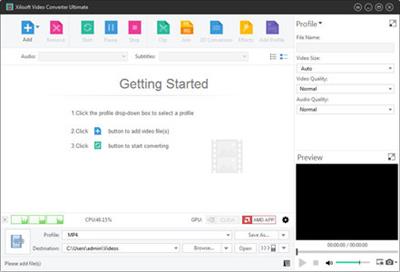
Xilisoft Video Converter Ultimate 7.8.25 Build 20200718 Multilingual (Portable)

Xilisoft Video Converter Ultimate 7.8.25 Build 20200718 Multilingual (Portable)


4e084ccb09091d8ecd8971bda2a978fc.jpeg


Xilisoft Video Converter Ultimate 7.8.25 Build 20200718 Multilingual (Portable) | 75 MB | Language: Multilanguage​


Xilisoft Video Converter is powerful, versatile video conversion software which converts between all popular video formats such as convert AVI to MPEG, WMV to AVI, WMV to MPEG or H.264/AVC video, convert AVI files to iPod formats, etc.


No other programs like Xilisoft Video Converter supports so comprehensive video formats including AVI, MPEG, WMV, DivX, MP4, H.264/MPEG-4 AVC, RM, MOV, XviD, 3GP, FLV, VOB (the video format used in DVD), DAT (the video format used in VCD, SVCD), etc. In addition, the video converter provides an easy way to convert video file to popular audio file, like MP2, MP3, WMA, WAV, RA, M4A, AAC, AC3, OGG, etc.

The video converter also supports APE, CUE decoding and audio CD ripping.
* Act as 3GP Video Converter, iPod Video Converter, PSP Video Converter, Zune Video Converter, AVI MPEG Converter, MP4 Video Converter, MOV Converter, MKV to MPEG converter, etc.;
* Convert between all popular video formats including AVI, MPEG, WMV, DivX, MP4, H.264/MPEG-4 AVC, RM, MOV, XviD, 3GP, FLV, help you on how to convert AVI to MPEG, convert MKV to AVI, convert MKV to MPEG;
* Convert videos to popular audio files, including MP2, MP3, WMA, WAV, RA, M4A, AAC, AC3, and OGG, and convert between these audio formats;
* Extract pictures from video and output them as JPG, PNG, GIF, BMP, SWF;
* Convert pictures to video formats like AVI, FLV, SWF, MOV, 3GP, WMV, etc.

Key Features:
* Powerful video effect editing functions to customize your video: crop video size, edit video effects, and add video watermark; (Ultimate only)
* Support the decoding and encoding of lossless audio; (Ultimate only)
* Preview and compare the source video and fixed video; (Ultimate only)
* Merge several video segments to one for conversion; (Ultimate and Platinum only)
* Clip segments from video and audio, and output them respectively or merge them into one for output; (Ultimate and Platinum only)
* Preview clipped video segment; (Ultimate and Platinum only)
* More optimized and classified profiles are supported now, and any profile can be customized to create your own one with your favorite settings;
* Customize the output file size and auto-calculate corresponding video bit rate;
* Multiple output formats can be set for one original to facilitate your conversion;
* Convert videos to compatible formats to work on PSP, PS3, iPod, iPhone, Apple TV, Zune, Archos, blackberry, iRiver PMP, Creative Zen, etc.;
* It supports H.264/AVC video format, PSP H.264/MPEG-4 AVC encoding/decoding, PSP H.264/AVC Video (480x272) (*.mp4);
* It provides batch conversion and multithreading, thus you can select multiple files at one time to have them convert one by one automatically;
* You can convert any clip or segment of the video at will by setting the start point and duration, and split one source file to several by duration or file size;
* video codec and audio codec can be modified: alternatively select video codec such as MPEG4, DVvideo, Mjpeg, etc. for AVI, H263, and MPEG4 for 3GP, as well as audio codec like PCM, MP2, MP3, MPEGAAC, AC3, etc.
* When converting files, you can pause, stop and continue at any moment;
* You can keep the default settings or set parameters of the video and audio by yourself to get particular effects for output file.


Operating System:
Windows® 10, Windows® 8 / 8.1, Windows® 7


Home Page -
Код:
http://www.xilisoft.com/


DOWNLOAD LINKS:

Код:
https://rapidgator.net/file/b38430c04f2205f11c784055f0971128/Xilisoft_Video_Converter_Ultimate_7.8.25_Build_20200718_Multilingual_Portable.rar

Код:
http://nitroflare.com/view/635174C79815394/Xilisoft_Video_Converter_Ultimate_7.8.25_Build_20200718_Multilingual_Portable.rar

Код:
https://uploadgig.com/file/download/7d840c9c0fd82F41/Xilisoft_Video_Converter_Ultimate_7.8.25_Build_20200718_Multilingual_Portable.rar
 
ImTOO Video Converter Ultimate 7.8.25 Build 20200718 Multilingual

ImTOO Video Converter Ultimate 7.8.25 Build 20200718 Multilingual


5bae366540acc17d6992432c31ad7686.jpeg


ImTOO Video Converter Ultimate 7.8.25 Build 20200718 Multilingual | 36 MB | Language: Multilanguage​


ImTOO Video Converter is an easy to use program that lets you edit and convert video, audio, and animated images. Its key feature includes the creation of a 3D video from a normal video. ImTOO Video Converter is the best video converter software to convert between HD videos: H.264/MPEG-4 AVC, H.265/HEVC, AVCHD (*.m2ts, *.mts), MKV, HD WMV, MPEG2/MPEG-4 TS HD, convert videos from HD to SD, convert between various general video formats: AVI, MPEG-4, WMV, DivX, H.264/AVC, and extract audio and pictures from videos. Even create a video from pictures further with flexible merging/clipping/editing/splitting features.


High-Definition (HD) video encoding and decoding makes it possible to get stunning High-Definition videos for HD video players. ImTOO Video Converter can turn any video/music file to be played on iPad, iPod, iPhone, Apple TV, Google Android phones, PSP, PS3, NDS, Wii, BlackBerry phone, iRiver, Creative Zen and other multimedia devices.

Key Features:
Newly support iPad and Google Android phones: Nexus One, HTC Hero, HTC G2 Magic, HTC Tattoo, Motorola Droid, Motorola CLIQ, Samsung i7500
Support video format taken from all kind of DVs.
With simple video editor, can process cutting, division and combination easily.
Allows you to transfer the converted files to iPod, iPhone, iPad or PSP directly after conversion.
Supports multi-core CPU processing to perform tasks with the highest speed possible; core number can be customized accordingly.
Add multiple audio tracks and subtitle files (ASS, SSA and SRT) to enrich your videos.
Crop the image frame of your video to retain what you want.
Adjust the brightness/saturation/contrast of your videos, and add artistic effects like "Old Film", "Gray", "Line Drawing", etc.
Insert video/picture/text watermarks to your videos to mark them as your own.
Preview a video with different effects applied or compare the original video with the edited version in real-time.
Comes with optimized conversion profiles classified by device type so you can easily find the most suitable conversion solution for your device.
Split a large file into several smaller ones according to split duration or size.
Set different output formats for the same file and converted it into various formats in one go.
Specify the output file size and calculate the corresponding bit rate in an instant with the built-in Bitrate Calculator.
Offers a range of adjustable parameters: video, audio, picture, tag and expert.
Convert multiple files simultaneously with multithreading and batch processing.
Powered with ATI-Stream and NVIDIA-CUDA GPU acceleration technology to get big performance improvement in video conversion process.
Run the application in the background to free up CPU resources for running other applications.
Preset a post conversion action and the application will automatically perform the desired action after completing a task: shut down, hibernation, stand by; exit application
Rename files in batches; view file properties; automatic software update checking; multiple language interfaces and skins to choose from.

System Requirements:
OS: Microsoft® Windows XP (SP2 or later), Windows Vista, Windows 7, Windows 8, Windows 10
Processor: 1GHz Intel/AMD processor or above
RAM: 256MB RAM (512MB or above recommended)
Free Hard Disk: 100MB space for installation
Graphic Card: Super VGA (800x600) resolution, 16-bit graphics card or higher, OpenGL 1.4 or higher.


Home Page -
Код:
http://www.imtoo.com/


DOWNLOAD LINKS:

Код:
https://rapidgator.net/file/879c0fdb7ab516fd097e6b3c5266a135/ImTOO_Video_Converter_Ultimate_7.8.25_Build_20200718_Multilingual.rar

Код:
http://nitroflare.com/view/A7FEDEDEEB114A3/ImTOO_Video_Converter_Ultimate_7.8.25_Build_20200718_Multilingual.rar

Код:
https://uploadgig.com/file/download/bf1a8960a46eB621/ImTOO_Video_Converter_Ultimate_7.8.25_Build_20200718_Multilingual.rar
 
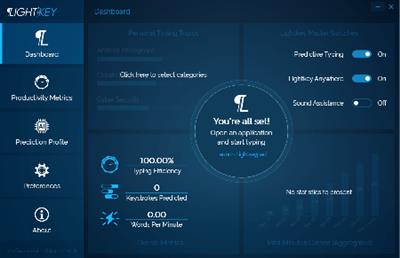
Lightkey Professional Edition 19.31.20200709.0739

Lightkey Professional Edition 19.31.20200709.0739


9012ce7f0bb41b033ad7ceece430144f.jpeg


Lightkey Professional Edition 19.31.20200709.0739 | 238 MB | Language: English​


Boost your productivity by turning to this application that lets you auto-complete your words by using a comprehensive suggestion database. If your job mainly revolves around text editors and word processors, you probably want to find an effective way to boost your productivity. One of the most efficient solutions would be turning to third-party applications such as Lightkey that can improve your speed by auto-completing your text.


Helps you auto-complete your texts
This application can help you save time typing by suggesting potential completions for your words based on your typing behavior. That means that the application studies the way you work and develops a profile so that it can fit your needs as efficiently as possible. When you launch the application, you are prompted to input your name, select a typing style, specify prediction languages and choose from a broad range of prediction categories and subcategories. Typing styles indicate whether you're focusing on the screen or keyboard while you're typing.

Integrates with several text editors
Although this application comes with its own text editor, called the "Lightkeypad", you can also use its capabilities with other text editing applications. Lightkey integrates its functions well with products from the Microsoft Office suite, including Word, Outlook and PowerPoint, boosting its overall efficiency by extending your possibilities.

Comes with a user-friendly interface
This application's interface is a smooth one, and consists of various intuitive functions, making it possible that even novices can benefit from its features without significant efforts. After you configure its initial parameters, you can access a handy tutorial that offers you information regarding shortcut usage. The main window of the Control Center component lets you toggle app integration on or off, according to your needs. Therefore, you can choose not to use this utility with Word, PowerPoint and Outlook or use it with all of them.

Lightkey. Type At The Speed Of Your Mind
Express yourself faster, avoid spelling and grammar mistakes, save energy and gain time.

Being Creative Has Never Been More Productive
Whether it's a casual email, blog-post, legal document, or a research paper, Lightkey helps you get it done.

Increase Your Typing Efficiency
Save up to 70% of your keystrokes using Lightkey's inline prediction technology.

Sharpen Your Message. Instantly
Avoid spelling and grammar mistakes while typing in more than 80 languages.

Lightkey. Anywhere
Increase your typing efficiency, in any text field and any desktop application.

Unlock Your Key Productivity Metrics
Follow your typing speed (WPM), time gained and overall productivity improvement.

System Requirements:
Lightkey supports the following MS Windows OS versions: 7, 8, 8.1 and 10.


Home Page -
Код:
https://www.lightkey.io


DOWNLOAD LINKS:

Код:
https://rapidgator.net/file/898a2b8a9a10dd3e008d1c2ccdc6eb04/Lightkey_Professional_Edition_19.31.20200709.0739.rar

Код:
http://nitroflare.com/view/66183B677FA42F9/Lightkey_Professional_Edition_19.31.20200709.0739.rar

Код:
https://uploadgig.com/file/download/0fb93038790142ab/Lightkey_Professional_Edition_19.31.20200709.0739.rar
3
 
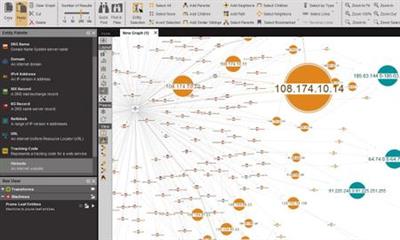
Maltego v4.2.11.13104 XL

Maltego v4.2.11.13104 XL


3907dadb09b4b4e4da215b2c54b8b88c.jpeg


Maltego v4.2.11.13104 XL | 117 MB | Language: English​


Maltego is an interactive data mining tool that renders directed graphs for link analysis. The tool is used in online investigations for finding relationships between pieces of information from various sources located on the Internet.


Maltego uses the idea of transforms to automate the process of querying different data sources. This information is then
displayed on a node based graph suited for performing link analysis.

The Power of Transforms
Transforms are small pieces of code that automatically fetch data from different sources and return the results as visual entities in the desktop client. Transforms are the central elements of Maltego which enable its users to unleash the full potential of the software whilst using a point-and-click logic to run analyses.

Home Page -
У Вас недостаточно прав для просмотра ссылок. Войдите или зарегистрируйтесь.


DOWNLOAD LINKS:

Код:
https://rapidgator.net/file/08a11df847167b53b8313a96c981db07/Maltego_v4.2.11.13104_XL.rar

Код:
http://nitroflare.com/view/9284190AB9E68EC/Maltego_v4.2.11.13104_XL.rar

Код:
https://uploadgig.com/file/download/7cD9DaFe21a357b8/Maltego_v4.2.11.13104_XL.rar
 
MiniTool Partition Wizard Pro Ultimate 12.1 (x64) Multilingual

MiniTool Partition Wizard Pro Ultimate 12.1 (x64) Multilingual


d57d9fc7d561cc2976d0b1617a5d75fe.jpeg


MiniTool Partition Wizard Pro Ultimate 12.1 (x64) Multilingual | 29 MB | Language: Multilanguage​


MiniTool Partition Wizard is a rich-featured partition magic, which is designed to optimize disk usage and to protect your data. It comes with so many powerful features with which you can completely control your hard disk and partition. With its user-friendly interface and straightforward guidance, you are able to resize partition, copy disk, scan lost partitions, and migrate OS to SSD easily and safely. Due to its outstanding performance, MiniTool Partition Wizard Free Edition has earned good reputation among global users.


Features:
Extend System Partition
Extend system partition to solve low disk space issue by its "Move/Resize Partition" & "Extend Partition" f

Copy Disk Partition
Copy disk partition for hard drive upgrade or for data backup in case that your computer may run into a problem.

Merge Adjacent Partitions
Combine two adjacent partitions into a bigger one safely so as to make full use of the unused space.

Migrate OS to SSD
Migrate OS to SSD/HD to get better computer performance or to back up OS for system restoration.

Surface Test
Check disk/partition surface test to confirm whether there are bad sectors on the target location.

Basic Management
Enable to manage disk partitions such as create, delete, format, split, wipe, align partition and more.

Convert Disk Partition Table
Convert non-system disk from MBR to GPT and vice versa without data loss to support large drive or full OS.

Convert File System?
Convert NTFS to FAT or convert FAT to NTFS without formatting to support early Windows OS or to store large files.

Set Primary/Logical
Set partition logical to create more than four partitions or set partition primary to make it active.?

Operating System:
Windows® 10, Windows® 8 / 8.1, Windows® 7


Home Page -
Код:
https://www.partitionwizard.com


DOWNLOAD LINKS:

Код:
https://rapidgator.net/file/6a828236b762c4eeab33371a4594a644/MiniTool_Partition_Wizard_Pro_Ultimate_12.1_x64_Multilingual.rar

Код:
http://nitroflare.com/view/F5A10409303F04E/MiniTool_Partition_Wizard_Pro_Ultimate_12.1_x64_Multilingual.rar

Код:
https://uploadgig.com/file/download/0f201a5D7e1Fed66/MiniTool_Partition_Wizard_Pro_Ultimate_12.1_x64_Multilingual.rar
 
MiniTool Partition Wizard Pro Ultimate 12.1 (x64) WinPE ISO

MiniTool Partition Wizard Pro Ultimate 12.1 (x64) WinPE ISO


01fd7259189fa7c48f045061db497306.jpeg


MiniTool Partition Wizard Pro Ultimate 12.1 (x64) WinPE ISO | 422 MB | Language: English​


MiniTool Partition Wizard is a rich-featured partition magic, which is designed to optimize disk usage and to protect your data. It comes with so many powerful features with which you can completely control your hard disk and partition. With its user-friendly interface and straightforward guidance, you are able to resize partition, copy disk, scan lost partitions, and migrate OS to SSD easily and safely. Due to its outstanding performance, MiniTool Partition Wizard Free Edition has earned good reputation among global users.


Features:
Extend System Partition
Extend system partition to solve low disk space issue by its "Move/Resize Partition" & "Extend Partition" f

Copy Disk Partition
Copy disk partition for hard drive upgrade or for data backup in case that your computer may run into a problem.

Merge Adjacent Partitions
Combine two adjacent partitions into a bigger one safely so as to make full use of the unused space.

Migrate OS to SSD
Migrate OS to SSD/HD to get better computer performance or to back up OS for system restoration.

Surface Test
Check disk/partition surface test to confirm whether there are bad sectors on the target location.

Basic Management
Enable to manage disk partitions such as create, delete, format, split, wipe, align partition and more.

Convert Disk Partition Table
Convert non-system disk from MBR to GPT and vice versa without data loss to support large drive or full OS.

Convert File System?
Convert NTFS to FAT or convert FAT to NTFS without formatting to support early Windows OS or to store large files.

Set Primary/Logical
Set partition logical to create more than four partitions or set partition primary to make it active.?

Operating System: Windows 10, Windows 8 / 8.1, Windows 7

Home Page -
Код:
https://www.partitionwizard.com


DOWNLOAD LINKS:

Код:
https://rapidgator.net/file/0ec185a05d5c52613252e05e8fdce147/MiniTool_Partition_Wizard_Pro_Ultimate_12.1_x64_WinPE_ISO.rar

Код:
http://nitroflare.com/view/E2C362FC5E8CC02/MiniTool_Partition_Wizard_Pro_Ultimate_12.1_x64_WinPE_ISO.rar

Код:
https://uploadgig.com/file/download/cd0Cfe98C7EdD4b0/MiniTool_Partition_Wizard_Pro_Ultimate_12.1_x64_WinPE_ISO.rar
 
Movicon.NExT v4.0.295 (x64) Multilingual

Movicon.NExT v4.0.295 (x64) Multilingual


755e8393a6799de9fe7a90bd95377ae4.jpeg


Movicon.NExT v4.0.295 (x64) Multilingual | 930 MB | Language: Multilanguage​


The Progea Automation Platform Next is a unique solution for dispatching technological processes, created on the basis of the .NET technology, with a modular architecture, web integration, with scaling to any size enterprise. Movicon Next SCADA system was developed using .NET technology, which allows using the latest Microsoft tools: 64-bit architecture, VFS (Virtual File System), Azure, WPF / XAML vector graphics.


Movicon Next has a completely updated graphical interface based on WPF / XAML vector technology. Movicon Next is equipped with a large number of communication drivers. The communication base is based on OPC UA technology, which provides fast and reliable data exchange with technological devices.

This modular and open platform will empower automation professionals as the perfect solution for Supervision, HMI, Control, Historian, MES and industrial Analysis. The Movicon.NExT project has been engineered to overcome the restricted use of conventional SCADA/HMI technology. Based on the most modern technological solutions, it creates the foundation for a long-term investment without compromise.

Innovative Platform:
Movicon.NExT is based on the Automation Platform.NexT modular platform and offers an open and modular .NET framework. It has a rich suite of functional modules to ensure open, powerful and expandable projects.

Scalable and Modular:
Movicon.NExT has been designed to ensure maximum scalability offering an all-inclusive configuration environment for modular solutions that integrate with the platform in the most simple and flexible way possible. The scalable Movicon.NExT architecture is designed to save time and costs offering unlimited ways of deployment. The Movicon.NExT technology is based on the "Plug-In" concepts to offer maximum system interoperability to the extent that new functional modules can be integrated in the Progea Framework to allow users to completely customize their .NET solutions as needed.

Fast Engineering:
Movicon.NExT offers a totally integrated, innovative and snazzy development environment that comes with a rich set of intuitive features. The platform is entirely based on modern technology that reduces development time in creating projects in respect to the technology used in pre-existing solutions. This is done by using wizards and templates, unprecedented symbol libraries and toolbox offering top graphical quality and reusability. Functions are modularity concept-driven to allow users to externally create and implement functional plug-in modules that totally integrate with the platform.

Conforms to Standards:
The Movicon.NExT software technology is entirely based on standards deriving from openness and reliability. The XAML and WPF technology ensure the most effective and modern graphics standard, the historian technology is based on Ms SQL Server and Azure that support any Relational DB in the most transparent way using the ADO Provider (supports MySQL and Oracle).

The project files are based on the XML standard or the SQL DB standard. The powerful language is based on the standard VB.NET syntax. Communication is OPC UA-based and includes a great selection of integrated communication protocols. Access over the web is HTML5-based. All provided with the best technology standards around.

HTML5 Web Client:
Movicon.NExT is a platform that makes the factory access over the web an unprecedented reference point. Creating Web-enabled projects is extremely simple and effective thanks to the Web Server module that uses the HTML5 technology to ensure maximum portability across different platforms and operating systems made possible by the standard, top performance and graphics. APPs are also available for smartphone and table devices for Android, iOS and Windows Universal App.

Performances and Reliability:
Movicon.NExT pays particular attention to managing performances. Fast communication and real-time data management, graphics optimization with full use of graphics accelerators and Direct X all ensure technology at its best without sacrificing performances.

Home Page -
Код:
https://www.progea.com/


DOWNLOAD LINKS:

Код:
https://rapidgator.net/file/5ee89c3fb288f472e14a0e74c79c8165/Movicon.NExT_v4.0.295_x64_Multilingual.rar

Код:
http://nitroflare.com/view/F530CF9BB919E79/Movicon.NExT_v4.0.295_x64_Multilingual.rar

Код:
https://uploadgig.com/file/download/7b8f87b27B1DEcBb/Movicon.NExT_v4.0.295_x64_Multilingual.rar
 
Valentina Studio Pro 10.4.16

Valentina Studio Pro 10.4.16


c87224afd8cee484f3a26705ee063139.jpeg


Valentina Studio Pro 10.4.16 | 82 MB | Language: English​


Valentina Studio is the best way to transform your data into meaningful information; create, administer, query and explore MySQL, Postgre MariaDB, MS SQL Server and SQLite databases.


Valentina Studio Pro Features & Benefits At a Glance.

Report Designer:
-Visual design layout tools turn queries into reports; live preview
-Toolbox of controls, html, barcodes, charts, graphs and more
-Sub-reports, regions, groups
-Easy add macros, expressions
-Print to all standard paper formats, set gutter, margin, max records per page
-Deploy Report projects for Valentina Reports ADK applications
-Deploy Report projects to Valentina Server

Forward Engineering:
-Visual Diagram Editor generates new databases
-Toolbox of controls, labels, comments, procedures, tables, views
-Generate scripts, copy scripts into your app code
-Easy visual navigation of very large diagrams

Database Continuous Integration:
-Create | Save | Load database schema snapshots in structured format
-Register | Commit | Increment database source control with any VCS
-Generate Migrate scripts

Forms Editor:
-Drag-create controls, widgets & layouts to create forms visually
-Attach and write custom methods in j\u0430vascript
-Forms work work with any supported datasource including PostgreSQL, MySQL, MS SQL Server, SQLite and ValentinaDB
-Upload Forms to Valentina Projects on Valentina Server
-Deploy forms through free Valentina Studio on Windows, MacOS and Linux

Query Builder:
-Build SQL queries with just a few clicks and no code writing
-Edit built queries in Data Editor and save to Snippets library
-Copy your SQL queries to use in any application

SQL DIFF:
-See all the details of differences in Tables, Links and more
-Generate scripts to execute to modify databases

Data Transfer:
-Copy records between two different databases
-Specify mapping of source/target Tables and Fields
-Log details and observe the transfer and result

System Requirements:
OS:Win Vista SP2+ Win 7 SP1+; Windows 8; Windows 10
Space:HD 20 MB+; RAM 50 MB
(dependent on database size)


Home Page -
Код:
https://www.valentina-db.com/en/


DOWNLOAD LINKS:

Код:
https://rapidgator.net/file/cd6424641ea2e7a4330cd50886aef9aa/Valentina_Studio_Pro_10.4.16.rar

Код:
http://nitroflare.com/view/AF37E16184E41DA/Valentina_Studio_Pro_10.4.16.rar

Код:
https://uploadgig.com/file/download/5AF6f4d706e3950d/Valentina_Studio_Pro_10.4.16.rar
 
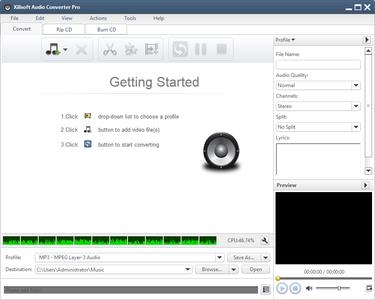
Xilisoft Audio Converter Pro 6.5.1 Build 20200719 Multilingual

Xilisoft Audio Converter Pro 6.5.1 Build 20200719 Multilingual


945b6d4ef4e011c217b592c7144f093a.jpeg


Xilisoft Audio Converter Pro 6.5.1 Build 20200719 Multilingual | 32 MB | Language: Multilanguage​


Xilisoft Audio Converter Pro is a powerful all-in-one professional audio converter for audio conversion, audio extraction, audio CD ripping and making. Using Xilisoft Audio Converter Pro, you can convert between different audio formats including MP3, WMA, WAV, AAC, FLAC, OGG, APE, extract audio from popular video formats including high-definition (HD) videos such as AVI, MPEG, WMV, MP4, FLV, MKV, H.264/MPEG-4 AVC, AVCHD, rip music CD to different audio formats, and create music CD from audio and video files in all sorts of formats.


Xilisoft Audio Converter Pro also allows you to convert or rip multiple tracks to multiple formats at once, split tracks, clip audio segments, add audio fade-in/out effects, adjust volume normalize, band pass, chorus, flanger, echo and speed for the outputted audio, and create customized audio files by adjusting a range of output parameters. Super high audio conversion speed is offered with multi-core CPU processing and multithreading both supported.
- Convert between popular audio formats including MP3, WMA, WAV, AAC, FLAC, OGG, APE
- Extract audio from video and HD-video files including AVI, MPEG, WMV, MP4, FLV, MKV, H.264/MPEG-4 AVC, AVCHD
- Rip audio CD to popular audio formats
- Make audio CD, MP3 CD or WMA CD from popular audio and video formats

Operating System: Windows 7, 8/8.1, 10

Home Page -
Код:
http://www.xilisoft.com/


DOWNLOAD LINKS:

Код:
https://rapidgator.net/file/7c816c880e6b7687eb55d04c174ee404/Xilisoft_Audio_Converter_Pro_6.5.1_Build_20200719_Multilingual.rar

Код:
http://nitroflare.com/view/95818599069F0A2/Xilisoft_Audio_Converter_Pro_6.5.1_Build_20200719_Multilingual.rar

Код:
https://uploadgig.com/file/download/D68338e431222080/Xilisoft_Audio_Converter_Pro_6.5.1_Build_20200719_Multilingual.rar
 
Maxon CINEMA 4D Studio S22.118 (x64) Multilingual

Maxon CINEMA 4D Studio S22.118 (x64) Multilingual


04fa804013d9341de275a4b1ef8afea1.jpeg


Maxon CINEMA 4D Studio S22.118 (x64) Multilingual | 360 MB | Language: Multilanguage​


Easy to learn and extremely powerful: Cinema 4D is the perfect package for all 3D artists who want to achieve breathtaking results fast and hassle-free. Beginners and seasoned professionals alike can take advantage of Cinema 4D's wide range of tools and features to quickly achieve stunning results. Cinema 4D's legendary reliability also makes it the perfect application for demanding, fast-paced 3D production.


EASE OF USE
Getting started in the world of 3D is a blast when you can quickly create great-looking results! Cinema 4D's intuitive and easy to understand operation and logically arranged interface makes it easy for beginners to jump right in and take control. And it never ceases to amaze professional users just how easy Cinema 4D is to use. Countless tutorials and a global, highly-skilled community play an important role in bringing beginners to a professional level of use.

INTUITIVE INTERFACE
Cinema 4D is a pillar in our users' everyday workflow. This is why we make sure from the start that new functions work intuitively and are exactly where users will expect to find them. The Cinema 4D layout can also be easily customized to precisely fit a user's needs and saved for later use.

STABILITY
Cinema 4D's stability is renowned throughout the 3D community and beyond. All new features and functions are thoroughly put through their paces by our QA and beta testers before being released. Our free service packs, which are released on a regular basis, further optimize Cinema 4D and let us rapidly respond to changes in operating systems and drivers!

POWERFUL HELP SYSTEM
Any questions about a specific function can be quickly answered by right-clicking on it and jumping straight to the integrated software documentation.

PROCEDURAL WORKFLOWS
Stay flexible from beginning to end! Staying flexible for last-minute changes is important no matter which project you're working on. Cinema 4D offers numerous options for working non-destructively: parametric modeling, procedural shaders, textures and more. And the Cinema 4D Take System lets you save and manage multiple versions of a scene in a single file!

Minimum System Requirements Cinema 4D:
- Windows 10 64-bit on Intel or AMD 64-bit CPU with SSE3 support.
- 4 GB RAM (8 GB or more recommended), OpenGL graphics card supporting OpenGL 4.1 (dedicated GPU recommended)
- The GPU renderer requires an NVIDIA or AMD graphics card on Windows or AMD.
- We recommend at least 4 GB VRAM for GPU rendering.


Home Page -
Код:
https://www.maxon.net/


DOWNLOAD LINKS:


Код:
https://dropapk.to/he722hsuao1q/Maxon_CINEMA_4D_Studio_S22.118_x64_Multilingual.rar

Код:
https://rapidgator.net/file/04bc2605b2c104bcb2646f7d9f26a943/Maxon_CINEMA_4D_Studio_S22.118_x64_Multilingual.rar

Код:
http://nitroflare.com/view/B66D2D8422C7D6F/Maxon_CINEMA_4D_Studio_S22.118_x64_Multilingual.rar

Код:
https://uploadgig.com/file/download/f5efad2167ba7636/Maxon_CINEMA_4D_Studio_S22.118_x64_Multilingual.rar
 
Prepar3D Academic / Professional Plus v4.5 Hotfix 3 x64

Prepar3D Academic / Professional Plus v4.5 Hotfix 3 x64


5eed3c7c9f1c25cc5b4c6080b52da8d1.jpeg


Prepar3D Academic / Professional Plus v4.5 Hotfix 3 x64 | 26.8 GB | Language: English​


Lockheed Martin Corporation has unveiled an hotfix 3 to Prepar3D V4.5. This update contains numerous new features and improvements.


Prepar3D V4.5 Hotfix 3 (build 4.5.14.34698) - Date: April 15, 2020
The Prepar3D v4.5 Hotfix 3 contains numerous new features and improvements. Various improvements were made to VR including native support for the Varjo XR-1 Mixed Reality headset. Multichannel capabilities have been enhanced with stability improvements and better structured scenario support. Additional PDK tools give developers more control over multiplayer and structured scenarios.


Client Fixes and Improvements
- Added support for the Varjo XR-1 Mixed Reality (MR) headset.
- Fixed bug preventing gaze select cursor from appearing in some cases.
- Ownship can now follow waypoints when using the ActivateWaypointsAction.
- The ActivateWaypointsAction now correctly sets waypoint requested distance values.
- Fixed bug preventing waypoint list data from being queried by the PDK when running SimDirector.
- Fixed bug preventing Camera System PDK calls from accessing the latest interface version.
- Improved DIS wildcard handling and fixed issue preventing entity types from corresponding correctly in some cases.
- Fixed bug preventing preview windows from rendering in SimDirector in some cases.
- Fixed issue where shared cockpit would lag with more than four players in a vehicle.
- Fixed QueryService call for the IDISManagerv450 interface.
- Fixed issue causing irregular movements on nested attached objects.
- Fixed multichannel startup crash seen in some cases.
- Fixed issue where sound would still be muted in some cases when leaving multiplayer UI screens.
- Fixed wave animation issues when changing wind directions over the 0/360 degree boundary.
- Slew is now enabled by default in multichannel.
- Added a command line argument to launch Prepar3D directly into playing back a flight recording.
- Fixed cases where certain objects would have irregular movements in recording playbacks.
- Fixed issue preventing metallic occlusion properties from loading correctly.
- Fixed crash seen when loading airports with no taxiway paths.
- Fixed issue where scenario actions would not fire when starting directly into multiplayer.
- Improved handling of near clip in VR.
- Fixed issue where autopilot state would not load correctly in some cases.
- Fixed issue causing incorrect pitch to be set when loading an uncompressed 32 bit DDS texture.
- Added controls to emulate the mouse scroll wheel when using Gaze Selection in VR.
- Multichannel clients can now use direct IP autostart.
- Fixed issue where scenario objects would not handle events correctly in multichannel.
- Fixed crash when resetting structured scenarios in multichannel.

Content Fixes and Improvements
- Updated several DISEntityTypes.xml entries to ensure each default object is unique.
- Removed invalid FuelTruck object from DISEntityTypes.xml.
- Fixed flap configuration for the F-35A.
- Fixed issue with F-16 effects being added twice by removing effect file extensions in F-16 config entries.
- Fixed minor issues in the Basics of Flight scenario.

SDK Fixes and Improvements
- Added functionality to the PDK for Structured Scenario support for Mission Objectives, Goals and Flight Segments.
- Added additional multiplayer PDK service functions.
- Fixed TrafficToolbox dump airport list to correctly parse airspace types.
- Fixed issue preventing ImageTool from loading certain DDS textures.
- Fixed event ID filter for mouse inputs to allow custom ISimObject instance-based properties.
- Added [ClampingOnGround] variables to SimObjects to prevent stationary vehicles from sliding in some cases.

Training meets reality with Lockheed Martin's Prepar3D simulation software. Private pilots, commercial organizations, academia, and militaries rely on Prepar3D for immersive, experiential learning.

Prepar3D (pronounced "prepared") is a visual simulation platform that allows users to create training scenarios across aviation, maritime and ground domains. Prepar3D engages users in immersive training through realistic environments.

Ideal for commercial, academic, professional, or military instruction. Prepar3D can be used to quickly create learning scenarios anywhere in the virtual world, from under water to sub orbital space.

Prepar3D can be used for a wide range of learning scenarios including vehicle procedures training, cockpit familiarization, flight planning, air traffic controller training and emergency response preparation. As a commercial-off-the-shelf product, Prepar3D provides a cost effective training platform that evolves with technology.

Prepar3D v4 completely changed the simulation landscape with a comprehensive baseline update to a 64-bit architecture. Higher resolution visuals, more objects, increased data precision, larger scenarios, and improved performance were made possible at levels never seen before in the product's history. Additionally, the release included a new dynamic lighting system, rain/snow particles, global 3D trees and vegetation, a fully reworked software development kit (SDK), new default vehicles, and countless core improvements.

Here is P3D V4.5 settings guide. I do hope this can help as many as possible imrpove their Flight Sim experience. Of course, this will not suit everyone, but I do believe a strong majority of people will benefit from using these settings or settings inspired from what I have shown.

Lockheed Martin Corporation, incorporated on August 29, 1994, is a security and aerospace company. The Company is engaged in the research, design, development, manufacture, integration and sustainment of technology systems, products and services. The Company operates through four segments: Aeronautics; Missiles and Fire Control (MFC); Rotary and Mission Systems (RMS), and Space Systems. The Company also provides a range of management, engineering, technical, scientific, logistics, system integration and cybersecurity services. Its main areas of focus are in defense, space, intelligence and homeland security. The Company serves both the United States and international customers with products and services that have defense, civil and commercial applications, with its principal customers being agencies of the United States Government.


Product: Prepar3D
Version: Academic / Professional Plus V4.5 Hotfix 3 (build 4.5.14.34698)
Supported Architectures: x64
Website Home Page :
Код:
http://www.prepar3d.com
Language: english
System Requirements: PC
Supported Operating Systems: *
Size: 26.8 Gb


DOWNLOAD LINKS:

Код:
https://rapidgator.net/file/3d215dbc4c6ea178dfacc44bb3192d86/Prepar3D_Academic__Professional_Plus_v4.5_Hotfix_3_x64.part01.rar
https://rapidgator.net/file/8e65caac52387561136953738fbc784c/Prepar3D_Academic__Professional_Plus_v4.5_Hotfix_3_x64.part02.rar
https://rapidgator.net/file/1c56b0e3b499c4c6e1888aa05bfc1d80/Prepar3D_Academic__Professional_Plus_v4.5_Hotfix_3_x64.part03.rar
https://rapidgator.net/file/751e75d6eda3a244c9f9cae31bcd3e63/Prepar3D_Academic__Professional_Plus_v4.5_Hotfix_3_x64.part04.rar
https://rapidgator.net/file/5d153120af12fa4f1adef37410f510ae/Prepar3D_Academic__Professional_Plus_v4.5_Hotfix_3_x64.part05.rar
https://rapidgator.net/file/6379e0c3d3b1fe5f988a0ea347a41e4f/Prepar3D_Academic__Professional_Plus_v4.5_Hotfix_3_x64.part06.rar
https://rapidgator.net/file/4a0cfc569622a96f35df70ccdc39343f/Prepar3D_Academic__Professional_Plus_v4.5_Hotfix_3_x64.part07.rar
https://rapidgator.net/file/f9cc8ab52b6196d103346be97138e7db/Prepar3D_Academic__Professional_Plus_v4.5_Hotfix_3_x64.part08.rar
https://rapidgator.net/file/4f4bd9df14e85eb63e9fa652689b345a/Prepar3D_Academic__Professional_Plus_v4.5_Hotfix_3_x64.part09.rar
https://rapidgator.net/file/bde8ebb3151359a9e030707ef76183d1/Prepar3D_Academic__Professional_Plus_v4.5_Hotfix_3_x64.part10.rar
https://rapidgator.net/file/bd0e42f3175ee997de0b8ccda9181810/Prepar3D_Academic__Professional_Plus_v4.5_Hotfix_3_x64.part11.rar
https://rapidgator.net/file/bfa1efc3e6ce9d5ac652f58c476f05a4/Prepar3D_Academic__Professional_Plus_v4.5_Hotfix_3_x64.part12.rar
https://rapidgator.net/file/ddf05e623ac5dd1d5a0d943322b0d9c1/Prepar3D_Academic__Professional_Plus_v4.5_Hotfix_3_x64.part13.rar
https://rapidgator.net/file/2ae860662dee9a95ceac710d66b6a5c0/Prepar3D_Academic__Professional_Plus_v4.5_Hotfix_3_x64.part14.rar
https://rapidgator.net/file/04049a1d62ca3807c731a1ccc2bd3596/Prepar3D_Academic__Professional_Plus_v4.5_Hotfix_3_x64.part15.rar
https://rapidgator.net/file/3775954a8b3e6f7f34e918797fd4e3e2/Prepar3D_Academic__Professional_Plus_v4.5_Hotfix_3_x64.part16.rar
https://rapidgator.net/file/7013d3cd737a7000feedde41787bf3c9/Prepar3D_Academic__Professional_Plus_v4.5_Hotfix_3_x64.part17.rar
https://rapidgator.net/file/6624706b485d4f92dc6838dddbb6ef6d/Prepar3D_Academic__Professional_Plus_v4.5_Hotfix_3_x64.part18.rar
https://rapidgator.net/file/4936ba80cf3bdcb778082ddf1272cf2c/Prepar3D_Academic__Professional_Plus_v4.5_Hotfix_3_x64.part19.rar
https://rapidgator.net/file/c32cd189d3f8d631f6e99f520fcc7533/Prepar3D_Academic__Professional_Plus_v4.5_Hotfix_3_x64.part20.rar
https://rapidgator.net/file/0b19a2c4e1be404e7d9a94e9a3698535/Prepar3D_Academic__Professional_Plus_v4.5_Hotfix_3_x64.part21.rar
https://rapidgator.net/file/5f59a7f1cc5c15d9d1ae69facdd88bde/Prepar3D_Academic__Professional_Plus_v4.5_Hotfix_3_x64.part22.rar
https://rapidgator.net/file/fce9e1d76a8284e6d9213332d6ebe9f2/Prepar3D_Academic__Professional_Plus_v4.5_Hotfix_3_x64.part23.rar
https://rapidgator.net/file/90cc3fa54dba4f983c4038cc38a5950e/Prepar3D_Academic__Professional_Plus_v4.5_Hotfix_3_x64.part24.rar
https://rapidgator.net/file/e5747301ab78bc58d0cd65a7c854fd2a/Prepar3D_Academic__Professional_Plus_v4.5_Hotfix_3_x64.part25.rar
https://rapidgator.net/file/1586e8183d5555be87232cd4944c840b/Prepar3D_Academic__Professional_Plus_v4.5_Hotfix_3_x64.part26.rar
https://rapidgator.net/file/fb5fd3050ccebb1ff75712336b3d650b/Prepar3D_Academic__Professional_Plus_v4.5_Hotfix_3_x64.part27.rar

Код:
http://nitroflare.com/view/A5E0A97C23809E0/Prepar3D_Academic__Professional_Plus_v4.5_Hotfix_3_x64.part01.rar
http://nitroflare.com/view/75916D05701D3F5/Prepar3D_Academic__Professional_Plus_v4.5_Hotfix_3_x64.part02.rar
http://nitroflare.com/view/93FF18F245FC36C/Prepar3D_Academic__Professional_Plus_v4.5_Hotfix_3_x64.part03.rar
http://nitroflare.com/view/967B90B7644F10C/Prepar3D_Academic__Professional_Plus_v4.5_Hotfix_3_x64.part04.rar
http://nitroflare.com/view/79FFA8A5F11E40D/Prepar3D_Academic__Professional_Plus_v4.5_Hotfix_3_x64.part05.rar
http://nitroflare.com/view/943A90AC5F27D19/Prepar3D_Academic__Professional_Plus_v4.5_Hotfix_3_x64.part06.rar
http://nitroflare.com/view/D2D7B1C07C03D68/Prepar3D_Academic__Professional_Plus_v4.5_Hotfix_3_x64.part07.rar
http://nitroflare.com/view/5E38429B30BBBD6/Prepar3D_Academic__Professional_Plus_v4.5_Hotfix_3_x64.part08.rar
http://nitroflare.com/view/AAC996FEF2C324F/Prepar3D_Academic__Professional_Plus_v4.5_Hotfix_3_x64.part09.rar
http://nitroflare.com/view/F85DDC423FC32B2/Prepar3D_Academic__Professional_Plus_v4.5_Hotfix_3_x64.part10.rar
http://nitroflare.com/view/3E2B11BBA7D2C94/Prepar3D_Academic__Professional_Plus_v4.5_Hotfix_3_x64.part11.rar
http://nitroflare.com/view/961BD810E63D3B2/Prepar3D_Academic__Professional_Plus_v4.5_Hotfix_3_x64.part12.rar
http://nitroflare.com/view/73C38C16DA21922/Prepar3D_Academic__Professional_Plus_v4.5_Hotfix_3_x64.part13.rar
http://nitroflare.com/view/500C9DFAEFECE47/Prepar3D_Academic__Professional_Plus_v4.5_Hotfix_3_x64.part14.rar
http://nitroflare.com/view/6EC177CD7524533/Prepar3D_Academic__Professional_Plus_v4.5_Hotfix_3_x64.part15.rar
http://nitroflare.com/view/590D23518C476DA/Prepar3D_Academic__Professional_Plus_v4.5_Hotfix_3_x64.part16.rar
http://nitroflare.com/view/8BB480A47AEA468/Prepar3D_Academic__Professional_Plus_v4.5_Hotfix_3_x64.part17.rar
http://nitroflare.com/view/00A4BEDD4554783/Prepar3D_Academic__Professional_Plus_v4.5_Hotfix_3_x64.part18.rar
http://nitroflare.com/view/CBF8773928A755E/Prepar3D_Academic__Professional_Plus_v4.5_Hotfix_3_x64.part19.rar
http://nitroflare.com/view/16F0834DE02DF98/Prepar3D_Academic__Professional_Plus_v4.5_Hotfix_3_x64.part20.rar
http://nitroflare.com/view/09E4E103652D914/Prepar3D_Academic__Professional_Plus_v4.5_Hotfix_3_x64.part21.rar
http://nitroflare.com/view/43F7CDC41153B2C/Prepar3D_Academic__Professional_Plus_v4.5_Hotfix_3_x64.part22.rar
http://nitroflare.com/view/1AEDD6A7219D87D/Prepar3D_Academic__Professional_Plus_v4.5_Hotfix_3_x64.part23.rar
http://nitroflare.com/view/5CD4E84C72E29CE/Prepar3D_Academic__Professional_Plus_v4.5_Hotfix_3_x64.part24.rar
http://nitroflare.com/view/04A7CB4537A2F44/Prepar3D_Academic__Professional_Plus_v4.5_Hotfix_3_x64.part25.rar
http://nitroflare.com/view/DBDBE00013F1E02/Prepar3D_Academic__Professional_Plus_v4.5_Hotfix_3_x64.part26.rar
http://nitroflare.com/view/E33BB2350F22DE1/Prepar3D_Academic__Professional_Plus_v4.5_Hotfix_3_x64.part27.rar

Код:
https://uploadgig.com/file/download/bA6d99F2a6144d6A/Prepar3D_Academic__Professional_Plus_v4.5_Hotfix_3_x64.part01.rar
https://uploadgig.com/file/download/f8584B9e35a04189/Prepar3D_Academic__Professional_Plus_v4.5_Hotfix_3_x64.part02.rar
https://uploadgig.com/file/download/06942394780c89ba/Prepar3D_Academic__Professional_Plus_v4.5_Hotfix_3_x64.part03.rar
https://uploadgig.com/file/download/5ceb551f650fBA0e/Prepar3D_Academic__Professional_Plus_v4.5_Hotfix_3_x64.part04.rar
https://uploadgig.com/file/download/e92Cc48e82199d20/Prepar3D_Academic__Professional_Plus_v4.5_Hotfix_3_x64.part05.rar
https://uploadgig.com/file/download/31d63001d02B24d4/Prepar3D_Academic__Professional_Plus_v4.5_Hotfix_3_x64.part06.rar
https://uploadgig.com/file/download/cce01885192c3e6D/Prepar3D_Academic__Professional_Plus_v4.5_Hotfix_3_x64.part07.rar
https://uploadgig.com/file/download/efb36fE167BCb5a3/Prepar3D_Academic__Professional_Plus_v4.5_Hotfix_3_x64.part08.rar
https://uploadgig.com/file/download/fc94F088a86E66cF/Prepar3D_Academic__Professional_Plus_v4.5_Hotfix_3_x64.part09.rar
https://uploadgig.com/file/download/971Eaac242d930a9/Prepar3D_Academic__Professional_Plus_v4.5_Hotfix_3_x64.part10.rar
https://uploadgig.com/file/download/e3ec0b9DEc743cd9/Prepar3D_Academic__Professional_Plus_v4.5_Hotfix_3_x64.part11.rar
https://uploadgig.com/file/download/7e05a69d8690B13a/Prepar3D_Academic__Professional_Plus_v4.5_Hotfix_3_x64.part12.rar
https://uploadgig.com/file/download/66c011461c14F9aE/Prepar3D_Academic__Professional_Plus_v4.5_Hotfix_3_x64.part13.rar
https://uploadgig.com/file/download/C60c83C1e2E74d42/Prepar3D_Academic__Professional_Plus_v4.5_Hotfix_3_x64.part14.rar
https://uploadgig.com/file/download/92Ff0bc2a2fB6E3E/Prepar3D_Academic__Professional_Plus_v4.5_Hotfix_3_x64.part15.rar
https://uploadgig.com/file/download/81d6FaAce7F9131b/Prepar3D_Academic__Professional_Plus_v4.5_Hotfix_3_x64.part16.rar
https://uploadgig.com/file/download/eA77609ec5Ad12F9/Prepar3D_Academic__Professional_Plus_v4.5_Hotfix_3_x64.part17.rar
https://uploadgig.com/file/download/4bE0508170C978d4/Prepar3D_Academic__Professional_Plus_v4.5_Hotfix_3_x64.part18.rar
https://uploadgig.com/file/download/c0003a4AbEf0b08b/Prepar3D_Academic__Professional_Plus_v4.5_Hotfix_3_x64.part19.rar
https://uploadgig.com/file/download/B948a4c713c18B15/Prepar3D_Academic__Professional_Plus_v4.5_Hotfix_3_x64.part20.rar
https://uploadgig.com/file/download/b076f21Aa1a1c62f/Prepar3D_Academic__Professional_Plus_v4.5_Hotfix_3_x64.part21.rar
https://uploadgig.com/file/download/eff62d256aB7fc39/Prepar3D_Academic__Professional_Plus_v4.5_Hotfix_3_x64.part22.rar
https://uploadgig.com/file/download/7c8dcb6909984982/Prepar3D_Academic__Professional_Plus_v4.5_Hotfix_3_x64.part23.rar
https://uploadgig.com/file/download/F6fb5cba5e26Ce72/Prepar3D_Academic__Professional_Plus_v4.5_Hotfix_3_x64.part24.rar
https://uploadgig.com/file/download/ac28964770Dd6290/Prepar3D_Academic__Professional_Plus_v4.5_Hotfix_3_x64.part25.rar
https://uploadgig.com/file/download/9Cc5C68ab7483aEb/Prepar3D_Academic__Professional_Plus_v4.5_Hotfix_3_x64.part26.rar
https://uploadgig.com/file/download/Ea39171bCE6Baaf3/Prepar3D_Academic__Professional_Plus_v4.5_Hotfix_3_x64.part27.rar

 
Altium NEXUS 3.1.14 x64 build 81

Altium NEXUS 3.1.14 x64 build 81


1e686c5e053c931a293c149f0049c81e.jpeg


Altium NEXUS 3.1.14 x64 build 81 | 3.25 GB | Language: English​


Altium LLC. is a multinational software corporation headquartered in San Diego, California, that focuses on electronics design systems for 3D PCB design and embedded system development. Altium products are found everywhere from world leading electronic design teams to the grassroots electronic design community. Founded in 1985, Altium has offices worldwide, with US locations in San Diego, Boston and New York City, European locations in Karlsruhe, Amersfoort, Kiev, Munich, Markelo and Zug, and Asia Pacific locations in Shanghai, Tokyo and Sydney.


Product: Altium Nexus
Version: 3.1.14 (Update 5) Build: 81
Supported Architectures: x64
Website Home Page :
Код:
http://www.altium.com
Language: english
System Requirements: PC *
Supported Operating Systems: *
Size: 3.25 Gb

Below are the recommended system requirements to install and run Altium NEXUS.
Recommended System Requirements
- Windows 7 SP1 (64-bit only), Windows 8 (64-bit only), or Windows 10 (64-bit only) Intel Core i7 processor or equivalent
- 16GB RAM
- 10GB hard disk space (Install + User Files)
- SSD
- High performance graphics card (supporting DirectX 10 or better), such as GeForce GTX 1060/Radeon RX 470
- Dual monitors with 2560x1440 (or better) screen resolution
- 3D mouse for 3D PCB design, such as the Space Navigator
- Adobe Reader (version XI or later for 3D PDF viewing)
- Internet Connection
- Up to date Web browser
- Microsoft Office 32-bit or 64-bit (Microsoft Excel required for BOM, Microsoft Access required for DbLibs). 64-bit Microsoft Access Database Engine 2010 (required for DbLibs) - this is included in Microsoft Office 64-bit, but not included in Microsoft Office 32-bit).


DOWNLOAD LINKS:

Код:
https://rapidgator.net/file/9d16be3d66995fab995f80054da83e59/Altium_NEXUS_3.1.14_x64_build_81.part1.rar
https://rapidgator.net/file/f41b4619492307dbdd07c474a81d298e/Altium_NEXUS_3.1.14_x64_build_81.part2.rar
https://rapidgator.net/file/25ca6fc5e8d4c558fb277980a1f071dd/Altium_NEXUS_3.1.14_x64_build_81.part3.rar
https://rapidgator.net/file/01e38e1bff11ecfb004bfadf734c198e/Altium_NEXUS_3.1.14_x64_build_81.part4.rar

Код:
http://nitroflare.com/view/A89C215C4AA187B/Altium_NEXUS_3.1.14_x64_build_81.part1.rar
http://nitroflare.com/view/73B61335861D052/Altium_NEXUS_3.1.14_x64_build_81.part2.rar
http://nitroflare.com/view/CD7935EA1D2EA8A/Altium_NEXUS_3.1.14_x64_build_81.part3.rar
http://nitroflare.com/view/680713EC1F51460/Altium_NEXUS_3.1.14_x64_build_81.part4.rar

Код:
https://uploadgig.com/file/download/36d5F0b6bbaf3378/Altium_NEXUS_3.1.14_x64_build_81.part1.rar
https://uploadgig.com/file/download/33bB26cf023fd050/Altium_NEXUS_3.1.14_x64_build_81.part2.rar
https://uploadgig.com/file/download/4e54a16103cb6b6e/Altium_NEXUS_3.1.14_x64_build_81.part3.rar
https://uploadgig.com/file/download/aD65A3c56300Fa0c/Altium_NEXUS_3.1.14_x64_build_81.part4.rar
 
Altium Designer 20.1.14 x64 Build 287

Altium Designer 20.1.14 x64 Build 287


6a73ee8faf32c64945ba3c5f9ebb32da.jpeg


Altium Designer 20.1.14 x64 Build 287 | 2.45 GB | Language: English​


Altium Ltd. is a multinational software corporation headquartered in San Diego, California, that focuses on electronics design systems for 3D PCB design and embedded system development. Altium products are found everywhere from world leading electronic design teams to the grassroots electronic design community. Founded in 1985, Altium has offices worldwide, with US locations in San Diego, Boston and New York City, European locations in Karlsruhe, Amersfoort, Kiev, Munich, Markelo and Zug, and Asia Pacific locations in Shanghai, Tokyo and Sydney.


Product: Altium Designer
Version: 20.1.14 (Update 5) Build 287
Supported Architectures: x64
Website Home Page :
Код:
http://www.altium.com
Language: english
System Requirements: PC *
Supported Operating Systems: *
Size: 2.45 Gb

Below are the recommended and minimum system requirements to install and run Altium Designer.
Recommended System Requirements
- Windows 7 SP1 (64-bit only), Windows 8 (64-bit only), or Windows 10 (64-bit only) Intel Core i7 processor or equivalent
- 16GB RAM
- 10GB hard disk space (Install + User Files)
- SSD
- High performance graphics card (supporting DirectX 10 or better), such as GeForce GTX 1060/Radeon RX 470
- Dual monitors with 2560x1440 (or better) screen resolution
- 3D mouse for 3D PCB design, such as the Space Navigator
- Adobe Reader (version XI or later for 3D PDF viewing)
- Internet Connection
- Up to date Web browser
- Microsoft Office 32-bit or 64-bit (Microsoft Excel required for BOM, Microsoft Access required for DbLibs). 64-bit Microsoft Access Database Engine 2010 (required for DbLibs) - this is included in Microsoft Office 64-bit, but not included in Microsoft Office 32-bit). If you are running 32-bit and 64-bit versions of Altium Design software, see Using Database Libraries with 32-bit and 64-bit Altium Design Software on the same Computer.


DOWNLOAD LINKS:


Код:
https://dropapk.to/mwgs7n3l8s5a/Altium_Designer_20.1.14_x64_Build_287.part1.rar
https://dropapk.to/aznholnfsz65/Altium_Designer_20.1.14_x64_Build_287.part2.rar
https://dropapk.to/lbd4qb4z77s3/Altium_Designer_20.1.14_x64_Build_287.part3.rar

Код:
https://rapidgator.net/file/dc3234a6d841818fe784bdce55335aba/Altium_Designer_20.1.14_x64_Build_287.part1.rar
https://rapidgator.net/file/23782a940a1d7c67e23dab0aed3bf3f6/Altium_Designer_20.1.14_x64_Build_287.part2.rar
https://rapidgator.net/file/e1f8aa93bae80498ccd9b479de9444ea/Altium_Designer_20.1.14_x64_Build_287.part3.rar

Код:
http://nitroflare.com/view/447D0D66F68282D/Altium_Designer_20.1.14_x64_Build_287.part1.rar
http://nitroflare.com/view/4D51E4A3456F5F5/Altium_Designer_20.1.14_x64_Build_287.part2.rar
http://nitroflare.com/view/712A74DAE69CD2F/Altium_Designer_20.1.14_x64_Build_287.part3.rar

Код:
https://uploadgig.com/file/download/73483948Fcdce72A/Altium_Designer_20.1.14_x64_Build_287.part1.rar
https://uploadgig.com/file/download/9c5b61b5190Cbb67/Altium_Designer_20.1.14_x64_Build_287.part2.rar
https://uploadgig.com/file/download/dd74fddCe62Daf38/Altium_Designer_20.1.14_x64_Build_287.part3.rar
 
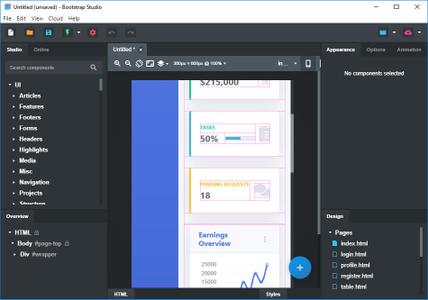
Bootstrap Studio 5.2.1 (x64)

Bootstrap Studio 5.2.1 (x64)


14494ec3de1c352fa03c9881ec2bd100.jpg


Bootstrap Studio 5.2.1 (x64) | 88 MB | Language: English​


A powerful desktop app for creating responsive websites using the Bootstrap framework. Bootstrap Studio is a desktop application that helps you create beautiful websites. It comes with a large number of built-in components, which you can drag and drop to assemble responsive web pages. It is built on top of the hugely popular Bootstrap framework, and exports clean and semantic HTML. Thousands of developers and designers use it every day. We are sure you'll love it too!


The Interface
Bootstrap Studio has a beautiful and powerful interface, which is built around the simplicity of drag and drop. This makes it the perfect tool for prototyping and designing web pages and apps.

Beautiful Built-in Components
Bootstrap Studio comes with a large number of pretty components for building responsive pages. We've got headers, footers, galleries, slideshows and even basic elements like spans and divs.

Smart Drag & Drop
Bootstrap Studio knows which Bootstrap components can be nested in one another and gives you suggestions. It automatically generates beautiful HTML for you, which looks as if it was written by hand by an expert.

Create Your Own Components
You can extract pieces of your designs as Custom Components, and have them ready to be dropped into any design you create. You can also export these components as files and share them.

Online Library
If you need a component which doesn't exist in our library, just click the Online tab in the Component Panel. There you will find thousands of components built and shared by the community. You can also upload your own.

Linked Components
This is a powerful feature which allows you to synchronize components, so changing one will automatically change the other. This is especially useful for things like headers and footers which you need to update across pages.

Realtime Preview
Bootstrap Studio has a powerful feature called Preview. With it, you can open your design in multiple web browsers and devices, and every change you make within the app will be shown instantaneously everywhere.

Editing Code
For some things drag and drop isn't enough. This is why Bootstrap Studio gives you full control over your markup when you need it. You can import and edit CSS, jаvascript and HTML in our Sublime Text-like editor.

Advanced CSS Editor
Our advanced CSS editing interface supports auto suggest and rule validation, and shows the active and inherited rules at an any given time. You will soon dread having to go back to your text editor.

jаvascript Editing
Write jаvascript in our Sublime Text-like editor. All your changes are synced with the preview, so you can write code and try it out without having to reload your browser.

HTML Editing
With our powerful Custom Code component, you can write HTML directly, without going through our drag and drop interface. You can also convert any piece of your page into Custom Code when you need it.

Import Existing Websites
If you have a website that you've developed previously, you can import it. Just drag and drop the HTML, CSS, JS files and images into Bootstrap Studio and they will be added to your project.

Even More Features
There is a lot more to say about our wonderful app. From productivity features to specialized Bootstrap tools, Bootstrap Studio makes designing websites and building fully working prototypes a real joy.

Built for Bootstrap
Bootstrap Studio knows how to construct a valid Bootstrap page and automatically writes the correct HTML. It supports Bootstrap 3 and will be updated to Bootstrap 4 once it's out.

Grid Tools
The app has specialized tools for working with the Bootstrap grid. Easily create, resize and offset columns, and apply responsive visibility classes.

Google Webfonts
Bootstrap Studio is integrated with Google Webfonts and gives you an easy way to import and manage your fonts. Font family names are even auto-suggested in our css editor.

Productivity Features
Bootstrap Studio has comprehensive support for keyboard shortcuts which allow you to speed up your workflow dramatically.

Themes and Icons
The app has a number of built-in Bootstrap themes, icon fonts, templates and components, which you can combine into beautiful and unique designs.

Always Up to Date
Bootstrap Studio updates automatically, so you always have the latest version. We release updates every month, filled with new features, components and improvements.

Operating System: Windows 7, 8/8.1, 10

Home Page -
Код:
https://bootstrapstudio.io/


DOWNLOAD LINKS:

Код:
https://rapidgator.net/file/40dd294110ec28f3e8ff7ae10bd59385/Bootstrap_Studio_5.2.1_x64.rar

Код:
http://nitroflare.com/view/615FC693AEF1D65/Bootstrap_Studio_5.2.1_x64.rar

Код:
https://uploadgig.com/file/download/D622713787b47588/Bootstrap_Studio_5.2.1_x64.rar
 
Adobe Prelude 2020 v9.0.1.64 (x64) Multilingual

Adobe Prelude 2020 v9.0.1.64 (x64) Multilingual


7c6eab7c64b60541dde8ba13e574e14c.jpg


Adobe Prelude 2020 v9.0.1.64 (x64) Multilingual | 624 MB | Language: Multilanguage​


Prelude. Metadata ingest, logging, and rough cuts. Rapidly tag and transcode video footage and quickly create a rough cut with Prelude - a video logging and ingest tool designed for intuitive, efficient media organization and metadata entry. Prelude translates effortlessly into Adobe Premiere Pro, ensuring fluid communication and organization throughout the video production process.


What can you do with Prelude?
Rapidly tag and transcode video footage and quickly create a rough cut with Prelude - a video logging and ingest tool designed for intuitive, efficient media organization and metadata entry. Prelude translates effortlessly into Adobe Premiere Pro, ensuring fluid communication and organization throughout the video production process.

Organize your media and create a rough assembly with Prelude.
Learn how to use the Prelude media organizer tool to make sure your Premiere Pro project is organized from the start.

Organize clips, subclips, and sequences.
Learn about the clip naming and metadata features of Prelude and how easy it is to create subclips, build a rough-cut assembly, and send your assembly to Premiere Pro as a sequence for immediate editing.

Add comments to your media files.
Annotate media files with notes for the editor or director to consult during editing in Premiere Pro.


System Requirements:
- Processor: Intel® Intel 6thGen or newer CPU
- Operating system: Microsoft Windows 10 (64-bit) version 1703 or later (required)
- RAM: 16 GB of RAM (32 GB recommended)
- 4 GB of GPU VRAM
- Hard disk space: Fast internal SSD (recommended) for app installation and cache - plus provisional space for media
- Monitor resolution: 1920 x 1080 or greater display resolution
- Hard drive speed:7200 RPM or faster hard drive (multiple fast disk drives recommended)
- GPU: Adobe-certified GPU card for GPU-accelerated performance
- Other: QuickTime 7.6.6 software required for QuickTime features


Home Page -
Код:
https://www.adobe.com/


DOWNLOAD LINKS:

Код:
https://rapidgator.net/file/869b85195f961619ca16fa39cedc3369/Adobe_Prelude_2020_v9.0.1.64_x64_Multilingual.rar

Код:
http://nitroflare.com/view/C8CF7F0D5008D90/Adobe_Prelude_2020_v9.0.1.64_x64_Multilingual.rar

Код:
https://uploadgig.com/file/download/8A305d57629269Ab/Adobe_Prelude_2020_v9.0.1.64_x64_Multilingual.rar
 
VariCAD 2020 v1.11

VariCAD 2020 v1.11


86764a0daf01dec5e3ad462b58d04ada.jpg


VariCAD 2020 v1.11 | 176 MB | Language: English​


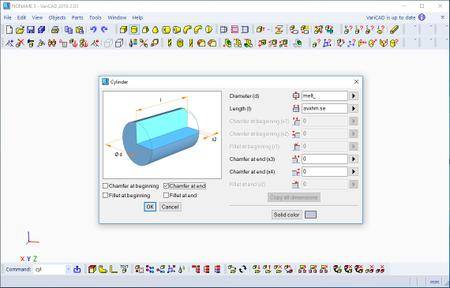
VariCAD is 3D / 2D CAD software primarily intended for mechanical engineering design. The comprehensive CAD software enables designers to quickly create, evaluate, and modify their models. The software is sold as one "fully loaded" package, with all features and functions, for one very affordable price. VariCAD delivers an excellent performance-to-price ratio, making it one of the smartest choices on the market today.


User Interface and System Environment
VariCAD's Graphical User Interface (GUI) has been designed to allow quick and intuitive 3D/2D orientation. It has been carefully tailored and tuned to reflect the thought process of a designer, so that ideas can be captured and communicated with a minimal number of steps. All commands were created with a focus on ease of use.

You can start by creating a 3D model and then use it to automatically create drawings files, or you can draw only in 2D. Designing in 3D is generally more "natural," in that it closely represents actual parts and assemblies. The 3D approach is usually more intuitive than 2D drafting. Models created in 3D are easily converted into conventional 2D documentation. VariCAD provides tools for 2D updates after changes of 3D models.

3D Modeling
VariCAD provides a library of basic 3D shapes (like a box, cylinder, cone, etc.), which are easily modified by editing their dimensions. Solids can be created also by profile rotation, extrusion, or lofting. More complex tools include rotation blending between two profiles, lofting between a circle and rectangle or between different profiles, and creation of helical surfaces.

Solids can be added or subtracted, thus forming Boolean trees representing real mechanical parts. Boolean operations have options of automatic trimming (so called selective Boolean operations). Predefined operations like drilling of holes, face milling or groove milling are also available. Edges can be rounded or chamfered. VariCAD provides a lot of possibilities of solid transformations or their editing. Also, you can easily edit Boolean trees - either selecting solid parts from 3D, or selecting them from a list displaying structure.

Parameters and Geometrical Constraints
Although you can comfortably transform solids or their parts, you can optionally define geometrical constraints. Once defined, constraints allow you "to stick" object at defined location. More exactly, you can remove degrees of freedom of constrained objects. If other objects are changed or transformed, constrained object changes its position automatically. For instance, if you constrain a groove to the end of a shaft and the shaft length is changed, the groove remains in constant distance from the end edge. Constraints can be defined among elements of a solid, among entire solids or within a 2D profile creating a solid (for instance, by extrusion).

Whenever you enter a dimension of solid, a distance in constraint or dimension in 2D profile used for solid creation, you can optionally use parameter or even a mathematical expression containing parameters. Changing parameter values, you can change shapes or locations of solids.

3D Assemblies and Groups
VariCAD also provides tools for assembly support. If the link between a part and assembly is defined, any changes made to the part file are reflected in the assembly file and vice-versa. Linked copies of solids can also be defined (so called identical solids). In such case, editing of one object causes update of all its identical copies. Solid groups can be defined as well, making selection and visibility changes simple, for multiple objects.

Crash Tests (Interferences)
One excellent feature of 3D modeling is component interference checking. VariCAD can check 3D assemblies for possible collisions (overlapping volume) between components.

Calculations
VariCAD can calculate 2D section area, surface area, volume, mass, center of gravity, and moment of inertia. Mechanical parts calculations are also included - for standard parts used every day by mechanical designers. There are calculations of tension and compression springs, pre-stressed bolted connections, pins and parallel keys, grooved shafts, bearings, beams under combined stress (bending and torsion), spur and bevel gearing geometry, and belt drives.

Surface Development (Sheet Metal Unbending)
VariCAD can also create developed (unbent) surfaces of 3D solids or sheet metal parts. The XY coordinates of developed surfaces can be saved into a text file for further processing. You can input bending coefficients in order to customize your calculations, to reflect material and technology.
Mechanical Part and Symbol Libraries VariCAD contains libraries of standard mechanical parts (ANSI, DIN), such as bolts, nuts, pins, plugs, cotters, gaskets, bearings, rolled and drawn shapes, and hydraulic, pneumatic, and electrical symbols.

3D - 2D Export
3D models are easily converted into 2D drawings to produce conventional drafting documentation. You can create 2D views of one or more selected solids by defining the views in 3D. In addition, you can also export specified sections. VariCAD supports updates of a 2D drawing after changes in 3D.

2D Drawing and Editing
Drawing functions are optimized for easy use in engineering. Some handy features of 2D drawing include: automatic detection of objects and snap points, numerous snap modes, auxiliary construction lines, Ortho mode, rectangular grid, drawing layers, block creation, hatching with automatic border detection, advanced dimensioning, finish symbols, welding symbols, tolerance symbols, and many more. You can draw in millimeters or in inches.

BOM and Title Blocks
VariCAD provides tools for maintaining the data structure of the product. There are links between attributes of parts and content of title blocks. You can create a bill of material (BOM) from an assembly, or easily modify the database using commands like mass attribute changes, sorting of information, etc. Each part can contain attributes, like name, type of material or supplier. Such data can be used for material requisitions, creation of bills of materials (BOM), filling of title blocks, or other purposes.
The data structure of the product (BOM) can be exported into other systems or into a spreadsheet. A mask is used for BOM customization; you can modify it exactly according to your needs. Mask defines usage of solid or assembly attributes, working with title blocks, methods of data exports from BOM etc...

Compatibility
VariCAD can interchange files with other CAD systems. You can export STEP (3D), STL (3D), IGES (3D), DWG (2D), DXF (2D) files, and import STEP (3D), DWG (2D), DXF (2D). The files can be converted individually or in batch routines, thereby converting multiple files in one step.

VariCAD 2018
This version supports 3D mouse under Linux. VariCAD commands are available from 3D mouse keys. Next new features are isometric views in 3D mode and 2D objects created from data loaded from *.csv files or, generally, text files (files containing XY coordinates). User interface contains virtual numerical pad available for values input, and rebuilt dialog panels used for definition of basic solids (like box, cylinder...). The new version has improved parts of 3D kernel, including input/output of STEP files.

System requirements:
Hardware and software recommendations for large assemblies (aprox. thousands of parts):
Multi-core processor, e.g. Intel Core i5-4460
8 - 16GB RAM, for extremely large data more
Graphic card with hardware support of OpenGL 4 graphics (NVIDIA GTX/Quadro graphics chip, 2GB RAM), e.g. GIGABYTE N960IXOC-2GD
5-button mouse with the scroll wheel
64-bit operating systems: Microsoft Windows 7, Windows 8/8.1, Windows 10


Home Page -
Код:
https://www.varicad.com/


DOWNLOAD LINKS:

Код:
https://rapidgator.net/file/b6fa60a19772b418df229b9c8330f7ae/VariCAD_2020_v1.11.rar

Код:
http://nitroflare.com/view/A2AB4F2B6261BC8/VariCAD_2020_v1.11.rar

Код:
https://uploadgig.com/file/download/a317b26a8BE13f98/VariCAD_2020_v1.11.rar
 
MacX MediaTrans 7.0 (MacOSX)

MacX MediaTrans 7.0 (MacOSX)


fa8d99b828f771335c7648ffbefbad77.jpeg


MacX MediaTrans 7.0 (MacOSX) | 49 MB | Language: English​


MediaTrans is the fastest mac file manager for iPhone iPad iPod, which gives you full control over iOS data. As iTunes alternative, MacX MediaTrans can transfer and manage any video, music, photo, Podcasts, Audiobooks, iTunesU and more between iPhone iPad iPod and Mac.


upgrading to new iOS/iPhone, or share iPhone files with family and friends, it would be helpful. With MacX MediaTrans, users are empowered to transfer music from iPhone to Mac in batch with 1 click, directly manage/delete playlists, tracks, etc. and create ringtones for iPhone.

Who wants to save his time will be pleased by the transferring speed, which allows you transfer 100 4k photos within 8 seconds. For die-hard Apple fans, this iPhone transfer offers powerful auto video converting function so that AVI, MKV, FLV videos can be converted to iOS-friendly format during the transferring process and sideways videos can also be rotated as you will. On top of that, it is the World's first iPhone transfer for Mac users to delete camera roll photos from iPhone and remove DRM from music, video, audiobook purchased from iTunes and convert to MP4, MP3 to be playable on other computer and devices.

Features:
* Directly transfer video, music, photo, HD movie, TV show from iPhone to Mac and vice versa
* Import/export/delete ringtones, ebooks, VoiceMemo, iTunesU, Podcast
* Remove DRM from iTunes M4V Video/M4P AudioBooks/Apple music and convert to MP4, MP3
* Use iPhone as USB-Stick to send files, including PDF, APP, dmg
* Make/create ringtone for iPhone
* Manage playlists, tracks, albums, and genres in batch
* Able to delete all photos in Camera Roll, as well as recorded videos
* Transfer files at lightning-fast speed without quality loss or data loss
* Auto convert AVI, FLV, MKV, etc. to MP4, audio file to mp3 or aac
* Auto rotate sideways videos for better watching experience on iPhone without hassle
* Two-way synchronization is available for music
* Auto convert Epub into PDF, Html, TXT, etc.
* Added new photo album categories.

Compatibility: OS X 10.9 or later 64-bit.


DOWNLOAD LINKS:

Код:
https://rapidgator.net/file/76f56effabf6fa0f9e6e2f6cc981cff7/MacX_MediaTrans_7.0_MacOSX.rar

Код:
http://nitroflare.com/view/AF1E451831A7C57/MacX_MediaTrans_7.0_MacOSX.rar

Код:
https://uploadgig.com/file/download/ef468Eb5a1ae520C/MacX_MediaTrans_7.0_MacOSX.rar
 
ScreenHunter Pro 7.0.1105

ScreenHunter Pro 7.0.1105


876aee64c1190f22f6928f706eb93feb.jpeg


ScreenHunter Pro 7.0.1105 | 215 MB | Language: English​


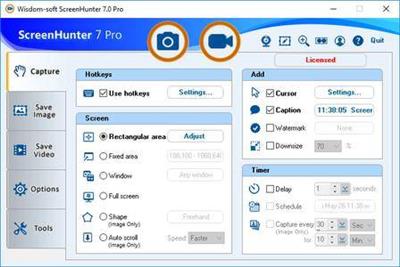
ScreenHunter Pro is the most advanced version of ScreenHunter with all the necessary tools included for your screen capture needs. It's the total screen capture solution to save you time and boost productivity. With ScreenHunter Pro, you can immediately see the benefits of numerous time-saving features and deliver the highest quality . As well, it offers easy-to-use user interface and maximum flexibility for a more interactive capture experience. Powerful and intelligent, ScreenHunter Pro has proven to be an incomparable helper of your business.


Capturing Features
* Rectangular area
* Adjustable rectangle
* Object / Window
* Auto-scroll
* Multi-object
* Text
* Active Window
* Fixed area (user defined)
* Specific window (lock-in window)
* Full screen
* DOS program
* DirectX / Screen saver
* Movie / video
* Freehand
* Round area (Ellipse)
* Round Rectangular area
* Polygon
* Web capture
* Scanning images

Addition Features
* Mouse pointer
* Multiple monitors
* Transparent window
* AutoText (date/time stamps, note)
* Watermark
* Border

Timing Features
* Delayed capture
* Timed auto-capture
* Scheduled auto-capture
* Recurring capture

Viewing and Editing Features
* Image editing, adding text & annotation
* Advanced image processing
* High-quality zooming, resizing & cropping
* Viewing 100 images & conversion
* Drag & drop images from desktop

Saving Features
* Automatic naming and saving to files
* Clipboard
* Auto-email
* Auto-scale
* Saving in the smallest file size
* Optimized JPEG, GIF and PNG
* High quality and transparent GIF
* Saving to TIFF

Other Features
* Screen Color Picker
* System tray
* Zoombox
* Flexible hotkey
* Multiple hotkey
* Direct printing
* Wysiwyg printing
* Developer support

Operating System: Windows 7, 8/8.1, 10

Home Page -
Код:
http://www.wisdom-soft.com/


DOWNLOAD LINKS:

Код:
https://rapidgator.net/file/4c45c7055beacd1af58e6aac23cc6b7d/ScreenHunter_Pro_7.0.1105.rar

Код:
http://nitroflare.com/view/3183F87CEA30E5C/ScreenHunter_Pro_7.0.1105.rar

Код:
https://uploadgig.com/file/download/3132F37015856868/ScreenHunter_Pro_7.0.1105.rar
 
PDFsam Enhanced 6.1.14.5050 (x64) Multilingual

PDFsam Enhanced 6.1.14.5050 (x64) Multilingual


cfe615cc4e28e5ca60f2eb892562d0b1.jpeg


PDFsam Enhanced 6.1.14.5050 (x64) Multilingual | 259 MB | Language: Multilanguage​


PDFsam Enhanced is a professional PDF editor to convert, review, fill forms, OCR, sign, secure and edit PDF files. Try the free View and Create modules to read any PDF file and convert to PDF from Word, Excel, PowerPoint and many other file formats.


PDFsam Enhanced
PDFsam Enhanced is our PDF Editor. A complete PDF solution to convert, review, fill forms, OCR, sign, secure and edit PDF files

PDF Reader
View PDF files with our free PDF reader. Open and view any PDF, ePub or comic book (.cbr/.cbz) file, view in Single, Continuous or Fullscreen mode, navigate bookmarks, zoom in and out and rotate pages

Create PDF
Convert to PDF from any application using a PDF printer to print to PDF. Generate PDF files from images, from a scanner, Word, Excel or any other application where a Print menu is available

Convert PDF
Convert PDF files to Word, Excel, PowerPoint, HTML, RTF, TXT or images in seconds

PDF Editor
Modify your PDF files with our professional PDF editor. Add, cut, copy and paste text within your PDF file, change the type, size and style of your fonts, extract pages and images, adjust margins and pages size, extract, split or rotate PDF files, compress PDF files reducing their size.

Watermark, Header & Footer and more
Watermark PDF files, add headers and footers, add page numbers, insert pages from another PDF file, insert images and webpage links

Annotate PDF
Annotate PDF files with sticky notes, insert existing or custom made stamps, highlight, underline and strikethrough text, compare two PDF files and quickly spot differences

Fillable PDF Forms
Create fillable forms such as invoices and tax forms, add form fields, check boxes, radio buttons, combo boxes and list boxes, set tab order and fields preferences, import and export data to and from RTF and PDF files

Secure PDF files
Secure and sign PDF files using advanced security options. Protect PDF files with 256 bits AES encryption, restrict permissions and add a digital signature using a digital certificate
PDF OCR (optical character recognition)

Recognize text within images and scanned documents transforming them into editable PDF files. Batch recognize the text within multiple files

System Requirements:
- Windows Vista, Windows 7, Windows 8, Windows 10 (64-bit)
- 512 MB (1 GB for Vista, 7, 8 & 10) of RAM
- 200MB or more of disk space
- Microsoft Office is required for plug-in use and conversion to Word


Home Page -
Код:
https://pdfsam.org/


DOWNLOAD LINKS:

Код:
https://rapidgator.net/file/21edc4ac9dd9c6137ae8deea5cd10002/PDFsam_Enhanced_6.1.14.5050_x64_Multilingual.rar

Код:
http://nitroflare.com/view/C985CF277EE3E94/PDFsam_Enhanced_6.1.14.5050_x64_Multilingual.rar

Код:
https://uploadgig.com/file/download/72F1eB53954593Ba/PDFsam_Enhanced_6.1.14.5050_x64_Multilingual.rar
 
WebAcappella Grid 1.6.14 Multilingual (Portable)

WebAcappella Grid 1.6.14 Multilingual (Portable)


3e63dbe22695f37d8855fc34ab4203d2.jpeg


WebAcappella Grid 1.6.14 Multilingual (Portable) | 139 MB | Language: English​


Create a unique site that looks like you. The creation of a site, a complex, time-consuming and tedious work? No time to code in HTML and jаvascript to adapt your site for all types of screens? Create a multilingual site and give real visibility to your business on the Internet without subscription or hidden costs. Pilot your website in complete autonomy.


No subscription or hidden fees
WebAcappella and its visual editor accompanies you since 2005 in the creation of your Internet site by forgetting the technique.

Google Friendly
An ALL RESPONSIVE site with no duplicate content and integrated SEO tools. Everything to follow Google's recommendations.

Go international
Expand your business worldwide with multilingual site management!

Follow the trends
One Page Scrolling or Multipage, Parallax Effect ...
Easy to create a trendy and optimized website!
Taste the unlimited
Create as many pages as you want!
Let your creativity speak for itself
- Contact forms and sending files
- Google Web Fonts integration
- Creation of reusable styles
- Navigation menu
- Text Zone
- Image
- Photo gallery and slideshow
- Integrate your HTML code
- Audio and video element
- Customization of meta title and description tags
- Publication in 1 click
- And a lot of other things...

Webacappella Grid
WebAcappella Grid is based on a grid layout (Bootstrap style) that requires more patience and learning but allows you to automate some layouts (cascading for mobile).

Requirements: Windows® 10

Home Page -
Код:
https://www.webacappella.com


DOWNLOAD LINKS:

Код:
https://rapidgator.net/file/0d7fcb03ee9e8e645390822a96faae12/WebAcappella_Grid_1.6.14_Multilingual_Portable.rar

Код:
http://nitroflare.com/view/54C9AB4B208CE1E/WebAcappella_Grid_1.6.14_Multilingual_Portable.rar

Код:
https://uploadgig.com/file/download/afd5fefF28A0b492/WebAcappella_Grid_1.6.14_Multilingual_Portable.rar
 
Назад
Сверху