• Здравствуйте. Сайт заработал в архивном режиме форум www.old.nado.in

KAMAL's Softwares Collection!!! (Updated Daily)

  • Автор темы Автор темы KAMAL
  • Дата начала Дата начала
Craft Edge Sure Cuts A Lot Pro 5.037 (x86/x64) Multilingual

Craft Edge Sure Cuts A Lot Pro 5.037 (x86/x64) Multilingual


4c14b0bdacae69da2c535bf4dfe0b1a5.jpeg


Craft Edge Sure Cuts A Lot Pro 5.037 (x86/x64) Multilingual | 138 MB | Language: Multilanguage​


Sure Cuts A Lot Pro is an extremely easy program to allow you to cut virtually any shape with your electronic cutting machines. With the combination of using your fonts, importing custom artwork and drawing your own shapes, the possibilities are endless!


What's New in Version 5:

Available as a 64 bit program
Have multiple projects open
New effects added, including Bridge Warp, Drop Shadow, QR Code & Symmetrical Mirror
Nesting
Add mat templates
Add Guidelines
Import additional file formats, including PES,PEC,HUS,JEF,SEW,VIP & more
Additional text justification and sizing options
Convert stroke to path
New trace image options for background removal and mask editing
Options to control the cut order
Assign cut presets to layers
and more!
Sure Cuts A Lot supports a variety of electronic cutting machines:
Black Cat Cougar/Lynx
BossKut Gazelle
Brother ScanNCut (export as FCM compatible files only)
Craftwell eCraft
CraftRobo/Graphtec
Cricut Explore/Maker (export as SVG to upload into Design Space only)
GCC
Foison
i-Craft
Janome Artistic Edge
KNK
Liyu
MyDigiDi
Pazzles Inspiration/Pro/Vue
Ramtin
Roland
Seiki
Silhouette SD/CAMEO/Portrait/Curio
Silver Bullet
USCutter Copam/LaserPoint/MH/PCUT/SC/TC/TITAN
Vinyl Express
Wishblade
Pro Features
Extended cutting length to cut longer than 72 inches
Weeding options to easily add weeding boxes and lines
Tiling
Duplicate cutting
Cut by color
Color layer alignment
Print & Cut (Contour Cutting)*
3D shadow
Import DXF, PLT
Assign cut presets to layers
Options to control the cut order


System Requirements:
Pentium processor-based PC or compatible computer (Windows)
Windows XP SP3/Vista/7/8/10 (Windows)
Intel based Macintosh (Mac)
512 MB of RAM or more
At least 50 MB of available hard disk space.


Home Page -
Код:
http://www.craftedge.com/


DOWNLOAD LINKS:

Код:
https://rapidgator.net/file/e37a404ecea8f19bf953050c2cf419fa/Craft_Edge_Sure_Cuts_A_Lot_Pro_5.037_x86x64_Multilingual.rar

Код:
http://nitroflare.com/view/EE1502773D5C6E9/Craft_Edge_Sure_Cuts_A_Lot_Pro_5.037_x86x64_Multilingual.rar

Код:
https://uploadgig.com/file/download/8e540c0Fc960F926/Craft_Edge_Sure_Cuts_A_Lot_Pro_5.037_x86x64_Multilingual.rar
 
CyberLink PerfectCam Premium v2.1.2829.0 (x64) Multilingual Repack

CyberLink PerfectCam Premium v2.1.2829.0 (x64) Multilingual Repack


cc16c65979d0c7ad0bf1783dd3b1664e.jpeg


CyberLink PerfectCam Premium v2.1.2829.0 (x64) Multilingual Repack | 95 MB | Language: Multilanguage​


PerfectCam is an AI-powered virtual camera plug-in designed for professionals to look their best during online meetings anytime, anywhere. Combining AI-driven facial detection and AR-powered appearance optimization, it is the essential video conferencing app for today's business leaders.


PerfectCam 2 - Private Video Calls with Professional Looks
- Use Background Blur during video meetings to keep surroundings private
- Be ready for any meeting with optimized lighting & AI-powered touch-up tools
- Compatible with popular live casting & video call apps (U, Skype, Twitch etc.)

Completely Private Meetings Anywhere
For the first time, business professionals and remote workers can feel completely comfortable joining business meetings while at home, without the concern of prying eyes having access to the privacy of their home setting.

Optimized Lighting & Professional Appearance
Maintain a smart image at all times with AI-engine powered appearance optimization tools, and set the perfect video light settings fast. PerfectCam is designed to help professionals look their best during video conference calls.

One Plug-in for Video Conferencing Apps
Use PerfectCam to launch Skype, U, or Skype for Business instantly, or as a virtual webcam plug-in, meaning you can use it with any existing video conferencing software you use so that you can always look your best in those important video calls.

Hold completely private video calls with Background Blur (NEW!)
By combining AI facial-detection and AR technology, PerfectCam 2's Background Blur can accurately differentiate between humans and background settings. This means you can hold online meetings with increased privacy and confidentiality while keeping the focus on you.

Join Meetings From Home with Total Privacy
Hold private business meetings at home without the concern of prying eyes having access to the privacy of their home setting.

Keep Private Information Private
Hide confidential business information from outside eyes to maintain total business privacy during your video calls.

Eliminate Background Distractions
Eliminate any unpleasant background distractions with the click of a button to keep focused on the topic at hand.

Ensure the Best Lighting in Any Environment
Keep your video calls professional in any environment with optimized lighting and adjustable settings. Simply modify brightness, contrast, and exposure before or during a video call to keep your meetings strictly business at all times.

Intelligent AR-Powered Appearance Optimization
PerfectCam uses CyberLink's patented facial recognition AR engine technology to instantly and accurately apply realistic virtual appearance enhancements and makeup to your video calls. Choose from preset styles or create and save your very own.

Webcam Plug-in for Whatever Video Conference App You Use
Launch popular video messaging apps (U, Skype, Skype for Business & Google Hangouts) directly from PerfectCam via an intuitive drop-down menu. PerfectCam also works as a virtual webcam plug-in, meaning you can use it with any existing video conferencing software and livecasting platforms.

Make Adjustments Fast with Floating IM Panel (ENHANCED!)
When you're in a video call, them IM Panel will appear on your screen so that you can quickly adjust how you look for the most professional appearance, always.


Home Page -
Код:
https://www.cyberlink.com


DOWNLOAD LINKS:

Код:
https://rapidgator.net/file/5c596b8e778b7d709a07dc146a10bb15/CyberLink_PerfectCam_Premium_v2.1.2829.0_x64_Multilingual_Repack.rar

Код:
http://nitroflare.com/view/B2A6BECD2518D82/CyberLink_PerfectCam_Premium_v2.1.2829.0_x64_Multilingual_Repack.rar

Код:
https://uploadgig.com/file/download/629772b2f3775863/CyberLink_PerfectCam_Premium_v2.1.2829.0_x64_Multilingual_Repack.rar
 
ElcomSoft iOS Forensic Toolkit 6.20

ElcomSoft iOS Forensic Toolkit 6.20


40f27f035652ad18ea356a2387aeea25.jpeg


ElcomSoft iOS Forensic Toolkit 6.20 | 118 MB | Language: English​


Perform physical and logical acquisition of iPhone, iPad and iPod Touch devices. Image device file system, extract device secrets (passwords, encryption keys and protected data) and decrypt the file system image.


Perform physical and logical acquisition of iPhone, iPad and iPod Touch devices. Image device file system, extract device secrets (passwords, encryption keys and protected data) and decrypt the file system image.
- Physical acquisition for 32-bit and 64-bit iOS devices via jailbreak
- Logical acquisition with iTunes-style backup includes decrypted keychain
- Unlocks iOS devices with pairing records (lockdown files)
- Decrypts keychain items and extracts device keys
- Real-time file system acquisition for jailbroken devices
- Quickly extracts media and shared files, even if backup Password (If need) set

Enhanced Forensic Access to iPhone/iPad/iPod Devices running Apple iOS
Perform the complete forensic acquisition of user data stored in iPhone/iPad/iPod devices. Elcomsoft iOS Forensic Toolkit allows imaging devices' file systems, extracting device secrets (passcodes, passwords, and encryption keys) and decrypting the file system image. Access to most information is provided instantly. Please note that some models require jailbreaking. See Compatible Devices and Platforms for details.

Physical Acquisition for Legacy, 32-bit and 64-bit Apple Devices
Physical acquisition is the only acquisition method to extract full application data, downloaded messages and location history. Physical acquisition operates on fixed-timeframe basis, which guarantees the delivery of the entire content of a 32-GB device in 40 minutes or less (depending on the amount of information stored in the device). In many cases, physical acquisition returns more data than logical acquisition, as many files are locked by the operating system and not accessible during the process of logical acquisition.

Elcomsoft iOS Forensic Toolkit supports both legacy hardware (iPhone 4 and older), jailbroken 32-bit devices (iPhone 4S through 5C) and jailbroken 64-bit devices (iPhone 5s through iPhone X).

A proprietary acquisition technique is exclusively available in Elcomsoft iOS Forensic Toolkit for 64-bit devices. Physical acquisition for 64-bit devices is fully compatible with jailbroken iPhones and iPads equipped with 64-bit SoC, returning the complete file system of the device (as opposed to bit-precise image extracted with the 32-bit process). Only devices with known or empty passcode are supported; passcode protection must be removed in iOS settings prior to acquisition.

Logical Acquisition with Keychain Extraction
iOS Forensic Toolkit supports logical acquisition, a simpler and safer acquisition method compared to physical. Logical acquisition produces a standard iTunes-style backup of information stored in the device. While logical acquisition returns less information than physical, experts are recommended to create a logical backup of the device before attempting more invasive acquisition techniques.

Logical acquisition with iOS Forensic Toolkit is the only acquisition methods allowing access to encrypted keychain items. Logical acquisition should be used in combination with physical for extracting all possible types of evidence.

Media and Shared Files Extraction
iOS Forensic Toolkit offers the ability to quickly extract media files such as Camera Roll, books, voice recordings, and iTunes media library. As opposed to creating a local backup, which could be a potentially lengthy operation, media extraction works quickly and easily on all supported devices. Extraction from locked devices is possible by using a pairing record (lockdown file).

In addition to media files, iOS Forensic Toolkit can extract stored files of multiple apps, extracting crucial evidence from 32-bit and 64-bit devices without a jailbreak. While access to app data without a jailbreak is limited, this new technique allows extracting Adobe Reader and Microsoft Office locally stored documents, MiniKeePass password database, and a lot more. The extraction requires an unlocked device or a non-expired lockdown record. If a lockdown record is used, some files may not be accessible unless the lock screen passcode is removed.

Perform physical and logical acquisition of iPhone, iPad and iPod Touch devices. Image device file system, extract device secrets (passwords, encryption keys and protected data) and decrypt the file system image.

All Features and Benefits:
- Physical Acquisition for 32-bit and 64-bit iOS Devices
- Logical Acquisition with Lockdown Support and Keychain Extraction
- Access More Information than Available in iPhone Backups
- Keychain Recovery
- Passcode Recovery


System Requirements:
- Windows Server 2016
- Windows Server 2012
- Windows 7 (32 bit)
- Windows 7 (64 bit)
- Windows 8
- Windows 8.1
- Windows 10


Home Page -
Код:
https://www.elcomsoft.com/eift.html


DOWNLOAD LINKS:

Код:
https://rapidgator.net/file/c89bcaa63f33b488ec9256c104357e41/ElcomSoft_iOS_Forensic_Toolkit_6.20.rar

Код:
http://nitroflare.com/view/18E1E340F3AB9D5/ElcomSoft_iOS_Forensic_Toolkit_6.20.rar

Код:
https://uploadgig.com/file/download/Df282c3e62f6f724/ElcomSoft_iOS_Forensic_Toolkit_6.20.rar
 
IDM UltraEdit 27.00.0.68 (x86/x64)

IDM UltraEdit 27.00.0.68 (x86/x64)


c35ae59c60dc3a5bc35fe5e107cb932d.jpeg


IDM UltraEdit 27.00.0.68 (x86/x64) | 180 MB | Language: English​


IDM UltraEdit is used across a diverse range of industries, from professional writers, researchers and journalists to advanced programmers, database managers and web developers. Scores of individuals use UltraEdit as a powerful replacement for windows notepad and even more use it as a text editor because of its ability to handle multiple documents at once, large file handling, powerful search/find/replace functionality, spell checking versatility and much more.


Replacing Notepad or looking for a powerful text editor? UltraEdit is what you're looking for. UltraEdit is the ideal text, HEX, HTML, PHP, Java, jаvascript, Perl, and Programmer's editor. It's versatile and easy to use. UltraEdit is specially designed for inputting and editing text and code, UltraEdit supports configurable syntax highlighting and code structuring for most any programming languages.


Key features:
* Code Folding
* Unicode support
* Disk based text editing and large file handling - supports files in excess of 4GB, minimum RAM used even for multi-megabyte files
* Mulitline find and replace dialogs for all searches (Find, Replace, Find in Files, Replace in Files)
* 100,000 word spell checker, with foreign languages support (American English, British English, Dutch, Finnish, French, German, Hungarian, Italian, Spanish and Swedish)
* Syntax highlighting - configurable, pre-configured for C/C++, VB, HTML, Java, and Perl, with special options for FORTRAN and LaTex. Multiple wordfiles available for download
* FTP client built in to give access to FTP servers with multiple account settings and automatic logon and save. (32-Bit Only) Includes support for SFTP (SSH2)
* SSH/Telnet window
* Project / workspace support
* Environment Selector - Provides predefined or user-created editing "environments" that remember the state of all of UltraEdit's dockable windows, toolbars and more for user convenience.
* Integrated scripting language to automate tasks
* Configurable keyboard mapping
* Column / block mode editing
* Hexadecimal editor allows editing of any binary file, shows binary and ASCII view
* Named templates
* HTML toolbar preconfigured for popular HTML function

Operating System:
UltraEdit supports 64-bit file handling on both 32-bit and 64-bit Windows platforms (Windows 7 and later).


Home Page -
Код:
http://www.ultraedit.com/


DOWNLOAD LINKS:

Код:
https://rapidgator.net/file/d7298f8d40af592ec8e159a0eb719c8e/IDM_UltraEdit_27.00.0.68_x86x64.rar

Код:
http://nitroflare.com/view/EEC028DA73CD551/IDM_UltraEdit_27.00.0.68_x86x64.rar

Код:
https://uploadgig.com/file/download/e55e74350a8e33B5/IDM_UltraEdit_27.00.0.68_x86x64.rar
 
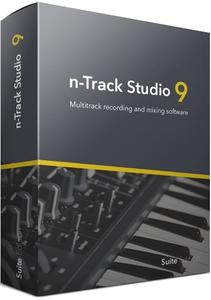
n-Track Studio Suite 9.1.1 Build 3650 Multilingual

n-Track Studio Suite 9.1.1 Build 3650 Multilingual


b59d69421155af7b5dcc2239fbc6ee4b.jpeg


n-Track Studio Suite 9.1.1 Build 3650 Multilingual | 207 MB | Language: Multilanguage​


n-Track Studio 9 turns your PC into an easy to use multitrack audio recording studio. It is the perfect tool for professional quality audio recording, encoding, mixing and editing. Record, edit, overdub your audio tracks, apply effects, process audio live input, mix and then burn audio CDs or create mp3 files.


n-Track Studio is an Audio and MIDI Digital Multitrack Recorder that transforms your computer into a powerful audio recording studio. You can record, playback, overdub your audio tracks exploiting the flexibility and power of today's PCs for applying effects, realtime input processing, automated aux channels sends and returns, destructive and non-destructive wave editing. The program supports 24bit-192 khz recording, 64 bit mixing, multiple channels soundcards, live input processing, CD burning, mp3 encoding and more.

Main n-Track Studio features:
* Records and plays back a virtually unlimited number of audio and MIDI tracks
* DirectX, VST and ReWire effects can be added to each channel/track
* Built-in effects include Reverb, Compression, Parametric and Graphic EQ, Echo, Auto-volume, Pitch Shift, Chorus, Multiband Compression, Spectrum analyzer
* Supports 16 and 24 bit single and multichannel soundcards at sampling frequencies up to 192 Khz using Asio, WaveRT, WDM, MME and DirectSound
* Is compatible with multichannel Asio, WaveRT, WDM and MME audio drivers, which means that n-Track can work with almost any soundcard available today with the lowest possible latency
* Supports VST Instruments and DirectX Instruments synth plug-ins. Sample-accurate MIDI tracks can be sent to VSTi/DXi software MIDI synths, without the need of expensive hardware MIDI synths.
* Adjust the effect settings and listen to the result in real time.
* Built-in effects include Reverb, Compression, Parametric and Graphic EQ, Echo, Auto-volume, Pitch Shift, Chorus, Multiband Compression, Spectrum analyzer.
* Supports third party DirectX, VST 2.0 and ReWire plug-ins.
* Realtime Audio effects can be added to each channel.
* Supports 16 and 24 bit single and multichannel soundcards at sampling frequencies up to 192 Khz using Asio, WaveRT, WDM, MME and DirectSound.
* Input processing allows to process with plug-ins live signals. Record the 'dry' (unprocessed) signal while processing and reprocess the recording later - i.e. Play a guitar through a distortion plug-in then change the distortion after the recording!
More Features:
* Supports surround mixing for creating DVD audio projects using 5.1, 6.1 and 7.1 channels surround formats
* Each audio track includes a 20 bands parametric EQ with graphical frequency response view, a full spectrum analyzer and an automatic instrument tuner. Up to 32 aux channels with fully automated sends and returns.
* Supports multiple input and output soundcards or more than one soundcard. You can record multiple tracks at a time and output to more than one stereo output. Each output channels has its own master channel effects and volume control.
* Supports technology by Propellerhead Software AB. Mix signals in realtime with n-Track's own channels from other programs (such as Reason, Ableton Live, Fruityloops and many others).
* Import and export .wav, .mp3, .wma, .mid, .ogg, .flac, .aiff, .cda, .sng, .sgw audio files
* Import and export EDL multitrack song files for exchanging songs with other multitrack programs
* Sync to other programs or external devices using SMPTE/MTC or MIDI Clock sync, acting either as master or slave
* Loads and saves MIDI tracks to standard MIDI files
* Play Videos (AVI, MPEG) in sync with the song in a dedicated video playback window
* Automated volume, pan, aux sends and returns and effects parameters. You can "program" fade-in/outs, cross fades, boost the volume of a track when there is a solo etc.

Operating System: Windows 7, 8/8.1, 10

Home Page -
Код:
https://ntrack.com/


DOWNLOAD LINKS:

Код:
https://rapidgator.net/file/dd798586a4b8272896d013c93eb1b167/n-Track_Studio_Suite_9.1.1_Build_3650_Multilingual.rar

Код:
http://nitroflare.com/view/7D9E9B84964BF5E/n-Track_Studio_Suite_9.1.1_Build_3650_Multilingual.rar

Код:
https://uploadgig.com/file/download/796DfbD337f499b2/n-Track_Studio_Suite_9.1.1_Build_3650_Multilingual.rar
 
PhotoGlory v1.25

PhotoGlory 1.25


464af251fb6da23f68bb08b33cb71eea.jpeg


PhotoGlory 1.25 | 216 MB | Language: English​


Want to revive your family archive? Save those faded, ripped, and stained photographs? Fix them all with PhotoGlory, an easy but efficient program for restoring old photos. Whether you are new to photo restoration or a pro in the field, you will enjoy the software's intuitive and semi-automatic workflow, as well as a stunning result you can accomplish with it.


Here's what you can do with PhotoGlory:
Restore photo clarity, contrast and saturation
Enhance your retro pics with 100 built-in effects
Two modes for colorization: auto and manual
Straighten tilted pics and crop damaged edges
Colorize Black and White Pictures in One Click
Turn a bleak old photo of your grandma in her twenties into a vibrant colorful portrait! Open your picture with PhotoGlory and click the Colorize button. The software will automatically color your picture. Want to take part in the process? Then modify the colors manually to set your own accents.

Erase All the Nasty Imprints of Time in a Blink
Want to save a well-thumbed and worn-out picture of your grandparents' wedding? First, digitize it, then use PhotoGlory to get rid of all unsightly scratches, stains, creases, and other defects. This old photo restoration software comes with high-end tools that will help you remove any flaws.

Pro-Level Restoration of Old Photos Is Just a Click Away
You think that image restoration is a difficult process? Not with PhotoGlory. This old photo editor comes with a wide range of automatic tools that can fix your pictures in a click. Crop out torn corners, remove stains and scratches, boost dull colors with no effort at all.

System requirements:
OS: Windows 10, 8, 7, XP, Vista
CPU: 1 GHz or faster (Intel, AMD)
RAM: min. 256 MB
Hard drive space: 500 MB or more.


Home Page -
Код:
https://photoglory.net/


DOWNLOAD LINKS:

Код:
https://rapidgator.net/file/820c4922026c1b7f94834ee6ad882f47/PhotoGlory_1.25.rar

Код:
http://nitroflare.com/view/354456C834BEF9A/PhotoGlory_1.25.rar

Код:
https://uploadgig.com/file/download/a4447ee3ce1382c9/PhotoGlory_1.25.rar
 
ReaConverter Pro 7.587 Multilingual

reaConverter Pro 7.587 Multilingual


d69a8ce9c85170d4dc66ba55a3dd4371.jpeg


ReaConverter Pro 7.587 Multilingual | 228 MB | Language: Multilanguage​


A Better Way to Handle Your Images. Flexible, Smart and Very Fast. Understandable on a hunch, reaConverter makes batch conversion and oft-recurring image editing simple. Every year thousands of users around the world save thousands of hours using reaConverter!


Versatility
As well as handling every conceivable format you may encounter, reaConverter also provides a command line utility allowing you to process images automatically.

Power
And of course, we've added all the most useful features, such as image editing and the most efficient batch processing in any software of this type.

Add Images
Load files you want to process.

Apply Editing
Select from a variety of editing actions.

Save the Result
Choose output format and folder, tune saving options.

Automate
All the actions are available in an automatized way.

Widest Range of Supported Formats
- Highly efficient software that makes it easy to convert millions of files and folders in a single operation.
- Convert between a great number of file formats, including archaic and rare ones.

Ample Scope for Image Editing
- Understandable on a hunch, reaConverter makes oft-recurring image editing simple.
- Touch up, transform, apply editing and effects to any number of images at the same time.

State-of-the-art Features
Uber-powerful tool with a great variety of features. It gives advanced solution for image processing and tuning. Get complete, fine-grained control over your work.

Windows Context Menu Integration
Managing basic image conversion processes with reaConverter's latest edition takes less time and effort than ever! And now it doesn't even have to include opening the actual program - you can manage everything from Windows Explorer. Simply browse and select the images you intend to convert, right click and opt for a regular conversion, or for a conversion with changes.

Watch Folders
Editing a large amount of images can be extremely time consuming and drain you of energy and creativity. For this reason, reaConverter brings you one step closer to avoiding repetitive and dull batch image editing operations by adding an additional feature called Watch Folders. With Watch Folders you can configure reaConverter to monitor your system folders and automatically apply specific processing actions to all files you drop in Watch Folder.

Command-line Image Processing
reaConverter functionality can be implemented into scripts, applications or websites via command-line tool. It provides command-line access to all reaConverter features and can be used to automate processes via scripting. Running through command-line is an advanced feature available with Pro edition - a piece of software intended mainly for users who do image processing professionally.

DLL
reaConverter's full range of conversion and image editing options can now be included into your own customized software solution using the latest edition's Dynamic Link Library (DLL) feature. This is mainly addressed to developers and proficient users and is designed for the Windows platform. The DLL feature works similarly with the command-line interface, however, the DLL works only via internal program calls. reaConverter DLL is available with Pro edition only.


System Requirements:
- Windows XP, Vista, 7, 8, 10
- Server 2003, 2008, 2012, 2016


Homepage -
Код:
https://www.reaconverter.com/


DOWNLOAD LINKS:

Код:
https://rapidgator.net/file/8d30c32d9d04643db126de4b4a19b16f/reaConverter_Pro_7.587_Multilingual.rar

Код:
http://nitroflare.com/view/84808AF9FB3A9A8/reaConverter_Pro_7.587_Multilingual.rar

Код:
https://uploadgig.com/file/download/a26f8ad7a8a7bDc7/reaConverter_Pro_7.587_Multilingual.rar
 
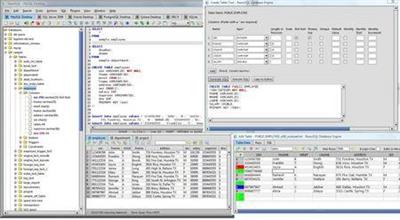
Richardson Software RazorSQL 9.1.3

Richardson Software RazorSQL 9.1.3


f85de4aff5ec309ce045b3122baded23.jpeg


Richardson Software RazorSQL 9.1.3 | 130 MB | Language: English​


RazorSQL is an SQL query tool, database browser, SQL editor, and database administration tool for Windows, (Mac OSX), Linux, and Solaris.


Advanced Connection Features:
* Built-in support for DB2, Derby / JavaDB, Firebird, FrontBase, HSQLDB, Informix, MySQL, OpenBase, Oracle, PostgreSQL, SQLite, SQL Server, Sybase Adaptive Server Enterprise, and Sybase SQL Anywhere. Also can connect to any database that supports JDBC or ODBC (Windows only) such as Access, Daffodil, H2, Ingres, Interbase, Mimer SQL, Mckoi, Paradox, Pervasive, Pointbase, Solid, and Teradata.
* MySQL, PostgreSQL, and MS SQL Server PHP bridges for connecting to MySQL, PostgreSQL, and SQL Server databases via PHP. Allows remote access to MySQL, PostgreSQL or SQL Server databases running behind PHP enabled web servers
* A MS SQL Server ASP bridge for connecting to SQL Server databases via ASP. Allows remote access to SQL Server databases running behind ASP enabled web servers
* A RazorSQL JDBC Bridge for connecting to databases via a JEE/J2EE Application Server or Servlet Container.

Database Tools Database and SQL Tools
* Create, Alter, and Drop Tables and Views
* *Create and Drop Indexes and Sequences
* *Create and Drop Stored Procedures, Functions, Packages, and Triggers
* *Create and Drop Databases and Users
* Edit Table Tool
* *Edit Stored Procedures, Functions, Packages, and Triggers
* Describe Tables and Views
* Generate DDL Tool for generating table, view, and index DDL.
* View contents of Tables and Views
* *View contents of Stored Procedures, Functions, Packages, and Triggers
* SQL Query Builder for Select, Insert, Update, and Delete Statements
* Export Data in text, HTML, XML, Excel, delimited file format or as insert statements
* Import Data into tables from delimited files, Excel files, or fixed width files
* Execute Stored Procedures
* *SQL Explain Plan Tool
* SQL Query Scheduler
* Compare Table Data or Query Results
* File Compare Tool
* Zip Utility for viewing/extracting Zip and Jar files
* File System Browser
* Database Meta Data Viewer (Functions, Types, etc.)
* Command Line Interface for running RazorSQL tools from the command line.

SQL Editor SQL Editor
* Syntax Highlighting for SQL, PL/SQL, TransactSQL, SQL PL, Batch, C, COBOL, CSS, C++, C#, Java, jаvascript, JSP, HTML, PHP, Perl, Python, Ruby, Shell Script, and XML
* Auto Completion for tables and columns
* Automatic Column Lookup
* Automatic Table Lookup
* SQL Formatter
* Support for parameterized queries
* Execute, Execute Fetch All, and Execute Batch functions
* Multi-Tabular Display of Query Results
* Sortable Query Results
* Filterable Query Results
* Searchable Query Results
* SQL History for All Queries, and Query Logging Per Connection
* Auto-function lookup for all supported programming languages and auto-method lookup for Java and JSP
* Query List, Tag List, and Function / Method List options for clickable display of queries, tags, or functions / methods contained in the editor
* File tools such as head, tail, get section, search / regex search, move, copy, rename, delete, size, and get info.
* Key Ahead functionality for one-click population of user-defined text
* Regular Expression Find, Find/Replace, Find/Replace in Files
* Bracket Matching, Tag Matching, and Goto Line commands
* Printing Support for Editor Content and Query Results
* Support for dozens of file encodings
* Built-in and Custom User Templates
* Connection Keep-Alive
* Plugin API (Allows users to add custom functionality to RazorSQL)

Database Browser Database Browser
* A tree structure to navigate database objects
* Use RazorSQL provided database specific system queries or user supplied queries for database navigation, or navigate the database structures using the default JDBC/ODBC driver settings.
* Single click content viewing on tables, views, etc.
* Column information including column name, keys, data type, nullable information, etc.
* *Displays information on objects such as procedures, functions, triggers, indexes, constraints, sequences, etc.
* Single-click generation of DDL for tables, views, and indexes.
* Search tables and view data.
* Single-click generation of SQL select, insert, update, and delete queries.

Installation Instructions and Requirements:
Windows (Native Installer)
For best results, use of one of the following operating systems is recommended: Windows 10, Windows 8, Windows 7, Windows Vista, Windows XP, Windows Server 2008 or 2003, or Windows 2000. The 32-bit version of RazorSQL runs on both 32-bit and 64-bit versions of Windows. The 64-bit version only runs on 64-bit versions of Windows. If using ODBC drivers to connect, make sure to use the version of RazorSQL that matches up with the architecture of the ODBC driver. For example, if using 32-bit ODBC drivers, the 32-bit version of RazorSQL is required.


Home Page -
Код:
http://www.razorsql.com/


DOWNLOAD LINKS:

Код:
https://rapidgator.net/file/bff0e9c30466d02ec04cf20d263f774a/Richardson_Software_RazorSQL_9.1.3.rar

Код:
http://nitroflare.com/view/0B59E77868A5AF5/Richardson_Software_RazorSQL_9.1.3.rar

Код:
https://uploadgig.com/file/download/95cf37F86b5691d7/Richardson_Software_RazorSQL_9.1.3.rar
 
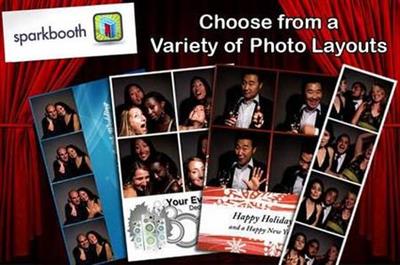
Sparkbooth Premium 6.1.55 Multilingual

Sparkbooth Premium 6.1.55 Multilingual


f44b73ac13bd955c88826cac8f0c94a3.jpeg


Sparkbooth Premium 6.1.55 Multilingual | 183 MB | Language: Multilanguage​


Have you looked into renting or buying a photo booth for your wedding, or special event? Seeking to get into the photo booth rental business but the traditional systems are too bulky? Discouraged by the price and the hassle? Thanks to improving technology and high-quality cameras found on most computers, there's a better way to capture and save your guests' special memories. Meet Sparkbooth! It's the DIY Photo booth solution that's dynamic, easy to operate and is a fraction of the cost of a traditional photo booth rental!


Sparkbooth is perfect for:
- Weddings
- DIY photo booth projects
- Birthday and Kid's parties
- Business or promotional events
- Proms, Graduation parties, and reunions
- Holiday parties, or other celebrations

Sparkbooth for DSLR Cameras
Use your compatible Canon or Nikon camera.

Layout Editor
Customize or create your own layouts with an easy-to-use drag and drop editor.

Photo Kiosk
Create a separate kiosk station for browsing, printing, and sharing your photo booth photos.

Mirror Booth
Fun video animations, photo signing and stickers for your mirror booth hardware.

Simple and Easy
Sparkbooth makes it a breeze for anyone to set-up their very own instant photo booth experience. Download the Sparkbooth photo booth software to any computer with a webcam and youʼre ready to go! Add some props and a backdrop and your party will be an instant hit!

Custom Keepsake
With several different photo sizes and hundreds of options to choose from, Sparkbooth photos are a memorable and inexpensive giveaway. Customize your backgrounds and photo features to reflect the theme and tone your event. Photo booth photos are a perfectly creative way to provide a unique and fun party keepsake for you and your guests.

Make it your own
Our software offers customizable options to commemorate a wedding, charity event, children's party, a birthday party or any other special event. Select a theme from the layout library or use your own background photo. Place a logo or text message on each photo for branding and event identification. New themes are being added all the time!

Be Social
Automatically share your photos online with party guests and friends. The built-in upload option makes it simple to post on Facebook, Twitter, Flickr and other social networks.

Email your photos
Get your photos to your guests quickly and easily. Sparkbooth can email photos to your guests. Just enter their email addresses, and send photos using email services or SMTP.

Printer Enabled
Quickly set up a printer to allow guests to print Sparkbooth photos with ease. Print photos automatically or prompt guests to print with options to select number of prints.

Works Offline
At a venue without internet? No problem! Sparkbooth photos can be queued for upload or email at a later time when there is internet access.

Touchscreen Enabled
Get rid of the keyboard and turn on touchscreen controls like a start button, options to change photo layouts, or an on-screen keyboard to collect email addresses and quickly post photos to social media.

Drag-and-Drop Layout Editor
Use the visual drag-and-drop layout creator to create or customize photo layouts and templates for a truly customized event experience.

Voice Prompts
Talk them through it! Choose from a variety of voices to walk your guests through the photo taking process. Or, give your event that extra special touch and use your own mp3s to customize your voice prompts.

Photo Album
Give you guests the celebrity treatment. Highlight all of their photos in one place and allow them to browse, print, or share photos on Facebook or Twitter.

Premium Features:

Green Screen
Set the stage for some next level creativity. Replace traditional backgrounds and open your guests up to a whole new world of entertainment by using a green screen backdrop. Choose from our library of fun and dynamic backgrounds or add your own!

Text Photos to Mobile Devices
Sparkbooth also works with messaging providers to send photos directly to your guest's mobile phones or devices. Just enter their mobile number and Sparkbooth will text the photo.

Animated GIFs
Turning photo booth photos into animated GIFs adds a new dimension of movement to your photo booth experience. Sparkbooth can also make boomerang or rewind GIFs.

Drawing and Stickers
Sign and draw on photos, or apply stickers using a touch screen or mouse. Guests love dragging and resizing virtual props onto photos. Even use your own image files as props or stickers.

More Facebook Likes
With a commercial license, you can display a Facebook Like dialog for your company's Facebook Page. Sparkbooth is a great way to increase your Facebook marketing, create exciting content and reach to your customers in a cost effective manner.

More Twitter Followers
Expand the reach of your Twitter marketing by enabling the automatic Twitter following. Your customers can stay up to update through your Twitter account without having to pay for expensive sponsored posts.

Social Media / Print Kiosk
Premium users can create a separate station to allow guests to view, share on Facebook or Twitter, email, or print photos from your photo booth. Just point the kiosk to your shared folder in your photo booth.

Build Your Mailing Lists
Use your events to generate interest in your business long term. Sparkbooth can integrate with MailChimp, and prompt for email addresses to submit to your mailing lists.

Custom Share Links
Businesses can customize the share links for photos posted to Facebook and Twitter with their own name and website for maximum visibility and event coverage.

Sparkbooth Sticker Update
With the latest Sparkbooth 6 update for Premium and DSLR licenses, stickers can be moved, resized, and rotated by guests. When a sticker is placed on the photo, the sticker will have touch controls for moving, resizing and rotating the sticker. Works great for applying virtual props to photos.

To allow guests to move, resize and rotate stickers, go to the Layout Editor and select the drawing area on the layout, and in the properties dialog enable "Make draggable". If the "Make draggable" settings is disabled, the stickers will be applied to the photo immediately instead of being movable. Sparkbooth 6 also comes with a set of image set of virtual props.
In the stickers list, select "Props" to enable these new stickers.

System Requirements:
- Windows (7 or later), Webcam, 4GB or more RAM, and i3 processor or better (2.0 Ghz or faster) recommended.
- Available in English, Español, Português, Français, Deutsch, 简体中文, 繁體中文.


Home Page -
Код:
https://sparkbooth.com


DOWNLOAD LINKS:

Код:
https://rapidgator.net/file/e44567102d3aaa022d87544aeca27f66/Sparkbooth_Premium_6.1.55_Multilingual.rar

Код:
http://nitroflare.com/view/352EB8B79043278/Sparkbooth_Premium_6.1.55_Multilingual.rar

Код:
https://uploadgig.com/file/download/dd63c0A68f42A2d7/Sparkbooth_Premium_6.1.55_Multilingual.rar
 
TechSmith Snagit 2020.1.3 Build 6046 (x64)

TechSmith Snagit 2020.1.3 Build 6046 (x64)


6c50495538017f8ed048d0397729ee0d.jpeg


TechSmith Snagit 2020.1.3 Build 6046 (x64) | 333 MB | Language: English​


Techsmith Snagit - the award-winning screen-capture software. Using SnagIt, you can select and capture anything on your screen, then easily add text, arrows, or effects, and save the capture to a file or share it immediately by e-mail or IM. Capture and share an article, image, or Web page directly from your screen. Or, capture and share any part of any application that runs on your PC. Automatically save in one of 23 file formats, or send to the printer, to your e-mail, or to the clipboard.


Use SnagIt's built-in editors to modify, annotate, and enhance your images and the Catalog Browser to organize your files. Increase your productivity while quickly creating professional presentations and flawless documentation. With powerful new features that allow you to edit previously placed objects, capture embedded links and add interactivity to your captures,SnagIt 8 makes it easier than ever before to capture, edit, and share anything on your screen.

Features of SnagIt:
» Capture - if you can see it, you can snag it!
» Don't waste time cropping your captures. Snag exactly what you need, with just a click.
» Profiles make it easy. SnagIt comes with eleven preset buttons that make screen capture a cinch! Capture a region of your screen, text from a window, the contents of a tall page that scrolls, all the images on a Web page, you get the idea.
» Custom suits you. Don't feel limited by the eleven profiles-create your own combinations for nearly unlimited capture possibilites. What's that? You want to set up a keystroke that captures a menu along with the mouse pointer...adds a drop shadow...and sends the image directly to your ***** dot com blog? Sure, no problem!
Edit - the right tools, right now!
» You don't need a million confusing options, you need the right tools at the right time. Unlike expensive, complex image editing suites,SnagIt makes everyday screen capture tasks one-click easy.
» Say more with pictures+words. Use an arrow to direct attention. Add a text callout to explain clearly. Apply ready-made objects from the menus...and your picture is worth 1,000 more words!
» Look like a pro. Make your screenshot pop with a drop shadow. Give it perspective, spotlight an area, or add other nifty effects.
» Convey complex ideas simply. Combine multiple images, callouts, shapes, and clip art stamps into a rich and detailed information graphic.
» Have fun! Add a speech balloon to that photo of your cat.
Share - send captures where they need to go...instantly!
» Yes, you can save your captures in all the common-and a few uncommon-image formats. But with SnagIt's free output accessories you can do so much more!
» Collaborate in a flash. Click a button to send a screen capture by email, AIM, or Skype.
» Be social. Share on Flickr. Post images directly to your blog. Publish to your Web site via FTP. No technical degree required!
» Get projects done quicker. Embed images directly into your Microsoft Office projects, MindManager map, or OneNote page.
Organize - SnagIt keeps track, so you don't have to
» Save nothing...save everything. SnagIt stores every capture automatically and keeps the most recent visible. A huge timesaver!
» Find your stuff. Whether or not you saved it, find that capture later with the new visual search pane. Remember just one detail-like the approximate date or the Web site you captured-and find your capture instantly.
» Get organized (if you want to). As you capture images for next month's big project, tag them with "big project" or set the "Important" flag. No need to save anything in folders...just come back next month and view all your big project files with a click!


System Requirements:
Microsoft Windows 10 (1703, 1607, and 1511), Windows 8.1, Windows 7 SP1, Windows Server 2016, or Windows Server 2012 R2 (64-bit only)
.NET 4.6 or later
2.4 GHz single core processor (dual core i5 required for video capture)
1 GB of RAM (4 GB required for video capture)
500 MB of hard-disk space for program installation
Video and Panoramic capture on Windows N requires the Media Feature Pack for Windows N
We recommend the 64-bit Snagit installation when using multiple monitors or a 4k display.


Home Page -
Код:
https://www.techsmith.com/


DOWNLOAD LINKS:


Код:
https://dropapk.to/rg79oxqtc90t/TechSmith_Snagit_2020.1.3_Build_6046_x64.rar

Код:
https://rapidgator.net/file/84850688f06b2b32426fdd4eb076e721/TechSmith_Snagit_2020.1.3_Build_6046_x64.rar

Код:
http://nitroflare.com/view/1CF8BEB7006ADEB/TechSmith_Snagit_2020.1.3_Build_6046_x64.rar

Код:
https://uploadgig.com/file/download/d3d6Aaaba9557A44/TechSmith_Snagit_2020.1.3_Build_6046_x64.rar
 
Ultimate EPubsoft DRM Removal 15.8.2

Ultimate EPubsoft DRM Removal 15.8.2


8b6f725760cb32f0da10a330b2d8a9b8.jpeg


Ultimate EPubsoft DRM Removal 15.8.2 | 291 MB | Language: English​


Epubsoft Ultimate Ebook DRM Removal can help you quickly remove drm restriction from Adobe Digital Editions EPUB/PDF, Kindle AZW/PRC/MOBI, B&N Nook EPUB. Then you can read ebooks on Android, Sony e-Reader, Kobo as well as other tablets.


What you need to do is add ebooks into the software, then click on Start button, Ultimate Ebook DRM Removal will create new ebook files that are faced with no drm restriction for you. And only two steps needed, the whole process will be finished. Under no circumstance will the tool make loss on your ebooks' quality. So it can be listed as the best tool to help you to read books on more ebook devices.

Key Features:
Make sure you have owned them before you prepare to remove drm for your ebooks. If you own the ebooks and the ebooks can be read on your computer properly, then them can be converted. This tool does not support iBooks DRM.

Support for multiple e-book formatsadobe digital editions(ADE)
Now, Ultimate Ebook DRM Removal can support the commonly used formats on the market. Such as Adobe EPUB, Adobe PDF, Kindle AZW, Kindle KFX, Kindle AZW4, MOBI, PRC and B&N Nook EPUB. Yes, it's All In One, so you can read your ebooks on other e-readers or share your ebooks with your friends more easily.

Batch Conversion, save most of your time.
You can add as many as 200 copies of e-books at one time. Then you only need to click the start button and wait for a few minutes. You can see that your ebooks have been converted. No matter they are under DRM protection of the Adobe Digital Editions, or Kindle, or B&N Nook etc.

The best conversion quality
The software will keep the best quality for users when you are converting your books. It will remain 100 percent resemblance with the original ebook files. It is just used to strip the drm of your books, and will cause no change on the style and structure of your books.

Operating System: Windows 7, 8/8.1, 10

Home Page -
Код:
https://www.epub[/url]soft.com/


DOWNLOAD LINKS:

Код:
https://rapidgator.net/file/8e3701510dad5b892ecc4b4b31037efb/Ultimate_EPubsoft_DRM_Removal_15.8.2.rar

Код:
http://nitroflare.com/view/C3ED86DF4BA7877/Ultimate_EPubsoft_DRM_Removal_15.8.2.rar

Код:
https://uploadgig.com/file/download/e7fac1F3631df861/Ultimate_EPubsoft_DRM_Removal_15.8.2.rar
 
Wolfram Mathematica v12.1.1.0 Multilingual

Wolfram Mathematica v12.1.1.0 Multilingual


98c7ee99c16c45267a0cdbd9d00ae241.jpeg


Wolfram Mathematica v12.1.1.0 Multilingual | 4.2 GB | Language: Multilanguage​


For three decades, Mathematica has defined the state of the art in technical computing-and provided the principal computation environment for millions of innovators, educators, students, and others around the world. Widely admired for both its technical prowess and elegant ease of use, Mathematica provides a single integrated, continually expanding system that covers the breadth and depth of technical computing-and seamlessly available in the cloud through any web browser, as well as natively on all modern desktop systems.


For Modern Technical Computing, There's No Other Choice
With energetic development and consistent vision for three decades, Mathematica stands alone in a huge range of dimensions, unique in its support for today's technical computing environments and workflows.

A Vast System, All Integrated
Mathematica has nearly 5,000 built-in functions covering all areas of technical computing-all carefully integrated so they work perfectly together, and all included in the fully integrated Mathematica system.

Not Just Numbers, Not Just Math-But Everything
Building on three decades of development, Mathematica excels across all areas of technical computing-including neural networks, machine learning, image processing, geometry, data science, visualizations, and much more.

Unimaginable Algorithm Power
Mathematica builds in unprecedentedly powerful algorithms across all areas-many of them created at Wolfram using unique development methodologies and the unique capabilities of the Wolfram Language.

Higher Level Than Ever Before
Superfunctions, meta-algorithms... Mathematica provides a progressively higher-level environment in which as much as possible is automated-so you can work as efficiently as possible.

Everything Is Industrial Strength
Mathematica is built to provide industrial-strength capabilities-with robust, efficient algorithms across all areas, capable of handling large-scale problems, with parallelism, GPU computing, and more.

Powerful Ease of Use
Mathematica draws on its algorithmic power-as well as the careful design of the Wolfram Language-to create a system that's uniquely easy to use, with predictive suggestions, natural language input, and more.

Documents As Well As Code
Mathematica uses the Wolfram Notebook Interface, which allows you to organize everything you do in rich documents that include text, runnable code, dynamic graphics, user interfaces, and more.

The Code Makes Sense
With its intuitive English-like function names and coherent design, the Wolfram Language is uniquely easy to read, write, and learn.

Make Your Results Look Their Best
With sophisticated computational aesthetics and award-winning design, Mathematica presents your results beautifully-instantly creating top-of-the-line interactive visualizations and publication-quality documents.

150,000+ Examples
Get started with almost any project with help from 150,000+ examples in the Documentation Center, over 10,000 open-code Demonstrations in the Wolfram Demonstrations Project-and a host of other resources.

Instant Real-World Data
Mathematica has access to the vast Wolfram Knowledgebase, which includes up-to-the-minute real-world data across thousands of domains.

Seamless Cloud Integration
Mathematica is now seamlessly integrated with the cloud-allowing sharing, cloud computing, and more in a unique and powerful hybrid cloud/desktop environment.

Connected to Everything
Mathematica is built to be connected to everything: file formats (180+), other languages, Wolfram Data Drop, APIs, databases, programs, the Internet of Things, devices-and even distributed instances of itself.

Home Page -
Код:
https://www.wolfram.com


DOWNLOAD LINKS:

Код:
https://rapidgator.net/file/f4ba9cd3d6ef1a8b3ce4b56488e83f8e/Wolfram_Mathematica_v12.1.1.0_Multilingual.part1.rar
https://rapidgator.net/file/cb63aba35fce04f833f44f0f975418d7/Wolfram_Mathematica_v12.1.1.0_Multilingual.part2.rar
https://rapidgator.net/file/a2ed9f6363c7770c8327d6ac65e6b60b/Wolfram_Mathematica_v12.1.1.0_Multilingual.part3.rar
https://rapidgator.net/file/52ad63ac155eb5f8aba5cf14a27a967c/Wolfram_Mathematica_v12.1.1.0_Multilingual.part4.rar
https://rapidgator.net/file/7727c17b58559fcd1179956a7aef8ad1/Wolfram_Mathematica_v12.1.1.0_Multilingual.part5.rar

Код:
http://nitroflare.com/view/2C13591A12C25BB/Wolfram_Mathematica_v12.1.1.0_Multilingual.part1.rar
http://nitroflare.com/view/F3D9E9DBA8EFE86/Wolfram_Mathematica_v12.1.1.0_Multilingual.part2.rar
http://nitroflare.com/view/83418019CF9F8EB/Wolfram_Mathematica_v12.1.1.0_Multilingual.part3.rar
http://nitroflare.com/view/E4A6D90F7A7FC11/Wolfram_Mathematica_v12.1.1.0_Multilingual.part4.rar
http://nitroflare.com/view/C64524C7E748ECB/Wolfram_Mathematica_v12.1.1.0_Multilingual.part5.rar

Код:
https://uploadgig.com/file/download/d404B60A112e9bd5/Wolfram_Mathematica_v12.1.1.0_Multilingual.part1.rar
https://uploadgig.com/file/download/c741018937802ab2/Wolfram_Mathematica_v12.1.1.0_Multilingual.part2.rar
https://uploadgig.com/file/download/d2D2f8d3372b9256/Wolfram_Mathematica_v12.1.1.0_Multilingual.part3.rar
https://uploadgig.com/file/download/a810152D87bd8abA/Wolfram_Mathematica_v12.1.1.0_Multilingual.part4.rar
https://uploadgig.com/file/download/7fAc96811172cf69/Wolfram_Mathematica_v12.1.1.0_Multilingual.part5.rar
 
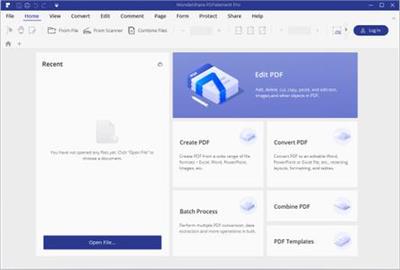
Wondershare PDFelement Professional 7.6.0.4878 Multilingual

Wondershare PDFelement Professional 7.6.0.4878 Multilingual


f4c76bc7f3feca254b370dffc1bfe106.jpeg


Wondershare PDFelement Professional 7.6.0.4878 Multilingual | 84 MB | Language: Multilanguage​


The PDF Experience, Simplified. The easiest way to create, edit, convert and sign PDF documents. Get control over PDFs like never before. The most Powerful and Simple PDF solution that changes the way you work with your important documents forever.


Edit
Express yourself both verbally and visually with a full‑featured word processor that helps you easily edit PDF files.

Convert
Deliver the richest, most engaging PDF communications. Convert PDFs to office files, retaining layout, formatting, and tables.

Comment
Empower your team and collaborate more effectively. Quickly gather feedback from colleagues and customers.

Reliably create and distribute PDF forms.
Easily create and distribute forms, combine collected forms for analysis, and export collected data in a spreadsheet.

Protect documents and accelerate information exchange with PDF.
Control documents to help secure sensitive information from unintended access and use.

Introducing all-new PDFelement 7:
Reimagined UI.
Work easily with an all-new minimalist, yet powerful, user interface.
User Management Console.
Get the flexibility to provision, track, and manage licensing across groups and teams.

Highlights:
- Create
- Edit
- Convert
- Review
- Forms
- Sign
- Secure
- OCR

System Requirements:
A computer with an Intel® Pentium® 4, higher, or equivalent processor
Supported operating systems - Windows 10, 8.1, 8, 7, Vista
512 MB of memory (RAM), 1 GB recommended
1.5GB of free hard disk space for application files.


Home Page -
Код:
https://pdf.wondershare.com/


DOWNLOAD LINKS:

Код:
https://rapidgator.net/file/3c6910dc4c785be6fd11c49957b3a683/Wondershare_PDFelement_Professional_7.6.0.4878_Multilingual.rar

Код:
http://nitroflare.com/view/47CF3B2602603ED/Wondershare_PDFelement_Professional_7.6.0.4878_Multilingual.rar

Код:
https://uploadgig.com/file/download/675459344e7fF0c3/Wondershare_PDFelement_Professional_7.6.0.4878_Multilingual.rar
 
CorelDRAW Graphics Suite 2020 v22.1.0.517 (x86) Multilingual

CorelDRAW Graphics Suite 2020 v22.1.0.517 (x86) Multilingual


03a7bc9622dc31992c498e81859aeb5b.jpeg


CorelDRAW Graphics Suite 2020 v22.1.0.517 (x86) Multilingual | 702 MB | Language: Multilanguage​


CorelDRAW Graphics Suite 2019 - Dare to design differently. Find all the professional vector illustration, layout, photo editing and design tools you need to work faster, smarter, and in more places with this superior graphic design software.


Graphic design software
- New non-destructive effects for bitmap and vector objects
- More control over your objects, layers and pages
- Improved pixel workflow for pixel-perfect documents

Be in control
Manage your design journey and choose how you purchase. Enjoy premium capabilities developed for your platform-Windows or Mac-and work on the go with CorelDRAW.app.

Be creative
Whether you're designing signage, logos, web graphics, or print projects, you'll enjoy unmatched customization and capabilities that complement your unique style.

Be efficient
Maximize time efficiencies with a comprehensive suite of creative applications that couples intuitive tools with exceptional speed, power and performance.

Innovative & productive
Achieve unsurpassed productivity with new high-caliber features in this versatile graphic design program. You'll appreciate a smoother workflow with industry standard PDF/X-4 support, and an improved content browsing experience. Plus with the all-new CorelDRAW.app, you can access your work anywhere.

Creative & customizable
Produce original illustrations, signage, and logos for both print and web. Create your way with an array of professional document styles, page layout and vector tools. Plus, enjoy new, non-destructive editing functionality when applying effects to vector and bitmap objects. Personalize the user interface, tools, templates and more to make them your own.

Easy to learn & use
This powerful collection of applications is loaded with intuitive tools, tutorials, tips, tricks, learning materials and Discovery files, to ensure you can get started easily and be successful sooner. Try one of the many new templates to quickly create brochures, posters, cards, social media images, and more, without having to start from scratch.


System requirements:
- Windows 10*, 8.1 or Windows 7, in 64-bit, all with latest Updates and Service Packs
- Intel Core i3/5/7 or AMD Athlon 64
- 2 GB RAM
- 2.5 GB hard disk space
- Multi-touch screen, mouse or tablet
- 1280 x 720 screen resolution at 100% (96 dpi)
- Microsoft Internet Explorer 11 or higher
- Microsoft .NET Framework 4.7
- CD drive optional (for box installation). Installation from CD requires a download of up to 800 MB.


Home Page -
Код:
https://www.coreldraw.com/


DOWNLOAD LINKS:

Код:
https://rapidgator.net/file/c3c5579f3ecb13f7905670f7806b94b3/CorelDRAW_Graphics_Suite_2020_v22.1.0.517_x86_Multilingual.rar

Код:
http://nitroflare.com/view/11AA3DDA37653E1/CorelDRAW_Graphics_Suite_2020_v22.1.0.517_x86_Multilingual.rar

Код:
https://uploadgig.com/file/download/bf3Cb49C2f42552F/CorelDRAW_Graphics_Suite_2020_v22.1.0.517_x86_Multilingual.rar
 
InPixio Photo Studio Ultimate 10.03.0 DC 17.06.2020 Multilingual

InPixio Photo Studio Ultimate 10.03.0 DC 17.06.2020 Multilingual


728d42de75758dd6237b607d82e752ad.jpeg


InPixio Photo Studio Ultimate 10.03.0 DC 17.06.2020 Multilingual | 523 MB | Language: Multilanguage​


Photo Studio describes exactly what our software is today: a fully-fledged editing program that lets you create your pictures in your way. We're really excited about this new identity and hope you like the new name as much as we do. And rest-assured, the name might be changing but all the things our users love about Photo Clip are here to stay: Photo Studio 10 will still be a user-friendly photo editing software, full of fun content to help you create the perfect photos and photo montages. Read on to find out more about all the new features and improvements in Photo Studio 10.


Photo Clip is now Photo Studio
The first thing to know about version 10 of Photo Clip is that it has a new name: Photo Studio. Why change the name? Because the latest version of the software is so packed full of features that we decided it was time for an upgrade. Our flagship Photo Clip software has evolved a lot over the years, from a program for making background cutouts to a multi-functional suite of applications, covering a range of editing needs from erasing to enhancing.

Cutout and background erasing is now just one aspect of the program. Recent versions of the software also include:
- Advanced photomontage possibilities, such as adding new images, backgrounds, text and stickers to a photo.
- Erase tools, which remove distracting items from your photos, while preserving the original background.
- Tools for correcting and enhancing your photos. For example, the auto-correction function, which adds color and brightness to photos with just a single click.

New in Photo Studio 10:

As with every new release, we have updated Photo Studio to provide even more editing possibilities. This time, we have also put a big focus on improving performance and usability so that you can edit better and faster than ever. Here is a selection of the top new features to look forward to in Photo Studio 10.

Perspective tool
The perspective tool is a smart new feature that is useful for correcting photos of buildings and architecture.
You have probably had that experience where you want to photograph a beautiful building but you can't get far enough way to get it in shot, so instead you have to shoot "upwards" or from an angle. This leads to something called perspective distortion in your image, where the lines of your building don't appear straight. For example, if you photograph a tall building, such as a cathedral, from below, the result may look tilted as if the structure is leaning away from you.

The Perspective tool helps you to remove this distortion and correct any tilted or skewed appearance in your photos. If this sounds complicated, don't worry: the tool is very easy to use with three automatic settings, for horizontal, vertical and full correction. After the auto correct has done its work, you can use simple sliders to make the final adjustments yourself. Finally, if you want to have full control over the process there is also a manual mode where you can apply guides to your photo to make a precise correction. In short, you can say goodbye to (unwanted) slanting in your architecture photos, thanks to this new tool.

inPixio Photo Transfer
To coincide with the launch of Photo Studio, we are releasing a complimentary new app that you can download from the App Store or Google Play. With the inPixio Photo Transfer app, you can copy photos easily from your smartphone to your PC or Mac using Wi-Fi.

The app was designed as a helpful tool to facilitate photo editing with PC and Mac-based inPixio software. With a few clicks and a Wi-Fi connection, you can transfer your entire photo library to your laptop and download images ready for editing in Photo Studio. There is no need for a cable, cloud service, or software and your photos remain safe with no external storage. The app is also a useful way to back up your photos to your computer and save space on your cell phone.

EXIF data and Histogram
EXIF metadata is a set of information attached to a photo and stored automatically in your camera or smartphone. This can include date, location and more. When you upload a photo to Photo Studio, you can now view and edit all of this information. For example, you can add tags and ratings or even copyright information to a photo. This is useful for organizing your photos to help you quickly find what you're looking for. It's also especially useful if you upload your photos to online platforms such as Flickr.

Another new source of information in Photo Studio 10 is the Histogram. This measures exposure levels in your photo so you can get a better idea of the light and dark areas in an image. Referring to the histogram when editing exposure settings can help you to get the right level of brightness in your image.

New Local Adjustments
The selective retouching tab allows you to adjust specific sections of your photo with gradients or the paintbrush.

In Photo Studio 10, we have added new sliders to the selective retouching tab, meaning that you can now make even more edits to your photos. The new local adjustments are hue, whites, blacks, dehaze, sharpness and noise reduction.

RAW Images
Photo Studio 10 now supports RAW format images. Raw images are not pre-processed and compressed like standard image formats such as JPEG, meaning they take up a lot of disk space. Because raw images are heavy and because the format varies between camera manufacturers, it is often difficult to open them in software programs. However, thanks to improvements made by inPixio developers, now you can open and edit all you raw images in Photo Studio.

Interactive Film Strip
We mentioned usability improvements, and this is one of the big ones. The filmstrip is the panel at the bottom of the Photo Studio interface that displays all the images in a selected file. In Version 10, it is now fully interactive. This means that in Photo Editor you can filter images easily by date taken, camera, file type and a range of other criteria. You can also apply edits directly from the filmstrip. For example, you can autocorrect an image with a simple right-click without opening it in the workspace. You can also delete edits in the same way.

Video Tutorials
Even with the easiest software, you may need a little extra help from time to time. Our video tutorials are designed to guide you through some of the main tools and the main uses of Photo Studio, so that you can get to know the program more quickly and get the best possible results. Photo Studio 10 comes with a new section for Video Tutorials: simply click on the link to access the playlist of tutorials. A database of support resources is also available from the Assistance section of the menu.

New Content
Our users requested it and we are more than happy to oblige! In Photo Studio 10, you will find a selection of new backgrounds and other visual content in both the Photo Cutter and Photo Editor modules. Try personalizing the new stickers by editing colors and more. And of course, don't forget to try out the new backgrounds in your photomontages. We particularly love the new Hollywood background and cannot wait to see what our users do with this!


System Requirements:
- Windows 10, Windows 8, Windows 7
- 1 GHz Intel® Pentium® processor or equivalent
- 1 GB RAM CD/DVD ROM drive
- 100 MB hard disk space, mouse and keyboard


Home Page -
Код:
https://www.inpixio.com/


DOWNLOAD LINKS:

Код:
https://rapidgator.net/file/f8fb778648e5fbdb3392cd8e2694c9cc/InPixio_Photo_Studio_Ultimate_10.03.0_DC_17.06.2020_Multilingual.rar

Код:
http://nitroflare.com/view/68E6DC063F2F08E/InPixio_Photo_Studio_Ultimate_10.03.0_DC_17.06.2020_Multilingual.rar

Код:
https://uploadgig.com/file/download/53079f8ee0a213e1/InPixio_Photo_Studio_Ultimate_10.03.0_DC_17.06.2020_Multilingual.rar
 
VectorWorks 2020 SP4 (x64)

VectorWorks 2020 SP4 (x64)


28c121892270a70c109de0cbd2f09216.jpeg


VectorWorks 2020 SP4 (x64) | 2.62 GB | Language: English​


Vectorworks line of software solutions in the CAD industry, which allows designers to promote their ideas, best practices offer. The app includes those users including architects, interior designers, landscape designers and product designers and furniture, as well as students who are ready to start your letter. The application of the most common is the most significant engineering design software maps. This application is a two and three-dimensional modeling is to make learning simple and friendly environment, making it one of the first application for beginning students in the field of design has become.


A closer look
Vectorworks software design and modeling software developed by experts in Britain is excellent. The rival software programs and tools such as AutoCAD provides it. The greatest and most famous mansions and buildings and designers in Europe British architect have the software and its creators closely with architects and requiring architects of Europe and a very good and interesting to their needs in this application have met . This software product is a breakthrough and prospective suppliers, it is in the new version is much better and become more interesting Rendering environments and three-dimensional images taken of the movie and better animation software and Autodesk and AutoCAD presented.

This software environment seem interesting and popular and easy application engineers and architects, and different versions of it with the architectural, mechanical design, lighting, and space environments such as forests and green environment, and .. Designer, Architect, Landmark, Spotlight, Fundamentals, Renderworks is provided, and the new version all together in a package is placed and the user can customize the environment to suit their application set, or the environment and tool setting and tool and the other to complete their projects. The new version also prepared a variety of models such as bolts Wu .. Table and fixtures such as doors and windows in architecture and objects in three-dimensional simulation tree like SOP Studio Max there. Most of the buildings, apartments and Tower built in the United Arabic Emirates are designed with this software.


System Requirements:
- Windows 10 64-bit
- Windows 8.1 64-bit
- Windows 8 64-bit
- Windows 7 SP1 64-bit


Home Page -
Код:
https://www.vectorworks.net/


DOWNLOAD LINKS:


Код:
https://dropapk.to/3cxn8hk7xo5l/VectorWorks_2020_SP4_x64.part1.rar
https://dropapk.to/x3wgr05j17hp/VectorWorks_2020_SP4_x64.part2.rar
https://dropapk.to/bdbx23la2jbj/VectorWorks_2020_SP4_x64.part3.rar

Код:
https://rapidgator.net/file/4e54d1659863e50cbc83bc90313a0d80/VectorWorks_2020_SP4_x64.part1.rar
https://rapidgator.net/file/5002a74a41ff03c24af5ee9cf5163451/VectorWorks_2020_SP4_x64.part2.rar
https://rapidgator.net/file/f1e6391e2041d94a0226e0cd9c41ebe9/VectorWorks_2020_SP4_x64.part3.rar

Код:
http://nitroflare.com/view/24305CE26694102/VectorWorks_2020_SP4_x64.part1.rar
http://nitroflare.com/view/FEDE63DDA759E81/VectorWorks_2020_SP4_x64.part2.rar
http://nitroflare.com/view/1790FB88E2825D4/VectorWorks_2020_SP4_x64.part3.rar

Код:
https://uploadgig.com/file/download/8d56758cc5b1dc97/VectorWorks_2020_SP4_x64.part1.rar
https://uploadgig.com/file/download/062D9aAee12Ed6e6/VectorWorks_2020_SP4_x64.part2.rar
https://uploadgig.com/file/download/9fdB315d8f3CEe33/VectorWorks_2020_SP4_x64.part3.rar
 
InPixio Eclipse HDR PRO v1.3.500.524 (x64)

InPixio Eclipse HDR PRO v1.3.500.524 (x64)


895f5774f53a50e789621a18a4190c35.jpg


InPixio Eclipse HDR PRO v1.3.500.524 (x64) | 43 MB | Languages: English, French ​


Eclipse HDR PRO - Create professional photos with advanced HDR editing. Eclipse HDR Pro puts you back in control of your photos. There has never been a faster or easier way to create professional HDR images.With full control over lighting and exposure, you can achieve a new level of creativity with your RAW and HDR projects.


HDR ToneMapping Engine™
- Easily re-expose your images without compromising on detail and color.
- Eclipse HDR provides full resolution tone mapping in real time. No halo, no color shift, just balanced and natural-looking HDR images.
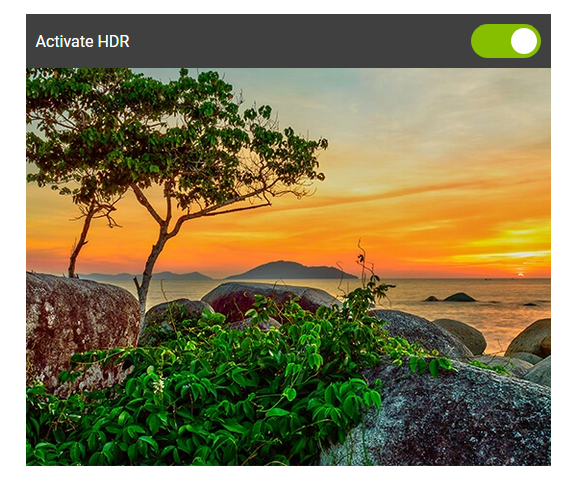
- You can see the results in the image to the left.

State-of-the-art HDR
- Eclipse HDR Pro puts you back in control of your photos. There has never been a faster or easier way to create professional HDR images.
- With full control over lighting and exposure, you can achieve a new level of creativity with your RAW and HDR projects.

RAW Photo Processing
- Eclipse HDR comes with a complete RAW and image processing module that lets you optimize your RAW images.
- Precision-edit color, brightness and saturation in specific areas of your photos with the wide selection of curves. You can completely transform colors in your images without branding or artifacts.
- Eclipse HDR Pro supports over 600 cameras.

50+ spectacular features for all your HDR editing needs
- Custom Presets. Batch Mode & Raw Processing.
- Advanced Tonemapping Management. Color Equalizer. Ultra-wide chromatic scale.

Over 40 Creative Presets
- Eclipse HDR comes ready to use with a wide range of effects and HDR Styles to play with!

From natural to surreal!
- Eclipse HDR does both - you can correct and enhance your photos while keeping a natural, realistic look. Or you can go wild and create stunning surreal effects that will turn your photos into works of art.

HDR ReLight
- Switch on (or off) the lights wherever you want them in your photo!
- HDR ReLight automatically detects ambient light sources in your photos and lets you edit the white balance, temperature, tint and intensity to stunning effect.
- Switch daytime to night, or totally change the color of your lighting. You can even use this function to create studio-quality pictures with a basic lighting set-up.

HDR DeNoise
- Denoising can sometimes mean lost details, but not with Eclipse HDR.
- This powerful feature processes multiple RAWs or JPEGs to correct noise and grain in your photos with no over-smoothing or artifacts.
- Now you can admire every detail of your evening and nighttime shots.

HDR for all your needs
- Eclipse HDR has already proved to be one of the best and most versatile HDR tools available today. This easy-to-use software is perfect for enhancing all kinds of photographs, including landscape, interior, panorama, architecture and real estate to name just a few.

RELEASE NOTES:
- Initial Release.

System Requirements:
- OS : Windows 7/8/10 (64-bit)
- Processor Intel® or AMD
- 100 MB free disk space


HOMEPAGE:
Код:
https://www.inpixio.com

Screenshot-1.png


DOWNLOAD LINKS:

Код:
https://rapidgator.net/file/628fc5597c418fd75fce01caabb4550b/InPixio_Eclipse_HDR_PRO_v1.3.500.524_x64.rar

Код:
http://nitroflare.com/view/D8B540C7DE80B0F/InPixio_Eclipse_HDR_PRO_v1.3.500.524_x64.rar

Код:
https://uploadgig.com/file/download/7A452Ca87752cF19/InPixio_Eclipse_HDR_PRO_v1.3.500.524_x64.rar
 
NI LabVIEW 2020 FPGA Module (x86/x64)

NI LabVIEW 2020 FPGA Module (x86/x64)


422a66001f6911054c8f270689c92d09.jpeg


NI LabVIEW 2020 FPGA Module (x86/x64) | 2.4 GB | Languages: English, Simplified 中文, 日本語 ​


National Instruments is pleased to announce the availability of LabVIEW 2020 FPGA Module. This module helps you develop and debug custom hardware logic that you can compile and deploy to NI FPGA hardware.


LabVIEW 2020 FPGA Module Readme - Date: March 2020

Bug Fixes
123762 Opening more than 127 concurrent FPGA interface sessions causes a crash
124013 An FPGA session reference bound to a typedef and pointing to a bitfile can cause LabVIEW to crash if the typedef is modified
184098 The Desktop Execution Trace Toolkit reports reference leaks when executing a VI that opens and closes FPGA VI references in simulation mode
223923 LabVIEW FPGA encrypts an external IP source file even if the file is already encrypted
229293 When you use the C API, some debugging tools may report a dynamic memory leak
896190 Unintended increase in BlockRAM resource usage for the FFT Express VI when the VI runs in the "Single Channel, Multiple Samples" input mode

LabVIEW FPGA is a software add-on for LabVIEW that you can use to more efficiently and effectively design FPGA-based systems through a highly integrated development environment, IP libraries, a high-fidelity simulator, and debugging features. You can create FPGA VIs that combine direct access to I/O with user-defined LabVIEW logic to define custom hardware for applications such as digital protocol communication, hardware-in-the-loop simulation, and rapid control prototyping. Though the LabVIEW FPGA Module contains many built-in signal processing routines, you can also integrate existing hardware description language (HDL) code as well as third-party IP.

The FPGA Module also includes the FPGA Compile Farm Server. You can use the FPGA Compile Farm Server to offload compiles to dedicated computers.

The video tells you how to program FPGAs using LabVIEW FPGA giving you an example demonstration. And then some industry experts give some of their top tips on how to programme FPGAs with LabVIEW FPGA.

Since 1976, National Instruments has equipped engineers and scientists with tools that accelerate productivity, innovation and discovery. NI's graphical system design approach to engineering provides an integrated software and hardware platform that speeds the development of any system needing measurement and control. The company's long-term vision and focus on improving society through its technology supports the success of its customers, employees, suppliers and shareholders.


Product: NI LabVIEW
Version: 2020 (version 20.0.0) FPGA Module *
Supported Architectures: 32bit / 64bit
Website Home Page :
Код:
http://www.ni.com

Language: English, Simplified 中文, 日本語
System Requirements: PC **
Supported Operating Systems: **
Software Prerequisites: **
Size: 2.4 Gb

* release info:

FPGA Module (64-Bit)

The FPGA Module (64-bit) provides access to more memory than the FPGA Module (32-bit) can provide. The FPGA Module (64-bit) is available in English only.
Supported Hardware

The FPGA Module (64-bit) supports the following NI hardware devices:

- PCIe-576x/577x/5785/798x
- PXIe-5163R/5164R/517xR/5745/576x/577x/5785/659xR/7902R/791x/797xR/798x
- USRP-RIO devices

You cannot use an unsupported device with the FPGA Module (64-bit) or run example VIs that require an unsupported device in the FPGA Module (64-bit).

** System Requirements:

FPGA Module System Requirements

The development computer is a PC or NI PXI/PXI Express system on which you install LabVIEW and the FPGA Module. You can also install the Xilinx compilation tools on your development computer to compile LabVIEW FPGA VIs locally. However, if the FPGA design or target requires more than 2 GB of memory, NI recommends you install the Xilinx compilation tools on a separate computer. This computer is referred to as the remote compile worker.

The development computer must meet the following system requirements:

- LabVIEW 2020 Full or Professional Development Systems
- 1.2 GHz Pentium processor or equivalent
- 3 GB of additional disk space

Memory:
- At least 3 GB of RAM for Virtex-5 and earlier FPGA targets
- At least 4 GB of RAM for Virtex-6 and later FPGA targets

One of the following operating systems:
- Windows 10 (version 1909)/8.1 Update 1
- Windows 7 SP1
- Windows Server 2016
- Windows Server 2008 R2 SP1

FPGA Compile Farm Server System Requirements

If you install the FPGA Compile Farm Server on a separate computer, you can configure that computer to be a remote compile farm server. If you install the Xilinx compilation tools on a separate computer, you can configure that computer to be a remote compile worker.

You can use either a Windows or Linux computer as a compile worker. The remote compile farm server must meet the following minimum system requirements:

- 35 MB of disk space
- 1 GB RAM

One of the following operating systems:
- Windows 10 (version 1909)/8.1 Update 1
- Windows 7 SP1
- Windows Server 2016
- Windows Server 2008 R2 SP1


DOWNLOAD LINKS:

Код:
https://rapidgator.net/file/23aa430c885e3d913cd4d735664944dd/NI_LabVIEW_2020_FPGA_Module.part1.rar
https://rapidgator.net/file/5a910b1f76e0a4e9711d4806bfd06929/NI_LabVIEW_2020_FPGA_Module.part2.rar
https://rapidgator.net/file/e0c9107c55187e88432536f207beceb6/NI_LabVIEW_2020_FPGA_Module.part3.rar

Код:
http://nitroflare.com/view/3E6000640C6C1B9/NI_LabVIEW_2020_FPGA_Module.part1.rar
http://nitroflare.com/view/306822897EC1814/NI_LabVIEW_2020_FPGA_Module.part2.rar
http://nitroflare.com/view/AB675C02C18500C/NI_LabVIEW_2020_FPGA_Module.part3.rar

Код:
https://uploadgig.com/file/download/84E46910d0F76b19/NI_LabVIEW_2020_FPGA_Module.part1.rar
https://uploadgig.com/file/download/DAde1D4fcae1Fdd1/NI_LabVIEW_2020_FPGA_Module.part2.rar
https://uploadgig.com/file/download/9100dd57183de8Ee/NI_LabVIEW_2020_FPGA_Module.part3.rar
 
Siemens NX 1926 Build 1700 (NX 1926 Series) Multilingual

Siemens NX 1926 Build 1700 (NX 1926 Series) Multilingual


207d2a67bb80f45e97cc72103c475b0c.jpeg


Siemens NX 1926 Build 1700 (NX 1926 Series) Multilingual | 13.24 GB | Language: Multilanguage​


Languages: English, 中文, Čeština, Español, Français, Deutsch, Italiano, 日本語, 한국어, Polski, Português, Русский.

The Siemens Digital Industries Software development team is pleased to announce the availability of NX 1926 Build 1700 (NX 1926 Series), the latest release of NX, which brings significant new and enhanced functionality in all areas of the product to help you work more productively to build your 3D digital twin.


NX 1926 Series Release Notes - Date:June 2020

We are proud to introduce the latest release of NX, which brings significant new and enhanced functionality in all areas of the product to help you work more productively to build your 3D digital twin. This release builds on the continuous release process that is designed to make it easier for you to stay current with the latest releases of NX, giving you faster access to the latest functionality, and performance and quality improvements, to ensure that you gain the most from your investments.

Design
To optimize product development, we have invested in all aspects of modeling, including core functionality in modeling and drafting, and added some exciting new modules for you, including NX Structure Designer and NX Join for welded structures and defining bolted connections. You will also find numerous enhancements to modeling that will boost your productivity.

Most importantly, this is the first release of our new sketch capabilities. The new sketch tool removes the need for you to spend time and effort defining constraints and rules to control your sketch, automatically predicting relationships between geometry so you can make changes to your sketches faster and with more confidence. To allow you time to bring the new approaches to your workflows seamlessly, we have included a number of video tutorials that you can access directly from NX. We have also put the new sketch tool under a feature toggle, so you can control when to upgrade from the legacy sketch tool and introduce it to your users.

Manufacturing
This latest release of NX CAM provides several important enhancements that help you accelerate CNC programming and achieve higher machining efficiency, including the following highlights:

- Automated tool selection helps you confidently machine parts with deep features, ensuring collision-free operations. It enables fast programming and efficient machining of complex part geometries using shorter tools, minimizing tool deflections and improving surface quality.
- Optimized, smooth transitions between cutting passes enable use of higher feedrates to machine remaining material in corners. This enhancement helps you reduce machining time.
NX Additive Manufacturing provides new functionality for fixed- and multi-axis printing. The improved copy capability enables quick positioning of multiple parts with their support structures in the build tray, and a new operation for multi-axis track buildup streamlines printing of parts that have walls with consistent thickness.
We are confident that the new capabilities in this release will allow you to work more productively than ever before, and to achieve your product requirements while staying at the forefront of industry trends.
Siemens NX software is a flexible and powerful integrated solution that helps you deliver better products faster and more efficiently. NX delivers the next generation of design, simulation, and manufacturing solutions that enable companies to realize the value of the digital twin.
Supporting every aspect of product development, from concept design through engineering and manufacturing, NX gives you an integrated toolset that coordinates disciplines, preserves data integrity and design intent, and streamlines the entire process.
Siemens become the first major CAD/CAM/CAE vendor to deliver its software using Continuous Release methodology in January 2019. The new Continuous Release process significantly reduce the time between the proposal of a new enhancement, and its deployment to the end users. Customers will now have the opportunity to deploy the latest NX productivity enhancements more quickly in their production environment which helps them become more productive when using NX. In addition the Continuous Release will also reduce deployment costs for incremental updates.
Adopting a continuous release strategy also allows both Siemens NX and our customers to be more responsive to new ideas and trends in technology, once again allowing our customers to stay ahead of their competition.

What is NX Continuous Release, and will NX 13 ever come out?
Siemens Digital Industries is an innovation and technology leader in industrial automation and digitalization. In close cooperation with our partners and customers, we are the driving force for the digital transformation in the discrete and process industries.


Product: Siemens NX
Version: 1926 Build 1700 (NX 1926 Series) *
Supported Architectures: x64
Website Home Page :
Код:
http://www.plm.automation.siemens.com

Language: multilanguage
System Requirements: PC **
Supported Operating Systems: **
Size: 13.24 Gb

Siemens.NX.1926.1700.Win64.Full.Setup.iso
Files save in the NX-1926 Series (NX-1926 and higher) cannot be opened in the NX-1899 Series and lower versions of the NX

Minimum Operating Systems
- Microsoft Windows 10 (64-bit) Pro and Enterprise editions
Windows 10
Windows 10 is the minimum supported release for NX 1926. The supported versions of Windows 10 are the Pro and Enterprise editions utilizing Semi-Annual Channel (SAC) updates.
Windows 7 and 8.1
Windows 7 has reached the end of life and mainstream support has ended. Windows 8.1 is still supported by Microsoft, but was rarely deployed. These two versions of Windows are no longer supported by NX 1926. Siemens Digital Industries Software has not performed testing on these version and cannot resolve any issues related to NX 1926 running on these operating systems. If NX 1926 is deployed on these versions of Windows, any issues will have to be replicated on Windows 10 before filing an incident report with GTAC.
Windows XP and Vista
Windows XP support from Microsoft has ended and Vista was rarely deployed so these two versions of Windows are not supported by NX 1926. Siemens PLM Software has not performed testing on these versions and cannot resolve any issues related to NX 1926 running on these operating systems. If NX 1926 is deployed on these versions of Windows, any issues will have to be replicated on Windows 10 before filing an incident report with GTAC
Recommended System Configuration:
- 64-bit Windows 10 operating system
- 4 GB RAM minimum, 8 GB or 16 GB RAM recommended
- True Color (32-bit) or 16 million colors (24-bit)
- Screen Resolution: 1280 x 1024 or higher, widescreen format


DOWNLOAD LINKS:


Код:
https://dropapk.to/u4sbz5cfjz12/Siemens_NX_1926_Build_1700_NX_1926_Series_Multilingual.part01.rar
https://dropapk.to/gljnwztyhbuw/Siemens_NX_1926_Build_1700_NX_1926_Series_Multilingual.part02.rar
https://dropapk.to/9693m6vj82yn/Siemens_NX_1926_Build_1700_NX_1926_Series_Multilingual.part03.rar
https://dropapk.to/9gmbcfg70j8c/Siemens_NX_1926_Build_1700_NX_1926_Series_Multilingual.part04.rar
https://dropapk.to/1sninn3hidv1/Siemens_NX_1926_Build_1700_NX_1926_Series_Multilingual.part05.rar
https://dropapk.to/5skevm63lx6d/Siemens_NX_1926_Build_1700_NX_1926_Series_Multilingual.part06.rar
https://dropapk.to/blvr3eogm4nf/Siemens_NX_1926_Build_1700_NX_1926_Series_Multilingual.part07.rar
https://dropapk.to/gzg3a6qbkoqb/Siemens_NX_1926_Build_1700_NX_1926_Series_Multilingual.part08.rar
https://dropapk.to/31fwwudx2rb3/Siemens_NX_1926_Build_1700_NX_1926_Series_Multilingual.part09.rar
https://dropapk.to/diwt7iiwm64p/Siemens_NX_1926_Build_1700_NX_1926_Series_Multilingual.part10.rar
https://dropapk.to/90xivx2gwdwf/Siemens_NX_1926_Build_1700_NX_1926_Series_Multilingual.part11.rar
https://dropapk.to/64cqtnphj4sp/Siemens_NX_1926_Build_1700_NX_1926_Series_Multilingual.part12.rar
https://dropapk.to/v5yj2791hyzk/Siemens_NX_1926_Build_1700_NX_1926_Series_Multilingual.part13.rar
https://dropapk.to/ex848solpa39/Siemens_NX_1926_Build_1700_NX_1926_Series_Multilingual.part14.rar

Код:
https://rapidgator.net/file/1e0e6ca7b26168693b866c51d9c96cf3/Siemens_NX_1926_Build_1700_NX_1926_Series_Multilingual.part01.rar
https://rapidgator.net/file/e102c01e511be0a688fc59966c794fa1/Siemens_NX_1926_Build_1700_NX_1926_Series_Multilingual.part02.rar
https://rapidgator.net/file/9c8250ebe31cbc9640282a912a771315/Siemens_NX_1926_Build_1700_NX_1926_Series_Multilingual.part03.rar
https://rapidgator.net/file/bb31e204db7867375ec9cd60827bdf34/Siemens_NX_1926_Build_1700_NX_1926_Series_Multilingual.part04.rar
https://rapidgator.net/file/24b685768a2d1af172037d4e0d1e8796/Siemens_NX_1926_Build_1700_NX_1926_Series_Multilingual.part05.rar
https://rapidgator.net/file/f377a9b5316a0c078349a58159d926b2/Siemens_NX_1926_Build_1700_NX_1926_Series_Multilingual.part06.rar
https://rapidgator.net/file/af382f3de446c872fa0c9ec0889f569c/Siemens_NX_1926_Build_1700_NX_1926_Series_Multilingual.part07.rar
https://rapidgator.net/file/e10c219980aa91c8e0c0d6b26c877507/Siemens_NX_1926_Build_1700_NX_1926_Series_Multilingual.part08.rar
https://rapidgator.net/file/09bdb4afc3b5821c1719bf6024894bc1/Siemens_NX_1926_Build_1700_NX_1926_Series_Multilingual.part09.rar
https://rapidgator.net/file/b83ff04ea87b4e7055591047055654ef/Siemens_NX_1926_Build_1700_NX_1926_Series_Multilingual.part10.rar
https://rapidgator.net/file/9ec9594c77a3a49950cc0ceb9e724488/Siemens_NX_1926_Build_1700_NX_1926_Series_Multilingual.part11.rar
https://rapidgator.net/file/a0866614255d6c1cc6c85df7c485a521/Siemens_NX_1926_Build_1700_NX_1926_Series_Multilingual.part12.rar
https://rapidgator.net/file/f1ec5d475ff0f683297567ae086063ea/Siemens_NX_1926_Build_1700_NX_1926_Series_Multilingual.part13.rar
https://rapidgator.net/file/7108d78f95656e346e397de68f723280/Siemens_NX_1926_Build_1700_NX_1926_Series_Multilingual.part14.rar

Код:
http://nitroflare.com/view/5BC46D3263E90E4/Siemens_NX_1926_Build_1700_NX_1926_Series_Multilingual.part01.rar
http://nitroflare.com/view/738DF97DDC88232/Siemens_NX_1926_Build_1700_NX_1926_Series_Multilingual.part02.rar
http://nitroflare.com/view/98B69E40AF30930/Siemens_NX_1926_Build_1700_NX_1926_Series_Multilingual.part03.rar
http://nitroflare.com/view/16C982A4E95888A/Siemens_NX_1926_Build_1700_NX_1926_Series_Multilingual.part04.rar
http://nitroflare.com/view/AE3AC5E52FBA7C0/Siemens_NX_1926_Build_1700_NX_1926_Series_Multilingual.part05.rar
http://nitroflare.com/view/25B7D8F360F23F7/Siemens_NX_1926_Build_1700_NX_1926_Series_Multilingual.part06.rar
http://nitroflare.com/view/2C4A005CE5D361A/Siemens_NX_1926_Build_1700_NX_1926_Series_Multilingual.part07.rar
http://nitroflare.com/view/0F465C9AA4F12F4/Siemens_NX_1926_Build_1700_NX_1926_Series_Multilingual.part08.rar
http://nitroflare.com/view/234B37FE7B17509/Siemens_NX_1926_Build_1700_NX_1926_Series_Multilingual.part09.rar
http://nitroflare.com/view/E373A58BE074E53/Siemens_NX_1926_Build_1700_NX_1926_Series_Multilingual.part10.rar
http://nitroflare.com/view/D2B224038711F79/Siemens_NX_1926_Build_1700_NX_1926_Series_Multilingual.part11.rar
http://nitroflare.com/view/6121AB3F53DB6DB/Siemens_NX_1926_Build_1700_NX_1926_Series_Multilingual.part12.rar
http://nitroflare.com/view/0471751D2F98630/Siemens_NX_1926_Build_1700_NX_1926_Series_Multilingual.part13.rar
http://nitroflare.com/view/66EBBD357773389/Siemens_NX_1926_Build_1700_NX_1926_Series_Multilingual.part14.rar

Код:
https://uploadgig.com/file/download/73d2F311964bdbf0/Siemens_NX_1926_Build_1700_NX_1926_Series_Multilingual.part01.rar
https://uploadgig.com/file/download/609328fE17B09678/Siemens_NX_1926_Build_1700_NX_1926_Series_Multilingual.part02.rar
https://uploadgig.com/file/download/013C2063c25E798E/Siemens_NX_1926_Build_1700_NX_1926_Series_Multilingual.part03.rar
https://uploadgig.com/file/download/2FDcdE873Aaabd63/Siemens_NX_1926_Build_1700_NX_1926_Series_Multilingual.part04.rar
https://uploadgig.com/file/download/1D403b7149f886Fa/Siemens_NX_1926_Build_1700_NX_1926_Series_Multilingual.part05.rar
https://uploadgig.com/file/download/d389caa5f4102f23/Siemens_NX_1926_Build_1700_NX_1926_Series_Multilingual.part06.rar
https://uploadgig.com/file/download/A2ed11F79Ae88a21/Siemens_NX_1926_Build_1700_NX_1926_Series_Multilingual.part07.rar
https://uploadgig.com/file/download/f400CB34b4c8f386/Siemens_NX_1926_Build_1700_NX_1926_Series_Multilingual.part08.rar
https://uploadgig.com/file/download/7a696172ea39Bbc0/Siemens_NX_1926_Build_1700_NX_1926_Series_Multilingual.part09.rar
https://uploadgig.com/file/download/bEf59EAc18B0fe88/Siemens_NX_1926_Build_1700_NX_1926_Series_Multilingual.part10.rar
https://uploadgig.com/file/download/82b48E46a3C5f035/Siemens_NX_1926_Build_1700_NX_1926_Series_Multilingual.part11.rar
https://uploadgig.com/file/download/c2D4949ab5B7036a/Siemens_NX_1926_Build_1700_NX_1926_Series_Multilingual.part12.rar
https://uploadgig.com/file/download/633689e1d2A280e2/Siemens_NX_1926_Build_1700_NX_1926_Series_Multilingual.part13.rar
https://uploadgig.com/file/download/D5ea066B80f74dBa/Siemens_NX_1926_Build_1700_NX_1926_Series_Multilingual.part14.rar
 
Adobe After Effects 2020 v17.1.1 Multilingual (MacOSX)

Adobe After Effects 2020 v17.1.1 Multilingual (MacOSX)


7bb0ede730e71ab313e2c41c559a1489.jpeg


Adobe After Effects 2020 v17.1.1 Multilingual (MacOSX) | 2.08 GB | Language: Multilanguage​


The new, more connected After Effects CC 2020 can make the impossible possible. Get powerful new features like a Live 3D Pipeline that brings CINEMA 4D scenes in as layers - without intermediate rendering. Share work directly from within the application and get access to new features the moment they're released.


Your entire creative world, together in one place.
After Effects 2020 is part of Creative Cloud. That means you have access to all the latest updates and future releases the moment they're available. Sharpen your skills and master new tools with a rich library of training videos. And Creative Cloud is integrated with Behance, so you can share your projects and get immediate feedback from creatives around the world.


Compatibility: macOS 10.13 or later 64-bit.

Homepage:
Код:
https://www.adobe.com


DOWNLOAD LINKS:

Код:
https://rapidgator.net/file/7964836dc1f21b82891fdd9486431365/Adobe_After_Effects_2020_v17.1.1_Multilingual_MacOSX.part1.rar
https://rapidgator.net/file/6ad00c492af30e4fa3efc58f6d727471/Adobe_After_Effects_2020_v17.1.1_Multilingual_MacOSX.part2.rar
https://rapidgator.net/file/657db3bad27b84b8a781c7d8683cc46a/Adobe_After_Effects_2020_v17.1.1_Multilingual_MacOSX.part3.rar

Код:
http://nitroflare.com/view/F1463C8C388DBD5/Adobe_After_Effects_2020_v17.1.1_Multilingual_MacOSX.part1.rar
http://nitroflare.com/view/8AC4979D6AB52C3/Adobe_After_Effects_2020_v17.1.1_Multilingual_MacOSX.part2.rar
http://nitroflare.com/view/B4D4A5C42882EA4/Adobe_After_Effects_2020_v17.1.1_Multilingual_MacOSX.part3.rar

Код:
https://uploadgig.com/file/download/37a450b12174d80B/Adobe_After_Effects_2020_v17.1.1_Multilingual_MacOSX.part1.rar
https://uploadgig.com/file/download/99d60128009e050b/Adobe_After_Effects_2020_v17.1.1_Multilingual_MacOSX.part2.rar
https://uploadgig.com/file/download/9f49eE2ed109d281/Adobe_After_Effects_2020_v17.1.1_Multilingual_MacOSX.part3.rar
 
Назад
Сверху