• Здравствуйте. Сайт заработал в архивном режиме форум www.old.nado.in

KAMAL's Softwares Collection!!! (Updated Daily)

  • Автор темы Автор темы KAMAL
  • Дата начала Дата начала
CyberLink PowerDirector Ultimate v19.1.2808.0 (x64) Multilingual (Portable)
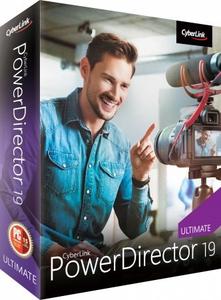
CyberLink PowerDirector Ultimate v19.1.2808.0 (x64) Multilingual (Portable)


8edd1526bf07490452125de71b93041d.jpeg


CyberLink PowerDirector Ultimate v19.1.2808.0 (x64) Multilingual (Portable) | 1.01 GB | Language: Multilanguage​


Limitless Capabilities, Made Simple. Cut, refine, add effects, and publish - PowerDirector 365 offers best-in-class editing tools with an intuitive workflow. Create compelling content with powerful new effects, a streamlined user interface, and ever-growing resource libraries. No matter your level of proficiency, you can achieve spectacular results.


Integrate Complete Video Editing Capabilities Into Your Creative Workflow
Get the best of both worlds with still images and video in your production. PowerDirector works seamlessly with PhotoDirector to integrate edited photographs, graphics, or animated images. Refine your assets in PhotoDirector and add them right into your PowerDirector project or send out production stills and animated clips for a complete roundtrip workflow.

Powerful Tools, Infinite Possibilities, Inspiration Included
Unleash your creativity with the high-end performance and precision of PowerDirector 365. Harness the power of professional editing tools with an intuitive user interface, take advantage of a massive stock library, and bring your video ideas to life with monthly design packs.

Mask Designer (Enhanced!)
Create hyper-realistic image composites or expressive surrealist shots with our new advanced mask tools. Cut and combine images from different clips with unparalleled precision.

Dynamic Keyframe Controls (Enhanced!)
We've enhanced keyframing to provide more control over anchor points enabling dynamic motion as well as a new hold interpolation mode to apply your effects where you want them when you want them.

Customizable Motion Graphic Titles (Enhanced!)
Introduce every scene with an epic title. Use one of our stunning, ready-to-use motion graphic titles and customize the text and shape color to match your style.

Sketch Animation Overlays (New!)
Create the perfect tutorial video with animated sketch templates. Customize the size and color to match your style.

Refine and Match Colors, Fast (Enhanced!)
Set the tone. Keep color consistent across clips with one click or manually adjust the hue, saturation and brightness to match your look.

Add Customized Shape Objects
Insert customizable vector shapes with auto-fit text and precise keyframe controls. Choose from a wide range of text bubbles and callouts.

Dynamic Title Reveals
Get complete control over title animations and appearance with advanced tools to mask and reveal titles.

Green Screen Editing
Perform Hollywood-style green screen editing thanks to an improved chroma key engine and multi-key color sampling.

Intuitive Motion Tracking
Ensure 100% object tracking accuracy in your video clips with frame-by-frame motion tracking for both shapes and titles.

Stunning videos in a few clicks.
Pick from a huge range of ready-made templates complete with effects, titles and transitions in Express Projects. From there, it's simply a matter of adding your clips and clicking 'Produce'!

Easily Apply Speed Effects & One-Click Enhancements
Our Action Camera Center gives you everything you need to make quick edits, correct and enhance footage, as well as adjust frames, motion and more. Create the story you want, in just a few clicks!

Exceed Expectations
PowerDirector is renowned for being the world's fastest, most comprehensive video editing software. And with support for the latest video, photo, and audio formats, you'll be ready to tackle projects of any size.

Fast, by Design (Enhanced!)
Don't waste time waiting for your software to respond! Experience a superior editing performance with Intel 10th gen CPU optimization.

Professional Grade Support (New!)
Import and edit video shot on professional-grade cameras and in HEVC & VP9 10bit HDR10 & HLG, ProRes 10bit 4:2:2, XAVC 8bit 4:2:0 and MXF AVC 8bit 4:2:0 video compatibility. As well as support for AAC 5.1ch sound output.

Streamlined Workflow for YouTubers, Vloggers & Instagrammers
PowerDirector streamlines the workflow to make routine video production easier than ever - making it the best video editing software for Windows video creators!

Seamless Integration (New!)
Export your entire audio mix from PowerDirector directly into AudioDirector to deliver polished, pristine sound.

Nested Projects as PiP
Repurpose previous project files inside your new ones, and use keyframes to fully control the PiP object.

Audio Scrubbing
Hear audio while dragging the playhead through a project to quickly find a scene you need.

Video Pre-cut
Pre-cut long clips into short, reusable segments that you can use repeatedly throughout multiple projects.

Library Preview Window
Split-window mode for previewing clips, trimming, & inserting onto your timeline.

4K Preview
Preview your projects in 4K quality, and see how your video will look before you produce.

Minimum System Requirements:
- Microsoft Windows 10, 8/8.1, 7 (64 bit OS only)
- Intel Core™ i-series or AMD Phenom® II and above
- Standard Video: 128 MB VGA VRAM or higher
- 360-video: DirectX 11 compatible
- 4GB memory required (6GB or above recommended)
- 7GB hard disk space
- Burning drive is required for disc burning purpose
- Windows compatible sound card is required
- 1024 x 768, 16-bit color or above

Language Support:
- English
- French
- German
- Italian
- Spanish (European)
- Chinese Simplified
- Chinese Traditional
- Japanese
- Korean
- Dutch

Homepage-
Код:
https://www.cyberlink.com


DOWNLOAD LINKS:


Код:
https://k2s.cc/file/88a954d85a3f0
https://k2s.cc/file/bcac9989179ef

Код:
https://rapidgator.net/file/d8997c5d9f27406f86649d6697b2860f/CyberLink_PowerDirector_Ultimate_v19.1.2808.0_x64_Multilingual_Portable.part1.rar
https://rapidgator.net/file/c36cdd123755dc1041fd158bfd24aaf5/CyberLink_PowerDirector_Ultimate_v19.1.2808.0_x64_Multilingual_Portable.part2.rar

Код:
http://nitroflare.com/view/7DF1CB2B702DCA5/CyberLink_PowerDirector_Ultimate_v19.1.2808.0_x64_Multilingual_Portable.part1.rar
http://nitroflare.com/view/2E0603D620F5B92/CyberLink_PowerDirector_Ultimate_v19.1.2808.0_x64_Multilingual_Portable.part2.rar

Код:
https://uploadgig.com/file/download/9eBcea8c8f385C66/CyberLink_PowerDirector_Ultimate_v19.1.2808.0_x64_Multilingual_Portable.part1.rar
https://uploadgig.com/file/download/5490c365b97Aedf8/CyberLink_PowerDirector_Ultimate_v19.1.2808.0_x64_Multilingual_Portable.part2.rar
 
Adobe Acrobat Pro DC 2021.001.20149 (Portable)

Adobe Acrobat Pro DC 2021.001.20149 (Portable)


ad536878c34a4a2b2f56ed2b3e119690.png


Adobe Acrobat Pro DC 2021.001.20149 (Portable) | 782 MB | Language: English + Italiano.​


Adobe Acrobat Pro DC is the leading PDF converter and much more. Adobe Acrobat Pro DC software lets you deliver professional PDF communications. It's packed with smart tools that give you even more power to communicate. Create and edit PDF files with rich media included, share information more securely, and gather feedback more efficiently.

Adobe Acrobat Pro DC software is the advanced way for business professionals to create, combine, control, and deliver more secure, high-quality Adobe PDF documents for easy, more secure distribution, collaboration, and data collection.

Assemble electronic or paper files into reliable PDF documents that are easy to share with others using free Adobe Reader. You can assemble even Web sites, engineering drawings, and e-mail.

With Adobe Acrobat Pro DC you can manage document reviews, synthesizing feedback from multiple reviewers while preserving document format and integrity. Extend commenting capabilities to anyone using Adobe Reader. Windows users can design intelligent Adobe PDF forms that include business logic, such as calculations and data validations, to help increase the accuracy of data collection while reducing the costs of manual data entry.

Use Adobe Acrobat Pro DC to create high-impact PDF communications, collaborate more easily, and streamline reviews. Adobe Acrobat Dynamic PDF helps you get more done - easier, faster, better.

Edit PDF files
With Adobe Acrobat Pro DC, you can make minor edits to text and images right in your PDF file without requiring the original document or graphic. Edit text in a PDF. Fix a typo, change a font, or add a paragraph to your PDF as easily as you do in other applications using a new point-and-click interface. Edit images in a PDF. Resize, replace, and adjust images in your PDF with no need to track down the original file or graphic.

Export from PDF files
Reduce the time you spend retyping information stuck in PDF files. Convert PDF files to editable Microsoft Office documents. And save fonts, formatting, and effort.

Convert PDF files to Word. Save your PDF as a Microsoft Word document and take your fonts, formatting, and layouts with you. Convert PDF files to Excel. Turn your PDF or just part of it into an editable Excel spreadsheet you can use for data analysis right away. Convert PDF files to PowerPoint. Get a head start on new projects by saving a PDF file as a fully editable PowerPoint presentation.

Create PDF files
Stop worrying about whether the files you send will look right on other people's screens. Turn documents into PDF files anyone can reliably view with free Adobe Reader.

Convert Word, Excel, or PowerPoint to PDF. Right from your Office application in Windows, you can create PDFs, start a shared review, restrict PDF edits, and more. Print to PDF. Convert files to PDF from virtually any application that prints simply by selecting Adobe PDF as your printer. Scan to PDF. When you need to turn a paper document or form into a digital file, just scan it to create a searchable PDF file you can edit. Convert HTML pages to PDF. Save web pages as PDF files to archive web content, review the pages offline, or print them more reliably.

Create and analyze forms
Cut the time you spend creating forms, rekeying data, and correcting errors. Distribute forms online, and then collect responses and analyze results in real time.

Create new PDF and web forms. Customize professional templates or design from scratch with the Adobe FormsCentral desktop app included in Adobe Acrobat Pro DC. Collect form responses with FormsCentral. Easily collect responses by moving your PDF or web forms online with the Adobe FormsCentral online service. Convert existing forms to fillable PDFs. Type less, gather more. Quickly convert your paper, Word, or Excel forms to fillable PDF forms. Collect form responses using Adobe Acrobat tools. Compile returned forms into one PDF, or host forms using a network folder or Microsoft SharePoint server.

System Requirements:
1.5GHz or faster processor
Windows Server 2008 R2 (64 bit), 2012 (64 bit), 2012 R2 (64 bit), or 2016 (64 bit); Windows 7 (32 bit and 64 bit), Windows 8, 8.1 (32 bit and 64 bit), or Windows 10 (32 bit and 64 bit)
1GB of RAM
4.5GB of available hard-disk space
1024x768 screen resolution
Internet Explorer 11; Firefox (ESR); or Chrome
Video hardware acceleration (optional)

Home Page -
Код:
http://www.adobe.com


DOWNLOAD LINKS:


Код:
https://k2s.cc/file/b3ada2de1eccc

Код:
https://rapidgator.net/file/501f3aed04108cc1a8bf474e27ea3294/Adobe_Acrobat_Pro_DC_2021.001.20149_Portable.rar

Код:
http://nitroflare.com/view/A8D3C8B06522F14/Adobe_Acrobat_Pro_DC_2021.001.20149_Portable.rar

Код:
https://uploadgig.com/file/download/D18074eE86131eb9/Adobe_Acrobat_Pro_DC_2021.001.20149_Portable.rar
 
VovSoft Text Edit Plus v8.8 Multilingual (Portable)

VovSoft Text Edit Plus v8.8 Multilingual (Portable)


ffbee75eddf415b829f2bf5cdbae5f23.jpeg


VovSoft Text Edit Plus v8.8 Multilingual (Portable) | 8 MB | Language: Multilanguage​


Text Edit Plus is a lightweight tool that enables users to easily create new text documents or to modify existing ones. The application is designed as an alternative to Notepad, by offering a wider set of features.


Some of the features: Adding date and time. Changeability of background color and font properties. Encode and decode text. Combine lines. Command system for extracting the desired text. Delete empty lines. Delete same lines. Filter lines. Find and Replace. Full screen view. Generate e-mail list. Generate quick stats. Generate word list. Import picture as text (ASCII art). Insert numbers. Insert text into beginning or end of lines. Lowercase and uppercase conversion. Randomize lines. Reverse lines. Sort lines. Trim lines.

Operating System:Windows XP, Vista, 7, 8/8.1, 10

Home Page -
Код:
https://vovsoft.com/software/text-edit-plus/


DOWNLOAD LINKS:


Код:
https://k2s.cc/file/bd639e8729976

Код:
https://rapidgator.net/file/fed26e7cea6be6099c4be4784a4a8fb0/VovSoft_Text_Edit_Plus_v8.8_Multilingual_Portable.rar

Код:
http://nitroflare.com/view/1BAF4EC80317DE1/VovSoft_Text_Edit_Plus_v8.8_Multilingual_Portable.rar

Код:
https://uploadgig.com/file/download/eC756893ddc0C78C/VovSoft_Text_Edit_Plus_v8.8_Multilingual_Portable.rar
 
StudioLine Web Designer v4.2.62 Multilingual (Portable)

StudioLine Web Designer v4.2.62 Multilingual (Portable)


25e49fa6bbdc66eb6e6518f098d21fe3.jpeg


StudioLine Web Designer v4.2.62 Multilingual (Portable) | 144 MB | Language: Multilanguage​


StudioLine Web Designer 4 integrates the components for the design, publishing and maintenance of professional websites into a common user interface - page editor, image archive and editing, graphics effects, publishing control, template editor and site management.


Web Design with Integrated Image Editor and Archive
Your create collages, edit image and use graphics effects directly in the page editor and instantly will see the results. With the media explorer your media assets - fotos, graphics, videos and sound bits. Image tools (filters) are applied as needed while working on your web page layout. Page templates let you position your design elements precisely and consistently, with the help of rulers and a guideline manager. Easily create menus and sub-menus for user friendly site navigation.

No HTML Programming Knowledge
Use the page editor to add content to your pages. Arrange text and images as needed until you are happy with the outcome. You can position content freely anywhere on your page, making use of a variety of available layout aids. Of course, snippets of your own custom HTML code can be embedded, if you should ever have the need.

Irregular Image Shapes
In StudioLine, images not limited to rectangular shapes. The actual shape of an image defines it's clickable area, not just in the StudioLine editor but also on the published web page. This enables complex layering of images without having to create and maintain traditional "image maps".

Shadows, Borders, Gradients and Rounded Corners
No need for external image editing software or learning HTML or CSS syntax. With StudioLine, you easily design your graphical elements using the integrated image tools.

Design Elements
Use intelligent container objects, called Design Elements, to automatically arrange text and images in a grid. Various settings control layout rules, such as horizontal and vertical alignment, spacing and margins. With that information, StudioLine will dynamically place and align the contained texts and images to fit within the available column width.

Professional Image Editing
Numerous images tools such as white balance, unsharp mask oder RGB mixer are available. All editing steps are non-destructive; they are kept in a database and the original image remains untouched. A few quick steps and your foto set will appear as a slide show, is published as a gallery to the web or burned onto CD/DVD, or is sent via email to your circle of friends.

Archival Made Easy
Categorize your images with unlimited text in system and user descriptors or by assigning keywords and ratings. After that, searching for specific images or those matching a certain theme is child's play.

Mobile Pages
Develop web pages for mobile devices such as smart phones and tablets. The web effects created by StudioLine are optimized to work on all popular mobile Internet devices.

Embed Slideshow on Web Page
Simply adding or removing images in your MediaCenter is all that's needed to change your slide shows - no need to manually update your web site each time.

System Requirements:
- Windows® Vista, Windows® 7, Windows® 8, Windows® 10
- Multi-core processor with a minimum of 1.6 GHz, higher recommended
- 2 GB RAM, more recommended
- 150 MB disk space for programs (allow extra space for data)
- 24 bit graphics adapter with monitor resolution of 1024 x 768 pixels

Home Page-
Код:
https://www.studioline.net/


DOWNLOAD LINKS:


Код:
https://k2s.cc/file/f3de7f74becd9

Код:
https://rapidgator.net/file/af5dfbd9cdb271380c436bfc4bfc2f8d/StudioLine_Web_Designer_v4.2.62_Multilingual_Portable.rar

Код:
http://nitroflare.com/view/1CB31956A3FF8C0/StudioLine_Web_Designer_v4.2.62_Multilingual_Portable.rar

Код:
https://uploadgig.com/file/download/e923707013C49383/StudioLine_Web_Designer_v4.2.62_Multilingual_Portable.rar
 
StudioLine Photo Pro v4.2.62 Multilingual (Portable)

StudioLine Photo Pro v4.2.62 Multilingual (Portable)


de1b81a95a1c420c0a4bf15405a17440.jpeg


StudioLine Photo Pro v4.2.62 Multilingual (Portable) | 153 MB | Language: Multilanguage​


StudioLine Photo Pro 4 is the highly effective software for the professional editing and management of large image collections in server-based networks. Of course, the RAW formats from all popular camera models are supported.


All in One - Plus Networking
StudioLine Photo Pro is a multi-user product for server-based networks. The initial license covers the server instance plus 5 workstations. Additional workstations licenses can be added at any time.Sophisticated user administration functions are available to manage users, groups and permissions. Using a group-centric security model makes it easy to control capabilities for staff and grant varied access levels to specific image archive folders.

Your Personal Load Assistant
Quickly and easily load images from you camera, hard disk or other drives. Any files not previously loaded are automatically suggested and selected.

Pre-defined Tool Settings
Store frequently used image tools (filters) or entire filter sequences as templates. This way the same tool settings are available at any time to treat further images with the same editing steps.

Protect Your Images
Superimpose your personal watermark into your images to prevent unauthorized use. Any graphics and text may be combined to create watermarks.

Easy Print
Create print layout to suit various occasions. Taylor your images for optimal print results on the desired output medium.

MediaCenter
Quickly and easily share your photos and videos on the web with friends and family. You control who may access each of your online albums, and if downloading is permitted. Visitors of your albums can search images based on embedded information, or view them as a slide show or on a map.

Professional Image Editing
Numerous images tools such as white balance, unsharp mask oder RGB mixer are available. All editing steps are non-destructive; they are kept in a database and the original image remains untouched. A few quick steps and your foto set will appear as a slide show, is published as a gallery to the web or burned onto CD/DVD, or is sent via email to your circle of friends.

Archival Made Easy
Categorize your images with unlimited text in system and user descriptors or by assigning keywords and ratings. After that, searching for specific images or those matching a certain theme is child's play.

Presentation
View your images in your own albums, in the advanced Timeline Explorer or by keywords and categories. Avoid data loss by backing up your image archive, with all metadata and image edits, to CD, DVD or secondary hard disk.

Convenient Geotagging
Geotag your images with GPS coordinates from GPS loggers or GPS equipped digital cameras. Or, use the Geo Explorer to drag untagged images to the correct location on a map.


System Requirements:
- Windows® Vista, Windows® 7, Windows® 8, Windows® 10
- Multi-core processor with a minimum of 1.6 GHz, higher recommended
- 2 GB RAM, more recommended
- 150 MB disk space for programs (allow extra space for data)
- 24 bit graphics adapter with monitor resolution of 1024 x 768 pixels.

Home Page-
Код:
https://www.studioline.net/


DOWNLOAD LINKS:


Код:
https://k2s.cc/file/2735fa9e4d2ba

Код:
https://rapidgator.net/file/a980ad21f738d1f53bf0733ccaba1808/StudioLine_Photo_Pro_v4.2.62_Multilingual_Portable.rar

Код:
http://nitroflare.com/view/16CF5B280829291/StudioLine_Photo_Pro_v4.2.62_Multilingual_Portable.rar

Код:
https://uploadgig.com/file/download/25608685BBF75c89/StudioLine_Photo_Pro_v4.2.62_Multilingual_Portable.rar
 
StudioLine Photo Classic v4.2.62 Multilingual (Portable)

StudioLine Photo Classic v4.2.62 Multilingual (Portable)


8674dc17d2d5c92535712c3056074a4d.jpeg


StudioLine Photo Classic v4.2.62 Multilingual (Portable) | 111 MB | Language: Multilanguage​


StudioLine Photo Classic 4 is a feature-packed software for conveniently managing and editing extensive image collections. Naturally all common file formats, including the RAW formats of the popular camera models are supported.


New Features:

Your Personal Load Assistant
Quickly and easily load images from you camera, hard disk or other drives. Any files not previously loaded are automatically suggested and selected.

Pre-defined Tool Settings
Store frequently used image tools (filters) or entire filter sequences as templates. This way the same tool settings are available at any time to treat further images with the same editing steps.

Protect Your Images
Superimpose your personal watermark into your images to prevent unauthorized use. Any graphics and text may be combined to create watermarks.

Easy Print
Create print layout to suit various occasions. Taylor your images for optimal print results on the desired output medium.

MediaCenter
Quickly and easily share your photos and videos on the web with friends and family. You control who may access each of your online albums, and if downloading is permitted.

Visitors of your albums can search images based on embedded information, or view them as a slide show or on a map.

Professional Image Editing
Numerous images tools such as white balance, unsharp mask oder RGB mixer are available. All editing steps are non-destructive; they are kept in a database and the original image remains untouched.

A few quick steps and your foto set will appear as a slide show, is published as a gallery to the web or burned onto CD/DVD, or is sent via email to your circle of friends.

Archival Made Easy
Categorize your images with unlimited text in system and user descriptors or by assigning keywords and ratings. After that, searching for specific images or those matching a certain theme is child's play.

Presentation
View your images in your own albums, in the advanced Timeline Explorer or by keywords and categories. Avoid data loss by backing up your image archive, with all metadata and image edits, to CD, DVD or secondary hard disk.

Convenient Geotagging
Geotag your images with GPS coordinates from GPS loggers or GPS equipped digital cameras. Or, use the Geo Explorer to drag untagged images to the correct location on a map.

StudioLine retrieves location details such as county, city and possibly street. This way, you'll be able to search, sort or filter your photo collection by names of cities and sites.

System Requirements:
Windows 8.1, Windows 10
Multi-core processor with a minimum of 1.6 GHz, higher recommended
4 GB RAM, more recommended
150 MB disk space for programs (allow extra space for data)
24 bit graphics adapter with monitor resolution of 1024 x 768 pixels.

Home Page:
Код:
http://www.studioline.net/


DOWNLOAD LINKS:


Код:
https://k2s.cc/file/84ce01c0974ae

Код:
https://rapidgator.net/file/419e50682cfe21409b5786f8d6cb9c1c/StudioLine_Photo_Classic_v4.2.62_Multilingual_Portable.rar

Код:
http://nitroflare.com/view/E4E79658EBA30FC/StudioLine_Photo_Classic_v4.2.62_Multilingual_Portable.rar

Код:
https://uploadgig.com/file/download/1B1fa31bB64Ef42b/StudioLine_Photo_Classic_v4.2.62_Multilingual_Portable.rar
 
SILKYPIX JPEG Photography v10.2.12.0 (x64) (Portable)

SILKYPIX JPEG Photography v10.2.12.0 (x64) (Portable)


8f60aaadb69d4fd1c62d79d09cc4d513.jpeg


SILKYPIX JPEG Photography v10.2.12.0 (x64) (Portable) | 58 MB | Language: English​


"SILKYPIX JPEG Photography 10" is the best adjustment tool for finishing as a nice-looking photo for blogs and SNS, and printing and finishing uncompromised works. In SILKYPIX JPEG Photography 10, "Auto Adjust" button which automatically performs correction suitable for the image, "individual adjustment of highlight/shadow" of the highlight part and shadow part of the photograph, "Dehaze" function and other features newly added, and making it more powerful photo adjustment software.


High quality, precise control of the image enhancement and transformation process.
Although JPEG data uses 8 bit (256 gradations) gradation, it is automatically expanded to 16 bit (65,536 gradations) using SILKYPIX RAW Bridge. By treating JPEG data in a similar way to RAW data, high gradation rich image quality adjustment is possible.

Easy Editing with Tastes
SILKYPIX JPEG Photography includes "tastes", a kind of preset that incorporates useful styles and forms. Choose a taste such as "Landscape" or "Portrait" to make a finished photograph easily that fits your image. In addition, you can save all of your custom, adjusted parameters as a taste preset. Parameters are very useful functions, and you can easily recreate themes and styles across any number of photographs you take.

Freely remove dust, fix image orientation and crop your photo!
Remove unwanted objects using the Spotting Tool, such as dust that may appear due to contamination of your camera sensor. You can also adjust and apply rotation and cropping as you wish.

Process multiple photos at once
If you work with multiple images at the same time (such as images shot with continuous shooting), and adjust the taste and parameters, you can make corrections for all selected images at once. For example, even if you darken the exposure setting of the camera, if you select that picture and make correction, you can correct all the selected images at once.

Preview differences due to paper quality on your monitor
SILKYPIX offers color management for monitor viewing or printing, including a "Printer proof" system that lets you simulate printed results from an ICC profile. These features support a process from accurate editing for printing.

New Features:

Adding an automatic adjustment button
We have newly added the "Auto Adjust" button which performs [Auto exposure bias], [Auto White Balance Setting], [Automatic level correction] suitable for each image at the same time. The "Auto Adjust" button is recommended for those who are "to start adjusting photos in the future" or "Photo editing has many adjustable items and do not know what to start from". Also, when adjusting a large amount of images at once, you can improve the efficiency of the adjustment work by utilizing the "Auto Adjust" button.

Adjust brightness of highlight/shadow individually
The "Highlight/Shadow" slider is mounted in the exposure adjustment item. This makes it possible to individually adjust the brightness of light and dark areas in the image. Even in scenes where subjects with dark contrasts are difficult to shoot or exposure scenes might be difficult to control, the brightness adjustment can still be fixed afterwards by individually using the "Highlight/Shadow" slider.

Equipped with Dehaze function
Add the "Dehaze" slider to the adjustment item for the mist removement of hazy images caused by atmospheric moisture or vapor.

Function enhancement of partial correction tool (Curve / Polygon area selection, Select color to be corrected)
"Curve / polygon area selection" has been added for selecting the correction area of the partial correction tool. "Curve / polygon area selection" can be set by clicking the area to be partially corrected in the image and connecting it by a curve or a straight line. That makes it very easy to select even a complicated area which used to be difficult before.

In addition, it is now possible to click "Select color to be corrected" that allows you to adjust only specific color gamut within the region as a correction target by selecting all correction regions including Circular/Gradual correction filter and brush. By utilizing "Select color to be corrected", it became possible to select more complicated correction area, and it was also possible to easily create monochrome photographs of only a partial color.

"Blurred/sharp periphery" function added
The "Blurred/Sharp periphery" function is added to the effect adjustment item. Using this tool, users are now able to blur the periphery of the specified range and apply sharpness. You can create a close-up effect by blurring the surroundings of the subject that is the main subject in "Blurred periphery". You can make a good correction using "Sharp periphery", etc. when shooting with the aperture stop value of the lens and the peripheral resolution drops.

Improvement of noise reduction (Level of shadow noise reduction)
The adjustment item of "Level of shadow noise reduction" has been added to the adjustment item of noise reduction. In the latest SILKYPIX noise reduction, processing of the latter is optimized for each of the bright and dark parts of the image in order to achieve a higher image quality. However, the noise in the dark area may be conspicuous due to the exposure correction and sharp adjustment. Side effects, for example that the entire photo may be blurred will occur if the "noise removal" is strengthened with the "Smoothness" slider. Instead of this procedure setting the "Level of shadow noise reduction" of the new function, dark noise Removal can be applied.

"Search in thumbnail" possible
"Search in the thumbnail" is an easy way to search and display images by designating conditions such as file name, shooting date, comment or rating information from the specified folder.

Further improved operability
Independent arrangement of "initialization button" instantly returning the image to the state before adjustment. Added new color to "User mark" convenient for image selection etc. Added "Open in another application" that allows you to easily transfer images from SILKYPIX to retouching software etc. New construction of "control pallet" which can arrange multiple sub-controls collectively, Items related to operability such as "Customize toolbar" have been improved.

System Requirements:
- Microsoft® Windows® 10 / 8.1 / 7 (Service Pack 1 or later) 64-bit version
- * It does not correspond to the Windows® 10 tablet mode.
- * It does not correspond to 32-bit version OS.
- Intel® Core™ 2 Duo or higher, or AMD Athlon™ 64 X2 or higher processor
- 4GB or more RAM (8GB or higher recommended)
- 10GB of available hard-disk space or more
- Display that supports screen resolution of 1024x768 or higher.

Homepage-
Код:
https://silkypix.isl.co.jp/en/


DOWNLOAD LINKS:


Код:
https://k2s.cc/file/2fae251434f9b

Код:
https://rapidgator.net/file/df9cc7b9315e914d0cd4938e22f8c4c3/SILKYPIX_JPEG_Photography_v10.2.12.0_x64_Portable.rar

Код:
http://nitroflare.com/view/389C7EDDB196F05/SILKYPIX_JPEG_Photography_v10.2.12.0_x64_Portable.rar

Код:
https://uploadgig.com/file/download/0fb5240c50C8dA66/SILKYPIX_JPEG_Photography_v10.2.12.0_x64_Portable.rar
 
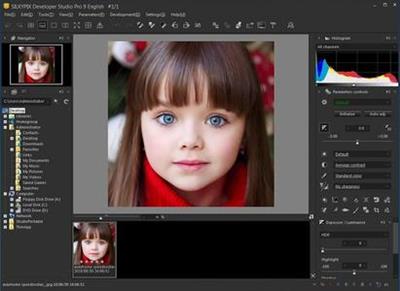
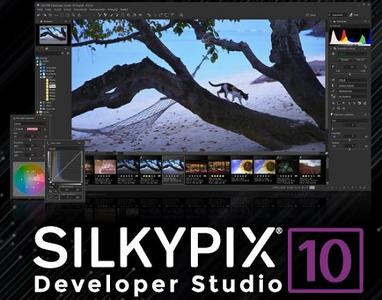
SILKYPIX Developer Studio Pro v10.0.12.0 (x64) (Portable)

SILKYPIX Developer Studio Pro v10.0.12.0 (x64) (Portable)


ff0b0e040b20aa50a290a71f8ad50e63.jpeg


SILKYPIX Developer Studio Pro v10.0.12.0 (x64) (Portable) | 349 MB | Language: English​


SILKYPIX Developer Studio Pro 10 adds new functions that were highly desired in addition to the rich features of SILKYPIX so far. Main new functions are "Dehaze function", "individual adjustment of Highlight / Shadow", "lens profile function" and so on. Extending and improving existing functions further improved operability and convenience. This product is RAW development software for professional.


SILKYPIX Developer Studio Pro 10 adds new functions that were highly desired in addition to the rich features of SILKYPIX so far.

New function / Improvement list:
- Tone- Dehaze Slider
- Exposure bias-Highlight / Shadow slider
- Lens aberration correction - Distortion correction function by lens profile
- Lens aberration correction - Distortion correction function
using simultaneous recording JPEG
- Effect - Blurred / Sharp periphery
- Partial correction tool - Curve / Polygon area selection / Select color
to be corrected
- Automatic adjustment button
- Noise Reduction - Level of shadow noise reduction
- Search in the thumbnail
- Independent arrangement of initialization button
- Add user mark color
- Open in another application
- Control Palette
- Customize toolbar
- Show / hide information box

System Requirements:
OS:Microsoft® Windows® 10 / 8.1 / 7 (Service Pack 1 or later) 64-bit version
* It does not correspond to the Windows® 10 tablet mode.
* It does not correspond to 32-bit version OS.
CPU:Intel® Core™ 2 Duo or higher, or AMD Athlon™ 64 X2 or higher processor
RAM:4GB or more RAM (8GB or higher recommended)
Space:10GB of available hard-disk space or more
Display: that supports screen resolution of 1024x768 or higher.

Homepage-
Код:
https://silkypix.isl.co.jp


DOWNLOAD LINKS:


Код:
https://k2s.cc/file/9debb1a16381d

Код:
https://rapidgator.net/file/d99696fc7c03729ba7e18ba309b8d4b6/SILKYPIX_Developer_Studio_Pro_v10.0.12.0_x64_Portable.rar

Код:
http://nitroflare.com/view/D50586CE32B1B3B/SILKYPIX_Developer_Studio_Pro_v10.0.12.0_x64_Portable.rar

Код:
https://uploadgig.com/file/download/dB50CcB1Db82b2e7/SILKYPIX_Developer_Studio_Pro_v10.0.12.0_x64_Portable.rar
 
SILKYPIX Developer Studio v10.1.12.0 (x64) (Portable)

SILKYPIX Developer Studio v10.1.12.0 (x64) (Portable)


4bf00e0deee70e2fbe3bb08526eca0d3.jpeg


SILKYPIX Developer Studio v10.1.12.0 (x64) (Portable) | 348 MB | Language: English​


7 new features and workflow innovation. The blissful time named RAW development for you. Enables the user a impressive image quality and new expression The wide variety of composition modes can excite your imagination. Equipped with 6 RAWs composition modes. The new SILKYPIX® is equipped with the new function for compositing multiple RAWs which allows you to create a view of the world that cannot be represented from a single image.


And, since this function automatically aligns images according to our image coincidence detection technology (patent No. 4689758), it is possible to combine them without any shift even with hand-held shooting.

Full Basic Functions
SILKYPIX allows you to make adjustments such as exposure (brightness), white balance (shading), tone (light and dark sharpness) while maintaining a high quality of image without deteriorating the image. In addition, anyone can easily perform high-quality adjustments because basic adjustments are arranged in order from the top of the control panel. Furthermore, fine tuning adjustments for each item can be minutely performed with the "Slider" control.

A Variety of Functions to Recreate the Photographer's Images
The Partial correction function is included to adjust saturation and brightness of specified areas. What is more, a variety of fine adjustment functions such as Fine color controller which can be used to adjust each specific color and Highlight controller which restores colors in highlighted parts as well as recover gradation are available.

Easy Editing with Tastes
SILKYPIX Pro has 10 types of maker tastes installed which can take on various shooting scenes in advance. Just by choosing a taste such as "Landscape" or "Portrait," you can make a finished photograph easily that fits your image. In addition, you can save your adjusted parameters as a taste. Parameters are very useful functions, and you can easily create pictures from the same image by applying them to other photographs.

Compliable with JPEG and TIFF
With "SILKYPIX RAW Bridge" available only on SILKYPIX Pro, JPEGs and TIFFs are expanded to 16 bits, so even JPEG and TIFF images can be adjusted to a high degree of image quality with less image degradation.

Exposure (Brightness)
- Auto exposure bias
- Exposure bias
- Dodge / Color Burn
- HDR
- Highlight / Shadow

White balance (Tint)
- White balance adjustment
- Gray balance tool
- Skin color tool

Tone (Sharpness of light and dark)
- Contrast
- Tone curve
- Automatic level correctio
- Black level tool
- Clarity
- Dehaze

Saturation (Vividness)
- Prepare presets for Color representation (Standard color, Memory color, Portrait color, Film color)

Sharpening
- Natural sharp
- Normal sharp
- Pure detail
- Unsharp mask

Noise adjustment
- Color distortion
- Fringe reduction
- Neat noise
- Noise reduction
- Reduce moire
- Level of shadow noise reduction

Practical functions (A part of functions)
- Lens aberration correction
- Shading
- Distortion
- Chromatic aberration
- Distortion correction function by lens profile
- Distortion correction function using simultaneous recording JPEG

Image correction tool
- Crop
- Image rotation
- Shift lens effect
- Spotting tools (Dust removal)
- Red Eye Corrections

Partial correction tool
- Circular correction filter
- Gradual correction filter
- Select area with brush
- Curve / Polygon area selection
- Select color to be corrected
- Invert the filter area

Image controller
- Fine color controller (Adjustment of specific color)
- Highlight controller (Gradation expression of highlights)
- Monochrome controller (Adjustment monochrome image)
- Underwater photo controller (Adjustment underwater photograph)

Display warning
- Highlight warning
- Shadow warning
- Out of color gamut warning
- Soft proofing
- Focus peaking(Display focus area on monitor)

Others
- Search in the thumbnail
- Automatic adjustment button
- Independent arrangement of initialization button
- Open in another application
- Blurred / Sharp periphery
- Portrait Beautification
- Add Noise

System Requirements:
- Microsoft® Windows® 10 / 8.1 64-bit version
- * It does not correspond to the Windows® 10 tablet mode.
- * It does not correspond to 32-bit version OS.
- Intel® Core™ 2 Duo or higher, or AMD Athlon™ 64 X2 or higher processor
- 4GB or more RAM (8GB or higher recommended)
- 10GB of available hard-disk space or more
- Display that supports screen resolution of 1024x768 or higher

Home Page-
Код:
https://silkypix.isl.co.jp/en/


DOWNLOAD LINKS:


Код:
https://k2s.cc/file/fcd9229361cdf

Код:
https://rapidgator.net/file/462353d952c0abb6cec372a37c76d975/SILKYPIX_Developer_Studio_v10.1.12.0_x64_Portable.rar

Код:
http://nitroflare.com/view/355DB9BD9D1D037/SILKYPIX_Developer_Studio_v10.1.12.0_x64_Portable.rar

Код:
https://uploadgig.com/file/download/92f0f11dad402967/SILKYPIX_Developer_Studio_v10.1.12.0_x64_Portable.rar
 
proDAD VitaScene v4.0.291 (x64) Multilingual (Portable)

proDAD VitaScene v4.0.291 (x64) Multilingual (Portable)


c6c1ace01ebecfe3c41911e349abf77a.jpeg


proDAD VitaScene v4.0.291 (x64) Multilingual (Portable) | 244 MB | Language: Multilanguage​


With over 1,400 professional transition effects and video filters, proDAD VitaScene V4 offers probably the most comprehensive and versatile collection of high-quality effects. This makes VitaScene V4 the ideal effect package whether you are a filmmaker, content creator or you shoot weddings, whether you produce documentaries or travelogues. Compared to its predecessor, proDAD VitaScene V4 has grown in scope from around 700 to about 1,400 filters and transition effects.


And for the first time VitaScene V4 offers a completely new, comprehensive effect category that is currently at the top of many filmmakers' wish lists: "Seamless Transitions".

"Seamless Transitions" allow for particularly dynamic, organic, and flowing transitions. A high-quality motion blur can also be combined with a unique color shift effect. Versatile presets allow applying the effects quickly and easily. If you wish to do so, the intensity of the filters and the style of the animation can be precisely controlled via keyframes and adapted to the individual video material. This provides the user with new and flexible design options. The "Seamless Transitions" enrich the creative toolset of each designer and are also excellently suited for dynamic title and graphic animations.

The "Seamless Transitions" section alone already includes a dozen different categories such as wipes, zooms, warps, stretching or panoramic transition effects. These groups are then further subdivided into different characteristics and styles.

In addition to the new "Seamless Transitions", VitaScene V4 PRO offers the entire spectrum of the proven proDAD video filters and transition effects in the best professional quality. These include filters for looks as well as light filters for lighting your scene in postproduction. This ranges from soft accents and reflections to glistening light. Changes in color and brightness create a romantic or a dynamic mood. Spotlight effects allow to highlight and emphasize details.

Present your pictures in the style of a cartoon, a pencil drawing or in a 3D look! Create surreal worlds by transforming landscape and building shots into miniature landscapes applying the tilt shift effect. Video filters with highly efficient algorithms will enhance older or not so perfect shots and optimize contrast, brightness, sharpness, and color - all fully automatic and in no time at all!

The VitaScene V4 video filters can also be applied excellently to text inserts and graphics, allowing particularly impressive effects and animations to be created - all with just a few mouse clicks and without any programming effort. The effective GPU acceleration makes VitaScene V4 particularly powerful and fast. This makes using Vitascene V4 effects fun, regardless of whether you work with editing solutions from Grass Valley, Adobe, Blackmagic Design, Corel, Cyberlink, Pinnacle or with MAGIX Deluxe or MAGIX VEGAS.

Features:
- Over 1,400 professional video filters & transition effects
- Also ideal for animating Text & Graphics
- Supporting up to 8K
- Extensive Presets
- Controllable via Keyframes
- Effective GPU-Acceleration

System Requirements:
- Windows 64-Bit Vista, Win7, Win8, Win8.1, Win10
- i7 CPU
- 6 GB Memory

Homepage-
Код:
https://www.prodad.com


DOWNLOAD LINKS:


Код:
https://k2s.cc/file/9b13b54313dd0

Код:
https://rapidgator.net/file/5a54d054f83f31e320ce0a7ad0bd88f6/proDAD_VitaScene_v4.0.291_x64_Multilingual_Portable.rar

Код:
http://nitroflare.com/view/FE8B364B7645604/proDAD_VitaScene_v4.0.291_x64_Multilingual_Portable.rar

Код:
https://uploadgig.com/file/download/ae7411DC9ddb151a/proDAD_VitaScene_v4.0.291_x64_Multilingual_Portable.rar
 
proDAD ProDRENALIN v2.0.29.7 (x64) Multilingual (Portable)

proDAD ProDRENALIN v2.0.29.7 (x64) Multilingual (Portable)


4a4ed189ca76d7d6bc7653879b6f40e0.jpeg


proDAD ProDRENALIN v2.0.29.7 (x64) Multilingual (Portable) | 85 MB | Language: Multilanguage ​


The all-new ProDRENALIN V2 is a dream come true for avid actioncam and aerial drone users and is the perfect tool for refining rough video footage with next-level corrections for warped, shaky & jittery video that is also in need of extensive image cleanup. ProDrenalin handles all that with ease and adds cool filter effects to the video, and new industry-standard palette of editing tools that make advanced clip editing a snap. Simply put, ProDRENALIN V2 can rescue unusable video and transform so-so video into an awesome movie.


Faster, stronger in every way - ProDRENALIN V2 is so chock full of many enhancements and performance improvements it's almost impossible to list it all, but here are a few of the biggies:
- Lots of new and standardized editing workflows have been implemented, making ProDrenalin easier to use for users who are using ProDrenalin & a traditional NLE together.
- GPU-enabled, which significantly speeds up video analysis and other processes, optimized for multi-core processors.
- Capable of processing up to 8K UHD resolution clips

Features:
- Fix wonky colors with all new advanced pro-grade color correction, complete with an all-new automatic correction mode or extensive manual adjustment of brightness, contrast, white balance, and tint to get that perfect look, and even a histogram to monitor changes as you make them.
- Add video filter effects to add some sizzle to your clips with dozens of proDAD's professional video filter effects which can be applied individually to a clip and can even be controlled with key-frames if desired, and screen position, rotation, and scaling are fully adjustable. Popular vignette, film-looks, spotlight, color, and black & white effects give your clips that professional look.
- Shape things up even more with rolling-shuter correction to correct skew-distortion and newly enhanced video de-noising and sharpening that not only yields better correction than before, but is also significantly faster.
- Work smarter not harder with ProDRENALIN V2 new project management tools which allow you to save projects with a unique name and load them again later, and even save your camera profile and select settings for future use with new projects. New keyboard shortcuts and enhanced timeline controls give you the power of a big-name editor but without all the complexity. Preview everything in real-time before exporting so you know you've got it right.
- Bye-bye fisheye! ProDRENALIN V2 introduces newly optimized camera profiles for all major action cameras and many drones and DSLR cameras that more effectively flattens warped still images and video, and provides options to manually adjust a camera profile on the fly if you need to tweak a standard profile. Want to keep the fisheye look but need to stabilize the video? No problem, the new V2 camera profiles are optimized for this.
- Tell the story fast with ProDRENALIN V2 new Storyboard feature, allows you to arrange your clips into a rough-cut movie, even split longer clips into individual ones and preview everything in real-time. There is even a clever little magnifying glass to zoom in and check things out close up. Export the clips individually for sharing on social media, or combined together as a rough movie to be polished further with an NLE.
- New export format options give you loads more choices to meet your exacting needs. AVC/H.264 (.mp4 or .mov), H.265 (.mov), Apple ProRes (.mov), Motion JPEG (.mov), generic .AVI, Canopus HQ/HQX (.avi), and YES...GoPro Cineform are all supported now. Export individual clips or export many clips together with batch processing.

System Requirements:
- Windows 64-Bit Vista, Win7, Win8, Win8.1, Win10
- 2GB-memory,
- Recommended: i7-cpu, 6 GB memory

Homepage:
Код:
https://www.prodad.com


DOWNLOAD LINKS:


Код:
https://k2s.cc/file/abc71b70eeefa

Код:
https://rapidgator.net/file/42042a5642982faf17c3cbbda2869c41/proDAD_ProDRENALIN_v2.0.29.7_x64_Multilingual_Portable.rar

Код:
http://nitroflare.com/view/F791C2460DC6439/proDAD_ProDRENALIN_v2.0.29.7_x64_Multilingual_Portable.rar

Код:
https://uploadgig.com/file/download/DD621e8c6632c73e/proDAD_ProDRENALIN_v2.0.29.7_x64_Multilingual_Portable.rar
 
Pixologic ZBrush 2021.6.3 (x64) (Portable)

Pixologic ZBrush 2021.6.3 (x64) (Portable)


47e729842ab85dc0b3e4933a69ba26f0.jpeg


Pixologic ZBrush 2021.6.3 (x64) (Portable) | 1.21 GB | Language: English​


ZBrush sets the industry standard for digital sculpting and painting. Its features enable you to use customizable brushes to shape, texture and paint virtual clay in a real-time environment that provides instant feedback. When you use ZBrush you'll be empowered by the same tools employed by film studios, game developers, toy/collectible makers, jewelry designers, automotive/aviation designers, illustrators, advertisers, scientists and other artists the world over. In fact, we have even received an Academy Award for the technology that powers ZBrush.


In short, ZBrush is an art tool created by artists, for artists. It allows you to create models and illustrations limited only by your imagination, at a speed that allows you to stand out in today's fast paced industry.

Base Mesh Generation
As with anything else in life, where you can go is usually determined by where you begin. Having a great finished model requires a quality base mesh. ZBrush provides an arsenal of tools to assist with this task, ensuring that no matter what you have in mind, there is a way to get the perfect base to then take to the next level. The best known of these systems are explained here.

Sculptris Pro
Ignore the constraints of polygon distribution and simply - sculpt! Sculptris Pro will dynamically add (tesselate) and remove (decimate) polygons wherever and whenever needed. It does this during your brush stroke in a real-time process called Tessimation. This frees you to focus entirely on the look you're trying to achieve.

Dynamesh
DynaMesh is a perfect solution for free-form sculpting because it removes all need for focusing on topological constraints. Change the overall shape of the model by pushing or pulling, adding various pieces of geometry to combine into one, or even remove geometry in a manner similar to what can be done with Boolean operations. Where Sculptris Pro dynamically adjusts the triangles in your mesh as you sculpt, DynaMesh redistributes the model's polygons as quads on command.

Mesh Detailing
Whether created in ZBrush or imported from elsewhere, once you have your base mesh it is time to start detailing. ZBrush features a robust suite of tools to accomplish this. Those listed below are just the tip of the iceberg.

Sculpting Brushes
The main workflow for creating with ZBrush is based on a system of brushes which can also be modulated using pen pressure from a graphics tablet. ZBrush will reproduce the natural feeling of a real paint brush or sculpting tool, using the pressure applied to the pen tip to transform your digital stroke in a variety of ways. There are brushes to pinch, move, build up the surface, chisel into it, slice through the model and much more. You can even use other 3D models as brushes, inserting their geometry into your surface.

Noisemaker
In addition to being able to add detail by hand, ZBrush provides a system for procedurally generating surface detail through noise patterns. Choose a detail type, adjust a few simple parameters, then apply that pattern to your model in its entirety or by restricting it to a certain region. You can even combine different noise types to create highly complex effects. The Noise system is ideal for both hard surface work and organic details.

PolyPaint
Because ZBrush works with tens of millions of polygons in real-time, you can paint directly on the surface of the model without first assigning a texture map or UV's. This offers significant advantages compared to a standard workflow. The resolution of the texture map does not need to be decided in advance. This is particularly valuable if you find you need more detailing on an area than you thought you would. Instead of repainting a new, larger texture map you can simply transfer the existing surface detail to that larger map without any reworking. You don't even need to do UV unwrapping before you begin this painting. In fact, thanks to the way that ZBrush can project details (both sculpted and painted) from one model to another you can have a fully painted model before you even have a finalized animation mesh. Instead, you can copy everything to the final base mesh once it has been signed off on.

UV Master
In order create or use a texture map, a model first needs UV's. These are 2D coordinates that tell all 3D applications how to apply a texture to your model. With most programs, creating those UV's has been a time consuming challenge that requires a high level of technical expertise and has little room for creativity. With UV Master you are able to create very efficient UV's for your model - in most cases with a single click. If you need more control over this automatic process there are features that refine where seams will be placed or increase the amount of pixel space given to certain regions of your model. It's both intuitive and fast, letting you get back to being creative with minimal fuss.

Rendering
Whether you are using ZBrush by itself as an illustration tool or as part of a production pipeline for animation, you will at some point want to show your work to others. ZBrush makes this possible through a powerful rendering system called BPR (Best Preview Render).

Highly Recommended Specifications:
- OS: 64-bit editions of Windows Vista or newer.
- CPU: Intel i5/i7/Xeon technology or AMD equivalent.
- RAM: 8 GB required for working with multi-million poly models. (16+ GB preferred.)
- HDD: 100 GB of free hard drive space for ZBrush and its scratch disk. (SSD drive highly recommended.)
- Pen Tablet: Wacom or Wacom compatible. (WinTab API.)
- Monitor: 1920x1080 monitor resolution or higher with 32-bit color.
- Video card: Most cards manufactured 2008 or newer. Must support OpenGL 3.3 or higher.

Home Page -
Код:
http://pixologic.com/


DOWNLOAD LINKS:


Код:
https://k2s.cc/file/c59b58cc52a6a
https://k2s.cc/file/1ab1bc93658d1

Код:
https://rapidgator.net/file/4dda7d3c631c67f6dde514b46054d4e0/Pixologic_ZBrush_2021.6.3_x64_Portable.part1.rar
https://rapidgator.net/file/6bbfa3e608ee37911ad06be4aa13fc98/Pixologic_ZBrush_2021.6.3_x64_Portable.part2.rar

Код:
http://nitroflare.com/view/05CEFE80D74F4CD/Pixologic_ZBrush_2021.6.3_x64_Portable.part1.rar
http://nitroflare.com/view/6F5DC289237F94B/Pixologic_ZBrush_2021.6.3_x64_Portable.part2.rar

Код:
https://uploadgig.com/file/download/53D88adb1183455B/Pixologic_ZBrush_2021.6.3_x64_Portable.part1.rar
https://uploadgig.com/file/download/63eca902c27bB989/Pixologic_ZBrush_2021.6.3_x64_Portable.part2.rar
 
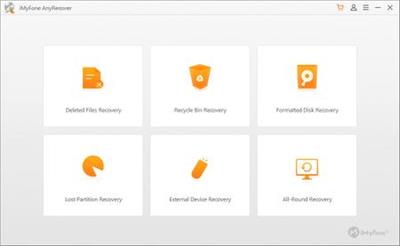
iMyFone AnyRecover v5.1.0.11 (x64) Multilingual (Portable)

iMyFone AnyRecover v5.1.0.11 (x64) Multilingual (Portable)


6416b6428e176d154d0ddb78781a7dc5.jpeg


iMyFone AnyRecover v5.1.0.11 (x64) Multilingual (Portable) | 116 MB | Language: Multilanguage​


Want to recover files from your PC or SD card? Let AnyRecover data recovery for Windows help you find any traces of files you have deleted; It can get back lost data from any rewritable storage media you have.


Over 1000 File Types Supported
Accidentally deleted an important file? No worries! With this Windows data recovery software , only in a few clicks, you can retrieve any types of files, even if the files were deleted long time ago.

Document
DOC/DOCX, XLS/XLSX, PPT/PPTX, PDF, CWK, HTML/HTM, INDD, EPS, etc.

Video
AVI, MOV, MP4, M4V, WMV, 3GP, 3G2, MKV, ASF, FLV, SWF, MPG, RM/RMVB, MPEG, etc.

Email
PST, DBX, EMLX, EML, MSG, etc. (from Outlook, Outlook Express.)

Photo
JPG/JPEG, PNG, GIF, TIFF/TIF, BMP, PSD, CRW, CR2, NEF, ORF, RAF, SR2, MRW, DCR, WMF, DNG, ERF, RAW, etc.

Audio
MP3, WAV, AIF/AIFF, M4A, WMA, MID/MIDI, OGG, AAC, etc.

Others
Archives (such as ZIP, RAR, SIT, ISO, etc.), exe, HTML, SITX, etc.

System requirements:
Supported OS: Windows 10, Windows 8.1, Windows 8, Windows 7, Windows XP
File System: FAT16, FAT32, exFAT, NTFS, HFS+
CPU: 1GHz (32 bit or 64 bit) or above
Disk Space: 200 MB or more free space
RAM: 512 MB or more

Home Page-
Код:
https://www.anyrecover.com/


DOWNLOAD LINKS:


Код:
https://k2s.cc/file/187610e069f3a

Код:
https://rapidgator.net/file/9c60dfc1039cecf7a30d57beed8f377e/iMyFone_AnyRecover_v5.1.0.11_x64_Multilingual_Portable.rar

Код:
http://nitroflare.com/view/DDC64E180D664EB/iMyFone_AnyRecover_v5.1.0.11_x64_Multilingual_Portable.rar

Код:
https://uploadgig.com/file/download/ef3aDc29656bf1A5/iMyFone_AnyRecover_v5.1.0.11_x64_Multilingual_Portable.rar
 
Windows Server 2019 (x64) VL April 2021

Windows Server 2019 (x64) VL April 2021


6f4e229aa82cd633a44bdf713de0463b.png


Windows Server 2019 (x64) VL April 2021 | 5.06 GB | Language: English​


Windows Server 2019 with April 2021 updates.

The assembly is based on the original MSDN images:
Win_Server_STD_CORE_2019_64Bit_English_DC_STD_VL_MLF_X21-91656.ISO

Composition of editorial staff
en_windows_server_2019_vl_x64:

Windows Server 2019 Standard En with GUI
Windows Server 2019 Datacenter En with GUI
All editions have a Volume distribution channel

Contents of the Support folder automatically copied to the desktop
Activators: KMS Tools Portable 02.2021 (KMS Tools is a pack with activators and utilities)
Driverpack: SDI R2102 with drivers on 02.2021 for LAN / Chipset / MassStorage / USB /

List of programs included in the MInstall shell:
Installation of programs is performed using the MInstall shell after installing the OS. (no timer)
There is a choice of software, what needs to be installed and what not.

Archivers:
WinRAR v6.1.0, 7-ZIP v21.01
Editors:
Notepad ++ v7.9.5
Systemic:
Microsoft Visual C ++ (Lib) 2005 ... 2019
HashTab v6.0.0.34, CrystalDiskInfo v8.12.0, CPU-Z v1.96
Activation:
KMS38 (until 2038)
For stable activation, a 30sec timer has been added to the reboot, do not fuss.
It is not worth stopping the installation of programs after starting, after the installation of the programs is completed, the computer will be restarted.

Snappy Driver Installer with 04.2021 drivers for LAN / Chipset / MassStorage / USB added to image
A small set of Snappy Driver Installer R2102 with drivers by 04.2021 for LAN / Chipset / MassStorage / USB has been added to the image -
\ sources \ $ OEM $ \ $ 1 \ Users \ Public \ Desktop \ Soft \ Drivers \ Driverpack \ SDI_2102 ~ 500MB
When starting SDI_x64_R2102. exe shell can install the necessary drivers, and with the presence of the Internet, pull up the selected driver packages
or update the drivers you have selected.

The following components have been changed:
Changes to standard components:
NetFx3ServerFeatures - Enabled
Windows Defender - Disabled

У Вас недостаточно прав для просмотра ссылок. Войдите или зарегистрируйтесь.


DOWNLOAD LINKS:


Код:
https://k2s.cc/file/6f33d5d72ecbb
https://k2s.cc/file/fe78b3c67369d
https://k2s.cc/file/99bf039f49305
https://k2s.cc/file/f9a7e3fc54c73
https://k2s.cc/file/4c0929378b0e2
https://k2s.cc/file/4f064ff89120e

Код:
https://dropapk.to/e9hmzjz2rnef/Windows_Server_2019_x64_VL_April_2021.part1.rar
https://dropapk.to/xwraa4ldczon/Windows_Server_2019_x64_VL_April_2021.part2.rar
https://dropapk.to/qh7th82qhnza/Windows_Server_2019_x64_VL_April_2021.part3.rar
https://dropapk.to/v2rao0b8rgc8/Windows_Server_2019_x64_VL_April_2021.part4.rar
https://dropapk.to/do2m5lebiucb/Windows_Server_2019_x64_VL_April_2021.part5.rar
https://dropapk.to/9mp3ygd61dt8/Windows_Server_2019_x64_VL_April_2021.part6.rar

Код:
https://rapidgator.net/file/af14a2a09cb3c985114bbcaa4c09a6af/Windows_Server_2019_x64_VL_April_2021.part1.rar
https://rapidgator.net/file/214774ae425b3828e369e8bcad167b05/Windows_Server_2019_x64_VL_April_2021.part2.rar
https://rapidgator.net/file/1898e14392d677d96c8bf3f841b45ad1/Windows_Server_2019_x64_VL_April_2021.part3.rar
https://rapidgator.net/file/a4414a90446af51b9d3103ddaa2b57bd/Windows_Server_2019_x64_VL_April_2021.part4.rar
https://rapidgator.net/file/ecadeac795600288f0f962803a8d5a86/Windows_Server_2019_x64_VL_April_2021.part5.rar
https://rapidgator.net/file/4cd2c5710a3a78e587681e498ff59709/Windows_Server_2019_x64_VL_April_2021.part6.rar

Код:
http://nitroflare.com/view/6E62EED0267B195/Windows_Server_2019_x64_VL_April_2021.part1.rar
http://nitroflare.com/view/DBB852E234374A0/Windows_Server_2019_x64_VL_April_2021.part2.rar
http://nitroflare.com/view/2F5D2D478DFC8C0/Windows_Server_2019_x64_VL_April_2021.part3.rar
http://nitroflare.com/view/29E16215394DC6A/Windows_Server_2019_x64_VL_April_2021.part4.rar
http://nitroflare.com/view/B3143F04D30B8FB/Windows_Server_2019_x64_VL_April_2021.part5.rar
http://nitroflare.com/view/17854B16175DFDD/Windows_Server_2019_x64_VL_April_2021.part6.rar

Код:
https://uploadgig.com/file/download/Cf088a99A2A16cfa/Windows_Server_2019_x64_VL_April_2021.part1.rar
https://uploadgig.com/file/download/20D1735f472c3600/Windows_Server_2019_x64_VL_April_2021.part2.rar
https://uploadgig.com/file/download/dA1fc3DAbe96c059/Windows_Server_2019_x64_VL_April_2021.part3.rar
https://uploadgig.com/file/download/D96ceA50490c319b/Windows_Server_2019_x64_VL_April_2021.part4.rar
https://uploadgig.com/file/download/5b97DeEdb629563d/Windows_Server_2019_x64_VL_April_2021.part5.rar
https://uploadgig.com/file/download/a98c0ba4325e401d/Windows_Server_2019_x64_VL_April_2021.part6.rar
 
proDAD Hide v1.5.81.1 (x64) Multilingual

proDAD Hide v1.5.81.1 (x64) Multilingual


c9f4bef480732fc26b310235dc501867.jpg


proDAD Hide v1.5.81.1 (x64) Multilingual | 108 MB | Language: Multilanguage​


Hide can do magic - all done automatically within the shortest time without any manual effort! Hide is an ideal tool equally suited for professional and holiday shooters, for YouTubers as well as sophisticated cinematographers. Hide is a true problem remover whenever something gets into your frame that might either distract the viewer or simply does not belong there.


Most of the time those glitches become evident during editing - when there is no chance anymore for a second take. How often in the past have you been upset about ruined recordings because a person has been walking through your picture or other disturbing objects have gotten in the view. With Hide you render the disturbing object invisible which helps you saving unrepeatable moments and precious memories.

Hide is an ideal tool equally suited for professional and holiday shooters, for YouTubers as well as sophisticated cinematographers. Hide is a true problem remover whenever something gets into your frame that might either distract the viewer or simply does not belong there. Most of the time those glitches become evident during editing - when there is no chance anymore for a second take.

Hide can truly do magic.
First you mark the unwanted object by applying the intelligent automatic tracking mode. After an analyzing process Hide will substitute the object by its original background - all done automatically within the shortest time without any manual effort. For this process Hide will need some seconds of footage before and after the object to be removed has gotten out of view.

Features:
- Compared to a conventional and rather imperfect clone stamp and other time and work intensive substitution methods as featured in an NLE program, Hide's innovative technology offers the far better quality within a fraction of the time.

- By attaching optional USB input devices, the workflow can even be further enhanced. While controlling the tracking direction and speed with your optional pedals you simultaneously follow the process with your mouse and keyboard for an optimal tracking result even with complex objects.

- The unparalleled high-quality result driven by the newest Hide technology will amaze you and your viewers.

Highlighted Features:
- Clear timeline for a fast workflow
- Easy trimming of clips
- Comfortable marking of objects
- Manual & automatic object tracking
- Comprehensive keyframe support
- Supporting optional input devices (like USB pedals)
- Effects preview window prior to file export
- Direct YouTube upload if desired
- Compatible with every framerate (24p/25p/30p/50p/60p and more)
- Supports resolutions up to (and including) 8K

System Requirements:
- Windows 64-Bit Vista, Win7, Win8, Win8.1, Win10:
- 6GB main memory, 1GB graphics memory
- Recommended i7 CPU, 16 GB main memory, 3GB graphics memory


DOWNLOAD LINKS:


Код:
https://k2s.cc/file/3617756671914

Код:
https://rapidgator.net/file/bab346359b7504900171ca45b68a69ed/proDAD_Hide_v1.5.81.1_x64_Multilingual.rar

Код:
http://nitroflare.com/view/80D9FB25E961EFD/proDAD_Hide_v1.5.81.1_x64_Multilingual.rar

Код:
https://uploadgig.com/file/download/d2aaccBc213e39B5/proDAD_Hide_v1.5.81.1_x64_Multilingual.rar
 
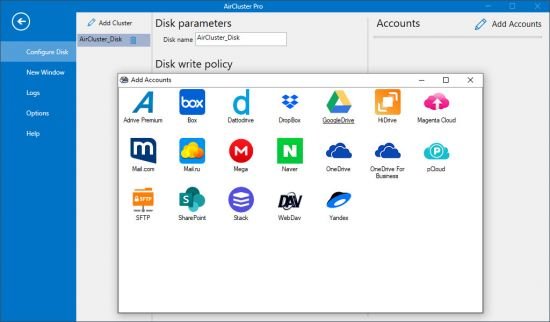
Air Cluster Pro v1.3.0 Multilingual

Air Cluster Pro v1.3.0 Multilingual


6a2fcb0ebbf9aa78e44041dd2229f1d7.jpg


Air Cluster Pro v1.3.0 Multilingual | 9 MB | Language: Multilanguage​


Joining all your cloud accounts in one big storage space must have sounded like a futuristic idea a long time ago, but with Air Cluster, it very much seems to be reality. If you're tired of having to separately manage your cloud accounts or don't even have more than one because of this reason, Air Cluster might just change your mind. Joining all your cloud accounts into one is an option that could help you save a lot of time and money.


SEVERAL ACCOUNTS OF EACH SERVER
Allows you to configure multiple accounts from the same server.

FILE SYNCHRONIZATION
You can synchronize folders between any cloud or your computer using the total space of all your clouds together.

SECURITY THANKS TO THE ENCRYPTION
You have the option to encrypt your files when uploading them to the cloud.

CENTRALIZED SEARCH
Allows centralized file search for all clouds.

Whats New:
Код:
https://www.aircluster.org/en/download/

Homepage:
Код:
https://www.aircluster.org/


DOWNLOAD LINKS:


Код:
https://k2s.cc/file/209f78146739f

Код:
https://rapidgator.net/file/762ee118be6b5679083da860f57dadc6/Air_Cluster_Pro_v1.3.0_Multilingual.rar

Код:
http://nitroflare.com/view/8DDB2BD6575F60D/Air_Cluster_Pro_v1.3.0_Multilingual.rar

Код:
https://uploadgig.com/file/download/fc188deE3Fc0fdc9/Air_Cluster_Pro_v1.3.0_Multilingual.rar
 
Rhino 7 v7.5.21100.03002 Multilingual (MacOSX)

Rhino 7 v7.5.21100.03002 Multilingual (MacOSX)


e7e28a88c5a0b76f264357fdce0f3dd6.jpeg


Rhino 7 v7.5.21100.03002 Multilingual (MacOSX) | 403 MB | Language: Multilanguage​


Rhino - Versatile 3D modeler. Rhinoceros can create, edit, analyze, document, render, animate, and translate NURBS* curves, surfaces, and solids, point clouds, and polygon meshes. There are no limits on complexity, degree, or size beyond those of your hardware.


Rhino - Versatile 3D modeler. Rhinoceros can create, edit, analyze, document, render, animate, and translate NURBS* curves, surfaces, and solids, point clouds, and polygon meshes. There are no limits on complexity, degree, or size beyond those of your hardware.

Special features include:
- Uninhibited free-form 3-D modeling tools like those found only in products costing 20 to 50 times more. Model any shape you can imagine.
- Accuracy needed to design, prototype, engineer, analyze, and manufacture anything from an airplane to jewelry.
- Compatibility with all your other design, drafting, CAM, engineering, analysis, rendering, animation, and illustration software.
- Read and repair meshes and extremely challenging IGES files.
- Accessible. So easy to learn and use that you can focus on design and visualization without being distracted by the software.
- Fast, even on an ordinary laptop computer. No special hardware is needed.
- Affordable. Ordinary hardware. Short learning curve. Affordable purchase price. No maintenance fees.

Compatibility: macOS 10.14 or later.


DOWNLOAD LINKS:


Код:
https://k2s.cc/file/5476c51c4b195

Код:
https://rapidgator.net/file/03eceec023f64192a0212a89a6614bfb/Rhino_7_v7.5.21100.03002_Multilingual_MacOSX.rar

Код:
http://nitroflare.com/view/4688CB73B8FACB9/Rhino_7_v7.5.21100.03002_Multilingual_MacOSX.rar

Код:
https://uploadgig.com/file/download/36Fb0238d00e81b1/Rhino_7_v7.5.21100.03002_Multilingual_MacOSX.rar
 
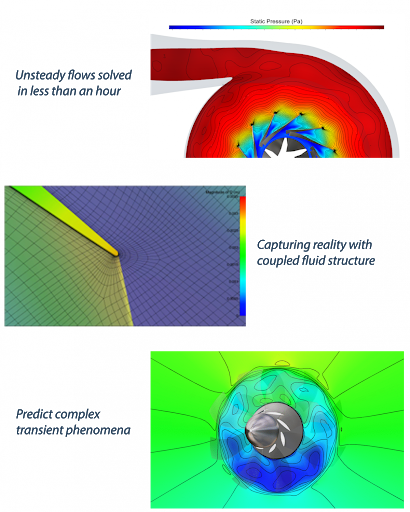
NUMECA Fine/Turbo v16.1 (x64)

NUMECA Fine/Turbo v16.1 (x64)


fb6c9f38013077bb6dcbe5ff8072884b.png


NUMECA Fine/Turbo v16.1 (x64) | 3.5 GB | Language: English​


Best-in-class turbomachinery design tools
Engineers looking to combine speed and accuracy for their virtual turbomachinery designs trust NUMECA for their toughest challenges. We have designed a unique toolset that encompasses a complete end-to-end solution: 1D to 3D, Meshing, CFD and Optimization, all in one single environment. Thanks to more than 75 years of expertise in rotating machinery, the environment displays an unsurpassed ease-of-use and accuracy.


Configurations range from multi-stage axial to radial to mixed-flow configurations (compressors, turbines, pumps, fans, propellers or contra-rotating propellers).

Key Features:

Meanline design
For all major turbomachinery configurations. Meanline options include:

COMPAL® for radial and mixed-flow compressors
PUMPAL® for radial, mixed-flow, axial pumps
RITAL™ for radial and mixed-flow turbines
AXIAL™ for axial compressors and turbines
Detailed 3D design

For geometry and blading using AxCent®, including throughflow, 2D blade to blade and streamline curvature calculation.

2D and radial blading
Agile links to COMPAL®, PUMPAL®, RITAL™,AXIAL™, OMNIS™/Turbo, pbFEA and MAX-PAC
Bezier-based cross-section (axial) and geometry generation (radial)
Blade generation sheets
Blade lean
CAD output (IGES, STEP, ACIS, Parasolid, STL)
Circular-arc and line segment contours
Fillets (single-radious, variable, elliptical)
Ideal and real fluids
Independent hub and shroud
Multistreamtube (MST) calculation for both compressible and incompressible flow
Radial stacking of up to 3-cross-sections at LE, TE or CG
Rapid loading calculation for both compressible and incompressible flow
Single-blade raw capability
Suitable for compressors, fans, pumps and turbines
Swept leading and trailing edges
Throat area calculation
Add: BANIG
Add: Blade stacking of 2 to unlimited number of cross sections
Enhanced flank milling - confirming ruled surface
Flow cuts and trims/extensions
Flow injection and extraction
Inlet boundary layer calculations
Non-axisymmetric walls
Parameterized blade types (MCA, DCA, Pritchard, Enhanced Pritchard)
Parameterized blade types (NACA, Constant Passage, simple airfoil)
Simple and independently-specified splitter blades (Independent was option)
Stacking curve adjustment in meridional and tangential directions
OMNIS™/AutoGrid

Parallel Mesh Generation

Wizard mode: optimal mesh topology based on configuration
Advanced geometry features: blade fillets, cooling systems, axisymmetric and non-axisymmetric effects
Advanced configurations: multistage, bulb, unshrouded and by-pass
Automated blocking and meshing of axisymmetric effects
Python scripting technology
OMNIS™/HEXPRESS

Full Hexahedral Grids (no prism, no tetrahedra, no pyramid)
Direct CAD import capabilities
CAD manipulation and decomposition tools
Mesh wizard for rapid solution set-up and easy back and forth operation
Buffer cell and boundary layer insertion for high quality cells in boundary layer regions
Automatic refinement procedures based on user defined sensors either next to solid walls or at specified area in the domain
Multi domain capabilities allowing the treatment of CHT and multi-part geometry models
Full non-matching multi-block connection, allowing multi-row turbomachinery meshing

OMNIS™/Turbo flow solver

One single code for all types of fluids (incompressible, perfect or real gas, compressible liquid and condensable) and speed (low speed to hypersonic regime)
Acceleration with the CPU Booster™ module provides 3-5 times gain in convergence speed
Non Linear Harmonic (NLH) module for full unsteady rotor-stator interactions with gains of 1 to 3 orders of magnitude in CPU time
Cross-out High Performance Computing (HPC) on supercomputers with linear speed-up on up to 5,000 to 10,000 cores
Embedded Fluid Structure Interaction (FSI) with the Modal and Flutter Analysis module
Uncertainty Quantification module to study the variability with respect to geometrical or operational uncertainties
Automated performance curve creation
Multigrid convergence acceleration
Full Non-Matching Boundaries capability
Laminar-turbulent transition
Congugate heat transfers
Cavitation
Python scripting technology
OMNIS™/Open-DBS flow solver

One single code for all types of fluids (incompressible, low-compressible, condensable and fully compressible) and speed (low speed to hypersonic regime)
Acceleration with the CPU-Booster™ module provides 3-5 times gain in convergence speed
Embedded fluid structure interaction with the Modal and Flutter Analysis module
Multigrid convergence acceleration
Multidomain capability
Combustion
Radiation
Lagrangian multiphase
Cavitation
Multispecies reacting flows
Thermodynamics tables and combustion tables generation
Python scripting technology
OpenLabs™

OpenLabs™ allows users to customize or add physical models
Flexible and user-friendly Graphical User Interface
Users don't need to care about programming details and code structure
OpenLabs can be used in a wide variety of industrial and academic applications
Identical computing and memory costs compared to source-coded models
Free access to all OMNIS™/Open community
OMNIS™/Post

Multi-projects and multi-views graphical user interface
Python scripting technology
Surface and 3D local value
Iso-lines
Color contour
Vector
Iso-surfaces
Cloud of particles
Line chart
Integral
Formula and operator derived quantities
Live co-processing


DOWNLOAD LINKS:


Код:
https://k2s.cc/file/ac9fb6678c750
https://k2s.cc/file/0c97e981416ae
https://k2s.cc/file/e4d3afb8238a7
https://k2s.cc/file/a808467f501d7

Код:
https://rapidgator.net/file/5e8a47e93ecc448d4288bc7bc43e9532/NUMECA_FineTurbo_v16.1_x64.part1.rar
https://rapidgator.net/file/8d674372188d961d4e06881496bc4aee/NUMECA_FineTurbo_v16.1_x64.part2.rar
https://rapidgator.net/file/4303d0f2543e8788e83f5b8b5e979799/NUMECA_FineTurbo_v16.1_x64.part3.rar
https://rapidgator.net/file/476f1faa6099a5a7bb1ea2298196cb09/NUMECA_FineTurbo_v16.1_x64.part4.rar

Код:
http://nitroflare.com/view/43693BCED22BC1A/NUMECA_FineTurbo_v16.1_x64.part1.rar
http://nitroflare.com/view/FAC0AB30A5860B9/NUMECA_FineTurbo_v16.1_x64.part2.rar
http://nitroflare.com/view/45F841B199DFD9E/NUMECA_FineTurbo_v16.1_x64.part3.rar
http://nitroflare.com/view/27BBBCE9BBB9724/NUMECA_FineTurbo_v16.1_x64.part4.rar

Код:
https://uploadgig.com/file/download/428F862d371f87da/NUMECA_FineTurbo_v16.1_x64.part1.rar
https://uploadgig.com/file/download/19A08551574c2dB7/NUMECA_FineTurbo_v16.1_x64.part2.rar
https://uploadgig.com/file/download/9a5Be3b0ca30484E/NUMECA_FineTurbo_v16.1_x64.part3.rar
https://uploadgig.com/file/download/2058486c4e8Bc543/NUMECA_FineTurbo_v16.1_x64.part4.rar
 
Android Pack only Paid Week (14.2021)

Android Pack only Paid Week 14.2021


457590da6969e1e8381d385e693e07d1.jpg


Android Pack only Paid Week (14.2021) | 2.77 GB | Language: English​


This is Best Paid Android Applications With Last Update.
PLEASE keep in mind that not all apps/games work on all devices due to the software the device providers install.
PLEASE make sure you are using winrar 5.01 or newer.
Move APK onto your device.
Move obb folder to \sdcard\Android\obb .

Install Application.
Код:
https://www.howtogeek.com/313433/how-to-sideload-apps-on-android/

If something doesn't work, try a clean install.
LP means Lucky Patcher
GP means Patched Google Play
UP means Uret Patcher
JP means Jasi Patche

Apps:
- 1Tap Cleaner Pro (clear cache, history, call log) v3.94 [Mod Lite].apk
- 3D Flip Clock & Weather Ad-free v5.91.0 [Paid] [SAP].apk
- AFWall+ (Android Firewall +) v3.5.0 build 20210401 [Final] [Unlocked].apk
- Alarm Clock v2.9.11 [Premium] [Mod Extra].apk
- Aline Icon Pack - linear gradient icons v2.0 (Patched).apk
- Android 12 Icon Pack v1.0.5 [Mod] [Sap].apk
- AppMgr Pro III (App 2 SD, Hide and Freeze apps) v5.19 [Mod Lite].apk
- Assistive Touch - Easy Touch v1.1.7.8 [Premium] [Mod].apk
- Balance Meditation & Sleep v0.10.0 [Beta] [Subscribed] [Mod Extra].apk
- Bikemap - Your Cycling Map & GPS Navigation v13.0.0 [Premium].apk
- BOLD - ICON PACK v2.0.6 [Patched].apk
- BOLDR - ICON PACK v2.0.6 [Patched].apk
- Boosted - Productivity & Time Tracker v1.5.17 [Premium].apk
- Borealis - Icon Pack v2.75.0 [Patched].apk
- Calm - Meditate, Sleep, Relax v5.15 [Unlocked].apk
- CamCard - Business Card Reader v7.44.5.20210406 Final [Paid].apk
- Carly_OBD2_Car_Scanner_Unlocked_v46.48.apk
- Castro Premium v4.3 build 265 [Paid] [Mod Extra].apk
- Chordify Guitar, Ukulele and Piano Chords v1699 [Premium].apk
- ClevNote - Notepad, Checklist v2.21.4 [Premium] [Mod Extra].apk
- Creative Launcher - Quick & smart launcher 2020 v6.3 [Prime].apk
- DMT - Mood tracker, Diary, Journal, Reminder v1.2 [PRO].apk
- DockScreen - Ambient Mode - Home Automation - AOD v1.01 [Premium].apk
- DroidCamX Wireless Webcam Pro v6.9.0 (Paid).apk
- DuckDuckGo Privacy Browser v5.80.0 [Mod] ARMv7.apk
- DuckDuckGo Privacy Browser v5.80.0 [Mod] ARMv8.apk
- Easy Currency Converter Pro v3.6.6 [Paid] [Patched] [Mod].apk
- English Tenses (Example&Practice) v2.9.0 [Premium].apk
- Face Video Morph Animator HD v2.0.10 [Paid][Mod].apk
- FaceApp - Face Editor, Makeover & Beauty App v4.4.0 [Mod].apk
- FitOn - Free Fitness Workouts & Personalized Plans v3.7 [Pro].apk
- Floating ToolBox - Assistive Touch v1.3.0.0 [Premium] [Mod].apk
- Flux - Substratum Theme v6.0.3 (Patched).apk
- Flux White - Substratum Theme v4.6.2 (Patched).apk
- FolderSync Pro v3.0.39 [Paid].apk
- Free Music Player - MP3 Player v1.4.2.22 (Premium).apk
- Game Booster Pro Bug Fix & Boost v1.7.1.24r [Paid] [SAP].apk
- GIF Maker - Video to GIF, GIF Editor v1.4.0 [Pro] [Mod Extra].apk
- GPS Map Camera Lite Geotag Photo Location v1.3 [Premium].apk
- InstAddr - Instant Email Address v2021.04.09.4 [Mod].apk
- Investing.com Stocks, Finance, Markets & News v6.6.5 build 1295 [Unlocked].apk
- Launcher iOS 14 v7.2.5 [Premium].apk
- Liv Dark - Substratum Theme v2.1.5 (Patched).apk
- Liv White - Substratum Theme v1.9.6 (Patched).apk
- Lucky Patcher v9.4.7 [Mod Color].apk
- Manga Dogs [Formerly MangaTag] - The best App for Mangas v10.1.4 [Vip].apk
- Map My Run by Under Armour v21.7.0 [Subscribed] [Mod Extra].apk
- Medical Records v1.11.0.17 [Premium] by MedClin.apk
- Moon & Garden v4.8.5 [Premium].apk
- Mostory insta animated story editor for Instagram v2.8.6 [Pro] [Mod].apk
- MP4Fix Video Repair Tool v2.3.3 (Unlocked).apk
- MX Player v1.35.7 [Final] [Unlocked AC3 DTS] [No Google] ARMv7.apk
- MX Player v1.35.7 [Final] [Unlocked AC3 DTS] [No Google] ARMv8.apk
- Nebula Icon Pack v4.4.9 (Patched).apk
- NewPipe (Lightweight YouTube) v0.21.1 [Mod].apk
- Next Alarm Clock v1.1.6 [Premium] [Mod Extra].apk
- NOAA Weather Radar Live & Alerts v1.39.4 [Premium] [Mod Extra].apk
- Notify for Mi Band Your privacy first v12.7.4 [Pro].apk
- NotifyBuddy - AMOLED Notification Light v1.92 build 124 [Premium] [Mod Extra].apk
- One S20 Launcher - S20 Launcher one ui 2.0 style v2.0 [Premium] [Modded].apk
- OS14 Launcher, Control Center, App Library i OS14 v2.4 [Prime] [Modded].apk
- Oto Music v2.1.0 [Mod] [Amoled].apk
- Photo Grid - Photo Editor & Video Collage Maker v8.03 [Premium] [Mod Extra].apk
- Photo Story Pro - digital photo frame v1.2 [Paid] [Sap].apk
- PickU Photo Cut Out Editor & Background Editor v3.1.4 b152 [Premium].apk
- Pikashow v10.5.3 [Mod].apk
- Prayer Now Azan Prayer Time & Muslim Azkar v6.5.2 (Premium).apk
- QuickEdit Text Editor Pro - Writer & Code Editor v1.8.0 build 170 [Paid] [Patched] [Mod Extra].apk
- Quran Majeed ? Prayer Times & Athan v5.3.2 (Premium).apk
- Radio Alarm Clock++ (clock radio and radio player) v5.2.0 [Paid] [SAP].apk
- Reddit v2021.12.0 [Premium].apk
- Repair System for Android Operating System Problem v10.0 [Pro].apk
- Replika My AI Friend v6.5.2 [Pro].apk
- Rosetta Stone Learn Languages v8.5.0 [Unlocked] [Mod Extra].apk
- RunKeeper - GPS Track Run Walk v11.6 [Elite].apk
- Screen Recorder v1.2.5.6 [Pro] [Mod].apk
- Selene Icon Pack v1.9 (Patched).apk
- Shadow KWGT v3.4 [Paid].apk
- Shake and Strain Cocktail Recipes v0.0.5.5 [Premium].apk
- soso note - daily journal v1.2.2 [Mod] [Sap].apk
- SSH SFTP FTP TELNET Advanced Client - Admin Hands v3.2.3 (Unlocked).apk
- Story Saver v3.9.0 [Premium].apk
- StoryArt - Insta story editor for Instagram v3.0.3 (Pro).apk
- Sygic GPS Navigation & Offline Maps v20.4.11 [Premium] [Mod Extra].apk
- Tempo - Music Video Editor with Effects v2.2.0.8 [Pro].apk
- The New York Times v9.33.0 [Subscribed] [Mod Extra].apk
- The Wall Street Journal Business & Market News v4.32.0.7 [Subscribed] [Mod Extra].apk
- ToonApp AI Cartoon Photo Editor, Cartoon Yourself v1.0.33 [Pro] [Modded].apk
- Tor Browser v10.0.15 [Mod].apk
- Untrack Link Tracking Protection,Privacy - v0.1.6-3766416 [Paid] [Sap].apk
- Video Player All Format - XPlayer v2.1.9.4 [Premium][Modded] ARMv7.apk
- Video Player All Format - XPlayer v2.1.9.4 [Premium][Modded] ARMv8.apk
- VSCO Photo & Video Editor v212 [Unlocked].apk
- Walli - 4K, HD Wallpapers & Backgrounds v2.9.0.24 (Premium).apk
- WallsPy - 4K, HD Wallpapers & Backgrounds v2.5.5 (Premium).apk
- X Launcher - Cool, Multi-style Launcher 2020 v7.2 [Premium].apk

How To Install:
1- Move APK onto your device.
2- Move obb folder to \sdcard\Android\obb .
3 - Install Application.


[
b]DOWNLOAD LINKS: [/b]


Код:
https://k2s.cc/file/16624dbf12ea1
https://k2s.cc/file/0e48ce3d963ee
https://k2s.cc/file/04b6e933f346d

Код:
https://rapidgator.net/file/7b87bd5f09c5dd1119b54b39e465ded0/Android_Pack_only_Paid_Week_14.2021.part1.rar
https://rapidgator.net/file/d5fb4b4b5860eac8c23bc7c0cc2c6baa/Android_Pack_only_Paid_Week_14.2021.part2.rar
https://rapidgator.net/file/70faae38ed54150c341b3d907164cda5/Android_Pack_only_Paid_Week_14.2021.part3.rar

Код:
http://nitroflare.com/view/709FAC232160C4D/Android_Pack_only_Paid_Week_14.2021.part1.rar
http://nitroflare.com/view/096183EB9BC9A2D/Android_Pack_only_Paid_Week_14.2021.part2.rar
http://nitroflare.com/view/ABC7F44CCD0D664/Android_Pack_only_Paid_Week_14.2021.part3.rar

Код:
https://uploadgig.com/file/download/84da68beCC67E585/Android_Pack_only_Paid_Week_14.2021.part1.rar
https://uploadgig.com/file/download/b79c8A2f3757270e/Android_Pack_only_Paid_Week_14.2021.part2.rar
https://uploadgig.com/file/download/883986f32b62f791/Android_Pack_only_Paid_Week_14.2021.part3.rar
 
Vectric Cut2D Pro v10.514 (x64)

Vectric Cut2D Pro v10.514 (x64)


de25fc21d12d63e22043eeab3a039fb6.png


Vectric Cut2D Pro v10.514 (x64) | 337 MB | Language: English​


Cut2D Pro gives you the ability to create complex 2D patterns with profile, pocket, drilling and insertion toolpaths. With unlimited job and toolpath size, real-form nesting, and job setup sheets. Cut2D Pro has easy-to-use vector drawing and editing tools with powerful 2D machining strategies for CNC milling or engraving, and offers a powerful yet intuitive software solution for milling parts on a CNC router.


Complete set of 2D design and layout tools
Easily create or import vectors from scratch and edit bitmap images

Create 2D toolpaths
Including: Profiling, Pocket Milling, Drilling, Insertion and Quick Engraving

Ability to merge toolpaths
Combine toolpaths with the same tool for efficient machining

Unlimited job and toolpath size
No restrictions on the size of parts or materials you can work with

The main strengths of Cut2D Pro:
The software can import 2D designs from other programs, but it also offers a full set of drawing and editing tools.
The toolpath options cover all typical 2D milling operations such as profiling, pocket milling, auto inlays and drilling.
Each toolpath contains appropriate options to customize the settings and provide a high level of control for different modes of operation.
In addition, all toolpaths can be previewed to see what the part will look like when actually milled. This enables immediate feedback so that the toolpaths can be further optimized.
Cut2D Pro provides the functionality required for complex work while being incredibly easy to use and inexpensive.
Cut2D Pro is used by carpenters, woodworkers, prop makers, plastic processors, hobbyists and in many other applications.

Business benefits of Cut2D Pro:
The main focus of ease of use relates not only to the user interface and the workflow of the software, but was also transferred to the training documents. Over 15 hours of tutorials are available for Cut2D Pro, which are based on real examples and cover all aspects of using the program. The videos are accompanied by associated files that allow users to view and work through the training materials at their own pace.
Cut2D Pro is ideal for production-oriented work and allows you to maximize material yield or to make multiple copies of the same part.

What's New:
Fix crash in Pocketing Toolpath when open vectors are selected (regression in 10.513)
Added confirmation when clicking 'Cancel' button in Tool Database.

Homepage:
Код:
https://www.vectric.com/de/produkte/cut2d-pro


DOWNLOAD LINKS:


Код:
https://k2s.cc/file/4fe31add46ffa

Код:
https://rapidgator.net/file/ab80bce08eee50faab0843a3250bfbac/Vectric_Cut2D_Pro_v10.514_x64.rar

Код:
http://nitroflare.com/view/5746A508FDC42DD/Vectric_Cut2D_Pro_v10.514_x64.rar

Код:
https://uploadgig.com/file/download/2545Ed88831711d3/Vectric_Cut2D_Pro_v10.514_x64.rar
 
Назад
Сверху