• Здравствуйте. Сайт заработал в архивном режиме форум www.old.nado.in

KAMAL's Softwares Collection!!! (Updated Daily)

  • Автор темы Автор темы KAMAL
  • Дата начала Дата начала
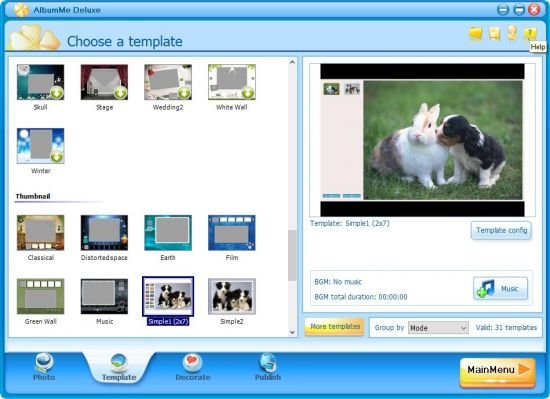
ThunderSoft AlbumMe Deluxe v5.5.0 Multilingual

ThunderSoft AlbumMe Deluxe v5.5.0 Multilingual


d52397867a6a0d5c537c120ccea50ebf.jpg


ThunderSoft AlbumMe Deluxe v5.5.0 Multilingual | 32 MB | Language: Multilanguage​


ThunderSoft AlbumMe is a software that is easy to use to create flash slideshow from your digital photos, complete with ready-to-use animated templates, stunning transition effect, text captions, music etc.You can embed your favorite published slideshow into your blog, Myspace, or other web pages to show off.


What can I do with it?
Animated flash photo album
Slideshow with transition effects
Thumbnail flash photo gallery
Photo slideshow screensaver
Youtube video slideshow
HTML5 video slideshow for your website

Key features:
70+ animated templates with preloader,photo frames, control buttons
Pick from 70+ transition effects to make your flash slideshow look stunning
Add up to 500+ images in one photo album
Allow import video segments
Decorate your slide show with Text effects, Clip art, Funny Sound
Support .wav, .mp3, .wma format audio as a background music
Publish as Flash movie, EXE, screensaver and video files
Share your photo album or slideshow online
Publish HTML5 video slideshow.


System Requirements:
- Windows 2000/2003/XP/Vista/7/8/10
- Product languages: English/German/Italian/French

Homepage:
Код:
http://www.flash-photo-album.com/


DOWNLOAD LINKS:


Код:
https://rapidgator.net/file/5a3928eabaff01d63de318e8e9835340/ThunderSoft_AlbumMe_Deluxe_v5.5.0_Multilingual.rar

Код:
http://nitroflare.com/view/40BAF563C0FAEDF/ThunderSoft_AlbumMe_Deluxe_v5.5.0_Multilingual.rar

Код:
https://uploadgig.com/file/download/7ae16cC879cd503a/ThunderSoft_AlbumMe_Deluxe_v5.5.0_Multilingual.rar
 
MAGIX ACID Pro and Pro Suite v10.0.4.29 (x64) Multilingual

MAGIX ACID Pro and Pro Suite v10.0.4.29 (x64) Multilingual


c4f165ab444baee7ebeec8591dc2c645.jpg


MAGIX ACID Pro and Pro Suite v10.0.4.29 (x64) Multilingual | 1.09 GB | Language: Multilanguage​


Made for producers who can tell the difference It's that magic moment again. You hear a song on the radio and you just can't wait to sample or remix it. True inspiration. With ACID Pro, you will be able to sketch that idea and turn it into a finished track faster than any other DAW.


Its unique workflows, innovative features and professional tools were designed specifically for loop- and sample-based music production. Compose, arrange, record, mix and master. But most importantly: be creative. Experience ACID Pro.

Highlights in ACID Pro 10
• The creative DAW for sample- and loop-based music production
• Incredible, brand-new zynaptiq STEM MAKER 2 NEW! Xfer Serum (exclusively in Suite)
• NEW! ACID Morph Pads
• Celemony Melodyne essential (worth $99)
• NEW! Sidechaining (coming soon)
• NEW! Transient detection in the MIDI Playable Chopper Remix Tool
• NEW! Instruments, effects and ACIDized loops worth over $1,000

- Audio Plugin Support scanning issues - fixed
- Stability improvements
Operating systems: Windows 8, 10 64-bit version.


Homepage:
Код:
http://www.magix.com/


DOWNLOAD LINKS:


Код:
https://rapidgator.net/file/73a5dab418f8e9e5211067bae4efcf5a/MAGIX_ACID_Pro__Pro_Suite_v10.0.4.29_x64_Multilingual.part1.rar
https://rapidgator.net/file/0eece0de017cd19d1dfb65fb9ac11a9b/MAGIX_ACID_Pro__Pro_Suite_v10.0.4.29_x64_Multilingual.part2.rar

Код:
http://nitroflare.com/view/4F9EEEADC8170DD/MAGIX_ACID_Pro__Pro_Suite_v10.0.4.29_x64_Multilingual.part1.rar
http://nitroflare.com/view/0C54C5978789F42/MAGIX_ACID_Pro__Pro_Suite_v10.0.4.29_x64_Multilingual.part2.rar

Код:
https://uploadgig.com/file/download/b476c9b747Cd3d03/MAGIX_ACID_Pro__Pro_Suite_v10.0.4.29_x64_Multilingual.part1.rar
https://uploadgig.com/file/download/c6a5D5707a6c3100/MAGIX_ACID_Pro__Pro_Suite_v10.0.4.29_x64_Multilingual.part2.rar
 
Windows Server 2019 20H2 v10.0.19042.508 (x64) October 2020

Windows Server 2019 20H2 v10.0.19042.508 (x64) October 2020


00f2365d837dd7f8f8f8a588e087dbd6.jpg


Windows Server 2019 20H2 v10.0.19042.508 (x64) October 2020 | 3.34 GB | Language: English​


Windows Server SAC - channel Semi-Annual Channel is ideal for customers to quickly introduce innovations. He helps them to start using the new operating system before. This applies to both applications, especially based on the containers and mikrosluzhbah and software of the hybrid data center. Within the channel Semi-Annual Channel for Windows Server products will be available to new issues twice a year - spring and fall. For each issue in this channel will be provided support for 18 months from the initial date of issue.


The composition of the editorial:
Windows Server Standard
Windows Server Datacenter


Software Version: 20H2 (build 19042.508)
Language: English
Treatment: required, but there is no.


System requirements:
64-bit processor clocked at 1.4 GHz
RAM: 2 GB
Free disk space for the system partition: 32 GB
Gigabit Ethernet adapter (10/100/1000 Base-T)
DVD-ROM drive (if the operating system will be installed with a DVD-ROM)
Internet access.

Код:
https://www.microsoft.com/en-us/evalcenter/evaluate-windows-server-2019


DOWNLOAD LINKS:


Код:
https://dropapk.to/bvmkfu1kvqwo/Windows_Server_2019_20H2_v10.0.19042.508_x64_October_2020.part1.rar
https://dropapk.to/ab3yaq36x9j2/Windows_Server_2019_20H2_v10.0.19042.508_x64_October_2020.part2.rar
https://dropapk.to/cs8lcqboa7ia/Windows_Server_2019_20H2_v10.0.19042.508_x64_October_2020.part3.rar
https://dropapk.to/yu7pjzj6sgm4/Windows_Server_2019_20H2_v10.0.19042.508_x64_October_2020.part4.rar

Код:
https://rapidgator.net/file/340ff98084507a5320c6aa4e5051b879/Windows_Server_2019_20H2_v10.0.19042.508_x64_October_2020.part1.rar
https://rapidgator.net/file/260b1d2c0316f9f3d49fda3ea7cc1b3b/Windows_Server_2019_20H2_v10.0.19042.508_x64_October_2020.part2.rar
https://rapidgator.net/file/d82f5ac0f9fc16379d66d7df093b9a04/Windows_Server_2019_20H2_v10.0.19042.508_x64_October_2020.part3.rar
https://rapidgator.net/file/6cdf39248c2797ab6165463a80ee6e5d/Windows_Server_2019_20H2_v10.0.19042.508_x64_October_2020.part4.rar

Код:
http://nitroflare.com/view/A60C01DDBA0C05C/Windows_Server_2019_20H2_v10.0.19042.508_x64_October_2020.part1.rar
http://nitroflare.com/view/74ED5C056077B80/Windows_Server_2019_20H2_v10.0.19042.508_x64_October_2020.part2.rar
http://nitroflare.com/view/051FB010E3868A7/Windows_Server_2019_20H2_v10.0.19042.508_x64_October_2020.part3.rar
http://nitroflare.com/view/40855AECB449066/Windows_Server_2019_20H2_v10.0.19042.508_x64_October_2020.part4.rar

Код:
https://uploadgig.com/file/download/0325eb8a819e8716/Windows_Server_2019_20H2_v10.0.19042.508_x64_October_2020.part1.rar
https://uploadgig.com/file/download/2510E9a7C487364d/Windows_Server_2019_20H2_v10.0.19042.508_x64_October_2020.part2.rar
https://uploadgig.com/file/download/fE50e7fD95feE149/Windows_Server_2019_20H2_v10.0.19042.508_x64_October_2020.part3.rar
https://uploadgig.com/file/download/47ac9c5337878Db5/Windows_Server_2019_20H2_v10.0.19042.508_x64_October_2020.part4.rar
 
Microsoft Visual Studio 2019 Build Tools 16.7.7 x86 Final

Microsoft Visual Studio 2019 Build Tools 16.7.7 x86 Final


0a063e483ee2514eb68d63fd2beefb71.jpg


Microsoft Visual Studio 2019 Build Tools 16.7.7 x86 Final | 31.4 GB | Language: English + Russian​


This is the installer of the build tools from Microsoft (i.e., this is all that is tedious to build projects but without a development environment, without an IDE). If you need with a development environment, then install this.


More specifically, unlike the full studio, this installer does not include the VS IDE Core component and, accordingly, you cannot install the visual development environment through BuildTools. Through this, an attempt is made to reduce the weight of the installer and reduce the size and impact on Windows. BuildTools does not provide any additional features (that is, it is like a "toolchain from small soft" ... it seems to me it would be worth calling this modification so that everything was clear at once ... but apparently the desire to be unique and inimitable prevents them from using calmly already available terms ).

Installation:
• Disconnect from the Internet ... so that the installer does not download the lists of installed components for the most recent version ... the one that may not yet be available in the distribution. If this happens, then the installer may no longer have enough of what is in the distribution and download errors may appear
• If the installer does not have access to the Internet, then install certificates for self-diagnostics of the installer by executing Certificates_Setup.cmd
ON BEHALF OF THE ADMINISTRATOR • Then run Setup_BuildTools . cmd, where X specifies the version number you want to install (i.e. 16.7.X)


Other restrictions
Administrator rights are required to install Visual Studio.
.NET Framework 4.5 is required to install Visual Studio. Visual Studio requires .NET Framework 4.7.2, which will be installed during setup.
Windows 10 Enterprise LTSC edition and Windows 10 S are not supported for development. You may use Visual Studio 2019 to build apps that run on Windows 10 LTSC and Windows 10 S.
Internet Explorer 11 or Edge is required for internet-related scenarios. Some features might not work unless these, or a later version, are installed.
For Hyper-V emulator support, A supported 64-bit operating system is required. A processor that supports Client Hyper-V and Second Level Address Translation (SLAT) is also required.
For Android Emulator support, a supported processor and operating system is required.
Universal Windows app development, including designing, editing, and debugging, requires Windows 10. Windows Server 2016 and Windows Server 2012 R2 may be used to build Universal Windows apps from the command line.
The Server Core and Minimal Server Interface options are not supported when running Windows Server.
Running Visual Studio 2019 Enterprise in Windows containers is not supported.
Team Foundation Server 2019 Office Integration requires Office 2016, Office 2013, or Office 2010.
Xamarin.Android requires a 64-bit edition of Windows and the 64-bit Java Development Kit (JDK).
PowerShell 3.0 or higher is required on Windows 7 SP1 to install the Mobile Development with C++, javascript, or .NET workloads.


Learn more about the problem with updating studio
If you encounter a problem with the update, to begin with, you can try to simply restart the update process (i.e., pause the update, restart the installer and resume the update). If it doesn't help, then try the following.
If you remember the name of the folder from where you installed the studio, then make sure that the installer from this distribution starts from the folder with the same name (rename / move the folder or, it's easier, make a symlink ... if you can of course). If you don't remember where you installed it, then before updating, you better save your component configuration to a file, so that if the update breaks off, you could move the studio from this distribution with less effort using the saved component configuration (when reinstalling, you do not have to select your components manually).
In order for the installer to first ensure the availability of everything you need, and then start the update procedure, you need to refuse the automatic update offer, and update through the additional menu item "Download and update". Otherwise, you may get stuck in a situation where some of the old components have already been removed, but new ones have not
been installed instead.If you have access to the Internet, then this problem is not particularly critical for you (just some of the components that the installer will see on the disk will be downloaded from Internet).


Year / Date of Release : 2020
Version : 16.7.0-16.7.7
Developer : Microsoft ( docks )
Bit depth : 32bit (some components are in 64bit version, but this does not interfere with working on 32-bit Windows)
Language : English + Russian
Tabletka : not required


System requirements :
Operating system :

Windows 10 version 1703 or higher: Home, Professional, Education, and Enterprise (LTSC and S are not supported ... but people work)
Windows Server 2008 R2 SP1
Windows Server 2012 R2 (with Update 2919355) : Essentials, Standard, Datacenter
Windows Server 2016: Standard, Datacenter, Core
Windows Server 2019
Windows 8.1 (with Update 2919355): Core, Professional, and Enterprise
Windows 7 SP1 (with latest Windows Updates): Home Premium, Professional, Enterprise, Ultimate.

Hardware :
Hard disk space: from 1 GB to 22 GB, depending on the installed components.
1.8 GHz or faster processor. Quad-core or better recommended
2 GB of RAM; 8 GB of RAM recommended (2.5 GB minimum if running on a virtual machine)
Hard disk speed: to improve performance, install Windows and Visual Studio on a solid state drive (SSD).
Video card that supports a minimum display resolution of 720p (1280 by 720); Visual Studio will work best at a resolution of WXGA (1366 by 768) or higher.

Код:
https://docs.microsoft.com/en-us/visualstudio/ide/whats-new-visual-studio-2019?view=vs-2019

Код:
https://visualstudio.microsoft.com/vs/features/develop/


DOWNLOAD LINKS:


Код:
https://dropapk.to/mdrcqlmp8erl/Microsoft_Visual_Studio_2019_Build_Tools_16.7.7_x86_Final.part01.rar
https://dropapk.to/dugfqjokj8j6/Microsoft_Visual_Studio_2019_Build_Tools_16.7.7_x86_Final.part02.rar
https://dropapk.to/cmazq80x9crq/Microsoft_Visual_Studio_2019_Build_Tools_16.7.7_x86_Final.part03.rar
https://dropapk.to/c6dh9mzbzl7w/Microsoft_Visual_Studio_2019_Build_Tools_16.7.7_x86_Final.part04.rar
https://dropapk.to/ahp27mbrrvay/Microsoft_Visual_Studio_2019_Build_Tools_16.7.7_x86_Final.part05.rar
https://dropapk.to/m3wm4aht4kdn/Microsoft_Visual_Studio_2019_Build_Tools_16.7.7_x86_Final.part06.rar
https://dropapk.to/ck3siqp6krjr/Microsoft_Visual_Studio_2019_Build_Tools_16.7.7_x86_Final.part07.rar
https://dropapk.to/praorwbu4pn3/Microsoft_Visual_Studio_2019_Build_Tools_16.7.7_x86_Final.part08.rar
https://dropapk.to/25fe7kienhk8/Microsoft_Visual_Studio_2019_Build_Tools_16.7.7_x86_Final.part09.rar
https://dropapk.to/vf8b3c36h5n7/Microsoft_Visual_Studio_2019_Build_Tools_16.7.7_x86_Final.part10.rar
https://dropapk.to/xxo8apt7aewn/Microsoft_Visual_Studio_2019_Build_Tools_16.7.7_x86_Final.part11.rar
https://dropapk.to/nh5socszjt3n/Microsoft_Visual_Studio_2019_Build_Tools_16.7.7_x86_Final.part12.rar
https://dropapk.to/5xyc7rfdw44s/Microsoft_Visual_Studio_2019_Build_Tools_16.7.7_x86_Final.part13.rar
https://dropapk.to/8isehjo8y0gt/Microsoft_Visual_Studio_2019_Build_Tools_16.7.7_x86_Final.part14.rar
https://dropapk.to/id0tlwu69s56/Microsoft_Visual_Studio_2019_Build_Tools_16.7.7_x86_Final.part15.rar
https://dropapk.to/cybvgt0bq3ce/Microsoft_Visual_Studio_2019_Build_Tools_16.7.7_x86_Final.part16.rar
https://dropapk.to/fjwgcfqp61xp/Microsoft_Visual_Studio_2019_Build_Tools_16.7.7_x86_Final.part17.rar
https://dropapk.to/5pmy4y9myj0g/Microsoft_Visual_Studio_2019_Build_Tools_16.7.7_x86_Final.part18.rar
https://dropapk.to/nnlj9sb8ruu3/Microsoft_Visual_Studio_2019_Build_Tools_16.7.7_x86_Final.part19.rar
https://dropapk.to/5o6503vi72jp/Microsoft_Visual_Studio_2019_Build_Tools_16.7.7_x86_Final.part20.rar
https://dropapk.to/zjd8upo3reb3/Microsoft_Visual_Studio_2019_Build_Tools_16.7.7_x86_Final.part21.rar
https://dropapk.to/08zggsfqz5tv/Microsoft_Visual_Studio_2019_Build_Tools_16.7.7_x86_Final.part22.rar
https://dropapk.to/tcnbvw5jo3dp/Microsoft_Visual_Studio_2019_Build_Tools_16.7.7_x86_Final.part23.rar
https://dropapk.to/sl04m0kbavev/Microsoft_Visual_Studio_2019_Build_Tools_16.7.7_x86_Final.part24.rar
https://dropapk.to/catcnb7eub10/Microsoft_Visual_Studio_2019_Build_Tools_16.7.7_x86_Final.part25.rar
https://dropapk.to/d1ve1teg1i5v/Microsoft_Visual_Studio_2019_Build_Tools_16.7.7_x86_Final.part26.rar
https://dropapk.to/gbqhjcdxq1l6/Microsoft_Visual_Studio_2019_Build_Tools_16.7.7_x86_Final.part27.rar
https://dropapk.to/omkmhkrqvaq7/Microsoft_Visual_Studio_2019_Build_Tools_16.7.7_x86_Final.part28.rar
https://dropapk.to/ovvtgdabkbe8/Microsoft_Visual_Studio_2019_Build_Tools_16.7.7_x86_Final.part29.rar
https://dropapk.to/nnva1p5qra63/Microsoft_Visual_Studio_2019_Build_Tools_16.7.7_x86_Final.part30.rar
https://dropapk.to/g5h2jlxild0f/Microsoft_Visual_Studio_2019_Build_Tools_16.7.7_x86_Final.part31.rar
https://dropapk.to/rc3knxypyegu/Microsoft_Visual_Studio_2019_Build_Tools_16.7.7_x86_Final.part32.rar

Код:
https://rapidgator.net/file/c9d3987ea6f90fef545d9a4234dbbc15/Microsoft_Visual_Studio_2019_Build_Tools_16.7.7_x86_Final.part01.rar
https://rapidgator.net/file/640ef209e5c79b505f13ad45c59aa073/Microsoft_Visual_Studio_2019_Build_Tools_16.7.7_x86_Final.part02.rar
https://rapidgator.net/file/b1ba56ea2a32a28ea57911c1e01858d2/Microsoft_Visual_Studio_2019_Build_Tools_16.7.7_x86_Final.part03.rar
https://rapidgator.net/file/1aecd0d695de1a334c46029113130f28/Microsoft_Visual_Studio_2019_Build_Tools_16.7.7_x86_Final.part04.rar
https://rapidgator.net/file/1a507562a6c0e2d3caaa1da97bfce959/Microsoft_Visual_Studio_2019_Build_Tools_16.7.7_x86_Final.part05.rar
https://rapidgator.net/file/c417a0adc1e584def0fe3b2075c75fc2/Microsoft_Visual_Studio_2019_Build_Tools_16.7.7_x86_Final.part06.rar
https://rapidgator.net/file/53cafacc38b6d9b48a2090115bd4a212/Microsoft_Visual_Studio_2019_Build_Tools_16.7.7_x86_Final.part07.rar
https://rapidgator.net/file/0f54f536a890f10563e25fcbb3e00c92/Microsoft_Visual_Studio_2019_Build_Tools_16.7.7_x86_Final.part08.rar
https://rapidgator.net/file/8e5ef8c611fd12679bb628a741bdaa59/Microsoft_Visual_Studio_2019_Build_Tools_16.7.7_x86_Final.part09.rar
https://rapidgator.net/file/20da39cd5ec350def84aaa27ac94d076/Microsoft_Visual_Studio_2019_Build_Tools_16.7.7_x86_Final.part10.rar
https://rapidgator.net/file/8508226a137f8d6c2fee142e0ff95011/Microsoft_Visual_Studio_2019_Build_Tools_16.7.7_x86_Final.part11.rar
https://rapidgator.net/file/1a256d0972fc7ed51b991b6f79b2aa81/Microsoft_Visual_Studio_2019_Build_Tools_16.7.7_x86_Final.part12.rar
https://rapidgator.net/file/f79624220c2879dce7c83b63a37152bd/Microsoft_Visual_Studio_2019_Build_Tools_16.7.7_x86_Final.part13.rar
https://rapidgator.net/file/ad94eac2c9bf26100241d4d440e1d111/Microsoft_Visual_Studio_2019_Build_Tools_16.7.7_x86_Final.part14.rar
https://rapidgator.net/file/3c3e99774ac76797ead4987000485a94/Microsoft_Visual_Studio_2019_Build_Tools_16.7.7_x86_Final.part15.rar
https://rapidgator.net/file/6a5a776ea148580a3413220b9e31a28f/Microsoft_Visual_Studio_2019_Build_Tools_16.7.7_x86_Final.part16.rar
https://rapidgator.net/file/ff6ec227c2ccb93ea47e866d326b9ece/Microsoft_Visual_Studio_2019_Build_Tools_16.7.7_x86_Final.part17.rar
https://rapidgator.net/file/9a91df86f976bcf7be1ef1fbc24c466d/Microsoft_Visual_Studio_2019_Build_Tools_16.7.7_x86_Final.part18.rar
https://rapidgator.net/file/f668e2c52de4f31f4b252b96c95f11e1/Microsoft_Visual_Studio_2019_Build_Tools_16.7.7_x86_Final.part19.rar
https://rapidgator.net/file/5d120d4b5f6a5aa598dd1d14fbadc72c/Microsoft_Visual_Studio_2019_Build_Tools_16.7.7_x86_Final.part20.rar
https://rapidgator.net/file/0c4f06a24ec9d3e632c4c9eab11d4715/Microsoft_Visual_Studio_2019_Build_Tools_16.7.7_x86_Final.part21.rar
https://rapidgator.net/file/fbe0b40a1375cbef488def3604200422/Microsoft_Visual_Studio_2019_Build_Tools_16.7.7_x86_Final.part22.rar
https://rapidgator.net/file/c97f8da849758d1ef8680d3eb33f3a44/Microsoft_Visual_Studio_2019_Build_Tools_16.7.7_x86_Final.part23.rar
https://rapidgator.net/file/d854be417e502d3ebcbaa566d4e0d6ca/Microsoft_Visual_Studio_2019_Build_Tools_16.7.7_x86_Final.part24.rar
https://rapidgator.net/file/9d69e35e14308eee1ac07d697f4a7112/Microsoft_Visual_Studio_2019_Build_Tools_16.7.7_x86_Final.part25.rar
https://rapidgator.net/file/53d3a37a4d2f7785094aa2e346efb575/Microsoft_Visual_Studio_2019_Build_Tools_16.7.7_x86_Final.part26.rar
https://rapidgator.net/file/da744c6b1a4f56cccfdea2ae39a61269/Microsoft_Visual_Studio_2019_Build_Tools_16.7.7_x86_Final.part27.rar
https://rapidgator.net/file/3b02fccf748f026b3a3e7cadf9e21bcc/Microsoft_Visual_Studio_2019_Build_Tools_16.7.7_x86_Final.part28.rar
https://rapidgator.net/file/38dd1dec8d4afb0222a798bcd01c1c80/Microsoft_Visual_Studio_2019_Build_Tools_16.7.7_x86_Final.part29.rar
https://rapidgator.net/file/b952d2f725dd5bb51a3b9f808b7d8679/Microsoft_Visual_Studio_2019_Build_Tools_16.7.7_x86_Final.part30.rar
https://rapidgator.net/file/506d45fd636ead2356412678d7fe9709/Microsoft_Visual_Studio_2019_Build_Tools_16.7.7_x86_Final.part31.rar
https://rapidgator.net/file/aaa7d6a8cd912cb637752dc43257f1e1/Microsoft_Visual_Studio_2019_Build_Tools_16.7.7_x86_Final.part32.rar

Код:
http://nitroflare.com/view/5BA908B17B1D53D/Microsoft_Visual_Studio_2019_Build_Tools_16.7.7_x86_Final.part01.rar
http://nitroflare.com/view/B11CAF10BCD399D/Microsoft_Visual_Studio_2019_Build_Tools_16.7.7_x86_Final.part02.rar
http://nitroflare.com/view/23961B43373677A/Microsoft_Visual_Studio_2019_Build_Tools_16.7.7_x86_Final.part03.rar
http://nitroflare.com/view/85073AA88F25836/Microsoft_Visual_Studio_2019_Build_Tools_16.7.7_x86_Final.part04.rar
http://nitroflare.com/view/ADF1574D765ED53/Microsoft_Visual_Studio_2019_Build_Tools_16.7.7_x86_Final.part05.rar
http://nitroflare.com/view/6F8D0F587E64A79/Microsoft_Visual_Studio_2019_Build_Tools_16.7.7_x86_Final.part06.rar
http://nitroflare.com/view/C428993C1852BB6/Microsoft_Visual_Studio_2019_Build_Tools_16.7.7_x86_Final.part07.rar
http://nitroflare.com/view/7AF28FE54E2DC14/Microsoft_Visual_Studio_2019_Build_Tools_16.7.7_x86_Final.part08.rar
http://nitroflare.com/view/3209319B466D5AF/Microsoft_Visual_Studio_2019_Build_Tools_16.7.7_x86_Final.part09.rar
http://nitroflare.com/view/C49D32995BE6BAB/Microsoft_Visual_Studio_2019_Build_Tools_16.7.7_x86_Final.part10.rar
http://nitroflare.com/view/DE2E394A22C3D17/Microsoft_Visual_Studio_2019_Build_Tools_16.7.7_x86_Final.part11.rar
http://nitroflare.com/view/0A223BF5ED2EA39/Microsoft_Visual_Studio_2019_Build_Tools_16.7.7_x86_Final.part12.rar
http://nitroflare.com/view/C36861D945B6AE0/Microsoft_Visual_Studio_2019_Build_Tools_16.7.7_x86_Final.part13.rar
http://nitroflare.com/view/313180360D104D1/Microsoft_Visual_Studio_2019_Build_Tools_16.7.7_x86_Final.part14.rar
http://nitroflare.com/view/5D97B8CCD235459/Microsoft_Visual_Studio_2019_Build_Tools_16.7.7_x86_Final.part15.rar
http://nitroflare.com/view/7DB0FD11F3C3466/Microsoft_Visual_Studio_2019_Build_Tools_16.7.7_x86_Final.part16.rar
http://nitroflare.com/view/A462A4F97039FAD/Microsoft_Visual_Studio_2019_Build_Tools_16.7.7_x86_Final.part17.rar
http://nitroflare.com/view/35AA37E70A165E4/Microsoft_Visual_Studio_2019_Build_Tools_16.7.7_x86_Final.part18.rar
http://nitroflare.com/view/16538ECC74C833A/Microsoft_Visual_Studio_2019_Build_Tools_16.7.7_x86_Final.part19.rar
http://nitroflare.com/view/0E8719FE5480F53/Microsoft_Visual_Studio_2019_Build_Tools_16.7.7_x86_Final.part20.rar
http://nitroflare.com/view/7791F3FC4AC0751/Microsoft_Visual_Studio_2019_Build_Tools_16.7.7_x86_Final.part21.rar
http://nitroflare.com/view/1B97976E3DE8110/Microsoft_Visual_Studio_2019_Build_Tools_16.7.7_x86_Final.part22.rar
http://nitroflare.com/view/1DFBAC65A162130/Microsoft_Visual_Studio_2019_Build_Tools_16.7.7_x86_Final.part23.rar
http://nitroflare.com/view/A57C7CA27D6FBE1/Microsoft_Visual_Studio_2019_Build_Tools_16.7.7_x86_Final.part24.rar
http://nitroflare.com/view/806AE3D1BE72B4A/Microsoft_Visual_Studio_2019_Build_Tools_16.7.7_x86_Final.part25.rar
http://nitroflare.com/view/2EA7081DD003AFF/Microsoft_Visual_Studio_2019_Build_Tools_16.7.7_x86_Final.part26.rar
http://nitroflare.com/view/BC5A288BE3B0B21/Microsoft_Visual_Studio_2019_Build_Tools_16.7.7_x86_Final.part27.rar
http://nitroflare.com/view/5E25CF0BDA7E465/Microsoft_Visual_Studio_2019_Build_Tools_16.7.7_x86_Final.part28.rar
http://nitroflare.com/view/C5E767FAFB794F9/Microsoft_Visual_Studio_2019_Build_Tools_16.7.7_x86_Final.part29.rar
http://nitroflare.com/view/A90173EB8EBC3D2/Microsoft_Visual_Studio_2019_Build_Tools_16.7.7_x86_Final.part30.rar
http://nitroflare.com/view/BB15EB23E224A5C/Microsoft_Visual_Studio_2019_Build_Tools_16.7.7_x86_Final.part31.rar
http://nitroflare.com/view/E60EB59DDB5A9B1/Microsoft_Visual_Studio_2019_Build_Tools_16.7.7_x86_Final.part32.rar

Код:
https://uploadgig.com/file/download/e4adb7e25a6c4465/Microsoft_Visual_Studio_2019_Build_Tools_16.7.7_x86_Final.part01.rar
https://uploadgig.com/file/download/c1F38960bdc7Fb64/Microsoft_Visual_Studio_2019_Build_Tools_16.7.7_x86_Final.part02.rar
https://uploadgig.com/file/download/394fa9931a027544/Microsoft_Visual_Studio_2019_Build_Tools_16.7.7_x86_Final.part03.rar
https://uploadgig.com/file/download/673cBBf109d88432/Microsoft_Visual_Studio_2019_Build_Tools_16.7.7_x86_Final.part04.rar
https://uploadgig.com/file/download/fceB589513D07Ec4/Microsoft_Visual_Studio_2019_Build_Tools_16.7.7_x86_Final.part05.rar
https://uploadgig.com/file/download/2899c1E0ff47963b/Microsoft_Visual_Studio_2019_Build_Tools_16.7.7_x86_Final.part06.rar
https://uploadgig.com/file/download/435AbFaeD4e9cD73/Microsoft_Visual_Studio_2019_Build_Tools_16.7.7_x86_Final.part07.rar
https://uploadgig.com/file/download/5a4c806914402db0/Microsoft_Visual_Studio_2019_Build_Tools_16.7.7_x86_Final.part08.rar
https://uploadgig.com/file/download/0f849Ad983806D52/Microsoft_Visual_Studio_2019_Build_Tools_16.7.7_x86_Final.part09.rar
https://uploadgig.com/file/download/9DbaD8f72033341d/Microsoft_Visual_Studio_2019_Build_Tools_16.7.7_x86_Final.part10.rar
https://uploadgig.com/file/download/473218dE89d7C8a5/Microsoft_Visual_Studio_2019_Build_Tools_16.7.7_x86_Final.part11.rar
https://uploadgig.com/file/download/5335Db6a54b84414/Microsoft_Visual_Studio_2019_Build_Tools_16.7.7_x86_Final.part12.rar
https://uploadgig.com/file/download/3fAb7019ee2f03f6/Microsoft_Visual_Studio_2019_Build_Tools_16.7.7_x86_Final.part13.rar
https://uploadgig.com/file/download/3b2164e83563437d/Microsoft_Visual_Studio_2019_Build_Tools_16.7.7_x86_Final.part14.rar
https://uploadgig.com/file/download/124cf50e3c1056de/Microsoft_Visual_Studio_2019_Build_Tools_16.7.7_x86_Final.part15.rar
https://uploadgig.com/file/download/2e0074f495733697/Microsoft_Visual_Studio_2019_Build_Tools_16.7.7_x86_Final.part16.rar
https://uploadgig.com/file/download/d7164ad5c56f33fA/Microsoft_Visual_Studio_2019_Build_Tools_16.7.7_x86_Final.part17.rar
https://uploadgig.com/file/download/A3c0e0aB652bff50/Microsoft_Visual_Studio_2019_Build_Tools_16.7.7_x86_Final.part18.rar
https://uploadgig.com/file/download/e84dc811bdcFe41F/Microsoft_Visual_Studio_2019_Build_Tools_16.7.7_x86_Final.part19.rar
https://uploadgig.com/file/download/810e94229941f0bb/Microsoft_Visual_Studio_2019_Build_Tools_16.7.7_x86_Final.part20.rar
https://uploadgig.com/file/download/Dc335d9cc193e768/Microsoft_Visual_Studio_2019_Build_Tools_16.7.7_x86_Final.part21.rar
https://uploadgig.com/file/download/e1311ff5e7Af0511/Microsoft_Visual_Studio_2019_Build_Tools_16.7.7_x86_Final.part22.rar
https://uploadgig.com/file/download/a7E385b332747C0d/Microsoft_Visual_Studio_2019_Build_Tools_16.7.7_x86_Final.part23.rar
https://uploadgig.com/file/download/Fcfc259434192ec4/Microsoft_Visual_Studio_2019_Build_Tools_16.7.7_x86_Final.part24.rar
https://uploadgig.com/file/download/eaA7b146c9df24Fb/Microsoft_Visual_Studio_2019_Build_Tools_16.7.7_x86_Final.part25.rar
https://uploadgig.com/file/download/d8161FE65beeb722/Microsoft_Visual_Studio_2019_Build_Tools_16.7.7_x86_Final.part26.rar
https://uploadgig.com/file/download/67687f7e44357300/Microsoft_Visual_Studio_2019_Build_Tools_16.7.7_x86_Final.part27.rar
https://uploadgig.com/file/download/394e72e03b567e4D/Microsoft_Visual_Studio_2019_Build_Tools_16.7.7_x86_Final.part28.rar
https://uploadgig.com/file/download/931874c8a2A4aa41/Microsoft_Visual_Studio_2019_Build_Tools_16.7.7_x86_Final.part29.rar
https://uploadgig.com/file/download/2BdfA1Fe98850ac1/Microsoft_Visual_Studio_2019_Build_Tools_16.7.7_x86_Final.part30.rar
https://uploadgig.com/file/download/ae698Ca7855ecde3/Microsoft_Visual_Studio_2019_Build_Tools_16.7.7_x86_Final.part31.rar
https://uploadgig.com/file/download/c317bA3B8392cddD/Microsoft_Visual_Studio_2019_Build_Tools_16.7.7_x86_Final.part32.rar
 
AVS4YOU Software AIO Installation Package v5.0.3.165

AVS4YOU Software AIO Installation Package v5.0.3.165


5236e8e458e8e7949f741dcfec0e44b6.jpeg


AVS4YOU Software AIO Installation Package v5.0.3.165 | 291 MB | Language: English​


AVS Video Converter, AVS Audio Editor, AVS Video Editor, AVS Audio Converter and other reliable tools for multimedia processing.


AVS4YOU Software AIO Installation Package contains:
- AVS Audio Converter
- AVS Audio Editor
- AVS Audio Recorder
- AVS Cover Editor
- AVS Disc Creator
- AVS Document Converter
- AVS DVD Copy
- AVS Image Converter
- AVS Media Player
- AVS Photo Editor
- AVS Registry Cleaner
- AVS Ringtone Maker
- AVS Screen Capture
- AVS Video Recorder
- AVS Video Converter
- AVS Video Editor
- AVS Video ReMaker

Operating System: Windows 10, 8.1, 8, 7, XP, 2003, Vista.

Home Page -
Код:
http://www.avs4you.com/


DOWNLOAD LINKS:


Код:
https://rapidgator.net/file/0919e7a7fa27012928ee7609e42a5100/AVS4YOU_Software_AIO_Installation_Package_v5.0.3.165.rar

Код:
http://nitroflare.com/view/F14FCEF024E4EA7/AVS4YOU_Software_AIO_Installation_Package_v5.0.3.165.rar

Код:
https://uploadgig.com/file/download/71d1d0dF7f2e8bD2/AVS4YOU_Software_AIO_Installation_Package_v5.0.3.165.rar
 
Isotropix Clarisse iFX v4.0 SP12 (x64)

Isotropix Clarisse iFX v4.0 SP12 (x64)


8d99d360b5c0c648efa4c31d66ea2d66.jpeg


Isotropix Clarisse iFX v4.0 SP12 (x64) | 383 MB | Language: English​


Clarisse iFX is a new breed of high-end 2D/3D animation software which is the fusion of an animation package, a compositing software and a 3d rendering engine. It has been designed to streamline the workflow of CG artists to let them work and constantly interact on their final image with full effects on.


A workflow from a better perspective.
Clarisse provides tons of high-end features all designed to be consistent and intuitive. Its workflow scales nicely with massive complexity while keeping things easy to manage. By simplifying the way CG artists work, Clarisse revolutionizes the daily work of Digimatte and Environment artists, Look development and lighting artists working in VFX and Animation studios.


Minimum system requirements:
CPU: Intel or AMD based x86-64 CPU supporting SSE2
RAM: 2 GB
Hard-Drive: 500 MB disk space available
64-bit Operating System: Windows 7
Graphics Card: OpenGL 4.0 compliant graphics card
Network Card: Wifi and/or Ethernet
Display: 1280 x 1024 pixel resolution in 24 bit color
Mouse: Three-button mouse.

Home Page -
Код:
http://www.isotropix.com/


DOWNLOAD LINKS:


Код:
https://rapidgator.net/file/6e89964d3c20b7635a3c67a0b08bb2e9/Isotropix_Clarisse_iFX_v4.0_SP12_x64.rar

Код:
http://nitroflare.com/view/09471F0BB11CEC2/Isotropix_Clarisse_iFX_v4.0_SP12_x64.rar

Код:
https://uploadgig.com/file/download/978809Bb58eb7396/Isotropix_Clarisse_iFX_v4.0_SP12_x64.rar
 
OneSafe Photo Recovery Professional v10.0.0.3 Multilingual

OneSafe Photo Recovery Professional v10.0.0.3 Multilingual


a06a5b0a3e5896c8dc9577782036b14a.jpeg


OneSafe Photo Recovery Professional v10.0.0.3 Multilingual | 117 MB | Language: Multilanguage​


OneSafe Photo Recovery software can quickly recover all your lost images and media files. It supports a range of digital photo file formats, audio file formats, and video file formats for recovery. The software supports almost all the popular brands of cameras. If the desired file type is not in the list of supported formats, you can add it using Add Header feature of the tool. The lost media files stored on a memory card can be found efficiently by the photo recovery software.


OneSafe Photo Recovery also supports digital card reader or external storage media. When you attach a storage device to the computer, your computer must recognize it for running the recovery software on it. The computer assigns a drive letter to all recognizable card readers or external storage media.

OneSafe Photo Recovery performs a scan to find all the recoverable images and media files. The software provides a preview of the scanned images and media files. The user can save scan information file of the scanned storage media. This saved scan information file can be used later to recover lost images and media files by the help of OneSafe Photo Recovery.


Operating System: Windows 7, 8/8.1, 10

Home Page -
Код:
https://www.onesafedatarecovery.com/


DOWNLOAD LINKS:


Код:
https://rapidgator.net/file/be6e4ce9d86685f7fcaaa9dc453b0c40/OneSafe_Photo_Recovery_Professional_v10.0.0.3_Multilingual.rar

Код:
http://nitroflare.com/view/7358EDE88C17A43/OneSafe_Photo_Recovery_Professional_v10.0.0.3_Multilingual.rar

Код:
https://uploadgig.com/file/download/2613cf94Bb7988eC/OneSafe_Photo_Recovery_Professional_v10.0.0.3_Multilingual.rar
 
Nukeygara Akeytsu v20.2.6 (x64)

Nukeygara Akeytsu v20.2.6 (x64)


d918f9916d12ef6899809d24030e69dc.jpeg


Nukeygara Akeytsu v20.2.6 (x64) | 152 MB | Language: English​


3D animation. Reinvented. Disruptive & Intuitive. Akeytsu disrupts the status-quo with its simplicity, velocity and ergonomics. With its focus on the artist's needs, Akeytsu does away with the dated and complex technical constraints of the traditional 3D animation toolset. Designed by animators, it offers a brand new approach to skinning, rigging and animation. Built from meticulous feedback and testing, the UI design and intuitive and accessible features meet every artist's expectations.


Fast & Easy
Akeytsu simplifies the rigging workflow by doing away with traditional control rigs and manipulators and instead lets the artist handle directly the mesh and skeleton. The Akeytsu 3D animation toolset is designed for both the aspiring artist and the professional animator to produce large volumes of high quality animation quickly and easily. Dedicated solely to rigging and animation, Akeytsu has one of the fastest learning curves of any software in the 3D industry. It provides flexible and intuitive functionalities that are easy to use, without making compromises on the quality of the content that can be produced.

Innovative & Comfortable
Create a pose in a quick time with the Akeytsu Spinner, a smart 2D manipulator. Manage keyframing with the Akeytsu Stacker, the most efficient keyframe editor in its class. Edit the F-Curve in the 3D viewport and manipulate the IK solvers through the FK skeleton. Akeytsu optimizes your creative control and allows you to switch seamlessly between rigging and animation.

Efficient & Stable
Akeytsu has been perfected over an extensive twelve beta version history and is already widely used by indie game developers and animators before it's much anticipated release. During this long, deliberate period of unlimited free beta access, Akeytsu has amassed a ton of user feedback from a variety of sources. This information has been used to develop, not only a very stable software, but one with proven gains of productivity within different game workflows. Production ready, reliable and stable Akeytsu is perfect for any creator of animation.

3D animation made simple
The dedicated animation toolset bringing creativity back into your workflow. Designed by and for animators, akeytsu is the most accessible and effective rigging and animation software solution to breath life into your 3D characters.

Light & Focused
At its core akeytsu relies on solid keyframe foundations to bring artistry back into 3D animation. With professional needs in mind, it revisits the traditional animation workflow to deliver impeccable user experience at every step of the way and offer the most accessible 3D animation suite.

No set-up time needed or plug-ins to look for to achieve what you want. From the refined interface to the natively integrated tools, everything is there at first boot to let you unleash your creativity. Load your 3D model or one of the included rigged characters and get started.

Simple & Intuitive
Thanks to its intuitive UX, the akeytsu toolset will appeal to trained animators as well as aspiring artists easing the pain of professionals while making animation look easy to beginners. With its fast learning curve, akeytsu is quick to get familiar with and implement into one's workflow.

With our Light Rig System, rigging and posing has never been easier. Every joint you create embarks basic transform tools including compensated rotation and toon scale. IK, RF and blendshapes controls are just a few clicks away.

System Requirements:
- Memory: 4 GB
- Graphics Card: AMD Radeon HD 5450
- akeytsu Indie 2020 CPU: Intel Core 2 Duo E8400
- File Size: 1 GB
- OS: Windows Vista x64 or higher

Home Page -
Код:
https://www.nukeygara.com/


DOWNLOAD LINKS:


Код:
https://rapidgator.net/file/6e33266028a5e59cf597d8b4f6072ceb/Nukeygara_Akeytsu_v20.2.6_x64.rar

Код:
http://nitroflare.com/view/4074DD30AE856D3/Nukeygara_Akeytsu_v20.2.6_x64.rar

Код:
https://uploadgig.com/file/download/41cc566c9bF904C8/Nukeygara_Akeytsu_v20.2.6_x64.rar
 
FilmLight Baselight for Avid v5.2.13741

FilmLight Baselight for Avid v5.2.13741


10112277d34ac477c83f8fd39f78cd04.jpeg


FilmLight Baselight for Avid v5.2.13741 | 107 MB | Language: English​


Baselight Editions extends the capabilities of a high-end colour grading system directly onto the Avid timeline in a powerful, flexible, and tightly integrated workflow. This AVX plugin features unlimited layers of colors, grading inside and outside mattes, variable feathering, point tracking and area tracking - all live and fluidly interactive on the Avid timeline, minimising and even eliminating the need to go back into the colour suite with last-minute changes.


If you're not already familiar with Baselight, you'll find the intuitive and friendly interface quick to learn and a pleasure to work with. Take a look at the Baselight Editions Overview for a description of the features common to all products in the Baselight Editions range.

Renderless Workflows for Ultimate Efficiency & Flexibility
Everything you do within Baselight for Avid - or a full Baselight system - is saved within the project and can be embedded in an AAF file and/or saved to the FilmLight BLG file format. The grade can be exported from a full Baselight suite and imported into Avid so you can apply a full, complex grade in a matter of seconds - without rendering. It includes all grading layers, tracking information and even keyframes so no manual adjustment is needed.

And the workflow is fully bidirectional - if the grade is changed in Avid it can be exchanged with a Baselight system or even another Avid suite just as easily, with all edits intact and without needing to conform.

Baselight for Avid allows you to view - or to render - grades passed between departments via BLG data encoded in AAF files - without purchase. It's perfect for collaboration with colleagues or facilities that don't have Baselight, or that don't need complete creative control of the look.

The full licence for Baselight for Avid allows you to modify the grade if you need to - with the power of the Baselight core toolset and without leaving Avid.

Baselight Grade File (BLG) support
The BLG file is a small and portable data file that enables looks to be exchanged in a streamlined workflow with all FilmLight systems including Baselight, Daylight and Prelight. When we use the term 'look', we're not just talking about a LUT or a restricted grade - the look within the BLG is the full creative intent with all the individual grading layers.

Link to Full Baselight Grades with the Baselight Lens
The Baselight Lens can change the way you work - for the better. With less time and increased creative demands, it's easy for the grading process to feel squeezed. But the Baselight Lens gives you back that time without compromising results.

The Lens sits in an Avid effect layer above the sequence; just point it at a directory of BLG files and Baselight for Avid will apply the right grade to each clip automatically. Not only that, but you can adjust the look in Avid and save it back to the grade directory so that all edit stations - and the colour suite - are working from the latest version all the time.

The Lens works in real-time - scrub or play through the sequence and Baselight for Avid will follow the cursor to apply the latest grade at every point based solely on metadata.

Home Page -
Код:
https://www.filmlight.ltd.uk/


DOWNLOAD LINKS:


Код:
https://rapidgator.net/file/9cf7ec558b97deede82bc2bb06b6757d/FilmLight_Baselight_for_Avid_v5.2.13741.rar

Код:
http://nitroflare.com/view/87F42165B0FD5CD/FilmLight_Baselight_for_Avid_v5.2.13741.rar

Код:
https://uploadgig.com/file/download/daf96F1c7E65B8B2/FilmLight_Baselight_for_Avid_v5.2.13741.rar
 
EndNote X9.3 Build 13572

EndNote X9.3 Build 13572


77d7fafee98caa35a64a8c3487363fcc.jpeg


EndNote X9.3 Build 13572 | 110 MB | Language: English​


Focus on what matters most: your research. Did you know that researchers waste nearly 200,000 hours per year formatting citations? Imagine if you could have that time back to spend on your research. EndNote 20 accelerates your research process so you can focus on what truly matters - conducting and sharing groundbreaking research.


Accelerate your research.
- Search hundreds of online resources for references and PDFs.
- Access full text research articles with one click.
- Easily read, review, annotate and search PDFs in your library.
- Create rules to automatically organize references as you.
- Keep your data accurate with automatic reference and link updating.
- Quickly deduplicate the content in your library by searching on unique identifiers.
- Insert in-text citations from your library with the Cite While You Write feature in Microsoft® Word.
- Automatically build your bibliography using the library of 7,000+ reference types or your own customized style.
- Ensure your bibliography is accurate with refreshed journal and referencing styles.
- Access your research anytime, anywhere from the cloud. Move seamlessly between online and the desktop and iPad applications.
- Share some or all of your library with collaborators worldwide.
- Provide write or read-only access to your library.
- Use the new Tabs feature for easier multitasking.
- Track your teammates' changes and view their activity in your shared library.
- Match your paper with relevant, reputable journals using Manuscript Matcher.
- Conduct large-scale literature reviews with ease and speed using the powerful analysis tools.

Write Faster
Insert in-text citations while simultaneously creating a bibliography with the Cite While You Write feature in Microsoft® Word.

Research Better
Use tools that find PDFs for you throughout your search process. Then, easily read, review, annotate and search PDFs in your library.

Stay Organized
Create rules to automatically organize references as you work. And, use the new Tabs feature for easier multitasking.

Collaborate Easier
Easily collaborate across geographic boundaries. Share some or all of your library and set permissions for access.

Get Published
Match your paper with relevant, reputable journals using Manuscript Matcher.

Work From Anywhere
Access your research anytime, anywhere from the cloud. Move seamlessly between online and the desktop and iPad applications.

Windows Compatibility and System Requirements:
What you need:

- Windows 7 (SP1), Windows 8, Windows 8.1 or Windows 10
- 1 gigahertz (GHz) or faster x86-bit or x64-bit processor
- 600 MB hard disk space available
- Minimum 2 GB of available RAM

Word processor software:
- Microsoft Word [CWYW] for Windows: 2010, 2013, 2016, 2019, Office 365 (locally installed desktop version only)
- Apache OpenOffice [CWYW] for Windows: 3.x, 4.x
- LibreOffice [CWYW] for Windows: 4.x, 5.x, 6.x (32-bit)
- Partner CWYW Integration: Wolfram Mathematica 8
* An Internet connection is required to search online databases, find full text and automatically update references.

Homepage -
Код:
https://endnote.com


DOWNLOAD LINKS:


Код:
https://rapidgator.net/file/c1273a219e0a4636bfec40c29c35969b/EndNote_X9.3_Build_13572.rar

Код:
http://nitroflare.com/view/0DE8C3435E378AA/EndNote_X9.3_Build_13572.rar

Код:
https://uploadgig.com/file/download/4e4192aaaB1C47c8/EndNote_X9.3_Build_13572.rar
 
AVS Video ReMaker v6.4.3.247

AVS Video ReMaker v6.4.3.247


93cbb0dbce040a330dd3d2246ca1c093.jpeg


AVS Video ReMaker v6.4.3.247 | 62 MB | Language: English​


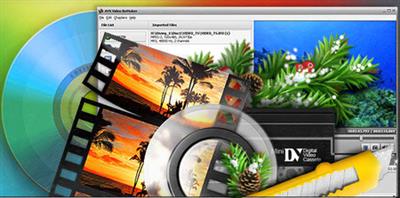
Edit video files without reconversion. Cut unwanted scenes from videos recorded with various PVR, DVR & DVD camcorders. Insert DVD and Blu-ray menus.


Features:
* Edit Video Files without Reconversion
Cut, delete unwanted parts, change scene sequence in MPEG, AVI, DVD, Blu-ray, WMV, etc. without reconversion.
* Edit Various Supported Formats
Work with MPEG, DVD, AVI, WMV, Blu-ray, etc. See a full list of supported video formats here
* Edit HD-Videos
Edit AVCHD, MOD, MTS/M2TS, TOD, etc. video files recorded with camcorders and video cameras.
* Microsoft Windows 7 Support
AVS Video ReMaker is compatible with the latest version of Microsoft Windows.
* Preserve Original Quality
Remove unnecessary video parts in MPEG, AVI, DVD, HD, etc. and simply save your video anew.
* Create DVD and Blu-ray Menus
Split video into chapters, select between a number of menu templates. Burn video files on to DVD or Blu-ray discs.
* Capture Video
Transfer video from camcorders and video cameras to hard drive, edit files and create home video DVDs. Capture video from Web cameras and DV cameras.
All key formats are supported:
* HD Video formats
Blu-ray video, AVCHD, MPEG-2 HD (.m2ts, .m2t, .mts, .tod, index.bdm, index.bdmv, .mkv)
* AVI - Audio Video Interleave (including HD video)
DivX, Xvid, H.264, DV, Cinepak, Indeo, MJPEG, Uncompressed, MS MPEG-4 and other(.avi, .divx, .xvid, .ivf, .div, etc )
* WMV - Windows Media Formats (including HD video) (.wmv, .asf, .asx, .dvr-ms)
* MPEG - Motion Picture Experts Group (including HD video
MPEG-1, MPEG-2, VCD, SVCD, DVD (PAL and NTSC), VOB, VRO, MPEG-4 (.mpg, .mpeg, .mp2, .m1v, .mpe, .m2v, .dat, .ifo, .vob, .vro, .mg4, .mod, .mvv)
* Mobile video formats (.3gp2, .3gpp, .3gp, .3g2, .mp4)
* Quick Time movie (including HD video) (.mov, .qt, .m4v, .mp4)
* Flash Video (.flv, .f4v, .f4p)

Operating System: Windows 10, 8.1, 8, 7, XP, 2003, Vista.

Home Page -
Код:
http://www.avs4you.com/


DOWNLOAD LINKS:


Код:
https://rapidgator.net/file/aac07f8fe54789052afd9574a8b28fd1/AVS_Video_ReMaker_v6.4.3.247.rar

Код:
http://nitroflare.com/view/515B707207BC256/AVS_Video_ReMaker_v6.4.3.247.rar

Код:
https://uploadgig.com/file/download/fa647B59aD58ce30/AVS_Video_ReMaker_v6.4.3.247.rar
 
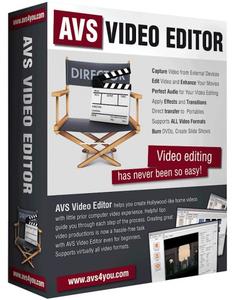
AVS Video Editor v9.4.3.372

AVS Video Editor v9.4.3.372


249a874fd1c035e5d2707bf304089b49.jpeg


AVS Video Editor v9.4.3.372 | 170 MB | Language: English​


AVS Video Editor - A full-featured editor for creating professional video processing. With the help of AVS Video Editor you can make video capture, to impose a variety of effects, create and burn DVD, export movies to various video formats, convert video to iPod, PSP, mobile phones and other portable devices.


The program has more than 200 effects, lots of filters and transitions will allow you to create high-quality video and slide shows. Automatic scene detection algorithm used AVS Video Editor, allows you to quickly move, edit files and errors associated with cutting and combining files.

Convenient interface AVS Video Editor allows you to get quick access to all controls and menus. Fans of change "skins" programs will be pleased: the color scheme Interface AVS Video Editor can be changed by clicking on the arrow at the top right of the window and selecting from the drop down list you want.

Make your video and save in a convenient format, and optionally can be individually configured all the parameters and characteristics of video and audio. The program is built utility Audio Editor, which allows you to edit and mix audio tracks for making movies.

Supported formats:
HD Video formats (. M2ts,. Mts,. Tod)
Blu-ray video
AVCHD
MPEG-2 HD
AVI - Audio Video Interleave (including HD video) (. Avi,. Divx,. Xvid,. Ivf,. Div, etc)
DivX codec *
Xvid codec
H.264 codec
DV codec
Cinepak codec
Indeo codec
MJPEG codec
Uncompressed codec
MS MPEG-4 codec
and other
WMV - Windows Media Formats (including HD video) (. Wmv,. Asf,. Asx,. Dvr-ms)
Windows Media Video
Advanced Systems Format
DVR-MS
RealNetworks (. Ra,. Rm,. Ram,. Rmvb)
MPEG - Motion Picture Experts Group (including HD video) (. Mpg,. Mpeg,. M1v,. Mpe,. M2v,. Dat,. Ifo,. Vob,. Vro,. Mg4,. Mod,. Mvv)
MPEG-1
MPEG-2
DVD (PAL and NTSC)
VOB, VRO
MPEG-4
Mobile video formats (.3 gp2, .3 gpp, .3 gp, .3 g2,. Mp4)
MP4 (inc. Sony PSP and Apple iPod)
3GPP
3GPP2
Quick Time movie (including HD video) (. Mov,. Qt,. M4v,. Mp4)
Adobe Flash (. Swf,. Flv)
Matroska (including HD video) (. Mkv)
Ogg Media (including HD video) (. Ogm)

Operating System: Windows 10, 8.1, 8, 7, XP, 2003, Vista.

Home Page -
Код:
http://www.avs4you.com/


DOWNLOAD LINKS:


Код:
https://rapidgator.net/file/79eb13f7a64f26fbb55d4df7fe902914/AVS_Video_Editor_v9.4.3.372.rar

Код:
http://nitroflare.com/view/E3AD07310471100/AVS_Video_Editor_v9.4.3.372.rar

Код:
https://uploadgig.com/file/download/2ae8119057dD6d8c/AVS_Video_Editor_v9.4.3.372.rar
 
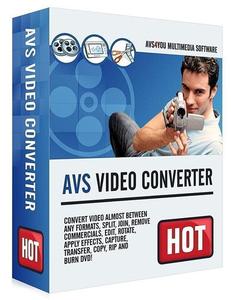
AVS Video Converter v12.1.3.670

AVS Video Converter v12.1.3.670


48111d792883146e37a121ea56f51e12.jpeg


AVS Video Converter v12.1.3.670 | 84 MB | Full Version | Language: English​


AVS Video Converter - program with advanced capabilities, all in one, converter, burn VCD, SVCD, DVD, an advanced video editor.


A key feature of it is: converter AVI, MPEG, WMV, DVD video to AVI, MPEG, WMV, RM formats, burning DVD, SVCD or VCD, package converting, editing, video overlay effects and filters, extracting audio from video and save in a separate audio file, extract a frame (frame) and save as image, splitting into segments and connect video, video rotation, adding to the form of text, banners, logos, selection and codec setting for conversion, support: AVI (DivX, XviD, MS MPEG4, Uncompressed , Cinepak), MPEG (MPEG-1 and MPEG-2 Video), VOB (Video DVD, PAL and NTSC), WMV (Windows Media Video), RM (Real Networks Video), MOV (Quick Time) and other formats.

Features:
Conversion of the minimum time to support multi-threaded conversion to multi-core processors.
Create a DVD-video: create DVD-video from all supported formats. Templates menu there. See the result on your home player DVD.
Support for HD-video: HD-core supported formats: AVCHD, MPEG-2 HD, WMV HD, TOD, MOD, M2TS, M2T, MTS, HDV. You can edit, combine, cut pieces, add text and effects, and convert to DVD or any other supported video format.
The video for mobile devices: iPod, iPhone, PSP, Zen, PS3 (HD support), XBox (HD support), Archos, telephones, DVD/MPEG-4 Player (with support DivX / Xvid).
The video for the Website: Flash SWF, Real Video and WMV video
Copying video discs
Extract audio tracks from video, save individual frames as
Edit quickly and precisely with the line of time, use more than 50 audio and video effects for movies.
Support batch mode

Operating System: Windows 10, 8.1, 8, 7, XP, 2003, Vista.

Home Page -
Код:
https://www.avs4you.com/


DOWNLOAD LINKS:


Код:
https://rapidgator.net/file/4a9f7620489f5a667211dd4915870ef6/AVS_Video_Converter_v12.1.3.670.rar

Код:
http://nitroflare.com/view/1D1D910F612F354/AVS_Video_Converter_v12.1.3.670.rar

Код:
https://uploadgig.com/file/download/58D6942aa6c8c163/AVS_Video_Converter_v12.1.3.670.rar
 
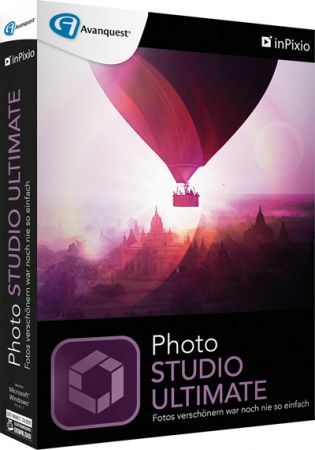
InPixio Photo Studio Ultimate v10.05.0 Multilingual

InPixio Photo Studio Ultimate v10.05.0 Multilingual


476f5318c6143577d509aebd4d4e8987.jpg


InPixio Photo Studio Ultimate v10.05.0 Multilingual | 466 MB | Language: Multilanguage​


Photo Studio 10 Ultimate delivers professional photo editing & photo organizing features, spectacular special effects and professional-quality photo projects all together in one powerful editing suite. Photo Studio 10 Ultimate makes it easier than ever to unlock the power of your digital camera. Crop, straighten and ?x color, brightness and redeye imperfections in one click. This is photo editing software made easy! Smooth skin, remove dark circles, brighten teeth & more. Enhance, restore and repair old pictures. Plus many, many more features.


Perfect for:
- Professional photo editing
- Removing unwanted objects & backgrounds
- Enhancing & restoring old pictures
- Repairing photos
- Retouching photos, removing red-eye and blemishes
- Rotating, cropping or resizing images
- Creating unique photo cards & personalised gifts
- Printing photos
- Sharing photos on popular social media/photo sharing websites
- Perfect for photography enthusiasts and beginners alike

inPixio One-Click Image Correction
Amazing pictures in just one click using 100% automatic smart technology! Improve the quality and the colors of your pictures in less than 1 second thanks to our fully automatic process. You no longer have to be a Photoshop expert to create perfect photos!

Remove unwanted objects like magic!
Completely remove unwanted objects from your picture. Signs, wires, people, or any image that distracts you from what you are trying to capture.

Cut-out in a few clicks!
Cut out any detail, person, object or landscape element from your photos. Select the shape of the object thanks to the cursor. The Photo Studio algorithm runs automatically! This also works as an easy but accurate background eraser.

Create impressive photomontages!
With Photo Studio you can add photo cutouts to other images to create photomontages or collages. The edge smoothing allows you to intelligently smooth contours for a softer transition between the subject and the background, for even more successful integration into your photomontage.

Filters, textures and frames
Transform your photos with ?lters and textures. Photo Studio offers over 100 presets, from retro to cinematic, to give your image an instant new look. All you need to do is choose the best ones for your picture. You can also ?ne-tune your effects and create your own ?lter presets. Once you have perfected you photo, you can add a ?nishing touch with a frame. Choose from a variety of styles and customize your frame to ?t your photo.

Focus on small objects
Create perfect close-up shots by zooming in and focusing on speci?c details in your photos, without blurriness or pixilation. Photo Maximizer does all the work for you with an ultra-powerful zoom function that can magnify images by up to 1000%. With 7 zoom presets available, it is fast and simple to make your pictures perfect.

Enlarge images & maintain clarity
Usually when you enlarge an image, you get pixilation and deterioration of color and brightness. Photo Maximizer maintains image quality without undesirable noise so you can say goodbye to pixelated, grainy and blurred photos. With inPixio Photo Maximizer you can enlarge entire images taken with any device while maintaining clarity and sharpness. Print your enlarged images as posters, photos for framing, t-shirts, postcards and more.

Reduce noise and ?x grainy photos
Photo noise is an annoying side effect of shooting in low light conditions and can make your photos look grainy or fuzzy. Photo Maximizer makes it easy to deal with this problem and rescue your grainy photos. Simple to use, the Noise Reduction tool lets you precisely adjust the level of noise in your photos, reducing the grainy appearance and bringing clarity back to your evening/ night-time shots.

Edit Colors
Adjust settings including temperature, exposure, brightness, contrast, and saturation to further enhance your photos. You can also play with the tone curves to obtain light or dark hues and adjust the RGB (Red, Green, Blue) curves one by one.

Batch Processing
De?ne your zoom settings and Photo Maximizer will batch process up to 1000 images simultaneously!

Enhance image sharpness
Blurred photos cannot always be avoided especially with spontaneous snapshots. Photo Focus solves this problem in a ?ash and creates clear, high-resolution images. Sharpen your photos with just one click or use the built-in presets. You can also resharpen your photos to give them a more professional look.

Creative blurring for great results!
Use the Creative Blur tool to add selected iris blurring to your photos. You can use creative blur in combination with adjustments to brightness and contrast to give your photos an artistic effect and draw attention to a particular area of your image.

Tilt-Shift and Soft Focus
Add horizontal soft focus (tilt-shift) to your images. This creates fantastic miniature effects that allow the focal object of your image to look like a miniature!

Refocus
Not all photos are always correctly centered. Improve the overall focus of your images or refocus photos for great results.

Presets for Custom Effects
Make amazing modi?cations to photos using the blurring, sharpening or image color adjustments. Once done, save that combination as a custom preset. Photo Focus also has its very own built-in presets for highly popular photo effects.

Release Notes
New in Photo Studio 10:

As with every new release, we have updated Photo Studio to provide even more editing possibilities. This time, we have also put a big focus on improving performance and usability so that you can edit better and faster than ever. Here is a selection of the top new features to look forward to in Photo Studio 10.

Perspective tool
The perspective tool is a smart new feature that is useful for correcting photos of buildings and architecture.

You have probably had that experience where you want to photograph a beautiful building but you can not get far enough way to get it in shot, so instead you have to shoot upwards or from an angle. This leads to something called perspective distortion in your image, where the lines of your building do not appear straight. For example, if you photograph a tall building, such as a cathedral, from below, the result may look tilted as if the structure is leaning away from you.

The Perspective tool helps you to remove this distortion and correct any tilted or skewed appearance in your photos. If this sounds complicated, do not worry: the tool is very easy to use with three automatic settings, for horizontal, vertical and full correction. After the auto correct has done its work, you can use simple sliders to make the final adjustments yourself. Finally, if you want to have full control over the process there is also a manual mode where you can apply guides to your photo to make a precise correction. In short, you can say goodbye to (unwanted) slanting in your architecture photos, thanks to this new tool.

inPixio Photo Transfer
To coincide with the launch of Photo Studio, we are releasing a complimentary new app that you can download from the App Store or Google Play. With the inPixio Photo Transfer app, you can copy photos easily from your smartphone to your PC or Mac using Wi-Fi.

The app was designed as a helpful tool to facilitate photo editing with PC and Mac-based inPixio software. With a few clicks and a Wi-Fi connection, you can transfer your entire photo library to your laptop and download images ready for editing in Photo Studio. There is no need for a cable, cloud service, or software and your photos remain safe with no external storage. The app is also a useful way to back up your photos to your computer and save space on your cell phone.

EXIF data and Histogram
EXIF metadata is a set of information attached to a photo and stored automatically in your camera or smartphone. This can include date, location and more. When you upload a photo to Photo Studio, you can now view and edit all of this information. For example, you can add tags and ratings or even copyright information to a photo. This is useful for organizing your photos to help you quickly find what you are looking for. Its also especially useful if you upload your photos to online platforms such as Flickr.

Another new source of information in Photo Studio 10 is the Histogram. This measures exposure levels in your photo so you can get a better idea of the light and dark areas in an image. Referring to the histogram when editing exposure settings can help you to get the right level of brightness in your image.

New Local Adjustments
The selective retouching tab allows you to adjust specific sections of your photo with gradients or the paintbrush.

In Photo Studio 10, we have added new sliders to the selective retouching tab, meaning that you can now make even more edits to your photos. The new local adjustments are hue, whites, blacks, dehaze, sharpness and noise reduction.

RAW Images
Photo Studio 10 now supports RAW format images. Raw images are not pre-processed and compressed like standard image formats such as JPEG, meaning they take up a lot of disk space. Because raw images are heavy and because the format varies between camera manufacturers, it is often difficult to open them in software programs. However, thanks to improvements made by inPixio developers, now you can open and edit all you raw images in Photo Studio.

Interactive Film Strip
We mentioned usability improvements, and this is one of the big ones. The filmstrip is the panel at the bottom of the Photo Studio interface that displays all the images in a selected file. In Version 10, it is now fully interactive. This means that in Photo Editor you can filter images easily by date taken, camera, file type and a range of other criteria. You can also apply edits directly from the filmstrip. For example, you can autocorrect an image with a simple right-click without opening it in the workspace. You can also delete edits in the same way.

Video Tutorials
Even with the easiest software, you may need a little extra help from time to time. Our video tutorials are designed to guide you through some of the main tools and the main uses of Photo Studio, so that you can get to know the program more quickly and get the best possible results. Photo Studio 10 comes with a new section for Video Tutorials: simply click on the link to access the playlist of tutorials. A database of support resources is also available from the Assistance section of the menu.

New Content
Our users requested it and we are more than happy to oblige! In Photo Studio 10, you will find a selection of new backgrounds and other visual content in both the Photo Cutter and Photo Editor modules. Try personalizing the new stickers by editing colors and more. And of course, do not forget to try out the new backgrounds in your photomontages. We particularly love the new Hollywood background and cannot wait to see what our users do with this!

System Requirements:
- Windows 10, Windows 8, Windows 7
- 1 GHz Intel Pentium processor or equivalent
- 1 GB RAM CD/DVD ROM drive
- 100 MB hard disk space, mouse and keyboard

Homepage:
Код:
https://www.inpixio.com


DOWNLOAD LINKS:


Код:
https://rapidgator.net/file/1f965ce75bb7705d28ca7a71b5751c61/InPixio_Photo_Studio_Ultimate_v10.05.0_Multilingual.rar

Код:
http://nitroflare.com/view/76ACDAEBEF36BF1/InPixio_Photo_Studio_Ultimate_v10.05.0_Multilingual.rar

Код:
https://uploadgig.com/file/download/D3a9d3dA1ee1E66A/InPixio_Photo_Studio_Ultimate_v10.05.0_Multilingual.rar

 
PTC Arbortext Editor v8.1.0.0 (x64) Multilingual

PTC Arbortext Editor v8.1.0.0 (x64) Multilingual


b0b50e607f0e7062c3d13049f387213b.jpg


PTC Arbortext Editor v8.1.0.0 (x64) Multilingual | 856 MB | Language: Multilanguage​


Servigistics Arbortext Editor enables the authoring of structured content with real-time validation. Authors can create product-based information that enables the delivery of contextual, up-to-date product and service information in the form of interactive service procedures, illustrated parts lists, operator and service manuals, and product training materials. Authors can create and edit document components and structures and implement publishing standards like DITA, S1000D and DocBook.


Features & Benefits:
Increase author productivity: Create reusable, XML or SGML component-based content
Deliver high-quality information: Automate delivery of multi-language, multi-channel product and service information, including interactive 2D and 3D illustrations
Reduce production costs: Provide single instances of approved product and service information for authoring reuse, including translation
Improve product and service information accuracy: Reuse up-to-date engineering and operations data throughout the authoring process
Maintain consistency: Use standardized rules for content and stylesheets for formatting.

Homepage:
Код:
http://www.ptc.com/


DOWNLOAD LINKS:


Код:
https://dropapk.to/o72i04to70w5/PTC_Arbortext_Editor_v8.1.0.0_x64_Multilingual.rar

Код:
https://rapidgator.net/file/5c9751b165ce79fc22ac862988f88c20/PTC_Arbortext_Editor_v8.1.0.0_x64_Multilingual.rar

Код:
http://nitroflare.com/view/F9D44B2C18AAA74/PTC_Arbortext_Editor_v8.1.0.0_x64_Multilingual.rar

Код:
https://uploadgig.com/file/download/8e9e22Ed24452b69/PTC_Arbortext_Editor_v8.1.0.0_x64_Multilingual.rar
 
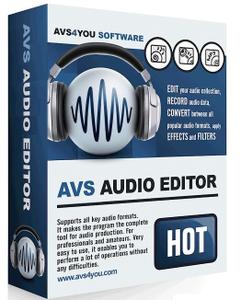
AVS Audio Editor v10.0.3.551

AVS Audio Editor v10.0.3.551


5e90006ad3cfd32f5e012085a6744c92.jpeg


AVS Audio Editor v10.0.3.551 | 50 MB | Language: English​


Edit your audio files with AVS Audio Editor . Cut, split, merge, record, apply various effects. Save output files to all key audio formats.


Features Overview:
- Edit Audio
Cut, join, trim, mix, delete parts, split. Use Timeline for maximum precision and accuracy. Multichannel audio files are supported.
- Enhance Audio
Over 20 built-in effects and filters including delay, flanger, chorus, reverb, and more. Full support of VST effects and DirectX filters.
- Remove Background Noises
Use specially designed filters to remove irritating sounds like "vuvuzelas", roars of football fans, hisses, etc.
- Mix Audio
Blend several audio tracks, apply effects and save the output file in any popular format. Overlay your voice on audio while playing it back.
- Microsoft Windows 7 Support
AVS Audio Editor is compatible with the latest version of Microsoft Windows.
- Export Audio from Video
Choose and edit audio from your video files. Save them on PC or external hardware. See a full list of supported formats here
- Use Batch Editing
Select effects and settings and apply them to several audio files.
- Save Audio in Key Format
Edit and save audio files in MP3, WAV, PCM, WMA, M4A, Flac, OGG, etc.
- Record Audio from Any Input
Edit your audio recordings, apply effects, save them as separate audio files.
- Create Ringtone for iPhone
Edit an audio file and save it to M4R format for iPhone.
- Work Fast & Easy
Make your Favorites panel. Select the most frequently used features and add them to your panel.
All key formats are supported:
Read: MP3, WMA, WAV, M4A, M4R, AAC, AMR, OGG, MP2, FLAC, AIFF, AU, AVI, IVF, DIV, DIVX, MTV, AMV, MPG, MPEG, MOD, MPE, MVV, M2V, WMV, ASF, DVR-MS, DAT, IFO, VOB, VRO, M2TS, M2T, MTS, TOD, TS, TP, DV, MKV, OGM, OGV, OGA, OGX, RM, RMVB, RAM, IVR, MOV, QT, M4V, MP4, 3GP2, 3GPP, 3GP, 3G2, FLV, SWF
Write: MP3, WMA, WAV, M4A, M4R, AAC, AMR, OGG, MP2, FLAC, AIFF, AU, AVI, IVF, DIV, DIVX, MPG, MPEG, MOD, MPE, MVV, MTS, TOD, MOV, QT, M4V, MP4, 3GP2, 3GPP, 3GP, 3G2, FLV.

Operating System: Windows 10, 8.1, 8, 7, XP, 2003, Vista.

Home Page -
Код:
http://www.avs4you.com/


DOWNLOAD LINKS:


Код:
https://rapidgator.net/file/65be53051ed6d279fcf8112b7dbab2f5/AVS_Audio_Editor_v10.0.3.551.rar

Код:
http://nitroflare.com/view/38BBF4C17114D8F/AVS_Audio_Editor_v10.0.3.551.rar

Код:
https://uploadgig.com/file/download/bB0394541bd5bB0b/AVS_Audio_Editor_v10.0.3.551.rar
 
AVS Audio Converter v10.0.3.611

AVS Audio Converter v10.0.3.611


8465cd75fb3614ac72108458979fd6f7.jpeg


AVS Audio Converter v10.0.3.611 | 52 MB | Language: English​


AVS Audio Converter will help you convert, edit, create ringtones. Convert audio files between MP3, FLAC, OGG, AAC, M4A, M4B, M4R, AMR, WMA, VOX and other formats with AVS Audio Converter. Use batch mode to convert and work with several files at one go. Specify frequency, number of channels, bitrate and other parameters of your output files before conversion.


Features:
- Convert between All Key Audio Formats
Convert MP3, WMA, WAV, M4A, AMR, OGG, FLAC, MP2, etc. Manage APE files and encode them to any key audio format supported by AVS Audio Converter . See a full list of supported audio formats.
- Export Audio from Video
Select and convert audio from your video files. AVS Audio Converter supports DVD, MPEG, MP4, AVI, DIVX, MOV, WMV, VOB, 3GP, RM, QT, FLV, etc. See a full list of supported video formats.
- Convert Files to M4B
Convert your audio tracks to M4B format with AVS Audio Converter . Divide them into chapters and add bookmarks. Set up quality level before audio conversion. Prepare audio files for your iPod/iPhone.
- Create Ringtone for iPhone
Edit an audio file and save it to M4R format for iPhone. Make an individual ringtone with AVS Audio Converter .
- Edit Your Audio Files
Trim, delete parts, merge files, apply effects with AVS Audio Converter . Modify extra text information in your audio files.
Using AVS Audio Converter you can:
- сonvert audio files from one format to another;
- create and edit audio books in MP3 and M4B formats;
- split your audio by markers or merge separate audio files into one single file;
- specify frequency, number of channels, bitrate and other parameters of your output files before you convert your audio files;
- apply fine tuning of parameters for MP3 and OGG formats when you convert your audio;
- specify the location of the output audio files before conversion;
- visually judge the progress of the audio conversion process;
- play the converted audio files after you convert them to make sure that the quality is sufficient;
- modify extra text information in existing audio files such as Title, Artist, Album, Comment.

All key formats are supported
Read: MP3, MPEG3, WMA, WAV, M4A, M4B, M4R, AAC, AMR, AWB, OGG, MP1, AC3, MP2, FLAC, AIFF, AIF, AIFC, AU, VOX, MPC, MP+, MKA, RAW, PCM, GSM, AVI, IVF, DIV, DIVX, MTV, AMV, MPG, MPEG, MOD, MPE, MVV, M2V, WMV, ASF, DVR-MS, DAT, IFO, VOB, VRO, M2TS, M2T, MTS, TOD, TS, TP, DV, MKV, OGM, OGV, OGA, OGX, RM, RMVB, RAM, IVR, MOV, QT, M4V, MP4, 3GP2, 3GPP, 3GP, 3G2, FLV, SWF, MID, MIDI, KAR, APE, QCP, MPA, RA
Write: MP3, WMA, WAV, M4A, M4B, M4R, AAC, AMR, AWB, OGG, MP2, FLAC.

Operating System: Windows 10, 8.1, 8, 7, XP, 2003, Vista.

Home Page -
Код:
http://www.avs4you.com/


DOWNLOAD LINKS:


Код:
https://rapidgator.net/file/065477204cb1da270f78dce8b470b72c/AVS_Audio_Converter_v10.0.3.611.rar

Код:
http://nitroflare.com/view/47A46373FACE7E3/AVS_Audio_Converter_v10.0.3.611.rar

Код:
https://uploadgig.com/file/download/E62E80C4eee6160b/AVS_Audio_Converter_v10.0.3.611.rar
 
Isotropix Clarisse iFX v4.0 SP12 (MacOSX)

Isotropix Clarisse iFX v4.0 SP12 (MacOSX)


91321e9337e19958b31dae24c2169626.jpeg


Isotropix Clarisse iFX v4.0 SP12 (MacOSX) | 497 MB | Language: English​


A fully interactive CG toolset for set-dressing, look development, lighting and rendering. Clarisse iFX is a powerful CG toolset trusted by internationally renowned creative studios. Built by artists for artists, it is designed to simplify today's complex creative workflows, empowering users with interactivity, speed and power over datasets containing bazillions of polygons.


Created in response to feedback from today's front-line CG creatives, Clarisse iFX unifies powerful rendering, lighting and look development tools under a single, accessible package. Thanks to its integrated CPU based rendering engine, based on unidirectional path-tracing users can work interactively on rich, data-heavy environments, scenes and assets, with full visibility over their creative decision-making. Clarisse iFX fits seamlessly into the core of any modern production pipeline. It's an intuitive, flexible and comprehensive toolset tailored to the needs of studios and production teams working in CG today - not ten years ago.

Work interactively on final rendered imagery
Shed light on the creative process via a state-of-the-art, lightning-fast CPU rendering engine. Creatives no longer need to work blind - they can interactively manipulate final imagery, seeing real-time updates directly in the viewport.

This means up to nine times more creative iterations and a more flexible, unhindered approach to content creation.
- Manipulate hero assets interactively
- Work at speed with unidirectional path-tracing and PBR
- Iterate faster on creative work

Deeper collaboration founded in powerful referencing
Automatically synchronize all assets existing in a scene with a single click. Clarisse iFX's powerful hierarchical referencing workflow empowers a consistent, collaborative creative process: dozens of creatives can work simultaneously and seamlessly on a single environment while ensuring artists, technical directors and wider teams don't become lost in the noise. This also enables freelancers to easily jump into a project and get to work, without any headaches.
- From freelancers to large teams: collaborate on scenes with total transparency
- Synchronize internal and external assets instantly
- A streamlined process from scene assembly to final render

Burst through the polygon barrier
Extreme complexity made manageable via a memory-efficient procedural evaluation engine. Clarisse iFX lets artists work with bazillions of polygons while it handles data behind the scenes. Users experience fast, flexible creativity even when manipulating environments containing vast complexity, thanks to an advanced PBR and path-tracing renderer that won't break a sweat.
- Bazillions of polygons at your fingertips
- Remarkable flexibility in scene set-up
- Tackle today's complex CG workflows with ease

Multiple workflows, one application
Experience a tool created in response to the challenges of modern-day post-production. Clarisse iFX consolidates set-dressing, look development, lighting, rendering and layered-based pre-comp into a single, unified package. Archaic workflows defined by application hopping are a thing of the past; instead, users can focus on the singular task of creating incredible art.
- No more application-hopping: access a unified,
- artist-friendly toolset
- Intuitive tools designed specifically for today's
- post-production environment
- No more archaic 90s workflows

Created for you, by you
For artists, by artists. Every Clarisse iFX feature and update is born out of feedback and collaboration with our user community. We constantly engage with front-line artists and technical directors to learn what new challenges they're facing and how they could increase productivity. Clarisse iFX is built, updated, and continually improved in response to these relationships.
- Constantly updated to address today's workflow challenges
- Intuitively designed - enjoy an easy learning curve
- Features developed to increase productivity

Hassle-free pipeline integration
Built for seamless integration into any modern production pipeline. Clarisse iFX works with major 2D and 3D applications and doesn't require custom tools or third-party plugins to get started. It's also comes with support for major CG frameworks, integrated color management based on OpenColorIO, a pipeline-friendly ASCII file format, and much more.
- Out-of-the-box Alembic, OpenVDB, UDIM and UV Tiles support
- Support for every image file format
- Extensive Python customization

Minimum System Requirements:
- CPU: Intel or AMD based x86-64 CPU supporting SSE2
- RAM: 2 GB
- Hard-Drive: 500 MB disk space available
- 64-bit Operating System: Windows 7 and higher
- Graphics Card: OpenGL 4.0 compliant graphics card
- Network Card: Wifi and/or Ethernet
- Display: 1280 x 1024 pixel resolution in 24 bit color
- Mouse: Three-button mouse
Hard-Drive 500 MB disk space available
macOS 10.9 or

Home Page -
Код:
http://www.isotropix.com/


DOWNLOAD LINKS:


Код:
https://rapidgator.net/file/e9dad21d8216520c95d8027b38c8b93d/Isotropix_Clarisse_iFX_v4.0_SP12_MacOSX.rar

Код:
http://nitroflare.com/view/70D760F1CEFA75C/Isotropix_Clarisse_iFX_v4.0_SP12_MacOSX.rar

Код:
https://uploadgig.com/file/download/8cA2699582F2166b/Isotropix_Clarisse_iFX_v4.0_SP12_MacOSX.rar
 
FilmLight Daylight v5.2.13856 (MacOSX)

FilmLight Daylight v5.2.13856 (MacOSX)


db28275fc742b3921008d24e9de61117.jpeg


FilmLight Daylight v5.2.13856 (MacOSX) | 386 MB | Language: English​


Daylight is designed as a compact yet powerful grading decision tool to help DoPs and directors establish looks and visualise what they have shot, on set or on location, as well as meeting all of the sophisticated deliverables requirements-in one application.


Full Baselight creativity
Grades can of course be limited to CDL values or exported as 3D LUTs for standard cross-platform workflows, but you don't need to be constrained by the lowest common denominator. All shots can have full sophisticated Baselight looks-authored and applied using the same compact grading interface familiar to users of Baselight Editions for Avid and NUKE.
And now, the innovative Baselight 5.0 colour tools have been extended across the entire FilmLight product range. This means you can access the Base Grade-a new primary grading operator for modern colour workflows and HDR-as well as tools that blur the line between traditional colour correction and VFX such as paint, perspective tracking, warping, depth keying, relighting and many others.

Deploy with ease
Daylight is available for purchase or quarterly rental, and the freelance licence option allows the licence to be moved from machine to machine using a simple, web-based authentication scheme. The software will run on any Mac system equipped with OSX 10.10 or above. Using the same philosophy as Baselight Editions, Daylight uses whatever graphics card is installed without the need for special, CUDA-capable variants.

Alternatively, as your throughput requirements increase you can upgrade to the Linux version of Daylight, to a FLUX Store system, or even both.
Extensive metadata support
Daylight provides comprehensive end-to-end handling of metadata. The system reads all the data it can from the headers of your camera and audio files and displays relevant metadata fields in FLUX Manage and the Shots View-and you can also choose to display information on thumbnails in the Scene and Galleries.

Custom reporting
Daylight's extensive metadata handling carries right on over into a sophisticated report generator that includes custom columns, colour accurate thumbnail images and cover pages. This means that you can produce a consistent, professional report at the end of every workday.

Transcoding in post
Daylight makes use of over 10 years of accumulated Baselight development to provide comprehensive support for all camera and deliverable formats-including audio and retiming capability. Support for sophisticated rescaling, filtering, masking and burn-in operations, alongside Truelight Colour Spaces for accurate colour transforms, means that all of your deliverable requirements can be met by one application.

Comprehensive codec support
Baselight is well regarded for supporting all common RAW camera formats and delivery codecs natively as soon as they are released. This is carried across to Daylight, along with user-defined formats and a sophisticated format mapping system that allows resolution, aspect ratio, frame rate and colour space to be freely mixed within a project.

Audio sync & playback
Audio can easily be synced with your camera footage-either automatically using timecode, or semi-automatically using a clap-detector, which pinpoints the exact time in the audio file that the clapper closes. Sound files that span multiple camera takes are easily handled and waveforms help you to manually adjust sound sync on a per-shot basis.

The fastest renderer never runs
Working with Baselight or Baselight Editions in post?
Of course, the sophistication of the Daylight render queue is welcome when you have to deliver graded files; however, the fastest renderer is the one that never runs. Instead of images, it delivers grading metadata. If you are working with a post-production facility equipped with Baselight or Baselight Editions, the full grade from Daylight can be encapsulated in a completely portable, cross-platform BLG file. No amount of additional GPUs or CPUs can be as fast or as flexible as this workflow.

Professional panel support
Daylight supports for Tangent Wave and Element panels, as well as Avid Artist Color and Transport devices. However, just because you're grading dailies and don't have the space, it doesn't mean you can't have a purpose-designed control surface. Our Slate panel is an ideal size for the near-set environment.

Render Queue with multiple deliverables
No need to wait for Daylight to finish rendering before you can start the next operation. You can easily pause, re-order and resubmit tasks to the Render Queue enabling you to work more efficiently. You can even optimise the process by producing several deliverables simultaneously from the one scene; for example, producing QuickTime movies at the same time as rendered DPX files.

Specifications:
- Supported on macOS 10.10-10.13

Minimum specification:
- MacBook Pro or Mac Pro
- 1GB GPU memory
- 8GB RAM

Recommended specification:
- 2013 Mac Pro
- 2GB GPU memory
- 16GB RAM
- External high-performance disk system
- AJA video monitoring

Homepage -
Код:
https://www.filmlight.ltd.uk


DOWNLOAD LINKS:


Код:
https://rapidgator.net/file/570c447c717eb9e776c4810f7be6d188/FilmLight_Daylight_v5.2.13856_MacOSX.rar

Код:
http://nitroflare.com/view/D3DC6021D307BF9/FilmLight_Daylight_v5.2.13856_MacOSX.rar

Код:
https://uploadgig.com/file/download/970eb54C046A72dd/FilmLight_Daylight_v5.2.13856_MacOSX.rar
 
Artlantis 2020.2 v9.0.2.23232 Multilingual (MacOSX)

Artlantis 2020.2 v9.0.2.23232 Multilingual (MacOSX)


f3e5c3a10b6196646401ecd0c4fbcffb.jpeg


Artlantis 2020.2 v9.0.2.23232 Multilingual (MacOSX) | 340 MB | Language: Multilanguage​


A pioneer in VR imagery, Artlantis has conquered nearly 100,000 architects, interior designers, landscapers, urban planners, and space planners...in more than 110 countries. A CPU-based application, Artlantis is used by experts, advanced users and beginners alike, to simulate, present and communicate their ideas with striking photo-realism.


RAL Colors
Artlantis 2020 offers 243 codified colors and tints from Ral Effect, RAL Design and RAL Classic color chart, which are the defining paint standards in the world of architecture and building construction.

Denoiser tool
Decrease, or even cancel, the noise from your renderings, typically produced by the reflection from shaders. Want a little noise in your image? Decide for yourself to activate this option or not. The Denoiser tool analyzes the image's pixels and reduces the noise.

3D Grass
The integrated Media catalog offers 4 new grass types and 6 updated types of 3D grass enhanced with new settings: adjust the color of the grass tufts, apply density variations - the size is automatically calculated zone by zone."

Portals tool
Portals: a new optimization setting for managing light in Artlantis. When using low settings for a fast calculation of your renders, this option improves the lighting of your indoor scenes and removes the noise from the image.

Compatibility: macOS 10.12 or later 64-bit.

Homepage:
Код:
https://artlantis.com


DOWNLOAD LINKS:


Код:
https://rapidgator.net/file/35460bc352a5e928b1743eed1cca82a3/Artlantis_2020.2_v9.0.2.23232_Multilingual_MacOSX.rar

Код:
http://nitroflare.com/view/2E2FF75426520DA/Artlantis_2020.2_v9.0.2.23232_Multilingual_MacOSX.rar

Код:
https://uploadgig.com/file/download/c248C82cdb993d5b/Artlantis_2020.2_v9.0.2.23232_Multilingual_MacOSX.rar
 
Назад
Сверху