
• Здравствуйте. Сайт заработал в архивном режиме форум www.old.nado.in

Dl4ever Software

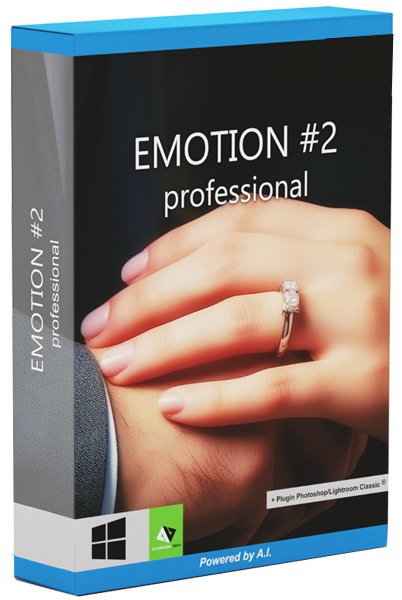
Franzis EMOTION #2 Pro 2.27.04017 Portable

eee6c122d6543e39553c84e3a4988f55.jpg


Windows x64 | File size: 239.5 Mb
​


What is special about EMOTION projects professional is the newly developed image mood assistant, which enables an emotion display in the image. You can go the easy way and choose between 33 perfect moods or you can go the creative way and create your very own moods. Provide completely changed pictures with "WOW effect". With just one click you can generate a randomly generated index from 1 to 1,000,000,000! What does that mean? Almost endless combinations of picture moods and styles. This gives you all the options for manipulating the picture mood. Here you can get really creative.

Who does not know that? A landscape shot with an unspectacular sky. In this case, there are four smart filters that only improve certain parts of your image.One setting on the "Smart Sky" controller and you have the perfect sky display. In addition, you can also adjust herbal image elements, skin tones and contrasts with the smart filters. The SmartGrain module in turn helps to set the ideal grain size.

EMOTION projects professional shows what the mood in a picture can make up.
- Perfect for landscapes, street photography and portraits
- Practical picture mood assistant
- Almost unlimited combinations
- Four intelligent smart filters
- Incl. Photoshop & Lightroom plug-ins

Edit smart
You have never seen your recordings like this! EMOTION projects breaks completely new ground in image processing. You can actively influence the look of your picture by selecting moods such as dramatic, dreamy, mysterious or cheerful in combination with picture styles such as cool, glamor, vintage or modern.

Batch processing tip
The image mood index can be easily applied to an entire series of photos. If you have found a mood for the first picture in the series, note the picture determination index and invite all other pictures one after the other, type in the picture mood value and the exact same mood is also transferred to this picture.

Including plug-in for Photoshop and Lightroom
Many paths lead to EMOTION projects professional and of course also very conveniently from Adobe® Photoshop® and Lightroom®! A new, full-fledged filter plug-in for Adobe® Lightroom® Classic and Photoshop® offers maximum convenience for your personal workflow. Simply select the desired image or series of images in the Lightroom® image database, export to EMOTION projects professional, edit and put the result image back in the database.

Highlights from EMOTION projects
- Picture mood assistant with 33 variants - ideal for landscape, portrait and artwork
- 4 Smart Filters: SmartSky, SmartOrganics, SmartSkin, SmartContrast
- Picture mood index for almost unlimited possibilities of picture mood manipulation
- Optimization assistant with 12 variants for setting noise, tonal value, clarity, dynamics and sharpness
- SmartGrain module for setting the ideal grain size
- Selective drawing with effects, color filters and composing options
- Scratch and sensor spot correction
- Plug-in for Adobe ® Photoshop® + Lightroom ® Classic
- Batch processing
- RAW image editing with more than 90 development settings

What's new
• official site does not provide any info about changes in this version

HomePage:
Код:
https://www.projects-software.com

-:DOWNLOAD FROM LINKS:-​
Download From RapidGator
У Вас недостаточно прав для просмотра ссылок. Войдите или зарегистрируйтесь.

Download From NitroFlare
У Вас недостаточно прав для просмотра ссылок. Войдите или зарегистрируйтесь.
 
Duplicate Photo Cleaner 7.21.0.53


a0c55ee68d18f09f5987214554173bb8.jpg


Windows x64 | File size: 22.93 MB
​


Find Duplicate Photos in a Matter of Minutes. Duplicate photos are such a nuisance! Duplicate Photo Cleaner will help you find and delete duplicate images in minutes. Just set the similarity threshold to 100% and you're good to go.

Why Use Duplicate Photo Cleaner?
Duplicate Photo Cleaner is the only app for managing duplicate and similar photos you'll ever need. It's different from other duplicate photo finders because it compares photos just like a human would. It looks for similarities in your images and easily finds duplicate photos. It can also detect photos of the same subject, resized pictures, and edited images.

An All-in-One Duplicate Photo Finder for Windows & Mac
Duplicate Photo Cleaner is the only image similarity finder that works equally well on Windows and Mac. No matter which operating system you use, you can be absolutely sure that no duplicate photos will go unnoticed even if they hide in Adobe Lightroom, Mac Photos, or on your other connected media with a drive letter.

Add Folders
Open Duplicate Photo Cleaner and drag some folders to the scan area. You can connect your camera or phone to add it to the scan too.

Scan for Duplicates & Similars
Launch the scan and sit back while Duplicate Photo Cleaner looks for duplicate and similar photos. The scan won't take long.

Delete Duplicate Photos in a Click
Review the scan results and select the photos you want to delete or move. Duplicate Photo Cleaner will do the rest in just one click!

Which Image Formats Are Supported?
With Duplicate Photo Cleaner, you can find duplicate and similar photos even if they are in different formats. Duplicate Photo Cleaner supports all popular image formats including JPG, PNG, TIFF, GIF, RAW files for all popular camera brand, PSD, HEIC/HEIF and many more, which means it won't miss a single duplicate on your PC or Mac.

Find Duplicate & Similar Photos
Tidy up your albums and remove duplicate photos the easy way.

Manage Photos of the Same Subject
The Same Subject scan mode simplifies sorting out your "Unsorted" album.

Compare Photos in Two or More Folders
Easily merge folders and manage your backups with the Folder Comparison mode.

Delete Duplicate Images from Mac Photos
Manage your Mac Photos albums and get rid of duplicates and similar in minutes.

Search for Photos by an Element in Them
Select a detail in one image and find all the photos that contain the same element.

Delete Duplicate Photos from Lightroom
Declutter your Lightroom catalog to manage your photos more effectively.

What's new
Код:
https://www.duplicatephotocleaner.com/history

HomePage:
Код:
https://www.duplicatephotocleaner.com/

-:DOWNLOAD FROM LINKS:-​
Download From RapidGator
У Вас недостаточно прав для просмотра ссылок. Войдите или зарегистрируйтесь.

Download From NitroFlare
У Вас недостаточно прав для просмотра ссылок. Войдите или зарегистрируйтесь.
 
Replay Media Catcher 2025.1.1.29


bd785e9ea0b1dbcdf1bb8b06de3b2c1d.png


File size: 66.7 MB
​


The Ultimate Internet Video Downloader and Converter Tool. Replay Media Catcher is the most powerful, convenient online video downloader in the world. And it supports audio/MP3 download or recording too.

Here's why Replay Media Catcher is the world's most popular tool to capture online video

Easy to Use.
Just play an online video, movie, or song, and a copy is downloaded to your PC. That's it! The built in Media Guide contains thousands of options to help you find the content you want.

Convert More Formats.
Our web video downloader supports more web site media protocols and converts to over 130 device and file formats.

Powerful Audio Recorder.
For music lovers, you can record and convert audio from ANY web site or source, at high quality.

Smart Video/MP3 Naming.
Automatically names video files, and identifies and tags recorded MP3 music files. Amazing!

Super Fast.
Advanced downloading technology captures videos and MP3 files at up to 10x playback speed.

Phone and Tablet Support.
Integrates with iTunes, DropBox, Google Drive or SkyDrive for automatically copying files to your Apple or Android phone or tablet.

Download Internet Video and MP3s
Replay Media Catcher is the only video downloader software you'll need to capture almost any internet video or audio. Most files can be downloaded at 10x speed, and for music sites that use encrypted formats, you can legally record them with the built-in audio recorder or our powerful DVR feature.

Explore Huge Media Guides
Replay Media Catcher also contains Media Guides to help you find and save online video, movies, TV shows and music. We've made it easy to find and grab the content you want in one simple step. You're going to love the new Media Guide.

Scheduled Downloads, Power Converter
Replay Media Catcher also has a scheduler and a powerful built-in converter. Discover the video downloader the pros use to capture video, audio and MP3s.

Whats New
Код:
https://updates.wp.applian.com/category/replay-media-catcher

HomePage:
Код:
https://applian.com/

-:DOWNLOAD FROM LINKS:-​
Download From RapidGator
У Вас недостаточно прав для просмотра ссылок. Войдите или зарегистрируйтесь.

Download From NitroFlare
У Вас недостаточно прав для просмотра ссылок. Войдите или зарегистрируйтесь.
 
Soft Organizer Pro 10.0


88ce086b9648d574ba1fe8aefd6925d8.jpg


File size: 16.7 MB
​


A common problem we often face with, when uninstalling unnecessary software, is various traces left in the system: unneeded files or folders on a disk, registry entries and so on. This can happen even if an application was removed correctly with its own uninstaller - a special program provided by a vendor to uninstall the application. Soft Organizer is a professional application designed to uninstall unnecessary applications from your system.

Very simple and intuitive operation
The simple, convenient, and non-overloaded interface doesn't distract a user from the installing and/or uninstalling process. The Soft Organizer utility looks like a simple list of installed programs, where a user merely needs to select a program and click "Uninstall". At the same time, the tool features the entire range of capabilities that even programs with much more complex interfaces have. (Most of those programs look like a space shuttle cockpit with many gauges, meters, and obscure instruments.)

Has only the functions you really need
Thanks to judicious selection of capabilities, Soft Organizer features only those options you really need in your work. The overall functionality of the program is similar to competitive application removal solutions.

Enhanced capabilities for experienced users
Due to the number of enhanced functions in Soft Organizer, experienced users can enjoy more precise control over the process. Such functions keep a low profile and do not distract other users, so installing and uninstalling applications using Soft Organizer remains simple and intuitive.

Whats New
Код:
https://www.chemtable.com/version-history.htm?prod_id=SoftOrganizer

HomePage:
Код:
https://www.chemtable.com

-:DOWNLOAD FROM LINKS:-​
Download From RapidGator
У Вас недостаточно прав для просмотра ссылок. Войдите или зарегистрируйтесь.

Download From NitroFlare
У Вас недостаточно прав для просмотра ссылок. Войдите или зарегистрируйтесь.
 
DVD-Cloner Gold / Platinum 2024 21.70.1489


993cb6f31fe73d1052579c4483dc1729.jpg


Windows x86/x64 | File size: 175.91 MB / 206.78 MB
​


DVD-Cloner 2023 is a widely-acclaimed professional DVD copy software with perfect output image quality, which can decrypt and copy a DVD to any blank disc with diverse copy modes for playback on many media devices including PS4, Xbox, Blu-ray player, etc. Besides, it can also copy a DVD to an ISO file or DVD folder saved on your HDD. With DVD-Cloner, you can back up a Blu-ray movie to a BD-R/RE or your computer and rip high-capacity DVD/Blu-ray movies to MKV format for easy storage. The new UI design provides you simple operation and visual enjoyment.

Express Interface
One click to make 1:1 DVD copy or compress one DVD-9 movie to a DVD-5 DVD±R/RW disc.

Expert Interface
Movie complete copy, Full 1:1 DVD disc copy, Movie-only copy, Split copy and Movie customized copy.

New Features
- Fully updated the user interface, and improved the user experience by providing more intuitive operation guide.
- Express interface: One click to make 1:1 DVD copy (DVD-9/DVD-5) or compress one DVD-9 movie to a DVD-5 disc.
- Expert interface: Movie complete copy, full 1:1 DVD disc copy, movie-only copy, split copy, movie customized copy, rip DVD to MKV.

Perfect 1:1 DVD copy
• Supports copying your latest DVD movies. Without any third party DVD decrypter, DVD-Cloner 2018 has unlimited access to all region codes and copy protection systems. It removes all known DVD protections such as CSS, CPPM, APS, UOPs, RipGuard, RPC-I/RPC-II/RCE, Disney's Fake, etc. It can also clone DVD with Sony ARccOS bad sectors deliberately created on the DVD.
• DVD-5 to DVD-5: Perfect 1:1 DVD copy. Copies one DVD-5 movie to a DVD-5 DVD±R/RW disc.
• DVD-9 to DVD-9: Perfect 1:1 DVD copy. Copies one DVD-9 movie to a DVD-9 DVD±R/RW disc.
• Copy DVD to a DVD movie folder for playback on the player software or TV, and a DVD player is not needed any more.
• Copy DVD to an ISO image file on the hard disk for later burning, which can also be uploaded to the Internet easily.

Movie Complete Copy
• DVD-9 to DVD-5 copy - Compresses one DVD-9 movie to a blank DVD-5 disc, including menus and special features.
• Select to keep all audio tracks and subtitles or remove unwanted ones.
• Manually define the compression rate to define the picture quality of your DVD copies.

Movie-Only Copy
• Copy the main movie of a DVD-9/DVD-5 to a DVD-5 disc, with menus and special features omitted.
• Genuine movie-only copy - Intelligently recognizes the main movie from the source DVD to avoid copying a fake main movie.
• Audio tracks and subtitles are selective to make a special copy of DVD movie.

Split DVD Copy
• Split one DVD-9 movie to two blank DVD-5 discs with original picture quality, with all menus and special features included.
• Optionally keep menus when splitting a DVD-9 movie to two DVD-5s.

Movie Customized Copy
• Episodic DVD copy - copies only a certain range of chapters, especially designed for episodic TV series DVDs and music video DVDs.
• DVD-5 to DVD-9 copy - copies several titles and chapters from the original DVD-5 movie to a DVD-9 disc.
• Supports for copying multi-channel audio tracks such as Dolby Digital 5.1 and DTS.
• Create multiple DVD copies without having to repeat the entire process again.

Rip DVD to MKV
• Rip high-capacity DVD movies to MKV format for easy storage, with all audio tracks included, high bitrate, high quality and lower size.
• Optionally compress a DVD movie in the ripping process by setting H.264 or H.265 as the encoder.

Burn a DVD movie from the hard disk to a DVD±R (DL)
• Copy a DVD folder or an ISO image file on the hard disk to a DVD±R (DL) with diverse copy modes.

Combine multiple DVDs to one DVD±R DL or BD-R/RE (DL)
• Combines two DVDs to one DVD±R DL.
• Combines up to 6 DVDs to one BD-R/RE (DL).
• Select the menu template, background picture and set the disc volumes if the target disc is DVD-9.
• Set the number of DVDs you want to combine and set the disc volumes if the target disc is BD-25 or BD-50.
• Merges your desired movie titles from several DVD discs to one DVD±R DL or BD-R/RE (DL) and removes unwanted audio track(s) and subtitle(s).

Copy Blu-ray movies to a BD-25
• DVD-Cloner 2018 enables you to decrypt Blu-ray protections and copy the main movie to a blank BD-25.
* If you want to copy and burn Blu-ray movies in 1:1 ratio or with other Blu-ray copy modes, please click here to download the trial version of Blue-Cloner for free. If you are a registered user of DVD-Cloner, you can click here to get 10% discount for ordering Blue-Cloner.

Create a Blu-ray ISO image file
• DVD-Cloner 2018 enables you to copy the main movie of a Blu-ray disc to the hard disk as a Blu-ray ISO image file.

Rip Blu-ray movies to MKV format
• Besides Blu-ray disc copy, DVD-Cloner 2018 gives you another choice to rip the main movie of a high-capacity Blu-ray disc to MKV format on the hard disk, with all audio tracks included, compatible with many playback devices.
• Optionally compress a Blu-ray movie in the ripping process by setting H.264 or H.265 as the encoder. Define the output video size and optionally remove HD audio.
* If you want to rip Blu-ray movies to more formats, please click here to download the trial version of Open Blu-ray ripper for free.

What's new
Код:
https://www.dvd-cloner.com/release.html

System Requirements: Windows 11/10/8/7/XP/Vista

HomePage:
Код:
https://www.dvd-cloner.com/

-:DOWNLOAD FROM LINKS:-​
Download From RapidGator
У Вас недостаточно прав для просмотра ссылок. Войдите или зарегистрируйтесь.

Download From NitroFlare
У Вас недостаточно прав для просмотра ссылок. Войдите или зарегистрируйтесь.
 
Remo Recover Windows 6.0.0.250


e5f516bc34fb94283d9e4c8348a75d13.png


File size: 59.32 MB
​


Remo Recover (Windows) is the best solution to recover your deleted or lost data in an easy way. Data lost due to emptying Recycle Bin, formatting, corrupt partitions, accidental deletion using Shift + Delete keys or due to any other reason will be recovered. With its friendly interface, even a non-tech savvy user can recover data without any hindrances.

Remo Data Recovery software is designed with strong scanning mechanisms that helps in restoring data lost even in complex data loss situations like improper partitioning, unbootable drives, after OS reinstallation etc. You might have lost your text documents, spreadsheets, PowerPoint presentations, pictures, videos, RAW images, PDFs, EXE files etc., the software restored them all back, and actually it can restore more than 300 types of files.

Key Features
- Deleted file recovery, even after using "Shift+Del"
- Recover files Emptied from recycle bin
- Choose and recover variety of files using Raw search
- Recover professional RAW Photo files
- Recover photos, videos and music files
- Create disk images to skip bad sectors
- Recover data from disk images created using Remo Recover
- Recover data after Windows Re-Installation
- Add new file types for recovery using Raw Signature Search
- Recover data from accidentally formatted, re-formatted partitions
- Recover data from lost / deleted partitions
- Recover data from re-partitioned drives

Benefits of Remo Data Recovery Software
- Quick and easy recovery of all sorts of data in simple steps
- Scans complete drive in few minutes to recover deleted / lost data
- Recovers files bypassing Windows recycle bin when they exceed in size as compared to the recycle bin, files deleted using Shift + Delete or when deleted from Windows command prompt as well
- Rescue files from formatted partitions, even after re-installing Windows OS
- Complete hard drive data recovery when drive is crashed or does not boot
- Gets data back from partitions, which are either deleted, lost, inaccessible or missing due to partitioning errors
- Recover deleted files, data from formatted partitions and deleted / corrupt partitions from a RAID0, RAID1 and RAID5 array
- Ability to identify all file types including office files, photos, audio, video and other important file types on the basis of their unique signatures and recovers them using signature search with ease
- Recovered data can be sorted on the basis of name, date, size and file type
- Recover data from hard drives (SATA / SCSI / IDE etc.), flash memory cards (SD, XD, MMC, Memory Stick etc.), USB external drives, FireWire Drives
- Supports recovery of data from FAT16, FAT32, NTFS, NTFS5, ExtFAT formatted partitions/drives
- You can resume the recovery / saving process any time using "Save Scan Information" feature, this ensures that you need not to rescan your drive to locate lost data
- Create Disk Images to bypass bad sectors, you can later recover data from these disk images

What's new
• official site does not provide any info about changes in this version

HomePage:
Код:
https://www.remosoftware.com

-:DOWNLOAD FROM LINKS:-​
Download From RapidGator
У Вас недостаточно прав для просмотра ссылок. Войдите или зарегистрируйтесь.

Download From NitroFlare
У Вас недостаточно прав для просмотра ссылок. Войдите или зарегистрируйтесь.
 
ReaConverter Pro 7.840 Multilingual


df7248cf9ead59d997db4e56c5ac2374.jpg


File Size: 315.5 MB
​


A Better Way to Handle Your Images. Flexible, Smart and Very Fast. Understandable on a hunch, reaConverter makes batch conversion and oft-recurring image editing simple. Every year thousands of users around the world save thousands of hours using reaConverter!

Versatility
As well as handling every conceivable format you may encounter, reaConverter also provides a command line utility allowing you to process images automatically.

Power
And of course, we've added all the most useful features, such as image editing and the most efficient batch processing in any software of this type.

Add Images
Load files you want to process.

Apply Editing
Select from a variety of editing actions.

Save the Result
Choose output format and folder, tune saving options.

Automate
All the actions are available in an automatized way.

Widest Range of Supported Formats
- Highly efficient software that makes it easy to convert millions of files and folders in a single operation.
- Convert between a great number of file formats, including archaic and rare ones.

Ample Scope for Image Editing
- Understandable on a hunch, reaConverter makes oft-recurring image editing simple.
- Touch up, transform, apply editing and effects to any number of images at the same time.

State-of-the-art Features
Uber-powerful tool with a great variety of features. It gives advanced solution for image processing and tuning. Get complete, fine-grained control over your work.

Windows Context Menu Integration
Managing basic image conversion processes with reaConverter's latest edition takes less time and effort than ever! And now it doesn't even have to include opening the actual program - you can manage everything from Windows Explorer. Simply browse and select the images you intend to convert, right click and opt for a regular conversion, or for a conversion with changes.

Watch Folders
Editing a large amount of images can be extremely time consuming and drain you of energy and creativity. For this reason, reaConverter brings you one step closer to avoiding repetitive and dull batch image editing operations by adding an additional feature called Watch Folders. With Watch Folders you can configure reaConverter to monitor your system folders and automatically apply specific processing actions to all files you drop in Watch Folder.

Command-line Image Processing
reaConverter functionality can be implemented into scripts, applications or websites via command-line tool. It provides command-line access to all reaConverter features and can be used to automate processes via scripting. Running through command-line is an advanced feature available with Pro edition - a piece of software intended mainly for users who do image processing professionally.

DLL
reaConverter's full range of conversion and image editing options can now be included into your own customized software solution using the latest edition's Dynamic Link Library (DLL) feature. This is mainly addressed to developers and proficient users and is designed for the Windows platform. The DLL feature works similarly with the command-line interface, however, the DLL works only via internal program calls. reaConverter DLL is available with Pro edition only.

What's New
official site does not provide any info about changes in this version.

HomePage:
Код:
https://www.reaconverter.com/

-:DOWNLOAD FROM LINKS:-​
Download From RapidGator
У Вас недостаточно прав для просмотра ссылок. Войдите или зарегистрируйтесь.

Download From NitroFlare
У Вас недостаточно прав для просмотра ссылок. Войдите или зарегистрируйтесь.
 
Blue Marble Geographic Calculator 2025.0.0.428 (x64)


849c11eabcf472e32ad370be2f9aeb1b.jpg

File size: 235.4 MB
​


Geographic Calculator® is a powerful geodetic software for accurate coordinate conversion, datum transformation, and file translation.

Built on the foundation of the largest geodetic parameter database available anywhere, it has particular strength in the fields of surveying, seismic data management, and energy exploration.

Interactive Conversion
Select your source and destination coordinate systems, enter your coordinates, choose the datum transformation you would like to use, and then press the "Calculate" button. Yes, it's that easy! The "Interactive Conversion" job allows you to convert, forward a position, and calculate the distance and azimuth between two points.

Point Database - Conversion
The Point Database Conversion job allows for the conversion and transformation of tabular numeric coordinates. Coordinate data must be uniformly organized into columns with all coordinates in a given column being relative to the same coordinate reference system. Multiple conversions can be performed across several sets of columns. There is no limit to the size of the database that can be processed via the Point Database Conversion job. This job can be used as a template for a batch process.

Supported Input Types
Manually entered numeric coordinates
Microsoft Excel 97 or newer (.xls, .xlsx)
OpenDocument Spreadsheet (.ods)
dBase (.dbf)
Microsoft Access (.mdb)
Text files (.csv, .tsv, .)
ODBC databases

Point Database - Forward & Inverse
The Point Database Forward or Inverse job calculates paths between positions in tabular numeric coordinates. Coordinate data must be uniformly organized into columns with all coordinates in a given column being relative to the same coordinate reference system and both the left and right coordinate systems must share a common geodetic base. There is no limit to the size of the database that can be run via the Point Database Conversion job. This job can be used as a template for a batch process.

Forward: Calculates the endpoint of a traverse from an input coordinate and distance/azimuth away along the path of a geodesic, rhumb line, or grid line
Inverse: Calculates geodesic, rhumb line, or grid distance and azimuth between two input coordinates

Supported Input Types
Manually entered numeric coordinates
Microsoft Excel 97 or newer (.xls, .xlsx)
OpenDocument Spreadsheet (.ods)
dBase (.dbf)
Microsoft Access (.mdb)
Text files (.csv, .tsv, .)
ODBC databases

Whats New
Код:
https://www.bluemarblegeo.com/knowledgebase/calculator-2025/What_s_New_in_Geographic_Calculator_2025.htm

HomePage:
Код:
https://www.bluemarblegeo.com/geographic-calculator/

-:DOWNLOAD FROM LINKS:-​
Download From RapidGator
У Вас недостаточно прав для просмотра ссылок. Войдите или зарегистрируйтесь.

Download From NitroFlare
У Вас недостаточно прав для просмотра ссылок. Войдите или зарегистрируйтесь.
 
EdrawMax Ultimate 14.1.3.1228


578c0098da879eb3521d2fe3337c4e46.jpg


File Size: 360.9 MB
​


All-in-One Diagram Software. Get the most powerful, professional diagram software on the market. Compare now to see why Lucidchart is a better diagramming solution. Over 10,000,000+ Users. Dedicated Support. Visio Import & Export.

Visualize, innovate, and collaborate with EdrawMax
Diagramming & Flowcharting
Create powerful flowcharts and visuals to show clear processes that drive the better decision for your business.

Floor Plan Design
Offer a flexible and easy-to-use floor planning solution to maximize your space potential for everyone.

Electrical Engineering
Bring clarity to a complex electrical system by providing a professional visual reference for any audience.

Software & System Planning
Develop strong foundational systems and deliver high software quality to keep your business up and running.

Meeting & Brainstorming
Run productive meetings and capture ideas with brainstorming to align everyone on the vision.

Org Chart Design
Build effective organizational structures and identify roles and responsibilities to achieve better team performance.

P&ID Drawing
Visualize the pipping systems and smooth the process modification to optimize your industrial solution.

Strategy & Project Planning
Help to achieve successful team outcomes with up-to-date strategy and clear visual of project process.

Simplify Your Visual Workflow
Plan, visualize, and present better results - all in EdrawMax. Get started easily with the Microsoft-like interface, drag and drop feature, and professional template resources. With 280 types of diagram solutions, you and your team can use EdrawMax for every stage of your workflow.

Scale Diagrams with Confidence
Everyone, in every industry, enjoys the right to make their ideas visualized and stand out by using EdrawMax. With more than 1500 built-in templates and over 26,000 symbols, the inspiration for diagram creation is unstoppable! Plus, join the template community and get inspired with innovative Edrawers.

Share Your Visuals Anywhere
Your teamwork deserves to be shared! EdrawMax keeps everyone on the same page at all times and in all places. Share your work and collaborate with your team in any file format, on any shareable channel you want, and anywhere. EdrwaMax is what makes a project to be connected and stand out.

Safeguard Your Privacy
Security is EdrawMax's middle name, your data is private, safe and secure here. With enterprise-scale security, all information and file transfers are safeguarded with the highest level of SSL encryption, no one can access your data without permission. EdrawMax puts data security and customer privacy as top priority.

What's New
Код:
https://www.edrawsoft.com/whats-new/edrawmax.html

HomePage:
Код:
https://www.edrawsoft.com/

-:DOWNLOAD FROM LINKS:-​
Download From RapidGator
У Вас недостаточно прав для просмотра ссылок. Войдите или зарегистрируйтесь.

Download From NitroFlare
У Вас недостаточно прав для просмотра ссылок. Войдите или зарегистрируйтесь.
 
Wise Folder Hider Pro 5.0.8.238


a97c1975c1f210be08be741d36bf4ec6.png


File size: 7.04 MB
​


Hide, encrypt, or lock your personal files, photos, videos, and other important private data on Windows PCs and laptops. Protects against unauthorized reading, writing, renaming, and deletion.

Lock Files
Locks 4 properties of files: Read, Write, Rename, and Delete.
Unlike hidden and encrypted files, a locked file is visible in Windows File Explorer, you can still see it at its original location. However, you CANNOT open it, edit it, change its file name, move (copy) or delete it.

Encrypt Files & Folders
To encrypt files, you need to create an encrypted partitioned drive first, then drag and drop your files and folders to the encrypted drive. The files and folders will be hidden and encrypted after you close the program. With its great protection, others will NOT be able to Open, Read, Modify, Delete, Move, Copy the encrypted files and folders, or even NOT be able to see them.

Hide Files & Folders
With Wise Folder Hider you can easily hide your files and folders so they disappear from Windows File Explorer. No one can see your hidden files and folders. Effectively protect your private or important data from unauthorized access and deletion.

Hide USB Drives
In many cases, you need to share a USB drive with others and some sensible files will be read by others. With Wise Folder Hider 4, you can hide and password protect your personal file and folders on the USB stick with one click. Even the USB drive is lost, the important files will not be stolen.

Make Encrypted Files Portable
The new version of encryption can let you manage the encrypted files in batches. What's more, the encrypted drive is removable and portable. You can use it just like using a USB drive or even create the encrypted drive directly on the removable drive.

Multiple Layers of Password Protection
When you first use Wise Folder Hider, you need to setup a login password. Inside the program, you can set a second level password for each file, folder, USB drive and encrypted drive. Anyone else can't uninstall the program without login password or delete the protected and encrypted drive without the second level password.

Context Menu Option & Super User-friendly Interface
The interface of Wise Folder Hider is very intuitive. Even a first timer can get the hang of it in a minute. Better yet, while installing this program, an item called Hide File/Folder with Wise Folder Hider is automatically added to the context menu. Users can hide files or folders by right-clicking them without launching Wise Folder Hider.

What's new
Код:
https://www.wisecleaner.com/blog_sort_4.html

HomePage:
Код:
https://www.wisecleaner.com/

-:DOWNLOAD FROM LINKS:-​
Download From RapidGator
У Вас недостаточно прав для просмотра ссылок. Войдите или зарегистрируйтесь.

Download From NitroFlare
У Вас недостаточно прав для просмотра ссылок. Войдите или зарегистрируйтесь.
 
O&O DiskImage Professional 20.1.327 (x64)


b8875d5b3e0b5791aedaedc70108313c.jpg


File size: 119.2 MB
​


O&O DiskImage 20 lets you back up an entire computer or single files whenever you want - even while the computer is being used. In the event you should lose your personal data it can be quickly restored with just a few mouse clicks - even when Windows is no longer able to start. It also supports SSD drives and the latest UEFI System. O&O DiskImage lets you carry out a system restore and to duplicate or clone an entire PC or hard drive. You can even restore this backup onto a computer whose hardware is different from the original machine, for instance, where you have changed a motherboard on the target machine or have bought a brand new PC and want to restore an old backup onto it.

A regular backup is still something that many users prefer to avoid. At least that is until they suffer their first loss of important files as a result of software, hardware or user error: that's when it becomes crystal clear just how valuable a reliable and up-to-date backup really is!

Comprehensive VHD / VHDX functionality
With the new version 20 it's possible to convert image files made with O&O DiskImage into Microsoft Virtual Hard Disc (VHDX as well as VHD) image files. This can be especially useful if someone wants to first "rehearse" migrating from Windows 10 to Windows 11 because it can be done using a virtual machine created on the current system.

The new O&O DiskImage 20 can also create incremental and differential images of virtual drives. Combining or mounting these images is also possible. Whenever there's a backup available, it only takes a few seconds to access any files that are needed. Work on the computer can then be continued without any loss of time or important data.

O&O DiskImage 20 with its own recovery partition
Normally with a backup or imaging program you need to create a boot medium (USB) to boot up your system if something goes awry. This you have to either carry around or store somewhere safe in case disaster strikes.

Thanks to the integration into the system, the O&O DiskImage RecoveryPartition can be accessed immediately so that the last system image can be restored directly. If the Windows operating system does not start or if faulty drivers have to be uninstalled - with the integrated recovery environment, all O&O tools are available to make the system operational again as easily as possible. Not only is this much more comfortable and quicker for the user, it also provides them with an extra level of security as this medium cannot get lost or damaged as easily as a "portable", external one.

O&O DiskImage To Go
Previously, in addition to regularly backing up your machine, you also had to separately create an O&O DiskImage boot media to restore that backup. Everything is easier now! The new O&O DiskImage To Go function automatically turns an external hard drive (or USB flash drive with enough storage space) into an O&O DiskImage boot medium and marks this disk as the preferred storage medium for future system backups. As soon as you then connect this external USB hard disk to your computer, O&O DiskImage 20 automatically creates a backup. This makes it easy to create a recent backup. And if something really happens to your computer or you want to transfer your system and all your data to a new computer, then with the O&O DiskImage boot medium you can restore the backup stored on it with just one touch of a button. Without the hassle of searching for the boot medium and the external hard drive with the backup.

It has never been so easy to ensure the security of your data!

Further functions of O&O DiskImage
All default and advanced features are combined in one single product
This backup software is the safest and easiest way to avoid losing important personal files! Options are available for both auto backup and manual settings. Thanks to a unique recovery system that includes additional system recovery tools combined with O&O DiskImage you'll quickly be able to restore all your important data - even if the backup you're using was created with an older O&O DiskImage version.

Backup entire PCs, hard drives or files with the push of a button
When you back up a PC, O&O DiskImage saves all personal files as well as hard drive information and individual settings. This not only protects irreplaceable files but, in a worst case scenario, also saves you the trouble of having to carry out a time-consuming new setup of programs and the Windows operating system. O&O DiskImage lets you back up an entire computer, system and hard drives or just individual files and folders. To make sure your backups are always up to date, we recommend creating them at short intervals from one another.

Quick and easy system restore - even onto different hardware
Restoring a backup with O&O DiskImage is as easy as pie: all you have to do is start the program, select the backup you want to restore, and you're off. Included with the software is our machine independent restoration which means your old backup can be transferred 1:1 onto a new machine. Hardware of a different make will be automatically recognized and Windows settings will be carried out by themselves.

Plug-and-play function
Anyone wanting to save data on an external hard disk has it even easier with the new O&O DiskImage 20. Thanks to the integrated plug-and -play option, selected files and folders can be backed up automatically as soon as, for example, an external hard disk is connected to the computer. This is ideal for users who forget to carry out regular backups or who don't want to go through the trouble. Once configured, the auto backup function runs by itself.

Create a boot medium directly from within the program
O&O DiskImage can bring a system back to life immediately and with no installation required. It does so by way of a Boot Medium (USB Stick) which is based on the currently installed Windows system and which contains all the standard drivers required.

Made in Germany. Made in Berlin.
All O&O products are developed and serviced in Berlin. We at O&O are proud of our German heritage, and proud to represent the quality, security and satisfaction long associated with products "Made in Germany". We take the concerns of our customers very seriously because we know just how important their data is for them.

Product features
Backup an entire computer with the push of a button
Backup system and hard drives, clone drives and entire disks
Brand new file-based backup: now twice as fast as ever before - backup and restore individual files and/or folders
Direct creation of VHD/VHDX
Monitoring and warning of security risks
Incremental/differential backup: back up only the changes
Easily restore files, folders, drives and disks
System restore onto different hardware (M.I.R.)
Create a Windows Boot system directly from within the program with driver integration
Plug-and-play: Selected files and folders are automatically backed up and synchronized
Variable pixel density settings: adjusts to the selected DPI setting of the connected monitor
New and enhanced functions Control via Command Lines
Supports Windows 11 and Windows 10

Whats New
Код:
https://www.oo-software.com/en/diskimage-backup-your-data

HomePage:
Код:
https://www.oo-software.com/

-:DOWNLOAD FROM LINKS:-​
Download From RapidGator
У Вас недостаточно прав для просмотра ссылок. Войдите или зарегистрируйтесь.

Download From NitroFlare
У Вас недостаточно прав для просмотра ссылок. Войдите или зарегистрируйтесь.

 
Smart MindMap 11.0.0


f56b4fc2f59918935799b60d4848e593.png


Languages: Multilingual File Size: 123.69 MB
​


Are you tired of cluttered notes and disorganized thoughts? Smart MindMap is here to help! With a user-friendly interface and powerful features, our app makes it easy to create beautiful and functional diagrams and mind maps. Whether you're a student, a professional, or just someone looking for a better way to organize your thoughts, our app has something for you.

Create high-quality mind maps, business diagrams, flow charts, UML diagrams, ER diagrams, engineering designs, Specification and Description Language (SDL) diagrams, organizational charts and more. With various predefined shapes, containers and a library with over 7200 vector images you can easily capture your thoughts and organize them.

Diagrams
- Mind Maps
- Flow Charts
- UML Diagrams
- Network Diagrams
- And More

Features

Easy to use
Easy to use but powerful.

Themes
Built-in Visio-inspired diagram themes.

Vector Images
Over 7,200 built-in vector images you can use.

Connector Styles
You can use multiple styles and display one of 27 built-in Begin and End arrows.

Shape Manager
Group shapes into new objects for easy manipulation.

Containers
Group your diagram items into containers and lists.

Snapping
Snapping to grid and other shapes.

Export
Export to vector format (SVG), PDF, GIF, PNG, BMP, JPG.

System Requirements
- OS: Windows 10 version 17763.0 or higher
- Architecture: x64

Microsoft Store - Full Version

HomePage:
Код:
N/A

-:DOWNLOAD FROM LINKS:-​
Download From RapidGator
У Вас недостаточно прав для просмотра ссылок. Войдите или зарегистрируйтесь.

Download From NitroFlare
У Вас недостаточно прав для просмотра ссылок. Войдите или зарегистрируйтесь.

 
Wondershare PDFelement Professional 11.4.4.3286


File size: 204.35 MB
​


The PDF Experience, Simplified. The easiest way to create, edit, convert and sign PDF documents. Get control over PDFs like never before. The most Powerful and Simple PDF solution that changes the way you work with your important documents forever.

Edit PDF Like Word
Wondershare PDFelement enables you to edit PDF documents just as easily as you would in Word documents.

Edit PDF Text
Add, edit, remove text, link, watermark, header&footer, or bates numbers on your PDF easily. You can also edit the size, font, and color of the added content.
When you need to change the background of the PDF file, you can also add or change the file's background with any color, PDF or image.

Edit PDF Image
Click on an image, then move, rotate, crop (resize), extract, replace, overturn or delete images in PDF. Even you can set the Z-Order of the image.
Export each image in a PDF to a separate image file with "Convert" feature of Batch Process tool.

Move and Align Objects
It is easy to move an item forward or back just one level, or send it to the front or back of the stacking order of elements on the page.
The Align properties options (in the right-hand panel on Windows version, or right-click to call up the Align properties) let you precisely align multiple objects on a side - left, right, top, bottom vertical center, and horizontal center.

Edit PDF Pages
Organizing pages in PDFelement is intuitively simple and fast. It is easy to sort, add, rotate, move, split, crop and delete PDF pages with PDFelement in a second, from anywhere.

Edit PDF Forms
PDFelement can help you create, edit PDF forms easily, also turn PDFs into fillable forms with "Recognize Form" tool or just add, delete, and drag and drop form fields or enable fields for e-signatures.
You can even add calculations and data validation rules to your form. It is simple!

Edit Scanned PDF
When you open a scanned document for editing, you need to perform OCR feature(optical character recognition) on PDFelement.
It can recognize text and characters from PDF scanned documents (including multipage files), photographs or digital camera captured images, so to make the PDF documents editable and searchable.

Edit Password Protected PDF
Unlock the PDF by entering the correct password so to access the file. Then you can edit, print, copy, comment, sign, organize the PDF file.
You can also remove security from a PDF if you have the document password.

Your Complete PDF Convert Solution
Convert PDFs into secure file formats, like Microsoft Office, image, text etc. in high-quality and minimum effort.

PDF to Word
Batch-convert PDF files to Word documents without losing fonts and formats. It supports .docx, .doc.

PDF to Excel
Convert PDFs to Microsoft Excel files: xlsx, xls, XML.

PDF to PPT
Convert PDFs to Microsoft PowerPoint files: .pptx, .ppt.

PDF to Image
Convert PDFs as separate images or into one single image with any image quality you want. It supports JPG, PNG, BMP, GIF, and TIFF.

What's new
Код:
https://pdf.wondershare.com/whats-new.html

HomePage:
Код:
https://pdf.wondershare.com/

-:DOWNLOAD FROM LINKS:-​
Download From RapidGator
У Вас недостаточно прав для просмотра ссылок. Войдите или зарегистрируйтесь.

Download From NitroFlare
У Вас недостаточно прав для просмотра ссылок. Войдите или зарегистрируйтесь.
 
Stardock Start11 2.4.9.3 Beta


Windows x64 | File size: 55.64 MB
​


Start11 - the industry's most advanced start menu. Start11 solves Windows 11's worst Start menu and taskbar sins.

Make your Start menu a personalized experience.
Choose from several styles from Windows 7 to 11, or our modern adaptation of classic styles.

Personalized to your preferences
Customize your Start menu by adding or removing sections, changing the icon, and moving it to the left or keep it centered.

Customizable from top to bottom
Easily change the colors, transparency, spacing, alignment and more.

Enhance your productivity with unique features.
Bring back features from previous versions of Windows and enable new functionality.

Restore classic functionality
Ungroup your windows and restore the context menu to the taskbar in Windows 11.

Add new functionality
Add links to local and network drives, individual folders, the recycle bin, and more.

Take complete control of your search experience.
Improve your search experience with minimal distractions and better results.

Customize your search experience
With a customized search experience, your most frequently used content appears higher in the results.

Advanced Index Functionality
When paired with the Edge browser, open tabs will also appear in your search contents.

What's new
Код:
https://forums.stardock.com/526650/start11-207-beta-feedback-thread

HomePage:
Код:
https://www.stardock.com/

-:DOWNLOAD FROM LINKS:-​
Download From RapidGator
У Вас недостаточно прав для просмотра ссылок. Войдите или зарегистрируйтесь.

Download From NitroFlare
У Вас недостаточно прав для просмотра ссылок. Войдите или зарегистрируйтесь.
 
Total Commander 11.50 Final


File size: 10.5 MB
​


Total Commander (former Wincmd) is a file manager for Windows similar to the Windows Explorer. But Total Commander uses a different approach: it has two fixed windows side by side like a well-known file manager for DOS.

Features
- Two file windows side by side
- Multiple language and Unicode support
- Enhanced search function
- Compare files (now with editor) / synchronize directories
- Quick View panel with bitmap display
- ZIP, ARJ, LZH, RAR, UC2, TAR, GZ, CAB, ACE archive handling + plugins
- Built-in FTP client with FXP (server to server) and HTTP proxy support
- Parallel port link, multi-rename tool
- Tabbed interface, regular expressions, history+favorites buttons
- Thumbnails view, custom columns, enhanced search
- Compare editor, cursor in lister, separate trees, logging, enhanced overwrite dialog etc.
- Unicode names almost everywhere, long names, password manager for ftp and plugins, synchronize empty dirs, 64 bit context menu, quick file filter (Ctrl+S)
- New: USB port connection via special direct transfer cable, partial branch view (Ctrl+Shift+B), and many imporvements to ftp, synchronizing and other functions
- And many more!

Whats New
Код:
https://www.ghisler.com/history.txt

HomePage:
Код:
https://www.ghisler.com/

-:DOWNLOAD FROM LINKS:-​
Download From RapidGator
У Вас недостаточно прав для просмотра ссылок. Войдите или зарегистрируйтесь.

Download From NitroFlare
У Вас недостаточно прав для просмотра ссылок. Войдите или зарегистрируйтесь.
 
WinCatalog 2024.9.1.103


File size: 111.31 MB
​


Looking for a reliable and powerful disk catalog software to organize your huge collection of disks? WinCatalog 2019 disk cataloger is a perfect solution! On the market since 2001. Automatically create a catalog of all files, stored on your disks (HDDs, DVDs, CDs, network drives and other media storage devices): WinCatalog will automatically grab ID3 tags for music files, Exif tags and thumbnails for photos, thumbnails and basic information for video files, e-books, contents of archive files, thumbnails for images (pictures) and PDF files, ISO files, and much more.

Organize your file catalog, using virtual folders, tags (categories) and user defined fields, and find files in seconds, using powerful search, even when disks are not connected to the computer. Also easily use WinCatalog as a duplicate file finder. Your disk catalog can be automatically updated through Windows task scheduler.
And no matter how huge your collection of disks is - you will always have your file catalog on hand, perfectly organized.

Main features of WinCatalog Disk Catalog Software
Ability to extract and store in a catalog thumbnails of graphic files (photos, pictures, RAW-images), as well as EXIF data of digital photos.
Thanks to WinCatalog 2019 disk catalog software you can automatically create and store thumbnails of graphic files (images, photos) saved in all popular formats (JPEG, PNG, BMP, ICO, GIF, Tiff, WMF, and EMF) or RAW image formats produced by most of modern digital photo cameras. You can also save EXIF data (comments, resolution,[photo camera model, focal distance, and other parameters) for photos.
This means you can preview picture thumbnails in the catalog without the need to open the particular media. And it will allow you to quickly and easily locate a photo or an image in your image and photo catalog!
Automatically extract supplemental information from music, video, HTML, TXT files during scanning a disk and creating a catalog.
WinCatalog 2019 can display ID3 tags including artist name, song, album, disk cover and other information for music files in the following formats: MP3, WAV, WMA, OGG, OGA, ASF, M4A, M4B, M4P and MP4.
For video files WinCatalog extracts and adds to video catalog basic information including thumbnail, codec, video frame resolution, audio tracks information, etc. So you can successfully use WinCatalog as a video catalog software.
For E-books WinCatalog extracts a title, a description, author's names, and a cover image. The supported formats of e-books are Epub, Mobi, and FB2.
For HTML files WinCatalog extracts and stores headings and tags.
For text files WinCatalog extracts a part of text and creates a preview that is displayed when you search for a particular document.
For PDF files Wincatalog creates thimbnail for the first page.
The advanced catalog search algorithm, search results filtering, simultaneous multi-search, duplicate file finder
WinCatalog implements both the typical search algorithm using simple queries and the advanced search using logical operators AND, OR, parenthesis and quotes - it makes the search more precise and provides exactly matching catalog search results. And since you can filter search results any way you want, you can find the desired catalog element almost instantly. Besides, search results can be grouped together using one or more criteria to find duplicate files quickly.
Unlimited disk catalog size meets unprecedentedly high operating speed
The main advantage of WinCatalog 2019 is extremely high operating speed while processing disk catalog, thanks to industrial database standards and SQLite DBMS. Using this advantage, you can find any object (a disk, a folder or a file) in your catalog in a matter of seconds!
Extremely simple and intuitive user interface
We put much into developing as simple and straightforward interface as possible in order to let you enjoy all functions of WinCatalog 2019 disk catalog software right after installation.
Contacts, tags and storage management (including virtual folders usage)
Contact management allows you to control who you give a certain disk to.
Tag management allows you to assign a set of keywords (tags) to every element for quicker and more accurate search. While arranging the collection across virtual folders using drag'n'drop leaving the actual file and folder structure intact allows you to manage your disk catalog better.
Storage management allows you to add all possible disk storage places to the program. This could be, for instance, "box #1", "DVD holder #2", shelf for hard disk drives #1, etc., and to assign matching collection elements with every storage place. This is an enormous time saver when you have hundreds of disks and other media.
Report generation and XML, HTML or CSV (e.g. for MS Excel and other applications) export and printing
This function allows you to create nice reports, containing your file and disk catalog, to send to your friends, publish online, print or perform in-depth processing in MS Excel. Whats New
Код:
https://www.wincatalog.com/news-and-articles/

HomePage:
Код:
https://www.wincatalog.com

-:DOWNLOAD FROM LINKS:-​
Download From RapidGator
У Вас недостаточно прав для просмотра ссылок. Войдите или зарегистрируйтесь.

Download From NitroFlare
У Вас недостаточно прав для просмотра ссылок. Войдите или зарегистрируйтесь.
 
CyberLink PhotoDirector Ultra 2025 v16.0.1231.0


Languages: Multilingual File Size: 438.22 MB
​


Premium photo editing software for creative professionals. Create your masterpiece today. Capture. Edit. Retouch. Photo Editing, Now With AI. Split and combine color layers and reveal infinite variations around one theme. Enhance or totally replace the sky. Animate, blend, position, relight, and re-align.

Glitch Effect
Split and combine color layers and reveal infinite variations around one theme.

AI Sky Replacement
Enhance or totally replace the sky. Animate, blend, position, relight, and re-align.

Show Your True Colors
Customize colors with precision tools to edit the world the way you imagined.

Illuminate Photos
Create dreamy effects with Bokeh. Add natural glows, sparkles, or intense bursts of light.

Photo Editing Made Easier With AI
Automatically remove unwanted objects or people for a perfect shot, every time.

Precision Layer Editing
Layer, shape, and blend to create artistic scenes.

Immaculate Photo Retouching
From touch-ups to a complete overhaul, look flawless in every snap.

RAW Power
Support for all professional file formats, and the most popular cameras.

System Requirements
- Microsoft Windows 11, 10, 8/8.1, 7 (64 bit OS only)
- Intel Core™ i-series or AMD Phenom® II and above
- 128 MB VGA VRAM or higher
- 4GB memory required (For AI style transfer, 8GB or above recommended)
- 2GB space required
- 1024 x 768, 16-bit color or above

Supported Languages
- English
- French
- German
- Italian
- Spanish (European)
- Chinese Simplified
- Chinese Traditional
- Japanese
- Korean
- Dutch

HomePage:
Код:
N/A

-:DOWNLOAD FROM LINKS:-​
Download From RapidGator
У Вас недостаточно прав для просмотра ссылок. Войдите или зарегистрируйтесь.

Download From NitroFlare
У Вас недостаточно прав для просмотра ссылок. Войдите или зарегистрируйтесь.
 
WordWeb Pro 10.50


a1631869a756e5aafe3247a243432890.png

Languages: English File Size: 187.92 MB | 835.21 MB
​


WordWeb Pro can look up words in virtually any program with just one click: just hold down the Ctrl key and right-click on the word. If you are online, with one extra click you can also search web references, for example Wikipedia. The hotkey can be customized, or you can use a keyboard shortcut if you prefer. If you are editing a document you can select a synonym and replace the look-up word. WordWeb has the option to highlight widely used synonyms, great for helping you write clear easy-to-understand English. Look up using Ctrl+Right click on a word in almost any program.

Exploring senses
If you are looking for a particular part of speech you can click on the Noun, Verb, Adjective or Adverb buttons to show only the relevant synonyms and related words. To look at a particular sense you can click on the sense number. Browsing around related words is simple: click on the tabs for synonyms, antonyms, parts, part of, types, type of, similar, see also, and anagrams. To see the definition for one of the related words double-click on the word. You can also use the back and forward buttons. Related words also have "+" and "-" buttons to be more or less specific. For example if you look at the similar words, maybe you'd like to see words that are more loosely similar: you can do this by pressing the "+" button, and go back again by pressing the "-" button.

Web references
In addition to using the comprehensive English dictionary and thesaurus supplied, if you are online you can also search your choice of web references. Each reference is on a separate tabbed page for easy cross-referencing. The list of tabs can be customized to use your favorite references. Wikipedia and some online dictionaries are installed by default.

Extra dictionaries
You can also get optional third-party dictionaries, including the Oxford, Chambers and Collins dictionaries, shown on separate tabs like the web references.

Use custom glossaries
You can add your own technical glossaries (or list of company acronyms, etc) using the option on the "Glossaries" menu.

Find words
Using the "Find Word" feature you can quickly find words matching a pattern. You can also search a wide range of optional extra word lists using the Find Word window. The screenshot shows what you'd get if you did a punctuation sensitive search in the optional "Compounds and Phrases" word list for phrases ending in "word".

Full-text definition search
Use the "full text" button to search for text appearing in any definition. For example search for "female fox" and it will find the definition of "vixen". The screenshot shows another example.

Anagrams
Enter a word and you can find all straight and multiple word anagrams. You can also find partial anagrams. How many words can you make using the letters in "constitutional"? WordWeb Pro's answer: 726!

Add definitions
Select "New Definition" from the "Edit" menu to add a new word (or set of words) with definition. You can also import and export to common spreadsheet-format files.

Learn vocabulary
Use the bookmark feature to remember useful words. There's a feature to randomly look one up as a way of helping you remember vocabulary. WordWeb also builds a list words you've looked up, so you can go back and check you remember definitions. You can also export the list to a text editor, delete items, or delete the entire history list.

Replace, copy and paste
If you are looking up a word from a document you are editing, you can select any word and press the "Replace" button to substitute a synonym. You can also copy to the clipboard parts of definitions, all of the definitions, the selected related word, or all of the listed related words (or anagrams/words matching a pattern).

Proper Nouns
Includes many names of places and people, with a concise definitions and related words.

Other Features
- One-click look up from almost any program, including MS Word
- Tab pages to quickly check web references
- Add optional third-party dictionaries in separate tabs
- 70 000 audio pronunciations
- Clear text pronunciations with syllables
- Bookmark words
- Highlights commonly used widely-understood words
- Links between sounds-like and often-confused words
- Find words matching a pattern
- Add definitions to the database
- Solve and find anagrams
- Copy results to the clipboard
- Search for words in a large number of optional extra word lists
- Add your own custom glossaries
- Import and export custom definitions and glossaries
- Configure for American, British, Canadian, Australian or Asian English
- Option to hide (default) or flag vulgar and offensive related words
- Reverse definition (full text) search

The extensive up-to-date dictionary database features
- Definitions and synonyms, including many compounds and proper nouns
- Word relations: find antonyms, parts or types, less specific words, etc.
- Over 130 000 synonym sets and 165 000 root words
- Search 290 000 words, compounds and derived forms
- 70 000 pronunciations, with pop-up hint pronunciation key
- 70 000 usage examples
- View alphabetically nearest words, suggestions for many misspellings

System Requirements
- You do not need to be online to use WordWeb
- You just need a computer running Windows 7, 8, 10 or 11 (desktop)

Incl. WordWeb Pro Sound and Ultimate Reference Bundle

HomePage:
Код:
N/A

-:DOWNLOAD FROM LINKS:-​
Download From RapidGator
У Вас недостаточно прав для просмотра ссылок. Войдите или зарегистрируйтесь.

Download From NitroFlare
У Вас недостаточно прав для просмотра ссылок. Войдите или зарегистрируйтесь.
 
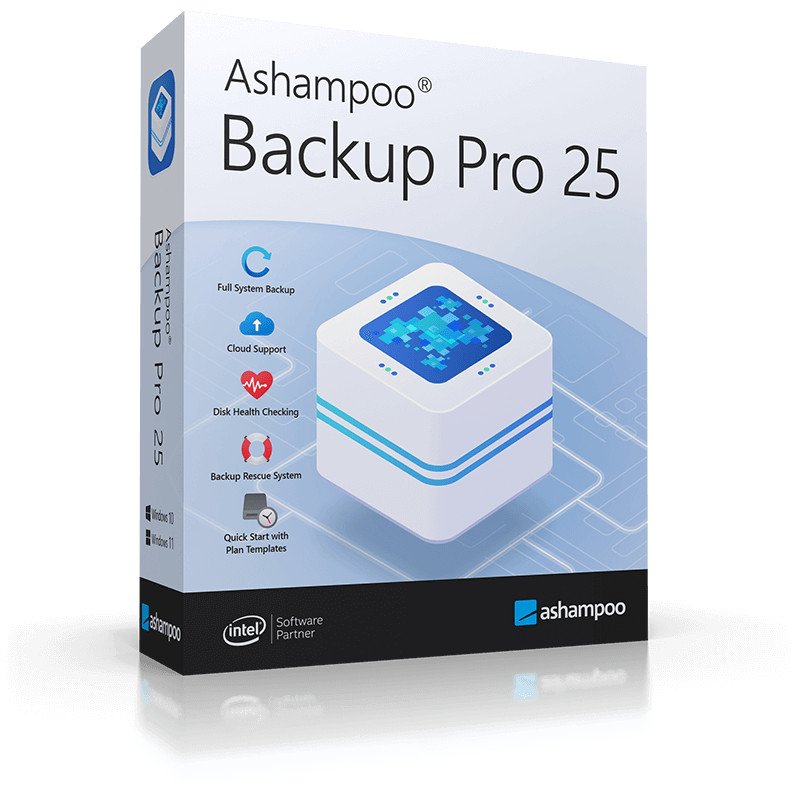
Ashampoo Backup Pro 25.06


758871c8df0182c020ffdbb76a8ad618.jpg


File Size: 120 MB
​


Ashampoo Backup Pro 25 takes the fear out of viruses, ransomware and hardware errors! Experience an easy to use well-designed but powerful backup solution. The new Ashampoo Backup Pro offers you all possible storage options: Back up single files to entire partitions to local drives or online storage providers. Backup software couldn't get any easier.

Just plug in a storage device and you're good to go! In addition, the program is light on resources, gets out of your way and does all the heavy lifting in the background. Restoring your backups is super easy! Ashampoo Backup Pro 25 even comes with a bootable rescue system to restore your system in the event of major system failure!

Helps with
Malware infections
Hard disk failure
Accidentally deleted files
Operating system issues
Troublesome updates
Device theft
Real-time backups

Nothing gets past unnoticed
Our new real-time backup technology tracks your most important folders for file changes and updates your backups accordingly-and you get to individually pick those folders! This means your files are kept safe automatically and it certainly takes the fear out of sudden crashes or system freeze-ups. Never again will you have to worry whether your current archives really include all of your latest files. It's another step toward the perfect backup solution!

Plug & Play backups
Hook it up and you're good to go!
With plug & play, backing up external devices is a joy: Once set up, Ashampoo Backup Pro 25 will run your plans automatically as soon as the affected drives are connected to your PC. This means, you can instantly back up the files of your flash drive simply by plugging it in-no need to run the program, no additional clicks! With Ashampoo Backup Pro 25 makes backing up your files a smooth, seamless, fun experience!

State-of-the-art rescue system
Rescue system based on the latest Windows
Ashampoo Backup Pro's got your back when disaster strikes and your system crashes: Our Windows-based state-of-the-art rescue system can reboot your PC either from DVD or USB stick. Instead of a full Windows reinstall, you can then simply restore your previous system backup and return your PC to normal. Save time and effort and keep your PC, and your files, safe with Ashampoo Backup Pro!

Bitlocker support
Unlock and use BitLocker-encrypted drives
Windows encrypts drives via BitLocker to protect them against unauthorized access. This makes it harder, sometimes even impossible, for backup software to access your files. Ashampoo Backup Pro not only sees your BitLocker-encrypted drives but can also access them to store your file archives. Naturally, the drives are not only accessible during normal operation but also through the rescue system!

What's New
Код:
https://www.ashampoo.com/en-us/backup

HomePage:
Код:
https://www.ashampoo.com

-:DOWNLOAD FROM LINKS:-​
Download From RapidGator
У Вас недостаточно прав для просмотра ссылок. Войдите или зарегистрируйтесь.

Download From NitroFlare
У Вас недостаточно прав для просмотра ссылок. Войдите или зарегистрируйтесь.
 
Bitsum Process Lasso Pro 15.0.4.22


245b5cf93c6227e29e3c634f5b1161df.jpg


File Size: 6.3 MB
​


Process Lasso is a unique new technology that will, amongst other things, improve your PCs responsiveness and stability. Windows, by design, allows programs to monopolize your CPU without restraint - leading to freezes and hangs. Process Lassos ProBalance (Process Balance) technology intelligently adjusts the priority of running programs so that badly behaved or overly active processes won't interfere with your ability to use the computer!

Process Lasso also offers an assortment of ways to take full control of how your CPUs are allocated to running programs. You can choose at what priority processes should run, and which CPUs (cores) should be assigned to them. You can also disallow certain programs from running, log all programs run, and so much more (see list below).

Once you install Process Lasso, it'll just start working. More advanced users can tweak the configuration, but you needn't touch anything to have it instantly improve your system responsiveness and prevent stalls in high load situations.

For network admins, Proces Lasso works wonderfully on Terminal Servers and in multi-user environments. We have many clients that have been using Process Lasso on their Terminal Servers for years.

Best of all, Process Lasso is written in native C++, not .NET. This means it consumes very few system resources - considerably less than any similar software.

Process Lasso Features
Prevent processes from monopolozing the CPU(s)
ProBalance dynamic priority optimization
CPU throttling (new)
Save process priorities for future instances
Save process CPU affin

Whats New
Код:
https://bitsum.com/changes/processlasso/#latest

HomePage:
Код:
https://bitsum.com

-:DOWNLOAD FROM LINKS:-​
Download From RapidGator
У Вас недостаточно прав для просмотра ссылок. Войдите или зарегистрируйтесь.

Download From NitroFlare
У Вас недостаточно прав для просмотра ссылок. Войдите или зарегистрируйтесь.
 
Назад
Сверху