• Здравствуйте. Сайт заработал в архивном режиме форум www.old.nado.in

Dl4ever Software

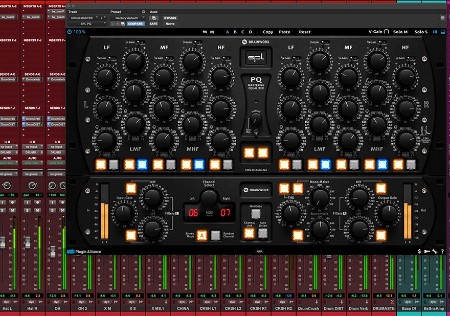
Plugin Alliance SPL PQ v1.1.0

PASPv10.jpg

Team R2R | 2023.03.09 | 53 MB
​

The king of parametric EQs
The PQ Mastering Equalizer is a fully parametric, dual-channel five-band equalizer, based on SPL's pioneering 120V rail technology. Able to switch between constant and proportional Q modes with the push of a button, this kind of circuit has not yet been achieved in any other analog equalizer.
Designed for precision performance
Each of the five bands of the PQ can be independently activated, deactivated, or switched between Constant Q and Proportional Q modes for even more targeted cuts and boosts. Thanks to the "1/4 Gain Switch", you can reduce the range of the EQ from +/-20 dB down to +/-5 dB cut or boost to easily perform the small corrections common in mastering. And, with the detented potentiometers, precise settings are easy to dial in.
Now improved with plugin-only features
Brainworx' familiar "Extra Unit" adds features to this legendary EQ that cannot be found on the original analog units. This retractable module includes Tolerance Modeling Technology, M/S Processing, Mono-Maker, Stereo Width, THD, Auto Listen for all five bands and more, providing everything you need in the modern digital domain.
FEATURES
Exacting emulation of the original analog PQ mastering equalizer, approved by SPL
Fully parametric mastering grade EQ, that offers precision, flexibility and detailed musicality
Independently switch between Constant Q and Proportional Q for all 5 bands for more targeted boosts and cuts
BRAINWORX Plugin Only Features added to the BX Module
Brainworx ́ TMT inside: Tolerance Modeling Technology (TMT, US Patent No. 10,725,727) simulates channel-to- channel variances in electronic components for the most realistic analog sound in the box
Auto Listen - To more accurately position the filter in the frequency domain by isolating the effect of the EQ
Mono-Maker - Sums your low-frequency content to mono, giving you focused, punchy bass response
Stereo Width - To expand the stereo width of your tracks
Separate Mono Version - for using individual tracks such Kick Drum, Snare, Bass, Vocals, etc.
Scalable User Interface
Artist Presets

-:DOWNLOAD FROM LINKS:-​
Download From RapidGator
Код:
https://rapidgator.net/file/277e0a156235df5492590af1572bcbb9/PASPv10.rar

Download From NitroFlare
Код:
https://nitroflare.com/view/2E55D6E30E9FBFC/PASPv10.rar
 
Plugin Alliance TBTECH Kirchhoff-EQ v1.6.2 Win


PATKv62-W.png

20 MB
​

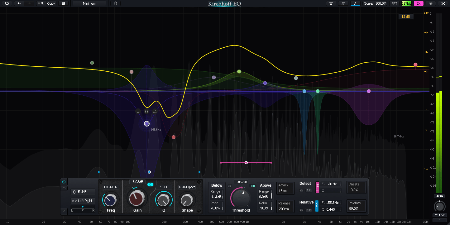
Kirchhoff-EQ is an ultimate 32-band parametric EQ plugin built for all critical professional applications. It has refined sound quality, analogue-matched curves, 15 filter types with continuously variable shape and 32 vintage EQ types modelled from realworld devices. The builtin dynamic processing functions are highly flexible and have ultra-low distorsion. All these push Kirchhoff-EQ to a next-generation standard.
Ultimate Sound Quality
Robust Nyquist-matched Transform
Through originally developed "Robust Nyquist-matched Transform", Kirchhoff-EQ has made digital-domain frequency response more approximate to its analogue counterparts without high frequency cramping as in regular IIR(infinite impulse response) equalizers. This technique is applied on all filter types in Kirchhoff-EQ.
High-Precision Processing
64-bits is mandatory and it's not negotiable. The internal processing of Kirchhoff-EQ is always in 64-bits (or 117-bits), regardless host DAW's current working precision.
Psychoacoustic Adaptive Filter Topologies
All linear filter structures should have same sound on paper. However in real-world application, round-off errors make every filter structure sound differently: some better in low frequency, some better in high frequency.
A technology called "Psychoacoustic Adaptive Filter Topologies" has been deployed in Kirchhoff-EQ. Filter structures change themselves to a "best fitting" state along with corresponding band frequency changes, making optimized sound quality in both low and high frequency.
Switchable Ultra-High 117-bits Processing
Since there's already 64-bits, why not go further? Kirchhoff-EQ uses a technique called "Double-Double" to make precision of internal processing reach 117 bits! This is the first equalizer in the world to reach such precision. You can switch between 64-bits and 117-bits at any time. It satisfies the most demanding ears.
* Linear-phase mode always use 64-bits as it is an FIR(finite impulse response) filter, and does not support 117-bits.
Filter Types
15 Unique Filter Types
•low pass, high pass, band pass: continuously variable from 0 dB/oct to 96 dB/oct;
•bell, notch: continuously variable from 12 dB/oct to 96 dB/oct;
•low shelf, high shelf, tilt shelf: continuously variable from 6 dB/oct to 96 dB/oct;
f•lat tilt and flat top;
•sword: has sharper slope than bell, specifically designed to "dig" out resonances.
•brickwall low pass, brickwall high pass, allpass low and allpass high.

-:DOWNLOAD FROM LINKS:-​
Download From RapidGator
Код:
https://rapidgator.net/file/6ffa8df33409c20fe85e7968bb693f1b/PATKv62.W.rar

Download From NitroFlare
Код:
https://nitroflare.com/view/1C50477E19F5CAB/PATKv62.W.rar
 
QILING Disk Master v7.0.0 Technician Server WinPE x64


QDMv00-TWx.jpg

File size: 473 MB
​

The biggest nightmare for a computer user is data loss and system crash, once happened, reliable and up-to-date backups are extremely necessary and important. QILING Disk Master covers all the needs to recover your lost data and restore crashed systems in minutes. It's advanced and reliable data backup & system disaster recovery software for home office and business desktops and laptops. It enables users to perform self-service backup operation with comprehensive full/differential/incremental backup.
Virtual disk and backup software and checking hard disk's health software. With it, you can do
- The virtual disk utility simulates a real HDD in order to avoid data loss and to facilitate a more comfortable software testing environment.
- The ramdisk feature allows users to enhance the speed of the PC.
- Full system protection allows you to easily back up and recover your entire operating system when disaster happens.
- Fast, easily and safely migrate system to an SSD or a bigger HDD for disk replacement or upgrade.
Key Features
- System backup and protection (imaging)
- File backup and recovery
- File zip
- File sync (Server supported)
- Full, incremental, and differential backup
- AES 256 bit encryption, compression, and password
- One-click system backup
- Daily, weekly or monthly backup scheduler
- Perfect Defrag
- Bare-metal system restore
- Backup Strategy(Quota management)
- Supports all sizes hard disks and SSDs (80GB to 4TB)
- Compression
- Deduplication
- Email notification
- Hot Clone
- Larger than 512-byte sector
- GPT & UEFI Boot Supported
- Disk/partition management
- Migrate OS to SSD/HD
- Wipe data
- File shredder
What's new
Код:
https://www.idiskhome.com/main/history.shtml

-:DOWNLOAD FROM LINKS:-​
Download From RapidGator
Код:
https://rapidgator.net/file/74ca22da167f5a409bc540182bb246e4/QDMv00.TWx.rar

Download From NitroFlare
Код:
https://nitroflare.com/view/9E94F124FE9229E/QDMv00.TWx.rar
 
R-Tools R-Drive Image 7.1 Build 7103 Multilingual


RRI71-B7103-M.jpg

File size: 76.31 MB
​

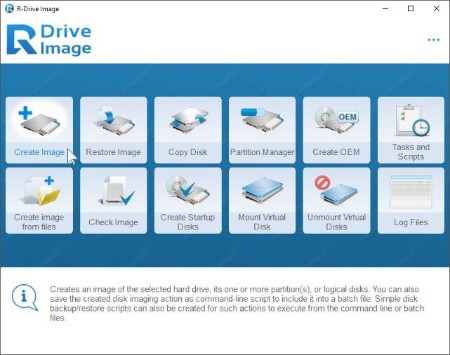
R-Drive Image is a potent utility providing disk image files creation for backup or duplication purposes. A disk image file contains the exact, byte-by-byte copy of a hard drive, partition or logical disk and can be created with various compression levels on the fly without stopping Windows OS and therefore without interrupting your business. These drive image files can then be stored in a variety of places, including various removable media such as CD-R(W)/DVD, Iomega Zip or Jazz disks, etc.
R-Drive Image restores the images on the original disks, on any other partitions or even on a hard drive's free space on the fly. To restore system and other locked partitions R-Drive Image is switched to the pseudo-graphic mode directly from Windows or bootable version created by the utility is launched from CD disc or diskettes.
Using R-Drive Image, you can completely and rapidly restore your system after heavy data loss caused by an operating system crash, virus attack or hardware failure. You can also use R-Drive Image for mass system deployment when you need to setup many identical computers. In other words, you can manually setup one system only, create an image of the system, and then deploy it on all other computers, saving your time and costs. If you need to restore only certain files from a disk image, you can connect that image as a virtual disk and copy those files directly from the disk image using Windows Explorer or any other file utility.
R-Drive Image is one of the best backup and disaster recovery solutions to prevent losing your data after a fatal system failure.
What's new
Код:
https://www.drive-image.com/Feature-History.html

-:DOWNLOAD FROM LINKS:-​
Download From RapidGator
Код:
https://rapidgator.net/file/f01a831b582bb2f4e677a18f5e2ed7ad/RRI71.B7103.M.rar

Download From NitroFlare
Код:
https://nitroflare.com/view/64F86E916422E03/RRI71.B7103.M.rar
 
Sante DICOM Editor 8.1.11


SDE8111.jpg

File size: 75.7 MB
​

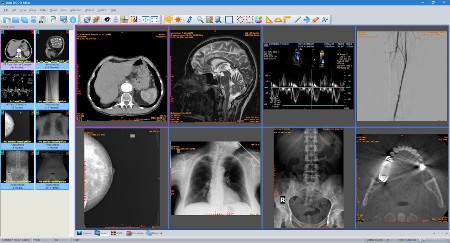
Sante DICOM Editor is a professional DICOM editor, viewer, anonymizer, converter, dicomizer, PACS client, mini PACS server, patient CD/DVD burner (with viewer) and much more.
The unique viewer
Sante DICOM Editor is not a "yet another DICOM viewer" constructed with freely available libraries such as dcmtk, itk and vtk, like hundreds of other DICOM viewers which differ from each other only in the appearance, menus, panels and dialog boxes. It is a unique program with unique capabilities, designed and developed in-house by us, from the ground up, with the most advanced programming tools and it is the result of research and development on DICOM imaging of the last two decades.
The powerful editor
Sante DICOM Editor is the industry-leading post processing application for DICOM file editing, conversion and handling, it is used by almost all the large corporations and medical equipment manufacturers, and it is the DICOM editor of choice of the greatest universities and hospitals of the world. Among others, it lets the user to edit and modify DICOM files, to add and remove attributes, and even edit and modify sequence attributes.
Features and benefits
Powerful DICOM workstation, viewer and editor
Perpetual license that never expires.
Free updates and free technical support for product's lifetime
PACS client that supports all the DICOM network services (C-FIND SCU/SCP, C-MOVE SCU/SCP, C-STORE SCU/SCP, C-GET SCU/SCP, C-ECHO SCU/SCP)
It can be used as a mini PACS server as well
(the number of stored patients/studies depends on disk size only)
Command line switches for integration with PACS servers (learn more.)
Support of all charsets (latin, chinese, japanese, korean, cyrillic, arabic, greek, turkish, etc.)
Compatible with all modalities (CT, MR, NM, US, XA, MG, CR etc.), all manufacturers and all DICOM 3.0 and NEMA 2 file types.
Editing and modification of DICOM files (even of sequence attributes)
Simultaneous editing of all DICOM files of a series/study
DICOMDIR editor
Dual monitor support (new in version 6, learn more.)
Structured Report support (new in version 6.3)
Presentation State file editor
Structured Report file editor
Printing to DICOM printers and Windows printers
DICOM to DICOM conversion, DICOM file modification (transfer syntax, image width and height, color depth, frame insertion, removal, sorting, etc.)
Built-in Anonymizer, burned-in annotations removal (Patient data de-identification, suitable as well for avoiding issues with the GDPR regulation 2016/679 of EU)
Built-in Dicomizer: DICOM file creation from video files (avi, wmv) and plain image formats (jpeg, jpeg2000, tiff, bmp, and png)
Ultrasound region calibration module support (calibrated Ultrasound measurements)
Merging of DICOM files
Creation of DICOM CD/DVD disks with viewer
Support of Epson and Primera CD/DVD Disk Publishers (robots)
Contrast Agent Probe
Whats New
Код:
https://www.santesoft.com/win/sante-dicom-editor/whats_new.html

-:DOWNLOAD FROM LINKS:-​
Download From RapidGator
Код:
https://rapidgator.net/file/c59422b1d38fc3459ff31b778f58dc6c/SDE8111.rar

Download From NitroFlare
Код:
https://nitroflare.com/view/200DDDD3304167F/SDE8111.rar
 
Sante DICOM Viewer Pro 12.1.11


SDVP12111.png

File size: 72.8 MB
​

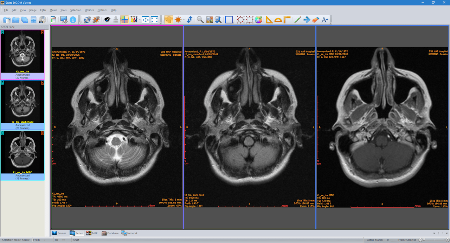
Sante DICOM Viewer Pro is a professional DICOM viewer, anonymizer, converter, PACS client, mini PACS server, patient CD/DVD burner (with viewer) and much more.
The unique viewer
Sante DICOM Viewer Pro is not a "yet another DICOM viewer" constructed with freely available libraries such as dcmtk, itk and vtk, like hundreds of other DICOM viewers which differ from each other only in the appearance, menus, panels and dialog boxes. It is a unique program with unique capabilities, designed and developed in-house by us, from the ground up, with the most advanced programming tools and it is the result of research and development on DICOM imaging of the last two decades. Sante DICOM Viewer Pro has been developed since 1999 and it is one of the most popular professional DICOM viewers worldwide.
Features and benefits
Powerful DICOM workstation and viewer
Perpetual license that never expires.
Free updates and free technical support for product's lifetime
PACS client that supports all the DICOM network services (C-FIND SCU/SCP, C-MOVE SCU/SCP, C-STORE SCU/SCP, C-GET SCU/SCP, C-ECHO SCU/SCP)
It can be used as a mini PACS server as well
(the number of stored patients/studies depends on disk size only)
Command line switches for integration with PACS servers (learn more...)
Easy to use with native Windows "look and feel"
Support of all charsets (latin, chinese, japanese, korean, cyrillic, arabic, greek, turkish, etc.)
On-line, case sensitive help
Compatible with all modalities (CT, MR, NM, US, XA, MG, CR etc.), all manufacturers and all DICOM 3.0 and NEMA 2 file types.
Supports also jpeg, jpeg2000, tiff, png, and bitmap image formats
Dual monitor support (new in version 10, learn more...)
Structured Report support (new in version 10.3)
Built-in DICOM File Editor
Built-in DICOM Multi-File Editor
Full support of DICOMDIRs (view, open, create, edit, image/series selection for viewing or/and for transferring in another folder)
Built-in Anonymizer (Patient data de-identification, suitable as well for avoiding issues with the GDPR regulation 2016/679 of EU)
Scout image/localizer support
Support for Overlays
Study comparison side-by-side
Printing to DICOM printers and Windows printers
Creation of DICOM CD/DVD disks with viewer
Support of Epson and Primera CD/DVD Disk Publishers (robots)
Advanced ROI selection tools (free hand, magic wand, eye-dropper, rectangle, circle, ellipse, polygon)
Statistical analysis of ROIs (pixel count, min value, max value, mean value, standard deviation, area, volume)
Synchronized frame view between the series
Synchronized level-window between the series
Synchronized field of view between the series
Measurement tools (distance, angle, cobb angle, polyline, area, volume)
Ultrasound region calibration module support (calibrated Ultrasound measurements)
Annotation texts and arrows
Interpolated (smooth) zoom and advanced zoom tools (e.g. zoom dynamic, zoom window)
Comparison of DICOM files tag by tag
Built-in Hexadecimal File Editor
Built-in Hexadecimal DICOM Viewer
File searching with criteria (patient name, study ID etc.), within hard disk's or CD's folders
File searching by tag's existence and/or tag's value, within hard disk's or CD's folders
External DICOM dictionary support
Image orientation (flip, rotate)
Image and canvas resizing
Image processing filters (blur, sharpening, convolution masks, min mask, max mask, median mask etc.)
Subtraction filter for DSA
Video (wmv) creation with or without annotations
Batch convert to image formats (JPEG, TIFF, BMP, PNG, etc.)
Batch anonymizing, with ability of burned-in annotations removal
Export DICOM Headers to text files
Orthogonal Multi-planar Reconstruction (MPR)
Easy to use with native Windows "look and feel"
Windows 11/10/8.1/8/7/ and Vista compatible
Whats New
Код:
https://www.santesoft.com/win/sante-dicom-viewer-pro/whats_new.html

-:DOWNLOAD FROM LINKS:-​
Download From RapidGator
Код:
https://rapidgator.net/file/7bec9aaec26b24459f98c839ee5e9033/SDVP12111.rar

Download From NitroFlare
Код:
https://nitroflare.com/view/7F8FEEEF3D1FB7A/SDVP12111.rar
 
SAPIEN PrimalScript 2023 8.1.178 (x64)


SP2023-81178-x.png

File size: 448 MB
​

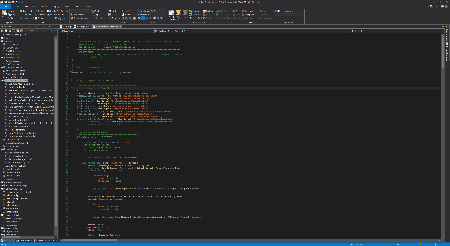
PrimalScript is the next generation of our industry-leading Universal Script Environment (USE). As a system, database or network administrator, web developer or end-user developer, you need to work with multiple technologies, languages and file formats at the same time.
PrimalScript's ribbon interface has been carefully designed to provide virtually all functions you use every day on the Home tab. Create script templates based on your requirements and business needs to accelerate your ability to deliver solutions faster.
PrimalScript's script packager offers advanced options and platform selections to deliver solutions targeted at specific environments. You can restrict packages by domain, machine, user, platform and MAC address to avoid unauthorized script execution. Code signing, platform independent start-up code, Run-As, elevation and many more options are at your disposal.
Our MSI database builder, combined with the ability to run your own custom deployment commands, enables you to modify a solution swiftly, package it, create an installer for it and deploy it on your network, all with a single click.
Our restore point feature provides you with an additional safety net if you are just experimenting with a script. Easily roll back to where you started from or define your own specific milestones as you progress through development.
Supports over 50 languages and file types.
Supports 32-bit and 64-bit platform development.
Next generation PowerShell local and remote debugger.
Supports Windows PowerShell and PowerShell 7 at the same time.
Script against a remote machine's Installed Module Set (IMS).
Remote VBScript, JScript and PowerShell debugger.
Supports PowerShell variable and function breakpoints.
Integrated 32-bit and 64-bit PowerShell and command console.
Multi-file and module debugging.
Single click build for packages, MSI databases and deployment.
Plus much more.
Whats New
Код:
https://www.sapien.com/software/version_history

-:DOWNLOAD FROM LINKS:-​
Download From RapidGator
Код:
https://rapidgator.net/file/d1cfd6186648e5b5e9cd1a66089a0e32/SP2023.81178.x.rar

Download From NitroFlare
Код:
https://nitroflare.com/view/009AFF9B3C0BC76/SP2023.81178.x.rar
 
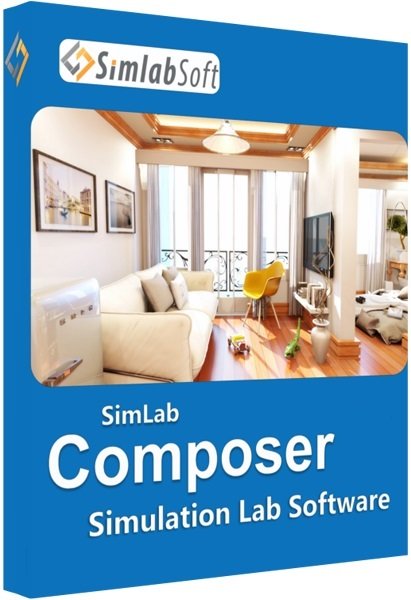
Simlab Composer 11.0.45 (x64) Multilingual


SC11045-x-M.jpg

File size: 344 MB
​

Simlab Composer is a complete, easy, affordable and feature-rich 3D software having all the tools you need for importing your models then creating dynamic visualization, rendering, all into creating fully interactive VR training sessions.
Features
Import/Export
Import and Export from a wide range of 3D files formats.
Cloud Sharing
Share your visualization outputs into your devices and with other users.
3D PDF
Export your interactive 3D models into 3D PDF Files and show options and animations.
Integration with CAD
Connect your CAD software directly to SimLab Composer and have great visualization outputs.
CADVRter
Stand-Alone 3D/CAD/VR Conversion Tool.
Scene Building
Intuitive and fast tools to build and organize your scenes the way you want.
Animation
Add life to your scene by creating and controlling animations on all elements.
Simulation
Simulate your designs with an easy work-flow, create solids, add joints, run simulations, plot data, and much more.
3D Rendering
Smartest, easiest and fastest way to create premium high quality renders.
360
Give immersive views by rendering your scenes into 360 images and 360 grids.
Texture/Light Baking
Give your 3D scenes and models a realistic look on all devices.
VR Creation
Create, view, share, and bring your VR experiences to life very fast and without writing a single line of code.
VR Catalogs
Build and access catalogs of 3D models while in VR experience.
Visual Scripting
Automate massive workflows without a single line of code.
Scripting
Automate your repetitive workflow with a few lines of code.
Command Line
Automatically trigger certain tasks at certain conditions on a daily-basis.
Whats New
Код:
https://www.simlab-soft.com/3d-products/simlab-composer-whats-new.aspx

-:DOWNLOAD FROM LINKS:-​
Download From RapidGator
Код:
https://rapidgator.net/file/15e014adb837246c24ca83446601b46f/SC11045.xM.rar

Download From NitroFlare
Код:
https://nitroflare.com/view/CE60385C56E445E/SC11045.xM.rar
 
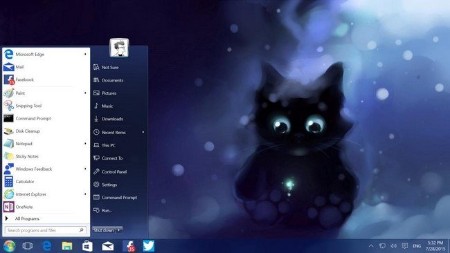
StartIsBack++ 2.9.19 Multilingual


S2919-M.jpg

File size: 1.5 MB
​

StartIsBack is fully native lightweight zero-privileges program, cheap and fair, fast, stable and secure. Boot to desktop; Original fully-featured Windows start menu; Desktop and Modern interfaces clearly separated; Make Start screen clutter-free; Totally native; Rich customization and configuration; And More to come!
Your faithful desktop friend which helps you
- Launch programs you use frequently
- Open documents you're working on
- Find stuff you're looking for
- Go to system places in one click
- Easily shut down your system
- Feel at home with new Windows
StartIsBack++ can
- Fine-tune taskbar color
- Add taskbar translucency with blur
- Show live badges for modern apps
- Restore larger taskbar icons
- Reduce OS resource usage
OS: Windows 10 (x86/x64)
Whats New
Код:
https://startisback.com/#download-tab


-:DOWNLOAD FROM LINKS:-​
Download From RapidGator
Код:
https://rapidgator.net/file/740740ee7fbddb93576301da50bfbd1c/S2919.M.rar

Download From NitroFlare
Код:
https://nitroflare.com/view/0864F140EFADBBE/S2919.M.rar
 
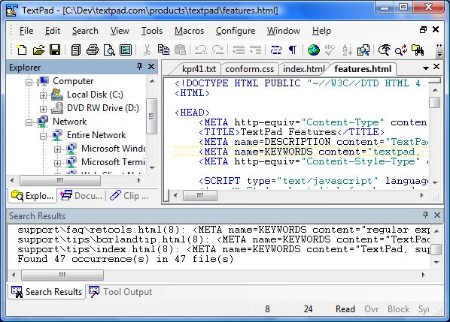
TextPad 9.1.0 (x64) Multilingual


T910-xM.jpg

File size: 11.1 MB
​

TextPad is a powerful, general purpose editor for plain text files. Easy to use, with all the features a power user requires. TextPad® is designed to provide the power and functionality to satisfy the most demanding text editing requirements.
TextPad has been implemented according to the Windows XP user interface guidelines, so great attention has been paid to making it easy for both beginners and experienced users. In-context help is available for all commands, and in-context menus pop-up with the right mouse button. The Windows multiple document interface allows multiple files to be edited simultaneously, with up to 2 views on each file. Text can be dragged and dropped between files.
In addition to the usual cut and paste capabilities, you can correct the most common typing errors with commands to change case, and transpose words, characters and lines. Other commands let you indent blocks of text, split or join lines, and insert whole files. Any change can be undone or redone, right back to the first one made. Visible bookmarks can be put on lines, and edit commands can be applied to lines with bookmarks.
Frequently used combinations of commands can be saved as keystroke macros, and the spelling checker has dictionaries for 10 languages.
It also has a customizable tools menu, and integral file compare and search commands, with hypertext jumps from the matched text to the corresponding line in the source file (ideal for integrating compilers).
Features
• Huge files can be edited, up to the limits of virtual memory. See Specifications for the actual limits.
• Supports Universal Naming Convention (UNC) style names, and long file names with spaces.
• CUA compliant keyboard commands.
• English, French, German, Italian, Polish, Portuguese and Spanish user interfaces.
• A spelling checker with dictionaries in 10 languages.
• Multiple files can be simultaneously edited, with up to 2 views per file.
• Warm Start feature lets you restart exactly where you left off.
• In addition to the usual cut, copy and paste capabilities, selected text can be case shifted and block indented, and characters, words and lines can be transposed. Cut and copied text can be appended to the clipboard, as well as replacing its contents.
• Text can be automatically word-wrapped at the margin, or at a specified column, if it does not fit on a line. In this mode, text can be split into separate lines where wrapping occurs, or lines can be intelligently joined, preserving paragraphs.
• OLE2 drag and drop editing for copying and moving text between documents.
• Unlimited undo/redo capability. The undo buffer can be optionally cleared when a file is saved, or by using the Mark Clean command.
• Block (column) selection mode, and visible display of tabs and spaces.
• A keystroke macro recorder, with up to 16 active macros.
• Sorting, using up to 3 keys.
• Text can be automatically aligned and indented, relative to the previous line, to aid block indentation.
• The right mouse button pops up an in-context menu.
• The cursor can be constrained to the text, or can be positioned freely in the document view.
• Toolbar with fly-by usage hints, and an active status bar.
• A powerful search/replace engine using UNIX-style regular expressions, with the power of editor macros. Sets of files in a directory tree can be searched, and text can be replaced in all open documents at once.
• Visible bookmarks can be placed on individual lines, and on all occurrences of a search pattern. Bookmarked lines can be cut, copied or deleted.
• A built in file manager for fast file copying, renaming, deleting etc.
• Print previewing, and printing with customizable headers/footers and page breaks.
• Viewer for binary files using a hexadecimal display format.
• Built in file comparison utility, and up to 16 user-defined tools with argument macros.
• Hypertext links from file search and user tool output to the relevant source line.
• DDE interface to other tools, such as MS Visual C++. The editor detects when an open file has been modified by another tool, and prompts you to reopen it.
Enhancements
* Incremental Find command on the Search menu. It finds the next instance of a string, as you type it in the Incremental Find toolbar.
* Normalize command on Windows menu when document tabs are displayed. It eliminates any tiling and tab groups.
* Option to order document tabs leftmost first.
* Option to substitute TextPad for Notepad.
* Added commands to copy the filename and browse its folder to the Document Selector and tabs context menus.
* Added commands to create new tab groups to the document tabs context menu.
* Sets the Explorer path when opening a workspace.
* Tool names on the Configure/Preferences/Tools dialog box can now be edited by pressing F2.
* The Explorer now uses the Windows Explorer context menu.
* Optional toolbar for print commands.
Whats New
Код:
https://www.textpad.com/news/index.html

-:DOWNLOAD FROM LINKS:-​
Download From RapidGator
Код:
https://rapidgator.net/file/6d401d134011211dcecec05aa9bf1189/T910.xM.rar

Download From NitroFlare
Код:
https://nitroflare.com/view/B1F72E90D5DA9F8/T910.xM.rar
 
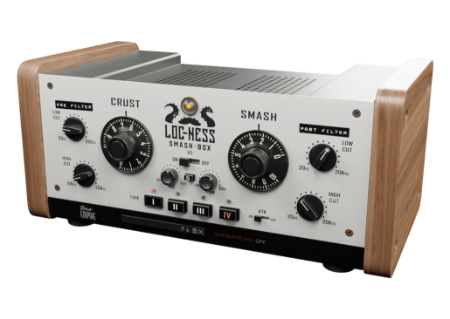
Tone Empire Locness V2 v2.5


TELVv5.png

Team R2R | 08 Mar 2023 | 33.2MB
​

Our Brand New & Better Sounding advanced DSP makes this already the popular plugin even better. Additionally, get the option of oversampling up to 8x for more analog sounds.
What does it do ?
Drums., the most crucial part of your mix that can make or break a track.
For decades pro engineers have used various combinations of compressors, pre-amps, eq's, and saturation to make styles of sounds that stand out. Not just a compressor or eq, Loc-Ness is the mystical plugin that brings all the right controls and colors for drums to your workstation.
This is a dedicated channel designed for processing Individual Drum Hits, The room sound, and the entire drum bus.
Features 4 carefully modeled analog signal paths for light to crunchy saturation with the "Crust" control.
Use "Smash" to neatly limit and sustain the sound into pleasing "Splat" or "Thrust".
Two filters let you zone into bands that you want to process, leaving the rest of the sound untouched. Dedicated wet and dry controls to carefully dial in the details of the sounds in your head.
Works great with acoustic as well as electronic drum recordings.

-:DOWNLOAD FROM LINKS:-​
Download From RapidGator
Код:
https://rapidgator.net/file/32c41729b24c952ead7da77a749b804f/TELVv5.rar

Download From NitroFlare
Код:
https://nitroflare.com/view/936EEE860BA04D9/TELVv5.rar
 
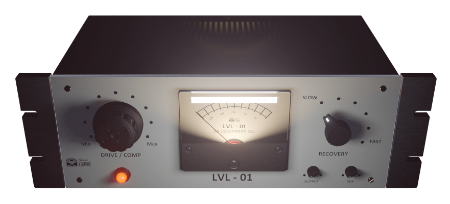
Tone Empire LVL 01 v1.5 Win Mac


TEL01-v5-WM.png

Team R2R | 08 Mar 2023 | 223 MB
​

The LVL-01 is an A.I./M.L.-based audio compressor with a unique Thick, Punchy, and Dirty/Crunchy sound.
The LVL-01 is the world's first real-time Machine Learning / A.I. based audio compressor plugin.
LVL-01- is an emulation of a customized analog gates sta-level compressor.
What does it do ?
Designed for more saturation and less obvious compression, this plugin is perfect for your Drums, Loops, Breakbeats, Bass, and Guitars /Synths.
Punchy, Thick, and Crunchy!
The plugin offers 6 recovery times, a Drive/ Compressor control, and a fully scalable GUI.
Actual Unique Custom Compressor Sampled via Machine Learning.
6 Recovery times from Slow to Fast.
Drive/ Compression Characteristics - Vari-Mu Style (6386 tubes)
Output Gain Trim Control.
Mix control for wet/ dry signal mix.
Fully resizable GUI interface.
Comes with a set of professional presets.
Auto-Gain Compensation built in.

-:DOWNLOAD FROM LINKS:-​
Download From RapidGator
Код:
https://rapidgator.net/file/b5dabb8ac9a69b5387d654e3acd531fb/TEL01.v5.WM.rar

Download From NitroFlare
Код:
https://nitroflare.com/view/05BA1AAFE1EB887/TEL01.v5.WM.rar
 
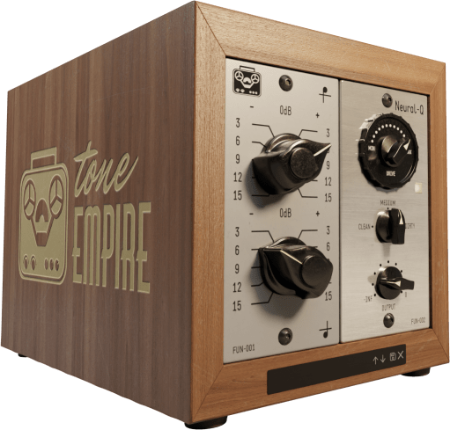
Tone Empire NeuralQ V2 v2.0 (Win Mac)


TENVv0-W.png

Team R2R | 08 Mar 2023 | 110 MB
​

Neural Q gives your music a very "analog" sounding Top-end sparkle and "heavy" bottom end seldom found in plugin equalizers.
What's Neural Q ?
The future of Analog Emulation is here. This plugin faithfully captures the dynamic behavior and sound of a well-known Vintage German Equalizer and a modern Solid State Pre-Amp featuring cinemag transformers.
Push the parameters to the limits and be "stunned" by the results.
Circuit Modelling is a technology of the past and can never produce as authentic an analog emulation as RNN (Recurrent Neural Networks).
Introduced a New AI / ML System.
Much lower CPU usage than v1
New Reworked Presets
Retrained model of the preamp section
More accurate reproduction of the original hardware units
Resizing Option
Our new applications based on AI technologies, literally train a model and parameters of an analog device by feeding it samples of real music material. We train the system with vocals, drums, guitars, full mixes, and other instruments phrases.
The Neural Network then creates a model based on weights by replicating the "effect" of the analog gear on the sound. This results in more accurate analog behavior.

-:DOWNLOAD FROM LINKS:-​
Download From RapidGator
Код:
https://rapidgator.net/file/220495d45bd8ef1b5f9a284f075de446/TENVv0.W.rar

Download From NitroFlare
Код:
https://nitroflare.com/view/5F8FF6124337302/TENVv0.W.rar
 
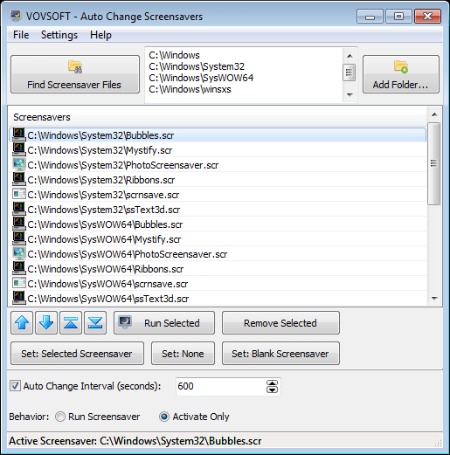
VovSoft Auto Change Screensavers 1.6.0


VACS160.png

File Size: 6.3 MB
​

A small desktop tool that will change your screensavers. Auto Change Screensavers application allows you to automatically change your screensaver. Do you have lots of cool screen savers installed? Sometimes people spend lots of time trying to choose which one to make the default. This screen saver manager solves that problem.
Now you can have all your savers run on your screen in turn, and this is without any need to tweak the Windows Setup every time you want a little change.
Whats New
Код:
https://vovsoft.com/version-history/auto-change-screensavers/

-:DOWNLOAD FROM LINKS:-​
Download From RapidGator
Код:
https://rapidgator.net/file/47fc375326691cde40d36f1aa8e4eea3/VACS160.rar

Download From NitroFlare
Код:
https://nitroflare.com/view/C739BACC5F7BA9E/VACS160.rar
 
Windows eXPerience Freestyle Update 2023-02-11


We-FU2023-02-11.png

File size: 3.69 GiB | 64-bit | Language: English
​

Windows 10 that looks like Windows XP.
This absolutely wild modification turns Windows 10 into a virtually indistinguishable Windows XP replica.
Windows Experience Freestyle Update is a modified Windows 10 installation with a very thick coat of 22-year-old paint. It carefully replicates the look and feel of Windows XP, which many consider the golden era of Microsoft's operating system. There is the old File Explorer, Task Manager, Control Panel, Start menu (still better than the one in Windows 11), and Internet Explorer (just a reskinned Mozilla Firefox). Even 3D Pinball and Paint are available.
ISO file. Created by travis#2800.
Of course, those who have experienced using Windows XP will be able to spot the differences. Also, some notable limitations and issues will prevent you from using the mod as a primary operating system. For example, any DPI above 100% will break everything, not all buttons and links in File Explorer work, and some parts of the OS look like butchered Windows 10. Still, it is safe to say the modification is the closest modern Windows XP replica that none of the third-party apps can achieve.
This is not an official product from Microsoft, it will not get updates from Microsoft.
У Вас недостаточно прав для просмотра ссылок. Войдите или зарегистрируйтесь.

Note: If you like this download, please click on the "Say Thank You" button.

-:DOWNLOAD FROM LINKS:-​
Download From RapidGator
Код:
https://rapidgator.net/file/57aaf11f19d7d723edb9f9ee2aef6195/WeFU2023-02-11.rar

Download From NitroFlare
Код:
https://nitroflare.com/view/6793CF54B735227/WeFU2023-02-11.rar
 
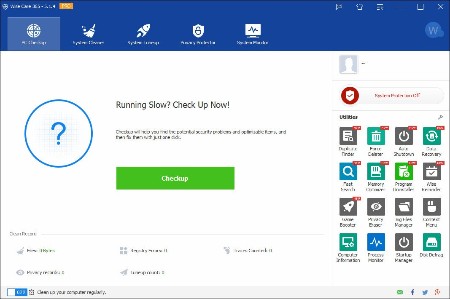
Wise Care 365 Pro 6.5.2.624 Multilingual


WC365-P652624-M.jpg

File size: 18 MB
​

Clean registry and junk files from your PCs. Protect your privacy and make your PCs more secure. Provide a better option of optimizing and accelerating your computer!
Protect Your System in Real Time
Take prompt action once some applications attempt to make modification without your permission. This protector will identify and stop any processes that try to secretly change Windows registry.
Prevent programs from changing your Internet Explorer homepage
Prevent any unwanted new application from adding into the windows startup
Prevent changes to the default browser
A Comprehensive PC Cleaner
Wise Care 365 is definitely the preferred option for billions of Windows users who want to keep their Windows PC at peak performance. It removes invalid Windows registry entries and cleans useless files, download history, browsing history, invalid shortcuts, traces, cache, cookies, passwords, Windows components, and files with specific extensions - allowing Windows system to run faster and freeing up more valuable hard disk space in seconds. It is also packed with customizable cleaning options for advanced users.
World's Fastest System Optimization Tool
Wise Care 365 adopts world's top technology. It optimizes PC's performance, defrags disks and the Windows registry, and manages the startup process as well as services.
Over time, your computer's hard disk drive and registry will become cluttered. Wise Care 365 can defrag the drive and registry to make them organized, thus making your computer run faster and more stable. You are going to be amazed by its blazing defrag speed.
Many programs run silently in the background when you start up your computer. Wise Care 365 helps you disable unneeded programs that consume your precious system resources and improves PC startup speed.
Your Ultimate Computer Privacy Protector
Wise Care 365 protects your computer privacy from prying eyes.
Privacy Eraser erases all traces of any computer operation like browsing history and accessed files, so any computer operation you do stays confidential.
Disk Eraser prevents deleted data from being retrieved by third parties.
Disk Shredder can delete files thoroughly so that they can never be recovered.
A Powerful System and Hardware Monitoring Utility
System Monitor displays all the essential information of your computer.
Process Monitor gives users a clear and neat list of all the processes run by user and system, users can shut down any process they don't need to make the PC run more smoothly.
Hardware Overview offers users both brief and detailed information of all the crucial hardware components, letting users know about their computers at a glance.
A Perfect Platform for Mutual Assistance on PC Problems
The 'Wise Assistance' section of Wise Care 365 is a community for mutual assistance and knowledge sharing on PC problems. Users can ask any questions about their computers, while our experts and other users with relevant knowledge, experience or techniques will answer these questions. Wise Care 365 holds millions of users across the world, so users can get faster and better solutions. It is a connection between users and experts to get faster and better solutions for computer problems.
Whats New
Код:
http://www.wisecleaner.com/blog_sort_8.html

-:DOWNLOAD FROM LINKS:-​
Download From RapidGator
Код:
https://rapidgator.net/file/11643e12411bbae328316a2b6aab44b2/WC365.P652624.M.rar

Download From NitroFlare
Код:
https://nitroflare.com/view/6495601D73FEADD/WC365.P652624.M.rar
 
Adobe Photoshop 2023 24.2.1.358 (x64)


AP2023-2421358-x-M.jpg

File size: 2.8 GB | Multilingual
​

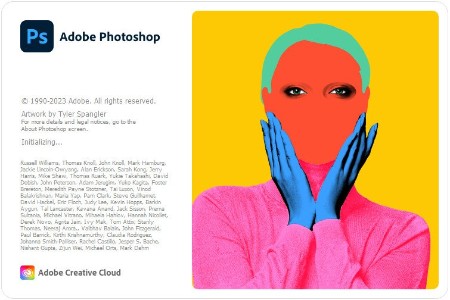
Reimagine reality with Photoshop. Millions of designers, photographers, and artists around the world use Photoshop to make the impossible possible. From posters to packaging, basic banners to beautiful websites, unforgettable logos to eye-catching icons, Photoshop keeps the creative world moving. With intuitive tools and easy-to-use templates, even beginners can make something amazing.
The creative world runs on Photoshop.
Millions of designers, photographers, and artists around the world use Photoshop to make the impossible possible.
Designed for anyone to design anything.
From posters to packaging, basic banners to beautiful websites, unforgettable logos to eye-catching icons, Photoshop keeps the creative world moving. With intuitive tools and easy-to-use templates, even beginners can make something amazing.
Not just photo taking. Breathtaking.
Whether you are looking for everyday edits or total transformations, our graphic design software offers a complete set of professional photography tools to turn your snapshots into works of art. Adjust, crop, remove objects, retouch, and repair old photos. Play with color, effects, and more to turn the ordinary into something extraordinary.
Power to the paintbrush.
Draw and paint whatever you dream up with tools designed especially for illustrators. Paint in perfectly symmetrical patterns. Get polished looks with stroke smoothing. And create with pencils, pens, markers, and brushes that feel real including more than 1,000 from celebrated illustrator Kyle T. Webster.
Symmetry mode
Paint in perfect symmetry with a new mode that lets you define your axes and choose from preset patterns like circular, radial, spiral, and mandala.
New Content-Aware Fill experience
A dedicated workspace lets you select the exact pixels to use for fills, and Adobe Sensei makes it easy to rotate, scale, and mirror them.
Frame tool
Create shape or text frames to use as placeholders on your canvas. Drag and drop images to fill the frames and they all scale to fit.
System Requirements
- Processor: Multicore Intel® or AMD processor (2 GHz or faster processor with SSE 4.2 or later) with 64-bit support
- Operating system: Windows 10 64-bit (version 20H2) or later; LTSC versions are not supported
Minimum
RAM: 8 GB
Graphics card: GPU with DirectX 12 support, 1.5 GB of GPU memory
Monitor resolution: 1280 x 800 display at 100% UI scaling
Hard disk space: 4 GB of available hard-disk space; additional space is required for installation
Recommended
RAM: 16 GB or more
Graphics card: GPU with DirectX 12 support, 4 GB of GPU memory for 4k displays and greater, GPUs less than 7 years old. Currently, we don't support testing on GPUs older than 7 years.
Monitor resolution: 1920 x 1080 display or greater at 100% UI scaling
Hard disk space: 16 GB of available hard-disk space; additional space is required for installation. Fast internal SSD for app installation. Separate internal drive for scratch disks.
Whats New
Код:
https://helpx.adobe.com/photoshop/using/whats-new.html

-:DOWNLOAD FROM LINKS:-​
Download From RapidGator
Код:
https://rapidgator.net/file/c4c1984bc01ba6d4fadbb5e78dc3b88b/AP2023.2421358.xM.rar

Download From NitroFlare
Код:
https://nitroflare.com/view/31469B83541DEC1/AP2023.2421358.xM.rar
 
AbleBits Add-ins Collection for Outlook 2023.1.683.1248


AACf-O202316831248.png

Languages: English File Size: 40.19 MB
​

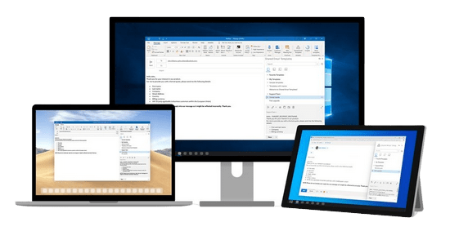
We have rounded up our best add-ins for Microsoft Outlook in one collection to reveal the full power of your inbox and improve your emailing routine. Customize your Outlook with lots of great features like email templates, auto-filling CC or BCC line, checking emails before sending, and more.
Create simple rules to add CC or BCC addresses to your email
Sending copies of your emails to the same people can be really time-consuming and tiring because you have to enter their addresses to the CC or BCC line in Outlook again and again. Besides, there's always a risk to forget to copy your boss or colleagues on a really important email. In Add-ins Collection for Outlook you will find a solution that automatically fills CC and BCC fields so that you don't have to type each person's email address time after time. Simply create a rule in a few clicks and forget about adding CC or BCC emails. Also, you can always BCC yourself, or the entire distribution list.
Spend less time on writing emails
If you are a support service assistant, sales manager, or just extensively use email in your daily work, Template Phrases for Outlook will save hours of your precious time on composing and proofreading the same messages. All it takes is to create a collection of templates and adjust such details as text formatting, hyperlinks, images, attachments, and signatures. Then you just need to double-click to use these ready-to-paste text snippets in your replies. It's also possible to share your Outlook email templates with colleagues, search them on the plug-in pane and add to favorites.
Check emails before sending
Each time your mouse pointer hovers over the Send button, you need to check your email for dozens of critical mistakes that can affect your image and the image of your company. If you are prone to sending rapid fire emails without proofreading them, Outgoing Email Checker for Outlook will be your life saver. It always notifies you to attach a file in Outlook, add a proper salutation, use the correct address in the To field, send your email from the right account, or blind copy your manager. With dozens of things to check before sending an email, one handy reminder add-in will make your messages flawless.
Avoid "Oh, no!" after sending an email
If you frequently send and receive multi-recipient emails, the Reply All functionality in Outlook may be a big trap for you. Whether you need to always hit the Reply All button, or try to avoid sharing emails with unintended recipients, Add-ins Collection has a solution for both. Just press the Alert to Reply All button to make sure you include all initial addressees, or click Prevent Reply All to stop accidental email replies.
Manage all attachments of an email thread from one pane
Often long email communication involves dozens of attached files like images, invoices, PDFs, Word, or Excel documents. If you need to work with attachments, clicking through dozens of emails may be a really frustrating task. The Conversation Attachments add-in makes working with attachments in Outlook truly efficient by displaying all files from an email thread in one pane.
Get untied from your inbox
Picking out the most important emails from the piles of incoming messages may be a real problem. Important Mail Alert will help you keep track of the emails that need your immediate attention. It shows a notification on top of all active windows as soon as most urgent and significant emails arrive. With this smart solution the important stuff gets through to you and you don't need hover over your inbox 24/7.
View and customize the time zone of the message sender
If you often communicate with people outside of your time zone, Sender's Time Zone is for you. It stops you from replying to an Outlook email at an inappropriate moment which can make the recipient less likely to open your message. The tool shows you the local time of the sender and when the message was sent.
Unhide and parse email headers in Outlook
Every single email contains Internet headers that deliver details about the web path the message takes between the sender and recipient. The headers show various issues that may require your attention, such as delivery delays or failing to get through the spam filters. However, in its original format it is fairly hard to read. Thus, we have included the Email Headers Analyzer tool into the collection to display the information in a user-friendly layout and help you troubleshoot mail delivery problems.
Supported Windows versions
- Windows 11
- Windows 10
- Windows 8.1
- Windows 8
- Windows 7
- 32-bit and 64-bit
Supported Outlook versions
- Outlook 2021
- Outlook 2019
- Outlook 2016
- Outlook 2013
- Outlook 2010
- Outlook 2007
- 32-bit and 64-bit
- Desktop Outlook included in Office 365
- Desktop Outlook included in Office 365 ProPlus

-:DOWNLOAD FROM LINKS:-​
Download From RapidGator
Код:
https://rapidgator.net/file/1a5f0b85f22d1851d5b94767eaa9b919/AACfO202316831248.rar

Download From NitroFlare
Код:
https://nitroflare.com/view/3172674DE552649/AACfO202316831248.rar
 
Automate Enterprise 2022 v22.1.0.64


AE2022-v1064.png

Languages: English File Size: 887.15 MB
​

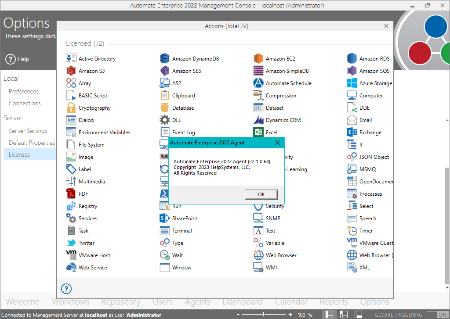
Automate Ultimate - Enterprise Robotic Process Automation. Get all the power of Automate Plus with unlimited bots and studios. Supercharge your digital workforce by having an unrestricted bot working alongside every human employee. Carry out your long-term vision with an automation center of excellence (CoE) to maximize the benefits of RPA.
5x More Value In Automation
Supercharge your digital workforce by having an unrestricted bot working alongside every human employee.
Unlimited Scalability
With one price, we eliminate the top challenge of scalability, unlocking full enterprise automation potential.
Power Your Automation CoE
Carry out your long-term vision with an automation center of excellence (CoE) to maximize the benefits of RPA.
What Can You Achieve With Unlimited Bots?
Flexibility with Business Process Automation
Increase the power of RPA plus BPA with unlimited bots to get endless automation opportunities to streamline any process across any department throughout your enterprise.
Maximize ROI from Business Applications
With one price for unlimited bots, you can achieve limitless scalability and not have to pay more to further your automation strategy. Plus, Automate Ultimate's improved accuracy and speed means less time spent on costly errors.
Greater Sense of Security
Automate Ultimate is built with enterprise-grade security. Build more secure bots with greater control over user access and workflows and by keeping a detailed audit history.
Increase Individual & Team Productivity
With a bot alongside every worker, streamline your most manual, repetitive tasks so your human workforce can spend more time on their more value-adding strategic activities.
Features of Automate Ultimate
- Intuitive Development
- Scalable Automation Infrastructure
- Prebuilt Automation Building Blocks
- Detailed Visibility and Control
- Security and Auditing
- Machine Learning Capabilities
- Enterprise-Class Recorder
How Can Your Organization Put Enterprise RPA to Work?
Automate Ultimate helps you build a better IT by giving you you all the great features of Automate Plus, but with unlimited bots to help level-up your automation strategy. These six areas are just some of the places you can leverage powerful enterprise-grade RPA plus BPA to boost productivity and improve accuracy across your critical business operations. And with the intuitive design of Automate Ultimate, it's easy for users across multiple departments, at any skill level, to take advantage of the benefits of automation.
Claims Processing Automation
From processing forms, validating eligibility, notification, payment, and more, software robots can streamline every step in your claims processing workflows and eliminate human error with RPA.
robotic process automation bots
Human Resources Automation
Streamline your most critical HR processes: automate Active Directory user provisioning, scrape data from forms, and automatically email managers of employee account updates.
robotic process automation solutions
IT Services Automation
Let bots help you monitor systems, receive automatic, real-time notification of problems, and report on and analyze your IT services, as well as automatically respond to common IT requests like password resets.
robotic process automation solutions
Data Management Automation
Use RPA to automatically write to a database, business application, or report and gain better control of your data with bots that extract, manipulate, and utilize data from sources on premise or in the cloud.
robotic process automation for call center
Call Center Automation
Bots that quickly access multiple systems to pull, analyze, or process order history and other data help you save time so you can provide the best experience for your cutomers.
robotic process automation for accounts payable
Accounts Payable Automation
Bots can help you manage your Accounts Payable workflow and process invoices upon arrival and automatically extract and manipulate data from paper forms.
Take RPA Further with Automate Intelligent Capture
Automate Intelligent Capture leverages intelligent document processing to enhance the power of Automate Ultimate through machine learning capabilities.
Unleash the Power of Robotic Process Automation
By combining Automate Intelligent Capture with Automate Ultimate, you can leverage machine learning and AI to streamline manual processes and eliminate costly steps like document classification, manual data entry, and document analysis.
Enhance Automation Capabilities in Any Industry
Working together, Automate Intelligent Capture and Automate Ultimate enhance automation capabilities to maintain control of critical information, especially in critical areas like mortgage processing, sales order processing, or invoice processing.
Achieve Intelligent Process Automation
Working alongside Automate Ultimate, our intelligent document processing solution can reduce manual data entry between 60 to 90 percent. Out of the box, organizations see 70 percent automation, and within just weeks of machine learning, automation is at more than 95 percent.
Recommended Hardware Requirements
- Processor: 3 GHz, multi-core 64-bit processor (or higher)
- Memory: 6 GB RAM (or higher)
- Hard Drive: 5 GB available hard disk space (or higher)
- Display: 1280x1024 resolution, 32 MB video RAM (or higher)
Operating System
- Microsoft Windows 11 (64-bit)
- Microsoft Windows Server 2022 (64-bit)
- Microsoft Windows Server 2019 (64-bit)
- Microsoft Windows Server 2016 (64-bit)
- Microsoft Windows 10 (64-bit)
- Microsoft Windows Server 2012 R2 (64-bit)
- Microsoft Windows Server 2012 (64-bit)
- Microsoft Windows Server 2008 R2 SP1 (64-bit)
Additional Requirements
- Internet connection for required updates.
- .NET Framework 4.8 (included). For a list of Windows versions that are compatible with .NET Framework 4.8, see .NET Framework System Requirements.
- Microsoft Visual C++ Redistributable for Visual Studio 2015, 2017 and 2019.
- Windows Installer 4.5 (included).
- Database Datastore (Oracle 10g or higher, MySQL 5.0 or higher, SQL Server 2005 or higher) (SQL Server 2014 Express R3 included).
- Third-party applications to integrate with Automate Desktop or Automate Plus/Ultimate (for example, Microsoft Excel).

-:DOWNLOAD FROM LINKS:-​
Download From RapidGator
Код:
https://rapidgator.net/file/f5082c70b9ca7de72cfcfc4588e8b97f/AE2022.v1064.rar

Download From NitroFlare
Код:
https://nitroflare.com/view/E66056749BC16A3/AE2022.v1064.rar
 
Automate Premium 2022 v22.1.0.64


AP2022-v1064.png

Languages: English File Size: 548.3 MB
​

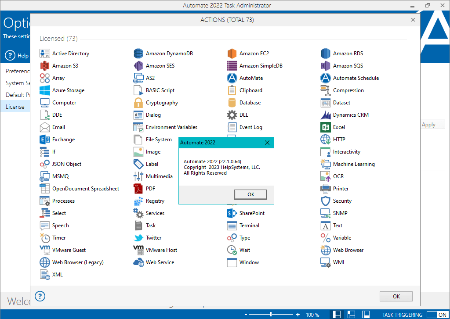
Automate Desktop is robotic desktop automation software that brings small-scale automation to single users. With Automate Desktop, you can quickly build tasks without writing code in a form-based, drag-and-drop environment. Our desktop automation software empowers individual users to streamline manual tasks like logging into websites, pulling data, transferring files, and more.
Powerful Automation for Anyone
No-code automation lets you quickly build bots with form-based development and 600+ pre-built actions.
Get Your Feet Wet with Automation
See for yourself what RPA can do with an individual installation, then scale as needed.
Power Up Individual Employees
Let desktop automation bots do tedious, repetitive work so people can focus on adding value.
Key Features
- Drag-and-drop task development
- Event-based triggers and conditions
- Database connectivity
- Event and task execution logging
- Error condition handling and recovery
- Simulated-user application interaction
- File manipulation & FTP/SFTP automation
- Data extraction and transformation
- OpenDocument Spreadsheet automation
- Web services integration
- Optical character recognition (OCR)
- And more
Out-of-the-Box Functionality
Automate Desktop software can handle a variety of tasks right out of the box, and no coding is required. Business users find value with drag-and-drop functionality, and IT can create powerful workflows with advanced capabilities.
Benefits of Desktop Automation:
Eliminate Errors
Robotic desktop automation does the task right the first time, never gets tired, and doesn't glaze over while repeating a task.
Get Back Valuable Time
Desktop automation users can get back to value-adding activities and can rely on the bots in their desktop to process data and complete tasks.
Respond to Events Real-Time
With Automate, triggers can set off responses to events, performing entire processes, while you keep working on other things, or even just keep things moving on the weekends.
Ensure 24/7 Productivity
Automate Desktop software never needs a break. And it works nights, weekends, and holidays, delivering around the clock.
Recommended Hardware Requirements
- Processor: 3 GHz, multi-core 64-bit processor (or higher)
- Memory: 6 GB RAM (or higher)
- Hard Drive: 5 GB available hard disk space (or higher)
- Display: 1280x1024 resolution, 32 MB video RAM (or higher)
Operating System
- Microsoft Windows 11 (64-bit)
- Microsoft Windows Server 2022 (64-bit)
- Microsoft Windows Server 2019 (64-bit)
- Microsoft Windows Server 2016 (64-bit)
- Microsoft Windows 10 (64-bit)
- Microsoft Windows Server 2012 R2 (64-bit)
- Microsoft Windows Server 2012 (64-bit)
- Microsoft Windows Server 2008 R2 SP1 (64-bit)
Additional Requirements
- Internet connection for required updates.
- .NET Framework 4.8 (included). For a list of Windows versions that are compatible with .NET Framework 4.8, see .NET Framework System Requirements.
- Microsoft Visual C++ Redistributable for Visual Studio 2015, 2017 and 2019.
- Windows Installer 4.5 (included).
- Database Datastore (Oracle 10g or higher, MySQL 5.0 or higher, SQL Server 2005 or higher) (SQL Server 2014 Express R3 included).
- Third-party applications to integrate with Automate Desktop or Automate Plus/Ultimate (for example, Microsoft Excel).

-:DOWNLOAD FROM LINKS:-​
Download From RapidGator
Код:
https://rapidgator.net/file/3fa10b8ae46f8906d37730cc13e2c1ad/AP2022.v1064.rar

Download From NitroFlare
Код:
https://nitroflare.com/view/5CB5F5A568123DF/AP2022.v1064.rar
 
Назад
Сверху