• Здравствуйте. Сайт заработал в архивном режиме форум www.old.nado.in

Dl4ever Software

HomeBank 5.6.1


Home-Bank-5-6-1.jpg


File Size : 19.4 Mb
​

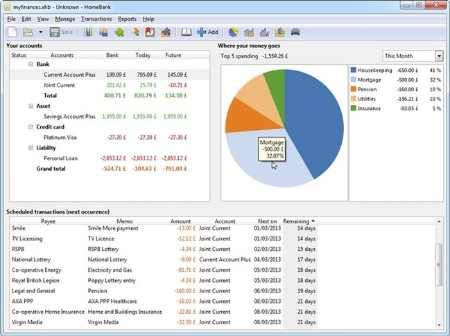
HomeBank is a software application that helps you manage personal accounts and expenses.The program is easy to use with the graphs and custom filters, which are designed to give you an overview on finances.
HomeBank Features
Import & Export data
Import from many formats: Easily import your accounts from Quicken or Microsoft Money and many other financial management programs. Supported file formats include QIF, OFX, QFX, and CSV.
Duplicate detection: HomeBank will detect and identify the duplicate transactions and will enable you to choose what to do.
Export: Easily export your accounts to QIF format and various data parts to CSV format.
Analysis tools
Dynamic reports: Various reports will deliver the information you need at your fingertips using dynamic powerful reports with nice 2d charts.
Quick & easy: Easily adjust the report parameters with some presets, or get more fine results with filtering by every transaction fields.
Various reports: Repartition or time reports, you will find one to analyze what you are looking for. Also, track the budget, or check the balance for any overdrawn, even knows your vehicle costs and fuel consumption.
Budget
Month / Annual budget: Set a budget to each category with the same amount or different amount per month.
View non-budget: Force the view of some categories into the budget report as well.
Import/Export: Import/export the budget into CSV files.
Beautiful charts: The charts available are bars, lines, and pie. The design was inspired from google analytics and you can change the x-factor dynamically and also the color scheme.
Transactions
Scheduled transactions: Easily turn any transaction into a repeating event (like those darn utility bills!).
Category split: Split the amount of a transaction into several categories.
Internal transfer: Easily transfer money between accounts which can be automated.
Quick seizure: Quickly transform any transaction to a template that simplifies the seizure of common transactions, or inherit from an existing transaction.
Multiple field edition: You can easily change every value for several transactions at once.
Small icons: Enjoy the icons for payment mode and transaction status, plus the additional pay mode field.
Tag field: Tag your transactions for another analysis axis.
Remind this: Put any transaction in a remind state to keep an eye on debt you have or people have to you
Categories & Payees
Automatic assignment: Define some rules and HomeBank will assign payees and/or categories for you.
Direct add: Add new categories and payees directly from the transaction register.
Auto-completion: Never get lost if you have thousand of payees or categories, HomeBank will find it with the first letters.

HomePage:
Код:
http://homebank.free.fr/en

-:DOWNLOAD FROM LINKS:-​
Download From RapidGator
Код:
https://rapidgator.net/file/0017c7a75bada42cbce81130df6eba0c/

Download From DropApk

Download From NitroFlare
Код:
https://nitroflare.com/view/B867173D5B9E6C4/
 
KillFiles 1.0.0.7


Kill-Files-1-0-0-7.jpg


File Size : 1.3 Mb
​

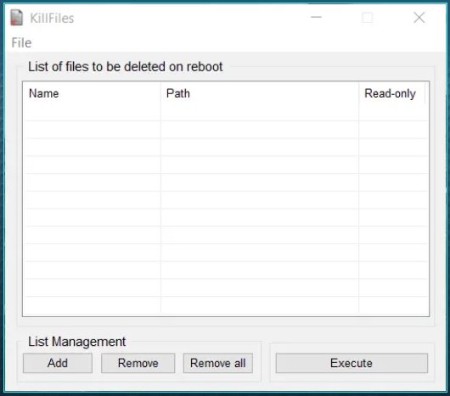
KillFiles is a program that purpose was and is to delete single or multiple files blocked, because they are constantly in use, by other applications. This program proves useful in case of uninstallations ended badly or malware present on your PC.
KillFiles is totally free and is supplied localized in both English and Italian in addition, requiring no installation on the PC that hosts it, it is very suitable to be always carried with us together with all the other tools of our USB stick.
Use it with care and responsibility.
Single interface-operation, that offers simple, concise features, for efficient handling
Just as other software from this developer, KillFiles also sports a simple, minimalist interface, whose layout and corresponding functionality are even simpler. Users' interaction will be kept to a minimum, as one will be able to define the deletion parameters in just a few clicks.
The interface offers a good overview of the loaded data, and users can quickly see the added files' corresponding directory path, as well as if they carry an inherent, read-only status, thanks to the dedicated columns.
Add one or multiple files to the deletion queue, and execute the erasing when performing a PC restart
Users will be able to add multiple files for deleting, and this is ideal, as it allows one to perform batch processing, ensuring that all locked files can be deleted in a single go, for a more efficient approach.
As with similar deletion software, the secure erase will be carried out when performing a PC restart, and users can choose to do so directly from the app, or manually, at their own preferred time.
Classic file eraser, which offers good performance, all in an accessible, minimalist manner
This simple tool can save you from a lot of trouble when dealing with stubborn, locked files, as it will allow you to securely delete such data, in just a few simple clicks.
Whats New
Updates: official site does not provide any info about changes in this version

HomePage:
Код:
https://www.tearsinrain.it/owl-software/international/home.php

-:DOWNLOAD FROM LINKS:-​
Download From RapidGator
Код:
https://rapidgator.net/file/ae28a0e18efe0be241ac485cf9127726/

Download From DropApk

Download From NitroFlare
Код:
https://nitroflare.com/view/D5B3DD36ED609AC/
 
MECA MecaStack v5630


MECA-Meca-Stack-v5630.png


Language: Multilanguage | File size: 63 MB
​

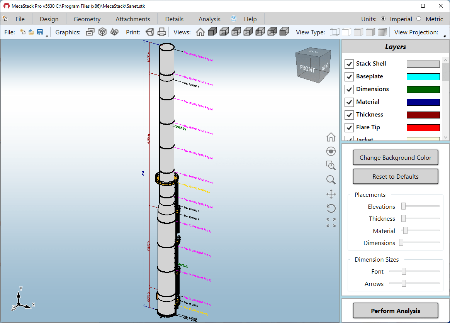
MecaStack is steel stack design software that is used to design steel stacks, steel chimneys, flares, exhaust stacks, etc. of a variety of dimensions and attachments. In addition, the software also performs a bending analysis of the stack to aid with the stack lifting design. MecaStack can be used to analyze self supported stacks (free standing) and guyed stacks (guy wire supported, PRO Version). Similarly, it can be used for design of steel chimneys or stacks that are braced on a building or other structures by lateral bracing. Above all, the software is very easy to use and extremely versatile at handling a wide range of problems and designs.
Some of the components that MecaStack incorporates are
- Ladders and Platforms
- Stiffening Rings
- Structural Flanges
- Damping devices (Software does not design the Damper)
- Flare Tips
- Insulation/Refractory/Jacket
- Breaches/Nozzles (Stack Openings)
- Piping
Steel Stack Design Codes
The user has complete control over the design codes that are used for Along Wind, Across Wind, Stress and Fatigue. In addition, the load combinations and factors can be customized as needed or auto-populated per the design code selected. There are several comprehensive steel chimney design codes available within the MecaStack design software
- American Standard: ASME STS-1
- CICIND
- Indian Standard
- British Standard
- Euro Standard
- Canadian Standard
- Brazilian Standard (NBR 6123)
- ISO 13705 (Formerly API-560)
- Mexican Standard CFE
Seismic Design Codes
There are several seismic design codes available
- Indian (IS1893)
- UBC 97
- Manual Entry
- International Building Code (IBC)
- Response Spectrum Analysis
- National Building Code of Canada (NBCC)
- EuroNorm (EN 1998-6)
Lifting Steel Stack Design Analysis and Extraction
Another critical item with steel stack design, is the lifting analysis portion of the design. It's great when the stack design comes together and shows it will work when the stack is erected, but if the stack can't be lifted into position then it is all for not and it could create a dangerous situation for those around. Sometimes to ease the stress the stack incurs when being lifted, it is wise to lift the stack in multiple sections instead of one large section. Although MecaStack provides the user with the ability to analyze the stack lifting design as a whole, it also allows the user to extract certain sections of their stack lifting design to analyze how it will perform during the lifting process. This only analyzes the stack itself and not the lifting attachments used to lift the stack. If you are interested in also analyzing the lifting lugs, please look into our MecaLug software.
Stack Analysis Output
Output reports are customizable in MecaStack. The user can select from a table of contents which items are going to be presented in the final report and save this configuration in a .TOC file so they don't have to reselect those items again for future reports. Also, by clicking on any of the table of contents items, it will take the user directly to that section for further investigation. Sections involving "Pass" or "Fail" criteria are displayed with the colors green for passing and red for failing. This allows the user to quickly determine if there are any problems in the steel chimney.

HomePage:
Код:
N/A

-:DOWNLOAD FROM LINKS:-​
Download From RapidGator
Код:
https://rapidgator.net/file/42b153c3ef934dde7140b27c094eb357/

Download From DropApk

Download From NitroFlare
Код:
https://nitroflare.com/view/50E17F6F4F41903/
 
Pepakura Designer 5.0.10 (x64) Multilingual


Pepakura-Designer-5-0-10-x64-Multilingual.jpg


File size: 20.5 MB
​

Pepakura Designer is a Windows application which makes unfolded patterns from 3D data. Pepakura Designer features to automatically unfold 3D polygon-mesh models, and allow you to edit them. Pepakura Designer allows you to create real paper craft models from digital data!
You can try Pepakura Designer with no charge. (The data exporting feature is activated with purchase of the license keycode.) Note that Pepakura Designer does not have 3D data design features. You require 3D data before starting to use Pepakura Designer. Pepakura Designer supports common 3DCG file formats. Recommended 3DCG software is Metasequoia. You can use it for 3D model design at no charge. Pepakura Designer reads Metasequoia files with high compatibility.
One Button Unfolding
An unfolded 3D model pattern will be generated once you press the button.
Useful Toolset for Layout Editing
Pepakura Designer provides a simple and useful toolset for layout editing.
The Move, Rotate, and Join/Disjoin Parts editing tools, and the Adding Flaps support to arrange the layout.
Assemble Assistance
Pepakura Designer assists in the assembly process.
For example, ID numbers are assigned to edges, so you can understand the pairs of edges to be glued together. The positions of the pairs to be glued together are indicated by an arrow.
Exporting
Pepakura Designer supports the export in several file formats, including BMP, PNG, GIF, JPG, EPS, DXF, and PDF.
Texture Setting
By switching the textures on and off, you can assemble the color model or the white model, whichever you prefer.
You can also change the texture images on Pepakura Designer.
Whats New
Код:
http://www.tamasoft.co.jp/pepakura-en/download/history.html

HomePage:
Код:
http://www.tamasoft.co.jp/

-:DOWNLOAD FROM LINKS:-​
Download From RapidGator
Код:
https://rapidgator.net/file/7759e6ef90c632c8196ab064416ee66f/

Download From DropApk

Download From NitroFlare
Код:
https://nitroflare.com/view/EE2D3BDE3C61A0D/
 
Pixarra Luminance Studio 4.17


Pixarra-Luminance-Studio-4-17.jpg


File Size: 31.2 MB
​

Luminance Studio is a Pixarra product in the Studio series with a focus on painting with luminance for both natural media and design style of artwork. It builds on the success of other Studio products by Pixarra, giving you, the artist, a tool dedicated to achieving your vision quicker and better than other options.
Luminance Studio 3 Features
- New Tools - Paint Bucket, Gradient, Transform, Line, Bezier Curve, Rectangle, Ellipse, Rectangle Mask, Ellipse Mask, Polygon Mask?, Lasso Mask, Magic Wand Mask, and Warp ?Tools
- New Brush Effects - Auto Mask Fine Tolerance?, 3D Highlight Color and 3D Shadow Color
- Brush Control Panel
- Clips
- Copy and Paste Page
- New UI Color Themes
- New Hotkeys and More!
Natural Media Art Style
All the paintings in Luminance Studio start with a black background and are painted to the light. In most of the cases the number of colors and brushes that are needed for an artwork is limited and you can achieve great results with just a few.
Design Art Style
In addition to the natural media art style, Luminance Studio also excels at line art with a luminance style which is well suited for abstract works.
Artsets
Luminance Studio comes with 5 primary ArtSets. Paint, Design, Overpaint, Scribblers, and Masking ArtSets. Additionally there are 5 user ArtSets that can hold up to 60 brushes each.
Clean User Interface
Luminance Studio, as all of Pixarra's focused Studio products, has a clean interface, designed for an easy, quick work flow. Dark and lighter color themes are available.
Paper Texture
Your fine art creations will come alive with the Luminance Studio paper textures. There is a wide collection of different textures available.
Quick Access Panels
The Color Management panel and the Brush Shortcut Panel are two panels you will use a lot. All the panels in Luminance Studio will automatically hide if they get in your way while painting. Manually hiding all panels is also possible with the F3 hotkey.
Quick Command Panel
The Quick Command panel gives you a configurable array of buttons you can keep close at hand while working. Resize and reshape the panel to your needs. Add, remove and move buttons to create the layout that works best for you. Quickly show or hide the panel with the[F4] hotkey. Right click to edit a button or add one to an empty slot.[Ctrl] + click to drag a button to a new location. As an added bonus there is some functionality exposed in the Quick Command panel that isn't available anywhere else in Luminance Studio.
Powerful Brush Effects System
Since User ArtSets are available you might be thinking where will you get new brushes from. There are a number of ways, user shared brushes in the Pixarra forum, brushes imported from Pro Studio, OR now you can edit brushes right in Luminance Studio with the powerful Brush Effects system from Pro Studio. First an IMPORTANT NOTE: Editing brushes is NOT an easy task. There are over 500 different effects that can be combined in 28 effect layers with each effect processed with 100's of modifiers. I think it's safe to say the Pixarra brush effects system makes for the most powerful brush engine in existence. Evidenced in the ability to draw simple lines or fully detailed tree with the same engine with a single stroke as can be seen in Tree Studio.
Layers
Easy access support for layers are in Luminance Studio. The idea is to keep your work flow simple and fast. A simple single click to create a layer with no scrolling. Right click a layer for additional options. Drag layers to rearrange them.
Extensive Tool Set
In Paint Studio 3 you have a full range of tools at your disposal, including Color Picker, Crop, Transform, Line, Bezier Curve, Rectangle, Ellipse, Paint Bucket, Gradients, Mask Rectangle, Mask Ellipse, Mask Polygon, Mask Wand, Warp, Copy tool, Paste tool, Pan and Rotate Brush tools.
Clips
A fantastic productivity system that allows for easy storage and reuse of your clipped images and photo elements for use later. ?
Brush Control
Brush Control is a custom control panel, until now, available only in TwistedBrush Pro Studio, that changes for every Pro brush.? The brush editor allows the designer to define exposed control points for a brush to make it easy to tune a selected brush without needing to understand the details of brush editing.????
Other features
- 64 bit color painting system for the smoothest blends available anywhere.
- World's most powerful and flexible brush engine with the Pixarra brush effects system
- Automatic saving multiple copies of your work in progress.
- Brush compatibility with other Pixarra Studio products.
- Tracing paper to use as a guide.
- Up to 9 floating reference Image panels to hold reference photos when working on your art.
- Sketchbook system that automatically saves your work to your sketchbook.
- Switching pages in your book with a single key press (Page Up or Page Down)
- Saving your work to a range of standard image formats.
- And many more features!
What's New
- Added: 21 Blob Style brush effects added to change the rendering style foe Alpha Smooth Lum4 layers.
- Added: Brush effects Block Start and Block End added for more powerful flow control.
- Added: Brush effect Anti-Alias v2. Design for use only with smooth stroke.
- Added: Brush effect fade-by-size added. Useful to brushes that need to fade the strength with time based on initial brush size.
- Added: Brush effect envelopes taper1-by-size to taper5-by-size
- Added: Brush effect seed2 added to address issue with exposing it to the Brush Control panel.
- Added: Brush effect Age stroke added to allow for more control over brush effects and enevelopes that interact with stroke length
- Added: Brush effect PageArray added
- Added: Brush effect ColorSeclect Set added
- Added: Brush effect Rebase Reset LineTo added
- Added: Brush effect Rebase Reset LineTo Reseed added
- Added: Brush effect Clear Lum on Start added
- Added: Colors - Combos 01 now included with Paint Studio
- Added: Brush Effect "Smooth Angle".
- Added: Brush Effects "Wedge3", "Wedge4", "Wedge5", "Wedge6".
- Added: Brush Effect "ColorSelect Index"
- Added: Brush Effect "VM Modulo"
- Added: Brush Effects "VM Min" and "VM Max"
- Added: Brush Effects "Multi 100"
- Added: Brush Effects "Lock Dab Count"
- Added: Brush Effects Envelope "b-ang SmthAngle"
- Added: Brush Effects Envelopes "f-in-slow" and "f-out-slow"
- Added: Brush Effect "Auto apply mode".
- Added: Brush Select option added to brush shortcuts popup menu.
- Added: Import ArtSet option from the File menu.
- Improved: Pressure sensitivity responsiveness improved
- Improved: Increased number of brush blender bristles from 20 to 100!
- Improved: Brush effect Rad Scatter 2 improved to respond to brush resizing dynamically.
- Changed: The page position won't automatically be recentered on each page change.
- Changed: Ctrl + Click on shortcut brush will open the Brush Select dialog.
- Fixed: Brush Control slider not showing correct values for slider ranges not starting at 0.
- Fixed: Merging a layer into another layer with transparency doesn't work properly with many layer mixing modes.
- Fixed: Attempting to import a second ArtSet fails.
- Fixed: Hue being set to 0 when setting lum and sat to 0. It should not.
- Fixed: Brush Effect Reset not working above level 20.
- Fixed: Density Adj was not working correctly
- Fixed: Text Brush effect "text clip repeat" was not working.

HomePage:
Код:
http://www.pixarra.com

-:DOWNLOAD FROM LINKS:-​
Download From RapidGator
Код:
https://rapidgator.net/file/95131511353d94f09e893f470f8ec771/

Download From DropApk

Download From NitroFlare
Код:
https://nitroflare.com/view/15D6A6A049AA5F3/
 
Pixarra Pixel Studio 4.17


Pixarra-Pixel-Studio-4-17.jpg


File size: 30.4 MB
​

Pixel Studio follows the key strong points from all the of the Pixarra TwistedBrush artist software products but with a focus on pixel art. This art, sometimes called retro, makes no attempt to hide pixels and sizes of images are often very small. Useful as utility for creating icons, sprites, and other small images for games and websites but also for art on its own. There is no surprise that pixel art is popular, it is simply fun!
Powerful Pixel Art Editing
The user interface of Pixel Studio is designed for efficiency and elegance. Power of over a decade of development in the TwistedBrush product line brought to focus on the single task of pixel art.
Specialized ArtSet for Pixel Art
TwistedBrush has always been known for its powerful and vast collection of brushes. The same is true for Pixel Studio. The program includes a collection of brushes designed just for pixel art.
Brush Variety
Choices are important in pixel art as in any art. Here are a few pixel drawing brushes
1. Pure pixel brush. Solid pixels are panted everywhere the cursor goes. This is a dab placement brush. Rather than drawing a line, a square or circle are drawn.
2. Anti-alias pure pixel. Same as previous but the pixels edges are smoothed.
3. Pixel brush that draws as a connected line. This is a straight line brush, solid and anti-aliased.
A remembered powerful brush in Pixel Studio is the auto mask fill brush. Draw pixels within an enclosed area without worrying about going outside of the lines. Even change colors and your area is remembered because a mask is magically created for you behind the scenes.
Quick Access Panels
The Color Management panel and the Brush Shortcut Panel are two panels you will use a lot. All the panels in Pixel Studio will automatically hide if they get in your way while painting. Manually hiding all panels is also possible with the F3 hotkey.
Quick Command Panel
The Quick Command panel gives you a configurable array of buttons you can keep close at hand while working. Resize and reshape the panel to your needs. Add, remove and move buttons to create the layout that works best for you. Quickly show or hide the panel with the[F4] hotkey. Right click to edit a button or add one to an empty slot.[Ctrl] + click to drag a button to a new location. As an added bonus there is some functionality exposed in the Quick Command panel that isn't available anywhere else in Pixel Studio.
Whats New
Код:
https://www.pixarra.com/pixel_studio.html

HomePage:
Код:
https://www.pixarra.com/

-:DOWNLOAD FROM LINKS:-​
Download From RapidGator
Код:
https://rapidgator.net/file/350c1686534873658b7b208e89cd68e1/

Download From DropApk

Download From NitroFlare
Код:
https://nitroflare.com/view/EC59811A4058CC4/
 
Pixarra Selfie Studio 4.17


Pixarra-Selfie-Studio-4-17.jpg


File size: 31.2 MB
​

Selfie Studio provides you the creative tools to edit your photos to get just the look you want. A Pixarra product in the Studio series, Selfie Studio builds on the success of other Studio products by Pixarra, giving you a tool dedicated to achieving your photo vision quicker and better than other options.
Fantastic Filter Brushes
The powerful Pixarra brush engine is at work here with filters assigned to brushes to allow for easily clicking to layering filters one after the other. There is a selection of handcrafted filter brushes available in Selfie Studio. A large number of layouts are also available for automatic application from your layers using Solutions.
Powerful Cloner Brushes
Cloner brushes unlock additional power in Selfie Studio, allowing you to copy your photo from one image to another with a collection of brushes in the Cloners ArtSet. Apply effects at the same time as cloning with special cloner brushes.
Selfie Studio 3
In addition to cloners, Selfie Studio includes a Color Trace mode where instead of pure cloning, your brush picks of the color from the clone source at the start of the paint stroke. Now you are painting with the only help from the original image is a color.
Artsets
Selfie Studio comes with 7 primary ArtSets. Filters, Photo Edit, Blenders, Cloners, Erasers, Masks and Basic ArtSets. Additionally there are 5 user ArtSets that can hold up to 60 brushes each.
Clean User Interface
Selfie Studio, as all of Pixarra's focused Studio products, has a clean interface, designed for an easy, quick work flow. Light and darker themes are available.
Quick Access Panels
The Color Management panel and the Brush Shortcut Panel are two panels you will use a lot. All the panels in Selfie Studio will automatically hide if they get in your way while editing your photos. Manually hiding all panels is also possible with the F3 hotkey.
Whats New
Код:
https://www.pixarra.com/selfie_studio.html

HomePage:
Код:
https://www.pixarra.com/

-:DOWNLOAD FROM LINKS:-​
Download From RapidGator
Код:
https://rapidgator.net/file/f4505b1e6dd6709bb22f7f93c865688a/

Download From DropApk

Download From NitroFlare
Код:
https://nitroflare.com/view/3FC0D5E03CE3B63/
 
Pixarra TwistedBrush Blob Studio 4.17


Pixarra-Twisted-Brush-Blob-Studio-4-17.jpg


File size: 31.2 MB
​

Blob Studio is a product born from TwistedBrush Pro Studio but with a focus on creation of individual objects that you might use in other Pro Studio or other art software and with a simpler, streamlined interface. The Blob brushes allow you to model and shape your objects and then paint them with the included brushes with the results being crisp lines you might see in illustration software but without the need to mask anything. You can even continue to shape your objects after they are painted.
Specialized ArtSet
Blob Studio includes ArtSet with a wide range of brushes for working with all aspects of blobs.
Clean User Interface
Blob Studio, as all of Pixarra's focused Studio products, has a clean interface, designed for an easy, quick work flow. Dark and lighter color themes are available.
Quick Access Panels
The Color Management panel and the Brush Shortcut Panel are two panels you will use a lot. All the panels in Blob Studio will automatically hide if they get in your way while painting. Manually hiding all panels is also possible with the F3 hotkey.
Quick Command Panel
The Quick Command panel gives you a configurable array of buttons you can keep close at hand while working. Resize and reshape the panel to your needs. Add, remove and move buttons to create the layout that works best for you. Quickly show or hide the panel with the[F4] hotkey. Right click to edit a button or add one to an empty slot.[Ctrl] + click to drag a button to a new location. As an added bonus there is some functionality exposed in the Quick Command panel that isn't available anywhere else in Blob Studio.
Powerful Brush Effects System
Since User ArtSets are available you might be thinking where will you get new brushes from. There are a number of ways, user shared brushes in the Pixarra forum, brushes imported from Pro Studio, OR now you can edit brushes right in Luminance Studio with the powerful Brush Effects system from Pro Studio. First an IMPORTANT NOTE: Editing brushes is NOT an easy task. There are over 500 different effects that can be combined in 28 effect layers with each effect processed with 100's of modifiers. I think it's safe to say the Pixarra brush effects system makes for the most powerful brush engine in existence. Evidenced in the ability to draw simple lines or fully detailed tree with the same engine with a single stroke as can be seen in Tree Studio.
One of the common ways to use the Brush Effects panel is to tweak existing brushes in small ways to meet your needs and you can do this right in Blob Studio and save them to the User ArtSets.
Paper Textures and Color
Easily set Paper Color and Paper Type for your painting projects. Paint Studio 4 supports hundreds of different paper textures: choose between fine, medium and rough canvas, bricks, carpet, charcoal paper, fabric, ground, mosaic, rice paper, sandpaper, stone and a lot more.
Layers
Easy access support for layers are in Blob Studio. The idea is to keep your workflow simple and fast. A simple single click to create a layer with no scrolling. Right click a layer for additional options. Drag layers to rearrange them.
Whats New
Код:
https://www.pixarra.com/blob_studio.html

HomePage:
Код:
https://www.pixarra.com/

-:DOWNLOAD FROM LINKS:-​
Download From RapidGator
Код:
https://rapidgator.net/file/dc4d54279426011774dc767780ceda48/

Download From DropApk

Download From NitroFlare
Код:
https://nitroflare.com/view/AE89FC7EC9F1944/
 
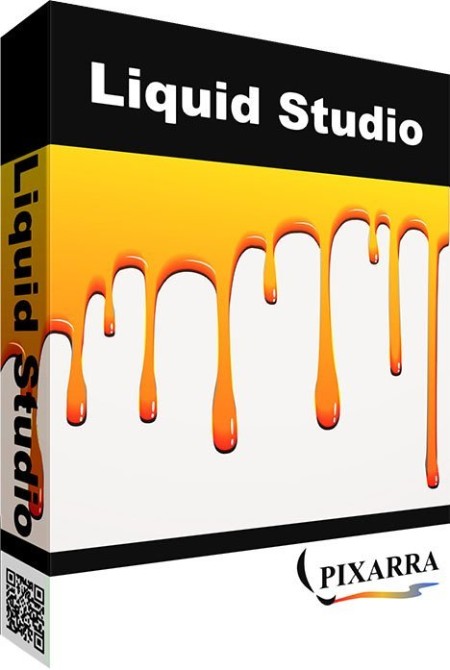
Pixarra TwistedBrush Liquid Studio 4.17


Pixarra-Twisted-Brush-Liquid-Studio-4-17.jpg


File size: 32 MB
​

Liquid Studio is a product born from TwistedBrush Pro Studio but with a focus on creation of individual objects that you might use in other Pro Studio or other art software and with a simpler, streamlined interface. The Liquid paints allow you to model and shape your objects and then paint them with the included brushes with the results being crisp lines you might see in illustration software but without the need to mask anything. You can even continue to shape your objects after they are painted.
Specialized ArtSets
Liquid Studio comes with 3 specialized Primary ArtSets - Model, Paint and Utility. There are also 5 User ArtSets with 60 brush slots each for storing brushes.
Clean User Interface
Liquid Studio, as all of Pixarra's focused Studio products, has a clean interface, designed for an easy, quick work flow. Dark and lighter color themes are available.
Quick Access Panels
The Color Management panel and the Brush Shortcut Panel are two panels you will use a lot. All the panels in Liquid Studio will automatically hide if they get in your way while painting. Manually hiding all panels is also possible with the F3 hotkey.
Quick Command Panel
The Quick Command panel gives you a configurable array of buttons you can keep close at hand while working. Resize and reshape the panel to your needs. Add, remove and move buttons to create the layout that works best for you. Quickly show or hide the panel with the[F4] hotkey. Right click to edit a button or add one to an empty slot.[Ctrl] + click to drag a button to a new location. As an added bonus there is some functionality exposed in the Quick Command panel that isn't available anywhere else in Liquid Studio.
Powerful Brush Effects System
Since User ArtSets are available you might be thinking where will you get new brushes from. There are a number of ways, user shared brushes in the Pixarra forum, brushes imported from Pro Studio, OR now you can edit brushes right in Luminance Studio with the powerful Brush Effects system from Pro Studio. First an IMPORTANT NOTE: Editing brushes is NOT an easy task. There are over 500 different effects that can be combined in 28 effect layers with each effect processed with 100's of modifiers. I think it's safe to say the Pixarra brush effects system makes for the most powerful brush engine in existence. Evidenced in the ability to draw simple lines or fully detailed tree with the same engine with a single stroke as can be seen in Tree Studio.
One of the common ways to use the Brush Effects panel is to tweak existing brushes in small ways to meet your needs and you can do this right in Liquid Studio and save them to the User ArtSets.
Layers and Transparency
Easy access support for layers are in Liquid Studio. The idea is to keep your workflow simple and fast. A simple single click to create a layer with no scrolling. Right click a layer for additional options. Drag layers to rearrange them. Use any of the 50 available Mix modes to achieve perfect results. Transparency is supported.
Use up to 30 layers in your projects in Liquid Studio 4!
Paper Textures and Color
Easily set Paper Color and Paper Type for your painting projects. Liquid Studio 4 supports hundreds of different paper textures: choose between fine, medium and rough canvas, bricks, carpet, charcoal paper, fabric, ground, mosaic, rice paper, sandpaper, stone and a lot more.
Whats New
Код:
https://www.pixarra.com/liquid_studio.html

HomePage:
Код:
https://www.pixarra.com/

-:DOWNLOAD FROM LINKS:-​
Download From RapidGator
Код:
https://rapidgator.net/file/98569851f48d833dd9bb3419c434873a/

Download From DropApk

Download From NitroFlare
Код:
https://nitroflare.com/view/6459193A5A1855B/
 
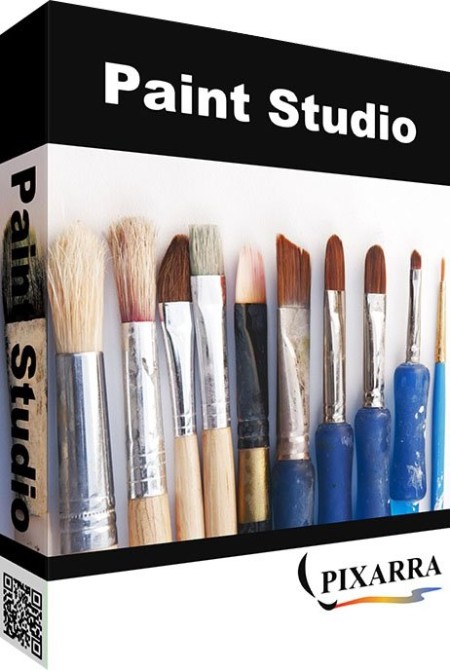
Pixarra TwistedBrush Paint Studio 4.17


Pixarra-Twisted-Brush-Paint-Studio-4-17.jpg


File size: 32 MB
​

Paint Studio is a product born from TwistedBrush Pro Studio but with a focus on natural media painting and drawing with a simpler, streamlined interface. Internally the same great TwistedBrush brush engine is used. TwistedBrush Pro Studio is feature packed but if you want a stripped down version for painting and drawing with a new slick interface then Paint Studio is for you. Paint Studio strips away complexity and what remains is the very best natural media brushes available as well as the key features that have always made TwistedBrush great.
NEW PAINT STUDIO 4
Natural Media Painting
160+ of the Best Natural Media Brushes from Pixarra
Powerful Brush Editing & Brush Modifiers
Layers, Transparency and Mask Support
Different Paper Types & Colors
Clips, Tracing Paper & Reference Image Support
Automated Solutions
Extensive Tool Set
Convenient Sketchbook System
New User Interface & Different Color Themes
Intelligent Color Palette & Improved Layer Management
New ArtSet - Nu Media
Tablet Compatibility
Whats New
Код:
https://www.pixarra.com/paint_studio.html

HomePage:
Код:
http://www.pixarra.com

-:DOWNLOAD FROM LINKS:-​
Download From RapidGator
Код:
https://rapidgator.net/file/b8db7b72c7b6e8e95357ac2d772a22c3/

Download From DropApk

Download From NitroFlare
Код:
https://nitroflare.com/view/8A6EF08DCC9E4E6/
 
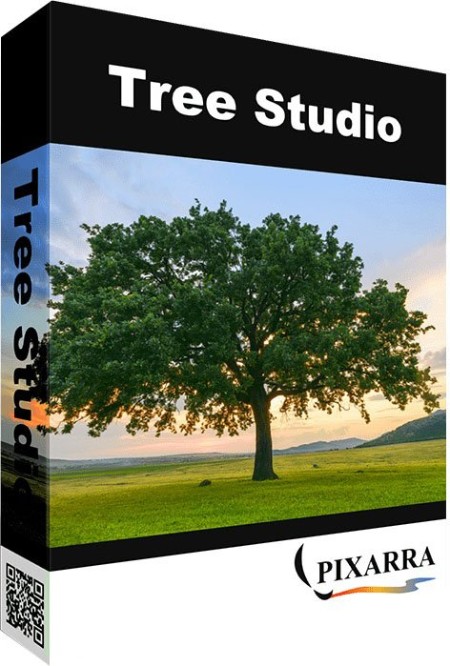
Pixarra TwistedBrush Tree Studio 4.17


Pixarra-Twisted-Brush-Tree-Studio-4-17.jpg


File size: 47 MB
​

Tree Studio is a product born from TwistedBrush Pro Studio but with a focus on 2D tree creation with a simpler, streamlined interface. Internally the same great TwistedBrush brush engine is used but with a single focus of making it easy to create trees of specific types. Tree Studio has pairs of brushes for each tree type - one for the frame and one for the leaves. The frame is algorithmically generated so it will be different each time. This allows you to create an endless variety of each tree type.
Features
64 bit color painting system for the smoothest blends available anywhere
Clean user interface, designed for an easy, quick work flow
Scalable trees
An option to change the page size (maximum size limited only by memory)
Pairs of brushes for each tree type - one for the frame and one for the leaves
8 ArtSets with brushes for painting broadleaf trees, blossoming trees, conifers, palms, cacti, grass, ground covers and utility brushes
Grass ArtSet with 15 brushes for easy painting some high quality grasslands
Version 4 comes with significant improvements of all existing Broadleaf Trees
An option to create and store unlimited user brushes and artsets
A Universal Tree with included frame, leave and fruit brushes for easy creation of custom trees
Different paper textures and colors
Shape, Brush Size, Brush Rotation, Texture, Color and Effects Modifier Artsets
Extensive Tool Set - a full range of tools at your disposal, including Color Picker, Crop, Transform, Line, Bezier Curve, Rectangle, Ellipse, Paint Bucket, Gradient, Rectangle Mask, Ellipse Mask, Polygon Mask, Lasso Mask, Magic Wand Mask, Warp, Copy Tool, Paste Tool, Pan and Rotate Brush Tools, with a number of options for each tool.
Quick auto hiding tool panels
Brush Control Panel for easy brush adjustments
Quick Command panel providing a configurable array of buttons
Clips - a fantastic productivity system that allows for easy storage and reuse of your clipped images and photo elements for use later
Seven different painting styles - Normal, Block Color, Ink, Graphic, Oil Paint, Outline and Silhouette
Brush Effects panel available, allowing for full brush editing
Powerful Brush Effects System: over 500 different effects that can be combined in 28 effect layers with each effect processed with 100's of modifiers
Up to 30 layers with easy access support
Brush compatibility with other Pixarra Studio products
Auto mixing 4 color palette
Tracing paper to use as a guide
Extremely powerful TwistedBrush brush engine is used
Tablet Compatibility
Whats New
Код:
https://www.pixarra.com/tree_studio.html

HomePage:
Код:
https://www.pixarra.com/

-:DOWNLOAD FROM LINKS:-​
Download From RapidGator
Код:
https://rapidgator.net/file/0249aed909fd69b3c19039bb10774d2d/

Download From DropApk

Download From NitroFlare
Код:
https://nitroflare.com/view/7157F92A20931FB/
 
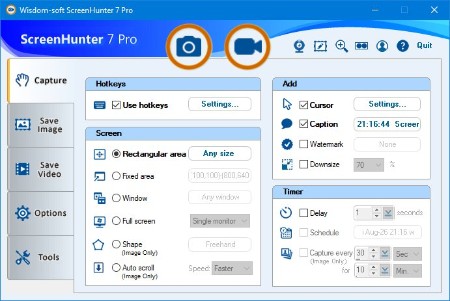
ScreenHunter Pro 7.0.1445


Screen-Hunter-Pro-7-0-1445.jpg


Windows x86/x64 | File size: 176.14 MB
​

ScreenHunter 7 is an award-winning solution to all-in-one image capture, print, edit and video recording. It's the total capture solution to save you time and boost productivity. Also with auto-scroll web pages, auto-capture, webcam and video screen capture. It captures what you see as an image even whilst recording. It has an easy-to-use interface. All the features are visible in 4 easy-to-use tabs, so everyone from beginners to professionals can use ScreenHunter 7. The process is simple, the options are easy to manage, and the results are flawless. Powerful and intelligent, ScreenHunter has proven to be an incomparable helper of your business.
The software supports full screen capture up to 6K for multiple monitors and records 4K videos for a single monitor. Supports frame rate up to 100 fps.
Using DirectX lets ScreenHunter 7 produce professional quality videos. It is a perfect tool for recording movies and courses online.
Moreover, ScreenHunter 7 captures and records windows covered by another window or even minimized windows. Optimal for automatic or scheduled captures and recording.
Furthermore, you can show your webcam anywhere at any given time, so you can integrate it into your recording the way you want.
ScreenHunter Pro 7 is the most advanced version with all the necessary tools included for your screen capture needs. It's the total capture solution to save you time and boost productivity. With this tool, you can capture screen to image or PDF files, immediately see the benefits of numerous time-saving features and deliver the highest quality screenshots. As well, it offers easy-to-use user interface and maximum flexibility for a more interactive capture experience.
Capturing Features
• Rectangular area
• Adjustable rectangle
• Object / Window
• Auto-scroll
• Multi-object
• Text
• Active Window
• Fixed area (user defined)
• Specific window (lock-in window)
• Full screen
• DOS program
• DirectX / Screen saver
• Movie / video
• Freehand
• Round area (Ellipse)
• Round Rectangular area
• Polygon
• Web capture
• Scanning images
Addition Features
• Mouse pointer
• Multiple monitors
• Transparent window
• AutoText (date/time stamps, note)
• Watermark
• Border
Timing Features
• Delayed capture
• Timed auto-capture
• Scheduled auto-capture
• Recurring capture
Viewing and Editing Features
• Image editing, adding text & annotation
• Advanced image processing
• High-quality zooming, resizing & cropping
• Viewing 100 images & conversion
• Drag & drop images from desktop
Saving Features
• Automatic naming and saving to files
• Clipboard
• Auto-email
• Auto-scale
• Saving in the smallest file size
• Optimized JPEG, GIF and PNG
• High quality and transparent GIF
• Saving to TIFF
Other Features
• Screen Color Picker
• System tray
• Zoombox
• Flexible hotkey
• Multiple hotkey
• Direct printing
• Wysiwyg printing
• Developer support
Version History
Код:
http://www.wisdom-soft.com/info/version_history.htm

HomePage:
Код:
http://www.wisdom-soft.com/

-:DOWNLOAD FROM LINKS:-​
Download From RapidGator
Код:
https://rapidgator.net/file/75dd366e591b323f613589c07f762dab/

Download From DropApk

Download From NitroFlare
Код:
https://nitroflare.com/view/6B8B80B7C5951F6/
 
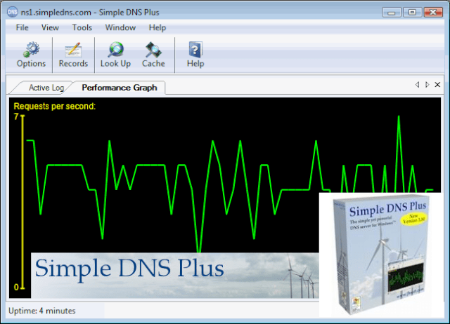
Simple DNS Plus 9.1 Build 108 (x64)


Simple-DNS-Plus-9-1-Build-108-x64.png


File Size: 17.2 MB
​

The simple yet powerful DNS server for Windows . What makes Simple DNS Plus "simple" is its user interface and automation features. All options and settings are available directly from the intuitive Windows user interface. It provides wizards for common tasks such as setting up new zones, importing data, making bulk updates, etc. You never need to mess with cryptic configuration files or registry settings. 
Novice users can have their DNS server up and running correctly and securely in no time. But make no mistake - Simple DNS Plus is a very capable and full featured DNS server, and it has plenty of options for expert users to tweak it just the way they want.
Features
Authoritative and Recursive (resolver and cache) DNS server
All the DNS server features and functionality you need to host DNS for domain names, assign domain name to computers and devices for easy access, create and delegate sub-domains, resolve other domain names on the Internet, speed up Internet access with centralized DNS caching, etc.
High performance DNS server engine and user interface
Great for hosting and managing anywhere from a few domains to +100,000 domains.
The user interface is optimized to handle really large domain name portfolios.
Highly configurable
Simple DNS Plus has options to configure all aspects of the DNS services, including many unique but important options not found in competing products such as the ability to limit recursion by IP address. Options are well organized and easy to manage in a central Options dialog available directly from first toolbar button in the main program window.
Of course the software comes preconfigured with settings that are appropriate for most users.
Remote Management / Windows Server Core
The Simple DNS Plus user interface can be run on a desktop computer connecting to a remote Simple DNS Plus server, making it easy and fast to manage the server without Remote Desktop, VNC, or similar.
You can even remote manage a Simple DNS Plus service running on Windows Server Core (no GUI on server)
Direct support for dynamic IP clients
Simple DNS Plus supports TSIG authenticated dynamic DNS updates.
This update method is more efficient than the HTTP based and other proprietary update methods typically used because it happens directly via the DNS protocol.
Several dynamic IP updater applications can be used with this.
Setup tutorials are provided for DynSite and DirectUpdate.
Simple DNS Plus can also function as a dynamic DNS service for more generic HTTP based update clients either by using the DynDNS Service plug-in or by using a web-server front-end. ASP.NET and classic ASP sample code for this is available here.
Full support for IDNs (internationalized domain names)
In Simple DNS Plus you can enter domain names with native characters directly (no punycode conversion needed), and have an option to display native character or punycoded domain names anywhere in the user interface, and quickly switch between these modes.
IPv6
Simple DNS Plus has full support for IPv6.
Easy to integrate with other applications
You can create DNS records or entire DNS zones from other applications or web-sites and prompt Simple DNS Plus to dynamically load and use these through our REST / JSON based HTTP API.
In fact you can control pretty much everyhing in the software through the HTTP API.
We provide a Swagger / OpenAPI specification file for the HTTP API to use with a long list of automation tools - for example to generate client code in practically any programming / scripting language.
You can explore, play with and test the HTTP API through Swagger UI. Have a peek athttps://simpledns.com/swagger-ui
The HTTP API also supports CORS making it possible to access the HTTP API from javascript on a web-page, SSL for secure connections, and detailed debugging log files.
Simple DNS Plus also allows you to connect with other applications and data from different sources through various plug-ins and can be extended through an open plug-in architecture.
100% .NET managed code
This provides great performance - also on 64 bit computers where Simple DNS Plus runs in native 64 bit mode.
And it is very secure because common security issues such as buffer overruns simply cannot happen.
Strong security features
Protects against DNS spoofing (a.k.a. "cache poisoning")
"DNS spoofing" is a term used for malicious cache poisoning where forged data is placed in the cache of DNS server.
Spoofing attacks can result in serious security problems, for example causing users to be directed to wrong Internet sites or e-mail being routed to non-authorized mail servers.
Simple DNS Plus automatically protects against this in several ways
- It automatically filters out any response received which does not match a sent request.
- All records in received DNS answers are checked for authority, and records for which the answering DNS server does not have authority are ignored.
- It uses random requests IDs.
- It sends outbound DNS requests from random port numbers (a.k.a. "port randomization").
- It queues identical requests to prevent "birthday attacks".
- It has an option to "Ignore responses not coming from the IP address that request was sent to".
- It has an option to "Ignore responses which do not echo the request question section".
- It has an option to randomize the letter casing of the query name of outgoing DNS requests, and only accept responses which correctly echo this (DNS0X20).
Restrict recursion by client IP address
You can specify exactly which clients (by IP address / subnet) that you want the server to perform recursion for.
Response Filtering stops "DNS rebinding attacks"
Web-browsers generally allow any script, Java object, Flash object, etc. to communicate via HTTP / TCP with the server that served a web-page for as long as that web-page is open in the browser. This is controlled by the host name specified in the web-page URL. A "DNS rebinding attack" is done by having the DNS record for the host name time out very quickly (low TTL and other tricks) and then serve a new IP address for the host name in response to the next DNS request ("rebinding"). The new IP address would be the private/local IP address of an intranet server or device at your location. Now with a bit of scripting, the attacker can in effect use your browser as a gateway to your entire intranet - completely bypassing your firewall. The same type attack may also be possible with other Internet applications that rely on host names for security. Browser companies are taking steps to prevent this in new browser versions, but it is much more efficient and secure to stop this type of attack at the DNS level by filtering out any private/local IP addresses in DNS responses from outside DNS servers.
"Stealth DNS" option
A hacker may use a software utility known as a "DNS port scanner" to search for potential targets. This software sends dummy DNS requests to a range of IP addresses on different service ports simply to register which addresses/ports respond.
Any addresses/ports that responded will then be probed further for possible vulnerabilities.
Simple DNS Plus has a special "stealth" option which makes it invisible to such DNS port scanners, by not responding to a DNS request unless it is for data in local zones or originates from a client offered recursion.
Secure Zone Transfers
Avoid revealing all your server addresses and other potentially sensitive data by limiting who can zone transfer your zones.
Simple DNS Plus supports secure zone transfer (TSIG authenticated). Both zone transfer requests and responses are authenticated so this provides protection in two ways; it prevents unauthorized transfers (only people / servers with the correct key can transfer), and it ensures data integrity on secondary servers (not possible to spoof / inject false data during transfers).
Zone transfers can also be limited by IP address for cases where the secondary DNS server does not support TSIG signed zone transfers (less secure but much better than letting anyone zone tranfer your data).
IP address blocking
Ignore packets from known offenders (by IP address). You specify how long a block should be in effect along with comments about why the IP address was blocked for easy reference. Such comments will also be shown in the log when a requests from the IP address is ignored.
IP addresses that make too many requests to quickly (possible DoS attack) can either automatically be added to to the block list, or be rate limited.
An editable list of trusted IP addresses are not not subject to automatic blocking / rate limiting.
More Here
Код:
https://simpledns.com/features
What's new
Код:
https://simpledns.com/relnotes-9-1

HomePage:
Код:
https://simpledns.com

-:DOWNLOAD FROM LINKS:-​
Download From RapidGator
Код:
https://rapidgator.net/file/271bf4368f3eeafe50b5bc4c42f46e44/

Download From DropApk

Download From NitroFlare
Код:
https://nitroflare.com/view/F04839956B8A806/
 
SophiApp 1.0.93


Sophi-App-1-0-93.gif


File Size : 3.4 Mb
​

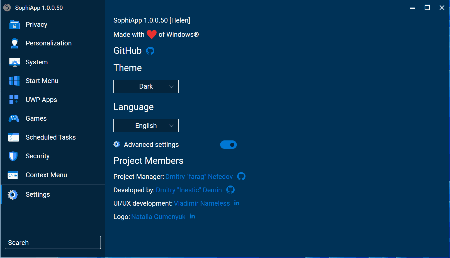
Fine-tune your Windows 10 & Windows 11 machine through this piece of software, which was designed to act as a sort of one-stop-shop for all your system tweaking needs.
SophiApp has everything laid out in categories, making it easy to use.
Categories include
Privacy
Personalization
System
Start Menu
UWP Apps
Games
Scheduled Tasks
Context Menu
Settings
SophiApp does a great job of allowing you to find the most common sought-after Windows settings to customize and speed up Windows 10 & 11.

HomePage:
Код:
https://github.com/Sophia-Community/SophiApp

-:DOWNLOAD FROM LINKS:-​
Download From RapidGator
Код:
https://rapidgator.net/file/dd2b379fa82ac66184165186140350f6/

Download From DropApk

Download From NitroFlare
Код:
https://nitroflare.com/view/4E701E3870201A8/
 
Start Everywhere 1.3.5.28 Multilingual


Start-Everywhere-1-3-5-28-Multilingual.jpg


File Size :0.7 Mb
​

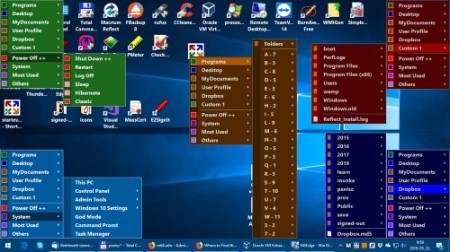
Start Everywhere is a Start Menu software which offers several unique solutions to enable you to launch applications installed on the computer and quickly access documents. The appearance, operation and management of Start Everywhere can be flexibly customized.
Advantages of using Start Everywhere
It provides efficient access to installed applications, documents and computer settings.
It puts long lists in alphabetic order, and also enables you to sort them by date.
The menu system of Start Everywhere can be displayed anywhere on the screen, even in a multi-monitor environment.
In addition to the conventional, click-based access, the menu system can also be accessed with active corners and hotkeys.
The operating system can use its own Start Menu and other Start Menus at the same time.
The display, color and size of menu items can be set flexibly.
The number of menu items and their starting folder can be set.
Frequently used Start items can be accessed in the Most Used menu.
It doesn't require installation, supports 64-bit Windows 7/8/10 operating systems, free to use.

HomePage:
Код:
https://www.wintools.info

-:DOWNLOAD FROM LINKS:-​
Download From RapidGator
Код:
https://rapidgator.net/file/6e917c0a4505155aba00d3b7b9e639f6/

Download From DropApk

Download From NitroFlare
Код:
https://nitroflare.com/view/F30D416FFDE7FBA/
 
SysGauge Pro Ultimate Server 9.0.24


Sys-Gauge-Pro-Ultimate-Server-9-0-24.jpg


File size: 33 MB
​

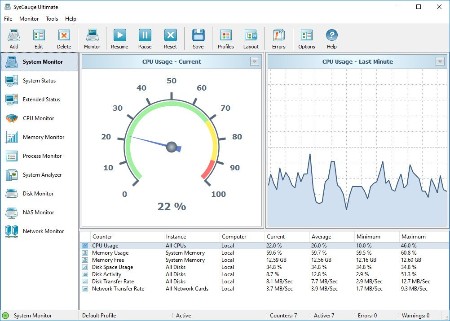
SysGauge is a system and performance monitoring utility allowing one to monitor the CPU usage, memory usage, network transfer rate, operating system performance, the status and resource usage of running processes, file system performance, USB performance, disk space usage, disk read activity, disk write activity, disk read transfer rate, disk write transfer rate, disk read IOPS and disk write IOPS for individual logical disks or all physical disks installed in the computer.
SysGauge Main GUI Application
The main SysGauge GUI application allows one to configure a number of system and performance monitoring counters, display system monitoring charts, analyze the current system status, save various types of system monitoring reports and configure sound and E-Mail notifications.
SysGauge System Monitor
The 'System Monitor' GUI module allows one to perform various types of system monitoring operations using one or more pre-defined or user-custom system monitoring profiles. The system monitor provides the ability to add, edit or delete system monitoring counters, save various types of system monitoring reports, configure monitoring rules, actions and error E-Mail notifications.
Add Counter Dialog
The 'Add Counter' dialog provides the ability to add the CPU usage counters, memory usage counters, disk activity counters, network activity counters, USB activity counters, operating system status counters, file system counters and running processes counters.
SysGauge CPU Monitor
The 'CPU Monitor' GUI module is a dedicated CPU monitoring GUI module showing the total CPU usage, user CPU usage, kernel CPU usage, CPU interrupt time, CPU interrupt rate, the current CPU frequency, the C1 low-power state, C2 low-power state and C3 low-power state.
SysGauge Memory Monitor
The 'Memory Monitor' GUI module is a dedicated memory monitoring module showing the memory usage, the amount of free memory, the amount of used memory, the size of the memory cache, the cache peak size, the cache fault rate, the page file usage, the page file peak usage and the page fault rate.
SysGauge Process Monitor
The 'Process Monitor' GUI module is a dedicated process monitoring module showing the list of currently running processes and displaying for each process the process CPU usage, the memory usage, the number of threads, the number of handles, the number of process instances, the process data transfer rate, the process read transfer rate, the process write transfer rate, the process page fault rate and the amount of non-paged memory allocated by each running process.
Whats New
Код:
https://www.sysgauge.com/news.html

HomePage:
Код:
https://www.sysgauge.com/

-:DOWNLOAD FROM LINKS:-​
Download From RapidGator
Код:
https://rapidgator.net/file/e36338acabd50f68d7f979224f772da3/

Download From DropApk

Download From NitroFlare
Код:
https://nitroflare.com/view/10A5123FC807F74/
 
TechSmith SnagIt 2023.0.2.24665 (x64) Multilingual


Tech-Smith-Snag-It-2023-0-2-24665-x64-Multilingual.png


File Size: 298.5 MB
​

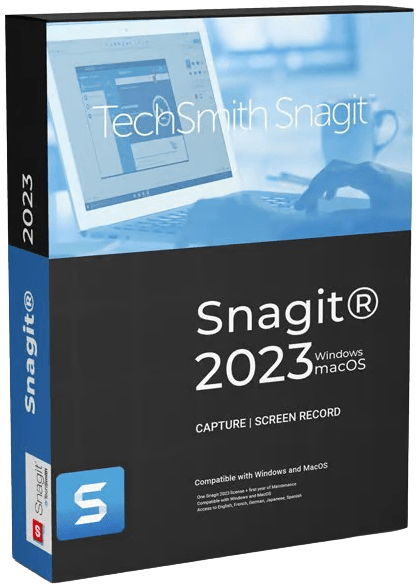
Simple and Powerful Screen Capture and Recording Software. Snagit lets you quickly capture a process, add your explanation, and create visual instructions. Take a screenshot or record a quick video of what you see on your computer screen. Capture wide, horizontal scrolls, scrolling webpages, and everything between and much more!
Capture your screen
Show customers and coworkers how to do something with screenshots and videos.
Add additional context
Mark up your screenshots, trim your video, or use a template to create visual instructions and guides.
Share as an image, video, or GIF
Get over 15 sharing outputs and a built-in library with lifetime access to keep all of your images and videos organized.
Simple, powerful features
All-in-One Capture
Capture your entire desktop, a region, a window, or a scrolling screen.
Panoramic Scrolling Capture
Take a full-page, scrolling screenshot. Snagit makes it simple to grab vertical and horizontal scrolls, infinitely scrolling webpages, long chat messages, and everything in between.
Grab Text
Extract the text from a screen capture or file and quickly paste it into another document for edits. Easily copy information without retyping all the text.
Screen Recorder
Snagit's screen recorder lets you quickly record yourself working through steps. Or grab individual frames out of the recorded video. Save your video file as an mp4 or animated GIF.
Record Webcam
Toggle between webcam and screen recording during a video. Use the recorder to add a personal touch with teammates or clients, no matter where they are.
Record Audio
Include audio in your videos from either a microphone or your computer's system audio.
Animated GIFs
Turn any short recording (.mp4) into an animated GIF, and quickly add it to a website, document, or chat. Snagit comes with default and custom options to create the perfect GIF, every time.
Trim Video Clips
Remove any unwanted sections from your screen recordings. Cut any section at the beginning, middle, or end of your video.
Annotations
Annotate screen grabs with professional markup tools. Add personality and professionalism to your screenshots with a variety of pre-made styles. Or you can create your own.
Step Tool
Document steps and workflows with a few clicks. It's as easy as A-B-C or 1-2-3.
Smart Move
Automatically make objects in your screen captures movable. Rearrange buttons, delete text, or edit other elements in your screenshots.
Text Replace
Snagit recognizes the text in your screenshots for quick editing. Change the words, font, colors, and size of the text in your screenshots without having to redesign the entire image.
Simplify Tool
Convert your standard screenshots into simplified graphics.
Stamps
Personalize your images with stickers specifically designed for screenshots.
Favorites
Keep all of your most valuable tools together in one spot.
Create from Templates
Use pre-made layouts inside Snagit to create visual documentation, tutorials, and training materials in no time.
Create Video from Images
Talk and draw over a series of screenshots to create a quick "how-to" video or GIF.
Share Anywhere
Upload and share directly to PowerPoint, Word, Excel, YouTube, Camtasia, and many more, or create a link directly to your screen grab and share it with anyone.
Enterprise Sharing Destinations
Snagit now lets you share directly to Slack and Box.
Instantly Share Your Images and Videos
- Microsoft Powerpoint
- Microsoft Word
- Microsoft Excel
- Microsoft Outlook
- Google Drive
- TechSmith Screencast
- TechSmith Camtasia
- TechSmith Knowmia
- Box
- Gmail
- Dropbox
- Slack
- YouTube
- Twitter
- File Explorer
Whats New
Код:
https://www.techsmith.com/snagit-version-history.html

HomePage:
Код:
https://www.techsmith.com

-:DOWNLOAD FROM LINKS:-​
Download From RapidGator
Код:
https://rapidgator.net/file/26eedec8d6abba46f18b833e4e6d7a47/

Download From DropApk

Download From NitroFlare
Код:
https://nitroflare.com/view/3658D912FAFB330/
 
TwistedBrush Pro Studio 25.17


Twisted-Brush-Pro-Studio-25-17.jpg


File size: 36 MB
​

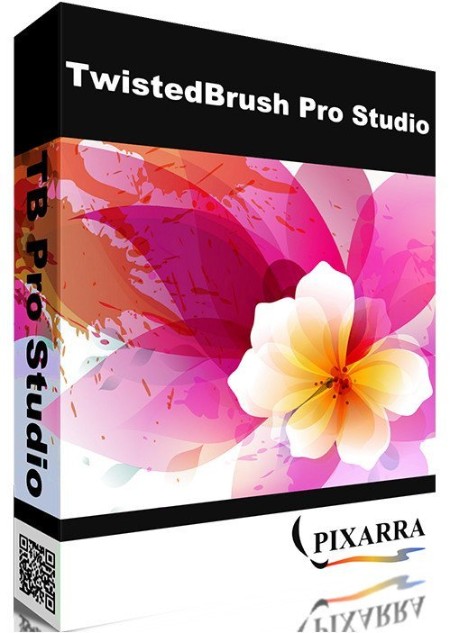
TwistedBrush Pro Studio, a Program for Digital Artists of Any Level With a strong focus on natural media painting, photo editing and illustrative styles, TwistedBrush has more than 9000 brushes in over 250 ArtSets! That's more brushes than included in any art software anywhere at any price. If that still isn't enough you can create your own brushes with the powerful brush effects system capable of representing fine watercolors, smooth pens, full algorithmic trees or even recorded brush strokes or image processing filters.
Thousands of Brushes
TwistedBrush Pro Studio includes as standard every brush available from Pixarra. Over 9000 at last count, covering every area of digital art from great natural media to wild brushes to brushes with that can build a random tree or whole city skyline with a single stroke.
64-bit Imaging
Internally a full 64 bits of color information is used per pixel to accomplish the incredible blending found in TwistedBrush.
TwistedBrush Pro Studio
Powerful Brush Engine
Perhaps the most powerful image editing brush engine in existence anywhere. A single system with the flexibility and performance to mimic full natural media brushes, complex blending operations, very specialize procedural object painting such as single stroke trees and everything in between. The scope of brush effects is mind blowing!
Drawing Tablet Support
Experience expressive drawing and painting with the drawing tablet support with high precision sampling and pressure sensitivity.
Color Palettes
A large array of color palettes, including, dynamic color palettes and mixing color palettes are included or create your own palettes from sampling an existing image or automatically creating ramps of colors.
Brush Editing
With TwistedBrush Pro Studio full brush editing capabilities are included. Using a specialized sequencing system over 400 brushes effects and 150 time envelopes modify the core brush types to produce the wide range of brushes. Share your brushes with other or import the brush codes from other users for an unlimited supply of brushes.
Layers and Transparency
TwistedBrush fully supports transparency and layers with all the standard layer mixing modes plus many unique mixing modes that can't be found anywhere else. Layers are accessed from either the layer mini bar on the left or the full Layer panel on the right.
Masks
TwistedBrush Pro Studio has extensive mask support for protecting and selecting parts of your images. Use the Magic Wand tool with the wide range of options for creating masks or use masking brushes to paint your masks. In addition to dedicated tools for masking there are masking (and unmasking) brushes as well as a special mask actions available from the Mask menu.
Extensive Tool Set
In addition to some of the tools already listed, a full range of tools are at your disposal including, Color Picker, Brush Cleaner, Selection, Crop, Move, Line, Rectangle, Ellipse, Paint Bucket, Gradients, Mask Rectangle, Mask Ellipse, Mask Wand, Image Warp, Script Brush, Copy tool, Paste tool, Text, Pan, Rotate Brush, Drawing Guides and Adjust Brush tools.
Image Processing Filters
Well over 200 image processing filters give you the tools to manipulate your photos or other work. From all the common image processing filters to exceptional filters found no where else such as the Value Blur, Photo Pop, Photo Detailer or Outliner filters. Shown on the right is the menu selection for filters. The Blur category of filters alone has 17 different types of blurs all of which can be configured is custom control panels. The depth of filters in TwistedBrush Pro Studio is amazing!
Clips
A fantastic productivity system that allows for easy storage and reuse of your clipped images and photo elements for use later.
Tracing paper
A drawing guide that allows you to see another image below your current image. Great when used with cloning brushes or just for a guide for proportions and layout.
Brush control
TwistedBrush Pro Studio Brush Control is a custom control panel that changes for every Pro brush. The brush editor allows the designer to define exposed control points for a brush to make it easy to tune a selected brush without needing to understand the details of brush editing.
Cloning
With the cloning brushes included in TwistedBrush Pro Studio and available for TwistedBrush Open Studio you can do all the standard cloning actions for photo touchup or convert your photos into the look of paintings or drawings.
Image formats
In addition to the TwistedBrush specific file format, TBR, all the leading industry standard image formats are supported including, JPEG, GIF, PNG, TIFF, TGA, PCX, PSD, BMP, PCD, WMF and EMF.
Brush modifiers
Hundreds of quick and easy brush modifiers for changes the brush shape, texture, size, rotation and color combinations.
Drawing guides
With over 40 guides drawing precise images is easy. From simple grids and snap to grids to complex 3D perspectives, all drawing guides can be layered together with 8 guides active and any one time.
Lua script filters
The growing standard of GLUAS for using the Lua scripting language for writing image processing filters is included. TwistedBrush extends the standard with additional methods for programmers to create even better filters for sharing with the TwistedBrush user base.
Solutions
A one click solution for complex actions. Apply frames, advanced image processing, layouts and other tasks that might normally require significant work have been record for your easy play back.
Adobe Photoshop (TM) compatible plug-ins
Use the wide range of industry standard plug-ins right in within TwistedBrush Pro Studio.
Whats New
Код:
http://www.pixarra.com/pro_studio.html

HomePage:
Код:
http://www.pixarra.com/

-:DOWNLOAD FROM LINKS:-​
Download From RapidGator
Код:
https://rapidgator.net/file/b16061f70ee41a6c5fa652497f5a95e2/

Download From DropApk

Download From NitroFlare
Код:
https://nitroflare.com/view/4D780AB5347908A/
 
WinImage 11.00 Portable


Win-Image-11-00-Portable.jpg


File size: 5.46 MB
​

WinImage is a fully-fledged disk-imaging suite for easy creation, reading and editing of many image formats and fileystems, including DMF, VHD, FAT, ISO, NTFS and Linux. The disk image is an exact copy of a physical disk (floppy, CD-ROM, hard disk, USB, VHD disk, etc.) or a partition that preserves the original structure. With WinImage in place, you can recreate the disk image on the hard drive or other media, view its content, extract image-based files, add new files and directories, change the format, and defragment the image. All this and more is delivered in one intuitive user interface that enables imaging right out of the box.
The program has many utilitarian uses at home and in the office. As a serious PC user, you probably have tons of old but still useful floppy disks. With WinImage in place, you can turn them into disk images, which can be stored on the hard drive and recreated, when a need arises. In combination with a CD creating tool, WinImage can help you create your own custom boot disk with hardware diagnostic or virus cleaning software to bring a problem PC back up and running without being in Windows. As a hard-disk backup solution, WinImage allows you to save hours and even days restoring a system and configurations on a machine that has experienced a hard-disk crash or software corruption. Along with homes and offices, this ability is a must for training classes, where restoring torn down PC configurations quickly is critical.
Features
Create a disk image from a removable drive (like USB drive), CD-ROM, floppy,
Extract file(s) from a disk image,
Create empty disk images,
Inject files and directories into an existing disk image,
Change a disk image format,
Defragment a disk image,
A powerful "Batch assistant" mode that lets you automate many operations,
And many more!
Whats New
Код:
https://www.winimage.com/winimage.htm

HomePage:
Код:
https://anonymz.com/?https://www.winimage.com

-:DOWNLOAD FROM LINKS:-​
Download From RapidGator
Код:
https://rapidgator.net/file/003f27036800014838217d8d21f7f1ca/

Download From DropApk

Download From NitroFlare
Код:
https://nitroflare.com/view/F87B843EAB763ED/
 
Adobe Acrobat Pro DC 2022.003.20310 Multilingual


Adobe-Acrobat-Pro-DC-2022-003-20310-Multilingual.jpg


File size: 1.3/1.3 GB
​

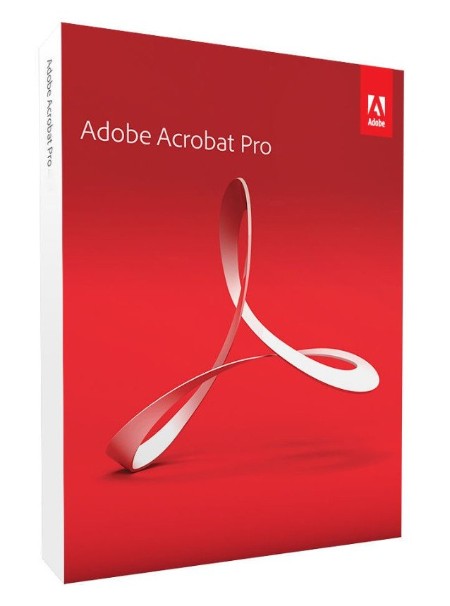
Adobe Acrobat Pro DC is the leading PDF converter and much more. Adobe Acrobat Pro DC software lets you deliver professional PDF communications. It's packed with smart tools that give you even more power to communicate. Create and edit PDF files with rich media included, share information more securely, and gather feedback more efficiently.
Adobe Acrobat Pro DC software is the advanced way for business professionals to create, combine, control, and deliver more secure, high-quality Adobe PDF documents for easy, more secure distribution, collaboration, and data collection.
Assemble electronic or paper files into reliable PDF documents that are easy to share with others using free Adobe Reader. You can assemble even Web sites, engineering drawings, and e-mail.
With Adobe Acrobat Pro DC you can manage document reviews, synthesizing feedback from multiple reviewers while preserving document format and integrity. Extend commenting capabilities to anyone using Adobe Reader. Windows users can design intelligent Adobe PDF forms that include business logic, such as calculations and data validations, to help increase the accuracy of data collection while reducing the costs of manual data entry.
Use Adobe Acrobat Pro DC to create high-impact PDF communications, collaborate more easily, and streamline reviews. Adobe Acrobat Dynamic PDF helps you get more done - easier, faster, better.
Whats New
Код:
https://helpx.adobe.com/acrobat/using/whats-new.html

HomePage:
Код:
http://www.adobe.com/

-:DOWNLOAD FROM LINKS:-​
Download From RapidGator
Код:
https://rapidgator.net/file/f0993289d9fbd5fe9eb603715e1a1f59/

Download From DropApk

Download From NitroFlare
Код:
https://nitroflare.com/view/74F72975831E411/
 
Назад
Сверху