• Здравствуйте. Сайт заработал в архивном режиме форум www.old.nado.in

Dl4ever Software

Room Arranger 9.7.3.632 (x64) Beta Multilingual

Room-Arranger-9-7-3-632-x64-Beta-Multilingual.jpg


File size: 19 MB
​

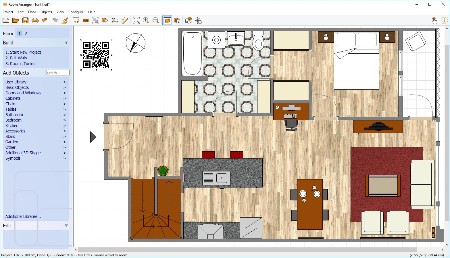
Room Arranger is 3D room / apartment / floor planner with simple user interface. Once you get the basics, you can draw whatever you imagine. While having wide library of objects, you can easily create your own piece of furniture.
Features
Easy to Use
Room Arranger is small and compact piece of software. Still it lets you design nearly anything you imagine. Once you understand the basics it's easy to bring it to next level.
Nearly all functions have keyboard shortcuts, so you can learn to be pretty fast in Room Arranger.
3D Visualization
3D can give you a better impression of your design. Room Arranger will not only let you fly around the scene, but you can also walk through it like in reality.
Wide Object Library
There are nearly 300 objects in the standard object library. Furniture, and other equipment. For each of them, you can modify their dimensions exactly as you need - you are not limited to what we think is the most common.
Additionally you can quickly and easily design all your special objects directly in Room Arranger, there is a set of 3D objects just for such needs. Some users contributed to our On-line object library and shared their work.
Measurement
There is a measurement tool in Room Arranger that helps you to check if there is enough space left for other objects, or just visualize the dimensions in the project.
The software also measures the room areas, wall areas and other useful values. It will let you copy - paste them to Excel for further processing.
Print in Scale
Printing is the integral part of designer's work. We try to make this output precisely and in high quality. Professional architects usually require printouts in exact 1:50 or 1:100 scale, which is possible in Room Arranger.
In case you have only small A4 printer, the software manages to print the project over more pages. You will just glue all sheets of paper together.
Build on Floor Plan Image
Drawing walls can be quite time consuming for apartment or house design. So there is a way to make it easier in case you have an image or photo of the floor plan.
Just load the image of the floor plan into the Wall Editor, calibrate it, and draw walls on top of it.
Whats New
Код:
http://www.roomarranger.com/whatsnew.txt

HomePage:
Код:
http://www.roomarranger.com/

-:DOWNLOAD FROM LINKS:-​
Download From RapidGator
Код:
https://rapidgator.net/file/766b9daa98bda5eb658fe4d41de348eb/

Download From DropApk

Download From NitroFlare
Код:
https://nitroflare.com/view/8FCF816B0C60C8C/
 
Samplicity Berlin Studio v1.1.0


Samplicity-Berlin-Studio-v1-1-0.jpg


MOCHA | VST2/VST3 | 432 MB
​

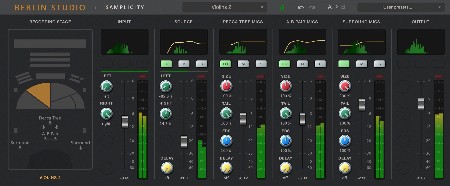
The beautiful acoustics of the famous Teldex recording studio captured with three high grade microphone sets.
Berlin Studio
With Berlin Studio you can add the beautiful acoustics of Teldex Studio to your mixes. This studio is famous for decades of classical recordings and well known to composers for being the home of many acclaimed sample libraries.
The signature sound of this recording stage - approximately the same size as Abbey Road One - has been captured by recording special signals emitted from the main orchestral stage positions with the studio's main microphones and processing these recordings into acoustical "fingerprints", also known as impulse responses (IRs).
Meticulous post-pro editing has resulted in a very consistent and accurate set of IRs in True-Stereo format. If you are already familiar with previous IRs from Samplicity, you know they are rated among the very best, with low signal-to-noise ratios and excellent stereo imaging.
With its flexible handling of microphone perspectives, pre-delays, early reflections and reverb tails Berlin Studio allows you to seamlessly mix and match virtual instruments from different vendors in a unique acoustic environment.
Of course Berlin Studio is also an excellent tool for making real instruments sound like they were recorded in this great venue.
Whats new in this version
Official site does not provide any info about changes in this version.
System Requirements
Windows 10 or newer

HomePage:
Код:
https://samplicity.com/shop/berlin-studio/

-:DOWNLOAD FROM LINKS:-​
Download From RapidGator
Код:
https://rapidgator.net/file/248b277bd22e27b2986adfee7171350a/

Download From DropApk

Download From NitroFlare
Код:
https://nitroflare.com/view/32C695223246781/
 
SoftwareNetz Budget Book 7.20 Multilingual


Software-Netz-Budget-Book-7-20-Multilingual.jpg


File size: 17 MB
​

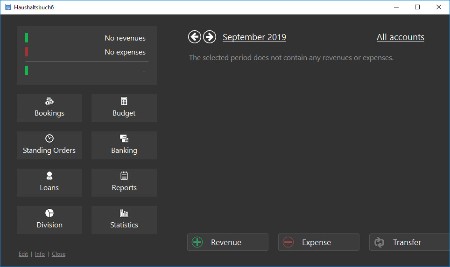
Who did not ask himself this question! With the Softwarenetz Budget Book you get an answer without complicated arithmetical calculations and massive entries. Because the usage of the Budget Book is simple and fast, you can enter all revenues and expenses of one day in just a few minutes.
Statistics and reports
With just one click you can see the statistics and reports about the way you spent your money.
For the whole family
Your whole family can use the Budget Book without any problems. You can define up to 30 persons. You can define for which person expenses were made.
Control your expenses
After just one month you will be surprised how much money you spent for things you never thought about!
Plan with the budget
With the help of a budget plan you can keep control of your expenses. At any time you can see how much money you still have left from your monthly budget.
Integrated onlinebanking
The Budget Book has several options to import bank transactions, e.g. text- and csv-import, online import of PayPal-transactions and HBCI-Banking (only for Germany).
Support of different currencies
Entries in foreign currencies will be recalculated into the main currency automatically based upon a predefined exchange. E.g. for Switserland from EUR into CHF.
Integrated loan calculator
Enter your current loans (car, morgage etc.) into the budget book including interest and repayment. The integrated repayment calculator will calculate exactly when your loan will be repaid. Interest and repayment will be calculated for the future and will be shown in all reports.
Digitalise documents
To every booking you can add a digitalised document in PDF-format (or scan it). Insert the invoice you paid, the receipt etc. Even years later you will still be able to see the document and e.g. print it.
Whats New
Updates: official site does not provide any info about changes in this version.

HomePage:
Код:
http://www.softwarenetz.de

-:DOWNLOAD FROM LINKS:-​
Download From RapidGator
Код:
https://rapidgator.net/file/88f00298fea633371db0af0701099a9b/

Download From DropApk

Download From NitroFlare
Код:
https://nitroflare.com/view/F3FEFCDE0FBDB52/
 
SoftwareNetz Cash Book 10.05 Multilingual


Software-Netz-Cash-Book-10-05-Multilingual.jpg


File size: 18 MB
​

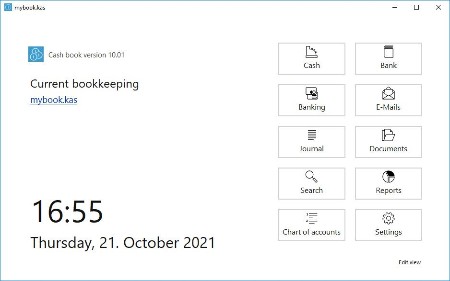
The Softwarenetz Cash Book is a simple bookkeeping program which enables you to book your cash- and bank mutations easy, fast and without any knowledge of bookkeeping. Because of the userfriendly design, all 'none-computer-experts' are able to use the Cash Book right away.
Unlimited amount of cash books
You can open and manage as many different cash books as you like.
Onlinebanking integrated
Bank mutations within the Cash Book can be booked completely automatically.
The Cash Book has several possibilities to retriev the bank mutations: HBCI-banking (Germany), text import and a direct connection to the internet for PayPal-mutations.
With the help of rules, the bank mutations are being analysed by the Cash Book and assigned to the appropriate booking account. This helps you to book your bank mutations within a few seconds.
Datev-interface (Germany)
With a mouse click the bookings are being exported into Datev-format. This file can be send to your accountant per email.
Digitalise documents
The new cash book offers you the possibility to add or scan a PDF-document to every booking. Just add a paid invoice, receipt etc. Years later you are still able to display the receipt and print it if necessary. Besides that you can print the monthly journal including the documents or save it as a single PDF-file.
Profit and loss
The Cash Book will show you the profit and loss situation over a selected period.
Additionally private revenues & costs of an one-man business can be taken into account.
VAT
The VAT-overview provides you with all neccessary information for your VAT-statement.
Graphical statistics
Several graphical statistics and reports inform you about your financial situation.
Whats New
Updates: official site does not provide any info about changes in this version.

HomePage:
Код:
http://www.softwarenetz.de/

-:DOWNLOAD FROM LINKS:-​
Download From RapidGator
Код:
https://rapidgator.net/file/ac361d656c008e73a363aa7ad501377a/

Download From DropApk

Download From NitroFlare
Код:
https://nitroflare.com/view/0BCD59B6E166C16/
 
Futuremark 3DMark 2.25.8056 Professional Edition (x64) Multilingual


Futuremark-3-DMark-2-25-8056-Professional-Edition-x64-Multilingual.jpg


Language: Multilanguage | File size: 8.8 GB
​

Futuremark 3DMark is an essential tool to measure PC gaming performance. It is used by millions of gamers, hundreds of hardware review sites and many of the world's leading manufacturers.
Use it to test your PC's limits and measure the impact of overclocking and tweaking your system.
Search Futuremark's massive results database and see how your PC compares or just admire the graphics and wonder why all PC games don't look this good.
The new Futuremark 3DMark includes everything you need to benchmark your hardware. To get more out of your PC, put 3DMark in your PC.
With three all new tests you can bench everything from smartphones and tablets, to notebooks and home PCs. Also you can bench the latest high-end, multi-GPU gaming desktops. And it's not just for Windows.
With Futuremark 3DMark you can compare your scores with Android and iOS devices too. It's the most powerful and flexible 3DMark we've ever created.
The latest version of the world's most popular benchmark.
Everything you need to test your PC, notebook, tablet and smartphone in one app.
New in 2016, 3DMark now recommends the best benchmark for your system.
Compare your 3DMark scores with other Windows, Android and iOS devices.
Now includes a preview of VRMark, our upcoming VR benchmark.
Fire Strike is a showcase DirectX 11 benchmark designed for today's high-performance gaming PCs. It is our most ambitious and technical benchmark ever, featuring real-time graphics rendered with detail and complexity far beyond what is found in other benchmarks and games today.
DirectX 11 benchmark for gamers
Renders at 1920 x 1080 resolution
For high performance gaming PCs.
3DMark Fire Strike Extreme is an enhanced version of Fire Strike designed for high-end multi-GPU systems (SLI / Crossfire) and future hardware generations. In addition to raising the rendering resolution, additional visual quality improvements increase the rendering load to ensure accurate performance measurements for truly extreme hardware setups.
Enhanced for extreme hardware.
Renders at 2560 x 1440 resolution
For systems with multiple GPUs.
Fire Strike Ultra 4K UHD rendering resolution is four times larger than the 1080p resolution used in Fire Strike. A 4K monitor is not required, but your graphics card must have at least 3GB of memory to run this monstrously demanding benchmark.
The world's first 4K gaming benchmark
Renders at 4K UHD resolution (3840 x 2160)
The most demanding 3DMark test ever.
Use 3DMark Sky Diver to benchmark systems with mainstream graphics cards, mobile GPUs, or integrated graphics. It is especially suitable for DirectX 11 systems that cannot achieve more than single-digit frame rates in the more demanding Fire Strike test. Sky Diver is only available in the Windows editions at this time.
DirectX 11 benchmark for mainstream PCs.
Includes Graphics, Physics and Combined tests.
Breathtaking demo with an original soundtrack.
Cloud Gate is a new test that is designed for Windows notebooks and typical home PCs. Cloud Gate includes two graphics tests and a physics test. Cloud Gate uses a DirectX 11 engine limited to Direct3D feature level 10 making it suitable for testing DirectX 10 compatible hardware.
Designed for typical home PCs and notebooks.
DirectX 11 engine supporting DirectX 10 hardware.
Includes two Graphics tests and a Physics test.
Ice Storm Unlimited is a specialized offscreen test for making chip-to-chip comparisons of CPUs and GPUs. Use Ice Storm Extreme to compare low cost smartphones and tablets running Android, iOS and Windows. Ice Storm Extreme raises the rendering resolution from 1280 x 720 to 1920 x 1080 and uses higher quality textures and post-processing effects in the Graphics tests.
The 3DMark API Overhead feature test is the world's first independent test for comparing the performance of DirectX 12, Mantle, and DirectX 11. See how many draw calls your PC can handle with each API before the frame rate drops below 30 fps.
Test DirectX 12, (Windows 10 required).
Test Mantle, (with compatible AMD hardware).
Test DirectX 11, both single- and multi-threaded.
The VRMark preview is a taste of what to expect from the full release, coming soon. It does not produce a benchmark score. For more details about VRMark, please see this page.
Freely explore a preview of two VRMark test scenes.
Works with monitors too. VR headset not required.
Only in 3DMark Advanced & Professional Editions.
3DMark Professional Edition
- Designed to meet the needs of business customers.
- Licensed for business and commercial use.
- Includes all benchmarks and feature tests.
- Try a preview of VRMark, our new VR benchmark.
- Command line automation and scripting.
- Run stress tests from the command line.
- Verify driver implementation with the Image Quality Tool.
- Keep sensitive results private with the offline results option.
- Export result data as XML for further analysis and reporting.
- Priority technical support over email and telephone.
Recommended system requirements
- OS: Windows 7, 8, 8.1, 10
- Processor: 1.8 GHz dual-core Intel or AMD CPU
- Memory: 4 GB of system memory
- Graphics: DirectX 11 with 1 GB graphics memory
- Hard drive: 3 GB free hard disk space
What's new
Код:
https://www.techpowerup.com/download/futuremark-3dmark-timespy/

HomePage:
Код:
N/A

-:DOWNLOAD FROM LINKS:-​
Download From RapidGator
Код:
https://rapidgator.net/file/b549504d5f34ae28ea33fbb224423c86/3DMark.v2.25.8056.part01.rar.html
https://rapidgator.net/file/04dbf33fa826070440f2e5acc9c470d5/3DMark.v2.25.8056.part02.rar.html
https://rapidgator.net/file/bd1a4bd0d661bbf9aab7f592f9b4e45d/3DMark.v2.25.8056.part03.rar.html
https://rapidgator.net/file/cefd898ef794836104a4fc6217a2afc2/3DMark.v2.25.8056.part04.rar.html
https://rapidgator.net/file/0a7b6f88d7810161e97e746422b211d5/3DMark.v2.25.8056.part05.rar.html
https://rapidgator.net/file/ee350b096eaa8d646421261977a9964d/3DMark.v2.25.8056.part06.rar.html
https://rapidgator.net/file/aed310e1610ba91d1af8757126ffd95d/3DMark.v2.25.8056.part07.rar.html
https://rapidgator.net/file/d1f72e0007d71a81af1bd1d7f018aba8/3DMark.v2.25.8056.part08.rar.html
https://rapidgator.net/file/97ceb237df7f5fb80c5fa36aa9cb4454/3DMark.v2.25.8056.part09.rar.html


Download From DropApk

Download From NitroFlare
Код:
https://nitroflare.com/view/E8D2B005175F163/3DMark.v2.25.8056.part01.rar
https://nitroflare.com/view/6B43B0879E9FB0B/3DMark.v2.25.8056.part02.rar
https://nitroflare.com/view/8C8F03A8C6E9A42/3DMark.v2.25.8056.part03.rar
https://nitroflare.com/view/FCB60AB77DC372B/3DMark.v2.25.8056.part04.rar
https://nitroflare.com/view/D3CA01F2B1CC562/3DMark.v2.25.8056.part05.rar
https://nitroflare.com/view/47C713A6E10F2EA/3DMark.v2.25.8056.part06.rar
https://nitroflare.com/view/97B7823F823E958/3DMark.v2.25.8056.part07.rar
https://nitroflare.com/view/DD05B62D3D2CC53/3DMark.v2.25.8056.part08.rar
https://nitroflare.com/view/4B7972FF530F1B9/3DMark.v2.25.8056.part09.rar
 
Adobe FrameMaker 2022 v17.0.1.305 (x64) Multilingual


Adobe-Frame-Maker-2022-v17-0-1-305-x64-Multilingual.png


File Size: 2.8 GB
​

Adobe FrameMaker 2022 software is a complete solution for authoring, enriching, managing, and publishing technical documentation. Easily author bidirectional technical content and publish across mobile devices. Adobe FrameMaker 2022 is a complete solution for bidirectional technical content. Publish natively across channels, mobile devices and formats and author with best-in-class XML/DITA support. Collaborate seamlessly with experts, and manage content using integration with leading CMSs. Serve global markets by translating content into RTL languages, Arabic and Hebrew. Adobe FrameMaker 2020 also allows you to author and publish in RTL languages. And include mixed bidirectional content in the same paragraph, document, book, or DITA map.
Adobe FrameMaker 2022 features
Turbocharge your content creation
NEW! Powerful 64-bit architecture. Significantly boost performance with an all-new 64-bit architecture. Publish up to 65% faster to PDF and Responsive HTML5.
NEW! Interactive real-time progress bar. Now know the status of tasks like book updates and PDF generation with information-rich, easy-to-understand progress indicators at every stage.
NEW! New image transparency support. Publish clean, stunning documents with support for image transparency to blend text with pictures, and pictures with pictures.
NEW! Out-of-the-box SharePoint 2016 support. Instantly connect to Microsoft SharePoint Online or a SharePoint 2016 CMS.
NEW! Quick access to Welcome Screen. Open the Welcome Screen in a new tab via the workspaces drop-down menu to easily access templates, plug-ins, customizations, and more.
NEW! New Duden dictionary support. Get out-of-the-box support for Duden, a trusted German dictionary, for more accurate spelling and hyphenation.
NEW! Interactive HTML5 dialogs for plug-ins. Make the customer experience richer by using HTML5, CSS3, and JavaScript to make interactive plug-in dialog boxes.
NEW! One-click image resizing. Fit an image to a frame or vice versa by simply right-clicking on the image or frame.
NEW! WebP image support. Take advantage of Google's modern WebP image format. It allows you to use high-quality visuals that load faster thanks to a smaller file size (compared to JPEG or PNG).
ENHANCED! Up to 65% faster file performance.
ENHANCED! Enhanced image handling.
ENHANCED! High-quality images.
ENHANCED! Support for colored icons.
ENHANCED! Slick and powerful Welcome Screen.
ENHANCED! All-new platform.
ENHANCED! New Windows based File Open dialog.
ENHANCED! Faster and lighter setup.
System requirements
OS:Microsoft Windows 10, 11
CPU:Core i5 or faster processor
Memory:4 GB or more recommended
Space:5 GB of available hard-disk space for installation; additional free space required during installation (cannot install on a volume that uses a case-sensitive file system or on removable flash storage devices)
JRE 8
Display:Maximum supported screen resolution - 4K (3480 x 2160, 8.3 megapixel, aspect ratio 16:9)
Whats New
Код:
https://helpx.adobe.com/framemaker/kb/fixed-issues.html

HomePage:
Код:
https://adobe.com

-:DOWNLOAD FROM LINKS:-​
Download From RapidGator
Код:
https://rapidgator.net/file/71d6a7bfa3707f1a24651afd7018d77d/Adobe.FrameMaker.2022.v17.0.1.305.part1.rar.html
https://rapidgator.net/file/11d2e50c5acdd85f6ffae8c12ba7f261/Adobe.FrameMaker.2022.v17.0.1.305.part2.rar.html

Download From DropApk

Download From NitroFlare
Код:
https://nitroflare.com/view/6E544D3FAE67D1E/Adobe.FrameMaker.2022.v17.0.1.305.part1.rar
https://nitroflare.com/view/7EB3B1847819344/Adobe.FrameMaker.2022.v17.0.1.305.part2.rar
 
Softwarenetz Rechnung 10.16 Multilingual


Softwarenetz-Rechnung-10-16-Multilingual.jpg


File size: 19 MB
​

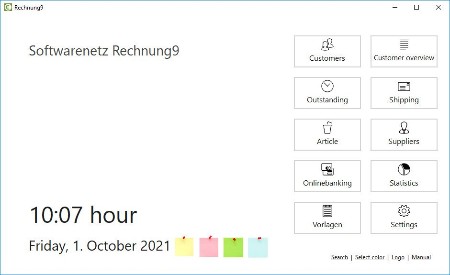
For those self-employed persons, freelancers and small companies, who are in need of a simple and userfriendly program to create invoices.
PDF-invoices and PDF-reminders per e-mail.
PayPal-button on your PDF-invoice for payments.
Integrated designer for writing paper
Create invoice with or without VAT (also suitable for small companies).
Graphical statistics will inform you at any time about your turnover and details.
Photo-invoices: print invoices with the photos of your articles.
Create invoices fast and simple
Do you still create your invoices with Excel or Winword? Or don't you use any kind of program to create your invoices?
With the program Invoice 5 for Windows you can save yourself a lot of work. The program is easy to use and therefore suitable for beginners.
Adjust the invoice to your company
Create your own writing paper with your log and adjust the invoice layout with just a few clicks to your company wishes.
Select your colors, fonts and the layout of your invoice.
Customermanagement included
The invoice program contains a complete address / customer database. You can see at a glance all invoices, payments and reminders of a specific customer. A memofield gives you the opportunity to enter specific customer information. The import of existing customers from a csv-file is also included.
Article- and warehouse management
Your articles are saved into an articlemanager including warehouse and minimum stock. In case you have your articles available as a csv-file, you can import your articles easy and fast into the program. You can assign a photo to every article which you can print onto your invoice if you wish.
Writing paper
You can print your invoices onto your own writing paper. Create your writing paper with the integrated designer easy and fast. You have 8 different writing papers at your disposal. Select your fonts and colors and add as many graphical files (e.g. your logo) as you like.
Automatic assignment of payments
With our additional program Softwarenetz MyMoney you can assign the payements to the invoices automatically and book the invoices as 'paid'. The payments are being recognised by amount and/or invoice number.
Journal
The clear journal displays all invoices, credit notes, offers and order in the specified period. Optional you can display all net amounts per VAT-%. The journal can be printed as CSV-file which you can send to your accountant.
Whats New
Updates: official site does not provide any info about changes in this version.

HomePage:
Код:
http://softwarenetz.de/

-:DOWNLOAD FROM LINKS:-​
Download From RapidGator
Код:
https://rapidgator.net/file/1571db56a72d9150267e9a39ba1ee3d5/

Download From DropApk

Download From NitroFlare
Код:
https://nitroflare.com/view/D20FEE1063A8967/
 
Super Launcher 2.0.4.0


Super-Launcher-2-0-4-0.png


File Size : 68.2 Mb
​

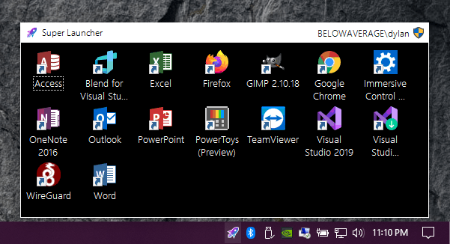
Super Launcher is an admin launcher that persists in the system tray that can launch programs quickly; optionally, with administrator rights, as another user, or both.
Effective, yet discrete
This program allows you to add any app or file's shortcuts to its interface and access them from there.
And the nice thing about it is that it stays mostly hidden. When you open it, the application minimizes to the system tray, and it will return there every time you click anywhere else on the screen.
So instead of having to keep everything scattered all over the desktop, you can just add them to Super Launcher, and they will only appear when you bring it up from the tray.
No more right-clicking for admin rights
As we mentioned in the beginning, the program is good for solving two issues. Saving up space on your desktop is only half of what it can do.
Everything you double-click from Super Launcher will be automatically run with admin rights.
Yes, that is correct, you don't need to right-click on an app and look for the "Run as Administrator" option anymore, as this program will take care of that for you.
Anything else?
Well, that's about it. And expecting anything else from it would actually be unfair.
Yes, for some people, it wouldn't seem like it does much. There are those who only use the PC to watch movies, and this program would serve them no purpose.
But for people who do a lot of other stuff on their computer, Super Launcher can be more than useful.

HomePage:
Код:
https://belowaverage.org/

-:DOWNLOAD FROM LINKS:-​
Download From RapidGator
Код:
https://rapidgator.net/file/736bf97ff75eddd38af9692cacfa58cd/

Download From DropApk

Download From NitroFlare
Код:
https://nitroflare.com/view/4F9CCDE55AE7567/
 
TominLab WonderPen 2.2.3.6712


Tomin-Lab-Wonder-Pen-2-2-3-6712.png


File size: 145.4 MB
​

WonderPen is a writing app for both professional and amateur writers.
Features
- Tree view, drag-and-drop to reorder.
- An easy-to-use text editor that supports Markdown.
- Supports full-screen mode, lets you focus on writing.
- Docs can be exported as Image, PDF, Word, HTML, etc.
- Support whiteboard mode, in which you can add any note, table, kanban and other information.
- Auto save while editing. You can backup all docs as a single file and restore from it later.
- Add memo for each doc.
- Focus on one node of the doc tree.
- Search in all docs.
- Darkmode support.
- Data can be backed up automatically, and import and export are supported.
Whats New
Updates: official site does not provide any info about changes in this version

HomePage:
Код:
https://www.tominlab.com/en/wonderpen

-:DOWNLOAD FROM LINKS:-​
Download From RapidGator
Код:
https://rapidgator.net/file/74eca641d5471d509fa9ac4c086fad96/

Download From DropApk

Download From NitroFlare
Код:
https://nitroflare.com/view/A6A720E55E7D829/
 
ToneBoosters Plugin Bundle 1.6.9


Tone-Boosters-Plugin-Bundle-1-6-9.jpg


File size: 214 MB
​

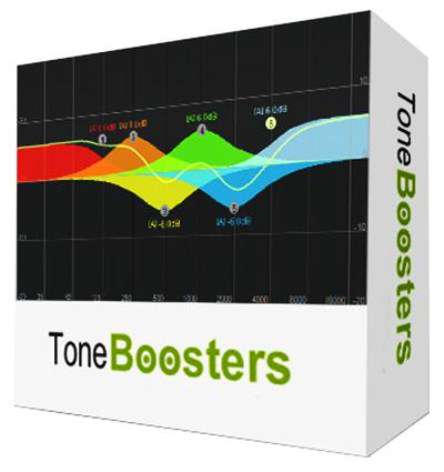
Our audio plugins are based on more than a decade of scientific research and product development in the areas of digital signal processing and auditory perception. We combine advanced signal processing techniques and highly-optimized cross-platform implementations with simple-to-use interfaces to optimize your workflow.
Include
Barricade
True-peak mastering limiter.
BitJuggler
The ultimate digititus creator.
Compressor
Mastering-grade dynamics processor.
Dual VCF
Creme de la creme non-linear filters.
Enhancer
Seasoning for your tracks.
Equalizer
Analog-modelled dynamic equalizer.
Flowtones
Virtual analog synthesizer.
MBC
Multi-Band Compression and saturation.
Morphit
Headphones correction and personalization.
ReelBus
Magnetic tape recording, echo and flanger simulator.
Reverb
Lush reverberation and shimmer.
Sibalance
Spectral de-esser and harshness remover.
Spectrogram
Insightful time and frequency visualization.
VoicePitcher
Vocal doubling, pitch shifting and freezing effect.
GonioMeter
Stereo image analysis and visualization. Free!
Requirements
Windows 7 SP1 or up; requires a 64 bits DAW with VST, VST3 or AAX support; Intel or AMD SSE2 processor.
Whats New
Код:
https://www.toneboosters.com/changelog.html

HomePage:
Код:
https://www.toneboosters.com/

-:DOWNLOAD FROM LINKS:-​
Download From RapidGator
Код:
https://rapidgator.net/file/698637da50cdbd6f3ae9af672b0295d2/

Download From DropApk

Download From NitroFlare
Код:
https://nitroflare.com/view/8B45BD2827A6BEC/
 
TreeSize Professional 8.6.0.1757 Multilingual


Tree-Size-Professional-8-6-0-1757-Multilingual.jpg


Windows x64 | File size: 54.78 MB
​

TreeSize Professional is a powerful and flexible hard disk space manager for all windows. Find out which folders are the largest on your drives and recover megabytes on your disks. TreeSize Professional shows you the size, allocated and wasted space, the number of files, 3D charts, the last access date, the file owner and permissions, the NTFS compression rate and much more information for several folders or drives you choose. It also lets you search drives, entire servers or the entire network for old, big, temporary and duplicate files. The search results can be moved, deleted or exported. The application has an intuitive Explorer-like user interface, it is fast and multi-threaded and supports Unicode and scheduled scans. You can print detailed reports or export the collected data to Excel and to an HTML, XML or text file. TreeSize Professional can be started from the context menu of every folder or drive.
Why TreeSize Professional
- Manage and clean up disk space efficiently
- Visualize disk usage
- Detailed analysis, right down to the lowest directory levels
- Find and remove redundant files
- Numerous export and reporting options
- The versatile duplicate file search
Manage disk space and scan your hard disks
Find out which folders are the largest on your drives and recover precious disk space. Use TreeSize as a hard disk cleanup tool: find space hogs and remove them. Graphical analyses provide a quick visualization of disk space usage. TreeSize Professional shows you folder size and allocated disk space as well as owner and permissions, the last access date, the NTFS compression rate, and much more information for selected folders or drives.
Search for Redundant Files
The integrated versatile file search helps you find old, big, temporary, and duplicate files on drives, entire servers or the entire network. Search results can be moved, deleted or exported to a ZIP file.
Print, Export, or Compare Results
You can print detailed reports and charts or export the collected data to many different formats such as XML, XLS, TXT, CSV and many more. Compare XML reports or take shapshots of your disk space usage to track its development over time.
The application has an intuitive Explorer-like user interface and supports drag and drop operations. It is fast, multi-threaded, and supports Unicode- and NTFS-specific features. TreeSize Professional can be started from the context menu of every folder or drive.

Efficient Disk Space Management from all perspectives

- See the size of all folders including their subfolders and break it down to the file level.
- Visualize disk usage in the pie or bar chart.
- Tree maps visualize hierarchies and sizes of subfolders in the selected directory.
- Detailed view with single files and additional information (e.g. date of last access).
- Statistics about file types and file owners for every branch.
- Filter the file system tree on the left by a certain user or file type.
- See a list of the 100 largest files.
- Distribution of occupied disk space by file age.
- Scan FTP, WebDAV, and SharePoint servers.
- Disk Space Management on smartphones and mobile devices.

Versatile File Search

- Integrated file search.
- Fully customizable file search.
- Archive, copy, or move the results of the TreeSize File Search, for instance lar, old, or temporary files or files of a certain type.
- Search multiple drives, whole servers and even your entire network neighborhood.
- Search results can be exported, moved, deleted or passed to any executable file or script.
- TreeSize offers a powerful duplicate file search, optionally with MD5 or SHA256 checksums. TreeSize also enables you to easily deduplicate files using hardlinks.
Exporting and Reporting
- TreeSize enables you to export scan results (showing the directory structure) to many different formats such as Excel, XML, HTML, text/CSV file, clipboard, or email.
- Export a list of all files in the scanned folder and its subfolders, for example for use in a database.
Track Growth
- Save the data to an XML file and load it again later.
- See which folders have grown: Compare a saved XML file to a current version of the file system branch, TreeSize Professional displays the difference between the two scans.
- Take snapshots of the current state of disk space usage and compare them with snapshots Windows takes automatically.
Customized Analyses & Views
- Configure displayed columns for the details view, Excel export, text file and printed reports.
- Include and exclude certain files or folders in your scans.
Scheduled Scans
- Command line options allow automatic and scheduled scans of your hard disk (e.g. overnight) and generating reports.
- Comfortable interface simplifies creation and editing of scheduled scans and exports as Windows tasks.
High Performance thanks to Multithreading
- Browse the results during scanning.
- Scan and view several folders at the same time.
- Automatic adjustment of the number of threads that are used for a scan.
Full NTFS Support
- Unicode file and folder names are supported.
- File based NTFS compression.
- Hardlinks and Alternate Data Streams (ADS).
- File paths longer than 255 characters will be found and processed correctly.
- Analyse NTFS permissions.
Perfect Integration with the Windows Explorer
- Explorer context menu supported inside the TreeSize window.
- TreeSize Professional can be started from within the Windows Explorer.
- Drag and Drop is enabled.
- On a Windows Core Server TreeSize can serve as a graphical user interface.
Full Network Support
- TreeSize Professional offers full support for network drives and scans UNC paths like Servershare.
What's new
Код:
https://www.jam-software.com/treesize/changes.shtml

HomePage:
Код:
https://www.jam-software.com/

-:DOWNLOAD FROM LINKS:-​
Download From RapidGator
Код:
https://rapidgator.net/file/b44605b4b8a514aa55883faea0b459c1/

Download From DropApk

Download From NitroFlare
Код:
https://nitroflare.com/view/AF5976CBB00C944/
 
TurboSFV 9.52


Turbo-SFV-9-52.jpg


File size: 25.3 MB
​

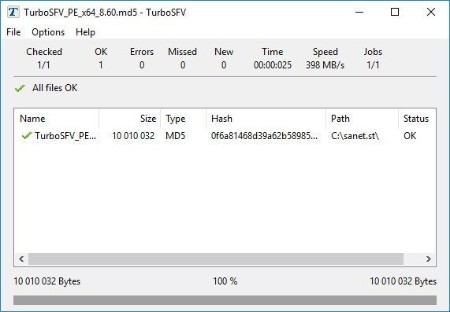
Hash calculation and validation software. TurboSFV is a utility for the calculation and validation of checksums for files.
With TurboSFV, you can calculate checksums (hash values) for your files. At a later time, you can validate the hash values to ensure, that the content of the files has not been changed.
Typical areas where hash values are used
File transfer: Before sending files over the network, hash values can be calculated, which can be used to detect the alteration of data during the transfer.
Observing folders: Detect changed and missed files and find new files which were added to the folders after the creation of a checksum file. Page Analyze validation results describes the analysis capabilities of TurboSFV.
Storage mediums: The quality of a storage medium like a DVD can change. By using hash values, the integrity of stored files can be checked at any time and defective mediums can be detected and replaced.
Quality chain: Useful in companies or organizations, where any change of important data must be monitored and documented, to ensure the quality of the service. For example, if the final version of a software has been developed and passed the quality control, then the files should not be changed in subsequent processes. The control can be achieved with checksums.
But applications are not limited to software companies: hash values can be calculated for any kind of documents such as recipes, certificates or in the area of electronic data exchange or forensics, and can help to improve the quality control.
The following hash algorithms are currently supported
CRC-32, MD5, SHA-1
XXH32, XXH64 (xxHash)
SHA-224, SHA-256, SHA-384, SHA-512 including SHA-512/224 and SHA-512/256
BLAKE2S-256, BLAKE2B-256, BLAKE2B-384 and BLAKE2B-512
SHA3-224, SHA3-256, SHA3-384 and SHA3-512
Whats New
Код:
https://turbosfv.com/History

HomePage:
Код:
https://turbosfv.com/

-:DOWNLOAD FROM LINKS:-​
Download From RapidGator
Код:
https://rapidgator.net/file/1cf2e824ac0dd7845b4008cf0a366c54/

Download From DropApk

Download From NitroFlare
Код:
https://nitroflare.com/view/AA28D91BF6A5841/
 
TweakNow WinSecret Plus 3.9.5


Tweak-Now-Win-Secret-Plus-3-9-5.jpg


File size: 11.1 MB
​

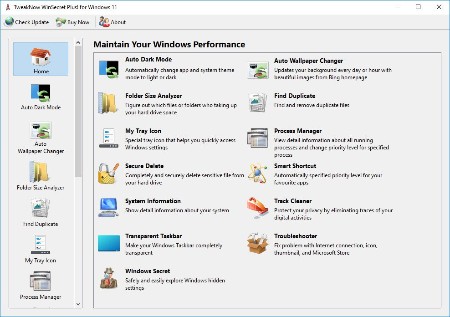
TweakNow WinSecret for Windows 10 and 11 allows users to explore the hidden settings in Windows.
This app is specifically geared for Windows, grouping numerous registry settings and delivering them from an easy and safe user interface.
With TweakNow WinSecret for Windows, you can move the Windows taskbar to the top and change the taskbar size by editing the registry value. With any app modifying the registry, it is strongly advised to have a backup to restore from in the advent of an issue.
TweakNow WinSecret for Windows makes the process easier than directly doing it via Regedit, potentially creating critical problems for a novice user. TweakNow WinSecret for Windows gives you a smooth platform to perform these tweaks in a more controlled environment.
TweakNow WinSecret for Windows is a solid option for those that want to improve their overall experience while on Windows through a simple and easy-to-navigate app.
Plus Features
Auto Dark
Automatically change app and system theme mode to light or dark
Auto Wallpaper Changer
Updates your background every day or hour with beautiful images from Bing homepage
Folder Size Analyzer
Figure out which files or folders who taking up your hard drive space
Find Duplicate
Find and remove duplicate files
Process Manager
View detail information about all running processes and change priority level for specified process
Secure Delete
Completely and securely delete sensitive file from your hard drive
Smart Shortcut
Automatically specified priority level for your favourite apps
System Information
Show detail information about your system
Track Cleaner
Protect your privacy by eliminating traces of your digital activities
Transparent Taskbar
Make your Windows Taskbar completely transparent
Troubleshooter
Fix problem with Internet connection, icon, thumbnail, and Microsoft Store
Windows Secret
Safely and easily explore Windows hidden settings
OS: Windows 10/11
Whats New
Код:
https://www.tweaknow.com/WindowsSecretPlus.php

HomePage:
Код:
https://www.tweaknow.com/

-:DOWNLOAD FROM LINKS:-​
Download From RapidGator
Код:
https://rapidgator.net/file/1c91466a9910258637fe9fcd289e44df/

Download From DropApk

Download From NitroFlare
Код:
https://nitroflare.com/view/BC541C9FF5A4C7E/
 
Uhe MFM2 2.5.0 (Win macOS Linux)


Uhe-MFM2-2-5-0-Win-mac-OS-Linux.jpg


File Size: 93.2 MB
​

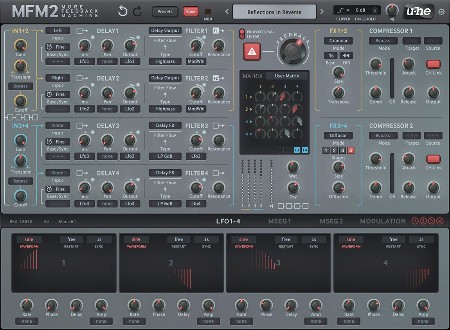
MFM2 is our over-the-top digital delay plug-in. You can create anything from subtle textured echos to huge spacey reverbs, from wild tonal steps on a pad to rhythmic deconstruction of a drum track. As a regular delay MFM2 already offers as much control and inspiration as possible, while the advanced features in version 2.5 open up wider horizons. More feedback, more control, more inspiration!
New in version 2.5: input section with gain, filter and transient balance
4 delay lines with independent absolute time or tempo-synced modes
Each delay line has its own multimode filter: 2x lowpass, bandpass, 2x highpass, bandreject or allpass
6 default delay configurations or user matrix (freely route signals between all 4 delay lines)
4 syncable LFOs with 8 waveform options or user definable shapes
2 syncable and loopable multi-stage envelope generator (MSEG) modulation sources
4-slot modulation matrix with depth modulation from a second source
2 channel-pair effects: soft clipper, bit crusher, phaser, frequency shifter, filter.
New in version 2.5: granular (pitch shift, reverse delays) and diffusor (reverb)
2 channel-pair compressor/limiters, with peak or maximize modes
New in version 2.5: output shield (soft clipper) with strength and threshold options
Scalable UI from 70% to 200%
400+ factory presets

HomePage:
Код:
https://u-he.com/products/mfm2/

-:DOWNLOAD FROM LINKS:-​
Download From RapidGator
Код:
https://rapidgator.net/file/1883e7c60077c1d3168c60fb9777cf06/

Download From DropApk

Download From NitroFlare
Код:
https://nitroflare.com/view/B351DD44408274E/
 
Uhe Zebra Legacy v2.9.3 (Win macOS Linux)


Uhe-Zebra-Legacy-v2-9-3-Win-mac-OS-Linux.jpg


File Size: 742 MB
​

Our workhorse synthesizer Zebra2 has always been a firm favourite in sound design circles, especially in Hollywood. Many new features have been added over the years, with recent versions including native support for Apple Silicon and VST3. This latest round doesn't add any new features, however, but actually offers a whole lot more.
NEW in v2.9: All 500+ factory presets have been refurbished and improved with X/Y assignments. They are fully tagged and NKS-ready
4 powerful wavetable oscillators (16 waves) with integrated spectral effects
1, 2, 4, or 11 times unison, with detune and stereo spread
Polyphonic (up to 16 voices), duophonic or mono and legato modes
4 assignable X/Y pads
4 FM oscillators with 8 alternative waveforms (not only sine)
4 regular filters with 23 different modes
4 cross-modulation filters (XMF)
12-slot modulation matrix with depth modulation from a second source
Flexible signal routing: 4x12 main patching grid, 3x6 effects patching grid
4 syncable multi-stage envelope generators (MSEG) with up to 32 segments each
4 per-voice LFOs plus 2 global LFOs
21 stereo effects: 2x chorus/flanger, 2x delay, 2x EQ, 2x compressor, 2x reverb and more
Resizable UI from 70% to 200%
MIDI learn page and editable list
NEW in v2.9.3: Support for Oddsound MTS-ESP

HomePage:
Код:
https://u-he.com/products/zebra2/

-:DOWNLOAD FROM LINKS:-​
Download From RapidGator
Код:
https://rapidgator.net/file/6e7c4492ca91f6a15cf5464db4df2a4a/

Download From DropApk

Download From NitroFlare
Код:
https://nitroflare.com/view/6D90C7D16DE3E00/
 
Uranium Backup 9.7.0.7359 Multilingual


Uranium-Backup-9-7-0-7359-Multilingual.jpg


File Size: 44.8 MB
​

Uranium Backup is powerful but its interface keeps the things simple. You can schedule a backup in no time. A reporting system will alert you in case of failure. Everything is under your control.
Why Uranium
Thousands of users across the world chose Uranium Backup as their data protection solution. Discover the advantages
Time-proved reliability
Uranium is built on the top of a rock-solid architecture and our expertise comes from many years of testing.
International quality
Uranium Backup is distributed in over 100 countries and translated in 13 languages.
Full-featured solution
Uranium Backup can perform backups of files and folders, disk images, databases and virtual machines on many different types of storage peripherals like NAS and tapes.
Simple licensing policy
Uranium Backup's licenses have lifetime value and allow a single installation of the program on a physical or virtual machine. Technical support is included.
License - All editions.
Whats New
Код:
http://www.uranium-backup.com/changelog

HomePage:
Код:
http://www.uranium-backup.com

-:DOWNLOAD FROM LINKS:-​
Download From RapidGator
Код:
https://rapidgator.net/file/82897922f18ec0b610f1de8de2cddfd3/

Download From DropApk

Download From NitroFlare
Код:
https://nitroflare.com/view/CDDCF581EE9EB8C/
 
ViewCompanion Premium 14.12 (x64)


View-Companion-Premium-14-12-x64.jpg


File size: 27 MB
​

ViewCompanion Premium is the most powerful member of the ViewCompanion family. ViewCompanion Premium can view, print and convert Adobe PDF, PDF/A, Autodesk DWF, PLT, CGM, TIFF, CALS, EDMICS and several other file formats. With ViewCompanion Premium you can convert your files to many different output formats, please check the complete list of supported output formats below.
Your PLT, CGM, Gerber and DWF files can be converted into Autodesk DXF format, which can be read by all popular CAD applications, for example Autodesk AutoCAD™.
With the built-in PDF to CAD tools you can even convert your PDF files into editable DXF, Gerber, CGM or SVG files.
Both batch convert and batch print is included. The software can be configured to monitor a user defined folder, and all files copied to that folder will be automatically printed using your settings.
You can merge multiple files of different formats to a single multi-page PDF, DWF or TIFF file.
ViewCompanion can split a multipage PDF, TIFF or DWF file into multiple files. You may split a PDF file either based on a maximum number of pages per file or based on the maximum file size for each output file.
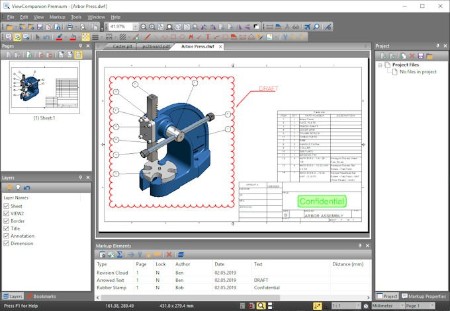
With ViewCompanion you can measure dimension lengths and areas. All measurements can be done using snap to drawing geometry to give the highest accuracy. Calibration of the measurement tools is available to make sure you get correct results even if your drawings are not scaled 1:1. The measurement results may be exported to either a Excel Workbook (XLSX) or to a CSV file which can be opened by any spreadsheet application.
Use ViewCompanion to compare files of different revisions and visualize the differences. You can compare all supported file formats, including PDF. A multipage PDF file can be compared page by page.
Annotate your files using markup elements like text, highlight, dimension line, area measurement, stamp, freehand, arrow, barcode, symbol, image and more.
ViewCompanion support symbol libraries that make it easy to add frequently used symbols as markups. You can create your own symbol libraries from any image file. You will also find a few libraries available for you to use after installation.
All markup elements will be stored in a separate file and the original file will be left unmodified. The markup elements can be included when the viewed file is printed or converted.
Whats New
Код:
http://www.softwarecompanions.com/premiumupdate.html

HomePage:
Код:
http://www.softwarecompanions.com/

-:DOWNLOAD FROM LINKS:-​
Download From RapidGator
Код:
https://rapidgator.net/file/afd278ccc784ae697ada4d5ec59bb5e2/

Download From DropApk

Download From NitroFlare
Код:
https://nitroflare.com/view/CCB1388AFEF55E8/
 
ViewCompanion Premium 14.12 (x86)


View-Companion-Premium-14-12-x64.jpg


File size: 27 MB
​

ViewCompanion Premium is the most powerful member of the ViewCompanion family. ViewCompanion Premium can view, print and convert Adobe PDF, PDF/A, Autodesk DWF, PLT, CGM, TIFF, CALS, EDMICS and several other file formats. With ViewCompanion Premium you can convert your files to many different output formats, please check the complete list of supported output formats below.
Your PLT, CGM, Gerber and DWF files can be converted into Autodesk DXF format, which can be read by all popular CAD applications, for example Autodesk AutoCAD™.
With the built-in PDF to CAD tools you can even convert your PDF files into editable DXF, Gerber, CGM or SVG files.
Both batch convert and batch print is included. The software can be configured to monitor a user defined folder, and all files copied to that folder will be automatically printed using your settings.
You can merge multiple files of different formats to a single multi-page PDF, DWF or TIFF file.
ViewCompanion can split a multipage PDF, TIFF or DWF file into multiple files. You may split a PDF file either based on a maximum number of pages per file or based on the maximum file size for each output file.
With ViewCompanion you can measure dimension lengths and areas. All measurements can be done using snap to drawing geometry to give the highest accuracy. Calibration of the measurement tools is available to make sure you get correct results even if your drawings are not scaled 1:1. The measurement results may be exported to either a Excel Workbook (XLSX) or to a CSV file which can be opened by any spreadsheet application.
Use ViewCompanion to compare files of different revisions and visualize the differences. You can compare all supported file formats, including PDF. A multipage PDF file can be compared page by page.
Annotate your files using markup elements like text, highlight, dimension line, area measurement, stamp, freehand, arrow, barcode, symbol, image and more.
ViewCompanion support symbol libraries that make it easy to add frequently used symbols as markups. You can create your own symbol libraries from any image file. You will also find a few libraries available for you to use after installation.
All markup elements will be stored in a separate file and the original file will be left unmodified. The markup elements can be included when the viewed file is printed or converted.
Whats New
Код:
http://www.softwarecompanions.com/premiumupdate.html

HomePage:
Код:
http://www.softwarecompanions.com/

-:DOWNLOAD FROM LINKS:-​
Download From RapidGator
Код:
https://rapidgator.net/file/ebaddfb9ec18f648a628036c230fec2c/

Download From DropApk

Download From NitroFlare
Код:
https://nitroflare.com/view/CA48B535CBC007A/
 
Luminar Neo 1.6.2 (10871)


Luminar-Neo-1-6-2-10871.png


Languages: Multilingual File Size: 2.24 GB
​

AI-driven creative image editor. A creative image editor to bring your ideas to life. Have you ever wanted to achieve more with your images? Luminar Neo is an innovative image editor powered by AI technologies of the future that simplifies complex editing routines and enables creators to bring their boldest ideas to life. And enjoy it.
Control the light in 3D space with RelightAI
Relight backlit photos or darkened images in a click with the RelightAI feature. Luminar Neo calculates the depth of a photo and creates a 3D map, making it possible to spread light naturally in 3D space across a 2D image. You can also relight the background and foreground separately - meaning you can darken parts of the image as well. This opens up an opportunity for creative relighting in order to bring your artistic vision to life.
Remove messy powerlines with AI
Automatically remove distracting elements in your cityscapes, urban landscapes or travel photos. Get a clear sky with no cluttered phone or power lines.
Unleash your creativity with Layers and AI Masking
Use both MaskAI and Layers for limitless creativity. MaskAI automates the masking process by identifying objects in the image and creating precise masks. You can always manually refine those masks with a brush if you choose to. Layers open up a whole new level of creative expression, with endless possibilities for adding objects, textures, watermarks, and any other graphics to your images.
Replace the sky in one click
Cutting-edge sky replacement technology with water reflections, sky positioning, and human-aware relighting to match the new sky.
Lightning-fast creative editing with an all-new image engine.
Designed as a module system its parts now can be optimized separately, for the best performance.
What is Luminar Neo?
Have you ever wanted to achieve more with your images? Luminar Neo is an innovative image editor powered by AI technologies of the future that simplifies complex editing routines and enables creators to bring their boldest ideas to life. And enjoy it.
- Get speed and flexibility in your editing with our brand-new core engine and layers workflow.
- The new engine we built for Luminar Neo is based on all the best solutions from our combined and evolved experience for maximum performance and creativity and is developed for achieving complex creative results.
- Adjust the light in your photo for creative control over the lighting in a scene. You can control the exposure of an image based on the distance from the lens to independently adjust the background and foreground exposure.
- Automatically remove spots on your images caused by dust and dirt on your lens and sensor.
- Clean up unwanted power lines from the skies in your cityscapes.
- Experiment with infinite creative possibilities by effortlessly combining two or more images in a shot.
...And much more.
The new technologies and innovative user experience in Luminar Neo make creative image editing simple and fun.
What's New in Luminar Neo?
Luminar Neo is a giant leap forward to more innovative, AI-based editing that targets the pains of photographers. Its goal is high-quality, fast, easy, and enjoyable results for anyone who wants to edit their images and channel their creativity in new ways.
The collection of AI-powered tools take a significant jump forward in function and performance with Luminar Neo. The application expands its toolbox with more groundbreaking AI-powered tools. The new tools are joined by additional options to solve even more problems and unleash creativity.
Speed up your editing workflow with our new fast core engine.
It's based on unique technologies developed by Skylum and works on a module system, which means that different parts of the application can now be optimized separately for the best results. Thanks to the independent modules engine, Luminar Neo will be updated more frequently. Luminar Neo has a more flexible editing process, which means less memory is required to edit photos. The new engine has many small background optimizations of memory use, which increases the speed of all processes inside the application, from uploading to applying editing effects, using layers, and exporting.
Completely transform your photos with new relighting options.
Luminar Neo analyzes each image to recognize the depth of a scene and its subject allowing for unique control over exposure and tone.
Easily remove distracting image blemishes caused by a dirty camera sensor or lens.
There are also new tools to clean up unwanted elements in the background of a photo.
Explore creativity with an effortless layers workflow.
Discover a collection of textures, overlays, and visual effects to add creativity to an image and personalize it. This addition unlocks new creative options for compositing images and visuals to create a custom style. You can add an infinite number of Layers, move Layers on top of each other, use blending modes and masking modes, make collages, add double exposure effects, and do more on each layer.
System Requirements
- Hardware: Windows-based hardware PC with mouse or similar input device
- Processor: CPU Intel® Core™ i5 or better, AMD Ryzen™ 5 or better
- OS version: 10 version 1909 or higher (only 64-bit OS)
- Memory: 8 GB RAM or more (16+ GB RAM is recommended)
- Disk space: Hard disk 10 GB free space; SSD for best performance
- Display: 1280x768 size or better
- Graphics: Open GL 3.3 or later compatible graphics card

HomePage:
Код:
N/A

-:DOWNLOAD FROM LINKS:-​
Download From RapidGator
Код:
https://rapidgator.net/file/7c246df1ee6a34f676f8f295c6b6fc3e/Neo.1.6.2.10871.part1.rar.html
https://rapidgator.net/file/a31c9ef09e409c1aed0e867318bbc6ba/Neo.1.6.2.10871.part2.rar.html
https://rapidgator.net/file/e77448107b5d00961946948f8b380dbe/Neo.1.6.2.10871.part3.rar.html


Download From DropApk

Download From NitroFlare
Код:
https://nitroflare.com/view/5B4A88F3D0E5F4B/Neo.1.6.2.10871.part1.rar
https://nitroflare.com/view/125B5A686DB2289/Neo.1.6.2.10871.part2.rar
https://nitroflare.com/view/2A0551A56E132AF/Neo.1.6.2.10871.part3.rar
 
XenoDream Jux 3.702


Xeno-Dream-Jux-3-702.jpg


File size: 12.6 MB
​

Jux is a fractal explorer for 2D Julia and Mandelbrot sets. It includes a variety of formulas. It has beautiful coloring and lighting effects. It is easy to use. There is no formula editor or scripting.
Features
Easy switching between Mandelbrot and Julia sets
Julia explorer shows Julia set thumbnail corresponding to mouse position in preview
A selection of formulas, mostly generic with parameters
Fully multi-core for preview, explorer and rendering
Render large pictures with full anti-aliasing (when registered)
Batch rendering (when registered)
Numeric controls can be dragged like sliders
12 steps of undo/redo
Easily share parameters in social media, with copy/paste to the clipboard
Memory spots for temporary storage of formulas, coloring or lighting
Save your favorite settings as presets (formulas, coloring, lighting, gradients)
Hundreds of system presets included
One-click switching between 15 default color schemes
Gradient editor that includes tools to capture linear or randomized gradients
Coloring based on potential, distance estimate, mean z, basins, textures, fibers, field lines
Adjust color and lighting controls with realtime preview
Powerful heightfield lighting effects
Materials that can include reflection, refraction, angular filtering and displacement mapping
Use panoramic or ordinary images as environment maps for reflection and refraction
Whats New
Код:
http://www.xenodream.com/juxnewfeatures.htm

HomePage:
Код:
http://www.xenodream.com

-:DOWNLOAD FROM LINKS:-​
Download From RapidGator
Код:
https://rapidgator.net/file/d6de2a8a9b2874a6f7065943d49df3d8/

Download From DropApk

Download From NitroFlare
Код:
https://nitroflare.com/view/676BB9453CABCCB/
 
Назад
Сверху