• Здравствуйте. Сайт заработал в архивном режиме форум www.old.nado.in

Dl4ever Software

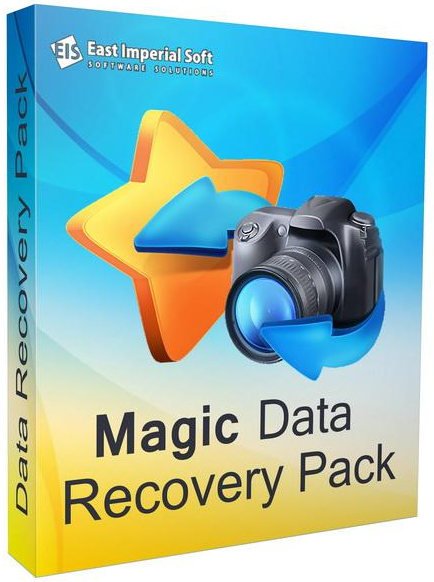
East Imperial Soft Magic Data Recovery Pack 4.3 Multilingual

EISMDRP4-3-M.jpg


File size: 58 MB
​

Get two high-end data recovery tools in one convenient package! This volume pack offers Magic Uneraser and Magic Photo Recovery in a single discounted package, allowing you to recover anything and everything from all types of storage media. Download this pack if you want the best tools at the lowest price point.
Quick and Powerful Data Recovery
Recover deletes files with the most advanced data recovery software! Magic Data Recovery Pack has everything you need to recover lost and deleted files of all types and from all kinds of storage media.
Magic Data Recovery Pack offers quick, easy and powerful data recovery capabilities in a convenient package. Offering the ability to recover data from healthy, damaged, corrupted and repartitioned disks, deleted and formatted partitions, crashed and inaccessible hard drives, Magic Data Recovery Pack helps recovering documents, compressed archives, and many other types of data in just a few clicks. The included photo recovery tool allows recovering digital pictures directly from the memory of most digital cameras.
Data Recovery Made Easy
Magic Data Recovery Pack offers quick and easy data recovery by offering an Explorer-like file browser and convenient step-by-step operation. The data recovery suite will guide you through the recovery of lost and deleted files from healthy, damaged, formatted or inaccessible disks and memory cards. No data recovery task is too simple or too complex for Magic Data Recovery Pack. The data recovery software can undelete files removed from the Recycle Bin or deleted bypassing the Recycle Bin, recover data from damaged disks, or extract pictures from any type of storage media including the memory of most digital cameras.
Picture Recovery Software
Magic Data Recovery Pack includes a Magic Photo Recovery, a special tool designed to recover digital pictures. The photo recovery tool undeletes digital pictures and RAW files from all types of media and directly from digital cameras. Supporting all popular image formats and most popular brands, Magic Photo Recovery recovers photos from cameras manufactured by Nikon, Canon, Olympus, Casio, Kodak, Sony, Pentax, Panasonic, and many others.
Recovery Software
Combining two useful data recovery tools in one convenient package, Magic Data Recovery Pack offers Magic Uneraser and Magic Photo Recovery for a single attractive price. Magic Data Recovery Pack is one of the most effective and cost-efficient data recovery solutions on the market.
The software recovers data from all types of storage media, including hard disks, USB and flash drives, flash memory drives, as well as MP3 players and digital cameras connected directly to the computer.
Whats New
Updates: official site does not provide any info about changes in this version.

HomePage:
Код:
https://www.magicuneraser.com/

-:DOWNLOAD FROM LINKS:-​
Download From RapidGator
Код:
https://rapidgator.net/file/e52be0ebc9ea580f397c0f0ff211c4de/

Download From DropApk

Download From NitroFlare
Код:
https://nitroflare.com/view/9CDF7BE47093B4D/
 
FinePrint 11.33 Multilingual


F11-33-M.jpg


File size: 15.1 MB
​

FinePrint saves you money on paper and toner, weight in your briefcase, and time and hassle in managing your print jobs. With FinePrint working for you, annoying printing problems disappear. Below are just some examples of printing problems that FinePrint can fix. See also our Enterprise section for benefits of FinePrint in the Enterprise.
Features
- Delete unwanted pages
- Print multiple pages on a sheet
- Combine multiple print jobs into one
- Print on electronic letterhead
- Archive print jobs
Other features
- Mark documents with custom watermarks such as "draft" or "confidential".
- Create custom electronic letterhead and forms. No more buying, storing and manually loading pre-printed letterhead.
- Page numbering over multiple documents including Bates stamping
- Output pages to clipboard
- Save pages in JPEG, TIFF and text formats
Whats New
Код:
http://fineprint.com/fp/release-notes/

HomePage:
Код:
http://fineprint.com

-:DOWNLOAD FROM LINKS:-​
Download From RapidGator
Код:
https://rapidgator.net/file/1a078e53c41fe0bf2fbe85845c0f1cee/

Download From DropApk

Download From NitroFlare
Код:
https://nitroflare.com/view/B161C94156DA2F6/
 
Formware 3D Slicer 1.0.9.3 (x64)


F3-D1-0-9-3-x.jpg


File size: 77 MB
​

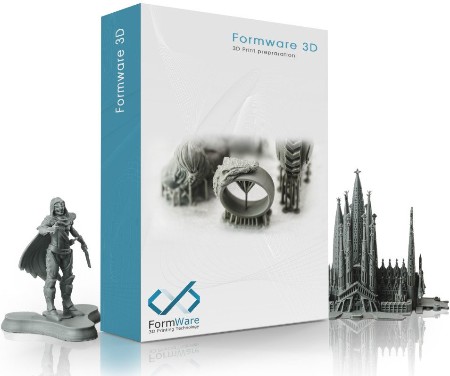
Powerful 3D Printing slice and support generation software. 3D Print job preparation can be a time consuming task. Orienting, supporting and slicing your build jobs in a way that they actually print can be challenging.
Features
Premium Support generation and editting
AUTOMATIC GENERATION
The fastest way to support generation for your prints. Automatic.
100% DRAGGABLE SUPPORTS
Just drag supports and the geometry adapts automatically.
POINT/LINE MODE
Edit supports more easily in point/line mode.
ADVANCED EDGE & SURFACE EDITS
Edit/resample/delete critical detected surfaces or edges.
Quick Mesh editting
MESH HOLLOWING
Hollow your mesh to save printing material and create a light weight structure.
LATTICE INFILLS
Add perfect lattice infills to get a strong part.
DRAINAGE HOLES
Add holes to your hollow parts to lets material flow out easily during printing
MIRRORING & SCALING
Easily mirror/scale your supported part including supports. Saving you time.
Easy User interface
3D Dlp printer support generation slicer
OBJECT MANIPULATOR
Easily move/rotate/scale your objects with the click and drag manipulator.
3D Dlp printer support generation slicer
COPYING
Array copy objects to build an entire table with a few clicks.
IMPORT & EXPORT
Import and export .stl, .slc, .obj, .ply, .amf and project files to save all your work.
SHORTCUTS & MORE
Formware 3D includes an extensive list of keyboard shortcuts to save you time.
Supported printers
Designed for resin and inkjet 3d printers.
Used with the following machines
Generic LCD/DLP machines
Kudo 3d (slice export)
Wanhao D7/D7 Plus (.cws export + printcontroller)
Wanhao D8
Anycubic photon (.photon)
Anycubic photonS (.photons/.pws)
Phrozen Shuffle & Shuffle XL
Elegoo Mars (.cbddlp export)
Epax X1/X10 (.cbddlp export)
NanoDLP machines (connect with IP address, upload: .stl, .slc or .png)
Peopoly Moai/SLA (slice as .gcode)
Whats New
Код:
https://www.formware.co/slicer/releasenotes

HomePage:
Код:
https://www.formware.co

-:DOWNLOAD FROM LINKS:-​
Download From RapidGator
Код:
https://rapidgator.net/file/adde71762892cda619c1723fa15653b0/

Download From DropApk

Download From NitroFlare
Код:
https://nitroflare.com/view/248410201B36623/
 
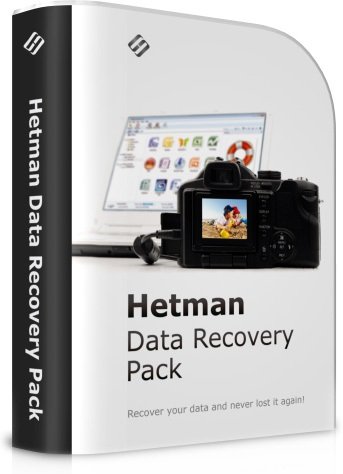
Hetman Data Recovery Pack 4.3 Multilingual


HDRP4-3-M.jpg


File size: 194 MB
​

The complete data recovery pack from Hetman Software: eight data recovery tools for the price of one! Hetman Data Recovery Pack contains everything you need to recover all kinds of information from all types of storage media. The pack consists of eight tools you can run on the same or different computers.
Benefits of buying a package
By purchasing data recovery programs in one package, you buy eight company products for the price of one. The total cost of programs and one year of priority support and updates is much more expensive than the cost of the package!
Eight Tools for the Price of One
Hetman Data Recovery Pack contains everything you need to recover all kinds of information from all types of storage media. The pack consists of eight tools you can run on the same or different computers.
Includes Priority Customer Support
Great customer support is Hetman's top priority. We are dedicated in providing quality assistance to all our customers. With regular technical support, you are always getting answers to your questions related to our products. Priority customer support, on the other hand, makes you eligible to receive assistance with your particular data recovery job. Priority customer support is available over the phone or by email.
Ultimate Convenience
Are you a fan of the all-in-one approach or prefer a dedicated tool for each job? You no longer have to guess! By getting all eight data recovery tools in a single pack, you'll be able to use the most appropriate tool to handle each job. Recover pictures, documents, spreadsheets, restore information from hard drives and memory cards by using a tool best suited for the job!
Use on Multiple Computers
Whether you buy a Home, Office or Commercial license, you are eligible to use each tool from the bundle on the same computer or on different computers at home or in the office. Windows XP / 2003 and 2008 Server / Vista / Windows 7 / Windows 8 and Windows 10 are supported.
Whats New
Updates: official site does not provide any info about changes in this version.

HomePage:
Код:
https://hetmanrecovery.com/

-:DOWNLOAD FROM LINKS:-​
Download From RapidGator
Код:
https://rapidgator.net/file/0cb8423589b994bc57269b0679ef9618/

Download From DropApk

Download From NitroFlare
Код:
https://nitroflare.com/view/048DB1E832105C4/
 
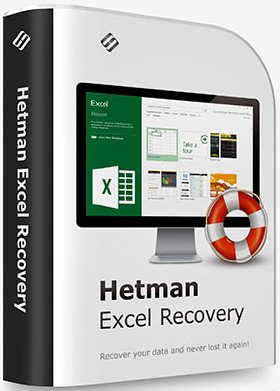
Hetman Excel Recovery 4.3 Multilingual


HER4-3-M.jpg


File size: 18 MB
​

Deleted a bunch of Excel spreadsheets? Require a tool to recover spreadsheets from formatted, repartitioned or inaccessible hard drive? Look no further! Hetman Excel Recovery is designed to help you get your Excel and OpenOffice Calc spreadsheets back when the files go missing.
No matter what caused the loss of data, Hetman Excel Recovery can handle it. Formatted and repartitioned hard drives, inaccessible memory cards and unreadable flash drives are routinely encountered and taken care of by Hetman Excel Recovery. Got a hard drive covered with bad blocks or making unusual sounds? Hetman Excel Recovery offers a special extra-safe recovery mode to handle physically unstable devices, maximizing your chance of successful recovery.
Hetman Excel Recovery combines a set of highly sophisticated data recovery algorithms with an intuitive, fully guided user interface. The tool is driven with a step by step wizard, enabling anyone to achieve the same high-quality recovery results as a professional recovery lab.
Whats New
Updates: official site does not provide any info about changes in this version.

HomePage:
Код:
https://hetmanrecovery.com/

-:DOWNLOAD FROM LINKS:-​
Download From RapidGator
Код:
https://rapidgator.net/file/5c7ca178c4fbe09565b4824c43f9bca3/

Download From DropApk

Download From NitroFlare
Код:
https://nitroflare.com/view/255C11E0F199C91/
 
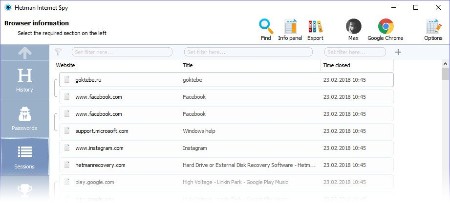
Hetman Internet Spy 3.4 Multilingual


HIS3-4-M.jpg


File size: 22 MB
​

This program analyzes the contents of both existing and deleted browser system files and collects detailed information on a user's online activity. The utility allows you to analyze browsing history, social media messages, search history, emails, videos watched on YouTube, etc.
The user-friendly interface is good not only for parents who would like to monitor their children's online activity, but also for detectives working on digital evidence. The application will give you certain information even if the browsing history was deleted, the data was removed, or the disk was formatted.
Ways you can use it
If you've decided to clear your search history, browsing history, or the history of any other past online activities, you shouldn't assume it will be gone forever. Browsing history can be read easily, and even restored, if necessary.
Show a list of opened web pages
The application collects the history of opened URLs and displays the opening date, total number of visits, and the time spent viewing a certain webpage. For convenient analysis, all websites are broken into categories, and you can filter or sort them by any category.
Analyzes a user's online activity on social media
Communications on social media also leave a track in the operating system. There is a special section to show URLs, the accounts used, the people with whom the user interacted, and the total time spent on communication. Using the saved logins and passwords, you can get direct access to the private information of a person's account - messaging history, photos and videos.
Analyzes search queries and use of machine translation
The history of all search queries is given as a separate section. It contains all the information about searches made with popular search engines such as Google or Bing, in online stores like Amazon or Ebay, online maps by Google, social media like Facebook and YouTube, dating websites such asBeNaughty, Match, Tinder or OkCupid, and millions of other web sites and services.
Shows the user's emails
All emails - viewed or sent - are available for review in a separate section. In addition to the date, it shows you the name of the resource where the email was viewed, the user account, and the subject. By using the received passwords, you can read someone else's correspondence.
Shows created bookmarks and downloads
All bookmarks created by the user will be shown after scanning the browser. You will have access to bookmarks created both from a desktop computer or a smartphone. The saved web page URLs contain the date of creation and are arranged as a directory tree. The history of all downloaded objects is given as a separate section. For every download, the complete address and the time of starting and finishing the download are shown, as well as the path to the file on the disk.
Analyses the browser cache contents
When visiting any webpage, Chrome, Yandex, Opera and Mozilla Firefox copy numerous images and other objects onto the hard disk - into the browser cache. Hetman Internet Spy restores the files and the date of first access from the browser cache and shows it for review.
Shows saved passwords and entered addresses
For convenience, modern browsers suggest remembering passwords to user accounts in Facebook, Instagram, Twitter, email services, etc. This utility extracts saved passwords and addresses entered in contact forms from a person's user account. Using the login keys, you can view someone's emails and social media messages. Entering a person's accounts in Google and Facebook gives you access to complete browsing history and search queries, all movements (via Geolocation), all the person's contacts, and lots of other private information.
Recover browsing history after disk formatting
Deleting browser system files from the hard disk with Shift + Del or formatting the partition with subsequent reinstallation of a Windows operating system gives no protection against the Internet Spy. Hetman Internet Spy scans the disk directly and recovers the deleted browsing history.
Restores browsing history after it's cleaned, or after Incognito or Private Mode have been used
You will be able to recover browsing history after it is cleaned, reset to default settings, and even after the browser is uninstalled and reinstalled. Using an Incognito tab in Chrome and Yandex, or a Private tab in Opera and Mozilla Firefox does not hide the browsing history, and you'll be able to view it.
Exporting reports to Excel, HTML or PDF
You can save all the received data to Excel, HTML or PDF for further use or to import to other systems. The Report Wizard will help you select and export any useful information.
Whats New
Updates: official site does not provide any info about changes in this version.

HomePage:
Код:
https://hetmanrecovery.com

-:DOWNLOAD FROM LINKS:-​
Download From RapidGator
Код:
https://rapidgator.net/file/80fbb8dcda81abcf7b48846ce7145fa6/

Download From DropApk

Download From NitroFlare
Код:
https://nitroflare.com/view/A5A380DB450E0C5/
 
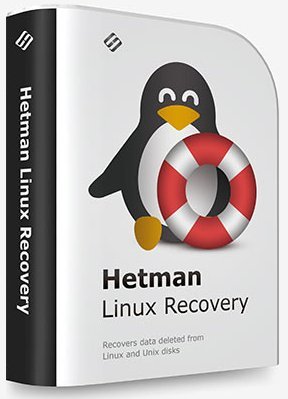
Hetman Linux Recovery 2.2 Multilingual


HLR2-2-M.jpg


File size: 41 MB
​

This is the utility developed specially to recover data from volumes with Ext2/3/4, ReiserFS, XFS, UFS file systems. Surprisingly, but formatting a disk, removing partitions or emptying the Recycle Bin doesn't delete information permanently, and it can be restored with Linux Recovery™. This program supports hard disks and solid-state drives, memory cards and USB pen drives, which makes it a versatile solution in the field of data security.
The algorithm of the program extracts the data lost after formatting or partitioning a storage device with commands rm, fdisk, mkfs. Linux Recovery™ is only available for Windows, that is why you need to connect the disk to a Windows computer in order to access your data.
This utility comes in handy after
The program recovers data after formatting, accidental removing, storage device issues, file system or operating system failures.
Reinstalling the operating system
Data is often lost because the operating system was reinstalled: Linux, Unix, FreeBSD, OpenBSD, Debian, Ubuntu, CentOs, SUSE or Solaris, you name it. Sometimes, not only changing to another operating system, but even upgrading your current OS requires backing up important data. However, just a single mistake (like removing the wrong partition, or forgetting to include another folder into your backup) can turn this routine operation into a complete disaster. Linux Recovery™ is there for you to protect valuable data against permanent loss.
Formatting a USB pen drive or memory card
Formatting a USB pen drive or memory card, or changing their file system usually means that all the files they contain will be deleted. If you don't have a backup copy of your photos or videos stored on such media, you will find Linux Recovery™ useful.
Removing data from NAS
The vast majority of network storage facilities use one of these file systems - Ext2, Ext3, Ext4. Our utility lets you recover data from any NAS manufactured by: HP, Dell, WD, Synology, LenovoEMC, Buffalo, QNAP, StoneFly, Seagate and others. Connect the NAS drives to the computer and scan them with this utility.
Deleting files from a video recorder
Autonomous video recorders which don't use a computer to write video files to the hard disk often run on Linux. That is why FAT/exFAT or Ext2/Ext3/Ext4 file systems are usually chosen for saving video files. Our program is compatible both with car-mounted video recorders, and multi-channel devices by the following manufacturers: BlackVue, TrendVision, Xiomi, Falcon, Gazer, Hikvision, Dahua, AHD, NVR and others.
Trying to access data in Windows
Windows doesn't provide access to disks with Ext2/3/4, ReiserFS, XFS, UFS file systems. To read data from such disks, additional software has to be installed. Not only does Linux Recovery™ provide access to such file systems in Windows, but it also lets you recover files after they were removed, or after the storage device was formatted or suffered from a hardware failure.
Surviving a virus attack
Although Linux operating systems are less vulnerable to virus attacks than Windows, some viruses may still cause a data loss. Just like in Windows, antivirus products may overreact and remove an important file when they think it's infected. Our program lets you recover files both after virus attacks and after antivirus actions.
Whats New
Updates: official site does not provide any info about changes in this version.

HomePage:
Код:
https://hetmanrecovery.com/

-:DOWNLOAD FROM LINKS:-​
Download From RapidGator
Код:
https://rapidgator.net/file/a640aa8fac4b2f7c407df59e7ab7c9a0/

Download From DropApk

Download From NitroFlare
Код:
https://nitroflare.com/view/CF8E59A70DE4FE6/
 
Hetman macOS Recovery 2.2 Multilingual


HmR2-2-M.jpg


File size: 41 MB
​

This program recovers deleted data from any storage devices formatted in Apple macOS. It supports all versions of APFS and HFS+ file systems, and restores files deleted with the command ⌘Cmd + Delete, as well as files lost after cleaning the Trash Bin or removed without using the Bin, by merely pressing ⌥Option (Alt) + ⌘Cmd + Delete.
Accidental erasing or formatting a disk, USB pen drive or memory card doesn't destroy the information permanently. Algorithms integrated into MACOS Recovery™ provide access to data lost after repartitioning the disk or reinstalling macOS. All you need is to connect the disk to a Windows computer, and the program will be able to access all files on the disk, both deleted and still existing. You can also install this program to a Boot Camp partition or Parallels virtual machine.
Quick start
The program will analyze any devices with APFS and HFS+ file systems used by macOS Catalina, Mojave, Sierra, Capitan, Yosemite, Mavericks, Lion, Leopard, Tiger, Panther, etc.
This utility comes in handy after
Are you looking for a data recovery tool for Mac computers or laptops? Have you accidentally removed files, formatted an external hard disk, a memory card or a USB pen drive?
Facing a power failure or a MacOS error
Any power interruptions on a MacBook, iMac or Mac Pro while the computer is working with the disk may cause loss of files, various file system errors or boot issues. Our program can read the file system and recover data even if MacOS can't boot at all.
Encountering a failed MacOS or APFS update
Looping installation (which prevents the operating system from booting), changing from HFS to APFS, installing updates to upgrade your operating system to High Sierra or Mojave - any of these actions may result in losing access to user data such as documents, photos, archives etc. Before any update, remember to back up your data just in case, and even if there is no backup file to rely on, you can still use MACOS Recovery™.
Whats New
Updates: official site does not provide any info about changes in this version.

HomePage:
Код:
https://hetmanrecovery.com/

-:DOWNLOAD FROM LINKS:-​
Download From RapidGator
Код:
https://rapidgator.net/file/dc2f43437c576a39add5339d468d5bfc/

Download From DropApk

Download From NitroFlare
Код:
https://nitroflare.com/view/B9182AE5889BFA5/
 
Hetman NTFS FAT Recovery 4.5 Multilingual


HN-FR4-5-M.jpg


File size: 83 MB
​

NTFS / FAT Disk Recovery SoftwareLooking for a tool to recover an NTFS or FATvolume? Formatted the disk or deleted partitions? Boot disk or SSD drive no longer recognized by the system? Hetman NTFS Recovery will recover data even if the disk was repartitioned and formatted afterwards!
Hetman NTFS Recovery restores information that goes missing after a storage accident. Formatted and repartitioned hard drives, deleted partitions, inaccessible disks or simply a bunch of deleted files and folders - Hetman NTFS Recovery can recover everything as long as the problem concerns an NTFS volume.
Key Features
Recoverable Files
Hetman NTFS Recovery can successfully recover files of any type. However, for certain types of files it can go one step further in case of serious problems. The tool can identify files such as documents (DOC, DOCX, RTF, PDF,...), spreadsheets (XLS, XLSX,...), presentations (PPT, PPTX,...), compressed archives (ZIP, RAR,...), digital pictures (JPEG, GIF, PNG, TIFF, PSD,...), video and audio files (AVI, DAT, MKV, MPG, VOB, MP3, ...) and many other popular formats by scanning the entire disk surface for characteristic file signatures. Once a recognizable signature is encountered, Hetman NTFS Recovery will be able to determine the file's exact physical location on the disk and recover the file.
Supported Storage Devices
- Hetman NTFS Recovery can recover information from hard drives of all types and makes, as long as they are (or were) formatted with the NTFS file system.
- The tool supports USB pen drives, all types of memory types and most external storage devices connected via a USB cable, recovering NTFS volumes only.
- Information from SSD drives can be recoverable if the disk is corrupted or inaccessible, or in a case the TRIM functionality was not enabled. Otherwise, the combined actions of TRIM and garbage collection may render deleted information permanently inaccessible.
Ease of Use
Recovering data with Hetman NTFS Recovery is easy as 1-2-3. Literally, it takes just three easy steps in the File Recovery Wizard to scan the disk and locate all the recoverable data. The recovery process is completely safe, as all operations are performed strictly in read-only mode. The files to be recovered will be saved onto a separate disk or external media in order to prevent possible damage to the rest of the files. The user interface is similar to Windows Explorer, providing familiar browsing experience for deleted files and folders. Deleted files are displayed along with existing ones, distinguished by a distinctive icon.
Data Recovery Engine
Hetman NTFS Recovery makes use of a highly sophisticated and well-refined data recovery engine also available in Hetman's top of the line tool, Hetman Partition Recovery. The recovery engine can either scan just the file system in a matter of seconds, or perform a thorough, comprehensive analysis of the entire disk surface. Its content-aware analysis can reliably identify and recover files located on damaged, formatted and inaccessible media. Combining information gathered from the file system and obtained with content-aware comprehensive analysis, Hetman NTFS Recovery can successfully recover a great deal of data while re-creating the original folder structure. Effectively, using Hetman NTFS Recovery results in about the same number of recovered files as weeks' worth efforts of a well-equipped forensic lab.
Pre-Recovery Preview
Previewing the content of a deleted file is extremely simple. Just click on a file, and Hetman NTFS Recovery will immediately display its preview. The built-in viewer is completely stand-alone, and does not use any third-party or external applications. Preview is available for more than two hundred formats such as office documents, spreadsheets, images, movies, music, backups and archives. If the correct preview is displayed, then the file can be successfully recovered for sure.
Supported File Systems and System Requirements
Hetman NTFS Recovery supports all versions of the NTFS file system (abbr. New Technology File System, including NTFS 3, 4, and 5) including alternative data streams (ADS), compressed and encrypted files. The tool can be used in Windows XP / 2003 and 2008 Server / Vista / Windows 7 / Windows 8 and Windows 10. Hetman NTFS Recovery readily supports both 32-bit and 64-bit editions of Windows. Please note that you must have Administrator's privileges on your computer in order to install and use Hetman NTFS Recovery.
Whats New
Updates: official site does not provide any info about changes in this version.

HomePage:
Код:
https://hetmanrecovery.com/

-:DOWNLOAD FROM LINKS:-​
Download From RapidGator
Код:
https://rapidgator.net/file/3c08af7f25e063c8ebae984fbc87826a/

Download From DropApk

Download From NitroFlare
Код:
https://nitroflare.com/view/0F5B4F8A1480BD7/
 
Hetman Office Recovery 4.3 Multilingual


HOR4-3-M.jpg


File size: 17 MB
​

Hetman Office Recovery is designed to help when your office documents go missing. Implementing a range of highly sophisticated low-level disk analysis algorithms, Hetman Office Recovery can retrieve the missing documents even if the disk is corrupted, inaccessible, or does not appear as a drive letter. A special extra-safe recovery more is available for heavily worn and physically unstable devices.
Using Hetman Office Recovery is just as easy as installing it. A step by step wizard guides you through the entire recovery process, helping you choose the right options to achieve maximum recovery rates. From simple undelete to heavy duty recovery, Hetman Office Recovery solves all your data recovery needs when it comes to office documents.
Heavy Duty Recovery Engine
Hetman Office Recovery features a true heavy-duty data recovery engine. The very same engine is used in Hetman's top of the line partition recovery tool used by system administrators, service centers and data recovery specialists. Thanks to this powerful engine, Hetman Office Recovery can easily recover documents other tools won't.
Recovers Documents and Spreadsheets
Hetman Office Recovery is designed to recover documents saved by Microsoft Office 97, 2000, XP, 2003, 2007, 2010, and 2013, as well as OpenOffice. The following types of files are supported
DOC - Microsoft Word 97-2003 Document (*.doc);
DOCX - Microsoft Word Document (*.docx);
DOT - Document Template (*.dot);
XLS - Microsoft Excel 97-2003 Spreadsheet (*.xls);
XLSX - Microsoft Excel Spreadsheet (*.xlsx);
In addition to Microsoft Word and Excel documents, Hetman Office Recovery natively supports the OpenDocumet Format. This document format is employed by Open Office, Libre and Star Office applications. The following file types are supported
ODT - OpenDocument Text Document (*.odt);
ODS - OpenDocument Spreadsheet (*.ods);
Finally, Hetman Office Recovery supports the following file formats
PDF - Adobe Portable Document Format (*.pdf);
PDB - Document File (*.pdb);
RTF - Rich Text Format File (*.rtf);
WPD - WordPerfect Document (*.wpd);
WRI - Windows Write Document (*.wri);
Whats New
Updates: official site does not provide any info about changes in this version.

HomePage:
Код:
https://hetmanrecovery.com/

-:DOWNLOAD FROM LINKS:-​
Download From RapidGator
Код:
https://rapidgator.net/file/6050410336b22b32e783ef0c1dd14e7a/

Download From DropApk

Download From NitroFlare
Код:
https://nitroflare.com/view/86BEDAC2CD5D4B1/
 
Hetman Partition Recovery 4.5 Multilingual


HPR4-5-M.jpg


File size: 43 MB
​

Hetman Partition Recovery is designed to reliably recover information and fix all types of issues with healthy, damaged, corrupted, formatted and inaccessible hard drives. This hard drive data recovery software offers a complete, all-in-one solution to take care of typical problems you're your computer's storage. The This hard drive data recovery software will help you recover lost and deleted files, recover missing documents, photos, audio and video files.
In addition, Hetman Partition Recovery comes with a comprehensive set of tools to fix corrupted volumes, recover deleted partitions, unformat formatted disks, and repair all types of damage to your disk system structures.
Hetman Partition Recovery can recover partition tables and MBR records, FAT and NTFS file systems complete with alternative data streams, recovering the entire hard drive complete with all volumes, files and original folder structure. All 32-bit and 64-bit versions of Windows are supported including the latest Windows.
Key features
- Recover all types of deleted files including documents, compressed archives, photos, music and videos;
- Recover files and folders from formatted, repartitioned, corrupted and inaccessible disks;
- Unformat formatted partitions and restore original volumes from repartitioned hard drives;
- Fix corrupted file systems, partition tables, master boot records (MBR) and other system information;
- Recover files and folders from built-in and external hard disks, USB flash drives, and all types of memory cards.
Whats New
Updates: official site does not provide any info about changes in this version.

HomePage:
Код:
https://hetmanrecovery.com/

-:DOWNLOAD FROM LINKS:-​
Download From RapidGator
Код:
https://rapidgator.net/file/395ce04ad6206a3123b85ebbeb239d14/

Download From DropApk

Download From NitroFlare
Код:
https://nitroflare.com/view/5B8D14627F83370/
 
Hetman Photo Recovery 6.3 Multilingual


HPR6-3-M.jpg


File size: 16 MB
​

Looking for a tool to recover deleted photos? Corrupted memory card made last shooting session inaccessible? Formatted a memory card full of pictures and want to get them back, or simply deleted a photo album from your hard drive? Look no further! Hetman Photo Recovery will restore pictures no matter what!
Hetman Photo Recovery recovers digital pictures from all types of storage media. Undelete photos from hard disks, recover from USB drives, or restore from formatted, corrupted or inaccessible memory cards - Hetman Photo Recovery can do all this, and more. The tool can even recover pictures directly from the smartphones, tablets and many digital camera models. Simply connect your device to the computer via a USB cord and run Hetman Photo Recovery.
Using Hetman Photo Recovery is easy as 1-2-3. You'll run a step-by-step wizard guiding you through the entire recovery process from choosing the device that has your files to selecting pictures to recover and finally saving them onto another disk.
Whats New
Updates: official site does not provide any info about changes in this version.

HomePage:
Код:
https://hetmanrecovery.com/

-:DOWNLOAD FROM LINKS:-​
Download From RapidGator
Код:
https://rapidgator.net/file/ec27028b7ee196db203e82e6eeee6ae0/

Download From DropApk

Download From NitroFlare
Код:
https://nitroflare.com/view/2D5AF92BE644CD2/
 
Hetman RAID Recovery 2.2 Multilingual


HRR2-2-M.jpg


File size: 43 MB
​

This program recovers data from non-operational RAID systems or from disks within such systems. It reads all the information about the controller, the motherboard or the software used to create a disk array. Our product can rebuild the crashed RAID and it lets you copy all critical information from there.
The integrated constructor wizard helps you recover a failing RAID in a step-by-step mode. You can use one of the presets or chose the required data in the damaged array, and RAID Recovery™ will collect the disks together to provide you with access to the data.
Why RAID gets damaged
Recover software or hardware RAID of any type: JBOD, RAID 0, RAID 1, RAID 10, RAID 5, RAID 50, RAID 6, RAID 60, etc.
Hard disk failure
Both hard disk types, HDD and SSD, have a limited operational life. Certainly, server-type NAS or SCSI disks can last longer than their SATA counterparts intended for home use only, but there is no such thing as a hard disk that works endlessly. For most RAID arrays, the day when one or two disks fail means loss of all information, from all disks within this array. Reliability of the entire array decreases with every disk which is added to it.
Accidental array rebuilding
Mistakes when replacing one of the disks within the storage system, accidental "rebuilding" of the array instead of "restoring" it, disconnecting and reconnecting the disks in a wrong order, incorrect RAID initialization or rebuild - any of these things will certainly result in the loss of information. After such errors, RAID can't restore itself automatically.
A controller bug or failure
A controller is the element containing information of critical importance which is vital for building a disk array and gaining access to all of the files stored on the disks. A controller failure may both result in losing service data and cause several disks to fail. The most expensive controllers use an additional battery and non-volatile memory. Such elements improve the whole system's reliability and are supposed to help save data even if a power interruption occurs.
A motherboard failure
Creating a RAID based on specific motherboard features is a cheaper (though less reliable) solution in comparison with buying an expensive controller. Motherboard failures, botched BIOS updates, low CMOS battery, power surges, disconnecting or reconnecting disks - all these things may cause your RAID to crash. As the entire system is very sensitive to all kinds of power issues, problems with your power supply unit may cause crashes as well.
A system crash
Software RAID systems based on the functionality offered by an operating system - Windows, macOS, Linux, FreeBSD, Ubuntu - depend largely on the health of that operating system. Upgrading your hardware, or updating other software may cause errors that prevent the computer from booting and make the data inside such array inaccessible.
Unlike hardware RAID systems, the software-based arrays are made of logical partitions rather than physical disks. Operations that involve formatting or removing partitions can easily destroy such array.
Whats New
Updates: official site does not provide any info about changes in this version.

HomePage:
Код:
https://hetmanrecovery.com/

-:DOWNLOAD FROM LINKS:-​
Download From RapidGator
Код:
https://rapidgator.net/file/c516f3acbf3ba84f237e99ee1dfa0598/

Download From DropApk

Download From NitroFlare
Код:
https://nitroflare.com/view/F59F13C3141E993/
 
Hetman Uneraser 6.5 Multilingual


HU6-5-M.jpg


File size: 43 MB
​

Software for Recovering Deleted Files and Folders. Looking for a tool to quickly recover deleted files? Need to undelete erased documents or recover a bunch of deleted folders? Deleted a bunch of files with Shift + Delete or cleared up the Recycle Bin? Hetman Uneraser will help you get everything back in a matter of minutes!
Hetman Uneraser quickly recovers deleted files and folders from just about any kind of storage media. Hard drives, memory cards, external storage, USB drives - you name it! The tool will reliably recover accidentally deleted files even if you used the "permanent delete" function with Shift + Delete, and restore data cleared from the Recycle Bin.
We made Hetman Uneraser as comfortable to use as at all possible. The interface is designed in the familiar "My Computer" fashion, allowing you to browse through deleted data just as you would browse files and folders in Windows Explorer. Recovering deleted files and folders is just as easy: simply pick a file to undelete and click the "Recover" button. It's just that easy.
Key Features in Hetman Uneraser
Quick Start
Start using Hetman Uneraser immediately after watching the video. This narrated tutorial will help you learn using the tool and make you familiar with all the features in a few short minutes. And bear in mind that all files that you can successfully preview in the demo version can be fully recovered after you purchase the unlock key!
Undeleting Files: The Easy Way
Hetman Uneraser safely recovers files and folders deleted from all popular types of storage media. Supporting both FAT and NTFS file systems, the tool supports desktop and laptop hard drives, solid-state media, external storage devices as well as certain models of digital point-and-shoots and audio/video players.
Recoverable File Formats
Hetman Uneraser can successfully recover files of all formats with no exceptions. However, for certain data it can go one extra step, offering an even better chance of recovering essential information such as Office documents, PDF files, pictures and videos including RAW files and Photoshop designs, email messages, archives and backups, and many other types of data you would rather not lose. For these formats, Hetman Uneraser can do a context-aware analysis of the entire disk surface, looking for deleted files by their unique signatures. Such files can be recovered even if there is no record about them left in the file system.
Easy to Learn and to Use
We made Hetman Uneraser safe and easy to use. The fully guided, step-by-step wizard will help you through the entire recovery process. In fact, you can start using the tool by simply selecting the disk with deleted files on it and clicking the "Next" button. The tool will then perform the analysis blazing fast, presenting you with a view of the missing data - exactly the way you would see it in Windows Explorer if only those files were not deleted.
Pre-Recovery Preview
The preview is an essential feature of all Hetman recovery tools. Pre-recovery preview allows peeking inside deleted files before you decide whether it's worth recovering. The preview supports hundreds of file formats including all popular document and image formats, a bunch of video formats, compressed archives, backups, emails, text and HTML data. You can even preview information about executable files or use the built-in HEX editor for low-level access. Finally, for every recoverable file you can see its exact physical location on the disk.
System Requirements and Compatibility
Hetman Uneraser works with all versions and revisions of FAT and NTFS, including VFAT, FAT 12 / 16 / 32 as well as NTFS 3, 4, 5. It can correctly recover information from compressed and encrypted volumes as well as all crypto containers (as long as you know the original password). Hetman Uneraser is compatible with all 32-bit and 64-bit versions of Windows including Windows XP, 2003 and 2008 Server, Vista, Windows 7, Windows 8 and Windows 10. The tool requires you to have Administrative privileges on the system you're about to recover.
Whats New
Updates: official site does not provide any info about changes in this version.

HomePage:
Код:
https://hetmanrecovery.com/

-:DOWNLOAD FROM LINKS:-​
Download From RapidGator
Код:
https://rapidgator.net/file/5e417724dc16cf9344b6bfc56fcf3213/

Download From DropApk

Download From NitroFlare
Код:
https://nitroflare.com/view/ECA1774D0297BEA/
 
Hetman Word Recovery 4.3 Multilingual


HWR4-3-M.jpg


File size: 18 MB
​

Hetman Word Recovery recovers lost and deleted documents in Microsoft Word and Open Office formats, Adobe PDF files and many types of plain text files. Supporting all types of storage media, Hetman Word Recovery can extract documents from FAT and NTFS volumes.
Using Hetman Word Recovery could not be made easier. The convenient step by step wizard guides you through the recovery process one little step after another. The built-in viewer and automated pre- recovery check deliver a 100% success guarantee. If a document appears in the list of recoverable files, itll be recovered with no ifs and buts.
Whats New
Updates: official site does not provide any info about changes in this version.

HomePage:
Код:
https://hetmanrecovery.com/

-:DOWNLOAD FROM LINKS:-​
Download From RapidGator
Код:
https://rapidgator.net/file/c34e6dff8164cafff46fe4395c0e67fc/

Download From DropApk

Download From NitroFlare
Код:
https://nitroflare.com/view/2F8579581DDD45E/
 
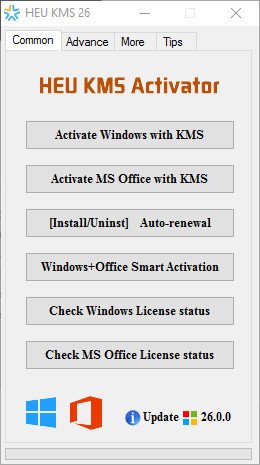
HEU KMS Activator 27.0


HKA27-0.jpg


File size: 5.0 MB
​

HEU KMS Activator is an easy to use Windows and Office activation program that can activate Windows 10, 11 and MS Office 2021 within 1 click.
The program will choose the best method for you to locally activate all Microsoft products. You can choose your own activation channel, with 4 modes to choose from: Digital License, KMS38, OEM and KMS, plus many useful tools like Change Windows 10 version, Backup and restore Windows, Change MS Office Edition, Key Settings manually in case you purchased the original Key and more.
Features
Easy to use
Smart activation with the best method.
Activate Windows XP / Vista / 7 / 8.1 / 10/11
Activate MS Office 2010, 2013, 2016, 2019, 2021 and Office 365
Automatically identify and bypass permanently activated Windows/Office.
Install/uninstall auto-renew function.
Work schedule mode.
Delete KMS customer information.
Set up a KMS server.
Digital activation.
OEM activation.
Change Windows 10 version.
Windows/Office key management.
Smart activation.
Windows Backup/Restore.
And more.
Supported
Windows XP / Vista / 7 / 8.1 / 10/11
Microsoft Office 2010, 2013, 2016, 2019, 2021 and Office 365
All versions of Windows Server
Whats New
1. Repair some security software to detect false positives for viruses.
2. Fix the problem of KMS activation mode switching error.
2. Fix the problem that automatic renewal fails to uninstall in Win7 system.
4. Fix the bug that the Office non-genuine banner fails to be repaired.
5. Fix the problem that checking the activation status is slow in some cases.
6. Fix set.ini custom path recognition error.
7.set.ini custom path supports environment variables, for example
[Tempfolder]
temp=%temp%
8. Optimize digital rights/KMS38 activation.
9. Optimize the judgment of Win7 ESU version.
10. Optimize Office R2V and add confirmation prompt.
11. Optimize the OEM soft activation boot partition judgment method.
12. Optimize the software startup speed.
13. Optimize the local KMS server port settings.
14. Update the OEM soft activation SLIC table to version 2.6.
15. Update the OEM soft activation to the latest version of GRLDR/GRUB2.
16. Redraw the classic interface and fine-tune the new interface to make the operation more convenient.
17. In Server2003/2008 (R2), it is displayed in the classic interface by default.
18. Added support for activating Windows XP Home/Pro retail edition.
19. New silent parameters: smart activation/smart; XP activation/wxp; Office to VL version/r2v.
20. Add Win10 EnterpriseG version conversion (KMS activation for 400 years + upgrade prohibited).
21. A separate restore option has been added for activation information backup and restore.

HomePage:
Код:
https://github.com/zbezj/HEU_KMS_Activator

-:DOWNLOAD FROM LINKS:-​
Download From RapidGator
Код:
https://rapidgator.net/file/53461cdff275c15d45808a1aaeef5697/

Download From DropApk

Download From NitroFlare
Код:
https://nitroflare.com/view/DB58138F484FD67/
 
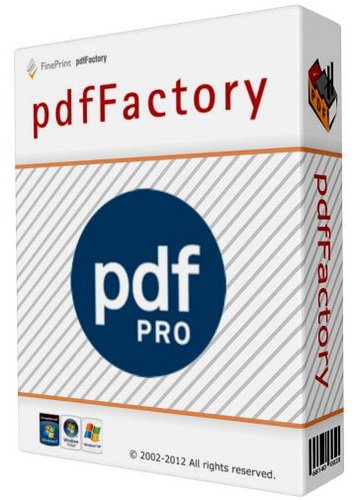
pdfFactory Pro 8.33 Multilingual


pP8-33-M.jpg


File size: 16.5 MB
​

pdfFactory offers award-winning PDF creation features at an affordable price. pdfFactory Pro has all the features of pdfFactory and adds bookmarks, job ordering, letterheads and automated email functions. Only pdfFactory allows printing to paper or PDF without printing twice. Acrobat is not needed for printing. Increases the convenience of document delivery by having a single PDF that contains material from different sources. Just keep printing documents to pdfFactory and they will automatically be combined. Allows quick, accurate previewing of the PDF, including up to 400% zoom, without saving the file first and without opening Acrobat.
Features
- Create PDF or print to paper
- Combines multiple documents into a single PDF
- Preview
- Protect your PDFs
- Font embedding
- Page insertion and deletion
- Send via email
- AutoSave
- Live URL Links
- Easy server deployment
- Create PDFs on letterhead
- Add page numbering, headers, footers, watermarks
- Bookmarks and Table of Contents
- Integrated Jobs Tab
- Custom Drivers
- Set Initial Acrobat Display Properties
Whats New
Код:
http://fineprint.com/pdfp/release-notes/

HomePage:
Код:
http://fineprint.com

-:DOWNLOAD FROM LINKS:-​
Download From RapidGator
Код:
https://rapidgator.net/file/63119c30a33fabe4338e38ace65e7364/

Download From DropApk

Download From NitroFlare
Код:
https://nitroflare.com/view/295BE7296F40E39/
 
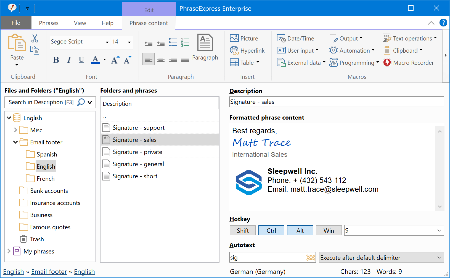
PhraseExpress 16.0.174


P16-0-174.png


File size: 44.3 MB
​

PhraseExpress is a text expander software, that manages frequently used text templates for insertion into any program. Phrases can be triggered from the snippet menu, by hotkey or with autotext shortcuts. The template manager can switch your boilerpate templates between multiple languages or customizable categories.
Universal Text Snippet Manager
Speed up your typing in any program, such text editors, email programs, web browsers, database applications, EMR, etc.
Organize text snippets in customizable categories for instant access.
PhraseExpress can save hours of typing in technical support, customer care, help desk, call center and medical transcription.
Share Phrases with your Team
Share phrases with other users in the local network or in the cloud - On-premise or over the internet.
Each phrase can be set private or made public to selected users.
The client-/server architecture prevents edit collisions.
PhraseExpress supports Microsoft SQL server and Citrix/TerminalServer.
Cloud Support
The cloud synchronisation feature allows you to share phrases with others over the internet.
PhraseExpress supports any popular cloud service, such as Dropbox, Microsoft OneDrive, Google Drive and on-premise cloud solutions like OwnCloud and Synology CloudStation.
You can even use any NAS or network-shared folder to sync your phrases between multiple Windows and Mac computers.
Whats New
Код:
https://www.phraseexpress.com/download/changelog/

HomePage:
Код:
https://www.phraseexpress.com/

-:DOWNLOAD FROM LINKS:-​
Download From RapidGator
Код:
https://rapidgator.net/file/6c0a80d20af820e834fa144624d32e51/

Download From DropApk

Download From NitroFlare
Код:
https://nitroflare.com/view/8CC418618F3E194/
 
RS Browser Forensics 3.4 Multilingual


RBF3-4-M.jpg


File size: 21 MB
​

Analyzing the user's online activities? Attempting to recover data from incognito/private browsing sessions? Require access to the user's online accounts and social networks? RS Browser Forensics helps extract existing and deleted records and traces left by the users' browsing activities.
helps recovering information about the user's online activities. The tool can extract existing and deleted browsing history records from most common Web browsers, access stored passwords and recover bookmarks and favourites.
Even if the browsing cache was cleared or the browsing session occurred in Incognito mode, RS Browser Forensics may still be able to locate traces of the user's online activities. The tool can recover deleted data by analysing the hard drive in low-level mode, automatically discovering all Web browsers currently installed and previously used on the computer.
Web Browsing Analytics
In addition to extracting and recovering information, RS Browser Forensics comes with a powerful analytic module. You will gain access to the user's complete browsing history in a convenient timeline, track their use of social networks and online accounts, and access their saved passwords.
RS Browser Forensics helps identify online resources, social networks, chats and forums frequented by the user by laying them out in a convenient timeline. You will be able to investigate the user's online activities during a specified period of time, analyse their search queries, translation history, sent and received messages, page transitions, and much more.
Low-Level Disk Access
Quick pre-recovery preview allows viewing the content of recoverable files in live mode, allowing to quickly locate the exact document, picture or archive to recover. You don't have to purchase the full version or actually recover a file to have a peek. Just complete a disk scan and click on a file to see its live pre-recovery preview!
Comprehensive recovery and analysis of deleted data
RS Browser Forensics analyzes the disk in low level, allowing extracting browsing data after the browser cache was cleared. In addition, the low-level data recovery engine helps obtain information occurred during InPrivate/Incognito browsing sessions.
Access to saved forms and passwords
The tool extracts passwords and filled form data stored by all supported Web browsers including addresses, nicknames, logins and passwords that were used to sign in to social networks, chats, forums and other types of online resources.
Timeline
The Timeline offers a highly convenient way of analysing the user's online activities by congregating data extracted from all supported Web browsers and placing records on a single timeline. The user's search requests, opened Web pages, sign ins, messages sent and received as well as many other activities can be quickly analysed.
Incognito mode support
Depending on the Web browser, private (incognito) sessions may or may not leave visible traces on the hard drive. RS Browser Forensics will analyse the disk in low level to extract the bits and pieces left after a private browsing session, recover deleted files and place activities onto the timeline.
Support for multiple Web browsers
RS Browser Forensics supports all popular Web browsers including Chrome, Mozilla FireFox, Opera, Yandex.Browser, UC Browser and many others.
Whats New
Updates: official site does not provide any info about changes in this version.

HomePage:
Код:
https://recoverhdd.com/

-:DOWNLOAD FROM LINKS:-​
Download From RapidGator
Код:
https://rapidgator.net/file/8147f8113fb91350171223369a1217d2/

Download From DropApk

Download From NitroFlare
Код:
https://nitroflare.com/view/31AD21B0FEC11C7/
 
RS Data Recovery 4.3 Multilingual


RDR4-3-M.jpg


File size: 106 MB
​

RS Data Recovery makes data recovery easy for everyone. Combining two useful tools in one convenient package, RS Data Recovery can undelete all types of data while offering dedicated support for picture recovery. RS Data Recovery is extremely easy to use by using a convenient step-by-step wizard. The available pre-recovery preview instantly displays deleted files and documents, allowing you to estimate whether or not a particular document or picture is worth recovering.
Data Recovery and Picture Restoration at a Discount
RS Data Recovery combines the functionality of two separate tools, RS File Recovery and RS Photo Recovery. By including two tools in one convenient package, RS Data Recovery is offered at a 20% discount compared to purchasing the two products separately.
Data Recovery Software
Recover Files from Formatted and Repartitioned Drives
RS Data Recovery offers a highly sophisticated deep scan algorithm for locating and recovering files stored on corrupted and reformatted disks, deleted partitions and failed memory cards. In deep scan mode, RS Data Recovery will read the entire disk surface and match information it reads against a built-in database of known file formats. If a known type of file is detected, the algorithm analyzes its header and correctly determines the exact location and length of the file. When using deep scan, RS Data Recovery can successfully recover files no other tool can even see.
Recover Deleted Pictures
RS Data Recovery can recover lost and deleted pictures, producing viewable and editable images from empty memory cards. The data recovery tool supports pictures and RAW files in a wide range of photographic formats, including *.cr2, *.crw, *.jpeg, *.jpg, *.psd, *.cdr, *.bmp, *.raw, *.tiff, *.tif ,*.nef, *.pef, *.x3f and so on.
Instant Preview
RS Data Recovery comes equipped with pre-recovery preview to display the content of supported documents and pictures before they are being recovered.
Recover Files from All Kinds of Storage Media
The data recovery utility supports all models of hard drives made by different manufacturers. We tested a wide range of SSD disks, USB drives, and pretty much every type of memory card (click here to access the full list of supported memory cards).
Safer Recovery with Virtual Drive Images
The data recovery utility has an option to recover data from virtual drive images instead of the real disk. By recovering data from a bit-precise snapshot of a disk instead of the real, physical device, RS Data Recovery offers an additional protection against accidents.
CD/DVD and FTP Support
Recoverable information should always go onto another drive. If you're short of a spare disk, you can upload the files being recovered to a network location over an FTP protocol, or burn them to a CD or DVD media.
Whats New
Updates: official site does not provide any info about changes in this version.

HomePage:
Код:
https://recoverhdd.com/

-:DOWNLOAD FROM LINKS:-​
Download From RapidGator
Код:
https://rapidgator.net/file/bd5f1ea81c69fcd46da236a53d5c1cf1/

Download From DropApk

Download From NitroFlare
Код:
https://nitroflare.com/view/1D8B22129DB9AE2/
 
Назад
Сверху