• Здравствуйте. Сайт заработал в архивном режиме форум www.old.nado.in

Dl4ever Software

Comfy File Recovery 6.5 Multilingual

CFR6-5-M.jpg


File size: 41 MB
​

Recover deleted files using Comfy File Recovery. The program recovers accidentally deleted files, information lost after formatting logical volumes on hard drives, USB flash drives, and memory cards. The program's "Partition search" function lets you find and continue recovering files from a deleted logical partition. A user-friendly interface resembling Windows Explorer displays files in the folders they were in prior to deletion, and the program's "File recovery wizard" make the program accessible for any user. A built-in wizard not only allows users to quickly find and recover files, but also to save data to any folder, record it to CD or DVD, create a virtual ISO copy, or save files to a remote server using an FTP protocol.
File recovery with Comfy File Recovery is absolutely risk-free. When scanning the information carrier, the program works only to read the information carrier, without re-saving the deleting information. The function of creating a virtual copy of the carrier and the ability to recover data from it later significantly increases the percentage of the information volume that you can recover from a hit or corrupted drive.
The program's capabilities
- Recovers accidentally deleted files regardless of type: documents, digital images, compressed archives, music and videos; Recovers information that was lost after emptying the Recycle Bin and files that were deleted using the "Shift" + "Del" keys (without using the Recycle Bin);
- Recovers data that was lost after quick and total formatting or total deletion of a logical drive; Supports the following file systems: VFAT, FAT16, FAT32 и NTFS3, NTFS4, NTFS5, NTFS6 (including recovery of ADS - alternative data streams, and recovery of files on compressed and encrypted partitions);
- While working, the program only reads the carrier, without saving anything on it. The program lets you create a copy of a partition or the entire carrier and to continue recovering data from the copy. This completely eliminates the chance of irreversibly corrupting the information being recovered;
- The program lets you save the recovered files to any logical partition that is connected to your system, record them to CD or DVD, create an ISO copy with the recovered data, and to save files to a remote server using an FTP protocol;
- The program lets you view the contents of the files being recovered and to search for, filter, and sort the files that were found for recovery.
Whats New
Updates: official site does not provide any info about changes in this version

HomePage:
Код:
http://www.my-data-recovery.com

-:DOWNLOAD FROM LINKS:-​
Download From RapidGator
Код:
https://rapidgator.net/file/2de1f2491adf2713841570c83d87e06a/

Download From DropApk

Download From NitroFlare
Код:
https://nitroflare.com/view/1045F092079ECF2/


 
Comfy Partition Recovery 4.5 Multilingual


CPR4-5-M.jpg


File size: 41 MB
​

The program will recover data deleted from normal and damaged logical partitions. Comfy Partition Recovery was designed for recovering files deleted after any possible type of accident. If your data were lost after emptying the Windows Recycled Bin or were deleted using the "Shift" + "Del" combination (bypassing the Recycle Bin), lost after disk formatting, partition removal, errors of FAT or NTFS file systems, the program will recover them in no time.
The tool analyzes the contents of your hard drive and locates the file tables of FAT and NTFS file systems (if the primary copy of the file system is deleted, the program works with its copy). This information enables the program to recover not only the contents of deleted files, but all system information as well: folder tree, file attributes (name, creation date, last modification date, etc). The program uses low-level access to the hard drive, thus making it possible to recover data from inaccessible, deleted and damaged disks. The software was created in compliance with all standard security requirements. You can create a virtual copy of any disk (or its part) for subsequent data recovery. This is necessary for working with damaged drives that often irrecoverably lose data read from them. When searching for and recovering deleted files, the program only reads data, which makes overwriting impossible. Combing ease of use with a set of professional data recovery functions, Comfy Partition Recovery is the best program of this kind on today's market.
Program features
- Data recovery from any devices. Recovers data from digital cameras, mobile phones, portable MP3 players, any devices connected to a desktop or laptop computer via USB;
- Data recovery from files of all types
-- Recovers pptx, ppt, pptm, potx, potm, pot, thmx, pps, ppsx, ppam, ppa, odp, otp files with Microsoft Power Point and Open Impress presentations;
-- Recovers xps, doc, docx, docm, dot, dotm, pdf, wpd, wps, odt, ott, odm, oth files with Microsoft Word, Adobe PDF, Open and Star Writer text documents;
-- Recovers txt, asp, aspx, chm, cue, def, inc, inf, lnk, o, php, pro, rc, rsc, s, set, sql, sub, sys, 1st, cal, css, ctt, dic, es, fil, gadget, xhtml, xhtm, htm, html, ics, log, part, pf, swp files with various text documents, settings, logs and source code;
-- Recovers xl, xlsx, xlsm, xlsb, xlam, xltx, xltm, xls, xlt, xlm, xlw, ods, ots files with Microsoft Excel and Open Calc spreadsheets;
-- Recovers digital images and photos taken with professional and mainstream cameras, mobile phones, PDA's and tablets;
-- Recovers avi, dat, mkv, mov, mpg, vob, wmv, m4p, mp3, wav, wma files with music, audio tracks and videos;
-- Recovers rar, zip, 7z, ace, arj, bz2, cab, gz, iso, jar, lzh, tar, uue, z files with compressed archives;
- Recovery of files deleted from the "Recycle Bin". Recovers files after the Windows Recycle Bin is emptied, recovers files deleted with the "Shift"+ "Del" combination;
- Data recovery after disk formatting. Recovers data from formatted, damaged and deleted logical partitions preserving the original folder structure. Recovery of deleted volumes after the creation of new disk partitions. Recovers data after full and quick disk formatting;
- Recovery of FAT (VFAT, FAT16, FAT32) and NTFS (NTFS3, 4, 5, 6) file systems. Recovers file systems after serious errors, corruption of the partition table, Master Boot Record and other system data. Support of compressed and encrypted NTFS partitions, alternative data streams;
- Recovery of data from any media. Recovers data from external hard drives (IDE, SATA), USB flash drives and all types of memory cards, including SD, microSD, SDHC, SDXC, CompactFlash, SONY MemoryStick and others;
- Saving of recovered data. Saves recovered data to any logical partition, burns it to CD/DVD disks, creates ISO images with your files or uploads your data to an FTP server;
- Safe data recovery. When searching for and recovering files, the program only reads data. The program can create a virtual copy of your disk that is used for data recovery;
- Familiar Windows Explorer interface style. The main program window that displays recoverable files in their original locations makes the recovery process easy and intuitive.
Whats New
Updates: official site does not provide any info about changes in this version

HomePage:
Код:
http://www.my-data-recovery.com

-:DOWNLOAD FROM LINKS:-​
Download From RapidGator
Код:
https://rapidgator.net/file/c07b704c6e36435e99d172551721b39d/

Download From DropApk

Download From NitroFlare
Код:
https://nitroflare.com/view/C0EEE7EC576CF94/
 
Comfy Photo Recovery 6.3 Multilingual


CPR6-3-M.png


File size: 14 MB
​

Recover digital images using the Comfy Photo Recovery program. The program recovers not only accidentally deleted photo files, but also images that were lost after formatting the hard drive, memory cards, or USB flash drive. The program's "Search for partitions" function lets you find and continue recovering digital images from the partition that was deleted. Comfy Photo Recovery is extremely simple to use, with an interface that was developed in the form of a step-by-step wizard that offers to fill in the parameters required for recovery.
While working, Comfy Photo Recovery only reads the drive data. The program does not save anything to the drive and does not zap your deleted files. The utility lets you create a virtual copy of the logical partition or physical information carrier to restore the information later. This function significantly decreases the chance of harming the data that is on the corrupted ("hit") drive.
The program's capabilities
- Recovers digital images in the following formats: jpe, jpeg, jpg, bmp, psd, gif, ico, psp, wmf, png, tif, tiff, .;
- Recovers digital photos, including RAW files of professional cameras in the following formats: 032, 3fr, arw, bay, bmq, cr2, crw, cs1, dc2, dcr, dng, erf, fff, k25, kdc, mef, mos, mrw, nef, orf, pef, pxn, qtk, raf, raw, rdc, sr2, srf, x3f;
- Recovers images that were deleted from memory cards (Smart Media, Compact Flash, Memory Stick, Sd, Xd) of cameras, mobile phones, smartphones, and tablets. Recovers photos that were deleted from hard and removable drives, USB flash drives (Sony, Datatraveler, Kingston, Kingmax, Sandisk, Silicon, Transcend), and internal camera memory of the following brands: Nikon, Canon, Olympus, Casio, Kodak, Sony, Pentax, Panasonic;
- Recovers photo files that were lost after quick and total formatting or total deletion of a logical drive. Displays pictures that were found for recovery in the form of small images ("preview") and also lets you filter and sort the list of found files by date, size, and resolution;
- The program lets you do the following with the recovered files
-- Save them to any logical partition that is connected to the your system;
-- Record them to CD or DVD or create an ISO copy of the recovered data;
-- Save them to a remote server using an FTP protocol.
Whats New
Updates: official site does not provide any info about changes in this version

HomePage:
Код:
http://www.my-data-recovery.com

-:DOWNLOAD FROM LINKS:-​
Download From RapidGator
Код:
https://rapidgator.net/file/89ec7e49ca3774701cb4406d7bc0a2e6/

Download From DropApk

Download From NitroFlare
Код:
https://nitroflare.com/view/36D9B800C886FFB/
 
CorelCAD 2023 v2022.5 Build 22.3.1.4090


C2023-v5-B22-3-1-4090.png


File size: 306.76 MB
​

The professional, affordable, and simplified CAD software. Achieve outstanding results with CorelCAD™ 2021, an affordable collection of powerful 2D drafting and 3D design tools, purpose-built for architecture, engineering, construction (AEC) and manufacturing professionals who demand precision. Turn visualization into realization on Windows and macOS, thanks to native .DWG file support for efficient collaboration and .STL support for productive 3D publishing.
CAD software
- Professional 2D drafting and 3D design program
- Industry-standard file compatibility with .DWG, .STL, .PDF, and .CDR*
- Time-saving collaboration and project sharing
- Optional automation and customization
Conceptualize quickly
Unleash CorelCAD, a powerful collection of design tools developed expressly for manufacturing, construction, and engineering professionals. Conceptualize, plan, draft, lay out, and edit with the assistance of a leading CAD software. With an expansive feature set, your 2D drawings will come together expertly.
Transform with ease
Equip yourself with advanced tools and features in this CAD program to transform 2D drawings into 3D models with a few clicks. Complete projects quickly with CorelCAD; consistently delivering to specifications and project parameters.
Output with accuracy
Elevate your work with a powerful 3D design software for text, graphics, and tactile outputs. CorelCAD's full feature set manages nearly any technical design task, making collaboration with colleagues or stakeholders a breeze. 3D printing is simple with .STL support for 3D printers or output connection.
Execute efficiently
Confidently deliver detailed projects on time and with precision using CorelCAD. The latest AutoCAD, full native, .DWG file format support allows designers to collaborate seamlessly. CAD software aligns with any working environment, leveraging incredible customization and automation support options for a rich user experience.
What's New in CorelCAD 2021?
Drawing Compare Palette
Compare two files with highlighted colors to track changes, show multiple options within a project, and define before and after points within your workflow.
Enhanced Pattern Command
Duplicate objects and patterns along a path in the same perspective with new associativity in the Pattern command, now you can replicate objects and patterns along a linear or circular path.
Convert Dynamic Blocks to Custom Blocks
Save changes to dynamic block definitions by converting them to custom blocks, providing more control and editing abilities in your files.
Redesigned Print Dialog*
Enjoy a streamlined printing process bringing multiple options to one location, providing additional display options and more control.
Enhanced PDF Output
Adjust the file size and image quality to fit your needs, with the enhanced ability to set the quality of raster and vector images when exporting your work to PDFs.
Supported Operation System
• macOS 10.14 or later
• Intel Core processor

HomePage:
Код:
http://www.coreldraw.com/en/product/corel-cad

-:DOWNLOAD FROM LINKS:-​
Download From RapidGator
Код:
https://rapidgator.net/file/9eef7f2a8d72721e86f1fe5a361fce32/

Download From DropApk

Download From NitroFlare
Код:
https://nitroflare.com/view/6F14996F9C1694D/
 
CyberLink PowerDirector Ultimate 21.1.2401.0


CPU21-1-2401-0.png


Languages: Multilingual File Size: 814.86 MB
​

Award-winning video editing software for professional creators. Create. Edit. Share. Video editing, made for everyone. No experience necessary. Do more, faster with customizable templates. Discover and create attention-grabbing video intros alongside our community of creatives.
Kickstart Your Projects
- No experience necessary.
- Do more, faster with customizable templates.
Save Time With Thousands of Shareable Video Intros
Discover and create attention-grabbing video intros alongside our community of creatives.
Mask Designer
Remove unwanted objects, or composite clips together.
- Custom Masks
- Image Masks
- Text Masks
Title Designer
Choose from drag-and-drop presets or get creative with an array of gradient, border, and shadow tools.
- Motion Graphics
- Sound Effects
- Blending Modes
- Special Effects
PiP Designer
Use animated stickers, shapes, and callouts to grab your viewers' attention.
- In/Out Animations
- Animated Stickers and Graphics
- Custom Shapes and Callouts
AI Motion Tracking
Add text or graphics that automatically follow the motion of any object.
AI Sky Replacement
From blissful blue skies to dramatic sunsets, don't let bad weather ruin your perfect shot.
AI Object Detection
Instantaneously create masks with automatic object selection for cars, people, pets, and more.
System Requirements
- Microsoft Windows 11, 10, 8/8.1, 7 (64 bit OS only).
* Microsoft Windows 11 or 10 required for AI features and NVIDIA Audio/Video Denoise and Room Echo Removal.
- Intel Core™ i-series and above.
- Haswell (4th generation) processor: Core i7-4770 (only Core and Xeon branded), and above required for AI features.
- AMD Phenom® II and above.
- AMD A8-7670K and above, AMD Ryzen™ 3 1200 and above required for AI features.
- Standard Video: 128 MB VGA VRAM or higher.
- 360-video: DirectX 11 compatible.
- AI Plugin: 2 GB VGA VRAM or higher.
- NVIDIA Audio/Video Denoise and Room Echo Removal: NVIDIA GeForce RTX 2060, NVIDIA Quadro RTX 3000, NVIDIA TITAN RTX, or higher.
- 4GB memory required (6GB or above recommended).
- 8GB memory or higher required for NVIDIA Audio/Video Denoise and Room Echo Removal.
- 7GB space required.
- Burning drive is required for disc burning purpose.
- Windows compatible sound card is required.
- 1024 x 768, 16-bit color or above.
Supported Languages
- English
- French
- German
- Italian
- Spanish (European)
- Chinese Simplified
- Chinese Traditional
- Japanese
- Korean
- Dutch

HomePage:
Код:
N/A

-:DOWNLOAD FROM LINKS:-​
Download From RapidGator
Код:
https://rapidgator.net/file/58117200ed002198e92d6f06f3ba326c/

Download From DropApk

Download From NitroFlare
Код:
https://nitroflare.com/view/9496980691583EF/
 
DBeaver 22.3.0 Ultimate Edition Multilingual


D22-3-0-UEM.jpg


File Size: 377.6 MB
​

DBeaver is a comprehensive and effective software solution geared towards developers and database administrators who need to manage and organize tables, triggers, views and stored procedures from multiple databases. Irrespective of the database you choose to work with, here referring to MySQL, SQLite, PostgreSQL, Oracle, Microsoft SQL Server, IBM DB2 and Firebird, the application comes in handy for users who need to handle multiple connections, thus organizing and editing various database objects including indexes, user accounts and scripts.
An intuitive and user-friendly interface Once you launch the application for the first time, it will automatically scan the entire computer and display the existing connections (if they are available). In case you want to create a new connection, simply access the proper option, choose the database you are interested it, then set the login credentials (optionally, specify the ODBC drivers if they are required).
After that, DBeaver displays all of the identified databases and users for the current connection. A new tab, entitled Projects, will become available in the left panel of the program from where you can easily access the database object you want and view its data.
For instance, if you double click on a specific table, the right panel will display all the necessary information such as available columns, pre-defined constraints and foreign keys, references, triggers, indexes and the proper CREATE DDL statement (also known as Data definition language).
Practical SQL editor and query execution commands
Considering the main purpose for which it was designed for, DBeaver comes with a reliable SQL editor that allows you to quickly edit and execute queries and scripts. Additionally, you are able to load an existing SQL script, as well as validate or simply analyze the selected query.
As far as the query execution command is concerned, you can run the selected SQL query using the proper options available in the toolbar or pressing the 'CTRL+Enter' key combination.
A straightforward database solution
All in all, DBeaver comes packed with useful and easy to handle tools and editors that come in handy for users who need to manage multiple database connections, triggers, procedures and views, as well as execute SQL scripts, from simple to complex.
Features
Connection manager
Metadata browser
SQL Editor
Scripts
Execute queries
Working with SQL
Miscellaneous
Data viewer/editor
Data/metadata search
Database structure compare
Data transfer (export/import)
ER Diagrams
Query Manager
Projects
Extra views
Driver manager
More...
What's New
Код:
https://anonymz.com/?https://dbeaver.com/release-notes/

HomePage:
Код:
https://dbeaver.com

-:DOWNLOAD FROM LINKS:-​
Download From RapidGator
Код:
https://rapidgator.net/file/5b5db3a0e5b77647ca045e4957dc4579/

Download From DropApk

Download From NitroFlare
Код:
https://nitroflare.com/view/E3B8EBA196DDC04/
 
Dehancer Film 2.3.0 (x64) for Photoshop & Lightroom


DF2-3-0-xf-P-L.jpg


File size: 34.9 MB
​

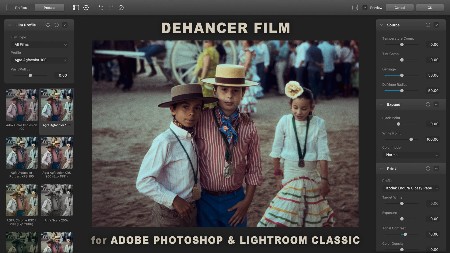
Dehancer plugin for Adobe Photoshop / Lightroom Classic / Capture One currently supports source images in sRGB IEC61966-2.1 color space (other color spaces will be supported as well in the future). It is important that the same color management is consistent throughout the entire processing and viewing pipeline.
Hardware requirements
PC with Nvidia or AMD GPU
OpenCL compatible GPU
GPU drivers properly installed and up to date
Software compatibility
Windows 10 64 bit (genuine licensed installation is required)
Adobe Photoshop CC 2019 (version 20) or later
Adobe Lightroom Classic version 10.0 or later
Any current version of Capture One that supports external editing
Any current version of Affinity Photo
Whats New
Код:
https://blog.dehancer.com/version-history-adobe-photoshop-lightroom-classic-capture-one-affinity-plugin/

HomePage:
Код:
https://www.dehancer.com/

-:DOWNLOAD FROM LINKS:-​
Download From RapidGator
Код:
https://rapidgator.net/file/e312cc63239dc5c853717f15fe452113/

Download From DropApk

Download From NitroFlare
Код:
https://nitroflare.com/view/53A6012527463F4/
 
Dehancer Pro 6.2.0 (x64) for OFX


DP6-2-0-xf-O.jpg


File size: 40.4 MB
​

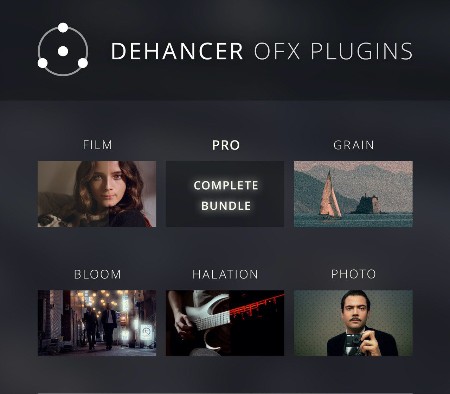
Dehancer is the OFX plugin suite for film-like color grading and film effects in DaVinci Resolve. Dozens of real photographic and motion picture films with truly analogue controls. Film Grain, Bloom and Halation effects to complete the look. Complete native support of ACES pipeline. Based on 30-years of film shooting and darkroom experience combined with scientific approach, nonlinear image processing, and. a bit of alchemy, of course.
Tools that turn stone into a gem
Film Profiles
Dozens of photographic and movie films, updated in one click inside the plugin. Full range of current Kodak Vision 3 negative movie films + Eastman Double X 5222.
Film Grain
Realistic Film Grain simulation with adjustable size, amount and impact (with separate controls in shadows, midtones and highlights).
Bloom Effect
Bloom effect with flexible controls brings misty glow and soft, vintage feel, turning lifeless digital picture into a piece of art.
Halation Effect
Halation film emulsion effect, visible as a subtle red glow around bright light sources, specular highlights and contrasting edges.
Hardware requirements
PC with Nvidia GPU
CUDA only
External and multi-GPU are supported (CUDA only)
GPU memory consumption
FullHD video - 4GB minimum / 8GB recommended
4K video - 8GB / 12GB
6K video - 12GB / 16GB
8K video - 16GB / 24GB
Software compatibility
Windows 10 64 bit (genuine licensed installation is required)
DaVinci Resolve 16 and 17
Whats New
Код:
https://blog.dehancer.com/version-history-davinci-ofx-plugins/

HomePage:
Код:
https://www.dehancer.com/

-:DOWNLOAD FROM LINKS:-​
Download From RapidGator
Код:
https://rapidgator.net/file/424b46b02f533deb80b2a9337796dfba/

Download From DropApk

Download From NitroFlare
Код:
https://nitroflare.com/view/2294CDA5603CA43/
 
Dragonframe 5.0.9 (x64) Multilingual


D5-0-9-x-M.jpg


File size: 113.4 MB
​

Dragonframe Software - Begin your stop motion filmmaking journey today with the digital image capture software trusted by major motion picture studios and independent filmmakers alike.
Animation
Bring your animation to life. Professional on-screen tools for precise movements. Step, play, capture, repeat.
Cinematography
Compose and light the perfect shot with camera controls, test shots and advanced image review tools.
Audio
Import and edit multiple audio tracks. Perform dialogue track reading for multiple characters.
DMX Lighting
Program animated lighting with simple keyframes. Automate work lights for the animator. Simple front light / back light programming.
Motion Control
Use the intuitive graphical interface to program advanced camera moves.
Timeline
Frame-based editing as simple as drag and drop. Adjust timing, reshoot sequences, and even restore deleted frames.
Drawing Tools
Mark the screen to guide your animation with vector-based drawing tools. Plot and preview motion paths with the increment editor.
X-Sheet
Plan your scene and track your progress in the X-Sheet side panel. Add reminders, sketch motion paths and adjusting timing.
Guide Layers
Configure all of your composition guides, drawing layers and reference material from the Guide Layers side panel.
Live View Mag
Use live view magnification to punch-in on a section of video assist image. (Canon, Nikon, Olympus and Fujifilm.)
Waveform Views
View the mixed audio waveform in the Timeline or X-Sheet, so you can see what's coming next while you are animating.
Reference Track Audio
Use the audio from a reference movie within the audio workspace. View the video as you scrub through the audio and perform track readings.
Time-Warp
Audio stays locked to your animation at the project frame rate. If you review your animation at a different speed, the audio adjusts to stay synced.
Custom Face Sets
Create your own face set as a multi-layered Photoshop file. Add groups for mouth, eyes, ears, or whatever parts you need.
Audio HUD
View character dialogue or face sets while animating, in a configurable heads-up display.
512 LIGHTS
Program up to 512 lights with the new DDMX-512 (or upgraded DDMX-S2)
Light Profiles
Create custom light profiles to match DMX values to light output.
Bash Light
Program a work light to use while animating.
JOGPAD
Enter the jogpad mode to get large text and a simple keypad interface so that you can step away from the computer and get near your rig and set.
Virtuals
When used with the DMC-16 or DMC+ and a motion control crane, such as the Volo, Dragonframe can provide virtual cartesian axes.
3D Import/Export
Transfer camera moves between Dragonframe and Maya, Kuper, or other 3D software.
Feathering
Add extra smoothing of acceleration or deceleration with the new "feathering" tool.
MARKERS
Create motion paths by marking positions you want to hit, then adjusting keyframes to move through them.
Whats New
Код:
https://www.dragonframe.com/blog/ufaqs/what-has-changed-from-df3-to-df4-or-df4-to-df5here-is-the-dragonframe-feature-version-history/

HomePage:
Код:
https://www.dragonframe.com/

-:DOWNLOAD FROM LINKS:-​
Download From RapidGator
Код:
https://rapidgator.net/file/798c9c0b801a8d41ae60ecb0eec65e4d/

Download From DropApk

Download From NitroFlare
Код:
https://nitroflare.com/view/05C7799121B5429/
 
East Imperial Magic Browser Recovery 3.4 Multilingual


EIMBR3-4-M.jpg


File size: 22 MB
​

Discover Web browsing histories in all major Web browsers! Magic Browser Recovery finds and recovers deleted browsing history records, and helps analysing user's Internet activities by providing access to existing and cleared browsing histories.
Features and Benefits
Browsing history recovery
Recover cleared browsing history;
Access history records even if the browser database has been physically deleted;
Analyzes the entire hard drive, including the file system, allocated and unallocated data blocks;
Content-aware analysis discovers browser-related records even in corrupted and incomplete files.
Online activity analysis
Extract user's logins and passwords;
Discover social network activities, accounts and credentials;
Access user's search and browsing history - even in Incognito mode;
Perform comprehensive analysis of user's online activities in multiple Web browsers.
Access to Cleared Browser Histories
No matter if you cleared Web browser history, deleted a user account or uninstalled the Web browser, Magic Browser Recovery will help you recover the records. The tool will scan the entire hard drive via low-level access, discovering and displaying all supported Web browsers that you have ever used on your computer, and recovering their browsing histories - even if they are no longer available.
Recovers Deleted Files
More often than not, it's not just a browsing history database that is cleared - it's the whole bunch of files being physically deleted. If this is the case, no other tool can help but Magic Browser Recovery!
Magic Browser Recovery scans the entire hard drive including the file system, allocated and unallocated data blocks in order to discover deleted browsing history databases. Once a Web browser database is detected, Magic Browser Recovery automatically recovers (undeletes) the file, analyzes the database, extracts browsing history records and displays them so that they are easy to view.
Recover Private and Incognito Browser Sessions
Unlike similar tools that extract information from Web browsers based on existing files found in the file system, Magic Browser Recovery analyses information from individual data blocks on the hard drive. This allows our tool to find and recover deleted files, and extract valuable data from broken, incomplete and even partially overwritten browser databases.
As a result, you'll be able to see which Web sites were visited even if the user cleaned their browser history or used the Incognito mode.
More than Just History
Magic Browser Recovery can recover more than just Web browsing history. Bookmarks, saved forms, addresses, phone numbers, logins and passwords are automatically extracted and displayed. By accessing the user's logins and passwords, you might be able to review their communications in social networks, their activities in chats, forums and online games.
Whats New
Updates: official site does not provide any info about changes in this version.

HomePage:
Код:
https://www.magicuneraser.com/

-:DOWNLOAD FROM LINKS:-​
Download From RapidGator
Код:
https://rapidgator.net/file/c08c921be0b60daf01e230330d803e86/

Download From DropApk

Download From NitroFlare
Код:
https://nitroflare.com/view/4C021EF17935EFF/
 
East Imperial Magic Excel Recovery 4.3 Multilingual


EIMER4-3-M.jpg


File size: 18 MB
​

Recover lost and deleted Microsoft Excel and OpenOffice ODS spreadsheets. Magic Excel Recovery shares its data recovery engine with Magic's top tools, offering great value to those who need to recover Excel spreadsheets from all kinds of formatted, corrupted and inaccessible storage media.
Recover Excel Spreadsheets
Magic Excel Recovery recovers lost and deleted Excel spreadsheets produced by all versions of Microsoft Excel from 6.0 to Excel 2013, as well as OpenOffice spreadsheets. The comprehensive recovery algorithm can quickly undelete deleted Excel spreadsheets or perform a comprehensive search and recovery on damaged, formatted and inaccessible hard drive and other types of storage media. Combining sophisticated recovery features with simple, easy to use interface, Magic Excel Recovery offers great value for money when you need to recover Excel spreadsheets.
Features and Benefits
Magic Excel Recovery recovers Excel spreadsheets in XLS, XLSX, XLA, XLT, OpenOffice ODS and other formats from all types of storage media. Sharing its data recovery algorithms with Magic's top of the line product, Magic Excel Recovery can reliably recover Excel spreadsheets from problematic storage media. If you don't need recovering other office files such as Word documents or Adobe PDF, Magic Excel Recovery offers great value for money, selling for less than Magic Office Recovery.
Recovers Excel Documents
- Recovers deleted Excel spreadsheets;
- Undeletes Excel files removed from the Recycle Bin or deleted with Shift + Del;
- Recovers spreadsheets saved with Microsoft Excel, OpenOffice and other applications;
- Recovers files in Microsoft Excel 6 - 2013 formats including XLS, XLSX and other formats;
- Recovers OpenOffice spreadsheets;
- Content-aware recovery from formatted and corrupted storage media;
- Recovers spreadsheets from hard drives, SSD drives, USB pen drives, external storage and memory cards;
- Recoverable files are displayed as thumbnail gallery;
- Fully visual pre-recovery preview;
- Filters out irreparable spreadsheets. Each spreadsheet is checked for consistency before being added to the list of recoverable files.
Low-level File Recovery Engine
- Sophisticated file recovery engine shared with Magic's top of the line data recovery product;
- Quick scan allows recovering deleted spreadsheets in seconds;
- Comprehensive analysis employs low-level access and engages content-aware disk scan;
- Proven data recovery engine: tested on a number of corrupted, formatted and inaccessible disks.
Recovering Excel Spreadsheets Made Easy
Magic Excel Recovery can be used at home or in the office. It requires no learning and no specific skills to operate. Just engage a disk scan, select Quick or Comprehensive Analysis, and you'll see a list of recoverable Excel documents in a few moment. The recoverable files are presented as a thumbnail gallery. Click on a spreadsheet to open a full-size preview. The viewer is built-in, and does not require Microsoft Excel to be installed.
Restore Excel Spreadsheets from Formatted, Damaged and Inaccessible Media
Magic Excel Recovery comes with a highly sophisticated data recovery engine borrowed from Magic's top of the line tool. This engine can reliably recover information from all kinds of problematic devices including corrupted and inaccessible memory cards and USB drives, formatted disks and repartitioned hard drives.
Content-Aware Analysis
Content-aware analysis is engaged automatically when you choose to scan the disk in Comprehensive mode. Content-aware scan reads the entire content of the device, looking for characteristic patterns identifying Excel documents. If such a pattern is detected, Magic Excel Recovery will determine the location of a file, validate its integrity and add it to the gallery of recoverable documents if the file is indeed recoverable.
Instant Results with Quick Scan
Deleted an important spreadsheets and want it back now? The Quick Scan mode of Magic Excel Recovery works blazing fast, undeleting spreadsheets faster than it takes you to get them erased!
System Requirements
Supporting all 32-bit and 64-bit versions of Windows and all versions and revisions of FAT and NTFS file systems, Magic Data Recovery Pack can recover data from disks, partitions and memory cards formatted with FAT12/16/32, NTFS (NT4) and NTFS5 (2000, XP, Vista, and Windows 7, 8, 10).
Whats New
Updates: official site does not provide any info about changes in this version

HomePage:
Код:
https://www.magicuneraser.com

-:DOWNLOAD FROM LINKS:-​
Download From RapidGator
Код:
https://rapidgator.net/file/61f487f841cb724ea31989e6995f9d40/

Download From DropApk

Download From NitroFlare
Код:
https://nitroflare.com/view/CB82D9F76513AB6/
 
East Imperial Magic Linux Recovery 2.2 Multilingual


EIMLR2-2-M.jpg


File size: 41.4 MB
​

When the command line is not enough, use Magic Linux Recovery to fix disk errors, repair corrupted volumes and extract files and folders from a bunch of Linux and Unix file systems. The tool supports all the classic file systems including Ext2, Ext3, Ext4, XFS, ReiserFS, as well as UFS1 and UFS2. FAT and exFAT commonly used on external media are also supported.
Features and Benefits
Magic Linux Recovery gives Windows users access to files and folders stored on Linux and Unix-formatted disks and offers the ability to fix issues with deleted partitions or corrupted disk volumes. Magic Linux Recovery supports disks and partitions created in all common Linux distributions including Debian, Ubuntu, Red Hat, Fedora, CentOS, MX Linux, Manjaro, Linux Mint, Solus, and many others. File systems used in Unix-like operating systems such as FreeBSD, NetBSD, OpenBSD, MINIX and many others are also supported through the convenient, wizard-based user interface.
Data Extraction
• Access data stored on Linux and Unix partitions from your Windows computer;
• Copy information stored on Ext2, Ext3, Ext4, XFS, ReiserFS, UFS1 and UFS2 volumes.
Data Recovery
• Undelete files and folders from a wide range of Linux/Unix partitions;
• Recover all types of data from various storage media;
• Run Instant Analysis to access deleted files in a matter of seconds;
• Analyze the entire disk surface with Deep Scan to find missing files even if the file system is missing.
Disk and File System Recovery
• Repairs errors in common Linux and Unix-based file systems;
• Rebuilds corrupted disk volumes;
• Discovers missing partitions and repairs GUID partition tables;
• Recognizes and supports native Linux and Unix partitions in Windows environment;
• Effectively fixes most common logical disk errors.
Powerful Data Recovery
Magic Linux Recovery shares its data recovery engine with our top of the line tools, delivering the latest developments in data recovery to your fingertips. The tool offers a straightforward and fully automated way to recover data from Linux and Unix file systems in the convenient Windows environment. Instant Analysis and Deep Scan correspondingly offer near-instant data recovery or comprehensive analysis of the entire disk surface.
Instant Analysis
Instantly access deleted files and folders on healthy disk volumes. Magic Linux Recovery analyzes the file system to discover deleted files and folders in a blink of an eye, offering fast and secure recovery in just seconds.
Content-Aware Analysis
If the file system is corrupted, or if there is any type of logical damage preventing normal disk access, the Content-Aware feature will help to locate and recover supported files by analyzing the entire surface of the hard drive. Content-Aware uses the smart signature analysis to match the content read from the disk surface against a database of supported file formats. Once a signature match is detected, the algorithm performs the analysis of the alleged file header to determine the exact format, beginning and length of the file. By performing the Content-Aware analysis on the disk, you are likely to recover files deleted days, weeks or even months ago.
Whats New
Updates: official site does not provide any info about changes in this version.

HomePage:
Код:
https://www.magicuneraser.com/

-:DOWNLOAD FROM LINKS:-​
Download From RapidGator
Код:
https://rapidgator.net/file/f438495381d594ac52c9d54589521053/

Download From DropApk

Download From NitroFlare
Код:
https://nitroflare.com/view/D6D7F34519D0167/
 
East Imperial Magic MAC Recovery 2.2 Multilingual


EIMMR2-2-M.jpg


File size: 42 MB
​

Extract files and folders and recover data from APFS, HFS+, FAT and exFAT partitions with Magic Mac Recovery. The tool supports all file systems recognized by Apple computers running macOS, allowing you to undelete files and folders, recover deleted partitions and repair damaged file system structures.
Features and Benefits
Magic Mac Recovery by East Imperial Soft solves two major problems: it recovers lost and deleted files and rebuilds damaged disk system structures, effectively repairing corrupted disks to full operation.
Data Recovery
• Undeletes deleted files from healthy, formatted and damaged partitions formatted on Mac computers;
• Recovers all types of files from all types of storage media;
• Instant Analysis mode returns the list of deleted files in a matter of seconds;
• Content-aware analysis scans the entire disk surface to locate missing files even if the file system is completely destroyed.
Disk and File System Recovery
• Repairs errors in macOS file systems;
• Rebuilds corrupted disk volumes;
• Discovers missing partitions and repairs GUID partition tables;
• Recognizes and supports native macOS and BootCamp partitions;
• Effectively fixes most common logical disk errors.
Powerful Data Recovery
Magic Mac Recovery incorporates the latest developments in data recovery, offering fully automated operation and maximum performance. The Fast Scan and Content-Aware Analysis features cover both parts of the spectrum, offering near-instant data recovery or comprehensive analysis of the entire disk surface.
Data Recovery Wizard
Magic Mac Recovery guides users through the recovery process with a step-by-step wizard. By fully documenting and explaining every step, the wizard makes the recovery process safe, easy and fully transparent.
Fast Scan
Recover files and folders deleted from healthy disk volumes in a matter of seconds! Magic Mac Recovery analyzes the file system to discover deleted files and folders in a blink of an eye, offering fast and secure recovery in just seconds.
Rebuild Disk System Structures
If the disk is badly damaged, corrupted or misses essential system structures, Magic Mac Recovery can rebuild the partition table and repair the file system structures. The tool can repair all file systems natively supported in macOS including APFS, HFS+, as well as FAT and exFAT.
Content-Aware Analysis
Content-Aware Analysis is the opposite of Fast Scan. Reading the entire surface of the hard drive sector by sector, Content-Aware Analysis will locate deleted files even if no file system is present on the volume. The feature matches the content of the hard drive against a database of supported file formats, detects and analyzes file headers to determine the exact location and length of each file. By performing the content-aware analysis of the disks, you are likely to recover files deleted days, weeks or even months ago.
Whats New
Updates: official site does not provide any info about changes in this version.

HomePage:
Код:
https://www.magicuneraser.com/

-:DOWNLOAD FROM LINKS:-​
Download From RapidGator
Код:
https://rapidgator.net/file/274dbeb8202d9fd7701baf6b002d2d0e/

Download From DropApk

Download From NitroFlare
Код:
https://nitroflare.com/view/2F053728A7CC344/
 
East Imperial Magic NTFS FAT Recovery 4.5 Multilingual


EIMN-FR4-5-M.jpg


File size: 82 MB
​

This tool is perfect when you need to solve a hard drive incident fast. Recovering data from disks formatted with all revisions of the NTFS file systems, Magic NTFS Recovery brings the best bang for your buck if you need to restore files right away.
Magic NTFS Recovery
Dedicated to recovering data from NTFS volumes, this tool is perfect for solving isolated cases and single incidents with system disks and hard drives. Offered at a discount compared to our top of the line tool, Magic NTFS Recovery is a perfect bargain for complex data loss situations occurring in NTFS-only environments.
Features and Benefits Magic NTFS Recovery
Magic NTFS Recovery effectively handles hard disks, flash and SSD drives with major issues. The tool can reliably locate and recovers deleted files and data missing on damaged partitions, optionally rebuilding the damaged disk complete with original files and folder structure.
Recovering Files and Data
- Unerases deleted files from healthy, formatted and damaged NTFS partitions;
- Quick scan mode undeletes files in minutes;
- Comprehensive mode features trademark content-aware analysis for in-depth recovery.
Rebuild Corrupted Partitions
- Rebuilds damaged partitions by reconstructing the file system complete with original files and folders;
- Recovers formatted partitions and repartitioned drives;
- Refurbishes media to "as new" state perfect for long-term use.
System Requirements
Supporting all 32-bit and 64-bit versions of Windows and all versions and revisions of FAT and NTFS file systems, Magic Data Recovery Pack can recover data from disks, partitions and memory cards formatted with FAT12/16/32, NTFS (NT4) and NTFS5 (2000, XP, Vista, and Windows 7, 8, 10).
Whats New
Updates: official site does not provide any info about changes in this version

HomePage:
Код:
https://www.magicuneraser.com

-:DOWNLOAD FROM LINKS:-​
Download From RapidGator
Код:
https://rapidgator.net/file/22936c6c776a44b42b12313fffa2c94d/

Download From DropApk

Download From NitroFlare
Код:
https://nitroflare.com/view/44FD98B4F13BECB/
 
East Imperial Magic Office Recovery 4.3 Multilingual


EIMOR4-3-M.jpg


File size: 18 MB
​

Recover office documents in a wide range of formats. Sophisticated data recovery algorithms allow reliably recovery of documents stored on badly damaged, formatted and inaccessible devices. Easy step-by-step wizard and thumbnail gallery view make the recovery process as easy as possible.
Recover Office Documents
Magic Office Recovery recovers documents, spreadsheets and other files produced by Microsoft Office applications such as Word and Excel, as well as documents in OpenOffice and Adobe PDF formats. Combining low-level disk scan engine, comprehensive document analysis engine and polished user interface, Magic Office Recovery delivers best-in-class performance and easiest usage experience possible.
Features and Benefits
Magic Office Recovery is designed to recover lost and deleted documents located on healthy, damaged, formatted and repartitioned storage media.
Recovers Office Documents, Spreadsheets and PDF Files
- Undeletes a wide range of documents produced by Microsoft Word, Excel, OpenOffice, Adobe PDF and other office applications;
- Recovers documents in Microsoft Office 6 - 2013 formats, Adobe PDF, OpenOffice;
- Recovers documents healthy, formatted and damaged partitions;
- Supports all types of storage media including hard drives, SSD, USB drives, memory cards etc.;
- Recoverable documents are displayed as a thumbnail gallery;
- Built-in full-size preview of recoverable documents;
- Filters out irreparable documents. Each document is checked for consistency before being added to the list.
Low-level File Recovery Engine
- Comprehensive recovery engine shared with Magic's top of the line data recovery product;
- Quick scan returns the list of deleted documents in matter of seconds;
- Comprehensive analysis scans entire disk surface in low-level mode;
- Data recovery engine tested on multiple damaged, formatted and inaccessible disks.
Office Recovery Made Easy
Magic Office Recovery is a highly sophisticated tool that's extremely easy to use. Featuring a step-by-step wizard, Magic Office Recovery guides you through the entire recovery process. Deleted documents are displayed in an Explorer-like window as a thumbnail gallery. You can click any document to see its full-size preview before the recovery. You can do it even if Microsoft Office or another office application is not installed as Magic Office Recovery features a built-in document viewer with no external dependencies.
Recover Office Documents from Formatted, Corrupted and Inaccessible Media
Kept an important document on an accidentally formatted USB drive? Can't access a memory card or repartitioned the disk? Magic Office Recovery is designed to help recover your work in all of these situations. Performing a comprehensive low-level scan of the damaged disk, Magic Office Recovery can reliably detect, validate and recover a wide range of documents in Microsoft Office, OpenOffice and Adobe PDF formats.
System Requirements
Supporting all 32-bit and 64-bit versions of Windows and all versions and revisions of FAT and NTFS file systems, Magic Data Recovery Pack can recover data from disks, partitions and memory cards formatted with FAT12/16/32, NTFS (NT4) and NTFS5 (2000, XP, Vista, and Windows 7, 8, 10).
Whats New
Updates: official site does not provide any info about changes in this version

HomePage:
Код:
https://www.magicuneraser.com

-:DOWNLOAD FROM LINKS:-​
Download From RapidGator
Код:
https://rapidgator.net/file/2e90845d599be418d2b4160770da2327/

Download From DropApk

Download From NitroFlare
Код:
https://nitroflare.com/view/CD4E48ABF6B3F90/
 
East Imperial Magic Partition Recovery 4.5 Multilingual


EIMPR4-5-M.jpg


File size: 43 MB
​

Undelete files and recover information from damaged, formatted, corrupted and inaccessible disks and solid-state storage media formatted with any version of FAT or NTFS. If you have a disk with deleted partitions or a hard drive covered with bad sectors, Magic Partition Recovery is the tool to get!
Recover Files and Repair Partitions
Recover files and folders, repair broken partitions and rebuild corrupted and missing file systems in full auto mode. Featuring both quick and comprehensive analysis modes, Magic Partition Recovery carefully recovers your files and rebuilds the original file system based on information that's still available.
Features and Benefits
Magic Partition Recovery solves two major problems: it recovers lost and deleted files and rebuilds damaged disk system structures, effectively repairing corrupted disks to full operation.
File Recovery
- Undeletes deleted files from healthy, formatted and damaged partitions;
- Recovers all types of files from all types of storage media;
- Quick scan mode displays list of deleted files in just seconds;
- Comprehensive analysis mode locates files by their content, scans entire disk surface.
Disk, Partition and File System Recovery
- Fixes errors in disk system structures;
- Rebuilds badly damaged, overwritten and missing file systems based on information gathered during comprehensive analysis;
- Unformats formatted disks;
- Recovers broken partition tables and MBR records;
- Effectively fixes corrupted disk, putting them back to service.
File and Partition Recovery - Do It Yourself with Ease
With all the advanced features offered by Magic Partition Recovery, it's still easily usable. You don't have to hold a degree in computer science or information recovery to be able to fix common issues and serious problems yourself. Magic Partition Recovery features Explorer-like user interface, allowing you to view and browse deleted files and folders the usual way you browse files on your computer. A set of easy, fully guided step-by-step wizards will assist you in repairing your disk, rebuilding partitions and fixing file systems.
Repair Broken and Inaccessible Disks
Corrupted and inaccessible disks can be successfully repaired by reconstructing their system structures. Magic Partition Recovery can perform a smart, content-aware analysis of your disk to recover disk system structures and restore the original files and folders.
Recreate Disk Structures
If the disk is badly damaged, repartitioned or corrupted, Magic Partition Recovery can re-create its missing system structures, making the disk fully usable. Magic Partition Recovery can rebuild partition tables, MBR records and FAT and NTFS file systems.
Rebuild File Systems
One of the major features offered by Magic Partition Recovery is the ability to re-build FAT and NTFS file systems that are badly damaged, overwritten or simply missing from the disk.
In order to re-create the file system, Magic Partition Recovery performs a comprehensive analysis of the disk, reading all data and analysing the content. If there's no file system left on the disk, a new one will be created based on what files were discovered.
A rebuilt disk is fully usable, and will contain all files and folders that were physically available on your disk.
Quick and Comprehensive Analysis
In simple cases, you can often get away with a quick scan. The quick scan returns a list of recoverable files in just seconds, offering a perfect chance to restore recently deleted files in a few moments.
Recover All Types of Files
Magic Partition Recovery works with all types of files including images, documents, text files, music, video, databases, compressed archives, executable files, and so on.
Content-Aware Data Recovery
In comprehensive scan mode, Magic Partition Recovery reads all sectors from the hard drive, matching information it reads against a built-in database. If a file of a known type is recognized, Magic Partition Recovery can analyse its header and deduct its exact location by discovering its beginning and length. In effect, these files can be recovered even if no file system or other disk system structures are available, allowing you to recover files from formatted, repartitioned, inaccessible and even partially overwritten disks.
System Requirements
Supporting all 32-bit and 64-bit versions of Windows and all versions and revisions of FAT and NTFS file systems, Magic Data Recovery Pack can recover data from disks, partitions and memory cards formatted with FAT12/16/32, NTFS (NT4) and NTFS5 (2000, XP, Vista, and Windows 7, 8, 10).
Whats New
Updates: official site does not provide any info about changes in this version

HomePage:
Код:
https://www.magicuneraser.com

-:DOWNLOAD FROM LINKS:-​
Download From RapidGator
Код:
https://rapidgator.net/file/2484c48b438a8fa411dac392c38a8923/

Download From DropApk

Download From NitroFlare
Код:
https://nitroflare.com/view/BB6619971D7F0CA/
 
East Imperial Magic Photo Recovery 6.3 Multilingual


EIMPR6-3-M.jpg


File size: 15 MB
​

Recover digital images and camera RAW files from all types of media. Formatted a memory card or lost a bunch of digital pictures from the hard drive? Magic Photo Recovery will recover all photos in few counted steps. Dozens of image formats are supported with full previews, as well as RAW files produced by all major camera makes.
Digital Photo Recovery by Magic
The new digital photo recovery software allows you to recover digital pictures deleted from your computer, memory card, or the internal memory of your digital camera. Magic Photo Recovery can handle images removed from the Recycle Bin, recover pictures from damaged, formatted and repartitioned hard drives, and extract pictures from corrupted memory cards and digital camera memory.
Photo Recovery Made Easy
Using digital photo recovery software could not be made easier. A fully-guided photo recovery wizard guides you through the entire process of image recovery in a quick, safe and efficient manner. A few simple questions and a couple of mouse clicks, and deleted photos appear right before your eyes with thumbnails and instant full-screen previews. Sounds easy? Magic Photo Recovery is a pleasure to use and a snap to learn, but under the hood it's powered by the most sophisticated photo recovery algorithms invented so far.
Recovery: Under the Hood
Magic Photo Recovery is powered by a sophisticated picture recovery algorithm that allows photo recovery software to successfully locate and recover images from badly damaged, repartitioned and formatted disks and memory cards. Digital photo recovery software can recover pictures even if the disk has been repartitioned and reformatted several times in a raw. The innovative digital picture recovery algorithm used in Magic Photo Recovery enables photo recovery software to recover pictures that no other program can even see.
Preview Deleted Pictures
Magic Photo Recovery can be used as a picture viewer - only it views digital pictures that no longer show up on your disk. The built-in image browser displays thumbnail and instant full-screen previews of deleted photos. Just launch the photo recovery wizard, and you'll be able to browse, preview and recover your lost pictures in just minutes!
The available pre-recovery preview ensures that only valid, uncorrupted pictures are recovered. The plain, straightforward user interface can be used efficiently by computer amateurs and data recovery professionals altogether.
Photo Recovery Software
The digital photo recovery algorithm used in Magic Photo Recovery has been recently improved to allow determining the original names and locations of pictures being recovered - even if there's no file system left on the disk!
Photo Recovery from Disks and Memory Cards
Magic Photo Recovery can successfully recover digital pictures from all types of memory cards, including Compact Flash, Micro Drive, Memory Stick, MultiMedia Card (MMC), PC Card, Secure Digital, SmartMedia, xD Picture Card, and many others.
Recovers Finished Photos and RAW Images
Magic Photo Recovery can successfully recover finished photos in a variety of formats as well as RAW images produced by most SLR and advanced compact cameras. With built-in support of RAW images, Magic Photo Recovery recovers RAW digital photos in formats introduced by Nikon, Canon, Olympus, Casio, Kodak, Sony, Pentax, Panasonic, Ufo and many others.
System Requirements
Supporting all 32-bit and 64-bit versions of Windows and all versions and revisions of FAT and NTFS file systems, Magic Data Recovery Pack can recover data from disks, partitions and memory cards formatted with FAT12/16/32, NTFS (NT4) and NTFS5 (2000, XP, Vista, and Windows 7, 8, 10).
Whats New
Updates: official site does not provide any info about changes in this version

HomePage:
Код:
https://www.magicuneraser.com

-:DOWNLOAD FROM LINKS:-​
Download From RapidGator
Код:
https://rapidgator.net/file/0b283536bfad842980412ddd383fcc5a/

Download From DropApk

Download From NitroFlare
Код:
https://nitroflare.com/view/A35AD9B9167A04E/
 
East Imperial Magic RAID Recovery 2.2 Multilingual


EIMRR2-2-M.jpg


File size: 42 MB
​

Repair corrupted RAID 0, RAID 1, RAID 4, RAID 5, RAID 6 and many other types of arrays by connecting the disks to your computer. Recover data from single-disk and multi-disk attached storage devices and NAS servers. Extract data from hard drives used in Synology, QNAP, ASUSTOR, Western Digital, Thecus, TerraMaster and Buffalo NAS systems.
Features and Benefits
Magic RAID Recovery by East Imperial Soft is designed to help users repair many types of corrupted RAID arrays and recover information from single-disk and multiple-disk volumes created in popular DAS and NAS devices as well as a wide range of RAID controllers manufactured by HP, Dell, Adaptec, IBM, Intel, Fujitsu, Silicon Image, LSI, ASMedia, Broadcom, and many others.
Rebuild Corrupted RAID Arrays
Rebuild and repair corrupted RAID arrays created in Windows, Linux, macOS and NAS devices;
Mount multiple-disk volumes if the original storage device or RAID controller is broken or unavailable;
Supports RAID 0, RAID 1, RAID 4, RAID 5, and RAID 6;
Supports RAID 1E, RAID 5E, RAID 5EE and many types of composite arrays including RAID 01, RAID 10, RAID 50, and RAID 60.
Recovering Data from NAS and DAS Devices
Mount multi-disk volumes and RAID arrays regardless of the type of RAID controller;
Automatic detection of disk order and array configuration parameters;
Recover data from logical volumes spanned across multiple disks;
Recover data from corrupted single-disk volumes and JBOD arrays;
Extract files and folders from degraded and corrupted arrays without a lengthy rebuild/resilvering (for mirrored or checksum-based arrays).
Recover Data from NAS Devices
Synology, QNAP, ASUSTOR, Western Digital, Thecus, TerraMaster, Buffalo and many other Network Attached Storage (NAS) devices are readily available. However, the limited system resources and restrictive user interfaces of many pre-build NAS solutions may render the data inaccessible should one of the hard drives in multiple-disk volumes fail even for redundant arrays. Magic RAID Recovery makes it possible to save your files and folders by connecting the remaining disks directly to your computer and extracting the data without the lengthy and unreliable rebuilding/resilvering.
Extract Data from Failing and Corrupted Disks
A NAS device is not always about RAID or disk volumes spanned across multiple hard drives. Sometimes it's just a single disk or a JBOD array formatted in a file system not recognized by your computer. Magic RAID Recovery can help you extract your files and folders by automatically detecting the type of the file system and making the data accessible on your Windows PC. All major file systems used in Windows (NTFS, ReFS, FAT, exFAT), macOS (APFS, HFS+), Linux (Ext2/3/4, XFS, ReiserFS), and Unix (UFS 1/2) are supported.
All Types of Single-Disk and Multi-Disk Volumes
Magic RAID Recovery was tested on hundreds of single-disk and multiple-disk storage configurations. The tool supports all types of RAID arrays including those managed by mdadm (all common NAS units), software and hardware RAID controllers. Magic RAID Recovery recognizes RAID 0, RAID 1, RAID 4, RAID 5, and RAID 6 arrays including exotic configurations (RAID 1E, RAID 5E, RAID 5EE) and composite arrays (RAID 01, RAID 10, RAID 50, RAID 60). Single-disk volumes and JBOD arrays are also supported.
Whats New
Updates: official site does not provide any info about changes in this version.

HomePage:
Код:
https://www.magicuneraser.com/

-:DOWNLOAD FROM LINKS:-​
Download From RapidGator
Код:
https://rapidgator.net/file/e756a42e63f4f4222818d9724e7b23e2/

Download From DropApk

Download From NitroFlare
Код:
https://nitroflare.com/view/6A5AA5DCB6C3C4C/
 
East Imperial Magic Uneraser 6.5 Multilingual


EIMU6-5-M.jpg


File size: 43 MB
​

Undelete files in few easy steps! Magic Uneraser is the simplest and easiest to use data recovery tool among the bunch of tools offered on this site. Recover files of any type from FAT and NTFS partitions! Magic Uneraser supports all types of storage media including hard disks, flash drives, digital cameras and memory cards.
Restores files from deleted and formatted drives
The data recovery tool supports the recovery from deleted partitions, formatted volumes and repartitioned hard drives. The tool scans the entire surface of the hard disk or reads the full content of a solid-state drive in order to reliably detect, locate and read the content of a deleted partition. If the disk has been formatted, the tool can read raw sectors from the disk in an attempt to detect the beginning of multiple known file types. During this process, the tool will not need the file system to be present, and will successfully restore the files even if the file system is emptied by the format operation. Deleted partitions can be similarly detected by reading blocks of raw data from the disk surface, matching and analyzing raw data structures in an attempt to detect the beginning and size of deleted partitions.
Key Features in Magic Uneraser
File Recovery Software: the Easy Way
Using the new file recovery software is easy. Just run the recovery wizard, and recovery software will scan your disk looking for lost and deleted files. After the scan is complete, you can browse the disk with a convenient Explorer-like tool. The built-in file browser looks exactly like Windows Explorer - no need to learn new tricks to browse and recover deleted files!
Deleted File Preview
Magic Uneraser comes with fully featured pre-recovery preview available in its free evaluation and full versions. The preview will allow you to open and view deleted files, documents, pictures, music, archived and movies just like they were regular files sitting on your disk. Pre-recovery preview saves time and effort allowing you to undelete only those files that can be recovered.
Advanced File Recovery Algorithms
The file recovery software incorporates a variety of advanced algorithms allowing Magic Uneraser to recover deleted files and folders that other file recovery products can't even see. The tool carefully scans the entire hard disk or reads the whole memory card block after block. Comparing information it reads from the disk with a database of recognized file formats, the file recovery algorithm is able to locate deleted files such as documents, pictures, archives, movies and music even if no record of them is left in the file system.
By using advanced file recovery algorithms, Magic Uneraser can successfully recover files and folders from deleted partitions, repartitioned and formatted disks. Even if the disk is completely inaccessible and suffered a crash, file recovery software can still access the disk, locate and recover files from its surface.
File Recovery Software for All Versions of Windows
Magic Uneraser supports all versions of Windows including Windows Vista, Windows 7, and Windows 2008 Server as well as all older versions of Windows. File recovery software recognizes all versions and revisions of FAT and NTFS file systems, including the recovery of deleted NTFS-compressed files.
Recovers Files from Any Media
The recovery software can undelete files from all types of desktop and laptop hard drives, internal and external storage devices, memory cards, USB sticks, as well as MP3 players and digital cameras connected to a PC via a USB cord.
Easy and Reliable File Recovery
Easy to use file recovery software undeletes erased files, documents, movies, pictures and music in just a few clicks.
Magic Uneraser recovers deleted files and folders in a snap. Supporting the recovery of all types of files including office documents, digital pictures, MP3 and compressed ZIP archives, this file recovery software will get your files back quickly and reliably. Whether you removed an important document from the Recycle Bin, formatted a memory card or survived a hard disk crash rendering the disk inaccessible, Magic Uneraser will help you get back on track in the most efficient way.
System Requirements
Supporting all 32-bit and 64-bit versions of Windows and all versions and revisions of FAT and NTFS file systems, Magic Data Recovery Pack can recover data from disks, partitions and memory cards formatted with FAT12/16/32, NTFS (NT4) and NTFS5 (2000, XP, Vista, and Windows 7, 8, 10).
Whats New
Updates: official site does not provide any info about changes in this version

HomePage:
Код:
https://www.magicuneraser.com

-:DOWNLOAD FROM LINKS:-​
Download From RapidGator
Код:
https://rapidgator.net/file/df421e9b8cd1ceb16e6a385d263c8757/

Download From DropApk

Download From NitroFlare
Код:
https://nitroflare.com/view/A74771E4353A531/
 
East Imperial Magic Word Recovery 4.3 Multilingual


EIMWR4-3-M.jpg


File size: 18 MB
​

Recover Microsoft Word documents and OpenOffice ODT files with ease. Magic Word Recovery features the same advanced data recovery engine as Magic's top of the line tools, which enables surefooted recovery from troublesome storage media and ensures you're getting great value for your money.
Recover Microsoft Word Documents
Recover Microsoft Word documents that go missing! Magic Word Recovery can undelete or recover documents saved in one of the formats supported by Microsoft Word 6-2013 including DOC, DOCX and RTF, OpenOffice ODT and several other types. Sharing its disk scan engine with Magic's top of the line data recovery tool, Recover Microsoft Word delivers a perfect combination of reliability, ease of use and value for money.
Features and Benefits
Magic Word Recovery can undelete Word documents and recover document files from formatted, corrupted and inaccessible disks.
Recovers Office Documents
- Undeletes documents removed from the Recycle Bin;
- Recovers document files deleted with Shift + Del;
- Restores Microsoft Word documents from corrupted, formatted and inaccessible devices;
- Recovers from a variety of storage media including hard disks, SSD drives, USB flash drives and memory cards;
- Supports documents in Word 6.0-2013 formats as well as all versions of OpenOffice;
- Recoverable documents are displayed as a thumbnail gallery;
- Full-size previews in a single click;
- Automatic consistency checks. Each document appearing in the list of recoverable files is thoroughly validated before being added.
Comprehensive Data Recovery Engine
- Low-level data recovery engine shared with Magic's top of the line tool;
- Reliable recovery under the most difficult circumstances;
- Near-instant recovery in Quick Scan mode;
- Recovers documents from FAT and NTFS file systems;
- Comprehensive analysis reliably recovers information from corrupted, repartitioned and formatted disks.
Three Easy Steps to Recover Word Documents
Magic Word Recovery makes recovering deleted Word documents easy. Just follow the prompts of the built-in recovery wizard, selecting the disk and specifying the recovery method (Quick or Comprehensive), and Magic Word Recovery will do the rest. After the scan is finished (which only takes seconds if you choose the Quick option), the tool will list all recoverable documents as a thumbnail gallery. Click on any document to see a full-size preview. Sounds simple? It's even easier than that! Try the free version to experience best-in-class performance of Magic Word Recovery.
Documents Stored on Formatted, Corrupted and Inaccessible Media
Magic Word Recovery shares its data recovery engine with our top of the line product. This means that the tool can handle the most difficult cases without a sweat. Formatted disks? Check. Repartitioned hard drives? You've got them. "Windows cannot access the disk" errors? Easy. Magic Word Recovery employs a highly sophisticated, low-level disk scanning engine allowing the tool to reliably detect every file saved by all supported versions of Microsoft Word.
Content-Aware Recovery
Content-aware recovery is one of the signature features of Magic Word Recovery. This algorithm engages automatically when you choose the Comprehensive recovery mode. It reads the entire content of the device to ensure that no single document escapes its attention. The algorithm operates by matching the content of raw disk sectors against characteristic signatures found in Word documents. Once a signature is detected, Magic Word Recovery calculates the exact physical location of the file, performs an integrity check on its content and, if the file is actually recoverable, adds it to the list of documents available for recovery.
File System Support
The tool can recover documents from disks formatted with all revisions of FAT and NTFS. This allows Magic Word Recovery to successfully operate on all desktop, laptop and removable hard disks and other types of media.
System Requirements
Supporting all 32-bit and 64-bit versions of Windows and all versions and revisions of FAT and NTFS file systems, Magic Data Recovery Pack can recover data from disks, partitions and memory cards formatted with FAT12/16/32, NTFS (NT4) and NTFS5 (2000, XP, Vista, and Windows 7, 8, 10).
Whats New
Updates: official site does not provide any info about changes in this version

HomePage:
Код:
https://www.magicuneraser.com

-:DOWNLOAD FROM LINKS:-​
Download From RapidGator
Код:
https://rapidgator.net/file/c8d423a9afb92823b16daaacb6c7e214/

Download From DropApk

Download From NitroFlare
Код:
https://nitroflare.com/view/60E9C4EA51E4EDF/
 
Назад
Сверху