• Здравствуйте. Сайт заработал в архивном режиме форум www.old.nado.in

Dl4ever Software

Emurasoft EmEditor Professional 21.7.2 Multilingual

EEP2172-M.jpg


File size: 41.8 MB
​


EmEditor Professional - professional version of the powerful text editor for programmers, Web developers and ordinary users with the illumination of syntax and Unicode support. Editor features such as search and replace in files using regular expressions, auto-detection coding, highlighting the links and email addresses, block selection mode, configure the button bar, menu, font and color elements. For each language, you can create a separate configuration. The program also has the support of powerful macros written in javascript or VBScript, allowing you to capture virtually any action, used often or occasionally.
This editor is an ideal tool for editing HTML, PHP, JSP and XML files. When you specify a web browser as an external application, you will be able to view HTML files during editing. Supports syntax highlighting ASP, C, CSS, HTML, Java, javascript, JSP, Pascal (Delphi), Perl, Python, PHP, SQL, VBScript and other programming languages, function Drag and Drop, opening files size up to 248 GB the possibility of connecting additional external applications and plug-ins. In addition, the program allows to work with macros written in javascript or VBScript, and based on the Windows Scripting Host (WSH) engine, allows you to automate virtually any action. Adjustable backlight HTML and scripting languages makes it easy to detect spelling errors and typos.
Features
- Support for file sizes up to 248 GB
- Edit binary files
- Optimized search and relocation
- Improved design plug-ins
- Ability to display panel functions
- Optimized speed when each row has a greater length
- Auto-panning by clicking the mouse wheel
- Supports Drag and drop
- Specify the temporary folder in the program settings
- Import INI files in the registry
- Unicode
- Syntax highlighting for ASP, C, CSS, HTML, javascript, JSP, Pascal, Perl, Python, PHP, SQL, VBScript and other
- User-friendly interface with customizable toolbar
EmEditor Professional Features List
- Large File Support
- Unicode Support
- Macros
- Vertical Selection Editing
- Tabbed Windows, Drag and Drop
- Lightweight Design
- Regular Expressions
- Binary Editing
- Crash Recovery
- Grab Text
Whats New
Код:
https://www.emeditor.com/emeditor-core/emeditor-v21-7-2-released/

HomePage:
Код:
https://www.emeditor.com/

-:DOWNLOAD FROM LINKS:-​
Download From RapidGator
Код:
https://rapidgator.net/file/871b0b96a80fa567130c64728d734917/EEP2172.M.rar

Download From NitroFlare
Код:
https://nitro.download/view/0092EF26FFF5F2D/EEP2172.M.rar
 
Honeyview 5.48 Multilingual


H548-M.jpg


File Size : 7.6 Mb
​


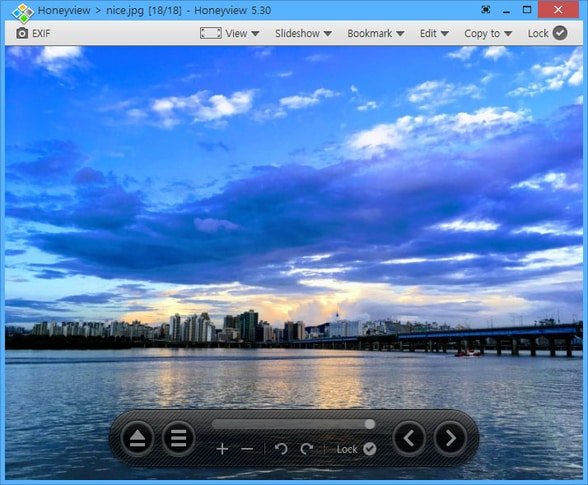
Honeyview is a very fast image viewer supporting various formats. It also supports viewing the images in compressed ZIP, RAR, or 7z files without extraction. If an image has GPS information, the location can be viewed on Google Maps, and users can store preferred photos.
Features
Ultrafast rendering with optimized image processing.
Support for BMP, JPG, GIF, PNG, PSD, DDS, JXR, WebP, J2K, JP2, TGA, TIFF, PCX, PNM, and PPM formats.
Support for RAW image formats including DNG, CR2, CRW, NEF, NRW, ORF, RW2, PEF, SR2, and RAF.
Support for direct view from compressed file formats including ZIP, RAR, 7Z, LZH, TAR, ALZ, and EGG.
Support 'Slideshow' function to show several photos at a certain interval.
'Photo folder' function in which to store any preferred pictures.
EXIF (Exchangeable image file format) view for image formats.
Direct location view on Google Maps with GPS information included in photos.

HomePage:
Код:
http://www.bandisoft.com

-:DOWNLOAD FROM LINKS:-​
Download From RapidGator
Код:
https://rapidgator.net/file/6bba0f3ff5dd33c77258cafd5e3055ec/H548.M.rar

Download From NitroFlare
Код:
https://nitro.download/view/3A4ED92A1F8AF2B/H548.M.rar
 
iPixSoft Flash Slideshow Creator 6.5.0 Multilingual


i-FSC650-M.jpg


File Size: 37.4 MB
​


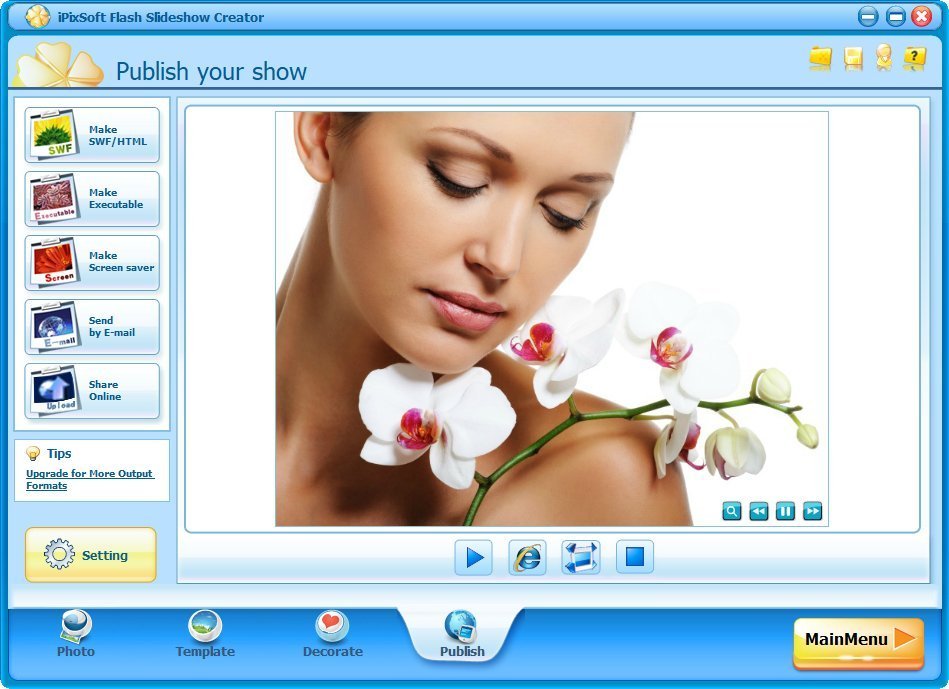
iPixSoft Flash Slideshow Creator is a unique flash slideshow software to help you turn digital photos into flash slideshow, thumbnail gallery, flash album and flash presentation with professional designed templates, transition effects, text captions, background music, etc. In addition, this application will allow you to create EXE files, SWF slideshows and HTML files, but also to build screensavers or directly send emails to your friends.With iPix Flash Slideshow Creator, you can easily enhance your Web Page, Blog, Myspace, eBay by stunning flash photo slide shows and no Flash knowledge or programming skills are required.
Key Features
Slideshow Management
· Add/Delete/Rename the slide show folders
· Set the slideshow folder path
· Create a new slide show
· Open/Rename/Move/Delete the slide show you have created
· Add photos and music
· Add up to 500 images in one flash photo slideshow
· Edit photos such as brightness, contrast,corp, etc.
· Apply various filter effects to photos
· Add wav, mp3, wma format audio as a background music 35+ pre-designed templates
· Simply choose from 35+ pre-designed templates
· Enable to set template config such as Size, Display and Thumb option
· Change buttons, photo frames for the template Transition effects
· 70+ transition effects include swift and push effects
· Controllable transition and photo duration
· Randomize transition effects for slideshow in seconds
Slideshow decoration
· Decorate with 130+ high quality animated clipart
· Pick from 100+ sounds to make your slideshow more funny
· Add your own swf, jpg, bmp, png format file to decorate the slideshow
Multiple output formats
· Make SWF movie
· Make HTML file
· Make Executable File
· Make Screen Saver
· Send by E-mail
Other Highlights
· Add hyperlink to each slide
· Enable and set Intro & Credit Movie
· Embed flash photo gallery into Web Page, Blog, Myspace, eBay, etc
Whats New
official site does not provide any info about changes in this version.

HomePage:
Код:
http://www.ipixsoft.com/

-:DOWNLOAD FROM LINKS:-​
Download From RapidGator
Код:
https://rapidgator.net/file/0077437200539e0984ec3eecd46510b4/iFSC650.M.rar

Download From NitroFlare
Код:
https://nitro.download/view/94734547BB19C26/iFSC650.M.rar
 
iPixSoft Video Slideshow Maker 5.5.0 Multilingual


i-VSM550-M.jpg


File Size: 38 MB
​


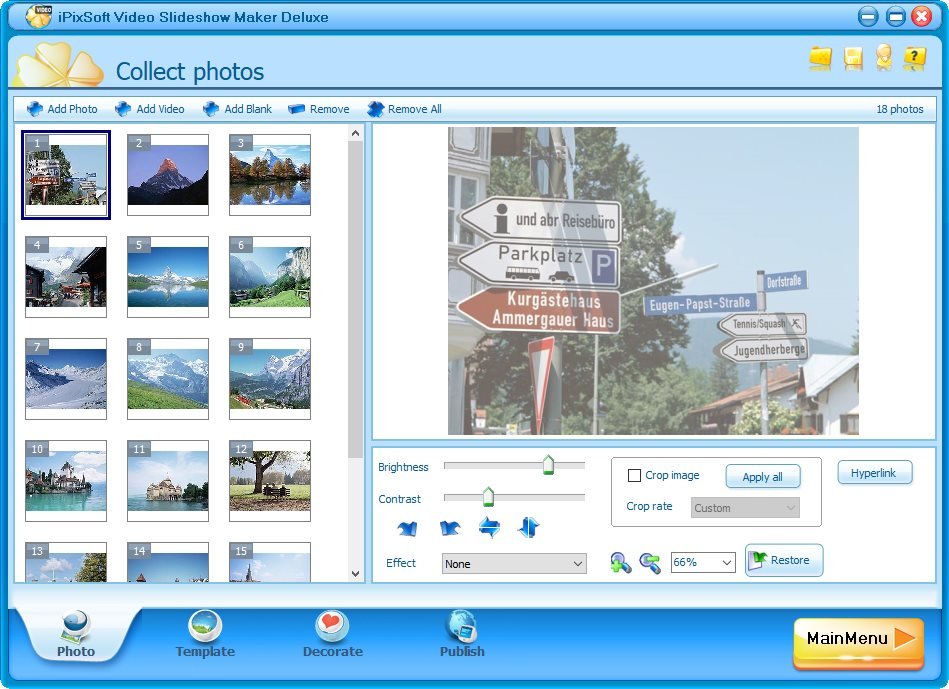
iPixSoft Video Slideshow Maker is a powerful photo to video slideshow software to help you turn photos and video clips into video slideshow, photo gallery,html5 video and photo presentation. It includes all the power of Flash Slideshow Creator. It is as easy as 1-2-3 to create a video slideshow with music using iPixSoft Video Slideshow Maker, you can enhance your Youtube, Website, Blog, Myspace, Ebay by presenting photos and video clips via animated slide shows and no HTML or Flash knowledge is required.
What Can I Do with iPixSoft Video Slideshow Maker?
For Personal
- Create photo/video slideshow for every occasion
- Make stunning digital photo album as gift for family and friends
- Show and share your special moments of life on Internet
For Business
- Make flash photo gallery to enhance your commercial website
- Embed flash slideshow banner into Blog/Myspace for business
- Display products via flash presentation on Ebay store
- Introduce your business with video photo presentation on Youtube
Slideshow Management
- Add/Delete/Rename the slide show folders
-Set the slideshow folder path
- Create a new slide show
- Open/Rename/Move/Delete the slide show you have created
Add Photos/Video clips and Music
- Add up to 500 images in one slideshow
- Add blank frame
- Add video clips such as MP4,AVI,MPEG,etc
- Edit photos such as brightness, contrast,corp, etc.
- Apply various filter effects to photos
- Add muti audio files (wav, mp3, wma) as background music
76 Designed Templates
- Simply choose from 65 pre-designed templates
- Template config such as Size, Display and Thumb option
- Change buttons, photo frames for the template
Transition Effects
- 70+ transition effects include swift and push effects
- Controllable transition and photo duration
- Randomize transition effects for slideshow in seconds
Slideshow Decoration
- Decorate with 150+ high quality animated clipart
- Pick from 100+ sounds to make your slideshow more funny
- Add your own swf,jpg,bmp,png format file to decorate slideshow
Multiple Output Formats
- Make Video File (MP4,MPG,AVI,MKV,FLV,HD Video,etc)
- Make SWF movie/HTML File
- Make Executable File
- Make Screen Saver
- Make Html5 Video
- Share Online (upload to our web server)
Other Highlights
- Add hyperlink to each slide (Disable when output video)
- Enable and set Intro & Credit Movie
- Embed into Youtube, Website, Blog, Myspace,Ebay, etc..
Whats New
official site does not provide any info about changes in this version.

HomePage:
Код:
http://ipixsoft.com

-:DOWNLOAD FROM LINKS:-​
Download From RapidGator
Код:
https://rapidgator.net/file/2f9012d6366a114338f5f9bc6aa70fa6/iVSM550.M.rar

Download From NitroFlare
Код:
https://nitro.download/view/A03E07559134062/iVSM550.M.rar
 
Kainet LogViewPro 3.21.1


KL3211.png


File size: 5.9 MB
​


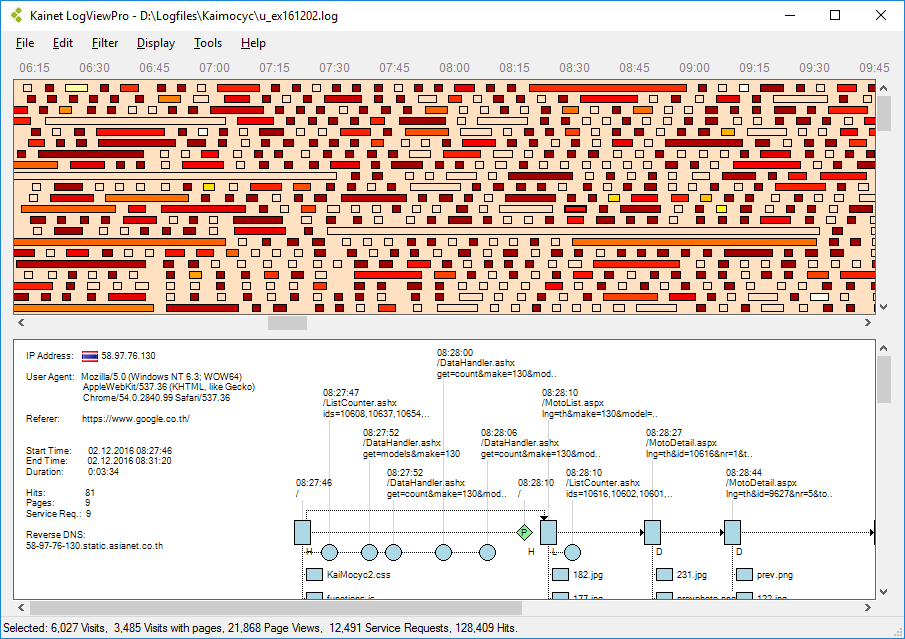
Kainet LogViewPro visualizes the contents of web server logfiles and lets you perform in-depths analyses of what is going on on your web server. This is useful for examining the success of marketing campaigns, finding server errors, hacker attacks or detecting data theft by bad bots.
These are the main features
Graphical session overview and graphical detail view
Various data views
Definition of event counters, parameter capturing, funnels
Extended filtering
Integrated WHOIS-Query and fast TraceRoute
Country Database support
Reads large logfiles (up to approx. 10GB / 25M entries) and supports load balancing
This software runs on Windows 7 or higher (64-bit recommended) and requires .NET framework 4.5. Supported logfile formats are: Microsoft IIS, IIS Advanced Logging Module, W3C Extended, Apache.
Whats New
Updates: official site does not provide any info about changes in this version

HomePage:
Код:
http://www.kainet.ch/

-:DOWNLOAD FROM LINKS:-​
Download From RapidGator
Код:
https://rapidgator.net/file/5bffa6b21f959207ea45d427eb7248a0/KL3211.rar

Download From NitroFlare
Код:
https://nitro.download/view/43BF41E5E274F55/KL3211.rar
 
Macro Recorder 2.0.79


MR2079.png


All Editions | File size: 38 MB
​


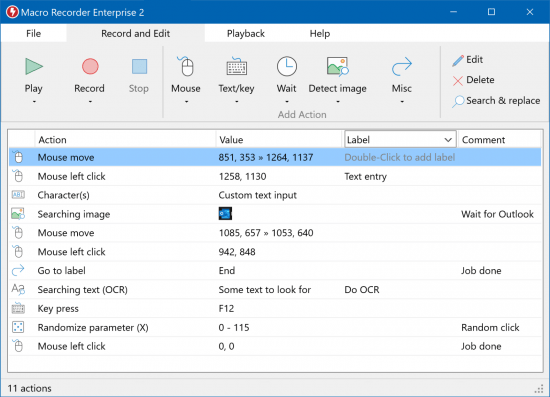
Macro Recorder captures mouse events and keystrokes like a tape recorder, allowing you to automate tedious procedures on your computer.
Press Record. Perform the actions.
Macro Recorder records your mouse movements, mouse clicks and keyboard input. Just like a tape recorder for your computer.
Press Stop. Edit the macro.
The built-in macro editor allows you to review your recording, rearrange actions, change pauses or edit keyboard input.
Press Play. Repeat the macro.
Macro Recorder repeats your macro recording as often as needed, saving you from repetitive tasks. You can adjust playback speed and smooth out edgy mouse movements.
New features in Macro Recorder v2
• Image detection
• SmartClick
• SmartRecord
• Post-playback options Shut-down, Stand-by, Restart, Logout, Lock.
• New action: Wait for file change (file creation/deletion/modification).
• New action: Execute program
• New action: On-screen text recognition (OCR)
• Windows resize/position restore is now optional in the focus action.
• Relative mouse positioning.
• Label search feature
• New comments column in macro action list
• Updated and rearranged user interface
• Hotkey to playback macro from selected action.
• Search & Replace feature
• Undo/Redo
• Support for 64 bit macOS
• CSV file export
• Parameter increment or randomize function.
What's New
Код:
https://www.macrorecorder.com/download/changelog/

HomePage:
Код:
https://www.macrorecorder.com/

-:DOWNLOAD FROM LINKS:-​
Download From RapidGator
Код:
https://rapidgator.net/file/d22dacf238c79dbd1116a76be3517277/MR2079.rar

Download From NitroFlare
Код:
https://nitro.download/view/4483DA54DF01C0F/MR2079.rar
 
Macro Recorder 2.0.79 Portable


MR2079.png


All Editions | File size: 38 MB
​


Macro Recorder captures mouse events and keystrokes like a tape recorder, allowing you to automate tedious procedures on your computer.
Press Record. Perform the actions.
Macro Recorder records your mouse movements, mouse clicks and keyboard input. Just like a tape recorder for your computer.
Press Stop. Edit the macro.
The built-in macro editor allows you to review your recording, rearrange actions, change pauses or edit keyboard input.
Press Play. Repeat the macro.
Macro Recorder repeats your macro recording as often as needed, saving you from repetitive tasks. You can adjust playback speed and smooth out edgy mouse movements.
New features in Macro Recorder v2
• Image detection
• SmartClick
• SmartRecord
• Post-playback options Shut-down, Stand-by, Restart, Logout, Lock.
• New action: Wait for file change (file creation/deletion/modification).
• New action: Execute program
• New action: On-screen text recognition (OCR)
• Windows resize/position restore is now optional in the focus action.
• Relative mouse positioning.
• Label search feature
• New comments column in macro action list
• Updated and rearranged user interface
• Hotkey to playback macro from selected action.
• Search & Replace feature
• Undo/Redo
• Support for 64 bit macOS
• CSV file export
• Parameter increment or randomize function.
What's New
Код:
https://www.macrorecorder.com/download/changelog/

HomePage:
Код:
https://www.macrorecorder.com/

-:DOWNLOAD FROM LINKS:-​
Download From RapidGator
Код:
https://rapidgator.net/file/ccbc5bd2a508a19cd1be3dd4dfb084f7/MR2079.P.rar

Download From NitroFlare
Код:
https://nitro.download/view/4A5A98376B3F33F/MR2079.P.rar
 
Maplesoft Maple 2022.1 Update Only (x64)


MM20221-UOx.png


x64 | File Size: 387 MB
​


Description
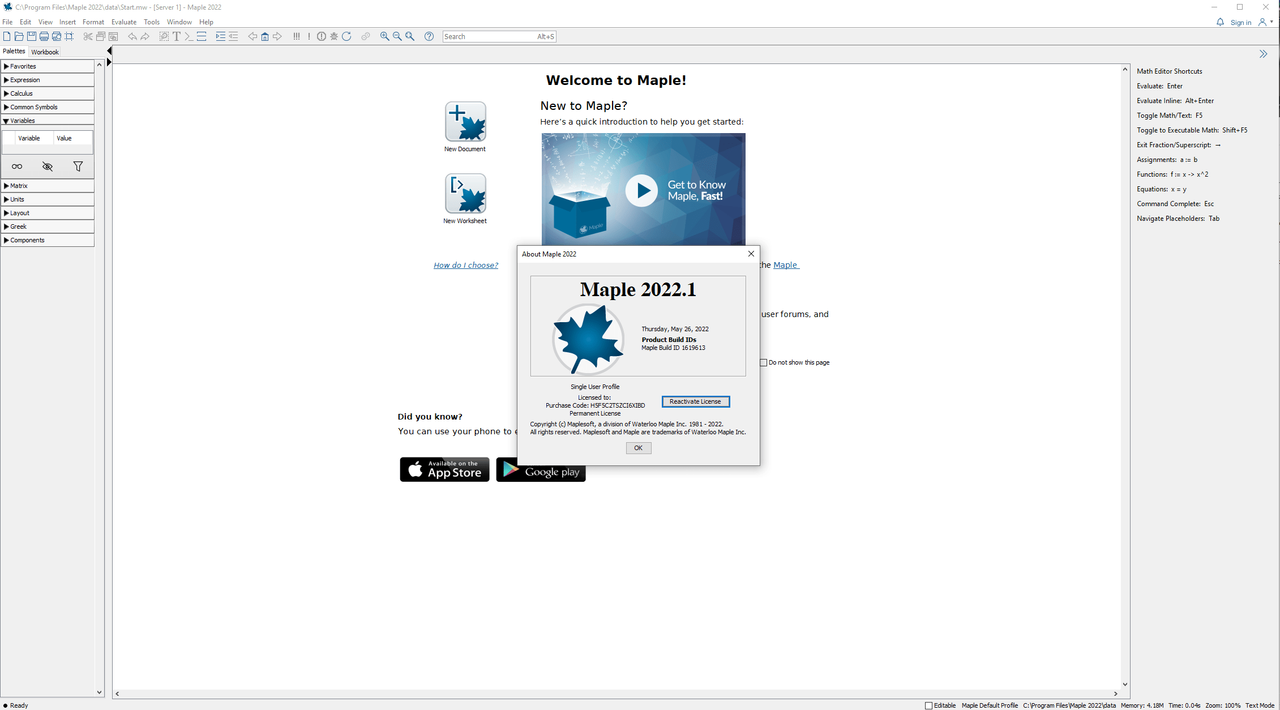
Maple 2022 brings you even more, even stronger mathematical capabilities, from enhancements to the core routines you use every day, to specialized tools that open up new areas of research. In addition, there are advances to the Maple programming language, more education tools, new visualizations, and lots more!
What's New in Maple 2022
Maple 2022 offers a vast collection of enhancements for both long-time customers and those who are using Maple for the very first time. In addition to an even more powerful math engine, Maple 2020 also delivers new and improved tools for interactive problem solving, application development, student learning, document creation, programming, and more.
The More Math, the Better
Brand new topics, broader and deeper coverage, new algorithms and techniques - in Maple 2020, the math engine continues to get more powerful so you can solve more problems.
Solving More ODEs and PDEs
Maple is the world leader in finding exact solutions to ordinary and partial differential equations, and Maple 2020 extends that lead even further with new algorithms and solving techniques.
That's Probably a Graph Theory Problem!
As well as being an interesting topic in itself, graph theory also has applications in science, engineering, linguistics, sociology, computer science, and more, and Maple 2020's extensive graph theory package gives you the tools you need to solve those problems.
Tricky Transformations (of the Integral Kind)
Integral transforms in Maple have been extended to make them more useful for a variety of applications in mathematical physics, engineering, and more.
Helping New Users
With new, more easily accessible Getting Started resources, built-in warnings to help users avoid mistakes, and more, Maple 2020 is designed to help new users become productive faster than ever.
Learning Linear Algebra
More clickable math tools, improved tutors, and an expanded Student package offer even more support for teaching and learning linear algebra.
So Math Just Clicks
Maple 2020 includes many new and improved Clickable Math™ tools, including Math Apps, tutors, and context-sensitive menus, to make learning mathematical concepts and performing mathematical operations even easier.
Printing and Exporting
More flexibility and improved output for printing, export to PDF, and LaTeX export makes your content easier to share and use outside of Maple.
Understanding the Universe
Maple's state-of-the-art environment for algebraic computations in physics is stronger than ever, providing invaluable tools for deepening our understanding of how the universe works.
Processing Signals
Maple's signal processing abilities have been further enhanced to support the exploration of signals of all types, including data, image, and audio processing.
Tracking Down Bugs
Enhanced programming tools help you find and fix problems in your own code.
System requirements
OS:Windows 10/11 (x64)/Windows Server 2016, 2019
CPU:AMD X86_64 1 GHz Intel Xeon, Intel 64
Memory:4 GB
Space:4 GB

HomePage:
Код:
N/A

-:DOWNLOAD FROM LINKS:-​
Download From RapidGator
Код:
https://rapidgator.net/file/39642340edb6a91dfa0a6be961e1d86f/MM20221.UOx.rar

Download From NitroFlare
Код:
https://nitro.download/view/EC3C617329F8E53/MM20221.UOx.rar
 
OCCT 11.0.2.99 (x64) Multilingual


O110299-x-M.jpg


File size: 82.4 MB
​


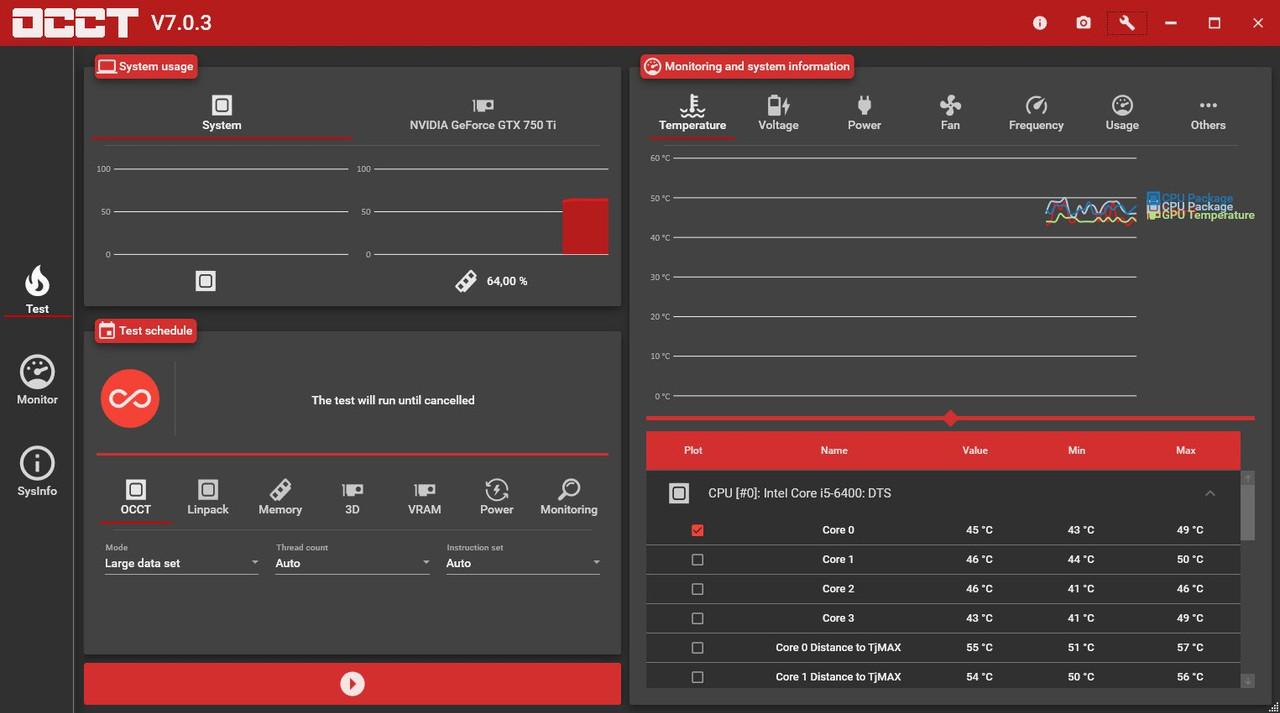
OCCT is the most popular all-in-one stability check & stress test tool available. OCCT is great at generating heavy loads on your components ( CPU, GPU, Memory, GPU Memory & Power supply ) , and aims at detecting hardware errors or stability issues faster than anything else. A monitoring engine is also embedded, to ease diagnostic and see how your computer reacts under heavy load using graphs.
6 TESTS
OCCT includes 6 different tests : OCCT and Linpack for your CPU, Memory for testing system RAM, 3D and VRAM for your Graphic card, and Power to stress your power supply. You can even monitor your PC while using an external app to generate reports using the Monitoring-only test !
MONITORING
OCCT will monitor your computer's reading and present you real-time graphs showing you temperatures, voltages, fan speed, frequencies, component usage, and power consumption during your tests. We are using the AWESOME engine from HwInfo !
BUILT-IN PROTECTION FOR YOUR COMPUTER
Worried about frying your components ? Turn the maximum temperature threshold in OCCT's options ! Should a component reach this critical temperature during a test, OCCT will stop itself immediately.
TEST REPORT
At the end of a test, you will be able to save a full graphical report of what happened during the test, for diagnostic purposes.
Whats New
Код:
https://www.ocbase.com/download

HomePage:
Код:
https://www.ocbase.com/

-:DOWNLOAD FROM LINKS:-​
Download From RapidGator
Код:
https://rapidgator.net/file/b71d8279b456e576b2964a8e77c6ed40/O110299.xM.rar

Download From NitroFlare
Код:
https://nitro.download/view/3B1B187F103549C/O110299.xM.rar
 
Photo Mechanic 6.0 Build 6496 (x64)


PM60-B6496-x.jpg


File size: 309 MB
​


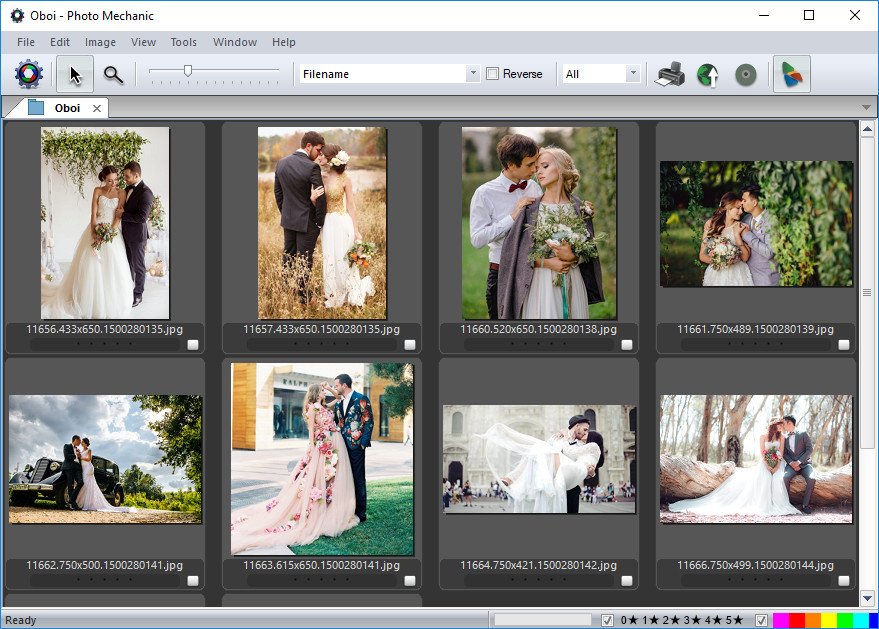
Photo Mechanic Is A Fast Media Browser That Helps You View, Organize, Manage, And Export Digital Photos.
Photo Mechanic Is The Fastest, Most Useful Photo Browser Available
Speed up your workflow with a tool that's logical in operation, intuitive in use, and as fast as possible.
Ingest
Streamline and speed up your copying process with Photo Mechanic's many options to manage your images.
Ingest is the process of copying files from a memory card to your hard drive. Photo Mechanic supercharges this step by automating other tasks at the same time, making your life much easier.
Start Editing Immediately
Don't wait around. See the thumbnails of your images while they're being copied from your memory card. Cull, rate, and tag them as you go. Photo Mechanic is fast!
Browse Files Faster
Go from image to image quickly. Find your keepers faster. Bring only the files you want to keep into your post-processing workflow.
Copy Files From Several Memory Cards Simultaneously
Rename files and folders dynamically, add IPTC credit and keyword information, and make a mirrored backup folder - all in one step!
Live Ingest
If you are shooting tethered, bring in photos with all the features of Ingest on the fly.
Edit
Edit your photos in Photo Mechanic in a flash!
View all of your images, identify your keepers, tag your alternates, and add crucial metadata and never slow down. Photo Mechanic helps you do it fast!
Editing your photos can be a lot of work. Photo Mechanic makes the process of selecting, organizing and adding metadata to your images so much easier. Here are some of the key features that help you get things done more quickly and accurately.
Contact Sheet
The Contact Sheet is the heart of your workflow. See your image thumbnails, edit and organize quickly and efficiently. Photo Mechanic puts you in control.
Move And Rename Files Efficiently
Add capture time to filenames. Create dated folders on the fly. Copy files to multiple destinations at once. Photo Mechanic's file-management tools are incredibly powerful.
View Photos At Full Size
Zoom up to 800% to check for critical sharpness. Quickly toggle between viewing the JPEG preview or the Raw file.
Variables
Automatically add EXIF camera data to your images like focal length, serial number, or ISO to metadata fields like captions or keywords.
Keywords
Sometimes you need more than one keyword to describe (and find) an image. Photo Mechanic helps you add keywords in many ways. Structured Keyword lists allow you to add related keywords fast.
Code Replacements
Save time typing long complex text with Code Replacements. A few keystrokes can add entire sentences to your captions.
GPS Coordinates
Geotag your photos by easily applying your saved GPS tracking logs to your photos with Photo Mechanic.
Batch Editing
Work faster when you copy, delete, tag, watermark, rename, resize, and add IPTC metadata to lots of photos at once.
Adjust Capture Dates And Times
Take photos from multiple cameras and get them synchronized to the correct date and time. This is great for wedding photographers with second shooters.
Pick The Best Of The Bunch
View and compare images side by side, horizontally or vertically. Spot differences between images that are too subtle to see when viewing one at a time, or simply pick between two top choices.
Export
Easily export photos your way with Photo Mechanic.
When you're done processing your images, you want to share them with clients, fans, and the world. See all the ways Photo Mechanic can speed that up for you.
Get your photos where they need to be, fast. Create web galleries, print contact sheets, send photos to your clients via email. Upload your images directly to popular online services without having to save multiple copies.
Create Galleries
Show off your images by creating web galleries. Choose from a wide variety of dynamic, pre-made gallery templates to make your images pop!
Send Files Fast
Photo Mechanic works with your default e-mail app to send files as attachments. Perfect for getting images to clients fast.
Archive
Archive your images by burning them to CDs or DVDs straight from Photo Mechanic without having to go into Finder or Explorer.
Upload To The Web
Use Photo Mechanic to directly and quickly upload to sites like PhotoShelter, DF Studio, Amazon S3, ExposureManager, Flickr, Gallery 2, PhotoDeck, and SmugMug. Add watermarks and copyright info without saving separate images.
Whats New
• Fixed: Crash with MOV and MPG4 files that don't have mdat blocks.
• Fixed: Improper display of some Chinese characters.
• Fixed: Copy and Paste shortcuts do not work when renaming from Contact Sheet.

HomePage:
Код:
https://www.camerabits.com

-:DOWNLOAD FROM LINKS:-​
Download From RapidGator
Код:
https://rapidgator.net/file/2ec824cc62f0da839faf1df4b13e0fcb/PM60.B6496.x.rar

Download From NitroFlare
Код:
https://nitro.download/view/8366E7D5AAFE10C/PM60.B6496.x.rar
 
Photo Mechanic Plus 6.0 Build 6496 (x64)


PMP60-B6496-x.jpg


File size: 312 MB
​


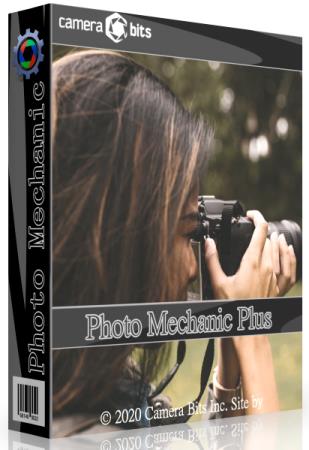
Photo Mechanic Plus includes all the speed and features that are in Photo Mechanic with the premium addition of a powerful image database. All the functions and features of Photo Mechanic are just as you've always used them, with the new feature of catalogs for indexing every photo you've ever taken.
Top 6 new features
Scroll A Million Photos Without A Pause
Photo Mechanic Plus takes performance to a new level. Browse a million photos without stopping.
Powerful Search Box
Search gives you the power of simple or complex searches to find what you're looking for across multiple drives
Saved Searches
Craft exact advanced searches and then save them to always be able to find exactly what you need
Filters
Browse by date, camera, lens, rating, color class . anything you need!
Multiple Catalogs
Use, search, or browse multiple catalogs at once. Keep yourself organized among several projects or search through everything!
Collections
Use collections to combine images from multiple folders or drives into cohesive units to keep yourself organized or present to clients.
Whats New
• Fixed: Collection Contact Sheet sort method reverts to default when adding an image to a Collection.
• Fixed: Remove from Collection is always recursive. Added a new option to remove at collection and below.
• Fixed: Find and Replace doesn't preload item data when only searching filenames. This results in filename searching results being inconsistent when there are many images to search on a Catalog-sourced Contact Sheet.
• Fixed: Catalog fails to fully delete when unexpected files are found in the catalog's folder (.DS_Store on macOS, thumbs.db on Windows.)
• Fixed: Crash with MOV and MPG4 files that don't have mdat blocks.
• Fixed: Improper display of some Chinese characters.
• Fixed: Copy and Paste shortcuts do not work when renaming from Contact Sheet.

HomePage:
Код:
https://home.camerabits.com/tour-photo-mechanic-plus/

-:DOWNLOAD FROM LINKS:-​
Download From RapidGator
Код:
https://rapidgator.net/file/e945009bf9678d8cbdfc094a9b6b04a7/PMP60.B6496.x.rar

Download From NitroFlare
Код:
https://nitro.download/view/D5777B078AE5FA6/PMP60.B6496.x.rar
 
RAM & SSD Diagnostic 3.3


R-SD33.jpg


File Size : 0.1 Mb
​


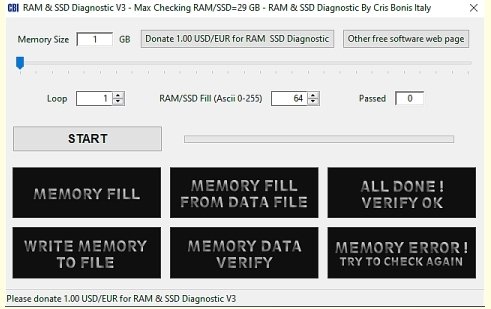
RAM & SSD Diagnostic is a useful tool that enables you to perform fast RAM error verification.
This simple tool will help in error verification by filling the available RAM with value and then copying this RAM to SSD. The cells written to the file are then copied back into the RAM - this completes the verification. The file generated on the SSD is automatically deleted after running the verification. On the first run, it will provide you with some system stats within a pop-up window showing the current drive, total system-wide RAM, and free physical RAM.

HomePage:
Код:
https://www.dacris.it/

-:DOWNLOAD FROM LINKS:-​
Download From RapidGator
Код:
https://rapidgator.net/file/069b57184231dd009a310ffb013ed6d1/R.SD33.rar

Download From NitroFlare
Код:
https://nitro.download/view/B15BFBAFDA5437B/R.SD33.rar
 
Rohos Logon Key 4.9 Multilingual


RLK49-M.jpg


File size: 18.8 MB
​


Rohos Logon Key - the program offers a convenient way to protect access to a computer using a USB key instead of the usual password. It's convenient - access is performed quickly and automatically - although Windows is still protected by a strong password.
Your Computer security benefits
Replaces weak password based login with a hardware USB key (USB flash drive or memory card)
Uses big password, without the need for remembering it
Login with a USB Key is fully automatic and fast!
The system is password protected but you don't need to enter it manually each time you log in or unlock Windows
Secure 2-factor login: Your USB Key + PIN code password
Use a single USB Key to log into your Home, laptop and office computer
Access restriction to computer based on USB Key
Windows is protected even in Safe Mode
Assigning a password to your user account allows to set a better protection for hibernated computer.
No risk because of
Emergency Logon that helps to access your system in case you lost USB drive or forgot PIN code
PIN code to protect USB Key against unauthorized usage for login (with limited attempts to enter)
Safe Mode guard - no chance for Bad Guy to bypass USB Key security by loading Windows in Safe Mode
Rohos uses NIST approved data-security principles: password is not stored on the USB Key in open form. USB Key copy protection does not allow to create unauthorized Key duplicates. All data on the Key are encrypted with AES-256 bit key length.
Rohos Logon Key is considered to be the most convenient, user-friendly and smart password replacement application on the market. Personal vs PRO license
Authentication tokens variety
any USB flash drive
USB tokens/smart cards like Aladdin eToken PRO, Futako HiToken v22, Aktiv ruToken, uaToken, Crypto Identity 5,etc
YubiKey and Swekey - One Time-Password tokens
Fingerprint USB flash drive, e.g. Transcend, Apacer, LG, TakeMS, etc.
Wireless devices that are Bluetooth enabled, e.g. Pocket PC, Mobile.
RFID tags
Whats New
Код:
https://www.rohos.com/blog-2/

HomePage:
Код:
https://www.rohos.com/

-:DOWNLOAD FROM LINKS:-​
Download From RapidGator
Код:
https://rapidgator.net/file/9019de2b94a25d50bb5cb27ce5275860/RLK49.M.rar

Download From NitroFlare
Код:
https://nitro.download/view/3CBCC60ED1CFD8A/RLK49.M.rar
 
SmartFTP Enterprise 10.0.2980.0 (x64) Multilingual


SE10029800-x-M.jpg


File Size: 37 MB
​


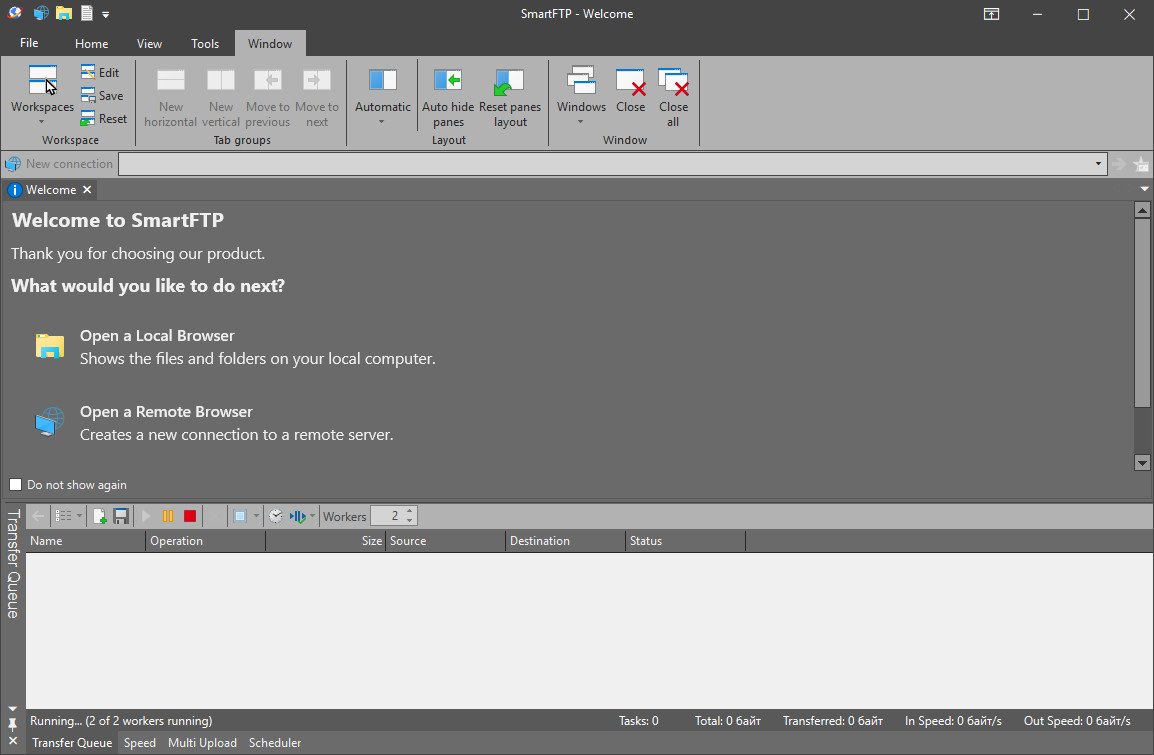
SmartFTP is an FTP (File Transfer Protocol), FTPS, SFTP, WebDAV, Amazon S3, Backblaze B2, Google Drive, OneDrive, SSH, Terminal client. It allows you to transfer files between your local computer and a server on the Internet. With its many basic and advanced Features SmartFTP also offers secure, reliable and efficient transfers that make it a powerful tool.
SmartFTP can be used for
- Web site publishing and maintenance
- Upload and download of images, documents, movie and music files
- Managed file transfers. Automate file transfer processes.
- Backup and synchronize local and remote files
Features
• Protocols
• FTP and FTPS (Secure FTP)
• SFTP over SSH
• WebDAV
• Amazon S3 (Enterprise Edition)
• Google Drive (Ultimate Edition)
• Google Cloud Storage (Enterprise Edition)
• Backblaze B2 Cloud Storage (Enterprise Edition)
• Microsoft OneDrive (Ultimate Edition)
• Terminal Emulator (Ultimate Edition)
• Integrated Editor
• HIPAA 5010 compliant
• FIPS 140-2, 186-4 compliant
• Modern Graphical User Interface (GUI)
• High DPI support
• File/Folder Synchronization
• Multilingual (more than 20 languages)
• Thumbnails View and Preview
• Visual Compare
• Advanced Schedule
• IPv6
• On-the-fly Compression (MODE Z)
• UTF-8 Support
• Support for KeePass, LastPass, 1Password password manager
• Multiple Connections
• Auto reconnect and resume of broken transfers
• Transfer Integrity
• Verified Transfers (XCRC, XMD5, XSHA)
• FXP (Server-To-Server Transfer) support
• Remote Edit of files
• Search for files and folders on the server
• Local Browser
• Bulk Rename
• Software Development Kit (SDK)
• Enhanced NAT/UPnP Support
• UPnP (Universal Plug and Play), ICS, ICF
• Transfer Queue
• Scheduling (Enterprise Edition)
• Uploads/Downloads/FXP
• Unlimited simultaneous threads
• International Domain Names (IDN)
• Proxy / Firewall support
• SOCKS5, SOCKS4, SOCKS4A, HTTP Proxy
• Wingate, Winproxy, CSM, Checkpoint FW-1, Raptor
• URL Watcher
• FTP command line
• Custom Commands
• CHMOD (Properties)
• Section 508 compliant
• and much more ...
Whats New
Код:
https://www.smartftp.com/en-us/changelog/1

HomePage:
Код:
https://www.smartftp.com

-:DOWNLOAD FROM LINKS:-​
Download From RapidGator
Код:
https://rapidgator.net/file/0cd3d8e4e626cb27f10d4cc575f08e19/SE10029800.xM.rar

Download From NitroFlare
Код:
https://nitro.download/view/41A31C72E58C287/SE10029800.xM.rar
 
Total Commander 10.50 beta 8 Multilingual


TC1050-b8-M.jpg


File size: 8.9 MB
​


Total Commander (former Wincmd) is a file manager for Windows similar to the Windows Explorer. But Total Commander uses a different approach: it has two fixed windows side by side like a well-known file manager for DOS.
Features
- Two file windows side by side
- Multiple language and Unicode support
- Enhanced search function
- Compare files (now with editor) / synchronize directories
- Quick View panel with bitmap display
- ZIP, ARJ, LZH, RAR, UC2, TAR, GZ, CAB, ACE archive handling + plugins
- Built-in FTP client with FXP (server to server) and HTTP proxy support
- Parallel port link, multi-rename tool
- Tabbed interface, regular expressions, history+favorites buttons
- Thumbnails view, custom columns, enhanced search
- Compare editor, cursor in lister, separate trees, logging, enhanced overwrite dialog etc.
- Unicode names almost everywhere, long names (>259 characters), password manager for ftp and plugins, synchronize empty dirs, 64 bit context menu, quick file filter (Ctrl+S)
- New: USB port connection via special direct transfer cable, partial branch view (Ctrl+Shift+B), and many imporvements to ftp, synchronizing and other functions
- And many more!
A list of all corrections, also for previous versions, can be found in the history file.
Код:
https://www.ghisler.com/history1050.txt

HomePage:
Код:
http://www.ghisler.com/

-:DOWNLOAD FROM LINKS:-​
Download From RapidGator
Код:
https://rapidgator.net/file/ba80166bb14de28a25a0b168fec11c43/TC1050.b8.M.rar

Download From NitroFlare
Код:
https://nitro.download/view/B7E54D73CA00333/TC1050.b8.M.rar
 
Broadgun pdfMachine Ultimate 15.77


BpU1577.jpg


File size: 14 MB
​


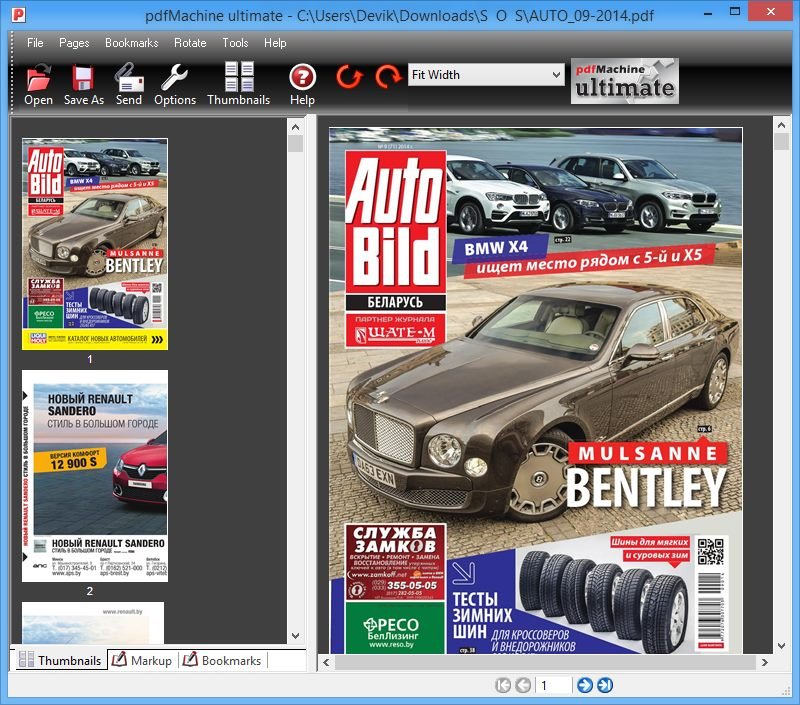
pdfMachine converts a print stream from an application directly into a PDF. Once you have installed the pdf writer, open your document that you want to convert, then click "print", select the "Broadgun pdfMachine printer" and that's it - you have a PDF!
Integrity
PDF documents generated by pdfMachine, when printed or viewed, maintain the integrity of all formatting in the original document. PDF files preserve documents formats independent of software, hardware, or operating system used to generate the original file. They can be opened, read and printed by many free PDF readers available on the web, and viewed on operating systems such as Windows, MacOS, and Unix variants.
Technology
PDF format is the best document format for long-term digital archival. Often software becomes obsolete, rendering some documents unreadable by current technology. Widely published formats, such as PDF, are more future proof that proprietary formats such as MS Word. In 50 years time, even if PDF's are not used anymore, all you need is the PDF specification and you can have a viewer developed to read your documents.
Searchable
PDF has the ability to store text in a searchable form.
Browsers
PDF files can be viewed within Netscape and Internet Explorer. These files can then be saved for off-line use or printed. This makes for easy use within an intranet or website.
Colour and Size
PDF files enable sharp, colour-precise printing on most printers with precise onscreen colour match regardless of monitor brand. Users can magnify documents up to 800% without the loss of clarity in text or graphics. PDF files can be optimized and are often smaller than conventional document formats.
Whats New
Код:
http://www.pdfmachine.com/genp/release_history.html

HomePage:
Код:
http://www.pdfmachine.com/

-:DOWNLOAD FROM LINKS:-​
Download From RapidGator
Код:
https://rapidgator.net/file/3d284967522446d88e554db7956d8123/BpU1577.rar

Download From NitroFlare
Код:
https://nitro.download/view/26486094E4ABA7A/BpU1577.rar
 
Total Registry 0.96


TR096.jpg


File Size : 1.7 Mb
​


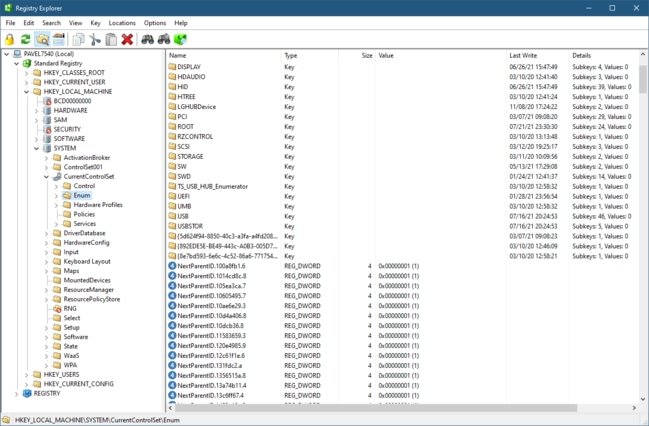
An alternative to the Windows' registry viewer and explorer that brings to the table additional functionality to make working with the registry easier.
Replacement for the Windows built-in Regedit.exe tool. Improvements over that tool include
Show real Registry (not just the standard one)
Sort list view by any column
Key icons for hives, inaccessible keys, and links
Key details: last write time and number of keys/values
Displays MUI and REG_EXPAND_SZ expanded values
Full search (Find All / Ctrl+Shift+F)
Enhanced hex editor for binary values
Undo/redo
Copy/paste of keys/values
Optionally replace RegEdit
Connect to remote Registry
View open key handles

HomePage:
Код:
https://github.com/zodiacon/TotalRegistry

-:DOWNLOAD FROM LINKS:-​
Download From RapidGator
Код:
https://rapidgator.net/file/c216a69c7b6291eb0a8357e4ea1d487b/TR096.rar

Download From NitroFlare
Код:
https://nitro.download/view/081E5571E4DADE4/TR096.rar
 
Drive SnapShot 1.49.0.19122


DS149019122.jpg


File size: 6.0 MB
​


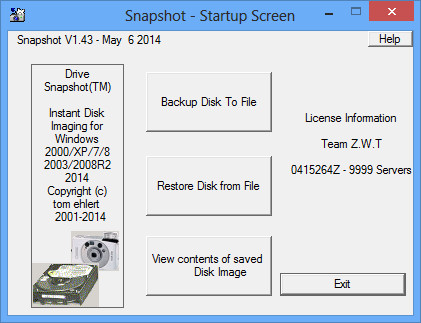
Drive Snapshot creates an exact Disk Image of your system into a file, including the operating system, installed programs, your data and all security attributes - while windows is running and you continue to work. Drive Snapshot it allows you to backup your partition or your hard disk drive and it also can create a disk image of your system. If disaster strikes (a virus, trojan, or hard disk crash), a complete and exact restauration of your system will be possible in only few minutes. The image file can be mounted as a virtual drive, so you can easily restore (or use) single files or directories, using the Windows Explorer, or other program.
Here are some key features of "Drive Snapshot"
Create Disk Image Backups, while running Windows
There is no restart (to DOS) necessary. Never.
Continue your work, while the Backup is in progress
The new Snapshot technology ensures, that all data are consistent, and reflect the PC's data at the start of backup. There are no difficulties with opened files. Never.
This enables a very fast and easy way to backup servers and other computers, that must run 24 hours a day.
Easy Use and Restore of single Files or directories
Drive Snapshot creates a virtual drive, containing all your drives data. You may use, compare, or restore these files directly from the Disk Image file.
This works with any program of your choice, including (of course) the Windows Explorer
Complete Restore of a disk in case of Disaster
If a disk is restored to it's original state, it will be exactly the same as at the time of Backup - byte for byte.
Restoring a system partition will require DOS; other drives can be restored using Windows
Compatible to all Windows file systems (FAT16, FAT32, NTFS)
Compatible to all Windows RAID Methods
Very easy and comprehensive command line interface
This makes automation of regular tasks a breeze.
Whats New
Код:
http://www.drivesnapshot.de/en/news.htm

HomePage:
Код:
http://www.drivesnapshot.de

-:DOWNLOAD FROM LINKS:-​
Download From RapidGator
Код:
https://rapidgator.net/file/277d6cc0a8c6ad391135a9c62c29e508/DS149019122.rar

Download From NitroFlare
Код:
https://nitro.download/view/DB721D6166036B7/DS149019122.rar
 
TransAbacus 2.0.2.30


T20230.jpg


File size: 7.0 MB
​


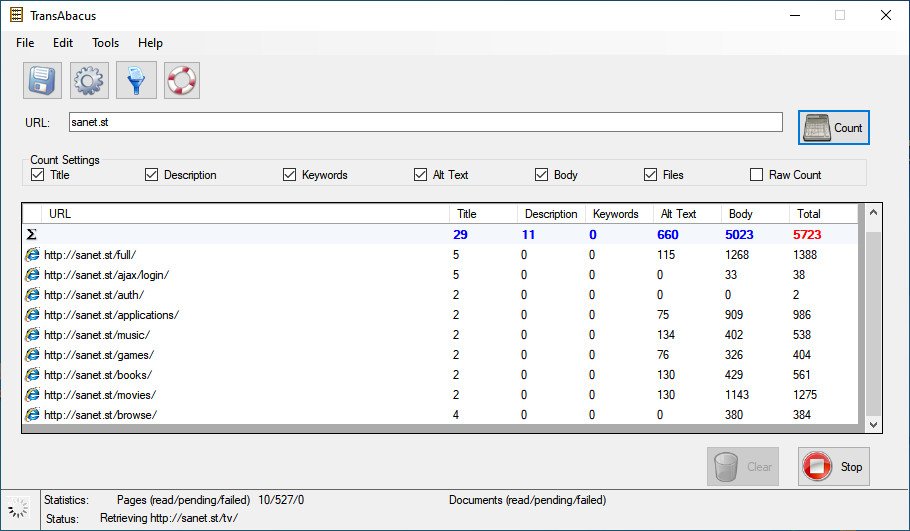
TransAbacus is an essential tool for translators to estimate and budget web site translation or localization projects.
TransAbacus gets a website address or URL and returns the list of pages on the site, with the number of words for each one. Optionally, the user can also get the number of words in title, alt text and meta-tags (whose translation is as important as the body translation because several search engines use them to accurately index the web page, but unfortunately they are generally not considered at estimation time). Additionally, TransAbacus counts the words in text files linked by the URL (the current version of TransAbacus counts the words for .pdf, .txt and .rtf files)
FULL WORD COUNTING
TransAbacus does not only count the amount of words in the body of a web page, but also counts the words for title, meta tags and alt text. You can switch on/off these options in the main window.
LINKED FILES WORD COUNTING
TransAbacus counts the files attached to a web page. Current version of TransAbacus supports .pdf, .txt and .rtf file counting.
SEVERAL COUNTING OPTIONS
TransAbacus has the ability to ignore repeated sentences (strings finished with dot). This option can be switched on/off in the main window, and it's of great use for those professionals who use computer-assisted translation (CAT) tools, like Trados. Our product offers more counting options, like counting numeric strings as words.
FILTER THE WEBSITE YOU ARE COUNTING
Sometimes you don't need to count a whole website, you only need to count a subset of it. With the filter functionality, you can tell TransAbacus the URL patterns to exclude and/or include during the counting process. This function is very useful when counting multilingual sites (you don't need to count the pages in every language; you only need the word count for one language only, so you can exclude the others), or when you know the site you are counting has a lot of content that will not be translated (for example, you can exclude the pages with photo galleries).
Whats New
* Corrects bug that caused links without the prefix www. to be ignored

HomePage:
Код:
https://www.transabacus.com/

-:DOWNLOAD FROM LINKS:-​
Download From RapidGator
Код:
https://rapidgator.net/file/a18f98818e6b8834fcf97c6631283df9/T20230.rar

Download From NitroFlare
Код:
https://nitro.download/view/FD782739A5F5BA1/T20230.rar
 
VSDC Video Editor Pro 7.1.8.415/414 Multilingual


VVEP718415-414-M.jpg


File size: 206 MB
​


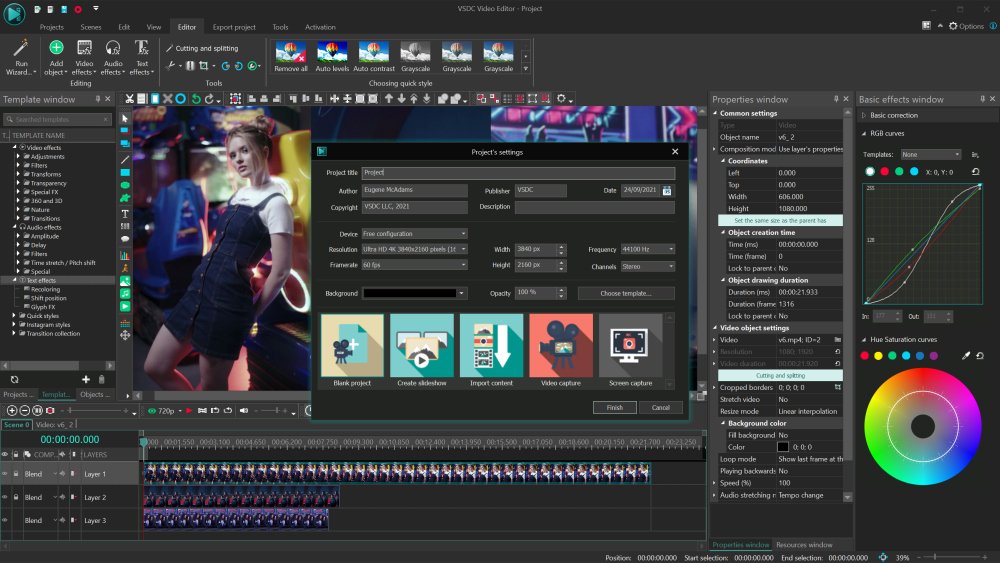
The video editor is intended for editing video files and creating videos of any complexity involving various visual and audio effects. The program offers rich functionality and yet has a simple and intuitive interface, allowing you to create videos with a bare minimum of efforts.
Non-linear video editor
Our editor is a non-linear tool. This means that unlike in most other editors, where scenes come one after another in a linear sequence and certain order, our software allows objects to be placed in any position on the timeline and have any size. Besides, various parameters, shape and position of objects can change arbitrarily over time.
Visual and audio effects
You can apply various visual and audio effects to your videos to achieve the necessary result. Since the number of available visual effect is very high, they are split into five categories for ease of navigation: color correction, object transformation, object filters, transition effects and special fx.
Blending modes and Instagram-like filters
One more way of changing the look of your video image according to your preferences is color blending. Using a wide array of adjustable parameters, you can attach a unique professional style to your video. Newbies or those, who would like to save time, can benefit from stylish Instagram-like filters applied in one click.
Masking
VSDC Free Video Editor allows for creating different shaped masks for hiding, blurring or highlighting certain elements in your video. You can use it to apply special effects inside or outside the masked area. One of the most common reasons for masking are to blur a face to protect the identity or remove unwanted marks.
Subpixel accuracy
Objects in a scene are positioned with subpixel accuracy, which makes for smooth animation, rotation, transformation and precise relative positioning.
Support of popular formats
Our software supports virtually all video, image and audio formats and codecs. That is why you won't need any additional conversion tools to edit your files, as is often the case with other programs.
Creation of videos for specific multimedia devices
Thanks to a large set of preconfigured profiles, you can easily create videos for most popular multimedia devices, such as DVD players, iPod/iPhone/iPad, PSP, any smartphones and regular phones, Sony PlayStation, Xbox, Zune, Archos, iRiver, Creative Zen, Blackberry, MP4 players and many others.
Working with charts
You can create diagrams of different kinds, including 3D diagrams: Bar, Stacked Bar, Point, Bubble, Line, Scatter Line, Fast Line, Step Line, Spline, Area, Spline Area, Stacked Area, Stacked Spline Area, Range Bar, Gantt, Pie, Pie 3D, Torus 3D, Radar Point, Radar Line, Radar Area, Radar Spline, Radar Spline Area, Funnel, Pyramid, Pyramid 3D, High Low, Candle Stick. These objects can be based on dynamically changing data of different types. Besides, the appearance of diagrams is fully customizable (appearance of charts, coordinate axes, user-defined axes, legends, names of charts and axes, lines, labels and other elements), which will help you tailor them to your specific needs. Integrated color themes make it possible to quickly change the way your charts look.
Video library (to be included in the next program release)
The editor software lets you create your own library of multimedia files with brief or detailed descriptions. This will help you organize your video collection and simplify access to the necessary files.
Built-in DVD burning tool
The editor comes with a DVD burning tool, allowing you to easily burn the results of your work to optical discs.
Video File Converter
The application is designed to quickly convert video files from one format to another. It has some basic features for editing videos: removing unneeded segments, splitting your video into parts, and merging several files into one.
Desktop video capture
The video editor features a desktop video capture utility that saves captured footage to a video file for subsequent processing in the editor.
Video capturing
Another feature of the our editor is the ability to capture video from various video tuners, webcams, IP ?ameras and save the captured footage on your computer in an arbitrary format for subsequent editing.
Whats New
Updates: official site does not provide any info about changes in this version

HomePage:
Код:
http://www.videosoftdev.com

-:DOWNLOAD FROM LINKS:-​
Download From RapidGator
Код:
https://rapidgator.net/file/ca2df91fc9dcb5fe54838c058af9ca9e/VVEP718415_414.M.rar

Download From NitroFlare
Код:
https://nitro.download/view/B4F248C3C709DDF/VVEP718415_414.M.rar
 
Назад
Сверху