• Здравствуйте. Сайт заработал в архивном режиме форум www.old.nado.in

Dl4ever Software

Isotropix Clarisse 5.0 SP8 (x64)


Isotropix-Clarisse-5-0-SP8-x64.png


File Size: 502.5 MB
​


A fully interactive CG toolset for set-dressing, look development, lighting and rendering. Clarisse iFX is a powerful CG toolset trusted by internationally renowned creative studios. Built by artists for artists, it is designed to simplify today's complex creative workflows, empowering users with interactivity, speed and power over datasets containing bazillions of polygons.
Created in response to feedback from today's front-line CG creatives, Clarisse iFX unifies powerful rendering, lighting and look development tools under a single, accessible package. Thanks to its integrated CPU based rendering engine, based on unidirectional path-tracing users can work interactively on rich, data-heavy environments, scenes and assets, with full visibility over their creative decision-making. Clarisse iFX fits seamlessly into the core of any modern production pipeline. It's an intuitive, flexible and comprehensive toolset tailored to the needs of studios and production teams working in CG today - not ten years ago.
Work interactively on final rendered imagery
Shed light on the creative process via a state-of-the-art, lightning-fast CPU rendering engine. Creatives no longer need to work blind - they can interactively manipulate final imagery, seeing real-time updates directly in the viewport.
This means up to nine times more creative iterations and a more flexible, unhindered approach to content creation.
- Manipulate hero assets interactively
- Work at speed with unidirectional path-tracing and PBR
- Iterate faster on creative work
Deeper collaboration founded in powerful referencing
Automatically synchronize all assets existing in a scene with a single click. Clarisse iFX's powerful hierarchical referencing workflow empowers a consistent, collaborative creative process: dozens of creatives can work simultaneously and seamlessly on a single environment while ensuring artists, technical directors and wider teams don't become lost in the noise. This also enables freelancers to easily jump into a project and get to work, without any headaches.
- From freelancers to large teams: collaborate on scenes with total transparency
- Synchronize internal and external assets instantly
- A streamlined process from scene assembly to final render
Burst through the polygon barrier
Extreme complexity made manageable via a memory-efficient procedural evaluation engine. Clarisse iFX lets artists work with bazillions of polygons while it handles data behind the scenes. Users experience fast, flexible creativity even when manipulating environments containing vast complexity, thanks to an advanced PBR and path-tracing renderer that won't break a sweat.
- Bazillions of polygons at your fingertips
- Remarkable flexibility in scene set-up
- Tackle today's complex CG workflows with ease
Multiple workflows, one application
Experience a tool created in response to the challenges of modern-day post-production. Clarisse iFX consolidates set-dressing, look development, lighting, rendering and layered-based pre-comp into a single, unified package. Archaic workflows defined by application hopping are a thing of the past; instead, users can focus on the singular task of creating incredible art.
- No more application-hopping: access a unified,
- artist-friendly toolset
- Intuitive tools designed specifically for today's
- post-production environment
- No more archaic 90s workflows
Created for you, by you
For artists, by artists. Every Clarisse iFX feature and update is born out of feedback and collaboration with our user community. We constantly engage with front-line artists and technical directors to learn what new challenges they're facing and how they could increase productivity. Clarisse iFX is built, updated, and continually improved in response to these relationships.
- Constantly updated to address today's workflow challenges
- Intuitively designed - enjoy an easy learning curve
- Features developed to increase productivity
Hassle-free pipeline integration
Built for seamless integration into any modern production pipeline. Clarisse iFX works with major 2D and 3D applications and doesn't require custom tools or third-party plugins to get started. It's also comes with support for major CG frameworks, integrated color management based on OpenColorIO, a pipeline-friendly ASCII file format, and much more.
- Out-of-the-box Alembic, OpenVDB, UDIM and UV Tiles support
- Support for every image file format
- Extensive Python customization
Whats New
Код:
https://www.isotropix.com/products/clarisse/whatsnew

HomePage:
Код:
http://www.isotropix.com

-:DOWNLOAD FROM LINKS:-​
Download From RapidGator
Код:
https://rapidgator.net/file/e5203c8382618c0bc58cdeb0d84631ce/

Download From NitroFlare
Код:
https://nitro.download/view/6508FDB16918318/
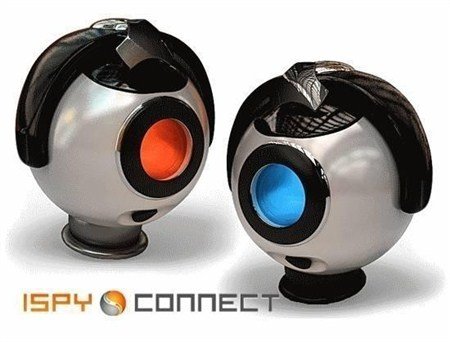
 
iSpy 7.2.5.0 Multilingual


i-Spy-7-2-5-0-Multilingual.jpg


File size: 63 MB
​


iSpy - is a professional and powerful software for surveillance, monitoring, messaging and security at home and office. With the help of web cameras and microphones and record the program detects any movement or sound in the territory entrusted. In the event that sends a message by email or by SMS. By e-mail message can attach a photo and motion detection. In addition, iSpy allows you to view live (real time) or stored video over the Internet or mobile devices. All data is compressed and stored in the format of flash video. There is an opportunity to work on multiple computers simultaneously, and monitor the program remotely, to protect them with password, create groups or join existing groups (at the developer's site) and give team members access to your Web camera and microphone.
Main features
- Detects, tracks and records any movement
- Detect and record sound
- Works with any number of microphones and web cameras simultaneously
- Combines multiple computers to a group, controlled via the web.
- Sends e-mail or by SMS to motion detection or sound
- Attached to the message images from Web cameras
- Sends e-mail pictures from the camera at regular intervals
- Works with any device tracking.
- You can set up motion detection area using webcams
- Create groups and invite them to your friends and give access to their microphones and webcams
- Set up for the fact that to record audio and video start and stop automatically
- Connect iSpy server, as well as all installed programs on different computers iSpy a Web site developer, and view all the transmitted video online
- Remote access to the program
- Protect the password program
- Download the source code and modify the program in its own discretion.
Whats New
Код:
http://www.ispyconnect.com/ProductHistory.aspx?productid=11

HomePage:
Код:
http://www.ispyconnect.com

-:DOWNLOAD FROM LINKS:-​
Download From RapidGator
Код:
https://rapidgator.net/file/c5912c4b5f1aeb563f6b194862a68774/

Download From NitroFlare
Код:
https://nitro.download/view/65D9F0DD749B49C/
 
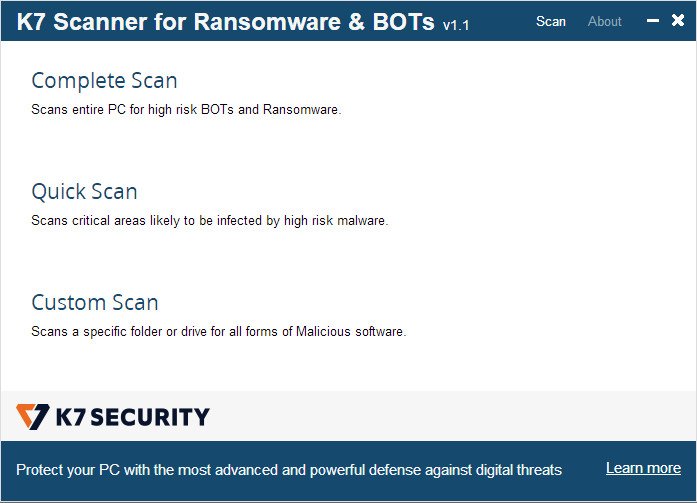
K7 Scanner for Ransomware & BOTs 1.0.0.105


K7-Scanner-for-Ransomware-BOTs-1-0-0-105.jpg


File size: 45.8 MB
​


K7 Scanner for Ransomware & BOTs comes with an award-winning Antivirus scanner that runs in parallel with any Antivirus software currently installed on your PC. Its Deep Scanning technology eliminates high risk BOTs and Ransomware.
Features
Scans and removes high risk BOTs and Ransomware(including WannaCry)
Runs seamlessly with your existing Anti-Virus application
No installation required. Can be run from a USB drive
Whats New
Updates: official site does not provide any info about changes in this version

HomePage:
Код:
https://www.k7computing.com

-:DOWNLOAD FROM LINKS:-​
Download From RapidGator
Код:
https://rapidgator.net/file/5fc9d4ff34eee935f251efe97e330423/

Download From NitroFlare
Код:
https://nitro.download/view/9285A46E4C3537B/
 
Kaizen Vehicle Manager 2022 3.0.1014


Kaizen-Vehicle-Manager-2022-3-0-1014.jpg


File size: 30 MB
​


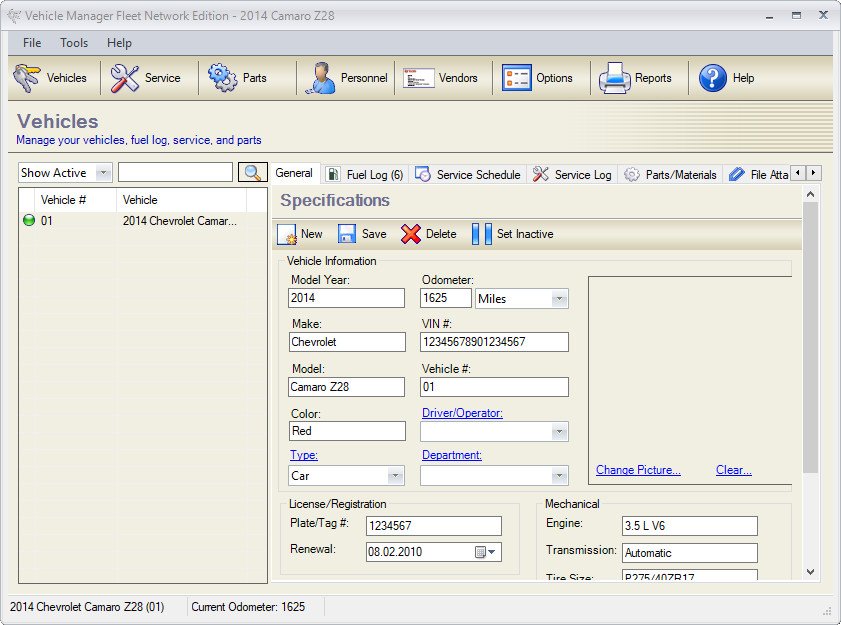
Vehicle Manager 2022 Fleet Network Edition is an advanced software application whose purpose is to help you track your vehicle maintenance, contacts and vendors. It can be used with a remote Firebird server in order to store information about scheduled and completed maintenance, parts, expenses, usage and other details in a central database.
Vehicle Manager Features
Track up to 10 (home edition), 50 (professional edition) or an unlimited number of vehicles (fleet edition).
Schedule recurring maintenance and inspection items by miles, kilometers, or hours.
Track your vehicle's completed service and expenses.
Track your vehicle's fuel efficiency over time (miles/gallon, kilometers/liter).
Maintain a database of the parts used on your vehicles.
Track related vendors and contacts.
Set options to track in US or Metric units.
Print reports and export to various formats.
Track and report on business vs. personal miles.
Track drivers and their licenses/certifications/accidents (Pro and Fleet versions only).
Whats New
Updates: official site does not provide any info about changes in this version

HomePage:
Код:
http://www.kzsoftware.com

-:DOWNLOAD FROM LINKS:-​
Download From RapidGator
Код:
https://rapidgator.net/file/1b1b685797d0706b0a6383772abf9799/

Download From NitroFlare
Код:
https://nitro.download/view/26D1D2F4A6A49F2/
 
Krita Studio 5.0.6 (x64)


Krita-Studio-5-0-6-x64.jpg


File size: 125 MB
​


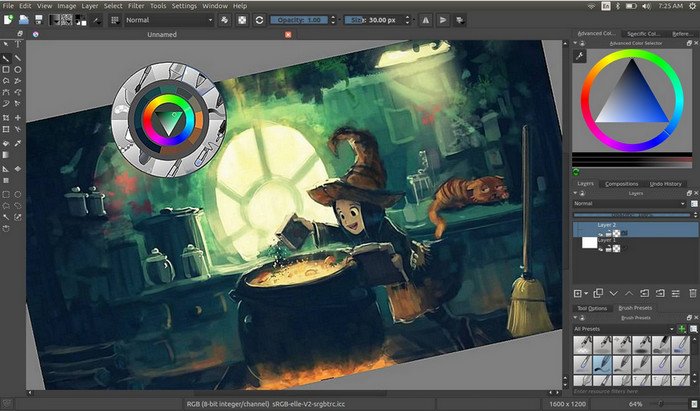
Krita Studio is the powerful painting application for professional artists, VFX and game studios. The uniquely innovative brush engines, the intuitive and fun interface and adherence to industry standards for pipeline integration, guarantee that Krita Studio supports your workflow and helps you get the most out of your ideas.
Features
Krita has a user-friendly interface. In the settings menu, you can choose the color theme, which toolbars and dockers you want to use, and edit keyboard shortcuts. Save a given set of dockers as a workspace and switch between them. The canvas can be easily rotated and mirrored. The OpenGL canvas supports high-bit depth monitors. There is a large set of options available to create a no-distractions canvas-only painting mode
It is easy to create seamless textures and patterns now. Press the 'W' key while painting to toggle wrap-around mode. The image will make references of itself along the x and y axis. Continue painting and watch all of the references update instantly. No more clunky offsetting to see how your image repeats itself. You can even paint off the edge and it will automatically start painting on the top. It is one of those features you have to see for yourself.
A brush engine is more than just a typical brush pattern with settings changed. Each brush engine has its own logic and behavior. The included engines are pixel, smudge, duplicate, filter, hairy, hatching, texture, chalk, color smudge, curve, deform, dyna, experiment (Alchemy), grid, particle, sketch, and spray brushes. Brush settings can be saved as presets and shared. There are a staggering amount of blending modes available. The blending modes are arranged by category and have your favorites stored at the top of the list.
Krita comes with many methods of selecting parts of your canvas in order to edit them. You can select with shapes such as rectangles and circle, paint your selection, polgon selection, select by color, select by Bezier. You can add, remove, or intersect to your selection. You can also make selection by layer contents by context clicking the layer and clicking "select opaque". You can create a transparency layer by itself, or add one to an existing layer. This is great tool for non-destructive changes.
Symmetry tools that go much further than basic mirroring. Take full control by being able to determine how many axis you need. Modify the origin center, angle, and smoothing parameters. Easy to toggle x and y mirror buttons in the top toolbar. Drawing aids such as perspective grids and shapes that have magnetic settings.
Filters can be used directly on a layer, or as filter masks or layers. The effect of a filter is previewed on the image itself. There are special effects like wave, oil paint, and emboss. Adjustments such as levels, brightness/contrast, and HSV are also included. Additional tools that can be useful for making selections like color to alpha and color transfer.
Krita has raster, vector, filter, programmatic, group, and file-backed layers. Each layer has settings for visibility, edit lock, transparency lock, and alpha locking. Layers can be dragged and dropped to and from other applications. Vector layers support text, vector shapes and filters on vector shapes. Krita supports the following color models for creating and editing images: RGBA, Gray, CMYKA, Lab, YCbCr, XYZ in 8 bits integer, 16 bits integer, 16 bits floating point, 32 bits floating point. Krita always uses color management.
Whats New
Код:
https://krita.org/en/download/krita-desktop/

HomePage:
Код:
https://krita.org/

-:DOWNLOAD FROM LINKS:-​
Download From RapidGator
Код:
https://rapidgator.net/file/c0003eec80ad563ca51d0b9619196619/

Download From NitroFlare
Код:
https://nitro.download/view/11E2A97583DE950/
 
Light Image Resizer 6.1.2 Multilingual Portable


Light-Image-Resizer-6-1-2-Multilingual-Portable.png


File size: 12.5 MB
​


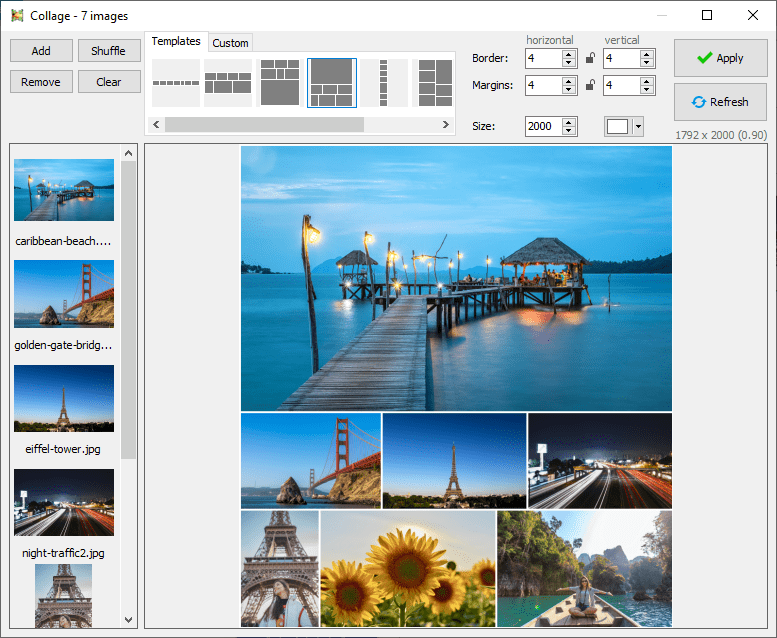
Light Image Resizer from Obvious Idea (previously known as VSO Image Resizer) is a free tool that organizes your photos by shrinking their resolution or moving them within your hard drive. It is the perfect tool for those who store their digital pictures and images on their PC and who want to resize, compress, convert, create copies, import or organize photos. Light Image Resizer is integrated into the Windows explorer shell, right click on your pictures and start working on your pictures!
It is the perfect tool for those who store their digital pictures and images on their PC and who want to resize, compress, convert, create copies, import or organize photos.
Light Image Resizer is integrated into the Windows explorer shell, right click on your pictures and start working on your pictures!
Using this free resize image software, you can create e-mail friendly versions of your images, load them faster, move them easily from folder to folder, change their format, edit large numbers of image files/batch image resize and thus save space on your hard drive.
Add your own watermark to protect your work or add a copyright to photos with html-like text formatting and transparency support. Customize pictures by converting them to sepia or add a border. Use the live preview to see what the final result will look like before actually processing the image.
Key Features
• Resize pictures, resize photos and resize images - compress, convert, and easily create copies of your pictures
• A fast batch photo resizer
• High quality results using ultra fast multi-core, photo resize technology
• High quality image resizing filters - Lanczos and Bicubic for best compression quality, and Linear for speed
• Create e-mail friendly images or use them for internet publishing
• Sort, rename or add a watermark to protect your pictures from being stolen
• Use the profiles library - iPhone, iPad mini, forum, HQ
• New - create custom PDF pages !
• Easy to convert JPEG to PDF
The program is available as a windows shell extension. Just right click to easily resize pictures as copies or continue to work on the original HQ photos. Then share your resized photos online with friends. It's freeware software if you use it for personal use.
What's New
Код:
https://www.obviousidea.com/windows-software/light-image-resizer/light-image-resizer-history/

HomePage:
Код:
http://www.obviousidea.com

-:DOWNLOAD FROM LINKS:-​
Download From RapidGator
Код:
https://rapidgator.net/file/ecc3e70ec05790ad8c87cf749316a778/

Download From NitroFlare
Код:
https://nitro.download/view/5CC88B5BEF41E95/
 
Light Image Resizer 6.1.2.0 Multilingual


Light-Image-Resizer-6-1-2-Multilingual-Portable.png


File size: 12.5 MB
​


Light Image Resizer from Obvious Idea (previously known as VSO Image Resizer) is a free tool that organizes your photos by shrinking their resolution or moving them within your hard drive. It is the perfect tool for those who store their digital pictures and images on their PC and who want to resize, compress, convert, create copies, import or organize photos. Light Image Resizer is integrated into the Windows explorer shell, right click on your pictures and start working on your pictures!
It is the perfect tool for those who store their digital pictures and images on their PC and who want to resize, compress, convert, create copies, import or organize photos.
Light Image Resizer is integrated into the Windows explorer shell, right click on your pictures and start working on your pictures!
Using this free resize image software, you can create e-mail friendly versions of your images, load them faster, move them easily from folder to folder, change their format, edit large numbers of image files/batch image resize and thus save space on your hard drive.
Add your own watermark to protect your work or add a copyright to photos with html-like text formatting and transparency support. Customize pictures by converting them to sepia or add a border. Use the live preview to see what the final result will look like before actually processing the image.
Key Features
• Resize pictures, resize photos and resize images - compress, convert, and easily create copies of your pictures
• A fast batch photo resizer
• High quality results using ultra fast multi-core, photo resize technology
• High quality image resizing filters - Lanczos and Bicubic for best compression quality, and Linear for speed
• Create e-mail friendly images or use them for internet publishing
• Sort, rename or add a watermark to protect your pictures from being stolen
• Use the profiles library - iPhone, iPad mini, forum, HQ
• New - create custom PDF pages !
• Easy to convert JPEG to PDF
The program is available as a windows shell extension. Just right click to easily resize pictures as copies or continue to work on the original HQ photos. Then share your resized photos online with friends. It's freeware software if you use it for personal use.
What's New
Код:
https://www.obviousidea.com/windows-software/light-image-resizer/light-image-resizer-history/

HomePage:
Код:
http://www.obviousidea.com

-:DOWNLOAD FROM LINKS:-​
Download From RapidGator
Код:
https://rapidgator.net/file/d4b0c5c65b6dcba2421fca6e355a00d9/

Download From NitroFlare
Код:
https://nitro.download/view/B5070D3D11E0B46/
 
MediaMonkey Gold 5.0.3.2617 Beta Multilingual


Media-Monkey-Gold-5-0-3-2617-Beta-Multilingual.jpg


File size: 92 MB
​


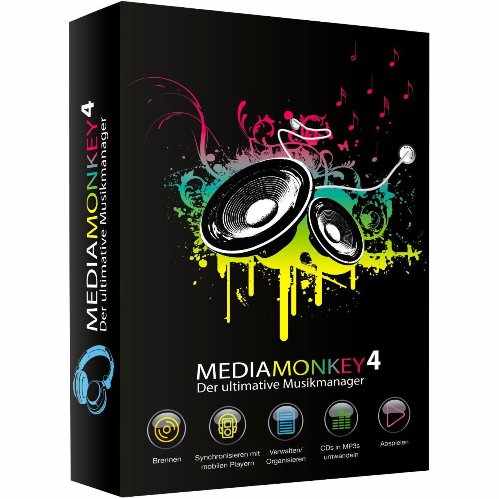
MediaMonkey is a music manager and media jukebox for serious music collectors and iPod users. It catalogs your CDs, OGG, WMA, MPC, FLAC, APE, WAV and MP3 audio files. It looks up missing Album Art and track information via Freedb and the web, and includes an intelligent tag editor and an automated file and directory renamer to organize your music library.
Its player automatically adjusts volume levels so that you don't have continually fiddle with the volume control and supports hundreds of Winamp plug-ins and visualizations; or if you prefer, it can use Winamp as the default player.
MediaMonkey includes a CD ripper, CD/DVD Burner, and audio converter for saving music, and manual or automated playlist editors for creating music mixes. It also includes portable audio device synchronization that allows you to synch tracks and play lists with devices such as the iPod and other portable audio devices.
Gold FEATURES
- Find music with advanced search functionality that digs through your collection to find tracks according to almost any criteria that you can think of. Search for Composer, Year, Beats per minute; find Lyrics, etc. and stop pulling your hair out trying to find music you know you have.
- Customize your library by setting filters to display only Artists or Albums that match criteria that you set. For example, set a filter that causes Artists to appear in the tree only if they contain Albums that are currently available, and are of any genre other than 'Children'.
- Encode unlimited MP3s without having to manually install a new MP3 encoder (the free version of MediaMonkey includes a time-limited LAME MP3 encoder. If you're so inclined, you can manually replace it with the free LAME encoder, or you can just upgrade to MediaMonkey Gold).
- Catalog your physical CDs and use the Virtual CD feature to keep track of what CDs you own and at the same time see which subset of tracks from those CDs are copied to your hard drive. Instead of tracking your CDs and tracks separately, the virtual CD function gives you an integrated view...
- Import and save audio tracks from Audio CDs and MP3 CDs with unprecedented flexibility using the Virtual CD. It allows you to sample tracks from various sources, select which ones you want to import, and then import and save the files in a single operation.
- Create Previews, short samples of audio tracks, that you can use when trying to decide which audio files you want to add to your collection.
- Use a Sleep Timer to play your music, gradually fade it over a set period of time, and then turn off your PC - perfect for listening to tunes before you go to sleep.
- Burn CDs at the maximum speed permitted by your hardware.
All MediaMonkey Gold Features
- Audio / Music Manager
- Media Player (play MP3, OGG, WMA etc.)
- Equalizer / DSP Effects / Volume Leveler
- Party Mode & Auto-DJ
- CD Ripper: Encode MP3, OGG, WMA, FLAC
- Audio Converter
- Auto Renamer / File Organizer
- Auto Tag Editor with Album Art Lookup
- Find Duplicate Tracks and Missing Tags
- Playlist Manager (auto music mixes)
- Generate reports and statistics
- Customization via scripts
- iPod and MP3 Player Synchronization
- Integrated CD/DVD Burner (Audio & Data) (up to 48x) (up to 4x)
- File Monitor (automatically updates library)
- Advanced Searches and AutoPlaylists
- Advanced Portable Device Synchronization with on-the-fly format conversion
- Unlimited MP3 encoding
- Virtual CD / Previews
- Advanced Filters
- Sleep Timer
Whats New
Код:
https://www.mediamonkey.com/information/changelog/

HomePage:
Код:
http://www.mediamonkey.com/

-:DOWNLOAD FROM LINKS:-​
Download From RapidGator
Код:
https://rapidgator.net/file/1958351398c67838be95c39d7627d280/

Download From NitroFlare
Код:
https://nitro.download/view/AA8E16BBC271811/
 
Moho Pro 13.5.4 Build 20220425 (x64) Multilingual


Moho-Pro-13-5-4-Build-20220425-x64-Multilingual.jpg


File size: 495 MB
​


Moho Pro is perfect for professionals looking for a more efficient alternative when creating quality animations. Make your animation projects come to life!
he most powerful 2D rigging system
Moho's rigging system is intuitive and fast. You can rig your own characters in minutes! Easily create skeletons for humans, animals or any creature or object you want to animate. Work with Forward and Inverse kinematics. Set target bones, add Pin bones for special control, animate the hierarchy, add Constraints, add automatic squash and stretch to any bone, Copy and Relatively Paste animation between different characters with similar skeletons and much more! Discover why Moho's rigging system is the 'secret weapon' of many artists!
Drawing tools optimized for animation
The unique vector system in Moho is optimized for animation and rigging, keeping the shapes always consistent while they move. Moho vector tools allow you to draw directly inside the software. You can also add brushes and effects to easily obtain natural results. Everything can be animated: curvature, linewidth, exposure, curve profiles, paths, masks, gradients, opacity, point colors. Moho's flexible tools will empower you to animate any style!
Smart Bones
Smart bones are a revolutionary way to make your characters behave exactly in the way you want. Your characters' joints will bend with no distorsions. You can also use Smart Bones as control levers to animate facial expressions, face rotations or even entire body turns! The best part is they are extremely easy to set up. Simply select the bone you want to transform into a Smart Bone, create an action for it and animate the elements in the way you want. Now every time you animate that bone, everything else will move exactly as you planned!
Vitruvian bones
Animating foreshortening and complex actions is easier than ever! Inspired by Da Vinci's Vitruvian Man drawing, Vitruvian Bones are a new and powerful way to rig your characters. The intuitive V-bones system allows you to alternate different drawings and sets of bones. For instance, you can have different sets of heads, each with its own controllers. Or the same limb in different perspectives. Vitruvian bones will allow you to group and animate them on the fly just by switching from one to the next. Apply them to any part of the body or even switch entirely different bodies!! This unique approach makes it easier to have rigged characters with the appeal of traditional animation.
Photoshop files Import
Create your illustrations in your favorite software: Photoshop, Clip Studio Paint, Procreate or any application you prefer, then save your art as PSD and import it in Moho. All the layers will be there ready to rig and animate!
Automatic Mesh creation and Quad Meshes to animate exactly in the way you want!
Meshes are now even more powerful and easier to use. Just draw the details you want to animate and let Moho do the rest! Also, with the new Quads animate your artwork in true perspective by simply attaching a four points shape to it. Bringing your bitmap illustrations, pictures and vector drawings to life has never been easier! New meshes open an entire world of possibilities.
Automate your animation with Physics, Particles, Dynamics
Quickly create complex realistic animation! Transform your scene in a gravity playground with the Physics engine, just hit play and see how the objects and characters bounce and react to each other's movement. Create rain, smoke, grass, bird flocks, crowds or anything you can imagine. The powerful Moho's Particle system allows you to mix it with all the animation tools to get exactly the result you are looking for. Add Dynamics to your characters, creating automatic Follow Through for ears, tails, antennas, clothes or anything you want to animate. Just move the character and the Dynamics will do the rest for you!
Add life to your scenes with the new Wind dynamics!
Wind is the newest addition to the powerful and easy to use Physics toolset Moho offers! Take absolute control over the strength, direction and turbulence of wind and make your scenes come alive in minutes. Give your backgrounds and characters new life with Wind Dynamics!
Take full control of your animation with the Timeline, Graph mode and multiple interpolation modes
Control every detail of your animation with Moho deep and easy to use Timeline. Set the interpolation mode to achieve exactly the timing you want, Smooth, Step, Easy In/Out and many more. Create cycles for any channel, Additive animation, Set intervals to animate on 2s, 3s or any frame number. Easily create natural movement with the Bounce and Elastic interpolations. Edit your animation with the Graph mode and much more! Moho's timeline is intuitive, clean and powerful!
Full 3D space and camera
Use Moho's 3D workspace to place and rotate your layers in it. Then move the camera around to easily achieve a multiplane effect. Have total control on how your layers look with the option to automatically keep the visual size on the layers you move in 3D. Import 3D objects from your favorite software or create basic elements directly in Moho with the Extrusion, Inflate and Lathe options for vector layers.
Lip sync tools
Easily create your lipsync with Switch layers and the Switch selection window. Animating Lip Sync is quick and precise. Complement your work with Papagayo -an open source software also created by Lost Marble- to automate the Lip Sync animation. Just add the audio and text and Papagayo will create the keyframes for you!
FBX Support for Unity™ Game Developers
Unity™ game developers and users can use FBX support of animated 2D content in Moho Pro, eliminating the need to create rigid sprites for game development and providing the ability to get the exact look and feel that they want. FBX, the adaptable file format for 3D animation from Autodesk®, is the most common method for integrating animated 2D and 3D assets in Unity.
Personalize your experience with Scripting
Write your own tools, modify the existing ones or check what other users have done. There are hundreds of powerful tools and improvements created by the community. Make Moho work exactly in the way you want!
Whats New
Код:
https://moho.lostmarble.com/blogs/news/moho-pro-13-5-new-features

HomePage:
Код:
https://moho.lostmarble.com/

-:DOWNLOAD FROM LINKS:-​
Download From RapidGator
Код:
https://rapidgator.net/file/55a89570bbb7ad914cc104de6d942b1b/

Download From NitroFlare
Код:
https://nitro.download/view/D6DA304D8462F39/
 
Nevercenter Silo Professional 2022.0 (x64)


Nevercenter-Silo-Professional-2022-0-x64.jpg


Windows (x64) | File size: 38.3 MB
​


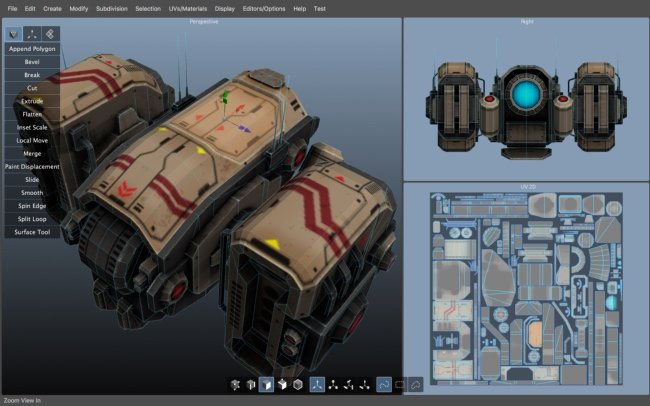
Silo 2 is a focused 3D modeling application with the ability to effortlessly switch between organically sculpting high-polygon models and precisely controlling hard-edged surfaces. It can be used for anything from creating 3D characters for video games and movies to quickly exploring 3D architectural ideas.
Silo brings 3D modeling zen to artists via a clean, focused environment and a streamlined toolset, honed over years of development. It was initially born of our own frustration with the needless complexity and slow, unmanageable workflows of all-in-one graphics software. We single-mindedly devoted Silo to modeling, discovering that the modeling workflow could be made much simpler without sacrificing any power. This unique approach has attracted in equal number students, hobbyists, and professional artists in film, games, architecture, and other fields looking to maximize their production.
Zen Workflow
Silo's careful design and its focus on pure modeling allows it to have a free, uncluttered feeling which is simply not possible in larger applications. Whether you are working to precise specifications or sketching out your thoughts, it is much easier to do so in a calm, focused modeling environment. This benefits professionals who are coming to Silo to escape slower, more complex software. It also benefits hobbyists and students, who are able to learn everything they need without having to deal with anything they don't need.
File Formats
Silo supports import and export of .sia, .sib, .obj, .3ds, .dxf, and .fac, as well as the export only of .stl, .pov, and .rib.
Advanced Polygonal Modeling
Silo offers a comprehensive set of interactive, context-sensitive tools for rapid polygonal modeling. The workflow is focused on having a few powerful, intelligent tools, rather than a separate command or option for every conceivable function. Additionally, "sticky key" functionality allows tools to behave differently if a hotkey is held down. Key modeling tools include Break, Tweak, Cut, Bevel, Slide, Scale, Extrude, Polygon Tool, Edge Tool, unlimited Undo and Redo, and more. Modeling can be performed with or without manipulators, including the Universal Manipulator which combines rotate, scale, and translate into a single manipulator.
Comprehensive Selection Tools
Robust selection tools are the key to great modeling, and a quick look at the Selection menu shows Silo's development has focused heavily on this area. Some highlights? Multi Select mode allows users to select vertices, edges and faces without changing selection modes. Tweak selection allows a user to grab, move, and deselect a component with a single click. That and many other tools work with Soft Selection, which smoothly distributes changes throughout a shape. Paint, Area, and Lasso selection types are supported. Select Visible and Select Thru functions are both available - by default, use the left mouse button for Select Visible commands, and the middle mouse button for Select Thru. A separate Undo is available for cycling through recent selections.
Subdivision Surfaces
Subdivision surfaces offer a smooth, high polygon shape, and are easily accessible in Silo. Using default shortcuts, simply press c to subdivide as many levels as you want, and v to unsubdivide. Modeling can be performed in real time at any subdivision level with updates shown directly on the subdivided shape. Edges can be creased to keep them sharp at all subdivision levels.
Unparalleled Customization
Designed to fit into any pipeline, Silo is the most customizable modeler available. That includes complete customization of the mouse, keyboard, and graphical interface, allowing it to closely emulate other applications a user may be familiar with, or perform tasks (such as assigning up to 40 different commands to a typical mouse with keyboard modifiers) which no other application can. Favorite tricks include assigning undo/redo, grow/shrink selection, and to the scrollwheel, or simply putting frequently used commands on the right mouse button with modifiers. Silo's button pages allow users to create their own multi-page interfaces, and assign any command to any image. The interface and color scheme are also highly customizable. Customizations can be easily imported, exported, and shared. Even the Primitives menu can be customized with frequently used models or settings.
Advanced UV Editing
Silo offers multiple types of unwrapping, including LSCM, Planar Region, XYZ, Per Face, and By Neighbors, which heals UVs based on the UVs based on the surrounding area. Different unwrapping methods can even be used on parts of the same mesh for optimal results. UVs are preserved during modeling operations, so modeling and UV editing can be freely interchanged with little to no cleanup. (This is particularly useful when a last-minute modeling change needs to be made to a "finished" model.) Clutter is significantly reduced by allowing regular geometry editing tools (such as Break, Merge, Tweak, Slide, and Soft Selection) to be used to edit UVs wherever it makes sense. Even the displacement brushes, particularly the Smooth brush, are very useful when applied to smoothing out UVs.
Displacement Painting
Finally, brush-based displacement painting has been well-integrated into a traditional modeling environement. Silo's brushes integrate seamlessly with the rest of the modeling toolset. If the model is subdivided, the brushes will affect the subdivided shape directly, otherwise they will affect regular geometry. As with UVs, displacement is preserved where possible during modeling changes, so the brushes can be used alongside other tools as the model develops, rather than solely at the end of the process. Painting is smooth and natural, and works well with tablets. Displacement maps and normal maps can be generated and exported from any subdivision level, or even from two completely separate objects.
Retopology
With the popularity of displacement painting in Silo and other applications, as well as the common usage of 3d scanners, modelers are frequently asked to create a new, well-formed model with a high-poly shape for reference. This process is frequently known as retopologization, and Silo's Topology Tool provides an innovative solution by allowing users to directly draw new topology onto an object using a pen-like tool. Silo also offers Surface Snapping, which effectively turns every tool into a topology tool by snapping edited geometry to an underlying shape, and the Surface Tool, which allows users to quickly in interactively draw out and tweak strips of polygons.
Scene Editor
Complex Scenes can be easily managed in Silo via the Scene Editor, which displays the scene in a tree-like structure and allows layer-like editing of objects and groups. Selection, display mode, locking, and visibility can all be quickly modified from the editor.
Numerical Editor
Silo offers precise numerical control of the position, rotation, scale, size, distance, and angle of selected geometry via the Numerical Editor.
Snapping
Three powerful snapping modes are available in Silo. Grid snapping snaps to the customizable workgrid, Component snapping snaps to the vertices, edges, and faces of an object, and Surface snapping smoothly snaps to the surface of unselected objects. These snapping modes affect nearly all geometry editing commands.
What's New
Код:
http://nevercenter.com/silo/release_notes/

HomePage:
Код:
https://nevercenter.com

-:DOWNLOAD FROM LINKS:-​
Download From RapidGator
Код:
https://rapidgator.net/file/082e466e71594686df292015cd324a9e/

Download From NitroFlare
Код:
https://nitro.download/view/C1037996E6BBF4E/
 
Password Depot 16.0.3 Multilingual Portable


Password-Depot-16-0-3-Multilingual-Portable.jpg


Windows | File size: 56 MB
​


Password Depot is a powerful and very user-friendly password manager which helps to organize all of your passwords - but also, for instance, information from your credit cards or software licenses. The software provides security for your passwords - in three respects: It safely stores your passwords, guarantees you a secure data use and helps you to have secure passwords. However, Password Depot does not only guarantee security: It also stand for convenient use, high customizability, marked flexibility in interaction with other devices and, last but not last, extreme functional versatility. From now on you will need to remember only one single password - the password which you use to open Password Depot. Your passwords are protected from external access to the best possible extent due to double encryption with AES (Rijndael 256). You can not only save your passwords locally, but also on a USB device, mobile phone, in the network or on an FTP server. With Password Depot Server you can manage password files in the network to use them together in a team.
Password Depot is very easy to use and spares you a lot of work. You can configure Password Depot individually and in this way adapt it precisely to your needs. Password Depot is able to work together with a range of other applications, flexibly and without problems.
Safe Password Storage
* Best possible enryption . In Password Depot, your information is encrypted not merely once but in fact twice, thanks to the algorithm AES or Rijndael 256. In the US, this algorithm is approved for state documents of utmost secrecy!
* Double protection. You can secure your passwords files doubly. To start with, you select a master password that has to be entered in order to be able to open the file. Additionally, you can choose to protect your data by means of a key file that must be uploaded to open the file.
* Protection against brute-force attacks. After every time the master password is entered incorrectly, the program is locked for three seconds. This renders attacks that rely on the sheer testing of possible passwords - so called "brute-force attacks" - virtually impossible..
* Lock function. This function locks your program and thereby denies unauthorized access to your passwords. The locking conditions are determined by you yourself, for instance every time the program has not been used for a certain time.
* Backup copies. Password Depot generates backup copies of your passwords files. The backups may be stored optionally on FTP servers on the Internet (also via SFTP) or on external hard drives. You can individually define the time interval between the backup copies' creation.
Secure Data Use
* Protection from keylogging. All password fields within the program are internally protected against different types of the interception of keystrokes (Key Logging). This disables that your sensible data entries can be spied out.
* Traceless Memory. Dealing with your passwords, Password Depot does not leave any traces in your PC's working memory. Therefore, even a hacker sitting directly at your computer and searching through its memory dumps cannot find any passwords.
* Clipboard protection: Password Depot automatically detects any active clipboard viewers and masks its changes to the keyboard; after performing auto-complete, all sensitive data is automatically cleared from the clipboard.
* Virtual keyboard. The ultimate protection against keylogging. With this tool you can enter your master password or other confidential information without even touching the keyboard. Password Depot does not simulate keystrokes, but uses an internal cache, so that they can neither be intercepted software- nor hardware-based.
* Fake mouse cursors. Typing on the program's virtual keyboard, you can also set the program to show multiple fake mouse cursors instead of your usual single cursor. This additionally renders impossible to discern your keyboard activities.
Verified Passwords
* Uncrackalble passwords. The integrated Password Generator creates virtually uncrackable passwords for you. Thus in future, you will not have to use passwords such as "sweetheart" anymore, a password that may be cracked within minutes.
* Verified password quality. Let Password Depot check your passwords' quality and security! Intelligent algorithms will peruse your passwords and warn you against 'weak' passwords which you can subsequently replace with the help of the Passwords Generator.
* Password policies. You can define basic security requirements that must be met by all passwords which are added or modified. For instance, you can specify the passwords' minimum length and the characters contained therein.
* Security warnings. Password Depot contains a list of warnings which always keep an eye on your passwords' security. For instance, the program warns you in case you use the unsafe FTP protocol and in this case advices you to use SFTP instead.
* Protection against dictionary attacks. An important warning featured in Password Depot is the notification in case you are using unsafe passwords. These are passwords which are frequently used, therefore appear in hacker dictionaries and are easily crackable.
* Warning against password expiry. You can set Password Depot to warn you before your passwords expire, for instance before the expiry date of your credit card. This ensures that your password data always remains up-to-date and valid.
Convenient Access
* User-friendly interface. Password Depot's user interface is similar to that of Windows Explorer. This allows you to effectively navigate through your password lists and to quickly find any password you happen to be searching for.
* Auto-completion. If you wish, Password Depot automatically fills in your password data into websites opened within the common browsers. This function runs via an internal setting on the one hand, and via so called browser add-ons on the other hand.
* Automatic recognition. You can set the program to automatically recognize which password information corresponds to the website you have called up and to then pre-select this password entry for you - as well as, if desired, to finally automatically fill this information into the website.
* Top bar. The program's form can be reduced to a narrow bar whose position may be individually determined: whether freely movable or stuck to the screen edge (Application Desktop Toolbar). In this way, the software is always at your hand without disturbing you.
* Direct opening of websites. URLs belonging to password entries saved in Password Depot may be opened directly from within the program. This spares you the hassle of having to manually copy website addresses and then paste them into your browser.
* Usage via mouse click. Using your password information may be done super easily via simple clicks with your mouse cursor. By means of a single mouse click, you can copy data to the clipboard and can even drag it directly into the target field on the website.
* Hotkeys. Pasword Depot features keyboard shortcuts for often-used commands in Windows ("Hotkeys"). By means of these hotkeys, you can easily turn Password Depot's format into a top bar or call it into the foreground when minimized to the system tray.
* Recycle bin. Password Depot features a recycle bin that stores deleted password data and enables their restoration. In this way, data you may have accidentally deleted, for instance, is yet not lost irrevocably.
Flexible Interplay
* Server module. Password Depot features a separate server model enabling several users to access the same passwords simultaneously. The access to the password files may run either via a local network or via the Internet.
* USB stick. You can copy both your password files and the program Password Depot itself onto a USB stick. In this way, you can carry the files and the software along wherever you go, always having them ready to use.
* Cloud devices. Password Depot supports web services, among them GoogleDrive, Microsoft SkyDrive and Dropbox. In this way, Password Depot enables you to quickly and easily enter the Cloud!
* Password files on the Web. You can optionally deposit your encrypted password files on the Internet. By this means, you can always access your passwords, no matter where you are! To access, you can use the protocols HTTP, HTTPS, FTP or SFTP as required
* TAN support. Password Depot supports the input and management of TAN numbers. In this way, it facilitates the life of all of those users that refer to online banking, securely storing their sensible banking data.
* URL placeholders. Entering URLs into Password Depot, you can replace any number of characters by placeholders, namely an asterisk (*). Using this symbol, you can thus match several URLs to a single password entry instead of having to enter one entry for each URL.
What's New
Код:
https://www.password-depot.de/en/news/index.htm

HomePage:
Код:
https://www.password-depot.de/en/

-:DOWNLOAD FROM LINKS:-​
Download From RapidGator
Код:
https://rapidgator.net/file/4209a8c777a326803bb1a7ad007e84a6/

Download From NitroFlare
Код:
https://nitro.download/view/D55AB907E8A3281/
 
PDF Eraser Pro 1.9.5.4


PDF-Eraser-Pro-1-9-5-4.jpg


File size: 10.8 MB
​


PDF Eraser is a Windows application that deletes and erases text, images, logos and all unnecessary objects from PDF files. Users can use the program to remove some original content from a PDF file, and then add their text and images. Besides that, PDF Eraser has a built-in PDF Page Cutter, which allows users to delete unnecessary PDF pages. Considering lots of scanned PDF documents, PDF Eraser also added the PDF Rotating function rotates PDF pages properly with 2 clicks.
What Can PDF Eraser Do
If you got a PDF document contains unwanted text and images, you can use PDF Eraser to erase them and save to a new PDF file.
Erasing is not the only thing PDF Eraser can do. You can use the program to add your own text and pictures into the PDF as well.
PDF Eraser can rotate the PDF pages also. It will help you to rotate the PDF pages to the correct orientation.
You might find some PDF pages are unnecessary, so you can use the built-in PDF Page Cutter to delete unwanted pages.
Whats New
Updates: official site does not provide any info about changes in this version

HomePage:
Код:
http://www.pdferaser.net

-:DOWNLOAD FROM LINKS:-​
Download From RapidGator
Код:
https://rapidgator.net/file/423bc53079a7413d4f72135637dbb82f/

Download From NitroFlare
Код:
https://nitro.download/view/3A92CEBFE0792F5/
 
PDF Eraser Pro 1.9.6


PDF-Eraser-Pro-1-9-5-4.jpg


File size: 10.8 MB
​


PDF Eraser is a Windows application that deletes and erases text, images, logos and all unnecessary objects from PDF files. Users can use the program to remove some original content from a PDF file, and then add their text and images. Besides that, PDF Eraser has a built-in PDF Page Cutter, which allows users to delete unnecessary PDF pages. Considering lots of scanned PDF documents, PDF Eraser also added the PDF Rotating function rotates PDF pages properly with 2 clicks.
What Can PDF Eraser Do
If you got a PDF document contains unwanted text and images, you can use PDF Eraser to erase them and save to a new PDF file.
Erasing is not the only thing PDF Eraser can do. You can use the program to add your own text and pictures into the PDF as well.
PDF Eraser can rotate the PDF pages also. It will help you to rotate the PDF pages to the correct orientation.
You might find some PDF pages are unnecessary, so you can use the built-in PDF Page Cutter to delete unwanted pages.
Whats New
Updates: official site does not provide any info about changes in this version

HomePage:
Код:
http://www.pdferaser.net

-:DOWNLOAD FROM LINKS:-​
Download From RapidGator
Код:
https://rapidgator.net/file/e2e02e8571ab1501a14db1bf94d3d143/

Download From NitroFlare
Код:
https://nitro.download/view/24FF8420638A0EA/
 
PDF Eraser Pro 1.9.6 Portable


PDF-Eraser-Pro-1-9-5-4.jpg


File size: 10.8 MB
​


PDF Eraser is a Windows application that deletes and erases text, images, logos and all unnecessary objects from PDF files. Users can use the program to remove some original content from a PDF file, and then add their text and images. Besides that, PDF Eraser has a built-in PDF Page Cutter, which allows users to delete unnecessary PDF pages. Considering lots of scanned PDF documents, PDF Eraser also added the PDF Rotating function rotates PDF pages properly with 2 clicks.
What Can PDF Eraser Do
If you got a PDF document contains unwanted text and images, you can use PDF Eraser to erase them and save to a new PDF file.
Erasing is not the only thing PDF Eraser can do. You can use the program to add your own text and pictures into the PDF as well.
PDF Eraser can rotate the PDF pages also. It will help you to rotate the PDF pages to the correct orientation.
You might find some PDF pages are unnecessary, so you can use the built-in PDF Page Cutter to delete unwanted pages.
Whats New
Updates: official site does not provide any info about changes in this version

HomePage:
Код:
http://www.pdferaser.net

-:DOWNLOAD FROM LINKS:-​
Download From RapidGator
Код:
https://rapidgator.net/file/9c8fc6c3fef0750b96bef1237f5f2fdd/

Download From NitroFlare
Код:
https://nitro.download/view/75CB755CF83DFE5/
 
Perfectly Clear WorkBench 4.1.0.2277 Multilingual


Perfectly-Clear-Work-Bench-4-1-0-2277-Multilingual-Portable.jpg


Windows x64 | File size: 152 MB
​


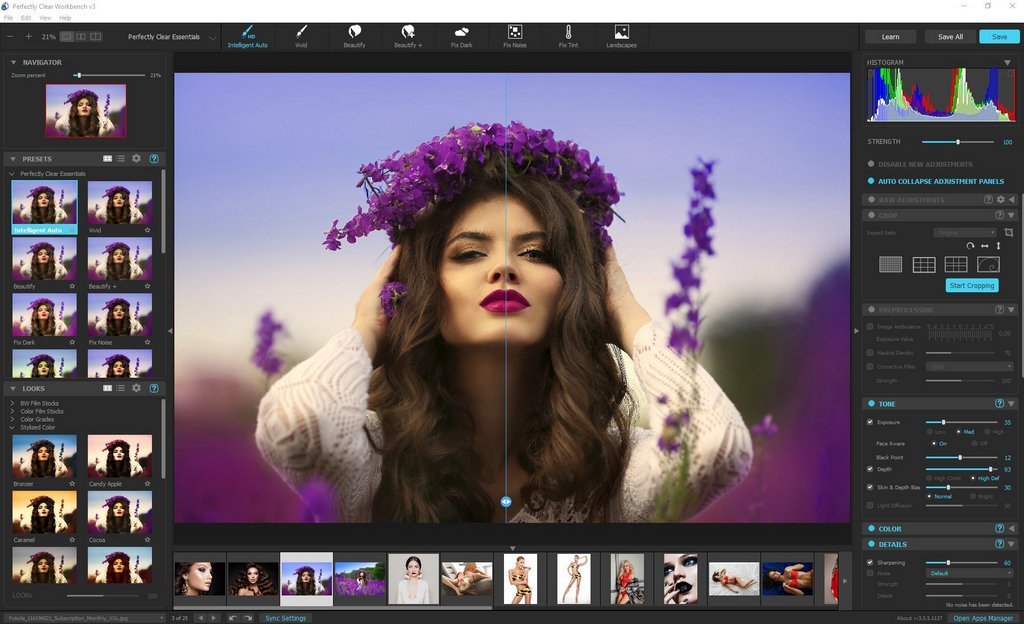
Perfectly Clear Workbench is an application that uses Athentech's Perfectly Clear image correction libraries and is made available to demonstrate the capabilities of the Perfectly Clear processing libraries, face detection library and to allow a quick export of the processing settings for use.
One of the key features in Workbench is the ability to "export to API" when saving a Preset. This allows you to make image corrections in Workbench and tune the settings to match your style and correction needs. Then, you can quickly export these settings to a text file - ready to be copy / pasted into your source code with our image correction SDK.
What's New in Perfectly Clear WorkBench 4
1. Beautiful new interface
2. New image correction tools
a. Preprocessing section for Input Looks and "Image Ambulance" for manual exposure corrections
b. "Face Aware" exposure for more accurate auto-exposure corrections in portraits and group photos
c. Black Point tool to deepen blacks
d. New Color Vibrancy tool to complement our previous "Vibrancy" control (now renamed to Color Restoration)
e. Sky and Foliage enhancements
3. Existing tools have been improved
a. Added strength sliders to Light Diffusion and Vibrancy for better control
b. Better 'color pickers' for Skin Tone and Blush adjustments
4. Manually identify faces that are not detected automatically
5. One-click to zoom to individual faces
6. Modify facial regions to provide the best corrections
7. Histogram
8. Much improved preset management
Supported Image Formats
Perfectly Clear requires RGB-formatted images in either 8 or 16-bit color depth. Any image file that Photoshop or Lightroom can open and convert to this format may be used in Perfectly Clear. Monochrome and CMYK images must be converted to RGB before using Perfectly Clear. RAW files must be opened through Adobe Camera RAW and loaded into Photoshop to be accessible to Perfectly Clear.
What's New
Код:
https://eyeq.photos/news
System Requirements
- Windows 8, 10 and 11 (64-bit only)
- 4 GB RAM or more

HomePage:
Код:
http://www.athentech.com

-:DOWNLOAD FROM LINKS:-​
Download From RapidGator
Код:
https://rapidgator.net/file/74d39770e5230f93cd823aec54756f42/

Download From NitroFlare
Код:
https://nitro.download/view/028049F7801C27B/
 
Perfectly Clear WorkBench 4.1.0.2277 Multilingual Portable


Perfectly-Clear-Work-Bench-4-1-0-2277-Multilingual-Portable.jpg


Windows x64 | File size: 152 MB
​


Perfectly Clear Workbench is an application that uses Athentech's Perfectly Clear image correction libraries and is made available to demonstrate the capabilities of the Perfectly Clear processing libraries, face detection library and to allow a quick export of the processing settings for use.
One of the key features in Workbench is the ability to "export to API" when saving a Preset. This allows you to make image corrections in Workbench and tune the settings to match your style and correction needs. Then, you can quickly export these settings to a text file - ready to be copy / pasted into your source code with our image correction SDK.
What's New in Perfectly Clear WorkBench 4
1. Beautiful new interface
2. New image correction tools
a. Preprocessing section for Input Looks and "Image Ambulance" for manual exposure corrections
b. "Face Aware" exposure for more accurate auto-exposure corrections in portraits and group photos
c. Black Point tool to deepen blacks
d. New Color Vibrancy tool to complement our previous "Vibrancy" control (now renamed to Color Restoration)
e. Sky and Foliage enhancements
3. Existing tools have been improved
a. Added strength sliders to Light Diffusion and Vibrancy for better control
b. Better 'color pickers' for Skin Tone and Blush adjustments
4. Manually identify faces that are not detected automatically
5. One-click to zoom to individual faces
6. Modify facial regions to provide the best corrections
7. Histogram
8. Much improved preset management
Supported Image Formats
Perfectly Clear requires RGB-formatted images in either 8 or 16-bit color depth. Any image file that Photoshop or Lightroom can open and convert to this format may be used in Perfectly Clear. Monochrome and CMYK images must be converted to RGB before using Perfectly Clear. RAW files must be opened through Adobe Camera RAW and loaded into Photoshop to be accessible to Perfectly Clear.
What's New
Код:
https://eyeq.photos/news
System Requirements
- Windows 8, 10 and 11 (64-bit only)
- 4 GB RAM or more

HomePage:
Код:
http://www.athentech.com

-:DOWNLOAD FROM LINKS:-​
Download From RapidGator
Код:
https://rapidgator.net/file/7dd6aca389adfd749bb4e46dc1f6f88a/

Download From NitroFlare
Код:
https://nitro.download/view/262D6A0B59BDC3A/
 
PrintFab Pro XL 1.19


Print-Fab-Pro-XL-1-19.jpg


File size: 28 MB
​


PrintFab is our printer driver suite with RIP functionality. PrintFab's innovative "dynamic" color profiles ensure full control over color mixture and ink consumption combined with perfect print quality.
The printing solution for perfectionists
For high printing demands
The time has come for independent printer drivers - better performance and more freedom for your printer!
Features
new high-quality printer drivers for Epson EcoTank ET-16500, Epson WorkForce WF-7210, WF-7710, WF-7720 with special support for dye sublimation transfer & screen film printing
NEW in version PrintFab Pro XL: silk screen film printing mode with adjustable halftone raster
powerful color management, optimum print quality
excellent colour precision even with third party ink and paper
print preview & layout editor
intelligent ink saving system
ICC profiles for printer and documents
affordable color profiling service
PrintFab Pro can work as CMYK RIP software (Raster Image Processor)
cross platform solution: also available for MacOS and Linux
supports over 300 printer models (Canon, Epson, HP, ...)
Whats New
Код:
https://www.printfab.com/en/history.html

HomePage:
Код:
https://www.printfab.com/

-:DOWNLOAD FROM LINKS:-​
Download From RapidGator
Код:
https://rapidgator.net/file/fc4b1ca8ae6583b7810aa1d4728e994e/

Download From NitroFlare
Код:
https://nitro.download/view/6ACF3E9D9C18BEF/
 
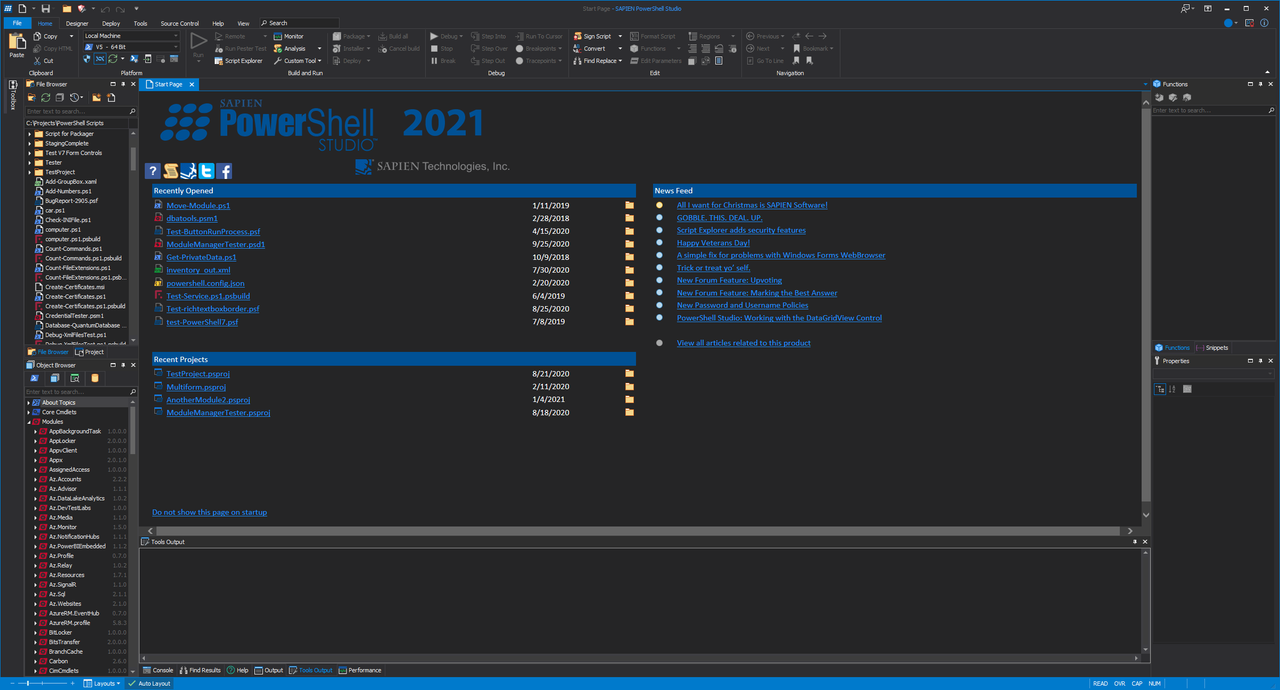
SAPIEN PowerShell Studio 2022 v5.8.205 (x64)


SAPIEN-Power-Shell-Studio-2022-v5-8-205-x64.png


File size: 542.6 MB
​


PowerShell Studio is the premier editor and tool-making environment for PowerShell. This single tool will meet all your scripting needs. Work the way YOU want with PowerShell.
Create graphical tools using PowerShell with the easy to use GUI designer. Eliminate the need to write hundreds of lines of code manually. Utilize PowerShell Studio's templates and pre-wired controls to create advanced GUIs in no time. Create PowerShell script modules in minutes with PowerShell Studio. Easily convert your existing functions to a distributable module. PowerShell Studio features a robust editor with syntax coloring, reference highlighting, bookmarking, code formatting, and code completion. Create, edit, and manage code snippets to enhance your script development.
The script packager offers advanced options and platform selections to deliver solutions targeted at specific environments. You can restrict packages by domain, machine, user, platform, and MAC address to avoid unauthorized script execution. Create MSI installers to distribute your scripts, executables, and modules. Use custom actions to handle special instances such as open files after install.
PowerShell Studio's Performance Monitor visually tracks the performance of your script by displaying real-time memory and CPU usage. Console, Scripts, Script Modules or GUI Forms-PowerShell Studio will meet all your Windows PowerShell scripting needs.
Fully-featured PowerShell editor.
Visually create PowerShell GUI tools.
Convert scripts into executable (.exe) files.
Create MSI installers.
Create modules from your existing functions or help files.
Create advanced functions using the Function Builder.
Create windows services using PowerShell.
Monitor script performance and memory usage.
Script with cmdlets from a remote machine.
Universal Version Control with Git integration.
Integrated PowerShell consoles (32-bit & 64-bit).
Comprehensive script debugger.
Remote debugging.
Multi-file and module debugging.
32-bit and 64-bit PowerShell integration.
Built-in PowerShell help.
Supports Windows PowerShell and PowerShell 7.
Code Formatting.
Prevent loss of work with the File Recovery feature.
Whats New
Код:
https://www.sapien.com/software/version_history

HomePage:
Код:
https://www.sapien.com/software/powershell_studio

-:DOWNLOAD FROM LINKS:-​
Download From RapidGator
Код:
https://rapidgator.net/file/38b60b0dd18915ca4f6fb0d04d51fa16/

Download From NitroFlare
Код:
https://nitro.download/view/5499BD424AF266E/
 
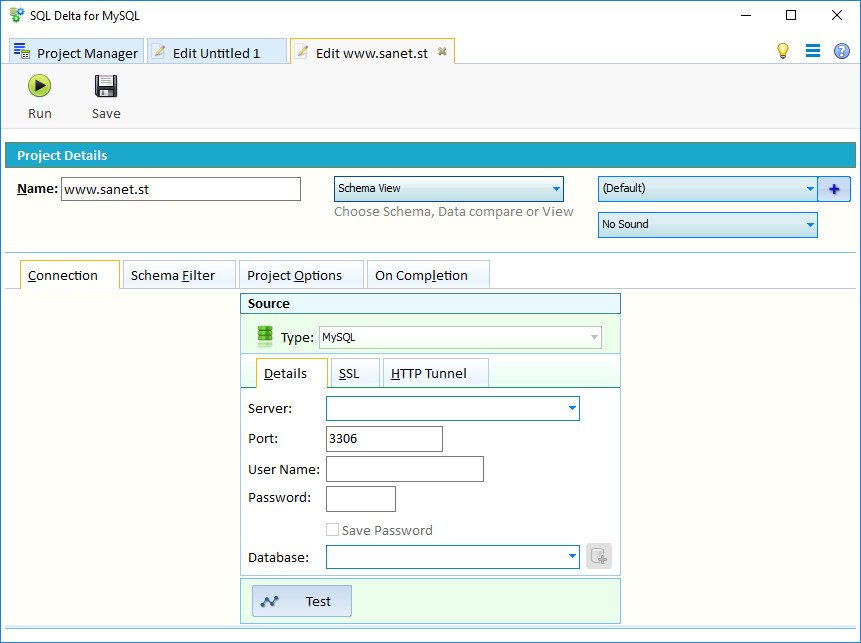
SQL Delta for MySQL 6.6.1.107


SQL-Delta-for-My-SQL-6-6-1-107.jpg


File size: 69 MB
​


Compare and Sync Schema and Data for MySQL databases.
Recent New Features
Added support for SQL Server 2019 and support for ongoing SQL Azure changes
Improved dependency analysis when generating scripts.
Improved handling of various new data types.
Schema compare shows new icon when a table must be rebuilt or has auto mapped columns
New difference alert for schema compare of temporal tables
New bulk loading of existing SQL Delta projects
New compare options such as ignore encryption key details or varchar/nvarchar
Schema view has a new feature to drop and create replication subscriptions to allow changes to published databases
Whats New
Performance improvement for large volume table changes
Fixed table recreate size detection for varchar - nvarchar columns
Fixed print schema compare loading incorrect file
Bug fixes

HomePage:
Код:
https://www.sqldelta.com

-:DOWNLOAD FROM LINKS:-​
Download From RapidGator
Код:
https://rapidgator.net/file/e496f9354e662befe6ed90efb32d3b73/

Download From NitroFlare
Код:
https://nitro.download/view/36F6F3314F7315D/
 
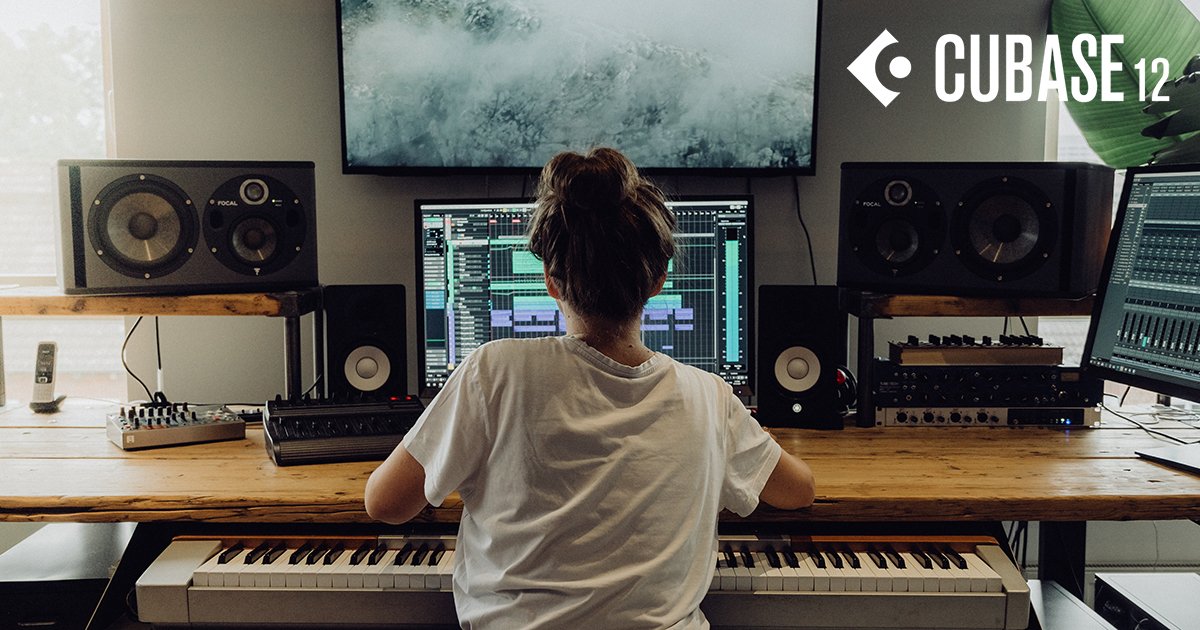
Steinberg Cubase Pro 12.0.20 (x64) Multilingual


Steinberg-Cubase-Pro-12-0-20-x64-Multilingual.jpg


File size: 680.4 MB
​


Do you want to start creating your own music, bring your production up to a professional level, or streamline your workflow for short deadlines? Whatever you need, Cubase helps you to reach your full creative potential. From Hollywood blockbuster composers and Billboard Hot 100 producers right through to keen beginners, the world of music production trusts the comprehensive feature set, straightforward tools and unrivaled sound of our acclaimed music production software.
Cubase Elements welcomes you to the world of Cubase, offering a streamlined music production environment with plenty of features that help seize the moment when musical creativity strikes. Sharing the same pristine audio quality as its larger siblings in the Cubase family, Cubase Elements provides the perfect starting point for intuitive song writing, studio-grade recordings and finalizing your mix. Do you want to elevate your sound to a new level? Cubase Elements is your next step.
Follow the flow
Cubase Elements can keep up with the pace with which your ideas flow. Whether you want to record your instruments and vocals or program cutting-edge beats, you will find all the creative tools and features in Cubase Elements that will guarantee an efficient and rewarding workflow. Improve your tracks with professional and precise editing and mixing capabilities and polish you productions with the top-notch channel strip in the integrated MixConsole - just exactly to the standards you expect from a Cubase-line product.
Get your private assistants
Composing music consists of finding an idea that you can elaborate into a full music composition. Cubase Elements makes it easy to harmonize and arrange your music with the innovative and unique Chord Pads and Arranger Track. Regardless whether you're looking for further inspiration, a quick and easy way to play chords or try out different arrangements, Cubase Elements offers you maximum flexibility combined with a lightweight user interface to refine your ideas and get the best out of your music.
Your sound of music
Stay a step ahead of the rest with powerful instruments and awesome sounds. HALion Sonic SE, Groove Agent SE and Prologue - Cubase Elements provide a vast array of high-end sampled instruments, uplifting acoustic and electronic drums and grooves, state-of-the-art synths and experimental sound design tools. With the acclaimed VST Amp Rack tone suite all the amps you need stand right by your side to give your music that very individual tone.
The reference standard for music production software
Produce tracks from start to finish
Suitable for all genres, levels and budgets
Fast, flexible and intuitive workflows
Whats New
Код:
https://www.steinberg.net/cubase/new-features/

HomePage:
Код:
https://www.steinberg.net/

-:DOWNLOAD FROM LINKS:-​
Download From RapidGator
Код:
https://rapidgator.net/file/97c2ff0233284b9c9b7b840823da52da/

Download From NitroFlare
Код:
https://nitro.download/view/BB0820F37D2E3C3/
 
Назад
Сверху