• Здравствуйте. Сайт заработал в архивном режиме форум www.old.nado.in

Dl4ever Software

AquaSoft Video Vision 13.2.03 (x64) Multilingual

Aqua-Soft-Video-Vision-13-2-03-x64-Multilingual.jpg


File size: 369 MB
​


We have long overtaken the topic of photo presentation. For years, our programs have been able to do much more than the name SlideShow could express. Along with the new version 13, the new name was changed to AquaSoft Vision. Vision is thus the direct successor to the popular AquaSoft slide show program. AquaSoft SlideShow Ultimate becomes AquaSoft Video Vision.
Experience your photo moments with family and friends. Transform photos, videos, text and music into a fascinating movie experience and share your memories in brilliant quality. Your photos for amazement - You have not seen your pictures this beautiful. Always put the right cut in the scene and make sure you have appropriate aperture for Wow effects. Of course, with your videos as well.
Image presentations with transitions and camera pans
- Hundreds of transitions, finely adjustable (for example duration, direction, animation, etc.)
- Use transitions as fade-ins and fade-outs
- Images in perfect quality - no pixel gets wasted.
- Display images full size or as collage
- Select the image section using a camera pan and zoom.
Animated routes by land, water and air
Show where you were. Not only will you remember your holiday destination better, but your viewers can also make a real reference to your travel itinerary by showing them the way on the map.
- Map Wizard for retrieving maps in all zoom levels from the Internet
- Various map styles such as road map or satellite image
- Describe any path with a "Running line"
- Can be combined with vehicle graphics (custom graphics can be used)
- Animation is created live, instantly playable, and can be customized at any time
- Use your own maps
- Photos, texts and videos can be displayed on maps
Whats New
Updates: official site does not provide any info about changes in this version.

HomePage:
Код:
https://www.aquasoft.net/

-:DOWNLOAD FROM LINKS:-​
Download From RapidGator
Код:
https://rapidgator.net/file/cf15206a7bf2ffa5a933773b4eca3b2c/

Download From NitroFlare
Код:
https://nitro.download/view/D117124F268B9F0/
 
Articulate Storyline 3.16.27367.0


Articulate-Storyline-3-16-27367-0.png


Languages: Multilingual File Size: 536.33 MB
​


Articulate Storyline is the industry's favorite software for creating interactive courses. It's simple enough for beginners, yet powerful enough for experts. And it lets you create virtually any interaction you can imagine, in minutes. With the new perpetual version of Storyline, you'll be able to deliver mobile and accessible courses with enhanced interactivity faster.
Deliver a responsive multi‑device experience
Simply create your course in Storyline 3 and click publish. The new responsive player dynamically adapts to tablet and smartphone screens, providing an optimal view of your course on every device-without you tweaking a thing. It supports touchscreen gestures, hides sidebar menus, eliminates browser chrome, and delivers mobile‑friendly playback controls.
Add closed captioning
Make your courses more accessible for all of your learners by adding closed captions. Simply import a caption file for each audio track and video in your course, then style captions using any font you want. You can even use triggers to toggle captions on and off when you've disabled player chrome.
Dial up the interactivity
Let learners manipulate data and slide content with dial interactions. Customize prebuilt dials or create your own from any object, graphic, or image. Use dials to simulate real‑world objects and tasks or let learners explore cause‑and‑effect relationships.
Get your game on
Create game‑like interactions easily with new triggers and motion path features. You can now trigger events when objects intersect, stop intersecting, enter the slide, or leave the slide. And take motion path animations to a whole new level by orienting moving objects to the paths they're traveling.
Publish high‑performance HTML5 courses
HTML5 output looks better, runs faster, and supports more features than ever before. All accessibility features, including closed captions and custom tab order, are supported in HTML5 output. And you can choose to publish HTML5‑only or HTML5‑first courses.
Work more efficiently
Let Storyline do more of the work for you. With productivity enhancements, Storyline 3 finds and replaces fonts in seconds, automatically scales and crops images to fit any placeholder shape, and maintains triggers when you swap out placeholder images. You can also now name your motion paths, duplicate and set properties for multiple slide layers at once, and publish a single slide or scene.
Hardware for Authoring Courses
- CPU: 2 GHz processor or higher (32-bit or 64-bit)
- Memory: 2 GB minimum
- Available Disk Space: 1 GB minimum
- Display: 1,280 x 800 screen resolution or higher
- Multimedia: Sound card, microphone, and webcam for recording narration and video
Software for Authoring Courses
Operating System
- Windows 11 (32-bit or 64-bit)
- Windows 10 (32-bit or 64-bit)
.NET Runtime
Microsoft .NET Framework 4.5.2 or later (gets installed if not present)
Visual C++
Microsoft Visual C++ 2019 Redistributable (gets installed if not present)

HomePage:
Код:
N/A

-:DOWNLOAD FROM LINKS:-​
Download From RapidGator
Код:
https://rapidgator.net/file/10c4c403ba945665b39ec4be8edd1fa2/

Download From NitroFlare
Код:
https://nitro.download/view/0C40E72D48FFB61/
 
Bootstrap Studio 6.0.1 (x64)


Bootstrap-Studio-6-0-1-x64.png


File Size: 119.3 MB
​


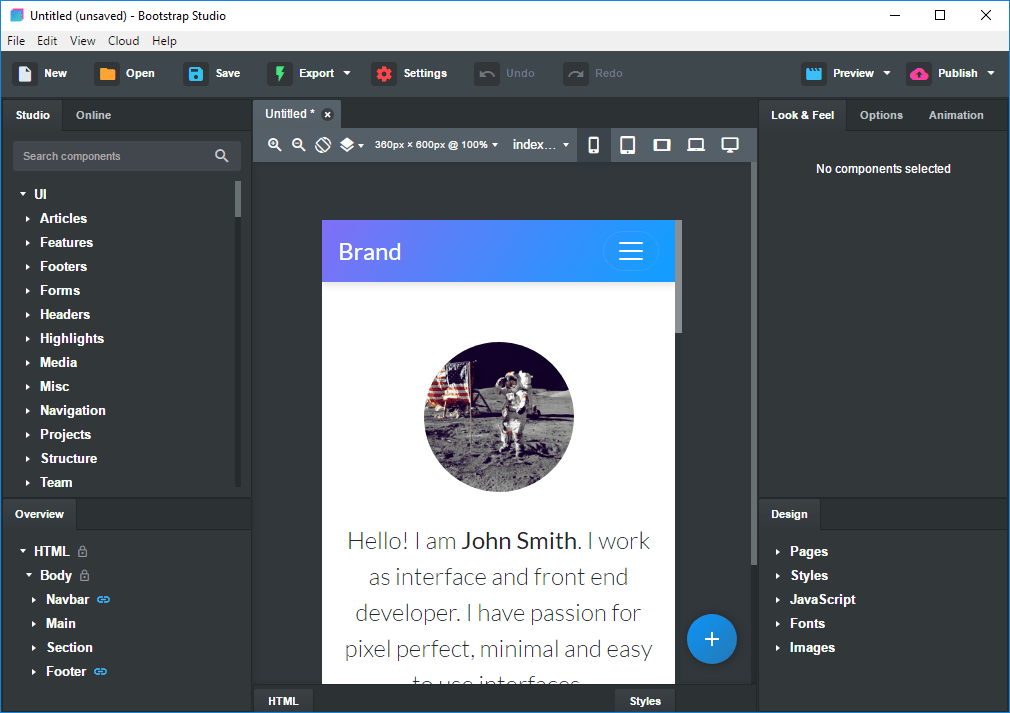
A powerful desktop app for creating responsive websites using the Bootstrap framework. Bootstrap Studio is a desktop application that helps you create beautiful websites. It comes with a large number of built-in components, which you can drag and drop to assemble responsive web pages. It is built on top of the hugely popular Bootstrap framework, and exports clean and semantic HTML. Thousands of developers and designers use it every day. We are sure you'll love it too!
The Interface
Bootstrap Studio has a beautiful and powerful interface, which is built around the simplicity of drag and drop. This makes it the perfect tool for prototyping and designing web pages and apps.
Beautiful Built-in Components
Bootstrap Studio comes with a large number of pretty components for building responsive pages. We've got headers, footers, galleries, slideshows and even basic elements like spans and divs.
Smart Drag & Drop
Bootstrap Studio knows which Bootstrap components can be nested in one another and gives you suggestions. It automatically generates beautiful HTML for you, which looks as if it was written by hand by an expert.
Create Your Own Components
You can extract pieces of your designs as Custom Components, and have them ready to be dropped into any design you create. You can also export these components as files and share them.
Online Library
If you need a component which doesn't exist in our library, just click the Online tab in the Component Panel. There you will find thousands of components built and shared by the community. You can also upload your own.
Linked Components
This is a powerful feature which allows you to synchronize components, so changing one will automatically change the other. This is especially useful for things like headers and footers which you need to update across pages.
Realtime Preview
Bootstrap Studio has a powerful feature called Preview. With it, you can open your design in multiple web browsers and devices, and every change you make within the app will be shown instantaneously everywhere.
Editing Code
For some things drag and drop isn't enough. This is why Bootstrap Studio gives you full control over your markup when you need it. You can import and edit CSS, JavaScript and HTML in our Sublime Text-like editor.
Advanced CSS Editor
Our advanced CSS editing interface supports auto suggest and rule validation, and shows the active and inherited rules at an any given time. You will soon dread having to go back to your text editor.
JavaScript Editing
Write JavaScript in our Sublime Text-like editor. All your changes are synced with the preview, so you can write code and try it out without having to reload your browser.
HTML Editing
With our powerful Custom Code component, you can write HTML directly, without going through our drag and drop interface. You can also convert any piece of your page into Custom Code when you need it.
Import Existing Websites
If you have a website that you've developed previously, you can import it. Just drag and drop the HTML, CSS, JS files and images into Bootstrap Studio and they will be added to your project.
Even More Features
There is a lot more to say about our wonderful app. From productivity features to specialized Bootstrap tools, Bootstrap Studio makes designing websites and building fully working prototypes a real joy.
Built for Bootstrap
Bootstrap Studio knows how to construct a valid Bootstrap page and automatically writes the correct HTML. It supports Bootstrap 3 and will be updated to Bootstrap 4 once it's out.
Grid Tools
The app has specialized tools for working with the Bootstrap grid. Easily create, resize and offset columns, and apply responsive visibility classes.
Google Webfonts
Bootstrap Studio is integrated with Google Webfonts and gives you an easy way to import and manage your fonts. Font family names are even auto-suggested in our css editor.
Productivity Features
Bootstrap Studio has comprehensive support for keyboard shortcuts which allow you to speed up your workflow dramatically.
Themes and Icons
The app has a number of built-in Bootstrap themes, icon fonts, templates and components, which you can combine into beautiful and unique designs.
Always Up to Date
Bootstrap Studio updates automatically, so you always have the latest version. We release updates every month, filled with new features, components and improvements.
What's new
Код:
https://bootstrapstudio.io/pages/releases/

HomePage:
Код:
https://bootstrapstudio.io/

-:DOWNLOAD FROM LINKS:-​
Download From RapidGator
Код:
https://rapidgator.net/file/b3d3072ad4d446dac8e34b6d475eb5a5/

Download From NitroFlare
Код:
https://nitro.download/view/9DF95E5D1D8716A/
 
K7 Scanner for Ransomware & BOTs 1.0.0.103


K7-Scanner-for-Ransomware-BOTs-1-0-0-103.jpg


File Size: 45.5 MB
​


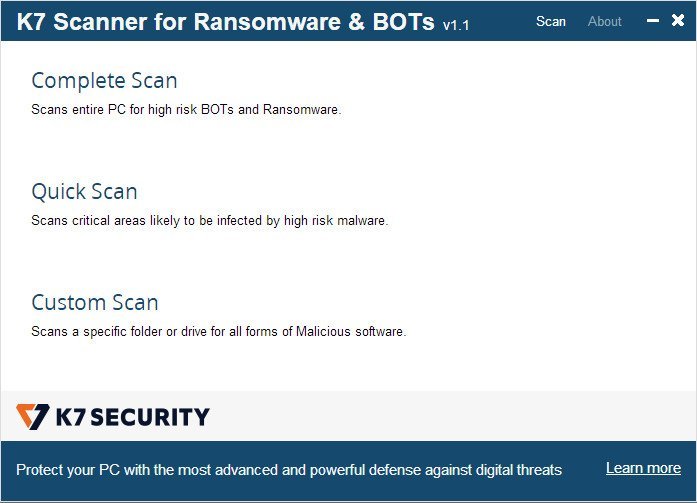
K7 Scanner for Ransomware & BOTs comes with an award-winning Antivirus scanner that runs in parallel with any Antivirus software currently installed on your PC. Its Deep Scanning technology eliminates high risk BOTs and Ransomware.
Features
Scans and removes high risk BOTs and Ransomware(including WannaCry)
Runs seamlessly with your existing Anti-Virus application
No installation required. Can be run from a USB drive
Whats New
official site does not provide any info about changes in this version

HomePage:
Код:
https://www.k7computing.com

-:DOWNLOAD FROM LINKS:-​
Download From RapidGator
Код:
https://rapidgator.net/file/289565c048d2a1384df5925f237308b2/

Download From NitroFlare
Код:
https://nitro.download/view/3FEB98AF5034DB2/
 
Sandboxie 5.55.18 Multilingual


Sandboxie-5-55-18-Multilingual.jpg


File Size : 5.2 Mb
​


When you browse the Web, changes occur to your computer system. Some of these might be harmful, like the unsolicited installation of malware. When you use Sandboxie to protect your browsing session, it catches all these changes just as the browser is about to apply them into your computer system. Sandboxie does record these changes on behalf of the browser, but it records them in a special isolated folder, called the sandbox.
Thus, with Sandboxie, you can browse the Web securely while still keeping all your browser's functionality for active and dynamic content, such as javascript and ActiveX. All undesired side effects can be easily undone.
Stay safe on the Internet with Sandboxie
- Run programs in a sandbox to prevent rogue software, unwanted programs, spyware, viruses, worms, and other malware from making permanent changes to your machine
- Protect yourself or your company from a wide variety of attacks - ranging from botnets to banking Trojans and ransomware to run of the mill viruses
- Configure your own sandboxes to meet your specific needs
- Trial the Sandboxie Free version, buy the Sandboxie Pro version or upgrade to an enterprise grade product with Invincea FreeSpace™ to take advantage of invisible protection, central management, behavioral based malware detection & reporting, malware forensics capture, threat intelligence feeds
Trusted for more than 10 years by hundreds of thousands of individuals and more than 1,100 organizations around the globe.
- Secure Web Browsing: Run your web browser in Sandboxie - preventing any malicious software downloaded by the browser from harming your machine
- Enhanced Privacy: Keep browsing history, cookies and cached temporary files in the sandbox - not on your machine
- Safe Social Networking: Click on Twitter links and Facebook updates without the fear of social networking worms infecting your machine
- Secure e-mail: Viruses and other malicious software that might be hiding in your e-mail attachments can't break out of the sandbox and infect your machine
- Keep your system running smoothly: Prevent wear-and-tear in Windows by installing software in the isolated container

HomePage:
Код:
https://www.sandboxie.com

-:DOWNLOAD FROM LINKS:-​
Download From RapidGator
Код:
https://rapidgator.net/file/c8502973725ab8b6ddd6cb6b8b295e15/

Download From NitroFlare
Код:
https://nitro.download/view/78E948629C1DBC8/
 
Siemens Simcenter FloTHERM 2021.2.0 (x64)


Siemens-Simcenter-Flo-THERM-2021-2-0-x64.jpg


File Size: 1.2 GB
​


FloTHERM uses advanced CFD techniques to predict airflow, temperature, and heat transfer in components, boards, and complete systems, including racks and data centers. It's also the industry's best solution for integration with MCAD and EDA software.FloTHERM is the undisputed world leader for electronics thermal analysis, with a 98 percent user recommendation rating. It supports more users, application examples, libraries and published technical papers than any competing product.
Features
Accelerated Thermal Design Workflow
FloTHERM integrates with popular MCAD and EDA tools. Its XML import capability simplifies building and solving models, post-processing results automatically. FloTHERM's automatic sequential optimization and DoE capabilities reduces the time it takes to reach optimized design, allowing it to be deeply embedded in the design flow.
Robust Meshing and Fast Solver
FloTHERM lets engineers focus on design, delivering the most accurate results possible within engineering timescales. Its SmartParts and structured-Cartesian method offers the fastest solution time per grid cell. The FloTHERM "localized-grid" technique supports integrally matched, nested, non-conformal grid interfaces between different parts of the solution domain.
Usability and Intelligent Thermal Models
Integral model checking in FloTHERM lets users see which objects have attached material, the power attached to every object, and corresponding assembly-level power dissipation. It also identifies whether the object is creating a mesh line.
FloTHERM SmartParts represent ICs to full racks of electronics from a large list of suppliers, streamlining model creation to minimize solve times and maximize solution accuracy.
Thermal Characterization and Analysis from Component to System
Combine FloTHERM with T3Ster transient thermal characterization for thermal simulation of real-world electronics. Since reliability of components can decrease exponentially due to heat problems, using T3Ster lets manufacturers design chips, ICs, and PCBs of superior thermal performance. They can also publish reliable thermal data for downstream applications.
Now FloTHERM can convert a simulated transient thermal response into a structure function curve using the same mathematical process utilized by T3Ster. These structure function curves are known to correlate with the physical structure of the device, and are thus the ideal platform to compare simulation results with actual test data. FloTHERM's Command Center now provides automated calibration of the package thermal model to match the T3Ster results, ensuring the correct thermal response irrespective of the length of the power pulse. Equipment manufacturers and systems integrators can now use calibrated models to design even more reliable products, avoiding thermally-induced failures throughout the product's lifetime.
Whats New
official site does not provide any info about changes in this version.

HomePage:
Код:
https://www.mentor.com/

-:DOWNLOAD FROM LINKS:-​
Download From RapidGator
Код:
https://rapidgator.net/file/2a7b6ae5b83e9af99b91f69e07a63302/
https://rapidgator.net/file/cbf7536cce0a9202fd2abfd949075072/

Download From NitroFlare
Код:
https://nitro.download/view/BDD59459E890547/
https://nitro.download/view/FE9E9C23A8988CD/
 
Siemens Simcenter FloTHERM PCB 2021.2.0 (x64)


Siemens-Simcenter-Flo-THERM-PCB-2021-2-0-x64.jpg


File Size: 485.7 MB
​


FloTHERM PCB is a program for thermal calculation of printed circuit boards (PCB).
What's New
official site does not provide any info about changes in this version.

HomePage:
Код:
https://eda.sw.siemens.com/en-US/

-:DOWNLOAD FROM LINKS:-​
Download From RapidGator
Код:
https://rapidgator.net/file/6f24e9f51bd846db81fd6f0984e03956/

Download From NitroFlare
Код:
https://nitro.download/view/66F26394A967FCC/
 
3delite DS WASAPI ASIO Router Mixer 1.0.86.192


3delite-DS-WASAPI-ASIO-Router-Mixer-1-0-86-192.jpg


File size: 70.8 MB
​


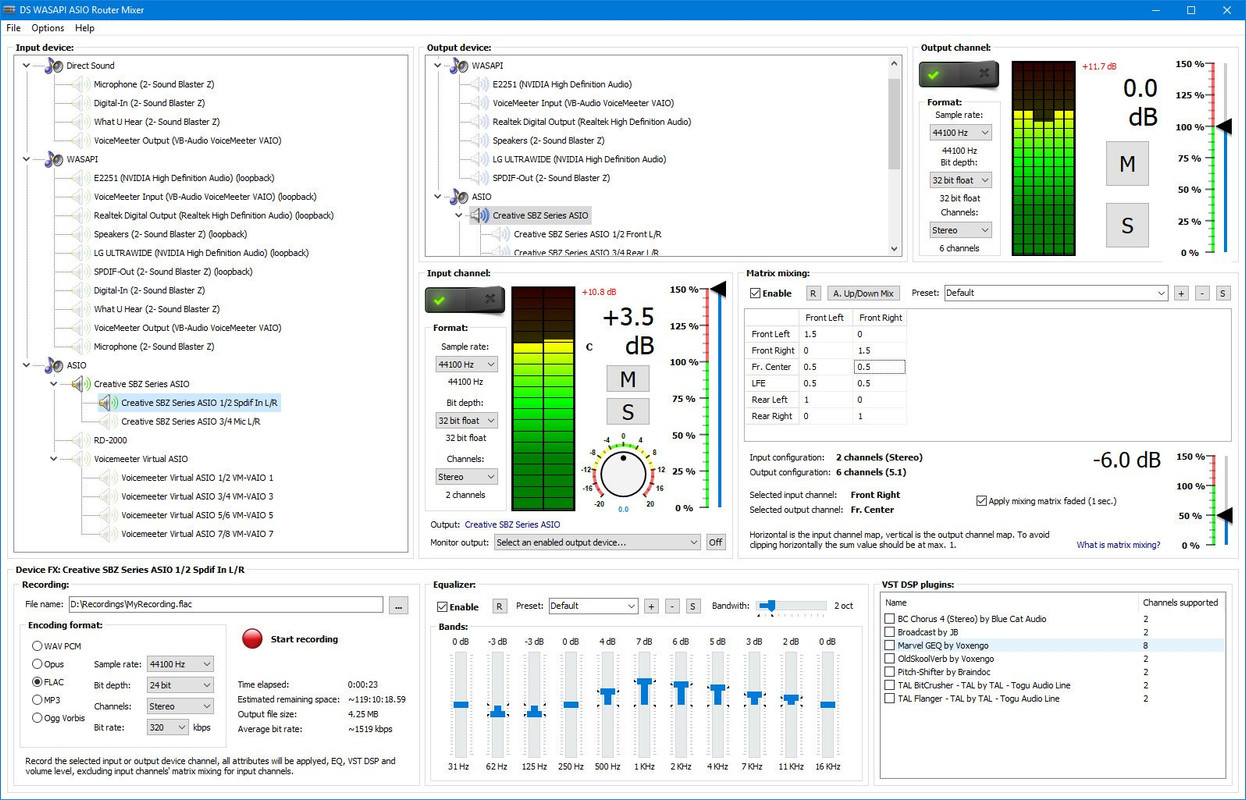
DS WASAPI ASIO Router Mixer is an audio input to audio output router/mixer with support of Direct Sound, WASAPI and ASIO modes. Any type and number of audio inputs can be routed to any type of audio output with matrix mixing, VST DSP plugin support, 11 band equalizer and recording option. ASIO output mixer is optionally multi-threaded to achieve lowest possible latency for high resolution 96/192KHz output with DSPs as well. Equalizer, matrix mixing and VST DSPs have a preset system to store and recall settings. DS WASAPI ASIO Router Mixer can start automaticaly with Windows with last used settings.
Basic steps for using DS WASAPI ASIO Router Mixer
In the upper-center part of the window select an output device. To the right set the desired format and click the 'Enable' switch. ASIO channel pairs inherit the root device's parameters if the root is already initialized, if it is not, the pair's settings will be used to initilize the root device, so set the root parameters first if needed for the pairs.
In the left part of the window select an input device. To the right (center of the entire window) select the input's desired format and click the 'Enable' switch. The selected input device will start playing on the previously selected output device. The input device is always enabled through the last selected output device. It's possible to enable multiple input devices for 1 output device, but only 1 output is supported for an input device, but in the input device options panel it's possible (at the bottom) to specify another 'monitor' output device, that needs to be enabled previously, that will play the selected input device too.
To access the 3 FXes at the bottom select an input or output device from the list. The last selected input or output device will be affected. The lower panel's groupbox caption displays the currently selected device's name (input ot output).
For example to apply an equalizer to the device, set the EQ track bars and click on 'Enable'. Of course the parameters can be changed on the fly too.
ASIO channel pairs receive audio data from the root device, so setting any effect, like volume or EQ, VST DSP, on the root device will affect all the channel pairs. Note that most VST DSP plugins support only stereo, so other then 1/2 channel might be unaffected or muted, in this case set the VST DSPs on the channel pairs.
Hints
Input and output channel/device 'format' settings may have no effect. This is always so with WASAPI and with root ASIO devices' channel count. Input and output ASIO devices will always have the maximum number of channels supported, ASIO pair channels will be always stereo. After enabling the device/channel the actual format is displayed below the set option. To set WASAPI devices' formats, please use the Windows audio devices control panel.
ASIO: if the output is skipping increase the ASIO device's buffer size. It's possible to access the ASIO device's configuration window by enabling the device then right mouse clicking on the device name and selecting 'ASIO Control Panel...'. Restart of DS WASAPI ASIO Router Mixer might be needed after changing the setting. If your computer's CPU has power saving functionality (the CPU is throtled when idle) adjust the CPU power saving option in Windows control panel to 50% or higher if the output is still skipping. A little CPU time can be saved with middle mouse button clicking on the input/output peak value number. This disables the peak calculation process. The fastest CPU (as of November 2020) is the AMD Ryzen 9 5950X for the application. For ASIO output, if multi-threaded processing is enabled in settings, a CPU with more cores is more optimal, this functionality is experimental and only has advantage if there are a lot of ASIO channels with a lot of effects like VST DSPs on the channels.
VST DSP: to bring up the plugin's configuration window double click on the plugin's name. To reset it's settings right mouse click on the plugin's name and from the menu select 'Reset Plugin To Defaults (disable)'.
It is advised to always work in 32 bit float sample format mode when dealing with input and output channels/devices. Recording may be set to any desired format, the sample data will be converted to the set format for recording.
ASIO root device recording: It's possible to record ASIO root devices with option to only record the enabled stereo channel pairs. For 'channels' select 'Active pairs', only active channels pair will be recorded. For example if ASIO pair 1/2 and 5/6 is enabled the recording will contain 4 channels: 1/2 and 5/6. Note that multi-channel recording is only supported by WAV PCM, Opus, FLAC and Ogg Vorbis format.
Whats New
Updates: official site does not provide any info about changes in this version.

HomePage:
Код:
https://www.3delite.hu/

-:DOWNLOAD FROM LINKS:-​
Download From RapidGator
Код:
https://rapidgator.net/file/41755ab6d009637dd29b9b1ffbdd9b02/

Download From NitroFlare
Код:
https://nitro.download/view/47AF1FD6C7801C8/
 
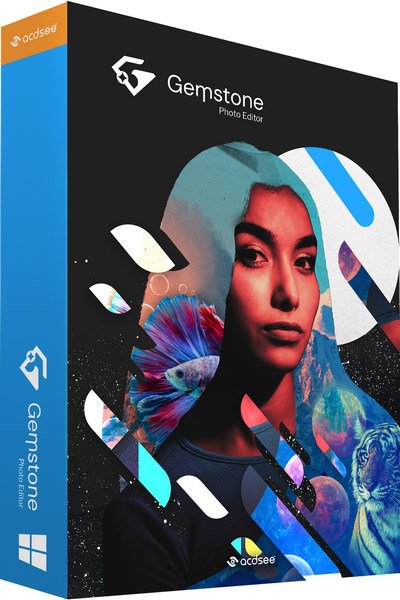
ACDSee Gemstone Photo Editor 12.1.0.353 (x64)


ACDSee-Gemstone-Photo-Editor-12-1-0-353-x64.jpg


File size: 692 MB
​


The powerful image creator you've been waiting for is finally here. ACDSee Gemstone Photo Editor 12 has all the artistry and layered prowess you need to satisfy your photo editing desires, no matter how complex the composition. For maximum productivity, the MDI (Multi-Document Interface) layered editor allows you to carve your images into full spectrum splendor.
Let sultry tone curves and spinning color wheels feed your imagination as you whip through Gemstone's non-destructive RAW image processor, ACDSee RAW, and layered graphic editor. With an intuitive design, and presets for everything from creating files to fine-tuning colors, the Gemstone Photo Editor will polish your design workflow.
Limitless layered editing
Build the magical image compositions you've been dreaming of using Gemstone's GPU-accelerated layered editor.
Graphic Design Tools
Layer Effects, Masks, Adjustment Layers, Text Tools, Lasso & Shape Tools, Liquify, Frequency Separation, Pixel Targeting, Distortion & Perspective Correction, Layer Blend Modes & Opacity
Photography Tools
High-Dynamic Range (HDR), Focus Stacking, AI Background & Subject Selection, Advanced Lighting Correction, Watermarks
Color Tools
Color Wheel, Tone Wheels, Color EQ, White Balance, Color LUTs
Repair & Restoration Tools
Smart Erase, Skin Tune, Blended Clone, Heal, Dehaze, Noise Reduction, Sharpen
Efficiency Tools
Edit History, Snapshots, Navigator, Histogram
Artificial intelligence meets artistry
Let Gemstone's AI-powered selection tools do the heavy lifting so you can focus on the delicate details.
Select your subjects with a click
Quickly remove unwanted backgrounds in photos
Blur image backgrounds with ease
Instantly turn the background of your photo Black and White
Whats New
Код:
https://www.acdsee.com/en/support/gemstone-photo-editor/release-notes/12-0/

HomePage:
Код:
https://www.acdsee.com/en/index/

-:DOWNLOAD FROM LINKS:-​
Download From RapidGator
Код:
https://rapidgator.net/file/01fa52884656e4560bb61df4ff86865c/

Download From NitroFlare
Код:
https://nitro.download/view/F6814D59E82FAD2/
 
Adobe After Effects 2022 v22.3.0.107 (x64) Multilingual


Adobe-After-Effects-2022-v22-3-0-107-x64-Multilingual.png


x64 | Languages:Multilingual | File Size: 2.13 GB
​


Make a big scene bigger. Create cinematic movie titles, intros, and transitions. Remove an object from a clip. Start a fire or make it rain. Animate a logo or character. With After Effects, the industry-standard motion graphics and visual effects software, you can take any idea and make it move.
There's nothing you can't create with After Effects.
Animators, designers, and compositors use After Effects to create motion graphics and visual effects for film, TV, video, and the web.
Roll credits. Spin words. Twirl titles.
Create animated titles, credits, and lower thirds. Start from scratch or with one of the animation presets available right inside the app. From spin to swipe to slide - there are countless ways to make your text move with After Effects.
Explosive effects. Mind-blowing results.
Combine videos and images to send a UFO across the sky or create an explosion - the possibilities are endless. Remove objects like booms, wires, or even people. Apply hundreds of effects to do anything from adding fog to making it snow. And create VR videos to drop your audience right into the center of the action.
Get animated.
Set anything in motion-from logos to shapes to cartoons-with keyframes or expressions. Or use presets to kick-off your designs and get unique results.
Plays well with others.
After Effects works seamlessly with other Adobe apps. Create comps and immediately see how they look in Premiere Pro with Adobe Dynamic Link. Import work from Photoshop, Illustrator, Character Animator, Adobe XD, and Animate. Use Team Projects to collaborate with editors no matter where they're located. And After Effects is integrated with 300+ software and hardware partners.
Remove objects from video clips fast and easy
Want an object or person gone from your footage? With Content-Aware Fill, remove unwanted items quickly - no need to mask or cut out frame by frame.
Supercharge your animation flow
A JavaScript expression engine delivers up to a 6x boost in performance. And a new Expressions Editor makes writing easier and faster, including automatically identifying errors in your code.
Get depth passes from native 3D elements
Apply depth effects such as Depth of Field, Fog 3D, and Depth Matte so elements look natural - or use depth data to simulate 3D looks.
System Requirements
- Processor: Multicore Intel processor with 64-bit support
- Operating system: Microsoft Windows 10 (64 bit) versions 1703 (Creators Update) and later
- RAM: 8 GB minimum (16 GB recommended)
- 4 GB of GPU VRAM
-Hard disk space
- 5GB of available hard-disk space; additional free space required during installation (cannot install on removable flash storage devices)
- Additional disk space for disk cache (10GB recommended)
- Monitor resolution 1280x1080 or greater display resolution


-:DOWNLOAD FROM LINKS:-​
Download From RapidGator
Код:
https://rapidgator.net/file/589b61a0f6fdd23e58908294703001ff
https://rapidgator.net/file/90d082137aace0300b56e4ea22108015
https://rapidgator.net/file/b83552bbb0f36ec7b896bbc279bc58bd


Download From NitroFlare
Код:
https://nitro.download/view/B175C116132FF4F/Adobe.After.Effects.2022.v22.3.0.107.part1.rar
https://nitro.download/view/23C140CF9163267/Adobe.After.Effects.2022.v22.3.0.107.part2.rar
https://nitro.download/view/A34E33DAC4C7732/Adobe.After.Effects.2022.v22.3.0.107.part3.rar
 
Adobe Audition 2022 v22.3.0.60 (x64) Multilingual


Adobe-Audition-2022-v22-3-0-60-x64-Multilingual.png


REPACK | File Size: 479.8 MB
​


Adobe Audition. A professional audio workstation. Create, mix, and design sound effects with the industry's best digital audio editing software. Audition is a comprehensive toolset that includes multitrack, waveform, and spectral display for creating, mixing, editing, and restoring audio content. This powerful audio workstation is designed to accelerate video production workflows and audio finishing - and deliver a polished mix with pristine sound. Edit, mix, record, and restore audio.Audition is a comprehensive toolset that includes multitrack, waveform, and spectral display for creating, mixing, editing, and restoring audio content. This powerful audio workstation is designed to accelerate video production workflows and audio finishing - and deliver a polished mix with pristine sound.
What is Audition?
Meet the industry's best audio cleanup, restoration, and precision editing tool for video, podcasting, and sound effect design.
Record, edit, and integrate music clips.
This step-by-step tutorial guides you through the robust audio toolkit that is Adobe Audition, including its seamless workflow with Adobe Premiere Pro.
New interactive tutorials, right in app.
Add oomph to your audio. Use the Essential Sound panel to achieve professional-quality audio - even if you're not a professional.
Create a podcast
Learn the basic steps to record, mix, and export audio content for a podcast - or any other audio project..
Remix to fit.
Easily and automatically rearrange any song to fit any duration with Remix in Audition.
Repair and restore
Get best practices for fixing audio, including how to use the spectral frequency display, Diagnostics panel, effects, and more.
System Requirements
- Processor: Multicore processor with 64-bit support
- Operating system: Microsoft® Windows 10 (64 bit) version 1703 or higher.
- RAM: 4GB of RAM
- Hard disk space: 4GB of available hard-disk space for installation; plus additional free space required during installation (cannot install on removable flash storage devices)
- Monitor resolution: 1920x1080 or larger display
- OpenGL: OpenGL 2.0 capable system
- Sound card: Sound card compatible with ASIO protocol, WASAPI, or Microsoft WDM/MME
- Control surface support : USB interface and/or MIDI interface may be required for external control surface support (see manufacturer's specifications for your device)
- CD burning: Optical drive is used for CD burning (optional)
Whats New
Код:
https://helpx.adobe.com/audition/using/whats-new.html

HomePage:
Код:
https://adobe.com

-:DOWNLOAD FROM LINKS:-​
Download From RapidGator
Код:
https://rapidgator.net/file/84024def4a552d32f958740c4fdf1326/

Download From NitroFlare
Код:
https://nitro.download/view/7459D3EED02CD47/
 
Adobe Character Animator 2022 v22.3.0.65 Multilingual


Adobe-Character-Animator-2022-v22-3-0-65-Multilingual.png


Repack | File Size: 1.2 GB
​


Animate in real time. Really. Create a character and animate it with your own performance. Character Animator uses your expressions and movements to animate your characters in real-time. So when you smile or nod your head, your character does, too. It's so fast, you can even stream your animations live.
Eye-opening animations. In eye-opening time.
Create animations for cartoons, an animated series, and live broadcasts. Or live stream your character on social media and wow your friends.
Create a character in seconds.
Turn any piece of art into an animated character using your webcam and new Characterizer, powered by Adobe Sensei AI. Or create characters by modifying the built-in character templates available in Character Animator, or importing art from Illustrator or Photoshop.
Put your best face forward.
Easily bring your character to life through your own performance. Using your webcam and microphone, Character Animator matches your expressions - from syncing lips to tracking eyes and facial features - to animate your character in real time. Look surprised, happy, or angry and your character does, too.
Animations with legs - and arms and heads.
Getting your character to move doesn't take a lot of work. Control gestures like waving with your keyboard or MIDI device. Movements can be saved as buttons, so they're easier to remember than key commands.
It's showtime.
Check out the Hollywood studios, broadcasters, and online content creators who use Character Animator to bring their characters to life in real time. The app is powerfully fast and integrates with other Adobe apps for a seamless animation workflow. So you can take your own characters live or bring them into Premiere Pro or After Effects to include in bigger projects. It's the next generation of animation tools. Available now.
Animate in seconds with Characterizer
Create a stylized, animated character using a work of art, your webcam, and Characterizer. Powered by Adobe Sensei AI technology, Characterizer quickly and easily turns art into animations.
Easily re-use your best takes
The new Replays feature lets you choose your best laugh or perfectly timed fist bump and create a trigger that you can re-use live or in your next recording. Adjust the length of your Replays trigger to easily fit into your scene.
Magnets to make your animations livelier
Now your puppet can throw, drop, pick up static items, and do things like drink from a cup or drop a ball.
Improvements to walking behavior
Newly added right and left shoulder and hip tags make a three-quarter drawn character look better when walking.
What's New
Код:
https://helpx.adobe.com/adobe-character-animator/using/whats-new.html
System Requirements
- Processor: Multi-core Intel processor with 64-bit support
- Operating system: Microsoft® Windows 10 (64 bit) version 1703 or higher
- RAM: 8 GB of RAM (16 GB or more recommended)
- Hard-disk space: 3 GB of available hard-disk space for installation; additional free space required during installation (cannot install on removable flash storage devices)
- Display: 1280x1080 display (1920x1080 or larger recommended)
- OpenGL: Latest qualified graphics driver for your GPU, with at least OpenGL 3.2 support

HomePage:
Код:
https://adobe.com

-:DOWNLOAD FROM LINKS:-​
Download From RapidGator
Код:
https://rapidgator.net/file/840b0bd95f05628fdadd0a7ba1d24528
https://rapidgator.net/file/920a8921bf75a61ed6fb38f242fc395d
https://rapidgator.net/file/b811f990db868f28a6c97aee49dd9663


Download From NitroFlare
Код:
https://nitro.download/view/43E21DFD59C23CD/Adobe.Character.Animator.2022.v22.3.0.65.Multilingual.rar
https://nitro.download/view/45B4FBF4A738E0B/Adobe.Character.Animator.2022.v22.3.0.65.part1.rar
https://nitro.download/view/EEA16FE9A07C8CE/Adobe.Character.Animator.2022.v22.3.0.65.part2.rar
 
Adobe Media Encoder 2022 v22.3.0.64 (x64) Multilingual


Adobe-Media-Encoder-2022-v22-3-0-64-x64-Multilingual.png


Repack | File Size: 1 GB
​


Ingest, transcode, create proxies, and output any format you can imagine. This powerful media management tool allows you to work with media in a unified way across applications. Tight integration with Adobe Premiere Pro CC, After Effects CC, and other applications provides a seamless workflow.
Key Features
- Support for 8K H.264 export
- Export XAVC QFHD Long GOP 4:2:2 formats
- Hardware-accelerated HEVC encoding on Windows 10 with 7th Generation (or later) Intel® Core™ processors and Intel Graphics enabled
- Improved RED camera format decoding
- Improved Sony RAW/X-OCN camera format decoding
- Hardware-accelerated H.264 encoding on Windows 10 with 6th Generation (or later) Intel® Core™ processors and Intel Graphics enabled
- Hardware-accelerated H.264 and HEVC encoding on Mac OS 10.13 systems with supported hardware
- Support for importing Canon C200 camera formats
- Support for importing Sony Venice camera formats
- RED camera Image Processing Pipeline[IPP2] support
- Destination Publishing support for new Twitter 280-character limit
- Channel selection when publishing to YouTube and Vimeo
- Playlist selection when publishing to YouTube
- Page selection when publishing to Facebook
- Add custom titles when publishing to YouTube, Facebook, or Vimeo
- Add custom video thumbnails when publishing to YouTube
- Notification for missing items in queue before encoding
- H.264 adaptive bitrate presets automatically choose best output bitrate based on source frame size and frame rate
- Animated GIF export on macOS and Windows
- Time Tuner effect improvements
- Newly optimized list of H.264 presets
- Format support for RF64 WAV Decode/Encode, decode for Sony X-OCN, and QuickTime DNx Smart Rendering
- Warning when importing non-native QuickTime sources
- Timecode modification for 720p 59.94 media
- Destination Publishing to Adobe Stock Contributor
- Adobe Team Projects support
- Support for Color Profiles from After Effects sources
- Automatically relinked assets when importing a sequence
- Option to maintain playback in Premiere Pro while rendering in Media Encoder
- Streamlined bit depth and alpha channel settings (QuickTime only)
- Export support for ambisonic audio (H.264 only)
- Support for Hybrid LOG Gamma (HLG)
- Support for HDR in HEVC (H.265) export Export support for Panasonic AVC-Long GOP Op1b
What's New
Код:
https://helpx.adobe.com/tr/media-encoder/using/whats-new.html
System Requirements
- Processor: Intel 6thGen or newer CPU
- Operating system: Microsoft Windows 10 (64-bit), version 1703 or later (required)
- RAM: 16 GB of RAM
- Hard disk space: 4GB of available hard-disk space; additional free space required during installation (cannot install on removable flash storage devices)
- Monitor resolution: 1920 x 1080 or greater display resolution
- GPU: Adobe-recommended GPU card for GPU-accelerated performance (see Premiere Pro System Requirements)
- Ethernet: 10 Gigabit ethernet for 4K shared network workflows (1Gb for HD-only)

HomePage:
Код:
https://adobe.com

-:DOWNLOAD FROM LINKS:-​
Download From RapidGator
Код:
https://rapidgator.net/file/840b0bd95f05628fdadd0a7ba1d24528/Adobe.Character.Animator.2022.v22.3.0.65.Multilingual.rar.html
https://rapidgator.net/file/920a8921bf75a61ed6fb38f242fc395d/Adobe.Character.Animator.2022.v22.3.0.65.part1.rar.html
https://rapidgator.net/file/b811f990db868f28a6c97aee49dd9663/Adobe.Character.Animator.2022.v22.3.0.65.part2.rar.html


Download From NitroFlare
Код:
https://nitro.download/view/43E21DFD59C23CD/Adobe.Character.Animator.2022.v22.3.0.65.Multilingual.rar
https://nitro.download/view/45B4FBF4A738E0B/Adobe.Character.Animator.2022.v22.3.0.65.part1.rar
https://nitro.download/view/EEA16FE9A07C8CE/Adobe.Character.Animator.2022.v22.3.0.65.part2.rar
 
Adobe Premiere Pro 2022 v22.3.0.121 (x64) Multilingual


Adobe-Premiere-Pro-2022-v22-3-0-121-x64-Multilingual.png


REPACK | File Size: 7.8 GB
​


Video editing that's always a cut above. Premiere Pro is the leading video editing software for film, TV, and the web. Creative tools, integration with other Adobe apps and services, and the power of Adobe Sensei help you craft footage into polished films and videos in one seamless workflow. And Premiere Rush, our new app, is included with your subscription so you can capture footage and start editing on all your devices, anywhere.
Smart tools. Better storytelling.
Premiere Pro is used by Hollywood filmmakers, TV editors, YouTubers, videographers - anyone with a story to tell, including you.
Stay in your creative flow.
Premiere Pro is the industry leader for editing everything from fast-turn TV series to feature films. Integrated, efficient workflows let you polish your work without leaving your timeline. And automated tools powered by Adobe Sensei speed up time-consuming tasks, so you can focus on your story.
Any camera. Any format. Any platform.
Edit footage in any modern format, from 8K to virtual reality. Broad native file support and simple proxy workflows make it easy to work with your media, even on mobile workstations. Delivering content that's optimized for any screen or platform is faster than ever.
Everything you need. Right where you need it.
Along with tools for color, audio, and graphics, Premiere Pro works seamlessly with other apps and services, including After Effects, Adobe Audition, and Adobe Stock. Open a Motion Graphics template from After Effects or download one from Adobe Stock and customize it - all without leaving the app. And Premiere Pro integrates with hundreds of partner technologies.
Precise and simple color grading
Take the guesswork out of curve adjustments with innovative Lumetri Color tools. Each curve has two axes with paired values, making selective color grading easy and accurate.
Improve audio instantly
New sliders in the Essential Sound panel let you dial down or remove background noise and reverb for incredible results.
Infographics with Motion Graphics templates
Drag and drop spreadsheets into new infographics Motion Graphics templates to quickly generate visualizations of your data. Any updates to your spreadsheets are automatically updated in your infographic.
What's New
Код:
https://helpx.adobe.com/premiere-pro/using/whats-new.html

HomePage:
Код:
https://adobe.com

-:DOWNLOAD FROM LINKS:-​
Download From RapidGator
Код:
https://rapidgator.net/file/792003df1dcf44ab8a4b148a601c4995
https://rapidgator.net/file/4f9b90e8e8a8d6fc4889ed8dc1805ece
https://rapidgator.net/file/69df2d22f1a6ac63986bdf3ab3fd2a1a
https://rapidgator.net/file/6f43a1129f421d18a020b665af6e7875
https://rapidgator.net/file/7648a6b296b89dc980663da7fd5de576
https://rapidgator.net/file/eee9c0405ae076935a19f821108c4997
https://rapidgator.net/file/46c3887c39c455cdfcaad40648422555
https://rapidgator.net/file/03851bbfcd524e98572b77bd7f53177d
https://rapidgator.net/file/cc87f91955f79790c4cf97e2d32f5228


Download From NitroFlare
Код:
https://nitro.download/view/66E49B1B18A8761/Adobe.Premiere.Pro.2022.v22.3.0.121.part1.rar
https://nitro.download/view/21620DDAE24348B/Adobe.Premiere.Pro.2022.v22.3.0.121.part2.rar
https://nitro.download/view/CEFBC689355C97B/Adobe.Premiere.Pro.2022.v22.3.0.121.part3.rar
https://nitro.download/view/273BA09F5314586/Adobe.Premiere.Pro.2022.v22.3.0.121.part4.rar
https://nitro.download/view/FE90F672C0BD606/Adobe.Premiere.Pro.2022.v22.3.0.121.part5.rar
https://nitro.download/view/68092D4B08A248E/Adobe.Premiere.Pro.2022.v22.3.0.121.part6.rar
https://nitro.download/view/FE70EB830BF00FC/Adobe.Premiere.Pro.2022.v22.3.0.121.part7.rar
https://nitro.download/view/5A564E621F17D51/Adobe.Premiere.Pro.2022.v22.3.0.121.part8.rar
 
Autodesk AutoCAD Map 3D 2023.0.1 Update Only (x64)


Autodesk-Auto-CAD-Map-3-D-2023-0-1-Update-Only-x64.png


x64 | Language:English | File Size: 189 MB
​


Data combining GIS (Geographic Information System and means stands for Geographic Information System) data with CAD tools and infrastructure management and infrastructure planning will make the software Autodesk AutoCAD Map 3D does Hmankary this. This program helps engineers and managers with regional and other specific standards, providing intelligent models to plan and manage their infrastructure.
Facilities and software features Autodesk AutoCAD Map 3D
-mapping and modeling tools to create designs using GIS data
-drawing, enter and edit information through sources such as LIDAR LIDAR sensor data and three-dimensional laser scanning data
-Convert GIS and CAD data can be used to model common in the industry
-with comprehensive tools for planning and analysis of information.
-Organize a variety of resources and assets in the map, such as water, sewer, gas, electricity and ...
-Ability to enter information and coordinate weather maps
-Ability to create and edit a variety of signals and embed dynamic markings in the map, such as arrows, rods and bars graphing and ...
-Access to GIS data through various sources of international mapping
-Coordination with popular GIS software such as ArcGIS
System Requirements
OS:Microsoft Windows 10 (64-bit only) (version 1803 or higher)
CPU:Basic:2.5-2.9 GHz processor / Recommended:3+ GHz processor
Multiple processors:Supported by the application
RAM:Basic:8 GB / Recommended:16 GB
Display Resolution:Conventional Displays:1920 x 1080 with True Color / High Resolution & 4K Displays:Resolutions up to 3840 x 2160 supported on Windows 10, 64-bit systems (with capable display card)
Additional Requirements
Disk Space: 16GB
Memory: 16GB
Whats New
Код:
https://help.autodesk.com/view/MAP/2023/ENU/?guid=AUTOCAD_MAP_2023_0_1_UPDATE


-:DOWNLOAD FROM LINKS:-​
Download From RapidGator
Код:
https://rapidgator.net/file/aa9472312add74e05a5d9e2883a3245c/

Download From NitroFlare
Код:
https://nitro.download/view/CE7C7DF0B9B1D70/
 
Everdo Pro 1.7.7


Everdo-Pro-1-7-7.jpg


File size: 149.4 MB
​


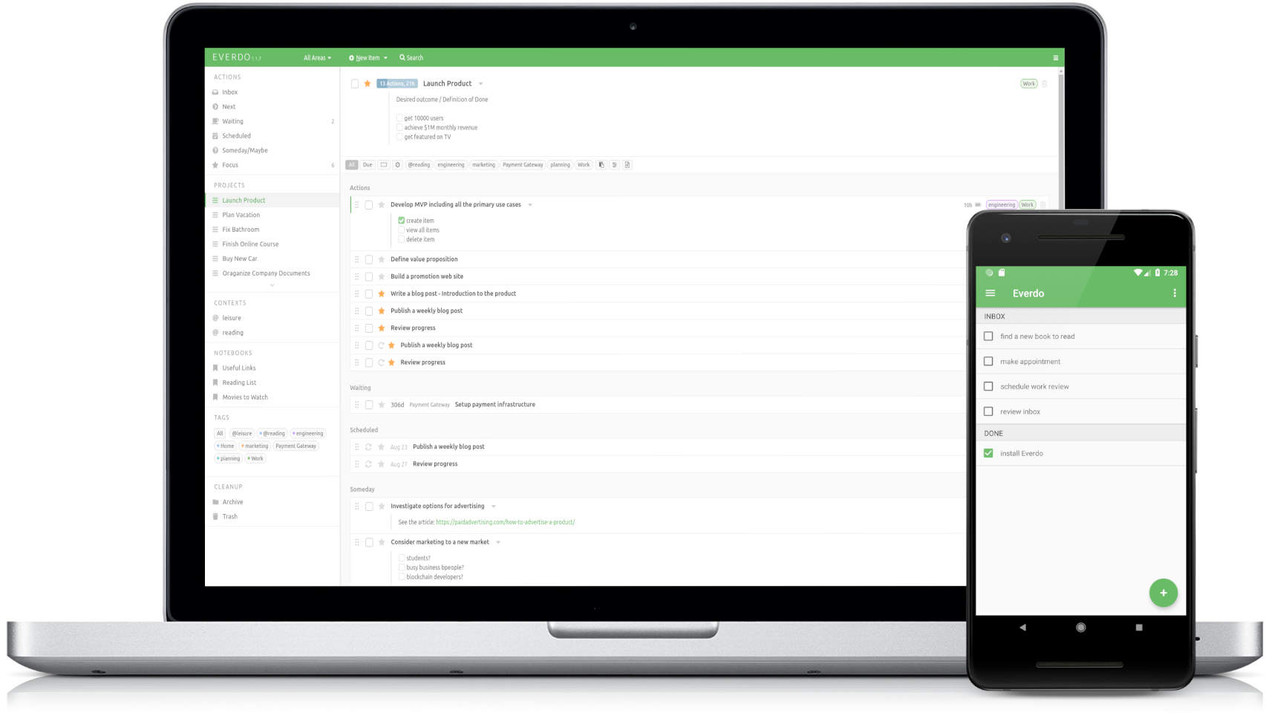
Take control of your work and life with Everdo - a cross-platform to-do and GTD app with focus on power and privacy.
Built for GTD (Getting Things Done)
Powerful features
Clean and nice design
Desktop and mobile apps, offline-first
Supports Linux, MacOS, Windows, Android, iOS
Strong privacy approach
Easy to use and low friction
Active development and improvement
What Makes Everdo Special?
Built specifically for GTD
GTD (Getting Things Done) by David Allen is a proven method for productivity. Everdo was designed to make getting things done easy and sustainable. It has all the tools needed to follow the method, such as projects, next actions, contexts, time and energy labels, areas, and more.
Clean and beautiful design
We believe that using your productivity tools should be pleasant, otherwise it woudln't be sustainable. This makes UI design a high priority. We have spent countless hours to ensure that we provide all the features you need in a beautiful way, without clutter and distraction.
Low-friction user experience
When you are in the flow, every second counts. A to-do app should not get in the way. We have developed features to add and manage actions quickly with as few click as possible. We strive to eliminate difficult interactions and facilitate keyboard-based workflows.
Data privacy and ownership
We realize that you tasks and projects are the most valuable and sensitive personal information. This is why Everdo is designed to keep your data on your device and provides an optional end-to-end encrypted sync service for online syncing.
Offline-first standalone apps
You shouldn't depend on an internet connection or a web browser or a cloud server for something as fundamental as managing your tasks. Everdo is always available on your devices, no matter where you are.
Cross-platform
Everdo does not lock you into one OS or platform. It works on Windows, Linux, Mac, Android and iOS. You'll never have to move to a different app just because you got a computer with a different operating system.
Flexible sync options
For maximum privacy Everdo lets you sync your devices over the local network without depending on any sync service. Optionally, there is an end-to-end encrypted sync service, making sync completely seamless, while ensuring that your data is never stored in a readable form outside of your device.
Whats New
Код:
https://everdo.net/blog/

HomePage:
Код:
https://everdo.net/

-:DOWNLOAD FROM LINKS:-​
Download From RapidGator
Код:
https://rapidgator.net/file/dd0723d2cb7716c4b88cee3302812b9c/

Download From NitroFlare
Код:
https://nitro.download/view/3698F4C5B8A6272/
 
FotoWorks XL 2022 22.0.1 Multilingual


Foto-Works-XL-2022-22-0-1-Multilingual.jpg


File size: 63 MB
​


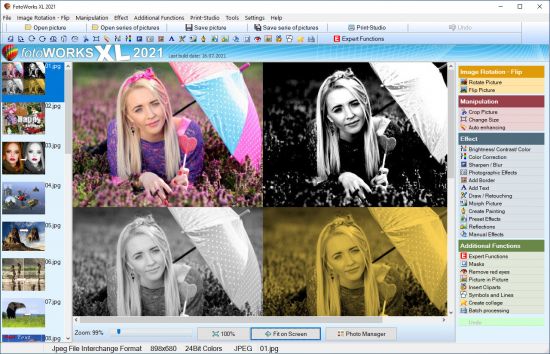
FotoWorks XL is easy photo editing software for beginners, photographers or professional users. Is not easy but FotoWorks XL delivers whether you are a professional photographer or an amateur who just needs a bit of help retouching your snaps. A simple photo editing software suite, FotoWorks XL has been updated and improved from previous versions. Anyone who is new to it will find that it is a feature-rich package. It allows you to do just about everything you could ever want to with photographs, graphics, clip art and text.
Although it is very much photo editing software for beginners, the number and complexity of the package's more advanced functions means that it is equally of use to graphic designers, photojournalists, portrait photographers and wedding photographers. Like all top photo editing software suites, this package has something for everyone.
Photo Editing Software
Use it to perform simple functions like removing red eye from holiday snaps or to touch up images in preparation for a print run. In fact, the latest version of this updated photo editing software will allow you to perform histogram analysis of your pictures. This can be done for the whole of the photograph in question or just part of it - it is up to you. See graphical representations of the hue, the greyscale or the mix of red, blue and green to help you make your pictures more balanced. You can also use it as a print station by getting it to enlarge your images so they can be turned into posters, reports, or even sales catalogues. Few photo editing software suites you might categorize with the degree of professional design that FotoWorks XL come with a free trial period either!
Functions
Ideal for schools, colleges and individuals who want to learn more about digital editing techniques, FotoWorks XL is a photo editing suite that is also right at home in the workplace. It is used by editors, professional photographers and graphic designers of all kinds to produce truly memorable images. The suite offers so much more than a basic photo editing software package that merely allows you to crop and rotate your pictures. With FotoWorks XL, you have a truly creative set of digital tools at your disposal that will improve your post-production editing skills no end. The sky is the limit when you start to use it in ever more creative ways!
Choose a Photo Editing Software Package That Is Designed to Be Easy to Operate
FotoWorks XL is easy photo editing software for PC users will be right at home with because it has been designed to integrate seamlessly into the Windows operating system. Designed as photo editing software Windows 10 users can get on with immediately, FotoWorks XL is all about its ease of use. In fact, it is not just photo editing software Windows 10 operators can use. FotoWorks is also backwards compatible. So, it works just fine as photo editing software Windows 7 users can enjoy. Indeed, the whole program operates in very much the same way as other packages designed for Microsoft operating systems.
Discover More About the Features Offered With This Photo Editor Suite
Thanks to its numerous photo editing tools, FotoWorks XL photo editor may be the only photo editing software you will ever need.
Photo editing software as advanced as FotoWorks XL rarely comes with so many different features to make use of. However, the updated version of this useful photo editing software package has only added to the things you can do.
Even before you look at the expert functions, it will allow you to
- Enhance and improve photos.
- Retouch and edit photos.
- Create photo montage.
- Use auto-enhancing photographic measures.
- Alter the size of images.
- Alter the brightness, color and contrast of photos.
- Use color correction techniques.
- Sharpen and blur photos.
- Add photographic filters.
- Add borders and text.
- Draw on your photos by hand.
- Retouch images.
- Use morphing techniques.
- Create painting effects.
- Add reflections.
- Apply effects manually and automatically.
- Create collages.
- Remove red eye.
- Insert clip art.
- Add pictures within pictures.
- Crop images.
- Add symbols and lines to your photos.
What's New
Updates: official site does not provide any info about changes in this version.
System Requirements for FotoWorks XL
Windows 10, Windows 7, Windows 8, Windows 8.1, Windows Vista

HomePage:
Код:
http://www.in-mediakg.com

-:DOWNLOAD FROM LINKS:-​
Download From RapidGator
Код:
https://rapidgator.net/file/6f74c3593c575511b19ae961e2fe5331/

Download From NitroFlare
Код:
https://nitro.download/view/2EE5BBB04CCE985/
 
Frogmore Computer Services Print Distributor 2022.3.21.945


Frogmore-Computer-Services-Print-Distributor-2022-3-21-945.png


File size: 3.0 MB
​


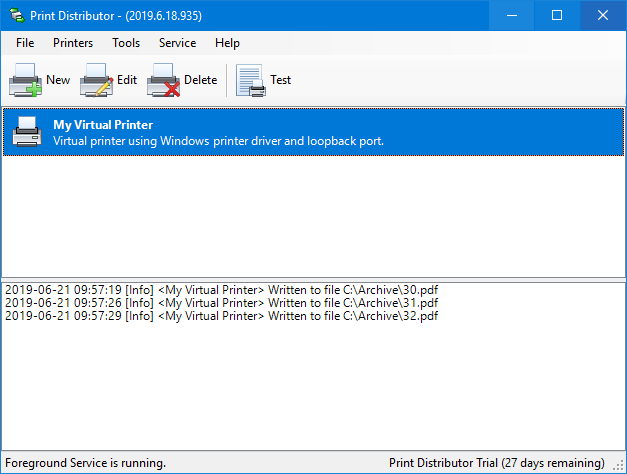
Load balancing or printer pooling lets you spread your print load evenly over a group of printers automatically. Your users will print to a single printer then Print Distributor will send the documents to each printer in the pool in turn.
Pausing a printer in the pool or an error status on the printer will cause it to be skipped automatically, as soon as it is released or the error resolved it will rejoin the pool automatically. There is no limit to the number of printers in the pool, add as many as you need.
Virtual Printers
Virtual printers provide a flexible mechanism for controlling your printed output with Print Distributor. They look like a normal Windows printer to your users and the software you print from, their operation is completely transparent. What's really smart about them is instead of just sending your prints directly to a printer they can route jobs to many printers, balance jobs across a group of printers, print to file and even add conditions to print jobs.
A virtual printer can be shared just like a normal printer, this allows you to install Print Distributor on a server and connect to that server from workstations.
Failover
Failover is useful when you want to target one main printer but need a fallback if that printer is out of action for some reason. Print Distributor will start always start with the first printer and if that is unavailable go on to the next and so on until it finds one that is available.
Any action can be added to the failover list, not just printers. If you are using the Send Mail action to send email and your mail server goes down then you can redirect to a backup. The same applies to writing files across the network, in the event of a failure Print Distributor can write to a local path instead.
Conditional Printing
Use conditions to set rules on what prints and where it prints. You might want to discard certain documents or route the documents from a group of users to a specific printer.
You can also query attributes of the document itself such as whether it is a double side print or is set to use a specific paper tray in your conditions.
Actions
Print Distributors flexible configuration lets you setup as many actions as you need for each virtual printer. Need to print and email documents, just add reprint and send mail actions.
Actions are run one after another top down so you can control and rely on the order, if you have a complex application then they can be grouped to make them easier to manage. Each action is easy to configure but flexible, you can expect to have Print Distributor setup and running in minutes.
Whats New
Код:
https://www.printdistributor.com

HomePage:
Код:
https://www.printdistributor.com

-:DOWNLOAD FROM LINKS:-​
Download From RapidGator
Код:
https://rapidgator.net/file/12327d58808346fb6b1eb4b599224ba9/

Download From NitroFlare
Код:
https://nitro.download/view/97FDD4FDD612142/
 
Harmony Assistant 9.9.5c Multilingual


Harmony-Assistant-9-9-5c-Multilingual.jpg


File size: 98 MB
​


Harmony Assistant is an unbeatable software for computer-assisted music composition and editing. Its harmonizing capabilities enable the composer to build quickly and efficiently tunes that include accompaniment, multiple instruments and drum patterns. Its full page edit and engraver modes will ease editing and page setup of your scores.
Features
A wide range of music symbols will enable scores of great quality to be edited: notation capabilities are immense.
Using the page mode, you will edit the score just as it will be printed on paper. The Engraver mode will make it look nice.
Score input can be performed through the mouse, computer keyboard or an external MIDI keyboard.
Harmony Assistant comes with its own embedded software synthesizer (SoftSynth), which provides high quality output on basic sound cards, even without any external MIDI device, and includes hundreds of different instruments.
Harmony Assistant can load and save in many formats (MIDI, WAV, AIFF, MP3, OGG, TAB, ABC, XML...).
Whats New
Код:
http://www.myriad-online.com/en/docs/meloharmowhatsnew.htm

HomePage:
Код:
http://www.myriad-online.com

-:DOWNLOAD FROM LINKS:-​
Download From RapidGator
Код:
https://rapidgator.net/file/314262769d5cf8c5beb53eadf7b58993/

Download From NitroFlare
Код:
https://nitro.download/view/9C76B96684F72C4/
 
inPhoto ID PS 4.18.31 Multilingual


in-Photo-ID-PS-4-18-31-Multilingual.jpg


File size: 110 MB
​


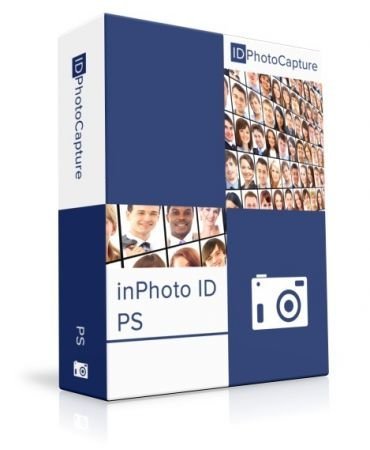
inPhoto ID PS is designed for automatic ID photo with Canon Powershot cameras. inPhoto ID PS provides camera control, live image preview, automatic face detection on live image, automatic face crop, image resizing and enhancement, capture, save or transfer to TWAIN applications. inPhoto ID PS software can work both as stand alone software and as TWAIN driver with all TWAIN compatible ID card applications (Incardex, Asure ID, ID Works, EPISuite, CardFive, ID Flow and others).
inPhoto ID PS features
- Live image preview, and Image rotation.
- Automatic face detection on live image in the preview window.
- Face crop and enhancement after detection.
- Camera settings control from computer
- Image export to the applications supporting TWAIN. Time lapse capture option.
- Save ID photo to file: the cropped photo is save to file on the computer disk. Time lapse capture option.
- Ability to work as TWAIN driver
- Ability to work as stand alone application.
- Save all settings to User profiles.
Live image preview, and Image rotation.
Live image preview provides an ability to control the photo quality before capture. All changes made to the Canon SLR camera settings have effect on the previewed photo immediately.
The camera focus is controlled automatically from within inPhoto ID PS.
Working with inPhoto ID PS the user can rotate the photo using Rotate right or Rotate left buttons in the right part of the software window. The rotated image will be captured to a TWAIN compatible application: any standard ID card software including Incardex, Asure ID, ID Works, CardFive, EPISuite, ID Flow, and other. The ability of automatic photo rotation is very useful for ID photo. When the camera is rotated vertically, the previewed image in the live image preview window has album orientation. It is not rotated automatically. Press Rotate right or Rotate left button, and the previewed image will be rotated to the portrait orientation as it is usually required for ID photo.
Automatic face detection on live image in the preview window.
The human face is automatically detected on the live preview image. When the face is found in the live image displayed in the preview window it is outlined by the yellow frame. The green frame outlines the image area to be cropped. The yellow frame / green frame areas ratio is set in inPhoto ID SLR options. If the face is located too close to the image frame and the area to be cropped is cut by the image border, the frame color will change from green to red.
Automatic face crop and enhancement.
After the image is captured the face area is cropped. Upon pressing the Capture to TWAIN button in the image preview window the Image Processing window will open. The Image Processing window provides an ability to crop the face area, and enhance the resulting image if necessary. The face area is automatically outlined by the yellow frame. The green frame outlines the image area to be cropped. The yellow frame / green frame ratio and position are adjusted by Zoom, Vertical Position, and Horizontal Position controls. The Size control is used to set the resulting image size.
If the face is located too close to the image frame and the area to be cropped is cut by the image border, the frame color will change from green to red. In this case the user has three options: ignore, modify the image frame, or press Back button and return back to the image preview window.
The cropped image can be enhanced. It is possible to adjust image brightness, contrast, gamma, and sharpness using the corresponding controls in the right part of the Image Processing window. It is also possible to resize the resulting image. Press Set button in the upper right part of the Image Processing window and set the resizing options (pixel size of the resulting image).
Camera settings control from PC.
Warning! With inPhoto ID SLR you can control limited camera settings important for ID photo application. Press Camera settings button in the right part of the software window to control all available camera settings.
Image export to the TWAIN applications.
inPhoto ID PS can be used as ID photo module with all standard ID card software supporting TWAIN. After the captured photo is automatically cropped in the Image Processing window it is automatically transferred to ID card management software supporting TWAIN (e.g. Incardex from Akond, ID Works and IDCentre from Datacard Group (USA), Asure ID from HID Global (USA), ID Flow from Jolly Technologies (USA), EPI Suite from ImageWare Systems (USA)) and inserted into the photo field. The exported photo is printed on a ready ID card or badge together with other personal information.
Save ID photo to file.
To capture ID photos and save them to disk press Capture to file button. The user can set up the folder to save image files. The Save file tab (Options dialog box) is used to define the save to file settings. It is possible to select the folder to save images to upon pressing Capture to file button and create separate folders for the year / month / day. Check Ask before saving, and you will be prompted to assign a name to the image file before saving to the specified folder.
Ability to work as TWAIN driver
If you use TWAIN compatible ID card software (e.g. Incardex, Asure ID, ID Works, EPISuite, ID Flow and others) you you can use inPhoto ID SLR as TWAIN driver and capture ID photos directly to your ID card software.
Ability to work as Stand Alone application
inPhoto ID PS can be used as stand alone application. If so the Capture to TWAIN option in the image preview section will be disabled.To capture images and save them to disk press Capture to file button. Working in stand alone mode you can use all inPhoto ID PS functions (live image preview, camera settings control, automatic face detection and crop, image capture and save, etc.) You can set up the folder on your PC to automatically save all captured ID photos.
User profiles
Once you select the best camera settings for your specific applications you can save these settings to a profile and use them easily later on without spending time on camera settings adjustment. Moreover, not only camera settings are saved to a profile. You can also save the image processing parameters, folder to save photos, image resolution and size settings. The system Admin can block the profile, and the users will not be able to change it, they will only be able to use it.
The Profile button is located in the software main window in its right part on the Control Panel. Click on the Profile button to get a list of all profiles available, and select the profile required. You will need just two mouse clicks to apply the necessary profile. The last profile used is remembered and loaded automatically when the software is started next time. If you are not planning to use profiles you can remove the Profile button from the Control Panel. The Profiles created are saved in the separate files and can be copied or backed up.
What's new
Код:
http://www.akond.net/index.php?issue_id=348
System Requirements
- Windows XP, Windows Vista, Windows 7 (32 and 64bit), Windows 8 (32 and 64 bit), Windows 10
- Microsoft .NET Framework 3.5 Service Pack 1,
- One free USB 1.0 (or higher) port to connect Canon camera to PC. If the software is supplied with the USB dongle your computer shall have the second free USB port,
- Card reader connected to PC (or built-in),
Canon camera requirements
- 64Mb - 32GB SD memory card,
- Canon camera shall be used in Automatic (A) or Program (P) mode.

HomePage:
Код:
http://www.akond.net

-:DOWNLOAD FROM LINKS:-​
Download From RapidGator
Код:
https://rapidgator.net/file/e6eb616145a65aeb6ab1de8c401ae889/

Download From NitroFlare
Код:
https://nitro.download/view/6406A9399665A0A/
 
Назад
Сверху