• Здравствуйте. Сайт заработал в архивном режиме форум www.old.nado.in

Dl4ever Software

Windows 7 SP1 AIO 52in1 Incl Office 2019 Preactivated June 2021

3-LIPC0-NWx-H9swi3-Gb-I2nc-NIzw-Hx-F3-KRH.jpg

Windows 7 SP1 AIO 52in1 (x86/x64) Incl Office 2019 Preactivated June 2021

x86/x64 | Language: English, Russian | 4.18 GB
​
Windows 7 SP1, which includes 13 Russian editions and 13 English editions x86 / x64, with updates until 06.2021, additional system libraries (C ++ Redistributable Package), with a choice of installation options and the presence of MSDaRT . And also Windows installations with preinstalled (or without - optional) Word, Excel, PowerPoint, Access, Publisher, Outlook and OneNote.

Assembly Information:
- Autoactivation
- Updates by 06.2021
- Choice of installation options
- Word, Excel, PowerPoint, Access, Publisher, Outlook and OneNote
- MsDART in Windows Recovery Environment
- Automatic check for build updates
- Removed the limitation on installing Windows updates released after 01.2020
- Download updates available Windows through the standard Update Center (in older Windows editions)
- On / Off Windows updates through the shortcut in the Start menu
- On / Off Windows Defender through the shortcut in the Start menu
- Internet Explorer 11
- Microsoft Visual C ++ 2005, 2008, 2010 , 2012, 2013, 2015-2019
- .NET Framework 3.5 and 4.8
- DirectX 9.0c
- RuntimePack 20.3.3 Lite
- support for USB 3.0 and 3.1
- support for NVMe drives
- Write to a USB flash drive with automatic checksum checking
- Spyware updates excluded
The list of editions included in the assembly:
- Windows 7 Starter SP1 x86 (32-bit) Russian
- Windows 7 Home Basic SP1 x86 (32-bit) Russian
- Windows 7 Home Basic SP1 x64 (64-bit) Russian
- Windows 7 Home Premium SP1 x86 (32-bit) Russian
- Windows 7 Home Premium SP1 x64 (64-bit) Russian
- Windows 7 Professional VL SP1 x86 (32-bit) Russian
- Windows 7 Professional VL SP1 x64 (64-bit) Russian
- Windows 7 Professional SP1 x86 (32-bit) Russian
- Windows 7 Professional SP1 x64 (64-bit) Russian
- Windows 7 Ultimate SP1 x86 (32-bit) Russian
- Windows 7 Ultimate SP1 x64 (64-bit) Russian
- Windows 7 Enterprise VL SP1 x86 (32-bit) Russian
- Windows 7 Enterprise VL SP1 x64 (64-bit) Russian
- Windows 7 Starter SP1 x86 (32-bit) English
- Windows 7 Home Basic SP1 x86 (32-bit) English
- Windows 7 Home Basic SP1 x64 (64-bit) English
- Windows 7 Home Premium SP1 x86 (32-bit) English
- Windows 7 Home Premium SP1 x64 (64-bit) English
- Windows 7 Professional SP1 x86 (32-bit) English
- Windows 7 Professional SP1 x64 (64-bit) English
- Windows 7 Professional VL SP1 x86 (32-bit) English
- Windows 7 Professional VL SP1 x64 (64-bit) English
- Windows 7 Ultimate SP1 x86 (32-bit) English
- Windows 7 Ultimate SP1 x64 (64-bit) English
- Windows 7 Enterprise VL SP1 x86 (32-bit) English
- Windows 7 Enterprise VL SP1 x64 (64-bit) English

System requirements:

32-bit (x86) or 64-bit (x64) processor with a clock speed of 1 gigahertz (GHz) or higher;
2 gigabytes (GB) (32-bit) or 4 GB (64-bit) random access memory (RAM);
16 gigabytes (GB) (32-bit) or 20 GB (64-bit) hard disk space;
DirectX 9 graphics device with WDDM driver version 1.0 or higher.

Windows 7 with MSOFFICE from 06/14/2021:
- added updates to Windows 7 to 06.2021;
- updated StartIsBack to version 2.9.13;
- SmartFix updated to version 2.3.13;
- updated KMS activator AAct to version 4.2.2;
- various minor changes.


-:DOWNLOAD FROMLINKS:-

RapidGator
Код:
https://rapidgator.net/file/9348c80f4f40ab68c67116833c8fe994/W7SP1AIO52I1JUNE.part2.rar.html
https://rapidgator.net/file/0eaa3b6b1fb60b379b3aca958a028b48/W7SP1AIO52I1JUNE.part1.rar.html
https://rapidgator.net/file/d803d97c645226a693a97584e28ad6fc/W7SP1AIO52I1JUNE.part3.rar.html
https://rapidgator.net/file/5f238e779c20efe6d0772afc0383a917/W7SP1AIO52I1JUNE.part4.rar.html
https://rapidgator.net/file/133747eb6c284adb3676a658c3934b13/W7SP1AIO52I1JUNE.part5.rar.html


NitroFlare
Код:
https://nitro.download/view/A3FD3C90BB6FB33/W7SP1AIO52I1JUNE.part1.rar
https://nitro.download/view/C88339C192709AA/W7SP1AIO52I1JUNE.part2.rar
https://nitro.download/view/03B6856F9899863/W7SP1AIO52I1JUNE.part3.rar
https://nitro.download/view/6059743909870E5/W7SP1AIO52I1JUNE.part4.rar
https://nitro.download/view/3D99474C0D54127/W7SP1AIO52I1JUNE.part5.rar
​
 
Windows 10 21H1 10.19043.1055 AIO 15in1 Integral Edition June 2021


Hf-Ge-YNS8og1v8-D9pf-L3-JRdkq-R0-DBOss-T.jpg

Windows 10 21H1 10.19043.1055 AIO 15in1 (x86) en-US - Integral Edition June 2021
​
x86 | Language: English | 3.2 GB

Windows 10 is a series of personal computer operating systems produced by Microsoft as part of its Windows NT family of operating systems. It is the successor to Windows 8.1, and was released to manufacturing on July 15, 2015, and to retail on July 29, 2015. Windows 10 receives new releases on an ongoing basis, which are available at no additional cost to users. Devices in enterprise environments can receive these updates at a slower pace, or use long-term support milestones that only receive critical updates, such as security patches, over their ten-year lifespan of extended support.

(#) Windows 10 Updates:

* All the Windows 10 21H1 x86 Updates are included until 11.6(June).2021:
1. KB890830 - Windows Malicious Software Removal Tool, version 5.90.18277.1.
2. KB2267602 - Security intelligence updates for Windows Defender Antivirus, version 1.341.464.0.
3. KB4052623 - Update for Windows Defender Antivirus antimalware platform, version 4.18.2105.4.
4. KB4589212-v2 - Intel microcode updates for Windows 10, version 21H1.
5. KB5000736 - Featured update to Windows 10, version 21H1 by using an enablement package (19043.844).
6. KB5000983 - Safe OS Dynamic Update for Windows 10, version 21H1.
7. KB5003240 - Setup Dynamic Update for Windows 10, version 21H1.
8. KB5003254 - Cumulative Update for .NET Framework 3.5 and 4.8 for Windows 10, version 21H1.
9. KB5004476 - Cumulative Update for Windows 10, version 21H1 (OS build 19043.1055).

(#) Windows 10 Runtime Libraries:

* Visual C++ Redistributable 2002 v7.0.9975.0 x86.
* Visual C++ Redistributable 2003 v7.10.6119.0 x86.
* Visual C++ Redistributable 2005 SP1 v8.0.50727.6229 x86.
* Visual C++ Redistributable 2008 SP1 v9.0.30729.7523 x86.
* Visual C++ Redistributable 2010 SP1 v10.40219.473 x86.
* Visual C++ Redistributable 2012 Update 5 v11.0.61135.400 x86.
* Visual C++ Redistributable 2013 Update 5 v12.0.40664.0 x86.
* Visual C++ Redistributable 2015-2019 v14.29.30130.2 x86.
* Visual Basic Runtime v1.00 x86.
* Visual Basic Runtime v2.0.9.8 x86.
* Visual Basic Runtime v3.0.5.38 x86.
* Visual Basic Runtime v4.0.29.24 x86.
* Visual Basic Runtime v5.2.82.44 x86.
* Visual Basic Runtime v6.1.98.39 x86 (SP6 Update KB2911777, KB2992332).

(#) Pre-Configured Windows 10 Settings:

* .NET Framework 3.5 = Installed.
* OneDrive Auto Install = Disabled.
* Telemetry = Disabled.
* Web Proxy Auto-Discovery = Disabled.
* Show Hidden Items = On.
* Show all File Extensions = On.
* Task Manager View = Detailed.
* File Progress Dialog = Detailed.
* Combine Taskbar Buttons = Never.
* Windows Theme Color = Storm.
* Windows Theme Accent Color = On.
* Default Browser = Firefox.
* Default Media Player = PotPlayer.
* Default File Archiver = 7-Zip.

(#) Additional Applications:

* Microsoft Office 2019 Professional Plus x86 (Online Installer v2.1.0).
* 7-Zip v19.00 x86 (With a few Pre-Configured Settings).
* Mozilla Firefox v89.0.0 x86 (With a few Pre-Configured Settings).
* PotPlayer v1.7.21486.0 x86 (With a few Pre-Configured Settings).
* ImDisk Toolkit v2021.1.25 x64.
* OpenHashTab v3.0.1 x86/x64 - Setup System.
* madVR v0.92.17 x86/x64 (Best DirectShow video renderer).

[----- INFORMATIONS -----]

* Includes 15 Windows 10 x64 Editions ("Enterprise" has the most Features):
Windows 10 Home Single Language
Windows 10 Home
Windows 10 Home N
Windows 10 Pro
Windows 10 Pro N
Windows 10 Pro Education
Windows 10 Pro Education N
Windows 10 Pro for Workstations
Windows 10 Pro for Workstations N
Windows 10 Education
Windows 10 Education N
Windows 10 Enterprise
Windows 10 Enterprise N
Windows 10 Enterprise multi-session
Windows 10 IoT Enterprise

* All the Windows 10 Language Packs can be downloaded directly over the Windows 10 Language Settings Menu.
* This Windows 10 was never in AuditMode and was compiled with the DISM (Deployment Image Servicing and Management) tool based on the Windows 10 19041.1 en-US x86 source.
* All the included extras can be modified or removed in the ISO\Disc folder ".\sources\$OEM$".
* A Windows 10 Activator is not included, but a Text file is placed on the Desktop with a direct download link to a working Activator.
* System Requirements are (Minimum|Recommended): 1|2 GigaHertz x86 Processor, 1|2 GigaBytes of RAM, DirectX 9 Graphics card, 20|30 GigaByte Hard Disk space.
* How to do a fresh Windows 10 installation:
1. Burn the Windows 10 ISO file on a DVD disc by using a Brun program like CDBurnerXP to create a bootable USB Flash Drive with the Windows 10 ISO file.
2. Do a BACKUP of your important files on a separate Drive.
3. To avoid accidentally creating a Windows 10 Online Account or running into the Account bug (Other user), disconnect your Computer from the Internet before the installation.
4. At the Windows 10 Setup menu select "Custom: Install Windows only (advanced)".
5. Delete all the old Windows Partitions and then click on install.

* Added the latest Windows 10 21H1 x86 Updates from 12.5(May).2021 till 11.6(June).2021: KB5000736 (Replaces KB4562830, KB4577586) | KB5003240 (Replaces KB5001412) | KB5003254 (Replaces KB4601554) | KB5004476 (Replaces KB5003637, KB5003173).
* Updated Security intelligence updates for Windows Defender Antivirus (KB2267602) x86 from "v1.339.615.0" to "v1.341.464.0".
* Updated Windows Defender Antivirus antimalware platform (KB4052623) x86 from "v4.18.2104.10" to "v4.18.2105.4".
* Updated Windows Malicious Software Removal Tool (KB890830) x86 from "v5.89.18135.1" to "v5.90.18277.1".
* Updated Microsoft Visual C++ 2015-2019 Redistributable x86 from "v14.29.30129.1" to "v14.29.30130.2".
* Updated Office 2019 Professional Plus x86 Online Installer from "v2.0.9" to "v2.1.0".
* Updated Mozilla Firefox x86 from "v88.0.1" to "v89.0.0".


-:DOWNLOAD FROMLINKS:-

RapidGator
Код:
https://rapidgator.net/file/9894f810e20986003c69ebd1e33a27ad/W1021H1AIO15June.part1.rar.html
https://rapidgator.net/file/c96903177295bf8e0b537d7afea11cc4/W1021H1AIO15June.part2.rar.html
https://rapidgator.net/file/d3875dc3c17632d28aa878017f988345/W1021H1AIO15June.part3.rar.html
https://rapidgator.net/file/3abe03ee0394d7018cec2909c7b8af6f/W1021H1AIO15June.part4.rar.html


NitroFlare
Код:
https://nitro.download/view/8FE45C7C2E16A09/W1021H1AIO15June.part1.rar
https://nitro.download/view/5E73FEAE2EDD5EF/W1021H1AIO15June.part2.rar
https://nitro.download/view/1D88F51B4128CF5/W1021H1AIO15June.part3.rar
https://nitro.download/view/96CF3A52533E4C6/W1021H1AIO15June.part4.rar

​
 
Windows 10 21H1 10.19043.1055 AIO 16in1 Integral Edition June 2021


Hf-Ge-YNS8og1v8-D9pf-L3-JRdkq-R0-DBOss-T.jpg

Windows 10 21H1 10.19043.1055 AIO 16in1 en-US - Integral Edition June 2021

x64 | Language: English | 4.75 GB
​
Windows 10 is a series of personal computer operating systems produced by Microsoft as part of its Windows NT family of operating systems. It is the successor to Windows 8.1, and was released to manufacturing on July 15, 2015, and to retail on July 29, 2015. Windows 10 receives new releases on an ongoing basis, which are available at no additional cost to users. Devices in enterprise environments can receive these updates at a slower pace, or use long-term support milestones that only receive critical updates, such as security patches, over their ten-year lifespan of extended support.

Windows 10 Updates:

* All the Windows 10 21H1 x64 Updates are included until 11.6(June).2021:
1. KB890830 - Windows Malicious Software Removal Tool, version 5.90.18277.1.
2. KB2267602 - Security intelligence updates for Windows Defender Antivirus, version 1.341.464.0.
3. KB4052623 - Update for Windows Defender Antivirus antimalware platform, version 4.18.2105.4.
4. KB4589212-v2 - Intel microcode updates for Windows 10, version 21H1.
5. KB5000736 - Featured update to Windows 10, version 21H1 by using an enablement package (19043.844).
6. KB5000983 - Safe OS Dynamic Update for Windows 10, version 21H1.
7. KB5001679 - Asset update for Windows 10, version 21H1 Mixed Reality.
8. KB5003240 - Setup Dynamic Update for Windows 10, version 21H1.
9. KB5003254 - Cumulative Update for .NET Framework 3.5 and 4.8 for Windows 10, version 21H1.
10. KB5004476 - Cumulative Update for Windows 10, version 21H1 (OS build 19043.1055).

Windows 10 Runtime Libraries:

* Visual C++ Redistributable 2002 v7.0.9975.0 x86.
* Visual C++ Redistributable 2003 v7.10.6119.0 x86.
* Visual C++ Redistributable 2005 SP1 v8.0.50727.6229 x86/x64.
* Visual C++ Redistributable 2008 SP1 v9.0.30729.7523 x86/x64.
* Visual C++ Redistributable 2010 SP1 v10.40219.473 x86/x64.
* Visual C++ Redistributable 2012 Update 5 v11.0.61135.400 x86/x64.
* Visual C++ Redistributable 2013 Update 5 v12.0.40664.0 x86/x64.
* Visual C++ Redistributable 2015-2019 v14.29.30130.2 x86/x64.
* Visual Basic Runtime v1.00 x86.
* Visual Basic Runtime v2.0.9.8 x86.
* Visual Basic Runtime v3.0.5.38 x86.
* Visual Basic Runtime v4.0.29.24 x86.
* Visual Basic Runtime v5.2.82.44 x86.
* Visual Basic Runtime v6.1.98.39 x86 (SP6 Update KB2911777, KB2992332).

Pre-Configured Windows 10 Settings:

* .NET Framework 3.5 = Installed.
* OneDrive Auto Install = Disabled.
* Telemetry = Disabled.
* Web Proxy Auto-Discovery = Disabled.
* Show Hidden Items = On.
* Show all File Extensions = On.
* Task Manager View = Detailed.
* File Progress Dialog = Detailed.
* Combine Taskbar Buttons = Never.
* Windows Theme Color = Storm.
* Windows Theme Accent Color = On.
* Default Browser = Firefox.
* Default Media Player = PotPlayer.
* Default File Archiver = 7-Zip.

Additional Applications:

* Microsoft Office 2019 Professional Plus x64 (Online Installer v2.1.0).
* 7-Zip v19.00 x64 (With a few Pre-Configured Settings).
* Mozilla Firefox v89.0.0 x64 (With a few Pre-Configured Settings).
* PotPlayer v1.7.21486.0 x64 (With a few Pre-Configured Settings).
* ImDisk Toolkit v2021.1.25 x64.
* OpenHashTab v3.0.1 x86/x64 - Setup System.
* madVR v0.92.17 x86/x64 (Best DirectShow video renderer).

[----- INFORMATIONS -----]

* Includes 16 Windows 10 x64 Editions ("Enterprise" has the most Features):
Windows 10 Home Single Language
Windows 10 Home
Windows 10 Home N
Windows 10 Pro
Windows 10 Pro N
Windows 10 Pro Education
Windows 10 Pro Education N
Windows 10 Pro for Workstations
Windows 10 Pro for Workstations N
Windows 10 Education
Windows 10 Education N
Windows 10 Enterprise
Windows 10 Enterprise N
Windows 10 Enterprise multi-session
Windows 10 IoT Enterprise
Windows 10 Team

* All the Windows 10 Language Packs can be downloaded directly over the Windows 10 Language Settings Menu.
* This Windows 10 was never in AuditMode and was compiled with the DISM (Deployment Image Servicing and Management) tool based on the Windows 10 19041.1 en-US x64 source.
* All the included extras can be modified or removed in the ISO\Disc folder ".\sources\$OEM$".
* A Windows 10 Activator is not included, but a Text file is placed on the Desktop with a direct download link to a working Activator.
* System Requirements are (Minimum|Recommended): 1|3 GigaHertz x64 Processor, 1|4 GigaBytes of RAM, DirectX 9 Graphics card, 30|40 GigaByte Hard Disk space.
* How to do a fresh Windows 10 installation:
1. Burn the Windows 10 ISO file on a DVD disc by using a Brun program like CDBurnerXP to create a bootable USB Flash Drive with the Windows 10 ISO file.
2. Do a BACKUP of your important files on a separate Drive.
3. To avoid accidentally creating a Windows 10 Online Account or running into the Account bug (Other user), disconnect your Computer from the Internet before the installation.
4. At the Windows 10 Setup menu select "Custom: Install Windows only (advanced)".
5. Delete all the old Windows Partitions and then click on install.

* Added the latest Windows 10 21H1 x64 Updates from 12.5(May).2021 till 11.6(June).2021: KB5000736 (Replaces KB4562830, KB4577586) | KB5003240 (Replaces KB5001412) | KB5003254 (Replaces KB4601554) | KB5004476 (Replaces KB5003637, KB5003173).
* Updated Security intelligence updates for Windows Defender Antivirus (KB2267602) x64 from "v1.339.615.0" to "v1.341.464.0".
* Updated Windows Defender Antivirus antimalware platform (KB4052623) x64 from "v4.18.2104.10" to "v4.18.2105.4".
* Updated Windows Malicious Software Removal Tool (KB890830) x64 from "v5.89.18135.1" to "v5.90.18277.1".
* Updated Microsoft Visual C++ 2015-2019 Redistributable x86/x64 from "v14.29.30129.1" to "v14.29.30130.2".
* Updated Office 2019 Professional Plus x64 Online Installer from "v2.0.9" to "v2.1.0".
* Updated Mozilla Firefox x64 from "v88.0.1" to "v89.0.0".


-:DOWNLOAD FROMLINKS:-

RapidGator
Код:
https://rapidgator.net/file/121b24c5f88ca2465f726896564bb875/W1021H1AIOJune.part1.rar.html
https://rapidgator.net/file/95b0ac4034aca3d57221363eaffccf6a/W1021H1AIOJune.part2.rar.html
https://rapidgator.net/file/101df37143ab963ccc238219354c2b24/W1021H1AIOJune.part3.rar.html
https://rapidgator.net/file/4825fe5adb1b5f2be7744e6cac19fe46/W1021H1AIOJune.part4.rar.html
https://rapidgator.net/file/194d22b328dddfa5b790bc0a705f4ab2/W1021H1AIOJune.part5.rar.html


NitroFlare
Код:
https://nitro.download/view/A96B1591F2A526B/W1021H1AIOJune.part1.rar
https://nitro.download/view/7F9C497B80FF6F4/W1021H1AIOJune.part2.rar
https://nitro.download/view/6AE9A9A3DC6EDDE/W1021H1AIOJune.part3.rar
https://nitro.download/view/A84F4B04498984C/W1021H1AIOJune.part4.rar
https://nitro.download/view/3C59F63E6892E9E/W1021H1AIOJune.part5.rar

​
 
Windows 10 21H1 10.19043.1055 AIO 16in1 Multilingual Integral Edition June 2021


Hf-Ge-YNS8og1v8-D9pf-L3-JRdkq-R0-DBOss-T.jpg

Windows 10 21H1 10.19043.1055 AIO 16in1 Multilingual - Integral Edition June 2021

x64 | Language: Multilingual | 8.09 GB
​
Windows 10 is a series of personal computer operating systems produced by Microsoft as part of its Windows NT family of operating systems. It is the successor to Windows 8.1, and was released to manufacturing on July 15, 2015, and to retail on July 29, 2015. Windows 10 receives new releases on an ongoing basis, which are available at no additional cost to users. Devices in enterprise environments can receive these updates at a slower pace, or use long-term support milestones that only receive critical updates, such as security patches, over their ten-year lifespan of extended support.

Windows 10 Updates:

* All the Windows 10 21H1 x64 Updates are included until 11.6(June).2021:
1. KB890830 - Windows Malicious Software Removal Tool, version 5.90.18277.1.
2. KB2267602 - Security intelligence updates for Windows Defender Antivirus, version 1.341.464.0.
3. KB4052623 - Update for Windows Defender Antivirus antimalware platform, version 4.18.2105.4.
4. KB4589212-v2 - Intel microcode updates for Windows 10, version 21H1.
5. KB5000736 - Featured update to Windows 10, version 21H1 by using an enablement package (19043.844).
6. KB5000983 - Safe OS Dynamic Update for Windows 10, version 21H1.
7. KB5001679 - Asset update for Windows 10, version 21H1 Mixed Reality.
8. KB5003240 - Setup Dynamic Update for Windows 10, version 21H1.
9. KB5003254 - Cumulative Update for .NET Framework 3.5 and 4.8 for Windows 10, version 21H1.
10. KB5004476 - Cumulative Update for Windows 10, version 21H1 (OS build 19043.1055).

Windows 10 Runtime Libraries:

* Visual C++ Redistributable 2002 v7.0.9975.0 x86.
* Visual C++ Redistributable 2003 v7.10.6119.0 x86.
* Visual C++ Redistributable 2005 SP1 v8.0.50727.6229 x86/x64.
* Visual C++ Redistributable 2008 SP1 v9.0.30729.7523 x86/x64.
* Visual C++ Redistributable 2010 SP1 v10.40219.473 x86/x64.
* Visual C++ Redistributable 2012 Update 5 v11.0.61135.400 x86/x64.
* Visual C++ Redistributable 2013 Update 5 v12.0.40664.0 x86/x64.
* Visual C++ Redistributable 2015-2019 v14.29.30130.2 x86/x64.
* Visual Basic Runtime v1.00 x86.
* Visual Basic Runtime v2.0.9.8 x86.
* Visual Basic Runtime v3.0.5.38 x86.
* Visual Basic Runtime v4.0.29.24 x86.
* Visual Basic Runtime v5.2.82.44 x86.
* Visual Basic Runtime v6.1.98.39 x86 (SP6 Update KB2911777, KB2992332).

Pre-Configured Windows 10 Settings:

* .NET Framework 3.5 = Installed.
* OneDrive Auto Install = Disabled.
* Telemetry = Disabled.
* Web Proxy Auto-Discovery = Disabled.
* Show Hidden Items = On.
* Show all File Extensions = On.
* Task Manager View = Detailed.
* File Progress Dialog = Detailed.
* Combine Taskbar Buttons = Never.
* Windows Theme Color = Storm.
* Windows Theme Accent Color = On.
* Default Browser = Firefox.
* Default Media Player = PotPlayer.
* Default File Archiver = 7-Zip.

Additional Applications:

* Microsoft Office 2019 Professional Plus x64 (Online Installer v2.1.0).
* 7-Zip v19.00 x64 (With a few Pre-Configured Settings).
* Mozilla Firefox v89.0.0 x64 (With a few Pre-Configured Settings).
* PotPlayer v1.7.21486.0 x64 (With a few Pre-Configured Settings).
* ImDisk Toolkit v2021.1.25 x64.
* OpenHashTab v3.0.1 x86/x64 - Setup System.
* madVR v0.92.17 x86/x64 (Best DirectShow video renderer).

[----- INFORMATIONS -----]

* Includes 16 Windows 10 x64 Editions ("Enterprise" has the most Features):
Windows 10 Home Single Language
Windows 10 Home
Windows 10 Home N
Windows 10 Pro
Windows 10 Pro N
Windows 10 Pro Education
Windows 10 Pro Education N
Windows 10 Pro for Workstations
Windows 10 Pro for Workstations N
Windows 10 Education
Windows 10 Education N
Windows 10 Enterprise
Windows 10 Enterprise N
Windows 10 Enterprise multi-session
Windows 10 IoT Enterprise
Windows 10 Team

* Includes all (38) complete Windows 10 Language Packs (Setup, WinRE, OnDemand): ar-SA, bg-BG, cs-CZ, da-DK, de-DE, el-GR, en-GB, en-US, es-ES, es-MX, et-EE, fi-FI, fr-CA, fr-FR, he-IL, hr-HR, hu-HU, it-IT, ja-JP, ko-KR, lt-LT, lv-LV, nb-NO, nl-NL, pl-PL, pt-BR, pt-PT, ro-RO, ru-RU, sk-SK, sl-SL, sr-LATN-RS, sv-SE, th-TH, tr-TR, uk-UA, zh-CN, zh-TW.
* This Windows 10 was never in AuditMode and was compiled with the DISM (Deployment Image Servicing and Management) tool based on the Windows 10 19041.1 en-US x64 source.
* All the included extras can be modified or removed in the ISO\Disc folder ".\sources\$OEM$".
* A Windows 10 Activator is not included, but a Text file is placed on the Desktop with a direct download link to a working Activator.
* System Requirements are (Minimum|Recommended): 1|3 GigaHertz x64 Processor, 1|4 GigaBytes of RAM, DirectX 9 Graphics card, 50|60 GigaByte Hard Disk space.
* How to do a fresh Windows 10 installation:
1. Create a bootable USB Flash Drive with the Windows 10 ISO file by using a USB tool like Rufus ( or Burn the Windows 10 ISO file on a Blu-ray disc by using a Brun program like CDBurnerXP
2. Do a BACKUP of your important files on a separate Drive.
3. To avoid accidentally creating a Windows 10 Online Account or running into the Account bug (Other user), disconnect your Computer from the Internet before the installation.
4. At the Windows 10 Setup menu select "Custom: Install Windows only (advanced)".
5. Delete all the old Windows Partitions and then click on install.

* Added the latest Windows 10 21H1 x64 Updates from 12.5(May).2021 till 11.6(June).2021: KB5000736 (Replaces KB4562830, KB4577586) | KB5003240 (Replaces KB5001412) | KB5003254 (Replaces KB4601554) | KB5004476 (Replaces KB5003637, KB5003173).
* Updated Security intelligence updates for Windows Defender Antivirus (KB2267602) x64 from "v1.339.615.0" to "v1.341.464.0".
* Updated Windows Defender Antivirus antimalware platform (KB4052623) x64 from "v4.18.2104.10" to "v4.18.2105.4".
* Updated Windows Malicious Software Removal Tool (KB890830) x64 from "v5.89.18135.1" to "v5.90.18277.1".
* Updated Microsoft Visual C++ 2015-2019 Redistributable x86/x64 from "v14.29.30129.1" to "v14.29.30130.2".
* Updated Office 2019 Professional Plus x64 Online Installer from "v2.0.9" to "v2.1.0".
* Updated Mozilla Firefox x64 from "v88.0.1" to "v89.0.0".


-:DOWNLOAD FROMLINKS:-

RapidGator
Код:
https://rapidgator.net/file/023f2e4623388a748d1f5926e6e350a4/W1021H1JUNE21.part01.rar.html
https://rapidgator.net/file/c838ef46854efd2724895995392f5c36/W1021H1JUNE21.part02.rar.html
https://rapidgator.net/file/25d48e3d0fb775f103f6ccb87f637b99/W1021H1JUNE21.part03.rar.html
https://rapidgator.net/file/b40c8cc0f275a28a771ca73b94bd3706/W1021H1JUNE21.part04.rar.html
https://rapidgator.net/file/88d61398d7f119aad60b09fabe4d9dd1/W1021H1JUNE21.part05.rar.html
https://rapidgator.net/file/9ba693aeff0de3950d68a9356eece925/W1021H1JUNE21.part06.rar.html
https://rapidgator.net/file/a6c85bf86a50af08e3c0d4dfd571d565/W1021H1JUNE21.part07.rar.html
https://rapidgator.net/file/4e2742b4ca3287bdf6e207385fcabcb5/W1021H1JUNE21.part08.rar.html
https://rapidgator.net/file/80c2a11656e2cba4930ee432a44e90cd/W1021H1JUNE21.part09.rar.html

NitroFlare
Код:
https://nitro.download/view/B028B4ABB636BD7/W1021H1JUNE21.part01.rar
https://nitro.download/view/B76A85F6EA1BF1B/W1021H1JUNE21.part02.rar
https://nitro.download/view/56924ECAD4C1BC6/W1021H1JUNE21.part03.rar
https://nitro.download/view/6813C976347FF1E/W1021H1JUNE21.part04.rar
https://nitro.download/view/10166D98CF0F7CF/W1021H1JUNE21.part05.rar
https://nitro.download/view/7C963BE8D29015B/W1021H1JUNE21.part06.rar
https://nitro.download/view/B6917D8A751BAC0/W1021H1JUNE21.part07.rar
https://nitro.download/view/30C668000E6A097/W1021H1JUNE21.part08.rar
https://nitro.download/view/600FAD78061A339/W1021H1JUNE21.part09.rar


​
 
WinRAR 6.02 Final + Portable


0038c9a3-medium.jpg

WinRAR 6.02 Final + Portable | 6.4/6.5 Mb
​
WinRAR is a powerful archive manager. It can backup your data and reduce the size of email attachments, open and unpack RAR, ZIP and other files downloaded from Internet, create new archives in RAR and ZIP file format.


WinRAR puts you ahead of the crowd when it comes to compression. By consistently creating smaller archives, WinRAR is often faster than the competition. This will save you disc space, transmission costs AND valuable working time as well. WinRAR is ideal for multimedia files. WinRAR automatically recognizes and selects the best compression method. The special compression algorithm compresses multimedia files, executables and object libraries

Features of WinRAR:
- WinRAR provides complete support for RAR and ZIP archives and is able to unpack CAB, ARJ, LZH, TAR, GZ, UUE, BZ2, JAR, ISO, 7Z, XZ, Z archives.
- WinRAR offers a graphic interactive interface utilizing mouse and menus as well as the command line interface.
- When you purchase WinRAR license you are buying a license to the complete technology, no need to purchase add-ons to create self-extracting files, it's all included.
- WinRAR is easier to use than many other archivers with the inclusion of a special "Wizard" mode which allows instant access to the basic archiving functions through a simple question and answer procedure. This avoids confusion in the early stages of use.
- WinRAR offers you the benefit of industry strength archive encryption using AES (Advanced Encryption Standard) with a key of 256 bits.
- WinRAR supports files and archives up to 8,589 billion gigabytes in size. The number of archived files is, for all practical purposes, unlimited.
- WinRAR offers the ability to create self-extracting and multivolume archives.
- Recovery record and recovery volumes allow to reconstruct even physically damaged archives.
- WinRAR features are constantly being developed to keep WinRAR ahead of the pack.

Language: English

Operating System: Windows all

Home Page -
Код:
http://www.rarlab.com/


-:DOWNLOAD FROMLINKS:-

RapidGator
Код:
https://rapidgator.net/file/ae878f1a48555acd80f1a90b185900e1/WinRAR.6.02.Portable.zip.html
https://rapidgator.net/file/f3a31c0335e1198dca8766e63ad70be1/WinRAR.6.02.zip.html


NitroFlare
Код:
https://nitro.download/view/288CC59DB11A5E4/WinRAR.6.02.Portable.zip
https://nitro.download/view/9380B411F844088/WinRAR.6.02.zip

​
 
Sandboxie 5.50.1 Multilingual


Q7-LXZIIW4j-Yt-F1w-Jy-Ere0x-YS6gii-Tt0-J.jpg

File Size: 5 MB
​
When you browse the Web, changes occur to your computer system. Some of these might be harmful, like the unsolicited installation of malware. When you use Sandboxie to protect your browsing session, it catches all these changes just as the browser is about to apply them into your computer system. Sandboxie does record these changes on behalf of the browser, but it records them in a special isolated folder, called the sandbox.
Thus, with Sandboxie, you can browse the Web securely while still keeping all your browser's functionality for active and dynamic content, such as javascript and ActiveX. All undesired side effects can be easily undone.

Stay safe on the Internet with Sandboxie
- Run programs in a sandbox to prevent rogue software, unwanted programs, spyware, viruses, worms, and other malware from making permanent changes to your machine
- Protect yourself or your company from a wide variety of attacks - ranging from botnets to banking Trojans and ransomware to run of the mill viruses
- Configure your own sandboxes to meet your specific needs
- Trial the Sandboxie Free version, buy the Sandboxie Pro version or upgrade to an enterprise grade product with Invincea FreeSpace™ to take advantage of invisible protection, central management, behavioral based malware detection & reporting, malware forensics capture, threat intelligence feeds

Trusted for more than 10 years by hundreds of thousands of individuals and more than 1,100 organizations around the globe.
- Secure Web Browsing: Run your web browser in Sandboxie - preventing any malicious software downloaded by the browser from harming your machine
- Enhanced Privacy: Keep browsing history, cookies and cached temporary files in the sandbox - not on your machine
- Safe Social Networking: Click on Twitter links and Facebook updates without the fear of social networking worms infecting your machine
- Secure e-mail: Viruses and other malicious software that might be hiding in your e-mail attachments can't break out of the sandbox and infect your machine
- Keep your system running smoothly: Prevent wear-and-tear in Windows by installing software in the isolated container


-:DOWNLOAD FROMLINKS:-

RapidGator
Код:
https://rapidgator.net/file/571ffd8870864c03de94723f0b8fabdb/Sandboxie.5.50.1.rar.html


NitroFlare
Код:
https://nitro.download/view/322052D87D7C75C/Sandboxie.5.50.1.rar

​
 
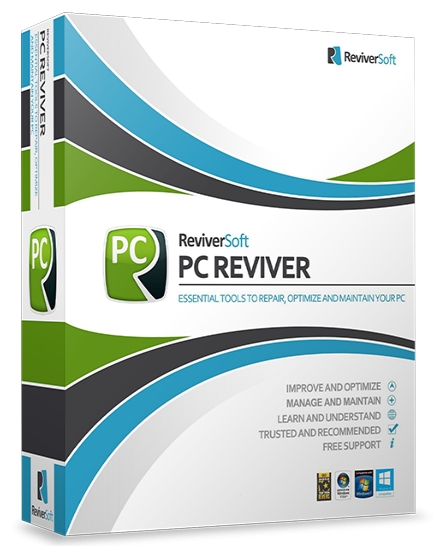
ReviverSoft PC Reviver 3.14.1.12 (x64) Multilingual


1433961905-reviversoft-pc-reviver.jpg

ReviverSoft PC Reviver 3.14.1.12 (x64) Multilingual | 49 Mb
​
PC Reviver is a multi-purpose utility that will diagnose errors on your PC, safely repair them, and provide other maintenance and optimization recommendations.PC Reviver is the trusted and recommended way to restore optimum performance and stability to your PC.


Improve and Optimize
• PC Reviver includes advanced diagnostic tools that will perform a comprehensive and complete scan to find problems with your PC. PC Reviver will safely fix these problems and perform other optimizations to restore optimum performance and stability to your PC.

Manage and Maintain
• Safely and securely delete old, unused and junk items to free up space and memory to give your PC a boost. Set reminders and schedule tasks to perform automatically to ensure that your PC continues to perform at its best.

Learn and Understand
• Direct access to our ever growing library of informative articles and instructional videos will help you get the most from your PC and hardware, and learn more about how to Love Your Computer Again™.

Trusted and Recommended
• ReviverSoft products have been awarded the highest of accolades from industry experts including PC World, Digital Trends, CNet, LAPTOP Mag and many others. You can be rest assured that your PC is in safe hands with PC Reviver.

PC Reviver Features:

Driver Backup
• Create a secure Backup of your PC drivers in the event that you need to restore them at a later date.
Startup Manager
• Choose which programs and services launch on Windows Startup to improve boot times and overall PC performance and stability.
Uninstall Manager
• Manage all installed applications and thoroughly uninstall programs based on recommendations or at will.
Registry Defrag
• Safely optimize your Registry by compressing its hives making it smaller, more compact and therefore more efficient.
Crash Helper
• Find out why your computer is crashing (or has crashed) and find a solution to the cause.
File Extension Manager
• Manage what application is used to open a specific file extension.
Process Library
• View the processes operating on your system quickly and easily.
System Information (Coming soon for Win XP)
• View and save a report detailing your system information including software and hardware settings, and other useful information.
Community
• Direct access to our community of experts to answer any of your technology related questions.
Registry Cleaner
• Identifies errors in your Windows Registry and quickly and safely repairs these errors to restore optimum performance and stability.
Driver Updater
• Identifies all out of date and obsolete drivers and quickly installs current drivers, sourced directly from the original manufacturer.
Disk Cleaner
• Thoroughly clean privacy tracks, delete cache and other temporary data that can take up valuable disk space and cause security issues.
Windows Updater
• Quickly and easily check for updates to Windows and safely uninstall previous installations.

Operating System: Windows XP, Vista, 7, 8 and 10

Home Page -
Код:
http://www.reviversoft.com/


-:DOWNLOAD FROMLINKS:-

RapidGator
Код:
https://rapidgator.net/file/b2692a5f84a9c6df3e4c022aef44c31a/PCReviver3.rar.html


NitroFlare
Код:
https://nitro.download/view/679C44E8F8F4462/PCReviver3.rar

​
 
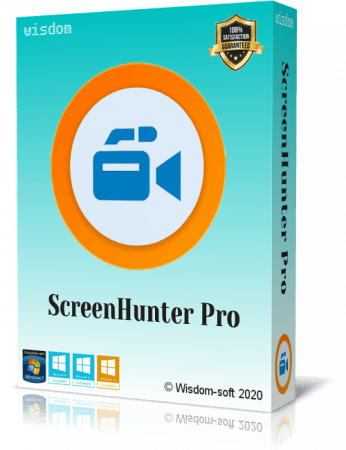
ScreenHunter Pro 7.0.1215


th-S1b-Ka-D6-Yl4r-Ew0a4-UHut-V78-ZFioooy5-G.png

ScreenHunter Pro 7.0.1215 | 140.8 Mb
​
ScreenHunter Pro is the most advanced version of ScreenHunter with all the necessary tools included for your screen capture needs. It's the total screen capture solution to save you time and boost productivity. With ScreenHunter Pro, you can immediately see the benefits of numerous time-saving features and deliver the highest quality screenshots. As well, it offers easy-to-use user interface and maximum flexibility for a more interactive capture experience. Powerful and intelligent, ScreenHunter Pro has proven to be an incomparable helper of your business.


Capturing Features
• Rectangular area
• Adjustable rectangle
• Object / Window
• Auto-scroll
• Multi-object
• Text
• Active Window
• Fixed area (user defined)
• Specific window (lock-in window)
• Full screen
• DOS program
• DirectX / Screen saver
• Movie / video
• Freehand
• Round area (Ellipse)
• Round Rectangular area
• Polygon
• Web capture
• Scanning images

Addition Features
• Mouse pointer
• Multiple monitors
• Transparent window
• AutoText (date/time stamps, note)
• Watermark
• Border

Timing Features
• Delayed capture
• Timed auto-capture
• Scheduled auto-capture
• Recurring capture

Viewing and Editing Features
• Image editing, adding text & annotation
• Advanced image processing
• High-quality zooming, resizing & cropping
• Viewing 100 images & conversion
• Drag & drop images from desktop

Saving Features
• Automatic naming and saving to files
• Clipboard
• Auto-email
• Auto-scale
• Saving in the smallest file size
• Optimized JPEG, GIF and PNG
• High quality and transparent GIF
• Saving to TIFF

Other Features
• Screen Color Picker
• System tray
• Zoombox
• Flexible hotkey
• Multiple hotkey
• Direct printing
• Wysiwyg printing
• Developer support

Operating System: Windows 7, 8/8.1, 10

Home Page -
Код:
http://www.wisdom-soft.com/


-:DOWNLOAD FROMLINKS:-

RapidGator
Код:
https://rapidgator.net/file/436eb07dd9d42b0fc63e6e22b5266c70/ScreenHunter_Pro_7.0.1215..rar.html


NitroFlare
Код:
https://nitro.download/view/84F71D78565CA82/ScreenHunter_Pro_7.0.1215..rar

​
 
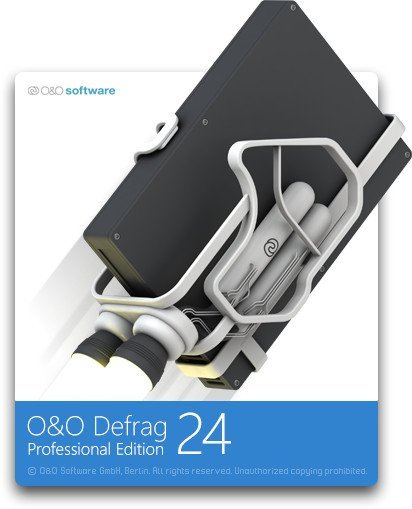
O&O Defrag Professional / Workstation / Server 24.5 Build 6601 (x86/x64)


l-Gah-Qdij-XWd-Z1-Yve-L7-RVp-C2-A0od-J2pa-S.jpg

O&O Defrag Professional / Workstation / Server 24.5 Build 6601 (x86/x64) | 140 Mb
​
Up to 100% increased PC speed: There is nothing worse than when you want to do something on your PC and your computer is running slow. A disk defragmenter used regularly can speed up a PC of any age and get it working like new again!


Don't let a slow computer spoil your work or fun! Let O&O Defrag optimize your hard disks and - New! - SSDs and you can experience speed increases of up to 100%! Regular disk defragmentation optimizes your PC performance!

When you defragment, the files that Windows splits up when saving documents across the hard disk or SSD are put back in order again so that files can be quickly recognized and found by the SSD or the read and write heads inside your HDD. Speed increases of up to 100% are not uncommon, and your hardware suffers much less wear and tear!

New: O&O Defrag supports Windows Compact OS: Many new things have been added to the O&O Defrag engine that make using it, especially under Windows 10, even better. That's why version 24 now supports the Windows 10-integrated feature for compressing system files so that more space can be kept free.

New function "Install & That's All": After installation, no further settings need to be configured. The program selects and implements the defragmentation method best suited to the system.

If you spend a lot of time on your PC, slow system and program starts or system crashes while playing can be very frustrating. Periodic defragmentation often works wonders in bringing new life to a PC.

New SOLID method
By customer request, O&O Software has developed the defragmentation method SOLID in order to offer the user a choice adapted to his or her needs: SOLID/Complete and SOLID/Quick. Both methods sustainably extend the life of the SSD but differ in terms of the duration and protection of the hardware.

O&O DiskCleaner
The brand new in-built O&O DiskCleaner searches for and removes temporary and unnecessary files that are taking up memory and increasing fragmentation. O&O DiskCleaner also increases the security of your data, as private content (e.g. Thumbs.db, copies of documents, drafts of emails, Dumps) will no longer be kept as copies in unnecessary system files.

Benefits of a clearly laid out hard disk
Whenever it saves data, Windows scatters file fragments all over the hard disk and this slows down access times considerably. Defragmentation reverses this by rearranging data and speeding up access times dramatically. This not only saves the user time, it also reduces wear on hard disks and extends their life expectancy. Defragmentation can even make the difference if you lose important data because chances of full recovery are better on a defragmented disk. Why? After defragmentation, it's easier for data recovery software such as O&O DiskRecovery to restore files when they're not scattered across multiple areas of a hard disk.

Automatic background defragmentation
Automatic defragmentation can be configured with just three clicks and optimizes your disks behind the scenes with no negative impact on your computer's performance. You can set O&O Defrag to run defragmentation at a certain level of fragmentation, on particular days of the week, or whenever your screensaver is being used. Defragmentation can be paused and resumed whenever you want because O&O Defrag automatically recognizes where defragmentation was interrupted.

Recommended use
We recommend manual defragmentation for PCs that are being used heavily because only a user can decide when the time is right to give up the performance needed for running defragmentation. On computers using video editing or graphics applications, O&O Defrag can be configured to not start automatic optimization while certain programs are running. The default settings in O&O Defrag are more than adequate for ordinary desktop PCs running mainly internet or office applications. O&O Defrag is also perfect for notebooks. Whenever an external power supply is disconnected, O&O Defrag automatically goes into pause mode to save energy

Product features
"Install & That's All": After installation, no further settings need to be configured. The programselects and implements the defragmentation method best suited to the system
SOLID/Quick: This method, developed specifically for SSDs, performs a superficial optimization of the SSD, such as erasing the free space. This method is gentler and faster.
SOLID/Complete: This method, developed specifically for SSDs, is a thorough optimization of the SSD.
ClusterView with SSDs: In order to represent the degree of fragmentation of an SSD, the ClusterView now maps the logical structure of an SSD so that, accordingly, 6 blocks are combined into one.
Fragment Filter to identify the most fragmented files on a drive
O&O DiskCleaner
Time View to see which defragmentation activity results in which successful optimization
Easy-to-Use: Ideal for Beginners and Professionals
Even faster system and program starts
Defragmentation time reduced by up to 40%
Defragmentation of locked files
Lifetime Performance Statistics
Optimizing systems with Thin Provisioning

OS: Windows 10, Windows 8 and Windows 8.1

Home Page -
Код:
https://www.oo-software.com/


-:DOWNLOAD FROMLINKS:-

RapidGator
Код:
https://rapidgator.net/file/f2a3938f1cea6899cd52492edc9f21e5/OODefrag24.5.rar.html


NitroFlare
Код:
https://nitro.download/view/B4DD567CB315D9A/OODefrag24.5.rar

​
 
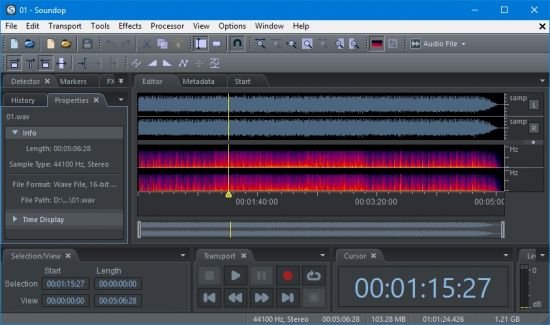
Soundop Audio Editor 1.8.0.0


th-3b0-Sfi-Ili-JPJM7u-WX5-Gnqr-C4v9-FM7bpr.jpg

Soundop Audio Editor 1.8.0.0 | 32.5 Mb
​
Soundop is a professional audio editor for Windows to record, edit, mix and master audio contents in intuitive and flexible workspaces with advanced features. The audio file editor supports both waveform and spectral editing. The multitrack editor can mix an unlimited number of audio and bus tracks with a powerful engine that supports sends, side-chain, and automatic latency compensation.


Track and clip both have FX rack and fully support automating of effect parameters. Soundop provides well-designed built-in effects as well as support for VST and VST3 effect plug-ins, and support parallel or mid-side effect groups to create composite effects. The audio engine supports ASIO, WASAPI, MME, and DirectSound driver, and recording audio with 24-bit precision and up to 192 kHz.

Soundop supports loading audio from all popular audio and video formats and exporting audio to major audio formats with metadata such as ID3 Tag, RIFF Chunk, Vorbis Comment, and ACID loop edited and saved across formats. The CD track editor supports burning audio to CD with customizable gaps and verification after burning. The batch processor runs processor that supports most audio editing operations, including copy, paste as well as applying effects and other processing tools like normalize, on selected channel and time range and save to a target format. The batch processor runs in dedicated workspaces and can run multiple instances concurrently.

Soundop provides a comprehensive feature set at a small package size with a compact design. You can download and start running the application in minutes and work efficiently with it.

Audio Formats
Support ASIO devices for low latency playback and recording.
Record audio up to 24-bit precision and 192 kHz.
Load audio data from most audio and video formats.
Load audio data from CD track.
Save audio to major audio formats including MP2, MP3, AAC, WAV, WAV64, AIFF, AU, OGG, FLAC, APE, WMA and raw PCM files.
Burning audio to CD with custom gaps.
Edit ID3 tag, Vorbis comment, RIFF, AIFF and other metadata for corresponding audio formats.
Edit ACID loop information for music loops.

Audio Effects
Show multiple effect editors to instantly monitor and adjust several audio effects.
High-quality built-in effects including EQ, compressor, limiter, reverb, chorus, flanger, phaser, delay, echo, and more.
Support parallel grouping of effects such as Mid-Side Splitter as a single effect.
Support VST and VST3 effect plug-ins to access abundant third-party effects.
Support automatic latency compensation of built-in and third-party effects.
Apply effects with built-in effect presets and effect chains. Add custom effect presets and effect chains for favorite settings.
Switch between different preset of audio effect with a single click in preset list.
Automate audio effects with parameter envelops.

Audio Editing
Copy, cut, paste, delete, crop and mix paste audio data with sample precision.
Edit audio data in a frequency range with spectrum selection.
Remove background noise of recordings with noise reduction tool.
Process audio with amplify, fade-in, fade-out, gain envelop, normalize, invert, reverse, time stretch and pitch shift tools.
Generate tone, noise, and speech and mix with existing audio.
Adjust time selection according to zero crossings of the waveform.
Apply effects chain to audio selection with FX Rack panel.
Smooth edit boundaries with crossfade automatically.

Ease of Use
Batch processing multiple audio files.
Work with projects in single or multiple windows.
Customize workspace with a well-organized set of panels.
Customize keyboard shortcuts to speed up operations.
List all recent audio files and projects in Start panel and open them with a single click.
Manage properties of tracks in Track panel.
Edit properties of audio clips in Clip panel.
Manage automation curves of an audio clip with Clip Automation panel.
Monitor and adjust settings of all tracks in Mixer panel.
Manage audio sources of multitrack projects clearly and conveniently with Files panel.
Add markers for positions and ranges. List all markers in Markers panel and navigate easily to markers in the timeline.
Group metadata into tabs in Metadata panel according to metadata formats and show native metadata groups for a specific audio format.
Use History panel to undo/redo operations to a specific editing state with a single click.
Organize effects and effects chains clearly into a tree in Effects panel and use drag and drop to add effects and effect chains.
Use Browser panel to navigate audio files and add shortcuts for favorite locations.
Analyze audio data with Loudness Meter, Correlation Meter, Frequency Analysis and Phase Analysis panel.
Manage opened projects with Projects panel.

Multitrack Mixing
Record from multiple input devices to audio tracks concurrently.
Precisely control record position with punch-in, punch-out and loop record.
Add an unlimited number of audio and bus tracks.
Professional mix engine with 32-bit precision.
Send track output to bus track.
Send track output to side-chain of audio effects.
Drag and drop audio files to add audio clips.
Copy, cut, paste, delete, resize audio clips and remove audio clips in time range selection.
Loop audio sources in audio clips.
Set fade-in, fade-out and transparency of audio clips.
Crossfade overlapped audio clips automatically.
Time stretch and pitch shift audio clips in real-time.
Add audio effects with FX rack for tracks and audio clips.
Record and edit automation curve for tracks and audio clips with sample precision.
Add multiple automation lanes for tracks and audio clips and manage multiple envelopes in each lane.

System requirements:
Windows MME or ASIO compatible sound card.
Windows 10, 8, 7.

Home Page -
Код:
https://ivosight.com/


-:DOWNLOAD FROMLINKS:-

RapidGator
Код:
https://rapidgator.net/file/7c35c6b1ca37e160ccc3f3d1d23add3d/SoundopAE.1.8.0.0.rar.html


NitroFlare
Код:
https://nitro.download/view/85F197EDCEE6B61/SoundopAE.1.8.0.0.rar

​
 
Blumentals Rapid SEO Tool 2.11.0.22


0084e0ad-medium.png

Blumentals Rapid SEO Tool 2.11.0.22 | 6.7 Mb
​
Rapid SEO Tool is unique search engine optimization and search engine position monitoring software designed to ease the task of improving web page position on search results. It will literally look at your web page code and suggest what can be improved to get better results. You don't even have to be an SEO professional.


Key Features:

Automatic suggestions
Generate clear instructions on improving your search engine positions

Side-by-side comparison
Compare against competitors and see why they get better results

Content check
See what is wrong with your web page content and learn how to fix it

Free SEO book / guide
Learn SEO basics by example within 5 minutes

Performance check
Easily run a number of performance and quality checks

Spider view
See how search engines see your website

Keyword density analysis
Retrieve in-depth keyword density analysis

Keyword density charts
See how your page stacks against competition

Reporting
Easily generate and save in-depth SEO reports

Operating System: Windows XP, Vista, 7, 8, 10

Home Page -
Код:
http://www.blumentals.net/


-:DOWNLOAD FROMLINKS:-

RapidGator
Код:
https://rapidgator.net/file/0e8b0fea77cd518aca234f8f6b56e94f/Rapid.SEO.Tool.2.rar.html


NitroFlare
Код:
https://nitro.download/view/A4F51201CDA89D4/Rapid.SEO.Tool.2.rar

​
 
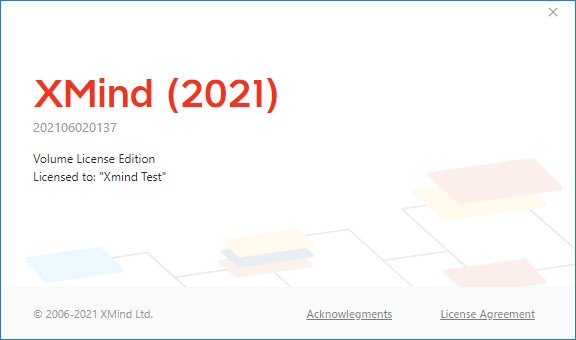
XMind 2021 v11.0.1 (x86/x64) Multilingual


GVz-QL9-Lz-PUT0fc1ml9-U20-O9e-I51e6qnr.jpg

XMind 2021 v11.0.1 (x86/x64) Multilingual | 187.1 Mb
​
XMind, a full-featured mind mapping and brainstorming tool, designed to generate ideas, inspire creativity, brings efficiency both in work and life. Millions and millions of people love it.


Pitch Mode
Click to present your mind map like a slideshow. Pitch Mode got smooth transitions and layouts right for your mind map.

Tree Table
Expand topics from left to right/top to bottom, and identify whole and part relationships.

Skeleton
We've tuned every detail for every structure. You can edit, or combine it with different structures nicely and freely.

Color Theme
Color theme brings more possibilities. Now, you can switch and view them instantly, while build elegant mind maps at ease.

Information Visualization Matters.
From the inception to execution, mind mapping is a powerful visualization tool that helps you to know where you are and where you want to be. Record and organize ideas, plans, and build them from the ground.

More Ideas. More Possibilities.
Many great products start with a small idea. Mind map can really be useful at the beginning of a project. Use it to record every idea in the meeting, you might be surprised by the difference and achievement it makes eventually.

Unleash Creativity. Handy and Easy.
Creativity will make you a more interesting person. The mind map is always a good company to capture every inspiration at a snap anywhere, anytime. Capture inspirations, structure and organize them easily.

A Mind Map. An Opportunity.
Opportunities lie in the middle of challenges, so prepare yourself with a mind map. Jot down ideas, passion, and strengths, you are easier to stand out and take the first step of new opportunity.

Stay Productive. Either On Site or At Home.
A methodized person is always productive no matter where they are. Use the mind map to manage your ideas and documents, and improve your quality of life.

Operating System: Windows 7 and later

Home Page -
Код:
https://www.xmind.net/


-:DOWNLOAD FROMLINKS:-

RapidGator
Код:
https://rapidgator.net/file/93dd184d22ccbdfa46991a72f8976247/XMind11.0.1.rar.html


NitroFlare
Код:
https://nitro.download/view/AFCCBA159AED1A3/XMind11.0.1.rar

​
 
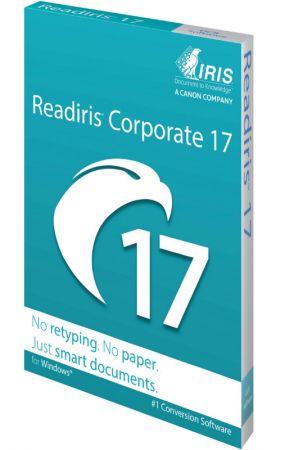
Readiris Corporate 17.3 Build 123 Multilingual


th-m-Ek-P7-Ud4io-DCGrms-C62-OGI89-YDTI8-Vfv.jpg

Readiris Corporate 17.3 Build 123 Multilingual | 464.5 Mb
​
Discover Readiris 17, PDF and OCR publishing software (optical character recognition) for windows. Have you dreamt of an intelligent, unique and intuitive solution to manage your PDF's and paper documents? You've found it.


New interface, new engine, use OCR intelligence READIRIS 17 for Windows
Readiris 17 for Windows allows you to aggregate and split, edit and annotate, protect and sign your PDF's. It's also a global solution to convert, edit and transform all your paper documents into a variety of digital formats, intuitively with a few clicks.

Convert all your documents to PDF
Rapidly capture and convert your documents to editable PDF's with Readiris 17 for windows with easy management of your documents.

Annotate and comment on your PDF's
Ideal for collaboration, Readiris 17 offers a group of tools to attach annotations, comments and hypertext lines which can be clicked on to reach attached documents.

Protect and sign your PDF
Nothing simpler than being able to simply sign and protect your PDF's to send them electronically.

Operating System: Windows 7, 8/8.1, 10

Home Page -
Код:
http://www.irislink.com/


-:DOWNLOAD FROMLINKS:-

RapidGator
Код:
https://rapidgator.net/file/1838f7ae193dc4ad04ab4604669d3f09/Readiris17.rar.html


NitroFlare
Код:
https://nitro.download/view/509713AE0DD3FA2/Readiris17.rar

​
 
Boom 3D 1.2.3 Multilingual


Kp-YQJy-Mh-Sxc-UJF2-Ffh-Q6-R6-Yg-U06-A0-BLK.jpg

​


Windows x64 | Languages: Multilingual | File Size: 33.53 MBBoom 3D for Windows is an award-winning pro audio enhancement app designed to play your media content with incredible 3D effects on ANY headphones, from any player, any media or streaming services. You would not need an expensive headphone or costly surround sound boosters to feel your music.
Features that make your world go BOOM!
Tweak your system-wide audio with Boom's world-class enhance features

3D Surround
Experience movies, games and music with 3D Surround technology that offers a mind-blowing virtual surround sound without any special headphones to turn up the volume or costly surround speaker boosters.

Equalizer Presets
Most advanced Equalizers with 31 bands for precise audio tuning. Boom 3D for Mac & Windows also provides a vast array of presets carefully handcrafted to match different genres and individual taste of listening.

Boom Volume Booster
Boom 3D is a system-wide volume booster that safely increases the volume beyond its regular limits to deliver an intense and rich audio experience

Apps Volume Controller
Boom 3D allows you to manage individual application audio volumes and seamlessly have an undisturbed movie / game / music experience like a personal music player app.

State of the Art Audio Player
Play your locally stored songs with unbeatable Boom effects with our full-fledged audio player and create playlists to organize your music collections just like your personal music player app.

Amazing Audio Effects
- Ambience Fidelity Night Mode Spatial
- Be alive and feel the music around you with Ambience
- Be here, there and everywhere with Fidelity
- Optimize the night time listening volume with Night Mode
- Be right at the center of your audio with Spatial
Release Notes- Release notes were unavailable when this listing was updated.
Requirements: Compatible on Windows 10 only (64-bit).


-:DOWNLOAD FROMLINKS:-

RapidGator
Код:
https://rapidgator.net/file/92f3dfc98ca745208c17083c2d8e6cf7/B3D.1.2.3.rar.html


NitroFlare
Код:
https://nitro.download/view/657F3950C68411B/B3D.1.2.3.rar

​
 
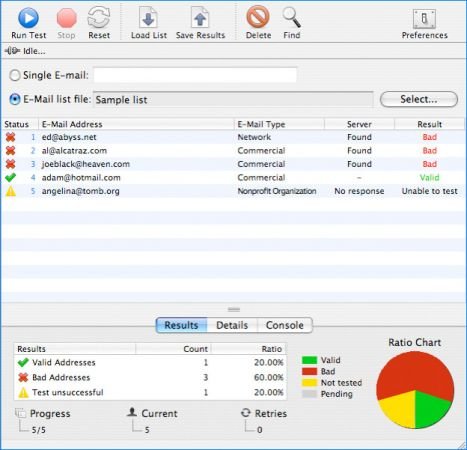
Maxprog eMail Verifier 3.7.8 Multilingual


th-8u-Wl-Xavy0-UWDBd-Li1-CI7-Ud44-RXnz6-EVf.jpg

File size: 154 MB
​
eMail Verifier can save time and money for businesses who send newsletters to their clients, nonprofit organizations who send bulletins to their members, or any person or business that needs to maintain a clean e-mail contact list.

eMail Verifier works on the same algorithm as ISP mail systems do. Addresses for email are extracted from a Domain Naming Server (DNS) and eMail Verifier tries to connect with SMTP-servers and simulates the sending of a message. It does not send the message though - eMail Verifier disconnects as soon as the mail server informs the program whether the address exists or not.

eMail Verifier is your powerful solution for the standard "message delivery error." Email Verifier verifies every e-mail address from a given mailing list, allowing you to determine 70-80% of "dead" email addresses.
eMail Verifier is a very effective piece of software that can verify over 10 e-mails per second . It can verify single e-mails or huge lists. eMail Verifier is multithreaded, providing high speed verifying.
eMail Verifier is available in English, German, French, Spanish, Italian, Dutch and Russian.


-:DOWNLOAD FROM LINKS:-
NitroFlare
Код:
https://nitro.download/view/8E9259A05471A5C/eMailVerifier3.rar


RapidGator
Код:
https://rapidgator.net/file/69f88bf8a2ff59df7f188fd1d8eec927/eMailVerifier3.rar.html

​
 
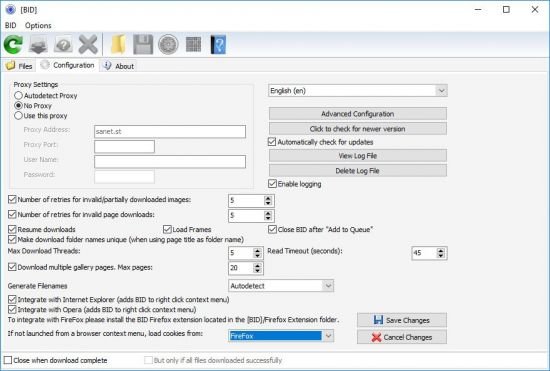
Bulk Image Downloader 5.96.0 Multilingual


th-b-H09-Pm3-Tdr-G6-XI1i011-Rcv-R8-Az9-Dmrd1.jpg

File Size: 28 MB
​
Bulk Image Downloader is an application specifically developed to help you download Full Sized images from almost any web gallery or web forum.

Features:
Image Host Support - BID works with almost all popular image hosting sites, such as flickr, imagevenue, imagefap, imageshack, imagebam, etc.
Social Networking Sites - BID supports album downloading from sites such as facebook, myspace, and twitter related hosts like tweetphoto.com, twitpic.com, yfrog.com
Full Sized Images - BID uses an advanced heuristic scoring method to locate full sized images. This means BID can work on most galleries automatically, with no user configuration necessary.
Batch Downloading - Automatically download from huge lists of gallery URLs via the integrated Queue Manager.
Web Browser Integration - BID integrates with IE, Opera, FireFox and Chrome. Just right click inside your browser window and select "Open current page with BID"
Web Forum Support - BID can scan multi page forum threads and quickly extract all image links
Multi Page Gallery Downloads - BID can detect and download from most popular multi page web galleries out of the box.
Password Protected Websites - BID will prompt for user names and passwords if the web site requires them.
Video Downloading - It's not just for images - BID also supports VIDEO downloading from directly linked video files (.avi, .wmv, .mpeg, .mov, .flv, .mp4, etc)
Embedded images - Apart from locating and downloading full sized imaged, BID can also download images embedded on a page
Sequenced image filenames (fusker) - BID supports 'ranged' URLs for sequenced image downloading.
Image Validation - BID checks every image to make sure it's been downloaded correctly. Invalid images are retried automatically.
Resume Downloads - BID will resume downloads from the point at which the connection was broken.
Multi Threaded Downloading - BID can download up to 50 images at once. Download those galleries quickly!
Redirection Resolution -Some sites use image redirection "services" like imagecash, urlcash etc. to display adverts before redirecting to the imagehost. BID automatically resolves these types of links.
File name unmangling - BID will retrieve the correct file name from image hosts that scramble filenames (where possible), such as imagevenue, imagefap.
Generate File names - Optionally create your own sequenced file names for image hosts that scramble the file names,
Export Galleries to HTML or BB Code - Quickly generate gallery code suitable for pasting into web forums.
Advanced Configuration - BID has many advanced settings for things like Javascript processing, redirection handling, and more for those tricky galleries that thwart BID's download attempts. We're happy to help out with these settings if you get stuck - just contact us.


-:DOWNLOAD FROM LINKS:-
NitroFlare
Код:
https://nitro.download/view/107EE6AC3AB493C/Bulk.Image.Downloader.5.rar

RapidGator
Код:
https://rapidgator.net/file/4c692526d50281d1c4436523d448407b/Bulk.Image.Downloader.5.rar.html

​
 
QFX KeyScrambler Professional 3.15.0.6


th-UJay-La-Lut-Z9h-IJ9q-YZDh-J63py1-KAE55z.png

File Size: 1.5 MB
​
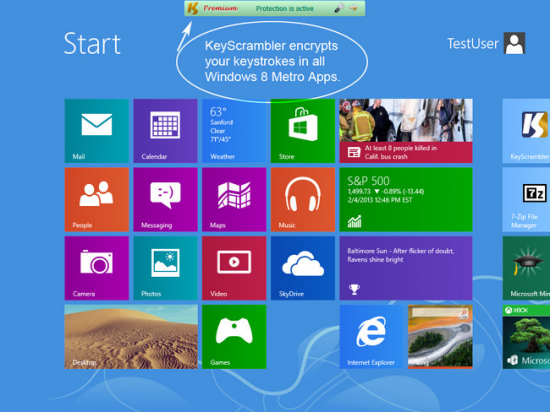
KeyScrambler encrypts your keystrokes deep in the kernel, as they travel from your keyboard to the destination app, so whatever keyloggers may be awaiting in the operating system will get only scrambled, indecipherable, useless data to record. This preventive approach enables KeyScrambler to stay one step ahead of the bad guys instead of running after them. It protects your data/identity even on security compromised computers, defeats both known and unknown keyloggers, and effectively closes the gap in traditional anti-virus, anti-malware programs, whose detect-and-remove method proves ineffective in dealing with new malware attacks.

Premium:
The most complete protection.
If you work in public places often, use the information-sensitive applications a lot, or own a business, KeyScrambler Premium is what you need. KeyScrambler Premium starts the minute you turn on your computer and protects all your inputs in over 170 browsers and applications, adding a unique line of defense to your PC security system against online information theft.

Professional:
For work, for play, for your home office and family computers, KeyScrambler Professional offers the exact level of protection that you need against keylogging. KeyScrambler Professional protects all your inputs in over 120 Windows applications, including 25 browsers, popular email and IM/VoIP programs, password managers, music programs, online games and a lot more.


-:DOWNLOAD FROM LINKS:-
NitroFlare
Код:
https://nitro.download/view/CE454311DC0C079/KeyScrambler.3.rar

RapidGator
Код:
https://rapidgator.net/file/d1933eead1ac628f979ac147997fd509/KeyScrambler.3.rar.html
 
SolidWorks 2021 SP4.0 Full Premium (x64) Multilingual


007ce499-medium.jpg

File Size: 15.5 GB
​
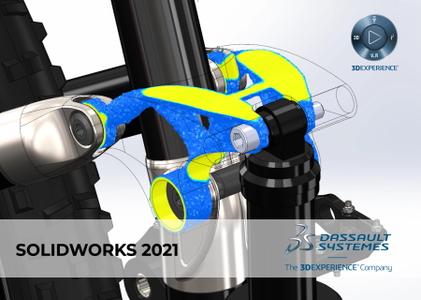
SolidWorks is a computer-aided design, engineering analysis and preparation system for manufacturing products of any complexity and purpose.SolidWorks is the core of the integrated enterprise automation complex, with the help of which the product life cycle is maintained in accordance with the concept of CALS technologies, including bi-directional data exchange with other Windows applications and the creation of interactive documentation Depending on the class of tasks to be solved

customers are offered three basic system configurations:
SolidWorks, SolidWorks Professional and SolidWorks Premium SolidWorks CAD developer is SolidWorks Corp. (USA), an independent division of Dassault Systemes (France) a world leader in high-tech software.Developed by SolidWorks Corp. They are characterized by high quality, reliability and productivity, which, combined with qualified support, makes SolidWorks the best solution for the indu
try.SolidWorks integrated solutions are based on advanced hybrid parametric modeling technologies and a wide range of specialized modules.The software operates on the Windows platform, has support for the Russian language, and,accordingly, supports GOST and ESKD

System requirements:
OS:Windows 10 x64


-:DOWNLOAD FROM LINKS:-
NitroFlare
Код:
https://nitro.download/view/90624A8DDA120D7/DS.SolidWorks.2021.SP4.0.Premium.part01.rar
https://nitro.download/view/249F71BBD263213/DS.SolidWorks.2021.SP4.0.Premium.part02.rar
https://nitro.download/view/8D22887E2C63A5F/DS.SolidWorks.2021.SP4.0.Premium.part03.rar
https://nitro.download/view/D27ED14322C469D/DS.SolidWorks.2021.SP4.0.Premium.part04.rar
https://nitro.download/view/FC52336369B98D2/DS.SolidWorks.2021.SP4.0.Premium.part05.rar
https://nitro.download/view/7B38ECA962D8157/DS.SolidWorks.2021.SP4.0.Premium.part06.rar
https://nitro.download/view/36DCE8BBA5EA395/DS.SolidWorks.2021.SP4.0.Premium.part07.rar
https://nitro.download/view/A583769AE05B228/DS.SolidWorks.2021.SP4.0.Premium.part08.rar
https://nitro.download/view/41C61FEDFBF56B3/DS.SolidWorks.2021.SP4.0.Premium.part09.rar
https://nitro.download/view/4F7D971554BB05B/DS.SolidWorks.2021.SP4.0.Premium.part10.rar
https://nitro.download/view/85EC488D60FB8F9/DS.SolidWorks.2021.SP4.0.Premium.part11.rar
https://nitro.download/view/B77757F69BBDA97/DS.SolidWorks.2021.SP4.0.Premium.part12.rar
https://nitro.download/view/1EC3A0A2F028F07/DS.SolidWorks.2021.SP4.0.Premium.part13.rar
https://nitro.download/view/0A68E31B5DC589E/DS.SolidWorks.2021.SP4.0.Premium.part14.rar
https://nitro.download/view/1E8A208CCD13252/DS.SolidWorks.2021.SP4.0.Premium.part15.rar
https://nitro.download/view/3F778989565B439/DS.SolidWorks.2021.SP4.0.Premium.part16.rar

RapidGator
Код:
https://rapidgator.net/file/370d16cd3d140d54f89ddafc927a172a/DS.SolidWorks.2021.SP4.0.Premium.part01.rar.html
https://rapidgator.net/file/34f04accc06e60b990ec5a31ff88cc27/DS.SolidWorks.2021.SP4.0.Premium.part02.rar.html
https://rapidgator.net/file/afdde9ba09dd801ae0c3d6d8338ab3b7/DS.SolidWorks.2021.SP4.0.Premium.part03.rar.html
https://rapidgator.net/file/0d5cc24b45c5773991a6fa4aeabcc0e5/DS.SolidWorks.2021.SP4.0.Premium.part04.rar.html
https://rapidgator.net/file/eed2ab1bee5179a36e71a8b4da34e5a1/DS.SolidWorks.2021.SP4.0.Premium.part05.rar.html
https://rapidgator.net/file/aaa1870d81967bd2ac177dd82e800879/DS.SolidWorks.2021.SP4.0.Premium.part06.rar.html
https://rapidgator.net/file/dfe3c4f6e049b88a4c2ea9405bde8279/DS.SolidWorks.2021.SP4.0.Premium.part07.rar.html
https://rapidgator.net/file/e9b886edad2c83eb06d6f3777258b2f3/DS.SolidWorks.2021.SP4.0.Premium.part08.rar.html
https://rapidgator.net/file/a25890edca8ef62d0be7f2318b693a11/DS.SolidWorks.2021.SP4.0.Premium.part09.rar.html
https://rapidgator.net/file/cf9974942b3946945634afc69a2735c4/DS.SolidWorks.2021.SP4.0.Premium.part10.rar.html
https://rapidgator.net/file/4a87f1961671450cf7cff1c14b3270c9/DS.SolidWorks.2021.SP4.0.Premium.part11.rar.html
https://rapidgator.net/file/a4389c0b38844d658a7c779992a17f9f/DS.SolidWorks.2021.SP4.0.Premium.part12.rar.html
https://rapidgator.net/file/2bdf576b0dff14c530f13341abd18307/DS.SolidWorks.2021.SP4.0.Premium.part13.rar.html
https://rapidgator.net/file/7a30505a197c6e707052e98919a75dfa/DS.SolidWorks.2021.SP4.0.Premium.part14.rar.html
https://rapidgator.net/file/dfb40dd79deaaad0d5e236fd3760777e/DS.SolidWorks.2021.SP4.0.Premium.part15.rar.html
https://rapidgator.net/file/7ed98ee47e31336dc3cbafc8cb353300/DS.SolidWorks.2021.SP4.0.Premium.part16.rar.html

​
 
DbVisualizer Pro 12.0.8


th-SYpgc-Wbns1dh0-Dy32-JRglpr-YZf2gp3-Lh.jpg

File size: 119.2 MB
​
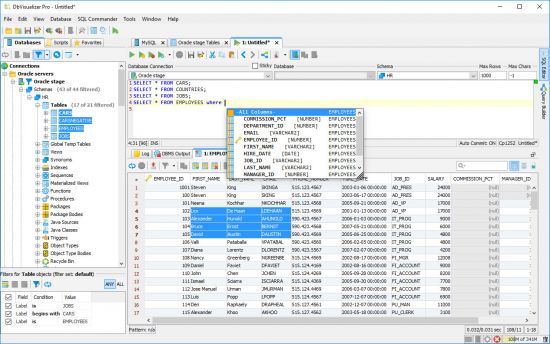
DbVisualizer is the universal database tool for developers, DBAs and analysts. It is the ultimate solution since the same tool can be used on all major operating systems accessing a wide range of databases.

Top Feature:

Supported Databases
Amazon Redshift, DB2 LUW, Exasol, H2, Informix, JavaDB/Derby, Microsoft SQL Server, Mimer SQL, MySQL, Netezza, NuoDB, Oracle, PostgreSQL, SQLite, Sybase ASE, and Vertica.

SQL Tools
SQL editor with support for auto completion, parameterized SQLs, SQL formatter, visual query builder, explain plan, and, a command-line based interface.

Database Browser
Tree based navigation through database objects. Multiple objects can be displayed side-by-side.

Object Management
Visual tools to manage database objects. Edit, compile and, run procedures, functions, triggers, and, a lot more.

Table Data Management
Spreadsheet-like table data editor including binary/BLOB and CLOB data types, import from CSV and Excel files.

Export
Export database objects and table data as CREATE/INSERT statements, CSV, XML and more. Support for exporting very large result


-:DOWNLOAD FROM LINKS:-
NitroFlare
Код:
https://nitro.download/view/D7C139E1234ED95/DbVisualizerPro12.rar


RapidGator
Код:
https://rapidgator.net/file/9de946d9b1d179c39f46d1648860f3f7/DbVisualizerPro12.rar.html

​
 
Stardock Groupy 1.49.1 (x64)


th-dpg6-KXb-Up-KY58-Bwcm-Y4s-Ntkfk-DDXMUHR.jpg

File size: 7.2 MB
​
Tabbed interfaces have a long history now but just imagine what it would be like to have to open each new document or webpage in a new application instance. With that picture in mind, know that there are still software programs that do not feature a tabbed UI design, and one example is the default Windows text editor, Notepad. Designed not only to address this issue but also to offer a reliable productivity tool, Groupy can merge different opened windows into a tabbed interface, thus keeping your workspace clean and well-organized.

Merge opened windows into tabbed-based interfaces
Groupy is very intuitive to use. To group two windows together, you simply have to drag one on the other's title bar. A grouping notification is displayed, and as soon as you release the mouse button, you will be able to see the generated tabbed interface, having each of the two applications displayed in a separate tab.

To ease your work, Groupy detects all the opened windows and allows you to add them to the current group with just a click. Furthermore, it identifies the process a window belongs to and offers options to group all the windows belonging to that particular process. For instance, if you have multiple Windows Explorer instances opened, no matter the location they point to, you can merge them all in a new tabbed interface, which provides easier and faster access.

Instinctively manage tabs in the new window, just like in a browser
With Groupy you can manage running applications in a natural way, just like you would do with browser tabs. For instance, you can use the Win+~ key combination to switch between tabs in a quick manner. It's also possible to move tabs around to rearrange them in a group or close tabs.

The configuration settings of Groupy enable you to choose how the tabs will look like, differentiate active and inactive tabs by color or transparency, and choose what windows should Groupy be allowed to merge.

A worth-having productivity tool that groups opened windows
The utmost advantage of Groupy is that it offers a more organized workspace and eliminates the need to look for certain applications, to open or to close windows. It is, indeed, a very useful and cool application that is worth trying by any daily computer user. Of course, further enhancements (such as the possibility to undo closing a tab or shortcut keys that can be assigned to more tab-related actions) could make it even more desirable.


-:DOWNLOAD FROM LINKS:-
NitroFlare
Код:
https://nitro.download/view/B7FEC03A28225A0/StardockGroupy1.rar

RapidGator
Код:
https://rapidgator.net/file/62d504546c25bf37557f0efe16b2e809/StardockGroupy1.rar.html

​
 
Назад
Сверху