• Здравствуйте. Сайт заработал в архивном режиме форум www.old.nado.in

Dl4ever Software

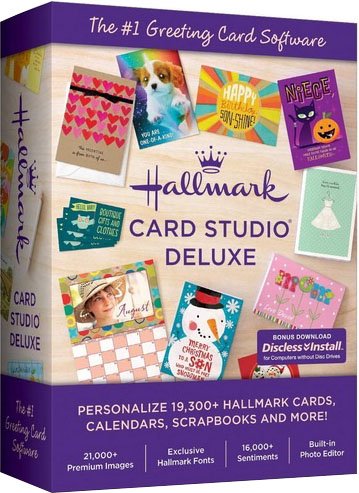
Hallmark Card Studio 2020 Deluxe 21.0.1.1


q-OYgl-Nz80-JIYQbot1o-PBum0mqw0ynm-NK.jpg

Languages: English | File Size: 209.77 MB
​
For more than 100 years Hallmark has designed greeting cards for life's special moments. Hallmark Card Studio® 2020 Deluxe extends this tradition, making it easy to create one-of-a-kind Hallmark cards as unique as the people you care for.

SCRAPBOOK PAGES
Commemorate the special events in your family's life by creating beautiful scrapbooks you'll treasure forever.

4" x 8" Photo Cards
Create personalized family photo cards for holidays or virtually any occasion.

CALENDARS
Create monthly, weekly and daily calendars. You can also include holidays and special events from your Event Planner.

HALLMARK GRAPHICS COLLECTION
Complement your cards and projects with brand new Hallmark images. Even add music and sound to e-cards!

THEMED PARTY SETS
Coordinate your party decorations with matching designs.

11,200+ Cards and Projects
Create your own one-of-a-kind Hallmark cards for friends and family with Hallmark Card Studio® 2020! It's the fast, easy and fun way to create unique Hallmark cards for any occasion - from birthdays and anniversaries to Christmas and Valentine's Day and more!

Hundreds of Projects
Hallmark Card Studio® 2020 also helps you capture life's special moments with beautifully designed scrapbook pages, photo frames, stationery, invitations, stickers and award certificates. Also included are personal calendars to keep track of daily, weekly and monthly activities.

Add Photos to Your Favorite Hallmark Card!
There's no better way to personalize a Hallmark greeting card than with a recent photo taken with your camera, phone or tablet. With Hallmark Card Studio® 2019, you can also display life's special moments in beautiful photo frames or create custom photo newsletters to bridge the miles between family and friends.

Hallmark Graphics Collection
To give your cards a truly distinctive look, we've included a sensational array of clip art suitable for any occasion. You can also import your own clip art and add to any card or project.

Event Planner
Keep track of the birthdays and anniversaries of the important people in your life. Date notification means you'll never miss an important Hallmark card event again.
Release NotesWhat's New in Hallmark Card Studio 2020 Deluxe:
- MORE! 19,300+ Hallmark Cards & Creative Projects!
- MORE! 16,000+ Hallmark Sentiments! (5,000+ more than 2019 standard edition)
- IMPROVED! 21,000+ Premium Graphic Images! (7,500+ more than 2019 standard edition)
- PLUS! Built-in Digital Photo Editort
System Requirements:
- Windows® 7, 8 or 10
- Intel® Pentium® 4 or faster
- 1 GB RAM
- DVD Drive (for Box Version)
- Color Printer


-:DOWNLOAD FROM LINKS:-
RapidGator
Код:
https://rapidgator.net/file/485578ad84acaee7f11e2747a42cd63e/HCS.21.0.1.1.rar.html

NitroFlare
Код:
https://nitro.download/view/4DAD8C8D529129B/HCS.21.0.1.1.rar


​
 
TechSmith Camtasia 2021.0.4 Build 31371


1619531265-techsmith-camtasia-2021.jpg

Windows x64 | Languages: English | File Size: 479.63 MB
​
The Best All-In-One. Screen Recorder and Video Editor. Camtasia 2021 makes it simple to record and create professional-looking videos. Camtasia 2021's new video templates make it easier than ever to create the video you need.

Start Fast
Camtasia is quick to learn. You don't need a big budget or fancy video editing skills. Start with a template or just record your screen and add a few effects.

Feel Confident
Whether you have experience or this is your first time making a video, we'll give you everything you need to make a high-quality video.

Engage Viewers
Create content your viewers actually watch. A video will give you more interaction and help your audience to learn more than with text alone.

The best screen recording software for...
- Video tutorials
- How-to videos
- Demo videos
- Meeting recordings
- YouTube videos
- Training videos
- Video lessons
- Webinar recordings
- Instructional videos
- Explainer videos
- Presentation recordings
- ...and more!

Simple, but full of features:

Templates
Pre-built video templates reduce editing time. Create custom templates for videos you frequently make.

Camtasia Packages
Share templates, libraries, themes, shortcuts, favorites, and presets in a single file.

Favorites & Presets
Instantly access your most used tools and effects. Save custom styles and configurations for frequent use.

Recording
Record anything on your computer screen-websites, software, video calls, or PowerPoint presentations.

Simplified Editing
Camtasia's simple drag-and-drop editor makes adding, removing, trimming, or moving sections of video or audio a breeze.

Pre-Built Assets
Customize any of the royalty-free assets in the Camtasia library and add them to your video for a professional polish.

Options
Camtasia records exactly what you want-the entire screen, specific dimensions, a region, a window, or an application.

Capture
Add a personal touch to your videos by adding crisp video and audio straight from your webcam.

(Mic + System)
Record and edit your audio clips using a microphone, the sound from your computer, or import clips to get the perfect audio for your video.

Music
Choose from our library of royalty-free music and sound effects to insert into your recordings.

Integration
Turn your presentation into a video. Record with the PowerPoint Add-In or import slides directly into Camtasia.

Media Import
Import video, audio, or image files from your computer, mobile device, or the cloud and drop them right into your recording.

Quizzing
Add quizzes and interactivity to encourage and measure learning in your videos.

iOS Capture
Connect your iOS device directly to your Mac, or Use the TechSmith Capture app for PC to record directly from the screen, then add gesture effects to simulate taps, swipes, and pinches in your video.

Annotations
Use callouts, arrows, shapes, lower thirds, and sketch motion to highlight important points in your video.

Transitions
Use transitions between scenes and slides to improve the flow of your videos.

Animations
Camtasia gives you pre-made animations that take your video to the next level. Customize your animation, create behaviors, or zoom in, zoom out, and pan animations to your screen recordings.

Cursor FX
Highlight, magnify, spotlight, or smooth the motion of your cursor to create a professional and polished look to any video.

Themes
Stay on the brand by creating themes to keep a consistent look and feel in your videos.

Device Frames
Apply device frames to your videos to make them appear as though they are playing on a desktop, laptop, or mobile device screen.

Video Table of Contents
Add an interactive table of contents to your video to create navigation points for your viewers.

Closed Captions
Add captions directly to your recordings to ensure your videos are understood by all.

(Green Screen)
Replace backgrounds and insert footage videos quickly and easily to add an extra wow factor to your videos.

Audio FX
Reduce background noise, even out audio levels, add audio points, adjust pitch and gain, and much more to ensure high-quality audio in your videos.

Options
Instantly upload your video to YouTube, Vimeo, Screencast, or your online video course.
Release NotesMinimum Specifications:
- Microsoft Windows 10 (64-bit) 1607 version or later
- 2.8 Ghz 6th Generation Intel® Core™ i3 Processor with 2 CPU Cores or 2.8 Ghz 1st Generation AMD® Ryzen™ 3 - Processor with 2 CPU Cores
- 8GB of RAM
- 4GB of available disk space
- Microsoft .NET 4.7.2 or later (included), Windows N requires the MediaFeature pack for Windows N

Recommended Specifications:
- Microsoft Windows 10 (64-bit) 1809 version or later
- 3.5 Ghz 8th Generation Intel® Core™ i5 Processor with 4 CPU Cores or better or 3.5 Ghz 2nd Generation AMD® Ryzen™ 5 Processor with 4 CPU Cores or better
- 16GB of RAM or more
- NVIDIA GeForce 10 Series or higher
- SSD with 4GB of available disk space
- Microsoft .NET 4.7.2 or later (included), Windows N requires the MediaFeature pack for Windows N


-:DOWNLOAD FROM LINKS:-
RapidGator
Код:
https://rapidgator.net/file/c0453528f4c91e66a36afe8001bed926/Camtasia.2021.0.4.rar.html

NitroFlare
Код:
https://nitro.download/view/908C6829F25E7FE/Camtasia.2021.0.4.rar


​
 
Hot Door CADtools 12.2.6 for Adobe Illustrator


EP3k-DMD034-Ilvn23a-Dbe1-AJoxw7-Qme-A0.png

Languages: Multilingual | For Adobe Illustrator 2021 | File Size: 213.21 MB
​
CADtools - Precision drawing and dimensioning power inside Adobe Illustrator. Click and drag dimensions or labels on every possible object, path, or point in space. Live dimensions follow and respond to artwork changes.

Top new features in CADtools 12:
- Six new engineering and construction calculators
- Structured label designer
- Panel and tool improvements
- Preview labels and dimensions
- Compress panels by hiding sections you don't use
- Completely rewritten Revision Bubble tool

Draw, dimension & label anything in scale
Click and drag dimensions or labels on every possible object, path, or point in space. Live dimensions follow and respond to artwork changes.

Works just like other Illustrator tools!
CADtools adds 92 drawing, editing, labeling, dimensioning, transformation, creation, and utility tools organized in 10 tool groups in the Adobe Illustrator tool panel.

- 2D Drawing
- 2D Dimensioning
- Axonometric Drawing
- Axonometric Dimensioning
- CAD Walls
- 2D Editing
- Labeling
- Transformation
- Creation
- Utility

Click-drag tools with seamless integration
CADtools adds 92 tools to the tool panel. Red dots indicate the number and placement of mouse-clicks to edit or create an object, label or dimension. Recent tools include Scale Line, Repeat, Repeat Along Path, Scaled Type, Grid, and Wave tools.

Document or layer scales and scale calculator
Select from a wide range of engineering and architectural scales or create an unlimited number of custom scales. Figuring out scale is easy with the Scale Calculator.

Unlimited styles for dimensions and labels
Create beautiful live dimensions as measurements, letter, number, or custom text. Create custom labels with text, numbers, alphabet or object geometry.

3D-style cubes, cylinders, and planes
Create art with custom 3D-like view angles using the CADaxonometric panel. Dimension with axonometric dimension tools or flatten into front, side, or plan views.

CADunits cover all possibilities
Set up units and precision for dimension values as well as numeric input, CADrulers and CADtools panel options. Add polish to professional docs with clever compact fractions.

Guides and grids your way
With CADguides, customize scaled rulers and grids that can snap with CADtools drawing tools. Show full screen cursors to easily create and edit CADtools objects.

CADshortcuts and automatic dimensions
Instantly apply dimensions to artwork by using the CADshortcuts panel. Save time by applying custom presets that retain CADtools settings.

Measure and transform objects in scale
Numerically move and transform objects in scale with CADtracker. View angle, perimeter, length, and area of one or more paths or placed images.

CADdashboard and CADhelp
Quickly access all tools and panels with CADdashboard. The context-sensitive CADhelp panel shows step-by-step details and video tutorials for the current tool or panel.
Release Notes- Compatibility with rotated views introduced in Illustrator 2021.3 (25.3).
System Requirements:
- Requires Adobe Illustrator Illustrator 2021 (v25)
- CADtools can be used in English, Japanese, Simplified and Traditional Chinese independent of the OS language setting


-:DOWNLOAD FROM LINKS:-
RapidGator
Код:
https://rapidgator.net/file/04bfec011057bdcb28e93ed08db82ecb/CADtools.12.2.6.rar.html

NitroFlare
Код:
https://nitro.download/view/65589C5DF4A3F55/CADtools.12.2.6.rar


​
 
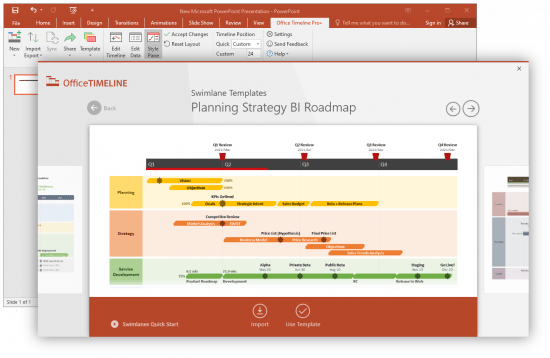
Office Timeline Plus / Pro / Pro+ Edition 6.00.01.00


th-vw-C8qc3r-Sl-CY6-Pf0-Pyn4q0fk-Ca-Iftmyr.png

Languages: English | File Size: 21.92 MB
​
The #1 PowerPoint Timeline Maker for Windows and Office. Create PowerPoint timelines or roadmaps as fast as clients and executives need them. Simple but powerful PowerPoint add-in that anyone can use to quickly make and manage impressive timelines.

Beauty trumps complexity.
Build stunning PowerPoint timelines without the effort and cost.

Free yourself from manually building and managing visual project plans.
Office Timeline helps you make timelines, Gantt charts and Swimlanes in PowerPoint almost instantly. Customize them with just a few clicks to create clear, elegant high-level presentations that everyone will understand.

User-friendly PowerPoint timeline generator. Works the way clients and colleagues do.
Office Timeline works with all versions of PowerPoint. Give them stunning PowerPoint slides that can be viewed, edited and shared by anyone who has Microsoft Office.

Manage and change data with ease.
The plugin's powerful Data wizard and drag & drop Visual Editor make timeline management agile and intuitive. Updating timelines when projects and plans change is quick and easy.

PowerPoint timelines made easy.
No complex steps. No learning curve. No hassle!

Start from scratch or pick a template.
The timeline wizard was designed to make it simple. It all starts by selecting the type of timeline you want to make.

Enter your data and click Create.
Once you've selected a timeline template, enter or import your key milestones and tasks. Set their dates, click the Create button, and voilà! Timeline created.

Arrange and style to impress.
Use Drag & Drop to instantly rearrange or update your visual. Then customize it your way - colors, shapes, date formats, task duration, percent complete. change any detail, anyway you want.

Enjoy more freedom with Plus Edition.
While the Free edition is fully functional, Office Timeline Plus brings more! Plus Edition unlocks predesigned templates and gives you the freedom to add as much data as needed, so you can create detailed, unique PowerPoint timelines and Gantt charts.

See the power of Pro Edition.
Office Timeline Pro gives you everything you get with the Plus add-in, but adds powerful extra features. Pro Edition creates impressive Swimlanes and roadmaps, so you can manage complex projects with big-picture visuals that anyone can understand.
Release Notes- Design, usability and functionality improvements in all Editions.

- The ability to rotate Swimlane titles from the Timeline view.
- Easily add, hide or duplicate Swimlanes from the Data and Timeline views.
- Expand and collapse Swimlanes in the Data view.
- New timescale settings with live timeband preview.
System Requirements:
- Microsoft Windows Vista, Windows 7 (SP1), Windows 8, or Windows 10 (LTSB, CBB and CB). Office Timeline does not run on Windows 10 S. The add-in is functional on Windows XP and Windows Server but unsupported.
- 32-bit versions of Microsoft Office 2007 (SP3), 2010, 2013, or 2016. Although Office Timeline works with 64-bit versions of Office, we do not formally test or support it on 64-bit. The vast majority of the Office install base is the 32-bit version of Office. 32-bit is recommended by Microsoft unless you have very specific needs for 64-bit.
- .NET Framework 4.5.2 or greater.


-:DOWNLOAD FROM LINKS:-
RapidGator
Код:
https://rapidgator.net/file/af7c688920561cbd61de2216d03580b5/Office.Timeline.v6.00.01.00.rar.html

NitroFlare
Код:
https://nitro.download/view/E752E89DB971AB0/Office.Timeline.v6.00.01.00.rar


​
 
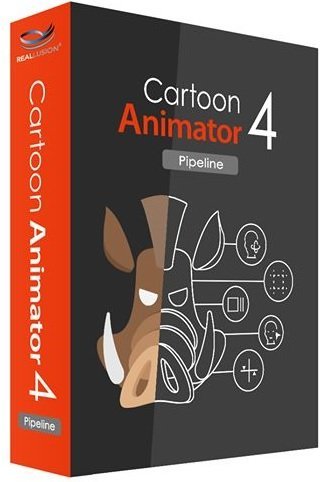
Reallusion Cartoon Animator 4.5.2918.1 Pipeline


Dfq-Wakmq-Pey-Uporksh-Tzk-Dikk-LTa-H7-Zk.jpg

Windows x64 | Languages: Multilingual | Incl. Resource Pack | File Size: 1.08 GB
​
(In Total)Cartoon Animator 4 (formerly known as CrazyTalk Animator) is a 2D animation software designed for both ability of entry and productivity. You can turn images to animated characters, control characters with your expressions, generate lipsync animation from audio, accomplish 3d parallax scenes, produce 2D visual effects, access content resources, and wield a comprehensive photoshop pipeline to rapidly customize characters and create content.

All New in Cartoon Animator 4:

ENHANCED CHARACTER ANIMATION
This WIP 1 demonstrates how Reallusion made 2D Character Animation more precise, powerful, yet more intuitive. Say goodbye to foot sliding, sinking or floating problems, the new Smart IK/FK system not only switches automatically, it makes creating amazing cartoon animation so much easier. Posing with locking end effectors gives you power to precisely animate characters with scene interaction. In addition, you can perfectly adapt motion files with different body shapes from our motion library, even fine-tune the character's stride or alter its motion genre.

Smart IK (Inverse Kinematic)
Simple and functional design sets Cartoon Animator apart from other 2D Animation tools. The intuitive 2D in IK / FK system auto-switches invisibly so character posing for animation is a fluid, and logical process. Just lock the character feet to have perfect non-sliding foot contact, and lock the character's hand to get a precise interaction with props or scene.

Easy IK Editing
- Stretches, squatting, and hip rotation made simple by moving the hip bone.
- Easy-locking feet and hands for unlimited motion possibilities.
- Position character end effectors for precise IK interaction.
- Keep or Flip Joint Bend Direction during animation editing.

Intuitive Auto IK/FK Switch
- Drag-and-move end effectors for IK editing, directly rotate joins for FK editing.
- Intuitive pose-to-pose editing without switching IK and FK modes.
- One transform timeline track can keep End Effector Constraints and it's Effective Range.
- Set keys only to Selected Body Parts, or to Full Body motion layers.

Stretch Animation
- Freely extend any character's end segments - head, hands and feet.
- Rubber-band stretch midpoint segments like elbow, waist, knee.
- After releasing stretching, the segment can resume to its original length.
- Stretch neck and torso parts by locking hands and feet.
- Smoothly interpolate stretch animation, and add Motion Curve for timing control.

Precise Scene and Prop Interaction
- Lock hands and feet to precisely interact with scene objects.
- IK Constraints - use "Keep End Effort Rotation" to tip toe or bend wrist, or use "Keep End Effector Angle" to sustain feet angle on the skateboard or bicycle pedal.
- Use "Keep Bend Direction" to ensure character's elbow or knee always bend at the right direction.
- Lock hand and feet to make stable spider-like crawling movement.

Works with All Kinds of Cartoon Characters
- Correct backward knee bend animation for quadruped animals.
- Use Shift+drag to alter the bone length between two bone segments producing a uniform transform effect such as the gorilla arm movement.
- The same effect can apply to breathing or neck-stretching animation.
- Use End Effector Rotation to easily let the dog naturally sit down.

Smart Motion Retargeting
Unique animation feature translates motions automatically to various character styles with different body scale. Smart Motion Retargeting correctly applies the collected motion files to different body shapes, automatically aligns characters to the motion's pose regardless it's initial pose settings, innovatively creates different motion performance styles.

Adapt Motions to any Character Scale
- No more Foot Sliding, Sinking, or Floating problems caused by characters' bone scale difference.
- Library Animation applied perfectly to all types of template characters.
- Works with all Template-based Motion - human biped, quadruped, wings, spine bone.

Creative IK Motion Varieties
- Auto-align character bones to the Motion Data pose, regardless of the character's initial pose setting.
- Recalculate character's Initial Pose Offset for accurate animation editing.
- Change characters' foot stride, or arm reach distance by altering the overall Motion Data Scale.
- Adjust individual End Effector bone ratio for precise character to object interaction.

Create IK Rig
Generate IK-ready 2D animated characters, CTA4 provides standardized IK Controls for template-based characters. We've also added the Auto IK Rig for Photoshop Imported characters. For custom created free-bone characters, now users may create a custom GUI from the Custom Rig GUI.

Auto IK Rig
- Auto IK Rig for Imported Photoshop Template Characters (PSD).
- Works for All Character Templates - Human, Quadruped, Wings, Spine.
- Default Human End Effector Presets - Toe, Ankle, Finger and Wrist
- Free to add IK lock to selected bone segments
- Auto assign End Effectors to Free Bone Characters, allowing custom IK definition

Custom GUI
- Snapshot a Character with a Custom Pose to create a Character Rig GUI.
- Import an image file as a custom rig image.
- Move and place End Effector Locks for ideal layout.
- Specify Bone Size, Segment On/Off in the UI display.

360 Head Creation
This WIP 2 shows how Reallusion breaks through the limitations of 2D Art, and delivers a practical way for 2D animators to create characters with advanced animation along with vivid expressions. The 360 evolution streamlines the workflow for Head Creation, Expression Setup, and directly to the animation core with face key editing, puppeteering and the timeline system. Apart from introducing a set of 360 assets and new professional animation library, users also have the path to convert existing content into 360 heads with a full range of motion.

Quickly Transform a 2D Face into a 3D Head
3D Head Creator transforms 2D art into 3D styled characters with up to 360 degree of motion for deeply rich performances. Photoshop round trip integration for editing multi-angle character in and out of 3D Head Creator.

Anchor Nine Head Turn Directions
- Inherit basic angle settings from Quick Setup
- Transform and deform head sprites for perfect 3D turn
- Optional FFD resolution from 2x2 (perspective correction) to 5x5 (precise shape definition)
- Mask-out features outside the face to create the 3D illusion

Smart Designs to Speedup Multi-angle Settings
- Copy and paste the angle definition
- Mirror setup from one side to another, flip or replace sprites to match angle requirements
- Onion Skin - proper sprite placement with neighboring setup reference
- Average - average the angle setting value from two selected points

Add Additional Decorative Items
- Apart from main facial features, users can freely add other decorative elements
- The cat has whiskers and the nose stripe seamlessly blended with the parent turning head base
- The same techniques can be used to emphasize a 3D effect with highlight and shadow layers

Free Angle Definition - Up to 360°
- More than creating a turning head, you can give a full spin to a simple shaped creature, even a moody bird
- Freely add angle points to setup the character look as the head turns
- Each angle point contains data for sprites transformation, deformation, and sprite change
- A total of 25 optional angle points are provided and a perfect 360° character can be achieved by properly adding angle definition for horizontal and vertical turn

Designing 360 Heads with Photoshop Layers
- Complete PSD to CTA round-trip workflow for 360 Head Creation
- The PSD character template is extended with angle layers for sprite change
- Use several image layers to accentuate depth such like a hog's nose
- Build the layer hierarchy using a simple naming rule, eg. Parent > Child
- The 360 Head Creator can generate and send angle definitions back to Photoshop, new PSD layers are generated for the 360 angle adjustments

3D Expression Setup
- The Cartoon Animator Expression Setup is enhanced for new 360 Performance
- Transform and deform facial sprites to setup 3D-like Expressions
- Turn on Smooth Mode to achieve extremely smooth facial blendshape animation
- Easily Guide the Head Movement using Head Turn Gizmo
- Combine with the Face Key Editor for amazing results!

New Generation of 360 Creative Assets
- Mix and match facial features to create new 360 characters
- Dynamic hairstyles and accessories can also include multiple view angles
- Combine 360 Head with selected Body style for perfect Smart IK Animation

360 Animation Controls and Timeline Editing
- Head Turn Gizmo - Easily guide the head direction using mouse cursor, a quick way to layout the animation tempo
- Face Key Editor layers up precise facial expressions, detailed adjustment can be achieved by selecting facial features, choosing from an expression list, and customizing with muscle morph sliders
- Face Puppet is enhanced for generating expressions with dynamic head turns
- Use Transform and deform to exaggerate the cartoon performance
Release Notes Export Transparent Video (.mov format)
In ver. 4.5, CTA users who use Window OS are now able to export transparent video (with alpha channel) in .mov format. This helps users send their animations to other video editing software without a complicated green-keying process for further compositing or editing.

Usability Improvement:

1. Isolate selection:
A new feature icon is added in Cartoon Animator. The "Isolate selection" is a button that quickly shows selected layers and hides unselected layers. In the past, you needed to repeatedly click on "show/hide" to check the layers, making it troublesome when you had many layers. The button helps you display multiple selected layers in one-click, to facilitate the editing process. Moreover, it helps you conveniently export in groups.

2. Render Setting UI Optimization:
A new render setting UI is optimized for better usability.

3. Per sec settings:
Users can now set projects by per second rather than per frame.

4. Set as default project:
a) Users can now determine a specific project as a default project, so when users launch Cartoon Animator the default project and its setting will automatically open in the working area.
b) To set the specific project as a default project you can go to the Content Manager, right-click on the project and click on "Set Default Project". If you wish to initialize default project settings, then you can go to the preference interface to click on the "Restore" button.

Improvement of Export to After Effects
In version 4.5, Reallusion enhances the functionality of Export to After Effects, including:

1. Enablement to export:
- Audio clip by object(.wav)
- Camera settings
- Project sounds
- Background image
- Transparent Video (.mov)

2. Add hierarchical structures to classify objects in projects (same structure as the Scene Manager). With categorized objects, users can choose specific category(s) to export, instead of exporting entire scenes.

3. Rearrange export file folder structure:
a) users will have a folder and a .json file named after the project name.
b) In the folder, CTA automatically classifies into 4 folders by file format: Audio / Video / Sequence image / Single Image

4. Users are able to add extra object(s) from CTA to AE without overwriting a current AE project. For more details and instructions, please refer HERE.

Refinement of Default Mouth for Auto-lipsync
In vCTA 4.5, Reallusion refines default mouth shapes for the embedded characters, with smoother and better auto-lipync performance. For users who have their own characters and want to create their own mouths, Reallusion updates the guidelines to follow. For details, please refer HERE.

Fixed
- Possible program crash when applying G3 Human Motions to characters loaded from PSD files.
- No response when using Launch to External Image Editor.
- Possible program crash when switching from the Composer Mode to Stage Mode.
- Possible program crash when applying Hybrid Heads to actors.
- When character was imported from the Content Manager, the body layer changed.
- When reloading project, body layer changed.
- Some characters failed to import to the program.
- Possible program crash when applying motions to Spine actors with Talking Heads attached to the spine bone.
- Incorrect fitting results after converting image to Morph Heads in the Composer Mode.
- Failed to launch characters to the PSD editor when the naming of the file contained a reserved name.
- Failed to open file from Krita/Affinity if the naming of the file containd a reserved name.
Recommended System Requirements:
- Windows 10 / Windows 8 / Windows 7 SP1 (64-bit)
- Dual core CPU or higher
- 4 GB RAM or higher recommended
- 10 GB free hard disk space or higher recommended
- Display Resolution: 1440 x 900 or higher
- Graphics Card: Nvidia GeForce 9800 GX2 or higher /ATI Radeon HD 4890 Series or higher
- Video Memory: 1 GB RAM or higher recommended

Supported Languages:
English, German, Traditional Chinese, Simplified Chinese, Japanese.


-:DOWNLOAD FROM LINKS:-
RapidGator
Код:
https://rapidgator.net/file/245ed802392e8cac05eabc374c7cf779/CA.4.5.rar.html
https://rapidgator.net/file/0b82001146d3016d5f89af87f014b6f9/CA.4.5.Resource.rar.html

NitroFlare
Код:
https://nitro.download/view/210974747E85720/CA.4.5.rar
https://nitro.download/view/89E23C461C76FB6/CA.4.5.Resource.rar



​
 
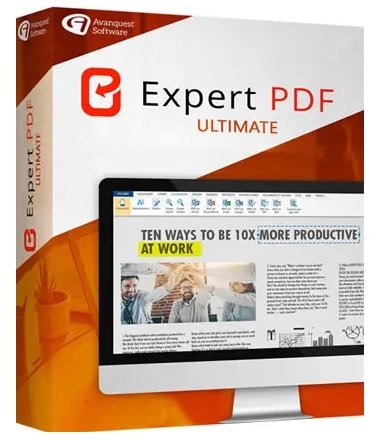
Avanquest Expert PDF Ultimate 15.0.42.14848 Multilingual


GZZYzyvy-Sse-Hb-Kuec-CRvwek-Ohn05hql-H.jpg

Windows x64 | Languages: Multilingual | File Size: 356.45 MB
​
The professional tool to create, convert and edit your PDF Files. Expert PDF 15 Ultimate is the complete PDF solution that offers everything you need to create, convert, edit and securely share your PDF files with others!

The professional tool to create, convert and edit your PDF Files
- Create any file into PDF format - Word, Excel, Powerpoint etc - in one click
- Convert PDF files into Word
- Exchange and share your documents safely by protecting your PDFs
- Enjoy collaborative tools and efficient PDF annotation
- BONUS! OCR Tool - edit text in just one-click in your PDF files.
- NEW! Addition of the PDF/A save format
- NEW! Bates indexing :Indexing method for identify documents

Convert documents in a universal format
- PDF is a universal file format - no need to worry whether your recipient has the correct software
- No more worries about software compatibility when opening files

Restore your document to it's original file format
- PDF is a standard format that preserves the layout of your documents, ensuring that no matter what computer or platform is used by the receipient they always see the document in it's correct form.

Save time in your conversion tasks!
- Batch conversion allows you to convert a large number of documents into separate PDF files, or merge them into a single PDF file.

Simplify email exchanges!
- PDF format reduces the size of your original documents to simplify email exchanges.

Create limitless PDF files from any format
- Convert documents in multiple formats, add, remove pages, get one-click content of your PDF, edit them without limit!

Exchange and share your documents safely
- Send your invoices, legal and administrative documents in a secure format protected by a password, a digital signature or preset print permissions, etc.

Enjoy collaborative tools and efficient revisions
- Insert notes, comments or stamps on a PDF without changing the content. Very convenient when several people are working on the same document.

OCR Tool (Optical Character Recognition)
To be able to search text in scanned documents: edit and search any PDF document.

PDF Viewer
- Open and view all PDF files, digital books in 3D, .ePub or BD formats (.cbr / .cbz).
- View and work on two documents on the same screen with our exclusive side by side view

PDF files Conversion
- Convert your documents with accuracy and no loss of information: the elements and layout are fully recovered and thus become fully editable.
- PDF conversion module directly accessible from the Windows desktop for faster use.
- Only one click needed to convert any PDF documents into searchable and editable in the following formats:

- PDF to Word, TXT and RTF
- PDF to image (PNG, JPEG, GIF, BMP, TIFF)
- PDF to Excel
- PDF to PowerPoint
- PDF to HTML
- PDF to LibreOffice suite (Clac, Writer, Impress...)

PDF Creation
- Create PDF from any PC application providing a print menu (Word, Excel, PowerPoint, Internet Explorer ...)

PDF files Edition
- Text editing: cut, copy, paste, move text, delete and adjust text properties (size, font, colour, character spacing).
- Picture editing: delete, add and edit images (resizing, rotation, compression).
- Manage bookmarks to navigate easily within PDF documents.
- Edit multiple PDF documents thanks to tabs
- Drawing Tools: inserting lines, rectangles, ovals, Bezier curves.
- Insert hyperlinks and URLs in your PDF documents.
- Stamps library: add predefined stamps and customise them with transition effects, rotation...
- Watermarks publisher: add, remove and edit custom watermarks.
- Document layout: moving, deleting, extraction, insertion, crop, rotate and copy pages. The final PDF can be arranged with no limit.
- Attachments: attach any type of file to PDF (eg video).
- Bates Numbering: widely used in some professional fields (legal, accounting ...), this dial is used to annotate all the PDFs to make every document easy to find.
- Optimisation tools for compression of PDF.
- Direct access to the most used PDF files thanks to a bookmarks list.
- Add headers and foot-pages, watermarks and other texts for all pages of a document.

Creating Interactive Forms
- Automatic conversion of a PDF file into a customised PDF form that can be completed directly on the screen with a simple PDF editor.
- Creation/edition of new fully customized PDF forms with text boxes, radio buttons, check boxes, drop-down lists and action buttons (Submit, Send by Email, Print, etc.).
- Text and objects editing in the form: font, colour, line thickness, display options...
- Script insertion
- Javascript support for the most common uses.
- Associate Actions to objects in a form: automatic entry, opening of web pages
- Export and Import Forms data to PDF file and PDF data to Form fields

PDF Review Tool
- Mark your documents by using the highlight, underline, and strikethrough features
- Add shapes such as arrows and stars
- Use the pencil tool to scribble on the document
- Use the whiteout tool to erase elements in your document
- Compare documents and highlight differences in content

OCR Module (Optical Character Recognition)
- Transform scanned documents and images into editable PDFs
- Recognise text automatically and within images
- Convert documents without re-typing
- Batch recognise the text within multiple documents
- Search text in scanned documents in 8 different languages
Release Notes- Release notes were unavailable when this listing was updated.
System Requirements:
- Processor : Pentium III or equivalent
- RAM : 512 MB (1 GB for Vista, 7 & 8)
- Disk Space: 100 MB or more
- Microsoft Office is required for plug-in use & conversion to Word, Excel and Powerpoint


-:DOWNLOAD FROM LINKS:-
RapidGator
Код:
https://rapidgator.net/file/941e9daf7b883bc5cba01e4b03a923a8/Expert.PDF.15.0.42.14848.rar.html

NitroFlare

Код:
https://nitro.download/view/3D797E456CA4083/Expert.PDF.15.0.42.14848.rar

​
 
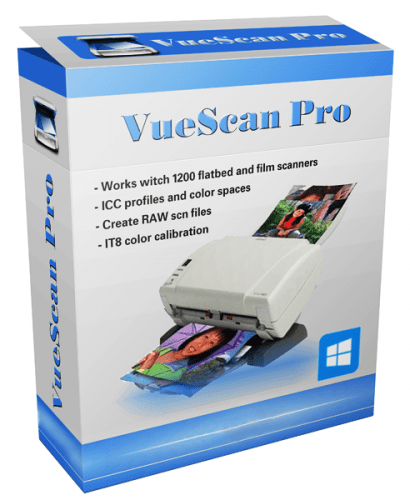
VueScan Pro 9.7.56 Multilingual


c84-Tt-NUgqnjbjt-Iizz-Rs-GNn-P2ih-Lv-COH.png

File size: 24 MB
​
VueScan is a powerful scanning application that allows you to acquire high-quality images using a flatbed or film scanner. If you are not satisfied with the software delivered by the scanner vendor or if you want to improve it with new functions you should try this program.

Scan Documents
Whether you need to scan a single page or a hundred page book, VueScan has the tools to help you.
Scan with Flatbed and Automatic Document Feeders (ADF)
Scan to PDF (Single and Multipage)
Optical Character Recognition (OCR)
Automatic Color Detection
Small document file sizes
Automatic document deskewing

Scan Photos
Do you have a box full of photos in your drawer? Use VueScan to get them on your computer, and off your to-do list.

Scan to JPG or TIFF
Whether you're saving a few snapshots or archiving boxes of prints, VueScan has the tools you need to output your scans at either the highest possible quality or a large number of good quality scans.

Scan with Flatbed and Automatic Document Feeders (ADF)
VueScan supports over 3000+ different scanners from 35 manufacturers, even scanners that don't have drivers from their manufacturers anymore.

Preset photo sizes for faster scans
VueScan improves one of the slowest parts about scanning by scanning only the part of the flatbed where your photo is. So you can spend less time scanning, and more time enjoying your photos.

Scan multiple photos on the flatbed
Scanning multiple photos with VueScan is very simple. Just put them in the corners of the flatbed, do a preview, and manually crop each of the photos without needing to do another scan.

Automatic file naming for faster scans
Don't waste time manually naming every photo, use VueScan's auto naming feature to include dates, numbers, or other prefixes and suffixes in your file names.

Remove fading and correct colors
Stay out of photoshop and save the best version possible of your photos with VueScan's built in features to remove fading, and correct colors.

Scan Film and Slides
VueScan is the ultimate tool for all your film and slide scanning needs.
Works with almost all film/slide scanners
Scan to JPEG/TIFF/RAW
Infrared Dust Removal
Color correction
IT8 Calibration
Photoshop Integration


-:DOWNLOAD FROM LINKS:-
RapidGator
Код:
https://rapidgator.net/file/6d680a4c1c7009d19c8f6ebb39b73589/VueScanPro9.rar.html

NitroFlare

Код:
https://nitro.download/view/5298D520F60223A/VueScanPro9.rar

​
 
Siemens Simcenter FloTHERM PCB 2021.1.0


th-7z-YEEW1-H65y3z-CZDvbm-TTs-Ic-J1-Arfz-OB.jpg

File Size: 311 MB | (x64)
​
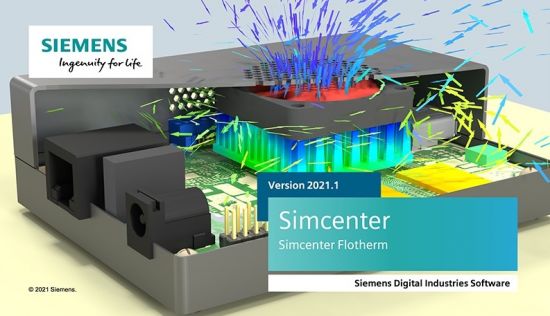
Flotherm PCB is a program for thermal calculation of printed circuit boards (PCB)

Year / Release Date: 2021
Version: 2021.1.0.
Developer: Mentor Graphics, Siemens PLM
Interface language: English
Tabletka: Present (Team Solidsquad-SSQ)
System requirements:
• Windows 10 (Pro and Enterprise Editions)
• Windows 8 and 8.1 (Core, Pro and Enterprise Editions)
• Windows 7 (Business, Enterprise and Ultimate Editions)

What News?
Official site does not provide any info about changes in this version.


-:DOWNLOAD FROM LINKS:-
RapidGator
Код:
https://rapidgator.net/file/f7bfaae8c369e23eeacd8939f486af23/Flotherm.2021.1.part2.rar.html
https://rapidgator.net/file/2a418ec4aa58fc5df6eda59d23e61157/Flotherm.2021.1.part1.rar.html

NitroFlare

Код:
https://nitro.download/view/5ECE5E3F6224C22/Flotherm.2021.1.part1.rar
https://nitro.download/view/C317A2CE67A2C51/Flotherm.2021.1.part2.rar

​
 
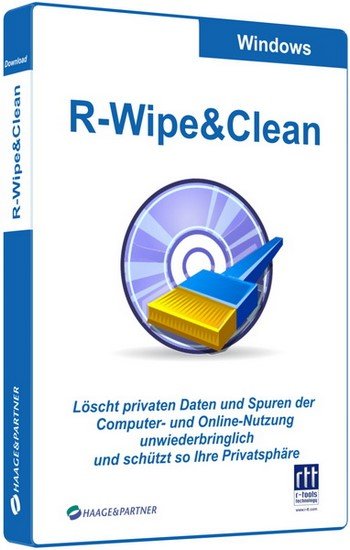
R-Wipe & Clean 20.0 Build 2320


y7C4kypn8JcuH0V0UHiTb8wiZVmaf8LO.jpg

File size: 24.9 MB
​
R-Wipe and Clean is a complete R-Tools solution to remove useless files, free up your disk space, and clean various privacy-compromising information on your online and offline activity. This includes internet history and cookies, lists of downloaded files and opened documents, various data caches, temporary files, and many more items, created by the operating system, most contemporary internet browsers and communication programs, and by hundreds of third-party applications.

It is also possible to create specific lists of traces to be cleaned for unsupported applications. All small computer cleaning and file erasing jobs can be combined into large computer cleaning tasks that can be started immediately, or at scheduled time/events.

Computer Cleaning
Traces Selection helper: a tool to quickly select some of the most common traces to clean.
Cleaning Internet activity: removing traces from most contemporary browsers and communication programs.
Cleaning personal traces: removing various lists, logs, caches, temporary files, and other traces of your activity.
Cleaning system traces: removing registry traces, temp files, system history, and various log files.
Cleaning traces from various third-party programs: removing various caches, logs, temporary files, recent file lists, and other traces left by applications.
Cleaning can be performed as a background task and computer can be turn off upon its completion.

Wiping
Support for SSD devices: R-Wipe and Clean correctly recognizes SSD devices and by default wipes only necessary data on the disk preventing them from additional wear.
Strong or fast erase algorithms, including DoD-approved, for wiping files and free disk space.
Support for FAT/exFAT and NTFS file systems.
Wiping files' alternate data streams and cluster "tips", or free parts of file clusters.
Wiping files directly from File Explorer.
Wiping free space on a single disk directly from its shortcut menu.
Wiping unused space of several disks through one single wipe task.
Wipe records of small files stored directly in the NTFS Master File Table.
Predefined wipe lists of files, folders, and Registry keys to be wiped through a single task. Files or folders can be added to a current wipe list directly from File Explorer.

Advanced Features
All separate cleaning and wiping actions can be combined into large wipe and clean tasks to launch them manually or at scheduled times or events (user log-on/log-off, system start-up/shutdown, closing any or all browsers, etc.)
Detailed representation of all trace items on your computer.
Detailed logging of all wipe and clean operations.
Customization: R-Wipe and Clean can hide those items you will never want to clean.
Full system integration: Most wipe and clean operations can be performed directly from Windows.
Password protection.
R-Wipe and Clean Smart: an advanced tool to create and manage very complex wipe lists.
Cleaning and wiping task can be started from a command line.
Boss Key to close a web-browser in emergency.
Stealth mode to hide computer cleaning.
Standby/hibernate control: Your computer will not hibernate until R-Wipe and Clean finishes its long job.
Startup Renaming for files/folders locked by Windows and other programs. They will be renamed and cleaned during the next start-up.


-:DOWNLOAD FROM LINKS:-
RapidGator
Код:
https://rapidgator.net/file/e06ad478bc9e40c8176e15b5e67966d6/RWipeClean20.rar.html

NitroFlare

Код:
https://nitro.download/view/355107D447667B8/RWipeClean20.rar

​
 
MedCalc 20.008 Multilingual


th-VFY5-RBHavi-K4-FKqx-CQ4-Yns-Cb-AUQm-BXux.png

File size: 68.7 MB
​
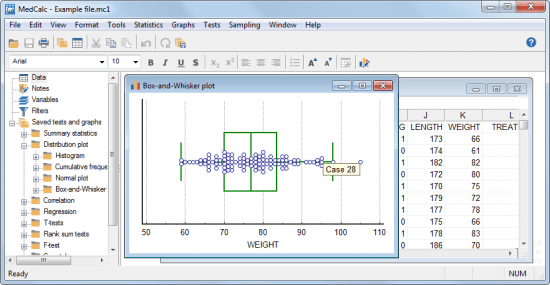
Statistical software for biomedical research with a rich set of functions, graph types and an advanced module for performing ROC graph analysis. MedCalc is designed to meet the requirements of biomedical researchers with respect to the statistical analysis of large datasets. It provides the necessary tools and features for performing Receiver Operating Characteristic curve analysis, data plotting, Bablok and Deming regression and more.

With an integrated spreadsheet with over 100,000 rows, MedCalc is capable of reading and displaying detailed data imported from Excel, SPSS, Dbase, Lotus or extracted from SYLK, DIF or text files. The information can be easily sorted, filtered or edited.

The built-in data browser offers a comfortable means of easily managing data, variables, notes, texts and graphs, while the array of supported graphs and diagrams (scatter plots, method comparison graphs, graphs for subgroups or for up to 24 continuous variables, survival curves, serial measurement, standardized mean plots and many more) make it perfect for analyzing trends and comparing information.

One of the most important features of MedCalc is related to its ROC curve analysis capabilities. It can generate the ROC curve graph with 95% confidence bounds, calculate specificity, sensitivity, predictive values for all the thresholds, likelihood ratios, generate conclusive plots and determine the size of an area under the ROC graph. Up to 6 ROC curves can be compared, calculating the differences between the areas, the standard errors, P-values and more.

MedCalc is capable of handling missing data, creating subgroups, calculating percentile ranks and power transformation. It features outlier detection, correlation and regression tools, Bland & Altman plotting, while also enabling you to run Anova, variance ratio, mean, propertion, Chi-Square, Fisher and T-tests.
A summary of the statistical report can be easily generated and data can be placed and viewed side-by-side thanks to the multiple comparison graphs function.
MedCalc requires at least basic statistics knowledge in order to get the most out of its potential. Its extensive array of features make it a must-have tool for running method comparison studies and analyzing biomedical data.


-:DOWNLOAD FROM LINKS:-
RapidGator
Код:
https://rapidgator.net/file/fa8758f5800195bdb8b8d828a78317ed/MedCalc_20.007.rar.html

NitroFlare

Код:
https://nitro.download/view/41B674F58D8DE8A/MedCalc_20.007.rar

​
 
GiliSoft SlideShow Maker 12.0


th-s0-Co9-Pik-Iyp-Zre-CYegp2-Z3-R93-WEl5p-VZ.jpg

File size: 30 MB
​
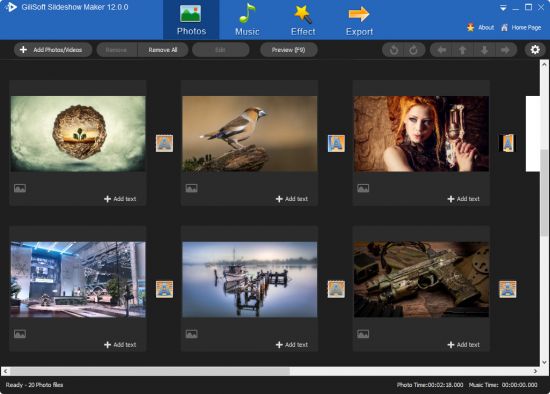
GiliSoft SlideShow Maker (old SlideShow Movie Creator) is the easy-to-use yet powerful photo slide software.With it,you can combine your photos into video with music and 2D/3D transition effects for sharing with your friends,and you can easily turn your photo collections to personalized videos in format of AVI, MPEG, WMV, DivX, MP4, H.264/AVC, AVCHD, MKV, RM, MOV, XviD or 3GP.

Easy-to-operate with a friendly interface, you are enabled to create more personalized photo videos by appending background music from imported audios, add transitional effects between images, adjust the orientation and display sequence of the imported photos and etc. What you can imagine, you can have it all with GiliSoft Slideshow Movie Creator.

Features and Benefits:
•Support Multiple Photo Formats
Support multiple image formats, including jpg, jpeg, png, bmp.

•Keep photo apsect
Support auto-adding black area to keep the original photo aspect.

•Easy to edit photo
You can adjust the photo direction and add photo description.

•Support Various Audio Files
Support import MP3,WAV,WMA,OGG,FLAC,M4A,AU files,even can import video formats supported include AVI, MPEG, WMV, MP4, FLV, MKV, H.264/MPEG-4 AVC, AVCHD, etc..

•Many 2D/3D transition effect
Support more than 300 different 2D/3D video transition effects.

•User-defined header and trailer
Support designing the header and trailer of slideshow video, you can choose the picture or video clip as the material.

•Instant and Convenient Preview
Support real-time previewing photo slideshows,you can view any settings change.

•Support to export various video format
Support exporting videos in format of AVI, MPEG, WMV, DivX, MP4, H.264/AVC, AVCHD, MKV, RMVB, MOV, XviD or 3GP.

Whats New:
Updates: official site does not provide any info about changes in this version.


-:DOWNLOAD FROM LINKS:-
RapidGator
Код:
https://rapidgator.net/file/13d1b15d876a51e0aa8ac1f168c74f04/SlideShowMaker12.rar.html

NitroFlare

Код:
https://nitro.download/view/D988F984F5816B3/SlideShowMaker12.rar

​
 
Acon Digital DeFilter 1.2.0 (Win/Mac)


th-g-ABi-UIAu-ADVc-P9-PVo-Z8o-Z1i-Ah-T7929-Bj.jpg

Win/Mac | File size: 16/25 MB
​
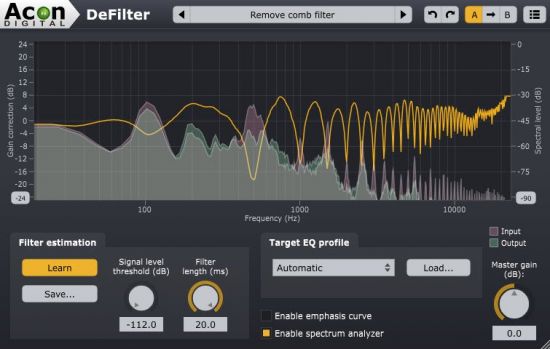
DeFilter is an efficient tool to even out tonal imbalances in a recording or reduce resonant peaks or dips in the frequency spectrum. Even severe issues such as comb filter effects or standing waves from untreated rooms can be addressed. DeFilter can match recordings to target profiles such as music or speech, or alternatively extract the overall timbre from the source - the large strokes - while evening out narrow peaks and dips. The latter removes resonances and comb filter effects effectively while preserving the tonal character of the input signal. Recordings can also be equalized to match a reference recording.

Great care has been taken to provide a user interface that is straightforward to use. Frequency dependent correction levels can be defined using custom curves, so that DeFilter can focus on problematic frequency ranges while leaving other frequency regions untouched. Realtime spectrum analyzers for both the input and output signals visualize the effect on the frequency spectrum.

Use Cases
Fix issues in a mix prior to mastering
Reduce resonances caused by untreated room acoustics
Matched equalization (automatic equalization based on a reference signal)
Improve clarity and intelligibility of speech
Instant fix for nasty comb filter effects

Platforms and Plugin Formats
Available as VST, VST3 or AAX plug-in on PC (Windows)
The Windows is available as native 32 bit or 64 bit versions and the Mac version is 64 bit
Supports sampling rates up to 96 kHz
Supports surround and immersive multi-channel audio up to 7.1.6 channels

Automatically estimates correction filter that evens out the frequency spectrum
Removes resonances and comb filter effects
Predefined target profiles include music, speech and an automatic mode that extracts timbre from the input signal
Correction filters can be saved and used as a reference for matched equalization
Adjustable length of the correction filter from 1 to 20 milliseconds
Frequency spectrum representation of the of the following signals:
Correction filter
Input signal
Output signal
Frequency emphasis filter for the the level of correction

Whats New:
Updates: official site does not provide any info about changes in this version.


-:DOWNLOAD FROM LINKS:-
RapidGator
Код:
https://rapidgator.net/file/b86b522f7624d2693c024d56bbda938e/DeFilter_macOS_1.2.zip.html
https://rapidgator.net/file/9ca4ed4e536f6349c10c9b26021f7963/DeFilter1.2.rar.html

NitroFlare

Код:
https://nitro.download/view/84EA4B6FEF84EF6/DeFilter_macOS_1.2.zip
https://nitro.download/view/B5FB556A326F253/DeFilter1.2.rar

​
 
Siemens Simcenter FloVENT 2021.1.0


th-Ev1yk5-Snsme-UUSMhez-Qqe-KBQq6z-KQjw-Q.jpg

File Size: 857 MB | (x64)
​
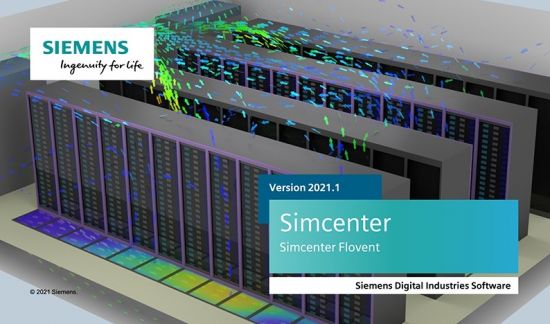
FloVENT® is powerful computational fluid dynamics (CFD) software that predicts 3D airflow, heat transfer, contamination distribution and comfort indices in and around buildings of all types and sizes. FloVENT's fast and easy-to-use menu system is designed specifically for engineers involved in the design and optimization of heating, ventilating and air conditioning (HVAC) systems.

Create Intelligent Models
FloVENT features the most complete and technically advanced model creation environment for HVAC airflow modeling design:
Models that range in scale from diffusers, heat exchangers, grilles, CRAC units and enclosures are assembled quickly from a complete set of SmartParts (intelligent model creation macros).
SmartParts capture modeling expertise streamlines model creation, minimizes solve times and maximizes solution accuracy.

Robust Structured Cartesian Mesher Minimizes Solution Time
FloVENT uses a structured-Cartesian grid method - the most stable and numerically efficient type available. The ability to localize is also included for finer resolution where it is needed, minimizing solution time and avoiding the penalty of grid cells that "bleed."

Finely-tuned Solver
For over 25 years, the FloVENT solver has specifically addressed heating, ventilation and air conditioning (HVAC) applications:
The solver, based on a Cartesian gridding system, delivers the most accurate results possible and the fastest solution time per grid cell.
Massive disparity in geometric length scales are resolved using the unique 'localized-grid' technique which allows for integrally matched, nested, non-conformal grid interfaces between different parts of the solution domain.
The conjugate nature of heat transfer is concurrently solved using a preconditioned conjugate residual solver together with a flexible cycle multi-grid solution technique. Pragmatic, unique and accurate solution termination criteria produce useful results in engineering, not academic, time scales.

Powerful Visualization Tools
Fully rendered models, 3D flow animation and tools for dynamic manipulation of temperature and flow results, enable engineers to pinpoint thermal and ventilation issues and visualize design improvements quickly and effectively. Texture mapping and video output enables powerful communication of design concepts with non-technical colleagues and customers.

What's New:
official site does not provide any info about changes in this version.


-:DOWNLOAD FROM LINKS:-
RapidGator
Код:
https://rapidgator.net/file/ddd7a913dc569eb48e91a871680fe68d/Flovent.2021.1.rar.html

NitroFlare

Код:
https://nitro.download/view/E76B1B9A5A6AD94/Flovent.2021.1.rar

​
 
Siemens Simcenter FloTHERM 2021.1.0


th-Wmf-Kdeja-Ijxl9iqmu1v1-Yh-Tk-Hu-Aai-CGQ.jpg

File Size: 1.1 GB | (x64)
​
FloTHERM uses advanced CFD techniques to predict airflow, temperature, and heat transfer in components, boards, and complete systems, including racks and data centers. It's also the industry's best solution for integration with MCAD and EDA software.FloTHERM is the undisputed world leader for electronics thermal analysis, with a 98 percent user recommendation rating. It supports more users, application examples, libraries and published technical papers than any competing product.

Features:

Accelerated Thermal Design Workflow
FloTHERM integrates with popular MCAD and EDA tools. Its XML import capability simplifies building and solving models, post-processing results automatically. FloTHERM's automatic sequential optimization and DoE capabilities reduces the time it takes to reach optimized design, allowing it to be deeply embedded in the design flow.

Robust Meshing and Fast Solver
FloTHERM lets engineers focus on design, delivering the most accurate results possible within engineering timescales. Its SmartParts and structured-Cartesian method offers the fastest solution time per grid cell. The FloTHERM "localized-grid" technique supports integrally matched, nested, non-conformal grid interfaces between different parts of the solution domain.

Usability and Intelligent Thermal Models
Integral model checking in FloTHERM lets users see which objects have attached material, the power attached to every object, and corresponding assembly-level power dissipation. It also identifies whether the object is creating a mesh line.
FloTHERM SmartParts represent ICs to full racks of electronics from a large list of suppliers, streamlining model creation to minimize solve times and maximize solution accuracy.

Thermal Characterization and Analysis from Component to System
Combine FloTHERM with T3Ster transient thermal characterization for thermal simulation of real-world electronics. Since reliability of components can decrease exponentially due to heat problems, using T3Ster lets manufacturers design chips, ICs, and PCBs of superior thermal performance. They can also publish reliable thermal data for downstream applications.

Now FloTHERM can convert a simulated transient thermal response into a structure function curve using the same mathematical process utilized by T3Ster. These structure function curves are known to correlate with the physical structure of the device, and are thus the ideal platform to compare simulation results with actual test data. FloTHERM's Command Center now provides automated calibration of the package thermal model to match the T3Ster results, ensuring the correct thermal response irrespective of the length of the power pulse. Equipment manufacturers and systems integrators can now use calibrated models to design even more reliable products, avoiding thermally-induced failures throughout the product's lifetime.

Whats New:
official site does not provide any info about changes in this version.


-:DOWNLOAD FROM LINKS:-
RapidGator
Код:
https://rapidgator.net/file/f7bfaae8c369e23eeacd8939f486af23/Flotherm.2021.1.part2.rar.html
https://rapidgator.net/file/2a418ec4aa58fc5df6eda59d23e61157/Flotherm.2021.1.part1.rar.html

NitroFlare

Код:
https://nitro.download/view/5ECE5E3F6224C22/Flotherm.2021.1.part1.rar
https://nitro.download/view/C317A2CE67A2C51/Flotherm.2021.1.part2.rar

​
 
Steganos Privacy Suite 21.1.1 Revision 12848 Multilingual


1444854199-steganos-privacy-suite.jpg

File Size: 56.1 MB
​
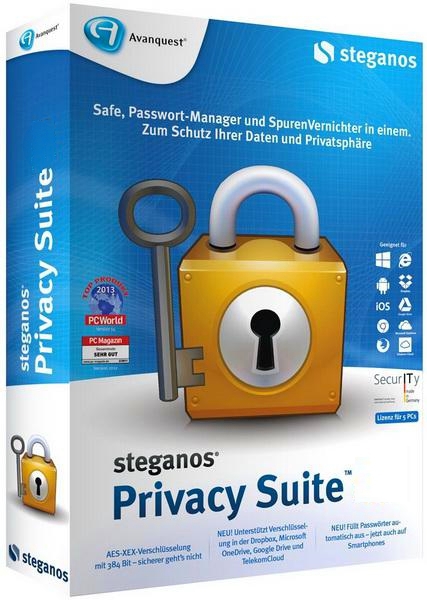
Steganos® Privacy Suite™ 21 combines the award winning Steganos Security software products Steganos® Safe™ and Steganos® Password Manager™. Users are able to encrypt sensitive data like business reports, TAN lists or holiday photos thanks to a clear and easy menu navigation - on PCs, in networks and in the cloud. Passwords for all online accounts can be created automatically and are easily managed and administrated, regardless of whether it is on a computer, smartphone or tablet.

Create and manage strong passwords
Do you leave your front door unlocked? Do you have the same key for your house, your car and your office? Would you trust a complete stranger with your keys? Of course not!
Passwords are the keys to your digital life and the variety and quality of your personal passwords is crucial for online security.
Trying to think up more and more passwords for your growing number of online accounts - and trying to remember them all - is virtually impossible.
Steganos® Password Manager™ 21 provides a comfortable solution: it generates extremely strong passwords, automatically inserts them on websites, and remembers them so you don't have to. You only have to remember one password!

Safely encrypt sensitive data
Confidential documents, business records and TAN lists all belong in a safe place. Steganos® Safe™ 21 is a digital vault that protects everything you don't want anyone else to see.
The clearly structured user interface ensures that this highly professional security software package is intuitive and very easy to use. Data protection made in Germany - with the click of a button, Steganos® Safe™ 21 protects all types of sensitive data on your PC, in networks or in the cloud thanks to state-of-the-art 384-bit AES-XEX encryption with AES-NI Hardware acceleration.

New in 21:
Several user interface themes for you to choose from
Massive cloud sync and Mobile Privacy performance speedup
See more: optional increased data density in password lists
File attachments now sync between PCs too
Password categories also in Mobile Privacy apps
Clearer Safe creation with more assistance
Use several Portable Safes on one drive
Several user interface themes for you to choose from Massive cloud sync and Mobile Privacy performance speedup
See more: optional increased data density in password lists
File attachments now sync between PCs too
Password categories also in Mobile Privacy apps:
Directly access your Private Bookmarks through the browser plugins in Chrome & Firefox
More security thanks to regular reminders of password changes
Free apps for iOS and Android provide secure access to PINs and passwords on the go, including automatic sign-in to the In-App Browser
Several user interface themes for you to choose from
Clearer Safe creation with more assistance
Portable Safe improvements
AES-XEX encryption with 384 bits (IEEE P1619) with AES-NI Hardware acceleration for optimal protection against thieves, snoops and intelligence services
Supports data encryption in Dropbox, Microsoft OneDrive, Google Drive and MagentaCLOUD
Maximum safe size: 2 TB
Automatically expanding Safes that save you precious Flash Drive space
Two-factor authentication for your Safes and keychains (supports Authy, Google Authenticator and more)
Portable safes for USB sticks, CD, DVD or Blu-ray discs


-:DOWNLOAD FROM LINKS:-
RapidGator
Код:
https://rapidgator.net/file/abfcdb89dfff945e0527b23855fb7221/Steganos.Privacy.Suite.21.rar.html

NitroFlare

Код:
https://nitro.download/view/BA92E97214D9313/Steganos.Privacy.Suite.21.rar

​
 
Coolmuster Android SMS + Contacts Recovery 4.5.55


th-L0dx-EWi-RFo-Yf3-ICNw-JTBX4-W3v-Wr-EIilu.jpg

File size: 25 MB
​
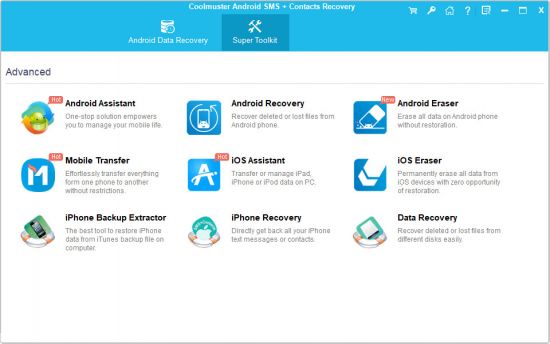
Ferret about a way to retrieve back your lost or deleted text messages or contacts from your Android phone? Just look no futher than Coolmuster Android SMS + Contacts Recovery, which is fully capable of recovering SMS and contacts from Android internal memory card and SIM card with ease.

Hassle-free to Recover Lost Android SMS & Contacts
Contacts and text messages are the two basic compositions of an Android phone, which helps users easily communicate and pass on information with each other. But due to various unpredictable reasons, you may get your important text messages or contact person data lost or deleted. Luckily, Coolmuster Android SMS + Contacts Recovery empowers you to retrieve all lost text messages and contacts from Android.
Recover deleted contacts and text messages from Android internal memory card and SIM card, getting back all your needed data from Android.
Support to recover Android SMS and contacts lost owing to accidental deletion, virus attack, hardware or software failure, etc.
Recover not only lost phone numbers and text messages, but also the attached info like contact name, address, job title, company, email, SMS attachments, etc. (Tips: It is required to root your Android device before the software gets the permission to access and recover deleted contacts and SMS from Android.)

Backup Both Deleted & Existing Android Data to PC
It is always more important to take precautions than rack your brains to find a way to solve the problem that has already gone wrong. With this Android SMS Recovery and Android Contacts Recovery, you can also backup them to your computer for further record.
The deleted Android text messages and contacts will be exported and saved on your Windows PC for backup or future use.
The existing Android messages and contacts can also be backed up and saved as HTML or XML format for easy reading and printing.


-:DOWNLOAD FROM LINKS:-
RapidGator
Код:
https://rapidgator.net/file/11335b18322d93ba56ff5760f420ba61/SMSContactsRecovery4.rar.html

NitroFlare

Код:
https://nitro.download/view/EA669D870920618/SMSContactsRecovery4.rar

​
 
Windows 10 21H1 10.0.19043.1052 16in1 incl Office 2019 Preactivated June 2021


th-Dyzcx-U3-Nhe-To-JWvxpdpdv-GRFe-GH3-XK0p.jpg

Windows x86/x64 | Language: English, Russian | File Size: 4.34 GB
​
Windows 10 is a series of personal computer operating systems produced by Microsoft as part of its Windows NT family of operating systems. It is the successor to Windows 8.1, and was released to manufacturing on July 15, 2015, and to retail on July 29, 2015. Windows 10 receives new releases on an ongoing basis, which are available at no additional cost to users. Devices in enterprise environments can receive these updates at a slower pace, or use long-term support milestones that only receive critical updates, such as security patches, over their ten-year lifespan of extended support.

Assembly advantages:
- Auto activation
- Updates on 06.2021
- Choice of installation options
- MsDART in Windows Recovery Environment
- Start menu like in Windows 7 (optional)
- Word, Excel, PowerPoint, Access, Publisher, Outlook and OneNote (optional)
- On/Off Windows Updates via a shortcut in the Start Menu
- Turn on/off Windows Defender through a shortcut in the start menu
- Automatically check for build updates
- Microsoft Visual C ++ Redistributable Package 2005-2008-2010-2012-2013-2015-2019
- .NET Framework 3.5 and 4.8
- DirectX 9.0c
- RuntimePack 20.3.3 Lite
- Writing to a USB flash drive with automatic checksum checking

List of revisions:
- Windows 10 Home Single Language x64 (64-bit) English
- Windows 10 Home x64 (64-bit) English
- Windows 10 Professional x64 (64-bit) English
- Windows 10 Enterprise x64 (64-bit) English
- Windows 10 Home Single Language x64 (64-bit) Russian
- Windows 10 Home x64 (64-bit) Russian
- Windows 10 Professional x64 (64-bit) Russian
- Windows 10 Enterprise x64 (64-bit) Russian

Microsoft Office 2019:
Office 365 ProPlus, the cloud-connected version of Office, delivers the most productive and most secure Office experience-with the lowest total cost of ownership for deployment and management. However, for customers who aren't ready for the cloud, Office 2019 provides new features and updates to the on-premises apps for both users and IT professionals. Like Windows Long Term Servicing Channel (LTSC) releases, Office 2019 provides a set of valuable enhancements for customers who can't be cloud-connected or receive regular updates.

The new enhancements in Office 2019 are a subset of a long list of features that have been added to Office 365 ProPlus over the last three years. Office 2019 is a one-time release and won't receive future feature updates. However, we'll continue to add new features to Office 365 ProPlus monthly, including innovations in collaboration, artificial intelligence (AI), security, and more.

Microsoft Office 2019 Pro Products Include:
- Microsoft Office 2019 Professional Plus
- Microsoft Access 2019
- Microsoft Excel 2019
- Microsoft Lync 2019
- Microsoft OneNote 2016
- Microsoft Outlook 2019
- Microsoft PowerPoint 2019
- Microsoft Publisher 2019
- Microsoft Word 2019
- Skype for business 2019
- Office Shared Features
- Office Tools

WHAT'S NEW?
- added updates to Windows 10 21H1 to 06.2021 (19043.1052);
- updated O&O ShutUp10 to version 1.8.1421.329;
- updated StartIsBack to version 2.9.13;
- SmartFix updated to version 2.3.13;
- updated KMS activator AAct to version 4.2.2;
- various minor changes.


-:DOWNLOAD FROM LINKS:-
RapidGator
Код:
https://rapidgator.net/file/103076b87b7c37e19449de4fb94390b4/10_21H1_x64_16in1_Office_2019_by_06.2021.part1.rar.html
https://rapidgator.net/file/aa4da4e8e152406db0fa1bf117e36107/10_21H1_x64_16in1_Office_2019_by_06.2021.part2.rar.html
https://rapidgator.net/file/6fd8e4aba48b6e1d83c4634e0b4086f3/10_21H1_x64_16in1_Office_2019_by_06.2021.part3.rar.html
https://rapidgator.net/file/62d9bb45c37b6e7f1dda5b2b60a84a1b/10_21H1_x64_16in1_Office_2019_by_06.2021.part4.rar.html
https://rapidgator.net/file/6bf47e7fe25ddb708686954af7220cf4/10_21H1_x64_16in1_Office_2019_by_06.2021.part5.rar.html

NitroFlare

Код:
https://nitro.download/view/9BADEE2FA86FE6D/10_21H1_x64_16in1_Office_2019_by_06.2021.part1.rar
https://nitro.download/view/A82E9CFD3C04670/10_21H1_x64_16in1_Office_2019_by_06.2021.part2.rar
https://nitro.download/view/D0D792EE06831F2/10_21H1_x64_16in1_Office_2019_by_06.2021.part3.rar
https://nitro.download/view/35D2EF2805B03A7/10_21H1_x64_16in1_Office_2019_by_06.2021.part4.rar
https://nitro.download/view/B5EEB2802A21193/10_21H1_x64_16in1_Office_2019_by_06.2021.part5.rar

​
 
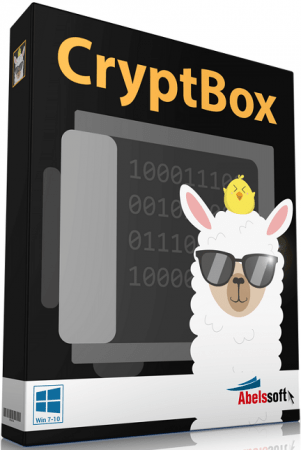
Abelssoft CryptBox 2021 9.01.27440 Multilingual


y6e-KA6x-Rbo-PRNRfo-J6-QQk6-TF189c-A2-J8.png

Languages: Multilingual | File size: 9.18 MB
​
CryptBox creates Safes, which look like normal drives and which can be filled with data like you are used to in Windows. CryptBox encrypts your data with the AES-256 algorithm, which is approved for top secret information in the USA. CryptBox allows you to create a TravelSafe, which makes it possible to access your encrypted data anyahere.

Easy Encryption by Wizards
CryptBox is very easy to use with its wizards. They guide you step by step to your own safe and help you by choosing the right size, encryption algorithm and password for it. TravelSafe
CryptBox allows you to create a TravelSafe, which can be exported to an USB-Stick or on a CD.

iPhone/iPod as key for your Safe
CryptBox accepts different types of passwords for a safe. You can even use your personal iPhone/iPod/USB Stick as a key for opening your safe.

File shredder
CryptBox removes files in a safe way with the file shredder. Nobody is then able to restore the files.

Background Guard
The background guard continuously scans for suspicious changes and clues for Ransomware.

Easy configuration
As Ransomware mainly encrypts private user files, AntiRansomware automatically monitors four user-folders, where your photos, documents, videos, etc. are located. Additionally, you can choose more folders to be observed, in case you store your images, etc. in other locations.

Smart algorithms
To detect Ransomware, sophisticated algorithms are necessary. Our security specialists in-depth analysed 83 different types of Ransomware in our computer research labs.

RansomLiveUpdates® for free
Same as viruses and malware, Ransomware also constantly is getting more dangerous. That's why we do the same with AntiRansomware, constantly improving it to face the most current threats, and provide you with RansomLiveUpdates® for free.

Whats New:
Updates: official site does not provide any info about changes in this version.


-:DOWNLOAD FROM LINKS:-
RapidGator
Код:
https://rapidgator.net/file/778123523f503e0305c4cf6afd7f90d9/CryptBox_2021_9.01.27440.rar.html

NitroFlare

Код:
https://nitro.download/view/971B7D312F4585C/CryptBox_2021_9.01.27440.rar

​
 
Claris FileMaker Pro 19.3.1.42 (x64) Multilingual


v-NJ0fuxd9-DKD4-RZ5-Vl-PMUc1xros-Np-M1-U.jpg

File size: 300 MB
​
Share information over the network or the Internet, easily manage databases, contacts, projects and inventory data, and create reports. FileMaker Pro is an application created to help its users build custom databases and design them to fit their activity and business profiles.

Why choose the FileMaker Platform?
More than a million people around the world use the FileMaker Platform every day to get things done faster and more efficiently at work. See why you should too:

Anywhere access
Use one unified platform to create apps that work seamlessly together on mobile devices, computers, and the web. Real time updates allow all users to access the latest information at the same time.

Flexible
Create precisely the app you want using the intuitive graphical interface, flexible design tools, built-in Starter apps, and ready-to-use themes. Use built-in scripts steps to automate tasks and workflows. Deploy on-premise or in the cloud.

Out-of-the-box security
Centralize your information and safely access data using proven encryption standards. Manage group or individual user privileges - even for a single field.

Built-in reporting tools
Create reports on the fly, make colorful charts, and easily build custom reports with a step-by-step assistant.

Easy integration
Connect to existing data and systems with live, 2-way connections to external SQL data. Integrate with other popular apps and web services through powerful REST APIs.

Scalable
Securely share data with your small, large, or growing team. FileMaker Server supports up to 500 simultaneous users on-premise. FileMaker Cloud supports up to 100 simultaneous users via the AWS Cloud.

Affordable
The FileMaker Platform fits most budgets and is a great value compared to expensive enterprise applications or complex programming projects.

Proven platform
FileMaker, Inc. is an Apple subsidiary and has a proven track record of delivering high-quality software that delights customers year after year.

Global partners and trainers
Access a large global network of vetted partners to build your custom apps or to provide in-person training.

Comprehensive learning tools
Choose from a wide variety of resources - including documentation, videos, an online community, and an annual developer conference - to help you create custom apps or troubleshoot issues.


-:DOWNLOAD FROM LINKS:-
RapidGator
Код:
https://rapidgator.net/file/c1cfa2e830d3e8f4265dbb3d138928f8/FileMaker19.3.1.rar.html

NitroFlare

Код:
https://nitro.download/view/934E41B271AE212/FileMaker19.3.1.rar

​
 
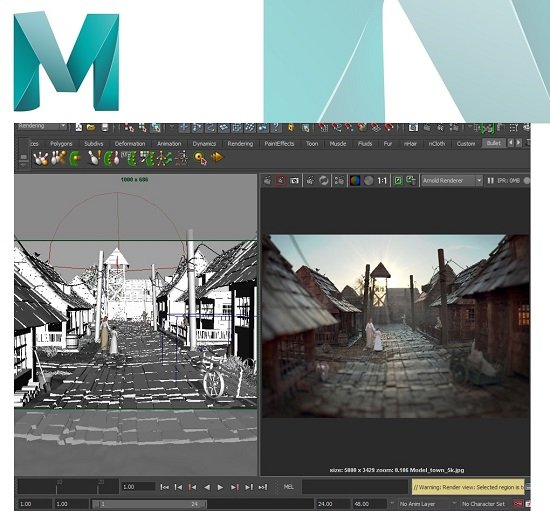
Arnold for Maya v4.2.3 (2019/2020/2022)


e-NLk-EIqy6k-R5zy-Ez-Jh-O4a-Nek-KIqnb-My-H.jpg

File size: 2019 - 364 MB
​
/ 2020 - 364 MB / 2022 - 368MBArnold for Maya (or MtoA) provides a bridge to the Arnold renderer from within Maya's standard interface.

Features:
- Seamless integration with Maya shapes, cameras, lights and shaders.
- Image Based Lighting support, including a state of the art physical sky.
- Interactive rendering (IPR) allows parameter changes to be rapidly previewed without interrupting your work.
- Support for volume rendering with Maya Fluids.
- Support for Maya Hair and nHair.
- Particles and nParticles support, including particle instancer.
- Defer the creation of geometry at render time with the Stand-in placeholder nodes.
- Productivity boost: override sets, holdout mattes, shadow catcher, passes, UDIM style textures, and arbitrary primvar data.
- Extensible through plug-ins (Golaem, FumeFX for Maya, Yeti, Shave & Haircut).
- XGen integration.
- Texturable geometric lights.
- Deep EXR.
- Rendering of curves.

Requirements & Platforms
- Compatible with Maya 2016, 2016 Ext2, 2017 and 2018
- Windows 7 and later
- CPU with at least SSE 4.1 instructions (2006 and later Intel CPUs, and 2011 and later AMD CPUs)


-:DOWNLOAD FROM LINKS:-
RapidGator
Код:
https://rapidgator.net/file/06313c517f7e11d04f80c72436a82873/2019423.rar.html
https://rapidgator.net/file/1ff1a6289825c0037b2413626c2d16dd/2020423.rar.html
https://rapidgator.net/file/68b7cd2a129ada221e9653478b5d8b42/2022423.rar.html

NitroFlare

Код:
https://nitro.download/view/924D8C5E7FFEDC4/2019423.rar
https://nitro.download/view/6666617BC96DBF3/2020423.rar
https://nitro.download/view/5D8AF166B31E2C2/2022423.rar

​
 
Назад
Сверху