• Здравствуйте. Сайт заработал в архивном режиме форум www.old.nado.in

Dl4ever Software

3delite MP3 Silence Cut 1.0.14.20

th-pauk-Tvs-EJ97-Rk-Yz-N184g-IJFGv2-Tpg4m-F.png

File size: 49.8 MB
​
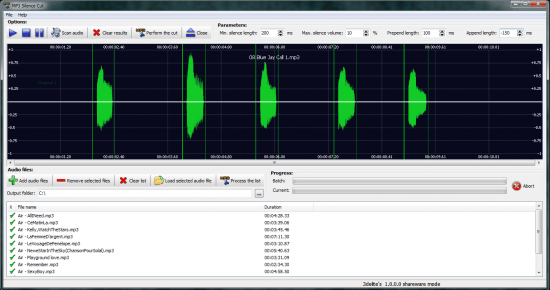
MP3 Silence Cut allows you to split an audio file into several fragments, marked by silence parts. The program supports handling batches of files and allows you to process the entire list at one or analyze each file individually for silent parts. You can also set certain parameters to configure the silence detection process.

Quickly analyze MP3 files
MP3 Silence Cut can manage several files at the same time. Dragging and dropping files in its interface is not supported, but you can easily add MP3s to the list by clicking the dedicated button in the second toolbar. You may not import an entire folder.
The supported formats include MP3, MP2 and MP1, all of which can be added to a common list, for processing. Double-clicking on either of the files in the list prompts a separate analysis screen, in which the volume and frequency are displayed in a wave chart. You may thus visualize the segments of silence within the observed file.

Automatically split the audio files
If MP3 Silence Cut detects a silent parts in the analyzed file, then it can perform a cut at those specific locations, splitting the item into two or several shorter audio files. You may manually select a segment for cutting, using the left mouse button to trim parts from the beginning of the song and the right button to cut pieces at the end.
Clicking on the Close button in the toolbar takes you to the initial screen and the rest of the MP3 list. The results are saved, with modified file names, at the indicated location.

Silence detecting parameters
MP3 Silence Cut allows you to configure the silence detection process, by increasing or decreasing certain values. You may thus alter the minimum length of silent parts, the maximum volume of the silent segments, the prepend and the append lengths. The program features a built-in audio player that you can use to preview the results.

Whats New:
Updates: official site does not provide any info about changes in this version.


-:DOWNLOAD FROM LINKS:-
RapidGator
Код:
https://rapidgator.net/file/4176a9d101097cbc07d69dc9b714ef5d/Dl4eVeR.MP3_Silence_Cut_v1.0.14.20.rar.html

NitroFlare
Код:
https://nitro.download/view/F63C1EBD03F06E3/Dl4eVeR.MP3_Silence_Cut_v1.0.14.20.rar
​
 
3delite MP4 Silence Cut 1.0.10.10


th-Coxy-MNps-N1-LQm-TFlj-YM5s-T4t-Rot-Xe-Fm-Q.jpg

Windows(x64) | File size: 26.8 MB
​
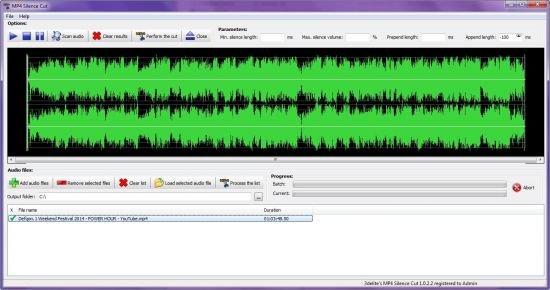
MP4 Silence Cut is a powerful MP4 audio and video file splitter (video files with AAC audio tracks are only supported). Automatically cuts MP4 files by silent parts, with batch processing support. Additionally for MP4, MP4 Stream Editor supports cutting by silence decodelessly MP3, MP4, Ogg Vorbis, Opus and DSD formats too.

Features:

Cut MP4, M4A, M4B and M4V audio and video files by silence (no re-compression is performed, the resulting output files are 100% the quality of the original)
Specify silence length, silence volume level, length to keep before and after the loud part
Batch process multiple files
User interface DPI scaling is supported

Whats New:
Updates: official site does not provide any info about changes in this version.


-:DOWNLOAD FROM LINKS:-
RapidGator
Код:
https://rapidgator.net/file/baf61df07ce4eaa7bcd6f6092fa47a20/Dl4eVeR.MP4_Silence_Cut_1.0.10.10.rar.html

NitroFlare
Код:
https://nitro.download/view/26A146F1C6C6B50/Dl4eVeR.MP4_Silence_Cut_1.0.10.10.rar

​
 
Abelssoft WashAndGo 22 26.46.48 Multilingual


th-PLWf88-Adg-Qrp-IRs-Hqb86-TZi9z-J0vjkz-P.jpg

Languages: Multilingual | File size: 28.6 MB
​
Gets rid of old data littering the system - and has been doing so for 20 years. WashAndGo cleans up your system and increases the system speed. Your system becomes more stable and faster. WashAndGo removes internet traces, e.g. browser caches, cookies or unnecessary waste data.

Removes unnecessary waste data
WashAndGo cleans up your system and increases the system speed.

Repairs system errors
Your system becomes more stable and faster.

Removes traces
WashAndGo removes internet traces, e.g. browser caches, cookies or unnecessary waste data

Removes traces
WashAndGo removes internet traces: the browser cache, cookies, the browser history and many more traces of the most common browsers.

Scans the registry for errors
Changing entries within your registry can quickly end in catastrophes if you are not an expert. Our SmartClean feature protects you from this by only cleaning and correcting entries that are garbage. None of your working entries will be touched.

Corrects system errors
WashAndGo is able to detect system errors and correct them. Your PC will become more stable. The following errors can be recognized and corrected: defective shortcuts, Windows registry errors, orphaned entries in your recent files folder and wrong uninstall entries in Windows.

Whats New:
Updates: official site does not provide any info about changes in this version.


-:DOWNLOAD FROM LINKS:-
RapidGator
Код:
https://rapidgator.net/file/08fed87f45d67a6c46c8c140a87866e2/Dl4eVeR.WashAndGo_22_26.46.48.rar.html

NitroFlare
Код:
https://nitro.download/view/92149CFE28D299C/Dl4eVeR.WashAndGo_22_26.46.48.rar

​
 
Cyberlab Ultimate 5.3.0.5


th-z5-NMJ9-WJBrn-At-Z0-Dew-OGy6u-Tlkzsb-Oj2.png

Windows (x64) | File size: 76.1 MB
​
Love Your PC Again. Removes spyware, unwanted programs, junk files, unwanted registry keys, tracking cookies and more to make your computer and browsers faster, safer and error free!

Cyberlab Ultimate:
- Automatic Updates, Scans & Tuneup
- Daily American Based Support
- Daily Spyware Updates
- Spyware Scanner
- Registry Cleaner

Securing and Optimizing Computers Worldwide
- Speed Up Your PC
- Free Up Disk Space
- Fix Browser & Internet Problems
- Solves Errors from Malware
- Privacy Protection
- Stop Popups From Adware
- Faster Internet
- Remove Unwanted Programs

Easy 3 Step Scan
Removes spyware, unwanted programs, tracking cookies and registry errors. Frees up disk space from Windows, Chrome, Edge, Firefox, Internet Explorer and Opera.

100% Unwanted Program Removal
Ever feel like hackers are inside your computer? Endless ads yelling at you, slowness and error messages your antivirus can't solve? It's a common problem we've solved since 2004. Your unwanted programs will be removed by Cyberlab, or we'll add them all to Cyberlab's database within 24 hours, so your unwanted programs are 100% removed from your computer, guaranteed or your money back.

Speed Up Your PC And Browsers
Programs run silently in the background slowing down your computer and internet. Cyberlab's Optimizer makes it easy to speed up your PC and browsers by disabling unwanted programs in Windows, Chrome, Firefox, Edge, Opera and Internet Explorer.

Solves Advanced System Problems
System Report scans your PC generating an almost instant in depth report with full removal function of the following items in your PC: spyware, browser toolbars, browser plugins, browser helper objects, browser extensions, startup programs, Windows explorer plugins, system services, protocols and Winsock LSP. System Report makes no distinction between wanted and unwanted programs, giving experts a serious tool for solving serious PC issues.

Whats New:
Updates: official site does not provide any info about changes in this version.


-:DOWNLOAD FROM LINKS:-
RapidGator
Код:
https://rapidgator.net/file/516deda65632b434bf67b13f8305b703/Dl4eVeR.Cyberlab_Ultimate_5.3.0.5.rar.html

NitroFlare
Код:
https://nitro.download/view/4191A8C6E02F0D8/Dl4eVeR.Cyberlab_Ultimate_5.3.0.5.rar

​
 
Fix My iPhone 1.9.5


th-fnr-Bx-Sh-Kafbixf-Nfv-Y6-Q8k3i-T5nfoc-QR.png

Windows (x64) | File size: 36.4 MB
​
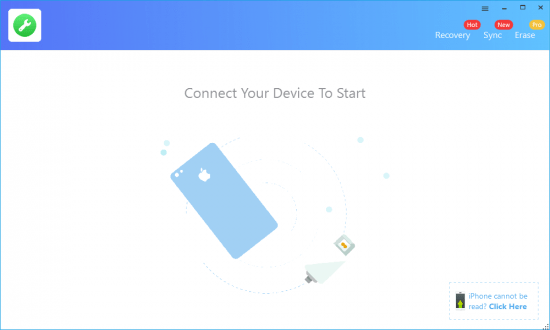
Fix My iPhone is iOS System Recovery tool. Fixes your iPhone Stuck on Apple logo, Black Screen, Frozen Screen, iTunes Update/Restore Errors and more than 20 iOS 12 upgrade failures. This macOS desktop app offers a quick and instant solution to fix your iOS system issues without losing your iOS data, no matter your device is in recovery mode, white Apple logo, black screen, looping on start


-:DOWNLOAD FROM LINKS:-
RapidGator
Код:
https://rapidgator.net/file/7e90f1f03974c37bdc7a9f316017e2b9/Dl4eVeR.Fix_My_iPhone_1.9.5.rar.html

NitroFlare
Код:
https://nitro.download/view/34D486513E04A71/Dl4eVeR.Fix_My_iPhone_1.9.5.rar

​
 
MedCalc 20.0.4 Multilingual


th-VFY5-RBHavi-K4-FKqx-CQ4-Yns-Cb-AUQm-BXux.png

File size: 68.7 MB
​
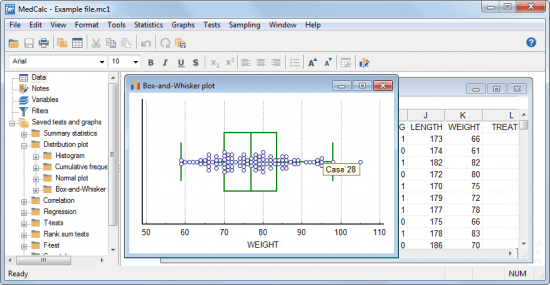
Statistical software for biomedical research with a rich set of functions, graph types and an advanced module for performing ROC graph analysis. MedCalc is designed to meet the requirements of biomedical researchers with respect to the statistical analysis of large datasets. It provides the necessary tools and features for performing Receiver Operating Characteristic curve analysis, data plotting, Bablok and Deming regression and more.

With an integrated spreadsheet with over 100,000 rows, MedCalc is capable of reading and displaying detailed data imported from Excel, SPSS, Dbase, Lotus or extracted from SYLK, DIF or text files. The information can be easily sorted, filtered or edited.

The built-in data browser offers a comfortable means of easily managing data, variables, notes, texts and graphs, while the array of supported graphs and diagrams (scatter plots, method comparison graphs, graphs for subgroups or for up to 24 continuous variables, survival curves, serial measurement, standardized mean plots and many more) make it perfect for analyzing trends and comparing information.

One of the most important features of MedCalc is related to its ROC curve analysis capabilities. It can generate the ROC curve graph with 95% confidence bounds, calculate specificity, sensitivity, predictive values for all the thresholds, likelihood ratios, generate conclusive plots and determine the size of an area under the ROC graph. Up to 6 ROC curves can be compared, calculating the differences between the areas, the standard errors, P-values and more.

MedCalc is capable of handling missing data, creating subgroups, calculating percentile ranks and power transformation. It features outlier detection, correlation and regression tools, Bland & Altman plotting, while also enabling you to run Anova, variance ratio, mean, propertion, Chi-Square, Fisher and T-tests.
A summary of the statistical report can be easily generated and data can be placed and viewed side-by-side thanks to the multiple comparison graphs function.
MedCalc requires at least basic statistics knowledge in order to get the most out of its potential. Its extensive array of features make it a must-have tool for running method comparison studies and analyzing biomedical data.


-:DOWNLOAD FROM LINKS:-
RapidGator
Код:
https://rapidgator.net/file/3f39e3598e4009db8a645bc456978f32/Dl4eVeR.MedCalc_20.0.4.rar.html

NitroFlare
Код:
https://nitro.download/view/99F1946DFB950CB/Dl4eVeR.MedCalc_20.0.4.rar

​
 
MgoSoft PCL Converter 9.4.1


3-Ik-CSRh-PTm-W9-Khoyp-Xhn-Scbu-SARCPn-NW.jpg

File size: 10.6 MB
​
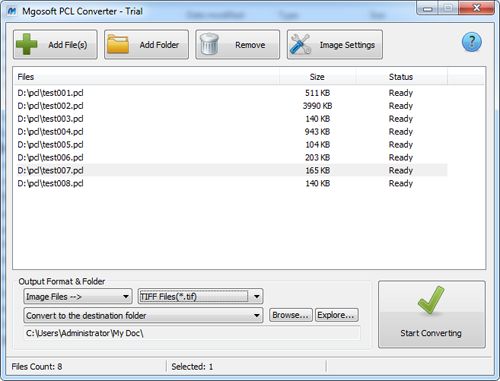
Mgosoft PCL Converter is a fast, affordable way to batch convert PCL (pcl, pxl, px3) files formats. It directly convert PCL files to PDF, XPS, Text, PS and dozens of image formats, such as TIFF, JPEG, PNG, BMP, PCX, GIF, WMF, EMF, TGA and so on, it retains the layout, images, text, line, ellipse, color, and formatting of the original PCL file.

Mgosoft PCL Converter does NOT require the third part products, and original PCL formatting and interrelation of text and graphical elements on each page. Creating documents which can be viewed on any computer with a Image viewer. And you can set the image quality, image color, image resolution, etc.
Mgosoft PCL Converter facilitates the conversion of PCL documents into well-known PDF format files without sacrificing content while giving quality output. It is capable of generating optimized, high quality, and vector-based PDF format files as output out without going over GDI, or going through PDF printer driver.

Features:
Convert to Adobe Portable Document Format (PDF).
Convert to dozens of image formats, include TIF, TIFF, JPG, GIF, PNG, BMP, PCX, WMF, EMF, TGA etc;
Convert to Text Document.
Convert to PostScript file.
Convert to Microsoft XPS documents.
Standalone software, Adobe Acrobat and Reader NOT required!
Produce multipage TIFF files;
Support for PACKBITS, CCITT Fax4/Fax3, LZW, RunLength, JPEG, etc. compression of TIFF files;
Supports conversion into 1, 4, 4-bit grayscale, 8, 8-bit grayscale or 24-bit image format;
Options to control target compression algorithm and quality;
Choose to convert each page or a custom page range;
Change DPI settings depending on your needs;
Convert PCL fine into raster image files and vector documents without need the third part products.
Full PCL color support.
Native PCL processing, fast and precise
Convert PCL document to PDF file directly, without via a printer driver.
Full support of the PCL specification.
Very high quality rendering at speed.
Password protection for PDF files with 40 or 128 bit encryption.
Create "owner password" and "user password" protected PDF file.
Set the document title, subject, author and keywords options.
Able to add printing, copying and changing etc. permissions to output PDF file
Use it on all Windows version including the latest builds of 10;

What's new :
• official site does not provide any info about changes in this version


-:DOWNLOAD FROM LINKS:-
RapidGator
Код:
https://rapidgator.net/file/f0dc1bbcebe24370abe40065c82b4d06/Dl4eVeR.PCL_Converter_9.4.1.rar.html

NitroFlare
Код:
https://nitro.download/view/288ED0635F0CE6B/Dl4eVeR.PCL_Converter_9.4.1.rar

​
 
NCH VideoPad Video Editor Professional 10.47 Beta


1-AY2-IPx-X9v-A9c-Gs-Ldg0t-PT3-Cjchb-Hsk-I.jpg

Languages: English | File size: 12.4 MB
​
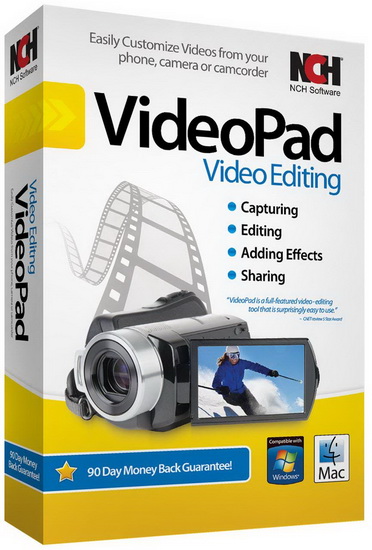
Working with video files, especially editing them, is a task that requires a specialized application that can provide all the tools one needs. Among the software applications of this kind you can find VideoPad Video Editor. The interface of this utility is divided into several parts (e.g. Media List, Effects, Transitions, Files, Clips, Video Track, Audio Track, Overlay Track), which may make everything seem a little hard to operate. You can capture video from a camcorder or another device like a webcam or a TV capture card, and once you have added files and sequence clips to the queue, you can start editing them.

So, you can select position for the new clip (at slider's position, to the timeline's start or end point), add blank slides and overlays, modify media in an external editor, change playback speed and stabilize video with the Deshaker filter.
You can also create bookmarks and subtitles, import and export subtitles, select Chrome Key color, save video in the "Stereoscopic 3D" output format, apply audio effects (e.g. amplify, chorus, compressor, distortion, flanger, reverb), as well as record a narration.

Furthermore, you can apply various video effects (e.g. brightness, crop, edge detection, sepia, temperature, posterize, hue) and transitions (e.g. cross fade, reveal, split, fan, circle, diamond).
The program comes with a well-drawn help file and video tutorials while the system resource usage is moderate. It may lag sometimes between commands, but overall, VideoPad Video Editor manages to put up a good performance.

Key Features:

Stunning Transition Effects:
• Choose from a range of fade transitions to give your movie that professional touch.
• Preview the effects in real time.
• Customize the duration of the effect.

Amazing Audio Tools:
• Import and mix music tracks like a pro.
• Make your own custom movie soundtrack.
• Record your own narrations with the click of a button.
• Import pre-recorded narrations, sound effects or music.

Complete Video Optimization:
• Fine tune brightness, saturation and color for your video.
• Add photos and digital images with a click of a button.
• Apply effects like black & white, sepia tone and negative.
• Add text captions to your movie.

Share With Your Family and Friends:
• Burn to DVD and watch in your living room on your TV.
• Save for Youtube and share online with friends.
• Save to PSP, iPod, iPhone or 3GP mobile phone.
• Save to your PC as a high-quality digital movie.

Input Formats:
• Video: avi, mpeg, wmv, divX, Xvid, mpeg1, mpeg2, mpeg4, mp4, mov, asf, vob, ogm, .3gp, H.264, RM and many more.
• Image: bmp, gif, jpg, jif, jiff, jpeg, exif, png, tif

Output Formats:
• Disc export: DVD, CD, Blu-ray Discs, HD-DVD
• Video export: avi, wmv, asf, mpg, 3gp, mp4, mov, iPod, iPhone, PSP, Mobile Phone, Pocket PC


-:DOWNLOAD FROM LINKS:-
RapidGator
Код:
https://rapidgator.net/file/ae32909c905b293bc230a5bfc429375d/Dl4eVeR.VideoPad_Video_Editor_Professional_10.47_Beta.rar.html

NitroFlare
Код:
https://nitro.download/view/2EB728891738863/Dl4eVeR.VideoPad_Video_Editor_Professional_10.47_Beta.rar

​
 
Omni Recover 3.0.8


th-a-JGBYWNs-XIbeq-Uvec-Cb-EYZ3-Qf6-Ilz-Pcy.png

Windows (x64) | File size: 31.8 MB
​
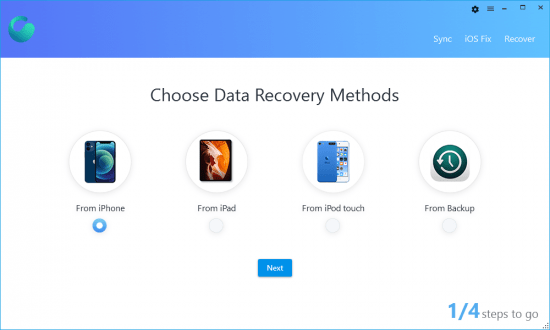
Recover lost data from iDevices. Omni Recover for macOS lets you retrieve your deleted messages, photos, WhatsApp chats, and much more, no matter what stage you've reached. No Matter The Cause, We've Got You Re-Covered - iPhone data are vulnerable to sudden and casual iOS disasters.

Quickly analyze MP3 files
For instance, deleting photos on iPhone is permanent, and when you slide to delete a message thread, there's no Trash bin for retrieving it.
Now with Omni Recover, you can have peace of mind knowing all your iPhone, iPad, and iPod touch files are easily recoverable. From iPhone water damage, to man-made accident, Omni Recover will give you a hand in recovering your lost iOS data, regardless of the cause.

iPhone Data Recovery for All Types of Your iOS Content - You have no idea what counts most on your iPhone until you lose it for good. Maybe it's your treasured family photos, or a note that saves your bank account data, or perhaps you need a message thread most. Whatever iOS data is vital and precious, Omni Recover provides a salvage solution. With industry-leading iPhone data recovery capability, Omni Recover is able to retrieve up to 20+ types of iOS data.

Whats New:
Updates: official site does not provide any info about changes in this version.


-:DOWNLOAD FROM LINKS:-
RapidGator
Код:
https://rapidgator.net/file/5bfee650905c00284ea13dc46bc78f24/Dl4eVeR.Omni_Recover_3.0.8.rar.html

NitroFlare
Код:
https://nitro.download/view/E5B9466A333C3B8/Dl4eVeR.Omni_Recover_3.0.8.rar

​
 
PDF Conversa Professional 3.000 Multilingual


th-m-Gz-NYk-Du-KWXNGKXByu-ZDTVW3-Oy-Dw0f-Ln.png

Languages: Multilingual | File size: 16 MB
​
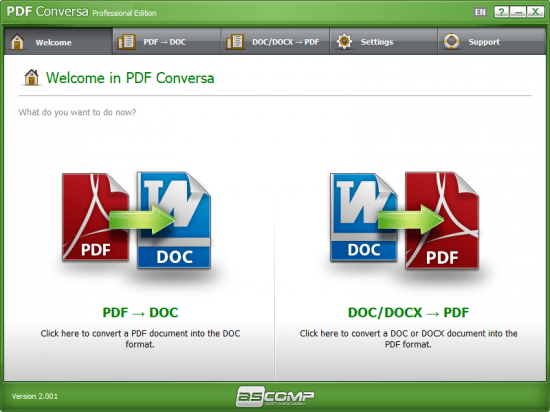
PDF Conversa: PDF converter for PDF to Word and vice-versa. Whether you want to convert PDF documents into the Word file format DOC or convert Word documents into PDF - PDF Conversa provides the necessary tools.

PDF to Word: Convert existing PDF files into the Word file format DOC in no time at all. The graphics, tables and fonts associated with the basic layout remain unchanged. Password-protected documents can be easily converted and further processed in Word. DOC/DOCX to PDF: If desired, password protection can be applied to your Word documents during the conversion into the PDF format, special fonts can be integrated directly into the PDF file, texts can be compressed and you are able to determine the picture quality of the contained graphics. Pass on your documents in the format you desire or edit existing documents in your preferred file format - PDF Conversa processes the conversion with just one click.

PDF Conversa: PDF converter for PDF to Word and vice-versa
- Whether you want to convert PDF documents into the Word file format DOC or convert Word documents into PDF - PDF Conversa provides the necessary tools.

- PDF to Word: Convert existing PDF files into the Word file format DOC in no time at all. The graphics, tables and fonts associated with the basic layout remain unchanged. Password-protected documents can be easily converted and further processed in Word.

- DOC/DOCX to PDF: If desired, password protection can be applied to your Word documents during the conversion into the PDF format, special fonts can be integrated directly into the PDF file, texts can be compressed and you are able to determine the picture quality of the contained graphics.

- Pass on your documents in the format you desire or edit existing documents in your preferred file format - PDF Conversa processes the conversion with just one click.

Can convert PDF to Word and vice versa
First and foremost, you must know that the application features a multi-tabbed GUI letting you choose which type of conversion you want to carry out. If you opt for PDF to DOC, things are quite straightforward: you simply need to indicate your source file as well as a corresponding password if that is the case. An output location must also be selected, aside from a name for your target file. A "Settings" section is also integrated so that you specify whether or not you want to convert graphics and tables.

Password-protects your documents and applies digital signatures
As for the second type of conversion the application can handle, you should know that, this time around, you are able to work not only with DOC but also DOCX files, which can easily be converted to PDF following the exact same steps.

Whats New:
Updates: official site does not provide any info about changes in this version.


-:DOWNLOAD FROM LINKS:-
RapidGator
Код:
https://rapidgator.net/file/6682f33a5701d43b8ce2ae734cbb2848/Dl4eVeR.PDF_Conversa_Professional_v3.000.rar.html

NitroFlare
Код:
https://nitro.download/view/439939A1A6670DD/Dl4eVeR.PDF_Conversa_Professional_v3.000.rar

​
 
Power-user Premium 1.6.1161


th-J4ed5-VMX7so-WAEl-Yz0-Gg-E860ur-Qhlre4.png

Languages: English | File size: 9.10 MB
​
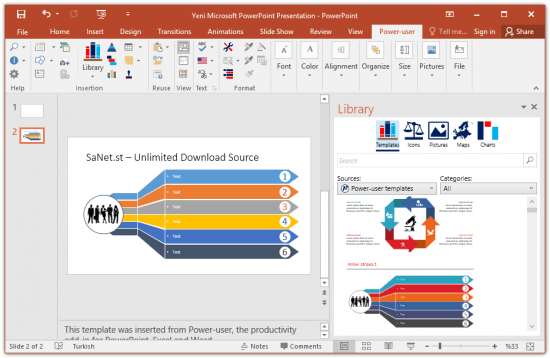
Power-user add-in: smart tools for PowerPoint, Excel and Word - Templates, Icons, Charts, Maps, Diagrams and more! Power-user provides you with a deep library of templates, icons, charts, maps, and diagrams for your spreadsheets and presentations. With Power-user for PowerPoint and Excel, you'll draw the attention of your audience with stunning graphics that are sure to impress. Create stunning documents

to impress clients and managers with your skills on PowerPoint, Excel & Word
Increase your productivity
by up to 50% to meet deadlines, save time and reduce labor costs

Focus on making an impact
instead of spending your time on low added-value tasks like formatting

LIBRARY OF TEMPLATES FOR POWERPOINT, EXCEL & WORD
Don't reinvent the wheel for every slide or document. Access hundreds of professionally designed templates from the Power-user add-in's library, and insert them in 1 click. Templates will automatically adjust to your own color scheme. You can also save your own slides or documents in the templates library to keep them accessible anytime. Or you can create shared libraries for all users in your organization.

ICONS & FLAGS
Power-user comes with a collection of 3,000 icons and all country flags to illustrate your slides. Icons are vector shapes so you can resize them without deformation and recolor them as you with. With Power-user you can search icons by categories and with different keywords associated to the same icon to let you find the right icon in just 2 seconds.

DATA MAPS
Our 200+ data maps are powerful tools to illustrate ideas with a geographical dimension. Those maps are fully editable, and can be colored automatically based on your Excel data. Within minutes, you can create beautiful maps that will immediately convince your audience.

WATERFALL CHARTS
Waterfall charts are very popular in finance and consulting. They are great to break down your data into multiple components, illustrating for instance what postively or negatively impacts a KPI.

MEKKO CHARTS
Create Mekko charts in PowerPoint, Excel or Word with Power-user. Mekko are one of the most powerful chart types. It can represents 3 dimensions of data, and is popular in consulting to show market positions of different companies for instance.

SANKEY CHARTS
Instantly insert breathtaking Sankey charts in PowerPoint, Excel or Word with the Power-user add-in. Sankey are very effective to illustrate flows such as transactions, exportations, migrations etc. Sankey Charts can be edited dynamically through a simple and intuitive interface.

PICTURES
Sometimes a good picture tells more than a thousand words. Power-user allows you to browse over 100,000+ pictures and insert them with 1 click. it's ideal to illustrate concepts or trigger a discussion, without worrying about intellectual property rights. Pictures are inserted in PowerPoint with a size already optimized for your slides.

DIAGRAMS
Embed customized diagrams in no time with Power-user. Diagrams are a powerful tool to illustrate complex ideas and build eloquent slides or dashboards in little time. Diagrams include value chains, gauges, traffic lights, relationships, pyramids, arrows and more.

GANTT CHARTS
Use Gantt charts to illustrate the different phases of a project and their progress. Creating this manually can take hours. With the add-in, you can create them in a few seconds only. It's a great tool to improve the design of a slide in very little time.

POWERPOINT TOOLS
- Sticky notes, a helpful solution to add comments to your slides and share them with your teamworkers
- Stamps, a solution to instantly mark or un-mark all your slides as "Draft" or "Confidential"
- Mini-slides, to refer to a slide from earlier in the presentation,
- Slide summaries, listing the titles of all selected slides,
- Progress tools, to show the audience how far in the presentation you are.

System Requirements:
Power-user is fully compatible with PowerPoint, Excel and Word 2007, 2010, 2013, 2016, 2019 and 365 (32 or 64 bits)


-:DOWNLOAD FROM LINKS:-
RapidGator
Код:
https://rapidgator.net/file/63afae8c4dfeca3f6ec3884e88326379/Dl4eVeR.Power-user_Premium_v1.6.1161.rar.html

NitroFlare
Код:
https://nitro.download/view/4032920DE7AAE27/Dl4eVeR.Power-user_Premium_v1.6.1161.rar

​
 
SmartFTP Enterprise 9.0.2851


smartftp.png

File size: 39.8 MB | (x64) | Multilingual
​
SmartFTP is an FTP (File Transfer Protocol), FTPS, SFTP, WebDAV, Amazon S3, Backblaze B2, Google Drive, OneDrive, SSH, Terminal client. It allows you to transfer files between your local computer and a server on the Internet. With its many basic and advanced Features SmartFTP also offers secure, reliable and efficient transfers that make it a powerful tool.

SmartFTP can be used for:
- Web site publishing and maintenance
- Upload and download of images, documents, movie and music files
- Managed file transfers. Automate file transfer processes.
- Backup and synchronize local and remote files

Features:

• Protocols
• FTP and FTPS (Secure FTP)
• SFTP over SSH
• WebDAV
• Amazon S3 (Enterprise Edition)
• Google Drive (Ultimate Edition)
• Google Cloud Storage (Enterprise Edition)
• Backblaze B2 Cloud Storage (Enterprise Edition)
• Microsoft OneDrive (Ultimate Edition)
• Terminal Emulator (Ultimate Edition)
• Integrated Editor
• HIPAA 5010 compliant
• FIPS 140-2, 186-4 compliant
• Modern Graphical User Interface (GUI)
• High DPI support
• File/Folder Synchronization
• Multilingual (more than 20 languages)
• Thumbnails View and Preview
• Visual Compare
• Advanced Schedule
• IPv6
• On-the-fly Compression (MODE Z)
• UTF-8 Support
• Support for KeePass, LastPass, 1Password password manager
• Multiple Connections
• Auto reconnect and resume of broken transfers
• Transfer Integrity
• Verified Transfers (XCRC, XMD5, XSHA)
• FXP (Server-To-Server Transfer) support
• Remote Edit of files
• Search for files and folders on the server
• Local Browser
• Bulk Rename
• Software Development Kit (SDK)
• Enhanced NAT/UPnP Support
• UPnP (Universal Plug and Play), ICS, ICF
• Transfer Queue
• Scheduling (Enterprise Edition)
• Uploads/Downloads/FXP
• Unlimited simultaneous threads
• International Domain Names (IDN)
• Proxy / Firewall support
• SOCKS5, SOCKS4, SOCKS4A, HTTP Proxy
• Wingate, Winproxy, CSM, Checkpoint FW-1, Raptor
• URL Watcher
• FTP command line
• Custom Commands
• CHMOD (Properties)
• Section 508 compliant
• and much more ...


-:DOWNLOAD FROM LINKS:-
RapidGator
Код:
https://rapidgator.net/file/3f41aebea695b772ae659c4d3c215146/Dl4eVeR.SmartFTP_Enterprise_9.0.2851.rar.html

NitroFlare
Код:
https://nitro.download/view/D8824D1426331BC/Dl4eVeR.SmartFTP_Enterprise_9.0.2851.rar

​
 
SyncBird Pro 3.8.4


th-124s-Pw-Za-Bv-Wik-Efi-Kn-Yj-Nvb-CLbz-ZW6-N9.png

Windows (x64) | File size: 40.9 MB
​
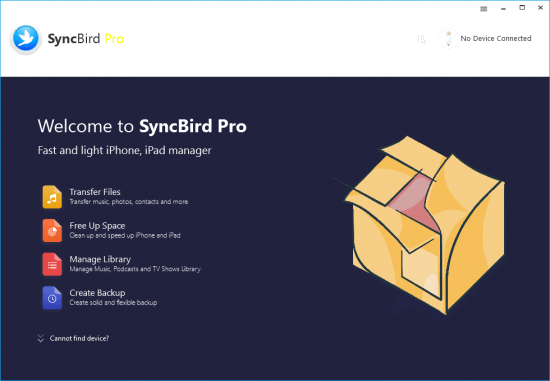
SyncBird Pro is an iPhone file manager that makes iOS sync and iTunes cleaning at a glance. Transfer music, playlists, photos, videos, books-everything-between your iPhone, iPad, iPod, and Mac without using iTunes. SyncBird's exclusive features named PhoneCare and TunesClean are made to reclaim more free space on your iPhone and iTunes.

Without extra effort, SyncBird will give you a daily, thorough cleanup so that you'll be always free from the storage boundary.
Better design yields better products, so we challenged ourselves to bring Google Material Design to the new macOS platform. The surface, motion, color, and every element in SyncBird, were chosen to give you an exciting and delightful experience.

Features
Flash Sync - Optimized for Flash/SSD storage and with instant Add-to-iPhone feature, SyncBird offers better iOS content management experience.
4K Support - A10 chip and M10 coprocessor give monster performance on 4K video playback. SyncBird puts 4K movies on your iPhone, iPad in one go.
Auto-Conversion - Whatever movies you like, SyncBird helps trans-code your videos to .m4v, .mp4, and .mov formats, which suit best on Apple devices.
Two-Way Sync - Transfer music, videos, photos and probably all your iOS content, to / from your iPhone and iPod. Free your devices from iTunes limits.
Unlimited Import - Add new songs and movies to your iPhone, iPad and iPod from multiple iTunes library on different computers. No iTunes involed.
Drag-and-Drop - The most straightforward way to populate your iPhone media library is by dragging-and-dropping. Time to use your iPhone like Finder

Whats New:
Updates: official site does not provide any info about changes in this version.


-:DOWNLOAD FROM LINKS:-
RapidGator
Код:
https://rapidgator.net/file/d846783a9db86954b6f2c4539f2ab71c/Dl4eVeR.SyncBird_Pro_3.8.4.rar.html

NitroFlare
Код:
https://nitro.download/view/27CDBB2BD48D4A1/Dl4eVeR.SyncBird_Pro_3.8.4.rar

​
 
SysTools MSG Converter 7.0


oni3p9jnj-Sfs4dik-SDd-O8y-X22n-D6nlup.png

File size: 39.1 MB
​
Out of all the tools of SoftwareSuggest, this Outlook MSG to PST Converter tool is considered as the most secure and powerful utility to convert MSG files to Outlook PST format.

Features:
Convert multiple MSG files into PST, vCard, HTML, PDF, MBOX, NSF, EML and Office 365
Capable to export single or selective MSG files to Outlook PST
Offers multiple preview modes to convert MSG files into PST format
Convert MSG files containing contacts, calendar, task, notes, journals on Mac & Windows
Maintains the folder hierarchy intact after the conversion process
Select several MSG files using shift+arrow key and mouse click
Transfer particular MSG emails using date based filtering feature
Generates a Unicode PST file to avoid limited file size capacity issue
Option to split the resultant PST into customizable file sizes on Mac and Win
Option to Auto-detect the MSG files to process quick file conversion

Whats New:
Updates: official site does not provide any info about changes in this version


-:DOWNLOAD FROM LINKS:-
RapidGator
Код:
https://rapidgator.net/file/75babecc851d8c7e69075988aed6b696/Dl4eVeR.SysTools_MSG_Converter_7.0.rar.html

NitroFlare
Код:
https://nitro.download/view/544309489E84222/Dl4eVeR.SysTools_MSG_Converter_7.0.rar

​
 
VSDC Video Editor Pro 6.7.3.298 6.7.2.295 Multilingual


1562351670-vsdc-video-editor-pro.jpg

Windows (x64/x86) | File size: 205 MB
​
The video editor is intended for editing video files and creating videos of any complexity involving various visual and audio effects. The program offers rich functionality and yet has a simple and intuitive interface, allowing you to create videos with a bare minimum of efforts.

Non-linear video editor
Our editor is a non-linear tool. This means that unlike in most other editors, where scenes come one after another in a linear sequence and certain order, our software allows objects to be placed in any position on the timeline and have any size. Besides, various parameters, shape and position of objects can change arbitrarily over time.

Visual and audio effects
You can apply various visual and audio effects to your videos to achieve the necessary result. Since the number of available visual effect is very high, they are split into five categories for ease of navigation: color correction, object transformation, object filters, transition effects and special fx.

Blending modes and Instagram-like filters
One more way of changing the look of your video image according to your preferences is color blending. Using a wide array of adjustable parameters, you can attach a unique professional style to your video. Newbies or those, who would like to save time, can benefit from stylish Instagram-like filters applied in one click.

Masking
VSDC Free Video Editor allows for creating different shaped masks for hiding, blurring or highlighting certain elements in your video. You can use it to apply special effects inside or outside the masked area. One of the most common reasons for masking are to blur a face to protect the identity or remove unwanted marks.

Subpixel accuracy
Objects in a scene are positioned with subpixel accuracy, which makes for smooth animation, rotation, transformation and precise relative positioning.

Support of popular formats
Our software supports virtually all video, image and audio formats and codecs. That is why you won't need any additional conversion tools to edit your files, as is often the case with other programs.

Creation of videos for specific multimedia devices
Thanks to a large set of preconfigured profiles, you can easily create videos for most popular multimedia devices, such as DVD players, iPod/iPhone/iPad, PSP, any smartphones and regular phones, Sony PlayStation, Xbox, Zune, Archos, iRiver, Creative Zen, Blackberry, MP4 players and many others.

Working with charts
You can create diagrams of different kinds, including 3D diagrams: Bar, Stacked Bar, Point, Bubble, Line, Scatter Line, Fast Line, Step Line, Spline, Area, Spline Area, Stacked Area, Stacked Spline Area, Range Bar, Gantt, Pie, Pie 3D, Torus 3D, Radar Point, Radar Line, Radar Area, Radar Spline, Radar Spline Area, Funnel, Pyramid, Pyramid 3D, High Low, Candle Stick. These objects can be based on dynamically changing data of different types. Besides, the appearance of diagrams is fully customizable (appearance of charts, coordinate axes, user-defined axes, legends, names of charts and axes, lines, labels and other elements), which will help you tailor them to your specific needs. Integrated color themes make it possible to quickly change the way your charts look.

Video library (to be included in the next program release)
The editor software lets you create your own library of multimedia files with brief or detailed descriptions. This will help you organize your video collection and simplify access to the necessary files.

Built-in DVD burning tool
The editor comes with a DVD burning tool, allowing you to easily burn the results of your work to optical discs.

Video File Converter
The application is designed to quickly convert video files from one format to another. It has some basic features for editing videos: removing unneeded segments, splitting your video into parts, and merging several files into one.

Desktop video capture
The video editor features a desktop video capture utility that saves captured footage to a video file for subsequent processing in the editor.

Video capturing
Another feature of the our editor is the ability to capture video from various video tuners, webcams, IP ?ameras and save the captured footage on your computer in an arbitrary format for subsequent editing.

Whats New:
Updates: official site does not provide any info about changes in this version


-:DOWNLOAD FROM LINKS:-
RapidGator
Код:
https://rapidgator.net/file/54317b1896e6a7bab5cbbd6be7b00eac/Dl4eVeR.VSDC_Video_Editor_Pro_6.7.3.298_6.7.2.295.rar.html

NitroFlare
Код:
https://nitro.download/view/6F78F8E98604D56/Dl4eVeR.VSDC_Video_Editor_Pro_6.7.3.298_6.7.2.295.rar

​
 
Adobe FrameMaker 2020 16.0.2.916 (x64)


th-L0j-Kklx-Mt-Ny4pti-Mb-NF3898o-Gj-U5-OQA6.png

x64 | Languages:Multilanguage | File Size: 2.43 GB
​


Adobe FrameMaker 2020 software is a complete solution for authoring, enriching, managing, and publishing technical documentation. Easily author bidirectional technical content and publish across mobile devices. Adobe FrameMaker 2020 is a complete solution for bidirectional technical content. Publish natively across channels, mobile devices and formats and author with best-in-class XML/DITA support. Collaborate seamlessly with experts, and manage content using integration with leading CMSs. Serve global markets by translating content into RTL languages, Arabic and Hebrew. Adobe FrameMaker 2020 also allows you to author and publish in RTL languages. And include mixed bidirectional content in the same paragraph, document, book, or DITA map.

Adobe FrameMaker 2020 features:
Turbocharge your content creation
NEW! Powerful 64-bit architecture. Significantly boost performance with an all-new 64-bit architecture. Publish up to 65% faster to PDF and Responsive HTML5.
NEW! Interactive real-time progress bar. Now know the status of tasks like book updates and PDF generation with information-rich, easy-to-understand progress indicators at every stage.
NEW! New image transparency support. Publish clean, stunning documents with support for image transparency to blend text with pictures, and pictures with pictures.
NEW! Out-of-the-box SharePoint 2016 support. Instantly connect to Microsoft SharePoint Online or a SharePoint 2016 CMS.
NEW! Quick access to Welcome Screen. Open the Welcome Screen in a new tab via the workspaces drop-down menu to easily access templates, plug-ins, customizations, and more.
NEW! New Duden dictionary support. Get out-of-the-box support for Duden, a trusted German dictionary, for more accurate spelling and hyphenation.
NEW! Interactive HTML5 dialogs for plug-ins. Make the customer experience richer by using HTML5, CSS3, and JavaScript to make interactive plug-in dialog boxes.
NEW! One-click image resizing. Fit an image to a frame or vice versa by simply right-clicking on the image or frame.
NEW! WebP image support. Take advantage of Google's modern WebP image format. It allows you to use high-quality visuals that load faster thanks to a smaller file size (compared to JPEG or PNG).
ENHANCED! Up to 65% faster file performance.
ENHANCED! Enhanced image handling.
ENHANCED! High-quality images.
ENHANCED! Support for colored icons.
ENHANCED! Slick and powerful Welcome Screen.
ENHANCED! All-new platform.
ENHANCED! New Windows based File Open dialog.
ENHANCED! Faster and lighter setup.

System requirements:
OS:Microsoft Windows 10
CPU:Core i5 or faster processor
Memory:4 GB or more recommended
Space:5 GB of available hard-disk space for installation; additional free space required during installation (cannot install on a volume that uses a case-sensitive file system or on removable flash storage devices)
JRE 8
Display:Maximum supported screen resolution - 4K (3480 x 2160, 8.3 megapixel, aspect ratio 16:9)


-:DOWNLOAD FROM LINKS:-
RapidGator
Код:
https://rapidgator.net/file/7c120a8e801e60045cd68bee883fb028/Dl4eVeR.framemaker_16.0.2.part2.rar.html
https://rapidgator.net/file/d1643aa6053aa06fb0f9da5ed47386b2/Dl4eVeR.framemaker_16.0.2.part3.rar.html
https://rapidgator.net/file/ea5f85e3153bce09df9cf6788fa70c22/Dl4eVeR.framemaker_16.0.2.part1.rar.html

NitroFlare
Код:
https://nitro.download/view/272A6F54D56B1A0/Dl4eVeR.framemaker_16.0.2.part1.rar
https://nitro.download/view/5D50B7774DF36C7/Dl4eVeR.framemaker_16.0.2.part2.rar
https://nitro.download/view/7F12D7AE920532F/Dl4eVeR.framemaker_16.0.2.part3.rar

​
 
Blackmagic Design DaVinci Resolve Studio 17.2.1.0012


1614638825-blackmagic-design-davinci-resolve-studio-17.jpg

Windows x64 | Languages: Multilingual | File Size: 2.57 GB
​
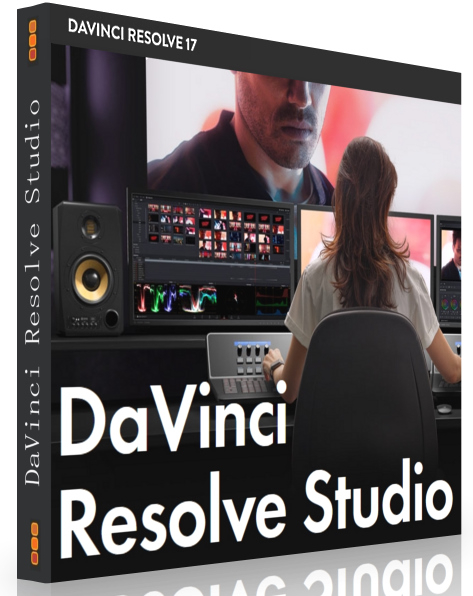
DaVinci Resolve is the world's only solution that combines editing, color correction, visual effects, motion graphics and audio post production all in one software tool! Its elegant, modern interface is fast to learn and easy enough for new users, yet powerful for professionals. DaVinci Resolve lets you work faster and at a higher quality because you don't have to learn multiple apps or switch software for different tasks. That means you can work with camera original quality images throughout the entire process. It's like having your own post production studio in a single app! Best of all, by learning DaVinci Resolve, you're learning how to use the exact same tools used by Hollywood professionals!

Hollywood's #1 Post Solution
High end professionals working on feature films and television shows use DaVinci Resolve more than any other solution! That's because it's known for incredible quality and creative tools that are light years beyond the competition. You get DaVinci's Emmy™ award winning image technology with 32‑bit float processing, patented YRGB color science and a massive wide gamut color space for the latest HDR workflows. You also get the legendary quality of Fairlight audio processing for the best sound in the industry! With DaVinci Resolve, you get the same exact tools professional colorists, editors, VFX artists and sound engineers use every day to finish your favorite films and streaming television shows!

What's New in DaVinci Resolve 17:
DaVinci Resolve 17 features new image processing for the latest wide gamut HDR, a powerful audio engine, immersive 3D audio workflows and more! Colorists get new HDR grading tools, AI based magic mask and more. Fairlight upgrades mouse and keyboard based edit selection tools along with Fairlight audio core, a high performance audio engine that supports 2,000 tracks on a single system! Editors get a new metadata based "slate" view with bin dividers to organize and find footage faster, zoomed waveforms for audio editing, smart reframing, proxies, live effect previews and more. In addition, effects, titles or transitions created on the Fusion page can be used on the edit and cut pages!

All In One Solution for Post Production
DaVinci Resolve is divided into "pages," each of which gives you a dedicated workspace and tools for a specific task. Editing is done on the cut and edit pages, visual effects and motion graphics on the Fusion page, color correction on the color page, audio on the Fairlight page, and media organization and output on the media and deliver pages. All it takes is a single click to switch between tasks!

Color - Hollywood's favorite color corrector!
The DaVinci Resolve color page is Hollywood's most advanced color corrector and has been used to color and finish more high end feature films and television shows than any other system! It's also approachable with exciting new features designed to make it easier for new users to get great results while they continue to learn the advanced tools. For example, new primary control sliders will be familiar to anyone that's used image editing software, making it easy to adjust contrast, temperature, midtone detail, saturation and more. The color page has an incredible range of primary and secondary color grading features including PowerWindows™, qualifiers, tracking, advanced HDR grading tools and more!

Media and Delivery - Incredibly wide format support, finishing and mastering!
The media and delivery pages have everything you need to import, manage and deliver final projects. While you can import and organize footage into bins on both the cut and edit pages, the media page gives you a dedicated full screen workspace so you can focus on preparing footage, syncing clips, organizing footage into bins and adding metadata before you start editing. The media page also lets you clone camera media cards for backup purposes. The quick export tool lets you output and upload files to YouTube, Vimeo and Twitter from anywhere in the software, but the deliver page gives you total control over all encoding options and formats, along with a render queue for exporting multiple jobs!

Resolve FX
DaVinci Resolve Studio 17 features over 100 GPU and CPU accelerated Resolve FX in categories such as blurs, light effects, noise, image restoration, beauty enhancement, stylize and more! Version 17 adds 11 new plugins for texture pop, detail recovery, creating video collages, 3D keyer, HSL keyer, luma keyer, smear, motion trails, noise reduction, image transforms and false color. The video collage plug-in is perfect for picture in picture zoom style videos, virtual choirs and more! There are also improvements to the object removal, dead pixel fixer, dust buster, blur and film grain plug‑ins. All Resolve FX can be animated using the new unified inspector on the cut, edit and Fusion pages!

DaVinci Resolve Color Panels
DaVinci Resolve color panels let you adjust multiple parameters at once so you can create unique looks that are impossible with a mouse and keyboard. The incredibly small DaVinci Resolve Micro Panel is great for new colorists just getting started or anyone that needs a portable panel. It features three high quality trackballs, knobs for primary adjustment controls and buttons for playback and navigation. The DaVinci Resolve Mini Panel features additional controls and screens for accessing virtually all palettes and tools. For the ultimate in control, the DaVinci Resolve Advanced Panel gives high end professional colorists access to every single feature and command mapped to a specific button!
Release Notes- Improved playback performance on network storage devices.

- Improved startup performance when using video monitoring devices.
- Improved startup performance when scanning Fusion templates.
- Addressed a lag when changing HDR properties using a control panel.
- Addressed an issue with clipped waveform for normalized 32 bit audio.
- Addressed an issue with incorrect loudness normalization behavior.
- Addressed an issue with recording audio in 192 KHz in FlexBus projects.
- Addressed audio stutters when playing MKV clips in Windows.
- Addressed incorrect linked audio names in AAFs for round trip workflows.
- Addressed momentary audio dropouts when playing back large timelines.
- Addressed an issue with relinking media when importing a DRT timeline.
- Addressed an issue with persisting MIDI I/O preferences between restarts.
- Addressed an issue with reversing direction for iris and shape transitions.
- Addressed a loss of remote grades for compound clips on project reload.
- Addressed incorrect Fusion loader behavior with some image sequences.
- Addressed incorrect preview results with Fusion viewer LUTs.
- Addressed an issue with loading LUT files in drfx bundles.
- Addressed an issue with updating new content for templates.
- Addressed an issue persisting UI layouts between application restarts.
- Addressed an issue with exporting subtitle sidecar files to a new folder.
- Addressed an issue with render jobs ignoring in-out ranges in collaboration.
- Addressed an issue trimming Arri Raw MXF clips in media management.
- General performance and stability improvements.
Minimum system requirements for Windows:
- Windows 10 Creators Update.
- 16 GB of system memory. 32 GB when using Fusion
- Blackmagic Design Desktop Video 10.4.1 or later
- Integrated GPU or discrete GPU with at least 2GB of VRAM
- GPU which supports OpenCL 1.2 or CUDA 11
- NVIDIA/AMD/Intel GPU Driver version - As required by your GPU
- A minimum NVIDIA driver version of 451.82 is recommended.


-:DOWNLOAD FROM LINKS:-
RapidGator
Код:
https://rapidgator.net/file/67ddef797701e4191169cc639cc77022/Dl4eVeR.DRS.17.2.part3.rar.html
https://rapidgator.net/file/cb1eb92932636b8bdca5bd2c6d0cf3f2/Dl4eVeR.DRS.17.2.part2.rar.html
https://rapidgator.net/file/78dde856f202894c9bc89d695d8c9516/Dl4eVeR.DRS.17.2.part1.rar.html

NitroFlare
Код:
https://nitro.download/view/17AD990A2BE5714/Dl4eVeR.DRS.17.2.part1.rar
https://nitro.download/view/5CF638A762E9FB8/Dl4eVeR.DRS.17.2.part2.rar
https://nitro.download/view/22D17EF907E3E37/Dl4eVeR.DRS.17.2.part3.rar

​
 
Blackmagic Design Fusion Studio 17.2.1 Build 14


th-r1uad6-SFzdxl-RKx-Hl-NELj6hhns-SPylr-T.jpg

Windows x64 | Languages: English | File Size: 677.64 MB
​
Fusion is the world's most advanced compositing software for visual effects artists, broadcast and motion graphic designers, and 3D animators. Over the last 30 years, Fusion has been used on thousands of Hollywood blockbuster movies and television shows. Fusion features a powerful node based interface that lets you quickly and easily create sophisticated effects by connecting different types of image processing tools together! You get a massive range of tools, incredible VR and 3D support, GPU accelerated performance, unlimited network rendering and more! Fusion gives you everything you need to create exciting broadcast graphics, dramatic titles, and even major feature film visual effects!

What's New in Fusion 17:
Compositions you create on the Fusion page can now be saved as a template and used on the edit or cut page! New animation curve modifiers can be used to automatically retime animations when you change their duration in an edit. Audio playback with waveform display makes it easier to create precisely timed animations, there are shared markers with the edit page and more. In addition, 27 GPU accelerated Resolve FX have been added to the Fusion page, including the noise reduction and sharpening tools from the color page! New node view bookmarks make it easy to navigate large comps, the toolbar can be customized with your favorite tools, and vertical layouts are supported in the node editor.

Build Your Own Effects with Customizable Templates
Fusion effect templates let you create any effect imaginable and apply them to clips on the edit and cut pages! Simply build a composition, save it as a macro, define the parameters you want to make visible, and save it in the correct location. Just drag Fusion effect from the library onto any clip!

Automatically Retime Animations
Animation curve modifiers let you easily stretch or squish keyframes and add bounce, mirror or loop animations that automatically change when the duration of the composition changes. When you drop Fusion titles or effects onto the timeline and change its duration, the animation adjusts accordingly!

Sync Audio Animations
The Fusion page can now playback audio from the edit or cut page timeline. You can choose a mix down from the timeline, or you can listen to the source clip's audio. Waveforms are displayed in the keyframe editor, allowing you to create precisely timed animations that are in sync with the audio!

Custom Vector Shapes
Vector shape tools make it easier to create motion graphics! You get ellipsis, rectangles, polygons and stars, along with boolean operators for combining shapes to create intricate designs. Grid, jitter, offset and transform, let you customize animations. Shapes can also be used as particle sources!

GPU Accelerated Resolve FX
The Fusion page has 27 new GPU accelerated Resolve FX. This includes the color page's noise reduction and sharpening tools, along with lens blur, light effects, color effects, revival image restoration tools and more. You also get texture and stylize, temporal effects, warping and beauty tools.

Personalize Your Workflow
Node tree bookmarks let you quickly navigate to any part of the node tree in a large composition. Customizable toolbars let you quickly switch toolbars based on the current task. Vertical node tree layouts give you more room to view the spline and keyframe editors when creating animations, and more.

Hollywood's Biggest Blockbusters
Thousands of Hollywood's biggest blockbusters and hit television shows use Fusion to create their groundbreaking visual effects. Fusion has been used on feature films like Ant-Man, Red Sparrow and London Has Fallen, as well as hit television shows like Empire, NCIS and Emergence. Fusion also plays a major role in the development of cinematics for major video games such as Dawn of War III, Halo 5 and more!

Nodes are a Much Faster Way to Work!
Nodes are incredibly easy to use, especially as scenes become more complex. Fusion's nodes are small icons that represent effects, filters and other image processing operations. Nodes can be easily connected together to build larger and more complex visual effects. Tools, images, and objects can be combined in any order to create unlimited visual effects. Simply click on a node to quickly adjust any single part of your project. That's much faster than a timeline based tool because you don't need to hunt through nested stacks of confusing layers and filters!

Get the most Powerful VFX Software Available!
Whether you need to pull a key, track objects, retouch images, animate titles, or create amazing particle effects, Fusion has a massive toolset that lets you tackle the most demanding jobs. You get a true 3D workspace along with tools for compositing, keying, painting, animation, virtual reality, stereoscopic 3D and more. Fusion combines effects and motion graphics, along with 3D modeling and rendering into a single toolset. That means you can import and render 3D models and scenes with the rest of your composite in Fusion. You don't have to pre‑render assets or transfer between multiple applications!

GPU Accelerated Workflow
Fusion is extremely fast and responsive enough to be used in high pressure, client driven sessions. With its Metal, CUDA and OpenCL GPU acceleration, you get instant feedback while you work so you can see exactly what you're doing. Fusion 17 features more GPU pipelining than ever so whether you're working alone or with a client, you get the real time control you need. That means you'll be able to spend more time being creative and less time waiting! Fusion is so fast that you can even work in VR while wearing a headset and still get over 90 frames per second of interactivity!

Unlimited Render Power
Fusion has the world's fastest production quality render engine! You can even distribute your render jobs across an unlimited number of networked computers for incredible performance, at no additional cost! There's no "per node" render license fees. Simply install it on as many render nodes as you need! That means you can render complex scenes incredibly fast to meet the intense deadlines of production, without having to sacrifice creativity or quality.
Release Notes- Addressed a potential lag when using Fusion custom tools.

- Addressed incorrect preview results with viewer LUTs.
- Addressed an issue with loading LUT files in drfx bundles.
- Addressed an issue with undo when entering values in color controls.
- Addressed an issue with updating new content for templates.
- Addressed an issue with OFX blocklist sometimes ignoring the last entry.
- Addressed an issue with HotSpot occlusion masks and integer images.
- Addressed an issue displaying groups in the macro editor.
- Addressed an issue where importing ALUT3 files would not work.
- Addressed incorrect loader behavior with some image sequences.
- General performance and stability improvements.
Minimum system requirements:
- Windows 10
- 16 GB of system memory
- GPU with at least 2 GB of VRAM which supports Metal, OpenCL 1.2 or CUDA 10
- Latest graphics driver as recommended by your GPU manufacturer


-:DOWNLOAD FROM LINKS:-
RapidGator
Код:
https://rapidgator.net/file/af3332f8c4d22e760e8560fa268ec497/Dl4eVeR.FS.17.2.1.rar.html

NitroFlare
Код:
https://nitro.download/view/E4ACF55A6388501/Dl4eVeR.FS.17.2.1.rar

​
 
CAMWorks ShopFloor 2021 SP2

00847dad-medium.png

CAMWorks ShopFloor 2021 SP2 | 1.2 Gb​
The GeometricPLM development team is pleased to announce the availability of CAMWorks ShopFloor 2021 SP2 build 2021/0520 (20-May-2021) is the latest Industry 4.0/Smart Manufacturing tool specially designed for the CNC machinist on the shop floor and promotes digital manufacturing by providing 3D models with MBD & PMI data and CNC programming information to the shop floor in a single, compact digital format.


CAMWorks ShopFloor is a newly introduced application in the CAMWorks suite of software products. It serves as a collaboration tool between CAM Programmers (who use the CAMWorks application to generate CAM data for part models and/or assemblies to be machined) and the Machine ShopFloor (where actual machining of the concerned part models/assemblies take place).

CAMWorks ShopFloor application offer a huge value proposition and numerous advantages by addressing the limitations of the current collaboration process followed by the CAM Programmers for sharing CAM info with the Machine ShopFloor personnel. Introducing the CAMWorks ShopFloor application exponentially improves the collaboration process.

The personnel working at the Machine ShopFloor are the intended users of the CAMWorks ShopFloor application.

About CAMWorks ShopFloor


GeometricPLM by HCL Technologies a specialist in the domain of engineering solutions, services and technologies. Its portfolio of Global Engineering services, Product Lifecycle Management (PLM) solutions, Embedded System solutions, and Digital Technology solutions enables companies to formulate, implement, and execute global engineering and manufacturing strategies aimed at achieving greater efficiencies in the product realization lifecycle.

On April 1st 2016, Geometric got into an agreement with HCL Technologies to transfer of its business to HCL Tech by way of demerger, except for its 58% share in the joint venture with Dassault Systèmes (3DS) (3DPLM Software Solutions Limited (3DPLM)). The transition has become effective on March 2nd 2017, after seeking all statutory approvals.

Product: CAMWorks ShopFloor
Version: 2021 SP2 build 2021/0520 (20-May-2021)
Supported Architectures: x64
Website Home Page :
Код:
http://www.camworks.com
Language: english
System Requirements: PC *
Size: 1.2 Gb

Before installing CAMWorks ShopFloor 2020, ensure that the following system requirementsare fulfilled:

Supported Microsoft Windows Operating Systems
- 64-bit version of Windows 10
- 64-bit version of Windows 8.1
- 64-bit version of Windows 7 (SP1 or higher)

Hardware Requirements
RAM: 8 GB or more recommended
Video Card: Certified cards and drivers
Processor: Intel or AMD processors with SSE2 support. 64-bit operating system required.
USB port: If you choose to have CAMWorks ShopFloor licensing via a USB dongle (key),then access to an USB port is required to plug in the CAMWorks Hardware Dongle(key)into the USB port.
Network: Microsoft's Windows Networking and Active Directory network environments.
Install Media: Broadband Internet Connection

Supported Platforms:

CAMWorks versions:
- All CAMWorks 2020 x64 versions up to CAMWorks 2020 SP5
- CAMWorks 2021 x64 SP2

Compatible CAD Platforms:
- SOLIDWORKS 2020
- SOLIDWORKS 2021
- CAMWorks Solids 2020
- CAMWorks Solids 2021

Note: To view ShopFloor files in the CAMWorks ShopFloor 2021x64 SP1 application, a compatible CAMWorks version needs to be loaded as an Add-In in one of the above-listed CAD platforms. This will ensure successful publishing of ShopFloor files from programmed part models/ assemblies.


-:DOWNLOAD FROM LINKS:-
RapidGator
Код:
https://rapidgator.net/file/9fe83a208ed41094677e3b5a7d2dbdc0/Dl4eVeR.ShopFloor.2021.SP2.part2.rar.html
https://rapidgator.net/file/be595d309cd14762baf9dfa3a0a8dfda/Dl4eVeR.ShopFloor.2021.SP2.part1.rar.html

NitroFlare
Код:
https://nitro.download/view/ECDADF5B4690361/Dl4eVeR.ShopFloor.2021.SP2.part1.rar
https://nitro.download/view/1EB8A5B7573977B/Dl4eVeR.ShopFloor.2021.SP2.part2.rar

​
 
CoolUtils Total Audio Converter 6.1.0.253


th-OM3-Dlg-HU7a-EA6-TKh-Tr-WSATLmn-AYtophd.png

Languages: Multilingual | File size: 100 MB
​
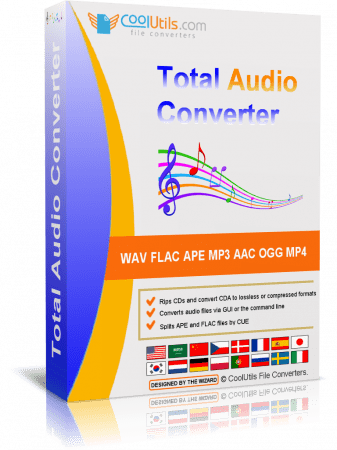
Total Audio Converter - is a unique converter that allows you to convert audio files of different extensions. Among them are MP3, WAV, RMVB, MIDI, AMR, FLAC and M4A. The program interface is quite easy and convenient . Thanks to the TreeView, you can view the complete list of files and folders in which they are contained in a directory tree . The main window of Total Audio Converter has several control panels , with which you can choose the size and source settings . The program supports batch conversion. Necessary for everyone who loves music . With it you can easily convert almost any tracks in WAV, MP3, OGG, WMA, APE, FLAC, MP4, AAC, MPC.

The program supports ID3 Tags and CUE files , convert audio tracks without creating an intermediate WAV file that runs in batch mode, a high-speed operation , at the end of the process allows you to play the file , and the availability of clear dvupanelnogo Russian-language interface to the window mate, provide easy and exciting process .
If desired, the program will find the name and fill the tags of tracks from the Internet CDDB database . All you need to do is select the source file (or files ) and press the button with the final format . To convert files , you can run a program or use the Explorer. Simply select the file to your desktop , open the menu by pressing the right mouse button and click Sonvert to. This is possible thanks to the fact that Total Audio Converter integrates into Windows. Use the program, even without running it !

Of the key features of the converter can be noted integration with iTunes, thanks to which you can automatically add the converted file to the library program. Apart from the fact , Total Audio Converter allows you to merge all files in one album and set the sample rate . And that's not all , with the application you can rip audio CD, download videos from YouTube and view detailed technical data on the track.

Despite the huge number of features , with its main task Total Audio Converter also handles "a great success ". In the process of converting an application very efficiently uses system resources without reducing their productivity too .

Features:
Converts almost all audio formats: MP3, RAX, WAV, OGG, CDA, APE, MPC, WMA, FLAC, AAC, MP4, TTA, OFR, SPX, WV, MOD, AMR, Opus, MIDI, VQF.
Changes bitrate or frequency
Converts many files in batches
Converts music from YouTube
Converts music from SoundCloud
Has a high quality engine
Has integrated audio CD ripper
Can be run via command line
Direct conversion without temporary files
Built-in audio player
Integrates into Windows right-click menu
Very user-friendly
NIST Converter
AU Converter
MAT5 Converter
PAF Converter
TTA Converter
AUD Converter
VOX Converter
XM Converter


-:DOWNLOAD FROM LINKS:-
RapidGator
Код:
https://rapidgator.net/file/bb4f0273c6cc9fcf4d910513466b9aa1/Dl4eVeR.Total_Audio_Converter_6.1.0.253.rar.html

NitroFlare
Код:
https://nitro.download/view/96A29E450D4C6EA/Dl4eVeR.Total_Audio_Converter_6.1.0.253.rar

​
 
Назад
Сверху