• Здравствуйте. Сайт заработал в архивном режиме форум www.old.nado.in

Dl4ever Software

DVDFab Player Ultra 6.1.0.9 Multilingual

7-UUo-Ys20-BZy-QGD8-SEGm1-Rtyt-Ppn-GDx1q.png

File Size: 104.1 MB
​
Welcome to the brand-new generation of DVDFab Player 6, the best 4K player software functioning as an all-in-one Media Center that not only plays all multimedia files on the local HDD, but manages all the media library efficiently by Poster Walls. All the bells and whistles of its predecessor are inherited including the PC and TV playback modes respectively optimized for small and huge screens, the navigation menu support on DVDs and (4K Ultra HD) Blu-rays, the genuine HDR10 and Hi-Res audio output support. DVDFab Player 6 boasts unique TrueTheater enhancement that boosts color, lighting, and sound in videos for better picture and audio quality, thus bringing users immersive viewing experience.

Ultra:
Menu playback on regular Blu-rays
Menu playback on 4K Ultra HD Blu-rays
4K UHD and HEVC (H.265) video playback
HDR10 and HD audio output support
3D playback on 3D media contents
Import DVD & Blu-ray discs to local library (New)
All the features in the Standard version

Organize & Manage Local Media Library by Poster Wall
Do you have tons of movies, TV shows and music videos stored on your local HDD? Do you want to play and manage all your media files with one full-featured 4K media player? We have the optimal solution. In order to build a concise but well-organized local media library, DVDFab Player 6 will scrape and download posters for all your media files from the Internet and divide them into exact groups accordingly. By clicking on each poster wall, you will be taken to a detailed page, where all the metadata info of the movie or TV show is well displayed.

Navigation Menu on DVDs, Blu-rays and 4K Ultra HD Blu-rays
The navigation menu is also a critical part of a premium experience for media playback control. The upgraded DVDFab 4K Media Player now offers all-round support for navigation menu playback on DVDs, Blu-rays, and the new-generation 4K Ultra Blu-rays, regardless of what form they are. Genuine discs, as well as ripped ISO image files or folders are also supported. Equipped with TrueTheater technology, a cinema-like home theater is right at your fingertips. Have fun with the best 4K UHD player and fully immerse yourself in a cinematographic environment.

Build, Organize and Manage Smart Local Music Library
Additionally, DVDFab Player 6 enables you to intelligently create a local music library. Just add your pre-existing music files from your HDD to the 4K player software, and you will find all your desired songs, albums, artists, or genres instantly well organized. With this amazing 4K video player, not only can you watch movies and TV shows, you can also enjoy your favorite music at any moment.

Hi-Res Audio Output Support, up to Dolby Atmos & DTS:X
If you have an acoustic system at home armed with the state-of-the-art technology, apparently this professional 4K video player for Windows 10 and macOS is just right up your alley, which is able to output lossless high-resolution audios, such as Dolby Atmos, Dolby TrueHD, DTS-HD Master and DTS:X etc., with up to 7.1 channel surround sound output. Perfect match to your top-level home theater system.

All-Inclusive Support on 4K UHD, HEVC and Other Media Files
Playback capability is the bedrock of any media player software. As the 6th generation media player, DVDFab Player 6 is distinguished through its full compatibility with all media formats including H.264, H.265/HEVC, MP4, MKV, MOV, FLV, VOB, and M2TS, all in high resolution from 720p, 1080p, to (2160p) 4K.

All-Round 3D Playback on All Forms of 3D Contents
To make the most out of your 3D TV at home, this 4K media player also comes with all-round 3D playback support on genuine 3D Blu-ray discs, ISO files and SBS (side-by-side) or top & bottom 3D videos. Besides, there are four 3D output modes available for your preference, namely, Anaglyph Red/Cyan, 3D-Ready HDTV (Checkerboard), Micro-polarizer LCD 3D (Row-interleaved) and HDMI 1.4 enabled 3D TV. With a pair of 3D glasses, watching 3D movies at home theater is just a breeze!

Import DVD & Blu-ray Discs to Local Media Library as ISO Files
As new movies and TV Shows are constantly being released, you need to add your newly purchased DVD & Blu-ray discs to your local media library incessantly. In this regard, the Disc Import feature of this all-powerful 4K media player comes in handy. With only one click, it can import a DVD or Blu-ray disc from an optical drive to your local media library, saved as an ISO file for later playback. Thus, this 4K video player acts as a media manager as well.

PC and TV Playback Modes Optimized for Small/Huge Screens
The fire-new DVDFab 4K media player features two playback modes with distinctive UI design, of which PC Mode is optimized for a truly immersive media viewing experience on computer screens, while TV Mode is dedicated to a cinema-like audio-visual experience on large-screen smart TVs, also compatible with the remote controls for Windows Media Center.

Fast and Precise Review with Adjustable Thumbnails
More often than not, you may want to preview a movie to see whether it is worth your time or not. At other times, you may need to locate a special scene quickly. Just hover the mouse over any part of the playback progress bar, a time-stamped thumbnail shall pop up; or use the dedicated Preview feature, which also shows thumbnails, but with adjustable time intervals and quantities. In a sense, this best 4K DVD video player gives you easy access to your desired details.

Customizable Playlist with Considerate and Flexible Settings
For TV Show and movie collection buffs, simply drag & drop the entire season, or movies of the same series into the playback window to create your own playlist, sort them by name or by type, play them in order, repeat a single one or repeat all. All these are at your disposal since the 4K video player allows for custom options to make your playlist unique.


-:DOWNLOAD FROM LINKS:-
RapidGator
Код:
https://rapidgator.net/file/a0f21ecc22ff19ecb34152d89c5d83d5/Dl4eVeR.DVDFab.Player.6.1.0.9.rar.html

NitroFlare
Код:
https://nitro.download/view/C4D1BBEA43B1CED/Dl4eVeR.DVDFab.Player.6.1.0.9.rar
​
 
Apowersoft Streaming Audio Recorder 4.3.5.3 Multilingual


8g4-XWa-Rk-NDH0-Mdnrw-NMXch-G5-Wn-Baj-ZGb.png

Languages: Multilingual | File size: 33 MB
​
Apowersoft Streaming Audio Recorder is an all-around program you can use to record audio from both your computer's sound card and microphone. Using this tool, you can record streaming audio and radio stations, convert audio into various formats (MP3, WAV, WMA, OGG, AAC, FLAC), search and download your favorite music, and even edit audio files and burn them onto CDs.

* Record any sound from your computer in 1:1 quality
* Convert audio files to popular formats
* Download music from sites like YouTube, Vimeo, Dailymotion, and others
* Edit songs to your liking using our Audio Editor feature
* Choose from tons of radio stations
* Automatically identify ID3 tags, like title, artist, album and more

Multiple functions with an easy-to-use interface mean that anyone can use this product effortlessly. Find and record the perfect sound with Streaming Audio Recorder today!

Key features:
* Record audio from sound system, microphone, or both.
* Automatic detection of the song title, album, artist, etc.
* Create a schedule for recording tasks.
* Record music and streaming audio from Internet radio stations.
* Record any sound from your computer.
* Great tool for recording, editing and converting audio.
* Ability to rewrite CD discs and burn CD's.
* Download any music from the Internet.
* Edit ID3 tags for each file.

Whats New:
Updates: official site does not provide any info about changes in this version


-:DOWNLOAD FROM LINKS:-
RapidGator
Код:
https://rapidgator.net/file/a90b3dbb64973391bc60e1cc8abfc830

NitroFlare
Код:
https://nitro.download/view/BCFFEEF63AE9444/Dl4eVeR.Apowersoft_Streaming_Audio_Recorder_4.3.5.3.rar

​
 
iToolab UnlockGo 4.0.0 Multilingual


th-2-Caa-Qp-MNmvi3-Hkv-Zf0-OSS07qs7-Yqq-Ug-P.png

File size: 98.6 MB
​
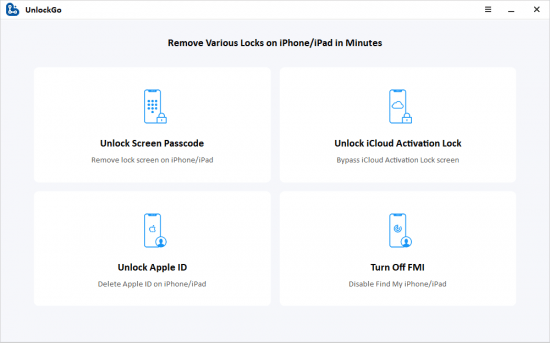
UnlockGo allows you to very easily bypass the iPhone's password and gain full access to the device. It can be useful in the following scenarios.

Features :
Remove 4-digit/6-digit passcode, Touch ID & Face ID from iPhone and iPad in minutes.
Remove iCloud activation lock without password to get into the device again.
Fix Disabled iPhone/iPad without iTunes or iCloud.
Easy to use, no tech expertise needed.
Compatible with the latest iPhone 12 & iOS 14.2 and iPadOS 14.2 and more.

What's new :
Updates: official site does not provide any info about changes in this version.


-:DOWNLOAD FROM LINKS:-
NitroFlare
Код:
https://rapidgator.net/file/07bb7c8440d745afeecda156a1421eed

RapidGator
Код:
https://nitro.download/view/8E730B7668D4945/Dl4eVeR.iToolab_UnlockGo_4.0.0.rar

​
 
IObit iFun Screen Recorder Pro 1.2.0.261 Multilingual


th-b-Rea-XOEV6k4tg-Eus1-Kk6-HE4-W8-Rwcvsac.png

File Size: 35.2 MB
​
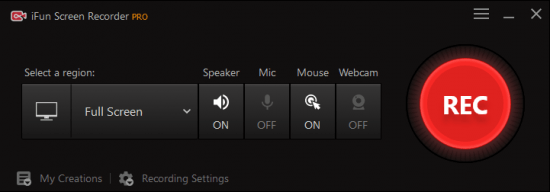
iFun Screen Recorder, Record any area of your screen, a featured screen with Facecam. Unlimited recording time, record HD videos with no watermark. For multiple occasions: work, education, game, personal or more.

Features:

Flexible Screen Capture
Select any area of your screen to start recording, from the entire display to a small dialog box. iFun Screen Recorder supports multiple displays. Capture every detail and cut off every interference.

Facecam Recording
A perfect screen recorder is not only a perfect screen record copy but more than it. iFun Screen Recorder provides you with a Facecam function, allowing you to record your face in a video. Using Facecam in many situations, like online tutorials, game recording, PowerPoint presentations.

No Lagging While HD Recording
Optimizing over and over, iFun Screen Recorder achieves an average 8% CPU utilization, making extremely smooth recording possible. Like flowing air surrounding you: hardly felt, but always by your side.

Take Screenshots While Recording
Both dynamic and static are equal and parallel. Since that, we break through technical barriers between video & audio recording and screen capture taking simultaneously. To give users better using experience, we never stop trying.

Multiple Output/Convert Formats
Trying to cover different groups' demands, more than 12 output formats are supported to be storage and conversion to other formats you want. Compatible with any mainstream digital devices, from your up-to-date iPhone to your mama's old MP4 player.

Record the Screen with Audio
Experience the most excellent screen recorder with audio. Every syllable of inside background, speaker and tiny microphone on your headset are completely recorded. From image to audio, we are professional.

More Features:

Download Replacing
Use iFun Screen Recorder to replace inefficient download. Low download speed, unstable network environment and contents limitation are no longer problems.

Video Saving
Record hot videos by at highest 4K definition and 0 lag technique. Originally and legally. Save your favourite video to your private space.

Video Editing
More than a recorder. It also provides tools to edit your recorded videos, which capable of basic and practical functions, effortless to use. Perfect your screen record and later edit.

Video Transferring
One-stop solution for incompatibility. Supporting 17 mainstream formats transfer mutually & unlimitedly. Videos of any sources are supposed to be played on any device.

What's New:
official site does not provide any info about changes in this version.


-:DOWNLOAD FROM LINKS:-
RapidGator
Код:
https://rapidgator.net/file/464d94fd2c1ad870e661ac28b89534d3

NitroFlare
Код:
https://nitro.download/view/BB9B5525A5381F4/Dl4eVeR.IObit_iFun_Screen_Recorder_Pro_1.2.0.261.rar

​
 
SysTweak Duplicate Files Fixer 1.2.0.12122 Multilingual


th-o0-Arwy-Xa-Jb9-Fe-S9-BUf-SJxhg-Kk4-QEqga-O.jpg

File size: 16.8 MB
​
Recover disk space in seconds by removing duplicates! Did you know that your system often accumulates too many duplicate files which eat up a lot of storage space? Duplicate Files Fixer is a simple tool designed to find and delete all such duplicate files effortlessly!

Incredible Features
This nifty tool makes your system more organized!

Accurate identification of duplicates
Duplicate Files Fixer identifies all identical file formats accurately. Find identical texts, photos, audio, and video files is easy with this extremely user-friendly software.

Create Backups Before Deleting
You need not think about recovering deleted files. Duplicate Files Fixer gives you the option to backup all your files before you delete them. No worries there!

Folders exclusion supported
You might not want to scan all your folders for copies. This software gives you the option to exclude the files you do not want to scan. That makes your scanning faster too.

External device supported
All the files and folders you want to scan might not be stored in your Windows. So you can simply attach pen drives and external disks and Duplicate Files Fixer will scan them too.

Rapid & accurate results
So you have got loads of files to be scanned. But that's perfectly alright. Duplicate Files Fixer will give you a speedy yet accurate scan irrespective of volume of files you have.

Scanning criteria can be set
You can set the scanning criteria for the software to get a more comprehensive scan result. You can also have a look at your scan history and adjust the settings for better results.

Whats New:
Updates: official site does not provide any info about changes in this version.


-:DOWNLOAD FROM LINKS:-
NitroFlare
Код:
https://rapidgator.net/file/79aea4671b796462ba1805b07ecb1a21

RapidGator
Код:
https://nitro.download/view/244A82E3E0B56D4/Dl4eVeR.SysTweak_Duplicate_Files_Fixer_1.2.0.12122.rar

​
 
Aiseesoft FoneTrans 9.1.58 Multilingual


th-0-Fy1i-Jt-Ljq-Zw-J3-Fost-GVc-PRCMEGq-NRq-O.jpg

Languages: Multilingual | File size: 72.2 MB
​
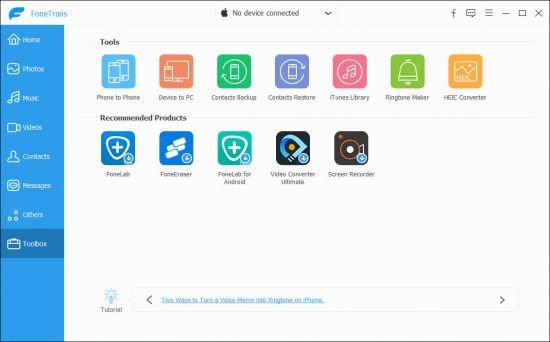
FoneTrans - iOS Transfer. It is the best iOS Transfer software to manage iOS files. Not just an alternative to iTunes. Now you don't have to rely on iTunes to transfer photos, music, contacts and voice memos from iPhone/iPad/iPod to your computer or reversely. When you change an iPhone, you won't have to worry about how to transfer the contacts, music and other data to your new iPhone.

You can use FoneTrans to transfer photos and pictures from your iPhone/iPad/iPod to computer without using iTunes. You can also transfer photos from iPhone/iPad/iPod to a new iOS device in one click. For example, you can transfer photos taken on iPhone to iPad with larger screen. Photos in Camera Roll and Photo Library can all be transferred.

With this iOS file transfer, you can backup music from iPhone/iPod to computer, or import music from computer to iPhone/iPod conveniently. It provides another easy way to share songs between different iOS devices, like iPhone and iPod. It also makes it possible to sync music from iPhone/iPod/iPad to iTunes without running iTunes.

You may want to transfer your iPhone contacts to computer for backup, or move your contacts to a new iPhone. FoneTrans could help you easily do that! You can export contacts from iPhone to computer and import them to another iPhone later, or transfer contacts from iPhone to iPhone directly.

Sometimes you may want to export text messages from your iPhone to computer for backup or for printing, sometimes you have a lot of important SMS and just changed a new iPhone. Under these situations, you need FoneTrans to export text messages from iPhone to your computer.You can save the messages in formats you want.

If you have recorded videos with your iPhone and want to move them to your computer, just copy them. But it's not so easy if you want to import movies or music videos to your iPhone. FoneTrans will help you do it. Unlike iTunes, FoneTrans won't overwrite your last backup, it will copy the video(s) you need from iPhone/iPad/iPod or computer to iPhone/iPad/iPod losslessly.

Some voice memos are important reminder or evidence. You'd better make backups from time to time. If you choose FoneTrans, this process will become easier and faster. It will help you transfer voice memos between iPhone/iPad/iPod and computer. You can even use it to complete the transfer between different iOS devices directly.

Supported Devices:
iPad iPad Pro, iPad 2, iPad 3, iPad 4, iPad Air, iPad Air 2, iPad mini, iPad mini 2, iPad mini 3
iPhone iPhone X, iPhone 8, iPhone 8 Plus, iPhone 7, iPhone SE, iPhone 6s, iPhone 6s Plus, iPhone 6 Plus, iPhone 6, iPhone 5s, iPhone 5c, iPhone 5, iPhone 4S, iPhone 4, iPhone 3GS
iPod iPod touch 5, iPod touch 4, iPod Nano 7G/6G/5G/4/3G/2/1, iPod Shuffle 4G/3G/2G/1G, iPod Classic 2/1
Other iPod Devices iPod Nano 7G/6G/5G/4/3G/2/1, iPod Shuffle 4G/3G/2G/1G, iPod Classic 2/1

System Requirements:
Supported OS: Windows 10, Windows 8.1, Windows 8, Windows 7, Windows Vista, Windows XP (SP2 or later)
Supported iOS: iOS 6.0 and higher versions (iOS 10.3, iOS 11, iOS 12 included)

What's new :
official site does not provide any info about changes in this version.


-:DOWNLOAD FROM LINKS:-
RapidGator
Код:
https://rapidgator.net/file/b5893ad93942f59ed1549076539e6b20

NitroFlare
Код:
https://nitro.download/view/2B6A849F8054E0C/Dl4eVeR.Aiseesoft_FoneTrans_9.1.58.rar

​
 
CoolUtils Total CAD Converter 3.1.0.186 Multilingual


th-i-Qofa-Xc-Wa-I2c4f-RWPugizr9-Sr-U8n-PDPT.png

Languages: Multilingual | File size: 140 MB
​
Total CAD Converter converts CAD files to PDF, TIFF, JPEG, BMP, WMF, PNG, DXF, BMP, CGM, HPGL, SVG, PS, and SWF. Source formats include dxf, dwg, dwf, dwfx, plt, hg, hgl, hpg, plo, hp, hpl, hpgl, hp1, hp2, hpgl2, gl2, spl, svg, cgm. Total CAD Converter's user-friendly interface and built-in wizard make it easy to apply project settings (it will even auto-remember previous job settings so that next time you won't need to recreate them from scratch). Total CAD Converter also includes support for project set-up via the command line.

Total CAD Converter offers several unique options when converting lots of CAD files at once:
When you convert multiple CAD files to PDF or TIFF you can combine all source files into a single target file. For instance, convert five CAD drawings into one multi-page TIFF or PDF.
When converting CAD files to images you can resize, crop and rotate them simultaneously.
If you'd prefer to create PDF copies of your CAD drawings, you can do so by adding a digital signature to the output files. More unique options

Looking to use the CAD converter in your asp or php application with ActiveX? Try the Total CAD ConverterX (SDK). With it, you gain access to a powerful command line CAD converter minus the GUI.

Features:
Converts CAD files in batch
Autodesk AutoCAD 2016 is supported
Command line support
Many output file types
Resizes CAD drawings
Rotates CAD drawings
Crops CAD drawings
Turns color drawings to black-and-white
Makes the lines thicker if you need
Adds watermarks to output files
Easy-to-use
ActiveX and Server version

Whats New:
Updates: official site does not provide any info about changes in this version.


-:DOWNLOAD FROM LINKS:-
RapidGator
Код:
https://rapidgator.net/file/8b9541ff912049f39bc05836ace1362d

NitroFlare
Код:
https://nitro.download/view/8E8C2DD7B68C832/Dl4eVeR.CoolUtils_Total_CAD_Converter_3.1.0.186.rar

​
 
WinTools.net Professional / Premium / Classic 21.3 Multilingual


GKWmaa-KSj0n-Q7-U1-G6w-Xbap-RDm-Yrd-P7-Xw.jpg

File size: 7.2 MB
​
WinTools.net is a suite of tools for Windows operating system optimizing and increasing performance. This suite lets you cleanly remove unwanted software from disk drives and dead references from the Windows registry. WinTools.net Professional puts you in control of the Windows start up process, memory monitoring and gives you the power to customize desktop and system settings to fit your needs. Also it ensures your privacy and keep sensitive information secure, adds more speed and stability for your connection.

WinTools.net Professional contains tools: Clean Uninstaller, Scan Files, Scan Shortcuts, Scan Registry, Startup Manager, Tweak UI, Net Tweaker, The Privacy, Invisible Man, File Shredder...

Clean Uninstaller
Use it for correctly removing software. Also for monitoring changes made to the hard drive, MS Windows registry and system files during program installations.

Scan Files
For periodic cleaning of your hard drive from dead references, junk and obsolete files produced by different software. These files and references remain on the hard disk and increase drive access time.

Scan Registry
Use it periodic the MS Windows registry cleaning from unused applications remaining after uninstallation and from invalid references which decrease system speed and system loading time.

Start Up Manager
This tool allows you to monitor, add, remove, enable and/or disable individual startup items. You can also adjust applications initialized during the loading process of the operating system.

Tweak UI
This is a set of additional adjustments related to safety, system capacity and user preferences. And which are not included in the basic components of MS Windows.

Net Tweaker
The tool is used for speed increasing of data transfer and for greater stability of connection by changing hidden network settings.
The Privacy. This is a kit of tools which ensure your privacy and keep sensitive information secure. It consists of three basic parts: "Objects to Erase", "Invisible Man" and "File Shredder".

Invisible Man
This tool is used for saving private information and its later restoration. This is useful if you don't want any information saved by the system.

File Shredder
This tool is for secure deleting documents, programs, and any other files without possibility to restore them.
Memory Booster (free). This tool serves for monitoring, cleaning and optimisation of RAM. It is used for increasing of operation system performance and for releasing RAM for usage by other processes.

Editions: Professional / Premium / Classic

Whats New:
+ analysing algorithm was updated
+ korean.lng was updated


-:DOWNLOAD FROM LINKS:-
NitroFlare
Код:
https://nitro.download/view/8D43DE81F8AD98C/Dl4eVeR.WinTools.rar

RapidGator
Код:
https://rapidgator.net/file/279186457e4c61950688e34b88831f33

​
 
WinTools.net Premium 21.3 Multilingual


GKWmaa-KSj0n-Q7-U1-G6w-Xbap-RDm-Yrd-P7-Xw.jpg

​
File siez: 6.98 MBWinTools.net is a suite of tools for Windows operating system optimizing and increasing performance. This suite lets you cleanly remove unwanted software from disk drives and dead references from the Windows registry. WinTools.net Professional puts you in control of the Windows start up process, memory monitoring and gives you the power to customize desktop and system settings to fit your needs. Also it ensures your privacy and keep sensitive information secure, adds more speed and stability for your connection.

Clean Uninstaller
Used for both correctly removing software and for monitoring changes made to the hard drive, MS Windows registry and system files during program installations.

Scan Files
Used for periodic cleaning of your hard drive from dead references, junk and obsolete files produced by different software. These files and references remain on the hard disk and increase drive access time.

Scan Shortcuts

Used for periodic cleaning of your Desktop, Start-menu, Application data and hard drives from dead shortcuts, These shortcuts remain on the hard disk and increase drive access time.

Scan Registry
Used for periodic cleaning of the MS Windows registry from unused applications remaining after uninstallation and from invalid references which decrease system speed and system loading time.

Startup Manager
This tool allows you to monitor, add, remove, enable and/or disable individual startup items. You can also adjust applications initialized during the loading process of the operating system.

Tweak UI
This is a set of additional adjustments related to safety, system capacity and user preferences and which are not included in the basic components of MS Windows.

Net Tweaker
The tool is used for speed increasing of data transfer and for greater stability of connection by changing hidden network settings. Available only in "Professional" edition.

Your Privacy
This is a kit of tools which ensure your privacy and keep sensitive information secure. Available only in "Professional" edition.

Invisible Man
This tool is used for saving private information and its later restoration. This is useful if you don't want any information saved by the system.

File Shredder
This tool is used for full secure deleting documents, programs, and any other files without possibility to restore them.

IE Favorites

Little tools for quick delete, backup and restore Internet Explorer Favorites. Remove unused or damaged links.

RAM Memory Booster
This tool serves for monitoring, cleaning and optimisation of RAM. It is used for increasing of operating system performance and for releasing RAM for usage by other processes. If you have a possibility, we recommend to use RAM Saver Pro instead of RAM Memory Booster.
Release Notes
+ static boxes were updated
* tab problem was fixed
System requirements:
OS Windows 10/8.1/8/7/VISTA/XP/2k/2k3/2k8 x86 x64
Minimum screen resolution 1024x768
CPU: Pentium processor and above
RAM: 128 Mb RAM
HDD: 15 Mb free disk space


-:DOWNLOAD FROM LINKS:-
RapidGator
Код:
https://rapidgator.net/file/8e3345398a43811ce818261a23bc6911/Dl4eVeR.WinTools.net.Premium.21.3.rar.html

NitroFlare
Код:
https://nitro.download/view/7E94DEEAAED497F/Dl4eVeR.WinTools.net.Premium.21.3.rar

​
 
Perfectly Clear Complete 3.11.3.1980 (x64) Multilingual


1562675098-athentech-perfectly-clear-complete.jpg

Windows x64 | Standalone & Plug-in & Addons | File size: 108.9 MB
​
Built for precision. Made for beauty. Above all, you want better photos. But what if you could have better photos faster? Perfectly Clear has mastered the science of intelligent image correction - creating superior quality photos in record time, so you can get back to doing what you really love...in no time.

Spend less time in front of your computer.
With Perfectly Clear, you'll get results faster so you can spend more time behind the camera and less time in front of the computer. Take advantage of intelligent image analysis to find and fix numerous camera flaws automatically. Plus, you can quickly add your favorite finishing touch with our stylized LOOKs.

Take complete control.
Our presets are just the starting point. Easily apply only the adjustments you need for the perfect image. Use our powerful sharpening and noise reduction, which goes beyond what other tools can do, to unlock a whole new image. Keep an eye on your color and exposure with a dynamic histogram that tracks exposure and color clipping.

A custom experience.
Every photographer is different, and so is Perfectly Clear. Our adaptive interface lets you hide tools you don't need while you work, allowing you to focus on your image. Plus, you can make and manage your own presets, which intelligently adapt to each photo.

Why change your workflow?
Rather than move your entire image library or change your workflow, we'll make your existing workflow better. We support several platforms and have more coming soon. With powerful batch processing and up to 30 corrections in one click, we'll make everything better.

We've got image correction down to a science.
Creating our award-winning technology took more than a decade of R&D, multiple patented processes, and over a dozen unique algorithms. We cracked the code on correcting every pixel independently. The proof is in your pictures.

What's New in Perfectly Clear 3:

You have better ways to spend your day than laboring over manual edits
You became a photographer to go out and capture the beauty of the world, not sit inside at an editing desk. We invented our automatic image corrections to take away the tedium and give you back your freedom. So let Perfectly Clear handle the editing chores while you devote your day to doing what you do best-creating incredible images.

- Up to 20 auto corrections with one click
- Batch process 1000s of images in minutes
- Stay within your workflow
- Unlock the details in every image
- Tap into professionally created presets
- Save countless hours of manual editing
- Fine tune details with precise controls

We've got image correction down to a science
Creating our award-winning technology took more than a decade of R&D, multiple patented processes, and over a dozen unique algorithms. We cracked the code on correcting every pixel independently. That's how we make a 12-megapixel photo look like it was taken with 12 million separate apertures. The proof is in your pictures.

Investing, innovating and improving every year
At Athentech, we're committed to solving problems faced by photographers. Every year, we continue to innovate with R&D work by our team of physicists, engineers, and photographers. Every day, we invest in making your photos look their best.

Lighting.
- Perfect Exposure. More effective than traditional brightness, Perfect Exposure lets you maintain Real Color Photography™ without clipping or washing out. Our technology overcomes the distortions caused by a single aperture by replicating the way your eye gathers light and correcting your exposure pixel by pixel.
- Depth. Brings out the contrast in a photo without messing up the other colors. Perfectly Clear uses a patented algorithm that manages the dynamic range in a unique way, revealing the detail needed to produce this kind of depth.
- Light Diffusion. Perfectly Clear lets you create a softer look with warmer tones and captures the perfect portrait even in broad daylight.
- Skin & Depth bias. For realistic lighting on skin.

Color.
- Photoshop is powerful, but for Full Color Spectrum, Light Diffusion, automatic red-eye removal, you have to turn to Perfectly Clear.
- Vibrancy. Perfectly Clear mimics how the eye adjusts saturation, providing a color-vibrant photo. Sometimes digital cameras can cause photos to look washed out/faded because they have a linear response to light. But our solution overcomes this problem by looking at each channel independently.
- Fidelity. We reproduce the full visual spectrum of colors seen by the eyes, enabling you to capture purples properly every time.
- Tint. In the days of film, you had to carry around different films and filters for different times of day-all to get the lighting source correct. To remove nasty tints-from tungsten, fluorescent, incandescent, IR-Perfectly Clear searches for an abnormal tint, then reveals the great photo underneath.

Clarity.
- Sharpening. Traditional sharpening methods also sharpen weak signal and introduce halos. Perfectly Clear only searches for strong signal and creates sharp, clear photos with zero artifacts.
- Noise removal. Perfectly Clear automatically reduces noise 2-3 stops with one click (unlike Ps or Lr which requires multiple slider bar adjustments). ISO 1600 is effectively reduced to ISO 200-400 without blurring or losing details.

Eyes.
- Red-eye. We sourced this technology from our wonderful partner FotoNation, which is embedded in hundreds of millions devices. It detects and corrects imperfections as quickly as 5 images per second with no manual intervention.
- Unlike Photoshop, Perfectly Clear not only removes red eye automatically, it also includes Eye Enhance, Eye Enlarge, Dark Circle removal, and the ability to automatically add 5 different Catchlights.

Skin.
Perfectly Clear lets you smooth and tone skin, adjust blush, and remove infrared, shine and blemishes. Our robust, automatic correction uses advanced facial detection techniques to identify age, gender and key facial features including texture and skin tone. As a result, we're able to determine the precise amount of corrections to apply automatically. All of our Beautify corrections are much faster than doing this manually in Ps or Lr which will takes minutes per image instead of seconds.

Face.
Perfectly Clear lets you whiten teeth for the perfect smile and saves a painful trip to the dentist. Plus, it can sharpen the look of your lips and tone your face shape for a more slender and youthful appearance.

System Requirements:
• Windows 7, 8 or 10 (64-bit only)
• Photoshop CS6 or Creative Cloud
• Photoshop Elements 13,14,15
• Corel PaintShop Pro X6, X7, X8, X9
• Lightroom 4 or newer, including v6 and CC
• 4 GB RAM or more


Код:
https://eyeq.photos/news
What's new


-:DOWNLOAD FROM LINKS:-
NitroFlare
Код:
https://rapidgator.net/file/db22daf8d4cb6ce5c0300f14d92b7b71/Dl4eVeR.Perfectly.Clear.Complete.1980_x64.rar.html

RapidGator
Код:
https://nitro.download/view/A070F5C1C06A736/Dl4eVeR.Perfectly.Clear.Complete.1980_x64.rar

​
 
RawDigger 1.4.4.712


th-U2-QGw-CK1-BHfs2-YZHqu9-Bb0c4-DBlwxv-QQ.jpg

Windows x86/x64 | File size: 36.13 MB
​
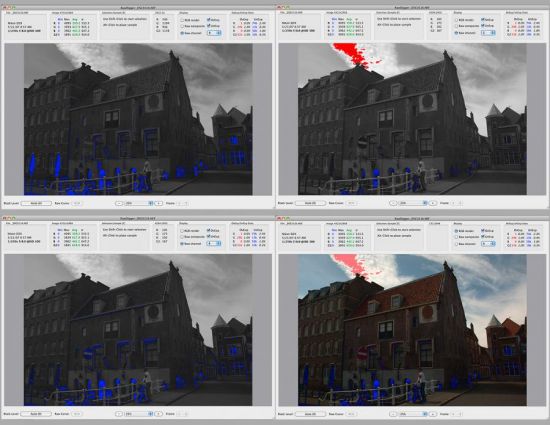
RawDigger is a tool to visualize and examine pure raw data as the camera has recorded it. In essence, it is a microscope of sorts that lets you drill down into raw data. RawDigger doesn't alter the raw data in any way. RawDigger is not a raw convertor. Instead, it allows you to see the data that will be used by raw convertors.

Some unique RawDigger features:
• RawDigger displays the real histogram of the raw data, which greatly differs from the in-camera histogram and histograms presented by most of the raw converters.
• Overexposure (OE) indicator will show you exactly what areas of the shot are blown out and in which color channel(s) it happened (best if used in channel view).
• RawDigger allows determining how exposure meter is calibrated and what raw level corresponds to the midpoint of in-camera histogram. That is, RawDigger lets you establish the headroom in highlights and obtain optimal exposures.
• For ETTR practitioners, RawDigger makes it very simple to compare raw histogram to in-camera histogram and account for the difference, making the exposures as much "to the right" as possible.
• RawDigger helps determining the raw level at which the overexposure "blinkies" start on the camera LCD and to know how much headroom is still available after the blinkies start showing.
• If the shadows look blotchy, colorless, or details in shadows are poorly resolved you will be able to determine how much they are underexposed and set Underexposure (UE) indicator in RawDigger accordingly.
• RawDigger is a useful tool for examining how the relative per-channel underexposure depends on the color of light.
• RawDigger is more precise than any exposure meter for the purpose of evaluation of the uniformity of fill light and reproduction light setups (in terms of the evenness of both color balance and luminosity across the background).
• For studio photography RawDigger helps establishing the proper light filtration to achieve the cleanest possible shadows on the shots.
• Landscape photographers may want to use RawDigger to determine the effect of the filters on the lens, to check neutrality of polarizing and neutral density filters and, possibly, to select color correction and color compensation filters to use in different light.
• RawDigger can be used to check the amount of vignetting caused by the lens and the sensor.
• RawDigger helps determine the idiosyncrasies of both camera and raw convertor by providing a true view into the raw data and comparing it to the results obtained through raw conversion.

What's new
Код:
https://www.rawdigger.com/news/rawdigger-1-4-4-Release

OS: Windows (XP - 10)


-:DOWNLOAD FROM LINKS:-
NitroFlare
Код:
https://rapidgator.net/file/f3123d2177f652f1329795359221b32e/Dl4eVeR.RawDigger.1.4.4.712.rar.html

RapidGator
Код:
https://nitro.download/view/8DF0207D4003CF4/Dl4eVeR.RawDigger.1.4.4.712.rar

​
 
TreeSize Professional 8.1.2.1575 (x64) Multilingual


e-Ny-Kfa8-BMUBCl-Hazjxy5pbgpzz-Zvyrm6.jpg


File Size: 41 MB
​
TreeSize Professional is a powerful and flexible hard disk space manager for all windows. Find out which folders are the largest on your drives and recover megabytes on your disks. TreeSize Professional shows you the size, allocated and wasted space, the number of files, 3D charts, the last access date, the file owner and permissions, the NTFS compression rate and much more information for several folders or drives you choose. It also lets you search drives, entire servers or the entire network for old, big, temporary and duplicate files. The search results can be moved, deleted or exported. The application has an intuitive Explorer-like user interface, it is fast and multi-threaded and supports Unicode and scheduled scans. You can print detailed reports or export the collected data to Excel and to an HTML, XML or text file. TreeSize Professional can be started from the context menu of every folder or drive. Why TreeSize Professional:

- Manage and clean up disk space efficiently
- Visualize disk usage
- Detailed analysis, right down to the lowest directory levels
- Find and remove redundant files
- Numerous export and reporting options
- The versatile duplicate file search

Manage disk space and scan your hard disks
Find out which folders are the largest on your drives and recover precious disk space. Use TreeSize as a hard disk cleanup tool: find space hogs and remove them. Graphical analyses provide a quick visualization of disk space usage. TreeSize Professional shows you folder size and allocated disk space as well as owner and permissions, the last access date, the NTFS compression rate, and much more information for selected folders or drives.

Search for Redundant Files
The integrated versatile file search helps you find old, big, temporary, and duplicate files on drives, entire servers or the entire network. Search results can be moved, deleted or exported to a ZIP file.

Print, Export, or Compare Results
You can print detailed reports and charts or export the collected data to many different formats such as XML, XLS, TXT, CSV and many more. Compare XML reports or take shapshots of your disk space usage to track its development over time.

The application has an intuitive Explorer-like user interface and supports drag and drop operations. It is fast, multi-threaded, and supports Unicode- and NTFS-specific features. TreeSize Professional can be started from the context menu of every folder or drive.

Efficient Disk Space Management from all perspectives
- See the size of all folders including their subfolders and break it down to the file level.
- Visualize disk usage in the pie or bar chart.
- Tree maps visualize hierarchies and sizes of subfolders in the selected directory.
- Detailed view with single files and additional information (e.g. date of last access).
- Statistics about file types and file owners for every branch.
- Filter the file system tree on the left by a certain user or file type.
- See a list of the 100 largest files.
- Distribution of occupied disk space by file age.
- Scan FTP, WebDAV, and SharePoint servers.
- Disk Space Management on smartphones and mobile devices.

Versatile File Search
- Integrated file search.
- Fully customizable file search.
- Archive, copy, or move the results of the TreeSize File Search, for instance lar, old, or temporary files or files of a certain type.
- Search multiple drives, whole servers and even your entire network neighborhood.
- Search results can be exported, moved, deleted or passed to any executable file or script.
- TreeSize offers a powerful duplicate file search, optionally with MD5 or SHA256 checksums. TreeSize also enables you to easily deduplicate files using hardlinks.

Exporting and Reporting
- TreeSize enables you to export scan results (showing the directory structure) to many different formats such as Excel, XML, HTML, text/CSV file, clipboard, or email.
- Export a list of all files in the scanned folder and its subfolders, for example for use in a database.

Track Growth
- Save the data to an XML file and load it again later.
- See which folders have grown: Compare a saved XML file to a current version of the file system branch, TreeSize Professional displays the difference between the two scans.
- Take snapshots of the current state of disk space usage and compare them with snapshots Windows takes automatically.

Customized Analyses & Views
- Configure displayed columns for the details view, Excel export, text file and printed reports.
- Include and exclude certain files or folders in your scans.

Scheduled Scans
- Command line options allow automatic and scheduled scans of your hard disk (e.g. overnight) and generating reports.
- Comfortable interface simplifies creation and editing of scheduled scans and exports as Windows tasks.

High Performance thanks to Multithreading
- Browse the results during scanning.
- Scan and view several folders at the same time.
- Automatic adjustment of the number of threads that are used for a scan.

Full NTFS Support
- Unicode file and folder names are supported.
- File based NTFS compression.
- Hardlinks and Alternate Data Streams (ADS).
- File paths longer than 255 characters will be found and processed correctly.
- Analyse NTFS permissions.

Perfect Integration with the Windows Explorer
- Explorer context menu supported inside the TreeSize window.
- TreeSize Professional can be started from within the Windows Explorer.
- Drag and Drop is enabled.
- On a Windows Core Server TreeSize can serve as a graphical user interface.

Full Network Support
- TreeSize Professional offers full support for network drives and scans UNC paths like Servershare.


-:DOWNLOAD FROM LINKS:-
RapidGator
Код:
https://rapidgator.net/file/8134582a2545799e7ced0efe08dcc4be/Dl4eVeR.TreeSize_Pro_8.1.2.1575.rar.html

NitroFlare
Код:
https://nitro.download/view/49A7E45A9A7BBF5/Dl4eVeR.TreeSize_Pro_8.1.2.1575.rar

​
 
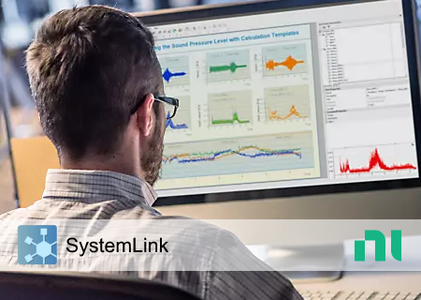
NI SystemLink 2021 R1

008409a5-medium.png

NI SystemLink 2021 R1 | 1.9 Gb
Language: English, Deutsch, 日本語, Simplified 中文​
National Instruments, the provider of a software-defined platform that helps accelerate the development and performance of automated test and automated measurement systems, announced the new version of SystemLink software.

The following items are notable issues fixed between the release of SystemLink 2020 R4 and SystemLink 2021 R1, including additional patches and service packs.

1173892 Calibration support cannot be removed from 3rd party assets
If you enable external calibration support for a 3rd party asset you cannot remove it later.
1179296 There is no progress information when adding, updating, or removing an asset
There is no progress information displayed from the asset grid when adding, updating, or removing an asset in a system.
1137631 Background monitoring can cause tests to periodically fail
SystemLink periodically reads the calibration and temperature information for all NI assets every 5 minutes. If SystemLink is reading the temperature at the exact same time an automated test is run it can cause the test to fail if the driver reserves the device while in use.
1172750 Parametric data viewer hangs when many test results are selected
Selecting a large number of test results in the test result grid (1000+) and then clicking View > Parametric Data, the Parametric Data Viewer hangs and there is an exception in the console.
1239960 Test Module's TestStand Store and Forward feature sometimes gets stuck
The "Enable Store and Forward when Disconnected from Server" feature of the SystemLink Result Processing Plugin for TestStand does not work properly.
Test results from tests performed while the connection to the SystemLink was interrupted were not uploaded. The status in the Test Monitoring Dashboard remains perpetually on "Running" without any data being uploaded.
If multiple tests were executed while being offline, those tests neither even show up in the Test Monitor Dashboard, nor are any results uploaded when the connection is restored.
On the minion, the data seems to exist below C:\ProgramData\National Instruments\Skyline\Data\Store
1233611 DataFinder - column-oriented query fails if file size of one or more files is greater than MAX INT32 (4GB)
1239601 DataFinder HTTP API for Security Settings is Deprecated

Details:
Due to the new Auth service the following routes do no longer function:
/datafinders/{​​​​​​df_uuid}​​​​​​/searchareas/{​​​​​​​​​​​​​sa_uuid}​​​​​​​​​​​​​/security.
/datafinders/{​​​​​​​​​​​​​df_uuid}​​​​​​​​​​​​​/security
1338001 [Python SDK] systemlink.clients.nitdmreader.api.metadata_api.MetadataApi.get_all_file_info doesn't return requested Python objects
1346955 Optimizing custom properties times out in case of huge property count.
1356899 [Analysis Automation] Scheduled task with recurrence interval set to month does not work correctly
1400389 [Data Indexing] An altered database path of a previous version is discarded after an upgrade
1422638, 1433322 [Analysis Automation] Manual approval of Analysis Procedures required after upgrade

When upgrading from a SystemLink version prior to 2021, existing procedures are not approved automatically.
However, existing and active tasks are still working, but cannot be edited and new tasks cannot be created, until the procedure has been approved.
NI SystemLink is systems and data management server software that helps your team save hours setting up and managing test systems and searching for data needed for analysis. With a centralized web-based management interface for connected devices, software, and data, your team can update test system software, view system health information, and search for data with a few button clicks. With test and measurement data at their fingertips, teams can analyze even more findings to gain better insights and make effective decisions faster. SystemLink provides out-of-the-box support for NI products like LabVIEW, TestStand, PXI, and CompactRIO along with an open architecture for incorporating a wide range of third-party software and instrumentation.


Since 1976, National Instruments has equipped engineers and scientists with tools that accelerate productivity, innovation and discovery. NI's graphical system design approach to engineering provides an integrated software and hardware platform that speeds the development of any system needing measurement and control. The company's long-term vision and focus on improving society through its technology supports the success of its customers, employees, suppliers and shareholders.

Software company National Instruments (NI) has unveiled its new brand identity including a new logo, visual identity, enhanced digital experiences and a brand campaign aimed at recognising and celebrating the contributions of the engineers and enterprises. NI launched its APAC hub in Penang 10 years ago.

The new logo is the initials of NI in small letters, a vast difference from carrying the company's full name previously.

Product: NI SystemLink
Version: 2021 R1
Supported Architectures: 32bit / 64bit
Website Home Page :
Код:
http://www.ni.com
Language: English, Deutsch, 日本語, Simplified 中文
System Requirements: PC *
Size: 1.9 Gb


-:DOWNLOAD FROM LINKS:-
RapidGator
Код:
https://rapidgator.net/file/b9e9831d7daf03bbae098b631329cc03
https://rapidgator.net/file/dd9de8541bf56c5998d81a3d6846472f

NitroFlare
Код:
https://nitro.download/view/79C2C8F0327C27C/Dl4eVeR.TsYmLK21r1.part1.rar
https://nitro.download/view/DA37DF6C11EBA1A/Dl4eVeR.TsYmLK21r1.part2.rar

​
 
PLAXIS LE CONNECT Edition V21 Update 1

00840959-medium.png

PLAXIS LE CONNECT Edition V21 Update 1 | 826.5 mb​
The PLAXIS development team is pleased to announce the availability of PLAXIS LE CONNECT Edition V21 Update 1. This software helps you efficiently manage complex geotechnical projects with multiple scenarios. Equip your team with the ability to quickly and confidently create common or complex real-world 2D or 3D numerical models and analyze with credibility.

With the introduction of the PLAXIS CONNECT Edition V21, SOILVISION products are adopting the PLAXIS brand and Bentley simplifies all their geotechnical analysis licensing to offer you more streamlined access to their newest, most advanced capabilities, and interoperability among PLAXIS offerings. Previous SOILVISION CONNECT Edition V10 licensing options will be deprecated and will no longer exist.

For PLAXIS LE CONNECT Edition V21 and onward, SVSLOPE, SVFLUX, SVSOLID, and SVSOILS products will be consolidated. Advanced tiers of these products and SOILVISION Suites that include combinations of these products will be deprecated, which will offer more advanced geotechnical capabilities and analysis options per license.

New features

PLAXIS product licences
Improved product licensing options under the PLAXIS brand: PLAXIS 2D LE, PLAXIS 3D LE and PLAXIS Designer. See here for more details.
For V21 and onward, SVSLOPE, SVFLUX, SVSOLID, and SVSOILS products will be now availabe under PLAXIS LE products, see here for the changes.
Defining different shear strength above the water table
The option to define an alternate material shear strength in the unsaturated zone above the water table, without having to adjust your complex model geometry, offers you a significant reduction in model setup time with this release of PLAXIS LE - Slope Stability Analysis. The Above Water Table Use Strength gives the option to define a material to reference an alternate material definition above the watertable and remove the need to define extra model geometry!
Export to PLAXIS 2D [Technology Preview]
PLAXIS LE Slope Stability LEM material parameters added to the existing Geometry Export allowing quicker model setup for performing FEM safety analysis or sharing model geometry for other FEM analysis types.
Take sections directly from PLAXIS Designer 3D conceptual designs to PLAXIS 2D analysis.
PLAXIS LE Manager Upgrade
Re-design of the SOILVISION Manager adds more flexibility of project and model organization and material definitions can be shared and linked from other model files or the SoilVision Soils database.
Quickly setup your remote work environments with PLAXIS LE

New features

User-Defined Unsaturated Shear Strength
New material constitutive model for a custom shear strength relationship for slope stability analysis.
Hybrid Water Table / Discrete Points Pore-Water Pressure
New combined input method for slope stability analysis pore-water pressure to define scattered measurements above the water table with a hydrostatic profile below.
Slope Stability Python API [Technology Preview]
New python package delivered, offering direct access to the LEM Slope Stability Solver to further automate modeling scenarios.

Fixed issues
A large number of issues have been addressed, including:
[534322] Tools added to manage the mapping of Projects to multiple Project Folders within the PLAXIS LE Manager
[532778] PLAXIS Designer: Improved naming of objects imported from DXF
[531295] PLAXIS Designer: Improvements and corrections for some situations for the Add Extensions operation
[527264] PLAXIS LE - Slope Stability: Added column spacing display to the number of columns entry for limit-equilibrium analysis
[526083] Fixed entered Distributed Load magnitude lost during draw operation
[524163] PLAXIS LE - Groundwater: Fixed display of construction lines on SWCC graphs
[518451] Project selector was not populated on first opening the dialog for the PLAXIS 2D LE to PLAXIS 2D Importer
[516315] PLAXIS Designer: Multiple selection of Polylines/Polygons can now be converted to separate Regions in addition to being combined into a single Region
[513376] The screenshot capture window can now be defined in addition to the entire display
[513213] Graphical slope limits adjustment now support Undo-Redo operations
[473637] More objects added to the DXF Export from 2D Input display
[455563] Fixed ordering of materials displayed in Slope Stability analysis when the materials were included when generating a model from PLAXIS Designer
[452730] PLAXIS Designer: Updated to allow connection to the latest version of OpenGround Cloud
[336167] When using Geometry Import from one model to another, material assignments can now be imported from Groundwater models to Slope Stability models,as well as, importing from Slope Stability models to Groundwater models
[328454] PLAXIS LE - Slope Stability: Added settings to control the color range for slip surface FOS Color Bands
[328278] PLAXIS LE - Slope Stability: More flexibility added to the settings to control grid and slip surface FOS display colors
[327533] DXF Export of some geometry and other display components added to 2D Output

PLAXIS LE can be used for projects involving engineering analysis of slope stability, groundwater flow, consolidation, or a combination of these complex scenarios.

PLAXIS 2D LE (formerly 2D SVSLOPE, 2D SVFLUX, 2D SVSOLID, SV SOILS, and SVSOILS Advanced) covers your 2D workflows.

PLAXIS 3D LE (formerly 2D/3D SVSLOPE, 2D/3D SVSLOPE Advanced, 2D/3D SVFLUX, 2D/3D SVSOLID, and 2D/3D SVSOLID Advanced) supports your 3D workflows.

With PLAXIS LE, users can reliably complete numerous limit-equilibrium slope stability models with intuitive workflows and fast analysis. Advance your digital workflows with the ability to design 3D geometry and analyze both 2D and 3D scenarios in a single application. Efficiently represent materials spatially with various methods, and use the SOILVISION Soils Database for resourceful material management.

Combining PLAXIS LE and FE in PLAXIS


Bentley Systems is a software development company that supports the professional needs of those responsible for creating and managing the world's infrastructure.

Product: PLAXIS LE
Version: CONNECT Edition V21 Update 1 (version 21.01.00.125)
Supported Architectures: x64
Website Home Page :
Код:
http://www.plaxis.com
Language: english
System Requirements: PC *
Size: 826.5 mb

System requirements - PLAXIS

Operating System requirements
Supported: Windows 8 Professional 64-bit, Windows 10 Pro 64-bit
Recommended: Windows 10 Professional 64-bit (all with latest service packs applied)

Internet Connection
For the Subscription Entitlement Service (SES) Licensing used in all PLAXIS CONNECT Edition software an internet connection is required.

Graphics card
Required: GPU with 256 MB OpenGL 1.3
Bentley strongly recommends avoiding simple onboard graphics chips in favour of a discrete GPU from the nVidia GeForce or Quadro range with at least 128-bit bus and 1 GB of RAM, or equivalent solution from ATI/AMD.

Processor
Required: dual core CPU
Recommended: quad core CPU

Hard Disk
At least 2 GB free space on the partition where the Windows TEMP directory resides, and 2 GB free space on the partition where projects are saved. Large projects may require significantly more space on both partitions.
For best performance, ensure that the TEMP directory and the project directory reside on the same partition.

Random Access Memory (RAM)
Recommended for PLAXIS 2D: at least 4 GB. Large projects may require more.
Recommended for PLAXIS 3D: at least 8 GB. Large projects may require more.

Video modes
Required: 1024 x 768 pixels, 32-bit colour palette
Recommended: 1920 x 1080 pixels, 32-bit colour palette


-:DOWNLOAD FROM LINKS:-
RapidGator
Код:
https://rapidgator.net/file/bfb8f02e0d9d30f224e4e64c0c35c4c1/Dl4eVeR.iXAlLEceV21u1.rar.html

NitroFlare
Код:
https://nitro.download/view/B202B31785ED282/Dl4eVeR.iXAlLEceV21u1.rar

​
 
CIMCOEdit 8.09.14

0083f6b0-medium.png

CIMCOEdit 8.09.14 | 291.3 mb​
CIMCO A/S is pleased to announce the availability of CIMCO Edit 8.09.14 Stable is the most popular CNC program editor on the market

CIMCO Edit 8.09.14 Stable - Released: 10.05.2021

Changes in CIMCO Edit 8.09.14
- S7416 - Fix: Fixed an issue where the printed text colors did not match the colors in CIMCO Edit
- S7414 - Fix: Fixed an issue where printing a document with 'Use colors' disabled would result in blue colored text
Changes in CIMCO CNC-Calc (Add-On for CIMCO Edit) 8.09.14
- T3130 - Fix: Fixes CNC-Calc not being able to print
- T3131 - Fix: Fixes an issue where the printed result was not centered on the paper
- T3132 - Fix: Fixes a possible crash when resizing the Editor window.
- T3133 - Fix: Fixes a crash when trying to print a zero width or zero height document
- T3134 - Fix: Fixed possible error when zooming in drawing.
Changes in CIMCO NC-Base (Add-On for CIMCO Edit) 8.09.14
- S9063 - Fix: Fixed some query logic when using Alternate Names together with MariaDB or Oracle.

CIMCO Edit V8 is the latest version of the most popular CNC program editor on the market. With over 100,000 licenses distributed in the past few years, CIMCO Edit is the editor-of-choice for professional CNC programmers who demand a full-featured and reliable, cost-effective professional editing and communication tool.

Every aspect of CIMCO Edit V8 is new, from the multi-pane tabbed layout to the dynamic toolbars and menus. CIMCO Edit V8 also includes new and powerful tools such as an enhanced file compare utility, a reengineered graphical backplotter, and the new NC-Assistant programming tool.

You can use CIMCO Edit V8 to make changes and check CNC programs for your CNC machines. If you have a serial communication line from the PC to the CNC machine, you can send and receive programs directly, even when working with other CNC programs.

CIMCO Edit V8 is designed for editing CNC-programs. CIMCO Edit V8 is able to distinguish between several different formats including ISO, APT and Heidenhain to name some.

CIMCO Edit - The Editor of choice for CNC programmers


Founded in 1991, CIMCO A/S has sold more than 100,000 software licenses through experience and customer service all over the world. Cimco known for their Reliable DNC software, Cimco also has the world's best G Code editor available on the market. So even if you are happy with your current DNC and CAM solution the Cimco Editor will compliment anyone's day to day needs.

Product: CIMCO Edit
Version: 8.09.14 Stable *
Supported Architectures: x86
Language: multilanguage
System Requirements: PC **
Size: 291.3 mb

* Note: CIMCO software releases are made available in two versions: Preview and Stable.

- Preview releases contain the latest features and bugfixes as they are made publicly available. Changes made to the Preview releases are not guaranteed to be feature stable.
- Stable releases are feature stable and recommended for use in production environments. We primarily recommend using the Stable version.


Operating systems
- Windows 7, Windows 8 / 8.1, or Windows 10
- Windows Server 2008 / 2008 R2, Windows Server 2012 / 2012 R2, Windows Server 2016 or Windows Server 2019
- 32 bit and 64 bit versions supported.

PC hardware requirements
- 1.5 GHz. Intel or AMD Processor.
- 1.0 GB RAM.
- 1.5 GB free harddisk space.
- Open GL compatible graphics card required for backplot option in CIMCO Edit.
- Monitor with minimum resolution of 1024 x 768 pixels.


-:DOWNLOAD FROM LINKS:-
RapidGator
Код:
https://rapidgator.net/file/44b095a7e613a60185ea9bf6c37864d8/Dl4eVeR.CIMCOEdit.8.09.14.rar.html

NitroFlare
Код:
https://nitro.download/view/0929208627BE1E7/Dl4eVeR.CIMCOEdit.8.09.14.rar

​
 
DNV Synergi Plant RBI Onshore 5.6.0.26

0083f652-medium.png

DNV Synergi Plant RBI Onshore 5.6.0.26 | 416.6 mb​
The DNV GL development team is pleased to announce the availability of Synergi Plant RBI 5.6 Onshore is a service release. The main enhancement of this version is compatibility with the latest version of Synergi Plant 5.6. It also includes a number of enhancements and bug fixes.

HIGHLIGHTS OF NEW RELEASE

Compatibility with Synergi Plant IDMS
This is the main enhancement of the new release. The previous Synergi Plant compatible version was Synergi Plant RBI Onshore 5.4.1. Because of the new Risk Framework architecture introduced in version 5.5, version 5.5 had no compatibility with Synergi Plant. Compatibility has now been restored with version 5.6.

OTHER ENHANCEMENTS AND BUG FIXES

Enhancements in 5.6
Additional enhancements:
- Allow inventory group across production units (User story 87481). This has been a limitation of all versions of the 5 series. This was creating difficulties with lines going from one production unit to another as the inventory group had to belong to only one production unit. This limitation has now been addressed.
- Default Current Evaluation Date would be today (User story 91881). This is a productivity feature which was missing from previous versions of the 5 series.
Important Bug Fixes in 5.6
A number of bugs have been fixed in version 5.6:
- Incorrect Max interval for External Thinning (Incident 96491)
- Incorrect error messages for PRD test check against service start date and current evaluation date (Case 267232, Incident 82725)
- Should not allow object with duplicate path in Excel import (Incident 82707)
- Wrong warning on Excel import when parent does not exist (Incident 73609)
- Exception in Excel Input when extra columns have been added (Incident 78906)
- Changing currency exchange rate gives fatal error on the following starting app (Incident 82691)
- No effect on displayed Euro numbers after changing the EUR exchange rate (Incident 82712)
- Add rename message when importing version 2.4 .ord file (Incident 83042)
- Cannot open .ORD file (ORD in upper case) (Incident 93535)
- Tube bundle LoF - Getting NaN message (Incident 94672)
- French language corrections (Incident 78771, 78788, 78794, 78796, 82700)
- Missing Chinese strings

With Synergi Plant's Inspection Management software, you can plan inspection using time-based, quantum-based, risk-based methods. With our oil and gas inspection software you can create inspection packages from scheduled and ad-hoc inspections, create detailed inspection jobs and tasks, perform inspection result recording, identify anomalies and generate follow-up actions with inspection maintenance notification. The inspection management module also provides various document attachment and reporting functionalities that allow you to work with oil and gas inspection management in a highly efficient way.

With the Synergi Plant - RBI software modules you can improve safety and potentially reduce costs by optimizing your inspection strategy to focus resources on high-risk areas. The RBI software is based on the extensively used risk-based inspection methodology. Synergi Plant - RBI software comes in several variants: RBI Onshore, RBI Power Plant, RBI Offshore, RBI AST and RBI Bespoke

RBI Onshore software implements the API 580 / API 581 RBI methodology with qualitative and quantitative approaches and some extensions. The methodology applies to various types of vessels (separators, columns, drums, storage tanks etc.), pipes and pressure relief devices.

Synergi Plant Webinar and demo video Q42019


As of 1 March 2021, DNV GL is now DNV. We are the independent expert in risk management and assurance. Driven by our purpose, to safeguard life, property and the environment, we empower our customers and their stakeholders with facts and reliable insights so that critical decisions can be made with confidence. As a trusted voice for many of the world's most successful organizations, we use our knowledge to advance safety and performance, set industry benchmarks, and inspire and invent solutions to tackle global transformations.

Product: DNV Synergi Plant RBI
Version: 5.6.0.26 Onshore
Supported Architectures: 32bit / 64bit
Website Home Page :
Код:
http://www.dnv.com
Language: english
System Requirements: PC *
Size: 416.6 mb


-:DOWNLOAD FROM LINKS:-
RapidGator
Код:
https://rapidgator.net/file/5aa89be2373acf2edf23bdcca1b2a78b/Dl4eVeR.DNV.Synergi.Plant.RBI.Onshore.5.6.0.26.rar.html

NitroFlare
Код:
https://nitro.download/view/4757A03AE70BB12/Dl4eVeR.DNV.Synergi.Plant.RBI.Onshore.5.6.0.26.rar

​
 
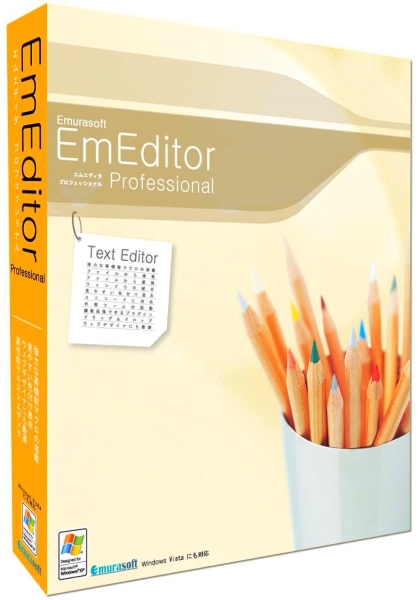
Emurasoft EmEditor Professional 20.7.2 Multilingual


1415231499-emurasoft-emeditor-professional.jpg

File Size: 39.3 MB
​
EmEditor Professional - professional version of the powerful text editor for programmers, Web developers and ordinary users with the illumination of syntax and Unicode support. Editor features such as search and replace in files using regular expressions, auto-detection coding, highlighting the links and email addresses, block selection mode, configure the button bar, menu, font and color elements. For each language, you can create a separate configuration. The program also has the support of powerful macros written in javascript or VBScript, allowing you to capture virtually any action, used often or occasionally.

This editor is an ideal tool for editing HTML, PHP, JSP and XML files. When you specify a web browser as an external application, you will be able to view HTML files during editing. Supports syntax highlighting ASP, C #, C, CSS, HTML, Java, javascript, JSP, Pascal (Delphi), Perl, Python, PHP, SQL, VBScript and other programming languages, function Drag & Drop, opening files size up to 248 GB the possibility of connecting additional external applications and plug-ins. In addition, the program allows to work with macros written in javascript or VBScript, and based on the Windows Scripting Host (WSH) engine, allows you to automate virtually any action. Adjustable backlight HTML and scripting languages makes it easy to detect spelling errors and typos.

Features:
• Support for file sizes up to 248 GB
• Edit binary files
• Optimized search and relocation
• Improved design plug-ins
• Ability to display panel functions
• Optimized speed when each row has a greater length
• Auto-panning by clicking the mouse wheel
• Supports Drag and drop
• Specify the temporary folder in the program settings
• Import INI files in the registry
• Unicode
• Syntax highlighting for ASP, C, CSS, HTML, javascript, JSP, Pascal, Perl, Python, PHP, SQL, VBScript and other
• User-friendly interface with customizable toolbar

EmEditor Professional Features List:
* Large File Support
* Unicode Support
* Macros
* Vertical Selection Editing
* Tabbed Windows, Drag and Drop
* Lightweight Design
* Regular Expressions
* Binary Editing
* Crash Recovery
* Grab Text


-:DOWNLOAD FROM LINKS:-
RapidGator
Код:
https://rapidgator.net/file/ebb05bb4fcacbc0e1f11f455c66b4065/Dl4eVeR.EmEditor.20.rar.html

NitroFlare
Код:
https://nitro.download/view/00DE43C13F21ABB/Dl4eVeR.EmEditor.20.rar

​
 
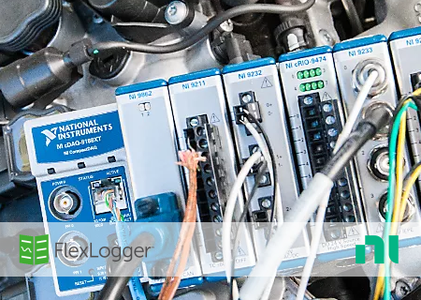
NI FlexLogger 2021 R2

0083f7df-medium.png

NI FlexLogger 2021 R2 | 5.6 Gb
Languages: english, 中文, Français, Deutsch, 日本語, 한국어​
National Instruments (NI), is pleased to announce the availability of FlexLogger 2021 R2 is application software for quick sensor configuration and data logging of mixed signals to verify electromechanical systems, all without programming.

FlexLogger 2021 R2 Bug Fixes - Date: April 2021

224828 RMS and Mean Channels May Lose Synchronization With Their Data Source Channels
RMS and Mean channels may lose synchronization with their data source channels when the sample rate of the data source channels is modified. Both the start time (t0) and time step (dt) of the RMS and Mean channels may still be based off the old sample rate. This is noticeable in graphs on the screen and in any log files.
1379207 FlexLogger Crashes While Opening Projects That Have at Least One Plugin Configured
FlexLogger may crash while opening a project that meets the following conditions:
- The project was saved in FlexLogger 2020 R1 or earlier
- The project has at least one plugin which consumes data from a FlexLogger channel
- The project is being opened in FlexLogger 2020 R2, 2020 R3, 2020 R4, or 2021 R1
1398209 Logfiles Are Missing Data When All Channels Sample at Less Than 1 Hz
Some data points may not get saved to the log file when all channels in a project are configured to sample at less than 1 Hz.

FlexLogger helps validate new and rapidly evolving technologies to keep pace with vehicle electrification and Advanced Driver Assistance Systems (ADAS), without programming, the company said. FlexLogger provides intuitive workflows and integrated data management to help automotive test departments quickly capture accurate, well-documented data to verify system functionality in real-world conditions and comply with strict government regulations.

Technology innovations in the areas of active safety, electrification and vehicle-to-everything (V2X) communication are disrupting how the automotive industry designs, tests and produces vehicles, noted NI. It said rapidly-evolving components and systems including sensor fusion, high-capacity batteries and Deep Learning demand higher volume of testing with accurate, traceable results to exceed safety-critical expectations for quality and reliability. These trends are intensifying the challenges to automotive test departments to build increasingly complex, mixed-measurement test systems under compressed timelines, while managing the explosive growth of collected data, NI added.

FlexLogger can be used by engineers to help simplify test configurations and extract key insights with sensor-specific workflows to acquire and log synchronised, mixed measurements, without any programming, explained NI. Analogue sensors, digital pulse frequencies, CAN signals and calculated channels that are all logged to the universal Technical Data Management Streaming (TDMS) file format can be integrated quickly. This leads to the capability of data being correlated and analysed to accurately characterise an entire system. These capabilities also address similar challenges faced by test departments in other industries including heavy equipment, aerospace, appliances and academic research, the company said.

NI said that these configuration-based workflows are the cornerstone that now empowers technicians to streamline test development, integrate new measurements and manage data using its flexible software platform and modular hardware. FlexLogger automatically logs descriptive metadata about the test configuration, including sensor and hardware acquisition settings for easier traceability. Test departments can improve access to data and effectively communicate results to the organisation using DIAdem data management software to find, analyse and report on FlexLogger data, it added.


Since 1976, National Instruments has equipped engineers and scientists with tools that accelerate productivity, innovation and discovery. NI's graphical system design approach to engineering provides an integrated software and hardware platform that speeds the development of any system needing measurement and control. The company's long-term vision and focus on improving society through its technology supports the success of its customers, employees, suppliers and shareholders.

Product: FlexLogger
Version: 2021 R2 (build 21.1.0)
Supported Architectures: x64
Website Home Page :
Код:
http://www.ni.com
Language: english, 中文, Français, Deutsch, 日本語, 한국어
System Requirements: PC *
Size: 5.9 Gb

System Requirements
FlexLogger 2021 R2 has the following requirements:

- Pentium 4 G1 equivalent (Intel i5 equivalent or higher recommended)
- At least 12 GB of disk space
- 4 GB RAM (8 GB or more recommended)
- 1024 x 768 resolution (1366 x 768 or higher recommended)
Software:
- NI-DAQmx software 20.1 or higher
- NI-XNET software 20.5 or higher

Note Required drivers are included with the FlexLogger installer.

Supported Operating Systems
FlexLogger 2021 R2 supports the following operating systems:
- Windows 10 (64-bit with the latest graphics drivers installed)


-:DOWNLOAD FROM LINKS:-
RapidGator
Код:
https://rapidgator.net/file/48deff71c8416a03c2a6e08a692fb376/Dl4eVeR.NI.FlexLogger.2021.R2.part01.rar.html
https://rapidgator.net/file/35659abc6c5e08bf62db917697c5a281/Dl4eVeR.NI.FlexLogger.2021.R2.part02.rar.html
https://rapidgator.net/file/99245ab25f244b88455b970978774149/Dl4eVeR.NI.FlexLogger.2021.R2.part03.rar.html
https://rapidgator.net/file/be6aeebeeece8012c8bf9fa0589b2c1f/Dl4eVeR.NI.FlexLogger.2021.R2.part04.rar.html
https://rapidgator.net/file/fcc826bfd91762759562468127e0c8be/Dl4eVeR.NI.FlexLogger.2021.R2.part05.rar.html
https://rapidgator.net/file/cc0f45f1e7705f5d8a993ced729dd525/Dl4eVeR.NI.FlexLogger.2021.R2.part06.rar.html
https://rapidgator.net/file/7bcaaa1d0f1786b4cd2c7bd2684e2b8b/Dl4eVeR.NI.FlexLogger.2021.R2.part07.rar.html
https://rapidgator.net/file/7b19f45ecb70439b1966ab48b8acd60a/Dl4eVeR.NI.FlexLogger.2021.R2.part08.rar.html
https://rapidgator.net/file/259657d0240e2659ef0a447d0f45829c/Dl4eVeR.NI.FlexLogger.2021.R2.part09.rar.html
https://rapidgator.net/file/9e6a198ffed15fab23679ec265484e77/Dl4eVeR.NI.FlexLogger.2021.R2.part10.rar.html
https://rapidgator.net/file/144c9e569df95f1182bbadb8da641988/Dl4eVeR.NI.FlexLogger.2021.R2.part11.rar.html
https://rapidgator.net/file/4523d6f0945b9c957bff89963b95c7e7/Dl4eVeR.NI.FlexLogger.2021.R2.part12.rar.html
https://rapidgator.net/file/3708f6e1d1c1bbfb51fea59361982658/Dl4eVeR.NI.FlexLogger.2021.R2.part13.rar.html
https://rapidgator.net/file/ed602fe2a4be88e6a68a02beb52c38a2/Dl4eVeR.NI.FlexLogger.2021.R2.part14.rar.html
https://rapidgator.net/file/bb5923363e9f0bb9b890205877887f0c/Dl4eVeR.NI.FlexLogger.2021.R2.part15.rar.html
https://rapidgator.net/file/f12eb3e6594d3c617cca6a4dfe2b17e7/Dl4eVeR.NI.FlexLogger.2021.R2.part16.rar.html
https://rapidgator.net/file/246d825740be6e64eacd27407cecb426/Dl4eVeR.NI.FlexLogger.2021.R2.part17.rar.html

NitroFlare
Код:
https://nitro.download/view/FFEF19E304B836E/Dl4eVeR.NI.FlexLogger.2021.R2.part01.rar
https://nitro.download/view/81C9B1DF5A2B444/Dl4eVeR.NI.FlexLogger.2021.R2.part02.rar
https://nitro.download/view/4000F17A9F12B31/Dl4eVeR.NI.FlexLogger.2021.R2.part03.rar
https://nitro.download/view/1D2761B0FA3F982/Dl4eVeR.NI.FlexLogger.2021.R2.part04.rar
https://nitro.download/view/3C0EE7899BAAF5C/Dl4eVeR.NI.FlexLogger.2021.R2.part05.rar
https://nitro.download/view/E99E93B138E96F0/Dl4eVeR.NI.FlexLogger.2021.R2.part06.rar
https://nitro.download/view/E1E9DF045B03997/Dl4eVeR.NI.FlexLogger.2021.R2.part07.rar
https://nitro.download/view/1F146343F14068E/Dl4eVeR.NI.FlexLogger.2021.R2.part08.rar
https://nitro.download/view/2F1AD7442D30554/Dl4eVeR.NI.FlexLogger.2021.R2.part09.rar
https://nitro.download/view/F2BFE71B83C11C8/Dl4eVeR.NI.FlexLogger.2021.R2.part10.rar
https://nitro.download/view/4A8D1B273B17EEE/Dl4eVeR.NI.FlexLogger.2021.R2.part11.rar
https://nitro.download/view/08363168D937F95/Dl4eVeR.NI.FlexLogger.2021.R2.part12.rar
https://nitro.download/view/76C810364B09948/Dl4eVeR.NI.FlexLogger.2021.R2.part13.rar
https://nitro.download/view/198708F3282413D/Dl4eVeR.NI.FlexLogger.2021.R2.part14.rar
https://nitro.download/view/C922659A1C94F69/Dl4eVeR.NI.FlexLogger.2021.R2.part15.rar
https://nitro.download/view/68C3B532FA3D5FA/Dl4eVeR.NI.FlexLogger.2021.R2.part16.rar
https://nitro.download/view/288DAA37D304AE4/Dl4eVeR.NI.FlexLogger.2021.R2.part17.rar

​
 
Iray 2.5 for 3ds Max 2022

0083f622-medium.png

Iray 2.5 for 3ds Max 2022 | 676.8 mb ​
The software developer Lightworks is pleased to announce the availability of Iray 2.5 for 3ds Max 2022. With access to a comprehensive materials library, intuitive physically-based NVIDIA MDL material creation and real-world environments and lighting you can quickly achieve stunning images and animations of your designs.

NEW Iray for 3ds Max 2.5 - 10th May 2021

- Added support for 3ds Max 2022.
- Updated to Iray RTX 2020.1.5.
- Fixed intermittent "Access of Invalid Tag" bug.

Iray for 3ds Max is a physically based ray tracing renderer with accurate materials based on NVIDIA's Material Definition (MDL) standard. This physically accurate engine allows you to create the highest quality images and animations with a real-world approach to materials, cameras and lighting. The lighting in an Iray rendered image is authentic to the real world, as all light interactions in your scene are represented accurately.

Iray for 3ds Max is based on the NVIDIA technology, Iray, which is used in many professional high-end applications and by top design and visualization companies around the world. Iray boasts improvements including an easy to understand material structure and usability enhancements.

Iray for 3ds Max extends the capabilities of the Iray implementation currently included in some versions of 3ds Max, including new features such as full MDL support, interactive rendering, support for cloud or remote renderings and an improved approach to using and creating physically accurate materials.

The Iray plugin includes 2 renderers; Iray+ and Iray+ Interactive. The Iray+ renderer creates production images while the Iray+ Interactive renderer allows you to navigate models in real-time with results that are almost indistinguishable from the Iray+ renderer. We've developed a comprehensive library of high-quality materials and an intuitive material editing UI, which enables you to create the materials you need in minutes. Our photometric lights and physically accurate sky system mean all lighting is representative of the real world. Iray for 3ds Max also supports remote rendering, which enables you to harness the GPU power of cloud rendering and render farms.

An Introduction to NVIDIA Iray for 3ds Max Rendering Plug-In


Lightworks is all things visualization, from software development and integration, configurators and application builds through to immersive Virtual Reality design review experiences. Years of expertise mean your visualization needs are at the forefront of everything we do.

Our multi-disciplinary team of software developers, integration specialists, UI and UX designers, and 3D artists are always looking to begin exciting projects with new customers.

Product: Iray
Version: 2.5.0-150830
Supported Architectures: x64
Website Home Page :
Код:
http://www.irayplugins.com
Language: english
System Requirements: PC *
Software Prerequisites: Autodesk 3ds Max 2022
Size: 676.8 mb

System Requirements

Minimum Requirements
- Autodesk 3ds Max 2019 or later
- Windows 7 64-bit Professional operating system
- 64-bit Intel or AMD multi core processor
- 4GB Ram
- 2GB free disk space for installation
- 3GB free disk space if downloading Material Libraries
- NVIDIA GPU with the following minimum specifications*:
. CUDA compute capability 5.0 and higher
. Driver needs to support CUDA 11 or higher. For Windows, this depends upon having NVIDIA Quadro driver version 451.48 or later

Recommended Requirements
- Autodesk 3ds Max 2022 with latest service pack
- Windows 10 or Windows 7 64-bit Professional operating system
- 64-bit Intel or AMD multi core processor
- 8GB Ram
- 2GB free disk space for installation
- 3GB free disk space if downloading Material Libraries
- 2x NVIDIA GPUs with the following minimum specifications*:
. CUDA compute capability 5.0 and higher
. Driver needs to support CUDA 11 or higher. For Windows, this depends upon having NVIDIA Quadro driver version 451.48 or later

CPU only mode
Iray for 3ds Max will run without a GPU, but for best performance we recommend using GPUs. If your GPU does not meet the minimum requirements then Iray will automatically use CPU rendering.


-:DOWNLOAD FROM LINKS:-
RapidGator
Код:
https://rapidgator.net/file/0a2e23f40395c8ce24e81c065df94574/Dl4eVeR.Iray.2.5.for.3ds.Max.2022.rar.html

NitroFlare
Код:
https://nitro.download/view/11248F689CA1DB1/Dl4eVeR.Iray.2.5.for.3ds.Max.2022.rar

​
 
Remote Desktop Manager Enterprise 2021.1.30.0 Multilingual


th-he-QTIyqp0-Of-OFd-JPWc-K77at-Lne-Fz4-Yil.jpg

File Size: 176.2 MB
​
Remote Desktop Manager is a small apgfplication used to manage all your remote connections and virtual machines. Add, edit, delete, shared, organize and find your remote connection quickly. Compatible with Microsoft Remote Desktop, Termfinal Services, VNC, LogMeIn, Team Viewer, Ftp, SSH, Telnet, Dameware, X Window, VMware, Virtual PC, PC Anywhere, Hyper-V, Citrix, Radmin, Microsoft Remote Assistance, Sun Virtual Box and more.

Enterprise Edition
* Share your remote connection settings inside a company database.
* Save your credentials and passwords in a database.
* Monitor user activities with the database logs.
* Faster and more secure solution.
* Available in single license, multiple licenses pack, global license or site license.

FEATURES:
Microsoft Remote Desktop (RDP)
Microsoft Remote Assistance
VNC (UltraVNC, TightVNC, RealVNC and embedded)
LogMeIn
Team Viewer
FTP (Explorer, Filezilla and WinSCP)
X Window
Putty (SSH, Telnet, RAW and rLogin)
Dameware Mini Remote Control
Radmin Viewer
Citrix XenApp (ICA)
Symantec PC Anywhere
Microsoft Hyper-V
Microsoft Virtual PC
Microsoft Virtual Server
Microsoft Windows Virtual PC
Sun VirtualBox
VMware Player, VMware Workstation, VMware ESXi and VMware vSphere
Cisco VPN client
SonicWall Global VPN client


-:DOWNLOAD FROM LINKS:-
RapidGator
Код:
https://rapidgator.net/file/6bbc5e3b69f232b1d0576ead4bed1fa8/Dl4eVeR.Remote.Desktop.Manager.2021.rar.html

NitroFlare
Код:
https://nitro.download/view/A4EF8708CB04B00/Dl4eVeR.Remote.Desktop.Manager.2021.rar

​
 
Назад
Сверху