• Здравствуйте. Сайт заработал в архивном режиме форум www.old.nado.in

Dl4ever Software

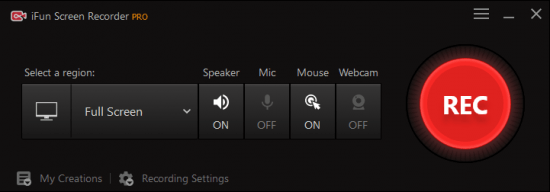
IObit iFun Screen Recorder Pro 1.0.2.210 Multilingual

th-b-Rea-XOEV6k4tg-Eus1-Kk6-HE4-W8-Rwcvsac.png

File Size: 33.2 MB
​
iFun Screen Recorder, Record any area of your screen, a featured screen with Facecam. Unlimited recording time, record HD videos with no watermark. For multiple occasions: work, education, game, personal or more.

Features:

Flexible Screen Capture
Select any area of your screen to start recording, from the entire display to a small dialog box. iFun Screen Recorder supports multiple displays. Capture every detail and cut off every interference.

Facecam Recording
A perfect screen recorder is not only a perfect screen record copy but more than it. iFun Screen Recorder provides you with a Facecam function, allowing you to record your face in a video. Using Facecam in many situations, like online tutorials, game recording, PowerPoint presentations.

No Lagging While HD Recording
Optimizing over and over, iFun Screen Recorder achieves an average 8% CPU utilization, making extremely smooth recording possible. Like flowing air surrounding you: hardly felt, but always by your side.

Take Screenshots While Recording
Both dynamic and static are equal and parallel. Since that, we break through technical barriers between video & audio recording and screen capture taking simultaneously. To give users better using experience, we never stop trying.

Multiple Output/Convert Formats
Trying to cover different groups' demands, more than 12 output formats are supported to be storage and conversion to other formats you want. Compatible with any mainstream digital devices, from your up-to-date iPhone to your mama's old MP4 player.

Record the Screen with Audio
Experience the most excellent screen recorder with audio. Every syllable of inside background, speaker and tiny microphone on your headset are completely recorded. From image to audio, we are professional.

More Features:

Download Replacing
Use iFun Screen Recorder to replace inefficient download. Low download speed, unstable network environment and contents limitation are no longer problems.

Video Saving
Record hot videos by at highest 4K definition and 0 lag technique. Originally and legally. Save your favourite video to your private space.

Video Editing
More than a recorder. It also provides tools to edit your recorded videos, which capable of basic and practical functions, effortless to use. Perfect your screen record and later edit.

Video Transferring
One-stop solution for incompatibility. Supporting 17 mainstream formats transfer mutually & unlimitedly. Videos of any sources are supposed to be played on any device.

What's New:
official site does not provide any info about changes in this version.
Credits: @ByTESRam

-:DOWNLOAD FROMLINKS:-
NitroFlare
Код:
https://nitroflare.com/view/2AB4B659166781C/Dl4eVeR.Screen.Recorder.Pro.1.0.2.210.rar

RapidGator
Код:
https://rapidgator.net/file/39e96d30a8de67f66fcf8e1e8549e7c4/Dl4eVeR.Screen.Recorder.Pro.1.0.2.210.rar.html

​
 
VovSoft Text Edit Plus 8.8 Multilingual


f3-WYk-TZ3-Inu-ZIKb-ZL2d-LJPAq-JKRBCc1-S.png

File Size: 9.6 MB
​
Text Edit Plus is a lightweight tool that enables users to easily create new text documents or to modify existing ones. The application is designed as an alternative to Notepad, by offering a wider set of features.

Some of the features: Dark mode. Adding date and time. Changeability of background color and font properties. Encode and decode text. Combine lines. Command system for extracting the desired text. Delete empty lines. Delete same lines. Filter lines. Find and Replace. Full screen view. Generate e-mail list. Generate quick stats. Generate word list. Import picture as text (ASCII art). Insert numbers. Insert text into beginning or end of lines. Lowercase and uppercase conversion. Randomize lines. Reverse lines. Sort lines. Trim lines.

-:DOWNLOAD FROMLINKS:-
NitroFlare
Код:
https://nitroflare.com/view/C344E8880086DA3/Dl4eVeR.Text.Edit.Plus.8.rar

RapidGator
Код:
https://rapidgator.net/file/70ae5c6c359f39cf1634d92604b34bec/Dl4eVeR.Text.Edit.Plus.8.rar.html


​
 
Ant Download Manager 2.2.3 Build 77805 beta Multilingual


Xf0p-PMkx2-PSk-Belr5v-Xwzmq3-Sa-D9-BRFm.png

Languages: Multilingual | File size: 38.7 MB
​
Ant Download Manager is a quick downloader Internet content with support for video downloads! function:Full integration with the most popular web browsers: Internet Explorer 8+, Mozilla Firefox 32 +, Google Chrome 31+ and their clones (Pale Moon, Opera, Vivaldi, Slimjet, ComodoDragon, etc.).Built-in video grabber allows you to download video from any video sites and services.

When capturing video, AntDM always offers audio extraction from video and convert it to MP3 format.a handy feature preview video files in the main list of downloads.Multi-channel loading, Drag & Drop function.Built-in analyzer will allow links to explore the static pages, reveal hidden links to download files.Support network protocols HTTP (S), FTP (S). Media reports F4M, M3U8, RTMP (x).Support for HTTP proxies (S), FTP, SOCKS 4,5.Supports the most popular premium link generators (Debrids).All downloaded files are saved in folders by categories according to their MIME type.

Ant Download Manager integrates with browsers Internet Explorer, Mozilla Firefox, Google Chrome, support Websites protocols, (HTTP), FTP-servers (FTP), the downloads by category and download speed, multi-language support, animated preview of the downloaded item list.
The program has a convenient user interface. Layout and the menu is standard, the right window displays the downloaded files, you can switch on the left menu, just above the button responsible for downloading video from YouTube, adding a new file, delete the file, the file load control unit and settings button. Russian support is available, setting a minimum and they are standard for this type of program, as a whole looks like IDM and externally and in terms of settings, although programs of this category are similar to almost all.

Main characteristics:
• Built-in video grabber browser (YouTube, Vimeo, DailyMotion, etc ..)
• Multi-threaded download
• Accelerator download speed
• Downloads by category
• Downloads list, complete information, sorting options
• Capturing links from the clipboard
• Integration in browser
• Multi-lingual support
• HTTP support, HTTPS, FTP protocols
• Portability
• Drag and drop (Drag and Drop)
• User-friendly interface is beautiful
• No ads

What's new

-:DOWNLOAD FROMLINKS:-
NitroFlare
Код:
https://nitroflare.com/view/72EAFB3C4E91988/Dl4eVeR.Download_Manager_2.2.3_Build_77805_beta.rar

RapidGator
Код:
https://rapidgator.net/file/88c773e0372a371ee92ebcb2a7c81320/Dl4eVeR.Download_Manager_2.2.3_Build_77805_beta.rar.html


​
 
Franzis ZOOM #1 professional 1.14.03607


th-z5-IJf1-YX5-Xz-Fxd72-IAi-Up-Em-FAK6-Dk-Lf-Z.jpg

Windows x64 | Languages: English, German | File Size: 180.23 MB
​
With ZOOM # 1 professional, you scale photos with the in-house developed SSSP (Super Symmetric Smart Patches) technology, based on the most modern deep learning processes, by up to 10,000% and automatically get the sharpness of the image at a professional level with the integrated blur correction. The areas of application are extremely diverse: Bring your most beautiful memories on the wall as a close-up, increase the quality of scanned documents or select a section from a photo and only enlarge it - ZOOM # 1 offers the right setting for every scaling task.

ZOOM # 1 professional - high-quality scaling of images with deep learning.
- High quality scaling of images
- Scaling factor up to 10,000%
- Quality modes: 6
- Scaling up to 1000 megapixels
- Specialization for 8 different motifs
- Sharpness overdrive mode in 3 levels for optimal sharpening
- Including Photoshop® & Lightroom Classic® plug-ins

DEEP LEARNING - what is it?
Deep learning is a special method of information processing. The way it works is inspired in many areas by the learning process of the human brain. This artificial intelligence uses training methods that continuously analyze existing and new data.

With existing information, the system can repeatedly link what has been learned with new content and thus continue to learn. The system can then make decisions based on "experience".

Sharpness overdrive mode - what is it?
The sharpness overdrive mode is a special blur correction that additionally sharpens the final scaled image. This sharpness mode exists in 3 variants: "Off", "Fine" and "Intensive".

Avoid magnification artifacts
Choose any zoom factor and scale your image up if you want, while getting maximum details. The additional option of entering page lengths makes it easier for you to make settings for printing.

The user interface
The user interface is optimized for use with HD and ultra HD (4K). All main areas can be moved individually and all buttons are provided with interactive explanations (tooltips). The different areas are clearly structured. On the left side the presets (templates), in the middle the zoom area of the current picture and on the right side the settings for the picture size, the calculation quality and the photographic options.

ZOOM #1 professional Only Features:
- Deep Learning Zoom Technology SSSP (Super Symmetric Smart Patches)
- Deep Learning Specializations: 8
- Maximum size of the scaling: 1000 megapixels
- Quality levels: 6
- Photoshop® / Lightroom Classic® plugin
- Spectral mode for monochrome images
- Batch processing
- Image cropping
- Size templates: 34
- Image templates (presets): 24
- Processing of RAW image files
- RAW development module
- Sharpness overdrive mode
- Setting the image size (cm, mm, inches, pica)
- Assistant for setting, memory and computing time
- Comparison view with magnifying glass
Release Notes- Release notes were unavailable when this listing was updated.
Recommended System Requirements:
- Operating system: Windows 8/10 (64 bit)
- Hardware: 8 GB RAM, Intel i7 (or comparable AMD processor), DirectX compatible graphics card, screen resolution 1920x1080 (or greater)

-:DOWNLOAD FROMLINKS:-
NitroFlare
Код:
https://nitroflare.com/view/295851F9F23EB56/Dl4eVeR.Zoom.1.14.rar

RapidGator
Код:
https://rapidgator.net/file/004db61b98a4888a07ddf8bd35dd366f/Dl4eVeR.Zoom.1.14.rar.html


​
 
TriSun WinExt Pro 17.0 Build 071 Multilingual


th-j-Xjg5yx-O3-QLxzo-P9-P70-Lzh-GVxo-Wzj-JPO.png

Languages: Multilingual | File size: 3.30 MB
​
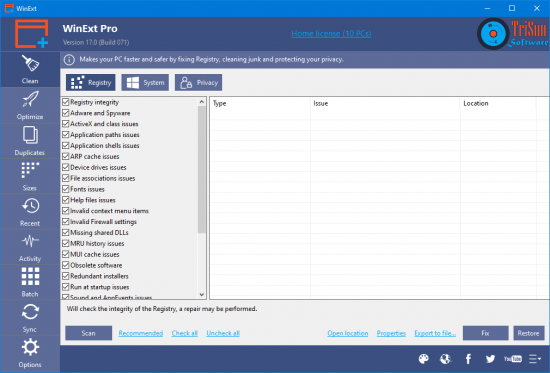
Keeping your files and folders organized becomes easier when aided by third-party solutions. WinExt is an app capable of locating and removing duplicate files to free up space, identifying large resources to help you figure out what's taking up so much space, monitoring directories for file operations, and more. Wrapped in a clean and intuitive interface, the program has options neatly organized in different areas, so you can quickly access duplicates, sizes, recent or Windows activity, batch operations, sync modes, as well as program settings.

Find and remove duplicate files
Intricate details can be added about the file searching procedure. For example, you can ask WinExt to look into specific drives or folders, or to search the entire hard disk. Moreover, filters can be established for the file size and type.

On scan completion, the tool reveals the total scanned objects and found duplicates, duration, and other data. It's possible to save results to file, send items to the Recycle Bin or just move them to a different place, and inspect file properties.

View largest resources and recently accessed files
The sizes section displays the dimensions of all drives, directories and files. After scanning all items, the largest ones are surfaced, giving you the opportunity to analyze them and figure out whether or not they're worth keeping.

The recent area is filled with information surrounding the last accessed files, including name, full path, size, access times, type, and date of last modification. If you're not sharing your PC with someone else, this feature of WinExt can help you find out what files are being accessed by Windows. Speaking of Windows, its activity can be examined to see what and where files are being created, edited or deleted.

Run batch operations and sync data
Certain types of operations can be performed in batch with the help of WinExt. For example, you can send items to the Recycle Bin, permanently remove them from the computer, and copy or files to a common location.

The sync feature comes in handy for moving files back and forth between two folders until the folder contents are identical. This action can be made once (manually) or recurring (automatically, at a fixed time frequency).

Scan operations were quickly performed in our tests on Windows 10. However, WinExt failed on many occasions to correctly identify duplicate files, returning empty results pages instead. Also, it was stuck in loading mode for a very long time after accessing the activity section.

What's new

-:DOWNLOAD FROMLINKS:-
NitroFlare
Код:
https://nitroflare.com/view/6F017BE4993CD63/Dl4eVeR.WinExt_Pro_17.0_Build_071.rar

RapidGator
Код:
https://rapidgator.net/file/86a4158cb90687fccf29c0a4de612fad/Dl4eVeR.WinExt_Pro_17.0_Build_071.rar.html


​
 
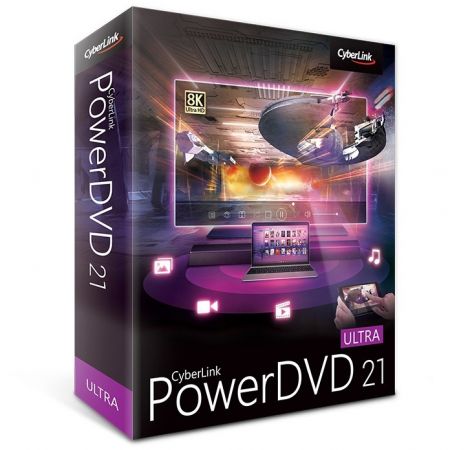
CyberLink PowerDVD Ultra 21.0.1519.62


th-w-SN2-YDe-Nk-GAa-PPjb-Pq-Gfo-Ouw00-XLdd-Mv.jpg

Windows x64 | Languages: Multilingual | File Size: 316.34 MB
​
The Most Versatile Blu-ray, 8K, and 4K HDR Media Player for Windows. Meet the last media player you'll ever need. PowerDVD is the perfect solution for any media format. From enhanced audio & visual playback to intuitive organizational tools, you can manage your entire media library of photos, videos, music, as well as Blu-ray and DVD movies, all in one application. Play, enhance, and share all of your favorite media with PowerDVD.

Ready For Anything - From 8K to Blu-Ray, PowerDVD Can Play It.
PowerDVD is the world's best performing 4K and 8K Media Player with HDR10 support. Playback Blu-ray discs, ISO files and Ultra HD video files for an unparalleled audiovisual experience. Plus, with support for DTS HD Audio and Dolby True HD Audio, PowerDVD can deliver a cinema-like audio experience wherever you take it.

See YouTube Like Never Before
Watch YouTube channels in up to 8K for the ultimate viewing experience. Plus download your favorite videos for offline viewing.

All Major Formats Supported
Upgrade your home cinema experience with stunning 8K video and support for 4K, HDR 10. Get HEVC, AVC & XAVC-S Hi-definition video playback and support for virtually any media format.

Hear the Difference
Bring more detail and realism to movie nights with Dolby Digital Surround, DTS and Hi-Res Audio support up to 7.1 channels.

A Totally Immersive Experience
Don't just watch movies, be in them. Put yourself at the center of the action with 360° video, VR video playback and spatial audio.

Don't Miss a Moment
Save time finding your last location. The resume playback feature returns you to exactly where you left off even when switching devices.

Listen Anywhere
Whether you're the designated DJ for the next road trip or you need a great workout mix for the gym, organize and compose your favorite tracks and take your playlist with you.

Organize Your Entertainment
Personalize your media library with customizable thumbnails and poster wall to keep your content organized and searchable.

Photo Management With AI
Automatically tag and organize large photo libraries with AI facial recognition, powered by CyberLink's FaceMe® engine.

Stay up-to-Date
Access detailed information about movies and TV shows with PowerDVD's extensive content database.

A TrueTheater™ Experience
Bring your favorite movies and videos to life with TrueTheater™ enhancements. Enhance the quality of any media format with our proprietary playback technology that is designed to sharpen, deepen color, and audio fidelity of any file type.

Your Movies - Upscaled
TrueTheater™ brings the cinematic experience to your living room. Enjoy richer, more detailed colors with crisper, more balanced sound on any media type.

Watch Anywhere, Anytime With On-Demand Access
Stream to any device at home or on-the-go. Enjoy or share movies and TV shows on-demand from any device with the app or from any web browser.
Release NotesOperating System:
- Microsoft Windows 10, 8.1, 7 (64 bit OS only)
- Ultra HD Blu-ray: Microsoft Windows 10 (64-bit with Fall Creators Update 2017 Oct. updates)
- HDR10: Windows 10 (64-bit with October 2018 Update)
- 8K Video Playback: Microsoft Windows 10 (64-bit with Fall Creators Update 2017 Oct. updates)
- 4K Video Playback with TrueTheater: Microsoft Windows 10 (64-bit with Fall Creators Update 2017 Oct. updates)
- Blu-ray Disc and DVD: Microsoft Windows 10, 8.1, 7 with Service Pack 1
- VR Mode: Windows 10/8.1/7 with Service Pack 1

Language Support:
- English
- French
- German
- Italian
- Spanish (European)
- Chinese Simplified
- Chinese Traditional
- Japanese
- Korean
- Russian
- Portugese (Brasil)

-:DOWNLOAD FROMLINKS:-
NitroFlare
Код:
https://nitroflare.com/view/A2A7958D55DAF4A/Dl4eVeR.PDVD.21.0.1519.62.rar

RapidGator
Код:
https://rapidgator.net/file/7c2ca4b2397653546e9c9d6fd87b4777/Dl4eVeR.PDVD.21.0.1519.62.rar.html

UploadGIG
Код:
https://uploadgig.com/file/download/c7A22414d73b7Bd1/Dl4eVeR.PDVD.21.0.1519.62.rar

​
 
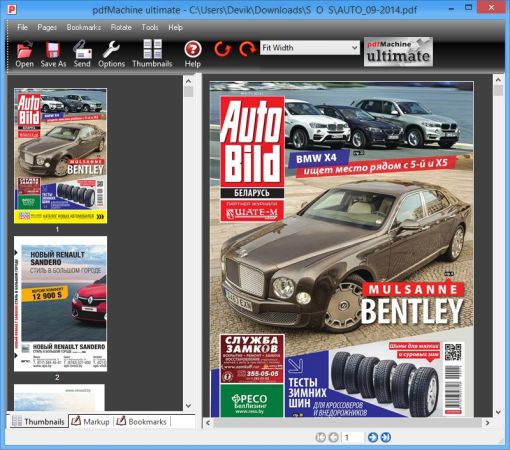
Broadgun pdfMachine Ultimate 15.47


th-z8-DK5-FF6eg-Ixx-Ip-CT13-H7t7u-Bh-Ldx316.jpg

File size: 14 MB
​
pdfMachine converts a print stream from an application directly into a PDF. Once you have installed the pdf writer, open your document that you want to convert, then click "print", select the "Broadgun pdfMachine printer" and that's it - you have a PDF!

Integrity:
PDF documents generated by pdfMachine, when printed or viewed, maintain the integrity of all formatting in the original document. PDF files preserve documents formats independent of software, hardware, or operating system used to generate the original file. They can be opened, read and printed by many free PDF readers available on the web, and viewed on operating systems such as Windows, MacOS, and Unix variants.

Technology:
PDF format is the best document format for long-term digital archival. Often software becomes obsolete, rendering some documents unreadable by current technology. Widely published formats, such as PDF, are more future proof that proprietary formats such as MS Word. In 50 years time, even if PDF's are not used anymore, all you need is the PDF specification and you can have a viewer developed to read your documents.

Searchable:
PDF has the ability to store text in a searchable form.

Browsers:
PDF files can be viewed within Netscape and Internet Explorer. These files can then be saved for off-line use or printed. This makes for easy use within an intranet or website.

Colour and Size:
PDF files enable sharp, colour-precise printing on most printers with precise onscreen colour match regardless of monitor brand. Users can magnify documents up to 800% without the loss of clarity in text or graphics. PDF files can be optimized and are often smaller than conventional document formats.

-:DOWNLOAD FROMLINKS:-
NitroFlare
Код:
https://nitroflare.com/view/7711937CF61080E/Dl4eVeR.pdfMachine15.rar

RapidGator
Код:
https://rapidgator.net/file/136761c0a2c567e315b0579c2b40b4c9/Dl4eVeR.pdfMachine15.rar.html

​
 
Agisoft Metashape Professional 1.7.3 Build 12248 (x64) Multilingual


th-a-V19s-JEP7vrtebl-OX6-Kj-V24-Vo-YPPna-Rx.jpg

File size: 207 MB
​
Agisoft Metashape (formerly PhotoScan) is a stand-alone software product that performs photogrammetric processing of digital images and generates 3D spatial data to be used in GIS applications, cultural heritage documentation, and visual effects production as well as for indirect measurements of objects of various scales.

Wisely implemented digital photogrammetry technique enforced with computer vision methods results in smart automated processing system that, on the one hand, can be managed by a new-comer in the field of photogrammetry, yet, on the other hand, has a lot to offer to a specialist who can adjust the workflow to numerous specific tasks and different types of data. Throughout various case studies Metashape proves to produce quality and accurate results.

Features:
Photogrammetric triangulation
Processing of various types of imagery: aerial (nadir, oblique) & close-range.
Auto calibration: frame (incl. fisheye), spherical & cylindrical cameras.
Multi camera projects support.

Dense point cloud: editing and classification
Elaborate model editing for accurate results.
Points classification to customize geometry reconstruction.
.LAS export to benefit from classical point data processing workflow.

Digital elevation model: DSM/DTM export
Digital Surface and/or Digital Terrain Model - depending on the project.
Georeferncing based on EXIF meta data/flight log: GPS/GCPs data.
EPSG registry coordinate systems support: WGS84, UTM, etc.

Georeferenced orthomosaic export
Georeferenced orthomosaic: most-GIS-compatible GeoTIFF format; .KML file to be located on Google Earth.
Export in blocks for huge projects.
Color correction for homogeneous texture.

Measurements: distances, areas, volumes
Inbuilt tools to measure distances, areas and volumes.
To perform more sophisticated metric analysis Metashape products can be smoothly transferred to external tools thanks to a variety of export formats.

-:DOWNLOAD FROMLINKS:-
NitroFlare
Код:
https://nitroflare.com/view/3E1E1E7BF580823/Dl4eVeR.Metashape1.7.3.rar

RapidGator

Код:
https://rapidgator.net/file/c5b787961cc882a030db0638a18f8063/Dl4eVeR.Metashape1.7.3.rar.html

​
 
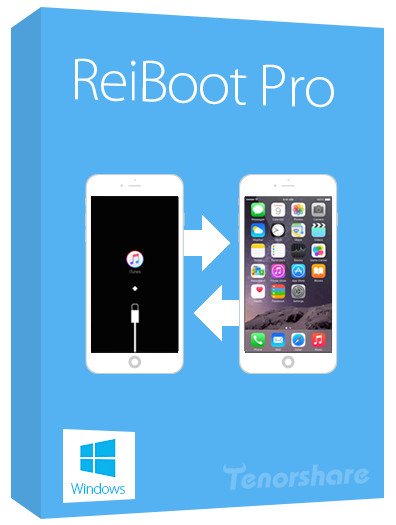
Tenorshare ReiBoot Pro 8.0.4.6 Multilingual


m-C98u-O7-YLmx-S4m-Kc-Vq3op-KY3f-NO91-OL1.jpg

File size: 20 MB
​
ReiBoot is an extremely handy utility that can put your iOS device into recovery mode, as well as to pull it off this state with a single click. Usually, such an operation involves a tedious procedure which requires you to hold down the Home button of the device while disconnecting and connecting it to your computer, during which you also need to operate iTunes. Not to mention that sometimes the scenario gets even more complicated if boot issues occur.

ReiBoot is a wonderful resolution to all of these problems, making it possible to induce the Recovery mode, as well as exit it in an effortless manner, in a one-click operation.

Whether your device's Home button is broken, you've encounter a DFU black screen or even worse, the phone has entered an endless reboot loop, ReiBoot can help you nonetheless.

It's compatible with most modern iOS devices, including iPhones, iPods and iPads and is way less demanding than iTunes, which is the traditional way to accomplish such operations. Moreover, ReiBoot won't cause data loss, being able to preserve the files on the device untouched.

Manipulating ReiBoot is a child's play. Provided that you've connected the device to the computer, simply launch it, at which point the application detects your device model and lists it inside the main GUI.

If your device is already in Recovery mode, it will identify this accordingly, allowing you to pull it off the state by pressing the dedicated button.

Overall, it's incredibly easy and pleasant to work with ReiBoot. It is an effortless process - all you need to do in order to turn the Recovery mode on or off is to press one of two buttons.

Whats New:
Updates: official site does not provide any info about changes in this version

-:DOWNLOAD FROMLINKS:-
NitroFlare
Код:
https://nitroflare.com/view/EF6306DB86FAF25/Dl4eVeR.ReiBootPro8.rar

RapidGator
Код:
https://rapidgator.net/file/25468d34cb5f4ca2db4aff7379f710da/Dl4eVeR.ReiBootPro8.rar.html


​
 
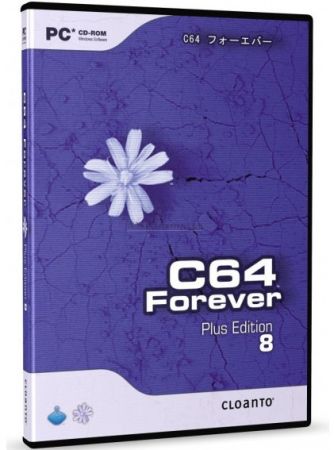
Cloanto C64 Forever 9.1.3.0 Plus Edition


th-u-Br-Ar-PD14-Kjxotg2rgyj-Mp-H3-Rpk-Ay602.jpg

File size: 138 MB
​
When the C64 was launched by Commodore in 1982 it immediately set the standard for 8-bit home computers. Its low cost, superior graphics, high quality sound and a massive 64 KB of RAM positioned it as the winner in the home computer wars, knocking out competitors from the likes of Atari, Texas Instruments, Sinclair, Apple and IBM. Selling over 30 million units and introducing a whole generation to computers and programming, the C64 shook up the video games industry and sparked cultural phenomena such as computer music and the demoscene. In recent years the C64 has enjoyed a spectacular revival manifesting itself once again as a retrocomputing platform.

To allow you to experience and relive the wonders of this unique computer, Cloanto, developers of Commodore/Amiga software since the 1980s, has introduced C64 Forever, a revolutionary C64 emulator, preservation and support package. C64 Forever embodies an intuitive player interface, backed by a built-in database containing more than 5,000 C64 game entries, and advanced support for the new RP9 format, dubbed the "MP3 of retrogaming".

Features of C64 Forever include:
* Emulation of C64 hardware (allows you to run C64 software on your PC)
* Additional emulation of related systems: PET 2001, CBM 3032, CBM 4032, CBM 8032, VIC 20, CBM 610, C16, Plus/4 and C128
* More than 200 preinstalled games and demoscene productions
* One-click play support for thousands of downloadable C64 and other 8-bit games, demos and applications
* RetroPlatform Library includes title and configuration data for more than 5,000 C64 games, with online updates
* RP9 Manager to convert between RP9 and other popular formats (D64, T64, etc.) and to export to devices (hardware-based emulators)
* Preconfigured and enhanced VICE emulation engine with auto-updates
* Special features and gallery of items of historical interest
* Much, much more.

-:DOWNLOAD FROMLINKS:-
NitroFlare
Код:
https://nitroflare.com/view/284FF6FE1757F9B/Dl4eVeR.CloantoC64Forever9.rar

RapidGator
Код:
https://rapidgator.net/file/eac348769c7090e98400f68d49f0120d/Dl4eVeR.CloantoC64Forever9.rar.html

​
 
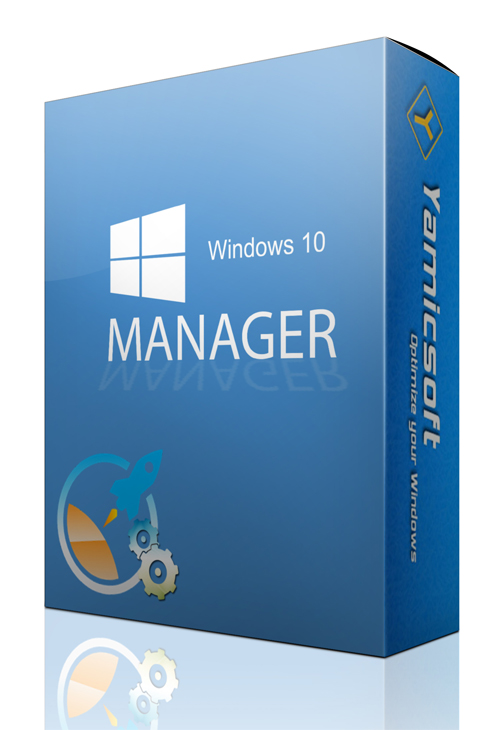
Yamicsoft Windows 10 Manager 3.4.6 Multilingual


6-2.jpg

File size: 34.1 MB
​
Yamicsoft Windows 10 Manager is a system utility that helps you optimize, tweak, repair and clean up Windows 10. It will increase your system speed, eliminate system fault, improve system security, and meet all of your expectations. Windows 10 Manager is a system utility that helps you optimize, tweak, repair and clean up Windows 10. It will increase your system speed, eliminate system fault, improve system security, and meet all of your expectations.

Information:
Get detailed system and all hardware information on your system; help you find out the installation key of Windows, Office products; show all detailed information of running processes and threads on your machine; Windows 10 Manager offers 1-clicking Cleaner cleans your system automatically; Repair Center helps you to fix various system problems.

Optimizer:
Tweak your system to improve windows startup and shutdown speed, tweak your hardware to increase system speed and performance; Control what is started on Windows startup, check and repair the advanced starup items to restore the malicious change by viruses; Tune up and optimize system services and Task Schedule, turn off smartly some unnecessary system services and tasks to improve system performance.

Cleaner:
Find out which files or folders engross your disk space and shown with chart; Smart Uninstaller can fully delete programs from your system without residual files and Registry entries; Find and clean junk files to increase Hard Disk space; Duplicate Files Finder can scan your computer for files with the same size, name and modification time; Registry Cleaner checks and repair incorrectly linked Registry entries; Registry Defrag rebuilds and re-indexes your Registry to reduce registry access time and therefore improve application responsiveness; Desktop Cleaner can clean useless icons and files on Desktop easily.

Customization:
Customize the look of your system by tweaking system Explorer, Desktop, Start Menu, Taskbar and notification area; Manage the pinned items and can pin any files or folders to Taskbar and Start Screen; Create the quick startup items on Taskbar with the Jump List launcher; Tune up Windows 10 boot menu; Edit context menus of mouse Right-Clicking; Edit easily the Win + X menu that shown when right-click on Desktop bottom-left corner or Win + X keyboard shortcut ; Create the shortcut that executed quick on run dialog box. Visual Customizer can change system and file type icons, change the lock screen image automatically.

Security:
Improve system security by tweaking system components, UAC and login settings; Tune up System Restore options; Hide and restrict to access drives and programs; Encrypt/decrypt files, move system folders to safe locations; Undelete the files that accidentally deleted or formatted on disk; Privacy Protector can maintain your personal privacy by eliminating the tracks that you leave behind; Hide, add or delete the Control Panel entries.

Network:
Optimize your Internet connection speed, manage all shares items; Tweak the Microsoft Edge and Internet Explorer easily; IP Switcher can switch your IP address easily on different networks; Edits the Hosts file to speed up surfing internet and permit only to access the specified Hosts.

Misc. Utilities:
Show the collection of Windows utilities and pin system items to Start Screen and Taskbar; split and merge any files; Automatically back up files regularly using Super Copy. Registry Tools help you to operate Registry easily.

-:DOWNLOAD FROMLINKS:-
NitroFlare
Код:
https://nitroflare.com/view/9EE65C04CC574E1/Dl4eVeR.10Manager3.rar

RapidGator
Код:
https://rapidgator.net/file/5aa7acc528e71c30ad1431f0c0bbd28c/Dl4eVeR.10Manager3.rar.html

​
 
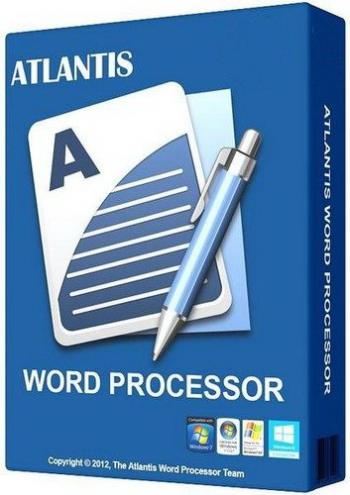
Atlantis Word Processor 4.0.6.13


qt-Ev47uc-KLRlml-Vo-Rnkb-Blx-Evh-Wwxh-Pf.jpg

File size: 3.4 MB
​
Atlantis Word Processor has all the features you need to create simple documents or great works of literature: novels, essays, reports, letters, diaries, newspaper articles, etc.

Compose rich-formatted documents from scratch, or edit existing MS Word documents, and send them to colleagues, customers, partners, friends.
Make eBooks for a living, or just create eBooks to read on your iPad or another eBook reader. Turn any document into an eBook with just a few mouse clicks!
Intuitive, safe and reliable, superfast, portable and entirely customizable, Atlantis will be the perfect companion for your word processing tasks.

-:DOWNLOAD FROMLINKS:-
NitroFlare
Код:
https://nitroflare.com/view/6A3997583D7950C/Dl4eVeR.WordProcessor4.rar

RapidGator
Код:
https://rapidgator.net/file/533caa879c743b5eabc12e862eb02431/Dl4eVeR.WordProcessor4.rar.html

​
 
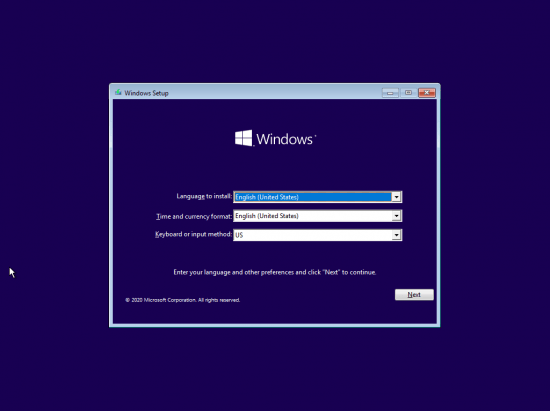
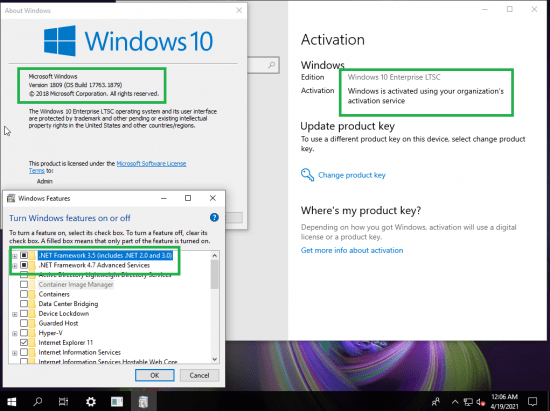
Windows 10 Enterprise 2019 LTSC 10.0.17763.1879 Preactivated April 2021


th-E9ph67q-J1l-W0-TJJIfx-L66-WODLZg-YBoo-Q.png

Windows (x86/x64) | Languages: English | File Size: 3.77/6.29 GB
​
Windows 10 is a series of personal computer operating systems produced by Microsoft as part of its Windows NT family of operating systems. It is the successor to Windows 8.1, and was released to manufacturing on July 15, 2015, and to retail on July 29, 2015. Windows 10 receives new releases on an ongoing basis, which are available at no additional cost to users. Devices in enterprise environments can receive these updates at a slower pace, or use long-term support milestones that only receive critical updates, such as security patches, over their ten-year lifespan of extended support.

One of Windows 10's most notable features is support for universal apps, an expansion of the Metro-style apps first introduced in Windows 8. Universal apps can be designed to run across multiple Microsoft product families with nearly identical code*-*including PCs, tablets,smartphones, embedded systems, Xbox One, Surface Hub and Mixed Reality. The Windows user interface was revised to handle transitions between a mouse-oriented interface and a touchscreen-optimized interface based on available input devices*-*particularly on 2-in-1 PCs, both interfaces include an updated Start menu which incorporates elements of Windows 7's traditional Start menu with the tiles of Windows 8. Windows 10 also introduced the Microsoft Edge web browser, a virtual desktop system,a window and desktop management feature called Task View, support for fingerprint and face recognition login, new security features for enterprise environments, and DirectX 12.

Net 3.5 Enabled
Converted:Install.wim<Install.esd

Whats New
KB5001342 (OS Build 17763.1879)

Highlights

Updates to improve security when Windows performs basic operations.
Updates to improve security when using input devices such as a mouse, keyboard, or pen.

Improvements and fixes

Addresses an issue in which a principal in a trusted MIT realm fails to obtain a Kerberos service ticket from Active Directory domain controllers (DC). This occurs on devices that installed Windows Updates that contain CVE-2020-17049 protections and configured PerfromTicketSignature to 1 or higher. These updates were released between November 10, 2020 and December 8, 2020. Ticket acquisition also fails with the error, "KRB_GENERIC_ERROR", if callers submit a PAC-less Ticket Granting Ticket (TGT) as an evidence ticket without providing the USER_NO_AUTH_DATA_REQUIRED flag.
Addresses an issue with security vulnerabilities identified by a security researcher. Because of these security vulnerabilities, this and all future Windows updates will no longer contain the RemoteFX vGPU feature. For more information about the vulnerability and its removal, see CVE-2020-1036 and KB4570006. Secure vGPU alternatives are available using Discrete Device Assignment (DDA) in Windows Server LTSC releases (Windows Server 2016 and Windows Server 2019) and Windows Server SAC releases (Windows Server, version 1803 and later versions).
Addresses a potential elevation of privilege vulnerability in the way Azure Active Directory web sign-in allows arbitrary browsing from the third-party endpoints used for federated authentication. For more information, see CVE-2021-27092 and Policy CSP - Authentication.
Addresses an issue that causes Windows Back up using File History to stop working for a few users. This issue occurs after installing the February 9, 2021 update. The error message is, "Failed to start the backup of user links (error 8007005)".
Security updates to Windows App Platform and Frameworks, Windows Apps, Windows Input and Composition, Windows Office Media, Windows Fundamentals, Windows Cryptography, the Windows AI Platform, Windows Hybrid Cloud Networking, the Windows Kernel, Windows Virtualization, and Windows Media.
th-St-DDiuatejc1dzkb7-Mv-PVYTz-LSehg-So2.png

th-1q-Xr-LWmt-JCkij1a6mx-ZAYL5-DQ5-UEj-HGv.png

System Requirements:
Processor: 1 gigahertz (GHz) or faster.
RAM: 1 gigabyte (GB).
Free space on hard disk: 16 gigabytes (GB).
Graphics card: DirectX 9 graphics device or a newer version.
Additional requirements to use certain features.
To use touch you need a tablet or monitor that supports multitouch.
To access the Windows store to download and run apps, you need an active Internet connection and a screen resolution of at least 1024 x 768 pixels

-:DOWNLOAD FROMLINKS:-
NitroFlare
Код:
https://nitroflare.com/view/E9D506AC28672D8/Dl4eVeR.Ltsc.17763.1879.32Bit..part3.rar
https://nitroflare.com/view/C60BB5F70301FF0/Dl4eVeR.Ltsc.17763.1879.32Bit..part4.rar
https://nitroflare.com/view/E07DA175DC39D50/Dl4eVeR.Ltsc.17763.1879.32Bit.part1.rar
https://nitroflare.com/view/544D9AF806574C6/Dl4eVeR.Ltsc.17763.1879.32Bit.part2.rar
https://nitroflare.com/view/0B27C184F5C82D7/Dl4eVeR.Ltsc.17763.1879.64Bit.part1.rar
https://nitroflare.com/view/86C04835CDC10C0/Dl4eVeR.Ltsc.17763.1879.64Bit.part2.rar
https://nitroflare.com/view/E4A55304DD870AF/Dl4eVeR.Ltsc.17763.1879.64Bit.part3.rar
https://nitroflare.com/view/8BB42DA391EBB54/Dl4eVeR.Ltsc.17763.1879.64Bit.part4.rar
https://nitroflare.com/view/C58B22CEFBB27D5/Dl4eVeR.Ltsc.17763.1879.64Bit.part5.rar
https://nitroflare.com/view/4DB35CAF77ED98F/Dl4eVeR.Ltsc.17763.1879.64Bit.part6.rar
https://nitroflare.com/view/F01896205A1E9A9/Dl4eVeR.Ltsc.17763.1879.64Bit.part7.rar

RapidGator
Код:
https://rapidgator.net/file/e1b0a0a563bfaee2ab9b33e0d8945f53/Dl4eVeR.Ltsc.17763.1879.32Bit..part3.rar.html
https://rapidgator.net/file/efb19c72b2b8ae65e7a996b1307f2b92/Dl4eVeR.Ltsc.17763.1879.32Bit..part4.rar.html
https://rapidgator.net/file/3cda5ef4d3caa9886b923e365d92d154/Dl4eVeR.Ltsc.17763.1879.32Bit.part1.rar.html
https://rapidgator.net/file/0bf4bfa8974dfcba84c3353374a4456a/Dl4eVeR.Ltsc.17763.1879.32Bit.part2.rar.html
https://rapidgator.net/file/d8a808b23cfa3b87860dd48bc1772b93/Dl4eVeR.Ltsc.17763.1879.64Bit.part1.rar.html
https://rapidgator.net/file/f6987863a49465fbf9ea570a9e471863/Dl4eVeR.Ltsc.17763.1879.64Bit.part2.rar.html
https://rapidgator.net/file/6bef023fee73bc48b9ae3e53f660a013/Dl4eVeR.Ltsc.17763.1879.64Bit.part3.rar.html
https://rapidgator.net/file/e624415d49dc6c59ebef1c211eb603d9/Dl4eVeR.Ltsc.17763.1879.64Bit.part4.rar.html
https://rapidgator.net/file/be7a28d0a20acc0b704c772b4e75c7af/Dl4eVeR.Ltsc.17763.1879.64Bit.part5.rar.html
https://rapidgator.net/file/c7a6821af310dfbd673454538639abe2/Dl4eVeR.Ltsc.17763.1879.64Bit.part6.rar.html
https://rapidgator.net/file/d2fbc28340b0ee5683ae6de98948fc87/Dl4eVeR.Ltsc.17763.1879.64Bit.part7.rar.html

​
 
Wipe Professional 2021.06 Multilingual


wipe.png

File Size: 6.6 MB
​
The primary function of this utility is to put the utmost importance on the privacy and performance of your computer. Our software deletes temporary files, caches, cookies, Internet history, and more, thus freeing up valuable disk space. Deleting unnecessary files can be especially great for those running their systems on smaller SSDs. As a result of the software, you'll receive maximum confidentiality, so prying eyes won't be able to spy on you, record your activities, or do anything malicious.

Over 2500 zones supported
Unlike other privacy software on the market that only remove cookies and browser history, our software can dive deeper. The program removes junk files that are created while surfing the Internet. These files don't only waste valuable space, but also allow software developers to track you and use that data to sell or promote their products and services.

Huge list of supported areas
In the latest version of our software, we have put a higher importance on cleaning. Unlike our competitors who routinely add tools to their software that are unrelated to cleaning and end up wasting your time; we do things differently. Our main focus is simple - make your computer clean and private. And we do it best.

У Вас недостаточно прав для просмотра ссылок. Войдите или зарегистрируйтесь.

-:DOWNLOAD FROMLINKS:-
NitroFlare
Код:
https://nitroflare.com/view/5AACDAF9F7C960B/Dl4eVeR.Wipe_Professional_v2021.6.0.rar

RapidGator
Код:
https://rapidgator.net/file/ab39141f7842d132fc83cb9e07bdcce1/Dl4eVeR.Wipe_Professional_v2021.6.0.rar.html

​
 
ZPAY TimeBillingWindow 2.0.31


o-Rxdh-TMKl8a2-FIlm-Bi-LPf4u-P9-FUjve7-T.jpg

File size: 30.8 MB
​
Celebrating over 25 years of creating payroll software, TimeBillingWindow follows a long line of easy to use payroll tools starting with ZPAY, ZPAY 3, then PayWindow, TimeClockWindow and now TimeBillingWindow. The best news is that our time billing software is simple and easy to use.

No more managing hours by hand! No more spending half a day trying to add up the billed hours and pulling your hair out because you lost the notes that you kept your time on or cannot read them! Automation with our time Billing software is the answer!

The best thing about TimeBillingWindow is that it is always ready sitting as a tray icon in the bottom corner of your screen. That means you are only a mouse movement away from logging your time as you work with clients on the phone or in the office!

Starting with the time billing interface, as you can see below, it shows you exactly which tasks are open and being timed while collecting the time worked for fast and easy billing.

It's so easy to use that you don't need to be a computer expert to set up and start using this time Billing software immediately. In fact it's so easy that we sell through the Try-Before-You-Buy method of marketing known as Shareware and we want you to download and see for yourself before you buy it. Use the download link on the top menu to go to our download page.

The above interface of TimeBillingWindow gives you all the tools and power you need to set up and manage your client time billing records. If you charge by the hour the work that you do for your clients, this is the tool for you, simple, fast and very easy to use.

The small Tray Icon site waiting for you on your desktop. A client calls, you pass your mouse over the tray icon and our quick pick window springs into action. You can log your time in that window as you see below or select to open the main window to log your time.

Here are some of the features you will find in TimeBillingWindow:
* Software Time Billing, in an easy to use tool
* Runs under Windows 2003, XP, Vista and Windows 7
* Simple to use time tracking interface
* Manages unlimited number of clients to track time for
* Prints out reports as well as invoices ready for your clients
* Easy to add time periods and edit for work done on clients site
* Runs as a Tray Icon for fast and easy access can even start, pause and stop from tray popup
* Projects link to your Clients, Tasks link to Projects and Time Periods link to the tasks

Below is the Edit Time Periods tool from the administrative tools. As you can see, you have the ability to edit, delete and add new time records in this tool. This is just one of the many powerful features to save you time in managing the recording of time that you work for your clients.

Whats New:
Updates: official site does not provide any info about changes in this version.

-:DOWNLOAD FROMLINKS:-
NitroFlare
Код:
https://nitroflare.com/view/810226388BFD58D/Dl4eVeR.TimeBillingWindow_2.0.31.rar

RapidGator
Код:
https://rapidgator.net/file/03fe2e54743d03aa99181d34e642860b/Dl4eVeR.TimeBillingWindow_2.0.31.rar.html

​
 
proDAD Mercalli V5 SAL+ 5.0.461.3 Multilingual


i-Razca-Sw9719-JK0-C6-OU58aok-EObk-QI98.jpg

Windows x64 | Languages: Multilingual | File Size: 94.8 MB
​
Mercalli V5 SAL+ Video Stabilizer + CMOS Correction in one single package. No matter what sport, no matter what type of shooting, no matter what kind of camera you're using - You hope and expect your videos to look like your actual experiences! And what do you get instead? Shaky and distorted images.

But that was yesterday, this is today: You take care of the shooting, then Mercalli V5+ optimizes the footage for you! Video stabilizer, rolling shutter and CMOS correction for any action-cam, camera phone, or camcorder.

And no matter whether it's the vehicle's engine vibration, or a bumpy surface, that's causing the faulty image: Mercalli handles jello, vibration, and distortion - individually and in combination! Compared to a camera's internal stabilizer, Mercalli V5+ clearly produces the superior result and allows for a wider viewing angle. With its additional features - comprehensive CMOS correction and further optimization in 3-axis-stablization - with Version 5+, you can expect the most powerful Mercalli yet.

Forget worrying about vibration, shakes, or complicated mounting devices. Don't get frustrated with expensive or heavy gyros or gimbals, which are not able to remove CMOS distortions and shorten battery life (if you're shooting from an aerial plane/copter) due to added weight. Don't bother with incam stabilization, which only decreases the video resolution, often does a sub-optimal job of stabilizing, and can't correct CMOS distortions. Simply mount the camera wherever you want on whatever you want and focus on getting that fantastic shot - leave the stabilizing and distortion corrections to Mercalli V5 SAL+.

Treat yourself to the best stabilization available.
Mercalli is an ideal companion product for proDAD's other specialized tools like ReSpeedr for slomo and timelapse sequences and DeFishr for an automatic fisheye correction to further optimize and enhance videos.

Features:
- Greatly improved video stabilization, faster and more efficient than ever!
- Unique and completely automatic CMOS correction for skew, wobble and jello
- Most refined and effective 3D stabilization (X, Y, and Z-axis stabilization)
- Optical-Warp-Image-Stabilize-Function (Fisheye-distortions do not disturb the stabilization process)
- No need to remove wideangle-distortions: therefore faster rendering and less zoom-in
- Numerous cameras are supported. Universal profiles included as well
- Dynamic Zoom Reduction (significantly reduces the need to zoom-in)
- Improved border-boundary adjustments, which also reduces the need to zoom-in
- Degree of sharpening can be selected easily during editing
- Enhanced options determining camera movement
- Straight forward storyboard function for combined clip export
- Super fast full screen preview with new comparison modes original/optimized
- Forensic View for evaluation and further optimization of the corrected video
- In addition to Mercalli V5's comprehensive set of individual settings Mercalli offers a full auto mode for stabilization as well as CMOS correction.
- Advanced customization settings are an option for those who want full control to be able to finetune and tweak every detail.

What's new :
official site does not provide any info about changes in this version.

System Requirements:
- Windows Vista, Windows 7, Windows 8, Windows 8.1, Windows 10 (64-bit)
- 2GB Memory
- Recommended: i7 CPU, 6GB Memory

-:DOWNLOAD FROMLINKS:-
NitroFlare
Код:
https://nitroflare.com/view/99C9EE9F28ED2FE/Dl4eVeR.Mercalli_V5_SAL__5.0.461.3.rar

RapidGator
Код:
https://rapidgator.net/file/8698d42d64cb0d2325f39246231eff98/Dl4eVeR.Mercalli_V5_SAL__5.0.461.3.rar.html

​
 
proDAD Hide 1.5.80.3 Multilingual


7-V33b-Yss-PARYzw-Fv-WR4kwrq-W0-LKc414-O.jpg

Windows x64 | Languages: Multilingual | File Size: 108 MB
​
Hide can do magic - all done automatically within the shortest time without any manual effort! Hide is an ideal tool equally suited for professional and holiday shooters, for YouTubers as well as sophisticated cinematographers. Hide is a true problem remover whenever something gets into your frame that might either distract the viewer or simply does not belong there. Most of the time those glitches become evident during editing - when there is no chance anymore for a second take.

How often in the past have you been upset about ruined recordings because a person has been walking through your picture or other disturbing objects have gotten in the view. With Hide you render the disturbing object invisible which helps you saving unrepeatable moments and precious memories.

Hide is an ideal tool equally suited for professional and holiday shooters, for YouTubers as well as sophisticated cinematographers. Hide is a true problem remover whenever something gets into your frame that might either distract the viewer or simply does not belong there. Most of the time those glitches become evident during editing - when there is no chance anymore for a second take.

Hide can truly do magic.
First you mark the unwanted object by applying the intelligent automatic tracking mode. After an analyzing process Hide will substitute the object by its original background - all done automatically within the shortest time without any manual effort. For this process Hide will need some seconds of footage before and after the object to be removed has gotten out of view.

Features:
- Compared to a conventional and rather imperfect clone stamp and other time and work intensive substitution methods as featured in an NLE program, Hide's innovative technology offers the far better quality within a fraction of the time.

- By attaching optional USB input devices, the workflow can even be further enhanced. While controlling the tracking direction and speed with your optional pedals you simultaneously follow the process with your mouse and keyboard for an optimal tracking result even with complex objects.

- The unparalleled high-quality result driven by the newest Hide technology will amaze you and your viewers.

Highlighted Features:
- Clear timeline for a fast workflow
- Easy trimming of clips
- Comfortable marking of objects
- Manual & automatic object tracking
- Comprehensive keyframe support
- Supporting optional input devices (like USB pedals)
- Effects preview window prior to file export
- Direct YouTube upload if desired
- Compatible with every framerate (24p/25p/30p/50p/60p and more)
- Supports resolutions up to (and including) 8K

What's new :
official site does not provide any info about changes in this version.

System Requirements:
- Windows 64-Bit Vista, Win7, Win8, Win8.1, Win10:
- 6GB main memory, 1GB graphics memory
- Recommended i7 CPU, 16 GB main memory, 3GB graphics memory

-:DOWNLOAD FROMLINKS:-
NitroFlare
Код:
https://nitroflare.com/view/B368630D984C89C/Dl4eVeR.Hide_1.5.80.3.rar

RapidGator
Код:
https://rapidgator.net/file/7cf915b5d14b051774ba678a414120c5/Dl4eVeR.Hide_1.5.80.3.rar.html

​
 
proDAD ReSpeedr 1.0.45.2 Multilingual


Ke-FMk-M7na-F2p-F9df-KALu88h-Hq-VKShnwj.jpg

Windows x64 | Languages: Multilingual | File Size: 88.9 MB
​
proDAD ReSpeedr V1: The Ultimate Super Slow-motion & Time-lapse Video Producer Create stunning time-lapse and super slow-motion sequences. Professional grade results without the professional price tag.

ReSpeedr converts your original camera recordings into stunning slow-motion-scenes. And just as easy you can turn your footage into fascinating time-lapse videos. You determine the degree of speeding your scenes up or slowing them down. Then ReSpeedr exports the desired scenes as video files in best quality.

Professional high-speed-cameras are not only expensive and lack flexibility. Due to the fast shutter speed they also require huge amounts of light. Although some camcorders as well as smartphones do offer some limited high speed mode, this may not be activated during a "regular" recording. And most of those recordings are restricted to capturing just a few seconds only. ReSpeedr does not restrict you in any way and allows you to change the speed of any shot of your original recordings to your heart's content

Instead of only 120 frames per second slow motion sequences with 1000 fps or even more are possible! Instead of only slowing down your recordings you can set keyframes to dynamically vary the speed from timelapse to slow-motion. With the power of the highly efficient motion detection engine and the advantage of dynamic frame-blending technology you will achieve perfect results with a beautiful flow of motion.

ReSpeedr works on action scenes as well as on nature and is also ideally suited to show and analyze technical processes. ReSpeedr is an ideal companion product for proDAD's other specialized tools like DeFishr and Mercalli to further enhance, dewarp, stabilize and optimize videos.

Features:
- Creation of high-quality slow-motion video
- Creation of time-lapse sequences
- Slow motion and time-lapse also work in combination controllable by keyframes
- Frame-based motion-flow analysis uses a combination of dynamic frame-blending and optical flow technologies to deliver incredible detail and smoothnes
- Real time preview and super-fast rendering with CPU & GPU support (if GPU is present)
- Intuitive timeline interface
- Super-easy keyframing

What's new :
official site does not provide any info about changes in this version.

System Requirements:
- Windows 64-Bit Vista, Win7, Win8, Win8.1, Win10
- 2GB Memory
- Recommended: i7 CPU, 6GB Memory

-:DOWNLOAD FROMLINKS:-
NitroFlare
Код:
https://nitroflare.com/view/C7A538A16B395BA/Dl4eVeR.ReSpeedr_1.0.45.2.rar

RapidGator
Код:
https://rapidgator.net/file/647a3620a1351a0cfba629b58bed240b/Dl4eVeR.ReSpeedr_1.0.45.2.rar.html

​
 
proDAD ProDRENALIN 2.0.29.8 Multilingual


3it-CZ10-L5-Qr9-Jvpgodxk-ZURH8-ZLFHs9-L.jpg

Windows x64 | Languages: Multilingual | File Size: 84 MB
​
The all-new ProDRENALIN V2 is a dream come true for avid actioncam and aerial drone users and is the perfect tool for refining rough video footage with next-level corrections for warped, shaky & jittery video that is also in need of extensive image cleanup. ProDrenalin handles all that with ease and adds cool filter effects to the video, and new industry-standard palette of editing tools that make advanced clip editing a snap. Simply put, ProDRENALIN V2 can rescue unusable video and transform so-so video into an awesome movie.

Faster, stronger in every way - ProDRENALIN V2 is so chock full of many enhancements and performance improvements it's almost impossible to list it all, but here are a few of the biggies:

- Lots of new and standardized editing workflows have been implemented, making ProDrenalin easier to use for users who are using ProDrenalin & a traditional NLE together.
- GPU-enabled, which significantly speeds up video analysis and other processes, optimized for multi-core processors.
- Capable of processing up to 8K UHD resolution clips

Features:
- Fix wonky colors with all new advanced pro-grade color correction, complete with an all-new automatic correction mode or extensive manual adjustment of brightness, contrast, white balance, and tint to get that perfect look, and even a histogram to monitor changes as you make them.

- Add video filter effects to add some sizzle to your clips with dozens of proDAD's professional video filter effects which can be applied individually to a clip and can even be controlled with key-frames if desired, and screen position, rotation, and scaling are fully adjustable. Popular vignette, film-looks, spotlight, color, and black & white effects give your clips that professional look.

- Shape things up even more with rolling-shuter correction to correct skew-distortion and newly enhanced video de-noising and sharpening that not only yields better correction than before, but is also significantly faster.

- Work smarter not harder with ProDRENALIN V2 new project management tools which allow you to save projects with a unique name and load them again later, and even save your camera profile and select settings for future use with new projects. New keyboard shortcuts and enhanced timeline controls give you the power of a big-name editor but without all the complexity. Preview everything in real-time before exporting so you know you've got it right.

- Bye-bye fisheye! ProDRENALIN V2 introduces newly optimized camera profiles for all major action cameras and many drones and DSLR cameras that more effectively flattens warped still images and video, and provides options to manually adjust a camera profile on the fly if you need to tweak a standard profile. Want to keep the fisheye look but need to stabilize the video? No problem, the new V2 camera profiles are optimized for this.

- Tell the story fast with ProDRENALIN V2 new Storyboard feature, allows you to arrange your clips into a rough-cut movie, even split longer clips into individual ones and preview everything in real-time. There is even a clever little magnifying glass to zoom in and check things out close up. Export the clips individually for sharing on social media, or combined together as a rough movie to be polished further with an NLE.

- New export format options give you loads more choices to meet your exacting needs. AVC/H.264 (.mp4 or .mov), H.265 (.mov), Apple ProRes (.mov), Motion JPEG (.mov), generic .AVI, Canopus HQ/HQX (.avi), and YES.GoPro Cineform are all supported now. Export individual clips or export many clips together with batch processing.

What's new :
official site does not provide any info about changes in this version.

System Requirements:
- Windows 64-Bit Vista, Win7, Win8, Win8.1, Win10
- 2GB Memory
- Recommended: i7 CPU, 6GB Memory

-:DOWNLOAD FROMLINKS:-
NitroFlare
Код:
https://nitroflare.com/view/86577F3D866C917/Dl4eVeR.ProDRENALIN_2.0.29.8.rar

RapidGator
Код:
https://rapidgator.net/file/3b93d911a38b3411a0e158ef4cf98c97/Dl4eVeR.ProDRENALIN_2.0.29.8.rar.html

​
 
WidsMob ImageConvert 2021 v1.2.0.60 Multilingual


pbxrtvn3-JSBw-Z8-TNTby-DMSKxz-Av1mt-Zf.png

​
Windows x64 | Fiel size: 16.1 MBWidsMob ImageConvert All Round Photo Converting Programs with Batch Process. Convert Formats, Resize Photos, Add Watermark and More in Batch.

Powerful Image Converter to Process Batch Photo Conversion Easily
Support import various image formats including JPG, JPEG, PNG, BMP, TIFF and famous RAW format from Nikon, Canon, Sony, etc. and batch convert them into widely used JPG, TIFF, PNG, and BMP files.

Additional Editing Tools
Batch converting images by changing size by width, height, percentage or custom, renaming image files, adding image or text watermark, adding solid or gradient color border and rotating photo to left, right or 180 degree to make the conversion process more personalized.

Supported Input and Output Formats

Supported Input Image Formats
png, jpg, jpeg, bmp, gif, tif, tiff, heif, heic, svg, 3fr, ari, arw, bay, crw, cr2 ,cap, dcs, dcr, dng, drf, eip, erf, fff, iiq, k25, kdc, mef, mos, mrw, nef, nrw, obm, orf, pef, ptx, pxn, r3d, raf, raw, rwl, rw2, rwz, sr2, srf, srw, x3f

Supported Input RAW Format Cameras
Adobe Digital Negative (DNG), AgfaPhoto, Alcatel, Apple QuickTake, ARRIRAW format, AVT, Baumer, Blackmagic URSA, Canon PowerShot, Canon IXUS 160 (CHDK hack), Canon EOS, Casio, Contax N Digital, Creative PC-CAM 600, DJI 4384x3288, DxO ONE, Epson R-D1, Foculus 531C, Fuji, Hasselblad, Imacon Ixpress, ISG 2020x1520, Kodak, Leaf, Leica, Lenovo A820, Logitech Fotoman Pixtura, Mamiya ZD, Matrix 4608x3288, Micron 2010, Minolta, Motorola PIXL, Nikon, Olympus, OmniVision OV5647 , Panasonic, Pentax, Phase One, Photron BC2-HD, Pixelink A782, Polaroid x530, Redcode R3D format, Ricoh, Rollei d530flex, RoverShot 3320af, Samsung, Sigma, Sinar, SMaL, Sony, STV680 VGA

Supported Output Image Formats
JPEG, JPEG-2000, PNG, TIFF, BMP

Convert RAW
Convert RAW in batch. Whether the RAW format with DSLR cameras, or mixed-format images, you can turn photos into to JPEG, JPEG 2000, PNG, TIFF, BMP, and more. What is more, the advanced algorithm has 6x speed to convert RAW formats into JPEG and other photo formats.

Edit Photos
Photo editing features. Resize photos in 4 different modes, By Width, By Height, Percentage and Free, which even enable you to enlarge small images. You can also rotate videos with different angles in batch, add border or frames in different color modes.

Add Watermark
Add watermark. Not only add captions and images as watermark, but also allows you to adjust font, style, color, opacity, size, angle, position and more in batch. You can instantly preview the applied effects on all the photos to get the optimal result.

Instant Preview
Instant preview. When you apply the photo effects or add watermark, you can have instant preview for the result from the interface for all the image files. And you can also click Preview to check the result for each image in detail in an easy process.

User Friendly
User friendly. Settings to overwrite the files with the original name, switch to turn off and restore to original images in one click. Multiple settings for resize, add watermark and more to get the best result. Fast conversion speed to enjoy a conversion with the program.

What's new
• official site does not provide any info about changes in this version

-:DOWNLOAD FROMLINKS:-
NitroFlare
Код:
https://nitroflare.com/view/EB482E7B1733AB4/Dl4eVeR.ImageConvert.1.2.0.60_x64.rar

RapidGator
Код:
https://rapidgator.net/file/2cf7933bf05b7af0e318d6397dc21c2b/Dl4eVeR.ImageConvert.1.2.0.60_x64.rar.html

​
 
Назад
Сверху