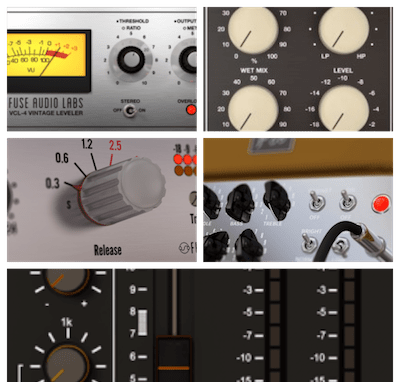
• Здравствуйте. Сайт заработал в архивном режиме форум www.old.nado.in

Dl4ever Software

Tipard DVD Cloner 6.2.58 Multilingual

S4-X4-Agdd-FB1-SLPQs-K8-Ya9c-IXd7-V4me8f.jpg

Languages: Multilingual | File size: 23.7 MB
​
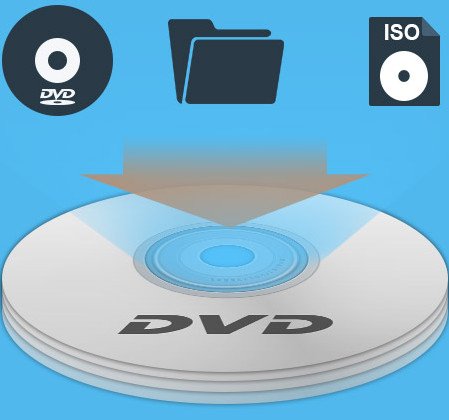
Tipard DVD Cloner is the most easy-to-use DVD Copy Software, which can compress DVD-9 to DVD-5, copy DVD to DVD folder or ISO image file with perfect quality. In addition, it can also burn local DVD Folders or ISO image Files to DVD disk. You can choose full copy, main movie copy or customize the copy parts according to your needs.

Clone DVD to DVD disc
Backup DVD as DVD Folder and ISO
Burn ISO or DVD folder to DVD disc

Powerful DVD cloning functions
You can clone and backup your DVDs with Powerful Tipard DVD Cloner. It can not only clone DVD-9 to DVD-9, DVD-5 to DVD-5 exactly in 1:1 ratio with all their contents, but also copy DVD-9 to DVD-5 with high quality. In addition, you can also backup and copy DVD to DVD folder or ISO image file on your local disk. Furthermore, this cloner can help you burn ISO or DVD folder to DVD disk, you can create DVD disk from ISO image or DVD folder by using this DVD copy software.

Three copy modes
Thre are three copy modes for users to choose to copy DVD: Full Copy, Main Movie and Customize. As for Full Copy, the app programe will copy the whole content of the DVD and users have no choice for selection of titles, audio tracks and subtitles as needed. "Main Movie" modes as its name puts will copy the main movie of the DVD without useless titles and the programe will automatically get the main movie title for you, but the same as Full Copy, the audio track and subtitle for main movie is not selectable as well. "Customize" is much suitable for users with clear intention knowing which part needs to copy and which part is useless, all title, audio track and subtitle are optional.

Fast and convenient experience
Tipard DVD Cloner provides you the most user-friendly and intuitive interface, which not only provides a clear copy steps but also classifies copy modes clearly for users to customize DVD cloning and copying. There are four interface languages to meet your different needs, and you can choose the interface language as Deutsch, English, French or Japanese. The simple interface makes the cloning operation so easy that even amateur can complete the copy procedure quickly and perfectly by only several clicks. With this DVD cloning program, you can make quick and easy DVD copies with excellent quality. Tipard DVD Cloner is highly compatible with DVD-R (W), DVD+R (W), DVD-R DL, DVD+R DL as well as DVD folder and ISO image files.

Whats New:
Update the kernel to enhance the efficiency.
Intuitive Interface with Stunning Design.
Fix minor bugs.

-:DOWNLOAD FROMLINKS:-
NitroFlare
Код:
https://nitroflare.com/view/DDA43514C8F4318/Dl4eVeR.Tipard_DVD_Cloner_6.2.58.rar

RapidGator
Код:
https://rapidgator.net/file/aec765790b431cc449772694166431d0/Dl4eVeR.Tipard_DVD_Cloner_6.2.58.rar.html
​
 
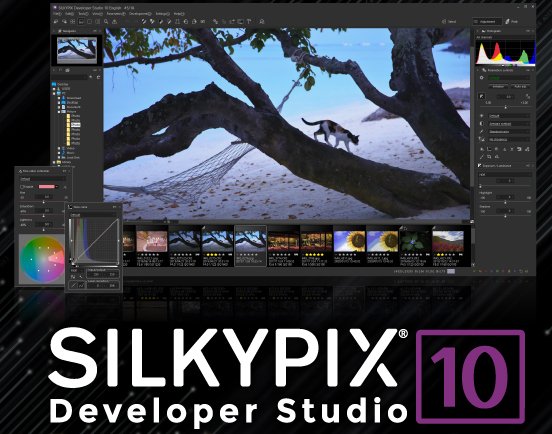
SILKYPIX Developer Studio Pro 10.0.12.0


th-WPSzrbf-P3-DOsg-AHRSwa-Nb9u-QOs-DXD9-XU.jpg

Windows (x64) | File Size: 432 MB
​
7 new features and workflow innovation. The blissful time named RAW development for you. Enables the user a impressive image quality and new expression The wide variety of composition modes can excite your imagination. Equipped with 6 RAWs composition modes. The new SILKYPIX® is equipped with the new function for compositing multiple RAWs which allows you to create a view of the world that cannot be represented from a single image. And, since this function automatically aligns images according to our image coincidence detection technology (patent No. 4689758), it is possible to combine them without any shift even with hand-held shooting.

Full Basic Functions
SILKYPIX allows you to make adjustments such as exposure (brightness), white balance (shading), tone (light and dark sharpness) while maintaining a high quality of image without deteriorating the image. In addition, anyone can easily perform high-quality adjustments because basic adjustments are arranged in order from the top of the control panel. Furthermore, fine tuning adjustments for each item can be minutely performed with the "Slider" control.

A Variety of Functions to Recreate the Photographer's Images
The Partial correction function is included to adjust saturation and brightness of specified areas. What is more, a variety of fine adjustment functions such as Fine color controller which can be used to adjust each specific color and Highlight controller which restores colors in highlighted parts as well as recover gradation are available.

Easy Editing with Tastes
SILKYPIX Pro has 10 types of maker tastes installed which can take on various shooting scenes in advance. Just by choosing a taste such as "Landscape" or "Portrait," you can make a finished photograph easily that fits your image. In addition, you can save your adjusted parameters as a taste. Parameters are very useful functions, and you can easily create pictures from the same image by applying them to other photographs.

Compliable with JPEG and TIFF
With "SILKYPIX RAW Bridge" available only on SILKYPIX Pro, JPEGs and TIFFs are expanded to 16 bits, so even JPEG and TIFF images can be adjusted to a high degree of image quality with less image degradation.

Exposure (Brightness)
- Auto exposure bias
- Exposure bias
- Dodge / Color Burn
- HDR
- Highlight / Shadow

White balance (Tint)
- White balance adjustment
- Gray balance tool
- Skin color tool

Tone (Sharpness of light and dark)
- Contrast
- Tone curve
- Automatic level correctio
- Black level tool
- Clarity
- Dehaze

Saturation (Vividness)
- Prepare presets for Color representation (Standard color, Memory color, Portrait color, Film color)

Sharpening
- Natural sharp
- Normal sharp
- Pure detail
- Unsharp mask

Noise adjustment
- Color distortion
- Fringe reduction
- Neat noise
- Noise reduction
- Reduce moire
- Level of shadow noise reduction

Practical functions (A part of functions)
- Lens aberration correction
- Shading
- Distortion
- Chromatic aberration
- Distortion correction function by lens profile
- Distortion correction function using simultaneous recording JPEG

Image correction tool
- Crop
- Image rotation
- Shift lens effect
- Spotting tools (Dust removal)
- Red Eye Corrections

Partial correction tool
- Circular correction filter
- Gradual correction filter
- Select area with brush
- Curve / Polygon area selection
- Select color to be corrected
- Invert the filter area

Image controller
- Fine color controller (Adjustment of specific color)
- Highlight controller (Gradation expression of highlights)
- Monochrome controller (Adjustment monochrome image)
- Underwater photo controller (Adjustment underwater photograph)

Display warning
- Highlight warning
- Shadow warning
- Out of color gamut warning
- Soft proofing
- Focus peaking(Display focus area on monitor)

Others
- Search in the thumbnail
- Automatic adjustment button
- Independent arrangement of initialization button
- Open in another application
- Blurred / Sharp periphery
- Portrait Beautification
- Add Noise

У Вас недостаточно прав для просмотра ссылок. Войдите или зарегистрируйтесь.


System Requirements:
- Microsoft® Windows® 10 / 8.1 64-bit version
- * It does not correspond to the Windows® 10 tablet mode.
- * It does not correspond to 32-bit version OS.
- Intel® Core™ 2 Duo or higher, or AMD Athlon™ 64 X2 or higher processor
- 4GB or more RAM (8GB or higher recommended)
- 10GB of available hard-disk space or more
- Display that supports screen resolution of 1024x768 or higher

-:DOWNLOAD FROMLINKS:-
NitroFlare
Код:
https://nitroflare.com/view/B0016656F45D27E/Dl4eVeR.Developer_Studio_Pro_10.0.12.0.rar

RapidGator
Код:
https://rapidgator.net/file/3e99c7485d222d10541fe456ad265a59/Dl4eVeR.Developer_Studio_Pro_10.0.12.0.rar.html


​
 
Exif Pilot 6.1


th-Xh-A1-Gj-KDWHf-O2aoyx-Cb-Q3-Wh-Bdzjk-Pry-M.jpg

File size: 4.6 MB
​
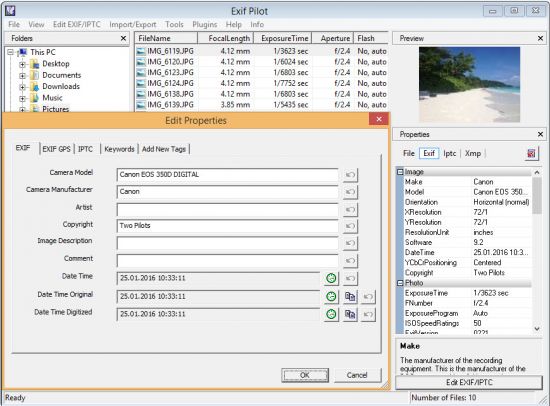
Exif Pilot is software for the edition and analysis of EXIF, IPTC, and XMP data (information that indicates digital camera settings and picture taking conditions). Exif Pilot allows you to view, create, and edit the EXIF, EXIF GPS, IPTC, and XMP data. You can import/export EXIF and IPTC data from/to XML format as well. Exif Pilot supports exporting EXIF and IPTC data to MS Excel or CSV format and importing EXIF and IPTC from MS Excel or CSV format.

With Exif Pilot, you can find the optimal parameters for taking pictures, for example, the relationship between the depth of field and the aperture of a particular lens.

Exif Pilot supports the following formats:
JPEG images read and write.
TIFF images read and write.
PNG images read and write.
DNG images read and write.
NEF images read and write.
PEF images read and write.
CRW images read and write.
JP2 images read and write.
PSD images read and write.
ORF images read and write.
SRW images read and write.
EXV images read and write.
CR2 images read only.
MRW images read only.
ARW images read only.
RAF images read only.
RW2 images read only.
PGF images read only.

-:DOWNLOAD FROMLINKS:-
NitroFlare
Код:
https://nitroflare.com/view/5D339491C0306DE/Dl4eVeR.ExifPilot6.rar

RapidGator
Код:
https://rapidgator.net/file/ab6b95b4572467a8d975380ffe617ffd/Dl4eVeR.ExifPilot6.rar.html


​
 
Serato Studio 1.5.7 (x64)


th-Rv2-XPm-EM6-Tu-Nx-Pa6h6c-Kn-AKIpyy6-ZSy-R.jpg

File Size: 1 GB
​
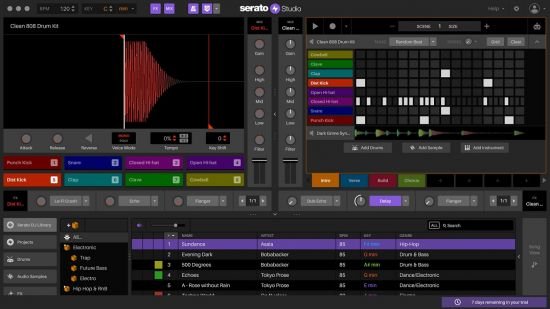
The ultimate beat maker. Intuitive beat making software for DJs and producers. Spend less time hitting roadblocks and more time making music with Serato Studio.

Fast, simple workflow.
Get your ideas down quick and stay in the creative flow with time-saving features, including pre-made drum patterns, BPM-sync and one-click key shifting.

DJ-friendly production
Make beats with your DJ hardware and access your entire Serato DJ library. You'll also get familiar DJ elements like colored waveforms, a mixing channel, and high-quality FX.

Built-in sounds to get started
Start making music right away with built-in drum-kits, instruments, loops and samples from renowned artists and sound designers.

Simple but powerful
Use VST and AU plug-ins, automation, and export stems to customize your sound exactly how you want it.

Auto Chord Mode - Instantly generate chords in the key of your project - no music theory, no problem. Turn on the Feel knob to simulate a live keyboard player.
Song View Improvements - Including the ability to duplicate your Audio Tracks, a new 'Back to Start' button in the Song View, and new horizontal resizing in the Song View sidebar.
Quantized Cue Points - Quantize Mode will now snap your Cue Points to the closest half-beat - just like Serato DJ.
Serato DJ Library Update - For all the producer-DJs out there, your DJ tab columns will now sync up with how they appear in Serato DJ.

Operating System:
Windows 10
Note: Operating system support assumes you are using the latest point release. 64-bit only (32-bit operating systems are not supported).


-:DOWNLOAD FROMLINKS:-
NitroFlare
Код:
https://nitroflare.com/view/4C4A93CB219ED34/Dl4eVeR.Serato.Studio.v1.5.7.rar

RapidGator
Код:
https://rapidgator.net/file/e709006a7e1f67f4913cc07efe063827/Dl4eVeR.Serato.Studio.v1.5.7.rar.html


​
 
SILKYPIX Developer Studio 10.1.12.0


i-Us-AXo-Ooj7o-YQfn-Cd-Ah-H30-RFi6ggo2fw.jpg

Windows (x64) | File Size: 430 MB
​
7 new features and workflow innovation. The blissful time named RAW development for you. Enables the user a impressive image quality and new expression The wide variety of composition modes can excite your imagination. Equipped with 6 RAWs composition modes. The new SILKYPIX® is equipped with the new function for compositing multiple RAWs which allows you to create a view of the world that cannot be represented from a single image. And, since this function automatically aligns images according to our image coincidence detection technology (patent No. 4689758), it is possible to combine them without any shift even with hand-held shooting.

Full Basic Functions
SILKYPIX allows you to make adjustments such as exposure (brightness), white balance (shading), tone (light and dark sharpness) while maintaining a high quality of image without deteriorating the image. In addition, anyone can easily perform high-quality adjustments because basic adjustments are arranged in order from the top of the control panel. Furthermore, fine tuning adjustments for each item can be minutely performed with the "Slider" control.

A Variety of Functions to Recreate the Photographer's Images
The Partial correction function is included to adjust saturation and brightness of specified areas. What is more, a variety of fine adjustment functions such as Fine color controller which can be used to adjust each specific color and Highlight controller which restores colors in highlighted parts as well as recover gradation are available.

Easy Editing with Tastes
SILKYPIX Pro has 10 types of maker tastes installed which can take on various shooting scenes in advance. Just by choosing a taste such as "Landscape" or "Portrait," you can make a finished photograph easily that fits your image. In addition, you can save your adjusted parameters as a taste. Parameters are very useful functions, and you can easily create pictures from the same image by applying them to other photographs.

Compliable with JPEG and TIFF
With "SILKYPIX RAW Bridge" available only on SILKYPIX Pro, JPEGs and TIFFs are expanded to 16 bits, so even JPEG and TIFF images can be adjusted to a high degree of image quality with less image degradation.

Exposure (Brightness)
- Auto exposure bias
- Exposure bias
- Dodge / Color Burn
- HDR
- Highlight / Shadow

White balance (Tint)
- White balance adjustment
- Gray balance tool
- Skin color tool

Tone (Sharpness of light and dark)
- Contrast
- Tone curve
- Automatic level correctio
- Black level tool
- Clarity
- Dehaze

Saturation (Vividness)
- Prepare presets for Color representation (Standard color, Memory color, Portrait color, Film color)

Sharpening
- Natural sharp
- Normal sharp
- Pure detail
- Unsharp mask

Noise adjustment
- Color distortion
- Fringe reduction
- Neat noise
- Noise reduction
- Reduce moire
- Level of shadow noise reduction

Practical functions (A part of functions)
- Lens aberration correction
- Shading
- Distortion
- Chromatic aberration
- Distortion correction function by lens profile
- Distortion correction function using simultaneous recording JPEG

Image correction tool
- Crop
- Image rotation
- Shift lens effect
- Spotting tools (Dust removal)
- Red Eye Corrections

Partial correction tool
- Circular correction filter
- Gradual correction filter
- Select area with brush
- Curve / Polygon area selection
- Select color to be corrected
- Invert the filter area

Image controller
- Fine color controller (Adjustment of specific color)
- Highlight controller (Gradation expression of highlights)
- Monochrome controller (Adjustment monochrome image)
- Underwater photo controller (Adjustment underwater photograph)

Display warning
- Highlight warning
- Shadow warning
- Out of color gamut warning
- Soft proofing
- Focus peaking(Display focus area on monitor)

Others
- Search in the thumbnail
- Automatic adjustment button
- Independent arrangement of initialization button
- Open in another application
- Blurred / Sharp periphery
- Portrait Beautification
- Add Noise

У Вас недостаточно прав для просмотра ссылок. Войдите или зарегистрируйтесь.


System Requirements:
- Microsoft® Windows® 10 / 8.1 64-bit version
- * It does not correspond to the Windows® 10 tablet mode.
- * It does not correspond to 32-bit version OS.
- Intel® Core™ 2 Duo or higher, or AMD Athlon™ 64 X2 or higher processor
- 4GB or more RAM (8GB or higher recommended)
- 10GB of available hard-disk space or more
- Display that supports screen resolution of 1024x768 or higher

-:DOWNLOAD FROMLINKS:-
NitroFlare
Код:
https://nitroflare.com/view/95C31C5D3EF828F/Developer_Studio_10.1.12.0.rar

RapidGator
Код:
https://rapidgator.net/file/23ce8fac58da0ad291e476a68acf98de/Developer_Studio_10.1.12.0.rar.html


​
 
PDF Extra Premium 5.40.38802 (x64) Multilingual


a-YDAArkrj-E47-YGq3j23-Tc-NTe-ABcg7-Xk6.jpg

File Size: 132.5 MB
​
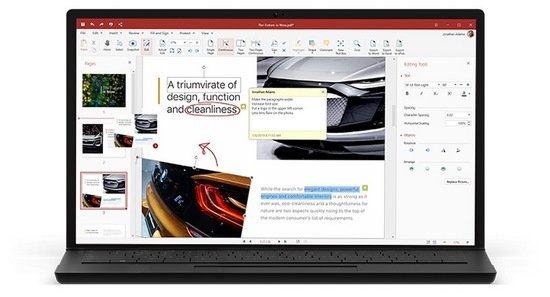
PDF Extra - Professional PDF editor. Read & Edit files with advanced PDF features to achieve stunning results. Annotate, secure and convert them to Word, Excel and ePub. Add or modify text and images directly into PDFs. Comment and highlight file sections, work with fillable forms and extract pages from documents.

Protect & sign documents
Sign your documents with a digital signature or use the free drawing tool to draw your own. Add a timestamp to your PDFs and set files editing permissions.

Complete PDF editing
Add or modify text and images directly into PDFs. Comment and highlight file sections, work with fillable forms and extract pages from documents.

Convert PDFs to editable Word, Excel and ePub files
Convert PDFs to other formats with a single click, while keeping their original formatting intact.

Get all the PDF features you need to edit, view, annotate, fill, sign, protect, scan and convert PDFs to Word/ Excel/ ePub and organize PDF pages.

EDIT PDF FILES
Edit PDFs with the all-in-one professional PDF editor. Feel free to change any document aspect you want - texts, pictures, design, signatures, certificates and more.

ORGANIZE PAGES IN PDFs
View and organize pages in PDFs - rotate and delete pages at your convenience.

READ & PRINT
Quickly open and view PDFs. Enjoy the best reading experience with ? continuous page mode and print entire documents or just a selection of pages.

CONVERT PDFs
Export PDFs to Word, Excel or ePub while keeping the original layout and formatting. Save Word, Excel and ePub files as PDFs and share them with ease.

VIEW & COMMENT
Make comments on PDFs using sticky notes and drawing tools. Highlight and markup text with the annotation tools.

FILL & SIGN
Put identifiable information such as signatures, dates, checkmarks and more to your documents. The advanced support for fillable PDF forms allows you to make all the changes you need and sign documents with your saved digital signature or simply by drawing a signature on the document. The advanced digital certification allows you to validate a PDF's authenticity.

PROTECT PDFs
Protect your sensitive documents with passwords to restrict editing, opening, printing, and/or extracting the document. Work with advanced PDF certificates to validate their authenticity.

What's New:
official site does not provide any info about changes in this version.

-:DOWNLOAD FROMLINKS:-
NitroFlare
Код:
https://nitroflare.com/view/61CE3E454FFE166/Dl4eVeR.PDF.Extra.Premium.5.rar

RapidGator
Код:
https://rapidgator.net/file/0d27e5609e6fd632f07a941722f10054/Dl4eVeR.PDF.Extra.Premium.5.rar.html


​
 
OfficeSuite Premium 5.40.38802 (x64) Multilingual


blank.gif

File size: 202.6 MB
​
An office suite that includes a word processor, a PDF editor and reader, a spreadsheet editor, and a presentation creator, all of them with modern and clean interfaces. When talking about Office suites, many of you might only point to Microsoft's widely-known product. However, there are other alternatives that you can try out, especially if you are a home user. Very popular on mobile platforms, OfficeSuite has also shifted towards Windows, delivering a suite of office-related tools with a clean look and simple options.

OfficeSuite has the familiar desktop interface you know and love. Don't waste time getting used to a new layout, start working right away.
The professional PDF Editor offers full PDF-editing capabilities as good as anything Adobe Acrobat Reader can offer.

Documents
Writing is easy and collaborative. Let your creativity flow.

Sheets
Powerful spreadsheets for your professional needs.

Slides
Create stunning presentations to captivate audiences.

Mail
Control all your emails across accounts. Calendar included.

PDF Extra
A powerful editor and a comfortable reader. Combined.

Easy on the budget
OfficeSuite is ready to meet the demands of any household or small to medium enterprise for the best price out there.

Advanced PDF capabilities
Add or Delete PDF pages. Manage text and images with ease, then quickly convert your PDF file to Word, Excel, or ePub files with a single click.

Multiple cloud services
Access and sync all your files on MobiSystems Drive, Box, Dropbox, Google Drive, OneDrive, and Amazon Cloud Drive.

100% Microsoft Office Compatible
Full compatibility with all popular formats including Microsoft Office (Word, PowerPoint, Excel, Txt), Google Docs, Google Sheets, Google Slides & Adobe PDF.
Support for common formats like OpenDocument (ODT, ODS, ODP), RTF, CSV & ZIP.

Whats New:
Updates: official site does not provide any info about changes in this version.

-:DOWNLOAD FROMLINKS:-
NitroFlare
Код:
https://nitroflare.com/view/A00A60CDDE0A2E3/Dl4eVeR.OfficeSuitePremium4.rar

RapidGator
Код:
https://rapidgator.net/file/e764e66ea22fdbbb8fcdf033002d7ece/Dl4eVeR.OfficeSuitePremium4.rar.html


​
 
SILKYPIX JPEG Photography 10.2.12.0


th-i7-Ey77223d-Jy-Kd-Goh-OVKJ58-JTes4ebmw.jpg

Windows x64 |Languages: English | File Size: 92.3 MB
​
"SILKYPIX JPEG Photography 9" is the best adjustment tool for finishing as a nice-looking photo for blogs and SNS, and printing and finishing uncompromised works. In SILKYPIX JPEG Photography 9, "Auto Adjust" button which automatically performs correction suitable for the image, "individual adjustment of highlight/shadow" of the highlight part and shadow part of the photograph, "Dehaze" function and other features newly added, and making it more powerful photo adjustment software.

High quality, precise control of the image enhancement and transformation process.
Although JPEG data uses 8 bit (256 gradations) gradation, it is automatically expanded to 16 bit (65,536 gradations) using SILKYPIX RAW Bridge. By treating JPEG data in a similar way to RAW data, high gradation rich image quality adjustment is possible.

Easy Editing with Tastes
SILKYPIX JPEG Photography includes "tastes", a kind of preset that incorporates useful styles and forms. Choose a taste such as "Landscape" or "Portrait" to make a finished photograph easily that fits your image. In addition, you can save all of your custom, adjusted parameters as a taste preset. Parameters are very useful functions, and you can easily recreate themes and styles across any number of photographs you take.

Freely remove dust, fix image orientation and crop your photo!
Remove unwanted objects using the Spotting Tool, such as dust that may appear due to contamination of your camera sensor. You can also adjust and apply rotation and cropping as you wish.

Process multiple photos at once
If you work with multiple images at the same time (such as images shot with continuous shooting), and adjust the taste and parameters, you can make corrections for all selected images at once. For example, even if you darken the exposure setting of the camera, if you select that picture and make correction, you can correct all the selected images at once.

Preview differences due to paper quality on your monitor
SILKYPIX offers color management for monitor viewing or printing, including a "Printer proof" system that lets you simulate printed results from an ICC profile. These features support a process from accurate editing for printing.

New Features:

Adding an automatic adjustment button
We have newly added the "Auto Adjust" button which performs [Auto exposure bias], [Auto White Balance Setting], [Automatic level correction] suitable for each image at the same time. The "Auto Adjust" button is recommended for those who are "to start adjusting photos in the future" or "Photo editing has many adjustable items and do not know what to start from". Also, when adjusting a large amount of images at once, you can improve the efficiency of the adjustment work by utilizing the "Auto Adjust" button.

Adjust brightness of highlight/shadow individually
The "Highlight/Shadow" slider is mounted in the exposure adjustment item. This makes it possible to individually adjust the brightness of light and dark areas in the image. Even in scenes where subjects with dark contrasts are difficult to shoot or exposure scenes might be difficult to control, the brightness adjustment can still be fixed afterwards by individually using the "Highlight/Shadow" slider.

Equipped with Dehaze function
Add the "Dehaze" slider to the adjustment item for the mist removement of hazy images caused by atmospheric moisture or vapor.

Function enhancement of partial correction tool (Curve / Polygon area selection, Select color to be corrected)
"Curve / polygon area selection" has been added for selecting the correction area of the partial correction tool. "Curve / polygon area selection" can be set by clicking the area to be partially corrected in the image and connecting it by a curve or a straight line. That makes it very easy to select even a complicated area which used to be difficult before.
In addition, it is now possible to click "Select color to be corrected" that allows you to adjust only specific color gamut within the region as a correction target by selecting all correction regions including Circular/Gradual correction filter and brush. By utilizing "Select color to be corrected", it became possible to select more complicated correction area, and it was also possible to easily create monochrome photographs of only a partial color.

"Blurred/sharp periphery" function added
The "Blurred/Sharp periphery" function is added to the effect adjustment item. Using this tool, users are now able to blur the periphery of the specified range and apply sharpness. You can create a close-up effect by blurring the surroundings of the subject that is the main subject in "Blurred periphery". You can make a good correction using "Sharp periphery", etc. when shooting with the aperture stop value of the lens and the peripheral resolution drops.

Improvement of noise reduction (Level of shadow noise reduction)
The adjustment item of "Level of shadow noise reduction" has been added to the adjustment item of noise reduction. In the latest SILKYPIX noise reduction, processing of the latter is optimized for each of the bright and dark parts of the image in order to achieve a higher image quality. However, the noise in the dark area may be conspicuous due to the exposure correction and sharp adjustment. Side effects, for example that the entire photo may be blurred will occur if the "noise removal" is strengthened with the "Smoothness" slider. Instead of this procedure setting the "Level of shadow noise reduction" of the new function, dark noise Removal can be applied.

"Search in thumbnail" possible
"Search in the thumbnail" is an easy way to search and display images by designating conditions such as file name, shooting date, comment or rating information from the specified folder.

Further improved operability
Independent arrangement of "initialization button" instantly returning the image to the state before adjustment. Added new color to "User mark" convenient for image selection etc. Added "Open in another application" that allows you to easily transfer images from SILKYPIX to retouching software etc. New construction of "control pallet" which can arrange multiple sub-controls collectively, Items related to operability such as "Customize toolbar" have been improved.

У Вас недостаточно прав для просмотра ссылок. Войдите или зарегистрируйтесь.


System Requirements:
- Microsoft® Windows® 10 / 8.1 / 7 (Service Pack 1 or later) 64-bit version
- * It does not correspond to the Windows® 10 tablet mode.
- * It does not correspond to 32-bit version OS.
- Intel® Core™ 2 Duo or higher, or AMD Athlon™ 64 X2 or higher processor
- 4GB or more RAM (8GB or higher recommended)
- 10GB of available hard-disk space or more
- Display that supports screen resolution of 1024x768 or higher

-:DOWNLOAD FROMLINKS:-
NitroFlare
Код:
https://nitroflare.com/view/A1C40250E5BDAA5/Dl4eVeR.JPEG_Photography_10.2.12.0.rar

RapidGator
Код:
https://rapidgator.net/file/c0fb24a1fbc6f0ce45f0da42fb568e0b/Dl4eVeR.JPEG_Photography_10.2.12.0.rar.html


​
 
Microsoft Office 2010 SP2 Pro Plus VL 14.0.7268.5000 April 2021


th-xd-Vr-QR59h-VZUmj5n9ed-Qq9a-MH98nt-Ifz.jpg

Languages: English | File size: 2.02 GB
​
/2.29 GBMicrosoft Office 2010 gives you powerful new tools to express your ideas, solve problems, and connect with people. Office 2010 lets you work how, when, and where you want, letting you get things from a PC, the Web, and even a smartphone. Office 2010 is more "role-based" than previous versions. There are features tailored to employees in "roles such as research and development professionals, sales people, and human resources". In its Internet implementation, Office 2010 incorporates features of SharePoint Server and borrows from "Web 2.0" ideas. Use Office 2010 virtually anywhere: PC, phone, browser

With Microsoft Office 2010, you can review and do minor editing on Word, Excel, PowerPoint, and OneNote 2010 documents, virtually anywhere, by using Office Web Apps from more locations on more devices. Keep your people productive on the go. Office 2010 lets you access and edit documents stored on a server while you're offline with SharePoint Workspace 2010, and then automatically syncs these changes when you're back online. So you stay productive while on the go.

Microsoft Office 2010 includes updated support for ISO/IEC 29500:2008, the International Standard version of Office Open XML (OOXML) file format. Office 2010 provides read support for ECMA-376, read/write support for ISO/IEC 29500 Transitional, and read support for ISO/IEC 29500 Strict. In its pre-release (beta) form, however, Office 2010 only supported the Transitional variant, and not the Strict. The intent of the ISO/IEC is to allow the removal of the Transitional variant from the ISO/IEC compliant version of the OOXML standard.

Includes
• Microsoft Office Access 2010
• Microsoft Office Excel 2010
• Microsoft InfoPath Designer 2010
• Microsoft Office OneNote 2010
• Microsoft Office Outlook 2010
• Microsoft Office PowerPoint 2010
• Microsoft Office Publisher 2010
• Microsoft Office Word 2010
• Microsoft SharePoint Workspace 2010

Whats New:
-Update for Excel 2010: April 13, 2021 (KB3017810)
-Update for Office 2010: April 13, 2021 (KB2553491)
-Update for Office 2010: April 13, 2021 (KB2589361)
-Update for Office 2010: April 13, 2021 (KB4504739)
-Update for Office 2010: April 13, 2021 (KB4493215)
-Update for Office 2010: April 13, 2021 (KB4504738)
-Update for Outlook 2010: April 13, 2021 (KB4493185)
-Update for Word 2010: April 13, 2021 (KB4493218)


System Requirements:

Computer and processor: 1 GHz or greater x86/x64 Processor with SSE2 instruction set
Memory: 1 GB RAM (32-bit) / 2 GB RAM (64-bit)
Hard Disk: 5 GB free disk space
Operating System: Windows 7, Windows 8, Windows 10 , Windows Server 2008 R2 or newer
Graphics: Graphics hardware acceleration requires DirectX10 graphics card.

-:DOWNLOAD FROMLINKS:-
NitroFlare
Код:
https://nitroflare.com/view/E9F187D1627D477/Dl4eVeR.Office.14.0.7268.5000.32Bit.part1.rar
https://nitroflare.com/view/523CB8E60C5F63F/Dl4eVeR.Office.14.0.7268.5000.32Bit.part2.rar
https://nitroflare.com/view/D56B580B5DCC892/Dl4eVeR.Office.14.0.7268.5000.32Bit.part3.rar
https://nitroflare.com/view/490689249EB27E4/Dl4eVeR.Office.14.0.7268.5000.64Bit.part1.rar
https://nitroflare.com/view/FB522B69AD7D63E/Dl4eVeR.Office.14.0.7268.5000.64Bit.part2.rar
https://nitroflare.com/view/87D432D3B1197D0/Dl4eVeR.Office.14.0.7268.5000.64Bit.part3.rar

RapidGator
Код:
https://rapidgator.net/file/4f6ef91fb0e2ce8599c05ec62b80f38b/Dl4eVeR.Office.14.0.7268.5000.32Bit.part1.rar.html
https://rapidgator.net/file/80a1ca1e84540906eabe3d35df82a29b/Dl4eVeR.Office.14.0.7268.5000.32Bit.part2.rar.html
https://rapidgator.net/file/04a21bfd4fe98a7719886c60d5607f84/Dl4eVeR.Office.14.0.7268.5000.32Bit.part3.rar.html
https://rapidgator.net/file/9805a20ab04ad6498faf675dc538efea/Dl4eVeR.Office.14.0.7268.5000.64Bit.part1.rar.html
https://rapidgator.net/file/0fab2011a4cbfebfcdc7b0d1b3318f03/Dl4eVeR.Office.14.0.7268.5000.64Bit.part2.rar.html
https://rapidgator.net/file/c68494bf6f2ca176c2293dea1638b365/Dl4eVeR.Office.14.0.7268.5000.64Bit.part3.rar.html


​
 
Adobe Creative Cloud Cleaner Tool 4.3.0.151


TZznrdkd-OXFr-C7-Gi02hj-Ysbh-BEndri-M2.png

File Size : 8.2 Mb
​

The Adobe Creative Cloud Cleaner Tool allows you to more precisely remove installation records for Creative Cloud or Creative Suite applications that may have become corrupted or may be causing problems with a new installation. It can be particularly helpful if you have installed prerelease software on your system, and now want to remove it.

If you're having trouble installing Creative Cloud apps, Creative Suite (CS3-CS6) apps, Photoshop Elements, or Adobe Premiere Elements, the Adobe Creative Cloud Cleaner Tool can help. Likewise, if you're unable to connect to Adobe servers, the Cleaner Tool can help by removing entries in your computer's host files that are blocking access to Adobe software and servers. Run the Adobe CC Cleaner Tool to resolve some Creative Cloud or Creative Suite installation issues.

Whats New:
Updates: official site does not provide any info about changes in this version

-:DOWNLOAD FROMLINKS:-
NitroFlare
Код:
https://nitroflare.com/view/37E55164B72EE89/Dl4eVeR.AdobeCreativeCloudCleanerTool.rar

RapidGator
Код:
https://rapidgator.net/file/144f9817114a8ba914b492febdccd6ea/Dl4eVeR.AdobeCreativeCloudCleanerTool.rar.html


​
 
HelpXplain 1.5.0.1428


th-1-WPFewl-W6t3-Hkw-AF4j0v-Yc-K2-TWBHhoz3.jpg

Languages: English | File size: 190 MB
​
HelpXplain is perfect for slideshows embedded into web pages and technical documentation. Create animated step-by-step tutorials and quick instructions in minutes instead of hours. The magic is in the method: HelpXplain animates a series of simple screenshots, each of which can be edited or replaced at any time. HelpXplain can also record multi-page screencasts of programs on your computer screen that run in autoplay mode like a video. Recording and editing them is massively easier and less stressful than trying to create a video!

All Xplains are 100% standards-compliant HTML5 and Javascript, 100% responsive and cross-platform. With an overhead small enough to load in less than a second!

Remember the last PowerPoint™ presentation you watched? Was it engaging or did you fight against falling asleep? More often than not it's the latter. But what is it that makes one slideshow boring and another one interesting and appealing?

The canvas makes a difference
HelpXplain uses an 'infinite canvas', a virtual surface on which you position your slides anywhere you want. The presentation plays by moving the canvas behind the 'viewport' on the screen. As the presentation plays, the slides move, zoom and rotate into and out of the viewport.

This helps the reader to stay focused. Staying focused on a detail requires awareness of the big picture. A visual understanding of where a detail fits into the lot helps our brains to create mental anchors, to remember details more easily and stay on topic.

Screencasts vs. HowTo Videos
HelpXplain comes with a built-in screen-capture and screencast tool. HelpXplain screencasts look like videos when they play, but they are actually an animated series of screenshots with an animated cursor. The individual screenshots are played one by one, creating a video-like effect as if the screen had been filmed.

Why would you prefer a HelpXplain screencast over creating a real video with a dedicated video tool?

Creating instruction videos requires a lot of planning ahead. They are stressful and thus unpleasant to work with, because you have to get everything right. If you make a mistake while making the video you have to start again. And again. And if you ever need to add something you have to remake it, again.

HelpXplain screencasts are a revelation. Making little HowTo tutorials is literally as easy as making a series of screenshots. You don't have to get the timing right and you don't need to worry about setting up everything in the first place. Between screenshots you can take your time and make any changes you want in the software. And if you ever need to add something you can do that at any time, without having to redo the whole screencast.

Endless Room for Your Creativity
HelpXplain is much more than just a slideshow and screencasting tool. It's also a tool to for enhancing static images, for online presentations, eLearning courses, interactive eBooks, for website sliders and picture galleries. The only limit is your imagination!

Supported OS: Windows 10, Windows 8, Windows 7 (Windows XP and older not supported).

У Вас недостаточно прав для просмотра ссылок. Войдите или зарегистрируйтесь.

-:DOWNLOAD FROMLINKS:-
NitroFlare
Код:
https://nitroflare.com/view/89EED9AEBACDEE9/Dl4eVeR.HelpXplain_1.5.0.1428.rar

RapidGator
Код:
https://rapidgator.net/file/b468bddf6e39e469c76a6cd316910cfb/Dl4eVeR.HelpXplain_1.5.0.1428.rar.html


​
 
Microsoft Office Professional Plus 2013 SP1 15.0.5337.1001 April 2021


th-irv-BJPESXJRb7-Gv-EWmsp-Vrfaln-Y01oi-Q.png


OS and system related | Original Install File | x64x86 | 2.67 GB / 2.39 GB

Languages: English | Update: April 2021
​
A new release of Microsoft Office 2013 has received an updated interface, became more social. It is optimized to work with touch and gestures, stylus, mouse and keyboard, so it supports all the new devices based on Windows, including tablets. OneNote and Lync are the first applications for the Office, in the style of Windows 8, they are ground for work on the tablets, your fingertips. By the way, it's claimed broad support Windows 8, including Windows RT.

Office 2013, which includes new versions of the applications Word, Excel, PowerPoint and OneNote, will be installed on devices with ARM-Windows 8, including the Microsoft Surface . One of the main features of Office has tight integration with cloud faylohranilischem SkyDrive, documents and all settings will be stored in it by default, providing ease of access from any device connected to the network. The content will be available as offline and synchronize when reconnecting to the network. From social opportunities in the first place is worth to mention integration with Skype. Skype contacts are integrated with Lync, allowing to call or send instant messages. Another function - People Card - allows you to view contact information of the networks Facebook and LinkedIn, including status updates, photos, contact information for yourself and so on. additional fly in the ointment: the new Microsoft Office works with Windows 7 and Windows 8, the software giant has decided to exclude support for operating systems such as Windows XP and Windows Vista . Release of the new Microsoft Office is expected in early 2013.

List of known changes in Office 15:
• The new interface, which is closer to the concept of Metro, flat menu buttons by analogy with Office 15 (or Office 2013 - is the name of the market, is rumored to be in the new package);
• Ability to view comments While reading;
• New opportunities to increase / decrease the font size, alignment, line, page width, control the spacing between paragraphs;
• New Menu "page layout" on the panel in edit mode.
• Office 2013 will not support work with operating systems of previous generations, the exception amount to only Windows 7.
• According to employees of the developer, the new version of office software will support work on iPad. Special release will provide users with "apple" tablet to work in the Special edition of Word, Excel and PowerPoint (recall that OneNote for iPad is already there).
• On ARM-plates Office 15 will be an integral part of the Windows RT (special assembly Winodws 8 for PC running ARM-processors).
• Expectedly, an office suite that will integrate with popular social networking sites such as, Facebook, Flickr, Hotmail and SkyDrive.
• You can also say that the software company is preparing an online platform of third party programs Office Marketplace.
• In the Office 15 version abolished Starter Edition, which in practice was not very popular among the users. Instead of this edition, it was decided to distribute 60-day "trial" version of the normal set of Microsoft Office.

Programs included in Microsoft Office Professional Plus 2013:
• Microsoft Access
• Microsoft Excel
• Microsoft InfoPath
• Microsoft Lync
• Microsoft OneNote
• Microsoft Outlook
• Microsoft PowerPoint
• Microsoft Publisher
• Microsoft SkyDrive Pro
• Microsoft Visio Viewer
• Microsoft Word
• Office Shared Features
• Office Tools
Whats New
-Update for Excel 2013: April 13, 2021 (KB4504735)
-Update for Office 2013: April 13, 2021 (KB3178639)
-Update for Office 2013: April 13, 2021 (KB3178643)
-Update for Office 2013: April 13, 2021 (KB4504727)
-Update for Office 2013: April 13, 2021 (KB4504726)
-Update for Outlook 2013: April 13, 2021 (KB4504733)
-Update for Word 2013: April 13, 2021 (KB4493208)
System Requirements:
Computer and processor: 1 GHz or greater x86/x64 Processor with SSE2 instruction set
Memory: 1 GB RAM (32-bit) / 2 GB RAM (64-bit)
Hard Disk: 3.5 GB free disk space
Operating System: Windows 7, Windows 8, Windows Server 2008 R2 or newer
Graphics: Graphics hardware acceleration requires DirectX10 graphics card.

-:DOWNLOAD FROMLINKS:-
NitroFlare
Код:
https://nitroflare.com/view/068235CA40B6FEB/Dl4eVeR.Office.2013.v15.0.5337.1001.32Bit.part1.rar
https://nitroflare.com/view/79B9F4D3C67BBCF/Dl4eVeR.Office.2013.v15.0.5337.1001.32Bit.part2.rar
https://nitroflare.com/view/D82CE2D32A8CD1F/Dl4eVeR.Office.2013.v15.0.5337.1001.32Bit.part3.rar
https://nitroflare.com/view/E77C9BC38F8A68C/Dl4eVeR.Office.2013.v15.0.5337.1001.64Bit.part1.rar
https://nitroflare.com/view/CED6F7E83B30956/Dl4eVeR.Office.2013.v15.0.5337.1001.64Bit.part2.rar
https://nitroflare.com/view/3715E9126312CD3/Dl4eVeR.Office.2013.v15.0.5337.1001.64Bit.part3.rar

RapidGator
Код:
https://rapidgator.net/file/2079e556b0351d80d104b3df4000f00d/Dl4eVeR.Office.2013.v15.0.5337.1001.32Bit.part1.rar.html
https://rapidgator.net/file/bda5b65e32d54bad7a4dfd9d5a6620eb/Dl4eVeR.Office.2013.v15.0.5337.1001.32Bit.part2.rar.html
https://rapidgator.net/file/271dfb53120f8829c223a66d7171d15d/Dl4eVeR.Office.2013.v15.0.5337.1001.32Bit.part3.rar.html
https://rapidgator.net/file/b380bfcfd64a499b83ae06fbda041ccb/Dl4eVeR.Office.2013.v15.0.5337.1001.64Bit.part1.rar.html
https://rapidgator.net/file/08e8fe87a203e493f07e27b266fd6eca/Dl4eVeR.Office.2013.v15.0.5337.1001.64Bit.part2.rar.html
https://rapidgator.net/file/565c60741439255e4c5bd24c350ec33b/Dl4eVeR.Office.2013.v15.0.5337.1001.64Bit.part3.rar.html


​
 
Total Commander 10.00 Beta 6 Multilingual


1446758762-total-commander-ultima-prime.jpg

File size: 18.5 MB
​
Total Commander (former Wincmd) is a file manager for Windows similar to the Windows Explorer. But Total Commander uses a different approach: it has two fixed windows side by side like a well-known file manager for DOS.

Features:
- Two file windows side by side
- Multiple language and Unicode support
- Enhanced search function
- Compare files (now with editor) / synchronize directories
- Quick View panel with bitmap display
- ZIP, ARJ, LZH, RAR, UC2, TAR, GZ, CAB, ACE archive handling + plugins
- Built-in FTP client with FXP (server to server) and HTTP proxy support
- Parallel port link, multi-rename tool
- Tabbed interface, regular expressions, history+favorites buttons
- Thumbnails view, custom columns, enhanced search
- Compare editor, cursor in lister, separate trees, logging, enhanced overwrite dialog etc.
- Unicode names almost everywhere, long names (>259 characters), password manager for ftp and plugins, synchronize empty dirs, 64 bit context menu, quick file filter (Ctrl+S)
- New: USB port connection via special direct transfer cable, partial branch view (Ctrl+Shift+B), and many imporvements to ftp, synchronizing and other functions
- And many more!

-:DOWNLOAD FROMLINKS:-
NitroFlare
Код:
https://nitroflare.com/view/A3199A0A665CFCD/Dl4eVeR.Total.Commander.10.00.beta.6.rar

RapidGator
Код:
https://rapidgator.net/file/d9f85cd1638140b4901f5b1d21def5cf/Dl4eVeR.Total.Commander.10.00.beta.6.rar.html


​
 
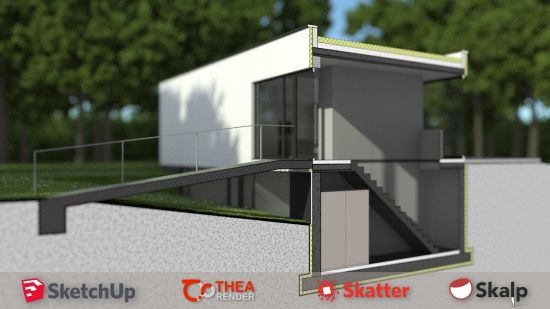
Skalp 2021.0.0011 (x64) for Sketchup


th-p5yhf-LRkt-C1dbv-KDUVdxs5w4ru-VFNHRc.jpg

File size: 42 MB
​
Skalp has been designed and built as an easy to use yet powerful Live Section Tool. It represents the key missing features needed to realize a long standing dream: Create your stunning plans and elevations inside SketchUp.

Skalp S​ections
Automatic hatch patterned cross sections.
Live updates, all model changes are tracked on the fly.
​Use Styles to remap the look in each scene.
Fully supports nested groups and components.
Supports multiple drawing scales in one model.
​Neat user interface filled with relevant features.

Skalp Styles
The same Section represented in multiple ways.
Each Scene can have its own cross section style.
Intuitive and powerful mapping queries.
Assign by layer, material, hatching or tagging.
Patterns adapt to the drawing scale.

Skalp Pattern Designer
Make awesome tileable Pattern textures for your Skalp Sections.
Texturize your model in a new creative way.
Import a zillion standard CAD patterns.
Build your own from scratch.
​Supports scales, transparency, colors & line widths.

Skalp Export
Export to SketchUp Pro's LayOut. Persistent updates of Skalp sections in all scenes.
Export to DXF includes real CAD hatch patterns.
Batch export of scenes to DXF.

Whats New:
Updates: official site does not provide any info about changes in this version.

-:DOWNLOAD FROMLINKS:-
NitroFlare
Код:
https://nitroflare.com/view/EC484CA4C7E6668/Dl4eVeR.Skalp2021.0.0011.rar

RapidGator
Код:
https://rapidgator.net/file/b008b3cd88697e6095935be225542a33/Dl4eVeR.Skalp2021.0.0011.rar.html


​
 
Stardock WindowBlinds 10.87 (x64)


th-wvb-P7-T6-ZIm-Zwln-MNw-SMpo-ECon-Vl-DNz-Tk.png

File Size: 56.4 MB
​
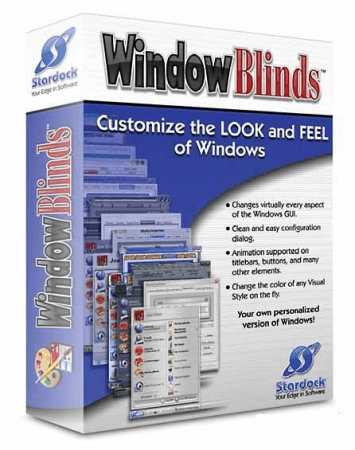
WindowBlinds enables you to make your desktop interface uniquely yours! From the start panel to the taskbar, window frames and control buttons, WindowBlinds enables users to customize desktop interface themes called skins to personalize the look and feel of their desktop.

Visual Styles
Select from the many skins included with WindowBlinds or choose from thousands of skins available for download at WinCustomize

Alternative Skins
Some skins have multiple sub-styles that can be applied to suit your personal tastes. You can also save your style combinations as presets for quick access later.

Modify Skins
Personalize any of the default Windows themes or any skins downloaded from WinCustomize

Fonts
Easily change which fonts your skins use.

Transparency
Make your skins the center of attention or allow them to blend into your backgrounds.

Colors
Find a great skin, but want to change the color scheme? WindowBlinds enables instant color changes from its configuration menu.

Textures
Personalize any skin by applying one of the textures included with WindowBlinds or use one of your own creations.

Explorer Backgrounds
Tired of looking at those boring white explorer windows? Customize them with unique explorer backgrounds.

Easy set-up
We have simplified the configuration menu to make personalizing your desktop quick and intuitive. Instantly preview your selections and adjustments before you apply them to your desktop.

Presets
Any changes and adjustments you make to a skin can be saved as a preset. Presets enable you to access previous customizations and apply them to a skin quickly.

Randomized Skins
WindowBlinds enables you to change skins randomly at timed intervals. Your desktop will never be boring again when you are treated to a new skin every time you logon.

Per application skinning
Choose skins for each of your application types. For example, WindowBlinds enables your word processing software to use a different skin than your design programs.

Design your own skins
Each purchase includes SkinStudio, the powerful companion application for WindowBlinds that enables you to create your own skins. Edit controls, start menu, taskbars, explorer windows, fonts, colors backgrounds and more with SkinStudio.

Easy to use
Customize only the parts of the Windows interface you want to change and SkinStudio will do the rest. This makes it easy for inexperienced users to create a great skin quickly. Advanced users can still enjoy designing every aspect of the Windows interface.

-:DOWNLOAD FROMLINKS:-
NitroFlare
Код:
https://rapidgator.net/file/6cbb896c35166aea307abaa0a27c63e2/Dl4eVeR.WindowBlinds.10.87.rar.html

RapidGator
Код:
https://rapidgator.net/file/6cbb896c35166aea307abaa0a27c63e2/Dl4eVeR.WindowBlinds.10.87.rar.html


​
 
StudioLine Web Designer 4.2.62 Multilingual


u74l-VOGXXFei7b-Jtyzrye-Mr-QY3x-Wz9-K4.jpg

File size: 150 MB
​
StudioLine Web Designer 4 integrates the components for the design, publishing and maintenance of professional websites into a common user interface - page editor, image archive and editing, graphics effects, publishing control, template editor and site management.

Web Design with Integrated Image Editor and Archive
Your create collages, edit image and use graphics effects directly in the page editor and instantly will see the results. With the media explorer your media assets - fotos, graphics, videos and sound bits. Image tools (filters) are applied as needed while working on your web page layout. Page templates let you position your design elements precisely and consistently, with the help of rulers and a guideline manager. Easily create menus and sub-menus for user friendly site navigation.

No HTML Programming Knowledge
Use the page editor to add content to your pages. Arrange text and images as needed until you are happy with the outcome. You can position content freely anywhere on your page, making use of a variety of available layout aids. Of course, snippets of your own custom HTML code can be embedded, if you should ever have the need.

Irregular Image Shapes
In StudioLine, images not limited to rectangular shapes. The actual shape of an image defines it's clickable area, not just in the StudioLine editor but also on the published web page. This enables complex layering of images without having to create and maintain traditional "image maps".

Shadows, Borders, Gradients and Rounded Corners
No need for external image editing software or learning HTML or CSS syntax. With StudioLine, you easily design your graphical elements using the integrated image tools.

Design Elements
Use intelligent container objects, called Design Elements, to automatically arrange text and images in a grid. Various settings control layout rules, such as horizontal and vertical alignment, spacing and margins. With that information, StudioLine will dynamically place and align the contained texts and images to fit within the available column width.

Professional Image Editing
Numerous images tools such as white balance, unsharp mask oder RGB mixer are available. All editing steps are non-destructive; they are kept in a database and the original image remains untouched. A few quick steps and your foto set will appear as a slide show, is published as a gallery to the web or burned onto CD/DVD, or is sent via email to your circle of friends.

Archival Made Easy
Categorize your images with unlimited text in system and user descriptors or by assigning keywords and ratings. After that, searching for specific images or those matching a certain theme is child's play.

Mobile Pages
Develop web pages for mobile devices such as smart phones and tablets. The web effects created by StudioLine are optimized to work on all popular mobile Internet devices.

Embed Slideshow on Web Page
Simply adding or removing images in your MediaCenter is all that's needed to change your slide shows - no need to manually update your web site each time.

-:DOWNLOAD FROMLINKS:-
NitroFlare
Код:
https://nitroflare.com/view/D22A8147E8C5B60/Dl4eVeR.WebDesigner4.rar

RapidGator
Код:
https://rapidgator.net/file/d94d24d2cdf94d82daf6ce7fee747246/Dl4eVeR.WebDesigner4.rar.html


​
 
StudioLine Photo Classic 4.2.62 Multilingual


th-MRdvwhe42m-B8-CPIpi-Eun67-Dy-F6-EU2-AQP.jpg

File Size: 115.8 MB
​
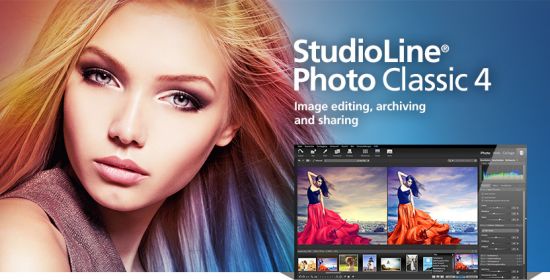
StudioLine Photo Classic 4 is a feature-packed software for conveniently managing and editing extensive image collections. Naturally all common file formats, including the RAW formats of the popular camera models are supported.

New Features:
Your Personal Load Assistant
Quickly and easily load images from you camera, hard disk or other drives. Any files not previously loaded are automatically suggested and selected.

Pre-defined Tool Settings
Store frequently used image tools (filters) or entire filter sequences as templates. This way the same tool settings are available at any time to treat further images with the same editing steps.

Protect Your Images
Superimpose your personal watermark into your images to prevent unauthorized use. Any graphics and text may be combined to create watermarks.

Easy Print
Create print layout to suit various occasions. Taylor your images for optimal print results on the desired output medium.

MediaCenter
Quickly and easily share your photos and videos on the web with friends and family. You control who may access each of your online albums, and if downloading is permitted.
Visitors of your albums can search images based on embedded information, or view them as a slide show or on a map.

Professional Image Editing
Numerous images tools such as white balance, unsharp mask oder RGB mixer are available. All editing steps are non-destructive; they are kept in a database and the original image remains untouched.
A few quick steps and your foto set will appear as a slide show, is published as a gallery to the web or burned onto CD/DVD, or is sent via email to your circle of friends.

Archival Made Easy
Categorize your images with unlimited text in system and user descriptors or by assigning keywords and ratings. After that, searching for specific images or those matching a certain theme is child's play.

Presentation
View your images in your own albums, in the advanced Timeline Explorer or by keywords and categories. Avoid data loss by backing up your image archive, with all metadata and image edits, to CD, DVD or secondary hard disk.

Convenient Geotagging
Geotag your images with GPS coordinates from GPS loggers or GPS equipped digital cameras. Or, use the Geo Explorer to drag untagged images to the correct location on a map.
StudioLine retrieves location details such as county, city and possibly street. This way, you'll be able to search, sort or filter your photo collection by names of cities and sites.

-:DOWNLOAD FROMLINKS:-
NitroFlare
Код:
https://nitroflare.com/view/3AD278B4A41B906/Dl4eVeR.Photo.Classic.4.rar

RapidGator
Код:
https://rapidgator.net/file/ffc4149e0e1a91c866d7eee018be7c96/Dl4eVeR.Photo.Classic.4.rar.html


​
 
StudioLine Photo Pro 4.2.62 Multilingual


th-v-LLMVos-ELy-DHOhnp-O8-PTTc-K8bd-TT7ew-C.jpg

File Size: 115.7 MB
​
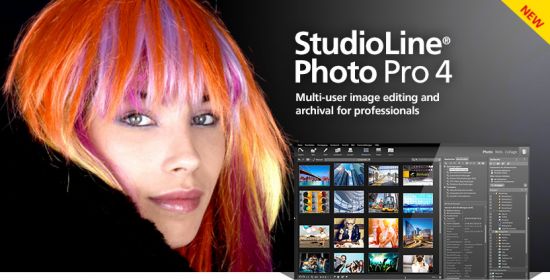
StudioLine Photo Pro 4 is the highly effective software for the professional editing and management of large image collections in server-based networks. Of course, the RAW formats from all popular camera models are supported.

All in One - Plus Networking
StudioLine Photo Pro is a multi-user product for server-based networks. The initial license covers the server instance plus 5 workstations. Additional workstations licenses can be added at any time.
Sophisticated user administration functions are available to manage users, groups and permissions. Using a group-centric security model makes it easy to control capabilities for staff and grant varied access levels to specific image archive folders.

Your Personal Load Assistant
Quickly and easily load images from you camera, hard disk or other drives. Any files not previously loaded are automatically suggested and selected.

Pre-defined Tool Settings
Store frequently used image tools (filters) or entire filter sequences as templates. This way the same tool settings are available at any time to treat further images with the same editing steps.

Protect Your Images
Superimpose your personal watermark into your images to prevent unauthorized use. Any graphics and text may be combined to create watermarks.

Easy Print
Create print layout to suit various occasions. Taylor your images for optimal print results on the desired output medium.

MediaCenter
Quickly and easily share your photos and videos on the web with friends and family. You control who may access each of your online albums, and if downloading is permitted. Visitors of your albums can search images based on embedded information, or view them as a slide show or on a map.

Professional Image Editing
Numerous images tools such as white balance, unsharp mask oder RGB mixer are available. All editing steps are non-destructive; they are kept in a database and the original image remains untouched. A few quick steps and your foto set will appear as a slide show, is published as a gallery to the web or burned onto CD/DVD, or is sent via email to your circle of friends.

Archival Made Easy
Categorize your images with unlimited text in system and user descriptors or by assigning keywords and ratings. After that, searching for specific images or those matching a certain theme is child's play.

Presentation
View your images in your own albums, in the advanced Timeline Explorer or by keywords and categories. Avoid data loss by backing up your image archive, with all metadata and image edits, to CD, DVD or secondary hard disk.

Convenient Geotagging
Geotag your images with GPS coordinates from GPS loggers or GPS equipped digital cameras. Or, use the Geo Explorer to drag untagged images to the correct location on a map.

-:DOWNLOAD FROMLINKS:-
NitroFlare
Код:
https://nitroflare.com/view/10EFEA4FD5DA704/Dl4eVeR.Photo.Pro.4.rar

RapidGator
Код:
https://rapidgator.net/file/1984a42096dff94488bfaa24b6f65546/Dl4eVeR.Photo.Pro.4.rar.html


​
 
Office Tool Plus 8.1.5.14 Multilingual


th-o-KVCBUy-Eau-Uf-AJed-Zk-FLMMNIb-DAuc-Ix8.png

File size: 7.2 MB
​
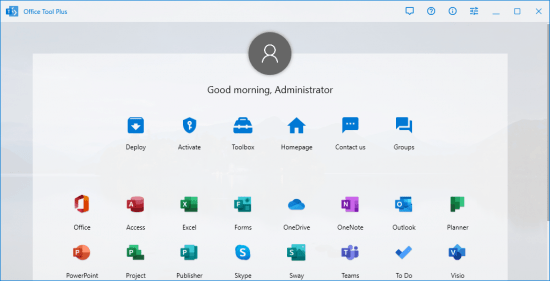
Office Tool Plus is a tool for managing, downloading and installing Office.Office Tool Plus is based on Microsoft's Office Deployment Tool. You can customize configure your Office installation and download installation files to install Office without Internet.

Opportunities:
1. Configure the Office installation, as well as customize the installed C2R products, such as adding and removing components, language packs, etc.
2. Download the Office installation package or the language pack, which can be downloaded using the official programs Thunder, Aria or Microsoft.
3. Configure your current Office, change the update channel, delete the product language, or delete the product, or use the built-in scripts or tools to clean the Office.
4. Activate your office. Easily set the product key and configure your KMS server address or convert the Office version. (PS: the tool does not have a built-in KMS activation, it simply provides the ability to configure a KMS server.)

Supported products:
- MS Office 2016 -> Standard, Pro Plus, Mondo, Professional, Personal, Home Business, Home Student, O365 ProPlus, O365 Business, O365 Small Business, O365 Home Premium.
- MS Office 2019 -> Standard, Pro Plus, Professional, Standard 2019 Volume, ProPlus 2019 Volume, Office 365, Home Business, Home Student

-:DOWNLOAD FROMLINKS:-
NitroFlare
Код:
https://nitroflare.com/view/40CC0FB14D00FB4/Dl4eVeR.Office-Tool-v8.1.zip

RapidGator
Код:
https://rapidgator.net/file/94eba391781960c1b3ebc68d7e62c824/Dl4eVeR.Office-Tool-v8.1.zip.html


​
 
Fuse Audio Labs Bundle 2021.4


bxu-EHiyd-Pidnm-POOOnq-DDul-ZGcdjb-Sqn.png

File Size: 82.8 MB
​
Fuse Audio Labs was founded in 2017 by Reimund Dratwa who has an experience of many years working for different big names in the audio business during which he created dozens of renowned analog modeling titles. It was initially intended as an engineering company that works for various partners, but it soon became apparent that it could also serve as a channel for our own ideas and allow us to pursue our vision. The same expertise that went into the aforementioned products goes into everything that we create.

The VCL-373 is a recreation of an early 60s broadcasting compressor. It includes a faithful emulation of the audio circuitry and adds some convenient features in the digital domain.

The F-59 is a recreation of the late '50s classic that set the course for decades of guitar amplification technology. A cab emulation and a linear level control have been added for more versatility.

The TCS-68 was made to pay homage to one of the most iconic cassette tape based 8-track recorders including a faithful recreation of the preamp, the tape system and the EQ.

The Bucket-500 is an authentic emulation of a bucket brigade (BBD) based analog delay circuit with some convenient features added in the digital domain.

The VCL-4 is a faithful emulation of the op amp based successor of the classic late 60s opto leveler. Unintrusive to extreme opto compression with switchable ratio.

Include:
Bucket-500 v2.2.1 - Analog Delay
DrumsSSX v2.2.1 - Drum Remixer
F-59 v2.2.1 - Classic Guitar Amp
Flywheel v2.2.1 - Reel-To-Reel Tape
RS-W2395C v2.2.1 - FREE Neo Classic Baxandall EQ
TCS-68 v2.2.1 - Cassette Tape Channel
VCL-25A v2.2.1 - Vintage Vari-MU Leveler
VCL-373 v2.2.1 - Vintage Comp/Limiter
VCL-4 v2.2.1 - Vintage Opto Leveler
VCL-515 v2.2.1 - Vintage Vari MU Limiter
VCL-864U v2.2.1 - Tube Limiter
VPB-Bundle v2.2.1 - Virtual Pedal Board Bundle
VPRE-2C v2.2.1 - Vintage Tube Amplifier
VPRE-31A v2.2.1 - Vintage Germanium Preamp
VPRE-376 v2.2.1 - Vintage Preamp
VPRE-562A v2.2.1 - Vintage Tube Amplifier
VQA-154 v2.2.1 - American Vintage EQ
VQP-258A & VQP-259A bundle v2.2.1 - Vintage Passive EQ

bonus developed by Fuse Audio Labs:
elysia Phil's Cascade v1.2.0 - Tube Saturator
NEOLD V76U73 v1.0.1 - Telefunken Tube Preamps & Compressor
NEOLD BIG AL v1.0 - Saturator

-:DOWNLOAD FROMLINKS:-
NitroFlare
Код:
https://nitroflare.com/view/1B4A7D304A82B48/Dl4eVeR.Audio.Labs.bundle.2021.4.CE.rar

RapidGator
Код:
https://rapidgator.net/file/592210d3775d212524711cac07b1b0b4/Dl4eVeR.Audio.Labs.bundle.2021.4.CE.rar.html


​
 
Назад
Сверху