• Здравствуйте. Сайт заработал в архивном режиме форум www.old.nado.in

Dl4ever Software

LaunchBox Premium with Big Box 11.10 (x64) Multilingual

th-PZs3a3i-Soh-Qonk-U6az0-Ow4co7-JUHss6v.jpg

File Size: 255.1 MB
​
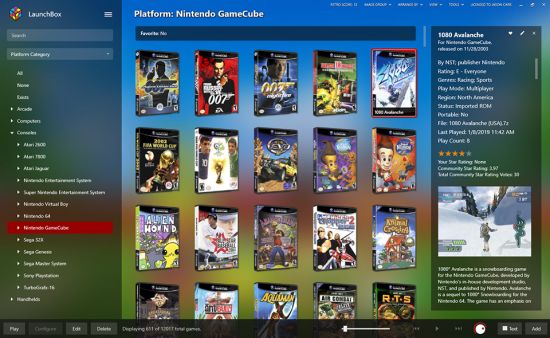
LaunchBox is a gaming frontend originally built for DOS. However, now LaunchBox supports a slew of emulators and PC games for an all-in-one multimedia solution. Whereas the likes of RetroPie, Batocera, Lakka, and Recalbox feature emulators built-in, LaunchBox doesn't. As such, you'll need to add your own. The difference in LaunchBox vs Retroarch is that Retroarch provides emulators, while LaunchBox offers a pretty user-interface. Thus, LaunchBox is used in conjunction with Retroarch.

I've used a ton of different standalone retro gaming operating systems, emulators, and frontends. But LaunchBox is by far my favorite. It's incredibly simple to set up and boasts an automatic scraper for downloading game metadata and box art. Scraping games with LaunchBox is pretty accurate. Unfortunately, it's Windows-only for PCs and desktops. There's no LaunchBox macOS or LaunchBox Ubuntu installer. However, LaunchBox Android debuted for gaming on phones or Android TV boxes such as the Nvidia Shield TV.

Features:

A Game Launcher with Style
We originally built Launchbox as an attractive frontend for DOSBox, but it now boasts support for modern games and retro game emulation. We make all your games look pretty.

Organize Your Game Collection
We're not just pretty; we let you add as much or as little information to your games as you'd like. LaunchBox maintains its own crowd-sourced database for a massive number of games.

We Emulation
LaunchBox includes support for countless emulators. We're the best launcher for all your retro and console games. Go ahead, play your favorite game from 1985.

Steam Library Imports
We automatically import all your games, including your Steam library. It doesn't have to be complicated, so we made it easy to get started. If you're OCD like us, you're free to customize everything.

Excellent How-To Video Tutorials
The LaunchBox team produces regular how-to videos to address frequently asked questions which help you get your games up and running. Check out our YouTube channel.

We have a GREAT Community
Our forums are home to some of the gaming world's coolest people. If you need help figuring something out, we suggest that you start there. You'll find a friend or three.

-:DOWNLOAD FROMLINKS:-
NitroFlare
Код:
https://nitroflare.com/view/6A526D1D041FFEF/LaunchBox.11.10.rar

RapidGator
Код:
https://rapidgator.net/file/43fc39839b5c51524ab05d7fd1b44a1c/LaunchBox.11.10.rar.html
​
 
PixelPlanet PdfGrabber 9.0.0.14 Multilingual


Eu6-Y09ii-Qae6-Ao6z-Maj2-PZg-Gq28na0-EP.jpg

File size: 116 MB
​
Convert PDFs into all important formats. PdfGrabber is the professional PDF converter software. Export your documents into all important Office formats: Word, Excel, DXF/AutoCAD, JPEG, PowerPoint, HTML, eBook and many more. Export the images contained into numerous graphics formats or convert entire pages into an image. Conversion with PdfGrabber also works without Adobe Acrobat. Try it for yourself.

Word
Convert PDFs into Word and edit them using Microsoft Office or other software.
Excel

Convert PDF documents with tables in Excel files (.xls) and open them in Microsoft Office.

PowerPoint
Convert PDF documents into PowerPoint presentation files (.ppt).

AutoCAD / DXF
Convert PDF files with vectors into CAD drawings (DXF, AutoCAD, DWG).

Image
Convert complete PDF documents into an image (JPEG, BMP, PNG, Tiff, SVG).

Export Images
Export and save all the images in the PDF (JPEG, BMP, PNG, Tiff, SVG).

HTML
Convert PDF documents into web pages (HTML 4.1 and HTML5) or XML files.

SVG
Conversion of PDF documents into the vector-based SVG format.

eBook
Convert PDF documents into web pages, XML documents or EPub / Ebook files.

PDF Converter
PdfGrabber opens up a range of new possibilities for processing PDF files. Rather than having to accept the restrictions associated with this format, PdfGrabber enables simple conversion into a range of other file formats.
Edit PDF content in Microsoft Word, Excel and PowerPoint.
Export technical drawings to your CAD program, save complete documents for archiving as TIFF or extract all the images contained, for example, as JPEG files.
Do you want to integrate PDFs into your website? Or read these on your iPad? With the PdfGrabber this, too, is no problem thanks to conversion to HTML and the eBook format ePUB.
For professional users, PdfGrabber enables export to ASCII-Text and XML as well as various other automation options, such as the creation of export profiles, monitoring of folders and control via the command line.

Most Important Features:
Local installation, one-time license fee (no subscription fees, no follow-up costs)
Free updates within major version 9, life-time license
Create PDFs from any printable application
Convert PDF to Word and TXT
Convert PDF to Excel
Extract images or convert page into image
Convert PDF to HTML and ePUB
Convert PDF to PowerPoint
Convert PDF to DXF / CAD / AutoCAD
Convert PDF to XML
Automation through watched folders, command line or COM interface

Editions: Home / Standard / Professional / Professional-Network

Whats New:
HTML/ EBook Ausgabe: Verbesserte Formatierung bei unterstrichenen Texten
Verbesserung bei PDF-Dokumenten mit nicht eingebetteter Courier-Schrift

-:DOWNLOAD FROMLINKS:-
NitroFlare
Код:
https://nitroflare.com/view/A548A209E816DB3/PdfGrabber9.0.rar

RapidGator
Код:
https://rapidgator.net/file/9bfcd3841bbc98e985e6a9c1bdf751ca/PdfGrabber9.0.rar.html

​
 
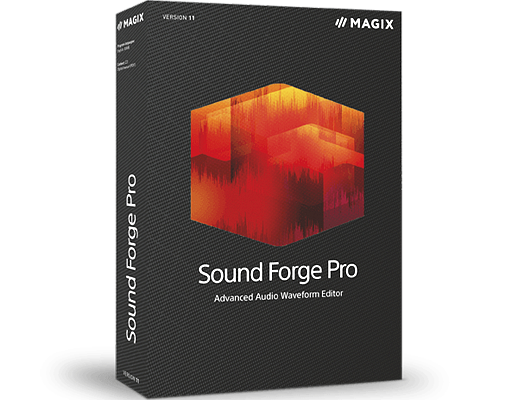
MAGIX SOUND FORGE Pro Suite 15.0.0.45


1597851506-magix-sound-forge-pro-suite-14.jpg

Windows x86/x64 | File size: 407.25 MB
​
/ 514.23 MBSOUND FORGE Pro 15 Suite - The Standard for Recording, Audio Editing and Mastering. Your favorite engineer's favorite tool SOUND FORGE Pro has been the creative audio editing tool of choice for over 30 years. Its extensive range of professional features make it the go-to for many producers and sound engineers worldwide. The new workflow improvements let you effortlessly record, edit, restore and master.

SOUND FORGE Pro 15 Suite:
With its range of sophisticated plug-ins such as the innovative Steinberg SpectraLayers Pro 7 and Melodyne essential, SOUND FORGE Pro 15 Suite sets new standards in the field of audio.

Recording
Multichannel sound recording Professional recording on up to 32 channels and resolutions up to 64-bit/768 kHz.

Audio Editing
Audio Editing Industry-defining efficiency and precision. SOUND FORGE Pro is one of the most powerful audio editors ever developed.

Mastering

Mastering Excellent sound results Advanced DSP algorithms for state-of-the-art sound quality.

Recording 64-bit precision

Record audio on up to 32 channels and in 64-bit/768 kHz. Experience a 64-bit audio engine with ultimate stability and lowest latency. Record vocals, instruments or podcasts in crystal-clear quality.

Audio Editing Maximum efficiency
Discover a massive array of state-of-the-art editing tools that allow you to customize your sound and shape it exactly the way you want.

Mastering Sonic excellence
Master your audio material with industry-leading DSP algorithms. Use innovative effects to optimize the loudness of your recordings without ever sacrificing transparency. Create red book masters, DDPs and master files optimized for streaming services like Spotify, Apple Music or Tidal.

Top new features in SOUND FORGE Pro 15:

Remote Recording
The Remote Recording window is a slim, convenient recording controller with all the essential options in one place. Just move and place it next to your audiobook text and start recording right away.

ACX: Audiobooks for Audible, iTunes & Co.
Export standards-compliant audio files for streaming services like Audible or iTunes. The ACX Export wizard will automatically make your renders industry compatible.

Advanced Export Options
Improved export functions help you work effectively and efficiently. Save your favorite export variations (including your post processing effects) as presets and use once-defined exports for future tasks. Save valuable time for your production.

У Вас недостаточно прав для просмотра ссылок. Войдите или зарегистрируйтесь.


System Requirements:
- Windows 10, Windows 8
- Processor: 1 GHz RAM: 512 MB
- Graphics card: Onboard, min. resolution 1024 x 768
- Sound card: Onboard Hard drive space:
- 500 MB for program installation

-:DOWNLOAD FROMLINKS:-
NitroFlare
Код:
https://nitroflare.com/view/34D0FAE13B8EDCF/SOUND.FORGE.Pro.Suite.15.0.0.45_x64.rar
https://nitroflare.com/view/E63BB4CE3369FDA/SOUND.FORGE.Pro.Suite.15.0.0.45_x86.rar

RapidGator
Код:
https://rapidgator.net/file/a3b9cfc49f3d52ad0681399348c9c11e/SOUND.FORGE.Pro.Suite.15.0.0.45_x86.rar.html
https://rapidgator.net/file/c8a6bc2d2b7d9fbc62c89fa1780929df/SOUND.FORGE.Pro.Suite.15.0.0.45_x64.rar.html

​
 
MAGIX SOUND FORGE Pro 15.0.0.45


audiostudio10.png

Windows x86/x64 | File size: 336.96 MB
​
/ 395.32 MBSOUND FORGE Pro 15 - The Standard for Recording, Audio Editing and Mastering. Your favorite engineer's favorite tool SOUND FORGE Pro has been the creative audio editing tool of choice for over 30 years. Its extensive range of professional features make it the go-to for many producers and sound engineers worldwide. The new workflow improvements let you effortlessly record, edit, restore and master.

Recording
Multichannel sound recording Professional recording on up to 32 channels and resolutions up to 64-bit/768 kHz.

Audio Editing
Audio Editing Industry-defining efficiency and precision. SOUND FORGE Pro is one of the most powerful audio editors ever developed.

Mastering
Mastering Excellent sound results Advanced DSP algorithms for state-of-the-art sound quality.

Recording 64-bit precision
Record audio on up to 32 channels and in 64-bit/768 kHz. Experience a 64-bit audio engine with ultimate stability and lowest latency. Record vocals, instruments or podcasts in crystal-clear quality.

Audio Editing Maximum efficiency
Discover a massive array of state-of-the-art editing tools that allow you to customize your sound and shape it exactly the way you want.

Mastering Sonic excellence
Master your audio material with industry-leading DSP algorithms. Use innovative effects to optimize the loudness of your recordings without ever sacrificing transparency. Create red book masters, DDPs and master files optimized for streaming services like Spotify, Apple Music or Tidal.

Top new features in SOUND FORGE Pro 15:

Remote Recording
The Remote Recording window is a slim, convenient recording controller with all the essential options in one place. Just move and place it next to your audiobook text and start recording right away.

ACX: Audiobooks for Audible, iTunes & Co.
Export standards-compliant audio files for streaming services like Audible or iTunes. The ACX Export wizard will automatically make your renders industry compatible.

Advanced Export Options
Improved export functions help you work effectively and efficiently. Save your favorite export variations (including your post processing effects) as presets and use once-defined exports for future tasks. Save valuable time for your production.

У Вас недостаточно прав для просмотра ссылок. Войдите или зарегистрируйтесь.


System Requirements:
- Windows 10, Windows 8
- Processor: 1 GHz RAM: 512 MB
- Graphics card: Onboard, min. resolution 1024 x 768
- Sound card: Onboard Hard drive space:
- 500 MB for program installation

-:DOWNLOAD FROMLINKS:-
NitroFlare
Код:
https://nitroflare.com/view/CC3A61386B08A85/SOUND.FORGE.Pro.15.0.0.45_x64.rar
https://nitroflare.com/view/8D683E66554516D/SOUND.FORGE.Pro.15.0.0.45_x86.rar

RapidGator
Код:
https://rapidgator.net/file/06ce681ead45c00ab8998caa4c2f2e9c/SOUND.FORGE.Pro.15.0.0.45_x86.rar.html
https://rapidgator.net/file/be9655e433a62efff3b38214e8f21d40/SOUND.FORGE.Pro.15.0.0.45_x64.rar.html

​
 
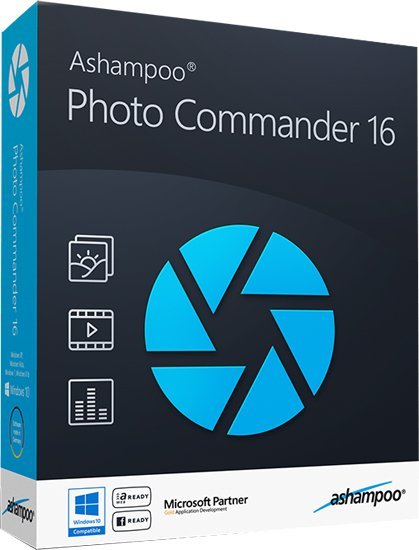
Ashampoo Photo Commander 16.3.2 Multilingual + Portable


6-Hgjft-Itv-Yy-Wo-U5g-Nw-PBGM2co2dix0y-T.jpg

File size: 361 MB
​
The new Ashampoo Photo Commander 16 will amaze you right off the bat! The modern user interface will quickly learn your favorite features and adapt itself accordingly for quicker access. Slideshow images now appear in stunning 4K and the new panorama feature will steal the show. Experience more visual clarity with the decade view, benefit from new search filters and the enhanced file selection and work with fresh card designs and new transition effects for your videos. Make the most out of your photos!

The true all-rounder to view, edit and organize your photos
The new Ashampoo Photo Commander 16 is the complete solution to view, edit and organize your photos. Bring order to your collection, optimize multiple images in one go and create calendars, photo cards and entire slideshows with ease. Whether you're a beginner, novice or professional photographer, excellent results are always just a few clicks away.

Automatic photo enhancements
The built-in auto-correction can turn even the miserablest of snapshots into precious holiday memories by instantly remove scratches, digital noise or red eyes! Multiple auto-features take most of the work off your shoulders and the integrated batch processing can enhance all your photos in one go.

Create collages, calendars and photo cards
Use the many included templates to create photo cards with ease or give in to your love for detail and design your own calendars. Even stunning collages no longer pose no problem! Ashampoo Photo Commander 16 offers a wealth of options to put make your ideas a reality!

Create slideshows
Ashampoo Photo Commander 16 creates slideshows in high definition 4K! New transitions make for more beautiful and versatile scene transitions while added support for more audio formats allows for richer background audio. Finished slideshows are instantly previewable in real time with the new video playbar control.

Present photos in style
Whether you're enjoying your photos on your own or with friends, you'll love the new presentation mode. Use your primary display to control the flow and your secondary display to present your photos! Also great for beamers, modify your photos in real time without leaving the presentation!

Set, use and edit geotags
Modern cameras and cellphones use geotagging to save the location of each shot. Ashampoo Photo Commander 16 can add and edit this information and use it to sort your photos. The program can even process this data to determine the exact country, city and street for each photo! Retrace the stages of your vacation on a map from beginning to end in the comfort of your own home!

Crop and edit photos
Trim your images down to size, straighten horizons or set color accents. Cut out persons and objects or modify perspectives. Apply great effects and go professional with gradation curves and tonal corrections.

A modern, adaptive interface
Ashampoo Photo Commander 16 not only comes with a sleek new look but adapts to your working method. Frequently used functions automatically appear in the quick access menu so they're always just one click away for faster results! Naturally, you can always switch back to the classic view if you prefer that.

Bring order to your photo collection
Ashampoo Photo Commander 16 provides more visual clarity. New file filters enable you to track down photos more efficiently, e.g. by combining location and time-based searches! The flexible group view allows you to instantly select files and preview their EXIF data in the new status bar. Seasoned photographers will appreciate the new decade view that provides a completely new look on their photo collections.

Design and rescue photos
Unleash your creativity with Ashampoo Photo Commander 16! The newly developed panorama function creates breath-taking widescreen images. A built-in automatic takes care of overexposed or faded images for excellent results every time. Multiple included motives make it incredibly easy to create cards for every occasion.

Set new trends with PNG
PNG is already one of the most common image formats on the Internet with PNG animations posing an interesting alternative to GIF animations. Ashampoo Photo Commander can drastically reduce the file sizes of PNGs to save space and traffic particularly on mobile devices. Animations can also be quickly created, converted or extracted.

Customer wishes fulfilled
We heard you. EXIF and IPTC metadata is now displayed in the status bar and freely editable and exportable. The popular duplicate file finder has been greatly accelerated. Multiple pages can now be scanned in one go and converted into PDF if needed. The always important zoom feature has also been sped up significantly.
Release Notes

-:DOWNLOAD FROMLINKS:-
NitroFlare
Код:
https://rapidgator.net/file/c67e6402f2fd2edfb511171e28323db4/Photo.Commander.16.3.2.Portable.rar.html
https://rapidgator.net/file/fe09e530323b35b3cb889cb9f086db32/PhotoCommander16.rar.html

RapidGator
Код:
https://nitroflare.com/view/11A3C1994162133/Photo.Commander.16.3.2.Portable.rar
https://nitroflare.com/view/525108BAE1D42EC/PhotoCommander16.rar

​
 
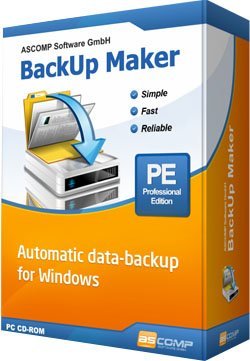
BackUp Maker Professional 8.001 Multilingual


z8n-C0-VK1e-NPkx6om-JYZMqvr-LFUJI3j-Di.jpg

File size: 16 MB
​
Creating Data-Backups Has Never Been This Easy. Viruses, user errors and computer crashes put you at risk to lose important data at any time. Therefore, it is crucial to secure your files regularly so that in cases of emergency, your computer data is still accessible.

BackUp Maker automatically stores your data and at the same time offers an intuitive operation: select your data, optionally set automatization for scheduled backups, select its destination and within an instant, your valuable documents are transferred in zip format to a hard drive, USB flash drive or directly to CD/DVD as scheduled or according to circumstances. To ensure that your sensitive data remains secure at all times - BackUp Maker provides a highly secured encryption of up to 256 bits (AES). It also enables you to transfer protected backups to a webserver through an FTP/FTPS upload.

Note to security experts: You can limitlessly secure information using BackUp Maker. Back-up only new and changed files; create as many backup generations as needed; split the backup across multiple data storage devices and carry out random operations before or after backups!

PkZip 4.5
Support for archives larger than 4 GB

Password protection
Protect backups with passwords (PkZip v2.0)

Strong encryption
Encrypt backups with AES 256-Bit

Burning onto CD/DVD
Burn backups onto CD/DVD without the need of external drivers

Supported DVD formats
DVD-R, DVD-RW, DVD+R, DVD+RW, DVD+R Dual Layer, DVD-RAM, Blu-Ray

FTP upload
Upload to internet servers using ftp connections

Passive ftp mode
Upload in passive mode (PASV)

FTPS (FTP over SSL)
Support for FTPS

FTP resume
Resume cancelled backup uploads

Back-up to USB drives/sticks
Support of USB drives (internal/external)

Network support
Save files in/to local area networks

Spanned backups
Split backups into several files (disk spanning)

Full backup
Backup of all selected files/folders

Partial backup
Backup of files changed since last partial or full backup

Backup of changed files
Backup of files changed in selectable interval

Combined execution
Combine execution of full backups and partial backups

Archive bit backup
Backup of files with archive bit set true only / delete archive bit

Backup generations
Creation of several backup generations/instances

Interval backup
Execute backup in selectable interval

Time backup
Execute backup at selectable time

Backup at Windows start/log-off
Execute backup when Windows starts/logs off

Backup at USB detection
Execute backup when USB device has been changed

Restriction to days
Restrict backup execution to week days or month days

Automatic backup
Backup without user interaction

Filter options
Filter files/folders (opt. for file size)

Operations before/after backup
Execute file or system operations before/after backup

Send backup report by e-mail
Send backup report after backup by e-mail automatically

Date information
Save execution date information in filename

Desktop shortcut
Create desktop shortcut to easily execute backup jobs

Backup warranty
Catch up missed backups

Start by parameters
Start backups by calling bkmaker.exe with parameters

Protocol
Report creation after backup

Backup verification
Verify backup for completeness and correctness

Restore with BackUp Maker
Restore without the need of other software

Multi-language support
Program languages: English, German, French, Dutch, Portuguese

Exclusively opened files
Backup of exclusively opened files (databases, Outlook, system files)

Service application
Start BackUp Maker as service on Windows NT/2000/XP/2003

У Вас недостаточно прав для просмотра ссылок. Войдите или зарегистрируйтесь.

-:DOWNLOAD FROMLINKS:-
NitroFlare
Код:
https://nitroflare.com/view/0D21D206500071D/BackUp_Maker_Professional_8.001.rar

RapidGator
Код:
https://rapidgator.net/file/a0cb62019fbc18ff6c5a1b1a25e0f356/BackUp_Maker_Professional_8.001.rar.html

​
 
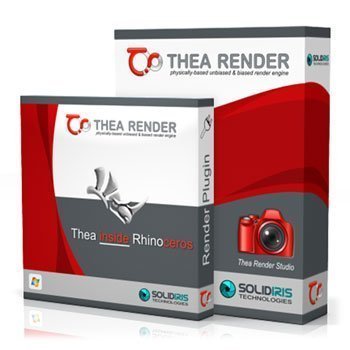
Thea For Rhino v3.0.150.1951


Kzp1-QXlp-DKc-Vqj-AU0-Y0px7yc5y2-P0p-SV.jpg

x64 | File Size: 861 MB
​
Thea for Rhino integrated plugin takes full advantage of Thea Render functionality and allows you to create high-quality photorealistic renders within Rhino 6. With advanced features such as interactive render, true physically-based materials, innovative material layering, IES & HDRI light support along with a versatile rendering system comprised of biased, unbiased and GPU engines, rendering within Rhino has become really powerful.

Viewport Rendering:
Thea for Rhino can be used for interactive rendering inside Rhino Viewports. Select the desired Viewport and simply let Thea Render engines give you an immediate visualization of your scene.

Advanced Material Editor:
The advanced Thea material editor has been fully integrated into Rhino, bringing all the advanced and unique features of Thea materials. The user interface has been redesigned from scratch making the creation of complex materials an easy task.

Content Browser with Online Repository:
The Online Repository [link] can now be accessed directly from the Thea content browser. It is now just a single click to download an online material and add it to the material list. On top of that, it is also possible to load materials in the Advanced Material Editor using the Content Browser and make use of the Interactive Preview functionality that allows you to interactively preview materials before making the final decision.

Darkroom Refreshed:
Darkroom has been refreshed with new features and a new modular user interface. Batch rendering can be started from within Darkroom using Rhino's Named Views allowing the user to define different render settings and termination criteria for each one.

Features:

Back face material support:
-The back face of any surface can have a different material and this makes it now possible to create advanced materials like labels, sheets of papers and tree leaves.

Enhanced Material Presets:
-Material presets have been enhanced with extra functionality that allows the creation of nearly every possible material. Plastic material has been enhanced with translucency, semi-transparent and coating options while the Metalling Paint preset, now supports Metallic Flakes too.

Faster Position Updates:
-Moving objects while rendering interactively is now times faster than the previous version allowing you to move, rotate and scale objects in the scene easily.

Stereoscopic Rendering:
-Stereoscopic image output exports two 360-degree images for both eyes, letting you see the model in 3D using simple red-cyan glasses or VR headset.

Batch Rendering:
-Batch Rendering makes it possible to bring all the Named Views straight into Thea Darkroom and render them one after the other. Also, custom properties can be defined per Named View.

New Tone Mapping Methods:
-Two new tone mapping operators have been added in Thea Render. Filmic allows the user to have complete control over Highlights and Shadows while Reinhard provides a robust way to automatically compress high dynamic range renders.

Additional Features:
-Geometry subdivision (on render time)
-Assign containers (medium)
-Native Rhino materials support
-Split frame functionality
-Custom light evaluation
-Clipping planes

System Requirements:
OS:Windows 7/8/10 64-bit, Intel SSE3 CPU (or compatible),
GPU:Nvidia CUDA Graphics Card (Compute Capability 2.x/3.x/5.x/6.x/7.0/7.5) with latest graphics driver or AMD Graphics Card (Hawaii, Tahiti, Pitcairn, Capeverde, Bonaire) with latest OpenCL and graphics drivers,
Compatible:with Rhino 6 SR8 and above
Whats New
-Updated path read for Thea data. Both MyDocuments and ProgramData are taken into account.
-Fixed Rhino Search Path as texture repositories.
-Fixed a crash when trying resuming a render in Darkroom.
-Added warning when resuming render and the film's sample per pixel is higher than the given sample limit.
-Added manual sun color override.
-Added Search Path refresh when loading a new scene.
-Fixed EDU node-locked license validation.
-Updated visibility for Thea Render Rhino Display Settings
-Updated Material editor
-Updated history panel position when darkroom is maximized.
-Fix for infinite plane missing in CPU engine rendering.
-Fix for shadow catcher being dark on areas not lighten by spot lights (Presto)
-Crash fix for Presto in the presence of scenes with glasses and very high tracing depth
-Fix for OptiX IR denoising with supersampling > None

-:DOWNLOAD FROMLINKS:-
NitroFlare
Код:
https://nitroflare.com/view/AE5A505077EE9B1/Rhino_v3.0.150.1951.rar

RapidGator
Код:
https://rapidgator.net/file/20d9bfcb31c2c9db30a93d6dd8e68c8b/Rhino_v3.0.150.1951.rar.html

​
 
Enscape 3D 3.0.1.41760


th-oz-Bfm6-Nci-OT37c53-Yoi-Fvte-TIy-RBLVgt.jpg

File size: 93 MB | x64
​
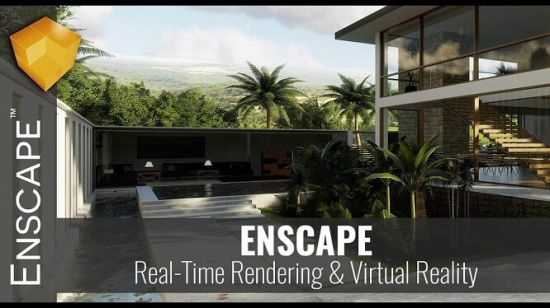
Real-time Walk-through. With Enscape's real-time technology, your project is visualized as a fully-rendered 3D walk-through, which can be navigated and explored from every angle, in any time of day. With the live link between Enscape and your CAD program, you can follow every update to your plan instantly. Add Enscape to your workflow to give yourself more time to create and innovate.

Virtual Reality
Explore your design in the compelling realism of virtual reality. Connect a VR headset like the Oculus Rift S or HTC Vive in a snap and get ready to walk or fly through your project. You won't believe the extraordinary experience it will evoke.

Export Functions
Enscape offers a variety of options to share or collaborate with anyone; design teams, clients and other stakeholders can easily explore your 3D rendered design. And guess what: they won't need any special software or superpowered computers.

Clouds
Travel through time: simulate lighting situations at different times of the day or check the artificial lighting concept your building at night. If you want to know the daylight conditions of any city of the world at any specific time: stray from the beaten track and specify a location.

Asset Library
Our ever-expanding Asset Library will help you to fill your scene with life and make it even more realistic. Browse through just a small selection of our collection, so you can get a feel for the available models. We're always adding more and more .

System Requirements:
Windows 7 64-bit or higher
NVIDIA GeForce GTX 1660 or AMD equivalent with 4GB VRAM

Combability:
Revit (2018, 2019, 2020, 2021)
SketchUp (2018, 2019, 2020, 2021)
Rhino (6.0, 7.0)
ArchiCAD (21, 22, 23, 24)
Vectorworks (2020 Service Pack 3, 2021)

-:DOWNLOAD FROMLINKS:-
NitroFlare
Код:
https://nitroflare.com/view/09B397C9B9BD048/Enscape-3.0.1.rar

RapidGator
Код:
https://rapidgator.net/file/be0eb800012d7b1650fc718ae9fdacf6/Enscape-3.0.1.rar.html

​
 
Abyssmedia ScriptCryptor Compiler 4.3.0.1


Dtc-Q3oawlb-Zc-Lexf-FSr-TQGJo7n-Bc-Kp-Sn.jpg

File size: 8.0 MB
​
ScriptCryptor lets you quickly produce standalone, royalty free applications from your VBS or JS files. VBScript or JScript files will be converted into EXE files, the source of your scripts will be encrypted with Blowfish algorithm. Once converted, they cannot be modified or viewed by other users. ScriptCryptor Compiler also lets you set various resources in the .EXE file, such as its description, the company name, version information and even the application icon. In additional, you may include any files to compiled exe file and use it during execution.

Compile Java or Visual Basic scripts
ScriptCryptor is an application that can help you compile standalone applications from your Java scripts or Visual Basic ones in a seamless manner. You just need to load the appropriate VBS or JS files and the program will convert into an EXE file, while the source of your scripts is encrypted through BLOWFISH.
The main window provides you with a Source section, a Version Info one and an Embedded Files tab, which you can easily navigate between by just clicking them.

Simple interface
Despite its technical purpose, this application comes with a simplistic interface that packs a series of functions that are easy to understand and can be accessed without significant efforts via standard menus or toolbar buttons.
The application also features an Options window where you can adjust general settings or editor-related ones. You can choose between console and windowed script types, 32- or 64-bit binary formats, toggle various compiler options, select your favorite font and enable gutter visibility.

Adjust version details and embed files
As stated earlier, the main window of ScriptCryptor lets you navigate between three tabs. Aside from viewing, creating or editing the source code, you can adjust file information and embedded additional documents.
It is possible to modify the company name, the file description, legal copyrights, comments or product version and attach an application icon, add an Administrator Manifest and include additional files into the resulting EXE.

Lightweight compiler for Visual Basic and Java scripts
All things considered, ScriptCryptor is a lightweight, yet reliable application that can help you compile Visual Basic and Java scripts into standalone applications. It comes with a simple user interface, packs intuitive functions and encompasses a handy configuration menu.

Main Features:
Compile Javascript and VBScript to console or windowed programs (VBS to EXE, JS to EXE)
No temporary file will be created while executing. Unlike the other products, our compiler will execute script from the memory and will never create unprotected files in the TEMP folder.
Command-line compilation
Saves the project settings within the script as a comment block.
Script obfuscation: hides and protects sources of a script from viewing.
Highlight command's syntaxis inside built-in editor.
All additional files required by your script may be embedded into EXE file.
Allows you to use your own Icon and Version Info for compiled files.
Built-in WScript object. You not need to modify your script and can use standard WScript.echo, WScript.Arguments, e.t.c.
Script become independent Win32 executable, without relying on "cscript.exe" or "wscript.exe"
Royalty Free. You can create unlimited products without having to pay royalties.
Lifetime free upgrades.

-:DOWNLOAD FROMLINKS:-
NitroFlare
Код:
https://nitroflare.com/view/1C2F82615D18047/scriptcryptor4.3.rar

RapidGator
Код:
https://rapidgator.net/file/340340560f63e17179dfaae1e056ba1e/scriptcryptor4.3.rar.html

​
 
JRiver Media Center 27.0.81 Multilingual


sx-RO9vg0b-Yf3yvw9-Y2-Ua-NMir-WCxv-BLC3.jpg

File size: 40 MB | x64
​
JRiver Media Center - all-in-one media management app turns any Windows PC into an entertainment hub for complete control of your digital media: Audio, Video, Images, and Television. It connects PC to stereo, TV, remote control devices, digital cameras, scanners, and portable MP3 players. It plays all media, rips, burns, and organizes all your music, images, and video. MC encodes and plays all popular media formats. Powerful utilities include Media Server for streaming music and images to remote PCs. Media Center is more than a world class player. It's also a Media Network, a whole house music, movie, TV, and photo solution. The leader in audiophile quality sound. The most powerful media database available; an essential tool for large collections.

Features:
Audio
* Native support of DirectShow DSP filters
* Audiophile - WASAPI exclusive output using high-end USB DACs
* Audiophile - Added ability to play files from memory instead of disk
* Audiophile - Support for high end USB DAC's with WASAPI
* Headphone DSP makes listening more natural and comfortable.
* SoundcardSwitch command for the launcher, allows soundcard selection
* 3D album view adjusts text size to display more tracks when necessary
* 3D album view allows playing, adding, shuffling, and adding as next to play

Images
* Image Preview allows zoom from a thumbnail to rotate, delete, compare, edit, and more
* Image thumbnail frames (optional)
* Photoshop PSD file support
* Single command copy / send to an editor like Photoshop, and stack new image with original

Video
* Video tagging using sidecar files
* Chapter Support for MKV and MP4
* Chapters added to On Screen Display
* Info Panel displays metadata

Television
* Added new "watched" column to metadata
* EPG can automatically retrieve XMLTV data
* Automatic correlation of XML channel names and MC channel names
* Info Panel displays metadata, including TV program art
* TV program art from YADB

Theater View
* Watch Hulu and YouTube from Theater View
* Customizable nested views in Theater View
* Customizable File Info panel to display metadata
* Speed and quality enhancements
* Custom backgrounds
* Touch screen support
* On screen clock

Remotes and Servers
* Wiki articles: Remotes and Servers
* Remote Relay using IR transceivers for controlling a set top box or receiver
* Remote Setup Wizard
* Media Center Remote learning and blasting
* Media Center can connect to another Media Center to act as a remote (TRemote)
* New HID remote control plug-in - supports shortcuts with keyboard, mouse, & gamepad
* Remote control with REST based Web Service Interface in Library Server
* Library Server supports read and write to allow for shared, multi-user database access
* DLNA added to the UPnP Server
* Library Server clients can write changes back to server
* Library Server connections allow playback on server as Playing Now zones

-:DOWNLOAD FROMLINKS:-
NitroFlare
Код:
https://nitroflare.com/view/8C8EE26B90F41A6/MediaCenter27.rar

RapidGator
Код:
https://rapidgator.net/file/0949edd04bea7f0c6555373e85fd0325/MediaCenter27.rar.html

​
 
XYplorer 21.70.0000 Multilingual


NGZ9ojr-ZTh-IE4-YVU8e1jp-ENH96-AFPkla.jpg

File size: 5.35 MB
​
XYplorer is a file manager for Windows. It features tabbed browsing, a powerful file search, a versatile preview, a highly customizable interface, optional dual pane, and a large array of unique ways to efficiently automate frequently recurring tasks. It's fast, light, and portable.

It's Tabbed
Tabs let you switch between folders most easily. Drag them around, hide them, lock them, name them, or drop files onto them. The tabs remember their configuration individually and across sessions. On top of this you get tabsets and dual pane.

t's Functional
XYplorer has been designed to make you faster. Numerous usability enhancements in an attractive interface help to streamline your workflow and increase your efficiency. You will definitely save a lot of time.

It's Scriptable
Yes, you can program this app. Individual solutions for individual tasks. No plugins needed, scripts run out-of-the-box. Even beginners can benefit from this feature since many ready-to-use scripts are available in the forum.

It's Fast
Speed has always been a major design goal with XYplorer. The code is constantly optimized for performance, zero tolerance for slowness. On top of that the app uses very little RAM, the executable is light (7 MB), and it loads almost instantly.

It's Reliable and Robust
You can trust XYplorer. It works as intended and expected, and is very hard to destroy. Any issues are immediately attended and usually fixed within hours. A large community is closely watching the development and permanently testing the frequent beta versions.

It's Customizable
You can fine-tune the app to look and behave exactly as you want it. This ranges from fonts and colors to custom toolbar buttons and even file icons and program associations. And every bit of it is fully portable. Even the dark mode.

It's Responsive
Your customer voice is listened to and taken seriously, most of the time you get instant feedback, and your wish might actually get implemented sooner than you'd think.

-:DOWNLOAD FROMLINKS:-
NitroFlare
Код:
https://nitroflare.com/view/F79308A0F76D754/XYplorer21.rar

RapidGator
Код:
https://rapidgator.net/file/83db9b954c315d2363724f141898da2f/XYplorer21.rar.html

​
 
Power Mixer 4.1.5 Multilingual


F4-Ej8lh-Ta-QV3-Wk-Q8-Vqbjk9-GZ2-Dv-Jilv8.png

File size: 1.5 MB
​
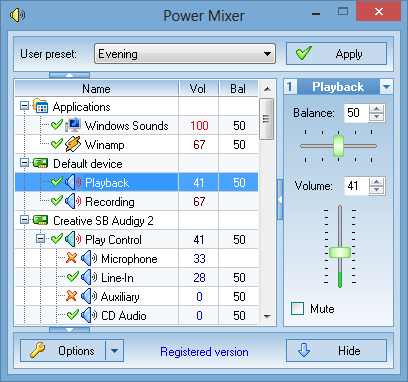
Power Mixer is an advanced Windows audio mixer, a complete replacement for the standard Windows volume control. This application lets you easily change the sound volume just by rotating the mouse wheel or by using keyboard hot keys. It includes an audio mixer with advanced volume controls support, a scheduler, an on-screen display, command line support, the ability to store and recall different unlimited presets via one mouse click or system-wide hot keys. By using presets you can change all parameters of sound simultaneously! It is designed to be especially useful for those who play games, work professionally with sound, or are everyday users.

Features:
User-friendly, multilingual interface with themes support
Quick volume adjusting by simply rotating the mouse wheel
Supports advanced volume controls such as bass and treble, etc
Supports per-application volume control (Vista and higher)
Unlimited, fully customized user presets for quick volume setup
Quick changing the selected volume controls by using desks
Customizable hot keys for any volume control, preset or desk
Peak level meter for real time audio monitoring
Works with multiple sound cards simultaneously
Vista gadget to control volume from sidebar
Supports changing the speaker configuration
Supports changing default audio device
Fine volume tuning from 0 to 100
Supports Audio Tapers for volume controls
Powerful built-in scheduler
Supports MIDI remote control
Displays main volume value in the tray icon
On-screen display for perfect volume adjustments
Command-line support for use in a batch file or script
Automatic loading of the program at the system start-up
Can work as service or as an ordinary application
Supports all features of the standard volume control
Works on Windows Vista/7/8/10

-:DOWNLOAD FROMLINKS:-
NitroFlare
Код:
https://nitroflare.com/view/366C8751D22C47F/PowerMixer4.1.5.rar

RapidGator
Код:
https://rapidgator.net/file/0cf113d2d11db0ad87469cb8bee786b0/PowerMixer4.1.5.rar.html

​
 
Laser Photo Wizard Professional 9.6


k-GQm-PJt-ZNAz-Wj-On-KM0d1-Meyun-Ft-NUU3e.jpg

File size: 28.82 MB
​
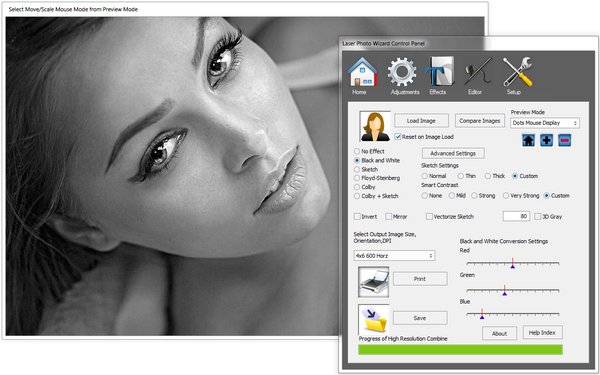
Laser Photo Wizard Professional is powerful software for creating images ready for Laser Photo Engraving. The system offers extensive controls to convert photos to grayscale black and white images. It then can use one of three effects to create pure black and white images for the laser.

Laser Photo Wizard uses three methods to achieve this:
• Edge Sketching - This method looks at the edges of an image to create a sketch of the image. This has an artistic quality and works very well on low cost lasers.
• Dithering - This method uses a series of black and white dots that are arranged so that the gray value in and give area is preserved.
• Combined Dithering with Sketch - This method, that works well with wood, increases the contrast of the engraved image buy dithering and also considering the edges of the photo.

The system also has the ability to add text, vector outlines and overlays to the image. A built in black and white editor is offered in the pro version.

What's new
• official site does not provide any info about changes in this version

-:DOWNLOAD FROMLINKS:-
NitroFlare
Код:
https://nitroflare.com/view/FE2F87332FA1528/Photo.Wizard.Pro.9.6.rar

RapidGator
Код:
https://rapidgator.net/file/79e6b2ff0a18931d5dd97f9c78f43542/Photo.Wizard.Pro.9.6.rar.html

​
 
Sigmadyne SigFit 2020 R1e


FAn-Au-AX1siyh-Ii-MLHBPEOLLXSWEMDR03.jpg

File size: 511 MB | x64
​
Sigmadyne specializes in optomechanical finite element analysis of precision optical systems subjected to static, dynamic, or thermal loads. We are leaders in the optomechanical analysis industry offering expert analysis and software which integrate the disciplines of mechanical and optical engineering.

Analysis Services
Our versatile engineering analysis capabilities offer you expert affordable service in developing and improving your products.

SigFit Software
SigFit software allows engineers to link mechanical analysis results to optical analysis performance predictions and perform other optomechanical analyses relevant to design development of optical products.

Courses
Our decades of experience and groundbreaking developments uniquely positions us to train your staff in applying the latest techniques of integrated optomechanical analysis.

Whats New:
Updates: official site does not provide any info about changes in this version.

-:DOWNLOAD FROMLINKS:-
NitroFlare
Код:
https://nitroflare.com/view/4EC8D27C90E367D/SigFit.2020R1e.rar

RapidGator
Код:
https://rapidgator.net/file/b13455f96ae816ea73fb444d65482c2b/SigFit.2020R1e.rar.html

​
 
Drive SnapShot 1.48.0.18878


1399380580-drive-snapshot.jpg

File size: 6.0 MB
​
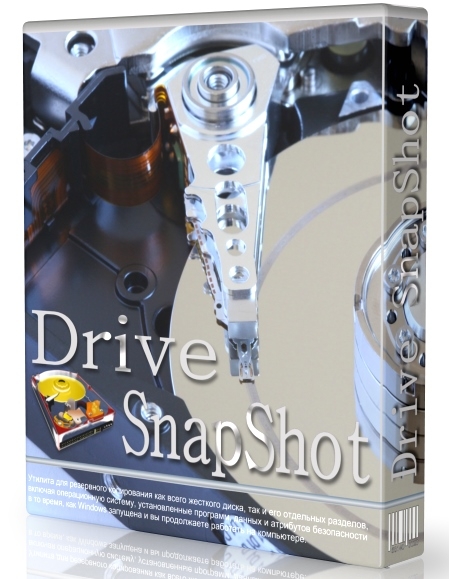
Drive Snapshot creates an exact Disk Image of your system into a file, including the operating system, installed programs, your data and all security attributes - while windows is running and you continue to work. Drive Snapshot it allows you to backup your partition or your hard disk drive and it also can create a disk image of your system. If disaster strikes (a virus, trojan, or hard disk crash), a complete and exact restauration of your system will be possible in only few minutes. The image file can be mounted as a virtual drive, so you can easily restore (or use) single files or directories, using the Windows Explorer, or other program.

Here are some key features of "Drive Snapshot":
Create Disk Image Backups, while running Windows
There is no restart (to DOS) necessary. Never.
Continue your work, while the Backup is in progress
The new Snapshot technology ensures, that all data are consistent, and reflect the PC's data at the start of backup. There are no difficulties with opened files. Never.
This enables a very fast and easy way to backup servers and other computers, that must run 24 hours a day.
Easy Use and Restore of single Files or directories
Drive Snapshot creates a virtual drive, containing all your drives data. You may use, compare, or restore these files directly from the Disk Image file.
This works with any program of your choice, including (of course) the Windows Explorer
Complete Restore of a disk in case of Disaster
If a disk is restored to it's original state, it will be exactly the same as at the time of Backup - byte for byte.
Restoring a system partition will require DOS; other drives can be restored using Windows
Compatible to all Windows file systems (FAT16, FAT32, NTFS)
Compatible to all Windows RAID Methods
Very easy and comprehensive command line interface
This makes automation of regular tasks a breeze.

-:DOWNLOAD FROMLINKS:-
NitroFlare
Код:
https://nitroflare.com/view/F284276DAA8A668/DriveSnapShot1.48.rar

RapidGator
Код:
https://rapidgator.net/file/f8c7941761e5031692f5bb1a05e6dd20/DriveSnapShot1.48.rar.html

​
 
DecSoft HTML Compiler 2021.31


th-Qg76-X3-G8-XTkd-Jdttyggqslj-OQYc6-NVWV.png

Windows (x64) | Languages: English | File size: 214 MB
​
With DecSoft HTML Compiler you can easily compile your modern HTML apps (Single Page Apps, for example) into standalone executables for both Microsoft Windows® 32 and 64 bits. Your app' files are never extracted into the user's computer and run in a modern browser environment based in Chromium.

It's secure
Your HTML apps are compiled in both Microsoft Windows 32 and 64 bits executables. Your app's files are never extracted in the final user computer except if you want to extract some particular files.

Without limits!
Put your imagination here. You can convert into executable programs for Windows almost any modern HTML app like ebooks, surveys, quizzes, magazines, presentations, photo albums and galleries, games, etc.

Super easy
You can use the user graphic interface or the command line tool in order to compile your HTML apps, just by indicating the path for your application "index.html" file.

Take a look!
The next video shown how DecSoft HTML Compiler works! In just a minute you can see how DecSoft HTML Compiler take the "Database" app sample of DecSoft App Builder and convert it into a standalone Microsoft Windows executables.

CLI support
DecSoft HTML Compiler include a command line compiler in addition with the visual environment. In this way you can compile your apps from the command line, simply and fast.

Very simple
DecSoft HTML Compiler don't shown to the user any interface element. But this is fine, because then your application looks exactly as you wanted, without any undesired interferences!

Very powerful
DecSoft HTML Compiler provide some external Javascript for your apps to go beyond the modern HTML apps capabilities, for example, to give the ability to write files, execute programs, explore folders, etc.

What's New :
* Appropriately handle app's files which contain spaces in their names: before this change / release the app's files with spaces cannot properly work if they are included in the app's executables. Thanks Greg for the report!
* Fix a minor bug which causes that the icon which appear in the New app's index file dialog becomes the "help" instead of the "folder" when we over the mouse

-:DOWNLOAD FROMLINKS:-
NitroFlare
Код:
https://nitroflare.com/view/2EFB36C0778C98C/HTML_Compiler_2021.31.rar

RapidGator
Код:
https://rapidgator.net/file/2ff82f507d1d2780385a6a9c3cd18c34/HTML_Compiler_2021.31.rar.html

​
 
DS SIMULIA CST STUDIO SUITE 2021.03 SP3 Update Only


s-R4n-YMHa6-WUO8qjbi-VNyut-FJazt-Sb-Yj-E.jpg

x64 | File Size: 221 MB
​


CST Studio Suite 2021 builds on industry-leading simulation technology with a range of new features for the design, simulation and optimization of components and systems. New features include encrypted data sharing, the next generation of Perfect Boundary Approximation (PBA), full integration of the voxel body model poser, and the hybrid solver for bidirectional hybrid coupling between all the general purpose high-frequency solvers.

The 2021 release is also available on the Dassault Systèmes 3DEXPERIENCE platform, allowing direct links to other design and simulation tools.These tools increase the agility of CST Studio Suite for modeling and simulating complex systems, and allow electromagnetic simulation to be applied in large projects spanning multiple departments and suppliers.

Facilities and software features of CST STUDIO SUITE:
-Local graphical user interface based on Windows
-Multiple interface between documents
-Tools variables, parameters and the message window
-(OLE) Linking and Embedding Automation Server (COM / DCOM)
-Transfer Parameters
-Automatic Optimization
-Animation Layout
-Automatic creation of power point slides
-Project Management
-Ability to switch between different software components, including:
-CST DESIGN STUDIO (CST DS), CST MICROWAVE STUDIO (CST MWS), CST EM STUDIO (CST EMS),
-CST PARTICLE STUDIO (CST PS), CST MPHYSICS STUDIO (CST MPS), CST PCB STUDIO (CST PCBS), CST CABLE STUDIO (CST CS)

Components include a CST STUDIO SUITE:
-CST MICROWAVE STUDIO - CST MWS: edge tools for speed and accuracy leading up to the three-dimensional simulation of high-frequency devices.
-CST EM STUDIO - CST EMS: simple tools for design and analysis of static and low-frequency devices such as motors, sensors, transformers and ...
-CST PARTICLE STUDIO - CST PS: to simulate the motion of charged particles, all based or otherwise. This includes the electron gun, cathode ray tubes and tools from the hand.
-CST CSBLE STUDIO - CST CS: to simulate the entire signal detection and analysis of electromagnetic compatibility or incompatibility of cable glands.
-CST PCB STUDIO - CST PCBS: to simulate the sound signal and detect electromagnetic compatibility or incompatibility of the printed circuit board.
-CST MPHYSCIS STUDIO - CST MPS: to analyze the thermal and mechanical stress.
-CST DESIGN STUDIO - CST DS: The tool is versatile and combines circuit simulation to electromagnetic helps

System Requirements:
OS:Server 2008 R2 SP1 / Windows 8.1 / Server 2012 R2 / Windows 10
Minimum requirement:
CPU:Intel x86-64processor
Memory:16GB RAM
GPU:100% OpenGL compatible graphics card
Storage:30GB of free disk space

High end server/ workstation recommendation:
CPU:Dual Intel Xeon Scalable (also known as "Skylake" ) processor
Memory:32- 64 GB per CPU
GPU:NVIDIA Quadro series card dedicated to CAD/CAE applications
Storage:At least 500GB hard disk drive/SSDs may be used, but are not necessary for good simulation performance
Whats New
CST Studio Suite 2021.03 - Release Notes

General / Environment
-Fixed license usage reporting when running in batch mode in 3DEXPERIENCE cloud context.

CST Power'By
-Fixed job name when license usage is reported to 3DEXPERIENCE cloud.
-Support import of content type "printed-circuit-board layout geometry", as authored in ECAD applications (e.g. -Altium Designer, Cadence Allegro), and provided through platform PLM Collaboration Services. New Feature!
-Improved plot quality for 3DEXPERIENCE Simulation Review.
Add 0D results to output for 3DEXPERIENCE Simulation Manager monitoring tab.
-"Connected to 3DEXPERIENCE" logo is now drawn in every view belonging to a Power'By project. New Feature!
Fixed warning while saving project to 3DEXPERIENCE when cable data was imported.

CST Studio Suite Connected
-Fixed issue when cookie cannot be set while retrieving license data.
-Fixed error when trying to load a second project while the first one was still loading.

EDA Import / EDA Tools
-Added IPC2581-B Import. New Feature!

CST PCB Studio
-DDR4: Default JEDEC masks had wrong t1 values.
-CST Design Studio - General
-Fixed setup error in eye analysis task during creation of simulation project task.

-:DOWNLOAD FROMLINKS:-
NitroFlare
Код:
https://nitroflare.com/view/DFF9EB56256A5E4/CST_S2_v2021_WIN_SP3.rar

RapidGator
Код:
https://rapidgator.net/file/6c2f4136e223eb43192a6888849afbb2/CST_S2_v2021_WIN_SP3.rar.html

​
 
DS SIMULIA Antenna Magus Professional 2021.2 v11.2.0


ON3-Mi-T90-Xu4v-HASy1-WIu-VJSLTc-Dg-DX8-O.png

x64 | Language:English | File Size: 1.65 GB
​
Description:

Antenna Magus is one of the best and most powerful software available for the calculation of the antenna design. To design and build an antenna needs to have knowledge in the field of emissions, strengthen the principles of microwave radiation and microwave amplifier design, impedance matching of the software Antenna Magus will do it the best possible way. In this application.
the user can easily antennas its requirements from the antenna in database software, numbering more than 200 number, select the configuration that meets your needs, given it a soft one microwave circuit simulation and design software such as CTS or AWR or FIKO to simulate and analyze send.

Facilities and features Antenna Magus Professional:
Antenna Magus Explore:
Find your favorite model in the database software and open it. Search the model can be based on different parameters such as the type of antenna, antenna manufacturer and done. Explore the useful information for all models, including explanatory, standard references used to develop the model, a short description of how the model is inserted.

Antenna Magus Design:
Software design and application of environment-friendly Antenna Magus is quite regular and quite similar to other commercial software is in the field of antenna design. In this environment the user may be required antenna on the basis of different parameters such as frequency, gain, input impedance and design. In the design, antenna design software and its parameters according to Czech law, and if the values ​​entered by the user or other design parameters do not comply with the rules of the application, the relevant error is displayed to the user.

Antenna Magus Estimate Performance:
In this section, the user can use the three-dimensional simulation of electromagnetic software, antennas designed to simulate and graphs of frequency response, impedance of the antenna according to the input frequency and for antenna design view and errors and design flaws fix.

Antenna Magus Export:
Software Antenna Magus is now three software FEKO and CST MICROWAVE STUDIO and AWR Design Environment supports. In this application the user can model the antenna along with other parts of its orbit, such as amplifiers, converters, mixers used to simulate all system components

WHAT'S NEW IN ANTENNA MAGUS 2021
-Find mode was improved to automatically update the search after closing a custom specification.
-Icons in AM have been updated with a more dynamic appearance.
-An icon has been added to indicate an editable array in the Palette.

New antennas and extensions:
-4-Horn monopulse feed
-Dual tapered monopole within a cavity resonator
-Rectangular slotted broadband patch
-Planar quarterwave open slot antenna

System Requirements:
OS:Windows Server 2003,Windows Server 2012, Windows 7, Windows 8 or Windows 10
Required:CST Studio Suite 2021
Whats New
2021.2 Release Notes

New Devices
-Planar Triple Band Antenna [MAGUS-28894]
-Stacked Rectangular Dual V-Slot Patch [MAGUS-29123]

Device Extensions and Improvements
-Constructions involving panel mount SMA connectors are now available for the Rectangular Pin-fed Patch, Circular Pin-fed Patch and the Planar Inverted-F Antenna [MAGUS-29360]
-Two blade-shaped radomes were added to the Radome Library [MAGUS-29284]
-Several models were updated to use the new CST Studio Suite mesher rather than the legacy mesher [MAGUS-29365]
-In the Element Pattern Chooser, the Assign button has been updated to always open the dropdown menu [MAGUS-29357]

Bug Fixes
-Where possible, assigned patterns will no longer be cleared when changes are made to the base layout [MAGUS-29353]
-Element orientation after certain mirror operations may have been incorrect. This has been fixed [CST-65100]
-The incorrect taper factor of Vivaldi antennas at low frequencies has been fixed [CST-62245]

-:DOWNLOAD FROMLINKS:-
NitroFlare
Код:
https://nitroflare.com/view/A5F5D72B0C75351/Magus.Professional_11.2.0.part1.rar
https://nitroflare.com/view/A5C133038F22F3B/Magus.Professional_11.2.0.part2.rar

RapidGator
Код:
https://rapidgator.net/file/17e070c0d9fba308926e3328e48403d9/Magus.Professional_11.2.0.part1.rar.html
https://rapidgator.net/file/9c45e58387dcfd450d7350f4c346924a/Magus.Professional_11.2.0.part2.rar.html

​
 
SolidCAMCAD 2021 SP1 Standalone

008285a9-medium.jpg

SolidCAMCAD 2021 SP1 Standalone | 11.4 Gb
Languages: 中文, Čeština, Dansk, Nederlands, English, Français, Deutsch, עברית, Magyar,
Italiano, 日本語, 한국어, Polski, Português, Русский, Español, Türkçe.
​
SolidCAM is pleased to announce the availability of new version CAM software - SolidCAMCAD 2021 SP1 Standalone. Base release added Powerful New Tool Table - ToolKit (important especially for Mill-Turn & Swiss-Type customers) and also provides additional advanced functionality in all modules - 2.5D Milling, HSR, HSM, Sim. 5x, Mill-Turn and Swiss-Type.


SolidCAM is a CAM software that integrates directly into SolidWorks and Inventor. Officially approved partners and all that. Their CNC programming toolsets look and feel like the CAD systems as much as possible, making the learning curve shorter. You define, calculate and verify all your machining operations without leaving the CAD environment. They can handle programming 2.5- to 5-axis machining, high-speed surface milling, wire EDM, etc. Their models are fully associative, so your toolpaths update when you make a part change. There are no import/export hassles, and you don't have to learn some CAM system's idea of a CAD application to make them work.

SolidCAMCAD Standalone provides a powerful, easy-to-use, complete CAD/CAM solution that support the complete range of major manufacturing applications including 2.5D Milling, Multi-sided Indexial 4/5 axes Milling, Simultaneous 5 axes Milling, Turning, Mill-Turn for Multi-Turret and Multi-Spindle CNC machines, with the revolutionary iMachining, provides the complete functionality of CAD and CAM, including iMachining.

SolidCAMCAD Standalone is an extremely powerful tool for machined part programming. The powerful geometry selection and creation tools found within design environment are rounded out with specialist tools in SolidCAM. The combination of these tools minimizes the time spent selecting areas to be machined or limited from machining. The user works in assembly mode so he/she can simply pull components from a library to model entire setups, including machine tables, fixtures, and vises. Manufacturing can be automated through the use of the built-in knowledge database. This database in not a static template, but it can be dynamically driven by changes in tools, geometry and strategies.

SolidCAM 2021 is BEST version ever. It has a Powerful New Tool Table - ToolKit (important especially for Mill-Turn & Swiss-Type customers). It also provides additional advanced functionality in all modules - 2.5D Milling, HSR, HSM, Sim. 5x, Mill-Turn and Swiss-Type.

What's New in SolidCAM 2021 - NEW SolidCAM Simulator


SolidCAM Inc. is a world leader in advanced tool path generation technology (CAM) running directly inside SolidWorks. SolidCAM features a full line of CNC machine programming software solutions ranging from 2 axis lathes and 3 axis mills to extremely complex multi-axis MillTurn machines and Wire Edm. All products run directly inside SolidWorks and provide the user with a true "SolidWorks look and feel" for ease of use and maximum efficiency. Along with the integrated interface and scalability for new machines, SolidCAM also has its patented "iMachining" that powers users to new levels of productivity and profits, through unmatched cycle time reduction and unrivaled tool life.

Product: SolidCAMCAD
Version: 2021 SP1 Standalone *
Supported Architectures: x64
Website Home Page :
У Вас недостаточно прав для просмотра ссылок. Войдите или зарегистрируйтесь.

Language: multilanguage
System Requirements: PC **
Size: 11.4 Gb

This version includes its own CAD-system and does not need SolidWorks or other CAD-system to be pre-installed.

This package contains:
"SolidWorks 2021 SP2"
"SolidCAM2021"
"SP1"
Language: Embedded 64 bit
Last Changed Rev: 118589
Microsoft Windows 10 x64 Professional and Enterprise Editions; Microsoft Windows 8.1 x64 Professional and Enterprise Editions (with latest Service Pack); Microsoft Windows 7 x64 Professional and Ultimate Editions (with latest Service Pack)
- Intel Xeon, Intel Core, Intel Core 2 Duo, Intel Core 2 Quad or higher (If you use other processors we assume no responsibility and no support)
- 4 GB RAM (for the processing of large components, we recommend 8 GB RAM (or more)
- 15 GB free disk space for installation
- Hard disk with at least 100 GB of storage
- NVIDIA graphics card of the current Quadro series with min. 512 MB ​​(1024 MB recommended) and current, certified graphics driver (With the use of other and on-board graphics cards, we accept no responsibility and no support)
- 1280 x 1024 or higher screen resolution
- Microsoft Direct3D 9 or compatible graphics card (Microsoft Direct3D 11 or higher recommended)
- USB 2.0 interface
- DVD drive

-:DOWNLOAD FROMLINKS:-
NitroFlare
Код:
https://nitroflare.com/view/9A2DF8D9E1F4C9B/SolidCAMCAD.2021.SP1.Standalone.part01.rar
https://nitroflare.com/view/8EC26C06B35327C/SolidCAMCAD.2021.SP1.Standalone.part02.rar
https://nitroflare.com/view/6DC4FE8963C456F/SolidCAMCAD.2021.SP1.Standalone.part03.rar
https://nitroflare.com/view/81540628D22BC83/SolidCAMCAD.2021.SP1.Standalone.part04.rar
https://nitroflare.com/view/51DD15D9DB8114C/SolidCAMCAD.2021.SP1.Standalone.part05.rar
https://nitroflare.com/view/DAA090EECF33665/SolidCAMCAD.2021.SP1.Standalone.part06.rar
https://nitroflare.com/view/08FA911D9C27343/SolidCAMCAD.2021.SP1.Standalone.part07.rar
https://nitroflare.com/view/6BA7B50181CA668/SolidCAMCAD.2021.SP1.Standalone.part08.rar
https://nitroflare.com/view/7CF60B94FDE5286/SolidCAMCAD.2021.SP1.Standalone.part09.rar
https://nitroflare.com/view/95C9D1969111594/SolidCAMCAD.2021.SP1.Standalone.part10.rar
https://nitroflare.com/view/2C59CF8E54C5F3F/SolidCAMCAD.2021.SP1.Standalone.part11.rar
https://nitroflare.com/view/9588397CA8F340B/SolidCAMCAD.2021.SP1.Standalone.part12.rar

RapidGator
Код:
https://rapidgator.net/file/4e01e33df65acadbd53d4496086f0e9a/SolidCAMCAD.2021.SP1.Standalone.part01.rar.html
https://rapidgator.net/file/d7868b912943e3d1fa5c1df1fe6a1f48/SolidCAMCAD.2021.SP1.Standalone.part02.rar.html
https://rapidgator.net/file/ce49024de753648f25fc7b9bee66170b/SolidCAMCAD.2021.SP1.Standalone.part03.rar.html
https://rapidgator.net/file/26107afe705f98d9bd875acbfebcd31f/SolidCAMCAD.2021.SP1.Standalone.part04.rar.html
https://rapidgator.net/file/f7dfb0691efdc17338a426a55cb92063/SolidCAMCAD.2021.SP1.Standalone.part05.rar.html
https://rapidgator.net/file/b4cafcaf01007d8b2ef7316e9b9348cd/SolidCAMCAD.2021.SP1.Standalone.part06.rar.html
https://rapidgator.net/file/7e59ae4d0d8c1bbf39c78797f4e32af1/SolidCAMCAD.2021.SP1.Standalone.part07.rar.html
https://rapidgator.net/file/24a39e5dfc779e3ae41d5e673a2111c4/SolidCAMCAD.2021.SP1.Standalone.part09.rar.html
https://rapidgator.net/file/26aeedc97675a8914d026a178f1e93d8/SolidCAMCAD.2021.SP1.Standalone.part08.rar.html
https://rapidgator.net/file/17c69d9ead4e9a2930768fa7b59ebebc/SolidCAMCAD.2021.SP1.Standalone.part10.rar.html
https://rapidgator.net/file/e9617cdf7d343331861686c433aab4c4/SolidCAMCAD.2021.SP1.Standalone.part11.rar.html
https://rapidgator.net/file/8f6ecab1364f13d320e8a8cf445e0420/SolidCAMCAD.2021.SP1.Standalone.part12.rar.html

​
 
Siemens Simcenter SPEED 2020.2.1

00828383-medium.jpg

Siemens Simcenter SPEED 2020.2.1 | 470.1 mb​
The Simcenter development team is pleased to announce the availability of Simcenter SPEED 2020.2.1, is an all-in-one specialized tool for the sizing and preliminary design of electric machines such as motors, generators and alternators.


Simcenter SPEEDS provides access to theoretical and physical models of most main electric machines classes (e.g. permanent magnet and electric excited synchronous, induction, switched reluctance, brushed DC, wound field commutator, and axial flux) along with their drives.

Additionally, Simcenter SPEED writes a pre-defined set of parameters and specific maps (e.g. flux linkages, loss and/or efficiency and thermal resistances/capacitances) which can be imported in Simcenter Amesim, supporting the system-level simulation of the e-machine integrated into its environment.

Simcenter SPEED - Increase your efficiency training

Siemens PLM Software. a business unit of the Siemens Digital Factory Division, is a leading global provider of software solutions to drive the digital transformation of industry, creating new opportunities for manufacturers to realize innovation. With headquarters in Plano, Texas, and over 140,000 customers worldwide, Siemens PLM Software works with companies of all sizes to transform the way ideas come to life, the way products are realized, and the way products and assets in operation are used and understood.

Product: Siemens Simcenter SPEED
Version: 2020.2.1 Build 15.04.010
Supported Architectures: x86
Website Home Page :
У Вас недостаточно прав для просмотра ссылок. Войдите или зарегистрируйтесь.

Language: english
System Requirements: PC *
Size: 470.1 mb

Simcenter SPEED Hardware Requirements
Simcenter SPEED can run on any hardware that supports Windows 7, 8, 8.1, and 10. The Simcenter SPEED software is 32-bit, but it can also run on 64-bit systems.

The minimum hardware requirements for running Simcenter SPEED are:
- Processor: 1 GHz
- RAM: 1 GB
- Hard disk space: 500 MB
- Display: screen resolution of at least 1024 x 768 pixels

-:DOWNLOAD FROMLINKS:-
NitroFlare
Код:
https://nitroflare.com/view/355D7AAC78C2752/Siemens.Simcenter.SPEED.2020.2.1.rar

RapidGator
Код:
https://rapidgator.net/file/6af4a55e7e76a10714c0e154ce645a41/Siemens.Simcenter.SPEED.2020.2.1.rar.html

​
 
Назад
Сверху