• Здравствуйте. Сайт заработал в архивном режиме форум www.old.nado.in

Dl4ever Software

Freemake Video Converter 4.1.12.81 Multilingual


th-Pt-FHfq-Yo-W8-Mv-Ot-A9-Lfytku9z4y9-Mz-Hqg.png

File Size: 52.7 MB
​
Freemake Video Converter - Convert video to AVI, MP4, WMV, MKV, 3GP, DVD, MP3, iPad, iPhone, PSP, Android phones. Video to MP3 with one click! Rip & burn DVD. Convert YouTube to MP4, AVI, etc. with Freemake! Guaranteed result.

200+ Input Formats:
Input any video files: AVI, MP4, MKV, WMV, MPG, 3GP, 3G2, SWF, FLV, TOD, AVCHD, MOV, DV, RM, QT, TS, MTS, etc. Import music (MP3, AAC, WMA, WAV), and photos (JPG, BMP, PNG,GIF) to turn them into video free and easily! All supported formats

Output to AVI, MP4, MKV, FLV, 3GP, MP3, HTML5:
Convert video free to the most popular video formats. Rip DVD movie (unprotected) to AVI, WMV, MP4, MPEG, MKV, FLV, SWF, 3GP. Convert video to Flash and embed it directly to your web page. Create HTML5 video (Ogg, WebM, H.264) for modern web browsers.

Convert Free to iPod, iPhone, iPad, PSP, Android:
Optimize videos for Apple, Sony, and Android devices. Convert videos free to iPod Classic, iPod Touch, iPod Nano, iPod 5G, iPhone, iPad, Sony PSP, PS2, PS3, BlackBerry, Samsung, Nokia, Xbox, Apple TV, Android mobile devices, smartphones, etc.

Fastest Video Converter with CUDA and DXVA:
Freemake is the only free video converter that features integrated both CUDA and DXVA technologies for the fastest ever video conversion and less CPU usage. The software automatically detects the optimal conversion parameters and switches on/off CUDA and DXVA for better conversion results.

Burn Blu-ray Video:
Convert your movies to video Blu-ray format and burn high-quality BDs for free. Create Blu-ray discs out of any input content: video, audio, photos, URLs. Burn multiple Blu-ray copies and save the resulted Blu-ray video to HDD as an ISO image or Blu-ray folder.

Burn DVD - up to 40 hours:
Unlike other software, our free video converter doesn't have a two-hour limit and can burn DVD video up to 20h to a Standard DVD or 40h to DVD-DL. With our free video converter, you can make multiple DVD copies and save the output DVD video to your PC as an ISO image or DVD folder.

Video Converter with Subtitles Support:
Convert DVD, MKV, MOV with embedded subtitles to any video format or device for free. Add SSA/SRT/ASS external subtitles to any video with our free video converter.

Advanced Preset Editor:
Take total control of the output result by customizing conversion parameters. Create your own presets by establishing video and audio codecs, frame size, etc. Choose an icon, and save you custom preset for further usage with our free video converter.

Upload Photos and MP3 to YouTube:
Upload videos, photo slideshows, MP3 to YouTube with our free video converter. Upload AVI, WMV, MP4, 3GP, JPG, BMP, GIF, MP3 to YouTube. The program will cut videos (if required) into 15-minute parts and insert them into one YouTube playlist.

Make Slideshows and Visualizations:
Turn photos and MP3 into slideshows with background music for free. Edit your slideshow: add, delete, and shuffle photos, enable panorama effect. Create music visualizations and upload photos to YouTube for free!

Cut, Join, Rotate, Limit size, Adjust to aspect ratio:
Cut video parts from your file. Flip or rotate video. Join several videos into one file, add transitions between parts. Fit the output file size to any limit (e.g. 700 Mb, 1.4 Gb, 4.7 Gb). Adjust output video to the established aspect ratio: add black bars, stretch, zoom, auto-adjust.

-:DOWNLOAD FROMLINKS:-
NitroFlare
Код:
https://nitroflare.com/view/8E60ED58FB5C42B/Freemake.Video.Converter.4.rar

RapidGator
Код:
https://rapidgator.net/file/61aed15163426df42924278fe78599ce/Freemake.Video.Converter.4.rar.html
​
 
WonderFox DVD Ripper Pro 16.2


th-b-GE3zvd-Ru-GQp-BIrciv-Nf0-JOGNxt-SA9s-M.jpg

File size: 57 MB
​
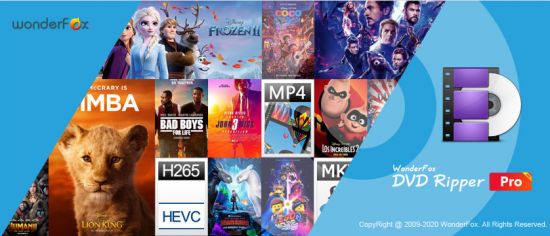
WonderFox DVD Ripper provides the best solution to convert DVD to a wide range of mainstream video and audio formats such as DVD to AVI, DVD to MP4, DVD to MKV, DVD to MPG for quick back up DVD to iPad, DVD to iPhone 5S, DVD to Android, etc. And new media formats are keeping added and supported.

In supports of all regular DVDs including DVD Movie, TV Show, Tutorial, etc. With the powerful dvd decryption technology, it can remove/bypass DVD CSS, Region Code, Multi-angle, RCE, Sony ARccOS, UOP and even Disney X-Project. It takes about 20 minutes to rip a 120 minutes' DVD to AVI video with 0-Quality-Loss and much less time to MPG(only 5~10 minutes). Moreover, it adds optimized presets for all pop portable devices such as DVD to iPhone 5S, DVD to iPad Air, DVD to Samsung Galaxy S5, Sony, Nokia, BlackBerry, HTC, Xbox, Android device, etc.

It's easy-to-use (within three simple steps - Load DVD > Output Format > Get Start) software, which provides blazing fast ripping speed but preserves high original quality.

Rip DVD to AVI, MP4, MPG, WMV, iPad, iPhone, Android with 0-Quality-Loss.
- Rip your extensive DVD collection to virtually any video/audio/device
- Support almost all encrypted DVDs (Latest & Classic DVDs)
- Useful video editing functions like cutting, cropping, special effects
- Useful DIY editing (cut, crop and effects included)

Everything You Need to Make and Watch DVD Movies
Enjoying your DVD just got simpler. Now you can watch it anytime, anywhere. Alter, enhance, convert - whatever you do - the final result will be in perfect quality (even in high-definition) no missing key frames, quality, redraw issues, or crashes.

Rip DVD to All Popular Videos and Audios
Base WonderFox leading DVD decoding technology, WonderFox DVD Ripper enables you to easily rip any DVDs to AVI, MP4, MPG, MKV, WMV, MOV, MTS, M4V, ASF, DVC, MTS, M2TS, WEBM, FLV, SWF, VOB, F4V, 3GP and 3GP2. It also supports rip DVD to MP3, AC3, AAC, WMA, WAV, MKA, OGG, AU, AIFF, FLAC and M4A audio file.

Rip DVD to Portable Device for Playback
One step to rip your DVD movie to iPad, iPhone, Apple TV, Android Tablet, Samsung Galaxy and Note, HTC cell phone, Nokia Lumia, Blackberry cell phone, Sony cell phone and PS, TVs, XBox,Wii, Kindle Fire, Surface, etc. Total 150+ latest devices supported.

Backup A DVD Only 5 Minutes
As we know, there are many so called No. 1 fast DVD ripping tools on the market. But, have you seen any tools able to backup a DVD less than 5 minutes. Now, let the dream into reality. WonderFox DVD Ripper lets you backup a DVD to MPG video within 5 minutes. DVD to AVI XviD will take about 20~25 minutes, DVD to MP4 H264 will take about 40~50 minutes.

Decrypt CSS and Region Code Protections
Commonly purchased DVD (Movie, TV Show, Tutorial, etc.) has one or more copyright protection to avoid copying DVD content from DVD disk. Some popular DVD encryption technology includes CSS, Region Code, Sony ARccOS Protection, Disney X-project DRM, etc. WonderFox DVD Ripper will help you decrypt any DVD protections, make your DVD to digital video.

Edit, Enhance, and Personalize DVD Movie
A simple DVD editor is enbeded. There are some common editing features and 12 effects, and just few clicks you can personalize your DVD movie.

One Interface, All Operations
What's the real easy-to-use? We have no enough time to learn how to use a software, WonderFox DVD Ripper provides one interface concept, everything becomes simple. (provides one interface concept to make everything simple)

Flexible Settings
It offers flexible choices to fine-tune and adjust parameters to tailor the output videos, in terms of video audio encoding, bitrate, frame rate, aspect ratio, resolution, audio codec, audio channel number, sample rate, etc. You can customize and apply your own settings to all, you can also save all of the settings as a single profile.

Whats New:
Updates: official site does not provide any info about changes in this version.

-:DOWNLOAD FROMLINKS:-
NitroFlare
Код:
https://nitroflare.com/view/0190FAABCE9C8C1/DVDRipper16.2.rar

RapidGator
Код:
https://rapidgator.net/file/c6242bbf2ed83a16e214213aaf837e5b/DVDRipper16.2.rar.html

​
 
WonderFox HD Video Converter Factory Pro 22.0 Multilingual


1430939412-wonderfox-hd-video-converter-factory-pro.jpg

File size: 97 MB
​
Let HD Video Converter Factory Pro Power UP Your Videos And Save Space on Your Devices Convert HD video to 300+ formats and devices - Simple yet Faster, when helping you deal with higher definition source. There are currently many HD video converters in this field, which claim to be the best HD videos converter. But if you got the idea of HD conversion for a long time, you must know WonderFox HD Video Converter Factory Pro is a program of the first batch supporting HD video conversion. We are continuing to update and comfort our users with mature technology.

HD Video to General Video
This HD conversion software supports the newest encoder H265(HEVC), VP9 and other h-video formats. It converts Multi-track HD video M2TS, MKV, AVCHD, HDTV BDAV and MPEG-TS, HD-camcorder video and more to 300+ video and audio codecs.

SD Video to HD Video
HD Video Converter Factory Pro is equipped with advanced High-Definition (HD) video conversion technology. It works the best on converting videos from Standard-Definition (SD) to High-Definition (HD) like HD MP4, HD MKV, HD AVI, HD MTS, HD TRP, even 4k standard.

Outstanding 5X Compression Rate
Watch Video on Hand-Held Devices Anytime, Anywhere
Integrated with an advanced video compressor, it will downsize video (convert HD videos to SD videos) with Minimum Quality Loss! And the converted videos are nearly indistinguishable from the originals. Thus you are able to free up some storage space on your devices, let alone, it presets optimal parameters for the widest selection of gadgets, HDTV.

A Real Time Saver- 50X Faster Video Conversion Speed
HD Video Converter Factory Pro is designed to take advantage of your computer hardware. It supports Multi-CPU and Hyper Threading, increasing CPU utilization on video conversion processing with mature technology.

What If You Want to Download
An Online Video
While it's a high definition video converter, you can regard it as a YouTube to MP3, MP4, AVI downloader.
With only a few clicks, you can easily download HD video files (download 4K video, new VR video, 360 degree video, HD MP4, HD MKV, HD AVI, HD TS, HD ASF, HD MOV, HD WMV) and then transfer them to any of your portable devices.

Apart from that, with the unique encoder technology and batch conversion mode, it can boost 50X faster conversion speed.
Tip: Wanna experience the maximum point in conversion speed of the HD movie converter? Convert between:
1.AVI, MP4, MKV, MOV, M4V, F4V, FLV, MTS, M2TS
Supports Intel Core, NVIDIA CUDA and AMD.

-:DOWNLOAD FROMLINKS:-
NitroFlare
Код:
https://nitroflare.com/view/2CEBB25130B18CE/VideoConverterFactory22.0.rar

RapidGator
Код:
https://rapidgator.net/file/c6242bbf2ed83a16e214213aaf837e5b/DVDRipper16.2.rar.html

​
 
LizardSystems Remote Process Explorer 21.04


th-s4p-Yo8jgyur7-RNfl-VKdx-A71fk-Gh-Px-MY5.jpg

File size: 4.0 MB
​
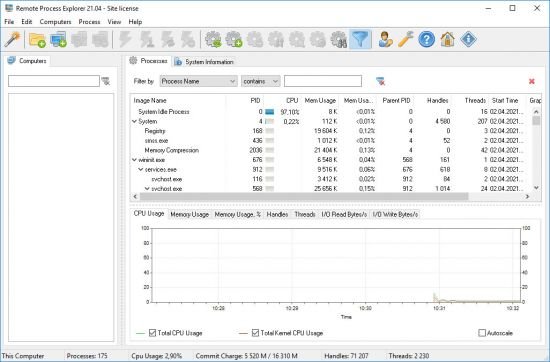
Remote Process Explorer - manage processes on a remote computer in real time. With Remote Process Explorer, you will be able to get the list of processes and will also be in a position to manage them. On a local or remote computer, users can kill a process, run a new one or change the priority of a process.

In order to do this, you are not required to install additional software on a remote computer since the program uses the in-built functions of the operating system. With Remote Process Explorer, you will be able to see complete information about each running process. It will also indicate the time the process began, the user who started the process the path to its executable file as well as the amount of memory and CPU it uses.
This information is available in the Task Manager and can be obtained for a local as well as a remote computer. For managing a remote computer, Remote Process Explorer has in-built tools built that it uses.

Key features:
Monitoring all running processes on a local and remote computer.
Showing the parameters of running processes (Process ID, Parent PID, CPU, Memory Usage, Priority, Handles, Threads and much more).
Showing all parameters in real time.
Displaying the process tree.
Killing the selected process at any moment.
Changing the priority of a process on a remote computer.
Running new processes on a remote computer.
Searching the Internet for information about the selected process.
Add Computers Wizard.
Groups in the computer list.
Showing the state of a computer in the list (on/off).
Automatically refreshing the list of computers.
Two methods for determining the state of a computer.
Using different accounts for each computer.
Switching off and restarting a remote computer.
Additional administrative tools

-:DOWNLOAD FROMLINKS:-
NitroFlare
Код:
https://nitroflare.com/view/9A191ACA9C007AD/ProcessExplorer21.04.rar

RapidGator
Код:
https://rapidgator.net/file/04040b2e3478aa358355032aa544bc46/ProcessExplorer21.04.rar.html

​
 
ApowerREC 1.4.14.8 Multilingual


e-Hpd-KAVG9-Ii-D6-Xp-Kaxes-ZQ9-ZEo9-FHp-KJ.png

Languages: Multilingual | File size: 40.6 MB
​
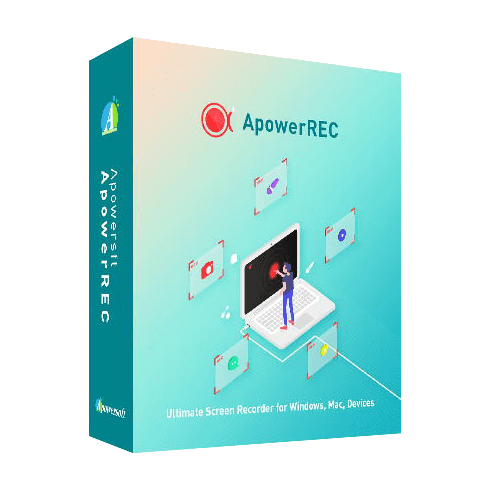
ApowerREC can record anything on your screen including your desktop activities, live streaming videos, web meetings, and so on. You can capture your activity on the full screen or within a specifically set, customized region on your display along with audio, and it has a great ability to keep videos synchronized with audio. Besides, recording webcam or capturing screen together with webcam is also feasible, and you can record a video chat or make a tutorial video with this screen recording software.

Here is What's Included in ApowerREC

Edit Videos
Make real-time editing during the recording or deploy advanced editing and add effects after the recording.

Record Webcam
Record webcam only or record webcam along with your screen simultaneously.

Task Recording
Create scheduled tasks to record PC screen/webcam automatically or follow a running application to record.

Convert Video
Convert the recorded videos into different formats like MP4, AVI, WMV, MOV, etc.

Take Screenshots
Take a screenshot with one click and it will be saved automatically.

Record Audio
Adjust the volume and customize the audio sources from sound card or microphone.

Apart from the functions above, ApowerREC also comes with other easy but highlighted features, including features such as the flexible overlay toolbar, visual recording settings, high output quality, and so on.

Seamless Screen Recording Experience in All Devices
Aside from being a powerful Windows/Mac screen recorder. ApowerREC also provides screen recording for your mobile devices, it captures screen activities from your iOS or Android devices. For iOS users, simply mirror your phone screen to PC and record iOS screen as a video with high quality; for Android users, you can record Android screen with or without a PC.

Use ApowerREC for Cost-effective Work and Productivity Increase

Business use
Make a demonstration video for your app or capture web conference for backup and later review. Voice commentary and webcam are also supported to be included in the recording.

Teaching & Training
Record online class lecture for e-learning and add some annotations to it for better illustration. This video recording software can make your presentation become more vivid.

Studying
You can create stunning studying material and showcases. This can be achieved by recording live streaming lectures, online webinars and other similar events.

Gaming
Record your finest gaming moments smoothly with HD quality, take screenshots of certain segments and share these awesome gameplay experience with others.

General Use
Other general use offered by this PC screen recorder includes saving the wonder video chat moment, recording a short video clip for troubleshooting and customer support, etc.

Share with the World
Share the wonderful moment you are living through via capturing as images or videos with your friends, family or even subscribers from all over the world regardless of where you live.
Host your screencasts in ShowMore website for backup and it gives you complete control over managing and sharing videos.Create a new FTP connection as you wish and access to the FTP server in order to upload and download files in an effective way.One-click upload your recorded videos to YouTube directly for instant sharing with subscribers. No further ado is needed.Easily upload screenshots to free cloud space provided by screenshot.net and share them with your friends via the link.

Whats New:
Updates: official site does not provide any info about changes in this version.

-:DOWNLOAD FROMLINKS:-
NitroFlare
Код:
https://nitroflare.com/view/F18CE6F5953A715/ApowerREC_1.4.14.8.rar

RapidGator
Код:
https://rapidgator.net/file/c346212ebeb9235ad2da2526b1e4ef71/ApowerREC_1.4.14.8.rar.html

​
 
IObit Driver Booster Pro 8.4.0.422 Multilingual


th-9-Nr-TRChz-FXw-P2fqz-Hl-SLo5-T0-Lye94m-Cs.jpg

File size: 26.9 MB
​
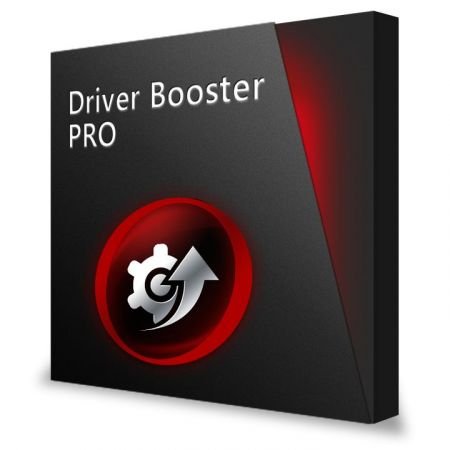
Updating drivers is usually an initial step to avoid hardware failure, system instability and hidden security vulnerabilities. To update drivers regularly is also an effective way to enhance your overall PC performance, and maximize your gaming experience. While this process could be risky and frustrating if done manually. Driver Booster PRO is introduced to download and update drivers for you automatically with just one click. Based on cloud library, Driver Booster PRO can always be the first to identify outdated drivers, and download and update driver at an unrivaled speed. With the backup feature, it is an easy, effective and risk free solution to keep your drivers up-to-date.

Update Outdated Drivers Safely and Rapidly
- Support More Hardware Devices & Improve PC Performance
- Update Drivers 300% Faster with Just One Click
- Specialized Driver Tweaking for Top Gaming Experience
- Backup Drivers for Safe Restore

Driver Booster Pro Features:
- Download and Update Outdated Drivers with One Click
- Enhance Hardware Functionality for Top Performance
- Specialized Driver Tweaking for Top Gaming Experience
- Automatically Identify Outdated Drivers
- Support More Comprehensive Hardware Devices
- Enjoy Priority to Update Outdated Drivers Promptly
- Backup Drivers for Safe Restore
- Download and Update Drivers up to 300% Faster
- Automatically Update to the Latest Version

Whats New:
+ Expanded database to update drivers for more new hardware, like AMD Radeon RX 6700 Graphics
+ More secure to update Driver Booster
+ Optimized installation process
+ Improved Game Boost to bring better gaming performance
+ Small UI improvements
+ Minor bug fixes

-:DOWNLOAD FROMLINKS:-
NitroFlare
Код:
https://nitroflare.com/view/1634A3EBB01EFF0/IObitDriverBoosterPro8.rar

RapidGator
Код:
https://rapidgator.net/file/bf9d915e2ed6bc4044c5bce6b82382d7/IObitDriverBoosterPro8.rar.html

​
 
VideoSolo DVD Creator 1.2.52 (x64) Multilingual


th-Ni-Jysn-Xsu-OUx-OAy-IT7-Eou-Ahr8hf-Kyjtm.jpg

Languages: Multilingual | File size: 66.5 MB
​
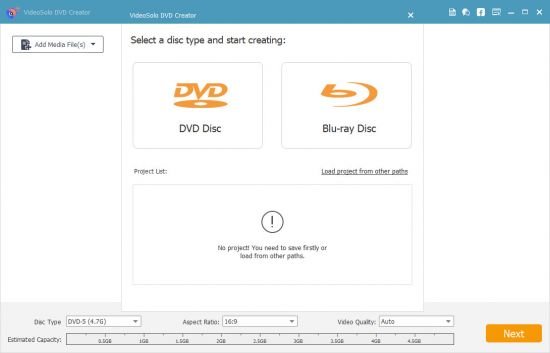
VideoSolo DVD Creator can convert almost all popular video formats including AVI, MPEG, 3GP, MP4, VOB, FLV, M2TS, MTS, TS, SWF, MKV, MPG, MPA, DAT, DV, NSV, MOV, QT, RMVB, DivX, DV, etc. to DVD disc/folder/ISO file. With this program, home-made movies or videos downloaded from online website can be burned into DVD. Besides, this program supports creating different DVD types, like DVD-5/9, etc.

Burn Virtually Any Video to DVD Disc Easily & Quickly with Great Flexibility
• Create DVD disc, DVD folder or ISO file from various formats of videos
• Support almost all popular video formats like AVI, MPEG, 3GP, MP4, etc.
• Choose and customize DVD menus
• Create switchable subtitles and audio tracks
• Adjust video brightness, contrast and more for a better visual experience.
• Preview your DVD project before burning

Stylize Your DVD with Preferred Menu and Background Music
It offers a variety of diversified and fabulous DVD menu templates for you to choose, such as holiday, family, wedding and more. After choose the menu template your like, you can edit the menu text content and define its font, size, color. What's more, you can set the background music, background picture and the opening film with your local music, picture and video file separately. Or if you don't need a menu, there's a "No Menu" option provided.

Customize Subtitles and Audio Tracks of the DVD
VideoSolo DVD Creator allows you to customize subtitle and audio track. That is to say, you can add subtitles and audio tracks to your DVD manually. For audio files, this program supports almost all popular audio formats so it is easy to import audio track into the software. And SRT, SUB, SSA and ASS are the supported subtitle file format. You are allowed to edit the audio volume and adjust the subtitle position so as to get a personalized DVD file.

Video Editing and Real-time Previewing Supported
VideoSolo DVD Creator is designed with a powerful video editing feature which makes it easy for both pros and beginners to create professional-looking DVD. It lets you adjust video effects, such as brightness, saturation, hue, volume and contrast. It also has the ability to trim the video length, crop video, change the aspect ratio, set position and transparency and add text or image watermark to the video. You can preview your DVD video before burning to ensure all goes as you want.

Whats New:
Updates: official site does not provide any info about changes in this version.

-:DOWNLOAD FROMLINKS:-
NitroFlare
Код:
https://nitroflare.com/view/A0AEC9263C4B540/DVD_Creator_1.2.52.rar

RapidGator
Код:
https://rapidgator.net/file/ff8acdb824fa8ee01463f7e465e0bf77/DVD_Creator_1.2.52.rar.html

​
 
SolidWorks 2021 SP3.0 Full Premium (x64) Multilingual


008279f4-medium.jpg

File Size: 15.5 GB
​
SolidWorks is a computer-aided design, engineering analysis and preparation system for manufacturing products of any complexity and purpose.SolidWorks is the core of the integrated enterprise automation complex, with the help of which the product life cycle is maintained in accordance with the concept of CALS technologies, including bi-directional data exchange with other Windows applications and the creation of interactive documentation Depending on the class of tasks to be solved

customers are offered three basic system configurations:
SolidWorks, SolidWorks Professional and SolidWorks Premium SolidWorks CAD developer is SolidWorks Corp. (USA), an independent division of Dassault Systemes (France) a world leader in high-tech software.Developed by SolidWorks Corp. They are characterized by high quality, reliability and productivity, which, combined with qualified support, makes SolidWorks the best solution for the indu
try.SolidWorks integrated solutions are based on advanced hybrid parametric modeling technologies and a wide range of specialized modules.The software operates on the Windows platform, has support for the Russian language, and,accordingly, supports GOST and ESKD

System requirements:
OS:Windows 7 SP1 / 10 x64
CPU:3.3 GHz or higher
Memory: 16 GB or more

-:DOWNLOAD FROMLINKS:-
NitroFlare
Код:
https://nitroflare.com/view/AD1F0D9638F9C97/SolidWorks.2021.SP3.0.Premium.part01.rar
https://nitroflare.com/view/4A9BF45B9535A2D/SolidWorks.2021.SP3.0.Premium.part02.rar
https://nitroflare.com/view/3D3A7546BCBE22F/SolidWorks.2021.SP3.0.Premium.part03.rar
https://nitroflare.com/view/A284AE51465F236/SolidWorks.2021.SP3.0.Premium.part04.rar
https://nitroflare.com/view/83B17BF50181517/SolidWorks.2021.SP3.0.Premium.part05.rar
https://nitroflare.com/view/DDF01577F8ACCE1/SolidWorks.2021.SP3.0.Premium.part06.rar
https://nitroflare.com/view/9708FF0FB19E3B0/SolidWorks.2021.SP3.0.Premium.part07.rar
https://nitroflare.com/view/24848E627E60FBE/SolidWorks.2021.SP3.0.Premium.part08.rar
https://nitroflare.com/view/9F3DEF2FA9A1D17/SolidWorks.2021.SP3.0.Premium.part09.rar
https://nitroflare.com/view/BFB8CD96AEDFAEE/SolidWorks.2021.SP3.0.Premium.part10.rar
https://nitroflare.com/view/442ABDB7AA98D68/SolidWorks.2021.SP3.0.Premium.part11.rar
https://nitroflare.com/view/ED4752AAEFBB43B/SolidWorks.2021.SP3.0.Premium.part12.rar
https://nitroflare.com/view/7F9EA0806AF98A1/SolidWorks.2021.SP3.0.Premium.part13.rar
https://nitroflare.com/view/4960BB1D95F694B/SolidWorks.2021.SP3.0.Premium.part14.rar
https://nitroflare.com/view/8E96D8F1E1409A5/SolidWorks.2021.SP3.0.Premium.part15.rar
https://nitroflare.com/view/36D8B5AB394C94E/SolidWorks.2021.SP3.0.Premium.part16.rar

RapidGator
Код:
https://rapidgator.net/file/15ab570276d2ff8e8a7590bb95b6199a/SolidWorks.2021.SP3.0.Premium.part01.rar.html
https://rapidgator.net/file/7b117dc6b79c856fa57387abea4fd2b2/SolidWorks.2021.SP3.0.Premium.part02.rar.html
https://rapidgator.net/file/2435646cff17b480c43ef6b94ec27700/SolidWorks.2021.SP3.0.Premium.part03.rar.html
https://rapidgator.net/file/4d18abce07da1f5af9ea74e0a3e6ed1f/SolidWorks.2021.SP3.0.Premium.part04.rar.html
https://rapidgator.net/file/353ded6a76481270eda76f7f8bc536f4/SolidWorks.2021.SP3.0.Premium.part05.rar.html
https://rapidgator.net/file/e862f4fd1f47ed1c16e2ed97461d1a9a/SolidWorks.2021.SP3.0.Premium.part06.rar.html
https://rapidgator.net/file/5ee58770725eb6ee4d661a07f850f996/SolidWorks.2021.SP3.0.Premium.part07.rar.html
https://rapidgator.net/file/34bcddfb37c65e41be2e396ec7445e7b/SolidWorks.2021.SP3.0.Premium.part08.rar.html
https://rapidgator.net/file/75744fd376479fd73e231f5169737c6c/SolidWorks.2021.SP3.0.Premium.part09.rar.html
https://rapidgator.net/file/7a4dd5ee4fd3468d4f48bfd1a9f977d3/SolidWorks.2021.SP3.0.Premium.part10.rar.html
https://rapidgator.net/file/67d46599996b9d156845bdef727eca75/SolidWorks.2021.SP3.0.Premium.part11.rar.html
https://rapidgator.net/file/1c9c0cc81715b2f5647cf8a953e98621/SolidWorks.2021.SP3.0.Premium.part12.rar.html
https://rapidgator.net/file/5c5b864ac22fda98037ae60ee8674b2e/SolidWorks.2021.SP3.0.Premium.part13.rar.html
https://rapidgator.net/file/d1ccf8981a936ea103e4a26b81d5f636/SolidWorks.2021.SP3.0.Premium.part14.rar.html
https://rapidgator.net/file/a497cb084a51cb46901bdf1a3b3ee72e/SolidWorks.2021.SP3.0.Premium.part15.rar.html
https://rapidgator.net/file/2749ba0e1725c4e6c3f46b6c0c03a27f/SolidWorks.2021.SP3.0.Premium.part16.rar.html

​
 
Windows 10 Enterprise 20H2 10.0.19042.906 Preactivated


007d81ee-medium.jpg

Windows (x64) | Languages:English,German,Greek,French,Spanish,Italian,Portuguese-Portuguese,Portuguese-Brazil,Turkish | File Size: 6.5 GB
​
Windows 10 is a series of personal computer operating systems produced by Microsoft as part of its Windows NT family of operating systems. It is the successor to Windows 8.1, and was released to manufacturing on July 15, 2015, and to retail on July 29, 2015. Windows 10 receives new releases on an ongoing basis, which are available at no additional cost to users. Devices in enterprise environments can receive these updates at a slower pace, or use long-term support milestones that only receive critical updates, such as security patches, over their ten-year lifespan of extended support.

One of Windows 10's most notable features is support for universal apps, an expansion of the Metro-style apps first introduced in Windows 8. Universal apps can be designed to run across multiple Microsoft product families with nearly identical code*-*including PCs, tablets,smartphones, embedded systems, Xbox One, Surface Hub and Mixed Reality. The Windows user interface was revised to handle transitions between a mouse-oriented interface and a touchscreen-optimized interface based on available input devices*-*particularly on 2-in-1 PCs, both interfaces include an updated Start menu which incorporates elements of Windows 7's traditional Start menu with the tiles of Windows 8. Windows 10 also introduced the Microsoft Edge web browser, a virtual desktop system,a window and desktop management feature called Task View, support for fingerprint and face recognition login, new security features for enterprise environments, and DirectX 12.

Net 3.5 Enabled
Converted:Install.wim<Install.esd

Whats New
KB5000842 (OS Builds 19041.906 and 19042.906)

Highlights
Updates an issue with zoom that occurs when using Microsoft Edge IE Mode on devices that use multiple high-DPI monitors.
Updates an issue that makes high dynamic range (HDR) screens appear much darker than expected.
Updates an issue that causes video playback to be out of sync in duplicate mode when you use multiple monitors.
Updates an issue that displays nothing or shows "Computing Filters" indefinitely when you filter File Explorer search results.
Updates an issue that makes the split layout unavailable for the touch keyboard when you rotate a device to portrait mode.
Informs users when a child account in the Family Safety plan has administrative privileges.
Updates an issue that prevents you from closing Toast Notifications using the Close button on touchscreen devices.
Updates an issue with 7.1 channel audio technology.
Updates an issue that causes a device to stop working if you delete files or folders that OneDrive syncs.


Improvements and fixes

Note: To view the list of addressed issues, click or tap the OS name to expand the collapsible section.

Windows 10 servicing stack update - 19041.903 and 19042.903

This update makes quality improvements to the servicing stack, which is the component that installs Windows updates. Servicing stack updates (SSU) ensure that you have a robust and reliable servicing stack so that your devices can receive and install Microsoft updates.
System Requirements:
Processor: 1 gigahertz (GHz) or faster.
RAM: 1 gigabyte (GB).
Free space on hard disk: 16 gigabytes (GB).
Graphics card: DirectX 9 graphics device or a newer version.
Additional requirements to use certain features.
To use touch you need a tablet or monitor that supports multitouch.
To access the Windows store to download and run apps, you need an active Internet connection and a screen resolution of at least 1024 x 768 pixels

-:DOWNLOAD FROMLINKS:-
NitroFlare
Код:
https://nitroflare.com/view/C02F4F4BE2F5E14/W10.Enter.19042.906.part1.rar
https://nitroflare.com/view/E321F1E722B56AC/W10.Enter.19042.906.part2.rar
https://nitroflare.com/view/DEB4F2A0AFD68AC/W10.Enter.19042.906.part3.rar
https://nitroflare.com/view/B5AD39D4BA46C58/W10.Enter.19042.906.part4.rar
https://nitroflare.com/view/F46E1E22841DBDE/W10.Enter.19042.906.part5.rar
https://nitroflare.com/view/9D1003941ED67D1/W10.Enter.19042.906.part6.rar
https://nitroflare.com/view/66FF54B4DB6B076/W10.Enter.19042.906.part7.rar

RapidGator
Код:
https://rapidgator.net/file/3877ba28e74cd28b20d684e2aecbd288/W10.Enter.19042.906.part1.rar.html
https://rapidgator.net/file/c868ef5bf5490cac48bf7c5b12e04a68/W10.Enter.19042.906.part2.rar.html
https://rapidgator.net/file/ef10b1d5f8cb34a2e29025aaae28663a/W10.Enter.19042.906.part4.rar.html
https://rapidgator.net/file/4245650198039fa98b78f003d5c406a2/W10.Enter.19042.906.part3.rar.html
https://rapidgator.net/file/4f391d7edb8c3bada4181c80d20b9b49/W10.Enter.19042.906.part5.rar.html
https://rapidgator.net/file/30239518be910019cc80afafee48f608/W10.Enter.19042.906.part6.rar.html
https://rapidgator.net/file/6a8e9e7d68f89485cb88f4ed2205fa73/W10.Enter.19042.906.part7.rar.html

​
 
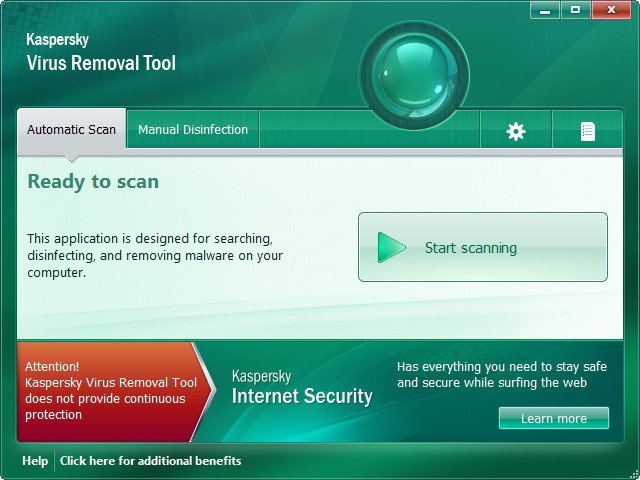
Kaspersky Virus Removal Tool 20.0.8.0


UQB4ucyjvnges-Zk-Ad-RJr-H95r-S2-JCzh-P6.jpg

File Size : 97.2 Mb
​

The Kaspersky Virus Removal Tool application was designed to be another virus scanner and detection software from Kaspersky. The product will scan the specified locations for any virus threats and remove them or send to Quarantine folder. Kaspersky Virus Removal Tool - software developed by Kaspersky Labs to provide additional security against malicious programs. Kaspersky AVP Tool finds and cures: viruses, Trojans, worms, spyware and adware, all types of rootkits and similar malicious programs.

Features:
• Excellent detection of malicious programs and strong ability to remove.
• Simple and intuitive interface.
• Can be installed on an infected system (in safe mode).
• Comprehensive testing and treatment: the search for malware signature detection and heuristic analyzer.
• Collect system information and interactive scripting.
• Automatic and manual removal of various types of malicious programs.

Attention:
Kaspersky AVP Tool is designed to quickly find and isolate files, but can not be used as a permanent means of virus protection. To ensure the security of your computer must have to have another "normal" anti-virus with the means of protection in real time.

-:DOWNLOAD FROMLINKS:-
NitroFlare
Код:
https://nitroflare.com/view/7A56A1455D2B5B6/KVRT.rar

RapidGator
Код:
https://rapidgator.net/file/fa4b4d7c0fd91b354e4d7c6ab130c5ae/KVRT.rar.html

​
 
proDAD VitaScene 4.0.290 Multilingual


th-SZsopx6r-Bb7-EUp-VHfm09-Xx-Xk0-Uf-L9-A40.jpg

Windows x64 | Languages: Multilingual | File Size: 152.48 MB
​
With over 1,400 professional transition effects and video filters, proDAD VitaScene V4 offers probably the most comprehensive and versatile collection of high-quality effects. This makes VitaScene V4 the ideal effect package whether you are a filmmaker, content creator or you shoot weddings, whether you produce documentaries or travelogues. Compared to its predecessor, proDAD VitaScene V4 has grown in scope from around 700 to about 1,400 filters and transition effects. And for the first time VitaScene V4 offers a completely new, comprehensive effect category that is currently at the top of many filmmakers' wish lists: "Seamless Transitions".

"Seamless Transitions" allow for particularly dynamic, organic, and flowing transitions. A high-quality motion blur can also be combined with a unique color shift effect. Versatile presets allow applying the effects quickly and easily. If you wish to do so, the intensity of the filters and the style of the animation can be precisely controlled via keyframes and adapted to the individual video material. This provides the user with new and flexible design options. The "Seamless Transitions" enrich the creative toolset of each designer and are also excellently suited for dynamic title and graphic animations.

The "Seamless Transitions" section alone already includes a dozen different categories such as wipes, zooms, warps, stretching or panoramic transition effects. These groups are then further subdivided into different characteristics and styles.

In addition to the new "Seamless Transitions", VitaScene V4 offers the entire spectrum of the proven proDAD video filters and transition effects in the best professional quality. These include filters for looks as well as light filters for lighting your scene in postproduction. This ranges from soft accents and reflections to glistening light. Changes in color and brightness create a romantic or a dynamic mood. Spotlight effects allow to highlight and emphasize details.

Present your pictures in the style of a cartoon, a pencil drawing or in a 3D look! Create surreal worlds by transforming landscape and building shots into miniature landscapes applying the tilt shift effect. Video filters with highly efficient algorithms will enhance older or not so perfect shots and optimize contrast, brightness, sharpness, and color - all fully automatic and in no time at all!

The VitaScene V4 video filters can also be applied excellently to text inserts and graphics, allowing particularly impressive effects and animations to be created - all with just a few mouse clicks and without any programming effort. The effective GPU acceleration makes VitaScene V4 particularly powerful and fast. This makes using Vitascene V4 effects fun, regardless of whether you work with editing solutions from Grass Valley, Adobe, Blackmagic Design, Corel, Cyberlink, Pinnacle or with MAGIX Deluxe or MAGIX VEGAS.

Features:
- Over 1,400 professional video filters & transition effects
- Also ideal for animating Text & Graphics
- Supporting up to 8K
- Extensive Presets
- Controllable via Keyframes
- Effective GPU-Acceleration
Release Notes- Release notes were unavailable when this listing was updated.
System Requirements:
- Windows 64-Bit Vista, Win7, Win8, Win8.1, Win10
- i7 CPU
- 6 GB Memory

-:DOWNLOAD FROMLINKS:-
NitroFlare
Код:
https://nitroflare.com/view/9B4224382261077/VitaScene.4.0.290.rar

RapidGator
Код:
https://rapidgator.net/file/a3e83ab28fd58de7402ed88c2f94c3da/VitaScene.4.0.290.rar.html

​
 
VMware InstallBuilder Enterprise 21.3.0


N8x6-HPa3-Ci7w-EA7ej-Jt-Nri-BIMOHFK2-BM.png

File Size: 346.1 MB
​
VMware InstallBuilder is a development tool for building cross-platform installers for desktop and server software. With InstallBuilder, you can quickly create dynamic, professional installers from a single project file and build environment. In addition to installers, InstallBuilder will generate RPM and Debian packages and multiplatform CDs/DVDs. Automatic update functionality makes it easy to deliver updates directly to users once they have your software installed.

Powerful UI for Installer Development
Develop installers using the intuitive GUI or by editing XML-based installer project files.
Built-in actions automate adding commonly required functionality to installers.
Make platform-specific customizations while maintaining one project file for all platforms.

Installers for Any Desktop or Server Environment
Create installers for Linux, Windows, Mac OS X, Solaris, HP-UX, AIX, IRIX, FreeBSD and more.
Generate RPMs, Debian packages and multi-platform DVDs or CD-ROMs.
Installers run in GUI, text and unattended modes.

Developer-Friendly
Included debugger allows you test installers as you develop and pinpoint areas to troubleshoot.
Command line interface allows for integration with build and test systems.
"Human friendly" XML-based project files support source control integration and customizing installers using external scripts

Dynamic Parameter Support
Enhanced parameter support makes it possible to create dynamic pages that will be automatically reconfigured based on user's input. This allows you to create a more customized and streamlined installation experience for users.

Enhanced Component Functionality
InstallBuilder provides support for downloadable components and component groups, including support for subcomponents. Downloadable components will be downloaded at runtime only if the user chooses to install them, reducing the size of installer downloads. The InstallBuilder component system allows you to group individual components and build feature sets that will be displayed in a tree structure ("subcomponents".) It also allows users to add and remove specific components from existing installations.

Expanded Documentation
Over 350 pages of documentation are now available for InstallBuilder. The documentation not only explains every feature of InstallBuilder, but also provides sample code for a wide variety of installer functions, such as bundling a Java runtime, detecting pre-requisites on the system, offering basic and advanced installation modes and more.

У Вас недостаточно прав для просмотра ссылок. Войдите или зарегистрируйтесь.

-:DOWNLOAD FROMLINKS:-
NitroFlare
Код:
https://nitroflare.com/view/0E72843BA6EBC90/VMware.InstallBuilder.Enterprise.21.3.0.rar

RapidGator
Код:
https://rapidgator.net/file/fcaae80ff48c5fa8f7bdc421cf53516e/VMware.InstallBuilder.Enterprise.21.3.0.rar.html

​
 
Valentina Studio Pro 11.2.3


th-d2y-A3-M3a-AQnbgk-VVDt4tma-WPk-Cyk-OPSL.jpg

​
Languages: Multilingual | File isze: 88.2 MBValentina Studio is the best way to transform your data into meaningful information; create, administer, query and explore MySQL, Postgre MariaDB, MS SQL Server and SQLite databases.

Valentina Studio Pro Features & Benefits At a Glance
Report Designer:
-Visual design layout tools turn queries into reports; live preview
-Toolbox of controls, html, barcodes, charts, graphs and more
-Sub-reports, regions, groups
-Easy add macros, expressions
-Print to all standard paper formats, set gutter, margin, max records per page
-Deploy Report projects for Valentina Reports ADK applications
-Deploy Report projects to Valentina Server

Forward Engineering:
-Visual Diagram Editor generates new databases
-Toolbox of controls, labels, comments, procedures, tables, views
-Generate scripts, copy scripts into your app code
-Easy visual navigation of very large diagrams

Database Continuous Integration:
-Create | Save | Load database schema snapshots in structured format
-Register | Commit | Increment database source control with any VCS
-Generate Migrate scripts

Forms Editor:
-Drag-create controls, widgets & layouts to create forms visually
-Attach and write custom methods in JavaScript
-Forms work work with any supported datasource including PostgreSQL, MySQL, MS SQL Server, SQLite and ValentinaDB
-Upload Forms to Valentina Projects on Valentina Server
-Deploy forms through free Valentina Studio on Windows, MacOS and Linux

Query Builder:
-Build SQL queries with just a few clicks and no code writing
-Edit built queries in Data Editor and save to Snippets library
-Copy your SQL queries to use in any application

SQL DIFF:
-See all the details of differences in Tables, Links and more
-Generate scripts to execute to modify databases

Data Transfer:
-Copy records between two different databases
-Specify mapping of source/target Tables and Fields
-Log details and observe the transfer and result

У Вас недостаточно прав для просмотра ссылок. Войдите или зарегистрируйтесь.


System Requirements:
OS:Win Vista SP2+ Win 7 SP1+; Windows 8; Windows 10
Space:HD 20 MB+; RAM 50 MB
(dependent on database size)

-:DOWNLOAD FROMLINKS:-
NitroFlare
Код:
https://nitroflare.com/view/12EA5204E945B55/Valentina_Studio_Pro_11.2.3.rar

RapidGator
Код:
https://rapidgator.net/file/4cadf423d79fea739b9d1e19391e9ea4/Valentina_Studio_Pro_11.2.3.rar.html

​
 
proDAD Mercalli V5 Suite for MAGIX 5.0.516.2


PZVn-LBUMUUPftl-R0-TLc-M1-I4uw49oxxhy.jpg

Windows x64 | Languages: Multilingual | File Size: 25.5 MB
​
proDAD Mercalli is well known as an industry standard. Therefore, professionals and enthusiasts consider Mercalli to be the probably most efficient and most versatile stabilization solution. The only obstacle, especially for those who like to work intuitively and fast as possible, has been the rather time-consuming process of analyzing the footage, which used to be necessary. But this was only necessary up until now! With proDAD Mercalli RT there is no longer a need for a thorough video analysis prior to stabilizing.

For the very first time the footage is being stabilized live - in real time - right on your timeline. If you wish to, you may creatively control the degree of stabilization, the amount of zoom and choose the character of stabilization to perfectly match the character of each individual scene.

Since a high-quality video stabilization does not require any extra amount of time anymore, you may now apply the proven Mercalli stabilization to all your projects. And even better: Along with proDAD Mercalli RT we introduce proDAD Picture Enhanzr as the complementing real time plugin image-solution of the Mercalli V5 Suite for Magix. Picture Enhanzr analyses and optimizes dynamics, contrast and brightness of your footage - all automatic in real time. Your images will look more brilliant, detailed and vivid. If you wish to, you may also finetune the setting to your liking or have Mercalli automatically set the optimal values matching the individual scene. You and your viewers will see the difference and enjoy your work even more.

The real time life performance power of proDAD Mercalli RT is another milestone in video stabilization now also accompanied by the Picture Enhanzr as another real time plugin making your footage stand out with even richer colors and stunning dynamics. For intensive CMOS corrections within Magix - capable of even correcting wobble or yellow distortions - CMOS FIXR Pro is your plugin tool and for the most demanding stabilizing jobs, Mercalli Pro is the right plugin for you. With these two new plugins, Mercalli RT and Picture Enhanzr of the Mercalli V5 Suite for Magix - complementing Mercalli Pro, the CMOS Fixr Pro und Mercalli Standalone - you are perfectly prepared to optimize, stabilize and CMOS-correct almost any type of video footage.

NEW: Real time stabilization for all your video material
- Real time live performance
- No analysis needed prior to stabilizing
- New stabilization profile "Fixed Cam" added to remove all movements achieving an ultra-stable look (especially suited for interviews, stage recordings and documentary shooting with long telephoto lenses)
- "Content aware fill": empty borders resulting during the stabilization process may optionally be filled by matching content of nearby picture frames
- Correcting simple rolling shutter effects
- Stabilization profiles for common applications like:
- "Glide Cam": The virtual camera follows smoothly the movement of the real camera and removes sudden and shaky movements.
- "Sports Cam": The virtual camera generally follows the fast movement of the real camera and smoothens sudden and shaky movements.
- "Science Cam": Comparable stabilization to "Steadycam" but without limitation and edge fill. (Well suited to evaluate parameters and optimize settings.)
- "Fixed Cam": The virtual camera is set to a fixed point without following the real camera.
- "Steadycam": (floating camera) The virtual camera follows the movements of the real camera more subtle so that sudden movements are being avoided.
- Extensive detail options to control stabilization
- "Diagnostics": technical information is being displayed
- Overlay display visualizing the stabilization to optimize settings
- Overlay display to evaluate processing time vs. real time performance
- Score display to evaluate real time capacity vs. degree of stabilization
- Supports up to 256 cores for faster processing or computing higher resolution or framerates in real time

NEW: Real time video optimizing for all purposes
- Real time life performance
- No prior analysis needed
- Suports up to 256 cores for faster processing or computing higher resolution or framerates in real time
- Automatic optimization of contrast and brightness according to picture content. Balancing uneven levels of contrast and brightness within a video sequence. Optionally the image may be divided into separate areas. This allows to treat (for example) the sky differently to the ground.
- Brightness, dynamics and color saturation can additionally be finetuned manually.
- "Safe Colors" forces values to stay within the YUV limits. This optional setting may be important working within a studio/broadcast environment, because values out of this range cannot be displayed correctly.
- Works internally within native color space RGB; YUV-444; 8bit / 10bit

proDAD Mercalli Stabilizr PRO for Magix and proDAD Mercalli CMOS-Fixr PRO for Magix
Both plugins share the proven and further optimized and accelerated comprehensive video analysis as basis of the very robust and versatile image stabilization. This intensive processing - only needed for complex cases - guarantees stable footage even under exceptionally demanding circumstances.

Compared to the real time plugins these are the differences in handling and use case:
- Performance: supports high end hardware architecture (up to 256 cores) enabling a fast analysis as well as a fast frame rendering
- The all automatic stabilizer can very comfortably be applied to multiple clips.
- Interactive overlay charts for an easy detection of critical zones in a video sequence to manually optimize the degree and quality of stabilization.
- Highly increased sharpness in stabilized video because of less need to zoom in due to new algorithms especially with interlaced video
- Less degree of zoom-in results in a higher resolution and preserves more wider angle
- Fading in and out stabilization allows an easy and fast stabilization of shorter areas of a video sequence with no need to splice the clip
- Spheric videos up to 170° can be stabilized maintaining the spheric view
- Stereoscopic 3D footage can now be stabilized
Comprehensive set of camera profiles for numerous lenses

Extremely robust against obstacles like:
- Other objects
- Extreme light conditions
- Image noise
- Plain areas (like for example a white sky or a water surface without any visible structure or contrast)
- Overlay display visualizing the stabilization process to further improve settings.
- Works internally within the native color space: RGB; YUV-444; 8bit/10bit
Supports 4K and Cinemascope
- Enhanced rolling shutter correction
- GPU support a to further speed up processing (compatible graphics card needed)

proDAD Mercalli CMOS-Fixr PRO for Magix
- Performance: supports high end hardware (up to 256 cores) enabling a fast analysis
- Comprehensive and intensive rolling shutter correction
- Even massive CMOS effects like skew, wobble or jello are being corrected
- Works internally within the native color space: RGB; YUV-444; 8bit
Release Notes- Release notes were unavailable when this listing was updated.
System Requirements:

For proDAD Mercalli RT:
Win7-Win10, Recommended Hardware: 8GB Main Memory; 1GB HDD; 8-Core CPU

For proDAD Picture Enhanzr:
Win7-Win10, Recommended hardware: 6GB main memory; 1GB HDD; 4-Core CPU

For Stabilizr PRO for Magix:
Win7-Win10, Recommended Hardware: 6GB Main Memory; 1GB HDD; 4-Core CPU

For cmosFIXR PRO for Magix:
Win7-Win10; Graphics card with shader model 3.0 or higher, Recommended hardware: 6GB main memory; 1GB HDD; 4-core CPU; 1GB graphics card memory

-:DOWNLOAD FROMLINKS:-
NitroFlare
Код:
https://nitroflare.com/view/BF2E5533CCE76CE/Mercalli.MAGIX.5.0.516.2.rar

RapidGator
Код:
https://rapidgator.net/file/c4954a57b228d37d2fb37cf1774f3504/Mercalli.MAGIX.5.0.516.2.rar.html

​
 
VueScan Pro 9.7.52 Multilingual


c84-Tt-NUgqnjbjt-Iizz-Rs-GNn-P2ih-Lv-COH.png

File size: 24 MB
​
VueScan is a powerful scanning application that allows you to acquire high-quality images using a flatbed or film scanner. If you are not satisfied with the software delivered by the scanner vendor or if you want to improve it with new functions you should try this program.

Scan Documents
Whether you need to scan a single page or a hundred page book, VueScan has the tools to help you.
Scan with Flatbed and Automatic Document Feeders (ADF)
Scan to PDF (Single and Multipage)
Optical Character Recognition (OCR)
Automatic Color Detection
Small document file sizes
Automatic document deskewing

Scan Photos
Do you have a box full of photos in your drawer? Use VueScan to get them on your computer, and off your to-do list.

Scan to JPG or TIFF
Whether you're saving a few snapshots or archiving boxes of prints, VueScan has the tools you need to output your scans at either the highest possible quality or a large number of good quality scans.

Scan with Flatbed and Automatic Document Feeders (ADF)
VueScan supports over 3000+ different scanners from 35 manufacturers, even scanners that don't have drivers from their manufacturers anymore.

Preset photo sizes for faster scans
VueScan improves one of the slowest parts about scanning by scanning only the part of the flatbed where your photo is. So you can spend less time scanning, and more time enjoying your photos.

Scan multiple photos on the flatbed
Scanning multiple photos with VueScan is very simple. Just put them in the corners of the flatbed, do a preview, and manually crop each of the photos without needing to do another scan.

Automatic file naming for faster scans
Don't waste time manually naming every photo, use VueScan's auto naming feature to include dates, numbers, or other prefixes and suffixes in your file names.

Remove fading and correct colors
Stay out of photoshop and save the best version possible of your photos with VueScan's built in features to remove fading, and correct colors.

Scan Film and Slides
VueScan is the ultimate tool for all your film and slide scanning needs.
Works with almost all film/slide scanners
Scan to JPEG/TIFF/RAW
Infrared Dust Removal
Color correction
IT8 Calibration
Photoshop Integration

-:DOWNLOAD FROMLINKS:-
NitroFlare
Код:
https://nitroflare.com/view/5E1D36B7B2B0CE8/VueScanPro9.rar

RapidGator
Код:
https://rapidgator.net/file/20d0e3c2150e78a9a4e15c1470c820a7/VueScanPro9.rar.html

​
 
Encrypt Care Pro 4.1


th-it-D5-XGd-AW2-Xo-Xwk-W4c-Ltui71p6-BL04v-H.jpg

File size: 5.3 MB
​
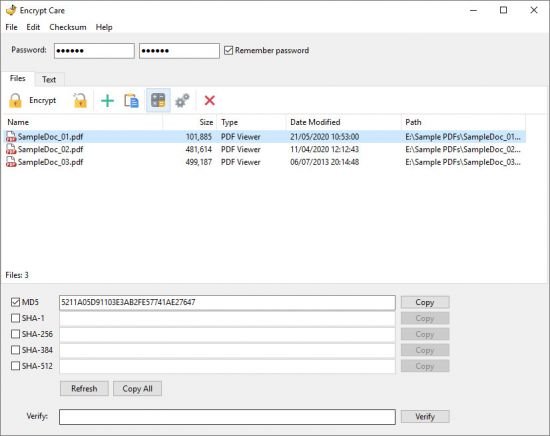
Encrypt Care is an easy to use and feature-rich encryption software which allows user to encrypt or decrypt text and files in batch mode, generate, verify and export file checksums.

Encrypt and decrypt text and messages
Encrypt and decrypt files - photos, documents, programs etc.
Generate and verify checksum of text and file
Generate and export checksums for multiple files
Support various algorithms (AES, Blowfish, CAST, DES etc.)
Support various hashes (MD5, SHA-1, SHA-256, SHA-384 etc.)
Support Windows XP, Vista, 7, 8, 8.1, 10 (32 and 64 bit)

Protect
Encrypt Care allows you to protect your data using the most powerful encryption algorithms, as well as protect your text.

Checksums
With Encrypt Care you can generate checksum of any text or file, generate hash for multiple files, verify checksums.

Export
Using Encrypt Care you can generate and export checksums to text file or copy hash to clipboard.

-:DOWNLOAD FROMLINKS:-
NitroFlare
Код:
https://nitroflare.com/view/60757D7E87E4503/EncryptCarePro4.rar

RapidGator
Код:
https://rapidgator.net/file/d06a4024a04f566ef9e8098a6711fb6e/EncryptCarePro4.rar.html

​
 
HomeGuard Professional 9.9.5.1


th-bu2e-Yks-X1s-My1-Ad-L6h-EJ3y-Ts-Zjl-BW5mi.png

Windows (x64)| File size: 24 MB
​
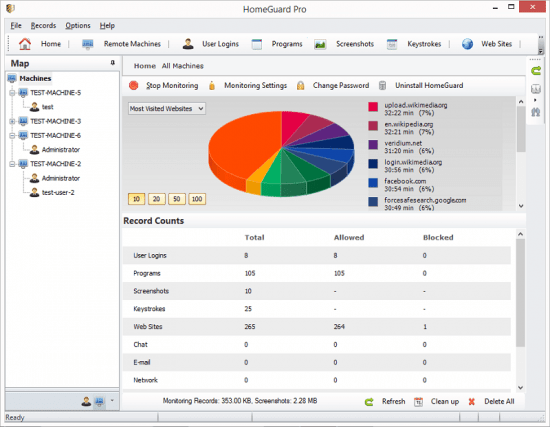
HomeGuard Professional is an easy to use activity monitoring tool for tracking and controlling the use of computers in home and office networks. HomeGuard records web activity and automatically blocks all adult and inappropriate content in websites in addition to customizable website block and allow lists and filtering based on file types (e.g.: exe downloads or online flash games). It also records detailed reports on usage of programs including active usage time, run time, bandwidth used, mouse clicks and keystrokes typed in each program with the option to block or time limit certain programs or games. Plus screen capture, periodically or based on specific activities, chat and email monitoring and filtering, printer and USB devices monitoring and blocking, Internet time restrictions, network connection monitoring and filtering, email notifications and more.

HomeGuard runs, by default, in stealth mode completely hidden and undetectable, however, it can be set to show warnings to users when anything is blocked. Either way it is uninstallable, unclosable and cannot be bypassed using proxy servers.

Whats New:
Updates: official site does not provide any info about changes in this version

-:DOWNLOAD FROMLINKS:-
NitroFlare
Код:
https://nitroflare.com/view/EE99D0ECCDF6A35/HomeGuard_Professional_9.9.5.1.rar

RapidGator
Код:
https://rapidgator.net/file/b85eef35185295c4f787f9b1ed44b63c/HomeGuard_Professional_9.9.5.1.rar.html

​
 
Grids for Instagram 7.0.3 Multilingual


9-Juee9qd-LJeyrc7-Xj-F21o-ZFNHr3-ASo-J1.png

File Size: 90.4 MB
​
Experience Instagram in beautiful way on desktop. Grids is a better way to browse Instagram on the desktop. Grids app makes Instagram viewing on desktops more fluid and interactive.

Post Photos and Videos
Upload photos and videos directly from your desktop.

Multiple Accounts
Switch between multiple accounts seamlessly.

Responsive UI
Clean and smart UI works amazingly at fullscreen as well as at widget-size.

Notification
Get notification when there are new feed, followers, likes, comments, mentions or requests.

Achieving All Tasks
Like, comment, follow, search, explore.

Stories
View and post Stories. The only desktop app that supports Instagram Stories!

Direct Message
Start conversation with friends. Share posts, profiles, tags and locations.

Pixel-Perfect
Automatically adjust layout to window size, presenting Instagram photos beautifully.

Large/Fullscreen View
Utilize your big screen. View photos and vides in large/fullscreen view. Grids is for Desktop!

Bookmarks
Bookmark people, location, hashtag or single photo/video.

-:DOWNLOAD FROMLINKS:-
NitroFlare
Код:
https://nitroflare.com/view/49D5D89ACD43A61/Grids.7.0.3.rar

RapidGator
Код:
https://rapidgator.net/file/143f1309fe21e074e1b2705ff0541813/Grids.7.0.3.rar.html

​
 
eM Client Pro 8.2.1233.0 Multilingual


VQPVl-Nn-S8-IT3-So-Qs-Jkvt6y-FS4-I5x-TDrd.png

Languages: Multilingual | File Size: 115.11 MB
​
Best email client for Windows. eM Client is a full-featured email client with a modern and easy-to-use interface. eM Client also offers calendar, tasks, contacts and chat. Boost your email. Skyrocket your productivity.

Boost your email - Skyrocket your productivity
Get the best email client for Windows, for professionals and home users alike.

Break out of your email routine
eM Client enhances your email communication and makes you more productive. See how, in 90 seconds.

Explore outstanding mix of features
eM Client is a productivity tool with features far beyond email.

- Email
- Calendar and Tasks
- Contacts
- Notes
- Chat

All-compatible productivity tool
eM Client's compatibility is unmatched. Connect to any email service - it will work.

Super simple import
eM Client will set up everything automatically for most of the email services, and quickly import your data from all major email clients. This includes Microsoft Outlook, Outlook Express, Windows Mail, Thunderbird, Incredimail, and more.

Unique Sidebar
Quickly access contextual information that will boost your productivity even more. The sidebar with communication history, attachment history, calendar, agenda, and chat will save you a lot of time.

Make eM Client your own
eM Client is customizable in the most comprehensive way on the market. Adjust eM Client's behaviour to fit your routine and enhance your workspace with beautiful themes, including a Dark theme.

More useful features:

Superfast Search
Quickly find messages or information you are looking for and stay more productive.

Touch Support
Use eM Client on your touch screen devices, now with added swipe gesture support.

Localization
eM Client is currently localized to 20 languages.

Automatic back-up tool
We can automatically back up your data even while the app is running.

Instant translation for all messages
There are no language barriers with our built-in translation tools and spell-checker.

Watch for replies and Snooze function
Never miss important emails, and control your communication flow to enforce Inbox zero policy.

Search within attached documents
Full text search in attached documents such as Word, Excel, PDF etc.

Templates, Signatures and QuickTexts
Customize your emails with signatures and templates, and use QuickTexts for faster writing.
Release Notes- Fixed renaming contact folders on some Google Accounts

- A few other bug fixes
System Requirements:
- Windows 10 32/64 bit
- Windows 8 32/64 bit
- Windows 7 32/64 bit

-:DOWNLOAD FROMLINKS:-
NitroFlare
Код:
https://nitroflare.com/view/B13AE6FA09A1859/eM.Client.8.2.1233.0.rar

RapidGator
Код:
https://rapidgator.net/file/c4ce6516a635342be9f1d5773e178fcf/eM.Client.8.2.1233.0.rar.html

​
 
TextPad 8.6


75h-Yoyre1z0-I27-Gs-Htas-Py-CJ7q8-DICz-O.jpg

File Size: 10.6 MB
​
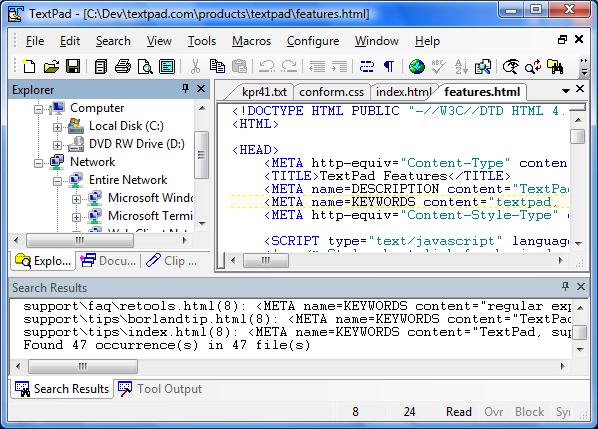
TextPad is a powerful, general purpose editor for plain text files. Easy to use, with all the features a power user requires. TextPad® is designed to provide the power and functionality to satisfy the most demanding text editing requirements.

TextPad has been implemented according to the Windows XP user interface guidelines, so great attention has been paid to making it easy for both beginners and experienced users. In-context help is available for all commands, and in-context menus pop-up with the right mouse button. The Windows multiple document interface allows multiple files to be edited simultaneously, with up to 2 views on each file. Text can be dragged and dropped between files.

In addition to the usual cut and paste capabilities, you can correct the most common typing errors with commands to change case, and transpose words, characters and lines. Other commands let you indent blocks of text, split or join lines, and insert whole files. Any change can be undone or redone, right back to the first one made. Visible bookmarks can be put on lines, and edit commands can be applied to lines with bookmarks.

Frequently used combinations of commands can be saved as keystroke macros, and the spelling checker has dictionaries for 10 languages.
It also has a customizable tools menu, and integral file compare and search commands, with hypertext jumps from the matched text to the corresponding line in the source file (ideal for integrating compilers).

Features:
• Huge files can be edited, up to the limits of virtual memory. See Specifications for the actual limits.
• Supports Universal Naming Convention (UNC) style names, and long file names with spaces.
• CUA compliant keyboard commands.
• English, French, German, Italian, Polish, Portuguese and Spanish user interfaces.
• A spelling checker with dictionaries in 10 languages.
• Multiple files can be simultaneously edited, with up to 2 views per file.
• Warm Start feature lets you restart exactly where you left off.
• In addition to the usual cut, copy and paste capabilities, selected text can be case shifted and block indented, and characters, words and lines can be transposed. Cut and copied text can be appended to the clipboard, as well as replacing its contents.
• Text can be automatically word-wrapped at the margin, or at a specified column, if it does not fit on a line. In this mode, text can be split into separate lines where wrapping occurs, or lines can be intelligently joined, preserving paragraphs.
• OLE2 drag and drop editing for copying and moving text between documents.
• Unlimited undo/redo capability. The undo buffer can be optionally cleared when a file is saved, or by using the Mark Clean command.
• Block (column) selection mode, and visible display of tabs and spaces.
• A keystroke macro recorder, with up to 16 active macros.
• Sorting, using up to 3 keys.
• Text can be automatically aligned and indented, relative to the previous line, to aid block indentation.
• The right mouse button pops up an in-context menu.
• The cursor can be constrained to the text, or can be positioned freely in the document view.
• Toolbar with fly-by usage hints, and an active status bar.
• A powerful search/replace engine using UNIX-style regular expressions, with the power of editor macros. Sets of files in a directory tree can be searched, and text can be replaced in all open documents at once.
• Visible bookmarks can be placed on individual lines, and on all occurrences of a search pattern. Bookmarked lines can be cut, copied or deleted.
• A built in file manager for fast file copying, renaming, deleting etc.
• Print previewing, and printing with customizable headers/footers and page breaks.
• Viewer for binary files using a hexadecimal display format.
• Built in file comparison utility, and up to 16 user-defined tools with argument macros.
• Hypertext links from file search and user tool output to the relevant source line.
• DDE interface to other tools, such as MS Visual C++. The editor detects when an open file has been modified by another tool, and prompts you to reopen it.

Enhancements:
* Incremental Find command on the Search menu. It finds the next instance of a string, as you type it in the Incremental Find toolbar.
* Normalize command on Windows menu when document tabs are displayed. It eliminates any tiling and tab groups.
* Option to order document tabs leftmost first.
* Option to substitute TextPad for Notepad.
* Added commands to copy the filename and browse its folder to the Document Selector and tabs context menus.
* Added commands to create new tab groups to the document tabs context menu.
* Sets the Explorer path when opening a workspace.
* Tool names on the Configure/Preferences/Tools dialog box can now be edited by pressing F2.
* The Explorer now uses the Windows Explorer context menu.
* Optional toolbar for print commands.

-:DOWNLOAD FROMLINKS:-
NitroFlare
Код:
https://nitroflare.com/view/F02F6F40B9F4B02/TextPad.v8.6.rar

RapidGator
Код:
https://rapidgator.net/file/e42a8833dda307ba7cf890177c0b6ed6/TextPad.v8.6.rar.html

​
 
Назад
Сверху