• Здравствуйте. Сайт заработал в архивном режиме форум www.old.nado.in

Dl4ever Software

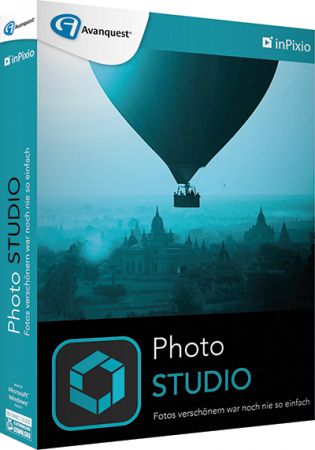
InPixio Photo Studio 11.0.7709.20526 (x64) Multilingual

th-USjj-Y0-L0flr-Pn2xl8-KWqi-SNUIEio-Tn-SE.jpg

InPixio Photo Studio 11.0.7709.20526 (x64) Multilingual | 553.2 Mb
​
InPixio Photo Studio delivers professional photo editing & photo organizing features, spectacular special effects and professional-quality photo projects - all together in one powerful editing suite. InPixio Photo Studio makes it easier than ever to unlock the power of your digital camera.


Create beautiful photos - with 1 click!
- Add filters & photo effects: warm, black & white, pink lady, negative, sepia, science fiction, vintage.
- Cut & crop: change the focus and size of your photos without being a pro.
- Edit your photos: change the colour & brightness etc. to get the most out of your favourite shots!
- Automatic correction in 1 click
- Correct perspective in your photos
- Selective retouching module

Viewing your photos
Relax, Photo Editor is really quick to master. You will be able to easily navigate between the various tools. For viewing your photos you can choose a simple view but also:

- A double viewing window
- A before-and-after view
- Use the Zoom feature to enhance the view and make your alterations in the closest detail.

Batch processing
Apply changes to multiple photos at once

Save your own settings
Which you can call up again in just one click during future projects

High precision zoom without quality loss
- Magnify up to 1000%
- Ultra-powerful zoom - 7 algorithms
- Define presets and process in batches
- Print oversized images and posters
- Touch-ups and enhancements in one click
- Enlarge your photos and improve their quality
- NEW! Tone Curve module to adjust RGB

Ultra powerful zoom function which can enlarge images by up to 1000%
With 7 zoom algorithms, Photo Maximizer can tell you the target size of the image in pixels or centimeters. The required resolution can also be adjusted to give you flawless results. This is particularly important when printing your photos and guarantees you the highest quality results.

Zoom your images and maintain extremely sharp edges
Usually when you enlarge an image you get pixellation and deterioration of colour and brightness. Photo Maximizer maintains image quality and undesirable noise. With InPixio Photo Maximizer say goodbye to pixelated, grainy and blurred photos when zooming in.

Before/after comparison
Display up to four different zoom settings simultaneously! Compare the images and choose the best result!

Enlarge photos on your PC, mobile, camera, etc.
Simply transfer your photos to your PC and zoom away!

Print projects
Print your enlarged images as posters, photos for framing, t-shirts, postcards and more.

Batch processing - one thousand photos in one step - Pro Version
Define your zoom settings and Photo Maximizer will batch process up to 1000 images simultaneously!

Creating presets
Create and save your own settings (presets) so you can use them again later: turn your photos into works of art! Each image processing setting can be saved as a preset for subsequent use. Simplify your work without having to reconfigure your settings!

Improve the sharpness of your photos
- Improve the sharpness of your photos
- Simple 1-click sharpening tool
- Reinforce & accentuate the focus
- Includes Tilt-Shift & Artistic Blur effects that bring the subject of the photo to life!
- Create professional looking photos with oval frames (vignetting)
- Add customised artistic blur to achieve the perfect finish
- Save personal presets that can be used in a single click for future projects

Improve sharpness
Getting sharp photos is not always easy - especially with spontaneous snapshots. InPixio Photo Focus solves this problem in a flash and creates clear, high-resolution images.

Increase focus
You can add sharpness, soft focus and blurred areas to your images. This helps you to further accentuate the difference between the background and the sharp centre of the image.

Refocus
Not all images are always correctly centred. Redefine the centre of your images and focus the attention towards the centre of the image.

Impressive effects with tilt-shift and soft focus functions
Add horizontal soft focus (tilt-shift) to your images. This creates fantastic miniature effects that allow the focal object of your image to look like miniature!

Create structure and details
Emphasise the finest details in your images. Manage contrast and clarity - for impressive and detailed photos!

Resharpening
You can get so much more from all your photos! Even the sharpest photos can be resharpened - for perfect prints or an extremely sharp impression!

Simple
During the development stage of InPixio Photo Focus, particular attention was given to making sure the software is easy to use. The programme is intuitive and helps you through with the various 1-Click Assistants. If you need help when using the software, there are tool tips offering brief explanations next to each function.

System Requirements:
- Windows 10, Windows 8, Windows 7 (64-bit)
- 1 GHz Intel® Pentium® processor or equivalent
- 1 GB RAM CD/DVD ROM drive
- 100 MB hard disk space, mouse and keyboard

Home Page -
Код:
https://www.inpixio.com


-:DOWNLOAD FROM LINKS:-

RapidGator
Код:
[url=https://rapidgator.net/file/b8f7f4081777dab38b24d09e562968d4]Dl4eVeR.Photo.Studio.11.rar[/url]

NitroFlare
Код:
[url=https://nitroflare.com/view/800120C05435B7F/Dl4eVeR.Photo.Studio.11.rar]Dl4eVeR.Photo.Studio.11.rar[/url]

Dropapk
Код:
[URL=https://www.keygenbook.com/]Dl4eVeR.Photo.Studio.11.rar - 553.2 MB[/URL]

​
 
JPEGmini Pro 3.1.0.0 (x64) | Incl. Photoshop & Lightroom Extension


j1-L74lsmm-Nr-RCSIDC9-SEW3-Kz9-S8-TI1hk.png

JPEGmini Pro 3.1.0.0 (x64) | Incl. Photoshop & Lightroom Extension | 41.3 Mb
​
JPEGmini Pro. The Photo Optimization Tool. Trusted by Thousands of Image Perfectionists. Get the smallest file size without compromising quality or changing your workflow. Make sure you are using the best quality possible for your photos without constantly worrying about file size or speed. Great for print, mobile and web.


JPEGmini Pro - Reduce file size, not quality
Make sure you are using the best quality possible for your photos without constantly worrying about file size or speed. Great for print, mobile and web.

Fits into your workflow
When you export your photos directly from Lightroom and Photoshop, they will automatically be optimized by JPEGmini to the lowest file size possible without ever sacrificing quality.

Reduce Expenses
Cut your image storage (i.e. flash drives, hard drives, and Client Galleries) costs when optimizing your images with JPEGmini.

Print It!
JPEGmini does not alter the perceptual quality of your photos, you can print them at the same size you normally would, and the prints will look exactly the same.

Rank higher on Google
It's all about image SEO. Your website will load faster with small image file sizes. The faster the site, the easier to visit and index a page is.

Features:

128 Megapixels
Support high-resolution photos from the world's leading camera brands.

Cross Platform
Available on both Mac and PC's.

HEIC to JPEGmini
Convert iPhone HEIC photos to optimized JPEG files.

Simple to Use
Drag, drop, done. It's that easy.

Custom Resize Presets
Multiple resizing presets and modes to allow for robust delivery workflow.

Multiple Export & Resize
Select different output sizes for the same folder of photos in the same session.
RELEASE NOTES

System Requirements:
- Windows 8 and higher (64-bit).
- The JPEGmini Adobe Lightroom Plug-in requires Lightroom 5 and above.
- The JPEGmini Adobe Photoshop Extension is compatible with Photoshop CC (2015.1) and above.

Home Page -
Код:
http://www.jpegmini.com/pro


-:DOWNLOAD FROM LINKS:-

RapidGator
Код:
[url=https://rapidgator.net/file/d8854e1aa59fb70844bad0cd1a373473]Dl4eVeR.JPEGmini.3.1.0.0.rar[/url]

NitroFlare
Код:
[url=https://nitroflare.com/view/4A705D72BAF58CE/Dl4eVeR.JPEGmini.3.1.0.0.rar]Dl4eVeR.JPEGmini.3.1.0.0.rar[/url]

Dropapk
Код:
[URL=https://www.keygenbook.com/]Dl4eVeR.JPEGmini.3.1.0.0.rar - 41.3 MB[/URL]

​
 
Adobe Acrobat Pro DC 2021.001.20142


th-zqu-R4-G4-LSc-UGUo-Wi-PQht-Fak-Mikmfo-Zx-Y.jpg

Adobe Acrobat Pro DC 2021.001.20142 Multilingual | 968.1 Mb
​
Adobe Acrobat Pro DC is the leading PDF converter and much more. Adobe Acrobat Pro DC software lets you deliver professional PDF communications. It's packed with smart tools that give you even more power to communicate. Create and edit PDF files with rich media included, share information more securely, and gather feedback more efficiently.


Adobe Acrobat Pro DC software is the advanced way for business professionals to create, combine, control, and deliver more secure, high-quality Adobe PDF documents for easy, more secure distribution, collaboration, and data collection.

Assemble electronic or paper files into reliable PDF documents that are easy to share with others using free Adobe Reader. You can assemble even Web sites, engineering drawings, and e-mail.

With Adobe Acrobat Pro DC you can manage document reviews, synthesizing feedback from multiple reviewers while preserving document format and integrity. Extend commenting capabilities to anyone using Adobe Reader. Windows users can design intelligent Adobe PDF forms that include business logic, such as calculations and data validations, to help increase the accuracy of data collection while reducing the costs of manual data entry.

Use Adobe Acrobat Pro DC to create high-impact PDF communications, collaborate more easily, and streamline reviews. Adobe Acrobat Dynamic PDF helps you get more done - easier, faster, better.

Edit PDF files
With Adobe Acrobat Pro DC, you can make minor edits to text and images right in your PDF file without requiring the original document or graphic. Edit text in a PDF. Fix a typo, change a font, or add a paragraph to your PDF as easily as you do in other applications using a new point-and-click interface. Edit images in a PDF. Resize, replace, and adjust images in your PDF with no need to track down the original file or graphic.

Export from PDF files
Reduce the time you spend retyping information stuck in PDF files. Convert PDF files to editable Microsoft Office documents. And save fonts, formatting, and effort.
Convert PDF files to Word. Save your PDF as a Microsoft Word document and take your fonts, formatting, and layouts with you. Convert PDF files to Excel. Turn your PDF or just part of it into an editable Excel spreadsheet you can use for data analysis right away. Convert PDF files to PowerPoint. Get a head start on new projects by saving a PDF file as a fully editable PowerPoint presentation.

Create PDF files
Stop worrying about whether the files you send will look right on other people's screens. Turn documents into PDF files anyone can reliably view with free Adobe Reader.
Convert Word, Excel, or PowerPoint to PDF. Right from your Office application in Windows, you can create PDFs, start a shared review, restrict PDF edits, and more. Print to PDF. Convert files to PDF from virtually any application that prints simply by selecting Adobe PDF as your printer. Scan to PDF. When you need to turn a paper document or form into a digital file, just scan it to create a searchable PDF file you can edit. Convert HTML pages to PDF. Save web pages as PDF files to archive web content, review the pages offline, or print them more reliably.

Create and analyze forms
Cut the time you spend creating forms, rekeying data, and correcting errors. Distribute forms online, and then collect responses and analyze results in real time.
Create new PDF and web forms. Customize professional templates or design from scratch with the Adobe FormsCentral desktop app included in Adobe Acrobat Pro DC. Collect form responses with FormsCentral. Easily collect responses by moving your PDF or web forms online with the Adobe FormsCentral online service. Convert existing forms to fillable PDFs. Type less, gather more. Quickly convert your paper, Word, or Excel forms to fillable PDF forms. Collect form responses using Adobe Acrobat tools. Compile returned forms into one PDF, or host forms using a network folder or Microsoft SharePoint server.

System Requirements:
1.5GHz or faster processor
Windows Server 2008 R2 (64 bit), 2012 (64 bit), 2012 R2 (64 bit), or 2016 (64 bit); Windows 7 (32 bit and 64 bit), Windows 8, 8.1 (32 bit and 64 bit), or Windows 10 (32 bit and 64 bit)
1GB of RAM
4.5GB of available hard-disk space
1024x768 screen resolution
Internet Explorer 11; Firefox (ESR); or Chrome
Video hardware acceleration (optional)

Home Page -
Код:
http://www.adobe.com/


-:DOWNLOAD FROM LINKS:-

RapidGator
Код:
[url=https://rapidgator.net/file/2914d0b3967a2e12cb7dc96c2ef5ec26/Dl4eVeR.AcrobatProDC2021.rar.html]Dl4eVeR.AcrobatProDC2021.rar[/url]

NitroFlare
Код:
[url=https://nitroflare.com/view/E726A0974C60637/Dl4eVeR.AcrobatProDC2021.rar]Dl4eVeR.AcrobatProDC2021.rar[/url]

Dropapk
Код:
[URL=https://www.keygenbook.com/]Dl4eVeR.AcrobatProDC2021.rar - 945.2 MB[/URL]

​
 
Iperius Backup Full 7.2.1


KILK5lf-HI2b-Eb-J6p-VGJCd-Wyl-R5-V8ca-IX.png

Iperius Backup Full 7.2.1 Multilingual | 60.5 Mb
​
Iperius is a complete and professional backup software for Windows. A stable and reliable software for computers and servers, the definitive solution to protect your data.


Drive Image, Synchronization, FTP and Cloud backup
Hard disk cloning and P2V conversion (instant restore)
Complete restore of the system with the Iperius Recovery Environment recovery drive
Incremental backup to NAS and external USB drives
Automatic backup and Open file backup (VSS)
Backup to Google Drive, Amazon S3, Azure Storage, OneDrive, Dropbox
Lifetime license with free support and updates

Disk image
This powerful feature allows you to make exact copies of the entire disk (Drive Image), which can be used to restore the whole computer without having to reinstall the operating system and programs. The backup is done without interrupting any service neither the user's work (hot backup).

Hard Drive Cloning - P2V
Iperius drive image can be used to clone a hard disk and restore it to another disk. Cloning allows you to create an exact copy of Windows and start the cloned system on a Hyper-V virtual machine (instant restore) or restore it even on different hardware.

Automatic incremental backup
Iperius can perform automatic backups based on specific days and times, making a smart scanning of files that saves time and disk space. The incremental backup ensures that only new or changed files are copied after the first full backup.

Iperius Recovery Environment
Iperius allows you to restore a backup in different ways. You can recover individual files from an image backup, or create an Iperius Recovery Environment recovery drive for complete system restore (bare-metal), even on different hadrware.

Online backup Cloud/FTP
Iperius has several functions for online backup, for both upload and download. You can quickly create tasks to upload any file to Google Drive or to any FTP server, as well as perform website updates, or the automatic downloading of web sites.

Synchronization and VSS
Iperius can synchronize unlimited folders via FTP, deleting from the backup those files no longer existing in the local folders. It also allows you to copy any open or locked file (VSS), compress files in zip format, keep multiple copies of the backup and send e-mail notifications at the end of the backup.

Key features
Drive image backup (disaster recovery)
Backup to Google Drive, Amazon S3, Azure Storage, OneDrive, Dropbox
Remote backup FTP/SFTP
Compression and AES encryption
Scheduling of automatic backups
Installation as service
Lightweight and portable
Upload and Download of websites
Flexible backup retention policies
Incremental backup and synchronization
Open file backup (VSS)
Backup to NAS, USB drives, RDX, etc.
E-mail notifications
Support and updates included

Operating System: XP, 2003, Windows 7, Server 2008, SBS, Server 2012, Server 2016, Server 2019, Windows 8/8.1, Windows 10

Home Page -
Код:
https://www.iperiusbackup.com/


-:DOWNLOAD FROM LINKS:-

RapidGator
Код:
[url=https://rapidgator.net/file/f5d70717f5989a38577df571d06fba84]Dl4eVeR.Iperius7.rar[/url]

NitroFlare
Код:
[url=https://nitroflare.com/view/2604F7E8421AE03/Dl4eVeR.Iperius7.rar]Dl4eVeR.Iperius7.rar[/url]

Dropapk
Код:
[URL=https://www.keygenbook.com/]Dl4eVeR.Iperius7.rar - 58.7 MB[/URL]

​
 
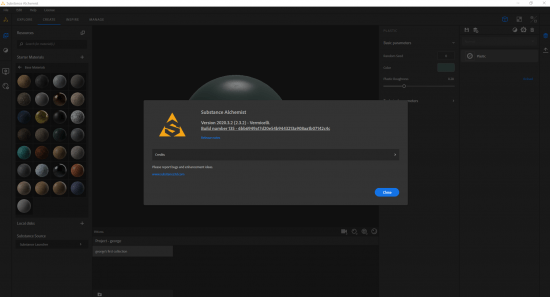
Substance Alchemist 2020.3.2


af3dc9e3c558ccb48616d9cff2ab6df4.png


x64 | File Size: 1.71 GB
​
Substance Alchemist is a next-generation tool dedicated to material authoring, exploration, and management. Different technologies and creation methods (procedural-based, capture-based, AI-based and manual) help you manage entire material libraries and export them to other applications.

Tweak and mix existing materials
Bring elements together to create a new, fully parametric material.

Extract new materials from scans
Create a material from a single or multiple images.

Import and use filters
Create your filter in Substance Designer.

System requirements (recommended):
OS: Windows 7 / 8 / 10 - (64 bit)
Memory: 16 GB RAM
Graphics: VRAM 4GB
DirectX: Version 11
Resolution: 1920x1080px

Supported GPUs
Intel HD 5000 / IRis Pro 6200 and above
NVIDIA GeForce GTX 600 and above
NVIDIA Quadro K2000 and above
AMD Radeon HD 7000 and above
AMD Radeon Pro WX-serie / Pro Duo and above
AMD FirePro W-series / FirePro S-series and above

th-pz-Wmp-Od-KBiqr-ONKd-WLVLd-WBXGCp2-Nrq-P.png


-:DOWNLOAD FROM LINKS:-
RapidGator
Код:
[url=https://rapidgator.net/file/bcd2e36041403e8f77bad2e58aa0f710]Dl4eVeR.Alchemist.2.3.2.part2.rar[/url]
[url=https://rapidgator.net/file/23c1d224d1cf37e42df3749f3c66c4bf]Dl4eVeR.Alchemist.2.3.2.part1.rar[/url]

NitroFlare
Код:
[url=https://nitroflare.com/view/5AA82DEAF17E50D/Dl4eVeR.Alchemist.2.3.2.part1.rar]Dl4eVeR.Alchemist.2.3.2.part1.rar[/url]
[url=https://nitroflare.com/view/7404D085E54CFD6/Dl4eVeR.Alchemist.2.3.2.part2.rar]Dl4eVeR.Alchemist.2.3.2.part2.rar[/url]

Dropapk
Код:
[URL=https://www.keygenbook.com/]Dl4eVeR.Alchemist.2.3.2.part1.rar - 1000.0 MB[/URL]
[URL=https://www.keygenbook.com/]Dl4eVeR.Alchemist.2.3.2.part2.rar - 735.2 MB[/URL]

​
 
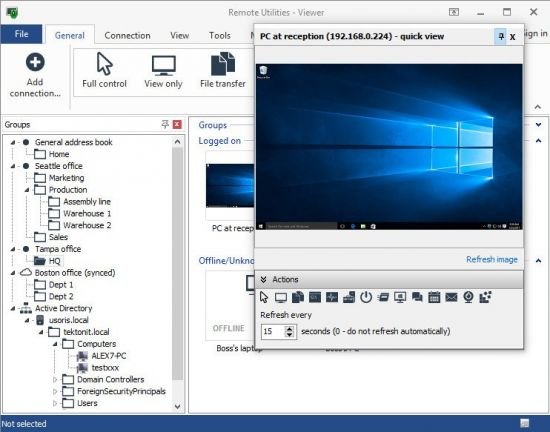
Remote Utilities Viewer 7.0.0.0


th-08-BL3-Oe-Uttu-KSNBOwyb-WU6-Ws-Loeh-L7-Ak.jpg


File size: 43.41 MB
​
Remote Utilities is highly configurable and secure remote desktop software for IT professionals. You can view screens remotely, send keystrokes, control the mouse pointer, transfer files and do any other operation just as if you were physically sitting in front of the remote PC.

Full Control and View
Connect to a remote desktop from anywhere over a secure connection. View the remote screen, move the remote mouse pointer and send keystrokes.

Active Directory Support
Easily integrate Remote Utilities into your Active Directory environment. Add new domain controllers, push-install the program across your AD network and connect in one click.

MSI Configuration
Use the built-in MSI Configurator to create a custom Host installer for further deployment across your network.

Self-hosted Server
Enhance Remote Utilities capabilities with an on-premises server and build a 100% autonomous remote support solution to comply with strictest security requirements.

RDP Integration
Prefer to use RDP? No problem. Use Remote Utilities to manage your saved RDP sessions and connect to a remote computer over the Internet using the RDP protocol.

What's new
Код:
https://www.remoteutilities.com/product/release-notes.php

Remote Utilities System Requirements
• Windows 10/8/7/Vista/XP
• Windows Server 2019/2016/2012/2008/2003
• 32- and 64-bit OS support
• No special hardware requirements


-:DOWNLOAD FROM LINKS:-
RapidGator
Код:
[url=https://rapidgator.net/file/1e340395dfde10bed050aa9399f28288]Dl4eVeR.Remote.Utilities.7.0.0.0.rar[/url]

NitroFlare
Код:
[url=https://nitroflare.com/view/ED1B127D5A156A5/Dl4eVeR.Remote.Utilities.7.0.0.0.rar]Dl4eVeR.Remote.Utilities.7.0.0.0.rar[/url]

Dropapk
Код:
[URL=https://www.keygenbook.com/]Dl4eVeR.Remote.Utilities.7.0.0.0.rar - 42.2 MB[/URL]

​
 
Any Video Downloader 7.21.7


th-p-Ka-Llou-CFJg-Nlr-HK5-Zq-Pt-Ns9z-Cxx7-Hwx.jpg


File size: 35.1 MB
​
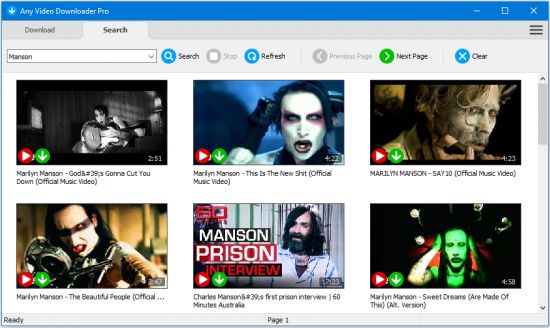
Any Video Downloader , formerly known as HD Video Downloader Pro, is a Windows app to help you download videos from YouTube, Facebook, Dailymotion, and thousands of other video sharing sites. It accelerates your downloads by up to 5 times.

Features:
• Download videos from YouTube and thousands of other video sharing sites
Any Video Downloader can download videos from YouTube, Facebook, Dailymotion, Vimeo, and thousands of other video sharing sites.
• Download HD videos from video sharing sites
You can download 720p, 1080p, 2K, 4K, 5K, 8K, and 3D videos from YouTube if they are available.
• Speed up your downloads
Any Video Downloader features a multi-threaded acceleration engine that can boost your download speeds by up to 500% faster.
• Download multiple videos at a time
Any Video Downloader supports simultaneous downloads. It allows you to download more than one video at a time.
• Pause and resume downloads
Any Video Downloader allows you to pause and resume your downloads if you need more connection to perform other important tasks.
• Preview videos while downloading
While downloading, you can click the Preview button to play the incomplete file and make sure the content you are downloading is really the content of your choice.
• Download whole playlist from YouTube
Just enter a YouTube playlist link or ID, Any Video Downloader will download all or part of videos in the playlist from YouTube for you.
• Download only audio stream from YouTube
Any Video Downloader can download only audio stream from YouTube, without downloading the entire video file. The audio stream is small, so you can download it in just a few seconds.
• Convert and optimize downloaded videos
Any Video Downloader can convert and optimize downloaded videos to any format for any device, so you can watch them on your PC, iPhone, iPad, Android phone, and other portable devices. It supports MP4, FLV, WMV, MOV, AVI, MPG, VOB, M4V, ASF, MKV, WEBM, 3GP, etc.
• Video to MP3
Any Video Downloader allows you to extract audio stream from video file and save it as MP3, WAV, WMA, AC3, AAC, OGG, M4A, ringtone, or other audio format.
• Any Video Converter
Any Video Downloader includes a powerful video and audio converter for converting your disk video/audio files to any format you wish so that they are playable on your mobile device.
• Ready-made presets
Any Video Downloader provides ready-made presets for all popular video and audio formats. You can also custom output video/audio format settings.
• iTunes compatible
Optionally, Any Video Downloader adds downloaded video/music to your iTunes library automatically, so you can easily synchronize your videos and music to your iPhone, iPad, iPod.
• Support drag-and-drop
You can directly drag and drop a video link from your web browser to the drop box or the main window of the program. You don't even need to copy and paste video link manually.
• Search for videos on the web
Any Video Downloader has a built-in video search engine. You can easily search for videos on the web within the program and download any video with just one click.

Whats New:
official site does not provide any info about changes in this version.


-:DOWNLOAD FROM LINKS:-
RapidGator
Код:
[url=https://rapidgator.net/file/8414778dbdbace6f7b94c11e4679c099]Dl4eVeR.Any_Video_Downloader_7.21.7.rar[/url]

NitroFlare
Код:
[url=https://nitroflare.com/view/4F1CC29498F8899/Dl4eVeR.Any_Video_Downloader_7.21.7.rar]Dl4eVeR.Any_Video_Downloader_7.21.7.rar[/url]

Dropapk
Код:
[URL=https://www.keygenbook.com/]Dl4eVeR.Any_Video_Downloader_7.21.7.rar - 35.2 MB[/URL]

​
 
CAMWorks 2021 SP0 for Solid Edge 2020-2021


007f020a-medium.jpg

CAMWorks 2021 SP0 for Solid Edge 2020-2021 | 1.6 Gb

Languages: 中文 Simplified, 中文 Traditional, Français, Deutsch, Italiano, 日本語,

Polski, Português-Brazilian, Русский, Español, Türkçe, 한국어, Čeština

​
The GeometricPLM development team is pleased to announce the availability of CAMWorks 2021 SP0 is the most advanced CAM software available, combining production-proven feature based CAM technology, automatic feature recognition, and rules based machining along with tolerance based machining to leverage MBD and PMI technology to automate Smart Manufacturing for CNC programming - paving the way to advanced digital manufacturing.

What's New in CAMWorks 2021 - SP0
Additional Enhancements in CAMWorks 2021!

- Import Tools from Helical and Harvey Tool Catalog or CSV Files
- 5 Axis - Spiral Swarf Milling and 5 Axis - Minimize Tilting
- Cylindrical Stock Support
- ShopFloor - Add Additional Documents and View/Edit Content
- Improved Sync Manager for Synchronous Machining
- Probing - Additional Parameters and 3 Point Boss / Bore
- Contain Toolpath within the Contact Point Boundaries
- TechDB - Default Feature Options and Resequencing of Operations
- Feature Recognition - Recognize non-uniform fillets/chamfer

1. CW-104667 CSR-15075 TechDB In CAMWorks 2020 SP5, if a Mill-Turn machine is assigned as default machine in TechDB and then user proceeds to open a file in the CAMWorks user interface, an error message is displayed and then CAMWorks crashes.
2. CW-104478 CSR-14972 CSR-14980 ShopFloor When user publishes ShopFloor files on his machine and the file is later viewed in the CAMWorks ShopFloor application, it is observed that the published ShopFloor documents does not include G-code, Setup Sheets and STL folders.
3. CW-104392 CSR-14944 Operation For all 3 Axis Mill operations, if you change the leadin feed, then the Tool tip display will not be updated. When the mill part is saved and reopened later, the updated Leadin feed value is not retained.
4. CW-104281 CSR-14837 Feeds & Speeds When user attempts to import Feed and Speed data present in the 32-bit MS Access based Feed and Speed Library to the new 64-bit SQL-based Feed and Speed library, an error message stating "Constraint Failed" is displayed and the import process gets terminated.
5. CW-104247 CSR-14861 Feature For the specific mill part with Part Perimeter-Open Pocket feature, if the stock bounding box size in increased and the part is rebuilt, it is observed that this part perimeter feature is not updated.
6. CW-104172 CSR-14806 Toolpath When the 3 Axis toolpath generation method is set to Advanced then, the file cannot be saved after generating the toolpath for an Area Clearance operation with pattern type set to Adaptive.
7. CW-104134 CSR-14761 TechDB If a Mill-Turn machine is set as the default machine in TechDB and user proceeds to select a Mill machine in the CAMWorks application loaded as an Add-in within CAMWorks Solids, then CAMWorks Solids crashes.
8. CW-103745 CSR-14582 Operation For the specific assembly, incorrect display of tool is seen during step through simulation of Contour Mill toolpath.
9. CW-103685 51987 TechDB When CAMWorks is run In Japanese language version, users encounter error messages when attempting to import *.csv files in the Tool interface of TechDB App.
10. CW-103655 51891 Feeds & Speeds When user imports the 'material.mdb' file into the newly introduced 64-bit MES Feed & Speed Library application, a message indicating completion of import is displayed but no entry is actually imported.
11. CW-103572 --- Operation In Spanish language version of CAMWorks, for the specific mill part model, a Mill Setup is interactively inserted, followed by creation of Multiaxis feature with 5 axis strategy and generation of corresponding operations and toolpaths. When the Edit Definition command is executed for this Multiaxis operation, SOLIDWORKS crashes.
12. CW-103558 CSR-14458 Toolpath For the specific part, the toolpath for Contour Mill operation on a pocket feature with bottom finish set to On and high-speed links set to S type, generates incorrect move, and gouges the islands.
13. CW-103525 CSR-14460 Post The Z coordinate and radius values for arcs on sub spindle wrapped features are incorrect.
14. CW-103448 --- Translation In Spanish language version of CAMWorks, in the CAMWorks Error Message box warning about Stock parameter changes affecting features, operations and toolpaths, the text is displayed in a mixture of multiple languages.
15. CW-103301 CSR-14271 Post Add the ability to use post command "KILLSYSFILE" to delete main posted program, without posting set file.
16. CW-103279 CSR-14346 TechDB In TechDB if a feature strategy name is edited after assigning it as "Default feature strategy" then, it will no longer be available for selection under the available strategies list for the same feature.
17. CW-103085 CSR-14271 Post In the posted output, the value of the post variable "SETUP_ID" is incorrect, when the Mill part setup has a post operation under it.
18. CW-102696 CSR-14100 Toolpath When toolpaths are mirrored using the option from Mill Part setup node then, the toolpath for Multi Axis Mill operations are incorrectly generated.
19. CW-102510 CSR-14099 Post The value of post variable "GETMCS" is incorrectly set in the posted code of Multi axis operation.
20. CW-102413 CSR-14057 Translation In Polish language version of TechDB, the label "ID" is incorrectly translated in Mill Tooling menu.
21. CW-102150 CSR-13916 PostA crash of CAMWorks is seen when the toolpath of Multi axis mill operation generated by setting the option of "Keep initial orientation until distance" to true is post processed.
22. CW-101868 CSR-13832 UIF The size of the text field "Combination ID" is small in the station tab of operation parameters dialog box.
23. CW-101853 CSR-13830 Post Add new post variables of QUERY_TOOL_ASSEMBLY_COMMENT, QUERY_TOOL_ASSEMBLY_DESCRIPTION in Universal Post Generator to output the "Comment" and "Description" for tool assemblies from station tab.
24. CW-101820 CSR-13808 Post Incorrect coordinate values are observed in the posted output of toolpaths machining patterned wrapped features.
25. CW-101343 CSR-13522 Help Add information to the help file regarding non generation of toolpath in some areas of the part for pencil mill operation while using a tapered ball nose tool.
26. CW-101322 CW-98554 CSR-13587 CSR-12551 CSR-13431 Feature The toolpaths are generated for suppressed hole features which are part of a larger hole feature group.
27. CW-101097 CSR-13464 Feature For the specific assembly, the user cannot create an open profile feature from a sketch created by referencing an assembly plane.
28. CW-101096 CSR-13470 UIF For specific part models, the time taken to display the toolpaths in the for selected operations graphics area is unacceptably slow, making the usage experience frustrating.
29. CW-100878 CSR-13388 Post In turning, when multiple tools are assigned to the same station number and yet have different comments in each operation but still only the comment of the first tool is output in posted code for all other tools.
30. CW-100653 CSR-13338 TechDB Add the parameter of "Non-cutting high Z plunge feedrate" for rough mill operations. This parameter will be active only when the pattern type is set to Volumill.
31. CW-100311 CSR-13253 Operation For the specific part, the toolpath generated for a Multi axis mill operation with tighter tolerance is incorrect compared to a toolpath generated with broader tolerance.
32. CW-99965 CSR-13109 Toolpath For the specific part, a crash in CAMWorks is seen when the toolpath of Turn rough operation with leftover WIP set to "From Simulation" or "Previous leftover" is regenerated.
33. CW-99379 CSR-12957 Toolpath For the specific part, the toolpath for contour mill operation with bottom finish set to 'On' is not generated when the option of "Bottom first" is selected along with gouge check option of leadin/outs.
34. CW-99374 CSR-12918 TechDB In the specific TechDB, the entry strategy for the contour mill operations defined for a countersink hole features are incorrectly populated. The selection display always remains blank and thus incorrect toolpaths are generated.
35. CW-98775 CW-98765 CSR-12707 Features For the specific assembly, some of the rectangular pocket feature are not recognized automatically by CAMWorks.
36. CW-98722 CSR-12048 Toolpath For the specific part upon regenerating the toolpath in the existing Multi axis Mill operation results in incorrect toolpath.
37. CW-98554 CSR-12551 CSR-13431 Operation Even though one or more features are suppressed in the feature group, the toolpaths for the suppressed group are generated.
38. CW-98532 CSR-12208 TechDB For a SQL server based TechDB, when the user tries to connect to a database for which read and write permission is not available, then it displays incorrect error message related to version mismatch.
39. CW-97891 CSR-12118 Features For the two solids models with similar geometry, when the command (Extract Machinable Features) for Automatic Feature Recognition is run, the results are different.
40. CW-97889 CSR-12159 Setup sheets Add variables for "Minimum cut amount, Maximum cut amount and Scallop" values to be displayed in the setup sheets.
41. CW-96984 CSR-11682 TechDB After customized data present in Technology Database 2018 version is imported into Technology Database 2019 version and the Save Operation Plan (SOP) command is run for a Counter Bore feature with Tap operation, then SOLIDWORKS crashes. Crash DOES Not occur if tap is removed.
42. CW-96307 CSR-11397 Operation When using Three Point Bore or Three Point Boss method for a Probing operation, CAMWorks offers no means to control the angles for the three touch points, resulting tin the inability to avoid clamps.
43. CW-96270 CW-83143 CSR-11368 CSR-13787 TechDB Within the Technology Database user interface, when Tap Cutting or Tap Rolling Conditions are copied to create a new entry, the operations associated with those conditions are not copied.
44. CW-89722 CSR-10108 TechDB For Tap Rolling tools under Mill Tooling in the default Technology Database app, the value of "Tap drill dia" assigned y user is not saved correctly. Incorrect values are displayed for this parameter within the Tap Rolling grid of saved tools.
45. CW-87896 CSR-9464 Post Add a post variable for "Shoulder Length(L4)" in Universal post generator.
46. CW-87289 CSR-8777 Post If the option of sub spindle is set to Off then, tool change command should not be posted for successive operations machining with the same tool.
47. CW-86681 CSR-8680 Post The posted output of the drill operation positioned after a Multi Axis Mill operation will contain incorrect values for "INC-ROT_TILT_A" variable.
48. CW-86651 CSR-8654 TechDB In TechDB, under Multi stepped hole features the user must select the text of the operation name while inserting a new operation. Selecting anywhere in the same line of the text should allow the user to insert the operation.
49. CW-85899 CSR-8097 TechDB The user must select the 'Show Filter' option every time he/she opens the TechDB App. It is recommended that an option be provided to enable this filter option so that there is no need to reselect it every time the database is opened fresh.
50. CW-83143 CSR-13787 TechDB In TechDB whenever a new tap is created by copying the existing tap then, its corresponding operations should also get copied to the newly created tap tool.
51. CW-81062 CSR-5175 TechDB In TechDB, incorrect values are observed for some of the parameters in Pencil Mill operation.
52. CW-30682 10-4440 Features For the specific Turn part, the feature segments on nonrevolved faces are inside the part. CAMWorks does not recognize the correct OD feature even though the Feature Extraction method is set to Revolved section.
53. CWR-1868 CSR-14414 Toolpath The toolpath for Z level operation does not get generated when holder avoidance option is enabled in the advanced tab of operation parameters dialog box.
54. CWR-1854 CSR-14102 Toolpath When 3 axis toolpath generation method is set to Advanced then, the toolpath for Area Clearance operation displays incorrect move on the Multisurface feature, when the holder avoidance option is enabled.
55. CWR-1853 CSR-14119 Toolpath When 3 axis toolpath generation method is set to Advanced then, for the specific part the toolpath of Flat Area operation has incorrect links.
56. CWR-1842 CSR-13894 Toolpath When 3 axis toolpath generation method is set to Advanced then, for the specific part, no toolpath is generated for Area Clearance operation when the machining limits are defined the feature limits or stock limits.
57. CWR-1840 CSR-13807 Toolpath When 3 axis toolpath generation method is set to Advanced then, for the specific part the toolpath of Z Level operation with the option Hit flat set to On, incorrectly machines the feature.
58. CWR-1838 CSR-13735 Toolpath When the 3-axis toolpath generation method is set Advanced then, the retract distances for the toolpaths under setups which are at an angle to the spindle direction are incorrect.
59. CWR-1833 CSR-13622 Toolpath When the 3-axis toolpath generation method is set to "Advanced" then, for the specific part the toolpath generated for pattern project does not apply leadin and leadout to each pass.
60. CWR-1800 CSR-12977 Toolpath When the 3 Axis toolpath generation method is set to Advanced then, for the specific part, incorrect toolpath is generated for Pencil Mill operation using tapered shank ball nose tool.
61. CWR-1759 CSR-11796 Toolpath When the 3-axis toolpath generation method is set to Advanced then, the toolpath of area clearance operation with entry type set to ramp and entry holes defined makes entry moves at locations which are not defined by the user. It should make plunge moves at the user defined entry points.
62. CWR-1696 CSR-11210 Toolpath When the 3-axis toolpath generation method is set to "Advanced" then, for the specific part incorrect toolpath is generated for the Z Level toolpath.
63. CWR-1679 CSR-94323 Toolpath When the 3 Axis toolpath generation method is set to Advanced then, for the specific part no toolpath is generated for Area Clearance operation with pattern type set to adaptive.

CAMWorks for SOLIDWORKS was the first fully integrated computer-aided manufacturing (CAM) solution designed exclusively to operate in SOLIDWORKS and the first to offer knowledge-based, feature recognition, and associative machining capabilities within SOLIDWORKS.

CAMWorks uses the same SOLIDWORKS geometry to generate toolpaths to ensure the part you machine is the same part you've modeled. Toolpath simulation allows users to compare "as designed" parts to "as machined" parts. The part model-to-toolpath associativity in CAMWorks increases machining productivity and lowers manufacturing costs by eliminating time-consuming CAM system rework due to design updates.

CAMWorks eliminates the drudgery of CNC programming with Intelligent Machining through automation. Pioneered by Geometric Technologies, this suite of tools automates the generation of toolpaths based on a knowledge-based database. It eliminates hours of complex programming through Automatic Feature Recognition (AFR) that automatically defines prismatic machinable features, while the TechDBTM (Technology Database) defines machining operations to automatically generate accurate toolpaths at the click of a button.

CAMWorks machining modules include: 2½ Axis Mill, 3 Axis Mill, Turning, Mill-Turn with 5 Axis Simultaneous Machining Support, 4/5 Axis Simultaneous Machining, and Wire EDM.

CAMWorks for 2021 provides advanced new features to help you take full advantage of your CNC machines

Option to Define Peck Amount | CAMWorks 2021


GeometricPLM by HCL Technologies a specialist in the domain of engineering solutions, services and technologies. Its portfolio of Global Engineering services, Product Lifecycle Management (PLM) solutions, Embedded System solutions, and Digital Technology solutions enables companies to formulate, implement, and execute global engineering and manufacturing strategies aimed at achieving greater efficiencies in the product realization lifecycle.

On April 1st 2016, Geometric got into an agreement with HCL Technologies to transfer of its business to HCL Tech by way of demerger, except for its 58% share in the joint venture with Dassault Systèmes (3DS) (3DPLM Software Solutions Limited (3DPLM)). The transition has become effective on March 2nd 2017, after seeking all statutory approvals.

Product: CAMWorks
Version: 2021 SP0 build 2020-2021
Supported Architectures: x64
Website Home Page :
Код:
http://www.camworks.com
Language: multilanguage
System Requirements: PC *
Size: 1.6 Gb

Before installing CAMWorks 2021, ensure that the following system requirements are fulfilled:

Supported Microsoft Windows Operating Systems
- 64-bit version of Windows 10
- 64-bit version of Windows 8.1
- 64-bit version of Windows 7 (SP1 or higher)
** Home editions of the above Operating Systems are not supported.

Supported CAD applications
CAMWorks runs as an Add-in within SOLIDWORKS or CAMWorks Solids. The following versions of CAD applications support CAMWorks 2021 x64:
- 64-bit version of SOLIDWORKS 2021
- 64-bit version of CAMWorks Solids 2021
- 64-bit version of SOLIDWORKS 2020
- 64-bit version of CAMWorks Solids 2020

Hardware Requirements
RAM: 8 GB or more recommended
Video Card: Certified cards and drivers
Processor: Intel or AMD processors with SSE2 support. 64-bit operating system required.
USB port: User may choose to have CAMWorks license on a USB dongle (key). CAMWorks Hardware dongle (key)plugs into the USB port.
Network: Microsoft's Windows Networking and Active Directory network environments.
Install Media: Broadband Internet Connection


-:DOWNLOAD FROM LINKS:-

RapidGator
Код:
[url=https://rapidgator.net/file/863ea6c6ab32ae58016e3b473e0b4326]Dl4eVeR.CAMWorks.2021.SP0.For.Solid.Edge.2020-2021.part2.rar[/url]
[url=https://rapidgator.net/file/12b85dd255565ad7b2704061a4438df6]Dl4eVeR.CAMWorks.2021.SP0.For.Solid.Edge.2020-2021.part1.rar[/url]

NitroFlare
Код:
[url=https://nitroflare.com/view/6C9A73DF5AED3BD/Dl4eVeR.CAMWorks.2021.SP0.For.Solid.Edge.2020-2021.part1.rar]Dl4eVeR.CAMWorks.2021.SP0.For.Solid.Edge.2020-2021.part1.rar[/url]
[url=https://nitroflare.com/view/413801C973250A8/Dl4eVeR.CAMWorks.2021.SP0.For.Solid.Edge.2020-2021.part2.rar]Dl4eVeR.CAMWorks.2021.SP0.For.Solid.Edge.2020-2021.part2.rar[/url]

Dropapk
Код:
[URL=https://www.keygenbook.com/]Dl4eVeR.CAMWorks.2021.SP0.For.Solid.Edge.2020-2021.part1.rar - 985.0 MB[/URL]
[URL=https://www.keygenbook.com/]Dl4eVeR.CAMWorks.2021.SP0.For.Solid.Edge.2020-2021.part2.rar - 358.3 MB[/URL]

​
 
CAMWorks WireEDM Pro 2021 SP0 Multilingual (x64) for SolidWorks 2020-2021


j02-Di-Imm-TRN3-YSx-Kryi64juro-BCCs-Ek-J.jpg


File Size: 895.2 MB
​
CAM (Computer Aided Manufacturing) Works - a module for creating wire EDM NC programs for CNC machines. CAMWorks Wire EDM - includes 2-axis and 4-axis wire EDM on CNC, 2-axis contouring operations automatically create rough, tab cuts and finish cuts on 2.5 axis elements. 4-axis contouring operations automatically create roughing, tab cuts and finishing cuts on 4-axis elements.
The module for creating control programs for 2- and 4-axis machining on cut EDM machines with CNC.

Working with SOLIDWORKS parts.
The function of automatic processing of typical elements of the geometry of the part.
Customizable and expandable library of materials and cutting data.
Postprocessor generator for all types of control racks.
A set of standard postprocessors.
Visualization of processing with simulation of material removal.
Quantitative analysis of processing results.
Saving the processing results to an STL file.
Creation of reports based on processing results.

What's New:
official site does not provide any info about changes in this version.


-:DOWNLOAD FROM LINKS:-
RapidGator
Код:
[url=https://rapidgator.net/file/7e2e99557f79a5e1bd3e19af27edd98a]Dl4eVeR.WireEDM.Pro.2021.SP0.rar[/url]

NitroFlare
Код:
[url=https://nitroflare.com/view/64B81142B1821C6/Dl4eVeR.WireEDM.Pro.2021.SP0.rar]Dl4eVeR.WireEDM.Pro.2021.SP0.rar[/url]

Dropapk
Код:
[URL=https://www.keygenbook.com/]Dl4eVeR.WireEDM.Pro.2021.SP0.rar - 895.2 MB[/URL]

​
 
ApowerREC 1.4.12.7


e-Hpd-KAVG9-Ii-D6-Xp-Kaxes-ZQ9-ZEo9-FHp-KJ.png

ApowerREC 1.4.12.7 Multilingual | 38.1 Mb
​
ApowerREC can record anything on your screen including your desktop activities, live streaming videos, web meetings, and so on. You can capture your activity on the full screen or within a specifically set, customized region on your display along with audio, and it has a great ability to keep videos synchronized with audio. Besides, recording webcam or capturing screen together with webcam is also feasible, and you can record a video chat or make a tutorial video with this screen recording software.


Edit Videos
Make real-time editing during the recording or deploy advanced editing and add effects after the recording.

Record Webcam
Record webcam only or record webcam along with your screen simultaneously.

Task Recording
Create scheduled tasks to record PC screen/webcam automatically or follow a running application to record.

Convert Video
Convert the recorded videos into different formats like MP4, AVI, WMV, MOV, etc.

Take Screenshots
Take a screenshot with one click and it will be saved automatically.

Record Audio
Adjust the volume and customize the audio sources from sound card or microphone.

Apart from the functions above, ApowerREC also comes with other easy but highlighted features, including features such as the flexible overlay toolbar, visual recording settings, high output quality, and so on.

Seamless Screen Recording Experience in All Devices
Aside from being a powerful Windows/Mac screen recorder. ApowerREC also provides screen recording for your mobile devices, it captures screen activities from your iOS or Android devices. For iOS users, simply mirror your phone screen to PC and record iOS screen as a video with high quality; for Android users, you can record Android screen with or without a PC.

Use ApowerREC for Cost-effective Work and Productivity Increase
Business use
Make a demonstration video for your app or capture web conference for backup and later review. Voice commentary and webcam are also supported to be included in the recording.

Teaching & Training
Record online class lecture for e-learning and add some annotations to it for better illustration. This video recording software can make your presentation become more vivid.

Studying
You can create stunning studying material and showcases. This can be achieved by recording live streaming lectures, online webinars and other similar events.

Gaming
Record your finest gaming moments smoothly with HD quality, take screenshots of certain segments and share these awesome gameplay experience with others.

General Use
Other general use offered by this PC screen recorder includes saving the wonder video chat moment, recording a short video clip for troubleshooting and customer support, etc.

Share with the World
Share the wonderful moment you are living through via capturing as images or videos with your friends, family or even subscribers from all over the world regardless of where you live.
Host your screencasts in ShowMore website for backup and it gives you complete control over managing and sharing videos.Create a new FTP connection as you wish and access to the FTP server in order to upload and download files in an effective way.One-click upload your recorded videos to YouTube directly for instant sharing with subscribers. No further ado is needed.Easily upload screenshots to free cloud space provided by screenshot.net and share them with your friends via the link.

Operating System: Windows 7, 8/8.1, 10

Home Page -
Код:
https://www.apowersoft.com/

Language: Multilingual


-:DOWNLOAD FROM LINKS:-

RapidGator
Код:
[url=https://rapidgator.net/file/a7b9cfc07ad4d3e584e7987129a75ab8]Dl4eVeR.ApowerREC_1.4.12.7.rar[/url]

NitroFlare
Код:
[url=https://nitroflare.com/view/3DED74699056EDB/Dl4eVeR.ApowerREC_1.4.12.7.rar]Dl4eVeR.ApowerREC_1.4.12.7.rar[/url]

Dropapk
Код:
[URL=https://www.keygenbook.com/]Dl4eVeR.ApowerREC_1.4.12.7.rar - 38.2 MB[/URL]

​
 
Icecream PDF Editor Pro 2.46


th-TCo-QCGxxivvr-N92-V7tb-Hdn-OWs0-WW2-T6-W.jpg

Icecream PDF Editor Pro 2.46 Multilingual + Portable | 22.7/24 Mb
​
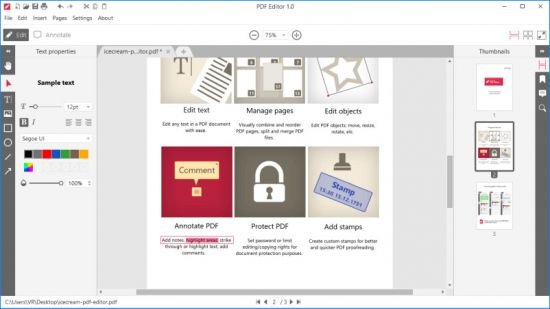
Icecream PDF Editor - software that enables you to edit PDF files easier than ever before. Get access to all the tools and PDF editing modes you need with the help of smart tools panel. You can edit text, add notes, redact, protect files, manage pages and much more with the PDF editor. Learn how to edit a PDF document in a hassle-free way!


Edit text
Edit any text in a PDF document with ease.

Manage pages
Visually combine and reorder PDF pages, split and merge PDF files.

Edit objects
Edit PDF objects: move, resize, rotate, etc.

Protect PDF
Set password or limit editing/copying rights for document protection purposes.

Annotate PDF
Add notes, highlight areas, strike through or highlight text, add comments and more.

Add stamps
Create custom stamps for better and quicker PDF proofreading.

System Requirements:
OS: Windows 10, Windows 8.1, Windows 8, Windows 7
2.33Ghz Intel, AMD or any other compatible processor / faster processor for netbooks;
2GB of RAM (4GB for better performance); 200MB to 2GB of free disk space

Home Page -
Код:
https://icecreamapps.com/


-:DOWNLOAD FROM LINKS:-

RapidGator
Код:
[url=https://rapidgator.net/file/24677905bf51b3ba58c77ae0cf76d71c]Dl4eVeR.icepdfeditor.rar[/url]

NitroFlare
Код:
[url=https://nitroflare.com/view/23ACFA6B0A53C82/Dl4eVeR.icepdfeditor.rar]Dl4eVeR.icepdfeditor.rar[/url]

Dropapk
Код:
[URL=https://www.keygenbook.com/]Dl4eVeR.icepdfeditor.rar - 22.0 MB[/URL]

​
 
EaseUS Video Editor 1.6.8.53


g-Askq2q-NFWBi-Tc3-Sh-UPF96-Ch-Bd4-Ka-Wi-S.jpg

EaseUS Video Editor 1.6.8.53 Multilingual | 74 Mb
​
Pro-level video editor software for beginners and pros. Create Incredible Video Effects Like Never Before. Whether you're a weekend GoPro shooter or a full-time vlogger, you need powerful yet easy video editor software to make impressively professional-looking videos.


Make Magic Without Limit. Simple and Creative
It takes a pinch of fantasy to trim, cut, split, merge, rotate, mix video clips, apply stylish video effects, accelerate/slow down your video speed and many more.

- Over 50 visual and transition effects enable you to add a professional touch to your movies.
- Import and mix music tracks like a pro.
- Record your narrations with the click of a button.

Cool Effects to Make Your Videos Stand Out
EaseUS Video Editor has a great collection of video filters and overlay effects. Apply quick effects to a video to enhance the look of your movies.

Support All Types of Files and Devices
EaseUS Video Editor for PC supports all key video formats. You can import any media files from PC disk or videos shot by camcorders, DV cameras, vidicons, webcams, cell phones, etc.

Share Your Story Anywhere, Anytime
This PC video editor offers options to export the edited movie to any format to be played in iPhone XS Max, iPhone 8 Plus, iPhone 8, iPhone XS, iPhone XR, iPad, Samsung Galaxy, HTC or other devices. Or you can also burn videos to DVD or directly upload your video to YouTube, Facebook, Twitter, etc.

Full-Featured Functions for all creators
- Trim
- Split
- Rotate
- Mix audio
- Adjust style
- Zoom
- Mosaic
- Text-Speech Exchange
- More

Operating System: Windows 7, 8/8.1, 10

Home Page-
Код:
https://www.easeus.com/

Language: Multilingual


-:DOWNLOAD FROM LINKS:-

RapidGator
Код:
[url=https://rapidgator.net/file/fab9974537297f2f6f259eff52ead43e]Dl4eVeR.Video_Editor_1.6.8.53.rar[/url]

NitroFlare
Код:
[url=https://nitroflare.com/view/658C4377EE93E63/Dl4eVeR.Video_Editor_1.6.8.53.rar]Dl4eVeR.Video_Editor_1.6.8.53.rar[/url]

Dropapk
Код:
[URL=https://www.keygenbook.com/]Dl4eVeR.Video_Editor_1.6.8.53.rar - 74.2 MB[/URL]

​
 
NCH Debut Video Capture Software Professional v7.07


kzc-Mpl-Yk-Tkohmre3z-V9mz-FJv-Q4-Xt-A02-I.png


Languages: English | File Size: 3.86 MB
​
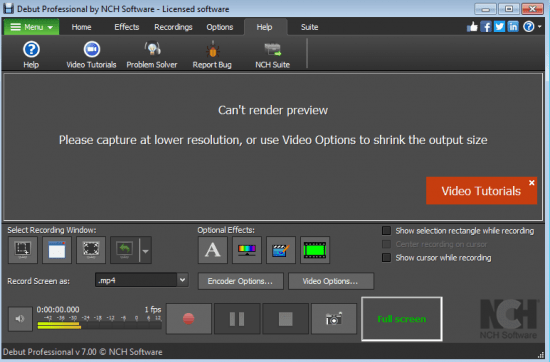
Record and capture video from almost any source - even VHS tapes. And unlike other recording software, you can utilize key pre-production features like video color, resolution, and output settings.

Features :
Record videos as avi, wmv, flv, mpg, mp4, mov and more video formats
Capture video from a webcam, network IP camera or video input device (e.g., VHS recorder)
Screen capture software records the entire screen, a single window or any selected portion
Mouse highlighting spotlights the location of the cursor when using screen recorder
Record audio from your microphone and speakers with your video; ideal for recording video conferences and webinars
Laptop camera recording and video capture
Record video alone or video and audio simultaneously
Add your own text captions or time stamp your video
Change color settings and video effects before recording
Adjust the video resolution, size and frame rate for capture
Use video overlay to record your screen and webcam simultaneously
Burn recordings directly to DVD with Express Burn Disc Burner
Time lapse video recording
Create photo snapshots of a video at any time
Edit your recorded video with VideoPad Video Editor Software

Whats New:
Updates: official site does not provide any info about changes in this version


-:DOWNLOAD FROM LINKS:-
RapidGator
Код:
[url=https://rapidgator.net/file/6b471554b72295f5b0dc9fa2fed41dab]Dl4eVeR.Video_Capture_Software_Professional_7.07.rar[/url]

NitroFlare
Код:
[url=https://nitroflare.com/view/11AE9BD227DA011/Dl4eVeR.Video_Capture_Software_Professional_7.07.rar]Dl4eVeR.Video_Capture_Software_Professional_7.07.rar[/url]

Dropapk
Код:
[URL=https://www.keygenbook.com/]Dl4eVeR.Video Capture Software Professional 7.07.rar - 3.9 MB[/URL]

​
 
TextMate 2.0.19 macOS


d1rt7-O4-Vgnnb-DPz-O0-XKBVZw6am-Idsu-GF.png

TextMate 2.0.19 | macOS | 23 mb
​
TextMate brings Apple's approach to operating systems into the world of text editors. By bridging UNIX underpinnings and GUI, TextMate cherry-picks the best of both worlds to the benefit of expert scripters and novice users alike.


A list of highlights follow, you can follow the links to learn more.

- Ability to Search and Replace in a Project
- Auto-Indent for Common Actions Like Pasting Text
- Auto-Pairing of Brackets and Other Characters
- Clipboard History
- Column Selections and Column Typing
- Completion of Words from Current Document
- CSS-like Selectors to Pinpoint the Scope of Actions and Settings
- Declarative Language Grammars for Graceful Mixing and Hacking
- Dynamic Outline for Working With Multiple Files
- Expand Trigger Words to Code Blocks With Tab-able Placeholders
- File Tabs when Working With Projects
- Foldable Code Blocks
- Function Pop-up for Quick Overview and Navigation
- Plug-able Through Your Favorite Scripting Language
- Recordable Macros With No Programming Required
- Regular Expression Search and Replace (grep)
- Run Shell Commands from Within a Document
- Support for Darcs, Perforce, SVK, and Subversion
- Support for More Than 50 Languages
- Switch Between Files in Projects With a Minimum of Key Strokes
- Themable Syntax Highlight Colors
- Visual Bookmarks to Jump Between Places in a File
- Works As External Editor for (s)ftp Programs
- Works Together With Xcode and Can Build Xcode Projects

Compatibility: macOS 10.12 or later 64-bit
Homepage:
Код:
http://macromates.com

-:DOWNLOAD FROM LINKS:-

RapidGator
Код:
[url=https://rapidgator.net/file/3d82681a3163c7ed423ec779bf6b2469]TextMate_2.0.19.dmg[/url]

NitroFlare
Код:
[url=https://nitroflare.com/view/5EDD91D0E5E0B4B/TextMate_2.0.19.dmg]TextMate_2.0.19.dmg[/url]

Dropapk
Код:
[URL=https://www.keygenbook.com/]TextMate_2.0.19.dmg - 22.8 MB[/URL]

​
 
TubeMate Downloader 3.19.8


PYx-X8-FMp-Zx-JUBW7m95-Mo2oyty-Yr8i987.jpg

TubeMate Downloader 3.19.8 | 34.14 Mb
​
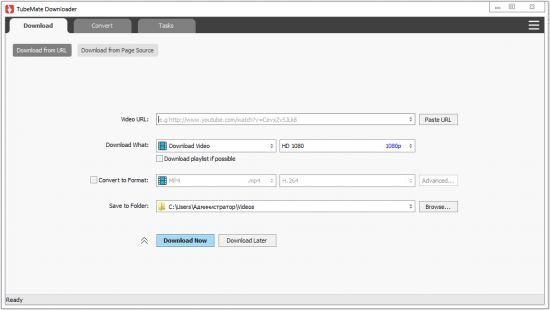
Windows TubeMate is a smart application that lets you snag any clip you want from the main video hosting sites and convert them while downloading or after that. If you need a simple and efficient video downloading tool, you can give it a try.


Online video downloader
TubeMate can download videos from YouTube, Facebook, Instagram, Dailymotion, and thousands of other video sites.

HD video downloader
TubeMate can download UHD 8K, 5K, 4K, QHD 2K, HD 1080p and 720p videos from YouTube.

YouTube to MP3 converter
TubeMate allows you to download only audio stream from YouTube, and save it as MP3. You don't need to download the entire video file.

Playlist downloader
TubeMate enables you to download entire or part of a playlist with just a few clicks.

Download accelerator
TubeMate features a multi-thread download acceleration engine that increases your download speeds by up to 500% or even more.

Download multiple videos at a time
TubeMate supports simultaneous downloads. It allows you to download more than one video at the same time.

Pause and resume downloads
You can pause and resume your downloads at any time.

Support drag-and-drop
You may directly drag and drop video link from your browser to the drop box or app window to start a download. You don't even need to copy and paste video URL.

Preview video/audio while downloading
While downloading, you can click the 'Preview' button to view incomplete file and make sure the content is you want.

Video and audio converter
TubeMate can convert your disk video/audio files between MP4, FLV, AVI, WMV, MOV, MP3, AAC, and any other formats for any device.

Video optimizer
TubeMate automatically optimizes downloaded videos for popular mobile devices, so you can watch downloaded videos smoothly on your iPhone, iPad, Android phone, and other devices.

Video to MP3 converter
TubeMate allows you to extract audio stream from video and save it as MP3, WAV, AC3, or other audio format.

Ready-made presets
TubeMate provides ready-made presets for all video and audio formats. You can also customize your own video/audio formats.

iTunes compatible
Optionally, TubeMate can add downloaded video/music to your iTunes library automatically, so you can easily synchronize your videos and music to your iPhone, iPad, iPod.

Media player
TubeMate contains an easy-to-use media player for playing files that Windows Media Player cannot play.

Operating System: Windows 10/8/7/Vista/XP/2000

Home Page -
Код:
http://www.windowstubemate.com/

Language: English


-:DOWNLOAD FROM LINKS:-

RapidGator
Код:
[url=https://rapidgator.net/file/8e41e9e24e62e5b9f30640fb686bc8e2]Dl4eVeR.TubeMate_Downloader_3.19.8.rar[/url]

NitroFlare
Код:
[url=https://nitroflare.com/view/D0DE3D0A1E56B7C/Dl4eVeR.TubeMate_Downloader_3.19.8.rar]Dl4eVeR.TubeMate_Downloader_3.19.8.rar[/url]

Dropapk
Код:
[URL=https://www.keygenbook.com/]Dl4eVeR.TubeMate_Downloader_3.19.8.rar - 34.1 MB[/URL]

​
 
PDF Conversa Professional 2.002


th-m-Gz-NYk-Du-KWXNGKXByu-ZDTVW3-Oy-Dw0f-Ln.png


Languages: Multilingual | File size: 16 MB
​
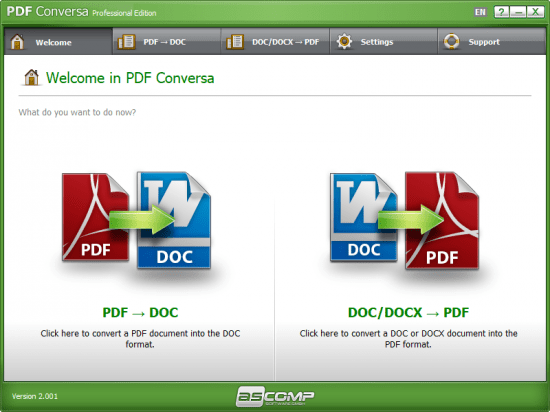
PDF Conversa: PDF converter for PDF to Word and vice-versa. Whether you want to convert PDF documents into the Word file format DOC or convert Word documents into PDF - PDF Conversa provides the necessary tools.

PDF to Word: Convert existing PDF files into the Word file format DOC in no time at all. The graphics, tables and fonts associated with the basic layout remain unchanged. Password-protected documents can be easily converted and further processed in Word. DOC/DOCX to PDF: If desired, password protection can be applied to your Word documents during the conversion into the PDF format, special fonts can be integrated directly into the PDF file, texts can be compressed and you are able to determine the picture quality of the contained graphics. Pass on your documents in the format you desire or edit existing documents in your preferred file format - PDF Conversa processes the conversion with just one click.

PDF Conversa: PDF converter for PDF to Word and vice-versa
- Whether you want to convert PDF documents into the Word file format DOC or convert Word documents into PDF - PDF Conversa provides the necessary tools.

- PDF to Word: Convert existing PDF files into the Word file format DOC in no time at all. The graphics, tables and fonts associated with the basic layout remain unchanged. Password-protected documents can be easily converted and further processed in Word.

- DOC/DOCX to PDF: If desired, password protection can be applied to your Word documents during the conversion into the PDF format, special fonts can be integrated directly into the PDF file, texts can be compressed and you are able to determine the picture quality of the contained graphics.

- Pass on your documents in the format you desire or edit existing documents in your preferred file format - PDF Conversa processes the conversion with just one click.

Can convert PDF to Word and vice versa
First and foremost, you must know that the application features a multi-tabbed GUI letting you choose which type of conversion you want to carry out. If you opt for PDF to DOC, things are quite straightforward: you simply need to indicate your source file as well as a corresponding password if that is the case. An output location must also be selected, aside from a name for your target file. A "Settings" section is also integrated so that you specify whether or not you want to convert graphics and tables.

Password-protects your documents and applies digital signatures
As for the second type of conversion the application can handle, you should know that, this time around, you are able to work not only with DOC but also DOCX files, which can easily be converted to PDF following the exact same steps.

Whats New:
Updates: official site does not provide any info about changes in this version.


-:DOWNLOAD FROM LINKS:-
RapidGator
Код:
[url=https://rapidgator.net/file/911710ce2ceb792c6f257a92e7dba806]Dl4eVeR.PDF_Conversa_Professional_2.002.rar[/url]

NitroFlare
Код:
[url=https://nitroflare.com/view/3A522BFD1692781/Dl4eVeR.PDF_Conversa_Professional_2.002.rar]Dl4eVeR.PDF_Conversa_Professional_2.002.rar[/url]

Dropapk
Код:
[URL=https://www.keygenbook.com/]Dl4eVeR.PDF_Conversa_Professional_2.002.rar - 15.9 MB[/URL]

​
 
Pano2VR Pro 6.1.11 (x64)


1p-R5-W4-Bz-Npo-DJ4-Gq-Ly-Xr-A5oex-Zcmvxk0.png

Pano2VR Pro 6.1.11 (x64) Multilingual | 132.5 Mb
​
Pano2VR allows you to publish your panoramic images within minutes. No matter what type of project you.re working on, whether, a gigapixel panorama or virtual tours with hundreds of nodes, Pano2VR will help you to quickly get your project up and running on the desktop as well as mobile devices.


mprove your images.
Sometimes panoramas are not level and have unwanted tripods.it happens. Straightening the horizon and removing the tripod from the panorama can be accomplished with a few simple clicks.

Build a Virtual Tour.
No matter how large the tour, Pano2VR Pro can help you quickly and easily put it together with automatic linking, filtering, master node editing and a built-in Tour Map.

Enhance the experience.
Add interactive elements like hotspots, directional sound and video to your panoramas. Use the powerful Skin Editor to design custom buttons and controllers . all of which can be made responsive so the design fits to any screen. No coding required. We promise!

Seamlessly change projections.
Easily reproject spherical panoramas during viewing or open a panorama from a little planet view to a rectilinear view on opening or create a standard format video that moves through different projections.

Reveal the highlights.
Guide viewers by creating an animation path through your panoramas or tour to show off the best areas. At any time, the viewer can interact and explore further. You can even export this walk-through as a video file.

Contribute to Google Street View.
Pano2VR offers an easy way to add and edit existing panoramas and tours to Google Street View. Once you.ve connected your account, you will see all tours and panoramas that you.ve uploaded to Google Street View. You can continue to add to your gallery or even download the existing images.

Show your work.
Export your panoramas as HTML5, Flash or QuickTime VR formats or use our handy plugins to post them directly to your Wordpress, Joomla or Drupal site. Pano2VR will also help you to transform your images into different projections for printing.

Pano2VR 6.0
Pano2VR 6.0 brings major updates to the Tour Map, Animation Editor and Viewer. You can now add floor plans to your project and correctly geolocate indoor nodes, control and animate skin elements with the Animation Editor, and view and interact with 360 video in the Viewer.

Tour Map
The Tour Map received, perhaps, the biggest update. It can now better assist in general tour building and with Google Street View tours with the addition of being able to add custom floor plans.

Floor plans, are maps of the interior of buildings where it is also likely that location data has not been recorded during a shoot. So, we added the ability to geolocate the floor plan to the tour map so that when a tour node is added to the floor plan, it will be given location data. This is especially helpful for those building tours for Google Street View and need accurate placement of nodes inside of buildings. Floor plans that have been added to the Tour Maps, can also be used in the Skin Editor using the Map element. In addition to the floor plans, map pins can now be moved in bulk.

Animation Editor
The Animation Editor is now a panel and it, too, is more powerful. You can now connect skin elements to the animation. This lets you apply, for example, subtitles or text boxes that can appear and disappear at a defined time in the animation.

Previously, the animation editor only had the ability to create a single series of clips. Now, we can create sequences, which are a group of clips, in the same project. We can then, select a specific sequence to output as an animation or as auto rotation. This makes it much easier to create multiple versions of an animation without having to create multiple projects.

Skin Editor
The Skin Editor got new features, too. The most notable feature would be the changes made to the Maps element. This is how you would add a map or floor plan overlay to your project. Previously, only a map could be added to the map element.

We.ve also added a way to change skins without having to open the Skin Editor - making it easier to adapt a skin to the current project using the Edit Skin Configuration button. Finally, positioning in the Skin Editor has been completely reworked to better reflect the way positioning works in HTML5. This means that when you open older skins, you may find that the positioning measurements have changed. Don.t worry, it.s not broken; just, the numbers have changed.

Viewer
The Viewer has been updated to be able to playback 360. video, making it much easier to work with the medium. Once the panoramic video has been added to the Viewer or Tour Browser, a transport control will appear in the Viewer.

More Features:
- Improved gigapixel support with tiled multi-resolution
- Fast loading for tours with more than 10,000 nodes
- Custom Fly-in effect
- Custom map tiles
- Filtered actions
- Flash and QuickTime outputs no longer supported

Requirements: Windows 7 and higher (64-bit).
Home Page -
Код:
http://ggnome.com


-:DOWNLOAD FROM LINKS:-

RapidGator
Код:
[url=https://rapidgator.net/file/32683ed96c21a499de391445b8755670]Dl4eVeR.Pano2VR.6.1.11.rar[/url]

NitroFlare
Код:
[url=https://nitroflare.com/view/2E4F87E42B34E75/Dl4eVeR.Pano2VR.6.1.11.rar]Dl4eVeR.Pano2VR.6.1.11.rar[/url]

Dropapk
Код:
[URL=https://www.keygenbook.com/]Dl4eVeR.Pano2VR.6.1.11.rar - 213.0 MB[/URL]

​
 
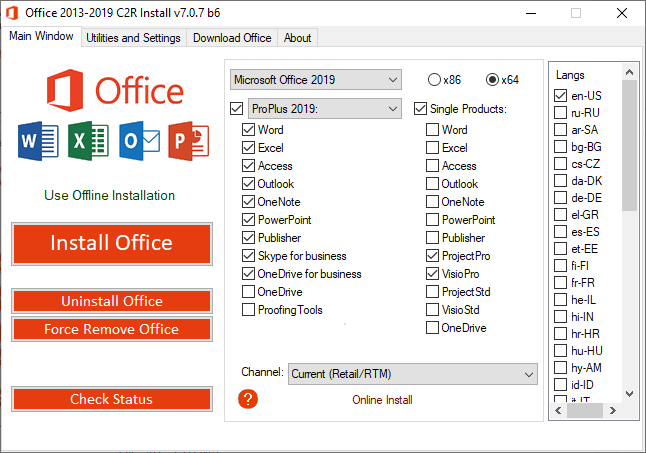
Office 2013-2021 C2R (Install / Install Lite) 7.1.6


k-Hgob0-SOop-Jjuds-UD3-Id-P6-Ry77g-SJ37-D.png


File size: 16.53 MB
​
This program designed for on-line installation and activation Microsoft Office 2013/2016/2019-2021 C2R. You also can create custom installation of Office off-line for using later.

How to use the program:
1. Uninstall Office via (Control panel) applet "Add or remove Programs".
2. Uninstall Office using the "Force Remove Office" and restart your computer.
3. Install Office by clicking the "Install Office" button.
4. Go to "Utilities" tab and do the conversion "Office RETAIL => VL".
5. Then click "Activate Office" button.

or
6. Start KMSAuto Net 2016 and click "Activate Office".

How to use Bookmark Download Office:
Bookmark Download Office serves to create the off-line installation varying versions and editions of Microsoft Office
with the possibility for the subsequent installation of the product without receiving files from outside..

1. Select the appropriate version of Office, bit and language. I recommend to make a full x86-x64 distribution.
To do this, select the tab-width All (the lowest). Click the Download button and choose a folder to the distribution files.
You can select the folder of the previous session of the program to further develop distribution, or will start a new session.
2. If you want to make multilingual distribution - after complete loading of the first language, switch to the pre-
Executive language, click the Download button, and select the same download folder.
3. After downloading all required bit and spoken recommend creating ISO-image office suite.
To do this, click Create ISO.
4. As a result, in the selected folder you will see a ready to use off-line installer Microsoft Office
chosen version.
In one session, downloading files does not use different versions of MS Office 2016 and 2013. It is possible to manipulate
with x86-x64 and languages, but not versions. Or use a different folder assignment is. Otherwise you will get unusable distribution.
5. Now you can create multiple projects distributions of return, additions and corrections have
downloaded. You can choice the versions builds. For Office 2013 Branch-choice and does not matter. Always will
be download the most current build. For Office 2016, you can choose the source of download (branch). Button Check version
has been added to check the build number the selected Branch.

What's new
• add Microsoft Office 2019-2021


-:DOWNLOAD FROM LINKS:-
RapidGator
Код:
[url=https://rapidgator.net/file/1734d65933a520bc30290901a846e83e/Dl4eVeR.C2R.7.1.5.rar.html]Dl4eVeR.C2R.7.1.5.rar[/url]

NitroFlare
Код:
[url=https://nitroflare.com/view/A70094EF30720F1/Dl4eVeR.C2R.7.1.5.rar]Dl4eVeR.C2R.7.1.5.rar[/url]

Dropapk
Код:
[URL=https://www.keygenbook.com/]Dl4eVeR.C2R.7.1.5.rar - 16.1 MB[/URL]

​
 
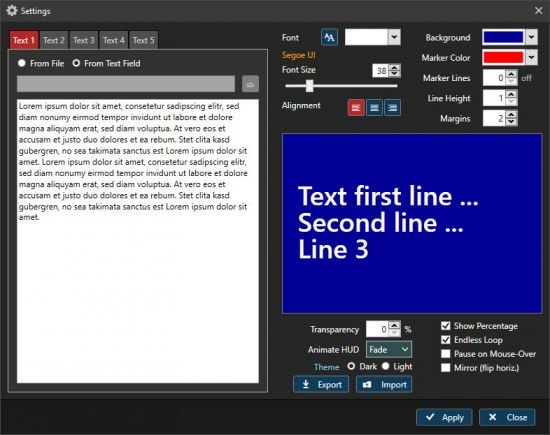
Programming TelePrompter 2.5.2


th-h0-Av-JDMVvk-SDgnkcx-I2g2-B9rql4j-Yfu-U.jpg

Programming TelePrompter 2.5.2 | 4.1 Mb
​
Welcome to TelePrompter, an easy to use, modern and powerful text / presentation desktop scroller for Windows. The program can display a smoothly scrolling text in a resizable window or full screen on your desktop. It features the latest programming techniques (Microsoft .Net 4 / WPF) which are using hardware accelaration of the GPU (graphics processing unit) of the computer. For a smooth scrolling experience in a large window, the graphics card has to be powerful enough though.


The program can be used for presentation purposes, during video cast / TV sessions or for advertising of any kind.

Features:
Resizable window - from small to full screen - only your screen size is the limit (performance depends on the computer graphics power)
Scrolling speed is adjustable in a wide range, using a trackbar or the mouse wheel
5 text slots - load text from file or enter it manually
Selectable background and text color, font, line height, alignment and margin
Percentage label to display the elapsed percentage of the currently scrolling text (correctly adjusted on speed change)
Mirror mode to flip the text horizontally, for use with a mirror
Optional "Pause on Mouse-Over"
Optional Eye Line Marker, showing a semi-transparent border around the middle lines of the text (height and color is adjustable)
Endless Mode / Single pass through
Semi-Transparency mode (0..90%), to show another window below tele prompter
Scrub function - scroll within your text with a slider
Jump to 10%..90% of the selected text with a button click

Operating System: Windows 7, 8/8.1, 10

Home Page -
Код:
https://www.programming.de/


-:DOWNLOAD FROM LINKS:-

RapidGator
Код:
[url=https://rapidgator.net/file/fe06cde0ff80d83f6bc56315db132f2f/Dl4eVeR.TelePrompter2.rar.html]Dl4eVeR.TelePrompter2.rar[/url]

NitroFlare
Код:
[url=https://nitroflare.com/view/25C1B2B0F388216/Dl4eVeR.TelePrompter2.rar]Dl4eVeR.TelePrompter2.rar[/url]

Dropapk
Код:
[URL=https://www.keygenbook.com/]Dl4eVeR.TelePrompter2.rar - 4.0 MB[/URL]

​
 
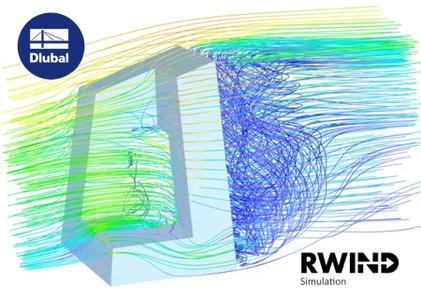
Dlubal RWIND Simulation Pro 1.25.0300 (x64)


008113e1-medium.jpg

Dlubal RWIND Simulation Pro 1.25.0300 | 552.0 mb

Languages: English, Deutsch, Čeština
​
The RWIND Simulation Team is pleased to announce the availability of RWIND Simulation Pro 1.25.0300. This program was developed in cooperation with PC-Progress and CFD Support and can be used as a stand-alone application or as a complement to RFEM / RSTAB programs for static and dynamic analysis. Generate wind profiles and turbulence intensity diagrams according to the following standards: EN 1991-1-4 (with National Annexes), United States of America ASCE/SEI 7-10, United States of America ASCE/SEI 7-16, Canada NBC 2015.


Update Report No. 03234 RWIND Simulation 1-25-0300 | 02/18/2021

- Implementation of additional languages for the program interface
- Extension of clipping functions with a clipper box
- Implementation of an option to consider wall roughness
- Extension of FE mesh settings with an option to define the number of boundary layers
- Implementation of an option for second-order calculation
- Extension of model import - IFC files of version 2x3 can be imported now
- Adaptations in the Slovenian Annex concerning the modification of the fundamental wind velocity as a function of altitude

RWIND Simulation is an outstanding tool for creating wind-induced loads on general structures. RWIND Simulation is a separate program which is used externally to determine load cases and wind loads for RFEM or RSTAB models. As for RFEM, the model may consist of beams, surfaces, and/or solids in any composition. For RSTAB models, loads can be created for models that fully conform to the structural system, such as lattice towers or braced girders without cladding. RWIND Simulation uses a numerical CFD (Computational Fluid Dynamics ) model to apply a fluid-mechanics simulation of the flow around objects in a wind tunnel. As a result of the simulation process, specific wind loads are created for RFEM or RSTAB.

For the simulation, a 3D mesh of finite volumes is used. RWIND Simulation performs an automatic meshing, while the overall mesh density as well as the local mesh refinement near the model can be easily set using just a few parameters. For the calculation of the air flow and the surface pressure on the model, a finite volume numerical solver for incompressible turbulent flow is applied. The results are then extrapolated on the model. RWIND Simulation has been designed to work with various numerical solvers. Currently we recommend using the OpenFOAM software package, which according to our tests gives very good results and is a widely used tool for CFD simulations. Alternative numerical solvers are under development.

RWIND Simulation is able to read the topology from RFEM or RSTAB models or from external *.stl and *.vtp files (importing *.ifc, *.stp and *.igs files is in preparation). Minor corrections of the model that may be required for corners or joints are applied automatically. The data relevant to the loading can be defined either in RWIND Simulation or in RFEM/RSTAB where a separate window is available. The latter option is recommended: It enables you to create load cases at equidistant angles and apply velocity profiles according to specific standards. Effects of turbulence can be included optionally. The dimensions of the wind tunnel are set to the size of the model but can be modified, if necessary.

The results of the simulation include the pressure and velocity fields around the model, the streamlines, as well as the surface pressure and the member forces. They represent the results of a stationary analysis. All results are illustrated by means of color maps (isobands) or isolines on the model or by slicer planes within the wind tunnel, respectively. The streamlines can be displayed in an animated view, which makes it easy to evaluate the effects of laminar and turbulent flow. As an essential result of the simulation, loads are created for the RFEM/RSTAB model. They are exported to the respective load cases where they are applied as FE nodal loads or member loads. To check the surface loads resulting from the velocity profile, a special feature is available to display the load distribution in one of the global or local directions.

Webinar: RWIND Simulation | Wind Load Simulation and Generation


Since 1987, Dlubal Software has continuously developed and optimized user-friendly and powerful programs for structural analysis and design.

With more than 280 employees at 9 locations providing continuous software support, Dlubal Software has gained more than 86,000 satisfied users worldwide.

Product: Dlubal RWIND Simulation
Version: Pro 1.25.0300
Supported Architectures: x64
Website Home Page :
Код:
http://www.dlubal.com
Language: multilanguage
System Requirements: PC *
Size: 552.0 mb

System Requirements.
In order to use RWIND Simulation, the following system requirements should be met:

- Operating system Windows 7/8.1/10 64-bit
- x86 CPU with 2 GHz
- 2 GB RAM
- USB interface for the installation (if no installation via download link)
- 20 GB hard disk capacity, including approximately 4 GB required for the installation
- Graphics card with OpenGL acceleration and resolution of 1024 x 768 pixels. Onboard solutions and shared-memory technologies are not recommended


-:DOWNLOAD FROM LINKS:-

RapidGator
Код:
[url=https://rapidgator.net/file/3be20a01520bc96d3b33add01104aa84]Dl4eVeR.alDRwIDSp1250300.x64.rar[/url]

NitroFlare
Код:
[url=https://nitroflare.com/view/EB638B8BDBDF0E5/Dl4eVeR.alDRwIDSp1250300.x64.rar]Dl4eVeR.alDRwIDSp1250300.x64.rar[/url]

Dropapk
Код:
[URL=https://www.keygenbook.com/]Dl4eVeR.alDRwIDSp1250300.x64.rar - 563.0 MB[/URL]

​
 
Назад
Сверху